Recently Krafton announced the relaunch of Battlegrounds Mobile India after it was banned in the country last year. Following the announcement the Battle Royale game BGMI was made available for download via Google Play Store in India. The developer has also confirmed that the game will be playable in India from today onwards.
The Battlegrounds Mobile India is live and now available to play. Note that this is a 3-month trial approval after it has complied with issues of server locations data security etc. The Minister of State for Electronics and Information Technology, Rajeev Chandrashekhar via tweet said that “We will keep a close watch on other issues of User harm, Addiction etc in the next 3 months before a final decision is taken ”
From Saturday, May 27, Android Users were allowed to begin preloading the BGMI game from the Google Play Store. However, the game will be playable starting today, May 29, which is already available for pre-loading. Those who are unable to pre-load immediately will get the options. Download is already available for iOS users but they can also start playing the game from today only.
“Few users may have received an automatic update from midnight, this is a part of the same preload process, and you have nothing to worry about. If you are an Android user, you will be able to preload today and play on May 29th, if you are an iOS user, you can enjoy and play the game from May 29th.”
Due to privacy and security concerns, the Krafton-owned mobile game was banned in India in July 2022 as a result of a government order. The Google Play Store and App Store soon removed it. It was banned just like PUBG and disappeared from India. If you didn’t know, PUBG was reintroduced in India under the moniker BGMI, which stands for Battlegrounds Mobile India. In addition to the new branding, the game was created especially for Indian players.
After making its debut in India, BGMI rapidly rose to prominence. The game reached 100 million users in over a year after its debut. BGMI made history by becoming the first Esports event to be broadcast on mainstream television, drawing in 200 million viewers overall and 24 million concurrent viewers.
For the latest gadget and tech news, and gadget reviews, follow us on Twitter, Facebook and Instagram. For newest tech & gadget videos subscribe to our YouTube Channel. You can also stay up to date using the Gadget Bridge Android App. You can find the latest car and bike news here.
Garena Free Fire is a battle royale game with regular awards and tournaments to keep players interested. If you play Garena Free Fire, you should be aware of the redeem codes that are released on a daily basis. However, because the battle royale game is banned in India, players from other countries can use the Free Fire Redeem codes daily. If you’re unfamiliar with the Garena Free Fire redeem codes or don’t know how to get them, we’ve put together a step-by-step guide to help you redeem them. Check out Garena Free Fire Redeem Codes for 29 May 2023.The Free Fire redeem codes are a great way to get free stuff. These are 12-digit codes that contain alphabets and numbers, as well as an expiration date and time. Because the Garena FF redeem codes cannot be used more than once, you should hurry to the redemption page to claim your free reward before someone else does. To get a free reward, all you have to do is go to reward.ff.garena.com/en, which is the official redemption page. Also, keep an eye on this space for daily updates on Garena Free Fire redemption codes and rewards.
In This Article
Garena Free Fire Redeem Codes Today 29 May 2023
FFCMCPSJ99S3
MCPW3D28VZD6
ZZZ76NT3PDSH
FF7MUY4ME6SC
4ST1ZTBE2RP9
V427K98RUCHZ
B3G7A22TWDR7X
6KWMFJVMQQYG
X99TK56XDJ4X
XZJZE25WEFJJ
How to Get Free Fire Redeem Codes for Garena on 29 May 2023?
Have you participated in the Amazon Quiz today? If not then participate in the 29 May 2023 Amazon Quiz as it has already gone live on the app. The daily quiz can be played from 12 AM to 11:59 every day on the mobile app platform. Today e-commerce is giving the chance to win Rs 500 Amazon Pay Balance.Every day Amazon brings a fresh quiz for its customers. By participating in the quiz the participants can win an Amazon Pay Balance of up to Rs 50,000. The quiz can only be played on the mobile app as it is not available for the desktop platform. The quiz contains five easy questions and you have to answer all the questions correctly. The participants will then be shortlisted for a lucky draw to select a winner. Whereas the results are declared at the end of the month. Check out today’s Amazon quiz answers to win Rs 500.Amazon Quiz Today Prize – Rs 500 Amazon Pay BalanceQuiz Date – 29 May 2023Daily Timing – 12 AM to 11:59 PMWinner Announcement – Today 12 PM
In This Article
Amazon Quiz Answers Today 29 May 2023
Question 1:Who scored the first century in IPL 2023?Answer: Harry BrookQuestion 2: What is the name of India’s first semi-high-speed regional rail service?
Answer: RapidXQuestion 3: Christina Koch, Jeremy Hansen, Victor Glover & Reid Wiseman will travel around ____ as part of NASA’s dream project ‘Artemis 2’?Answer: The MoonQuestion 4: Which country is the main breeding ground for this crane species?Answer: CanadaQuestion 5: Who was the director of the 1st movie of this character in the marvel studios?Answer: Jon Favreau
How To Play Amazon Quiz
Only app users are eligible to play the Amazon quiz every morning from 12 AM to 11:59 PM. The quiz is not available on the desktop. For those who are unaware of how to play the Amazon quiz below are the steps, you can follow to take the quiz.
Firstly download the Amazon app from Google Play Store or App Store
Now fill in the required information through the Sign Up option.
You need to log in to the Amazon app and scroll down on the home screen to find the Amazon Quiz banner.
Tap on the Amazon Quiz banner and tap on the Start button to start the Quiz.
Now you will get 5 questions and you need to answer them correctly. One wrong answer will eliminate you from the Quiz.
After answering all the questions correctly you are now eligible for a Lucky Draw.
The winner’s name will be announced today at 12 PM.
The counter on your Snapchat profile is called the Snapscore. Every time you send and receive a snap, your Snapscore gets increased. Any other activity like posting a story or viewing someone else’s story can also affect your Snapscore. By looking at your Snapscore, other people can get an idea of how active you are on Snapchat. While there is no direct way to hide your Snapscore, here are two ways you can prevent other people from seeing it on Snapchat. Read Also:OnePlus Pad review: The Android tablet we’ve all been waiting for!
In This Article
Only let your friends see your Snapscore
Step 1: Launch the Snapchat app on your smartphone.Step 2: Tap on your Bitmoji at the top right corner of the screen.Step 3: Tap the gear icon to open settings.Step 4: Select ‘Contact Me’ under Privacy Control.Step 5: Tap on Friends.Only your Snapchat friends will be able to see your Snapscore.
Hide your Snapscore from someone by blocking them
Blocking a contact on Snapchat ensures that won’t be able to see your Snapscore. Here’s how you can go about it.Step 1: Launch the Snapchat app on your smartphone.Step 2: Tap on your Bitmoji at the top right corner of the screen.Step 3: Select ‘My friends’.Step 4: Select the contact from whom you want to hide your score.Step 5: Tap the ellipses at the top right corner of their profile.Step 6: Select ‘Manage Friendship’.Step 7: Hit Block.Once a contact has been blocked, they won’t be able to send you any snaps or messages on Snapchat. They also won’t be able to see your Snapchat stories. If you don’t want to block someone, you can simply remove them as a friend and set your ‘Contact Me’ status to Friends in order to prevent them from seeing your Snapscore.
Frequently Asked Questions
How is my Snapscore calculated?
Your Snapscore is calculated based on your total activity on Snapchat. This includes sending and receiving snaps, uploading stories, and viewing other people’s stories.
Can I hide my Snapscore on Snapchat?
There is no direct way to hide your Snapscore on Snapchat. To prevent other people from viewing your Snapscore you can set your ‘Contact Me’ preferences to ‘Friends’. You can also block someone on Snapchat if you don’t want them to see your Snapscore.
Instagram tags are useful in identifying the people in a picture. If you don’t want other people to see your profile, you can easily remove your tag in a picture. Every image you are tagged in also shows up in your profile. If you don’t want other people to know your whereabouts, this may cause a problem. Luckily, there is a way you can hide the picture without removing your tag. In this article, we bring you two ways to hide tagged photos on your Instagram profile.Read Also:OnePlus Pad review: The Android tablet we’ve all been waiting for!
In This Article
Hide a tagged photo on your profile
Step 1: Launch the Instagram app on your phone and tap on your profile icon.Step 2: Switch to the tagged photos tab.Step 3: Select the picture you want to hide.Step 4: Tap on the ellipses (three dots) at the top right corner of the post.Step 5: Tap on ‘Tag options’.Step 6: Select ‘Hide from my profile.
Hide multiple tagged photos from your profile
Step 1: Launch the Instagram app on your phone and go to your profile page.Step 2: Tap the hamburger menu and select ‘Settings and privacy’.Step 3: Scroll down and select ‘Tags and mentions’.Step 4: Select ‘Manually approve tags’.Step 5: Tap on ‘Edit’.Step 6: Select the images you want to hide.Step 7: Select ‘Hide’ from the bottom of the screen.
Frequently Asked Questions
How do I hide my tagged photos from the public?
To hide a tagged picture on Instagram simply go to the post and select ‘Tag options’ after tapping on the ellipses. You can choose whether you want to remove or hide the picture.
How do I hide multiple tagged pictures on Instagram?
To hide multiple tagged images from your Instagram profile, simply go to Profile>Menu>Settings and Privacy>Tags and Mentions>Edit. Select the desired images and hit ‘Hide’.
Smartphone prices are getting ridiculous every passing year. If you want to get your hands on a flagship product, you need to shell out $700 at the very least. This doesn’t mean that there’s a dearth of smartphone options in other price brackets. We’ve seen ‘flagship killers’ over the years that are priced moderately and offer tremendous performance. Let’s take a look at the best 5G smartphones you can buy for under $500 in USA.Read Also:Nothing Phone 2 global launch set for July, more specs revealed
In This Article
Google Pixel 7a
Price: $499Quick Specs
Display
6.1-inch OLED
Chipset
Tensor G2
RAM
8GB
Storage
128GB
Battery
4,385 mAh
Every year Google puts out a spec-laden midrange Pixel smartphone that offers quite the bang for the buck. This year’s Pixel 7a continues that tradition by replicating the design and main camera performance of its flagship counterpart while also improving upon previous year’s Pixel 6a by adding wireless charging and updating the display to a 90Hz panel. It rocks the same Tensor G2 processor as the Pixel 7 and 7 Pro but ditches the glass back for a plastic one. With the Pixel 7a, you are guaranteed one of the best camera performances across the board along with a stock Android experience. Currently, the Pixel 7a is priced at $499 in the US but if previous trends are anything to go by, the smartphone will see several price drops as the year goes on.
Samsung Galaxy A54
Price: $449Quick Specs
Display
6.4-inch Super AMOLED
Chipset
Exynos 1380
RAM
6GB, 8GB
Storage
128GB, 256GB
Battery
5,000 mAh
Samsung has multiple smartphones under $500 but the one that stands out is the Galaxy A54. This 5G smartphone features a glass back (something you rarely get in this price range), an IP67 rating for dust and water resistance, and a triple camera unit. We reviewed the Galaxy A54 last month and were impressed by what it has to offer. The highlight of the smartphone is the stunning 6.4-inch Super AMOLED display with a refresh rate of 120Hz. The smartphone delivers a good camera performance as well. But what really won us over was Samsung’s promise of four years of OS upgrades along with five years of security patches. The longevity of upgrades leaves even the Pixel behind.
Nothing Phone 1
Price: $429Quick Specs
Display
6.5-inch OLED
Chipset
Snapdragon 778G+
RAM
8GB, 12GB
Storage
128GB, 256GB
Battery
4,500 mAh
Last year’s Nothing Phone 1 generated a lot of hype before its launch. The Glyph interface along with the see-through design of the back panel attracted a lot of eyeballs towards Nothing’s debut smartphone. While many expected it to be a gimmick with little chance of surviving in a cut-throat segment, the Nothing Phone 1 surprised everyone with its serious chops. The Snapdragon 778G+ SoC on this smartphone is a respectable processor that can expertly handle heavy tasks without breaking much of a sweat. The 50MP main and ultrawide cameras also deliver a decent performance. You also get wireless charging with the Nothing Phone 1, a first in this category until the Pixel 7a came along. Read our review here.
Motorola Edge 30 Fusion
Price: $449Quick Specs
Display
6.5-inch P-OLED
Chipset
Snapdragon 888+ 5G
RAM
8GB, 12GB
Storage
128GB, 256GB, 512GB
Battery
4,400 mAh
There is a lot to like about the Motorola Edge 30 Fusion. This mid-ranger from Motorola boasts flagship-grade specs. The smartphone gets a glass back and aluminium frame, massively elevating the in-hand feel. The 6.5-inch OLED display with 144Hz refresh rate and HDR10+ support is a stunner as well. With 68W fast charging support, this smartphone can juice up to 50% in just 10 minutes. Handling processor duties is the Snapdragon 888 SoC, which may not be the flagship chipset but it still matches the other smartphones in this category. The 50MP rear camera lets you record up to 8K videos at 30fps. The 13MP ultrawide lens and a 2MP depth sensor also put up a decent performance.
OnePlus Nord N30 5G
Price: $299.99
Quick Specs
Display
6.72-inch IPS LCD
Chipset
Snapdragon 695 SoC
RAM
8GB
Storage
128GB
Battery
5,000 mAh
At $300, the OnePlus Nord N30 5G is an excellent deal. The smartphone gets a 6.72-inch IPS LCD display with a 120Hz refresh rate. Powering the smartphone is the Snapdragon 695 SoC, while OS duties are handled by Android 13. The two camera cutouts on the back panel hold 3 lenses – the primary 108MP sensor, a 2MP macro lens, and another 2MP depth sensor. Up front, the 16MP selfie camera is housed in a punch-hole cutout. The smartphone gets a 5,000 mAh battery and 50W fast charging support.
iPhone SE 2022
Price: $429Quick Specs
Display
4.7-inch Retina IPS LCD
Chipset
A15 Bionic
RAM
4GB
Storage
64GB, 128GB, 256GB
Battery
2,018 mAh
If you absolutely must have an iPhone under $500 then the iPhone SE (2022) is your only choice outside of refurbished iPhones. If you’re willing to look past the massive bezels surrounding the display, the iPhone SE is a decent smartphone. One of the highlights of this device is the A15 Bionic chip from the flagship iPhone 13 series. There are only two cameras on this phone, a 12MP rear lens and a 7MP selfie camera. We tested the iPhone SE last year and it surprised us with its hardware and performance. You also get up to 5 years of software updates for this device, which is really good. If you’re looking for a compact smartphone and don’t want to compromise on the Apple branding, this should be your pick.
Google Pixel 6a
Price: $349Quick Specs
Display
6.1-inch OLED
Chipset
Tensor
RAM
6GB
Storage
128GB
Battery
4,410 mAh
While it may be last year’s smartphone, we couldn’t help but mention the Pixel 6a in this list, solely because of the sheer value it provides for the price. At $349 you’re getting an amazing 6.1-inch OLED display, stock Android experience, and one of the best camera performances in any smartphone – including the flagships. Google’s computational photography is a class apart. We reviewed the smartphone last year and you can see the results for yourself. We also like that Google has retained the signature Pixel design on the A series as well. If you don’t mind one less year of software updates, the Google Pixel 6a should be a no-brainer purchase.
Samsung Galaxy A34
Price: $260Quick Specs
Display
6.6-inch Super AMOLED
Chipset
MediaTek Dimensity 1080
RAM
6GB, 8GB
Storage
128GB, 256GB
Battery
5,000 mAh
Launched alongside the Galaxy A54, Samsung Galaxy A34 is a low-budget midrange smartphone from Samsung that ditches the more premium features but manages to deliver a solid performance. The smartphone has a plastic frame and a plastic back. There is a notch in the display housing the selfie camera. However, the A34 still offers IP67 protection and the 6.6-inch Super AMOLED display is a delight to use. Being a low-budget mid-ranger, the Galaxy A34 has a hybrid SIM slot for expandable storage but a headphone jack is still nowhere to be found. Read our full review here.Read Also:Google’s Chrome desktop web browser gets new customisation features
Conclusion
These are our picks for the best 5G smartphones you can buy for under $500 in USA. For $500 you should also look into flagship devices from a few years back that are retailing at a lower price now. If you’re willing to wait, you can also get good deals on premium products as the year advances. Which smartphone do you feel offers the best value for money at this price range? Let us know in the comments!For the latest gadget and tech news, and gadget reviews, follow us on Twitter, Facebook and Instagram. For newest tech & gadget videos subscribe to our YouTube Channel. You can also stay up to date using the Gadget Bridge Android App. You can find the latest car and bike news here.
India’s new parliament building is set to be inaugurated on Sunday, May 28. Commissioned in 1927, the current Parliament House building has been operating for almost 100 years. Over the decades, some issues with the current building have become more apparent. These include limited seating capacity during joint sessions, outdated tech for communication, and deteriorating infrastructure. The new Parliament building has been developed under the Central Vista project and comes decked with state-of-the-art features. Let’s take a quick look.Read Also:Nothing Phone 2 global launch set for July, more specs revealed
In This Article
The new Parliament Building is bigger, better, and integrated with cutting-edge tech
The new seat of Indian democracy will have a built-up area of about 65,000 sq. mt. Its triangular shape will ensure that this area is utilised optimally. The biggest functional upgrade that comes with the new building is the extended seating capacity. The Lok Sabha hall will now be able to seat 888 members while the Rajya Sabha hall has a capacity of 384 members. For joint sessions, the Lok Sabha hall can accommodate up to 1,272 seats. The hall for the lower house has a peacock theme while the upper house is based on a lotus theme.Lok SabhaArchitectural attributes aside, the new Parliament Building will also feature new communication tech for both houses. Large display screens and AV systems will adorn the walls of either house. But what’s more interesting is the touchscreen display on every MP’s desk. These display units will support biometric features, allowing the MPs to vote on bills directly from their seats. The microphones along with real-time translation tech have also received substantial upgrades.What’s more impressive is the digitisation of the entire Parliament archives. These files will help MPs in researching for debates, allowing them to search entries for a particular subject, time period, speaker, and more. These archives will be accessible from the smart displays in the seating of either hall.Rajya SabhaParliamentary proceedings in the new building will be transcribed in real time using AI-based speech-to-text. The algorithm is tuned to detect different languages, dialects, and accents. The transcription will be automatically tagged and indexed with appropriate time stamps. A similar auto-tagging feature could also be employed for audio-visual recordings. This will allow members to easily look up a certain section of a speech or a debate by entering the relevant keyword.Read Also:Best Ways to Connect Your Digital Piano to a PC/iPad/Android Device
Conclusion
A mobile application for the new Parliament is also in the works under the ‘Digital Sansad’ Project. This app will keep the MPs updated about the daily parliamentary schedule and also give them access to confidential files along with the archives. After its inauguration tomorrow, the new Parliament building will host the Winter Session later this year. The current building will also remain functional and will work in conjunction with the new structure.For the latest gadget and tech news, and gadget reviews, follow us on Twitter, Facebook and Instagram. For newest tech & gadget videos subscribe to our YouTube Channel. You can also stay up to date using the Gadget Bridge Android App. You can find the latest car and bike news here.
Garena Free Fire is a battle royale game with regular awards and tournaments to keep players interested. If you play Garena Free Fire, you should be aware of the redeem codes that are released on a daily basis. However, because the battle royale game is banned in India, players from other countries can use the Free Fire Redeem codes daily. If you’re unfamiliar with the Garena Free Fire redeem codes or don’t know how to get them, we’ve put together a step-by-step guide to help you redeem them. Check out Garena Free Fire Redeem Codes for 27 May 2023.The Free Fire redeem codes are a great way to get free stuff. These are 12-digit codes that contain alphabets and numbers, as well as an expiration date and time. Because the Garena FF redeem codes cannot be used more than once, you should hurry to the redemption page to claim your free reward before someone else does. To get a free reward, all you have to do is go to reward.ff.garena.com/en, which is the official redemption page. Also, keep an eye on this space for daily updates on Garena Free Fire redemption codes and rewards.
In This Article
Garena Free Fire Redeem Codes Today 27 May 2023
XZJZE25WEFJJ
V427K98RUCHZ
FFCMCPSUYUY7E
EYH2W3XK8UPG
J3ZKQ57Z2P2P
HNC95435FAGJ
NPYFATT3HGSQ
ZZZ76NT3PDSH
UVX9PYZV54AC
BR43FMAPYEZZ
GCNVA2PDRGRZ
MCPW3D28VZD6
8F3QZKNTLWBZ
WEYVGQC3CT8Q
How to Get Free Fire Redeem Codes for Garena on 27 May 2023?
Amazon is back with another quiz on its mobile platform. The daily quiz is now live on the Amazon App and today’s Amazon Quiz will give you a chance to win Rs 500 Amazon pay Balance. The participants can play the 27 May 2023 Amazon Quiz from 12 AM to 11:59 PM. For those who are unaware of the quiz, the e-commerce platform brings a fresh quiz on a daily basis which consists of five questions related to general knowledge and current affairs.The participants need to answer all the questions correctly and their names will be selected for a lucky draw. The winner will be announced at the end of the month. One wrong answer could eliminate you from the quiz. Only app users are eligible to participate in the Quiz. In today’s Amazon Quiz the participants will get a chance to win Rs 500 Amazon Pay Balance. Check Out 27 May 2023 Amazon Quiz Answers.Amazon Quiz Today Prize – Rs 5,000 Amazon Pay BalanceQuiz Date – 27 May 2023Daily Timing – 12 AM to 11:59 PMWinner Announcement – Today 12 PM
In This Article
Amazon Quiz Answers Today 27 May 2023
Question 1: Reliance Retail has recently announced that it has started accepting retail payments via which of these?
Answer: Digital Rupee
Question 2: Which city is connected to Delhi by India’s longest expressway?
Answer: MumbaiQuestion 3: Who along with Chandrabose received the Oscar for Best Original Song in 2023?
Answer: M.M. KeeravaaniQuestion 4: A green-coloured variant of this animal was born in which European country in 1995?Answer: DenmarkQuestion 5: Which breed of this animal has the highest stamina?
Answer: Arabian
How To Play Amazon Quiz
Only app users are eligible to play the Amazon quiz every morning from 12 AM to 11:59 PM. The quiz is not available on the desktop. For those who are unaware of how to play the Amazon quiz below are the steps, you can follow to take the quiz.
Firstly download the Amazon app from Google Play Store or App Store
Now fill in the required information through the Sign Up option.
You need to log in to the Amazon app and scroll down on the home screen to find the Amazon Quiz banner.
Tap on the Amazon Quiz banner and tap on the Start button to start the Quiz.
Now you will get 5 questions and you need to answer them correctly. One wrong answer will eliminate you from the Quiz.
After answering all the questions correctly you are now eligible for a Lucky Draw.
The winner’s name will be announced today at 12 PM.
Android users have been longing for an exceptional tablet for quite some time now. Sure, you’ve got the Samsung S8 with its high-end display and powerful specs, but you also have to break the bank for it. And while brands like Lenovo and Xiaomi have put out some decent tablets in recent years, neither of them has been able to put a dent in the hold that the iPad has over this segment. Right when it seemed that the tablet game might be slipping away from Android, OnePlus (which has been on a bit of a comeback spree lately) announced its arrival on the scene. There are a lot of things to like about the OnePlus Pad. We’d go so far as to say that it has all the makings of a classic OnePlus product of the yesteryears. The Pad offers delightful flagship specs at a very competitive price. You can get it for as low as Rs 37,999 for the 8GB RAM + 128GB storage variant, while the 12GB + 256GB variant will fetch you Rs 39,999. We’ve been using the latter variant of this tablet for the last two weeks, let’s take a deep dive into our OnePlus Pad review.Read Also:iQoo Neo 7 Pro India launch could happen by the end of June
In This Article
OnePlus Pad review: Design and Display
Pulling the OnePlus Pad out of its packaging, you will immediately notice its unique 7:5 aspect ratio. The tablet is designed to be used primarily in landscape mode but you will not find any discomfort while using it in portrait orientation. It sports a sleek design with rounded curves and edges. The aluminium frame holding everything together offers a nice in-hand feel. Upon further inspection, you will notice the radial design pattern that sprouts from the camera unit on the back panel. This panel has a metal finish and can attract some smudges and fingerprints upon extended use.There’s only one colour option on offer – Halo Green. OnePlus offers the same colour on its flagship smartphone as well. While a black colour option would have been nice, the green is inoffensive and doesn’t take anything away from the overall looks of this device. The camera unit at the back is circular – another design element that it shares with its smartphone counterpart. It is a smart decision to have a uniform design language for your flagship smartphone and tablet, the two devices look pretty cool when placed side by side.When holding the tablet in a landscape position, the volume rocker and microphone fall on the top edge. On the right end of this edge is a small magnetic strip to rest the pen (or as OnePlus calls it, the Stylo) for charging. The quad speakers have been placed in pairs on the side edges. The USB-Type C is positioned right in the middle of the speakers on the right edge. The power button has been placed at the top of the left edge, close to the volume rocker. At the bottom edge lie the magnetic pins that connect the tablet to the keyboard folio case. There is no SIM slot on this tablet and neither does it come with expandable storage. You will have to rely on a WiFi connection to use the internet on the Pad.Landscape vs PortraitThe OnePlus Pad uses an 11.6-inch IPS LCD display with HDR10+ support and a maximum refresh rate of 144 Hz. Surrounding this display are slim bezels, which are just the right size to nullify any accidental touches when you are holding the tablet with both hands. The 8MP selfie camera is housed in the top bezel. Surprisingly, there is no under-display fingerprint scanner or even a side-mounted sensor on this device. This is definitely not a dealbreaker but you miss the unlocking capability. Nevertheless, you do get face unlock on the Pad.Let’s talk about the display for a moment. While on paper it offers a 144Hz refresh rate, most apps are locked on 60 or 120fps. In our testing, only Google Chrome produced a steady framerate of 144fps. Even OnePlus’ native gallery app operates at 120fps. While watching content, we noticed that Netflix and YouTube were locked at 60fps. Numbers aside, the display panel offers a very good touch response. There are no stutters or lags to be found. We used this tablet for reading ebooks and were satisfied with the clarity of the text and the overall scrolling experience.The real highlight is the content-watching experience. The LCD panel produces punchy colours and well-detailed images. The balanced contrast and versatile dynamic range made for enjoyable and immersive viewing. But what truly takes the experience to the next level is the quad speaker setup. These speakers are powerful enough to fill up a room. The Dolby Atmos surround sound plays its part in producing an enveloping sound. Even with a noisy ceiling fan running on full blast, we never felt the need to reach for our headphones. If you’re looking to buy a tablet for the primary purpose of watching videos on a bigger display, the OnePlus Pad is the device we’d recommend.
OnePlus Pad review: Performance
OnePlus’ debut tablet certainly looks the part. But what’s under the hood of the Pad determines whether it can truly hang with Apple and Samsung’s flagship tablets. Powering the Pad is last year’s premium MediaTek Dimensity 9000 SoC. On the Geekbench 6 test, the tablet attained a single-core score of 1,078 points and a multi-core score of 3,191 points.Everyday tasks like multimedia playback, social media browsing, instant messaging, and video calls are handled expertly by the processor. Even with multiple apps running in the background, the OnePlus Pad does not break a sweat. Kicking things up a notch, we ran multiple apps in split-screen mode and never once felt the need to hit the brakes.Switching over to gaming mode, we played Call of Duty Mobile on maximum graphics settings. Interestingly, the framerate for COD is capped at 60fps when it’s set to maximum graphics and 90fps on low graphics. Luckily, there are no frame drops or stutters during gameplay and the tablet showed minimal signs of heating around the camera bump after 40 minutes.OS duties are handled by Android 13 skinned with OnePlus’ OxygenOS. Good software is necessary to get the most out of the real estate provided by the giant display, and OxygenOS does a decent job here. OnePlus gets the basics right on its debut tablet. The split screen mode, which most people generally ignore on smartphones, finds immense utility here. Android’s Material You theme looks great on a big display and offers a range of customisation options. The tablet’s interface is easy to navigate, and if you are already a OnePlus user, you will have no difficulty settling in.Now, let’s talk about the parts we did not like. There is no taskbar to be found here. This comes as a surprise because Android offers that functionality for tablets. OxygenOS could use a little more optimisation for tablets, it is not all the way there yet. The tile for Mobile Data in the quick settings menu has no business being there on a tablet that does not come with a SIM slot. The ‘Shelf’ for widgets has not been changed to match the aspect ratio of the tablet. It could’ve been a great feature on this tablet if it made proper use of the large display.Also on offer along with the OnePlus Pad are the keyboard and stylus accessories. The keyboard is a part of the folio case for this tablet and snaps onto the magnetic pins at the bottom. There’s a small magnetic strip for the Stylo on the top edge of the device. We have to mention that the magnets on this thing are really strong. You don’t have to worry about the accessories coming off with minimal application of force.Putting on the keyboard folio case on the Pad is very easy. The magnets connect to the bottom edge and around the camera bump. This arrangement limits the tablet to just one viewing angle. The keys offer a nice travel and the overall typing experience is pretty good. We found the keyboard good enough to write emails and respond to messages on WhatsApp. If you have large hands, it may get tiring after a while.The keyboard may be fine for typing and general browsing, but it is several limited when it comes to shortcut availability. This is an Android issue rather than a OnePlus issue. Even Google’s apps aren’t optimised to be used with a keyboard. While browsing the web on Chrome, you have to hard press the trackpad to open a link on a new tab instead of just tapping it with two fingers. These issues are prevalent on other apps as well.The OnePlus Stylo, on the other hand, is a great accessory overall. It’s fun to play around with, and if you’re an artist you will be able to get the most out of it. The weight on the pen is evenly distributed and it has a flat edge that snaps onto the magnetic strip for charging while also preventing it from rolling off when placed on a desk. One glitch we noticed was that the keyboard stops typing when the Stylo notification pops up on the screen. You can only resume typing once you swipe past the notification.The OnePlus Pad has a 13MP camera at the back and an 8MP selfie camera up front. The rear camera does a good job of taking pictures in well-lit conditions but there’s nothing to write home about. We don’t expect a high-end camera on a tablet, to begin with. The one present on this tab does what is asked of it. It is good to take a couple of casual pictures every now and then. The colours are bright and vibrant, but the finer details are missing. You can also shoot 4K videos at 30fps using this camera.The 8MP selfie camera is more useful on this device. It covers a wide area and has a nifty auto-tracking feature that centres the moving subject in the frame during video calls. Most video-calling apps like WhatsApp and Google Meets are able to make use of this feature. We were satisfied with the video quality relayed by this selfie camera on WhatsApp calls.Lastly, the 9,510 mAh battery on this tablet delivers a stellar performance. OnePlus claims that the Pad can last up to 30 days on standby mode. We didn’t use the tablet long enough to test that out, but the battery drain at night never exceeded more than 5%. We were easily able to push the battery life on this tablet for two days. Our tasks included checking emails, an hour of watching videos, a few gaming sessions, social media browsing, and taking the odd video call. You get a 100W charging brick inside the box, which can fast charge the tablet at 67W. It took us almost 90 minutes to fully charge the OnePlus Pad. A good performance considering the massive battery this tablet packs.Read Also:Amazon Fire Max 11 with an 11-inch screen and Alexa support launched
Verdict
The OnePlus Pad is the Android tablet that we’ve been waiting for a long time. At a midrange price of Rs 40,000, the Pad delivers a flagship-grade performance. This is an ideal tablet for watching content and browsing the web. Taking video calls on this device is also a breeze and an overall enjoyable experience. Sure, it can use some improvements on the software end, but let’s not forget this is OnePlus’ debut tablet. We also like that the accessories are ridiculously overpriced (looking at you, Apple). Overall, at this price, this is the Android tablet to beat.
OnePlus Pad review: Pros
Great display for watching content
The Stylo works smoothly
Sleek design
Great price
OnePlus Pad review: Cons
Very limited keyboard shortcuts
OxygenOS needs a little more optimisation for tablets
The Chinese tech company Lenovo today introduced its new tablet in the Indian market. The company has launched Lenovo Tab M9. The device is powered by MediaTek Helio G80 SoC. It comes with a 9-inch display and has HD support. In addition to this, the Tablet runs on Android 12 and comes with dual speakers that support Dolby Atmos.
In This Article
Lenovo Tab M9 price in India and availability
The Lenovo Tab M9 price in India starts at Rs 12,999. The device will be available in a single Frost Blue colour option. The Lenovo Tablet is scheduled to go on sale from June 1 however it is up for pre-orders via Lenovo.com and leading online channels like Amazon.in and Flipkart, and offline retail stores like Reliance Digital and Croma.
Lenovo Tab M9 specifications
Lenovo Tab M9 features a 9-inch HD LCD TFT display with 800 X 1,340 pixels of resolution. The screen has 400 nits of peak brightness with Netflix HD support. According to the company the display comes with a Reading Mode and has TÜV Rheinland eye care certification, to help protect the eyes. Taking into account the users’ security needs, the device is secured with a face-unlock feature, allowing for convenient and safe log-ins.The tablet runs on Android 12 out of the box. Under the hood, there is a MediaTek Helio G80 Octa-Core processor and integrated ARM Mali-G52 MC2 GPU. The device is available in two different configurations of 64GB RAM with 32GB storage and 3GB RAM with 32GB storage options. The internal storage can be expanded up to 128GB using a microSD card.For photos and videos, Lenovo Tab M9 includes an 8-megapixel rear camera with autofocus and a 2-megapixel front-facing camera for taking selfies and video calling. The Lenovo tablet further includes a dual speaker optimised with Dolby Atmos. In addition to this, the tab packs a 5,100mAh battery. According to the company it is claimed to provide 13 hours of video playback, 12 hours of web browsing and 15 hours of music playback. In terms of connectivity, there is 4G LTE, Wi-Fi 802.11AC, Bluetooth 5.1, a headphone port, and a USB Type-C port.Sumati Sahgal, Head – Tablets and Smart Devices, Lenovo India said, “At Lenovo, we consistently innovate products that are designed for all the spaces and places in line with the on-the-go lifestyle of today’s consumers. Our new Lenovo Tab M9 is one of the best entry-level Android devices, and it’s the perfect entertainment powerhouse for consumers looking for some downtime away from the stress of work and school. This tablet encapsulates next-generation functionality, reliability, and a satisfying multimedia experience at an incredible value, thus paving the way to a significantly enhanced user experience.”
For the latest gadget and tech news, and gadget reviews, follow us on Twitter, Facebook and Instagram. For newest tech & gadget videos subscribe to our YouTube Channel. You can also stay up to date using the Gadget Bridge Android App. You can find the latest car and bike news here.
Recently the London-based tech company Nothing confirmed that Nothing Phone 2 is coming this summer. The news is rife, Carl Pei-led Nothing has officially confirmed that its next phone is coming this July. Previously the hardware information was revealed by the firm.It is confirmed that the Nothing Phone 2 will launch in July globally. In an interview, the company’s CEO Carl Pei discussed about the upcoming launch of the smartphone. However, the exact date of the launch still remains a mystery. He further revealed that the Phone 2 will have a longer endurance as it will be backed by a 4,700mAh battery. The battery capacity of the smartphone is on the higher side compared to the Phone 1 which has a 4,500mAh battery.Previously Nothing Phone 2 was revealed to be powered by the Snapdragon 8+ Gen 1 SoC. The device was also spotted listed on Geekbench with the Qualcomm Snapdragon CPU dubbed Taro, which is believed to be Snapdragon 8+ Gen 1 processor. The CPU runs at 3.0GHz, with four efficiency cores running at 1.8GHz and three performance cores running at 2.5GHz. The device also managed to score 1253 and 3833 points in the single-core and multi-core tests of Geekbench 5. As per the listing, the phone has 12GB of RAM and runs Nothing OS 1.5 over Android 13.Also, Nothing Phone 2 also bagged BIS certification. It was listed with model number AIN065. According to the BIS certification site, the device will feature a 120Hz refresh rate FHD+ AMOLED display. The Phone 2 will include a Snapdragon 8+ Gen 1 SoC with up to 12GB RAM and up to 256GB storage, according to the BIS listing.In addition, the device probably runs Nothing OS, which is based on Android 13. A 50-megapixel primary camera with OIS capability could potentially be included.
Nothing Phone 1 specs
The Nothing Phone 1 was the first product of its kind in the market to have a glyph-based interface and a transparent design. This device has a 6.55-inch, 10-bit OLED screen. It has two 50MP cameras on the back: one with a primary Sony IMX766 sensor with OIS and EIS and the other with a Samsung JN1 ultrawide sensor with a 140-degree field of view. A 16MP Sony IMX471 sensor with a 2.45 aperture is located up front. The Snapdragon 778G CPU powers the smartphone.
For the latest gadget and tech news, and gadget reviews, follow us on Twitter, Facebook and Instagram. For newest tech & gadget videos subscribe to our YouTube Channel. You can also stay up to date using the Gadget Bridge Android App. You can find the latest car and bike news here.
If you’ve just started piano lessons, one of the first things you should learn is how to connect your phone or laptop to your keyboard. There are a lot of fun apps that can speed up the learning process and also carry out a lot of other tasks. A regular USB Type-A connection isn’t sufficient to relay the data from your keyboard to your phone. If you’re looking to play along to your favourite tune with the help of an app, a MIDI or USB Type-B connection between your device and keyboard is absolutely necessary. In this article, we bring you the best ways to connect your digital piano to a PC, iPad, iPhone, or Android device.Read Also:AMD Radeon RX 7600 graphics card with support for 1080P gaming launched
In This Article
Wired Connection
A wired connection between your smart device and digital piano offers low latency and takes no time to set up. Before you proceed, you need to check the ports on your keyboard as well as your laptop, iPad, or Android device. Older keyboards may come with a traditional 5-pin MIDI port, while the newer ones will have a USB Type-B port. If your keyboard has a 5-pin MIDI port, you will need to purchase a MIDI to USB adapter for it. Here’s how you can connect your digital piano to your smart device.
Laptop
Connecting your laptop to your digital piano is a straightforward process. All you need is a USB Type-B to Type-A cable and you’re good to go. Plug the ends of the cable in their respective ports and you can start playing right away.
Android smartphones and iPads
Android phones and tablets with a USB-Type C port require an OTG adapter to connect to a digital piano. Plug in the OTG (Type-C to Type-A) adapter in the USB Type-C port and connect the USB Type-A to Type-B cable to it. The Type-B end goes into your keyboard. Since iPads have a USB Type-C port, this process can be applied to them as well.
iPhone
Connecting your iPhone to your digital piano will require a Lightning to USB adapter instead of an OTG adapter. Once you’ve plugged the adapter into the lighting port of your iPhone, you can connect it to your keyboard using a USB Type-B to Type-A cable.
Wireless connection
Modern digital pianos have Bluetooth support which allows them to connect to most smart devices. All you need to do is turn on the Bluetooth on your smartphone or PC and search for your keyboard. Pair the two together and you’re good to go. If your keyboard does not have Bluetooth support, there are a few Bluetooth adapters available on the market that you can use. These adapters plug into the MIDI port on your keyboard and make it discoverable to other Bluetooth devices. Here is one that you can get on Amazon.
Frequently Asked Questions
How do I connect my digital piano to my Android phone?
To connect your digital piano to your Android device, you will need an OTG adapter and a USB Type-A to Type-B cable. Plug the Type-A end into the OTG and the Type-B end into your keyboard. Then connect the OTG to your smartphone.
How do I connect my digital piano to my iPhone?
You can connect your iPhone to your digital piano using a Lightning to USB adapter and a USB Type-A to Type-B cable. The Type-B end goes inside the keyboard and the Type-A end goes in the adapter. Plug the adapter into your iPhone and you’re good to go.
How do I connect my digital piano to my smartphone wirelessly if it doesn’t have Bluetooth?
This is how you can connect your digital piano to your PC, iPad, iPhone, or Android device with ease. Your keyboard may have a USB Type-A port but it is not sufficient to relay MIDI data. A MIDI or USB Type-B connection is important if you want to transcribe what you’re playing. Most play-along apps also require a MIDI or Type-B connection.For the latest gadget and tech news, and gadget reviews, follow us on Twitter, Facebook and Instagram. For newest tech & gadget videos subscribe to our YouTube Channel. You can also stay up to date using the Gadget Bridge Android App. You can find the latest car and bike news here.
Google Chrome has rolled out a fresh update for desktops. The latest updates to Chrome on the desktop brings improvements and make it simpler to customise the look and feel of your browser to your specific preferences. New personalization capabilities for Google’s Chrome desktop web browser offer different themes and colours and recommend customisation options that the users will like.
According to Google, Chrome desktop users are the only ones who can currently use these new customizations. One can now try out different colours, themes and settings in real-time by opening a new tab in Chrome and clicking the “Customize Chrome” icon in the bottom right corner. A new side panel will also bring a lot of customisation features. Desktop users will be able to test out various features and easily see how they will appear on their New Tab page as changes are made without having to worry about saving their work because the side panel will remember your customization tweaks as you go.
The Google Chrome latest update comes loaded with hundreds of images across different categories you can easily browse from the side panel by clicking “Change theme.” From categories like “Landscapes” to “Seascapes,” you’ll find countless images where you can pick the perfect option for you. Additionally, by selecting any theme collection and enabling the “Refresh daily” button, you may enjoy a rotating background if you’re having difficulties choosing just one image.
Besides this, you can use Profiles to separate your personal and professional accounts, consider giving each Profile a distinctive background and colour to help you distinguish between them. Black Artists Collection, Latino Artists Collection, LGBTQ Artists, Native American Artists, and LGBTQ Artists are some of the new categories Chrome users can choose from when selecting a background image.
Your themes can also be customised with different colours. Additionally, choose a theme and the browser changes its colour to match it. You can also choose a different colour on the overview page if the default doesn’t suit your tastes.
For the latest gadget and tech news, and gadget reviews, follow us on Twitter, Facebook and Instagram. For newest tech & gadget videos subscribe to our YouTube Channel. You can also stay up to date using the Gadget Bridge Android App. You can find the latest car and bike news here.
iQoo Neo 7 Pro launch in India is likely to take place at the end of June. The device’s India launch was recently teased by CEO Nipun Marya. It is going to be an upgraded version of the iQoo Neo 7 5G that was launched in India in February. The upcoming smartphone is expected to be powered by Snapdragon 8+ Gen 1 SoC. In addition to this, it may also feature an AMOLED display with 120Hz refresh rate support and pack a 5,000mAh battery with 120W fast charging support.
The iQoo Neo 7 Pro is expected to make its India debut at the end of June. Ahead of the official announcement the phone has been leaked several times therefore revealing the the key specifications and the pricing. The upcoming smartphone is likely to be priced under Rs 40,000 which is obviously on the higher side than its younger sibling iQoo Neo 7 5G which was launched with a starting price of Rs 29,999 in February this month. Similar to its sibling the handset will definitely be available for purchase via Amazon in the country.
Leaks suggest that iQoo Neo 7 Pro will be powered by Qualcomm Snapdragon 8+ Gen 1 chipset. It may run on Android 13 out of the box. The device is said to feature a 6.78-inch FHD+ Samsung E5 AMOLED display which is likely to get 120Hz refresh rate support.
In terms of cameras, the iQoo Neo 7 Pro could also include a 50-megapixel Samsung GN5 sensor with OIS support. Detail related to other cameras are now known, In addition to this the iQoo phone is also expected to house a 5,000mAh battery and may get 120W fast charging support.
To recall the iQoo Neo 7 Pro upcoming launch was teased by CEO Nipun Marya. At that time the company did not reveal the name of the smartphone instead hinted at the Neo 7 Pro moniker.
For the latest gadget and tech news, and gadget reviews, follow us on Twitter, Facebook and Instagram. For newest tech & gadget videos subscribe to our YouTube Channel. You can also stay up to date using the Gadget Bridge Android App. You can find the latest car and bike news here.
While looking for solutions and fixes for common smartphone-related problems you may have come across the suggestion to reboot your phone in Safe Mode. Restarting your phone in this mode disables all the third-party apps on your device to make it easier for you to locate the source of the issue. If the problem persists in Safe Mode it means that third-party apps are not responsible for it. Once you’ve figured that out, you would want to return to regular mode where you can use all the installed apps. In this article, we bring you a few different ways to turn off Safe Mode on your Android phone or tablet.Read Also:OnePlus 11 5G Marble Odyssey colour variant revealed, available soon
In This Article
How to enter Safe Mode?
Step 1: Press and hold the side key until you see the power options.Step 2: Tap and hold the ‘Power off’ option.Step 3: The ‘Safe Mode’ option will now appear on the screen. Tap on it.Your Android smartphone will reboot in Safe Mode.
How to turn off Safe Mode?
Once Safe Mode is enabled, there are a couple of ways you can disable it. When you’re done troubleshooting your phone, here’s how you can take it off Safe Mode.
Turn off Safe Mode by restarting your phone
The easiest way to disable Safe Mode is by restarting your smartphone. Simply press and hold the side key and select ‘Restart’ from the list of options. Your phone will automatically reboot in normal mode this time. If long-pressing the side key triggers the Google Assistant on your smartphone, press the side key and volume up button together to access the power options.
Turn off Safe Mode from the notification panel
Another quick way to exit Safe Mode on your Android smartphone is through the option on the notification panel. All you need to do is swipe down from the status bar and tap on the notification to turn off Safe Mode. Confirm your selection in the following popup box.
Unable to turn off Safe Mode? Try this method
If your phone refuses to reboot normally upon trying the two methods mentioned above, you will need to factory reset your smartphone. If your phone is malfunctioning in Safe Mode as well, it means that the third-party apps are not the culprit. There is something wrong with the system files on your device. A factory reset will restore your device to the settings it had out of the box. It will also clear all your personal data on the smartphone. Once your phone has been reset, it will restart and you will have to log in using your Google Account again.
Frequently Asked Questions
How do you remove Safe Mode?
To disable Safe Mode on your Android smartphone, simply restart your device by pressing the side key and selecting ‘Restart’ from the power options. You can also turn it off from the notification panel.
Why can’t I turn Safe Mode off?
If the system files of your phone have been corrupted, it may refuse to get out of Safe Mode. You will need to factory reset your smartphone in this scenario.
This is how you can turn off Safe Mode on your Android phone or tablet. You can use Safe Mode to figure out if a third-party app is the reason behind any unexpected malfunctioning on your smartphone. If your phone works fine in Safe Mode, it means that one of the third-party apps is to blame. Go through your list of apps and start by deleting the most recent ones. It is a bit of a hit and trial to figure out which app is the cause of the issue. If you don’t want to go through that, simply factory reset your device.For the latest gadget and tech news, and gadget reviews, follow us on Twitter, Facebook and Instagram. For newest tech & gadget videos subscribe to our YouTube Channel. You can also stay up to date using the Gadget Bridge Android App. You can find the latest car and bike news here.
Amazon Fire Max 11- the company’s biggest and most powerful tablet has been launched in the US. It comes with support for an easy-to-attach full-size magnetic keyboard and stylus. The Amazon tablet also features an 11-inch display and is powered by a 2.2 GHz octa-core processor with 4GB of RAM. In addition to this, it has an 8-megapixel front camera and supports Wi-Fi 6 connectivity and up to 128GB of built-in storage. The device is claimed to offer 14 hours of battery life.
In This Article
Amazon Fire Max 11 price and sale details
Amazon Fire Max 11 has debuted in the US in two different configurations. The price of the 4GB RAM with 64GB storage is set at $229 that translates to Rs 18,942. Whereas the 4GB RAM with 128GB storage model will cost $279 which is approximately Rs 23,078.The optional magnetic attach keyboard and stylus variant will be available at $329.99.It comes in a single gray colour variant and is currently up for sale in the US via Amazon.
Amazon Fire Max 11 specifications
Coming to the specifications, the Amazon Fire Max 11 features an 11-inch display having a resolution of 2,000 x 1,200 pixels. The screen comes with blue light certification and has an aspect ratio of 5:3. The Amazon Tablet runs is shipped with Fire OS 9 which is based on Android 11. Under the hood, there is an unspecified octa-core MediaTek MT8188J processor with up to 4GB of RAM and 128GB of internal storage. The inbuilt memory can be expanded up to 1TB using a MicroSD card.For the optics, the Amazon Fire Max 11 has an 8-megapixel camera sensor on the rear and an 8-megapixel front-facing camera for taking selfies and video calling. Both cameras support 1080p HD video recording.For connectivity, it supports Wi-Fi 6, and Bluetooth 5.3 and includes a USB Type-C port. The sensors on the tab include an accelerometer, ambient light sensor, hall effect, and a fingerprint scanner. Stream videos on Prime Video, Disney+, Netflix, Hulu, or Max, with the 14-hour long-lasting battery and immersive Dolby Atmos surround sound. With Amazon Luna cloud gaming service, stream your favourite games like Fortnite straight to your Fire Max 11. In addition to this there is Alexa support and the Device Dashboard on the home screen, seamlessly control your Alexa-enabled smart home devices. The tablet comes with support for up to two adult and four child profiles.
For the latest gadget and tech news, and gadget reviews, follow us on Twitter, Facebook and Instagram. For newest tech & gadget videos subscribe to our YouTube Channel. You can also stay up to date using the Gadget Bridge Android App. You can find the latest car and bike news here.
AMD has announced the AMD Radeon RX 7600 graphics card for PCs to support gaming at a resolution of 1080P. The new graphics card is based on the AMD RDNA 3 architecture featuring redesigned compute units with unified raytracing and AI accelerators and second-generation AMD Infinity Cache technology. It comes with an improved AMD encoder with AMD AI and content-adaptive machine learning technology integrated.The AMD Radeon RX 7600 graphics card is based on the AMD RDNA 3 architecture, which has new compute units with integrated raytracing and AI accelerators and second-generation AMD Infinity Cache technology. Its new graphics card is meant to give 1080p gaming experiences, enabling titles at 60+ FPS at 1080p and streaming in high fidelity using AV1 technology. It unlocks new multi-media experiences with full AV1 encode/decode support, wide colour gamut and high-dynamic range enhancements.With only 128-bit memory and an 18 Gbps clock speed, the 8GB of GDDR6 memory has a 288 GB/s bandwidth.According to AMD, the Radeon RX 7600 graphics card offers 29% higher 1080p gaming performance on average than the AMD Radeon RX 6600 graphics card and 34% higher performance on average than the NVIDIA GeForce RTX 3060 8GB at max settings.In addition to this AMD’s new graphics card enables 100+ FPS on average in today’s top 10 PC esports titles while delivering faster AI performance than the previous generation and higher average performance in select content creation applications.A single 8-pin connector powers the card, which has a total board power of 165W. The AMD Radeon RX 7600 supports DisplayPort 2.1 on select models and HDMI 2.1a-based displays for ultra-high resolutions and high refresh rates for gaming and content creation workloads. It also features 12-bit HDR and full REC2020 Color Space for colour accuracy at up to 8K video playback.AMD.com and top AMD board partners like ASRock, ASUS, Biostar, Gigabyte, MSI, Sapphire, PowerColor, Vastarmor, XFX, and Yeston are anticipated to start selling AMD Radeon RX 7600 graphics cards today for a starting price of $269 USD.
For the latest gadget and tech news, and gadget reviews, follow us on Twitter, Facebook and Instagram. For newest tech & gadget videos subscribe to our YouTube Channel. You can also stay up to date using the Gadget Bridge Android App. You can find the latest car and bike news here.
Garena Free Fire is a battle royale game with regular awards and tournaments to keep players interested. If you play Garena Free Fire, you should be aware of the redeem codes that are released on a daily basis. However, because the battle royale game is banned in India, players from other countries can use the Free Fire Redeem codes daily. If you’re unfamiliar with the Garena Free Fire redeem codes or don’t know how to get them, we’ve put together a step-by-step guide to help you redeem them. Check out Garena Free Fire Redeem Codes for 26 May 2023.The Free Fire redeem codes are a great way to get free stuff. These are 12-digit codes that contain alphabets and numbers, as well as an expiration date and time. Because the Garena FF redeem codes cannot be used more than once, you should hurry to the redemption page to claim your free reward before someone else does. To get a free reward, all you have to do is go to reward.ff.garena.com/en, which is the official redemption page. Also, keep an eye on this space for daily updates on Garena Free Fire redemption codes and rewards.
Amazon is back with another quiz on its mobile platform. The 26 May 2023 Amazon Quiz is now live on its platform and today’s Amazon Quiz will give you a chance to win Rs 1,000 Amazon pay Balance.Every day Amazon brings a fresh questionnaire that comprises 5 questions. These questions are based on current affairs and general knowledge. The quiz can be played from 8 AM to 11:59 PM and the contestants need to answer correctly to enter into a lucky draw. In today’s Amazon Quiz the participants will get a chance to win Rs 1,000 Amazon Pay Balance.Today’s Amazon Quiz Prize – Rs 1,000 Amazon Pay BalanceQuiz Date – 26 May 2023Daily Timing – 12 AM to 11:59 PMWinner Announcement – Today at 12 PM
In This Article
Amazon Quiz Answers Today 26 May 2023
Question 1: IIT Madras to receive Rs 242 crore for research on what as per Budget 2023?Answer: Lab Grown DiamondsQuestion 2: What material was used to make the sleeveless jacket that Indian Oil gifted to PM Modi?Answer: Recycled plastic bottlesQuestion 3: Michelle Yeoh became the first Asian woman to win an Oscar for best actress for her role in which film?Answer: Everything Everywhere All at OnceQuestion 4: In which continent is this animal found?Answer: AfricaQuestion 5: The name of this bird comes from which language?Answer: Ancient Greek
How To Play Amazon Quiz
Only app users are eligible to play the Amazon quiz every morning from 12 AM to 11:59 PM. The quiz is not available on the desktop. For those who are unaware of how to play the Amazon quiz below are the steps, you can follow to take the quiz.
Firstly download the Amazon app from Google Play Store or App Store
Now fill in the required information through the Sign Up option.
You need to log in to the Amazon app and scroll down on the home screen to find the Amazon Quiz banner.
Tap on the Amazon Quiz banner and tap on the Start button to start the Quiz.
Now you will get 5 questions and you need to answer them correctly. One wrong answer will eliminate you from the Quiz.
After answering all the questions correctly you are now eligible for a Lucky Draw.
The winner’s name will be announced today at 12 PM.
Online casinos have come a long way since their launch. If you can find archive versions of online casinos from the late 1990s and compare them with modern casinos, you’ll see the differences for yourself. And it’s been partly possible thanks to the advancement in casino software development.
In this post, let’s go over the details of what casino software is and how it differs from any other software. We’ll also look at some top casino software providers you can play right now.
In This Article
The Notion of Casino Software
From a board standpoint, there are two different types of casino software. The online casino software providers and the casino software where the APIs integrate.
Software providers are independent companies that work to develop new games as well as the mechanics used in the games. When you play games at a casino, you’re essentially enjoying the products supplied by software developers.
When we say casino software, this is the type we refer to by default. An often overlooked aspect of online casino software is the casino’s own software. An online casino is nothing but a vessel that carries the games.
If the actual game developer is different from the casino operator, then a simple website design will not work. The casino website must allow API (Application Programming Interface) integration to let the games work with the website.
Also, casino software developers are often different from software providers. SoftSwiss is a great example of a company that specialises in casino software. However, reputed providers like Microgaming, NetEnt, Playtech, etc., also offer turnkey solutions to interested parties.
As the name suggests, a “turnkey” solution is ready-made casino software that anyone can launch without deep technical knowledge. The maintenance of the platform is also taken care of by the turnkey provider. An operator pays a fee to the provider and keeps a share of the profit. Of course, profit will be limited if the operator goes for a turnkey. On the brighter side, casinos don’t have to deal with intricate maintenance.
How to Choose the Best Casino Software?
Online casino software is a crucial aspect of the online gambling industry. Together with the chance to claim $300 free casino chip bonuses, it determines the quality of the gaming experience. Choosing the right casino software is essential for having an enjoyable and safe gambling experience. However, with so many software providers available, it can be challenging to know which one to choose.
Wide Variety
Casino games, especially pokies, follow the same general concept, no matter what game you’re playing. The difference is usually in themes and game mechanics. So, when you’re looking for a good software provider, the variety in the game library should be one of your priorities. It’s even better if the same provider is capable of developing slots, table games, and live dealer games.
Compatibility
Broadly speaking, there are 3 major types of gaming software out there:
Download Software: It only works when you download the API into your device, typically a desktop, to play the games. It takes up space in your device, and it must meet the system requirements to run the games.
Instant Play Software: It is generally web-based, meaning you can access the games via a web browser. These are often the best in terms of compatibility because you can play the same games from desktop and mobile devices.
Mobile Software: Mobile software providers mainly focus solely on mobile adoption of the games. The drawback of choosing these providers is that you may not be able to play the games on a desktop platform.
Safety and Licence
Last but not least, you must look into the licence of a software provider. Just like casino operators, software providers are required to obtain licences from appropriate authorities. Without a licence, a software provider is just as illegal as an online casino.
Other Things to Look Out For
When you’re playing games (i.e. blackjack) at an online casino, there are more things to worry about than the software provider. Here is a quick overview.
Banking Options
To play games for real money in Australia, you need to deposit real money. And after playing, you’ll want to withdraw your money, too. That’s why having reputable banking methods is crucial for all Aussie players.
RTP & Payout Percentage
The average of all games’ RTP is the RTP of the online casino. Of course, your goal is to find a high RTP casino. And a high RTP casino will automatically result in a higher payout percentage.
Casino’s Reputation
Don’t forget to check what actual players are saying about an online casino. You can read all the reviews you want, but genuine user reviews give you true insights before you start playing.
Payout Speed
Last but not least, you need to be careful about the payout speed of a casino software provider, also known as withdrawal time. The faster you can get your hands on them, the better it is.
Top Software Provider for Casino Games
The online casino industry has become increasingly competitive over the years, with many software providers vying for the top spot. However, some companies have established themselves as the go-to providers for high-quality casino games. These titles include the following:
Playtech: Playtech is currently the largest gaming software company in the world. It focuses more on the business-to-business (B2B) aspect of the gambling business and providers turnkey solutions. Playtech also develops slots that you can play at Australian casinos.
NetEnt: NetEnt is one of the pioneers in the game development space, operating since 1996. It has over 200 unique games in its portfolio. NetEnt is licensed across more than 20 jurisdictions, including Australia. Starburst and Gonzo’s Quest are 2 all-time classics from NetEnt’s library.
Microgaming: The software that started it all. Microgaming is credited as the forefather of online gambling. It coined the concept back in 1994, before any other company. Mega Moolah is the world’s largest progressive jackpot network, maintained by none other than Microgaming.
Play’n Go: Play’n Go is a very well-known provider, and it’s known for its vibrant slots. The themes are extremely enjoyable across all platforms. The Book of Dead is perhaps its most well-known creation.
Big Time Gaming: This is one of the very few casino game providers located in Australia. Big Time Gaming is a relatively new software primarily known for its unique Megaways mechanic. Megaways is now licensable by other providers.
Final Words
Casino operating system is a crucial aspect of the online gambling industry, and it plays a significant role in determining the quality of the gaming experience. There are two types of casino software: online casino software providers and the casino software that allows for API integration.
When choosing the right casino software, it is essential to consider variety, compatibility, safety, and licence. Other factors that should be taken into consideration include banking options, RTP and payout percentage, reputation, and payout speed. The top software providers for casino games in Australia include Playtech, NetEnt, Microgaming, Play’n Go, and Big Time Gaming. By carefully considering all of these factors, players can ensure that they have an enjoyable and safe online gambling experience.
For the latest gadget and tech news, and gadget reviews, follow us on Twitter, Facebook and Instagram. For newest tech & gadget videos subscribe to our YouTube Channel. You can also stay up to date using the Gadget Bridge Android App. You can find the latest car and bike news here.
LG has introduced a new lineup of OLED TVs in India. The new 2023 OLED TV series includes a total of 21 OLED TVs across different variants ranging from 42 inches to 97 inches. In addition to this, the company has also launched World’s first Flexible Gaming OLED TV.The new 2023 OLED TV line-up by LG includes the World’s only 8K OLED Z3 series, OLED evo Gallery edition G3 Series, OLED evo C3 series, OLED B3 and A3 series TVs.The upgraded OLED evo offers incredible clarity and detail along with greater brightness and colour accuracy. In addition, LG is launching the OLED Flex, a gaming OLED TV. It is actually the world’s first bendable OLED TV. It can bend in 20 various levels of curvature to get the perfect arc for total immersion.LG is also releasing the LG OLED OBJECT Collection POSE, an ultimate lifestyle TV.The LG’s 2023 OLED TVs are powered by the new Alpha series CPU that makes use of LG’s most advanced AI-assisted Deep Learning technology. AI Picture Pro offers provides features like improved dynamic tone mapping and upscaling that assist show the depth and detail in each frame. Additionally, AI Picture Pro incorporates image processing technology that recognises and enhances significant items, such as the faces of people, to give them a more realistic HDR quality. Whereas the AI Sound Pro powered by the 9 AI Processor Gen 6 transports viewers into the action onscreen by playing virtual 9.1.2 surround sound through the TV’s built-in speaker system.OLED Evo G3 series is LG’s Brightness Booster Max technology, which incorporates brand-new light control architecture and light-boosting algorithms to increase brightness by up to 70 percent.All the OLED TVs operate on the latest version of webOS which offers a refreshed, more personalized user experience. It brings the All New Home with a redesigned interface for more customisations. The new ‘Quick Cards’ offer users easy access to the content and services.Moreover, the LG OLED TVs support Dolby Vision and Dolby Atmos. The new series also comes with the latest LG sound bars with multi-channel surround sound with IMAX-enhanced quality powered by DTS:X. LG TV and sound bar also combine to offer the WOW Orchestra3 feature, which produces stronger and more immersive sound.There is a Game Optimizer which allows users to quickly select and switch between gaming-specific features. It also makes it simple to access the settings for G-SYNC Compatible, FreeSync Premium, and variable refresh rate (VRR), which not only enhances gaming but also delivers a stadium-like experience while watching sports events.The self-lit OLED TVs also have low input lag, up to four HDMI 2.1a compliant connectors, and reaction times of 0.1 milliseconds. Whereas the LG Smart Cam comes with a built-in dual mic and multi-view function. For privacy, there is a privacy slider you can close when the camera is not in use. This will be available as a free accessory with Selected OLED TVs.In terms of pricing the LG’s 2023 OLED TV series will come at a starting price of Rs 1,19,990 and goes up to Rs 75, 00,000 for ROLLABLE TV.
For the latest gadget and tech news, and gadget reviews, follow us on Twitter, Facebook and Instagram. For newest tech & gadget videos subscribe to our YouTube Channel. You can also stay up to date using the Gadget Bridge Android App. You can find the latest car and bike news here.
The OnePlus 11 5G was launched in India earlier this year. The device is already available in two colour options Eternal Green and Titan Black. The company has now revealed that its flagship phone will be available in another limited-edition Marble Odyssey colour variant. It is the same Jupiter Rock limited edition which was launched in China in the first week of April featuring a rear panel similar to Jupiter’s rock surface.
In This Article
OnePlus 11 5G Marble Odyssey colour variant price and availability
OnePlus 11 Jupiter Rock limited edition will debut in India with a new name. As per the website the OnePlus 11 5G Marble Odyssey colour variant will come in 16Gb RAM with 256GB storage option priced at Rs 64,999.The company did confirm that the OnePlus 11 5G will be available in the Marble Odyssey colour variant but the availability details are yet to be revealed.The OnePlus 11 5G has launched in India in February at Cloud 11 event alongside several products. The phone was introduced in Eternal Green and Titan Black colourways.The device is available with a price tag of Rs 56,999 for the 8GB model with 128GB storage and Rs 61,999 for the 12GB model with 256GB storage.
OnePlus 11 5G Marble Odyssey specifications
The specifications of the OnePlus 11 5G Marble Odyssey variant will remain unchanged. The device will feature a 6.7-inch Quad-HD+ 10-bit LTPO 3.0 AMOLED display with 1,440×3,216 pixels of resolution. The display has a dynamic refresh rate of up to 120Hz. Under the hood, there is Snapdragon 8 Gen 2 SoC with 16 GB RAM with 512GB storage. The OnePlus 11 5G is fueled by a 5,000mAh battery with 100W SuperVOOC fast charging support.The OnePlus 11 5G new edition sports a triple camera setup that includes a 50-megapixel 1/1.56-inch Sony IMX890 sensor. The setup also includes a 48-megapixel 0.5-inch Sony IMX581 ultra-wide sensor and a 32-megapixel 1/2.74-inch Sony IMX709 telephoto lens. In addition to this, there is a 16-megapixel Sony IMX471 sensor for taking selfies.
For the latest gadget and tech news, and gadget reviews, follow us on Twitter, Facebook and Instagram. For newest tech & gadget videos subscribe to our YouTube Channel. You can also stay up to date using the Gadget Bridge Android App. You can find the latest car and bike news here.
In the Indian market, HP has expanded its smart tank printer lineup. The company has introduced a new range of Laser printers- HP Laser 1008, HP Laser MFP 1188 and HP Laser MFP 1188FNW. These are affordable Laser Printers for home office and small businesses enabled with Wi-Fi Direct, for easy and seamless connectivity and allows convenient mobile printing without the need for any internet connection. In addition to this, the new range of HP Laser printers comes with print speeds of up to 20 pages per minute.Sunish Raghavan, Senior Director, of Printing Systems, HP India Market said, “SMBs play a vital role in driving India’s economy, and technology has become a key factor in their success. Affordable printers are important for SMBs because they offer cost-effective, reliable, and efficient printing solutions that can help them improve productivity and streamline workflows.”The HP Laser 1008, HP Laser MFP 1188 and HP Laser MFP 1188FNW come with a compact design for space-saving convenience to cater printing needs of the home, small & medium businesses (SMBs). The new range of HP Laser 1008 single-function and 1188 multi-functional printers have been upgraded to deliver high print speeds that are compatible with easy mobile printing features such as Wi-Fi Direct.As per the company, the new range of Laser printers is built upon the success of HP’s largest-selling Laser printer 108/136 series. The new range of HP Laser SFP includes 1008A and 1008W, coupled with HP Laser MFP which includes 1188A, 1188W, 1188NW, and 1188FNW. It offers an enhanced and improved user interface and easy-to-use plug-and-play set-up.These printers are for high-volume printing needs, the Laser range delivers cost-effective mono printing and offers sharp text, bold blacks, and crisp graphics. They have a print speed of up to 20 pages per minute with a processor speed of 600mhz for MFP and 400mhz for SFP. The HP laser printer comes with a 40-page automatic document feeder (ADF) on the 1188fnw to enjoy hands-free printing, scanning, copying, and faxing.The printers are powered by WiFi Direct, which can be controlled using the best-in-class HP Smart app. These are also capable to print and scan directly from a mobile device and share resources and printing with wireless and ethernet networking.
Canon has announced a new mirrorless camera- EOS R100 in the Indian market. Alongside the company has also introduced RF mount’s first-ever Pancake Lens. The RF28mm f/2.8 STM lens is the lightest, thinnest, smallest RF lens offering and is claimed to provide stunning images in a small and portable form factor. It is compatible with APS-C and a full-frame EOS R camera.
In This Article
Canon EOS R100
A viewfinder and a large grip are characteristics of the Canon EOS R100. The crisp, high-definition built-in electronic viewfinder (EVF) makes better vision outdoors in bright sunshine possible. Whereas the rubberised textured grip makes it easier to maintain a steady hold on the camera and take steady pictures. As per the company, it has a weight of approximately 356g, which is comparable to a 330ml canned drink. Canon’s smallest and lightest EOS R series camera is simple to slip into your daily bag and take around. In addition to this through the Canon Camera Connect app on your smartphone, you can simply post your photos to social media sites with Bluetooth and Wi-Fi connections.This mirrorless camera includes an APS-C size CMOS image sensor is claimed to produce photographs that are crisp, clear, and wonderfully detailed. It has a fast, highly accurate autofocusing, supported by Eye and Face Detection, detects and follows subjects over a wide area of the image so it is simpler to take extremely sharp photographs of people and things even if they move around or squirm across the frame. You can also benefit from image stabilisation with a suitable lens, such as your kit lens which helps you to take sharper handheld photos even in dim lighting. EOS R100 also has a built-in flash with flash power control options so you can take well-lit pictures in dimly lit or backlit situations.In addition to this, the Hybrid Auto mode on the EOS R100 turns your still photos and video snippets into a digest movie of the day’s activities while the 4K Timelapse Video mode automatically takes shots of a scene at predetermined intervals and stitches them into a high-resolution video, all with pristine image quality and details.Features like 4K video recording and slow-motion movies with 120p high frame rate recording are available for more interactive video content development. Even if you are filming while moving, you can maintain subject focus and assure stable footage with the Eye Detection AF and Movie Digital IS functions in movie mode.Besides the typical DSLR and mirrorless camera controls, there is the Creative Assist mode, which lets you change settings using layman terms, such as “Background blur”, “Brightness”, and “Saturation”. Alternatively, you could also use the Scene modes and Scene Intelligent Auto, where the camera chooses the best settings for your scene or ideal outcome. The EOS R100 is directly compatible with over 30 RF and RF-S lenses and can be paired with over 80 EF lenses via the EF-EOS R Mount Adapter.
RF28mm f/2.8 STM Lens
The RF28mm f/2.8 STM is less than 2.5cm long when retracted and weighs 120g. The company calls it a “pancake” prime lens because it is thin just like the word “pancake” suggests and you could even use it in place of a lens cap. It is compatible with a full-frame or APS-C camera, whether you are travelling light, exploring the streets, or shooting long videos or vlogs handheld. In addition to this RF28mm f/2.8 STM lens has three large-diameter plastic-moulded aspherical lens, the RF28mm f/2.8 STM. The image quality is above that of the EF40mm f/2.8 STM and RF50mm f/1.8 STM.The lens comes with a wide f/2.8 aperture and offers beautiful bokeh along with the speed necessary for freezing fast motion and achieving sharper handheld shots in low-light situations. The versatile 28mm focal length is just enough to easily frame a wide range of scenes on both APS-C and full-frame cameras.It can provide a wide angle-of-view that can capture landscapes and cityscapes or portraits that show ample background context without the subject appearing too small in the frame on full-frame cameras such as the EOS R8 and EOS R6 Mark II. In addition to this when coupled with APS-C cameras such as the EOS R50 and the EOS R7, it offers a standard angle-of-view equivalent to 45mm on a full-frame camera. For the latest gadget and tech news, and gadget reviews, follow us on Twitter, Facebook and Instagram. For newest tech & gadget videos subscribe to our YouTube Channel. You can also stay up to date using the Gadget Bridge Android App. You can find the latest car and bike news here.


 From Saturday, May 27, Android Users were allowed to begin preloading the BGMI game from the Google Play Store. However, the game will be playable starting today, May 29, which is already available for pre-loading. Those who are unable to pre-load immediately will get the options. Download is already available for iOS users but they can also start playing the game from today only.
“Few users may have received an automatic update from midnight, this is a part of the same preload process, and you have nothing to worry about. If you are an Android user, you will be able to preload today and play on May 29th, if you are an iOS user, you can enjoy and play the game from May 29th.”
Due to privacy and security concerns, the Krafton-owned mobile game was banned in India in July 2022 as a result of a government order. The Google Play Store and App Store soon removed it. It was banned just like PUBG and disappeared from India. If you didn’t know, PUBG was reintroduced in India under the moniker BGMI, which stands for Battlegrounds Mobile India. In addition to the new branding, the game was created especially for Indian players.
After making its debut in India, BGMI rapidly rose to prominence. The game reached 100 million users in over a year after its debut. BGMI made history by becoming the first Esports event to be broadcast on mainstream television, drawing in 200 million viewers overall and 24 million concurrent viewers.
For the latest gadget and tech news, and gadget reviews, follow us on Twitter, Facebook and Instagram. For newest tech & gadget videos subscribe to our YouTube Channel. You can also stay up to date using the Gadget Bridge Android App. You can find the latest car and bike news here.
From Saturday, May 27, Android Users were allowed to begin preloading the BGMI game from the Google Play Store. However, the game will be playable starting today, May 29, which is already available for pre-loading. Those who are unable to pre-load immediately will get the options. Download is already available for iOS users but they can also start playing the game from today only.
“Few users may have received an automatic update from midnight, this is a part of the same preload process, and you have nothing to worry about. If you are an Android user, you will be able to preload today and play on May 29th, if you are an iOS user, you can enjoy and play the game from May 29th.”
Due to privacy and security concerns, the Krafton-owned mobile game was banned in India in July 2022 as a result of a government order. The Google Play Store and App Store soon removed it. It was banned just like PUBG and disappeared from India. If you didn’t know, PUBG was reintroduced in India under the moniker BGMI, which stands for Battlegrounds Mobile India. In addition to the new branding, the game was created especially for Indian players.
After making its debut in India, BGMI rapidly rose to prominence. The game reached 100 million users in over a year after its debut. BGMI made history by becoming the first Esports event to be broadcast on mainstream television, drawing in 200 million viewers overall and 24 million concurrent viewers.
For the latest gadget and tech news, and gadget reviews, follow us on Twitter, Facebook and Instagram. For newest tech & gadget videos subscribe to our YouTube Channel. You can also stay up to date using the Gadget Bridge Android App. You can find the latest car and bike news here. 
 From Saturday, May 27, Android Users were allowed to begin preloading the BGMI game from the Google Play Store. However, the game will be playable starting today, May 29, which is already available for pre-loading. Those who are unable to pre-load immediately will get the options. Download is already available for iOS users but they can also start playing the game from today only.
“Few users may have received an automatic update from midnight, this is a part of the same preload process, and you have nothing to worry about. If you are an Android user, you will be able to preload today and play on May 29th, if you are an iOS user, you can enjoy and play the game from May 29th.”
Due to privacy and security concerns, the Krafton-owned mobile game was banned in India in July 2022 as a result of a government order. The Google Play Store and App Store soon removed it. It was banned just like PUBG and disappeared from India. If you didn’t know, PUBG was reintroduced in India under the moniker BGMI, which stands for Battlegrounds Mobile India. In addition to the new branding, the game was created especially for Indian players.
After making its debut in India, BGMI rapidly rose to prominence. The game reached 100 million users in over a year after its debut. BGMI made history by becoming the first Esports event to be broadcast on mainstream television, drawing in 200 million viewers overall and 24 million concurrent viewers.
For the latest gadget and tech news, and gadget reviews, follow us on Twitter, Facebook and Instagram. For newest tech & gadget videos subscribe to our YouTube Channel. You can also stay up to date using the Gadget Bridge Android App. You can find the latest car and bike news here.
From Saturday, May 27, Android Users were allowed to begin preloading the BGMI game from the Google Play Store. However, the game will be playable starting today, May 29, which is already available for pre-loading. Those who are unable to pre-load immediately will get the options. Download is already available for iOS users but they can also start playing the game from today only.
“Few users may have received an automatic update from midnight, this is a part of the same preload process, and you have nothing to worry about. If you are an Android user, you will be able to preload today and play on May 29th, if you are an iOS user, you can enjoy and play the game from May 29th.”
Due to privacy and security concerns, the Krafton-owned mobile game was banned in India in July 2022 as a result of a government order. The Google Play Store and App Store soon removed it. It was banned just like PUBG and disappeared from India. If you didn’t know, PUBG was reintroduced in India under the moniker BGMI, which stands for Battlegrounds Mobile India. In addition to the new branding, the game was created especially for Indian players.
After making its debut in India, BGMI rapidly rose to prominence. The game reached 100 million users in over a year after its debut. BGMI made history by becoming the first Esports event to be broadcast on mainstream television, drawing in 200 million viewers overall and 24 million concurrent viewers.
For the latest gadget and tech news, and gadget reviews, follow us on Twitter, Facebook and Instagram. For newest tech & gadget videos subscribe to our YouTube Channel. You can also stay up to date using the Gadget Bridge Android App. You can find the latest car and bike news here. 


 Step 4:
 Step 5:
 Step 6:
 Step 7:

 Step 3:
 Step 5:
 Step 6:
 Step 2:
 Step 3:
 Step 4:
 Step 5:
 Step 6:
 Step 7: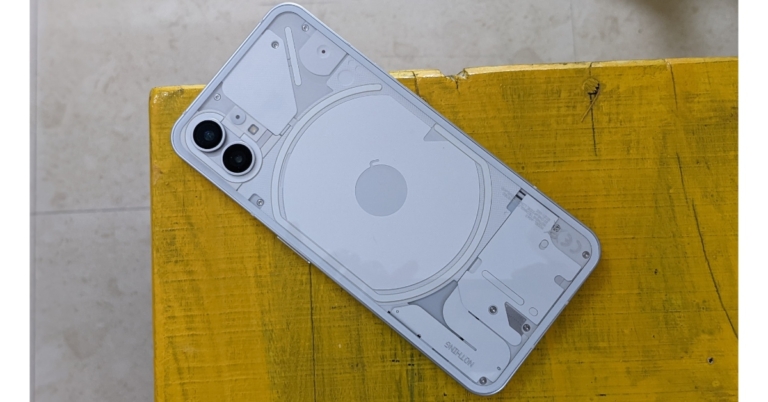
 Quick Specs
 Quick Specs
 Quick Specs
 Quick Specs
 Quick Specs
 Quick Specs
 Quick Specs
 Quick Specs
 Quick Specs
 Quick Specs





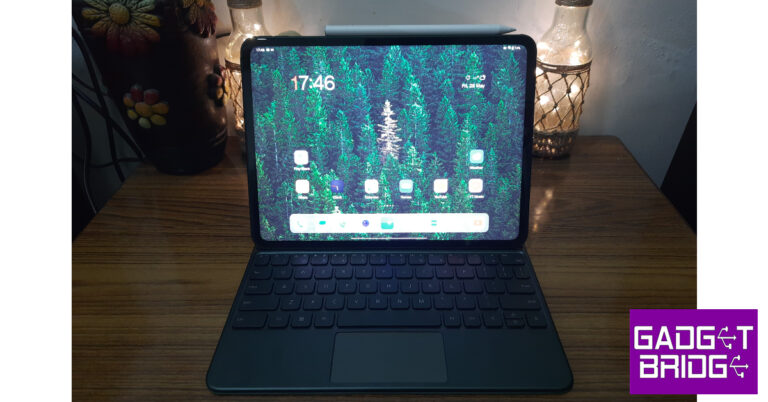
 There’s only one colour option on offer – Halo Green. OnePlus offers the same colour on its flagship smartphone as well. While a black colour option would have been nice, the green is inoffensive and doesn’t take anything away from the overall looks of this device. The camera unit at the back is circular – another design element that it shares with its smartphone counterpart. It is a smart decision to have a uniform design language for your flagship smartphone and tablet, the two devices look pretty cool when placed side by side.
When holding the tablet in a landscape position, the volume rocker and microphone fall on the top edge. On the right end of this edge is a small magnetic strip to rest the pen (or as OnePlus calls it, the Stylo) for charging. The quad speakers have been placed in pairs on the side edges. The USB-Type C is positioned right in the middle of the speakers on the right edge. The power button has been placed at the top of the left edge, close to the volume rocker. At the bottom edge lie the magnetic pins that connect the tablet to the keyboard folio case. There is no SIM slot on this tablet and neither does it come with expandable storage. You will have to rely on a WiFi connection to use the internet on the Pad.
There’s only one colour option on offer – Halo Green. OnePlus offers the same colour on its flagship smartphone as well. While a black colour option would have been nice, the green is inoffensive and doesn’t take anything away from the overall looks of this device. The camera unit at the back is circular – another design element that it shares with its smartphone counterpart. It is a smart decision to have a uniform design language for your flagship smartphone and tablet, the two devices look pretty cool when placed side by side.
When holding the tablet in a landscape position, the volume rocker and microphone fall on the top edge. On the right end of this edge is a small magnetic strip to rest the pen (or as OnePlus calls it, the Stylo) for charging. The quad speakers have been placed in pairs on the side edges. The USB-Type C is positioned right in the middle of the speakers on the right edge. The power button has been placed at the top of the left edge, close to the volume rocker. At the bottom edge lie the magnetic pins that connect the tablet to the keyboard folio case. There is no SIM slot on this tablet and neither does it come with expandable storage. You will have to rely on a WiFi connection to use the internet on the Pad.

 The real highlight is the content-watching experience. The LCD panel produces punchy colours and well-detailed images. The balanced contrast and versatile dynamic range made for enjoyable and immersive viewing. But what truly takes the experience to the next level is the quad speaker setup. These speakers are powerful enough to fill up a room. The Dolby Atmos surround sound plays its part in producing an enveloping sound. Even with a noisy ceiling fan running on full blast, we never felt the need to reach for our headphones. If you’re looking to buy a tablet for the primary purpose of watching videos on a bigger display, the OnePlus Pad is the device we’d recommend.
 Everyday tasks like multimedia playback, social media browsing, instant messaging, and video calls are handled expertly by the processor. Even with multiple apps running in the background, the OnePlus Pad does not break a sweat. Kicking things up a notch, we ran multiple apps in split-screen mode and never once felt the need to hit the brakes.
 Switching over to gaming mode, we played Call of Duty Mobile on maximum graphics settings. Interestingly, the framerate for COD is capped at 60fps when it’s set to maximum graphics and 90fps on low graphics. Luckily, there are no frame drops or stutters during gameplay and the tablet showed minimal signs of heating around the camera bump after 40 minutes.
OS duties are handled by Android 13 skinned with OnePlus’ OxygenOS. Good software is necessary to get the most out of the real estate provided by the giant display, and OxygenOS does a decent job here. OnePlus gets the basics right on its debut tablet. The split screen mode, which most people generally ignore on smartphones, finds immense utility here. Android’s Material You theme looks great on a big display and offers a range of customisation options. The tablet’s interface is easy to navigate, and if you are already a OnePlus user, you will have no difficulty settling in.
Switching over to gaming mode, we played Call of Duty Mobile on maximum graphics settings. Interestingly, the framerate for COD is capped at 60fps when it’s set to maximum graphics and 90fps on low graphics. Luckily, there are no frame drops or stutters during gameplay and the tablet showed minimal signs of heating around the camera bump after 40 minutes.
OS duties are handled by Android 13 skinned with OnePlus’ OxygenOS. Good software is necessary to get the most out of the real estate provided by the giant display, and OxygenOS does a decent job here. OnePlus gets the basics right on its debut tablet. The split screen mode, which most people generally ignore on smartphones, finds immense utility here. Android’s Material You theme looks great on a big display and offers a range of customisation options. The tablet’s interface is easy to navigate, and if you are already a OnePlus user, you will have no difficulty settling in.
 Now, let’s talk about the parts we did not like. There is no taskbar to be found here. This comes as a surprise because Android offers that functionality for tablets. OxygenOS could use a little more optimisation for tablets, it is not all the way there yet. The tile for Mobile Data in the quick settings menu has no business being there on a tablet that does not come with a SIM slot. The ‘Shelf’ for widgets has not been changed to match the aspect ratio of the tablet. It could’ve been a great feature on this tablet if it made proper use of the large display.
Also on offer along with the OnePlus Pad are the keyboard and stylus accessories. The keyboard is a part of the folio case for this tablet and snaps onto the magnetic pins at the bottom. There’s a small magnetic strip for the Stylo on the top edge of the device. We have to mention that the magnets on this thing are really strong. You don’t have to worry about the accessories coming off with minimal application of force.
Now, let’s talk about the parts we did not like. There is no taskbar to be found here. This comes as a surprise because Android offers that functionality for tablets. OxygenOS could use a little more optimisation for tablets, it is not all the way there yet. The tile for Mobile Data in the quick settings menu has no business being there on a tablet that does not come with a SIM slot. The ‘Shelf’ for widgets has not been changed to match the aspect ratio of the tablet. It could’ve been a great feature on this tablet if it made proper use of the large display.
Also on offer along with the OnePlus Pad are the keyboard and stylus accessories. The keyboard is a part of the folio case for this tablet and snaps onto the magnetic pins at the bottom. There’s a small magnetic strip for the Stylo on the top edge of the device. We have to mention that the magnets on this thing are really strong. You don’t have to worry about the accessories coming off with minimal application of force.
 Putting on the keyboard folio case on the Pad is very easy. The magnets connect to the bottom edge and around the camera bump. This arrangement limits the tablet to just one viewing angle. The keys offer a nice travel and the overall typing experience is pretty good. We found the keyboard good enough to write emails and respond to messages on WhatsApp. If you have large hands, it may get tiring after a while.
The keyboard may be fine for typing and general browsing, but it is several limited when it comes to shortcut availability. This is an Android issue rather than a OnePlus issue. Even Google’s apps aren’t optimised to be used with a keyboard. While browsing the web on Chrome, you have to hard press the trackpad to open a link on a new tab instead of just tapping it with two fingers. These issues are prevalent on other apps as well.
Putting on the keyboard folio case on the Pad is very easy. The magnets connect to the bottom edge and around the camera bump. This arrangement limits the tablet to just one viewing angle. The keys offer a nice travel and the overall typing experience is pretty good. We found the keyboard good enough to write emails and respond to messages on WhatsApp. If you have large hands, it may get tiring after a while.
The keyboard may be fine for typing and general browsing, but it is several limited when it comes to shortcut availability. This is an Android issue rather than a OnePlus issue. Even Google’s apps aren’t optimised to be used with a keyboard. While browsing the web on Chrome, you have to hard press the trackpad to open a link on a new tab instead of just tapping it with two fingers. These issues are prevalent on other apps as well.
 The OnePlus Stylo, on the other hand, is a great accessory overall. It’s fun to play around with, and if you’re an artist you will be able to get the most out of it. The weight on the pen is evenly distributed and it has a flat edge that snaps onto the magnetic strip for charging while also preventing it from rolling off when placed on a desk. One glitch we noticed was that the keyboard stops typing when the Stylo notification pops up on the screen. You can only resume typing once you swipe past the notification.
The OnePlus Pad has a 13MP camera at the back and an 8MP selfie camera up front. The rear camera does a good job of taking pictures in well-lit conditions but there’s nothing to write home about. We don’t expect a high-end camera on a tablet, to begin with. The one present on this tab does what is asked of it. It is good to take a couple of casual pictures every now and then. The colours are bright and vibrant, but the finer details are missing. You can also shoot 4K videos at 30fps using this camera.
The OnePlus Stylo, on the other hand, is a great accessory overall. It’s fun to play around with, and if you’re an artist you will be able to get the most out of it. The weight on the pen is evenly distributed and it has a flat edge that snaps onto the magnetic strip for charging while also preventing it from rolling off when placed on a desk. One glitch we noticed was that the keyboard stops typing when the Stylo notification pops up on the screen. You can only resume typing once you swipe past the notification.
The OnePlus Pad has a 13MP camera at the back and an 8MP selfie camera up front. The rear camera does a good job of taking pictures in well-lit conditions but there’s nothing to write home about. We don’t expect a high-end camera on a tablet, to begin with. The one present on this tab does what is asked of it. It is good to take a couple of casual pictures every now and then. The colours are bright and vibrant, but the finer details are missing. You can also shoot 4K videos at 30fps using this camera.

 The 8MP selfie camera is more useful on this device. It covers a wide area and has a nifty auto-tracking feature that centres the moving subject in the frame during video calls. Most video-calling apps like WhatsApp and Google Meets are able to make use of this feature. We were satisfied with the video quality relayed by this selfie camera on WhatsApp calls.
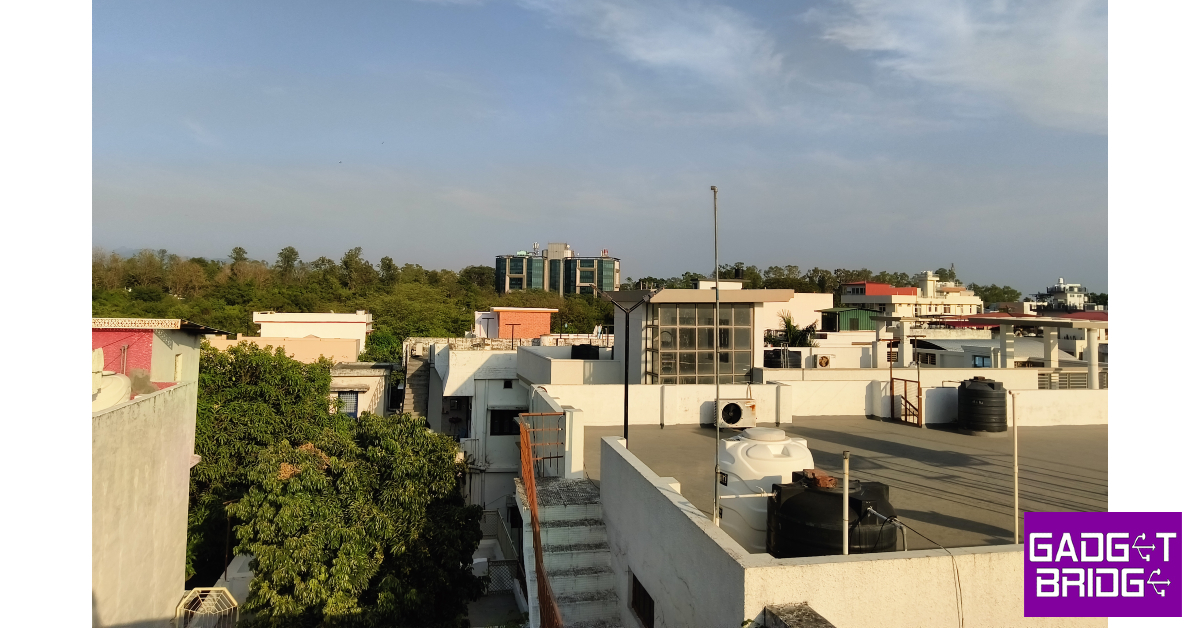 Lastly, the 9,510 mAh battery on this tablet delivers a stellar performance. OnePlus claims that the Pad can last up to 30 days on standby mode. We didn’t use the tablet long enough to test that out, but the battery drain at night never exceeded more than 5%. We were easily able to push the battery life on this tablet for two days. Our tasks included checking emails, an hour of watching videos, a few gaming sessions, social media browsing, and taking the odd video call. You get a 100W charging brick inside the box, which can fast charge the tablet at 67W. It took us almost 90 minutes to fully charge the OnePlus Pad. A good performance considering the massive battery this tablet packs.
Read Also: Amazon Fire Max 11 with an 11-inch screen and Alexa support launched
Lastly, the 9,510 mAh battery on this tablet delivers a stellar performance. OnePlus claims that the Pad can last up to 30 days on standby mode. We didn’t use the tablet long enough to test that out, but the battery drain at night never exceeded more than 5%. We were easily able to push the battery life on this tablet for two days. Our tasks included checking emails, an hour of watching videos, a few gaming sessions, social media browsing, and taking the odd video call. You get a 100W charging brick inside the box, which can fast charge the tablet at 67W. It took us almost 90 minutes to fully charge the OnePlus Pad. A good performance considering the massive battery this tablet packs.
Read Also: Amazon Fire Max 11 with an 11-inch screen and Alexa support launched
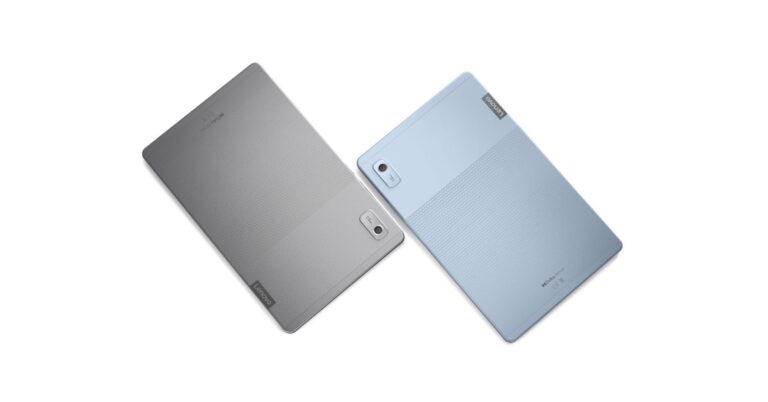


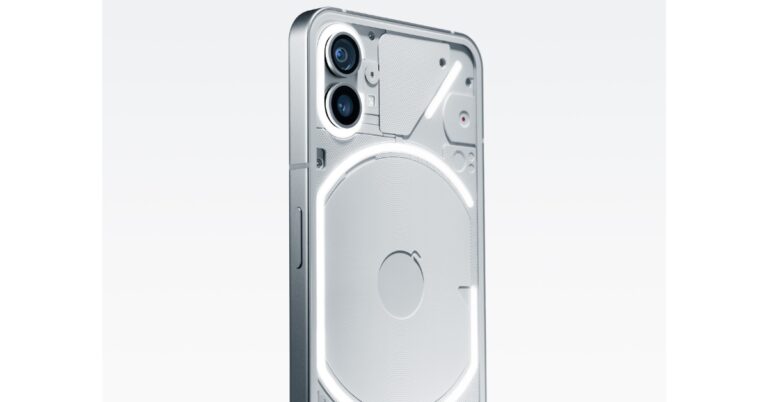

 Android phones and tablets with a USB-Type C port require an OTG adapter to connect to a digital piano. Plug in the OTG (Type-C to Type-A) adapter in the USB Type-C port and connect the USB Type-A to Type-B cable to it. The Type-B end goes into your keyboard. Since iPads have a USB Type-C port, this process can be applied to them as well.
 Connecting your laptop to your digital piano is a straightforward process. All you need is a USB Type-B to Type-A cable and you’re good to go. Plug the ends of the cable in their respective ports and you can start playing right away.
 Android phones and tablets with a USB-Type C port require an OTG adapter to connect to a digital piano. Plug in the OTG (Type-C to Type-A) adapter in the USB Type-C port and connect the USB Type-A to Type-B cable to it. The Type-B end goes into your keyboard. Since iPads have a USB Type-C port, this process can be applied to them as well.
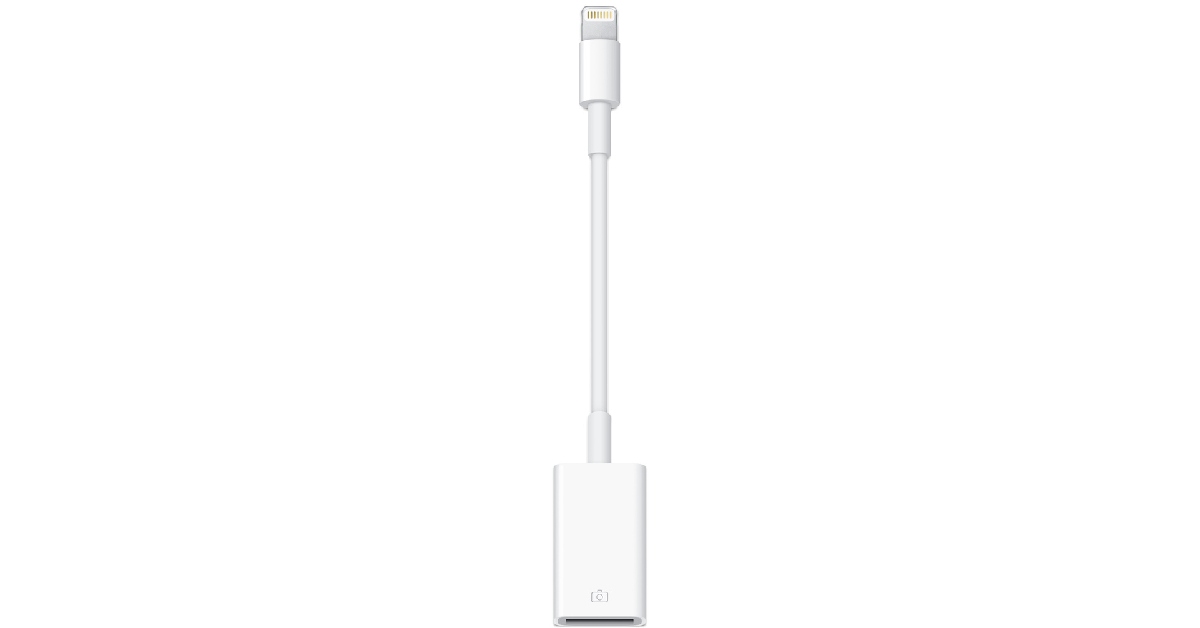 Connecting your iPhone to your digital piano will require a Lightning to USB adapter instead of an OTG adapter. Once you’ve plugged the adapter into the lighting port of your iPhone, you can connect it to your keyboard using a USB Type-B to Type-A cable.
 Modern digital pianos have Bluetooth support which allows them to connect to most smart devices. All you need to do is turn on the Bluetooth on your smartphone or PC and search for your keyboard. Pair the two together and you’re good to go. If your keyboard does not have Bluetooth support, there are a few Bluetooth adapters available on the market that you can use. These adapters plug into the MIDI port on your keyboard and make it discoverable to other Bluetooth devices. Here is one that you can get on Amazon.
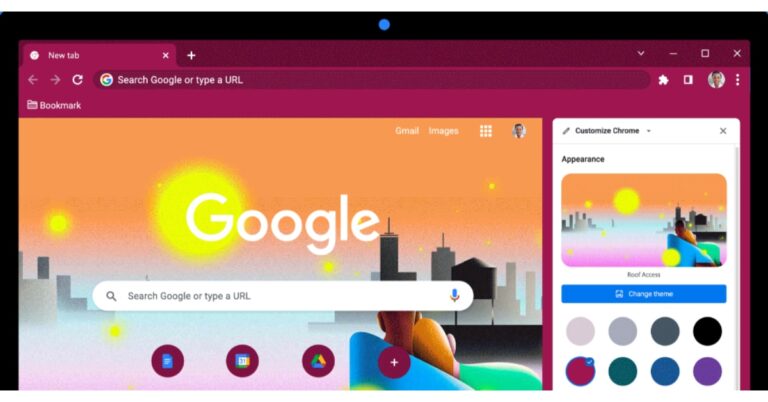
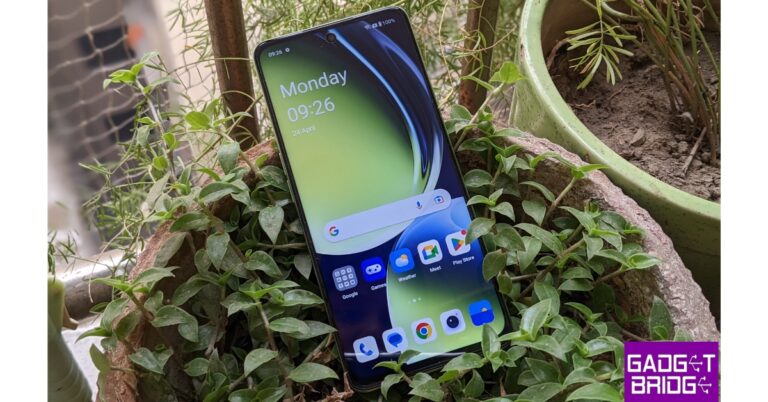
 Your Android smartphone will reboot in Safe Mode.
 The easiest way to disable Safe Mode is by restarting your smartphone. Simply press and hold the side key and select ‘Restart’ from the list of options. Your phone will automatically reboot in normal mode this time. If long-pressing the side key triggers the Google Assistant on your smartphone, press the side key and volume up button together to access the power options.
 Another quick way to exit Safe Mode on your Android smartphone is through the option on the notification panel. All you need to do is swipe down from the status bar and tap on the notification to turn off Safe Mode. Confirm your selection in the following popup box.
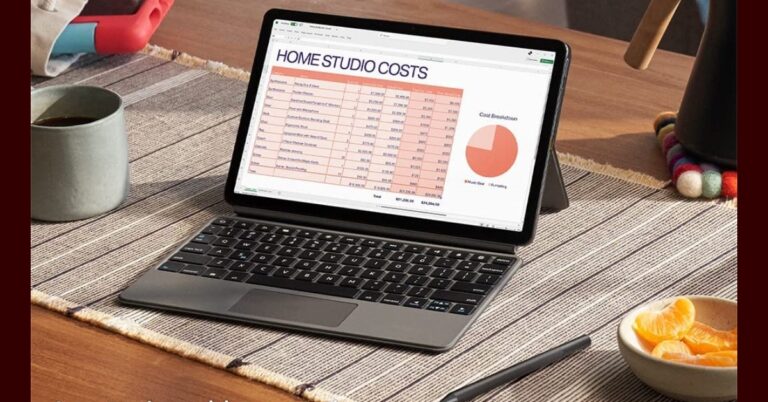


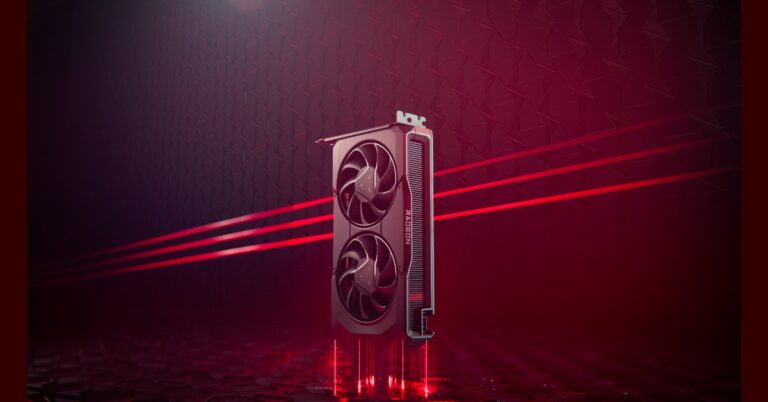
 According to AMD, the Radeon RX 7600 graphics card offers 29% higher 1080p gaming performance on average than the AMD Radeon RX 6600 graphics card and 34% higher performance on average than the NVIDIA GeForce RTX 3060 8GB at max settings.
In addition to this AMD’s new graphics card enables 100+ FPS on average in today’s top 10 PC esports titles while delivering faster AI performance than the previous generation and higher average performance in select content creation applications.
According to AMD, the Radeon RX 7600 graphics card offers 29% higher 1080p gaming performance on average than the AMD Radeon RX 6600 graphics card and 34% higher performance on average than the NVIDIA GeForce RTX 3060 8GB at max settings.
In addition to this AMD’s new graphics card enables 100+ FPS on average in today’s top 10 PC esports titles while delivering faster AI performance than the previous generation and higher average performance in select content creation applications.
 A single 8-pin connector powers the card, which has a total board power of 165W. The AMD Radeon RX 7600 supports DisplayPort 2.1 on select models and HDMI 2.1a-based displays for ultra-high resolutions and high refresh rates for gaming and content creation workloads. It also features 12-bit HDR and full REC2020 Color Space for colour accuracy at up to 8K video playback.
AMD.com and top AMD board partners like ASRock, ASUS, Biostar, Gigabyte, MSI, Sapphire, PowerColor, Vastarmor, XFX, and Yeston are anticipated to start selling AMD Radeon RX 7600 graphics cards today for a starting price of $269 USD.
For the latest gadget and tech news, and gadget reviews, follow us on Twitter, Facebook and Instagram. For newest tech & gadget videos subscribe to our YouTube Channel. You can also stay up to date using the Gadget Bridge Android App. You can find the latest car and bike news here.
A single 8-pin connector powers the card, which has a total board power of 165W. The AMD Radeon RX 7600 supports DisplayPort 2.1 on select models and HDMI 2.1a-based displays for ultra-high resolutions and high refresh rates for gaming and content creation workloads. It also features 12-bit HDR and full REC2020 Color Space for colour accuracy at up to 8K video playback.
AMD.com and top AMD board partners like ASRock, ASUS, Biostar, Gigabyte, MSI, Sapphire, PowerColor, Vastarmor, XFX, and Yeston are anticipated to start selling AMD Radeon RX 7600 graphics cards today for a starting price of $269 USD.
For the latest gadget and tech news, and gadget reviews, follow us on Twitter, Facebook and Instagram. For newest tech & gadget videos subscribe to our YouTube Channel. You can also stay up to date using the Gadget Bridge Android App. You can find the latest car and bike news here. 


 OLED Evo G3 series is LG’s Brightness Booster Max technology, which incorporates brand-new light control architecture and light-boosting algorithms to increase brightness by up to 70 percent.
All the OLED TVs operate on the latest version of webOS which offers a refreshed, more personalized user experience. It brings the All New Home with a redesigned interface for more customisations. The new ‘Quick Cards’ offer users easy access to the content and services.
Moreover, the LG OLED TVs support Dolby Vision and Dolby Atmos. The new series also comes with the latest LG sound bars with multi-channel surround sound with IMAX-enhanced quality powered by DTS:X. LG TV and sound bar also combine to offer the WOW Orchestra3 feature, which produces stronger and more immersive sound.
There is a Game Optimizer which allows users to quickly select and switch between gaming-specific features. It also makes it simple to access the settings for G-SYNC Compatible, FreeSync Premium, and variable refresh rate (VRR), which not only enhances gaming but also delivers a stadium-like experience while watching sports events.
The self-lit OLED TVs also have low input lag, up to four HDMI 2.1a compliant connectors, and reaction times of 0.1 milliseconds. Whereas the LG Smart Cam comes with a built-in dual mic and multi-view function. For privacy, there is a privacy slider you can close when the camera is not in use. This will be available as a free accessory with Selected OLED TVs.
In terms of pricing the LG’s 2023 OLED TV series will come at a starting price of Rs 1,19,990 and goes up to Rs 75, 00,000 for ROLLABLE TV.
For the latest gadget and tech news, and gadget reviews, follow us on Twitter, Facebook and Instagram. For newest tech & gadget videos subscribe to our YouTube Channel. You can also stay up to date using the Gadget Bridge Android App. You can find the latest car and bike news here.
OLED Evo G3 series is LG’s Brightness Booster Max technology, which incorporates brand-new light control architecture and light-boosting algorithms to increase brightness by up to 70 percent.
All the OLED TVs operate on the latest version of webOS which offers a refreshed, more personalized user experience. It brings the All New Home with a redesigned interface for more customisations. The new ‘Quick Cards’ offer users easy access to the content and services.
Moreover, the LG OLED TVs support Dolby Vision and Dolby Atmos. The new series also comes with the latest LG sound bars with multi-channel surround sound with IMAX-enhanced quality powered by DTS:X. LG TV and sound bar also combine to offer the WOW Orchestra3 feature, which produces stronger and more immersive sound.
There is a Game Optimizer which allows users to quickly select and switch between gaming-specific features. It also makes it simple to access the settings for G-SYNC Compatible, FreeSync Premium, and variable refresh rate (VRR), which not only enhances gaming but also delivers a stadium-like experience while watching sports events.
The self-lit OLED TVs also have low input lag, up to four HDMI 2.1a compliant connectors, and reaction times of 0.1 milliseconds. Whereas the LG Smart Cam comes with a built-in dual mic and multi-view function. For privacy, there is a privacy slider you can close when the camera is not in use. This will be available as a free accessory with Selected OLED TVs.
In terms of pricing the LG’s 2023 OLED TV series will come at a starting price of Rs 1,19,990 and goes up to Rs 75, 00,000 for ROLLABLE TV.
For the latest gadget and tech news, and gadget reviews, follow us on Twitter, Facebook and Instagram. For newest tech & gadget videos subscribe to our YouTube Channel. You can also stay up to date using the Gadget Bridge Android App. You can find the latest car and bike news here.  OLED Evo G3 series is LG’s Brightness Booster Max technology, which incorporates brand-new light control architecture and light-boosting algorithms to increase brightness by up to 70 percent.
All the OLED TVs operate on the latest version of webOS which offers a refreshed, more personalized user experience. It brings the All New Home with a redesigned interface for more customisations. The new ‘Quick Cards’ offer users easy access to the content and services.
Moreover, the LG OLED TVs support Dolby Vision and Dolby Atmos. The new series also comes with the latest LG sound bars with multi-channel surround sound with IMAX-enhanced quality powered by DTS:X. LG TV and sound bar also combine to offer the WOW Orchestra3 feature, which produces stronger and more immersive sound.
There is a Game Optimizer which allows users to quickly select and switch between gaming-specific features. It also makes it simple to access the settings for G-SYNC Compatible, FreeSync Premium, and variable refresh rate (VRR), which not only enhances gaming but also delivers a stadium-like experience while watching sports events.
The self-lit OLED TVs also have low input lag, up to four HDMI 2.1a compliant connectors, and reaction times of 0.1 milliseconds. Whereas the LG Smart Cam comes with a built-in dual mic and multi-view function. For privacy, there is a privacy slider you can close when the camera is not in use. This will be available as a free accessory with Selected OLED TVs.
In terms of pricing the LG’s 2023 OLED TV series will come at a starting price of Rs 1,19,990 and goes up to Rs 75, 00,000 for ROLLABLE TV.
For the latest gadget and tech news, and gadget reviews, follow us on Twitter, Facebook and Instagram. For newest tech & gadget videos subscribe to our YouTube Channel. You can also stay up to date using the Gadget Bridge Android App. You can find the latest car and bike news here.
OLED Evo G3 series is LG’s Brightness Booster Max technology, which incorporates brand-new light control architecture and light-boosting algorithms to increase brightness by up to 70 percent.
All the OLED TVs operate on the latest version of webOS which offers a refreshed, more personalized user experience. It brings the All New Home with a redesigned interface for more customisations. The new ‘Quick Cards’ offer users easy access to the content and services.
Moreover, the LG OLED TVs support Dolby Vision and Dolby Atmos. The new series also comes with the latest LG sound bars with multi-channel surround sound with IMAX-enhanced quality powered by DTS:X. LG TV and sound bar also combine to offer the WOW Orchestra3 feature, which produces stronger and more immersive sound.
There is a Game Optimizer which allows users to quickly select and switch between gaming-specific features. It also makes it simple to access the settings for G-SYNC Compatible, FreeSync Premium, and variable refresh rate (VRR), which not only enhances gaming but also delivers a stadium-like experience while watching sports events.
The self-lit OLED TVs also have low input lag, up to four HDMI 2.1a compliant connectors, and reaction times of 0.1 milliseconds. Whereas the LG Smart Cam comes with a built-in dual mic and multi-view function. For privacy, there is a privacy slider you can close when the camera is not in use. This will be available as a free accessory with Selected OLED TVs.
In terms of pricing the LG’s 2023 OLED TV series will come at a starting price of Rs 1,19,990 and goes up to Rs 75, 00,000 for ROLLABLE TV.
For the latest gadget and tech news, and gadget reviews, follow us on Twitter, Facebook and Instagram. For newest tech & gadget videos subscribe to our YouTube Channel. You can also stay up to date using the Gadget Bridge Android App. You can find the latest car and bike news here. 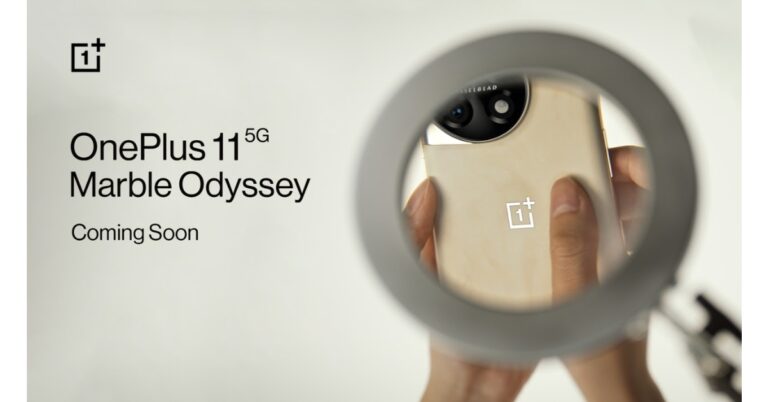
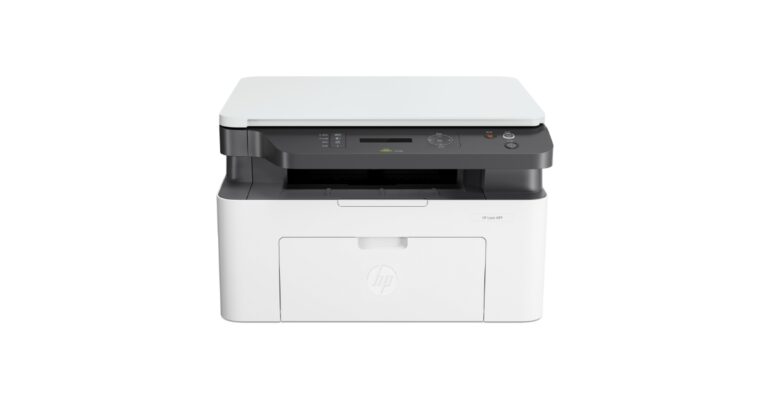
 The printers are powered by WiFi Direct, which can be controlled using the best-in-class HP Smart app. These are also capable to print and scan directly from a mobile device and share resources and printing with wireless and ethernet networking.
 The HP Laser 1008, HP Laser MFP 1188 and HP Laser MFP 1188FNW come with a compact design for space-saving convenience to cater printing needs of the home, small & medium businesses (SMBs). The new range of HP Laser 1008 single-function and 1188 multi-functional printers have been upgraded to deliver high print speeds that are compatible with easy mobile printing features such as Wi-Fi Direct.
As per the company, the new range of Laser printers is built upon the success of HP’s largest-selling Laser printer 108/136 series. The new range of HP Laser SFP includes 1008A and 1008W, coupled with HP Laser MFP which includes 1188A, 1188W, 1188NW, and 1188FNW. It offers an enhanced and improved user interface and easy-to-use plug-and-play set-up.
These printers are for high-volume printing needs, the Laser range delivers cost-effective mono printing and offers sharp text, bold blacks, and crisp graphics. They have a print speed of up to 20 pages per minute with a processor speed of 600mhz for MFP and 400mhz for SFP. The HP laser printer comes with a 40-page automatic document feeder (ADF) on the 1188fnw to enjoy hands-free printing, scanning, copying, and faxing.
The HP Laser 1008, HP Laser MFP 1188 and HP Laser MFP 1188FNW come with a compact design for space-saving convenience to cater printing needs of the home, small & medium businesses (SMBs). The new range of HP Laser 1008 single-function and 1188 multi-functional printers have been upgraded to deliver high print speeds that are compatible with easy mobile printing features such as Wi-Fi Direct.
As per the company, the new range of Laser printers is built upon the success of HP’s largest-selling Laser printer 108/136 series. The new range of HP Laser SFP includes 1008A and 1008W, coupled with HP Laser MFP which includes 1188A, 1188W, 1188NW, and 1188FNW. It offers an enhanced and improved user interface and easy-to-use plug-and-play set-up.
These printers are for high-volume printing needs, the Laser range delivers cost-effective mono printing and offers sharp text, bold blacks, and crisp graphics. They have a print speed of up to 20 pages per minute with a processor speed of 600mhz for MFP and 400mhz for SFP. The HP laser printer comes with a 40-page automatic document feeder (ADF) on the 1188fnw to enjoy hands-free printing, scanning, copying, and faxing.
 The printers are powered by WiFi Direct, which can be controlled using the best-in-class HP Smart app. These are also capable to print and scan directly from a mobile device and share resources and printing with wireless and ethernet networking.