In order to bring its best of the watch experience and keep its users entertained Netflix keeps coming up with new features and offers on its platform. In a new development, the OTT platform has announced the launch of its “Play Something” feature. This will allow the users to be instantly met with a series or film based on what they’ve watched before. This functionality is now being rolled out to all the Netflix members globally on its TV app.Commenting on the launch the company said, “There are times when we just don’t want to make decisions. A Friday evening after a long work week. A fridge full of food but nothing jumps out. A family movie night where no one can agree. We’ve all been there. Sometimes you just want to open Netflix and dive right into a new story. That’s why we’ve created Play Something, an exciting new way to kick back and watch.”This Play Something button will now be added across the streaming service’s UI. This new button will appear in your Netflix profile, on the navigation bar given on the lift side as well as on its homepage. Before rolling out to all its users the feature was under development for months. At present, it will be available for a dedicated Netflix app for the Smart TV. For the Android app, the company is planning to begin testing soon.Many times we are not able to decide what content to watch on the video streaming service so when you hit the ‘Play Something’ button Or with one more click you can ‘Play Something Else’ and it will suggest you a brand new series or film, series or film you’re already watching, content on your list or an unfinished series or film you may want to revisit. The Play Something button can be easily accessed from, underneath your profile name, in the tenth row on your Netflix homepage and navigation menu on the left of the screen.Also, for those members that use screen-readers, Play Something fully supports Text-to-Speech (TTS). In order to search for your next favourite film or show with Play Something using TTS, visit ourAccessibility help center for more information on how to enable this feature through your TV device settings.
For the latest gadget and tech news, and gadget reviews, follow us on Twitter, Facebook and Instagram. For newest tech & gadget videos subscribe to our YouTube Channel. You can also stay up to date using the Gadget Bridge Android App.
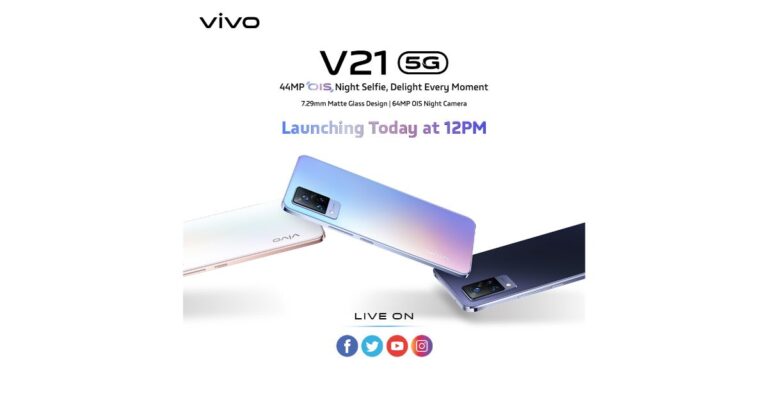
After launching Vivo V21 Series in the Malaysian market, the Chinese smartphone company, Vivo, is all geared up to unleash Vivo V21 5G in the country today. It should be noted that at present it is going to only bring the 5G variant to the Indian market whereas the rest of the smartphones are expected to arrive sometime later. The device will be offering a 90Hz refresh rate screen with a triple rear camera set up. Moreover, it will be powered by octa-core MediaTek Dimensity 800U SoC.
Vivo V21 how to watch the Livestream and expected pricing
Today the company will be hosting a virtual launch event to announce the arrival of its new phone Vivo V21 5G in India. The launch will kick start today at 12 noon and will be live-streamed via the company’s official YouTube Channel and across all its social media channels including Facebook and Twitter. You can also watch it here on our website as we have embedded the link below.
Ahead of the launch the device also got listed on Flipkart to reveal its online availability. The pricing of the smartphone has been kept confidential but the mobile phone is expected to be pricier than its predecessor.
Vivo V21 5G specification
As the upcoming smartphone has already been launched in the Malaysian market so we are well aware of its specifications. The Vivo V21 5G will ship Funtouch OS 11.1 on top of Android 11 out of the box. This smartphone has a 6.44-inch full-HD+ AMOLED display with 1,080×2,404 pixels of resolution and a 90Hz refresh rate. Under the hood, there will be an octa-core MediaTek Dimensity 800U SoC.For the optics, it will sport a triple rear camera setup that includes a 64-megapixel primary sensor with an f/1.79 aperture. In addition to this, there is an 8-megapixel wide-angle lens and a 2-megapixel macro sensor. For taking selfies, the device will house a 44-megapixel front-facing camera with a dual-LED flash. The Vivo V21 5G will packs a 4,000mAh battery with 33W FlashCharge fast charging support. The connectivity options on the phone include 5G 4G LTE, Wi-Fi, Bluetooth v5.1, GPS/ A-GPS, and a USB Type-C port. The sensors onboard include an in-display fingerprint sensor, accelerometer, ambient light, gyroscope, magnetometer, and a proximity sensor.
For the latest gadget and tech news, and gadget reviews, follow us on Twitter, Facebook and Instagram. For newest tech & gadget videos subscribe to our YouTube Channel. You can also stay up to date using the Gadget Bridge Android App
The e-commerce website Flipkart is hosting Daily Trivia Quiz. Every day it brings a bunch of new questions for its users. By answering them correctly you can win exciting prizes. The questionnaire is based on questions related to general knowledge. Also, the users can win free vouchers and super coins, among other offers via the daily quiz. April 29 Flipkart Daily Trivia Quiz Answers has already gone live on its platform.
The participant should be at least 18 years old and should have a valid login ID. The Quiz is available on the mobile platform and not the web version. E-commerce conducts the quiz on daily basis and goes live at 12:00 AM IST and runs till 11:59 PM IST. The winners are announced within 15 days from the date of participation that can be viewed under the Gems/Rewards section in the app.
How to participate in the Flipkart Daily Trivia Quiz
To participate download the Flipkart app on your phone. Then open the Flipkart app then head to Game Zone. Now click on the Daily Trivia Banner or search for Daily Trivia. Enter the game and answer all 5 questions with correct answers.
April 29 Flipkart Daily Trivia Quiz Answers
Question 1: Complete the name of this 2019 Netflix documentary. Cricket Fever: _____.
Answer: Mumbai Indians
Question 2:Identify this Australian player who recently pulled out of the IPL due to personal reasons.
Answer: Adam Zampa
Question 3:Who is the only player to have scored more than 900 runs in a single IPL season?
Answer: Virat Kohli
Question 4:Which player won the ‘Maximum Sixes Award’ in the inaugural IPL season?
Answer: Sanath Jayasuriya
Question 5: Which West Indian cricketer has played all his IPL matches for the same team?
Answer: Kieron Pollard
Yesterday the e-commerce website Amazon gave a chance to win the Rs 15,000 Amazon Pay Balance through its Amazon Quiz. Every day the company brings a fresh set of questions to which the customers have to answer correctly. Many contestants are taking part in this quiz to double up their chances of winning amazing gifts every day.
You can also enhance your chances of winning daily new prizes such as iPhone X, iPhone Xs, Seagate HDD, GoPro Hero 8 Camera, LG Smartphones, Amazon Pay Balance, OnePlus devices and many more. You can win these prizes daily at home by playing Amazon Quiz from 12 AM to 11:59 PM. Only mobile app users can participate in this contest.
In today’s Amazon Quiz the winners will get a chance to win LG Washing Machine. Check out April 29 Amazon Quiz answers:
Question 1: The steam engine of the first passenger train in India, will be installed in the premises of which railway station?
The answer is- Thane railway station
Question 2: Nearly 70% of the 85000 H-1B visas, issued every year by the USA are used by professionals from which country?
The answer is- India
Question 3: Which of these cricketers has received the Thar SUV courtesy Anand Mahindra, in return he sent his signed Gabba Test debut jersey?
The answer is- T Natarajan
Question 4: In which of these Thor movies does this character have a major role?
The answer is- Thor: Ragnarok
Question 5: This is the only eagle that is solely native to which continent?
The answer is- North America
This contest can be played on the e-commerce platform every day from Oneplus TV. The participants have to answer five questions based on current affairs and general knowledge on their app. Answering the questionnaire correctly will make you eligible to win great prizes whereas any incorrect answer can eliminate you from the quiz. The winners’ names will be announced by March 31st through a lucky draw. To participate log in log in to your Amazon app daily.
For the latest gadget and tech news, and gadget reviews, follow us on Twitter, Facebook and Instagram. For newest tech & gadget videos subscribe to our YouTube Channel. You can also stay up to date using the Gadget Bridge Android App.
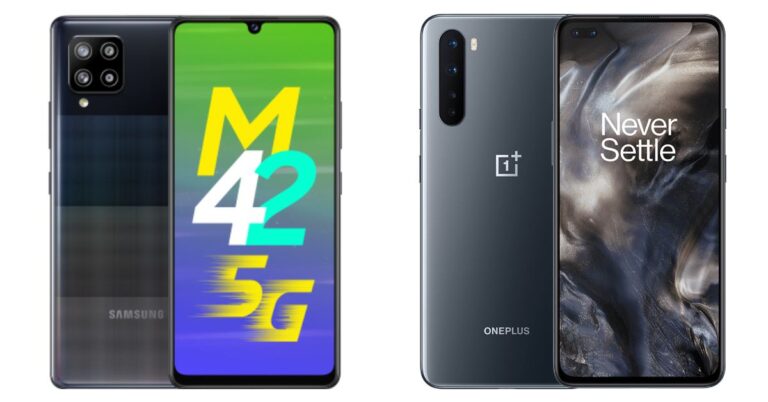
Today in India, Samsung introduced its first 5G smartphone in its Galaxy M range. The company has launched Samsung Galaxy M42 5G that is powered by Qualcomm Snapdragon 750G processor. The phone also includes a waterdrop-style notch display and a quad-camera setup. The device is put up against the OnePlus Nord in the mid-range price segment. So today we have compared both these smartphones in order to highlight the differences and similarities between them. Our comparison of Samsung Galaxy M42 5G Vs OnePlus Nord will surely ease out the choice for you.
Samsung Galaxy M42 5G: 48-megapixel GM2 primary sensor. In addition to this, there is a secondary 8-megapixel ultra-wide-angle lens, a 5-megapixel macro sensor, and a 5-megapixel depth sensor. OnePlus Nord: Sony IMX586 48-megapixel primary sensor with an f/1.75 aperture along with optical image stabilisation (OIS). In addition to this, there is a secondary 8-megapixel ultra-wide-angle lens with a field of view (FoV) of 119 degrees and f/2.25 aperture. It also has a 2-megapixel and a 5-megapixel macro and a depth sensor with f/2.4 aperture
Selfie camera
Samsung Galaxy M42 5G: 20-megapixel selfie cameraOnePlus Nord: 32-megapixel selfie camera sensor and an 8-megapixel secondary sensor
RAM and storage
Samsung Galaxy M42 5G: 6GB RAM with 128GB of storage and 8GB RAM with 128GB storage OnePlus Nord: 6GB RAM with 64GB storage
We have compared all the specs of both smartphones. Firstly, the more storage capacity you have the more you will be able to use it to store pictures, apps, videos etc which OnePlus Nord does not offer. It comes in a single storage option only, whereas M42 offers 128GB of inbuilt storage with expansion options. The OnePlus smartphone has no external memory card support compared with Samsung. In addition to this Galaxy M42 5G comes with a bigger battery capacity than its challenger.On the flipside, Nord offers a sharper and crisper screen as it has 1,080×2,400 pixels of resolution whereas its opponent comes with 720×1600 pixels of resolution. Although both of these phones have a similar rear camera set up, OnePlus Nord offers dual front cameras for selfies. So in the end what matters the most is which phone out of the two offers the best features at the best pricing and in this case Samsung Galaxy M42 5G sweeps the board as it is priced less than OnePlus Nord. And most importantly Samsung is right now offering it an introductory price of Rs 19,999. So, that is our pick out of the two.
For the latest gadget and tech news, and gadget reviews, follow us on Twitter, Facebook and Instagram. For newest tech & gadget videos subscribe to our YouTube Channel. You can also stay up to date using the Gadget Bridge Android App.
Websites nowadays don’t just represent an accumulation of information. They interact with the user to identify what he/she is looking for on the website. As soon as you open some websites, you may find the notification that asks you to allow cookies and notifications. Generally, these settings are designed to improve the user experience. However, you may also get irritated by frequent notifications.
To get rid of the notifications by some or all websites that you visit, almost all modern browsers provide settings to disable them. Once you block a few or all websites from sending you notifications, you won’t get disturbing messages regarding new posts.
How can you block websites asking for notifications on Chrome?
To block websites from asking for notifications on Chrome, follow these steps.
Launch the Chrome browser on your PC or smartphone.
Click the three vertical dots located at the top-right corner and then click Settings.
In the side menu, click Privacy and security.
In the side menu, click Privacy and security.
Go to Site settings > Notifications.
Go to Site settings > Notifications.
Here you can handpick which sites you want to prevent from sending notifications.
To block all sites from sending notification toggle off the option that says, “Sites can ask to send notifications”.
To block all sites from sending notification toggle off the option that says, “Sites can ask to send notifications”.
To block a website from sending notifications, click Add button in the Block section and paste the link to the desired website.
To allow a website for sending notifications, click Add button in the Allow section and paste the link to the desired website.
How can you block websites asking for notifications on Firefox?
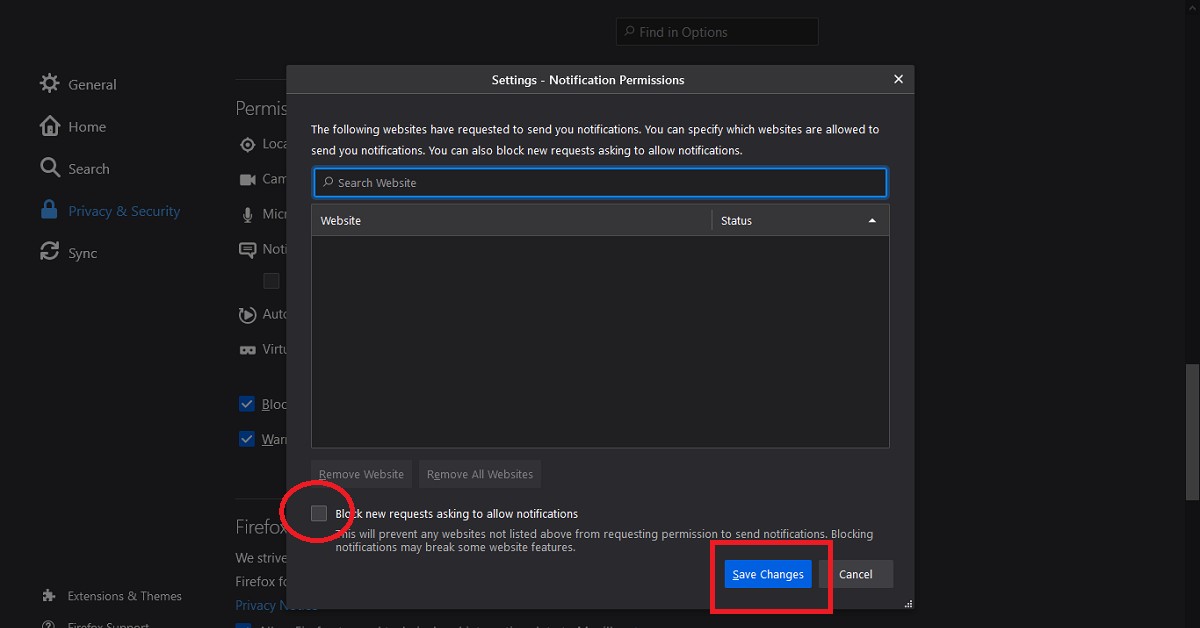
To block websites from asking for notifications on Firefox, follow these steps.
Launch the Firefox browser on your PC or smartphone.
Click the hamburger icon located at the top-right corner and then click Options.
In the side menu, click Privacy and security.
Scroll down to reach the Permissions section.
Click the Settings button corresponding to the Notifications option.
Click the Settings button corresponding to the Notifications option.
Click the checkbox that says, “Block new requests asking to allow notifications”.
Click the checkbox that says, “Block new requests asking to allow notifications”.
Click the Save Changes button.
How can you block websites asking for notifications on Edge?
To block websites from asking for notifications on Edge, follow these steps.
Launch the Edge browser on your PC or smartphone.
Click the three horizontal dots located at the top-right corner and then click Settings.
In the side menu, click Cookies and site permissions.
Scroll down and click the Notifications option.
Scroll down and click the Notifications option.
Here you can handpick which sites you want to prevent from sending notifications to you.
Toggle off the option that says, “Ask before sending (recommended)”.
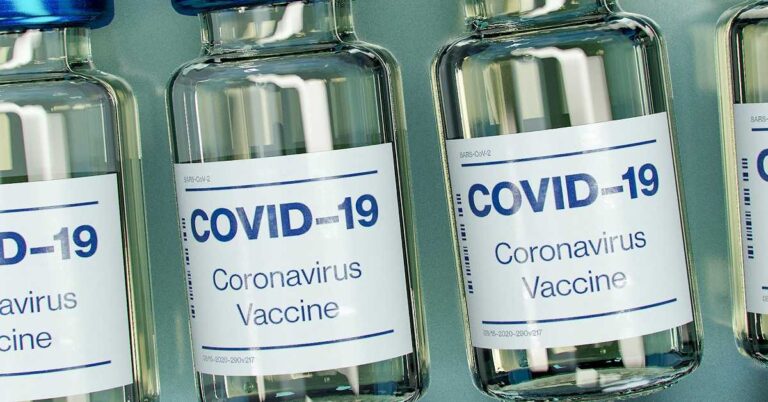
The COVID-19 vaccination drive for citizens above 18 years of age will begin on May 1, 2021. The registration for the same has started on April 28, 2021, at 04:00 PM.
How has India performed in the COVID-19 vaccination till now?
The COVID-19 vaccination programme in India has been carried out at a pace faster than anywhere else in the world. The country has managed to get a significant number of people vaccinated in a short time. According to estimates, 92,90,528 healthcare workers, 1,19,50,251 frontline workers have been given the first dose.
According to the Ministry of Health and Family Welfare, Government of India, “In another significant development, India has now become the fastest country in the world to cross the landmark of 14 crore COVID-19 vaccine doses. India achieved this feat in just 99 days,” the Ministry highlighted.
The COVID-19 vaccination programme was launched on January 16, 2021. The healthcare workers were the first to get vaccinated followed by the frontline workers who got their first dose starting February 2, 2021. On March 1, 2021, people above 60 years and people above 45 years with specified co-morbidity began to be vaccinated. Now, the government has announced the vaccination drive for people above 18 years starting May 1, 2021.
How can people above 18 years register for vaccination?
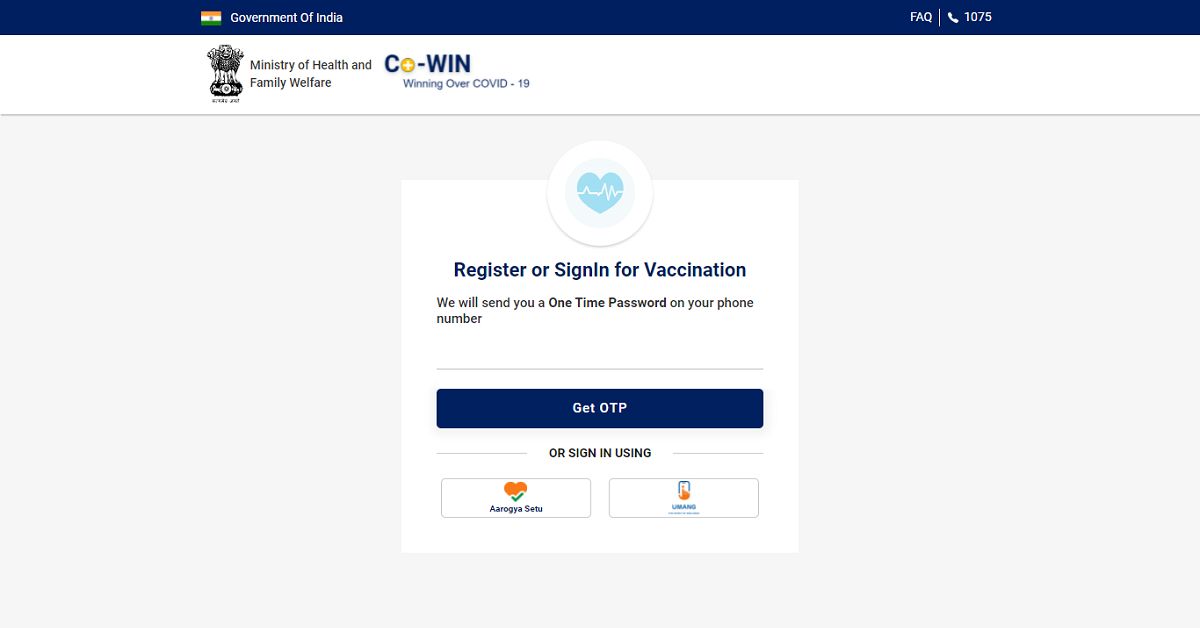
The citizens above 18 years of age can register for the vaccination appointment in the following steps.
Click the Register/ Sign in yourself button located at the top.
Click the Register/ Sign in yourself button located at the top.
Enter your mobile number for verification via OTP.
Enter your mobile number for verification via OTP.
Once your mobile number is verified, you’ll be greeted by the registration page. Click the Register Member button.
Click the Register Member button.
Enter your Photo ID Proof along with the unique number. You’ll get five options, namely, Aadhaar Card, Driving License, PAN Card, Passport, and Pension Passbook. It must be noted that your registered Photo Id will be verified at the time of your vaccination appointment.
Enter your Photo ID Proof along with the unique number.
Enter your Name, Gender, and Year of Birth.
Click the Register button.
Once you’re registered on the portal, you may more members of your family for vaccination who are above 18 years. To add a member click the +Add Member button.
To add a member click the +Add Member button.
You’ll be required to enter the identification details for each new member added individually.
Once you have added the members who are eligible for vaccination, you may set the schedule for the vaccination appointment.
Click the Schedule button and then click the Schedule Now button located at the bottom.
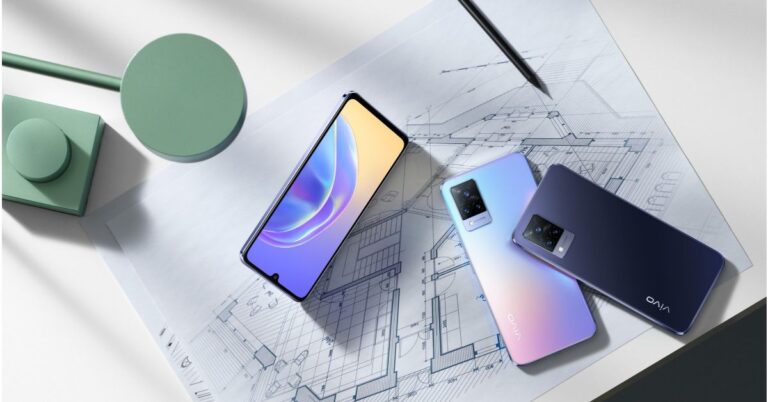
The Chinese smartphone company, Vivo, has officially launched its next generation of V-Series smartphones in the market. The company has introduced Vivo V21 Series that includes three devices – Vivo V21 5G, Vivo V21, and Vivo V21e. All the phones have been first released in Malaysia and will make their way to the Indian market on April 29, which is tomorrow. These mobile phones are camera-centric and include three sensors on the rear.
Vivo V21 series pricing and availability
Though Vivo V21 5G has been introduced in Malaysia but the company has not revealed its pricing. On the other side, Vivo V21 and V21e have been launched with a price tag of MYR 1,599 and MYR 1,299 that translates to Rs 29,000 and Rs 23,000 respectively. Both the phones will go on their first sale starting May 4 but these are up for pre-orders now. The Vivo V21 5G and the standard model will come in three colour options of Arctic White, Dusk Blue, and Sunset Dazzle. On the other hand, V21e will be offered in two different shades of Diamond Flare and Roman Black.
Specifications
Starting with the Vivo V21 5G and V21. It should be noted that the specifications of both of these devices remain the same apart from 5G support. The smartphones feature a 6.44-inch full-HD+ AMOLED display with 1,080×2,404 pixels of resolution and a 90Hz refresh rate. The phones run Funtouch OS 11.1 on top of Android 11 out of the box and are powered by octa-core MediaTek Dimensity 800U SoC.On the imaging front Vivo V21 5G and V21 comes with a triple rear camera setup that includes a 64-megapixel primary sensor with an f/1.79 aperture. In addition to this, there is an 8-megapixel wide-angle lens and a 2-megapixel macro sensor. For the selfies, these smartphones house a 44-megapixel front-facing camera with dual-LED flash. Vivo V21 5G and V21In terms of connectivity, there is 5G (only for V21 5G), 4G LTE, Wi-Fi, Bluetooth v5.1, GPS/ A-GPS, and a USB Type-C port. The sensors onboard include an in-display fingerprint sensor, accelerometer, ambient light, gyroscope, magnetometer, and a proximity sensor. Both the phones boast a 4,000mAh battery with 33W FlashCharge fast charging support.On the contrary, Vivo V21e is powered by an octa-core Qualcomm Snapdragon 720G SoC paired with 8GB of RAM and 128GB of storage. Apart from this, all the specs of this smartphone are similar to its sibling however the camera set up does not support OIS and LED flash for the front camera.
For the latest gadget and tech news, and gadget reviews, follow us on Twitter, Facebook and Instagram. For newest tech & gadget videos subscribe to our YouTube Channel. You can also stay up to date using the Gadget Bridge Android App.
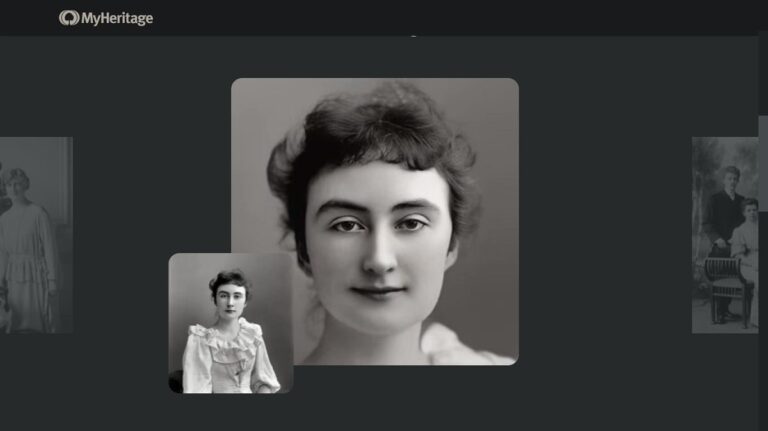
The Deep Nostalgia feature of the MyHeritage application has become quite popular on social media platforms. Several people find this feature fascinating and try it to animate pictures of celebrities, friends and family members.
Why is unique about the Deep Nostalgia feature of MyHeritage?
The Deep Nostalgia feature got famous when animated pictures of famous personalities from the 19th and 20th century began to float on different social media platforms like Instagram, Snapchat, and Twitter. Mostly, people chose to animate the pictures of personalities from the 19th and 20th century including Mahatma Gandhi, Bhagat Singh, Abraham Lincoln, and Marie Curie.
Watching animated pictures of these personalities is itself an amazing experience. It instils the curiosity to visualise famous people of the past centuries in motion. The Deep Nostalgia feature brings old pictures to life. Gradually, people started posting animated pictures of their family tree.
How does the Deep Nostalgia feature of the MyHeritage app work?
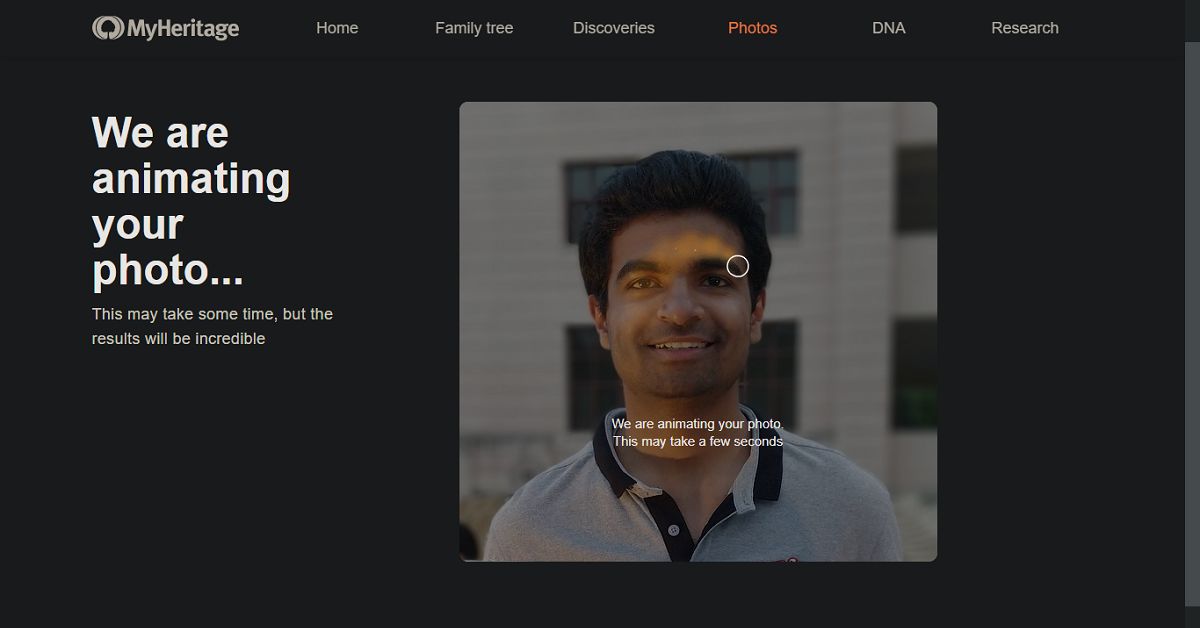
The Deep Nostalgia feature of the MyHeritage app utilises deep learning algorithms to animate the pictures. It implements several drivers with each driver focussing on a fixed sequence of movement and facial gesture. Once the drivers are applied to a picture. They can guide the movement of different facial features producing realistic movements. These movements appear as blinks, smile, and head-turning.
How can you animate pictures using Deep Nostalgia on the MyHeritage app?
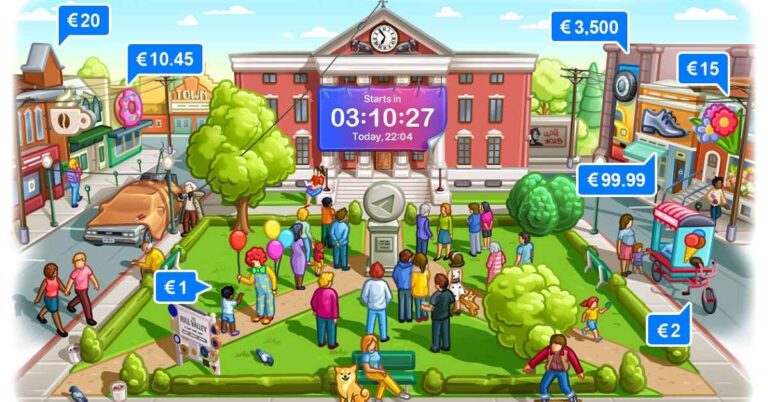
Telegram, a cloud-based instant messaging software and application service, Telegram, has got a significant update bringing new features. The app update has brought the Payments 2.0 feature, new web versions, and scheduled voice chats.
What is the new Payments 2.0 feature of Telegram?
The new Payments 2.0 feature is the most significant feature added to the new update of the Telegram application. The feature will enable the users to transfer money to contacts, groups, and channels using the app. The feature will be applicable in more than 200 countries including India. The payment information will remain secured with the user and shall not be taken by the company.
What are other platforms that have started providing integrated methods of payment?
Online platforms that have recently started supporting built-in payment feature are as follows.
Clubhouse
Clubhouse, an invitation-only audio-chat service, announced a similar feature in its application. According to the company, the new ‘Clubhouse Payments’ feature will enable content creators to monetise their content. Earlier, the service only provided an environment to promote their content but not monetise them.
What are other platforms that have started providing integrated methods of payment?
WhatsApp
The Payments 2.0 feature of Telegram is similar to WhatsApp Payments. The Payment feature of WhatsApp offers a secure and convenient way to transfer to or receive money from your contacts. If the recipient does not use WhatsApp Payment, the sender can still send the money using his/her UPI ID. If the sender is using the WhatsApp Payment method, then the amount will automatically be sent to the recipient’s bank account.
The feature will allow all the users to send money to the desired content creator. However, only certain users will be eligible to receive the funds. The company is optimistic with regards to the new feature. The ‘Clubhouse payments’ will allow users to express their appreciation and applause by making a desires payment to their favourite content creator.
What are other features offered by the Telegram update?
The other features brought by the new update of the Telegram app are as follows.
Scheduled voice chats
The Voice Chats 2.0 has got an update by which the users can schedule the voice chats This will allow them to send messages at the desired time. The Voice Chats 2.0 will essentially be useful for formal Telegram groups in which information is being delegated on a regular basis.
Scheduled voice chats
Voice chat reminders
Now users can add voice chat reminders so that they can join them on time. Moreover, the app offers mini-profiles that you can refer to while chatting with a person. This shall not only help you know about the other person but also build a rapport.


 The Play Something button can be easily accessed from, underneath your profile name, in the tenth row on your Netflix homepage and navigation menu on the left of the screen.
Also, for those members that use screen-readers, Play Something fully supports Text-to-Speech (TTS). In order to search for your next favourite film or show with Play Something using TTS, visit our Accessibility help center for more information on how to enable this feature through your TV device settings.
For the latest gadget and tech news, and gadget reviews, follow us on Twitter, Facebook and Instagram. For newest tech & gadget videos subscribe to our YouTube Channel. You can also stay up to date using the Gadget Bridge Android App.
The Play Something button can be easily accessed from, underneath your profile name, in the tenth row on your Netflix homepage and navigation menu on the left of the screen.
Also, for those members that use screen-readers, Play Something fully supports Text-to-Speech (TTS). In order to search for your next favourite film or show with Play Something using TTS, visit our Accessibility help center for more information on how to enable this feature through your TV device settings.
For the latest gadget and tech news, and gadget reviews, follow us on Twitter, Facebook and Instagram. For newest tech & gadget videos subscribe to our YouTube Channel. You can also stay up to date using the Gadget Bridge Android App. 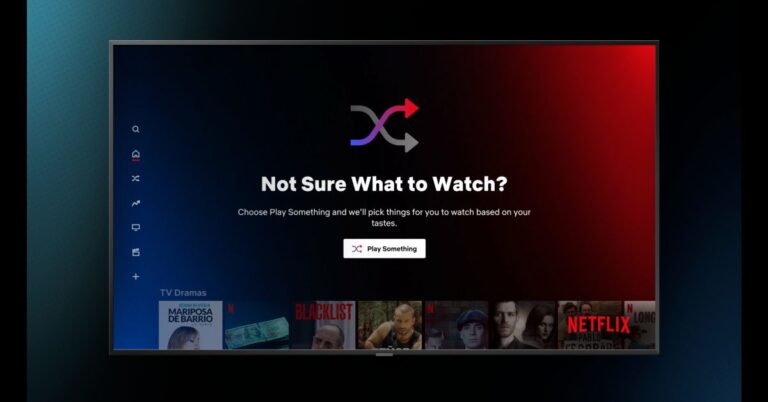
 The Play Something button can be easily accessed from, underneath your profile name, in the tenth row on your Netflix homepage and navigation menu on the left of the screen.
Also, for those members that use screen-readers, Play Something fully supports Text-to-Speech (TTS). In order to search for your next favourite film or show with Play Something using TTS, visit our Accessibility help center for more information on how to enable this feature through your TV device settings.
For the latest gadget and tech news, and gadget reviews, follow us on Twitter, Facebook and Instagram. For newest tech & gadget videos subscribe to our YouTube Channel. You can also stay up to date using the Gadget Bridge Android App.
The Play Something button can be easily accessed from, underneath your profile name, in the tenth row on your Netflix homepage and navigation menu on the left of the screen.
Also, for those members that use screen-readers, Play Something fully supports Text-to-Speech (TTS). In order to search for your next favourite film or show with Play Something using TTS, visit our Accessibility help center for more information on how to enable this feature through your TV device settings.
For the latest gadget and tech news, and gadget reviews, follow us on Twitter, Facebook and Instagram. For newest tech & gadget videos subscribe to our YouTube Channel. You can also stay up to date using the Gadget Bridge Android App.