

World Cup 2019: Hit the Hat-Trick Offer on Philips TV and audio announced

TPV Technology has announced a Hit the Hat-Trick offer with deals on its various products, with an aim of enhancing the World Cup experience for its consumers. The company is kick-starting 5 weeks of the offer today and it will continue for the next five weeks. During this time, deals will be available on all popular models in the Philips Home Audio and Television range of products.
In addition to this, the offer can be availed via online as well as offline channels. TPV has also said that in order to make the offer more inclusive, it has ensured a participation opportunity for its customers across purchase slabs starting from Rs 5,000 and going up to Rs 75,000 and above.
Customers who fall in the purchase range of Rs 5,000- Rs 10,000 can get benefits in kind worth Rs 5,000. Those who have made a purchase within the range of Rs 10,001-Rs 25,000 are entitled to benefits worth Rs 10,000 and customers who have made purchases worth Rs 25,001- Rs 75,000 will be getting benefits of Rs 15,000. And finally, customers who spend above Rs 75,000 can get benefits worth Rs 20,000.
The company has also said that one lucky winner every week will get a chance to win the new 65-inch Philips Ambilight television worth Rs 1,38,999. We should mention that the company says that this is available in its three-sided Ambilight avatar.
TPV Technology will also feature lucky winners on Philips TV social media handles as part of the Philips Ambilight television campaign. The company had recently launched its flagship 65-inch Philips Ambilight television in India.
Speaking about the offers, Mr Arun Menon, Country Business Head, Philips Branded Television and Audio, TPV Technology India Pvt Ltd said, “The world cup is like a festival for India. We understand the passion of our consumers and their support for our team is commendable. I believe that this offer will give them a chance to enjoy the most prestigious tournament through a more immersive viewing experience. With the best in class technology, the Philips Ambilight Television takes visual experience and emotions #beyondthescreen. TPV wishes team India and all the viewers the best for the upcoming championship.”
You can avail the offer till July 7, 2019, and can be availed on online channels like Amazon India and Flipkart. If you prefer to shop offline, you can head to retail stores like Croma, Vijay Sales and Reliance Digital.
For the latest gadget and tech news, and gadget reviews, follow us on Twitter, Facebook and Instagram. For newest tech & gadget videos subscribe to our YouTube Channel. You can also stay up to date using the Gadget Bridge Android App.
How to find and use frames on Facebook Stories
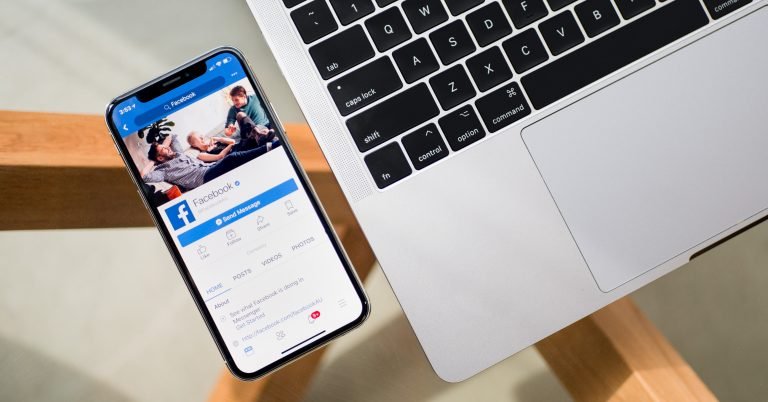
Stories were initially started on Snapchat, which let users share images and videos with their friends for 24 hours. After multiple unsuccessful attempts of buying Snapchat and its building its own versions of the app, Facebook just took inspiration from the feature and introduced it on Instagram. Since Instagram is a photo-sharing platform, Stories became an instant hit there. Following this, the social media giant rolled out the feature to WhatsApp, Messenger and Facebook. If anyone is under the misconception that Facebook Stories are not as popular as the ones on other platforms, we should tell you that the social media giant recently announced that it has more than 500 million people use the feature on its platform every day.
Yes, it’s a big number and it clearly indicates that scores of people across the globe are using Facebook Stories. However, if you have not started using it till now, it’s never too late. They work a lot as Instagram Stories do. But apart of ‘Filters’, Facebook Stories come with ‘Frames’.
If you are new to Facebook Stories, we should tell you about Frames as they would help you make your Story different and more interesting. As the name suggests, Frames are basically different kind of outlines and drawings that can be added to the photo or video you are uploading on your Story to make it look more attractive. Various companies have also made their own Frames and put them on Facebook. For instance, LG made some frames for Facebook Stories to celebrate its 22 years in India. There are frames available for Salman Khan’s movie Bharat and also the famous ‘Pyar ek dhoka hai’ frame from AIB.
Here’s how you can find and use frames on Facebook Stories:
- Open your Facebook app.
- You will see rectangular shaped icons on the top of the page. These are your friends’ Facebook Stories. There will also be one with your profile picture on it. Click on it to make your own Story.
- You will see the option of adding a picture or a video, text, taking a selfie for the Story, making a Boomerang or creating a Poll.
- Select the option of your choice and upload the media that you wish to share.
- After this, you can swipe right on the Story you are creating to change filters.
- To add a frame, choose the option of ‘Effects’ on the bottom left.
- A number of frames will open up in front of you. You can try on a number of them and keep the one you like on your Story.
- Once this is done, just click ‘Share to Story’ button on the bottom right.
Microsoft says 1 million computers are still exposed to Windows security exploit

Earlier this month, software giant Microsoft revealed a major Windows security vulnerability, because of which a ‘wormable’ attack could become widespread by going from one vulnerable computer to the other. This can be a lot like the flaw that led to the spread of WannaCry malware that made thousands of machines stop working. While the company has released patches for Windows systems including the older ones like Windows XP machines, some reports suggest that there are around 1 million systems that are connected to the internet and can be attacked.
According to Simon Pope, director of incident response at Microsoft’s Security Response Center, “Microsoft is confident that an exploit exists for this vulnerability. It’s been only two weeks since the fix was released and there has been no sign of a worm yet. This does not mean that we’re out of the woods.”
He also noted that even that WannaCry attacks started only two months after the release of patches for EternalBlue exploit. So, in spite of the fact that there were 60 days to patch these systems, a number of machines were infected. We should mention that EternalBlue exploit was leaked publicly, and this allowed hackers to create malware freely. The new BlueKeep flaw has not been disclosed publicly, however, that does not imply that there would be no malware.
According to Pope, “It is possible that we won’t see this vulnerability incorporated into malware. But that’s not the way to bet.”
The new major Windows security exploit comes with a critical remote code execution vulnerability in Remote Desktop Services that exists in Windows XP, Windows 7 other server versions. The server versions include the likes of Windows Server 2003, Windows Server 2008 R2, and Windows Server 2008. These make up a majority of overall Windows machines in use and this is particularly true for those in corporate environments.
The software giant is, therefore, strongly advising system admins to update machines as soon as they can.
Recently, Microsoft had also recently rolled out the Windows 10 May 2019 update to everyone. The Windows 10 May 2019 comes with a number of new features such as giving users enhanced control over the installation of updates, a dedicated sandbox that can be used for testing apps and more.
Microsoft has announced that the update will be rolled out in a phased manner. You can check for the Windows 10 May 2019 update on your PC by heading to Settings > Update & Security > Windows Update > Check for updates.
For the latest gadget and tech news, and gadget reviews, follow us on Twitter, Facebook and Instagram. For newest tech & gadget videos subscribe to our YouTube Channel. You can also stay up to date using the Gadget Bridge Android App.
Flipkart Flipstart Days sale: 5 laptop deals you cannot resist

Flipkart is back with its Flipstart Days sale. It has started today and will go on till June 3. During the Flipkart Flipstart Days sale, a number of deals and offers on laptops, smart TVs and other gadgets can be availed. Besides discounts, you can also get exchange offers and no-cost EMI options during the next three days on Flipkart. The company has also tied up with Axis Bank to offer a 10% instant discount to the bank’s credit and debit card users. Here’s a look at the five best laptop deals that you can get during the Flipkart Flipstart Days Sale:
Acer Aspire 5 (Price: 59,999, Sale price: Rs 39,990)
Acer Aspire 5 laptop has a 15.6-inch display and it is powered by the 7th-generation Intel Core i5 processor clubbed with 8GB of RAM. The laptop comes with a 1TB hard drive and runs Windows 10 Home out-of-the-box. The offering from Acer comes with Nvidia GeForce MX130 graphics card and has 2GB of video RAM. You can even get an additional discount of up to Rs 16,000 on exchanging your old laptop, provided it is in working condition.HP Pavilion x360 (Price: Rs 47,509, Sale price: Rs 42,990)
HP Pavilion x360 id a 2-in-1 laptop and it is powered by the 8th generation Intel Core i3 processor clubbed with 4GB of RAM. The laptop comes with a 256GB of SSD storage and runs Windows 10 Home. HP Pavilion x360 laptop sports a 14-inch HD display and comes pre-loaded with Microsoft Office. You can also get an additional 10% discount if you pay for your purchase via Axis Bank credit or debit card.Acer Aspire 3 (Price: Rs 42,720, Sale price: Rs 27,990)
Acer’s Aspire 3 (A315-41) laptop is powered by the AMD Ryzen 5 processor clubbed with 4GB of RAM. The laptop comes with 1TB of conventional hard drive and runs Windows 10 Home. The e-commerce website is also offering an exchange of up to Rs 16,000 and an extra Rs 8,500 on a few laptops.HP 15q 15.6-inch laptop (Price: Rs 59,247, Sale price: Rs 51,990)
The HP 15q 15.6-inch laptop is powered by the 8th generation Intel Core i5 processor and comes with 8GB of RAM. It also has a conventional hard drive of 1TB. The laptop runs Windows 10 Home and sports a 15.6-inch full-HD LED display.Asus ZenBook 13 (Price: Rs 78,990, Sale price: Rs 64,990)
Asus ZenBook 13 is powered by an 8th generation Intel Core i5 processor and comes with 256GB of SSD storage and Windows 10 Home. The laptop sports a 13.3-inch full-HD LED display and comes with an anti-glare coating. You can also get an additional discount of Rs 16,000 if you exchange your old laptop provided it is a workable condition. For the latest gadget and tech news, and gadget reviews, follow us on Twitter, Facebook and Instagram. For newest tech & gadget videos subscribe to our YouTube Channel. You can also stay up to date using the Gadget Bridge Android App.Apple leads the wearables market in terms of shipments in Q1 2019: IDC
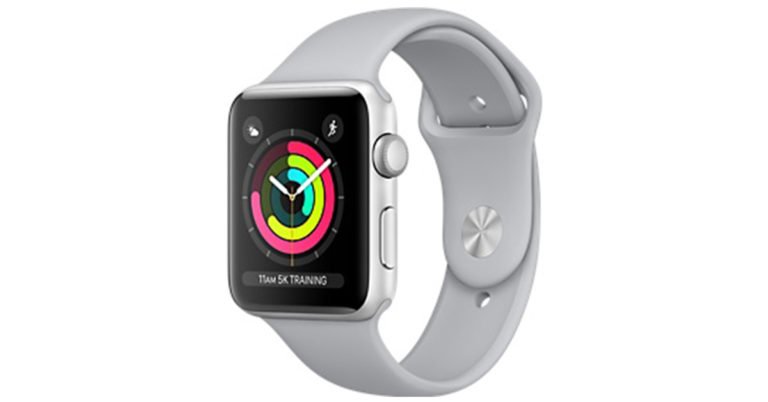
In their initial few years, wearables were considered to be a luxury that not everyone wanted to pay for. But as they are getting more useful features, the world is getting warmer towards them. International Data Corporation (IDC) has just revealed the wearable shipments for Q1 2019, and the number is a whopping 49.6 million. This is 55.2% more than Q1 of 2018. In addition to this, the research firm also said in terms of shipment volume, market share and year-over-year growth, Apple has grabbed the top spot in Q1 2019 with 25.8% market share. The Cupertino based technology giant is followed by Xiaomi and Huawei with 13.3% and 10% market share respectively.
According to IDC’s ‘Worldwide Quarterly Wearable Device Tracker’, the wrist-worn wearables had a 63.2% share in the market, which is a clear majority, and on the other hand, the ear-worn ones saw 135.1% year-on-year growth, making them the fastest growing in the segment. Ear-worn wearables accounted for 34.6% of all the wearables that have been shipped in Q1 of 2019.
Addressing the new numbers, Jitesh Ubrani, Research Manager for IDC Mobile Device Trackers said in a statement, “The elimination of headphone jacks and the increased usage of smart assistants both inside and outside the home have been driving factors in the growth of ear-worn wearables.”
The Apple Watch has become immensely successful in terms of capturing unit share. But then, we must also point out that dollar share as the average selling price of Apple Watches has gone up from $426 in Q1 2018 to $455 in Q1 2019.
Urbani further said, “Looking ahead, this will become an increasingly important category as a major platform and device makers use ear-worn devices as an on-ramp to entice consumers into an ecosystem of wearable devices that complement the smartphone but also offer the ability to leave the phone behind when necessary.”
Chinese technology company Xiaomi grabbed the No. 2 spot because its Mi Band saw a lot of popularity this year and accounted for around 5 million shipments. Huawei also had a great quarter with a growth of 282.2%. The company’s success in the wearables market is tied directly to its success in the smartphone market, according to IDC. The research firm also said that the reason behind this is that the two products often are bundled together.
For the latest gadget and tech news, and gadget reviews, follow us on Twitter, Facebook and Instagram. For newest tech & gadget videos subscribe to our YouTube Channel. You can also stay up to date using the Gadget Bridge Android App.
Apple to restrict third-party tracking in children’s apps: Report

Cupertino based technology giant Apple has made some improvements when it comes to limiting ad tracking for its app, it is far from being foolproof. Although most people know what kind of ads to avoid, kids cannot be counted on for this. They are often more vulnerable to advertisements and are more likely to give away sensitive information easily. A report has surfaced on The Wall Street Journal that says that Apple is planning to announce new limitations for apps that are meant for kids at the upcoming WWDC 2019.
We should mention that ad-tracking is a process by which third-party companies gather information about users’ browsing habits and then further share it. This information is then used to specifically target the users’ interests. For example, if you have searched about the benefits of running, you may see ads about running shoes. According to the report, a children’s app — Curious World — was sending children’s name, age and books to Facebook. Although the company has claimed that it was just a glitch, trackers were found in 79 out of 80 apps.
There have been a number of reports about how much data gets passed on from iPhones to various third parties. This becomes even more crucial in Apple’s case because the company has always spoken about how much it values its customers’ privacy. Another report in The Washington Post spoke about apps on iPhone sending data to marketing companies including users’ phone numbers and location. The report further pointed it out that this happens at night when the smartphone is dormant.
It may be time for Apple to finally address these issues and come with solutions for them. We will find out at the WWDC 2019 if the company what exactly it plans to do about it if it is planning anything at all.
Besides this, the company is expected to give us a first look at its iOS 13 and talk more about its apps and services. We should mention that lately, Apple has started focussing a lot on its services and even launched its News and TV+ services. Keeping this in mind, the WWDC 2019 will be a very important event for the company and we are likely to see some interesting announcements.
For the latest gadget and tech news, and gadget reviews, follow us on Twitter, Facebook and Instagram. For newest tech & gadget videos subscribe to our YouTube Channel. You can also stay up to date using the Gadget Bridge Android App.
Samsung to launch its Galaxy A80 in India soon: Report
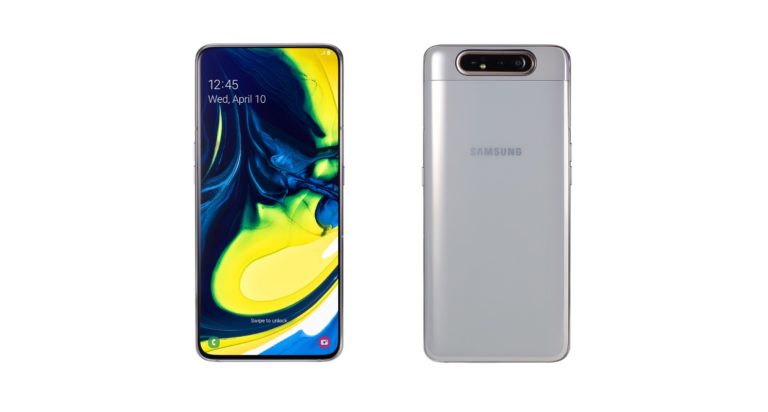
Samsung had launched the top-end smartphones in its Galaxy A-series with Galaxy A70 and Galaxy A80. Samsung Galaxy A70 has already been launched and it has even gone on sale in India. But the Samsung Galaxy A80 has not been launched in the country so far. But according to a report, the smartphone will soon be launched in India. Samsung will be holding an exclusive preview of the Samsung Galaxy A80 in various cities in India next week. This hints the arrival of Samsung Galaxy A80 in India as soon as the first week of June. The report further states that the South Korean technology giant will be holding its launch events in different cities in India on June 8 and June 9.
According to a report by Sammobile, the company will be launching the Samsung Galaxy A80 in five different cities in India – Delhi, Kolkata, Mumbai, Hyderabad and Bengaluru. The events will take place simultaneously and will start from 6pm IST onwards. On June 8, 2019, the company will be unveiling the Samsung Galaxy A80 at Delhi, Mumbai and Hyderabad. While on June 9, 2019, the Samsung Galaxy A80 will be launching on Kolkata and Bengaluru. The report also mentions that the device’s launch will be open to all but the registrations might be needed on the Samsung Members application. Once the registrations have been done and once the launch date nears, the details of the venue for all the cities will be shared on the application itself.
The record further states that the preview events of the launch will be followed by the official launch of the new Samsung Galaxy A80 in India. Although no official pricing has been revealed yet by Samsung, the Galaxy A80 is expected to hold a price tag between Rs 40,000 and Rs 50,000.
As mentioned above, the Samsung Galaxy A80 was launched earlier in April in Thailand and it came with a good set of specifications. Some of its top-highlights were the notch-less full display camera, a powerful Exynos CPU and a good amount of RAM. But the thing which distinguishes it from other devices in the Galaxy A-series or other smartphones is its pop-up rotating camera setup which holds a triple-rear camera. The rear camera can rotate to function as a front camera as well. The company has set its price to EUR 649 (approximately Rs 50,500), so the India pricing of the smartphone should be something similar. More details about the device will be available once it launches in the Indian market.
The launch venue and the launch details about the upcoming Samsung Galaxy A80 haven’t been confirmed by Samsung yet. So it should be taken with a pinch of salt.
UPDATE: Samsung has denied any launch events being held in India on June 8 and 9.
For the latest gadget and tech news, and gadget reviews, follow us on Twitter, Facebook and Instagram. For newest tech & gadget videos subscribe to our YouTube Channel. You can also stay up to date using the Gadget Bridge Android App.
Nokia 6.1 Plus, Nokia 5.1 Plus are available on a discount on Amazon India and Flipkart

HMD Global’s budget smartphones Nokia 6.1 Plus and Nokia 5.1 Plus are now available at a discounted price on Amazon India and Flipkart. If you have been planning to buy a smartphone that is not heavy on your pocket, then these are the best possible deals that you can get right now. Nokia 6.1 Plus, which was earlier available at Rs 15,499 can now be picked up at Rs 12,969 from the two websites. Amazon India is also selling the 4GB RAM/64GB storage variant of the handset at the same price.
In addition to this, you can also get an off of up to Rs 8,000 on the smartphone, if you exchange an old handset for it. Coming to Nokia 5.1 Plus, it can be bought for Rs 8,199 instead of Rs 10,549. On this device, Flipkart is also offering an extra 5% discount to those who pay for their purchase using Axis Bank Buzz Credit cards, according to a report in Nokiapoweruser.
Coming to the specifications, Nokia 5.1 Plus has a 5.86-inch HD+ display with a notch, is powered by the MediaTek Helio P60 processor and houses a 3,060mAh battery. It has a dual rear camera setup with 13MP and 5MP sensors and for selfies and video calls, there is an 8MP selfie camera on it. It also has a USB Type-C port which is a surprise at this price point.
On the other hand, Nokia 6.1 Plus features a 5.8-inch Full HD+ display with a notch and is powered by Snapdragon 636 SoC. Like Nokia 5.1 Plus, the device has a 3,060mAh battery and it too has a dual rear camera setup which comprises of a 16MP paired with a 5MP sensor. On the front panel, there is a 16MP selfie camera.
In an unrelated piece of news, HMD Global is speculated to launch its Nokia 9 PureView smartphone in India on June 6. The smartphone is powered by Qualcomm Snapdragon 845 processor and comes with a penta-camera setup on its back panel.
The company is also said to have an event on the same date and same time in Italy. However, it will be launching a different set of smartphones there.
The smartphones that are expected to launch in Italy on June 6 are Nokia X71 and Nokia 2.2. We should mention that Nokia 2.2 reportedly received the certifications in India and several other markets earlier, so it could be the device the company is planning to unveil.
For the latest gadget and tech news, and gadget reviews, follow us on Twitter, Facebook and Instagram. For newest tech & gadget videos subscribe to our YouTube Channel. You can also stay up to date using the Gadget Bridge Android App.
Huawei Mate 20 Pro gets reinstated on Android Q Beta programme
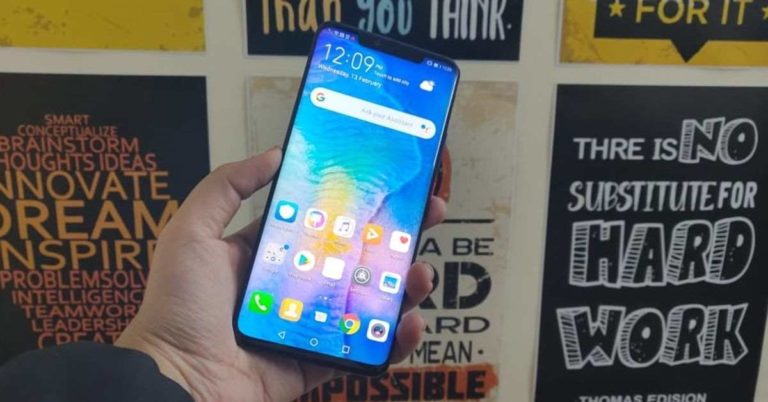
Huawei Mate 20 Pro smartphone has been reinstated in Google’s Android Q beta programme. The company had removed the smartphone after a ban was imposed by the United States on the Chinese technology brand. However, after the authorities issued a 90-day reprieve period, Huawei Mate 20 Pro has been relisted. So for now, the smartphone is back on the list of the handset that will be receiving the Android Q beta update whenever it arrives. It is worth noticing that Huawei Mate 20 Pro Android Q beta programme is limited only to confirmed Google Play developers.
The technology giant has updated its Android Q beta device page and it now shows Huawei Mate 20 Pro as an eligible smartphone once more. The options of downloading the beta update, along with ‘report issue’ and ‘support’ options are also live now. We should mention that recently, Huawei Mate X and Huawei P30 Pro were also removed from Android.com website, and they have not yet been reinstated. For that matter, Google has not even relisted the Huawei smartphones on Android Enterprise Device list. The company had removed all of Huawei smartphones and even Nexus 6P from its Android Enterprise Devices list.
This obviously happened after the US government imposed a ban on all the companies in the country from doing any kind of business with Huawei. Google was followed by Qualcomm, Broadcom, ARM and Microsoft. The company was also removed from various groups like Wi-Fi Alliance, SD Association, and JEDEC. however, it has now been relisted on Wi-Fi Alliance and SD Association.
To recall, Huawei Mate 20 Pro runs Android 9.0 Pie skinned with EMUI 9.0 and sports a 6.39-inch QHD+ curved OLED display. Powered by the Huawei’s flagship HiSilicon Kirin 980 processor, the smartphone houses 6GB. The smartphone comes with 128GB storage and for more storage, users can install a nano-memory card of up to 256GB.
For imaging duties, Huawei Mate 20 Pro mobile sports a triple rear camera setup that comprises of a 40MP primary wide-angle sensor, a 20MP ultra wide angle sensor, and an 8MP 3X telephoto sensor. For selfies and video calls, there is a 24MP RGB selfie camera that supports 3D facial unlocking.
Huawei Mate 20 Pro houses a 4,200mAh battery that has support for 40W SuperCharge technology and wireless reverse charging. For connectivity, Huawei Mate 20 Pro has support for 4G LTE, Wi-Fi, Bluetooth v5.0, GPS/ A-GPS, GLONASS, and a USB Type-C port.
For the latest gadget and tech news, and gadget reviews, follow us on Twitter, Facebook and Instagram. For newest tech & gadget videos subscribe to our YouTube Channel. You can also stay up to date using the Gadget Bridge Android App.
How to live stream games on YouTube?

With the rise of good and popular games – single player or multiplayer – game streaming has become one of the biggest entertainment mediums. There are a number of ways to stream games, but YouTube Gaming is one of the easier and well-known platforms for it. You can either upload your game streaming videos on the YouTube or do a live streaming. To stream a game without difficulties you need the following things – a good PC, high-speed broadband internet, an encoder program (OBS or XSplit Broadcaster), and most importantly a verified YouTube account.
You can download the encoder programs for Windows or MacOS or Linux from the internet. OBS and XSplit Broadcaster are free and are easy to use. To start streaming you would need to verify your YouTube account. Follow these steps to verify your YouTube account:
- If you have an account, sign in to YouTube. If you don’t have an account, you can simply make one by following the details on the Create an account page.
- After signing in, go to YouTube.com/verify.
- Here, you will be given the option to choose your country.
- Enter your phone number and then you can click on submit.
- After that, you will be asked to receive a voice message or text message for verification.
- Once the text or voice message arrives, it will carry a verification code. Enter the code in the required space and click on submit.
- Go to your main YouTube account and then go to the Creator Studio page.
- Click on the camera icon with the ‘+’ icon.
- After that, click Go Live.
- Once it is done, you will be asked to provide Chrome to access to your webcam and microphone. Then you need to click Allow.
- After that, you need to enter the title and description for your stream and then click on Next.
- Click Go Live and you will be live on the platform
- Once the streaming is done, click END STREAM to end the live stream.
Flipkart is offering discounts on Vivo NEX, Vivo V11 Pro and others
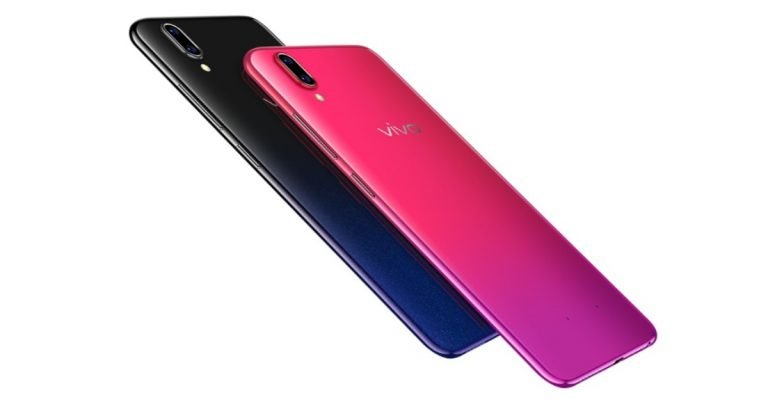
Flipkart and Vivo have partnered to offer discounts of up to Rs 10,200 on various smartphones from the company. The handsets that are on sale include Vivo NEX, Vivo V11 Pro and Vivo Y95 among others. If you are an interested buyer, you can get an extra 5% discount provided you pay for your purchase via Axis Bank Buzz Credit card. There is also an option opting for no-cost EMI plans and an exchange bonus Here’s a look at all the Vivo smartphones that are available at a discount on Flipkart:
Vivo NEX (Rs 39,990)
Vivo NEX is the company’s last year’s flagship smartphone that comes with a pop-up selfie camera. Currently, the handset can be bought at Rs 39,990 from Flipkart. We should mention that at the time of its launch, the smartphone was priced at Rs 44,990. Other specifications of the smartphone include a 4,000mAh battery, an 8MP selfie camera and Qualcomm’s Snapdragon 845 SoC.Vivo V11 Pro (Rs 23,990)
Vivo V11 Pro was launched at Rs 25,990 in India, but on Flipkart, you can buy it for Rs 23,990. The key highlight of the smartphone is its in-display fingerprint sensor. Other specifications of the handset include Qualcomm Snapdragon 660 SoC, a dual rear camera setup with 12MP and 5MP sensors and a 25MP selfie camera.Vivo V11 (Rs 19,990)
Vivo V11 smartphone was earlier priced at Rs 20,990 in India, it can now be picked up at Rs 19,990 from Flipkart. The smartphone has an in-display fingerprint scanner and it comes with a 25MP selfie camera. The smartphone is powered by MediaTek Helio P60 chipset and houses a 3,315mAh battery.Vivo V9 Pro (Rs 14,990)
The 4GB RAM/64GB storage variant of Vivo V9 Pro is available for Rs 14,990 on Flipkart as of now. Prior to this, the smartphone was available for Rs 17,990. The key highlights of the smartphone are its Qualcomm Snapdragon 660 SoC, 16MP selfie camera, a dual rear camera setup with 13MP and 2Mp sensors and a 3,260mAh battery.Vivo Y95 (Rs 13,990)
The Vivo Y95 smartphone is available on Flipkart at Rs 13,990 instead of Rs 16,990. The smartphone is powered by 12nm Snapdragon 439 processor and its key highlight is its 20MP AI selfie camera. The smartphone comes with a dual rear camera setup with 13MP and 2MP sensors and houses a 4,030mAh battery. The smartphone has support for a Face Unlock feature as well as a fingerprint sensor. For the latest gadget and tech news, and gadget reviews, follow us on Twitter, Facebook and Instagram. For newest tech & gadget videos subscribe to our YouTube Channel. You can also stay up to date using the Gadget Bridge Android App.WhatsApp’s new beta update for iOS has removed the option to save profile pictures
Facebook-owned instant messaging platform, WhatsApp has rolled out a new beta update for the iOS devices. The WhatsApp v.2.19.60.26 beta update for iOS devices removes the option to save someone’s profile picture on the platform. The platform had already removed this feature of saving the profile picture on Android devices earlier this month. The feature comes few weeks late on iOS but it was already being rolled out through a stable update on WhatsApp Business for iOS.
This new change was first reported by WABetaInfo and according to the reports, WhatsApp didn’t reveal anything about the removal of this feature or why it removed the feature. The company also didn’t reveal when this feature will be rolling out as a stable version.
Although the new WhatsApp beta update for iOS has removed the ability to save the profile picture to the gallery but the users can still save the profile picture of a group they are part of. Furthermore, profile pictures can also be saved by taking a screenshot. Other than removing the option to save the profile picture, WhatsApp has also added new useful features. In the new beta version of WhatsApp you can see how many items has been sent to you by a person and the overall size of the things receive.
For Android, WhatsApp v2.19.143 beta was rolled out two weeks ago which had removed the option to save the profile photo to the gallery. The company had completely removed the option of sharing or saving the profile photo of a user which was present earlier. Now, WhatsApp v 2.19.60.26 beta version for iOS has brought this feature to the iPhones and the iPads. WhatsApp has also changed the audio coding format for the iOS users. Earlier, WhatsApp used Opus voice message format which it changed to M4A in the new beta update. But the audio format change is available only for the iOS beta version of WhatsApp and the Android beta version is yet to receive this feature.
To download the new beta version of WhatsApp for iOS the users would need to enrol themselves to the beta programme of WhatsApp. But if they are already a part of the beta programme then they can go to the Apple App Store and download the beta version of the application.
For the latest gadget and tech news, and gadget reviews, follow us on Twitter, Facebook and Instagram. For newest tech & gadget videos subscribe to our YouTube Channel. You can also stay up to date using the Gadget Bridge Android App.
Apple has increased the cellular download limit of iPhones and iPads from 150MB to 200MB
Apple has increased the cellular download limit for its iPhones and iPads which earlier prevented the users from downloading large sized files from the Apple Store. This included all sorts of files like games, apps, video podcasts, iTunes Store films, etc. The download limit was increased by the Cupertino-based company earlier this week. While the cellular download limit for iPhones and iPads was previously set to 150MB, it has now been increased to 200MB.
With the increased cellular download limit of the iPhones and iPads, users can download more applications and games from the Apple Store over cellular network. But it is still limited to 200MB. This is similar to the data restriction in Android which can be set by the user himself so that the device doesn’t use more data than it is specified.
Apple’s cellular data limit prevents the users of iPhones and iPads from accidentally downloading a big file, game, movie or app from the Apple Store and use up all of their limited carrier data. As mentioned above, it is similar to the data restriction feature of Android. While Android smartphones let their users decide the data limit, Apple sets their own limits for the iOS devices users. Many users have complained about this feature that it doesn’t offer any opportunity to override the data limit and download the whole file.
A data limit is set by the company itself (200MB) and this means that not any iPhone of iPad users can download apps or games which are over 200MB using their cellular network, even if they are using an unlimited plan.
Once the user is downloading a large file and once the data limit is reached, he/she will be alerted about his/ her data use. They will be informed that they are about to download a large file and will be given an option of ‘Continue Download’ button which can be tapped to continue with their downloads.
Last time, it was in September 2017 when the cellular data limit of the iPhones and iPads was increased from 100MB to 150 MB. And now, two years later in 2019, the 150MB cellular data limit was increased to 200MB. It should be noted that, Apple tests the download limit against the compressed file sized applications. But the App Store shows the application file size before they are compressed. It means that the compressed version of the game will strip away some of the game/ file’s useless data. In other words, if a game is shown to be of 230MB on the App Store, the actual game after installation might drop down below 200MB.
For the latest gadget and tech news, and gadget reviews, follow us on Twitter, Facebook and Instagram. For newest tech & gadget videos subscribe to our YouTube Channel. You can also stay up to date using the Gadget Bridge Android App.
Motorola One Action spotted on Geekbench listings with Exynos CPU and 4GB RAM
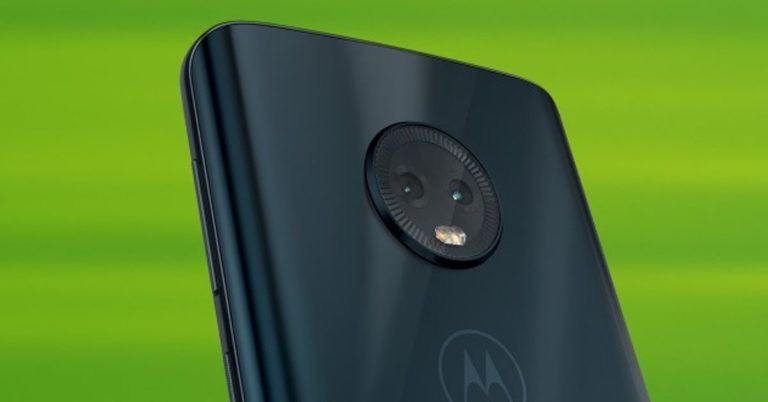
Motorola’s unannounced and rumoured smartphone – the Motorola One Action was spotted on Geekbench listings. The listings revealed several main specifications about the smartphone. Since it was listed on the Geekbench, it is expected to be launched soon. Earlier, the Motorola One Action was revealed by the tipster named Evan Blass along with other Motorola One-series devices which the company will be launching in the future. Some highlights of the Motorola One Action are that it will come with 4GB of RAM and will be powered by Samsung’s Exynos SoC. It is also reported to run Android 9 Pie out of the box and with the launch of the Motorola One Action, the Lenovo-owned company might be planning to expand its Motorola One-series devices further.
According to the Geekbench listing, the Motorola One Action will reportedly be powered by the Samsung’s Exynos 9609 CPU and will have 4GB of RAM. The listings further reveals that the Motorola One Action scores 1601 on the single-core tests while its multi-core score of the device is 5,377. These specifications are similar to the Motorola One Vision which the company launched earlier this year.
Other than the specifications mentioned above, further details about the Motorola One Action are currently unknown. But there might be a possibility that the ‘Action’ in the name of the device could either be camera-related or build quality. If it is a camera-centric device then we could see a triple or quad-camera setup at the back. If that is not the case, we could see a rugged smartphone with tough rubberized exterior with water-resistant capabilities. Since the Motorola One Vision has already been launched, the Motorola One Action too will be launched soon.
Earlier this year, several reports and leaks mentioned that the company might be launching new smartphones soon in its Moto One-series smartphones. While one among them was the Motorola One Vision, that has already been launched, the other is the Motorola One Action which hasn’t been launched till now. Talking about the Motorola One Vision, it was launched in Brazil earlier this month and it came with a hole-punch display which housed the selfie camera of the device. The Motorola One Action packed a dual-rear camera setup with a rear-mounted fingerprint scanner. Its display had an aspect ratio of 21:9 and it came with a 4D Gorilla Glass protection on the front and back with gradient finish. The smartphone held a 48MP main camera sensor while the front camera housed a 25MP lens placed in the hole-punch setup.
For the latest gadget and tech news, and gadget reviews, follow us on Twitter, Facebook and Instagram. For newest tech & gadget videos subscribe to our YouTube Channel. You can also stay up to date using the Gadget Bridge Android App.
10 Tips to Boost the Performance of Your Android Smartphone 2019

Wants to Boost smartphone performance?
If you have an Android smartphone, you would know that its performance degrades over time. In the initial few months, it may work like a wonder, but then things begin to change.
Here, we have listed down a few things that you can do to ensure that the performance of your Android smartphone remains intact no matter how long you use it for.
 In most smartphones, any new app that you download will appear on your Android handset’s screen by default. However, not all of them are important enough to eat up space over there. This can slow down your smartphone and hinder its performance.
If you want to disable this, just long press on your smartphone’s home screen, and then click on the ‘Home Screen’ option.
Here, turn the toggle off the ‘Add icon to Home screen’ option.
In most smartphones, any new app that you download will appear on your Android handset’s screen by default. However, not all of them are important enough to eat up space over there. This can slow down your smartphone and hinder its performance.
If you want to disable this, just long press on your smartphone’s home screen, and then click on the ‘Home Screen’ option.
Here, turn the toggle off the ‘Add icon to Home screen’ option.
 Everyone knows that personalized ads can be very annoying. Or at least, mostly they are. A way of enhancing your smartphone’s performance is to disable them.
To disable personalized ads by Google, head to Settings > Google > Ads. Here, click on ‘Opt out of ads personalization.’
You will still be served ads, but they would not be based on your interests.
Everyone knows that personalized ads can be very annoying. Or at least, mostly they are. A way of enhancing your smartphone’s performance is to disable them.
To disable personalized ads by Google, head to Settings > Google > Ads. Here, click on ‘Opt out of ads personalization.’
You will still be served ads, but they would not be based on your interests.
 Using instant apps is a lot like taking a car for a test drive and then later deciding whether you want to buy it or not.
Instant apps can be used for apps that you will use only once or a few times. Or an app that you want to try before you download it.
To enable it, head to Settings > Google > Instant Apps and then tap on your Google account. However, we should mention that only a small number of apps support this as of now.
Using instant apps is a lot like taking a car for a test drive and then later deciding whether you want to buy it or not.
Instant apps can be used for apps that you will use only once or a few times. Or an app that you want to try before you download it.
To enable it, head to Settings > Google > Instant Apps and then tap on your Google account. However, we should mention that only a small number of apps support this as of now.
 If your smartphone remains unused for a while, Doze mode automatically shuts off the network to save the battery.
The apps on your device will continue to work in the background, so you will be able to get some notifications.
But then, to ensure that not all apps are muted, you can head to Settings > Battery > Battery optimizations and then click on ‘Don’t optimize’ in front of the apps whose notifications you wish to receive.
If your smartphone remains unused for a while, Doze mode automatically shuts off the network to save the battery.
The apps on your device will continue to work in the background, so you will be able to get some notifications.
But then, to ensure that not all apps are muted, you can head to Settings > Battery > Battery optimizations and then click on ‘Don’t optimize’ in front of the apps whose notifications you wish to receive.
 This is more of a privacy feature than a performance one, but in case you feel the need of enabling it, here are the instructions to follow.
Go to Android Settings > Notifications. Click on the gear icon on the top right corner and press the ‘On the lock screen’ option. Here, choose the option of ‘Hide sensitive notification content.’
This is more of a privacy feature than a performance one, but in case you feel the need of enabling it, here are the instructions to follow.
Go to Android Settings > Notifications. Click on the gear icon on the top right corner and press the ‘On the lock screen’ option. Here, choose the option of ‘Hide sensitive notification content.’
 The best way of getting the notifications to stop on your Android smartphone for a while is to enable the ‘Do Not Disturb’ mode.
You can also block alerts on an app-by-app basis by going to the ‘Apps and notifications’ in the Settings of your smartphone.
Too many notifications are not only annoying, but they also eat up a lot of battery of your smartphone.
The best way of getting the notifications to stop on your Android smartphone for a while is to enable the ‘Do Not Disturb’ mode.
You can also block alerts on an app-by-app basis by going to the ‘Apps and notifications’ in the Settings of your smartphone.
Too many notifications are not only annoying, but they also eat up a lot of battery of your smartphone.
 Clutter can seriously deteriorate the performance of a smartphone. It is always advisable to have a decent chunk of space free on your smartphone.
You can start by uninstalling apps that you don’t use anymore. Another thing that really helps is saving images and videos in Google Photos.
Clutter can seriously deteriorate the performance of a smartphone. It is always advisable to have a decent chunk of space free on your smartphone.
You can start by uninstalling apps that you don’t use anymore. Another thing that really helps is saving images and videos in Google Photos.
 For doing this, tap on Battery in the Android Settings of your smartphone and then go to Battery Saver and Adaptive Battery options.
Both of them will restrict the background battery usage and hence, you will have to charge your handset fewer number of times.
For doing this, tap on Battery in the Android Settings of your smartphone and then go to Battery Saver and Adaptive Battery options.
Both of them will restrict the background battery usage and hence, you will have to charge your handset fewer number of times.
 This one is very basic, but please ensure that all the apps on your smartphone are updated timely.
By doing this, you will be making sure that your smartphone’s performance remains top-notch as apps perform the best when they are updated to their latest version.
If you ever feel tempted to put a live wallpaper on your smartphone, just remember that they eat up the battery life of the device and at the same time slow your phone down.
We recommend you to simply avoid them.
Boost the Performance of Your Android Smartphone using the above tips.
For the latest gadget and tech news, and gadget reviews, follow us on Twitter, Facebook, and Instagram. For newest tech & gadget, videos subscribe to our YouTube Channel. You can also stay up to date using the Gadget Bridge Android App.
This one is very basic, but please ensure that all the apps on your smartphone are updated timely.
By doing this, you will be making sure that your smartphone’s performance remains top-notch as apps perform the best when they are updated to their latest version.
If you ever feel tempted to put a live wallpaper on your smartphone, just remember that they eat up the battery life of the device and at the same time slow your phone down.
We recommend you to simply avoid them.
Boost the Performance of Your Android Smartphone using the above tips.
For the latest gadget and tech news, and gadget reviews, follow us on Twitter, Facebook, and Instagram. For newest tech & gadget, videos subscribe to our YouTube Channel. You can also stay up to date using the Gadget Bridge Android App.
Boost smartphone performance with these tips
Disable app shortcuts from Home Screen
 In most smartphones, any new app that you download will appear on your Android handset’s screen by default. However, not all of them are important enough to eat up space over there. This can slow down your smartphone and hinder its performance.
If you want to disable this, just long press on your smartphone’s home screen, and then click on the ‘Home Screen’ option.
Here, turn the toggle off the ‘Add icon to Home screen’ option.
In most smartphones, any new app that you download will appear on your Android handset’s screen by default. However, not all of them are important enough to eat up space over there. This can slow down your smartphone and hinder its performance.
If you want to disable this, just long press on your smartphone’s home screen, and then click on the ‘Home Screen’ option.
Here, turn the toggle off the ‘Add icon to Home screen’ option.
Put an end to personalized ads
 Everyone knows that personalized ads can be very annoying. Or at least, mostly they are. A way of enhancing your smartphone’s performance is to disable them.
To disable personalized ads by Google, head to Settings > Google > Ads. Here, click on ‘Opt out of ads personalization.’
You will still be served ads, but they would not be based on your interests.
Everyone knows that personalized ads can be very annoying. Or at least, mostly they are. A way of enhancing your smartphone’s performance is to disable them.
To disable personalized ads by Google, head to Settings > Google > Ads. Here, click on ‘Opt out of ads personalization.’
You will still be served ads, but they would not be based on your interests.
Enable the option of using Instant apps on your device
 Using instant apps is a lot like taking a car for a test drive and then later deciding whether you want to buy it or not.
Instant apps can be used for apps that you will use only once or a few times. Or an app that you want to try before you download it.
To enable it, head to Settings > Google > Instant Apps and then tap on your Google account. However, we should mention that only a small number of apps support this as of now.
Using instant apps is a lot like taking a car for a test drive and then later deciding whether you want to buy it or not.
Instant apps can be used for apps that you will use only once or a few times. Or an app that you want to try before you download it.
To enable it, head to Settings > Google > Instant Apps and then tap on your Google account. However, we should mention that only a small number of apps support this as of now.
Use the Doze mode
 If your smartphone remains unused for a while, Doze mode automatically shuts off the network to save the battery.
The apps on your device will continue to work in the background, so you will be able to get some notifications.
But then, to ensure that not all apps are muted, you can head to Settings > Battery > Battery optimizations and then click on ‘Don’t optimize’ in front of the apps whose notifications you wish to receive.
If your smartphone remains unused for a while, Doze mode automatically shuts off the network to save the battery.
The apps on your device will continue to work in the background, so you will be able to get some notifications.
But then, to ensure that not all apps are muted, you can head to Settings > Battery > Battery optimizations and then click on ‘Don’t optimize’ in front of the apps whose notifications you wish to receive.
Hide sensitive info from your locked phone’s screen
 This is more of a privacy feature than a performance one, but in case you feel the need of enabling it, here are the instructions to follow.
Go to Android Settings > Notifications. Click on the gear icon on the top right corner and press the ‘On the lock screen’ option. Here, choose the option of ‘Hide sensitive notification content.’
This is more of a privacy feature than a performance one, but in case you feel the need of enabling it, here are the instructions to follow.
Go to Android Settings > Notifications. Click on the gear icon on the top right corner and press the ‘On the lock screen’ option. Here, choose the option of ‘Hide sensitive notification content.’
Get the notifications to stop
 The best way of getting the notifications to stop on your Android smartphone for a while is to enable the ‘Do Not Disturb’ mode.
You can also block alerts on an app-by-app basis by going to the ‘Apps and notifications’ in the Settings of your smartphone.
Too many notifications are not only annoying, but they also eat up a lot of battery of your smartphone.
The best way of getting the notifications to stop on your Android smartphone for a while is to enable the ‘Do Not Disturb’ mode.
You can also block alerts on an app-by-app basis by going to the ‘Apps and notifications’ in the Settings of your smartphone.
Too many notifications are not only annoying, but they also eat up a lot of battery of your smartphone.
Say goodbye to clutter
 Clutter can seriously deteriorate the performance of a smartphone. It is always advisable to have a decent chunk of space free on your smartphone.
You can start by uninstalling apps that you don’t use anymore. Another thing that really helps is saving images and videos in Google Photos.
Clutter can seriously deteriorate the performance of a smartphone. It is always advisable to have a decent chunk of space free on your smartphone.
You can start by uninstalling apps that you don’t use anymore. Another thing that really helps is saving images and videos in Google Photos.
Boost the battery life
 For doing this, tap on Battery in the Android Settings of your smartphone and then go to Battery Saver and Adaptive Battery options.
Both of them will restrict the background battery usage and hence, you will have to charge your handset fewer number of times.
For doing this, tap on Battery in the Android Settings of your smartphone and then go to Battery Saver and Adaptive Battery options.
Both of them will restrict the background battery usage and hence, you will have to charge your handset fewer number of times.
Keep your apps updated
 This one is very basic, but please ensure that all the apps on your smartphone are updated timely.
By doing this, you will be making sure that your smartphone’s performance remains top-notch as apps perform the best when they are updated to their latest version.
This one is very basic, but please ensure that all the apps on your smartphone are updated timely.
By doing this, you will be making sure that your smartphone’s performance remains top-notch as apps perform the best when they are updated to their latest version.
Avoid live wallpapers
 If you ever feel tempted to put a live wallpaper on your smartphone, just remember that they eat up the battery life of the device and at the same time slow your phone down.
We recommend you to simply avoid them.
Boost the Performance of Your Android Smartphone using the above tips.
For the latest gadget and tech news, and gadget reviews, follow us on Twitter, Facebook, and Instagram. For newest tech & gadget, videos subscribe to our YouTube Channel. You can also stay up to date using the Gadget Bridge Android App.
If you ever feel tempted to put a live wallpaper on your smartphone, just remember that they eat up the battery life of the device and at the same time slow your phone down.
We recommend you to simply avoid them.
Boost the Performance of Your Android Smartphone using the above tips.
For the latest gadget and tech news, and gadget reviews, follow us on Twitter, Facebook, and Instagram. For newest tech & gadget, videos subscribe to our YouTube Channel. You can also stay up to date using the Gadget Bridge Android App. Samsung rolls out new update for Galaxy S10, Galaxy S10+ and Galaxy S10e with camera improvements
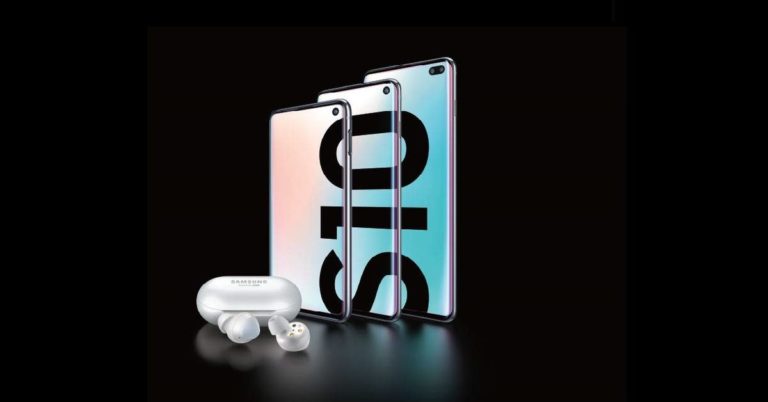
Samsung’s flagship Galaxy S10 smartphones have started receiving a new update in India. The new update brings the May Security patch along with camera improvements to the Samsung Galaxy S10 handsets. With the new update, Night Mode has been brought to the wide-angle mode of Samsung Galaxy S10, Galaxy S10+ and Galaxy S10e. Other camera quality improvements have also been made and low-light photography has been improved as well. After the update, the users of Samsung Galaxy S10 smartphones will be able to use the Live Focus mode on the telephoto lens of the device. Other than India, the updates for Galaxy S10-series is also rolling out for the users in Germany and Russia as well.
The new updates for the Galaxy S10-series in India are currently rolling out via over-the-air (OTA) and the users should get the update notification. But if they don’t get it, they can manually check for the updates. For doing this, one can head to Settings of their smartphone and then click on Software Update. Once tapped, the device will automatically start looking for new updates.
The main focus point of the new update is the improved camera performance of the Galaxy S10-devices. It has brought an improved and enhanced Night mode performance. Earlier, the Low-Light Photography mode was just limited to the main sensor of the smartphones but after the update, the users can also use it on the ultra-wide-camera as well. This will allow the user to use the ultra-wide lens in low-light conditions to capture better shots. Furthermore, the overall camera performance of the handsets has been improved so that they appear less grainy in texture and offer a better result.
Moreover, the update has also brought the Live Focus feature of the Galaxy S10 and the Galaxy S10+’s telephoto lens of the device. It should be noted that this feature won’t be coming to the Galaxy S10e as it doesn’t have the telephoto lens. Other than that, the overall performance and the stability of the camera has also been improved.
Other than camera improvements, the changelog states that the update also has improved the connectivity and the stability of Wi-Fi and Bluetooth of the devices.
It should be noted that, Samsung had officially rolled out the new updates for the Galaxy S10-series devices in Switzerland last week. But it was suspended later on due to the complaints of the users about the bugs and other problems that came with the update. The company later solved the problems with the new update and rolled it out once again for the users of Galaxy S10-series device in Switzerland.
For the latest gadget and tech news, and gadget reviews, follow us on Twitter, Facebook and Instagram. For newest tech & gadget videos subscribe to our YouTube Channel. You can also stay up to date using the Gadget Bridge Android App.
HMD Global to launch Nokia 9 Pureview in India, Nokia X71 and Nokia 2.2 in Italy in June: Report
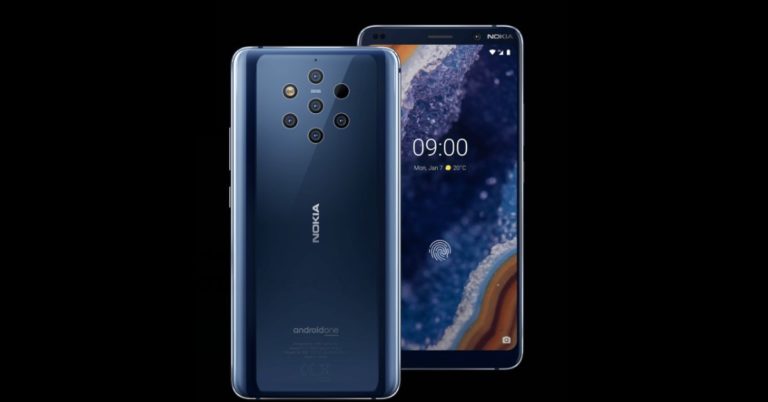
Nokia 9 PureView was unveiled earlier this year and it garnered a lot of appreciation of its penta-camera setup that is arranged in a bug-eyed placement. Although it was a 2019 device, but it packed the Snapdragon 845 CPU which was Qualcomm’s flagship processor of 2018. However, we should point out that Qualcomm Snapdragon 845 processor is a very powerful chipset and can handle very heavy usage. So the performance of the device has to be good. Now, the Nokia 9 PureView is finally making its way to India as HMD Global will be hosting a launch event on June 6. Along with the Nokia 9 PureView, Nokia 1 is also expected to launch at the event. But a recent report claims that HMD Global will be hosting another global launch event at the same date and time in Italy. The reports further state that the company will be launching new devices at the Italy event and these devices might be the Nokia X71 and the Nokia 2.2.
According to NokiaPowerUser, HMD Global will be hosting a ‘global event’ in Italy on June 6 to launch completely new smartphones. The report further claims that the Nokia 2.2 or the Nokia Wasp (alternate name) could be launched at the event. Nokia 2.2 reportedly received the certifications in India and several other markets earlier, so it could be the device the company is planning to unveil.
The Nokia Wasp or the Nokia 2.2 was earlier reportedly spotted on the US FCC certification listing which reveals that the device will come with 3GB of RAM and 32GB of internal storage. In other words, the Nokia 2.2 will be a mid-range segment device, but currently there is no pricing details available for the device or what specifications it will have.
The next smartphone which might be launched at the Global Event in Italy is the Nokia X71. The Nokia X71 was launched in Taiwan earlier in April but it might be called ‘Nokia 6.2’ in other markets. Since the Nokia X71 is already launched in Taiwan, the company might be planning to launch it for the global masses.
Although the India launch event on June 6 is confirmed, the Italy launch event scheduled for June 6 is not made official by HMD Global. But then, the company is expected to make an announcement about it soon and we will update you as soon as it does.
For the latest gadget and tech news, and gadget reviews, follow us on Twitter, Facebook and Instagram. For newest tech & gadget videos subscribe to our YouTube Channel. You can also stay up to date using the Gadget Bridge Android App.
LG rolls out Facebook frames to celebrate its 22 years in India
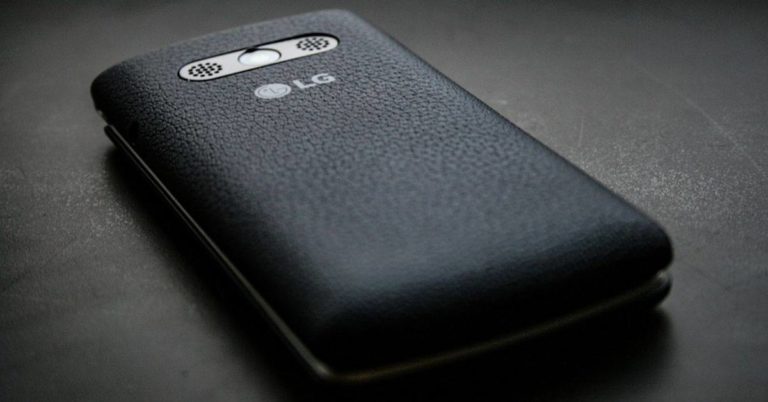
LG Electronics has completed 22 years in India. To celebrate the milestone, the company has rolled out two new activities as a part of its employee advocacy programme, ‘My LG’. According to the company, it was the first ever digital campaign of its kind. All LG employees from the top cadre up to the ground-level were made to participate in the campaign. The company and its digital agency IntelliAssist, released five frames on Facebook’s app which showcased one LG product each and employees were encouraged to use these frames and share their story. The hashtag used for the campaign was #GetInTheFrame.
The campaign was started by LG’s Managing Director Ki Wan Kim. Not only the company’s corporate office participated but also its both manufacturing facilities in Pune and Noida. People working in over 50 branch offices were also a part of it. Other than this, the company has said that channel partners and around 140 car drivers also shared their Stories on Facebook with LG’s frames. LG has said that in a period of five days, the collective usage of these frames crossed 35,000 times.
Apart from this, there was another activity #LGturns22 where employees were asked to wish LG a happy birthday on a Facebook event page.
“A healthy work culture, that contributes to the overall development of the employee is increasingly becoming the preferred choice of job seekers. LG understands that employee-friendly policies which nurture mutual cooperation and promote personal goals of the employees, is central to ensuring a lasting association. We wanted to celebrate this 22nd milestone with the people who have been a part this journey. We were glad to see the participation for both the activities from across offices. Looking at this overwhelming response, we are motivated to bring more such fun-filled activities under ‘MyLG’ programme.”, says Gunjan Bhattacharya – Head of Culture and Learning & Development.
“I strongly believe that employees are the best brand ambassadors; by launching a formal employee advocacy programme, LG Electronics has opened yet another channel to connect with consumers and prospects. In the age where organic reach on social media platforms is almost dead, #GetInTheFrame campaign garnered an impressive reach. At a conservative estimate, an average Facebook user has about 500 friends and we had over 35,000 instances of frame change. Thus, we are easily talking of over 10 million organic impressions in five days,” says Ami Shah, founder of IntelliAssist, the digital marketing agency that conceptualized and managed the campaign.
For the latest gadget and tech news, and gadget reviews, follow us on Twitter, Facebook and Instagram. For newest tech & gadget videos subscribe to our YouTube Channel. You can also stay up to date using the Gadget Bridge Android App.
Samsung Galaxy M40 gets listed on the company’s official India website
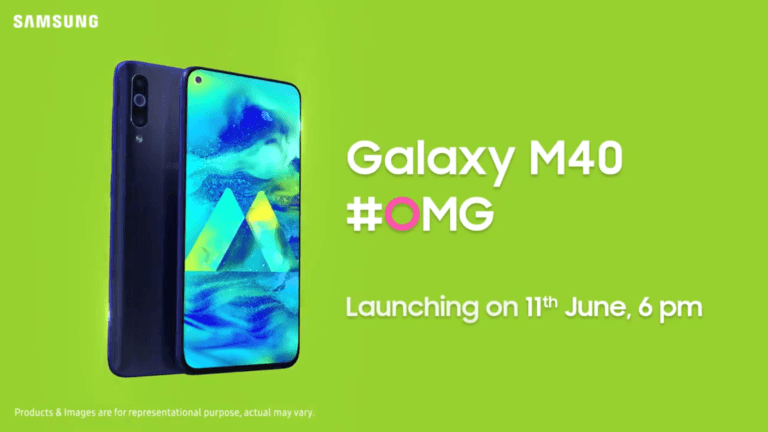
Samsung’s upcoming device in the mid-range segment – Galaxy M40 – is scheduled to launch on June 11, 2019. Before its launch, the Samsung Galaxy M40 was teased by Amazon India and the company’s own website. Yesterday, we learned about the price of the upcoming device and now, the smartphone is officially listed down on Samsung’s official India website. According to the listing, the Samsung Galaxy M40 sports an Infinity-O display which houses the front camera of the device. On the back, there is the triple-rear camera setup and a rear-mounted fingerprint scanner along with an LED flash.
The listing reveals the gradient back panel of the Samsung Galaxy M40 with blue finish similar to the previous Samsung Galaxy M30. Samsung is advertising that Galaxy M40 with its hole-punch camera as its key highlight. We should mention that Samsung Galaxy M40 is the first smartphone to come with an Infinity-O display.
Samsung Galaxy M40 price and availability
The Samsung Galaxy M40 will reportedly be priced somewhere around Rs 20,000 and it will be launched in India on June 11. The device will exclusively be sold on Amazon India and Samsung’s e-store after its launch.Samsung Galaxy M40 specifications and features
Till now, not much has been known about the Samsung Galaxy M40 other than few of its specifications revealed by the company itself. The Samsung Galaxy M40 sports an Infinity-O Super AMOLED display. It will be powered by the Qualcomm’s Snapdragon 675 SoC and will run Android 9 Pie skinned with One UI out of the box making it the first Galaxy M-series device to do so. The upcoming smartphone will come with 128GB of internal storage and will pack a 5,000mAh battery, similar to the Samsung Galaxy M30. In addition to this, the Samsung Galaxy M40 will not have an earpiece, as it will use the ‘Screen Sound’ technology which will produce sound by vibrating the display panel. We have already seen this feature in some of the top-end devices of LG and Huawei. But we will only find out how it performs on Samsung Galaxy M40 once the smartphone launches. On the camera front, the Samsung Galaxy M40 features a triple-rear camera setup which comprises of a 32MP main sensor paired with two other sensors. On the front, the selfie camera of the Samsung Galaxy M40 will be placed in a hole-punch notch. The Samsung Galaxy M40 will be the fourth smartphone in the Galaxy M-series device and it is also the first in its series to be powered by a Snapdragon CPU instead of an Exynos SoC.
For the latest gadget and tech news, and gadget reviews, follow us on Twitter, Facebook and Instagram. For newest tech & gadget videos subscribe to our YouTube Channel. You can also stay up to date using the Gadget Bridge Android App.
OnePlus 6T and OnePlus 6 receive the OxygenOS Beta update with Zen Mode and other changes

OnePlus 7-series smartphones come with some of the newest specifications and features in the smartphone industry. One of these features is the Zen Mode and OnePlus 7 and OnePlus 7 Pro handsets are the first ever to come with it. Right after the launch of its latest flagship smartphone, the company had announced the Zen Mode will be coming to OnePlus 6 and OnePlus 6T smartphones.
Zen Mode is a feature that helps in curing the smartphone addiction of the users. Now, the OxygenOS Beta 19 for the OnePlus 6 and the OxygenOS Beta 11 for the OnePlus 6T are being rolled out and they get a host of new features with them. Other than the Zen Mode, the new beta updates bring the screen recorder feature to the OnePlus 6 and OnePlus 6T smartphones. There are also bug fixes and other overall improvements made to the new beta update of the OxygenOS. The new beta updates for the OnePlus 6-series with all the new features is already rolling out for download.
Talking about the Zen Mode, it is a feature which makes the smartphone useless for 20 minutes on being activated. It is worth mentioning though, that you will be able to do some important tasks, however, you will not receive any notifications during this time. Even switching off the device and switching it on again won’t pull it out of the Zen Mode and it will deactivate automatically once the Zen Mode’s timer runs out. According to OnePlus, the Zen Mode feature allows the user to interact with the real world.
The changelog of the new beta update of the OxygenOS states that the OnePlus 6-series will be getting the Screen Recorder feature with the new update. Other than that, the update will also improve the smooth-scrolling experience on the devices. It also fixes a bug in the Facebook Messenger app which caused it to send notifications when the gaming mode was activated. The OxygenOS beta update for the OnePlus 6-series brings a new India-centric feature called the pin-to-top for notification management. Other than that, improvements have also been made to the calling interface of the OnePlus 6-series.
To install the beta app, you will need to be a part of the OxygenOS beta testing program. But even if you are not a part of it, you can still download and use the Zen Mode on your OnePlus 6-series smartphones without installing the beta OxygenOS updates. You can just go to APK Mirror and download the Zen Mode 1.2.0 apk file. It should be noted that the apk might have some bugs in it and might not function as smooth as the one in the beta version of the OxygenOS.
For the latest gadget and tech news, and gadget reviews, follow us on Twitter, Facebook and Instagram. For newest tech & gadget videos subscribe to our YouTube Channel. You can also stay up to date using the Gadget Bridge Android App.
Google will offer full ad blocking only to enterprise users of Chrome

Technology giant Google has responded to issues that were raised by developers regarding its move to restrict ad blockers. The company has said that it will be enabling complete ad blocking capabilities, however, this will only be for Chrome users. The new change has been introduced months after the search giant faced outrage for the Manifest V3 standard. When the company proposed the Manifest V3 standard, it was meant to replace the existing webRequest API with declarativeNetRequest API.
With the new API, the ad blocking extensions can be used to filter out Web traffic. It is worth noticing that ever since the change was announced by the company in January, a large number of extension developers started protesting the move.
Google has clarified its stand regarding the proposal saying, “Chrome is depreciating the blocking capabilities of the webRequest API in Manifest V3, not the entire webRequest API (though blocking will still be available to enterprise deployments).”
The response is a clear indicator of the fact that Google is not completely moving to the alternative that it has proposed. However, it does say that the company will be retaining the existing webRequest API exclusively for enterprise users who are paying to use Google Chrome.
But for developers who are not targeting enterprise users, Google will not be making any major changes and the company will continue to stick to the Manifest V3 that it announced in January.
A number of extension developers have complained that the declarativeNetRequest API would make ad blockers less effective. Raymond Hill, who is the creator of extensions like uBlock Origin and uMatrix, said “Extensions act on behalf of users, they add capabilities to a user agent, and deprecating the block ability of the webRequest API will essentially decrease the level of user agency in Chromium, to the benefit of websites which obviously would be happy to have the last word in what resources their pages can fetch/execute/render.”
The primary reason behind extension makers complaining against declarativeNetRequest API is the limit of 30,000 rules. They say that rules such as blocking content elements beyond a certain size cannot be done. However, Google has said that it will be increasing the original limit. The company said, “We are planning to raise these values but we won’t have updated numbers until we can run performance tests to find a good upper bound that will work across all supported devices.”
For the latest gadget and tech news, and gadget reviews, follow us on Twitter, Facebook and Instagram. For newest tech & gadget videos subscribe to our YouTube Channel. You can also stay up to date using the Gadget Bridge Android App.
Call of Duty: Modern Warfare trailer released, the game will release on October 25

Infinity Ward has released the trailer of its upcoming Call of Duty game and to everybody’s surprise, the game is named Call of Duty: Modern Warfare. The new game will be a reboot of the ever-popular Call of Duty: Modern Warfare that was released back in 2007. However, we should mention that it is miles away from the Call of Duty games which were released in the past years with time travel, futuristic warfare, zombies, space etc.
The new game will have a single player campaign similar to the Call of Duty: Modern Warfare but it is not a sequel to the 2011’s Call of Duty: Modern Warfare 3. The new game seems to be in the same universe with a slightly different storyline. The big news is the return of some familiar faces in the game. The players who played the Call of Duty: Modern Warfare series should know that ‘Captain Price’ who is making a return in the new game. The trailer reveals that the campaign will be divided into two parts – one with a Tier 1 operator of special forces while the other with a rebel fighter in the Middle East.
Jacob Minkoff, the single-player design director of Modern Warfare said, “We are telling a story about the modern war in the real world. If we whitewash it, if we backpedal from it, if we show a world where the heroes fight the terrorists and win, you never see the impact on the average person, the collateral damage, or the morally grey situations that soldiers themselves have to face.”
What was so special about the 2007’s Call of Duty: Modern Warfare was its surreal storytelling, the range of emotions, truth, risky and disturbing themes. That’s the reason the 2007 Modern Warfare is still considered one of the best COD games. After which, the makers of COD delved into the elements of science fiction with COD Black Ops 4, COD Advanced Warfare and so on. The new Call of Duty: Modern Warfare is an attempt by the game makers to take the franchise back on track.
Talking about the trailer, the game feels much like a remastered version of the old Call of Duty: Modern Warfare. But it is not the same game or the same story. The trailer shows tactical takedowns of terrorists by operatives led by Price. There are elements spread all around the trailer, and some scenes take you back to the old COD: Modern Warfare. Although the game mechanics haven’t been shown yet, the sound design is impressive. We get the scenes from the jungles and middle east. As mentioned above, the game will be divided into two parts and the players will be able to control two characters in the game.
The new Call of Duty: Modern Warfare plays on the strings of human emotions. And according to Minkoff, “this Modern Warfare has a much broader variety of emotions that it makes you feel.” We will see much about the game at the E3 which is scheduled next month. The Call of Duty: Modern Warfare will be release on October 25, 2019 and it will be coming to the Xbox One, PS4, and PC.The rules have changed. #ModernWarfare
— Call of Duty (@CallofDuty) May 30, 2019
October 25, 2019. pic.twitter.com/T1Awm95lHt
For the latest gadget and tech news, and gadget reviews, follow us on Twitter, Facebook and Instagram. For newest tech & gadget videos subscribe to our YouTube Channel. You can also stay up to date using the Gadget Bridge Android App.
Redmi Note 7S goes on open sale in India: Price, sale details and specifications
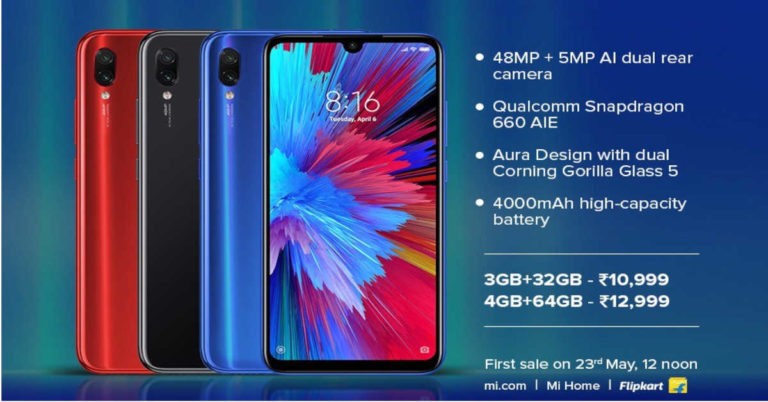
Xiaomi’s recently launched smartphone – Redmi Note 7S – has gone on open sale in India today. The smartphone comes with a 48MP camera and was unveiled by the Chinese handset maker last week.
The device went on sale twice in the country on May 23 and then on May 29. The Redmi Note 7S is basically the rebranded version of the Redmi Note 7 smartphone. Here are the price and sale details of the Redmi Note 7S smartphone that you should know:
Redmi Note 7S price and sale in India
The Redmi Note 7S smartphone is available in two storage variants in India – one with 3GB RAM and 32GB storage, and the other with 4GB RAM and 64GB storage. The handset is now available via open sale on Flipkart, Mi.com and Mi Home Stores. The company announced about the device going on open sale in India via a tweet yesterday. As we mentioned earlier, the new smartphone from Redmi has already gone on sale twice in India. Its first sale was on May 23 and the second one was on May 29. The smartphone lies in between the Redmi Note 7 Pro and Note 7 in terms of price and specifications. However, the company announced soon after the launch of the smartphone that it will be discontinuing the Redmo Note 7 in India.Redmi Note 7S specifications
The Redmi Note 7S smartphone has support for dual SIM cards and it runs Android 9.0 Pie skinned with MIUI 10. The handset features a 6.3-inch full-HD+ (1080×2340 pixels) Dot Notch display that has an aspect ratio of 19.5:9. Powered by an octa-core Qualcomm Snapdragon 660 SoC, the Redmi Note 7S smartphone comes with up to 4GB of RAM and has up to 64GB of internal storage. For imaging duties, the Redmi Note 7S sports a dual rear camera setup that comprises of a 48MP primary sensor that has an f/1.8 aperture clubbed with a 5MP secondary sensor. The handset even has a 13MP sensor on its front panel that has support for AI Portrait mode and AI Face unlock. The smartphone can hold a microSD card of up to 256GB and for connectivity, it comes with 4G VoLTE, Wi-Fi, Bluetooth v5.0, GPS, USB Type-C port, and a 3.5mm headphone jack. Sensors on the Redmi Note 7S include an accelerometer, electronic compass, ambient light sensor, distance sensor, fingerprint sensor, and an infrared sensor. The smartphone houses a 4,000mAh battery that has support for Quick Charge 4 fast-charging technology. For the latest gadget and tech news, and gadget reviews, follow us on Twitter, Facebook and Instagram. For newest tech & gadget videos subscribe to our YouTube Channel. You can also stay up to date using the Gadget Bridge Android App.Samsung Galaxy Note 10 to go ‘buttonless’; will ditch the headphone jack: Report
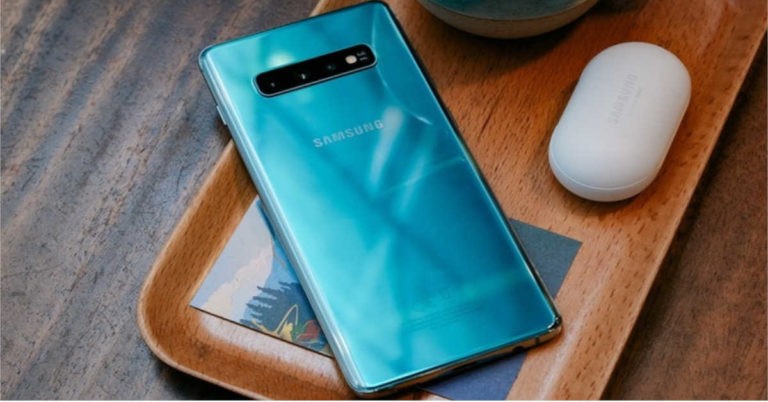
Every year, right after the launch of Samsung Galaxy S smartphones, the news about its handset from the Galaxy Note series starts pouring in. This year is no different. The latest news about the 10th anniversary Galaxy Note may not be something that you wish to hear. According to a report, the South Korean technology giant is planning to not add the headphone jack in Samsung Galaxy Note 10.
The report, which first surfaced on Android Police, says that Samsung is planning to launch two sizes for the Galaxy Note 10. While one will be a regular variant of the Galaxy Note 10, the other will be slightly smaller as compared to usual Galaxy Note phablets. The smaller variant would come without a 3.5mm headphone jack and any kind of physical buttons including Power, Volume, and Bixby.
Instead, the handset will come with capacitive or touch-sensitive textured areas, which are speculated to be similar to the power button/fingerprint scanner on Samsung Galaxy S10E. We should mention that this is in line with previous rumours that suggested that Samsung is looking to completely eliminate buttons on its Galaxy Note 10.
While removing buttons may not be a big problem as Samsung has always tried to make all aspects of its smartphones more unibody, but eliminating the headphone jack may not be a very welcome move. Moreover, it may not be appreciated as Samsung has always touted to retain the feature against its competitors. If Samsung plans to retain the stylus in this Galaxy Note 10 model, it will have to keep the slot to keep the S Pen too.
However, since the launch of Samsung Galaxy Note 10 is months away right now, these rumours should not be taken too seriously. As we get closer to the launch, we will get a clearer picture of what to expect from the upcoming phablet.
In an unrelated piece of news, it has been reported that while the top-end variant of the Samsung Galaxy Note 10 will house a 4,500mAh battery, the watered-down model will pack a 3,400mAh battery. It has also been reported that both the variants of the Samsung Galaxy Note 10 sport a single front-facing camera that will be placed in a punch-hole setup, just like the ones on the Galaxy S10-series.
But then, as we mentioned earlier, all of these must be taken with a pinch of salt as there are many months remaining for the launch of the handset.
For the latest gadget and tech news, and gadget reviews, follow us on Twitter, Facebook and Instagram. For newest tech & gadget videos subscribe to our YouTube Channel. You can also stay up to date using the Gadget Bridge Android App.
How to fix the USB drive format error message in Windows

USB Drives are one of the wonders of modern technology, as they are a way for the users to carry a large amount of data. They can store a good number of movies, data, files, songs and videos in spite of the fact that they are even smaller than our finger. Earlier, they were limited to 32GB or 64GB of USB devices but now with the advancement of technology, the USB devices come with all storage options.
But since it is a piece of technology, it comes with its own fair share of problems. The most common problems the USB drives face with is the error messages which renders the device unreadable and unwritable. Here are the steps by which you can check for errors on your USB drive:
Checking the error via Windows built-in error checking utility tool:
- Open File Explorer and then right click on the USB Drive.
- Select ‘Properties’ from the list of options.
- Go to ‘Tools’ and then click on ‘Check Now’ under the error checking.
- After that, you need to choose from the option ‘Automatically fix file system errors’ or ‘Scan for and attempt recovery of bad sectors’. Once selected, you can click on ‘Start’.
- The tool will then start checking for errors and remove them automatically.
Using Command Prompt to check and fix the errors:
- Insert the USB drive to your laptop/ PC.
- Then open Command Prompt from the ‘Windows Home’ button or you can simply type ‘cmd’ in the search bar beside the Home icon to bring the Command Prompt. Open the Command Prompt as an administrator.
- After it opens, write ‘diskpart’ and click Enter.
- Then type ‘list disk’ and press Enter, it will show all the list connected devices with your PC.
- You will need to write down the disk number of your USB drive. After that type ‘select disk disk_number’.
- You will need to replace the ‘disk_number’ with the number of the USB drive. Once it is done, press Enter.
- Then type ‘clean’ and press Enter.
- Your USB drive will start cleaning.
Update the USB Driver:
- Open the Run dialog box on the PC by pressing the Windows key + R at the same time.
- Once the dialog box opens, type devmgmt.msc then press Enter.
- Once the Device Manager opens, you need to find and expand the Universal Serial Bus Controllers.
- After this, you need to look for Unknown Devices and then right click on it then click on Properties.
- Once the next window opens, click on the ‘Update Driver’ and select the option ‘Search for updates automatically’.
- It will search for the newest version of the USB driver and will automatically install on your PC/ laptop.
For the latest gadget and tech news, and gadget reviews, follow us on Twitter, Facebook and Instagram. For newest tech & gadget videos subscribe to our YouTube Channel. You can also stay up to date using the Gadget Bridge Android App.