Making a collage is one of the best ways to liven up your social media feed, or even preserve a memory. You can even make one to send birthday wishes to a friend or just mark a personal occasion by stitching together the photos from that memory. Today, we show you the best ways to make a collage on Android.Read Also:A complete guide on how to use Zoom and change its layout
In This Article
Make a collage using the Photos app
Step 1: Open the Google Photos app on your phone.Step 2: Select ‘Library’ from the bottom menu.Step 3: Tap on ‘Utilities’.Step 4: Select ‘Collage’ under the Create New section.Step 5: Select the images you want to put in your collage.Step 6: Google Photos will create a collage for you.While this may be the easiest way to make a collage, Google Photos doesn’t let you select the layout or make any further edits. To get more control over the collage you’re creating, use one of the specialised collage apps.
Make a collage using Collage Maker by Inshot
Collage Maker by Inshot gives you greater control over the collage you’re making. You can combine up to 20 photos to make a collage and choose from more than 300 layouts, photo frames, and grids. On top of that, you can even customise the background and add text and other animations over the collage. Collage Maker by Inshot saves your pictures in high resolution and also gives you the option to share your freshly made collage directly to Facebook and other social media.
Make a collage using Layout from Instagram: Collage
Layout from Instagram: Collage is an app developed by Instagram for users to make exciting collages. This intuitive app lets you select up to 9 images at once to make fun, personalised collages. Layout from Instagram saves the collages in your phone gallery. You do not need to sign in to use it.Read Also:Instagram Tips & Tricks – Making an Account for Your PetThese are the best ways to make a collage on Android. While Google Photos is the easiest way to make a collage without downloading any app, it does not offer any creative control to the user. You can find a ton of apps on the Play Store, apart from the ones listed above, that have their own unique features which make the process of collage-making fun and exciting. If you have a favourite app to make collages, let us know in the comments!
For the latest gadget and tech news, and gadget reviews, follow us on Twitter, Facebook and Instagram. For newest tech & gadget videos subscribe to our YouTube Channel. You can also stay up to date using the Gadget Bridge Android App. You can find the latest car and bike news here.
Garena Free Fire is a battle royale game with regular awards and tournaments to keep players interested. If you play Garena Free Fire, you should be aware of the redeem codes that are released on a daily basis. However, because the battle royale game is banned in India, players from other countries can use the Free Fire Redeem codes daily. If you’re unfamiliar with the Garena Free Fire redeem codes or don’t know how to get them, we’ve put together a step-by-step guide to help you redeem them. Check out Garena Free Fire Redeem Codes for July 7.The Free Fire redeem codes are a great way to get free stuff. These are 12-digit codes that contain alphabets and numbers, as well as an expiration date and time. Because the Garena FF redeem codes cannot be used more than once, you should hurry to the redemption page to claim your free reward before someone else does. To get a free reward, all you have to do is go to reward.ff.garena.com/en, which is the official redemption page. Also, keep an eye on this space for daily updates on Garena Free Fire redemption codes and rewards.
In This Article
Garena Free Fire Redeem Codes Today 7 July 2022
FQX1-FT2Q-S3WS
AD2Q-FG8I-H3EI
RGY1-TG4F-VBE4
JI56-Y9HI-8UBJ
FY87-HYBT-VGFC
VXSB-EN4K-56I9
Y8H7-B6V5-C4XS
3EAW-QSD2-CV3G
TER5-F43E-SWAS
WEYVGQC3CT8Q
GCNVA2PDRGRZ
J3ZKQ57Z2P2P
B3G7A22TWDR7X
3IBBMSL7AK8G
8F3QZKNTLWBZ
SARG886AV5GR
X99TK56XDJ4X
4ST1ZTBE2RP9
FF7MUY4ME6SC
FJK8-SL6W-Q203
9ER8-FG7H-BYU4
JVK9-DS2W-QJ2U
Y54E-RF3G-BE4E
F6C5-X4SA-3QWE
2DF3-GHRT-UG76
5FD4-SQED-2FV3
B4J5-TIY8-H765
DR8S-F2VB-N4J5
KTIY-8H76-B8V5
CDRS-F5EV-456I
FH3R-NF1B-VD8S
A52E-Q12Q-6E3D
SCX4-VB21-HD85
EY64-5RF3-GB7D
GD8H-JEUI-84I7
6TRG-FBH4-NJCK
IX8S-765Y-4QE2
DCV3-BH4E-JRFI
G6VT-5RSF-AV7W
BG4N-EJ4K-5L6O
Y9H8-7GY6-FT8D
GEF8-B4N5-M6YK
UOJ8-7B6F-5DRE
F4G5-TYH9-KJU7
How to Get Free Fire Redeem Codes for Garena on July 7?
Popular television brand Hisense has announced the launch of a new laser TV in India. The company has launched Hisense 120L9G Laser TV with the industry-first largest ALR screen of 120 inches. The laser TV also offers 3000 lumens brightness and 4K UHD picture quality images. Moreover, there are Dolby Atmos-supported 40W speakers.
In This Article
Hisense 120L9G Laser TV price in India and availability
The Hisense 120L9G Laser TV is priced at Rs 4,99,999 in India. The new device is now available for purchase via Amazon. For a limited time, the Hisense 120L9G Laser TV will come with a 3-year full warranty and a 4K Fire TV Stick Max as part of an introductory launch promotion on Amazon. Special experience zones at select Croma stores in Delhi and Mumbai from July end.
Hisense 120L9G Laser TV features
Hisense 120L9G Laser TV comes with a 120-inch ALR cinema screen. The laser TV has wide viewing angles and superb colour fidelity are features of the ALR cinema screen. It offers 3000-lumen brightness. Dolby Atmos audio surrounds the listener’s senses in unmatched strength and clarity thanks to its 40-watt front-firing built-in speakers.The Hisense 120-inch Laser TV offers a Wide Color Gamut, Smooth Motion for Sports, Filmmaker Mode, and TUV-certified Blue Light Technology to Reduce Blue Light Emission to Protect the Eyes During Long Hours of Viewing.The L9G Laser TV casts a large 120-inch image in magnificent 4K resolution when placed even only 30 cm from the wall thanks to 4K Ultra-Short Throw Technology. The L9G achieves new levels of colour performance, achieving 107 percent of the BT.2020 colour gamut, using the world’s first triple colour laser technology, known as the TriChrom Laser Engine.As per the business the Digital Micromirror Device reacts to motion faster than LED or OLED and produces smoother motion than any other display technology. MEMC Technology also makes a contribution, enhancing how smoothly fast-action unfolds in games, movies, and sports.Texas Instruments-powered DLP technology is also included. Now available at home, the projection technology provides laser-focused detail in 90% of movie theatres worldwide. With X-Fusion laser light technology, you can have fun for up to 25,000 hours. The L9G has a proximity sensor that, when a moving object is within 50 cm of the laser light source, lowers its brightness to protect your eyes.With Alexa already embedded into the Hisense Laser TV, customers can easily connect to other IoT devices for the smart home and use the voice remote to immediately search for content.
For the latest gadget and tech news, and gadget reviews, follow us on Twitter, Facebook and Instagram. For newest tech & gadget videos subscribe to our YouTube Channel. You can also stay up to date using the Gadget Bridge Android App. You can find the latest car and bike news here.
Get ready to participate in the 7 July Amazon Quiz, as it is live on its mobile platform. In today’s quiz participants have a chance to win Rs 1,000 Amazon Pay Balance by answering all the questions correctly. The quiz can be played every day from 12 AM to 11:59. Check Out Amazon Quiz Answers Today 7 July 2022.The daily quiz conducted by the company brings an opportunity for the customers to win exciting prizes. Every day Amazon brings a fresh set of questions for its customers that contains five easy questions. The questionnaire consists of five questions related to general knowledge and current affairs.The participants need to answer all the questions correctly and their names will be selected for a lucky draw. The winner will be announced at the end of the month. Amazon quiz brings an opportunity for its customers to win Amazon Pay Balance ranging from Rs 1,000 to Rs 50,000. Only app users are eligible to participate in the Quiz as it is not accessible on the web platform.Amazon Quiz Today Prize – Rs 1,000 Amazon Pay BalanceQuiz Date – 7 July 2022Daily Timing – 12 AM to 11:59 PMWinner Announcement – Today 12 PM
In This Article
Amazon Quiz Answers Today 7 July 2022
Question 1: Which team did India defeat in the final to win the 2022 Thomas Cup in badminton?
Answer: IndonesiaQuestion 2: The Centre’s recent recruitment scheme for Indian youth to serve in the armed forces, shares its name with which movie?Answer: AgnipathQuestion 3: At the 2022 Skytrax World Airport Awards, an airport in which city bagged the best regional airport in India and South Asia award?Answer: BengaluruQuestion 4: In which European country is this location located?Answer: SwitzerlandQuestion 5: What is the profession of this famous comic book character?Answer: Reporter
How To Play Amazon Quiz
Only app users are eligible to play the Amazon quiz every morning from 12 AM to 11:59 PM. The quiz is not available on the desktop. For those who are unaware of how to play the Amazon quiz below are the steps, you can follow to take the quiz.
Firstly download the Amazon app from Google Play Store or App Store
Now fill in the required information through the Sign Up option.
You need to log in to the Amazon app and scroll down on the home screen to find the Amazon Quiz banner.
Tap on the Amazon Quiz banner and tap on the Start button to start the Quiz.
Now you will get 5 questions and you need to answer them correctly. One wrong answer will eliminate you from the Quiz.
After answering all the questions correctly you are now eligible for a Lucky Draw.
The winner’s name will be announced today at 12 PM.
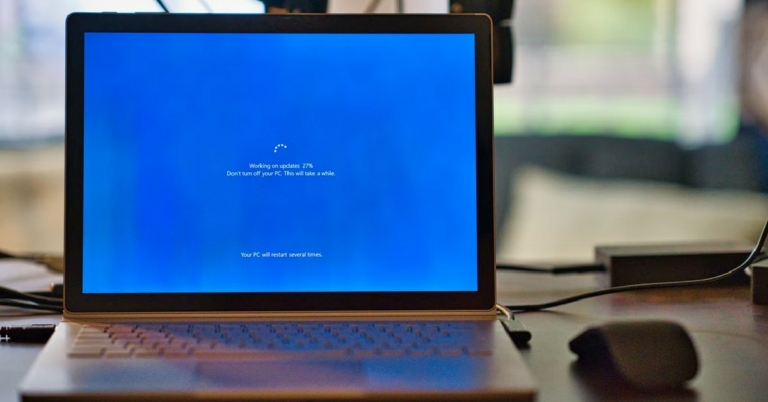
Sometimes Windows users come across a very weird issue where they aren’t able to shut down their laptop or PC. In such cases, the operating system gets stuck on the shutting down screen. It can get quite confusing since there isn’t a lot you can do other than wait. Luckily, there are a few workarounds to this issue. Today, we show you the top 5 easy ways to fix Windows 10 when it gets stuck on shutting down screen.Read Also:What Does ‘Lock the Taskbar’ Mean in Windows?
In This Article
Update Windows OS
Step 1: Open Settings>Update and Security.Step 2: Click on ‘Check for Updates’.Step 3: Install any available updates and restart your computer.
Shut Down Background Apps and Processes
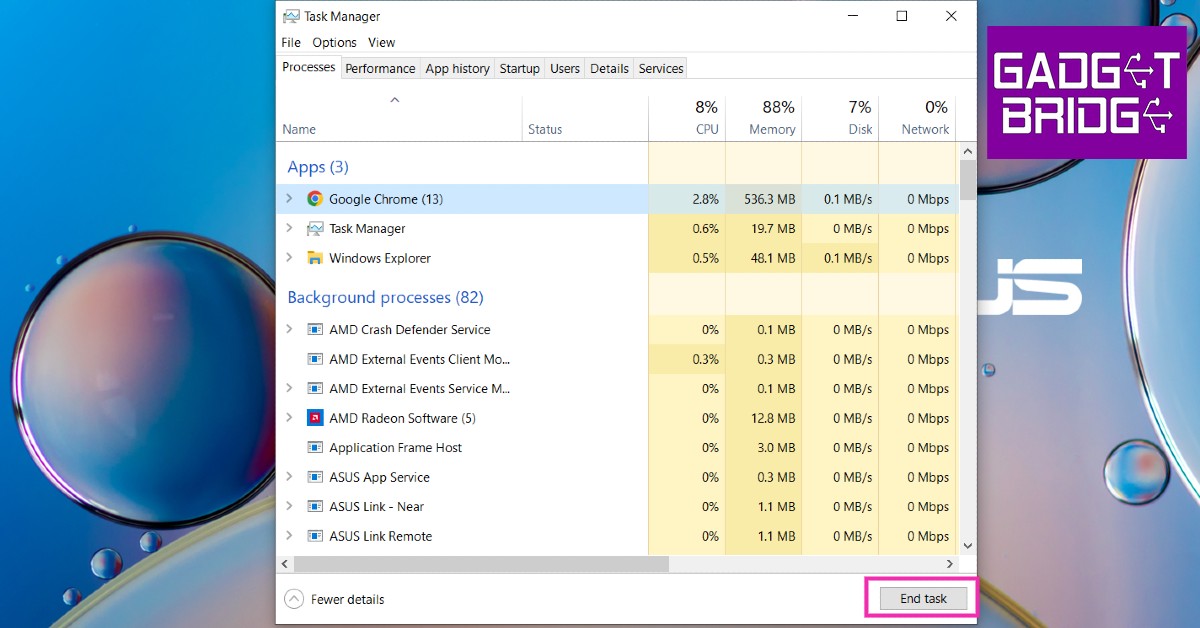
Step 1: Press Ctrl+Shift+Esc to open the Windows Task Manager.Step 2: Close any working apps.Step 3: Shut down your system.Windows takes a long time to close background apps when you initiate a shutdown. If you close all apps before shutting down, Windows will not get stuck on the shutting down screen.
Force Shutdown
If you’re stuck on the shutdown screen and nothing seems to work, you can perform a force shutdown. Press the power button for a few seconds until the system shuts itself.
Turn off Fast Startup
Fast startup puts your PC in advanced hibernation whenever you shut it down. This decreases the boot time whenever you turn it on again. Fast startup is known to have some compatibility issues and can be the cause of Windows getting stuck on shutting down screen.Step 1: Go to Control Panel>Power Options.Step 2: Select ‘What the Power Buttons do’.Step 3: Select ‘Change Settings that are Currently Unavailable’.Step 4: Uncheck the box that says ‘Turn on fast startup’ and apply changes.
Control Startup Apps
Your computer has a certain number of apps that start as soon as your turn on your PC. These apps may be preventing your computer from shutting down.Step 1: Open Windows Task Manager.Step 2: Go to the ‘Startup’ tab.Step 3: Disable any apps running in the background.Read Also:Golden Era of Gaming and NostalgiaFollowing these steps will help you fix Windows 10 when it gets stuck on the shutting down screen. You can also try troubleshooting by going to Settings and searching for ‘troubleshoot power’. If everything fails, you should take your device to a professional repair centre for further diagnosis.
For the latest gadget and tech news, and gadget reviews, follow us on Twitter, Facebook and Instagram. For newest tech & gadget videos subscribe to our YouTube Channel. You can also stay up to date using the Gadget Bridge Android App. You can find the latest car and bike news here.
You may not know this but the taskbar at the bottom of your screen is highly customisable. You can use it for more than just selecting your apps and checking the time. It can be personalised in many ways – you can change the size and colour, pin your favourite apps, move it somewhere else on the screen, and rearrange or resize taskbar buttons. In this article, we will show you what ‘lock the taskbar’ means in Windows.Read Also:6 steps that help you access error-free Microsoft Store
What does ‘lock the taskbar’ do?
If you want to change the way your taskbar looks, you can personalise it according to your liking. If you feel like increasing the size, simply bring your cursor to the edge of the taskbar and drag it upwards until you find the right size.If you wanna move the taskbar to somewhere else on the screen, go to Settings>Personalisation>Taskbar and select ‘Taskbar location on screen’. You will be given several options to choose from.If you want to pin any app to the taskbar, simply search for it in the search bar, then right-click on the app icon and select ‘Pin to taskbar’.After you’ve made all the changes, you can ‘lock the taskbar’. Locking the taskbar prevents any further changes from being made to your taskbar. You can still access all its functionalities, but you cannot add or remove anything to it. You also won’t be able to resize or change the position of the taskbar once it’s locked. You can lock the taskbar by simply right-clicking anywhere on the taskbar and selecting ‘lock the taskbar’.Read Also:5 Useful Gadgets under Rs 4000 for Work From HomeYou can look for other customisation options in the Personalisation window of the taskbar. You can even hide the taskbar, making it invisible unless you hover your cursor over it. You can also lock the taskbar by going to Settings>Personalisation>Taskbar>Lock the taskbar.
For the latest gadget and tech news, and gadget reviews, follow us on Twitter, Facebook and Instagram. For newest tech & gadget videos subscribe to our YouTube Channel. You can also stay up to date using the Gadget Bridge Android App. You can find the latest car and bike news here.
The Redmi K50i 5G launch has been scheduled for July 20 in India. Besides confirming the India launch date, the company has not yet revealed much about the upcoming smartphone. The smartphone has, however, already been mentioned in a number of leaks and rumours. According to a tip, the Redmi K50i 5G could be a Redmi Note 11T Pro that has been given a new name. The phone also apparently appeared on the Bureau of Indian Standards (BIS) certification website a few days after the firm teased the Redmi K series.Redmi has formally announced that the Redmi K50i is going to launch in India on July 20. Other details like pricing, specifications and availability are yet to be disclosed. According to a rumour, the Redmi K50i 5G will start selling on July 22. According to the source, there will be two variations of the phone, with the standard model featuring 6GB of RAM and 128GB of storage. The most advanced model is anticipated to include 8GB of RAM and 256GB of storage.The smartphone is rumoured to be available in Phantom Blue, Stealth Black, and Quick Silver colour variants.Given that the Redmi K50i 5G is thought to be a rebranded Redmi Note 11T Pro which was launched in China in May, they ought to have comparable features. It might come equipped with a 6.6-inch full-HD+ IPS screen that supports Dolby Vision and refreshes at 144 Hz. It may be powered by MediaTek Dimensity 8100 SoC.The Redmi K50i might include a 64-megapixel primary sensor, an 8-megapixel primary sensor, and a 2-megapixel secondary sensor. A 16-megapixel camera could be added to the front.Moreover, the Redmi K50i might have a 5,080mAh battery that can enable fast charging at up to 67W.According to reports, the Redmi K50i has been found on the Bureau of Indian Standards (BIS) certification website previously. A smartphone with the product number 22041216I was given by tipster Mukul Sharma, and it is thought to be the Redmi K50i, an alleged Indian version of the Redmi Note 11T Pro. Notably, the Poco X4 GT is allegedly the Redmi Note 11T Pro’s global variant.
For the latest gadget and tech news, and gadget reviews, follow us on Twitter, Facebook and Instagram. For newest tech & gadget videos subscribe to our YouTube Channel. You can also stay up to date using the Gadget Bridge Android App. You can find the latest car and bike news here.
Following the pandemic in 2020, working from home has become a permanent fixture in the life of most people. And as most have realised, you can’t function with just a single laptop. There is a wide range of gadgets and accessories that will make your work considerably easier. Today, we bring you 10 useful gadgets under Rs 4000 for work from home.Read Also:Microsoft Surface Laptop Go 2 goes on sale in India
In This Article
Boat Rockerz 450 Headphones
A good pair of headphones is essential to working remotely, especially if you’re surrounded by family and have to constantly take calls from work. The Boat Rockerz 450 offer up to 15 hours of playback time on a single charge. The 40mm dynamic drivers provide an immersive HD audio experience. The light design and well-padded ear cushions provide maximum comfort with little stress on hours of usage. Boat Rockerz 450 can be connected via Bluetooth as well as an aux cable if you run out of charge. It also comes with an in-built microphone, making it an essential commodity if you’re working from home.Buy on Amazon at Rs 1,499.
Dell Multi-Device Wireless Mouse: MS5320W
People who work on laptops often miss the simplicity and ease of using a mouse. While the touchpad is perfect to scroll pages, a mouse really saves time when working on heavy tasks like editing.The Dell multi-mouse works seamlessly on any device. It comes with Bluetooth 5.0 and a 2.4Ghz wireless connection, allowing you to switch easily between devices. It is compatible with Windows, Linux, Mac, Android and many more platforms.Buy on Amazon at Rs 2,530.
Soundfire Wireless Charging Mousepad
The wireless charging mousepad by Soundfire is bound to enhance your workstation. This nifty device acts as a wireless charger, a wireless speaker, and a mousepad. With its streamlined design and compact size, the pad makes for a practical and stylish accessory to efficiently meet your essential needs.The device is lightweight and the compact size allows easy portability. Its wireless structure eliminates the need for multiple devices and helps you maintain an organised and tidy arrangement on your desk.Buy on Amazon at Rs 2,699.
Portronics Multi-Port Adapter
If you need to connect multiple devices to your laptop, it is possible to run out of ports. Even if there are some ports available, they may get blocked out by the cables from other devices. A multiport adapter is a lifesaver in situations like this. While looking for a multiport adapter you should know what devices you regularly link to your laptop, so you have an idea of the kinds of ports you want in your adapter.We suggest Portronics MPORT 31C 4-in-1 USB Hub.Buy on Amazon at Rs 529.
Seagate External Hard Drive
If your work involves storing large volumes of data, an external hard drive immediately becomes a necessary buy. Over the years, external hard drives have become relatively cheap and it’s very easy to find one in your budget. You can browse several external hard drives from a bunch of producers, depending on the storage size you want.We recommend the Seagate Expansion 1TB External HDD.Buy on Amazon at Rs 3,999.
STRIFF Adjustable Laptop Stand
At just Rs 349, this table stand for your laptop is a must-buy. Portable and lightweight, the body of this adjustable stand is made entirely out of plastic but is capable of bearing up to 25kg of load. With several adjustable positions and convenient cutouts, the stand provides proper ventilation for your laptop. There are 7 adjustable height options to choose from, so you’re never out of viewing angles. There’s also an added accessory that lets you mount your phone next to your laptop. This affordable laptop stand will change your work-from-home experience immediately.
Buy on Amazon at Rs 349.
Smartphone clip for laptop
If your work requires you to check your phone at all times, you’re gonna love this accessory. This side mount clip attaches itself to the lid of your laptop and uses magnets to hold your smartphone on the other end. It goes without saying, but your smartphone must have MagSafe to use this accessory. Once you fix your smartphone on the stand, you can use it side by side with your laptop.
Buy on Amazon at Rs 2,795.
Spigen Essential Wireless Charger
Wireless charging may not be for everyone but there’s no denying that everything is better with fewer cables. If your phone is mostly lying around your desk while you work, you might as well get a wireless charger to keep it juiced at all times. Spigen’s essential wireless charger fits the bill perfectly. This device can charge your phone at 15W, which is as good as it gets for wireless charging. The minimal, neat design makes it a nice fixture on any desk.
Buy on Amazon at Rs 969.
D-Link Portable Mini UPS
There’s nothing more annoying than a power outage during an important work meeting. While your laptop may not always rely on a power outlet, the same cannot be said for the Wi-Fi router. A reliable Internet connection is crucial if you’re going to be working from home. The solution to this issue is easy and affordable. D-Link’s DPS-FU1211 Portable Mini UPS attaches itself to your home router and provides emergency backup in case of a power outage. The best part about this device is that it seamlessly switches from the main power supply to the emergency backup without letting the router turn off for even a moment. Read our full review here.
Buy on Amazon at Rs 1,700.
Tygot 10” Ring Light
If your work involves taking several meetings across the day, you should look into investing in a portable ring light. You will immediately notice the change that good lighting can bring to the image quality. The Tygot 10″ ring light comes with all the essential features like adjustable colour temperature from 3400K to 5600K, 3 lighting modes, 9 brightness levels, and a 360-degree rotating smartphone holder.
Buy on Amazon at Rs 649.
Read Also:Top 5 gaming mouse pads for every type of gamer
Two new mechanical keyboards from Logitech and an ergonomic mouse have been added to the Master Series in India. The company has introduced Logitech MX Mechanical and MX Mechanical Mini. The smaller version of the full-size MX Mechanical keyboard is called the MX Mechanical Mini keyboard. The MX Master 3S mouse is an updated model of the original MX Master 3.
In This Article
Logitech MX Mechanical, MX Mechanical Mini specifications
Both Logitech MX Mechanical and MX Mechanical Mini come with a 10-metre wireless range and an easy-switch feature. It lets users connect up to three devices simultaneously. The Logitech Logi Bolt USB receiver, which is exclusive to them, or Bluetooth can be used to connect the keyboards. Additionally compatible with MX Palm Rest is the full-sized MX Mechanical. The keyboards have keycaps with two colours and intelligent illumination with six different lighting settings. The keyboards have a USB Type-C charging port and are advertised as having a battery life of up to 15 days, or 10 months if the multicoloured backlighting is turned off. In order to conserve energy, the backlight automatically adjusts brightness for ambient light and shuts off when not in use. With Windows, macOS, iPadOS, Android, Chrome OS, and Linux, both keyboards are compatible.
Logitech MX Master 3S specifications
The MX Master 3S has an optical sensor with 8,000 dots per inch that can even track on glass. Additionally, it contains an electromagnet wheel called MagSpeed that can scroll through 1,000 lines per second. A side scroll is included with the mouse to allow for horizontal movement. The Logi Options programme is also included with the mouse for customization.
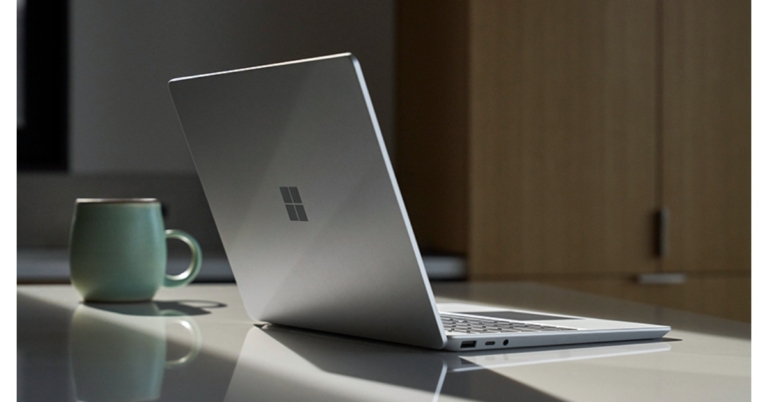
Microsoft India announced that the new Surface Laptop Go 2 is now available for purchase in India. The device has a quad-core 11th Gen Intel Core i5 processor powers the laptop. Along with a 12.4-inch PixelSense touch screen, twin far-field Studio Mics, Omnisonic speakers with Dolby Atmos Premium, and a 720p front-facing camera, the Surface Laptop Go 2 has all of these features. The new Surface Laptop will be accessible through retail and online partners including Amazon.in and Reliance Digital as well as commercially approved resellers.
In This Article
Microsoft Surface Laptop Go 2 price in India and availability
The cost of the Microsoft Surface Laptop Go 2 in India starts at Rs 73,999 for the 8GB RAM with 128GB storage model whereas the price of the 8GB RAM with 256GB storage model is set at Rs 80,999.For enterprises, the costs of the Surface Laptop Go 2’s 4GB RAM with 128GB storage variant is set at Rs 79,090. The 8GB RAM with 128GB storage, 8GB RAM with 256GB storage is priced at Rs 85,590 and Rs 91,690 respectively. Lastly the 16GB RAM with 256GB storage option comes at Rs 1,04,590. The Platinum-colored Microsoft Surface Laptop Go 2 is available for purchase from online retailers like Amazon and Reliance Digital as well as other online and brick-and-mortar shops.
Microsoft Surface Laptop Go 2 specifications
The Microsoft Surface Laptop Go 2 laptop has a 12.4-inch PixelSense Display with a 1,536 x 1,024 pixels of resolution. It has an enhanced HD camera and twin Studio Mics. With 30% greater key travel than a MacBook Air. The Microsoft laptop includes an ambient light sensor, two far-field Studio Mics, Omnisonic speakers with Dolby Atmos Premium, and a 720p front-facing camera.The laptop is powered by a Quad-core 11th Gen Intel Core i5 processor and houses Intel Iris Xe Graphics. Storage options for the Microsoft Surface Laptop Go 2 include up to 256GB of SSD storage and 4GB or 8GB of LPDDR4x RAM.A USB Type-A port, a USC Type-C port, and a 3.5 mm headphone jack are just a few of the connectivity options available on the laptop. Both Bluetooth v5.1 and Wi-Fi 6 are supported by the laptop.With regular device usage, the Surface Laptop Go 2 with the Intel Core i5 processor is said to have a battery life of up to 13.5 hours. A 39W Power Supply adaptor is also included.
For the latest gadget and tech news, and gadget reviews, follow us on Twitter, Facebook and Instagram. For newest tech & gadget videos subscribe to our YouTube Channel. You can also stay up to date using the Gadget Bridge Android App. You can find the latest car and bike news here.



 Step 4: Select ‘Collage’ under the Create New section.
 Step 5: Select the images you want to put in your collage.
 Step 6: Google Photos will create a collage for you.
 While this may be the easiest way to make a collage, Google Photos doesn’t let you select the layout or make any further edits. To get more control over the collage you’re creating, use one of the specialised collage apps.
 Collage Maker by Inshot gives you greater control over the collage you’re making. You can combine up to 20 photos to make a collage and choose from more than 300 layouts, photo frames, and grids. On top of that, you can even customise the background and add text and other animations over the collage.
Collage Maker by Inshot saves your pictures in high resolution and also gives you the option to share your freshly made collage directly to Facebook and other social media.
Collage Maker by Inshot gives you greater control over the collage you’re making. You can combine up to 20 photos to make a collage and choose from more than 300 layouts, photo frames, and grids. On top of that, you can even customise the background and add text and other animations over the collage.
Collage Maker by Inshot saves your pictures in high resolution and also gives you the option to share your freshly made collage directly to Facebook and other social media.
 Layout from Instagram: Collage is an app developed by Instagram for users to make exciting collages. This intuitive app lets you select up to 9 images at once to make fun, personalised collages. Layout from Instagram saves the collages in your phone gallery. You do not need to sign in to use it.
Read Also: Instagram Tips & Tricks – Making an Account for Your Pet
These are the best ways to make a collage on Android. While Google Photos is the easiest way to make a collage without downloading any app, it does not offer any creative control to the user. You can find a ton of apps on the Play Store, apart from the ones listed above, that have their own unique features which make the process of collage-making fun and exciting. If you have a favourite app to make collages, let us know in the comments!
For the latest gadget and tech news, and gadget reviews, follow us on Twitter, Facebook and Instagram. For newest tech & gadget videos subscribe to our YouTube Channel. You can also stay up to date using the Gadget Bridge Android App. You can find the latest car and bike news here.
Layout from Instagram: Collage is an app developed by Instagram for users to make exciting collages. This intuitive app lets you select up to 9 images at once to make fun, personalised collages. Layout from Instagram saves the collages in your phone gallery. You do not need to sign in to use it.
Read Also: Instagram Tips & Tricks – Making an Account for Your Pet
These are the best ways to make a collage on Android. While Google Photos is the easiest way to make a collage without downloading any app, it does not offer any creative control to the user. You can find a ton of apps on the Play Store, apart from the ones listed above, that have their own unique features which make the process of collage-making fun and exciting. If you have a favourite app to make collages, let us know in the comments!
For the latest gadget and tech news, and gadget reviews, follow us on Twitter, Facebook and Instagram. For newest tech & gadget videos subscribe to our YouTube Channel. You can also stay up to date using the Gadget Bridge Android App. You can find the latest car and bike news here. 



 Step 3:
 Step 3:
 Step 3:
 Step 4:




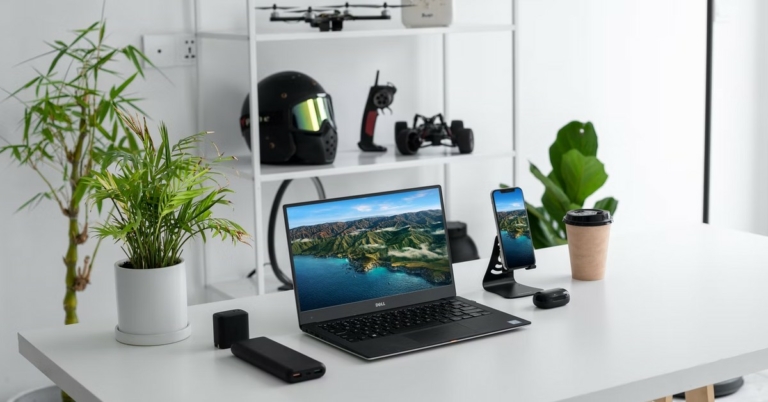


 At just Rs 349, this table stand for your laptop is a must-buy. Portable and lightweight, the body of this adjustable stand is made entirely out of plastic but is capable of bearing up to 25kg of load. With several adjustable positions and convenient cutouts, the stand provides proper ventilation for your laptop. There are 7 adjustable height options to choose from, so you’re never out of viewing angles. There’s also an added accessory that lets you mount your phone next to your laptop. This affordable laptop stand will change your work-from-home experience immediately.
 If your work requires you to check your phone at all times, you’re gonna love this accessory. This side mount clip attaches itself to the lid of your laptop and uses magnets to hold your smartphone on the other end. It goes without saying, but your smartphone must have MagSafe to use this accessory. Once you fix your smartphone on the stand, you can use it side by side with your laptop.
 Wireless charging may not be for everyone but there’s no denying that everything is better with fewer cables. If your phone is mostly lying around your desk while you work, you might as well get a wireless charger to keep it juiced at all times. Spigen’s essential wireless charger fits the bill perfectly. This device can charge your phone at 15W, which is as good as it gets for wireless charging. The minimal, neat design makes it a nice fixture on any desk.
 There’s nothing more annoying than a power outage during an important work meeting. While your laptop may not always rely on a power outlet, the same cannot be said for the Wi-Fi router. A reliable Internet connection is crucial if you’re going to be working from home. The solution to this issue is easy and affordable. D-Link’s DPS-FU1211 Portable Mini UPS attaches itself to your home router and provides emergency backup in case of a power outage. The best part about this device is that it seamlessly switches from the main power supply to the emergency backup without letting the router turn off for even a moment. Read our full review
  If your work involves taking several meetings across the day, you should look into investing in a portable