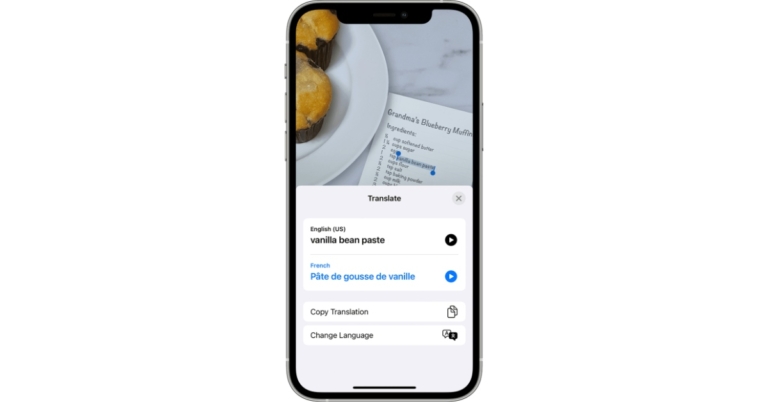
Meta has brought the ‘Sharing to Reels’ feature to the Reels on Facebook. The new Reels feature is a new way for developers to make it simple for people to share videos directly to Facebook. This functionality will help people grow and reach new audiences and third-party apps can be used to upload videos to Facebook Reels.Facebook is allowing people to share short-form videos directly to Facebook is made easier by enabling Sharing to Reels. As per the Meta owned social media app third party apps will have a Reels button once the integration is complete. This will allow users to share short videos and then customise them with Reels editing tools such as audio, text, effects, captions, and stickers. Rather than downloading and uploading videos later, they can now create and share videos with a single click.While announcing the Sharing to Reels on Facebook the company said, “Reels is our fastest-growing content format, now available in more than 150 countries across the globe. We’re focused on making Reels the best way for creators to get discovered, connect with their audience and earn money. We also want to make it fun and easy for people to find and share relevant and entertaining content.”People will be able to find Reels based on their interests and what’s trending at the top of Feed, in the Watch Tab, in Stories, and in Groups, among other places.Anyone can make a reel on Facebook and become a global creator, or simply share it with friends and family. Audio, augmented reality effects, captions with hashtags, and tags for other accounts are all possible additions to reels. When someone uploads their reel to Facebook from a third-party app, friends and family can easily follow along, like, comment, and share it.Additionally, Facebook has also partnered with music apps like Smule, Vita, and VivaVideo. They have integrated #SharingtoReels and are helping Creators express themselves, grow their communities, and reach new audiences as part of this launch.
For the latest gadget and tech news, and gadget reviews, follow us on Twitter, Facebook and Instagram. For newest tech & gadget videos subscribe to our YouTube Channel. You can also stay up to date using the Gadget Bridge Android App. You can find the latest car and bike news here.
If you’re a parent of a Gen-Z growing-age kid, then one of your primary concerns these days must be the increasing screen time of your child, isn’t it? And this has become even more serious after the COVID-19 pandemic, as screen times have risen dramatically ever since. Where technology is taking over the world at such an exponential rate, how long will you be able to keep your child away from it? Moreover, when adults have to work from home, won’t your child also have to study from home as well? Hence, what you can instead try is limiting the screen time of your younger one. Here are the different ways, each with a step-by-step guide on how to limit screen time for your child on Android.
In This Article
From Your Own Device Via The Family Link App
Google’s Family Link app is a parental control service that allows you to set parameters like the screen time limit for your child’s device. With its help, you can lock your child’s Android device or Chromebook at bedtime or after they’ve used it for a certain amount of time.
Set Daily Device Limits
Step 1: Open the Family Link app by Google and select your child’s deviceStep 2: On the “Daily Limit” card, tap on the Setup or Edit Limits option and follow the on-screen instructions. That’s it!
Set A Bed Time
Step 1: Open the Family Link app by Google and select your child’s deviceStep 2: Open the “Bedtime” card, tap on Edit Schedule, and follow the on-screen instructions.Read also:How To Check Screen Time On Android?
From Your Child’s Device Via Digital Wellbeing
If your child’s device has an Android OS version 8.1(O) or higher, then in your Settings app, lies an option labelled as Digital Wellbeing and parental controls. You can use this feature of Android to control the screen time limit of your child. In case your child’s device works with any of the other Android versions, you can still achieve the same through the Parental Controls option provided by Google.
Set Daily Device Limits
Step 1: Open Settings > Digital Wellbeing and parental controlsStep 2: To view the current settings, tap on Daily Limit. In order to edit the current settings, you would need to sign in from your account or use your Parental Access Code to verify that you are a parent.
Set a Bed Time
Step 1: Open Settings > Digital Wellbeing and parental controlsStep 2: To view the current settings, tap on Bedtime. In order to edit the Bedtime settings, you would need to sign in from your account or use your Parental Access Code to verify that you are a parent.Read also: How To Check Screen Time On iPhone?
How Screen Time Limit Works
When you set a screen time limit on your child’s Android device or Chromebook, they will get a notification when the limit has been set for the first time, and when their device is about to get locked. When the device gets locked, your child won’t be able to see the notifications, can’t unlock the device or use any apps except for those designated under the Always allowed apps category. If this limit has been set from Google’s Family Link app, then it will apply to apps installed on all of your child’s devices. Also, the daily limits that you set would apply to each of your child’s Android devices.In case there is any other way you know of to control your child’s digital time, we would love to hear about it in the comments section below. For the latest gadget and tech news, and gadget reviews, follow us on Twitter, Facebook and Instagram. For newest tech & gadget videos subscribe to our YouTube Channel. You can also stay up to date using the Gadget Bridge Android App. You can find the latestcar and bike news here.
7 April 2022 Amazon Quiz has gone live on its mobile app platform. The quiz can be played from 12 AM to 11:59. All you need to do is just answer five easy questions that the e-commerce website puts before you. Today you can stand a chance to win Rs 25,000 Amazon Pay Balance.Every day Amazon posts a new questionnaire that consists of five simple questions about general knowledge and current events. To enter a lucky draw, participants must correctly answer the questions. One incorrect answer will result in your elimination from the quiz. Each month, only one person will be declared the winner and the results will be announced at the end of the month. Amazon customers who submit correct answers can win Amazon Pay Balance worth up to Rs 50,000. To ensure that you answer all five questions correctly, Gadget Bridge updates all of the correct answers on a daily basis. Take a look at today’s answers:Amazon Quiz Today Prize – Rs 25,000 Amazon Pay BalanceQuiz Date – 7 April 2022Daily Timing – 12 AM to 11:59 PMWinner Announcement – Today 12 PM
In This Article
Amazon Quiz Answers Today 7 April 2022
Question 1: Who among these recently became only the ninth batter overall to score hundreds in both innings of his maiden first-class match?
Answer: Yash Dhull
Question 2: What was the original first name of the famous Indian musician Bappi Lahiri?
Answer: Alokesh
Question 3: Ray-Ban Stories sunglasses that allow you to take photos, record videos, and answer calls, were designed in collaboration with which tech firm?
Question 4: Name this city, associated with a tragedy that occurred in 1972
Answer: Munich
Question 5: To which animated film series does this character belong to?
Answer: Toy Story
How To Play Amazon Quiz
Only app users are eligible to play the Amazon quiz every morning from 12 AM to 11:59 PM. The quiz is not available on the desktop. For those who are unaware of how to play the Amazon quiz below are the steps, you can follow to take the quiz.
Firstly download the Amazon app from Google Play Store or App Store
Now fill in the required information through the Sign Up option.
You need to log in to the Amazon app and scroll down on the home screen to find the Amazon Quiz banner.
Tap on the Amazon Quiz banner and tap on the Start button to start the Quiz.
Now you will get 5 questions and you need to answer them correctly. One wrong answer will eliminate you from the Quiz.
After answering all the questions correctly you are now eligible for a Lucky Draw.
The winner’s name will be announced today at 12 PM.
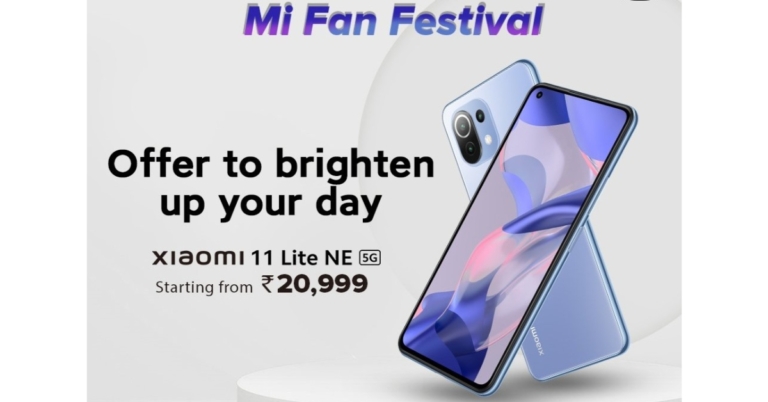
In India, Xiaomi has launched the Mi Fan Festival 2022 sale. Mi.com is currently running a discount sale that will last until April 18th. The Mi Fan Festival 2022 sale includes discounts on most of its smartphones as well as smart bands and on Mi Power banks.Xiaomi India today announced a slew of new offers for its customers during Mi Fan Festival (MFF) 2022, the company’s annual sale bonanza. Starting on April 6, 2022, the MFF offers will be available exclusively on Mi.com and Mi Homes until April 18, 2022.The brand will be hosting a variety of fun deals and offers on the Mi Store App to add to the excitement and celebrations of MFF 2022. Every day at 10 a.m., customers can try their luck with Jackpot deals, which include Xiaomi 11i Hypercharge 5G for Rs 8,999, Redmi Smart TV for Rs 6,999, and Mi Robot Vacuum – Mop P for Rs 9,999, among other products. Consumers will also be able to take advantage of a variety of exciting offers on the X99 store every day at 4 p.m., as well as opt for Pick N’ Choose at 8 p.m. to create personalised combos and receive additional discounts.Along with this, at 12:00 p.m., the brand will introduce daily surprise offers on audio products, power banks, trimmers, and other items, and at 6 p.m., consumers can get 50% off with Half Price Store.Customers can win gifts and coupons worth up to Rs 45 lakhs during the two-week special sale. Customers who visit the Mi Store App and shop there could win up to Rs 15,000 in coupons, 2 gold coins (2gm), gift hampers worth up to Rs 80,000 and more, a free Redmi X43 TV, and 100% cashback. Customers who download the Mi Store App can also win discount coupons worth up to Rs 50L on Mi.com by playing Spin the Wheel and Play & Win, which are only valid until the Mi Fan Festival.The Redmi 10 is now available at a starting price of Rs 9,899, down from the original price of Rs 10,999. On the other hand, instead of Rs 13,499, the Redmi Note 11 starts at Rs 11,699, which is a significant discount. The Xiaomi 11i 5G can now be purchased for Rs 20,999 instead of paying Rs 24,999. Whereas the Xiaomi 11i Hypercharge 5G now comes at Rs 22,999 instead of the original Rs 26,999. Both of these phones are available for exchange with a Rs 2,000 discount.Similarly, the Redmi 9A Sport has a starting price of Rs 6,299, which is lower than the original price of Rs 6,999. The Redmi Note 11 Pro+ 5G can be purchased for Rs. 18,999 instead of Rs 20,999. This model is listed with a Rs 2,000 exchange discount.Other devices like Smart TVs, Redmi laptops and Mi smart bands are also up for sale so you can check out other deals on the company’s website.
For the latest gadget and tech news, and gadget reviews, follow us on Twitter, Facebook and Instagram. For newest tech & gadget videos subscribe to our YouTube Channel. You can also stay up to date using the Gadget Bridge Android App. You can find the latest car and bike news here.
Sennheiser, the German audio giant, has announced the launch of the CX Plus True Wireless and CX True Wireless earphones in India. The new CX Plus True Wireless earphones feature Active Noise Cancellation and audiophile-grade technology.
In This Article
Sennheiser CX Plus and CX True TWS earbuds price and availability details
The CX True costs Rs 10,990, while CX Plus True costs Rs 14,990. On both online (Amazon and the company’s official website) and other leading electronic outlets they will be available in two colours: black and white.
Sennheiser CX Plus and CX True TWS earbuds features
Sennheiser’s new True Wireless earphones have a superior sound thanks to the proprietary TrueResponse transducer, which was developed specifically for Sennheiser’s premium earphones. On both the CX Plus and CX True wireless earphones, the Sennheiser Smart Control App and built-in EQ allow for custom tailoring of the listening experience. Bluetooth 5.2 compatibility, as well as support for SBC, AAC, and aptX audio codecs, ensures excellent wireless sound and simple Bluetooth connection management via the Smart Control app.The App and built-in EQ enable custom tailoring of the listening experience, whether it’s amplifying the intensity of the music with the Bass Boost preset, relaxing with a podcast, or enhancing audio for a phone call.The CX Plus True Wireless earphones’ Active Noise Cancellation feature allows users to enjoy all of the clarity, detail, and thrilling bass without being distracted – even in noisy environments. Whereas the Transparent Hearing feature allows you to concentrate on external sounds without having to take out the earbuds. This feature is especially useful for allowing outside sound to infiltrate the system, allowing users to be more aware of their surroundings.Even when using a single earbud, both earbuds have a pair of dual mics that optimise speech for calls and voice assistant access to ensure crystal clear voice pickup. The right and left earbuds can be used separately or in pairs thanks to the independent earbud use.Ear adapters come in four sizes for a perfect fit in the ear canal that keeps the earbuds securely in place while effectively attenuating outside noise. The splash resistance of the ranges is rated IPX4 for added peace of mind.With their long-lasting battery and portable charging case, the CX Plus True Wireless and CX True Wireless provide an impressive 24 hours of playback time and 27 hours of playback time, respectively.The CX Plus True Wireless and CX True Wireless come with customizable touch controls. Also, users can even create custom commands to make controlling audio, making phone calls, and using voice assistants easier and more intuitive.
For the latest gadget and tech news, and gadget reviews, follow us on Twitter, Facebook and Instagram. For newest tech & gadget videos subscribe to our YouTube Channel. You can also stay up to date using the Gadget Bridge Android App. You can find the latest car and bike news here.
Vivo T1 5G packs a number of good specifications at a starting price of Rs 15,990. It has a beautiful design, packs a powerful processor, is available in multiple RAM/Storage options, and has gaming-centric features too. Read the rest of the review to find out if it’s a good buy.
In This Article
Vivo T1 5G review: Design and Display
As far as the design of Vivo T1 5G goes, we are quite impressed by it. The smartphone, although 6.58-inches in size, is still as thin as 8.25mm and weighs 187 grams. So it was light to hold and the one-handed usage was comfortable too. The front of the device is dominated by its huge display that has a dewdrop-shaped notch on the top to house the selfie camera. The screen is outlined by thin bezels on three sides and a relatively thicker chin. Flip over and you’ll see the flat back panel of Vivo T1 5G with a rectangular camera module sitting on the top left.
The edges of the device – much like its back – are completely flat too. The right one has the Volume Rocker keys and the Power button with a fingerprint scanner embedded in it. The SIM tray and the secondary microphone are on the top while the Type-C port, speaker grille, microphone and headphones are at the bottom.
Vivo T1 5G is available in two colours – Starlight Black and Rainbow Fantasy – and we got the former one for our review. It also has multiple options in terms of RAM – the base variant with 4GB RAM while the other two higher variants with 6GB and 8GB RAM.
Coming to the display of the device, it sports a 6.58-inch LCD panel that comes with a refresh rate of 120Hz, peak touch sampling mode of 240Hz and is protected by a layer of Panda glass. The colours projected on the screen were vibrant and they remained consistent at different viewing angles. The images and the app icons were sharp and clear and the sunlight readability was decent too. We watched YouTube videos on the phone during our time with the device and they all played well. The video was clear and the audio quality was good too.
Vivo T1 5G reivew: Performance and Cameras
Before we speak about the performance of the Vivo T1 5G, let’s take a minute to speak about the rest of its specifications. The smartphone is powered by the Qualcomm Snapdragon 695 processor clubbed with up to 8GB of RAM and 128GB of onboard storage. The device comes with a RAM expansion feature and has a microSD card slot too. It houses a 5,000mAh battery and comes with an 18W charger. Vivo T1 runs Android 12 skinned with Funtouch OS.
The user interface of the device is simple to use and comes with customizations like a privacy dashboard, privacy indicators, and location sharing options. But on the downside, Vivo T1 also comes with a considerable number of bloatware apps including CRED, Josh, Moj, ShareChat, etc. We must point out though that these can be uninstalled, so it really shouldn’t be that much of a problem. The smartphone also comes with gaming features like GameSpace and Ultra Game mode. While the former lets you access all your games in one place, the latter offers an array of functions that are useful to gamers and turn on when a game is launched on the device.
Coming to the performance of Vivo T1 5G, it was smooth most of the time. We did not face any stutters or slowing down during our time with it. We switched between multiple apps and tabs of Chrome and never once faced an issue with working on them. The fingerprint scanner of the smartphone, embedded in its Power button, did a great job most of the time and facial recognition also worked well.
During our time with the device, we watched a lot of YouTube videos and played a lot of games on the phone too, and both aspects of the Vivo T1 5G turned out to be good. The battery life of the smartphone is another plus and it lasted us around 2 days with moderate usage (including an active WhatsApp account).
Finally, let’s talk about the triple rear cameras of Vivo T1 5G. The smartphone sports a 50MP primary sensor, a 2MP macro lens, and a 2MP depth sensor. It also has a 16MP lens on its front panel for selfies and video calls. Strangely, the ultra-wide camera is absent. During the day, the device managed to get photos with a good number of details and the ones taken outdoors from the primary lens showcased vibrant colours.
Indoor shots had more natural colours. The images turned out to be sharp and clear, and that remained consistent even when we zoomed in. The macro camera performed well in well-lit conditions but the same cannot really be said about the Portrait lens as its performance was inconsistent.
Shots that the camera captured in low-lit conditions didn’t match up to the ones taken in daylight as far as the quality goes. The colours weren’t always accurate and the images didn’t turn out to be with as many details. However, the results improved with the Super Night Mode enabled.
Selfies taken in well-lit conditions turned out to be good and they had the right amount of details, but the quality dropped in dim lights.
Verdict
At a starting price of Rs 15,990, Vivo T1 5G comes with a powerful processor, offers smooth performance and a lasting battery. The cameras could be better for sure and we should point out that there are some camera features that are absent from the base variant. In addition to this, there is only limited support for 5G, and the ultra-wide camera is completely missing. While the absent features may put some potential buyers off, at this price, it is a decent buy in case the missing aspects are not a deal-breaker for you.
For the latest gadget and tech news, and gadget reviews, follow us on Twitter, Facebook and Instagram. For newest tech & gadget videos subscribe to our YouTube Channel. You can also stay up to date using the Gadget Bridge Android App. You can find the latest car and bike news here.
Western Digital has been in the market for quite some time now. They have produced great quality products when it comes to storage. Continuing the tradition, they recently launched SN570 NVMe SSD, which is the upgraded version of SN550 that came out 1.5 years ago. We got to play around with it and this is our WD Blue SN570 NVMe SSD review, which you should not miss if you are in the market to purchase a new SSD.
Design-wise the WD Blue SN570 NVMe SSD is like any other flat chip SSD available in the market. It can easily fit into any compatible laptop or PC since it does not have a dedicated heat sync on it. Installing it is quite easy and one can easy plug and screw it on any compatible motherboard. We reviewed the 1TB version, but it is available in 250, 500GB and 2TB versions as well.
So, let’s move to its performance. Western Digital claims that the WD Blue SN570 NVMe SSD can read up to 3,500 MB/s and write up to 1,200MB/s, which is approximately what we got. On the Disk Mark bench, it gave us 3,487MB/s of read speed and a whooping 1,291MB/s write speed. We were able to transfer files in a jiffy and installing a fresh pair of Windows 11 on it was taken up as a breezy challenge. Actually, it was not a challenge at all.
Compared to 2.5-inch Kingston SSD, which we use in our test PC, this one is 2.5X faster. This meant the 4K videos that took 3 hours to render were now rendering in under 1.5 hours for us (since CPU and GPU performance remained the same). Apps open faster, Windows boots swiftly and gaming performance also becomes more efficient.
Read Also:WD My Passport external hard drive 2TB review: Strong performer
With the WD Blue SN570 NVMe SSD the company also gives SSD dashboard software as a bundle, which enables you to always keep an eye on the SSD’s health and performance. So, it all boils down to one final question. Is the WD Blue SN570 NVMe SSD 1TB worth buying at Rs 9,300 (approx., price might vary from city to city)? Let us put it this way, if you are planning to build a new PC or are upgrading an old one and want super-fast performance, then go for it without a doubt.
In case you have less budget, then you might want to consider the 250GB or 500GB version. But all of them will give your old PC/Laptop a new life, or can bring everything from picture editing tools to video editing software to run super-fast in your new PC. So that makes up for our WD Blue SN570 NVMe SSD review. If you want to know anything more about it, let us know in the comments below and we will be happy to answer.
In This Article
WD Blue SN570 NVMe SSD Pros
Super-fast speeds
Slim and easy to install
5-year warranty
The schedule for WWDC22 has been released by Apple. The WorldWide Developers Conference (WWDC) 2022 edition will take place from June 6 to June 10. The Cupertino-based company confirmed that its upcoming tech event is going to be held online again this year. At the conference, Apple is expected to provide abreast of new software, including iOS 16.Apple today announced that its annual Worldwide Developers Conference (WWDC) will be held online from June 6 to 10 and that all developers are welcome to attend. WWDC22 will showcase the latest innovations in iOS, iPadOS, macOS, watchOS, and tvOS, while giving developers access to Apple engineers and technologies to learn how to create groundbreaking apps and interactive experiences.Susan Prescott, Apple’s vice president of Worldwide Developer Relations and Enterprise and Education Marketing said, “At its heart, WWDC has always been a forum to create connections and build community. In that spirit, WWDC22 invites developers from around the world to come together to explore how to bring their best ideas to life and push the envelope of what’s possible. We love connecting with our developers, and we hope all of our participants come away feeling energised by their experience.”As per Apple, this year’s programme will include more information sessions, cutting-edge learning labs, digital lounges to engage with attendees, and localised content to make WWDC22 a truly global event, in addition to the announcements shared during the keynote and State of the Union presentations.In addition to the online conference, Apple will host a special day at Apple Park on June 6 for developers and students to watch the keynote and State of the Union videos with the online community. There will be a limited number of spots available, and information on how to apply will be available soon on the Apple Developer site and app.Apple’s Swift Student Challenge will support students who enjoy coding for the third year. Swift Playgrounds is a game-changing iPad and Mac app that makes learning the Swift programming language interactive and enjoyable. Students across the globe have been invited to develop a Swift Playgrounds app project on a topic of their choice for this year’s challenge, and they have until April 25 to submit their work. Visit the Swift Student Challenge website for more information.
For the latest gadget and tech news, and gadget reviews, follow us on Twitter, Facebook and Instagram. For newest tech & gadget videos subscribe to our YouTube Channel. You can also stay up to date using the Gadget Bridge Android App. You can find the latest car and bike news here.
Hey, all OnePlus fans! The latest smartphone model from the brand, i.e., the all-new OnePlus Nord CE 2 5G is finally here. And we know your excitement levels must be touching the sky. We wore our sherlock hats and took our magnifying glasses out to carefully inspect the device inside out, for is it worth spending some bucks on it or not. So without wasting any further time, we provide below a detailed review of the brand-new OnePlus Nord CE 2 smartphone, covering everything ranging from its packaging to its performance. So that you don’t have to put in extra time, energy and resources to decide upon making that investment, we are always here to help you.
In This Article
OnePlus Nord CE 2 Review: Design and Display
The mirror grey coloured Oneplus Nord CE2 comes sitting inside a comparatively large black coloured packaging with the shiny blue coloured ‘NORD’ engraving on top. Even holding the huge brand-new package gives you thrills, doesn’t it? Knowing your favourite new smartphone is resting on its inside along with the additional contents in the package that you’re about to reveal fills you with a unique kind of excitement. Of course, the first thing you will see upon opening the package is its shiny black AMOLED 90Hz display which is protected by Corning Gorilla Glass 5. The display size is 6.43-inches with an 84.9% screen-to-body ratio. What might come to one’s surprise is the position of its front camera, which instead of being in the centre top lies in the top left corner of the display. Upon holding the smartphone, you will feel it’s lightweight and will notice the shiny silver coloured metallic frame running on all 4 of its sides. On the right side of the new OnePlus Nord CE 2 lies its power button while the volume button, as well as the SIM Card tray, lies on its left. At its bottom are positioned one C-Type USB port, a headphone jack and the speaker system. Flip it over and you’ll see your own clear reflection in its shiny metallic grey mirror glass cover. It will definitely make you fall in love with its design. Its mirror glass cover gives it a super stylish and elite look, the kind that turns eyeballs during a party at night. Also on its back, you will observe its triple camera system on the top left corner, placed on a raised glass platform in its body colour. The OnePlus Nord CE 2 5G package that gets delivered to you is assembled such that it will make you feel that you will be taken good care of. Along with the smartphone comes its 65W classic white coloured OnePlus adapter along with a neatly bundled red coloured USB to C-Type cable cord. Apart from this, you get a transparent rubber back cover, a Red Cable Club membership card offering additional benefits that can be availed from OnePlus, a quick-start guide, a safety information booklet and even a welcoming card on the brand’s behalf. It is indeed the little things that matter!Upon bringing the smartphone to life, you will notice that it has an in-display fingerprint sensor, touching which gives you the feel as if you’re touching a ball of energy that might open a portal into the future. Its AMOLED display, having a screen resolution of 1,080 x 2,400 pixels with 409ppi density, brings a big wide smile to your face due to its vast and dynamic colour range that is a visual treat for the eyes. While streaming videos and during gaming, the display appears fluid, quite bright, well lit with perfect saturation and a great contrast in colours, even with less than 50% screen brightness setting. However, when taken in bright sunlight, not less than 80% to 100% brightness will be required for the screen to be visible comfortably. Overall, the OnePlus Nord CE 2 has an ultimate sleek and stylish design and an efficient fluid display, perfect for taking to a party at night, making you look elite as a personality. Read also:Samsung Galaxy S22 Review: The Ultimate Quality Smartphone of 2022
OnePlus Nord CE 2 Review: Cameras and Performance
Speaking of the OnePlus Nord CE 2 specs, it has a Mediatek Dimensity 900 5G Octa-core processor built on MediaTek MT6877 chipset and a Mali G-68 MC4 GPU. However, where one expects Android 12 to be offered, the OnePlus Nord CE 2 instead comes preinstalled with Android 11 Oxygen OS 11. It is a Dual SIM smartphone and supports 5G network technology. It is offered with 128GB storage capacity paired with an optional 6GB or 8GB RAM. The smartphone has a 4,500mAh battery, which gets drained fast in about a day upon extensive usage while it may last more than a day upon mediocre usage. The model supports Wi-Fi, Bluetooth 5.2 technology as well as fast charging. You will find the functioning of the operating system to be quite smooth and does not hang upon the usage of multiple applications. Streaming the latest movies and TV shows on Netflix appeared seamless on the brand-new smartphone. The OnePlus Nord CE 2 does not have a stereo speaker system. Although the sound quality offered is loud enough to compensate for the absence, one still misses the comfort of audio coming from both ends of the smartphone while streaming. On playing Angry Birds 2, the gaming graphics gave a fine and bright colour range with high contrast whereas the movements and reflexes were also fluid and swift in nature. The smart screen touch was soft and fluid throughout. The smartphone does not get heated up easily, even after hours of streaming videos and playing games in comparatively hot weather. Moving to the camera review of the OnePlus Nord CE 2, it offers a 64MP(main)+ 8MP(ultrawide)+ 2MP(Macro) triple camera system on its rear and a 16MP selfie camera. It has 3 zoom modes, a 0.6x, 1x and 2x zoom. However, you may notice the quality of the image reduces drastically via the 0.6x zoom, especially in terms of sharpness and colour grading. Videos can be recorded from the rear camera in various combinations of frame rates and resolutions, including 4K with 30fps, 1080p and 720p with both 30fps and 60fps. From the selfie camera, videos can be recorded in up to 1080p with both 30fps and 60fps frame rate options. The rear camera video recording mode appeared slightly grainy in the frame, as compared to the selfie camera video mode, which appeared a bit softer yet clearer. The camera also provides a cool range of features including Auto HDR, AI scene enhancement mode for rear camera photos, AI highlight video for rear camera videos, 64MP mode, a UHD mode, a dual-view video mode and an inbuilt text scanner mode. OnePlus Nord CE 2: 64MP Camera ModeOnePlus Nord CE 2: Portrait ModeAmong its next level features include the provision of a range of presets or filters as well as beautification tools to adjust your skin texture, cheeks, chin and much more, all in real-time. The selfie camera of the OnePlus Nord CE 2 works absolutely amazing and applies beautification automatically, making you glow more in your selfies. The colours appear much brighter and the textures appear a lot softer in the selfie camera. Speaking of the rear camera, in-frame colours and textures appear sharper with a more balanced brightness, higher saturation and contrast as compared to the selfie camera. The night mode from the rear camera does an amazing job at brightening up even the extremely low light captures, but only at the cost of their sharpness, clarity and contrast quality. OnePlus Nord CE 2: AI Scene EnhancementIts AI scene enhancement mode for capturing photos from the rear camera detects your in-frame conditions and automatically adjusts factors like individual colour saturation, etc. in order to enhance the image quality. For example, it will be able to detect whether the in-frame objects are plants and greenery, and thus will automatically give a boost to the greens within the image. Similarly, it is able to detect whether the scene is indoors or night mode is required. It also is able to detect if any text is being pulled up within the frame, and offers to recognise the same through the inbuilt text scanner. Its UHD mode for the rear camera produces the finest quality images with great contrast, higher saturation levels, increased sharpness, clarity, detailings with enhanced colour grading. Read also: OnePlus 9RT review: Super-smooth performance, but at a price
Verdict
The Geekbench 5 CPU benchmarking test gives OnePlus Nord CE 2 5G a single-core score of 700 and a multi-core score of 2,106, with only some smartphones like the Samsung Galaxy S21 Ultra and Xiaomi Poco F3 beating it. Overall, its pros seem to outweigh its cons. And honestly, the price range within which all of its super amazing features come in is totally unbelievable. The OnePlus Nord CE 2 price in India lies in the range of Rs 23k to 25k. Hence, we strongly recommend everyone (who is looking for a good smartphone within that budget) to go ahead and invest in this smartphone model, without any hesitation.
On your iPhone, iPad, or Mac, Live Text can sometimes make it difficult to view or interact with your images. Although this can be useful for highlighting text in images and quickly copying and pasting text from photos and screenshots, it can also be inconvenient at times. Follow the steps below to turn off Live Text on an iPhone, iPad, or Mac if you don’t need it.It’s worth noting that once you’ve disabled Live Text on your Apple devices, you won’t be able to select text in your images. The text recognition icon will also be hidden, as well as the contextual menu, which allows you to search or translate the text. Furthermore, you won’t be able to use all of the features, such as using Spotlight to search for images and calling a phone number directly from a saved screenshot.
In This Article
How to turn off live text on an iPhone or iPad?
Live Text on the iPhone allows you to do a lot of different things. Live Text on your iPhone allows you to do a variety of interesting things. With a single tap, you can make phone calls, translate text identified by your camera, or even try looking up directions.Live Texts on an iPhone and iPad can be disabled completely or turned off only when using the Camera app on an iPhone or iPad it only when using the Camera app. Here’s how to disable it.– Select General from the drop-down menu in Settings.– Go to Language & Region and select your preferred language and region.– Turn off the Live Text option.To completely disable it on your iPhone or iPad, follow these steps:– Go to General in the Settings menu.– Select Language and Region from the drop-down menu.– Turn off the Live Text option.
How to turn off live text on Mac?
On Mac when the Live Text feature is enabled a similar problem can occur when trying to save images from the internet or photographing an object with text. You can disable the feature on your Mac in the same way that you can on your iPhone or iPad. To turn off the feature, follow these steps:– Select System Preferences from the drop-down menu.– Select Language & Region from the drop-down menu.– Deselect the box next to Select Text in Images on the General tab.So that is how to disable live text on your iPhone, iPad or Mac. Hope you are able to do so. If you know of any more faster ways do let us know in the comments section below.
For the latest gadget and tech news, and gadget reviews, follow us on Twitter, Facebook and Instagram. For newest tech & gadget videos subscribe to our YouTube Channel. You can also stay up to date using the Gadget Bridge Android App. You can find the latest car and bike news here.


 While announcing the Sharing to Reels on Facebook the company said, “Reels is our fastest-growing content format, now available in more than 150 countries across the globe. We’re focused on making Reels the best way for creators to get discovered, connect with their audience and earn money. We also want to make it fun and easy for people to find and share relevant and entertaining content.”
People will be able to find Reels based on their interests and what’s trending at the top of Feed, in the Watch Tab, in Stories, and in Groups, among other places.
Anyone can make a reel on Facebook and become a global creator, or simply share it with friends and family. Audio, augmented reality effects, captions with hashtags, and tags for other accounts are all possible additions to reels. When someone uploads their reel to Facebook from a third-party app, friends and family can easily follow along, like, comment, and share it.
Additionally, Facebook has also partnered with music apps like Smule, Vita, and VivaVideo. They have integrated #SharingtoReels and are helping Creators express themselves, grow their communities, and reach new audiences as part of this launch.
For the latest gadget and tech news, and gadget reviews, follow us on Twitter, Facebook and Instagram. For newest tech & gadget videos subscribe to our YouTube Channel. You can also stay up to date using the Gadget Bridge Android App. You can find the latest car and bike news here.
While announcing the Sharing to Reels on Facebook the company said, “Reels is our fastest-growing content format, now available in more than 150 countries across the globe. We’re focused on making Reels the best way for creators to get discovered, connect with their audience and earn money. We also want to make it fun and easy for people to find and share relevant and entertaining content.”
People will be able to find Reels based on their interests and what’s trending at the top of Feed, in the Watch Tab, in Stories, and in Groups, among other places.
Anyone can make a reel on Facebook and become a global creator, or simply share it with friends and family. Audio, augmented reality effects, captions with hashtags, and tags for other accounts are all possible additions to reels. When someone uploads their reel to Facebook from a third-party app, friends and family can easily follow along, like, comment, and share it.
Additionally, Facebook has also partnered with music apps like Smule, Vita, and VivaVideo. They have integrated #SharingtoReels and are helping Creators express themselves, grow their communities, and reach new audiences as part of this launch.
For the latest gadget and tech news, and gadget reviews, follow us on Twitter, Facebook and Instagram. For newest tech & gadget videos subscribe to our YouTube Channel. You can also stay up to date using the Gadget Bridge Android App. You can find the latest car and bike news here. 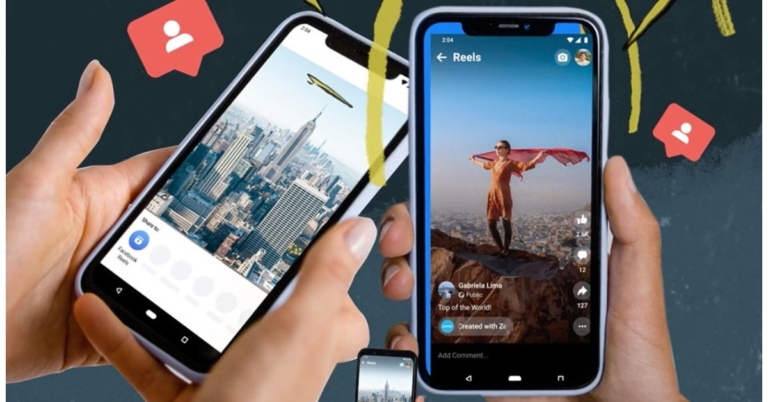
 While announcing the Sharing to Reels on Facebook the company said, “Reels is our fastest-growing content format, now available in more than 150 countries across the globe. We’re focused on making Reels the best way for creators to get discovered, connect with their audience and earn money. We also want to make it fun and easy for people to find and share relevant and entertaining content.”
People will be able to find Reels based on their interests and what’s trending at the top of Feed, in the Watch Tab, in Stories, and in Groups, among other places.
Anyone can make a reel on Facebook and become a global creator, or simply share it with friends and family. Audio, augmented reality effects, captions with hashtags, and tags for other accounts are all possible additions to reels. When someone uploads their reel to Facebook from a third-party app, friends and family can easily follow along, like, comment, and share it.
Additionally, Facebook has also partnered with music apps like Smule, Vita, and VivaVideo. They have integrated #SharingtoReels and are helping Creators express themselves, grow their communities, and reach new audiences as part of this launch.
For the latest gadget and tech news, and gadget reviews, follow us on Twitter, Facebook and Instagram. For newest tech & gadget videos subscribe to our YouTube Channel. You can also stay up to date using the Gadget Bridge Android App. You can find the latest car and bike news here.
While announcing the Sharing to Reels on Facebook the company said, “Reels is our fastest-growing content format, now available in more than 150 countries across the globe. We’re focused on making Reels the best way for creators to get discovered, connect with their audience and earn money. We also want to make it fun and easy for people to find and share relevant and entertaining content.”
People will be able to find Reels based on their interests and what’s trending at the top of Feed, in the Watch Tab, in Stories, and in Groups, among other places.
Anyone can make a reel on Facebook and become a global creator, or simply share it with friends and family. Audio, augmented reality effects, captions with hashtags, and tags for other accounts are all possible additions to reels. When someone uploads their reel to Facebook from a third-party app, friends and family can easily follow along, like, comment, and share it.
Additionally, Facebook has also partnered with music apps like Smule, Vita, and VivaVideo. They have integrated #SharingtoReels and are helping Creators express themselves, grow their communities, and reach new audiences as part of this launch.
For the latest gadget and tech news, and gadget reviews, follow us on Twitter, Facebook and Instagram. For newest tech & gadget videos subscribe to our YouTube Channel. You can also stay up to date using the Gadget Bridge Android App. You can find the latest car and bike news here. 





 The CX Plus True Wireless earphones’ Active Noise Cancellation feature allows users to enjoy all of the clarity, detail, and thrilling bass without being distracted – even in noisy environments. Whereas the Transparent Hearing feature allows you to concentrate on external sounds without having to take out the earbuds. This feature is especially useful for allowing outside sound to infiltrate the system, allowing users to be more aware of their surroundings.
Even when using a single earbud, both earbuds have a pair of dual mics that optimise speech for calls and voice assistant access to ensure crystal clear voice pickup. The right and left earbuds can be used separately or in pairs thanks to the independent earbud use.
Ear adapters come in four sizes for a perfect fit in the ear canal that keeps the earbuds securely in place while effectively attenuating outside noise. The splash resistance of the ranges is rated IPX4 for added peace of mind.
With their long-lasting battery and portable charging case, the CX Plus True Wireless and CX True Wireless provide an impressive 24 hours of playback time and 27 hours of playback time, respectively.
The CX Plus True Wireless and CX True Wireless come with customizable touch controls. Also, users can even create custom commands to make controlling audio, making phone calls, and using voice assistants easier and more intuitive.
For the latest gadget and tech news, and gadget reviews, follow us on Twitter, Facebook and Instagram. For newest tech & gadget videos subscribe to our YouTube Channel. You can also stay up to date using the Gadget Bridge Android App. You can find the latest car and bike news here.
The CX Plus True Wireless earphones’ Active Noise Cancellation feature allows users to enjoy all of the clarity, detail, and thrilling bass without being distracted – even in noisy environments. Whereas the Transparent Hearing feature allows you to concentrate on external sounds without having to take out the earbuds. This feature is especially useful for allowing outside sound to infiltrate the system, allowing users to be more aware of their surroundings.
Even when using a single earbud, both earbuds have a pair of dual mics that optimise speech for calls and voice assistant access to ensure crystal clear voice pickup. The right and left earbuds can be used separately or in pairs thanks to the independent earbud use.
Ear adapters come in four sizes for a perfect fit in the ear canal that keeps the earbuds securely in place while effectively attenuating outside noise. The splash resistance of the ranges is rated IPX4 for added peace of mind.
With their long-lasting battery and portable charging case, the CX Plus True Wireless and CX True Wireless provide an impressive 24 hours of playback time and 27 hours of playback time, respectively.
The CX Plus True Wireless and CX True Wireless come with customizable touch controls. Also, users can even create custom commands to make controlling audio, making phone calls, and using voice assistants easier and more intuitive.
For the latest gadget and tech news, and gadget reviews, follow us on Twitter, Facebook and Instagram. For newest tech & gadget videos subscribe to our YouTube Channel. You can also stay up to date using the Gadget Bridge Android App. You can find the latest car and bike news here. 
 The CX Plus True Wireless earphones’ Active Noise Cancellation feature allows users to enjoy all of the clarity, detail, and thrilling bass without being distracted – even in noisy environments. Whereas the Transparent Hearing feature allows you to concentrate on external sounds without having to take out the earbuds. This feature is especially useful for allowing outside sound to infiltrate the system, allowing users to be more aware of their surroundings.
Even when using a single earbud, both earbuds have a pair of dual mics that optimise speech for calls and voice assistant access to ensure crystal clear voice pickup. The right and left earbuds can be used separately or in pairs thanks to the independent earbud use.
Ear adapters come in four sizes for a perfect fit in the ear canal that keeps the earbuds securely in place while effectively attenuating outside noise. The splash resistance of the ranges is rated IPX4 for added peace of mind.
With their long-lasting battery and portable charging case, the CX Plus True Wireless and CX True Wireless provide an impressive 24 hours of playback time and 27 hours of playback time, respectively.
The CX Plus True Wireless and CX True Wireless come with customizable touch controls. Also, users can even create custom commands to make controlling audio, making phone calls, and using voice assistants easier and more intuitive.
For the latest gadget and tech news, and gadget reviews, follow us on Twitter, Facebook and Instagram. For newest tech & gadget videos subscribe to our YouTube Channel. You can also stay up to date using the Gadget Bridge Android App. You can find the latest car and bike news here.
The CX Plus True Wireless earphones’ Active Noise Cancellation feature allows users to enjoy all of the clarity, detail, and thrilling bass without being distracted – even in noisy environments. Whereas the Transparent Hearing feature allows you to concentrate on external sounds without having to take out the earbuds. This feature is especially useful for allowing outside sound to infiltrate the system, allowing users to be more aware of their surroundings.
Even when using a single earbud, both earbuds have a pair of dual mics that optimise speech for calls and voice assistant access to ensure crystal clear voice pickup. The right and left earbuds can be used separately or in pairs thanks to the independent earbud use.
Ear adapters come in four sizes for a perfect fit in the ear canal that keeps the earbuds securely in place while effectively attenuating outside noise. The splash resistance of the ranges is rated IPX4 for added peace of mind.
With their long-lasting battery and portable charging case, the CX Plus True Wireless and CX True Wireless provide an impressive 24 hours of playback time and 27 hours of playback time, respectively.
The CX Plus True Wireless and CX True Wireless come with customizable touch controls. Also, users can even create custom commands to make controlling audio, making phone calls, and using voice assistants easier and more intuitive.
For the latest gadget and tech news, and gadget reviews, follow us on Twitter, Facebook and Instagram. For newest tech & gadget videos subscribe to our YouTube Channel. You can also stay up to date using the Gadget Bridge Android App. You can find the latest car and bike news here. 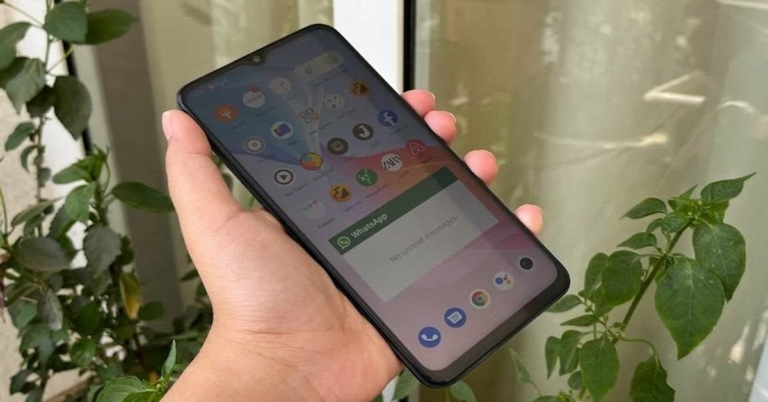
 The edges of the device – much like its back – are completely flat too. The right one has the Volume Rocker keys and the Power button with a fingerprint scanner embedded in it. The SIM tray and the secondary microphone are on the top while the Type-C port, speaker grille, microphone and headphones are at the bottom.
Vivo T1 5G is available in two colours – Starlight Black and Rainbow Fantasy – and we got the former one for our review. It also has multiple options in terms of RAM – the base variant with 4GB RAM while the other two higher variants with 6GB and 8GB RAM.
The edges of the device – much like its back – are completely flat too. The right one has the Volume Rocker keys and the Power button with a fingerprint scanner embedded in it. The SIM tray and the secondary microphone are on the top while the Type-C port, speaker grille, microphone and headphones are at the bottom.
Vivo T1 5G is available in two colours – Starlight Black and Rainbow Fantasy – and we got the former one for our review. It also has multiple options in terms of RAM – the base variant with 4GB RAM while the other two higher variants with 6GB and 8GB RAM.
 Coming to the display of the device, it sports a 6.58-inch LCD panel that comes with a refresh rate of 120Hz, peak touch sampling mode of 240Hz and is protected by a layer of Panda glass. The colours projected on the screen were vibrant and they remained consistent at different viewing angles. The images and the app icons were sharp and clear and the sunlight readability was decent too. We watched YouTube videos on the phone during our time with the device and they all played well. The video was clear and the audio quality was good too.
 The user interface of the device is simple to use and comes with customizations like a privacy dashboard, privacy indicators, and location sharing options. But on the downside, Vivo T1 also comes with a considerable number of bloatware apps including CRED, Josh, Moj, ShareChat, etc. We must point out though that these can be uninstalled, so it really shouldn’t be that much of a problem. The smartphone also comes with gaming features like GameSpace and Ultra Game mode. While the former lets you access all your games in one place, the latter offers an array of functions that are useful to gamers and turn on when a game is launched on the device.
Coming to the performance of Vivo T1 5G, it was smooth most of the time. We did not face any stutters or slowing down during our time with it. We switched between multiple apps and tabs of Chrome and never once faced an issue with working on them. The fingerprint scanner of the smartphone, embedded in its Power button, did a great job most of the time and facial recognition also worked well.
The user interface of the device is simple to use and comes with customizations like a privacy dashboard, privacy indicators, and location sharing options. But on the downside, Vivo T1 also comes with a considerable number of bloatware apps including CRED, Josh, Moj, ShareChat, etc. We must point out though that these can be uninstalled, so it really shouldn’t be that much of a problem. The smartphone also comes with gaming features like GameSpace and Ultra Game mode. While the former lets you access all your games in one place, the latter offers an array of functions that are useful to gamers and turn on when a game is launched on the device.
Coming to the performance of Vivo T1 5G, it was smooth most of the time. We did not face any stutters or slowing down during our time with it. We switched between multiple apps and tabs of Chrome and never once faced an issue with working on them. The fingerprint scanner of the smartphone, embedded in its Power button, did a great job most of the time and facial recognition also worked well.
 During our time with the device, we watched a lot of YouTube videos and played a lot of games on the phone too, and both aspects of the Vivo T1 5G turned out to be good. The battery life of the smartphone is another plus and it lasted us around 2 days with moderate usage (including an active WhatsApp account).
Finally, let’s talk about the triple rear cameras of Vivo T1 5G. The smartphone sports a 50MP primary sensor, a 2MP macro lens, and a 2MP depth sensor. It also has a 16MP lens on its front panel for selfies and video calls. Strangely, the ultra-wide camera is absent. During the day, the device managed to get photos with a good number of details and the ones taken outdoors from the primary lens showcased vibrant colours.
During our time with the device, we watched a lot of YouTube videos and played a lot of games on the phone too, and both aspects of the Vivo T1 5G turned out to be good. The battery life of the smartphone is another plus and it lasted us around 2 days with moderate usage (including an active WhatsApp account).
Finally, let’s talk about the triple rear cameras of Vivo T1 5G. The smartphone sports a 50MP primary sensor, a 2MP macro lens, and a 2MP depth sensor. It also has a 16MP lens on its front panel for selfies and video calls. Strangely, the ultra-wide camera is absent. During the day, the device managed to get photos with a good number of details and the ones taken outdoors from the primary lens showcased vibrant colours.
 Indoor shots had more natural colours. The images turned out to be sharp and clear, and that remained consistent even when we zoomed in. The macro camera performed well in well-lit conditions but the same cannot really be said about the Portrait lens as its performance was inconsistent.
 Shots that the camera captured in low-lit conditions didn’t match up to the ones taken in daylight as far as the quality goes. The colours weren’t always accurate and the images didn’t turn out to be with as many details. However, the results improved with the Super Night Mode enabled.
 Selfies taken in well-lit conditions turned out to be good and they had the right amount of details, but the quality dropped in dim lights.
 The edges of the device – much like its back – are completely flat too. The right one has the Volume Rocker keys and the Power button with a fingerprint scanner embedded in it. The SIM tray and the secondary microphone are on the top while the Type-C port, speaker grille, microphone and headphones are at the bottom.
Vivo T1 5G is available in two colours – Starlight Black and Rainbow Fantasy – and we got the former one for our review. It also has multiple options in terms of RAM – the base variant with 4GB RAM while the other two higher variants with 6GB and 8GB RAM.
The edges of the device – much like its back – are completely flat too. The right one has the Volume Rocker keys and the Power button with a fingerprint scanner embedded in it. The SIM tray and the secondary microphone are on the top while the Type-C port, speaker grille, microphone and headphones are at the bottom.
Vivo T1 5G is available in two colours – Starlight Black and Rainbow Fantasy – and we got the former one for our review. It also has multiple options in terms of RAM – the base variant with 4GB RAM while the other two higher variants with 6GB and 8GB RAM.
 Coming to the display of the device, it sports a 6.58-inch LCD panel that comes with a refresh rate of 120Hz, peak touch sampling mode of 240Hz and is protected by a layer of Panda glass. The colours projected on the screen were vibrant and they remained consistent at different viewing angles. The images and the app icons were sharp and clear and the sunlight readability was decent too. We watched YouTube videos on the phone during our time with the device and they all played well. The video was clear and the audio quality was good too.
 The user interface of the device is simple to use and comes with customizations like a privacy dashboard, privacy indicators, and location sharing options. But on the downside, Vivo T1 also comes with a considerable number of bloatware apps including CRED, Josh, Moj, ShareChat, etc. We must point out though that these can be uninstalled, so it really shouldn’t be that much of a problem. The smartphone also comes with gaming features like GameSpace and Ultra Game mode. While the former lets you access all your games in one place, the latter offers an array of functions that are useful to gamers and turn on when a game is launched on the device.
Coming to the performance of Vivo T1 5G, it was smooth most of the time. We did not face any stutters or slowing down during our time with it. We switched between multiple apps and tabs of Chrome and never once faced an issue with working on them. The fingerprint scanner of the smartphone, embedded in its Power button, did a great job most of the time and facial recognition also worked well.
The user interface of the device is simple to use and comes with customizations like a privacy dashboard, privacy indicators, and location sharing options. But on the downside, Vivo T1 also comes with a considerable number of bloatware apps including CRED, Josh, Moj, ShareChat, etc. We must point out though that these can be uninstalled, so it really shouldn’t be that much of a problem. The smartphone also comes with gaming features like GameSpace and Ultra Game mode. While the former lets you access all your games in one place, the latter offers an array of functions that are useful to gamers and turn on when a game is launched on the device.
Coming to the performance of Vivo T1 5G, it was smooth most of the time. We did not face any stutters or slowing down during our time with it. We switched between multiple apps and tabs of Chrome and never once faced an issue with working on them. The fingerprint scanner of the smartphone, embedded in its Power button, did a great job most of the time and facial recognition also worked well.
 During our time with the device, we watched a lot of YouTube videos and played a lot of games on the phone too, and both aspects of the Vivo T1 5G turned out to be good. The battery life of the smartphone is another plus and it lasted us around 2 days with moderate usage (including an active WhatsApp account).
Finally, let’s talk about the triple rear cameras of Vivo T1 5G. The smartphone sports a 50MP primary sensor, a 2MP macro lens, and a 2MP depth sensor. It also has a 16MP lens on its front panel for selfies and video calls. Strangely, the ultra-wide camera is absent. During the day, the device managed to get photos with a good number of details and the ones taken outdoors from the primary lens showcased vibrant colours.
During our time with the device, we watched a lot of YouTube videos and played a lot of games on the phone too, and both aspects of the Vivo T1 5G turned out to be good. The battery life of the smartphone is another plus and it lasted us around 2 days with moderate usage (including an active WhatsApp account).
Finally, let’s talk about the triple rear cameras of Vivo T1 5G. The smartphone sports a 50MP primary sensor, a 2MP macro lens, and a 2MP depth sensor. It also has a 16MP lens on its front panel for selfies and video calls. Strangely, the ultra-wide camera is absent. During the day, the device managed to get photos with a good number of details and the ones taken outdoors from the primary lens showcased vibrant colours.
 Indoor shots had more natural colours. The images turned out to be sharp and clear, and that remained consistent even when we zoomed in. The macro camera performed well in well-lit conditions but the same cannot really be said about the Portrait lens as its performance was inconsistent.
 Shots that the camera captured in low-lit conditions didn’t match up to the ones taken in daylight as far as the quality goes. The colours weren’t always accurate and the images didn’t turn out to be with as many details. However, the results improved with the Super Night Mode enabled.
 Selfies taken in well-lit conditions turned out to be good and they had the right amount of details, but the quality dropped in dim lights.
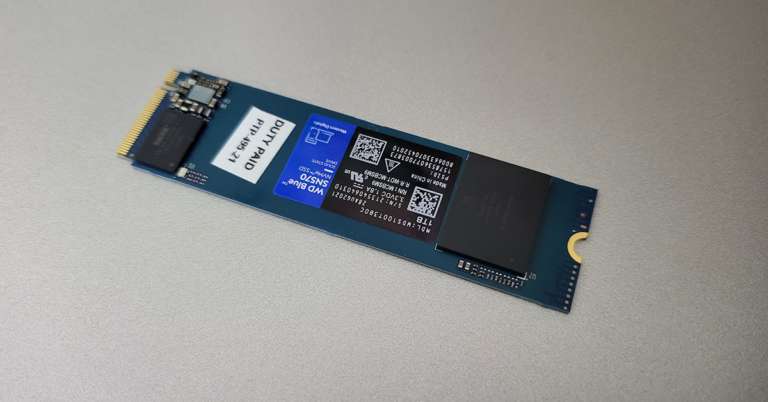
 Compared to 2.5-inch Kingston SSD, which we use in our test PC, this one is 2.5X faster. This meant the 4K videos that took 3 hours to render were now rendering in under 1.5 hours for us (since CPU and GPU performance remained the same). Apps open faster, Windows boots swiftly and gaming performance also becomes more efficient.
Read Also: WD My Passport external hard drive 2TB review: Strong performer
With the WD Blue SN570 NVMe SSD the company also gives SSD dashboard software as a bundle, which enables you to always keep an eye on the SSD’s health and performance. So, it all boils down to one final question. Is the WD Blue SN570 NVMe SSD 1TB worth buying at Rs 9,300 (approx., price might vary from city to city)? Let us put it this way, if you are planning to build a new PC or are upgrading an old one and want super-fast performance, then go for it without a doubt.
In case you have less budget, then you might want to consider the 250GB or 500GB version. But all of them will give your old PC/Laptop a new life, or can bring everything from picture editing tools to video editing software to run super-fast in your new PC. So that makes up for our WD Blue SN570 NVMe SSD review. If you want to know anything more about it, let us know in the comments below and we will be happy to answer.
Compared to 2.5-inch Kingston SSD, which we use in our test PC, this one is 2.5X faster. This meant the 4K videos that took 3 hours to render were now rendering in under 1.5 hours for us (since CPU and GPU performance remained the same). Apps open faster, Windows boots swiftly and gaming performance also becomes more efficient.
Read Also: WD My Passport external hard drive 2TB review: Strong performer
With the WD Blue SN570 NVMe SSD the company also gives SSD dashboard software as a bundle, which enables you to always keep an eye on the SSD’s health and performance. So, it all boils down to one final question. Is the WD Blue SN570 NVMe SSD 1TB worth buying at Rs 9,300 (approx., price might vary from city to city)? Let us put it this way, if you are planning to build a new PC or are upgrading an old one and want super-fast performance, then go for it without a doubt.
In case you have less budget, then you might want to consider the 250GB or 500GB version. But all of them will give your old PC/Laptop a new life, or can bring everything from picture editing tools to video editing software to run super-fast in your new PC. So that makes up for our WD Blue SN570 NVMe SSD review. If you want to know anything more about it, let us know in the comments below and we will be happy to answer.

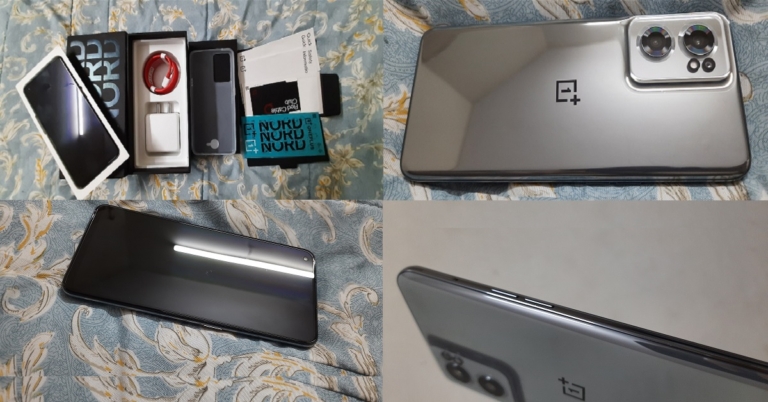
 Of course, the first thing you will see upon opening the package is its shiny black AMOLED 90Hz display which is protected by Corning Gorilla Glass 5. The display size is 6.43-inches with an 84.9% screen-to-body ratio. What might come to one’s surprise is the position of its front camera, which instead of being in the centre top lies in the top left corner of the display. Upon holding the smartphone, you will feel it’s lightweight and will notice the shiny silver coloured metallic frame running on all 4 of its sides.
 On the right side of the new OnePlus Nord CE 2 lies its power button while the volume button, as well as the SIM Card tray, lies on its left. At its bottom are positioned one C-Type USB port, a headphone jack and the speaker system. Flip it over and you’ll see your own clear reflection in its shiny metallic grey mirror glass cover. It will definitely make you fall in love with its design. Its mirror glass cover gives it a super stylish and elite look, the kind that turns eyeballs during a party at night. Also on its back, you will observe its triple camera system on the top left corner, placed on a raised glass platform in its body colour.

 The OnePlus Nord CE 2 5G package that gets delivered to you is assembled such that it will make you feel that you will be taken good care of. Along with the smartphone comes its 65W classic white coloured OnePlus adapter along with a neatly bundled red coloured USB to C-Type cable cord. Apart from this, you get a transparent rubber back cover, a Red Cable Club membership card offering additional benefits that can be availed from OnePlus, a quick-start guide, a safety information booklet and even a welcoming card on the brand’s behalf. It is indeed the little things that matter!
 Upon bringing the smartphone to life, you will notice that it has an in-display fingerprint sensor, touching which gives you the feel as if you’re touching a ball of energy that might open a portal into the future. Its AMOLED display, having a screen resolution of 1,080 x 2,400 pixels with 409ppi density, brings a big wide smile to your face due to its vast and dynamic colour range that is a visual treat for the eyes.
While streaming videos and during gaming, the display appears fluid, quite bright, well lit with perfect saturation and a great contrast in colours, even with less than 50% screen brightness setting. However, when taken in bright sunlight, not less than 80% to 100% brightness will be required for the screen to be visible comfortably.
Overall, the OnePlus Nord CE 2 has an ultimate sleek and stylish design and an efficient fluid display, perfect for taking to a party at night, making you look elite as a personality.
Read also: Samsung Galaxy S22 Review: The Ultimate Quality Smartphone of 2022
Upon bringing the smartphone to life, you will notice that it has an in-display fingerprint sensor, touching which gives you the feel as if you’re touching a ball of energy that might open a portal into the future. Its AMOLED display, having a screen resolution of 1,080 x 2,400 pixels with 409ppi density, brings a big wide smile to your face due to its vast and dynamic colour range that is a visual treat for the eyes.
While streaming videos and during gaming, the display appears fluid, quite bright, well lit with perfect saturation and a great contrast in colours, even with less than 50% screen brightness setting. However, when taken in bright sunlight, not less than 80% to 100% brightness will be required for the screen to be visible comfortably.
Overall, the OnePlus Nord CE 2 has an ultimate sleek and stylish design and an efficient fluid display, perfect for taking to a party at night, making you look elite as a personality.
Read also: Samsung Galaxy S22 Review: The Ultimate Quality Smartphone of 2022
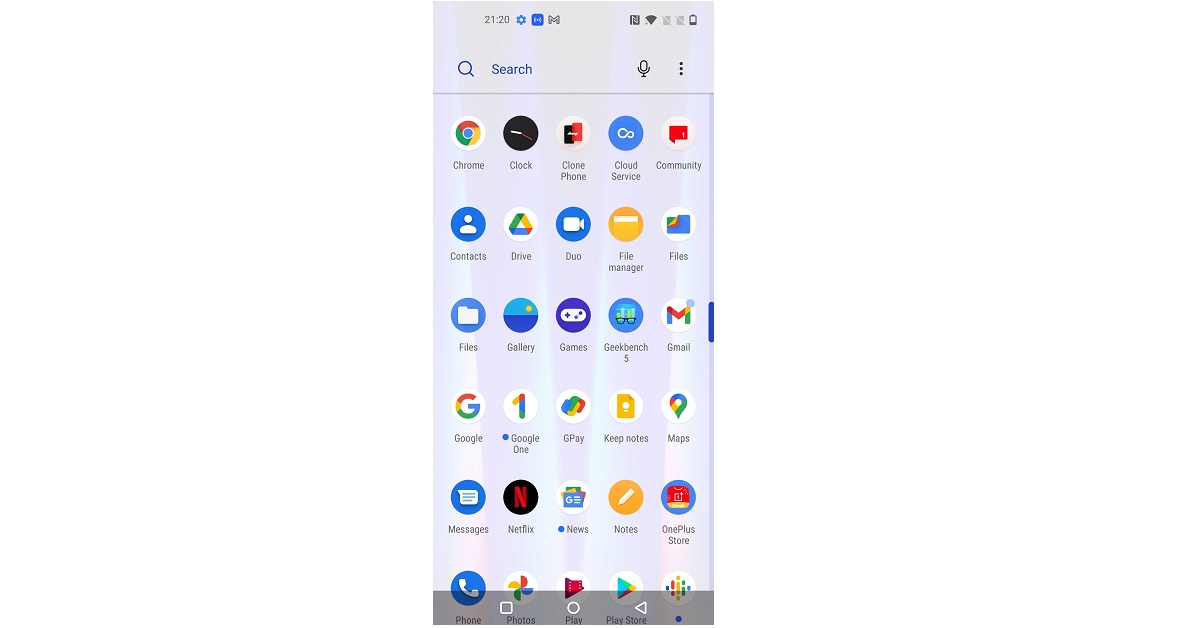 You will find the functioning of the operating system to be quite smooth and does not hang upon the usage of multiple applications. Streaming the latest movies and TV shows on Netflix appeared seamless on the brand-new smartphone. The OnePlus Nord CE 2 does not have a stereo speaker system. Although the sound quality offered is loud enough to compensate for the absence, one still misses the comfort of audio coming from both ends of the smartphone while streaming.
 On playing Angry Birds 2, the gaming graphics gave a fine and bright colour range with high contrast whereas the movements and reflexes were also fluid and swift in nature. The smart screen touch was soft and fluid throughout. The smartphone does not get heated up easily, even after hours of streaming videos and playing games in comparatively hot weather.
 Moving to the camera review of the OnePlus Nord CE 2, it offers a 64MP(main)+ 8MP(ultrawide)+ 2MP(Macro) triple camera system on its rear and a 16MP selfie camera. It has 3 zoom modes, a 0.6x, 1x and 2x zoom. However, you may notice the quality of the image reduces drastically via the 0.6x zoom, especially in terms of sharpness and colour grading.
 Videos can be recorded from the rear camera in various combinations of frame rates and resolutions, including 4K with 30fps, 1080p and 720p with both 30fps and 60fps. From the selfie camera, videos can be recorded in up to 1080p with both 30fps and 60fps frame rate options. The rear camera video recording mode appeared slightly grainy in the frame, as compared to the selfie camera video mode, which appeared a bit softer yet clearer.
The camera also provides a cool range of features including Auto HDR, AI scene enhancement mode for rear camera photos, AI highlight video for rear camera videos, 64MP mode, a UHD mode, a dual-view video mode and an inbuilt text scanner mode.
Videos can be recorded from the rear camera in various combinations of frame rates and resolutions, including 4K with 30fps, 1080p and 720p with both 30fps and 60fps. From the selfie camera, videos can be recorded in up to 1080p with both 30fps and 60fps frame rate options. The rear camera video recording mode appeared slightly grainy in the frame, as compared to the selfie camera video mode, which appeared a bit softer yet clearer.
The camera also provides a cool range of features including Auto HDR, AI scene enhancement mode for rear camera photos, AI highlight video for rear camera videos, 64MP mode, a UHD mode, a dual-view video mode and an inbuilt text scanner mode.


 The Geekbench 5 CPU benchmarking test gives OnePlus Nord CE 2 5G a single-core score of 700 and a multi-core score of 2,106, with only some smartphones like the Samsung Galaxy S21 Ultra and Xiaomi Poco F3 beating it. Overall, its pros seem to outweigh its cons.
And honestly, the price range within which all of its super amazing features come in is totally unbelievable. The OnePlus Nord CE 2 price in India lies in the range of Rs 23k to 25k. Hence, we strongly recommend everyone (who is looking for a good smartphone within that budget) to go ahead and invest in this smartphone model, without any hesitation.
The Geekbench 5 CPU benchmarking test gives OnePlus Nord CE 2 5G a single-core score of 700 and a multi-core score of 2,106, with only some smartphones like the Samsung Galaxy S21 Ultra and Xiaomi Poco F3 beating it. Overall, its pros seem to outweigh its cons.
And honestly, the price range within which all of its super amazing features come in is totally unbelievable. The OnePlus Nord CE 2 price in India lies in the range of Rs 23k to 25k. Hence, we strongly recommend everyone (who is looking for a good smartphone within that budget) to go ahead and invest in this smartphone model, without any hesitation.