Best and fast ways to find out which WhatsApp groups are you part of?

Whatsapp is the most used messaging platform owned by Facebook. The interface of the application is easy to use and one can find the majority of their contacts available here. Creating a group in the application makes the process of communication, Sharing media and discussion hassle-free. But when it comes to managing these groups many of them find it really difficult. Here are ways to find which WhatsApp groups are you part of.

Self Chat

Currently, there is no official feature released by the company to officially know for a person in which group he/she is in but opening a self chat is an alternative route. Step 1 – Open the browser. Step 2 – Type in the URL wa.me/(country dialling code)(your mobile number). Type in the URL Step 3 – Click on the Tap to Share option on the web page opened. (If the option does not appear, try requesting for the desktop site from the mobile browser.) Tap to Share Step 4 – It will open a self chat on WhatsApp. Step 5 – Tap on the profile.  self chat on WhatsApp Step 6 – Scroll down to see the Groups in common option. Groups in common One can see all the groups the user is in and can exit the inactive ones or the ones you don’t want to be part of. Read Also: Spotify introduces Enhance feature to offer personalised suggestions of tracks: How to use this feature

Save your own number

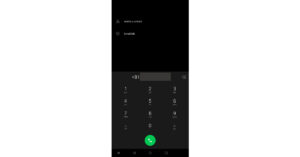
This is another alternative way to do it. The method basically works the same way just like the previous step but is easier. Here is how you can do it. Step 1 – Open the dialer in your smartphone Dialler Step 2 – Type your phone number and tap add to contacts. Step 3 –  Now either open the contact saved or head to WhatsApp and tap Send message. Step 4 – Tap on the profile.  self chat on WhatsApp Step 5 – Scroll down to see the Groups in common option.  Groups in common This is a walkthrough with which one can discover all the groups he/she is in. Drop a message to your dear one, school friends and enjoy some great memories or just exit the group if you don’t want to be part of it. Whatsapp should add a native setting by which one can see the group the user is part of. We can expect this feature to be rolled out by the company in future. For the latest gadget and tech news, and gadget reviews, follow us on TwitterFacebook and Instagram. For newest tech & gadget videos subscribe to our YouTube Channel. You can also stay up to date using the Gadget Bridge Android App. You can find the latest car and bike news here.

Spotify introduces Enhance feature to offer personalised suggestions of tracks: How to use this feature

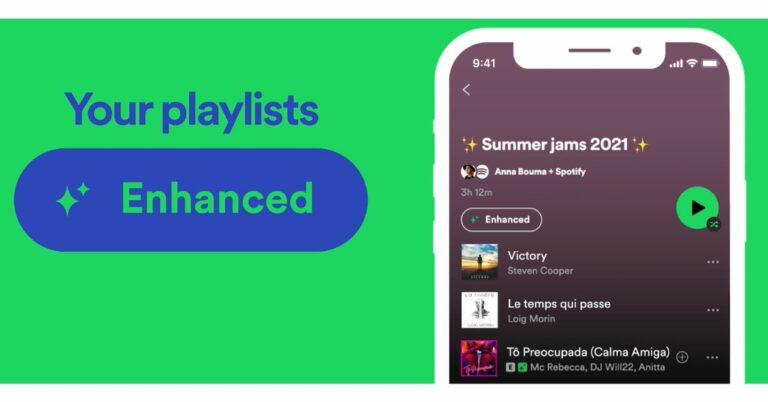
The Sweden-based music streaming platform, Spotify, has announced a new feature for its Premium subscribers. The Spotify Enhance feature will be offering personalised suggestions of tracks that can be added to the playlists by the eligible members only. The users will get a dedicated button for this which can be seen on top of each playlist on the app. When the users enable the switch all the recommended songs will be added to this playlist.  The Spotify Enhance feature has been announced by the company exclusively for the Premium subscribers on the audio streaming app for a personalised recommendation of songs to be added to their playlist if they liked the suggestions. Right now Spotify will allow you to add up to 30 recommended tracks to their playlist on their Spotify app. The personalised suggestions of tracks are highlighted after every two songs. “Starting today, Spotify is rolling out Enhance, a new feature for Spotify Premium users to easily add personalized recommendations to their playlists,” the company stated.

How to use the Spotify Enhance feature on the App

  • Launch the Spotify app on your device.
Spotify introduces Enhance feature to offer personalised suggestions of tracks: How to use this feature
  • Now enable the Enhance button at the top of each playlist. 
Spotify introduces Enhance feature to offer personalised suggestions of tracks: How to use this feature
  • On turning the button on you’ll see your playlist populated with suggested songs that match the others in your playlist. 
  • You’ll get one recommendation after every two tracks, for a max of 30 recommendations. 
How to use the Spotify Enhance feature on the App
  • When you like the recommendation, press the “+” icon next to each new track to permanently add them to the playlist.
According to the company, the songs you add will never be replaced, and you can turn Enhance feature off with a simple tap. Also, these Spotify Enhanced features will be first rolled out to all Premium users in select markets(which includes Andorra, Australia, Austria, Belgium, Brazil, Bulgaria, Canada, Cyprus Czech Republic, Denmark, Estonia, Finland, France, Germany, Greece, Hungary, Iceland, Ireland Israel, Italy, Latvia, Liechtenstein, Lithuania, Luxembourg, Malta, Mexico, Monaco, Netherlands, New Zealand, Norway, Poland, Portugal, Romania, Slovakia, Spain, Sweden, Switzerland, Turkey, U.K., and the U.S.) across Android and iOS. Additional markets are expected to follow in the coming months. For the latest gadget and tech news, and gadget reviews, follow us on TwitterFacebook and Instagram. For newest tech & gadget videos subscribe to our YouTube Channel. You can also stay up to date using the Gadget Bridge Android App. You can find the latest car and bike news here.

Samsung Galaxy Book Business Edition, Samsung Galaxy Book Pro Business announced: Specs and price details inside

Samsung Galaxy Book Business Edition and Samsung Galaxy Book Pro Business Edition laptops have been officially launched by the South Korean company. Both the devices have been unveiled in the US and are not up for grabs in the country. The Laptop comes with some upgraded features over its predecessors. Both the Business laptops are powered by Intel latest 11th-generation processors and operate on Windows 10 Pro that can be upgraded to Windows 11 Pro. In addition to this, the PC comes with Intel Eco certification. Samsung Galaxy Book Business Edition, Samsung Galaxy Book Pro Business Edition price and availability details The Galaxy Book Business Edition has been launched at  $899 that goes roughly around Rs 66,100. Whereas Galaxy Book Pro Business Edition laptop has been introduced at a starting price of $1,099 which translates to Rs 80,800 for the 13.3-inch model. On the other hand, the 15.6-inch variant price starts at  $1,199 that is roughly around Rs 88,100. Both the laptops will be available in two colour options of Mystic Blue and Mystic Silver. The devices are now available for purchase via the company’s official site in the US.   Samsung Galaxy Book Business Edition, Samsung Galaxy Book Pro Business announced: Specs and price details inside Samsung Galaxy Book Business Edition specifications The Galaxy Book Business Edition Laptop features a 15.6-inch full-HD LCD panel with 1,920×1,080 pixels of resolution. The device is powered by up to an 11th-generation Intel Core i7 processor. It also equips Intel Iris Xe graphics with up to 16GB of LPDDR4x RAM and  256GB NVMe SSD storage. For the software the Galaxy Book runs on Windows 10 Pro which is upgradable to Windows 11 Pro. The keyboard comes with a fingerprint reader for authentication.  In terms of connectivity, there is Wi-Fi 6, Bluetooth v5.1, two USB Type-C, two USB 3.2, Thunderbolt 4, an HDMI, and a 3.5mm audio jack. Furthermore, there is a 54Whr battery that supports a 65W USB Type-C charger. Samsung Galaxy Book Pro Business Edition specifications The Samsung Galaxy Book Pro Business Edition comes with two-screen sizes of 13.3-inch and 15-inch AMOLED displays offering 1,920×1,080 pixels of resolution. The device is powered by up to 11th-generation Intel Core i7 processors paired with Intel Iris Xe graphics. It comes with up to 8GB of LPDDR4x RAM and up to 512TB of NVMe SSD. Similar to its sibling, this laptop also operates on Windows 10 Pro.  The Galaxy Book Pro 13 inch and Galaxy Book Pro 15 inch packs a 63Whr and 68 Whr battery respectively along with 65W USB Type-C fast charger support. The notebook has AKG-tuned speakers and Dolby Atmos audio support along with a Pro Keyboard and an inbuilt fingerprint reader. For the latest gadget and tech news, and gadget reviews, follow us on TwitterFacebook and Instagram. For newest tech & gadget videos subscribe to our YouTube Channel. You can also stay up to date using the Gadget Bridge Android App. You can find the latest car and bike news here.

13 September 2021 Flipkart Daily Trivia Quiz Answers: Answer to win exciting prizes

The e-commerce website Flipkart is hosting Daily Trivia Quiz. Every day it brings a bunch of new questions for its users. By answering them correctly you can win exciting prizes. The questionnaire is based on questions related to general knowledge. Also, the users can win free vouchers and super coins, among other offers via the daily quiz. 13 September 2021 Flipkart Daily Trivia Quiz Answers has already gone live on its platform. The participant should be at least 18 years old and should have a valid login ID. The Quiz is available on the mobile platform and not the web version. E-commerce conducts the quiz on daily basis and goes live at 12:00 AM IST and runs till 11:59 PM IST.  The winners are announced within 15 days from the date of participation that can be viewed under the Gems/Rewards section in the app.

How to participate in the Flipkart Daily Trivia Quiz

To participate download the Flipkart app on your phone. Then open the Flipkart app then head to Game Zone. Now click on the Daily Trivia Banner or search for Daily Trivia. Enter the game and answer all 5 questions with correct answers.

13 September 2021 Flipkart Daily Trivia Quiz Answers 

Question 1: In the TV series Friends, what is the surname of Chandler? Answer: Bing Question 2: Which of these actresses played a double role in her debut film? Answer: Deepika Padukone Question 3: The Hollywood film starring Tom Hanks ‘Sully’ is about a plane’s emergency landing on the Answer:  Hudson River Question 4: Director S. Shankar made his debut with which 1993 Tamil film? Answer: Gentleman Question 5: Which of these Shah Rukh Khan films did not win the Filmfare Award for Best Film? Answer: Swades
For the latest gadget and tech news, and gadget reviews, follow us on TwitterFacebook and Instagram. For newest tech & gadget videos subscribe to our YouTube Channel. You can also stay up to date using the Gadget Bridge Android App. You can find the latest car and bike news here.

13 September 2021 Amazon Quiz Answers: Answer these five questions and you could win a Rs 20,000 Pay Balance

The e-commerce website Amazon is back with another daily quiz on its platform. The e-retailer conducts Amazon quiz sessions every day for its customers. The customers from different parts of the country can win exciting prizes and today’s quiz will let you win Rs 20,000 Pay Balance by answering all the questions correctly. 13 September 2021 Amazon Quiz is live now and the participants can stand a chance to win Rs 20,000 Pay Balance. By participating in the daily quiz the customers can win products such as OnePlus 7T, Apple iPhone x, iPhone Xs, Go Pro Hero 8, Galaxy Watch Active, and many more gadgets as well as Pay Balance. You can play the quiz from 12 AM to 11:59 PM every day and the winner’s names will be announced at the end of every month. Check out 13 September 2021 Amazon Quiz answers.

13 September 2021 Amazon Quiz Answers

Question 1: Kangra painting, named after a former princely state which patronized the art, is associated with which present-day state in India?
The answer is- B) Himachal Pradesh Question 2: Gianmarco Tamberi of Italy and Mutaz Essa Barshim of Qatar ended up sharing Olympic gold in which men’s track and field event? The answer is- C) High Jump Question 3: Which spyware, developed by the Israeli firm NSO, has been used by governments around the world? The answer is- B) Pegasus Question 4: The name of this object comes from a Greek word meaning what? The answer is- D) Long-haired Question 5: He was nominated for which prize five times but never got it? The answer is- C) Nobel Prize

What are Facebook’s Ray-Ban Stories smart glasses? Are they good or bad and privacy concerns?

After Mark Zuckerberg revealed his “metaverse” concept a few months back, the company has released a pair of smart sunglasses collaborating with Ray-Ban. The glasses are called Ray-Ban stories by Facebook. Unlike Facebook’s experimental project Aria or Google Glass, Ray-Ban Stories do not feature any built-in displays or crazy AR software. They will help you shoot hands-free videos using two discreet 5MP cameras on both sides and three microphones.  Even with these pairs of cameras and microphones, they won’t replace your traditional smartphone. The frames also pack two personal speakers for taking calls or listening to music, similar to Amazon’s Echo Frames for your multimedia experience. Ray-Ban Stories frame lets you shoot a quick 30-second video as soon as you press a small shutter button on the frame. These videos and photos are stored within the Ray-Ban Stories, which are Encrypted claimed by the company. To download them one can use a companion app named Facebook View. It can be a convenient and stylish alternative to capture your day to day routine. Do not expect the glasses to match the quality of a GoPro. Ray-Ban offers the glasses with clear or prescription lenses, so you’re not stuck buying a pair of shades that could make calls and capture photos or videos via voice command. But like all Facebook products, Ray-Ban Stories raise a lot of questions about privacy, even if the Glasses have a recording indicator light and a power button built-in. The point is about the privacy of others. There are tons of opportunities for an individual to misuse it as the glasses blend in quite well. The LED indicator can be easily hidden making it prone to be abused in public. Facebook View Read Also: What is Xiaomi Mi Air Charge technology and how does it work? Facebook’s proprietary View app is also troubling given that we know Facebook’s data collection practices. It is an easy excuse for Facebook to access all your photos and videos even your private location along with your devices battery life. With such information available to them, it can help the company generate revenue through targeted ads. With the company using its private hardware and software, it gets very difficult to track such malpractices behind the scene.  Keeping aside the security concerns. One can consider these glasses as they seem like a useful medium for shooting hands free videos and clicking pictures with a press of a button. The smart shades are launched at a price tag of $300 (roughly Rs 22,500) and come in 3 models. Looking at the Ray-bans official Indian website it is unlikely to be launched in India as of now. For the latest gadget and tech news, and gadget reviews, follow us on TwitterFacebook and Instagram. For newest tech & gadget videos subscribe to our YouTube Channel. You can also stay up to date using the Gadget Bridge Android App. You can find the latest car and bike news here.

WhatsApp adds end-to-end encryption for Android Cloud backups

People have been using online-based backup services in WhatsApp for quite a while now. For Android users, the service is provided by Google Drive and for Apple it is iCloud. WhatsApp claimed that they have no access to these backups and are secured by the individual cloud-based storage services. The accuracy of this claim was unknown and it has been a weak link in WhatsApp security for a long time. But now the company has fixed it with end-to-end encryption in the cloud backup. The company gave all its users the option to encrypt their chat backups to the cloud, getting this done was a big challenge that required an entirely new framework for key storage and cloud storage across operating systems, said Facebook’s chief executive Mark Zuckerberg in a post announcing the new feature. WhatsApp made a system to enable its users on both Android and iPhone to lock their chat backups with encryption keys. The company also claimed it will give users two options to encrypt their backup. The feature introduced is completely optional for the users. Consumers will soon see an option of generating a 64-bit digital encryption key to lock their backup. They will have an option to either save the backup online or offline in a password manager of their choice. 64 bit encryption Read Also: How to backup your iPhone The other option for the users is to create a password that backs up their encryption key in a cloud-based “backup key vault” that WhatsApp has developed. The password set by you won’t be known to WhatsApp and cant be used without one logging in. The company knows that some will be using a 64-bit encryption key whereas others want an easily memorable password, so they included both options. The only drawback of 64-bit encryption is that if the user loses their respective key there will be no way they can recover the chat backup. To avoid this problem WhatsApp development team has input several warning popups to make its users clear about it. User Password Read Also: How to restore WhatsApp backup? Adding end-to-end encryption in the cloud backup will be a good move by the company as the governments of many countries are getting strict regulations over user privacy. With people living their life more online companies should enhance the security they provide to the users. WhatsApp also confirmed that it will be rolling out this optional feature in every market where its app is operational, including India. For the latest gadget and tech news, and gadget reviews, follow us on TwitterFacebook and Instagram. For newest tech & gadget videos subscribe to our YouTube Channel. You can also stay up to date using the Gadget Bridge Android App. You can find the latest car and bike news here.

How to enable auto-translate within Google Chrome

0
Google Chrome offers a lot of features with regular updates. Some of the features get updated silently and users get no idea about it. Similar to this is an auto-translate feature in Chrome that automatically translates a web page from a foreign language into a native one. Chrome uses its native Google translate feature and converts the foreign script into readable text. The feature automatically detects the website language and translates it into a preferred one. One can also choose any language they want the webpage to be translated into. Here is how to enable this feature. Step 1 – Launch Google Chrome on your System. Step 2 – Click on the three-dot symbol on the top right corner of the screen. Step 3 – In the list select the Settings menu. Step 4 – Either select the Advanced Settings option from the left table or scroll to the end of the page to discover that option. Advance SettingAlso Read: How to change your language in Google on a PC or a smartphone? Step 5 – Head to the Languages menu in the Advanced Setting. Step 6 – Choose the language preference, one can select multiple languages as per their wish. The top language will be given priority and the webpage will be translated accordingly. Step 7 – Enable the Offer to translate pages that aren’t in a language you read option. Offer to translate pages that aren’t in a language you read option Also Read: How to change your country and language settings in Windows 10? Step 8 – Relaunch Google Chrome. Step 9 – Open any website with a different language to see a translation pop-up. Step 10 – Users can also find more options of translation for their convenience. Translate Following these instructions is a one-time hassle and one can easily translate web pages in real-time or enable auto-translation. Similarly, following the same method, you can also translate the web page in Google Chrome for Android as well. The translation feature will automatically detect the language and translate it into our chosen language. For the latest gadget and tech news, and gadget reviews, follow us on TwitterFacebook and Instagram. For newest tech & gadget videos subscribe to our YouTube Channel. You can also stay up to date using the Gadget Bridge Android App. You can find the latest car and bike news here.

How to add fractions? Best Android and iOS apps that teach you mathematics

Mathematics can be a notoriously struggling subject for some. But if one has a passion it can encourage some of you to become the best, the rest can use apps that we are about to recommend. Here are some great applications for Android and iOS that are designed to explain and walk you through different methods of understanding Maths. These are the best application for mathematics and will cover from the basics of addition and subtraction to hectic topics like calculus, trigonometry and Pythagoras.
  • MalMath

MalMath The application accepts input of mathematical problems from users and shows you the step by step instructions for solving them. It is available on all platforms and one can do math equations anywhere with a proper internet connection. The best feature about this application is that it also has powerful offline capabilities on smartphones. Meaning one can learn without worrying about the internet connection. The application is completely free of cost and will come in handy when solving difficult mathematics problems. Download: iOS, Android
  • GeoGebra Classic

GeoGebra Classic Developed by GeoGebra, it is specialised in tackling spreadsheets, digital algebra, geometry and probability. It puts the package in a neat and user-friendly interface so one can easily work on it. Plotting graphs is the main focus of this application. Students can easily make graphs and the application analyses the points on the Cartesian plane for you. One can pair it with the GeoGebra calculator for better results on their Android phone. For iOS, the application comes as a package avoiding the hassle of downloading two applications. The calculations and drawings can be saved offline and shared with friends as well. Download: iOS, Android Read Also: How can you make Amazon Alexa learn new tricks and commands?
  • Photomath

Photomath Photomath is what its name suggests. It uses your smartphone’s camera to scan the math problem, analyses the information and gives a detailed step-by-step answer and explanation. It covers a range from basic math to calculus and trigonometry. The tool works flawlessly in offline mode. Though the functions for the free version is limited one can always have in-app purchases to get its full and optimum experience. Download: iOS, Android
  • Brainly

Brainly Brainly is a social media approach to solving mathematics. The motto of this application is Students for Students. A person can post any question on their wall and the application works as a community of people who are students or teachers to help out the learner at their best. The approach of helping one in solving the question in a social media approach is appreciated by everyone. The application is completely free and has tech support for help 24/7, just in case. Download: iOS, Android. Read Also: 5 best Android games and apps to boost your brainpower
  • Komodo Maths

Komodo Maths ]This application is designed by professional teachers keeping younger primary school children in mind. With game-based rewards mechanisms in place, learning math is made fun. The children feel attached to the friendly user interface and easy explanation methods. Komodo also focuses on foundational understanding, making sure children master the basics before they move on to more complex mathematical problems. Download: iOS, Android These applications for mathematics will surely come in handy for learning and making those tough problems seem a little easy. The web pages of all the applications are available as well so one can open browsers in their system and never feel left behind in learning whenever time allows. The key to being good at mathematics is practice. For the latest gadget and tech news, and gadget reviews, follow us on TwitterFacebook and Instagram. For newest tech & gadget videos subscribe to our YouTube Channel. You can also stay up to date using the Gadget Bridge Android App. You can find the latest car and bike news here.

11 September 2021 Flipkart Daily Trivia Quiz Answers: Answer to win exciting prizes

The e-commerce website Flipkart is hosting Daily Trivia Quiz. Every day it brings a bunch of new questions for its users. By answering them correctly you can win exciting prizes. The questionnaire is based on questions related to general knowledge. Also, the users can win free vouchers and super coins, among other offers via the daily quiz. 11 September 2021 Flipkart Daily Trivia Quiz Answers has already gone live on its platform. The participant should be at least 18 years old and should have a valid login ID. The Quiz is available on the mobile platform and not the web version. E-commerce conducts the quiz on daily basis and goes live at 12:00 AM IST and runs till 11:59 PM IST.  The winners are announced within 15 days from the date of participation that can be viewed under the Gems/Rewards section in the app.

How to participate in the Flipkart Daily Trivia Quiz

To participate download the Flipkart app on your phone. Then open the Flipkart app then head to Game Zone. Now click on the Daily Trivia Banner or search for Daily Trivia. Enter the game and answer all 5 questions with correct answers.

11 September 2021 Flipkart Daily Trivia Quiz Answers 

Question 1: In what format of cricket did Herschelle Gibbs hit six sixes in an over? Answer: ODI Question 2: Which of these bowlers has not taken a hattrick during an ODI World Cup? Answer: Kuldeep Yadav Question 3: Who among these has not been named in Wisden’s five cricketers of the decade list? Answer:  Rohit Sharma Question 4: Which Indian recently won the Women’s World Rapid Chess Championship? Answer: Koneru Humpy Question 5: Who is the only Indian umpire to officiate in the 2020 Under-19 Cricket World Cup? Answer: Anil Chaudhary
For the latest gadget and tech news, and gadget reviews, follow us on TwitterFacebook and Instagram. For newest tech & gadget videos subscribe to our YouTube Channel. You can also stay up to date using the Gadget Bridge Android App. You can find the latest car and bike news here.