Instagram has introduced new features for its DMs. Some of these features, like the option to edit messages, have been highly requested by users for a long time. The platform has also introduced new aesthetic features which allow you to change the way your chats look on the phone. So, let’s take a look at how you can edit your messages and turn off read receipts on Instagram.Read Also:Nothing Phone 2a Launch Today: How to Watch Live Stream, Expected Price, Specifications, and More
New DM features on Instagram
The option to edit messages is an essential feature that every instant messenger must have. While it may have taken Instagram a long time to incorporate this feature in its DMs, it has been implemented perfectly. You can edit a message up to 15 minutes after sending it. Once edited, the recipient will not be able to see the previous version of the message.Apart from that, you can now turn off read receipts for your chats on Instagram. The great thing about this feature is that it can be implemented for individual messages as well. If you want to turn them off for all messages, you can access the option to do so in account settings. Earlier this month, Instagram added new features to parental control tools, with stricter message settings and making parental approval mandatory to change certain settings.
Edit Messages on Instagram
Step 1: Open a chat thread in your Instagram DMs.Step 2:Long-press the message you wish to edit.Step 3: Select Edit from the dropdown menu.Step 4: Make the changes to the message.Step 5: Hit Done.You can edit a message up to 15 minutes after sending it. All your edited messages will carry the ‘Edited’ tag, but the recipient will not be able to read the previous version of the message.
Turn off read receipts for all chats on Instagram
Step 1: Launch the Instagram app on your phone and tap your profile icon at the bottom right corner of the screen.Step 2: Tap the hamburger menu icon at the top right corner of the screen and select Settings and privacy.Step 3: Tap on Message and story replies.Step 4: Select Show read receipts.Step 5: Turn off the toggle switch for Read receipts.
Turn off read receipts for a particular chat on Instagram
Step 1: Go to your Instagram DMs and select the chat for which you want to turn off the read receipts.Step 2: Tap the name at the top of the chat.Step 3: Select Privacy and safety.Step 4: Turn off the toggle switch for Read receipts.
Frequently Asked Questions (FAQs)
Can I edit old messages on Instagram?
Instagram allows you to edit messages within a 15-minute window. You cannot edit a message 15 minutes after sending it.
Can the recipient view the previous version of the edited message on Instagram?
Once you edit a message on Instagram, its previous version will not be visible to the recipient.
How do I turn off read receipts for an individual chat on Instagram?
This is how you can edit messages and turn off read receipts on Instagram. The platform has also introduced new themes for chats along with the option to save your favourite stickers. You can also pin your most important chats to the top of the inbox.
Nothing is all set to reveal the Nothing Phone 2a in India today, March 5. The event is scheduled to commence at 5 pm IST in Delhi. If you’re excited to witness the grand reveal, you can catch the live stream on Nothing’s official website. Alternatively, you can watch the event right here by clicking on the video below:
Nothing Phone 2a Launch: Expected Price and Sale Date
While the official price of the Nothing Phone 2a is yet to be confirmed, recent rumors suggest it might come at around Rs. 25,000 in India. Flipkart has already set up a microsite, indicating that the smartphone will be available for purchase on their platform. However, the exact sale date will only be disclosed during the launch event, so stay tuned for updates.
Read Also:Nothing Phone 2a will look like this: Design revealed
Nothing Phone 2a Launch: Expected Features and Specifications
Design and Display
Nothing Phone 2a boasts an intriguing design with a transparent rear panel, aligning with Nothing’s unique design philosophy. The rear panel houses a dual-camera setup, surrounded by LED modules, adding to its aesthetic appeal. Leaks also suggest a punch-hole cutout on the front panel, with volume controls on the left side and the power button on the right. Expect the phone to come in two stylish color options: Black and White.
Cameras
Capture every moment with clarity using the Nothing Phone 2a’s impressive camera setup. Equipped with a dual-camera configuration on the rear, including a 50-megapixel primary sensor and a 50-megapixel ultra-wide-angle lens, expect stunning shots in any scenario. For selfies, rely on the 32-megapixel front camera to capture your best angles with ease.
Battery and Other Details
Say goodbye to battery woes with the robust 5,000mAh battery powering the Nothing Phone 2a. Additionally, the phone may support 45W wired charging for quick and hassle-free charging. While wireless charging support remains unconfirmed, the Nothing Phone 2a promises a seamless and efficient user experience.
Read Also: Nothing Phone 2a confirmed to be powered by MediaTek Dimensity 7200 SoC
Performance and OS
Powered by a custom MediaTek Dimensity 7200 Pro processor, co-engineered by Nothing and MediaTek, the Nothing Phone 2a promises smooth performance. It may offer up to 12GB of RAM and 256GB of internal storage for seamless multitasking and ample storage space. Running on NothingOS 2.5.2, based on Android 14, the phone ensures a user-friendly experience with the latest features and enhancements.
As the countdown to the Nothing Phone 2a launch event begins, excitement is palpable among tech enthusiasts and smartphone aficionados. With its innovative design, powerful performance, and impressive features, the Nothing Phone 2a is poised to make a mark in the affordable smartphone segment. Stay tuned for live updates and be among the first to experience the future of smartphones with Nothing Phone 2a and Gadget Bridge!
International Women’s Day is celebrated across the world on March 8, a week into the Women’s History Month. If you’re looking for a gift for your friends and loved ones, there are a plethora of tech options waiting for you. From smartphones to smartwatches, you can find a great tech gift in every price bracket. Don’t know where to begin? Here are our picks for the top 10 tech gifts for your friends and loved ones on International Women’s Day 2024.Read Also:Lava Blaze Curve 5G launched: Tech Specs, Price and more
iPhone 15
Price: Rs 79,900 on Apple.inThe base variant of the new iPhone 15 Series sports a compact 6.1-inch Super Retina XDR OLED display with HDR10 support and 2,000 nits of peak brightness. The notch on the base variant’s display has finally been replaced by the Dynamic Island and the lightning port has been ditched for USB Type-C charging. Powering the smartphone is Apple’s A16 Bionic processor. The dual camera array on the back panel consists of a 48MP primary shooter and a 12MP ultrawide lens.
Amazon Kindle
Price: Rs 9,999 on AmazonThe entry-level Amazon Kindle is one of the best e-readers around. It matches most of the specs of the Kindle Paperwhite while being priced under Rs 10,000. The 6-inch display on the entry-level Kindle has a 300 ppi resolution. There are 4 LEDs lighting up the display. Equipped with an internal storage of 16BG, the Amazon Kindle can store thousands of books at once. The battery on this device can last up to 6 weeks on moderate usage. Read our review here.
Fujifilm Instax Pal
Price: Rs 10,999 on Instax.inThe new Fujifilm Instax Pal can easily fit inside your palm and is perfect for taking pictures on vacations. This camera is priced at Rs 10,999 and comes in five colour options – Gem Black, Powder Pink, Pistachio Green, Lavender Blue and Milky White. The Instax Pal can also be paired with a silicone case that has a strap carabiner and a Link Mode switch. The latter allows you to print pictures quickly using an Instax Link Series printer. There is no printing function on the camera itself. There are three shooting modes on this camera – Standard, Remote, and Interval.
Clokowe T08 Mini Projector
Price: $129.99 on AmazonThe Clokowe T08 mini projector delivers 720p footage and supports all the major casting standards. You can connect your device to the projector using an HDMI cable or cast its display using Miracast (Android), AirPlay (iOS), or DLNA (Windows). The projector also has a USB port which can be used to play content directly from a pen drive. The maximum projection display size on offer here is 200 inches. The 3W speaker at the back of the projector does not produce the best audio output, but the 3.5mm headphone jack makes up for it. The Clokowe T08 can be rotated up to 180 degrees. Automatic keystone correction ensures that you get a perfectly rectangular image on the screen every time. Read our review of the projector here.
Yikubee Essential Oil Diffuser
Price: Rs 1,879 on AmazonIf someone you know is into essential oils and aromatherapy, this oil diffuser is one of the best tech gifts you can give them this International Women’s Day. This diffuser has a 500ml capacity and can easily cover a large room with fragrant aromas. It can automatically shut down when the water in its storage unit runs out. With an operating noise of less than 30 dB, you can sleep comfortably with the diffuser working in your room. On top of that, you can change the lighting on the diffuser to match your mood.
Vivo X100 Pro
Price: Rs 89,999 on FlipkartThe Vivo X100 Pro is undoubtedly one of the best camera phones in the market right now. The giant circular cutout on the back panel of this smartphone comprises a 50MP primary shooter, a 50MP periscope telephoto lens, and another 50MP ultrawide lens. All three cameras take high-quality pictures with punchy colours and amazing dynamic range. For portrait shots, the X100 Pro allows you to choose from 5 focal lengths. You don’t need to be close to a subject to take a detailed portrait shot. Powering this smartphone is the MediaTek Dimensity 9300 SoC. Read our in-depth review of the phone here.
Sony WF-C700N
Price: Rs 8,458 on AmazonThe Sony WF-C700N wireless earbuds deliver a high-quality audio output and are equipped with top-of-the-line features like Active Noise Cancellation, Ambient Mode, Multipoint Connection, and more. The earbuds are lightweight and their charging case has a very portable pill-shaped design. With ANC turned off, these earbuds can last up to 8 hours. This drops down to 5 hours when the ANC is turned on. Combined with the charging, you can get up to 15 hours of battery life. Certainly one of the best gifts for International Women’s Day. Read our full review here.
Braun Face Mini Hair Remover
Price: Rs 1,499 on AmazonThe Braun mini hair remover can efficiently remove small facial hair that is hard to spot and reach. It offers a close and smooth shave, making it easy to apply makeup on the skin. Its portable size makes it easy to carry in a handbag. The hair remover has a built-in smart light for spotting and removing even peach fuzz. Its rotary design adjusts perfectly to the facial contours and reaches the spots that are ordinarily tough to reach. On top of that, the device comes with 2 years of warranty.
Titan Traveller Smartwatch
Price: Rs 12,995 on Titan.comThe Titan Traveller smartwatch would make an excellent tech gift for your fitness-obsessed friend on International Women’s Day. We reviewed this smartwatch in January and were pleased by how well it balanced the line between being a fitness gadget and an attractive accessory. There are 2 straps (leather and silicone) inside the retail box, which help you decide the look of the smartwatch based on the occasion. The 1.78-inch display is snappy and very responsive. The watch tracks all the essential health functions and fitness metrics accurately. Our favourite feature on the device is the ‘FitVerse’ which makes you compete with an AI avatar in a bid to boost your workouts.
JBL Go 3
Price: Rs 2,998 on AmazonEnding this list is the ultra-portable JBL Go 3 Bluetooth speaker. This speaker has dimensions of 7.5cm x 8.7cm x 4.1cm and weighs just 209 grams. On a single charge, this speaker can last up to 5 hours. It takes up to 2.5 hours to fully charge the device. The speaker has an IP67 rating, which means it is immune to water damage. You can take it to the beach without worrying about any splashes of water or sand falling on the speaker. The 4W audio output from the speaker is detailed and distortion-free.Read Also:Optoma UHZ50+: Elevate Your Home Entertainment Experience with 5 Key Features we love
Conclusion
These are the top 10 tech gifts you can give to your friends and loved ones on International Women’s Day 2024. Think we missed out on a great device that deserves to be on this list? Let us know in the comments!
Boasting a 120 Hz 3D Curved AMOLED Display and 8GB LPDDR5 RAM, the Blaze Curve 5G offers seamless multitasking and faster app opening rates.
With a 64MP primary rear camera and a 32MP front camera, the Blaze Curve 5G ensures crisp and detailed photography, catering to both photography enthusiasts and selfie lovers.
Featuring a powerful 5000 mAh battery and running on clean Android 13 with regular software updates, the Blaze Curve 5G promises extended usage without interruption and a clutter-free user experience.
Lava International has just unveiled its latest offering, the Blaze Curve 5G, set to revolutionize the mid-range smartphone segment. Packed with cutting-edge features and an affordable starting price of Rs 17,999.
Lava Blaze Curve 5G: Technical Specifications
The Lava Blaze Curve 5G boasts a stunning 16.94 cm (6.67-inch) 120 Hz 3D Curved AMOLED Display, providing users with a truly immersive visual experience. This display is complemented by the segment-best 8GB LPDDR5 RAM and UFS 3.1 128/256GB ROM, offering seamless multitasking and faster app opening rates.
Read Also:Lava Blaze 5G to be available at Rs 9,999 in India
Powered by the MediaTek Dimensity 7050 processor, the Blaze Curve 5G delivers unparalleled speed and efficiency. It achieves the highest AnTuTu score of 570K+ in its segment, setting new standards for gaming and app experiences.
In terms of camera capabilities, the Blaze Curve 5G features a 64MP primary rear camera (Sony sensor) with EIS support, along with an 8MP Ultrawide and a 2MP Macro lens with LED Flash. For selfie enthusiasts, it comes equipped with a 32MP front camera, ensuring crisp and detailed selfies.
The device also features stereo speakers with DOLBY ATMOS support, delivering rich and immersive audio quality for an enhanced multimedia experience.
Lava is committed to providing a superior user experience with the Blaze Curve 5G. The device runs on bloatware-free, ad-free, and clean Android 13, ensuring a smooth and clutter-free interface. Lava promises regular software updates, including assured upgrades to Android 14 and 15, along with quarterly security updates for three years.
Equipped with a powerful 5000 mAh (typ) Li-Polymer battery, the Blaze Curve 5G ensures extended usage without interruption. It also supports fast charging with a 33W charger, allowing users to quickly recharge their device and get back to their activities.
Read Also: Samsung Galaxy F15 5G With Four Generations Of Android Upgrades Launched In India
Lava Blaze Curve 5G: Price and Availability
The Lava Blaze Curve 5G will be available for purchase on Amazon.in, Lava E-store, and across Lava Retail Network starting from 11th March 2024 at 12:00 Noon. Customers can choose from two stunning color variants – Iron Glass and Viridian Glass.
Additionally, Lava is offering FREE SERVICE @ HOME for Blaze Curve 5G users in the event of any issues during the warranty period, providing added convenience and peace of mind.
Welcome to the next frontier of home entertainment with the Optoma UHZ50+ projector. As we delve into the realm of true 4K UHD resolution and cutting-edge laser technology, it becomes evident why the UHZ50+ stands out as a Smart 4K UHD laser home cinema projector. In this blog post, we’ll explore five compelling reasons why investing in the Optoma UHZ50+ is a game-changer for your home entertainment setup.
True 4K UHD Resolution and DuraCore Laser Technology
Embrace the future of visual excellence with the UHZ50+’s true 4K UHD resolution. Boasting DuraCore Laser technology, this projector offers longer-lasting performance, delivering stunningly clear and sharp images. The use of high-quality lasers ensures superior brightness, color performance, and an impressive lifespan of up to 30,000 hours, setting it apart from traditional lamp-based projectors.
HDR and HLG Compatibility
The Optoma UHZ50+ is not just about resolution; it’s about the quality of the visual experience. With compatibility for both HDR10 and Hybrid Log Gamma (HLG) HDR content, this projector brings out intricate details and textures. Dive into a world where objects appear more lifelike, scenes gain depth, and the overall visual experience is heightened.
Superb Gaming Experience
Gamers, rejoice! The UHZ50+ is engineered for an outstanding gaming experience, featuring a 240Hz refresh rate and an incredibly low 4ms input lag for PC gaming. The Enhanced Gaming Mode optimizes contrast and colours, providing lightning-fast response times and smooth, ghosting-free motion. Immerse yourself in the world of gaming like never before.
Read Also:Interviewed: Vijay Sharma, Optoma India On Latest Projector Trends
Brilliant Contrast and PureMotion MEMC
The UHZ50+ takes contrast to a new level with features like Dynamic Black Technology, automatically adjusting brightness for each frame. PureMotion MEMC eliminates motion blurring and judder, delivering smooth, fluid motion even in high-speed action sequences. The result is a stunning visual experience with crisp bright scenes and detailed dark scenes.
Smart Home Features and Connectivity
Elevate your home entertainment with the UHZ50+’s smart features, including Optoma Marketplace, File Manager, and Creative Cast. Enjoy seamless connectivity with voice assistants, making your entertainment experience more intuitive. The inclusion of a Smart TV Dongle – HAKO mini, with Google and Netflix certification, further expands your streaming options and brings convenience to your fingertips.
Final Thoughts
In conclusion, the Optoma UHZ50+ is not just a projector; it’s a gateway to a new era of home entertainment. With its true 4K UHD resolution, advanced laser technology, gaming prowess, brilliant contrast, and smart features, the UHZ50+ redefines what’s possible in a home cinema projector. Elevate your viewing experience, whether it’s for movie nights, gaming sessions, or streaming your favourite content. The Optoma UHZ50+ is a testament to innovation and excellence in home entertainment technology.
Price: Rs 4,00,000
Buy From:Optoma
Apple has once again raised the bar in laptop innovation with the unveiling of the new 13- and 15-inch MacBook Air, featuring the powerful M3 chip. This latest release promises even more performance, faster Wi-Fi, and support for up to two external displays, all packaged within its sleek and lightweight design.
Apple MacBook Air 2024: Technical Specifications
Powered by the groundbreaking M3 chip, the new MacBook Air delivers blazing-fast performance like never before. With up to 60 percent faster speeds than the previous M1 model and a staggering 13 times faster than Intel-based MacBook Airs, the M3 chip sets a new standard in laptop performance. Whether you’re tackling everyday tasks or demanding photo and video editing, the M3 chip ensures smooth and efficient operation.
MacBook Air solidifies its position as the world’s best consumer laptop for AI with the M3 chip. Featuring a faster 16-core Neural Engine and advanced accelerators, the new MacBook Air offers unparalleled on-device machine-learning capabilities. From intelligent camera features to real-time speech-to-text and translation, MacBook Air empowers users with cutting-edge AI technology for enhanced productivity and creativity.
Read Also:How to make a Genius Bar appointment at an Apple Store in the USA or UK?
Available in both 13- and 15-inch models, the new MacBook Air combines performance with portability. With up to 18 hours of battery life and a strikingly thin and light design, users can work, play, or create from anywhere with ease. Plus, with support for up to two external displays, multitasking has never been more seamless.
Featuring a stunning Liquid Retina display with up to 500 nits of brightness, MacBook Air delivers vivid visuals and sharp detail. And with support for Wi-Fi 6E and MagSafe charging, along with two Thunderbolt ports and a 3.5mm headphone jack, connectivity is both versatile and convenient.
Combined with macOS, the MacBook Air experience is truly unrivalled. From enhanced productivity features like Split View and Stage Manager to seamless integration with iPhone and other Apple devices, macOS Sonoma takes user experience to the next level.
In line with Apple’s commitment to sustainability, the new MacBook Air is the first Apple product to be made with 50 percent recycled content. With energy-efficient design and eco-friendly materials, MacBook Air sets a new standard for environmentally conscious technology.
Read Also: Apple crossed the 10-million mark in shipments during the quarter
Apple MacBook Air 2024:Pricing and Availability
The new MacBook Air with M3 chip is now available for order, starting at Rs 114,900 for the 13-inch model and Rs 134,900 for the 15-inch model. Education/Student pricing is also available, starting at Rs 104,900 and Rs 124,900 respectively. There are trade-in schemes also available that will get users credit for the new MacBooks.
Samsung, the leading smartphone brand in India, has unveiled its latest offering, the Galaxy F15 5G, promising an unparalleled smartphone experience. Packed with cutting-edge features not found in its predecessors, the Galaxy F15 5G boasts an impressive 6,000mAh battery, a stunning sAMOLED display, four generations of Android upgrades, and five years of security updates, ensuring users stay up-to-date and secure for years to come.
Aditya Babbar, Vice President of MX Business at Samsung India, expressed excitement about the launch, emphasizing Samsung’s commitment to empowering customers through innovative technology. He highlighted the Galaxy F15 5G’s unique features, designed to cater to the fast-paced lifestyles of today’s generation, particularly Gen Z.
Samsung Galaxy F15 5G: Technical Specifications
The Galaxy F15 5G showcases Samsung’s signature premium design, radiating elegance and sophistication. Featuring a segment-exclusive 6.5-inch sAMOLED display, users can indulge in an immersive viewing experience, whether scrolling through social media or watching videos. With color options like Ash Black, Groovy Violet, and Jazzy Green, there’s a Galaxy F15 5G to match every style.
One of the standout features of the Galaxy F15 5G is its massive 6000mAh battery, offering up to two days of uninterrupted usage. Paired with 25W Super-Fast Charging, users can quickly recharge their device, ensuring they stay connected and productive throughout the day.
Read Also:Samsung Galaxy A15 5G new memory variant launched in India
Powered by the MediaTek Dimensity 6100+ chipset, the Galaxy F15 5G effortlessly handles demanding tasks, thanks to its impressive processing power. The RAM plus feature provides additional virtual RAM of up to 12GB, enhancing multitasking capabilities for smoother app operation.
Equipped with a 50MP triple camera setup with Video Digital Image Stabilization (VDIS), the Galaxy F15 5G captures stunning photos and videos with reduced blur or distortion. The device features a 13MP front camera for selfie enthusiasts for crisp and clear self-portraits.
The Galaxy F15 5G introduces innovative features like Voice Focus, which enhances call clarity by reducing ambient noise. Other exciting features include Quick Share for instant file sharing and Smart Hotspot for seamless connectivity. With the Knox Vault chipset, users can rest assured that their sensitive data remains protected against software and hardware threats.
Setting a new standard in the segment, the Galaxy F15 5G guarantees four generations of Android upgrades and five years of security updates, ensuring users stay ahead of the curve with the latest features and enhanced security measures.
Read Also: Samsung Galaxy S24 Review: The compact king!
Available in Ash Black, Groovy Violet, and Jazzy Green, the Galaxy F15 5G comes in 4GB+128GB and 6GB+128GB storage variants. Starting March 11, it will be available on Flipkart, Samsung.com, and select retail stores. For early birds, an exclusive sale on Flipkart offers a Samsung Travel Adapter worth Rs 1,299 for just Rs 299. Additionally, consumers can avail of a bank cashback or upgrade bonus of INR 1,000, bringing down the net effective price to Rs 11,999 for the 4GB+128GB variant and Rs 13,499 for the 6GB+128GB variant.
Entry-level TWS headsets have come a long way in the last couple of years. With midrange smartphones ditching the headphone jack, the demand for affordable wireless earbuds has never been higher. In India, this category is dominated by the likes of boAt, Noise, and Boult Audio, with new players like Truke and Mivi stepping in and massively elevating the standard of competition. We’ve tested a range of affordable TWS products through the years and the good ones are generally priced within the Rs 1,000 – Rs 2,000 bracket. Itel’s newest S9 Pro wireless earbuds are priced at Rs 799 and give the entry-level headsets a serious run for their money. We’ve been using these earbuds for the last week. While we didn’t hold high hopes for a TWS priced under Rs 1,000, we were surprised by how well it held up. Here is our review of the Itel S9 Pro earbuds.Read Also:Top 2 ways to automatically translate web pages in Google Chrome? (2024)
Itel S9 Pro Earbuds review: Design
Inside the Itel S9 Pro retail package, you get the charging case with earbuds inside, a USB Type-A to Type-C charging cable, two extra pairs for ear tips, and a user manual. The S9 Pro is available in two dual-tone colour variants – Dark Blue with green highlights, and Nebula Black with blue highlights.For a TWS priced at just Rs 800, the quality of materials used in the product is very good. The plastic used for the charging case is not flimsy and the hinge is strong. Flipping and shutting the lid is very snappy. We only used the TWS for a week, but it displayed good strength. We don’t expect the lid to lose its snappiness even after months of use.The only downside is that the charging case is very scratch-prone. We kept the case in pockets with loose change and keys, and it did not take much time for minor scuffs and scratches to appear on the surface. Even if you’re very careful with your usage, escaping the scratches is nearly impossible. However, the charging case can easily survive minor knocks and falls without any damage.The oval charging case has a translucent lid which allows you to see the silhouettes of the resting earbuds. The Itel branding can be found just below the lid on the front panel. An LED notification lid lies below the branding. The USB Type-C charging port has been housed at the bottom of the case. There is no pairing button on the device.Flipping open the lid, you will notice the green/blue cutouts for the earbuds. The silicone ear tips also receive a contrasting colour tone. The earbuds follow the traditional in-ear design. Even though they have a glossy interior panel, the fit was snug and comfortable. We experienced minimal ear fatigue after an extended period of use.An IPX5 rating means the Itel S9 Pro can weather through minor splashes of water. We used the earbuds while hiking and working out. They remained unfazed in sweaty conditions. However, due to the glossy inner panel, the sweat impeded the fit, leading to the earbuds slipping out on a couple of occasions.
Itel S9 Pro Earbuds review: Performance
The audio output on the Itel S9 Pro is produced by 10mm bass boost drivers. The TWS supports Bluetooth 5.3 and is very easy to pair with your device. We did experience the odd glitch where one earbud failed to pair with the device. Placing it back in the case and pairing it again should do the trick. Another drawback of these earbuds is that they don’t disconnect automatically when they are placed in the charging case and the lid is closed. This led to a few missed calls (because the audio output was still relayed to the earbuds while they were in the case) during the review period.The Itel S9 Pro punches above its weight when it comes to audio performance. As is the case with most entry-level headsets (wireless or otherwise), the output is bass-heavy. However, on the S9 Pro, it does not overpower the other frequencies. What you get is a delectable mix, something that even a lot of TWS in higher categories cannot replicate. A hint of distortion does creep in when you push the volume to its maximum level, but that is to be expected on most headphones.We played a range of genres on the Itel S9 Pro, including post-punk, thrash metal, grunge, and hyperpop. The earbuds showcased their versatility by expertly producing a diverse soundstage no matter which song we played. While playing Television’s Marquee Moon, we could distinctly hear the cymbals in the background and the crispy hits to the hi-hat. The midrange frequencies were given ample attention, while the bass loomed in the background.The lack of ANC on this TWS isn’t surprising, but the level of noise that it manages to suppress passively is quite impressive. While travelling, you can tune out the general humdrum around you, but the louder sounds manage to creep in nonetheless. The S9 Pro is equipped with ENC, which elevates the calling experience on the earbuds. In indoor conditions, the call quality was very clear. The earbuds did a good job of extracting the speaker’s voice and minimising the suppressing the surrounding noise. However, this does not work in challenging conditions. While taking a call outdoors, we had to revert to the smartphone’s microphone.The touch controls on these wireless earbuds are smooth and very seamless. We did not experience any accidental touches while using the earbuds. This isn’t something we can say for every pair of earbuds. There is no companion app to remap these controls. Hopefully, Itel’s development team is on the case. No companion app means there is no way to tune the equaliser either.Triple tapping either earbud toggles the gaming mode. This gaming mode offers a latency of 45ms, which is optimum for playing games like BGMI, Call of Duty Mobile, Asphalt 9, and others. We used the S9 Pro while gaming and were happy with how they performed. There was no significant lag between the audio output and the gameplay. However, the detailed sound profile of dedicated gaming earbuds is something that the S9 does not have. If you’re a casual gamer, this will not bother you too much.The charging case is equipped with a 400mAh battery pack while the earbuds hold an additional 35mAh each. The earbuds offer up to 6 hours of music playback on a full charge. This means you can get up to 40 hours of playtime when the charging case and earbuds are fully charged. We used the Itel S9 Pro earbuds for an average of 3 hours per day during the review period and we were left with a 40% charge at the end of the week. It takes just over 90 minutes to fully charge the TWS.Read Also:Top 2 ways to create and save a tab group on Google Chrome? (2024)
Verdict
If you’re only concerned with the audio output, the Itel S9 Pro is an absolute steal at Rs 799. Its soundstage is not overly dominated by the bass. The audio output is detailed and makes for a fun listening experience. The touch controls work perfectly as well. However, the plastic case attracts a lot of scratches and the earbuds tend to glitch from time to time. Luckily, these glitches can be fixed easily.
Itel S9 Pro Earbuds: Pros
Very affordable
Good audio output
Fun colour pattern
Seamless controls
Itel S9 Pro Earbuds: Cons
Earbuds do not automatically disconnect when the case is closed
While browsing the web, you don’t want language barriers slowing you down. Whether you’re checking the news from another country or trying to buy a product from an overseas market, you’re bound to hit a web page in a different language. A few years ago, this would have meant either manually translating the sentences on the website or finding another way to go about your task. But not anymore. Today, we bring you the top 3 ways to automatically translate web pages in Google Chrome for Android and PC.Read Also:Top 2 ways to create and save a tab group on Google Chrome? (2024)
What are your options?
If you’re a Chrome user, there are a few ways you can go about translating a web page. You may have noticed the Google Translate box that pops up every time you open a website in a foreign language. The web browser recognises any non-native language and gives you the option to translate it into your preferred language. You can choose to add a language to the ‘Always translate’ list from this box.Another way to go about this task is by using Google Chrome settings. Use this method if you don’t want to use the Google Translate pop-up every time you come across a web page in a different language than your own. Chrome’s native language settings let you set your preferred languages and decide which languages should be translated to it. The entire process is very easy to follow. Check it out.
Automatically translate web pages in Google Chrome (PC)
Step 1: Launch the Chrome web browser on your PC and hit the ellipses at the top right corner of the screen.Step 2: Go to Settings.Step 3: In the side menu, click on Languages.Step 4: Scroll down and turn on the toggle switch for Use Google Translate.Step 5: Click the dropdown menu next to ‘Translate into this language’ and choose the output language.Step 6: Click the ‘Add languages’ button next to ‘Automatically translate these languages’ and add the languages of your choice.
Use the Translate tool
Step 1: Launch Google Chrome and go to a website.
Step 2: Hit the Translate icon in the address bar.
Step 3: Click the ellipses.
Step 4: Select Always translate [language].
Automatically translate web pages in Google Chrome (Android)
Step 1:Launch the Google Chrome app on your Android smartphone.Step 2: Hit the ellipses at the top right corner of the screen and select Settings.Step 3: Scroll down and tap on Languages.Step 4: Scroll down and turn on the toggle switch for ‘Offer to send pages in other languages to Google Translate’. Tap on Advanced.Step 5: Tap on ‘Translate into this language’ and choose your preferred language.Step 6: Tap on ‘Automatically translate these languages’.Step 7: Hit Add Language.Step 8: Select the translation languages.
Frequently Asked Questions (FAQs)
How do I auto-translate web pages in Chrome?
On PC, go to Chrome settings>Languages>Use Google Translate and set the input and output languages.
How do I manually translate a web page in Google Chrome?
Go to the web page, click the Translate icon in the address box, and click on the language you want to view the page in.
How do I automatically translate a language in Google Chrome?
Go to the web page, click the Translate icon in the address box, hit the ellipses, and click on ‘Always translate this language’.
Which tool does Google Chrome use to translate web pages?
Google Chrome sends your selected web pages to Google Translate in order to translate them into your chosen language.
This is how you can automatically translate web pages in Google Chrome for Android and PC. If you only want to translate a word or a portion of the text, simply highlight it, right-click on it, and select ‘Translate selection to (preferred language)’. You can set your preferred languages in Chrome settings.
Google Chrome is one of the most popular web browsers in the world, not just for its quick speeds but also for the state-of-the-art productivity tools that are often unmatched by other browsers. One of these tools is ‘tab groups’. For those who struggle with managing dozens of tabs at once, this feature will be a lifesaver. It streamlines the way you go about browsing the web and brings a nice, colourful aesthetic to the entire experience. So, without further ado, here are the top 2 ways to create and save a tab group on Google Chrome.Read Also:Adobe unveils Project Music GenAI Control, allows creators to generate music from text prompts
Why you should use tab groups on Chrome
Google Chrome has a bunch of productivity features that go under the radar because not many people talk about them. Tab grouping is one of them. This is a very simple feature to use and can be easily incorporated into your daily routine. Once you start using it, it will give a massive boost to your productivity.The idea is simple – tab groups let you bunch multiple tabs together. You can collapse the tabs with a single click to create more space on the browser, assign them a particular colour to identify them easily, and even save them for later. You can access your tab groups when you log into your Chrome account on another device. This feature can be used to streamline your work tasks. You can group all the research tabs together and leave some free space for other tabs in the Chrome bar. If you like to go through the daily news while going about your work day, you can access all your favourite media outlets with just one click.
Create and save a tab group on Google Chrome (PC)
Step 1:Right-click on a tab you want to club in a group.Step 2: Select Add tab to new group.Step 3: Give the group a name and assign its tabs a colour.Step 4: Turn on the toggle switch for Save group. When you save a tab group, it appears in the bookmarks bar.Step 5: Right-click on a tab and go to Add tab to a group>Group name to add it to your selected group.Step 6: Click on a tab group to collapse its tabs and click on it again to bring them back.Step 7: To delete the tab group, right-click on it and select Delete group.
Use the tab group tool (PC)
Step 1: Launch Google Chrome on your PC and click the four squares icon in the bookmarks bar.
Step 2: Click on Create new tab group.
Step 3:Name the group and assign it a colour.
Step 4: Right-click the tab you want to add to the group and go to Add tab to group>[Group name].
Create a tab group on Google Chrome (Android)
Step 1: Launch Google Chrome on your Android smartphone.Step 2: Hit the switch tabs icon.Step 3:Long-press a tab and move it on top of the tab you want to pair it with. Drop the tab to group them together.Step 4: Once a new group has been formed, you can drop more tabs in it.
Frequently Asked Questions (FAQs)
How do I create a tab group on Google Chrome?
Right-click on a tab and select ‘Add tab to a new group’. Give the group a name. Right-click on other tabs and add them to the group.
What is the shortcut for creating a tab group in Google Chrome?
Press Alt + Shift + P on your keyboard to create a new tab group.
How do I add new tabs to a tab group?
Right-click a tab and go to Add tab to group>[Group name] to add it to the group.
What happens when I save a tab group?
Saving a tab group makes it appear in the bookmarks bar. When you log into your Chrome account on another PC, you will be able to access this group.
Can I assign a colour to a tab group on Chrome for Android?
This is how you can create and save a tab group on Google Chrome for PC and Android. If you have any other Chrome-related productivity tips to share with us, let us know in the comments! While you’re here, check out these 2 ways to hide your tabs in Chrome.
Adobe recently announced the launch of Project Music GenAI Control.
The new tool allows users to edit, extend, remix and loop a music video.
Adobe unveiled an AI-powered tool that can create music in response to text commands. The AI tool known as Project Music GenAI Control not only generates music from text prompts but also allows fine-grained control to edit that audio for their precise needs.According to Adobe, Project Music GenAI Control is being developed in collaboration with colleagues at the University of California, San Diego, including Zachary Novack, Julian McAuley, and Taylor Berg-Kirkpatrick, and colleagues at the School of Computer Science, Carnegie Mellon University, including Shih-Lun Wu, Chris Donahue, and Shinji Watanabe.As of now, Adobe’s Project Music GenAI is in its early state allowing users to edit, shorten, lengthen, remix, and create loops in addition to producing music. Nicholas Bryan, Senior Research Scientist at Adobe Research and one of the creators of the technologies said, “With Project Music GenAI Control, generative AI becomes your co-creator. It helps people craft music for their projects, whether they’re broadcasters, podcasters, or anyone else who needs audio that’s just the right mood, tone, and length.”As per the company, the new tools in Project Music GenAI begin with a text prompt fed into a generative AI model, a method that Adobe already uses in Firefly.In order to generate music, a user inputs a text prompt such as “powerful rock,” “happy dance,” or “sad jazz” to generate music using the new Project Music GenAI tools.Users could modify the tempo, structure, and repeating patterns of a piece of music, choose when to increase and decrease the intensity of the audio, lengthen a clip, re-mix a section, or create a smoothly repeatable loop. With Project Music GenAI Control, users may create exactly the pieces they need to compose intros, outros, and background audio without having to manually chop existing music.“One of the exciting things about these new tools is that they aren’t just about generating audio—they’re taking it to the level of Photoshop by giving creatives the same kind of deep control to shape, tweak, and edit their audio. It’s a kind of pixel-level control for music,” explains Bryan.
Key HighlightsHMD Global launched the Nokia G42 5G in India last year.The phone has become cheaper as the company is now offering a new RAM and storage option.Nokia G42 5G is now available in a new configuration. The device was launched in India in September last year. The company then introduced a new RAM and storage option in October and now this is the third time another variant has been introduced for the handset. Qualcomm Snapdragon 480+ SoC powers the phone. The Nokia phone features a 6.56-inch HD+ LCD screen. It has a 50-megapixel triple rear camera setup.In September 2023, the Nokia G42 5G was introduced with a single RAM and storage option along with two colour variants. The company unveiled a third colourway and an additional RAM and storage option for the phone in October of last year. Nokia G42 5G is now available in a new 4GB RAM with 128GB storage option priced at Rs 9,999. The phone already comes with 6GB RAM with 128GB storage and 8GB RAM with 256GB storage at Rs 12,999 and Rs 16,999 respectively. Three colour variants are available for the phone: So Grey, So Pink, and So Purple. The new storage and RAM model will go on sale on March 8 via Amazon and the company’s official website in the country.
Nokia G42 5G specifications
Nokia G42 5G features a 6.56-inch HD+ LCD screen with a resolution of 720 x 1,612 pixels. The display can offer a peak brightness of 560 nits at a refresh rate of 90Hz. Corning Gorilla Glass 3 is also used to protect the front panel.Also Read:HP announced the Loot Drop Sale, offering special discounts on Gaming laptops and accessoriesThe Nokia G42 5G runs Android 13 and the company is promising to offer two years of Android OS upgrades and three years of monthly security patches. The phone is powered by an octa-core Snapdragon 480+ SoC, along with up to 8GB of RAM and 256GB of internal storage.For the photos and videos the device comes with a triple back camera system of the Nokia G42 5G includes a 50-megapixel primary sensor and two 2-megapixel sensors. The front of the device has an 8-megapixel sensor for selfies and video calls.Also Read:Infinix Smart 8 Plus with Magic Ring feature launched in IndiaA 5,000mAh battery with 20W wired fast charging capabilities is also included in the Nokia G42 5G. The phone’s construction is IP52-rated for resistance to water and dust. The Nokia G42 5G has Wi-Fi 802.11 a/b/g/n/ac/ax, Bluetooth 5.1, GPS, a USB Type-C port, and 5G connectivity options. It has an e-compass, proximity sensor, ambient light sensor, and accelerometer. Lastly, a side-mounted fingerprint sensor is also present for authentication.
Garena Free Fire is a battle royale game with regular awards and tournaments to keep players interested. If you play Garena Free Fire, you should be aware of the redeem codes that are released on a daily basis. However, because the battle royale game is banned in India, players from other countries can use the Free Fire Redeem codes daily. If you’re unfamiliar with the Garena Free Fire redeem codes or don’t know how to get them, we’ve put together a step-by-step guide to help you redeem them. Check out Garena Free Fire Redeem Codes for 2 March 2024.The Free Fire redeem codes are a great way to get free stuff. These are 12-digit codes that contain alphabets and numbers, as well as an expiration date and time. Because the Garena FF redeem codes cannot be used more than once, you should hurry to the redemption page to claim your free reward before someone else does. To get a free reward, all you have to do is go to reward.ff.garena.com/en, which is the official redemption page. Also, keep an eye on this space for daily updates on Garena Free Fire redemption codes and rewards.Also Read: Sennheiser Accentum Plus wireless headphones with Hybrid Adaptive Noise Cancellation launched
If you ever see the ‘corrupted data’ error message on your PS4, don’t fret. It is a good thing that the console has recognised the corrupted file, now all you need to do is locate and delete it. The files on your PS4 can get corrupted due to several reasons. The most common one is improper installation. Sometimes, failure to save a file correctly can also corrupt it. So, here are the top 4 ways to fix corrupted data on a PS4.Read Also:HP announced the Loot Drop Sale, offering special discounts on Gaming laptops and accessories
How do I check for corrupted data on PS4?
Your PS4 may be acting strangely, but how do you know for sure that it is because of a corrupted file? Typically, your PS4 sends you a notification if it encounters a corrupted file. If you try to open the file, you will get an error message box.If your PS4 did not display any such message, there are other signs you can look out for. One of the most common ones is the PS4 failing to read a disk. Usually, this happens when the disk is not in good condition. But if there’s nothing wrong with a disk, it could mean that corrupted data on your PS4 is keeping it from reading the disk. Other signs you should look out for are increased lag in gameplay, slow navigation speed, and unprompted shutdowns.
Remove the corrupted file
The corrupted files on your PS4 are isolated in a separate folder. Here is how you can find and delete them.Step 1: Go to Settings and select System Storage Management.Step 2: Go to Saved Data and select Media Player.Step 3: Locate the ‘Corrupted data’ file.Step 4: Hit Options.Step 5: Select Delete.
Delete a corrupt file from the Downloads folder
If something unprecedented happens while downloading a file, it can get corrupted. Here’s how you can delete those files.Step 1: Go to Notifications.Step 2: Hit Options and select Downloads.Step 3: Locate the corrupted file.Step 4: Hit Options and select Delete.
Rebuild the PS4 Database
If you can’t find the corrupted file, you may want to rebuild the database to look out for any bugs, glitches, or signs of corruption.Step 1:Connect the controller to the PS4 using a USB cable.Step 2: Press the power button on your PS4 until you hear two beeps.Step 3: Once the PS4 reboots in Safe Mode, use the controller to select Rebuild Database.Step 4: Once the rebuild is complete, reboot your PS4 normally to check if the corrupted data has been removed.
Reinstall the OS to fix corrupted data on PS4
If nothing else works, you can try giving this method a shot. However, you should know that reinstalling the OS will clear all user data from the device.Step 1: Insert a USB drive into your PC. Open it and create a folder called PS4. Within this folder, create another folder called Update.Step 2: Go to the official Playstation website and download the OS file.Step 3: Connect the USB drive and your controller to the console.Step 4:Reboot the PS4 in Safe Mode.Step 5: Scroll down and select Initialise PS4 (Reinstall System Software).
Frequently Asked Questions (FAQs)
How do I reboot my PS4 in Safe Mode?
Press and hold the power button on your PS4 until you hear two beeps to reboot it in Safe Mode. You need to connect your controller via a USB cable to navigate the safe mode.
How do I rebuild my PS4 database?
Reboot your PS4 in safe mode by pressing and holding the power button until you hear two beeps. Scroll down and select ‘Rebuild Database’.
How do I delete a corrupt downloaded file on my PS4?
These are the top 4 ways to fix a PS4 with corrupted data. If an unsuccessful download leads to corruption in the file, you can try again after removing the previous download. If you know any other way to tackle this issue, let us know in the comments!
Infinix has launched a brand new smartphone- Infinix Smart 8 Plus in India
The smartphone comes with a MediaTek Helio G36 SoC.
It features a 90Hz display and a dual rear camera setup.
Infinix Smart 8 Plus officially launched in India today. The smartphone joins the other two siblings Infinix Smart 8 and Infinix Smart 8 HD in the series. The entry-level smartphone is powered by MediaTek Helio G36 processor. It comes with an HD+ display with a Magic Ring feature. The handset features an AI-powered dual rear camera setup that includes a 50-megapixel primary sensor along with an LED Ring Flash. The device is backed by a 6,000mAh battery with 18W wired fast charging support.
Infinix Smart 8 Plus specifications
Infinix Smart 8 Plus features a 6.6-inch HD+ Punch-Hole display with 1,612 x 720 pixels of resolution. The screen supports a refresh rate of 90Hz and a 180Hz touch sampling rate. In addition to this, the panel has 500 nits of peak brightness. The Magic Ring atop the screen adds a touch of magic, displaying essential information like battery percentage, charging status, and in-call time, ensuring you stay connected and informed at all times.The phone runs on XOS 13 skinned on top of Android 13 out of the box. Under the hood, there is a 12nm octa-core MediaTek Helio G36 SoC paired with 4GB of LPDDR4x RAM and 128GB of storage. Up to 4GB of additional RAM can be added virtually, and up to 2TB of external storage can be added via a microSD card.Also Read:Here is a list of Xiaomi devices that will soon receive the HyperOS upgrade in IndiaA 50-megapixel primary sensor, an unidentified AI-backed sensor, and a quad-LED Ring Flash unit make up the dual rear camera configuration for photography and videography. There is an 8-megapixel front-facing camera with LED flash for taking selfies and video calling.The Infinix Smart 8 Plus sports a 6,000mAh battery that supports 18WHP announced the Loot Drop Sale, offering special discounts on Gaming laptops and accessories wired fast charging. It has a side-mounted fingerprint sensor for authentication and USB Type-C, GPS, Wi-Fi, Bluetooth 5.0, 4G VoLTE, and GLONASS for connectivity.
Also Read:
Infinix Smart 8 Plus price in India, sale details
Infinix Smart 8 Plus price in India is set at Rs 7,999 for the 4GB RAM with 128GB storage. With bank incentives, the phone may be purchased for an effective price of Rs 6,999. Flipkart will begin selling it in the nation on March 9. It will be available in Timber Black, Shiny Gold, and Galaxy White colour options.
Soon HP will kick off the Loot Drop Sale on its website and other e-commerce platforms.
The sale will begin on March 3 and will end on March 15.
The buyers can get up to 15% off on the latest Omen 16 laptops.
Also, there will be up to 61% off on gaming accessories and more.
As part of its yearly “Loot Drop Sale,” HP has officially announced discount offers on its latest lineup of gaming laptops and accessories. The laptops Omen and Victus, as well as HyperX gaming accessories including headphones, microphones, keyboards, and mouse pad, will all be discounted.The HP Loot Drop Sale will begin on March 3 and ends on March 15. These special discounts are available at all HP World Stores, HP Online Store, and Amazon. The “Loot Drop Sale” ensures that players have access to the greatest equipment for their gaming experience by offering a variety of thrilling deals and discounts.HP will be offering 15% off on the latest Omen 16 laptops during the Loot Drop Sale. The Omen 16 laptop with Intel 14 Gen processor worth Rs 1,75,930 can be purchased at Rs 1,49,999 during the sale. On the other hand, the Omen 16 laptop with 13 13-generation process will be available at Rs 1,12,999 down from its original cost of Rs 1,32,645. In addition to this buyers will receive up to Rs. 10,000 in cashback from leading banks when they buy Omen 16. The customers can also take advantage of the HyperX bundle offer, which includes a mouse, mouse pad, and headset valued at Rs. 14,001, for just Rs. 2,999.With the purchase of Omen 16, receive a HyperX Clutch game controller valued at Rs. 4,277 for just Rs. 999.Also Read:Oppo F25 Pro 5G with 5,000mAh battery and 67W SuperVOOC charging support launched in IndiaWhen buying Omen 16 laptops, you can get a HyperX Solocast USB Microphone worth Rs. 7,527 for just Rs. 1,999. Additionally, you can get Adobe Creative Cloud, worth Rs. 20,100, for just Rs. 2,999. Upgrade to the latest Omen laptop and receive benefits up to Rs. 10,000 by exchanging any older HP laptop through HP Switch.There will be up to 25% off on Victus 15 laptops. Purchase the newest Victus 15 laptop for just Rs 72,999, down from Rs 93,923. When you buy a Victus 15, you can receive up to Rs. 3,500 in cashback from popular banks. Additionally, you can purchase a HyperX bundle worth Rs. 14,001, which includes a mouse, mouse pad, and headset, for just Rs. 1,999. Finally, you can purchase a HyperX Clutch game controller for just Rs. 1,999 when you buy a Victus 15.There will be benefits up to Rs. 10,000 by exchanging any previous HP laptop through HP Switch for the newest Victus 15 laptop.HP will also offer up to 61% off on console and PC headsets, keyboards, mouse, microphones & mouse pads. For console gaming, the HyperX Cloud Earbuds II Red/Black, originally priced at Rs. 5,187, are currently on sale for Rs. 2,790. Priced at Rs. 11,427, the HyperX Cloud Stinger 2 wireless headset for PC gaming is currently available for Rs. 5,590.Also Read:Here is a list of Xiaomi devices that will soon receive the HyperOS upgrade in IndiaThe previously priced HyperX Solocast for streaming, which was Rs. 7,527, is now only Rs. 3,990. Now available for Rs. 5,490, the HyperX Alloy MKW100 Red keyboard was previously priced at Rs. 10,297.Priced at Rs. 5,057, the HyperX Pulsefire Haste Black-Red gaming mouse is currently available for Rs. 2,490.The HyperX Pulsefire Mat mouse pad cloth (L), which was previously priced at Rs. 2,197, is being offered for Rs. 990.
If you want to create a bootable USB drive, you need to burn an ISO file to it. You may be wondering if you can simply copy the ISO file and paste it to the USB drive as you do with other kinds of data. The answer is no. While you may be successful in copying the ISO file, it won’t make the drive bootable. You will need to burn the file to the storage device in order to do so. So, here are the top 4 ways to burn an ISO file to a USB drive.Read Also:How to Disable the new ‘Calling’ feature on X (Twitter)? Top 2 Ways
Before you begin
If you have an extra pen drive lying around, burning it with an ISO file is not a bad idea. However, you should know that doing so will get rid of any data stored on it. Back up the data currently on the drive before you begin any other process. For good measure, format the USB drive to the FAT32 file system. You can learn how to do that in this article.To burn an ISO file to the pen drive, you will need a third-party tool. Rufus is one of the best tools around, although you can use other tools like EaseUS and iSumsoft ShapeISO as well. If you’re on a Windows 10 PC you can also use the Windows ToGo tool. This tool is not available on Windows 11. You can also use Windows Media Creation tool, but it may be too complicated for beginners.
Burn an ISO file to a USB Drive using Windows ToGo
Step 1: Plug in the USB drive.Step 2: Go to the Control Panel and select Windows ToGo.Step 3: Select your USB drive from the list.Step 4: Click on Add search location.Step 5: Select the ISO file you want to burn to the USB drive.Step 6: You can choose a password for the file.Step 7: Hit Next.Windows ToGo will burn the ISO file to your USB drive.
Use Rufus
Step 1: Plug the USB drive into your PC.Step 2: Launch the Rufus tool. Select your USB drive in the Device category.Step 3: Click the dropdown menu under Boot selection and select Disk or ISO image.Step 4: Hit Select and choose your ISO file.Step 5: Click on Start.Rufus will burn the ISO file to your USB drive.
Burn an ISO file to a USB Drive on a Mac
Step 1: Plug the USB drive into the Mac.Step 2: Open the Applications folder on the dock.Step 3: Go to Utilities>Terminal.Step 4: Enter the following command to list the names of all the drives:
diskutil list
Step 5: Identify the name of the USB drive. It should be called something like /dev/disk0, /dev/disk1, /dev/disk2, etc.Step 6: Use the following command to unmount it:
diskutil unmountDisk /dev/disk2
Step 7: Use the following command to burn the ISO file to the USB drive:
Step 8: Once the ISO file has been burned to the USB drive, use this command to eject it:
diskutil eject /dev/disk2
Burn an ISO file to a USB drive on Linux
Step 1:Launch the UNetbootin app.Step 2: Check the circle for Diskimage.Step 3: Hit the ellipses in the bottom-right section.Step 4: Locate the ISO file and hit Open.Step 5: In the Type section, choose USB drive.Step 6: In the Drive section, select your USB drive.Step 7: Hit OK.
Frequently Asked Questions (FAQs)
Is the Windows ToGo tool available on Windows 11?
Microsoft discontinued the Windows ToGo tool on Windows 11. You can find it on some editions of Windows 10.
Which tool should I use to burn a bootable ISO file to a USB drive?
For Windows, use the Rufus tool to burn a bootable ISO file to a USB. You can also use tools like EaseUS and iSumsoft ShapeISO for this task.
What is an ISO file?
An ISO file or ISO image is a file that consists of an image or copy of the contents or data of an external disk. You can burn an ISO file on any disk.Read Also:Top 8 Routers under $200 in the USA (2024)
Conclusion
These are the top 4 ways to burn an ISO file on a USB. Make sure you back up the data in the pen drive before trying to make it bootable. If you know any other way to carry out this task, let us know in the comments!
In a bid to make its messenger more comprehensive, X has introduced the new ‘calling’ feature for non-premium users. This feature has been available for premium subscribers for several months. If you already use IM apps like WhatsApp, Telegram, and Facebook Messenger for audio and video calling, there is nothing X has to offer that may sway you its way. Instead, you may not want strangers to contact you on X/Twitter in the first place. If you don’t want anything to do with the ‘calling’ feature on X/Twitter, here are the 2 ways to disable it on Android and iOS.Read Also:Top 8 Routers under $200 in the USA (2024)
X/Twitter calls are enabled on your device by default
X has been testing its calling feature for several months now. Initially introduced to premium users on iOS, the feature was tested for several weeks before being launched on the Android platform earlier this year. Now, it is being rolled out for regular, non-premium users as well. X/Twitter calls are only available on mobile devices, where they are also turned on by default. If you found this out the hard way, read along to learn how you can disable them.You can limit who gets to contact you via an audio or video call on X. Letting anyone call you on X would be a naive choice, given how the platform has a tendency to attract a large volume of trolls. You can choose to limit your call interactions with people you follow, your phone contacts, or verified users. If you want nothing to do with this feature, you can also choose to deny X access to your phone contacts, microphone, and dialer.
Disable Calling on X (Android)
Step 1:Launch the X (Twitter) app on your Android phone.Step 2: Hit the messages icon at the bottom right corner of the screen.Step 3: Hit the settings icon at the top right corner of the screen.Step 4: Turn off the toggle switch for Enable audio and video calling.
Disable Calling on X (iOS)
Step 1:Launch the X (Twitter) appon your iPhone.Step 2: Tap the messages icon at the bottom right corner of the screen to access your inbox.Step 3: Hit the cog wheel icon at the top right corner of the screen to access settings.Step 4: Turn off the toggle switch for Enable audio and video calling.Step 5: Hit Done at the top right corner of the screen.
Frequently Asked Questions (FAQs)
How do I turn off or disable the calling feature on X/Twitter?
Go to Messages>Settings and turn off the toggle switch for Enable audio and video calling.
Who can call me on X/Twitter?
You can choose to allow anyone on X/Twitter to call you on the platform or limit it to people you follow, people in your address book (phone contacts), or verified users.
This is how you can turn off or disable the calling feature on X/Twitter. If you want to go the extra mile, you can take away microphone, contacts, and phone permissions from X/Twitter using app settings on your phone. What do you think of this new feature on X? Let us know in the comments!
Garena Free Fire is a battle royale game with regular awards and tournaments to keep players interested. If you play Garena Free Fire, you should be aware of the redeem codes that are released on a daily basis. However, because the battle royale game is banned in India, players from other countries can use the Free Fire Redeem codes daily. If you’re unfamiliar with the Garena Free Fire redeem codes or don’t know how to get them, we’ve put together a step-by-step guide to help you redeem them. Check out Garena Free Fire Redeem Codes for 1 March 2024.The Free Fire redeem codes are a great way to get free stuff. These are 12-digit codes that contain alphabets and numbers, as well as an expiration date and time. Because the Garena FF redeem codes cannot be used more than once, you should hurry to the redemption page to claim your free reward before someone else does. To get a free reward, all you have to do is go to reward.ff.garena.com/en, which is the official redemption page. Also, keep an eye on this space for daily updates on Garena Free Fire redemption codes and rewards.Also Read: Sennheiser Accentum Plus wireless headphones with Hybrid Adaptive Noise Cancellation launched
An ordinary entry-level router is not enough to cover a large house with WiFi connectivity. What you’re looking for is a mesh router or any other premium router that has a greater functional range. If you enjoy online gaming or live streaming, investing in a powerful WiFi router is one of the best things you can do. Today, we bring you our picks for the top 8 routers priced under $200 in the USA.Read Also:Here is a list of Xiaomi devices that will soon receive the HyperOS upgrade in India
TP-Link Deco X20 (3 Pack)
Price: $159.99 on AmazonThe 3-pack TP-Link Deco X20 mesh router system is powered by WiFi 6 and covers up to 5,800 sqft with its signal range. The Deco X20 V3 supports speeds of up to 1,200 Mbps on a 5GHz band and 574 Mbps on a 2.4GHz band. The three router units can be placed in different parts of your house, which would ordinarily be outside the reach of a traditional router. They offer seamless connectivity as you walk around the house, without needing to reconnect every time you wander into the range of a different router unit.
Netgear Nighthawk RAX54S
Price: $209 on AmazonThe Netgear Nighthawk RAX54S router costs just over $200 on Amazon, but it is often available at discounted prices. This router is powered by a triple-core 1.5GHz processor and supports WiFi6. Offering 6-speed connectivity, the Netgear Nighthawk RAX54S provides speeds of up to 574 Mbps + 4,800 Mbps. The router also has 5 Gigabit ports that let you connect other wired devices for smooth file transfer. It can connect with over 20 devices at once and has a functional range that’s enough to cover big homes.
Eero 6 (3 Pack)
Price: $199.99 on Eero.comThe 3-pack Eero 6 mesh WiFi router consists of 1 router and 2 extender units. It has a functional range of 4,500 sqft and can connect more than 75 devices. With WiFi6 support, the Eero 6 offers speeds of up to 500 Mbps. Its built-in ‘Zigbee’ smart home hub connects your smart home devices with Alexa. The mesh WiFi tech and vast functional range ensure that there are no dead spots in your house. If you don’t want to buy the mesh network, a single unit of the Eero 6 costs $89.99.
TP-Link Deco X55
Price: $169.99 on AmazonThe 3-pack TP-Link Deco X55 has a functional range of up to 6,500 sqft. The AI-driven mesh ensures that the WiFi connectivity on your device is uninterrupted no matter where you go within your house. All three units work together to form one network, which means the transition as you leave the range of one unit is seamless. WiFi6 connectivity allows Deco X55 speeds of up to 3.0 Gbps. There are 3 Gigabit ports on the device for enhanced connectivity. To make things more accessible, the router can also be controlled via Alexa.
ASUS RT-AX82U (AX5400)
Price: $176.99 on AmazonThe RT-AX82U dual band WiFi6 gaming router by Asus provides speeds of up to 5,400 Mbps. The router’s companion app has a helpful Mobile Game Mode which reduces the latency and lag by a considerable factor. Since it is a gaming router, the RT-AX82U features a cutting-edge design along with flashy RGB lighting. The RGB lighting can be customised from the router’s companion app. The dedicated gaming port on the router prioritises the wired device connected to it. You can plug in your gaming PC and enjoy ultra-fast speeds using this port.
Wyze Mesh Router (2 Pack)
Price: $179.98 on Wyze.comThe Wyze WiFi6 mesh router is one of the best in the business. It offers speeds of up to 1 Gbps with a functional range of 1,500 sq ft per router. Buying a 2-pack mesh router means you can double this range and keep the dead spots at bay. This mesh router can support over 50 connected devices. Its metal bottom chassis makes sure that the router effectively dissipates the heat and remains cool in high-pressure situations. Powering this router is the Qualcomm ARM Cortex A53 Dual-Core 1GHz CPU.
Synology RT2600AC
Price: $149.99 on AmazonThe Synology RT2600AC is one of the best routers you can buy in the USA for under $200. This router can create up to 5 networks and 15 WiFi SSIDs to distribute and prioritise different devices. It also allows you to create a guest network which you can share with your friends and neighbours. Using this network, you can give them access to your Chromecast or AirPlay device. On top of that, the Synology RT2600AC has a number of filters to block malicious, inappropriate, and offensive content. It is powered by a 1.7GHz dual-core processor and supports speeds of up to 2.53 Gbps.
Netgear Nighthawk RAX43
Price: $199.99 on AmazonEnding this list is the Netgear Nighthawk RAX43 – one of the best routers under $200 in the USA. This WiFi6 router supports speeds of up to 574 Mbps + 3,603 Mbps. It has a functional range of up to 2,000 sq ft and can pair with 25 devices. The RAX43 is equipped with four 1 Gigabit ports for computers, gaming consoles, streaming players, and more. Upon purchasing this router, you get a 30-day free trial of Netgear Armour Cybersecurity and Netgear Parental Controls. To top it all off, Netgear offers a 1-year limited hardware warranty on this router.Read Also:Oppo F25 Pro 5G with 5,000mAh battery and 67W SuperVOOC charging support launched in India
Conclusion
These are the top 8 WiFi routers under $200 in the USA right now. If you think we missed out on a product that deserves to be on this list, give it a shout-out in the comments! We’d love to hear from you. Use an online price tracking tool to check if the product is likely to be available at a discounted price later.
Xiaomi has announced the list of its devices that are eligible to receive the HyperOS update in the coming months.
Xiaomi 13 Pro and Xiaomi Pad 6 are among the first ones on the list that are ready to get the latest operating system.
Xiaomi on Thursday announced the release schedule for Xiaomi HyperOS in India. HyperOS is the company’s latest operating system with a human-centred design intended for linked personal devices like tablets and smartphones currently in use. In addition to this, the Chinese tech brand has also disclosed the list of devices that are eligible to receive the HyperOS update globally in H1 2024.Xiaomi has officially unveiled the HyperOS interface in India. The firm has also disclosed the schedule for the nation’s rollout of the new operating system for its existing devices. Note that the upcoming Xiaomi devices will be running the latest operating system straight out of the box. A list of devices that will receive the HyperOS update internationally in H1 2024 has been confirmed by Xiaomi as well.Recently Xiaomi revealed that the HyperOS upgrade will be available for the Xiaomi 13, Xiaomi 13T, Xiaomi 12, and the Xiaomi 12T series globally in the first half of 2024.As of now, Xiaomi 13 Pro, Xiaomi Pad 6, Redmi 12 5G, Redmi 12C, Redmi 11 Prime, and Redmi Pad are the first ones on the list to receive the HyperOS upgrade in India.The second batch includes the Xiaomi 12 Pro, Redmi Note 13 Pro+, Redmi Note 13 Pro, Redmi Note 13, Redmi Note 12 Pro+, Redmi Note 12 Pro, and Redmi Note 12 that are scheduled to receive the update in March.The Xiaomi 11 Ultra, Xiaomi 11T Pro, Mi 11X, Xiaomi 11i HyperCharge, Xiaomi 11 Lite, Xiaomi 11i, Mi 10, Xiaomi Pad 5, Redmi 13C series, Redmi 12, Redmi Note 11 series, Redmi 11 Prime 5G, and Redmi K50i are the next on the list that are slated to get the HyperOS update in Q2 2024.Also Read:Oppo F25 Pro 5G with 5,000mAh battery and 67W SuperVOOC charging support launched in IndiaHyperOS, according to the business Xiaomi, was created for users who are increasingly requesting seamless connectivity and interoperability between their many personal devices.Its goals are to enable seamless connectivity across all devices by bringing all ecosystem devices together into a single, integrated system architecture, delivering optimal device performance, and guaranteeing a consistent user experience.Also Read:Viewsonic PX749-4K projector designed for Xbox launched in IndiaThe independently created Xiaomi Vela system is also a part of Xiaomi HyperOS’s core. All devices can operate at optimal efficiency because of their accurate system resource management skills and outstanding interoperability.
The smartphone comes with an AI-powered triple rear camera setup.
The handset supports three years of OS updates with four years of security updates.
Oppo has launched a brand new mid-range smartphone- Oppo F25 Pro 5G in the Indian market. The device features a 120Hz FHD+ Display. It comes with ColorOS 14.0 out of the box. The handset has a triple rear camera setup that includes a 64-megapixel primary sensor. Additionally, there is a 32-megapixel selfie camera. The phone packs a 5,000mAh battery with support for 67W SuperVOOC fast charging.
Oppo F25 Pro 5G specifications
Oppo F25 Pro 5G is powered by an octa-core MediaTek Dimensity 7050 SoC paired with Mali-G68 MC4 GPU. It comes with 8GB of LPDDR4x RAM expandable up to 16GB through RAM Expansion to handle multiple apps and games without closing background processes prematurely. For the software it comes preinstalled with ColorOS 14.0 based on Android 14 which will get three years of OS updates with four years of security updates.The device features a 6.7-inch full-HD+ display with 1,080×2,412 pixels of resolution. The screen supports 10-bit colour technology allows for over 1 billion hues and tones for natural gradients in visuals, while its peak brightness of 1100 nits ensures HDR content with vivid details. It comes with a 93.4% screen-to-body ratio and supports a 120Hz refresh rate. The Panda Glass protects the screen and is doubly reinforced to increase its scratch resistance and longevity. PC-GF, a polycarbonate resin blended with glass fibre as a reinforcing material, is used to construct the device’s body. It is dustproof and resistant to water jets coming from all directions, with an IP65 classification.In order to guarantee long-term reliability, the F25 Pro 5G has reportedly passed extensive testing and quality checks. These tests included 1,00,000 volume key hits, 2,00,000 power button presses, and 20,000 occurrences of plugging and disconnecting the USB-C cable.For photos and videos, Oppo F15 Pro 5G is highlighted with a triple rear camera setup that includes a 64MP OV64B 1/2” sensor, an 8MP Sony IMX355 112° ultra-wide camera and a 2MP OV02B10 macro camera. For selfies, it includes a 32MP IMX615 camera sensor with a 21mm focal length.Also Read:Viewsonic PX749-4K projector designed for Xbox launched in IndiaThe cameras on the phone support 4K video recording to both front and rear cameras. In addition to this, it includes AI Smart Image Matting that enables one-tap extraction of subjects from photos and turns them into a transparent PNG that can be inserted into other images for effortless recreation and sharing as memes and photos. The AI can also handle multi-subject recognition within a single photo with precision and efficiency. Photography AI also removes facial imperfections in portraits by the front camera.Poco F25 Pro is backed by a 5000mAh battery with 67W SUPERVOOC Flash Charge that juices the smartphone to 30% with a 10-minute charge, while it reaches 100% in just 48 minutes.Also Read:OnePlus 12R Genshin Impact Edition officially launched in India
Oppo F25 Pro 5G price in India and sale details
The Oppo F25 Pro 5G price in India is set at:
8GB RAM + 128GB storage- Rs 23,999
8GB RAM + 256GB storage- Rs 28,999
The device will go on sale on March 5 through Oppo’s website, Amazon, Flipkart and other retail stores in the country.Launch offersEnjoy up to 10% instant cashback with leading bank cards, including SBI Cards and ICICI Bank.– Avail of no-cost EMI for up to 9 months.– Customers have the flexibility to choose their EMI instalment and tenure at their convenience.– Benefit from zero down payment schemes.– Access low down payment options from top financiers like Bajaj Finserv, TVS Credit, Home Credit, HDB Financial Services, and IDFC First Bank– Receive 180 days of screen damage protection for added peace of mind.
Viewsonic has announced the launch of a new PX749-4K projector in India today.
The projector comes with a 240Hz refresh rate.
It has 4000 ANSI Lumens and is compatible with Xbox.
Viewsonic, a company known for making visual products like monitors, displays and projectors has launched a complete Home entertainment projector-PX749-4K in India. For a more engaging gaming experience, the device can be used with Xbox consoles. It is capable of a 240Hz refresh rate and 4.2 ms ultra-fast input.Muneer Ahmad, Vice President of Sales and Marketing, ViewSonic India, said, “We are committed to providing comprehensive visual solutions that enhance the viewing experience meeting the needs of our consumers. Adding the PX749-4K projector to our PX series we are setting a new standard for immersive home theatre entertainment as this is more advanced than its predecessor. With this addition, we are also giving our users an add-on experience of gaming. With the PX749-4K, we are pushing the boundaries of innovation, empowering gaming and home entertainment enthusiasts to immerse themselves.”Also Read: OnePlus 12R Genshin Impact Edition officially launched in IndiaThe Viewsonic PX749-4K projector has a refresh rate of 240Hz and an ultra-fast input of 4.2ms. It is certified exclusively as “Designed for Xbox.” Therefore it is compatible with Xbox CEC in addition to Xbox content resolution. The projector comes equipped with a premium Harman Kardon speaker. The PX748-4K projector has been improved to generate 4,000 ANSI Lumens, ensuring vivid and clear cinematic experiences even in bright settings. With its 1.3x optical zoom, side projection capabilities, and warping adjustability, allowing it to turn into a 300-inch screen. The PX749-4K ensures an engaging gaming experience or a cinematic experience that will enthral your audience whether you’re watching in your home theatre.Also Read:Moto G24 Power Review: Should you buy it?Because it can be controlled over LAN and has a 12V trigger output, it can be easily integrated into any current ecosystem and is a perfect addition to any smart home setup. In addition to offering exceptional colour accuracy and brightness, the projector supports HDR and HLG content, guaranteeing that every image has a vibrant, detailed quality.This projector includes dual HDMI 2.0 connectors, USB-A, 3.5mm audio output, RJ34, and RS232 interfaces for connectivity.The Viewsonic PX749-4K projector has been launched in India with a price tag of Rs 2,99,000.
OnePlus 12R Genshin Impact Edition was introduced in India.
The latest edition of OnePlus 12R comes in a lovely purple colour option
The phone is shipped with a a collectible gift box that includes merchandise and accessories.
The Chinese smartphone brand has announced the Genshin Impact Edition of the OnePlus 12R smartphone in India. The device made its global debut during the Mobile World Congress 2024. It is inspired by the character Keqing, it is available in the shade “Electro Violet.” It comes with a customised operating system and the game has been optimised for the new smartphone.
OnePlus 12R Genshin Impact Edition price in India, sale details
OnePlus 12R Genshin Impact Edition price in India has been set at Rs 49,999 for the single 16GB RAM with 256GB storage variant. The latest edition of OnePlus 12R comes in a lovely purple colour option which is inspired by the character Keqing.On March 19, OnePlus India, Amazon India, and a few OnePlus Experience Stores will begin selling the smartphone.Customers can get the latest updates on this limited special edition OnePlus 12R by opting to ‘Notify Me’ on oneplus.in starting 28th February and on Amazon.in starting 5th March.Buyers purchasing the Genshin Impact Edition can avail an instant bank discount of ₹1,000 with OneCard and an exchange bonus of up to ₹4,000.Also Read:OnePlus 12 Review: A True Flagship SmartphoneConsumers purchasing the OnePlus 12R Genshin Impact Edition can also avail of No-Cost EMI for up to 9 months and Bajaj Finance schemes.In addition to this, they can also buy the Genshin Impact Edition of OnePlus 12R with OnePlus Easy Upgrades and get 35% assured value at the end of the 24 months.
OnePlus 12R Genshin Impact Edition Specifications
The OnePlus 12R Genshin Impact Edition is a special collaboration between OnePlus and HoYoverse. It features Keqing from Genshin Impact. The phone has a violet back panel and an Electro Violet colourway inspired by Keqing’s appearance in the game. In addition to this, silvery white feather designs grace the AG matte glass cover, while the text “KEQING” and Keqing’s trademark lightning stiletto design are displayed at the base of the back cover in an Electro Element.The device comes with a 6.78-inch 1.5K LTPO 4.0 AMOLED screen with 1,264×2,780 pixels of resolution. The display supports up to 120Hz refresh rate and up to 4500 nits peak brightness. The screen has Gorilla Glass Victus 2 protection. Under the hood, there is a Qualcomm Snapdragon 8 Gen 2 SoC.The phone’s operating system has been modified, and the Genshin Impact game’s elements are included. It includes customised system app icons, an Electro Element charging animation, and an exclusive Always-On Display. The phone also features personalised power-on and fingerprint unlock animations.Additionally, users are greeted with an exclusive Keqing visual and live wallpaper every time the phone is unlocked, featuring Keqing’s characteristic grace, confidence, and determined gaze.Also Read: OnePlus 12R Review: Flagship-grade performance at a mid-range priceThe phone is packaged in an exclusive gift box with highly collectable merchandise and accessories for fans of Genshin Impact. The accessories include a violet USB Type-C charging cable with a violet LED light and a 90° design for convenience, a violet charging adapter with Electro Element and Lightning Stiletto logos, and a Lightning Stiletto-shaped SIM tray ejector.It has a 50MP Sony IMX890 primary sensor, an 8MP ultra-wide camera and a 2MP macro camera. It features a 16MP front camera for selfies.The OnePlus 12R is backed by a 5,500mAh battery with 100W SUPERVOOC charging technology.
If you have an old USB drive lying around, you may want to consider recycling it. To bring it back to regular functionality, you need to clear out the junk that it is holding. The easiest way to do this is by formatting the drive. While formatting the drive, you also get to decide its file system. If FAT32 is your preferred file system, here are the top 4 ways you can format your Windows USB drive to it on Windows 10 and 11.Read Also:Moto G24 Power Review: Should you buy it?
What is the difference between FAT32 and NTFS?
FAT32 and NTFS are two different kinds of file systems for your USB drive. These systems determine how the data is stored on the device. How additional file information like permissions and filenames is attached to the data is also dictated by the file system. Out of FAT32 and NTFS, the latter is a newer file system. However, FAT32 has a higher compatibility with other devices across different ecosystems.Most Windows PCs choose to format your USB drive to FAT32 by default. You can change the file system to NTFS in the format window. While FAT32 is a very reliable file system that works on almost every device, it doesn’t offer encryption support and is considered outdated by many users.
Format a USB Drive to FAT32 on Windows 10/11
Step 1: Go to This PC and right-click on the USB drive.Step 2: Click on Format.Step 3: In the Format window, FAT32 will be listed as the default file system. If it isn’t click on the drop-down menu under File System and select it.Step 4: Hit Start.The USB drive will be formatted in FAT32 format.
Use Disk Management to format a USB drive to FAT32
Step 1: Right-click on the Start button on the taskbar and select Disk Management.Step 2: Right-click on the USB drive and select Format.Step 3: Select FAT32 as the File system and hit OK.
Use Command Prompt
You will require administrator privileges on your PC for this method.Step 1: Search for Command Prompt in the taskbar and select Run as Administrator from the results.Step 2: Check the letter of the USB drive on your PC.Step 3: Type the following command in Command Prompt:
format /FS:FAT32 (letter of the USB drive):
Use Windows Powershell
Step 1: Type Powershell into the search field in the taskbar and run it as administrator.Step 2: Enter the following command to format your USB drive in FAT32:
format /FS:FAT32 (letter of the USB drive):
Frequently Asked Questions (FAQs)
How do I format a USB drive to FAT32 in Windows 10/11?
Go to ‘This PC’ and right-click on the USB drive. Select Format and make sure you choose FAT32 in the ‘File system’ section. Once that’s done, hit ‘Start’.
How do I format a USB drive to FAT32 in Command Prompt?
Run Command Prompt as administrator, and type the following command – “format /FS:FAT32 (letter of the USB drive):”. Make sure you enter the right letter for the USB drive or you’ll end up formatting some other drive on your PC.
These are the top 4 ways to format a USB drive to FAT32 in Windows 10 or 11. If you know any other way to carry out this task, let us know in the comments! If you want to recover your data from a formatted USB drive, use tools like Drill Disk and Recoverit.


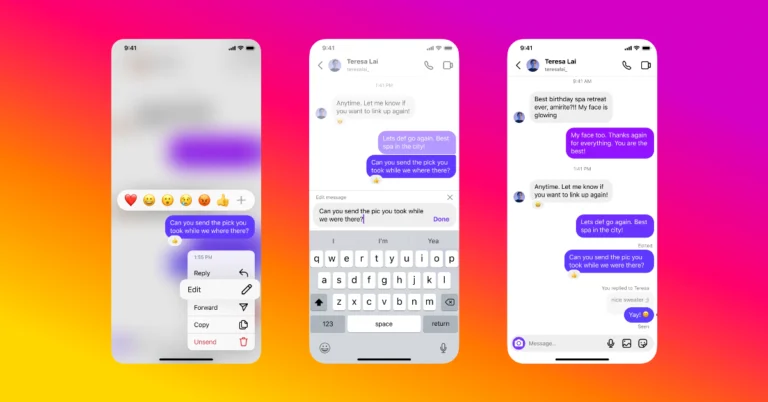
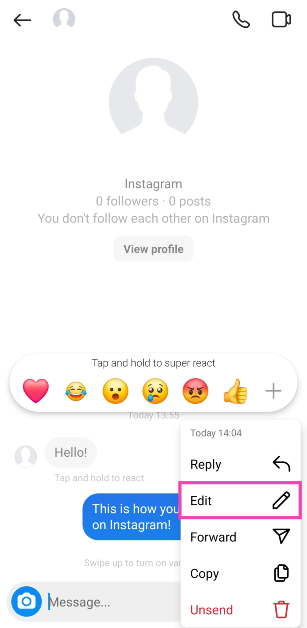 Step 4: Make the changes to the message.
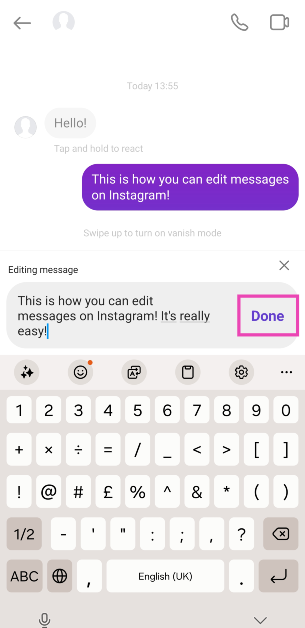 Step 5: Hit Done.
You can edit a message up to 15 minutes after sending it. All your edited messages will carry the ‘Edited’ tag, but the recipient will not be able to read the previous version of the message.
Step 5: Hit Done.
You can edit a message up to 15 minutes after sending it. All your edited messages will carry the ‘Edited’ tag, but the recipient will not be able to read the previous version of the message.
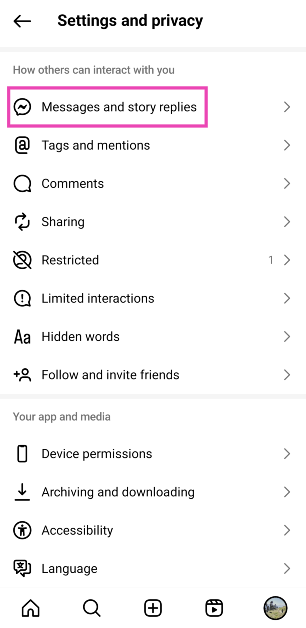 Step 4: Select Show read receipts.
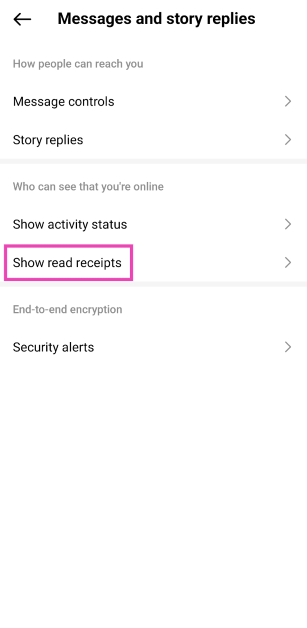 Step 5: Turn off the toggle switch for Read receipts.

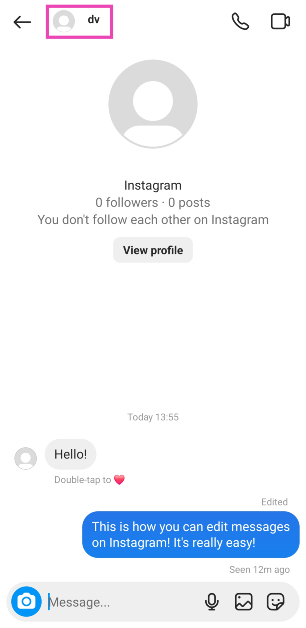 Step 3: Select Privacy and safety.
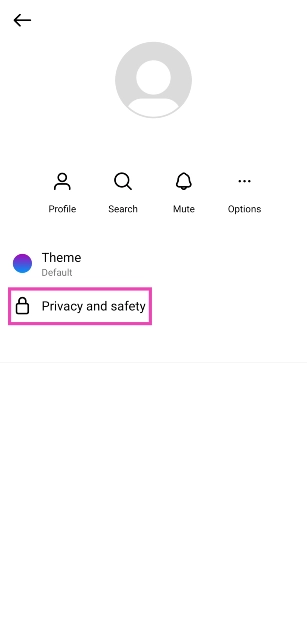 Step 4: Turn off the toggle switch for Read receipts.
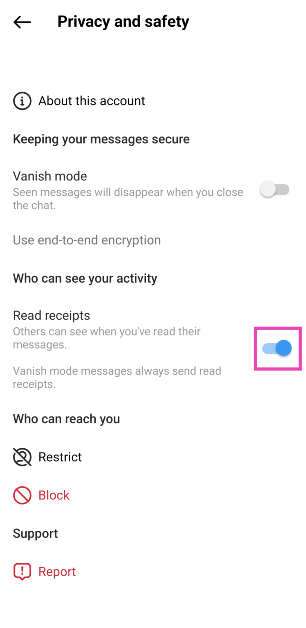
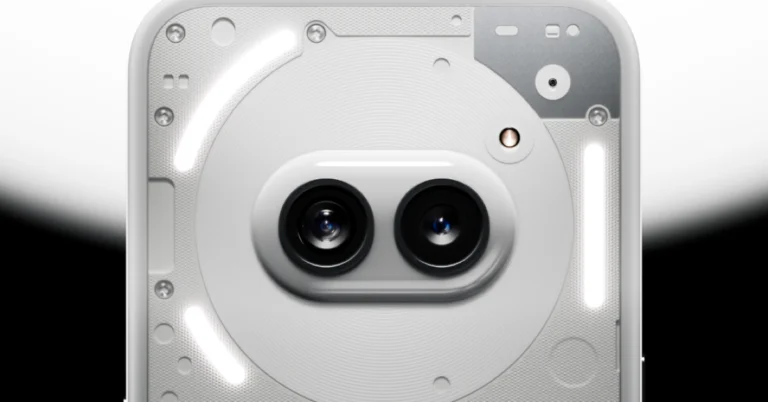

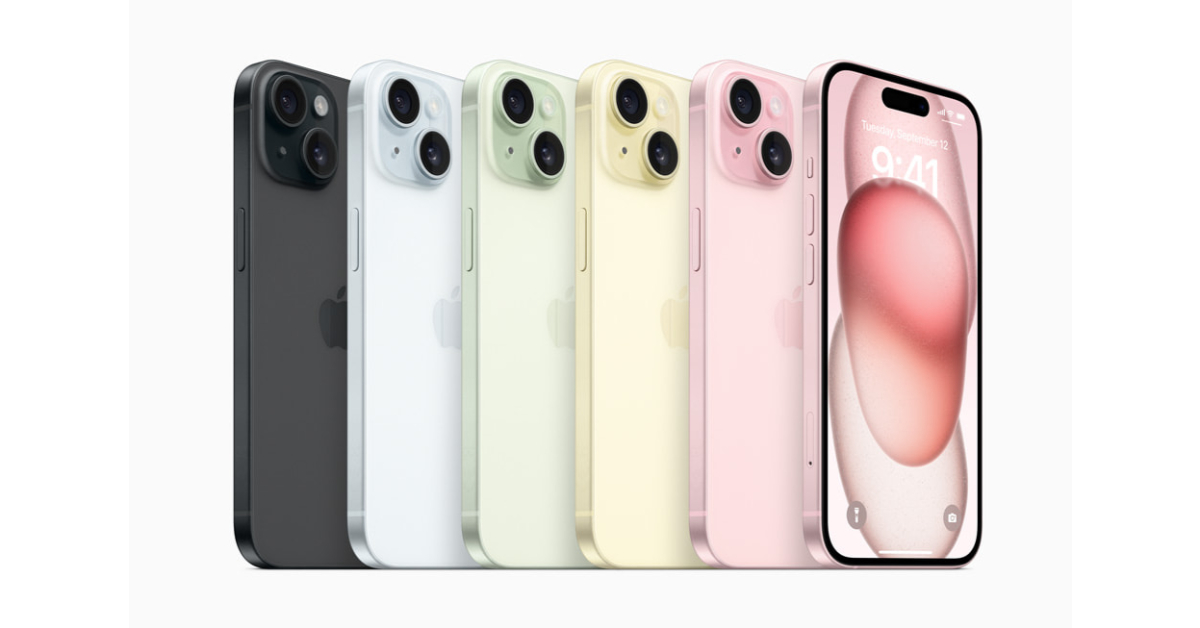

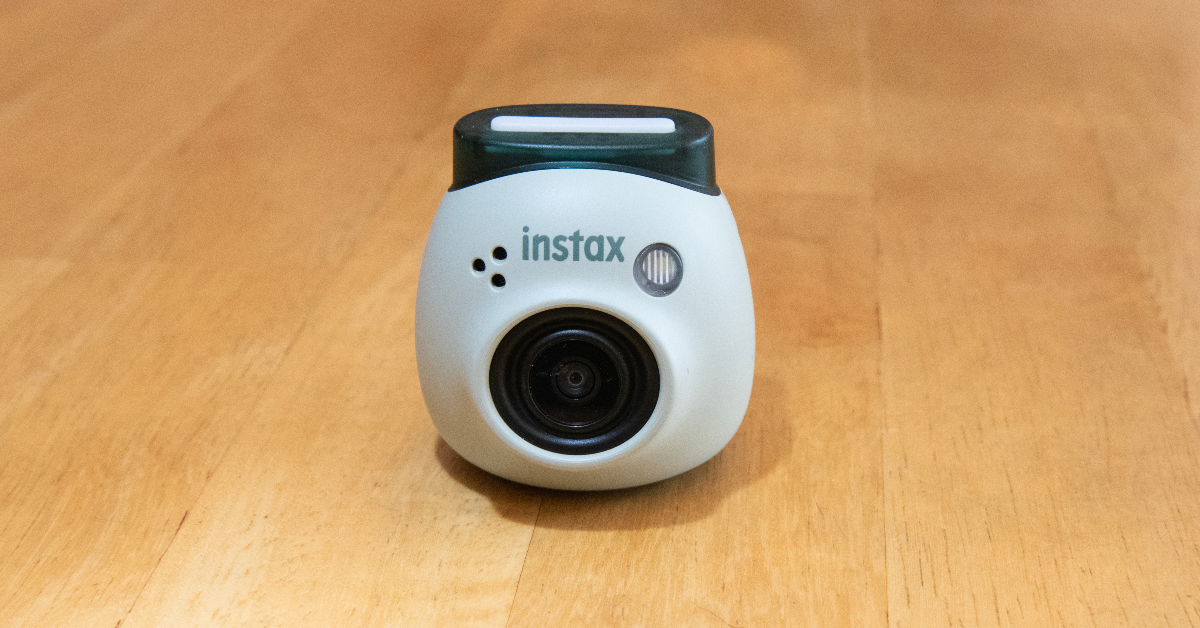
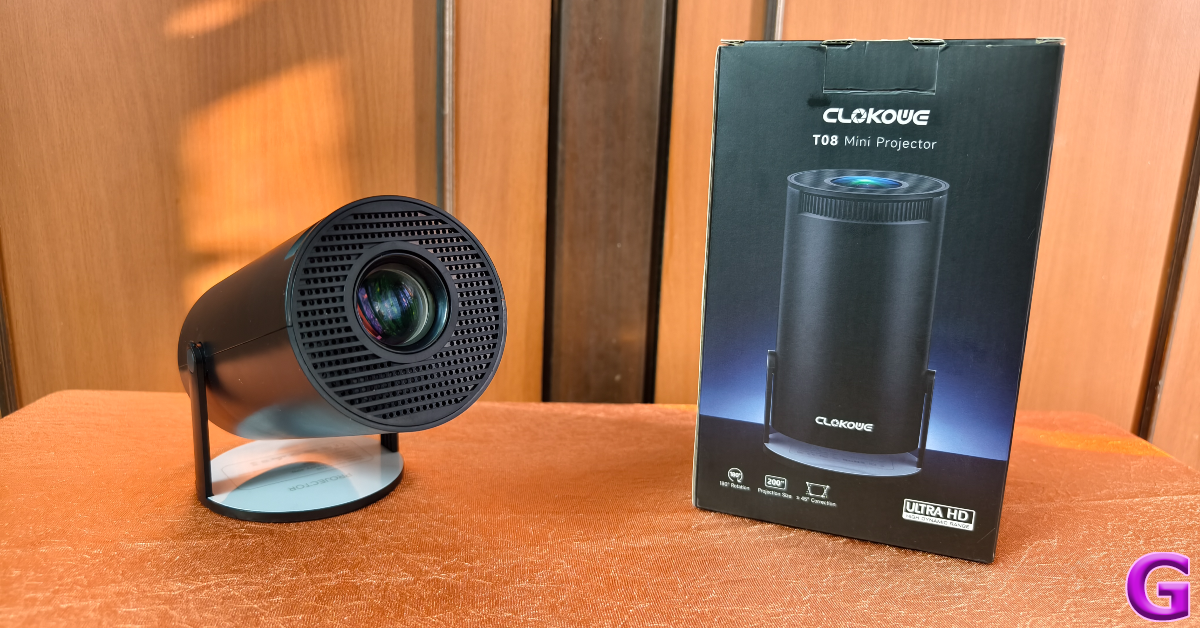
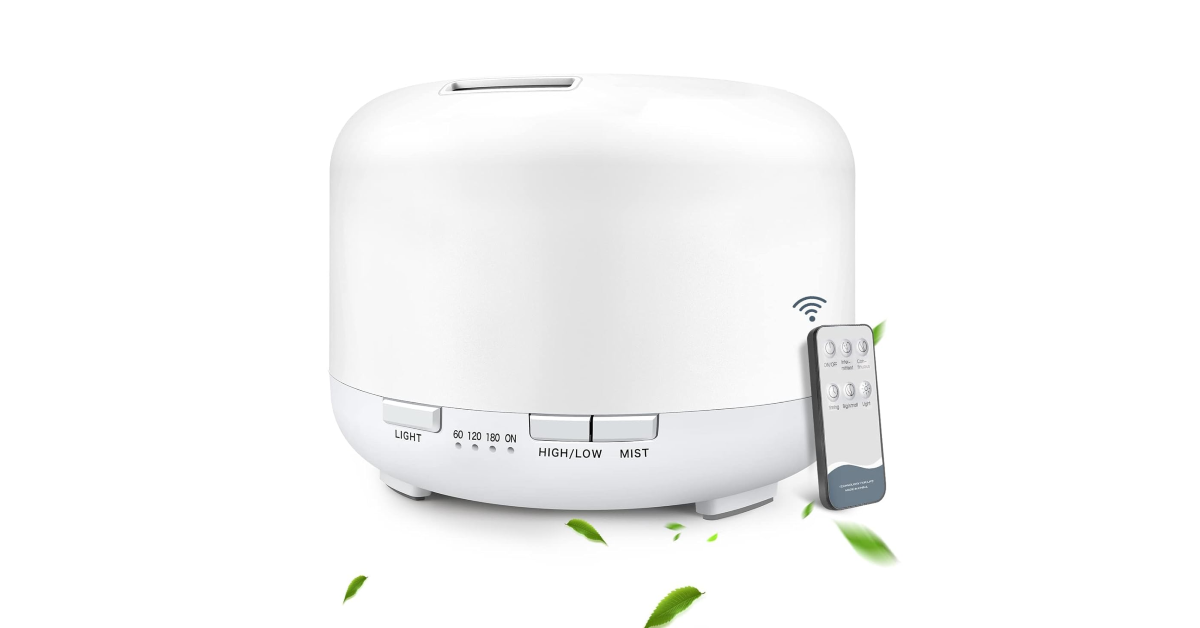
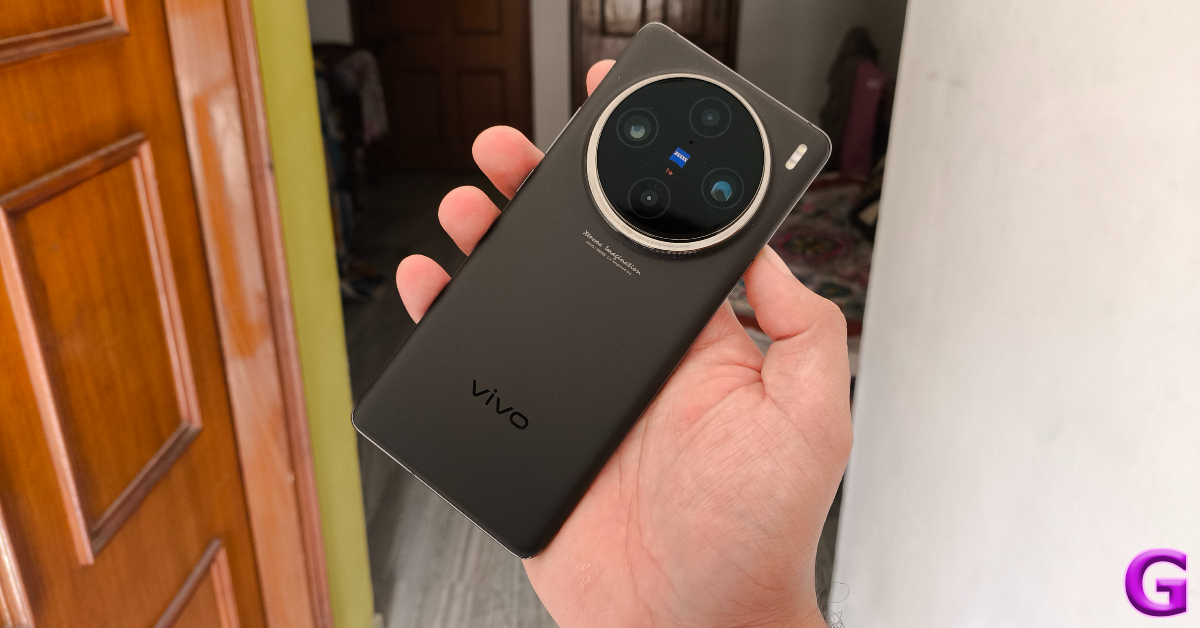

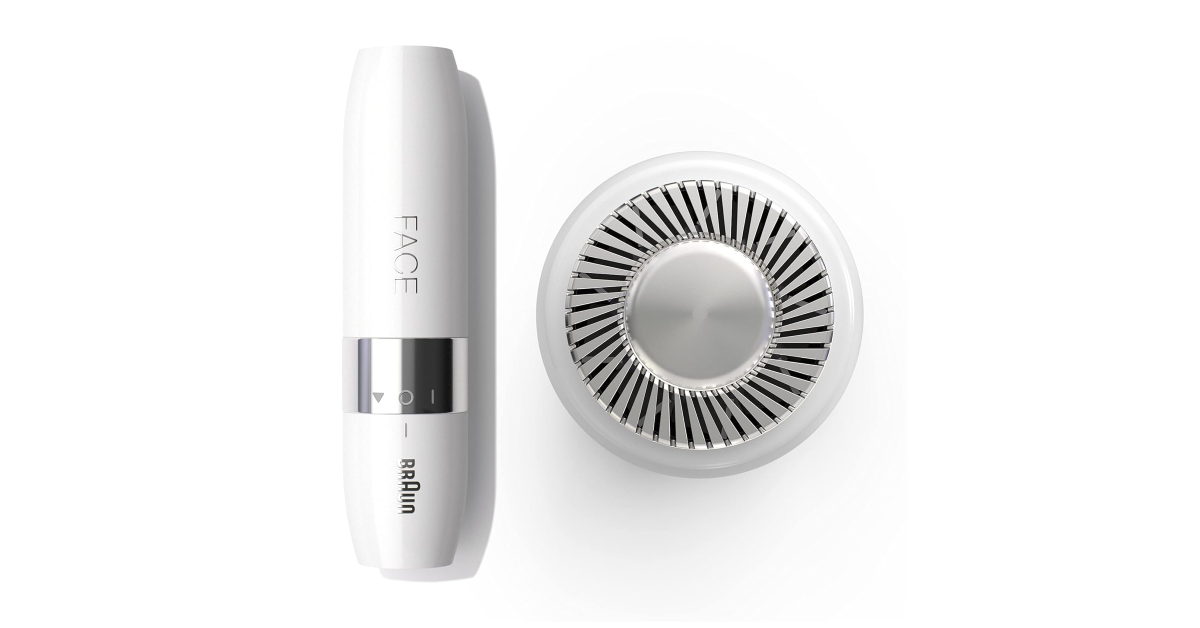

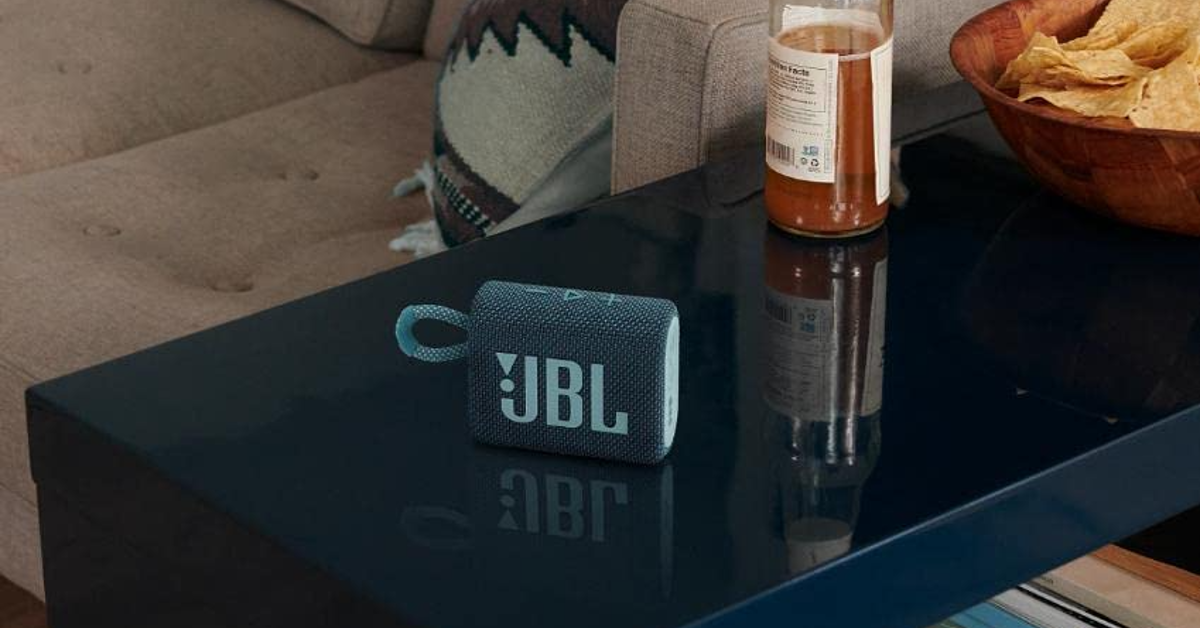
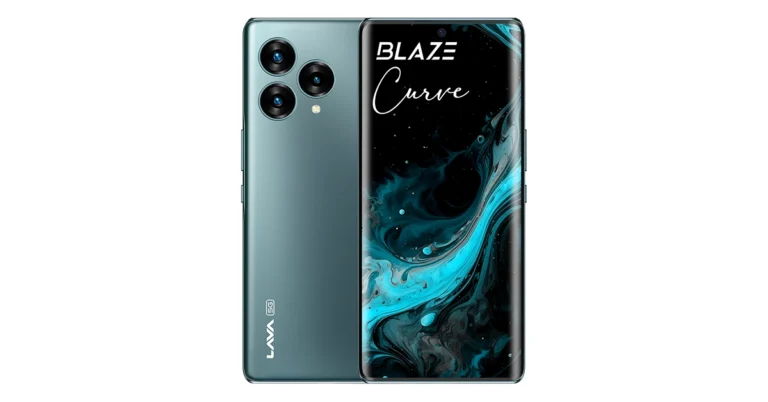
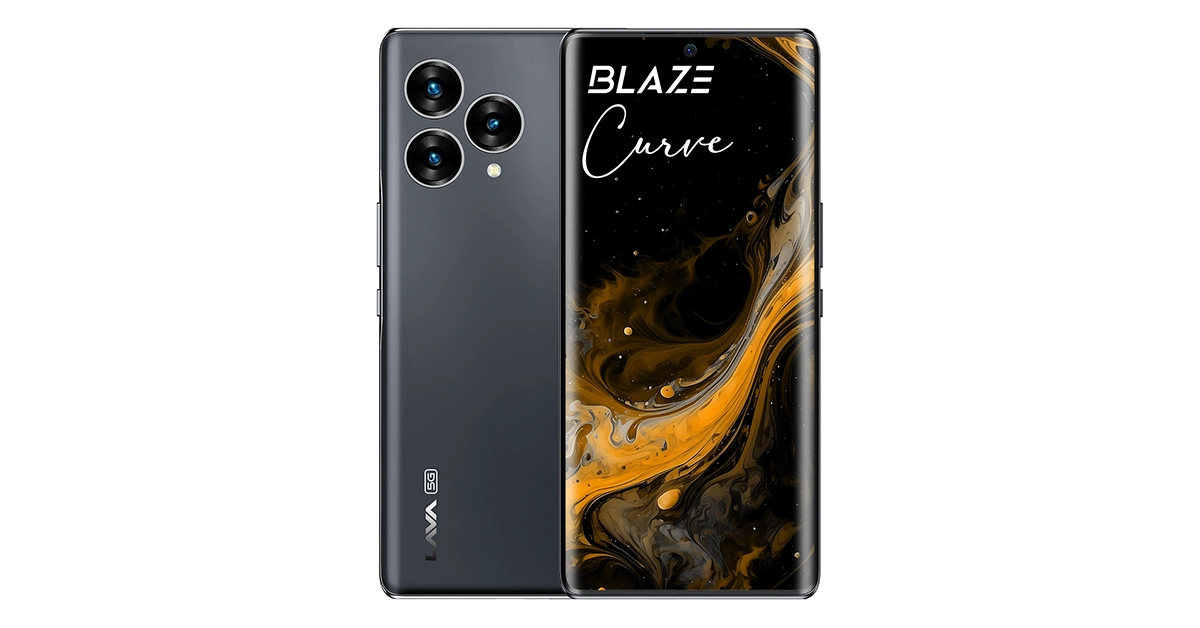 Equipped with a powerful 5000 mAh (typ) Li-Polymer battery, the Blaze Curve 5G ensures extended usage without interruption. It also supports fast charging with a 33W charger, allowing users to quickly recharge their device and get back to their activities.
Read Also:
Equipped with a powerful 5000 mAh (typ) Li-Polymer battery, the Blaze Curve 5G ensures extended usage without interruption. It also supports fast charging with a 33W charger, allowing users to quickly recharge their device and get back to their activities.
Read Also: 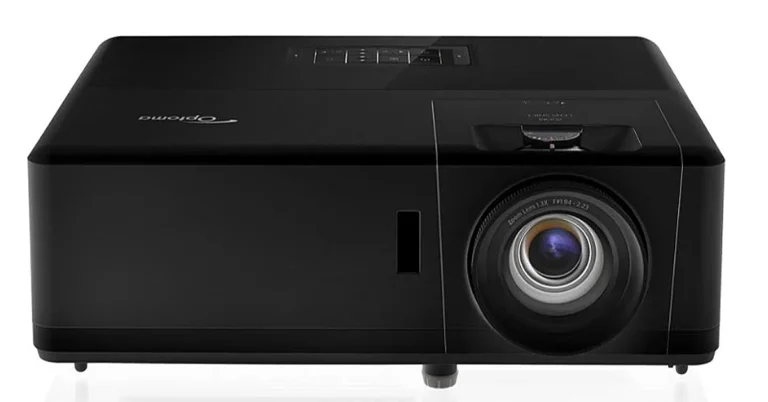
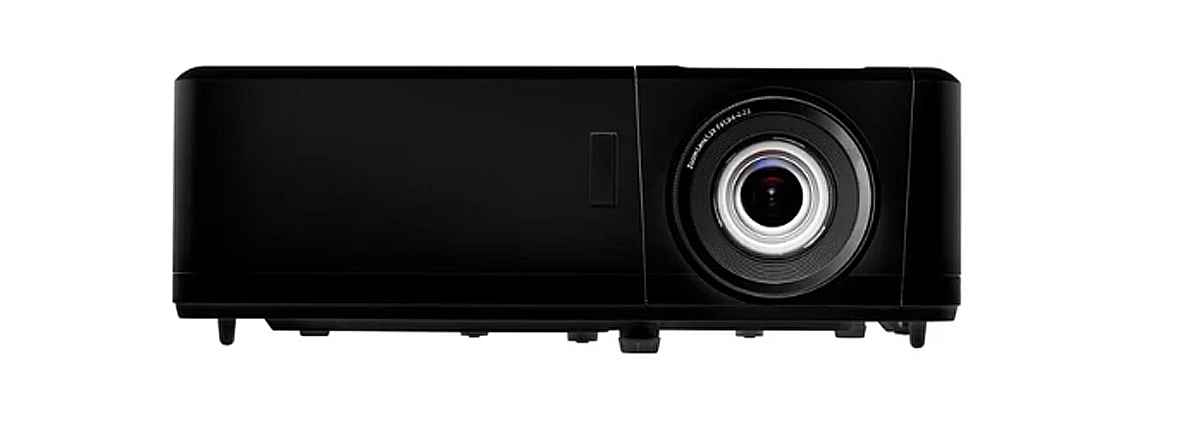

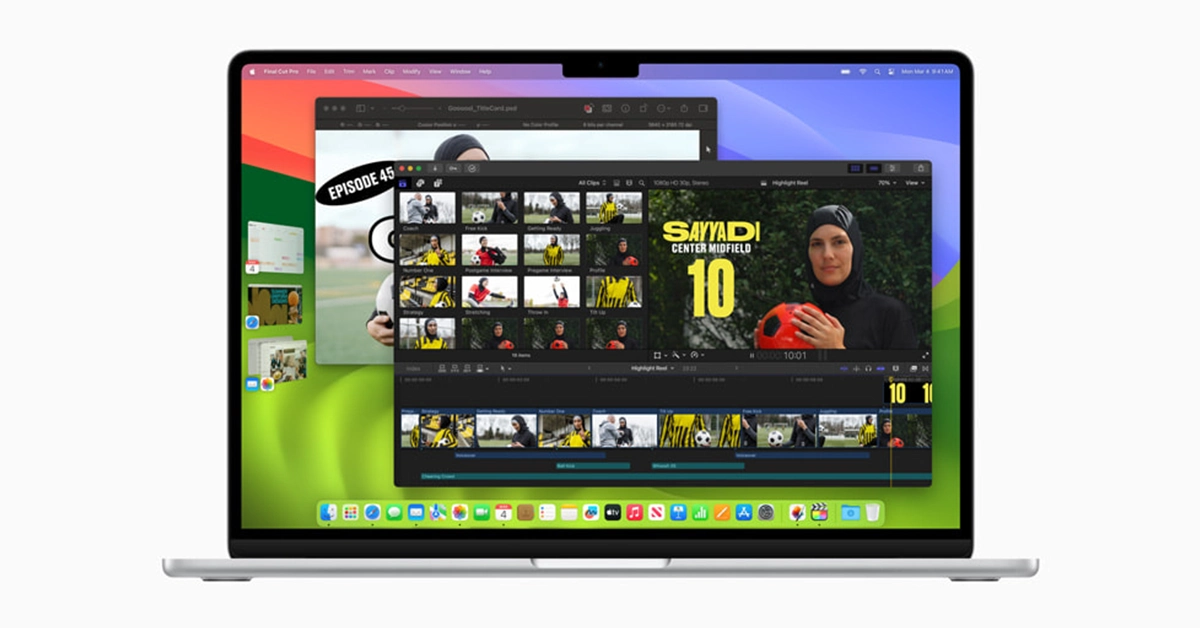 Featuring a stunning Liquid Retina display with up to 500 nits of brightness, MacBook Air delivers vivid visuals and sharp detail. And with support for Wi-Fi 6E and MagSafe charging, along with two Thunderbolt ports and a 3.5mm headphone jack, connectivity is both versatile and convenient.
Combined with macOS, the MacBook Air experience is truly unrivalled. From enhanced productivity features like Split View and Stage Manager to seamless integration with iPhone and other Apple devices, macOS Sonoma takes user experience to the next level.
In line with Apple’s commitment to sustainability, the new MacBook Air is the first Apple product to be made with 50 percent recycled content. With energy-efficient design and eco-friendly materials, MacBook Air sets a new standard for environmentally conscious technology.
Read Also:
Featuring a stunning Liquid Retina display with up to 500 nits of brightness, MacBook Air delivers vivid visuals and sharp detail. And with support for Wi-Fi 6E and MagSafe charging, along with two Thunderbolt ports and a 3.5mm headphone jack, connectivity is both versatile and convenient.
Combined with macOS, the MacBook Air experience is truly unrivalled. From enhanced productivity features like Split View and Stage Manager to seamless integration with iPhone and other Apple devices, macOS Sonoma takes user experience to the next level.
In line with Apple’s commitment to sustainability, the new MacBook Air is the first Apple product to be made with 50 percent recycled content. With energy-efficient design and eco-friendly materials, MacBook Air sets a new standard for environmentally conscious technology.
Read Also: 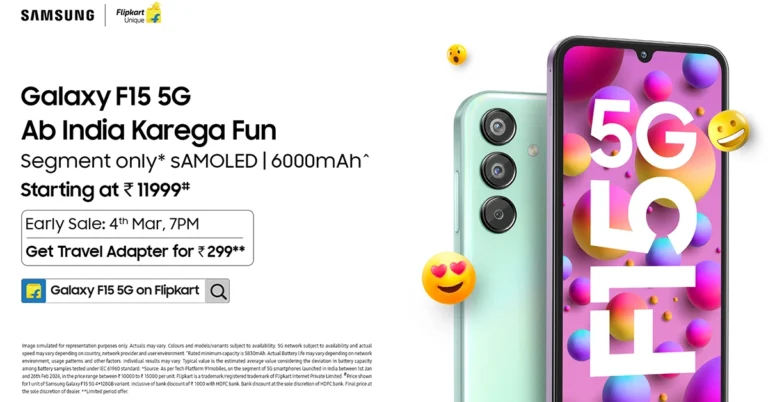
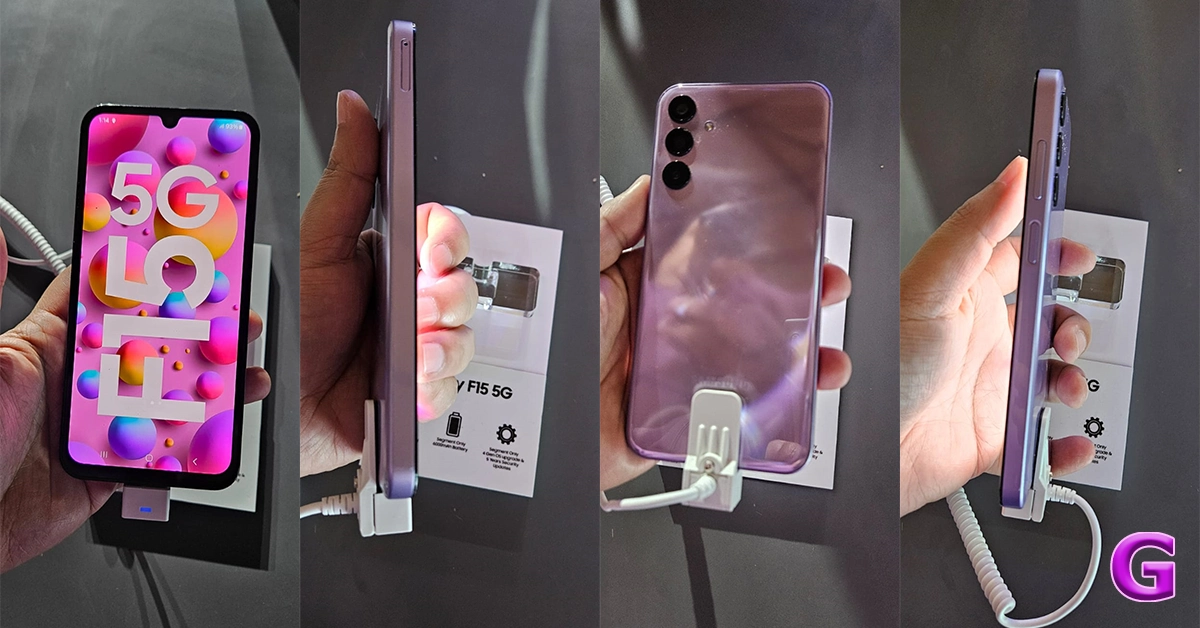 One of the standout features of the Galaxy F15 5G is its massive 6000mAh battery, offering up to two days of uninterrupted usage. Paired with 25W Super-Fast Charging, users can quickly recharge their device, ensuring they stay connected and productive throughout the day.
Read Also:
One of the standout features of the Galaxy F15 5G is its massive 6000mAh battery, offering up to two days of uninterrupted usage. Paired with 25W Super-Fast Charging, users can quickly recharge their device, ensuring they stay connected and productive throughout the day.
Read Also: 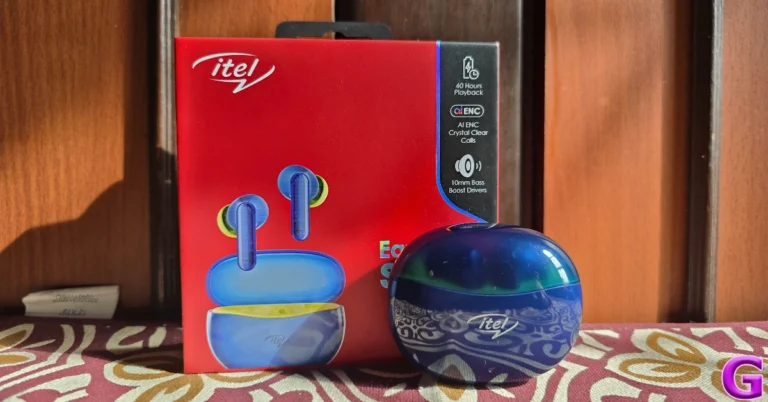
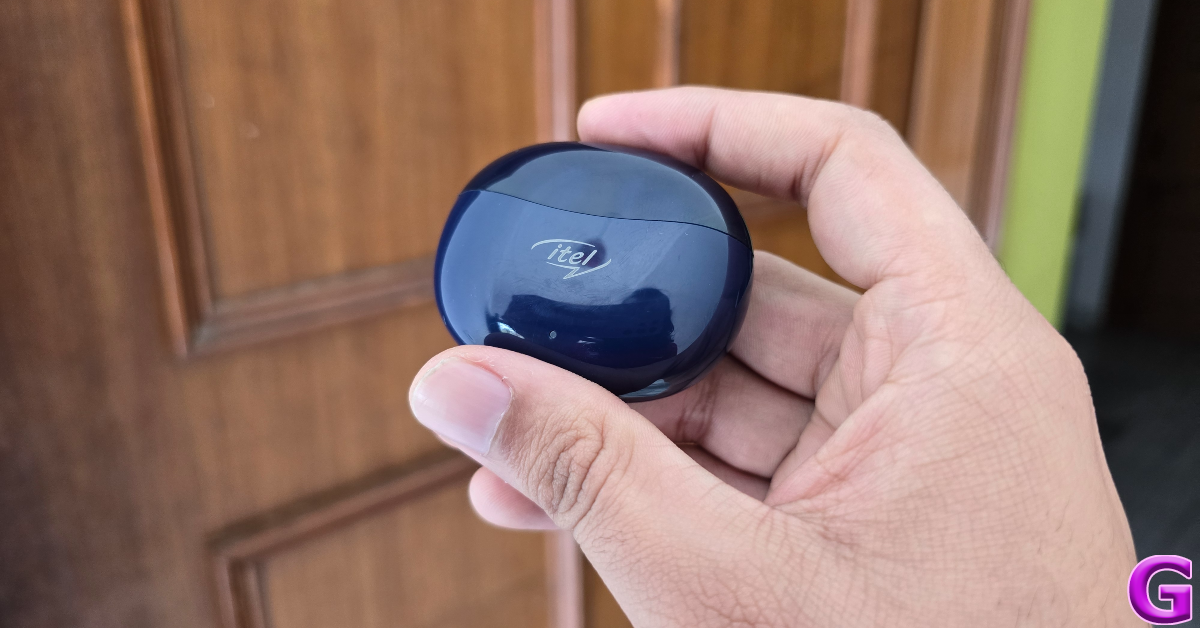
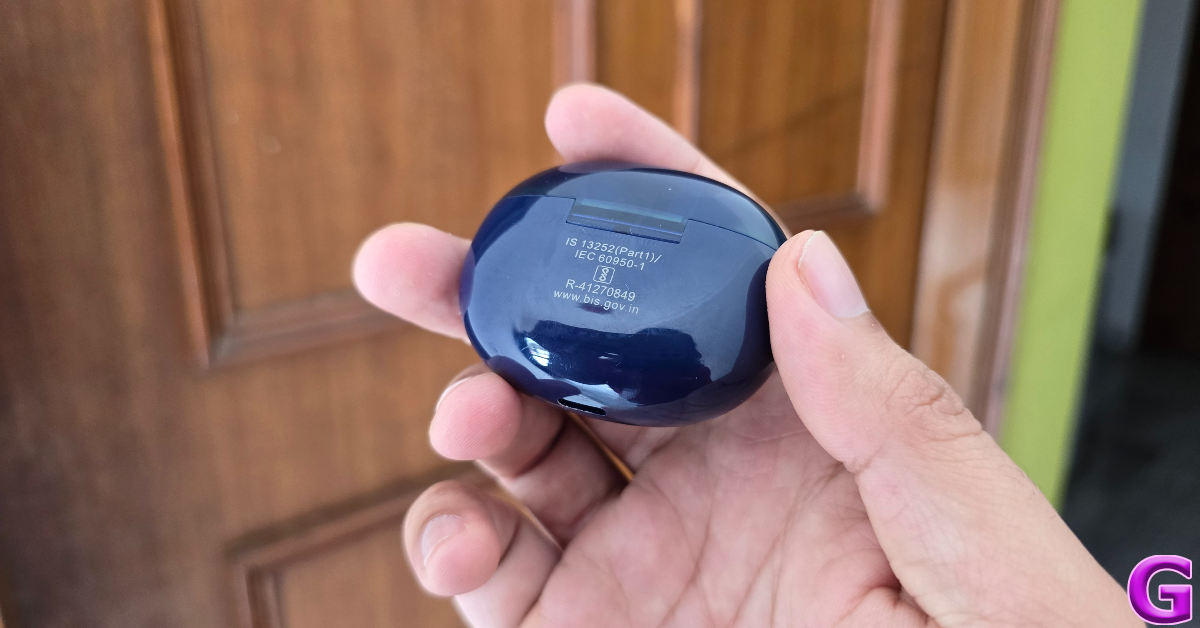
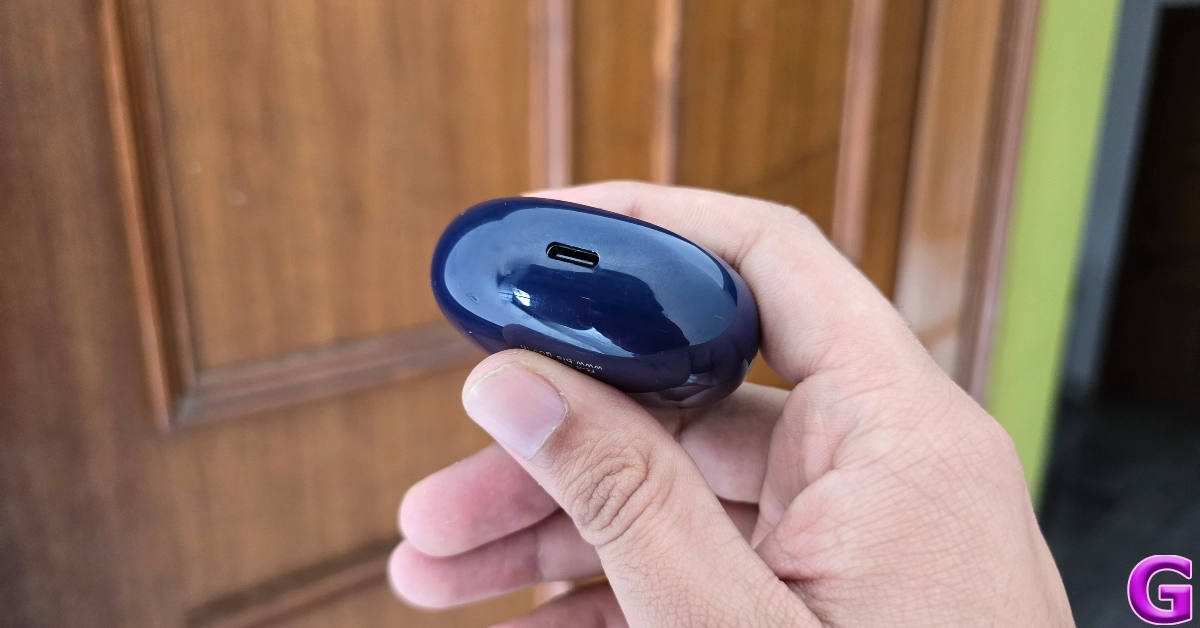
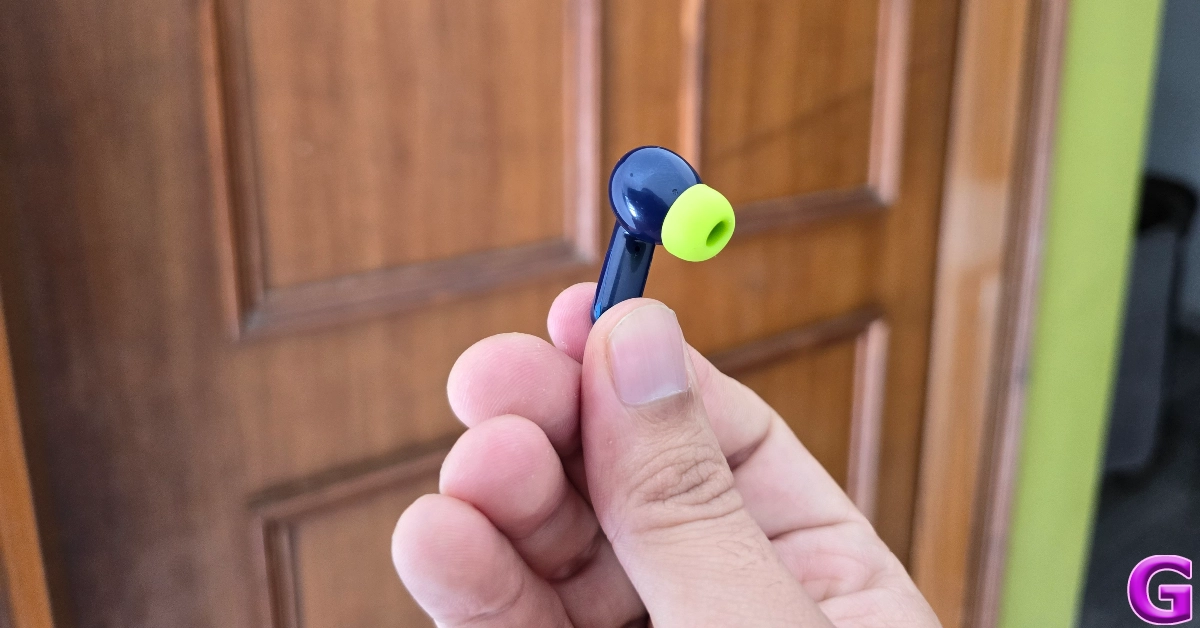
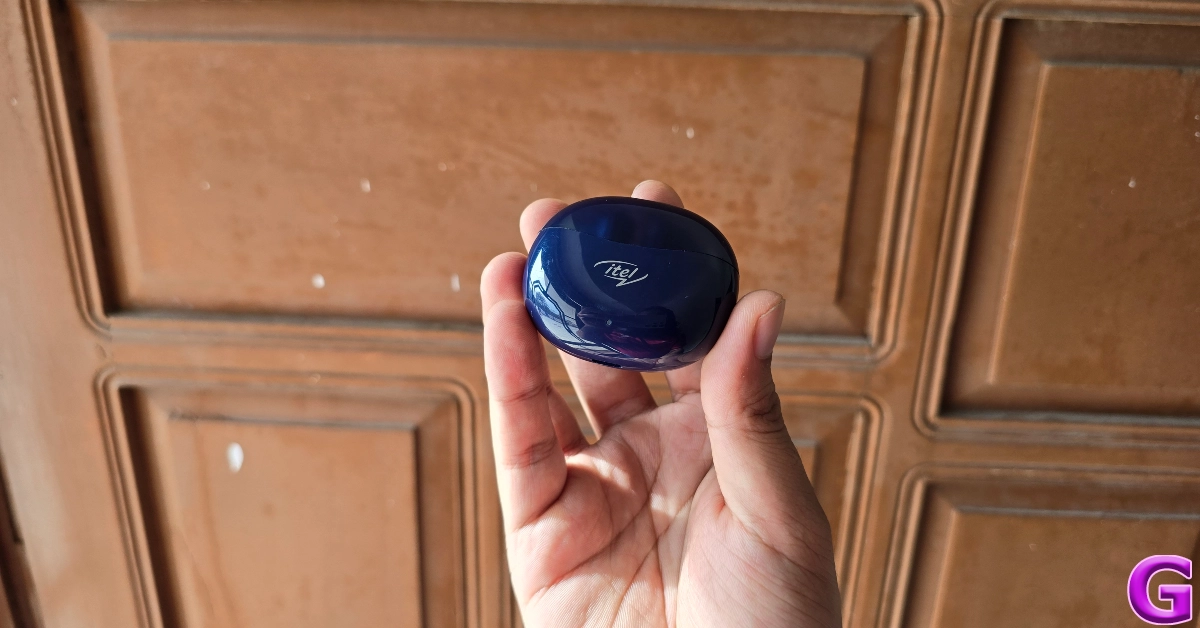
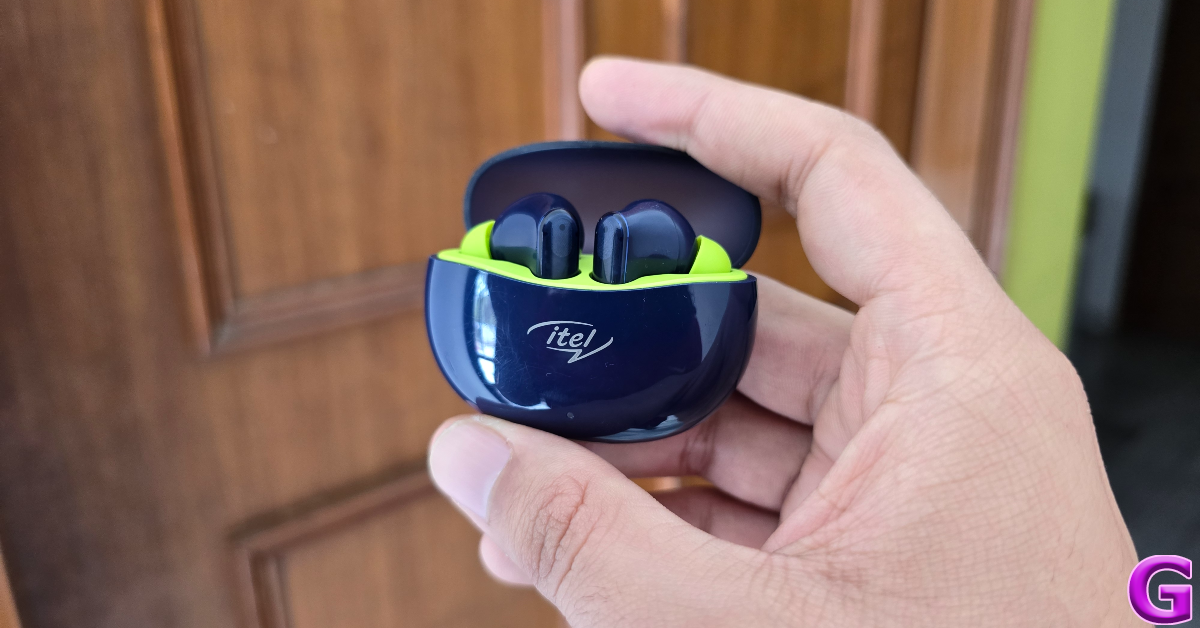
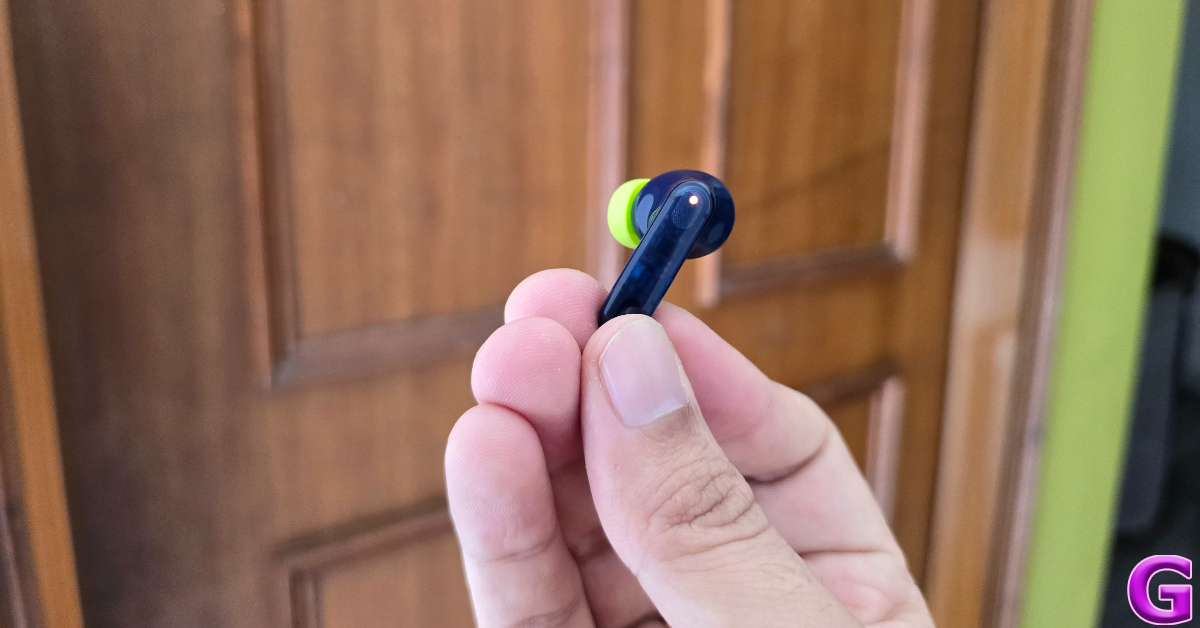

 Step 2:
 Step 3:
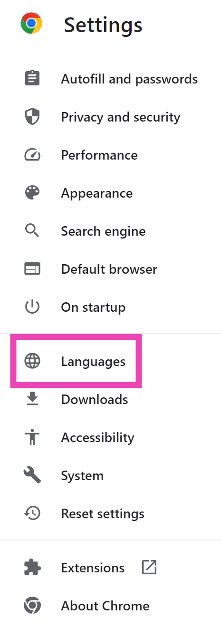 Step 4:
  Step 5:
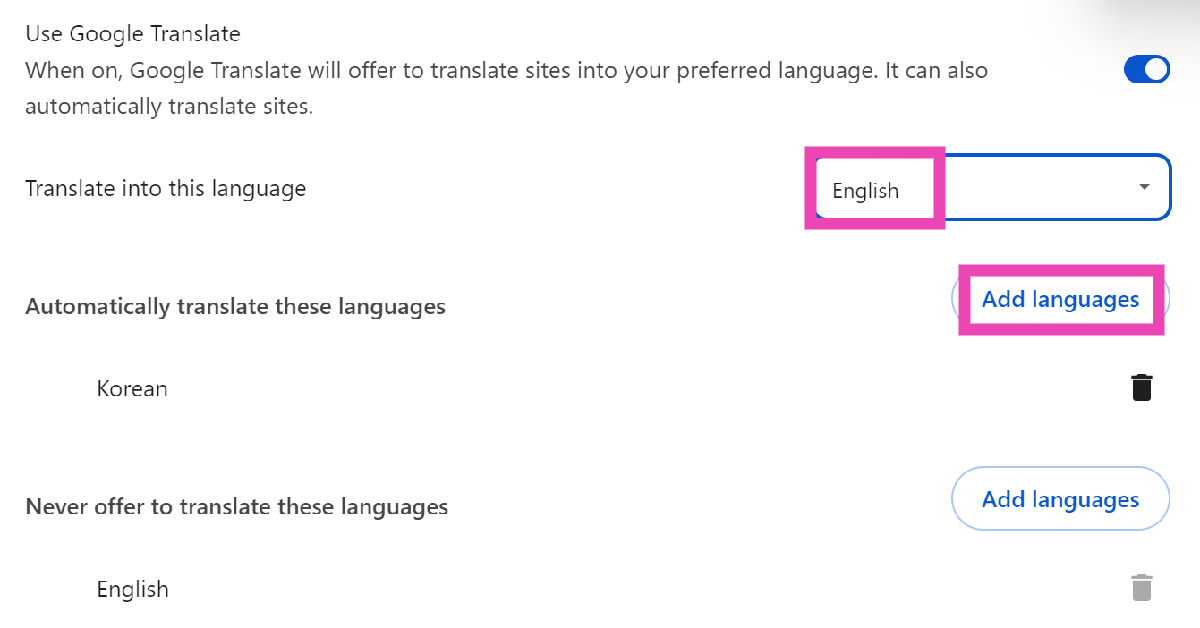 Step 6:
  Step 3: Click the ellipses.
 Step 4: Select Always translate [language].
![Step 4: Select Always translate [language].](https://www.gadgetbridge.com/wp-content/uploads/2026/02/trn3.webp)
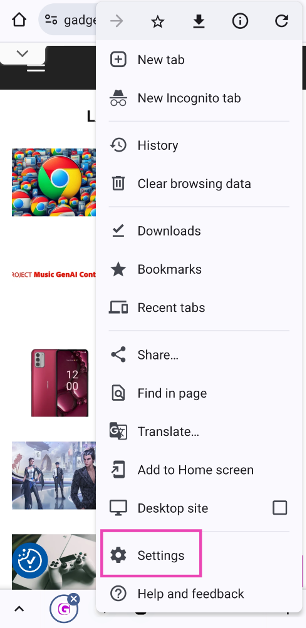 Step 3:
 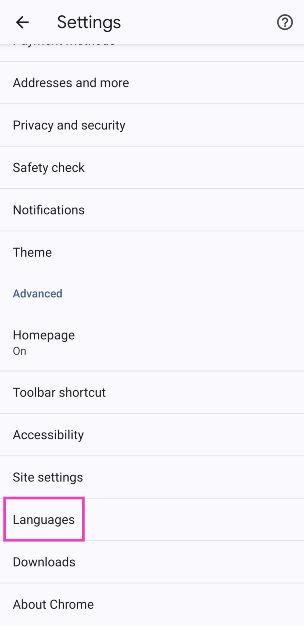 Step 4:
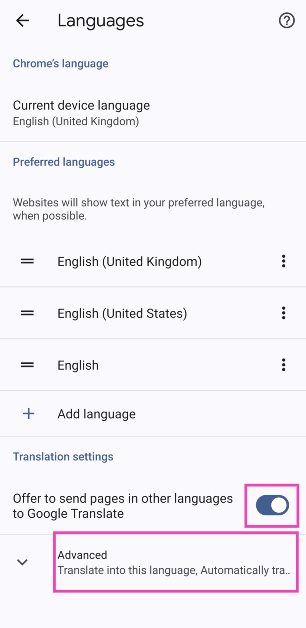 Step 5:
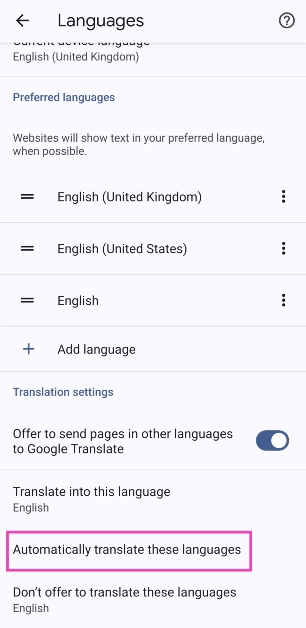 Step 7:
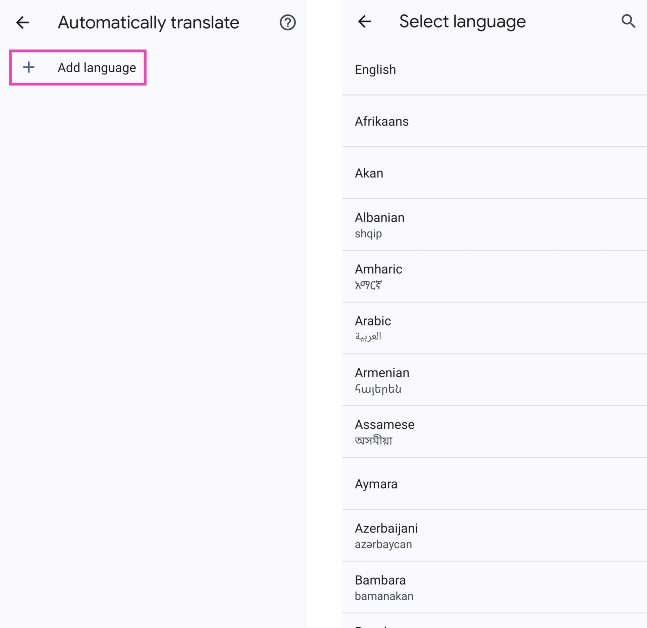 Step 8:
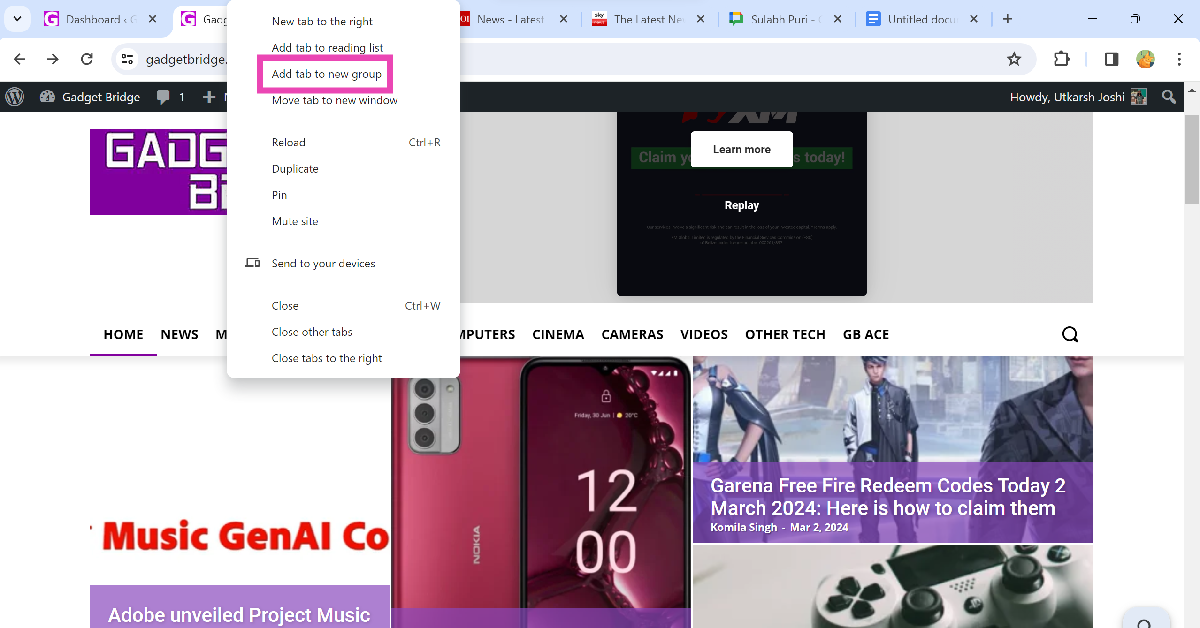 Step 3:
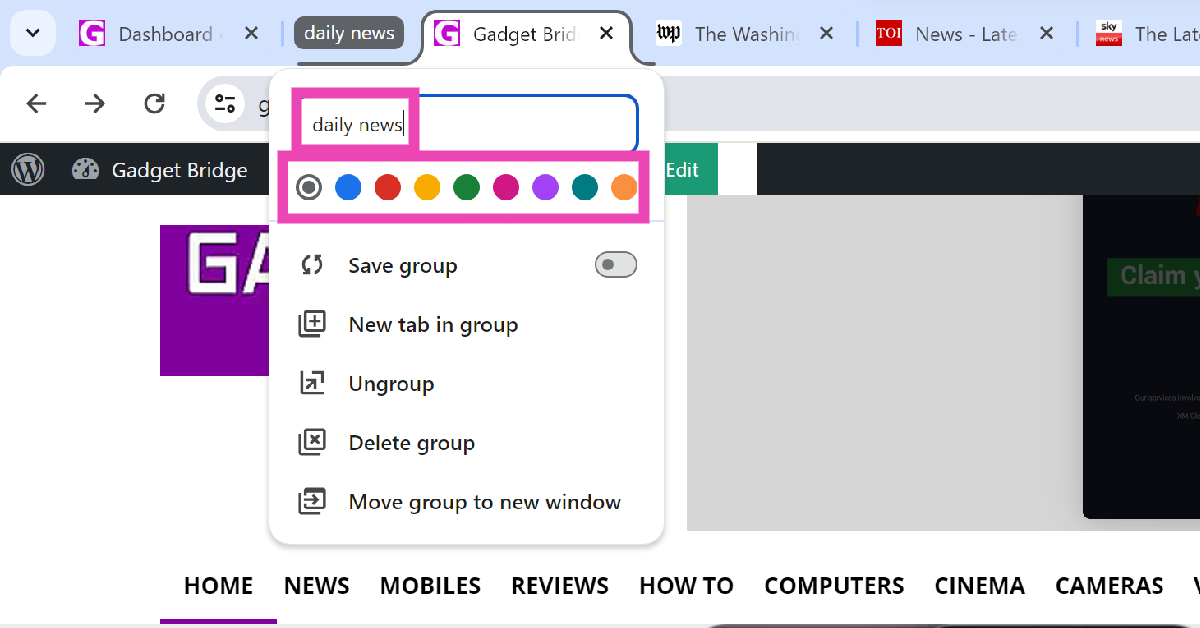 Step 4:
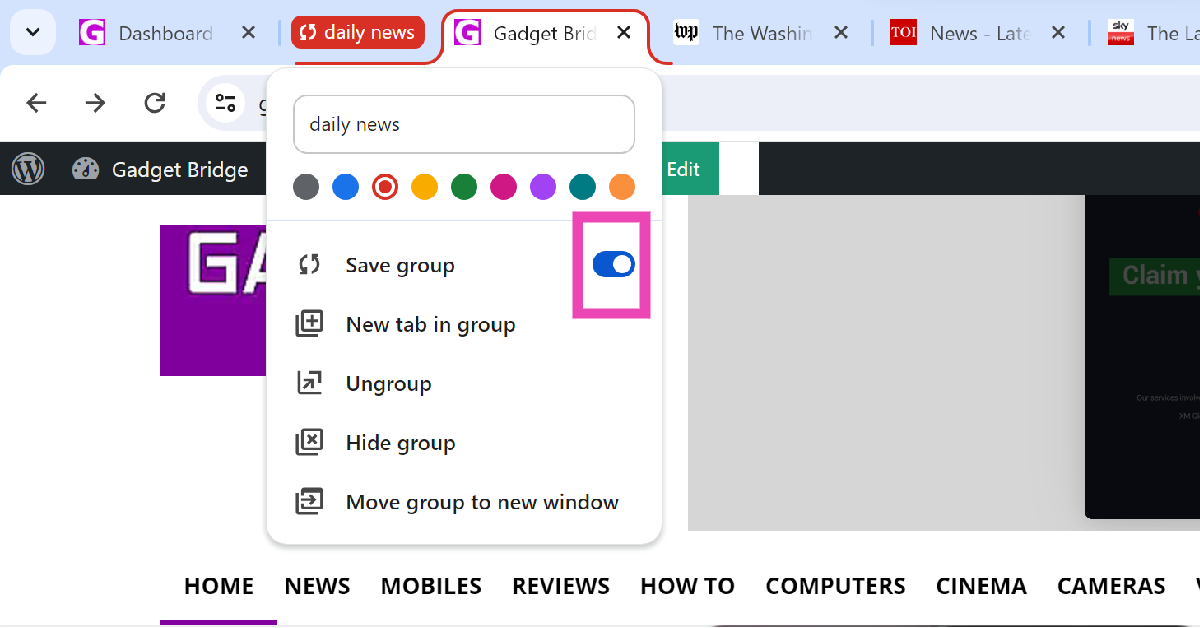 Step 5:
 Step 6:
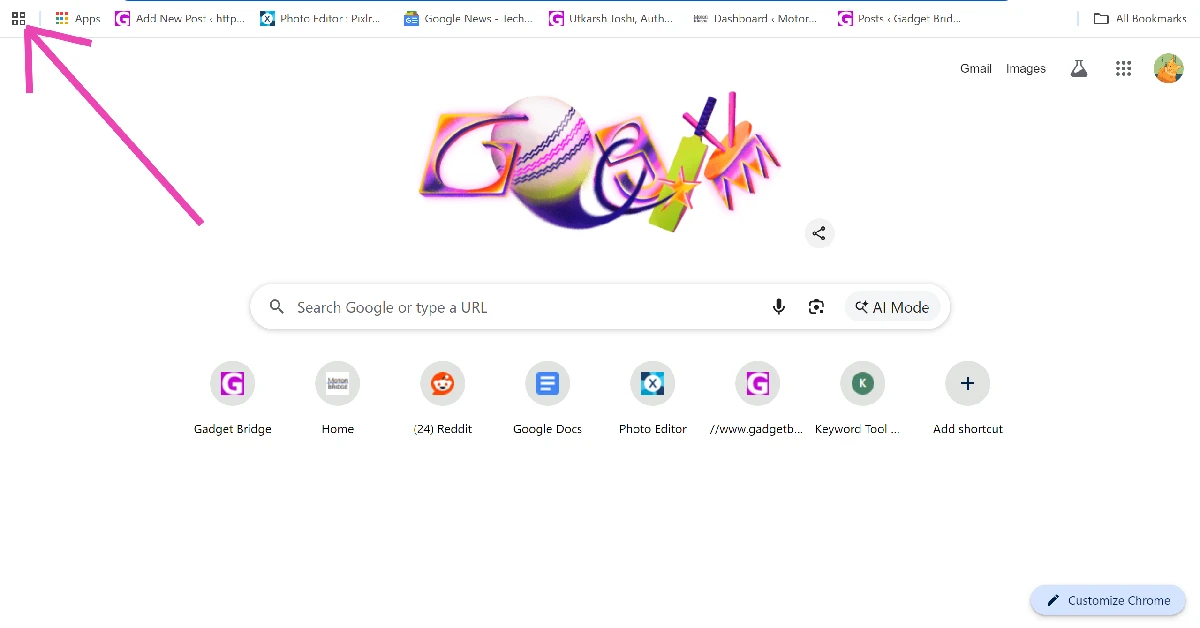 Step 2: Click on Create new tab group.
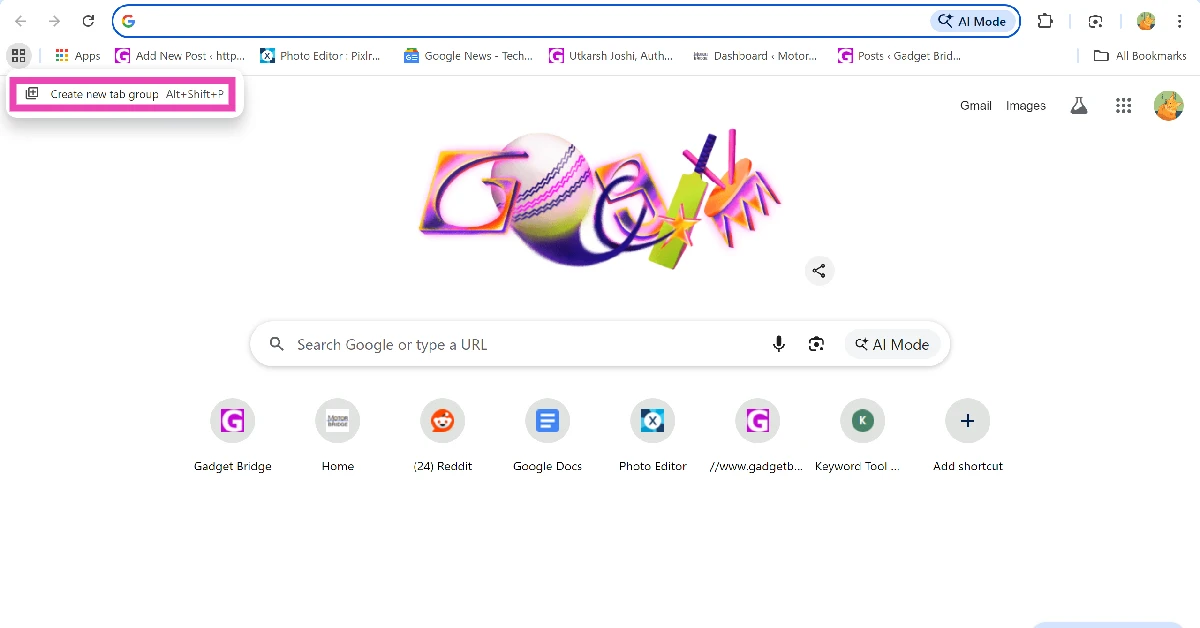 Step 3: Name the group and assign it a colour.
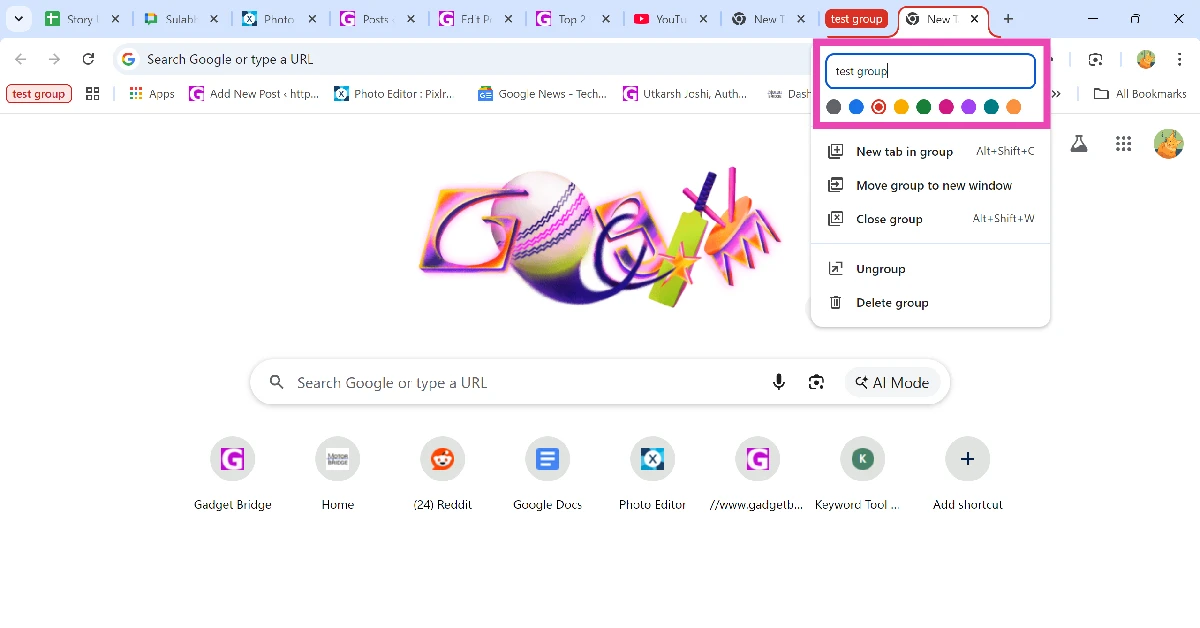 Step 4: Right-click the tab you want to add to the group and go to Add tab to group>[Group name].
![Step 4: Right-click the tab you want to add to the group and go to Add tab to group>[Group name].](https://www.gadgetbridge.com/wp-content/uploads/2026/02/test-group4.webp)
 Step 3: Long-press
 Step 4:

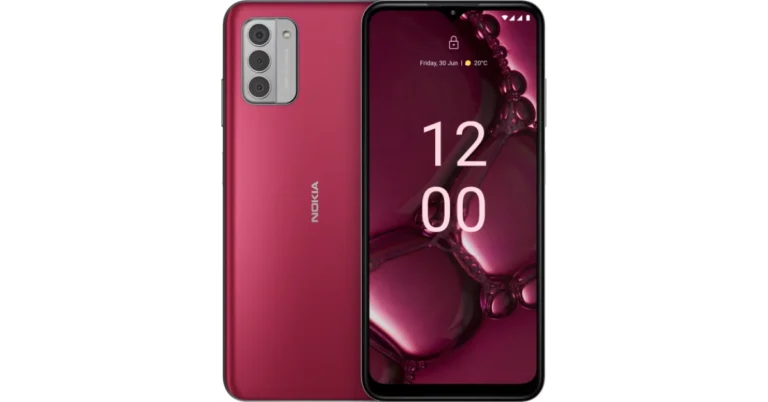
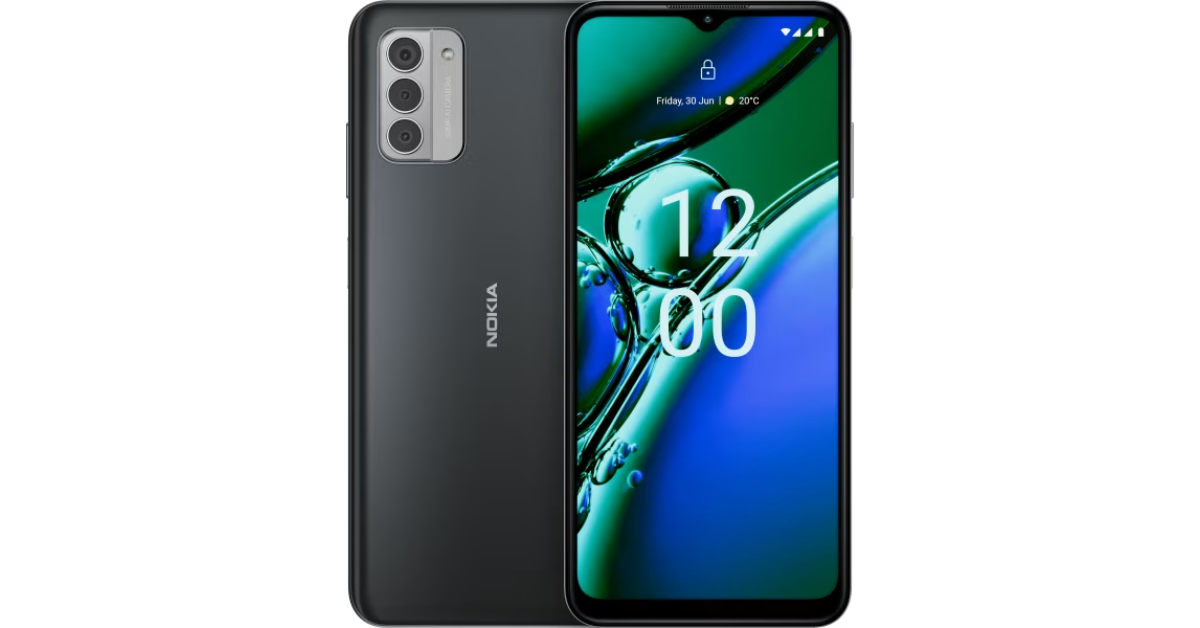




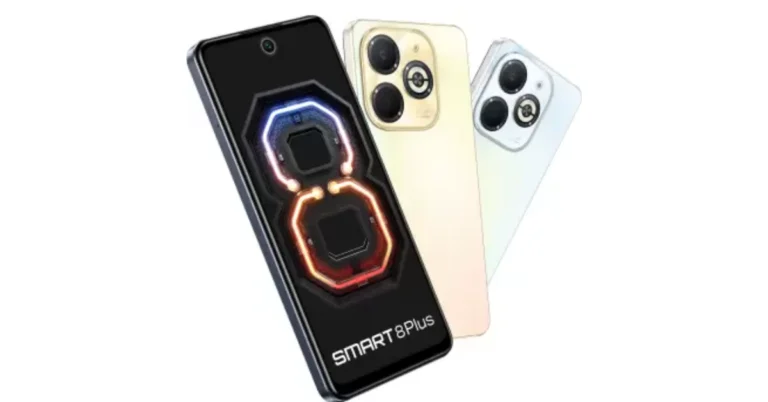
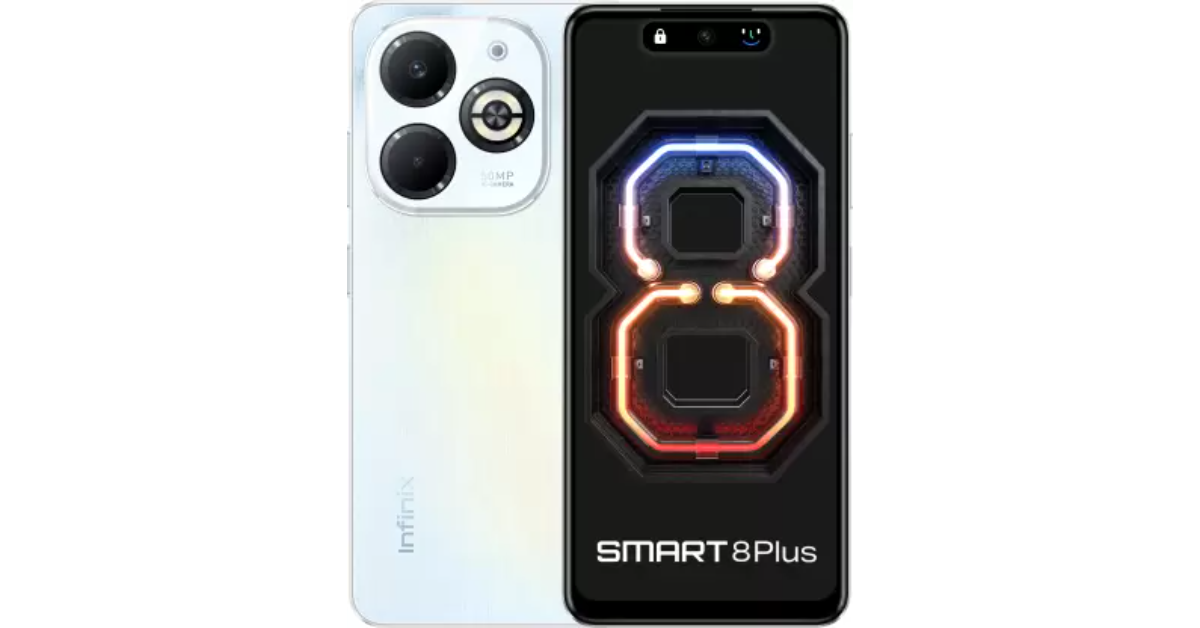
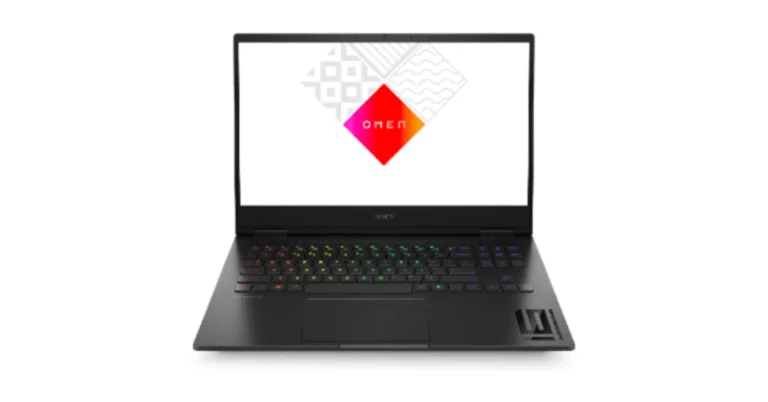
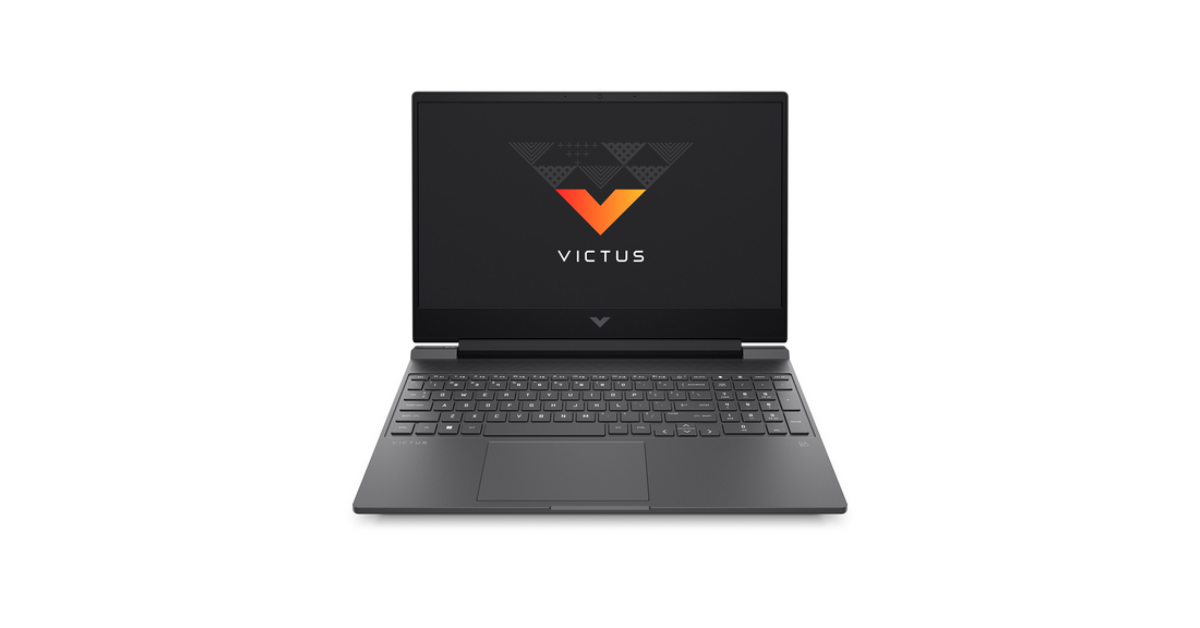

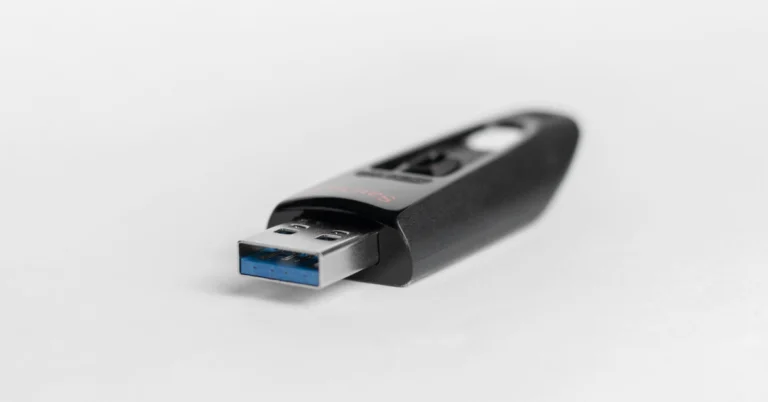
 Step 1:
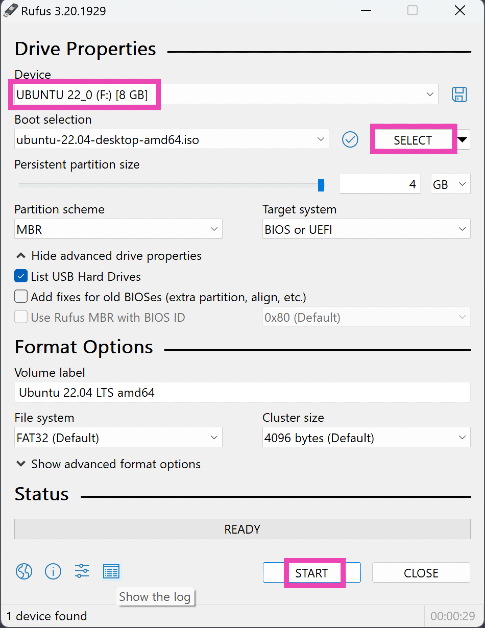 Step 1:
 Step 1:
 Step 1: Launch
 Step 3:
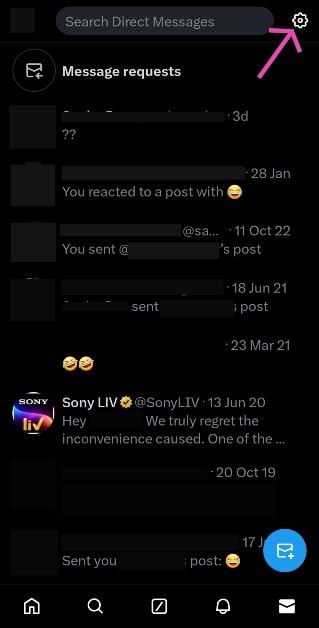 Step 4: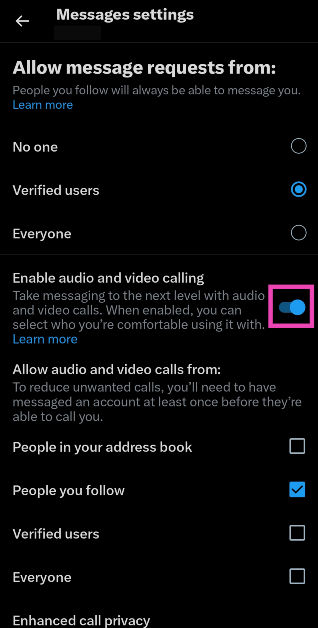
 Step 3:
 Step 4:
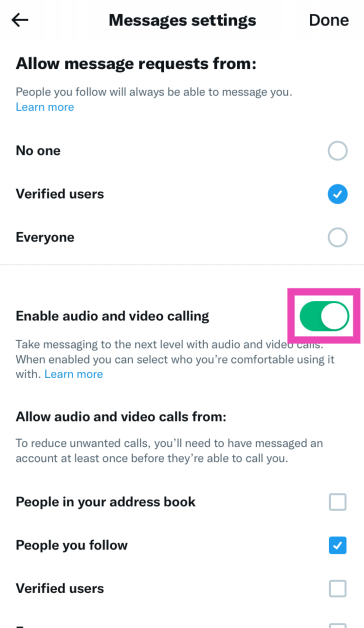 Step 5: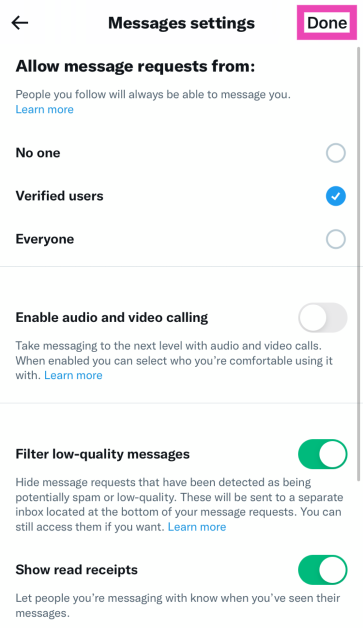


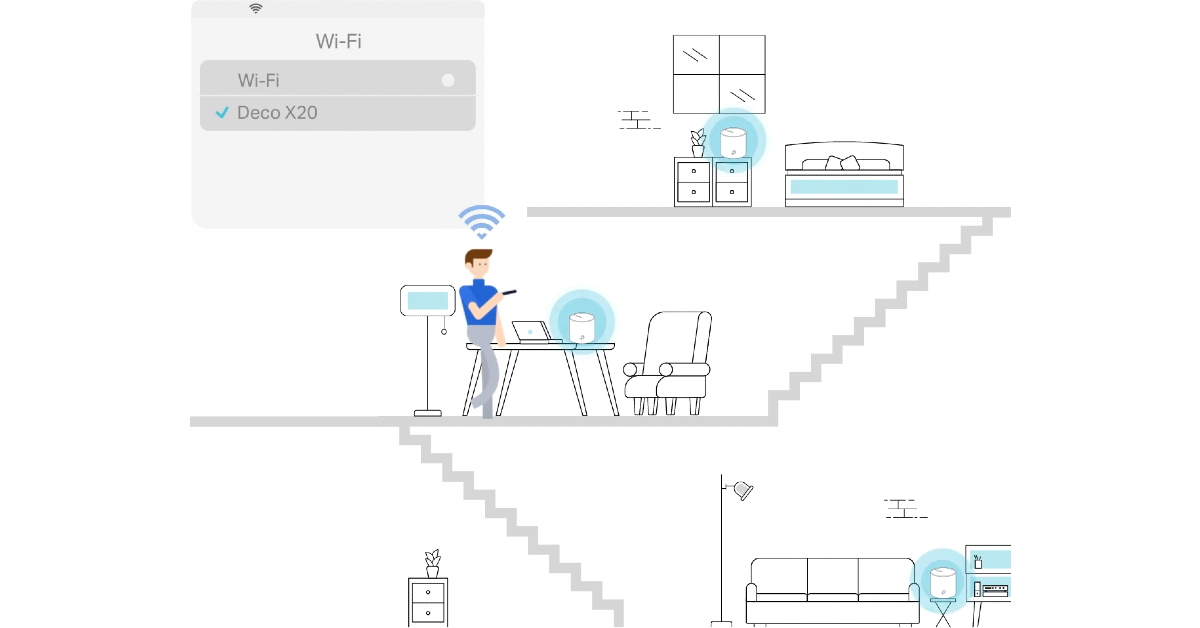
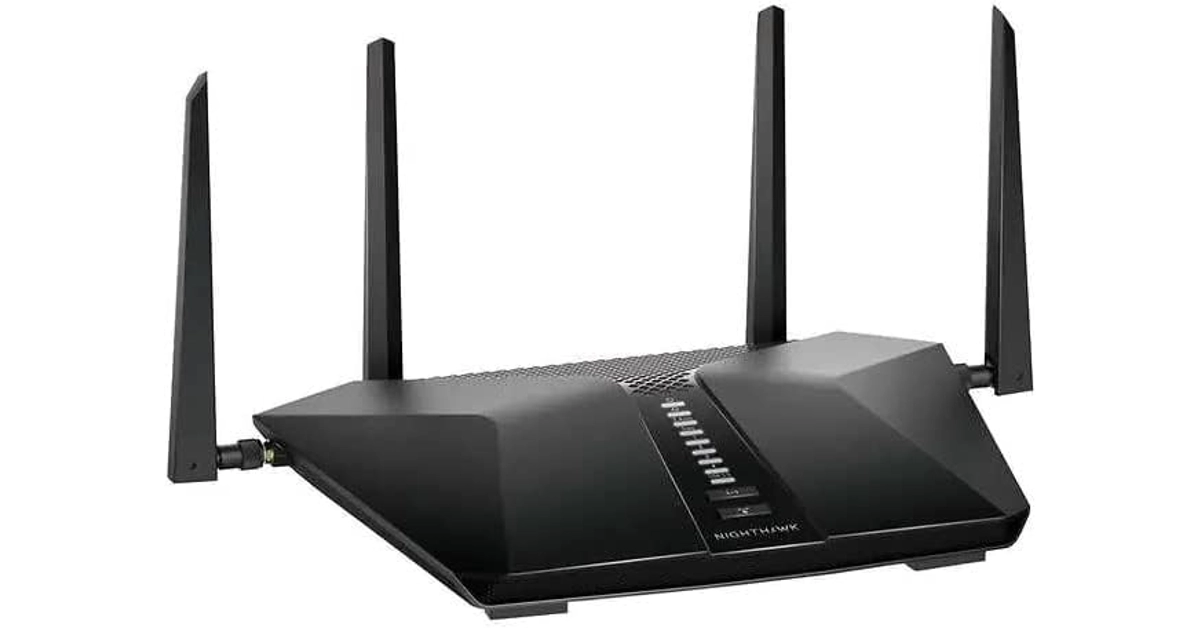

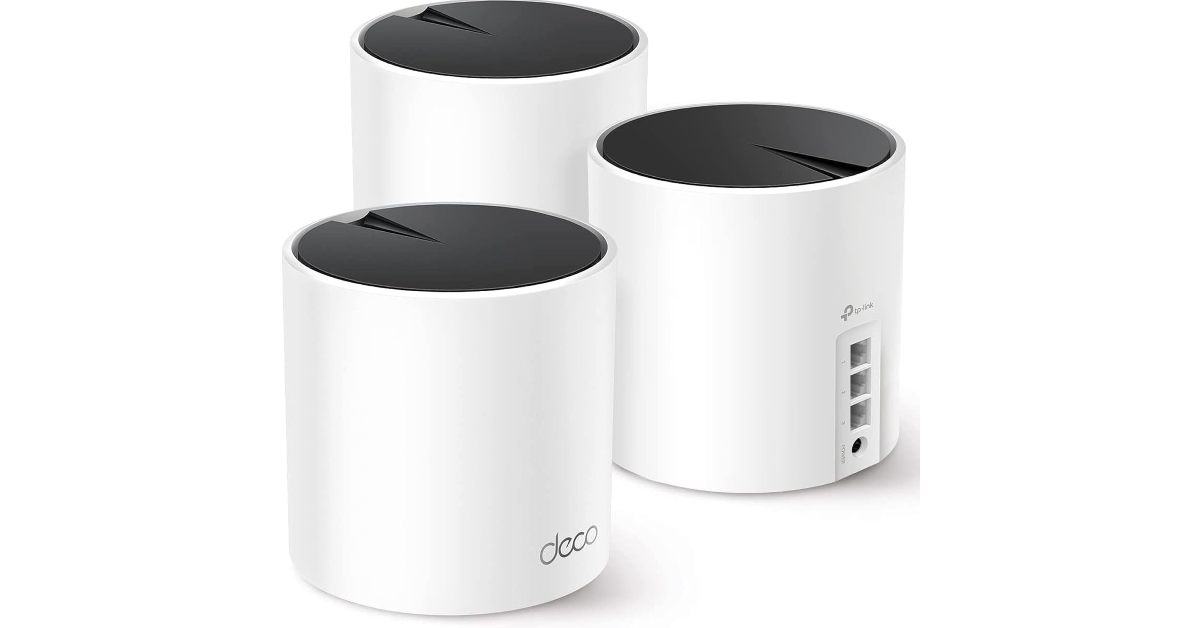
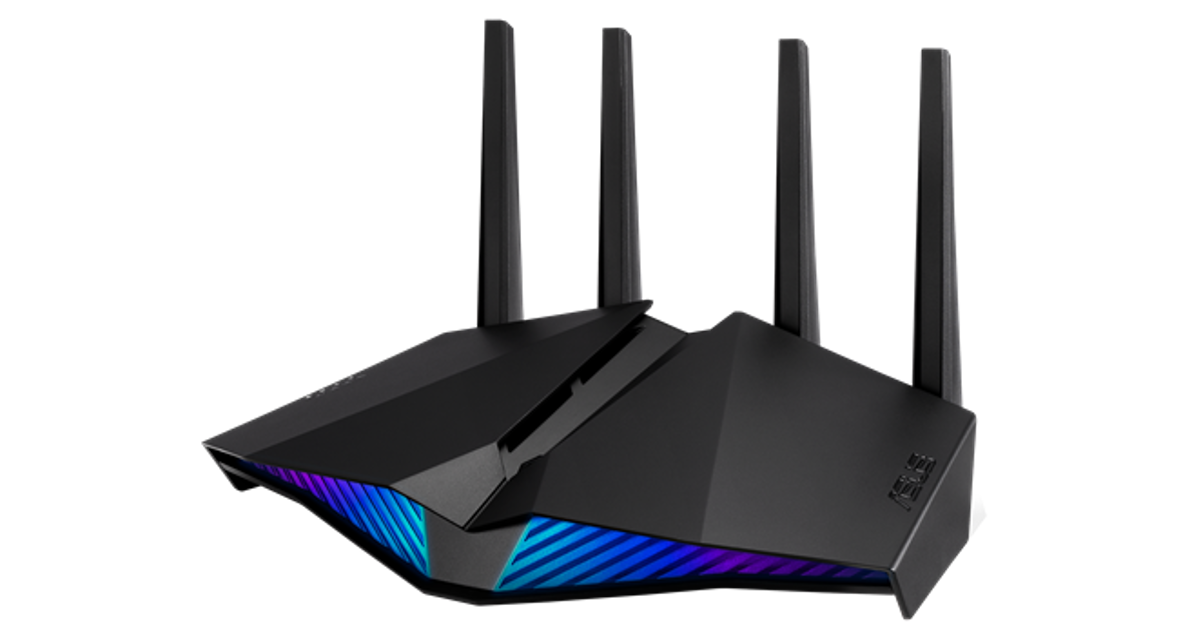

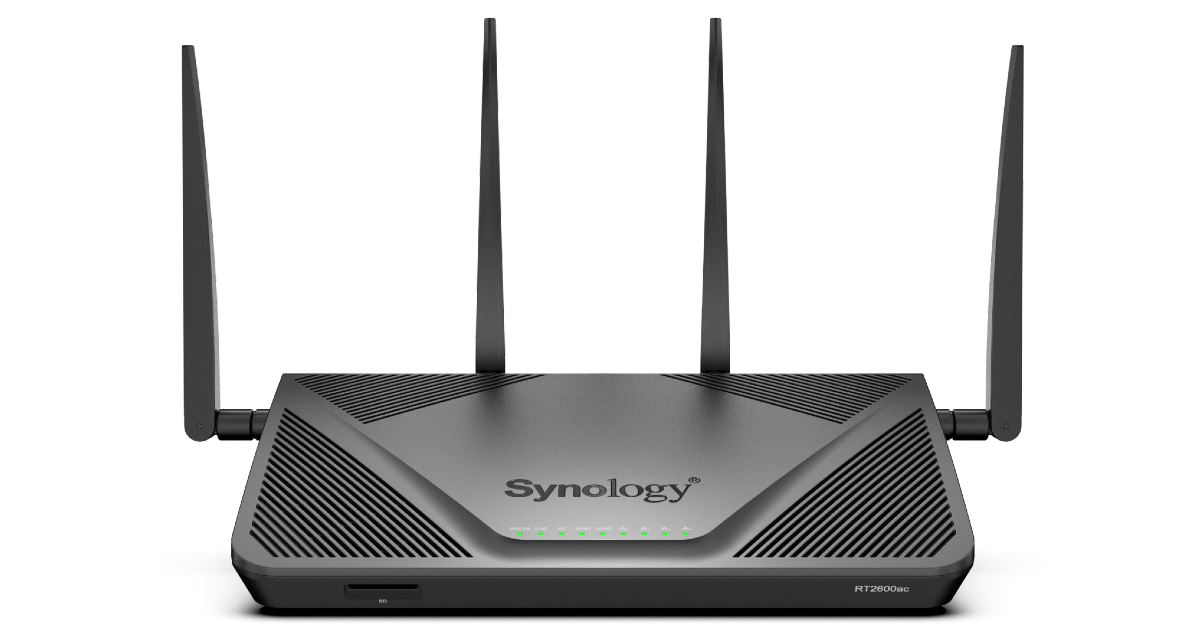
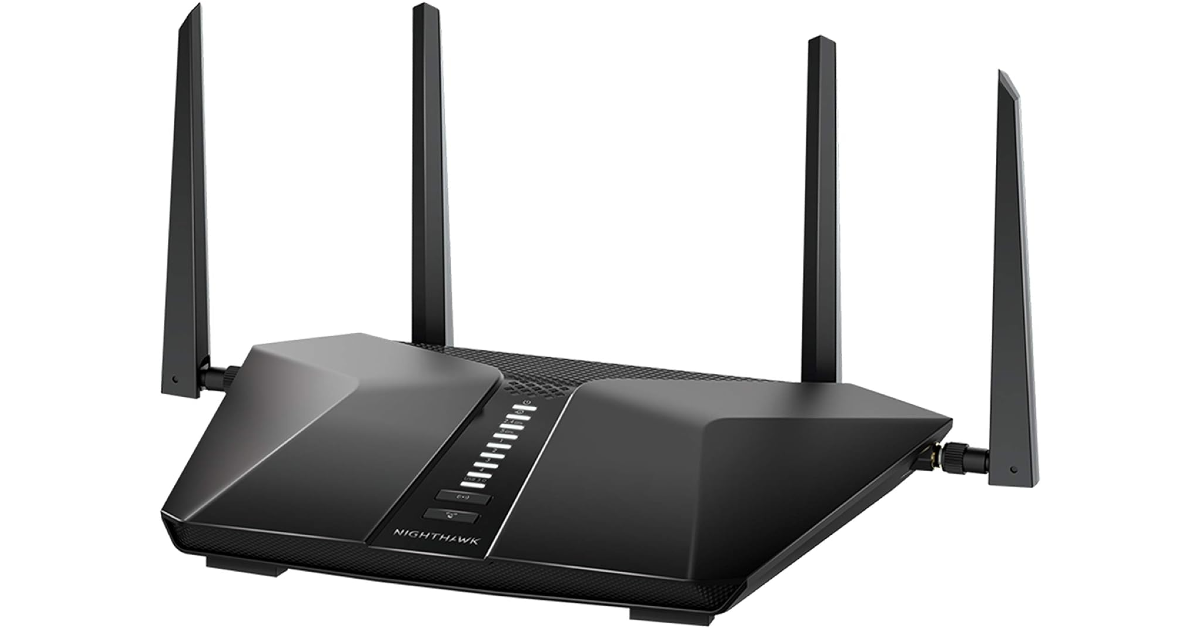
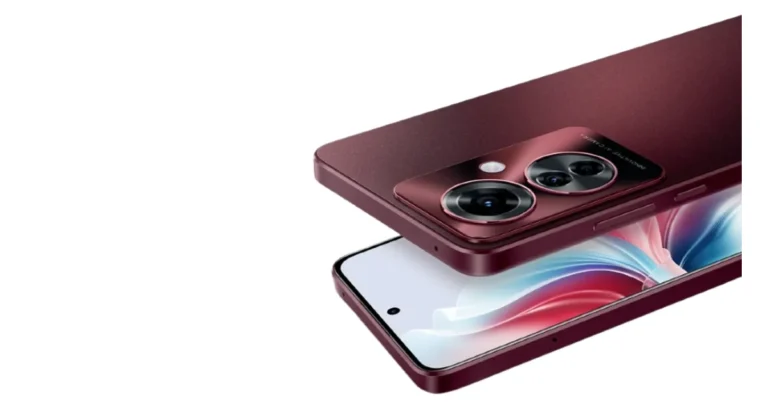
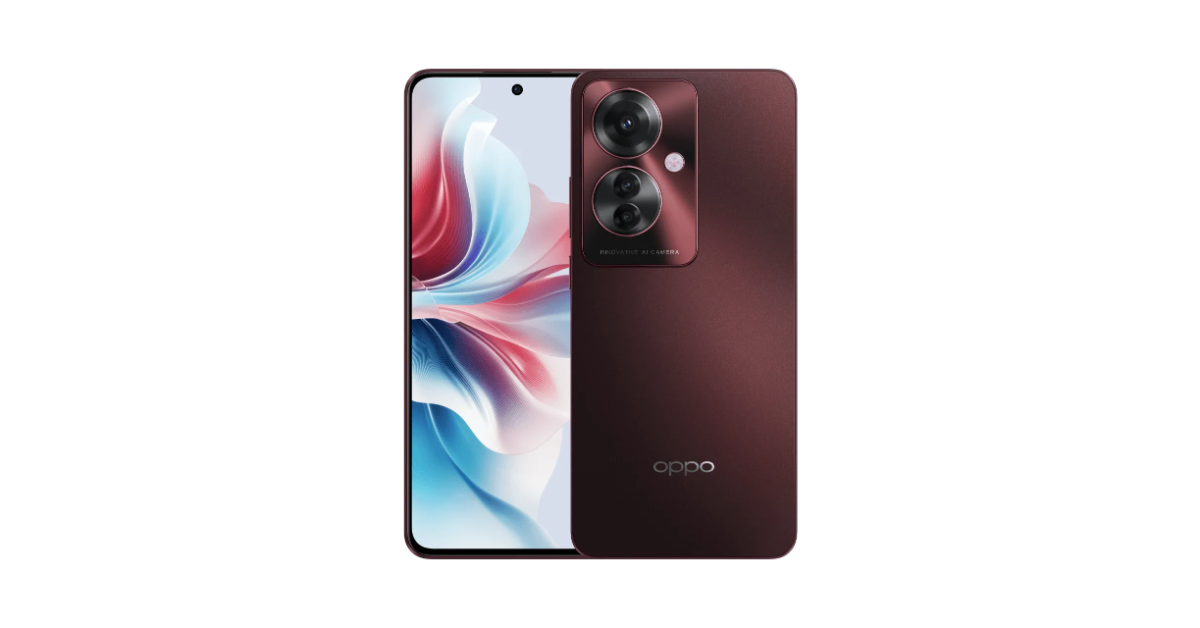
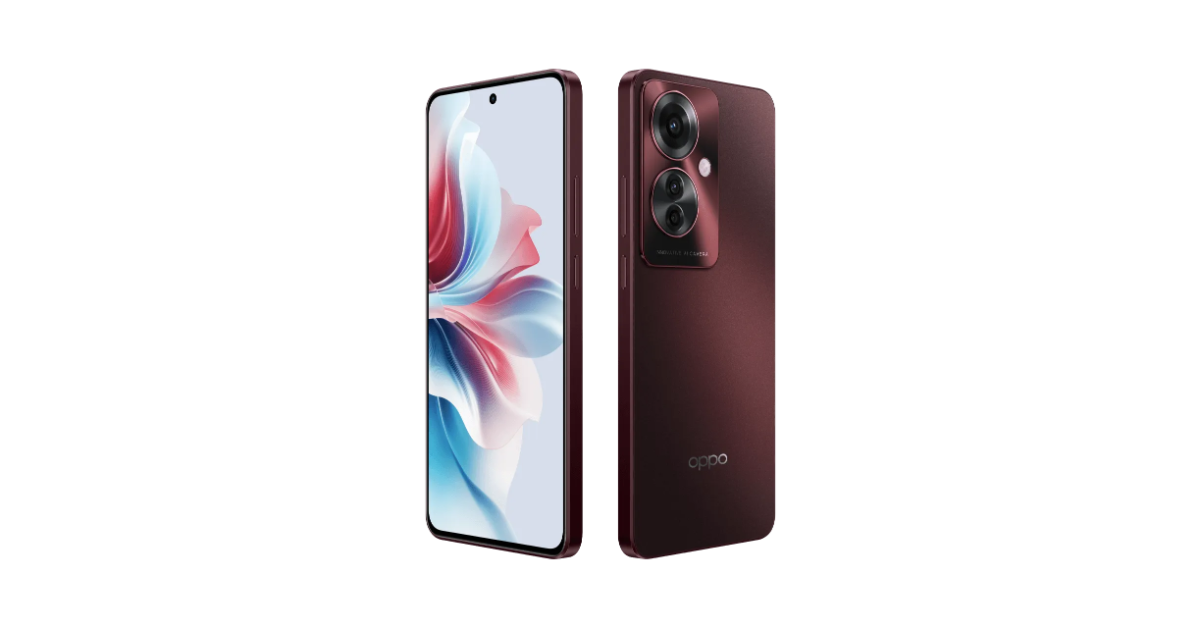 Launch offers
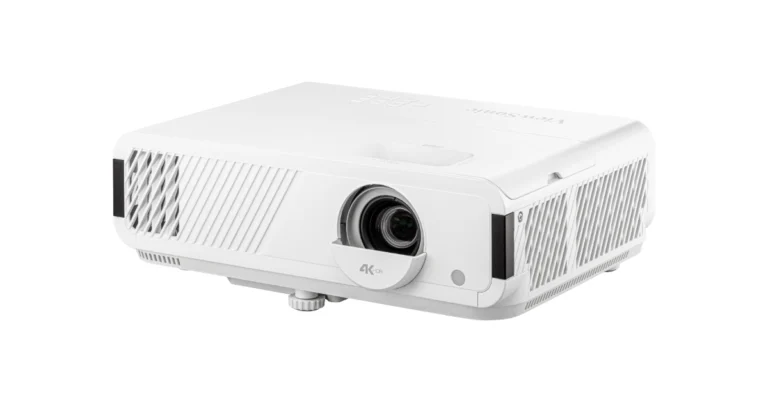
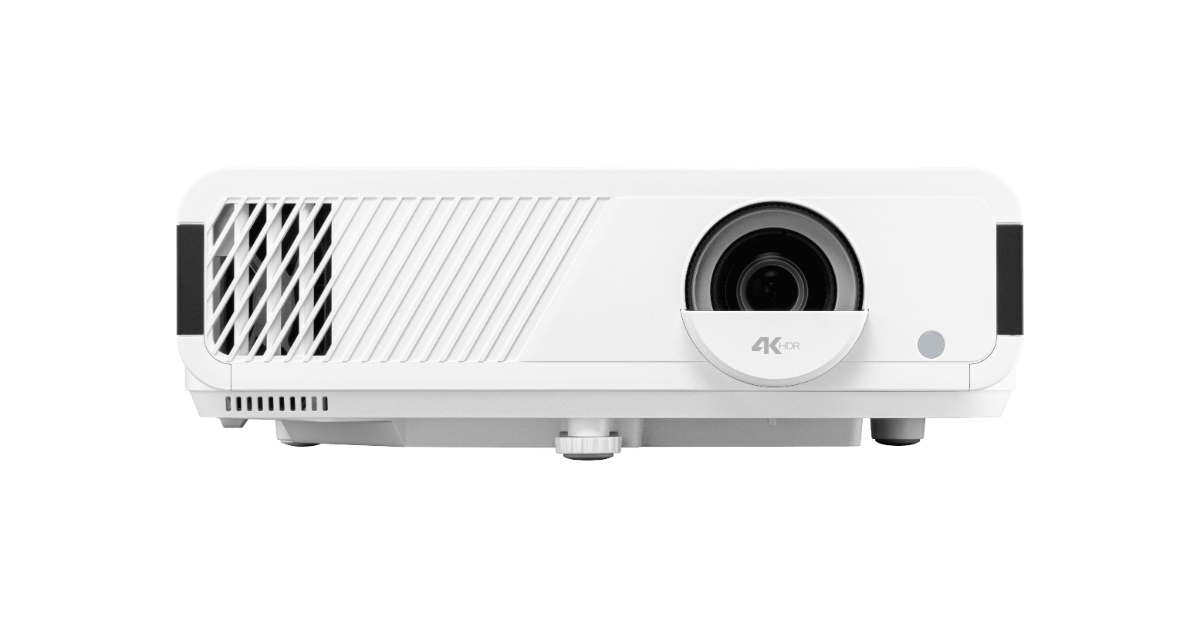
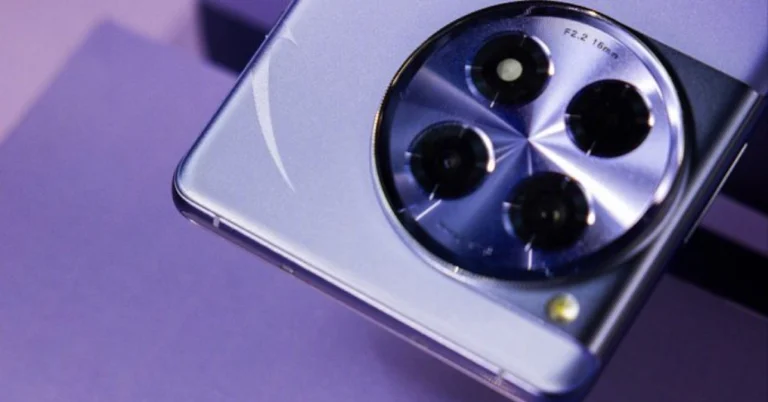
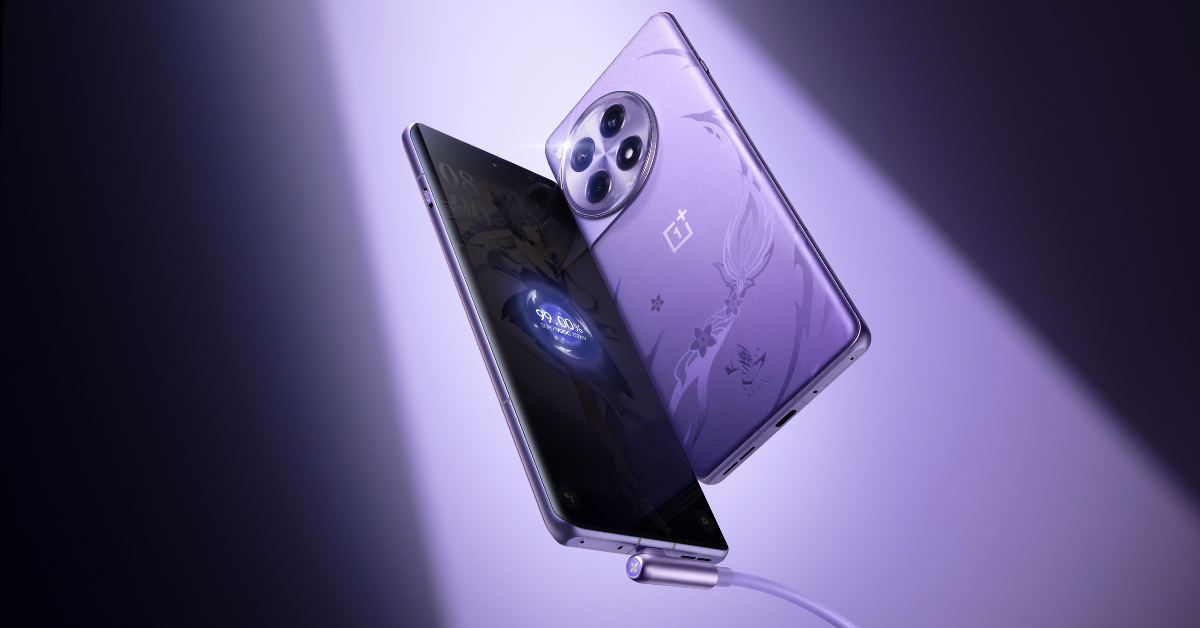

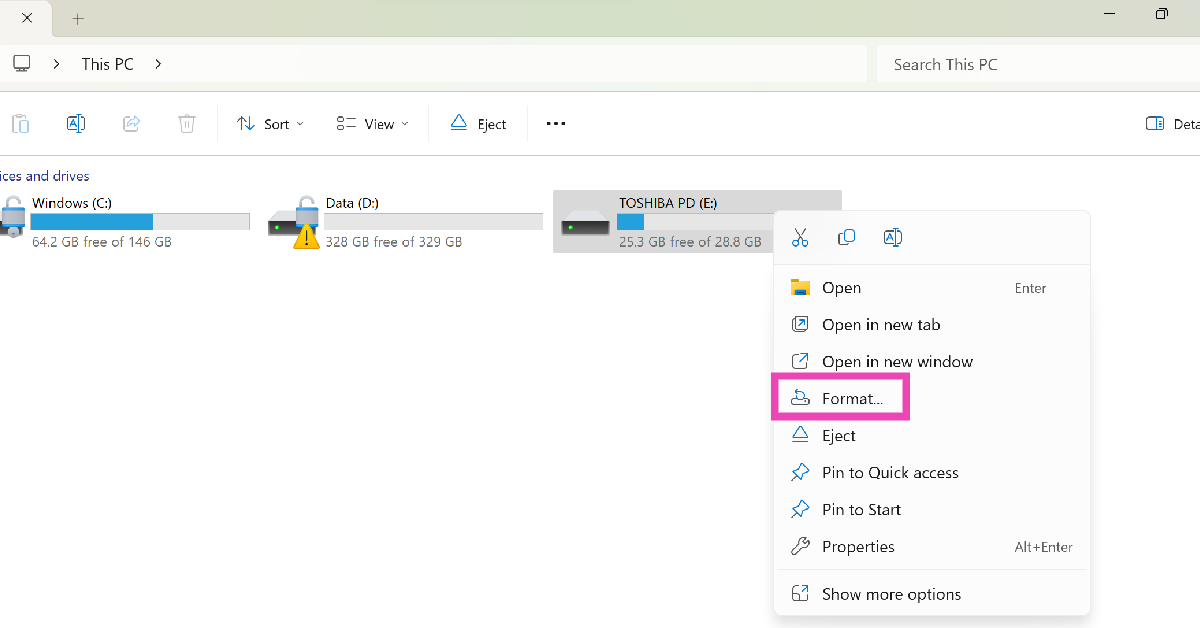 Step 3: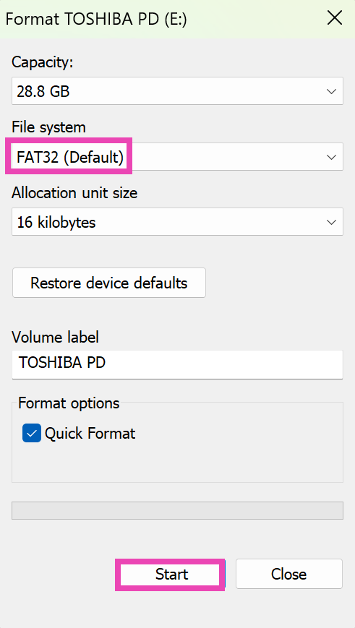
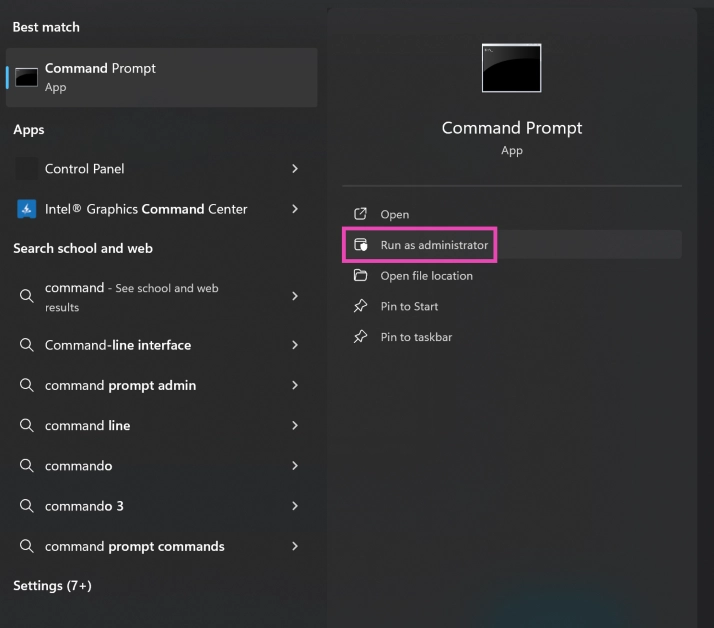 Step 2: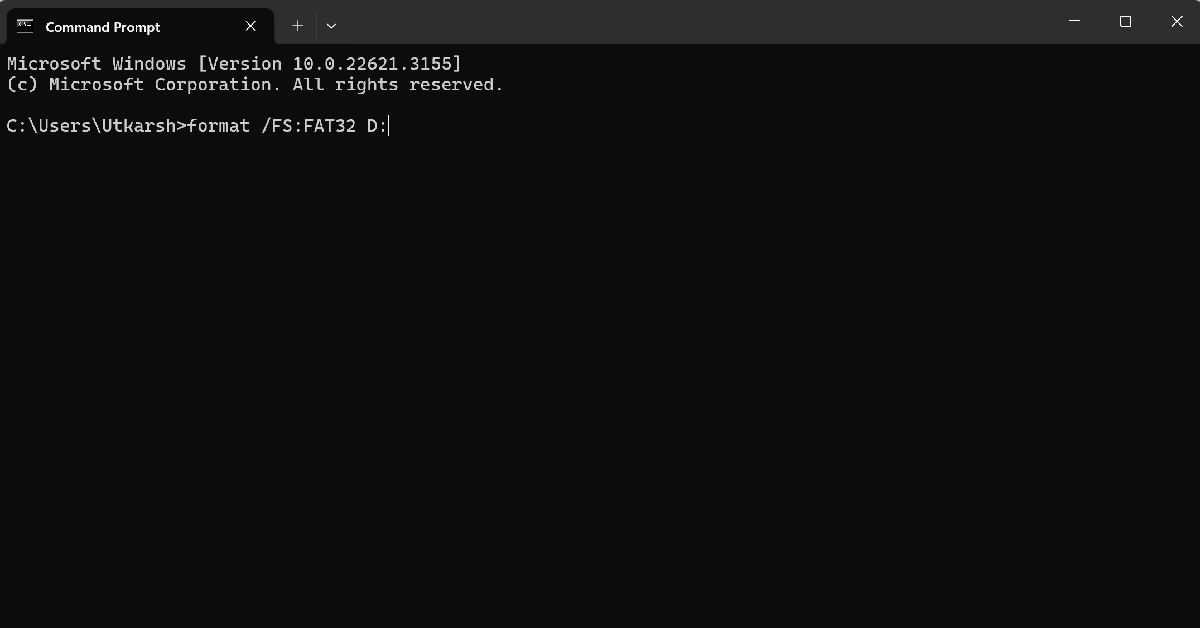
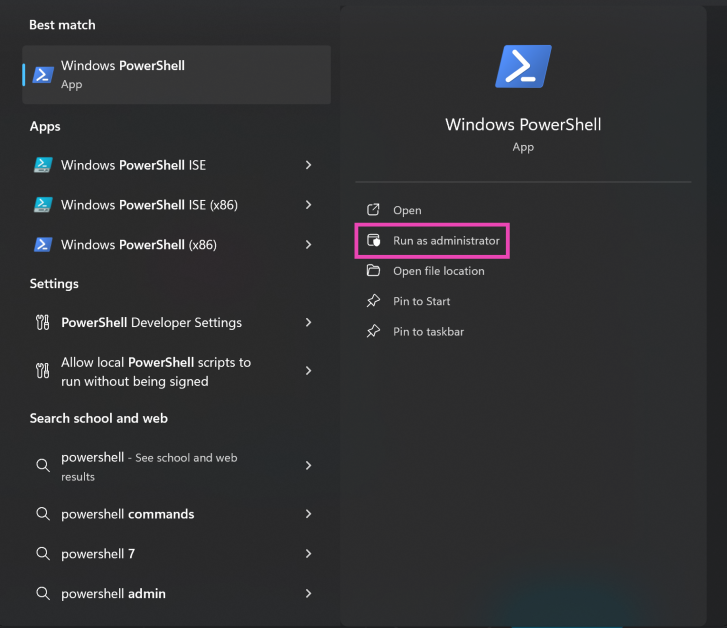 Step 2: