Garena Free Fire is a battle royale game with regular awards and tournaments to keep players interested. If you play Garena Free Fire, you should be aware of the redeem codes that are released on a daily basis. However, because the battle royale game is banned in India, players from other countries can use the Free Fire Redeem codes daily. If you’re unfamiliar with the Garena Free Fire redeem codes or don’t know how to get them, we’ve put together a step-by-step guide to help you redeem them. Check out Garena Free Fire Redeem Codes for 18 May 2023.The Free Fire redeem codes are a great way to get free stuff. These are 12-digit codes that contain alphabets and numbers, as well as an expiration date and time. Because the Garena FF redeem codes cannot be used more than once, you should hurry to the redemption page to claim your free reward before someone else does. To get a free reward, all you have to do is go to reward.ff.garena.com/en, which is the official redemption page. Also, keep an eye on this space for daily updates on Garena Free Fire redemption codes and rewards.
In This Article
Garena Free Fire Redeem Codes Today 18 May 2023
Updating Soon…
How to Get Free Fire Redeem Codes for Garena on 18 May 2023?
Have you participated in the Amazon Quiz today? If not then participate in the 18 May 2023 Amazon Quiz as it has already gone live on the app. The daily quiz can be played from 12 AM to 11:59 every day on the mobile app platform. Today e-commerce is giving the chance to win Rs 1000 Amazon Pay Balance.Every day Amazon brings a fresh quiz for its customers. By participating in the quiz the participants can win an Amazon Pay Balance of up to Rs 50,000. The quiz can only be played on the mobile app as it is not available for the desktop platform. The quiz contains five easy questions and you have to answer all the questions correctly. The participants will then be shortlisted for a lucky draw to select a winner. Whereas the results are declared at the end of the month. Check out today’s Amazon quiz answers to win Rs 1000.Amazon Quiz Today Prize – Rs 1000 Amazon Pay BalanceQuiz Date – 18 May 2023Daily Timing – 12 AM to 11:59 PMWinner Announcement – Today 12 PM
In This Article
Amazon Quiz Answers Today 18 May 2023
Question 1: In December 2022, Tim Southee became the Test captain of which country’s cricket team?Answer: New ZealandQuestion 2: Stan Lee was the Chairman Emeritus of which of these companies?Answer: MarvelQuestion 3: Which of these monuments was built by Emperor Shahjahan?
Answer: All of theseQuestion 4: This is a photograph taken in which city?Answer: KolkataQuestion 5: What does this animal’s tears signify in the English language?
Answer: Fake Tears
How To Play Amazon Quiz
Only app users are eligible to play the Amazon quiz every morning from 12 AM to 11:59 PM. The quiz is not available on the desktop. For those who are unaware of how to play the Amazon quiz below are the steps, you can follow to take the quiz.
Firstly download the Amazon app from Google Play Store or App Store
Now fill in the required information through the Sign Up option.
You need to log in to the Amazon app and scroll down on the home screen to find the Amazon Quiz banner.
Tap on the Amazon Quiz banner and tap on the Start button to start the Quiz.
Now you will get 5 questions and you need to answer them correctly. One wrong answer will eliminate you from the Quiz.
After answering all the questions correctly you are now eligible for a Lucky Draw.
The winner’s name will be announced today at 12 PM.
Clearing your browsing history is a very simple task on Google Chrome. You can also choose to clear the browsing history from the last hour, day, or even a week. The same applies to cookies and cache. Sometimes, you may not want to clear the cookies of one particular website. While tracker cookies are unwanted, some cookies are quite helpful since they retain your login info for a website. This is a very good reason not to mass delete them. In this article, we bring you the best ways to clear the cache and cookies of just one site on Google Chrome.Read Also:Android and Google Play commit to the growth of India’s app ecosystem
In This Article
Clear cache and cookies by visiting the site
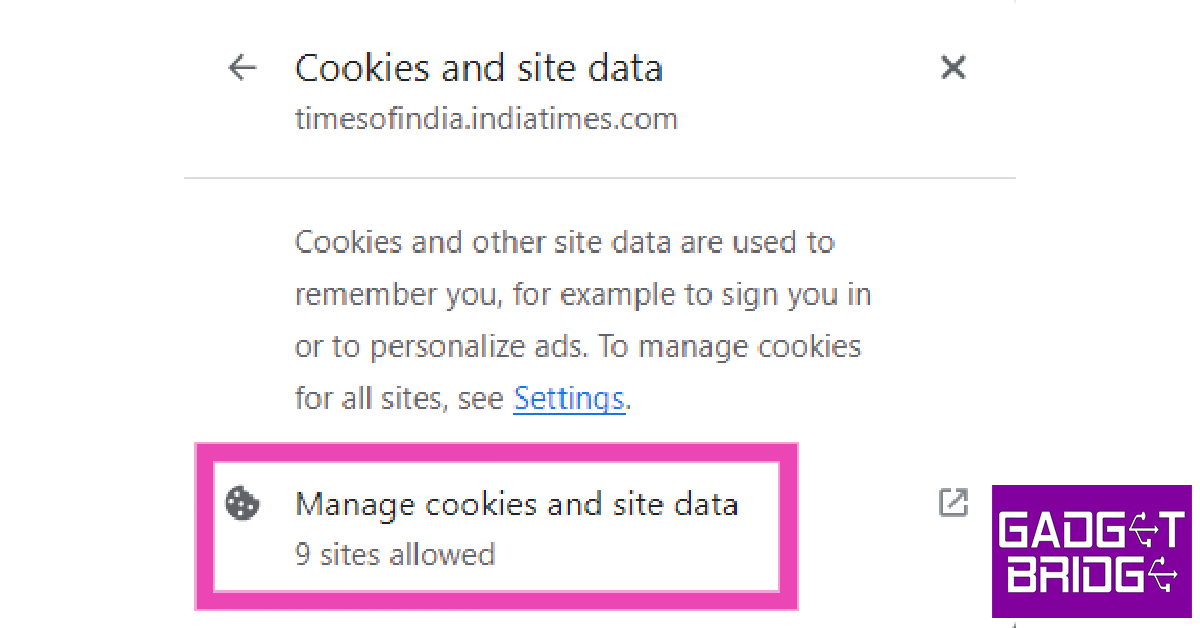
Step 1: Open the website on Google Chrome.Step 2: Click on the lock icon next to the address bar.Step 3: Click on ‘Cookies and site data’.Step 4: In the following popup box click on ‘Manage cookies and site data’.Step 5: Click on the bin icon next to the website address to clear its cache and cookies. If the website embeds content from other websites, it will be shown to you as well.
Clear cache and cookies of one site from Chrome settings
Step 1: Launch Google Chrome on your PC and click on the ellipses (three dots) at the top right corner of the screen.Step 2: Click on Settings.Step 3: Switch to the ‘Privacy and security’ tab.Step 4: Click on ‘Cookies and other site data’.Step 5: Scroll down and select ‘See all site data and permissions’.Step 6: Click the bin icon next to the website whose cookies and cache you want to clear.It is important to remember that cookies also contain your login info. Once you clear all cookies, you will be logged out of the site and will have to log in again.
Frequently Asked Questions
How do I clear cache and cookies for one website on Chrome?
Open the website on Chrome and click on the lock icon next to the address bar. Select ‘Cookies and site data’ followed by ‘Manage cookies and site data’. Click on the bin icon next to the website’s address.
Is there a way to clear cookies for a specific website?
Go to Chrome>Settings>Privacy and security>Cookies and other site data>See all site data and permissions and click the bin next to the site whose cookies you want to delete.
The popular puzzle game from last year, Wordle, got acquired by New York Times months after it reached virality. The hit word game spawned a lot of spin-offs, which can either be played online or downloaded as an app from the Play Store. Wordle, however, does not have an official app of its own and can only be played on NYT’s website. The best you can do is add the web page to your smartphone’s home screen. In this article, we show you how to get the ‘Wordle’ game on your Android or iPhone home screen.Read Also:Best Ways to Find Recently Deleted Apps on iPhone
In This Article
Add Wordle to your Android phone’s home screen
Step 1: Launch Google Chrome on your Android smartphone.Step 2: Go to NYT’s webpage for Wordle. A simple Google search for ‘Wordle’ will take you there. Or you can click this link.Step 3: Tap on the ellipses (three dots) at the top right corner of the screen.Step 4: Select ‘Add to Home screen’.Step 5: Name the home screen shortcut in the following popup box. Hit ‘Add’.Step 6: Touch and hold the Wordle icon to place it on the home screen. You can also tap on ‘Add’.Step 7: Place the Wordle icon in the position of your choice.
Add Wordle to your iPhone’s home screen
Step 1: Launch Safari on your iPhone and go to the Wordle webpage.Step 2: Tap the Share icon on the bottom toolbar.Step 3: Select ‘Add to home screen’.Step 4: Name the icon and hit ‘Add’ at the top right corner of the screen.
Frequently Asked Questions
Is there an official app for Wordle?
There are tons of apps on Google Play Store and Apple’s App Store that can let you play Wordle, but none of them are official. To play the official game, you will need to visit the New York Times website.
How can I add Wordle to my phone’s home screen?
To add Wordle to your Android phone’s home screen, simply launch the webpage on Chrome and select ‘Add to home screen’ from the browser options. iPhone users can launch the website on Safari and select ‘Add to home screen’ from the sharing options.
Sony LinkBuds S (WF-LS900N) TWS earbuds were launched in India in November last year. At the time of the launch, the device was introduced in three colour options. But today the company has launched the Earth Blue colour variant which is made from recycled water bottle materials. The device offers 20 hours of playback and comes with ANC and Bluetooth codec support.
In This Article
Sony LinkBuds S (WF-LS900N) Earth Blue price and availability
Sony LinkBuds S (WF-LS900N) TWS earbuds are now available in a new colour variation called “Earth Blue”. This follows the beige, white, and black colour versions that have been available on sale since November 2022. This new offering has been created using recycled water bottle materials. The price of the device is set at Rs 16,990 and will be available only on Amazon in India from today onwards.
Sony LinkBuds S (WF-LS900N) Earth Blue specifications
Sony LinkBuds S (WF-LS900N) Earth Blue has been made from recycled resin materials generated from recycled water bottles. Parts of the body and case of WF-LS900N in Earth Blue are made from recycled water bottle materials which creates a unique marble pattern.Additionally, the device comes with the entire packaging being plastic free and the earbuds use recycled materials from automobile parts.The specifications of the Sony LinkBuds S (WF-LS900N) Earth Blue will remain the same as the original ones but the company is rolling out a software update to enable the multipoint connection function which allows users to connect to two devices at the same time.The Sony LinkBuds S is powered by Integrated Processor V1. It features active noise cancellation. Along with Bluetooth Codec support the device also comes with LDAC, AAC, and SBC codecs. The TWS earphones are IPX4-rated and are compatible with both Android and iOS devices. With the noise cancellation turned on, the WF-LS900N can last for 6 hours. The charging case holds an additional 20 hours worth of charge. Charging the TWS for just 5 minutes can give you up to 60 minutes of playtime.
For the latest gadget and tech news, and gadget reviews, follow us on Twitter, Facebook and Instagram. For newest tech & gadget videos subscribe to our YouTube Channel. You can also stay up to date using the Gadget Bridge Android App. You can find the latest car and bike news here.
In India, noise is gradually gaining popularity. The company sells audio equipment as well as a good selection of smartwatches. The vast majority of its products have fair prices. Recently, the Noise Buds X truly wireless stereo earphones were made available in the nation. Being a low-cost TWS, it most importantly has active noise cancellation (ANC), which mutes ambient noise. Is this the most efficient true wireless headset you can currently purchase for less than Rs 2,000? Find out in the Noise Buds X review below.
In This Article
Noise Buds X review: Design
The charging case is tiny and has a pebble-like shape, so you should have no trouble fitting it into your pocket when not in use. The case is made completely of premium plastic, has a matte white finish, and has the Noise logo on the front. There are no buttons on the Noise Buds X charging case. It starts looking for a device to pair with as soon as the case is opened. The matte finish also helps cover up any scratches.Below the charging port, an LED indicator can be found. The bottom of the charging case is a little flat so that it may stand upright on a flat surface. You can see that the earphones are securely put into their assigned slots marked left and right when you lift the case’s cover. To keep the earbuds in place, the casing has built-in magnets. Also Read:OnePlus Buds Pro 2 Review: Should you buy them?The Noise Buds X have a good in ear-canal fit, long stems that extend downward, and a flat, touch-sensitive surface that is silver in colour with the company logo imprinted on it. Black and White are the only two colour choices for the TWS. Black would be a better option in our opinion since the White model we have for the review can attract smudges and fingerprints. The earbuds are incredibly light and comfortable to wear for extended periods of time. Three extra sets of the replaceable silicone ear tips that come with the earbuds are supplied. You can select between tunes, accept or decline voice calls, and activate the voice assistant with the sensitive touch sensors in both earbuds. You can use the device anywhere, including in the gym or when exercising in the rain, because it has an IPX5 classification that provides resistance against water splashes.
Noise Buds X review: Performance
The Noise Buds X TWS earbuds have 12mm speaker drivers and active noise cancellation (ANC). According to the manufacturer, it can muffle background noise by up to 25db. Additionally, the earbuds’ quad mic arrangement provides environmental noise cancellation (ENC) for noise-free calls. Over that, there is a transparency mode, which enables users to listen to music and at the same time hear background noise or conversations. The Noise Buds X’s 12mm dynamic drivers support the SBC/AAC codec, resulting in distortion-free audio. The listening experience is wonderful throughout. Additionally, the loudness is perfectly balanced, neither being too high nor too low. The snug fit offers excellent noise cancellation while talking on a phone or listening to music. We tested them outdoors and found that the ANC on these does a wonderful job of totally cancelling out the noise by 90 to 95 percent. The transparency mode is also very effective. The TWS earphone has a maximum operating range of 10 metres and supports Bluetooth 5.3 connection, A2DP, HFP, HSP, and AVRCP profiles. The connection to your associated smartphone or other device simply takes a few seconds. It’s fantastic that the earbuds work with both Android and iOS devices. The audio was crystal clear on both ends, so we also had no trouble receiving calls. Additionally, they support Siri and Google Assistant, which enables you to answer or decline calls, switch between songs, pause a song, and even control the volume all without using your hands. We tested these to see if they are suitable for gaming even though they are not specifically designed as earbuds for gaming. Unfortunately, due to latency problems, these are not suitable for gaming. When playing demanding titles like Call of Duty, there would be a lot of audio lag. But in light gaming, there are no significant latency issues. Also Read:Nothing Ear (2) review: They have hit the ball (hard) out of the park!Depending on ANC, the device can run for five to seven hours. When ANC is activated, battery life is compromised. When ANC is turned on, the total battery life with the case is up to 28 hours, and it is up to 35 hours when ANC is turned off. Quick charging is supported; it can extend battery life by two hours in just ten minutes of charge.
Verdict
At Rs 2,000, the Noise Buds X are reasonably priced when compared to much of the competition. The case and build quality are excellent, and the hinges are likewise of high quality. They fit comfortably for extended periods. Full touch controls, ANC, transparency mode, and excellent audio quality with well-balanced bass, treble, and vocals at a competitive price are also featured. Noise Buds X are highly recommended by Gadget Bridge.
Apple today revealed that last year in 2022, App Store managed to stop over $2 billion in transactions that could have been fraudulent. According to the company it had rejected approximately 1.7 million app submissions for not upholding the App Store’s strict standards for content, privacy, and security.Apple has been working on improving to continuously monitor and detect account fraud quickly. Apple terminated more than 802,000 developer accounts in 2021 due to allegedly fraudulent conduct. Thanks in part to new techniques and protocols that enable the App Store to stop the establishment of possibly fake accounts, that number fell to 428,000 in 2022. Additionally, nearly 105 million Apple Developer Program enrolments were rejected for suspected fraudulent activities, preventing these bad actors from submitting apps to the App Store.Apparently, Apple in 2022, protected customers from about 57,000 fraudulent apps from unauthorised stores that lacked the same built-in privacy and security safeguards as the App Store. These unlicensed markets are alleged to offer hazardous software that can copy or modify well-known apps without the developers’ permission. Apple also claimed to have stopped nearly 3.9 million attempts to install or run apps distributed illicitly through the Developer Enterprise Program, which allows large organisations to deploy internal apps for use by employees.Also Read:Apple announced new features for cognitive, speech, and vision accessibilityLast year, Apple also Apple disabled over 282 million consumer accounts linked to fraudulent and abusive behaviour as part of its efforts to combat fake customer accounts. Additionally, 198 million attempted fraudulent new accounts were blocked before they could even be created.Nearly 1.7 million app submissions were declined from the App Store in 2022 for various reasons, including concerns related to fraud and privacy. App Review discovered numerous apps that might potentially steal users’ login information from third-party services by employing malicious code. According to Apple App Review team identified several apps that disguised themselves as innocuous financial management platforms but had the capability to morph into another app. Nearly 24,000 apps claimed to be blocked or removed from the App Store for bait-and-switch violations such as these in 2022. More than 153,000 app submissions rejected from the App Store last year were found to be spam, copycats, or misleading, and nearly 29,000 submissions were rejected for containing hidden or undocumented features.In 2023 Apple was also able to block blocked nearly 3.9 million stolen credit cards from being used to make fraudulent purchases and banned 714,000 accounts from transacting again. In total, Apple blocked $2.09 billion in fraudulent transactions on the App Store in 2022.
For the latest gadget and tech news, and gadget reviews, follow us on Twitter, Facebook and Instagram. For newest tech & gadget videos subscribe to our YouTube Channel. You can also stay up to date using the Gadget Bridge Android App. You can find the latest car and bike news here.
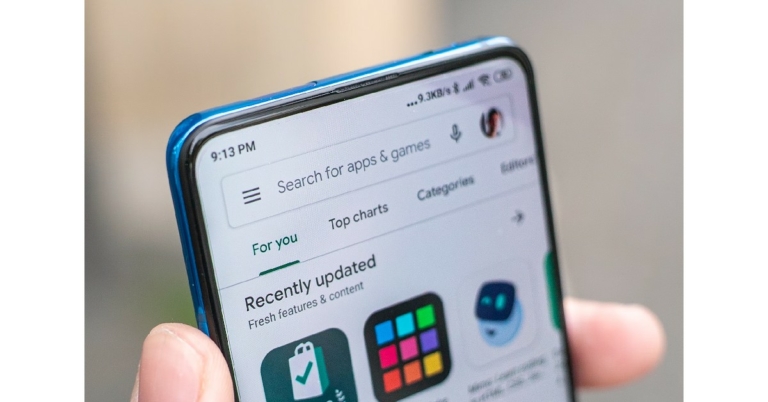
While most Android smartphones come with their own preloaded app marketplaces, Google Play Store remains the biggest app distributor in India today. Despite the competition and third-party marketplaces allowing users to ‘sideload’ apps on their device, Google Play Store is the most reliable app platform due to its stringent regulation and largest malware scanning system. The Play Store reportedly scans over 125 billion apps daily to keep consumers safe from malicious entities.Read Also: Best Ways to Find Recently Deleted Apps on iPhone
In This Article
Google Play Store is able to fund the app ecosystem through service fees
Google Play Store charges app developers service fees of up to 15% for using their platform. This service fee only applies to developers that sell digital goods and services within their apps. Only 3% of developers in India are required to pay a service fee. The 15% service fee is the lowest among all the major marketplaces. This fee is further reduced by 4% if a user pays through an alternative billing system. Google estimates that less than 60 developers out of more than 200,000 app developers in India could pay a service fee of 15%.Here’s what Google Play’s fee structure looks like.
15% on the first million + 30% on any exceeding revenue
In compliance with CCI’s October 2022 order, Google Play expanded user choice billings to all developers in India. First introduced in 2020, the Payment policy was updated following CCI’s order and brought into effect last month. There are three billing options available to developers: Google Play’s native billing system, an alternative billing system or Google Play’s user choice billing pilot, or consumption-only operation without paying a service fee.Read Also:AppleCare vs AppleCare+: What’s The Difference & Which One To Go For?
Samsung is no stranger to laptops and this year they have refreshed their Galaxy Book series. There were 3-4 notebooks launched in the entire 2023 Samsung Galaxy Book 3 series and we got our hands on the top-of-the-line Samsung Galaxy Book 3 Pro 360. We spent over 4 weeks with the device and this is our Samsung Galaxy Book 3 Pro 360 review you need to read if you are in the market to buy an ultra-portable workhorse.
In This Article
Samsung Galaxy Book 3 Pro 360 review: Design and Display
If you love all things super cool, then you are in luck. Right out of the box the Samsung Galaxy Book 3 Pro 360 demands attention. The notebook weighs just under 1.8kg and is 12.8mm thin. The shell is made up of light yet sturdy aluminium, which makes it portable yet keeps the internals protected from any external harshness.
The Samsung Galaxy Book 3 Pro 360 is dressed in the graphite colour (the one we are reviewing), but there is a lighter white colour available too, but not in India. Talking more about the form factor, you get a large 16-inch Dynamic AMOLED touchscreen up front with a full HD web camera above it. The bezels around the screen are minimal, except for the bottom part.
In the Samsung Galaxy Book 3 Pro 360, you get a fairly large full QWERTY backlit keyboard with a NUM pad. Right below is the larger-than-usual trackpad as well. Robust hinges connect the screen and bottom façade, which can swivel all the way to the back making this machine a 2-in-1. Yes, this notebook can be used in tablet mode as well since the display is a touchscreen.
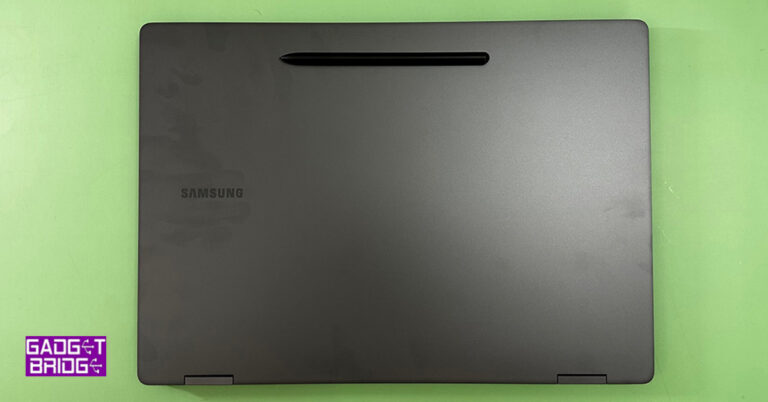
In total, you will get 6 ports on the Samsung Galaxy Book 3 Pro 360. These are located on the left and right side of the machine and include HDMI, 2 USB type-C, 1 USB 3.2, 3.5mm combo audio port and a microSD card reader. The laptop can be charged using the USB type-C port using the supplied charger and charging cable. Furthermore, you will also find the Samsung branding on the top of the lid and speaker vents on either side under the structure.
Since Samsung Galaxy Book 3 Pro 360 is a machine specifically made for creators in mind, you will also get a large stylus, also known as the Samsung S Pen in the box. This comes in handy if you want to draw, mark content or create something new. The S Pen has a click button on it, which can be used as a mouse right-click to open the menu system. For easy access, the S Pen can be magnetically placed on the top part of the laptop’s lid.
Now let’s jump back to the display and take you through. The screen resolution you get on the Samsung Galaxy Book 3 Pro 360 is 2,880 x 1,800 pixels, which makes it FHD+. It is a beautiful touch screen with a 120Hz refresh rate that showcases extremely vivid colours and deep blacks. Everything on this display looks fabulous. The graphics are provided by Intel Iris XE and it does a very good job. There is no discrete graphical system on board, yet the performance is top-notch.
We played games like DOTA 2 and CS: Go and we were able to get 100FPS on the system with ease. But games like BattleField 2042 struggled at medium to high-end graphics settings. You will get 30-35FPS at low settings. But hey, this device is not made for gaming, it is made for consuming or creating content along with business needs.
So, we switched gears and watched a few movies on Netflix and Prime Video. Since Samsung Galaxy Book 3 Pro 360 is Dolby Atmos ready, the experience was superb. We enjoyed every bit of it as the display was able to handle and differentiate between dark and light parts of any scene with ease. Also, there was no ghosting. The only issue we faced was and is a problem with all touchscreen AMOLEDs is the glossiness of the screen. If you have a direct light source behind you, it will ruin the watching experience.
Also, if you are one of those who loves to use his/her fingers on the touchscreen, then please keep a microfibre cloth handy, as the screen is a smudge magnet. But luckily, a quick wipe takes all the smudges away. All in all, the design and display scored quite high on our test tables.
Read Also:Samsung Galaxy Book Business Edition, Samsung Galaxy Book Pro
Samsung Galaxy Book 3 Pro 360 review: Performance
It gives us goosebumps to talk about the spectacular firepower Samsung Galaxy Book 3 Pro 360 has under the hood. Ok Ok, let’s quickly get the broad tech specs out of the way. This notebook has an Intel Core i7 13 gen 1360 CPU below the keyboard that has a clock speed of up to 5.0GHz. 16GB of RAM is soldered onto the chipset and as said graphics are powered by Intel Iris XE on board graphics card.
With that, the Samsung Galaxy Book 3 Pro 360 also has 1TB of NVMe SSD, Wi-Fi 6E, Bluetooth 5.1 and quad speakers are their powered by AKG. Two 5W Woofers and two 2W tweeters complete the audio setup. The power button on the device also doubles up as a fingerprint reader, which works very well. Window 11 Home is what you get installed on the machine, which came across as odd because this laptop is built for superior business needs. Windows 11 Pro would have been advantageous.
We had a gala time with this laptop. The Samsung Galaxy Book 3 Pro 360 is a treat to work with, we did a lot of things using this laptop. From typing out work documents to drawing on MS Paint. It handled everything like it is child’s play. We even opened over 40 tabs in the Chrome browser on this notebook and it did not flinch.
Impressed? Wait, here is the best part – its battery life. The Samsung Galaxy Book 3 Pro 360 comes with a 76Wh battery that can be charged with the supplied 65W faster charger. On our tests, this Samsung notebook stayed alive for almost 10 hours at 60% screen brightness. We did a lot of things on it, watched 1 Netflix show, did our full day of office work and even played music while we were at it.
The S Pen is a neat addition as it does help if you are an avid creator and use a lot of Photoshop or similar software. You can do so much with it and more. Over that, if you are in the Samsung Ecosystem and use a Samsung mobile then transferring files between the devices is very easy. Just remember you have to be logged on to the same Samsung ID on both of them and you can easily make use of the Samsung native apps.
Samsung also provides an extra layer of security, which keeps your files and data safe from scammers and hackers.
We did use the Samsung Galaxy Book 3 Pro 360 in tablet mode, which some might like, but for us, it was slightly big to be used as a tablet. 11 to 13-inch form factor is perfect for any tablet use. But hey that is just us, some creators would love the extra screen space when they use it in the tablet mode.
We loved the audio this laptop produced. Since the speakers are powered by AKG and are Atmos-ready, you will love editing videos and even watching high-res movies. One will get good virtual surround sound from them when sitting close and they do perfect justice to the whole scheme of things.
Read Also:Samsung Galaxy Book, Galaxy Book Pro, Galaxy Book Pro 360 and Galaxy
Verdict
So, at Rs 1,79,990 is this laptop worth picking? The answer is an astounding yes. The Samsung Galaxy Book 3 Pro 360 is a brilliant machine that has all the ingredients one would want from a powerhouse laptop. Yes, a discreet graphic card would have been a boon, but that would make the aesthetics look bulky and will definitely make it much heavier.
To make it look stunning, Samsung would have gone for the onboard GPU, which is not bad for any professional work-related tasks. Programs like Photoshop and Premier Pro will work well on it and then you get a beautiful touch screen, which others will not have. If you are a professional looking for great performance and stunning looks, we see no reason not to invest in this machine.
To assist users in maintaining the security and privacy of their messages and chats WhatsApp has introduced a much-awaited feature namely Chat Lock. This feature was under testing for quite some time and is now available for both Android and iOS users across the globe. Users will be able to unlock their chats using fingerprint sensors, hence this will boost privacy.The WhatsApp Chat Lock feature was a much-needed feature for those who want to keep their chats private from others. The Meta-owned instant chatting app via blog post announced the latest feature. The company believes that this functionality will be fantastic for folks who occasionally share their phones with family members or for those situations in which someone else is holding your phone at the exact moment an extra special chat arrives.Also Read:WhatsApp released Lock Chats feature to boost privacy: Details inside“Our passion is to find new ways to help keep your messages private and secure. Today, we’re excited to bring to you a new feature we’re calling Chat Lock, which lets you protect your most intimate conversations behind one more layer of security,” the Blog Post said.As per WhatsApp Locking a chat takes that thread out of the inbox and puts it behind its own folder that can only be accessed with your device password or biometric, like a fingerprint. When you enable Chat Lock on a particular conversation the app will also automatically hide the contents of that chat in notifications, too.Because the chat is locked only a fingerprint can open it, making it nearly impossible for anyone else to access the chat. This feature also ensures that media files, including images and videos, received in a locked chat are not automatically saved to the device’s gallery.By pressing the name of a one-to-one or group chat and choosing the lock option, a WhatsApp user can lock a chat. Pull down your inbox gently to see these chats, then enter your phone’s password or biometric to access them.WhatsApp also said, “Over the next few months we’re going to be adding more options for Chat Lock, including locking for companion devices and creating a custom password for your chats so that you can use a unique password different from the one you use for your phone.”
For the latest gadget and tech news, and gadget reviews, follow us on Twitter, Facebook and Instagram. For newest tech & gadget videos subscribe to our YouTube Channel. You can also stay up to date using the Gadget Bridge Android App. You can find the latest car and bike news here.
Your iPhone is designed to last for a long time. With a solid frame and optimum protection, your iPhone can even take some nasty hits and come out unscathed. The thing you need to worry about the most is the battery capacity. Smartphone batteries are not meant to last forever. The heat generated after every charge cycle slowly adds up and degrades the battery over time. Luckily, there are some steps you can take to extend its life. In this article, we bring you the top 10 methods to improve and retain iPhone battery health.Read Also:AppleCare vs AppleCare+: What’s The Difference & Which One To Go For?
In This Article
Don’t use your iPhone in extreme temperatures
Ambient temperature plays a significant part in determining your iPhone’s battery health. If your iPhone is constantly subjected to extreme temperatures, its battery health will take a hit. The 16-22°C window is deemed as the ‘ideal comfort zone’. This means your phone’s battery will be unaffected by the temperature as long as it operates within this temperature window. Exposing your phone to temperatures above 35°C can affect its usage and battery capacity. The battery life will drop by a considerable margin as well. Putting your phone on charge at this temperature can permanently damage the battery too. The other end of the extreme does not affect the battery permanently but it can alter the performance of your phone. Your phone can take a longer time to charge in cold temperatures but the battery health will not take a significant hit.
Remove the phone case while charging
Charging your phone’s battery generates heat. This heat needs to be dissipated quickly to ensure the battery lasts longer. Your iPhone has an effective cooling system for the battery, but it also relies on the phone casing to dissipate heat to its surroundings. Your phone’s case can prevent this from happening. Instead of conducting the heat to the nearby surfaces, it can trap the heat around the rear panel of the iPhone, increasing the temperature. This is why it is advised you remove the case while charging your iPhone.
Do not unnecessarily charge your phone
Your phone doesn’t need to be 100% charged at all times. If you frantically reach for the charger as soon as your device’s battery drops to half, it can have a negative effect on battery health. Batteries degrade over time. What degrades batteries is the heat generated during a charge cycle. Apple says that your iPhone’s battery capacity drops to 80% after 500 charge cycles. Ideally, you should plug in your phone to charge when it hits 30% and charge it to 80%.
Do not charge your phone overnight
Excessive current running into your phone’s battery can permanently damage the cells. If you leave your phone to charge overnight, it is bound to take a toll on battery health. iPhone has a great feature called ‘Optimised Battery Charging’ for people who charge their phone overnight. You can find it by going to Settings>Battery>Battery Health & Charging. Once Optimised Battery Charging is turned on, your iPhone will observe your charging patterns. If you charge your phone overnight and plug it out as soon as your wake up, your iPhone will charge the battery to 99% at regular speed, then slowly trickle charge the remaining 1% until you wake up. This prevents excessive current from flowing into the battery.
Update iOS to the latest version
Every new iteration of your phone’s OS comes with better and smarter ways to manage the battery. Apart from giving a boost to your iPhone’s speed and performance, new iOS versions may also offer new features that help you manage battery health in the long term. To update your iPhone, go to Settings>General>Software Update.
Use an official Apple charger
This goes without saying but third-party power adapters and cables aren’t going to deliver a better consistency than the official Apple charger. Apple’s original accessories are better optimised for your iPhone. Whereas a third-party charger may damage your device in the long run. There are a lot of low-grade third-party chargers in the market that don’t cost as much but will severely damage the battery’s health.
Turn off unnecessary background functions
It is a good idea to turn off any background functions that you aren’t actively using. This includes location, WiFi, Bluetooth, and such. These background functions slowly drain the battery, increasing the frequency of charging cycles. Since the idea is to keep the charging cycles to a minimum, it is essential your make sure your iPhone isn’t getting drained faster due to these background functions.
Use Low Power Mode
Once your iPhone hits a 20% charge level, the system reminds you to either plug in the charger or turn on the Low Power Mode. To maximize your iPhone’s battery health, it is essential that you don’t let the battery drain out before plugging it in to charge. As we mentioned earlier, you should keep the charge level between 30-80%. Just like you don’t want to hit 100% battery level every time, draining out your phone can also be counterproductive. Once they are completely depleted, the battery cells can take a long time to charge, resulting in more heat. Enabling Low Power Mode ensures that your phone lasts longer on low charge, giving you slightly more time to plug it in to charge.
Don’t use your iPhone while charging it
You may know this already, but using your phone while charging also diminishes the battery life, and in the longer run, the battery capacity. You can still do small tasks like checking and responding to messages, but more power-intensive activities like gaming and navigation should be strictly avoided. While performing these tasks, you are actively draining the battery while it is being charged, resulting in greater heat production.
Storing your iPhone for a long time? Charge it to 50%
If you plan on stashing away your iPhone for a long time, charging it to 100% before storing it can negatively affect battery health. What’s worse is if you drain the battery and then store your iPhone for a long time without charging it. This can make the battery enter the ‘deep discharge state’ and can seriously inhibit its capacity to hold charge. While storing your iPhone, it is also important you ensure that the surrounding area is dry and not too hot.Read Also:Apple announces new features for cognitive, speech, and vision accessibility
Conclusion
These are the top 10 methods to improve and retain the battery health of your iPhone. If your iPhone has witnessed a sharp decline in battery capacity within the first year, you should get it checked. If you have an AppleCare+ package, you can get your iPhone’s battery replaced if it hits less than 80% capacity within the first two years of purchase.For the latest gadget and tech news, and gadget reviews, follow us on Twitter, Facebook and Instagram. For newest tech & gadget videos subscribe to our YouTube Channel. You can also stay up to date using the Gadget Bridge Android App. You can find the latest car and bike news here.
The process 0f tracking and blocking stolen mobile phones has become much easier, all thanks to the Department of Telecom. Union Minister Ashwini Vaishnaw launched the Sanchar Saathi platform on Tuesday. The Know Your Mobile feature on the Sanchar Saarthi webpage enables users to confirm the genuineness of used mobile devices.By using the Sanchar Saathi platform, which the Department of Telecom has introduced, people may now block and locate their stolen or lost mobile phones throughout India. According to Ashwini Vaishnaw, the Union Minister for Telecommunications, users would be able to block, track, and double-check the legitimacy of used devices before purchasing it using the Sanchar Saathi Portal.While announcing the launch of Sanchar Saathi Vaishnaw said, “First leg of Sanchar Saathi portal is CEIR (Central Equipment Identity Register). If you lose your mobile phone, then you can visit this portal. There will be some identity verification, and requirements of the undertaking and immediately after this the portal will interact with law enforcement agencies and telecom service providers and block your lost mobile phone.”
In This Article
What is Sanchar Saathi?
Sanchar Saathi portal is a citizen-focused initiative designed to empower mobile customers, enhance their security, and raise awareness about citizen-centric initiatives of the Government. Sanchar Saathi gives citizens more control by enabling them to see the mobile connections that have been issued in their names, get disconnected connections not required by them, block/trace lost mobile phones and check the genuineness of devices while buying a new/old mobile phone. There are many modules in Sanchar Saathi, including CEIR and TAFCOP.
CEIR Module
The CEIR module facilitates tracing lost or stolen mobile devices. This makes it easier to block lost or stolen mobile devices on the networks of all telecom companies, preventing their use in India. The traceability of the restricted mobile phone is created if someone tries to use it. Once a mobile device is located, the portal can be unblocked to allow for its regular use by the citizens.
TAFCOP module
A mobile subscriber can verify the number of mobile connections made in his or her name using the TAFCOP module. Additionally, it makes it easier to report any mobile connections which are either not required or not taken by the subscriber.Before purchasing a mobile phone one can use Know Your Mobile (KYM) to verify its validity. On the mobile device’s packaging box, IMEI is noted and is also available on the smartphone invoice or bill. By calling *#06# from your cell device, the IMEI number will be displayed on the screen. Please refrain from purchasing a mobile if its status indicates that it is already in use, duplicate, or blacklisted.
For the latest gadget and tech news, and gadget reviews, follow us on Twitter, Facebook and Instagram. For newest tech & gadget videos subscribe to our YouTube Channel. You can also stay up to date using the Gadget Bridge Android App. You can find the latest car and bike news here.
Garena Free Fire is a battle royale game with regular awards and tournaments to keep players interested. If you play Garena Free Fire, you should be aware of the redeem codes that are released on a daily basis. However, because the battle royale game is banned in India, players from other countries can use the Free Fire Redeem codes daily. If you’re unfamiliar with the Garena Free Fire redeem codes or don’t know how to get them, we’ve put together a step-by-step guide to help you redeem them. Check out Garena Free Fire Redeem Codes for 17 May 2023.The Free Fire redeem codes are a great way to get free stuff. These are 12-digit codes that contain alphabets and numbers, as well as an expiration date and time. Because the Garena FF redeem codes cannot be used more than once, you should hurry to the redemption page to claim your free reward before someone else does. To get a free reward, all you have to do is go to reward.ff.garena.com/en, which is the official redemption page. Also, keep an eye on this space for daily updates on Garena Free Fire redemption codes and rewards.
In This Article
Garena Free Fire Redeem Codes Today 17 May 2023
3IBBMSL7AK8G
FFICJGW9NKYT
FF7MUY4ME6SC
FF9MJ31CXKRG
FFCO8BS5JW2D
8F3QZKNTLWBZ
WEYVGQC3CT8Q
FFAC2YXE6RF2
How to Get Free Fire Redeem Codes for Garena on 17 May 2023?
Daily Amazon brings a fresh quiz for its customers with exciting rewards on its platform. The Amazon quiz can be played every day from 12 AM to 11:59. 17 May 2023 Amazon Quiz has gone live on its platform and the e-commerce platform Amazon is today giving you a chance to win Rs 500 Amazon Pay Balance.To participate all you need to do is log in to your Amazon app on your device and give answers. Daily a new set of questions are presented to the participants which gives them a chance to win exciting prizes. The questionnaire consists of five easy questions that are usually based on general knowledge and current affairs. You can submit the correct answers and can win an Amazon Pay Balance of up to Rs 50,000. It should be noted that the quiz is not accessible on the web platform instead you have to participate only through the dedicated app.Amazon Quiz Today Prize – Rs 500 Amazon Pay BalanceQuiz Date – 17 May 2023Daily Timing – 12 AM to 11:59 PMWinner Announcement – Today 12 PM
In This Article
Amazon Quiz Answers Today 17 May 2023
Question 1: Gamosa, which received the Geographical Indication (GI) tag, is a traditional scarf from which Indian state?Answer: AssamQuestion 2: The Rashid Rover is the first-ever Arab-Built lunar spacecraft made by which country?
Answer: UAEQuestion 3: Who portrayed this character in the movie ‘The Amazing Spider-Man’?Answer: Andrew GarfieldQuestion 4: This is the flag of which country in the Caribbean region?
Answer: JamaicaQuestion 5: This is the famous ______ Garden of Chandigarh. Fill in the blanksAnswer: Rock
How To Play Amazon Quiz
Only app users are eligible to play the Amazon quiz every morning from 12 AM to 11:59 PM. The quiz is not available on the desktop. For those who are unaware of how to play the Amazon quiz below are the steps, you can follow to take the quiz.
Firstly download the Amazon app from Google Play Store or App Store
Now fill in the required information through the Sign Up option.
You need to log in to the Amazon app and scroll down on the home screen to find the Amazon Quiz banner.
Tap on the Amazon Quiz banner and tap on the Start button to start the Quiz.
Now you will get 5 questions and you need to answer them correctly. One wrong answer will eliminate you from the Quiz.
After answering all the questions correctly you are now eligible for a Lucky Draw.
The winner’s name will be announced today at 12 PM.
The App Store is home to an endless number of apps. For those that constantly download new apps, it can get hard to remember which app they used a few months back. If the app no longer exists on the iPhone, trying to recollect the name can get even harder. In this article, we bring you the best ways to find recently deleted apps on an iPhone.Read Also:Samsung Galaxy S23 in Lime colour to go on sale tomorrow in India
In This Article
Find recently deleted apps on the App Store
Step 1: Launch App Store on your iPhone and tap the profile icon at the top right corner of the screen.Step 2: Select ‘Purchased’. This section includes all the apps you downloaded on your iPhone, not just the ones you paid for.Step 3: Select ‘My Purchases’.Step 4: Switch to the ‘Not on this phone’ tab.This is where you’ll see all the previously deleted apps on your device. You will also see the apps linked to your Apple account that you may have downloaded on another device. To reinstall an app, simply tap the cloud icon next to it.
Find recently deleted apps using iTunes
Step 1: Connect your iPhone to your laptop and launch the iTunes app.Step 2: Tap on the device icon.Step 3: Select ‘Apps’.You will be able to view all the apps (including the deleted ones) on your iPhone. Click on ‘install’ to restore the app on your phone.
Frequently Asked Questions
How do I find removed apps on iPhone?
To find a removed app on your iPhone, go to App Store>Account>Purchased>My Purchases>Not on this phone.
How do I restore a deleted app?
You can search for a deleted app in the App Store and reinstall it on your device or view the recently deleted apps and restore it from there.
While buying an iPhone or any other Apple product, you may have seen the option to buy AppleCare+ at the checkout page. While you can hazard a guess that this has something to do with product warranty and support, you may not be sure what it actually entails. How is it any different from Apple’s standard warranty? In this article, we draw a comparison between AppleCare vs AppleCare+ and help you figure out which one you should go for.Read Also:Samsung Galaxy S23 in Lime colour to go on sale tomorrow in India
In This Article
AppleCare vs AppleCare+: Differences Explained
Every new smartphone comes with a product warranty. The warranty on Apple’s products is called AppleCare. Every iPhone comes with free AppleCare for one year. This means that any malfunction or defect will be fixed free of cost by the manufacturer, which in this case is Apple. AppleCare covers software as well as hardware-related defects. What it does not cover is accidental damage done by the user of the device. So, if you accidentally cracked your iPhone’s display, it will not be covered by AppleCare. You also get free 90-day technical support with AppleCare, which means if you encounter any trouble while setting up the phone, you can contact Apple Support at any time.AppleCare+ is Apple’s premium warranty plan. You have to pay extra for this warranty coverage. First off, AppleCare+ adds an extra year to your product’s standard warranty. On top of that, your Apple device is also covered for any accidental damages. This means Apple will repair your iPhone free of cost even if you drop it and break it. That’s not even the best part. As long as your device is under AppleCare+ warranty period, you can bring it in for accidental damage repair any number of times. This means even if you break the display of one device multiple times, Apple will repair it free of cost every single time.There are other benefits of getting AppleCare+ as well. You get global repair coverage with this premium warranty package. This means no matter where you are in the world, you can get your Apple device repaired free of cost, given there is an Apple-authorised repair centre nearby. You also get free battery replacement if the battery health drops below 80%. What we like about AppleCare+ is the added benefit of getting a temporary replacement device issued to you while Apple repairs the device that you brought in.
AppleCare vs AppleCare+: Which one to go for?
There are a lot of factors that determine whether you should pay extra for AppleCare+. The primary factor is the device you own. If you are looking to get the premium warranty package for Apple TV or Apple HomePod, then it may not be worth it. This is because these two devices are supposed to stay in one place most of the time and aren’t prone to physical damage. This is also why the AppleCare+ package for these devices costs significantly lower than others.Devices like iPhones, iPads, and Macbooks are more prone to accidental damage. This is why AppleCare+ makes more sense for them. Currently, AppleCare+ for iPhone costs Rs 8,900 which seems like a good deal if you consider you’re getting 2 years of warranty which also covers accidental damages. If you don’t like putting a case around your phone, with AppleCare+ you can fearlessly handle your iPhone.At the end of the day, the decision boils down to how safe you are with your device. If your smartphone handling habits lie on the reckless side, getting AppleCare+ for your iPhone makes more sense. You can purchase AppleCare+ only within the first 60 days of buying the Apple product.Read Also:Fire-Boltt Shark with 120+ sports modes and BT calling launched in India
Conclusion
This is all you need to know about AppleCare vs AppleCare+. In certain countries AppleCare+ also covers your iPhone for two instances of theft. While Apple doesn’t cover the entire cost of replacement, you can still get a new iPhone for a significantly reduced price. The only prerequisite is that Find My iPhone should be turned on in the lost or stolen iPhone. This coverage is not available in India.For the latest gadget and tech news, and gadget reviews, follow us on Twitter, Facebook and Instagram. For newest tech & gadget videos subscribe to our YouTube Channel. You can also stay up to date using the Gadget Bridge Android App. You can find the latest car and bike news here.
Apple today introduced new software features for those with disabilities. Assistive Access, Live Speech, Personal Voice and Point and Speak are some of the features that were showcased ahead of Global Accessibility Awareness Day on May 18.Assistive Access, a customisable interface for iPhone and iPad users with cognitive disabilities, as well as Live Speech and Personal Voice for those who are unable to talk or are in danger of losing their speech over time, are among the new software features that will be available later this year. Point and Speak, a potent new tool built into the Magnifier app that makes it easier for users with vision disabilities to read text labels on physical objects.
In This Article
Assistive Access
Assistive Access provides a customised experience for Phone and FaceTime, which have been combined into a single Calls app, as well as Messages, Cameras, Photos, and Music. With features to enable dependable supporters to customise the experience for the person they support, the feature offers a distinctive UI with high-contrast buttons and large text labels.Messages will include an emoji-only keyboard and the option to record a video message to share with loved ones. According to Apple, those trusted supporters can also select between a row-based layout for those who like text and a more visually appealing grid-based layout for their Home Screen and apps.
Live Speech and Personal Voice Advance Speech Accessibility
With Live Speech, users on iPhone, iPad, and Mac, will be able to type what they want and have it be spoken out loud during phone and FaceTime calls as well as in-person conversations. In addition to this users can also save frequently used phrases so they can swiftly join in quickly during lively conversations with family, friends, and colleagues.According to the company, Live Speech has been designed to support millions of people globally who are unable to speak or who have lost their speech over time.On the other hand for users at risk of losing their ability to speak, Personal Voice offers customers a quick and safe option to generate a voice that sounds like them.It is also designed for users such as those with a recent diagnosis of ALS (amyotrophic lateral sclerosis) or other conditions that can progressively impact speaking ability.Users can create a Personal Voice by reading along with randomly generated text prompts to record 15 minutes of audio on iPhone and iPad. Moreover, Personal Voice uses on-device machine learning to keep users’ information private and secure. It also seamlessly interacts with Live Speech so that users can use their Personal Voice when speaking with friends and family.
Point and Speak
To assist users in navigating their physical surroundings, the Magnifier app for the iPhone and iPad includes a function called Point and Speak that may be used in conjunction with VoiceOver and other Magnifier capabilities like People Detection, Door Detection, and Image Descriptions. This feature will make it simpler for those with visual impairments to engage with tangible things that include several text labels.For example, while using a household appliance — such as a microwave — Point and Speak combines input from the Camera app, the LiDAR Scanner, and on-device machine learning to announce the text on each button as users move their fingers across the keypad.
For the latest gadget and tech news, and gadget reviews, follow us on Twitter, Facebook and Instagram. For newest tech & gadget videos subscribe to our YouTube Channel. You can also stay up to date using the Gadget Bridge Android App. You can find the latest car and bike news here.
Poco F5 5G was launched in India last week. The device went on its first sale in India today. The device is powered by Snapdragon 7+ Gen 2. The new 5G smartphone features an AMOLED display with a 120Hz refresh rate. Moreover, the device includes a 5,000mAh battery with 67W fast charging support.
In This Article
Poco F5 5G sale offers
The Poco F5 5G has been launched in India in two different configurations of 8GB RAM with 256GB storage priced at Rs 29,999 and 12GB RAM with 256GB storage at Rs 33,999. As a special sale day offer, customers can get the device at an exciting price of Rs 26,999 (8+256GB) and Rs 30,999 (12+256GB) after a Rs 3,000 offer with ICICI Debit and Credit cards or an equivalent product exchange offer.These can be availed on ICICI, HDFC, SBI, and Axis Credit and Debit cards or through an equivalent product exchange offer of Rs 3,000. In addition, the POCO loyalty program provides customers with an extra Rs 1,000 off when exchanging a POCO smartphone.
Poco F5 5G specifications
Poco F5 features a 6.67-inch Full HD+ Flow AMOLED display with 2,400 x 1,080 pixels of resolution. The display has 1000 nits of peak brightness and HDR10+ with Dolby Vision. F5’s display also supports a 120Hz refresh rate and 240Hz of touch sampling rate. In addition to this, the screen has a Corning Gorilla Glass 5 layer for protection. It features 1920Hz PWM Dimming for comfortable binge-watching.The device is powered by a Snapdragon 7+ Gen 2 paired with an Adreno GPU. It is available with 8GB of LPDDR5X RAM that can be further expanded up to 19GB. In addition to this, the phone also offers 256GB of UFS 3.1 storage. The phone operates on Android 13-based MIUI 14 for Poco with an added 1+1 year warranty and an MIUI Dialer. The smartphone also offers 2+3 years of Software updates.In terms of photos, Poco F5 5G comes with a triple rear camera setup comprising a 64-megapixel primary sensor, an 8-megapixel ultra-wide lens and a 2-megapixel macro lens. There is a 16-megapixel front-facing camera for taking selfies and video calling.The device is IP53 rated for resistance against water and dust. The handset also sports a 5,000mAh battery with a 67W turbocharger. It includes a Vapour Chamber Cooling System with a 3725mm square heat dissipation area and 14 layers of graphite sheets. In terms of connectivity, it includes 5G, 4G LTE, Wi-Fi 6E, Bluetooth 5.3, and a headphone jack (3.5mm). As per the company, the device boasts a Hyperboost gaming feature which is a series of complex software and hardware optimizations to deliver a top-notch gaming experience using FEAS 2.2 (Frame Energy Aware Scheduler), Dedicated 5 GHz Wifi Antenna, and 10x Super Resolution Touch.
For the latest gadget and tech news, and gadget reviews, follow us on Twitter, Facebook and Instagram. For newest tech & gadget videos subscribe to our YouTube Channel. You can also stay up to date using the Gadget Bridge Android App. You can find the latest car and bike news here.
In order to increase road safety, the Govt. of India is ramping up the number of speed cameras on roads across the nation. While you should maintain the speed limit at all times, it is not uncommon to break the permissible speed limit without realising it, especially if you’re driving on a highway. Luckily, there are some things you can do to keep your vehicle’s speed in check. Today, we bring you the top 4 ways to avoid speed camera traffic challan in India.Read Also:5 Best premium smartphones to buy in India in 2023
In This Article
Use RadarBot
RadarBot is a very handy app, especially if you plan on driving on highways for an extended period of time. With speed cameras everywhere, you never know when your vehicle is being monitored. RadarBot notifies you every time there is a speed camera in your vicinity. While it is not faultless, the app works fine most of the time. It alerts you every time you break the permissible speed limit and produces a sound when there’s a camera nearby. For bike riders, the app offers vibrational alerts, which means you don’t have to pull your phone out of your pocket or mount it on your bike’s console.
Use Cruise Control
Most cars come with a ‘cruise control’ mode which limits your speed to a certain number and does not go beyond that. Ideally meant for highway driving, cruise control lets you take your foot off the accelerator, which means you won’t accidentally over speed on extended empty patches of the highway. It doesn’t take a long time to familiarise yourself to cruise control, and it comes in very handy in the long run.
Watch out for signboards
The speed limit depends on the kind of road and the region you are in. Luckily, every major road has a speed limit sign board that lets you know the permissible speed for driving. It is also a good idea to keep yourself updated about the different road signs and what they mean. The speed limit sign is something that every driver recognises. Some roads also have a digital sign board that scans your vehicle‘s speed and displays an estimated velocity. Keep an eye out for these signs and make sure you adjust the speed of your vehicle accordingly.
Use Speed Camera Radar
Like RadarBot, Speed Camera Radar is another great app to get notified about any speed cameras while you’re diving. Apart from alerting you of any static, ambush, or traffic light cameras in your vicinity, this app also notifies you about any road hazards. Once you install the app on your device, make sure you update the database routinely so you don’t miss out on any camera.Read Also:6 Easy Ways to Block YouTube Channel From Recommendations
Conclusion
These are the best ways to avoid a speed camera traffic challan in India. Always make sure that you have the appropriate documentation on you. This includes your driving license, vehicle registration, vehicle insurance, and the PUC. If you get pulled over for speeding or even a routine check, not having any one of the documents can lead to a more expensive challan.For the latest gadget and tech news, and gadget reviews, follow us on Twitter, Facebook and Instagram. For newest tech & gadget videos subscribe to our YouTube Channel. You can also stay up to date using the Gadget Bridge Android App. You can find the latest car and bike news here.
Lava Agni 2 has officially debuted in the Indian market today. The smartphone is the successor of Lava Agni 5G which was launched in November 2021. The device is powered by octa-core MediaTek Dimensity 7050 5G SoC. In addition to this, the device features a curved AMOLED display and a quad camera set-up.
In This Article
Lava Agni 2 price in India and sale details
Lava Agni 2 has been launched in India with a price tag of Rs 21,999. It comes with an eye-catching Viridian colour glass back. The company will be offering Rs 2000 on all major credit & debit cards making the effective starting price only Rs 19,999. The phone will be exclusively available via Amazon in the country from May 24 at 10 AM onwards.
Lava Agni 2 specifications
Lava Agni 2 features a 6.78-inch full-HD+ curved AMOLED display with 2220×1080 pixels of resolution. The 3D dual curved design display has support for a 120Hz refresh rate. The display comes with 1.07 billion colour depth, which is truly a segment differentiator and supports HDR, HDR 10 and HDR 10+ and Widevine L1. It brings a Premium 3D Glass Back Design with Matte Finish with double reinforced glass protection. It has a super thin (2.3mm) bottom bezel and a screen-to-body ratio of 93.65%.Under the hood, there is an octa-core MediaTek Dimensity 7050 SoC with 8GB RAM and 256GB storage, along with 8GB RAM, which is extendable up to 16GB RAM virtually. The device runs on Android 13 a no bloatware, no ads, and no unwanted notifications, along with a promised upgrade to Android 14 and 15 and assured quarterly security updates for 3 years.Also Read:Poco F5 5G powered by Snapdragon 7+ Gen 2 SoC launched in IndiaAgni 2 also includes the latest 3rd Gen 2900mm Vapour Chamber cooling technology ensuring that intense gaming does not heat up the phone. In addition, X-Axis Linear Motor Haptics enhance the gaming and typing experience. Lava Agni 2 comes with a quad rear camera setup that includes a 50-megapixel 1.0-micron camera sensor.In addition to this Agni 2 packs a 4,700mAh battery with a 66W wired fast charging adapter. According to the company, it can charge 50 percent of the battery in less than 16 minutes.“Agni 2 5G, the Indian Fire Power represents the epitome of Indian engineering in the smartphone industry. It is developed keeping in mind all the aspirations of Indian customers in the Rs 20K price segment. Our aim is to make Agni a product that shows the technological prowess of India on the global stage. Its truly world-class attributes will change what you think about Indian smartphones,” said Sunil Raina, President & Business Head, Lava International.
For the latest gadget and tech news, and gadget reviews, follow us on Twitter, Facebook and Instagram. For newest tech & gadget videos subscribe to our YouTube Channel. You can also stay up to date using the Gadget Bridge Android App. You can find the latest car and bike news here.
Indian smart wearable brand Fire-Boltt has officially announced the launch of its all-new Sporty and Rugged smartwatch – ‘Shark’. The wearable is part of the company’s outdoor series which is ideal for adventurers as it can bear the harshest environments because of its robustness. The device offers more than 120 sports modes and includes other health monitoring sensors like SpO2, sleep and heart rate.
In This Article
Fire-Boltt Shark price in India and availability
The Fire-Boltt Shark has been launched in India at an introductory price of Rs 1799. The rugged smartwatch comes in 4 colour variants- Black, Black Gold, Gold Green, and Camo Black. The device is currently listed on Flipkart and the company’s website for purchase.
Fire-Boltt Shark specifications
The Fire-Boltt Shark features a robust and rugged design which makes it ideal for outdoor activities such as hiking, running, and other sports. According to the company, it comes with a durable casing and a scratch-resistant display, ensuring it can withstand the rigours of adventurous endeavours. There is a twin chamfered crown, extremely tough glass and a skin-friendly silicon band with a sweat-wicking design that makes sure it stays dry. The smartwatch’s IP67 water resistance rating means it can withstand both accidental water splashes and demanding gym exercises. It has a 1.83-inch HD display and 240×284 pixels of resolution.The device offers 120+ sports modes and includes continuous heart rate monitoring, female health care, sleep monitoring, and SpO2 monitoring. It has a variety of sensors, such as a blood oxygen level monitor, heart rate monitor, and pedometer, which enables users to properly track their fitness and health data. The smartwatch comes with voice assistance and built-in games and app support. The Fire-Boltt Shark is also capable to show periodic health reminders, sedentary reminders, remote camera control, weather forecast, alarm clock, timer, and stopwatch.There is an in-built mic and speaker to support Bluetooth calling which comes with HIFI audio quality. With the availability of a quick dial pad on the watch, the users can make, reject or accept calls on the go.As per the company, the watch can last up to 25 days in standby mode and 8 days in classic mode.
For the latest gadget and tech news, and gadget reviews, follow us on Twitter, Facebook and Instagram. For newest tech & gadget videos subscribe to our YouTube Channel. You can also stay up to date using the Gadget Bridge Android App. You can find the latest car and bike news here.
Xiaomi is known for making smartphones that offer incredible value for money. Be it the affordable Redmi line of phones or the flagship products with Leica collaborations, Xiaomi goes out of its way to offer something more than its competitors. While the phones may be affordable, the constant notifications and ads can get very annoying. In this article, we bring you the 4 best ways to stop system apps update notifications in MIUI.Read Also:Oppo F23 5G with 67W SuperVOOC charging launched in India
In This Article
Block notifications for ‘System Apps Updater’
Xiaomi’s native app updater is helpful in reminding you which apps you need to update, but its periodic notifications can get annoying. You can always check the list of apps with pending updates from Settings. Here’s how you can disable notifications for ‘System Apps Updater’.Step 1: Go to Settings and select ‘System Apps Updater’.Step 2: Tap on the ellipses at the top right corner of the screen.Step 3: Select ‘Settings’.Step 4: Disable the toggle switch for ‘Show update notifications’.
Block notifications for ‘Get Apps’
The ‘Get Apps’ marketplace on Xiaomi smartphones is notorious for flooding the notification bar with popups to update or install different apps. Here’s how you can disable its notifications.Step 1: Go to Settings and select Apps.Step 2: Tap on ‘Manage Apps’.Step 3: Select ‘Get Apps’.Step 4: Tap on ‘Notifications’.Step 5: Disable the toggle switch for ‘Show Notifications’.
Disable notifications for System Updates
System updates are very important. Not only is it more fun to use the latest OS on your device, but the updated software also upgrades the overall security of your device. However, if you are tired of seeing the notification as soon as you swipe down from the status bar, here’s how you can disable it. Step 1: Go to Settings and select ‘Passwords & Security’.Step 2: Scroll down and tap on ‘Authorisation & revocation’.Step 3: Disable the toggle switch for ‘Updater’.
Revoke access for ‘System Apps Updater’ and ‘Get Apps’
Similar to the OS updater, you can revoke access for System Apps Updater and Get Apps marketplace as well. Here’s how.Step 1: Go to Settings and select ‘Passwords & Security’.Step 2: Scroll down and tap on ‘Authorisation & revocation’.Step 3: Disable the toggle switch for ‘Get Apps’. Scroll down and disable the toggle switch for ‘System Apps Updater’ as well.
Frequently Asked Questions
How do I disable the system app updater?
On your Xiaomi smartphone go to Settings>System Apps Updater. Tap on the ellipses at the top right corner of the screen and select Settings. Turn off the notifications for the updater and disable auto updates.
How do I remove the update notification in MIUI?
Go to Settings on your Xiaomi smartphone and select ‘Passwords & security’. Go to ‘Authorisation and revocation’ and disable the toggle switch for Updater.
How do I turn off MI app notifications?
Go to Settings on your Xiaomi notifications and select Apps. Tap on ‘Manage Apps’ and select the App you want to mute. Tap on Notifications and disable the toggle switch for Show Notifications.Read Also:Epson launched Epson EpiqVision CO-FH02 with Android TV in India
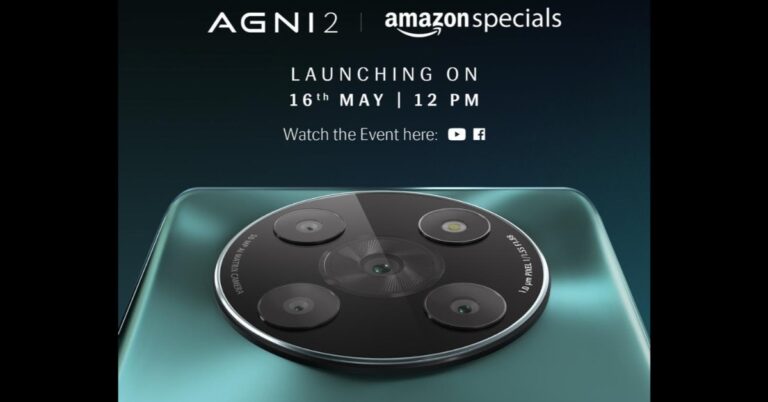
Lava Agni 5G which was launched two years ago will get its successor today. Indian smartphone brand is all set to launch Lava Agni 2 in India today. The upcoming smartphone will be powered by MediaTek Dimensity 7050 SoC. It is going to feature a curved display with a punch-hole cutout at the top for the selfie camera. In addition to this, the smartphone will also come with quad camera sensors placed inside a circular module.
In This Article
Lava Agni 2 launch details
Lava Agni 5G will be making its debut today in India. The company will be hosting a live event that will begin at 12 noon via YouTube Channel. The event will also be live-streamed across all its social media channels including Facebook. You can also watch it live here on our website, we have embedded a link below.
Lava Agni 2 price in India expected
The upcoming smartphone is confirmed to be exclusively available via Amazon. However, the price details have not been disclosed. Reportedly the device is likely to be priced at around Rs 20,000. The phone will be available in a glossy blue-green colour option.
Lava Agni 2 specifications expected
The company has officially the key features of Lava Agni 2. It is confirmed to feature a curved display and a large circular rear camera module consisting of a total of four camera sensors alongside an LED flash. There will be a company’s branding on the rear. The camera unit is likely to bear a 50-megapixel sensor while the front punch hole cutout may include a 16-megapixel sensor.The smartphone is confirmed to be powered by MediaTek Dimensity 7050 SoC paired with 8GB of RAM and 256GB of inbuilt storage.The device is expected to be shipped with Android 13 out of the box. Moreover, Lava Agni 2 could also feature a 6.5-inch HD+ curved AMOLED display with 1600 x 900 pixels resolution and a 120Hz refresh rate. The handset may boast a 5,000mAh battery with 44W fast charging support. There could be a side-mounted fingerprint sensor as well.
For the latest gadget and tech news, and gadget reviews, follow us on Twitter, Facebook and Instagram. For newest tech & gadget videos subscribe to our YouTube Channel. You can also stay up to date using the Gadget Bridge Android App. You can find the latest car and bike news here.
Garena Free Fire is a battle royale game with regular awards and tournaments to keep players interested. If you play Garena Free Fire, you should be aware of the redeem codes that are released on a daily basis. However, because the battle royale game is banned in India, players from other countries can use the Free Fire Redeem codes daily. If you’re unfamiliar with the Garena Free Fire redeem codes or don’t know how to get them, we’ve put together a step-by-step guide to help you redeem them. Check out Garena Free Fire Redeem Codes for 16 May 2023.The Free Fire redeem codes are a great way to get free stuff. These are 12-digit codes that contain alphabets and numbers, as well as an expiration date and time. Because the Garena FF redeem codes cannot be used more than once, you should hurry to the redemption page to claim your free reward before someone else does. To get a free reward, all you have to do is go to reward.ff.garena.com/en, which is the official redemption page. Also, keep an eye on this space for daily updates on Garena Free Fire redemption codes and rewards.
In This Article
Garena Free Fire Redeem Codes Today 16 May 2023
UVX9PYZV54AC
BR43FMAPYEZZ
MCPW2D1U3XA3
FFCMCPSEN5MX
GCNVA2PDRGRZ
4ST1ZTBE2RP9
NPYFATT3HGSQ
FFCMCPSGC9XZ
MCPW2D2WKWF2
FF7MUY4ME6SC
B3G7A22TWDR7X
6KWMFJVMQQYG
HNC95435FAGJ
How to Get Free Fire Redeem Codes for Garena on 16 May 2023?
16 May 2023 Amazon Quiz has gone live on its platform. The quiz timings are 12 AM to 11:59 PM. The Amazon App users can participate in the quiz daily and all they have to do is submit correct answers to the questions asked on the e-commerce platform. Today’s participants can get a chance to win Rs 2,500 Amazon Pay Balance.Amazon brings a fresh questionnaire that contains 5 questions daily. These questions are based on current affairs and general knowledge. The quiz can be played from 8 AM to 11:59 PM and the contestants need to answer correctly to enter into a lucky draw.Only one person is declared as a winner and the results will be announced at the end of every month. And to make sure that you give correct answers to all the 5 questions Gadget Bridge everyday updates all the answers to the Amazon Quiz. Do check out 16 May 2023 Amazon Quiz Answers to win a Rs 2,500 Amazon pay Balance.Amazon Quiz Today Prize – Rs 2,500 Amazon Pay BalanceQuiz Date – 16 May 2023Daily Timing – 12 AM to 11:59 PMWinner Announcement – Today 12 PM
In This Article
Amazon Quiz Answers Today 16 May 2023
Question 1: 82°E is a modern Indian self-care brand co-founded by which Bollywood actress?Answer: Deepika Padukone
Question 2: For the first time in its history, the Oxford Word of the Year 2022 was chosen by which of the following?
Answer: The public
Question 3: Who among these scored his 30th Test century at the SCG in 2023?
Answer: Steve Smith
Question 4: This is a photograph taken at which of the ‘New Seven Wonders of the World’?
Answer: Machu PicchuQuestion 5: This is a view of which famous mountain in Africa?Answer: Mount Kilimanjaro
How To Play Amazon Quiz
Only app users are eligible to play the Amazon quiz every morning from 12 AM to 11:59 PM. The quiz is not available on the desktop. For those who are unaware of how to play the Amazon quiz below are the steps, you can follow to take the quiz.
Firstly download the Amazon app from Google Play Store or App Store
Now fill in the required information through the Sign Up option.
You need to log in to the Amazon app and scroll down on the home screen to find the Amazon Quiz banner.
Tap on the Amazon Quiz banner and tap on the Start button to start the Quiz.
Now you will get 5 questions and you need to answer them correctly. One wrong answer will eliminate you from the Quiz.
After answering all the questions correctly you are now eligible for a Lucky Draw.
The winner’s name will be announced today at 12 PM.





 Step 3:
 Step 4:
 Step 5:
 Step 3:
 Step 4:
 Step 5:
 Step 6:

 Step 4:
 Step 5:
 Step 6:
 Step 7:
 Step 3:
 Step 4:






 In the Samsung Galaxy Book 3 Pro 360, you get a fairly large full QWERTY backlit keyboard with a NUM pad. Right below is the larger-than-usual trackpad as well. Robust hinges connect the screen and bottom façade, which can swivel all the way to the back making this machine a 2-in-1. Yes, this notebook can be used in tablet mode as well since the display is a touchscreen.
 In total, you will get 6 ports on the Samsung Galaxy Book 3 Pro 360. These are located on the left and right side of the machine and include HDMI, 2 USB type-C, 1 USB 3.2, 3.5mm combo audio port and a microSD card reader. The laptop can be charged using the USB type-C port using the supplied charger and charging cable. Furthermore, you will also find the Samsung branding on the top of the lid and speaker vents on either side under the structure.

 Since Samsung Galaxy Book 3 Pro 360 is a machine specifically made for creators in mind, you will also get a large stylus, also known as the Samsung S Pen in the box. This comes in handy if you want to draw, mark content or create something new. The S Pen has a click button on it, which can be used as a mouse right-click to open the menu system. For easy access, the S Pen can be magnetically placed on the top part of the laptop’s lid.
 Now let’s jump back to the display and take you through. The screen resolution you get on the Samsung Galaxy Book 3 Pro 360 is 2,880 x 1,800 pixels, which makes it FHD+. It is a beautiful touch screen with a 120Hz refresh rate that showcases extremely vivid colours and deep blacks. Everything on this display looks fabulous. The graphics are provided by Intel Iris XE and it does a very good job. There is no discrete graphical system on board, yet the performance is top-notch.
We played games like DOTA 2 and CS: Go and we were able to get 100FPS on the system with ease. But games like BattleField 2042 struggled at medium to high-end graphics settings. You will get 30-35FPS at low settings. But hey, this device is not made for gaming, it is made for consuming or creating content along with business needs.
So, we switched gears and watched a few movies on Netflix and Prime Video. Since Samsung Galaxy Book 3 Pro 360
Now let’s jump back to the display and take you through. The screen resolution you get on the Samsung Galaxy Book 3 Pro 360 is 2,880 x 1,800 pixels, which makes it FHD+. It is a beautiful touch screen with a 120Hz refresh rate that showcases extremely vivid colours and deep blacks. Everything on this display looks fabulous. The graphics are provided by Intel Iris XE and it does a very good job. There is no discrete graphical system on board, yet the performance is top-notch.
We played games like DOTA 2 and CS: Go and we were able to get 100FPS on the system with ease. But games like BattleField 2042 struggled at medium to high-end graphics settings. You will get 30-35FPS at low settings. But hey, this device is not made for gaming, it is made for consuming or creating content along with business needs.
So, we switched gears and watched a few movies on Netflix and Prime Video. Since Samsung Galaxy Book 3 Pro 360  With that, the Samsung Galaxy Book 3 Pro 360 also has 1TB of NVMe SSD, Wi-Fi 6E, Bluetooth 5.1 and quad speakers are their powered by AKG. Two 5W Woofers and two 2W tweeters complete the audio setup. The power button on the device also doubles up as a fingerprint reader, which works very well. Window 11 Home is what you get installed on the machine, which came across as odd because this laptop is built for superior business needs. Windows 11 Pro would have been advantageous.
We had a gala time with this laptop. The Samsung Galaxy Book 3 Pro 360 is a treat to work with, we did a lot of things using this laptop. From typing out work documents to drawing on MS Paint. It handled everything like it is child’s play. We even opened over 40 tabs in the Chrome browser on this notebook and it did not flinch.
With that, the Samsung Galaxy Book 3 Pro 360 also has 1TB of NVMe SSD, Wi-Fi 6E, Bluetooth 5.1 and quad speakers are their powered by AKG. Two 5W Woofers and two 2W tweeters complete the audio setup. The power button on the device also doubles up as a fingerprint reader, which works very well. Window 11 Home is what you get installed on the machine, which came across as odd because this laptop is built for superior business needs. Windows 11 Pro would have been advantageous.
We had a gala time with this laptop. The Samsung Galaxy Book 3 Pro 360 is a treat to work with, we did a lot of things using this laptop. From typing out work documents to drawing on MS Paint. It handled everything like it is child’s play. We even opened over 40 tabs in the Chrome browser on this notebook and it did not flinch.
 Impressed? Wait, here is the best part – its battery life. The Samsung Galaxy Book 3 Pro 360 comes with a 76Wh battery that can be charged with the supplied 65W faster charger. On our tests, this Samsung notebook stayed alive for almost 10 hours at 60% screen brightness. We did a lot of things on it, watched 1 Netflix show, did our full day of office work and even played music while we were at it.
The S Pen is a neat addition as it does help if you are an avid creator and use a lot of Photoshop or similar software. You can do so much with it and more. Over that, if you are in the Samsung Ecosystem and use a Samsung mobile then transferring files between the devices is very easy. Just remember you have to be logged on to the same Samsung ID on both of them and you can easily make use of the Samsung native apps.
Samsung also provides an extra layer of security, which keeps your files and data safe from scammers and hackers.
Impressed? Wait, here is the best part – its battery life. The Samsung Galaxy Book 3 Pro 360 comes with a 76Wh battery that can be charged with the supplied 65W faster charger. On our tests, this Samsung notebook stayed alive for almost 10 hours at 60% screen brightness. We did a lot of things on it, watched 1 Netflix show, did our full day of office work and even played music while we were at it.
The S Pen is a neat addition as it does help if you are an avid creator and use a lot of Photoshop or similar software. You can do so much with it and more. Over that, if you are in the Samsung Ecosystem and use a Samsung mobile then transferring files between the devices is very easy. Just remember you have to be logged on to the same Samsung ID on both of them and you can easily make use of the Samsung native apps.
Samsung also provides an extra layer of security, which keeps your files and data safe from scammers and hackers.
 We did use the Samsung Galaxy Book 3 Pro 360 in tablet mode, which some might like, but for us, it was slightly big to be used as a tablet. 11 to 13-inch form factor is perfect for any tablet use. But hey that is just us, some creators would love the extra screen space when they use it in the tablet mode.
We loved the audio this laptop produced. Since the speakers are
We did use the Samsung Galaxy Book 3 Pro 360 in tablet mode, which some might like, but for us, it was slightly big to be used as a tablet. 11 to 13-inch form factor is perfect for any tablet use. But hey that is just us, some creators would love the extra screen space when they use it in the tablet mode.
We loved the audio this laptop produced. Since the speakers are 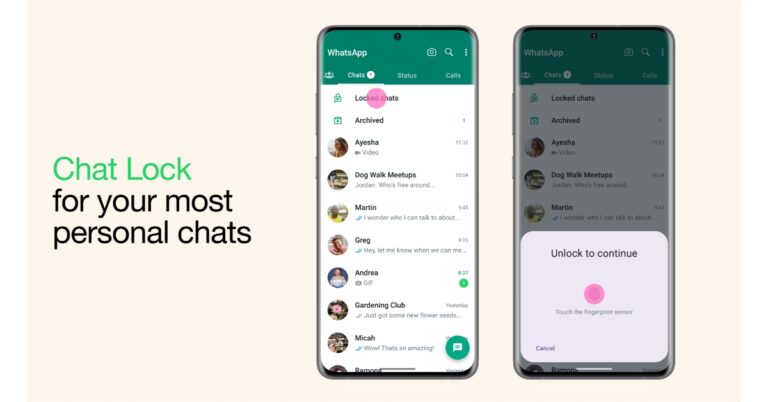





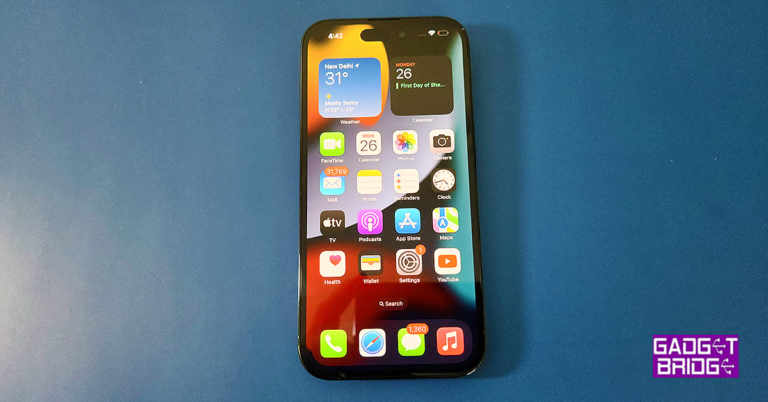
 Step 2:
 Step 3:
 Step 1: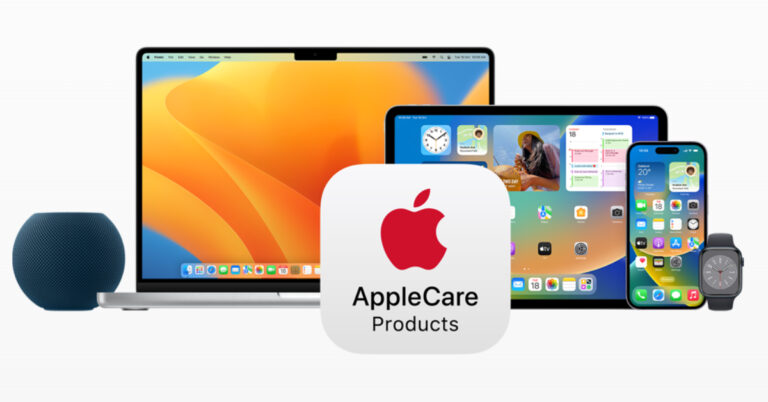


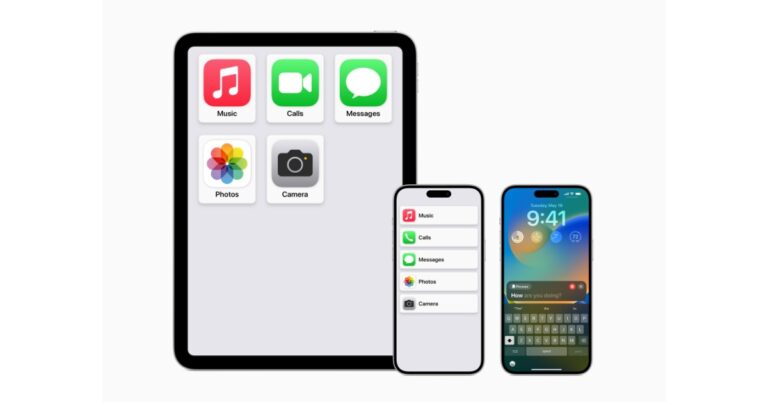




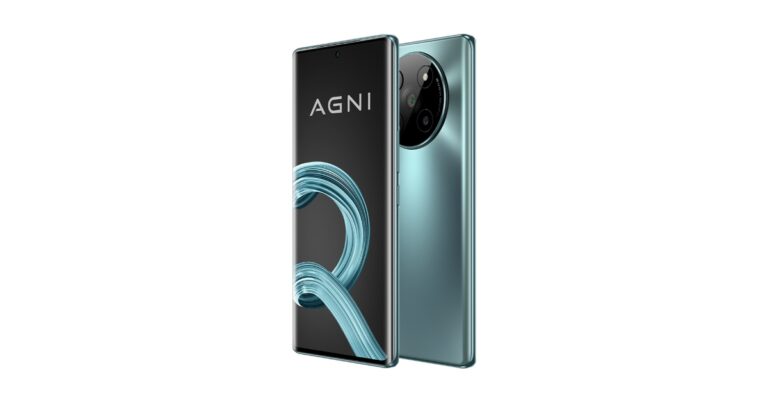

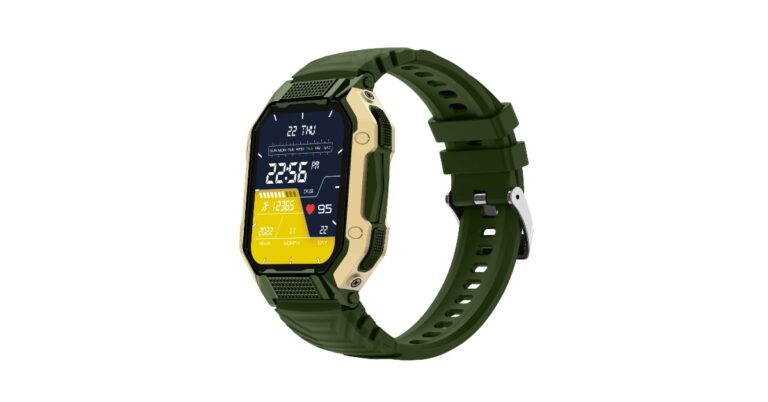

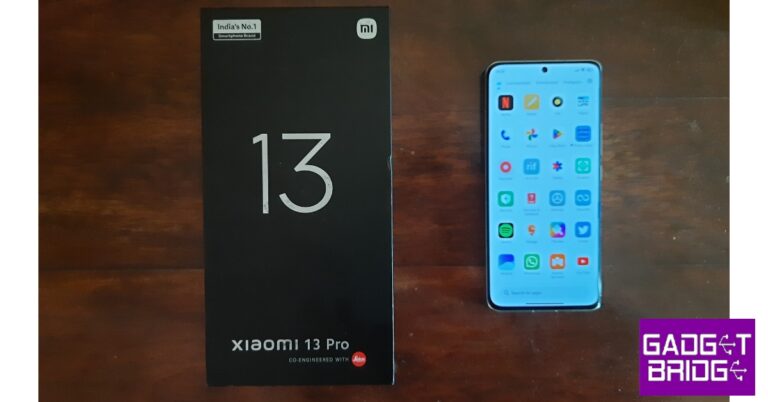
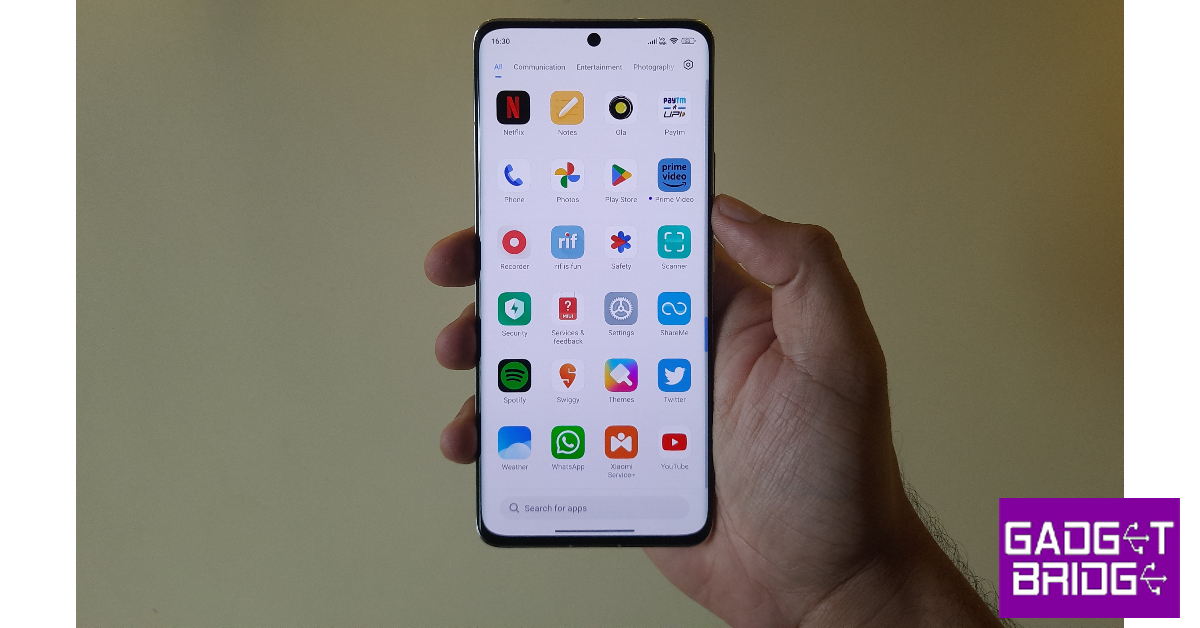
 Step 5:
 Step 2:
 Step 3: