Top 4 ways to fix AirDrop transfer failure on Mac

AirDrop is an integrated piece of software in the Apple ecosystem. The application allows Mac users to transfer files on their iPad or iPhones or vice versa. The speciality of AirDrop is that it accomplishes this wirelessly, without the use of cloud storage or any thor party services. But with these facilities, a common problem faced by the users is AirDrop not working. There can be a lot of reasons why a user faces this problem. Here are a few solutions that you can try which solve AirDrop failure on Mac.
  • Check Wi-Fi and Bluetooth

Check Bluetooth and Wifi in Mac    AirDrop mainly relies on Bluetooth and Wi-Fi to transfer files. The first check during this process should be to ensure that your Bluetooth and Wi-Fi are enabled for you to have an effortless experience. On the Mac, the menu bar clicks on Wi-Fi and Bluetooth one by one to enable it. The prompt will be shown in the AirDrop menu as well. If the prompt is not there try turning them off and then on again. Read Also: Apple approves TRAI’s DND app to avoid iPhone ban in India
  • Discoverable to everyone

Sometimes the Contacts Only option for sharing in AirDrops creates an issue resulting in the failure of files to your iPhone. Allow it for everyone by following the below steps. Step 1 – Open the Finder menu and click AirDrop on the left pane. Step 2 – In the Allow me to discover by option, select Everyone. Make Mac discoverable to everyone Try sending the file again to see if the issue is resolved.
  • Disable DND

Do not disturb on Mac DND or Do not disturb feature blocks away from all the notifications so users can work efficiently it also blocks the incoming files eliminating the AirDrop functionality. To check, head to the control centre in MacOS to see the Do Not Disturb tab. Make sure it’s turned off, also check the same for the pairing device as well.
  • Prevent Mac from sleeping automatically

If you are transferring huge files, which will surely take time, it will make the mac sleep automatically if the setting is off. This will ultimately cancel the transfer in the middle so to prevent it follow the below steps. Step 1 – Open System preference on Mac. Step 2 – In battery head to Power Adapter setting. Step 3 – Check on the Prevent computer from sleeping… option. Prevent Mac from automatically sleeping But checking on this option your Mac won’t sleep automatically once the screen is off. Read Also: Best 3 ways to fix AirDrop transfer failure on iPhone

Bonus Tip

Before starting the transfer do check if the devices are compatible. Also, see if all the sharing requirements are fulfilled by the other device as well as there might be a problem on the other device and you might have been trying to fix the Mac for no reason. Following these steps will fix AirDrop failure on Mac For the latest gadget and tech news, and gadget reviews, follow us on TwitterFacebook and Instagram. For newest tech & gadget videos subscribe to our YouTube Channel. You can also stay up to date using the Gadget Bridge Android App. You can find the latest car and bike news here.

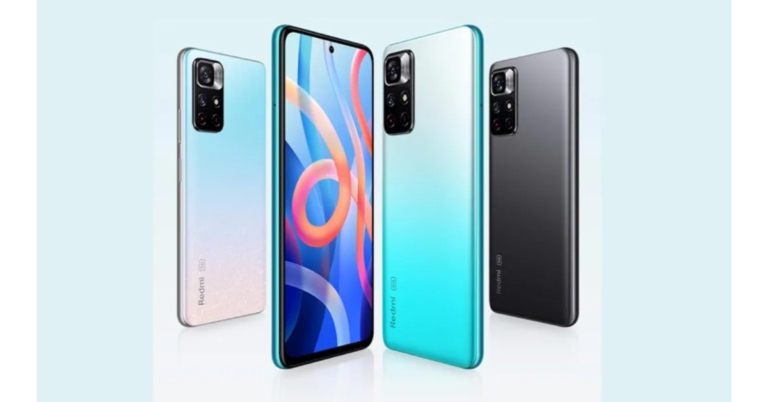
Redmi Note 11 5G likely to be released in India as the Redmi Note 11T 5G: Details

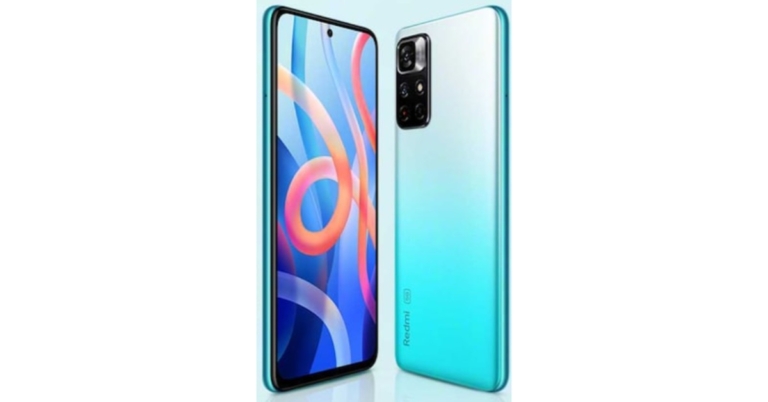
We previously reported that the Redmi Note 11 Pro and Redmi Note 11 Pro will be rebranded as Xiaomi smartphones in India. However, no information was provided about the standard Redmi Note 11 5G. According to a leak the device will be released in India as the Redmi Note 11T 5G. Redmi late in October introduced the Redmi Note 11 series in China. The company has not yet revealed the global nor the Indian availability of the smartphone. But according to a tipster the Redmi Note 11 5G is expected to arrive in India as Redmi Note 11T 5G. The device is likely to be codenamed evergo. The codename of the Poco M4 Pro 5G is revealed to have the codename evergreen on the other hand the Redmi Note 10T 5G could be codename evergoin.  Some of the previous reports also suggested that Redmi Note 11 5G could be rebranded to Poco M4 Pro 5G which the company confirmed to launch on November 9. Other than that Redmi Note 11 Pro and Redmi Note 11 Pro+ is will also be rebranded before arriving in the country the Phones are slated to hit the stores here as Xiaomi 11i and Xiaomi 11i HyperCharge respectively. For the global market, the company will go with Redmi branding.  If the rumours and leaks are true, then only the branding will change while the rest of the specifications will remain the same as the original ones.  The Redmi Note 11 5G features a 6.6-inch FHD display and comes with a refresh rate of 90Hz. It is powered by MediaTek Dimensity 810 SoC. The phone has dual rear cameras that include a 50MP primary sensor and an 8MP secondary lens. While on the front the phone features a 16MP selfie camera. It also carries a 5,000mAh battery and supports 33W fast charging. The 3.5mm audio jack and a USB Type C post are also available for connectivity.  On the other hand, Redmi Note 11 Pro and Redmi Note 11 Pro+ comes with a hole punch design  6.67 inch AMOLED display The screen supports a 120Hz refresh rate, 260Hz touch sampling rate 20:9 aspect ratio and HDR10+. Both the phones are powered by MediaTek Dimensity 920 SoC. They have a quad rear camera set up on both Xiaomi 11i and Xiaomi 11i HyperCharge including a 108MP Samsung HM2 primary sensor. Apart from this, there is an 8MP wide-angle sensor and a 2MP depth sensor. There is a 16MP snapper on the front for taking selfies and video calling.  Redmi Note 11 Pro packs a 5,160mAh battery with 67W fast charging support. Whereas the Xiaomi 11i HyperCharge houses a 4,500mAh battery with a mega 120W fast charging support.  For the latest gadget and tech news, and gadget reviews, follow us on TwitterFacebook and Instagram. For newest tech & gadget videos subscribe to our YouTube Channel. You can also stay up to date using the Gadget Bridge Android App. You can find the latest car and bike news here.

Not able to remove apps on iPhone with iOS 15? Here are the best 4 fixes

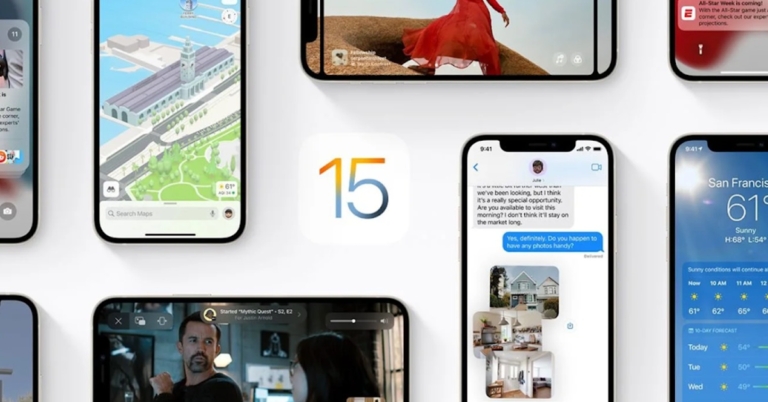
Usually, the process of uninstalling an application is very easy and simple. While uninstalling any program from your Apple iPhone you should not encounter any problem. With the update of iOS 15, there are multiple reports surfacing of people not being able to uninstall applications from their iPhones. This glitch is very frustrating especially when you are running out of limited space. Are you facing not being able to remove apps iPhone problem as well? Fret not, here are some walkthroughs that you can try to resolve this issue.
  • Disable Restriction

There is an option by which you can disable applications from uninstalling/ installing. There might be a chance that some bug might have triggered this option making the apps not being able to uninstall. To rectify it, follow the steps below. Step 1 – In the iPhone open settings>screen time options. If the restrictions are turned off then there is no problem if they are turned on following the next step. Step 2 – Tap in the Content and privacy restrictions. Disable restriction in iOS 15 Step 3 – Now head to the ‘iTunes & App Store Purchases’ (you will be asked for a passcode). Step 4 – Now set deleting apps to allow. Delete application in iOS 15 This will potentially solve the problem, now try uninstalling the application. Read Also:How to watch restricted YouTube videos without signing in?
  • Stuck on waiting

iPhone apps on waiting If you want to uninstall an application but it’s stuck on waiting. All you have to do is first check for internet connection and speed. And the next check will be for storage, there should be a good amount of it available on the phone. If both are fine there are chances that the application has encountered some bug. To solve it, long-press the application and press cancel the download and it will automatically be removed from the device.
  • Force restart

iPhone restart For each iPhone, the force restart procedure differs, so follow the above combination of buttons and hold it for 2 seconds according to the iPhone you use. You will see the “Slide to Power Off” option, slide the bar and let the iPhone completely shut down. Wait for a few seconds and hold the power key to turn the device. Now try uninstalling the application. Read Also: PUBG Mobile gets a play time restriction of 6 hours per day: Will this solve anything?
  • Reset all settings

The last option to try is resetting all settings. It will eliminate any system bugs and bring the UI settings to square one. To do so follow these steps. Step 1 – Open Settings and head to General. Reset iPhone Step 2 – Scroll to the bottom to find the transfer and reset option and press Reset, and then press Reset all Settings.  Reset all setting in iPhone After this step, there won’t be any doubt that your application won’t be uninstalled. Try these steps to solve the Not able to Remove Apps iPhone issues. For the latest gadget and tech news, and gadget reviews, follow us on TwitterFacebook and Instagram. For newest tech & gadget videos subscribe to our YouTube Channel. You can also stay up to date using the Gadget Bridge Android App. You can find the latest car and bike news here.

3 easy ways to share images and files from Android to PC and vice versa

Technology has become an important part of our life. The more diverse the technology we use, the we get our hands on more and more files. These files are either of work or for entertainment. But what if we want to transfer files across platforms? Android and Windows are the two most used operating systems in the world. Want to transfer files to and fro them? Here are a few ways to transfer files from Android to PC.
  • Bluetooth

Bluetooth transfer from Android to PC    The old school Bluetooth transfer is to the rescue. It is one of the easiest and traditional ways to transfer files from your Android smartphone to the system. Press Win + I on your Windows machine and then head to the Bluetooth and device section click on add devices and make sure the Bluetooth on your smartphone is on and is discoverable(refer to the image below). Once paired, transfer the file by clicking share on any of the devices and exchange files. This might take a lot of time as Bluetooth technology is slower than the other wireless solutions. Read Also: 5 apps and software you can use to wirelessly transfer files
  • Use AirDroid

Use AirDroid for Transferring files It is a simple and convenient way to transfer files from your smartphone to the PC. The first thing you need to do is install the AirDroid mobile app and sign in to the account of your preference. Next, install the AirDroid application from the download page. Accept all the permission needed. Now all you are left with is drag and drop the files that can be easily accessed from the other device. In Android start adding files in the device section and the files can be viewed on the system. (Transfer speed depends on the internet connection).
  • USB transfer

USB transfer The most convenient way of transferring files is by connecting both devices via USB. connect the USB A/USB C to your system and the other MicroUSB/Type C to your Android smartphone. As soon as you connect them you will see a popup on your Android device (See the image below, for reference, OneUI is used, the name may defer in others) select file transfer and you are good to go. NOw open the system and transfer the needed files. Read Also: 10 best apps to download for iPhone 13 and iPhone 13 Mini

Bonus Tip: Use Cloud storage/platform

Use cloud storage for transferring files Another convenient sharing option to transfer files from Android to PC that will not only allow you to share files across two devices, but you can access these files on any system where you can log in to your cloud service and view the files on the go. There are many cloud services, but let’s take the example of Google Drive. Install Google Drive on your Android system and open the website for Google drive or download the desktop version. Now start uploading files on Drive and those can be viewed on any device where you have signed in with the same account. You can select any of cloud storages but read the terms and storage options carefully. For the latest gadget and tech news, and gadget reviews, follow us on TwitterFacebook and Instagram. For newest tech & gadget videos subscribe to our YouTube Channel. You can also stay up to date using the Gadget Bridge Android App. You can find the latest car and bike news here.

Instagram introduces new Diwali stickers and multi-author story

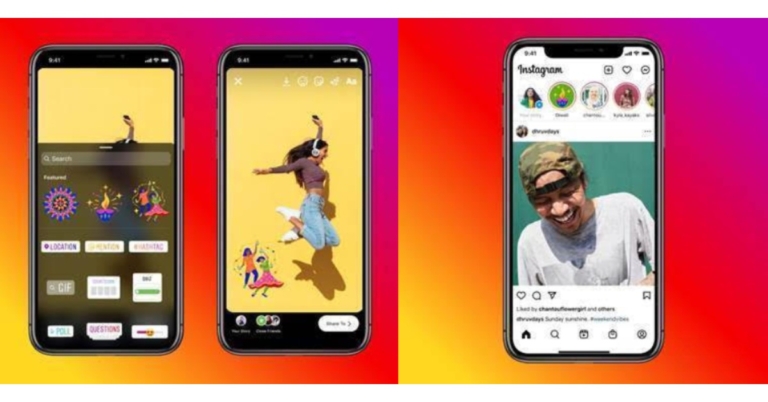
Instagram has announced the release of three new Diwali stickers to encourage users to connect with their friends and family. Once users post Stories with the stickers, their followers will see them in a Diwali-themed multi-author story. These stickers are part of Instagram’s global Diwali campaign #ShareYourLight. They were created in collaboration with Neethi(@kneethee), a Bangalore based illustrator, muralist and pattern designer to commemorate new beginnings and the triumph of light over darkness.

Here is how you can apply Stickers on Instagram:

  • Add content to your story by capturing it or uploading it.
  • From the top navigation bar, select the sticker tool.
  • The three new Diwali themed stickers can be found in the features section. Put the same thing on your story. 
  • Now complete your story and post it!
The stickers are now available for access, and the multi-author story will be available starting tonight.  Apart from this, the photo-sharing app owned by Meta formerly Facebook has also introduced adding links in Stories to all accounts. Stories links were earlier limited to verified accounts or those with a certain number of followers. But on users’ demand Instagram has expanded the feature to general users as well. 

Here is how to Add Links to your stories

To add a link to your Instagram story, use the Link sticker. People who tap on the sticker will be redirected. Here is how to Add Links to your stories

To add a Link sticker, follow these steps:

  • Add content to your story by capturing it or uploading it.
  • From the top navigation bar, select the sticker tool.
  • Now tap the “Link” option to add the link of your choice then tap Done.
  • Place the Link sticker on your story, just like other stickers available on Instagram and tap to see colour variations.
The company is also working on ways to customise the sticker so that people know what they will see when they tap your link. For the latest gadget and tech news, and gadget reviews, follow us on TwitterFacebook and Instagram. For newest tech & gadget videos subscribe to our YouTube Channel. You can also stay up to date using the Gadget Bridge Android App. You can find the latest car and bike news here.

Nokia T20 budget tablet now up for sale: Specifications and Pricing

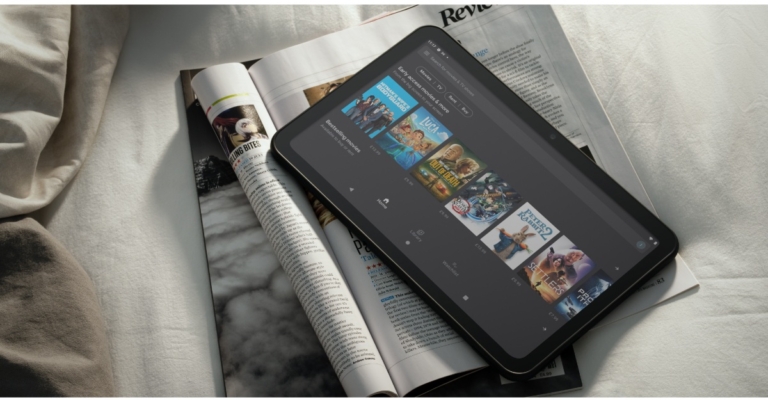
Nokia T20 Tablet has finally debuted in the Indian market today. The Tab was being teased on Flipkart for one week and has now gone official on the e-commerce platform. The Nokia Tablet features dual stereo speakers. It comes with a 2K display and includes a single 8MP rear camera. Additionally, the device houses an 8,200mAh battery.

Nokia T20 tablet price in India and availability details

Nokia T20 Tablet has debuted in India in two variants Wi-Fi only and a Wi-Fi + LTE model. The Wi-Fi variant comes in two different configurations 3GB with 32GB storage and 4GB with 32GB storage priced at Rs 15,499 and Rs 16,499 respectively. The Wifi + LTE model has been made available with a price tag of Rs 18,499. The device will be available in a single blue colour option.  As for the availability, Nokia T20 Tablet is now available for purchase via Flipkart, the company’s official website and via offline stores across the country.  Nokia T20 tablet price in India and availability details

Nokia T20 Tablet specifications and features

 The Nokia T20 Tablet is highlighted with a 10.4-inch 2K in-cell display with 2,000×1,200 pixels of resolution. The panel also offers 400 nits of peak brightness and is guarded with toughened glass. Additionally, the tablet is also blue light certified so that you don’t strain your eyes. The Nokia Tablet is powered by octa-core Unisonic Tiger T610 SoC painted with up to 4GB of RAM and 64GB of storage options. The internal storage can also be expanded up to 512GB using a microSD card. The device runs on Android 11 and the company promises to provide two years of OS upgrades and three years of security updates. Apart from this, the tab will come pre-installed with Spotify that will give owners access to 70 million tracks and 2.9 million podcasts out of the box. For the optics, there is an 8-MP camera sensor on the back of the device along with an LED flash. While on the front it includes a 5MP selfie camera sensor.  The Nokia Tab packs an 8,200mAh battery that comes with 15W charging support but is shipped with a 10W charger inside the retail box. The battery is claimed to provide 15 hours of internet surfing, 7 hours of conference calls and 10 hours watching videos. The device has also got an IP52 rating for splash and dust resistance and comes equipped with Stereo speakers and OZO Playback. Also, there are dual microphones with noise cancellation.  The Nokia T20 Tablet also features Google Kids Space which can be managed easily through Family Link parental controls. In terms of connectivity, there is 4G LTE, Wi-Fi 802.11ac, Bluetooth v5.0, 3.5mm headphone jack and USB Type C port for changing.  For the latest gadget and tech news, and gadget reviews, follow us on TwitterFacebook and Instagram. For newest tech & gadget videos subscribe to our YouTube Channel. You can also stay up to date using the Gadget Bridge Android App. You can find the latest car and bike news here.

2 November 2021 Amazon Quiz today answers: Answer to win Rs 40,000 Amazon Pay Balance

Amazon is back with another quiz on its mobile platform. The daily quiz is now live on the Amazon App and today’s Amazon Quiz will give you a chance to win Rs 10,000 Amazon pay Balance. The participants can play the 2 November 2021 Amazon Quiz from 12 AM to 11:59 PM. For those who are unaware of the quiz, the e-commerce platform brings a fresh quiz on a daily basis which consists of five questions related to general knowledge and current affairs. The participants need to answer all the questions correctly and their names will be selected for a lucky draw. The winner will be announced at the end of the month. One wrong answer could eliminate you from the quiz. Only app users are eligible to participate in the Quiz. In today’s Amazon Quiz the participants will get a chance to win Rs 40,000 Amazon Pay Balance. Check Out 2 November 2021 Amazon Quiz Answers.

2 November 2021 Amazon Quiz Answers

Question 1: Which of these days is observed on 4th October to raise the status animals in order to improve welfare standards across the globe?

Answer: Worls Animal Day

Question 2: Team Europe recently won the Laver Cup. Which team did they beat?

Answer: The rest of the world (Team World)

Question 3: What if___? is an animated series reimagining noteworthy events in which cinematic universe?

Answer: Marvel Cinematic Universe

Question 4: Name this dish, a Japanese noodle soup

Answer: Ramen

Question 5:  This is a famous monument in which European capital city?

Answer: Berlin For the latest gadget and tech news, and gadget reviews, follow us on TwitterFacebook and Instagram. For newest tech & gadget videos subscribe to our YouTube Channel. You can also stay up to date using the Gadget Bridge Android App. You can find the latest car and bike news here.

4 easy ways to convert regular videos to time-lapse videos

Everyone loves time-lapse. It’s like a stable fast forward video that covers everything and also the size of the video is smaller than the traditional video. Nowadays smartphones come with the timelapse feature as a standard in their camera application. But the problem arises when you have already shot a video and now you want a time-lapse version of it. Well, fret not, here are some simple techniques that you can use to convert any video into a beautiful time-lapse one. Without further ado, let’s get started.
  • Converting in Desktop

It is one of the easiest ways to convert any normal video. The software preferred by us to do this is Microsoft Hyperlapse Pro. It is a versatile application designed by Microsoft to give you an immersive time-lapse experience. Also, the company optimised the application to make the video look a bit natural and smoother. To use it follow the below steps. Step 1 – Download Microsoft Hyperlapse Pro. Step 2 – Launch the application and “New” to select the normal video. Converting time lapse video in Desktop Step 3 – Select the portion of the video you want to import. Microsoft Hyper laps pro on desktop Step 4 – Press Next and then select the speed from speed controls. You can also use the smoothing effect from standard to advance. Hyper laps pro speed in desktop Step 5 – Sit back and relax until the process is completed. Covert normal video to time laps on Desktop Once completed you will see that timelapse output. Read Also: How to save a Google Docs as a PDF
  • On Android

Microsoft also made the same application for Android smartphones as well. The procedure is pretty much the same and easy. Here is how you can do it. Step 1 – Download Microsoft Hyperlapse Mobile. Step 2 – Open the application and select from Import or Capture. convert time lapse on Android Step 3 – Choose speed according to the taste. Microsoft Hyperlapse mobile Once the process is completed you will be able to view the converted timelapse natively. 
  • Convert Online

This is a convenient way if you don’t want to install any application on your device. There are many applications that do that for you but our choice for the task is Veed. The interface is very easy and user friendly. Here is how you can use it. Step 1 – Head to Veed.io to change speed. Convert time lapse online Step 2 – After the video has been uploaded click on the video bar and set the speed to 1.5X. Veed.io for converting time lapse Now press export on the top right corner and you are good to go. You will now have a time-lapse video with you. Read Also: Top 5 speech to text apps for your Android smartphone
  • Increase Playback speed

time lapse by increasing playback speed If you want to convert regular videos to time-lapse , but don’t care about the quality, just open up any video editing application on any platform. Upload the video on the desired video editing software. Now change the playback speed to 1.5X. This will not create smooth transitions for time-lapse but will show similar effects (Filmora video editing software used for demo images). Users can also shoot Timelapse directly from their smartphones for best results. For the latest gadget and tech news, and gadget reviews, follow us on TwitterFacebook and Instagram. For newest tech & gadget videos subscribe to our YouTube Channel. You can also stay up to date using the Gadget Bridge Android App. You can find the latest car and bike news here.

Redmi Note 11 Pro and Redmi Note 11 Pro+ to be rebranded for India as Xiaomi 11i and Xiaomi 11i HyperCharge 

Lately, Redmi introduced the Redmi Note 11 series in China which includes Redmi Note 11 5G, Redmi Note 11 Pro and Redmi Note 11 Pro+. Out of the three two of the devices are now tipped to arrive in India soon. But the devices are expected to be released in the country with Xiaomi’s branding.  According to a tipster, Redmi Note 11 Pro and Redmi Note 11 Pro+ will be rebranded before arriving in India. The devices are said to come as Xiaomi 11i and Xiaomi 11i HyperCharge respectively. However, the company is said to go with the Redmi branding for the global market.   There is no information about the standard variant which is Redmi Note 11 5G but some reports suggest that the Poco M4 Pro 5G is a rebranded variant of the device which is set to launch on November 9. If the tipped information is believed then Xiaomi 11i price may start at 6GB RAM with 128GB storage at CYN 1,599 that is approximately Rs 18,700 whereas the price of the 8GB RAM with 128GB storage is set at CYN 1,899 that translates to Rs 22,300. The 8GB RAM with 256GB storage model cost CYN 2,099 which converts to Rs 22,300. On the other hand, Xiaomi 11i HyperCharge could come with a price tag of 6GB RAM with 128GB storage variant launched at CYN 1,899 which is approx. Rs 22,200. There is an 8GB RAM with 128GB/256B storage at CYN 2,099 that converts to Rs 24,500 and CYN 2,299 that is Rs 26,900.  In terms of specs, both smartphone’s will share similar specifications. They are likely to come with a hole punch design  6.67 inch AMOLED display The screen supports a 120Hz refresh rate, 260Hz touch sampling rate 20:9 aspect ratio and HDR10+. Both the phones will be powered by MediaTek Dimensity 920 SoC. There will be a quad rear camera set up on both Xiaomi 11i and Xiaomi 11i HyperCharge including a 108MP Samsung HM2 primary sensor. Apart from this, there is an 8MP wide-angle sensor and a 2MP depth sensor. There is a 16MP snapper on the front for taking selfies and video calling.  Xiaomi 11i could house a 5,160mAh battery with 67W fast charging support. Whereas, Xiaomi 11i HyperCharge houses a 4,500mAh battery with a mega 120W fast charging support.  For the latest gadget and tech news, and gadget reviews, follow us on TwitterFacebook and Instagram. For newest tech & gadget videos subscribe to our YouTube Channel. You can also stay up to date using the Gadget Bridge Android App. You can find the latest car and bike news here.

Samsung leads global smartphone shipment in Q3 with Apple coming in Second: Counterpoint

Samsung tops global smartphone shipments in the third quarter according to the latest Counterpoint research report. The South Korean smartphone brand managed to retain its top position in Q3 2021 with smartphone shipments of 69 million. However, the global smartphone market grew 6 percent QoQ but has declined 6 percent YoY to 342 million units in Q3 2021. According to the latest Counterpoint report, the global smartphone market grew 6% QoQ to reach 342 million units in Q3 2021while the market declined 6% YoY due to the ongoing global component shortages and the slow recovery of key markets such as China and parts of Europe. “As a result, market demand was met by mid-to high-tier smartphones that helped drive the quarter to a record revenue even with the declining shipments. Apple and Samsung refreshing their premium series with iPhone 13 series and Fold series respectively, added to the revenue growth,” Research Director Tarun Pathak said. In terms of brand performance, also Samsung is said to have shipped 69 million units in the third quarter of 2021, a 20 percent increase year on year owing to the resumption of regular operations at its Vietnam factories and the successful launch of its new foldable series. Whereas the revenue dynamics suggest that Apple led the smartphone market revenue, accounting for approximately 27 percent of the market, while Samsung increased its revenue by 32  percent QoQ is being propelled forward by the successful launch of its Fold Series.  Considering the India smartphone shipments which declined 2 percent YoY to reach over 52 million in Q3 2021. The drop can be linked to rising demand last year as a result of COVID 19. The smartphone market remains resilient and the quarterly figures would have been higher if not for component shortages that worsened during the quarter. Xiaomi led the market with a 22 percent shipments share in the third quarter of 2021. Xiaomi produced three of the top five models during the quarter: Redmi 9A, Redmi 9 Power, Redmi Note 10 and Redmi 9 models. On the other hand, Samsung took second place with a 19 percent market share. Shipments are said to be driven by the online-focused Galaxy M and F series as well as the newly launched Galaxy A series models which were in high demand in offline channels (Galaxy M42, M52, A22 and A52s models).  Also to differentiate itself from the competition, Samsung is focusing on providing the most 5G bands in its 5G models. Vivo’s Y series and V series smartphones also sold well, propelling the company to third place with a 15 percent market share. Realme took fourth place and Oppo came in fifth place. In the third quarter of 2021, India’s overall mobile handset market fell 5 percent year on year. Samsung reclaimed first place in the handset market with an 18 percent share in the Q3 of 2021. While the feature phone market fell 12 percent year on year in Q3 2021 as the shift to smartphones continued. In this case Itel dominated the feature phone market, accounting for 27 percent of the market followed by Lava, Nokia and Samsung.  For the latest gadget and tech news, and gadget reviews, follow us on TwitterFacebook and Instagram. For newest tech & gadget videos subscribe to our YouTube Channel. You can also stay up to date using the Gadget Bridge Android App. You can find the latest car and bike news here.