With the rise of the crypto market, you might be tempted to start your own currency as well. Well, the theory says anyone in this world can create a cryptocurrency. But the true side is that you need proper knowledge and resources to accomplish this task. Just creating a cryptocurrency is not sufficient, there is a lot of work to do later, which includes promotion, listing on exchanges, and ongoing maintenance and upgrade. If you have planned it all, let’s get started on the first step of your cryptocurrency journey.
Understanding Cryptocurrency to start
Under cryptocurrency, the blanket falls into two things, a coin and a token. Coins are basically big players in the crypto world who have their own blockchain and work as an independent work body. While a token functions on top of already established blockchain technology. Etherium is a good example of a blockchain used by many tokens. Tokens usually have contracts with the blockchain for specific utility values. BAT coin is a perfect example in this case as it rewards content creators through brave browsers. These tokens are further divided into two parts NFTs( Non-fungible tokens), which are based on the Ethereum blockchain and DeFi tokens. NFTs are used to represent a unique piece of digital property, like artwork, MP3, video and more. On the other hand, DeFi is used for private keys and it is also based on the Ethereum blockchain platform. Right now Solana is also gaining popularity with its own blockchain technology(not a piece of financial advice).
Ways to create Cryptocurrency
There are three ways that can be used while creating a cryptocurrency.
Create a new blockchain – Require a professional level of coding skills and needs pre-existing knowledge.
Bifurcate an existing Blockchain – This is easier as you need a smaller amount of crafting skills and the codes are readily available on platforms like GitHub. You can take those codes, alter them and make a new coin.
Using a platform – If you are not at all familiar with coding use a pre-existing platform like using the ERC-20 standard for the Ethereum network. The service does all the work and hands you the final project.
Step 1 – Decide a consensus Mechanism (A protocol that helps to confirm if the blockchain and node will accept the transaction or not. Proof-of-work and Proof-of-Stake is a prime example).Step 2 – Choose a blockchain(from the above ways).Step 3 – Create node (This will determine the functioning of the blockchain with many aspects to consider from hardware details to permission from the blockchain).Step 4 – Build a blockchain architecture (What functions does the coin or token will do as once the purpose is fed in the program and the crypto is launched there is no going back).Step 5 – Integrate APIs (it is an application programming interface that will show the functioning of your cryptocurrency, not all the crypto have API so it will make you stand out from the market).Step 6 – Design interface (Interface consists of web services, files and transfer protocols for both the front and backend).Step 7 – Legalise your coin (before launching the crypto, make sure to check the law and regulations regarding the registration process to make the coin legally yours).Read Also: How to buy cryptocurrency?This is all about how to create a cryptocurrency. This is the only tip of the iceberg and a guide for beginners. There are a lot of aspects to be known and sub-points to be covered. We advise you to know all the technical aspects and what needs to be done once your cryptocurrency is launched. If these processes seem like a big hassle, it’s better to consider investing in cryptocurrency rather than making a new one on your own. Making it from scratch requires money, time, technical knowledge and a high amount of risk.
For the latest gadget and tech news, and gadget reviews, follow us on Twitter, Facebook and Instagram. For newest tech & gadget videos subscribe to our YouTube Channel. You can also stay up to date using the Gadget Bridge Android App. You can find the latest car and bike news here.
Bitcoin and other cryptocurrencies are making huge hype in the market. You often hear the term Crypto mining when someone talks about cryptocurrency. Many are drawn towards the cryptocurrency ecosystem as it is secured and very lucrative. Along with that, it can be profitable if you can mine them with your powerful computer system without paying any charges to a middleman. At the current time mining bitcoin is a hard job with lots of investment needed in it so many people do not move towards doing it. But what users can do is mine fiats, which are relatively easy to obtain and exchange them for other big cryptocurrencies. To begin with, let’s talk about what crypto mining is.Read Also: How to spot a fake crypto mining app on Android Play Store
About Crypto Mining
It is a process in which a miner gains cryptocurrency by solving cryptographic equations with the use of high computation power. The formula is set specifically for encryption. The solving process involves verifying data blocks and adding transaction records to a blockchain, which is a public ledger and is secured by applying complex encryption techniques. Cryptocurrencies use a decentralised method of distribution and for verification of each transaction, it takes the help of cryptographic algorithms. As soon as you solve the puzzle and obtain a coin, it is posted in the blockchain ledger. For all the pain miners take, they are paid with cryptocurrency. The first miner to solve the complex problem and show the transaction process gets the cryptocurrency as a reward and the amount is entered in the blockchain ledger.
How to mine
The first thing on your bucket list should be a powerful computer or a system. The next thing is to create a wallet, be it hardware or software to keep your cryptocurrency and make a pool to accelerate profitability. A pool is basically a set of many small miners to share resources and earn big. The profit created by the pool is evenly distributed. The mining process is complex for the addition of new blocks of transactions into the blockchain. Talking about the blockchain it is a digital ledger of transactions that is duplicated to provide it to each and everyone across the network. For example, if there is any change in the ledger, everyone in the network will come to know about it. The records in the blockchain are signed by an immutable cryptographic signature called the hash. There are further steps in a blockchain when there is an authentication request. The request is called a block, which is sent in the network to the verification code. The nodes then verify the transactions and add the block in the chain while giving the traction details to everyone in the network.Read Also: How to buy cryptocurrency?For mining, the equations are solved, which consist of random data that goes into the block. The block is encrypted by SHA256(encryption method) with an amount of 0‘s. The more the number of zeros the harder the equation is to solve, plus harder equations provide more returns. A new bitcoin hash is added every 10 minutes and the outcome of a particular hash is unknown. This makes the process very complicated and difficult to reach the target hash. The reason why people are shifting towards GPU processing power rather than CPU is the reason.There is also correction between many cryptocurrencies so no single authority becomes so powerful that it starts to run slow. As soon as the proof of work is shown a new block with the currency you earned is added to the blockchain. This also avoids other miners to cheat.
Bonus: Mining in India
The mining process has increased a lot in India. The country is becoming one of the fastest-growing countries with miners and traders as well. There are companies like Easify Network providing mining facilities and helping in blockchain development. Though mining is not very profitable in India. For mining, we require a lot of computation power as the system needs to be turned on 24/7. With the rise of electricity costs in recent years, the profit margin is reducing. Adding to this is also lack of equipment availability, so to get any type of equipment, users need to pay extra import charges, further reducing the profit. Also, the inexplicit rules by the government make it risky. Many big companies have faced losses in the past due to the inconsistency of laws.
For the latest gadget and tech news, and gadget reviews, follow us on Twitter, Facebook and Instagram. For newest tech & gadget videos subscribe to our YouTube Channel. You can also stay up to date using the Gadget Bridge Android App. You can find the latest car and bike news here.
Xiaomi’s sub-brand Redmi is all set to announce the launch of its next generation of Note Series in the market. The company recently confirmed that the Redmi Note 11 Series launch will be hosted on October 28. Xiaomi has planned a dedicated event that will be hosted online, but the devices will first debut in China. Ahead of the launch event, the company itself confirmed how many models the upcoming lineup will be consisting of. As per Redmi’s latest Weibo post, Redmi Note 11 Series will be including multiple variants. The company General Manager Lu Weibing has confirmed that there will be two Pro models this time. Not only this he has also shared some exclusive images to tease the key specs of the upcoming series.According to the released teaser poster on the Chinese microblogging site Weibo, the upcoming Redmi Note 11 Series will be offering NFC, Bluetooth version 5.2 and Wi-Fi 6 for wireless connectivity. In addition to this, the phones will support 120W fast charging and an X-axis linear motor as well. The 3.5mm audio jack will be available on the smartphone while the audio is finetuned by JBL.Image Courtesy: WeiboIn addition to this, the front panel will be having a punch hole cut out that will play house to the selfie camera. The rear of the Redmi Note 11 series will be featuring a quad-camera setup along with an LED flash. Ahead of the official announcement the series has also been listed on JD.com to tease its availability. According to the listing, the lineup will consist of a vanilla Redmi Note 11, Redmi Note 11 Pro and Redmi Note 11 Pro+. Pro model is suggested to arrive in four colour options of Mysterious Blackland, Shallow Meng, Xinghe, Time Quiet Purple and Misty Forest. On the other hand, the top-notch model Pro+ is listed to arrive in Time Quiet Purple, Mysterious Blackland and Misty Forest shades. Not just that the e-commerce website has also revealed that both the pro versions will be made available in 6GB RAM with 128GB storage, 8GB RAM with 128/256GB storage options. The company has also begun taking registrations of the smartphone. Redmi Note 11 is tipped to be priced at CYN 1,199 for the base variant, which translates to Rs 14,050, while Redmi Note 11 Pro is likely to come with a starting price of CYN 1,599 that is roughly around Rs 18,700. Lastly, the top of line Redmi Note 10 Pro+ is expected to be priced at CYN 2,199 that converts to Rs 25,700
For the latest gadget and tech news, and gadget reviews, follow us on Twitter, Facebook and Instagram. For newest tech & gadget videos subscribe to our YouTube Channel. You can also stay up to date using the Gadget Bridge Android App. You can find the latest car and bike news here.
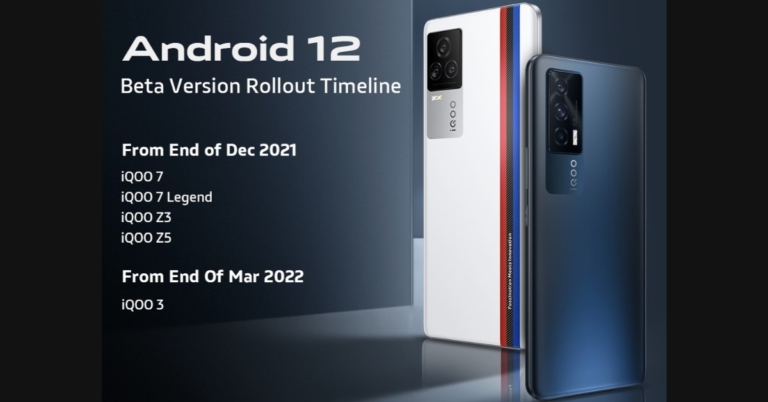
Google has officially rolled out its latest Android 12 operating system with the launch of the Pixel 6 Series phones. Other smartphone brands have also started announcing the release of the beta version of Android 12. Vivo and its sub brand iQoo have both declared that they will begin the rollout starting November end and December end onwards respectively.Vivo’s Android 12 based on FunTouch OS Beta Version will be available for its X, V, Y and S series smartphones. According to the company, it will be releasing the Android 12 based FunTouch OS Beta Version for Vivo X70 Pro + at the end of November. Whereas X60 Pro+, X60 Pro, X60, V21 & Y72 5G.Will start receiving from the end of December. The Vivo X50 Pro, X50, V20 Pro, V20 SE, Y33s, Y20G, Y53s & Y12s are also on the list and will be getting Android 12 beta from March 2022. Whereas the latest operating system will be available for Vivo S1 and Vivo Y19 from early April next year and other devices like Vivo V17 Pro, V17, S1 Pro, Y73, Y51, Y20, Y20i and Y30 will be last to receive the update in April 2022 end. On the other hand, Vivo’s sub-brand iQoo has also announced the rollout timeline of Android 12 Beta for its smartphones including iQOO 7, iQOO 7 Legend, iQOO Z3, iQOO Z5 and iQOO 3. As per the company iQOO 7, iQOO 7 Legend, iQOO Z3, iQOO Z5 will start getting the Android 12 beta update from December end and will roll out the new OS for iQoo 3 at the end of March 2022. Both the company says that the Android 12 Beta update with custom skin will be released in a staged manner. “This is the timeline of the roll-out plan and the Beta version will be released on a batch-by-batch basis.”Other companies like Oppo also introduced the global version of its Android 12 based ColorOS 12. The custom skin will support 12 major Indian languages along with 54 other languages. The Chinese smartphone company says that the public beta will arrive in the Indian market from next month and devices like Oppo Reno 6, Pro and Pro Diwali Edition will be the first on the list to receive the update. While it will reach the rest of its smartphones by 2022.
For the latest gadget and tech news, and gadget reviews, follow us on Twitter, Facebook and Instagram. For newest tech & gadget videos subscribe to our YouTube Channel. You can also stay up to date using the Gadget Bridge Android App. You can find the latest car and bike news here.
Apple Watch is a versatile and powerful piece of equipment that you can wear on your hand. It is one of the best wearables you can find on the market with some of the best-in-class features. Want to relax or just don’t want the boredom to possess you? Here are some great games that you can download and play on your Apple watch, and kill time easily. From classics to some new interesting games, install these games and have fun on the go without taking out your iPhone. Here are some paid and free Apple Watch games 2021
Par 72 Golf Watch
Golf may sound like a complicated game but actually, it’s easy once you have little knowledge. Even though there are limitations to the small form factor of the Apple Watch, Par 72 Golf works seamlessly. The graphics are good, making the game more interactive. Just select the right club, know the wind directions and apply the right amount of force, the game is that simple. The game is free for download and a must-have in your library.Download Here
20 watch games – classic pack
Love those classic NES games, which you used to play on TV? This classic game pack is the same thing. It’s just that you don’t have to take your TV around as your Apple watch is powerful enough. There are many interactive games like the infamous snake game, Minesweeper, Maze Man, Brick Breaker, Sudoku, and more. Install the game and get in touch with your childhood memories on the go.Download Here
Bubble Wars
Bubble shooters have been one of the most widely played games for decades. Over 10 million downloads worldwide the game is famous and has been on Apple Watch for years. The size of the bubbles are tiny so if you own a smaller version of the Apple Watch you might not be very comfortable. If this is not a problem, you will have a lot of fun playing this game.Download Here
Solitaire The Game
Solitaire is one of the best and easiest card games. If you are an early Windows user you might be very familiar with this game as it used to come pre-installed. The game is pretty much straight forward and you can kill hours to complete a game or two. Most of the people enjoy it and the game has a good rating on the store. If you don’t know how to play solitaire, search the internet. It is one of the easiest card games to understand and play.Download Here
Ping Pong – Watch Retro Game
The infamous ping pong game was the stepping stone in the journey of multiplayer gaming consoles. Yes, the screen size is small here and two players playing simultaneously will be difficult but at least you will be having an option to share a time-killing game. There is a solo mode as well so that if you are alone and can play with a computer. You can also select the difficulty level and challenge your skills.Download Here
KOMRAD
Soviet artificial intelligence from 1985 is trying to communicate with you and it doesn’t know that the Cold war is over. Chat with AI to convince it not to start another war as it is connected to the second largest nuclear arsenal. You have to try various responses to see where the game takes you. Try this basic but fun adventure game to see if you can save the world.Download Here
Arcadia – Arcade Watch Games
Remember back in the days those huge arcade machines and spending hours to complete a level or kill time. Technology has changed it all, this game has multiple arcade games that you might have enjoyed in your childhood. Just install the application and enjoy. These games are highly optimised to utilise the Watch’s screen properly. The application has a total of 18 games with the same arcade soundtrack to enhance the experience.Download Here
Jellifish tap
Flappy birds took over the internet a few years ago. The game got famous because it was fun and difficult at the same time. This encouraged people to play it more. Jellyfish tap works on the same phenomenon. You have to tap the screen and stay afloat. To make it difficult there are obstacles that you must avoid to survive.Download Here
Pop
Imagine having a bubble wrap attached to your wrist, which you can use any time to relieve stress and pass your time. Pop is a bubble wrap simulator that you can use to pop bubbles. If you are not settled with only popping bubbles, try using the competition mode that helps you compete with your family and friends and see who can pop more bubbles in a period.Download HereRead Also: Valve announces Underlords, a standalone Auto Chess game
Magic 8 bit 8 ball
Way back in 1983, the 8-bit ball was the start of the smart assistants that we use now. It was more of a gimmick, but it is a prediction application with which you can have lots of fun. Are you confused about something like going to a place or with someone? Ask the Magical ball to solve your problem. Remember it is just an application and a fun time killer. Do not start to rely on all the decisions it makes. Download Here
Checkers
Classic NYC game, which is played all over the world. Instead of finding a partner and talking out time with them to set up a checkerboard why not play the game anytime and compete with your Apple Watch. The best feature about this game is that it supports autosave so you might not complete a game in one go, but you can come back to it and continue from the last point whenever you want.Download Here
Laps
The game is simple yet challenging. All you have to do is avoid the square space crashing onto the wall. That’s not it, every time you tap the screen will rotate 90 degrees to confuse your mind. Adding to it, you will also face a direction change every 5 moves. The further you go the harder and faster it gets. A perfect time killer for you.Download Here
FruitPot
Get a Las Vegas slot machine-like experience just with a few taps on your Apple Watch. Remember, you cannot win real money with this application, but it is a fun way to pass time. Spend the 100 chips given to you in starting to unlock more games and slot machines to tickle the gambling worm in your brain.Download Here
Chess
This game is good for chess lovers. Now you can play chess on your wrist. With Apple Smartwatch you can play chess with real-time players across the globe and the game is free for everyone. If you use another Apple device you can also play this game with a computer to enhance your skills.Download Here
Games for Watch
Love the classics like Tic Tac Toe, Hangman or 2048? The application is perfect for you. Challenge your spellings with a hangman and save the man from getting hanged or sharpen your maths by combining numbers in 2048. The application opens a window with a few games that you will love to play and invest your time in.Download Here
Trivia Crack
Trivia quizzes are the best way to learn something new every day. It’s crazy to imagine the fun of a trivia quiz right on your Apple Watch. Trivia Crack has many categories to choose from to play the quiz. The application is very easy to use with interesting graphics to keep you glued to your Watch’s screen for hours.Download Here
Pocket Plants
Staying healthy with your busy schedule seems difficult? Imagine making it a lot simpler. The Pocket Plants app helps you with goal-oriented jobs to progress through the game. You are responsible for a plant and to make it grow faster and better. You need to provide it with water and sunlight to get a better score. Seems easy? There is more to it, to provide essentials to your plant you will be needing coins and those can be earned by walking. Ideal for those who want to kill boredom and stay healthy.Download Here
Watch Pet
Scientists have proved that having a pet gives a positive impact on your mental health and it gives you happiness. But is your landlord not allowing them or you do not have time to take care of them physically? The application is helpful for such users. They can own a pet in the virtual world and pet them whenever they want. Not only playing, but you also need to take proper care of them which makes it a little more challenging.Download HereRead Also: 10 lesser-known features of Android 11 for you to use
Truth or Dare‼
Are you throwing a party with your friends and want to have some fun? Why not try the truth or dare game. Usually, the questions become so unfair when played with your friends, but this application eliminates that as it picks up questions and dares for you. From easy to extreme, choose the level of session you want to have. Though some of the questions are not appropriate for children so do make sure to remove/bypass them if this is the case.Download Here
ColorSwitch!
An interesting brain teaser to sharpen your motor skills as well. The game works on the Stroop Effect, which is a psychological phenomenon where the name of a colour is spelt out in a different colour. There will be a timer running to make it even more competitive. The game is fun and can be challenging so be careful not to smash your watch as Apple Care might not cover it.Download Here
For the latest gadget and tech news, and gadget reviews, follow us on Twitter, Facebook and Instagram. For newest tech & gadget videos subscribe to our YouTube Channel. You can also stay up to date using the Gadget Bridge Android App. You can find the latest car and bike news here.
After a humiliating loss to Pakistan, Indian fans are devastated. When India lost its first 2021 T20 World Cup match to rival Pakistan, die-hard cricket fans took to social media to express their feelings. While memes are a great way to express themselves Twitterati shared cringe-worthy memes on the social media platform to express their emotions and allowed us to loosen up a little. Take a look at how Indian fans took a jab at India Vs Pakistan’s first T20 match.
Daily Amazon brings a fresh quiz for its customers with exciting rewards on its platform. The Amazon quiz can be played every day from 12 AM to 11:59. 25 October 2021 Amazon Quiz has gone live on its platform and the e-commerce platform Amazon is today giving you a chance to win Rs 40,000 Amazon Pay Balance.
To participate all you need to do is log in to your Amazon app on your device and give answers. Daily a new set of questions are presented to the participants which give them a chance to win exciting prizes. The questionnaire consists of five easy questions that are usually based on general knowledge and current affair. You can submit the correct answers and can win an Amazon Pay Balance of up to Rs 50,000. It should be noted that the quiz is not accessible on the web platform instead you have to participate only through the dedicated app.
After clearing the daily quiz the participants will be shortlisted for a lucky draw to select a winner. The results will be announced at the end of the month. To increase your chances of winning, Gadget Bridge updates all the answers so that you can win the reward. Check out today’s answers for Amazon Quiz to win Rs 40,000 Amazon Pay Balance.
25 October 2021 Amazon Quiz Answers
Question 1: World Heart Day is observed on 29 September. Complete the key message by the World Heart Federation in 2021- Use Heart to___.
Answer: Connect
Question 2: Who picked up the first hat-trick of the 2021 IPL season?
Answer: Harshal Patel
Question 3: Which is the latest cyclone to form in the month of September in the Bay of Bengal?
Answer: Cyclone Gulab
Question 4: This is a famous railway station located in which country?
Answer: Belgium
Question 5: Which Disney story is this flower significant to?
Cryptocurrencies have started to skyrocket since last year, and people who have keen knowledge are able to gain massive profits. So what are cryptocurrencies? They are digital assets that you can trade 24/7. The meaning of a cryptocurrency is that you are transferring the digital token from one party to another without it being a duplicate. Unlike physical currency, crypto tokens are primarily used to buy digital assets. Blockchain technology is used to ensure the transaction and its security.
Tokens like Bitcoin, Ethereum, Cardano, Dogecoin, Ripple and more have good scope (not a piece of financial advice). Before we get to how to buy them, here is a product overview of the basics. Here are some ways you can buy cryptocurrencies.
Read Also: Everything you need to know about Bitcoin
By a broker
There are brokers available online that offer a good exchange. They offer you to buy and sell cryptocurrency in exchange for assets like stocks, bonds, and ETFs. The advantage of getting cryptocurrencies from a broker is that you will get them at a cheaper cost with trading cost-benefits as there won’t be any middlemen to take a cut from you. A major disadvantage is that you cannot trust all the brokers, there are a number of scams that can happen. Also even if the broker is genuine you won’t be able to use crypto features.
By Cryptocurrency Exchange
It is the most popular way of trading in cryptocurrencies. There are many cryptocurrency exchanges like Binance, Bybit, WazirX and more that offer wallet features. All your money and cryptocurrency quantity is stored safely. The transaction is easy and you can be assured that your money is safe(not until you liquidate). Different exchanges charge different asset-based fees from you. Apart from cryptocurrencies, there are NFTs and their stable counterparts which are backed by a currency (Rupee for example).Read Also: Facebook is working on its own cryptocurrency: ReportThat is it on how you can buy cryptocurrency. Though it is an interesting way to earn money and one can make a fortune for you to hold. We strictly advise studying it carefully before entering the market as cryptocurrency trading is subject to market risk.
For the latest gadget and tech news, and gadget reviews, follow us on Twitter, Facebook and Instagram. For newest tech & gadget videos subscribe to our YouTube Channel. You can also stay up to date using the Gadget Bridge Android App. You can find the latest car and bike news here.
Ever been in a situation in which you can’t remember your account’s password? With so many accounts all over the internet and multiple logins, it becomes very difficult to remember all the passwords. If someone keeps the same password for all the accounts, it is a great security threat. Google thought of it and along with great extensions added a password manager in the Chrome browser. So, we thought why not tell you how to manage your password in Google Chrome in 2022.This feature can save passwords for you and autofill them when needed. It can also suggest some strong passwords, which you can keep to secure your account easily. There are ups and downs in all the cases. If this feature is a boon it also has a drawback as if you use some other browser to log in and you don’t remember your password you have to manually enter by checking it on the Chrome password manager. So the question is how to use it and manage your password in Chrome.
Manage passwords in Google Chrome
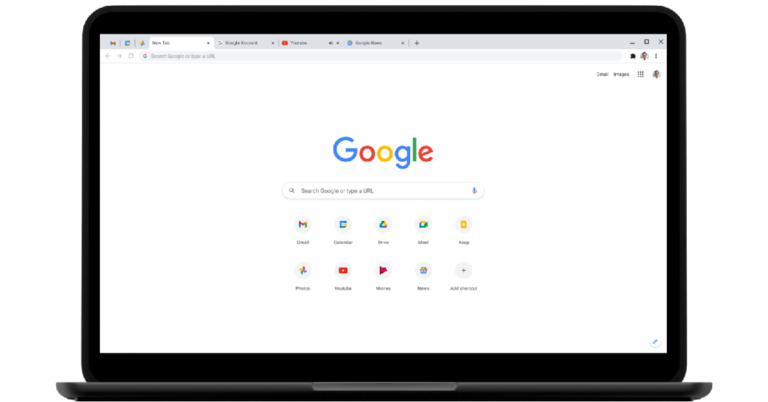
This can be used when you need to check the library of saved passwords.Step 1 – Open Google Chrome (both MAC and Windows)Step 2 – Click on the three-dot burger icon Step 3 – Select Settings from the drop-down list.Step 4 – Scroll down a little to find Advanced and click on that.Read Also: Top Google Chrome extensions you should install today.Step 5 – Head to Passwords.Step 6 – You will find all your saved passwords here.There will be two toggle buttons offered in this setting, to save passwords and auto-login. Auto-login will directly log you in on the known sites. If you use a personal computer you can use this feature. We advise you to toggle on Offer to save passwords, by this Chrome will ask you if you want to save username and password for the current site.Read Also: 10 tips that all Apex Legends players should know
Third-Party Alternative
Are you not satisfied with Chrome’s built-in password manager? We suggest you try 1Password. It is one of the best password managers available on all platforms across all devices. The application saves passwords for you and also warns you against vulnerability. 1Password has a Google Chrome extension making the process hassle-free. As the name suggests, all you need is 1 password to remember. Just log in to the application’s account and all your passwords will be saved in its library as soon as you enter them.
This is how to manage your password in Google Chrome, if you use any other way do share with the rest of us in the comments section below.
For the latest gadget and tech news, and gadget reviews, follow us on Twitter, Facebook and Instagram. For newest tech & gadget videos subscribe to our YouTube Channel. You can also stay up to date using the Gadget Bridge Android App. You can find the latest car and bike news here.
The IP of your device is an important and critical piece of information that you either don’t know or you don’t think about too often. There are times when you might need to get access. Some prime examples of this are when you need to access your NAS box to explore content, run a server based on WEB or connect to a self-made VPN. To do any of this one needs to know about Internal and external IP and how it works. Check out how to find your local and external IP address as well.
External and Internal IP addresses
The term IP address is branched into 2 categories the first one is an internal IP address and the second one is an external IP address. Internal IP is a specific address given by your local network to all internal devices. For example, your router puts out different internal IPs for each device so it can distinguish between the devices that are connected to it.While on the other hand, an external IP is for the World Wide Web to know about the network of your router. This lets the online web identify each router as a separate device. In other words, we can also say external IP is an internal IP on a larger scale for the service providers. Now the question comes, how to find your IP address whether it’s external or internal? Here is how you can do it.Read Also: How to change the IP Address on a PC or a smartphone?
Find external IP address
Visit WhatIsMyIP.com, it will tell you your IPV4 address as well as the newer IPV6 address. Want to know the basic IPV4? Visit ipconfig.me. For now, all the cases use IPV4 as an address but in the near future, everyone will simply shift to IPV6 as it is a more advanced version.
Find External IP address using your router
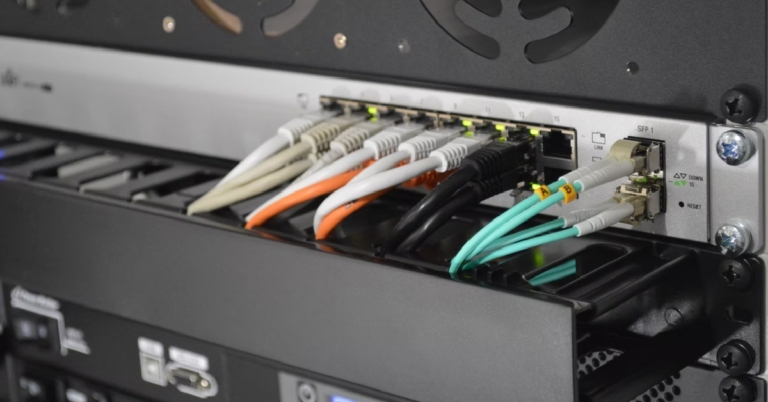
You can also find your device’s external IP address by using your WiFi router’s gateway page. You can access this page by entering 192.168.1.1 on your web browser’s address bar. Some routers may have customised suites for management. Once you have logged in, you can find your IP address in the general tab.
Use a third-party app
There are dedicated third-party apps that can help you manage your router and also let you know what your IP address is. Apps like Fing and All Router Admin allow you to view your WiFi router history, change its password, remove devices from the network and carry out other management tasks. If you’re looking for something more straightforward, use the IP Finder app to find your device’s external IP address.
Find internal IP
Finding an internal address is not as simple as clicking on some hyperlinks, for each device it is different.
For Windows
Open Command Prompt from the Windows search. Input the command ipconfig in the command line. You will see the details in front of you.
For MAC
Click on the apple icon on the top left corner of your screen. Open system preference>network.Select the type of network you are in.
For Android
It is complicated with Androids as different brands have placed the IP information differently. The most common way to find it is to head to Settings>Network & Wi-Fi> Select the network you connected with then press Advance to know the information related to IP.
For iPhone
Head to settings then tap on Wi-Fi. There, next to your connected network, there will be an “i” inside a circle. Tap on it to see the details.
Frequently Asked Questions (FAQs)
How do I find the local IP address on Windows?
Open Command Prompt on your PC and enter the ‘ipconfig’ command to view the local IP address.
How do I view my IP address using my WiFi router?
Go to your WiFi router’s gateway page by entering 192.168.1.1 in the web browser and go to the general management page to view the IP address.
These are some simple techniques you can try. If by any chance you are using some other device, fret not, the IP is usually in either status of your device under the ‘About’ section or just see the settings of the Wi-Fi to which you are connected.



 Read Also: How to mine cryptocurrency?

 Read Also:








 Step 4 –
  Step 5 –
 Step 6
 Read Also:

 You can also find your device’s external IP address by using your WiFi router’s gateway page. You can access this page by entering 192.168.1.1 on your web browser’s address bar. Some routers may have customised suites for management. Once you have logged in, you can find your IP address in the general tab.
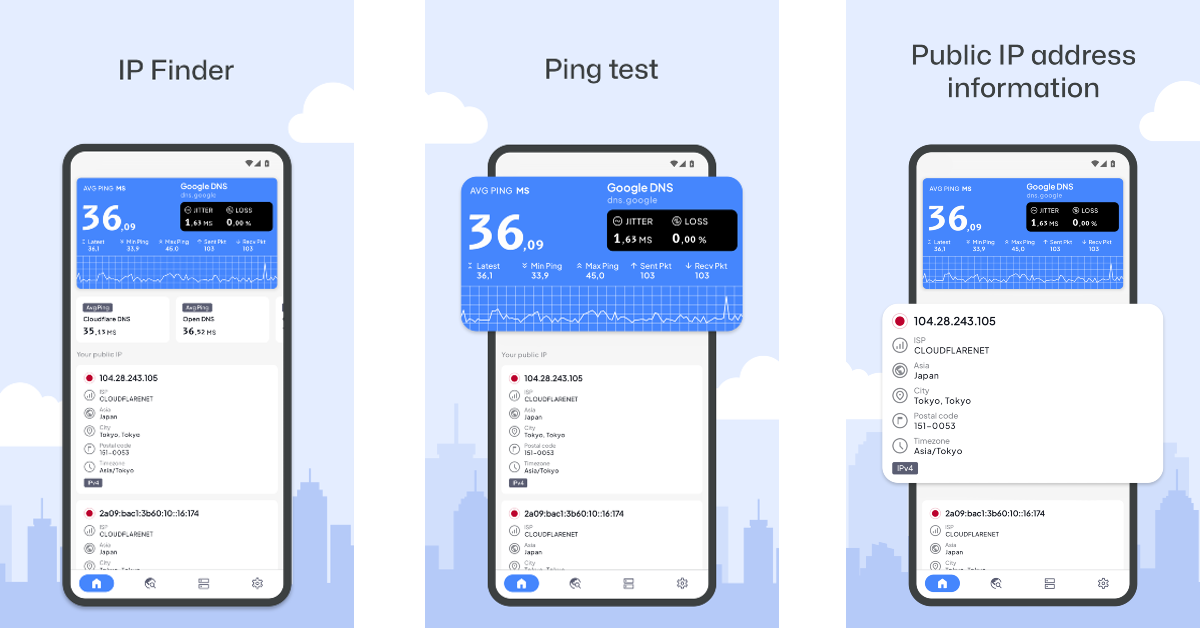 There are dedicated third-party apps that can help you manage your router and also let you know what your IP address is. Apps like


