It’s raining discounts on smartphones on Amazon.in. The Great Indian Festival 2021 sale has just begun and now is the best time to upgrade from 4G to 5G smartphone, as the website is offering huge discounts on 5G mobiles from Samsung, Poco, Oppo, Xiaomi, OnePlus and more during the sale period. So, today we bring to you a list of the best 5G smartphones that you can buy during Amazon’s festival sale at a cheaper price.
Top 5G smartphones to buy under Rs 25,000 at Amazon during Great Indian Festival sale:
Samsung 5G smartphones
Samsung Galaxy M42 5G: The smartphone is now getting a 23 percent discount, therefore, making you save Rs 7,000 on its MRP. It will be available for purchase at Rs 22,999.Samsung Galaxy M42 5G reviewSamsung Galaxy A22 5G: Galaxy A22 5G is another 5G smartphone that is part of the Amazon Great India Festival Sale. One can buy it at Rs 19,699 (6GB+128GB). So if you purchase this smartphone during the sale period you can save Rs 2,800.Samsung Galaxy M32 5G: The 6GB+128GB variant of Galaxy M32 5G is getting a discount of Rs 2,999. So you can purchase this phone for Rs 20,999.
OnePlus/Oppo 5G smartphones
OnePlus Nord CE 5G: OnePlus Nord CE 8GB+128GB option is listed at Rs 24,999.OnePlus Nord CE 5GOppo A74 5G: Oppo A74 5G has got a 24 percent price-cut, which makes you save Rs 5,000 on its original price tag. The device now costs Rs 15,999.
Vivo/iQoo 5G smartphones
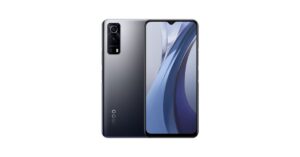
Vivo V21e 5G: Now you can save Rs 3,000 on the purchase of Vivo V21e 5G smartphone. The mobile phone is now available at Rs 24,990.Vivo Y72 5G: Vivo Y72 5G is available with a discount of Rs 4,000 during the Amazon Great Indian Festival Sale. The phone will be available at Rs 20,990.iQoo Z3 5GiQoo Z3 5G: The iQoo Z3 5G’s 6GB RAM with 128GB storage options can be purchased at Rs 17,990 during the Amazon sale.
We often switch to other mobile networks due to network congestion and call drops. This is a very common problem in metro cities where there are high-rise buildings or in basements where there is a weak cell signal. A feature of Wi-Fi calling in iPhone and Android smartphones has been added by the makers, but if not enabled users can face low networks issues.This results in you not getting important calls and most of the time outgoing calls will have bad reception or call drop issues. Addressing this problem, the latest mobile phones these days come with the feature of Wi-Fi calling for stable voice calls. So in this article, we will show you how to make stable calls using the Wi-Fi calling feature on your iPhone or Android smartphone.The biggest USP of the Wi-Fi calling feature is that the users will be able to experience better signal quality with the service, and the best part is it is absolutely free. Yes, you are not charged extra to make a free call over Wi-Fi. All you need to do is just check your device’s compatibility for Wi-Fi calling. The users can easily turn on the voice-over Wi-Fi calling feature when they are inside their offices or at home. But one needs to be in a stable Wi-Fi zone to make voice calls over broadband/internet to any number.
How to enable Wi-Fi calling on iPhone to make voice calls
If you are an iOS user, anyone can enable the Wi-Fi calling feature on their device provided that your Telecom operator supports the functionality.
Go to settings in your iPhone
Next, click on the Mobile data option and select Wi-Fi calling.
Tap/toggle on the Wi-Fi calling on This iPhone feature and you are good to go.
Note that the Wi-Fi calling option will only show up if the telecom operator supports it. When the function is enabled on your iPhone you will also see Wi-Fi next to the carrier name in the status bar.
How to enable Wi-Fi calling on Android smartphone to make voice calls
Head to Settings on your device and then go to the Networks option. Depending upon the make of your smartphone, this option might be listed in Connection or Mobile Networks instead of the Network section on your Android smartphone.
On opening the Networks section, go to Wi-Fi preferences.
Now tap on Advanced and look for the Wi-Fi calling option. (If you don’t find the option, your device is not compatible with this service or your telecom operator doesn’t support the functionality.)
Choose a number to enable the service if you have installed two SIM cards. However, you can also enable the service on both networks.
Many users would have faced this annoying issue that they are successfully connected to the Wi-Fi network but could not get any internet. There is not one reason that this issue can happen to you, but a few of them together. Worry not, below are some of the issues that we are addressing and how to fix them. These will fix your smartphone Wi-Fi issue and won’t stop the daily dose of the internet from reaching you.
Try reconnecting
There might be some issues while connecting to the Wi-Fi. The first rule of the tech world says to restart the device. Try switching off the Wi-Fi of your phone and switching it on again. Try connecting back to your Wi-Fi network and see if the issue still persists. If not, don’t worry, this is just the first step. There are a few more steps below to consider.
Forget network
If the above step didn’t work for you, the next step is to forget the network so all the details related to the specific network will be reset giving it a fresh start. Here is how you can do it.Step 1 – From the drop-down menu in Android, press and hold the Wi-Fi option till the settings open.Step 2 – Select the Wi-Fi that is creating the issue.Step 3 – Tap Forget in the Wi-Fi setting.After following these steps simply re-enter the password and try to reconnect to your WiFi and check if the problem solves.Read Also: 5 Ways to Fix Wi-Fi Keeps disconnecting and reconnecting
Check from the network provider side
Nowadays service providers help you to diagnose your Wi-Fi with just a few taps. Open the application or website of your service provider. They may ask you to log in to your network. After logging in, check for the network you are trying to connect. It will show you the real-time status of your network and active days. If there are internet issues, then you contact your service provider.
Reset Router
A good possibility is that some automatic setting inside the router may have cropped up to cause this issue. To solve it a simple way is to reset the router. Follow these instructions.Step 1 – Remove all the wires from the router except the power cord.Step 2 – There will be a small hole around the on-off button of the router. The below image is an example of how the reset button will look like. (D-link router is used for example purpose)Step 3 – Keep pressing the button with a sim ejector tool for 10-15 seconds until the lights of the router blink and the router restarts.
Reset network setting on your Android phone
If the issue is still not solved, we will advise you to try resetting your network setting for your Android Smartphone as well. Following these steps will only remove all the stored wireless settings of your device, not the other data. Follow the below steps to execute it. Step 1 – Open Settings.Step 2 – Search for ”Reset Options” (or similar setting) and select Wi-Fi.Step 3 – Press “Reset Setting”.Once the step is done successfully (some smartphones might restart), try reconnecting to your Wi-Fi network now and check if the internet works for you.Read Also: How to join missed Whatsapp video calls?With this, we come to the end of the best ways to fix Android connected to WiFi but no internet issue. One of these steps should surely work for you, if not. Try connecting some other device to the same network. If the device gets to connect, we advise you to take the smartphone to the respective service centre and get it checked.
For the latest gadget and tech news, and gadget reviews, follow us on Twitter, Facebook and Instagram. For newest tech & gadget videos subscribe to our YouTube Channel. You can also stay up to date using the Gadget Bridge Android App. You can find the latest car and bike news here.
One can use the Android auto-rotate feature to utilise the smartphone’s screen completely. But sometimes your Android phone’s auto-rotate doesn’t work when you turn your phone into landscape mode. It becomes very frustrating especially when you are trying to play games or consume multimedia. In the case of the game, it will simply crash or show a video that keeps playing in either portrait mode or in a stretched format. If you are facing an Android screen auto rotate not working issue worry not here are a few fixes one can try, which will surely help you out to solve the problem.
Restart Phone
As we all know, restarting any smart device fixes most of the issues in it. Restarting any smartphone kills all the applications and clears up the memory. Doing this can result in fixing bad system cache, which may be causing this issue as well. This should be the first and basic step of fixing the issue. If the issue is not resolved. Head to the next step.
Ensure auto rotation is turned on
The next step will be to check if this feature is turned on for your mobile. For doing so, swipe down from top to open the Quick setting menu. Check for the Auto-rotate option. If it is turned off, press the icon to turn it on. In some phones, they will be named as portrait or landscape mode. Switching to landscape if in portrait will switch on the auto-rotate option.Read Also: How to rotate your computer screen or desktop
Check for rotation settings on the specific application
There are applications available on Playstore that override the current screen orientation from the UI and the orientation in those applications are hidden somewhere in the setting. Make sure that any application you are using is not hindering or overwriting screen rotation protocols. If the auto rotation is not working for that specific application try to search for orientation options in the application’s setting. Toggling that one should absolve the issue.
Calibrate the phone’s G sensor
There might be a reason that the G sensor and accelerometer sensor has lost their calibration, which is causing issues with the auto-rotate feature. The smartphone uses these sensors to know if the phone is in landscape mode or in portrait and shifts accordingly. To fix this try making 8 in the air while holding the smartphone(refer to the image above). This will fix the calibration issue if any.
Uninstall recently installed application
If the issue started to occur after installing or updating a specific application. Try uninstalling them. A bad version of the application or a bad update can cause a bug that may stop auto-rotation. To make sure, try uninstalling any recent add ons to your application library and check if the auto-rotate feature is functioning alright after that.
Update your phone
The previous update of android may have or caused some issues or triggered some bug in the UI. To solve it simply check for updates. If any updates are pending, we recommend completing them. Smartphone companies notice these minor bugs and address them by giving regular updates. So, it’s important to update your smartphone to the latest version by the company.Read Also: How to rotate your computer screen or desktop
Head to the service centre
If none of the solutions worked for you, we advise you to visit the nearest service centre. There are good chances that due to minor falls, water damage or part malfunction the issue has cropped up in your Android smartphone. Due to faulty hardware, examples being G sensors, the phone won’t be able to detect when you tilt the phone, resulting in auto-rotation not working for you.
Bonus tip
There is a force screen tilt option if you use the manual navigation buttons on your Android smartphone (not the gestures). Head to the application you want to use in landscape mode. After opening, tilt your screen to see the rotation option in the right corner of your screen(consider the above image for reference). By pressing that it will force landscape the screen of your mobileThese are the top 7 methods to fix the Android screen auto rotate not working issue. One of the methods will surely work for you and you will continue to enjoy your phone experience utilising the screen completely.
For the latest gadget and tech news, and gadget reviews, follow us on Twitter, Facebook and Instagram. For newest tech & gadget videos subscribe to our YouTube Channel. You can also stay up to date using the Gadget Bridge Android App. You can find the latest car and bike news here.
The Amazon Great Indian Festival sale is live on its platform. So now is the best time to purchase some of the best laptops that will be available during the sale period at their lowest prices. Amazon is giving up to 50 percent off on laptop brands like Asus, HP, Dell Lenovo and many more. In case you have plans to upgrade to a new laptop that doesn’t burn a hole in your pocket here are our top recommendations. Here are the best laptop deals on Amazon.We have curated the list of best laptop deals from the Amazon Great India Festival. E-commerce is offering up to 50 percent off on laptops and the buyers can get an instant discount of 10 percent with up to Rs 12,750 to the HDFC debit and credit cardholders. Check out our top recommendations.
Best laptop deals on Amazon Great Indian Festival 2021
HP 14 2021
The HP 14 2021 laptop is nowavailableat 40,000 during the Great Indian Festival sale. This laptop is powered by an 11th Gen Intel Core i3-1115G4 processor. It operates on Windows 10 Home but is upgradable to Windows 11. The device comes pre-installed with Microsoft Office Home and Student 2019 and is Alexa Built-in for hands-free operation. The machine features a 14-inch FHD screen and DDR4 RAM with 256GB SSD.
Acer Aspire 3
The Acer Aspire 3 laptop is nowsellingfor Rs 36,990. The device is powered by an Intel Core i3-1115G4 processor paired with 4GB of DDR4 ARM and 1TB HHD. It features a 15.6 IPS LCD LED-backlit display.
Asus VivoBook 14 Laptop
You can nowpurchaseAsus VivoBook 14 at Rs 55,990 on Amazon during the Great India Festival Sale. The laptop features a 14-Inch LED-Backlit, FHD display. The device equips an 11th Gen Intel Core i5-1135G7 Processor with 8GB of DDR4 RAM with 512GB solid-state drive.
HP Pavilion Aero
The HP Pavilion Aero is now available at Rs 69,990. The laptop comes with a 13.3 inch IPS display. The device is powered by AMD Ryzen 5 5600U processor with 16 GB DDR4-3200 MHz RAM and 512GB PCIe NVMe M.2 SSD.
Asus TUF Gaming F15
Asus TUF Gaming F15 will make you save Rs 28,000 and is now available at Rs 55,990. t is powered by an Intel Core i5-10300H 10th Gen CPU paired with NVIDIA GeForce GTX 1650 4GB GDDR6 GPU. The laptop comes with a 144Hz IPS FHD 15.6-Inch screen. The device is offered with 8GB RAM installed with 512GB NVMe storage.
Lenovo Ideapad Gaming 3
The next on the list is Lenovo Ideapad Gaming 3 laptop. This gaming laptop features an 11th Gen Intel Core i5 – 11300H processor with NVIDIA GeForce GTX 1650 4GB GDDR6 for graphics. It comes in 8GB RAM DDR4-3200 and 512GB SSD. It will be available in a 15.6-inch FHD IPS backlit display that comes with 120Hz refresh rate support. It is listed at a discounted price of Rs 65,990
Dell 15 i5-10200H
Now you can save Rs 13,334 on the purchase of Dell 15 i5-10200H gaming laptop during the Great Indian Festival Sale. The laptop is now available at Rs 64,990. It comes with a 15.4-inch FHD display and is powered by Intel Core i5-10200H paired with NVIDIA GeForce GTX 1650 4GB GDDR6.
In the light of the increasing unauthorised use of one’s Adhaar number for the purpose of obtaining mobile SIM cards and misusing them for illegal activities, the Department of Telecommunication has launched a web portal. Using this tool people can find out how many mobile numbers are in active use on their name. Here is a step by step guide on how to check how many SIMs are registered on your Aadhar card.With the assistance of this tool, an individual can easily get rid of the unauthorised active SIM card numbers that they are not actually using. According to the departments, there have been such incidents where someone’s details are being used to issue mobile SIM cards and are being used in their name without their knowledge for unlawful or illegal purposes. So that you dont get into trouble the Department of Telecommunication has come up with a portal- tafcop.dgtelecom.gov.in. This particular website will assist users in determining the number of mobile connections issued in their name. An individual can request that numbers issue in their name but not used by them be blocked. According to the government, the number of mobile connections that can be issued to a single person is limited to nine only but more than nine mobile connections are active in the names of specific users. However, the portal aims to simplify the process for users in the licenced service area. (Currently, this service is available in Telangana and Andhra Pradesh but it has worked for some in Delhi as well.)The Department of Telecommunication will notify consumers via SMS of the number of mobile connections active in their names. The portal can be used to report numbers that are no longer in use or are no longer required. After the user takes the action, the telecom service providers will block or deactivate the numbers. In addition to this, the customers will be given ticket IDs that will allow them to track the progress of the requested action.
Here is how to find out how many cards are registered to your Aadhaar card:
4 October 2021 Amazon Quiz has gone live on its mobile app platform. The quiz can be played from 12 AM to 11:59. All you need to do is just answer five easy questions that the e-commerce website puts before you. Today you can stand a chance to win Rs 50,000 Amazon Pay Balance.Every day Amazon posts a new questionnaire that consists of five simple questions about general knowledge and current events. To enter a lucky draw, participants must correctly answer the questions. One incorrect answer will result in your elimination from the quiz. Each month, only one person will be declared the winner and the results will be announced at the end of the month. Amazon customers who submit correct answers can win Amazon Pay Balance worth up to Rs 50,000. To ensure that you answer all five questions correctly, Gadget Bridge updates all of the correct answers on a daily basis. Take a look at today’s answers:
4 October 2021 Amazon Quiz Answers
Question 1: August 26 was selected as Women’s Equality Day in the USA, as it was the date when an amendment was passed granting what right to women?
Answer: Right to Vote
Question 2: Janssen pharmaceuticals is a pharmaceutical company headquartered in Belgium, that is a subsidiary of which firm?
Answer: Johnson & Johnson
Question 3: Olympic bronze medalist Bajrang Puni, pulled out of the 2021 World Wrestling Championship scheduled to be held in which city?
Answer: Oslo
Question 4: This is the CN Tower in which city?
Answer: Toronto
Question 5: The flag of which country has been shown in the picture?
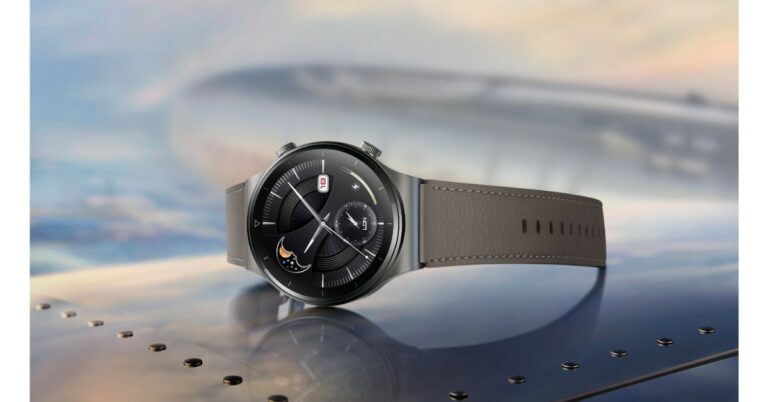
Amazon Great Indian Festival for prime and Flipkart Big Billion Days sale for plus users has already kicked off on their respective platforms. All the other users will be able to access the sale from October 3 that is from tomorrow. So if you are looking to buy a new Huawei smartwatch and fitness band now is the best time as the company is offering exciting deals and discounts on its smart wearable like Watch GT 2 Pro, Watch GT 2 and Band 6. check out the the best deals and discounts on Huawei smartwatches and fitness bands.Huawei Watch GT 2 ProHuawei Watch GT 2 ProDuring the Flipkart Big Billion Day sale, Huawei will be offering No Cost EMI from Bajaj Finserv and 5% unlimited cashback on Flipkart Axis Bank Credit Cards. The device can be bought for Rs 22,990 and was earlier selling at Rs 24,990. The device comes with a 1.39-inch AMOLED display and runs on a Kirin A1 + STL4R9 processor paired with 4GB of storage. The sensors on the device include GPS,accelerometer, gyroscope, geomagnetic sensor, ambient light sensor, air pressure sensor, capacitive sensor, and an optical heart rate sensor. It has 100 sports modes with 17 professional modes and 85 custom modes. Huawei Band 6Huawei Band 6On the other hand, Huawei Band 6 will be making you save with 10% Cashback and additional bank discounts on select debit and credit cards at Amazon Great India Festival. The buyers can also avail of the no-cost EMI option available during the sale period. So one can purchase the fitness band for Rs 3,990 down from its original price of Rs 4,490. The device features a 1.47inch AMOLED full view display. It also includes 96 workout modes including running, swimming, treadmill and more. The smart band also offers health features like TruSeen 4.0 24×7 heart rate monitoring, TruSleep 2.0 sleep monitoring and supports SpO2.Huawei Watch GT 2Huawei Watch GT 2 can either be purchased from Amazon or on Flipkart. So those purchasing from Flipkart can avail of a 5% unlimited cashback on Flipkart Axis Bank Credit Card along with No Cost EMI from Bajaj Finserv. Whereas Amazon users can get the No Cost EMI with Amazon ICICI credit card & Prime saving 10% cashback with other exciting offers on select cards. comes with 2 dial types. One is 42mm, which is the 1.2-inch dial and the other is 46mm, which is the 1.39-inch dial. Both of them are AMOLED displays with a resolution of 390×390 pixels and 454×453 pixels respectively. It offers a heart rate monitor, sleep monitoring system and fitness tracker and is water-resistant up to 50 meters that is roughly 160 feet underwater.
For the latest gadget and tech news, and gadget reviews, follow us on Twitter, Facebook and Instagram. For newest tech & gadget videos subscribe to our YouTube Channel. You can also stay up to date using the Gadget Bridge Android App. You can find the latest car and bike news here.
Amazon Great Indian Festival 2021 has kicked off today for the Prime members only as they are eligible to get early access to all the deals and discounts on the platform. The sale will go live for regular users from midnight today, which is October 3. Top brands like OnePlus, Samsung, Apple, Xiaomi and more will be offering the best deals on smartphones. Amazon will be offering up to 40 percent off on smartphones during the Great Indian Festival 2021. This offer is also applicable on premium devices such as iPhone 11, OnePlus 9 Series, Samsung Galaxy S20 FE 5G and more.
Here are the best deals and offers on smartphones:
OnePlus
All the smartphones from the OnePlus 9 Series range are listed with price cuts as well as bank offers. The vanilla variant is getting a Rs 3,000 discount, therefore, bringing the price down to Rs 46,999. Whereas, the OnePlus 9R has got a similar Rs 3,000 price cut and will be available at Rs 36,999. Whereas the top model, the OnePlus 9 Pro, will make you save Rs 4,000 and is now up for sale at Rs 60,999. The buyers can also save up to Rs 10,000 with the addition of up to Rs 3,000 exchange discount and avail up to Rs 7,000 with HDFC Bank cards. There will be no-cost EMI options for up to 9 months as well.On the other hand, the recently launched OnePlus Nord 2 and Nord CE 5G will also get an additional Rs 1,000 off on the exchange of your old devices(select models). Moreover, the e-commerce platform has also listed the Nord 2 12GB RAM model with an additional Rs 1,000 off using a coupon.
iPhone
Apple iPhone 11, which was originally selling for Rs 68,300 will now be available at Rs 29,301 lower. It can now be purchased for Rs 38,999 for the 64GB storage option. The price will be further reduced by Rs 12,440 by opting for an exchange discount that will bring the price of the device to Rs 26,599. The bank offers also fetch up to 5 percent off on the purchase of the iPhone 11. Other models like 128GB storage will be available at Rs 43,999 combined with a maximum exchange offer value of Rs 12,400. This will bring down the price to Rs 31,599. Similarly, the 256GB model will be available for Rs 59,999 using the same offers.
Samsung
The Samsung Galaxy S20 FE will be up for grabs at Rs 36,999 during the Great Indian Festival Sale on Amazon. The original price of the smartphone is Rs 70,499. The additional discount will be offered on HDFC Bank debit and credit cards.The recently launched Samsung Galaxy M52 5G will be offered at Rs 26,999 and Rs 28,999 for the 6GB RAM and 8GB RAM options during the sale period. Samsung Galaxy Note 20 and Note 20 Ultra can now be purchased for Rs 43,449 and Rs 68,499 respectively. On the other hand, Galaxy S2 Ultra will be selling for Rs 1,04,999.
iQoo
All the variants of iQoo 7 will be getting a discount of up to Rs 3,000 and can be purchased for Rs Rs 26,990, Rs 28,990 and Rs 30,900 for the 8GB with 128GB storage, 8GB with 256GB storage model and a 12GB with 256GB storage option. The iQoo 7 Legend 8GB RAM model will be selling for Rs 32,490 and the 12GB RAM option will be available at Rs 38,490. There will be an extra Rs 4,000 off on exchange, flat Rs 1,500 off on HDFC bank debit/credit cards & EMI and no-cost EMI for up to 9 months.The recently launched iQoo Z5 can now be purchased for Rs 20,990 and Rs 23,990 for the 8GB RAM and 12GB RAM options respectively.iQoo Z3 will be available at Rs 15,490 for the 6GB RAM with 128GB storage, 8GB RAM with 128GB storage will be available at Rs 16,490 and the 8GB RAM with 256GB storage will cost you Rs 18,400.
Xiaomi’s sub-brand Redmi has officially announced the launch of its last budget smartphone in the Indian market. Redmi Note 10 Lite is the newest smartphone to join its successful series which already includes no less than four models. The latest device is the rebranded variant of the Redmi Note 9 Pro which was introduced last year. The phone comes with a quad rear camera set up, a 5,020mAh battery and a hole-punch display.
Redmi Note 10 Lite price in India and availability details
Redmi Note 10 Lite in India has been launched in three different configurations. The 4GB RAM with 64GB storage costs Rs 13,999 whereas the 4GB RAM with 128GB storage model comes at Rs 15,999. The 6GB RAM with 128GB storage model will be selling at Rs 16,999. The device will be offered in shades of Aurora Blue, Champagne Gold, Glacier White and Interstellar Black.The budget smartphone is now available for sale via Amazon and Mi.com. The launch offers include a Rs 1,250 instant discount to SBI credit cardholders.
Redmi Note 10 Lite specs and features
Redmi Note 10 Lite comes with a 6.67-inch full HD+ IPS display offering 1,080×2,400 pixels of resolution. The screen also has TUV Rheinland low blue light certification and also includes Reading Mode 2.0. The display is protected with Corning Gorilla Glass 5. Under the hood, there is an octa-core Qualcomm Snapdragon 720G SoC paired with Adreno 618 GPU for graphics. It will be offered in a 6GB RAM LPDDr4X RAM and up to 128GB of internal storage.In addition to this, there is a quad-camera set up on the back of Redmi Note 10 Lite consisting of a 48MP primary lens with an f/1.89 aperture. It further includes an 8MP ultra-wide-angle lens with f/2.2 aperture, a 5MP macro lens with f/2.4 aperture and a 2 MP depth sensor with f/2.4 aperture. For taking selfies and video calling there is a 16MP front-facing camera with an f/2.48 aperture.On the connectivity front, there is 4G VoLTE, WiFI 802.11ac, Bluetooth v5.0, GPS/A-GPS, NavIC, USB Type C port and 3.5mm audio jack. Moreover, the mobile phone also includes authentication features like a side-mounted fingerprint sensor and AI Face Unlock. Redmi Note 10 Lite is backed by a 5,020mAh battery with an 18W fast charging support.
For the latest gadget and tech news, and gadget reviews, follow us on Twitter, Facebook and Instagram. For newest tech & gadget videos subscribe to our YouTube Channel. You can also stay up to date using the Gadget Bridge Android App. You can find the latest car and bike news here.







 For the latest
 Step 2 –
 Step 3 –
 Step 3 –
 Step 3 –