

In This Article
Dolby On: Record Audio & Music
 Dolby’s dedicated audio recording app lets you record music, podcasts, voice memos, and more in a professional capacity. Dolby On offers an array of effects like noise reduction, limiting, spatial audio, EQ, and more. If you don’t have a microphone at your disposal, yet want high-quality sound recordings, Dolby On is a great app to record with. The audio editor that comes with the app lets you improve the sound quality after the recording is finished. You can optimise the volume, boost the fullness, and use other effects to achieve optimum quality before publishing the recording.
Otter: Transcribe Voice Notes
 Otter is a great voice recording app for recording and transcribing lectures, meetings, and more. Otter efficiently transcribes the voice recordings made using the app and is even capable of producing live captions for meetings, lectures, and seminars. If you want to share the recording with your colleagues, you can use Otter to summarise the session, highlight text, format the transcription, and identify different speakers in the recording. You can invite collaborators to edit the meeting. While most basic functions of Otter are free to use, the premium subscription offers some additional perks.
AudioShare
 AudioShare lets you manage all the audio recordings on your phone in one place. You can also use the app to record any kind of audio – be it music or voice – using an external mic or the built-in mic on your phone. AudioShare is equipped to play and record in 96k, 48k, 44.1k, 22k, 11k, and 8k sample rates. With AudioShare you get an incredible level of control over the editing process, as you are able to apply different effects like fade in/out, trim the audio recording, and even leave notes wherever necessary.
Easy Voice Recorder
 If you’re looking for a simple voice recording app without the bells and whistles, go for Easy Voice Recorder. This is a great everyday app to record meetings, lectures, and music using your phone. There is no time limit to the recordings, and you can choose to save the file in compressed formats so as to save storage space. The accessible widgets and shortcuts make it easy to start recording audio within seconds. With WearOS support, you can also record audio using your smartwatch.
Riverside
 If you’re looking to record podcasts on your smartphone, then a simple voice recording app isn’t going to cut it. Riverside is one of the more popular apps used by podcasters to record audio on the go. One of the better features of Riverside is that it lets you record up to 8 individual tracks, which makes editing easy once the recording has been completed. If you’re planning on recording a podcast with multiple participants, recording their voices on different tracks will come in extremely handy. Riverside also offers automatic transcriptions for your voice recordings.
Smart Voice Recorder
 This easy-to-use app comes with all the basic features of a regular voice recorder, with a greater level of accessibility. Smart Voice Recorder lets you record high-quality audio without having to worry about the length of the recording. One of the unique features of the app is that it can recognise silence and automatically trim it from the final recording. There is also a live audio spectrum analyser on offer, and you can even adjust the audio sampling rate.
Google Recorder
 Google’s very own voice recorder is currently only available on Pixel 6 or newer devices, but it will likely be rolled out for other Android smartphones in future. This app offers accurate live transcriptions of voice recordings and can recognise multiple speakers and label them accordingly. You can search within the audio or edit certain parts with ease. What sets Google Recorder apart from other voice recording apps is that it doesn’t need an internet connection to transcribe.
Rev Audio & Voice Recorder
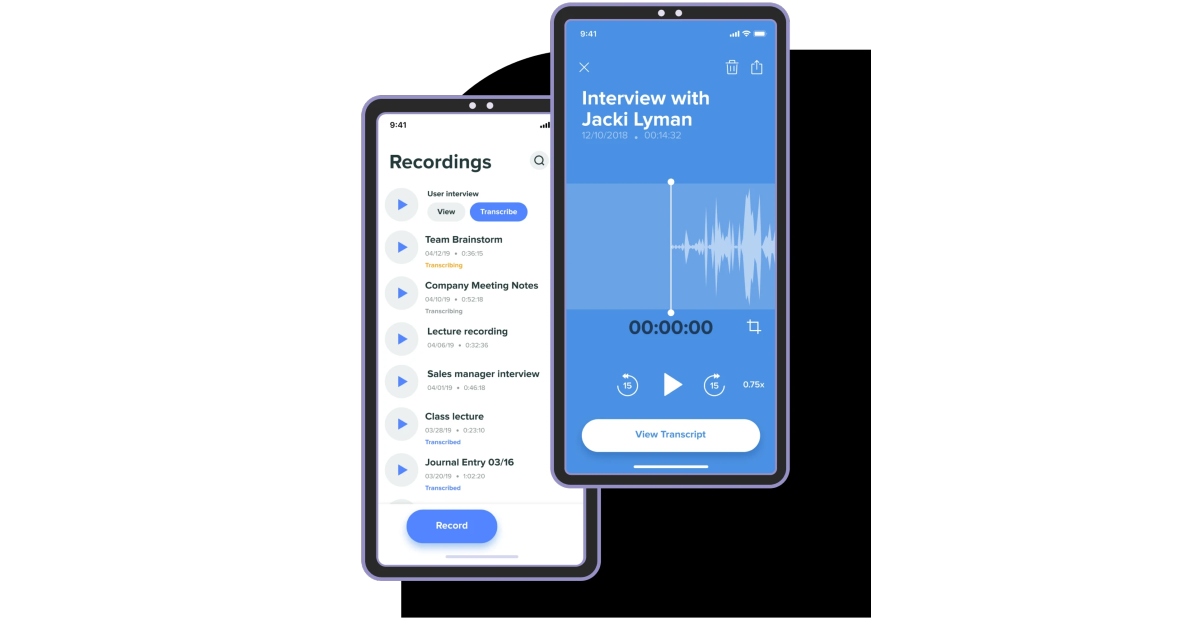 Not happy with how the automated voice transcriptions turn out? Get a human to do it! Rev Audio & Voice Recorder charges $1.50 for human transcription and guarantees 99% accuracy. Your ordered transcriptions are delivered to you by email. Other than that, the app offers all the features of a regular voice recorder like a high-quality recording and playback engine, background recording, in-app editor, and more.
Voice Recorder Pro
 For strictly dictational purposes, Voice Recorder Pro is one of the best apps out there. There is no recording limit other than your phone’s storage space. You can record audio in four different formats – MP3, PCM, AAC, and AMR. If you’re not necessarily looking to record high-quality audio but instead want to save up on storage space, AMR should be your preferred format. The app also lets you change the sample rate (8 kHz – 44kHz) and the bitrate (32 – 320 kbps). There’s support for mono and stereo recordings with the option to record in the background as well.
Read Also: mPassport Police App launched: To speed up the Police verification process of passport issuance
For strictly dictational purposes, Voice Recorder Pro is one of the best apps out there. There is no recording limit other than your phone’s storage space. You can record audio in four different formats – MP3, PCM, AAC, and AMR. If you’re not necessarily looking to record high-quality audio but instead want to save up on storage space, AMR should be your preferred format. The app also lets you change the sample rate (8 kHz – 44kHz) and the bitrate (32 – 320 kbps). There’s support for mono and stereo recordings with the option to record in the background as well.
Read Also: mPassport Police App launched: To speed up the Police verification process of passport issuance












 Step 2:
 Step 3:

 Step 3:
 Step 4:
 Step 5:
 Step 2:
 Step 5
 Step 6:



 Step 2:
 Step 3:
 Step 4:



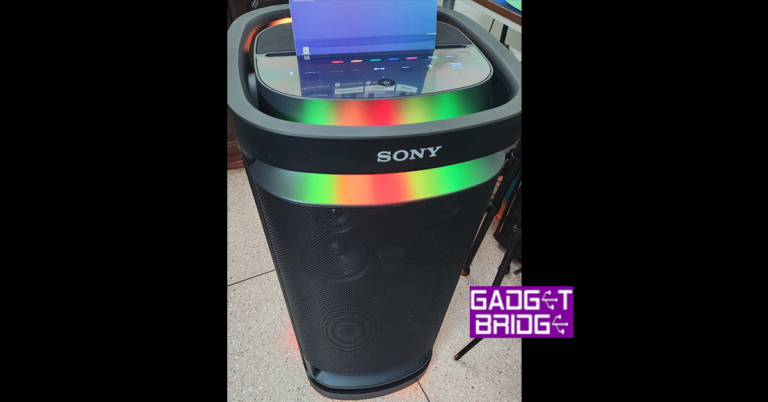
 There are a total of 9 speakers in the
  When it comes to connectivity you get quite a few ports at the back. You can connect two MICs (with aux), or one MIC and one guitar (with aux) ports located on the rear. Here you will also find a USB pen drive/USB charging port as well as audio-in (3.5mm) and optical-in ports.

 The Sony SRS-XV900 has a lot of LED lights on it, which can be found on the top and at the bottom. These give an ambient glow and fire up according to the sound being played. These can also be changed by pressing the light buttons on the top control panel. You can choose from different single colours such as red, yellow, blue, green and pink. There is also a multi-colour button, which will shuffle between these lights according to the sound being played.
 This wireless speaker weighs 26.6 kg and is not particularly easy to carry. To make the lugging process easier the Sony SRS-XV900 sports two wheels at the rear bottom and a handle at the top so you can easily move it around. Seems like Sony thought of it all. If only there was an additional USB port up top (maybe behind a rubber seal), it would have been perfect. Other than that, everything seems top-notch.
Read Also:
This wireless speaker weighs 26.6 kg and is not particularly easy to carry. To make the lugging process easier the Sony SRS-XV900 sports two wheels at the rear bottom and a handle at the top so you can easily move it around. Seems like Sony thought of it all. If only there was an additional USB port up top (maybe behind a rubber seal), it would have been perfect. Other than that, everything seems top-notch.
Read Also:  Connecting it with various devices is also easy and one can connect it with compatible TVs as well with the optical cable. We played a lot of music from Apple Music and played movies sound via it too. It just blew our mind at every step. We did get a chance or two to hear it perform at max volume and it did a wonderful job. No cracking of any sort.
The battery life of the Sony SRS-XV900 is great too. After 1 full charge, which does take quite some time. You get up to 25 hours according to Sony, which is just about right. We were able to secure 24.5 hours from the music BT speaker. Over that, Karaoke and Guitar feature is also available on this device.
All in all, we were quite happy with the audio quality of the Sony SRS-XV900.
Connecting it with various devices is also easy and one can connect it with compatible TVs as well with the optical cable. We played a lot of music from Apple Music and played movies sound via it too. It just blew our mind at every step. We did get a chance or two to hear it perform at max volume and it did a wonderful job. No cracking of any sort.
The battery life of the Sony SRS-XV900 is great too. After 1 full charge, which does take quite some time. You get up to 25 hours according to Sony, which is just about right. We were able to secure 24.5 hours from the music BT speaker. Over that, Karaoke and Guitar feature is also available on this device.
All in all, we were quite happy with the audio quality of the Sony SRS-XV900.