In This Article
How to check if your iPhone is refurbished
Refurbished iPhones are far too common these days. Apple retails refurbished iPhones in its own online store. If you find the regular iPhone to be too pricey, you can get a pretty good deal on a refurbished one. Apple even changes the battery and the outer shell and makes sure all broken parts are either fixed or replaced before retailing a refurbished iPhone. On top of that, you even get a warranty of 1 year. Other sellers may not offer a warranty on the iPhone, but usually ask for a lower price than the official Apple Store. Here is our list of the best places to buy a refurbished iPhone.Check the Model Number of the iPhone
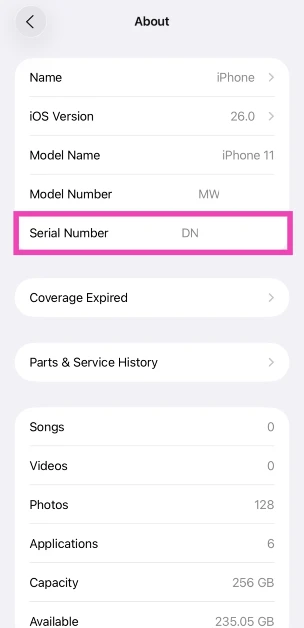
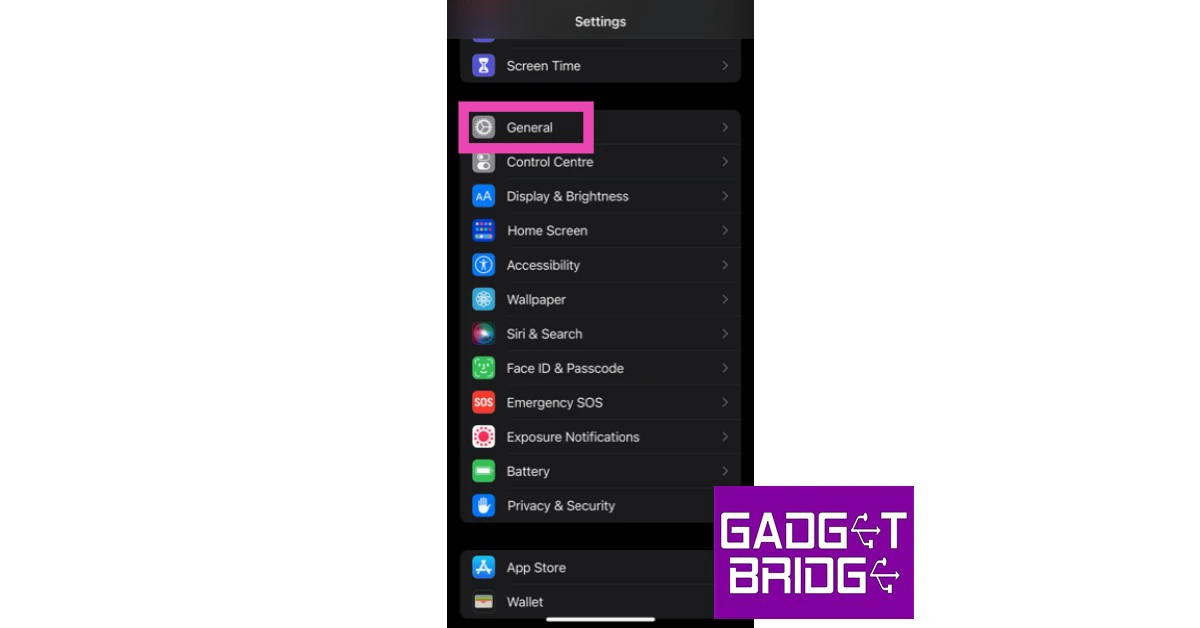
Wondering whether your iPhone is refurbished or not? It is actually quite easy to find that out. All you need to do is look at the model number of your iPhone. Here’s how you can do that. Step 1: Go to Settings. Step 2: Select General.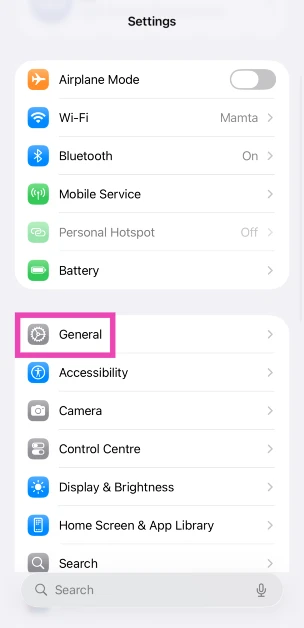 Step 3: Select About.
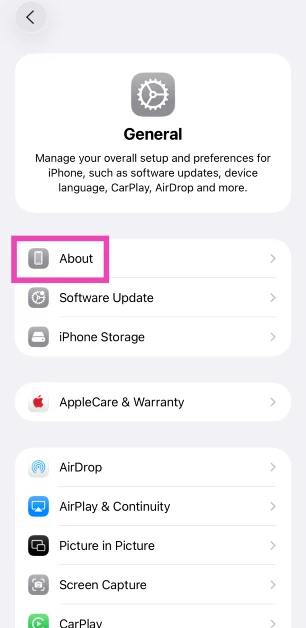 Step 4: Check the first letter of the Model Number.
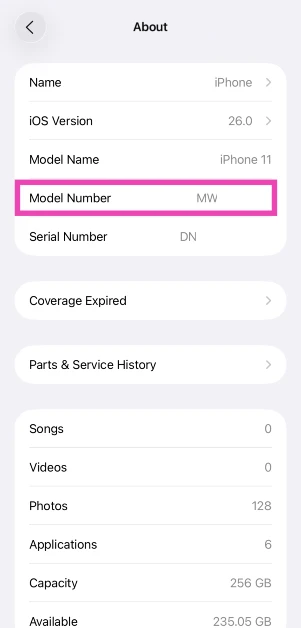 If it starts with M, your iPhone is brand new.
If it starts with F, your iPhone is a refurbished unit provided by Apple or a third-party seller.
If it starts with P, your iPhone is a personalised unit with an engraving.
If it starts with N, your iPhone was issued as a replacement unit by Apple for a faulty iPhone.
If it starts with M, your iPhone is brand new.
If it starts with F, your iPhone is a refurbished unit provided by Apple or a third-party seller.
If it starts with P, your iPhone is a personalised unit with an engraving.
If it starts with N, your iPhone was issued as a replacement unit by Apple for a faulty iPhone.
Check Parts & Service History
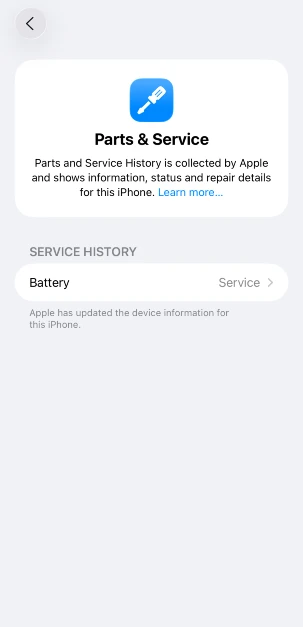
Your iPhone keeps a record of refurbished, repaired, and serviced parts. If you want to confirm that your iPhone is refurbished, simply check this record. Here’s how. Step 1: Go to Settings and select General.
Step 2: Tap on About.
Step 3: Select Parts & Service History.
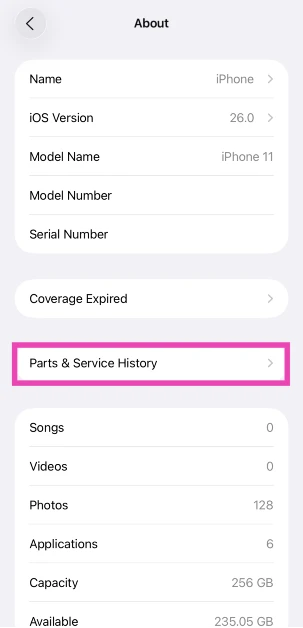 Step 4: The refurbished and serviced items will be listed on the following page.
Check your iPhone’s Serial Number
Step 1: Go to Settings and select General.
Step 2: Tap on About and navigate to the Serial Number.
Step 3: Note down the serial number of your device.
 Step 4: Go to the device coverage page on Apple’s website.
Step 5: Enter your iPhone’s serial number and the on-screen CAPTCHA.
Step 4: Go to the device coverage page on Apple’s website.
Step 5: Enter your iPhone’s serial number and the on-screen CAPTCHA.
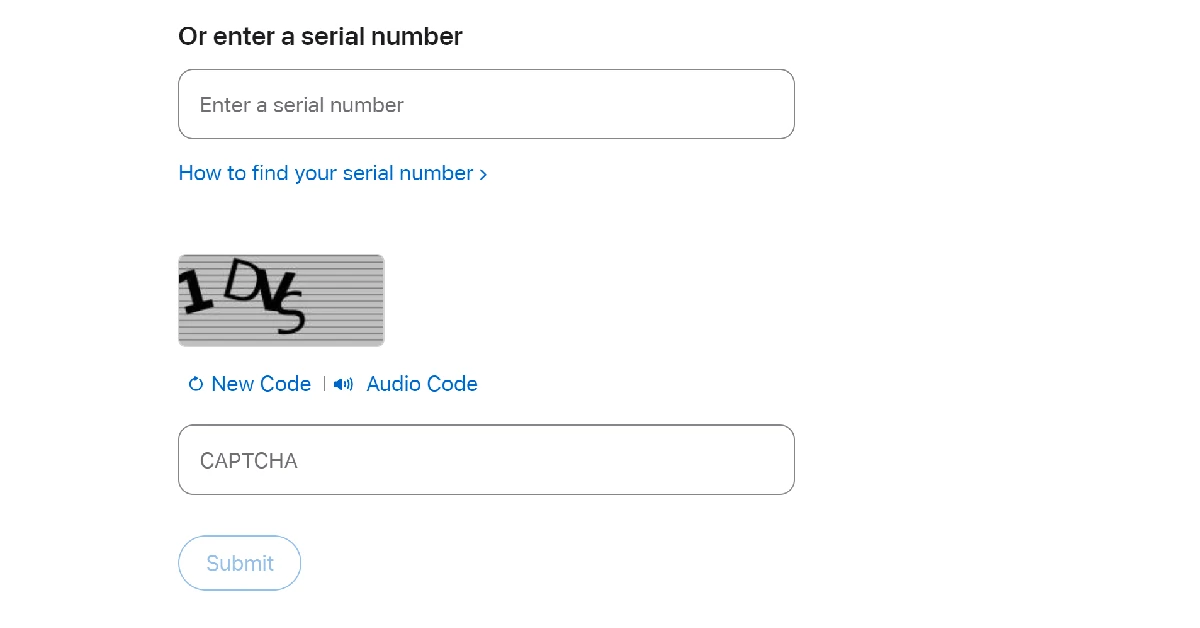 Step 6: Hit Submit.
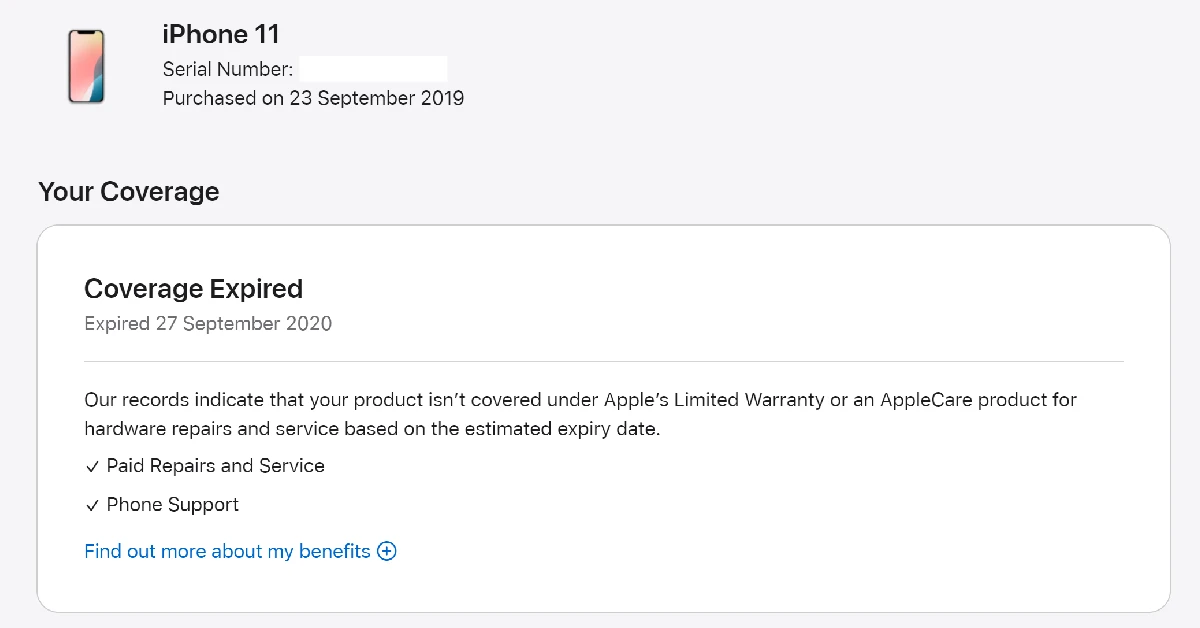
Step 7: If the website says your iPhone has not yet been activated, your device is brand new.
Step 6: Hit Submit.
Step 7: If the website says your iPhone has not yet been activated, your device is brand new.
Check the Battery Health
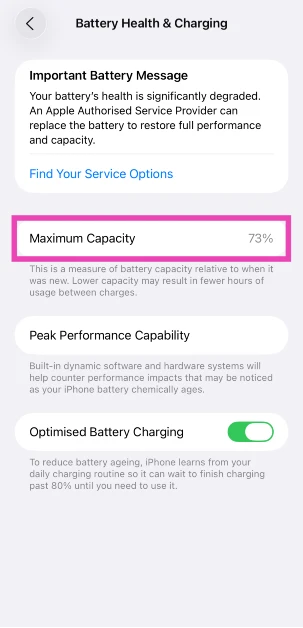
Most retailers, including official Apple retail outlets, change the battery packs of refurbished iPhones before selling them. However, in some cases, that might not be the case. To confirm whether your iPhone is a new model or a refurbished unit, check its battery health. A new iPhone or a refurbished unit with a new battery pack will always have a 100% battery capacity. However, refurbished units with old battery packs will have a significantly lower battery capacity. Step 1: Go to Settings and select Battery.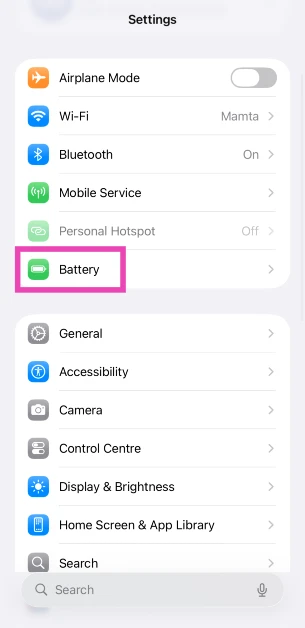 Step 2: Tap on Battery Health & Charging.
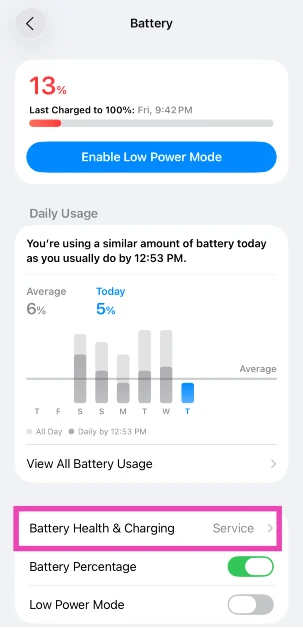 Step 3: Check the Maximum Capacity field.
How to check if your Android phone is refurbished
There are a couple of ways to find out if your Android smartphone is refurbished or brand new. Older smartphones display their RTN information upon dialling a code. Newer smartphones typically do not have this feature. Here are some methods that will cover every Android phone.Use a dial code
This is one of the best methods to check if your Android smartphone is refurbished or not. Step 1: Open the dialer app on your phone. Step 2: Dial ##786# (##RTN#) on the keypad. If this code doesn’t work, dial ##786#*#. Step 3: Scroll down and check the Reconditioned Status. If it says Yes, your phone is a refurbished unit. If it says no, your phone is brand new.Use a third-party app
 Newer Android smartphones make it harder to check if they are refurbished or not. However, there are certain third-party apps that will do it for you. Samsung users can download the Phone INFO+ app to check the refurbishment status of their device. This is a paid app, which isn’t ideal, but it gets the job done. Launch the app and tap the hamburger menu on the left. Select ‘Refurbishment Check’ and the app will let you know if your device is refurbished or brand new.
Check the IMEI number
 If you purchased your phone from a shady seller and are now afraid they may have slipped you a stolen phone under the guise of a new one, you can easily find out its status by checking the IMEI number. Go to the About Phone section in the Settings app to find the IMEI number of your phone. Here are some easy ways to find the IMEI number of your smartphone. Now, go to imei.info and check if your device has any history of being stolen. If nothing shows up, your phone is likely brand new.



 Step 2: Click on Find iPhone application. It will show you all the devices connected to the Apple ID. Click All Devices and select your device. You will see three options. Click Erase iPhone. Confirm by entering the password.
 Step 3: Connect your device to the computer and click Next. If your device is not recognized, you can follow the on-screen instructions to put the device in DFU or Recovery mode.
 Step 4: 4uKey will find suitable firmware for the device. Select the location and click Download.
 Step 5: After downloading, click Start the Remove. 4uKey will start removing the passcode. Within a few minutes, your passcode will be removed.


 Step 3:
 Step 4:
 Step 5:



 Step 3:
 Read Also:

 An ill-fitting phone cover can hinder the camera lens, leading to a partial blackout on the viewfinder. This problem is more common in knock-off phone covers, which is why it is recommended you buy phone accessories from reputed sellers only. Take off your iPhone’s case and check if the camera is working again. If it isn’t move on to other fixes.
 Step 2:
 Step 3:
 Read Also:
 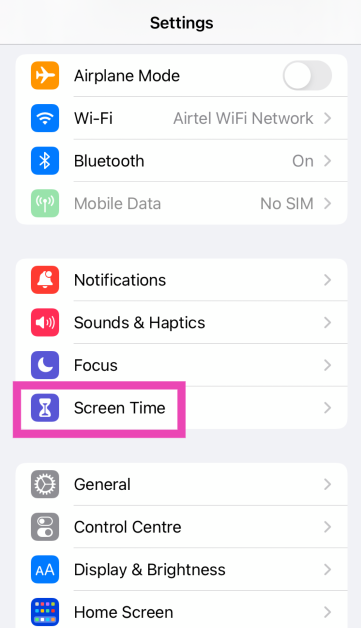 Step 2: Scroll down and select Content & Privacy Restrictions.
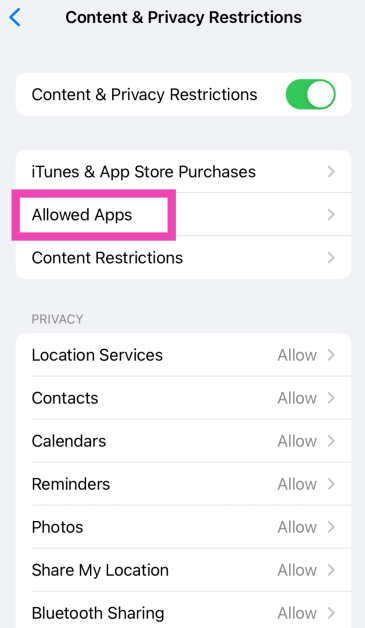
 Step 3: Tap on Allowed Apps.
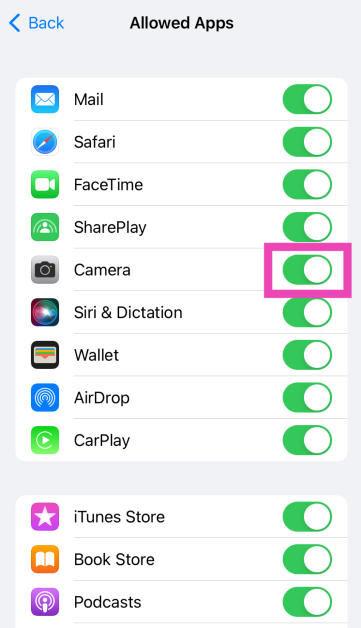
 Step 4: Make sure the toggle switch for Camera is turned on.
 If you’re using your iPhone to shoot videos under direct sunlight, it can warm up very quickly. The overheating can cause the camera app to stop working. In this scenario, you’re iPhone gives you an overheating warning to let you know it is shutting down the camera app. Rest your iPhone and let it cool down before starting the camera app again.


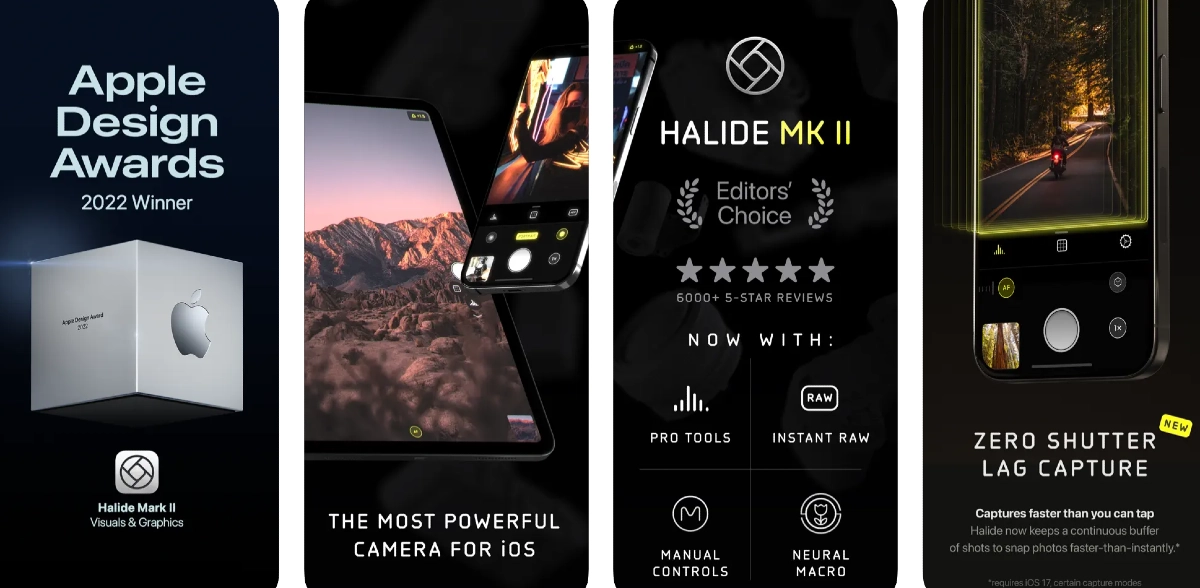 Sometimes, the native camera app on your iPhone can start malfunctioning out of the blue. This may lead you to believe that there’s something wrong with the camera module, when in reality it is a software issue. This problem can be resolved by updating your iPhone’s software, but in case it doesn’t work, try using a third-party camera app like
  If one of the camera lenses on your iPhone is damaged, it can cause the viewfinder in the Camera app to black out. Take off the cover of your iPhone and inspect the lenses for any cracks or other kinds of damage. Put it under a light source to check if there are any cracks under the glass cover.
 Step 2:
 Step 3:
 Step 4:
 Step 5:





![How to Restore Deleted WhatsApp Messages without Backup? [Both Android and iOS]](https://www.gadgetbridge.com/wp-content/uploads/2023/02/Whatsapp-768x402.jpg "How to Restore Deleted WhatsApp Messages without Backup? [Both Android and iOS]")
 Step 2. Connect your iOS device using the USB cable and click the “Start Scan” option.
Step 3. Once the program detects your mobile, it will start scanning the device and will show you some options on the screen.
Step 2. Connect your iOS device using the USB cable and click the “Start Scan” option.
Step 3. Once the program detects your mobile, it will start scanning the device and will show you some options on the screen. Step 4. Choose the data which you want to recover. You can also click the Preview option to check the files.
 Step 5. Once done, click the “Recover” option, and you are good to go. The program will recover WhatsApp data successfully.
 Step 2. Next, connect your Android device using the USB cable. Make sure you have enabled USB debugging on your mobile.
Step 3. Once the program detects your mobile device, click the “Start” option to continue the process.
Step 4. Soon the program will start scanning your phone to find the lost WhatsApp data. Once the process is done, choose the WhatsApp data that you want to recover and hit the “Recover” option.
Step 2. Next, connect your Android device using the USB cable. Make sure you have enabled USB debugging on your mobile.
Step 3. Once the program detects your mobile device, click the “Start” option to continue the process.
Step 4. Soon the program will start scanning your phone to find the lost WhatsApp data. Once the process is done, choose the WhatsApp data that you want to recover and hit the “Recover” option.
 Step 5. Soon the program will start recovering your WhatsApp data. Make sure your mobile is connected during the process.
 Step 3:
 Step 4:
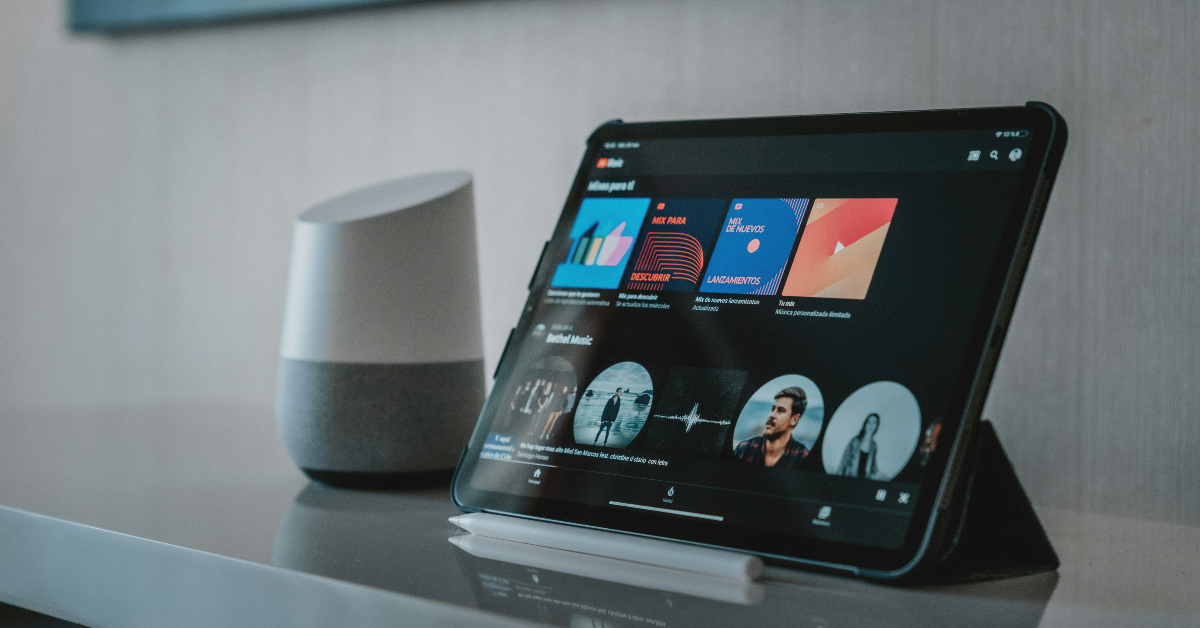 The YouTube Music app uses a similar algorithm to identify songs playing in your vicinity. Here’s how you can use it.
Step 1: Launch the YouTube Music app on your smartphone.
Step 2: Hit the search icon at the top right corner of the screen.
Step 3: Tap the wavelength symbol at the top right corner of the screen.
Step 4: Hum the song for 20-30 seconds.
Step 5: Google’s AI algorithm will look up the song that matches the melody. The song title along with the artist name, album name, and release year will appear on the screen.
Step 6: You can choose to play the song or add it to your playlist. If this is not the song you were looking for, tap the waveform symbol at the bottom of the screen to perform another search.
The YouTube Music app uses a similar algorithm to identify songs playing in your vicinity. Here’s how you can use it.
Step 1: Launch the YouTube Music app on your smartphone.
Step 2: Hit the search icon at the top right corner of the screen.
Step 3: Tap the wavelength symbol at the top right corner of the screen.
Step 4: Hum the song for 20-30 seconds.
Step 5: Google’s AI algorithm will look up the song that matches the melody. The song title along with the artist name, album name, and release year will appear on the screen.
Step 6: You can choose to play the song or add it to your playlist. If this is not the song you were looking for, tap the waveform symbol at the bottom of the screen to perform another search.

 Step 2:
 Step 3:
 Step 4: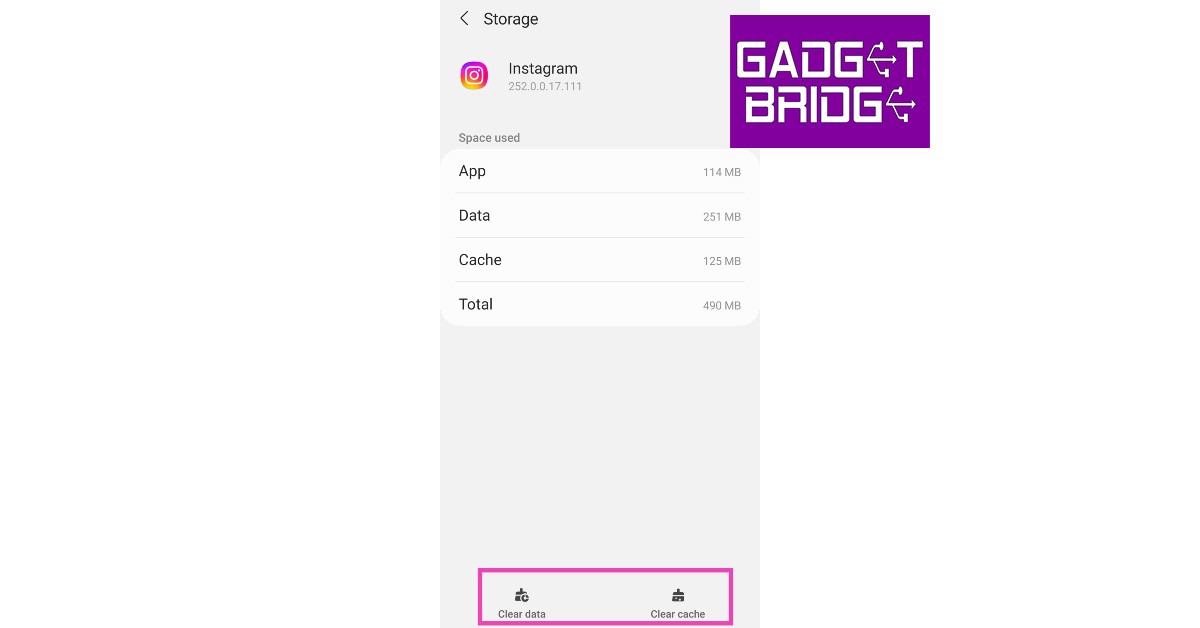
 Step 2:
 Step 4:
 Step 5:
 Step 2:
 Step 3:
 Step 4:
 Step 5:
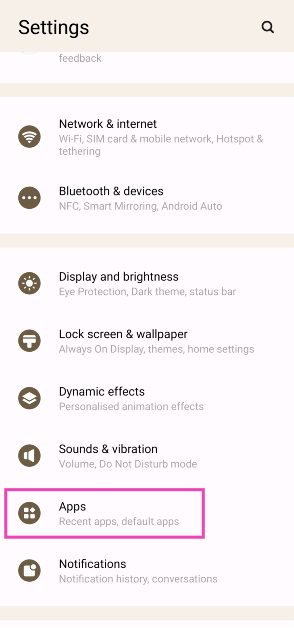 Step 2: Select Instagram.
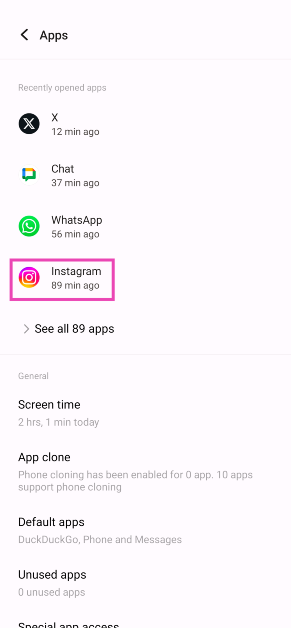 Step 3: Tap on Mobile data and WiFi.
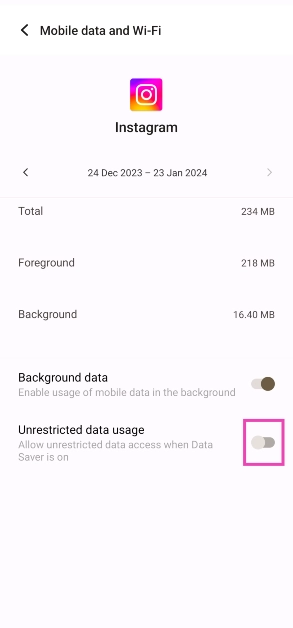
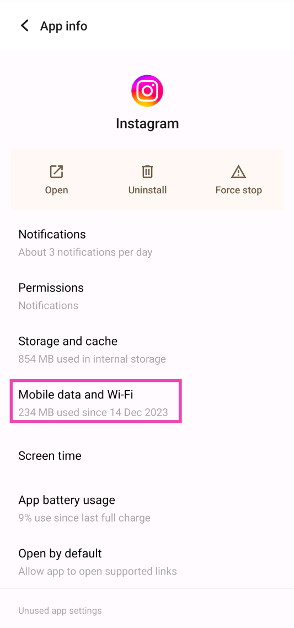 Step 4: Turn on the toggle switch for Unrestricted data usage.
 Any account-related issues can be fixed by logging out of the Instagram app and logging back in. Go to your profile, open the hamburger menu, and select the Log Out option from Settings. Log back into Instagram using your email, phone number, or Instagram handle.
 Instagram Lite is a faster, stripped-down version of Instagram that covers all the essential features of the app. If the main Instagram app isn’t able to load images due to network and connectivity issues, switch to Instagram Lite for smooth and fast browsing. Instagram Lite occupies less space on your phone on top of using minimal data. The app is available on the Google Play Store.
 Older versions of the Instagram app may contain bugs that cause glitches and unwanted errors. These bugs are quickly resolved in the following updates. If you haven’t updated the Instagram app in a long time, go to
  If the VPN server you are currently connected to is experiencing an outage, Instagram won’t load pictures on your device. To fix this, connect to a different server or disable the VPN service entirely. Go to Settings>Connection>More Connection Settings>VPN or disconnect from the connected server after launching the VPN app from your phone’s home page.

 Step 3:
 Step 4:
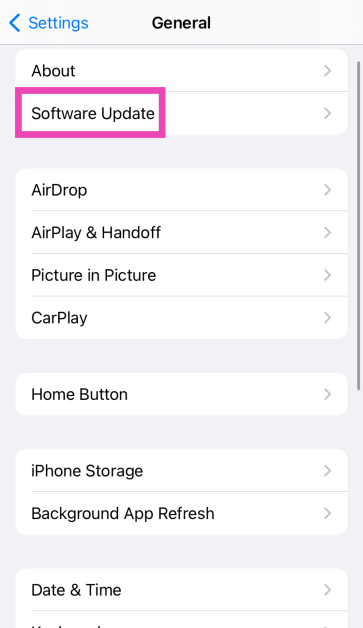
 Step 3: Select Software Update.
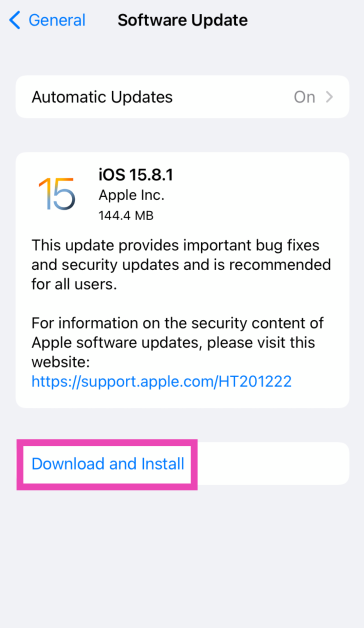
 Step 4: Tap on Download and Install.
 You should also know that when you reset your phone to factory settings, there may be cases when your