Apple, a company based in Cupertino, introduced the newest iPhone 15 series devices yesterday in India and across the globe. The Apple iPhone 15 series’ predecessor is currently being offered at a lower price in India following the debut. Devices like the iPhone 13 and iPhone 12 are also getting a price reduction in addition to the iPhone 14 and iPhone 14 Plus.Shortly after the launch of the new iPhone 15 series, Apple reduced the price of the older iPhone models. The prices of the iPhone 14, iPhone 14 Plus, and iPhone 13 have decreased in India. In addition to the iPhone 14 and iPhone 14 Plus, other handsets like the iPhone 13 and iPhone 12 are also getting a price cut. The base 128GB storage edition of the iPhone 14 now costs Rs 69,900 in India, Rs 10,000 down from its launch price of Rs 79,900.The iPhone 14 Plus, which cost Rs 89,900 when it was first introduced in India, is currently offered on Apple’s website for Rs 79,900. Additionally, Apple will give up to Rs 67,800 off when you trade in an outdated smartphone for an iPhone 14 series model.The 6.1-inch Super Retina XDR OLED screen of the Apple iPhone 14 has a wide colour gamut, HDR, and 1200 nits of brightness. The display supports a 60Hz refresh rate and has a pixel density of 460 ppi. A durable Ceramic Shield front cover that is resistant to dust and water protects the front panel. The IP68-certified iPhone 14 is water- and dust-resistant and has Face ID. It has an internal storage capacity of up to 512GB and an Apple A15 Bionic SoC. The device is powered by iOS 16.Also Read:iPhone 15 Series with Type C port for charging launched, We will miss you, the lightning cableThe dual rear camera configuration on the iPhone 14 has two 12MP cameras: a primary wide-angle sensor with a larger f/1.5 aperture and sensor-shift OIS, and a secondary ultra-wide-angle sensor with the same specifications. The Ultra Wide camera offers a unique perspective for bigger views and uses Photonic Engine to improve low-light photographs. The front camera is a 12MP sensor with autofocus for selfies and video calls.While all is going on, the price of the iPhone 13 in India has also dropped to Rs 59,900. This iPhone was initially selling for 79,900 but it was reduced to Rs 69,900 after iPhone 14 launch. In addition to this, the device is eligible to get the same exchange benefits as they can on its replacement. iPhone 13 was launched in India two years back. The iPhone 12 has already been discontinued and is currently selling at a huge discount. The 6.1-inch Super Retina XDR display is included with the iPhone 13. The A15 Bionic chipset is found within. The diagonal rear camera arrangement on the iPhone has two 12-megapixel cameras with support for 4K Dolby Vision HDR. A 12-megapixel TrueDepth selfie camera is also present on the front.
For the latest gadget and tech news, and gadget reviews, follow us on Twitter, Facebook and Instagram. For newest tech & gadget videos subscribe to our YouTube Channel. You can also stay up to date using the Gadget Bridge Android App. You can find the latest car and bike news here.
Apple unveiled the new iPhone 15 Series at its ‘Wonderlust’ event yesterday. The new iPhone 15 marks the debut of the USB Type-C port on the iPhone. It also gets a new customisable action button that can be used to trigger different apps and functions. To know more about the newest iPhone, check out this article. Apple will begin shipping the iPhone 15 from September 22. If you have preordered your model already, check out this list of the top 10 apps for the iPhone 15 Series.Read Also:How to create a custom icon for an Android app?
In This Article
WhatsApp
Being the most popular instant messaging app in the world, it is no surprise that WhatsApp grabs the top spot on this list. Its cross-platform compatibility bridges the Android-iOS divide and facilitates seamless conversations, audio and video calls, photo sharing, and more. With end-to-end encryption and a special ‘chat lock’ feature, your conversations are always secure on WhatsApp. The Meta-owned instant messenger recently added video messages and screen sharing to its list of features.
Cloze Relationship Manager
Cloze Relationship Manager curates a social media feed just for you, pulling posts from Twitter, Facebook, and your email accounts. Forgot to respond to an important email? Cloze will remind you just in time. If the important people in your network keep getting excluded from the algorithm-driven feed on Facebook, Twitter, or Instagram, you need to check out Cloze. With AI integration, Cloze learns which people in your network are close to you and presents a brief timeline of their social media posts and their interaction with you (including emails, calls, and messages). Using Cloze, you can also create a team project and track it all the way to completion.
Procreate Pocket
Procreate is one of the best graphic designing and sketching apps for iPad out there, and the go-to app for professional artists across the world. The ‘Pocket’ version of Procreate designed for iPhone is just as good. The list of features offered by Procreate Pocket is exhaustive. There are hundreds of brushes for users to choose from. These brushes are neatly organised into different sets for painting, sketching, and drawing, making it easier for the artist to go through them. The Ultra HD canvases ensure your art is packed with detail. If you want a well-rounded sketching and designing app for your new iPhone 15, look no further than Procreate Pocket.
Heads Up!
Heads Up puts a little twist on charades, making it more interactive and fun. Holding your iPhone above your forehead unveils a card on the screen that is visible to your friends. You then have to guess what’s on your card based on the clues that your friends give you. Heads Up has over 40 themed decks that are divided into categories like celebrities, movies, animals, superheroes, and more!
Canva
Canva is one of our favourite apps for iPhone and an essential one for you if you like to dabble in photo or video editing. Canva handles basic photo editing tasks like colour correction, brightness adjustment, background removal, collage creation, and more with absolute ease. With presets for all the major social media platforms, you can create amazing content for your Stories, Facebook cover, Twitter banner, YouTube thumbnail, and more.
Photomath
Photomath makes Mathematics more fun by offering step-wise solutions to your problems and using relevant visuals to explain the problem. Stuck on a complicated problem? Simply scan the text using the Photomath app. Photomath has a tremendous library that has been curated with the help of the world’s best math teachers. Not only does Photomath provide solutions to your problems, but it also explains the ‘hows’ and ‘whys’ throughout the problem-solving process.
Letterboxd
The only thing better than watching movies is talking about them. Letterboxd is a social media network for film enthusiasts to log their viewing activity, get suggestions, and connect with other like-minded people. Letterboxd allows you to log films with the date of viewing, review, and tags. You can go through different movie titles and view everything there is to know about them. Watched an intriguing movie recently? Go to its Letterboxd page to see what others are saying about it.
1Blocker
Everyone hates pesky advertisements and intrusive trackers. The solution is as simple as flicking a switch. The 1Blocker app works in conjunction with the Safari app on your iPhone to weed out all the ads and tracking cookies from your web browsing experience. 1Blocker provides the necessary filters to Safari to block unwanted content. For those who care about their online privacy, 1Blocker is an essential app.
Microsoft SwiftKey
You may be happy with the native Apple keyboard on your iPhone, but with AI integration, Microsoft SwiftKey has completely changed the game for good. Microsoft’s online keyboard learns your writing style and provides improved predictive text suggestions based on it. If you’re constantly bothered by autocorrect ruining a perfectly good word, you won’t have to deal with that issue anymore. You can also use the AI chops of this keyboard to change the conversational tone of your texts. Certainly one of the best apps you can download on your new iPhone 15.
Pocket
Ending this list is one of our favourite apps for iPhone – Pocket. With this app, you can quickly save any articles, videos, podcast episodes, and even social media posts to view later. Pocket comes in extremely handy when you don’t have the time to read an interesting article or watch a video that you just came across. Instead of scrolling past the content, you can quickly save it in the Pocket app and return to it later. Pocket also has a native article reader if you want to go hands-free.Read Also:iQOO Z7 Pro 5G Review: The best smartphone under Rs 25,000?
If you’re a typical iPhone user, there probably are some apps on your phone that you don’t use anymore. Every once in a while, it is suggested that you go through the apps on your iPhone and delete the ones you don’t use anymore. This helps in managing your device’s storage. Often times users report that they are unable to uninstall an app from their device. There are a few steps you can take to get out of this situation. Today, we bring you the top 8 fixes to the ‘Can’t delete apps’ issue on your iPhone.Read Also:How to create a custom icon for an Android app?
In This Article
Why can’t I delete apps on my iPhone?
Any third-party app that you download on your iPhone can be deleted either from the home page, app drawer, device settings, or the App Store. If you’re unable to delete an app, it could be due to Content & Privacy Restrictions imposed by your iPhone. We’ll get into how you can disable these restrictions later in the article.
You should also know that there are certain native apps on your iPhone that cannot be deleted. This doesn’t apply to all the native apps, but the ones who are essential to your iPhone’s functioning. Here is the list of ‘undeletable’ apps:
Phone
Messages
Photos
Camera
Settings
App Store
Health
Find My
Clock
Restart your iPhone
Restarting your iPhone will fix any background issues or software glitches that may be responsible for this problem. To restart your iPhone, simply press one of the volume buttons along with the side key until the power slider appears on the screen. Drag the power slider to the right to turn off your iPhone. Power the phone back on by pressing and holding the side key. Side key not working? Read this article to learn how to restart your iPhone without using physical buttons.
Make sure deleting apps on your iPhone is allowed
If you aren’t able to delete apps on your iPhone, check out the Content & Policy Restrictions to see if removing apps is allowed.Step 1: Go to Settings and select Screen Time.Step 2: Tap on Content & Privacy Restrictions.Step 3: Select iTunes & App Store Purchases.Step 4: Tap on Deleting Apps and select Allow.
Disable Content & Privacy Restrictions
Step 1: Go to Settings and select Screen Time.Step 2: Tap on Content & Privacy Restrictions.Step 3:Turn off the toggle switch for Content & Privacy Restrictions.
Re-login using your Apple ID
The apps you download on your iPhone are linked to your Apple account. Any issues with your account can lead to certain app malfunctions. One of the easiest ways to fix this issue is by logging out of your Apple ID and then logging back in. Here’s how you can go about it.Step 1: Go to Settings and tap on your name.Step 2: Scroll down and select Sign Out.Step 3: Tap on the Sign Out option at the top right corner of the screen.Step 4: Once you have been logged out, sign back in using your Apple ID.
Delete apps on your iPhone from the App Store
Step 1: Launch the App Store on your iPhone and tap the profile icon at the top right corner of the screen.Step 2:Scroll down to the app you want to uninstall from your device.Step 3:Swipe left on the app to reveal the Delete option.Step 4: Tap on Delete and confirm your selection in the popup box.
Delete apps from iPhone Settings
Step 1: Go to Settings and select General.Step 2: Tap on iPhoneStorage.Step 3:Scroll down and select the app you want to uninstall.Step 4: Hit Delete App.
Update the iOS version
If you’re facing any app-related issues on your iPhone, chances are they have already been weeded out with a software update. It is recommended that you keep your phone’s software updated to the latest version. Here’s how you can go about it.Step 1: Make sure your iPhone is connected to a WiFi network and plug in its charger.Step 2: Go to Settings and select General.Step 3: Select Software Update.Step 4: Tap on Download and Install.
Reset All Settings
Step 1: Go to Settings and select General.
Step 2: Tap on Transfer or Reset Device.
Step 3: Hit Reset.
Step 4: Select Reset All Settings.
Frequently Asked Questions (FAQs)
Why is my iPhone not letting me delete apps?
The native apps on your iPhone cannot be deleted. If you’re not able to delete the third-party apps on your iPhone, your Apple ID is likely to blame. Log out and log back in to fix this issue. Also make sure that you have disabled ‘Content and Privacy Restrictions’ on your iPhone.
Why can’t I delete apps from the Apple Library on my iPhone?
It is possible that your iPhone’s Content and Privacy Restrictions don’t allow you to delete any apps from your device. To fix this, go to Settings>Screen Time>Content and Privacy Restrictions>Deleting Apps>Allow.
How do I delete an app that won’t delete?
You cannot delete some of the native apps on your iPhone. This includes apps like Phone, Messages, Photos, etc. However, if you’re an Android user, you can delete the bloatware apps on your phone using ADB.
Does offloading an app free up space?
Yes, offloading an app frees up the space on your device while also preserving your data on the app. Go to Settings>General>iPhone Storage>App>Offload App to offload an app.Read Also:iQOO Z7 Pro 5G Review: The best smartphone under Rs 25,000?
Conclusion
These are the top 8 ways you can fix the ‘can’t delete apps’ issue on your iPhone. If these fixes don’t work for you, try performing a factory reset on your iPhone. But before you do, make sure all your personal data is backed up. If you found this article helpful, let us know in the comments!
The AirPods Pro, which launched last year, will no longer have a wired charging connector. At Apple Wonderlust Event the company announced the new AirPods Pro (2nd generation) with MagSafe Charging (USB‑C). The latest TWS earphones from the company now offer better sound quality and up to twice as much active noise cancellation as their predecessor. All AirPods Pro (2nd generation) now support new audio features like Adaptive Audio and Conversation Awareness with iOS 17.1. In addition to this, the AirPods Pro case may be charged from an iPhone 15 using a USB-C connection as well.
In This Article
AirPods Pro (2nd generation) Price in India and availability
AirPods Pro (2nd generation) with MagSafe Charging Case (USB‐C) has been launched in India with a price tag of Rs 24,900. Whereas the EarPods (USB‐C) will be available to order today for Rs 2000.Ordering for the AirPods Pro (2nd generation) with MagSafe Charging Case (USB-C) is now live, and the devices will go on sale in stores on September 22 in India and more than 30 other countries and regions.
AirPods Pro (2nd generation) features, specifications
The AirPods Pro (2nd generation) now comes with a MagSafe Charging Case (USB‐C). The redesigned AirPods Pro feature a USB-C connector, making it simple to charge your Mac, iPad, AirPods, and iPhone 15 series with just one cable. As per the company, Users may even immediately charge AirPods with the USB-C-equipped iPhone 15, iPhone 15 Plus, iPhone 15 Pro, and iPhone 15 Pro Max.In addition to replacing the charging port, the company has also upgraded the casing and earbuds with dust protection. Previously it was only IPX4 rated therefore protecting water and splashes but they are now both rated IP54 offering resistance against dust and water.In terms of sound quality, the new headphone now comes with a lot of improvement over the prior iteration. The active noise cancellation (ANC) has been enhanced too. The noise control is adjusted in this new listening mode, which dynamically combines Transparency mode and Active Noise Cancellation, according to the noise environment of the user. Users may keep aware of their surroundings while distracting noises are decreased. Moreover, Conversation Awareness assists in lowering content volume, enhancing the voices in front of the user, and reducing background noise when a user starts speaking to someone nearby, whether they are buying lunch at a cafe or having a brief conversation with a coworker.According to Apple when the brand new AirPods Pro (2nd generation) can also be used with the Vision Pro, the USB-C enclosure may be used for low-latency lossless music. “When Apple Vision Pro is available early next year in the U.S., customers will be able to enjoy the most advanced wireless audio experience in the industry with the new AirPods Pro for exceptional entertainment, gaming, FaceTime calls, and so much more,” the company noted. Additionally, useful conveniences include enhanced volume control, hands-free access to Siri, and easy switching between iCloud-connected devices. For the latest gadget and tech news, and gadget reviews, follow us on Twitter, Facebook and Instagram. For the newest tech & gadget videos subscribe to our YouTube Channel. You can also stay up to date using the Gadget Bridge Android App. You can find the latest car and bike news here.
Last night at the Apple Wonderlust Event the tech giant unveiled iPhone 15 series, Apple Watch Series 9, and Apple Watch Ultra 2. In addition to this, it also made official the release dates for iOS 17, watchOS 10, iPadOS 17 and macOS Sonoma. In this article, we have mentioned the release date and the compatible devices which are eligible to get the latest software update.Apple unveiled the new iPhone 15, iPhone 15 Pro, and Apple Watch Series 9 at its iPhone event. At the WWDC 2023 in June of this year, Apple unveiled iOS 17, iPadOS 17, macOS Sonoma, watchOS 10, and tvOS 17. Now the firm has officially confirmed the dates for the newest operating systems (OS).At the Apple Event company also revealed that iOS 17 and iPadOS 17 for the iPhone and iPad will be made available as a free software upgrade next week, on Monday, September 18.Also Read:iPhone 15 Series with Type C port for charging launched, We will miss you, the lightning cable
Which devices are upgradeable and will be compatible?
According to the company, iOS17 will be made available for the following devices: iPhone 14, iPhone 14 Plus, iPhone 14 Pro, iPhone 14 Pro Max, iPhone 13, iPhone 13 mini, iPhone 13 Pro, iPhone 13 Pro Max, iPhone 12, iPhone 12 mini, iPhone 12 Pro, iPhone 12 Pro Max, iPhone 11, iPhone 11 Pro, iPhone 11 Pro Max, iPhone XS, iPhone XS Max, iPhone XR, iPhone SE (2nd gen or later).Also Read:Apple Watch Series 9, Watch Ultra 2, and Watch SE unveiled at Apple’s ‘Wonderlust’ EventWhile iPadOS 17 will work with iPad (6th generation and later), iPad mini (5th generation and later), iPad Air (3rd generation and later), 12.9-inch iPad Pro (2nd generation and later), 10.5-inch iPad Pro, and 11-inch iPad Pro (1st generation and after), it will not work with earlier models.On September 18, watchOS 10 will be accessible for Apple Watch Series 4 and later when connected to an iPhone Xs or later running iOS 17.macOS Sonoma on the other hand will be released to all compatible Mac computers starting September 26.
For the latest gadget and tech news, and gadget reviews, follow us on Twitter, Facebook and Instagram. For newest tech & gadget videos subscribe to our YouTube Channel. You can also stay up to date using the Gadget Bridge Android App. You can find the latest car and bike news here.
After being banned for nearly ten months, Battleground Mobile India, aka BGMI, is officially available again in India. BGMI fans are looking for ways to improve their game experience and one such method is the usage of redemption codes, which offers a variety of rewards and advantages using BGMI redeem codes players can gain access to new skins, outfits, loot crates, weapons and free UC and diamonds.As mentioned earlier, these codes give users the chance to earn unique rewards and gain extra benefits while playing the game. This includes GUN SKINS (M4, AKM, M416, AWM, M24, UZI, KAR98K), free character voucher, Andy, Carlo, Sara, Victor character for free, free Anna Character on completing the mission and UC or Royal Pass Discount. So here we have gathered a list of the most recent BGMI redeem codes as of 13 September 2023. Also, redeem these codes asap as these are only valid for a limited duration.
In This Article
BGMI Redeem Codes for 13 September2023
updating soon…
How to get free Redeem Codes for BGMI on 13 September2023?
Launch BGMI on your device.
Then select the Redeem Code option from the main menu.
Next, click on the Redeem code tab.
A new window will open, requesting the redemption code.
Now enter your BGMI code.
Confirm and click on the “Redeem” tab.
If your redeem code is valid then you will get a message confirming that your rewards were successfully redeemed.
Garena Free Fire is a battle royale game with regular awards and tournaments to keep players interested. If you play Garena Free Fire, you should be aware of the redeem codes that are released on a daily basis. However, because the battle royale game is banned in India, players from other countries can use the Free Fire Redeem codes daily. If you’re unfamiliar with the Garena Free Fire redeem codes or don’t know how to get them, we’ve put together a step-by-step guide to help you redeem them. Check out Garena Free Fire Redeem Codes for 13 September 2023.The Free Fire redeem codes are a great way to get free stuff. These are 12-digit codes that contain alphabets and numbers, as well as an expiration date and time. Because the Garena FF redeem codes cannot be used more than once, you should hurry to the redemption page to claim your free reward before someone else does. To get a free reward, all you have to do is go to reward.ff.garena.com/en, which is the official redemption page. Also, keep an eye on this space for daily updates on Garena Free Fire redemption codes and rewards.
In This Article
Garena Free Fire Redeem Codes Today 13 September2023
FEICJGW9NKYT
KEYVGQC3CT8Q
FVRTNJ45IT8U
F4BHK6LYOU9I
F767T1BE456Y
FFCMCPSJ99S3
BR43FMAPYEZZ
FF7MJ31CXKRG
FFPO8BS5JW2D
PJNF5CQBAJLK
F7AC2YXE6RF2
FHLOYFDHE34G
FFCMCPSEN5MX
HNC95435FAGJ
6KWMFJVMQQYG
FFCMCPSUYUY7E
MCPW3D28VZD6
EYH2W3XK8UPG
XGW4FNK7ATON
67IBBMSL7AK8G
XZJZE25WEFJJ
V427K98RUCHZ
MCPW2D1U3XA3
FFAC2YXE6RF2
FAGTFQRDE1XCF
FFCMCPSBN9CU
NPYFATT3HGSQ
FFCMCPSGC9XZ
MCPW2D2WKWF2
ZZZ76NT3PDSH
How to Get Free Fire Redeem Codes for Garena on 13 September2023?
Today we saw the introduction of the most recent iPhones from Cupertino-based technology behemoth Apple. The iPhone 15, iPhone 15 Plus, iPhone 15 Pro, and iPhone 15 Pro Max make up the new lineup for the firm. In that sequence, the devices take the place of the iPhone 14, iPhone 14 Plus, iPhone 14 Pro, and iPhone 14 Pro Max. The four most recent iPhone models’ costs, availability details, and features are given below:The iPhone 15 will be available in black, pink, yellow, green, and blue. The screen of the iPhone 15 is shielded by a Ceramic Shield that has been polished using nano crystalline particles. Aluminium from recycled sources makes up 75% of the iPhone 15’s casing, while the battery is made of 100% recycled cobalt for the first time.As opposed to earlier models, which were built of stainless steel, the iPhone 15 Pro and iPhone 15 Pro Max now have a titanium chassis, which means the device will be stronger and lighter.In place of the controversial Notch on the standard iPhone 15 models this year, Apple replaced it with the Dynamic Island found on the iPhone 14 Pro models from the previous year. Also Read:Apple Watch Series 9, Watch Ultra 2, and Watch SE unveiled at Apple’s ‘Wonderlust’ EventAdditionally, the dynamic island notch will be used in the base model. The original mute switch has been replaced with a new, customizable “Action Button” similar to the Apple Watch Ultra that was launched last year.iPhone 15 and iPhone 15 PlusA Dolby Vision-capable OLED Super Retina XDR screen is featured on the iPhone 15. Peak HDR brightness is higher than before, reaching 1,600 nits. The peak brightness for the phone’s display is 2,000 nits. The screen size of the iPhone 15 is 6.1 inches, while that of the iPhone 15 Plus is 6.7 inches. The iPhone 15 Pro model has a 6.1-inch display and a Grade 5 titanium chassis (an alloy having stronger tensile strength than pure titanium), whilst the iPhone 15 Pro Max has a larger 6.7-inch display.iPhone 15 Pro and iPhone 15 Pro PlusThe Apple iPhone 15 will have the same CPU as the iPhone 14 Pro models. The newest Bionic A17 Pro processor from Apple will power the iPhone 15 Pro and iPhone 15 Pro Max models.The new A17 Pro, according to Apple, has a revolutionary architecture that supports 35 trillion operations per second and increased GPU performance with ray tracing. Apple claims that the phone also has a USB controller with USB 3 capability for up to 10 gigabit transfer rates. In order to perform better and more quickly in areas like streaming, always-on display, and other things, A17 Pro contains dedicated engines including the ProRes codec, display engine, and AV1 decoder.The 48-megapixel primary rear sensor on the iPhone 15 and iPhone 15 Plus will have 2x telephoto zoom, which is a major upgrade over the 12-megapixel primary sensor on the iPhone 14 and iPhone 14 Plus. A second 12-megapixel sensor with an f/2.4 aperture and an ultra-wide angle lens is also present. There is a 12-megapixel TrueDepth selfie camera on the frontTo balance capturing detail and light, you can decide whether to take high-resolution 48-MP pictures or to bin them for 24-MP pictures. Additionally, it will introduce an enhanced portrait mode for an enhanced bokeh mode, which will utilise machine learning to automatically activate portrait mode while taking pictures of people and animals. Therefore, you no longer need to use Portrait mode in order to view bokeh effects. A new telephoto zoom option was added. The business says it’s like having a third camera. With optical fidelity, this software telephoto mode offers a 2x zoom.The 48-megapixel Sony IMX803 primary rear sensor, a 12.7-megapixel sensor with a telephoto lens and an aperture of f/2.8, a 12-megapixel sensor with an ultra-wide-angle lens and a 12-megapixel sensor with a telephoto lens are all new features for the iPhone 15 Pro and iPhone 15 Pro Max models. A new periscope camera with improved optical zoom performance has been included as a significant update to the Pro Max variant.The 48-MP main camera of the iPhone 15 Pro is more advanced and has a new coating that lessens lens flare. It will support more focal lengths and perform better in low light. It still makes use of a quad-pixel sensor, which allows for 48-MP photos in ProRAW and HEIF. You will be able to photograph with focal lengths of 24 mm, 28 mm, and 35 mm. The portrait has not changed. The 12MP, 5x telephoto camera on the iPhone 15 Pro Max features a 120mm focal length and f/2.8 aperture. The size of a pixel is 1.12 microns. An anti-reflective coating, an improved night mode, and capability for macro photography are all features of the ultra-wide camera.MagSafe is featured on the iPhone 15. It will assist with Qi 2 charging. The Lightning cable will no longer be available on the new iPhones. In addition, there is no longer any scurrying around to find the Apple charger.The second-generation ultra-wideband chip (UWB) is another feature of the latest iPhones. According to Apple, you may even use it to locate your buddies in a congested area. This year, the satellite communication service will be enhanced with AAA integration in the US and expanded to new nations.
Apple has taken the wraps off the new Apple Watch Series 9. The announcement came at the company’s ‘Wonderlust’ event today. The Watch Series 9 gets the new S9 SiP. A new ‘Double Tap’ feature has also been added to the Apple Watch. Users can now control certain functions of the watch by simply tapping their thumb and index finger twice. The Cupertino tech giant also unveiled the new Apple Watch Ultra 2 and Apple Watch SE.Read Also:Lava Blaze 2 Pro with 5,000mAh battery launched in India
In This Article
Apple Watch Series 9: Specs, Price, and Availability
The new S9 chip on the Apple Watch Series 9 allows it to carry out all Siri operations on the device itself. Siri requests no longer need to be relayed through the cloud, resulting in a faster response time. Users can also use the voice assistant to access their health stats or log their health data. The new ‘Double Tap’ feature on the Watch Series 9 is triggered by tapping the thumb and index finger twice. It can be used to answer or hang up a call, pause or play media, stop a timer, snooze an alarm, take a remote picture, open Smart Stack widgets and scroll through them. ‘Double Tap’ uses the new Neural Engine in Watch Series 9 to process data from the accelerometer, gyroscope, and optical heart sensor.Apple Watch Series 9 can now reach a peak brightness of 2,000 nits, which is double that of its predecessor. In low light conditions, the watch display can dial down to 1 nit. The new Ultra Wideband (UWB) chip on the S9 SiP allows users to precisely locate their missing iPhones by giving out directions, distance, and audio, visual & haptic feedback.Prices for the Apple Watch Series 9 start at Rs 41,900. It is available in two size variants – 41mm and 45mm. Users can preorder the watch online from today. Shipping will start on September 22.
Apple Watch Ultra 2: Specs, Price, and Availability
The new Apple Watch Ultra 2 uses the same S9 SiP as the Watch Series 9. Apple claims that its rugged smartwatch is now 100% carbon neutral. The Watch Ultra 2 can reach a peak brightness of 3,000 nits, which is 1,000 nits higher than the Watch Series 9. On top of all the new features of the Watch Series 9, the Apple Watch Ultra 2 also gets a larger battery that can last up to 36 hours, a customisable action button, water resistance up to 40 metres, and a new Modular Ultra Watch face. In low-power mode, the Watch Ultra 2 can last up to 72 hours.Apple Watch Ultra 2 has been priced at Rs 89,900. Apple has started accepting preorders from today. The company will start shipping the watch from September 22.
Apple Watch SE: Specs, Price, and Availability
Apple’s affordable smartwatch, Apple Watch SE, is available in two sizes – 40mm and 44mm. It gets features like activity tracking, heart rate notifications, fall detection, Emergency SOS, crash detection, and more. It runs the new watchOS 10. Prices for Apple Watch SE start at Rs 29,900. Read Also:Sony India launched Bravia XR Master Series OLED TVs in IndiaAlongside releasing their new smartwatch lineup at the ‘Wonderlust’ event, Apple also unveiled the new iPhone 15 Series. The company also announced that it will no longer use leather in any Apple product, including watch bands. Certain case and band combinations of Apple Watch Series 9, Watch Ultra 2, and Watch SE happen to be the company’s first carbon-neutral products.For the latest gadget and tech news, and gadget reviews, follow us on Twitter, Facebook and Instagram. For newest tech & gadget videos subscribe to our YouTube Channel. You can also stay up to date using the Gadget Bridge Android App. You can find the latest car and bike news here.
One of the great things about using an Android phone is having a great deal of control over how your home screen looks. If you want your phone to stand out from the rest, there are numerous themes and icon packs you can use to personalise your device. While most icon packs cover all the major apps on the Google Play Store, it can be tedious to find a custom icon for a nice app. Even a single out-of-place app icon on the home screen can throw off the aesthetic you are going for. But there is a solution to this issue. In this article, we show you how to create a custom icon for an Android app.Read Also:Sony India launches Bravia XR Master Series OLED TVs in India
In This Article
Create a custom icon for an Android app using Shortcut Maker
Step 1:Install the Shortcut Maker app on your phone.Step 2: Launch the Shortcut Maker app and select Apps.Step 3: Now, select the app for which you want to create a custom icon.Step 4: Tap on Icons and select an image from your device’s gallery. You can also set a text/emoji icon or choose a system icon.Step 5:Crop the image to match the dimensions of the icon. Hit the tick icon at the top right corner of the screen when you’re done.Step 6: Switch to the Style tab to select a shape for the icon.Step 7: Use the zoom slider to further adjust the icon.Step 8: Hit the tick icon at the top right corner of the screen once you’re done.Step 9: Tap on Create Shortcut.Step 10: You can drag the icon to place it in the desired spot on the home screen or automatically add it next to the last app on the home screen.
Frequently Asked Questions (FAQs)
How do I create a custom app icon for Android?
You will need a third-party app like Shortcut Maker to create a custom app icon for Android. Launch the app and choose an image from your phone’s gallery to create an icon out of it.
Can you customise app icons on Android?
Yes, you can change the colour of the Android app icons to match the wallpaper. If an app refuses to budge, you can create a customised icon for it using a third-party app.
What happens when I delete a custom app icon on Android?
After launching the iQOO Z7 5G back in April, the Chinese smartphone manufacturer has added a new ‘Pro’ version to the lineup. Prices for the iQOO Z7 Pro start at Rs 23,999 for the 128GB storage variant. The 256GB variant fetches Rs 24,999. Both storage variants sport 8GB of RAM. The Z7 Pro gets some key upgrades over the regular model. It features a more powerful MediaTek Dimensity 7200 processor (compared to the MediaTek Dimensity 920 on the regular Z7) and a stunning curved AMOLED display. We’ve been using the smartphone for a week and going through the ins and outs of the device. Here is our iQOO Z7 Pro review.Read Also:Apple ‘Wonderlust’ Event, September 2023: What to expect?
In This Article
iQOO Z7 Pro 5G review: Design and Display
The iQOO Z7 Pro ships inside the signature black iQOO box. Inside, you’ll find the smartphone, a clear plastic case, a 67W power adapter, a USB Type-C cable, a quick start guide, and a warranty card. The smartphone is available in two colour options – Blue Lagoon and Graphite Matte.iQOO Z7 Pro’s design is inspired by the Vivo V27. Since iQOO is a subsidiary of Vivo, their products often share the same design language. However, unlike the V27, the Z7 Pro does not have a colour-changing back panel. We got our hands on the Blue Lagoon variant and it looks like a very summery shade of blue. The hue changes from a very light blue around the camera panel to a darker shade at the bottom.The glass back gets a nice matte texture which elevates the in-hand feel of the phone. The plastic frame gets a metal finish as well. The camera island on the black panel gets a large rectangle cutout which looks similar to the one on the V27. This camera island houses the main camera, a depth sensor, and the LED flash which iQOO/Vivo prefer to call ‘Aura Light’.The right side of the frame houses the volume rocker and the power key. The SIM card slot, primary microphone, USB Type-C port, and speaker grille are located on the bottom edge of the devices. Up top lies the secondary microphone and the left edge is entirely buttonless. The Z7 Pro does not get a secondary stereo speaker nor does it offer expandable storage.A glass back on a smartphone priced under Rs 25,000 is always a good thing, but it isn’t the only distinguishing factor on the Z7 Pro. The 6.78-inch curved AMOLED display feels just as premium. The minimal bezels surrounding this curved display become slightly more prominent at the vertical ends. The selfie camera is housed inside a punch-hole cutout. The under-display fingerprint scanner is quick and responsive but could have been placed a bit higher. Overall, iQOO Z7 Pro’s sleek form factor together with its glass back and curved display instantly makes it one of the more premium devices in its price bracket.Design and form factor aside, the AMOLED display on the Z7 Pro offers a very smooth touch response. It can reach a peak refresh rate of 120Hz, allowing a seamless browsing and gaming experience (more on that later). With a resolution of 2400 x 1080p and HDR10+ support, you can watch HD content across your favourite OTT and streaming apps. The video playback is smooth and the pictures are packed with a lot of detail. The contrast and colour richness are tuned pretty well. The range of viewing angles is also optimum. The only downside to the content-watching experience is the lack of a stereo speaker. While the lone speaker can reach a loud volume, the audio output is deprived of an adequate low end.
iQOO Z7 Pro 5G review: Performance and Cameras
As we mentioned earlier, the iQOO Z7 Pro sports a MediaTek Dimensity 7200 chipset under the hood. This is the same SoC that powers the Vivo V27 as well. The Z7 Pro gets 8GB of RAM and two internal storage options – 128GB and 256GB. Handling the OS duties is Android 13 along with Funtouch OS 13.On Geekbench 6, the iQOO Z7 Pro scored 1196 points on the single-core test and 2657 points on the multicore test. The smartphone handles basic tasks without breaking a sweat. Running multiple apps in the background presents no issues at all. Routine tasks like messaging, calling, content streaming, and social media browsing are managed perfectly. The haptics could use some tuning, but the display’s touch response is very good. Browsing through different apps and web pages is snappy and fun.iQOO Z7 Pro’s gaming chops make it a well-rounded smartphone in its price category. It features a 30cm² vapor chamber for efficient liquid cooling. This vapor chamber can cool the smartphone by 1.6°C further than a regular cooling chamber. An instant touch sampling rate of 1200Hz while gaming ensures that every subtle touch gets registered and relayed in no time. We played Call of Duty Mobile at the highest graphics and did not experience any frame drops or unwanted lags. The smartphone started to heat up after 30-40 minutes of continuous gaming, but the performance did not take a huge hit.Talking about the OS, our biggest gripe with Funtouch 13 is the amount of bloatware that plagues the UI. Folders like ‘Hot Apps’ and ‘Hot Games’ are always brimming with unwanted notifications, which need to be constantly cleared. There’s a separate folder for ‘Recommended Apps’ as well. Luckily, the bloatware can be removed by uninstalling the third-party apps and disabling the ‘Hot Apps’ and ‘Hot Games’ folders from the V-Appstore. We would also suggest muting all notifications from the V-Appstore as well.The Z7 Pro gets a 4,600mAh battery which can easily last a day. Even though it isn’t a 5,000mAh unit, we didn’t experience any issues with the battery backup. On an average day which involved using the phone’s camera, taking video calls, gaming, social media browsing, and watching content, we went to bed with around 15-20% charge. Our daily screen on time during the iQOO Z7 Pro’s review period was between 5-6 hours. However, if you’re going to be gaming on this smartphone a lot, expect the battery life to drop down by a small factor. The 67W power adapter provided in the box can juice up this smartphone in just under an hour.Moving on to the cameras, the iQOO Z7 Pro gets a 64MP primary shooter with OIS along with a 2MP depth sensor. There is no ultrawide lens in the Z7 Pro’s rear camera arrangement. While we did miss taking wide-range shots, the primary camera delivers a very good performance. Outdoor shots in natural light had a good dynamic range and colour contrast. The colours were rich and the images packed a good amount of detail. We also liked that the smartphone did not overprocess the images.Pictures taken in limited lighting are slightly on the softer side and display a fair bit of graininess, even with the night mode turned on. The image processing that we had desired was not found while taking pictures at night. This isn’t to say that you wouldn’t want to take pictures with the Z7 Pro when it gets dark, the smartphone still does a good job of artificially lighting the subject.Portrait ShotsWe were pleased with the portrait shots we took using the iQOO Z7 Pro. The smartphone does a good job of separating the subject from the background and applying the blur effect adequately. The camera app has a bunch of fun filters that you can use while taking portrait images of other people. The 16MP selfie camera also takes decent shots, but we do not like the overt skin tone and texture correction that takes place in image processing. The selfies have a good level of contrast and display vibrant colours, which is a big plus. The Z7 Pro can also record 4K videos at 30fps using the rear camera and 1080p videos at 30fps using the selfie camera.Read Also:Samsung Galaxy S23 FE gets listed on Chinese regulator TENAA: Tech specs revealed
Verdict
iQOO Z7 Pro is one of the most premium phones in its price category if we only take the form factor, design, and display into account. The lack of an ultrawide camera and a stereo speaker keeps it from being the standout phone in the segment. However, if you don’t care about those two missing features, the Z7 Pro is easily one of the best phones you can buy at Rs 23,999.
Today, Apple will have its largest event, where it will unveil a range of products, including the iPhone 15 series, Apple Watch Series 9, and Apple Watch Ultra 2. The eagerly anticipated iPhone series will have the iPhone 15, iPhone 15 Plus, iPhone 15 Pro, and iPhone 15 Pro Max. Furthermore, the release dates for watchOS 10 and iOS 17 will be made official at the Apple Event.
In This Article
iPhone 15 launch event: How to watch Apple Event Live today
The Wonderlust event for Apple is set to take place today. The official start time of the Apple Event is 10 am PDT, or 10:30 pm IST. The iPhone 15 unveiling event will be streamed live online on the company’s website and on its official YouTube channel. While Apple TV users can watch it through the app, anyone can view the event on Apple’s event page. Alternatively, as we’ve integrated the URL below, you can watch it on our website.
What to Expect from today’s Apple ‘Wonderlust’ Event?
Apple launches new iPhone models and other products at the same time every year, and this year might be no different. It’s expected that the company will unveil the iPhone 15, iPhone 15 Plus, iPhone 15 Pro, and iPhone 15 Pro Max tonight at the Apple event. Additionally, the release of the Apple Watch Series 8, Watch Pro, and AirPods Pro 2 are planned. Likewise, we will learn the exact dates for the release of watchOS 10 and iOS 17.According to reports, the new device’s designs and features would differ significantly from those of their previous iterations. Several sources have suggested these differences over the past few months.Also Read:Apple ‘Wonderlust’ Event, September 2023: What to expect?There have been numerous rumours regarding the features, anticipated looks, and possible colours of these variants. The switch from Apple’s exclusive Lightning port to a USB Type-C port will be one of the most significant improvements to the next iPhones this year.The company will only permit the USB-C port on the iPhone 15 to work at USB 2.0 speeds. The USB-C port on the iPhone 15 might be similar to the present Lightning Port. Since future iPhones contain a Retimer chip, which is frequently seen on high-speed data transmission devices that enable Thunderbolt and USB 4 for high-speed transfers, they may offer data transmission speeds of up to 40Gbps. The wire will most likely contain 16 connectors and be 1.6 metres length. Additionally, it will support USB 2.0 connectivity and 20V at 3A charging. The cable-related information that has surfaced indicates that the included adapter will handle data transfers up to 480Mbps.Apple will also stick to tradition and power the iPhone 15 model with the same CPU that ran the iPhone 14 Pro devices. The iPhone 15 Pro and iPhone 15 Pro Max variants will be powered by Apple’s most recent Bionic A17 processor.According to reports, the iPhone 15 will maintain its previous 6.1-inch display. Most likely, the base model will make use of the dynamic island notch. A new “Action Button” that may be customised will also take the place of the actual mute switch.The iPhone 15 and iPhone 15 Plus’ primary rear sensor will have a resolution of 48 megapixels. It is assumed that the sensor has an aperture of f/1.6. This is notably a significant improvement over the 12-megapixel main sensor included in the iPhone 14 and iPhone 14 Plus. There are also rumours of the existence of a secondary 12-megapixel ultra-wide-angle sensor with an f/2.4 aperture. A 48-megapixel Sony IMX803 primary rear sensor with an aperture of f/1.78, a 12.7-megapixel sensor with a telephoto lens and an aperture of f/2.8, and a 13.4-megapixel ultra-wide-angle sensor with an aperture of f/2.2 are expected to be present in the iPhone 15 Pro and iPhone 15 Pro Max. The iPhone Pro Max’s greatest upgrade will be a periscopic telephoto lens.In terms of pricing, the iPhone 15 Pro might be $100 (about Rs 8,223) more expensive than the current model. Additionally, it is predicted that the cost of the iPhone 15 Pro Max will rise by $200 (about Rs 16,450). There will likely be a price hike for these iPhone 15 models in India as well.The price of the iPhone 15 is projected to be $799 (approximately Rs 65,700), the price of the iPhone 15 Plus to be $899 (about Rs 73,900), the price of the iPhone 15 Pro to be $1,099 (roughly Rs 90,100), and the price of the iPhone 15 Pro Max to be $1,299 (nearly Rs 1,06,500). Additional reports state that after the start of pre-orders on September 15, shipping will likely start on September 22. The iPhone 15 Pro Max could be delivered between October 6 and October 13 if the three to four-week delay noted in the analyst note holds. For the latest gadget and tech news, and gadget reviews, follow us on Twitter, Facebook and Instagram. For newest tech & gadget videos subscribe to our YouTube Channel. You can also stay up to date using the Gadget Bridge Android App. You can find the latest car and bike news here.
Over the years, most social media platforms have seamlessly integrated the live stream option into their mobile apps. Instagram remains one of the best platforms to go live and interact with your audience. If you want to broadcast to a close group of friends, you can also choose to go live on Facebook. Don’t know where to begin? In this article, we bring you a step-by-step guide to going live on Instagram and Facebook in 2023.Read Also:4 Easy Ways to Type the Degree Symbol (°) in macOS and iOS
In This Article
Go Live on Instagram
Step 1:Launch the Instagram app on your phone.Step 2:Swipe right from the home page.Step 3: Switch to the Live tab.Step 4: Hit the first icon on the left toolbar to set a title for the video.Step 5: Tap the crown icon to make the live stream accessible to subscribers only.Step 6: Hit the people icon to set your audience.Step 7: Hit the Calendar icon to schedule a live stream for the future.Step 8: Tap the broadcast icon to go live.
Go Live on Facebook
Step 1:Launch the Facebook app on your phone.Step 2: Tap the status text box on the screen.Step 3: Select Live video.Step 4: Add a description for the live stream.Step 5: Use the toolbar on the right to add a filter, effect, or edit the video stream.Step 6: Tap on Go Live.
Frequently Asked Questions (FAQs)
What are the benefits of streaming on social media?
Broadcasting and live streaming on social media is a great way to interact with your audience and increase your reach. Live streaming allows you to communicate directly with your followers and get live feedback.
How long can you be live on Facebook?
You can livestream for up to 8 hours on Facebook.
What are the rules for Facebook Live?
Apart from general ToS guidelines, Facebook also has some exclusive rules for live streaming. Users cannot mislead people into thinking that the stream is happening in real-time if it is not. All prerecorded content must be appropriately marked. Static images, looped videos, and poll-only videos are not allowed on Facebook Live either.Read Also:How to Change Your Profile Name and Username on Facebook: A Step-by-Step Guide
Conclusion
This is how you can go live on Instagram and Facebook in 2023. Once you go live, your livestream viewers can request to join the broadcast. To view these requests, hit the video camera icon on the screen. You can choose to accept the requests from the following page. If you found this article helpful, let us know in the comments!For the latest gadget and tech news, and gadget reviews, follow us on Twitter, Facebook and Instagram. For newest tech & gadget videos subscribe to our YouTube Channel. You can also stay up to date using the Gadget Bridge Android App. You can find the latest car and bike news here.
Indian smartphone manufacturer Lava has announced the launch of a new affordable smartphone in India. The Lava Blaze 2 Pro is the latest device to make a debut here. It features a 6.5-inch IPS LCD screen with a 2.5D curved display. The screen has a refresh rate of 90Hz. The phone packs a 5,000mAh battery and 18W charging capability. In addition to this, there is a RAM expansion feature on the phone allowing RAM to be increased by up to 8GB by utilising the internal storage.
In This Article
Lava Blaze 2 Pro price in India and sale details
Lava Blaze 2 Pro has been launched in India with a price tag of Rs 9,999. The device will come in a single 8GB RAM with a 128GB storage option. The phone is being offered in three colour options Thunder Black, Swag Blue and Cool Green. In terms of availability, the company is yet to confirm that however the phone is currently listed on its official website.Also Read:Sony India launched Bravia XR Master Series OLED TVs in India
Lava Blaze 2 Pro specifications, features
The 6.5-inch IPS LCD display on the Lava Blaze 2 Pro has a 2.5D curved screen and a hole-punch cutout in the top centre that houses the selfie camera. It features a 90Hz refresh rate and has a 720×1600 pixel screen resolution.The Lava Blaze 2 Pro comes pre-installed with Android 12. An octa-core Unisoc T616 processor SoC powers it, and it can support up to 8GB of RAM and 128GB of storage. A microSD card slot allows users to increase the Lava Blaze 2 Pro’s storage capacity, while memory fusion technology also allows the RAM to be virtually increased by up to 8GB.The low-cost smartphone has three rear cameras for capturing pictures and videos, including a 50-megapixel primary camera and two 2-megapixel camera sensors. The phone has an 8-megapixel front camera for taking selfies and video calling.A 5,000mAh battery that supports 18W cable charging powers the Blaze 2 Pro. The Blaze 2 Pro has a 3.5mm headphone socket, a USB Type-C port, Wi-Fi, Bluetooth 5.0, GPS, and 4G LTE for connectivity. There is a side-mounted fingerprint sensor for authentication in addition to face unlock.
For the latest gadget and tech news, and gadget reviews, follow us on Twitter, Facebook and Instagram. For newest tech & gadget videos subscribe to our YouTube Channel. You can also stay up to date using the Gadget Bridge Android App. You can find the latest car and bike news here.
The new Bravia XR MasterBravia XR Master Series A95L OLED with a new OLED panel was unveiled by Sony India today. This OLED TV uses updated technology and is powered by the Cognitive Processor XR which thinks like a human brain. The new Cognitive Processor XR comes with additional capabilities that allow you to tailor and improve at-home entertainment in addition to best-in-class, ultra-realistic picture quality with lifelike contrast.There are two screen sizes available for the new Bravia XR Master Series A95L OLED: 65 inches and 55 inches. The price of the new Televisions are set at Rs 3,39,990 and Rs 4,19,990 respectively. They can be purchased via all Sony Centers, major electronic stores and e-commerce portals in India.Also Read:Nokia G42 5G with Qualcomm Snapdragon 480+ SoC and triple rear camera unit launched in IndiaFor an exceptionally lifelike experience, the Cognitive Processor XR reproduces content in the same manner that humans see and hear it. It is aware of how the human eye concentrates and employs cross-analysis to produce images with realistic depth, remarkable contrast, and stunningly vibrant colours. Whatever you’re watching, according to the business, will be upscaled to a level similar to 4K quality.The OLED panel on the Bravia XR OLED A95L TV is powered by XR OLED Contrast Pro. It offers real contrast with the brightest colours and pure blacks. This OLED TV uses our Cognitive Processor XR to monitor screen temperature and accurately adjust light, offering up to 200% more colour brightness than traditional OLED TVs. It has a temperature sensor and a heat diffusion layer for dissipating heat.The OLED panel with XR Triluminos Max, enables A95L to deliver the widest palette of colours. This processor replicates the tones and hues that humans find beautiful in nature. While the screen is continually brimming with vibrant colours and lifelike textures at all brightness settings.The Bravia XR Master Series A95L OLED offers close to 4K resolution thanks to the XR 4K upscaling technology. The processor uses real-world images to automatically recreate lost textures and detail. Zone division and dynamic frame analysis are used by XR Clear Picture to reduce noise and minimise blur. The A80L series’ OLED XR Motion Clarity technology, which is supported by the Cognitive Processor XR, reduces blur by identifying and cross-analyzing important visual features over the course of several frames. To ensure smooth and clear action, even in quickly moving sequences, it produces and inserts additional frames in between the original ones.The Bravia XR Master Series includes Dolby Vision and Dolby Atmos so that movie thrills can be experienced at home. Dolby Atmos provides rich surround sound, while Dolby Vision brings scenes to life for realistic viewing.You can interact with the TV to play your favourite shows and films with the Hands-Free Voice Search feature. With compatibility for Dolby Vision, IMAX Enhanced, and Netflix Adaptive Calibrated Mode, you can watch immersive and captivating cinematic material the way the developer intended.With Acoustic Surface Audio+ and XR Surround with 3D surround upscaling, enjoy the vision and sound in perfect synchronisation with the screen serving as the speaker.With the A95L TV’s HDMI 2.1 compatibility and features like 4K 120fps, Variable Refresh Rate (VRR), Auto Low Latency Mode (ALLM), Auto HDR Tone, and Auto Game Mode, you’ll have an advantage in fast-paced sports, action games, and shooting games.In Auto Game Mode, the TV automatically enters Game mode to reduce input lag and improve responsiveness. The PlayStation5 consoles switch back to Standard Mode when watching films in order to concentrate on picture processing for more expressive scenes, allowing you to experience incredibly smooth gaming with crisp movement. For the latest gadget and tech news, and gadget reviews, follow us on Twitter, Facebook and Instagram. For newest tech & gadget videos subscribe to our YouTube Channel. You can also stay up to date using the Gadget Bridge Android App. You can find the latest car and bike news here.
After being banned for nearly ten months, Battleground Mobile India, aka BGMI, is officially available again in India. BGMI fans are looking for ways to improve their game experience and one such method is the usage of redemption codes, which offers a variety of rewards and advantages using BGMI redeem codes players can gain access to new skins, outfits, loot crates, weapons and free UC and diamonds.As mentioned earlier, these codes give users the chance to earn unique rewards and gain extra benefits while playing the game. This includes GUN SKINS (M4, AKM, M416, AWM, M24, UZI, KAR98K), free character voucher, Andy, Carlo, Sara, Victor character for free, free Anna Character on completing the mission and UC or Royal Pass Discount. So here we have gathered a list of the most recent BGMI redeem codes as of 12 September 2023. Also, redeem these codes asap as these are only valid for a limited duration.
In This Article
BGMI Redeem Codes for 12 September2023
updating soon…
How to get free Redeem Codes for BGMI on 12 September2023?
Launch BGMI on your device.
Then select the Redeem Code option from the main menu.
Next, click on the Redeem code tab.
A new window will open, requesting the redemption code.
Now enter your BGMI code.
Confirm and click on the “Redeem” tab.
If your redeem code is valid then you will get a message confirming that your rewards were successfully redeemed.
Garena Free Fire is a battle royale game with regular awards and tournaments to keep players interested. If you play Garena Free Fire, you should be aware of the redeem codes that are released on a daily basis. However, because the battle royale game is banned in India, players from other countries can use the Free Fire Redeem codes daily. If you’re unfamiliar with the Garena Free Fire redeem codes or don’t know how to get them, we’ve put together a step-by-step guide to help you redeem them. Check out Garena Free Fire Redeem Codes for 12 September 2023.The Free Fire redeem codes are a great way to get free stuff. These are 12-digit codes that contain alphabets and numbers, as well as an expiration date and time. Because the Garena FF redeem codes cannot be used more than once, you should hurry to the redemption page to claim your free reward before someone else does. To get a free reward, all you have to do is go to reward.ff.garena.com/en, which is the official redemption page. Also, keep an eye on this space for daily updates on Garena Free Fire redemption codes and rewards.
In This Article
Garena Free Fire Redeem Codes Today 12 September2023
updating soon…
How to Get Free Fire Redeem Codes for Garena on 12 September2023?
Changing your profile name on Facebook is a pretty straightforward process that takes little to no time on the mobile app. Your Facebook username, however, can only be changed by logging into your Facebook account on a computer. Conventionally, your profile name should be your actual name, but choosing some other name is not against Facebook guidelines as long as you are not impersonating someone else. In this article, we show you how to change your profile name and username on Facebook.Read Also:Best Gaming Smartphones under Rs 40,000 (2023)
In This Article
Change your profile name on Facebook
Step 1: Tap the hamburger menu icon at the top right corner of the screen.Step 2: Scroll down and select Settings & privacy.Step 3: Tap on Settings.Step 4: Search for Personal & account information.Step 5: Tap on Name.Step 6: Enter the new name and select Review change.Step 7: Enter your password and select Save changes.
Change your username on Facebook
You can only change your Facebook username on a computer. Here’s how.Step 1: Click on your profile picture at the top right corner of the screen.Step 2: Click on Settings and privacy.Step 3: Select Settings.Step 4: Click on Accounts Center. Select your Facebook profile.Step 5: Click on username and enter a new username.Step 6: Click on Save changes.
Frequently Asked Questions (FAQs)
How do I change my profile name on Facebook?
Launch the Facebook app and go to Settings & privacy>Settings>Personal and account information. Tap on Name and then enter your new name. Hit ‘Review change’ and enter your password.
One of the most common problems that Mac users encounter is the lack of dedicated keys for certain symbols on the Apple keyboard. The Degree symbol (°) is one of them. Luckily, there are a bunch of ways you can insert that symbol in your text document. In this article, we bring you the top 4 ways to type the Degree symbol in macOS and iOS.Read Also:4 Simple Ways to Restart a Chromebook
In This Article
Type the Degree Symbol (°) in macOS using these shortcuts
Option + Shift + 8: This is the standard way to type the degree symbol (°) on your Mac. If you don’t want to use this shortcut, there are other alternatives to the degree symbol you can utilize.
Option + K: Typing Option + K brings up the diacritic symbol (˚) which looks very similar to the degree sign. The two symbols are so alike that it will take a very close look to tell the difference.
Option + 0: Another symbol that looks similar to the degree sign is the ordinal indicator (º). While the resemblance may not be totally striking, it is still an option you have in your arsenal, in case the other keys in your keyboard are not working.
Use Text Replacement to type the Degree symbol (°) on your Mac
If you don’t want to use any keyboard shortcuts, you can simply use text replacement to insert the degree symbol whenever you type the word ‘degree’. We would suggest, using a short form or a different variation of ‘degree’ since you may want to use that word in other contexts as well. Here’s how you can go about it.Step 1: Go to System Preferences and select Keyboard.Step 2: Switch to the Text tab.Step 3: Click on the Plus sign at the bottom.Step 4: On the left panel, type the keyword you want to assign to the degree symbol.Step 5: On the right panel, enter the degree symbol using the Option + Shift + 8 shortcut.
Use the Emoji Keyboard to type the Degree symbol (°) on your Mac
You can use the Emoji Keyboard on your Mac to type the degree symbol as well as °C and ℉. Here’s how.Step 1: Open the text document and press Control + Command + Space to access the Emoji Keyboard.Step 2: In the Emoji Keyboard, search for ‘degree’.Step 3: Select the symbol of your choice.
Type the Degree symbol (°) in iOS
iPhone users can easily type the degree symbol using the onscreen keyboard. Here’s how.Step 1: Tap the 123 key on the onscreen keyboard.Step 2: Long press the 0 key.Step 3: The degree symbol (°) will appear on the screen.
Frequently Asked Questions (FAQs)
How do I type the degree symbol on my Mac?
Use the Option + Shift + 8 shortcut to type the degree symbol on your Mac.
How do I type the degree symbol on my iPhone?
iOS users can press and hold the 0 key to type the degree symbol on their iPhones.
The Nokia G42 5G was released in June of this year in a few markets by Nokia brand licensee HMD Global. Today, the Finnish mobile phone company formally unveiled the device in India. The Nokia G42 5G is presently available on Amazon India in the colours So Grey and So Purple. It has a triple back camera setup, with a 50-megapixel primary sensor, and is powered by a Qualcomm Snapdragon 480+ SoC.
In This Article
Nokia G42 5G price in India, sale details
In India, the Nokia G42 5G has been released in a single 6GB RAM with 128GB storage option for Rs 12,599. There will be two colour options for the device: So Grey and So Purple.It has been established that the smartphone is made in India and that it will be sold here on September 15 through Amazon.In addition, a new So Pink colour option for the Nokia G42 5G has been introduced in international regions outside of India. The new colour will coexist with the Grey and So Purple colour options that have been offered since the phone’s initial introduction in June in a few international regions. Whether the newest hue would be offered in India has not been confirmed by Nokia.Also Read:Samsung Galaxy S23 FE gets listed on Chinese regulator TENAA: Tech specs revealed
Nokia G42 5G specifications
The 6.56-inch HD+ LCD screen on the Nokia G42 5G has a resolution of 720 x 1,612 pixels. The display can offer a peak brightness of 560 nits at a refresh rate of 90Hz. Corning Gorilla Glass 3 is also used to protect the front panel.On top of receiving two years of Android OS upgrades and three years of monthly security patches, the Nokia G42 5G runs Android 13. Under the hood of the 5G smartphone is an octa-core Snapdragon 480+ SoC, along with up to 6GB of RAM and 128GB of internal storage. Virtual RAM expansion up to 11GB is possible.Regarding images and videos, the triple back camera system of the Nokia G42 5G includes a 50-megapixel primary sensor and two 2-megapixel sensors. The front of the device has an 8-megapixel sensor for selfies and video calls.A 5,000mAh battery with 20W wired fast charging capabilities is also included in the Nokia G42 5G. The phone’s construction is IP52-rated for resistance to water and dust. The Nokia G42 5G has Wi-Fi 802.11 a/b/g/n/ac/ax, Bluetooth 5.1, GPS, a USB Type-C port, and 5G connectivity options. It has an e-compass, proximity sensor, ambient light sensor, and accelerometer. A side-mounted fingerprint sensor is also present for authentication.
For the latest gadget and tech news, and gadget reviews, follow us on Twitter, Facebook and Instagram. For newest tech & gadget videos subscribe to our YouTube Channel. You can also stay up to date using the Gadget Bridge Android App. You can find the latest car and bike news here.
We’re almost halfway through September which means it is time for Apple’s annual fall event for the launch of the new iPhones. This year’s Apple launch event has been dubbed ‘Wonderlust’ and is scheduled to take place tomorrow, September 12. Apart from the new iPhone 15 Series, the Cupertino tech giant will also unveil the new Watch Series 9 and the AirPods Pro (Gen 3). Let’s take a quick look at what these new products have to offer and what else to expect from the Apple ‘Wonderlust’ event.Read Also:4 Simple Ways to Restart a Chromebook
In This Article
iPhone 15 Series
iPhone 14 ProAs is tradition, Apple will unveil the new iPhones at its September event. The iPhone 15 Series will consist of 2 base variants and the two Pro variants. Some reports suggest that the ‘Pro Max’ variant will now be called the ‘Ultra’. However, we believe that the company will stick with the existing monickers.Some new changes are expected across the entire lineup. The USB Type-C port will finally make its debut on the iPhone, ending the lightning port’s run. With this new port comes new charging capabilities. The new iPhones will be able to charge at much-improved speeds. It is rumoured that Apple will cap the charging speed at 35W for now. The Type-C charging cable will come in different colours as well.The iPhone 15 base variants will get the features that were reserved for the Pro variants last year. The notch on the display will be replaced by the Dynamic Island. The 48MP main camera sensor that made its debut on the iPhone 14 Pro and Pro Max will also make its way to iPhone 15 and iPhone 15 Plus. No changes will be made to the 12MP ultrawide lens. There is a processor upgrade to look forward to as well. The A16 Bionic chipset will power the two base variants.The two Pro variants will get the new A17 Bionic chipset, solidifying Apple’s new processor strategy for the iPhone lineup. The frame will now be made out of Titanium, which will also make the two Pro models lighter than their iPhone 14 series counterparts. The bezels on the display have also been trimmed down and are now slightly curved. While the rumours around touch-based volume controls are certainly not true, the alert switch will be replaced by an action button. Users will be able to program this action button to switch between different volume profiles, take pictures, trigger a Shortcut, or launch any app of their choice.
Apple Watch Series 9 and Watch Ultra 2
No radical changes to design are expected on the new Apple Watch Series 9 but it will get a key upgrade under the hood. The new S9 chip for Apple Watch Series 9 is based on the A15 Bionic processor. This is the biggest processor upgrade on the Apple Watch since Series 6. The new S9 chip will improve the battery life of the Apple Watch and will further hone its health and fitness tracking functionalities. Other changes include an updated optical heart sensor and a new pink colour option for the watch band.The Apple Watch Ultra 2 will also feature the new S9 chip and the updated optical heart sensor. The titanium case of the Apple Watch Ultra 2 will have a darker shade and it may get some changes to its material. Not much else is known about the new Watch Ultra, which means either Apple is keeping a tight lid on something new or it will retain most of the specs and features of the previous generation product. Our bet is on the latter.
Apple AirPods Pro (Gen 3)
Apple will also unveil the new AirPods Pro 3 at its ‘Wonderlust’ event tomorrow. The changes expected here are very minimal. Like the iPhone 15 Series, the AirPods Pro 3 will also get USB Type-C charging. No other changes are expected to the design or feature list. While some rumours suggest that Apple could also launch a more affordable version of the AirPods, we don’t expect them to be unveiled tomorrow.Read Also:How to label your saved places on Google Maps with an emoji?
The Samsung Galaxy S23 FE, a future smartphone, has been the subject of rumours for a while. There have been several leaks, rumours, and reports on the internet, occasionally related to its design and specifications. The smartphone will likely be released by the firm sometime next month, but photographs, technical details, and design cues of the device have already surfaced online.Samsung Galaxy S23 FE has now been spotted on the Chinese regulator TENAA website. mages from the website depict the phone in a black colour option with a similar design aesthetic to its forerunner. The handset’s three camera modules were visible vertically grouped in three distinct circular groups in the upper left corner of the rear panel similar to the Galaxy S23 Series. At the top of the display, there is a centre-aligned hole-punch device for the front camera.Image Courtesy: MyFixGuideThe Galaxy S23 FE’s triple rear camera system has three sensors: a 50-megapixel primary sensor, a 12-megapixel sensor, and an 8-megapixel sensor. It’s possible that the front camera will include a 10-megapixel sensor. It is important to note that the camera lens has a 3x optical zoom capability.Also Read:Google Pixel Watch 2 coming to India along with the Pixel 8 Series, availability details revealedAccording to the listing Galaxy S23 FE will probably have a 6.3-inch screen with a resolution of 2340×1080 pixels. In addition to this, there will be a refresh rate of 120Hz support too. One UI 5.1, based on Android 13, is most likely to arrive with it. Either an Exynos 2200 SoC with 8GB of RAM or a Snapdragon 8 Gen 1 chipset are anticipated to power the phone. It might debut with storage options of 128GB or 256GB. The chipset operates at a max frequency of 2.99GHz, 2.4GHz for P-Cores, and 1.7GHz for E-Cores. Frequency analysis leads to the conclusion that this processor is most likely the Snapdragon 8 Gen 1.A 4,370mAh battery with 25W wired fast charging capabilities is anticipated to power the phone. The device’s dimensions are estimated to be 158.0mm x 76.5mm x 8.2mm and its weight is close to 210 grammes.
For the latest gadget and tech news, and gadget reviews, follow us on Twitter, Facebook and Instagram. For newest tech & gadget videos subscribe to our YouTube Channel. You can also stay up to date using the Gadget Bridge Android App. You can find the latest car and bike news here.
This year we’ve seen a lot of interesting gaming smartphone releases across the spectrum. Brands like OnePlus and iQOO have made great use of last year’s Snapdragon 8+ Gen 1 SoC in powering their midrange gaming smartphones this year. New players like Infinix have also made their mark on the budget gaming segment. If you’re thinking of buying a new gaming smartphone, this list will help you filter your options. Here are our picks for the best gaming smartphones you can buy for under Rs 40,000 in India.Read Also:How to search for posts on Threads?
In This Article
OnePlus 11R
Price: Rs 39,999Key Specs
Display
6.74-inch Fluid AMOLED
Chipset
Snapdragon 8+ Gen 1
RAM
8GB, 16GB
Storage
128GB, 256GB
Battery
5,000 mAh
OnePlus 11R is one of the most powerful smartphones you can buy under Rs 40,000. The 11R comes equipped with last year’s flagship Snapdragon 8+ Gen 1 SoC. We reviewed this smartphone earlier this year and were thoroughly impressed with the way it handled the graphically demanding games. At this price range, you will not find a better gaming smartphone than the OnePlus 11R.
iQOO Neo 7 Pro
Price: Rs 34,999Key Specs
Display
6.78-inch AMOLED
Chipset
Snapdragon 8+ Gen 1
RAM
8GB, 12GB
Storage
128GB, 256GB
Battery
5,000 mAh
Launched in July at the price of Rs 34,999, the iQOO Neo 7 may just be the best midrange gaming smartphone out there. It is one of the most affordable smartphones to come with the Snapdragon 8+ Gen 1 SoC. The 6.78-inch AMOLED display can hit a maximum refresh rate of 120Hz and a touch sampling rate of 300Hz. The smartphone is available in two RAM and storage variants – 8GB/12GB and 128GB/256GB. OS duties are handled by Android 13 with Vivo’s Funtouch OS. Read our full review here.
Redmi Note 12 Pro
Price: Rs 23,999Key Specs
Display
6.57-inch OLED
Chipset
Mediatek Dimensity 1080
RAM
6GB, 8GB, 12GB
Storage
128GB, 256GB
Battery
5,000 mAh
The Redmi Note 12 Pro may lack the 200MP camera sensor found on the Pro+ variant, but it does not make any compromises under the hood. The smartphone gets the Mediatek Dimensity 1080 SoC which delivers a rock solid performance. The 6.67-inch OLED display has a screen-to-body ratio of 86.7%, 395ppi pixel density, and a maximum refresh rate of 120Hz. While reviewing the smartphone, we played COD Mobile and Garena Free Fire Max at the highest graphics. The Note 12 Pro did not present any lags or stutters. The gaming performance was as smooth as it gets.
Poco F5
Price: Rs 27,999Key Specs
Display
6.67-inch AMOLED
Chipset
Snapdragon 7+ Gen 2
RAM
8GB, 12GB
Storage
256GB
Battery
5,000 mAh
The Snapdragon 7+ Gen 2 SoC on the Poco F5 makes it a great purchase for those interested in gaming. During our benchmark testing, the smartphone produced a single-core score of 1,641 points and a multi-core score of 4,338 points (Geekbench 6). We did not experience any lags or throttle while playing the most demanding games on this device. Poco F5’s DC cooling system does a great job of keeping the internal temperature down. Read our full review of Poco F5 here.
Vivo V27 Pro
Price: Rs 37,999Key Specs
Display
6.78-inch AMOLED
Chipset
MediaTek Dimensity 8200
RAM
8GB, 12GB
Storage
128GB, 256GB
Battery
4,600 mAh
Vivo V27 Pro carries the reputation of a ‘camera smartphone’ but it is an admirable gaming device as well. The smartphone packs the MediaTek Dimensity 8200 SoC and features a 6.78-inch AMOLED curved display with a maximum refresh rate of 120Hz. When we ran the Geekbench 6 benchmark on the device, it scored 1151 points in the single-core test and 3099 points in the multi-core test. Games like COD Mobile and Asphalt 9 presented no challenges. The V27 Pro does a good job of managing the heat production as well. Check out our full review here.
Infinix GT 10 Pro
Price: Rs 19,999Key Specs
Display
6.67-inch AMOLED
Chipset
MediaTek Dimensity 8050
RAM
8GB
Storage
256GB
Battery
5,000 mAh
As far as budget gaming options go, the Infinix GT 10 Pro stands out as a very attractive option. The smartphone is priced at 19,999 and comes in a single RAM and storage variant. The smartphone is powered by MediaTek Dimensity 8050 SoC, which is a good chipset for gaming. But what we really like about the Infinix GT 10 Pro is its thermal management system. It makes use of a vapor cooling chamber and an 11-layer cooling structure design to dissipate the heat. The smartphone also gets the Bypass Charging feature, which directly charges the motherboard while gaming, leading to less heat generation. Read our review here.
iQOO Z7 Pro
Price: Rs 23,999Key Specs
Display
6.78-inch AMOLED
Chipset
MediaTek Dimensity 7200
RAM
8GB
Storage
128GB, 256GB
Battery
4,600 mAh
The newly launched iQOO Z7 Pro is a great improvement over the regular Z7. The Pro variant features the MediaTek Dimensity 7200 SoC under the hood and gets a 6.78-inch AMOLED display. This display supports HDR10+ and has a maximum refresh rate of 120Hz. The Z7 Pro also features a 30 cm² vapor chamber liquid cooling system to manage the internal heat. A touch sampling rate of 1200Hz and features like Motion Control and 4D Vibration make this smartphone a great gaming device.Read Also:How to label your saved places on Google Maps with an emoji?
Conclusion
These are our picks for the best gaming smartphone you can buy for under Rs 40,000 in India. Expect a few more additions to be made to this list in the coming months. If you’re thinking of making a purchase, look out for exclusive bank offers on Amazon and Flipkart. Which smartphone do you think is an absolute gaming monster in the under Rs 40,000 price range? Let us know in the comments!For the latest gadget and tech news, and gadget reviews, follow us on Twitter, Facebook and Instagram. For newest tech & gadget videos subscribe to our YouTube Channel. You can also stay up to date using the Gadget Bridge Android App. You can find the latest car and bike news here.
Due to the first-gen Pixel Watch exclusivity in only a few markets, the Google Pixel Watch 2’s availability in India was unclear. The Pixel Watch 2 launch in India is also planned, the company has recently said, clearing up any confusion. The Pixel Watch 2 will be unveiled on October 4 along with the Pixel 8 series and an updated Pixel Buds Pro.On October 4 at the Made by Google launch event, the Pixel Watch 2 is scheduled to be on sale worldwide. The wristwatch will now debut in India one day later, on October 5, according to Google India. The firm has also disclosed that Flipkart will be the only place where customers can buy the smartwatch. The company has not yet provided information on the Pixel Watch 2’s specifications or price. The first-gen Pixel Watch did not, however, have an India launch.Also Read:Vivo V29e Review: A head turnerThe video that was shared on X, however, foreshadowed the smartwatch’s appearance.The Pixel Watch 2 and the first-generation Pixel Watch bear a similar appearance. The unique rotating locking system for the strap is still present. A metal crown is also present on the side. It has a porcelain hue band visible on it.
However, there have been numerous reports about the smartwatch. A 1.2-inch circular OLED with a 384 x 384 resolution could remain in the Watch 2. Though there will probably just be one display option, the watch may come in Bluetooth and LTE versions.Additionally, it stated that the Pixel Watch 2 may have a battery life of more than 24 hours even with the always-on display (AOD) feature enabled. There will be some software modifications and AI improvements. The Watch 2 is believed to run Wear OS 4. New watch faces will also be available: Accessible, Arc, Bold Digital, and Analog Bold. Reportedly either the Snapdragon W5 or Snapdragon W5+ from Qualcomm’s Snapdragon W5 series could power the Pixel Watch 2 from Google.
For the latest gadget and tech news, and gadget reviews, follow us on Twitter, Facebook and Instagram. For newest tech & gadget videos subscribe to our YouTube Channel. You can also stay up to date using the Gadget Bridge Android App. You can find the latest car and bike news here.
After being banned for nearly ten months, Battleground Mobile India, aka BGMI, is officially available again in India. BGMI fans are looking for ways to improve their game experience and one such method is the usage of redemption codes, which offers a variety of rewards and advantages using BGMI redeem codes players can gain access to new skins, outfits, loot crates, weapons and free UC and diamonds.As mentioned earlier, these codes give users the chance to earn unique rewards and gain extra benefits while playing the game. This includes GUN SKINS (M4, AKM, M416, AWM, M24, UZI, KAR98K), free character voucher, Andy, Carlo, Sara, Victor character for free, free Anna Character on completing the mission and UC or Royal Pass Discount. So here we have gathered a list of the most recent BGMI redeem codes as of 11 September 2023. Also, redeem these codes asap as these are only valid for a limited duration.
In This Article
BGMI Redeem Codes for 11 September2023
updating soon…
How to get free Redeem Codes for BGMI on 11 September2023?
Launch BGMI on your device.
Then select the Redeem Code option from the main menu.
Next, click on the Redeem code tab.
A new window will open, requesting the redemption code.
Now enter your BGMI code.
Confirm and click on the “Redeem” tab.
If your redeem code is valid then you will get a message confirming that your rewards were successfully redeemed.


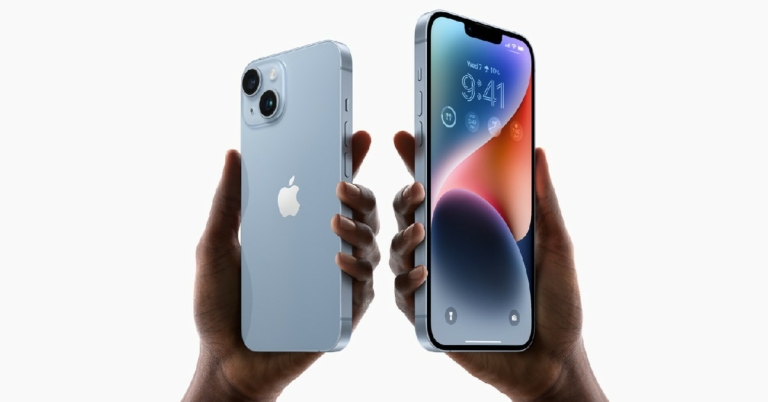
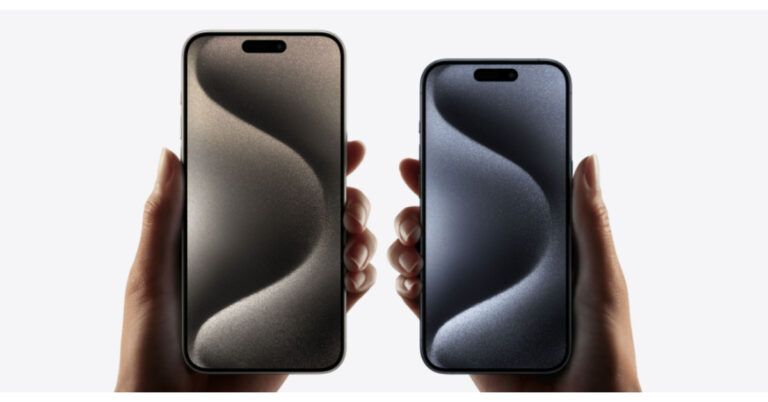
 Being the most popular instant messaging app in the world, it is no surprise that WhatsApp grabs the top spot on this list. Its cross-platform compatibility bridges the Android-iOS divide and facilitates seamless conversations, audio and video calls, photo sharing, and more. With end-to-end encryption and a special ‘chat lock’ feature, your conversations are always secure on WhatsApp. The Meta-owned instant messenger recently added video messages and screen sharing to its list of features.
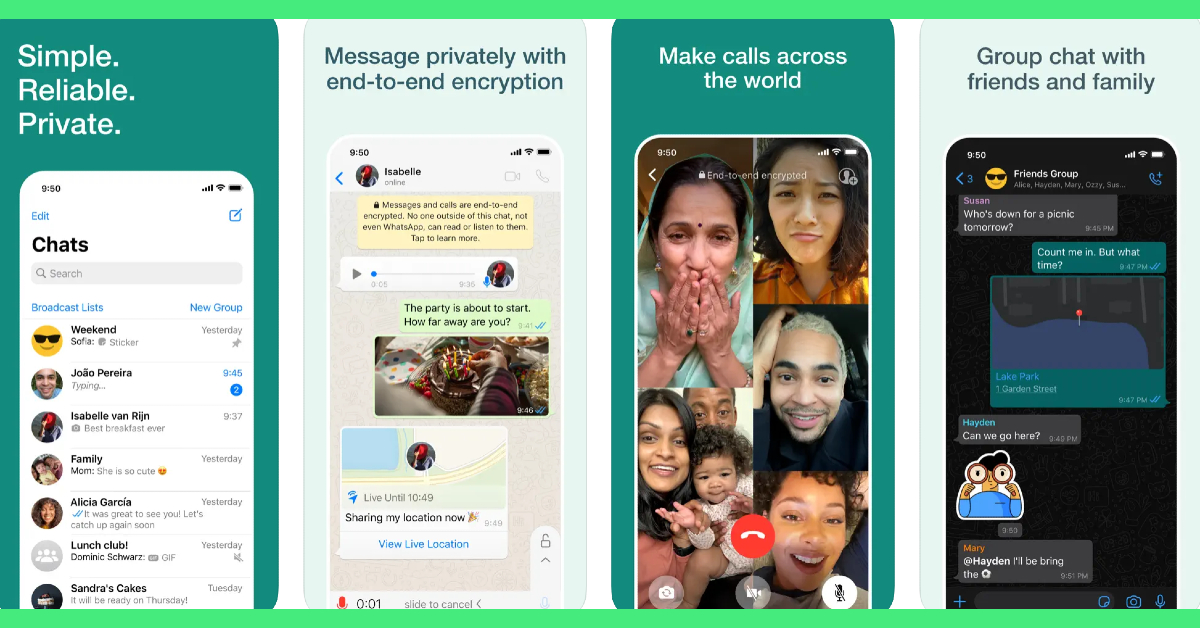 Being the most popular instant messaging app in the world, it is no surprise that WhatsApp grabs the top spot on this list. Its cross-platform compatibility bridges the Android-iOS divide and facilitates seamless conversations, audio and video calls, photo sharing, and more. With end-to-end encryption and a special ‘chat lock’ feature, your conversations are always secure on WhatsApp. The Meta-owned instant messenger recently added video messages and screen sharing to its list of features.
 Cloze Relationship Manager curates a social media feed just for you, pulling posts from Twitter, Facebook, and your email accounts. Forgot to respond to an important email? Cloze will remind you just in time. If the important people in your network keep getting excluded from the algorithm-driven feed on Facebook, Twitter, or Instagram, you need to check out Cloze. With AI integration, Cloze learns which people in your network are close to you and presents a brief timeline of their social media posts and their interaction with you (including emails, calls, and messages). Using Cloze, you can also create a team project and track it all the way to completion.
 Procreate is one of the best graphic designing and sketching apps for iPad out there, and the go-to app for professional artists across the world. The ‘Pocket’ version of Procreate designed for iPhone is just as good. The list of features offered by Procreate Pocket is exhaustive. There are hundreds of brushes for users to choose from. These brushes are neatly organised into different sets for painting, sketching, and drawing, making it easier for the artist to go through them. The Ultra HD canvases ensure your art is packed with detail. If you want a well-rounded sketching and designing app for your new iPhone 15, look no further than Procreate Pocket.
 Heads Up puts a little twist on charades, making it more interactive and fun. Holding your iPhone above your forehead unveils a card on the screen that is visible to your friends. You then have to guess what’s on your card based on the clues that your friends give you. Heads Up has over 40 themed decks that are divided into categories like celebrities, movies, animals, superheroes, and more!
 Canva is one of our favourite apps for iPhone and an essential one for you if you like to dabble in photo or video editing. Canva handles basic photo editing tasks like colour correction, brightness adjustment, background removal, collage creation, and more with absolute ease. With presets for all the major social media platforms, you can create amazing content for your Stories, Facebook cover, Twitter banner, YouTube thumbnail, and more.
 Photomath makes Mathematics more fun by offering step-wise solutions to your problems and using relevant visuals to explain the problem. Stuck on a complicated problem? Simply scan the text using the Photomath app. Photomath has a tremendous library that has been curated with the help of the world’s best math teachers. Not only does Photomath provide solutions to your problems, but it also explains the ‘hows’ and ‘whys’ throughout the problem-solving process.
 The only thing better than watching movies is talking about them. Letterboxd is a social media network for film enthusiasts to log their viewing activity, get suggestions, and connect with other like-minded people. Letterboxd allows you to log films with the date of viewing, review, and tags. You can go through different movie titles and view everything there is to know about them. Watched an intriguing movie recently? Go to its Letterboxd page to see what others are saying about it.
 Everyone hates pesky advertisements and intrusive trackers. The solution is as simple as flicking a switch. The 1Blocker app works in conjunction with the Safari app on your iPhone to weed out all the ads and tracking cookies from your web browsing experience. 1Blocker provides the necessary filters to Safari to block unwanted content. For those who care about their online privacy, 1Blocker is an essential app.
 You may be happy with the native Apple keyboard on your iPhone, but with AI integration, Microsoft SwiftKey has completely changed the game for good. Microsoft’s online keyboard learns your writing style and provides improved predictive text suggestions based on it. If you’re constantly bothered by autocorrect ruining a perfectly good word, you won’t have to deal with that issue anymore. You can also use the AI chops of this keyboard to change the conversational tone of your texts. Certainly one of the best apps you can download on your new iPhone 15.
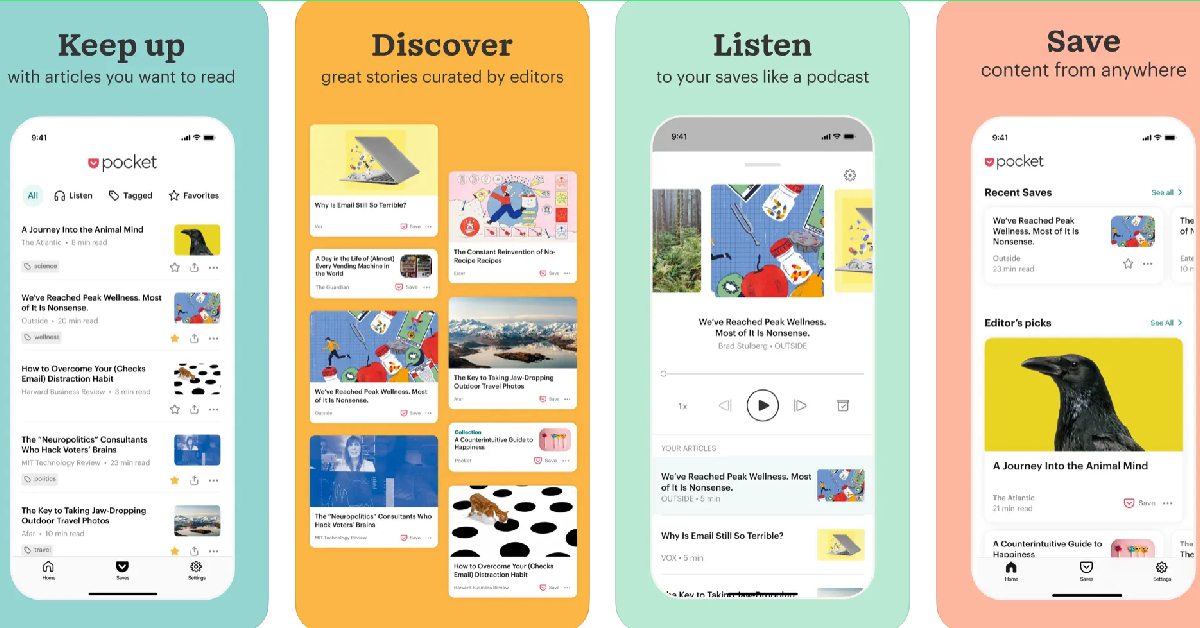 Ending this list is one of our favourite apps for iPhone – Pocket. With this app, you can quickly save any articles, videos, podcast episodes, and even social media posts to view later. Pocket comes in extremely handy when you don’t have the time to read an interesting article or watch a video that you just came across. Instead of scrolling past the content, you can quickly save it in the Pocket app and return to it later. Pocket also has a native article reader if you want to go hands-free.
Read Also: iQOO Z7 Pro 5G Review: The best smartphone under Rs 25,000?
Ending this list is one of our favourite apps for iPhone – Pocket. With this app, you can quickly save any articles, videos, podcast episodes, and even social media posts to view later. Pocket comes in extremely handy when you don’t have the time to read an interesting article or watch a video that you just came across. Instead of scrolling past the content, you can quickly save it in the Pocket app and return to it later. Pocket also has a native article reader if you want to go hands-free.
Read Also: iQOO Z7 Pro 5G Review: The best smartphone under Rs 25,000?
 Step 2: Tap on Transfer or Reset Device.
 Step 4: Select Reset All Settings.
 Restarting your iPhone will fix any background issues or software glitches that may be responsible for this problem. To restart your iPhone, simply press one of the volume buttons along with the side key until the power slider appears on the screen. Drag the power slider to the right to turn off your iPhone. Power the phone back on by pressing and holding the side key. Side key not working? Read this article to learn how to restart your iPhone without using physical buttons.
 Step 2: Tap on Content & Privacy Restrictions.
 Step 3: Select iTunes & App Store Purchases.
 Step 4: Tap on Deleting Apps and select Allow.


 Step 3: Tap on the Sign Out option at the top right corner of the screen.
Step 4: Once you have been logged out, sign back in using your Apple ID.
Step 3: Tap on the Sign Out option at the top right corner of the screen.
Step 4: Once you have been logged out, sign back in using your Apple ID.
 Step 2: Scroll down to the app you want to uninstall from your device.
Step 3: Swipe left on the app to reveal the Delete option.
Step 2: Scroll down to the app you want to uninstall from your device.
Step 3: Swipe left on the app to reveal the Delete option.
 Step 4: Tap on Delete and confirm your selection in the popup box.
 Step 2: Tap on iPhone Storage.
 Step 3: Scroll down and select the app you want to uninstall.
 Step 4: Hit Delete App.

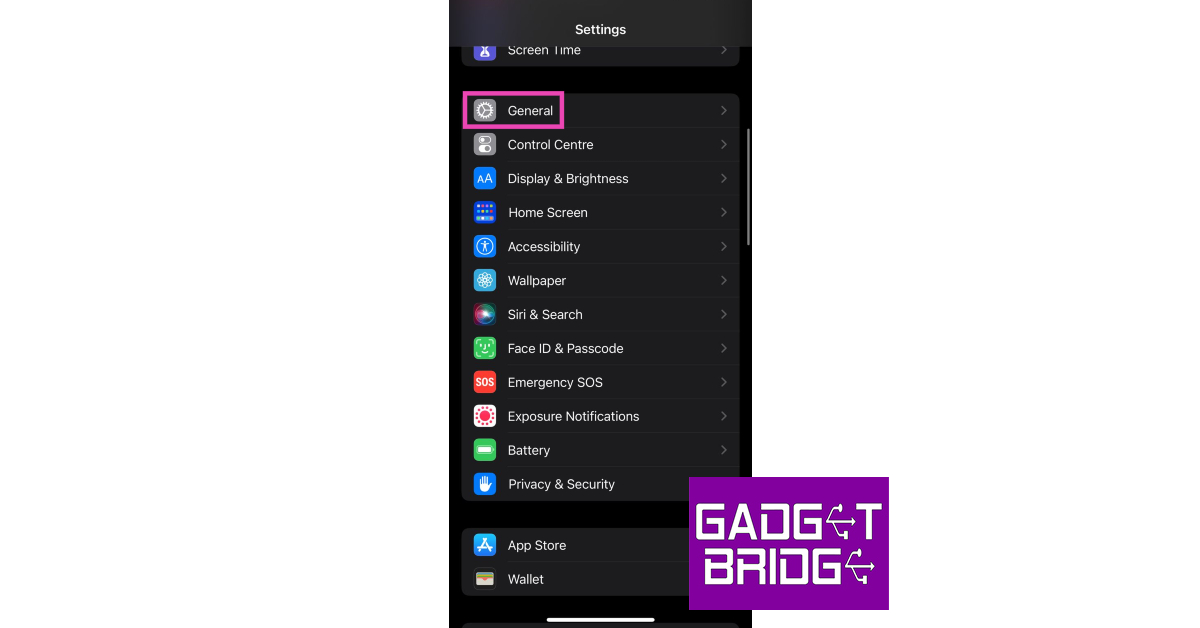 Step 3: Select Software Update.
 Step 4: Tap on Download and Install.

 Step 2: Tap on Transfer or Reset Device.
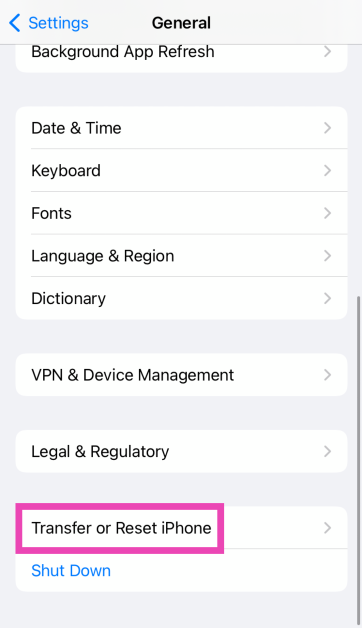 Step 3: Hit Reset.
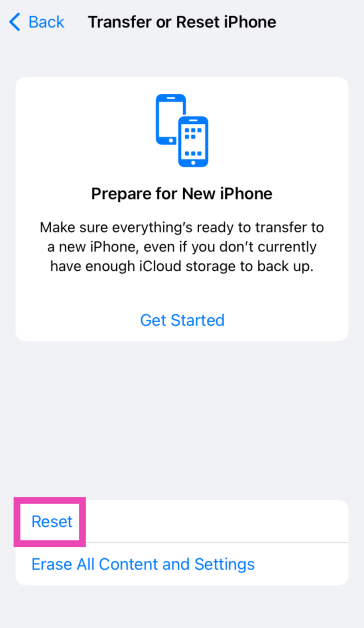 Step 4: Select Reset All Settings.
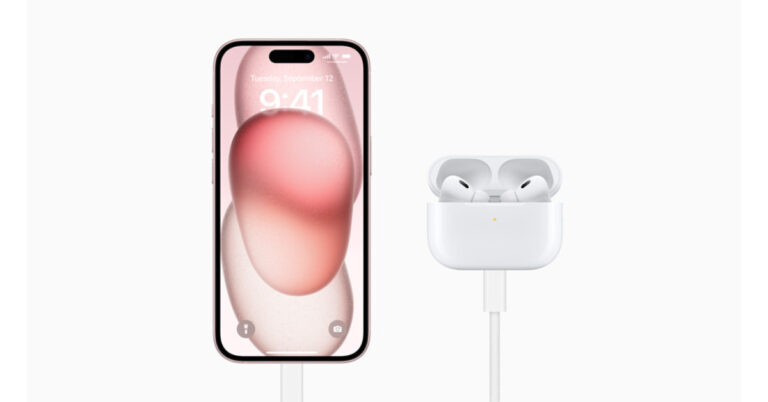


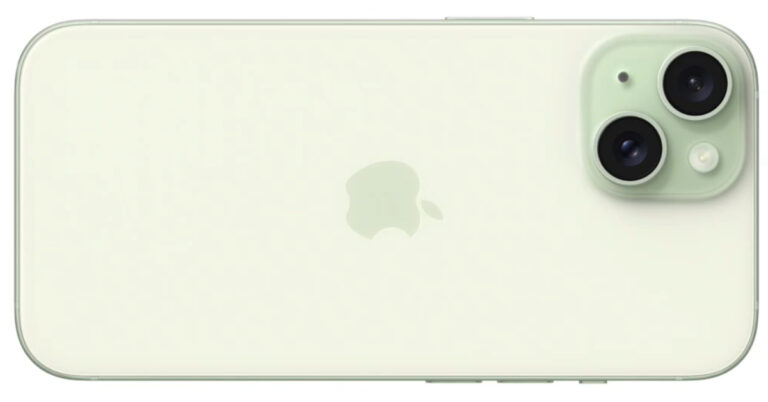
 Also Read: iPhone 15 Series with Type C port for charging launched, We will miss you, the lightning cable
 Also Read: iPhone 15 Series with Type C port for charging launched, We will miss you, the lightning cable


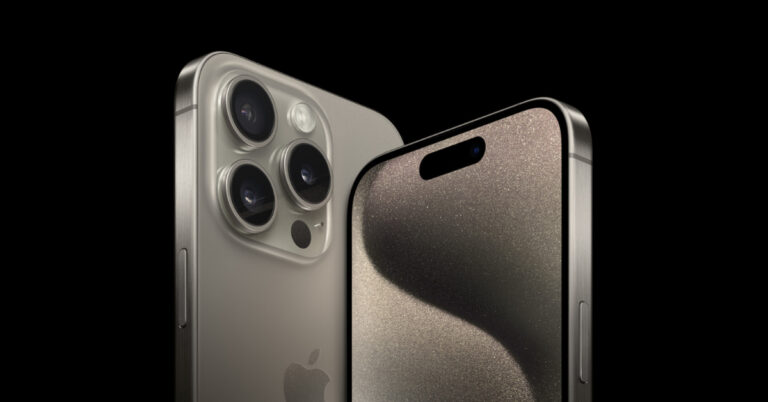
 As opposed to earlier models, which were built of stainless steel, the iPhone 15 Pro and iPhone 15 Pro Max now have a titanium chassis, which means the device will be stronger and lighter.
In place of the controversial Notch on the standard iPhone 15 models this year, Apple replaced it with the Dynamic Island found on the iPhone 14 Pro models from the previous year.
Also Read: Apple Watch Series 9, Watch Ultra 2, and Watch SE unveiled at Apple’s ‘Wonderlust’ Event
Additionally, the dynamic island notch will be used in the base model. The original mute switch has been replaced with a new, customizable “Action Button” similar to the Apple Watch Ultra that was launched last year.
As opposed to earlier models, which were built of stainless steel, the iPhone 15 Pro and iPhone 15 Pro Max now have a titanium chassis, which means the device will be stronger and lighter.
In place of the controversial Notch on the standard iPhone 15 models this year, Apple replaced it with the Dynamic Island found on the iPhone 14 Pro models from the previous year.
Also Read: Apple Watch Series 9, Watch Ultra 2, and Watch SE unveiled at Apple’s ‘Wonderlust’ Event
Additionally, the dynamic island notch will be used in the base model. The original mute switch has been replaced with a new, customizable “Action Button” similar to the Apple Watch Ultra that was launched last year.


 The 48-megapixel Sony IMX803 primary rear sensor, a 12.7-megapixel sensor with a telephoto lens and an aperture of f/2.8, a 12-megapixel sensor with an ultra-wide-angle lens and a 12-megapixel sensor with a telephoto lens are all new features for the iPhone 15 Pro and iPhone 15 Pro Max models. A new periscope camera with improved optical zoom performance has been included as a significant update to the Pro Max variant.
The 48-MP main camera of the iPhone 15 Pro is more advanced and has a new coating that lessens lens flare. It will support more focal lengths and perform better in low light. It still makes use of a quad-pixel sensor, which allows for 48-MP photos in ProRAW and HEIF. You will be able to photograph with focal lengths of 24 mm, 28 mm, and 35 mm. The portrait has not changed. The 12MP, 5x telephoto camera on the iPhone 15 Pro Max features a 120mm focal length and f/2.8 aperture. The size of a pixel is 1.12 microns. An anti-reflective coating, an improved night mode, and capability for macro photography are all features of the ultra-wide camera.
The 48-megapixel Sony IMX803 primary rear sensor, a 12.7-megapixel sensor with a telephoto lens and an aperture of f/2.8, a 12-megapixel sensor with an ultra-wide-angle lens and a 12-megapixel sensor with a telephoto lens are all new features for the iPhone 15 Pro and iPhone 15 Pro Max models. A new periscope camera with improved optical zoom performance has been included as a significant update to the Pro Max variant.
The 48-MP main camera of the iPhone 15 Pro is more advanced and has a new coating that lessens lens flare. It will support more focal lengths and perform better in low light. It still makes use of a quad-pixel sensor, which allows for 48-MP photos in ProRAW and HEIF. You will be able to photograph with focal lengths of 24 mm, 28 mm, and 35 mm. The portrait has not changed. The 12MP, 5x telephoto camera on the iPhone 15 Pro Max features a 120mm focal length and f/2.8 aperture. The size of a pixel is 1.12 microns. An anti-reflective coating, an improved night mode, and capability for macro photography are all features of the ultra-wide camera.
 As opposed to earlier models, which were built of stainless steel, the iPhone 15 Pro and iPhone 15 Pro Max now have a titanium chassis, which means the device will be stronger and lighter.
In place of the controversial Notch on the standard iPhone 15 models this year, Apple replaced it with the Dynamic Island found on the iPhone 14 Pro models from the previous year.
Also Read: Apple Watch Series 9, Watch Ultra 2, and Watch SE unveiled at Apple’s ‘Wonderlust’ Event
Additionally, the dynamic island notch will be used in the base model. The original mute switch has been replaced with a new, customizable “Action Button” similar to the Apple Watch Ultra that was launched last year.
As opposed to earlier models, which were built of stainless steel, the iPhone 15 Pro and iPhone 15 Pro Max now have a titanium chassis, which means the device will be stronger and lighter.
In place of the controversial Notch on the standard iPhone 15 models this year, Apple replaced it with the Dynamic Island found on the iPhone 14 Pro models from the previous year.
Also Read: Apple Watch Series 9, Watch Ultra 2, and Watch SE unveiled at Apple’s ‘Wonderlust’ Event
Additionally, the dynamic island notch will be used in the base model. The original mute switch has been replaced with a new, customizable “Action Button” similar to the Apple Watch Ultra that was launched last year.

 The 48-megapixel Sony IMX803 primary rear sensor, a 12.7-megapixel sensor with a telephoto lens and an aperture of f/2.8, a 12-megapixel sensor with an ultra-wide-angle lens and a 12-megapixel sensor with a telephoto lens are all new features for the iPhone 15 Pro and iPhone 15 Pro Max models. A new periscope camera with improved optical zoom performance has been included as a significant update to the Pro Max variant.
The 48-MP main camera of the iPhone 15 Pro is more advanced and has a new coating that lessens lens flare. It will support more focal lengths and perform better in low light. It still makes use of a quad-pixel sensor, which allows for 48-MP photos in ProRAW and HEIF. You will be able to photograph with focal lengths of 24 mm, 28 mm, and 35 mm. The portrait has not changed. The 12MP, 5x telephoto camera on the iPhone 15 Pro Max features a 120mm focal length and f/2.8 aperture. The size of a pixel is 1.12 microns. An anti-reflective coating, an improved night mode, and capability for macro photography are all features of the ultra-wide camera.
The 48-megapixel Sony IMX803 primary rear sensor, a 12.7-megapixel sensor with a telephoto lens and an aperture of f/2.8, a 12-megapixel sensor with an ultra-wide-angle lens and a 12-megapixel sensor with a telephoto lens are all new features for the iPhone 15 Pro and iPhone 15 Pro Max models. A new periscope camera with improved optical zoom performance has been included as a significant update to the Pro Max variant.
The 48-MP main camera of the iPhone 15 Pro is more advanced and has a new coating that lessens lens flare. It will support more focal lengths and perform better in low light. It still makes use of a quad-pixel sensor, which allows for 48-MP photos in ProRAW and HEIF. You will be able to photograph with focal lengths of 24 mm, 28 mm, and 35 mm. The portrait has not changed. The 12MP, 5x telephoto camera on the iPhone 15 Pro Max features a 120mm focal length and f/2.8 aperture. The size of a pixel is 1.12 microns. An anti-reflective coating, an improved night mode, and capability for macro photography are all features of the ultra-wide camera.
 MagSafe is featured on the iPhone 15. It will assist with Qi 2 charging. The Lightning cable will no longer be available on the new iPhones. In addition, there is no longer any scurrying around to find the Apple charger.
The second-generation ultra-wideband chip (UWB) is another feature of the latest iPhones. According to Apple, you may even use it to locate your buddies in a congested area.
This year, the satellite communication service will be enhanced with AAA integration in the US and expanded to new nations.
MagSafe is featured on the iPhone 15. It will assist with Qi 2 charging. The Lightning cable will no longer be available on the new iPhones. In addition, there is no longer any scurrying around to find the Apple charger.
The second-generation ultra-wideband chip (UWB) is another feature of the latest iPhones. According to Apple, you may even use it to locate your buddies in a congested area.
This year, the satellite communication service will be enhanced with AAA integration in the US and expanded to new nations.

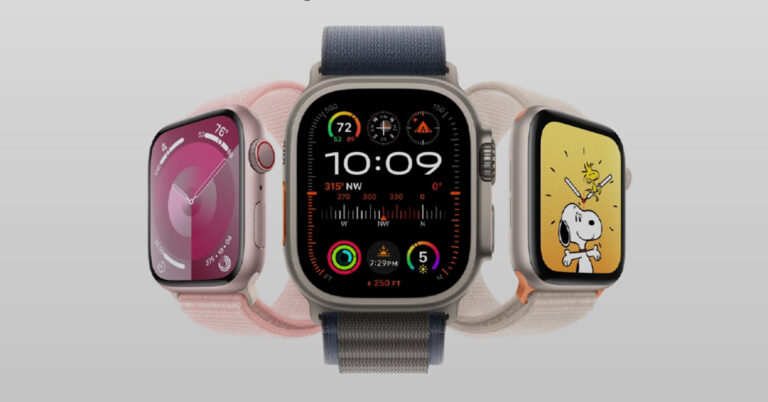
 The new S9 chip on the Apple Watch Series 9 allows it to carry out all Siri operations on the device itself. Siri requests no longer need to be relayed through the cloud, resulting in a faster response time. Users can also use the voice assistant to access their health stats or log their health data.
The new ‘Double Tap’ feature on the Watch Series 9 is triggered by tapping the thumb and index finger twice. It can be used to answer or hang up a call, pause or play media, stop a timer, snooze an alarm, take a remote picture, open Smart Stack widgets and scroll through them. ‘Double Tap’ uses the new Neural Engine in Watch Series 9 to process data from the accelerometer, gyroscope, and optical heart sensor.
Apple Watch Series 9 can now reach a peak brightness of 2,000 nits, which is double that of its predecessor. In low light conditions, the watch display can dial down to 1 nit. The new Ultra Wideband (UWB) chip on the S9 SiP allows users to precisely locate their missing iPhones by giving out directions, distance, and audio, visual & haptic feedback.
Prices for the Apple Watch Series 9 start at Rs 41,900. It is available in two size variants – 41mm and 45mm. Users can preorder the watch online from today. Shipping will start on September 22.
The new S9 chip on the Apple Watch Series 9 allows it to carry out all Siri operations on the device itself. Siri requests no longer need to be relayed through the cloud, resulting in a faster response time. Users can also use the voice assistant to access their health stats or log their health data.
The new ‘Double Tap’ feature on the Watch Series 9 is triggered by tapping the thumb and index finger twice. It can be used to answer or hang up a call, pause or play media, stop a timer, snooze an alarm, take a remote picture, open Smart Stack widgets and scroll through them. ‘Double Tap’ uses the new Neural Engine in Watch Series 9 to process data from the accelerometer, gyroscope, and optical heart sensor.
Apple Watch Series 9 can now reach a peak brightness of 2,000 nits, which is double that of its predecessor. In low light conditions, the watch display can dial down to 1 nit. The new Ultra Wideband (UWB) chip on the S9 SiP allows users to precisely locate their missing iPhones by giving out directions, distance, and audio, visual & haptic feedback.
Prices for the Apple Watch Series 9 start at Rs 41,900. It is available in two size variants – 41mm and 45mm. Users can preorder the watch online from today. Shipping will start on September 22.
 The new Apple Watch Ultra 2 uses the same S9 SiP as the Watch Series 9. Apple claims that its rugged smartwatch is now 100% carbon neutral. The Watch Ultra 2 can reach a peak brightness of 3,000 nits, which is 1,000 nits higher than the Watch Series 9. On top of all the new features of the Watch Series 9, the Apple Watch Ultra 2 also gets a larger battery that can last up to 36 hours, a customisable action button, water resistance up to 40 metres, and a new Modular Ultra Watch face. In low-power mode, the Watch Ultra 2 can last up to 72 hours.
Apple Watch Ultra 2 has been priced at Rs 89,900. Apple has started accepting preorders from today. The company will start shipping the watch from September 22.
The new Apple Watch Ultra 2 uses the same S9 SiP as the Watch Series 9. Apple claims that its rugged smartwatch is now 100% carbon neutral. The Watch Ultra 2 can reach a peak brightness of 3,000 nits, which is 1,000 nits higher than the Watch Series 9. On top of all the new features of the Watch Series 9, the Apple Watch Ultra 2 also gets a larger battery that can last up to 36 hours, a customisable action button, water resistance up to 40 metres, and a new Modular Ultra Watch face. In low-power mode, the Watch Ultra 2 can last up to 72 hours.
Apple Watch Ultra 2 has been priced at Rs 89,900. Apple has started accepting preorders from today. The company will start shipping the watch from September 22.
 Apple’s affordable smartwatch, Apple Watch SE, is available in two sizes – 40mm and 44mm. It gets features like activity tracking, heart rate notifications, fall detection, Emergency SOS, crash detection, and more. It runs the new watchOS 10. Prices for Apple Watch SE start at Rs 29,900.
Read Also: Sony India launched Bravia XR Master Series OLED TVs in India
Alongside releasing their new smartwatch lineup at the ‘Wonderlust’ event, Apple also unveiled the new iPhone 15 Series. The company also announced that it will no longer use leather in any Apple product, including watch bands. Certain case and band combinations of Apple Watch Series 9, Watch Ultra 2, and Watch SE happen to be the company’s first carbon-neutral products.
For the latest gadget and tech news, and gadget reviews, follow us on Twitter, Facebook and Instagram. For newest tech & gadget videos subscribe to our YouTube Channel. You can also stay up to date using the Gadget Bridge Android App. You can find the latest car and bike news here.
Apple’s affordable smartwatch, Apple Watch SE, is available in two sizes – 40mm and 44mm. It gets features like activity tracking, heart rate notifications, fall detection, Emergency SOS, crash detection, and more. It runs the new watchOS 10. Prices for Apple Watch SE start at Rs 29,900.
Read Also: Sony India launched Bravia XR Master Series OLED TVs in India
Alongside releasing their new smartwatch lineup at the ‘Wonderlust’ event, Apple also unveiled the new iPhone 15 Series. The company also announced that it will no longer use leather in any Apple product, including watch bands. Certain case and band combinations of Apple Watch Series 9, Watch Ultra 2, and Watch SE happen to be the company’s first carbon-neutral products.
For the latest gadget and tech news, and gadget reviews, follow us on Twitter, Facebook and Instagram. For newest tech & gadget videos subscribe to our YouTube Channel. You can also stay up to date using the Gadget Bridge Android App. You can find the latest car and bike news here. 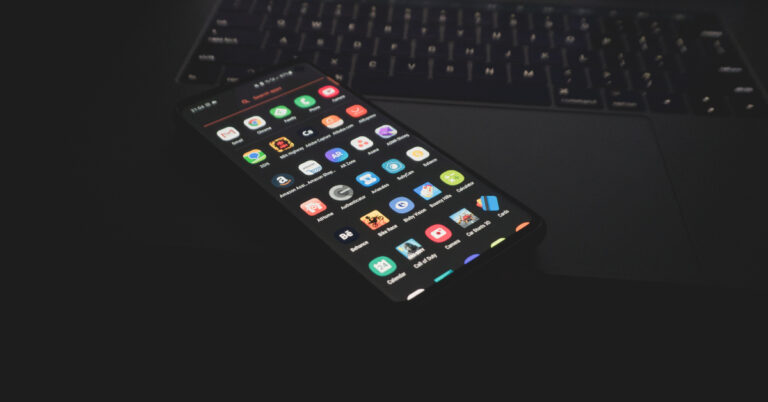
 Step 3: Now, select the app for which you want to create a custom icon.
 Step 4: Tap on Icons and select an image from your device’s gallery. You can also set a text/emoji icon or choose a system icon.
 Step 5: Crop the image to match the dimensions of the icon. Hit the tick icon at the top right corner of the screen when you’re done.
 Step 6: Switch to the Style tab to select a shape for the icon.
 Step 7: Use the zoom slider to further adjust the icon.
Step 8: Hit the tick icon at the top right corner of the screen once you’re done.
Step 7: Use the zoom slider to further adjust the icon.
Step 8: Hit the tick icon at the top right corner of the screen once you’re done.
 Step 9: Tap on Create Shortcut.
 Step 10: You can drag the icon to place it in the desired spot on the home screen or automatically add it next to the last app on the home screen.

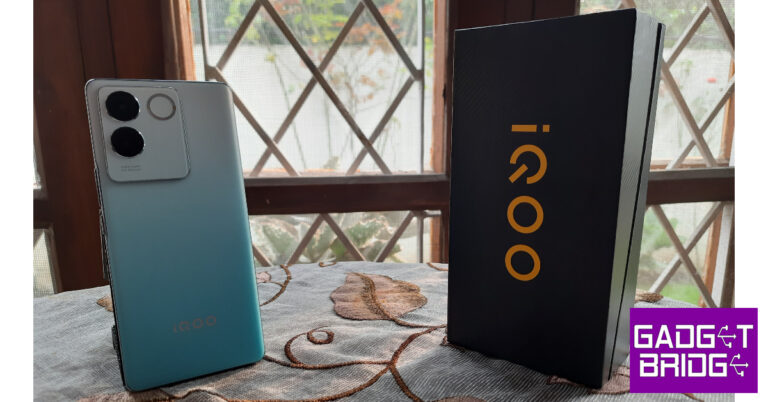
 iQOO Z7 Pro’s design is inspired by the Vivo V27. Since iQOO is a subsidiary of Vivo, their products often share the same design language. However, unlike the V27, the Z7 Pro does not have a colour-changing back panel. We got our hands on the Blue Lagoon variant and it looks like a very summery shade of blue. The hue changes from a very light blue around the camera panel to a darker shade at the bottom.
 The glass back gets a nice matte texture which elevates the in-hand feel of the phone. The plastic frame gets a metal finish as well. The camera island on the black panel gets a large rectangle cutout which looks similar to the one on the V27. This camera island houses the main camera, a depth sensor, and the LED flash which iQOO/Vivo prefer to call ‘Aura Light’.
 The right side of the frame houses the volume rocker and the power key. The SIM card slot, primary microphone, USB Type-C port, and speaker grille are located on the bottom edge of the devices. Up top lies the secondary microphone and the left edge is entirely buttonless. The Z7 Pro does not get a secondary stereo speaker nor does it offer expandable storage.
 A glass back on a smartphone priced under Rs 25,000 is always a good thing, but it isn’t the only distinguishing factor on the Z7 Pro. The 6.78-inch curved AMOLED display feels just as premium. The minimal bezels surrounding this curved display become slightly more prominent at the vertical ends. The selfie camera is housed inside a punch-hole cutout. The under-display fingerprint scanner is quick and responsive but could have been placed a bit higher. Overall, iQOO Z7 Pro’s sleek form factor together with its glass back and curved display instantly makes it one of the more premium devices in its price bracket.
 Design and form factor aside, the AMOLED display on the Z7 Pro offers a very smooth touch response. It can reach a peak refresh rate of 120Hz, allowing a seamless browsing and gaming experience (more on that later). With a resolution of 2400 x 1080p and HDR10+ support, you can watch HD content across your favourite OTT and streaming apps. The video playback is smooth and the pictures are packed with a lot of detail. The contrast and colour richness are tuned pretty well. The range of viewing angles is also optimum. The only downside to the content-watching experience is the lack of a stereo speaker. While the lone speaker can reach a loud volume, the audio output is deprived of an adequate low end.
 On Geekbench 6, the iQOO Z7 Pro scored 1196 points on the single-core test and 2657 points on the multicore test. The smartphone handles basic tasks without breaking a sweat. Running multiple apps in the background presents no issues at all. Routine tasks like messaging, calling, content streaming, and social media browsing are managed perfectly. The haptics could use some tuning, but the display’s touch response is very good. Browsing through different apps and web pages is snappy and fun.
 iQOO Z7 Pro’s gaming chops make it a well-rounded smartphone in its price category. It features a 30cm² vapor chamber for efficient liquid cooling. This vapor chamber can cool the smartphone by 1.6°C further than a regular cooling chamber. An instant touch sampling rate of 1200Hz while gaming ensures that every subtle touch gets registered and relayed in no time. We played Call of Duty Mobile at the highest graphics and did not experience any frame drops or unwanted lags. The smartphone started to heat up after 30-40 minutes of continuous gaming, but the performance did not take a huge hit.
 Talking about the OS, our biggest gripe with Funtouch 13 is the amount of bloatware that plagues the UI. Folders like ‘Hot Apps’ and ‘Hot Games’ are always brimming with unwanted notifications, which need to be constantly cleared. There’s a separate folder for ‘Recommended Apps’ as well. Luckily, the bloatware can be removed by uninstalling the third-party apps and disabling the ‘Hot Apps’ and ‘Hot Games’ folders from the V-Appstore. We would also suggest muting all notifications from the V-Appstore as well.
The Z7 Pro gets a 4,600mAh battery which can easily last a day. Even though it isn’t a 5,000mAh unit, we didn’t experience any issues with the battery backup. On an average day which involved using the phone’s camera, taking video calls, gaming, social media browsing, and watching content, we went to bed with around 15-20% charge. Our daily screen on time during the iQOO Z7 Pro’s review period was between 5-6 hours. However, if you’re going to be gaming on this smartphone a lot, expect the battery life to drop down by a small factor. The 67W power adapter provided in the box can juice up this smartphone in just under an hour.
Talking about the OS, our biggest gripe with Funtouch 13 is the amount of bloatware that plagues the UI. Folders like ‘Hot Apps’ and ‘Hot Games’ are always brimming with unwanted notifications, which need to be constantly cleared. There’s a separate folder for ‘Recommended Apps’ as well. Luckily, the bloatware can be removed by uninstalling the third-party apps and disabling the ‘Hot Apps’ and ‘Hot Games’ folders from the V-Appstore. We would also suggest muting all notifications from the V-Appstore as well.
The Z7 Pro gets a 4,600mAh battery which can easily last a day. Even though it isn’t a 5,000mAh unit, we didn’t experience any issues with the battery backup. On an average day which involved using the phone’s camera, taking video calls, gaming, social media browsing, and watching content, we went to bed with around 15-20% charge. Our daily screen on time during the iQOO Z7 Pro’s review period was between 5-6 hours. However, if you’re going to be gaming on this smartphone a lot, expect the battery life to drop down by a small factor. The 67W power adapter provided in the box can juice up this smartphone in just under an hour.
 Moving on to the cameras, the iQOO Z7 Pro gets a 64MP primary shooter with OIS along with a 2MP depth sensor. There is no ultrawide lens in the Z7 Pro’s rear camera arrangement. While we did miss taking wide-range shots, the primary camera delivers a very good performance. Outdoor shots in natural light had a good dynamic range and colour contrast. The colours were rich and the images packed a good amount of detail. We also liked that the smartphone did not overprocess the images.

 Pictures taken in limited lighting are slightly on the softer side and display a fair bit of graininess, even with the night mode turned on. The image processing that we had desired was not found while taking pictures at night. This isn’t to say that you wouldn’t want to take pictures with the Z7 Pro when it gets dark, the smartphone still does a good job of artificially lighting the subject.

 We were pleased with the portrait shots we took using the iQOO Z7 Pro. The smartphone does a good job of separating the subject from the background and applying the blur effect adequately. The camera app has a bunch of fun filters that you can use while taking portrait images of other people. The 16MP selfie camera also takes decent shots, but we do not like the overt skin tone and texture correction that takes place in image processing. The selfies have a good level of contrast and display vibrant colours, which is a big plus. The Z7 Pro can also record 4K videos at 30fps using the rear camera and 1080p videos at 30fps using the selfie camera.
Read Also: Samsung Galaxy S23 FE gets listed on Chinese regulator TENAA: Tech specs revealed
We were pleased with the portrait shots we took using the iQOO Z7 Pro. The smartphone does a good job of separating the subject from the background and applying the blur effect adequately. The camera app has a bunch of fun filters that you can use while taking portrait images of other people. The 16MP selfie camera also takes decent shots, but we do not like the overt skin tone and texture correction that takes place in image processing. The selfies have a good level of contrast and display vibrant colours, which is a big plus. The Z7 Pro can also record 4K videos at 30fps using the rear camera and 1080p videos at 30fps using the selfie camera.
Read Also: Samsung Galaxy S23 FE gets listed on Chinese regulator TENAA: Tech specs revealed


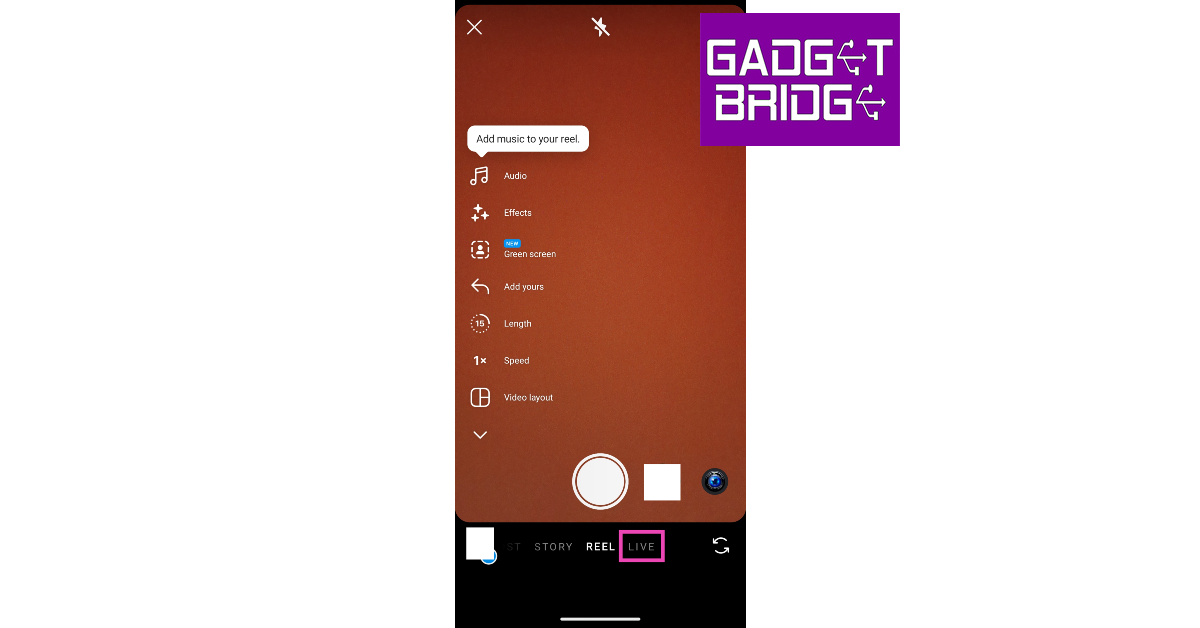 Step 4: Hit the first icon on the left toolbar to set a title for the video.
Step 5: Tap the crown icon to make the live stream accessible to subscribers only.
Step 6: Hit the people icon to set your audience.
Step 4: Hit the first icon on the left toolbar to set a title for the video.
Step 5: Tap the crown icon to make the live stream accessible to subscribers only.
Step 6: Hit the people icon to set your audience.
 Step 7: Hit the Calendar icon to schedule a live stream for the future.
Step 8: Tap the broadcast icon to go live.
Step 7: Hit the Calendar icon to schedule a live stream for the future.
Step 8: Tap the broadcast icon to go live.

 Step 3: Select Live video.
 Step 4: Add a description for the live stream.
Step 5: Use the toolbar on the right to add a filter, effect, or edit the video stream.
Step 6: Tap on Go Live.
Step 4: Add a description for the live stream.
Step 5: Use the toolbar on the right to add a filter, effect, or edit the video stream.
Step 6: Tap on Go Live.

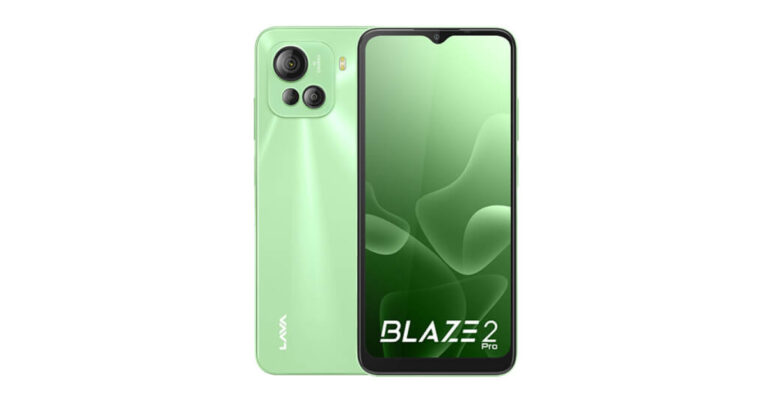

 The Lava Blaze 2 Pro comes pre-installed with Android 12. An octa-core Unisoc T616 processor SoC powers it, and it can support up to 8GB of RAM and 128GB of storage. A microSD card slot allows users to increase the Lava Blaze 2 Pro’s storage capacity, while memory fusion technology also allows the RAM to be virtually increased by up to 8GB.
The low-cost smartphone has three rear cameras for capturing pictures and videos, including a 50-megapixel primary camera and two 2-megapixel camera sensors. The phone has an 8-megapixel front camera for taking selfies and video calling.
A 5,000mAh battery that supports 18W cable charging powers the Blaze 2 Pro. The Blaze 2 Pro has a 3.5mm headphone socket, a USB Type-C port, Wi-Fi, Bluetooth 5.0, GPS, and 4G LTE for connectivity. There is a side-mounted fingerprint sensor for authentication in addition to face unlock.
For the latest gadget and tech news, and gadget reviews, follow us on Twitter, Facebook and Instagram. For newest tech & gadget videos subscribe to our YouTube Channel. You can also stay up to date using the Gadget Bridge Android App. You can find the latest car and bike news here.
The Lava Blaze 2 Pro comes pre-installed with Android 12. An octa-core Unisoc T616 processor SoC powers it, and it can support up to 8GB of RAM and 128GB of storage. A microSD card slot allows users to increase the Lava Blaze 2 Pro’s storage capacity, while memory fusion technology also allows the RAM to be virtually increased by up to 8GB.
The low-cost smartphone has three rear cameras for capturing pictures and videos, including a 50-megapixel primary camera and two 2-megapixel camera sensors. The phone has an 8-megapixel front camera for taking selfies and video calling.
A 5,000mAh battery that supports 18W cable charging powers the Blaze 2 Pro. The Blaze 2 Pro has a 3.5mm headphone socket, a USB Type-C port, Wi-Fi, Bluetooth 5.0, GPS, and 4G LTE for connectivity. There is a side-mounted fingerprint sensor for authentication in addition to face unlock.
For the latest gadget and tech news, and gadget reviews, follow us on Twitter, Facebook and Instagram. For newest tech & gadget videos subscribe to our YouTube Channel. You can also stay up to date using the Gadget Bridge Android App. You can find the latest car and bike news here. 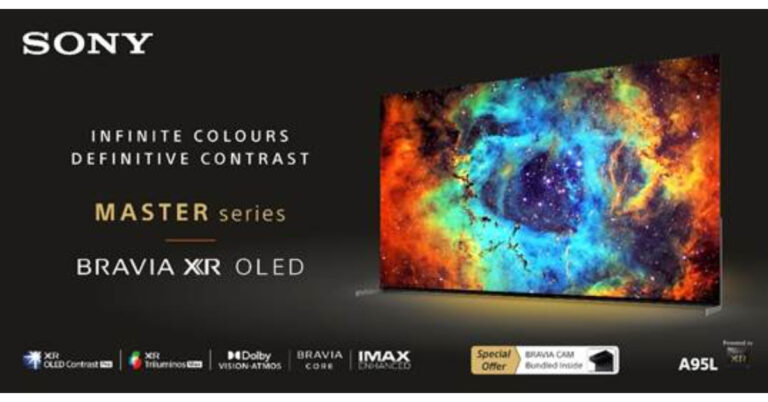
 There are two screen sizes available for the new Bravia XR Master Series A95L OLED: 65 inches and 55 inches. The price of the new Televisions are set at Rs 3,39,990 and Rs 4,19,990 respectively. They can be purchased via all Sony Centers, major electronic stores and e-commerce portals in India.
Also Read: Nokia G42 5G with Qualcomm Snapdragon 480+ SoC and triple rear camera unit launched in India
For an exceptionally lifelike experience, the Cognitive Processor XR reproduces content in the same manner that humans see and hear it. It is aware of how the human eye concentrates and employs cross-analysis to produce images with realistic depth, remarkable contrast, and stunningly vibrant colours. Whatever you’re watching, according to the business, will be upscaled to a level similar to 4K quality.
There are two screen sizes available for the new Bravia XR Master Series A95L OLED: 65 inches and 55 inches. The price of the new Televisions are set at Rs 3,39,990 and Rs 4,19,990 respectively. They can be purchased via all Sony Centers, major electronic stores and e-commerce portals in India.
Also Read: Nokia G42 5G with Qualcomm Snapdragon 480+ SoC and triple rear camera unit launched in India
For an exceptionally lifelike experience, the Cognitive Processor XR reproduces content in the same manner that humans see and hear it. It is aware of how the human eye concentrates and employs cross-analysis to produce images with realistic depth, remarkable contrast, and stunningly vibrant colours. Whatever you’re watching, according to the business, will be upscaled to a level similar to 4K quality.
 The OLED panel on the Bravia XR OLED A95L TV is powered by XR OLED Contrast Pro. It offers real contrast with the brightest colours and pure blacks. This OLED TV uses our Cognitive Processor XR to monitor screen temperature and accurately adjust light, offering up to 200% more colour brightness than traditional OLED TVs. It has a temperature sensor and a heat diffusion layer for dissipating heat.
The OLED panel with XR Triluminos Max, enables A95L to deliver the widest palette of colours. This processor replicates the tones and hues that humans find beautiful in nature. While the screen is continually brimming with vibrant colours and lifelike textures at all brightness settings.
The OLED panel on the Bravia XR OLED A95L TV is powered by XR OLED Contrast Pro. It offers real contrast with the brightest colours and pure blacks. This OLED TV uses our Cognitive Processor XR to monitor screen temperature and accurately adjust light, offering up to 200% more colour brightness than traditional OLED TVs. It has a temperature sensor and a heat diffusion layer for dissipating heat.
The OLED panel with XR Triluminos Max, enables A95L to deliver the widest palette of colours. This processor replicates the tones and hues that humans find beautiful in nature. While the screen is continually brimming with vibrant colours and lifelike textures at all brightness settings.
 The Bravia XR Master Series A95L OLED offers close to 4K resolution thanks to the XR 4K upscaling technology. The processor uses real-world images to automatically recreate lost textures and detail. Zone division and dynamic frame analysis are used by XR Clear Picture to reduce noise and minimise blur. The A80L series’ OLED XR Motion Clarity technology, which is supported by the Cognitive Processor XR, reduces blur by identifying and cross-analyzing important visual features over the course of several frames. To ensure smooth and clear action, even in quickly moving sequences, it produces and inserts additional frames in between the original ones.
The Bravia XR Master Series includes Dolby Vision and Dolby Atmos so that movie thrills can be experienced at home. Dolby Atmos provides rich surround sound, while Dolby Vision brings scenes to life for realistic viewing.
You can interact with the TV to play your favourite shows and films with the Hands-Free Voice Search feature. With compatibility for Dolby Vision, IMAX Enhanced, and Netflix Adaptive Calibrated Mode, you can watch immersive and captivating cinematic material the way the developer intended.
With Acoustic Surface Audio+ and XR Surround with 3D surround upscaling, enjoy the vision and sound in perfect synchronisation with the screen serving as the speaker.
With the A95L TV’s HDMI 2.1 compatibility and features like 4K 120fps, Variable Refresh Rate (VRR), Auto Low Latency Mode (ALLM), Auto HDR Tone, and Auto Game Mode, you’ll have an advantage in fast-paced sports, action games, and shooting games.
In Auto Game Mode, the TV automatically enters Game mode to reduce input lag and improve responsiveness. The PlayStation5 consoles switch back to Standard Mode when watching films in order to concentrate on picture processing for more expressive scenes, allowing you to experience incredibly smooth gaming with crisp movement.
For the latest gadget and tech news, and gadget reviews, follow us on Twitter, Facebook and Instagram. For newest tech & gadget videos subscribe to our YouTube Channel. You can also stay up to date using the Gadget Bridge Android App. You can find the latest car and bike news here.
The Bravia XR Master Series A95L OLED offers close to 4K resolution thanks to the XR 4K upscaling technology. The processor uses real-world images to automatically recreate lost textures and detail. Zone division and dynamic frame analysis are used by XR Clear Picture to reduce noise and minimise blur. The A80L series’ OLED XR Motion Clarity technology, which is supported by the Cognitive Processor XR, reduces blur by identifying and cross-analyzing important visual features over the course of several frames. To ensure smooth and clear action, even in quickly moving sequences, it produces and inserts additional frames in between the original ones.
The Bravia XR Master Series includes Dolby Vision and Dolby Atmos so that movie thrills can be experienced at home. Dolby Atmos provides rich surround sound, while Dolby Vision brings scenes to life for realistic viewing.
You can interact with the TV to play your favourite shows and films with the Hands-Free Voice Search feature. With compatibility for Dolby Vision, IMAX Enhanced, and Netflix Adaptive Calibrated Mode, you can watch immersive and captivating cinematic material the way the developer intended.
With Acoustic Surface Audio+ and XR Surround with 3D surround upscaling, enjoy the vision and sound in perfect synchronisation with the screen serving as the speaker.
With the A95L TV’s HDMI 2.1 compatibility and features like 4K 120fps, Variable Refresh Rate (VRR), Auto Low Latency Mode (ALLM), Auto HDR Tone, and Auto Game Mode, you’ll have an advantage in fast-paced sports, action games, and shooting games.
In Auto Game Mode, the TV automatically enters Game mode to reduce input lag and improve responsiveness. The PlayStation5 consoles switch back to Standard Mode when watching films in order to concentrate on picture processing for more expressive scenes, allowing you to experience incredibly smooth gaming with crisp movement.
For the latest gadget and tech news, and gadget reviews, follow us on Twitter, Facebook and Instagram. For newest tech & gadget videos subscribe to our YouTube Channel. You can also stay up to date using the Gadget Bridge Android App. You can find the latest car and bike news here. 


 Step 2: Scroll down and select Settings & privacy.
 Step 3: Tap on Settings.
 Step 4: Search for Personal & account information.
 Step 5: Tap on Name.
 Step 6: Enter the new name and select Review change.
 Step 7: Enter your password and select Save changes.
 Step 2: Click on Settings and privacy.
 Step 3: Select Settings.
 Step 4: Click on Accounts Center. Select your Facebook profile.
 Step 5: Click on username and enter a new username.
 Step 6: Click on Save changes.
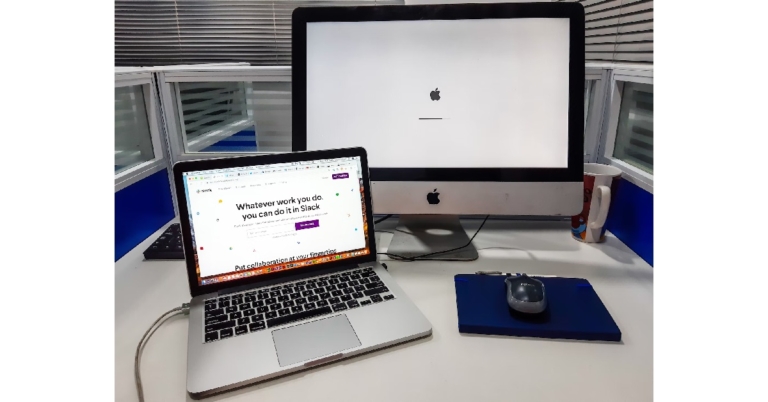

 If you don’t want to use any keyboard shortcuts, you can simply use text replacement to insert the degree symbol whenever you type the word ‘degree’. We would suggest, using a short form or a different variation of ‘degree’ since you may want to use that word in other contexts as well. Here’s how you can go about it.
Step 1: Go to System Preferences and select Keyboard.
Step 2: Switch to the Text tab.
Step 3: Click on the Plus sign at the bottom.
Step 4: On the left panel, type the keyword you want to assign to the degree symbol.
Step 5: On the right panel, enter the degree symbol using the Option + Shift + 8 shortcut.
If you don’t want to use any keyboard shortcuts, you can simply use text replacement to insert the degree symbol whenever you type the word ‘degree’. We would suggest, using a short form or a different variation of ‘degree’ since you may want to use that word in other contexts as well. Here’s how you can go about it.
Step 1: Go to System Preferences and select Keyboard.
Step 2: Switch to the Text tab.
Step 3: Click on the Plus sign at the bottom.
Step 4: On the left panel, type the keyword you want to assign to the degree symbol.
Step 5: On the right panel, enter the degree symbol using the Option + Shift + 8 shortcut.
 You can use the Emoji Keyboard on your Mac to type the degree symbol as well as °C and ℉. Here’s how.
Step 1: Open the text document and press Control + Command + Space to access the Emoji Keyboard.
Step 2: In the Emoji Keyboard, search for ‘degree’.
Step 3: Select the symbol of your choice.
You can use the Emoji Keyboard on your Mac to type the degree symbol as well as °C and ℉. Here’s how.
Step 1: Open the text document and press Control + Command + Space to access the Emoji Keyboard.
Step 2: In the Emoji Keyboard, search for ‘degree’.
Step 3: Select the symbol of your choice.
 iPhone users can easily type the degree symbol using the onscreen keyboard. Here’s how.
Step 1: Tap the 123 key on the onscreen keyboard.
Step 2: Long press the 0 key.
Step 3: The degree symbol (°) will appear on the screen.
iPhone users can easily type the degree symbol using the onscreen keyboard. Here’s how.
Step 1: Tap the 123 key on the onscreen keyboard.
Step 2: Long press the 0 key.
Step 3: The degree symbol (°) will appear on the screen.
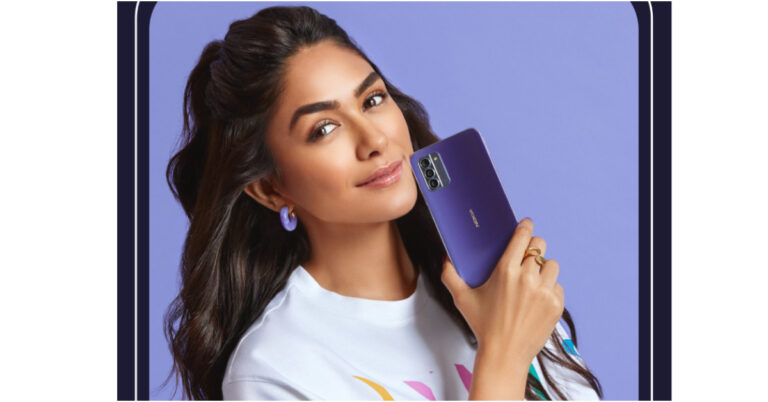
 In addition, a new So Pink colour option for the Nokia G42 5G has been introduced in international regions outside of India. The new colour will coexist with the Grey and So Purple colour options that have been offered since the phone’s initial introduction in June in a few international regions. Whether the newest hue would be offered in India has not been confirmed by Nokia.
Also Read: Samsung Galaxy S23 FE gets listed on Chinese regulator TENAA: Tech specs revealed
In addition, a new So Pink colour option for the Nokia G42 5G has been introduced in international regions outside of India. The new colour will coexist with the Grey and So Purple colour options that have been offered since the phone’s initial introduction in June in a few international regions. Whether the newest hue would be offered in India has not been confirmed by Nokia.
Also Read: Samsung Galaxy S23 FE gets listed on Chinese regulator TENAA: Tech specs revealed
 In addition, a new So Pink colour option for the Nokia G42 5G has been introduced in international regions outside of India. The new colour will coexist with the Grey and So Purple colour options that have been offered since the phone’s initial introduction in June in a few international regions. Whether the newest hue would be offered in India has not been confirmed by Nokia.
Also Read: Samsung Galaxy S23 FE gets listed on Chinese regulator TENAA: Tech specs revealed
In addition, a new So Pink colour option for the Nokia G42 5G has been introduced in international regions outside of India. The new colour will coexist with the Grey and So Purple colour options that have been offered since the phone’s initial introduction in June in a few international regions. Whether the newest hue would be offered in India has not been confirmed by Nokia.
Also Read: Samsung Galaxy S23 FE gets listed on Chinese regulator TENAA: Tech specs revealed


 No radical changes to design are expected on the new Apple Watch Series 9 but it will get a key upgrade under the hood. The new S9 chip for Apple Watch Series 9 is based on the A15 Bionic processor. This is the biggest processor upgrade on the Apple Watch since Series 6. The new S9 chip will improve the battery life of the Apple Watch and will further hone its health and fitness tracking functionalities. Other changes include an updated optical heart sensor and a new pink colour option for the watch band.
The Apple Watch Ultra 2 will also feature the new S9 chip and the updated optical heart sensor. The titanium case of the Apple Watch Ultra 2 will have a darker shade and it may get some changes to its material. Not much else is known about the new Watch Ultra, which means either Apple is keeping a tight lid on something new or it will retain most of the specs and features of the previous generation product. Our bet is on the latter.
No radical changes to design are expected on the new Apple Watch Series 9 but it will get a key upgrade under the hood. The new S9 chip for Apple Watch Series 9 is based on the A15 Bionic processor. This is the biggest processor upgrade on the Apple Watch since Series 6. The new S9 chip will improve the battery life of the Apple Watch and will further hone its health and fitness tracking functionalities. Other changes include an updated optical heart sensor and a new pink colour option for the watch band.
The Apple Watch Ultra 2 will also feature the new S9 chip and the updated optical heart sensor. The titanium case of the Apple Watch Ultra 2 will have a darker shade and it may get some changes to its material. Not much else is known about the new Watch Ultra, which means either Apple is keeping a tight lid on something new or it will retain most of the specs and features of the previous generation product. Our bet is on the latter.
 Apple will also unveil the new AirPods Pro 3 at its ‘Wonderlust’ event tomorrow. The changes expected here are very minimal. Like the iPhone 15 Series, the AirPods Pro 3 will also get USB Type-C charging. No other changes are expected to the design or feature list. While some rumours suggest that Apple could also launch a more affordable version of the AirPods, we don’t expect them to be unveiled tomorrow.
Read Also: How to label your saved places on Google Maps with an emoji?
Apple will also unveil the new AirPods Pro 3 at its ‘Wonderlust’ event tomorrow. The changes expected here are very minimal. Like the iPhone 15 Series, the AirPods Pro 3 will also get USB Type-C charging. No other changes are expected to the design or feature list. While some rumours suggest that Apple could also launch a more affordable version of the AirPods, we don’t expect them to be unveiled tomorrow.
Read Also: How to label your saved places on Google Maps with an emoji?
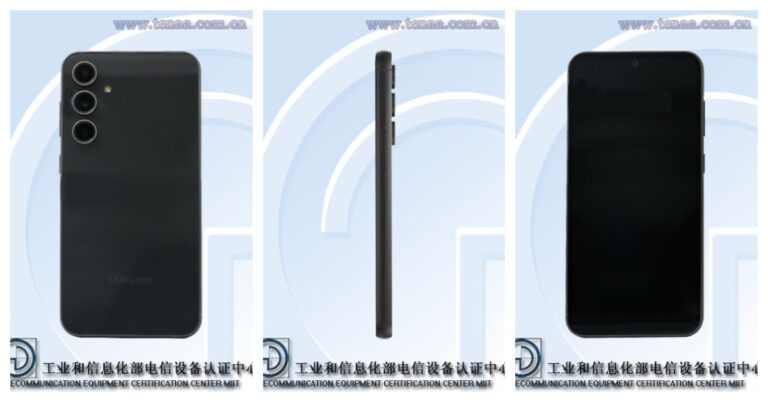

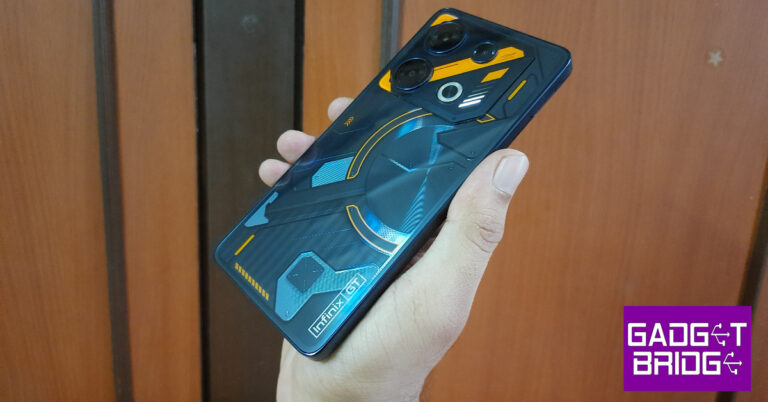
 Key Specs
 Key Specs
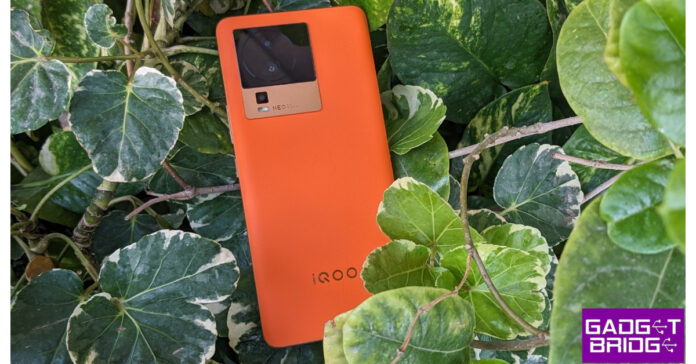 Key Specs
 Key Specs
 Key Specs
 Key Specs
 Key Specs
 Key Specs