Want to watch your smartphone screen on TV directly using the mirroring feature? All the smart TVs nowadays have either built-in Chromecast or similar mirroring service. This built-in hardware helps to mirror your Android or iPhone Samsung tv. It is very easy to employ and one can follow the below steps to mirror your Android or iPhone screen to a Samsung or Sony smart TV. To mirror any phone screen both the devices should be in the same Wi-Fi network
In Samsung Smart TV
On Android
On an Android smartphone, the easiest way is to do it directly from the Dropdown notification bar and tapping on the screencast option. Select the TV name from the list and the smartphone screen will be mirrored automatically.The other way is by using the Smart Things application.Step 1 – Download the Smart Things application from Play Store.Step 2 – Go to add device and select your smart TV.Step 3 – Tap on the TV to start connecting and view images, videos and more.
For iOS
Open the Photos application search for the photo or video you want to mirror and tap share to select AirPlay. One can also do it by opening the Control Center and tapping on the Screen Mirroring option.Read Also: Samsung Galaxy Z Flip Mirror Gold variant to hit the Indian market
In Sony Smart TV
The casting method for Sony TV remains the same (Except the Smart things method). But if you are on a non-Android TV all you need to do is switch the screen mirroring on from the TV and follow the same steps above. To switch it on follow these steps.Step 1 – Make sure your TV and smartphone are on the same Wi-Fi network.Step 2 – Press the source button on your TV remote and select the screen mirroring optionStep 3 – Your TV will be ready to mirror screen follow the same steps as above for either Android or Apple device to cast your screen easily.Read Also: Microsoft gets Android apps to Windows 10 with this new featureFollowing these steps, one can mirror their Android or iPhone screen to a Samsung or Sony smart TV. Make use of this feature and enjoy your phone content on the big TV screen. One can also consider buying Amazon Firestick, Chromecast or MiraCast if the screen sharing feature is unavailable on your TV.
For the latest gadget and tech news, and gadget reviews, follow us on Twitter, Facebook and Instagram. For newest tech & gadget videos subscribe to our YouTube Channel. You can also stay up to date using the Gadget Bridge Android App. You can find the latest car and bike news here.
WhatsApp is owned by Facebook and is the most popular messaging application used around the world. From young to old all people in every age group can be found on the platform. While the younger tech-savvy people find it very easy to find their own username and number. There are the older folks who find it difficult to do the same. Adding to the fact that most people have a dual SIM on their Android smartphones. While using two Whatsapp accounts it can be confusing as well. Here is how to find my WhatsApp number and username on Android and iOS.
Find WhatsApp number and username on Android
It is very easy to find your number and username on Android. It can be done by following these steps.Step 1 – Launch WhatsappStep 2 – Tap on the three-dot on the top right cornerStep 3 – In the drop-down menu press Settings.Step 4 – Tap on the name and profile picture.Here one can find their name along with their phone number. Users can change their username by tapping on the edit option as well. To change the number tap on your current contact number and press next to migrate it. You will be sent an OTP to verify it.Read Also: WhatsApp has imposed a ban on some users: Are you one of them?
Find WhatsApp number and username on iOS
Android and iOS devices function completely differently. But when it comes to Whatsapp the applications work more or less the same. Here is a complete breakdown of steps on how to do it on iOS.Step 1 – Open WhatsApp.Step 2 – Select Settings from the lower panel.Step 3 – Tap on the profile.Read Also: How to change your username on Instagram?Here one can see their username which can be edited as well. Also, just below the name will be your account’s phone number. However to change your number in the same settings panel go to account and select change number>Next.These are some simple steps one can follow to change and view your own username and phone number on the respective smartphones. In the changing phone number process, one gets OTP to verify. We advise you to not give OTP to anyone as it can lead to the leaking of your sensitive information.
For the latest gadget and tech news, and gadget reviews, follow us on Twitter, Facebook and Instagram. For newest tech & gadget videos subscribe to our YouTube Channel. You can also stay up to date using the Gadget Bridge Android App. You can find the latest car and bike news here.
Xiaomi 11 Lite 5G NE has officially made its way to the Indian market. The key highlights of the smartphone include an AMOLED true-colour display and a triple rear camera set up.In addition to this, the mid-range smartphone is powered by Qualcomm Snapdragon 778G SOC. There is a 4,250mAh battery that supports a 33W fast charging tech. Read on to know Xiaomi 11 Lite 5G NE price in India and its availability details.
Xiaomi 11 Lite 5G NE price in India and sale details
Xiaomi 11 Lite 5G NE price in India starts at Rs 26,999 for the 6GB RAM with 128GB storage option. Whereas the 8GB RAM with 128GB storage option will be available in India at Rs 28,999. The phone will come in four colour options of Tuscany Coral, Diamond Dazzle, Jazz Blue and Vinyl Black.
Introductory offers
Customers will be able to purchase the phone at an introductory price of Rs 25,499 and Rs 27,499 respectively with the commencement of Diwali with Mi Sale and Great Indian Festival Sale on Amazon. The phone can also be purchased through Mi.com, Mi HomeStores and retail stores across the country. The company will also be offering an additional bank offer that will bring the price down by Rs 2,000.
Xiaomi 11 Lite 5G NE specs
Xiaomi 11 Lite 5G NE ships MIUI 12.5 based on top of Android 11. The mid-range smartphone features a 6.55-inch full-HD+10-bit flat AMOLED true-colour display with HDR 10+ and Dolby Vision support. The screen also offers 1,080×2,400 pixels of resolution, 90Hz refresh rate and 240Hz touch sampling support.It is powered by an octa-coreQualcomm Snapdragon 778G SoC paired with up to 8GB of RAM with 128GB of storage options. The smartphone is highlighted with a triple rear camera set up that consists of a 64MP primary sensor, an 8MP ultra-wide-angle lens and a 5MP tele-macro lens. For selfies, it sports a 20MP front-facing camera. There is 5G, 4G LTE, Wi-Fi 6, Bluetooth v5.2, GPS/ A-GPS, NFC, IR blaster, and a USB Type-C port for connectivity. Lastly, the phone includes a 4,250mAh battery that comes with 33W fast charging support.
For the latest gadget and tech news, and gadget reviews, follow us on Twitter, Facebook and Instagram. For newest tech & gadget videos subscribe to our YouTube Channel. You can also stay up to date using the Gadget Bridge Android App. You can find the latest car and bike news here.
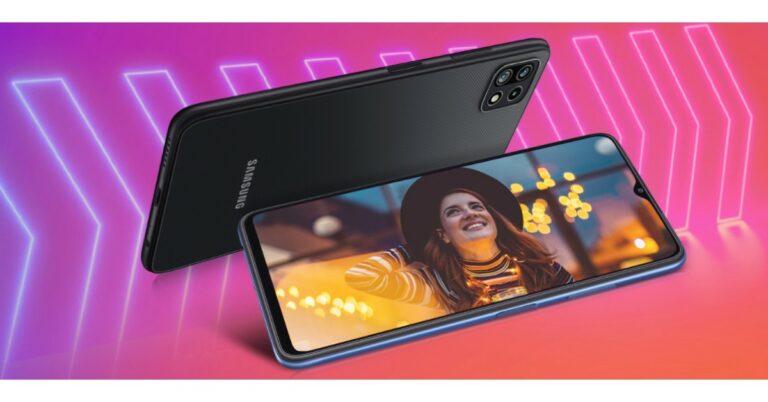
Samsung Galaxy F42 5G has been officially launched in the Indian market. The phone is the fifth smartphone in Galaxy F Series in 2021 and the first 5G smartphone in the F series portfolio to launch in India. The device comes with an FHD+ Infinity V display that has 90Hz refresh rate support. It houses a 5,000mAh battery that is claimed to provide a whole day of battery life. The phone comes with MediaTek Dimensity 700 SoC and offers 12 5G band support.
Samsung Galaxy F42 5G price in India and where to buy the phone
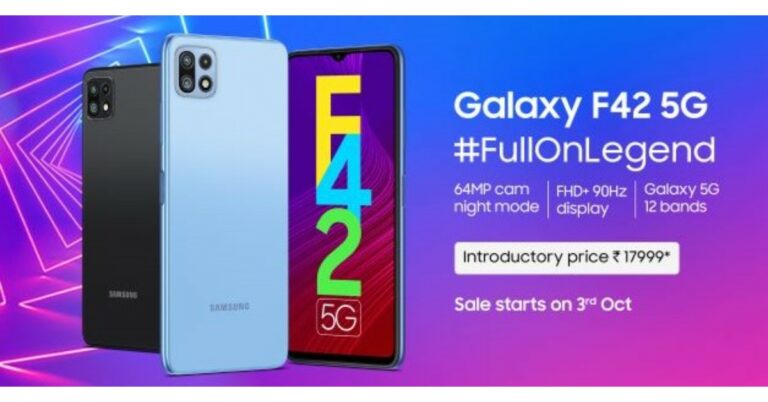
Samsung Galaxy F42 5G has been launched in India with a starting price of Rs 20,999 for the base 6GB RAM with 128GB of storage option. The device is also available in 8GB RAM with 128GB storage that costs Rs 22,999. The 5G smartphone will be offered in two colour options of Matte Black and Matte Aqua. As an introductory offer, the Samsung Galaxy F42 5G will be available at Rs 17,999 and Rs 19,999 respectively. Speaking of the availability, the phone will be available via Flipkart from October 3 onwards. In addition, this device can also be purchased through the company’s official online store as well as select retail outlets in the country.
Samsung Galaxy F42 5G specs and features
Samsung Galaxy F42 5G operates on One UI 3.1 based on Android 11. It comes with a 6.6-inch full HD+ Infinity V display. The screen also has 90Hz refresh rate support. Under the hood, there is MediaTek Dimensity 700 SoC paired with up to 8GB of RAM and 128GB of storage.In terms of photos and videos, the Samsung Galaxy F42 5G is shipped with a triple rear camera set up that includes a 64-MP primary camera. Further assisted by a 5MP ultra-wide-angle lens and a 2MP depth sensor. In addition to this, the rear camera comes with an array of camera modes like Food Mode, Night Mode, Pro Mode, Hyperlapse and more. Also, there is an 8MP camera on the front for taking selfies and video calling.The device houses a 5,000mAh battery bundled with a 15W charger. Additionally, there are 12 5G band support that includes N1 (2100), N3 (1800), N5 (850), N7 (2600), N8 (900), N20 (800), N66 (AWS-3), N38(2600), N40 (2300), N41 (2500) and N78( 3500) bands. There is 4G LTE, Bluetooth, GPS/A-GPS, Type C port and a 3.5mm jack. While the sensor on the phone includes a side-mounted fingerprint sensor, accelerometer, magnetometer, proximity sensor, ambient light and gyroscope.
For the latest gadget and tech news, and gadget reviews, follow us on Twitter, Facebook and Instagram. For newest tech & gadget videos subscribe to our YouTube Channel. You can also stay up to date using the Gadget Bridge Android App. You can find the latest car and bike news here.
In this pandemic of COVID 19, everyone needs to scan documents, receipts and many more things in their daily life. But, many people are unable to find a suitable document scanner app for android themselves. If you are one of those, we have got you covered. We are suggesting the 5 best document scanner app for Android for your comfort. The apps we are suggesting today protects the privacy of the user with end-to-end encryption. Here is the 5 best document scanner app for Android.
Adobe Scan
The app is free to download on the Google Play Store. The scanning is enjoyable with Adobe scan. It mechanically detects the edges of the file being scanned and crops it for the same reason. You may also modify the crop manually. Additionally, there is a batch scanning mode where you may capture a couple of photographs straight away, and the app will crop the edges on its own for a quicker scanning experience.Adobe gives some filters like Black and White, Grayscale, and an AI-powered automatic colour filter, which gives a scanner-like effect to the picture. These options are available within the menu. You may also sort, add, or delete pictures before you save them to a PDF. After the scanned images are transformed into PDF format, they are routinely saved in Adobe’s cloud servers. It provides free cloud storage of up to 2 GB to every user. For a subscription of $10 per month, users can get more cloud storage.Download from here: Adobe Scan
Microsoft Lens
Another top document scanner app for Android is Microsoft Lens looks like an agency that took a leaf out from an e-book, and the app works thoroughly as planned. The app has automatic computerised detection of page borders and springs with a batch scanning mode too. When it comes to filters, the Microsoft Lens packs in an excellent stack of them, making it feel like a picture modifying software. You can additionally upload text with highlighting in distinctive shades and manually draw over the image using the pen tool. Microsoft also bundles OCR (Optical Character Recognition) aid here, and the application can examine the textual content. Microsoft Lens helps you to export your scanned pictures in file formats like JPG, PDF, MS Word, or PowerPoint (PPT). The app is free to use and does not show any advertisements. It also gives you 5GB of free cloud storage when you register with a Microsoft account. The service does not put any watermarks on your scanned files.Download from here: Microsoft LensRead also: COVID-19: 5 Apps to help Android users sign documents while working from home
vFlat
Another top document scanner app for Android is vFlat is a feature-rich scanning app that features OCR support. It can import PDF documents, dual web page e-books, and much more. At this point, you could have already noticed that automated edge detection is the basic capability for a scanner app, and vFlat does that well too. The e-book scanner too indicates a centre grid line, where you can align two pages concurrently in a single frame. It additionally has a finger elimination tool, wherein the application will edit out your finger if it accidentally comes into the scanned picture. The app can export your scanned pictures in PDF and JPG format. The textual content scanned in OCR mode can also be exported in a text file. vFlat is free to use and does not show any ads or puts watermarks over the images.Download here: vFlat
Google Drive
If you are searching out for small, error-free scans and do not require extra functions like OCR or batch mode, then the Google Drive app can get your work done. This will come as a surprise, but you can scan pictures and files and convert them into PDF files by the usage of the Google Drive app on your android smartphone. Just open the Google Drive app on your smartphone, tap on the plus icon, and then pick the ‘scan’ option. Clever area detection may be observed right here as well. This is a good alternative if you don’t want to install any additional apps on your smartphone. It allows a link-based file sharing option for users, too.Download here: Google DriveRead also: How to enable PDF viewer in Google Chrome browser?
Genius Scan
Genius Scan app comes with a fresh layout, and the UI could be very responsive. Just like other programs above, The Genius Scan app also detects edges of documents with superb accuracy. It comes with a good set of filters, and the app focuses more on capability and not being fancy. There is very little delay from click to scan to save in this app. The app permits you to export your scanned documents in PDF and JPG forms without any watermarks. But, if you need greater features like OCR and Cloud storage, then you’ll have to buy the top version of the app called Genius Scan+. You will have to pay a one-time fee of $5 for it.Download here: Genius ScanRead also:How to edit a PDF file? The best and most convenient ways
For the latest gadget and tech news, and gadget reviews, follow us on Twitter, Facebook and Instagram. For newest tech & gadget videos subscribe to our YouTube Channel. You can also stay up to date with the Gadget Bridge Android App.
It’s been about two months since the Nothing ear (1) TWS earbuds were launched in India. And in this duration, the company has sold over 100,000 units of Nothing Ear 1 in the country. And to celebrate the success the company will be offering the earphone at a much lesser price during the upcoming Flipkart Big Billion Days Sale. While sharing the discount and success of the Nothing ear (1) TWS earbuds, the company said, “Thank you for being a part of our journey so far and covering Nothing ear (1). From mid-August, we shipped 100,000 units, which is pretty amazing, and we couldn’t have done it without your support throughout the launch.” As the festive season is also around the corner, Nothing has announced to offer the Nothing ear (1) TWS earbuds now at Rs 5,499, which is down by Rs 500. This discount will be applicable to the earphones during the Flipkart Big Billion Days Sale. The sale will begin from October 3 and will go on till October 10.The offer price will be valid until stocks last. Additionally, the consumers are entitled to further discounts if they are a bearer of Axis or ICICI bank cards. There will be no cost EMI offers as well. Customers purchasing the earphones are eligible for six months of Gaana Plus subscription for free.Also Read:Nothing Ear 1 Review
Nothing ear (1) TWS earbuds specs
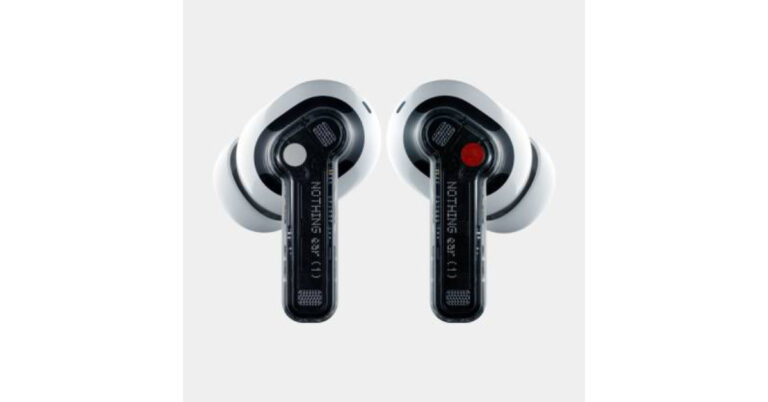
Speaking of the specification, Nothing ear (1) TWS earbuds have a 1.6mm dynamic driver and come with a spacious air chamber for advanced bass, mid and treble performance. The device features a transparent design with pressure-relieving vents. The earphones offer two modes for ANC- light mode and maximum mode. The Ear 1 also includes three high definition mics to provide better audio quality.Nothing Ear 1 runs offer 5 hours of listening time and 34 hours of additional playtime with the case. The power case comes with wireless charging support and charges the earbud fast. The Nothing earphone comes with IPX4 certification for sweat and dust resistance. In addition to this, there is Google Fast Pair support which instantly connects to compatible devices. There is a customised equaliser, gesture control, Find My Earbuds functionally and all these features can be accessed through the ear (1) app which is available for both iOS and Android devices.
For the latest gadget and tech news, and gadget reviews, follow us on Twitter, Facebook and Instagram. For newest tech & gadget videos subscribe to our YouTube Channel. You can also stay up to date using the Gadget Bridge Android App. You can find the latest car and bike news here.
Apple iPhones are fast and give its user a smooth experience. Apple is famous for giving updates and good customer support, but along with the latest updates come a few bugs and issues as well. One of them is Unable to download apps on the iPhone. It can be frustrating that your expensive device can not use the wide library of applications. And without them, there is little value to the iPhone. If you too are facing this issue, worry not, this guide will solve the problem of being unable to download apps on your iPhone. Here are the steps you should follow.
Check for sign-in
Open the App Store and check if there is a blue account icon on the top right corner. If yes, you might not be signed in. Tap it to input your Apple ID. As soon as you sign in with your Apple ID, the applications will start to download from the App Store normally.
Manually update the applications
If the applications are not downloading automatically, Apple gives you an option to manually download these updates. To do so follow these steps.Step 1 – Open the App Store.Step 2 – Tap on the profile on the top right of the screen.Step 3 – Scroll down to see pending updates.If you want to update a specific application tap on the update button in front of the respective application. Else, tap on update all. This will update all the applications on your iPhone.Read Also: Amazon now let’s users control Alexa recordings
Check payment method
Apple asks for the payment method of any app even if the application is completely free. One must also check the payment mode by heading to Settings>Your name>Paymentand Shipping. Also, confirm that the payment mode you are using is not expired as the same can cause this issue as well. If you are trying to update an app and you see a message saying “your account is disabled in the App Store”, there might be a problem with your payment method. There is an issue with your payment method. If the CC is not expired then contact Apple support for assistance.
Pause and restart the download
If one can see the download has started but is stuck it’s easy to fix it. Keep holding down the application which started to update/download. You will see options like Resume Download, Pause Download, or Cancel Download. If the app download is paused, tap the Resume Download option. If it’s stuck, tap Pause Download, then touch and hold the app again and tap Resume Download.Read Also: How to pause and disable Windows 10 updates?
Restart Device
All the iPhones have different methods to restart the device. Consider the image below to have an idea.Press and hold the respective buttons until you see the “Slide to Power Off” option. Slide the bar and let the iPhone completely shut down. Restart the device by holding the power button for 3-5 seconds. After the phone completely starts, try downloading or updating the application again.These are the top 5 ways to fix the unable to download apps on your iPhone issue. If still you are unable to download or update an application, contact Apple support or service centre to get some professional help. We also advise checking for system updates. If there are updates, install them and try downloading the application again.
For the latest gadget and tech news, and gadget reviews, follow us on Twitter, Facebook and Instagram. For newest tech & gadget videos subscribe to our YouTube Channel. You can also stay up to date using the Gadget Bridge Android App. You can find the latest car and bike news here.
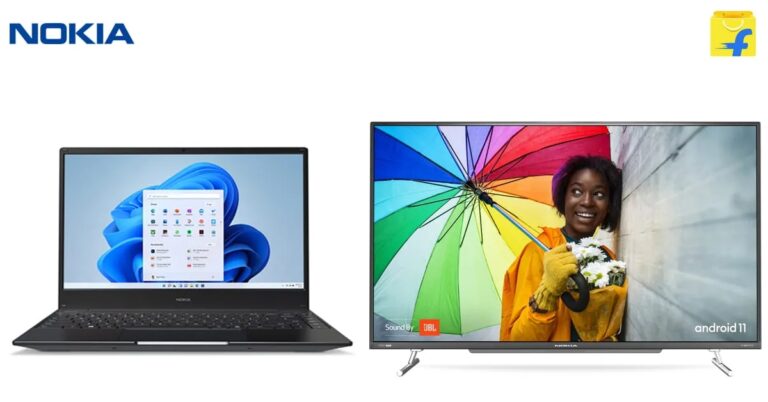
Ahead of Flipkart’s festive season and Big Billion day sale, Nokia launched its new laptop along with a series of TVs in India on Flipkart. The laptop comes with the latest 11th gen i5 processors and Windows 11. It is the first laptop in India to come with the latest Windows 11 out of the box. Another product being Nokia’s QLED TVs and comes with Ultra HD 4K resolution. Here are details regarding these two products.
Nokia PureBook S14
Price
The Nokia PureBook S14 comes with a price tag of Rs 56,990. It will go on sale when the Big Billion Days sale starts on Flipkart i.e. Oct 3.
Specification
Last year the company launched the PureBook X14. The S14 is the new addition to that series which is thinned and lighter weighing just 1.4 kg. Powering the laptop is the latest 11th Gen i5 processor by Intel with Iris Xe Integrated Graphics and support for Dolby Atmos.The laptop will be available in two variants first being an 8Gb variant and the other a 16 Gb variant. Both the laptops will be paired with 512 NVMe SSD for storage. The laptops will have a full HD IPS display with an 82 percent screen-to-body ratio. The laptop comes with all the ports for connectivity. It houses a USB-A 3.0 port, a USB-C port, and an HDMI port, along with all the standard wireless connectivity options like Wi-Fi and Bluetooth.The most highlighting part of the PureBook S14 is it’s the first Laptop in India to come with Windows 11 out of the box.Read Also: Nokia PureBook X14 teased to include 10th Gen Intel Core i5
Nokia Smart TVs
Price
The new QLED TV range starts from Rs 49,999. The price for the cheaper LED variant is not known yet. We can surely expect that the prices will be competitive and will be announced at the Big Billion Days sale on Flipkart.
Specification
These new Android QLED TVs are manufactured in India by Nokia in two screen sizes, one being a 50-inch and the other a 55-inch variant. The TVs come with 60W twin speakers with bass reflex tube and support for Dolby Atmos. The powerful sound comes out of JBL speakers powered by Harman AudioEFX. These displays offer 102% NTSC colour gamut with native support of Dolby Vision and HDR 10.In the led range there are 4 TVs: 43-inch Full HD & 43-inch, 50-inch and 55-inch Ultra HD 4K. All of them offer Dolby Vision and HDR 10, with Eye protect plus mode to filter some blue light and protect your eyes.These new TVs are powered by a 1.1 GHz quad-core processor, coupled with 2 GB RAM and 16 GB onboard storage. Alongside these G31 is used for GPU. The entire new lineup runs on the latest Android 11 out of the box with advanced connectivity features like dual-band Wi-Fi, Bluetooth and more.Read Also: Asus VivoBook S15 (S530) and VivoBook S14 (S430) launched There are few handy updates for the existing Nokia Smart TV too, as the company announced to push Android 11 on them along with features like Dolby Vision, Dolby Atmos, Dual-band Wi-Fi and Data saver.
For the latest gadget and tech news, and gadget reviews, follow us on Twitter, Facebook and Instagram. For newest tech & gadget videos subscribe to our YouTube Channel. You can also stay up to date using the Gadget Bridge Android App. You can find the latest car and bike news here.
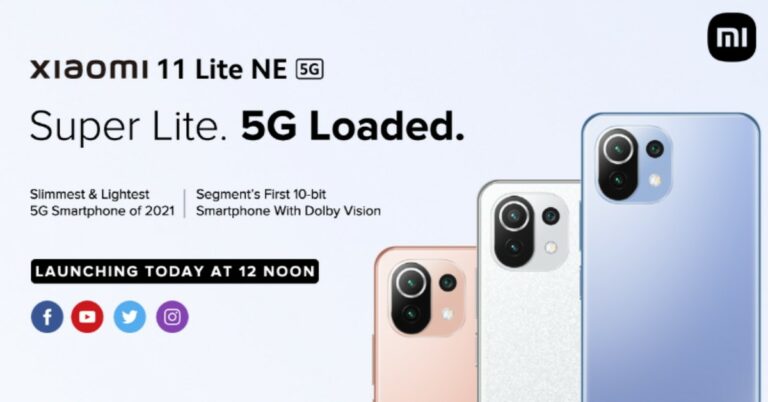
Xiaomi is all set to announce the launch of its latest 5G smartphone in the Indian market. Xiaomi 11 Lite NE 5G will be the first to make its debut in the country from the recently launched Xiaomi 11T series. The lineup already includes two more devices 11T and 11T Pro. The upcoming smartphone’s key features include an AMOLED true-colour display, triple rear camera and it also equips Snapdragon 778G SOC.
Xiaomi 11 Lite NE 5G price in India (expected) and How to watch the Livestream
Xiaomi 11 Lite NE 5G is scheduled to launch in India today. The company will be hosting a virtual launch event to present the device. The online event will begin at 12 noon and is going to be live-streamed via the company’s official YouTube accounts and through its social media channels in the country. We have embedded the link below so you can catch the live event here.
Xiaomi didn’t let out any information related to the pricing of the Xiaomi 11 Lite NE 5G but according to industry insiders the device will come in three different configurations- 6GB RAM with 128GB storage, 8GB RAM with 128GB storage and 8GB RAM with 256GB storage options. The price is expected to begin at Rs 21,999. Whereas the price of 8GB with 128GB storage model is expected to be around Rs 30,000-31,000. To recall, the device was launched in Europe at EUR 349 that translates to Rs 30,300 for the 6GB RAM whereas the 8GB RAM model is the price at EUR 3999 that converts to Rs 34,600. Apart from the Xiaomi, 11T NE may arrive in three colour options at the first stage while the fourth one will launch later on. The device is produced in Bubblegum Blue, Peach Pink, Snowflake White and Truffle Black colour options in Europe.
Xiaomi 11 Lite NE 5G specs
Xiaomi 11 Lite NE 5G will feature a 6.55-inch full HD+ AMOLED display with 1,080×2,400 pixels of resolution. It will run on MIUI 12.5 on top of Android 11, The phone will be powered by an octa-core Qualcomm Snapdragon 778G SoC paired with up to 8GB of RAM with 256GB of storage options.Xiaomi 11 Lite NE 5G includes a triple rear camera set up that consists of a 64MP primary sensor, an 8MP ultra-wide-angle lens and a 5MP tele macro lens, For selfies it sports a 20MP front-facing camera. In addition to this, the 5G smartphone includes a 4,250mAh battery that supports 33W fast charging. For connectivity, there is 5G, 4G LTE, WI-Fi 6, Bluetooth v5.2, GPS/A-GPS, NFC, IR blaster and a USB Type-C port.
For the latest gadget and tech news, and gadget reviews, follow us on Twitter, Facebook and Instagram. For newest tech & gadget videos subscribe to our YouTube Channel. You can also stay up to date using the Gadget Bridge Android App. You can find the latest car and bike news here.
Yesterday only Samsung Galaxy M52 5G debuted in India and today the company is all set to launch another 5G smartphone in the Indian market. The company will launch Samsung Galaxy F42 5G today in India. It is going to be the company’s first and fifth smartphone to be introduced to the Galaxy F Series portfolio. The smartphone lineup was introduced last year and until now its included only 4G devices.Samsung Galaxy F42 5G will be launching in India today at 12 noon. Ahead of the official announcement the device has been listed on Flipkart to tease its availability and features. According to the landing page, the device will come in two colour options of Blue and Black. It is going to be powered by MediaTek Dimensity 700 SoC that ensure optimised performance, smooth multitasking and reduced power consumption even while browsing and using multiple apps.The phone is revealed to offers 12 5G band support that includes N1 (2100), N3 (1800), N5 (850), N7 (2600), N8 (900), N20 (800), N66 (AWS-3), N38 (2600), N40 (2300), N41 (2500) and N78( 3500) bands. The phone will be available on Samsung.com, Flipkart.com and select retail outlets.For the optics, the Samsung Galaxy F42 will be featuring a triple rear camera set up that will include a 64-megapixel primary sensor. The sensor is said to support the Night Mode feature with an LED Flash housed inside the camera module. In addition, this device is going to include a 3.5mm headphone jack, a USB Type-C port and a speaker grille at the bottom. In addition to this, there will be an FHD+ Infinity V display that will have 90Hz refresh rate support.On the right side of the frame, there will be a side-mounted fingerprint sensor and a volume bottom. The upcoming phone will be housing a 5,000mAh battery that is claimed to provide a whole day of battery life.
For the latest gadget and tech news, and gadget reviews, follow us on Twitter, Facebook and Instagram. For newest tech & gadget videos subscribe to our YouTube Channel. You can also stay up to date using the Gadget Bridge Android App. You can find the latest car and bike news here.


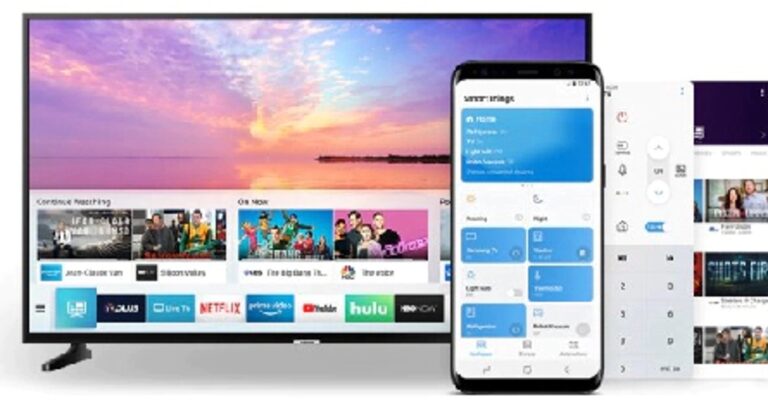
 On an Android smartphone, the easiest way is to do it directly from the Dropdown notification bar and tapping on the screencast option. Select the TV name from the list and the smartphone screen will be mirrored automatically.
The other way is by using the Smart Things application.
Step 1 – Download the Smart Things application from Play Store.
Step 2 – Go to add device and select your smart TV.
Step 3 – Tap on the TV to start connecting and view images, videos and more.
On an Android smartphone, the easiest way is to do it directly from the Dropdown notification bar and tapping on the screencast option. Select the TV name from the list and the smartphone screen will be mirrored automatically.
The other way is by using the Smart Things application.
Step 1 – Download the Smart Things application from Play Store.
Step 2 – Go to add device and select your smart TV.
Step 3 – Tap on the TV to start connecting and view images, videos and more.

 Step 3 – Your TV will be ready to mirror screen follow the same steps as above for either Android or Apple device to cast your screen easily.
Read Also: Microsoft gets Android apps to Windows 10 with this new feature
Step 3 – Your TV will be ready to mirror screen follow the same steps as above for either Android or Apple device to cast your screen easily.
Read Also: Microsoft gets Android apps to Windows 10 with this new feature
 Following these steps, one can mirror their Android or iPhone screen to a Samsung or Sony smart TV. Make use of this feature and enjoy your phone content on the big TV screen. One can also consider buying Amazon Firestick, Chromecast or MiraCast if the screen sharing feature is unavailable on your TV.
For the latest gadget and tech news, and gadget reviews, follow us on Twitter, Facebook and Instagram. For newest tech & gadget videos subscribe to our YouTube Channel. You can also stay up to date using the Gadget Bridge Android App. You can find the latest car and bike news here.
Following these steps, one can mirror their Android or iPhone screen to a Samsung or Sony smart TV. Make use of this feature and enjoy your phone content on the big TV screen. One can also consider buying Amazon Firestick, Chromecast or MiraCast if the screen sharing feature is unavailable on your TV.
For the latest gadget and tech news, and gadget reviews, follow us on Twitter, Facebook and Instagram. For newest tech & gadget videos subscribe to our YouTube Channel. You can also stay up to date using the Gadget Bridge Android App. You can find the latest car and bike news here. 
 Step 4 –
 Read Also:
  Step 3 –
 Read Also:







 Step 3 –