In This Article
Samsung 5G Mobile Phones – An Overview
Samsung has been a household name in India for over two decades. While immensely popular for a range of home appliances, Samsung mobile phones are perennially popular due to their exceptional quality and innovative designs. The new Samsung 5G mobiles Galaxy Flip Z4 and Galaxy Fold3 are perfect examples of this, with their unique foldable glass screens. As a company, Samsung has been at the core of 5G development, and it is no surprise that the brand offers various 5G phones across several price points. The Samsung Galaxy A series offers some of the most affordable 5G phones without compromising on quality or the nifty features Samsung users have become used to. Starting at just ₹ 11,999 onwards, these budget phones come with the latest Android OS, a 50 MP rear camera and a 5000 mAh battery. Thus, the brand offers handsets with features that are otherwise found in relatively more expensive phones. On the other end of the spectrum lies the Samsung Galaxy S series. This is a premium range of phones with state-of-the-art technology, stunning designs and amazing features. The S-Pen, for example, is a proprietary Samsung device that is a stylus and lets you take notes, doodle on the screen and directly export it to digital format on the phone. With a hyper-fast chipset, special night-vision photography mode and a stunning display, Samsung 5G mobile phones are some of the best-selling models in their category. OnePlus 5G Mobile Phones – An Overview In less than a decade, OnePlus has emerged as a worthy challenger to Samsung in the smartphone market. OnePlus 5G mobile phones, in particular, are quite popular due to their sleek designs, terrific configuration and ultra-fast charging technology. The OnePlus Nord series is quite popular in the gaming community due to its dedicated Game Mode. Additionally, it comes with an HD graphics chip, excellent internal configuration and an additional cooling system that is ideally suited for long uninterrupted gaming sessions. From the base model – OnePlus Nord CE 2 Lite 5G, to the premium OnePlus 10 Pro, you can find a OnePlus 5G mobile phone to perfectly meet your needs and suit your pocket. The price of these phones lies between ₹ 18,999 and ₹ 61,999, depending on the model you select. Samsung 5G vs. OnePlus 5G – A Comparison An apples-to-apples comparison may not be feasible with the vast range of models both brands offer. However, to help you gain more insights before making a buying decision, here is a quick comparison between the top 5G flagship models from both brands. Factors such as operating system (Android v12), chipset, RAM + ROM configuration (from 6GB/256GB to 12GB/512GB), and connectivity options are rather similar in both models. So, let us examine the other aspects worth comparing.Samsung Galaxy S22 Plus
- Form Factor: Armour aluminium frame with Corning Gorilla Glass Victus+ cover. IP68 dust and water resistance
- Display: 6-inch Dynamic AMOLED display with a 1080 x 2340 pixel resolution
- Battery: 4500 mAh with 45W wired and 15W wireless fast charging support
- Camera: Primary rear camera of 50 MP, a secondary camera with an ultra-wide lens of 12 MP and a 10 MP telephoto camera with 3x optical zoom; 10 MP front camera
OnePlus 10T Pro
- Form Factor: Aluminium frame with Gorilla Glass 5 display and back, and IP67 resistance rating
- Display: 7-inch QHD+ Fluid AMOLED, HDR+ certified display with a 1440 x 3216 pixel resolution
- Battery: 5000 mAh with 80W wired and 50W wireless fast charging support
- Camera: A triple rear camera setup with 48 MP primary lens, 50 MP ultra-wide-angle lens, and 8 MP telephoto lens; 32 MP front camera




 Step 2:
  Step 3:
  Step 4:










 Step 2 – Select the option Quick recovery from device, and specify which categories of data you would like to recover
 Step 3 – Plug your Android phone into a USB slot on the computer, and scan the existing and deleted data on the device
 Step 4 – Preview the scanned data and choose which documents you want to get back, then click on the Start button when you are ready
 Step 5 – Choose whether to save the files to PC or to Device, and wait a little while for the recovery process to be completed without unplugging the phone.


 Read Also:









 Step 2:
  Step 3: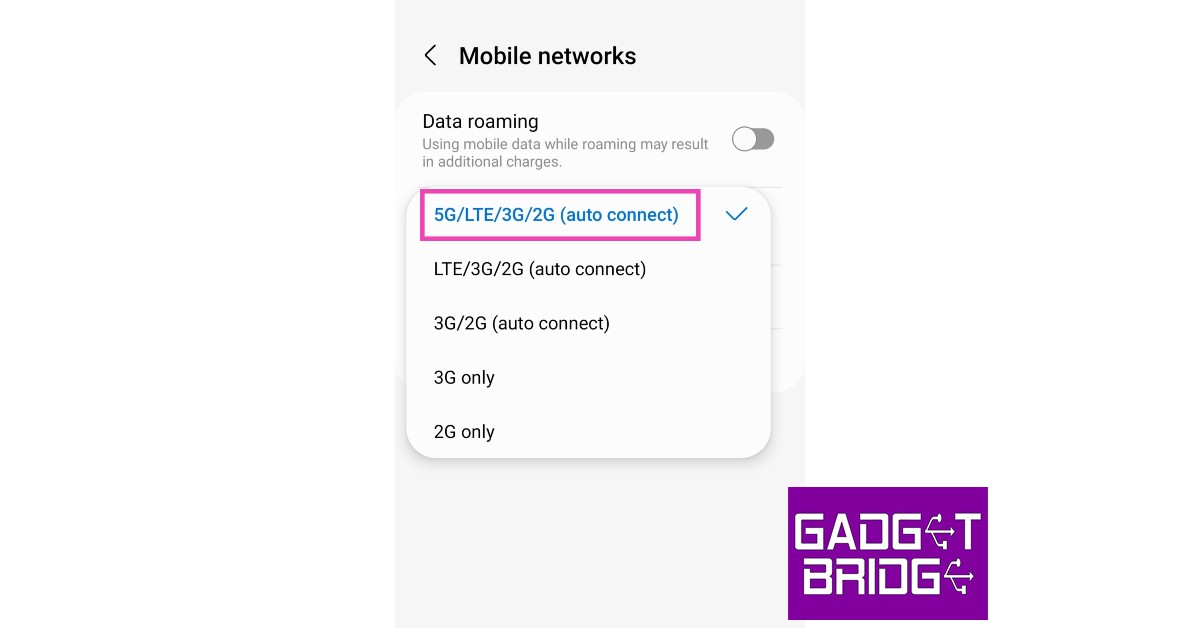
 Step 3: