Capturing stunning images is one of the best products of an Apple iPhone. No matter the iPhone’s model or series, it always takes beautiful photos. Getting nice pictures is one thing, another thing is the storage of those photos. They always need a lot of space in your iPhone’s memory. And all the duplicate or blurry photos on the storage take up the unnecessary space you will need to store those candids. Here is the guide to get rid of duplicate or blurry images.
Remove the duplicate blurry photos manually:
The first option available to delete all the duplicate blurry photos from your iPhone is from settings. Though it takes some amount of time it is safer and more secure. This option can be performed if there are not a lot of photos in your library. Here are the steps.
Unlock your phone lock and open the screen
Open the Photo app
Carefully scroll down all images and find the one which is blurry and duplicate
Select the photos by long-pressing them until a blue tick comes at the bottom of the image
Now after selecting find the delete button with a Bin icon on the bottom right corner
And if you want to delete it permanently and free up more space: Go to recently deleted and try doing select all and delete it
Delete using a third-party app: Remo Duplicate Photo remover
The other possibility to remove the duplicate blurry images from your iPhone is by using a third-party app. The Remo app is recommended as it is a free app that can delete unnecessary photos. And also the app is simple and easy to use. Here is how you delete the duplicate blurry photos.
Download the app on your phone
Allow the access to your photos and it will start scanning: Duration of scanning depend on the amount of image on the library
After scanning the app will categorise the photo in two: Exact and Similar
Exact are identical copies and Similar are photos that look close to one another
Now Select the photos from each category with the tick and delete them using the button in the bottom right corner with the bin icon
This app uses a smart machine learning algorithm to remove all the duplicate or blurry images from your iPhone. Gemini has two options: Similar images and Clutter images. To remove clutter images you have to pay for the feature. However, you can still use similar options and delete the images for free. Here is the guide.
Download the app
Let the app scan your library photos
After the scan is complete under the Similar option
Travelling to a new place can make you forget stress. Exploring those places you read about or have heard about is always filled with excitement and is overwhelming. When you make that adventurous journey make sure you have some of these apps. The apps will not only guide you but also give the best options available around the vicinity. So, here are the top 10 Android apps for travellers.
Tripadvisor
The first app on the list is Tripadvisor to make your travel better. Downloading the app on the phone during all your excursions will help you with many options from planning your trips to making a booking for a trip. The app gives you the best guidance for the vacation you are taking, where to stay, what to do, and where to eat. The advice is from trusted and honest travellers who have visited the place before and have completed the same journey Download from Google Play StoreRead Also: Which one is better, eSIM or a regular SIM? Let’s find it out
Wanderlog: Travel Itenary & Road Trip Planner
The next app on the list for all your travel needs is Wanderlog which you can download from Play Store for free. The app will help with all your travel plans, even if it is a road trip or a group trip. The app provides a lot of travel solutions for your adventure and it is the easiest to use. On the app, you can search for flights, hotels, and the most happening locations in the place. The app also lets you view plans on your travel map and map your route for travel.Download from Google Play StoreRead Also:In Pictures: Microsoft’s new office in Noida, India inspired by Taj Mahal looks like a 5-star hotel
Triplt: Travel Planner
The Triplt app is one of the best travel apps available. Triplt lets you gather all your scatter inbox into a single itinerary and makes that travel more organised that you can also access offline. The app also syncs all your travel plans to your phone calendar and has the option to share it with your travel partner for more convenience. Check out the app for your travel needs.Download from Google Play Store
Skyscanner: Flights, hotels, car hire
This app on the list is for all travel needs when it comes to flights, hotels, and the care you will definitely want. The app is ideally made to give you the best deals on flights by comparing all the flight prices available. You can also book a flight directly after comparing the prices on the app to make your travel easier. Skyscanner also searches for amazing hotel discounts. Try the app when you plan your next trip. Download from Google Play Store
Trip Planner: Travel India App by Holidify.com
The next app is particularly for all travel in India. Holidify is the best travel app for your travelling in India and is the highest-rated trip planner app reviewed by many travel experts. The app helps you choose where to travel best with the best travel advice on the app. Holidify will help you find the cheapest and fastest way to reach anywhere in India. Download from Google Play Store
Travel Planner App to Plan Trips by Tripoto
The app has the world’s largest community of travel bloggers and travel planners. The app can give you more than just travel planning. It will let you discover a location, give information, hidden destinations, hotels, etc. The app also allows you to share your itineraries and travel stories and help you check for travel packages. Download from Google Play Store
Airbnb: Vacation Rentals & Experiences
The app is unique in its own way by letting you connect to many hosts for your stay. The app will help you find the perfect place to stay on any day you require. On the app, you can message your host directly for convenience and ask for directions and all the assistance you will require. The app is new with many exciting ideas that you should definitely try once on your travel plans.Download the app from the Play Store
Hopper
Hopper is one of the best Android apps For travellers. You can use Hopper to track the price of flight tickets and book them at a time when they’re available at the lowest possible price. Hopper even sends you a notification when the price of a flight ticket drops from its normal fare. If you don’t want to book a ticket right away, you can freeze its price for a nominal fee. Apart from booking flight tickets, you can use Hopper to reserve hotel rooms and rent cabs.
Download from Google Play Store
Google Maps
Google Maps is the quintessential navigation app, which makes it perfect for road trips. You can create custom routes on the map, ensuring that you hit all the off-the-highway places you want to see on the way to your destination. Apart from navigation, you can use Google Maps to find anything from public toilets to common local attractions around you. The app also allows you to save places in a custom list so you don’t forget about the places you want to see.
Download from Google Play Store
Agoda
Agoda is a comprehensive travel-planning app which lets you book anything from hotel rooms to flight tickets. You can choose from over 200 airlines (domestic and international) and 4,000,000 accommodations (which includes hotels, villas, and BnBs). The app’s search engine lets you compare flight prices in real-time. If you’re working on a budget, Agoda has helpful price filters which will help you find something within your range.
Download from Google Play StoreRead Also:Dell Technologies Introduces the Alienware x16 R2 in India
Conclusion
These are the top 10 Android apps for travellers in 2024. Embarking on a road trip? Check out this article to know which gadgets you must carry with you. Think we missed out on an essential travel app? Let us know in the comments!
Till now the white screen, which releases blue light has been very common but the dark mode has arrived on Apple products. The visual experience is awful if you are working in a dark room with the blue light on, the screen is not healthy for the eyes also. Now you can use a dark display theme on your iPhone and iPad. Here are the steps to switch on the dark mode.
Enable dark mode on iPhone:
The many features of Apple iOS 13 or later include the dark mode option to make the visuals on the screen better. The dark mode is designed especially for low-light screen use and also for night. Turning on the dark mode will make your notification and widgets bring about a darker hue. The option to use the features can be manually enabled o disabled or you can set it to automatic. Check the guide below to enable the dark mode on your iPhone.
Unlock your iPhone and go to settings
Find Display & Brightness
Now click on Dark with a tick under the appearance section
If you want to set it to automatic on the same page Toggle the automatic from the control center
For the automatic setting there some options you can use the Nightshift options or the Schedule options that you can set time to
After setting it to automatic you can control the dark mode by swiping up the screen from your home screen
From swipe-up, you can manage many functions from schedule to brightness levels
The dark mode is also featured on the iPadOS. The dark mode has been a desired feature by many users of Apple products. The dark theme not only results in saving your eyes but also maintains battery consumption. Look at the steps below to enable the dark mode on your iPad and to have another visual experience. Here is the guide.
For settings by voice, you can ask Siri to set the settings for you
Manually, open the screen lock and go to settings
There are two options to use dark mode: From the Control center and Display & Brightness
From Display & Brightness: Setting> Display & Brightness
Click on the tick for dark
You can also toggle for automatic is right below the tick for dark mode
And go to options below automatic toggle and set to the options given: Custom or Sunset to Sunrise
From Control Center: Settings> Dark Mode
You can tap on the Dark mode button to turn it on or off
Microsoft is all set to launch the next generation of the Windows update at the Microsoft Event. This is going to be a virtual event that will be hosted today via an online presentation. At the tech event today the software giant will be taking the wraps off Windows 11 that will succeed the existing Windows 10 operating system. The company will be showcasing the new interface and animations that will be coming to the new OS. Here is more in the story that you should know about just before the official announcement of Windows 11.How to Watch the Livestream of Microsoft Event?The Microsoft Event for the launch of the next generation of Windows will kickstart at 11 AM ESR that is 8.30 PM IST. The live stream link has gone live on the company’s official website so you can catch the event live there.What you can expect from today’s Windows 11 launch event?Ahead of the official announcement, a major leak has revealed the design and feature to come with the arrival of Windows 11. The users will get to see a whole new interface which will include a redesigned Start menu, app icons shifted to the centre of the taskbar and a more clear tray area. The app icon and the Start menu can either be moved to the centre of the taskbar or to the left side. The Live Tiles are said to be completely removed from the Start menu. In short, the interface will look more simplified with pinned apps and a lot more.
There will be a system-wide dark mode with the redesigned app icon and rounded corners throughout Windows 11. The new operating system is likely to include a widget icon that is designed to slide out and provide quick access to news, weather, and other web content.New snap controls can be accessed from the maximize button on all apps. The company is said to have taken a lot of inspiration from Windows 10X which was scrapped later on. The users will be able to snap windows side by side or arrange them in sections on your desktop.Besides this, Microsoft is also said to be working on the new app store for windows. The company’s CEO Satya Nadella and chief product officer Panos Panay both will be presenting the new Windows operating system. The Chief commented, “Soon we will share one of the most significant updates to Windows of the past decade to unlock greater economic opportunity for developers and creators. I’ve been self-hosting it over the past several months, and I’m incredibly excited about the next generation of Windows.”Moreover, some product configuration keys were also spotted in the leaked Windows 11 build that carries titles of Windows 7 and Windows 8.1. This indicates that the next generations of Windows will be brought as a free upgrade for users on older Windows operating systems such as Windows 7 and Windows 8.1 other than WIndows 10.
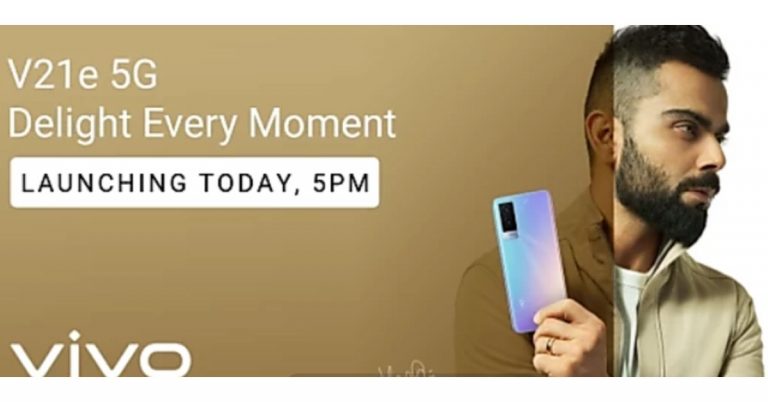
The Chinese smartphone company, Vivo, is all set to launch its new smartphone in its premium mid-range V-Series. The company will be introducing Vivo V21e 5G in the Indian market today as its second addition to the Vivo V21 line-up. The device also got listed on Flipkart ahead of the official announcement. As per the microsite the phone will be offered in an 8GB of RAM and to carry 44W fast charging support.As per the company Vivo V21e 5G will belaunchingin India at 5 PM in the evening today. Before arriving in the country the device was first launched in Malaysia a few months back with an octa-core Qualcomm Snapdragon 720G SoC paired with 8GB of RAM and 128GB of storage. Whereas a Geekbenck listing suggests that it would be carrying a MediaTek Dimensity 700 SoC that may be paired with 8GB of RAM. The Geekbench scores are 462 in single-core tests and 1,502 in multi-core. Moreover, it would also ship Android 11 out of the box. Rumours suggest that Vivo V21e 5G will be featuring a 6.44-inch Full HD+ AMOLED display and fuelled by a 4,400 mAh battery with 44W fast charging support. On the other hand, the dedicated microsite on Flipkart suggests that the upcoming smartphone will be 8GB RAM with 3GB expandable RAM and a 44W fast charging support. Additionally, there will be a 32-megapixel selfie camera and a dual camera set up on the back of the phone highlighted with a 64-megapixel primary sensor. It will also come in two colour options. To recall, in Malaysia it was made available in two different shades of Diamond Flare and Roman Black.Coming to the pricing, just ahead of the official launch, the Vivo V21e 5G price is tipped to be at Rs 24,990 for the 8GB RAM with 128GB storage which is on the higher side. In Malaysia, it was introduced at MYR 1,299 that translates to Rs 23,299.
For the latest gadget and tech news, and gadget reviews, follow us on Twitter, Facebook and Instagram. For newest tech & gadget videos subscribe to our YouTube Channel. You can also stay up to date using the Gadget Bridge Android App.
The e-commerce website Flipkart is hosting Daily Trivia Quiz. Every day it brings a bunch of new questions for its users. By answering them correctly you can win exciting prizes. The questionnaire is based on questions related to general knowledge. Also, the users can win free vouchers and super coins, among other offers via the daily quiz. June 24 Flipkart Daily Trivia Quiz Answers has already gone live on its platform.
The participant should be at least 18 years old and should have a valid login ID. The Quiz is available on the mobile platform and not the web version. E-commerce conducts the quiz on daily basis and goes live at 12:00 AM IST and runs till 11:59 PM IST. The winners are announced within 15 days from the date of participation that can be viewed under the Gems/Rewards section in the app.
How to participate in the Flipkart Daily Trivia Quiz
To participate download the Flipkart app on your phone. Then open the Flipkart app then head to Game Zone. Now click on the Daily Trivia Banner or search for Daily Trivia. Enter the game and answer all 5 questions with correct answers.
June 24 Flipkart Daily Trivia Quiz Answers
Question 1: Who played the role of Rustom Billimoria in the 2017 film Rangoon?
Answer: Saif Ali Khan
Question 2: In whose honour did Pandit Ravi Shankar compose the Raga Mohankauns?
Answer: Mahatma Gandhi
Question 3: Which band released the iconic album Sgt. Pepper’s Lonely Hearts Club Band?
Answer: The Beatles
Question 4: Courteney Cox was offered which part before she played Monica in the TV show Friends?
Answer: Rachel
Question 5: Former Miss World Manushi Chhillar is all set to make her Bollywood debut opposite
Answer: Akshay Kumar
Today’s Amazon Quiz has gone live now and the e-commerce platform Amazon is giving you a chance to win Rs 20,000 Amazon Pay Balance. It can be played daily from 12 AM to 11:59 PM. Millions of its customers are trying their luck by participating in the daily quiz to win free gadgets as well as Amazon Pay Balance. All you need to do is log in to your Amazon app on your device and participate in today’s quiz.
Every day Amazon brings a fresh questionnaire that consists of five easy questions based on general knowledge and current affairs. By submitting correct answers the contestants can win exciting prizes such as iPhone X, iPhone Xs, Seagate HDD, GoPro Hero 8 Camera, LG Smartphones, Bose Sound Touch 20 Speakers, OnePlus 7T among others. One thing to note is that the quiz is not available for the desktop platform, you can only participate in the quiz from 12 AM to 11:59 PM via mobile app. After giving all the correct answers to the question you will get shortlisted for a lucky draw to select a winner. The results will be announced at the end of the month. Check out today’s answers for the Amazon Quiz to win Rs 20,000 Amazon Pay Balance.
June 24 Amazon Quiz Answers
Question 1: Which international organisation recently released ‘Immunization Agenda 2030’?
The answer is- WHO
Question 2: The ‘Plain of Jars’ is a mysterious megalithic archaeological landscape located in which country?
The answer is- Laos
Question 3: In which country is an AI powered drone project set up to detect and map the most important habitats of Maui and Hector dolphins?
The answer is- New Zealand
Question 4: This character was named in honour of whom?
The answer is- The second person to walk on the Moon
Question 5: This infamous Pripyat sign can be found at the entrance to which complex?
The answer is- Chernobyl
Recently Google rolled out an update for Google Meet offering more improvements to automatic hand lowering, better notification and others. In a new development, soon the video conferencing app users will get more education-focused features including controls for moderators and admins. Additionally Google Meet will also get YouTube live streams, live translated captions and more. Another important feature to arrive in the coming future is the Video lock that will allow the host to close the video for all the participants immediately.At its, The Anywhere School 2021 online event the tech giant Google announced to bring a lot of new education-focused features to Google Meet in its next update. According to the company, the teacher and co-teacher in a Classroom class will be meeting hosts in Meet by default, enabling multiple teachers to share the load of managing a class. The students will also be able to automatically become admitted to the meeting once the teacher arrives. Additionally, those not on the Classroom roster will have to “ask to join” and only the teacher(s) can allow them into the meeting. With these features, the company aims to make Google Classroom safer and more secure by design.All meetings, initiated from Meet or Calendar will get features like, host ends breakout rooms, participants will get a warning and then will be forced back into the main hosts can meeting. Moreover, the hosts can match the breakout room safety settings with the safety settings from the main meeting. To avoid distractions, hosts will be able to turn off everyone’s video at once with a “video lock.” Whereas hosts using tablets and mobile phones will get important meeting safety controls, like the ability to end meetings for everyone on the call and mute everyone at once. Giving more control to the admins, this month onward new settings to the Admin console will be added so that school leaders will be able to set policies for who can join their school’s video calls and whether people from their school can join video calls from other schools. However, the new addition will not affect the default experience and will only change if your admin changes the current setting.New settings to control whetherQuick access is enabled by default, and other settings to control whether people can use the chat in meetings. On the other hand, admins with Education Standard and Education Plus will be capable to end any meeting in their organization directly from the investigation tool, and Quick access will be automatically turned off so nobody can rejoin the meeting without the host present all at once.Google Meet users can also unpin your presentation or minimize their self-feed to see more of their students on the call and also differentlayout options to customize what you want to focus on. Whereas meetings not initiated from Classroom will soon start supporting multiple hosts, therefore, you will be able to choose co-hosts in meetings, and all meeting hosts will have access to safety controls. As we mentioned before Google will be improving the hand raise featurein Meet so that it is easier to notice and address raised hands and teachers can more easily see and hear who raised their hands. Google Meet also supports closed captions in five languages and the user will also be able to pin multiple tiles to customize what they want to focus on. For example, students can easily pin a sign language interpreter and the teacher so they can see both at the same time.Adding more features Google will also be introducing live translated captions to Meet so that you can listen to someone speaking one language and see real-time captions in another language. Also soon the users will be able to use closed captions during private live streams as well as most public live streams streamed right to YouTube so anyone outside of your institution can attend. This feature is ideal for school board meetings, school events and more. However, this will be released in beta this year and will be rolled out to customers with the Teaching and Learning Upgrade or Education Plus in early 2022.
For the latest gadget and tech news, and gadget reviews, follow us on Twitter, Facebook and Instagram. For newest tech & gadget videos subscribe to our YouTube Channel. You can also stay up to date using the Gadget Bridge Android App.
You can meet your electricity needs by installing a bunch of solar panel systems on rooftops. By investing a little in the solar system you can avoid all the difficulties during a power-cut or black-out. Moreover, spending on solar panels will help you cut down your utility bills and save some electricity (as said). Here are some of the best options available.
LOOM Solar Panel: 390 Watts- 24 volts Mono Perc (Pack of 2)
The first solar panel on the list is by LOOM, which has 390 Watts-24 volts. This solar panel is one of the best options to install on rooftops for a residential system since it generates 30-50% more power than average other solar panels. The frame of the panel has been tested super strong and with middle support for lasting life. It has 24 V battery charging and comes with a 19% Cell Conversion efficiency. When you buy the product the company Loom solar Pvt. Ltd provides you with a pre-installed junction box with diodes and also comes with a pair of pre-attached 1M wire & MC4 connectors. Price: Rs 50,000Buy on Amazon.in
Microtek Solar Panel 150 Watts 12 V: Poly Crystalline Panel
The next on the list is the Microtek Solar panel with 150 Watts and 12 V. The solar panel has a multi-crystalline silicon solar cell type and the frame is made up of Anodised aluminum alloy with low iron glass. The main features are optimal output over decades with a very good low light response and it is suitable for on-grid as well as off-grid applications. The solar panel has been tested with a Damp heat test, thermal cycling test, and humidity freeze test. And best of all, the solar panel comes with a 25 years performance warranty.Price: Rs 8,000Buy from Amazon.in
Read more: OnePlus Nord CE 5G price tipped to start at Rs 22,999 in India, back panel design also revealed
Luminous 325 Watts/24V: Poly Crystalline Panel
This solar panel is from a trusted Indian manufacturing brand having service centers across India. This Luminous solar panel has excellent low light performance, an Anti-reflective coating, and high torsion resistance against wind and snow loads. The features come with advanced EVA encapsulation, PID resistance technology to avoid power loss. The dimension of the solar panel is 1976x991x40 (mm). The best part of the panel is it gives you 25 years of performance warranty. Price: Rs 25,000Buy it from Amazon.in
Read also: Samsung Galaxy S21+ review: Very close to perfection
LOOM Solar Panel: 190 Watts/12 Volt: Mono Perc Solar Panel
The next solar panel is also from Loom solar panel having 190 Watts/12 Volt. This solar panel can withstand high wind and snow load and it also has a resistant aluminum frame which allows the panel to last for decades. It is compatible with both on-grid and off-grid inverters. The solar panels come with pre-installed diodes in the Junction box with a pair of 40-inch cables and MC4 connectors. The panel has been marked with A+grade and it also has anti-PID Mono cells having a conversion efficiency of 20%. Price: Rs 20,000You can buy it on Amazon.nAll of the above will be delivered to your doorstep by Amazon India. Do check with your local electrician before ordering and check which one will suit you best and is compatible with the inverter installed.
For the latest gadget and tech news, and gadget reviews, follow us on Twitter, Facebook and Instagram. For newest tech & gadget videos subscribe to our YouTube Channel. You can also stay up to date using the Gadget Bridge Android App.
Backing up your iPhone data to your Mac works in many ways. If you have securely uploaded all your data to your Mac, in case you lose your iPhone you can still have access to all your files and photos using the Mac. You can back up your iPhone to your Mac if it is on macOS 10.15 Catalina or above. Read the steps below to back up your iPhone to your Mac.
Backup iPhone on Mac with USB cable:
Before the release of macOS 10.5 Catalina in 2019, the backup to your Mac was with the iTunes app. Now after macOS 10.5 released you can connect your iPhones with the USB cable and back up to your Mac swiftly. Check the steps below to back up your data to your Mac.
Connect your iPhone to your Mac with an Apple cable
On the screen displayed navigate to Finder, which is on the sidebar
From the Finder, sider click on your iPhone
Click the Trust blue icon
On the finder page select general
And press on “Backup all of the data of your iPhone to this Mac”
After you have completed your backup process from your iPhone to your Mac. It is suggested to better encrypt your back for safety and security. The encryption process is easy and simple. Follow the steps below.
Plugin your iPhone on your Mac
‘Search the Finder window once you are plugged into your Mac
It is unlikely that the above steps will not work, but just in case we added a third-party app to the list. You can backup your iPhone to your Mac using a third-party app also. You can download the Syncios iPhone manager app and backup your iPhone to your Mac with these quick steps below.
Download the app and install it on your Mac device
Connect your iPhone with a USB cable
A page will show up on the screen
And you can select the data you want to back up
You can back up all type of data files, folders, image, contacts, apps, and even call logs
After selecting all the data you want to backup to your Mac: Click next


 The first option available to delete all the duplicate blurry photos from your iPhone is from settings. Though it takes some amount of time it is safer and more secure. This option can be performed if there are not a lot of photos in your library. Here are the steps.
 This app uses a smart machine learning algorithm to remove all the duplicate or blurry images from your iPhone. Gemini has two options: Similar images and Clutter images. To remove clutter images you have to pay for the feature. However, you can still use similar options and delete the images for free. Here is the guide.



 Hopper is one of the best Android apps For travellers. You can use Hopper to track the price of flight tickets and book them at a time when they’re available at the lowest possible price. Hopper even sends you a notification when the price of a flight ticket drops from its normal fare. If you don’t want to book a ticket right away, you can freeze its price for a nominal fee. Apart from booking flight tickets, you can use Hopper to reserve hotel rooms and rent cabs.
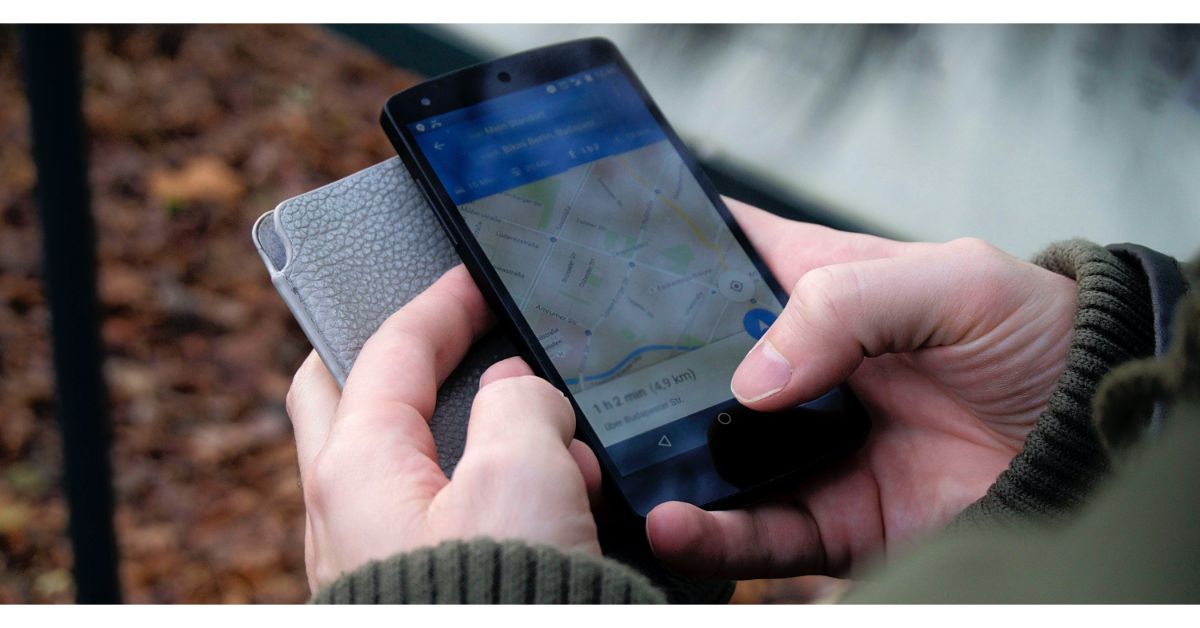 Google Maps is the quintessential navigation app, which makes it perfect for road trips. You can create custom routes on the map, ensuring that you hit all the off-the-highway places you want to see on the way to your destination. Apart from navigation, you can use Google Maps to find anything from public toilets to common local attractions around you. The app also allows you to save places in a custom list so you don’t forget about the places you want to see.
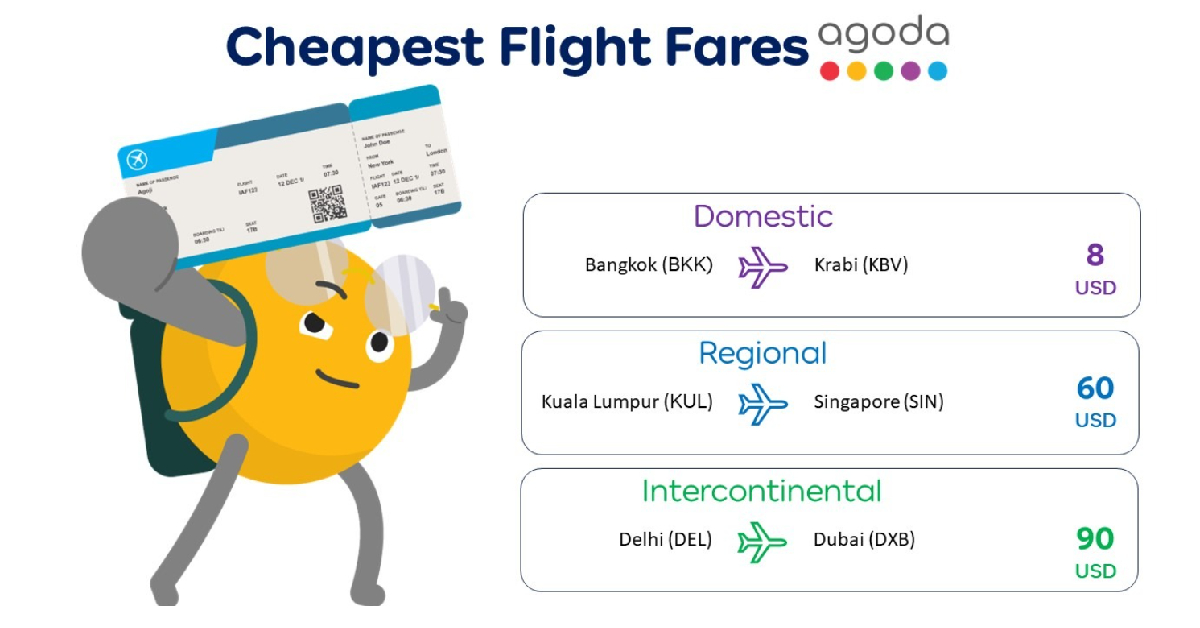 Agoda is a comprehensive travel-planning app which lets you book anything from hotel rooms to flight tickets. You can choose from over 200 airlines (domestic and international) and 4,000,000 accommodations (which includes hotels, villas, and BnBs). The app’s search engine lets you compare flight prices in real-time. If you’re working on a budget, Agoda has helpful price filters which will help you find something within your range.