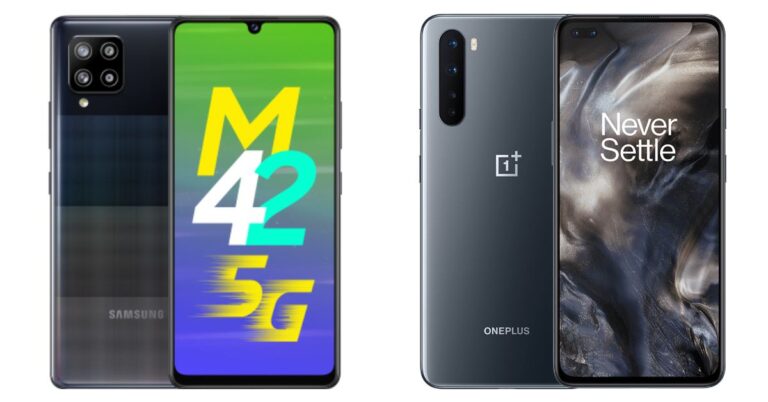
Today in India, Samsung introduced its first 5G smartphone in its Galaxy M range. The company has launched Samsung Galaxy M42 5G that is powered by Qualcomm Snapdragon 750G processor. The phone also includes a waterdrop-style notch display and a quad-camera setup. The device is put up against the OnePlus Nord in the mid-range price segment. So today we have compared both these smartphones in order to highlight the differences and similarities between them. Our comparison of Samsung Galaxy M42 5G Vs OnePlus Nord will surely ease out the choice for you.
Samsung Galaxy M42 5G: 48-megapixel GM2 primary sensor. In addition to this, there is a secondary 8-megapixel ultra-wide-angle lens, a 5-megapixel macro sensor, and a 5-megapixel depth sensor. OnePlus Nord: Sony IMX586 48-megapixel primary sensor with an f/1.75 aperture along with optical image stabilisation (OIS). In addition to this, there is a secondary 8-megapixel ultra-wide-angle lens with a field of view (FoV) of 119 degrees and f/2.25 aperture. It also has a 2-megapixel and a 5-megapixel macro and a depth sensor with f/2.4 aperture
Selfie camera
Samsung Galaxy M42 5G: 20-megapixel selfie cameraOnePlus Nord: 32-megapixel selfie camera sensor and an 8-megapixel secondary sensor
RAM and storage
Samsung Galaxy M42 5G: 6GB RAM with 128GB of storage and 8GB RAM with 128GB storage OnePlus Nord: 6GB RAM with 64GB storage
We have compared all the specs of both smartphones. Firstly, the more storage capacity you have the more you will be able to use it to store pictures, apps, videos etc which OnePlus Nord does not offer. It comes in a single storage option only, whereas M42 offers 128GB of inbuilt storage with expansion options. The OnePlus smartphone has no external memory card support compared with Samsung. In addition to this Galaxy M42 5G comes with a bigger battery capacity than its challenger.On the flipside, Nord offers a sharper and crisper screen as it has 1,080×2,400 pixels of resolution whereas its opponent comes with 720×1600 pixels of resolution. Although both of these phones have a similar rear camera set up, OnePlus Nord offers dual front cameras for selfies. So in the end what matters the most is which phone out of the two offers the best features at the best pricing and in this case Samsung Galaxy M42 5G sweeps the board as it is priced less than OnePlus Nord. And most importantly Samsung is right now offering it an introductory price of Rs 19,999. So, that is our pick out of the two.
For the latest gadget and tech news, and gadget reviews, follow us on Twitter, Facebook and Instagram. For newest tech & gadget videos subscribe to our YouTube Channel. You can also stay up to date using the Gadget Bridge Android App.
Websites nowadays don’t just represent an accumulation of information. They interact with the user to identify what he/she is looking for on the website. As soon as you open some websites, you may find the notification that asks you to allow cookies and notifications. Generally, these settings are designed to improve the user experience. However, you may also get irritated by frequent notifications.
To get rid of the notifications by some or all websites that you visit, almost all modern browsers provide settings to disable them. Once you block a few or all websites from sending you notifications, you won’t get disturbing messages regarding new posts.
How can you block websites asking for notifications on Chrome?
To block websites from asking for notifications on Chrome, follow these steps.
Launch the Chrome browser on your PC or smartphone.
Click the three vertical dots located at the top-right corner and then click Settings.
In the side menu, click Privacy and security.
In the side menu, click Privacy and security.
Go to Site settings > Notifications.
Go to Site settings > Notifications.
Here you can handpick which sites you want to prevent from sending notifications.
To block all sites from sending notification toggle off the option that says, “Sites can ask to send notifications”.
To block all sites from sending notification toggle off the option that says, “Sites can ask to send notifications”.
To block a website from sending notifications, click Add button in the Block section and paste the link to the desired website.
To allow a website for sending notifications, click Add button in the Allow section and paste the link to the desired website.
How can you block websites asking for notifications on Firefox?
To block websites from asking for notifications on Firefox, follow these steps.
Launch the Firefox browser on your PC or smartphone.
Click the hamburger icon located at the top-right corner and then click Options.
In the side menu, click Privacy and security.
Scroll down to reach the Permissions section.
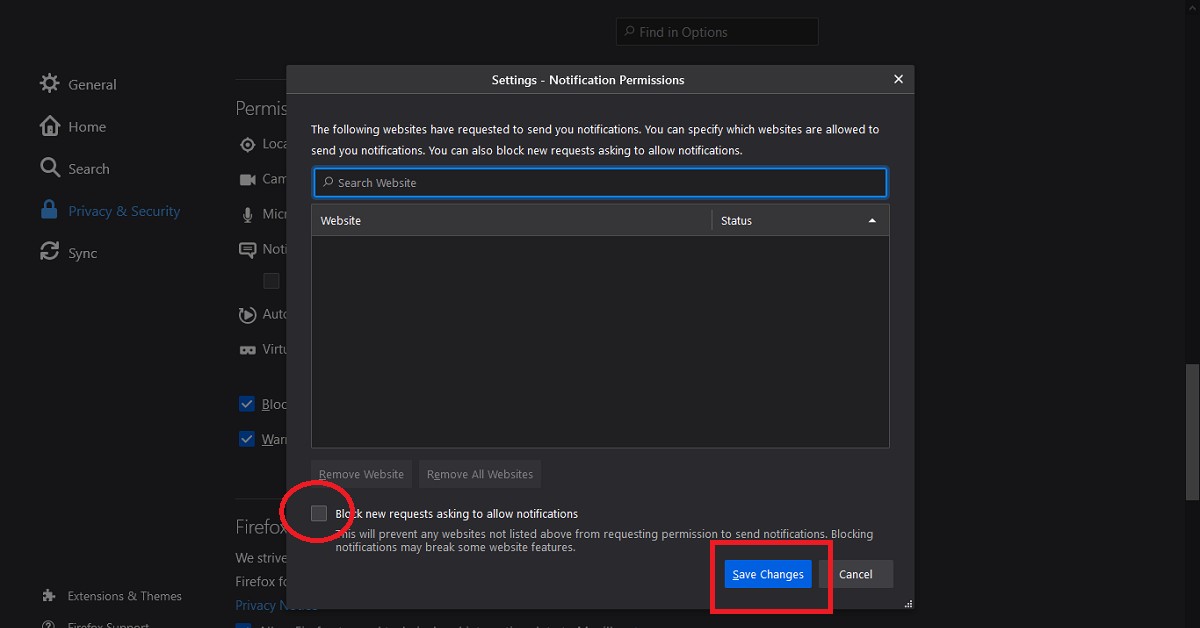
Click the Settings button corresponding to the Notifications option.
Click the Settings button corresponding to the Notifications option.
Click the checkbox that says, “Block new requests asking to allow notifications”.
Click the checkbox that says, “Block new requests asking to allow notifications”.
Click the Save Changes button.
How can you block websites asking for notifications on Edge?
To block websites from asking for notifications on Edge, follow these steps.
Launch the Edge browser on your PC or smartphone.
Click the three horizontal dots located at the top-right corner and then click Settings.
In the side menu, click Cookies and site permissions.
Scroll down and click the Notifications option.
Scroll down and click the Notifications option.
Here you can handpick which sites you want to prevent from sending notifications to you.
Toggle off the option that says, “Ask before sending (recommended)”.
The COVID-19 vaccination drive for citizens above 18 years of age will begin on May 1, 2021. The registration for the same has started on April 28, 2021, at 04:00 PM.
How has India performed in the COVID-19 vaccination till now?
The COVID-19 vaccination programme in India has been carried out at a pace faster than anywhere else in the world. The country has managed to get a significant number of people vaccinated in a short time. According to estimates, 92,90,528 healthcare workers, 1,19,50,251 frontline workers have been given the first dose.
According to the Ministry of Health and Family Welfare, Government of India, “In another significant development, India has now become the fastest country in the world to cross the landmark of 14 crore COVID-19 vaccine doses. India achieved this feat in just 99 days,” the Ministry highlighted.
The COVID-19 vaccination programme was launched on January 16, 2021. The healthcare workers were the first to get vaccinated followed by the frontline workers who got their first dose starting February 2, 2021. On March 1, 2021, people above 60 years and people above 45 years with specified co-morbidity began to be vaccinated. Now, the government has announced the vaccination drive for people above 18 years starting May 1, 2021.
How can people above 18 years register for vaccination?
The citizens above 18 years of age can register for the vaccination appointment in the following steps.
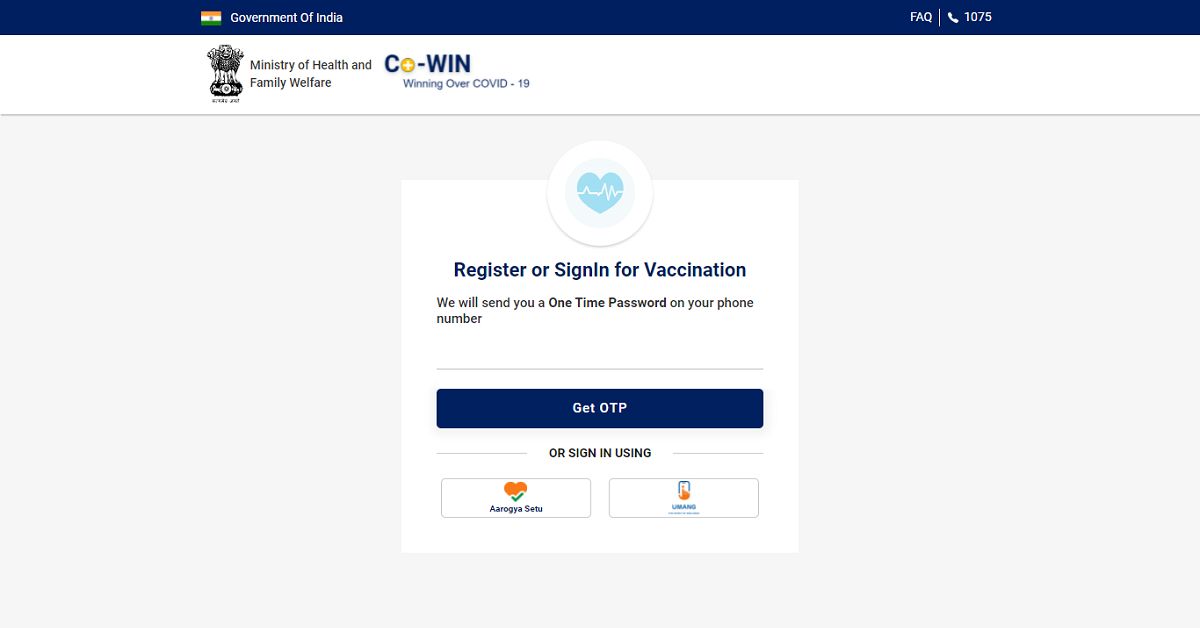
Click the Register/ Sign in yourself button located at the top.
Click the Register/ Sign in yourself button located at the top.
Enter your mobile number for verification via OTP.
Enter your mobile number for verification via OTP.
Once your mobile number is verified, you’ll be greeted by the registration page. Click the Register Member button.
Click the Register Member button.
Enter your Photo ID Proof along with the unique number. You’ll get five options, namely, Aadhaar Card, Driving License, PAN Card, Passport, and Pension Passbook. It must be noted that your registered Photo Id will be verified at the time of your vaccination appointment.
Enter your Photo ID Proof along with the unique number.
Enter your Name, Gender, and Year of Birth.
Click the Register button.
Once you’re registered on the portal, you may more members of your family for vaccination who are above 18 years. To add a member click the +Add Member button.
To add a member click the +Add Member button.
You’ll be required to enter the identification details for each new member added individually.
Once you have added the members who are eligible for vaccination, you may set the schedule for the vaccination appointment.
Click the Schedule button and then click the Schedule Now button located at the bottom.
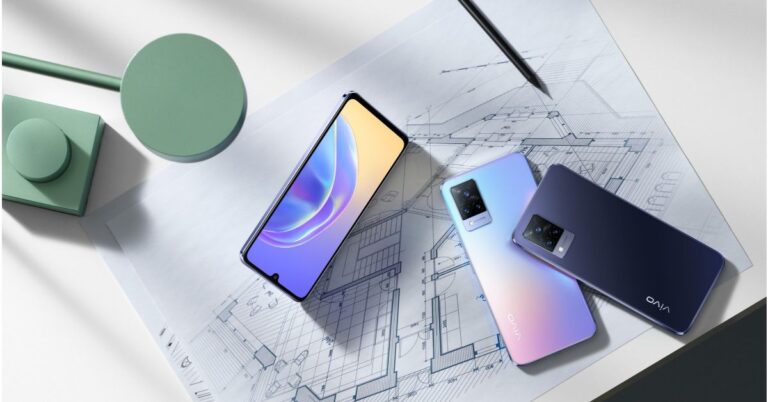
The Chinese smartphone company, Vivo, has officially launched its next generation of V-Series smartphones in the market. The company has introduced Vivo V21 Series that includes three devices – Vivo V21 5G, Vivo V21, and Vivo V21e. All the phones have been first released in Malaysia and will make their way to the Indian market on April 29, which is tomorrow. These mobile phones are camera-centric and include three sensors on the rear.
Vivo V21 series pricing and availability
Though Vivo V21 5G has been introduced in Malaysia but the company has not revealed its pricing. On the other side, Vivo V21 and V21e have been launched with a price tag of MYR 1,599 and MYR 1,299 that translates to Rs 29,000 and Rs 23,000 respectively. Both the phones will go on their first sale starting May 4 but these are up for pre-orders now. The Vivo V21 5G and the standard model will come in three colour options of Arctic White, Dusk Blue, and Sunset Dazzle. On the other hand, V21e will be offered in two different shades of Diamond Flare and Roman Black.
Specifications
Starting with the Vivo V21 5G and V21. It should be noted that the specifications of both of these devices remain the same apart from 5G support. The smartphones feature a 6.44-inch full-HD+ AMOLED display with 1,080×2,404 pixels of resolution and a 90Hz refresh rate. The phones run Funtouch OS 11.1 on top of Android 11 out of the box and are powered by octa-core MediaTek Dimensity 800U SoC.On the imaging front Vivo V21 5G and V21 comes with a triple rear camera setup that includes a 64-megapixel primary sensor with an f/1.79 aperture. In addition to this, there is an 8-megapixel wide-angle lens and a 2-megapixel macro sensor. For the selfies, these smartphones house a 44-megapixel front-facing camera with dual-LED flash. Vivo V21 5G and V21In terms of connectivity, there is 5G (only for V21 5G), 4G LTE, Wi-Fi, Bluetooth v5.1, GPS/ A-GPS, and a USB Type-C port. The sensors onboard include an in-display fingerprint sensor, accelerometer, ambient light, gyroscope, magnetometer, and a proximity sensor. Both the phones boast a 4,000mAh battery with 33W FlashCharge fast charging support.On the contrary, Vivo V21e is powered by an octa-core Qualcomm Snapdragon 720G SoC paired with 8GB of RAM and 128GB of storage. Apart from this, all the specs of this smartphone are similar to its sibling however the camera set up does not support OIS and LED flash for the front camera.
For the latest gadget and tech news, and gadget reviews, follow us on Twitter, Facebook and Instagram. For newest tech & gadget videos subscribe to our YouTube Channel. You can also stay up to date using the Gadget Bridge Android App.
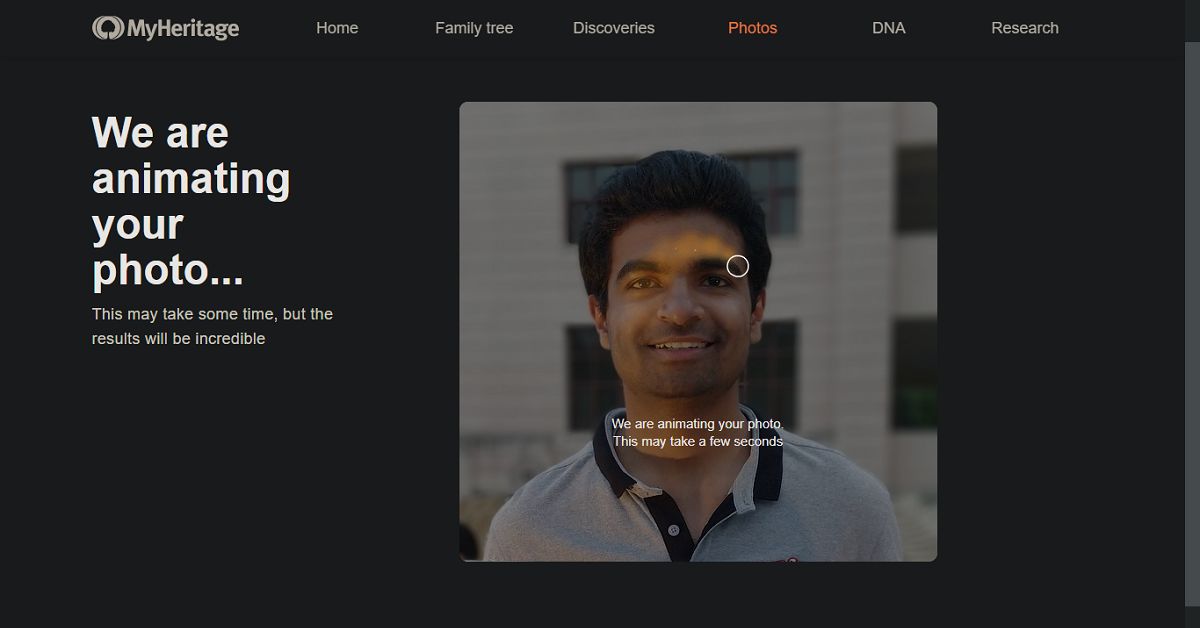
The Deep Nostalgia feature of the MyHeritage application has become quite popular on social media platforms. Several people find this feature fascinating and try it to animate pictures of celebrities, friends and family members.
Why is unique about the Deep Nostalgia feature of MyHeritage?
The Deep Nostalgia feature got famous when animated pictures of famous personalities from the 19th and 20th century began to float on different social media platforms like Instagram, Snapchat, and Twitter. Mostly, people chose to animate the pictures of personalities from the 19th and 20th century including Mahatma Gandhi, Bhagat Singh, Abraham Lincoln, and Marie Curie.
Watching animated pictures of these personalities is itself an amazing experience. It instils the curiosity to visualise famous people of the past centuries in motion. The Deep Nostalgia feature brings old pictures to life. Gradually, people started posting animated pictures of their family tree.
How does the Deep Nostalgia feature of the MyHeritage app work?
The Deep Nostalgia feature of the MyHeritage app utilises deep learning algorithms to animate the pictures. It implements several drivers with each driver focussing on a fixed sequence of movement and facial gesture. Once the drivers are applied to a picture. They can guide the movement of different facial features producing realistic movements. These movements appear as blinks, smile, and head-turning.
How can you animate pictures using Deep Nostalgia on the MyHeritage app?
Telegram, a cloud-based instant messaging software and application service, Telegram, has got a significant update bringing new features. The app update has brought the Payments 2.0 feature, new web versions, and scheduled voice chats.
What is the new Payments 2.0 feature of Telegram?
The new Payments 2.0 feature is the most significant feature added to the new update of the Telegram application. The feature will enable the users to transfer money to contacts, groups, and channels using the app. The feature will be applicable in more than 200 countries including India. The payment information will remain secured with the user and shall not be taken by the company.
What are other platforms that have started providing integrated methods of payment?
Online platforms that have recently started supporting built-in payment feature are as follows.
Clubhouse
Clubhouse, an invitation-only audio-chat service, announced a similar feature in its application. According to the company, the new ‘Clubhouse Payments’ feature will enable content creators to monetise their content. Earlier, the service only provided an environment to promote their content but not monetise them.
What are other platforms that have started providing integrated methods of payment?
WhatsApp
The Payments 2.0 feature of Telegram is similar to WhatsApp Payments. The Payment feature of WhatsApp offers a secure and convenient way to transfer to or receive money from your contacts. If the recipient does not use WhatsApp Payment, the sender can still send the money using his/her UPI ID. If the sender is using the WhatsApp Payment method, then the amount will automatically be sent to the recipient’s bank account.
The feature will allow all the users to send money to the desired content creator. However, only certain users will be eligible to receive the funds. The company is optimistic with regards to the new feature. The ‘Clubhouse payments’ will allow users to express their appreciation and applause by making a desires payment to their favourite content creator.
What are other features offered by the Telegram update?
The other features brought by the new update of the Telegram app are as follows.
Scheduled voice chats
The Voice Chats 2.0 has got an update by which the users can schedule the voice chats This will allow them to send messages at the desired time. The Voice Chats 2.0 will essentially be useful for formal Telegram groups in which information is being delegated on a regular basis.
Scheduled voice chats
Voice chat reminders
Now users can add voice chat reminders so that they can join them on time. Moreover, the app offers mini-profiles that you can refer to while chatting with a person. This shall not only help you know about the other person but also build a rapport.
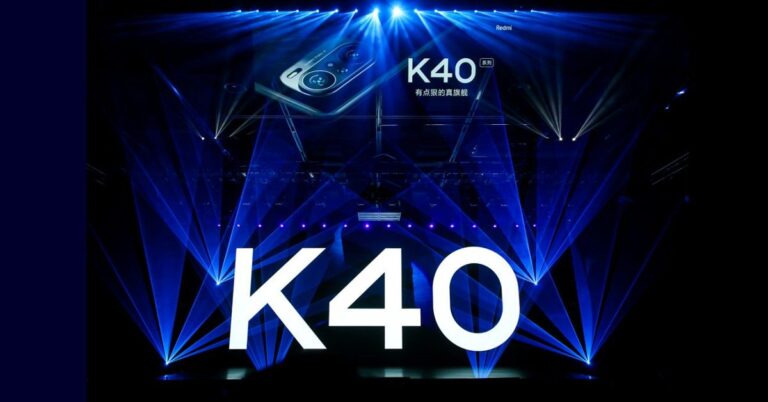
Xiaomi, the Chinese multinational electronics company, has announced its new smartphone, the Redmi K40 Game Enhanced Edition. The smartphone will be a new edition in the Redmi K40 series with enhanced design and gaming performance.
How much will the Redmi K40 Game Enhanced Edition cost?
The Redmi K40 Game Enhanced Edition will be available in five storage variants. The smartphone will initially be available in China starting April 30, 2021. The expected price of each variant is as follows.
6GB of RAM and 128GB of storage: ₹ 23,000
8GB of RAM and 128GB of storage: ₹ 25,000
8GB of RAM and 256GB of storage: ₹ 27,000
12GB of RAM and 128GB of storage: ₹ 27,514
12GB of RAM and 256GB of storage: ₹ 31,000
What are the features of the new Redmi K40 Game Enhanced Edition?
The features of the new Redmi K40 Game Enhanced Edition are as follows.
Design
The Redmi K40 Game Enhanced Edition is known as the first gaming lightweight smartphone by Redmi. The smartphone features pop-up shoulder buttons that resemble gaming triggers. These gaming triggers will not only improve the gameplay experience, but also the performance. The pulsating ambient light at the rear can switch colours notifying calls and messages.
Display & Color
The Redmi K40 Game Enhanced Edition is only 8.3mm thick and will be available in three colour variants, namely, Black, Silver, and White. The smartphone will also be available in a Bruce Lee Special Edition. The device features a 6.67-inch Full HD+ OLED HDR10+ display with a refresh rate of 120Hz and a touch sampling rate of 480Hz.
Performance
The Redmi K40 Game Enhanced Edition runs the powerful MediaTek Dimensity 1200 chip. The chip was launched recently and features an octa-core architecture. The chipset comprises an Arm Mali-G77 MC9 GPU to deliver high graphic performance while gaming or video-streaming. The smartphone will come in storage variants. It houses a massive 5,065mAh battery supported by 67W fast charging. The device runs the MIUI 12.5 based on Android 11.
What are the features of the new Redmi K40 Game Enhanced Edition?
Camera
The Redmi K40 Game Enhanced Edition features a triple camera setup comprising a 64MP primary lens, an 8MP ultra-wide sensor, and a 2MP macro lens. There is also a 16MP front camera for video chats and clicking selfies. The smartphone is loaded with smart camera features to get outstanding pictures and video capturing. These include Portrait mode, Night mode, AI capabilities, and Beauty mode.
Connectivity and Miscellaneous features
The Redmi K40 Game Enhanced Edition comes with the latest connectivity features like 5G support and Wi-Fi 6. These connectivity features will ensure fast-paced online gaming and streaming. With Bluetooth version 5.1, you can seamlessly connect smart devices like speakers and voice assistants.
You get a USB Type-C port for fast data transfer. The dual stereo speakers supported by Dolby Atmos will render an immersive listening experience. Other features include IP53 dust and water resistance, Game Turbo 5.0, X-axis linear motor, and aerospace heat dissipation system.
For the latest gadget and tech news, and gadget reviews, follow us on Twitter,FacebookandInstagram. For newest tech & gadget videos subscribe to our YouTube Channel. You can also stay up to date with the Gadget Bridge Android App.
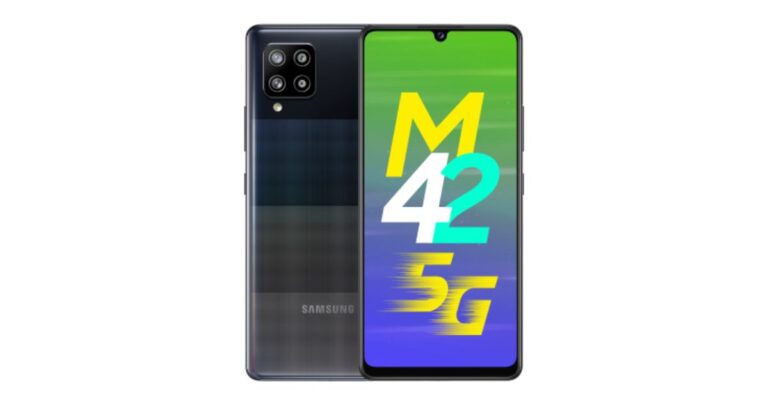
Samsung has officially launched its first 5G smartphone under its Galaxy M range today in India. The South Korean company has introduced Samsung Galaxy M42 5G in the country. This smartphone features a waterdrop-style notch display and a quad-camera setup in a square-shaped module. Other key highlights of the phone include a 5,000mAh battery and it is powered by Qualcomm Snapdragon 750G processor. Samsung Galaxy M42 5G price and availabilitySamsung Galaxy M42 5G has been launched in India in two different variants. The price of the 6GB RAM with 128GB of storage has been set at Rs 21,999 and the 8GB RAM with 128GB storage model will be available at Rs 23,999. However, both the phones will be offered at an introductory price of Rs 19,999 and Rs 21,999 respectively. The device will be available in two colour options of Prism Dot Black and Prism Dot Gray.The phone is scheduled to go on sale via Amazon and Samsung.com starting May 1. In addition to this, it will be available for purchase via select offline retailers in the country.Samsung Galaxy M42 5G technical specificationsSamsung Galaxy M42 5G features a 6.6-inch HD+ Super AMOLED Infinity-U display. The smartphone runs on One UI 3.1 based on the top of Android 11 out of the box. Inside, there is a Qualcomm Snapdragon 750G SoC paired with up to 8GB of RAM and 128GB storage. The internal memory can be expanded up to 1TB via a microSD card.In terms of camera, Samsung Galaxy M42 5G comes with a quad rear camera setup consisting of a 48-megapixel GM2 primary sensor. In addition to this, there is a secondary 8-megapixel ultra-wide-angle lens, a 5-megapixel macro sensor, and a 5-megapixel depth sensor. Upfront there is a 20-megapixel selfie camera. In addition to this, there are a plethora of features that include Single Take that gives you multiple photo and video outputs with a single click, Night Mode, Hyperlapse, Super-Slow motion, Scene Optimiser and Flaw Detection. The newly launched smartphone is backed by a 5,000mAh battery with 15W fast charger support. The phone is claimed to deliver 36 hours of talk time, 22 hours of internet browsing and 34 hours of video play on a single charge. In addition to this, the Galaxy M42 5G also equips Knox Security and Samsung Pay.
For the latest gadget and tech news, and gadget reviews, follow us on Twitter, Facebook and Instagram. For newest tech & gadget videos subscribe to our YouTube Channel. You can also stay up to date using the Gadget Bridge Android App.
The Chinese smartphone company, Itel, owned by Transsion Holding has announced the launch of the latest 4G smartphone in India. The company has introduced Itel Vision 2, which comes with a triple rear camera set up and an IPS display. The smartphone runs Android 10 Go Edition out of the box and further includes a 4,000mAh battery. This entry-level phone is a follow-up Itel Vision 1 that was launched in the country last year. Itel Vision 2: Pricing and Availability detailsItel Vision 2 has been launched in India in single 2GB RAM with 32GB of storage options. The device has been priced at Rs 7,499 and will be available in two colour options of Deep Blue and Gradation Green. This smartphone will be exclusively available for purchase via Udaan and offline stores in the country. In addition to this, it will come with free one-time screen replacement within 100 days.Itel Vision 2 technical specificationsItel Vision 2 is highlighted with a 6.6-inch HD+ notched display that offers 720×1,600 pixels of resolution and a 20:9 aspect ratio. The display comes with a 90 percent screen-to-body ratio and 450 nits peak brightness. The phone runs on Android 10 (Go edition) and under the hood, there is an octa-core SoC clocked at 1.6GHz paired with 2GB of RAM and 32GB of storage. On the camera front, Itel Vision 2 comes with a triple rear camera setup that includes a 13-megapixel primary sensor. It further includes a 2-megapixel macro and a 2-megapixel depth sensor. For taking selfies and video calling the smartphone features an 8-megapixel front-facing camera. The device packs a 4,000mAh battery that is claimed to deliver up to 35 hours of music playback, 7 hours of video playback and 26 hours of calling time. In terms of connectivity, there is VoWi-Fi, Dual Active 4G VoLTE, GPS, Bluetooth, and so on. In addition to this, there is a rear-mounted fingerprint scanner, ambient light sensor, proximity sensor, accelerometer and more as sensors on board.
For the latest gadget and tech news, and gadget reviews, follow us on Twitter, Facebook and Instagram. For newest tech & gadget videos subscribe to our YouTube Channel. You can also stay up to date using the Gadget Bridge Android App.
Apple iOS 14.5 has brought new voices of Siri. Instead of providing the default female voice, users will be asked to choose the desired voice for Siri.
According to Apple, “We’re excited to introduce two new Siri voices for English speakers and the option for Siri users to select the voice they want when they set up their device. This is a continuation of Apple’s long-standing commitment to diversity and inclusion and products and services that are designed to better reflect the diversity of the world we live in”.
What are the prerequisites for switching to the new Siri voices?
Siri’s new voices are available on the iOS 14.5 version. Thus, you must ensure that your device is running the latest iOS version.
To check the iOS version on your device, follow these steps.
Launch the Settings application.
Go to General > About.
Against the Software Version heading, you’ll find your iOS version.
If your device is running an older version of iOS, you may update it to the latest version in the following steps.
Launch the Settings application.
Go to General > Software Update
If your device is already up to date, you will get the message with the iOS version e.g. “iOS 14.5: iOS is up to date”.
If your device needs an update, you will be prompted with the message. Just tap Download and install.
How can you change Siri’s voice on iOS?
To change Siri’s voice on iOS, follow these steps.
Launch the Settings application on your iOS device.
Scroll down and tap Siri & Search.
Scroll down and tap Siri & Search.
Tap Siri Voice. Here you will find a list of voices. Siri offers several language accents like Indian, American, Australian, British, Irish, and South African.
Tap Siri Voice.
You may preview each voice by tapping them.
You may preview each voice by tapping them.
Once you tap a voice, it will be downloaded to switch anytime.
How can you change Siri’s voice on Mac?
You may also switch to the new voice of Siri on macOS Big Sur 11.3. To change Siri’s voice on a Mac device, follow these steps.
Open the Apple menu located on the top-left corner.
Launch System Preferences.
Select Siri and choose the desired voice.
What are other features launched in iOS 14.5?
Apart from new Siri voices, the iOS 14.5 has brought several new features. Some of them are given below.
Unlock the iPhone with the mask on
The iOS 14.5 update enables the device to recognise you even when the face mask is on provided you are wearing your Apple Watch. To enable this setting, go to Settings > Face ID & Passcode and toggle the Unlock with the Apple Watch option on. You’ll need to turn on the Wrist Detection feature on your Apple Watch and enable the passcode.
FaceTime and phone call features
The new iOS 14.5 enables Siri to notify you regarding the incoming calls when you’re wearing your AirPods. To make calls to emergency contacts, you just need to say “Siri, call my emergency contact”. Siri will also support group FaceTime calls.




















 Samsung Galaxy M42 5G technical specifications
Samsung Galaxy M42 5G features a 6.6-inch HD+ Super AMOLED Infinity-U display. The smartphone runs on One UI 3.1 based on the top of Android 11 out of the box. Inside, there is a Qualcomm Snapdragon 750G SoC paired with up to 8GB of RAM and 128GB storage. The internal memory can be expanded up to 1TB via a microSD card.
In terms of camera, Samsung Galaxy M42 5G comes with a quad rear camera setup consisting of a 48-megapixel GM2 primary sensor. In addition to this, there is a secondary 8-megapixel ultra-wide-angle lens, a 5-megapixel macro sensor, and a 5-megapixel depth sensor.
Upfront there is a 20-megapixel selfie camera. In addition to this, there are a plethora of features that include Single Take that gives you multiple photo and video outputs with a single click, Night Mode, Hyperlapse, Super-Slow motion, Scene Optimiser and Flaw Detection.
The newly launched smartphone is backed by a 5,000mAh battery with 15W fast charger support. The phone is claimed to deliver 36 hours of talk time, 22 hours of internet browsing and 34 hours of video play on a single charge. In addition to this, the Galaxy M42 5G also equips Knox Security and Samsung Pay.
For the latest gadget and tech news, and gadget reviews, follow us on Twitter, Facebook and Instagram. For newest tech & gadget videos subscribe to our YouTube Channel. You can also stay up to date using the Gadget Bridge Android App.
Samsung Galaxy M42 5G technical specifications
Samsung Galaxy M42 5G features a 6.6-inch HD+ Super AMOLED Infinity-U display. The smartphone runs on One UI 3.1 based on the top of Android 11 out of the box. Inside, there is a Qualcomm Snapdragon 750G SoC paired with up to 8GB of RAM and 128GB storage. The internal memory can be expanded up to 1TB via a microSD card.
In terms of camera, Samsung Galaxy M42 5G comes with a quad rear camera setup consisting of a 48-megapixel GM2 primary sensor. In addition to this, there is a secondary 8-megapixel ultra-wide-angle lens, a 5-megapixel macro sensor, and a 5-megapixel depth sensor.
Upfront there is a 20-megapixel selfie camera. In addition to this, there are a plethora of features that include Single Take that gives you multiple photo and video outputs with a single click, Night Mode, Hyperlapse, Super-Slow motion, Scene Optimiser and Flaw Detection.
The newly launched smartphone is backed by a 5,000mAh battery with 15W fast charger support. The phone is claimed to deliver 36 hours of talk time, 22 hours of internet browsing and 34 hours of video play on a single charge. In addition to this, the Galaxy M42 5G also equips Knox Security and Samsung Pay.
For the latest gadget and tech news, and gadget reviews, follow us on Twitter, Facebook and Instagram. For newest tech & gadget videos subscribe to our YouTube Channel. You can also stay up to date using the Gadget Bridge Android App.  Samsung Galaxy M42 5G technical specifications
Samsung Galaxy M42 5G features a 6.6-inch HD+ Super AMOLED Infinity-U display. The smartphone runs on One UI 3.1 based on the top of Android 11 out of the box. Inside, there is a Qualcomm Snapdragon 750G SoC paired with up to 8GB of RAM and 128GB storage. The internal memory can be expanded up to 1TB via a microSD card.
In terms of camera, Samsung Galaxy M42 5G comes with a quad rear camera setup consisting of a 48-megapixel GM2 primary sensor. In addition to this, there is a secondary 8-megapixel ultra-wide-angle lens, a 5-megapixel macro sensor, and a 5-megapixel depth sensor.
Upfront there is a 20-megapixel selfie camera. In addition to this, there are a plethora of features that include Single Take that gives you multiple photo and video outputs with a single click, Night Mode, Hyperlapse, Super-Slow motion, Scene Optimiser and Flaw Detection.
The newly launched smartphone is backed by a 5,000mAh battery with 15W fast charger support. The phone is claimed to deliver 36 hours of talk time, 22 hours of internet browsing and 34 hours of video play on a single charge. In addition to this, the Galaxy M42 5G also equips Knox Security and Samsung Pay.
For the latest gadget and tech news, and gadget reviews, follow us on Twitter, Facebook and Instagram. For newest tech & gadget videos subscribe to our YouTube Channel. You can also stay up to date using the Gadget Bridge Android App.
Samsung Galaxy M42 5G technical specifications
Samsung Galaxy M42 5G features a 6.6-inch HD+ Super AMOLED Infinity-U display. The smartphone runs on One UI 3.1 based on the top of Android 11 out of the box. Inside, there is a Qualcomm Snapdragon 750G SoC paired with up to 8GB of RAM and 128GB storage. The internal memory can be expanded up to 1TB via a microSD card.
In terms of camera, Samsung Galaxy M42 5G comes with a quad rear camera setup consisting of a 48-megapixel GM2 primary sensor. In addition to this, there is a secondary 8-megapixel ultra-wide-angle lens, a 5-megapixel macro sensor, and a 5-megapixel depth sensor.
Upfront there is a 20-megapixel selfie camera. In addition to this, there are a plethora of features that include Single Take that gives you multiple photo and video outputs with a single click, Night Mode, Hyperlapse, Super-Slow motion, Scene Optimiser and Flaw Detection.
The newly launched smartphone is backed by a 5,000mAh battery with 15W fast charger support. The phone is claimed to deliver 36 hours of talk time, 22 hours of internet browsing and 34 hours of video play on a single charge. In addition to this, the Galaxy M42 5G also equips Knox Security and Samsung Pay.
For the latest gadget and tech news, and gadget reviews, follow us on Twitter, Facebook and Instagram. For newest tech & gadget videos subscribe to our YouTube Channel. You can also stay up to date using the Gadget Bridge Android App. 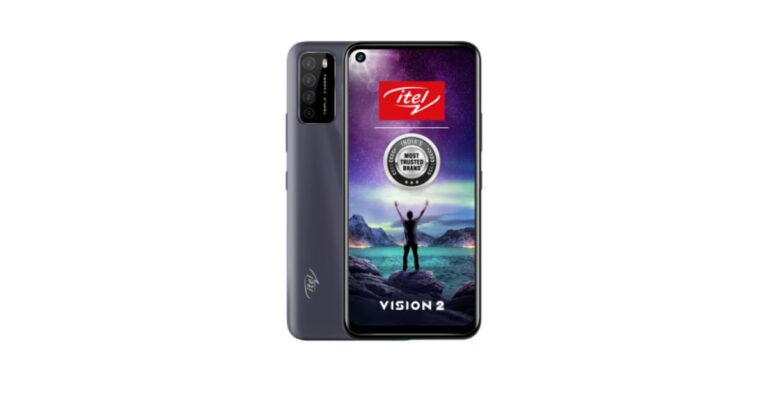
 Itel Vision 2 technical specifications
Itel Vision 2 is highlighted with a 6.6-inch HD+ notched display that offers 720×1,600 pixels of resolution and a 20:9 aspect ratio. The display comes with a 90 percent screen-to-body ratio and 450 nits peak brightness. The phone runs on Android 10 (Go edition) and under the hood, there is an octa-core SoC clocked at 1.6GHz paired with 2GB of RAM and 32GB of storage.
On the camera front, Itel Vision 2 comes with a triple rear camera setup that includes a 13-megapixel primary sensor. It further includes a 2-megapixel macro and a 2-megapixel depth sensor. For taking selfies and video calling the smartphone features an 8-megapixel front-facing camera.
The device packs a 4,000mAh battery that is claimed to deliver up to 35 hours of music playback, 7 hours of video playback and 26 hours of calling time. In terms of connectivity, there is VoWi-Fi, Dual Active 4G VoLTE, GPS, Bluetooth, and so on. In addition to this, there is a rear-mounted fingerprint scanner, ambient light sensor, proximity sensor, accelerometer and more as sensors on board.
For the latest gadget and tech news, and gadget reviews, follow us on Twitter, Facebook and Instagram. For newest tech & gadget videos subscribe to our YouTube Channel. You can also stay up to date using the Gadget Bridge Android App.
Itel Vision 2 technical specifications
Itel Vision 2 is highlighted with a 6.6-inch HD+ notched display that offers 720×1,600 pixels of resolution and a 20:9 aspect ratio. The display comes with a 90 percent screen-to-body ratio and 450 nits peak brightness. The phone runs on Android 10 (Go edition) and under the hood, there is an octa-core SoC clocked at 1.6GHz paired with 2GB of RAM and 32GB of storage.
On the camera front, Itel Vision 2 comes with a triple rear camera setup that includes a 13-megapixel primary sensor. It further includes a 2-megapixel macro and a 2-megapixel depth sensor. For taking selfies and video calling the smartphone features an 8-megapixel front-facing camera.
The device packs a 4,000mAh battery that is claimed to deliver up to 35 hours of music playback, 7 hours of video playback and 26 hours of calling time. In terms of connectivity, there is VoWi-Fi, Dual Active 4G VoLTE, GPS, Bluetooth, and so on. In addition to this, there is a rear-mounted fingerprint scanner, ambient light sensor, proximity sensor, accelerometer and more as sensors on board.
For the latest gadget and tech news, and gadget reviews, follow us on Twitter, Facebook and Instagram. For newest tech & gadget videos subscribe to our YouTube Channel. You can also stay up to date using the Gadget Bridge Android App.  Itel Vision 2 technical specifications
Itel Vision 2 is highlighted with a 6.6-inch HD+ notched display that offers 720×1,600 pixels of resolution and a 20:9 aspect ratio. The display comes with a 90 percent screen-to-body ratio and 450 nits peak brightness. The phone runs on Android 10 (Go edition) and under the hood, there is an octa-core SoC clocked at 1.6GHz paired with 2GB of RAM and 32GB of storage.
On the camera front, Itel Vision 2 comes with a triple rear camera setup that includes a 13-megapixel primary sensor. It further includes a 2-megapixel macro and a 2-megapixel depth sensor. For taking selfies and video calling the smartphone features an 8-megapixel front-facing camera.
The device packs a 4,000mAh battery that is claimed to deliver up to 35 hours of music playback, 7 hours of video playback and 26 hours of calling time. In terms of connectivity, there is VoWi-Fi, Dual Active 4G VoLTE, GPS, Bluetooth, and so on. In addition to this, there is a rear-mounted fingerprint scanner, ambient light sensor, proximity sensor, accelerometer and more as sensors on board.
For the latest gadget and tech news, and gadget reviews, follow us on Twitter, Facebook and Instagram. For newest tech & gadget videos subscribe to our YouTube Channel. You can also stay up to date using the Gadget Bridge Android App.
Itel Vision 2 technical specifications
Itel Vision 2 is highlighted with a 6.6-inch HD+ notched display that offers 720×1,600 pixels of resolution and a 20:9 aspect ratio. The display comes with a 90 percent screen-to-body ratio and 450 nits peak brightness. The phone runs on Android 10 (Go edition) and under the hood, there is an octa-core SoC clocked at 1.6GHz paired with 2GB of RAM and 32GB of storage.
On the camera front, Itel Vision 2 comes with a triple rear camera setup that includes a 13-megapixel primary sensor. It further includes a 2-megapixel macro and a 2-megapixel depth sensor. For taking selfies and video calling the smartphone features an 8-megapixel front-facing camera.
The device packs a 4,000mAh battery that is claimed to deliver up to 35 hours of music playback, 7 hours of video playback and 26 hours of calling time. In terms of connectivity, there is VoWi-Fi, Dual Active 4G VoLTE, GPS, Bluetooth, and so on. In addition to this, there is a rear-mounted fingerprint scanner, ambient light sensor, proximity sensor, accelerometer and more as sensors on board.
For the latest gadget and tech news, and gadget reviews, follow us on Twitter, Facebook and Instagram. For newest tech & gadget videos subscribe to our YouTube Channel. You can also stay up to date using the Gadget Bridge Android App.