Amazon Quiz Answers Today 20 January 2023: Participate to win Rs 2,500

Have you participated in the Amazon Quiz today? If not then participate in the 20 January 2023 Amazon Quiz as it has already gone live on the app. The daily quiz can be played from 12 AM to 11:59 every day on the mobile app platform. Today e-commerce is giving the chance to win Rs 2,500 Amazon Pay Balance. Every day Amazon brings a fresh quiz for its customers. By participating in the quiz the participants can win an Amazon Pay Balance of up to Rs 50,000. The quiz can only be played on the mobile app as it is not available for the desktop platform. The quiz contains five easy questions and you have to answer all the questions correctly. The participants will then be shortlisted for a lucky draw to select a winner. Whereas the results are declared at the end of the month. Check out today’s Amazon quiz answers to win Rs 2,500. Amazon Quiz Today Prize – Rs 2,500 Amazon Pay Balance Quiz Date – 20 January 2023 Daily Timing – 12 AM to 11:59 PM Winner Announcement – Today 12 PM

Amazon Quiz Answers Today 20 January 2023

Question 1: Which director’s latest film is Gandhi Godse – Ek Yudh? Answer: Rajkumar Santoshi Question 2: Which country has passed a law to completely end tobacco smoking by banning youth from buying cigarettes for life? Answer: New Zealand Question 3: Donovan Mitchell who recently scored 71 points in an NBA game, plays for which team? Answer: Cleveland Cavaliers Question 4: Name this musical instrument Answer: Bagpipe Question 5: This is the flag of which country? Answer: Ireland

How To Play Amazon Quiz

Only app users are eligible to play the Amazon quiz every morning from 12 AM to 11:59 PM. The quiz is not available on the desktop. For those who are unaware of how to play the Amazon quiz below are the steps, you can follow to take the quiz.
  • Firstly download the Amazon app from Google Play Store or App Store
  • Now fill in the required information through the Sign Up option.
  • You need to log in to the Amazon app and scroll down on the home screen to find the Amazon Quiz banner.
  • Tap on the Amazon Quiz banner and tap on the Start button to start the Quiz.
  • Now you will get 5 questions and you need to answer them correctly. One wrong answer will eliminate you from the Quiz.
  • After answering all the questions correctly you are now eligible for a Lucky Draw.
  • The winner’s name will be announced today at 12 PM.
For the latest gadget and tech news, and gadget reviews, follow us on TwitterFacebook and Instagram. For newest tech & gadget videos subscribe to our YouTube Channel. You can also stay up to date using the Gadget Bridge Android App. You can find the latest car and bike news here.

The Complete Guide to Crypto Investing Strategies 2023

Crypto assets are risky investments; you may lose your invested capital if you trade them without a strategy. There is no perfect technique to trade, but well-known methods are ideal for beginners when exploring NBA expert picks and want to learn how to invest in crypto too. Cryptos are unaffected by many of the political and economic concerns that afflict traditional currencies because they are decentralized. However, this does not mean that external factors cannot alter cryptocurrencies. On the other hand, cryptocurrencies are volatile and susceptible to factors such as supply and demand, media coverage, and the integration of e-commerce payment systems. Ultimately, it would be best if you had a plan for analyzing crypto trends, similar to how you evaluate equities and bonds. Consider the following fundamental investment strategies as you manage your cryptocurrency holdings.

Have A Balanced Portfolio

The trading of cryptocurrency is still in its infancy. Some nations support cryptocurrency trading, while others are uncertain. Because central banks worldwide are developing new methods to manage digital currencies, trading in cryptocurrencies might be perilous. However, there are strategies for investors to prevent high volatility. Creating a portfolio of various cryptocurrencies, such as Bitcoin, Dogecoin, and Ethereum might significantly reduce volatility. Additionally, investors can maintain a fixed quantity of frequent deposits in various cryptocurrencies. This will raise your risk tolerance in a calculated manner, enhancing your portfolio’s long-term results. Even when the market is falling, crypto assets are an excellent way to diversify your portfolio. However, keep the thought of earning a lot of money from your judgment. There are many worthwhile cryptocurrency projects to consider on the market. However, many con artists will promise heaven and never deliver. Before investing your hard-earned money, you should conduct a study. And never invest money you cannot afford to lose, regardless of the market’s direction.

Highlight Liquidity

Liquidity is crucial when determining how and what to invest in the bitcoin market. Bitcoin is the market’s most liquid cryptocurrency. A crypto’s liquidity is the ease with which an asset can be converted into cash while retaining its value. Liquidity is crucial since it indicates to traders if they can enter or exit a trade at the desired price. The bitcoin market is volatile; therefore, traders must be able to enter and exit positions rapidly. This implies that the cryptocurrency must have both supply and demand for market participants to purchase it at the best price and sell it for a profit. Before adopting a trading style or technique, as usual, please conduct your research and do not accept the advice of others unless they are your financial advisor.

Day Trading

Day trading involves entering and exiting the market on the same day. This is a significant advantage of cryptocurrencies since it offers traders numerous possibilities. Traders use technical analysis to determine what to trade in day trading. Since making money in such a short period may be difficult, day traders frequently trade in various markets or asset classes. You continue to use stop losses and scale into and out of positions, but your goal is to earn a little more each trade than a scalper.

Dollar-Cost Averaging

It is prudent to believe that market timing is relatively easy when determining the optimal time to enter and exit the bitcoin market. Therefore, Dollar Cost Averaging(DCA) is a decent method for investing in cryptocurrencies. DCA invests a fixed amount of money at regular intervals. This method enables investors to avoid the time-consuming process of market timing and accumulate riches gradually. You only invest some of your money in a single venture. Instead, you divide your assets into multiple smaller portions. Then, these funds are distributed over a specified period and regularly invested at a specific time and day of the week – and only on that day. However, devising an exit strategy under the DCA approach may be challenging. It is essential to examine industry trends and comprehend market dynamics. Reading technical charts can also assist you in determining whether to exit a transaction. Before making a choice, investors in cryptocurrencies should look for instances in which the price has been oversold or overbought. When purchasing an asset at various times, market volatility is mitigated. Your ultimate investment will typically yield a higher return than if you had invested everything at once. It is essential to remember that this strategy only works if the identical currency is traded through an exchange. For the latest gadget and tech news, and gadget reviews, follow us on TwitterFacebook and Instagram. For newest tech & gadget videos subscribe to our YouTube Channel. You can also stay up to date using the Gadget Bridge Android App. You can find the latest car and bike news here.

4 Questions to Ask When Selecting a VPN

Nowadays, an increasingly large proportion of our daily activities take place online. From social media and email to e-commerce and online banking, so many aspects of our lives depend upon us being connected to the digital world. In many ways, this is a good thing. Communication has never been simpler and being constantly connected means that we can do almost any task with the touch of a button. At the same time, it exposes us to risks. In an increasingly-data driven society, our privacy and cybersecurity are under threat from all sides. As such, protecting oneself online has become a major concern for internet users worldwide. As a result of this attitude shift, the VPN market has grown rapidly. More and more VPN options are popping up each year, each with its own features and selling points, and this can make the selection process a time-consuming one. With so many VPNs to choose from, there is a lot to think about, but by prioritizing the following criteria, you can expedite the process and find the right VPN for you.

What kind of protection am I getting?

Odds are, if you’re in the market for a virtual private network, then cybersecurity and privacy are at the top of your list of priorities. Naturally, you want to be sure that you remain protected online at all times so that your data cannot be accessed by cybercriminals. So, when considering a specific VPN solution, you should take the time to look into the encryption protocols it uses. While there are many different VPNs out there, not all of them are equally secure, and a surprising contingent of VPN users feel that their chosen service leaves something to be desired from a security perspective. Typically, the best way to go is to select a VPN that uses military-grade encryption, such as AES (Advanced Encryption System).

What kind of server options are on offer?

Once you’ve narrowed down your VPN options and created a shortlist based on encryption, you can begin to compare server options. Since the function of a VPN is to redirect internet traffic via remote servers, the specific server options on offer are of considerable importance. Having servers close to your physical locations is always convenient as it helps to limit latency, but you depending on your specific needs, you may also want servers in other locations as well. If you work while travelling, for instance, you may need to be able to access certain sites from a range of different locations. Millions of users worldwide have encountered geo-blocking in recent years, but in many cases a premium or free VPN unblocked these sites, allowing them to continue their activities unhindered. The right VPN solution can do the same for you. By choosing a VPN with a good range of server locations will, you can avoid frustrating encounters with geo-restrictions.

What kind of speeds can I expect?

Similarly, you should carefully consider connection speeds when choosing your VPN, as averages can vary substantially from one solution to the next. Server location plays an important role here too, as speeds will naturally be lower when connecting to a server in a faraway location. However, there are other aspects to consider, such as server bandwidth and the VPN protocol in use. Although all VPNs will reduce your internet speed to some extent, a good VPN option will provide you with a significant amount of bandwidth so this slowdown is essentially imperceptible. Different VPNs also use different protocols for encryption, and this can affect connection speeds. TCP (Transmission Control Protocol) and UDP (User Datagram Protocol) are the most commonly used VPN protocols, with UDP generally providing higher speeds.

Am I getting maximal value?

As with any other product, you are going to want to get the maximum value from your VPN. Fortunately, thanks to the boom in the market, there is now a multitude of VPN solutions available with subscription options at various price points. This means that you can easily find a VPN that fits both your browsing needs and your budget. If, for instance, you wish to use a VPN for work or to bolster the online security of your business, then a premium paid subscription may be the best option. If, on the other hand, you simply want a VPN to facilitate your personal browsing, then a lower-tier option or a free VPN service may actually be the right choice for you.

The wrap-up

The VPN market has soared to new heights in recent years, and it’s easy to see why. With data privacy and cybersecurity at the front of everyone’s mind, the need for VPNs is as great as it has ever been. With such a wealth of VPNs on offer, selecting the right solution can be tough a decision, but by prioritizing thoughtfully and narrowing down your options, you can find a VPN solution that meets your individual needs. For the latest gadget and tech news, and gadget reviews, follow us on TwitterFacebook and Instagram. For newest tech & gadget videos subscribe to our YouTube Channel. You can also stay up to date using the Gadget Bridge Android App. You can find the latest car and bike news here.

Demystified: What Happens When You Force Stop An App on Your Android Phone

While looking up fixes for a malfunctioning app, you may have come across suggestions to ‘force stop’ the app from your phone’s settings. This is a pretty common fix that can resolve several kinds of issues. If you’ve ever had an app crash frequently, restarting it after a ‘forced stop’ can return it back to its original functionality. Force-stopping an app also works when you are unable to get rid of a notification that’s stuck on your smartphone’s screen. So, how can a simple solution take care of all these issues? In this article, we explain what happens when you ‘force stop’ an app on your Android smartphone. Read Also: Apple releases a brand-new Mac mini with M2 and M2 Pro

How to force stop an app?

Here’s how you can ‘force stop’ a malfunctioning app on your smartphone.  Step 1: Go to Settings.  Step 2: Scroll down and select ‘Apps’. Step 2: Scroll down and select ‘Apps’. how to fix instagram crashing on android. what happens when you force stop an app on android Step 3: Scroll down and tap on the app you want to stop. Step 3: Scroll down and tap on ‘Instagram’. how to fix instagram crashing on android. what happens when you force stop an app on android Step 4: Select ‘Force Stop’ from the bottom menu. Step 4: Select ‘Force Stop’ from the bottom menu. how to fix instagram crashing on android. what happens when you force stop an app on android

What happens when you force stop an app?

4 Great Grocery Shopping Apps You Need To Try On Android The apps on your Android smartphone are constantly carrying out several processes in the background. For example, WhatsApp always notifies you when you receive a message because it is working in the background. Similarly, your web browser carries out the task of downloading a file in the background while you work on other apps. These tasks and processes do not stop even when you stop the app from the app switcher. These background tasks consume power from your phone while also occupying a part of the RAM. You can get a detailed background of the power consumed by every app by looking up the battery status in your phone’s settings. This is also the reason why a large RAM contributes to the speed of your phone.  When an app malfunctions, you cannot reset it simply by removing it from the app switcher. This is because it has not entirely shut off yet, and is able to access its cache to carry out the background tasks. This can also affect the functioning of other apps on your phone and could lead to unwanted lags. This is when a ‘force stop’ is usually warranted. ‘Force stopping’ an app shuts it down entirely. This means that the app is unable to carry out any background tasks or processes and becomes entirely dormant until your start it again. A forced stop will also clear up the RAM space that was assigned to the app and its background tasks. This results in your phone running faster than before. So why should you only use this fix when your phone is malfunctioning? You may have guessed this already, but this is because you need an app to carry out its background tasks to fully utilise its services. For example, if you force-stop your web browser while it’s downloading a file, the download will be stopped right away and you may have a corrupted file on your hands. Similarly, any uploads carried out via Google Drive will stop when you force-stop the app. WhatsApp will stop notifying you of any new messages and will suspend any media you may be currently sending to a contact.  Read Also: Samsung Galaxy Book2 Go 5G powered by Snapdragon 7c+ Gen 3 SoC launched

Conclusion

This is what happens when you force stop an app on your Android smartphone. A ‘force stop’ is only warranted when the app is malfunctioning or messing with the functions of your phone. Once you restart the app, it will return to its original state and continue carrying out the background tasks once you minimise it. If you found this article, let us know in the comments! For the latest gadget and tech news, and gadget reviews, follow us on Twitter, Facebook and Instagram. For newest tech & gadget videos subscribe to our YouTube Channel. You can also stay up to date using the Gadget Bridge Android App. You can find the latest car and bike news here.

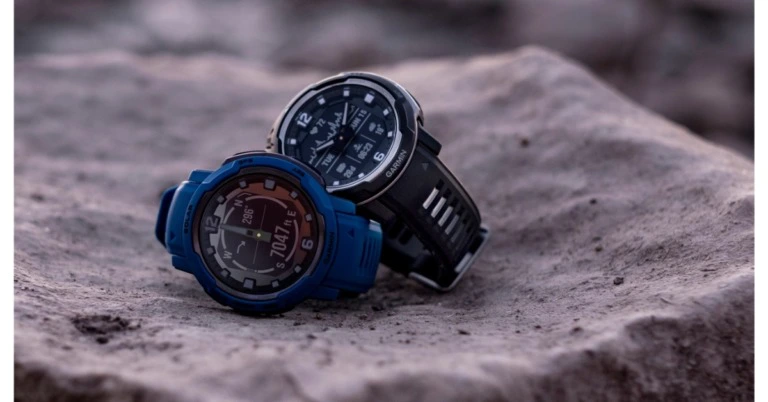
Garmin Instinct Crossover and Instinct Crossover Solar launched in India

Garmin Instinct Crossover and Instinct Crossover Solar in India today. It is designed for people who value a classic analogue watch experience without sacrificing rugged watch durability. It comes with Sleep Score and Advanced Sleep Monitoring, as well as Health Monitoring activities. With solar charging, Instinct Crossover Solar offers a battery life of up to 70 days in smartwatch mode and an endless amount of time in battery-saver mode while using linked functions that are advanced. Without solar power, the base model Instinct Crossover can operate in GPS mode for more than 110 hours and in smartwatch mode for almost a month.

Garmin Instinct Crossover and Instinct Crossover Solar price in India and availability

The prices of the Garmin Instinct Crossover (Black) and Instinct Crossover Solar (Graphite) will be Rs 55,990 and Rs 61,990, respectively. They are slated to start selling through both offline (Garmin Brand Store, Helios Watch Store, Just in Time, Sports stores) and online (Amazon, Tata CLiQ, Tata Luxury, Synergizer, Flipkart, Nykaa.com) outlets on January 20. Garmin Instinct Crossover and Instinct Crossover Solar price in India and availability Also Read: Samsung Galaxy Watch 5 Pro review: Is it an ideal smartwatch?

Garmin Instinct Crossover and Instinct Crossover Solar features

The striking, luminescent watch hands on the Instinct Crossover dramatically accentuate Garmin’s powerful, round-the-clock health monitoring and activity tracking functions in an easy-to-read digital display. With solar charging and advanced connected capabilities enabled, Instinct Crossover – Solar edition can offer up to 70 days of battery life in smartwatch mode. Instinct Crossover comes with Super-Lumi Nova coated analogue hands and chapter ring. When customers require specific information on a smart feature, the analogue hands instantly move on the Instinct Crossover’s high-resolution digital display. The new Instinct Crossover has 10 ATM (100 metres) of water resistance, chemically enhanced scratch-resistant lenses, and thermal and shock resistance designed to MIL-STD-810 standards. Garmin’s innovative RevoDrive analogue hand technology enables the Instinct Crossover to retain precise time in even the most demanding situations. During an adventurous adventure, the new Revo Drive will aid in autocalibration to keep users precisely on time. Garmin’s full range of wellness tools are available in Instinct Crossover, including Sleep Score, Advanced Sleep Monitoring, and a Health Monitoring activity that lets users track vital health indicators like Body Battery, stress, and heart rate in a single display. VO2 Max, Pulse Ox2, Fitness Age, Training Status/Load/Effect, HRV Status, and Recovery Time are important fitness metrics. Also Read: Samsung Galaxy Book2 Go 5G powered by Snapdragon 7c+ Gen 3 SoC launched The watch offers GPS tracking, multi-GNSS compatibility, ABC sensors, TracBack routing to assist users in returning to their starting position, and Reference Point to maintain track of a well-known location in relation to their current location. Instinct Crossover syncs with smartphone devices so users may receive notifications on their wrist, sync with the Garmin Connect app, and customise their experience with Connect IQ. For the latest gadget and tech news, and gadget reviews, follow us on TwitterFacebook and Instagram. For newest tech & gadget videos subscribe to our YouTube Channel. You can also stay up to date using the Gadget Bridge Android App. You can find the latest car and bike news here.

Samsung unveiled the ISOCELL HP2 200-Megapixel Image Sensor for premium smartphones

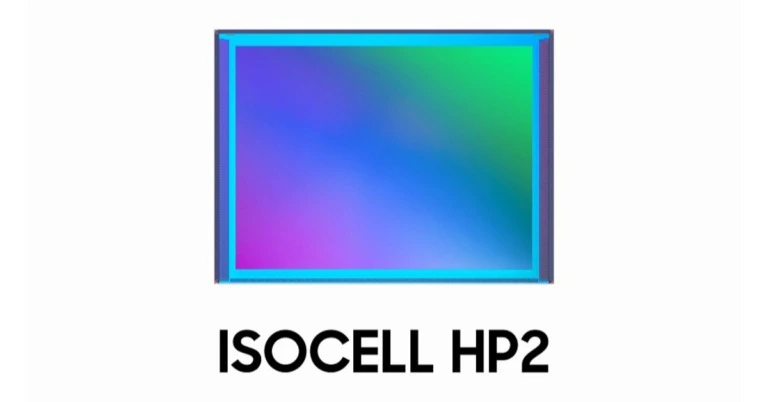
Samsung has unveiled the 200-megapixel (MP) image sensor, the ISOCELL HP2 for the upcoming premium smartphones. The company’s upcoming Galaxy S23 series is anticipated to come equipped with the latest image sensor for full-well capacity and upgraded pixel technology for beautiful mobile images. Customers can now take use of even better resolutions in the most recent high-end smartphones without having to purchase larger camera bumps for their devices. The 1/1.3 inch optical format of the ISOCELL HP2 contains 200 million 0.6-micrometer (m) pixels, a sensor size that is frequently found in 108 MP primary smartphone cameras. With Samsung’s cutting-edge Tetra pixel pixel-binning technology, the HP2 gives the camera more adaptability by simulating various pixel sizes to account for various lighting conditions. When under low-light conditions, the sensor changes into a 1.2 m 50 MP or 2.4 m 12.5 MP image sensor by tying four to sixteen nearby pixels together. The HP2 changes to 1.2 m 50MP mode for fuller 8K footage, roughly at 33MP, to reduce cropping and capture more of the scene. A broad field of vision and larger pixel size when shooting in 8K at 30 frames per second (fps) can result in clear cinematic videos. Also Read: Samsung Galaxy Book2 Go 5G powered by Snapdragon 7c+ Gen 3 SoC launched With Samsung’s cutting-edge Tetra2pixel pixel-binning technology, the HP2 gives the camera more adaptability by simulating various pixel sizes to account for various lighting conditions. When under low-light conditions, the sensor changes into a 1.2 m 50 MP or 2.4 m 12.5 MP image sensor by binding four to sixteen nearby pixels together. The HP2 changes to 1.2 m 50MP mode for fuller 8K footage, roughly at 33MP, to reduce cropping and capture more of the scene. A broad field of vision and larger pixel size when shooting in 8K at 30 frames per second (fps) can result in clear cinematic videos. According to the company with the HP2, Samsung’s unique Dual Vertical Transfer Gate (D-VTG) technology greatly reduces washed-out images from strongly light surroundings. In addition to this a voltage transfer gate is positioned at the bottom of each photodiode to move electrons from the pixels to the logic layer. By precisely adding a second transfer gate, D-VTG increases the pixel’s full-well capacity by more than 33%. This technique is said to decrease overexposure and improve colour reproduction, especially in intense light settings because it stores more electrons and transmits signals efficiently. The HP2’s auto-focusing is improved in low-light conditions by Super QPD, which enables the sensor to utilise all 200 million of its pixels as focusing agents. The new sensor is capable of quick auto-focusing, even in a dimly lit environment, because of the rich pattern data and the enormous number of reference points. Also Read: Apple releases a brand-new Mac mini with M2 and M2 Pro For the first time, Samsung is introducing the DSG function in 50MP mode, which applies two different conversion values to the analogue signal received at the pixel level for excellent HDR performance. In addition, the camera can capture 12.5MP still shots and 4K at 60fps HDR video thanks to Smart-ISO Pro, an HDR solution that combines various ISO readouts from a single exposure.

Availability

The new ISOCELL HP2 sensor is probably going to debut on the Samsung Galaxy S23 Ultra. The Galaxy S23 series is scheduled to take place on February 1 at the Galaxy Unpacked 2023 event. For the latest gadget and tech news, and gadget reviews, follow us on TwitterFacebook and Instagram. For newest tech & gadget videos subscribe to our YouTube Channel. You can also stay up to date using the Gadget Bridge Android App. You can find the latest car and bike news here.
Nokia C31 Review: A decent buy at Rs 9,999?

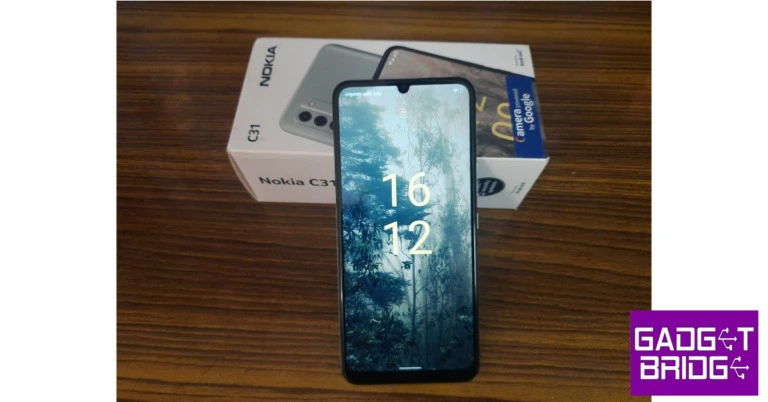
Launched in December 2022, the Nokia C31 is the newest entry in the company’s C Series lineup. Nokia’s C Series caters to the entry-level smartphone segment, for people who may be making the step up from a feature phone. Over the years, this segment has come to be dominated by Xiaomi’s Redmi, which has been constantly putting out affordable smartphones with impressive specs. Currently, Nokia C31 is available at Rs 9,999 for the 3GB + 32GB variant, which is the one we used for this review. In comparison, its predecessor, the C21 Plus (review), is listed at Rs 10,299. So, how does Nokia C31 hold up against its C Series sibling and the rest of the competition? Read our review to find out.  Read Also: 7 Tips on How to Bet Safely

Nokia C31 review: Design and Display

Inside the box, you will find the smartphone, USB Type-B charging cable, a 10W power adapter, a SIM ejector tool, a quick start guide, and a product & safety info pamphlet. The smartphone has dimensions of 169.2 x 78 x 8.6mm, which makes it slightly larger than the C21 Plus. A plastic frame keeps the smartphone together, unlike the aluminium frame that does duty on the C21 Plus. The C31 is also a heavier phone out of the two, weighing roughly 200g. Nokia C31 review: Design and Display The plastic back on the Nokia C31 has a textured finish, similar to C21 Plus, but it has been dialled down a little and feels a lot better to hold. The camera unit features a 13MP primary shooter, a 2MP depth sensor, and an additional 2MP macro lens. The rectangular camera island carries forward the signature C Series look but attracts more attention due to the presence of a third lens. The speaker has been placed at the bottom of the back panel, while the fingerprint sensor is housed at the centre. Nokia continues to stick with micro USB charging for its entry-level smartphones. The charging port can be found at the bottom of the phone along with the microphone, while the headphone jack finds its way to the top. The SIM and memory card tray are housed on the left while the volume rocker keys and power button have been placed on the right side of the phone. Nokia has bumped up the screen size on the C31, which now gets a slightly larger 6.75-inch IPS LCD display. Nokia has even reduced the bezel size around the display and refined the notch for the selfie camera as well. The result is a much-improved look that looks a class above the category it is in. However, there is still a thick chin at the bottom which we don’t see going anytime soon. While scrolling through the phone, we were left wanting a better touch response. The smartphone seems to be half a step behind in responding to the flicks and the presses. It is something that you would previously expect from an entry-level smartphone, but Nokia’s competitors are fast improving their game in this price segment. However, what the C31 lacks in touch response, it makes up for in display size and video clarity.  Nokia C31 review: Design and Display We played all kinds of content on the C31, ranging from YouTube videos to movies on Netflix. The smartphone held up quite well and provided unique clarity to the HD videos that we played on it. The massive display and narrow bezels make the experience quite immersive. The brightness is optimum for outdoor use as well. The loudspeaker placed at the back has a tendency to muffle the audio output when it’s pressed against your palm. You can get around this by cupping it with your hand or resting the phone against a makeshift stand. With an IP52 rating, the C31 is dust resistant and is even protected against water splashes.

Nokia C31 review: Performance and Cameras

The Nokia C31 is powered by the Unisoc SC9863A and runs the Android 12 OS. It is interesting to see that Nokia did not choose the ‘Android Go’ OS, which is designed for low-end/budget smartphones. The overall speed, while not lightning-quick, is decent enough for a smartphone in this category. There were no lags in video playback and the phone carried out the essential functions quite nicely. Switching between the apps took a little extra time but eventually, we got used to the phone’s pace. However, we were impressed by the quickness of the fingerprint sensor and face unlock.  Nokia C31 review: Performance and Cameras The smartphone handled basic games like Candy Crush and Subway Surfers with ease, although the overall could have definitely been helped with a faster touch response. The phone struggled with FPS games like Garena Free Fire Max as we experienced frequent lags and frame drops. Talking about benchmarks, the Nokia C31 scored 139 points on the single-core test and 775 points on the multi-core run using Geekbench 5. In comparison, the C21 Plus scored 127 (single-core) and 479 (multi-core) points. While Nokia is employing Android 12 on the C31 to handle software duties, we would have preferred if it had given it a processor bump too. The stock Android 12 comes with improved privacy features along with the handy ‘translate’ function as well. You can easily point the phone’s camera at a text and it will instantly translate it for you. The software is loaded with some bloatware, which we would recommend uninstalling before you start using the smartphone. On a brighter note, Nokia has promised 2 years of security updates for C31. Nokia C31 review: Performance and Cameras Moving on, the Nokia C31 packs a massive 5050mAh battery. Nokia claims a 3-day battery life on C31, but with moderate to heavy use the smartphone will last a day and a half. After an entire day of moderate usage which included 2-3 hours of watching OTT content, frequent social media browsing, and regular WhatsApp use, we were left with 30-40% charge. While the battery life may be phenomenal, the phone takes up to 3 hours to fully charge due to the micro-USB charging port. It may be time for Nokia to step up to Type-C charging.  For the camera test, we took a bunch of outdoor and indoor shots with Nokia C31 under different lighting conditions. Nokia has added an additional 2MP macro lens for close-up shots alongside the 13MP primary shooter and the 2MP depth sensor. There’s also a 5MP selfie camera up front. Nokia C31 review: Performance and Cameras The primary 13MP shooter performs well in well-lit conditions. The pictures we took outdoors in daylight conditions came out well composed with a decent amount of details. The images lacked a little bit of sharpening, which perhaps would not have been the case with a better processor. However, the camera does a great job of balancing the colours without fading them out of the resulting image. The HDR carries out a satisfactory job as well. We were impressed by the portrait mode, which produced a good range of colours for different subjects and was decent at recognising edges. Unlike the C21 Plus, there is no panorama mode on Nokia C31. Nokia C31 review: Performance and Cameras In low light conditions, the camera struggled to capture decent images. The images had a considerable amount of noise and had an overall grainy look. Having a flash and night mode on hand helped in shooting slightly better images, but it still wasn’t up to the standard. This is something that is to be expected from every entry-level smartphone.
Portrait Mode
Read Also: How to Unlock Huawei Phone Without Factory Reset [2023 Full Fixes]

Verdict

At Rs 9,999, the Nokia C31 is a decent buy, which could have been even more attractive to customers had Nokia gone for a better processor and Type C charging. If you’re primarily looking for a smartphone to watch content on, the C31 would still stand out amongst its competition. The smartphone’s camera performance is quite satisfactory as well. The C31’s build is also a bright point in its favour as the textured plastic back provides a nice feel while holding the smartphone, one that is certainly better than C21 Plus. 

Pros

Nice build Battery life Camera performance

Cons

Could’ve used a better processor No Type-C charging Speaker placement For the latest gadget and tech news, and gadget reviews, follow us on Twitter, Facebook and Instagram. For newest tech & gadget videos subscribe to our YouTube Channel. You can also stay up to date using the Gadget Bridge Android App. You can find the latest car and bike news here.

Apple launched HomePod (2nd generation) in India: Details inside

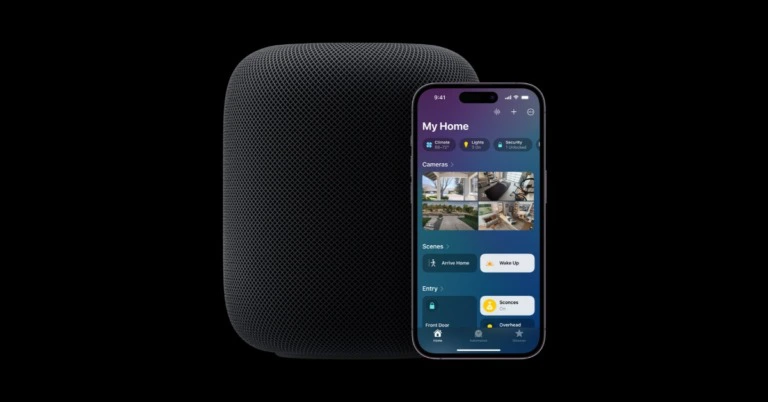
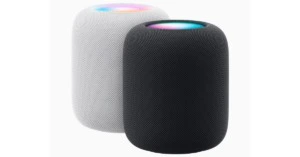
Apple has announced the release of its second-generation model of HomePod smart speaker. HomePod (2nd generation), a powerful smart speaker with next-level acoustics and a stunning, unique appearance. The Apple smart speaker includes support for Spatial Audio tracks. Users can now establish smart home automations using Siri, receive notifications when a smoke or carbon monoxide alarm is detected in their house, and check the temperature and humidity in a room – all hands-free. The new HomePod (2nd generation) has a stunning appearance that fits in with any environment and features a transparent mesh fabric and a backlit touch surface that illuminates from edge to edge. HomePod comes with a colour-coordinated braided charging cable and is available in white and midnight, a new shade manufactured from a mesh fabric that is 100 percent recycled. With the use of room sensing technology, HomePod can detect whether it is against a wall or freestanding by listening for sound reflections from nearby surfaces. It then adjusts the sound in real-time. Apple launched HomePod (2nd generation) in India: Details inside A powerful acoustic experience is achieved by combining a custom-engineered high-excursion woofer, a strong motor that moves the diaphragm a stunning 20mm, a built-in bass-EQ mic, and a beamforming array of five tweeters around the base. In order to provide even more sophisticated computational audio that utilises the full potential of its acoustic system for a game-changing listening experience, the S7 chip is integrated with software and system-sensing technology. Also Read: Apple releases a brand-new Mac mini with M2 and M2 Pro Its beamforming array of five tweeters, which has precise directional control, separates and beams direct and background music, immersing listeners in crisp vocals and complex instruments. Two HomePod speakers placed side by side in the same area can also be used to form a stereo pair. A stereo pair not only divides the left and right channels, but also plays each channel in unison, resulting in a larger, more expansive soundstage than conventional stereo speakers for an absolutely exceptional listening experience. A number of strong features are unlocked when two or more HomePod or HomePod small speakers are used. Saying “Hey Siri” or touching and holding the top of the HomePod allows users to play the same music on various HomePod speakers, different songs on different HomePod speakers, or even use the HomePod speakers as an intercom to broadcast messages to other rooms using multi room audio with AirPlay. With Apple Music, users can access a library of over 100 million songs, enjoy spatial audio with a single HomePod or a stereo pair, or build an engaging home theatre with Apple TV 4K. Siri allows users to search for music information by artist, song, lyrics, decade, genre, mood, or activity. Customers can make HomePod the audio system for all connected devices by using Apple TV 4K’s eARC (Enhanced Audio Return Channel) functionality. Additionally, consumers may manage what is playing on their Apple TV hands-free with Siri on the HomePod. Any member of the house can bring an iPhone close to a HomePod to effortlessly control what is playing or receive personalised music and podcast recommendations. HomePod can recognise up to six voices, allowing each person to hear their own songs, request reminders, and schedule activities on the calendar. Also Read: The M2 Pro and M2 Max-equipped MacBook Pro unveiled: Pricing and availability details With the help of Sound Recognition, HomePod can listen for smoke and carbon monoxide alarms and, if one is heard, send a notification straight to the user’s iPhone. Users can construct automations that close the blinds or turn on the fan automatically when a particular temperature is achieved in a room thanks to the new built-in temperature and humidity sensor, which can measure interior surroundings.

Pricing and availability

Online orders for the new HomePod can be made starting today, and delivery will start on February 3. The Apple Store now accepts orders for the HomePod (2nd generation) for INR 32900. For the latest gadget and tech news, and gadget reviews, follow us on TwitterFacebook and Instagram. For newest tech & gadget videos subscribe to our YouTube Channel. You can also stay up to date using the Gadget Bridge Android App. You can find the latest car and bike news here.

Apple releases a brand-new Mac mini with M2 and M2 Pro

0
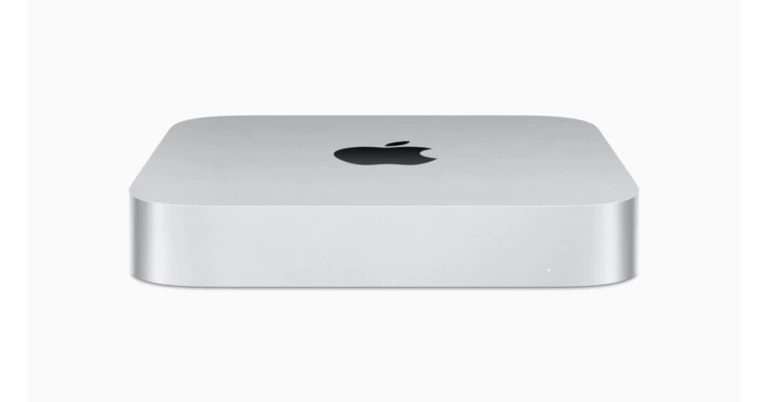
The new Mac mini, powered by M2 and the brand-new M2 Pro, was announced by Apple today. The Mac mini now offers even greater value while offering faster performance and excellent connection thanks to M2 and the brand-new M2 Pro. The device has support for up to two displays on the M2 model and up to three displays on the M2 Pro model. The all-new Mac mini with M2 comes with a starting price of Rs 59,999 and Rs 49900 for education. in India. Whereas the Mac mini with M2 Pro starts at Rs 129900 and Rs 119900 for education. Customers may order the new Mac mini models right now, and they will start to ship on January 24. Also Read: Samsung Galaxy Book2 Go 5G powered by Snapdragon 7c+ Gen 3 SoC launched

Features

Mac mini with M2 and M2 Pro offers superior performance and both the models come equipped with a cutting-edge thermal system for outstanding sustained performance. Users seeking lightning-fast performance and exceptional productivity will appreciate the Mac mini with M2’s 8-core CPU, 10-core GPU, and four high-performance and four high-efficiency cores. The Mac mini with M2 also handles even tougher workloads for users with more intensive duties. Activities like retouching images in Adobe Photoshop run up to 50% faster1 with up to 24GB of unified memory and 100GB/s of bandwidth than they did with the previous generation. ProRes acceleration is also added by M2 to the Mac mini, which doubles the speed of applications like video editing in Final Cut Pro. 1 Additionally, the M2 model can play up to 12 streams of 4K ProRes 422 video at 30 frames per second or up to two streams of 8K ProRes 422 video at 30 frames per second. With all this power, the Mac mini is up to 5 times faster than the most popular Windows desktop. On the other hand Mac Mini with M2 Pro features 200GB/s of memory bandwidth, which is double that of the M2 model, and supports up to 32GB of memory. It contains a 12-core CPU with eight high-performance cores and four high-efficiency cores, as well as a 19-core GPU. ML operations like video analysis and image processing are accelerated by the next-generation Neural Engine, which is 40% quicker than M1. The robust media engine offered by M2 Pro can play up to five streams of 8K ProRes 422 video at 30 frames per second or up to 23 streams of 4K ProRes 422 video at 30 frames per second while quickly transitioning between the most popular video codecs. The fastest Mac mini is up to 14x slower than the M2 Pro-powered model. Also Read: The M2 Pro and M2 Max-equipped MacBook Pro unveiled: Pricing and availability details Without skipping a beat, musicians may create music using extremely powerful plug-ins and effects, while photographers can quickly make changes to enormous photographs. Gamers may play demanding titles in console quality, and creators can work in multicam with several camera formats, including ProRes video. Performance for video games is up to 15 times faster than on the quickest Intel-based Mac mini. Two Thunderbolt 4 connections and compatibility for up to two screens are provided by the M2 variant. The M2 Pro model supports up to three screens and has four Thunderbolt 4 connections. The M2 Pro variant can also handle one 8K monitor, which is a first for the Mac. Both variants have a Gigabit Ethernet connector with a 10GB option, an HDMI port, two USB-A ports, and an improved headphone jack that supports high-impedance headphones. Both of the new models have Bluetooth 5.3 and Wi-Fi 6E5, which both offer up to two times quicker throughput than previous models. For the latest gadget and tech news, and gadget reviews, follow us on TwitterFacebook and Instagram. For newest tech & gadget videos subscribe to our YouTube Channel. You can also stay up to date using the Gadget Bridge Android App. You can find the latest car and bike news here.

Samsung Galaxy Book2 Go 5G powered by Snapdragon 7c+ Gen 3 SoC launched

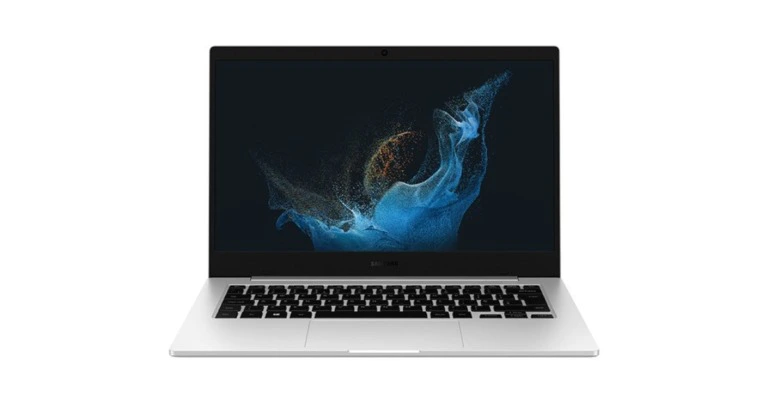
The newest model in the Galaxy Book Go line-up, the Galaxy Book2 Go 5G, was announced by Samsung. The new gadget has a 14-inch FHD IPS display and is powered by Snapdragon 7c+ Gen 3 CPU. The Laptop also has an improved 180-degree folding hinge.

Samsung Galaxy Book2 Go 5G price and availability details

The Samsung Galaxy Book2 Go 5G will be offered by a few operators beginning at the end of January, according to the firm, and will be sold at Samsung.com at competitive MRC. The higher-end variant with 8GB memory and 256GB storage is priced at GBP749, which is equivalent to Rs 74,900. The base model with 4GB memory and 128GB storage has a launch price of GBP649, or around Rs 64,900. Also Read: Samsung Galaxy Watch 5 Pro review: Is it an ideal smartwatch?

Samsung Galaxy Book2 Go 5G specifications

Samsung Galaxy Book2 Go 5G features a 14-inch Full-HD TFT, IPS display. It is a tiny, lightweight device that is easy to carry thanks to its 1.44kg weight and 15.5mm thickness. Additionally, due to its military-grade toughness, its mobile and thin design can withstand frequent daily use. With its 180-degree folding hinge and thin wedge shape, the Samsung Galaxy Book2 Go 5G can adapt to how you prefer to study. A Qualcomm Adreno GPU and Snapdragon 7c+ Gen 3 chipset will power the portable laptop. The laptop will be available with 4GB/8GB of RAM and internal storage options of 128GB and 256GB. Dual SIM (eSIM+pSIM) connectivity and Windows 11 Home OS are built-in to the Galaxy Book2 Go 5G. Wi-Fi 6E (802.11ax), Bluetooth, 5G ENDC, and two USB Type-C connectors are among the available connectivity choices. The laptop also includes an HD webcam for video conferencing. Also Read: The M2 Pro and M2 Max-equipped MacBook Pro unveiled: Pricing and availability details The Samsung Galaxy Book2 Go 5G offers a smooth experience alongside other Galaxy devices thanks to Galaxy Ecosystem connection and multi-Android apps. For a second screen, connect your Galaxy Tab to your Samsung Galaxy Book2 Go 5G smartphone. With Easy Buds Connection, you can quickly pair and swap your Galaxy Buds between Galaxy devices. Additionally, you can quickly set up your Galaxy Book2 Go 5G by transferring files, app lists, and even settings with Galaxy Book Smart Switch from your current PC. Additionally, Quick Share makes it simpler than ever to transfer files, images, and documents between Galaxy devices without an internet connection. A 45W charging adaptor and a 42.3Wh battery are included with the Galaxy Book2 Go. For the latest gadget and tech news, and gadget reviews, follow us on TwitterFacebook and Instagram. For newest tech & gadget videos subscribe to our YouTube Channel. You can also stay up to date using the Gadget Bridge Android App. You can find the latest car and bike news here.