In This Article
You hear unusual background sounds on your phone
 Watch out for any kind of a background noise when you are on talking to someone on your phone. If you hear strange background noises or pulsating static, high-pitched humming it may be a sign of your smartphone being tapped. However, strange noises can also happen because of other reasons, so it’s not a sure-shot indicator that your phone is indeed tapped. But then, if your phone makes strange sounds even when it is not being used, it is a stronger sign that it has been tapped. You can also use a sound-bandwidth sensor on a low frequency to check for any inaudible sounds. If it detects sounds several times in one minute, it is a sign that your smartphone may be tapped.
Your smartphone’s battery suddenly doesn’t last long
 If your usage of your device is unchanged and still your smartphone’s battery keeps running out sooner than it earlier did, it may be because it is tapped. And by sooner, we mean your phone consistently being low on charge in spite of being charged again and again. But before you jump to any conclusions, check on your device what is it that is using up the battery. Whether you own an iPhone or an Android smartphone, you can see which apps are consuming the most battery in the Settings section. If you find nothing unusual there and your usage seems to be the same as before, you should dig in further to find out if your phone is tapped.
Your smartphone’s battery gets warmed up too quickly
 Another stronger sign is your phone’s battery getting warmed up even when your device is not in use. This is because this points towards the presence of an uninvited software on your smartphone. And there are softwares available that let someone else listen to your conversations. Although high temperature of the smartphone clubbed with low power if often a sign to look out for, but check for other reasons for this happening before you panic over it.
You have difficulty shutting down your smartphone
 If you feel that your smartphone has suddenly become unresponsive or you face difficulty shutting it down, it can point towards someone else having unauthorized access to it. The matter need immediate attention if you try to shut your phone down, but it fails to happen or a back-light stays on even after shutdown process has been completed. However, if you have recently installed an update in your phone, then that may be the reason behind it.
Look out for suspicious SMS messages on your smartphone
 Sometimes, we ignore some activity on our phone that may actually be a sign of it being hacked. For instance, an app beginning to install on your phone on its own after your reboot it, weird SMS text messages from unknown senders and strange pop-up advertisements. In fact, weird text messages from unknown senders is a strong sign to watch out for as there are tapping apps which receive commands via coded SMS messages. If your family and friends also say that they have received weird messages from your phone, it means that your smartphone is infected and is trying to spread malware to other phones too.
Check for electronic interference when your phone is off
 Electronic interference is hardly anything new. But it should only happen if you are on a phone call. If you are not using your phone and it still happens, then that is not normal. You can easily check this by placing your phone close to another electronic device like your laptop or television. If you hear any unusual sound, it can be a sign that someone is listening to your calls.
Your phone bill increases because of data usage…except you didn’t use any
 Did your phone bill go up dramatically? And is data responsible for it although your usage remains unchanged? A reason behind this can be presence of spyware or other malicious apps on your phone. These apps secretly use up a lot of data, so there is a high chance you will see a dramatic jump in your mobile bill. However, do check for other reasons before you conclude. You don’t want to panic only because your child inadvertently activated the hotspot on your device.
You have apps on your phone that you didn’t install
 Do look out for the apps you have on your device. We often download apps to try and at times, forget all about them. This leads to the presence of so many apps on our device, that there can be a possibility of missing out any apps that we didn’t install. Check your phone for any such apps because there is a high possibility that they would be malicious. Hummer was an app like this and infected almost 1.4 million Android devices per day in early 2016. Its presence was most prevalent in India, Russia and the Philippines.
You inadvertently downloaded a fraudulent app
 If you downloaded an app which was malicious in nature, it can lead to your device being affected by Trojans. These malwares can also get root access of the device, make you download fake system updates and gain complete domination over your activities. The only way to be safe is to only download renowned apps and stay away from fake versions of popular apps like YouTube and WhatsApp.
For the latest gadget and tech news, and gadget reviews, follow us on Twitter, Facebook and Instagram. For newest tech & gadget videos subscribe to our YouTube Channel.
[td_smart_list_end]
If you downloaded an app which was malicious in nature, it can lead to your device being affected by Trojans. These malwares can also get root access of the device, make you download fake system updates and gain complete domination over your activities. The only way to be safe is to only download renowned apps and stay away from fake versions of popular apps like YouTube and WhatsApp.
For the latest gadget and tech news, and gadget reviews, follow us on Twitter, Facebook and Instagram. For newest tech & gadget videos subscribe to our YouTube Channel.
[td_smart_list_end] 
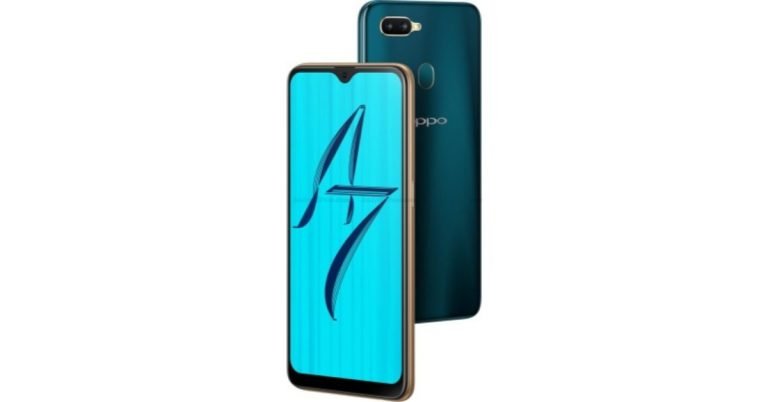
 According to the listing, Oppo A7 smartphone will be powered by a Qualcomm Snapdragon 450 processor clubbed with 4GB of RAM. The listing has also confirmed that the smartphone will run

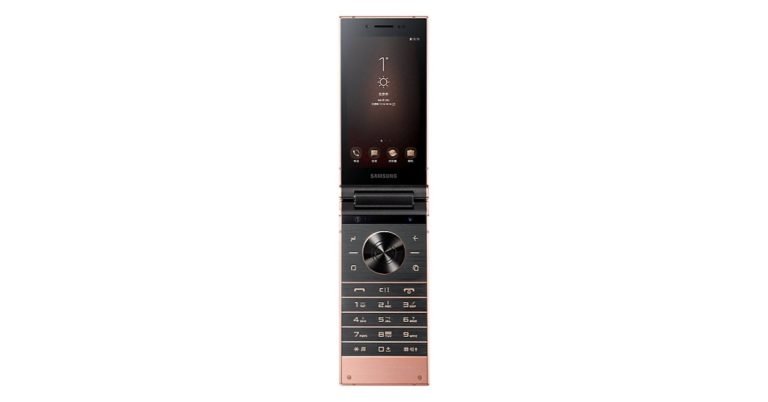
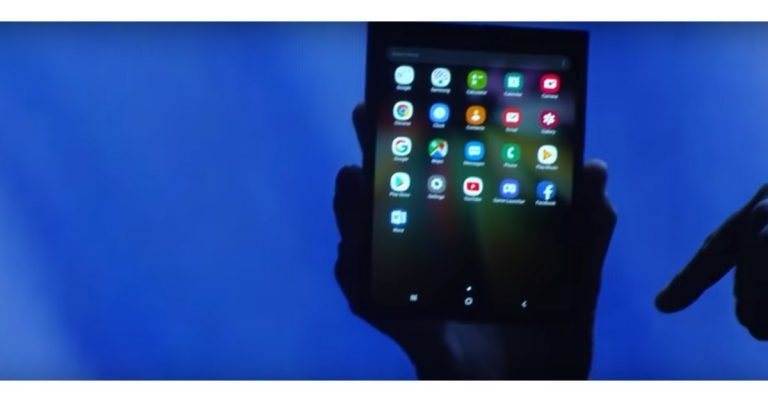
 According to Samsung, it’s foldable phone is a device that
  As of now, there is no official word about Samsung’s foldable phone’s name. However, reports online point towards two names – Samsung Galaxy F and Samsung Galaxy X. But then, we cannot confirm anything till the company makes the device’s name official.
 There are two displays on Samsung’s foldable phone. The cover display is 4.58 inches in size and has an aspect ratio of 21:9. The screen has an 840×1960 resolution and comes with a density of 420 dpi. It can be used when the device is folded into a candybar phone. The main display of the device is 7.3 inches and comes with an aspect ratio of 4.2:3. It has a pixel resolution of 1536×2152 and comes with a display density of 420 dpi.
But those are just the specifications. Samsung has actually created a new display for its device and is called it the Infinity Flex Display. Any
There are two displays on Samsung’s foldable phone. The cover display is 4.58 inches in size and has an aspect ratio of 21:9. The screen has an 840×1960 resolution and comes with a density of 420 dpi. It can be used when the device is folded into a candybar phone. The main display of the device is 7.3 inches and comes with an aspect ratio of 4.2:3. It has a pixel resolution of 1536×2152 and comes with a display density of 420 dpi.
But those are just the specifications. Samsung has actually created a new display for its device and is called it the Infinity Flex Display. Any  According to Samsung’s Jisun Park, the company intends to give its foldable device a battery that lasts longer than its current Galaxy smartphones. And Samsung wants to achieve this in spite of accommodating a bigger and more active screen that is bound to drain more battery.
 The foldable phone wasn’t the only new thing that Samsung spoke about last week. The South Korean technology giant also unveiled the redesigned version of its custom software. Called One UI, the operating system is based on
  Samsung was very careful at its developer conference to not speak too much about the device. So as of now, we know very little about the apps that we would be able to use on Samsung’s foldable phone. It would be safe to assume that Google’s suite of apps would be present along with some apps made by Samsung like SmartThings. Besides these, we know that Flipboard will be present on the device. While currently there is no word on what other apps will be available on Samsung’s foldable phone, we can expect some popular ones to be there are the device’s key feature is its ability to multitask. In the tablet mode, users can run up to three apps at once, according to Samsung.
 The device will automatically transfer the app or the screen the user is looking at to the other display. So if you are using an app in tablet mode and you close the phone, the same screen will start reflecting on the device’s second display.
 The main advantage of a Samsung’s foldable phone is that you get a lot of extra screen space. And let’s face it: A 7.3-inch display does offer a lot more space than what we get otherwise from smartphones. And another key advantage is the multitasking that the company promises. The foldable phone by Samsung is said to have the ability to run three apps at once or let users access more features of a particular app at once. We consider both of these as important benefits that the users can get from the phone.
 Reports have surfaced online that claim that Samsung’s foldable device will be
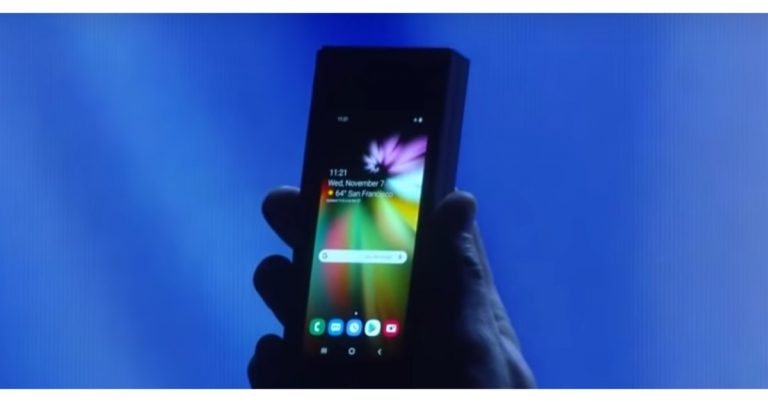
 The era of foldable phones has officially begun. The ZTE Axon M and Royole FlexPai are already there and other players like LG and Huawei are also working on their foldable phones.
![[Video] This week in Tech: Episode 3 (November 5 – November 11)](https://www.gadgetbridge.com/wp-content/uploads/2018/11/maxresdefault-1-768x432.jpg "[Video] This week in Tech: Episode 3 (November 5 – November 11)")
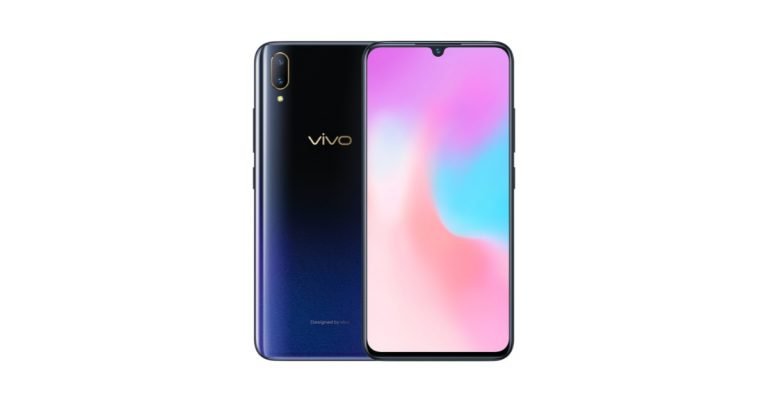


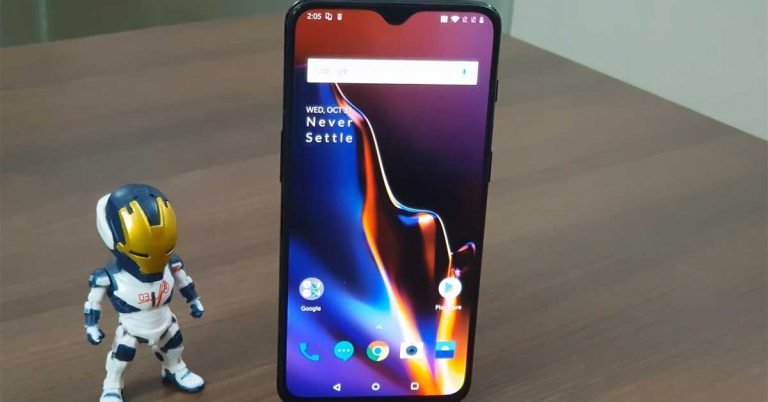
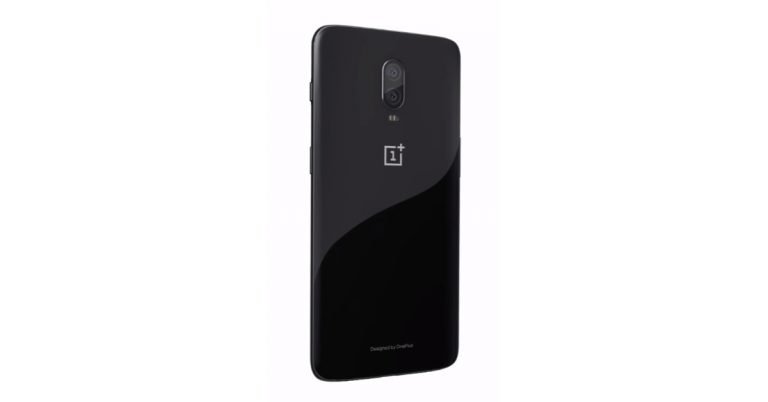
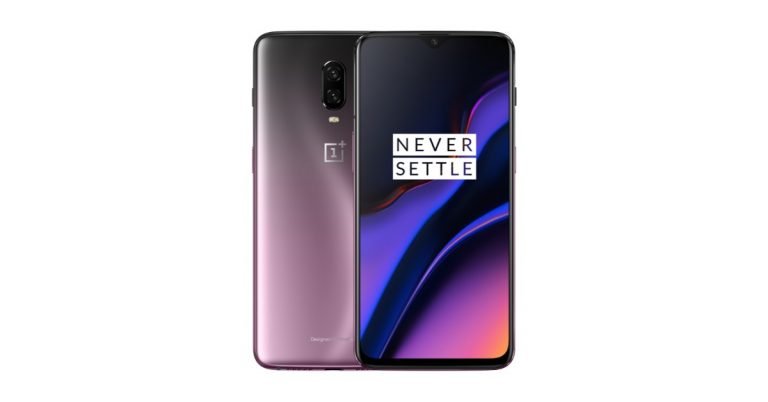
 As for the other aesthetics, the power and the ringer button are on the right, and the volume rocker button along with the 4G ready SIM card tray is placed on the left. The bottom part has the MIC and loudspeaker grille along with the USB type C charging port. Flip the phone around and you are greeted by a seen before Mirror Black rear panel, which still is a smudge magnet. However, we are not deducting points here as most smartphones in the category are a fingerprint attractor. The twin cameras also play house on the rear panel with the dual tone LED flash and OnePlus branding under it. The back panel is curved and pushes into the sides, which enabled us to grip the smartphone better.
Coming back to the display the screen is great as one can be. We played a lot of YouTube videos and games on it and not once did we feel the display going out of sync or loosing sharpness. HD videos ran really well on it and we were quite happy with the results. The reduced notch did allow us to enjoy videos better since the it does not get too much from the side where the notch is placed.
As for the other aesthetics, the power and the ringer button are on the right, and the volume rocker button along with the 4G ready SIM card tray is placed on the left. The bottom part has the MIC and loudspeaker grille along with the USB type C charging port. Flip the phone around and you are greeted by a seen before Mirror Black rear panel, which still is a smudge magnet. However, we are not deducting points here as most smartphones in the category are a fingerprint attractor. The twin cameras also play house on the rear panel with the dual tone LED flash and OnePlus branding under it. The back panel is curved and pushes into the sides, which enabled us to grip the smartphone better.
Coming back to the display the screen is great as one can be. We played a lot of YouTube videos and games on it and not once did we feel the display going out of sync or loosing sharpness. HD videos ran really well on it and we were quite happy with the results. The reduced notch did allow us to enjoy videos better since the it does not get too much from the side where the notch is placed.
 Moving on to the cameras, there are few upgrades now available to the system. Let’s start with the rear cameras first. Powered by a 16 MP + 20 MP sensor array, which has an aperture size of 1.7. The cameras now are able to take better pictures in low light and night thanks to the Nightscape mode. We found the picture sharpness to be much better than the OnePlus 6 on this
  When it comes to gaming and running power hungry apps on the OnePlus 6T, this smartphone is one of the best on the
 With this, Google realised that having white as the most prominent theme colour across its apps is not a very good idea. Even in Google’s revamped Material Design, white colour is practically everywhere.
But on the upside, Google does realize the importance of Dark mode. The company has already rolled out the theme to YouTube and Android Messages and Google will be getting it to its Phone app. The technology giant is also testing the feature in the
With this, Google realised that having white as the most prominent theme colour across its apps is not a very good idea. Even in Google’s revamped Material Design, white colour is practically everywhere.
But on the upside, Google does realize the importance of Dark mode. The company has already rolled out the theme to YouTube and Android Messages and Google will be getting it to its Phone app. The technology giant is also testing the feature in the  Another chart that shows the difference between dark mode and normal mode on YouTube has been shared by Google. At 100% brightness, the difference between the battery used by the two modes is 60%. If one can save that much battery of their