

In This Article
Apple iPhone 14 launch event: What to expect from the Apple event today

Today is the scheduled launch day for the iPhone 14. The highly anticipated iPhone 14 series, rumoured to consist of four models (iPhone 14, iPhone 14 Pro, iPhone 14 Max, and iPhone 14 Pro Max) is expected to be unveiled at today’s Apple Event. The business might possibly release the Watch Series 8 smartwatch and AirPods Pro 2.
Amazon Quiz Answers Today 7 September 2022: Participate to win Rs 5,000

Have you participated in the Amazon Quiz today? If not then participate in the 7 September 2022 Amazon Quiz as it has already gone live on the app. The daily quiz can be played from 12 AM to 11:59 every day on the mobile app platform. Today e-commerce is giving the chance to win Rs 5,000 Amazon Pay Balance.
Every day Amazon brings a fresh quiz for its customers. By participating in the quiz the participants can win an Amazon Pay Balance of up to Rs 50,000. The quiz can only be played on the mobile app as it is not available for the desktop platform. The quiz contains five easy questions and you have to answer all the questions correctly. The participants will then be shortlisted for a lucky draw to select a winner. Whereas the results are declared at the end of the month. Check out today’s Amazon quiz answers to win Rs 5,000.
Amazon Quiz Today Prize – Rs 5,000 Amazon Pay Balance
Quiz Date – 7 September 2022
Daily Timing – 12 AM to 11:59 PM
Winner Announcement – Today 12 PM
In This Article
Amazon Quiz Answers Today 7 September 2022
Question 1: What is the name of the government’s new model for the sustainable development of the Ganga? Answer: Arth Ganga Question 2: Which of these teams qualified for the 2022 Asia Cup and is in the same group as India and Pakistan? Answer: Hong Kong Question 3: Blonde’ is an upcoming biopic about Marilyn Monroe. Who is playing the role of Marilyn Monroe in the movie? Answer: Ana De Armas Question 4: This is a lego depiction of characters from which famous television show? Answer: The Big Bang Theory Question 5: This is a view of Queenstown in which country? Answer: New ZealandHow To Play Amazon Quiz
Only app users are eligible to play the Amazon quiz every morning from 12 AM to 11:59 PM. The quiz is not available on the desktop. For those who are unaware of how to play the Amazon quiz below are the steps, you can follow to take the quiz.- Firstly download the Amazon app from Google Play Store or App Store
- Now fill in the required information through the Sign Up option.
- You need to log in to the Amazon app and scroll down on the home screen to find the Amazon Quiz banner.
- Tap on the Amazon Quiz banner and tap on the Start button to start the Quiz.
- Now you will get 5 questions and you need to answer them correctly. One wrong answer will eliminate you from the Quiz.
- After answering all the questions correctly you are now eligible for a Lucky Draw.
- The winner’s name will be announced today at 12 PM.
Best YouTube Editing Software for Windows, Mac and Mobile Devices [2022 Round-Up]
![Best YouTube Editing Software for Windows, Mac and Mobile Devices [2022 Round-Up]](https://www.gadgetbridge.com/wp-content/uploads/2022/09/video-editing-768x402.jpg "Best YouTube Editing Software for Windows, Mac and Mobile Devices [2022 Round-Up]")
YouTube is one of the most popular streaming and video-sharing platforms that you would find quite impressive and unique in many ways. One of the most visited services, it hosts a wide range of content that spans across multiple genres. What if you are searching for the best editing software for YouTube in 2022 that you would be looking to explore? Let us check out a few popular video editors for YouTube that can come much handy and let you edit YouTube videos with ease.
 As a powerful option to assist you in creating wonderful YouTube videos, Filmora video editor is quite impressive and a captivating tool that can handle a wide range of video editing tasks. Simply drag and drop feature makes it a perfect choice for beginners to get started, and the built-in features like Split Screen, Motion Tracking, Auto Reframe, and Green Screen on Filmora video editor make it stand apart from the competition.
The video effects from Boris FX Continuum and NewBlue FX should make it a great addition, along with a rich library of effects in Filmstock. The new add-ons can provide you full-fledged professional video effects and enhance your creativity levels & production value.
Moreover, the feature- Speed ramping lets you change the speed of your video in tune with the keyframes. This can go a long way in helping you in creating unique cinematic effects. The professional speed effects on Filmora include Montage, Hero moment, Bullet Time, Jumper, and Flash in.
Filmora can be the best choice for YouTube creators and editors who are just starting out and do not have any video editing skills. With Instant Mode in Filmora, you can simply add media and it takes care of all the tasks involved. In addition, the speech-to-text function allows transcribing voice to subtitles directly, which saves much time.
If you are a Windows user looking for one of the advanced video editing tools, Sony Vegas Pro can be a good option. The interface of the tool is not much intuitive, and that can be a concern for beginners. However, you would find Sony Vegas Pro comes with plenty of advanced video editing options. The multi-cam video editing on the tool should further make it the right one for YouTube videos. The features such as Auto White Balance and Masking tools help you make creative videos.
The less modern look on the video editor for Windows may make it less suited when compared to the effects and options on Filmora. The tool has several advanced features, but understanding them and figuring out each of them takes some time.
Adobe Premier Pro is one of the excellent options for helping you in terms of an advanced YouTube video editing tool. Known to be the industry’s standard option, Adobe Premier Pro is used by professional filmmakers for creating and editing their videos. Thus, it might not be a good choice for quick and simple edits. You would find it a little harder and tougher choice for the on-the-go edits, especially without any editing skills.
The improved mercury engine for playing your videos would make it stand apart from the rest. The latest and advanced video editing options available on the tool would make it truly wonderful. But, the expensive price tag can perhaps make it a little disappointing for the YouTubers who may not be able to afford it.
iMovie has been one of the prime options for YouTube editing software on Mac and iOS devices. The fact that it is free for the Mac systems makes it one of the most popular video editors ever. You can have a few basic video editing features, and that may not make it the right option for those of you looking for advanced YouTube video editing. The free video editing software can even fix a shaky video perfectly enough.
iMovie is available only for Mac and iOS users, and that can make it a little limited in terms of its application. If you are on Windows, you will be left out. Moreover, it also lacks support for a few formats.
Final Cut Pro is a professional YouTube video editor for Mac users. The high-end video editing capabilities on the tool would make it stand apart from the rest. It is known explicitly for nonlinear and non-destructive video editing. The latest version even supports 4K and 5K recordings on your Mac.
The video editor definitely comes with an advanced set of features. Still, the only shortcoming is that it is available only on Mac devices and is not supported on Windows.
Filmora Go is a suitable solution for both Android and iOS devices alike, making it a complete solution for your YouTube video editing efforts. Designed to make video editing excellently easy everywhere and anywhere, FilmoraGo should definitely make it a truly powerful choice ever. It offers you a very simplified process wherein you can shoot, edit, share and do everything on a single app.
The transitions available on FilmoraGo would make it easy to edit your YouTube videos on the move. A good range of tools, multiplatform compatibility, and storage options are a few features that would make it stand apart from the rest of the tools in its genre.
As a powerful option to assist you in creating wonderful YouTube videos, Filmora video editor is quite impressive and a captivating tool that can handle a wide range of video editing tasks. Simply drag and drop feature makes it a perfect choice for beginners to get started, and the built-in features like Split Screen, Motion Tracking, Auto Reframe, and Green Screen on Filmora video editor make it stand apart from the competition.
The video effects from Boris FX Continuum and NewBlue FX should make it a great addition, along with a rich library of effects in Filmstock. The new add-ons can provide you full-fledged professional video effects and enhance your creativity levels & production value.
Moreover, the feature- Speed ramping lets you change the speed of your video in tune with the keyframes. This can go a long way in helping you in creating unique cinematic effects. The professional speed effects on Filmora include Montage, Hero moment, Bullet Time, Jumper, and Flash in.
Filmora can be the best choice for YouTube creators and editors who are just starting out and do not have any video editing skills. With Instant Mode in Filmora, you can simply add media and it takes care of all the tasks involved. In addition, the speech-to-text function allows transcribing voice to subtitles directly, which saves much time.
If you are a Windows user looking for one of the advanced video editing tools, Sony Vegas Pro can be a good option. The interface of the tool is not much intuitive, and that can be a concern for beginners. However, you would find Sony Vegas Pro comes with plenty of advanced video editing options. The multi-cam video editing on the tool should further make it the right one for YouTube videos. The features such as Auto White Balance and Masking tools help you make creative videos.
The less modern look on the video editor for Windows may make it less suited when compared to the effects and options on Filmora. The tool has several advanced features, but understanding them and figuring out each of them takes some time.
Adobe Premier Pro is one of the excellent options for helping you in terms of an advanced YouTube video editing tool. Known to be the industry’s standard option, Adobe Premier Pro is used by professional filmmakers for creating and editing their videos. Thus, it might not be a good choice for quick and simple edits. You would find it a little harder and tougher choice for the on-the-go edits, especially without any editing skills.
The improved mercury engine for playing your videos would make it stand apart from the rest. The latest and advanced video editing options available on the tool would make it truly wonderful. But, the expensive price tag can perhaps make it a little disappointing for the YouTubers who may not be able to afford it.
iMovie has been one of the prime options for YouTube editing software on Mac and iOS devices. The fact that it is free for the Mac systems makes it one of the most popular video editors ever. You can have a few basic video editing features, and that may not make it the right option for those of you looking for advanced YouTube video editing. The free video editing software can even fix a shaky video perfectly enough.
iMovie is available only for Mac and iOS users, and that can make it a little limited in terms of its application. If you are on Windows, you will be left out. Moreover, it also lacks support for a few formats.
Final Cut Pro is a professional YouTube video editor for Mac users. The high-end video editing capabilities on the tool would make it stand apart from the rest. It is known explicitly for nonlinear and non-destructive video editing. The latest version even supports 4K and 5K recordings on your Mac.
The video editor definitely comes with an advanced set of features. Still, the only shortcoming is that it is available only on Mac devices and is not supported on Windows.
Filmora Go is a suitable solution for both Android and iOS devices alike, making it a complete solution for your YouTube video editing efforts. Designed to make video editing excellently easy everywhere and anywhere, FilmoraGo should definitely make it a truly powerful choice ever. It offers you a very simplified process wherein you can shoot, edit, share and do everything on a single app.
The transitions available on FilmoraGo would make it easy to edit your YouTube videos on the move. A good range of tools, multiplatform compatibility, and storage options are a few features that would make it stand apart from the rest of the tools in its genre.
In This Article
Best YouTube Editing software for Windows
Beginning our discussion with the best YouTube editing software for Windows, let us check out a few prime options that can prove to be handy.Filmora Video Editor
 As a powerful option to assist you in creating wonderful YouTube videos, Filmora video editor is quite impressive and a captivating tool that can handle a wide range of video editing tasks. Simply drag and drop feature makes it a perfect choice for beginners to get started, and the built-in features like Split Screen, Motion Tracking, Auto Reframe, and Green Screen on Filmora video editor make it stand apart from the competition.
The video effects from Boris FX Continuum and NewBlue FX should make it a great addition, along with a rich library of effects in Filmstock. The new add-ons can provide you full-fledged professional video effects and enhance your creativity levels & production value.
Moreover, the feature- Speed ramping lets you change the speed of your video in tune with the keyframes. This can go a long way in helping you in creating unique cinematic effects. The professional speed effects on Filmora include Montage, Hero moment, Bullet Time, Jumper, and Flash in.
Filmora can be the best choice for YouTube creators and editors who are just starting out and do not have any video editing skills. With Instant Mode in Filmora, you can simply add media and it takes care of all the tasks involved. In addition, the speech-to-text function allows transcribing voice to subtitles directly, which saves much time.
As a powerful option to assist you in creating wonderful YouTube videos, Filmora video editor is quite impressive and a captivating tool that can handle a wide range of video editing tasks. Simply drag and drop feature makes it a perfect choice for beginners to get started, and the built-in features like Split Screen, Motion Tracking, Auto Reframe, and Green Screen on Filmora video editor make it stand apart from the competition.
The video effects from Boris FX Continuum and NewBlue FX should make it a great addition, along with a rich library of effects in Filmstock. The new add-ons can provide you full-fledged professional video effects and enhance your creativity levels & production value.
Moreover, the feature- Speed ramping lets you change the speed of your video in tune with the keyframes. This can go a long way in helping you in creating unique cinematic effects. The professional speed effects on Filmora include Montage, Hero moment, Bullet Time, Jumper, and Flash in.
Filmora can be the best choice for YouTube creators and editors who are just starting out and do not have any video editing skills. With Instant Mode in Filmora, you can simply add media and it takes care of all the tasks involved. In addition, the speech-to-text function allows transcribing voice to subtitles directly, which saves much time.
Sony Vegas Pro
 If you are a Windows user looking for one of the advanced video editing tools, Sony Vegas Pro can be a good option. The interface of the tool is not much intuitive, and that can be a concern for beginners. However, you would find Sony Vegas Pro comes with plenty of advanced video editing options. The multi-cam video editing on the tool should further make it the right one for YouTube videos. The features such as Auto White Balance and Masking tools help you make creative videos.
The less modern look on the video editor for Windows may make it less suited when compared to the effects and options on Filmora. The tool has several advanced features, but understanding them and figuring out each of them takes some time.
If you are a Windows user looking for one of the advanced video editing tools, Sony Vegas Pro can be a good option. The interface of the tool is not much intuitive, and that can be a concern for beginners. However, you would find Sony Vegas Pro comes with plenty of advanced video editing options. The multi-cam video editing on the tool should further make it the right one for YouTube videos. The features such as Auto White Balance and Masking tools help you make creative videos.
The less modern look on the video editor for Windows may make it less suited when compared to the effects and options on Filmora. The tool has several advanced features, but understanding them and figuring out each of them takes some time.
Adobe Premier Pro
 Adobe Premier Pro is one of the excellent options for helping you in terms of an advanced YouTube video editing tool. Known to be the industry’s standard option, Adobe Premier Pro is used by professional filmmakers for creating and editing their videos. Thus, it might not be a good choice for quick and simple edits. You would find it a little harder and tougher choice for the on-the-go edits, especially without any editing skills.
The improved mercury engine for playing your videos would make it stand apart from the rest. The latest and advanced video editing options available on the tool would make it truly wonderful. But, the expensive price tag can perhaps make it a little disappointing for the YouTubers who may not be able to afford it.
Adobe Premier Pro is one of the excellent options for helping you in terms of an advanced YouTube video editing tool. Known to be the industry’s standard option, Adobe Premier Pro is used by professional filmmakers for creating and editing their videos. Thus, it might not be a good choice for quick and simple edits. You would find it a little harder and tougher choice for the on-the-go edits, especially without any editing skills.
The improved mercury engine for playing your videos would make it stand apart from the rest. The latest and advanced video editing options available on the tool would make it truly wonderful. But, the expensive price tag can perhaps make it a little disappointing for the YouTubers who may not be able to afford it.
The best YouTube editing software for Mac
Moving on to Mac, we will handpick a few good YouTube editing software options available on Mac.iMovie
 iMovie has been one of the prime options for YouTube editing software on Mac and iOS devices. The fact that it is free for the Mac systems makes it one of the most popular video editors ever. You can have a few basic video editing features, and that may not make it the right option for those of you looking for advanced YouTube video editing. The free video editing software can even fix a shaky video perfectly enough.
iMovie is available only for Mac and iOS users, and that can make it a little limited in terms of its application. If you are on Windows, you will be left out. Moreover, it also lacks support for a few formats.
iMovie has been one of the prime options for YouTube editing software on Mac and iOS devices. The fact that it is free for the Mac systems makes it one of the most popular video editors ever. You can have a few basic video editing features, and that may not make it the right option for those of you looking for advanced YouTube video editing. The free video editing software can even fix a shaky video perfectly enough.
iMovie is available only for Mac and iOS users, and that can make it a little limited in terms of its application. If you are on Windows, you will be left out. Moreover, it also lacks support for a few formats.
Final Cut Pro
 Final Cut Pro is a professional YouTube video editor for Mac users. The high-end video editing capabilities on the tool would make it stand apart from the rest. It is known explicitly for nonlinear and non-destructive video editing. The latest version even supports 4K and 5K recordings on your Mac.
The video editor definitely comes with an advanced set of features. Still, the only shortcoming is that it is available only on Mac devices and is not supported on Windows.
Final Cut Pro is a professional YouTube video editor for Mac users. The high-end video editing capabilities on the tool would make it stand apart from the rest. It is known explicitly for nonlinear and non-destructive video editing. The latest version even supports 4K and 5K recordings on your Mac.
The video editor definitely comes with an advanced set of features. Still, the only shortcoming is that it is available only on Mac devices and is not supported on Windows.
The best YouTube editing software for Android & iOS
Having gone through the best YouTube video editing tools for Windows and Mac devices, let us check out the best options available on smartphones.Filmora Go
 Filmora Go is a suitable solution for both Android and iOS devices alike, making it a complete solution for your YouTube video editing efforts. Designed to make video editing excellently easy everywhere and anywhere, FilmoraGo should definitely make it a truly powerful choice ever. It offers you a very simplified process wherein you can shoot, edit, share and do everything on a single app.
The transitions available on FilmoraGo would make it easy to edit your YouTube videos on the move. A good range of tools, multiplatform compatibility, and storage options are a few features that would make it stand apart from the rest of the tools in its genre.
Filmora Go is a suitable solution for both Android and iOS devices alike, making it a complete solution for your YouTube video editing efforts. Designed to make video editing excellently easy everywhere and anywhere, FilmoraGo should definitely make it a truly powerful choice ever. It offers you a very simplified process wherein you can shoot, edit, share and do everything on a single app.
The transitions available on FilmoraGo would make it easy to edit your YouTube videos on the move. A good range of tools, multiplatform compatibility, and storage options are a few features that would make it stand apart from the rest of the tools in its genre.
The Concluding Thoughts
If you are a YouTuber and looking to attract viewers to your channel, there are a host of advanced YouTube video editing software that have been known to bring you the best possible performance excellence. The list of tools that we have outlined in this compilation should prove to be extremely impressive in the long run. Check them out and find which of them meets your needs. The way that Filmora Video Editor helps you in engaging in a host of advanced options in handling your imagination should definitely make the tool stand apart from the rest. You can analyze and find it for yourself. For the latest gadget and tech news, and gadget reviews, follow us on Twitter, Facebook and Instagram. For newest tech & gadget videos subscribe to our YouTube Channel. You can also stay up to date using the Gadget Bridge Android App. You can find the latest car and bike news here.How to Recover Deleted or Missing WhatsApp Messages?
Here are some of the best ways in which you can recover deleted or missing WhatsApp messages (some of them are advanced ways, so read carefully). We’ll also cover how to set up an advanced WhatsApp backup plan to ensure you never lose any of your WhatsApp messages again.
 From there, head to Chats > Chat backup. Here (under Auto Backup on iOS and Back up to Google Drive on Android), the app offers several backup frequencies (along with the option to encrypt your WhatsApp backups):
Daily/ Weekly/ Monthly/ Off
WhatsApp on android devices makes a local backup every night, but this doesn’t help if you have lost your device, so backing up to the cloud is important and useful.
Over that, WhatsApp deletes older backup files as you create new ones. The iPhone app only keeps the latest backup file, while the Android version keeps “up to the last seven days’ worth” of backup files. Keep that in mind as you choose the right backup frequency for your needs.
Read Also: How can you bring back recently deleted images on Instagram?
Choosing auto-backups will make it easier for you to recover WhatsApp messages soon after deleting them. On the other hand, weekly auto-backups will allow you to go further back in time to recover deleted WhatsApp messages, costing you your recent messages.
From there, head to Chats > Chat backup. Here (under Auto Backup on iOS and Back up to Google Drive on Android), the app offers several backup frequencies (along with the option to encrypt your WhatsApp backups):
Daily/ Weekly/ Monthly/ Off
WhatsApp on android devices makes a local backup every night, but this doesn’t help if you have lost your device, so backing up to the cloud is important and useful.
Over that, WhatsApp deletes older backup files as you create new ones. The iPhone app only keeps the latest backup file, while the Android version keeps “up to the last seven days’ worth” of backup files. Keep that in mind as you choose the right backup frequency for your needs.
Read Also: How can you bring back recently deleted images on Instagram?
Choosing auto-backups will make it easier for you to recover WhatsApp messages soon after deleting them. On the other hand, weekly auto-backups will allow you to go further back in time to recover deleted WhatsApp messages, costing you your recent messages.
In This Article
WhatsApp Chat Backups and how to set them up
To recover deleted WhatsApp messages the most important thing is to have your Chat Backup turned on only then you can actually retrieve the messages. To turn the backup on, tap the Settings tab. It’s on the bottom bar of the iPhone app. On Android, open the three-dot menu at the top-right and choose Settings. From there, head to Chats > Chat backup. Here (under Auto Backup on iOS and Back up to Google Drive on Android), the app offers several backup frequencies (along with the option to encrypt your WhatsApp backups):
Daily/ Weekly/ Monthly/ Off
WhatsApp on android devices makes a local backup every night, but this doesn’t help if you have lost your device, so backing up to the cloud is important and useful.
Over that, WhatsApp deletes older backup files as you create new ones. The iPhone app only keeps the latest backup file, while the Android version keeps “up to the last seven days’ worth” of backup files. Keep that in mind as you choose the right backup frequency for your needs.
Read Also: How can you bring back recently deleted images on Instagram?
Choosing auto-backups will make it easier for you to recover WhatsApp messages soon after deleting them. On the other hand, weekly auto-backups will allow you to go further back in time to recover deleted WhatsApp messages, costing you your recent messages.
From there, head to Chats > Chat backup. Here (under Auto Backup on iOS and Back up to Google Drive on Android), the app offers several backup frequencies (along with the option to encrypt your WhatsApp backups):
Daily/ Weekly/ Monthly/ Off
WhatsApp on android devices makes a local backup every night, but this doesn’t help if you have lost your device, so backing up to the cloud is important and useful.
Over that, WhatsApp deletes older backup files as you create new ones. The iPhone app only keeps the latest backup file, while the Android version keeps “up to the last seven days’ worth” of backup files. Keep that in mind as you choose the right backup frequency for your needs.
Read Also: How can you bring back recently deleted images on Instagram?
Choosing auto-backups will make it easier for you to recover WhatsApp messages soon after deleting them. On the other hand, weekly auto-backups will allow you to go further back in time to recover deleted WhatsApp messages, costing you your recent messages.
How to Recover Archived Chats in WhatsApp
At times the chat simply gets archived and all of it is still there on your WhatsApp and nothing has been deleted, to understand what the difference is and how to retrieve the chat or unarchive are listed below. Archiving is like hiding chats. Nothing gets deleted and would be accessible to you. All you need to do is unarchive them, whereas deleting chat would erase its contents and make them no longer accessible to you. For iPhone users, unarchiving their chats is easy. One way is to shake the device to undo and this will recover the archived chat. But there are other ways to do this as well.
Follow these steps to unarchive a WhatsApp chat on any iPhone:
- The first thing to do is scroll up in the chat list (users can swipe from top to bottom) till the Archived Chats appear.
- Now you have to tap on it. Next, swipe from right to left on the chat you want to restore.
- Lastly, hit the Unarchive button that appears on the screen.

To unarchive a chat on Android (follow the steps below)
- Scroll to the top of the chat list and tap Archived chats.
- Press and hold on the chat you want to recover.
- Tap the unarchive icon at the top-right, which looks like a box with an upward-facing arrow.


Read Also: WhatsApp now lets users view status updates in chat lists
How to Recover Deleted WhatsApp Messages
Once you have made a backup, recovering chats from them is simple, all you need to do is uninstall and then reinstall WhatsApp on your device. When you reinstall the app, a message would appear on your screen asking you if you wish to restore your message history from the backup file. To initiate the restore, tap on Restore and with this everything saved in your last backup would be retrieved. Make sure you do it as the message appears, as you can’t restore the backup file later. The next method works for both Android and Apple devices but with a limitation and that being, it will only work as long as you have a backup.How to Recover Deleted Media on WhatsApp
Restoring your backup file allows you to retrieve any deleted media from your chats. On Android, you can simply open a file explorer app and navigate to /WhatsApp/Media. From there, simply browse through the folders until you find the deleted photos you want to recover. On iPhone, you should have a backup copy of images saved to your device if you have the Save to Camera Roll option enabled at Settings > Chats in WhatsApp. Read also: How to block or unblock someone on WhatsApp?How to Recover Older Deleted Chats in WhatsApp
Please note: That the below strategy will work with Android devices only as Android lets its users access to the local backup files. If you are an iPhone user, the method of “restore from an iPhone backup” is what you will get. Here are the steps to restore old WhatsApp chats on Android:- Open a file explorer app (if you do not have, then download from PlayStore) on your Android device.
- Navigate to /WhatsApp/Databases.
- Rename msgstore.db.crypt12 to msgstore-latest.db.crypt12.
- Rename msgstore-YYYY-MM-DD.1.db.crypt12 to msgstore.db.crypt12.
- Uninstall WhatsApp.
- If Google Drive backups are enabled, open Google Drive, slide out the left menu, tap Backups, and delete the WhatsApp backup file.
- Reinstall WhatsApp.
- When prompted, restore from the backup file.
To retrieve WhatsApp messages deleted sometime between two backups, simply do the following:
- Rename msgstore.db.crypt12 to msgstore-latest.db.crypt12. This changes the latest backup file, since you’re about to give an older backup its name in order to restore it.
- Next, rename the msgstore-YYYY-MM-DD.1.db.crypt12 file that you want to restore to msgstore.db.crypt12.
Redmi A1 launched in India at Rs 6,499: Price and Specs details
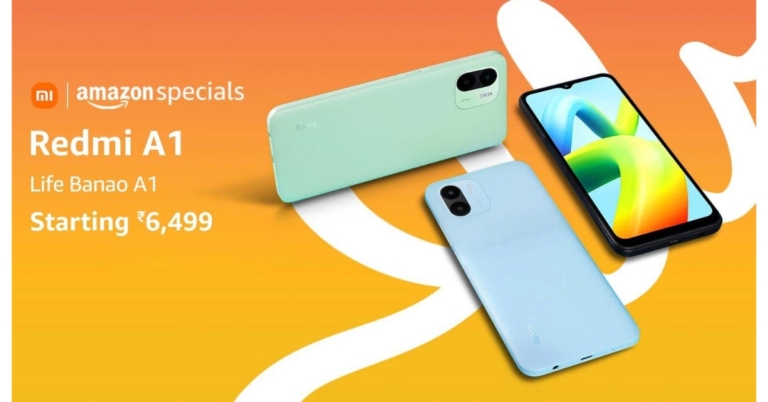
Xiaomi’s sub-brand Redmi today announced the launch of a new budget smartphone in the Indian market today. This budget smartphone is priced under 10K and has been introduced along with Redmi 11 Prime series. The new phone is powered by MediaTek Helio A22 SoC. It packs a 5,000mAh battery and runs on Android 11 out of the box. The device also features a dual rear camera set-up.
In This Article
Redmi A1 price in India and sale details
Redmi A1 has been launched in India with a price tag of Rs 6,499 for the single 2GB RAM with 32GB of internal storage. It is available in the colours Classic Black, Light Green, and Light Blue. Starting on September 9 at 4 pm IST, the device will be sold in the nation through Amazon, Mi.com, Mi Home stores, and Xiaomi’s retail partners. The Redmi 11 Prime 4G, on the other hand, has just been released in India, and the 4GB RAM with 64GB storage version will set you back Rs 12,999. The cost of the 6GB RAM with 128GB storage option is Rs 14,999, however. Contrarily, the Redmi 11 Prime 5G has been released in two separate variations, including 4GB RAM with 64GB of internal storage and 6GB RAM with 128GB of storage. The cost of the 4GB model is Rs 13,999, while the 6GB version will cost Rs 15,999.Redmi A1 specifications
Redmi A1 has an HD+ 6.5-inch screen with a waterdrop notch. It runs on Android 12 with MIUI 13 on top. The MediaTek Helio A22 SoC, which has eight cores and 2GB of RAM, powers the phone. It offers 32GB of internal storage which can be expanded up to 512GB using a microSD card. The Redmi A1 supports over 20 Indian languages in addition like Hindi, Tamil, Telugu, Kannada, Malayalam, Bengali and more, so you can have your phone in the language that you prefer. The Redmi A1’s dual rear camera system, powered by AI, has an 8-megapixel primary sensor. The phone has a front-facing 5-megapixel selfie camera sensor for selfies and video calls. The Redmi A1 sports a 5,000mAh battery and comes with a 10W charger. The device comes with speakers on the top. Centring energies around the emotional connection with radio, the device comes with a pre-installed FM Radio app. For the latest gadget and tech news, and gadget reviews, follow us on Twitter, Facebook and Instagram. For newest tech & gadget videos subscribe to our YouTube Channel. You can also stay up to date using the Gadget Bridge Android App. You can find the latest car and bike news here.How to Block or Unblock Someone on Telegram? (2022)

With 700 million monthly active users, Telegram is one of the most popular instant messengers in the world. Telegram grew in popularity due to its unique features like a group limit of 200,000 members, the ability to send attachments up to 2GB in size, and customisable bots for groups. If you use public Telegram groups, there is always a risk of receiving spam or inappropriate messages in your DMs. Luckily, blocking someone on Telegram is a very easy process. In this article, we show you how to block or unblock someone on Telegram.
Read Also: Boat Storm Pro Call smartwatch launched in India
Step 3: Click on the ellipses at the top right corner of the screen.
Step 4: Select ‘Block user’ and confirm it in the following dialogue box.
The contact will be added to your block list.
If you do not have a chat thread with the user, go to Settings>Privacy and Security>Blocked users and manually add them to the block list from your contacts.
Step 3: Scroll down and select ‘Privacy and Security’.
Step 4: Tap on ‘Blocked users’.
Step 5: Click on the ellipses next to the profile of the contact you want to unblock and select ‘Unblock user’.
The user will be removed from your block list.
You can also directly unblock a user by clicking on their profile from the chat thread and selecting ‘Unblock’.
Read Also: How To Recover Permanently Deleted Files On Windows?
In This Article
How to block someone on Telegram
Step 1: Open the Telegram app and go to the chat thread of the contact you want to block. Step 2: Click on their profile at the top of the screen. Step 3: Click on the ellipses at the top right corner of the screen.
 Step 4: Select ‘Block user’ and confirm it in the following dialogue box.
 The contact will be added to your block list.
If you do not have a chat thread with the user, go to Settings>Privacy and Security>Blocked users and manually add them to the block list from your contacts.
The contact will be added to your block list.
If you do not have a chat thread with the user, go to Settings>Privacy and Security>Blocked users and manually add them to the block list from your contacts.
How to unblock someone on Telegram
Step 1: Open the Telegram app and tap the hamburger menu at the top-right corner of the screen. Step 2: Select Settings. Step 3: Scroll down and select ‘Privacy and Security’.
 Step 4: Tap on ‘Blocked users’.
 Step 5: Click on the ellipses next to the profile of the contact you want to unblock and select ‘Unblock user’.
 The user will be removed from your block list.
You can also directly unblock a user by clicking on their profile from the chat thread and selecting ‘Unblock’.
Read Also: How To Recover Permanently Deleted Files On Windows?
The user will be removed from your block list.
You can also directly unblock a user by clicking on their profile from the chat thread and selecting ‘Unblock’.
Read Also: How To Recover Permanently Deleted Files On Windows?
Frequently Asked Questions
What happens when I block someone on Telegram?
Blocking someone on Telegram removes the access they have to your profile. This means they won’t be able to send you messages, pictures, documents, and videos, and they will not be able to view your profile picture. Any message they send will not be delivered to you.Does Telegram notify the user when you block them?
No, Telegram does not notify a user when they get blocked. They just won’t be able to see your profile picture and their messages will not be delivered to you.Will a blocked user be able to see my messages in a Telegram group?
Yes, blocked users can see the messages you send in a Telegram group, but they won’t be able to send you direct messages.
For the latest gadget and tech news, and gadget reviews, follow us on Twitter, Facebook and Instagram. For newest tech & gadget videos subscribe to our YouTube Channel. You can also stay up to date using the Gadget Bridge Android App. You can find the latest car and bike news here.
Smartphone Comparison: Poco M5 Vs Poco M4 5G
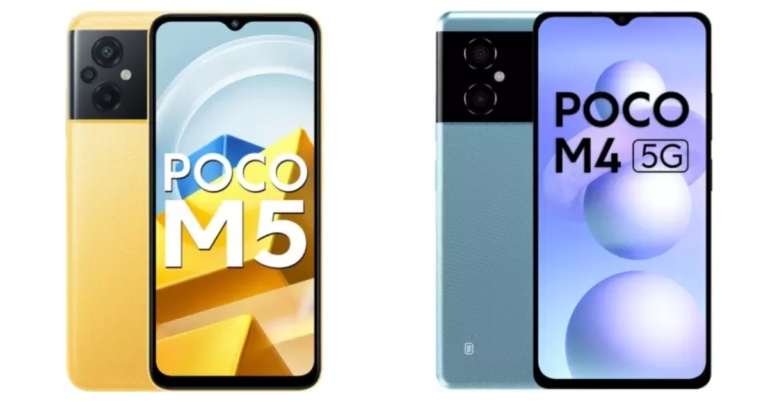
In India, the Poco M4 5G was released about six months ago, and the Poco M5 has just been unveiled. The recently released phone is the M4’s successor, but the only thing that sets them apart is 5G connectivity. Despite some significant upgrades, both phones have a majority of the same functions. As a result, we’ve chosen to compare the two phones Poco M5 Vs Poco M4 5G in order to determine which one you ought to choose.
In This Article
Display
Poco M5: 6.58-inch full-HD+ IPS LCD screen Poco M4 5G: 6.58-inch full-HD+ LCD screenProcessor
Poco M5: MediaTek Helio G99 SoC Poco M4 5G: MediaTek Dimensity 700 SoCRear camera(s)
Poco M5: A triple-back camera configuration consisting of a 50-megapixel primary sensor, a 2-megapixel macro camera, and a 2-megapixel depth sensor Poco M4 5G: Dual rear camera setup with a 50-megapixel primary sensor with an f/1.8 aperture. A 2-megapixel portrait camera with an f/2.4 aperture is includedSelfie camera
Poco M5: An 8-megapixel selfie camera Poco M4 5G: 8-megapixel sensor on the front with an f/2.45 apertureRAM and storage
Poco M5: 4GB of RAM and 64GB of storage/6GB RAM with 128GB storage Poco M4 5G: 4GB RAM with 64GB storage and 6GB RAM with 128GB storageBattery
Poco M5: 5,000mAh battery Poco M4 5G: 5,000mAh batteryOperating system
Poco M5: Android 12-based MIUI custom skin Poco M4 5G: Android 12 with Xiaomi’s MIUI 13 skin on topStarting Price
Poco M5: Rs 12,499 Poco M4 5G: Rs 12,999Our Take
In terms of design, both smartphones are pretty similar from the front as well as from the back. The smartphone comes with the usual side-mounted fingerprint scanner. Also, there is an LCD screen on both devices with a 90Hz refresh rate with the DynamicSwitch feature. The Poco M5 is powered by MediaTek Helio G99 SoC with up to 6GB RAM with 128GB storage. Whereas Poco M4 5G comes equipped with MediaTek Dimensity 700 SoC paired with up to 6GB RAM with 128GB storage. Poco M5 has a triple rear camera set up whereas the Poco M4 comes with a dual-camera setup that lacks a macro sensor, but the primary sensor is the same on both handsets. Even the selfie camera is the same on both phones. The only notable difference is the presence of 5G connectivity on the Poco M4. When it comes to price, Poco offers everything at better pricing. So, if cameras aren’t an issue for you, the Poco M4 5G is the way to go. For the latest gadget and tech news, and gadget reviews, follow us on Twitter, Facebook and Instagram. For newest tech & gadget videos subscribe to our YouTube Channel. You can also stay up to date using the Gadget Bridge Android App. You can find the latest car and bike news here.How To Fix Error SIM Not Provisioned MM#2? Try these 6 simple methods
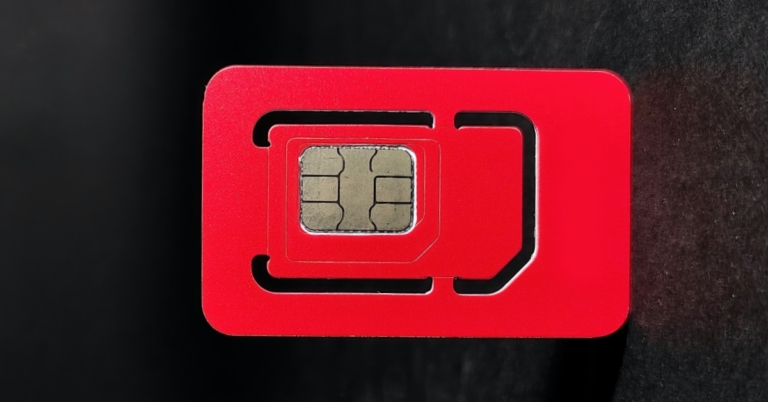
Stones, that’s what smartphones are if they can’t do what they were made to do and that is not being able to make calls, send messages, or use the internet. One of the most common reasons is SIM card issues. Particularly, you may be receiving a “SIM not provisioned” error. This guide will provide simple troubleshooting solutions for this error to get your phone working quickly and the “SIM not provisioned MM#2” will evaporate.
This might not sound high-tech or even a solution but simply turning off your phone can overcome the SIM not provisioned fault.
Do the usual steps to restart the phone and wait a few moments, and you’ll see that the error message no longer appears, and your SIM card is activated.
In most cases, a SIM card will be activated automatically within 24 hours of being inserted into a new phone. If this doesn’t happen, three options are usually available to enable Activision:
If the SIM doesn’t activate, it’s time to make a call(from another device) to your carrier or network. Explain to them the error message and the steps you’ve taken.
As noted above, there may be an issue with the activation server, which would prevent your SIM card from activating. This would cause the “SIM not provisioned” error message
Your carrier will typically keep you on the line while they investigate the issue. If it is a problem with the activation server, there may be some delay in getting the SIM activated. On the plus side, you’ll have a reason for the error and a possible date for resolution.
Still stuck here? Let’s try something else because it might be time to request for a new SIM card, maybe even an eSIM, if your phone supports it.
You could call your network provider for this, but you’ll probably find it’s quicker to head to a local phone shop or visit a franchise outlet.
They’ll be able to run diagnostics on the SIM card and hopefully, resolve the “SIM not provisioned MM2” error. Don’t worry or get disappointed if they repeat some of the steps you’ve already attempted as this is part of the diagnostic process.
If it means you need a new SIM card, this shouldn’t be a problem and a new SIM card can be easily obtained.
and if you’re here hopefully something worked and the “SIM Not Provisioned MM2” error is fixed!
Note that this error will only affect mobile devices that use SIM cards. As long as the SIM is compatible, and fits into the slot, these fixes will work.
By this point, you should understand why your phone is displaying the “SIM not provisioned MM 2” error message. Remember, you have five options to fix this error:
In This Article
What Does “SIM Not Provisioned” Mean?
A SIM card contains specific data necessary to identify your cell phone account. To simply state, this data helps mobile providers differentiate your cell phone from others and enables you to make calls, send messages, or use the internet. To understand what the “SIM not provisioned MM#2” error means, we should first define the term “provision.” It refers to the act of supplying or providing something, such as information or service. The “SIM not provisioned MM#2” message means that your SIM card is no longer sharing information with your mobile provider.Here are 6 Ways to Fix “SIM Not Provisioned” Errors
Try these tricks to re-enable your SIM card and put an end to the “SIM not provisioned” errors on your device.1. Enable and Disable Airplane Mode
Breaking the ice with the simplest of all potential “SIM not provisioned MM2” errors is to disable all connectivity on the smartphone or tablet. This is easily done thanks to Airplane Mode, a method that can be executed with a simple tap. Enabling Airplane Mode disables connections to mobile internet and basic cellular networks and by disabling Airplane Mode, we try to re-establish a fresh connection to overcome the SIM not provisioned error. To put your Android device into Airplane Mode:- Swipe down from the top of the screen with two fingers
- In the Quick Settings screen, tap Airplane Mode
- Wait for the change (just a few seconds)
- When you’re ready to undo, simply repeat steps 1-2


- Open settings and the very first option to appear would be Airplane Mode.
- Tap the Airplane Mode switch to turn it on or off.
- Airplane Mode can also be turned on/off from the Control Center.
2. Restart your phone
 This might not sound high-tech or even a solution but simply turning off your phone can overcome the SIM not provisioned fault.
Do the usual steps to restart the phone and wait a few moments, and you’ll see that the error message no longer appears, and your SIM card is activated.
This might not sound high-tech or even a solution but simply turning off your phone can overcome the SIM not provisioned fault.
Do the usual steps to restart the phone and wait a few moments, and you’ll see that the error message no longer appears, and your SIM card is activated.
3. Correctly Insert the SIM Card
Another method to eliminate SIM not provisioned MM#2 error is this one. There’s a chance that there is no issue with the SIM card’s activation or the network, and that it might simply be an ill-fitting SIM. This might be due to problems with the shape of the SIM itself or a badly designed SIM card slot.
- To check if the SIM is correctly placed:
- switch off your phone,
- then find the SIM card: If you have an older or cheaper phone, find the SIM card by opening the back panel.
- In older phones or even in some new ones you may need to remove the battery to access the SIM card slot but with flagship phones or those without removable batteries, the SIM card slot is usually at the side of the handset.
- You’ll need a small SIM eject tool to open it. Look for a small hole along the side of your phone and push the tool in to eject the SIM.
4. Activate Your SIM Card
 In most cases, a SIM card will be activated automatically within 24 hours of being inserted into a new phone. If this doesn’t happen, three options are usually available to enable Activision:
- Call an automated number provided by your SIM company
- Send an SMS
- Log onto the activation page on the carrier’s website
5. Contact Your Carrier or Network Provider
 If the SIM doesn’t activate, it’s time to make a call(from another device) to your carrier or network. Explain to them the error message and the steps you’ve taken.
As noted above, there may be an issue with the activation server, which would prevent your SIM card from activating. This would cause the “SIM not provisioned” error message
Your carrier will typically keep you on the line while they investigate the issue. If it is a problem with the activation server, there may be some delay in getting the SIM activated. On the plus side, you’ll have a reason for the error and a possible date for resolution.
If the SIM doesn’t activate, it’s time to make a call(from another device) to your carrier or network. Explain to them the error message and the steps you’ve taken.
As noted above, there may be an issue with the activation server, which would prevent your SIM card from activating. This would cause the “SIM not provisioned” error message
Your carrier will typically keep you on the line while they investigate the issue. If it is a problem with the activation server, there may be some delay in getting the SIM activated. On the plus side, you’ll have a reason for the error and a possible date for resolution.
6. Get a New SIM Card
 Still stuck here? Let’s try something else because it might be time to request for a new SIM card, maybe even an eSIM, if your phone supports it.
You could call your network provider for this, but you’ll probably find it’s quicker to head to a local phone shop or visit a franchise outlet.
They’ll be able to run diagnostics on the SIM card and hopefully, resolve the “SIM not provisioned MM2” error. Don’t worry or get disappointed if they repeat some of the steps you’ve already attempted as this is part of the diagnostic process.
If it means you need a new SIM card, this shouldn’t be a problem and a new SIM card can be easily obtained.
and if you’re here hopefully something worked and the “SIM Not Provisioned MM2” error is fixed!
Note that this error will only affect mobile devices that use SIM cards. As long as the SIM is compatible, and fits into the slot, these fixes will work.
By this point, you should understand why your phone is displaying the “SIM not provisioned MM 2” error message. Remember, you have five options to fix this error:
Still stuck here? Let’s try something else because it might be time to request for a new SIM card, maybe even an eSIM, if your phone supports it.
You could call your network provider for this, but you’ll probably find it’s quicker to head to a local phone shop or visit a franchise outlet.
They’ll be able to run diagnostics on the SIM card and hopefully, resolve the “SIM not provisioned MM2” error. Don’t worry or get disappointed if they repeat some of the steps you’ve already attempted as this is part of the diagnostic process.
If it means you need a new SIM card, this shouldn’t be a problem and a new SIM card can be easily obtained.
and if you’re here hopefully something worked and the “SIM Not Provisioned MM2” error is fixed!
Note that this error will only affect mobile devices that use SIM cards. As long as the SIM is compatible, and fits into the slot, these fixes will work.
By this point, you should understand why your phone is displaying the “SIM not provisioned MM 2” error message. Remember, you have five options to fix this error:
- Update Carrier Services
- Toggle Airplane Mode
- Restart your phone
- Check the SIM is correctly seated
- Correctly activate your SIM
- Contact your carrier for help
- Get a new SIM card
Redmi 11 Prime 4G with 5,000mAh battery launched in India
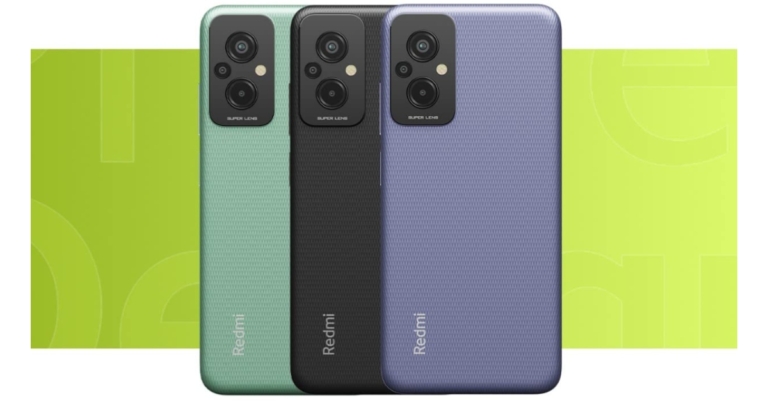
Redmi 11 Prime 4G has debuted alongside the 5G variant of the smartphone in India today. The device comes with a triple rear camera setup and a 5,000mAh battery. The smartphone is powered by a MediaTek Helio G99 SoC. In addition to this, the phone is IP52 rated for dust and water resistance and has a 90Hz refresh rate display.
In This Article
Redmi 11 Prime 4G price in India and sale details
The Redmi 11 Prime 4G has been launched in India with a price tag of Rs 12,999 for the 4GB RAM with 64GB storage option. Whereas the price of 6GB RAM with 128GB storage option is set at Rs 14,999. The Redmi’s new smartphone will be available for purchase from September 9 in the country at 12 noon via Amazon, Mi.com, Mi Home, and offline stores in the country.Redmi 11 Prime 4G specifications
The 6.58-inch full-HD+ IPS display with 1,080×2,400 pixels of resolution. The screen has a maximum brightness of 400 nits and covers 70% of the NTSC colour space. The screen has an aspect ratio of 20.7:9 and comes with a refresh rate of up to 90 Hz, and a touch sampling rate of up to 240 Hz. Moreover, a Corning Gorilla Glass 3 panel guards the display. Redmi 11 Prime 4G runs on Android 12 with MIUI and is powered by MediaTek Helio G99 SoC with Mali-G57 MC2 GPU. The phone offers up to 6GB of LPDDR4x RAM and has an internal storage capacity of up to 128GB UFS 2.2, which can be increased by a microSD card to 512GB using a dedicated slot. A 50-megapixel primary sensor with f/1.8 aperture, a 2-megapixel macro camera, and a 2-megapixel portrait sensor make up the Redmi Prime 4G’s triple rear camera system. There is an 8-megapixel front-facing sensor with an f/2.0 aperture for taking selfies. A 5,000mAh battery that supports 18W fast charging and 5W reverse charging is also included with the Redmi 11 Prime 4G. The included charger provides quick charging up to 22.5W. A proximity sensor, e-compass, ambient light sensor, and accelerometer are among the sensors on board. The phone also features an IP52 construction. The device has a variety of connectivity options, including Bluetooth v5.1, GPS/AGPS, Glonass, Galileo, BeiDou, IR Blaster, USB OTG, Wi-Fi 802.11 a/b/g/n/ac, USB Type-C, and a headphone jack. For the latest gadget and tech news, and gadget reviews, follow us on Twitter, Facebook and Instagram. For newest tech & gadget videos subscribe to our YouTube Channel. You can also stay up to date using the Gadget Bridge Android App. You can find the latest car and bike news here.Which iPhone 14 models will be launched at the September 7 event?
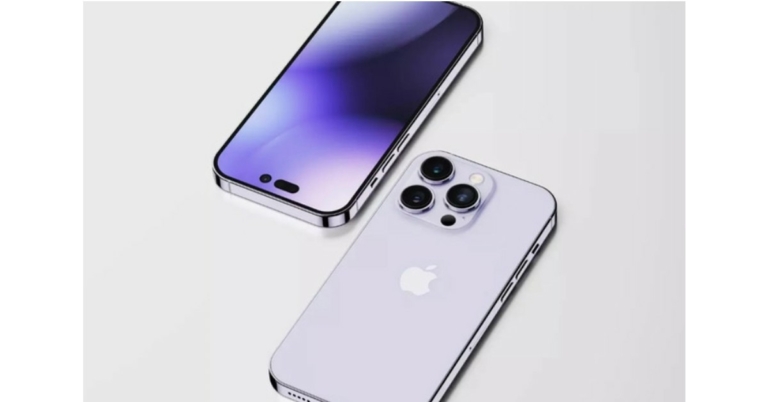
With Apple’s annual launch event just one day away, the internet has been abuzz with rumours and speculation about the new iPhone 14 lineup. In the last few years, Apple has been putting out a diverse lineup of iPhones suited for different kinds of buyers. But as we all know, Apple isn’t afraid of mixing it up and making some bold choices regarding the spec and size distribution among the iPhone variants. In this article, we go through the different iPhone 14 models that will be launched on September 7 and explain what each variant brings to the table.
Read Also: When will iPhone 13 get cheaper?
Bad news for the Mini users – Apple has decided to discontinue the Mini variant for iPhone 14. In the last two years, the iPhone Mini had acquired a loyal userbase that preferred the compact size of the smartphone, but Apple did not see its presence justify its revenue. With the success of the iPhone SE, we aren’t too surprised by the Mini getting canned. While iPhone Mini’s run lasted only two years, it is not outside the realm of possibility that Apple may bring it back in future.
The Pro variant of the iPhone series is usually the bestselling model out of the entire lineup, and with the iPhone 14 Pro receiving a host of upgrades, we expect it to match the numbers of its predecessors. The iPhone 14 Pro will have a 6.1-inch display and will be made available in storage options of 256GB, 512GB, and 1TB. There won’t be any 128GB variant for Pro. It is also set to receive an A16 Bionic chipset along with a new pill and punch hole design for the front camera. You can read about all the new features here.
These are all the iPhone 14 models and variants expected to launch at the Apple ‘Far Out’ event on September 7. Which iPhone model are you looking to buy this year? Let us know in the comments!
In This Article
No iPhone Mini this year?
 Bad news for the Mini users – Apple has decided to discontinue the Mini variant for iPhone 14. In the last two years, the iPhone Mini had acquired a loyal userbase that preferred the compact size of the smartphone, but Apple did not see its presence justify its revenue. With the success of the iPhone SE, we aren’t too surprised by the Mini getting canned. While iPhone Mini’s run lasted only two years, it is not outside the realm of possibility that Apple may bring it back in future.
iPhone 14
Now that the iPhone mini has been discontinued, the iPhone 14 will be the standard base variant for the new lineup of iPhones. With a 6.1-inch display, the iPhone 14 will be offered in 128/256/512GB storage options. It will also retain the A15 bionic chip found in the previous iPhone series, with the A16 processor reserved for the flagship Pro variants. The notch design for the front camera is here to stay for the standard variants. While the pricing has not been announced yet, we expect the iPhone 14 to cost $799.iPhone 14 Max
Apple will continue to offer 4 new iPhones for the new series, with the iPhone 14 Max being the new inclusion to the lineup. With a display size of 6.7-inches, the iPhone 14 Max, as the name suggests, will be larger than the base variants but will share almost all of its specs. Certain reports suggest that this variant may also be called the iPhone Plus instead of ‘Max’. The bigger size will also be able to accommodate a larger 4325mAh battery.iPhone 14 Pro
 The Pro variant of the iPhone series is usually the bestselling model out of the entire lineup, and with the iPhone 14 Pro receiving a host of upgrades, we expect it to match the numbers of its predecessors. The iPhone 14 Pro will have a 6.1-inch display and will be made available in storage options of 256GB, 512GB, and 1TB. There won’t be any 128GB variant for Pro. It is also set to receive an A16 Bionic chipset along with a new pill and punch hole design for the front camera. You can read about all the new features here.
iPhone 14 Pro Max
The biggest and the most spec-heavy iPhone on offer, the iPhone 14 Pro Max will boast a 6.7-inch screen size and is expected to cost $1,199. It also gets a larger camera unit, with a 48MP primary lens on offer. The 48MP lens will also be capable of shooting videos in 8k resolution. The front camera will receive autofocus as well. There have been rumours floating around of an ‘Astrophotography’ mode as well, which will let users take highly detailed images of the night sky. Rest assured, the iPhone 14 Pro Max will be the phone to beat for the ‘Best smartphone in the market’ title. Read Also: How much iPhone Storage do I need? And how often should I change my iPhone? A complete guide Here is the rumoured price list for the iPhone 14 lineup.| Variant | 128GB | 256GB | 512GB | 1TB |
| iPhone 14 | $799 | $899 | $1,099 | – |
| iPhone 14 Max/Plus | $899 | $999 | $1,199 | – |
| iPhone 14 Pro | $1,099 | $1,199 | $1,399 | $1,599 |
| iPhone 14 Pro Max | $1,199 | $1,299 | $1,499 | $1,699 |
For the latest gadget and tech news, and gadget reviews, follow us on Twitter, Facebook and Instagram. For newest tech & gadget videos subscribe to our YouTube Channel. You can also stay up to date using the Gadget Bridge Android App. You can find the latest car and bike news here.
Redmi 11 Prime 5G with MediaTek Dimensity 700 SoC launched in India
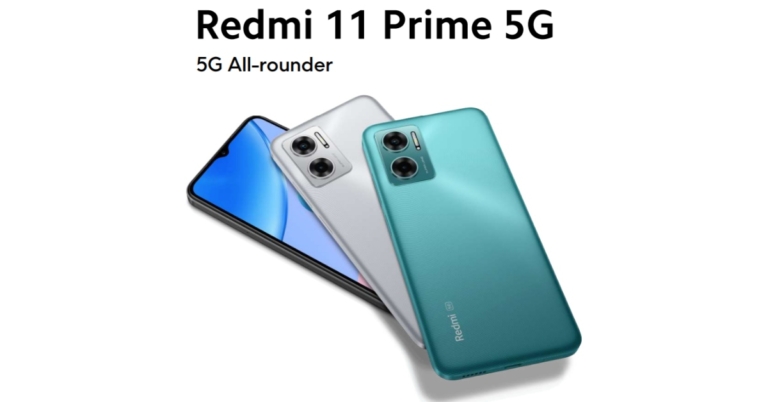
Xiaomi’s subsidiary Redmi today announced the launch of a new 5G handset in the Indian market today. The Chinese company arrived with the Redmi 11 Prime 5G that was being teased several times during the past week in advance of its release. A 50-megapixel dual back camera array, a MediaTek Dimensity 700, and a 5,000mAh battery are all included in the Redmi 11 Prime 5G. Continue reading to know more about the handset.
 The device’s AdaptiveSync technology extends battery life while automatically optimising refresh rate according to the content being viewed. The display is shielded on the front by Corning Gorilla Glass, which offers good protection against drops and scratches.
There is a dual rear camera set up on the phone that includes a 50MP primary lens with f/1.8 aperture and a 2MP depth sensor with f/2.4 aperture. For taking selfies and video calling the Redmi’s 5G phone features an 8MP camera lens on the front with f/2.0 aperture.
In addition to this, the Redmi 11 Prime 5G comes with a 5,000mAh battery with 18W fast charging and a 22.5W charger inside the box. The battery is claimed to offer 150 hours of music playback or 27 hours of video playback.
In terms of connectivity, there is Dual SIM, Supports dual 5G SIM standby(5G Bands: NR (SA): n1/n3/n5/n8/n28/n40/n78, NR(NSA): n1/n3/n40/n78), Wi-Fi Protocol: 802.11a/b/g/n/ac, Supports FM radio and USB-C port and 3.5mm headphone jack. The phone comes with a side-mounted fingerprint sensor and an AI face unlock for authentication.
The device’s AdaptiveSync technology extends battery life while automatically optimising refresh rate according to the content being viewed. The display is shielded on the front by Corning Gorilla Glass, which offers good protection against drops and scratches.
There is a dual rear camera set up on the phone that includes a 50MP primary lens with f/1.8 aperture and a 2MP depth sensor with f/2.4 aperture. For taking selfies and video calling the Redmi’s 5G phone features an 8MP camera lens on the front with f/2.0 aperture.
In addition to this, the Redmi 11 Prime 5G comes with a 5,000mAh battery with 18W fast charging and a 22.5W charger inside the box. The battery is claimed to offer 150 hours of music playback or 27 hours of video playback.
In terms of connectivity, there is Dual SIM, Supports dual 5G SIM standby(5G Bands: NR (SA): n1/n3/n5/n8/n28/n40/n78, NR(NSA): n1/n3/n40/n78), Wi-Fi Protocol: 802.11a/b/g/n/ac, Supports FM radio and USB-C port and 3.5mm headphone jack. The phone comes with a side-mounted fingerprint sensor and an AI face unlock for authentication.
In This Article
Redmi 11 Prime 5G specifications, features
An octa-core MediaTek Dimensity 700 SoC, a chipset with 7nm architecture and a top clock speed of up to 2.2GHz, powers the Redmi 11 Prime. It also supports dual 5G SIM across 7 major bands available in India. The device has a RAM Booster feature that enables users to temporarily borrow RAM of up to 2GB from the storage of their smartphone, facilitating smooth operation and improving overall performance. It supports up to 6GB of LPDDR4X RAM and 128GB of UFS 2.2 storage. The internal storage can be expanded up to 512GB using a microSD card. Redmi 11 Prime 5G comes with MIUI 13, and Android 12 out of the box for the fastest and smoothest experience. The device features a 6.58 FHD+ display with 2408×1080 pixels of resolution. It comes with h 90Hz AdaptiveSync technology. The device’s AdaptiveSync technology extends battery life while automatically optimising refresh rate according to the content being viewed. The display is shielded on the front by Corning Gorilla Glass, which offers good protection against drops and scratches.
There is a dual rear camera set up on the phone that includes a 50MP primary lens with f/1.8 aperture and a 2MP depth sensor with f/2.4 aperture. For taking selfies and video calling the Redmi’s 5G phone features an 8MP camera lens on the front with f/2.0 aperture.
In addition to this, the Redmi 11 Prime 5G comes with a 5,000mAh battery with 18W fast charging and a 22.5W charger inside the box. The battery is claimed to offer 150 hours of music playback or 27 hours of video playback.
In terms of connectivity, there is Dual SIM, Supports dual 5G SIM standby(5G Bands: NR (SA): n1/n3/n5/n8/n28/n40/n78, NR(NSA): n1/n3/n40/n78), Wi-Fi Protocol: 802.11a/b/g/n/ac, Supports FM radio and USB-C port and 3.5mm headphone jack. The phone comes with a side-mounted fingerprint sensor and an AI face unlock for authentication.
The device’s AdaptiveSync technology extends battery life while automatically optimising refresh rate according to the content being viewed. The display is shielded on the front by Corning Gorilla Glass, which offers good protection against drops and scratches.
There is a dual rear camera set up on the phone that includes a 50MP primary lens with f/1.8 aperture and a 2MP depth sensor with f/2.4 aperture. For taking selfies and video calling the Redmi’s 5G phone features an 8MP camera lens on the front with f/2.0 aperture.
In addition to this, the Redmi 11 Prime 5G comes with a 5,000mAh battery with 18W fast charging and a 22.5W charger inside the box. The battery is claimed to offer 150 hours of music playback or 27 hours of video playback.
In terms of connectivity, there is Dual SIM, Supports dual 5G SIM standby(5G Bands: NR (SA): n1/n3/n5/n8/n28/n40/n78, NR(NSA): n1/n3/n40/n78), Wi-Fi Protocol: 802.11a/b/g/n/ac, Supports FM radio and USB-C port and 3.5mm headphone jack. The phone comes with a side-mounted fingerprint sensor and an AI face unlock for authentication.
Redmi 11 Prime 5G price in India and availability
Redmi 11 Prime 5G has been launched in two different configurations: 4GB RAM with 64GB storage and 6GB RAM with 128GB of internal storage. The 4GB model is priced at Rs 13,999 while the 6GB variant will be available with a price tag of Rs 15,999. But if you purchase the smartphone using an ICICI bank card you can avail an additional discount of Rs 1,000. This will bring down the original price to Rs 12,999 and Rs 14,999 respectively. The device is scheduled to go on sale from September 9 at 12 noon onwards via mi.com, Mi Home, Amazon and offline stores in the country. For the latest gadget and tech news, and gadget reviews, follow us on Twitter, Facebook and Instagram. For newest tech & gadget videos subscribe to our YouTube Channel. You can also stay up to date using the Gadget Bridge Android App. You can find the latest car and bike news here.Garena Free Fire Redeem Codes Today 6 September 2022: Here is how to claim them

Garena Free Fire is a battle royale game with regular awards and tournaments to keep players interested. If you play Garena Free Fire, you should be aware of the redeem codes that are released on a daily basis. However, because the battle royale game is banned in India, players from other countries can use the Free Fire Redeem codes daily. If you’re unfamiliar with the Garena Free Fire redeem codes or don’t know how to get them, we’ve put together a step-by-step guide to help you redeem them. Check out Garena Free Fire Redeem Codes for September 6.
The Free Fire redeem codes are a great way to get free stuff. These are 12-digit codes that contain alphabets and numbers, as well as an expiration date and time. Because the Garena FF redeem codes cannot be used more than once, you should hurry to the redemption page to claim your free reward before someone else does. To get a free reward, all you have to do is go to reward.ff.garena.com/en, which is the official redemption page. Also, keep an eye on this space for daily updates on Garena Free Fire redemption codes and rewards.
In This Article
Garena Free Fire Redeem Codes Today 6 September 2022
- YXY3EGTLHGJX
- FU9CGS4Q9P4E
- U8S47JGJH5MG
- VNY3MQWNKEGU
- ZZATXB24QES8
- FFIC33NTEUKA
- B6IYCTNH4PV3
- FF10HXQBBH2J
- WLSGJXS5KFYR
- X99TK56XDJ4X
- W0JJAFV3TU5E
How to Get Free Fire Redeem Codes for Garena on September 6?
- Visit the Garena Free Fire game’s official website at reward.ff.garena.com.
- Use your Facebook, Google, VK, Apple ID, Huawei ID, or Twitter account to log in.
- You’ll be taken to a valid redemption code (s)
- Copy and paste the 12-digit redemption code into the text box.
- On the screen, a dialogue box will appear.
- ‘Ok’ should be selected.
How to tie a tie? Best 5 videos we found on the internet for different tie styles

Tying a tie can be a real test of patience if you’re doing it for the first time and have no clue how to go about it. Even when you know the basics of tying a knot, getting it right can take a lot of time. If you’re tired of asking other people to tie your tie, we’ve got the perfect list of videos for you. These videos cover everything from beginner knots to more unique tie styles that will surely make an impression on the people around you. So without further ado, here are the best 5 videos we found on the internet that show you how to tie a tie and cover different tie styles.
Read Also: How to cut your hair on your own? 5 best videos we found on the internet to cut your own hair
This video by tiehole has over 99 million views on YouTube for a good reason. It is one of the most comprehensive and easy-to-follow videos on how to tie a Full Windsor knot. The video is mirrored so you can tie the knot while watching the tutorial. The video itself is paced slowly so that you can get it right the first time. You will also find some really helpful tips that will help you overcome any issues that come with tying a knot. If it’s your first time tying a tie knot, this video is where you should begin.
In This Article
Full Windsor Knot
Half Windsor Knot – Easy Method!
If you’re looking for an easy tie knot that you can learn in no time, the Half Windsor knot is where you should begin. This short video is an excellent tutorial on how to tie a Half Windsor knot. If you’re in a hurry and don’t want to sit through a 5-minute detailed video, watch this video and you’ll have a tied knot in a couple of minutes. This method is perfect for students who aren’t looking for an elaborate knot and just want a simple and passable technique.8 Different ways to tie a necktie
If you’re over the beginner phase and are looking for new tie-tying techniques, we’ve got the perfect video for you! This video covers 8 different ways to tie a tie – Van Wijk knot, Half Windsor knot, Merovingian knot, Trinity knot, Full Windsor knot, Eldredge knot, Prince Albert knot, Four in Hand knot. You’ll need some practice to master these techniques but once you’ve put the work in, knotting a tie will never be boring!How to tie a Shelby Knot
Learn how to tie the Shelby Knot from the man after whom the knot is named. In this video, Don Shelby explains how to tie the iconic Shelby knot in a few easy steps. This technique is easy to follow and the look itself is quite unique. Whether you’re looking to use it on a regular basis or just want another unique look in your tie-knotting book, this video will be of great help!How to tie a tie in 10 seconds
For a lot of people, tying a tie is more about efficiency than it is about the look. If you always find yourself spending a lot of time perfecting a tie knot and wish you were done with it sooner, this video is for you. It will take a few attempts but following the technique explained in this video, you will be able to tie an acceptable knot in under 10 seconds. Read Also: How to Calculate your BMI (Body Mass Index)? 3 Simple and easy ways These are the 5 best videos we found on the internet on how to tie a tie. If you’re a student you will greatly benefit from these tutorials, especially if the knot gets undone at random times during the day. All you need to do is keep practising and you’ll be a pro in no time. If there’s a special knot that you find easy to pull off, let us know in the comments!
For the latest gadget and tech news, and gadget reviews, follow us on Twitter, Facebook and Instagram. For newest tech & gadget videos subscribe to our YouTube Channel. You can also stay up to date using the Gadget Bridge Android App. You can find the latest car and bike news here.
Redmi 11 Prime alongside Redmi A1 launching in India today: Livestream details and more
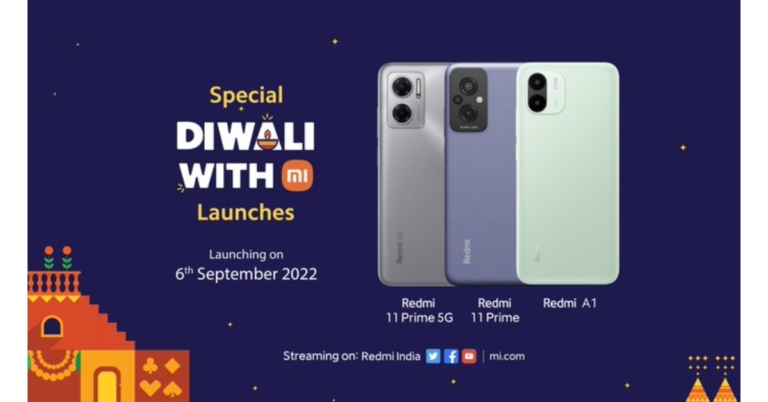
Today is the official launch date for the Redmi 11 Prime and Redmi A1 in India. Both the devices have been teased several times, therefore, revealing their key specification about them in advance of their release. A 50-megapixel triple back camera array is teased to be included on the Redmi 11 prime. Moreover, the smartphone is confirmed to be powered by MediaTek Helio G99 SoC, and a 5,000mAh battery. On the other hand, the Redmi A1 is rumoured to have an unnamed MediaTek processor, a 5,000mAH battery and a dual rear camera arrangement.
In This Article
How to watch the Livestream?
Both the smartphone Redmi 11 Prime and Redmi A1 are set to make their debut in India today. At 12 noon the company’s YouTube channel will webcast the virtual event of the Redmi phones. Additionally, Xiaomi will broadcast the event on all of its social media accounts. We have embedded the Livestream link below that will let you watch the launch event live right here on our website.Redmi 11 Prime 5G price and specifications expected
The company hasn’t yet released information about the new features or price of the Redmi 11 Prime. The images Redmi posted on the homepage show that the smartphone would be available in at least two colour options. The display of the Redmi 11 Prime 5G will include a teardrop-shaped notch to make room for the selfie camera, according to Redmi’s microsite. The forthcoming phone will be powered by a MediaTek Dimensity 700 SoC. The smartphone will have a 50-megapixel dual rear camera system with an LED flash. With two SIM cards, 5G communication will be possible. On the right side of the frame, there will be a power button and volume rockers. According to reports, the IMEI database contained the Redmi 11 Prime 5G, code-named Light, with the model number 1219I. The handset is believed to be a Redmi Note 11E that has been renamed as the Poco M4 5G. The phone was only recently found on the list of upcoming Xiaomi security updates.Redmi A1 specification and price expected
A special microsite highlighting the salient characteristics of the new smartphone has also been made in advance of its formal release. The smartphone is rumoured to contain a 5,000mAh battery and a twin rear camera setup. Additionally, the company has not disclosed the name of the chipset, but it will be driven by a MediaTek processor. The Redmi A1 will have a dual-back AI camera system with an LED flash. The back of the phone will feel like leather. When the smartphone is released, there will be at least three colour options. The phone will be powered by a 5,000mAH battery, claims the microsite. The smartphone will include a pure Android experience and a secret MediaTek SoC, it has been claimed. Redmi has not yet provided any other details, such as the anticipated price of the phone in India. The phone’s Geekbench listing suggested that it would have 3GB of RAM and come preinstalled with Android 12, according to reports. For the latest gadget and tech news, and gadget reviews, follow us on Twitter, Facebook and Instagram. For newest tech & gadget videos subscribe to our YouTube Channel. You can also stay up to date using the Gadget Bridge Android App. You can find the latest car and bike news here.Amazon Quiz Answers Today 6 September 2022: Participate to win Rs 5,000

Daily Amazon brings a fresh quiz for its customers with exciting rewards on its platform. The Amazon quiz can be played every day from 12 AM to 11:59. 6 September 2022 Amazon Quiz has gone live on its platform and the e-commerce platform Amazon is today giving you a chance to win Rs 5,000 Amazon Pay Balance.
To participate all you need to do is log in to your Amazon app on your device and give answers. Daily a new set of questions are presented to the participants which gives them a chance to win exciting prizes. The questionnaire consists of five easy questions that are usually based on general knowledge and current affairs. You can submit the correct answers and can win an Amazon Pay Balance of up to Rs 50,000. It should be noted that the quiz is not accessible on the web platform instead you have to participate only through the dedicated app.
Amazon Quiz Today Prize – Rs 5,000 Amazon Pay Balance
Quiz Date – 6 September 2022
Daily Timing – 12 AM to 11:59 PM
Winner Announcement – Today 12 PM
In This Article
Amazon Quiz Answers Today 6 September 2022
Question 1: Around ______ of explosives were required to bring down Noida’s Supertech Twin towers. Fill in the blanks Answer: 3700 kg Question 2: Afghanistan beat which team by 8 wickets in the opening match of the 2022 Asia Cup? Answer: Sri Lanka Question 3: Which is the official Hindi remake of ‘Kolamaavu Kokila’ where a girl gets dragged into the world of cocaine smuggling? Answer: Good Luck Jerry Question 4: This is a famous spot in which country? Answer: Singapore Question 5: This sketch represents two characters from which famous TV show? Answer: SherlockHow To Play Amazon Quiz
Only app users are eligible to play the Amazon quiz every morning from 12 AM to 11:59 PM. The quiz is not available on the desktop. For those who are unaware of how to play the Amazon quiz below are the steps, you can follow to take the quiz.- Firstly download the Amazon app from Google Play Store or App Store
- Now fill in the required information through the Sign Up option.
- You need to log in to the Amazon app and scroll down on the home screen to find the Amazon Quiz banner.
- Tap on the Amazon Quiz banner and tap on the Start button to start the Quiz.
- Now you will get 5 questions and you need to answer them correctly. One wrong answer will eliminate you from the Quiz.
- After answering all the questions correctly you are now eligible for a Lucky Draw.
- The winner’s name will be announced today at 12 PM.
Poco M5 with MediaTek Helio G99 SoC and 5,000mAh battery launched in India
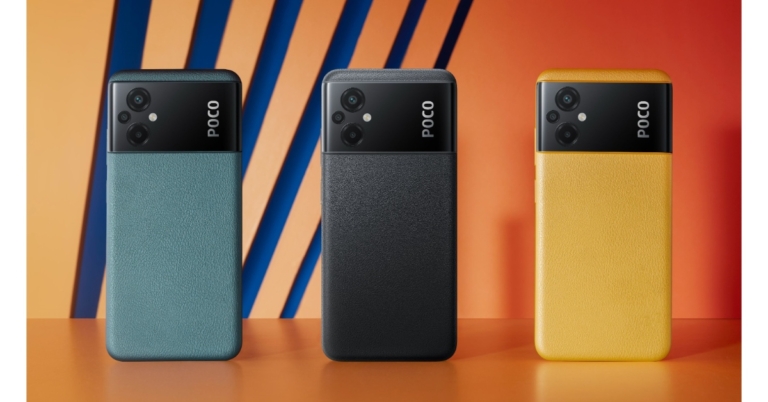
Poco today announced the global debut of Poco M5. The device has also been introduced in the Indian market. The device comes with a 90Hz display and a 5,000mAh battery with 18W fast charging support. The handset will be powered by an octa-core MediaTek Helio G99 SoC. The phone has a feature called Turbo RAM that effectively increases the RAM by using internal storage.
 As a part of the launch offer, buyers purchasing the smartphone with ICICI and Axis Bank cards can take advantage of a flat discount of Rs. 1,500 during the Flipkart Big Billion Day sale. Also guaranteed by Poco are a complimentary one-year subscription to Disney+ Hotstar and a complimentary screen protector for six months.
 The Poco M5 has a triple-back camera configuration consisting of a 50-megapixel primary sensor, a 2-megapixel macro camera, and a 2-megapixel depth sensor. The phone has an 8-megapixel selfie camera sensor at the front for taking pictures of oneself.
The 5,000mAh battery of the Poco supports 18W fast charging. On a single charge, the battery is said to provide up to two days of battery life. In addition to this, the handset comes with 5G, 4G LTE, Wi-Fi, Bluetooth v5, GPS/A-GPS, Infrared (IR) blaster, USB Type-C, and a 3.5mm headphone port.
For the latest gadget and tech news, and gadget reviews, follow us on Twitter, Facebook and Instagram. For newest tech & gadget videos subscribe to our YouTube Channel. You can also stay up to date using the Gadget Bridge Android App. You can find the latest car and bike news here.
The Poco M5 has a triple-back camera configuration consisting of a 50-megapixel primary sensor, a 2-megapixel macro camera, and a 2-megapixel depth sensor. The phone has an 8-megapixel selfie camera sensor at the front for taking pictures of oneself.
The 5,000mAh battery of the Poco supports 18W fast charging. On a single charge, the battery is said to provide up to two days of battery life. In addition to this, the handset comes with 5G, 4G LTE, Wi-Fi, Bluetooth v5, GPS/A-GPS, Infrared (IR) blaster, USB Type-C, and a 3.5mm headphone port.
For the latest gadget and tech news, and gadget reviews, follow us on Twitter, Facebook and Instagram. For newest tech & gadget videos subscribe to our YouTube Channel. You can also stay up to date using the Gadget Bridge Android App. You can find the latest car and bike news here.
In This Article
Poco M5 price in India and sale details
Poco M5 which comes with 4GB of RAM and 64GB of storage, is priced at Rs 12,499. A 6GB RAM with 128GB storage edition of the phone is also available for Rs 14,499. The device will be available in four colour options of Icy Blue, Poco Yellow, and Power Black. The Poco M5 will be offered for purchase starting on September 13 through Flipkart. As a part of the launch offer, buyers purchasing the smartphone with ICICI and Axis Bank cards can take advantage of a flat discount of Rs. 1,500 during the Flipkart Big Billion Day sale. Also guaranteed by Poco are a complimentary one-year subscription to Disney+ Hotstar and a complimentary screen protector for six months.
Poco M5 specifications
Poco M5 is highlighted with a 6.58-inch full-HD+ IPS LCD screen with 1,080×2,400 pixels of resolution. The new Poco phone supports variable refresh rates between 30Hz and 90Hz, a touch sampling rate of 240Hz, and the DCI-P3 colour gamut. Additionally, the display is protected by Corning Gorilla Glass 3. The device is powered by an octa-core 6nm MediaTek Helio G99 SoC and up to 6GB of LPDDR4X RAM. Moreover, the smartphone has a Turbo RAM feature that enables users to use internal storage to increase the RAM beyond 6GB. The Poco M5 has up to 128GB of UFS 2.2 storage. The Poco M5 has a triple-back camera configuration consisting of a 50-megapixel primary sensor, a 2-megapixel macro camera, and a 2-megapixel depth sensor. The phone has an 8-megapixel selfie camera sensor at the front for taking pictures of oneself.
The 5,000mAh battery of the Poco supports 18W fast charging. On a single charge, the battery is said to provide up to two days of battery life. In addition to this, the handset comes with 5G, 4G LTE, Wi-Fi, Bluetooth v5, GPS/A-GPS, Infrared (IR) blaster, USB Type-C, and a 3.5mm headphone port.
For the latest gadget and tech news, and gadget reviews, follow us on Twitter, Facebook and Instagram. For newest tech & gadget videos subscribe to our YouTube Channel. You can also stay up to date using the Gadget Bridge Android App. You can find the latest car and bike news here.
The Poco M5 has a triple-back camera configuration consisting of a 50-megapixel primary sensor, a 2-megapixel macro camera, and a 2-megapixel depth sensor. The phone has an 8-megapixel selfie camera sensor at the front for taking pictures of oneself.
The 5,000mAh battery of the Poco supports 18W fast charging. On a single charge, the battery is said to provide up to two days of battery life. In addition to this, the handset comes with 5G, 4G LTE, Wi-Fi, Bluetooth v5, GPS/A-GPS, Infrared (IR) blaster, USB Type-C, and a 3.5mm headphone port.
For the latest gadget and tech news, and gadget reviews, follow us on Twitter, Facebook and Instagram. For newest tech & gadget videos subscribe to our YouTube Channel. You can also stay up to date using the Gadget Bridge Android App. You can find the latest car and bike news here. Boat Storm Pro Call smartwatch launched in India
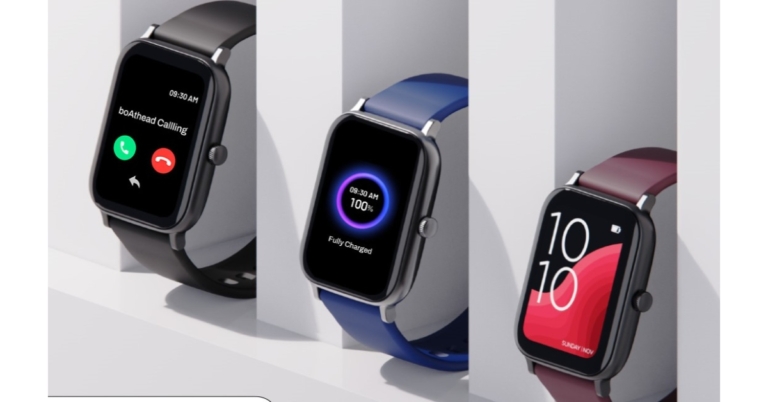
Boat Storm Pro Call smartwatch has made its debut in the Indian market today. The device features an AMOLED display having 60Hz of screen refresh rate. In addition to this, the fitness watch supports the Always On Display feature. As the name suggests it comes with Bluetooth calling functionality and can save up to 10 contacts. Additionally, there are more than 700 active modes and health monitoring sensors like Heart rate monitor, SPO2 and sleep monitor.
In This Article
Boat Storm Pro Call smartwatch price
The boAt Storm Pro Call Bluetooth Calling Smartwatch will be available at an introductory price of Rs 3,799 for a limited period. The device will be available for purchase via Flipkart and boAt website in the country.Boat Storm Pro Call smartwatch specifications
The boAt Storm Pro Call is unlike any other smartwatch in the market since it has a sizable 2.5D Curved 1.78-inch AMOLED Display with a 60Hz Refresh Rate. There is an Always on Display feature that supports more than 100 cloud faces, and the display is bright enough to be seen outside during peak hours. With modest usage, the boAt Storm Pro Call smartwatch may last up to 10 days between charges, and up to a week with intensive usage. The battery may be fully charged with the included boAt ASAP charge in about 30 minutes. BoAt Storm Pro Call stands out because of its BT Calling mode, which enables you to remain connected around the clock and can save up to 10 contacts. You can quickly converse with your friends wherever you are because of its high-quality built-in speaker and microphone and incredibly rapid dial pad. The watch makes sure your fitness and health are in order. It offers more than 700 active modes that track and train you to be active and fit all day. The smartwatch is designed to track all of your activities, including strength training, dancing (ballet, aerobics), relaxing (binge watching), laughing, playing the piano or guitar, walking, applying makeup, running, and participating in sports like boxing, ultimate frisbee, judo, skateboarding, rope jumping, squash, javelin, and more. With the boAt Crest Gamification App, you can keep track of your progress toward your fitness objectives and make exercise enjoyable. The smartwatch also includes health monitoring sensors such as Sleep Monitor, Real Time SPO2 Tracker, and 24 Hour Heart Rate Monitor. Sedentary Alerts and other helpful features keep you moving and active. Aside from providing access to live cricket scores, boAt Storm Pro Call also offers a guided breathing and meditation mode, weather updates, notifications, audio and camera settings, and more. The device comes with an IP68 rating for water and dust resistance. For the latest gadget and tech news, and gadget reviews, follow us on Twitter, Facebook and Instagram. For newest tech & gadget videos subscribe to our YouTube Channel. You can also stay up to date using the Gadget Bridge Android App. You can find the latest car and bike news here.Garena Free Fire Redeem Codes Today 5 September 2022: Here is how to claim them

Garena Free Fire is a battle royale game with regular awards and tournaments to keep players interested. If you play Garena Free Fire, you should be aware of the redeem codes that are released on a daily basis. However, because the battle royale game is banned in India, players from other countries can use the Free Fire Redeem codes daily. If you’re unfamiliar with the Garena Free Fire redeem codes or don’t know how to get them, we’ve put together a step-by-step guide to help you redeem them. Check out Garena Free Fire Redeem Codes for September 5.
The Free Fire redeem codes are a great way to get free stuff. These are 12-digit codes that contain alphabets and numbers, as well as an expiration date and time. Because the Garena FF redeem codes cannot be used more than once, you should hurry to the redemption page to claim your free reward before someone else does. To get a free reward, all you have to do is go to reward.ff.garena.com/en, which is the official redemption page. Also, keep an eye on this space for daily updates on Garena Free Fire redemption codes and rewards.
In This Article
Garena Free Fire Redeem Codes Today 5 September 2022
- ZZATXB24QES8
- FFIC33NTEUKA
- WLSGJXS5KFYR
- X99TK56XDJ4X
- W0JJAFV3TU5E
- B6IYCTNH4PV3
- FF10HXQBBH2J
- YXY3EGTLHGJX
- FU9CGS4Q9P4E
- U8S47JGJH5MG
- VNY3MQWNKEGU
How to Get Free Fire Redeem Codes for Garena on September 5?
- Visit the Garena Free Fire game’s official website at reward.ff.garena.com.
- Use your Facebook, Google, VK, Apple ID, Huawei ID, or Twitter account to log in.
- You’ll be taken to a valid redemption code (s)
- Copy and paste the 12-digit redemption code into the text box.
- On the screen, a dialogue box will appear.
- ‘Ok’ should be selected.
Apple iPhone 13 price in India dropped by Rs 28,000 ahead of iPhone 14 launch: Details inside
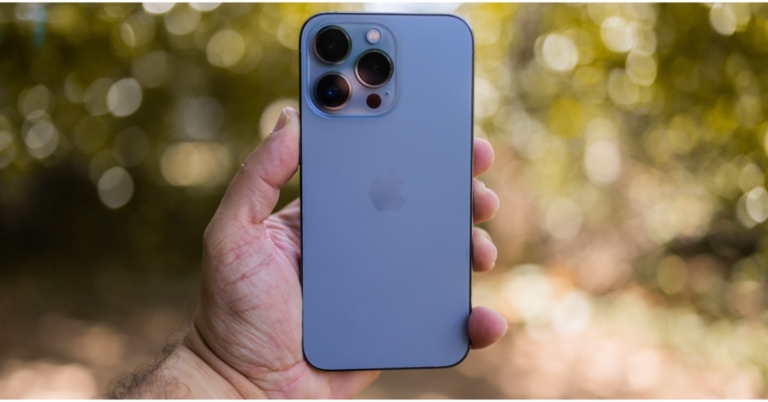
The release of the Apple iPhone 14 is set for September 7. Ahead of the official announcement, the price of the existing iPhone 13 has been cut by up to Rs 28,000 in India. Just days before iPhone 14 series release buyers may purchase the iPhone 13 on Flipkart for a price of less than Rs 49,999.
How to avail discounts for the Apple iPhone 13
Four new iPhones are anticipated to be unveiled at the Far Out event on September 7: the iPhone 14, iPhone 14 Max/Plus, iPhone 14 Pro, and iPhone 14 Pro Max. The iPhone 13 is currently being offered in India at competitive costs just days before the new iPhone’s arrival. So now buyers are second-guessing their purchases and are inclined to purchase the iPhone 13 rather than the newest model. Depending on the RAM option you choose, Flipkart offers various discounts. The iPhone 13 (128GB model) is currently listed at a price of Rs 69,999 on Flipkart which is Rs 9,901 down from its MRP. To further reduce the price along with other bank discounts, Flipkart is currently offering a flat discount of Rs 2,000 to customers who choose to pay with an HDFC credit card (non-EMI transaction). This reduces the cost to Rs 67,999. Note that you can grab any variant of your choice and the discounted prices. The consumer can receive a decent exchange value for their old smartphone in addition to the immediate discount and bank offer. Flipkart is giving customers a discount of up to Rs 19,000 for exchanging it. The price of the iPhone 13 could drop to Rs 48,999 as a result. The company is also giving a Rs 18,000 discount for an outdated iPhone 11 phone, albeit a 19,000 swap offer might not be particularly practical. Even with the exchange offer, the cost drops to Rs 49,999. Similarly, other models such as 256GB and 512GB variants also make for a discount and are offered at Rs 79,000 and Rs 99,999 respectively. Apart from that, there will be a 5% off of your Flipkart purchase when using Axis Bank credit cards. Additionally, IDFC cards offer Rs 1000 cashback. For the latest gadget and tech news, and gadget reviews, follow us on Twitter, Facebook and Instagram. For newest tech & gadget videos subscribe to our YouTube Channel. You can also stay up to date using the Gadget Bridge Android App. You can find the latest car and bike news here.Poco M5 launching today in India: Livestream details
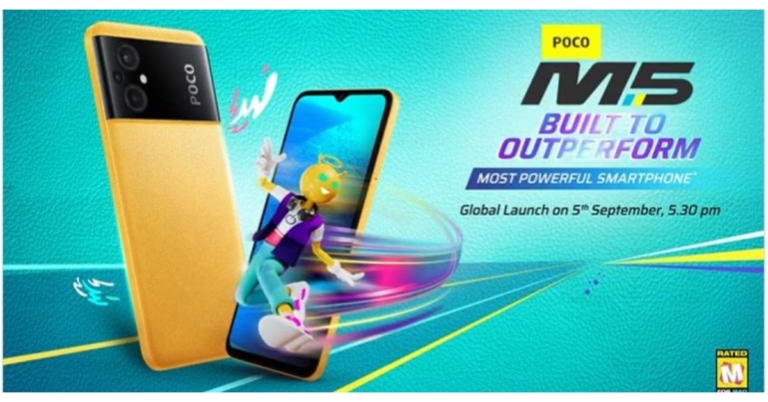
Poco M5 is all set to make its debut in the Indian market today. The upcoming phone is the most anticipated device that is going to succeed the existing Poco M4. The Chinese smartphone company has also teased the arrival of the device via Twitter. The company has not disclosed the specifications and pricing, which are now a secret. But before the official release, information about the anticipated pricing and its features has already surfaced online.
The Poco M5 India launch is scheduled to take place today. The company will be hosting an online launch event that will be broadcast live at 5.30 PM. The online event will be live-streamed through Poco’s official YouTube channel in addition to multiple social media platforms including Facebook and Twitter.
You may watch it live right here on our website, though, by clicking the link below.
In This Article
Poco M5 price in India expected
The firm has not yet released information on the Poco M5’s specifications, features, or cost. According to a report, the Poco M5 may just cost Rs 15,000 in India. The entry-level model of the smartphone is said to be priced as above. To recall Poco M4 was launched in India at a starting price of Rs 12,999 for the 4GB RAM with 64GB storage option and Rs 14,999 for the 6GB RAM with 128GB storage option. The handset comes in three colour options of Cool Blue, Power Black, and Yellow. As per the official information, Flipkart will be the first to sell the Poco M5.Poco M5 specifications expected
Prior to revealing the launch date, the manufacturer tweeted that a new device would be released. The word G99 was used in the tease, hinting that the MediaTek Helio G99 SoC would power the device.Poco M5 is expected to come with 4G capabilities. The rumour is that Android 12 is pre-installed. A 6.58-inch LCD screen with full-HD+ quality is said to be present on the phone. As was suggested earlier, it might be powered by a MediaTek Helio G99 SoC. The smartphone is said to include a 5,000mAh battery with at least 33W quick charging features. Rumour has claimed that the Poco M5 may one day be offered in a 5G compatible version. A “chic leather-like” appearance is intended for the phone’s rear cover. Rumours suggest that the Poco M5 may furthermore contain a side-mounted fingerprint scanner for security. Additionally, it might support connectivity via dual-band Wi-Fi and Bluetooth v5. For the latest gadget and tech news, and gadget reviews, follow us on Twitter, Facebook and Instagram. For newest tech & gadget videos subscribe to our YouTube Channel. You can also stay up to date using the Gadget Bridge Android App. You can find the latest car and bike news here.It's coming! # BuiltToOutperform #PocoM5 stay tuned! @gadgetbridge pic.twitter.com/gAO7CURh7z
— Sulabh Puri (@sulabhpuri) September 4, 2022
Amazon Quiz Answers Today 5 September 2022: Participate to win Rs 500

5 September 2022 Amazon Quiz has gone live on its platform. The quiz timings are 12 AM to 11:59 PM. The Amazon App users can participate in the quiz daily and all they have to do is submit correct answers to the questions asked on the e-commerce platform. Today’s participants can get a chance to win Rs 500 Amazon Pay Balance.
Amazon brings a fresh questionnaire that contains 5 questions daily. These questions are based on current affairs and general knowledge. The quiz can be played from 8 AM to 11:59 PM and the contestants need to answer correctly to enter into a lucky draw.
Only one person is declared as a winner and the results will be announced at the end of every month. And to make sure that you give correct answers to all the 5 questions Gadget Bridge everyday updates all the answers to the Amazon Quiz. Do check out 5 September 2022 Amazon Quiz Answers to win a Rs 500 Amazon pay Balance.
Amazon Quiz Today Prize – Rs 500 Amazon Pay Balance
Quiz Date – 5 September 2022
Daily Timing – 12 AM to 11:59 PM
Winner Announcement – Today 12 PM
In This Article
Amazon Quiz Answers Today 5 September 2022
Question 1: Which state recently got its second railway station after more than a 100 years? Answer: Nagaland Question 2: Who was the Man of the Match in India’s first 2022 Asia Cup match against Pakistan? Answer: Hardik Pandya Question 3: In the series ‘The Lord of the Rings: The Rings of Power’ Morfydd Clark plays which role played by Cate Blanchett in the movies? Answer: Galadriel Question 4: This part of the famous tourist spot- Mykonos in Greece is known as Little ______. Answer: Venice Question 5: What was the real name of the creator of this famous comic character? Answer: Georges RemiHow To Play Amazon Quiz
Only app users are eligible to play the Amazon quiz every morning from 12 AM to 11:59 PM. The quiz is not available on the desktop. For those who are unaware of how to play the Amazon quiz below are the steps, you can follow to take the quiz.- Firstly download the Amazon app from Google Play Store or App Store
- Now fill in the required information through the Sign Up option.
- You need to log in to the Amazon app and scroll down on the home screen to find the Amazon Quiz banner.
- Tap on the Amazon Quiz banner and tap on the Start button to start the Quiz.
- Now you will get 5 questions and you need to answer them correctly. One wrong answer will eliminate you from the Quiz.
- After answering all the questions correctly you are now eligible for a Lucky Draw.
- The winner’s name will be announced today at 12 PM.
Smartphone Upgrade Days goes live on Amazon, up to 40% off on smartphones and accessories
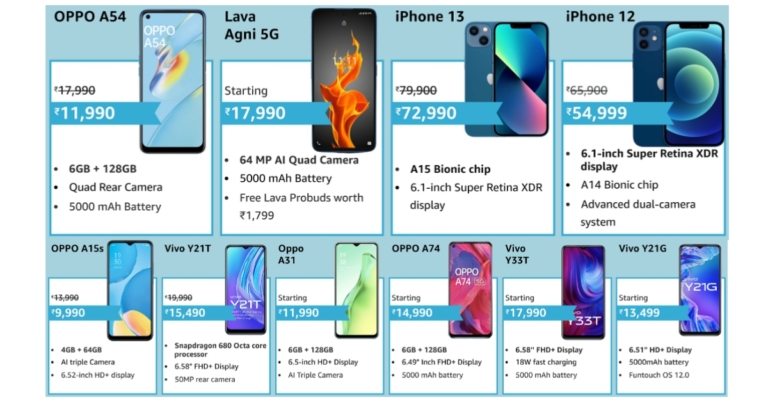
Amazon is running Smartphone Upgrade Days on its platform for those looking to buy a new device. The e-commerce platform will be offering a variety of the newest smartphones and their accessories at discounts during the sale period. Customers can receive discounts of up to 40% on their preferred smartphones from manufacturers such as OnePlus, Xiaomi, Samsung, iQOO, realme, Tecno, and OPPO, among others.
The Smartphone Upgrade Days is now live and will run through September 5 in the country. There will be amazing bank and exchange offer for the most recent OnePlus Nord CE 2 Lite 5G, Realme Narzo 50A, Redmi 10 series, and iQOO Neo 6 5G, among other devices.
Customers using Bank of Baroda credit cards can get a 10% immediate discount during the Smartphone Upgrade Days. For a minimum transaction of INR 7,000, customers can receive a 10% discount on credit cards up to INR 750 and up to INR 1,250 on credit card EMI on smartphones. Additionally, they can get their preferred smartphones through easy No-Cost EMI for up to 9 months and tempting exchange deals.
In This Article
iQoo smartphones
With fantastic offers from banks and EMI options, there will be some incredible deals on iQOO devices. The price of the iQOO Z6 44W will be INR 14,499, with up to INR 1,250 savings available on various bank credit and debit cards. The price of the iQOO Neo 6 5G will start at INR 29,990.OnePlus smartphones
Fantastic discounts and EMI options will be available on OnePlus phones during the Upgrade days. The prices of the OnePlus Nord CE 2 Lite 5G and OnePlus 9 Pro will start at INR 18,999 and INR 49,999, respectively, and feature up to INR 1,250 in bank rebates and 3, 6, and 9 months of no-cost EMI.Xiaomi Smartphones
During the Smartphone Upgrade Days, Xiaomi devices will also be offered with additional bank offers, which will sweeten the deals even more. Customers may purchase the Redmi 10A for INR 9,499, the Redmi Note 11 for INR 13,499, and the Xiaomi 11T Pro 5G for INR 37,999.Samsung Smartphones
On Samsung M Series smartphones, customers can take advantage of tempting promotions. The prices of the Samsung Galaxy M32 and Galaxy M13 will be INR 12,499 and INR 11,999, respectively, with bank cashback of up to INR 1,500.Tecno and OPPO smartphones
Tecno and OPPO smartphones are available at fantastic discounts during the Upgrade Days. With bank incentives, the Tecno Pop 5 LTE would cost INR 6,299, and the OPPO A54 will cost INR 11,990. For the latest gadget and tech news, and gadget reviews, follow us on Twitter, Facebook and Instagram. For newest tech & gadget videos subscribe to our YouTube Channel. You can also stay up to date using the Gadget Bridge Android App. You can find the latest car and bike news here.Xiaomi NoteBook Pro 120 Series laptops with 12th-gen Intel Core i5 H-series CPUs launched in India
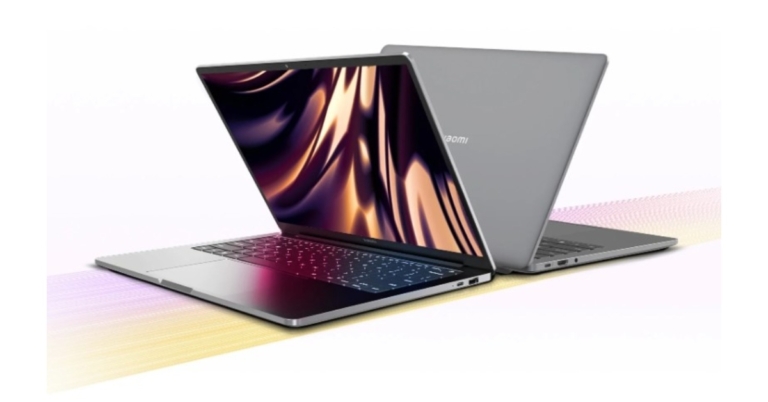
Xiaomi NoteBook Pro 120 Series laptops have made their debut in India. The lineup includes two models, the Notebook Pro 120G and Notebook Pro 120. Both devices are powered by the newest 12th Gen Intel i5 H Series Processor and Nvidia GeForce MX550. The notebook runs on Windows 11 out of the box and features a 14-inch Mi-Truelife display with up to 120Hz refresh rate and 2.5K resolution.

In This Article
Xiaomi NoteBook Pro 120 Series price in India
The newly released Xiaomi NoteBook Pro 120G costs Rs 74,999 in India, while the NoteBook Pro 120 costs Rs 69,999. Beginning September 20, both versions will be for sale and may be bought on Mi.com, Mi Homes, and Amazon.com.
Xiaomi NoteBook Pro 120 series specifications
The 2.5K resolution (2560×1600) on the 14-inch Xiaomi TrueLife display of the Xiaomi NoteBook Pro 120 series offers 120Hz refresh rate and colour accuracy with 100% sRGB coverage and Delta E 1.5. For low blue light protection, it is also TUV Rheinland certified, and it has DC Dimming to guarantee zero flickers. Users are able to watch internet video material because of the 16:10 aspect ratio. The laptop is built of class 6 aluminium alloy, which is aerospace quality and is precisely carved using a CNC machine, sandblasted with tiny ceramic particles, and anodized for a contemporary and minimalist finish. The 12th Generation Intel Core i5 Alder Lake processor used in the Xiaomi NoteBook Pro 120 Series offers excellent performance and efficiency. It has an H Series processor (H45), which is among the several series in the lineup of 12th generation Alder Lake mobile processors certified for maximum performance. A dedicated graphics unit, the Nvidia GeForce MX550, in the Xiaomi NoteBook Pro 120G offers nearly two times the performance of the most recent integrated graphics, enabling creativity and gaming on the go. On the other hand, the Xiaomi NoteBook Pro 120 has integrated graphics, which improves overall productivity. This is coupled with 512 GB of PCIe Gen 4 NVMe SSD storage and 16 GB of LPDDR5 RAM running at 5200 MHz, which provides twice the bandwidth of last generation DDR4 and is nearly 10 times quicker than SATA SSD storage. Additionally, the Optimus technology’s automatic power-optimised switching between integrated and external graphics. The Thunderbolt 4 port on the New Xiaomi NoteBook Pro offers 40 Gbps of data transfer. Users have the option to charge their devices from either side thanks to a second USB C connector that allows a power supply that is located on the opposite side of the Thunderbolt 4 port. A USB 3.1 port, a 3.5 mm audio jack, and an HDMI 2.0 port are also included in the Xiaomi NoteBook Pro 120 series, allowing customers to use their current peripherals and accessories. Additionally, it has the most recent Bluetooth 5.2 wireless connectivity and the industry-leading WiFi 6. The keyboard has 79 full-sized keys, 1.3mm deep key travel, and 3 levels of backlighting. For quicker and more secure unlocks, the power button incorporates an integrated two-in-one fingerprint scanner. The series provides an extra-large precision trackpad that also supports Windows Precision drivers for all the multi-finger scrolling and browsing. An adjustable 720p HD webcam is included with the Xiaomi NoteBook Pro for any collaboration requirements. It boasts upgraded stereo speakers that are compatible with DTS audio processing. The series comes with a 100W universal USB C charger and a 56Wh battery that can power the gadget from zero to fifty percent capacity in just 35 minutes. The series provides Windows 11 Home, the newest and greatest PC OS, to round off this bundle. It also includes Office 2021 Home & Student. For the latest gadget and tech news, and gadget reviews, follow us on Twitter, Facebook and Instagram. For newest tech & gadget videos subscribe to our YouTube Channel. You can also stay up to date using the Gadget Bridge Android App. You can find the latest car and bike news here.Redmi A1 India launch to take place on September 6, alongside Redmi 11 Prime 5G
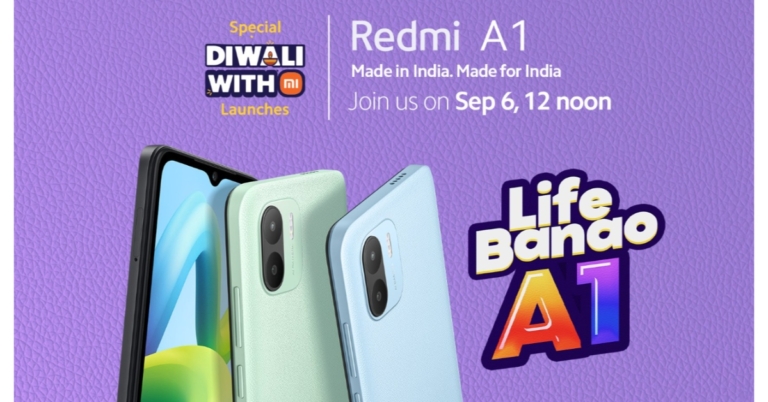
Redmi is all set for a new release in India. The company has announced that Redmi A1 will be launching in India on September 6. Ahead of the official release, a dedicated microsite has also been created highlighting the key features of the upcoming smartphone. The device is teased to have a dual rear camera arrangement and will pack a 5,000mAh battery. Moreover, the firm has not revealed the chipset’s name but it will be powered by a MediaTek processor.
The Redmi A1 will be unveiled as part of the “Diwali With Mi” releases, the company claims. The Redmi A1 will launch in India on September 6 at 12 noon. The device is set for a release alongside Redmi 11 Prime 5G which is also scheduled to launch on the same day.
In addition to this, a microsite specifically for the phone has been created on the business’ website, providing some details about the impending smartphone. A dual-back AI camera system with an LED flash will be featured on the Redmi A1. The handset’s back panel will have a leather texture. At least three colour variations will be available when the smartphone launches.
According to the microsite, a 5,000mAH battery will power the phone. A clean Android experience will be provided and the smartphone is revealed to come equipped with an undisclosed MediaTek SoC.
Other information, such as the future phone’s price in India, has not yet been disclosed by Redmi. According to reports, the phone’s Geekbench listing implied that it could have 3GB of RAM and ship with Android 12 preinstalled.
The Redmi A1 has been discovered on the US Federal Communications Commission (FCC) database and the Geekbench benchmarking website. It apparently had the model number 220733SL when it was listed in the US FCC database. A MediaTek Helio A22 SoC is expected to power the Redmi A1. Moreover, the Redmi A1 has also visited the database of the Bureau of Indian Standards. Model number 220733SI for the phone was discovered.
On the other hand, the business also disclosed that September 6 had been set aside for the Redmi 11 Prime 5G India launch. The display of the Redmi 11 Prime 5G will include a teardrop-shaped notch to make room for the selfie camera, according to Redmi’s microsite. The forthcoming phone will be powered by a MediaTek Dimensity 700 SoC. The smartphone will include a 50-megapixel dual rear camera system with an LED flash. With two SIM cards, 5G communication will be possible. On the right side of the frame, there will be a power button and volume rockers.
For the latest gadget and tech news, and gadget reviews, follow us on Twitter, Facebook and Instagram. For newest tech & gadget videos subscribe to our YouTube Channel. You can also stay up to date using the Gadget Bridge Android App. You can find the latest car and bike news here.
Garena Free Fire Redeem Codes Today 3 September 2022: Here is how to claim them

Garena Free Fire is a battle royale game with regular awards and tournaments to keep players interested. If you play Garena Free Fire, you should be aware of the redeem codes that are released on a daily basis. However, because the battle royale game is banned in India, players from other countries can use the Free Fire Redeem codes daily. If you’re unfamiliar with the Garena Free Fire redeem codes or don’t know how to get them, we’ve put together a step-by-step guide to help you redeem them. Check out Garena Free Fire Redeem Codes for September 3.
The Free Fire redeem codes are a great way to get free stuff. These are 12-digit codes that contain alphabets and numbers, as well as an expiration date and time. Because the Garena FF redeem codes cannot be used more than once, you should hurry to the redemption page to claim your free reward before someone else does. To get a free reward, all you have to do is go to reward.ff.garena.com/en, which is the official redemption page. Also, keep an eye on this space for daily updates on Garena Free Fire redemption codes and rewards.
In This Article
Garena Free Fire Redeem Codes Today 3 September 2022
- ZZATXB24QES8
- FFIC33NTEUKA
- B6IYCTNH4PV3
- FFICGJW9NKYT
- FF10HXQBBH2J
- WLSGJXS5KFYR
- YXY3EGTLHGJX
- FU9CGS4Q9P4E
- U8S47JGJH5MG
- VNY3MQWNKEGU
How to Get Free Fire Redeem Codes for Garena on September 3?
- Visit the Garena Free Fire game’s official website at reward.ff.garena.com.
- Use your Facebook, Google, VK, Apple ID, Huawei ID, or Twitter account to log in.
- You’ll be taken to a valid redemption code (s)
- Copy and paste the 12-digit redemption code into the text box.
- On the screen, a dialogue box will appear.
- ‘Ok’ should be selected.