In This Article
Asus ROG Zephyrus G14 2022 laptop review: Design and Display
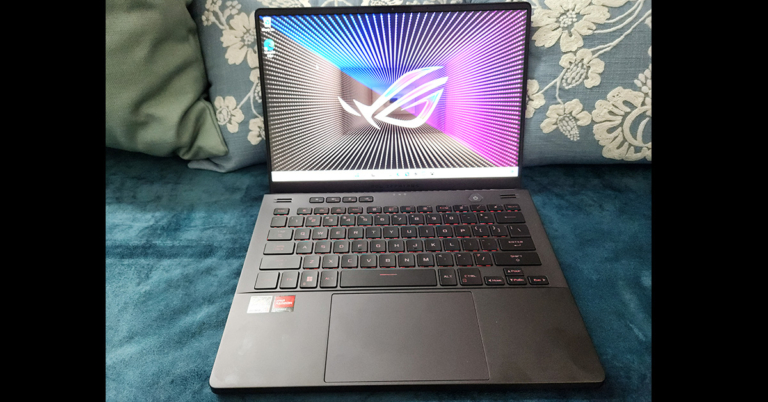
Out of the box, the Asus ROG Zephyrus G14 2022 laptop does seem slimmer than its previous version. Even though it packs heavy-weight machinery inside, the gaming notebook is light on weight. Some elements such as the AniMe Matrix screen (with over 1440 LEDs) on the lid make a comeback. This can be customised as per the users liking and almost any type of graphic can be played on it. This does give you a sense of your individual taste and ownership. But remember keeping it on, will consume more battery. Moving ahead, the users get a fairly large keyboard with a large trackpad when you open it up. The keyboard is RGB backlit, and you can play games using it with ease. The key travel distance is minimal, so you can quickly capture that flag or hit the enemy with absolute comfort. The Keyboard also has all the required multimedia keys that also double up as the Function keys along with a dedicated Asus Armory Crate key and volume buttons. The power button is also placed separately on the top. With the large keyboard users also get a big trackpad. This is very comfortable to use and responds well to every click, swipe and tap. Since it is a ROG laptop, the trackpad does not double up as the NUM Pad, which is the case with the ZenBook series from Asus.
Moving to its display, Asus ROG Zephyrus G14 2022 laptop comes with a 14-inch FHD+ WUXGA screen with anti-glare finish on top. It has a refresh rate of 144Hz and a 3ms response time, which is common among the latest laptops. But what is not common is the Dolby Vision HDR support that is there in this machine.
We spent long hours with the Asus ROG Zephyrus G14 2022 laptop, watching movies on Netflix and shows on Amazon Prime. We played games like PUBG, DOTA 2, CS: GO and more and not once did it give us a chance to feel that the colours are out of place. The blacks are deep and the display does perfect justice to any type of video scenario. Video modes can also be controlled using the Armour Crate software.
Read Also: CES 2022: Asus unveils latest ROG gaming laptops and desktops
With the large keyboard users also get a big trackpad. This is very comfortable to use and responds well to every click, swipe and tap. Since it is a ROG laptop, the trackpad does not double up as the NUM Pad, which is the case with the ZenBook series from Asus.
Moving to its display, Asus ROG Zephyrus G14 2022 laptop comes with a 14-inch FHD+ WUXGA screen with anti-glare finish on top. It has a refresh rate of 144Hz and a 3ms response time, which is common among the latest laptops. But what is not common is the Dolby Vision HDR support that is there in this machine.
We spent long hours with the Asus ROG Zephyrus G14 2022 laptop, watching movies on Netflix and shows on Amazon Prime. We played games like PUBG, DOTA 2, CS: GO and more and not once did it give us a chance to feel that the colours are out of place. The blacks are deep and the display does perfect justice to any type of video scenario. Video modes can also be controlled using the Armour Crate software.
Read Also: CES 2022: Asus unveils latest ROG gaming laptops and desktops
 Asus has also put an HD Web Cam on the laptop, which is a welcomed change. As for the ports, the Asus ROG Zephyrus G14 2022 gaming notebook comes with two USB 3.2, two USB Type-C gen 2, one HDMI, one audio/mic combo and a MicroSD card reader located on the left and right sides.

 Over that, the machine also sports quad speakers. Two are upward-firing speakers located just above the keyboard and two are downward-firing speakers that are located at the front bottom. These are tuned by Dolby Atmos and the sound is very very good with them. We would not be wrong if we call them twice as loud over the last generation of G14 by Asus.

Asus ROG Zephyrus G14 2022 laptop review: Performance
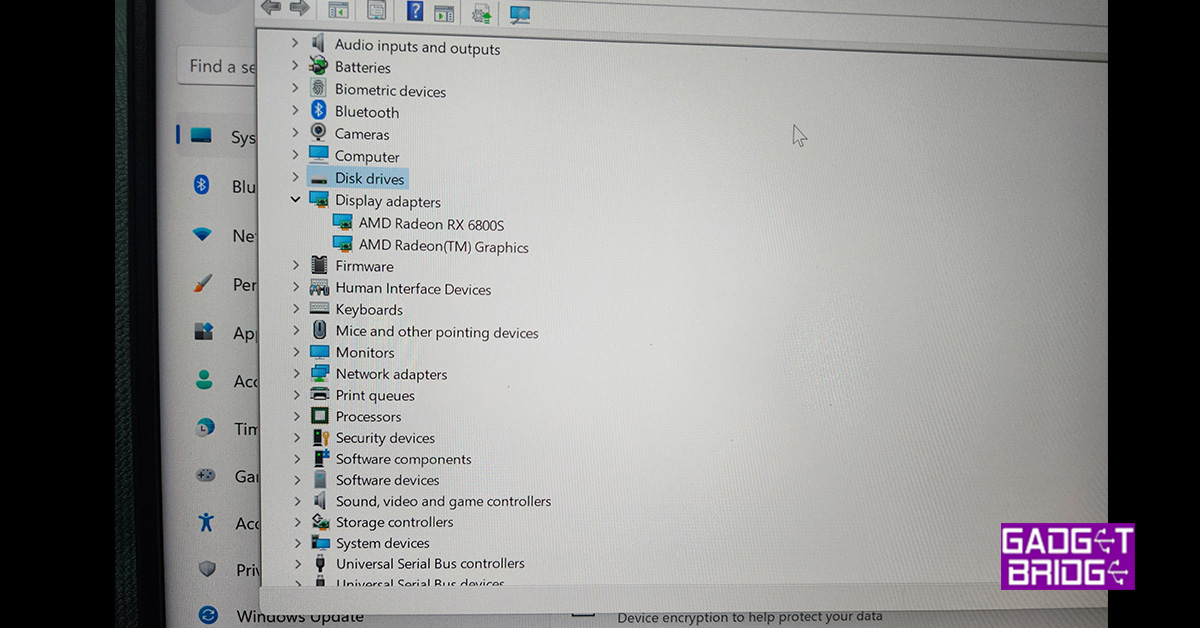
Moving on to the performance of the Asus ROG Zephyrus G14 2022 laptop, let’s quickly get the tech specs out of the way. When it comes to under-the-hood performance, this gaming monster has the absolute latest and best. Asus has put in AMD Ryzen 9 6900HS CPU with 8 cores and clock speeds up to 3.3GHz. With that, users get 1 TB PCIe 4.0 NVMe M.2 SSD, whooping 32GB DDR5 RAM and AMD RADEON RX 6800S with 8GB GDDR6 memory on board. Triple band Wi-Fi 6E and Bluetooth 5.2 have also been thrown in the mix. Together, the machine can put some of the best gaming computers shy away in shame. Asus has managed to put so much firepower in such a small form factor. To put it to the ultimate test we played Battlefield 2042 on the machine at the highest settings and to our amazement, it performed just right. There was hardly any frame drop and we got consistent 60-70 frames per second.
 Read Also: Asus ROG Flow X13, Asus ROG Zephyrus Duo 15 SE, Asus ROG
As for cooling, Asus has taken special care here. The company has put in a twin cooling fan with a larger vapour chamber that tries to keep the laptop as cool as possible. They have even used liquid metal on top of the chips. This does keep the heat less, but still at times after a long duration of gaming, the laptop does get warm. So, best to game on it in lower temperatures or when the air con is on when you want to game for a long time.
For ergonomics, the ergo lift hinge makes an appearance in the Asus ROG Zephyrus G14 2022 laptop as well. This is great if you want to type or game. Over that, the display can swivel back 180 degrees. A 76WHrs 4 cell Li-Ion battery has been installed in this gaming laptop, which does manage to keep it alive for over 4.5 hours when you are not gaming. But the battery life drops down to under 1.5 hours when gaming.
Read Also: Asus ROG Flow X13, Asus ROG Zephyrus Duo 15 SE, Asus ROG
As for cooling, Asus has taken special care here. The company has put in a twin cooling fan with a larger vapour chamber that tries to keep the laptop as cool as possible. They have even used liquid metal on top of the chips. This does keep the heat less, but still at times after a long duration of gaming, the laptop does get warm. So, best to game on it in lower temperatures or when the air con is on when you want to game for a long time.
For ergonomics, the ergo lift hinge makes an appearance in the Asus ROG Zephyrus G14 2022 laptop as well. This is great if you want to type or game. Over that, the display can swivel back 180 degrees. A 76WHrs 4 cell Li-Ion battery has been installed in this gaming laptop, which does manage to keep it alive for over 4.5 hours when you are not gaming. But the battery life drops down to under 1.5 hours when gaming.
 But hey, most of us will not be gaming on it without using the power supply (240W). Which, can fast charge it to 50% in under 30 minutes. On the flip side, this machine is very luggable at just 1.72Kg. Many would just want to pick it up as a work cum gaming buddy on the fly. For the OS needs, Windows 11 Home edition is what users will get. We were hoping to see the Pro version in it. Also in the box, you get a nice ZIP pouch to carry it around. And lastly, it is available in two colours – white or black. You can pick the one you like the best.






 Step 3:
 Step 2:
 Step 3:
 Step 4:


 Wondershare Recoverit is a powerful data recovery tool that assists you in restoring deleted, formatted, lost and corrupted files with ease. Available on Windows and Mac, the tool has been regarded as one of the most prominent options ever.
Some of the prime factors offered by Recoverit Data Recovery can include
Wondershare Recoverit is a powerful data recovery tool that assists you in restoring deleted, formatted, lost and corrupted files with ease. Available on Windows and Mac, the tool has been regarded as one of the most prominent options ever.
Some of the prime factors offered by Recoverit Data Recovery can include

 You can even select the specific file type or file path as per your preferences. If you know the exact location of the file you want to recover, you can choose the right file or folder.
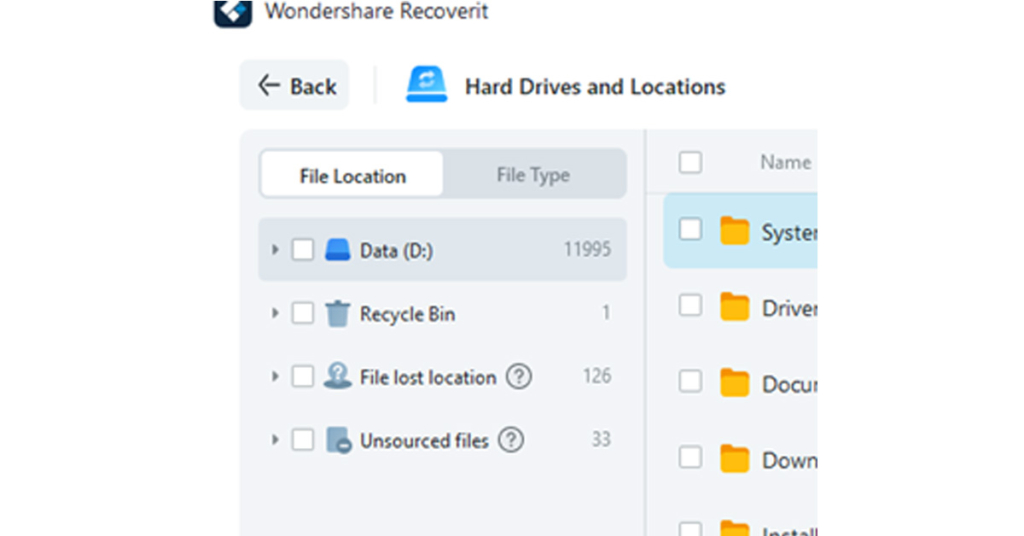
 You can also decide to choose multiple files to recover and restore simultaneously.








 Step 2:
 Step 3:
 Step 3:
 Step 4:

 Step 2:
 Step 3:
 Step 4:



 Step 1:
 Step 3:
 Step 4:
 Step 5:
 Step 6:

 Step 2:
 Step 3:
 Step 4:

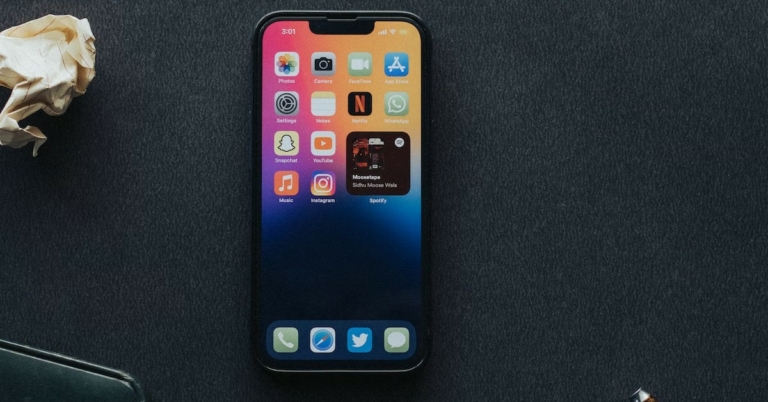
 Restarting your phone can fix any temporary glitches or background issues that may be preventing Snapchat (or other apps) from working properly. This should be the first step you take towards fixing any issue with your phone. To restart your phone, long press the side key and select ‘Restart’ from the power options menu. If the side key triggers Google Assistant on your device, press and hold the side key and volume up button together to access the power options.

 If there’s nothing wrong with your internet connection or Snapchat’s servers, you may want to try logging out and then logging back into Snapchat. Don’t worry, this won’t clear any of your saved messages. If there’s a glitch in your account, this method will fix it. To log out of Snapchat, tap on your Bitmoji at the top right corner of the screen. Then, tap on the gear icon to go to settings, scroll all the way down and select ‘Log Out’. You can log back in using your Snapchat username, phone number (if registered), or email address.


 This method is only useful if you’re unable to send messages or snaps to a particular user. If the messages are stuck on ‘Pending’, it may mean that the user has blocked you. Check out this article to know more. However, if your messages are stuck in the process of being sent, clearing the conversation may help. To do so, tap on your Bitmoji at the top right corner of the screen and go to settings. Scroll down and select ‘Clear Conversations’, then tap the cross icon next to the conversation you want to clear. This won’t delete any saved messages, but unread and unsaved messages will be cleared.