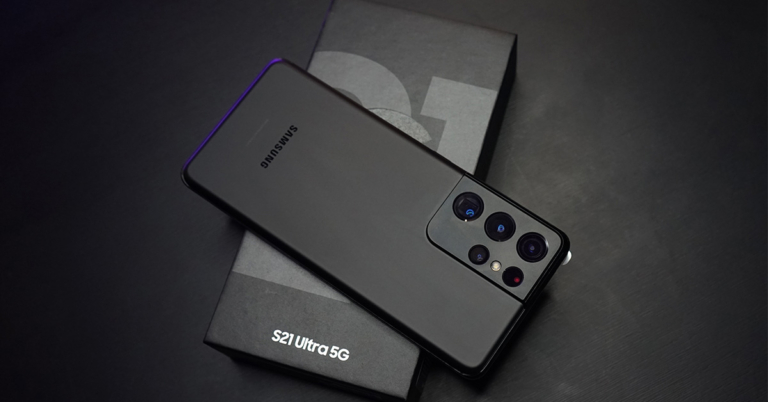
Next month, the Samsung Galaxy S23 series is scheduled to go on sale as the company gets ready to unveil its 2023 flagship handsets. In addition to beginning to tease the device’s debut, Samsung has also started to take pre-orders for the next Galaxy S23 smartphone series in India in advance of the Galaxy Unpacked event in February. The Samsung Galaxy S23, Galaxy S23+, and Galaxy S23 Ultra will be released publicly by the South Korean company.
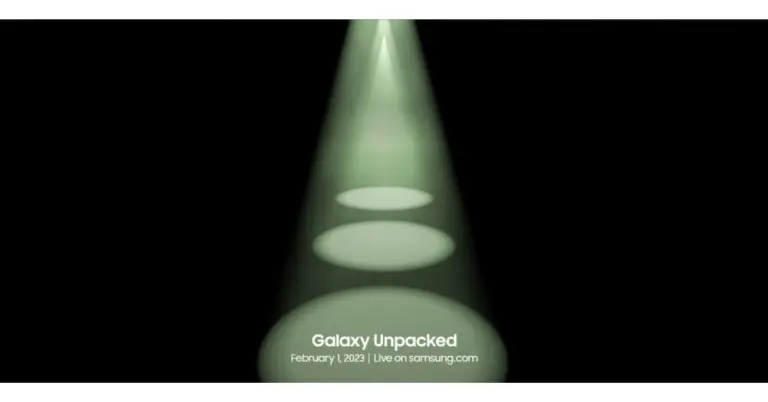
Samsung said on Wednesday that the Galaxy Unpacked 2023 event will take place on February 1. Before the smartphones are released, Samsung has started taking pre-orders for the upcoming Galaxy S23 smartphone series.
Customers who have reserved a unit will be entitled to early access and exclusive discounts when buying a Samsung Galaxy S series smartphone.
The Samsung Galaxy S23 smartphone line is rumoured to be priced similarly to the Galaxy S22 line.
Customers in India can pre-reserve the top-tier Galaxy S series by making a small payment of INR 1999 on Samsung.com, Samsung Exclusive Stores, Amazon.in, and other well-known retail locations. Future Galaxy S series smartphone buyers who pre-order will receive a pre-reserve incentive worth INR 5000. Customers must buy and activate the gadget by March 31, 2023, in order to receive the bonus.
On February 1, 2023, at 11:30 PM, Galaxy Unpacked will be broadcast live on Samsung Newsroom India.
A Qualcomm Snapdragon 8 Gen 2 SoC is believed to be included in the next Galaxy S23 series. Additionally, the Galaxy S23 Ultra might have a quad rear camera setup with a 200-megapixel primary sensor. The two remaining smartphones, the S23 and S23+, are probably going to have three cameras on the back.
The normal Galaxy S23 and Galaxy S23+ will reportedly contain 8GB of RAM and 256GB of internal storage, according to rumours. As opposed to the Galaxy S23 Ultra, which is expected to include 12GB of RAM and storage options of 256GB, 512GB, and 1TB.
Reliance Jio announced that its True 5G services would begin to operate in Uttarakhand from Dehradun. The sole 5G service available in Dehradun is Jio True 5G, which is expanding quickly and offers Jio consumers the technology’s game-changing advantages. On Tuesday Honourable Chief Minister of Assam, Dr. Himanta Biswa Sarma, officially launched Jio True 5G services in Assam at an event held in Guwahati.
The sole 5G service available in Dehradun is Jio True 5G. Jio would spend more than Rs 650 crore on the construction of a standalone 5G network in Uttarakhand in addition to the existing investment of Rs 4,950 crore. In order to achieve the visions of the state of Uttarakhand to become a “Digital Devbhoomi” and the Hon. Prime Minister of “Digital India,” Shri Pushkar Singh Dhami congratulated and appreciated Jio for bringing about transformational changes in the state’s digital landscape.
Commenting on the launch, Honorable Chief Minister of Uttarakhand, Shri Pushkar Singh Dhami, said, “I congratulate Jio, the people of Uttarakhand and the people of Dehradun in particular, at the launch of Jio True 5G services. This launch is an important milestone for Uttarakhand and its people, who will benefit immensely from 5G services. Jio has always been at the forefront, especially when it comes to providing mobile and data connectivity in the state. With 5G, every individual, including students and businessmen, IT and healthcare services and sectors like agriculture, education, medicine, information technology & manufacturing will benefit with new opportunities and additional employment. 5G will also enable citizens and government to remain connected on real time basis and will also improve implementation and efficiency of government schemes for the last mile user.”
Beginning on January 11, 2023, Jio subscribers in Dehradun will be eligible for the Jio Welcome Offer, which offers unlimited data at speeds of up to 1 Gbps+ at no extra cost.
Reliance In addition to its True 5G services, which were already offered in Guwahati, Jio debuted its True 5G-Powered Wi-Fi services in the Maa Kamakhya Temple complex. In addition, 7 cities across 4 states now have access to the Jio True 5G service.
The Jio Welcome Offer, which provides Unlimited Data at speeds of up to 1 Gbps+ at no additional cost, will be made available to Jio users in Guwahati and 7 additional cities in the states of Maharashtra (Solapur), Telangana (Warangal, Karimnagar), Kerala (Chertala), Hubli-Dharwad, Mangalore, and Belgaum.
Jio is investing approximately 2,500 crores to deploy the True 5G network in Assam in addition to their current investment of 9,500 crores, demonstrating their unwavering commitment to the growth of our state. Jio True 5G services would be accessible in every Assamese town and taluka by December 2023.
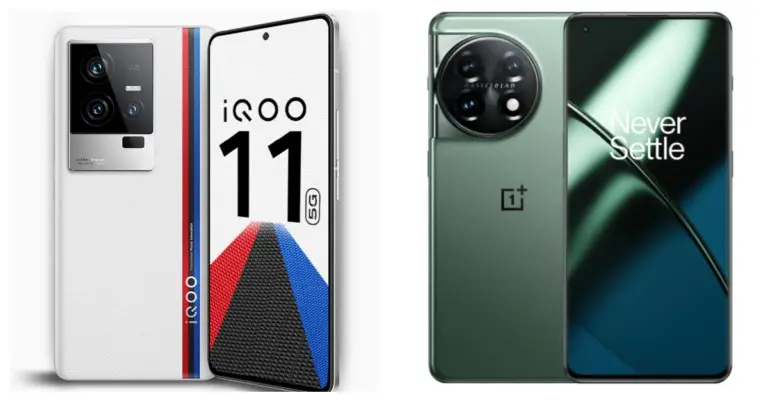
iQoo 11, the first flagship smartphone with a Qualcomm Snapdragon 8 Gen 2 SoC, has been released in India. The phone supports 120W rapid charging. The phone also has a 2K E6 AMOLED display. With these specifications, the phone directly competes with the OnePlus 11, which will go on sale in India in February. So let’s compare the two smartphones to see how they differ and which one would be a better choice for you if you were looking to upgrade or get a new Android phone.
iQoo 11: Triple rear camera set up includes 50MP Samsung GN5 primary sensor, a 13MP portrait sensor, and an 8MP ultra-wide sensor
OnePlus 11: Triple rear camera setup includes a 50-megapixel Sony IMX890 main sensor, a 32-megapixel portrait sensor and a 48-megapixel Sony IMX58 extreme wide-angle sensor
Selfie camera
iQoo 11: 16MP camera sensor
OnePlus 11: a 16-megapixel sensor for selfies
RAM and Storage
iQoo 11: 8GB RAM with 256GB storage and 16GB RAM with 256GB memory
OnePlus 11: 12GB RAM with 256GB, 16GB with 256GB option and 16GB with 512GB variant
Battery
iQoo 11: 5,000mAh battery
OnePlus 11: 5,000mAh dual-cell battery
Operating system
iQoo 11: Funtouch OS 13 powered by Android 13
OnePlus 11: ColorOS 13.0 with Android 13
Price
iQoo 11: Rs 59,999
OnePlus 11: CNY 3,999, which is around Rs 48,000
Our Take
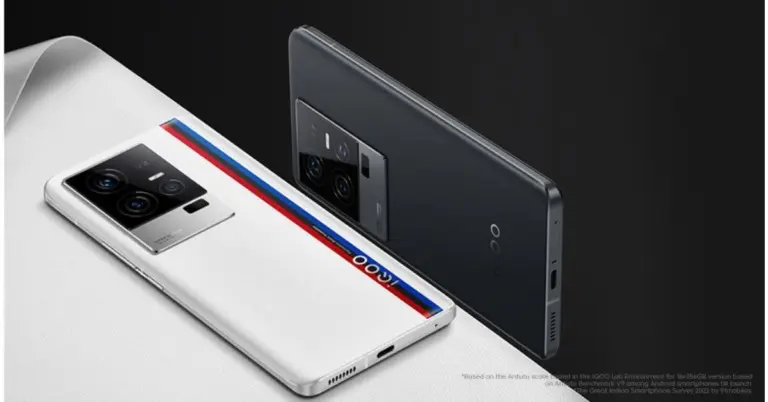
Each phone has a similar metal frame around its glass panel. However, the iQoo 11 is available in the Alfa and Legend variants. The Legend has a leather back panel and branding from BMW M Motorsport. Wireless charging and IP certification are two features that are absent from both phones.
Both devices use AMOLED displays with QHD+ resolution for their display. While OnePlus settles for a panel with a 120Hz refresh rate, the iQoo phone supports a 144Hz refresh rate. Whereas the iQoo 11 features a flat display, the OnePlus 11 has a curved finish.
Both the iQOO 11 and the OnePlus 11 are equipped with the same Snapdragon 8 Gen 2 CPU and come pre-installed with Android 13.
Both phones have a triple back camera setup when it comes to photography, however, the OnePlus 11’s camera system has a better sensor than the iQoo’s. The selfie cameras on phones are, however, the same.
Although both smartphones have 5,000mAh batteries, the iQoo 11 and the OnePlus 11 offer 120W and 100W fast charging, respectively.
But when it comes to gaming, iQoo 11 is the star. It sports a dual-axis linear motor and liquid cooling system for improved gaming and cooling performance. OnePlus, on the other hand, has a single X-axis linear motor with a VC chamber for cooling.
So the actual decision is whether to get the iQoo 11 or hold off until the OnePlus 11 is released in India. So choose the iQoo 11 if you want a premium smartphone with excellent gaming performance, a faster refresh rate display, and support for fast charging. Otherwise, you may wait until the OnePlus 11 comes to India.
A shadowban is X’s way of limiting the reach of an account without banning it outright. When a person gets shadowbanned on X, their posts and replies are no longer visible on their followers’ feeds. The only way to access the posts is by searching for the shadowbanned account. In some cases, X may also restrict the account from appearing in searches. Once an account gets shadowbanned, the user does not receive any formal notification for it. Usually, shadowbans are handed out when X suspects an account to be a bot or when the user violates the Terms of Service (ToS). In this article, we bring you the top 9 easy methods to check and remove a shadowban on X.
If you’re wondering why your X account got shadowbanned, it could be due to one of the following reasons.
You posted several posts within seconds.
Your spam posts misused a hashtag.
The spam posts were made to get a hashtag to trend.
You tried to sell your account or buy more views.
You posted hateful content on the platform.
Your posts violated X’s ToS.
How to check for a shadowban on X
As we mentioned earlier, X does not notify users when placing a shadowban on their account. If you suspect your posts aren’t reaching your audience, there are a few steps you can take to confirm if your account has been shadowbanned. Here are some of them.
Check your post engagements
Since shadowbanning limits the reach of your posts, a sudden drop in engagements may point towards an outward restriction of your account. Go through your posts and notice if there has been a drop in interactions (comments, likes, and reposts) and engagements (impressions, profile clicks) over a period of time. X’s new view count feature is also very helpful in determining the reach of your account. To check the engagement metrics of a particular post, click on it and select ‘View Post Activity’. If you notice a sharp decline in engagement, chances are your account has been shadowbanned.
Search for your account from the incognito window
Switch to the incognito tab and make an alt account on X. Look up your username in the search bar. If your profile does not show up in the results, it means X is actively shadowbanning your account. Sometimes, your profile may show up, but the posts may not be visible. This is also a sign of a shadowban.
Check where your comments appear on a post
One of the better signifiers to check for a shadowban is checking where your replies end up on a particular post. If your replies are hidden or show up at the end of the thread, it is very likely that your X account is shadowbanned. Refrain from making comments that could violate the ToS.
Use HiSubway
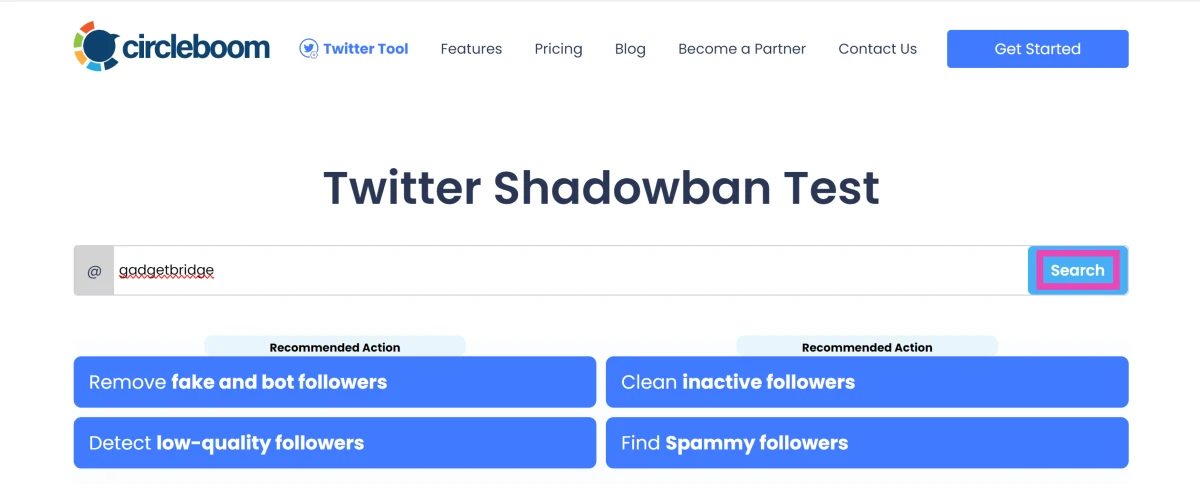
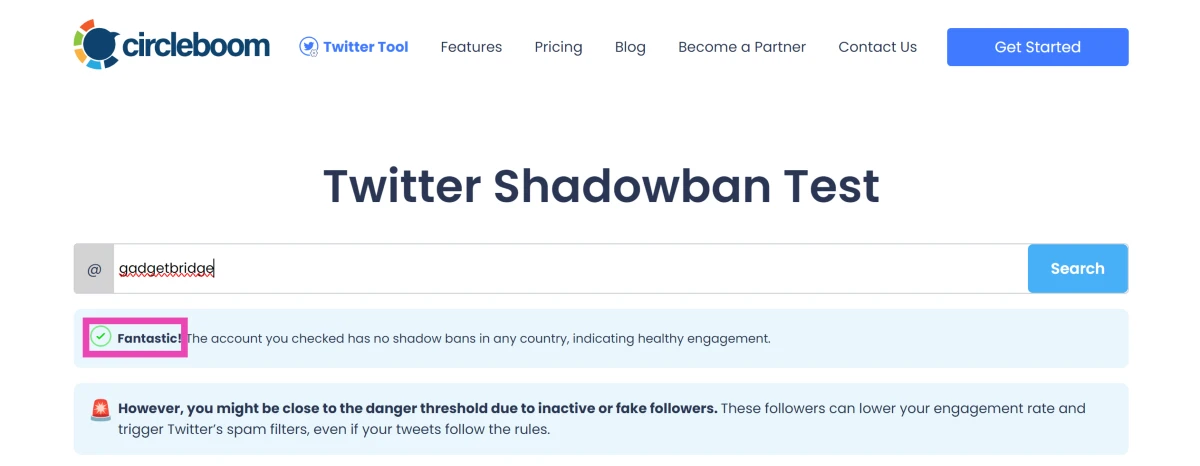
There are several third-party test websites that will perform a test on your X account to check whether it has received a shadowban or not. Go to https://hisubway.online/shadowban/ and enter your username in the search field. The website will perform a few tests and will return the relevant results.
Once you’ve confirmed that X has placed a shadowban on your account, there are some steps you can take to ensure it is reversed in due time. Here’s what you can do.
Remove the posts that may have gotten you shadowbanned
Go through your posts and find out the posts that may have gotten you shadowbanned. X usually shadowbans accounts that post spam, mass follow other accounts, or engage in hateful conduct. Removing any objectionable content from your profile is the first step towards reversing a shadow ban.
Lay low for a while
Once you’ve removed the objectionable content from your profile, lay low and let X assess the situation. Avoid making any objectionable posts that may compound the ban. Do not tag other people in your posts in a manner that may be construed as harassment. Typically, a shadowban takes around 3 days to resolve. Your account will be restored to normalcy soon after.
Do not bypass the ban by making another profile
Trying to bypass the shadowban by making another account or posting through someone else’s account may result in a permaban (permanent ban). Your best course of action is to reduce your X activity until the ban is reversed.
Contact X support
If you think there was a misunderstanding on X’s end in shadowbanning your account, you can try contacting their Support team. This is not uncommon, as X tries to restrict bots on its platform. If you posted a lot of content in a very short duration of time, the algorithm may have mistaken you for a bot and handed you a shadowban. This issue can be easily resolved by contacting the X Support team.
Frequently Asked Questions (FAQs)
Why was my X account shadowbanned?
X hands out shadowbans to accounts that it suspects to be bots. On top of that, the visibility of accounts that spread hateful content is also restricted.
How do I know for sure that I have been shadowbanned on X?
Go to https://hisubway.online/shadowban/ and search for your X handle to know for sure if you have been shadowbanned on the platform. The website performs a diagnosis check on your profile and lets you know whether your posts are being actively suppressed from being exposed to a wider audience.
How long does an X shadowban last?
A shadowban on X typically lasts for 3 days.
How do I get rid of a shadowban on X?
Delete all the objectionable posts that may have caused X to impose a shadow ban on your profile. Under any circumstances, do not create a secondary account, as it may result in a permaban.
Can I bypass my X shadowban by creating another account?
You can bypass a shadowban or a permaban by creating another account. However, if X finds out that you’re bypassing a ban, you risk getting a device ban.
These are the top 9 methods to check and remove a shadowban on X. Once the shadowban has been removed, you will see the engagement metrics of your posts go up again. Repeat offences and multiple bans in quick succession can also lead to your account getting permabanned.
Garena Free Fire is a battle royale game with regular awards and tournaments to keep players interested. If you play Garena Free Fire, you should be aware of the redeem codes that are released on a daily basis. However, because the battle royale game is banned in India, players from other countries can use the Free Fire Redeem codes daily. If you’re unfamiliar with the Garena Free Fire redeem codes or don’t know how to get them, we’ve put together a step-by-step guide to help you redeem them. Check out Garena Free Fire Redeem Codes for 12 January 2023.
The Free Fire redeem codes are a great way to get free stuff. These are 12-digit codes that contain alphabets and numbers, as well as an expiration date and time. Because the Garena FF redeem codes cannot be used more than once, you should hurry to the redemption page to claim your free reward before someone else does. To get a free reward, all you have to do is go to reward.ff.garena.com/en, which is the official redemption page. Also, keep an eye on this space for daily updates on Garena Free Fire redemption codes and rewards.
Garena Free Fire Redeem Codes Today 12 January 2023
X99TK56XDJ4X
FF7MUY4ME6SC
WEYVGQC3CT8Q
3IBBMSL7AK8G
J3ZKQ57Z2P2P
FFDBGQWPNHJX
TDK4JWN6RD6
4TPQRDQJHVP4
GCNVA2PDRGRZ
XFW4Z6Q882WY
HFNSJ6W74Z48
HHNAT6VKQ9R7
2FG94YCW9VMV
4ST1ZTBE2RP9
8F3QZKNTLWBZ
V44ZZ5YY7CBS
WD2ATK3ZEA55
E2F86ZREMK49
B3G7A22TWDR7X
MCPW3D28VZD6
FFCMCPSGC9XZ
FFCMCPSEN5MX
ZZZ76NT3PDSH
EYH2W3XK8UPG
FFCMCPSUYUY7E
NPYFATT3HGSQ
MCPW2D2WKWF2
V427K98RUCHZ
MCPW2D1U3XA3
FFCMCPSJ99S3
6KWMFJVMQQYG
BR43FMAPYEZZ
UVX9PYZV54AC
XZJZE25WEFJJ
HNC95435FAGJ
How to Get Free Fire Redeem Codes for Garena on 12 January 2023?
12 January 2023 Amazon Quiz has gone live on its platform. The quiz timings are 12 AM to 11:59 PM. The Amazon App users can participate in the quiz daily and all they have to do is submit correct answers to the questions asked on the e-commerce platform. Today’s participants can get a chance to win Rs 2,500 Amazon Pay Balance.
Amazon brings a fresh questionnaire that contains 5 questions daily. These questions are based on current affairs and general knowledge. The quiz can be played from 8 AM to 11:59 PM and the contestants need to answer correctly to enter into a lucky draw.
Only one person is declared as a winner and the results will be announced at the end of every month. And to make sure that you give correct answers to all the 5 questions Gadget Bridge everyday updates all the answers to the Amazon Quiz. Do check out 12 January 2023 Amazon Quiz Answers to win Rs 2,500 Amazon pay Balance.
Question 1: Who invented the first functional telephone?
Answer: Alexander Graham Bell
Question 2: How many grams is a kilogram?
Answer: 1000
Question 3: In 2022, which English player became the 3rd in history to score 10,000+ runs and take 50 wickets or more in Test cricket?
Answer: Joe Root
Question 4: Which of these is a famous song by this band?
Answer: Let It Be
Question 5: This photo was taken in which national park in India, famous for its population of this animal?
Answer: Gir National Park
How To Play Amazon Quiz
Only app users are eligible to play the Amazon quiz every morning from 12 AM to 11:59 PM. The quiz is not available on the desktop. For those who are unaware of how to play the Amazon quiz below are the steps, you can follow to take the quiz.
Firstly download the Amazon app from Google Play Store or App Store
Now fill in the required information through the Sign Up option.
You need to log in to the Amazon app and scroll down on the home screen to find the Amazon Quiz banner.
Tap on the Amazon Quiz banner and tap on the Start button to start the Quiz.
Now you will get 5 questions and you need to answer them correctly. One wrong answer will eliminate you from the Quiz.
After answering all the questions correctly you are now eligible for a Lucky Draw.
The winner’s name will be announced today at 12 PM.
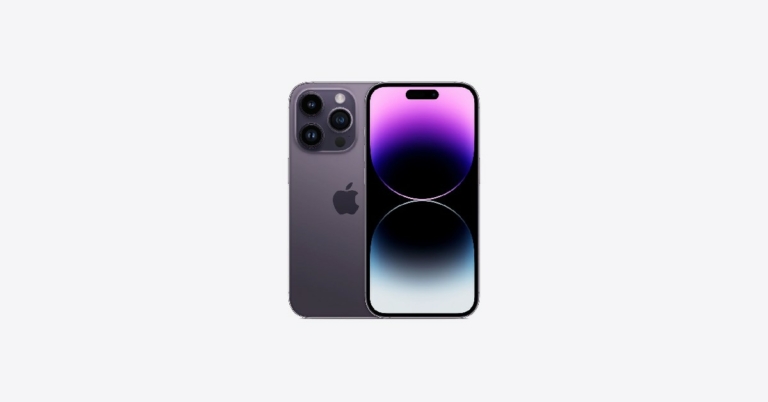
Comparing the new iPhone 14 to older versions is probably one of the better pastimes for iPhone lovers. But how does the iPhone 14 compare to the iPhone 13 or earlier? Although there are fewer massive upgrades compared to previous versions, the iPhone14 has some improvements. Be sure to keep your new iPhone 14 safely secured within an iPhone 14 case or an iPhone 14 Pro case.
Here are five of the best features of the iPhone 14.
Better Camera
iPhone lovers know that with every upgrade, they can look forward to a better camera. The iPhone 14 definitely delivers in this department. You can take photos in lower light with the new aperture settings. You’ll get less camera shake with Action Mode, which you can find in the camera app. The front-facing camera has an autofocus feature, ensuring your selfies will always be in focus.
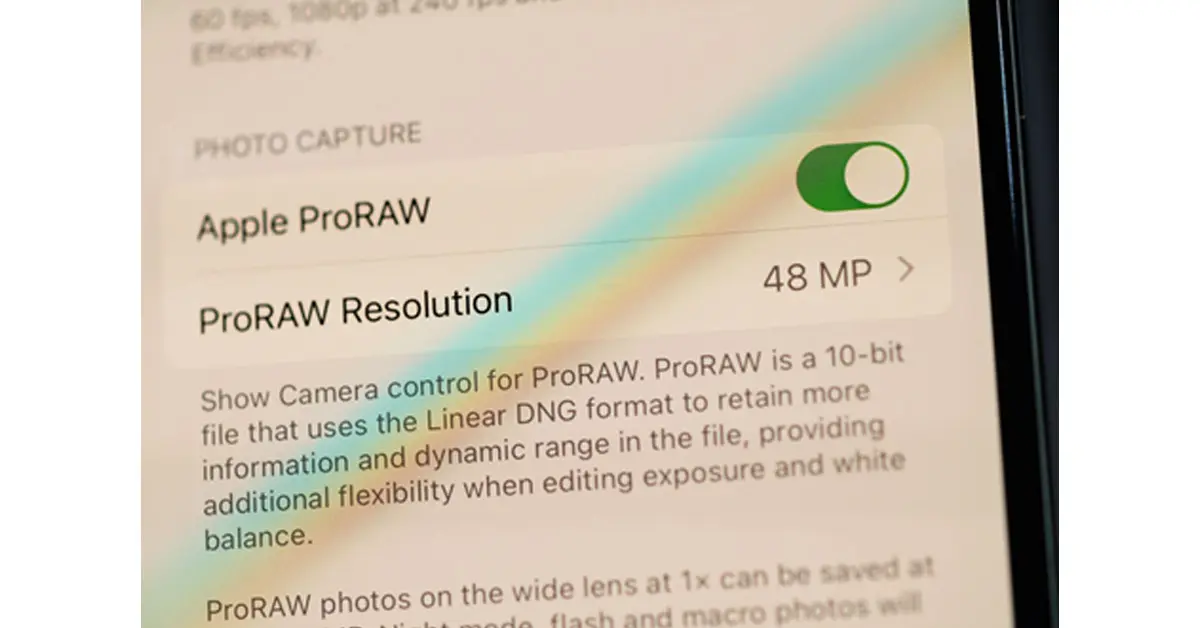
Photography lovers will appreciate the simulated bokeh effect and vivid colors this camera produces. Professional photographers will love that they can use ProRAW for their 48 MP photos.
Source: Hadrian/Shutterstock.com
For those looking to zoom in, you can get a continuous zoom effect when taking photos or videos from a medium to close range. The iPhone 14 has one extra step between the wide 1x and the telephoto 3x.
Satellite Service for Emergencies
You’ll appreciate this new upgrade if you have been stranded in a remote location without cellular service. The iPhone 14 offers a satellite service that will let you make emergency phone calls even though you don’t have cellular or internet service. Once you connect to the service, you’ll be asked questions such as, “Are you lost?” Your iPhone will then contact the nearest service station so that you can get more help.
If you are unable to call, you can also text emergency services via satellite. Text messages will take about 15 seconds. However, if you are surrounded by trees and dense foliage, it may take up to a minute.
You can also use the satellite service to share your location with your contacts if someone needs to come and find you. Whether you got caught in a snowstorm, stranded on a deserted road, lost while out hiking or in an unfamiliar area, this new satellite service can save your life.
Always-On Display
Previous versions of the iPhone were set up so that you had to unlock your screen whenever you needed to check for notifications or any live activity. The iPhone 14 has an always-on display, so you can still see all your phone’s activity even when you’re not using it. For example, you won’t have to punch in your password to check the time. Plus, the always-on display is in low-light mode, so you’re not wasting a ton of battery.
For some, it’s a convenient upgrade because it lets them know what’s happening simply by looking at their phone. For others, it may be too distracting. If you’d like to turn it off, you can go to your Settings, choose Display & Brightness, scroll down to Always On, and then turn it off. An in-between option is to darken your always-on screen by going to Settings, Focus, and then selecting the Do Not Disturb option.
Crash Detection
Another emergency upgrade to the iPhone 14 is Crash Detection. When your iPhone detects a sudden, severe stop in movement, it will display an alert and call emergency services. If you want to cancel, you have 20 seconds. If you don’t respond within 20 seconds, your iPhone will leave an audio message for emergency services. The audio message will give your exact location and let your contacts know that you have been in an accident.
Crash Detection is on by default. However, you can turn it off if you prefer not to have this emergency option constantly running in the background. Go to Settings, then Emergency SOS. You’ll see the Call After Severe Crash and can turn it off.
Crash Detection can, no doubt, be a lifesaver. But, other times, your phone may falsely alert emergency services. If your phone slams into a hard surface, gets run over by a vehicle or falls off a cliff, for example, Crash Detection will be activated. If you suspect there may be a scenario where Crash Detection will be falsely activated, temporarily turn it off.
Improved Internal Chips
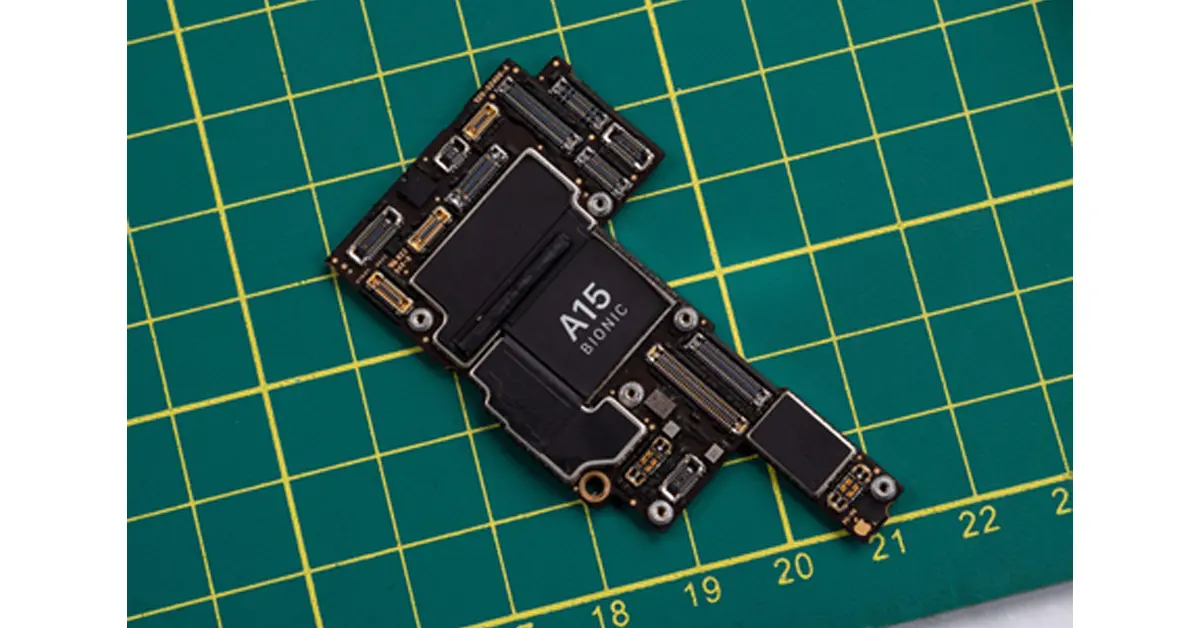
Source: Hopix Art/Shutterstock.com
As technology gets better and better, consumers get more impatient. iPhone 14 has catered to that need by providing the iPhone with the fast A15 Bionic chip. Yes, the iPhone 13 has this chip, too. However, in the iPhone 14, the graphics section of the chip is 18% more powerful than in previous phones. This updated design comes with a 5-core graphics processing unit (GPU).
If graphics and visuals are what you love about your iPhone, then this new upgrade will be even better for viewing photos, illustrations and videos. To make sure the cool graphics will always be clear and vivid, use a liquid screen protector.
Conclusion
Overall, the iPhone 14 is pricier than previous versions. Still, the safety features and the camera upgrade could make it worth its price. Plus, you’ll also get a longer battery life. If you’re looking for a device that can be a lifesaver, the iPhone 14 is worth checking out.
A few adjustments are being made to the navigation bar of Instagram. The social media platform which has now become a video-sharing app will have the option to start a new Instagram post with the Shop tab being removed from the homepage. The tab can be located in the middle of the navigation bar at the bottom of the page. The Reels button at the bottom of the navigation bar will be replaced by the Create New Post button as part of the modifications.
Instagram is removing the Shop Tab which was introduced in 2020 to the mobile app’s home screen to add shopping capabilities. According to Meta, the photo-sharing app will undergo a few tweaks in the month of February to make it simpler for users to share and connect with their friends and interests.
The shortcut for creating content will now be in the middle of the navigation bar at the bottom of the app, and Reels will be on the right.
The Instagram Shop tab will be eliminated as part of this change. As long as the social media platform continues to invest in shopping experiences that offer the best value to users and companies across feed, stories, reels, advertisements, and more, you will be able to set up and operate your shop on Instagram.
Only companies in a few markets can use this service. Currently, only a small number of businesses and customers in the US have access to checkout.
In 2020, Instagram added two new tabs to its platform: Reels and Shop. Users may connect with businesses and creators and find things they love on the Shop tab while using the Reels tab to access quick, entertaining videos from creators across the world. This move was made to the platform during the Pandemic when more and more people began to shop online and young people began asking their favourite producers for advice on what to buy.
Instagram’s Shop tab has aided users in finding inspiration from creators they adore, shopping on Instagram, and supporting small businesses. Personalised suggestions, editors’ favourites chosen by the @shop channel, shoppable videos, new product collections, and more might be found.
At a ceremony conducted in Guwahati, the Honourable Chief Minister of Assam, Dr Himanta Biswa Sarma, officially launched Jio True 5G services in Assam. Reliance Jio introduced its True 5G-Powered Wi-Fi services at the Maa Kamakhya Temple complex in addition to its True 5G services that were already available in Guwahati. In addition to this, the Jio True 5G service has also been made available in 7 cities of 4 states.
Users of Jio in Guwahati and 7 additional cities in the states of Maharashtra (Solapur), Telangana (Warangal, Karimnagar), Kerala (Chertala), and Hubli-Dharwad, Mangalore, and Belgaum will be invited to take advantage of the Jio Welcome Offer, which offers Unlimited Data at speeds of up to 1 Gbps+ at no extra cost.
Jio gave Dr Himanta Biswa Sarma, the Honourable Chief Minister of Assam, a demonstration of the transformative advantages of True 5G. The healthcare industry was chosen for this demonstration because, among the many advantages of True 5G, it has the ability to save lives in emergency situations as well as enrich lives. Innovative products were displayed, including the medical kit for the Jio Community Clinic, JioGlass, healthcare based on AR and VR, and connected ambulances. These healthcare solutions have the potential to improve the quality of healthcare in metropolitan India and help spread infrastructure for high-quality healthcare to the most rural parts of the nation, impacting more than a billion people.
Speaking at the event, the Honourable Chief Minister of Assam, Dr. Himanta Biswa Sarma, said, “I am happy to launch Jio’s True 5G service in Guwahati. I believe True 5G has the power to democratize the healthcare infrastructure across the varied geography of Assam. The health solution demonstrated today i.e., ‘Clinic in a bag’ can aid grassroot-level healthcare workers and Asha workers. It has a simple design and can wirelessly connect to a suite of medical devices over 5G. Healthcare workers with the help of specialist Doctors can diagnose and treat patients in even the most remote locations of Assam. My government is fully committed to aiding the speedy roll-out of 5G services in Assam. By implementing 5G-based healthcare solutions, we can fulfil our Honourable Prime Minister Sh. Narendra Modi Ji’s vision of the Ayushman Bharat Digital Mission by building a Digital Health Ecosystem in the State of Assam.
Apart from their existing investment of ₹9,500 crores, Jio is additionally investing over ₹2,500 crores to deploy the True 5G network in Assam and this shows their immense commitment towards our state’s development. By December 2023, Jio True 5G services will be made available in every town and taluka of Assam.”
Additionally, Bharti Airtel has announced the expansion of its 5G services into the Odisha cities of Bhubaneswar, Cuttack, and Rourkela. Last week, Bharti Airtel also announced the launch of its 5G services in the Haryana towns of Hissar and Rohtak. The telecom behemoth added that customers of 5G-capable smartphones would have free access to Airtel’s high-speed 5G network.
While some may think that online streaming has entirely killed off the movie-renting business, it isn’t entirely true. Movie renting may not be as popular as it once was, but it is still very much alive on the Internet. A significant part of the audience still prefers renting individual movie titles over purchasing a streaming subscription. Even some online streaming giants have dedicated movie-renting libraries for people who do not want to pay for a subscription service. In this article, we bring you the top 5 places to rent movies online.
There are several advantages to renting movies from YouTube. Firstly, the prices offered by YouTube are cheaper than other movie renting platforms. On top of that, you get to choose from a vast collection of movies that includes all the new releases that haven’t made it to the major streaming platforms yet. YouTube’s media player is also a big plus, as most users are already accustomed to it and are aware of the specialised controls. The familiarity of the platform, its availability across TVs and other platforms, and competitive pricing make YouTube Movies the best renting platform out there. In order to rent a movie, simply go to the YouTube Movies webpage and search for your desired movie. You can also search for the movie in the regular search tab and YouTube will show renting options if the movie is available in its catalogue. The viewing period upon renting a movie lasts for two days.
Google TV
Last year, Google scrapped the ‘Movies and TV Shows’ section from the Google Play Store and introduced the Google TV app. Google TV brings all the content from the different apps and streaming services in one place. Now you dont have to jump between apps to search for the content you want to watch. On top of streamlining the viewing process, Google TV also offers content that was previously a part of the ‘Movies and TV Shows’ section in the Google Play Store. To rent a movie, simply go to the ‘Shop’ tag and search for the title you are interested in.
Amazon Prime Video
Amazon Prime Video introduced its movie rental service for India last year. You do not need to have a Prime Video subscription in order to rent a movie. Simply go to the ‘Store’ tab and browse the different movie titles available for rent. Some movie titles are available to rent for as low as Rs 69. Prime Video’s availability across different platforms also makes it one of the better renting options around.
Netflix
A lot of people may not know this but Netflix started out as a DVD rental service in 1998 before venturing into online streaming and becoming one of the biggest players in the category. What’s surprising is that Netflix still lets you rent DVDs online. The DVDs are delivered straight to your doorstep and do not come with any due dates or late fees. While the rental service is physical, it still is the only way to watch rare movies that are not available on any streaming platform.
BookMyShow
If renting physical DVDs using Netflix didn’t surprise you, this one surely will. BookMyShow isn’t just the biggest ticket-booking service in India, it also boasts a vast movie-renting library. You can rent movies for as low as Rs 29 on the platform. On top of that, a sizeable part of BMS’ library is also available to rent in 4K resolution.
These are the top 5 places to rent movies online. Other movie-renting platforms like Fandango, Vudu, and Hulu are not available in India yet. Which service do you use to rent movies online? Let us know in the comments!
Leaving all speculations and leaks aside, Samsung today announced the date for its upcoming Galaxy Unpacked 2023 event. The South Korean electronics behemoth will be hosting an in-person event in San Francisco on February 1. Since the COVID-19 epidemic, this will be the first Galaxy Unpacked event held in person. The Samsung Galaxy S23 series, which will include three new models, is likely to be announced during the Galaxy Unpacked Event, although it is yet unknown what else will be unveiled.
The date of the 2023 Samsung Galaxy Unpacked event has been officially confirmed for February 1. The Galaxy Unpacked 2023 event will take place in San Francisco, and it will start on February 1 at 10.30 AM PST or 11.30 PM IST. The company is anticipated to present its newest flagship Galaxy S23 series at the occasion. Three versions, the Samsung Galaxy S23, Galaxy S23+, and Galaxy S23 Ultra, are rumoured to be part of the upcoming series.
The company in its announcement said, “A new era of Galaxy innovation is coming. Our innovations are designed to enable incredible possibilities for people today and beyond. The new Galaxy S series will be the epitome of how we define the ultimate premium experience. We’re raising the bar and setting new standards for what’s epic.”
The Galaxy S23 and Galaxy S23 Ultra were seen in botanic green, cotton flower, misty lilac, and phantom black colours in leaked renders.
The upcoming Galaxy S23 series is anticipated to be equipped with a Qualcomm Snapdragon 8 Gen 2 SoC. The Galaxy S23 Ultra may also include a quad back camera arrangement, with a 200-megapixel main sensor. Other remaining devices S23 and S23+ are likely to include a triple rear camera set up.
According to rumours, the regular Galaxy S23 and Galaxy S23+ will have 8GB of RAM and 256GB of internal storage. While the Galaxy S23 Ultra would reportedly have 12GB of RAM and 256GB, 512GB, and 1TB of storage.
Previous rumours suggested that a Qualcomm Snapdragon chipset might be used worldwide to power the Galaxy S23 series. The CEO of Samsung Mobile Experience (MX), TM Roh, will announce a “Galaxy dedicated chip” at the introduction of the Galaxy S23 series, according to tipper Ice universe.
In terms of pricing the Samsung Galaxy S23 smartphones are rumoured to cost about the same as the Galaxy S22 range.
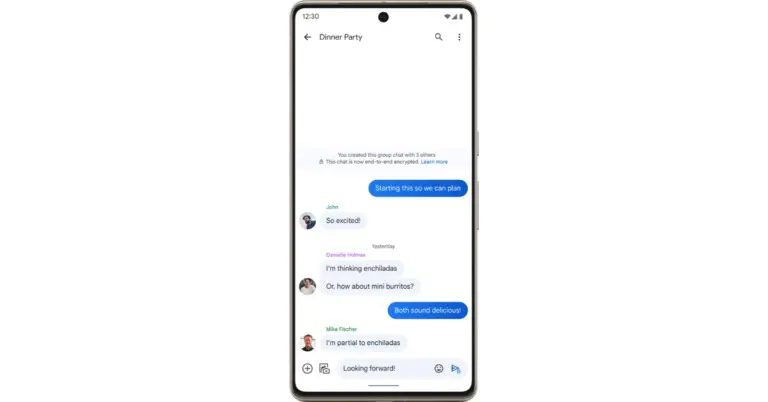
End-to-end encryption is now supported by Google Messages. The E2EE is now being made available for group chats in the app’s beta version. The business first announced the implementation of the additional security features for group chats back in December. As per the company the rollout has finished for users who signed up to join the open beta programme.
The “This chat is now end-to-end encrypted” banner will appear in group chats for Google Messages beta users who have activated E2EE. The send button will additionally include a lock icon.
And as of right now, every major mobile carrier and manufacturer has adopted RCS as the industry standard with the exception of Apple. When people with iPhones message people with Android phones, Apple refuses to implement RCS and continues to rely on SMS, keeping their texting trapped in the 1990s.
End-to-end encryption is possible with RCS but not with SMS. As a result, all one-on-one texts received through Google Messages, for instance, are encrypted, making them private and secure and visible only to the sender and the recipient. End-to-end encryption is currently beginning to roll out for group conversations and will soon be accessible to select users participating in the open beta test.
RCS not only makes texting safer, but it also improves the experience. According to Google SMS texting lacks many of the features that smartphones offer, but RCS enables you to text over Wi-Fi, send and receive high-quality images and videos, view typing indicators and read receipts in real-time, name group discussions, add or remove friends from group chats, and much more. In order to share the perfect emoji, Messages will soon allow you to reply to RCS messages with any emoji.
No matter where you reside, who made your phone, or what operating system it uses, you can enjoy the same messaging experience because of RCS’s universal compatibility.
Garena Free Fire is a battle royale game with regular awards and tournaments to keep players interested. If you play Garena Free Fire, you should be aware of the redeem codes that are released on a daily basis. However, because the battle royale game is banned in India, players from other countries can use the Free Fire Redeem codes daily. If you’re unfamiliar with the Garena Free Fire redeem codes or don’t know how to get them, we’ve put together a step-by-step guide to help you redeem them. Check out Garena Free Fire Redeem Codes for 11 January 2023.
The Free Fire redeem codes are a great way to get free stuff. These are 12-digit codes that contain alphabets and numbers, as well as an expiration date and time. Because the Garena FF redeem codes cannot be used more than once, you should hurry to the redemption page to claim your free reward before someone else does. To get a free reward, all you have to do is go to reward.ff.garena.com/en, which is the official redemption page. Also, keep an eye on this space for daily updates on Garena Free Fire redemption codes and rewards.
Garena Free Fire Redeem Codes Today 11 January 2023
SVCD-EYIY-8URDT
FF2VH-BNFH-OGH
FBNJ-K3IVI-KBNST
F76Y-HGJ1U-GYTF5
FAGT-FQRD-E1XCF
FVGE-4FGCT–GVXS
FHNJ-UFGY-V6TGD
FJ4K-56M7-UHONI
FUJA-OQIU-Y2GBE
FRFG-TCDX-REQDF
FFGB-HJHU-CASQE
FJST1-32HS-DMJG
FNJH-35JIG-HTD56
MAX2023-REDEEM
FREEFIRE-MAX2023
How to Get Free Fire Redeem Codes for Garena on 11 January 2023?
11 January 2023 Amazon Quiz has gone live. Customers from different parts of the country are participating in the daily quiz. The quiz begins from 12 AM to 11:59 PM. Those participating in the quiz can win exciting prizes by answering all the questions correctly. Today participants have a chance to win a Rs 5000 Amazon Pay Balance.
Amazon quiz brings an opportunity for its customers to win Amazon Pay Balance ranging from Rs 1,000 to Rs 50,000. The Quiz can be played from 12 AM to 11:59 PM. The e-commerce platform brings a fresh quiz on a daily basis which consists of five questions related to general knowledge and current affairs. The participants need to answer all the questions correctly and their names will be selected for a lucky draw. The winner will be announced at the end of the month.
One wrong answer could eliminate you from the quiz. If you manage to answer all the questions correctly you can stand a chance to win a Rs 5000 Amazon Pay Balance today. Only app users are eligible to participate in the Quiz. Check Out 11 January 2023 Amazon Quiz Answers.
Question 1: Which of the following has been selected as Merriam-Webster’s word of the year for 2022?
Answer: Gaslighting
Question 2: In the solar system, how many are considered terrestrial or inner planets?
Answer: 4
Question 3: Who made the first Test century of 2023?
Answer: Devon Conway
Question 4: What plant is the main food for these animals?
Answer: Eucalyptus
Question 5: In which of these books would you find these characters wearing suits like these?
Answer: Explorers on the moon
How To Play Amazon Quiz
Only app users are eligible to play the Amazon quiz every morning from 12 AM to 11:59 PM. The quiz is not available on the desktop. For those who are unaware of how to play the Amazon quiz below are the steps, you can follow to take the quiz.
Firstly download the Amazon app from Google Play Store or App Store
Now fill in the required information through the Sign Up option.
You need to log in to the Amazon app and scroll down on the home screen to find the Amazon Quiz banner.
Tap on the Amazon Quiz banner and tap on the Start button to start the Quiz.
Now you will get 5 questions and you need to answer them correctly. One wrong answer will eliminate you from the Quiz.
After answering all the questions correctly you are now eligible for a Lucky Draw.
The winner’s name will be announced today at 12 PM.
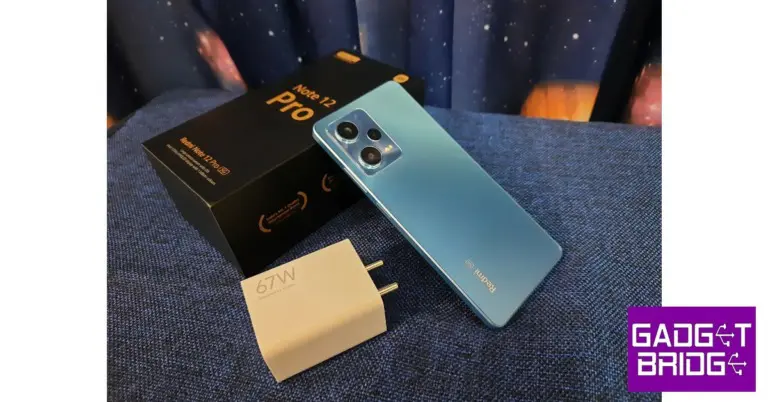
Redmi kicked off the proceedings early this year, releasing its Note series in the first week of January. While the Redmi Note 12 Pro+ gathered all the headlines for its exquisite 200MP primary camera, Redmi has also launched a Pro and non-Pro version of the Note alongside it. The Note 12 Pro has the specs to match the performance of its Pro+ counterpart and comes at a slightly more affordable price. We got our hands on the smartphone before the release and have been using it as our primary driver for more than a week. So, without further ado, here is our Redmi Note 12 Pro review.
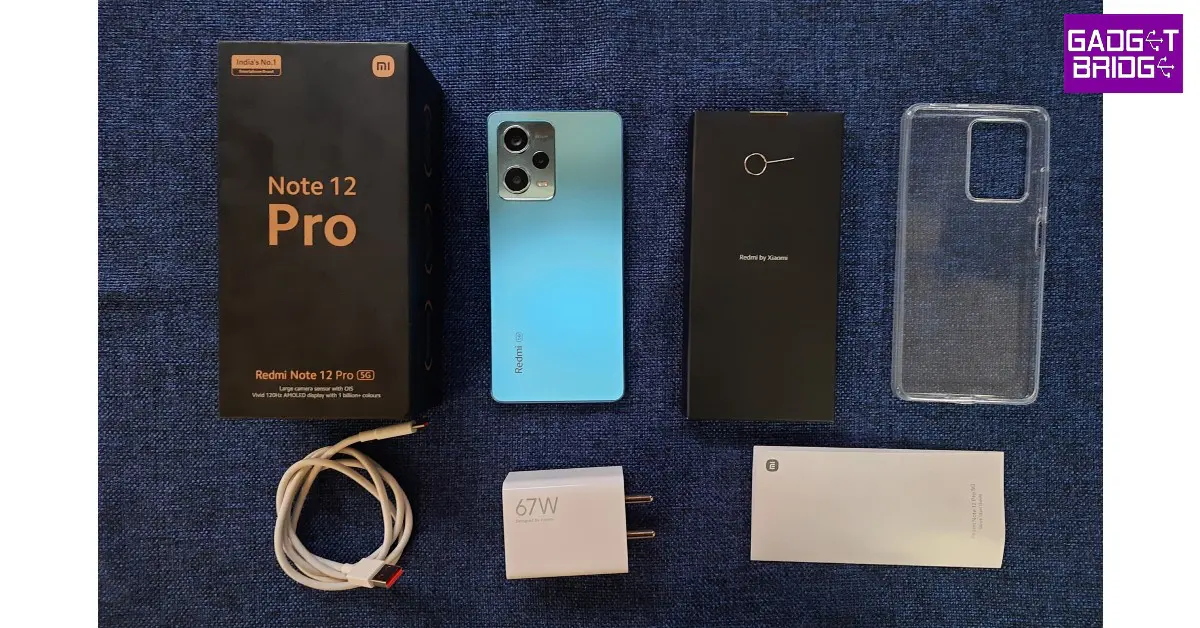
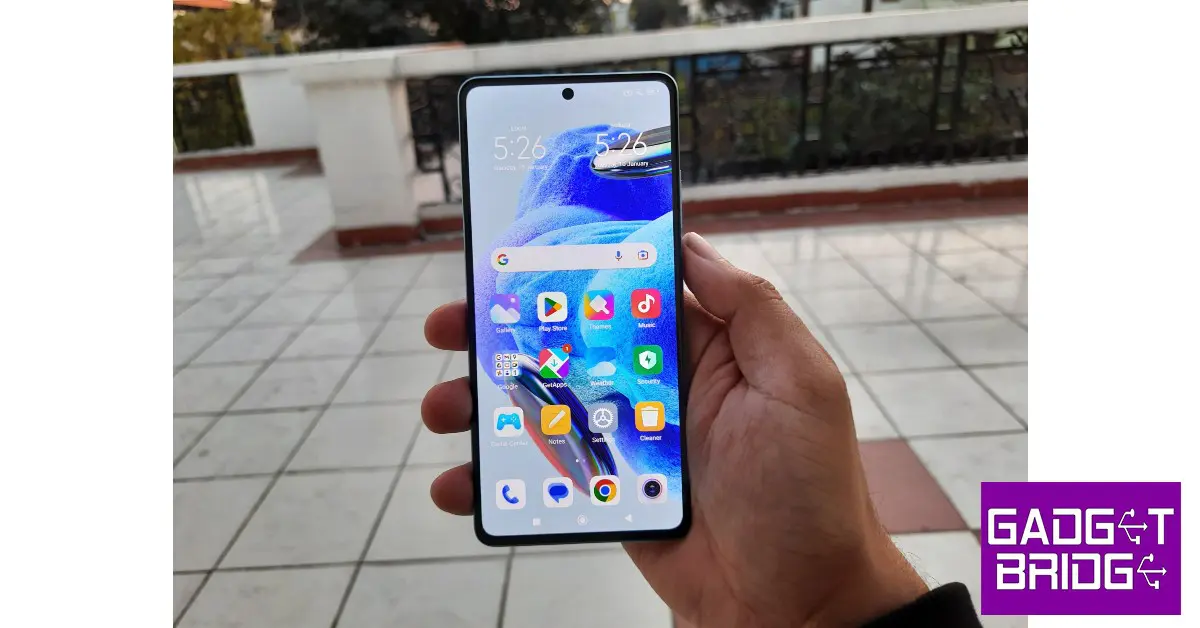
Inside the box, you get the Note 12 Pro handset, a clear plastic case, a SIM ejector tool, a quick start guide, USB Type C charging cable, and a 67W power adapter. The Note 12 Pro+ comes with a 120W charging brick. There are three colour options available for the Note 12 Pro – Stardust Purple, Glacier Blue, and Onyx Black. We used the Glacier Blue version for this review.
In terms of design, Redmi has kept things quite simple. The shiny glass back has a smooth texture to it but can be a bit of a fingerprint magnet. You may want to keep a microfiber cloth handy for this one.
The back panel and the edges are completely flat, unlike the slightly curved back design of the Pro+. The camera island is made out of the same material as the rest of the back panel. The materials used here give the smartphone a premium feel, something that will surely set it apart from its midrange peers.
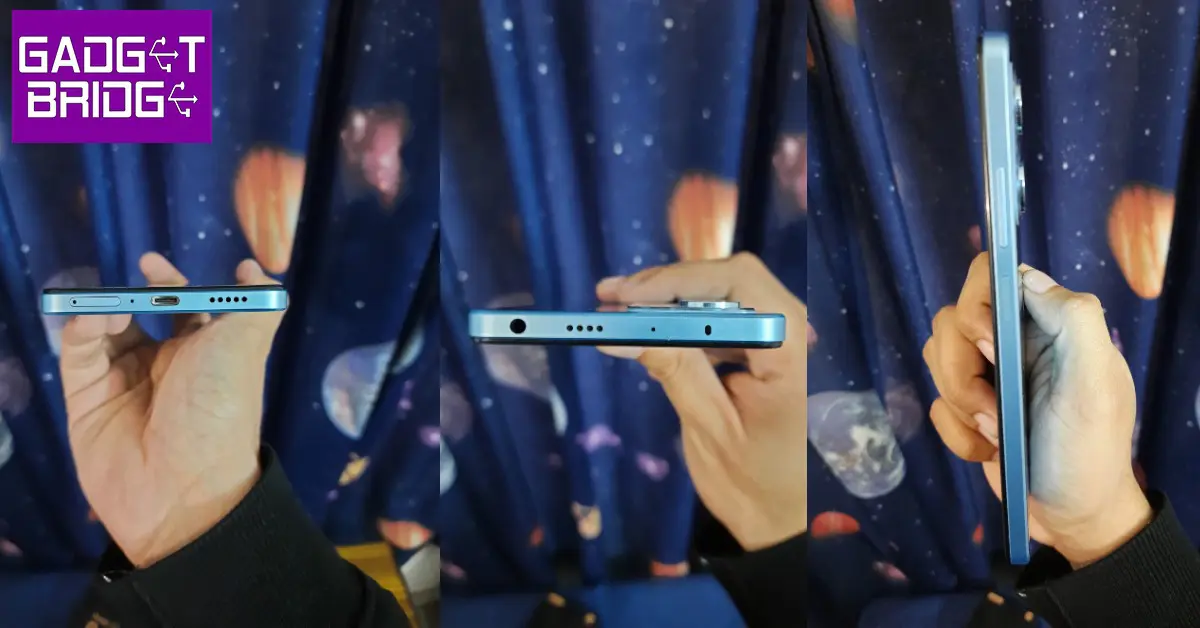
At the top of the frame, you will find the 3.5mm headphone jack, secondary speaker and microphone, and an IR blaster. The bottom of the smartphone houses the SIM card tray, the USB port, and the speaker grill. The right side of the frame holds the volume rocker keys and the power key that also doubles as the fingerprint sensor. There are no additions on the left side of the frame.
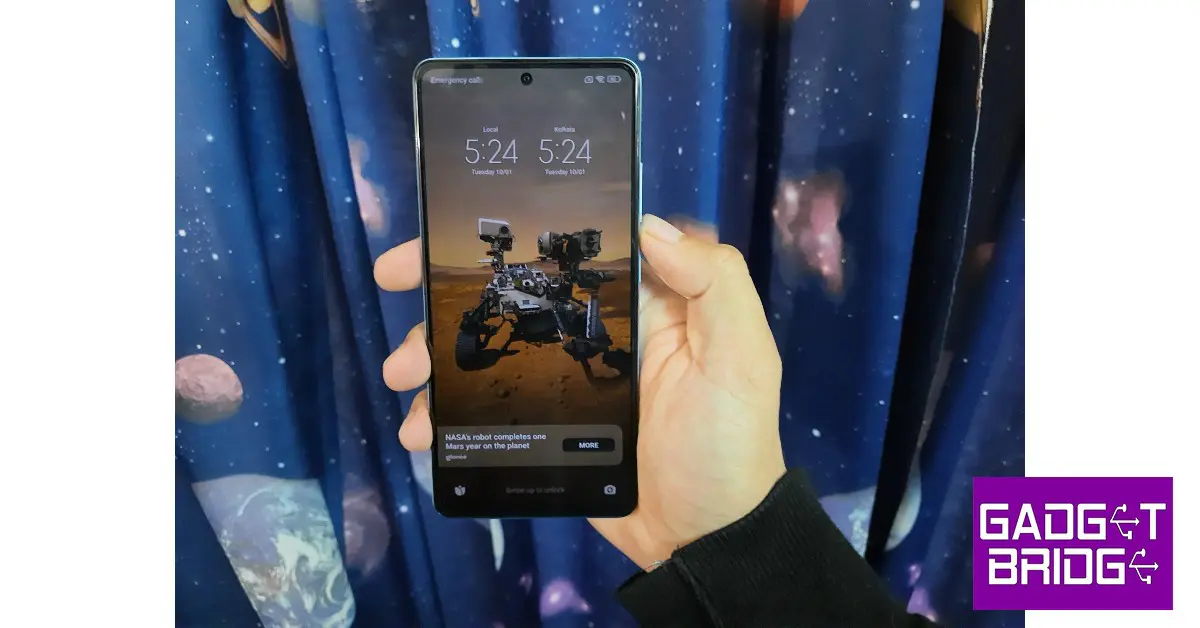
Moving on, the 6.67-inch OLED display has a screen-to-body ratio of 86.7%, 395ppi pixel density, and a maximum refresh rate of 120Hz. The bezels are slim but noticeable, without turning to be too much of a distraction. The selfie camera is housed in a punch-hole cutout at the centre of the screen. The display is protected by Corning Gorilla Glass 5 which is quite adequate, but you will need a case for added protection for the back. The phone is rated IP53, which is an additional benefit for smartphones in this range.
The 120Hz refresh rate produces a stellar touch response rate. The smartphone is set to adaptive refresh rate settings out of the box, but it can later be switched to 120Hz from the settings. There is no option for a 90Hz refresh rate, so if you want to save battery you will have to switch back to 60Hz. Brightness has been capped at 900 nits, which is optimum for using the smartphone outdoors in direct sunlight as well as indoors. The OLED display does a good job of presenting well-balanced images and colours while streaming HD content. The audio output is helped by the stereo speakers and Dolby Atmos surround.
One thing we found pretty helpful was the video toolbox which can be accessed by swiping right from the edge of the screen. This toolbox gives you quick access to the screen recording, screenshot, and screencasting options. You can also choose to turn the screen off while the video plays in the background, something that will come in quite handy while listening to music on YouTube. You can also apply different video filters and toggle the Dolby Atmos surround from this toolbox.
Redmi Note 12 Pro review: Performance and Cameras
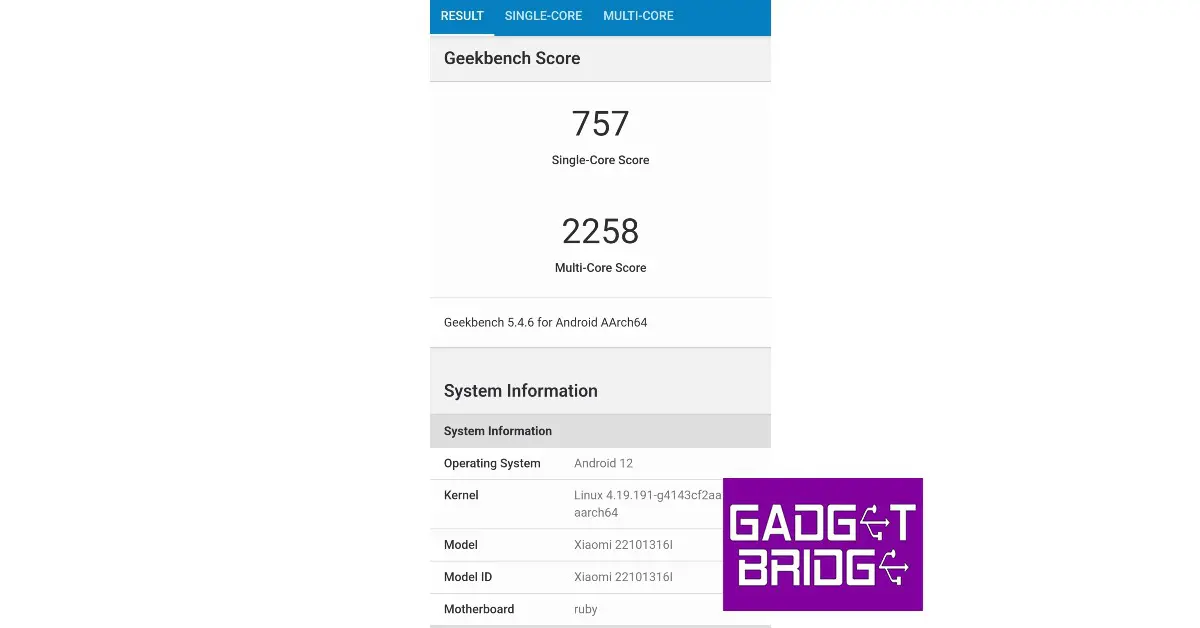
The Redmi Note 12 Pro is powered by the MediaTek Dimensity 1080 SoC with Mali -G86 MC4 handling the graphics. The phone comes in three storage and RAM options – 128GB + 6GB, 128GB + 8GB, and 256GB + 8GB which we used for this review. Unlike its predecessor, there is no expandable memory option on the Redmi Note 12 Pro. OS duties are handled by Android 12 with MIUI 13 on top. The smartphone will be receiving the Android 13 update soon. Like all Redmi phones, there is a significant amount of bloatware on the Note 12 Pro. We’d suggest clearing all the bloatware apps before using the phone or the unnecessary notifications may hamper your experience with this device.
Bloatware aside, we were quite pleased with the performance delivered by the Note 12 Pro. The apps took minimal time to load, even with multiple tasks running in the background. While Xiaomi loyalists may be used to the software, new users may take some time to adapt to the notification slider and the quick toolbar. Xiaomi has promised two years of software updates along with four years of security patches for the Redmi Note 12 Pro.
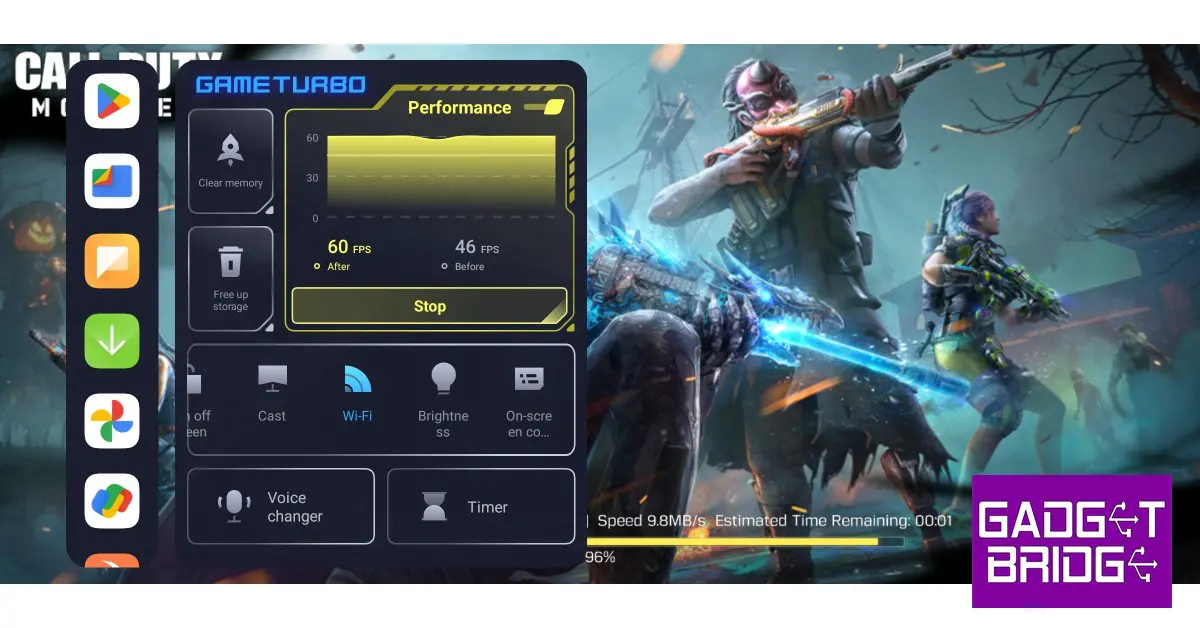
We played Call of Duty and Garena Free Fire Max at the highest graphics and did not have any complaints about the smartphone’s performance. There were no frame drops or stutters and while the processor was firing on all cylinders, the phone did not overheat after 30-40 mins of gaming. The ‘Game Turbo’ toolbar offers helpful features like voice changer, timer, screen recorder, screencast and more while gaming. You can also view the performance metrics with just one quick swipe.
The Redmi Note 12 Pro received a 5,000mAh battery which is more than enough to last an entire day. With moderate to heavy daily usage which included browsing social media, watching multiple hours of content, and about an hour of gaming, the smartphone got us through the day with about 25-30% charge to spare. The 67W charger replenishes the battery from 10-50% in under 20 minutes, with a full charge taking up to 50 minutes.
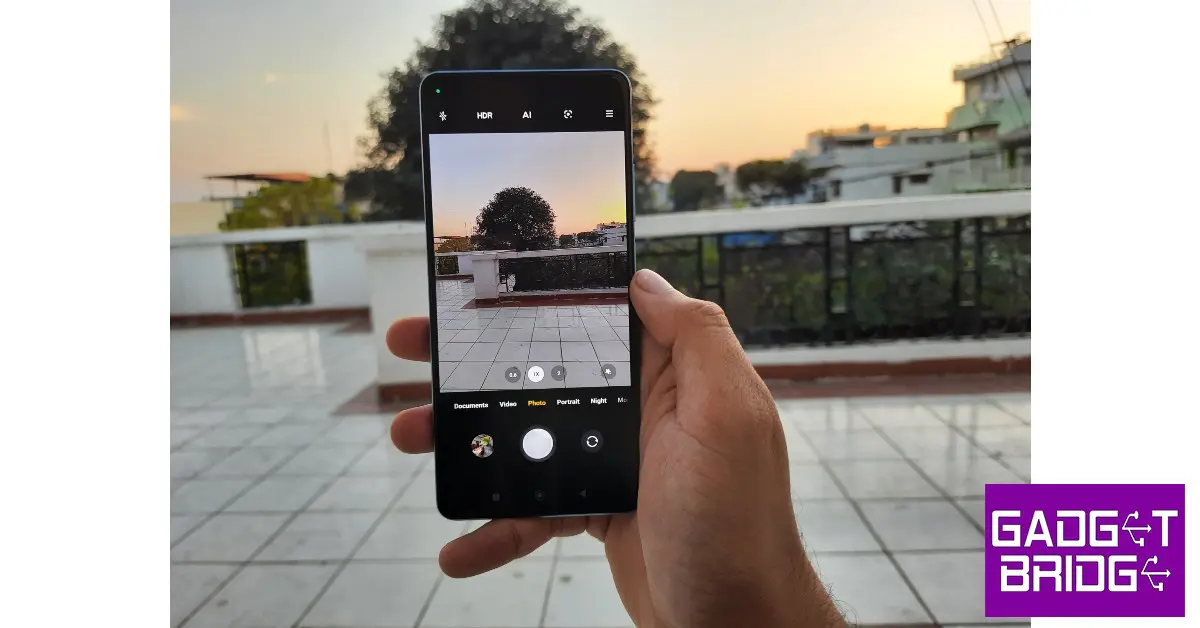
Moving on to the camera, the Redmi Note 12 Pro (as mentioned earlier) may not boast a 200MP primary sensor like its Pro+ counterpart, but it definitely doesn’t deserve to be completely written off. In daylight conditions, the 50MP primary sensor delivered a great performance. The image stabilisation was on point with OIS and the smartphone processed the images nicely to produce well-balanced, vivid images. The colours were close to real life, without any unnecessary overprocessing.
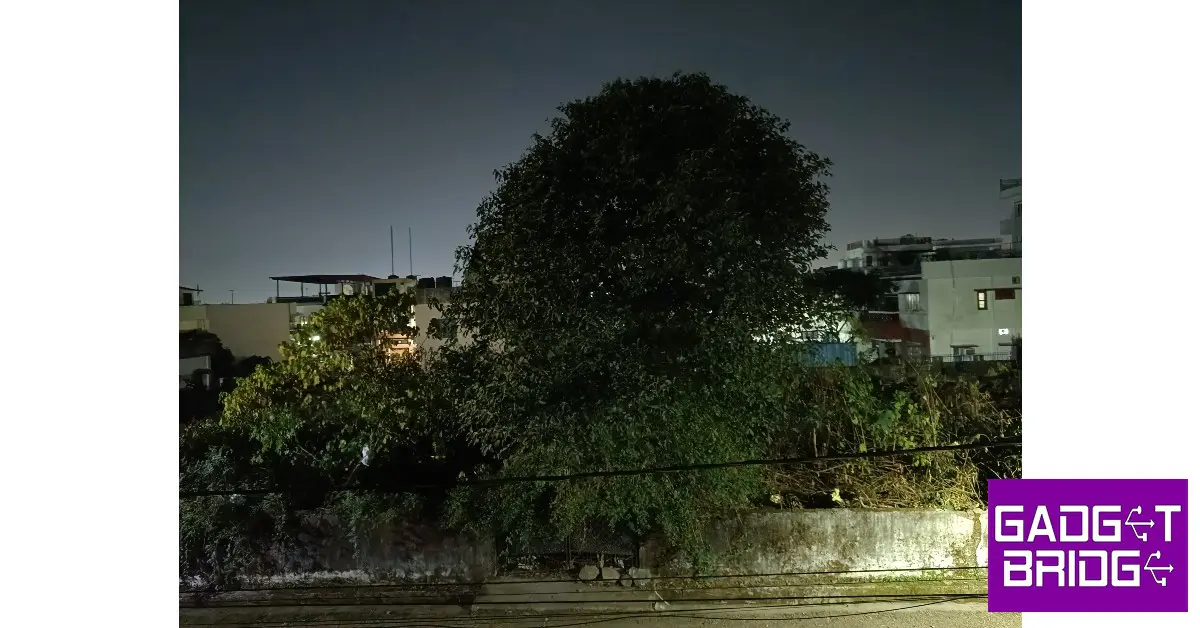
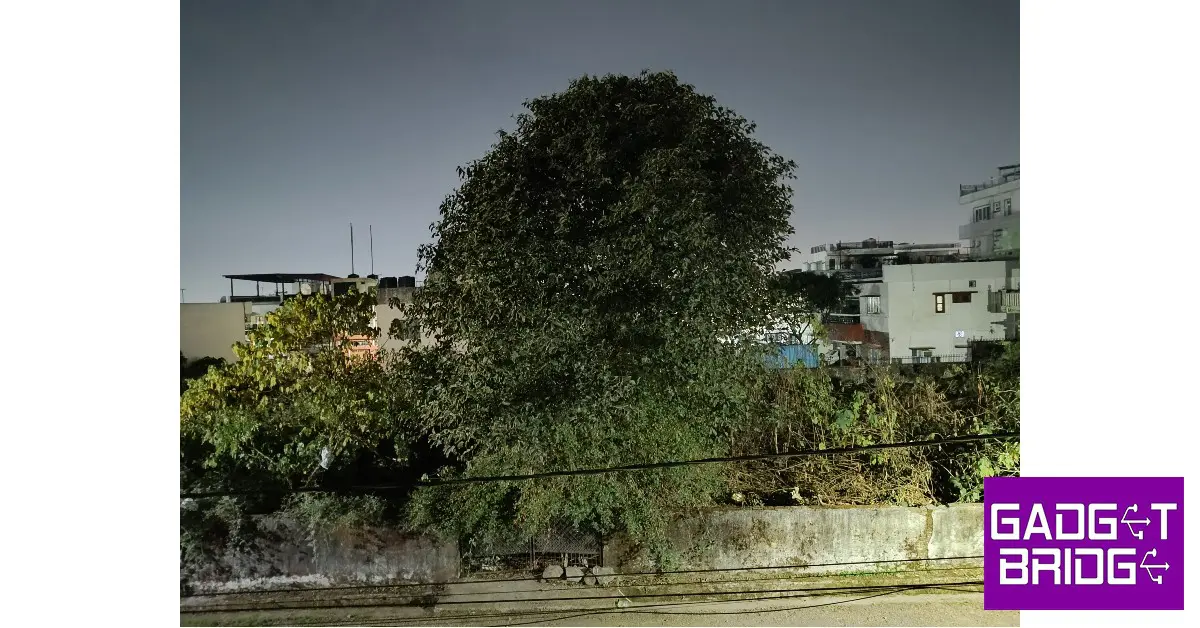
As you can see in the images below, the colour tones when it comes to the day sky are very close to real. The processor also makes sound choices in treating the objects depending on the amount of natural light hitting them. The objects in shadowy areas are balanced out pretty well. The overall contrast is pleasing to the eye and you won’t have to work too much to find the ideal shot. We were also pleased by the minimal drop-off in colour when taking pictures with the ultrawide lens.
Ultrawide Lens
Edge detection in portrait mode was satisfactory, but what we found really impressive was the range of details captured. The colours truly ‘popped’ in this mode and the resulting images were processed to near perfection. The night mode also produced decent results with optimum illumination and noise reduction. The only minor complaint we have is with the 16MP selfie camera which continues the Xiaomi tradition of brightening the skin tone of the subject. We also feel it could have performed better results in limited lighting conditions.
The Redmi Note 12 Pro goes on sale tomorrow with a price tag of Rs 24,999. While it may miss out on the 200MP primary sensor of the Pro+ variant, it still is a brilliant camera smartphone with a processor that can easily handle any task you throw at it. While the Note 12 Pro+ is priced at Rs 29,999, the Note 12 Pro would make a great value-for-money option in this lineup.
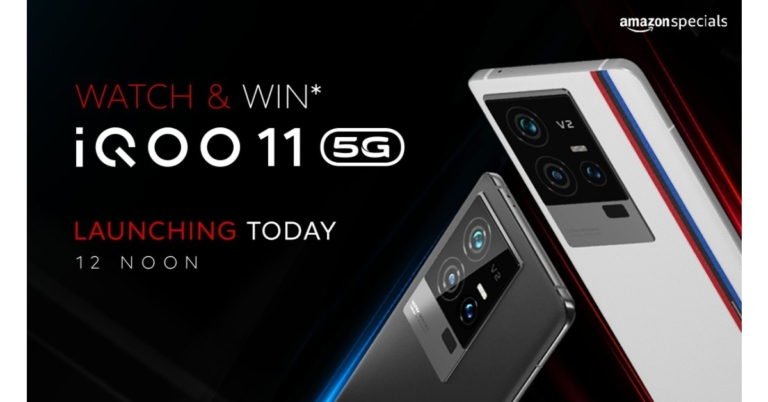
Today Vivo’s sub-brand iQoo announced the launch of its new smartphone in the Indian market. The company has introduced iQoo 11 5G which is the first device in the country to be powered by the Snapdragon 8 Gen 2 SoC. Also, there will be two variants, Legend and Alpha. The phone features 120W fast charging support. In addition to this, the handset comes with a 2K E6 AMOLED display.
iQoo 11 5G price in India and availability details
iQoo 11 5G will be offered in two variations: the Legend edition and an Alpha version. The Legend edition has a matte glass finish and a BMW M Motorsport series strip on the rear while the Alpha variant comes with a leather finish.
The 8GB RAM with 256GB storage option will come with a price tag of Rs 59,999 whereas the 16GB RAM with 256GB memory option is priced at Rs 64,999.
In terms of availability, the device will go on sale on January 13 via Amazon. The phone will exclusively be available for Prime members from January 12 in the country.
The iQoo 11 smartphone’s 6.78-inch Samsung E6 AMOLED display features a 1440 x 3200 pixel resolution. The smartphone’s screen sports a refresh rate of 144Hz. The screen also supports a built-in optical fingerprint sensor. Funtouch OS 13 powered by Android 13 powers this device. For this phone, the manufacturer has promised to provide up to four years of security upgrades in addition to up to three years of Android updates. It has up to 16GB of UFS 4.0 RAM and an octa-core Qualcomm Snapdragon 8 Gen 2 CPU. Thanks to the Extended RAM 3.0 functionality, users of the series can expand RAM by up to 8GB. 256GB of UFS 4.0 storage space is available on the phone.
A 50MP Samsung GN5 primary sensor, a 13MP portrait sensor, and an 8MP ultra-wide sensor make up the iQoo 11 phone’s camera configuration. For selfies, the phone houses a 16MP camera sensor.
The iQoo 11 5G smartphone is powered by a 5,000mAh battery with 120-watt rapid charging capability.
A stereo speaker setup, a USB Type-C connection, and an IR blaster with a universal remote control option are also included. Additionally, the phone includes NFC, Wi-Fi 6, and Bluetooth 5.3.
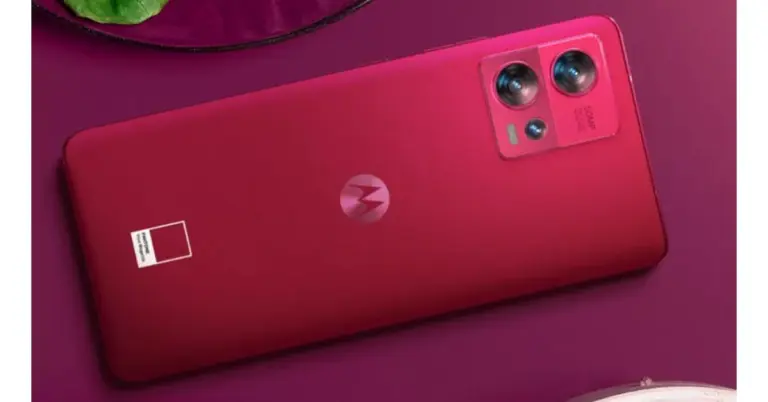
In India, Motorola has released its limited-edition Motorola Edge 30 Fusion Viva Magenta. The smartphone is identical to the current smartphone model, which was introduced in September 2022. The new colour options will be available in two colour options of Cosmic Grey and Solar Gold In India, Motorola has released its limited-edition Motorola Edge 30 Fusion Viva Magenta. The smartphone is identical to the current smartphone model
According to the company the Pantone Color Institute, the world’s leading authority on colour accuracy and consistency, has been announcing the Pantone Color of the Year for more than 20 years to emphasise the symbolic aspect of colour and demonstrate how our colour preferences reflect the current state of our civilization. The Pantone Color of the Year is chosen after careful consideration of many facets of society, including fashion, marketing, social media, and even politics, and analysis of annual worldwide trends and themes.
Expressing her delight on the Motorola edge 30 fusion in Viva Magenta, Bollywood celebrity Mrunal Thakur said, “It feels great to see a smartphone brand coming up with something so high on fashion and trend. The Motorola edge 30 fusion in Viva Magenta looks uber stylish with that leather finish at the back and trendy to carry with almost all that one wears. Getting a hand-on experience with this device has given my styling an edge, making something as important as your smartphone a fashion accessory or I should call it a fashion statement.”
Priced at 39,999, the Motorola Edge 30 Fusion Viva Magenta limited edition will be available from January 12, 2023 on Flipkart and in the company’s authorised retail locations. Additionally, Reliance Digital stores would be the only places to buy the smartphone at retail.
The launch promotion offers a Rs 3,500 Instant Discount / Cashback on IndusInd Bank Credit Card EMI Transactions, bringing the device’s actual price down to just Rs. 36,499 (after the discount).
Additionally, the company would provide Reliance Jio perks worth Rs 7,699
The 6.55-inch full-HD+ curved Endless Edge pOLED display on the Motorola Edge 30 Fusion sports a 144Hz refresh rate. The display also has a maximum brightness of 1,100 nits and supports HDR10+. It utilises the My UX user interface and runs Android 12. The smartphone is powered by a Snapdragon 888+ SoC and 8GB of LPDDR5 RAM. Additionally, a 128GB internal UFS 3.1 storage device is supplied.
The highlight of the triple rear camera system of the Motorola Edge 30 Fusion is the 50-megapixel primary sensor with Quad Pixel Technology, optical image stabilisation (OIS), and Omni-directional PDAF. Additionally featured are a 13-megapixel sensor, an ultra-wide angle lens with a 120-degree field of view, an f/2.2 aperture, and a 13-megapixel sensor. It also includes a 32-megapixel sensor with Quad Pixel Technology on the front for taking selfies.
The gadget’s 4,400mAh battery is compatible with 68W TurboPower rapid charging. The smartphone features a 4,400mAh battery and 68W TurboPower rapid charging is supported. As connectivity choices, the smartphone has Wi-Fi 6E, 5G, 4G LTE, Bluetooth v5.2, NFC, and a USB Type-C connector. A fingerprint sensor is integrated into the display, and it enables face unlock technology.
Playing a song or video on repeat may be a pretty basic function on every music streaming app, but YouTube has always had its reservations when it comes to implementing this feature. This is because YouTube generates its revenue primarily through ads. Every page refresh reloads the ads on the video as well but simply looping the video from the website’s media player does not achieve that. It took YouTube years to first introduce looping videos for its desktop site, and the feature only recently made its way to the mobile app. So, without further ado, here are 6 easy ways to loop YouTube videos on Android and iOS.
Step 2: Tap the ellipses at the top right corner of the screen.
Step 3: Scroll down and select ‘desktop site’.
Step 4: Long press anywhere on the video and select ‘loop video’.
Loop videos on the YouTube app using Playlists
While the YouTube app may not have a loop option, YouTube playlists certainly do. So if you want to loop a song or video, simply put it in a new playlist by itself and play the playlist on loop.
Step 1: Open the video you want to loop and select ‘Save’.
Step 2: Select ‘New Playlist’. Give the playlist a name.
Step 3: Tap the play icon on the playlist and select the loop option from the playlist menu.
Use a third-party app
Before YouTube introduced the loop videos feature for its app, users had no choice but to download a third-party app if they wanted to listen to a song on repeat. If you’re using an older version of the YouTube app and dont want to update it, this may still be a good option for you. The ‘Listen On Repeat’ app was created for the sole purpose of listening to music on YouTube on repeat. Not only can you loop YouTube videos using this app, but it also automatically saves your recent repeats.
Use a Chrome extension
The ‘Looper for YouTube‘ Chrome extension is designed to carry out the simple task of putting a YouTube video on repeat. This extension works on the desktop version of Chrome as well as Chromium-based mobile web browsers. Using this extension, you can set the number of times you want a video to repeat. You can also loop a portion of the video. It places the loop icon right below the YouTube player, making it convenient to loop any video.
Use LoopTube
LoopTube is a third-party website that lets you play any YouTube video on repeat for as long as you want. All you need to do is paste the URL of the YouTube video in the box and hit play. LoopTube also offers a very handy notes section where you can jot down your takeaways from the video. This is super helpful on occasions when you’re watching online lectures and need to take quick notes.
Frequently Asked Questions (FAQs)
How do I play a YouTube video on repeat on Android?
Launch a YouTube video, hit the settings icon, and turn on ‘Loop Video’ to play the video on repeat on the YouTube app.
How do I play a YouTube video on repeat on the website?
To play a YouTube video on repeat, simply right-click on the video player (if you’re on PC) or long-press it (if you’re on mobile) and select ‘Loop’.
How can I get a dedicated loop button on the YouTube player?
The Looper for YouTube Chrome extension adds a loop/repeat icon right below the YouTube player, allowing you to easily put any video on repeat.
These are the top 6 easy ways to loop YouTube videos on Android or iOS. You can also download a YouTube video on your device and loop it using your smartphone’s media player. While you cannot do this for every video you want to play on repeat, if you find yourself coming back to a video multiple times, you may want to save it locally on your device. Here’s an article that shows how to download a YouTube video on your smartphone.
iQoo 11 5G is scheduled to launch in India today. Recall that the iQoo 11 series, which includes the standard model and the iQoo 11 Pro, was introduced in China. At this time, iQOO is skipping the iQOO 11 Pro 5G. Several fresh details about the smartphone, such as its RAM options, price, and colour variations for the India launch, have been made public by the company days before its debut. The hardware and design of the iQOO 11 that will be sold in India will be pretty identical. A Snapdragon 8 Gen 2 SoC is believed to be installed in the smartphone, which is an interesting first for India. It will also include 256GB of inbuilt storage.
iQoo 11 5G India launch and expected pricing details
The iQoo 11 5G India launch will be streamed live starting at noon today. Visit the company’s official YouTube account and social media channels if you wish to watch the event live. An iQoo 11 Legend Edition with a BMW M Motorsport-themed design will be released, as the business previously announced.
The device will go on sale in India starting January 13 after its January 10 unveiling. The company has disclosed that the iQoo 11 5G base model will cost between Rs 55,000 and Rs 60,000 in India at launch. The smartphone will be available in the colours Alpha and Legend and has been advertised for sale on the iQoo and Amazon websites.
iQoo 11 5G expected specifications
According to the manufacturer, the iQoo 11 5G will be the first smartphone to be released using the Snapdragon 8 Gen 2 SoC. The device will be offered in two variations: 8GB RAM with 256GB internal storage and 16GB RAM with 256GB internal storage, the business has disclosed. Along with 8GB of expandable RAM, the iQoo 11 5G will support it. It is now the greatest score ever for a smartphone after it received a score of 1.3 million on Antutu.
The 6.78-inch Samsung E6 AMOLED screen on the iQoo 11 smartphone has a resolution of 1440×3200 pixels. The smartphone’s display boasts a 144Hz refresh rate. It is equipped with an octa-core Qualcomm Snapdragon 8 Gen 2 CPU and up to 16GB of UFS 4.0 RAM. Users of the series can increase RAM by up to 8GB thanks to the Extended RAM 3.0 functionality. The phone has 512GB of UFS 4.0 storage capacity.
The iQoo 11 phone’s camera setup consists of a 50MP Samsung GN5 primary sensor, a 13MP portrait sensor, and an 8MP ultra-wide sensor. A 5,000mAh battery with 120-watt rapid charging capabilities powers the iQoo 11 smartphone.
Garena Free Fire is a battle royale game with regular awards and tournaments to keep players interested. If you play Garena Free Fire, you should be aware of the redeem codes that are released on a daily basis. However, because the battle royale game is banned in India, players from other countries can use the Free Fire Redeem codes daily. If you’re unfamiliar with the Garena Free Fire redeem codes or don’t know how to get them, we’ve put together a step-by-step guide to help you redeem them. Check out Garena Free Fire Redeem Codes for 10 January 2023.
The Free Fire redeem codes are a great way to get free stuff. These are 12-digit codes that contain alphabets and numbers, as well as an expiration date and time. Because the Garena FF redeem codes cannot be used more than once, you should hurry to the redemption page to claim your free reward before someone else does. To get a free reward, all you have to do is go to reward.ff.garena.com/en, which is the official redemption page. Also, keep an eye on this space for daily updates on Garena Free Fire redemption codes and rewards.
Garena Free Fire Redeem Codes Today 10 January 2023
FFCMCPSJ99S3
3IBBMSL7AK8G
J3ZKQ57Z2P2P
GCNVA2PDRGRZ
MCPW3D28VZD6
ZZZ76NT3PDSH
XZJZE25WEFJJ
V427K98RUCHZ
FFCMCPSUYUY7E
EYH2W3XK8UPG
How to Get Free Fire Redeem Codes for Garena on 10 January 2023?
10 January 2023 Amazon Quiz has gone live on its mobile app platform. Customers from different parts of the country are participating in the daily quiz. The daily quiz is conducted by the company brings an opportunity for the customers to win exciting prizes. The quiz begins from 12 AM to 11:59 PM. In today’s quiz participants have a chance to win Rs 1,000 Amazon Pay Balance by answering all the questions correctly.
Every day Amazon brings a fresh set of questions for its customers that contains five easy questions. Amazon quiz brings an opportunity for its customers to win Amazon Pay Balance ranging from Rs 1,000 to Rs 50,000. which consists of five questions related to general knowledge and current affairs.
The participants need to answer all the questions correctly and their names will be selected for a lucky draw. The winner will be announced at the end of the month. One wrong answer could eliminate you from the quiz. If you manage to answer all the questions correctly you can stand a chance to win Rs 1,000 Amazon Pay Balance today. Only app users are eligible to participate in the Quiz. Check Out 10 January 2023 Amazon Quiz Answers.
Question 1: A single piece of coiled DNA is called ____.
Answer: Chromosome
Question 2: Which is the closest planet to the sun?
Answer: Mercury
Question 3: Who won the Golden Boot for being the highest goal scorer at the 2022 FIFA World Cup?
Answer: Kylian Mbappe
Question 4: This is a picture taken at which national park, known for its population of this animal?
Answer: Kaziranga National Park
Question 5: Which of these is a famous song by the singer in picture?
Answer: Rolling in the Deep
How To Play Amazon Quiz
Only app users are eligible to play the Amazon quiz every morning from 12 AM to 11:59 PM. The quiz is not available on the desktop. For those who are unaware of how to play the Amazon quiz below are the steps, you can follow to take the quiz.
Firstly download the Amazon app from Google Play Store or App Store
Now fill in the required information through the Sign Up option.
You need to log in to the Amazon app and scroll down on the home screen to find the Amazon Quiz banner.
Tap on the Amazon Quiz banner and tap on the Start button to start the Quiz.
Now you will get 5 questions and you need to answer them correctly. One wrong answer will eliminate you from the Quiz.
After answering all the questions correctly you are now eligible for a Lucky Draw.
The winner’s name will be announced today at 12 PM.
Are you looking for Android data recovery without root? It is quite common to accidentally delete your important videos or favourite photos from your Android phone. However, retrieving deleted Android data without root access is quite challenging as you don’t have the administrative rights to install an app for data recovery. But by far, it is not impossible. This blog will share the best Android data recovery software with steps to make Android file recovery without root access.
FAQs About Android Data Recovery Without Rooting
1. Is It Possible to Retrieve Deleted Android Data Without Root?
Yes, it’s possible to make an Android file recovery with Android smartphones without root access. There is a plethora of reliable Android data recovery software available in the market that can recover data from Android devices without needing root access to work.
2. Can I Recover Deleted Videos From an Unrooted Android by Myself?
Yes, you can easily retrieve deleted Android data without root access. But only if you pick a credible Android data recovery software to work with. You can not only get your videos and photos back but can also recover WhatsApp Business files and WeChat contacts and messages from your unrooted Huawei or Xiaomi device.
When You Need to Recover Android Data
Rooting access to your phone permits you to modify everything in its operating system. In the past, rooting an Android phone was the key to saving wasted resources like battery life by restricting or allowing permissions for apps to work.
As Android runs on Linux Kernel, it has the ability to give users root access. Moreover, rooting allows users to resolve issues or remove pre-installed apps on their Android phones. But, with evolving technology, Android devices now don’t require rooting access as they used to do before. Therefore, they either provide limited privileges or don’t offer permissions for installing apps or customizing their phone’s appearance on a deeper system level. It’s better in a way because having no root access means your phone’s integrity will remain safe.
But an unrooted device raises a problem when you want to recover data from your Android phone. That’s where you’ll need professional video and photo recovery software that can provide data recovery or restore data in an Android phone that has no root access.
Three Android Data Recovery Solutions Without Root You Must Explore
Here we’ve listed the top data or photo recovery software that doesn’t require root access. Check these three options in terms of their features, ease of use, and high data recovery rate:
Solution 1:Tenorshare Ultdata for Android
Tenorshare UltData for Android is the best data and photo recovery app for Android without root access that you can get your hands on. It can recover contacts, messages, WhatsApp, WeChat, photos, and video files.
This tool has an easy-to-use interface so you can search for different categories of data to recover. In addition, it supports a wide range of Android devices and languages.
Here’s what UltData for Android can do:
It provides Android data recovery without root access and backup.
It recovers WhatsApp and WhatsApp business data such as photos, videos, documents, and history.
Allows you to preview WhatsApp files and download their backup from Google Drive.
It restores WeChat messages, contacts, and videos, from Android phones like Samsung, Nexus, Huawei, and Xiaomi.
Below are the steps for Android file recovery without root access using UltData for Android:
Download and install the UltData for Android tool on your PC or Mac. Launch it and choose “Recover Lost Data.”
2. Connect your unrooted Android phone to your computer. Next, follow the instructions given on the screen to “enable USB debugging” on your Android phone.
3. Once the UltData for Android tool is able to detect your phone, choose the file types you want to recover. Hit “Start,” and the tool will start looking for data to recover on your Android phone.
4. After the tool completes the data recovery process, preview the files you want to save. Hit “Recover” to save the files on your computer.
Follow the steps, you will know Tenorshare UltData for Android is at the top of our list for Android file recovery without root access because it is a handy tool to recover a wide variety of file types.
Solution 2: Android Data Recovery App
Can Android file recovery be made from an unrooted Android device without PC? Yes, it is, the second data recovery Android software in the list is Tenorshare UltData for Android data recovery app.
Don’t have a computer nearby you. Don’t worry. You can still recover your contacts, messages, photos, and videos from your unrooted Android phone. The Tenorshare UltData for Android app is easy to download and free to use. It can efficiently recover deleted photos, videos, contacts, and messages from your unrooted Android device if you want to make android data recovery without PC. Here’s how to recover deleted data using the UltData video and photo recovery app for Android without root access:
Download the Tenorshare UltData for Android app from Google Play and install it on your Android phone.
Open the app and scan for files you want to recover.
Once the app finishes scanning for deleted data on your phone, choose the files you want to recover.
Solution 3: The Last Backup File
Last but not least solution for data recovery or restore data doesn’t need a video and photo recovery app. If you keep a regular backup of your Android phone, you can easily make data recovery Android without root access.
However, one thing to remember here is that you cannot use this solution if you don’t have a backup of your Android device. Follow the steps below to retrieve deleted data without using any video or photo recovery app from your cloud backup:
Navigate to the “Settings” app on your Android phone.
Click on your name mentioned at the top of the screen.
Click on “Samsung Cloud.” Next, press “Restore data.
Choose the files you wish to recover and press “Restore” at the bottom of the screen.
If you are prompted to install the backed-up apps, click “Install.”
The backup will download from the cloud.
The above options can change slightly depending on the specifications of your phone. But the core process of downloading Android data from the backup will remain the same.
To Sum Up
Deleting your valuable photos, videos, or documents from your Android phone is a common occurrence. However, you can always recover data if you keep a regular backup of your Android device. But if you don’t have a backup and your phone is unrooted Android data recovery without root access can be challenging. Luckily, the best Android data recovery software is Tenorshare UltData for Android. Not only allows you to recover your Android data but also to restore WhatsApp, WhatsApp Business, and WeChat contacts, messages, photos, and documents.
The all-new EZVIZ C8C, an “Outdoor Pan/Tilt Camera” with special capabilities, has been unveiled by EZVIZ. The C8C was developed to answer challenges in outside surveillance and protection and delivers amazing features like panoramic monitoring, AI-powered human shape detection, colour night vision, and event-triggered active defence. The CCTV camera also comes with 3-night vision modes.
The EZVIZ C8C’s attractive orb design and small size allow it to fit in any space of the house as well as retail establishments. The camera can easily catch views of large outdoor regions where other conventional outdoor cameras cannot due to its 360-degree field of vision. A single outdoor Pan Tilt camera can monitor a vast area from multiple angles, making it a more cost-effective investment than the multi-camera setups that many families still employ to accomplish the same goal.
Like all other EZVIZ products, the C8C enables straightforward control, live monitoring, and video playback via the free EZVIZ app. All videos are captured in 1080p high quality and are effectively compressed using the H.265 standard. Users have the choice of joining up for EZVIZ’s CloudPlay, which offers a free trial period of up to 30 days, or using the camera’s built-in micro-SD card to record video locally.
The EZVIZ C8C also features a noise-cancelling microphone. Users may easily control the C8C using the EZVIZ App on their smartphone to see and hear what’s going on. The C8C also comes with two external antennas for better Wi-Fi connectivity. Additionally, it features a weatherproof enclosure, which enables it to keep working well even in adverse weather situations like wind, rain, or snow.
It contains two built-in lamps and a full-color night vision mode. The EZVIZ C8C produces bright images even at night by lighting the surroundings.
The Full Color night vision mode is illuminated and brilliantly restored to full colour owing to two built-in spotlights and professional optical lenses.
The EZVIZ C8C comes with 3-night vision modes. When you don’t need additional lighting, you can use the EZVIZ App to turn the camera to black and white night vision and still see up to 30 metres (100 feet) away. The third is a smart night vision mode that, when motion is detected, converts the video display from monochrome to full colour.
In order to provide an active defence system while reducing false or unnecessary notifications, EZVIZ has sought solutions. To do this, EZVIZ put its smart human motion detection AI algorithm inside the C8C camera, allowing it to recognise and distinguish human shapes specifically rather than providing warnings on moving vehicles, animals, insects, leaves, or even house curtains. When intruders access the premises, notifications will be sent to users’ mobile devices, and a strobe light will switch on as a deterrent.
The cost of the EZVIZ C8C Outdoor Pan/Tilt Wi-Fi Camera is Rs. 6999. It will be offered in offline stores all over India and on Amazon. in
For an upcoming software update, WhatsApp is developing a bookmark icon to show which messages have been saved. According to reports, the messaging platform is working on this feature namely Kept Messages. It is revealed that a kept message has a unique visual clue to distinguish it from other chats. All users will still be able to see the kept messages even after their expiration date because they won’t be immediately removed from the chat. The chats will be removed for all if a user chooses to un-keep them at any point.
A kept message is what? It is a disappearing message that has been momentarily saved, so it will not be immediately removed from the chat and is still visible to everyone participating in the conversation. The message can still be “un-kept” at any moment, in which case it will permanently vanish from the chat, but users still have control over the chat.
Users can recognise a kept message in WhatsApp by looking for the bookmark icon, which shows in the message bubble of disappearing messages, according to a screenshot posted by WABetaInfo. Even if the disappearing messages feature is enabled and the message has already expired, this icon acts as a visual cue that the message has been “kept” and will not be removed from the chat. Users may quickly differentiate between messages that are kept and those that completely disappear from the chat thanks to this functionality. It’s important to remember that everyone in the chat has the ability to remove these messages at any time.
In addition, WhatsApp is presently developing a chat transfer capability for an upcoming app version. According to rumours, WhatsApp is working on a new feature called “Chat Transfer” that will enable users to transfer data from one Android device to another, making switching between devices easier without having to update the cloud backup.
WhatsApp is reportedly working on the procedure to transfer the chat history to a new Android device. As the functionality is still being developed, the new function will be added in a future version.
Whenever you delete an image, text, or any other file from your Samsung Galaxy smartphone, it gets moved to the recycle bin before being permanently deleted. Contents of the recycle bin are automatically cleared out after 30 days. However, if you want to empty the recycle bin before that, you will have to visit the individual apps to clear the trash. There is no one centralised recycle bin for Galaxy smartphones. In this article, we bring you the easiest ways to empty the recycle bin on Samsung Galaxy smartphones.
Step 1: Open the Gallery on your Samsung Galaxy smartphone.
Step 2: Tap the hamburger menu at the bottom right corner of the screen.
Step 3: Select ‘Recycle Bin’.
Step 4: Tap the ellipses (three dots) at the top right corner of the screen.
Step 5: Select ‘Empty’.
The Gallery recycle bin will be emptied.
Empty the Messages’ Recycle Bin
Step 1: Go to Messages and tap the ellipses on the right side of the screen.
Step 2: Select ‘Recycle Bin’.
Step 3: Tap on ‘Empty’ at the top right corner of the screen.
The Messages recycle bin will be emptied.
Empty the Contacts’ Recycle Bin
Step 1: Open the Contacts app on your Samsung Galaxy smartphone.
Step 2: Tap the hamburger menu on the left.
Step 3: Select ‘Recycle Bin’.
Step 4: Tap the ellipses (three dots) at the top right corner of the screen.
Step 5: Select ‘Empty’.
The Contacts recycle bin will be emptied.
Empty Recycle Bins of all apps from one place
While you may not be able to clear the recycle bins of all the apps at once, you can find all the recycle bins at once place and clear them one by one. Here’s how.
Step 1: Go to Settings on your Samsung Galaxy Smartphone.
Step 2: Select ‘Battery and Device Care’.
Step 3: Tap on ‘Storage’.
Step 4: Scroll down to the Recycle Bin section. This is where you will be able to view the deleted files from every app on your phone. If an app does not have any content in the recycle bin, it won’t be listed here. Go through every app individually to clear its recycle bin.
These are the best easy ways to empty the recycle bin on Samsung Galaxy smartphones. While it may seem like a very drawn-out process, your phone will be noticeably faster after you’ve relieved all the memory by clearing the trash. If you found this article helpful, let us know in the comments!







 Source: Hadrian/Shutterstock.com
 Source: Hopix Art/Shutterstock.com















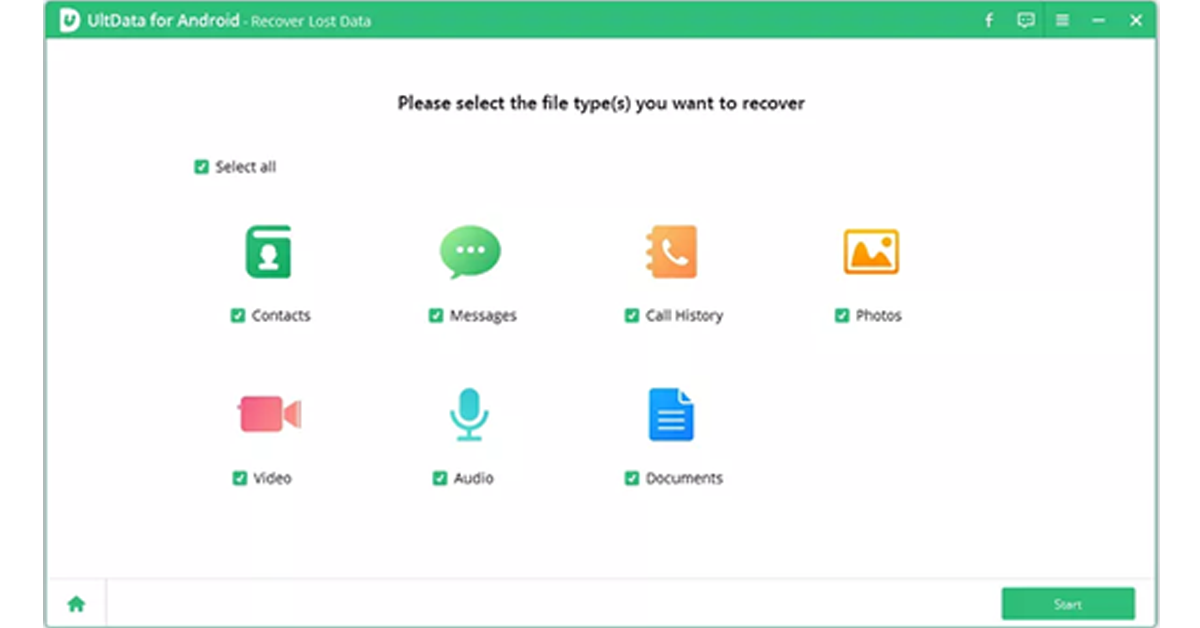 3. Once the UltData for Android tool is able to detect your phone, choose the file types you want to recover. Hit “Start,” and the tool will start looking for data to recover on your Android phone.