How to write English? Best free websites and apps that will help you

Learning English can get difficult with every level you go up. English has become the language of the learned. The language has been widely used in education and work in India and abroad. Skilled in the English language will open up many opportunities in your life. We bring you the list of the best websites and apps that will help you learn the language. Here is the list. 
  • Grammarly 

Grammarly Available both on websites and app Grammarly gives you the option to copy all your text on the website or app directly for correction or you can type it there. The English learning does not stop in this software. You can also use it for your Facebook, Gmail, WordPress, and any online typing software by downloading an extension. Grammarly is like your virtual editor; it helps you review your mistakes before changing them. The writing tool helps you find your grammatical mistakes and gives appropriate suggestions and alternative vocabulary. If you want to use it for work-related writing they give you the option to upgrade (for a nominal fee) for better writing.  Read also: Google to roll out Indian language support Search, Maps and more apps in India
  • Duo lingo 

Duo lingo 
Duolingo
Duo lingo is an app for learning many languages that you choose from. Learning on the app is in the form of games and quizzes, which makes it very interesting. The app is the most popular app for learning a language. The app has around 32 different languages to learn besides English that you can compare and practice your English grammar in it. The English learning experience comes in the form of games. And the app also allows you to compete online with others who are also learning the same language. 
  • The British Council: English grammar

The British Council: English grammarThe British Council has both a website and app that will help you learn English faster and easier. The website has many online courses, skills options to practice, grammar to learn, vocabulary, and even train you for IELTS. The British council app offers you learning English while playing games. The app has the option to learn the English language from beginner to advanced level.   Read more: How to change your language in Google on a PC or a smartphone?
  • Udemy 

Udemy Udemy is an online website platform for mainly educational learning. The website has a variety of learning courses you learn. Choosing the English learning courses gives you the option to choose from basic level to speciality. The website is the perfect educational online resource to learn English from today and practice your vocabulary. The website charges you a minimum fee for the online classes you will be attending and help you reach from basic to the advanced level.
  • FluentU

FluentUThe learning platform has a website as well as an app. FluentU is the most innovative learning platform you can find today. The platform takes to the world of videos from music, movie trailers, news, inspiring talks, etc, and turns them into a personalised language learning lesson. The education platform turns watching videos into a fun activity of learning the English language. For the latest gadget and tech news, and gadget reviews, follow us on TwitterFacebook and Instagram. For newest tech & gadget videos subscribe to our YouTube Channel. You can also stay up to date using the Gadget Bridge Android App.

Apple Podcasts Subscriptions and channels are now live across the globe

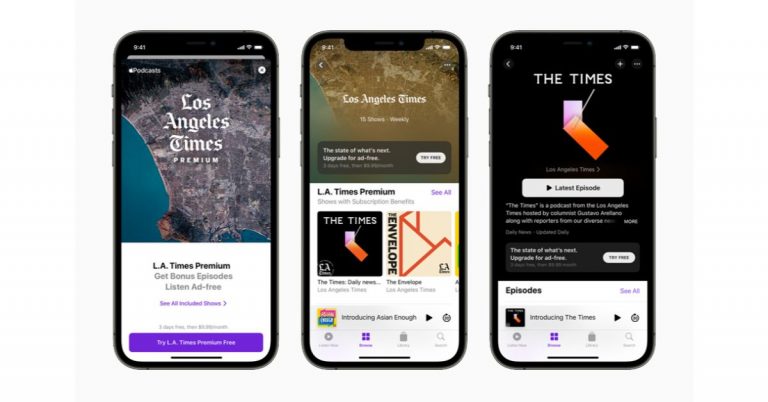
Apple has announced the release of its new podcast subscription and channels for the global market. With this initiative, the users will be able to purchase subscriptions for individual shows and group of shows through its channels. In addition to this, the listeners can also avail themselves of benefits such as ad-free listening and early access.  The Podcast service by Apple was announced a few months back and now it has been officially launched for iOS, iPadOS, and macOS users. Commenting on the launch the company said, “Starting today, listeners in more than 170 countries and regions1 can purchase subscriptions for individual shows and groups of shows through channels, making it easy to support their favourite creators, enjoy new content, and unlock additional benefits such as ad-free listening and early access, directly on Apple Podcasts.” The users can get access to several subscriptions and channels featuring brand new shows including news, comedy, sports, and true crime. With the launch of Apple Podcasts Subscriptions and channels, the company aims to keep its customers stay informed, entertained, connected, and inspired. You can also subscribe to the shows from essential independent voices like “Birthful” with Adriana Lozada, “Pantsuit Politics” with Beth Silvers and Sarah Stewart Holland, “Snap Judgment” with Glynn Washington, and “You Had Me At Black” with Martina Abrams Ilunga; premier studios such as Lemonada Media, Luminary, Realm, and Wondery; and leading media and entertainment brands, including CNN, NPR, The Washington Post, and Sony Music Entertainment.  Additionally, the listeners can also experience never-before-heard stories on Luminary’s “The Midnight Miracle” with Talib Kweli, Yasiin Bey, and Dave Chappelle, and Pushkin Industries’ “Revisionist History” with Malcolm Gladwell; the next chapters of QCODE’s apocalyptic thriller “Blackout,” starring Rami Malek and Aja Naomi King, and Realm’s “Orphan Black,” featuring Tatiana Maslany; the unrivalled chemistry and insightful commentary driving CNN’s “The Handoff,” and Politico’s “Playbook: Deep Dive”; and many more. According to Apple, when the listeners buy a subscription to a show, they automatically follow the show and the page is updated with a Subscriber Edition label so they know they have access to the premium experience. You will also be able to Search, explore recommendations from the Listen Now and Browse tabs, and share channels using Messages, Mail, and other apps. When they are subscribed to the channels the Listen Now tab expands with new rows that provide easy access to all of the content included in the channel and with their subscription. With two or more channel subscriptions you will see the My Channels row in the Listen Now tab, where you will be able to browse and follow all of the shows offered. More perks include early access to new seasons of critically acclaimed and fan-favourite series and ad-free listening. Moreover, some shows may offer bonus episodes throughout the season. Pricing and availability In terms of availability, the Apple Podcasts Subscriptions and channels are available to listeners in more than 170 countries and regions on Apple devices running iOS 14.6, iPadOS 14.6, and macOS 11.4 or later. So the subscribed content can be played on Apple Watch with watchOS 7.5 or later, on Apple TV with tvOS 14.6 or later, and with HomePod, HomePod mini, and CarPlay. As per the company the pricing will be set by the creator whereas the listeners can manage their subscriptions, and switch from monthly to annual billing if offered, from their Apple ID Account Settings, accessible from the top of the Listen Now tab in Apple Podcasts. The service can be shared among six family members through Family Sharing. For the latest gadget and tech news, and gadget reviews, follow us on TwitterFacebook and Instagram. For newest tech & gadget videos subscribe to our YouTube Channel. You can also stay up to date using the Gadget Bridge Android App.

Best measurement apps, to measure anything using your smartphones

Measuring things in daily life is now made possible by using an app from your smartphone. From rooms to small objects using an app on your smartphone makes the task easier to measure. To make it easier and find out which is the best app available for measurement, read the rest of the best measurement apps down below
  • Ruler: Nix game 

Ruler: Nix game The app will make your daily measurement easier by turning your phone into a smart ruler. The unit converter on the app is (mm to inches, centimetre to inches). The app basically allows you to measure the calculation of the length, of any straight line, and the calculation of any area. The app will help you to define the thread pitch, calliper and turn your phones into smart rulers online.  Download it on the Play store
  • Smart Measure 

Smart Measure This measuring app basically measures the distance and height using trigonometry. You can start measuring by pressing the shutter button in the app and aiming the camera at the ground. And if you are measuring the distance from someone to your camera point make sure you point and aim at their shoes (ground).  Download now from the Play store Read more: Google’s new WebXR apps help you see the world around you in Augmented Reality
  • EasyMeasure: Distance measurement app

EasyMeasure: Distance measurement appThe app allows you to measure the distance of the height and width of an object. By downloading this app you will be able to use your smartphone as a virtual ruler. It is very simple to operate, aim the camera at the object you want to measure and it will determine the height and width of the object. The app for the measurement uses trigonometry based on geometric triangles. The measurement units supported are meters, inches, feet, yards.  Download on Play store
  • AR ruler App: Tape measure & Camera to Plan

AR ruler App: Tape measure & Camera to PlanThe app uses augmented reality technology in your smartphones for measurement. The AR ruler app measuring unit is cm, m, mm, inches, feet, and yards. The app also allows you to tape measure the size of 3D objects. The app can measure the size of your room and its height which will display directly on the smartphone’s screen. Download the app on the Play store Read also: Know how Apple iPhone 12 Pro, iPhone 12 Pro Max can help visually impaired users
  • Quick Measure

Quick MeasureThe Quick Measure app measures the distance of an object and the height of the human body using augmented reality technology through your camera phones. The app will help in measuring the distance from the camera to the point you aim at. That is to measure two manually specified points. The Quick Measure app can also measure the height of a human from the foot to the head. The app is designed to measure the length, width, and area on your smartphone screens.  You can download it on Playstore For the latest gadget and tech news, and gadget reviews, follow us on TwitterFacebook and Instagram. For newest tech & gadget videos subscribe to our YouTube Channel. You can also stay up to date using the Gadget Bridge Android App.

OnePlus Nord CE 5G to go on sale for the first time in India: Pricing, Launch offers and Specifications

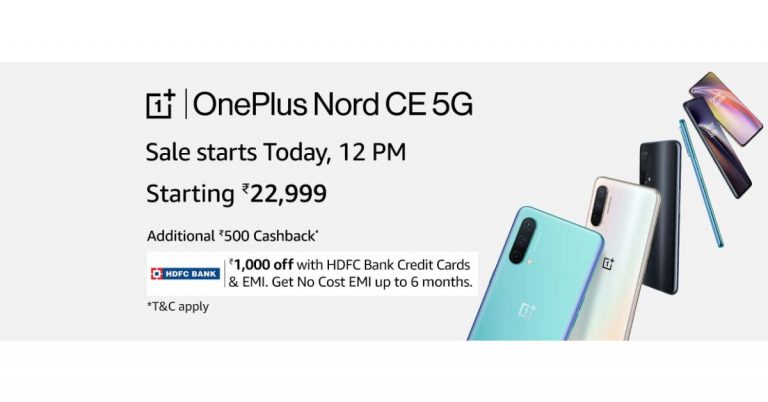
Last week OnePlus took the wraps off its most anticipated OnePlus Nord CE 5G smartphone in India. The device features a 64-megapixel triple rear camera and is powered by Qualcomm Snapdragon 750G processor to offer 5G connectivity. Today, the newly launched phone will go on its first sale in India via the e-commerce website Amazon. Read on to know more about the sale details. OnePlus Nord CE 5G price, launch offers and availability details OnePlus Nord CE 5G is the latest handset by the Chinese premium smartphone company. The device has been variants of 6GB RAM with 128GB storage priced at Rs 22,999. Whereas the price of the 8GB RAM with 128GB storage variant can be owned at Rs 24,999 and the 12GB RAM with 256GB at Rs 27,999. The phone will be offered in three colour options of Blue Void, Silver ray and Charcoal Ink. Today the phone will go on sale in India via e-commerce website Amazon and OnePlus.in. The sale will begin at 12 noon on both websites. The sale offers Rs 1,000 off to the HDFC Bank credit card or on EMI transactions. The company is also offering no-cost EMI options for up to 6 months along with Jio benefits worth Rs 6,000 on the recharge of Rs 999. In addition to this, there will be Rs 500 off to Nord CE customers getting the OnePlus Buds Z or OnePlus Band via the official website. Lastly, there will be up to 5 percent cashback on select American Express cards. Also, the customers purchasing the device within the first day of the sale via the OnePlus Store App can get a chance to win the OnePlus Watch and other products.  OnePlus Nord CE 5G

OnePlus Nord CE 5G specifications

The OnePlus Nord CE 5G comes with a 6.43-inch full-HD+ AMOLED display offering 1,080×2,400 pixels of resolution. It has a 20:9 aspect ratio and 90Hz refresh rate support. It runs on OxygenOS 11 on top of Android 11 and is powered by a Qualcomm Snapdragon 750G processor paired with up to 12GB RAM with 256GB of storage. The internal storage can be expanded up to 1TB using a microSD card. Also Read: OnePlus Nord CE 5G and OnePlus TV U1S launched in India: Here are all the price and availability details
There is also a triple rear camera set up on its back featuring a 64-megapixel primary camera sensor with f/1.79 aperture and EIS. In addition to this, there is an 8-megapixel ultra-wide camera with 119 degrees of FoV and f/2.25 aperture lastly a 2-megapixel monochrome sensor with f/2.4 aperture. Upfront there is a Sony IMX471 16-megapixel camera sensor with f/2.45 aperture and EIS for taking selfies and video calling.
OnePlus Nord CE 5G houses a 4,500mAh battery that is supported by Warp Charge 30T Plus. The charger is claimed to charge from 0% to 70% in 30 minutes. On the connectivity front, there is 5G, 4G LTE, Wi-Fi 802.11ac, Bluetooth v5.1, GPS/ A-GPS/ NaVIC, NFC, USB Type-C, and a 3.5mm audio jack. Whereas the sensor on the phone includes an accelerometer, ambient light sensor, gyroscope, magnetometer, proximity sensor and in-display fingerprint sensor. In addition to this, there is a superlinear speaker which comes with noise cancellation support.  For the latest gadget and tech news, and gadget reviews, follow us on TwitterFacebook and Instagram. For newest tech & gadget videos subscribe to our YouTube Channel. You can also stay up to date using the Gadget Bridge Android App.

5 best microSD cards with the highest capacity for your smartphone

Using a microSD card can help you increase your phone storage. But the options to choose from are always tricky. You will want the highest capacity microSD card for your smartphone that can also give you great durability. Here is the list of some of the best microSD cards available. 
  • Samsung Evo Plus: 128 GB upwards

  Samsung Evo Plus: 128 GB upwardsThe Samsung Evo Plus microSD card can transfer files at a speed of 100 Mbps. The microSD card is rated UHS 3 (Ultra High Speed). Compatible with both phones and tablets, it can shoot up to 1080p videos. You also have the option to choose from 32GB, 64GB, 128GB, or 256 GB.  Price: Rs 1,400 upwards Buy it on Amazon Read also: Comparison: Redmi Note 10 Pro vs Redmi Note 9 Pro vs Poco X3
  • SanDisk Extreme: 64 GB upwards

SanDisk Extreme: 64 GB upwardsThe SanDisk Extreme has read speeds of up to 100 MBps and write speeds of up to 60 MBps. The most attractive feature is that the microSD can easily store 1080p video and can even handle 4K video shooting. The microSD card has been rated A2 for faster loading and app performance. It is also a certified UHD (Ultra High Speed) class.  Price: Rs 1,100 upwards Buy on Amazon  Read more: Xiaomi Mi 10i be priced upwards of Rs 26,999, features a 108MP rear camera and will launch tomorrow in India
  • Lexar Professional: 1667x 64 GB upwards

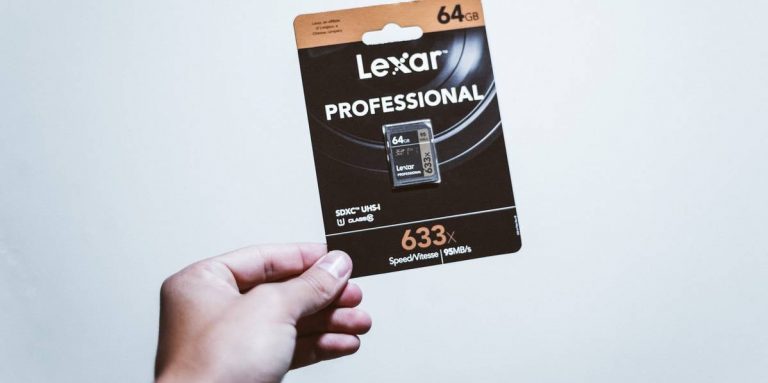
Lexar Professional: 1667x 64 GB upwardsThe Lexar Professional is one of the best MicroSD designed for drone shooting or action camera shooting capable of delivering high-resolution videos. The microSD card has (Ultra High Speed) UHS-Ⅱ technology for an incredible high read speed of 270 Mbps and a write speed of 90 Mbps. The microSD card is also capable of shooting 1080p, 3D, and 4K videos on your smartphone or other devices.  Price: Rs 2,800 Buy at Amazon
  • Strontium Nitro A1: 64 GB upwards

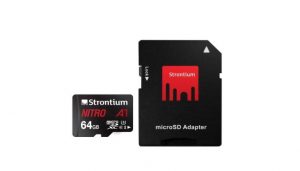
Strontium Nitro A1: 64 GB upwardsThe strontium Nitro has a transfer speed of 100 Mbps. The microSD card has  (Ultra High Speed) UHS-Ⅰ certification. The Strontium is compatible with smartphones, tablets, and drones that allow action camera shooting with high-resolution video. The best feature of the microSD card is its long life. It has been tested for waterproof, temperature proof, magnetic proof, and X-ray proof.  Price: Rs 900 upwards Buy at Amazon. in 
  • Kingston canvas select: 128 GB upwards

Kingston canvas select: 128 GB upwardsThis microSD allows you to shoot full HD video of up to 4K. Kingston canvas select has been certified (Ultra High Speed) UHS-Ⅰ.  This card has been tested for waterproof, high and low temperatures, shock and vibration, and X-ray.  Price: Rs 1,800 Buy on Amazon For the latest gadget and tech news, and gadget reviews, follow us on TwitterFacebook and Instagram. For newest tech & gadget videos subscribe to our YouTube Channel. You can also stay up to date using the Gadget Bridge Android App.
June 16 Flipkart Daily Trivia Quiz Answers: Answer to win exciting prizes

The e-commerce website Flipkart is hosting Daily Trivia Quiz. Every day it brings a bunch of new questions for its users. By answering them correctly you can win exciting prizes. The questionnaire is based on questions related to general knowledge. Also, the users can win free vouchers and super coins, among other offers via the daily quiz. June 16 Flipkart Daily Trivia Quiz Answers has already gone live on its platform. The participant should be at least 18 years old and should have a valid login ID. The Quiz is available on the mobile platform and not the web version. E-commerce conducts the quiz on daily basis and goes live at 12:00 AM IST and runs till 11:59 PM IST.  The winners are announced within 15 days from the date of participation that can be viewed under the Gems/Rewards section in the app.

How to participate in the Flipkart Daily Trivia Quiz

To participate download the Flipkart app on your phone. Then open the Flipkart app then head to Game Zone. Now click on the Daily Trivia Banner or search for Daily Trivia. Enter the game and answer all 5 questions with correct answers.

June 16 Flipkart Daily Trivia Quiz Answers 

Question 1:  In which country did chess first appear in the 6th century CE? Answer: India Question 2: For which ISL team do Jackichand Singh, Mandar Rao Desai and Brandon Fernandes play? Answer: FC Goa Question 3: Who was named The Best FIFA Men’s Player 2019? Answer: Lionel Messi Question 4:Who became the first ever cricketer to play 150 Ranji matches? Answer: Wasim Jaffer Question 5: Who recently recorded most number of Test matches as an umpire? Answer: Aleem Dar
For the latest gadget and tech news, and gadget reviews, follow us on TwitterFacebook and Instagram. For newest tech & gadget videos subscribe to our YouTube Channel. You can also stay up to date using the Gadget Bridge Android App.

June 16 Amazon Quiz: Answer five easy questions to win Rs 50,000 Amazon Pay Balance

Amazon India is back with another lucrative quiz on its platform. Amazon Quiz has already gone live and today you can stand a chance to win Rs 50,000 Amazon Pay Balance. Every day the e-commerce platform brings an opportunity for its customers to win amazing prizes by answering five questions. The questionnaire is based on general knowledge and current affairs. If you managed to answer all the questions correctly you will be eligible to win gifts such as iPhone X, iPhone Xs, Seagate HDD, GoPro Hero 8 Camera, LG Smartphones, Air Purifier, Oppo smartphones, Amazon Pay Balance among others.

The Amazon Quiz is hosted for the app users only which means desktops users cannot participate in the quiz. So before participating just make sure you have downloaded the App. The lucky users might win something by answering all the questions correctly. The Amazon Quiz can be played daily from 12 AM to 11:59 PM. Daily the e-commerce platform gives a chance to millions of people across the country to win exciting prizes. To participate and win Rs 50,000 Amazon Pay Balance check out today’s answers.

June 16 Amazon Quiz Answers

Question 1: In April 2021, which space agency launched the SHIELDS Mission? The answer is- NASA Question 2: Which football club topped the EPL table in 2020-21 to win its fifth Premier League title? The answer is- Manchester City Question 3: Who has recently won the Best Actor Oscar in 2021 for playing an old man with dementia? The answer is- Anthony Hopkins Question 4: Name these nomadic people of the Sahara desert who are known for their unique tea ceremony and blue coloured veil. The answer is- Tuaregs Question 5: Which of the following was invented by Alan Shugart while working for this company? The answer is- Floppy Disk

5 best projectors you can buy under Rs 50,000

Projectors can give you a better experience than a small TV. They can turn your home into a mini-theatre perfectly suited for family get-togethers. If you are looking to set up a home theatre, you need to look no further. The list below has some of the best projectors available under Rs 50,000. Check it out. 
  • Nebula: Anker Capsule Portable Smart Projector 

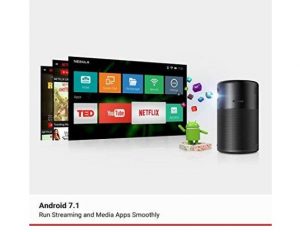
Nebula: Anker Capsule Portable Smart Projector  The best feature of the Nebula Anker Capsule is it has a Pocket-Sized design. The projector comes with Android 7.1. And has a good sound that supports the immersive 360-degree audio with incredible 4-hour video playtime. The projector is specially designed for outdoors and travelers with less to worry about damages. The video quality can be up to 720p HD  and the connectivity is via HDMI or USB for your convenience.  Price: Rs 31, 000 Buy it on Amazon. in Read more: NASA’s Ingenuity Mars Helicopter runs the same processor as Samsung Galaxy S5
  • Nebula Mars Ⅱ Portable projectors: 720p DLP pictures, Android 7.1

Nebula Mars Ⅱ Portable projectors: 720p DLP pictures, Android 7.1The Nebula Mars Ⅱ is another portable projector but has a better system than the Nebula: Anker capsule. The company claims that the DLP technology in Mars Ⅱ will provide more detailed and vibrant videos. You can also connect the projector by downloading the Nebula connect app for better connectivity with a compatible device. The Nebula projector can be connected via HDMI and USB also. Designed for the outdoors (especially) it gives you 4-hours of non-stop entertainment.  Price: Rs 49,079 Buy on Amazon. in Read also: HP Chromebook x360 14c (2021) refreshed with 11th-generation Intel Core processors
  • ViewSonic M1+ Portable Smart Wi-Fi Projector

https://www.amazon.in/ViewSonic-M1-Bluetooth-Portable-Projector/dp/B07PJ3CPX9/ref=sr_1_1?dchild=1&keywords=viewsonic+m1%2B&qid=1623776309&sr=8-1The ViewSonic M1+ comes with a ton of advanced specifications. The projector has Bluetooth connectivity with HDMI and USB Type-C. The ultra-portable projector has a picture resolution of (854x480p), for decent projection. The lens can project up to 100-inches from a distance of 8 feet 9 inches. A built-in type battery provides you about 6 long hours of power and entertainment. The projector also has Dual Harman Kardon Bluetooth speakers inside that deliver room-filling sound.  The integrated Wi-Fi options let you connect with YouTube directly. Price: Rs 45,000 Buy on Amazon. in 
  • BenQ XGA: Business & Education Projector MX560P

BenQ XGA: Business & Education Projector MX560PThe BenQ XGA 4,000 lumens high brightness comes with a contrast ratio of  22000:1. The projector has a Dual HDMI for expanded connectivity. BenQ XGA has an incredibly extra-long lamp life of up to 15,000 hours. The projector also comes with a USB 2.0 type connection for your convenience. The main attractive feature of the projector is the SmartEco Mode that can save lamp power up to 70% cutting down on the electricity bills. Price: Rs 39,000 Buy it on Amazon. in  
  • ViewSonic PA 503S-3600: Lumens Projector

ViewSonic PA 503S-3600: Lumens ProjectorThe projector is designed for education and small businesses also. The flexible connectivity makes it ideal for all. The projector supports most media players from PCs to mobile and also has an HDMI connection option. The projection of the screen maxes at 120 inches from 5-feet-8-inches. And has a screen resolution of Full HD (1,920 x 1,080). The best feature is the long lamp life, which can last up to 15,000 hours with the SmartEco save mode.  Price: Rs 30,000 Buy on Amazon  For the latest gadget and tech news, and gadget reviews, follow us on TwitterFacebook and Instagram. For newest tech & gadget videos subscribe to our YouTube Channel. You can also stay up to date using the Gadget Bridge Android App.

How to recover deleted images on your Android smartphone

Deleting images accidentally or losing photos on your phones is very common. Important photos often get lost when you are switching to a new phone or the phone is stolen. But it has become quite easy to restore important images in quick ways. Read the list below and restore your images. 

Restore from the Cloud

You can easily restore deleted images on your Android phones from the cloud. Android is connected to a kind of cloud storage, whether Gmail or others. And it has uploaded all files to the cloud storage such as Google Photos, Dropbox, or Microsoft one drive. Restoring all your deleted photos from Cloud storage is the easiest method you can find. So let’s get started. (but this can only be done if you opted for it)
  • From Google Photos

From Google PhotosIf your images are stored in the Google photos it has been synced in your Gmail account and you can easily restore from the Google account using the Gmail login. Follow the steps to know how to restore Google Photos.
  1. Log in to Google Photos using the Gmail account 
  2. Once your sign-in on the Google Photos page, you will see all your images 
  3. Select all the images you wish to restore 
  4. Press Save to device
Read more: 5 free web services you can use to transfer large files
  • From Dropbox

From DropboxSome Android phone users prefer to upload photos on Dropbox. For those who use Dropbox. Follow the steps 
  1. Open Dropbox: app or website
  2. Find Deleted images
  3. Click and select all the photos you wish to restore
  4. Hit the three-dot icon 
  5. Press on Save to device
  • From Microsoft OneDrive

From Microsoft OneDriveAnother option to upload your photos on the cloud is through Microsoft OneDrive. Images uploaded to the OneDrive can be recovered easily. Here are the easy steps. 
  1. Open OneDrive: App or Website 
  2. Visit Recycle Bin
  3. Select all the images you want to restore 
  4. Press more with the three-dot icon 
  5. Select save 
Read also: 5 best ways to recover your data on a Windows PC

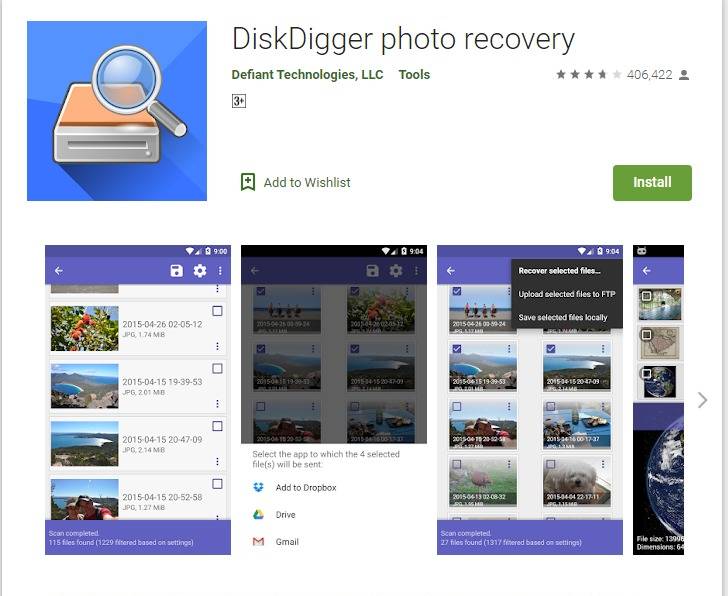
Using an Android app from Playstore: DiskDigger photo recovery  

Using an Android app from Playstore: DiskDigger photo recovery You can download the DiskDigger app from Playstore for free, and it comes in handy to restore all your deleted photos. DiskDigger allows you to undelete your photos and restore them. And later you can upload the recovered photos to your Cloud storage for safer storage. The app is compatible with Android phones 4.1 and above and the size of the app is only 4.3MB. Follow the steps below to undelete and recover your photos using the DiskDigger app. 
  • Download the app from Playstore 
  • Install it on the Phone
  • Open the app
  • Choose the option: Basic scan or Full scan 
  • The app will find the deleted photos in a min 
  • Now select all the photos you want to restore 
  • Press the Recovery button
  • It will be saved on your phone. 
Hope the methods to restore your deleted photos are helpful. Besides the above-mentioned options. For the latest gadget and tech news, and gadget reviews, follow us on TwitterFacebook and Instagram. For newest tech & gadget videos subscribe to our YouTube Channel. You can also stay up to date with the Gadget Bridge Android App.