Samsung is always in a rush to stay ahead of its competitors. Samsung Galaxy F-series was introduced in October 2020 and has become a huge success since then. The latest addition to its mid-range smartphone series is Samsung Galaxy F34 5G which is going to launch soon. Ahead of the official announcement the company has also revealed the specs and design of the upcoming device. It is going to feature a 120Hz Super AMOLED display, a 50-megapixel triple camera setup and a massive 6,000mAh battery. Here is what can be expected.Read Also: Samsung Galaxy Z Fold 5, Galaxy Z Flip 5 price in India revealed: Availability details inside
In This Article
Key Features of Samsung Galaxy F34 5G (expected)
Samsung has already released a teaser highlighting the specifications of the phone. The new Galaxy F34 5G is expected to be a rebranded version of Galaxy A34 5G which debuted in the country earlier this year. Here are the key features of the Samsung Galaxy F34 5G:
AMOLED Display: The phone is confirmed to have a 6.5-inch Super AMOLED display with a 120Hz refresh rate. The screen is said to offer a screen brightness of 1,000 nits. For protection, there is a Gorilla Glass 5 layer too. According to the teaser, the display will feature a waterdrop design cutout to play house to the selfie camera.
Camera: The upcoming 5G smartphone will have a triple rear camera unit that will include a 50-megapixel primary sensor with OIS. Details about the remaining two camera sensors are yet to be revealed. According to the company, Samsung Galaxy F34 5G smartphone will be a game changer for photography and videography. It will have features like Single Take and Fun Mode. The camera will be supported by Optical Image Stabilization (OIS) which helps to shoot high-resolution and shake-free photos. The camera will also have 16 inbuilt lenses, especially for Gen-Z. Also, there is no information about the selfie camera.
Battery: Samsung has further revealed that the Galaxy F34 5G phone will pack a 6000mAh battery that is claimed to offer up to two days of battery life on a single charge. This lets you binge-watch for longer hours.
Design: In addition to this the handset will be available in black and green colour options. As said earlier the F34 will be a rebranded version of the Galaxy A34 so there will be no changes in terms of design.
RAM/Storage: The upcoming 5G smartphones are likely to be made available in 8GB RAM and 128GB storage options.
Pricing: The details about the pricing are unknown but Gadget Bridge will keep you updated.
Samsung Galaxy F34 5G launch date: The company is yet to disclose the exact launch date as the dedicated microsite says ‘Launching Soon’.
Samsung Galaxy Watch 6 and Galaxy Watch 6 Classic launched globally yesterday at Galaxy Unpacked alongside a new lineup of the company’s premium devices. The list includes Galaxy Z Fold 5, Z Flip 5, and the Galaxy Tab S9 Series. The company has today officially revealed the price of the Samsung Galaxy Watch 6 and Galaxy Watch 6 Classic in India. Check the pricing and sale details below.
In This Article
Samsung Galaxy Watch 6 Galaxy Watch 6 Classic price in India and sale details
The Samsung Galaxy Watch 6 price in India begins at Rs 19,999 for the 40mm variant (WiFi/Bluetooth) and Rs 33,999 for the 44mm model (LTE connectivity). The device’s 44mm variant is priced at Rs 32,999 (WiFi/Bluetooth) and Rs 36,999 for the LTE model.
On the other hand, the Galaxy Watch 6 Classic’s 43mm model price begins at Rs 36,999 (WiFi/Bluetooth) and Rs 40,999 for (LTE). The Classic also comes in a 47mm dial size with prices starting at Rs 39,999 (WiFi/Bluetooth) and Rs 43,999 (LTE).
Also Read:Announced: Samsung Galaxy Tab S9, Galaxy Tab S9+, and Galaxy Tab S9 Ultra price in India and Availability details
The Samsung Galaxy Watch 6 comes in two variants 44mm (Graphite and Silver colour options) and 40mm (Graphite and Gold shades). On the other hand Galaxy Watch 6 Classic will be available in 47mm (Black, Silver) and 43mm (Black, Silver).
You will be able to pre-book the smartwatches from today at noon via Samsung Online Store as well as other leading online and offline retail stores.
Consumers can also avail of exciting pre-book benefits and can own the all-new Galaxy Watch6 series starting at Rs 19999. Detailed prices of all models are given below.
The Samsung Galaxy Watch 6 series comes in two display sizes 1.3-inch and 1.5-inch Sapphire Crystal Super AMOLED coloured Always On Display. The device boasts 2,000 nits of screen brightness. The Classic is back with a 15% thinner rotating bezel. Both the smartwatches are powered by Samsung’s Exynos W930 SoC paired with 2GB of RAM and 16GB of storage. They run on Wear OS-based One UI 5 Watch OS and are compatible with devices running Android 10 or higher.
Also Read:Samsung Galaxy Z Fold 5, Galaxy Z Flip 5 price in India revealed: Availability details inside
In terms of connectivity, there is LTE, Bluetooth 5.3, Wi-Fi 2.4+5GHz, NFC, GPS/Glonass/Beidou/Galileo. Both the smartwatches are 5ATM(water resistant to up to 50 meters in depth for 10 minutes) + IP68 rated and are MIL-STD-810H certified.
For more details on the watches click here.
For the latest gadget and tech news, and gadget reviews, follow us on Twitter, Facebook and Instagram. For newest tech & gadget videos subscribe to our YouTube Channel. You can also stay up to date using the Gadget Bridge Android App. You can find the latest car and bike news here.
Samsung has officially announced the India pricing for Galaxy Tab S9 Series today. The new premium tablet series was announced globally yesterday at Samsung Unpacked event. The new lineup includes three models Samsung Galaxy Tab S9, Galaxy Tab S9+, and Galaxy Tab S9 Ultra. All the devices are powered by the Qualcomm Snapdragon 8 Gen 2 SoC. In addition to this, the Samsung Tablets have an upgraded S-Pen and are IP68 rated. Keep on reading to know the price and availability details of Galaxy Tab S9 Series in India.
In This Article
Samsung Galaxy Tab S9, Galaxy Tab S9+, and Galaxy Tab S9 Ultra price in India and availability
Samsung Galaxy Tab S9 is available in 8GB RAM with 128GB storage and 12GB RAM with 256GB options for WiFi and 5G variants. The price of Wifi and the 5G variant of the 256GB storage is set at Rs 83,999 and Rs 96,999 respectively. Whereas the price of Wifi and 5G options of the 128GB model is set at Rs 72,999 and Rs 85,999, respectively.
Also Read:Samsung Galaxy Watch 6 and Galaxy Watch 6 Classic debut globally
The Galaxy Tab S9+ will come in a single 12GB RAM with 256GB storage option priced at Rs 90,999 and Rs 104,999 for WiFi and 5G options respectively. Lasty the Tab S9 Ultra will be offered in two different configurations of 12GB RAM with 256GB and 512GB storages. The price of 256GB is set at Rs 108,999 and Rs 122,999 for both Wifi and 5G respectively. The top-end model 512GB is made available with a price tag of Rs 119,999 and Rs 133,999 for the Wifi and 5G options respectively.
Samsung Galaxy Tab S9 Ultra
Tab S9 series will be available in two colour options of Graphite and Beige and is available for pre-order from noon on July 27 via Samsung Online Store and all other leading online and offline retail stores. Detailed prices of all models are given below.
Models
Color
Storage
WiFi / 5G
MOP (₹)
Prebook Offer (₹)
Net Effective Price (₹)
Bank Cashback
Upgrade Bonus
Tab S9 Ultra
GraphiteBeige
512 GB
WiFi
119,999
12,000
8,000
99,999
5G
133,999
113,999
256 GB
WiFi
108,999
88,999
5G
122,999
102,999
Tab S9+
GraphiteBeige
256 GB
WiFi
90,999
11,000
7,000
72,999
5G
104,999
86,999
Tab S9
GraphiteBeige
256 GB
WiFi
83,999
9,000
5,000
69,999
5G
96,999
82,999
128 GB
WiFi
72,999
58,999
5G
85,999
71,999
Samsung Galaxy Tab S9 Series specifications
Samsung Galaxy Tab S9 features a 11-inch Dynamic AMOLED 2X display with a 2,5601,600 pixel resolution. It runs on Android 13 with One UI Tab 5 on top and is powered by Qualcomm Snapdragon 8 Gen 2 SoC. There is a side-mounted fingerprint sensor for unlocking the tablet. It comes with a 13MP sensor on the rear and 12-megapixel ultra-wide camera for selfies. Tab S9 includes a 8,400mAh battery and AKG tuned quad stereo speakers with Dolby Atmos support.
Also Read:Samsung Galaxy Z Fold 5 with S Pen Fold Edition launched
On the other hand, Samsung Galaxy Tab S9+ has a 12.4-inch Dynamic AMOLED 2X display with a 2,800X 1,752-pixel resolution. The tablet includes a Qualcomm Snapdragon 8 Gen 2 SoC. It has a dual rear camera set-up that includes 13MP AF + 8MP Ultra-Wide sensors. For selfies, S9+ includes two 12MP + 12MP Ultra-Wide sensors. The phone also sports a side mounted fingerprint sensor and a bigger 10,090mAh battery.
Lastly, the top-of-the-line Samsung Galaxy Tab S9 Ultra is highlighted with a massive 14.6-inch Dynamic AMOLED 2X display. It comes with the same processor and 11,200mAh battery. The tablet includes a 13-megapixel primary sensor and an 8-megapixel ultra-wide sensor on its rear and two 12-megapixel wide- and ultra-wide-angle cameras for selfies.
Every high-end Galaxy Tab S9 comes with the Galaxy S Pen.
For detailed specs click here.
For the latest gadget and tech news, and gadget reviews, follow us on Twitter, Facebook and Instagram. For newest tech & gadget videos subscribe to our YouTube Channel. You can also stay up to date using the Gadget Bridge Android App. You can find the latest car and bike news here.
Samsung Galaxy Z Fold 5 and Galaxy Z Flip 5 were introduced globally last evening. The company has now revealed the availability and pricing details for the Indian market. As per the company the phones are now up for pre-booking. In addition to this, the firm has also revealed launched offers for the fifth-generation Galaxy foldable.
In This Article
Samsung Galaxy Z Fold 5, Galaxy Z Flip 5 Price in India and sale details
Today, Samsung revealed amazing offers for consumers who pre-book the newly launched foldable phones- Samsung Galaxy Z Fold 5 and Galaxy Z Flip 5.
Also Read:Samsung Galaxy Z Fold 5 with S Pen Fold Edition launched
Samsung Galaxy Z Fold 5 has been launched in three different configurations of 12GB RAM with 256GB internal storage priced at Rs 154,999, 12GB RAM with 512GB internal storage will be available at Rs 164,99 and 12GB RAM with 1TB internal storage at Rs 184,999 in India. The former two models will come in Icy Blue, Cream, and Phantom Black whereas the 1TB variant will be offered in a sole Icy Blue colour option.
On the other hand, Samsung Galaxy Z Flip 5 will come in two different configurations of 8GB RAM with 256GB storage and 8GB RAM with 512GB storage. The price of both variants in India is set at Rs 99,999 and Rs 109,999, respectively. Both the models will come in shades of Mint, Cream, Graphite and Lavender.
According to the company those who purchase Galaxy Z Flip5 through Samsung.com will get the option of choosing from three exclusive colours – Gray, Green and Blue. Those buying Galaxy Z Fold5 from Samsung.com will get the option of one exclusive colour – Platinum. Customers pre-booking Galaxy Z Flip 5 will get benefits worth Rs 20000 and those pre-booking Galaxy Z Fold5 will get benefits worth Rs 23000 between July 27 & August 17.
Benefits worth INR 23KINR 5K Upgrade + INR 8K Bank Cashback + Upgrade to Higher Storage Variant (Buy 256GB and Get 512GB – INR 10K Benefit)
Up to 9 months
Buyers who pre-book Galaxy Z Flip 5 and Z Fold5 during the “Samsung Live” event (starting 12 pm on July 27) will get an additional exclusive gift of a Silicone Case with a Ring worth Rs 4199 on the purchase of Z Flip 5 and Standing Case with Strap worth Rs 6299 on purchase of Galaxy Z Fold 5.
Samsung Galaxy Z Fold 5 specifications
Samsung Galaxy Z Fold 5 features a 7.6-inch QXGA+ Dynamic AMOLED 2X Infinity Flex Display with a resolution of 2,176 x 1,812 pixels. The phone sports a 6.2-inch HD+ Dynamic AMOLED 2X outer display with a resolution of 2316 x 904 pixels. It has an armoured aluminium frame and a flex hinge for structural toughness. Users can relax if they are caught in the rain thanks to the phone’s IPX8 water resistance.
The Samsung Galaxy Z Fold 5 runs One UI 5.1.1, which is based on Android 13. The Qualcomm Snapdragon 8+ Gen 1 Mobile Platform for Galaxy, powers the handset. A 50MP sensor with a wide-angle lens, a 12MP sensor with an ultra-wide-angle lens, and a 10MP sensor with a telephoto lens are all part of the triple rear camera system on the Galaxy Z Fold 5. A 10MP selfie and video call camera is at the top of the outer display, and a 4MP under-display camera is located beneath the inner screen. On the other hand, the Galaxy Z Flip 5 has a 10MP selfie camera and two 12MP back camera sensors.
The smartphone has a standard dual battery with a capacity of 4,400mAh.
Also Read:Samsung Galaxy Z Flip 5 with a 3.78 times bigger Flex Window unveiled
Samsung Galaxy Z Flip 5 specifications
Samsung Galaxy Z Flip 5 has a 6.7-inch FHD+ Dynamic AMOLED 2X Infinity Flex main display and a 3.4-inch Super AMOLED cover screen. The new Flex Window offers a variety of both old and new capabilities and is now 3.78 times bigger than the previous iteration. The device runs on OneUI 5.1.1 on top of Android 13.
The new foldable phone sports a dual rear camera unit with a 12-megapixel ultra-wide main sensor. A 12-megapixel wide-angle camera is also included. The Galaxy Z Flip 5 sports a 10-megapixel selfie camera on the front of the folding display for selfies.
In addition to this, the phone boasts a 3,700mAh battery that supports 25W quick charging.
For the latest gadget and tech news, and gadget reviews, follow us on Twitter, Facebook and Instagram. For newest tech & gadget videos subscribe to our YouTube Channel. You can also stay up to date using the Gadget Bridge Android App. You can find the latest car and bike news here.
After being banned for nearly ten months, Battleground Mobile India, aka BGMI, is officially available again in India. BGMI fans are looking for ways to improve their game experience and one such method is the usage of redemption codes, which offers a variety of rewards and advantages using BGMI redeem codes players can gain access to new skins, outfits, loot crates, weapons and free UC and diamonds.As mentioned earlier, these codes give users the chance to earn unique rewards and gain extra benefits while playing the game. This includes GUN SKINS (M4, AKM, M416, AWM, M24, UZI, KAR98K), free character voucher, Andy, Carlo, Sara, Victor character for free, free Anna Character on completing the mission and UC or Royal Pass Discount. So here we have gathered a list of the most recent BGMI redeem codes as of 27 July 2023. Also, redeem these codes asap as these are only valid for a limited duration.
In This Article
BGMI Redeem Codes for 27 July 2023
updating…
How to get free Redeem Codes for BGMI on 27 July 2023?
Launch BGMI on your device.
Then select the Redeem Code option from the main menu.
Next, click on the Redeem code tab.
A new window will open, requesting the redemption code.
Now enter your BGMI code.
Confirm and click on the “Redeem” tab.
If your redeem code is valid then you will get a message confirming that your rewards were successfully redeemed.
Garena Free Fire is a battle royale game with regular awards and tournaments to keep players interested. If you play Garena Free Fire, you should be aware of the redeem codes that are released on a daily basis. However, because the battle royale game is banned in India, players from other countries can use the Free Fire Redeem codes daily. If you’re unfamiliar with the Garena Free Fire redeem codes or don’t know how to get them, we’ve put together a step-by-step guide to help you redeem them. Check out Garena Free Fire Redeem Codes for 27 July 2023.The Free Fire redeem codes are a great way to get free stuff. These are 12-digit codes that contain alphabets and numbers, as well as an expiration date and time. Because the Garena FF redeem codes cannot be used more than once, you should hurry to the redemption page to claim your free reward before someone else does. To get a free reward, all you have to do is go to reward.ff.garena.com/en, which is the official redemption page. Also, keep an eye on this space for daily updates on Garena Free Fire redemption codes and rewards.
You may not know this, but Instagram records the date on which you created your account. You can view this date on your profile. Not only that, but you can also see when a particular user created their Instagram account. This will help you filter all the bots and burner profiles from your follower list. In this article, we show you how to view the date of creation of your or someone else’s Instagram account. Read Also:Samsung Galaxy Z Flip 5 with a 3.78 times bigger Flex Window unveiled
In This Article
View the date of creation of your Instagram account
Step 1: Launch the Instagram app on your phone and tap the profile icon at the bottom right corner of the screen.Step 2: Hit the hamburger menu at the top right corner of the screen.Step 3: Tap on Your Activity.Step 4: Scroll down and select Account History.Step 5: Scroll all the way down and check the date under the Account Created section.
Find out when someone created their Instagram account
Step 1: Launch the Instagram app on your phone and head over to someone’s profile.Step 2: Tap the ellipses at the top right corner of the screen.Step 3: Select About this account.Step 4: Check the Date Joined section to see when the account was created.
Frequently Asked Questions (FAQs)
How do I check when my Instagram account was created?
Go to Profile>Menu>Your Activity>Account History and check the date under Account Created section. This is when you created your Instagram account.
How do I check the date someone created their Instagram account?
To check when someone created their Instagram account, head over to their profile and hit the ellipses at the top right corner of the screen. Select About this account and view the date under the Date Joined section.
How do I view all the posts that I have liked on Instagram?
As far as midrange smartphones go, OnePlus’ Nord series is considered one of the best around. The recently launched OnePlus Nord 3 is a massive upgrade over last year’s Nord 2T. The price tag of the smartphone is closer to the flagship-alternative OnePlus 11R. But what the Nord 3 brings to the table is its own unique flair and premium specs. We’ve been using the smartphone for the last week. Here is our in-depth OnePlus Nord 3 review.Read Also:Samsung Galaxy Z Fold 5 with S Pen Fold Edition launched
In This Article
OnePlus Nord 3 review: Design and Display
Inside the box, you get the smartphone, an 80W SuperVOOC power adapter, a USB Type-A to Type-C cable, a rubber cover for the phone, a safety guide, a quick start guide, the Red Cable Club membership card, and some OnePlus stickers. The colour of the rubber cover matches the colour of the back panel.We like the clean design that OnePlus has gone for on the Nord 3. The dual camera cutouts are similar to the ones we’ve seen on other Nord smartphones this year. But what really elevates the feel of the smartphone to the ‘premium’ level is the glass back panel. This back panel curves slightly along the edges as it merges with the flat plastic frame. It offers a nice grip along with a remarkable in-hand feel.We used the Tempest Gray colour variant which has a frosted glass back with a matte texture. The Misty Green variant, on the other hand, gets a glossy back panel which is a bit of a fingerprint magnet. While both variants receive Gorilla Glass 5 protection for the back panel, it is interesting that OnePlus has chosen Dragontail glass for the screen.Positioned on the right edge of the frame is the tri-state alert slider along with the side key. The volume rocker key finds its way to the left edge. Up top, you get the secondary speaker, an IR blaster, and a secondary bottom. The SIM tray, primary microphone, USB Type-C port, and speaker grille at housed at the bottom edge of the frame.The 6.74-inch Fluid AMOLED display has a maximum refresh rate of 120Hz and offers HDR10+ support. It can reach a peak brightness of 1,450 nits, being perfectly legible under direct sunlight. The 120Hz refresh rate is limited to the native apps on the phone. On apps like YouTube and Netflix, the refresh rate dials down to 60Hz. Even while gaming, the smartphone could not hit the maximum refresh rate. There are very slim bezels around the display. We like that the bezels are uniform and do not widen around the chin. The selfie camera is housed in a punch-hole cutout.Refresh rate aside, the AMOLED display on the Nord 3 offers a brilliant touch response. We did not experience any hiccups while flicking through the apps, scrolling web pages, and browsing the phone. In this regard, the Nord 3 is very close to the flagship smartphones on the market. With HDR10+ support and a screen resolution of 1240 x 2772p, watching HD content across different OTT apps was a very enjoyable experience. The images produced on-screen packed a lot of detail. The contrast levels were optimum and the colours had the ideal depth. The dual speakers on this smartphone can go loud without breaking up the audio profile. We didn’t feel the need to reach out for the headphone every time we wanted to watch something on the Nord 3.
OnePlus Nord 3 review: Performance and Cameras
Under the hood, OnePlus Nord 3 packs the MediaTek Dimensity 9000 SoC, which is one of the better MediaTek processors around. The smartphone comes in two RAM and storage variants – 8GB + 128GB and 16GB + 256GB. The former is priced at Rs 34,000 while the higher storage variant fetches Rs 38,000. In comparison, the equivalent OnePlus 11R variants are priced at Rs 40,000 and Rs 45,000.The MediaTek Dimensity 9000 SoC delivers a rock-solid performance on this smartphone. We through a lot of tasks at Nord 3 and it went through them like a hot knife through butter. Everyday tasks like IMing, media playback, sending emails, web browsing, and more were handled with absolute ease. We opened a dozen apps at once and the smartphone did a great job of optimising their background usage. More power-hungry tasks like video editing and navigation did not cause the Nord 3 to break a sweat.However, when it comes to gaming, the OnePlus Nord 3 could do a little better. We noticed frequent lags and frame drops while playing Call of Duty Mobile at the highest graphics. These inconveniences were ironed out when we settled for lower graphics, but it shows that even one of MediaTek’s best processors has some catching up to do. The smartphone started heating up after about 40 minutes of gameplay. If you’re looking for superior gaming performance, OnePlus 11R with its Snapdragon 8+ Gen 1 SoC would be a better choice.On Geekbench 6, OnePlus Nord 3 achieved a single-core score of 1004 points and a multi-core score of 3266 points. In comparison, the OnePlus 11R scored 888 and 3373 points. Make of that what you will.OS duties on the Nord 3 are handled by OxygenOS 13.1. It may be similar to Oppo’s ColorOS, but we like how OnePlus implements Android’s Material You theme in its OS. You can change the icon shape and match their colour with the home screen wallpaper. There are some apps that still don’t adhere to this format, but that’s largely the fault of app developers rather than OnePlus.We also like the security features like Private Safe and System Cloner. There’s a very handy IR blaster app on the phone that can be used to control the appliances around your house. It may not be much but we like these little touches across the OS interface. Do we wish that OxygenOS had a personality of its own? Absolutely. But it doesn’t take anything away from the fact that it is still a very good OS skin. Minimal bloatware on the device is the cherry on the cake.The 5,000mAh battery on OnePlus Nord 3 puts up good numbers. The smartphone easily lasts an entire day even on heavy usage. We used the smartphone as our daily driver and were left with around 20% charge at the end of each day. Our daily tasks included watching videos, gaming, sending emails, web browsing, and IMing. The 80W SuperVOOC charger provided in the box can boost the smartphone to a 100% charge within 40 minutes.One of the biggest upgrades on the Nord 3 is the flagship-grade 50MP Sony IMX890 primary camera. Yes, this is the same sensor as the one on the OnePlus 11. The Nord 3 also gets an 8MP ultrawide lens and a 2MP macro camera. Up front, the smartphone houses a 16MP selfie camera in a punch-hole cutout.Images taken with the 50MP primary sensor packed a lot of detail and displayed a versatile dynamic range. OnePlus Nord 3’s processor does a good job of tuning the images and getting the colours just right. Even in overcast conditions, the colours on the images were popping. You can easily put these results up against the images from OnePlus 11 and 11R. The drop-off isn’t staggering. Ultrawide lensThere is a clear difference in the colour saturation when taking images from the 8MP ultrawide lens. This isn’t to say that it is a bad camera – it just doesn’t match up to the primary sensor, which is totally fine. You won’t ignore the ultrawide lens on this phone. The images manage to capture a good amount of detail and display decent sharpness. It is only when you zoom in that you can see the gap in quality.Primary lens vs Ultrawide lensIn low light conditions, OnePlus Nord 3 does a great job of utilising the HDR, generating good results. The images are bright and mostly noise free. The camera app automatically switches to Night Mode in limited lighting. We were pleased by the colour tuning as well. However, the ultrawide sensor fails to impress in this scenario.Night ModeThe Portrait Mode does a good job of separating the subject from the background and applying the blur effect. In some cases, it took us a couple of shots to get the edge separation just right. It takes a few trial shots to get a proper grip on how the Portrait Mode works. We were happy with the rich colours that the portrait images displayed. The 16MP selfie camera was a bit of a letdown for us. While it takes sharp selfies in proper lighting, it overcorrects the skin tones and smoothens out the skin texture. A better-tuned selfie camera would have been ideal.Portrait ModeRead Also:Threads is rolling out its New Following feed, which many users wanted
Verdict
OnePlus Nord 3 is a solid midrange smartphone that punches above its weight. The clean, sleek design of the smartphone screams premium, which is something that you don’t often see in this price range. The glass back panel elevates the in-hand feel of the device and the AMOLED display is ideal for watching HD content. The MediaTek Dimensity 9000 SoC puts up good numbers on this device, even if the gaming performance leaves a little more to be desired. Finally, the flagship-grade 50MP primary camera is extremely fun to play around with. All this with an 80W fast charger in the box makes for an excellent deal at Rs 34,000.
OnePlus Nord 3: Pros
Sleek design
Glass back offers a great in-hand feel
Excellent AMOLED display
Primary camera produces good results
OnePlus Nord 3: Cons
Gaming performance could have been better
Selfie camera tends to overcorrect the skin tone and texture
Samsung Galaxy Watch 6 and Galaxy Watch 6 Classic have been officially launched across the globe today alongside the two new foldable devices and a new tablet series. Both the devices come with an upgraded design and the Watch 6 Classic gets the fan-favourite rotating bezel enhancing the beauty of the signature circle frame. Moreover the wearable offers personalized health guidance and meaningful insights.
Samsung Galaxy Watch 6
The Samsung Galaxy Watch 6 comes in two variants 44mm (Graphite and Silver colour options) and 40mm (Graphite and Gold shades). On the other hand Galaxy Watch 6 Classic will be available in 47mm (Black, Silver) and 43mm (Black, Silver).
Samsung Galaxy Watch 6 Series features and specifications
The Samsung Galaxy Watch 6 series comes in two display sizes 1.3-inch and 1.5-inch Super AMOLED coloured Always On Display. The device boasts 2,000 nits of screen brightness. The Classic is back with a 15% thinner rotating bezel.
Galaxy Watch 6 sensors onboard include Samsung BioActive Sensor (Optical Heart Rate + Electrical Heart Signal + Bioelectrical Impedance Analysis), Temperature Sensor, Accelerometer, Barometer, Gyro Sensor, Geomagnetic Sensor, and Light Sensor. Whereas Galaxy Watch 6 Classic has all the mentioned sensors in addition to the 3D Hall sensor.
Also Read:Samsung Galaxy Watch 5 Pro review: Is it an ideal smartwatch?
Galaxy Watch 6 series now provides an in-depth analysis of Sleep Score Factors – total sleep time, sleep cycle, awake time, plus physical and mental recovery – to let users understand the quality of sleep received each night. Users can also receive more specific Sleep Messages, created in collaboration with the National Sleep Foundation, that offer daily feedback on their sleep quality. In addition to this Galaxy Watches also provides Sleep Consistency, which displays the consistency of the user’s sleep and wake timings, and a designated Sleep Animal Symbol to indicate their preferred sleep style.
Samsung Galaxy Watch 6 Classic
The new Irregular Heart Rhythm Notification tool, which can be used in conjunction with existing blood pressure and ECG monitoring, gives consumers a more thorough understanding of their heart health by continuously monitoring for heart rhythms that can be indicative of atrial fibrillation (AFib), even while they are asleep.
Additionally, Fall Detection may detect falls that happen while exercising, while one is standing still, or even while one is asleep if one falls out of bed. Your watch will immediately notify a pre-selected contact list or the emergency services when a fall is detected.
Also Read:Samsung Galaxy Z Flip 5 with a 3.78 times bigger Flex Window unveiled
In terms of fitness, there is Body Composition which guides you through personalized fitness and now nutritional tips via a new partnership with Whisk by measuring your skeletal muscle, basal metabolic rate, body water and body fat percentage.
A new tool called Personalised Heart Rate Zone analyses each user’s physical capabilities and sets five appropriate running intensity levels.
Along with the more than 100 already available workout trackers, the recently launched Track Run records users’ runs on a track. While Custom Workout allows users to build and track their personalized workout routine.
Samsung Galaxy Watch 6 Classic
The devices runs on a 1.4GHz Exynos W930 Dual-Core with 2GB RAM and 16GB storage. The wearable runs on Wear OS Powered by Samsung Wear OS 4. Both devices are compatible with Android 10 or higher and with more than 1.5GB of memory. In terms of connectivity, there is LTE, Bluetooth 5.3, Wi-Fi 2.4+5GHz, NFC, GPS/Glonass/Beidou/Galileo. Both the smartwatches are 5ATM(water resistant to up to 50 meters in depth for 10 minutes) + IP68 rated and are MIL-STD-810H certified.
The new Galaxy smartwatches feature Samsung Wallet and enhanced gesture controls. There is an upgraded Camera Controller enabling remote control of a paired Galaxy Z Flip 5 camera to switch modes and zoom.
For the latest gadget and tech news, and gadget reviews, follow us on Twitter, Facebook and Instagram. For newest tech & gadget videos subscribe to our YouTube Channel. You can also stay up to date using the Gadget Bridge Android App. You can find the latest car and bike news here.
The modern world cannot function a day without the internet. We need the internet in our day-to-day activities and to imagine a day without any internet access seems almost impossible. For working professionals Laptop and a working Wifi connection is a primary requirement. Wifi connections can be found in almost every house regardless of the size of the families these days. However, it is not necessary that technology can always keep functioning without any difficulties. There are many times when your Wifi stops connecting with Windows laptops or PC. Here is how you can fix Wifi 6 connectivity issues. Read Also:Samsung Galaxy Z Flip 5 with a 3.78 times bigger Flex Window unveiled
In This Article
Causes of Wifi not connecting to PC or Windows laptop
The issue with Wifi not connecting to PC can arise when you are first trying to connect to a new network or after you have deleted a Wifi connection and are trying to connect again. The most common cause of laptops not connecting to Wifi relates to correctly authenticating with the target network. Faulty Wifi configuration, a malfunctioning modem or router, corrupt or failing network hardware or drivers, antivirus software or firewall blocking your connections are other causes.
Restart your modem or router: The first and foremost step is to restart your modem and router. The modem and router can fail and drop its internet connection or wifi network when running for long periods. Restarting the modem or router can fix this issue. However, if the problem persists you will need to do a hard reset of your router or configure it.
Make sure Wifi is turned on: Some laptops or PCs have a hardware switch to control Wifi. Make sure to turn the switch on.
Ensure Wifi is in range: Your Wifi must be in range. Move your laptop closer to the router. In case you cannot reposition your laptop make sure your router is in the best location at home.
Reset or update your Wifi driver: Try resetting or updating your Wifi driver. Network connection issues can result from outdated Wifi drivers. To update your Wifi drivers you can use free driver updater tools that will update all your drivers at once. This will clear the network cache and remove all errors.
Release and renew your IP address: You can release or renew your IP address by using the IPCONFIG command. This command will drop the existing IP address and create a new one. It will clear the issues that the router may have.
Run the Network troubleshooter: Right-click on the network connection and choose Diagnose, Repair or Diagnose and Repair. Troubleshooting will automatically resolve all Wifi problems
At today’s second major Galaxy Unpacked event Samsung officially announced the launch of the Samsung Galaxy Tab S9 Series. The Samsung Galaxy Tab S9, Galaxy Tab S9+, and Galaxy Tab S9 Ultra are part of this brand’s premium tablet lineup. Dynamic AMOLED 2X displays are included on all of the models, which are all powered by the Qualcomm Snapdragon 8 Gen 2 SoC. The Samsung Tablets have an upgraded S-Pen and are IP68 rated.
In This Article
Samsung Galaxy Tab S9 specifications
An 11-inch Dynamic AMOLED 2X display with a 2,5601,600 pixel resolution is included on the Samsung Galaxy Tab S9. The display has a 276ppi pixel density and an adaptable refresh rate of up to 120Hz. The device has a Qualcomm Snapdragon 8 Gen 2 SoC with up to 12GB of RAM and up to 256GB of internal storage, which can be expanded to 1TB with a microSD card. It runs Android 13 with One UI Tab 5 on top. On the tablet’s side is also a dedicated fingerprint sensor.
The 13MP primary sensor on the Samsung Galaxy Tab S9 features autofocus. The tablet also has a front 12-megapixel ultra-wide camera for selfies and video calls.
AKG quad stereo speakers with Dolby Atmos support are also included in the tablet. Three microphones are also present. The 8,400mAh battery in the Galaxy Tab S9 supports Super Fast Charging 2.0 at a maximum power of 45W.
Samsung Galaxy Tab S9+ specifications
In contrast, the Samsung Galaxy Tab S9+ has a 12.4-inch Dynamic AMOLED 2X display with a 2,800X 1,752-pixel resolution. The display boasts a 266ppi pixel density and a refresh rate of 120Hz. The tablet includes a 512GB storage capacity, up to 12GB of RAM, and a Qualcomm Snapdragon 8 Gen 2 SoC.
Samsung Galaxy Tab S9+
Dual 13MP AF + 8MP Ultra-Wide sensors are part of the camera configuration. Additionally, the front selfie camera has two 12MP + 12MP Ultra-Wide sensors. Instead of a side-mounted fingerprint sensor, the S9+ sports an under-display fingerprint sensor. A 10,090mAh battery is another feature of the tablet, which also supports Super Fast Charging 2.0.
Samsung Galaxy Tab S9 Ultra specifications
The 14.6-inch Dynamic AMOLED 2X display on the Samsung Galaxy Tab S9 Ultra has a pixel density of 240ppi, a resolution of 2,9601,848 pixels, and an adjustable screen refresh rate of up to 120Hz. Like the other two models, it contains a Qualcomm Snapdragon 8 Gen 2 SoC, up to 16GB of RAM, and up to 1TB of internal storage that can be expanded by a microSD card to 1TB.
Samsung Galaxy Tab S9 Ultra
Dual rear cameras on the Samsung Galaxy Tab S9 Ultra include a 13-megapixel primary sensor and an 8-megapixel ultra-wide sensor. On the front of the S9 Ultra, there are two 12-megapixel wide- and ultra-wide-angle cameras.
The Tab S9 Ultra also comes with an 11,200mAh battery that supports Super Fast Charging 2.0. The quad stereo AKG-tuned speakers of the Galaxy Tab S9 Ultra support Dolby Atmos.
All tablets have the connectivity options of 5G, LTE, WiFi 6E, and Wi-Fi Direct Bluetooth v5.3. The gadgets have an in-display fingerprint sensor.
Other features of the Galaxy Tab S9 Series
Users of the Galaxy Tab S9 can select specific sound settings for various activities such as playing games, listening to music, making video chats, and more. The Galaxy Tab S9 series now features cutting-edge Vision Booster technology. It recognises bright lighting conditions automatically and adjusts to keep the screen brilliant. Adjust the device to either portrait or landscape mode for hands-free viewing with the Smart Book Cover, which stands on its own.
Samsung Galaxy Tab S9 Ultra
The Galaxy Tab S9 series has an inbuilt vapour chamber. Better performance is enabled and maintained over a longer usage period thanks to new two-way heat dissipation.
Every high-end Galaxy Tab S9 comes with the Galaxy S Pen, which simulates writing with a pen on paper. The IP68 rating for water and dust protection has been applied to both the S Pen and the tablets. The S Pen can now be charged in both directions while in its cradle. It also allows it to write in search bars, browsers, and app stores as well. For an even more luxurious experience, users can upgrade to the S Pen Creator Edition. The S Pen Creator Edition has a broader tilt angle that makes creating more intuitive, as well as textured material for a comfortable grip.
When touring or working while on the move, the Book Cover Keyboard and DeX Mode on the Galaxy Tab S9 series may mimic a desktop experience while maintaining the utmost tablet portability.
For the latest gadget and tech news, and gadget reviews, follow us on Twitter, Facebook and Instagram. For newest tech & gadget videos subscribe to our YouTube Channel. You can also stay up to date using the Gadget Bridge Android App. You can find the latest car and bike news here.
At today’s Galaxy Unpacked event held in Seoul, Samsung unveiled the new Galaxy Z Flip 5 clamshell smartphone. The most recent Snapdragon 8 Gen 2 Mobile Platform for Galaxy powers the foldable phone. The smartphone has a new Flex Window, which is 3.78 times bigger than the previous version and provides both old and new capabilities.
In This Article
Samsung Galaxy Z Flip 5 Price and Availability
Samsung Galaxy Z Flip 5 will come in two different configurations of 8GB RAM with 256GB storage and 8GB RAM with 512GB storage. The price of the device will start at $999 which converts to s 82,000. The phone will be offered in Mint, Graphite, Cream, Lavender, Gray, Blue, Green and Yellow colour options.
Samsung Galaxy Z Flip 5 specifications
The main screen of the Samsung Galaxy Z Flip 5 is a 6.7-inch FHD+ Dynamic AMOLED 2X Infinity Flex Display with a resolution of 1,080×2,640 pixels and an adaptive refresh rate of 120Hz (1-120Hz). There is a 3.4-inch Super AMOLED cover screen with a 720 x 748-pixel resolution. The external display has a refresh rate of 60Hz and a resolution of 306 ppi. The Galaxy Z Flip 5 has an IPX8 grade for water resistance and is made up of Samsung’s Armor Aluminium frames.
The new Flex Window offers a variety of both old and new capabilities and is now 3.78 times bigger than the previous iteration. It offers greater customization choices, including informative and graphical clocks that can match the face design of a user’s Galaxy Watch 6 series, as well as stylish frames.
Additionally, the new Flipsuit Case for the Galaxy Z Flip5 offers device protection and a replaceable NFC card, allowing users to match the design of their Flex Window and the case for even more customization choices.
With FlexCam, users can take beautiful hands-free pictures from imaginative angles. Additionally, viewing and editing shots in Flex Mode is quick and easy. With the Quick View feature in the Flex Window, users may quickly evaluate, change the colour tone, or delete photographs. Dual Preview enables users to see themselves in the Flex Window when shooting a photo of a buddy, allowing them to make modifications in real-time for the ideal picture. Super Steady, a camera stabilising feature, allows users to snap a smooth photo when they’re moving, and Auto Framing makes sure that no one is missed.
On top of Android 13 is OneUI 5.1.1 on the device. The Galaxy Z Flip 5 is powered by the Snapdragon 8 Gen 2 Mobile Platform for Galaxy and 8GB of RAM. With two storage options, the Z Flip 5 has an internal storage capacity of up to 512GB. The storage capacity cannot be increased using MicroSD cards.
The new foldable phone sports a dual rear camera unit with a 12-megapixel ultra-wide main sensor(F2.2, Pixel size: 1.12μm, FOV: 123˚). A 12-megapixel wide-angle camera(Dual Pixel AF, OIS, F1.8, Pixel size: 1.8μm, FOV: 83˚) is also included. The Galaxy Z Flip 5 sports a 10-megapixel selfie camera (F2.2, Pixel size: 1.22μm, FOV: 85˚) on front of the folding display for selfies.
Connectivity options include a USB Type-C port, Bluetooth v5.3, Wi-Fi 6E, and 5G LTE. An integrated capacitive fingerprint sensor, an accelerometer, barometer, gyroscope, geomagnetic sensor, hall sensor, proximity sensor, and light sensor are among the sensors. Samsung’s 3,700mAh battery for the Z Flip 5 supports 25W quick charging. The phone also supports Wireless PowerShare and Fast Wireless Charging 2.0.
For the latest gadget and tech news, and gadget reviews, follow us on Twitter, Facebook and Instagram. For newest tech & gadget videos subscribe to our YouTube Channel. You can also stay up to date using the Gadget Bridge Android App. You can find the latest car and bike news here.
At the Samsung Galaxy Unpacked event, which was first held in Seoul, South Korea, the highly anticipated Samsung Galaxy Z Fold 5 was launched in India and throughout the world. The gadget debuted alongside the Galaxy Z Flip 5 phone, which has a clamshell design. Snapdragon 8 Gen 2 SoC powers the device. The device comes with an improved S Pen Fold Edition to provide a better writing experience
In This Article
Samsung Galaxy Z Fold 5 price and availability
Samsung Galaxy Z Fold 5 has been launched in three different configurations of 12GB RAM with 256GB internal storage, 12GB RAM with 512GB internal storage and 12GB RAM with 1TB internal storage. The phone will come in cy Blue, Phantom Black, Cream, Gray, Blue colour options.
Also Read:Samsung Galaxy Tab S9 Series with S Pen launched globally
The price of the foldable phone starts at $1,799 which translates to Rs 1,47,600. It is currently available for pre-orders in India and will go on sale from August 11.
Samsung Galaxy Z Fold 5 specifications
The main screen of the Samsung Galaxy Z Fold 5 is a 7.6-inch QXGA+ Dynamic AMOLED 2X Infinity Flex Display with a resolution of 2,176 x 1,812 pixels. It has a 21.6:18 aspect ratio and a refresh rate that can range from 1Hz to 120Hz. The phone sports a 6.2-inch HD+ Dynamic AMOLED 2X Display with a resolution of 2316 x 904 pixels. The screen has a 23.1:9 aspect ratio and a 120Hz adaptive refresh rate that ranges from 48Hz to 120Hz.
It has an armoured aluminium frame and a flex hinge for structural toughness. A dual rail structure is a feature of this novel integrated hinge module that cushions exterior impacts. Both the Flex Window and the back cover are covered in Corning Gorilla Glass Victus 2. For a more robust display, the main screen has a shock-dispersion layer and a revised back. Users can relax if they are caught in the rain thanks to the phone’s IPX8 water resistance.
S Pen Fold Edition, which first debuted in the third generation Fold in 2021, has also been improved to provide a better writing experience on Galaxy Z Fold 5. The Samsung Galaxy Z Fold 5 runs One UI 5.1.1, which is based on Android 13. With the help of these features and technologies, users can do crucial work from any location and enjoy powerful productivity on a huge screen.
Real-time annotation and generating ideas are simple with the smaller, thinner, and more portable S Pen Fold Edition, which also fits more easily in the pocket. Users may carry their S Pens in style with the Slim S Pen Case, which is virtually the same thickness as a conventional case for the Fold and is offered in a range of styles and colours.
Also Read:Samsung Galaxy Z Flip 5 with 3.78 times bigger Flex Window unveiled
The Qualcomm Snapdragon 8+ Gen 1 Mobile Platform for Galaxy, which powers the handset, includes 12GB of RAM as standard. Up to 1TB of internal storage is available.
There is an array of cameras on the device:
Rear: A 50MP Wide-angle Camera (Dual Pixel AF, OIS, F1.8, Pixel size: 1.0μm, FOV: 85˚), 10MP Telephoto Camera (PDAF, F2.4, OIS, Pixel size: 1.0μm, FOV: 36˚, 3X optical zoom), 12MP Ultra Wide Camera (F2.2, Pixel size: 1.12μm, FOV: 123˚), 12MP Ultra Wide Camera (F2.2, Pixel size: 1.12μm, FOV: 123˚). There is a 10MP Selfie Camera (F2.2, Pixel size: 1.22μm, FOV: 85˚) on the cover, and a 4MP Under Display Camera (F1.8, Pixel size: 2.0μm, FOV: 80˚).
The smartphone has a standard dual battery with a capacity of 4,400mAh. Fast Wireless Charging 2.0 as well as 25W wired charging are supported. PowerShare wireless charging is additionally supported.
Also Read:Samsung Galaxy Watch 6 and Galaxy Watch 6 Classic debut globally
The device offers a USB Type-C port and connectivity choices for Wi-Fi 6E, Bluetooth v5.3, and 5G LTE. There are several sensors on board, including a Capacitive Fingerprint Sensor (side), Accelerometer, Barometer, Gyrosensor, Geomagnetic Sensor, Hall Sensor, Proximity Sensor, Light Sensor, and Sensor.
For the latest gadget and tech news, and gadget reviews, follow us on Twitter, Facebook and Instagram. For newest tech & gadget videos subscribe to our YouTube Channel. You can also stay up to date using the Gadget Bridge Android App. You can find the latest car and bike news here.
Instagram is a popular social media network platform that is used to share photos and videos and to stay connected with your friends and family. Instagram users can interact with each other with the help of likes, shares and comments. Launched in 2010 Instagram is one of the most popular social network sites used by billions of users. Threads is a new app launched by Instagram in July 2023. Here you can post threads, reply to others and follow profiles you are interested in. Threads can be short pieces of text, links, photos, videos or a combination of all. Recently threads are rolling out its New Following Feed which was wanted by many users. Read Also: How to connect a USB storage device to your Android phone?
In This Article
What is the New Following Feed introduced by Threads?
Since its launch on July 6, 2023 users are wanting Meta-owned Threads to introduce the feature of the following feed. This new feature allows users to see the posts of people they follow in chronological order instead of the ‘For You’ feature of the platform. However, the new feature is not available for everyone yet even after having the latest version of Threads. The new feature seems similar to the Twitter app and users anticipate that Threads is trying too hard to copy Twitter and is failing miserably as ever since the launch of the Threads app its users have declined by 75 per cent. CEO Mark Zuckerberg announced in a post on Thread “Ask and you shall receive”.Those people who have updated the app and got the new feature can make the following feed feature appear and disappear by clicking on the Home icon or threads logo at the top of the page. However, when you open the app after it fully shuts down the feature automatically disappears and you are redirected to the For You page and you will have to find the Following feed again. It is still unknown whether it is due to a bug or not. Apart from the Following feed feature Threads is planning to gradually roll out various other features as well such as the ability to see the posts you have liked in your settings. You can also sort your activity feed allowing you to filter Followers, Quotes and Reposts and by clicking on the Follow button in the following list you can easily follow back accounts. Mark Zuckerberg is also planning to roll out translations in Threads. Read Also: Fixed! Convert Spotify to MP3 on All Devices Without Failure! [2023 Guide]
Withthe latest technological advancements in the modern world, cybercrime is on the rise as well. People are becoming more and more dependent on technology for their daily activities. In recent years researchers have found a ton of security bugs and loopholes in the processor. In 2018, the Spectre and Meltdown CPU exploits were presented in the world. Now recently, on July 24, 2023, another exploit was publicly disclosed. It was first reported in May and is specific to AMD processors built on Zen 2 architecture. The bug is named ‘Zenbleed’. Read Also:BenQ Launches State of the art 4LED 4K Smart Projector W4000i To Deliver Immersive, Theatre-Like Movie Experience at Home
In This Article
What is ‘Zenbleed’
Zenbleed is a new bug discovered by Google security researcher Travis Ormandy. It impacts AMD Zen 2 CPUs and it could steal sensitive data such as passwords and encryption keys at a rate of 30kb/s. AMD ‘Zenbleed’ bug can be caused by improper handling of instruction called “vzeroupper”. The vulnerability occurs during speculative execution, a common performance-enhancing technique used in modern processors. Google security researcher Travis Ormandy said that “The bug works like this, first of all, you need to trigger something called the XMM Register Merge Optimization2, followed by a register rename and a mispredicted vzeroupper. This all has to happen within a precise window to work. We now know that basic operations like strlen, memcpy and strcmp will use the vector registers – so we can effectively spy on those operations happening anywhere on the system. This works because the register file is shared by everything on the same physical core. In fact, two hyper threads even share the same physical register file.”The most worrying thing about the AMD Zenbleed bug is that the attacks can be carried out remotely. The attack can be carried through JavaScript on a website.
How to deal with AMD Zenbleed?
A microcode patch for second-generation Epyc-7002 processors has been released by AMD. However, updates for other processors are not arriving until October or December. The performance after the update will depend on workload and system configuration. Although it is recommended to install AMD’s microcode update for every user. Read Also: Top 10 apps to download first on Samsung Galaxy Z Flip 5
Samsung is set to unveil its new flagship foldables today. The Samsung Galaxy Z Fold and Flip 5 will make their global debut at Samsung’s Unpacked event in Seoul, South Korea. A lot of changes are to be expected on both smartphones, including a new form factor that closes the gap between the folding sides of the two smartphones. If you’re looking to make the Samsung Galaxy Z Flip 5 your next purchase, here are the top 10 apps you should download first on the device.Read Also:How to connect a USB storage device to your Android phone?
In This Article
CoverScreen OS
Samsung Galaxy Z Flip 5 will finally get a bigger display for the cover screen, but its app functionality will be pretty limited. Rumours suggest that the cover display will only be able to run selected Google apps that are optimised for the front screen. If you want to get the most out of the cover display, CoverScreen OS is a must-have app for your Flip 5. CoverScreen OS unlocks the true potential of your Galaxy Z Flip’s cover screen and lets access the app drawer from it. We used this app on the Flip 4 and were even able to run games like Call of Duty Mobile on the cover display.
Spotify
Spotify is one of the biggest music streaming platforms in the world, but Galaxy Z Flip users will particularly enjoy using this app on their devices. When used in Flex Mode, Spotify allows users to access the playback options from the bottom panel, while pushing the media player to the top half of the screen. This is a pretty nifty way of using Flex Mode, something that the majority of the apps are yet to do.
CapCut
If you enjoy creating Reels and TikToks, this video editor is for you. Users are often left dissatisfied by what the native TikTok and Instagram editors have to offer. If you want your videos to have an edge, a third-party video editor can be of tremendous help. CapCut is one of the best video editing apps around. Apart from basic editing features, this app offers advanced features like a chroma-key (to remove certain colours from the video), picture-in-picture (to add video and photo layers to your project), keyframe animation, and more.
Brave Private Web Browser
With over 100 million downloads, Brave is one of the most popular mobile web browsers around. The biggest highlight of this web browser is its built-in adblocker which works surprisingly well. On top of that, Brave also offers a handy VPN and a private search engine. Prioritising your security, this web browser forces websites to use an HTTPS connection and blocks a good amount of tracking cookies.
Snapseed
Snapseed is Google’s very own photo editor for mobile devices. You get all the basic photo editing tools like tune image, RAW develop, crop, rotate, brush, and more on this app. What we really like about this app is how accessible all the tools are. You don’t need to be a photo-editing pro to use this app. Since it is developed by Google, Snapseed is perfectly optimised for Android devices and is an absolute delight to use.
PictureThis – Plant Identifier
If you have a penchant for gardening, you’re going to like this one. PicutreThis is an amazing plant identifier app that can pinpoint more than 17,000 plant species with 98% accuracy. If you’ve ever spotted a plant on a sidewalk and wondered what it is called, you don’t have to ask around anymore. Simply pull out your phone and let PictureThis handle the task for you. Apart from identifying plants, PictureThis also gives you helpful tips to take care of your plants. Notice something is off with a plant? Simply take a picture and PictureThis will diagnose the problem for you.
1Weather Forecasts & Radar
While the native weather app on your phone is good enough for checking the temperature, if you’re looking for something more exhaustive, 1Weather is the app for you. 1Weather gives detailed insights about your local weather with attributes like wind speed & direction, cloud coverage, precipitation, humidity, UV index, and more. With 25+ radar maps, users can track hurricanes, cyclones, blizzards, heat waves and more. 1Weather also provides updated AQI levels for your area.
WhatsApp
WhatsApp’s influence on instant messaging cannot be overstated. If you’re an Android user, this is one of the essential apps that you absolutely need to have on your device. With the latest update, WhatsApp allows you to lock certain chats, only allowing access to them with your fingerprint or password. You can now use WhatsApp on up to 4 devices. So, if you’ve got a burner phone around, you no longer have to worry about which device you should use for your WhatsApp account.
Niagra Launcher
While there are a bunch of Android launchers you can find on the Play Store, Niagra Launcher is the perfect choice for your Samsung Galaxy Z Flip 5. At a time when phone screens are becoming more similar to each other, Niagra Launcher adds a much-needed splash of personality to your phone. You can customise the home screen and make it more accessible for one-handed use. This is particularly helpful in phones like the Flip 5, which generally have a taller form factor.
Notion
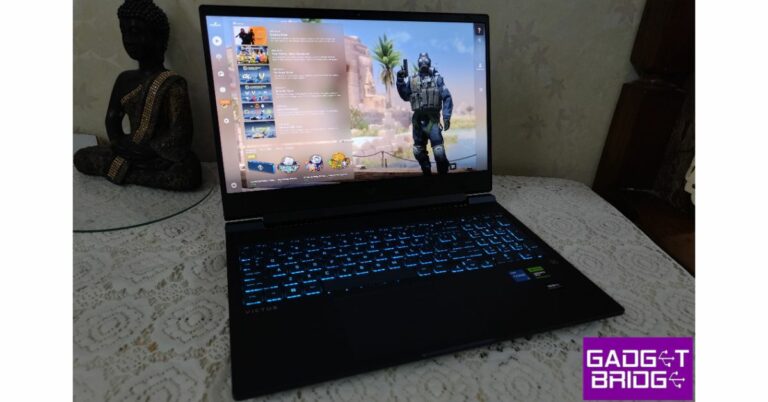
Notion is one of our favourite productivity apps for Android. This app lets you create notes, docs, and tasks while collaborating with other members of the projects. If you need to delegate a task to a group member, you can simply tag their name at the appropriate spot. You can also drag and drop anything on the app and it will seamlessly integrate it into its interface. Notion recognises more than 20 content types, making it one of the most versatile productivity apps around.Read Also:HP Victus 16 2023 review: Perfect for work and gaming
BenQ is a Taiwanese multinational company known for manufacturing consumer electronics and technology products. BenQ stands for ‘Bringing Enjoyment and Quality to Life’. The product lines where BenQ is a key manufacturer are Monitors & Projects, Digital Lifestyle Devices, Professional Displays, Home Entertainment. Gaming Peripherals and Education Technology. BenQ is also a leading provider of advanced display technology solutions. BenQ launches W4000i 4LED 4K Home Cinema Projector that will deliver an immersive, theatre-like movie experience at home.
In This Article
Key Features of W4000i 4LED 4K Home Cinema Projector
Ben Q has recently launched the W4000i 4LED 4K Home Cinema projector which is designed to provide an unprecedented level of cinematic quality in households. The key features of the projector are 100% DCI-P3 CinematicColor and HDR-PRO technologies that are BEN-Q’s proprietary. The W4000i 4LED 4K projector enhances the cinematic experience in both bright and dark scenes that creates a 4K HDR enjoyment experience.The projector also comes equipped with Google Play Store services and has preinstalled Amazon Prime and Netflix. The W4000i utilises the CinematicColour technology for a 4K HDR experience. This technology promises 100% DCI-P3 colour space and contrast quality that ensures exceptional colour accuracy. Read Also: Samsung Galaxy Unpacked: Here is how to watch the launch of the Galaxy Z Flip 5 and the Galaxy Z Fold 5 live W4000i 4LED 4K home cinema projector comes equipped with around 8.3 million sharp razor pixels that create an unforgettable viewing experience leaving a strong impression. These features altogether redefine home entertainment providing the best cinematic experience within the comfort of home. During the launch, Mr Rajeev Singh the Managing Director of BenQ India and South Asia said that “We are thrilled to introduce the W4000i projector, a true game-changer in home cinema technology. At BenQ, we are committed to pushing the boundaries of visual display solutions, and the W4000i is a testament to our unwavering dedication to providing our customers with the best possible experiences. Our team has worked tirelessly to create a product that not only meets but exceeds the expectations of our discerning customers. With the W4000i projector, we aim to redefine home entertainment and bring the magic of the big screen directly to our customers’ living rooms. We are confident that this latest addition to our product line will be a game-changer in the industry.” Other key features of the projector are:
Wide colour range and remarkable brightness: The remarkable 3200 ANSI lumens brightness and DCI-P3 colour coverage ensure accurate and vibrant colour in every condition thus delivering vibrant visuals
Exceptional Resolution: The W4000i projector captures every subtle detail and presents movies with exceptional quality.
Efficient LED light source: W4000i is energy efficient as well. It utilises an efficient 4LED light source which provides faster start-up times, longer lifespan and reduced maintenance. The Eco mode adjusts brightness, saves energy and extends LED life up to 30,000 hours.
Perfect details in dark and bright areas: The HDR-Pro and HDR 10+ technology deliver life-like colours and exceptional details in both bright and dark areas. The projector also offers customisable picture modes providing authentic colours and an authentic movie-going experience.
Samsung Galaxy Unpacked- the company’s second biggest tech launch event will take place today. This time Galaxy Unpacked will be hosted in the company’s home market Seol, South Korea. The Galaxy Z Flip 5 and the Galaxy Z Fold 5 are two new Galaxy Z-series phones that Samsung is anticipated to unveil today. In addition to the most recent foldable devices, the firm is also teasing tablets and wearables at this year’s event. The Galaxy Watch 6 series, Galaxy Tab S9 tablets, and Galaxy Buds 3 truly wireless stereo (TWS) earphones are also rumoured to be launching alongside the two new Galaxy Z-series phones.
In This Article
How to watch the live stream of the Samsung Galaxy Unpacked event
Events like Galaxy Unpacked have historically been held by Samsung to introduce its newest and the company’s most premium flagship devices. Its first event took place earlier this year when the firm unveiled its flagship Galaxy S23 phones. The second major Samsung Galaxy Unpacked is scheduled to happen today and for the first time, Seoul, South Korea, will host the South Korean tech company’s launch event. Unlike previous ones, which were held in the US and Europe.
The Unpacked event will take place at COEX in Samseong-dong, Gangnam, an intersection where Teheran-ro, a hub for domestic innovative startups, and Bongeunsa, a millennial Buddhist temple, converge. However, the second major tech event of this year will also be live-streamed across all its social media platforms. Starting at 4.30 PM IST, the company’s website and YouTube channel will have live streaming of the event.
What to expect?
In addition to the Galaxy Z Flip 5, Samsung is expected to unveil a number of new products at the upcoming Unpacked event. The company also plans to release a larger Galaxy Fold 5 with a modernised hinge.
Image courtesy: Ahmed Qwaider’s Twitter
It appears from images of the Samsung Galaxy Z Fold 5 that there is no gap between the two folding sides of the smartphone, which were given by tipster Ahmed Qwaider. A USB Type C port, a microphone, and a loudspeaker are located on the smartphone’s bottom edge. Three microphones and a loudspeaker are located on top. As a result, there are now two loudspeakers and four microphones overall.
According to earlier rumours, Samsung’s upcoming Galaxy Z Flip 5 and Galaxy Z Fold 5 smartphones may include a waterdrop-shaped hinge, which would be similar to recently released foldable electronics from Huawei, Vivo, Oppo, and Xiaomi.
The Samsung Galaxy Z Fold 5’s back camera setup, which consists of three rear-facing lenses and an LED flash positioned to the right, is also visible in photographs of the device. According to rumours, the smartphone has a 50MP primary sensor, a 12MP ultrawide lens, and a 10MP telephoto camera with a 3x optical zoom.
Image courtesy: Ahmed Qwaider’s Twitter
The Samsung Galaxy Z Fold 5 is expected to include a 7.6-inch internal folding Super AMOLED panel and a 7.6-inch 6.2-inch 120Hz Super AMOLED cover screen, according to previous leaks. The smartphone will reportedly have a Snapdragon 8 Gen 2 processor, up to 512GB of internal storage, and 12GB of RAM.
In addition to having GPS, 5G, Wi-Fi 6E, Bluetooth 5.3, NFC, and a USB 3.2 Type-C port for connectivity, the device is rumoured to be water-resistant. A 4,400mAh battery, 25W quick charging, Samsung DeX, and Samsung Pay might be present.
The Galaxy Watch 6 series and the Galaxy Buds 3 TWS headphones are two new accessories that the firm is anticipated to introduce. Both the Galaxy Watch 6 and Galaxy Watch 6 Classic are expected to sport displays that are larger than those of their predecessors. The Exynos W930 chip from the company is anticipated to power the Galaxy Watch 6 series, which will also send notifications for abnormal heartbeats.
Samsung is also likely to introduce the Galaxy Tab S9 Series today. A recent internet leak of the top-tier model’s features and design details hinted at the twin rear camera configuration. The Galaxy Tab S9 Ultra is expected to come with Qualcomm’s flagship Snapdragon 8 Gen 2 CPU.
Samsung Galaxy Z Flip 5 price expected
Dealabs reports that the 256GB edition of the Samsung Galaxy Z Flip 5 might cost EUR 1,199, or Rs 1,08,900, and the 512GB model could cost EUR 1,339, or Rs 1,21,600. The colours Cream, Graphite, Lavender, and Water Green are probably going to be offered for the smartphone.
After being banned for nearly ten months, Battleground Mobile India, aka BGMI, is officially available again in India. BGMI fans are looking for ways to improve their game experience and one such method is the usage of redemption codes, which offers a variety of rewards and advantages using BGMI redeem codes players can gain access to new skins, outfits, loot crates, weapons and free UC and diamonds.As mentioned earlier, these codes give users the chance to earn unique rewards and gain extra benefits while playing the game. This includes GUN SKINS (M4, AKM, M416, AWM, M24, UZI, KAR98K), free character voucher, Andy, Carlo, Sara, Victor character for free, free Anna Character on completing the mission and UC or Royal Pass Discount. So here we have gathered a list of the most recent BGMI redeem codes as of 26 July 2023. Also, redeem these codes asap as these are only valid for a limited duration.
Garena Free Fire is a battle royale game with regular awards and tournaments to keep players interested. If you play Garena Free Fire, you should be aware of the redeem codes that are released on a daily basis. However, because the battle royale game is banned in India, players from other countries can use the Free Fire Redeem codes daily. If you’re unfamiliar with the Garena Free Fire redeem codes or don’t know how to get them, we’ve put together a step-by-step guide to help you redeem them. Check out Garena Free Fire Redeem Codes for 26 July 2023.The Free Fire redeem codes are a great way to get free stuff. These are 12-digit codes that contain alphabets and numbers, as well as an expiration date and time. Because the Garena FF redeem codes cannot be used more than once, you should hurry to the redemption page to claim your free reward before someone else does. To get a free reward, all you have to do is go to reward.ff.garena.com/en, which is the official redemption page. Also, keep an eye on this space for daily updates on Garena Free Fire redemption codes and rewards.
“I tried downloading Spotify offline with the official Spotify premium feature. But it seems that they can only be saved in OGG Vorbis format. Is there a way for me to convert Spotify to MP3? How?”
When you desire to play Spotify on devices offline without the Spotify app installed, the first method comes into your mind is to convert Spotify to MP3. However, you probably discover Spotify songs are all encoded in encrypted OGG format. Even if you turn to a common OGG to MP3 converter to help, the Spotify to MP3 conversion would definitely fail. Why?
In This Article
Common Reasons Causing Spotify to MP3 Conversion Failure
There are actually two main reasons resulting in the failure to convert Spotify to MP3.
DRM Encryption Failing the Conversion
Spotify has empowered DRM (Digital Rights Management) to encrypt all its streaming media, which mainly targets at protecting the resources from being copied, downloaded, transferred, or edited without being permitted by the original uploaders. DRM also prevents many free OGG to MP3 converters transcode the format conversion to turn encrypted OGG Spotify songs into DRM-free audio formats like MP3.
Hence, it won’t be possible for you to directly process Spotify to MP3 conversion within the Spotify platform, or turn to those free converters that only work to convert DRM-free OGG files to MP3, but not the encrypted Spotify OGG songs.
Low Stability of Non-professional Spotify to MP3 Converter
Despite the incompatibility of some converters, there are still some Spotify to MP3 converters that are actually working to help you convert Spotify to MP3, even if the songs are encrypted by DRM. However, such tools also need to process DRM decryption at the same time, which requires applying advanced techs and stable performance to process the conversion. However, when many Spotify to MP3 converters require users to sync with the Spotify app in order to analyze Spotify URLs to convert Spotify to MP3, the syncing process would easily be affected and leads to conversion failure.
Some Spotify to MP3 converters do not even work to bypass DRM and directly grasp the music sources from Spotify for you. They may perform to match the same resources on YouTube. This would lead to a possible problem – when YouTube doesn’t provide the same songs as Spotify, the converters can’t grasp a result and convert it to MP3 for you, thus leading to conversion failure.
Hence, even if you have selected the tools that are able to remove DRM and convert Spotify to MP3 for you, the unstable performance of them would still fail to convert Spotify to MP3 properly for you.
How to Convert Spotify to MP3 on Windows/Mac at High Success Rate
Then, is it still possible to find a highly successful way to convert Spotify to MP3? Surely, it is a positive answer!
TuneFab Spotify Music Converter is able to resolve all common reasons leading to the failures of converting Spotify to MP3, enabling you to grasp MP3 music files from Spotify directly without the hassle:
DRM removal equipped: As the software has well-embedded DRM removal tech inside, it is possible to bypass DRM encryption and grasp all Spotify tracks converted to DRM-free MP3 files without being restricted by Spotify’s protection.
Built-in Spotify web player: To increase the Spotify to MP3 conversion stability, TuneFab Spotify Music Converter has integrated the official Spotify web player, without requiring you to install the Spotify app in extra and sync with it to enable the music conversion. This can resolve the syncing instability that would lead to failures in converting Spotify to MP3 that would frequently occur using the URL copy-and-paste method.
Compatible with all Spotify content conversion: As the software has embedded the whole music library, you are able to browse all resources and convert them to MP3 by dragging them to the conversion list. No matter for Spotify singles, playlists, albums, artists, or podcasts, the software is able to download all of them to select MP3 format for you.
Despite these core advantages, TuneFab Spotify Music Converter also delivers customized quality settings (with up to 320kbps) for you to define your own music streaming experience. It also helps to keep ID3 info and ensure the least 5X faster speed with multiple hardware acceleration techs applied.
Next, also go through the brief guide and grasp how to convert Spotify to MP3 via TuneFab Spotify Music Converter professionally at a high success rate:
STEP 1. Once installing TuneFab Spotify Music Converter, launch it and click “Open the Spotify web player” to access its embedded Spotify web player and log in via your Spotify account (both Spotify free and premium are supported).
STEP 2. Now, you are able to browse the web player and select all Spotify songs or playlists you desire to convert to MP3. Simply drag them to the floating “+” icon aside, the songs will be imported to the converting list right away. As the software will filter the duplicates, don’t worry that you would add the same song twice.
STEP 3. Then, select MP3 as the output format from the upper-right “Convert all files to” drop-down menu. To further customize the quality, just navigate to “Menu” > “Preferences” > “Advanced” to alter both the sample rate and bitrate settings as you desire.
STEP 4. Finally, simply give a go on the “Convert All” button, TuneFab Spotify Music Converter will process to convert Spotify to MP3 for you. Just wait patiently till the conversion completes, and you will get the converted MP3 Spotify songs downloaded offline.
How to Convert Spotify to MP3 on All Devices Online [No Software Installed]
Replacing TuneFab Spotify Music Converter, there is actually a helpful Spotify to MP3 online converter performing to help you convert Spotify to MP3 online without any software installation required, which is SpotiDown.
SpotiDown only requires you to paste a Spotify URL to process the music conversion by one tap. As the conversion completes, you will get a direct download button provided for you to save the converted MP3 file offline.
Here it shows you how to convert Spotify to MP3 online via SpotiDown for free (it is a free service without you paying a penny at all!):
STEP 1. Firstly, go to Spotify and find a single you desire to convert to MP3. Then copy its URL.
NOTE: As SpotiDown is not supported to convert Spotify playlists currently, you are only allowed to choose Spotify single track to process the conversion one by one.
STEP 2. Open a new tab and navigate to SpotiDown. Then you should paste the URL to the frame bar and tap the “Download” icon to convert the URL.
STEP 3. When the URL analysis completes, there will be a “Download” button provided for you to save the converted MP3 Spotify file offline.
Compared with TuneFab Spotify Music Converter, SpotiDown still lacks in high stability as the network condition would greatly affect its performance to convert Spotify to MP3, then leads to the conversion failure unexpectedly. Hence, if you desire a more professional tool, TuneFab Spotify Music Converter is still the top recommended option for you.
Final Verdict
The main reasons causing Spotify to MP3 conversion failures can be DRM encryption and the non-professional converters working with unstable services. To fix the errors and convert Spotify to MP3 at a higher success rate, TuneFab Spotify Music Converter can be an ideal pick. As the software offers a free trial for new users, you are able to install it and give it a try without paying a penny! Now, get started with TuneFab Spotify Music Converter right away!
For the latest gadget and tech news, and gadget reviews, follow us on Twitter, Facebook and Instagram. For the newest tech & gadget videos subscribe to our YouTube Channel. You can also stay up to date using the Gadget Bridge Android App. You can find the latest car and bike news here.
Your Android smartphone can easily connect to a plethora of devices via a USB Type-C to Type-A cable. But connecting a USB storage device to your smartphone can get a bit tricky since it does not have a USB Type-A port. To copy the contents of the USB drive to your phone, you can either use a PC as an intermediary device or plug in an OTG adapter to directly access the USB drive. In this article, we show you how to connect a USB storage device to your Android phone with the help of an OTG adapter. Read Also:5 Best Ergonomic Gaming Mouse under $100 in the USA
In This Article
Use an OTG Adapter
An OTG adapter lets you connect your phone to a range of external devices. Once you connect the adapter to the USB Type-C port on your Android phone, you can use its Type-A port to plug in USB drives, external keyboards, gaming controllers, and other devices. Here’s how you can connect a USB storage device to your Android phone using an OTG adapter.Step 1: Connect the Type-C end of the OTG adapter to your Android phone’s Type-C port.Step 2: Now, plug the USD drive into the Type-A port of the adapter.Step 3: Select File Transfer or USB Storage from the popup menu.Step 4: Launch the Google Files app on your phone.Step 5: Switch to the Browse tab.Step 6: Tap the notification that says USB Available.Step 7: Tap the connected storage device and select Allow.You will now be able to view and read the contents of the USB storage device from the Google Files app.
Frequently Asked Questions (FAQs)
How do I connect a USB drive to my Android phone?
Since your smartphone does not have a USB Type-A port, you will need a Type-C to Type-A OTG adapter to connect a USB storage device.
How do I copy a file from a USB storage device to my phone?
After connecting the USB storage device to your phone via an OTG adapter, go to Google Files>USB Available and allow the connected storage device to access your phone. Now, go back and tap on the name of the storage device in the Files app to access its contents.
Do I need an app to copy files from a USB storage device to my phone?
Off-late users have noticed an annoying bug on Instagram that fractionally enlarges their stories after they have posted them. While this bug will be resolved in the following update, there are a few things you can do right now to tackle this issue. In this article, we bring you the top 5 fixes to the ‘Instagram keeps zooming in my stories’ issue.Read Also:Top 10 apps to download first on Nothing Phone 2
In This Article
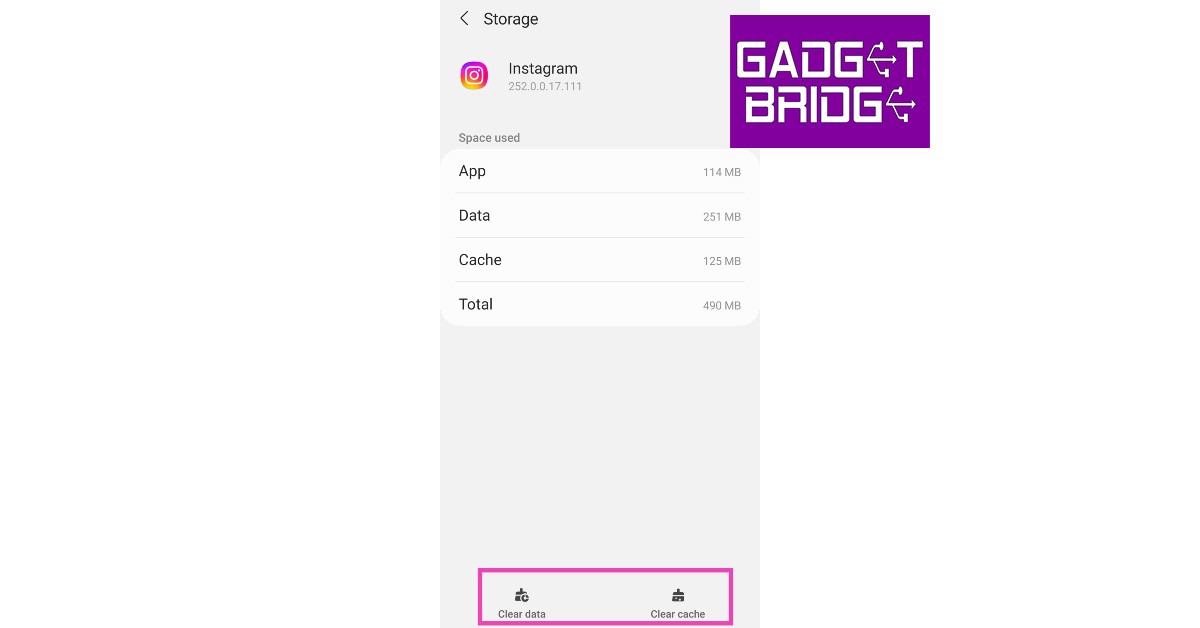
Clear app cache
Step 1: Go to Settings and select Apps.Step 2: Scroll down and select Instagram.Step 3: Tap on Storage.Step 4: Select Clear Cache from the bottom of the screen.
Force Stop and restart the app
Step 1: Go to Settings.Step 2: Scroll down and select Apps.Step 3: Scroll down and select Instagram.Step 4: Select Force Stop from the bottom menu.
Update the app
Since this is most likely a bug-related issue, it can be fixed by updating the app. Go to Google Play Store, search for Instagram, and hit the Update button. If your app is up to date, wait for the developers to update a new version of the app in which the bug has been resolved. You can also turn on auto-updates for when you’re connected to WiFi by going to Play Store settings.
Delete and Reinstall Instagram
If your Instagram is updated but still keeps acting up, you can try deleting and reinstalling it on your phone. Deleting the app clears its temporary memory. If you accidentally downloaded a corrupted file on your phone, deleting and reinstalling it can fix any issues you are facing on the platform. To remove Instagram from your device, tap and hold the app icon in the app drawer and hit Uninstall.
Use a third-party app
If the above methods didn’t work for you, maybe posting a story using a third-party app for Instagram might help. We don’t usually recommend using third-party apps for Instagram as they get unfettered access to your login credentials and user data, but in this case, there’s not much else you can do. Apps like Hootsuite and Circleboom fit the bill for this task. To make sure you always have control of your Instagram account at all times, turn on two-factor authentication for the Instagram app.
Frequently Asked Questions (FAQs)
Why is Instagram zooming in on my stories?
A recent bug on the app is causing Instagram to post slightly zoomed-in stories.
How do I fix the zooming-in issue on Instagram?
While there are no direct fixes to this problem, you can clear the app cache, update it, and reinstall it to make sure you don’t encounter it again.
The HP Victus 16 has debuted in India recently. Its price starts at Rs 59,999, so the higher the configuration you get the more you will have to pay. This is the brand-new 2023 variant, and it comes in multiple configurations. Our unit, which is powered by an Intel Core i5 13500HX processor and an Nvidia GeForce RTX 4050 GPU, has been in use for more than a week. This device has a 16.1 FHD display, 32GB RAM, and Windows 11 Home already installed. Let’s see how it did in this HP Victus 16 2023 review.
In This Article
HP Victus 16 2023 review: Design and Display
Let’s begin by discussing the build since we have been using it for more than a week. The laptop feels like a powerful laptop in the mid to high segment. It has sharp edges and a typical laptop-like appearance. It is also large in size. Now we did like the look of it, overall it is a good-looking gaming laptop. You ask why? We liked the way it looked because it is a stylish gaming laptop. What really impressed us about it was its clean, minimalist design. It would fit in well if you brought this to work or any professional meeting.Also Read:Asus TUF gaming F15 laptop review: 11 Gen Intel CPU with RTX 2050 under 60K, worth buying?It features an elegant, mirror-coated V logo in the centre of the top, a Victus inscribed at the bottom, and text along the length of the body. The structure is fully made of plastic, but the top of the lid flexes a little. If you press down on it, you will notice a little flexing, but it’s nothing to worry about.The laptop is available in the performance blue colour option, and its matte texture does a decent job of deterring fingerprints. However, it creates an unpleasant and somewhat unnerving screeching sound while lifting the display lid.It has a headphone jack, a USB connector, an RJ45 port, and vents on the left side. Now, be very patient and careful when placing your RJ45 cable because these things have a tendency to break over time. A power connector, an HDMI port, two USB Type-A ports, and a Type-C port that does not support Thunderbolt 4 are all located on the right side of the device.Even though the entire device is composed of plastic, it is nonetheless somewhat weighty. Because the hinge on this is so tight, it is really challenging to open the lid with one hand even if you try. To open the lid, you must place your hand on the base and lift the lid up.The keyboard is so well-kept that it doesn’t even look similar to a gaming keyboard, which often has a tonne of stickers covering it. It is a full-size keyboard with a Numpad. Intake of air is made possible through vents at the top. The touchpad/trackpad is given is also made out of plastic.The HP Victus 16 sports an anti-glare 16.1-inch full-HD 165Hz IPS display with a resolution of 1,920 x 1,080 pixels. The screen’s refresh rate is 165Hz, and its response time is 7 ms. It has a brightness of 300 nits and 100% sRGB.An HP True Vision 1080p FHD camera with temporal noise reduction and built-in dual array digital microphones at the top of the display are further noteworthy features.
HP Victus 16 2023 review: Performance
The display’s side bezels are thin, the screen is barely reflective, and it has a beautiful appearance in terms of style. The display’s colour gamut and colour accuracy are both satisfactory. The screen is sufficiently bright. In our opinion, it is bright enough to be used indoors and outdoors as well.There is a webcam at the top of the display, which comes with a resolution of 1080p. For privacy, a small switch has been provided which can be closed when not in use. Also the the webcam is good enough if you intend to stream games using this laptop or do a Zoom call.Additionally, the laptop has two speakers at the bottom, but they don’t sound could have been louder. Since there is no bass and only treble in the midrange, it simply doesn’t go that loud. On the flip side, this being a gaming laptop most of the buyers will use headphones and not speakers when gaming.The performance of this laptop is one of its main advantages. The 14 cores and 20 threads Intel Core i5 13500HX CPU that powers the HP Victus 16 are included. There are also 512 GB PCIe Gen4 NVMe TLC M.2 SSD and 16 GB DDR5-4800 MHz RAM available. It has an integrated GeForce RTX 4050 GPU from Nvidia, too.Simple everyday tasks like online browsing and managing up to 40 Chrome tabs, are a breeze. If you purchase this with the intention of creating content, you will be glad to know that it functions as it should.Also Read:Logitech M240 Silent Bluetooth Mouse Review: Replace your trackpad with this mouseIt can play AAA titles if you’re buying it solely for gaming, which we anticipate the majority of you will do. We played CS Go on high settings, and the performance was flawless. We have no concerns regarding the game’s performance. The gameplay in Call of Duty: Warzone 2 was incredibly fluid and worked well right out of the gate. While playing, a few dips or micro stutters occasionally appeared, but overall, the gameplay was generally good and acceptable for the price.The temperatures on this laptop are also excellent. We played games all day long, and the keyboard never becomes uncomfortable or hot to touch.By the way below are the benchmark results:Geekbench CPU benchmark
Single-Core Score: 1381
Multi-Core Score: 7851
GPU benchmark
OpenCL Score: 75173
There is a key specifically for Omen Gaming Hub on the right side, next to the Delete button. In basic terms, it’s a single-stop gaming hub that lets you arrange and launch all of your games (including those from Steam, Epic, Xbox, and Live Pass). Additionally, it helps speed up network and memory operations to enhance your gaming experience. You may adjust the keyboard lighting from here. The model we used only enabled us to select a single colour from the RGB lighting. So you can choose from options like white, blue, pink, red, green, and more.You can change the fan speed in the OGH or switch to automatic mode. After the laptop has been idle for a bit, the fans are fairly quiet while using the Eco and Balance Modes. The fans become louder and faster when in Performance mode.However, because we feel the trackpad to be a bit small for our liking, we barely ever used it and you cannot use it for a longer period of time on this laptop. Typing on the keyboard was actually fairly comfortable. We were able to write quickly because of the excellent travel distance and the lovely, clicky sensation of the keys.The HP Victus 16’s 83Wh battery has adequate runtime capabilities. We were able to get 6 to 7 hours of screen time with headphones activated, WiFi on and 50% brightness. While gaming we got around one to one and half hours of screen time when performance mode was on.
Verdict
Overall gaming performance is strong and essentially on par with other RTX 4050 laptops. Overall, the laptop can play any currently available game with a rather high FPS. We could not find any major flaws in our tested unit. Adjustable fans and lighting, really good display and gaming performance are only seen in higher-priced models.It is a nice gaming device with amazing build quality, we loved the blue design, and it performs well too. The only complaint we have is that the laptop’s price could have been a little bit cheaper. You should also be aware that for this amount, you only receive 512GB of storage, which is somewhat limited. We have put the purchasing link below. The laptop costs approximately Rs 1 lakh 29 thousand for this configuration.Buy it Here
Founded in 1997 by Reed Hastings and Marc Randolph, Netflix is a popular subscription-based American streaming service. Netflix offers its users a vast variety of movies, TV shows, documentaries and web series. Netflix is used by people worldwide for entertainment purposes. Some of the popular Netflix shows are Money Heist, Breaking Bad, Peaky Blinders etc. Netflix is popular for its original content and easy user interface. Netflix is rolling out its new mobile tab that can make it easier to find things and watch them on this streaming platform.
In This Article
Netflix’s new mobile tab: An overview
The popular streaming service Netflix is introducing a new mobile tab in its mobile apps. This feature was made available to iOS users on Monday. Android users can experience this new future in the month of August only. The new mobile tab will be known as ‘My Netflix’ and it will make it easier for you to find something you want to watch. Netflix already shows you a list of TV shows that you have currently been watching in its Continue Watching tab and you can also create a list of content that you want to touch by adding it to the tab of “My List”. Read Also: How to Use Google’s New Driving Mode Replacing Android Auto for Mobile?The new mobile tab of “My Netflix” surfaces titles that you may have shown interest in. This can help you make the decision of what to watch. The My Netflix tab will show titles that you have downloaded or titles you have recently watched and are halfway through, titles that you have saved in My List or titles that you have given a thumbs-up to. It will showcase the titles of trailers that you have watched in the past. The basic idea behind this is to give priority to recommendations that you have saved or downloaded. The new Netflix mobile tab also makes profile switching handy and convenient. There will be a notification section as well to show what is there and what content will be leaving Netflix so you do not have to dig deeper into the app. The main idea behind this new mobile tab is to make sure that users interact with the app often to improve the recommendations.Read Also:Samsung Galaxy smartphone users can now access their digital IDs, rail tickets and more on Samsung Wallet
Conclusion
The new mobile tab feature of Netflix is another key feature to make sure user interaction with the app is maximised. It is an amazing feature for indecisive users who cannot decide what to watch and keep on surfing the internet for recommendations. To know more about such updates stay tuned to Gadget Bridge. Also, let us know your favourite Netflix movie or show in the comments below.
For the latest gadget and tech news, and gadget reviews, follow us on Twitter, Facebook and Instagram. For newest tech & gadget videos subscribe to our YouTube Channel. You can also stay up to date using the Gadget Bridge Android App. You can find the latest car and bike news here.


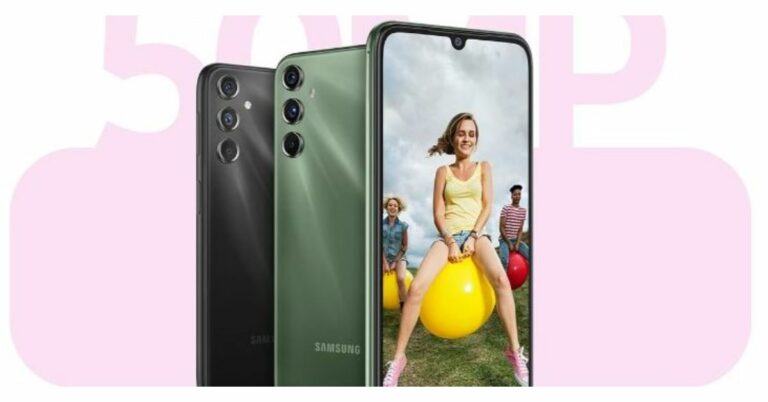

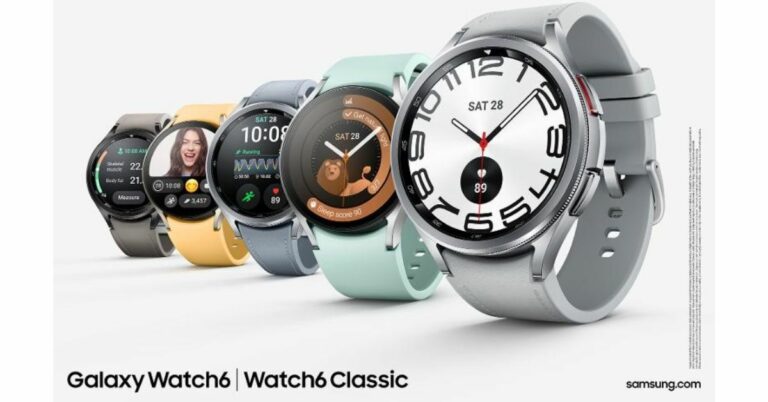
 The Samsung Galaxy Watch 6 comes in two variants 44mm (Graphite and Silver colour options) and 40mm (Graphite and Gold shades). On the other hand Galaxy Watch 6 Classic will be available in 47mm (Black, Silver) and 43mm (Black, Silver).
You will be able to pre-book the smartwatches from today at noon via
The Samsung Galaxy Watch 6 comes in two variants 44mm (Graphite and Silver colour options) and 40mm (Graphite and Gold shades). On the other hand Galaxy Watch 6 Classic will be available in 47mm (Black, Silver) and 43mm (Black, Silver).
You will be able to pre-book the smartwatches from today at noon via  Also Read: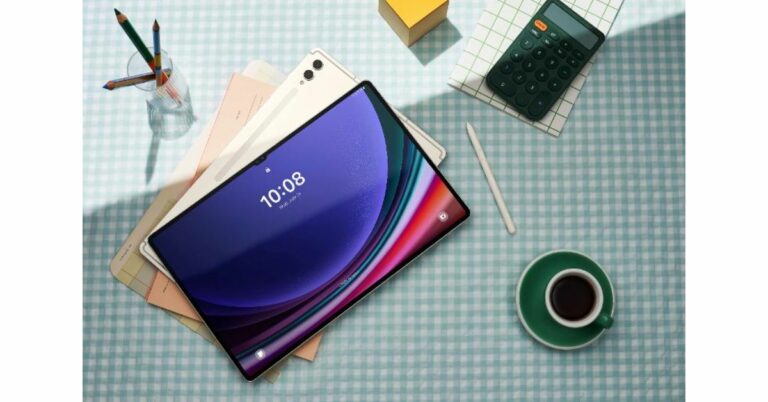

 On the other hand, Samsung Galaxy Tab S9+ has a 12.4-inch Dynamic AMOLED 2X display with a 2,800X 1,752-pixel resolution. The tablet includes a Qualcomm Snapdragon 8 Gen 2 SoC. It has a dual rear camera set-up that includes 13MP AF + 8MP Ultra-Wide sensors. For selfies, S9+ includes two 12MP + 12MP Ultra-Wide sensors. The phone also sports a side mounted fingerprint sensor and a bigger 10,090mAh battery.
Lastly, the top-of-the-line
On the other hand, Samsung Galaxy Tab S9+ has a 12.4-inch Dynamic AMOLED 2X display with a 2,800X 1,752-pixel resolution. The tablet includes a Qualcomm Snapdragon 8 Gen 2 SoC. It has a dual rear camera set-up that includes 13MP AF + 8MP Ultra-Wide sensors. For selfies, S9+ includes two 12MP + 12MP Ultra-Wide sensors. The phone also sports a side mounted fingerprint sensor and a bigger 10,090mAh battery.
Lastly, the top-of-the-line 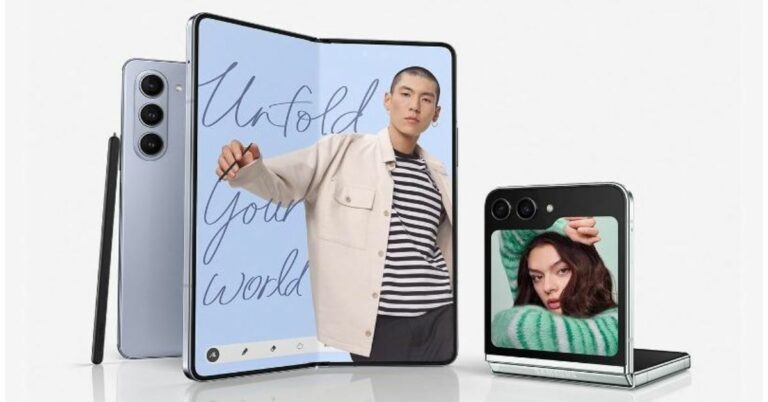
 On the other hand, Samsung Galaxy Z Flip 5 will come in two different configurations of 8GB RAM with 256GB storage and 8GB RAM with 512GB storage. The price of both variants in India is set at Rs 99,999 and Rs 109,999, respectively. Both the models will come in shades of Mint, Cream, Graphite and Lavender.
According to the company those who purchase Galaxy Z Flip5 through Samsung.com will get the option of choosing from three exclusive colours – Gray, Green and Blue. Those buying Galaxy Z Fold5 from
On the other hand, Samsung Galaxy Z Flip 5 will come in two different configurations of 8GB RAM with 256GB storage and 8GB RAM with 512GB storage. The price of both variants in India is set at Rs 99,999 and Rs 109,999, respectively. Both the models will come in shades of Mint, Cream, Graphite and Lavender.
According to the company those who purchase Galaxy Z Flip5 through Samsung.com will get the option of choosing from three exclusive colours – Gray, Green and Blue. Those buying Galaxy Z Fold5 from  The Samsung Galaxy Z Fold 5 runs One UI 5.1.1, which is based on Android 13. The Qualcomm Snapdragon 8+ Gen 1 Mobile Platform for Galaxy, powers the handset. A 50MP sensor with a wide-angle lens, a 12MP sensor with an ultra-wide-angle lens, and a 10MP sensor with a telephoto lens are all part of the triple rear camera system on the Galaxy Z Fold 5. A 10MP selfie and video call camera is at the top of the outer display, and a 4MP under-display camera is located beneath the inner screen. On the other hand, the Galaxy Z Flip 5 has a 10MP selfie camera and two 12MP back camera sensors.
The smartphone has a standard dual battery with a capacity of 4,400mAh.
Also Read:
The Samsung Galaxy Z Fold 5 runs One UI 5.1.1, which is based on Android 13. The Qualcomm Snapdragon 8+ Gen 1 Mobile Platform for Galaxy, powers the handset. A 50MP sensor with a wide-angle lens, a 12MP sensor with an ultra-wide-angle lens, and a 10MP sensor with a telephoto lens are all part of the triple rear camera system on the Galaxy Z Fold 5. A 10MP selfie and video call camera is at the top of the outer display, and a 4MP under-display camera is located beneath the inner screen. On the other hand, the Galaxy Z Flip 5 has a 10MP selfie camera and two 12MP back camera sensors.
The smartphone has a standard dual battery with a capacity of 4,400mAh.
Also Read:  The new foldable phone sports a dual rear camera unit with a 12-megapixel ultra-wide main sensor. A 12-megapixel wide-angle camera is also included. The Galaxy Z Flip 5 sports a 10-megapixel selfie camera on the front of the folding display for selfies.
In addition to this, the phone boasts a 3,700mAh battery that supports 25W quick charging.
For the latest
The new foldable phone sports a dual rear camera unit with a 12-megapixel ultra-wide main sensor. A 12-megapixel wide-angle camera is also included. The Galaxy Z Flip 5 sports a 10-megapixel selfie camera on the front of the folding display for selfies.
In addition to this, the phone boasts a 3,700mAh battery that supports 25W quick charging.
For the latest 

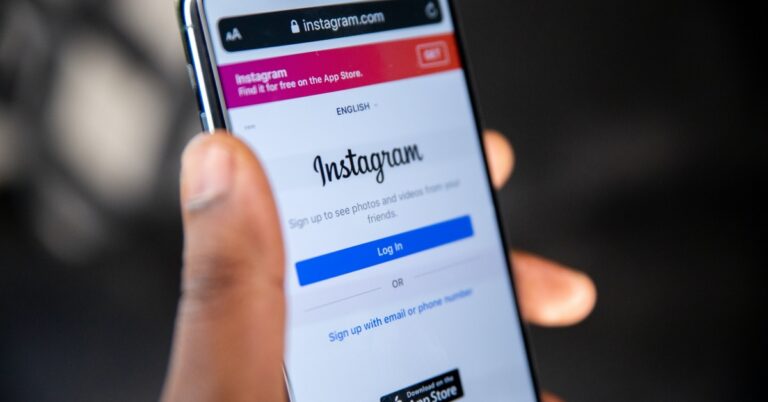
 Step 2:
 Step 3:
 Step 4:
 Step 5:
 Step 3:
 Step 4:
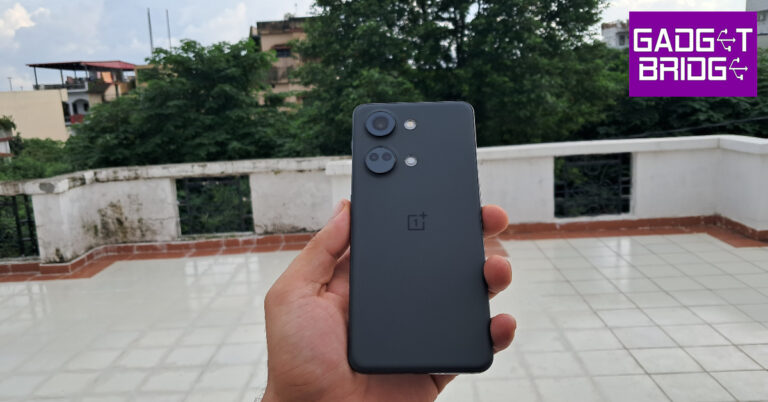


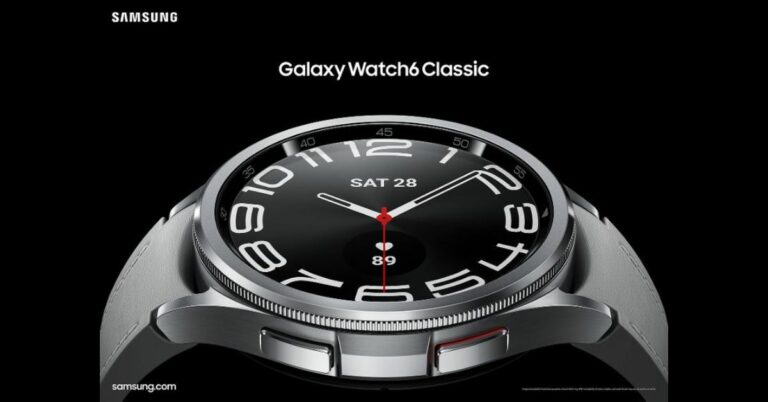

 Galaxy Watch 6 sensors onboard include Samsung BioActive Sensor (Optical Heart Rate + Electrical Heart Signal + Bioelectrical Impedance Analysis), Temperature Sensor, Accelerometer, Barometer, Gyro Sensor, Geomagnetic Sensor, and Light Sensor. Whereas Galaxy Watch 6 Classic has all the mentioned sensors in addition to the 3D Hall sensor.
Also Read:
Galaxy Watch 6 sensors onboard include Samsung BioActive Sensor (Optical Heart Rate + Electrical Heart Signal + Bioelectrical Impedance Analysis), Temperature Sensor, Accelerometer, Barometer, Gyro Sensor, Geomagnetic Sensor, and Light Sensor. Whereas Galaxy Watch 6 Classic has all the mentioned sensors in addition to the 3D Hall sensor.
Also Read: 

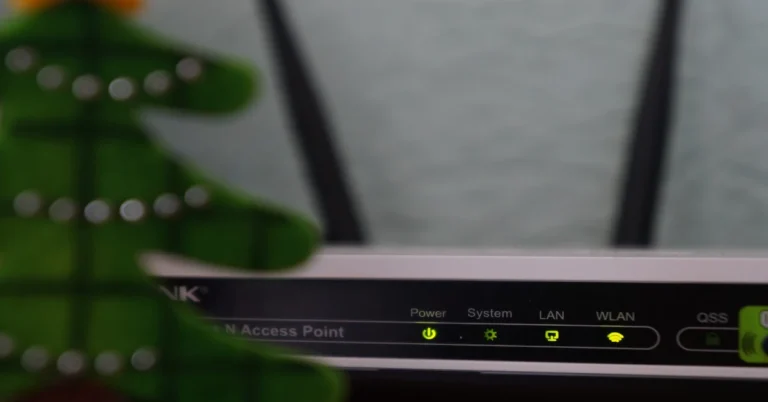

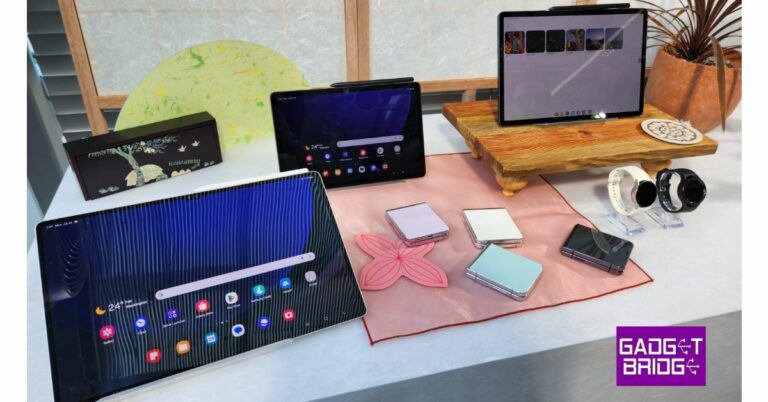
 The 13MP primary sensor on the Samsung Galaxy Tab S9 features autofocus. The tablet also has a front 12-megapixel ultra-wide camera for selfies and video calls.
 AKG quad stereo speakers with Dolby Atmos support are also included in the tablet. Three microphones are also present. The 8,400mAh battery in the Galaxy Tab S9 supports Super Fast Charging 2.0 at a maximum power of 45W.


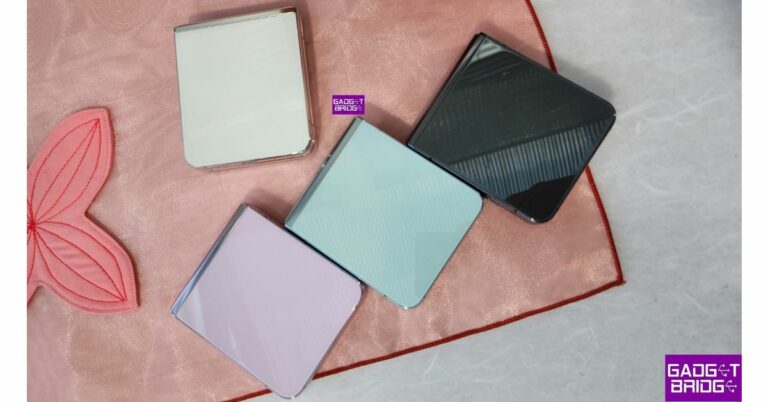

 Additionally, the new Flipsuit Case for the Galaxy Z Flip5 offers device protection and a replaceable NFC card, allowing users to match the design of their Flex Window and the case for even more customization choices.
With FlexCam, users can take beautiful hands-free pictures from imaginative angles. Additionally, viewing and editing shots in Flex Mode is quick and easy. With the Quick View feature in the Flex Window, users may quickly evaluate, change the colour tone, or delete photographs. Dual Preview enables users to see themselves in the Flex Window when shooting a photo of a buddy, allowing them to make modifications in real-time for the ideal picture. Super Steady, a camera stabilising feature, allows users to snap a smooth photo when they’re moving, and Auto Framing makes sure that no one is missed.
On top of Android 13 is OneUI 5.1.1 on the device. The Galaxy Z Flip 5 is powered by the Snapdragon 8 Gen 2 Mobile Platform for Galaxy and 8GB of RAM. With two storage options, the Z Flip 5 has an internal storage capacity of up to 512GB. The storage capacity cannot be increased using MicroSD cards.
Additionally, the new Flipsuit Case for the Galaxy Z Flip5 offers device protection and a replaceable NFC card, allowing users to match the design of their Flex Window and the case for even more customization choices.
With FlexCam, users can take beautiful hands-free pictures from imaginative angles. Additionally, viewing and editing shots in Flex Mode is quick and easy. With the Quick View feature in the Flex Window, users may quickly evaluate, change the colour tone, or delete photographs. Dual Preview enables users to see themselves in the Flex Window when shooting a photo of a buddy, allowing them to make modifications in real-time for the ideal picture. Super Steady, a camera stabilising feature, allows users to snap a smooth photo when they’re moving, and Auto Framing makes sure that no one is missed.
On top of Android 13 is OneUI 5.1.1 on the device. The Galaxy Z Flip 5 is powered by the Snapdragon 8 Gen 2 Mobile Platform for Galaxy and 8GB of RAM. With two storage options, the Z Flip 5 has an internal storage capacity of up to 512GB. The storage capacity cannot be increased using MicroSD cards.
 The new foldable phone sports a dual rear camera unit with a 12-megapixel ultra-wide main sensor(F2.2, Pixel size: 1.12μm, FOV: 123˚). A 12-megapixel wide-angle camera(Dual Pixel AF, OIS, F1.8, Pixel size: 1.8μm, FOV: 83˚) is also included. The Galaxy Z Flip 5 sports a 10-megapixel selfie camera (F2.2, Pixel size: 1.22μm, FOV: 85˚) on front of the folding display for selfies.
Connectivity options include a USB Type-C port, Bluetooth v5.3, Wi-Fi 6E, and 5G LTE. An integrated capacitive fingerprint sensor, an accelerometer, barometer, gyroscope, geomagnetic sensor, hall sensor, proximity sensor, and light sensor are among the sensors. Samsung’s 3,700mAh battery for the Z Flip 5 supports 25W quick charging. The phone also supports Wireless PowerShare and Fast Wireless Charging 2.0.
For the latest
The new foldable phone sports a dual rear camera unit with a 12-megapixel ultra-wide main sensor(F2.2, Pixel size: 1.12μm, FOV: 123˚). A 12-megapixel wide-angle camera(Dual Pixel AF, OIS, F1.8, Pixel size: 1.8μm, FOV: 83˚) is also included. The Galaxy Z Flip 5 sports a 10-megapixel selfie camera (F2.2, Pixel size: 1.22μm, FOV: 85˚) on front of the folding display for selfies.
Connectivity options include a USB Type-C port, Bluetooth v5.3, Wi-Fi 6E, and 5G LTE. An integrated capacitive fingerprint sensor, an accelerometer, barometer, gyroscope, geomagnetic sensor, hall sensor, proximity sensor, and light sensor are among the sensors. Samsung’s 3,700mAh battery for the Z Flip 5 supports 25W quick charging. The phone also supports Wireless PowerShare and Fast Wireless Charging 2.0.
For the latest 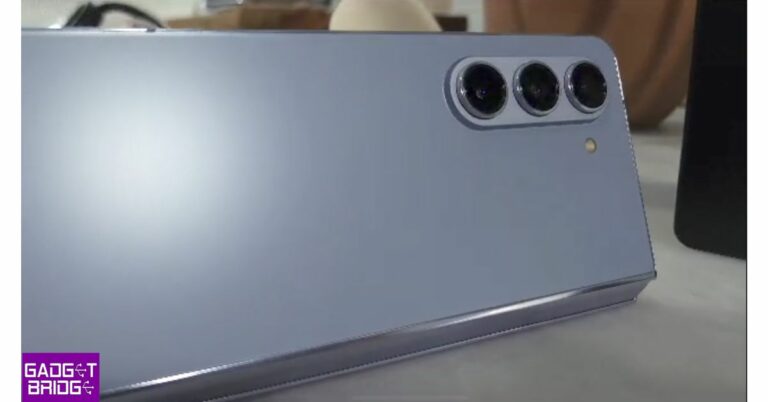


 It has an armoured aluminium frame and a flex hinge for structural toughness. A dual rail structure is a feature of this novel integrated hinge module that cushions exterior impacts. Both the Flex Window and the back cover are covered in Corning Gorilla Glass Victus 2. For a more robust display, the main screen has a shock-dispersion layer and a revised back. Users can relax if they are caught in the rain thanks to the phone’s IPX8 water resistance.
 S Pen Fold Edition, which first debuted in the third generation Fold in 2021, has also been improved to provide a better writing experience on Galaxy Z Fold 5. The Samsung Galaxy Z Fold 5 runs One UI 5.1.1, which is based on Android 13. With the help of these features and technologies, users can do crucial work from any location and enjoy powerful productivity on a huge screen.
 Real-time annotation and generating ideas are simple with the smaller, thinner, and more portable S Pen Fold Edition, which also fits more easily in the pocket. Users may carry their S Pens in style with the Slim S Pen Case, which is virtually the same thickness as a conventional case for the Fold and is offered in a range of styles and colours.
Also Read:
Real-time annotation and generating ideas are simple with the smaller, thinner, and more portable S Pen Fold Edition, which also fits more easily in the pocket. Users may carry their S Pens in style with the Slim S Pen Case, which is virtually the same thickness as a conventional case for the Fold and is offered in a range of styles and colours.
Also Read:  There is an array of cameras on the device:
Rear: A 50MP Wide-angle Camera (Dual Pixel AF, OIS, F1.8, Pixel size: 1.0μm, FOV: 85˚), 10MP Telephoto Camera (PDAF, F2.4, OIS, Pixel size: 1.0μm, FOV: 36˚, 3X optical zoom), 12MP Ultra Wide Camera (F2.2, Pixel size: 1.12μm, FOV: 123˚), 12MP Ultra Wide Camera (F2.2, Pixel size: 1.12μm, FOV: 123˚). There is a 10MP Selfie Camera (F2.2, Pixel size: 1.22μm, FOV: 85˚) on the cover, and a 4MP Under Display Camera (F1.8, Pixel size: 2.0μm, FOV: 80˚).
The smartphone has a standard dual battery with a capacity of 4,400mAh. Fast Wireless Charging 2.0 as well as 25W wired charging are supported. PowerShare wireless charging is additionally supported.
Also Read:
There is an array of cameras on the device:
Rear: A 50MP Wide-angle Camera (Dual Pixel AF, OIS, F1.8, Pixel size: 1.0μm, FOV: 85˚), 10MP Telephoto Camera (PDAF, F2.4, OIS, Pixel size: 1.0μm, FOV: 36˚, 3X optical zoom), 12MP Ultra Wide Camera (F2.2, Pixel size: 1.12μm, FOV: 123˚), 12MP Ultra Wide Camera (F2.2, Pixel size: 1.12μm, FOV: 123˚). There is a 10MP Selfie Camera (F2.2, Pixel size: 1.22μm, FOV: 85˚) on the cover, and a 4MP Under Display Camera (F1.8, Pixel size: 2.0μm, FOV: 80˚).
The smartphone has a standard dual battery with a capacity of 4,400mAh. Fast Wireless Charging 2.0 as well as 25W wired charging are supported. PowerShare wireless charging is additionally supported.
Also Read: 







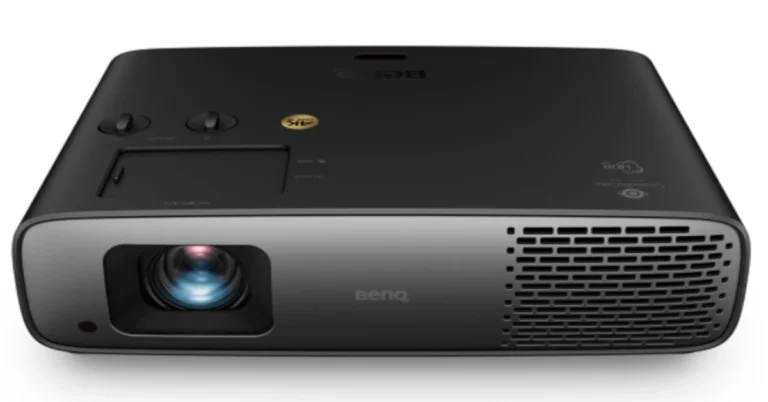


 The Samsung Galaxy Z Fold 5’s back camera setup, which consists of three rear-facing lenses and an LED flash positioned to the right, is also visible in photographs of the device. According to rumours, the smartphone has a 50MP primary sensor, a 12MP ultrawide lens, and a 10MP telephoto camera with a 3x optical zoom.

 The Galaxy Watch 6 series and the Galaxy Buds 3 TWS headphones are two new accessories that the firm is anticipated to introduce. Both the Galaxy Watch 6 and Galaxy Watch 6 Classic are expected to sport displays that are larger than those of their predecessors. The Exynos W930 chip from the company is anticipated to power the Galaxy Watch 6 series, which will also send notifications for abnormal heartbeats.
Samsung is also likely to introduce the Galaxy Tab S9 Series today. A recent internet leak of the top-tier model’s features and design details hinted at the twin rear camera configuration. The Galaxy Tab S9 Ultra is expected to come with Qualcomm’s flagship Snapdragon 8 Gen 2 CPU.
The Galaxy Watch 6 series and the Galaxy Buds 3 TWS headphones are two new accessories that the firm is anticipated to introduce. Both the Galaxy Watch 6 and Galaxy Watch 6 Classic are expected to sport displays that are larger than those of their predecessors. The Exynos W930 chip from the company is anticipated to power the Galaxy Watch 6 series, which will also send notifications for abnormal heartbeats.
Samsung is also likely to introduce the Galaxy Tab S9 Series today. A recent internet leak of the top-tier model’s features and design details hinted at the twin rear camera configuration. The Galaxy Tab S9 Ultra is expected to come with Qualcomm’s flagship Snapdragon 8 Gen 2 CPU.


![Fixed! Convert Spotify to MP3 on All Devices Without Failure! [2023 Guide]](https://www.gadgetbridge.com/wp-content/uploads/2022/06/spotify-stats-768x402.jpg "Fixed! Convert Spotify to MP3 on All Devices Without Failure! [2023 Guide]")
 STEP 2. Now, you are able to browse the web player and select all Spotify songs or playlists you desire to convert to MP3. Simply drag them to the floating “+” icon aside, the songs will be imported to the converting list right away. As the software will filter the duplicates, don’t worry that you would add the same song twice.
 STEP 3. Then, select MP3 as the output format from the upper-right “Convert all files to” drop-down menu. To further customize the quality, just navigate to “Menu” > “Preferences” > “Advanced” to alter both the sample rate and bitrate settings as you desire.
 STEP 4. Finally, simply give a go on the “Convert All” button, TuneFab Spotify Music Converter will process to convert Spotify to MP3 for you. Just wait patiently till the conversion completes, and you will get the converted MP3 Spotify songs downloaded offline.

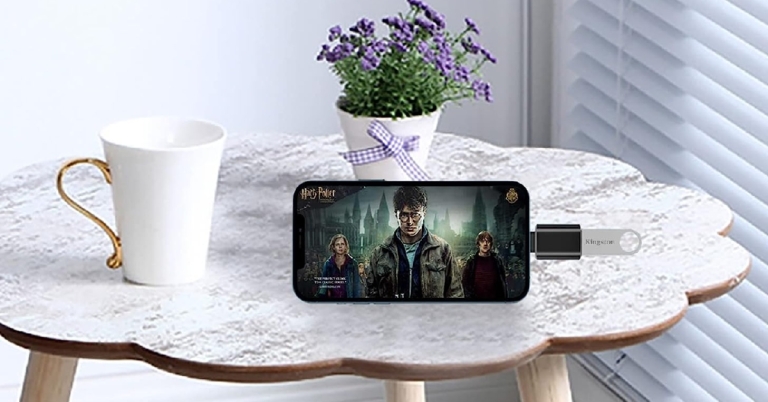


 Step 2:
 Step 3:
 Step 4: