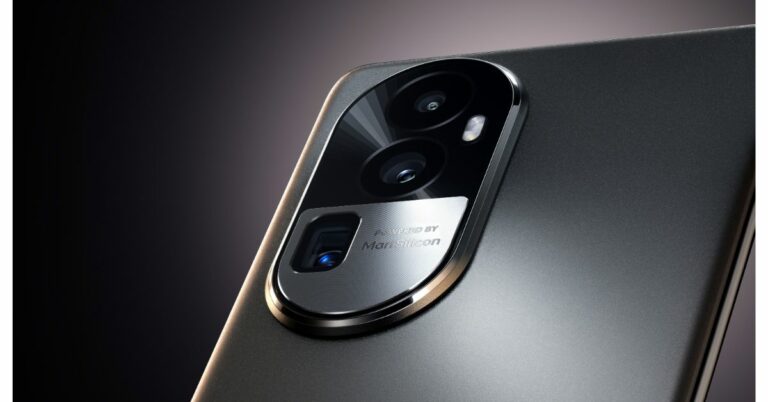
Oppo Reveals the Reno 10 Pro+ camera features and more before India Launch

Oppo Reno 10 Series will launch in India and the global market soon. The exact date or timeline is yet to be revealed but ahead of the official debut, the company has revealed the key features and camera specifications of the Oppo Reno 10 Pro+. The upcoming series includes four models Reno 10, Reno 10 Pro and Reno 10 Pro+.

Oppo Reno 10 Pro+ camera features

The company claims that the Oppo Reno 10 Pro+ would have the industry’s slimmest and lightest periscope telephoto handset. This telephoto portrait camera, which boasts the highest megapixel count in the field at 64MP and a 1/2-inch image sensor, allows you to take portraits with up to 3x telephoto with OIS and 120x hybrid zoom. This camera’s closest focusing distance is 25 cm.

Oppo Reno 10 Pro+ camera features

Oppo Reno 10 Pro+ turns the sensor and the stacked lens sideways instead of stacking them one on top of the other to provide optical zoom and/or telephoto lens effects. In order to focus light onto the image sensor after it passes through a prism, the optically stabilised telephoto lens, according to the manufacturer, is offset by 90 degrees. This results in a telephoto lens module that does not protrude too far out from the phone. The periscope module on the Reno10 Pro+ is 0.96mm thinner than those on competing products.

Also Read: A new range of premium Kodak Televisions launched in India

The Telephoto lens is claimed to shoot portraits from a distance for more natural facial proportions, devoid of any mild fish-eye distortion that you would get from smartphone cameras that force you to shoot from closer. These portraits boast a natural optical bokeh that separates the subject from the background to add depth to photographs.

Additionally, while taking pictures outside, the telephoto lens closes the distance between the portrait subject and far-off objects like monuments, skyscrapers, and mountains to produce dramatic but artistically pleasing photographs. The telephoto lens excels in low light conditions by improving light gathering for brighter, clearer portraits with less noise while maintaining the natural atmosphere of the environment.

Oppo Reno 10 Pro+ camera features

Three more sensors are included in the Reno 10 Pro and Pro+ along with the 64MP telephoto portrait camera. The 1/1.56-inch ultra-large sensor size of the 50MP Sony IMX890 sensor allows for great light intake. For increased stability and clarity, it also supports OIS and all-pixel omnidirectional focus.

According to Oppo, the Reno 10 Pro+’s process speed for nighttime photography has increased by 54%, the capture success rate for quick snapshots has increased by 7%, and the dynamic range of the photo has increased by 11% when compared to the Reno 8 Pro. This results in more accurate colours and richer details overall.

Also Read: Spark Go 2023 and Spark 10 now available in a leather-finish edition

The phone also includes the 8MP Sony IMX355, a 112° ultra-wide-angle camera with a 1/4-inch sensor. Its exceptional sensitivity to light produces clear images even in dark environments, while its rapid frame rate of up to 120FPS makes it ideal for shooting fast-moving objects. The IMX355 boasts a broad dynamic range that allows it to preserve details in bright and dark areas of a photograph.

The Reno 10 Pro+ features a 32MP Sony IMX709 sensor with AF for selfies. The RGBW sensor on the front camera is specially customised where the colour W (white) is inserted into each RGGB pixel array; this increases the light intake by 60% when compared to the general RGGB lens. It is backed by a 1/2.47-inch sensor and a 90° FOV for wider selfies.
To prevent green and red glare the camera lenses have an ALD (atomic layer deposition) coating. It also reduces light reflectivity by up to 70% to ensure that unwanted reflections are minimised for clearer and more vibrant images.

For the latest gadget and tech news, and gadget reviews, follow us on TwitterFacebook and Instagram. For newest tech & gadget videos subscribe to our YouTube Channel. You can also stay up to date using the Gadget Bridge Android App. You can find the latest car and bike news here.

What Are the Different Buttons on the Amazon Fire TV Remote?

If you just bought your first Amazon streaming device, you’re probably wondering what all the different buttons on the remote control mean. While some buttons like the navigation keys, volume rocker, and channel switcher are universally recognisable, the guide button and numbered keys may throw you off. So, here is a brief explainer for all the different buttons on the Amazon Fire TV Remote.

Read Also: Nothing Phone (2): Expected Price, Tech Specs and More

Amazon Fire TV Remote buttons explained

Amazon Fire TV Remote buttons explained

  • The power key at the top left corner of the remote control is pretty self-explanatory. Press this key to turn on or turn off your TV.
  • On the top right side of the remote lies the headphone button. Press this key to quickly bring up the Bluetooth menu on your device. Use this menu to connect any wireless headphones or TWS to your TV. Between the headphone and power buttons, there is a small LED indicator.
  • Next up is the Alexa voice button, and this is possibly the coolest feature on your Amazon Fire TV remote. We went into a lot of detail about Alexa support in our review of the Amazon Fire TV Cube. Simply pressing this button gives you access to Alexa, Amazon’s native voice assistant. You can use Alexa to play any content on your TV, and even control connected devices.
  • Right below the Alexa button are the navigation keys. On Fire TV remotes, the navigation keys are aligned in a circle with the select button at the centre. Use these keys to browse stuff on your TV and make selections.
  • The row following the navigation keys contains the back, home, and menu buttons. Pressing the home key, no matter which app you’re in, takes you back to the home screen. The menu button triggers your Fire TV and in-app menus.

Amazon Fire TV Remote buttons explained

  • The next row contains playback buttons. This is where you’ll find the rewind, play/pause, and fast-forward keys.
  • Following the row of media playback keys, you will find some vertically aligned keys. These are the volume rocker and channel switcher with the settings and guide buttons in the middle. The guide button on your Amazon Fire TV remote gives you a look at what’s playing on the live TV channels. You can view the programme run time and even customise the list by adding streaming platforms to it. 
  • Next up, you get the mute button along with two customisable buttons. You can assign any action to these buttons, ranging from opening an app or channel on your TV to an Alexa command like dimming your bedroom lights.
  • The last two rows on your Fire TV remote contain dedicated buttons for certain streaming apps. These streaming apps may vary depending on your location. In India, most remotes get dedicated keys for Prime Video, Netflix, and Amazon Music, along with a special button to view all the apps on your TV.

Frequently Asked Questions (FAQs)

Can you replace a Fire TV remote?

If you lost your Fire TV remote you can easily replace it with a new one from Amazon. There are a bunch of options to choose from, the best one being the Amazon Voice Remote Pro.

Can I control my Fire TV without a remote?

You can use the Amazon Fire TV app on your smartphone to control your TV without a remote. If you own a Fire TV Cube, you can simply give voice commands to the streaming box to carry out any action.

What should I do if I lose my Amazon Fire TV remote?

To find your lost remote, simply say ‘Find My Remote’ to any Amazon app with Alexa support. This will trigger the ringer on the remote, allowing you to find it. You can also use the ‘Remote Finder’ option on the Fire TV remote app. These fixes only work for the Amazon Voice Remote Pro.

Read Also: Best gaming mice under Rs 5,000 (June 2023)

Conclusion

The buttons on the Amazon Fire TV remote may vary, depending on the model of the streaming device. Entry-level Fire TV Sticks usually come with a minimal, starter remote with just the essential buttons. You won’t find dedicated keys for streaming services on this remote. The flagship Fire TV Cube gets a standard remote. The flagship Voice Remote Pro is sold separately on Amazon.

For the latest gadget and tech news, and gadget reviews, follow us on Twitter, Facebook and Instagram. For newest tech & gadget videos subscribe to our YouTube Channel. You can also stay up to date using the Gadget Bridge Android App. You can find the latest car and bike news here.

Interviewed: Pallavi Singh, Vice President, SPPL On What Westinghouse TVs is bringing to India

We recently caught up with Mrs Pallavi Singh, Vice President, SPPL India to know what new innovations the brand Westinghouse is bringing to India. She told us about the growing traction and the partnership between SPPL and Westinghouse along with some great insights into the market and how this brand is taking the lead. Read below to know more.

Could you provide an overview of the latest range of Smart TVs offered by Westinghouse in the Indian market? What are the unique features and technologies that set them apart from other brands?

Westinghouse has introduced an exciting range of Smart TVs in the Indian market, including a premium 55-inch model. These televisions offer a fully loaded experience with high-resolution displays and versatile content support. Not stopping there, Westinghouse is set to launch a new line of Android and Google TVs, combining popular operating systems with competitive pricing. What makes Westinghouse stand out is their commitment to delivering exceptional sound and picture quality at affordable prices. With a focus on innovation and customer satisfaction, Westinghouse aims to provide a diverse selection of Smart TVs that enhance the home entertainment experience for Indian consumers.

Westinghouse TVs are known for offering exceptional value for money and quality. Can you elaborate on the key differentiators that make Westinghouse TVs stand out in comparison to other brands available in the market?

As said, Westinghouse TVs stand out in the market by offering exceptional value for money. Unlike other brands, Westinghouse believes in providing affordable access to advanced technology without overcharging consumers. This commitment to fair pricing sets them apart and makes their TVs an attractive choice for those seeking quality and affordability.

What motivated SPPL to partner with Westinghouse Electric Corporation and bring the brand to India? What advantages does this partnership bring in terms of product development, technology, and market presence?

SPPL partnered with Westinghouse Electric Corporation to bring the brand to India due to its rich history and expertise in the consumer electronics industry. With over 100 years of experience, Westinghouse sought to establish a presence in the Indian market, while SPPL desired to add another prestigious American brand to its portfolio. This partnership brings advantages in product development, adherence to global standards, and leveraging Westinghouse’s brand reputation to enhance market presence and create awareness among Indian consumers.

The consumer durables industry has witnessed significant changes in shopping behaviours and preferences, especially with the rise of e-commerce. How has SPPL adapted to these changes, and what strategies are in place to cater to the evolving consumer demands?

SPPL has successfully adapted to the changing consumer landscape by focusing on online marketplaces as the primary sales channel. Recognizing the rise of e-commerce, SPPL is committed to meeting evolving consumer demands by expanding its online product offerings. By prioritizing digital platforms, SPPL aims to stay relevant and cater to the preferences of customers who prefer online shopping for consumer durables.

Read Also: Westinghouse 55-inch 4K TV (WH55PU80) review: A very pleasant

How does SPPL position Westinghouse TVs as a leading choice in the Indian smart TV segment? What marketing and branding strategies are implemented to differentiate the brand and create a strong market presence?

SPPL positions Westinghouse as a mass premium brand in the Indian smart TV segment, aiming to establish it as a household name. They implement targeted marketing strategies based on factors such as age and territory, effectively reaching their intended audience. By focusing on creating brand awareness and differentiation, SPPL aims to solidify Westinghouse’s market presence and attract customers seeking a combination of affordability and quality in their smart TV choices.

Can you share any recent investments made by SPPL in operations, manufacturing facilities, and research and development? How have these investments contributed to the growth and success of Westinghouse in India?

SPPL has made significant investments of over 200 crores in acquiring land and developing advanced manufacturing facilities. These state-of-the-art facilities will play a crucial role in the growth and success of Westinghouse in India. They reflect SPPL’s commitment to expanding production capabilities and meeting the increasing demand for Westinghouse TVs, ensuring a strong market presence and customer satisfaction.

What are SPPL’s future investment plans for expanding the product portfolio of Westinghouse in India? Are there any plans to enter new market segments or introduce innovative technologies?

SPPL is committed to expanding the product portfolio of Westinghouse in India by introducing a wide range of offerings in the premium market segment. In addition, they are actively exploring opportunities to enter new market segments and diversify the brand’s presence in other product categories. To achieve this, SPPL is leveraging discussions and collaboration with the global team to bring innovative technologies and cutting-edge features to Indian consumers. These strategic investments and expansion plans aim to strengthen Westinghouse’s market presence and cater to evolving consumer demands in India.

Read Also: Westinghouse Quantum Series and the Pi Series TVs to launch in India

In the consumer durables sector, data analytics and customer insights play a crucial role in product development and personalized experiences. How does SPPL leverage data analytics and customer insights to enhance its offerings and deliver tailored solutions to consumers?

While SPPL respects consumer privacy and does not collect private data, they actively leverage customer feedback to enhance its offerings. By gathering real-time updates and insights from consumers, SPPL can understand their preferences, requirements, and expectations. This valuable feedback helps refine product development processes, ensuring that Westinghouse delivers tailored solutions and improved experiences that align with customer needs and preferences.

For the latest gadget and tech news, and gadget reviews, follow us on TwitterFacebook and Instagram. For newest tech & gadget videos subscribe to our YouTube Channel. You can also stay up to date using the Gadget Bridge Android App. You can find the latest car and bike news here.
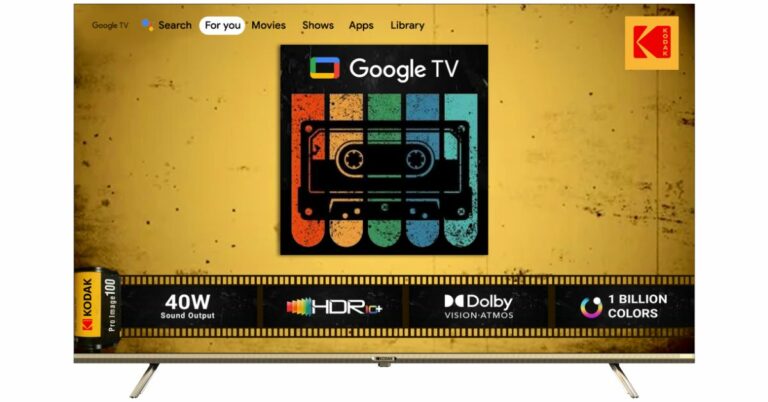
A new range of premium Kodak Televisions launched in India

Super Plastronics Pvt Ltd a brand licensee of Kodak Televisions has announced the launch of a new range of TVs in India. The company has introduced four models under its Kodak 9XPRO Series, three variants of CA PRO Google TVs and a 75-inch 4K QLED Google TV.

The Kodak 9XPRO Series includes a Realtek processor whereas the CA PRO Google TVs are coupled with Integrated Google Assistant and Google TV, Dolby Atmos and Google Vision. The 75-inch 4K QLED Google TV has a slim design and comes with HDR10+,  Dolby Atmos, Dolby Vision, Dolby Digital Plus, DTS Trusurround and In-built Chromecast & Airplay that supports 1000+ Apps.

Pricing and availability

All the televisions will be available selectively on Flipkart and Amazon India. The all-new KODAK 9XPRO TV series comes at a starting price of Rs 10,499. Whereas the price of the 4K Google TV models under its CA PRO series will begin at Rs 27,999. In addition to this, 75-inch variant of the Kodak 4K QLED Matrix series will be available at a price tag of Rs 98,888.

Also Read: Garena Free Fire Redeem Codes Today 27 June 2023: Here is how to claim them

Kodak 9XPRO TVs

The company has introduced 32, 40, 42 and 43-inch models under the Kodak 9XPRO TVs. These variants run on Android 11 and are powered by an ARM Cortex A55 REALTEK processor with 1GB RAM and 8GB ROM. The 32-inch variant of the series is HD Ready whereas all other models are Full HD.

Kodak 9XPRO TVs
Kodak 9XPRO TVs

In addition to this, the new models of the Kodak 9XPRO TVs come with a speaker output of 30W and support Dolby Digital sound. There is support for Bluetooth 5.0 along with Google Assistant and Chromecast built-in. The Kodak Television also comes integrated with 6,000 Plus Apps and Games such as Netflix, Prime Video, Disney+Hotstar, Apple TV, Voot, Zee5, Sony LIV, and Google Play Store with 500,000 Plus TV Shows.

Also Read: Vivo Y36 with 44W fast charging support launched in India

Kodak CA PRO series
Kodak CA PRO series

Kodak CA PRO series

There are three new variants 50, 55 and 65-inch Google TVs under the Kodak CA PRO series. The TVs are powered by an MT9062 processor and integrated Google Assistant. They feature a 4K UHD Display and bezel-less design with built-in Chromecast and apps like YouTube and Google Classroom which aid in learning and upgrading. In terms of connectivity, there is USB 2.0, HDMI 3 (ARC, CEC), and Bluetooth v. 5.0 with user-friendly remote control. The CA PRO Google TVs include over 10,000 Apps and Games Like Netflix, Prime Video, Hotstar, Zee5, Sony Liv, and Google Play Store with 500,000 Plus TV Shows. Moreover, there is a sound output of 40W by Dolby Audio Stereo Box Speaker.

Kodak 75-inch 4K QLED TV (75MT5044)

Kodak 75-inch 4K QLED TV (75MT5044)

The Kodak  75-inch 4K QLED TV (75MT5044) comes with a bezel-less and Airslim design. The device features a QLED 4K display with 1.1 billion colours, Dolby MS12, HDR 10+ support. Also, there is DTS TruSurround, Dolby Atmos, Dolby Vision, Dolby Digital Plus and In-built Chromecast and Airplay that supports 1000+ Apps. The Kodak TV has 2GB RAM and 16GB of internal storage.

For the latest gadget and tech news, and gadget reviews, follow us on TwitterFacebook and Instagram. For newest tech & gadget videos subscribe to our YouTube Channel. You can also stay up to date using the Gadget Bridge Android App. You can find the latest car and bike news here.

Ultimate Guide to Optimizing Android Privacy and Security Settings

The Android operating system is one of the most popular worldwide, with over 2.5 billion active users worldwide. Three-quarters of all smartphones in the world run Android. Given how popular it is and how massive its use case is, it’s still a surprise that many people need to be made aware of the privacy concerns that come with Android.

The Google Play Store has a wide range of useful and free apps; however, when you download these apps for your convenience, you do so at the cost of your privacy. Sometimes users unknowingly consent to their data to these apps. Apps use your data to target you with recommendations and personalized ads.

Cybercriminals are continuing to get more innovative and clever with the ways they can hack into people’s accounts and compromise their confidential data, so as users, we must be one step ahead to protect our privacy and ensure it doesn’t get into the wrong hands.

In this ultimate guide, we’ll talk about the importance of protecting your privacy when using an Android device and the steps you can take to ensure that no third party gets the opportunity to use your confidential data for fraudulent purposes.

Why Should You Be Concerned About Privacy on Android?

Many Android apps collect data on users. They can access your camera and microphone and know your browsing activities and location. Users unknowingly consent to their data getting used by third parties and advertisers to target them with personalized ads that appeal to their interests.

Android devices are susceptible to security vulnerabilities and can get exploited by malicious actors. These vulnerabilities can lead to cyber criminals or hackers gaining unauthorized access to your accounts, passwords, and even confidential financial information such as your bank account details.

Android devices have pre-installed apps and manufacturer modifications, which are commonly referred to as “bloatware.” Some apps can access confidential and sensitive data without getting uninstalled easily. They can compromise your data and privacy by collecting and sharing your information with third parties without your consent.

Android devices often encourage users to sync their data with Cloud services to manage their data more effectively. While convenient, it can still pose a risk as your personal information can get exposed to security breaches and unauthorized access. It might happen if the cloud services have weaker security systems in place.

Although it’s common for users to not pay attention to Privacy Policies and Terms of Service and proceed with giving consent, Google’s Privacy Policy states that your Android device will collect information about your browsing activities, the browsers and apps you use, your location, and your IP address.

Google collects all of this information to enhance your online experience and to be able to target you with ads that meet your likes and interests. Google makes a lot of profit by using Android devices that collect information about you. This information is used to show you targeted ads. These targeted ads and the call to action help Google earn profits and revenue.

You can protect your data and privacy by tweaking and adjusting your Android privacy settings. In the next section, we’ll go into more detail about the steps you need to take to safeguard your online privacy even when using an Android device. Let’s get into it.

How To Protect Your Privacy On Android

Here are all the steps you can take to protect and safeguard your privacy on your Android device:

Location Tracking Settings

Advertisers can collect information about you by looking at your location. They can easily track your location and would be concerned as users who value their privacy. Anyone can track your location and find out where you’re living.

Google can also track where you work and where you go out on the weekends. If it feels overwhelming, we’re here to help. Here are some steps to prevent third parties and advertisers from tracking your location. To prevent apps from tracking your location on your Android device, go to Settings > Privacy > Permissions > Location.

Once you’ve reached the location, you’ll find a list of all the applications installed on your phone. You can choose which apps should have limited access to your location details. The options presented to you will be location tracking all the time or while using the app or denial.

Manage App Permissions

Whenever you install an Android app to your device, it will ask for specific permissions, such as accessing your microphone or your location. Some apps require these permissions to work more effectively. Sometimes a user has to give in and accept those permissions; otherwise, the app’s features don’t work correctly.

Some apps ask permission to access your video camera or speakers, and they don’t necessarily require it. So unless it’s something the app needs, you can manage app permissions and revoke consent for permissions that aren’t necessarily needed.

You can do this by going to Settings > Applications > Application Manager. Once you’ve reached the Application Manager, it will list all the applications installed on your device. Click on the app you want, or go to all the apps individually and click on Permissions. You can now adjust which features the app will have access to.

Use a VPN

A VPN effectively safeguards against online threats and preserves anonymity and privacy. One of the significant ways third parties can track your online activities and location is by using your IP address. Use VPN app for Android to help you tackle this issue.

VPNs encrypt your internet traffic and mask your IP address, which means no one can track your online activities or be aware of your identity online. By using VPN servers, no one will be able to track you or know of your whereabouts. You can browse the internet on your Android device safely and securely.

Use Antivirus Software

Using Antivirus software on your Android device can help protect your privacy. Antivirus software scans can protect your device from malware as they will detect and prevent it from spreading to your device and gaining unauthorized access.

Antivirus apps also have additional features to analyze and see which installed apps have any suspicious activity, such as unauthorized access or too many permissions, that could compromise the user’s privacy. Some antivirus apps have privacy scanning features.

They analyze the app’s permissions or any privacy risks that could occur from these installed applications. It could protect you from phishing attempts or accessing websites that compromise your sensitive data.

Disable Personalized Ads

We’ve already mentioned how third parties and advertisers use your data to enhance your online experience and bring you more targeted ads. The apps can easily track you by using a unique advertising ID. To prevent these apps from sharing your data, you can take a couple of steps to avoid it.

On your device, go to Settings > Privacy > Ads, click Delete Advertising, and tap again on the next page to confirm. You can turn off personalized ads on your Google Account by going to My Ad Center.

Conclusion

Every user’s privacy matters. These easy and effective measures will help you safeguard your online privacy and security while using your Android device. While Android devices offer convenience, we should also be mindful of utilizing the most effective security measures to protect our data since we can unknowingly consent to our data being used by third parties.

For the latest gadget and tech news, and gadget reviews, follow us on TwitterFacebook and Instagram. For newest tech & gadget videos subscribe to our YouTube Channel. You can also stay up to date using the Gadget Bridge Android App. You can find the latest car and bike news here.

Costway 14000 BTU Portable Air Conditioner: 5 Reasons why you should buy it

As the weather changes, more people start to purchase indoor portable air conditioners, convenience and comfort are crucial, Costway, as an e-commerce platform that meets diverse life needs, ensures delivery of high-quality products to customers through a strict selection process for air conditioner products. This article takes an in-depth look at one of their flagship products, the Costway 14000 BTU Portable Air Conditioner, which promises to revolutionize the way we experience cool air.

Costway has a wide range of products. This website sells outdoor/indoor furniture, sports products (treadmills), home appliances, cooling products, baby and kids products, etc., to ensure that customers’ one-stop shopping needs are met. Advocate warm, dedicated, happy, diversified brand personality. With 6000 available SKUs and fast product/category listings currently, on the website, it is always committed to providing customers with the latest and most innovative solutions.

The portable air conditioner breaks the space limitation and is suitable for all places where it is inconvenient to install outdoor units. If you rent a house where it is inconvenient to drill holes and destroy the structure of the house to install ordinary air conditioners, you may wish to try using air conditioners. No need to drill holes, or even install, just plug and play when it arrives. It’s also very compact. The white HIPS material panel, with smooth lines, does not take up space in the room and is fashionable and versatile. Don’t throw away the packing carton, if you move someday, just use it to pack and take it away.

The Costway Portable Air Conditioner sets a new standard for home comfort. Designed with cutting-edge features, this new air conditioner is the perfect blend of functionality and convenience. Let’s explore some of the key features that make it a product that stands out in the market.

Key Features

3-in-1 Multipurpose Design

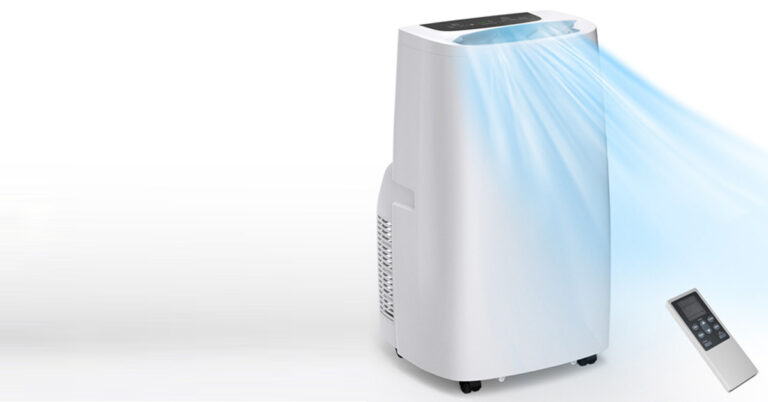
This portable air conditioner combines 3 operation modes of cooling, dehumidification and fan into one, which can meet all your needs and serve you all year round. 62-86°F (17-30°C) adjustable temperature, 3 fan speeds (high/medium/low) and 85-day dehumidification power for personalized comfort.

Fast and large-area cooling

Generally speaking, the cooling capacity of portable air conditioners is between 8000BTU and 14000BTU. The larger the number, the better the cooling effect. Equipped with a powerful 14000 BTU of cooling capacity and a 90° auto-swing feature, this product cools down areas quickly and evenly. It’s perfect for homes, dorms, apartments, offices, garages, and more.

Simple operation and low noise

The air conditioner is equipped with a touch screen, 24-hour timer and low-noise sleep mode, allowing you to sleep peacefully on hot summer nights without worrying about electricity bills and catching a cold.

Humanized and thoughtful details

Equipped with 4 swivel casters and a built-in portable handle, you can easily move the air conditioner from one room to another. For convenience, it comes with a power cord storage stand and remote control holder. And, the removable, washable filter and covered bottom drain hole ensure efficient filtration and drainage.

Easy and flexible installation

This portable air conditioner has passed ETL and CEC certification and is safe to use. It comes with an adjustable window kit, a 4.9ft exhaust hose, hose connectors, adapters, and easy-to-follow instructions for easy installation. It is perfect for any vertical or horizontal sliding window.

Brand Services

Costway’s commitment to customer satisfaction is evident through an integrated shopping experience called Costway+ Care. The service includes fast delivery within 3-5 days, 24-hour customer service, a 30-day return guarantee and privacy protection. Plus, the offered product warranties ensure peace of mind, making Costway a trusted name for all your home comfort needs.

In conclusion

Costway Portable Air Conditioners have received positive reviews from Costway users for their powerful cooling performance, energy efficiency, quiet operation, advanced features, ease of installation and maintenance, and durability and reliability. As users share their experiences, it becomes clear that this air conditioner provides optimum comfort while exceeding expectations. Whether you’re looking for relief from the summer heat or year-round climate control, the Costway Portable Air Conditioner is a great choice. Embrace the power of cooling and enhancing your indoor environment with reliable, efficient cooling solutions from Costway.

For the latest gadget and tech news, and gadget reviews, follow us on TwitterFacebook and Instagram. For the newest tech & gadget videos subscribe to our YouTube Channel. You can also stay up to date using the Gadget Bridge Android App. You can find the latest car and bike news here.

BGMI redeem codes for 27 June 2023, claim and receive rewards and benefits

After being banned for nearly ten months, Battleground Mobile India, aka BGMI, is officially available again in India. BGMI fans are looking for ways to improve their game experience and one such method is the usage of redemption codes, which offers a variety of rewards and advantages using BGMI redeem codes players can gain access to new skins, outfits, loot crates, weapons and free UC and diamonds.

As mentioned earlier, these codes give users the chance to earn unique rewards and gain extra benefits while playing the game. This includes GUN SKINS (M4, AKM, M416, AWM, M24, UZI, KAR98K), free character voucher, Andy, Carlo, Sara, Victor character for free, free Anna Character on completing the mission and UC or Royal Pass Discount. So here we have gathered a list of the most recent BGMI redeem codes as of 27 June 2023. Also, redeem these codes asap as these are only valid for a limited duration.

BGMI Redeem Codes for 27 June 2023

updating….

How to get free Redeem Codes for BGMI on 27 June 2023?

  • Launch BGMI on your device.
  • Then select the Redeem Code option from the main menu.
  • Next, click on the Redeem code tab.
  • A new window will open, requesting the redemption code.
  • Now enter your BGMI code.
  • Confirm and click on the “Redeem” tab.
  • If your redeem code is valid then you will get a message confirming that your rewards were successfully redeemed.

(Note that these codes are case-sensitive, so be sure to type them correctly to prevent any errors.)

For the latest gadget and tech news, and gadget reviews, follow us on TwitterFacebook and Instagram. For newest tech & gadget videos subscribe to our YouTube Channel. You can also stay up to date using the Gadget Bridge Android App. You can find the latest car and bike news here.

Garena Free Fire Redeem Codes Today 27 June 2023: Here is how to claim them

Garena Free Fire is a battle royale game with regular awards and tournaments to keep players interested. If you play Garena Free Fire, you should be aware of the redeem codes that are released on a daily basis. However, because the battle royale game is banned in India, players from other countries can use the Free Fire Redeem codes daily. If you’re unfamiliar with the Garena Free Fire redeem codes or don’t know how to get them, we’ve put together a step-by-step guide to help you redeem them. Check out Garena Free Fire Redeem Codes for 27 June 2023.

The Free Fire redeem codes are a great way to get free stuff. These are 12-digit codes that contain alphabets and numbers, as well as an expiration date and time. Because the Garena FF redeem codes cannot be used more than once, you should hurry to the redemption page to claim your free reward before someone else does. To get a free reward, all you have to do is go to reward.ff.garena.com/en, which is the official redemption page. Also, keep an eye on this space for daily updates on Garena Free Fire redemption codes and rewards.

Garena Free Fire Redeem Codes Today 27 June 2023

F34TB6YJKIUTJKO

F09IKIJHDTHNFTY

F6JKIJHSAQ23TDV

FFTYHO9ICXAQ23T

FD5TGHNUKO9089O

FLKJHFGTRGBXSQ2

FGR6TUJK0POL9MN

FDRTHBXAQ234THY

FGU3YGGYJGY4YTJ

FH5Y898UH45TJHY

FGJGY8KJN89OBVR

FJIKJGYH78IOLNB

FTHYJ8KUNBVS23T

FYHT7JUHBVCXAQ2

How to Get Free Fire Redeem Codes for Garena on 27 June 2023?

  • Visit the Garena Free Fire game’s official website at reward.ff.garena.com.
  • Use your Facebook, Google, VK, Apple ID, Huawei ID, or Twitter account to log in.
  • You’ll be taken to a valid redemption code (s)
  • Copy and paste the 12-digit redemption code into the text box.
  • On the screen, a dialogue box will appear.
  • ‘Ok’ should be selected.

For the latest gadget and tech news, and gadget reviews, follow us on TwitterFacebook and Instagram. For newest tech & gadget videos subscribe to our YouTube Channel. You can also stay up to date using the Gadget Bridge Android App. You can find the latest car and bike news here.

Amazon Quiz Answers Today 27 June 2023: Participate to win Rs 1,000

27 June 2023: New Amazon Quiz is now available. Customers from different parts of the country are participating in the daily quiz. The quiz starts at 12 AM today and will be live until 11:59 PM tonight. By successfully answering every question, participants in the quiz have the chance to win wonderful rewards. A Rs 1,000 Amazon Pay Balance is up for grabs to participants today.

One wrong answer could eliminate you from the quiz. You have a chance to win Rs 1,000 if you successfully answer every question. Users of the app only have the opportunity to take the quiz. Check Out 27 June 2023 Amazon Quiz Answers.

Amazon Quiz Today Prize: Rs 1,000 Amazon Pay Balance

Quiz Date: 27 June 2023

Daily Timing: 12 AM to 11:59 PM

Previous Amazon Quiz Winners Announcement: Today 12 PM Noon

Amazon Quiz Answers Today 27 June 2023: Win ₹ 1,000 Amazon Pay Balance

Question 1: In which country have 24 well-preserved bronze statues, dating back 2300 years, been excavated from a spa?

Answer: Italy

Question 2: After Elon Musk’s acquisition of Twitter, many users have jumped to which open-source alternative social app that started in 2016?

Answer: Mastodon

Question 3: Which science fiction movie is about the human colonization of a distant moon called Pandora?

Answer: Avatar

Question 4: In which US state did this movement start from?

Answer: Florida

Question 5: Which sultan began the construction of this fortress?

Answer: Saladin

Also Read: Noise Buds Verve, budget TWS with up to 45 hours of playback launched in India

How To Play Amazon Quiz Today

Only app users are eligible to play the Amazon quiz every morning from 12 AM to 11:59 PM. The quiz is not available on the desktop. For those who are unaware how to play the Amazon quiz, below are the steps, you can follow to take the quiz.

  • First, download the Amazon app from Google Play Store or App Store or go here to download the Amazon App
  • Now fill in the required information through the Sign-Up option.
  • You need to log in to the Amazon app and scroll down on the home screen to find the Amazon Quiz banner.
  • Tap on the Amazon Quiz banner and tap on the Start button to start the Quiz.
  • Now you will get 5 questions and you need to answer them correctly. One wrong answer will eliminate you from the Quiz.
  • After answering all the questions correctly you are now eligible for a Lucky Draw.
  • The previous winner’s name will be announced today at 12 PM.

Amazon Daily Quiz Answers from the previous few days.

Here are all the answers from the previous 5 days of the Amazon Daily Quiz and Contest. 

Amazon Quiz Answers 26 June 2023: Win ₹500 Amazon pay Balance

Question 1: Drop in the water level in which river has led to the discovery of German warships from the World War 2 era?

Answer: Danube

Question 2: Naomi Biden is the first presidential granddaughter to wed at what exclusive venue?

Answer: White House

Question 3: Which planet made its closest approach to Earth since 1963?

Answer: Jupiter

Question 4: Which is the main hub airport of this airways?

Answer: Heathrow

Question 5: In which German city was this famous composer born?

Answer: Bonn

Amazon Quiz Answers 25 June 2023: Win ₹2,500 Amazon pay Balance

Question 1: Ash Ketchum became the World Champion Pokemon trainer by defeating whom?

Answer: Leon

Question 2: Which European country elected Natasa Pirc Musar as its first female president?

Answer: Slovenia

Question 3: The 2022 movie Thirteen Lives is about a rescue operation to save people trapped in a cave in which country?

Answer: Thailand

Question 4: This artwork was recently completed in which city?

Answer: Paris

Question 5: Where was this woman shot?

Answer: Kentucky

Also Read: Vivo Y36 with 44W fast charging support launched in India

Amazon Quiz Answers 24 June 2023: Win ₹5,000 Amazon pay Balance

Question 1: Which country has decided to rebuild the world’s largest-ever airplane, which was destroyed recently?

Answer: Ukraine

Question 2: A massive explosion occured near Beyoglu Square, a major nightlife and shopping district in which city?

Answer: Istanbul

Question 3: Which singer became the first ever to fill all top 10 spots on the Billboard Hot 100 in the same week?

Answer: Taylor Swift

Question 4: Which was the first recording studio in the world?

Answer: New York Phonograph Company

Question 5: This bird spreads which flu?

Answer: Avian Flu

Amazon Quiz Answers 23 June 2023: Win ₹1,250 Amazon pay Balance

Question 1: In 2022, Salima Mukansanga became the first ______ woman ever to referee at the men’s FIFA World Cup.

Answer: African

Question 2: Jeff Bezos awarded which singer the Courage and Civility Award along with $100 million?

Answer: Dolly Parton

Question 3: Morbi suspension bridge collapsed over which river in Gujarat?

Answer: Machchu

Question 4: Which place is considered as the origin of this snack item?

Answer: Persia

Question 5: Who were the first people to play this sport?

Answer: French monks

Amazon Quiz Answers 22 June 2023: Win ₹500 Amazon pay Balance

Question 1: What name meaning ‘super skilled player’ has been given to the 2022 FIFA Men’s World Cup mascot?

Answer: La’eeb

Question 2: Joe Biden and Xi Jinping had their first in-person meeting of Biden’s presidency in which country?

Answer: Indonesia

Question 3: New York City has agreed to pay $26 million to Muhammad Aziz for wrongful convictions for whose murder?

Answer: Malcolm X

Question 4: This animal symbolises which god of Hinduism?

Answer: Vishnu

Question 5: What is the parent company of this biscuit brand?

Answer: Mondelez International

Remember: Customers who take the Amazon quiz have the chance to win Amazon Pay Balance worth up to Rs 5,000. From 12 AM today until 11:59 PM, you can take the quiz. The e-commerce platform brings a fresh quiz on a daily basis, which consists of five questions related to general knowledge and current affairs. Those participating need to answer all five questions correctly then their names will be chosen for a lucky draw. The winner will be declared at the end of the month.

Amazon Quiz Answers Frequently Asked Questions (FAQs)

Where can I check the previous winners? Did I win how to check?

You can head over to this link on your mobile or desktop to check the winners of the Amazon Daily Quiz Contest.

How to Play Amazon Daily Quiz or Contest?

We have written an explainer above, you can refer to that.

When are the winners of the Amazon Quiz and contest announced or declared?

The announcement of today’s Amazon quiz winner will take place Tomorrow. As for the Special Quiz and “Spin & Win” Contest, the winners will be declared once the Quiz Contest comes to an end. To find out who the lucky winner is, you can refer to the Amazon Quiz Winners List or visit the Amazon Winners tab in the Amazon App.

How to participate in the Daily Amazon Quiz?

That is very easy, just got o the Amazon app and scroll to the bottom of the page and you will find the Quiz section. Click on it (usually it is called the fun zone) and you can enter the Amazon Todays Quiz Contest. 

Are there any other quizzes or contests running on Amazon daily?

Yes, there are many running on a daily basis. These range from spin the wheel to answer the questions correctly. All are located in the Fun Zone. 

What is the criteria for selecting a winner in the Daily Amazon Quiz?

When a qualified player submits correct answers to all the questions, they will automatically be entered into a lucky draw. This draw will include all participants who answered all the questions correctly. Amazon randomly selects the final winners from the pool of eligible participants who gave the right answers.

Which Types of Questions are asked within Amazon Daily Quiz?

These are very simple and straightforward questions. These are mainly related to general knowledge. 

Where should I look for Amazon Daily Quiz answers?

You can bookmark this page as we will help you every day with the Amazon Daily Quiz. We bring you fresh answers every day for Amazon Daily Quiz and Contest. 

What time does Amazon Announce previous winners?

The previous winner’s name will be announced today at 12 PM (noon).

For the latest gadget and tech news, and gadget reviews, follow us on TwitterFacebook and Instagram. For newest tech & gadget videos subscribe to our YouTube Channel. You can also stay up to date using the Gadget Bridge Android App. You can find the latest car and bike news here.

19-year-old BTech student creates and AI model for sign language translation

A 19-year-old BTech student at NMIMS Mukesh Patel School of Technology Management & Engineering (MPSTME), Mumbai student Preeyaj Safary has developed innovative artificial intelligence (AI) model that converts sign language into text. This AI model will be helpful for people with hearing and speech impairments. Preeyaj had earlier created a computer programme to help older people arrange vaccine slots during the COVID-19 epidemic, in addition to his extraordinary accomplishments in sign language translation.

Reflecting on the motivation behind his work, Preeyaj said, “I was deeply moved by the challenges faced by individuals with hearing and speech impairments while interacting with the public. Witnessing the inclusive nature of society inspired me to explore the potential of technology in facilitating smooth communication. I began working on this project during the lockdown, driven by the belief that technology can bring about positive change.”

It is said that Preeyaj was motivated to create a solution to improve the lives of deaf and mute people easier after visiting a restaurant and seeing the difficulties they had in speaking with others. The AI model makes a camera to record sign language gestures, and by comparing them to a large collection of sign language images, it successfully converts the gestures into written text that is shown on a screen that is attached to the camera.

In addition to this in order to ensure good communication, the model not only offers the words that match the signs but also displays the amount of translation correctness.
Preeyaj claims to have gathered a wide variety of sign language images for its AI model from a variety of sources, including online platforms and encounters with people connected to NGOs working in this field. As the AI model diligently adds more indicators to its database, it keeps growing, and as the technology is used more frequently, it will further strengthen the database’s accuracy and completeness

Along with his outstanding accomplishments in sign language translation, Preeyaj had also created a computer programme to help seniors schedule appointments for vaccinations during the COVID-19 pandemic. Preeyaj, whose mission is to improve society, plans to investigate new technologies and find creative use cases that deal with urgent societal concerns.

For the latest gadget and tech news, and gadget reviews, follow us on TwitterFacebook and Instagram. For newest tech & gadget videos subscribe to our YouTube Channel. You can also stay up to date using the Gadget Bridge Android App. You can find the latest car and bike news here.
Nothing Phone (2): Expected Price, Tech Specs and More

Nothing Phone (2) is one of the biggest releases we’ll see this summer, especially after the success of the company’s first smartphone last year. After launching the Phone (1) in 2022, the company had a couple of TWS products lined up for release. The Nothing Ear (stick) and Ear (2) carried the signature ‘see-through’ design while also delivering a powerful audio output. However, it is the flagship Phone (2) that will determine whether Nothing has the chops to hang with the big boys in the smartphone market. Pre-orders for Phone (2) will begin on June 29, with the launch scheduled for July 11. The company has confirmed a lot of details about the upcoming smartphone, and the Internet, as usual, is abuzz with a lot of rumours. Let’s take a look at what we could be getting with Nothing’s second iteration of the Phone.

Read Also: Top 7 AI Tools To Remove Background Noise From Any Audio

Nothing Phone (2): Here’s what you can expect from the device

While the official images of the smartphone have not been revealed yet, Nothing Phone (2) will not be radically different from its predecessor in terms of design. In the teaser image, the back panel retains the Glyph interface, which now looks more refined. The see-through design found on the panel will now be extended to the USB cable. In an official image released by CEO Carl Pei, the new Nothing USB Type-C cable has a transparent plastic casing on both ends.

Nothing Phone (2): Here’s what you can expect from the device

The most significant change on the Phone (2) is under the hood. The smartphone has been confirmed to be powered by the Snapdragon 8+ Gen 2 SoC, which was last year’s flagship processor. This means that the Phone (2) will be priced higher than its predecessor. The Snapdragon 8+ Gen 2 chipset was seen on OnePlus 10T, iQOO 9T, and the Samsung Galaxy Z series. Known for its thermal management and higher benchmarks, the S8+G2 is a great choice for the Phone (2).

The display also gets a small upgrade as the Phone (2) will rock a 6.7-inch unit. It is expected to be the same OLED display from Phone (1), but slightly bigger. A bigger form factor also means that the smartphone will carry a bigger battery. Phone (2) is confirmed to be equipped with a 4,700mAh battery, which is 200mAh more than the previous version. While battery life was never an issue on Phone (1), its successor will put up better numbers, especially when you take the Snapdragon 8+ Gen 1 SoC’s thermal management into account.

5 Best 5G smartphones under Rs 30,000
Nothing Phone 1


There are new developments on the OS front as well. Earlier this year, it was reported that Nothing had expanded its OS team, adding ex-OnePlus employees to the payroll. This could mean a more fleshed-out Nothing OS 2.0 on the upcoming Phone (2). While we don’t mind the close-to-stock Android OS experience that currently runs on the Phone (1), it will certainly be interesting to see how things progress on Nothing OS 2.0.

Very little is known about the camera and storage specs on the Nothing Phone (2) so far. The addition of a third rear camera lens looks very unlikely. We wouldn’t be surprised if Nothing retains the cameras from Phone (1). The company will stick to the existing RAM and storage options (8GB/12GB + 128GB/256GB) for the new smartphone.

Nothing Phone (2): Expected Price

There have been a few leaks about the pricing of the new Nothing smartphone, but they have been swiftly quashed by CEO Carl Pei. While the new Phone (2) will come at a premium, it won’t be as exorbitant as the leaks (Rs 65,000) suggested. Expect the Nothing Phone (2) to be priced around Rs 45,000 – Rs 50,000. In USA it could be priced around $450-550. 

Read Also: How to use ChatGPT without registering with OpenAI? Top 5 ways

Conclusion

With the Phone (2), Nothing will finally be breaking into the US market. The release timeline may not match the global launch, but US buyers will get the chance to get their hands on the Phone (2) later this year. Although the Phone (2) is the biggest release from the company this year, it may not be the last one. There have been rumours of a Nothing smartwatch being in the works. Those that have been wanting to wear a Nothing product on their wrists may not have to wait much longer.

For the latest gadget and tech news, and gadget reviews, follow us on Twitter, Facebook and Instagram. For newest tech & gadget videos subscribe to our YouTube Channel. You can also stay up to date using the Gadget Bridge Android App. You can find the latest car and bike news here.

3 Ways to Play Video Games on Roku, Android TV and Fire TV

0

If you’re bored of watching content on your Smart TV, you can always take a break and play the odd game. While streaming boxes may not have the graphical capabilities of gaming consoles, they’re still good enough to run light games. These games can easily be played using your TV remote. In this article, we bring you the 3 ways to download and play video games on Roku, Android TV, and Amazon Fire TV.

Read Also: How to install the Panda Helper app on Android and iPhone?

How to play video games on Roku?

How play video games on Roku?

Step 1: Press the Home button on your remote and select ‘Streaming Channels’.

Step 2: Scroll down to the ‘Games’ category and select it.

Step 3: Browse through the available games. Select the one you like.

Step 4: Select ‘Add channel’ to download the game you like.

Step 5: Once the game has been downloaded, it will appear on the home screen.

How to play games on Android TV?

Restart using the TV menu

Like Android smartphones, you can download video games on your Android TV from the Google Play Store. Here’s a step-by-step explainer.

Step 1: Go to your Android TV’s home screen and select Google Play Store.

Step 2: Scroll to the ‘Games’ section and browse through the games.

Step 3: Select the game you like and hit ‘Download’.

Step 4: Go to your home screen and select ‘Games’.

Step 5: This is where all your downloaded games will show up. Press on a game title to play it.

How to play games on Amazon Fire TV?

Amazon Fire TV Cube (3rd Gen): Performance

Step 1: Select the Amazon Appstore from your TV’s home screen.

Step 2: Select the ‘Games’ category.

Step 3: Browse the games on offer, and press ‘Download’ to save the game you like.

Step 4: Go back to the home screen and select ‘Apps’. The downloaded games will appear in this section.

Frequently Asked Questions

Can I play video games on Roku?

Roku has a decent collection of video games in its app store. You can play games like Retaliate, Snake, Rainbow Dash, Air Hockey and more on Roku. To download a game, go to Streaming Channels>Games.

How do I get games on my Android TV?

To download a game on your Android TV, simply launch the Google Play Store from the home screen and select the ‘Games’ category.

Can I play games on Fire TV?

Amazon’s Appstore on Fire TV has an extensive collection of games you can play. Simply launch the Amazon Appstore on your Fire TV and select the ‘Games’ category to browse all the gaming titles on offer.

Read Also: Top 3 ways to quickly pair Bluetooth headphones with a Windows 11 PC

Conclusion

This is how you can download and play video games on Roku, Android TV, and Amazon Fire TV. Since streaming boxes have a very limited processor range, you may not find high-end gaming titles for your TV. Most of the games on your TV’s app store can be played with the TV remote. You can also connect an accessory like the Amazon Fire Game Controller for a better gaming experience.

For the latest gadget and tech news, and gadget reviews, follow us on Twitter, Facebook and Instagram. For newest tech & gadget videos subscribe to our YouTube Channel. You can also stay up to date using the Gadget Bridge Android App. You can find the latest car and bike news here.

Best gaming mice under Rs 5,000 (June 2023)

A good gaming mouse is an integral part of every gaming setup. With a plethora of options on the market, making a definitive choice can be very confusing. If you don’t know what you’re looking for, you can end up paying a good amount of money for a product that isn’t suited for you. Luckily, you don’t have to shell out a lot of money for a good gaming mouse. In this article, we bring you the best gaming mice you can buy for under Rs 5,000 in June 2023.

Read Also: How to install the Panda Helper app on Android and iPhone?

Logitech G304 Lightspeed Wireless

Price: Rs 2,995 on Amazon.

Logitech G304 Lightspeed Wireless

When it comes to peripherals, you can never go wrong with Logitech. The G304 Lightspeed Wireless is one of the best gaming mice under Rs 5,000 you can buy right now. The 12k DPI Hero sensor delivers a rock-solid performance and offers ten times more power efficiency than previous generations. With just one AA battery, this gaming mouse can last for 250 hours. You can easily switch between different modes using the Logitech G Hub app.

Razer DeathAdder V2 Wireless

Price: Rs 3,678

Razer DeathAdder V2 Wireless

Ergonomic and precise, the Razer DeathAdder V2 is one of the most popular wireless mice among gamers. The 14k DPI sensor on this mouse offers a pixel-precise aim. You get 2 connectivity options on the mouse – a 2.4 GHz Razer HyperSpeed Wireless transmitter and a regular Bluetooth connection. You get 235 hours of battery backup with the HyperSpeed connection and 615 hours with Bluetooth.

SteelSeries Rival 3 Wireless

Price: Rs 5,000 on Amazon.

SteelSeries Rival 3 Wireless

The SteelSeries Rival 3 has all the makings of a great gaming mouse. The 18k CPI optical sensor on this mouse can track at 400 inches per second and has a maximum acceleration of 40G. The Rival 3 is RGB illuminated and has 6 buttons on it. The 2.4 GHz transmitter does not leave you worrying about any latency issues. We also really like the incredible 400+ hours of battery life on this device.

Logitech G502 Hero

Price: Rs 4,195 on Amazon

Logitech G502 Hero. best gaming mice 2023

Logitech G502 Hero is a complete all-rounder when it comes to gaming mice. It sports a 25K ‘Hero’ sensor that tracks at 400+ inches per second. There are 11 customisable buttons on the device. You can save up to 5 ready to play profiles on this mouse. One of the best aspects of owning this mouse is that you can customise its weight to your liking, with 5 removable 3.5g weights inside it. At Rs 4,200, the Logitech G502 Hero is easily one of the best gaming mice under Rs 5,000 in India.

Razer Viper Mini

Price: Rs 2,099 on Flipkart

Razer Viper Mini. best gaming mice 2023

Built in the mould of Razer Viper, the ‘Mini’ variant sports the same design along with a bunch of interesting features. The Viper Mini is an incredibly lightweight mouse (just 61g) that is super easy to control. The 8.2k DPI sensor can track up to 300 inches per second with a max acceleration of 32G. The RGB lighting on this mouse can be customised using the Synapse 3 companion app. 

Asus TUF Gaming M3

Price: Rs 1,699 on Amazon

Asus TUF Gaming M3. best gaming mice 2023

Looking for an affordable gaming mouse that doesn’t compromise on performance? The Asus TUF Gaming M3 should be right up your alley. This mouse has a 7,000 DPI optical sensor that tracks at 100 inches per second with a maximum acceleration of 20G. There are 7 programmable buttons on this mouse, including a dedicated DPI switch. We also really like the design of this mouse. Instead of tacky RGB lighting across the chassis, the Asus TUF Gaming M3 has an LED-illuminated logo.

Zebronics Zeb-Transformer-M Optical mouse

Price: Rs 398 on Amazon

Zebronics Zeb-Transformer-M. top 5 gaming mice under Rs 15,000

This entry-level gaming mouse from Zebronics is the perfect device for gamers that don’t want to spend an exorbitant amount of money. The Zebronics Zeb-Transformer-M Optical mouse gets the basics right. It gets a 3,200 DPI sensor with a switch button that lets you toggle between different DPI levels (1,000/1,600/2,400/3,200). Apart from delivering a good performance, the Zeb-Transformer-M also looks the part. The RGB lighting and the edgy-yet-ergonomic design make it a great affordable addition to any gaming setup.

Read Also: Top 7 AI Tools To Remove Background Noise From Any Audio

Conclusion

These are the best gaming mice you can buy for under Rs 5,000 in India. We’ll keep updating this list as new releases pop up on our radar. Which gaming mouse do you think offers the most value for money? Let us know in the comments! If you use a gaming mouse pad with your gaming mouse, do let us know which one.  

For the latest gadget and tech news, and gadget reviews, follow us on Twitter, Facebook and Instagram. For newest tech & gadget videos subscribe to our YouTube Channel. You can also stay up to date using the Gadget Bridge Android App. You can find the latest car and bike news here.

Noise Buds Verve, budget TWS with up to 45 hours of playback launched in India

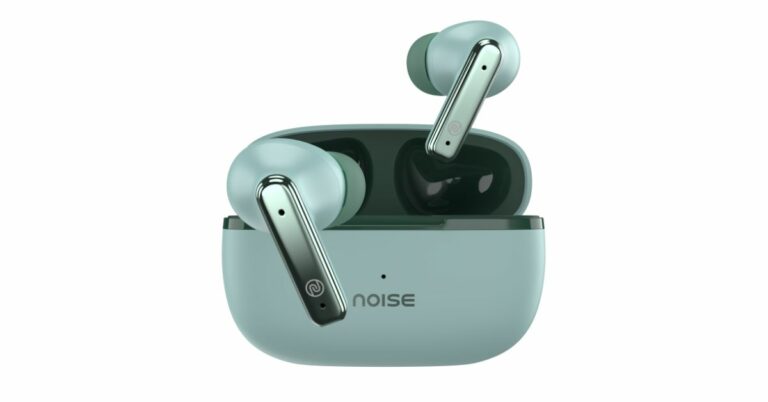
Noise Buds Verve has officially made its debut in the Indian market. The budget true wireless earbuds come with a chrome finish. The TWS is claimed to offer 45-hour battery life. In addition to this, it offers a 10mm driver, and active noise cancellation as it comes equipped with a quad-microphone setup.

Noise Buds Verve price in India, sale details

Noise Buds Verve has been launched in India with a price tag of Rs 1,199. It is available in 3 striking colour options: Carbon Black, Cloud White, and Forest Green. The device can be purchased via the e-commerce platform Flipkart, as well as Noise’s online store.

Also Read: Garena Free Fire Redeem Codes Today 26 June 2023: Here is how to claim them

Noise Buds Verve price in India, sale details

Noise Buds Verve specifications

The Noise Buds Verve has a premium chrome finish to appeal to design-conscious buyers who seek both great performance and aesthetics. They have 10mm dynamic drivers installed. They have Bluetooth 5.3 included for easy connectivity. On the other hand, thanks to HyperSync technology, customers may easily pair their TWS as soon as they open the case. Additionally, users of the Noise Buds Verve may enjoy their music worry-free when exercising or near water thanks to the IPX5 water resistance and USB Type-C charging adapter.

Also Read: Amazon Quiz Answers Today 26 June 2023: Participate to win Rs 500 Amazon Pay Balance

Noise Buds Verve specifications

The low-latency function of the earphones allows users to enjoy lag-free listening. It provides a seamless listening experience with a 40ms latency that is exceptionally low. The Noise Buds Verve uses a quad-microphone system with environmental noise cancellation (ENC) technology to improve listening quality and communication clarity.

Additionally, the Instacharge technology offers users an excellent audio experience with a surprising 150 minutes of playback with a short 10-minute charge. The TWS, according to the manufacturer, may deliver a total playback time of up to 45 hours on a single charge.

For the latest gadget and tech news, and gadget reviews, follow us on TwitterFacebook and Instagram. For newest tech & gadget videos subscribe to our YouTube Channel. You can also stay up to date using the Gadget Bridge Android App. You can find the latest car and bike news here.

BGMI redeem codes for 26 June 2023, claim and receive rewards and benefits

After being banned for nearly ten months, Battleground Mobile India, aka BGMI, is officially available again in India. BGMI fans are looking for ways to improve their game experience and one such method is the usage of redemption codes, which offers a variety of rewards and advantages using BGMI redeem codes players can gain access to new skins, outfits, loot crates, weapons and free UC and diamonds.

As mentioned earlier, these codes give users the chance to earn unique rewards and gain extra benefits while playing the game. This includes GUN SKINS (M4, AKM, M416, AWM, M24, UZI, KAR98K), free character voucher, Andy, Carlo, Sara, Victor character for free, free Anna Character on completing the mission and UC or Royal Pass Discount. So here we have gathered a list of the most recent BGMI redeem codes as of 26 June 2023. Also, redeem these codes asap as these are only valid for a limited duration.

BGMI Redeem Codes for 26 June 2023

TIFZBHZK4A- Legendary Outfit

BOBR3IBMT- Desert Ranger Set

GPHZDBTFZM24U- Gun Skin (UMP9)

BMTFZBZQNC – Free Drifter Set

SD14G84FCC – Free Skin for KAR98 Sniper Gun

RNUZBZ9QQ – AKM Glacier Skin

VETREL2IMHX- Bumble Bee Set

KARZBZYTR- Skin (KAR98 Sniper)

TQIZBZ76F- Motor Vehicle Skin

SD16Z66XHH- Gun Skin

S78FTU2XJ- New Skin (M16A4)

SD14G84FCC- AKM Skin

RNUZBZ9QQ- Outfit

How to get free Redeem Codes for BGMI on 26 June 2023?

  • Launch BGMI on your device.
  • Then select the Redeem Code option from the main menu.
  • Next, click on the Redeem code tab.
  • A new window will open, requesting the redemption code.
  • Now enter your BGMI code.
  • Confirm and click on the “Redeem” tab.
  • If your redeem code is valid then you will get a message confirming that your rewards were successfully redeemed.

(Note that these codes are case-sensitive, so be sure to type them correctly to prevent any errors.)

For the latest gadget and tech news, and gadget reviews, follow us on TwitterFacebook and Instagram. For newest tech & gadget videos subscribe to our YouTube Channel. You can also stay up to date using the Gadget Bridge Android App. You can find the latest car and bike news here.

Garena Free Fire Redeem Codes Today 26 June 2023: Here is how to claim them

Garena Free Fire is a battle royale game with regular awards and tournaments to keep players interested. If you play Garena Free Fire, you should be aware of the redeem codes that are released on a daily basis. However, because the battle royale game is banned in India, players from other countries can use the Free Fire Redeem codes daily. If you’re unfamiliar with the Garena Free Fire redeem codes or don’t know how to get them, we’ve put together a step-by-step guide to help you redeem them. Check out Garena Free Fire Redeem Codes for 26 June 2023.

The Free Fire redeem codes are a great way to get free stuff. These are 12-digit codes that contain alphabets and numbers, as well as an expiration date and time. Because the Garena FF redeem codes cannot be used more than once, you should hurry to the redemption page to claim your free reward before someone else does. To get a free reward, all you have to do is go to reward.ff.garena.com/en, which is the official redemption page. Also, keep an eye on this space for daily updates on Garena Free Fire redemption codes and rewards.

Garena Free Fire Redeem Codes Today 26 June 2023

FFICJGW9NKYT

XUW3FNK7AV8N

FF11NJN5YS3E

FF9MJ31CXKRG

FFICJGW9NKYT

FFCO8BS5JW2D

FFAC2YXE6RF2

FF11WFNPP956

MQJWNBVHYAQM

W4GPFVK2MR2C

WCMERVCMUSZ9

MSJX8VM25B95

8F3QZKNTLWBZ

J3ZKQ57Z2P2P

How to Get Free Fire Redeem Codes for Garena on 26 June 2023?

  • Visit the Garena Free Fire game’s official website at reward.ff.garena.com.
  • Use your Facebook, Google, VK, Apple ID, Huawei ID, or Twitter account to log in.
  • You’ll be taken to a valid redemption code (s)
  • Copy and paste the 12-digit redemption code into the text box.
  • On the screen, a dialogue box will appear.
  • ‘Ok’ should be selected.

For the latest gadget and tech news, and gadget reviews, follow us on TwitterFacebook and Instagram. For newest tech & gadget videos subscribe to our YouTube Channel. You can also stay up to date using the Gadget Bridge Android App. You can find the latest car and bike news here.

Amazon Quiz Answers Today 26 June 2023: Participate to win Rs 500 Amazon Pay Balance

26 June 2023 Amazon Quiz has gone live on its mobile app platform. Customers from different parts of the country are participating in the daily quiz. The daily quiz is conducted by the company brings an opportunity for the customers to win exciting prizes. The quiz begins from 12 AM to 11:59 PM. In today’s quiz participants have a chance to win Rs 500 Amazon Pay Balance by answering all the questions correctly.

Every day Amazon brings a fresh set of questions for its customers that contains five easy questions. Amazon quiz brings an opportunity for its customers to win Amazon Pay Balance ranging from Rs 1,000 to Rs 50,000, which consists of five questions related to general knowledge and current affairs.

The participants must answer all the questions correctly and their names will be selected for a lucky draw. The winner will be announced at the end of the month. One wrong answer could eliminate you from the quiz. If you manage to answer all the questions correctly you can stand a chance to win Rs 500 Amazon Pay Balance today. Only app users are eligible to participate in the Quiz. Check Out 26 June 2023 Amazon Quiz Answers.

Amazon Quiz Today Prize – Rs 500 Amazon Pay Balance

Quiz Date – 26 June 2023

Daily Timing – 12 AM to 11:59 PM

Winner Announcement – Today at 12 PM

Amazon Quiz Answers Today 26 June 2023

Question 1: Drop in the water level in which river has led to the discovery of German warships from the World War 2 era?

Answer: Danube

Question 2: Naomi Biden is the first presidential granddaughter to wed at what exclusive venue?

Answer: White House

Question 3: Which planet made its closest approach to Earth since 1963?

Answer: Jupiter

Question 4: Which is the main hub airport of this airways?

Answer: Heathrow

Question 5: In which German city was this famous composer born?

Answer: Bonn

How To Play Amazon Quiz

Only app users are eligible to play the Amazon quiz every morning from 12 AM to 11:59 PM. The quiz is not available on the desktop. For those who are unaware of how to play the Amazon quiz below are the steps, you can follow to take the quiz.

  • Firstly download the Amazon app from Google Play Store or App Store
  • Now fill in the required information through the Sign Up option.
  • You need to log in to the Amazon app and scroll down on the home screen to find the Amazon Quiz banner.
  • Tap on the Amazon Quiz banner and tap on the Start button to start the Quiz.
  • Now you will get 5 questions and you need to answer them correctly. One wrong answer will eliminate you from the Quiz.
  • After answering all the questions correctly you are now eligible for a Lucky Draw.
  • The winner’s name will be announced today at 12 PM.

For the latest gadget and tech news, and gadget reviews, follow us on Twitter, Facebook and Instagram. For newest tech & gadget videos subscribe to our YouTube Channel. You can also stay up to date using the Gadget Bridge Android App. You can find the latest car and bike news here.

How to install the Panda Helper app on Android and iPhone?

0

If you’ve ever wanted to do more with your Android or iOS smartphone, you may have come across the suggestion to root the device. Rooting has its fair benefits – it gives you more control over your device and unlocks features that just wouldn’t be possible on an unrooted phone. For example, on a rooted phone, you can download a ‘modded’ version of YouTube that lets you play music while the screen off. You can also download a modded version of Spotify that offers all the premium features absolutely free of cost. The only downside to rooting is that it nullifies the warranty of your device. Luckily, Panda Helper lets you access all the modded apps without rooting your phone. In this article, we show you how to install the Panda Helper app on Android and iPhone.

Read Also: Great for creators: YouTube’s new AI-powered tool can dub videos in different languages

Install Panda Helper on an Android phone

Step 1: Go to the official Panda Helper website and tap on ‘Android download’.

Step 1: Go to the official Panda Helper website and tap on ‘Android download’.

Step 2: Select ‘Download Now’ and confirm your selection in the popup box.

Step 2: Select ‘Download Now’ and confirm your selection in the popup box. How to install the Panda Helper app on Android and iPhone?

Step 3: Open the APK from the notification bar once it has been downloaded.

Step 3: Open the APK from the notification bar once it has been downloaded. How to install the Panda Helper app on Android and iPhone?

Step 4: Allow your phone to install APKs downloaded using the web browser.

Step 3: Open the APK from the notification bar once it has been downloaded. How to install the Panda Helper app on Android and iPhone?

Step 5: Select ‘Install’.

Step 5: Select ‘Install’.

Panda Helper will be installed on your Android device.

Install Panda Helper on an iPhone

How to hide and unhide apps on an iPhone?

Step 1: Go to the official Panda Helper website and tap on ‘iOS download’.

Step 2: Install the APK on your iPhone.

Step 3: Go to Settings and select General.

Step 4: Select ‘Profiles’.

Step 5: Select the Panda Helper Profile.

Step 6: Select ‘Trust’.

You will now be able to use the Panda Helper app on your iPhone.

Frequently Asked Questions

What does the Panda Helper app do?

Panda Helper is a third-party app marketplace that lets you download modded games and apps for your Android or iOS device.

Is Panda Helper safe to use?

Even though it is a third-party marketplace, Panda Helper is safe to use. The app constantly monitors the content on its platform and uses SSL encryption to maintain the security of downloads.

Is Panda Helper free to use?

Panda Helper has a free version which you can use to download modded apps on your device. There is also a ‘VIP version’ of the app that unlocks some extra features.

Read Also: Redmi A2+ Review: Is this the ideal smartphone for those on a budget?

Conclusion 

This is how you can install the Panda Helper app on Android and iPhone. Even though it is a third-party marketplace, Panda Helper is run very efficiently. It offers safe and secure downloads at a rapid pace. The marketplace is well-regulated and harmful content is quickly taken down from the platform.

For the latest gadget and tech news, and gadget reviews, follow us on Twitter, Facebook and Instagram. For newest tech & gadget videos subscribe to our YouTube Channel. You can also stay up to date using the Gadget Bridge Android App. You can find the latest car and bike news here.

BGMI redeem codes for 25 June 2023, claim and receive rewards and benefits

After being banned for nearly ten months, Battleground Mobile India, aka BGMI, is officially available again in India. BGMI fans are looking for ways to improve their game experience and one such method is the usage of redemption codes, which offers a variety of rewards and advantages using BGMI redeem codes players can gain access to new skins, outfits, loot crates, weapons and free UC and diamonds.

As mentioned earlier, these codes give users the chance to earn unique rewards and gain extra benefits while playing the game. This includes GUN SKINS (M4, AKM, M416, AWM, M24, UZI, KAR98K), free character voucher, Andy, Carlo, Sara, Victor character for free, free Anna Character on completing the mission and UC or Royal Pass Discount. So here we have gathered a list of the most recent BGMI redeem codes as of 25 June 2023. Also, redeem these codes asap as these are only valid for a limited duration.

BGMI Redeem Codes for 25 June 2023

  • Updating…

How to get free Redeem Codes for BGMI on 25 June 2023?

  • Launch BGMI on your device.
  • Then select the Redeem Code option from the main menu.
  • Next, click on the Redeem code tab.
  • A new window will open, requesting the redemption code.
  • Now enter your BGMI code.
  • Confirm and click on the “Redeem” tab.
  • If your redeem code is valid then you will get a message confirming that your rewards were successfully redeemed.

(Note that these codes are case-sensitive, so be sure to type them correctly to prevent any errors.)

For the latest gadget and tech news, and gadget reviews, follow us on TwitterFacebook and Instagram. For newest tech & gadget videos subscribe to our YouTube Channel. You can also stay up to date using the Gadget Bridge Android App. You can find the latest car and bike news here.

Garena Free Fire Redeem Codes Today 25 June 2023: Here is how to claim them

Garena Free Fire is a battle royale game with regular awards and tournaments to keep players interested. If you play Garena Free Fire, you should be aware of the redeem codes that are released on a daily basis. However, because the battle royale game is banned in India, players from other countries can use the Free Fire Redeem codes daily. If you’re unfamiliar with the Garena Free Fire redeem codes or don’t know how to get them, we’ve put together a step-by-step guide to help you redeem them. Check out Garena Free Fire Redeem Codes for 25 June 2023.

The Free Fire redeem codes are a great way to get free stuff. These are 12-digit codes that contain alphabets and numbers, as well as an expiration date and time. Because the Garena FF redeem codes cannot be used more than once, you should hurry to the redemption page to claim your free reward before someone else does. To get a free reward, all you have to do is go to reward.ff.garena.com/en, which is the official redemption page. Also, keep an eye on this space for daily updates on Garena Free Fire redemption codes and rewards.

Garena Free Fire Redeem Codes Today 25 June 2023

4ST1ZTBE2RP9

MCPW3D28VZD6

ZZZ76NT3PDSH

3IBBMSL7AK8G

J3ZKQ57Z2P2P

GCNVA2PDRGRZ

XZJZE25WEFJJ

B3G7A22TWDR7X

6KWMFJVMQQYG

FFCMCPSUYUY7E

EYH2W3XK8UPG

UVX9PYZV54AC

V427K98RUCHZ

How to Get Free Fire Redeem Codes for Garena on 25 June 2023?

  • Visit the Garena Free Fire game’s official website at reward.ff.garena.com.
  • Use your Facebook, Google, VK, Apple ID, Huawei ID, or Twitter account to log in.
  • You’ll be taken to a valid redemption code (s)
  • Copy and paste the 12-digit redemption code into the text box.
  • On the screen, a dialogue box will appear.
  • ‘Ok’ should be selected.

For the latest gadget and tech news, and gadget reviews, follow us on TwitterFacebook and Instagram. For newest tech & gadget videos subscribe to our YouTube Channel. You can also stay up to date using the Gadget Bridge Android App. You can find the latest car and bike news here.

Amazon Quiz Answers Today 25 June 2023: Participate to win Rs 2500

25 June 2023 Amazon Quiz has gone live. Customers from different parts of the country are participating in the daily quiz. The quiz begins from 12 AM to 11:59 PM. Those participating in the quiz can win exciting prizes by answering all the questions correctly. Today participants have a chance to win a Rs 2500 Amazon Pay Balance.

Amazon quiz brings an opportunity for its customers to win Amazon Pay Balance ranging from Rs 1,000 to Rs 50,000. The Quiz can be played from 12 AM to 11:59 PM. The e-commerce platform brings a fresh quiz on a daily basis which consists of five questions related to general knowledge and current affairs. The participants need to answer all the questions correctly and their names will be selected for a lucky draw. The winner will be announced at the end of the month.

One wrong answer could eliminate you from the quiz. If you manage to answer all the questions correctly you can stand a chance to win a Rs 2500 Amazon Pay Balance today. Only app users are eligible to participate in the Quiz. Check Out 25 June 2023 Amazon Quiz Answers.

Amazon Quiz Today Prize – Rs 2500 Amazon Pay Balance

Quiz Date – 25 June 2023

Daily Timing – 12 AM to 11:59 PM

Winner Announcement – Today 12 PM

Amazon Quiz Answers Today 25 June 2023

Question 1: Ash Ketchum became the World Champion Pokemon trainer by defeating whom?

Answer: Leon

Question 2: Which European country elected Natasa Pirc Musar as its first female president?

Answer: Slovenia

Question 3: The 2022 movie Thirteen Lives is about a rescue operation to save people trapped in a cave in which country?

Answer: Thailand

Question 4: This artwork was recently completed in which city?

Answer: Paris

Question 5: Where was this woman shot?

Answer: Kentucky

How To Play Amazon Quiz

Only app users are eligible to play the Amazon quiz every morning from 12 AM to 11:59 PM. The quiz is not available on the desktop. For those who are unaware of how to play the Amazon quiz below are the steps, you can follow to take the quiz.

  • Firstly download the Amazon app from Google Play Store or App Store
  • Now fill in the required information through the Sign Up option.
  • You need to log in to the Amazon app and scroll down on the home screen to find the Amazon Quiz banner.
  • Tap on the Amazon Quiz banner and tap on the Start button to start the Quiz.
  • Now you will get 5 questions and you need to answer them correctly. One wrong answer will eliminate you from the Quiz.
  • After answering all the questions correctly you are now eligible for a Lucky Draw.
  • The winner’s name will be announced today at 12 PM.

For the latest gadget and tech news, and gadget reviews, follow us on Twitter, Facebook and Instagram. For newest tech & gadget videos subscribe to our YouTube Channel. You can also stay up to date using the Gadget Bridge Android App. You can find the latest car and bike news here.

Top 3 ways to quickly pair Bluetooth headphones with a Windows 11 PC

Pairing your Bluetooth headphones with a Windows 11 PC is a simple process, but it can be a long one. Unlike Windows 10, Windows 11 has removed the option to pair a TWS using the Windows + K shortcut. While this may not be an issue for most people, users that often connect new Bluetooth devices to their PC may want a quicker way to go about it. In this article, we bring you the top 3 ways to quickly pair your Bluetooth headphones with a Windows 11 PC.

Read Also: Great for creators: YouTube’s new AI-powered tool can dub videos in different languages

Use the Windows + K shortcut

Use the Windows + K shortcut

Windows 10 users will remember the ultra-easy method of pairing their Bluetooth headphones with their PC. Simply by pressing the Windows + K keys you could trigger the panel for all wireless devices connected to your PC. This included external displays, wireless headphones, keyboards, and your mouse. Strangely, Windows 11 only gives you the option to view and connect to wireless displays upon pressing that key combination. To connect to other Bluetooth devices, you will need to press the back button or hit Enter. Even though there’s still an extra step involved, this is still a very easy way to quickly pair your Bluetooth headphones with a Windows 11 PC.

Pin the Bluetooth shortcut

Pin the Bluetooth shortcut. 3 ways to quickly pair Bluetooth headphones with a Windows 11 PC

Pairing a Bluetooth headset with your Windows 11 PC requires accessing device settings and manually connecting the wireless device. You can avoid the extra click by simply pinning the Bluetooth shortcut on the taskbar. Click the arrow icon on the right side of the taskbar and drag the Bluetooth icon back to the arrow to pin it as a shortcut. Now, all you need to do is double-click this icon to quickly pair your Bluetooth headphones with your Windows 11 PC.

Create a desktop shortcut

Another quick way of pairing your Bluetooth headphones with a Windows 11 PC is by creating a desktop shortcut for Bluetooth connections. Here’s how you can go about it.

Step 1: Right-click anywhere on the desktop and select New>Shortcut.

Step 1: Right-click anywhere on the desktop and select New>Shortcut. 3 ways to quickly pair Bluetooth headphones with a Windows 11 PC

Step 2: Enter this text in the location field: %windir%\explorer.exe ms-settings:bluetooth.

Step 2: Enter this text in the location field: %windir%\explorer.exe ms-settings:bluetooth. 3 ways to quickly pair Bluetooth headphones with a Windows 11 PC

Step 3: Click on ‘Next’ and enter a name for the shortcut.

Step 4: Hit ‘Finish’.

Step 3: Click on ‘Next’ and enter a name for the shortcut. 3 ways to quickly pair Bluetooth headphones with a Windows 11 PC

You can change the icon for this shortcut from Properties>Change icon and even pin it to the taskbar.

Frequently Asked Questions

Why aren’t my Bluetooth headphones connecting to my PC?

Check the battery on your Bluetooth headphones and make sure they are turned on. Your wireless headphones need to be in the Bluetooth range of your PC. If they are still taking time to connect, restart both devices and try again.

How do I connect my Bluetooth headphones to two devices at once?

To pair your wireless headphones to two devices at once, they must support a multi-point connection. If your TWS offers multi-pairing, put it in discovery mode and use your devices to connect to it.

Why is the audio from Bluetooth headphones delayed?

Bluetooth headphones and TWS have a higher latency than standard wired headphones. This can be an issue particularly when you’re gaming. For better results, enable low latency mode on your TWS.

Read Also: Vivo Y36 with 44W fast charging support launched in India

Conclusion

This is how you can quickly pair your Bluetooth headphones with your Windows 11 PC. Once the headphones are connected to your PC, you will not need to manually pair them again unless you remove the connection from Windows settings. If you found this article helpful, let us know in the comments!

For the latest gadget and tech news, and gadget reviews, follow us on Twitter, Facebook and Instagram. For newest tech & gadget videos subscribe to our YouTube Channel. You can also stay up to date using the Gadget Bridge Android App. You can find the latest car and bike news here.

Top 7 AI Tools To Remove Background Noise From Any Audio

0

If you’re just getting started with podcasting and content creation, the quality of your audio recording is something that you should get right from the very beginning. Noisy audio is very distracting and can turn off the audience from your content. It can be a daunting task to clean up all your recordings manually, but luckily, with the power of AI, you don’t have to do it by yourself anymore. Here are the top 7 AI tools you can use to remove background noise from your audio recordings.

Read Also: Redmi A2+ Review: Is this the ideal smartphone for those on a budget?

Cleanvoice

Cleanvoice

Cleanvoice is one of the best AI-powered audio tools on the Internet. Apart from nullifying pesky background noise, Cleanvoice also removes filler works, stutters, humming and unwanted mouth sounds from your audio recording. The result is a clean, professional recording that is fit to be published anywhere. You can register on Cleanvoice and get 30 minutes of service for free. Once the trial period ends, you will need to subscribe to a premium plan.

Podcastle

Podcastle

Designed for amateur podcasters, Podcastle cleans up your audio recording with just one click. This tool is great at recognising static, chatter, and unwanted background noise in your audio recording. To remove any background noise from the audio, simply upload it to Podcastle, right-click on the audio track, and select ‘Add Magic Dust’. The AI-powered tool will clean your audio file instantly.

Veed

Veed

Veed’s AI background noise remover is remarkably good at recognising unwanted sounds like wind, rain, traffic noise, mouse clicks, ceiling fans, and more. You can upload an audio recording from your computer or a cloud service like Dropbox. You can also record an audio on the website itself. Once that is done, all you need to do is click on ‘Clean Audio’ and Veed’s AI tool will take care of the rest.

LALAL.AI

LALAL.AI. Top 7 AI Tools To Remove Background Noise From Any Audio

LALAL.AI is designed for musicians, sound producers, music engineers, video bloggers, streamers, transcribers, translators, journalists, and other professionals that want an easy solution to fix a noisy audio recording. Streamers and content creators can use this tool to remove copyrighted music from their videos. Journalists working in the field will also find this tool pretty helpful as it can increase the sound quality of interviews by removing unwanted background noise.

Noise Reducer

Noise Reducer. Top 7 AI Tools To Remove Background Noise From Any Audio

Noise Reducer user AI to minimise background noises like wind, rain, baby crying, phone rings, door slams, ambient chatter, and more. The tool does a great job of extracting the necessary sound from the ambient noises. You can use the tool for several audio recordings but only the first download is available for free. You can listen to several samples on the website or try the tool yourself before making up your mind. The file limit for Noise Reducer is 2GB.

Kapwing

Noise Reducer. Top 7 AI Tools To Remove Background Noise From Any Audio

Kapwing may be primarily known as a video editor, but it also has a great audio tool that removes annoying background noise from your recordings. This tool works for audio recordings as well as video files. Cluttered audio with external disturbance can be very distracting. Luckily, Kapwing easily recognises the unwanted elements on the audio track and automatically removes them. Apart from removing background noise, Kapwing can also remove long pauses from the audio track.

Audio Studio

Audio Studio. Top 7 AI Tools To Remove Background Noise From Any Audio

Audio Studio offers speech enhancement via AI-powered advanced noise removal. This tool can clear any background noise from barking dogs to chuffing helicopters. You can go through several audio templates on the website before deciding whether the tool is for you. You can use Audio Studio for 20 minutes per month without any charge. If you want to clean larger recordings, you will need to subscribe to a premium plan.

Read Also: New State Mobile releases June Update, now includes new map Dead Rock

Conclusion

These are the top 7 tools you can use to remove background noise from any audio recording. If you don’t wanna go the AI route, you can use tools like Audacity to manually remove noise and external disturbance from your audio files. If you found this article, let us know in the comments!

For the latest gadget and tech news, and gadget reviews, follow us on Twitter, Facebook and Instagram. For newest tech & gadget videos subscribe to our YouTube Channel. You can also stay up to date using the Gadget Bridge Android App. You can find the latest car and bike news here.

How to use ChatGPT without registering with OpenAI? Top 5 ways

0

ChatGPT is an absolute delight to use, be it strictly for conversational purposes or specific tasks like coding and translation. If you haven’t tried out the chatbot, you are missing out on an incredible experience. While ChatGPT is free to use, it does require you to make an OpenAI account using your email address and phone number. If that is something you are not comfortable with, here are the top 5 ways to use ChatGPT without registering with OpenAI.


Read Also: Redmi A2+ Review: Is this the ideal smartphone for those on a budget?

Use Microsoft Bing AI

Use Microsoft Bing AI

A major investor in OpenAI, Microsoft has been quick to incorporate ChatGPT in its existing services. Using Bing AI comes with a few advantages. Firstly, you don’t need to register your email or phone number with OpenAI in order to use the ChatGPT-based chatbot. If you’re an existing Bing user, simply click on the ‘Chat’ section on the Bing homepage and you’re set. If you are just starting out with Bing, you will need to log in using your Microsoft account. Windows users may already have one.

Another advantage of using Bing AI is that, unlike ChatGPT, it can give answers with the knowledge of recent events. ChatGPT users will know that the chatbot lacks real-world knowledge after September 2021. This is not the case with Bing AI. The only downside to using Microsoft’s chatbot is that it is only functional on the Edge browser.

Use the Bing app

Use the Bing app

A major complaint among ChatGPT users is that there still isn’t a functional Android app for it. While OpenAI may have rolled out a ChatGPT app for iOS, Android users will have to wait a little longer. For those that don’t want to wait, the Bing app is an excellent alternative. Based on ChatGPT-4, the Bing app doesn’t require you to register your email with OpenAI in order to use its chatbot. You also get the full ChatGPT experience on your smartphone.

Use Microsoft SwiftKey

Use Microsoft SwiftKey

Another Microsoft product that makes great use of ChatGPT-based Bing AI is the SwiftKey keyboard. Using Bing AI, SwiftKey offers to change the tone of your text and compose an email or blog post. You can also talk to the Bing AI chatbot from the keyboard itself. Once you’ve signed into SwiftKey using your Microsoft account, tap the Bing icon at the top right corner of the keyboard and select ‘Chat’. Here is an article explaining how you can use Bing AI on the Microsoft SwiftKey keyboard for Android.

Use Skype

Use Skype. How to use ChatGPT without registering with OpenAI? Top 5 ways

Another great way to access ChatGPT without registering with OpenAI is by using Skype. With Microsoft’s Bing AI integrated into the messaging and calling app, you can easily access it with just one tap. You will find the Bing chatbot at the top of your conversation list. Once you are done with a conversation, simply enter ‘newtopic’ to begin a new one.

Use Merlin

Use Merlin. How to use ChatGPT without registering with OpenAI? Top 5 ways

Merlin is a very handy ChatGPT-based Chrome extension that can get a lot of stuff done with just a few clicks. Apart from replying to your prompts, Merlin can make web browsing more productive and fun. You can talk to the chatbot on any webpage and ask it to summarise the information on the page for you. This also works for YouTube videos. Merlin also helps you with concise searches and creating better emails. All this without needing an OpenAI account!

Frequently Asked Questions

How do I get an OpenAI account?

To create an OpenAI account, log on to its website and select ‘Sign up’. Register with your email account and set up a password for your OpenAI account.

Can I use OpenAI for free?

You can use OpenAI’s services for free. It also has some paid products, like ChatGPT Plus which costs $20 per month.

Who can access OpenAI?

Anyone with an OpenAI account can access it for free.

Read Also: Soon, use AI-generated custom templates in Google Sheets

Conclusion

This is how you can use ChatGPT without an OpenAI account. If you want access to ChatGPT Plus, you will need to register with OpenAI and pay a monthly subscription of $20 per month. If you don’t want to make an OpenAI account, you can try ChatGPT alternatives like Google Bard, YouChat, and Snapchat My AI.

For the latest gadget and tech news, and gadget reviews, follow us on Twitter, Facebook and Instagram. For newest tech & gadget videos subscribe to our YouTube Channel. You can also stay up to date using the Gadget Bridge Android App. You can find the latest car and bike news here.