How to organise photos on your Android smartphone

The use of smartphones has been increasing day by day. Consumers carry their smartphones everywhere and do everything from listening to music to photography to daily work. A normal smartphone consumer clicks a lot of photos and makes tons of videos. The media gets stored on the device making a pile of clutter. It becomes really difficult to find a photo or organise it properly. Following these steps, one by one will surely come in handy to organise your photo clutter.
  • Change your Gallery App

With tons of gallery applications in the market and companies making default gallery applications smarter and smarter, it’s really difficult to choose the best gallery application for your smartphone. The best gallery application according to us is Photos by Google. It has tons of AI and automated features that come in handy to clear all the clutter from your smartphone without any hassle. This is how you set up your Google photos. Step 1 – Download Photos from Google Playstore. Step 2 – Login with your profile enable the backup and sync option. Step 3 – Enable the backup and sync option. Set the upload quality accordingly as only 15 GB is free as standard after that one needs to buy cloud storage from google. Google Photos
  • Optimization and organisation

After everything is set up Google will offer you a lot of options to automatically free the clutter from your device (in terms of images) by arranging them by face recognition or by arranging them in albums. However, the user can arrange the photos according to their preference as well. To do so these steps need to be followed. Step 1 – In the Google Photos application tap on the library option in the bottom bar. Step 2 – Scroll down to see the thumbnail of the New Album. Tap on create a new album. Step 3 – Select the photos you want to add to the album. Step 4 – There will be quite a few options to select your photos, choose accordingly. Step 5 – Press Add on the top right corner and done. Google Photos (1) Read Also: Top software to clean the clutter on your Windows PC The album is created with the selected photos. In a similar fashion, you can create more albums and organise images and videos. One can also further add new photos if they forgot to add them previously. You can do this by tapping on the three dots on the right corner of the album to reveal the additional settings to add or remove images. Google Photos (2) Read Also: Top software to clean the clutter on your Windows PC This solution will surely come in handy to manage your photos and videos as well as backing up your media will clear up the clutter on your smartphone. By going on the setting of Google Photos users can get rid of already backed up photos and videos from local storage making your phone a bit faster. For the latest gadget and tech news, and gadget reviews, follow us on Twitter, Facebook and Instagram. For newest tech & gadget videos subscribe to our YouTube Channel. You can also stay up to date using the Gadget Bridge Android App. You can find the latest car and bike news here.

Windows 11 promises access to over 100 high-quality PC games to play with Xbox Game Pass for PC

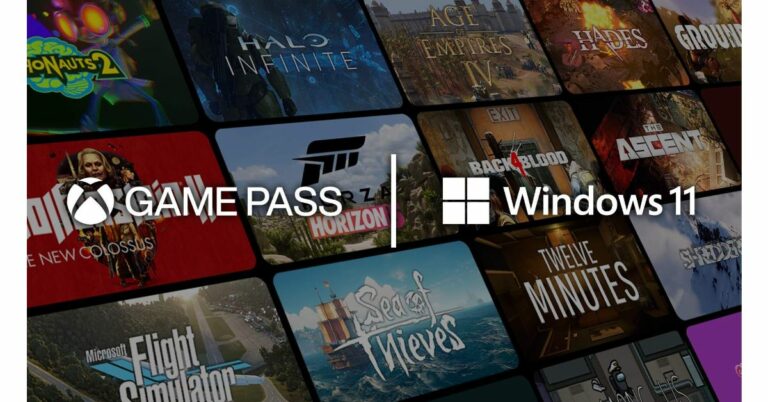
Recently Microsoft announced that the free upgrade to Windows 11 will start rolling out from October 5 to eligible Windows 10 PCs and PCs that come pre-loaded with Windows 11 will start to become available for purchase. In addition to the new user interface and design, the latest Operating system will deliver the best gaming experience. It is said to bring superior graphics, amazing speed, and an incredible selection of games. The Xbox Game Pass for PC will also get access to over 100 high-quality PC games to play on Windows 11 for one low monthly price.  According to Microsoft, so that the games look better than ever Windows 11 will also Auto HDR which will automatically add High Dynamic Range (HDR) enhancements to games built on DirectX 11 or higher than previously only leveraged Standard Dynamic Range (SDR). The support for HDR will render a much wider range of brightness values and colours to give an additional richness and depth to the image. The company has also integrated these features in the Xbox Series X|S consoles and now it is being expanded to Windows 11.
The NVMe SSD and the proper drivers will allow faster loading of new games with the addition of the DirectStorage that was also introduced to the Xbox Velocity Architecture featured in the Xbox Series X and Xbox Series S. With DirectStorage, which will only be available with Windows 11, games can quickly load assets to the graphics card without bogging down the CPU. Microsoft says that  “DirectStorage Optimized” Windows 11 PCs are configured with the hardware and drivers needed to enable an amazing experience. Along with support for Auto HDR and DirectStorage, the company will continue to expand new hardware advances needed for DirectStorage from new Xbox Wireless Controllers to mechanical keyboards and gaming mice, to the Xbox Adaptive Controller, to surround-sound headsets, external GPUs. In terms of graphics and speed, the company has Xbox Game Pass for PC. Basically, it is a membership that will allow access to a library of over 100 high-quality PC games across genres. The dedicated Xbox app is now built into Windows 11 that gives access to the Game Pass library. Game Pass for PC includes PC games from Xbox Game Studios and Bethesda the day they launch, an EA Play membership at no additional cost with Game Pass for PC or Ultimate, and a great selection of titles from partner developers big and small with more entering the library all the time. Along with Xbox Game Pass Ultimate, the users will also experience Xbox Cloud Gaming on Windows PCs via a browser and the addition of cloud gaming directly into the Xbox app on PC. The Windows 11 users will also be able to play these games seamlessly across devices with a global community of millions of players. For the latest gadget and tech news, and gadget reviews, follow us on TwitterFacebook and Instagram. For newest tech & gadget videos subscribe to our YouTube Channel. You can also stay up to date using the Gadget Bridge Android App. You can find the latest car and bike news here.

Samsung Galaxy A52s 5G with 120Hz display panel and Qualcomm Snapdragon 778G SoC launched in India

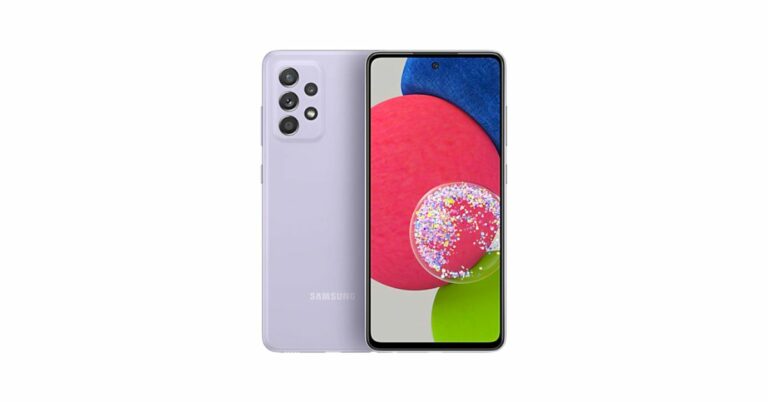
Samsung Galaxy A52s 5G has officially made its debut in the Indian market. The device was spotted on various certification platforms ahead of the official announcement. Prior to its launch in the country, the Korean giant introduced this 5G handset in the UK. The key highlights of the smartphone include a Qualcomm Snapdragon 778G SoC, 120Hz display panel and quad rear cameras. In addition to this, the device boasts a 4,500mAh battery and includes stereo speakers fine-tuned by Dolby Atmos. Samsung Galaxy A52s 5G price and availability details Samsung Galaxy A52s 5G is the latest addition to the company’s Galaxy A Series 5G line-up in the country. It has been launched in two different configurations of 6GB RAM with 128GB storage which is priced at Rs 35,999 and 8GB RAM with 128GB onboard storage at Rs 37,499. The device will be available in distinct shades of Awesome Black, Awesome Violet, and Awesome White. This can now be purchased via the company’s official website as well as Amazon in the country. The launch offer includes a cashback of Rs 3,000 to the HDFC Band cardholders and Rs 3,000 upgrade bonus to the customers exchanging their old handsets. Samsung Galaxy A52s 5G with 120Hz display panel and Qualcomm Snapdragon 778G SoC launched in India Samsung Galaxy A52s 5G specifications Samsung Galaxy A52s 5G is highlighted with a 6.5-inch full-HD+ Super AMOLED Infinity-O Display and 120Hz high refresh rate support. The 5G smartphone runs on One UI 3 on top of Android 11 out of the box. It is powered by an octa-core Qualcomm Snapdragon 778G SoC, which is paired with up to 8GB of RAM and 128GB of storage options. The internal memory can be expanded up to 1TB using a microSD card.  In terms of optics, the Galaxy A52s 5G features a 64-megapixel primary sensor with f/1.8 aperture and OIS. It further includes a 12-megapixel  ultra-wide lens with f/2.2 aperture, a 5-megapixel macro shooter, and a 5-megapixel telephoto shooter. For taking selfies and video calling the phone sports a 32-megapixel sensor at the front with an f/2.2 aperture Samsung Galaxy A52s 5G include 5G, 4G LTE, Wi-Fi, Bluetooth, GPS/ A-GPS, NFC, and a USB Type-C port for charging as connectivity options onboard. In addition to this, the device is backed by a 4,500mAh battery that supports 25W Super Fast Charging. Moreover, it includes an in-display fingerprint sensor and bags an  IP67 certification for protection against dust and water. For the latest gadget and tech news, and gadget reviews, follow us on TwitterFacebook and Instagram. For newest tech & gadget videos subscribe to our YouTube Channel. You can also stay up to date using the Gadget Bridge Android App. You can find the latest car and bike news here.

How to spot a fake product on Amazon and Flipkart

Due to the pandemic, everyone is stuck in their home. Due to this, the eCommerce websites like Flipkart and Amazon have grown a lot. Customers feel safe to order whatever they wish directly from their smart device and the product gets delivered in a few days directly to our doorsteps. With the rise in people buying online products, sellers selling fake ones have increased too. Today we tell you to keep yourself safe from such scammers and improve your shopping experience.

Check For reviews

The best and easiest way is to check the reviews. If the product has more than 4.5 stars out of 5 and the reviews are in thousands, you are good to go. Also, we advise checking for the negative reviews first. Many of the companies and sites have been spotted to send incentives to the customers who write a good fake review of their product on Flipkart or Amazon. The reward is earned when the reviewer sends a screenshot to the seller of the review posted by them. Also Read: How can you spot a fake Amazon review? Here are a few ways

Seller Check

In the previous point, we came across that there might be fake reviews on a particular product. If at all the comments on the product seem suspicious, it’s better to check the seller’s profile. Both Flipkart and Amazon give features to rate the seller out of 5 stars. If the review in the product is excellent but the review on the seller is poor it’s a big red flag for the product you are trying to buy.

Company assurance

Many times we have seen the badging of “Amazon Choice” or “f-assured” on a product. Yes, we know there is an algorithm set for all the products for this to happen. But, the company won’t take responsibility for a fake product. If these badges are set on fake products even the company knows it will damage its reputation to the core. So, it’s a plus if you see this badging on the product you are trying to buy. How to spot a fake product on Amazon and Flipkart Also Read: 5 questions that you must ask before buying a refurbished smartphone or laptop

Return Policy

It’s really important to check if the product is returnable or not. Usually, a fake seller won’t let you have a return policy on its product. Also for instance, if there is no return policy but a replacement policy, the product can be considered. Usually, you get a refund if you apply for a replacement for the same product more than twice. So this becomes an important check for you as a consumer.

The product seems way cheap

Imagine a product is being sold for 90% less than its actual price. Though it’s a rare chance to happen. If you ever come across such a product we consider not buying it. Even if you have the curiosity to check your luck, always make sure that such a product is eligible for the COD(Cash On Delivery) option. When the product arrives just ask the delivery personal to let you check the product. If the product is fake just decline to receive the order and you will be saved from getting scammed. These important checks will surely keep your time and money secure. Also, we expect these e-commerce websites to have some quality checks before even listing a product on their site. Bad incidents like frauds and scams not only damage the company’s reputation but also make consumers think twice before buying products online again. For the latest gadget and tech news, and gadget reviews, follow us on Twitter, Facebook and Instagram. For newest tech & gadget videos subscribe to our YouTube Channel. You can also stay up to date using the Gadget Bridge Android App. You can find the latest car and bike news here.

PUBG New State registration kicks off in India for Android and iOS users

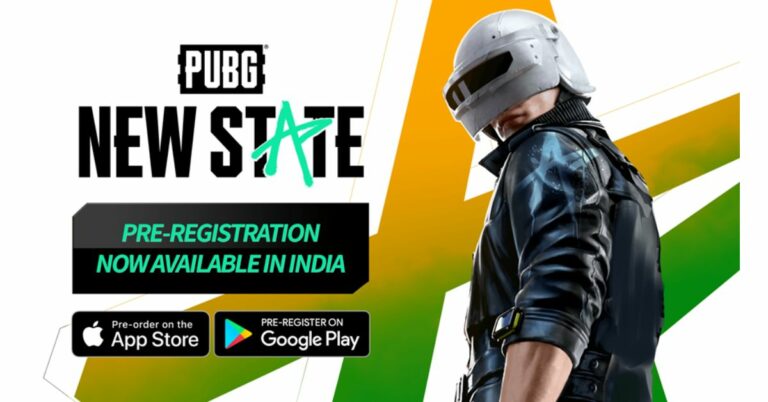
Krafton today announced the commencement of the pre-registration of the Player Unknown’s BattleGrounds New State title in India. The new battle royal game comes to India after several months of its launch in other regions. PUBG New State will be open for both Android and iOS users in the country. The highly anticipated PUBG New State pre-registrations have gone live in India. The link to pre-register is available on both Google Play Store and App Store in the country. The new game title will launch as a free-to-play experience on both Android and iOS platforms. It is said to create PUBG: BATTLEGROUND’s original Battle Royale experience, making it the most realistic battle royale game on mobile.  Before coming to India PUBG: NEW STATE was made available in the global market excluding India and on the popular demand of Indian fans Krafton the developer of the game today announced the commencement of the pre-registration. Now that the registration is live the fans can join other players across the globe. The company has not yet shared an exact launch timeline but as per Krafton, the new battle royal game is able to fetch over 32 million pre-registrations on Android and iOS globally excluding China, India, and Vietnam. It will bring a new gaming experience with the latest weapons and vehicles. The games would also experience new maps, techniques, and more. According to the available information, the PUBG New State will offer more realistic and dynamic gunplay fully optimized for the mobile environment. You can also customise your guns to fit your needs and survive on the battleground with PUBG’s unique weapon attachment system. New and unique mechanics that include dodging, drone calls and support requests will be introduced too. The new vehicles will be available to be utilised across the 8×8 open-world battleground  Player Unknown’s BattleGrounds New State title Executive Producer Minkyu Park said, “Knowing that PUBG IP from Krafton is enjoying countrywide popularity in India and our Indian fans have high interest in the launch of PUBG: NEW STATE in India, we at PUBG STUDIOS are doing our best to offer a battle royale experience only we can deliver based on the stable service for our Indian fans.” The company invested a total of 70 million USD this year in the Indian IT sector including the leading Indian esports company NODWIN Gaming, the game streaming platform Loco, and the Indian No.1 web novel platform Pratilipi. For the latest gadget and tech news, and gadget reviews, follow us on TwitterFacebook and Instagram. For newest tech & gadget videos subscribe to our YouTube Channel. You can also stay up to date using the Gadget Bridge Android App. You can ind the latest car and bike news here.

Best apps to download in your new Samsung Galaxy Watch 4

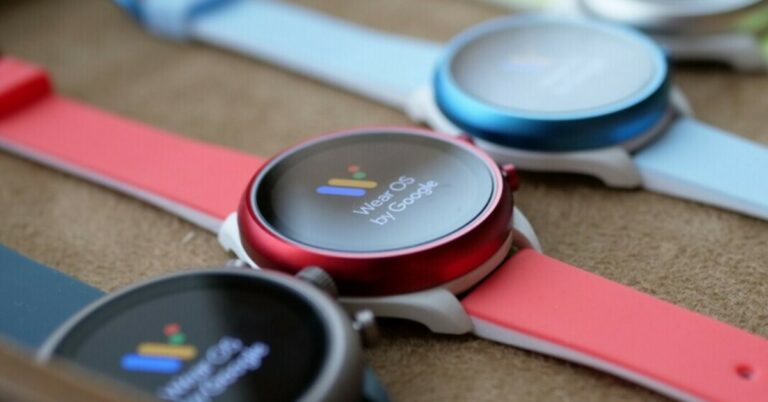
Samsung made a bold move and collaborated with Google for its smart wearables. With the release of the new Galaxy Watch 4, we can see that the watch runs on WearOS rather than the company’s own TizenOS. WearOS is highly customisable as it not only just sends you notifications but also keeps track of your health, organising your work and also keeps you connected with your entertainment devices and apps. With Google Play Store support there are tons of applications that are supported on the device. Here are some best applications that you should download instantly.
  • Google Maps

Google Maps WearOS  This application is useful especially if you are somewhere unfamiliar. It’s really difficult to constantly stick to your phone to check your current location. Google maps work flawlessly on WearOS. The application can give you turn by turn navigation and estimate the time of arrival if you want. Even if the screen is small there is no compromise in the information on display. Maps show you the current time and with the location name, you currently are at. The application comes really handy while jogging or exploring a new area on foot. Google maps can also be used while riding a bike, but we do not advise it as it can have safety concerns. Download Here
  • Shazam

Shazam Shazam is a very popular application on the smartphone platform. The good news is that it supports WearOS as well. Ever loved a song playing somewhere and felt like knowing the details about it? Well, Shazam comes to the rescue. The application listens to the song and identifies it for you. After knowing the song you can directly play or share the song from the application itself. Now, you don’t need to miss out on any song just because you were not able to pull out your smartphone from your pocket fast enough. Download Here Read Also: Windows 11 launched: Here are the top 5 features
  • Wear Gesture Launcher

Wear Gesture Launcher TheWear Gesture Launcher is for you if you use a lot of applications on your smartwatch but are tired of pressing a button or navigating the application again and again. The Wear Gesture Launcher does what it says. Users can set up a gesture for specific applications, for example drawing S to launch Shazam. Just open the drawing pad by scrolling down from the top right corner and draw the gesture accordingly. The developer is constantly updating the application to enhance user experience and reduce the delay in opening applications. Download Here
  • Google Keep

Google Keep Want to have a quick reminder or make a shopping list on the go? Google keep is the go-to solution. It is a note service by Google that can be very useful. Also, the best part being all the lists or reminders you saved in your wearable will automatically be synced across all the devices logged in via your email ID. Easy way to track your progress in a supermarket without constantly looking at your smartphone. Download Here Read Also: How to add music to your Instagram story?(Opens in a new browser tab)
  • Facer Watch Faces

Facer Watch Faces Companies usually provide users with only a handful of watch faces. There is a chance that you might not like the default watch face options offered by the company. That is the place where Facer shines. It has over a million watch faces to choose from by reputed artists and brands. Users can customise the watch faces and even add their own watch face if they wish to. The application is regularly updated with tons of new watch faces. If you are looking for a good application to enhance the way your smartwatch looks, Facer is perfect for it. Download here These are the list of applications that will come in handy to enhance your smart wearable experience and also help you to increase your productivity. These applications are absolutely free of cost with in-app purchases in some of them. For the latest gadget and tech news, and gadget reviews, follow us on Twitter, Facebook and Instagram. For newest tech & gadget videos subscribe to our YouTube Channel. You can also stay up to date using the Gadget Bridge Android App. You can find the latest car and bike news here.

How to stop your Android smartphone and its apps from tracking your location

Android smartphone users have grown a lot in the last decade and have become more aware of privacy. It is really easy to identify and locate people through anonymous data that many applications constantly fetch in the background. Most of such applications sell the information to advertising companies to target ads and other marketing strategies to the consumer. Google has been trying hard to stop these practices and put a security shield over its user’s privacy. There are features on your smartphone available, which many people don’t know of. Here are the steps to follow to stop apps to fetch your location anonymously.

Turn Off Location

This is the best solution to protect your privacy at the core level. The companies usually give the option to turn on/off your GPS location. The setting can either be accessed from the drop-down settings menu of the Android phone. Just search the options for location or GPS in the drop-down menu and tap it to turn it off. The other method is by simply heading to the settings of the smartphone and searching for either GPS or Location settings. After finding the correct option just toggle off the setting and you are good to go. Now no application can access your location as your sensor is off. Turn Off GPS Read Also: How can you stop people from adding you to WhatsApp groups?

Allow for specific applications

With the recent update by Google, the application needs to ask you first before fetching your location all the time. We can choose from options like Allow, Allow only while using the app or Deny. Even if by mistake, you have tapped allow in a hurry it’s easy to fix it and change the setting accordingly. Allow always Step 1 – Head to settings on your Android smartphone. Step 2 – Search for GPS or location. Step 3 – Under app permission, there will be all the applications using the location of your phone. Step 4 – Just tap for the application you feel is suspicious or want to check the permission settings of.  Step 5 – Set the application privacy/location settings accordingly. But there are some applications that need to use your location to function. A prime example of such an application is Google Maps. So before not allowing your location for the application do know its proper functionality. These steps will surely come in handy to protect your location from getting leaked and won’t let other applications anonymously fetch your location data. We also advise to not download applications from sources other than Google Play Store. Also one can use VPN to mask their IP address and location. For the latest gadget and tech news, and gadget reviews, follow us on Twitter, Facebook and Instagram. For newest tech & gadget videos subscribe to our YouTube Channel. You can also stay up to date using the Gadget Bridge Android App. You can find the latest car and bike news here.

Redmi Note 10 Pro and Redmi Note 10 Pro Max now available in the new Dark Nebula colour variant

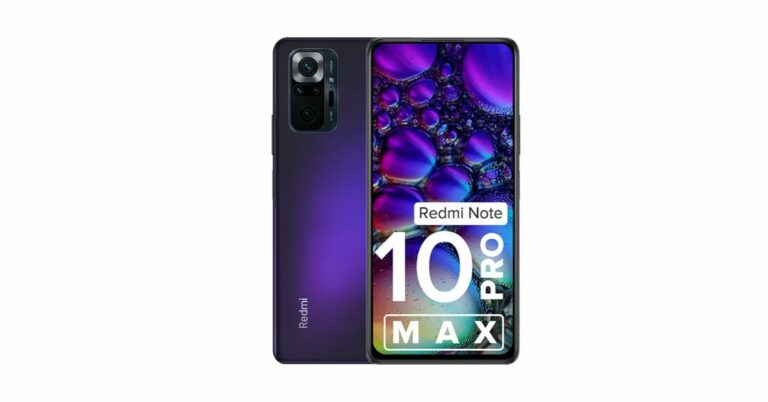
Xiaomi’s sub-brand has introduced a new colour variant of Redmi Note 10 Pro and Redmi Note 10 Pro Max. Both the devices will now be available in Dark Nebula colour options. At the time of the launch, Redmi introduced both the smartphones in three colour options and now the fourth colour option has joined the family. To recall, the devices were launched in India in March this year. In addition to this, the Redmi Note 10S will also come in a new Cosmic Purple colourway.  The price of the Redmi Note 10 Pro and Redmi Note 10 Pro Max new Dark Nebula colour variant remains the same as the previous pricing. The new  Dark Nebula along with dark Night, Glacial Blue, and Vintage Bronze colour options will be available for purchase via the company’s official website in the country as well as via Amazon.in. While on the other hand, Redmi Note 10S will also come in a new Cosmic Purple colourway. The new shade can be purchased via the Mi India website and Amazon.in. Redmi Note 10 Pro and Redmi Note 10 Pro Max now available in the new Dark Nebula colour variant

Redmi Note 10 Pro and Redmi Note 10 Pro Max specification 

Redmi Note 10 Pro and Pro Max come with a 6.67-inch full-HD+ Super AMOLED display having support for HDR-10. The Pro Max has a 120Hz refresh rate panel. It is powered by an octa-core Qualcomm Snapdragon 732G SoC with Adreno 618 GPU. The device will be available with up to 8GB of LPDDR4x RAM and up to 128GB of UFS 2.2 storage which can be expanded up to 512GB using a microSD card. Both the phones run on  MIUI 12 on top of Android 11 out of the box  For the optics, there is a quad rear camera setup that includes a 64-megapixel primary sensor on the Redmi Note 10 Pro whereas the Pro Max features a 108-megapixel main sensor. Other sensors include a 5-megapixel super macro lens, an 8-megapixel ultra-wide-angle camera and a 2-megapixel depth sensor. For selfies, there is a 16-megapixel front-facing camera. Both the phones include a  5,020mAh battery with 33W fast charging support.

Redmi Note 10S specifications  

Redmi Note 10S features a 6.43-inch full-HD+ display with 1,080×2,400 pixels of resolution. The phone runs MIUI 12.5 on top of Android 11 and is powered by MediaTek Helio G95 SoC, paired with Mail-G76 MC4 GPU for graphics and up to 8GB of LPDDR4X RAM and up to 128GB of UFS 2.2 storage. Redmi Note 10S will also come in a new Cosmic Purple colourway.  For the photos and videos, the device comes with a quad rear camera setup that includes 64-megapixel primary sensor, an 8-megapixel ultra-wide-angle lens, a two 2-megapixel macro and a depth sensor. In terms of selfies, it sports a 13-megapixel front-facing camera having an f/2.45 aperture. The smartphone is backed by a 5,000mAh battery with 33W fast charging support. For connectivity, it includes 4G, Wi-Fi, GPS, Bluetooth, IR Blaster, NFC, 3.5mm audio jack, and a USB Type-C port for charging. For the latest gadget and tech news, and gadget reviews, follow us on TwitterFacebook and Instagram. For newest tech & gadget videos subscribe to our YouTube Channel. You can also stay up to date using the Gadget Bridge Android App. You can find the latest car and bike news here.

Boult Audio AirBass Encore true wireless stereo earbuds with 36 hours of playback launched in India

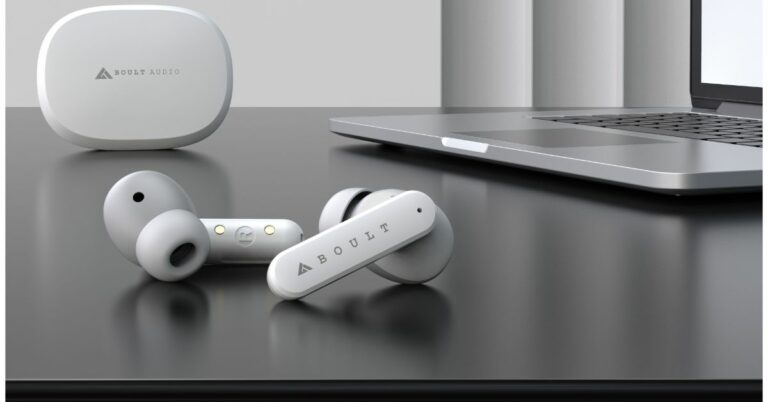
Boult Audio has launched its new TWS earbuds in India. The company has introduced Boult Audio AirBass Encore true wireless stereo earbuds. It includes quad microphones for environmental noise cancellation ENC, a USB Type-C port for faster charging and a lot more.   

Boult Audio AirBass Encore true wireless stereo earbuds price and availability

Boult Audio AirBass Encore true wireless stereo earbuds have been launched in India at an introductory price tag of Rs 1,999. The TWS earphones will be available for purchase via Amazon.in along with a 1-year standard industry warranty. The device will come in two colour options of White and Black. Boult Audio AirBass Encore true wireless stereo earbuds with 36 hours of playback launched in India

Boult Audio AirBass Encore true wireless stereo earbuds specifications and features

Boult Audio AirBass Encore true wireless stereo earbuds feature a stem-style design. It comes with an oval-shaped bud with a nozzle angled at 60° which tunnels the audio directly into the ear canal. The nozzle along with soft silicone ear tips additionally isolates ambient noise to ensure crystal clear audio performance. The TWS earphones equip 12.5mm drivers along with aerospace grade AL alloy encased over micro-woofers which provide crisp deep bass for bass heads, crystal clear highs and stable midst audio signature.  The Boult Audio AirBass Encore comes with an IPX7 certification for protection against dust and water. Each bud also sports touch controls that help with a hands-free experience, be it adjusting the audio volume, skipping tracks, answering or rejecting calls or simply calling out to your voice assistant.  The audio device offers a six-hour run time on a single charge and an additional six recharges within the charging case. It comes with a total playtime of 36 hours and takes 90 minutes to charge completely. The TWS earphones have been incorporated with quad microphones, the Encore helps cut out environmental noises so that you can have disturbance-free audio during those audio and video chats. The device also includes voice assistance support for touch-free control. For the latest gadget and tech news, and gadget reviews, follow us on TwitterFacebook and Instagram. For newest tech & gadget videos subscribe to our YouTube Channel. You can also stay up to date using the Gadget Bridge Android App. You can find the latest car and bike news here.

1 September 2021 Flipkart Daily Trivia Quiz Answers: Answer to win exciting prizes

The e-commerce website Flipkart is hosting Daily Trivia Quiz. Every day it brings a bunch of new questions for its users. By answering them correctly you can win exciting prizes. The questionnaire is based on questions related to general knowledge. Also, the users can win free vouchers and super coins, among other offers via the daily quiz. 1 September 2021 Flipkart Daily Trivia Quiz Answers has already gone live on its platform. The participant should be at least 18 years old and should have a valid login ID. The Quiz is available on the mobile platform and not the web version. E-commerce conducts the quiz on daily basis and goes live at 12:00 AM IST and runs till 11:59 PM IST.  The winners are announced within 15 days from the date of participation that can be viewed under the Gems/Rewards section in the app.

How to participate in the Flipkart Daily Trivia Quiz

To participate download the Flipkart app on your phone. Then open the Flipkart app then head to Game Zone. Now click on the Daily Trivia Banner or search for Daily Trivia. Enter the game and answer all 5 questions with correct answers.

1 September 2021 Flipkart Daily Trivia Quiz Answers 

Question 1: Kareena Kapoor played the role of ____ in the film Jab We Met? Answer: Geet Question 2: The only word that Harshaali Malhotra’s character utters in Bajrangi Bhaijaan is? Answer: Jai Shri Ram, Mama Question 3: Princess Fiona is the wife of which fictional ogre Answer: Shrek Question 4: Which city’s tourism has grown as it is the set for King’s Landing in Game of Thrones? Answer: Dubrovnik, Croatia Question 5: ______ won the Best Motion Picture – Animated Golden Globe Awards 2020? Answer: Missing
For the latest gadget and tech news, and gadget reviews, follow us on TwitterFacebook and Instagram. For newest tech & gadget videos subscribe to our YouTube Channel. You can also stay up to date using the Gadget Bridge Android App. You can find the latest car and bike news here.