Philips TAB7007 Soundbar has debuted in India. The newly launched Philips Soundbar comes with a wireless subwoofer. It comes integrated with True Surround 2.1CH and supports Dolby Audio. It offers 240W dynamic sound output. This soundbar has 2 front-firing speakers resulting in a true surround sound effect.Commenting on the launch of the new soundbar, Mr Atul Jasra, Country Head, TPV Technology India Pvt. Ltd said, “In India, the demand for soundbars has escalated as they can be connected to a wide range of devices, such as televisions, laptops, PCs, music players and smartphones. Consumers look for a better audio experience for their entertainment and seek products with intuitive technologies and virtual assistants. In our endeavour to provide consumers with State-of-the-art technology & value for money, we have introduced the all-new Philips TAB7007 soundbar, offering a culmination of cutting-edge technology, impeccable design, and high-quality audio performance for an immersive sound experience. At TPV Technology, we will continue to introduce a newer and more advanced range of products to meet the needs of our evolving consumer base.”Also Read:Sony ZV-E1 full-frame vlog camera launched in IndiaThe Philips TAB7007 soundbar has a low-profile subwoofer, making it a convenient option to place under or beside your television. The Soundbar also comes with Robust Metal Grille for clear sound. The recently released Philips TAB7007 soundbar includes a 2.1CH wireless subwoofer that delivers 240W of dramatic sound output and a multidimensional music experience. With the addition of Dolby Audio, this soundbar’s two front-firing speakers produce a full surround sound experience.According to the company, it provides an extremely immersive audio experience for the user, allowing them to enjoy their favourite movies and shows with incredibly realistic sound. It also has numerous connectivity options, such as Bluetooth, USB Connections, Optical-in and Audio-in, and Advanced HDMI ARC technology.The Philips TAB7007 soundbar has been launched in India with a price tag of Rs 21,990. The speaker system will be available for purchase via all leading e-commerce platforms across the country.
For the latest gadget and tech news, and gadget reviews, follow us on Twitter, Facebook and Instagram. For newest tech & gadget videos subscribe to our YouTube Channel. You can also stay up to date using the Gadget Bridge Android App. You can find the latest car and bike news here.
Amazon’s Echo devices need no introduction. The synonymity of the word ‘Alexa’ to a smart speaker speaks to Echo’s popularity. Back in May, we reviewed the new 5th Gen Echo Dot and really liked the incremental updates that came along with it. Amazon has also introduced a new entry-level speaker for the Echo range, called the Echo Pop. We’ve been using it for the last week, putting it through a series of tests and trying out all kinds of routines that the assistant is known for. Here is our in-depth Amazon Echo Pop review.Read Also:POCO M6 Pro 5G India launch set for August 5
Amazon Echo Pop review: Design
There is nothing extravagant about the design of the Echo Pop. At first glance, it looks like an Amazon Echo Dot sliced in half. Since it is primarily meant to be used as a bedside speaker, the simplicity of design works in its favour. The convex rear panel is made entirely out of plastic and houses the volume controls and the mute button up top. There is no action button to be found on this device. While it was never really an essential part of Echo devices, it was nice to have it around.The front panel of the Echo Pop is covered with the all-familiar mesh fabric for the speaker. Instead of the bottom-facing LED light found on the Echo Dot, Amazon has gone for a small LED arc on this device. Again, it makes sense to not have intense lights on a speaker that is meant to be placed on a nightstand. There are three mics on the Echo Pop and they do a good job of registering voice commands even from across the room.There aren’t a lot of additional accessories inside the box. Apart from the smart speaker, the retail box contains the power adapter and some reading material. The power port is placed at the bottom of the speaker. Amazon recently removed the 3.5mm jack from the Echo Dot, so it is not a surprise that it’s absent from the Pop as well.
Amazon Echo Pop review: Performance
Setting up the Echo Pop is a very simple process. You need to install the Amazon Alexa app from Google Play Store and pair the Bluetooth speaker with your phone. Once you’ve selected the desired languages and shared your home WiFi with the Echo Pop, you can disconnect the Bluetooth. Using the Alexa app, you can also pair your Echo Pop with an existing Echo device in your house.Amazon Echo Pop may be slightly smaller than the Echo Dot, but its 1.95” front-firing speaker is larger than the one on the Echo Dot. While it doesn’t get as loud as the Echo Dot, this speaker is enough to fill a small room. We used the Echo Pop in outdoor conditions as well, and it performed admirably well. The speaker managed to negate the surrounding noise and delivered the audio performance we were looking for.Intensity and volume aside, the sound quality on this device has some room for improvement. The Echo Pop is a decent speaker for playing songs in the background while you’re going about your chores and not necessarily paying attention to the music. It presents a good mix of frequencies and packs a decent level of detail. The bass doesn’t dominate the mix, as is the case with most budget Bluetooth speakers. However, if you’re looking for a more serious speaker, there are better options in the Echo lineup.Amazon has gotten rid of the temperature and motion sensors on the Echo Pop. This one hurts a little bit, as the temperature sensor was one of the features that made the Echo an ‘intelligent’ device. The Echo Dot uses its temperature sensor to automatically trigger the air conditioning when the temperature of the room reached a certain limit.Without the motion detector, the Echo Pop isn’t able to turn off the lights in the room when you walk out. These were some of our favourite Echo features that sadly won’t make it to its entry-level model. That being said, if you aren’t planning on linking the Echo Pop to any of the smart devices in your room, you won’t miss the sensors at all.What really makes Echo devices smart is the software experience. Amazon Echo Pop does not disappoint in this regard. You can set up daily routines using the Amazon Alexa app. The app interface is very accessible and easy to navigate. The experience is maximised if you have other smart devices around the house. We used Amazon’s assistant to set up the daily alarm, play a Spotify playlist upon waking up, and read out the major headlines of the day. The Echo Pop carried out these tasks without a hiccup. We also really like that you can gently tap the top of the device to turn off the alarm. It is safe to say that Echo’s superior software experience still puts it ahead of the competition.Read Also:Oppo Reno 10 Review: A Good Everyday Driver
Verdict
If you’re looking for a smart device for your nightstand, the Amazon Echo Pop fits the bill perfectly. It is priced at Rs 4,499, exactly Rs 1,000 cheaper than the Echo Dot. If you’re a tech enthusiast that likes to explore every facet of a product, then we’d recommend splurging the extra thousand bucks for the Echo Dot. The range of functionalities offered by the temperature and motion sensors is not something you’d want to miss out on. If you’re a casual user looking for a no-nonsense smart speaker for a coffee table or a bedside stand, the Echo Pop has the optimum range of functionalities along with the proper aesthetic. This device will also make a great gift for elderly parents or grandparents!
The 76th Indian Independence Day is around the corner and just like every year various big brands are on their foot trying to bring out the best offers for their customers to celebrate Independence Day. Sony India is a Japanese technology company that started its operation in 1994. Sony India deals in various consumer electronic products such as televisions, audio systems, cameras, etc, and to mark the upcoming celebration of the Indian Independence Day, Sony has announced some pretty exciting offers on its goods. Let’s take a look at some of the exciting offers Sony Independence Day sale has got for their customers.Read Also:Best Tech Gifts for Friendship Day 2023
Bravia Televisions
Bravia Televisions are produced by Sony India and are made available as Smart TVs, LEDs or LCDs. Sony has rolled out some amazing offers on Bravia Televisions.
Sony India is offering an instant cashback of Rs 20,000
Save up to Rs 24,000 with this limited-time offer as Sony is offering an exciting combination of Bravia XR televisions with PS5.
With the purchase of a selected range of XR televisions (X80, X82, X90, X95, A90) get a Bravia cam for Rs 7,990 Wireless Noise Cancellation Headphones.
Personal Audio System
Bluetooth speakers, headphones, and earbuds are all running some pretty exciting offers too.
Wireless Noise Cancellation Headphones (WH-1000XM4) originally priced a Rs 29.990 are now available for Rs 19,990
Wireless Noise Cancellation Headphones (WH-1000XM5) originally priced a Rs 34,990 are now available for Rs 29,990.
Wireless Noise Cancellation Headphones (WH-XB910N) originally priced a Rs 19.990 are now available for Rs 12,990.
Wireless Noise Cancellation Headphones (WH-CH720N) originally priced a Rs 14.990 are now available for Rs 9,990.
Truly Wireless Earbuds (WF-1000XM4) originally priced a Rs 26,990 are now available for Rs 15,990.
Truly Wireless Earbuds (WF-LS900N) originally priced a Rs 24,990 are now available for Rs 12,990 with an additional cashback of Rs 1000.
Truly Wireless Earbuds (WF-L900) originally priced a Rs 19,990 are now available for Rs 9,990.
Truly Wireless Earbuds (WF-C700N) originally priced a Rs 12,990 are now available for Rs 8,990
Truly Wireless Earbuds (WF-C500) originally priced a Rs 8,990 are now available for Rs 4,490.
Headphones (WH-CH52) originally priced a Rs 5,990 are now available for Rs 4,490.
Headphones (WI-XB400) originally priced a Rs 4,990 are now available for Rs 3,290.
Headphones (WI-C100) originally priced a Rs 2,790 are now available for Rs 1,399.
Gaming Headphones (WH-G900N) originally priced a Rs 27.990 are now available for Rs 16.990. An additional cashback of Rs 3000 can also be levied.
Gaming Headphones (WH-G700) originally priced a Rs 21.990 are now available for Rs 12.990. An additional cashback of Rs 2000 can also be levied.
Gaming Headphones (MDR-G300) originally priced a Rs 9.990 are now available for Rs 4.990. An additional cashback of Rs 1000 can also be levied.
Bluetooth Speakers (SRS-XE200) originally priced a Rs 15990 are now available for Rs 6.990. An additional cashback of Rs 3000 can also be levied.
Bluetooth Speakers (SRS-XE300) originally priced a Rs 24,990 are now available for Rs 11.990. An additional cashback of Rs 3000 can also be levied.
A moment of happiness for photography lovers as well as several offers are running up on cameras as well.
With the purchase of the ZV-E1 camera, customers can now get benefits of Rs 19,170. This includes; a shooting grip with wireless remote commander (GP-VPT2BT) worth Rs10,590, a battery charger (BC-QZ1) worth Rs. 6,790 and a soft carrying case (MII-SC5) worth Rs. 1,790 at no additional cost.
Sony is also offering free chargers on a selected range of cameras.
August 6 is Friendship Day, and if you’re planning to send a simple greeting to your besties, there is still time to make it special with a gift. At Gadgetbridge, we closely monitor all the tech releases across the year so you don’t have to look elsewhere when it comes to buying gifts for your loved ones. Today, we bring you our picks for the best tech gifts for Friendship Day 2023.Read Also:POCO M6 Pro 5G India launch set for August 5
Amazon Kindle
Price: Rs 10,000 on AmazonThe entry-level Amazon Kindle e-reader is the perfect gift for your book-loving friends. It matches most of the specs offered by the flagship Paperwhite while still being affordable. One of the major improvements in the new Kindle is the improved resolution of 300ppi. This puts the base variant of the e-reader on par with the likes of Paperwhite and Oasis. The 6.8-inch display is illuminated by 4 LEDs and is encased in a polycarbonate body. Want more? You can even pair this Kindle to your wireless headphones and listen to an audiobook.
iQOO Neo 7 Pro
Price: Rs 35,000Launched last month, the iQOO Neo 7 Pro could be the best midrange gaming smartphone to release this year. What really puts this smartphone ahead of the competition is the Snapdragon 8+ Gen 1 SoC under its hood. This is last year’s flagship chipset that is now available in a mid-range smartphone that costs Rs 35,000. The Neo 7 Pro also gets a 6.78-inch FHD+ AMOLED display with a 120Hz refresh rate, a 50MP primary camera, a 5,000 mAh battery, 120W fast charging support, and more.
OnePlus Nord Buds 2r
Price: 2,200 on AmazonDo you have a friend that still hasn’t made the switch to wireless earbuds? The new OnePlus Nord Buds 2r (our review here) will make a great gift. This inexpensive TWS does not compromise on sound quality. The bass-centric audio output is delivered to the listener by 12.4mm titanium drivers. The sound is punchy & detailed and does not distort on higher volumes. There may be cheaper wireless earbuds out there, but none of them can replicate the quality of audio on offer here.
Noise ColorFit Pro 4
Price: Rs 2,800 on Gonoise.comThis one is for all the health nuts. The Noise ColorFit Pro 4 is an efficient smartwatch that tracks all essential health functions and a range of exercises & workouts. The silicone and polycarbonate build adds to the sturdiness of this smartwatch. The 1.72-inch TFT LCD display has a resolution of 356 x 400p and a refresh rate of 60Hz. The Colorfit Pro 4 also supports Bluetooth calling. The heart rate monitor and SpO2 tracker on this smartwatch produce numbers that are comparable to medical-grade equipment. Noise also has a companion app for this smartwatch which can be used for customisation purposes. Check out our review here.
boAt Party Pal 60
Price: Rs 5,000 on the Official boAt websiteYou’ve got your gamers, readers, audiophiles, and fitness enthusiasts, but what’s the perfect gift for the party animals? boAt’s Party Pal 60 is the answer you’re looking for. This boombox-shaped Bluetooth speaker is one of the more affordable party speakers on the market right now. The Party Pal 60 delivers a 20W output, with the 2,200mAh battery offering up to 4 hours of playtime. The strap attached to the speaker makes it easier to carry it around. The Party Pal 60 is the perfect speaker to carry along on a vacation. It also comes with a microphone jack for karaoke sessions.
Samsung Galaxy F54
Price: Rs 30,000 on FlipkartSamsung’s Galaxy F series is known for its camera-centric smartphones. Launched in June, the Samsung Galaxy F54 continues this tradition with the help of its spectacular 108MP primary camera. This sensor captures punchy, vibrant images that could possibly be the best in its category. Samsung’s image processing also pulls its weight on this smartphone. Camera performance aside, the Galaxy F54 is powered by Samsung’s in-house Exynos 1380 SoC and is available in a single 8GB RAM + 256GB storage variant.
OnePlus Pad
Price: Rs 38,000 on OnePlus.inOnePlus’ debut tablet is a rock-solid device that gets the basics right while adding its own flair to the Android tablet experience. The 11.6-inch IPS LCD display has a refresh rate of 144Hz and comes with HDR10+ support. Under the hood, the OnePlus Pad is powered by MediaTek Dimensity 9000 SoC. OS duties are handled by Android 13 with Oxygen OS on top. To maximize the functionality of the tablet, OnePlus has also released a Stylo and Keyboard Folio Case for this product. Check out our full review here.
Truke BTG Storm
Price: Rs 900 on truke.inNot too long ago, there was a dearth of affordable gaming TWS on the market. Truke has filled a massive void with its range of ultra-affordable TWS. The BTG Storm is a great TWS for gamers who not only want great audio quality and low latency out of their wireless earbuds but also want them to look the part. We reviewed the Truke BTG Storm when it got released and were really impressed by what it has to offer at just Rs 900.
Sony WH-CH520
Price: Rs 5,990 on Sony.co.inSony WH-CH520 delivers great audio output and is packed with features like muti-point connectivity, app support, Sony’s Digital Sound Enhancement Engine, and Reality Audio. The media control buttons on the earcup are accessible and clicky. The WH-CH520 also puts up some amazing battery numbers. On a single charge, these headphones can last up to 50 hours. However, it takes 3 hours to fully charge these headphones. Read our full review here.
iPhone 14 Pro
Price: Rs 1,29,900 on Apple.comiPhone 14 Pro may carry a hefty price tag, but it is also the perfect smartphone you can gift a friend. The iPhone 14 Pro replaces the notch on its display with a pill-shaped cutout called the ‘Dynamic Island’. It features a 6.1-inch LTPO Super Retina display with a refresh rate of 120Hz. Processor duties are handled by the powerful A16 Bionic chipset. The iPhone 14 Pro also receives one of the biggest camera upgrades on an iPhone in recent years. The triple camera array at the back now features a 48MP primary sensor, a 12MP telephoto lens, and another 12MP ultrawide lens. Read our full review here.Read Also:How to Uninstall Facebook Messenger on iPhone: Top 3 Ways
Google is now one of the biggest tech giant companies in the world. Such a big technology company always needs to protect its users from privacy infringement. To ensure this, last year, Google rolled out its Result About You tool. This tool gives your more control over the search results that appear about you on Google. If some of the information makes you uncomfortable then you can get it removed with just a few clicks. Now you can also receive alerts from Google that your personal information is available online. Let’s find out more about this.Read Also: Garena Free Fire Redeem Codes Today 4 August 2023: Here is how to claim them
What is the Result About You tool?
To understand more about this new alert feature let us first know what is the Result About You tool. In September 2022, Google rolled out a new tool known as ‘Result About You’ that displays to users the information that appears about them when they search for their name. Users can not only read this information but also request for removal of sensitive information such as address and phone number.
Google’s new alert feature
As if the Result About You tool was not enough, Google went out of the way and introduced a new alert feature. Google will now send notifications to users if it finds your address or phone numbers are available on a web page. This will allow you to review and remove information from the search. This update will now allow you to look at your search result without actually searching manually. Now once you input your personal information, the dashboard will pull up websites that show your personal information letting you review your website and then request to remove it. You can also enable push notifications that will instantly alert you whenever any information about you surfaces online. This feature has some limitations as well. Although the information that you manually remove will be removed, it will take some time to be permanently deleted from Google. Also, information about government or educational institutes cannot be erased. Read Also: Sony ZV-E1 full-frame vlog camera launched in India
Conclusion
The alert feature has made finding and deleting your information from Google so much easier. You no longer need to find your information manually, Google will do this for you and then alert you to take action against it. However, currently, this feature is available only in the US and will be rolled out in other countries soon.
For the latest gadget and tech news, and gadget reviews, follow us on Twitter, Facebook and Instagram. For newest tech & gadget videos subscribe to our YouTube Channel. You can also stay up to date using the Gadget Bridge Android App. You can find the latest car and bike news here.
Sony has introduced a new full-frame vlog camera- ZV-E1 in India for content creation. The company is offering benefits worth Rs 19,170 on the purchase of the camera. The device offers a stable vlogging experience with multiple attributes. It comes with live streaming and advanced audio features with a high-performance microphone and multi-interface shoe.
Sony ZV-E1 price in India, sale details
The ZV-E1 vlogging camera by Sony has been launched with a price tag of Rs 2,14,990. V-E1L (Body + 28–60 mm zoom lens) will be available at 2,43,990. The vlogging camera is now up for sale and the company is offering benefits worth Rs 19,170 which shooting grip with wireless remote commander (GP-VPT2BT) worth Rs 10,590, a battery charger (BC-QZ1) worth Rs 6,790 and a soft carrying case (MII-SC5) worth Rs 1,790 at no additional cost on purchase of ZV-E1 camera. As per the company, this is a limited-period offer and is valid until stocks last.
Sony ZV-E1 features
The Sony ZV-E1 is an interchangeable-lens vlog camera. It comes with a full-frame back-illuminated CMOS Exmor R sensor ideal for content creation. The image sensor offers approximately 12.1 effective megapixels that are suitable for shooting in low light conditions and achieving excellent bokeh effects. The sensor also processes data in real time even when shooting 4K (QFHD: 3840 x 2160) footage at 120p.The Sony ZV-E1 is capable of recording high-quality 4K (QFHD) video with full-frame readout at 10-bit 4:2:2, without the need for pixel binning. 4K @60fps video can also be upgraded to 4K 120p through the Creators’ Cloud with extraordinarily smooth 5x (max.) slow-motion imagery. As per the company, when directly replaying the video in slow or quick motion in the S&Q mode while using the XAVC S-I format at 60p, a maximum bit rate of 600 Mbps (4:2:2 10-bit, H.264, All-I) delivers outstanding image quality. On upgrading using the XAVC S format, up to 10x slow motion with Full HD resolution can be used at 240 fps providing fresh perspectives on dynamic sports and other types of action.Additionally, the vlog camera has Flexible ISO, which can be manually adjusted between 640 and 102400 or set to AUTO. For both still photos and moving pictures, the common ISO range is between 80 and 102400. For still images, the enlarged range is 40 to 409600, while for moving images, it is 80 to 409600. With the help of the Cinematic Vlog Setting, which includes “Looks” that are said to deliver natural mid-tones, along with soft colours and smooth highlights that are essential to cinematic look and enhance skin tones, “Moods” that emphasise particular colours, and AF transition speed that determines how quickly autofocus will switch between subjects, scenes like feature films are made possible. A selection of new Creative Looks makes it easy to create interesting looks for stills and video right in the camera.Choosing the subject and half-pressing the shutter button on the ZV-E1 will enable AI-based Real-time Tracking. The user is thus free to focus on framing and composition while the camera automatically tracks the subject’s movements. In addition to recognising Human and Animal subjects, the AI processing unit can now identify Bird, Insect, Car/Train, and Aeroplane subjects, offering even more versatility and dependability when taking still photos and videos.To maintain a constant angle of vision and create smooth, dramatic focusing effects, the Breathing Compensation inhibits image shifts when focusing When taking group selfies or group photos, Multiple Face Recognition automatically adjusts the bokeh and focuses on several recognised faces. Additionally, the ZV-E1 has a framing stabiliser that automatically maintains the subject’s location in the frame.A high-performance three-capsule microphone with variable directivity is also available. It can capture good audio in outdoor settings where wind and background noise may be an issue, and it comes with a windscreen that can greatly minimise wind noise while shooting outside in windy weather. For a range of scenarios, the directivity options Auto, Front, All Directions, and Rear are available. The system automatically adjusts to a direction consistent with face recognition so users can quickly produce the best recordings.A vari-angle touch LCD panel is also included for convenient monitoring and excellent mobility. For the latest gadget and tech news, and gadget reviews, follow us on Twitter, Facebook and Instagram. For newest tech & gadget videos subscribe to our YouTube Channel. You can also stay up to date using the Gadget Bridge Android App. You can find the latest car and bike news here.
After being banned for nearly ten months, Battleground Mobile India, aka BGMI, is officially available again in India. BGMI fans are looking for ways to improve their game experience and one such method is the usage of redemption codes, which offers a variety of rewards and advantages using BGMI redeem codes players can gain access to new skins, outfits, loot crates, weapons and free UC and diamonds.As mentioned earlier, these codes give users the chance to earn unique rewards and gain extra benefits while playing the game. This includes GUN SKINS (M4, AKM, M416, AWM, M24, UZI, KAR98K), free character voucher, Andy, Carlo, Sara, Victor character for free, free Anna Character on completing the mission and UC or Royal Pass Discount. So here we have gathered a list of the most recent BGMI redeem codes as of 4 August 2023. Also, redeem these codes asap as these are only valid for a limited duration.
Garena Free Fire is a battle royale game with regular awards and tournaments to keep players interested. If you play Garena Free Fire, you should be aware of the redeem codes that are released on a daily basis. However, because the battle royale game is banned in India, players from other countries can use the Free Fire Redeem codes daily. If you’re unfamiliar with the Garena Free Fire redeem codes or don’t know how to get them, we’ve put together a step-by-step guide to help you redeem them. Check out Garena Free Fire Redeem Codes for 4 August 2023.The Free Fire redeem codes are a great way to get free stuff. These are 12-digit codes that contain alphabets and numbers, as well as an expiration date and time. Because the Garena FF redeem codes cannot be used more than once, you should hurry to the redemption page to claim your free reward before someone else does. To get a free reward, all you have to do is go to reward.ff.garena.com/en, which is the official redemption page. Also, keep an eye on this space for daily updates on Garena Free Fire redemption codes and rewards.
Samsung today officially announced the launch of its new Television in India. The newly launched Samsung Crystal Vision 4K UHD TV lineup comes with smart features such as Multi Voice Assistant, Video Calling with SlimFit Cam, Solar Remote, built-in IoT Hub with Calm Onboarding and IoT Light Sensors for auto brightness adjustment. In addition to this, the series is powered by Crystal Processor 4K for upscaling. There is PurColor that enables One Billion True Colours.
Samsung Crystal Vision 4K UHD TV price in India and availability
The Samsung Crystal Vision 4K UHD TV lineup will be available in three variants- 43-inch, 55-inch and 65-inch screen sizes. The price of the new series starts at Rs 33,990. The Televisions will be available for purchase via Flipkart and Samsung.com from August 4.The company will be offering up to Rs 3,000 cashback and a 12-month no-cost EMI from leading banks while purchasing the television.Also Read:POCO M6 Pro 5G India launch set for August 5
Samsung Crystal Vision 4K UHD TV features
Samsung Crystal Vision 4K UHD TV has a 3-Side Bezel-less Design. It includes HDR (High Dynamic Range) which increases the range of light levels on the TV with an enhancement of the contrast quality. The OTS Lite allows consumers to feel the on-screen motion as if it is real with 3D surround sound created with two virtual speakers. Adaptive Sound provides optimal sound experience by analysing all contents scene-by-scene in real-time, making it more dynamic and amplifying the intended effects. It has an advanced control in their connected home allowing users to choose between Bixby or Amazon Alexa.The SlimFit Cam on the TV enables video calls and enables users to instantly transform their television into a video call device by connecting their video call device to the TV screen. In addition, there is a SolarCell Remote that has simple keys, is battery-free and can be charged by room lights in addition to using the extra energy that Wi-Fi routers release.The new Crystal Vision 4K UHD TVs also have a Smart Hub that is more individualised, delivers personalised viewing experiences for different TV content, and has improved feature accessibility.The Sony TV’s light sensor detects variations in light on seven different levels and modifies the brightness to enhance the viewing environment. Additionally, PurColor will display colours on the screen that are true to life.Also Read:Samsung Galaxy F34 5G India launch confirmed to take place on August 7, pricing hintedThe television is powered by a Crystal Processor 4K that uses a 16-bit 3D Colour Mapping algorithm to precisely map every colour shade and analyses numerous data to adaptively optimise the image for a lifelike 4K quality.With the help of two virtual top speakers created using Samsung’s AI algorithms, OTS Lite (Object Tracking Sound Lite) enables users to concurrently feel the motions in each scene with their eyes and ears. With this function, you won’t need any extra speakers to enjoy the immersive 3D audio. For the latest gadget and tech news, and gadget reviews, follow us on Twitter, Facebook and Instagram. For newest tech & gadget videos subscribe to our YouTube Channel. You can also stay up to date using the Gadget Bridge Android App. You can find the latest car and bike news here.
On August 5, POCO M6 Pro 5G is confirmed to launch in India. The company has made the announcement through a teaser giving us a preview of the upcoming smartphone. The company has also confirmed that the device will be available for purchase via Flipkart in the country. The dedicated microsite has also been created on the e-commerce platform to tease its availability.Himanshu Tandon, country head of POCO India took to X previously known as Twitter to share the official teaser of POCO M6 Pro 5G. In addition to this, the Flipkart landing page not only gives a glimpse of the smartphone but also reveals some of the specifications of the phone.It is confirmed that the POCO M6 Pro 5G will include a dual rear camera sensor alongside an LED flash. The teaser revealed a turquoise colour option. The side frames seem to be made up of steel frame and the SIM slot is positioned on the lift side of the frame. While the power button and volume rocker sits on the right.Also Read:Samsung Galaxy F34 5G India launch confirmed to take place on August 7, pricing hintedThe landing page reveals that POCO M6 Pro 5G will be powered by the latest Snapdragon 4 Gen 2 SoC by Qualcomm. It has a 437,000+ ANTUTU Score. In addition to this, the device was also spotted on Geekbench with the model number 23076PC4BI revealing the key specs just some days back. There it has a 2.2GHz processor paired with Adreno 613 GPU. As per the listing, the handset includes 6GB of RAM and runs on Android 13 OS. The has a 922 single-core score and a multi-core score of 2,110.Speculations suggest that the M6 Pro 5G will include a 6.79-inch FHD+ IPS LCD. The screen is likely to get 90Hz refresh rate support. The dual rear camera setup may include a 50-megapixel primary sensor and a 2-megapixel secondary lens. In terms of selfies, the phone could also include a 5-megapixel front-facing camera.Poco M6 Pro 5G will probably have a 5,000mAH battery with 18W fast charging support. In terms of software, the smartphone is expected to ship MIUI 14 based on Android 13 out of the box. For the latest gadget and tech news, and gadget reviews, follow us on Twitter, Facebook and Instagram. For newest tech & gadget videos subscribe to our YouTube Channel. You can also stay up to date using the Gadget Bridge Android App. You can find the latest car and bike news here.
Samsung has officially confirmed the exact launch date for Galaxy F34 5G in India. The company has disclosed that the upcoming phone will debut on August 7. Ahead of the official release, the firm has revealed the key specs and design side of things of the smartphone. The device is confirmed to feature a 120Hz AMOLED display. The handset will also have a triple rear camera unit with a 50-megapixel sensor. In addition to this, the phone will pack a 6,000mAh battery.It has been officially confirmed that the Samsung Galaxy F34 5G will arrive in India on August 7. For the past one-week Samsung has been teasing the arrival of a new F-Series handset in India. Previously it was reported that the upcoming phone will be a rebranded version of Galaxy A34 5G. Meanwhile, the company has almost revealed everything about its upcoming phone.Also Read:Galaxy F34 is going to launch in India soon; here is what we knowAs per the firm, the F34 5G will be priced around Rs 16,000. It will be available in two colour options Electric Black and Mystic Green.The teasers suggest that the Samsung Galaxy F34 5G will feature a 6.5-inch full-HD+ Super AMOLED display with 2400 x 1080 pixels of resolution. The screen will also support a 120Hz refresh rate and a screen brightness of 1,000 nits. Moreover, the front panel will be protected from Corning Gorilla Glass 5 and will also have a waterdrop-style cutout.The company has not yet revealed the processor and software details. But it is confirmed that the Galaxy F34 will include a triple rear camera sensor with an LED flash. The camera unit will consist of a 50-megapixel primary sensor with support for optical image stabilisation (OIS). Details about the remaining two camera sensors are yet to be revealed.Also Read:Oppo Reno 10 Review: A Good Everyday DriverAccording to the company, Samsung Galaxy F34 5G smartphone will be a game changer for photography and videography. It will have features like Single Take and Fun Mode. The camera will be supported by Optical Image Stabilization (OIS) which helps to shoot high-resolution and shake-free photos. The camera will also have 16 inbuilt lenses, especially for Gen-Z. Also, there is no information about the selfie camera.Samsung has further revealed that the Galaxy F34 5G phone will pack a 6000mAh battery that is claimed to offer up to two days of battery life on a single charge. The upcoming 5G smartphones are expected to come with 8GB RAM and 128GB storage options.
For the latest gadget and tech news, and gadget reviews, follow us on Twitter, Facebook and Instagram. For newest tech & gadget videos subscribe to our YouTube Channel. You can also stay up to date using the Gadget Bridge Android App. You can find the latest car and bike news here.
After being banned for nearly ten months, Battleground Mobile India, aka BGMI, is officially available again in India. BGMI fans are looking for ways to improve their game experience and one such method is the usage of redemption codes, which offers a variety of rewards and advantages using BGMI redeem codes players can gain access to new skins, outfits, loot crates, weapons and free UC and diamonds.As mentioned earlier, these codes give users the chance to earn unique rewards and gain extra benefits while playing the game. This includes GUN SKINS (M4, AKM, M416, AWM, M24, UZI, KAR98K), free character voucher, Andy, Carlo, Sara, Victor character for free, free Anna Character on completing the mission and UC or Royal Pass Discount. So here we have gathered a list of the most recent BGMI redeem codes as of 3 August 2023. Also, redeem these codes asap as these are only valid for a limited duration.
BGMI Redeem Codes for 3 August2023
Updating soon…
How to get free Redeem Codes for BGMI on 3 August2023?
Launch BGMI on your device.
Then select the Redeem Code option from the main menu.
Next, click on the Redeem code tab.
A new window will open, requesting the redemption code.
Now enter your BGMI code.
Confirm and click on the “Redeem” tab.
If your redeem code is valid then you will get a message confirming that your rewards were successfully redeemed.
Garena Free Fire is a battle royale game with regular awards and tournaments to keep players interested. If you play Garena Free Fire, you should be aware of the redeem codes that are released on a daily basis. However, because the battle royale game is banned in India, players from other countries can use the Free Fire Redeem codes daily. If you’re unfamiliar with the Garena Free Fire redeem codes or don’t know how to get them, we’ve put together a step-by-step guide to help you redeem them. Check out Garena Free Fire Redeem Codes for 3 August 2023.The Free Fire redeem codes are a great way to get free stuff. These are 12-digit codes that contain alphabets and numbers, as well as an expiration date and time. Because the Garena FF redeem codes cannot be used more than once, you should hurry to the redemption page to claim your free reward before someone else does. To get a free reward, all you have to do is go to reward.ff.garena.com/en, which is the official redemption page. Also, keep an eye on this space for daily updates on Garena Free Fire redemption codes and rewards.
Garena Free Fire Redeem Codes Today 3 August 2023
Updating soon…
How to Get Free Fire Redeem Codes for Garena on 3 August2023?
Facebook Messenger is one of the key IM apps for iPhone, outside of iMessage and WhatsApp. But, if you don’t want it around, there are multiple ways of removing it from your device. You take a deep dive into the phone’s settings or simply remove it from the options provided on the home screen. In this article, we bring you the top 3 ways to remove or uninstall Facebook Messenger from your iPhone.Read Also:Interviewed: Talking Point With Ranvijay Singh, Head of BRAVIA Business, Sony India
Uninstall Facebook Messenger from the home screen
Step 1:Tap and hold the Messenger app on your iPhone’s home screen.Step 2: Tap Remove App.Step 3: Select Delete App to remove Messenger from your iPhone.Step 4:Confirm your selection in the popup box.
Uninstall Facebook Messenger from App Library
Step 1: Go to the home screen and swipe left past all the pages to reach the App Library.Step 2: Scroll down to the Facebook Messenger app and press & hold its icon.Step 3: Select Delete App.Step 4:Confirm your selection in the popup box.
Delete Facebook Messenger from iPhone Settings
Step 1: Go to Settings and select General.Step 2: Select iPhone Storage.Step 3: Scroll down and select Messenger.Step 4: Hit Delete App.Step 5:Confirm your selection in the popup box.
Frequently Asked Questions (FAQs)
How do I uninstall the Facebook Messenger app on my iPhone?
Press and hold the Messenger app icon on your iPhone’s home screen, select Remove, then select Delete app to remove it from your device.
How do I remove the Facebook Messenger app from the App Library?
Navigate to the Messenger app on your iPhone’s App Library, press and hold its icon and select Delete app.
How do I remove the Messenger app from my iPhone settings?
Just two weeks ago, the Oppo Reno 10 Series was introduced in India. Since that time, our Gadget Bridge crew has been using one of the devices in the lineup. There are currently three devices in the recently released Reno Series in India: the Oppo Reno 10 Plus, Oppo Reno 10 Pro, and the Oppo Reno 10 base model. The latter unit has been sent to us for testing. The one we have has a few specs in common with the Pro version, but as the Pro version is the older brother, it has a few more advanced features. Should you give this one a shot? Here is our thorough analysis to aid with your decision, the Oppo Reno 10 Review.Also Read:Google Pixel 7a Review: Is it an all-rounder phone at Rs 44,000?
Oppo Reno 10 Review: Design and Display
The Oppo Reno Series has earned a reputation for its aesthetics and photography, and this phone is no exception. Despite having a glass back, the Oppo Reno 10 feels very light. It has a 3D curved body that is exceptionally tall and slim.We have the Ice Blue colour option, which incorporates OPPO Glow for an ice, crystalline appearance that is nevertheless smooth to the touch and has a glittering, shimmering blue effect that changes in the light when viewed from different angles. There is still another Silvery Grey variant available.Oppo has worked very hard on the appearance of the phone this time and is very different from its prior generations. It has this new camera module and this phone definitely stands out in terms of design. Since it has a glass back, as we’ve already discussed, we don’t need to worry about fingerprints and smudges.Despite how durable and modern the glass back is, we nevertheless advise using a cover because, over time, it may accumulate scratches and even break due to an unintentional fall. By the way, the front panel includes Dron Trail Star 2 protection; the back may not.In terms of ports, the bottom edge has a SIM tray, a microphone, a speaker grill, and a USB Type C port. You can put two SIM cards or one SD card and one SIM card; take note that it features a hybrid sim card slot. Another speaker grill, a noise-cancelling microphone, and an IR blaster are located on the top.There is nothing on the left side of the frame, while the right side has a power button and a volume rocker. In case you were under the impression that this device had a 3.5mm jack, it does not.Regarding the display, the Oppo Reno 10 has a 6.7-inch full-HD+ OLED 3D curved screen with a resolution of 1,080 x 2,412. The display supports touch sampling rates of up to 240Hz and refresh rates of up to 120Hz. Along with HDR 10+ support, there is a 93 percent screen-to-body ratio, 950 nits of peak brightness, and 100% coverage of the DCI-P3 colour gamut.Furthermore, its display is stunning. The chin is small, the upper bezels are nonexistent, and there are no side bezels. Because of the screen’s 950 nits of brightness, the phone is fairly bright. The display is excellent; it has a luxurious, high-end appearance.The colours appear beautiful, and the display quality is excellent. Additionally, Widewine L1 support is included, enabling HD streaming on OTT services. On this display, your watching will be completely immersive. However, its audio caught us off guard the most. It has excellent audio quality.Also Read:Poco F5 Review: Almost flagship-level performance in a budget
Oppo Reno 10 Review: Performance and Cameras
An octa-core 6nm MediaTek Dimensity 7050 processor, 8GB of RAM, and up to 256GB of UFS 3.1 storage are found within. It has 256GBUFS 3.0 storage and 8GB LPDDR4x RAM. The benchmark results are below, which highlight the performance of the power-efficient processor.
Single-Core Score: 940
Multi-Core Score: 2288
It includes an inbuilt Dynamic Computing Engine that efficiently runs more than 40 apps in the background. Additionally, it performs well when performing everyday tasks like casual gaming, scrolling through social media feeds, binge-watching, and listening to music.You can also play games at medium settings. Even though it’s not a gaming phone, playing on it is enjoyable.The device is powered by ColorOS 13.1 and runs Android 13. There are several, and we do mean numerous, third-party apps pre-installed on the phone, but you may remove them.The Oppo Reno 10 5G features a triple rear camera unit with a 64-megapixel Omnivision primary sensor with OIS and autofocus(f/1.7), a 32-megapixel Sony IMX 709 telephoto sensor (2x optical zoom and can be used for portraits), and an 8-megapixel Sony IMX355 ultra-wide sensor. There is a 32-megapixel Omnivision selfie camera as well.Let’s now examine how well the Oppo Reno 10 camera sets perform.Shot from Primary lensThe details in the daytime photographs are quite good, the colours are also well done, and the dynamic range is also nice. The usage of an Omnivision sensor, which is not outstanding in reality, maybe the reason why the sharpness levels and general quality are not the best available. but, it does not let you down; but, if you are a camera enthusiast, this might not be your best pick.Shot from telephoto lensRight now, the telephoto lens performs admirably; in fact, it captures sharpness, details, and colours better than the primary camera. So in this regard, Oppo has performed wonderfully.Close upThe details and crispness are good when viewed in close-up shots. Additionally, the colours are fairly beautiful, and overall, it does a respectable job.PortraitAlthough this phone lacks a macro camera, we tried taking some pictures, and the results are shown here. The telephoto lens performs a decent job, and it is actually quite stunning in terms of details, skin tones, and edge recognition. So the Oppo Reno 10’s portraits take excellent pictures, which is undoubtedly one of its strengths.Now, the ultra wide-angle camera also does an honourable job; the colours are again good and the detailing is also acceptable, but the sharpness levels are yet again not particularly stunning and it doesn’t do that well, but it does okay, in our opinion.Low light indoorsMoving on to low light, you can observe that details are good indoors or in places with artificial light that is a little lower in intensity while the sharpness levels remain unimpressive and noise levels are higher. The main camera here significantly falls short once more. Low lightIn very low light, the photographs you obtain have a soft, smudgy appearance, and there aren’t many details to be found. Given that the Reno series is well-known for its nighttime photography, this is somewhat unexpected. On this smartphone, the primary camera isn’t so fantastic, but the telephoto lens performs brilliantly.The 32-megapixel front camera performs well when taking selfies; the colours are pleasant, the skin tones are lovely the dynamic range is also quite acceptable, and the sharpness levels are once again great.Additionally, these selfies are wide, allowing for some decent group shots. Although they appear a little odd, the portrait selfies have also improved quite a bit. Overall, the selfie department has done well.Here 4K videos recorded at 30 frames per second appear much too saturated and lack stability. The ability to record videos in 4K at 60fps is not available. When shooting at 1080p at 60 frames per second, stabilisation is present, however, focusing is a problem. Although the colours are much better and the dynamic range is also fairly acceptable, we also found that the stabiliser isn’t particularly smooth here. Even though the 1080p@30fps video is superior, the camera has trouble focusing once more.With 67W SUPERVOOC charging, it sports a 5,000mAh battery. It is easily sufficient for a full day. It supposedly takes 47 minutes to fully charge, according to the company. In order to increase the charging lifespan, it also has its Battery Health Engine (BHE) technology, which uses real-time monitoring to intelligently control the current and voltage. In order for the battery to survive more than four years, BHE makes sure that it retains 80% of its health even after 1,600 charge cycles.
Verdict
The Oppo Reno Series is renowned for its camera-focused features. In terms of details and sharpness levels, we are somewhat dissatisfied with the Oppo Reno 10’s primary lens, with the exception of the telephoto lens. Its performance fell short of what we had hoped for. The telephoto lens, on the other hand, is unquestionably excellent. The portraits are fairly good, and both daylight and low light conditions were captured well.Additionally, the video recording is essentially ordinary, however, the super wide-angle lens performs admirably, and selfies are also excellent. The multimedia experience is what really stands out. You won’t be let down by the phone’s appearance or display. Additionally, the everyday driver has good gaming performance and long battery life. Therefore, you should choose the Reno 10 if you’re seeking a phone with these qualities.Buy it here
Oppo Reno 10 Pros
Beautiful design
Excellent display
Can do gaming
Telephoto and ultra-wide lenses performed brilliantly
Unfriending someone on Facebook is a pretty straightforward process, but if you’re new to Facebook it can take a while to figure out how to go about it. Facebook for Android offers multiple ways of deleting someone from your contacts. You can remove someone directly from your friend list or look up their profile and unfriend them from there. In this article, we bring you the best ways to unfriend someone on Facebook using the Android app. Read Also:Noise ColorFit Thrive with BT calling launched in India
Remove someone from your friend list on Facebook for Android
Step 1: Hit the hamburger menu icon at the top right section of the screen.Step 2: Tap on Friends.Step 3: Switch to the Your Friends tab.Step 4: Tap the ellipses next to the profile of the person you want to unfriend.Step 5: Select Unfriend.Step 6: Confirm your selection in the popup box.
Unfriend someone from their profile
Step 1: Launch the Facebook app on your smartphone and hit the search icon at the top right corner of the screen.Step 2: Search for the person you want to unfriend.Step 3: Open their profile from search results.Step 4: Tap the Friends icon on their profile.Step 5: Select Unfriend, then confirm your selection in the popup box.
Unfriend someone on Facebook using Messenger
You can only delete contacts in bulk on Facebook Messenger. Here’s how.Step 1: Launch the Messenger app on your smartphone.Step 2: Tap your profile icon at the top left corner of the screen.Step 3: Select Phone Contacts.Step 4: Select Manage Contacts.Step 5: Select Delete All Contacts.
Frequently Asked Questions (FAQs)
How do I delete a friend on Facebook using the Android app?
Go to the Friends tab on the Facebook app, hit the ellipses next to the person you want to remove from your friend list and select Unfriend.
How do I remove a Facebook friend by visiting their profile?
Go to the friend’s profile, hit the Friends icon and select Unfriend. Confirm your selection in the popup box.
Does Facebook send a notification to someone when you remove them from your friend list?
Your Windows Product Key is essential in activating the OS when you reinstall it on your device or switch to another PC. Since the need for this key arises in very rare situations, it is very easy to lose track of where you stored it. Luckily, Microsoft allows you to link this key to your account. Of course, you would need to create a Microsoft account for this. In this article, we show you how to link your Windows 10 and 11 product key to your Microsoft Account. Read Also:Get Ready for Your Ultimate Gaming Setup: The Best Gaming Accessories of 2023
Link your Windows 10 Product Key to a Microsoft Account
Step 1: Launch the Settings app on your Windows PC or laptop.Step 2: Select Update & Security.Step 3: Click on Activation.Step 4: Check the activation status of your Windows OS. Under the Add a Microsoft Account section, click on Add an account.Step 5: Sign in using your Microsoft Account.Your Windows Product Key will be linked to your Microsoft Account. If your product key does not support a digital license, you will not see the option to add your Microsoft Account. The only thing you can do in this situation is to write the product key on a piece of paper and keep it in a safe place. You can also copy the key on the Notes app on your phone and password-protect it to keep it secure from prying eyes.
Link your Windows 11 Product Key to your Microsoft Account
Step 1: Go to Settings and select Accounts from the side menu.Step 2: Click on Your Info.Step 3: Under Account settings click on Sign in with a Microsoft account instead.Step 4: Once you have signed in, the digital license will be linked to your Microsoft Account.
Frequently Asked Questions (FAQs)
Can I link my Windows Product Key to a Microsoft Account?
Ever since the Anniversary Update for Windows 10 came out, users have been able to link their Windows Key to their Microsoft Accounts.
How do I link my Windows 10 digital license to my Microsoft Account?
Go to Settings>Update & Security>Activation>Add an account and sign in with your Microsoft Account.
How do I link my Windows 11 digital license to my Microsoft Account?
Apple today announced that the Joint Development Foundation (JDF) an affiliate of the Linux Foundation together with Pixar, Adobe, Apple, Autodesk, and NVIDIA announced the formation of the Alliance for OpenUSD (AOUSD). According to the company, this alliance will promote the standardization, development, evolution, and growth of Pixar’s Universal Scene Description technology.By expanding the capabilities of Open Universal Scene Description (OpenUSD), the coalition aims to standardise the 3D ecosystem. The Pixar, Adobe, Apple, Autodesk, and NVIDIA partnership will make it possible for developers and content producers to describe, compose, and simulate large-scale 3D projects as well as create a constantly expanding range of 3D-enabled goods and services by encouraging better interoperability of 3D tools and data.Also Read:Redmi Watch 3 Active with up to 12 days of battery life launched in IndiaCreated by Pixar Animation Studios, OpenUSD is a high-performance 3D scene description technology that offers robust interoperability across tools, data, and workflows. The strength and adaptability of OpenUSD make it the perfect content platform to meet the demands of new markets and applications.OpenUSD is known for its capacity to collectively capture artistic expression and streamline cinematic content production.The alliance is said to develop written specifications detailing the features of OpenUSD. As a result, there will be increased compatibility, wider adoption, integration, and implementation, and other standards organisations will be able to include in their specifications. The Linux Foundation’s JDF was chosen to house the project, as it will enable open, efficient, and effective development of OpenUSD specifications while providing a path to recognition through the International Organization for Standardization (ISO).Additionally, AOUSD will serve as the main forum for the industry’s collective definition of technological advancements. In addition to this, collaboration expands an open invitation to a wide range of companies and organizations to join and take part in determining the direction of OpenUSD.
For the latest gadget and tech news, and gadget reviews, follow us on Twitter, Facebook and Instagram. For newest tech & gadget videos subscribe to our YouTube Channel. You can also stay up to date using the Gadget Bridge Android App. You can find the latest car and bike news here.
Welcome to this exclusive interview with Ranvijay Singh, the esteemed Head of BRAVIA Business at Sony India. With a proven track record of driving innovation and excellence in the consumer electronics industry, Mr Singh has been instrumental in shaping the trajectory of Sony’s BRAVIA division in India. Today, we delve into his insights, experiences, and vision, shedding light on the strategies that have made Sony BRAVIA a household name and what lies ahead for Sony in the dynamic world of entertainment technology.
Q: Can you highlight the exceptional features of the Sony X90L that set it apart as the flagship model within the BRAVIA line-up?The Sony X90L also known as The XR LED stands out as the flagship model within the BRAVIA line-up due to its exceptional display quality, advanced audio technology, gaming-specific features, and smart capabilities.
It represents the pinnacle of Sony’s commitment to delivering extraordinary visual and audio experiences, making it an ideal choice for discerning viewers who demand nothing but the best.
It is truly a masterpiece of television technology, offering a host of cutting-edge features that set it apart.
First and foremost, the XR LED boasts a stunning display with Sony’s innovative Full Array Low Dimming LED technology, delivering exceptional contrast, deep blacks, and vibrant colours. This, combined with the XR processor, ensures an immersive and lifelike viewing experience.
Furthermore, it features an impressive 4K resolution with HDR support, showcasing incredible detail and dynamic range in both dark and bright scenes. It also incorporates Sony’s Acoustic Multi-Audio technology with sound positioning tweeters, that intelligently allow speakers around the TV to create a truly immersive sound experience.
The X90L – XR LED is Perfect for PlayStation5 and is equipped with advanced gaming-specific features, including low input lag and smooth motion handling, catering to the needs of passionate gamers who seek optimal performance and responsiveness.
In terms of smart features, the XR LED is a Google TV, providing access to 10,000+ apps, 700,000+ movies and TV episodes, plus live TV, all in one place along with the convenience of Voice Search through Google Assistant.
Read also:Sony Bravia XR 85X95L Mini LED TV with Cognitive Processor XR launched in IndiaQ: In the growing gaming market, what specific gaming-specific features does the Sony X90L offer, such as low input lag, smooth motion handling, and compatibility with the latest gaming consoles?
With the ever-expanding gaming market in mind, we have ensured that BRAVIA TV delivers an immersive gaming experience like no other. The Sony X90L is a powerhouse in the gaming arena, offering almost all the necessary gaming features like 4K with 120 FPS refresh rate, Auto Genre Picture Mode, Auto HDR tone mapping ALLM, VRR, Black Equalizers, etc. to create a low input lag, smooth motion handling, and compatibility with the latest PlayStation5.
X90L also has an easy-to-use Game Menu where gamers can tailor their settings to their preferences, such as turning on or off VRR or Motion Blur Reduction with quick access. The Game Menu also allows users to increase the brightness in dark areas to easily spot objects and opponents with the black equalizer and can easily take aim at their opponents with six types of crosshairs. In addition to that, gamers can customize the size of the screen with the screen size feature to concentrate gaming with a smaller, focused screen.
The Sony X90L boasts an impressively low input lag, ensuring minimal delay between controller input and on-screen response. This feature guarantees that gamers can enjoy highly responsive gameplay, making it perfect for competitive gaming scenarios. Its smooth motion handling capability reduces motion blur, resulting in crystal-clear visuals during fast-paced gaming sequences.
Moreover, the Sony X90L XR LED is designed to be fully compatible with the latest gaming consoles, making it an ideal choice for avid gamers.
Q: How does the Sony X90L seamlessly integrate with other devices, and what smart features does it offer to enhance the user experience?
The Sony X90L is designed to effortlessly integrate with a variety of devices, ensuring a connected and convenient user experience. With built-in Wi-Fi, users can easily connect their TV to their home network, enabling access to a world of online content and streaming services. Furthermore, the X90L XR LED supports HDMI-CEC, allowing for simplified control and operation of compatible devices through a single remote.
In terms of smart features, the X90L is powered by Android TV, providing users with a vast array of entertainment options. With access to a multitude of apps, including popular streaming services, users can enjoy a personalized and immersive content experience. The TV also supports voice control, thanks to the integrated Google Assistant, enabling users to effortlessly navigate and control their TV with simple voice commands. It is also compatible with Apple HomeKit, Alexa, and any other smart devices supported by Google.
Q: Can you elaborate on the user-friendly interface of the Sony X90L and how it improves the overall usability of the TV?
The Sony X90L features a meticulously designed user interface that prioritizes simplicity and ease of use. The intuitive interface provides a seamless navigation experience, allowing users to effortlessly access and control various features and settings. The TV’s user-friendly interface ensures that even those who are less tech-savvy can quickly familiarize themselves with its functions and enjoy a hassle-free viewing experience.
The X90L employs a visually appealing and organized menu system, presenting content and options clearly and logically. Users can easily customize their preferences, rearrange apps, and personalize their home screen to suit their needs. Additionally, the inclusion of quick-access buttons and shortcuts enhances convenience and efficiency, allowing users to swiftly access frequently used functions or apps.
Q: As television technology continues to evolve, what valuable insights can you provide about the future of television technology and Sony’s vision for its TV line-up?
Television technology is in a constant state of evolution, and Sony is at the forefront of innovation, continuously pushing boundaries to deliver cutting-edge advancements to consumers. Sony’s vision for its TV line-up revolves around three key pillars: picture quality, design, and user experience. In terms of picture quality, Sony is committed to providing viewers with the most immersive and lifelike visual experience.
Our flagship XR processor is truly Made to Entertain, and it makes the biggest difference. Using cognitive intelligence, Cognitive Processor XR enables our BRAVIA XR TVs to reproduce pictures and sound in the same way you see and hear them in the real world.
From the integration of advanced display technologies combined with the precision of a Full Array LED panel, technologies such as XR Contrast Booster, XR Triluminos Pro, and XR 4K Upscaling deliver supreme realism with deep blacks and intense brightness with a wider colour gamut. Sony aims to create televisions that bring content to life with unparalleled clarity, contrast, and colour accuracy.
Design is another crucial aspect of Sony’s vision. Sony strives to create TVs that blend seamlessly with any living space, featuring sleek and minimalist designs that enhance the overall aesthetic appeal. Lastly, user experience remains a top priority. Sony is dedicated to developing intuitive interfaces, seamless integration with other devices, and smart features that cater to the diverse needs and preferences of users.
Read Also: Sony signs deal with Microsoft, Call of Duty to remain on PlayStationQ: How does Sony ensure that the Sony TVs stay ahead of the curve in terms of cutting-edge technology and innovation?
Sony’s commitment to staying at the forefront of the industry is deeply ingrained in its DNA. The company invests heavily in research and development, continuously pushing the boundaries of what is possible in television technology. Sony’s engineers and designers work tirelessly to develop and integrate state-of-the-art technologies into their televisions. Sony also maintains close partnerships with industry leaders and collaborates with content creators to ensure its TVs deliver the best possible viewing experience. By understanding the evolving needs and preferences of consumers, Sony can anticipate and incorporate the latest trends and advancements into its television lineup.
Furthermore, Sony’s dedication to quality and craftsmanship sets it apart. Each television undergoes rigorous testing and quality control measures to ensure that it meets the highest standards of performance and reliability. Sony’s attention to detail and pursuit of excellence guarantee that its televisions provide cutting-edge technology and innovation to consumers.
Q: What steps has Sony taken to make the Sony TVs user-friendly for both tech-savvy individuals and those who may not be as familiar with advanced TV features?
Sony understands that a great user experience is paramount, regardless of a user’s technical expertise. To cater to a wide range of users, Sony has implemented several initiatives.
First and foremost, Sony uses a Google interface that is seamless and quite easy to navigate by any age group. The menus and settings are organized logically, ensuring that users can quickly find and adjust the desired options. Google also creates the “For you” list basis the previous watch for easy access to your preferred content genre. The hands-free voice search is another transformation to search for your favourite Movies, shows or series, etc.
Moreover, Sony provides comprehensive user manuals and online resources to assist users in understanding and maximizing the features of their televisions.
These resources offer step-by-step instructions, troubleshooting guides, and helpful tips to enhance the user experience.
Sony also prioritizes customer feedback, incorporating user insights to improve the overall usability of their televisions. By actively listening to user needs, Sony continually refines and enhances the user interface and features to ensure a seamless and user-friendly experience.
For the latest gadget and tech news, and gadget reviews, follow us on Twitter, Facebook and Instagram. For newest tech & gadget videos subscribe to our YouTube Channel. You can also stay up to date using the Gadget Bridge Android App. You can find the latest car and bike news here.
EPUB is a fairly new file format but it is gaining more popularity due to its adaptability to different digital devices. While PDF is a versatile format that works on almost every device, an EPUB file can change its font size and layout depending on the aspect ratio of your device. The only downside is that not every ebook reader supports the EPUB format. In this case, you will need to revert to PDF. In this article, we bring you the 13 best EPUB to PDF online converters for phones and PCs. Read Also:How to run Ubuntu on your Android device?
CloudConvert
CloudConvert is one of the most versatile file converters out there. This tool can convert almost any kind of file to your desired format. This includes MP3, AAC, HTML, DOCX, MPEG, MOV, and even rate formats like AIFC, LRF, PDB, and others. To convert your EPUB file to PDF, simply click the red icon for ‘Select file’ and upload the ebook. CloudConverter will recognise the ebook as an EPUB file. Now, click on the ellipses next to ‘Convert to’, select PDF, and hit convert.
Calibre
If you are a Kindle owner, Calibre is an essential tool for your PC. This ebook management software lets you seamlessly transfer ebooks from your PC to your Kindle and vice-versa. If you’re transferring an ebook to your Kindle, Calibre automatically converts the file to the required format. Apart from file transfer, you can also read, catalogue, tag, and rate books on Calibre. Calibre also lets you manually convert an EPUB ebook to your desired format.
FreeConvert
FreeConvert is a very accessible online conversion tool that works on Windows, Mac, Linux, or any mobile device. This tool supports up to 1,500 file formats and can convert them to any format of your choice. It even gives you the option to fine-tune the target file. You can choose to upload a file from your device or select one from Dropbox, Google Drive, or any other cloud storage service. The conversion limit for this tool is 1GB, which is more than necessary even when you’re converting multiple EPUB files to PDF.
Online-Convert
Like CloudConvert, Online-Convert is also a very versatile file converter. Once you open the website on your browser, scroll down and select ebook converter. On the following page, hit the Convert to PDF option and upload the EPUB file. The time taken to convert the file depends on its size, but typically, it doesn’t take Online-Convert more than a few seconds to convert an EPUB file to a PDF. What we really like about this particular tool is that it gives you the option to customise aspects like font size, border size, author name, and file name on the final file. If you don’t know the format supported by your ebook reader, simply enter the name of the device and this tool will convert the file to the corresponding format.
PDF24 Tools
PDF 24 Tools has a very handy converter that can change any EPUB file to the PDF format. You can either choose a file from your device or simply drag and drop it on the box. Once the file has been uploaded to the website, hit convert. It will take PDF24 Tools a few seconds to convert the file. Once the conversion is over, hit Download to save the converted file on your device. PDF24 Tools works seamlessly on Windows, Linux, Mac, iOS, and Android.
MConverter
One of the best features of MConverter is that it allows you to upload an entire folder of files for conversion. This is super helpful when you want to convert an entire batch of ebooks without wanting to upload them individually. The website is clean and devoid of any bells and whistles. Once you upload the EPUB file(s) to MConverter, select the target format (PDF), and the conversion will begin right away. Once the file has been converted it will automatically be downloaded on your device.
CleverPDF
CleverPDF follows the same conversion process as other tools on this list, but what we really like about this converter is that it gives you the option to instantly delete the uploaded file from the website’s servers. If you do not choose this option, the file will be automatically deleted in 30 minutes. Other websites can take a few hours to delete your uploaded files. The only downside is that CleverPDF has a conversion limit of 20MB. While this may be ideal for individual ebooks, if you’re looking to convert a bunch of EPUB files, it is better to look elsewhere.
Zamzar
Zamzar is a reliable online conversion tool that can convert your EPUBs to PDFs for free. The conversion process is very intuitive. All you need to do is drag the file and drop it on the green icon that says ‘Choose files’. You can manually upload the file from your computer as well. Zamzar will read the file and start the conversion process automatically. Once it’s over, you will be able to download the converted file and save it on your device. If you’re converting a large file, you can get Zamzar to notify you via email when it is done.
FreePDFConvert
As the name suggests, FreePDFConvert is an online tool that converts EPUB and MOBI books to PDFs for free. One of the advantages of using this website is that it allows you to upload files from Google Drive and Dropbox as well. If you don’t have the file on your PC, you can drop its link and the tool will automatically convert it for you. The website’s interface is clean, minimal, and easy to follow.
PDF2GO
If you’re looking for a Chrome extension to convert your EPUB files to PDF, PDF2GO should be your choice. You can download the extension from the Chrome Web Store or the PDF2GO website directly. You can also use it as an add-on on Mozilla Firefox. The conversion process does not take much time and the results are generally very reliable.
PDFCandy
PDFCandy lets you decide the page size and margin style of the output PDF file. The final result is free of any invasive watermarks and can be opened on any device, irrespective of the platform. The conversion process takes place in the cloud servers but PDFCandy ensures that your data is secure from any external threats. The online tool has a desktop client for those who prefer to work offline. It offers additional editing perks like password-protecting your files and removing their metadata.
Convertio
Convertio is a no-nonsense format conversion tool for ebooks. You do not need to create an account on Convertio to convert your ebooks from EPUB to PDF. The only catch is that the file size must not exceed 100MB. If you breach the size limit, you will be asked to create an account to proceed further. The website’s layout is very accessible and the process is very easy to follow. You can upload the file from your PC or link it using Google Drive or Dropbox. The two dropdown menus can be used to determine the original and target formats for the file. Depending on the file size, it could take anywhere between 20 seconds to 2-3 minutes to convert your ebook’s format.
eBook2pdf
If you’re interested in converting the format of multiple files at once, check out eBook2pdf. This free online tool lets you convert up to 20 titles at once. The size limit is set at 50MB. Apart from EPUB, you can also convert formats like MOBI, AZW, FB2, and more. While this website uses cloud processing to convert your files, it auto-deletes the data from its servers every 60 minutes.
Frequently Asked Questions (FAQs)
How do I transfer EPUB to PDF?
You can convert an EPUB file to PDF using an online tool like Convertio, a Chrome extension like PDF2GO, or a desktop client like Calibre.
How do I convert a PDF to EPUB online?
You can use free online tools like Mconverter, Online-Convert, and CloudConvert, to convert a PDF to an EPUB.
These are the 13 best EPUB to PDF converters for phones and PCs. Apart from Calibre all of the tools mentioned on this list are compatible on Windows, Mac, Linux, Android, and iOS. Calibre is a special e-book management software that is only available for PC and Macs. When you’re uploading a group of files to any of these online tools, always make sure you check the upload limit before following through with file conversion.
The Redmi Watch 3 Active, which was launched globally last month has made its debut in India. The device was introduced in the country along with the Redmi 12 Series. The smartwatch comes with a rectangular LCD display and is compatible with Android and iOS both. The watch is slated to last up to 12 days on a single charge. In addition to this, the smartwatch offers 200 customizable watch faces and 100 sports modes.
Redmi Watch 3 Active price in India and sale details
The price of the Redmi Watch 3 Active is set at Rs 2,999. The device is scheduled to go on sale on August 3 via Mi.com and Xiaomi retail stores. It will be available in two colour options – Platinum Grey and Charcoal Black and Olive Green strap. One has to pay Rs 499 extra to purchase the Olive Green strap.Also Read:Redmi 12 5G and Redmi 12 4G with 5,000mAh battery launched in IndiaAs mentioned earlier the company has also introduced Redmi 12 series which includes 2 models 5G and 4G.The Redmi 12 5G will be available in three variants 4GB RAM with 128GB storage, 6GB RAM with 128GB variant and 8GB RAM with 256GB storage variants priced at Rs 10,999, 12,499 and Rs 14,999 respectively. On the other hand, the price of the Redmi 12 4G starts at Rs 8,999 for base 4GB RAM with a 128GB storage option. Whereas the 6GB RAM with 128GB storage options comes with a price tag of Rs 10,999.
Redmi Watch 3 Active specifications
The Redmi Watch 3 Active has a 1.83-inch LCD screen with a resolution of 240 x 280 pixels. The rectangular dial includes 200 watch faces and 450-nits screen brightness. Additionally, the watch is 5ATM water resistant. The wearable also supports more than 100 sports modes, like trail running, treadmill running, outdoor cycling, walking, and more. A blood oxygen level sensor, heart rate monitors, and sleep tracking technology are all features of the Redmi Watch 3 Active. The watch includes a physical button on the dial and is magnetic charger compatible.Also Read:Apple iPhone 12 now available for as low as Rs 12,700: Deets insideThe smartwatch’s 289mAh battery is said to last up to 12 days with moderate use and up to 8 days under heavy use. Android 6.0 and iOS 12 mobile devices are compatible with the Redmi Watch 3 Active. The smartwatch is functional with Bluetooth 5.3, which supports Bluetooth calling, allowing users to accept or decline calls using the built-in microphone and loudspeaker.Up to 10 contacts from the Mi Fitness app can also be saved. In addition, users have the ability to view recent call logs with up to 20 entries.
For the latest gadget and tech news, and gadget reviews, follow us on Twitter, Facebook and Instagram. For newest tech & gadget videos subscribe to our YouTube Channel. You can also stay up to date using the Gadget Bridge Android App. You can find the latest car and bike news here.
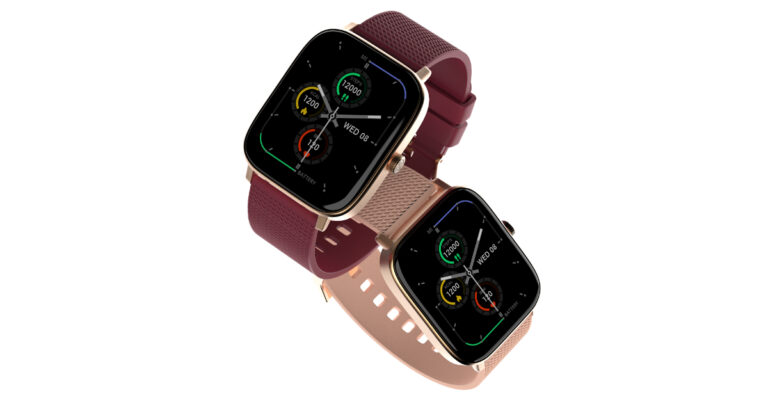
Homegrown tech brand Noise seems to be on a launch spree. The company has introduced the Noise ColorFit Thrive smartwatch in India. The smart wearable comes with a 1.85-inch display and has a square dial. In addition to this, the device has BT calling and Voice control support.
Noise ColorFit Thrive price in India and availability
The Noise ColorFit Thrive has been launched in India at a price tag of Rs 1,299. It is currently available for purchase in six different colour options of Deep Wine, Calm Blue, Coral Pink, Jet Black, Silver Grey and Midnight Blue. It is being sold via Flipkart and gonoise.com.
Noise ColorFit Thrive specifications
The Noise ColorFit Thrive has a 1.85-inch TFT square display packaged in a metallic yet sleeker design. The screen supports 550 nits of brightness and includes more than 100 watch faces. The device is IP67 rated for protection against water and dust.Also Read:Apple iPhone 12 now available for as low as Rs 12,700: Deets insideTo provide enhanced convenience and accessibility to the users, the smartwatch offers a BT calling feature. There is AI voice assistant support for Google and Siri as well.Noise Buzz, an important part of Noise ColorFit Thrive that makes keeping connected simpler than ever, is also included. They may also simply access their call history by using the smartwatch, which also has room for up to 8 contacts. Additionally, it has 100 built-in sports modes and games.A wide range of cutting-edge productivity and health monitoring measures are available on the smartwatch. The Noise Health Suite makes it simple for customers to keep track of vital health indicators like heart rate, blood oxygen saturation, sleep patterns, stress levels, breathing exercises, and female cycle tracking.Daily reminders and weather predictions are easily accessible with the built-in Productivity Suite, and the smartwatch syncs wirelessly with the NoiseFit App to enable the next-level productivity game.Additionally, it is stated that the device may operate for up to 7 days on a single charge. For the latest gadget and tech news, and gadget reviews, follow us on Twitter, Facebook and Instagram. For newest tech & gadget videos subscribe to our YouTube Channel. You can also stay up to date using the Gadget Bridge Android App. You can find the latest car and bike news here.
Are you ready to take your gaming setup to the next level? Look no further than our comprehensive list of the best gaming accessories of 2023. From the latest in high-end graphics cards to revolutionary virtual reality headsets and advanced sound systems, we’ve got you covered.
Plus, we break down the details on everything from top-of-the-line cooling systems to state-of-the-art controllers – all designed to help boost game performance and make your gaming experience more immersive. Get ready for your ultimate gaming setup!
Make sure to visit Energy Casino, where you can play many engaging casino games!
#1 Logitech G502 SE Hero RGB Gaming Mouse
The Logitech G502 SE Hero RGB Gaming Mouse is an incredible gaming accessory for 2023. It boasts a 16,000 DPI sensor and 11 programmable buttons that provide gamers with highly accurate tracking and the ability to move their mouse quickly and precisely. This makes it perfect for those who need to make quick movements or require precise control over their characters.
The ergonomic design of this powerful mouse ensures comfort during long gaming sessions, featuring an adjustable weight system and wrist rest for added support. Plus, the adjustable RGB lighting adds a personal touch to your gaming setup – allowing you to customize its look however you like!
Features
The G502 SE Hero RGB Gaming Mouse is a gaming powerhouse, boasting an adjustable weight system and customizable RGB lighting. With on-the-fly DPI switching, gamers can instantly switch between two different sensitivity settings for smoother movements. Plus, its advanced tracking technology makes aiming and shooting in the game easier than ever before – like having a personal assistant helping you out! In short, this mouse provides gamers with comfort, customization options and precision – making it the perfect companion for any gaming setup.
Pros and Cons
The Logitech G502 SE Hero RGB Gaming Mouse is a dream come true for gamers. With its 16,000 DPI sensor and 11 programmable buttons, it offers lightning-fast tracking and easy access to commands. Its ergonomic design ensures comfort during long gaming sessions, while the adjustable weight system and customizable RGB lighting add a personal touch.
But there’s a catch – this mouse comes with a hefty price tag that may be too steep for some gamers. Plus, it’s not wireless, so you’ll need to stay connected to your PC or laptop. And if you’re planning marathon gaming sessions? You’ll need an external battery since the G502 SE. The hero doesn’t have one built in.
The Turtle Beach Stealth 600 Wireless Gaming Headset is a must-have for any serious gamer looking to take their gaming setup to the next stratosphere. With plug-and-play ease and up to 30 hours of uninterrupted sound, it’s sure to be your go-to companion for long gaming sessions. Compatible with PC, Playstation 4/5, Xbox and Nintendo Switch – this headset will make you feel like you’re in the game!
Its high-end audio drivers, noise cancellation algorithms and lossless 2.4GHz wireless connections create an immersive experience that’ll have you picking up on details you never noticed before. Plus, its under-the-desk headphone stand mount makes it easy to keep your headset within arm’s reach – so no more scrambling around when it’s time for battle!
Features
The Turtle Beach Stealth 600 Wireless Gaming Headset is the perfect choice for gamers, boasting plug-and-play functionality and a wireless connection that offers up to 30 hours of uninterrupted sound. Its high-end audio drivers and noise-cancellation algorithms create an immersive gaming experience.
What’s more? It has a lossless 2.4GHz wireless connection, providing lightning-fast speeds with no lag or dropouts. Compatible with PC gaming, Playstation 4/5, Xbox, and Nintendo Switch – you can enjoy gaming sessions across multiple platforms! Plus, it comes with an under-the-desk headphone stand mount so your headset is always within easy reach. So why not take your gaming to the next level with the Turtle Beach Stealth 600?
Pros and Cons
The Turtle Beach Stealth 600 Wireless Gaming Headset is a gaming powerhouse, perfect for any serious gamer looking to take their experience to the next level. With its plug-and-play functionality and wireless connection, setting up for gaming sessions has never been easier – it’s like a dream come true! The headset also boasts high-end audio drivers and noise-cancellation algorithms that create an immersive soundscape. Plus, with compatibility across multiple platforms, you can game on whatever device you choose. And don’t forget about the under-the-desk headphone stand mount – keeping your headset within easy reach has never been simpler!
But what are the drawbacks? Does this headset have all the features of more expensive models? Is its battery life as long as other headsets on the market? Will it provide crystal clear sound quality? Unfortunately not – but that doesn’t mean it isn’t worth considering. Despite these minor shortcomings, Turtle Beach Stealth 600 still offers plenty of bang for your buck when it comes to creating an immersive gaming experience. So if you’re in search of a reliable and affordable way to enhance your gaming session without breaking the bank, look no further than Turtle Beach Stealth 600 Wireless Gaming Headset!
#3 Eurpmask PC Gaming Headset Hook Holder
The Eurpmask PC Gaming Headset Hook Holder – have you ever wanted to add a touch of convenience and style to your gaming setup? This under-desk mount is designed for all sorts of gaming headsets, with an adjustable design that fits consoles. It boasts a built-in cable loop for easy cable management, rubber pads on the mounts for a secure fit, and a swivel mechanism for a comfortable resting angle. Perfect for gamers looking to store their headphones without taking up too much space! But how does it really add convenience and style?
Features
The Eurpmask PC Gaming Headset Hook Holder is the perfect addition to any gaming setup. It boasts an adjustable universal under-desk design, making it compatible with a variety of desk sizes and shapes. Plus, its built-in cable loop helps keep your gaming area neat and organized. Rubber pads on the mounts ensure a secure fit while its swivel mechanism allows you to adjust the angle of the headset for maximum comfort. Truly, this product is an essential part of any gamer’s arsenal – making it the ultimate gaming accessory!
Pros and Cons
The Eurpmask PC Gaming Headset Hook Holder is a great choice for gamers, boasting an adjustable design that fits gaming consoles and reduces clutter by providing a convenient place to rest your headphones. But there are some drawbacks – its lack of durability may not be suitable for heavier headsets, and it cannot be used with thin glass desks or tables. Additionally, it mounts! Under-desk CPU holders can’t physically adhere to any surface – so if you’re looking for something more permanent, this might not be the best option.
#4 J S Vision Blue Light Shield Gaming Glasses
The J S Vision Blue Light Shield Gaming Glasses are the perfect addition to your gaming setup, offering unparalleled style and comfort. With a variety of frame sizes and shapes, these glasses provide maximum protection from the glare of screens and blue light exposure. The lenses are crafted with high-quality polycarbonate for superior durability. An adjustable nose piece and temple bars allow you to customize your fit for optimal comfort. Plus, they come with a case and cleaning cloth so you can keep them looking pristine!
These glasses not only look great but also help protect your eyes from long-term damage caused by blue light exposure. They reduce eye strain associated with long gaming sessions, allowing you to stay focused on your game without worrying about fatigue or discomfort. So slip on these stylish specs and enjoy hours of gaming in total comfort!
Features
The J S Vision Blue Light Shield Gaming Glasses are a gamer’s dream come true. With an array of frame sizes and shapes, adjustable temple bars, and a flexible nose piece – you can customize your fit for maximum comfort. The lenses are made from high-quality polycarbonate to protect your eyes from the glare of screens and blue light exposure. Plus, they come with a case and cleaning cloth so you can keep them looking their best!
But what makes these glasses truly special is how they help gamers stay focused on their game for longer periods of time without worrying about eye fatigue or strain. They provide protection from the harsh glare of screens while also making it easier to see in dimly lit gaming rooms – perfect for those using standing desks or other gaming setups. In short, these glasses offer unbeatable comfort and clarity that will take your gaming experience to the next level!
Pros and Cons
The J S Vision Blue Light Shield Gaming Glasses are an essential addition to any gaming setup. With their adjustable nose piece and temple bars, you can customize your fit for maximum comfort – no more eye fatigue after long gaming sessions! The lenses are made of high-quality polycarbonate, providing unbeatable protection from the glare of screens and blue light exposure. Plus, they come with a case and cleaning cloth so you can keep them looking pristine.
However, there are some drawbacks to consider too. The case that comes with the glasses isn’t particularly sturdy and unfortunately, there is no prescription-based model available either. So if you need corrective lenses, this might not be the best choice for you.
Despite these minor issues, J S Vision Blue Light Shield Gaming Glasses offer great value for gamers who want to protect their eyes while enjoying their favourite games!
#5 Razer Gaming Mouse Bungee
The Razer Gaming Mouse Bungee is the ideal accessory for any gaming setup. Specifically designed to keep your gaming mouse wires organized, it ensures a smooth and effortless gaming experience. With its adjustable arm, tension and height, the Razer Gaming Mouse Bungee offers an easy solution to cable management – allowing you to create a sleek and attractive desk setup.
Do you struggle with wire and cable management when building up your gaming setup? The Razer Gaming Mouse Bungee eliminates this problem by keeping your mouse’s wire out of the way so that you can move freely without disruption. It also provides gamers who prefer wireless mice with an organized desk space while still enjoying a customized gaming experience as it is compatible with multiple types of mice.
In conclusion, the Razer Gaming Mouse Bungee is perfect for anyone looking for an efficient way to manage their cables while creating a stylish gaming environment!
Features
The Razer Gaming Mouse Bungee is a revolutionary gaming accessory designed to provide gamers with an optimal setup. It boasts an adjustable arm, tension and height for ultimate customization – allowing you to tailor the mouse bungee to your own personal preferences. The adjustable arm fits any gaming mouse, while the adjustable tension keeps wires out of sight and the adjustable height allows you to position it at just the right spot.
Not only does this enhance your gaming experience by providing comfort and convenience, but it also helps keep your desk neat and tidy. By organizing cables, you can avoid clutter that could distract from your game – enabling you to focus on what matters most: winning!
The Razer Gaming Mouse Bungee is a must-have for any serious gamer looking for an edge in their performance. With its customizable features and cable management capabilities, it’s sure to give you a competitive advantage over other players!
Pros and Cons
The Razer Gaming Mouse Bungee is a great gaming companion, crafted with an ergonomic design to fit comfortably in your hand and adjustable height and tension for a personalized experience. However, it may not be the most budget-friendly accessory and requires some setup and adjustment to get used to.
But don’t let that deter you! This mouse bungee helps keep your gaming desk neat and organized by managing cables – plus its adjustable features make it easy to customize according to your gaming needs. In short, the Razer Gaming Mouse Bungee is an ideal addition for any gamer looking to enhance their experience.
#6 Redragon K585 DITI One-Handed Gaming Keyboard
The Redragon K585 DITI One-Handed Gaming Keyboard is the ultimate gaming accessory, designed with gamers in mind. This mechanical keyboard boasts customizable RGB lighting, full N-key rollover, anti-ghosting technology and macro keys that can be programmed to your specific gaming needs. Plus, it comes with an integrated software suite for easy key mapping and lighting adjustments.
When searching for the perfect gaming keyboard, you want one that’s comfortable to use during long sessions – balanced key stiffness is essential here! A wrist rest will also help reduce strain on your wrists. Additionally, look for a design that fits into your gaming desk setup and features that enhance your experience. The Redragon K585 DITI One-Handed Gaming Keyboard has all of these qualities plus more!
This ergonomic keyboard is packed with features to take your gaming experience up a notch. It includes a digital writing pad so you can jot down strategies or moves while playing – this feature helps improve the overall look of your setup too! Plus there are plenty of key mapping and lighting adjustments available through its integrated software suite. With all these features combined, the Redragon K585 DITI One-Handed Gaming Keyboard is sure to give you an edge in any game session!
Features
The Redragon K585 DITI One-Handed Gaming Keyboard is a dream come true for gamers, boasting an array of features that make it the perfect companion. It has customizable RGB lighting, full N-key rollover, anti-ghosting technology and macro keys that can be programmed to your specific gaming needs. Plus, its integrated software suite allows you to easily adjust key mapping and lighting settings. Comfortably ergonomic with a digital writing pad for recording moves and strategies – this keyboard has it all!
When searching for the ideal gaming keyboard, there are several qualities to consider; balanced key stiffness so your fingers don’t tire during long sessions, comfortability and design that fits into your setup. The Redragon K585 DITI One-Handed Gaming Keyboard ticks every box – making it the ultimate choice for any serious gamer!
Pros and Cons
The Redragon K585 DITI One-Handed Gaming Keyboard fits perfectly into any gaming setup. It’s ergonomic design ensures comfort for long gaming sessions, while its wide variety of key mapping and lighting adjustments can be tailored to your exact needs. Plus, it comes with a digital writing pad so you can jot down strategies on the fly – what more could you want?
However, there are some drawbacks to this keyboard. The key mapping and lighting adjustments may take some getting used to, and the keys might feel too stiff for some gamers’ liking. Additionally, it doesn’t come with a wrist rest, which could be an issue if you’re playing for extended periods of time.
Despite these minor issues, the Redragon K585 DITI One-Handed Gaming Keyboard is still an excellent choice for gamers looking to upgrade their setup – why wouldn’t you give it a try?
#7 Cozoo Headphone Stand with USB Charger
For gamers who want to level up their gaming setup, the Cozoo Headphone Stand with USB Charger is a must-have. This sleek and stylish stand offers cable management and wireless charging capabilities that will revolutionize your gaming experience. The ergonomic wrist rest helps reduce fatigue like a soothing massage, while the built-in cup holder and desk drawer keep all your gaming accessories within reach – no more rummaging around for them!
The adjustable wrist rest lets you customize it to suit your individual needs, so you can game in comfort for hours on end without any discomfort. Plus, the cup holder provides an easy spot to store drinks or snacks during those long sessions, while the desk drawer gives plenty of space for power bars and adaptors.
But wait – there’s more! The Cozoo Headphone Stand also features wireless charging capabilities so you don’t have to leave your setup just to charge up your phone. And with multiple ports available at once, you can simultaneously charge up to three devices at once!
In conclusion, if you’re looking for convenience and comfort in one package then look no further than the Cozoo Headphone Stand with USB Charger – perfect for gamers who want to take their setup to new heights!
Features
The Cozoo Headphone Stand with USB Charger is an essential gaming accessory. It features a built-in adjustable wrist rest, cup holder and desk drawer, providing gamers with easy access to their gaming accessories and reducing fatigue during long sessions. The USB charger offers multiple ports for simultaneous charging of up to three devices – making it incredibly convenient for gamers to enjoy their gaming experience in comfort.
Pros and Cons
The Cozoo Headphone Stand with USB Charger is an awesome addition to any gaming setup. It boasts a built-in adjustable wrist rest, cup holder and desk drawer – giving gamers easy access to their gaming accessories while reducing wrist fatigue during long gaming sessions. Plus, the USB charger offers multiple charging ports so you can charge up to three devices at once! Not only that, but it’s also affordable compared to other similar products on the market and its sleek design adds a cool look to your gaming setup.
But there are some drawbacks too: unfortunately, this product doesn’t have a locking feature so if you accidentally knock over the cup holder you could end up with a spill on the floor instead of all over your gear. Additionally, the USB charger may not be powerful enough for all of your devices.
Still though, if you’re looking for an efficient and budget-friendly way to store power bars and adaptors or just need an organizer within reach for urgent gaming needs – then Cozoo Headphone Stand with USB Charger is definitely worth considering!
How We Decided
When looking for the ultimate gaming accessories of 2023, we wanted to ensure that the items we chose would provide an unbeatable gaming experience. We considered a range of factors such as durability, usability, efficiency and aesthetic appeal – all while making sure they offered great value for money.
To evaluate each item, we compared their features and pros/cons to see how they fit into our ideal setup. We then weighed up these points before making our decision based on customer reviews and ratings too.
We also kept up with the latest trends in gaming accessories so that our list was bang-up-to-date with the newest products available. Plus, prices were taken into account to make sure they were affordable yet still provided excellent value for money.
In conclusion, we selected seven top gaming accessories which offer something unique and can create an optimal gaming experience. Hopefully, this list of the best gaming accessories of 2023 will help you build your dream setup!
Summary
From outstanding features, highest-end audio drivers to adjustable weight, RGB lighting, and adjustable wrist rest, the seven best gaming accessories of 2023 are all must-haves for any serious gamer. Logitech G502 SE. Hero RGB Gaming. Mouse is an excellent choice for precise control and customization, while Turtle Beach Stealth 600 Wireless Headset provides an immersive experience with directional targeting and up to 30 hours of playback.
Eurpmask PC Gaming Headset Hook Holder offers a secure fit and a swivel mechanism for a convenient and stylish gaming setup, with J S Vision Blue Light Shield Gaming Glasses protecting eyes from damages caused by excessive blue light exposure. Razer Gaming Mouse Bungee ensures smooth operation and cable management, and Redragon K585 DITI One-Handed Gaming Keyboard optimizes gaming experiences with adjustable key mapping and customizable RGB lighting.
Cozoo Headphone Stand with USB Charger is another essential item with its ergonomic design and wireless charging capabilities. Considering our evaluation based on features, pros and cons, customer reviews, trends and prices, these seven gaming accessories offer maximum comfort, convenience, and performance for the ultimate gaming set-up in 2023.
Frequently Asked Questions
What do you need for the best gaming setup?
To have the best gaming setup at home, you’ll need a powerful gaming PC with a good graphics card, a monitor or two, a gaming chair, a keyboard, a mouse and other gaming accessories like a headset, controllers, and gaming desk.
Additionally, soundproofing is essential for an immersive gaming experience.
What things are needed for gaming setup?
For a complete gaming setup, you will need a gaming PC, monitor, keyboard, mouse, headset, chair, desk, and other gaming accessories.
A gaming setup is essential if you want to experience the best gaming experience possible.
What should I add to my gaming setup?
To enhance your gaming setup, consider investing in a comfortable chair, noise-cancelling headphones, a high-powered gaming monitor, a laptop, a VR headset, an accessible mouse, an Xbox game pass, and speakers.
Having the right setup will create an immersive environment and offer the best gaming experience possible.
For the latest gadget and tech news, and gadget reviews, follow us on Twitter, Facebook and Instagram. For newest tech & gadget videos subscribe to our YouTube Channel. You can also stay up to date using the Gadget Bridge Android App. You can find the latest car and bike news here.
After being banned for nearly ten months, Battleground Mobile India, aka BGMI, is officially available again in India. BGMI fans are looking for ways to improve their game experience and one such method is the usage of redemption codes, which offers a variety of rewards and advantages using BGMI redeem codes players can gain access to new skins, outfits, loot crates, weapons and free UC and diamonds.As mentioned earlier, these codes give users the chance to earn unique rewards and gain extra benefits while playing the game. This includes GUN SKINS (M4, AKM, M416, AWM, M24, UZI, KAR98K), free character voucher, Andy, Carlo, Sara, Victor character for free, free Anna Character on completing the mission and UC or Royal Pass Discount. So here we have gathered a list of the most recent BGMI redeem codes as of 2 August 2023. Also, redeem these codes asap as these are only valid for a limited duration.
BGMI Redeem Codes for 2 August2023
updating…
How to get free Redeem Codes for BGMI on 2 August 2023?
Launch BGMI on your device.
Then select the Redeem Code option from the main menu.
Next, click on the Redeem code tab.
A new window will open, requesting the redemption code.
Now enter your BGMI code.
Confirm and click on the “Redeem” tab.
If your redeem code is valid then you will get a message confirming that your rewards were successfully redeemed.
Garena Free Fire is a battle royale game with regular awards and tournaments to keep players interested. If you play Garena Free Fire, you should be aware of the redeem codes that are released on a daily basis. However, because the battle royale game is banned in India, players from other countries can use the Free Fire Redeem codes daily. If you’re unfamiliar with the Garena Free Fire redeem codes or don’t know how to get them, we’ve put together a step-by-step guide to help you redeem them. Check out Garena Free Fire Redeem Codes for 2 August 2023.The Free Fire redeem codes are a great way to get free stuff. These are 12-digit codes that contain alphabets and numbers, as well as an expiration date and time. Because the Garena FF redeem codes cannot be used more than once, you should hurry to the redemption page to claim your free reward before someone else does. To get a free reward, all you have to do is go to reward.ff.garena.com/en, which is the official redemption page. Also, keep an eye on this space for daily updates on Garena Free Fire redemption codes and rewards.


 Commenting on the launch of the new soundbar, Mr Atul Jasra, Country Head, TPV Technology India Pvt. Ltd said, “In India, the demand for soundbars has escalated as they can be connected to a wide range of devices, such as televisions, laptops, PCs, music players and smartphones. Consumers look for a better audio experience for their entertainment and seek products with intuitive technologies and virtual assistants. In our endeavour to provide consumers with State-of-the-art technology & value for money, we have introduced the all-new Philips TAB7007 soundbar, offering a culmination of cutting-edge technology, impeccable design, and high-quality audio performance for an immersive sound experience. At TPV Technology, we will continue to introduce a newer and more advanced range of products to meet the needs of our evolving consumer base.”
Also Read: Sony ZV-E1 full-frame vlog camera launched in India
The Philips TAB7007 soundbar has a low-profile subwoofer, making it a convenient option to place under or beside your television. The Soundbar also comes with Robust Metal Grille for clear sound. The recently released Philips TAB7007 soundbar includes a 2.1CH wireless subwoofer that delivers 240W of dramatic sound output and a multidimensional music experience. With the addition of Dolby Audio, this soundbar’s two front-firing speakers produce a full surround sound experience.
According to the company, it provides an extremely immersive audio experience for the user, allowing them to enjoy their favourite movies and shows with incredibly realistic sound. It also has numerous connectivity options, such as Bluetooth, USB Connections, Optical-in and Audio-in, and Advanced HDMI ARC technology.
The Philips TAB7007 soundbar has been launched in India with a price tag of Rs 21,990. The speaker system will be available for purchase via all leading e-commerce platforms across the country.
For the latest gadget and tech news, and gadget reviews, follow us on Twitter, Facebook and Instagram. For newest tech & gadget videos subscribe to our YouTube Channel. You can also stay up to date using the Gadget Bridge Android App. You can find the latest car and bike news here.
Commenting on the launch of the new soundbar, Mr Atul Jasra, Country Head, TPV Technology India Pvt. Ltd said, “In India, the demand for soundbars has escalated as they can be connected to a wide range of devices, such as televisions, laptops, PCs, music players and smartphones. Consumers look for a better audio experience for their entertainment and seek products with intuitive technologies and virtual assistants. In our endeavour to provide consumers with State-of-the-art technology & value for money, we have introduced the all-new Philips TAB7007 soundbar, offering a culmination of cutting-edge technology, impeccable design, and high-quality audio performance for an immersive sound experience. At TPV Technology, we will continue to introduce a newer and more advanced range of products to meet the needs of our evolving consumer base.”
Also Read: Sony ZV-E1 full-frame vlog camera launched in India
The Philips TAB7007 soundbar has a low-profile subwoofer, making it a convenient option to place under or beside your television. The Soundbar also comes with Robust Metal Grille for clear sound. The recently released Philips TAB7007 soundbar includes a 2.1CH wireless subwoofer that delivers 240W of dramatic sound output and a multidimensional music experience. With the addition of Dolby Audio, this soundbar’s two front-firing speakers produce a full surround sound experience.
According to the company, it provides an extremely immersive audio experience for the user, allowing them to enjoy their favourite movies and shows with incredibly realistic sound. It also has numerous connectivity options, such as Bluetooth, USB Connections, Optical-in and Audio-in, and Advanced HDMI ARC technology.
The Philips TAB7007 soundbar has been launched in India with a price tag of Rs 21,990. The speaker system will be available for purchase via all leading e-commerce platforms across the country.
For the latest gadget and tech news, and gadget reviews, follow us on Twitter, Facebook and Instagram. For newest tech & gadget videos subscribe to our YouTube Channel. You can also stay up to date using the Gadget Bridge Android App. You can find the latest car and bike news here. 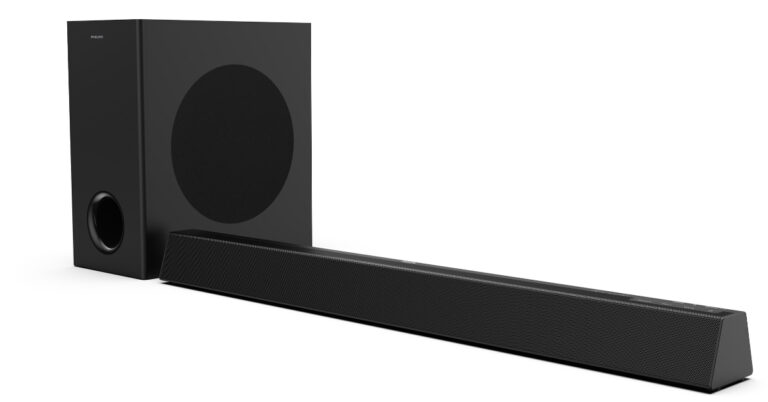
 Commenting on the launch of the new soundbar, Mr Atul Jasra, Country Head, TPV Technology India Pvt. Ltd said, “In India, the demand for soundbars has escalated as they can be connected to a wide range of devices, such as televisions, laptops, PCs, music players and smartphones. Consumers look for a better audio experience for their entertainment and seek products with intuitive technologies and virtual assistants. In our endeavour to provide consumers with State-of-the-art technology & value for money, we have introduced the all-new Philips TAB7007 soundbar, offering a culmination of cutting-edge technology, impeccable design, and high-quality audio performance for an immersive sound experience. At TPV Technology, we will continue to introduce a newer and more advanced range of products to meet the needs of our evolving consumer base.”
Also Read: Sony ZV-E1 full-frame vlog camera launched in India
The Philips TAB7007 soundbar has a low-profile subwoofer, making it a convenient option to place under or beside your television. The Soundbar also comes with Robust Metal Grille for clear sound. The recently released Philips TAB7007 soundbar includes a 2.1CH wireless subwoofer that delivers 240W of dramatic sound output and a multidimensional music experience. With the addition of Dolby Audio, this soundbar’s two front-firing speakers produce a full surround sound experience.
According to the company, it provides an extremely immersive audio experience for the user, allowing them to enjoy their favourite movies and shows with incredibly realistic sound. It also has numerous connectivity options, such as Bluetooth, USB Connections, Optical-in and Audio-in, and Advanced HDMI ARC technology.
The Philips TAB7007 soundbar has been launched in India with a price tag of Rs 21,990. The speaker system will be available for purchase via all leading e-commerce platforms across the country.
For the latest gadget and tech news, and gadget reviews, follow us on Twitter, Facebook and Instagram. For newest tech & gadget videos subscribe to our YouTube Channel. You can also stay up to date using the Gadget Bridge Android App. You can find the latest car and bike news here.
Commenting on the launch of the new soundbar, Mr Atul Jasra, Country Head, TPV Technology India Pvt. Ltd said, “In India, the demand for soundbars has escalated as they can be connected to a wide range of devices, such as televisions, laptops, PCs, music players and smartphones. Consumers look for a better audio experience for their entertainment and seek products with intuitive technologies and virtual assistants. In our endeavour to provide consumers with State-of-the-art technology & value for money, we have introduced the all-new Philips TAB7007 soundbar, offering a culmination of cutting-edge technology, impeccable design, and high-quality audio performance for an immersive sound experience. At TPV Technology, we will continue to introduce a newer and more advanced range of products to meet the needs of our evolving consumer base.”
Also Read: Sony ZV-E1 full-frame vlog camera launched in India
The Philips TAB7007 soundbar has a low-profile subwoofer, making it a convenient option to place under or beside your television. The Soundbar also comes with Robust Metal Grille for clear sound. The recently released Philips TAB7007 soundbar includes a 2.1CH wireless subwoofer that delivers 240W of dramatic sound output and a multidimensional music experience. With the addition of Dolby Audio, this soundbar’s two front-firing speakers produce a full surround sound experience.
According to the company, it provides an extremely immersive audio experience for the user, allowing them to enjoy their favourite movies and shows with incredibly realistic sound. It also has numerous connectivity options, such as Bluetooth, USB Connections, Optical-in and Audio-in, and Advanced HDMI ARC technology.
The Philips TAB7007 soundbar has been launched in India with a price tag of Rs 21,990. The speaker system will be available for purchase via all leading e-commerce platforms across the country.
For the latest gadget and tech news, and gadget reviews, follow us on Twitter, Facebook and Instagram. For newest tech & gadget videos subscribe to our YouTube Channel. You can also stay up to date using the Gadget Bridge Android App. You can find the latest car and bike news here. 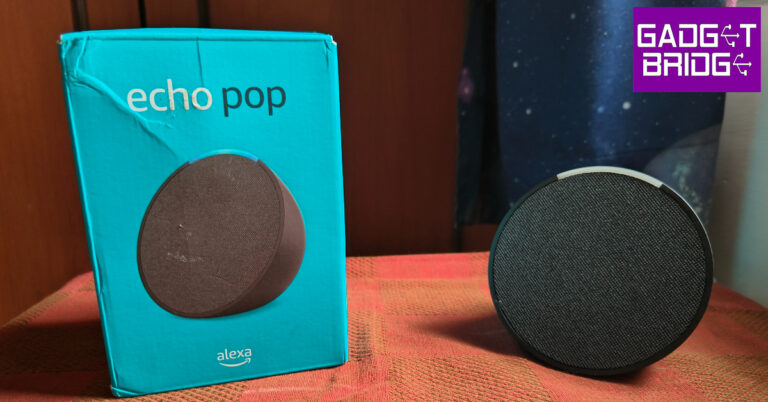
 The front panel of the Echo Pop is covered with the all-familiar mesh fabric for the speaker. Instead of the bottom-facing LED light found on the Echo Dot, Amazon has gone for a small LED arc on this device. Again, it makes sense to not have intense lights on a speaker that is meant to be placed on a nightstand. There are three mics on the Echo Pop and they do a good job of registering voice commands even from across the room.
 The front panel of the Echo Pop is covered with the all-familiar mesh fabric for the speaker. Instead of the bottom-facing LED light found on the Echo Dot, Amazon has gone for a small LED arc on this device. Again, it makes sense to not have intense lights on a speaker that is meant to be placed on a nightstand. There are three mics on the Echo Pop and they do a good job of registering voice commands even from across the room.
 There aren’t a lot of additional accessories inside the box. Apart from the smart speaker, the retail box contains the power adapter and some reading material. The power port is placed at the bottom of the speaker. Amazon recently removed the 3.5mm jack from the Echo Dot, so it is not a surprise that it’s absent from the Pop as well.
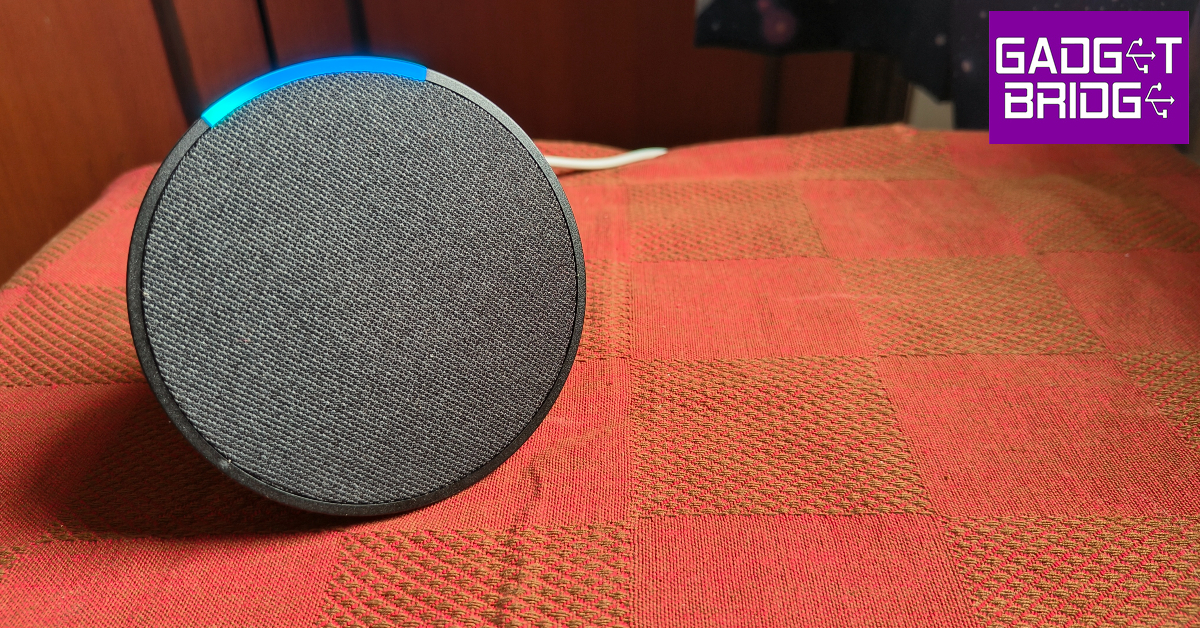 Amazon Echo Pop may be slightly smaller than the Echo Dot, but its 1.95” front-firing speaker is larger than the one on the Echo Dot. While it doesn’t get as loud as the Echo Dot, this speaker is enough to fill a small room. We used the Echo Pop in outdoor conditions as well, and it performed admirably well. The speaker managed to negate the surrounding noise and delivered the audio performance we were looking for.
Intensity and volume aside, the sound quality on this device has some room for improvement. The Echo Pop is a decent speaker for playing songs in the background while you’re going about your chores and not necessarily paying attention to the music. It presents a good mix of frequencies and packs a decent level of detail. The bass doesn’t dominate the mix, as is the case with most budget Bluetooth speakers. However, if you’re looking for a more serious speaker, there are better options in the Echo lineup.
Amazon Echo Pop may be slightly smaller than the Echo Dot, but its 1.95” front-firing speaker is larger than the one on the Echo Dot. While it doesn’t get as loud as the Echo Dot, this speaker is enough to fill a small room. We used the Echo Pop in outdoor conditions as well, and it performed admirably well. The speaker managed to negate the surrounding noise and delivered the audio performance we were looking for.
Intensity and volume aside, the sound quality on this device has some room for improvement. The Echo Pop is a decent speaker for playing songs in the background while you’re going about your chores and not necessarily paying attention to the music. It presents a good mix of frequencies and packs a decent level of detail. The bass doesn’t dominate the mix, as is the case with most budget Bluetooth speakers. However, if you’re looking for a more serious speaker, there are better options in the Echo lineup.
 Amazon has gotten rid of the temperature and motion sensors on the Echo Pop. This one hurts a little bit, as the temperature sensor was one of the features that made the Echo an ‘intelligent’ device. The Echo Dot uses its temperature sensor to automatically trigger the air conditioning when the temperature of the room reached a certain limit.
Without the motion detector, the Echo Pop isn’t able to turn off the lights in the room when you walk out. These were some of our favourite Echo features that sadly won’t make it to its entry-level model. That being said, if you aren’t planning on linking the Echo Pop to any of the smart devices in your room, you won’t miss the sensors at all.
Amazon has gotten rid of the temperature and motion sensors on the Echo Pop. This one hurts a little bit, as the temperature sensor was one of the features that made the Echo an ‘intelligent’ device. The Echo Dot uses its temperature sensor to automatically trigger the air conditioning when the temperature of the room reached a certain limit.
Without the motion detector, the Echo Pop isn’t able to turn off the lights in the room when you walk out. These were some of our favourite Echo features that sadly won’t make it to its entry-level model. That being said, if you aren’t planning on linking the Echo Pop to any of the smart devices in your room, you won’t miss the sensors at all.
 What really makes Echo devices smart is the software experience. Amazon Echo Pop does not disappoint in this regard. You can set up daily routines using the Amazon Alexa app. The app interface is very accessible and easy to navigate. The experience is maximised if you have other smart devices around the house. We used Amazon’s assistant to set up the daily alarm, play a Spotify playlist upon waking up, and read out the major headlines of the day. The Echo Pop carried out these tasks without a hiccup. We also really like that you can gently tap the top of the device to turn off the alarm. It is safe to say that Echo’s superior software experience still puts it ahead of the competition.
Read Also: Oppo Reno 10 Review: A Good Everyday Driver
What really makes Echo devices smart is the software experience. Amazon Echo Pop does not disappoint in this regard. You can set up daily routines using the Amazon Alexa app. The app interface is very accessible and easy to navigate. The experience is maximised if you have other smart devices around the house. We used Amazon’s assistant to set up the daily alarm, play a Spotify playlist upon waking up, and read out the major headlines of the day. The Echo Pop carried out these tasks without a hiccup. We also really like that you can gently tap the top of the device to turn off the alarm. It is safe to say that Echo’s superior software experience still puts it ahead of the competition.
Read Also: Oppo Reno 10 Review: A Good Everyday Driver
 A moment of happiness for photography lovers as well as several offers are running up on cameras as well.

 The entry-level Amazon Kindle e-reader is the perfect gift for your book-loving friends. It matches most of the specs offered by the flagship Paperwhite while still being affordable. One of the major improvements in the new Kindle is the improved resolution of 300ppi. This puts the base variant of the e-reader on par with the likes of Paperwhite and Oasis. The 6.8-inch display is illuminated by 4 LEDs and is encased in a polycarbonate body. Want more? You can even pair this Kindle to your wireless headphones and listen to an audiobook.
 Do you have a friend that still hasn’t made the switch to wireless earbuds? The new OnePlus Nord Buds 2r (our review here) will make a great gift. This inexpensive TWS does not compromise on sound quality. The bass-centric audio output is delivered to the listener by 12.4mm titanium drivers. The sound is punchy & detailed and does not distort on higher volumes. There may be cheaper wireless earbuds out there, but none of them can replicate the quality of audio on offer here.
 The entry-level Amazon Kindle e-reader is the perfect gift for your book-loving friends. It matches most of the specs offered by the flagship Paperwhite while still being affordable. One of the major improvements in the new Kindle is the improved resolution of 300ppi. This puts the base variant of the e-reader on par with the likes of Paperwhite and Oasis. The 6.8-inch display is illuminated by 4 LEDs and is encased in a polycarbonate body. Want more? You can even pair this Kindle to your wireless headphones and listen to an audiobook.
 Launched last month, the iQOO Neo 7 Pro could be the best midrange gaming smartphone to release this year. What really puts this smartphone ahead of the competition is the Snapdragon 8+ Gen 1 SoC under its hood. This is last year’s flagship chipset that is now available in a mid-range smartphone that costs Rs 35,000. The Neo 7 Pro also gets a 6.78-inch FHD+ AMOLED display with a 120Hz refresh rate, a 50MP primary camera, a 5,000 mAh battery, 120W fast charging support, and more.
 Do you have a friend that still hasn’t made the switch to wireless earbuds? The new OnePlus Nord Buds 2r (our review here) will make a great gift. This inexpensive TWS does not compromise on sound quality. The bass-centric audio output is delivered to the listener by 12.4mm titanium drivers. The sound is punchy & detailed and does not distort on higher volumes. There may be cheaper wireless earbuds out there, but none of them can replicate the quality of audio on offer here.
 This one is for all the health nuts. The Noise ColorFit Pro 4 is an efficient smartwatch that tracks all essential health functions and a range of exercises & workouts. The silicone and polycarbonate build adds to the sturdiness of this smartwatch. The 1.72-inch TFT LCD display has a resolution of 356 x 400p and a refresh rate of 60Hz. The Colorfit Pro 4 also supports Bluetooth calling. The heart rate monitor and SpO2 tracker on this smartwatch produce numbers that are comparable to medical-grade equipment. Noise also has a companion app for this smartwatch which can be used for customisation purposes. Check out our review here.
 You’ve got your gamers, readers, audiophiles, and fitness enthusiasts, but what’s the perfect gift for the party animals? boAt’s Party Pal 60 is the answer you’re looking for. This boombox-shaped Bluetooth speaker is one of the more affordable party speakers on the market right now. The Party Pal 60 delivers a 20W output, with the 2,200mAh battery offering up to 4 hours of playtime. The strap attached to the speaker makes it easier to carry it around. The Party Pal 60 is the perfect speaker to carry along on a vacation. It also comes with a microphone jack for karaoke sessions.
 Samsung’s Galaxy F series is known for its camera-centric smartphones. Launched in June, the Samsung Galaxy F54 continues this tradition with the help of its spectacular 108MP primary camera. This sensor captures punchy, vibrant images that could possibly be the best in its category. Samsung’s image processing also pulls its weight on this smartphone. Camera performance aside, the Galaxy F54 is powered by Samsung’s in-house Exynos 1380 SoC and is available in a single 8GB RAM + 256GB storage variant.
 OnePlus’ debut tablet is a rock-solid device that gets the basics right while adding its own flair to the Android tablet experience. The 11.6-inch IPS LCD display has a refresh rate of 144Hz and comes with HDR10+ support. Under the hood, the OnePlus Pad is powered by MediaTek Dimensity 9000 SoC. OS duties are handled by Android 13 with Oxygen OS on top. To maximize the functionality of the tablet, OnePlus has also released a Stylo and Keyboard Folio Case for this product. Check out our full review here.
 Not too long ago, there was a dearth of affordable gaming TWS on the market. Truke has filled a massive void with its range of ultra-affordable TWS. The BTG Storm is a great TWS for gamers who not only want great audio quality and low latency out of their wireless earbuds but also want them to look the part. We reviewed the Truke BTG Storm when it got released and were really impressed by what it has to offer at just Rs 900.
 Sony WH-CH520 delivers great audio output and is packed with features like muti-point connectivity, app support, Sony’s Digital Sound Enhancement Engine, and Reality Audio. The media control buttons on the earcup are accessible and clicky. The WH-CH520 also puts up some amazing battery numbers. On a single charge, these headphones can last up to 50 hours. However, it takes 3 hours to fully charge these headphones. Read our full review here.
 iPhone 14 Pro may carry a hefty price tag, but it is also the perfect smartphone you can gift a friend. The iPhone 14 Pro replaces the notch on its display with a pill-shaped cutout called the ‘Dynamic Island’. It features a 6.1-inch LTPO Super Retina display with a refresh rate of 120Hz. Processor duties are handled by the powerful A16 Bionic chipset. The iPhone 14 Pro also receives one of the biggest camera upgrades on an iPhone in recent years. The triple camera array at the back now features a 48MP primary sensor, a 12MP telephoto lens, and another 12MP ultrawide lens. Read our full review here.
Read Also: How to Uninstall Facebook Messenger on iPhone: Top 3 Ways
iPhone 14 Pro may carry a hefty price tag, but it is also the perfect smartphone you can gift a friend. The iPhone 14 Pro replaces the notch on its display with a pill-shaped cutout called the ‘Dynamic Island’. It features a 6.1-inch LTPO Super Retina display with a refresh rate of 120Hz. Processor duties are handled by the powerful A16 Bionic chipset. The iPhone 14 Pro also receives one of the biggest camera upgrades on an iPhone in recent years. The triple camera array at the back now features a 48MP primary sensor, a 12MP telephoto lens, and another 12MP ultrawide lens. Read our full review here.
Read Also: How to Uninstall Facebook Messenger on iPhone: Top 3 Ways
 As if the Result About You tool was not enough, Google went out of the way and introduced a new alert feature. Google will now send notifications to users if it finds your address or phone numbers are available on a web page. This will allow you to review and remove information from the search. This update will now allow you to look at your search result without actually searching manually.
Now once you input your personal information, the dashboard will pull up websites that show your personal information letting you review your website and then request to remove it. You can also enable push notifications that will instantly alert you whenever any information about you surfaces online.
This feature has some limitations as well. Although the information that you manually remove will be removed, it will take some time to be permanently deleted from Google. Also, information about government or educational institutes cannot be erased.
Read Also: Sony ZV-E1 full-frame vlog camera launched in India
As if the Result About You tool was not enough, Google went out of the way and introduced a new alert feature. Google will now send notifications to users if it finds your address or phone numbers are available on a web page. This will allow you to review and remove information from the search. This update will now allow you to look at your search result without actually searching manually.
Now once you input your personal information, the dashboard will pull up websites that show your personal information letting you review your website and then request to remove it. You can also enable push notifications that will instantly alert you whenever any information about you surfaces online.
This feature has some limitations as well. Although the information that you manually remove will be removed, it will take some time to be permanently deleted from Google. Also, information about government or educational institutes cannot be erased.
Read Also: Sony ZV-E1 full-frame vlog camera launched in India
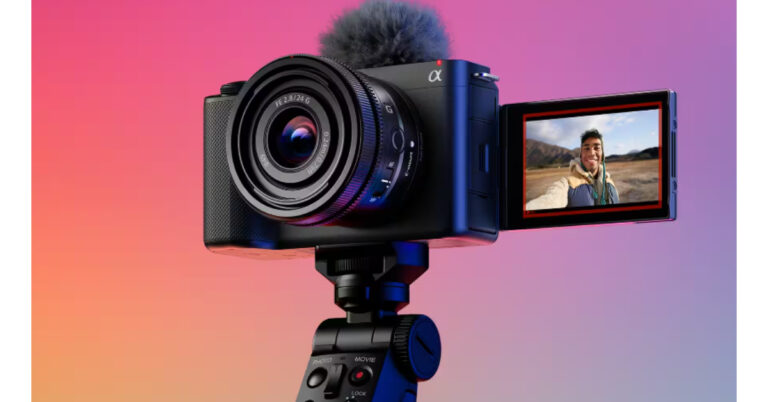






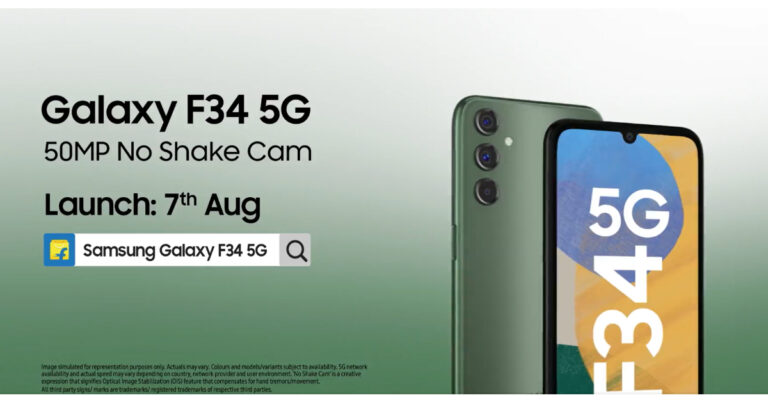
 The teasers suggest that the Samsung Galaxy F34 5G will feature a 6.5-inch full-HD+ Super AMOLED display with 2400 x 1080 pixels of resolution. The screen will also support a 120Hz refresh rate and a screen brightness of 1,000 nits. Moreover, the front panel will be protected from Corning Gorilla Glass 5 and will also have a waterdrop-style cutout.
The company has not yet revealed the processor and software details. But it is confirmed that the Galaxy F34 will include a triple rear camera sensor with an LED flash. The camera unit will consist of a 50-megapixel primary sensor with support for optical image stabilisation (OIS). Details about the remaining two camera sensors are yet to be revealed.
Also Read: Oppo Reno 10 Review: A Good Everyday Driver
According to the company, Samsung Galaxy F34 5G smartphone will be a game changer for photography and videography. It will have features like Single Take and Fun Mode. The camera will be supported by Optical Image Stabilization (OIS) which helps to shoot high-resolution and shake-free photos. The camera will also have 16 inbuilt lenses, especially for Gen-Z. Also, there is no information about the selfie camera.
Samsung has further revealed that the Galaxy F34 5G phone will pack a 6000mAh battery that is claimed to offer up to two days of battery life on a single charge. The upcoming 5G smartphones are expected to come with 8GB RAM and 128GB storage options.
For the latest gadget and tech news, and gadget reviews, follow us on Twitter, Facebook and Instagram. For newest tech & gadget videos subscribe to our YouTube Channel. You can also stay up to date using the Gadget Bridge Android App. You can find the latest car and bike news here.
The teasers suggest that the Samsung Galaxy F34 5G will feature a 6.5-inch full-HD+ Super AMOLED display with 2400 x 1080 pixels of resolution. The screen will also support a 120Hz refresh rate and a screen brightness of 1,000 nits. Moreover, the front panel will be protected from Corning Gorilla Glass 5 and will also have a waterdrop-style cutout.
The company has not yet revealed the processor and software details. But it is confirmed that the Galaxy F34 will include a triple rear camera sensor with an LED flash. The camera unit will consist of a 50-megapixel primary sensor with support for optical image stabilisation (OIS). Details about the remaining two camera sensors are yet to be revealed.
Also Read: Oppo Reno 10 Review: A Good Everyday Driver
According to the company, Samsung Galaxy F34 5G smartphone will be a game changer for photography and videography. It will have features like Single Take and Fun Mode. The camera will be supported by Optical Image Stabilization (OIS) which helps to shoot high-resolution and shake-free photos. The camera will also have 16 inbuilt lenses, especially for Gen-Z. Also, there is no information about the selfie camera.
Samsung has further revealed that the Galaxy F34 5G phone will pack a 6000mAh battery that is claimed to offer up to two days of battery life on a single charge. The upcoming 5G smartphones are expected to come with 8GB RAM and 128GB storage options.
For the latest gadget and tech news, and gadget reviews, follow us on Twitter, Facebook and Instagram. For newest tech & gadget videos subscribe to our YouTube Channel. You can also stay up to date using the Gadget Bridge Android App. You can find the latest car and bike news here. 


 Step 3: Select Delete App to remove Messenger from your iPhone.
 Step 4: Confirm your selection in the popup box.
 Step 4: Confirm your selection in the popup box.

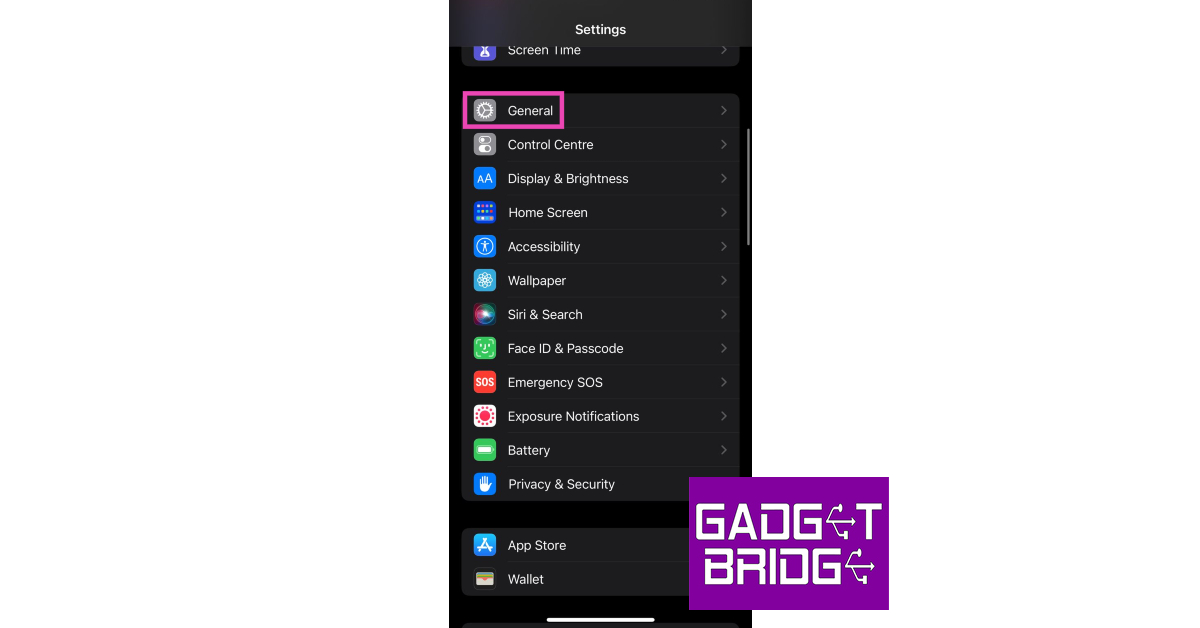 Step 2: Select iPhone Storage.
 Step 3: Scroll down and select Messenger.
Step 4: Hit Delete App.
Step 3: Scroll down and select Messenger.
Step 4: Hit Delete App.
 Step 5: Confirm your selection in the popup box.

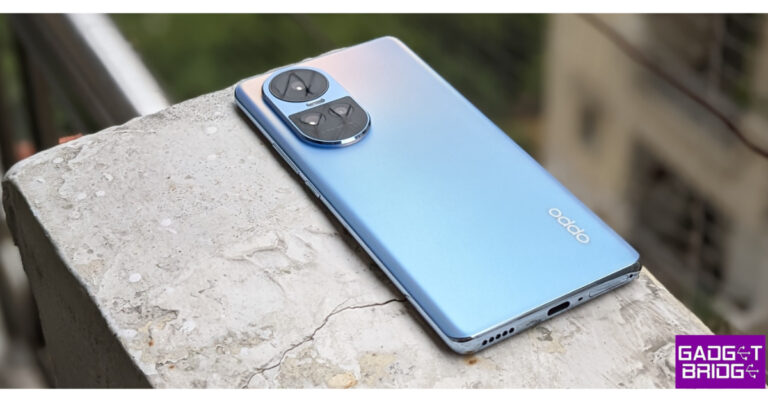
 We have the Ice Blue colour option, which incorporates OPPO Glow for an ice, crystalline appearance that is nevertheless smooth to the touch and has a glittering, shimmering blue effect that changes in the light when viewed from different angles. There is still another Silvery Grey variant available.
Oppo has worked very hard on the appearance of the phone this time and is very different from its prior generations. It has this new camera module and this phone definitely stands out in terms of design. Since it has a glass back, as we’ve already discussed, we don’t need to worry about fingerprints and smudges.
We have the Ice Blue colour option, which incorporates OPPO Glow for an ice, crystalline appearance that is nevertheless smooth to the touch and has a glittering, shimmering blue effect that changes in the light when viewed from different angles. There is still another Silvery Grey variant available.
Oppo has worked very hard on the appearance of the phone this time and is very different from its prior generations. It has this new camera module and this phone definitely stands out in terms of design. Since it has a glass back, as we’ve already discussed, we don’t need to worry about fingerprints and smudges.
 Despite how durable and modern the glass back is, we nevertheless advise using a cover because, over time, it may accumulate scratches and even break due to an unintentional fall. By the way, the front panel includes Dron Trail Star 2 protection; the back may not.
In terms of ports, the bottom edge has a SIM tray, a microphone, a speaker grill, and a USB Type C port. You can put two SIM cards or one SD card and one SIM card; take note that it features a hybrid sim card slot. Another speaker grill, a noise-cancelling microphone, and an IR blaster are located on the top.
Despite how durable and modern the glass back is, we nevertheless advise using a cover because, over time, it may accumulate scratches and even break due to an unintentional fall. By the way, the front panel includes Dron Trail Star 2 protection; the back may not.
In terms of ports, the bottom edge has a SIM tray, a microphone, a speaker grill, and a USB Type C port. You can put two SIM cards or one SD card and one SIM card; take note that it features a hybrid sim card slot. Another speaker grill, a noise-cancelling microphone, and an IR blaster are located on the top.
 There is nothing on the left side of the frame, while the right side has a power button and a volume rocker. In case you were under the impression that this device had a 3.5mm jack, it does not.
Regarding the display, the Oppo Reno 10 has a 6.7-inch full-HD+ OLED 3D curved screen with a resolution of 1,080 x 2,412. The display supports touch sampling rates of up to 240Hz and refresh rates of up to 120Hz. Along with HDR 10+ support, there is a 93 percent screen-to-body ratio, 950 nits of peak brightness, and 100% coverage of the DCI-P3 colour gamut.
There is nothing on the left side of the frame, while the right side has a power button and a volume rocker. In case you were under the impression that this device had a 3.5mm jack, it does not.
Regarding the display, the Oppo Reno 10 has a 6.7-inch full-HD+ OLED 3D curved screen with a resolution of 1,080 x 2,412. The display supports touch sampling rates of up to 240Hz and refresh rates of up to 120Hz. Along with HDR 10+ support, there is a 93 percent screen-to-body ratio, 950 nits of peak brightness, and 100% coverage of the DCI-P3 colour gamut.

 We have the Ice Blue colour option, which incorporates OPPO Glow for an ice, crystalline appearance that is nevertheless smooth to the touch and has a glittering, shimmering blue effect that changes in the light when viewed from different angles. There is still another Silvery Grey variant available.
Oppo has worked very hard on the appearance of the phone this time and is very different from its prior generations. It has this new camera module and this phone definitely stands out in terms of design. Since it has a glass back, as we’ve already discussed, we don’t need to worry about fingerprints and smudges.
We have the Ice Blue colour option, which incorporates OPPO Glow for an ice, crystalline appearance that is nevertheless smooth to the touch and has a glittering, shimmering blue effect that changes in the light when viewed from different angles. There is still another Silvery Grey variant available.
Oppo has worked very hard on the appearance of the phone this time and is very different from its prior generations. It has this new camera module and this phone definitely stands out in terms of design. Since it has a glass back, as we’ve already discussed, we don’t need to worry about fingerprints and smudges.
 Despite how durable and modern the glass back is, we nevertheless advise using a cover because, over time, it may accumulate scratches and even break due to an unintentional fall. By the way, the front panel includes Dron Trail Star 2 protection; the back may not.
In terms of ports, the bottom edge has a SIM tray, a microphone, a speaker grill, and a USB Type C port. You can put two SIM cards or one SD card and one SIM card; take note that it features a hybrid sim card slot. Another speaker grill, a noise-cancelling microphone, and an IR blaster are located on the top.
Despite how durable and modern the glass back is, we nevertheless advise using a cover because, over time, it may accumulate scratches and even break due to an unintentional fall. By the way, the front panel includes Dron Trail Star 2 protection; the back may not.
In terms of ports, the bottom edge has a SIM tray, a microphone, a speaker grill, and a USB Type C port. You can put two SIM cards or one SD card and one SIM card; take note that it features a hybrid sim card slot. Another speaker grill, a noise-cancelling microphone, and an IR blaster are located on the top.
 There is nothing on the left side of the frame, while the right side has a power button and a volume rocker. In case you were under the impression that this device had a 3.5mm jack, it does not.
Regarding the display, the Oppo Reno 10 has a 6.7-inch full-HD+ OLED 3D curved screen with a resolution of 1,080 x 2,412. The display supports touch sampling rates of up to 240Hz and refresh rates of up to 120Hz. Along with HDR 10+ support, there is a 93 percent screen-to-body ratio, 950 nits of peak brightness, and 100% coverage of the DCI-P3 colour gamut.
There is nothing on the left side of the frame, while the right side has a power button and a volume rocker. In case you were under the impression that this device had a 3.5mm jack, it does not.
Regarding the display, the Oppo Reno 10 has a 6.7-inch full-HD+ OLED 3D curved screen with a resolution of 1,080 x 2,412. The display supports touch sampling rates of up to 240Hz and refresh rates of up to 120Hz. Along with HDR 10+ support, there is a 93 percent screen-to-body ratio, 950 nits of peak brightness, and 100% coverage of the DCI-P3 colour gamut.
 Furthermore, its display is stunning. The chin is small, the upper bezels are nonexistent, and there are no side bezels. Because of the screen’s 950 nits of brightness, the phone is fairly bright. The display is excellent; it has a luxurious, high-end appearance.
The colours appear beautiful, and the display quality is excellent. Additionally, Widewine L1 support is included, enabling HD streaming on OTT services. On this display, your watching will be completely immersive. However, its audio caught us off guard the most. It has excellent audio quality.
Also Read: Poco F5 Review: Almost flagship-level performance in a budget
Furthermore, its display is stunning. The chin is small, the upper bezels are nonexistent, and there are no side bezels. Because of the screen’s 950 nits of brightness, the phone is fairly bright. The display is excellent; it has a luxurious, high-end appearance.
The colours appear beautiful, and the display quality is excellent. Additionally, Widewine L1 support is included, enabling HD streaming on OTT services. On this display, your watching will be completely immersive. However, its audio caught us off guard the most. It has excellent audio quality.
Also Read: Poco F5 Review: Almost flagship-level performance in a budget
 The device is powered by ColorOS 13.1 and runs Android 13. There are several, and we do mean numerous, third-party apps pre-installed on the phone, but you may remove them.
The Oppo Reno 10 5G features a triple rear camera unit with a 64-megapixel Omnivision primary sensor with OIS and autofocus(f/1.7), a 32-megapixel Sony IMX 709 telephoto sensor (2x optical zoom and can be used for portraits), and an 8-megapixel Sony IMX355 ultra-wide sensor. There is a 32-megapixel Omnivision selfie camera as well.
Let’s now examine how well the Oppo Reno 10 camera sets perform.
The device is powered by ColorOS 13.1 and runs Android 13. There are several, and we do mean numerous, third-party apps pre-installed on the phone, but you may remove them.
The Oppo Reno 10 5G features a triple rear camera unit with a 64-megapixel Omnivision primary sensor with OIS and autofocus(f/1.7), a 32-megapixel Sony IMX 709 telephoto sensor (2x optical zoom and can be used for portraits), and an 8-megapixel Sony IMX355 ultra-wide sensor. There is a 32-megapixel Omnivision selfie camera as well.
Let’s now examine how well the Oppo Reno 10 camera sets perform.


 Now, the ultra wide-angle camera also does an honourable job; the colours are again good and the detailing is also acceptable, but the sharpness levels are yet again not particularly stunning and it doesn’t do that well, but it does okay, in our opinion.


 The 32-megapixel front camera performs well when taking selfies; the colours are pleasant, the skin tones are lovely the dynamic range is also quite acceptable, and the sharpness levels are once again great.
Additionally, these selfies are wide, allowing for some decent group shots. Although they appear a little odd, the portrait selfies have also improved quite a bit. Overall, the selfie department has done well.
Here 4K videos recorded at 30 frames per second appear much too saturated and lack stability. The ability to record videos in 4K at 60fps is not available. When shooting at 1080p at 60 frames per second, stabilisation is present, however, focusing is a problem. Although the colours are much better and the dynamic range is also fairly acceptable, we also found that the stabiliser isn’t particularly smooth here. Even though the 1080p@30fps video is superior, the camera has trouble focusing once more.
With 67W SUPERVOOC charging, it sports a 5,000mAh battery. It is easily sufficient for a full day. It supposedly takes 47 minutes to fully charge, according to the company. In order to increase the charging lifespan, it also has its Battery Health Engine (BHE) technology, which uses real-time monitoring to intelligently control the current and voltage. In order for the battery to survive more than four years, BHE makes sure that it retains 80% of its health even after 1,600 charge cycles.
The 32-megapixel front camera performs well when taking selfies; the colours are pleasant, the skin tones are lovely the dynamic range is also quite acceptable, and the sharpness levels are once again great.
Additionally, these selfies are wide, allowing for some decent group shots. Although they appear a little odd, the portrait selfies have also improved quite a bit. Overall, the selfie department has done well.
Here 4K videos recorded at 30 frames per second appear much too saturated and lack stability. The ability to record videos in 4K at 60fps is not available. When shooting at 1080p at 60 frames per second, stabilisation is present, however, focusing is a problem. Although the colours are much better and the dynamic range is also fairly acceptable, we also found that the stabiliser isn’t particularly smooth here. Even though the 1080p@30fps video is superior, the camera has trouble focusing once more.
With 67W SUPERVOOC charging, it sports a 5,000mAh battery. It is easily sufficient for a full day. It supposedly takes 47 minutes to fully charge, according to the company. In order to increase the charging lifespan, it also has its Battery Health Engine (BHE) technology, which uses real-time monitoring to intelligently control the current and voltage. In order for the battery to survive more than four years, BHE makes sure that it retains 80% of its health even after 1,600 charge cycles.

 Step 2: Tap on Friends.
 Step 3: Switch to the Your Friends tab.
Step 4: Tap the ellipses next to the profile of the person you want to unfriend.
Step 3: Switch to the Your Friends tab.
Step 4: Tap the ellipses next to the profile of the person you want to unfriend.
 Step 5: Select Unfriend.
 Step 6: Confirm your selection in the popup box.

 Step 5: Select Unfriend, then confirm your selection in the popup box.

 You can only delete contacts in bulk on Facebook Messenger. Here’s how.
Step 1: Launch the Messenger app on your smartphone.
Step 2: Tap your profile icon at the top left corner of the screen.
Step 3: Select Phone Contacts.
Step 4: Select Manage Contacts.
Step 5: Select Delete All Contacts.
You can only delete contacts in bulk on Facebook Messenger. Here’s how.
Step 1: Launch the Messenger app on your smartphone.
Step 2: Tap your profile icon at the top left corner of the screen.
Step 3: Select Phone Contacts.
Step 4: Select Manage Contacts.
Step 5: Select Delete All Contacts.

 Step 1: Launch the Settings app on your Windows PC or laptop.
Step 2: Select Update & Security.
Step 3: Click on Activation.
Step 4: Check the activation status of your Windows OS. Under the Add a Microsoft Account section, click on Add an account.
Step 5: Sign in using your Microsoft Account.
Your Windows Product Key will be linked to your Microsoft Account. If your product key does not support a digital license, you will not see the option to add your Microsoft Account. The only thing you can do in this situation is to write the product key on a piece of paper and keep it in a safe place. You can also copy the key on the Notes app on your phone and password-protect it to keep it secure from prying eyes.
Step 1: Launch the Settings app on your Windows PC or laptop.
Step 2: Select Update & Security.
Step 3: Click on Activation.
Step 4: Check the activation status of your Windows OS. Under the Add a Microsoft Account section, click on Add an account.
Step 5: Sign in using your Microsoft Account.
Your Windows Product Key will be linked to your Microsoft Account. If your product key does not support a digital license, you will not see the option to add your Microsoft Account. The only thing you can do in this situation is to write the product key on a piece of paper and keep it in a safe place. You can also copy the key on the Notes app on your phone and password-protect it to keep it secure from prying eyes.
 Step 1: Go to Settings and select Accounts from the side menu.
Step 2: Click on Your Info.
Step 3: Under Account settings click on Sign in with a Microsoft account instead.
Step 4: Once you have signed in, the digital license will be linked to your Microsoft Account.
Step 1: Go to Settings and select Accounts from the side menu.
Step 2: Click on Your Info.
Step 3: Under Account settings click on Sign in with a Microsoft account instead.
Step 4: Once you have signed in, the digital license will be linked to your Microsoft Account.



 Zamzar is a reliable online conversion tool that can convert your EPUBs to PDFs for free. The conversion process is very intuitive. All you need to do is drag the file and drop it on the green icon that says ‘Choose files’. You can manually upload the file from your computer as well. Zamzar will read the file and start the conversion process automatically. Once it’s over, you will be able to download the converted file and save it on your device. If you’re converting a large file, you can get Zamzar to notify you via email when it is done.
 As the name suggests, FreePDFConvert is an online tool that converts EPUB and MOBI books to PDFs for free. One of the advantages of using this website is that it allows you to upload files from Google Drive and Dropbox as well. If you don’t have the file on your PC, you can drop its link and the tool will automatically convert it for you. The website’s interface is clean, minimal, and easy to follow.
 If you’re looking for a Chrome extension to convert your EPUB files to PDF, PDF2GO should be your choice. You can download the extension from the Chrome Web Store or the PDF2GO website directly. You can also use it as an add-on on Mozilla Firefox. The conversion process does not take much time and the results are generally very reliable.
 PDFCandy lets you decide the page size and margin style of the output PDF file. The final result is free of any invasive watermarks and can be opened on any device, irrespective of the platform. The conversion process takes place in the cloud servers but PDFCandy ensures that your data is secure from any external threats. The online tool has a desktop client for those who prefer to work offline. It offers additional editing perks like password-protecting your files and removing their metadata.
 Convertio is a no-nonsense format conversion tool for ebooks. You do not need to create an account on Convertio to convert your ebooks from EPUB to PDF. The only catch is that the file size must not exceed 100MB. If you breach the size limit, you will be asked to create an account to proceed further. The website’s layout is very accessible and the process is very easy to follow. You can upload the file from your PC or link it using Google Drive or Dropbox. The two dropdown menus can be used to determine the original and target formats for the file. Depending on the file size, it could take anywhere between 20 seconds to 2-3 minutes to convert your ebook’s format.
 CloudConvert is one of the most versatile file converters out there. This tool can convert almost any kind of file to your desired format. This includes MP3, AAC, HTML, DOCX, MPEG, MOV, and even rate formats like AIFC, LRF, PDB, and others. To convert your EPUB file to PDF, simply click the red icon for ‘Select file’ and upload the ebook. CloudConverter will recognise the ebook as an EPUB file. Now, click on the ellipses next to ‘Convert to’, select PDF, and hit convert.
 If you are a Kindle owner, Calibre is an essential tool for your PC. This ebook management software lets you seamlessly transfer ebooks from your PC to your Kindle and vice-versa. If you’re transferring an ebook to your Kindle, Calibre automatically converts the file to the required format. Apart from file transfer, you can also read, catalogue, tag, and rate books on Calibre. Calibre also lets you manually convert an EPUB ebook to your desired format.
 FreeConvert is a very accessible online conversion tool that works on Windows, Mac, Linux, or any mobile device. This tool supports up to 1,500 file formats and can convert them to any format of your choice. It even gives you the option to fine-tune the target file. You can choose to upload a file from your device or select one from Dropbox, Google Drive, or any other cloud storage service. The conversion limit for this tool is 1GB, which is more than necessary even when you’re converting multiple EPUB files to PDF.
 Like CloudConvert, Online-Convert is also a very versatile file converter. Once you open the website on your browser, scroll down and select ebook converter. On the following page, hit the Convert to PDF option and upload the EPUB file. The time taken to convert the file depends on its size, but typically, it doesn’t take Online-Convert more than a few seconds to convert an EPUB file to a PDF. What we really like about this particular tool is that it gives you the option to customise aspects like font size, border size, author name, and file name on the final file. If you don’t know the format supported by your ebook reader, simply enter the name of the device and this tool will convert the file to the corresponding format.
 PDF 24 Tools has a very handy converter that can change any EPUB file to the PDF format. You can either choose a file from your device or simply drag and drop it on the box. Once the file has been uploaded to the website, hit convert. It will take PDF24 Tools a few seconds to convert the file. Once the conversion is over, hit Download to save the converted file on your device. PDF24 Tools works seamlessly on Windows, Linux, Mac, iOS, and Android.
 One of the best features of MConverter is that it allows you to upload an entire folder of files for conversion. This is super helpful when you want to convert an entire batch of ebooks without wanting to upload them individually. The website is clean and devoid of any bells and whistles. Once you upload the EPUB file(s) to MConverter, select the target format (PDF), and the conversion will begin right away. Once the file has been converted it will automatically be downloaded on your device.
 CleverPDF follows the same conversion process as other tools on this list, but what we really like about this converter is that it gives you the option to instantly delete the uploaded file from the website’s servers. If you do not choose this option, the file will be automatically deleted in 30 minutes. Other websites can take a few hours to delete your uploaded files. The only downside is that CleverPDF has a conversion limit of 20MB. While this may be ideal for individual ebooks, if you’re looking to convert a bunch of EPUB files, it is better to look elsewhere.
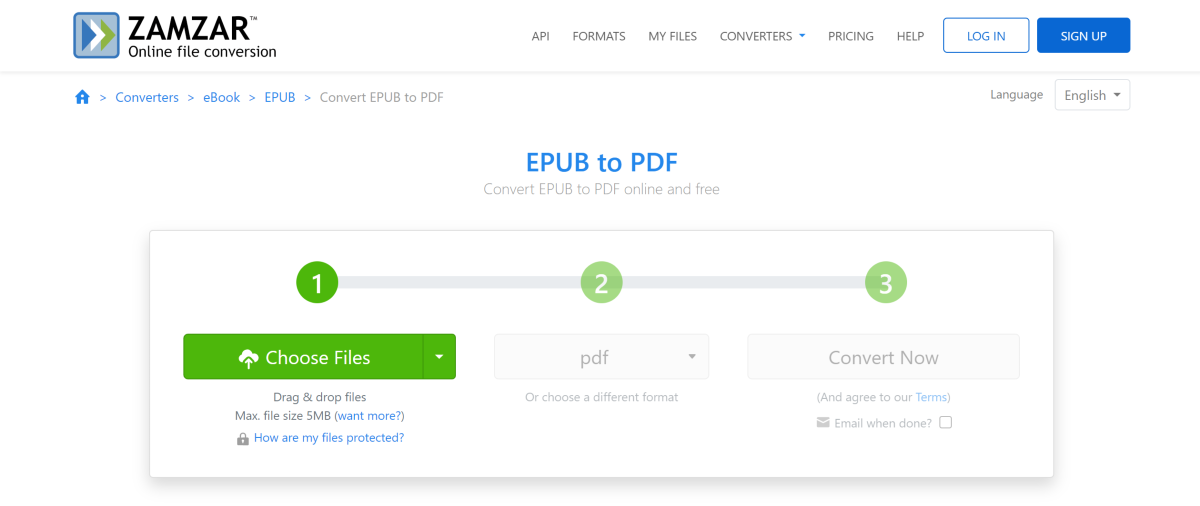 Zamzar is a reliable online conversion tool that can convert your EPUBs to PDFs for free. The conversion process is very intuitive. All you need to do is drag the file and drop it on the green icon that says ‘Choose files’. You can manually upload the file from your computer as well. Zamzar will read the file and start the conversion process automatically. Once it’s over, you will be able to download the converted file and save it on your device. If you’re converting a large file, you can get Zamzar to notify you via email when it is done.
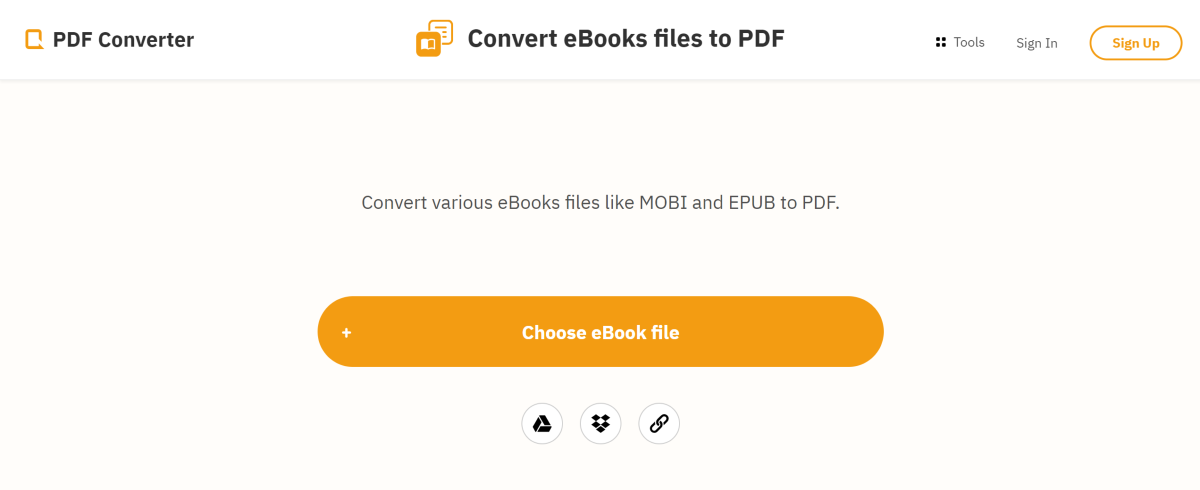 As the name suggests, FreePDFConvert is an online tool that converts EPUB and MOBI books to PDFs for free. One of the advantages of using this website is that it allows you to upload files from Google Drive and Dropbox as well. If you don’t have the file on your PC, you can drop its link and the tool will automatically convert it for you. The website’s interface is clean, minimal, and easy to follow.
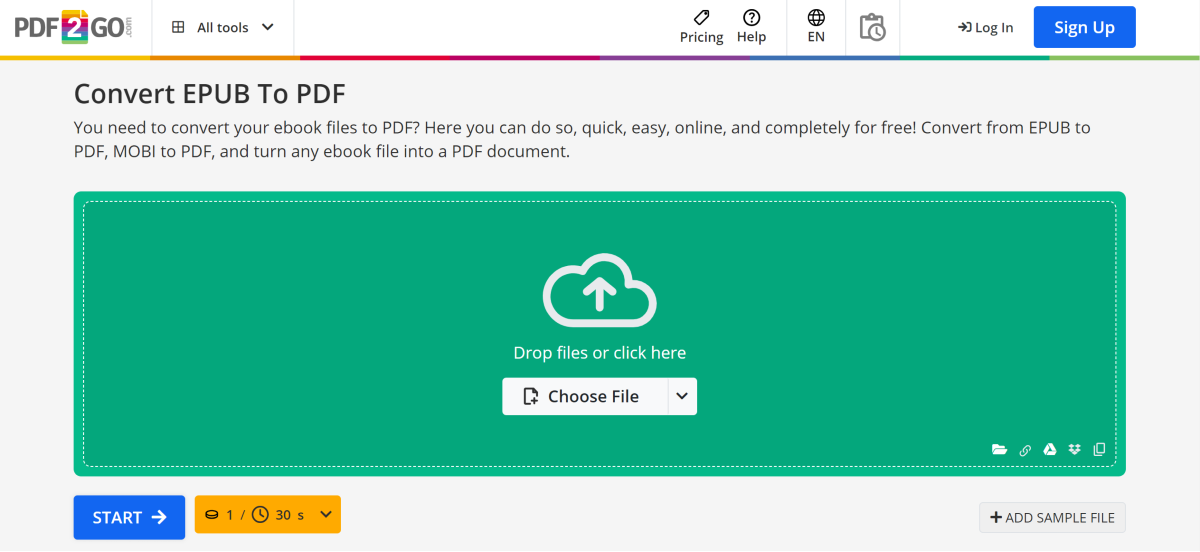 If you’re looking for a Chrome extension to convert your EPUB files to PDF, PDF2GO should be your choice. You can download the extension from the Chrome Web Store or the PDF2GO website directly. You can also use it as an add-on on Mozilla Firefox. The conversion process does not take much time and the results are generally very reliable.
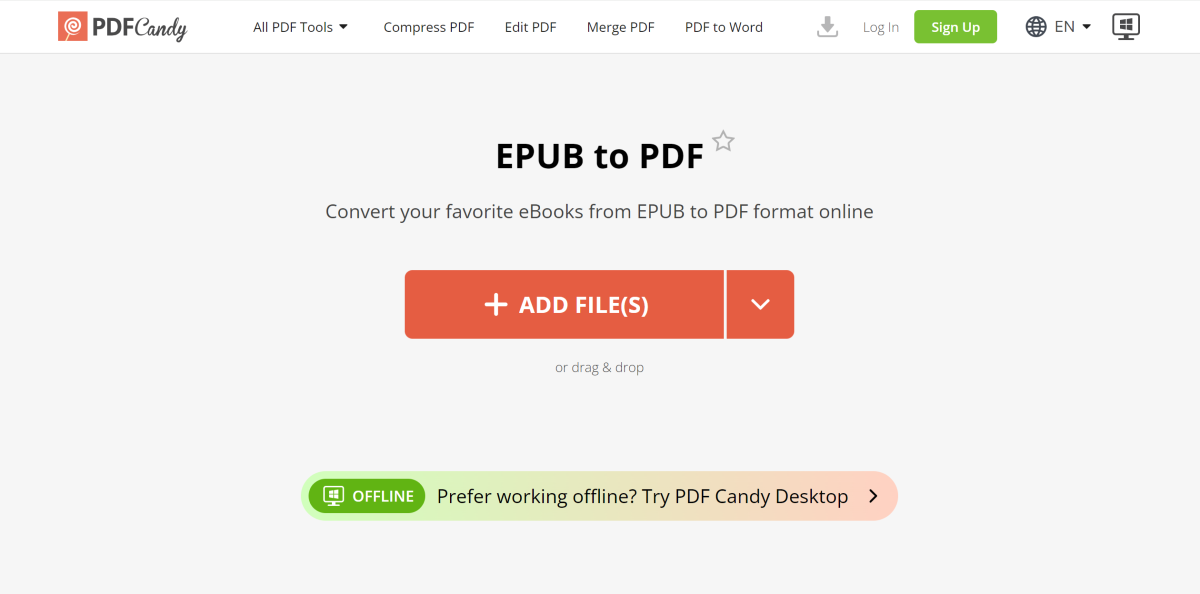 PDFCandy lets you decide the page size and margin style of the output PDF file. The final result is free of any invasive watermarks and can be opened on any device, irrespective of the platform. The conversion process takes place in the cloud servers but PDFCandy ensures that your data is secure from any external threats. The online tool has a desktop client for those who prefer to work offline. It offers additional editing perks like password-protecting your files and removing their metadata.
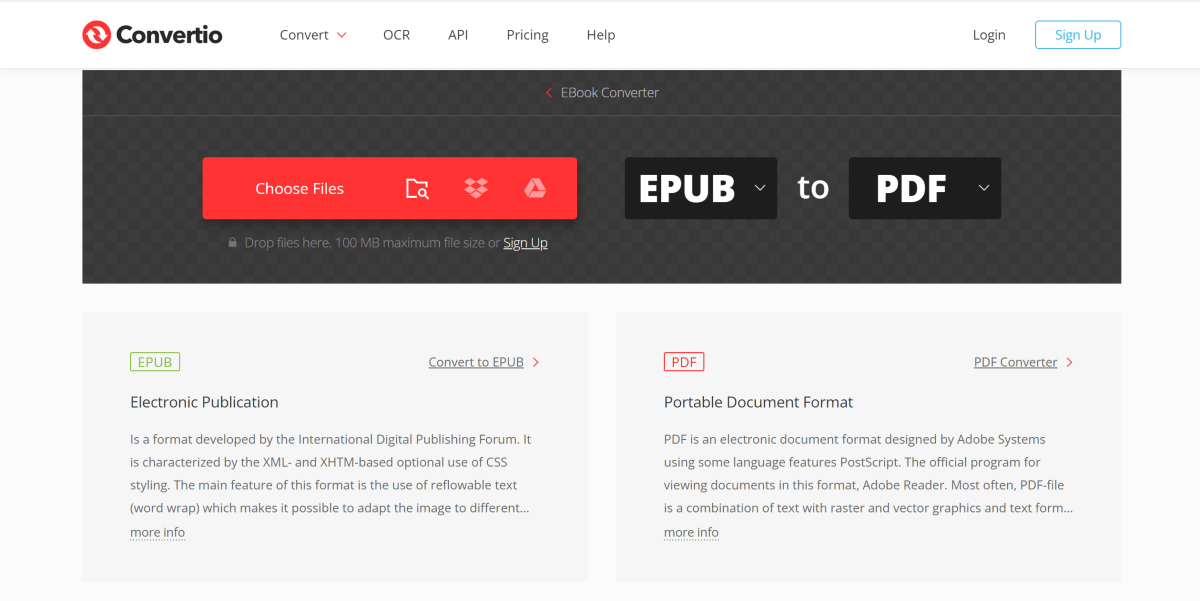 Convertio is a no-nonsense format conversion tool for ebooks. You do not need to create an account on Convertio to convert your ebooks from EPUB to PDF. The only catch is that the file size must not exceed 100MB. If you breach the size limit, you will be asked to create an account to proceed further. The website’s layout is very accessible and the process is very easy to follow. You can upload the file from your PC or link it using Google Drive or Dropbox. The two dropdown menus can be used to determine the original and target formats for the file. Depending on the file size, it could take anywhere between 20 seconds to 2-3 minutes to convert your ebook’s format.
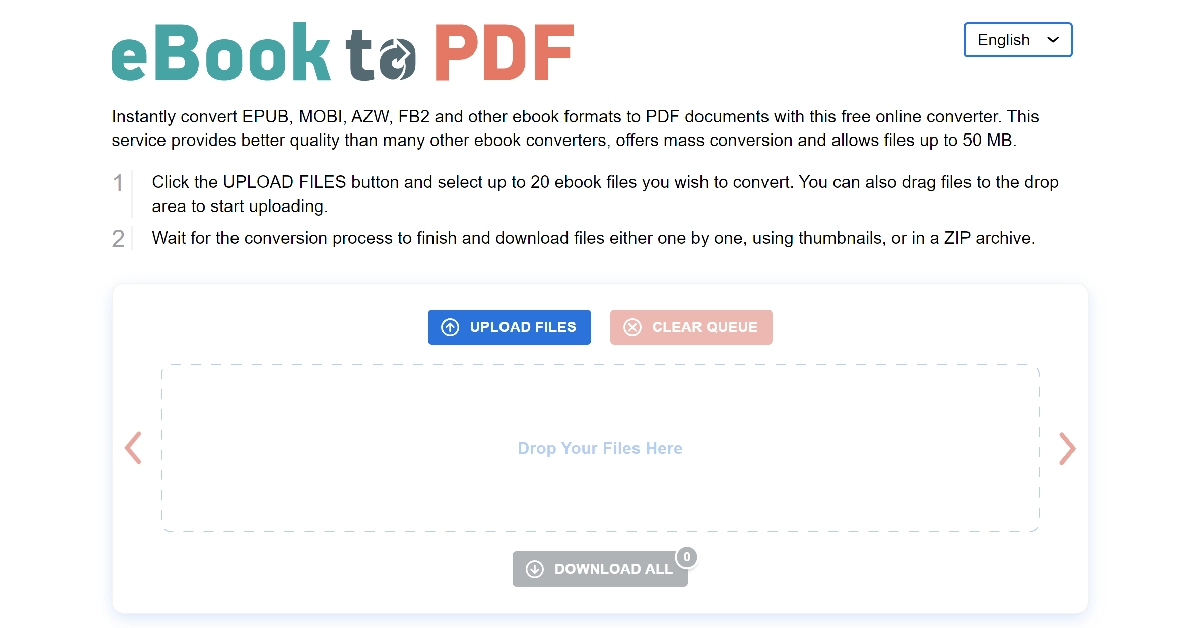 If you’re interested in converting the format of multiple files at once, check out eBook2pdf. This free online tool lets you convert up to 20 titles at once. The size limit is set at 50MB. Apart from EPUB, you can also convert formats like MOBI, AZW, FB2, and more. While this website uses cloud processing to convert your files, it auto-deletes the data from its servers every 60 minutes.
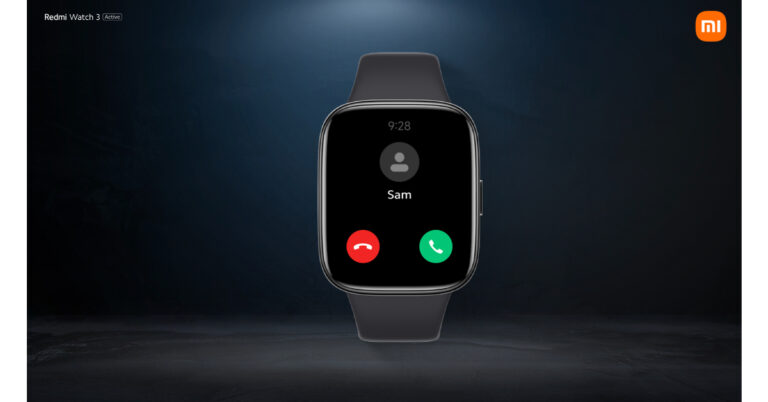
 Also Read: Redmi 12 5G and Redmi 12 4G with 5,000mAh battery launched in India
As mentioned earlier the company has also introduced Redmi 12 series which includes 2 models 5G and 4G.
The Redmi 12 5G will be available in three variants 4GB RAM with 128GB storage, 6GB RAM with 128GB variant and 8GB RAM with 256GB storage variants priced at Rs 10,999, 12,499 and Rs 14,999 respectively. On the other hand, the price of the Redmi 12 4G starts at Rs 8,999 for base 4GB RAM with a 128GB storage option. Whereas the 6GB RAM with 128GB storage options comes with a price tag of Rs 10,999.
Also Read: Redmi 12 5G and Redmi 12 4G with 5,000mAh battery launched in India
As mentioned earlier the company has also introduced Redmi 12 series which includes 2 models 5G and 4G.
The Redmi 12 5G will be available in three variants 4GB RAM with 128GB storage, 6GB RAM with 128GB variant and 8GB RAM with 256GB storage variants priced at Rs 10,999, 12,499 and Rs 14,999 respectively. On the other hand, the price of the Redmi 12 4G starts at Rs 8,999 for base 4GB RAM with a 128GB storage option. Whereas the 6GB RAM with 128GB storage options comes with a price tag of Rs 10,999.
 Also Read: Apple iPhone 12 now available for as low as Rs 12,700: Deets inside
The smartwatch’s 289mAh battery is said to last up to 12 days with moderate use and up to 8 days under heavy use. Android 6.0 and iOS 12 mobile devices are compatible with the Redmi Watch 3 Active. The smartwatch is functional with Bluetooth 5.3, which supports Bluetooth calling, allowing users to accept or decline calls using the built-in microphone and loudspeaker.
Up to 10 contacts from the Mi Fitness app can also be saved. In addition, users have the ability to view recent call logs with up to 20 entries.
For the latest gadget and tech news, and gadget reviews, follow us on Twitter, Facebook and Instagram. For newest tech & gadget videos subscribe to our YouTube Channel. You can also stay up to date using the Gadget Bridge Android App. You can find the latest car and bike news here.
Also Read: Apple iPhone 12 now available for as low as Rs 12,700: Deets inside
The smartwatch’s 289mAh battery is said to last up to 12 days with moderate use and up to 8 days under heavy use. Android 6.0 and iOS 12 mobile devices are compatible with the Redmi Watch 3 Active. The smartwatch is functional with Bluetooth 5.3, which supports Bluetooth calling, allowing users to accept or decline calls using the built-in microphone and loudspeaker.
Up to 10 contacts from the Mi Fitness app can also be saved. In addition, users have the ability to view recent call logs with up to 20 entries.
For the latest gadget and tech news, and gadget reviews, follow us on Twitter, Facebook and Instagram. For newest tech & gadget videos subscribe to our YouTube Channel. You can also stay up to date using the Gadget Bridge Android App. You can find the latest car and bike news here.