If you have an old Android phone or tablet lying around, one of the most interesting and fun things you can do is run Linux on it. Linux is one of the most versatile operating systems around, and it doesn’t take a lot of effort to run it on an Android device. You can pick from a bunch of Linux distros to use on your phone. Today, we show you how to run Ubuntu on your Android device.Read Also:How to Cancel Subscriptions on Your Mac?
Run Ubuntu on Android using UserLand
Step 1:InstallUserLand on your Android device from the Google Play Store.Step 2:Launch the app and select Ubuntu from the list of distros.Step 3: Give UserLand the necessary permissions for proper functioning.Step 4: Select a desktop environment.Step 5: In the popup box select the connection type. Step 6: Hit Continue.Step 7: If you set your connection type as Terminal, you will need to set up a root password.Step 8: Enter the following command to set up a root password: sudo passwd root.Step 9:Retype the password to confirm it. Step 10: To create a new user, enter the following command: sudo adduser [username here]
Frequently Asked Questions (FAQs)
How do I run Ubuntu on my Android device?
UserLand is a great open-source app that allows you to use several Linux distros like Ubuntu, Debian, and Kali on your Android smartphone or tablet.
Do I need to root my Android device to run Ubuntu on it?
Apps like UserLand do not require you to root your Android device to run distros like Ubuntu and Kali on it.
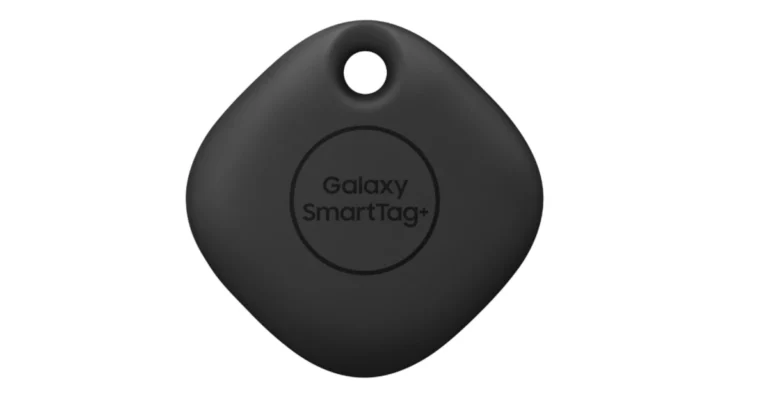
Samsung Galaxy SmartTags are an easily detachable tracking device that can be attached to various objects that can get lost. The Galaxy SmartTag was first launched in January 2021. Despite being such a handy device Samsung SmartTag did not perform well in the market, which made market researchers believe that Samsung might discontinue the product. However, it seems like Samsung is in no mood to discontinue SmartTags as the Samsung Galaxy SmartTag 2 tracker’s new design has been revealed today in FCC filing.
What is FCC filing?
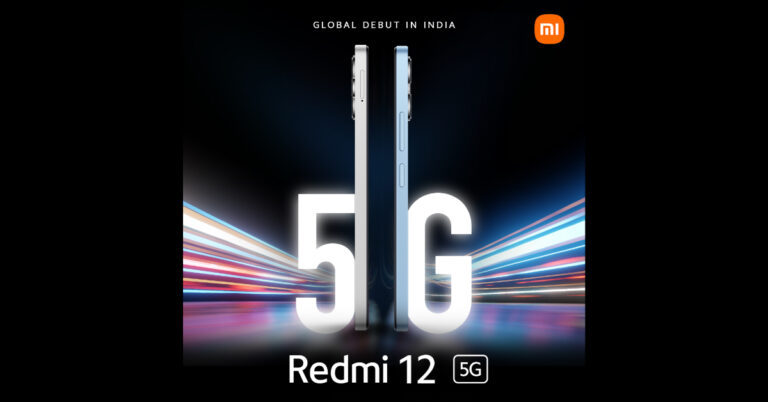
The majority of you might be wondering what is meant by FCC filing. When a company registers a product or device in the Federal Communications Commission (FCC) in the United States, this process is known as FCC filing. Companies also need to submit information and test results that ensure the product complies with FCC regulations. Read Also:Redmi 12 5G and Redmi 12 4G with 5,000mAh battery launched in India
Features of Samsung Galaxy SmartTag 2
Now that we all know what FCC filing means, let us take a look at the design of the Samsung Galaxy SmartTag 2 that has been revealed in the FCC listing today:
Key Design and Specifications
The Galaxy SmartTag 2 tracker will come with ultra-wideband connectivity for precise tracking. The loop of SmartTag 2 also appears to be larger than its predecessors. This makes it easier to attach. As disclosed in the FCC listing, Samsung Galaxy SmartTag 2 will be available in a white pill-shaped design.
Connectivity
There is no clarity regarding the connectivity that will be supported by Samsung Galaxy SmartTag 2. The earlier devices were only supported by Galaxy smartphones. Connectivity about Google Find My Device is still unclear.
Price & Availability
There are no updates regarding the price & availability of Samsung Galaxy SmartTag 2. However, Gadget Bridge will update you with the latest information as and when it releases. Whispers did suggest that Samsung will release SmartTag 2 in the Galaxy Unpacked event along with its smartphones and smartwatches. However, the Galaxy Unpacked event took place a few days back without this particular announcement. Read Also:OnePlus Nord Buds 2r Review: Ahead of the competition
Conclusion
Are you someone who constantly loses their personal belongings? Then the upcoming Samsung Galaxy SmartTag 2 is the perfect companion for you. You can simply attach it to your house keys or other important stuff and find them using your smartphone. If we go by industry insiders, the new SmartTag by Samsung might be a soft launch in the coming months and start selling in Korea and USA first, followed by the rest of the world.
For the latest gadget and tech news, and gadget reviews, follow us on Twitter, Facebook and Instagram. For newest tech & gadget videos subscribe to our YouTube Channel. You can also stay up to date using the Gadget Bridge Android App. You can find the latest car and bike news here.
Just a couple of years back, buying an inexpensive pair of wireless buds meant settling for severely diminished audio quality. More recently, the budget TWS segment has grown by leaps and bounds in India, with players like Truke, Mivi, and others putting out spec-heavy products at very competitive prices. The newly launched Nord Buds 2r from OnePlus are priced slightly above Rs 2,000, but may just be the pick of the lot. Let’s dive into the OnePlus Nord Buds 2r review.Read Also:Top 3 Ways to Uninstall Facebook Messenger on Android
OnePlus Nord Buds 2r review: Design
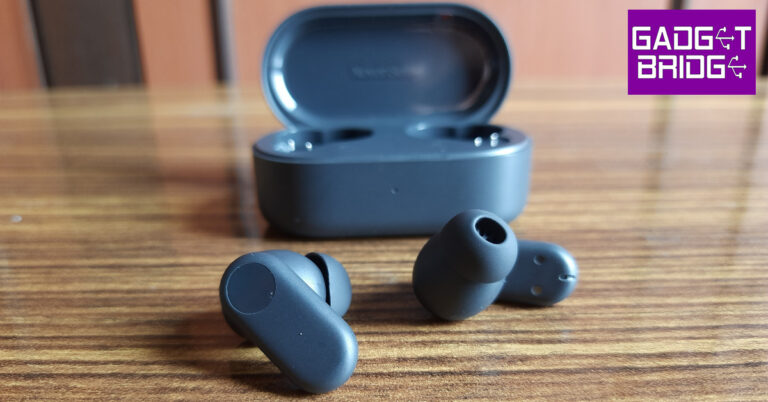
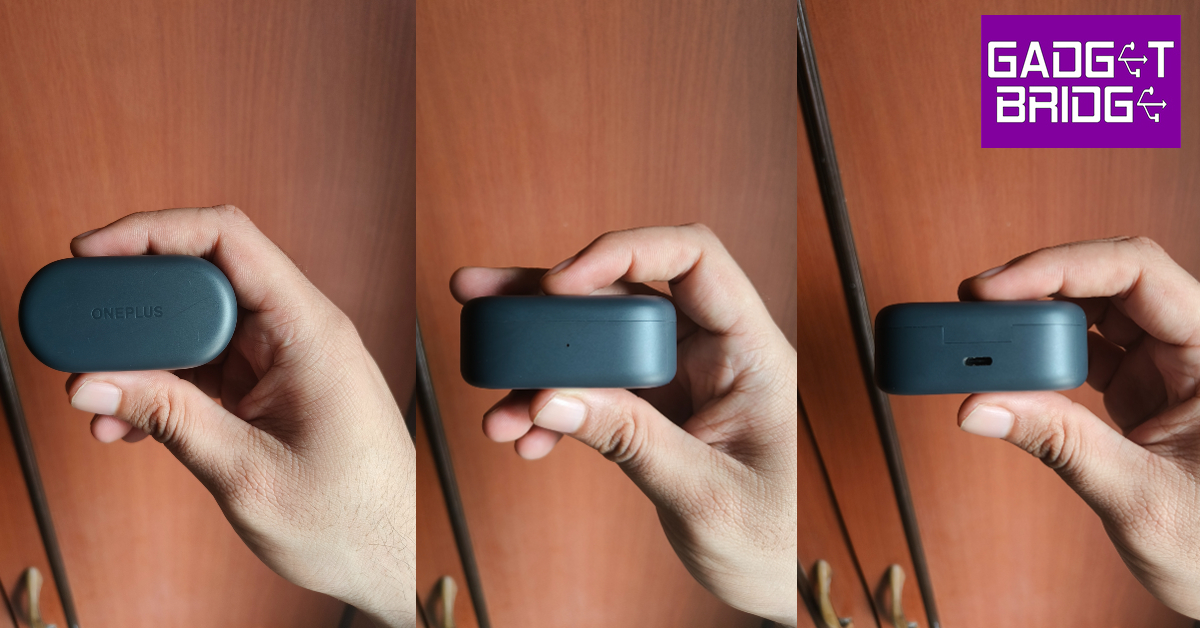
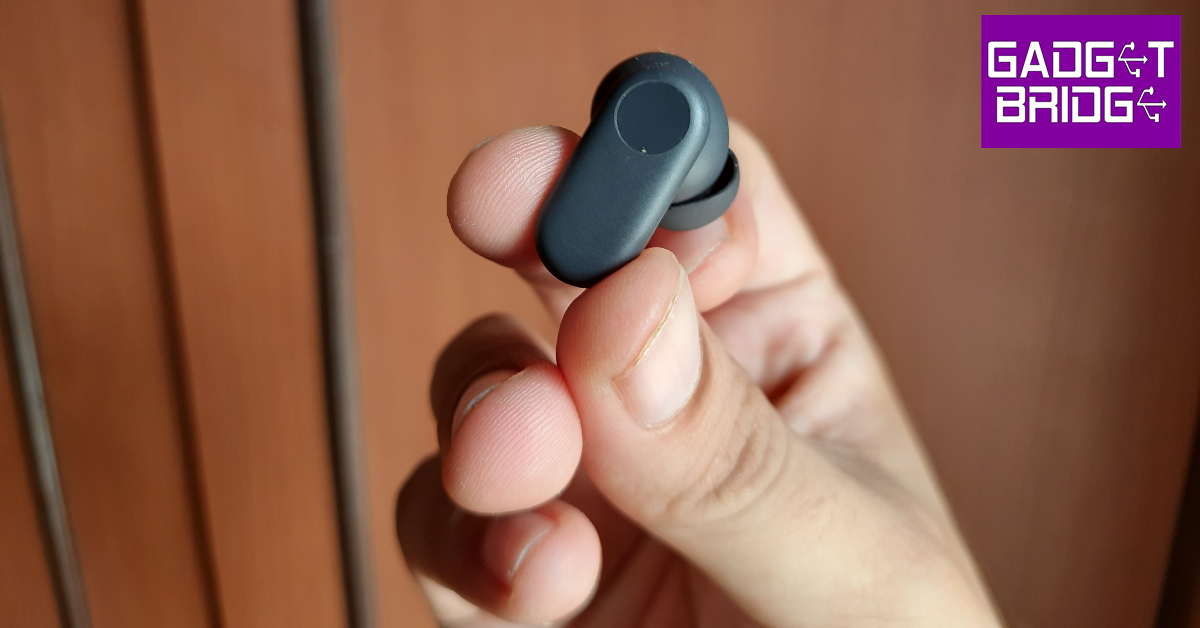
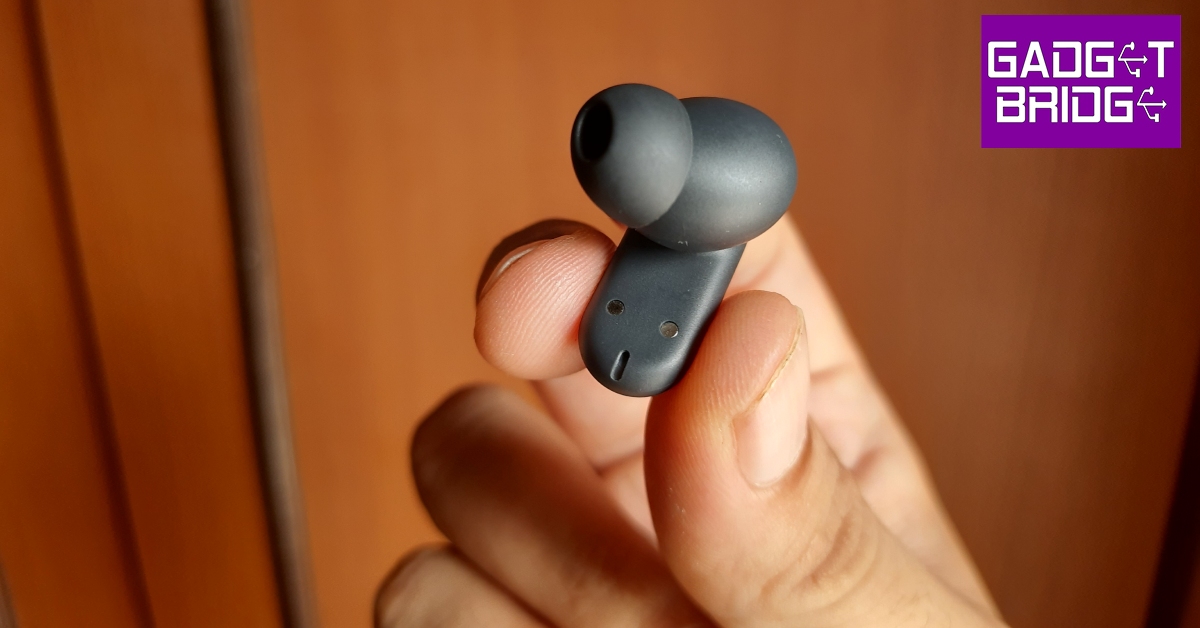
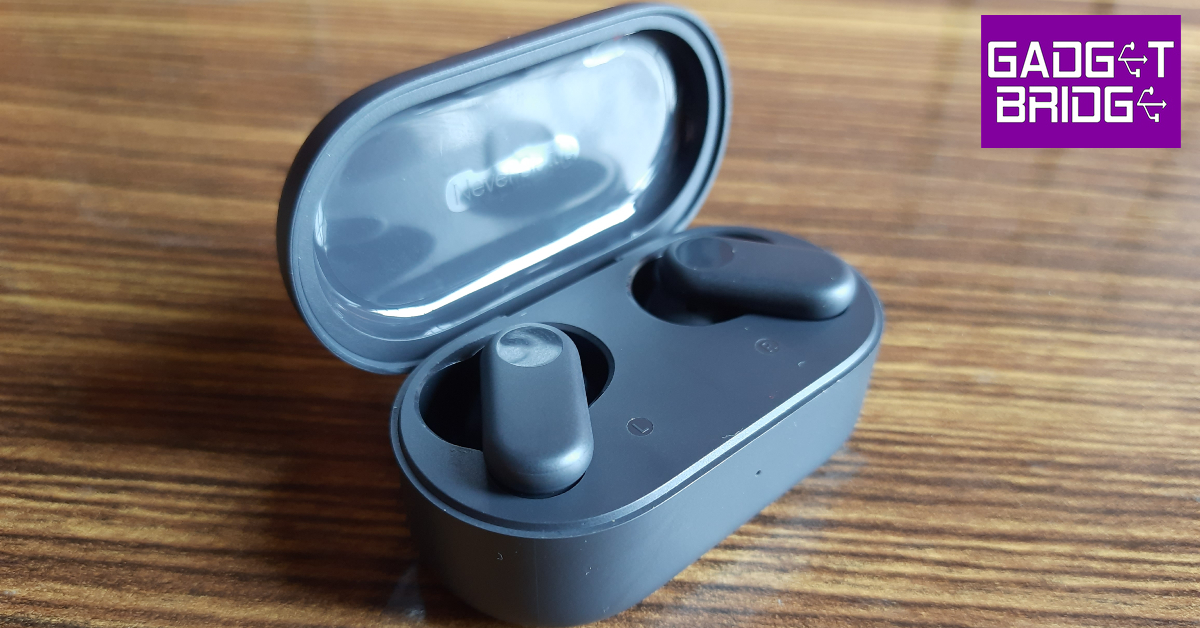
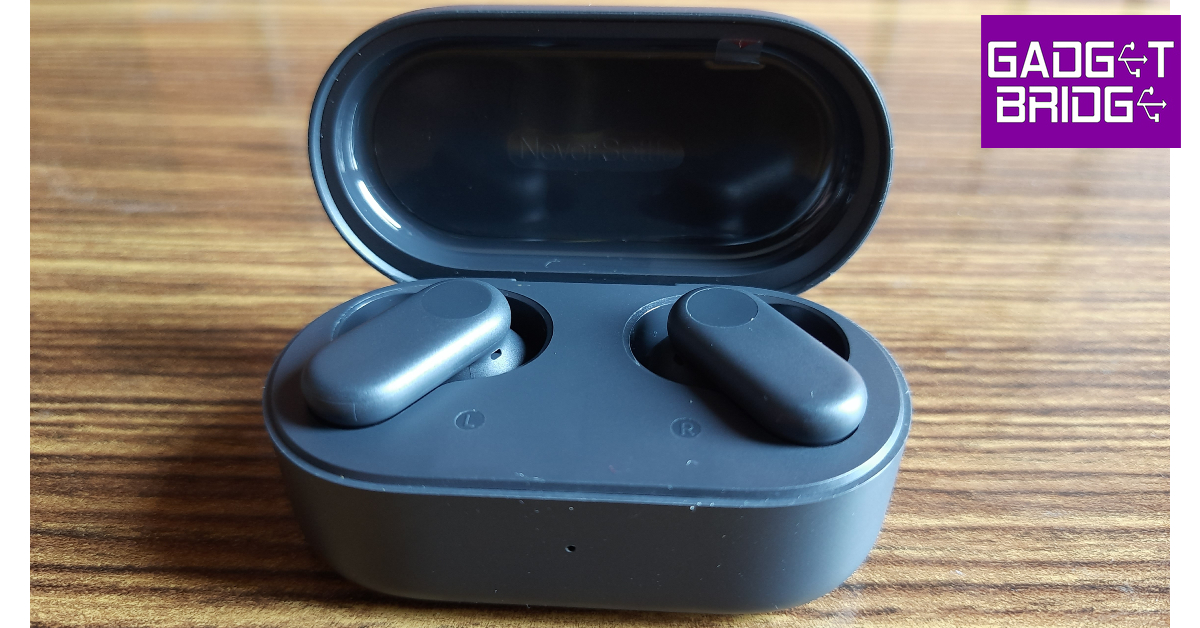
OnePlus Nord Buds 2r come packaged in the signature black box with blue highlights. Inside the box, you get the charging case (with buds inside), a USB Type-A to Type-C charging cable, some extra ear tips, a sticker, a user guide, a safety and warranty card, and a red cable club card.The design of the OnePlus Nord Buds 2r is consistent with the more expensive Nord Buds 2 (our review here). The proportions of the charging case are slightly smaller, but it retains the cylindrical, lunch box design. The OnePlus branding is engraved on the lid of the case. There is a small notification light just below the lid and a USB charging port below the hinge. The hinge is quite strong and contributes to the overall sturdiness of the device. Unlike the Nord Buds 2, the Nord Buds 2r lack a dedicated pairing button.The case can be flipped open with just one finger, even though there is no dedicated notch under the lid. The in-ear buds have a boxy design with curved edges. There is a slight indentation on either earbud for the touch panel. These indentations receive a glossy finish, making it easier for the user to recognise the touch-sensitive areas and eliminate any accidental touches. A clever use of design that we don’t really see in many TWS products.The earbuds were the perfect fit for us and did not cause any fatigue to the ears even after prolonged use. There are a couple of extra ear tips inside the retail box, catering to common ear sizes. The earbuds are rated IP55 for dust and water resistance. We wore the Nord Buds 2r on long runs and they were totally unfazed by any amount of sweat. Once locked in, the earbuds don’t need to be adjusted often.
OnePlus Nord Buds 2r review: Performance
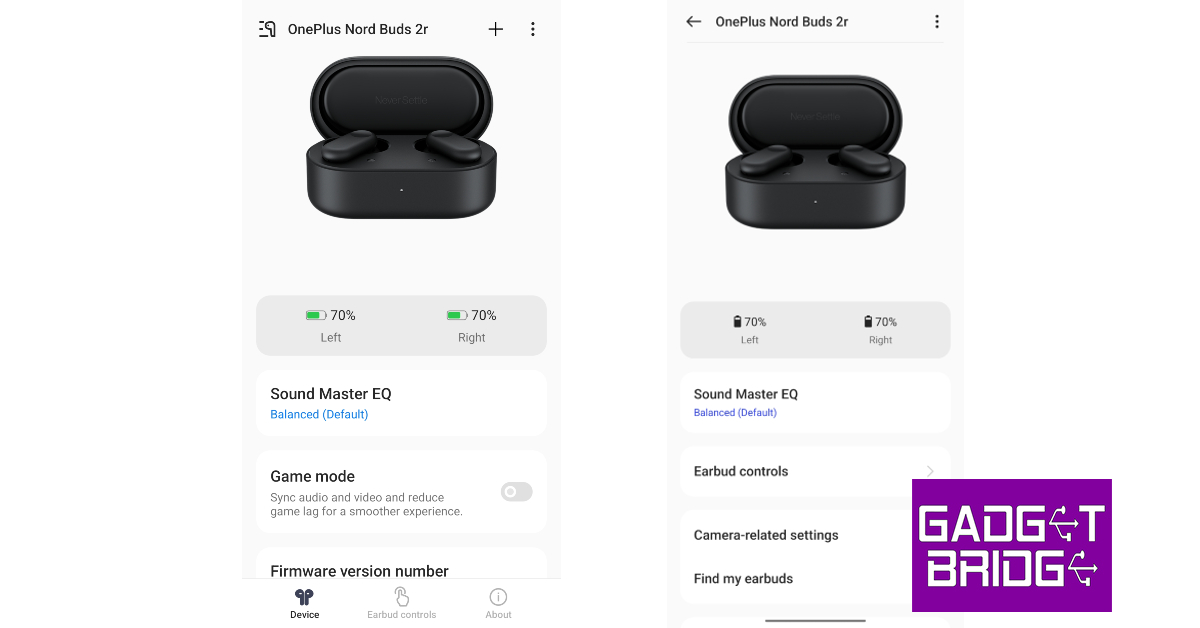
Delivering the audio output on OnePlus Nord Buds 2r are 12.4mm titanium drivers. There’s support for Bluetooth 5.3 along with SBC and AAC codecs. However, the AAC codec is only available for OnePlus devices. Non-OnePlus users are limited to the SBC codec. Once connected, the earbuds have a range of 10 metres.Getting down to the brass tacks, the audio quality offered by the OnePlus Nord Buds 2r is certainly a cut above the rest. As is the case with most budget TWS, the audio output is bass-driven, but the mid and the highs were nicely tuned in the mix. The 12.4-inch titanium drivers deliver punchy sounds, leaving very little room for complaints. What really impressed us was the minimal distortion even on higher volumes. The overall mix is packed with details – something that is often lacking in other products in this price segment.We even used the Nord Buds 2r for audio calls and virtual meetings. The earbuds do a good job of relaying the audio perfectly in indoor conditions when there is minimal surrounding noise. The AI Clear Call algorithm ensures that the background noises do not impede the quality of the call whatsoever. However, in outdoor conditions, the surrounding noises are far too overwhelming for the earbuds to extract the speaker’s voice properly.Hey Melody app vs OnePlus native interfaceGamers will be pleased to know that the Nord Buds 2r offers a low latency mode as well. This feature is nestled away in the Hey Melody app, which is OnePlus’ official app for its TWS products. OnePlus smartphone users do not need to install this app, as they can natively access all the TWS functions on their phones. Using the Hey Melody app, you can customise the touch controls on the earbuds, select different equaliser presets, and even create a customised equaliser profile. OnePlus users get a couple of additional features like Find My Earbuds and Camera Control.The charging case is equipped with a 480mAh battery unit, while either earbud is capable of holding a charge 36mAh. OnePlus claims 8 hours of playback on a single charge, with 38 hours of charge stored in the case. This amounts to almost 5 full charge cycles. We used the earbuds for 4-6 hours every day and it took us a week to completely deplete the charge in the case. After 4 hours of continuous use, the earbuds were left with a 50-60% charge.Read Also:How to Turn On Flash Light Notifications on Android?
Verdict
OnePlus Nord Buds 2r get the basics right, without focusing too much on the bells and whistles. We enjoyed the bass-centred approach to tuning that OnePlus has taken on these earbuds. The Hey Melody app offers all the vital customisation features without overcomplicating things. Compared to other budget TWS on the market, you may have to pay a premium of a couple hundred bucks for the Nord Buds 2r, but the clear difference in audio quality more than makes up for it. At Rs 2,199, the OnePlus Nord Buds 2r are a rock-solid purchase.
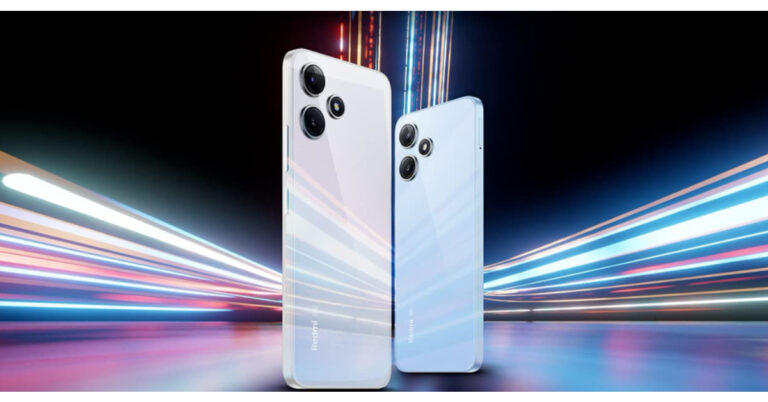
Xiaomi today announced the launch of the Redmi 12 Series in India. The lineup includes 2 variants 5G and 4G. Both phones come with similar features except for the processors and cameras. The Redmi 12 5G includes Qualcomm Snapdragon 4 Gen 2 whereas the Redmi 12 4G has a MediaTek Helio G88 SoC.
Redmi 12 series price in India and sale details
The Redmi 12 5G will be available in three variants 4GB RAM with 128GB storage, 6GB RAM with 128GB variant and 8GB RAM with 256GB storage variant priced at Rs 10,999, 12,499 and Rs 14,999 respectively.Also Read:Apple iPhone 12 now available for as low as Rs 12,700: Deets insideOn the other hand, the price of the Redmi 12 4G starts at Rs 8,999 for base 4GB RAM with a 128GB storage option. Whereas the 6GB RAM with 128GB storage options comes with a price tag of Rs 10,999.Both devices will come in three colour options Jade Black, Moonstone Silver, and Pastel Blue. The phones will go on sale from August 4 at noon via the company’s official website, Mi Home, Amazon (Redmi 12 5G), Flipkart (Redmi 12 4G) and official retail partners in the country.
Redmi 12 series specifications
Both Redmi 12 5G and Redmi 12 4G feature a 6.79-inch full-HD+ display with 1,080 x 2,460 pixels of resolution. The screen supports a 90Hz of refresh rate and 240Hz of touch sampling rate. It has a peak brightness level of 450 nits and is protected with Corning Gorilla Glass. The Redmi 12 4G model comes with a MediaTek Helio G88 SoC with up to 6GB of RAM and up to 128GB of inbuilt storage, whereas the Redmi 12 5G is equipped with a Qualcomm Snapdragon 4 Gen 2 chipset with up to 8GB of RAM and 256GB of onboard storage.
The Redmi 12 4G sports a triple rear camera module that includes a 50-megapixel primary, 8-megapixel ultra-wide-angle and a 2-megapixel macro sensor. The Redmi 12 5G features a dual rear camera setup consisting of a 50-megapixel primary and a 2-megapixel macro lens. Both phones include an 8-megapixel selfies sensor.Both the handsets come with MIUI 14 with Android 13 out of the box. They have a 5,000mAh battery with 18W charging support.
For the latest gadget and tech news, and gadget reviews, follow us on Twitter, Facebook and Instagram. For newest tech & gadget videos subscribe to our YouTube Channel. You can also stay up to date using the Gadget Bridge Android App. You can find the latest car and bike news here.
Technology is constantly changing and evolving with new ideas and updates being rolled out every few months. So how can the biggest tech giant company, Google be left behind? Google rolled out the latest upgrade to its operating system “Android” on 15 August 2022. Android 13 is the thirteenth major release of the Android operating system. Android 13 was initially introduced in Pixel phones and will be made available for other devices later this year. Read Also:How to Cancel Subscriptions on Your Mac?
Features of Android 13
You can check whether Android 13 is available for your smartphones by clicking on Settings>System>System Update and tapping Check for Update. Compared to Android 12 there aren’t any major changes in Android 13. Though we have listed some of the best features of Android 13 for you:
More Customization
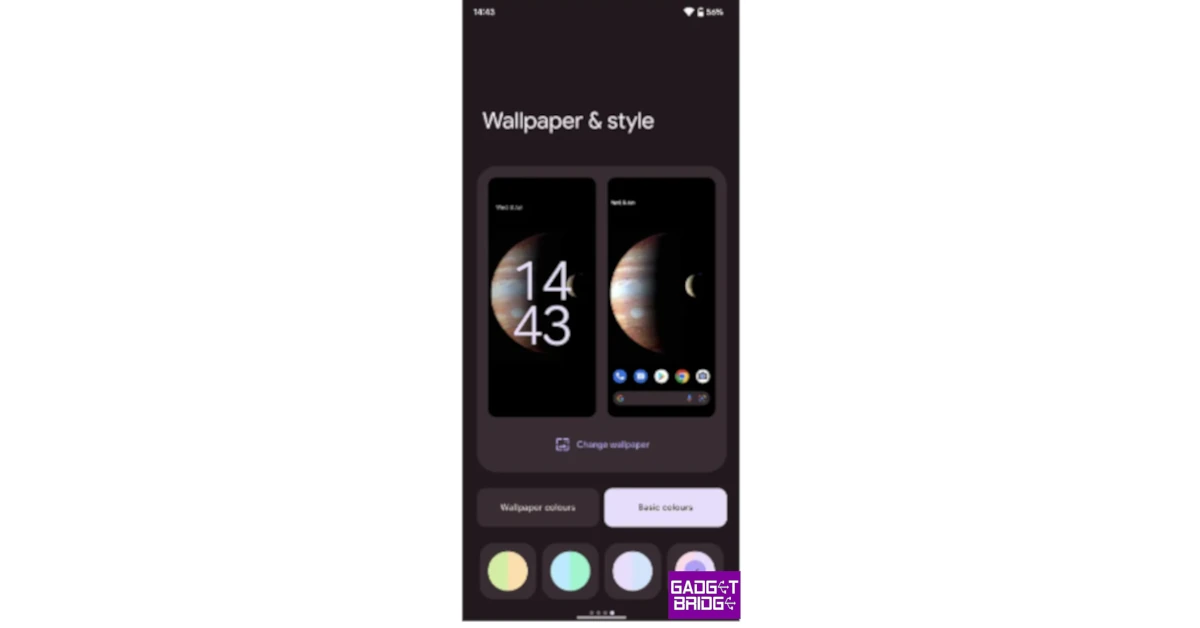
Google is inclined towards deeper personalisation. Android 13 supports more colours. You can choose from 16 wallpaper colours and 16 basic colours. To select your personalised colour go to Settings, choose Wallpaper & Style to find new colour theme options. Toggle on Themed Icons and you can see all the available options.
Improved Copy & Paste
Android 13 has enhanced Copy-Paste options as well. After you copy something a small floating panel pops up where you can edit your content. You can also copy from one device to another having the same Gmail account. To protect your privacy, your history will be automatically deleted after 1 hour.
Enhanced Privacy
Android 13 has enhanced privacy. You can now access the permissions you provide to your apps. For example, if an app asks for media permission you can choose from photos, videos or audio files. Additionally, you can also pick the media files you want to give access to.
Fewer Notifications
Say bye-bye to the hassle of handling unnecessary notifications. In Android 13 apps will seek permission before enabling notifications.
Quick scanning
Scanning QR codes has now become an everyday occurrence. Android 13 has made QR code scanning quicker and easier. Pull down the Notification tile, tap Edit and tweak your quick settings tile.
Revamped Media Player
The media player has been revamped and looks better. A squiggly line appears to show the progress of the track being played. The audio output picker is redesigned too.
Smart home control
To get access to the camera and other smart features you no longer have to unlock your device. You can access these features even when the screen is locked by going to Settings>Display>Lock Screen>Control from a locked device.
Bluetooth LE Audio Support
This simply means that you can listen to high-quality audio in low-energy mode. Thus the power consumption will be reduced for wireless headphones, earbuds & other devices.
Encrypted group chats
End-to-end encryption was already available for one-on-one chats and with Android 13 will also be available for group chats.
If you are subscribed to a lot of services, keeping track of them can get tricky. Getting a refund after an auto-renewal can take time and requires a fair bit of effort. Luckily, your Mac makes it easy to monitor all your subscriptions from one place, allowing you to change the plan or cancel the service altogether. In this article, we bring you two ways to cancel subscriptions on a Mac.Read Also:Top 3 Ways to Uninstall Facebook Messenger on Android
Cancel a subscription from the App Store on Mac
Step 1: Launch the App Store on your Mac and click on your profile at the bottom left corner of the screen.Step 2: Click on Account Settings.Step 3: In the Subscriptions category, click on Manage.Step 4: Click Edit next to the subscription you want to cancel.Step 5: Click on Cancel Subscription.
Cancel a subscription from System Settings on a Mac
Step 1: Go to Apple Menu and select System Settings.Step 2: Select your Apple ID Name.Step 3: Click on Media & Purchases.Step 4: Select Manage.Step 5: Click Edit next to the subscription you want to cancel.Step 6: Click on Cancel Subscription.
Frequently Asked Questions?
How do I cancel a subscription on my Mac?
Go to Apple Menu>System Settings>Apple ID Name>Media & Purchases>Manage>Edit and select Cancel Subscription.
How do I cancel a subscription from the App Store on my Mac?
Go to App Store>Account Settings>Manage>Edit and select Cancel Subscription.
Why do I not see a Cancel button next to a subscription?
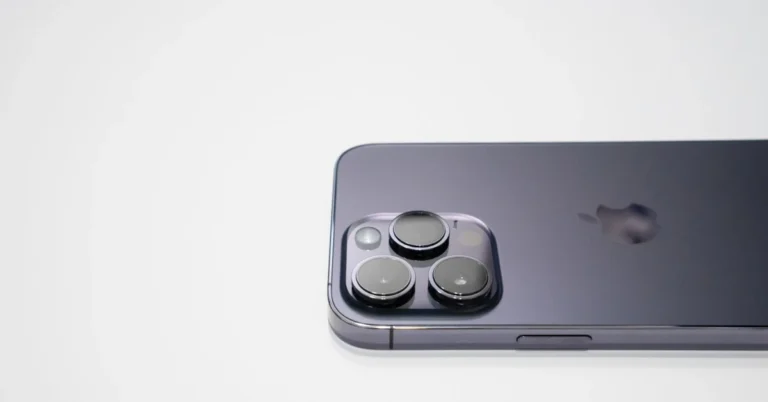
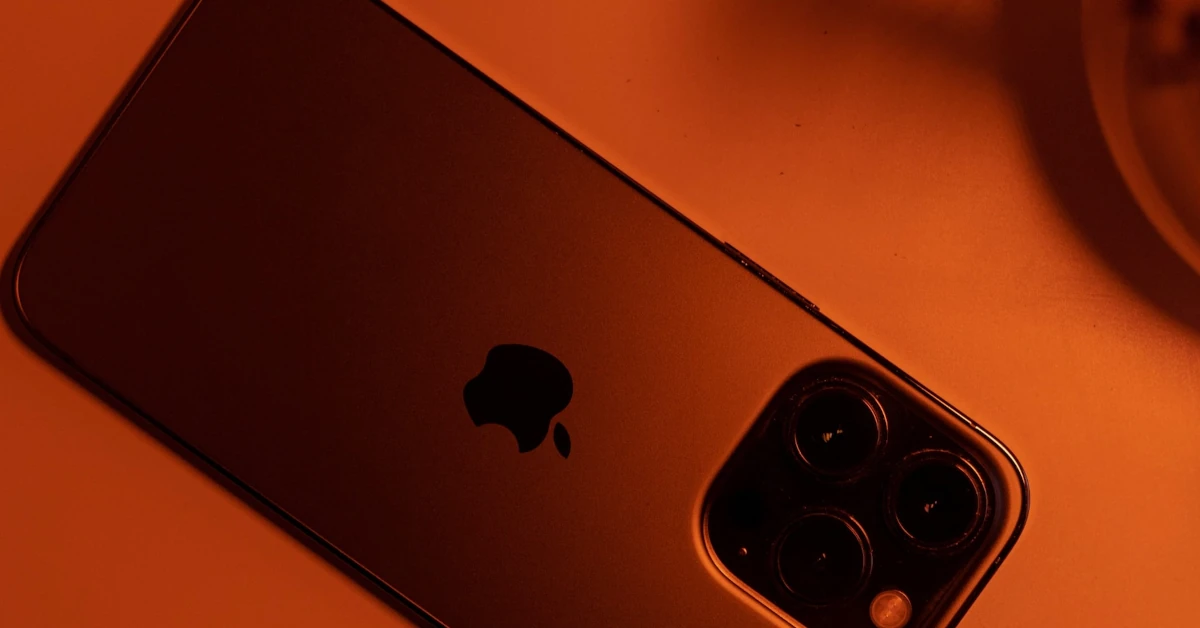
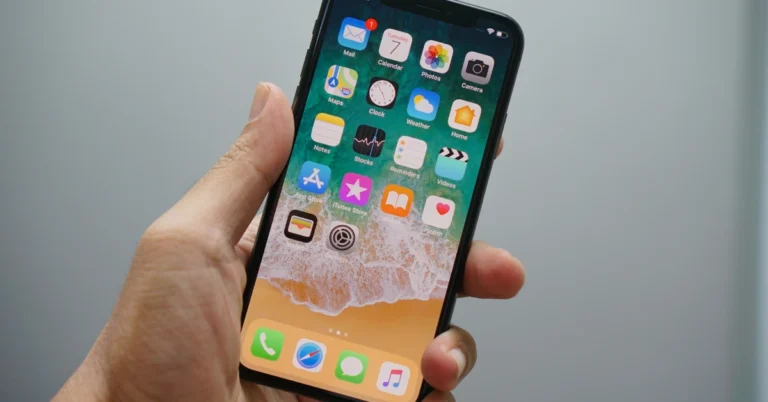
The new features and improvements that will be included with the new iPhone 15 are generating a lot of interest among consumers as the Apple launch event for this year draws nearer. But many of the iPhone models are also going to be discontinued. After the release of the Apple iPhone 15 series, the firm is probably going to stop making the Apple iPhone 12. Also, the device is available at its lowest price, know about it in detail below.While everyone is anticipating the launch event, many wise consumers are also interested in learning whether Apple will reduce the price of the iPhone 14 once the iPhone 15 goes on sale. One of the least expensive iPhones offered by Apple at the moment is the iPhone 12 as it is going to be discontinued soon. So the device is available at Rs 59,900 at Apple’s online store in the country.Also Read:Are iPhone 12 Models a good buy in 2023? Surviving the UK cost of living crisisOn the other hand, the iPhone is even cheaper on Flipkart. There the device is listed at Rs 53,999 for its base 64GB model. To further sweeten the deal price of the Apple iPhone 12 is reduced to Rs 51,300 thanks to a 5% cashback offer on purchases made with a Flipkart Axis Bank card.To entice customers Flipkart is also giving up to Rs 38,600 discount in return for your outdated smartphone. This means the iPhone 12 can be grabbed for only Rs 12,700( this includes all the bank offers and discounts) therefore saving you Rs 41,299 on your purchase.Also Read:Apple iPhone 15, iPhone 15 Plus, iPhone 15 Pro, iPhone 15 Pro Max price leaked ahead of the official launchTo recall iPhone 12 series was introduced in the year 2020 at Rs 69,900. The device has an IP68 water resistance rating and a ceramic shield. It comes with a Super Retina XDR OLED display of 6.1 inches. Apple’s handset is powered by an A14 Bionic chip.The camera on the gadget features 12-megapixel dual sensors. There is a 12MP TrueDepth selfie camera with Night Mode on the front as well which supports 4K Dolby Vision HDR recording.When the new iPhone 15 is released, it is highly possible that Apple will lower the pricing of the iPhone 14 in accordance with past trends. So, when will iPhone 14 get cheaper? Apple will drop the prices of the iPhone 14 soon after the announcement of the iPhone 15.
For the latest gadget and tech news, and gadget reviews, follow us on Twitter, Facebook and Instagram. For newest tech & gadget videos subscribe to our YouTube Channel. You can also stay up to date using the Gadget Bridge Android App. You can find the latest car and bike news here.
Redmi has set the stage to announce its most latest smartphones and other products in India today. The Chinese electronics major will be launching Redmi 12 5G. In addition to this, the 4G variant is also confirmed to make its debut today. Redmi Watch 3 Active will also be launching today at the same event. Here is how to watch the launch of all the devices live.
How to watch the live stream?
Xiaomi has arranged a physical launch event in India to introduce Redmi 12 5G, Redmi 12 4G and Redmi Watch 3 Active. The event will also be live-streamed at 12 noon via company’s official YouTube channel, website and social media channels. You can also join the livestream via a dedicated microsite and here on Gadget Bridge. We have embedded the livestream link below.
What to expect?
Both 5G and 4G variants of Redmi 12 will debut in India today. Through a dedicated landing page on its website, Redmi has made the design and some of the handset’s specifications public. The company has confirmed that the 5G variant will be available with a 50-megapixel primary back camera, the Redmi 12 5G is expected to have a bigger display.
Also Read:Redmi 12 India launch to happen on August 1
There will be 256GB of inbuilt storage and 8GB of RAM (the memory can be increased up to 16GB), it has been revealed. 5,000mAh battery power will be provided for it. It seems to have a dual rear camera setup and a crystal glass design, along with a curved display with a hole punch cutout in the centre. The Moonstone-colored Redmi 12 5G is said to launch.
The Redmi 12 4G and Redmi 12 5G will both be released at the same time. It is verified that Jade Black, Moonstone Silver, and Pastel Blue are the available colour options for the 4G model. Up to 6GB of RAM and 128GB of internal storage are included. It definitely contains a 5,000mAh battery. The phone will also include a triple camera setup on the back.
Also Read:Redmi Watch 3 Active India launch to take place on August 1
The Redmi Watch 3 Active will also be presented along with the two smartphones. The smartwatch was launched globally last month. It is confirmed to have a rectangular dial and more than 200 watch faces. The smartwatch will come with a metallic finish and be available in two colour options Black and Grey.
For the latest gadget and tech news, and gadget reviews, follow us on Twitter, Facebook and Instagram. For newest tech & gadget videos subscribe to our YouTube Channel. You can also stay up to date using the Gadget Bridge Android App. You can find the latest car and bike news here.
After being banned for nearly ten months, Battleground Mobile India, aka BGMI, is officially available again in India. BGMI fans are looking for ways to improve their game experience and one such method is the usage of redemption codes, which offers a variety of rewards and advantages using BGMI redeem codes players can gain access to new skins, outfits, loot crates, weapons and free UC and diamonds.As mentioned earlier, these codes give users the chance to earn unique rewards and gain extra benefits while playing the game. This includes GUN SKINS (M4, AKM, M416, AWM, M24, UZI, KAR98K), free character voucher, Andy, Carlo, Sara, Victor character for free, free Anna Character on completing the mission and UC or Royal Pass Discount. So here we have gathered a list of the most recent BGMI redeem codes as of 1 August 2023. Also, redeem these codes asap as these are only valid for a limited duration.
Garena Free Fire is a battle royale game with regular awards and tournaments to keep players interested. If you play Garena Free Fire, you should be aware of the redeem codes that are released on a daily basis. However, because the battle royale game is banned in India, players from other countries can use the Free Fire Redeem codes daily. If you’re unfamiliar with the Garena Free Fire redeem codes or don’t know how to get them, we’ve put together a step-by-step guide to help you redeem them. Check out Garena Free Fire Redeem Codes for 1 August 2023.The Free Fire redeem codes are a great way to get free stuff. These are 12-digit codes that contain alphabets and numbers, as well as an expiration date and time. Because the Garena FF redeem codes cannot be used more than once, you should hurry to the redemption page to claim your free reward before someone else does. To get a free reward, all you have to do is go to reward.ff.garena.com/en, which is the official redemption page. Also, keep an eye on this space for daily updates on Garena Free Fire redemption codes and rewards.
Facebook Messenger is one of the most popular Instant Messaging apps around. However, if you are already on WhatsApp, you may not find much use for it. The Messenger app comes preinstalled on certain Android smartphones as a part of the bloatware apps. If you don’t want the app around, you can easily remove it from your device. In this article, we bring you the top 3 ways to uninstall Facebook Messenger from your Android smartphone.Read Also:Top 10 Apps for Samsung Galaxy Z Fold 5
Uninstall Facebook Messenger from the app drawer
Step 1:Swipe up from your phone’s home screen to access the app drawer.Step 2:Press and hold the Messenger icon.Step 3: Tap the Bin icon or select Uninstall.Step 4:Confirm your selection in the popup box.
Uninstall Facebook Messenger from Settings
Step 1: Go to Settings and select Apps.Step 2: Scroll down and select Messenger.Step 3: Select Uninstall from the bottom menu.Step 4:Confirm your selection in the popup box.
Uninstall Facebook Messenger from Google Play Store
Step 1:Launch Google Play Store on your Android smartphone.Step 2: Search for Facebook Messenger.Step 3: Open Messenger’s app page.Step 4: Hit Uninstall.Step 5:Confirm your selection in the popup box.
Frequently Asked Questions (FAQs)
How do I uninstall Facebook Messenger on my Android phone?
It is the time of the year when rumour mills start to churn regarding the new Apple iPhones. Just like every year Apple is going to launch its latest range of iPhones in early to mid-September this year. There are various leaks and rumours regarding the specifications of the latest iPhone 15 series. One of them says that iPhone 15 Pro can come with a Titanium frame and smaller bezels. However, it is expected to be more costly. Read Also: How to Turn On Flash Light Notifications on Android?
Expected Specifications of iPhone 15
The entire line-up is expected to transition to USB-C ports this year. Rumours also suggest that iPhone 15 Pro models will get thinner bezels. Apple can also introduce titanium frames which will supposedly get costlier as compared to the previous models. With higher pricing, there will be several upgrades too. The iPhone 15 and iPhone 15 Pro models will be powered by A16 chips. Bloomberg reports that the new Pro models will feature Titanium frames instead of Stainless steel making them stronger and lighter and the edges will be softer this time. Additionally, iPhone 15 will have a new display technology known as Lipo that will allow for thinner bezels reducing the number of bezels by one-third.The price and availability of the iPhone 15 series are yet to be disclosed but speculations are that iPhone 15 series will come with a price hike too. The pro model could cost around $100 more for Pro and $200 more for Pro Max. The pricing will be increased in the US as well.Apple will also be introducing the Dynamic Island model in its iPhones this year. Rumours suggest that iPhone Pro models will have faster speed and other models will have a slower speed.Read Also: Best 5 ways to use Plex with Chromecast, iOS, Android, Apple TV, NAS
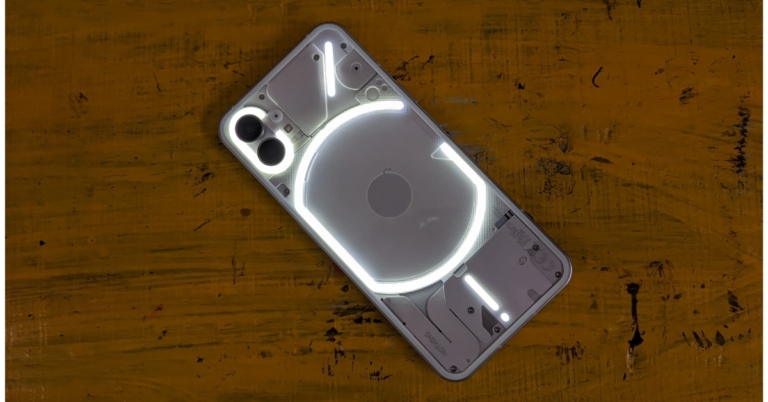
Here’s how you can enable flash light notifications for your Android phone
Step 1: Go to Settings and select Accessibility.Step 2: Select Advanced settings.Step 3: Tap on Flash notification.Step 4: Turn on the toggle bar for Camera flash notification.
Enable flash notifications on stock Android
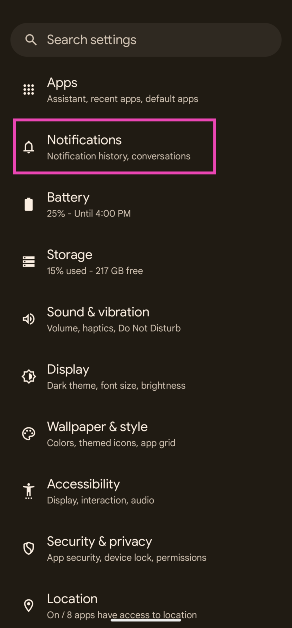
Step 1: Go to Settings and select Notifications.
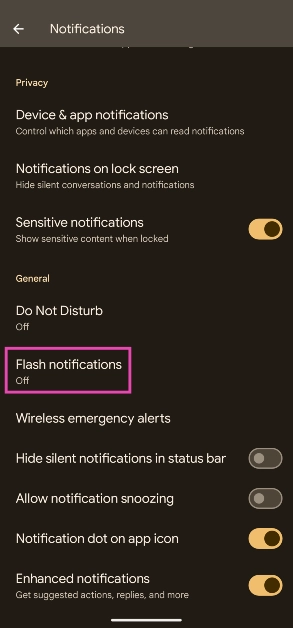
Step 2: Scroll down and select Flash notifications.
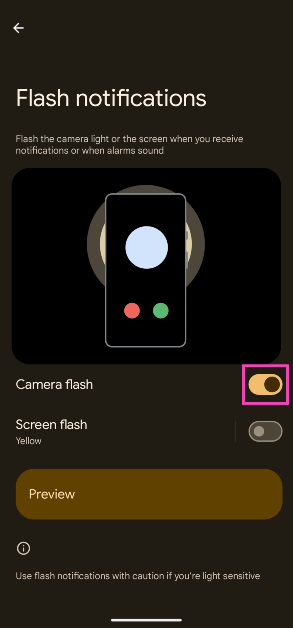
Step 3: Turn on the toggle switch for Camera flash.
Use a third-party app
Not every Android skin has the option to enable camera flash notifications. In case your Android phone’s proprietary OS skin is one of them, you can always use a third-party app to trigger the flash whenever you receive a notification. Apps like Flash Alert and Flash Notifications for All are cut out for this task. Make sure you give these apps camera access and permission to scan the notifications on your phone. Third-party apps offer added features like customising different flash patterns for notifications and enabling the notifications only for selected apps.
Frequently Asked Questions (FAQs)
How do I turn on flash light notifications on Android?
Go to Settings>Accessibility>Advanced settings>Flash notification and switch on the toggle bar for Camera flash notification.
Why can’t I find camera flash notifications on my phone?
Some Android smartphones do not offer camera flash notifications. In this case, you can use third-party apps like Flash Alert and Flash Notifications for All.
How do I add a custom flash pattern for notifications?
Your Android smartphone does not offer any custom patterns for flash notifications. However, third-party apps like Flash Alert let you customise the pattern of the flash notifications and even pause them for selected apps.Read Also:How to sign a document on an iPhone?
Conclusion
This is how you can turn on flash light notifications for your Android smartphone. Flash notifications may be ideal when your phone is in silent mode, but they can be an annoyance to other people when you’re out in public. Flashing or flickering lights are also epileptic triggers, which is why it is recommended to turn off flash notifications when you’re in public.
Plex is a media streaming service that allows you to organise, access and stream your personal media collection such as movies, TV shows, music, photos, etc across TVs, laptops, and computers. Plex offers a user-friendly interface and is very convenient to use. Here is how you can use Plex with Chromecast, iOS, Android, Apple TV or NAS:
How is Plex different?
The biggest problem in using media servers is that you need to make sure that the receiving device supports the format. If the format is not supported you’ll need to convert video in a different format which is time-consuming. Now Plex is quite different as it has inbuilt transcoding that converts video quickly to run on any device. Here is how you can use Plex on Chromecast, iOS, Android, Apple TV or NAS:Read Also: Top 10 Apps for Samsung Galaxy Z Fold 5
Using Plex on Chromecast/Android
The most important step to using Plex is to download Plex on your devices. Here is a step-by-step guide on how to set up and use Plex on Chromecast.
Download Plex on the desktop and go to the get started page.
Complete the setup process.
Go to downloads.
On the server tab, select the operating system and download the package.
After installation, a web UI page will ask for login details. Then you can access media across various devices.
After you have set up your account you can now select a video to play. It will get projected on the screen.
At the top corner, you can see a cast icon, tap on it. See the list of connected devices and tap on Chromecast connected display.
This method is the same for Windows/ MAC/ Android servers.
Using Plex on iOS/ Apple TV
Streaming Plex on iOS/ Apple TV requires the Plex iOS app.
After installation, open the app and connect to the Plex Media server.
Hit the AirPlay button and your movie will start playing on your Apple TV.
Using Plex on NAS
You can use Plex on NAS by installing it. Now there are two methods of installing Plex on your NAS server. The first method is by installing Plex manually. Here is how you can do it:
Download the Plex server package.
Connect to Synology NAS.
Open up the Package Centre.
Click on Manual Install.
Click Browse and locate the downloaded server.
Click Next, a pop-up will appear. Click yes on the Pop-up, then click apply.
The second method is installing Plex automatically. Here is how to do it:
Connect to Synology NAS.
Go to Package Center. Click on settings in the top right corner.
Change trust level to Synology Inc. and trusted publishers.
Click the Certificate tab and download the Certificate Key. Then click Import.
Here’s how you can remove the Threads icon from your Instagram account
Step 1: Launch the Instagram app on your smartphone and the profile icon at the bottom right corner of the screen.Step 2: Select Edit Profile.Step 3: Switch off the toggle bar for Show Threads shortcut.Step 4: Tap the tick icon at the top right corner of the screen.
Frequently Asked Questions? (FAQs)
How do I remove the Threads icon on my Instagram profile?
To remove the Threads shortcut from your Instagram profile, go to Edit Profile and switch off the toggle bar for ‘Show Threads shortcut’.
Can I join Threads without using my Instagram account?
You can use a burner Instagram account created using a temporary email to make a Threads profile that isn’t linked to your personal Insta handle. Read this article for more details.
Samsung unveiled its new range of foldable at its Unpacked event in Seoul, Korea last month. The Samsung Galaxy Z Fold 5 is available at a starting price of Rs 1,54,000 in India and can now be pre-booked online. The 12GB RAM + 1TB storage variant is priced at Rs 1,84,000. If you’re thinking of buying the new Samsung Galaxy Z Fold 5, here are the top 10 apps you should download on it first.Read Also:Maono DM30 USB Condenser Microphone Review: A powerful microphone at an affordable price
Kindle
With an inner display spanning 7.6 inches, Samsung Galaxy Z Fold 5 is the ideal device for reading ebooks. The display’s aspect ratio is as close as it gets to mimicking a book. The larger screen size also ensures that you don’t have to scroll or turn the page at short intervals. If you own a Kindle e-reader, this app can sync your progress on both devices. While you may prefer the Kindle for its glare-free display, the Fold 5’s HD display is more suited for reading comics and graphic novels.
DocuSign
As the name implies, DocuSign lets you sign your name on any document on your phone. Your Samsung Galaxy Z Fold 5 comes with an S Pen, which makes this app even more special. Simply open any form or document on the Docusign app and use the S Pen to add your signature anywhere. DocuSign supports all the major file formats. Without an S Pen, you’re left with the only option of using your finger to scribble the signature, which may not produce accurate results.
Sketchbook
Sketchbook is an essential app for digital artists. You can use this app to draw a quick sketch or compose an elaborate art piece. Its versatility makes it appealing to graphic artists. Even if you just want to play around with the S Pen, this app is ideal for you. Sketchbook offers a wide range of brushes, suited for almost every style of drawing. The app is also equipped with helpful tools like rulers, guides, and stroke tools for added precision. What we like the most about Sketchbook is its distraction-free interface that allows you to focus on your art.
Spotify
One of the biggest music streaming apps in the world, Spotify needs no introduction. It is one of the handful of apps that is perfectly optimised for the Fold 5, earning its spot in this list. Spotify lets you access the mini-player on one panel while displaying the albums/playlists/artists on the other panel. If you have used Spotify on a tablet, you know what to expect on your Fold 5.
Apex Legends
The incredible hardware on Samsung Galaxy Z Fold 5 is only surpassed by its powerful chipset. With Snapdragon 8 Gen 2 SoC under the hood, the Fold 5 is one of the most powerful foldable smartphones out there. The best way of pushing this chipset to its maximum potential is by playing demanding games like Apex Legends. This game offers exquisite FPS gameplay along with cutting-edge graphics and fast-paced combat.
Riptide GP: Renegade
Riptide GP: Renegade is the only paid app on this list but it is well worth the Rs 150 you pay for it. You can race your Hydrojet through waterfalls, flooded ruins, public waterways, and more. Riptide GP allows you to race in single-player mode or link up with other racers online. You can also play locally with up to 4 players.
Todoist
Todoist is one of our favourite productivity apps for Android. The app functions even better on a larger screen, offering ease of access and a more intuitive way of going about your tasks. Adding new entries to your to-do list and tracking all your tasks is a breeze with Todoist. It can even link with other apps like Outlook, Calendar, Slack, Gmail, and more. You can also assign priority levels to certain tasks and create collaborative projects with other people.
Niagra Launcher
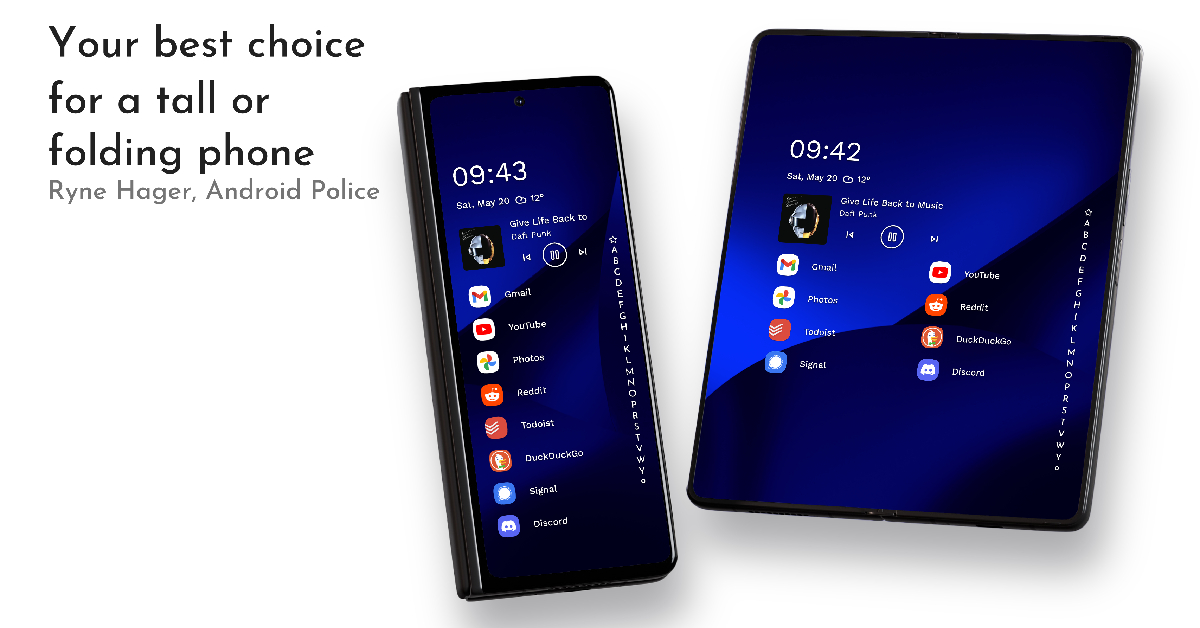
While all foldables follow the same concept, they go about it in different ways. This creates a diverse range of form factors even within the very limited genre of foldables. Samsung’s Galaxy Z Fold 5 is on the taller size, in sharp contrast with the passport-sized Pixel Fold and Oppo Find N. While some people prefer the taller dimensions of the Fold 5, it can be very challenging to reach the corners with one hand. This is where Niagra Launcher comes into play. Using this app, you can customise your home screen in a manner that is much more accessible to one-handed use.
Google Meet
There’s no app like Google Meet for taking virtual meetings on the go. What makes this app special for Fold 5 is its high-end optimisation. If you dislike holding your phone up for video calls and online meetings, you can easily fold your phone and prop it up on a table. The Google Meet app perfectly adapts to the Flex Mode on your phone. You can view the meeting participants in the top panel while accessing the controls from the bottom panel.
Disney+ Hotstar
With content ranging from superhero flicks to live sports, Disney+ Hotstar is an essential app for your Fold 5. With a 7.6-inch inner display, it is a safe bet that you will spend a lot of time watching content on your Fold 5. The app works fine on Flex Mode as well, allowing you to prop the phone up like a laptop and enjoy watching content wherever you are.Read Also:How to Unlock Android Phone Password Without Factory Reset? Must Read Ways!
Apple is a technology company based in California and founded by Steve Jobs in 1976. It primarily deals in iPad, iPhones and MacBooks. IOS has a feature for parents that allows them to keep a check on their children’s screen time. The screen time feature allows family members to keep a check on the usage of devices so that parents can structure the time their kids use them. However, recently a bug has been reported in Apple’s screen time on the parental control system that is allowing their children to continue watching without any limits and access to adult content as well. Here is everything to know about this strange ordeal and how to fix it.Read Also: How to Unlock Android Phone Password Without Factory Reset? Must Read Ways!
What is a screen time bug?
Wall Street Journal has recently reported that there is a bug in the screen time feature that is allowing kids to bypass the daily time restrictions set by their parents. Youngsters can play games and interact on social media without any restrictions. Apple has confirmed the bug and a spokesperson said that Apple is looking into this matter very seriously. The screen time feature was added in 2018 in iOS 12 when there was a serious concern regarding smartphone addiction. The screen time feature allows parents to limit content, check who they communicate with and which app they can use. This prevents the kids from getting addicted to their smartphones as they know that their activity is being monitored. However, with this recent bug, all the settings of screen time are restored to normal and there are no restrictions listed at all.
How to fix the Screen Time bug problem?
After several parents reported this issue on the Apple community website, a source who has allegedly been in touch with Apple requested parents to try this method suggested by Apple:
Turn off screen time for the device that is needing to be blocked for downtime (child’s device).
Make sure all pictures have synced with iCloud or they will be lost (scroll to the bottom of the photos app to check if any are pending) sign out of iCloud on all devices that can either approve screen time requests or have screen time limitations (child and parents).
Reset the same devices (not erase content, just reset all settings by going to Settings > General > Transfer or Reset iPhone > Reset > Reset All Settings).
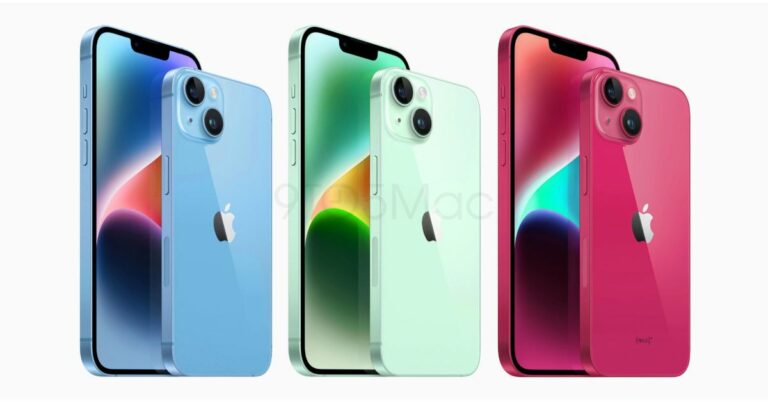
This year Apple is probably going to hold its iPhone 15 event in September. Even though there is still a month until the official announcement the price of the upcoming series has appeared online in advance of the introduction. iPhone 15, iPhone 15 Pro, iPhone 15 Plus, and iPhone 15 Pro Max are most likely to be part of the iPhone 15 series.Also Read:Battery sizes for the iPhone 15 lineup are rumoured to be much bigger this time
Apple iPhone 15, iPhone 15 Plus, iPhone 15 Pro, iPhone 15 Pro Max price expected
According to Tim Long, a Barclays analyst the pricing this year from iPhone 15 and iPhone 15 Plus are anticipated to remain the same as their predecessors. In terms of the Pro variants, iPhone 15 Pro may cost $100 (about Rs 8,223) higher than the existing model. In addition to this, the price of the iPhone 15 Pro Max is also anticipated to increase by $200 (about Rs 16,450). It is anticipated that these iPhone 15 models would also see a price increase in India.According to Apple Hub, who cited information from Tim Long of Barclays, the iPhone 15 is anticipated to go on sale for $799 (roughly Rs 65,700), the iPhone 15 Plus may cost $899 (roughly Rs 73,900), the iPhone 15 Pro is anticipated to cost $1,099 (roughly Rs 90,100), and the iPhone 15 Pro Max is anticipated to cost $1,299 (roughly Rs 1,06,500).
Apple iPhone 15, iPhone 15 Plus, iPhone 15 Pro, iPhone 15 Pro Max specifications expected
Additionally, future iPhones have been mostly exposed by leaks. The switch from Apple’s exclusive Lightning port to a USB Type-C port will be one of the biggest modifications the future iPhones will receive this year.Similar to its predecessor, the iPhone 15 is rumoured to retain the 6.1-inch display. The base model is likely to go with the dynamic island notch. Also, a new “Action Button” that may be customised is also planned to take the place of the physical mute switch. The battery capacity of the iPhone 15 models is one of the noteworthy enhancements rumoured for them. The 3,877mAh battery in the regular iPhone 15 is claimed to be larger than the 3,279mAh battery in the iPhone 14. Similar to the iPhone 14 Plus, the iPhone 15 Plus is rumoured to have a 4,912mAh battery.This is also Apple is going to go with the trend to bring the previous year’s chipset to the iPhone 15 model which propelled the iPhone 14 Pro versions. While the iPhone 15 Pro and iPhone 15 Pro Max models will be powered by the company’s newest Bionic A17 processor.Also Read:When will iPhone 15 be launched? What to expect?According to rumours, the iPhone 15 models would have 48-megapixel rear cameras this time. On the contrary, the Pro Max variant is expected to include a larger and more apparent camera module that houses periscope lenses that enable optical zoom of up to 5–6x, along with other supporting sensors.
For the latest gadget and tech news, and gadget reviews, follow us on Twitter, Facebook and Instagram. For newest tech & gadget videos subscribe to our YouTube Channel. You can also stay up to date using the Gadget Bridge Android App. You can find the latest car and bike news here.
After being banned for nearly ten months, Battleground Mobile India, aka BGMI, is officially available again in India. BGMI fans are looking for ways to improve their game experience and one such method is the usage of redemption codes, which offers a variety of rewards and advantages using BGMI redeem codes players can gain access to new skins, outfits, loot crates, weapons and free UC and diamonds.As mentioned earlier, these codes give users the chance to earn unique rewards and gain extra benefits while playing the game. This includes GUN SKINS (M4, AKM, M416, AWM, M24, UZI, KAR98K), free character voucher, Andy, Carlo, Sara, Victor character for free, free Anna Character on completing the mission and UC or Royal Pass Discount. So here we have gathered a list of the most recent BGMI redeem codes as of 31 July 2023. Also, redeem these codes asap as these are only valid for a limited duration.
BGMI Redeem Codes for 31 July 2023
updating…
How to get free Redeem Codes for BGMI on 31 July 2023?
Launch BGMI on your device.
Then select the Redeem Code option from the main menu.
Next, click on the Redeem code tab.
A new window will open, requesting the redemption code.
Now enter your BGMI code.
Confirm and click on the “Redeem” tab.
If your redeem code is valid then you will get a message confirming that your rewards were successfully redeemed.
Garena Free Fire is a battle royale game with regular awards and tournaments to keep players interested. If you play Garena Free Fire, you should be aware of the redeem codes that are released on a daily basis. However, because the battle royale game is banned in India, players from other countries can use the Free Fire Redeem codes daily. If you’re unfamiliar with the Garena Free Fire redeem codes or don’t know how to get them, we’ve put together a step-by-step guide to help you redeem them. Check out Garena Free Fire Redeem Codes for 31 July 2023.The Free Fire redeem codes are a great way to get free stuff. These are 12-digit codes that contain alphabets and numbers, as well as an expiration date and time. Because the Garena FF redeem codes cannot be used more than once, you should hurry to the redemption page to claim your free reward before someone else does. To get a free reward, all you have to do is go to reward.ff.garena.com/en, which is the official redemption page. Also, keep an eye on this space for daily updates on Garena Free Fire redemption codes and rewards.
Garena Free Fire Redeem Codes Today 31 July 2023
Updating…
How to Get Free Fire Redeem Codes for Garena on 31 July 2023?
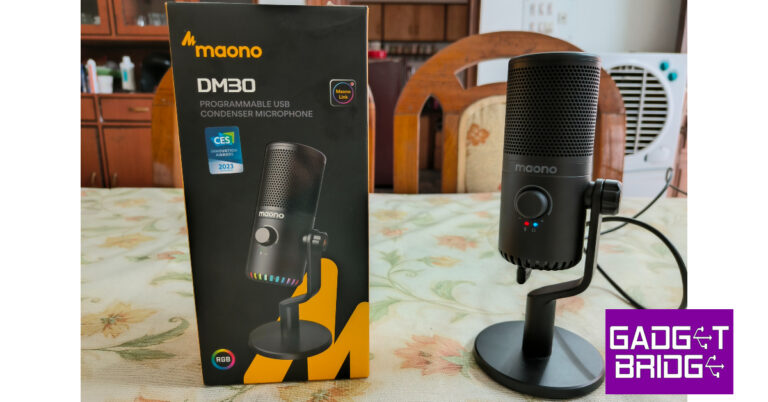
If you’re thinking about starting a podcast or a YouTube channel, one of the first purchases you should be making is an efficient microphone. The search for a decent entry-level microphone can get daunting with the sheer number of options out there. To make your search simpler we got our hands on the Maono DM30 and took it for a spin. We’ve been using this microphone for the past week, trying it with a bunch of devices and recording software. Priced at Rs 4,663 on Amazon, the DM30 looks like a good purchase on paper with its metal build, clean design, high-sensitivity condenser core, and high sampling rate. But how did it fare in our tests? Find out in our Maono DM30 USB Condenser Microphone review.Read Also:How to remove the Gmail ‘syncing mail’ notification that won’t go away?
Maono DM30 review: Design
Inside the box, you’ll find the condenser box, a desktop stand, a USB Type-C cable with a Type-A attachment, and a user manual. The microphone comes attached to the stand, so you don’t have to worry about assembling it after pulling it out of the box. However, if you’re planning on travelling with this mic, we’d suggest taking it apart for better portability.Maono DM30 surprised us with its sturdy build quality. This isn’t something we expect from affordable microphones, so Maono has definitely earned itself some extra points here. The metal casing for the microphone along with the metallic mesh grill really elevates the premium factor of the microphone. The desktop stand is all metal as well. The cover on the top of the mic, the control dial, and the adjustment knob were the only plastic components we could spot on the microphone.The clean and minimal design of the Maono DM30 makes it very accessible to use. The front end (also the input end) of the microphone houses the control knob along with a couple of notification lights for the mic and headphones. Bordering the bottom of the microphone is a grille with RGB lighting inside. This is where you’ll also find the 3.5mm headphone jack along with a USB Type-C port and a control button for the RGB lights.The microphone can be adjusted back and forth. There is no way to alter its height. You can disassemble the microphone and attach it to another stand or a boom arm. Those accessories need to be purchased separately. However, in a home recording setting, we didn’t feel the need for any additional accessories. If you want to hold the microphone in your hand, all you need to do is unscrew it from the stand.
Maono DM30 review: Performance
Connecting the Maono DM30 microphone to your PC is a total breeze. Since it is a plug-and-play mic, you don’t need to install any driver or any additional piece of software to use the DM30. Simply plug the USB Type-C cable into the microphone and connect it to your PC using the USB Type-A end. To connect the microphone to a smartphone, simply pull out the USB Type-C attachment and plug the Type-C end into your phone. A pretty neat process that completely eliminates the need for an OTG adapter.Maono DM30 is a condenser microphone with a cardioid pattern. This means it picks up sound from only one direction – the front of the microphone. This is where the dial and notification lights are placed. A cardioid pickup helps in suppressing the noise coming from the other direction. You can monitor the audio input in real-time by plugging your headphones into the mic.We used the Maono DM30 microphone on a Windows laptop and an Android smartphone. The level of detail that the microphone managed to capture was very impressive for its price. In a quiet indoor environment, the microphone did a good job of recording different kinds of voice samples. Since it has a cardioid pickup, it did well in rejecting the noise coming in from a distant window in the opposite direction. While some ambient noises (ceiling fan, AC, general humdrum) still managed to slip through, they did not amount to be a nuisance since the microphone was able to suppress them to some degree.While gaming, we placed the DM30 on the desk and recorded a few sample takes. While we did not have any complaints about the general quality of the voice recording, it still managed to pick up the noise from the keystrokes. Placing the microphone farther away from the keyboard helped minimised the noise. The microphone was still able to pick up our voice thanks to its high-sensitivity condenser and the 24bit/48kHz high sampling rate. We even used the DM30 for WhatsApp calls and virtual meetings, the quality of relayed audio when compared to a regular headset was night and day.You can control the microphone gain and the volume of the headphones from the control dial on the mic. Pressing the dial once mutes the microphone while long pressing it allows you to control the monitoring volumes. We also really like the super low latency which allows you to monitor the audio input in realtime. You can also switch the colour of the RGB lights using the dedicated button at the bottom. If you find them too tacky, you can switch them off using this button as well.Maono also offers a customisation app for this mic called Maono Link. Using this app, you can control the mic gain and headset volume from your PC. You can also change the brightness of the RGB lighting, something that can’t be done from the mic itself. Maono Link also offers 4 presets to change the tone of your voice – Deep, Natural, Bright, and Legacy. If you want to boost certain frequencies in the audio input, you can access the equaliser from the Advanced tab of this software.Read Also:Google begins rolling out Unknown Tracker alerts feature for Android smartphones
Verdict
After using the Maono DM30 USB Condenser Microphone in different situations, we were impressed by its range and the quality of audio recordings. If you’re just getting started with content creation, this microphone is a safe bet. For those that want to live stream, the RGB lighting at the bottom of the microphone adds to the gaming aesthetic without being gaudy. The DM30’s portability will also appeal to podcasters that are always on the go. At the price of Rs 4,663, the Maono DM30 is an excellent choice for newbie streamers and content creators.
Maono DM30 USB microphone: Pros
Solid build
Produces detailed audio recordings
Very accessible
Affordable
Maono DM30 USB microphone: Cons
Has the tendency to pick up the sound of keystrokes while gaming
I locked myself out of my Android phone and didn’t remember the password, so how to unlock Android phone password without a factory reset? We live in an age where our smartphones contain a treasure trove of personal information. That’s why password-protected Android phones have become essential in safeguarding our privacy.
Can You Unlock Android Phone Password Without Factory Reset?
However, there’s a frustrating predicament that many of us have experienced firsthand: I forgot my Android pin, and now I am locked out of my phone. This leads us to find the solution to your questions, “ Can I unlock Android phone without going through a factory reset? And how to unlock an Android phone without a password and factory reset?”
But fear not, it is quite common among those who want to regain access to their devices without wiping everything and we have the solution! In this article, we’ll reveal five methods to grant you access to your device without pressing that dreaded factory reset button. So, let’s dive in!
Five Must-Read Ways to Unlock Android Phone Password Without Factory Reset
Here are five techniques you can try to unlock an Android phone without resorting to a factory reset:
Way 1: How to Unlock Android Phone Password Without Factory Reset via Android Unlocker [Most Effective]
The most effective and convenient method to unlock an Android phone without performing a factory reset is Tenorshare 4uKey for Android. It’s a specifically designed tool to remove screen locks. Additionally, it can perform other functions, such as:
Works well with over 6000 Android devices running various Android OS versions, including the latest Android 13.
Supports Samsung, Xiaomi, Redmi, and Vivo devices.
It can also remove FRP lock, PIN, pattern lock, fingerprints, and face recognition IDs.
It is beginner-friendly, so you don’t need any technical skills.
Here’s how to unlock your phone when you forgot the password without resetting it with 4uKey:
Back up your Android phone data. Next, connect your phone to your PC. Open the 4uKey tool to its interface and select “Remove Screen Lock.”
2. Tap on the “Start” button to begin the password removal process. Click “Yes” to confirm and proceed with the process.
3. Follow the next set of instructions to put your phone into recovery mode and reboot the system. After completing the steps, the software will successfully unlock your Android phone.
Way 2: How to Unlock Samsung Phone Forgot Password Without Factory Reset via Find My Mobile
If you happen to be using a Samsung device, you can give the Samsung service called “Find My Mobile” a try to resolve this problem. However, please note this solution only applies if you have previously set up a Samsung account.
Without a Samsung account, you won’t be able to unlock your Samsung phone if you’ve forgotten the password. Here’s how to unlock your phone password with the “Find My Mobile” feature:
To begin, sign in to your Samsung account. Choose the “Lock screen” option and input a new PIN in the designated field.
Lastly, click the lock button, and within a minute or two, you’ll observe that your password has been successfully changed.
Way 3: How to Unlock Android Phone Password Without Resetting via Find My Device
Another way to bypass a factory reset and unlock your Android device is by utilizing the “Google Find My Device” feature. It’s important to note that this method only applies if your smartphone runs on Android 7.1.1 or an earlier version.
Additionally, you’ll need to log in to your Google Account on another device, such as your PC. Here’s how to unlock an Android phone with “Find My Device”:
Sign in to your Google account and select your locked Android phone.
Choose the lock option on the screen.
Set a new password for your Android phone to regain access.
Way 4: How to Unlock Android Password Without Factory Reset Using ADB
ADB (Android Debug Bridge) is another helpful method for unlocking an Android phone password without data loss. However, it’s important to note you can only utilize this technique if you have previously enabled USB Debugging on your device.
It’s also worth mentioning this method may require some time to complete. Here’s how to unlock an Android phone without a password with ADB:
Connect your Android phone to your PC. Open the command prompt.
Enter the command “adb shell rm /data/system/gesture.key.” Hit “Enter.” Then, restart your phone.
Way 5:How to Unlock Android Phone Password Without a Factory Reset and Computer
An alternative method to unlock your Android phone password without performing a factory reset or using a computer is by utilizing the Google “Forgot Pattern” feature.
It’s important to note this method applies only if your Android phone runs on Android 4.4 or an earlier version. Here’s how to unlock phone password without a factory reset and computer:
Input an incorrect password five times into your Android phone. After the fifth failed attempt, a prompt will appear with a message asking you to wait 30 seconds—press “Forgot Pattern” on it.
Select the option to enter your Google Account details. Enter the Gmail account and password associated with your Android phone.
Google will send you an email containing the unlock pattern. You can use this pattern to change the screen lock on your Android phone.
Conclusion
If you’re wondering how to unlock Android phone password without a factory reset, there’s no need to worry. There are several methods available to unlock it without resorting to resetting your device. One highly recommended tool that offers great flexibility is Tenorshare 4uKey for Android.
It not only unlocks your phone without a factory reset but can perform other functions as well. This tool can bypass FRP lock and Google account and remove PIN, lock screen pattern, face, and fingerprint ID. So try Tenorshare 4uKey for Android and unlock your phone without hassle!
For the latest gadget and tech news, and gadget reviews, follow us on Twitter, Facebook and Instagram. For newest tech & gadget videos subscribe to our YouTube Channel. You can also stay up to date using the Gadget Bridge Android App. You can find the latest car and bike news here.
Step 1: Open the document in Mail or any other app that supports it.Step 2: Tap the Markup icon at the top right corner of the screen.Step 3: Hit the plus icon at the bottom right corner of the screen.Step 4: Select Signature.Step 5: Sign your name on the screen using your finger. For better results, use the Apple Pencil on your iPad.Step 6: Tap Done at the top right corner of the screen.Step 7: Drag the signature to the appropriate place and resize it by dragging its corners.Step 8: Tap Done at the top left corner of the screen.
Sign a document on an iPhone using Adobe Acrobat
Step 1: Install Adobe Acrobat from the App Store.Step 2: Open the PDF document on Adobe Acrobat.Step 3: Tap the pencil icon at the bottom right corner of the screen.Step 4: Select Fill and Sign.Step 5: Hit the Draw icon.Step 6: Select Create Signature.Step 7: Sign your name using your finger. Use the Apple Pencil on your iPad.Step 8: Save the signature. Drag and drop it in the ideal spot on the PDF.
Frequently Asked Questions (FAQs)
How do I sign a PDF document on my iPhone?
Open the PDF in Mail or any other app that supports it. Hit the Markup icon and then tap the Plus icon at the bottom left corner of the screen. Sign your name on the screen and drag it to the appropriate spot on the PDF.
How do I save my signature on my iPhone?
You can save your signature on your iPhone using the Markup tool. Open a PDF, hit the markup icon, then tap the plus icon and select signature.
Homegrown smart wearables brand, Noise officially enters the market for wearable technology’s premium smart ring segment by launching the health-tracking smart ring Luna Ring. The device supports wireless charging and is capable to monitor your health as it includes all the essential sensor which a smartwatch have. This smart ring is capable to track your heart rate, temperature, and SpO2 and can do a lot more. It has a hypoallergenic inner shell and a titanium body claimed to be suitable for all skin types.
Luna Ring price in India and availability details
The cost and launch date for the Luna Ring in India has not yet been disclosed by Noise. However, the device is currently up for prebooking and to do that one needs to purchase a Priority Access pass worth Rs 2,000. Numerous advantages are also included with the Priority Access pass. Sunlit Gold, Rose Gold, Stardust Silver, Lunar Black, and Midnight Black are the available colour options for the new smart ring.
An additional discount of Rs 1,000 on the day of the purchase, giving a direct cash benefit of Rs 3,000 to pass holders. Customers with Priority Access pass also get to purchase Noise i1 smart eyewear at a 50% discounted price, of Rs 4,499. Pass holders would also be eligible for free liquid/damage/theft insurance worth Rs 2000.
Additionally, the pass holders get unique access to additional alluring brand offers and guaranteed packaged benefits, enabling them to experience and improve their way of life with the cutting-edge wearable, Luna Ring by Noise.
Luna Ring features and specifications
The Luna Ring is marketed as an incredibly light smart ring. It’s 3mm slim design, fighter-jet grade titanium body, and diamond-like coating that resists corrosion and scratches make it a sturdy construction. Noise claims that the item is appropriate for all skin types and includes a smooth, hypoallergenic inner shell as well as a pointing edge on the outside shell for guided wearing.
Also Read:Google begins rolling out Unknown Tracker alerts feature for Android smartphones
The sensor on the Luna Ring consists of Infrared Photoplethysmography (PPG), Skin Temperature, and 3-axis accelerometer sensors measuring physiological signals, all of which are seamlessly integrated into a flexible rim with a battery design and practical wireless charging. This allows for a comfortable fit and exceptional health-tracking capabilities.
The Luna Ring has bumps on the inside to guarantee that your finger and the optical sensors are properly aligned. They narrow the space between your skin and the sensors, improving the precision of the PPG signal measurements.
As per the company, the PPG sensor and a 3-axis accelerometer can track subtle changes in your heart rate, sleep patterns, movements, and other bio-data. It utilizes an optomechanical design that combines the 3 LEDs & 2 PDs along with mechanical components (3 bumps) ensuring alignment of the optical sensors with your finger.
The smart ring makes use of in-built algorithms to deliver accurate results. Furthermore, the personalized nudges use tailor-made insights and alerts to help make real-time transformative choices.
It is also said to offer 3 scores daily – Sleep, Readiness, and Activity. The Sleep Score shares insights into sleep and offers recommendations, optimizing nightly rest patterns. The Readiness Score provides a holistic overview of your health taking into account key body signals. The Activity Score consists of inactivity, activity levels, and recovery, through 3-axis motion sensors, decoding the intricacies of body movements and offering invaluable insights.
While the temperature sensor measures body temperature influenced by diet, exercise, physiological states, and hormones once every 5 minutes. The device comes with Bluetooth Low-Energy (BLE 5) technology. It is also water resistant up to 50m or 164 ft.
The Luna ring also supports wireless charging and is claimed to provide a battery life of up to 7 days on a single 60 minutes charge.
For the latest gadget and tech news, and gadget reviews, follow us on Twitter, Facebook and Instagram. For newest tech & gadget videos subscribe to our YouTube Channel. You can also stay up to date using the Gadget Bridge Android App. You can find the latest car and bike news here.
After being banned for nearly ten months, Battleground Mobile India, aka BGMI, is officially available again in India. BGMI fans are looking for ways to improve their game experience and one such method is the usage of redemption codes, which offers a variety of rewards and advantages using BGMI redeem codes players can gain access to new skins, outfits, loot crates, weapons and free UC and diamonds.As mentioned earlier, these codes give users the chance to earn unique rewards and gain extra benefits while playing the game. This includes GUN SKINS (M4, AKM, M416, AWM, M24, UZI, KAR98K), free character voucher, Andy, Carlo, Sara, Victor character for free, free Anna Character on completing the mission and UC or Royal Pass Discount. So here we have gathered a list of the most recent BGMI redeem codes as of 29 July 2023. Also, redeem these codes asap as these are only valid for a limited duration.



 Step 3: Give UserLand the necessary permissions for proper functioning.
 Step 4: Select a desktop environment.
 Step 5: In the popup box select the connection type.
 Step 6: Hit Continue.
Step 7: If you set your connection type as Terminal, you will need to set up a root password.
Step 8: Enter the following command to set up a root password: sudo passwd root.
Step 6: Hit Continue.
Step 7: If you set your connection type as Terminal, you will need to set up a root password.
Step 8: Enter the following command to set up a root password: sudo passwd root.
 Step 9: Retype the password to confirm it.
Step 10: To create a new user, enter the following command: sudo adduser [username here]
Step 9: Retype the password to confirm it.
Step 10: To create a new user, enter the following command: sudo adduser [username here]
![Step 10: To create a new user, enter the following command: sudo adduser [username here] How to run Ubuntu on your Android device?](https://www.gadgetbridge.com/wp-content/uploads/2023/08/u8.jpg)





 Step 1:
 Step 4:
 Step 1: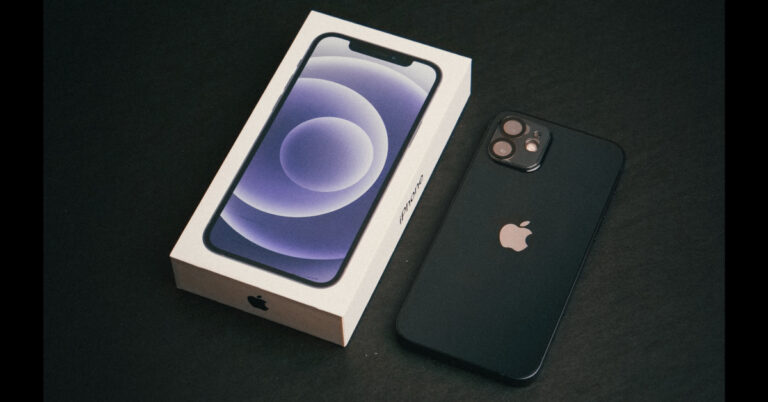


 Step 4: Confirm
 Step 2:
 Step 3:
  Step 4: Confirm
 Step 5: Confirm
 Step 2:
 Step 3:
 Step 4:
 Step 2: Scroll down and select Flash notifications.
 Step 3: Turn on the toggle switch for Camera flash.


 Step 2:
 Step 3:
 Step 4:









 2. Tap on the “Start” button to begin the password removal process. Click “Yes” to confirm and proceed with the process.
 3. Follow the next set of instructions to put your phone into recovery mode and reboot the system. After completing the steps, the software will successfully unlock your Android phone.



 Step 1:
 Step 1: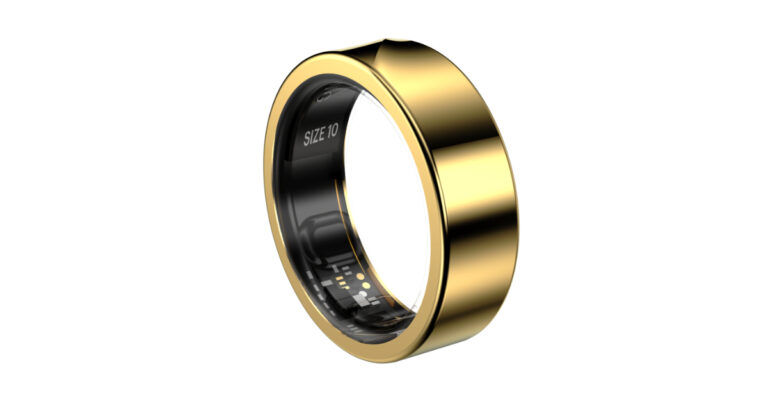
 An additional discount of Rs 1,000 on the day of the purchase, giving a direct cash benefit of Rs 3,000 to pass holders. Customers with
  The Luna Ring has bumps on the inside to