Garena Free Fire is a battle royale game with regular awards and tournaments to keep players interested. If you play Garena Free Fire, you should be aware of the redeem codes that are released on a daily basis. However, because the battle royale game is banned in India, players from other countries can use the Free Fire Redeem codes daily. If you’re unfamiliar with the Garena Free Fire redeem codes or don’t know how to get them, we’ve put together a step-by-step guide to help you redeem them. Check out Garena Free Fire Redeem Codes for August 12.The Free Fire redeem codes are a great way to get free stuff. These are 12-digit codes that contain alphabets and numbers, as well as an expiration date and time. Because the Garena FF redeem codes cannot be used more than once, you should hurry to the redemption page to claim your free reward before someone else does. To get a free reward, all you have to do is go to reward.ff.garena.com/en, which is the official redemption page. Also, keep an eye on this space for daily updates on Garena Free Fire redemption codes and rewards.
In This Article
Garena Free Fire Redeem Codes Today 12 August 2022
8F3QZKNTLWBZ
WLSGJXS5KFYR
FF11WFNPP956
YXY3EGTLHHJX
X99TK56XDJ4X
FF11HHGCGK3B
WOJJAFV3TU5E
B61YCTNH4PV3
U8S47JGJH5MG
VNY3MQWNKEGU
ZZATXB24QES8
MCPTFNXZF4TA
FF119MB3PFA5
FF10617KGUF9
ZRJAPH294KV5
Y6ACLK7KUD1N
FF10GCGXRNHY
FF11NJN5YS3E
SARG886AV5GR
FFCO8BS5JW2D
FFAC2YXE6RF2
FFICJGW9NKYT
FF11DAKX4WHV
FF9MJ31CXKRG
FFIC33NTEUKA
How to Get Free Fire Redeem Codes for Garena on August 12?
August 13th is internationally recognised as Left-handers Day. Almost 10% of the world’s population is left-handed, with 1% being ambidextrous. Since most people use their right hand for routine tasks, most tools and devices are designed for right-hand use. This can prove to be mildly annoying for left-handers, who have to devise their own ways of overcoming the design shortcomings. So, for International Left-Handers Day, we bring you the top products made specifically for left-handed use.Read Also: Here is the full Android Versions List and Names: Over the years
In This Article
Perixx Perimice-719L Left-Handed mouse
Working with a regular mouse can be quite tedious as a left-hander. While you eventually get used to it, it still doesn’t feel right to be controlling the cursor with your right hand. The Perixx Perimice is an ergonomic mouse designed for left-handers. This mouse encourages a “handshake” position for your hand and fits comfortably within your palm. You can place it on the left side of your keyboard and use it in a way that comes naturally to you. The ergonomic design also reduces muscle strain while working long hours.
Buy on Amazon.
Flo Digital Left-Handed Keyboard
If you’re left-handed and working a desk job that requires typing a lot of numbers, working with a regular keyboard can be quite tedious. Keyboards, like every other device, are designed for right-handed use and come with the number pad placed on the right side. If you’re a lefty, you must constantly find yourself reaching your hand in the opposite direction to type in numbers. The Flo Digital keyboard comes with the number pad on the left side of the keyboard, vastly simplifying the process of entering numbers with your left hand. On top of that, its alphabet keys have an ‘A’ slant which makes typing much easier too.
Buy on Amazon.
Maped Visio Left-Handed Ballpoint Pen
As a lefty, if you’ve written with a hooked arm your entire life, it’s time to make the switch to a Maped Visio ballpoint pen. The curved design fits perfectly with your writing posture and offers better visibility while writing.
Buy on Amazon.
Roaring Spring Left-Handed Notebook
Only left-handed people would know the pain of smudging their palm on ink while writing in a notebook. Specially designed for left-handers, the Roaring Spring notebook has the binding spiral on the right side so you’ll never have to face that problem again. Your writing hand will also not rest upon the spiral like it does with regular notebooks.
Buy on Amazon.
Henrix Pro Left-Handed Guitar
Guitars are traditionally designed for right-handed use, meaning you pluck the strings with your right hand and press the chords on the fret with your left hand. This proves to be a barrier for left-handed people while learning the guitar. Luckily, there are guitars designed specially for left-handed people which allow them to pluck the strings with their left hand while using the fret with the right. The Henrix acoustic guitar is an excellent entry-level guitar for beginners designed for left-handers. Most famous left-hand guitarists through the decades like Jimi Hendrix, Albert King, Paul McCartney, and Kurt Cobain have used left-handed guitars.
Buy on Amazon.
Read Also: Top 6 Super Popular Prank Call Websites and How You Can Use ThemThese were our picks for the best products designed for left-handed people. If you’re a lefty let us know which products you use for ease of accessibility or which ones you wish were redesigned for left-handed use.
The Chinese smartphone brand Xiaomi has announced the launch of its new foldable phone Xiaomi Mix Fold 2. The new device will go against the likes of the newly launched Samsung Galaxy Z Fold 4. The phone is also powered by Snapdragon 8+ Gen 1 SoC. Both of its displays outer and inner support a 120Hz refresh rate.
In This Article
Xiaomi Mix Fold 2 price, sale details
The starting pricing for the 12GB RAM with 256GB storage version of the Xiaomi Mix Fold 2 is CNY 8,999, which is Rs 1,06,200. Priced at CNY 9,999, or around Rs 1,18,00, the mid-tier edition has 12GB RAM with 512GB of storage available. The premium model, which comes with 12GB of RAM with 1TB of storage, costs CNY 11,999, which equals Rs 1,41,600.In China, pre-orders for the brand-new foldable smartphone in the Moon Shadow Black and Star Gold colour variants are presently being accepted through Xiaomi’s online store.
Xiaomi Mix Fold 2 specifications
Xiaomi Mix Fold 2 comes with a 6.56-inch E5 AMOLED display on the outside. The outer screen has a 120Hz refresh rate and a 21:9 aspect ratio. The screen also supports Dolby vision. Whereas the device has an 8.02-inch LTPO 2.0 foldable display with a refresh rate of 120Hz. It has a colour gamut of DCI-P3 and a resolution of 2K+. The internal display is designed to have a maximum brightness of 1,300 nits. Additionally, the inside display is protected by Corning Gorilla Glass Victus. The “Micro Waterdrop Hinge” used by the Xiaomi Mix Fold 2 was created by Xiaomi.The octa-core Qualcomm Snapdragon 8+ Gen 1 SoC and 12GB of LPDDR5 RAM power the Mix Fold 2. Three UFS 3.1 storage options are available on the smartphone. Xiaomi MIX Fold 2 runs on the latest MIUI Fold 13 operating system.The new Xiaomi foldable phone’s triple rear cameras are Leica-branded. The camera system includes a 50-megapixel Sony IMX766 primary sensor with an f/1.8 aperture and OIS. Additionally, there is a 13-megapixel ultra-wide angle lens with an f/2.4 aperture and an 8-megapixel telephoto lens with an f/2.6 aperture. The device has a 20-megapixel selfie camera up front.It has a 4,500mAh battery and supports 67W charging. Moreover, it includes dual-band Wi-Fi, NFC, Bluetooth v5.2, and a USB Type-C port for connectivity. Updates to smart screen interaction are among the Xiaomi MIX Fold 2’s further improvements. Users can now split screens using a three-finger swipe. The sidebar, which is also used to leave split screen mode, makes it simple to access floating windows.
For the latest gadget and tech news, and gadget reviews, follow us on Twitter, Facebook and Instagram. For newest tech & gadget videos subscribe to our YouTube Channel. You can also stay up to date using the Gadget Bridge Android App. You can find the latest car and bike news here.
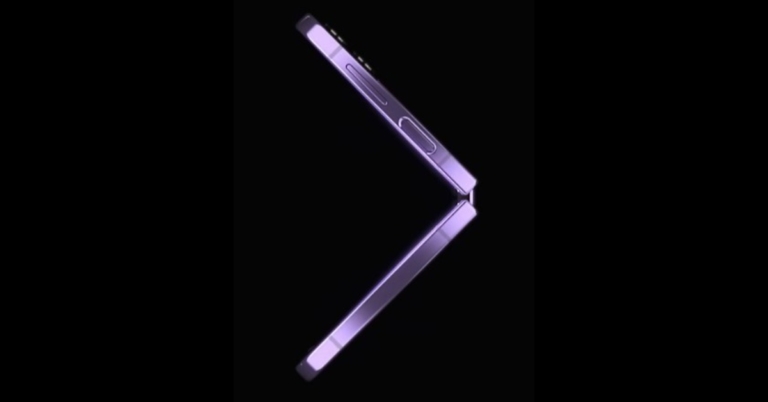
Samsung at its Galaxy Unpacked 2022 event announced the launch of the most anticipated foldable phones- Galaxy Z Fold 4 and Z Flip 4. On August 16, Samsung Live will begin taking pre-orders for both devices. Both the handsets are powered by Snapdragon 8+ Gen 1 SoC. In addition to this, they have FlexCam mode that automatically changes to fit the folded screen for taking hands-free photos and videos.The prebook for its recently released Galaxy foldable was announced by Samsung in India via Samsung Live. The Galaxy Z Fold 4 and Galaxy Z Flip 4 will be pre-bookable on Samsung.com beginning at noon on August 16, 2022, during its live commerce event. On Samsung.com, the event will be streamed live.Customers who pre-book Galaxy Z Fold4 and Galaxy Z Flip4 through a live commerce event, according to the business, can receive incentives greater than INR 40000. Additionally, those who pre-book will receive an exclusive gift worth INR 5,199. The unique Bespoke Edition for the Galaxy Z Flip4 and the Galaxy Z Fold4 with 1TB storage will also be made available only through Samsung Live as part of Live Commerce. Customers who pre-order the Galaxy Z Flip4 Bespoke Edition will also receive a thin transparent cover worth INR 2000 in addition to the previously announced discounts. The limited-time promotions on Live Commerce are valid from August 16 at noon till August 17 at midnight.
In This Article
Samsung Galaxy Z Flip 4 specifications
The primary 6.7-inch Full HD+ Dynamic AMOLED 2X Infinity Flex Display of the Samsung Galaxy Z Flip 4 has a resolution of 1,0802,640 pixels. The internal screen features a 22:9 aspect ratio and a refresh rate of 120Hz. There is a 1.9-inch Super AMOLED cover screen with a 260 x 512 pixel resolution. The Samsung Armor Aluminum used in the Galaxy Z Flip 4 gives it an IPX8 designation for water resistance.The device runs Android 12 on top of OneUI 4.1.1. The Galaxy Z Flip 4 is powered by an octa-core Qualcomm Snapdragon 8+ Gen 1 4nm SoC and 8GB of RAM. Each of the three internal storage options for the Z Flip 4 has a maximum capacity of 512GB. The storage capacity cannot be increased using MicroSD cards.With a 12-megapixel ultra-wide primary sensor, an f/2.2 aperture, and a 123-degree field of view, the new phone’s dual rear camera system is equipped. There is also a 12-megapixel wide-angle camera with an f/1.8 aperture, an angle of vision of 83 degrees, and support for optical image stabilisation (OIS). A 10-megapixel selfie camera with an f/2.4 aperture and an 80-degree field of view is mounted on top of the foldable display of the Galaxy Z Flip 4.Samsung’s 3,700mAh battery for the Z Flip 4 supports 25W quick charging. The phone also supports Wireless PowerShare and Fast Wireless Charging 2.0.
Samsung Galaxy Z Fold 4 specifications
The main screen of the Samsung Galaxy Z Fold 4 is a 7.6-inch QXGA+ Dynamic AMOLED 2X Infinity Flex Display with a resolution of 2,176 x 1,812 pixels. It has a 21.6:18 aspect ratio and a refresh rate that can range from 1Hz to 120Hz. The smartphone’s 6.2-inch HD+ Dynamic AMOLED 2X cover Display has a resolution of 9042,316 pixels. The screen has a 23.1:9 aspect ratio and a 120Hz adaptive refresh rate.The first smartphone to run One UI 4.1.1, which is based on Android 12L, a customised version of Android created by Google for large and foldable screens, is the Samsung Galaxy Z Fold 4. A Qualcomm Snapdragon 8+ Gen 1 SoC with 12GB of RAM as standard powers the gadget. Up to 1TB of internal storage is available.There are five cameras in total on the device; the triple rear camera’s strengths include a 50-megapixel primary sensor with an f/1.8 aperture, dual-pixel autofocus, optical image stabilisation (OIS), and an 85-degree field of view. The 12-megapixel ultra-wide lens sensor has a field of view of 123 degrees and an aperture of f/2.2. The third 10-megapixel sensor has an f/2.4-aperture telephoto lens mounted to it. Features like OIS, PDAF, and 30X space zoom are all available. The Samsung Galaxy Z Fold 4’s front camera has a 4-megapixel sensor with an f/1.8 aperture, and it is situated below the primary screen. The front camera on the cover display has a 10-megapixel sensor and an f/2.2 aperture.The smartphone has two 4,400mAh batteries. PowerShare wireless charging is additionally supported.
For the latest gadget and tech news, and gadget reviews, follow us on Twitter, Facebook and Instagram. For newest tech & gadget videos subscribe to our YouTube Channel. You can also stay up to date using the Gadget Bridge Android App. You can find the latest car and bike news here.
The Chinese smartphone company Vivo has announced that the Vivo V25 Pro would be released in India on August 17. The Vivo V25 series apparently includes the smartphones Vivo V25 and Vivo V25. Numerous of the Vivo V25 Pro key specifications and the launch of the line in India have been alluded to. It definitely comes with a rear panel that can change colour. A 3D curved screen with a 120Hz refresh rate will also be included in the device, which will also be powered by a MediaTek Dimensity 1300 SoC.According to a statement from Vivo, the Vivo V25 Pro will make its debut in India on August 12. The launch will take place at 12 noon; details on the launch event are yet to be disclosed. The smartphone will include a colour-changing back panel and is a member of the Vivo V25 series, which is rumoured to also contain the Vivo V25 and Vivo V25e models.Prior to the announcement, the business teased both the technical specifications of the Vivo V25 Pro. The business has already stated that the phone will include a 3D curved screen and a colour-changing back panel. Besides this, the upcoming handset will feature a full-HD+ display with a waterdrop notch with a 120Hz refresh rate display. It will be powered by a MediaTek Dimensity 1300 SoC. What’s more, it will pack a 4,830mAh battery and 66W Flash charge support.A special homepage on Flipkart has also gone live, saying that it would be available there when it releases in India. The Vivo V25 series is said to include the Vivo V25 and Vivo V25 Pro smartphones. The smartphone may also include Android 12 with the Funtouch OS 12.The Vivo V25 Pro will also have three back cameras, the primary one of which is a 64-megapixel sensor and optical image stabilisation. A hybrid image stabilisation technology will also be built into the camera setup for vlogging and nighttime photography.
For the latest gadget and tech news, and gadget reviews, follow us on Twitter, Facebook and Instagram. For newest tech & gadget videos subscribe to our YouTube Channel. You can also stay up to date using the Gadget Bridge Android App. You can find the latest car and bike news here.
12 August 2022 Amazon Quiz has gone live on its mobile app platform. The quiz can be played from 12 AM to 11:59. All you need to do is just answer five easy questions that the e-commerce website puts before you. Today you can stand a chance to win Rs 1,000 Amazon Pay Balance.Every day Amazon posts a new questionnaire that consists of five simple questions about general knowledge and current events. To enter a lucky draw, participants must correctly answer the questions. One incorrect answer will result in your elimination from the quiz. Each month, only one person will be declared the winner and the results will be announced at the end of the month. Amazon customers who submit correct answers can win an Amazon Pay Balance worth up to Rs 50,000. To ensure that you answer all five questions correctly, Gadget Bridge updates all of the correct answers on a daily basis. Take a look at today’s answers:Amazon Quiz Today Prize – Rs 1,000 Amazon Pay BalanceQuiz Date – 12 August 2022Daily Timing – 12 AM to 11:59 PMWinner Announcement – Today 12 PM
In This Article
Amazon Quiz Answers Today 19 July 2022
Question 1: Identified as Manvinder Singh, the man who sent death threats to which star couple has been put under police custody recently?
Answer: Vicky Kaushal- Katrina Kaif
Question 2: USA topped the medal tally at the recent World Athletics Championships. Which country was second?
Answer: Ethiopia
Question 3: In July 2022 India had its first ever ____ spectrum auction. Fill in the blanks
Answer: 5G
Question 4: Identify these birds
Answer: Budgerigars
Question 5: Which of these is a subsidary company of this corporation?
Answer: Swarm Industries
How To Play Amazon Quiz
Only app users are eligible to play the Amazon quiz every morning from 12 AM to 11:59 PM. The quiz is not available on the desktop. For those who are unaware of how to play the Amazon quiz below are the steps, you can follow to take the quiz.
Firstly download the Amazon app from Google Play Store or App Store
Now fill in the required information through the Sign Up option.
You need to log in to the Amazon app and scroll down on the home screen to find the Amazon Quiz banner.
Tap on the Amazon Quiz banner and tap on the Start button to start the Quiz.
Now you will get 5 questions and you need to answer them correctly. One wrong answer will eliminate you from the Quiz.
After answering all the questions correctly you are now eligible for a Lucky Draw.
The winner’s name will be announced today at 12 PM.
You might store a lot of data on your devices whether that’s a computer or a mobile phone. Sometimes you are unable to find this stored data, it may get corrupted, deleted accidentally, becomes inaccessible or the file didn’t open up for various reasons. When the data stored on your Android phone is lost and you have no backup of it, it is nearly impossible for you to get that data back. This is when you need to process ‘Data Recover’ on your phone.
Data Recovery is the process of restoring the deleted data on your device, regardless it is lost, corrupted, deleted, or inaccessible. A lot of software online that can help you recover your lost data but how to choose which one is the best that recovers the data without any loss or there is no compromise in the data quality as well. If you also don’t know how to Recover Deleted Files from Android without root and want to extract them at the earliest, then read this article till the end. Here, we will discuss the best data recovery tool that you can use to recover deleted files from your Android Phone.
To process the data recovery on your Android Phone, you must use third-party software, DroidKit. DroidKit is one of the most robust and powerful software that can help you to recover data from your Android Phone. It can recover 13 types of data, like, contacts, call logs, APK files, calendars, documents, books, etc. It supports data recovery from various Android mobile phones or tablets. Undoubtedly one of the most significant is the ability to recover deleted Android files without rooting the device. Even if you are unfamiliar with the specifics of mobile technology, it is relatively easy to implement with DroidKit.
DroidKit process the recovery of deleted data in two ways, which are termed two different recovery modes.
In This Article
Quick Recovery from Device
If you have lost some data from your device, and want to recover it quickly, then ‘Quick Recovery from Device’ is one of the best options for you. Using this option, you can recover data that you have lost with a simple click. It simply scans your device and quickly recovers the lost data in minutes. It supports all Android version recovery from Android 5 to the most recent version on all Android mobile phone or tablets, like Samsung, Google, HTC, Oppo, Vivo, Xiaomi, LG, Nubia, etc. Still, you can recover only a limited amount of data. You can download the software on your Windows or macOS device to start the data recovery process. With ‘Quick Recovery from Device’, there is no need to root your Android mobile phone or tablet. This is the most prominent way to recover lost data in minutes.
To recover deleted files from Android mobile using ‘Quick Recovery from Device’ follow these steps.
Step 1: Download and Install DroidKit on your device and launch it. From the home screen, click on ‘Data Recovery’ and choose ‘Quick Recovery from Device’ option.Step 2: Connect your phone to the computer using a USB cable. From the different data types choose the type of data that you want to recover and click on ‘Start’ button.Step 3: As soon as your device is detected, the interface will show you the related information of your device. If you find it correct, tap on ‘Start’ button.Step 4: Wait until the DroidKit is scanning the data that is deleted or lost from your device.Step 5: Once the scanning process is completed, the data which is deleted or lost will appear on your screen.Step 6: Choose the data files which you want to restore and click on ‘To Device’ or ‘To PC’ button, wherever you want to store the data. By choosing the option to restore your data on PC you can make changes before exporting it.
The data restoring process will then be started and the data will be stored in your preferred format. Wait until the recovery process completes.Step 7: Once the whole restoring process is completed, you can go to restore other files by clicking on ‘Continue to Recover’ button or take a view of restored files by tapping on ‘View Files’ button.
Deep Recovery from Device
‘Deep Recovery from Device’ is another option to recover data with DroidKit data recovery tool. It is one of the foremost tools to recover data from your device as it conducts an in-depth search process to recover data from your device. It conducts more comprehensive research in order to give more options of data to choose from while restoring. With this recovery option, you can recover lost or deleted data with the highest ever success rate.
This recovery process of DroidKit supports all Android Devices of approximately all Android versions including the latest ones, but the device undergoing this recovery process needs to be rooted. You can use macOS or Windows computer or laptop to download the DroidKit tool and start recovering the Android mobile phone or tablet.
Follow the below-given steps to restore your lost files using ‘Deep Recovery from Device’ option of DroidKit.
Step 1: Download and Install DroidKit on your device and launch it. From the home screen, click on ‘Data Recovery’ and choose ‘Quick Recovery from Device’ option.
Step 2: Use a USB cable to connect your Android mobile phone to the device. On your screen, there will be 13 types of data that you can restore, click the one which you want o restore and tap the ‘Start’ button.Step 3: On the next step, it will display the information of your Android device on screen. Check the device and hit the ‘Start’ button given below.Step 4: Your device status will be recognized and classified by DroidKit (root/unroot).
The outcome will be displayed after the analysis is finished. The user interface below will appear if your smartphone is not rooted. Rooting the device is required before starting Deep Recovery. Now, click the ‘Root Now’ button.
Your device will immediately be rooted using DroidKit. Ensure a stable connection to your device during the procedure.Step 5: DroidKit will thoroughly check the removed data from your Android device once the rooting process is complete.Step 6: You can inspect the scanned data after the scanning procedure is finished.Step 7: As soon as the recovering process ends, you can restore the data by clicking on ‘To Device’ or ‘To PC’. By choosing the ‘To PC’ option, you can make the required changes in the settings.
The recovered data will be restored in any format in which you need it. Wait until the recovery process is ongoing.
After the completion of recovery process, you can click ‘View Files’ to have a look at the restored data.
DroidKit is capable of processing these two types of recoveries and supports WhatsApp Data Quick Recovery and Recovers Data from SD Card. In both cases, you can recover data without undergoing the rooting process. The SD Data Card Recovery process is available only for Windows users, and Mac version support is coming soon.
We have discussed the DroidKit version of Data Recovery, but it is not only limited to data recovery. DroidKit is a one-stop solution for all your issues related to Android devices and it has various features that can help you operate your phone more easily. The various features of DroidKit are Recover Lost Data, Extract Needed Data, Unlock Screen, Fix System Issues, Bypass FRP Lock, Screen Unlocker, Reinstall/ Upgrade OS, and Clean System Junk. Check these various features on DroidKit Recover Feature Page. You can try any of these tools to make your Android device work more effectively and efficiently.
For the latest gadget and tech news, and gadget reviews, follow us on Twitter, Facebook and Instagram. For newest tech & gadget videos subscribe to our YouTube Channel. You can also stay up to date using the Gadget Bridge Android App. You can find the latest car and bike news here.
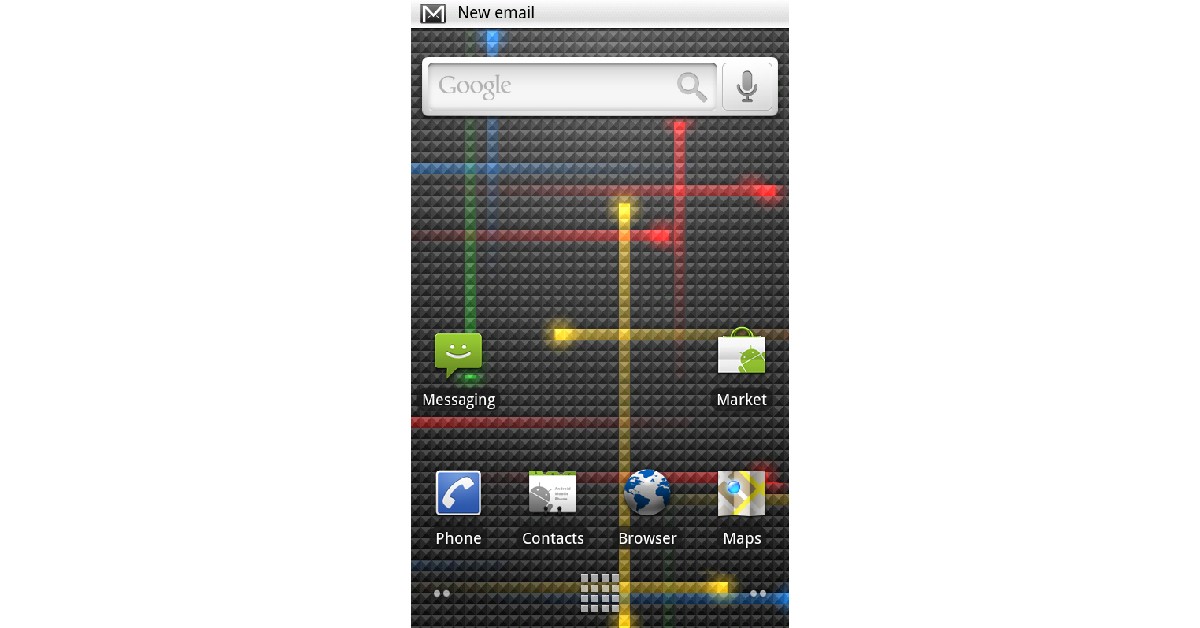
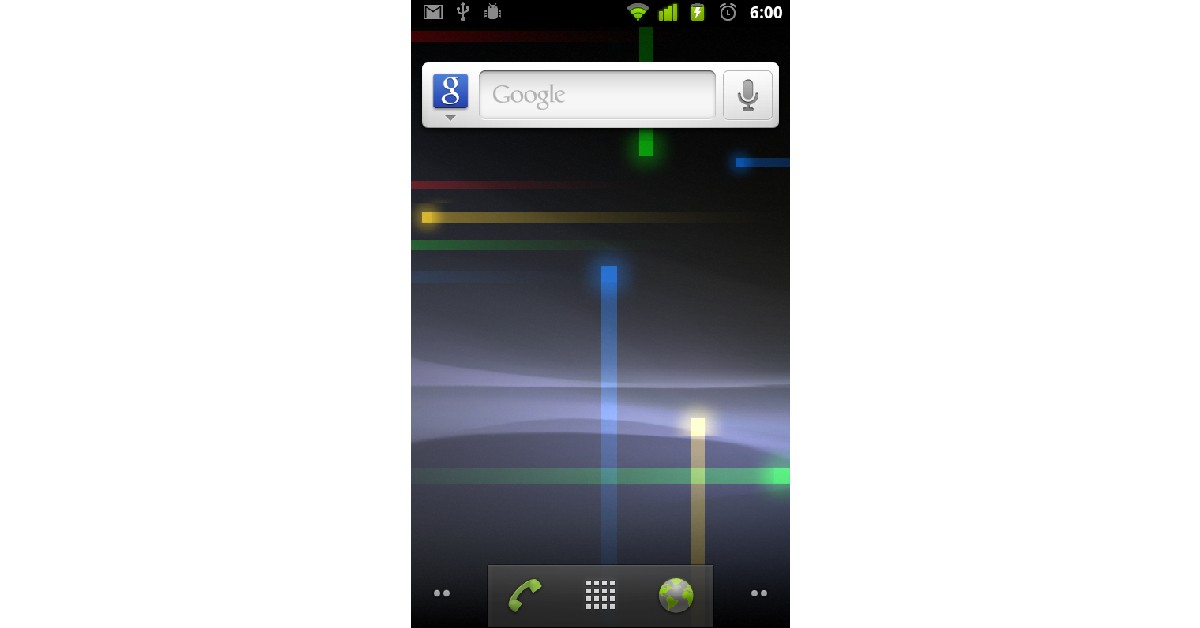
With Android 13 expected to release this month, we thought we’d take you through the history of the most popular smartphone OS in the world. Purchased by Google in 2005, the first Android OS was released in 2008, and it wasn’t until the third update that it was given a dessert codename. In this article, we list the Android versions over the years and explain what every iteration brought to the table.Read Also: Snapchat+ subscription service goes live in India, adds six premium features to the app
In This Article
Android Version 1.0 to 1.1
Release Date: September 23, 2008.The first two versions of Android did not have a codename. Android was just getting started as an OS, offering web browser and email support, with the ability to take pictures. It also came with the most basic Google apps like Google Maps, Google Search, Google Talk, and Google Calendar.
Android Version 1.5: Cupcake
Image Credit: WikipediaRelease Date: April 27, 2009.Android 1.5 started the trend of naming each successive version after a dessert item. Codenamed ‘Cupcake’, Android 1.5 supported a few third-party apps other than the ones published by Google and was the first Android OS to come with an on-screen virtual keyboard. It also had the copy-paste feature, and for the first time, users could upload videos to YouTube from their phones.
Android Version 1.6: Donut
Image Credit: WikipediaRelease Date: September 15, 2009.With the Donut update, Android added features like voice search, multiple select, text-to-speech engine, and WVGA screen resolutions.
Android Version 2.0 to 2.1: Eclair
Image Credit: WikipediaRelease Date: October 26, 2009Released just six weeks after Donut, Eclair broke Android into the mainstream, leading to more smartphone companies adopting the OS. Eclair came with Bluetooth 2.1, account sync, and Microsoft Exchange email support.
Android Version 2.2 to 2.2.3: Froyo
Image Credit: WikipediaRelease Date: May 20, 2010.With Froyo, Android became a faster and better-performing OS. Froyo came with Android Cloud and Adobe Flash support. The security updates also patched a few concerning issues with Eclair. The performance of the OS was lifted on all fronts.
Android Version 2.3 to 2.3.7: Gingerbread
Image Credit: WikipediaRelease Date: December 6, 2010.Android introduced Near Field Communication (NFC) for the first time with Gingerbread. It also came with a host of other updates like press-select, enhanced copy-paste, and download manager.
Android Version 3.0 to 3.2.6: Honeycomb
Image Credit: WikipediaRelease Date: February 22, 2011.Honeycomb was launched exclusively for tablets and saw Android switching from its green look to blue for the ‘holographic’ design. Honeycomb came with faster performance and features like WiFi lock, Google Books, and support for joysticks and gamepads.
Android Version 4.0 to 4.0.4: Ice Cream Sandwich
Image Credit: WikipediaRelease Date: October 19, 2011.Ice Cream Sandwich ditched the Adobe Flash Player support, but came with widgets, screenshot capture, photo editor, and spell check.
Android Version 4.1 to 4.3.1: Jelly Bean
Image Credit: WikipediaRelease Date: June 27, 2012.With Jelly Bean, Android offered one-finger gestures, multiple user accounts for tablets, 4k support, and native emoji support.
Android Version 4.4 to 4.4.4: KitKat
Image Credit: WikipediaRelease Date: September 3, 2013.Initially named Key Lime Pie, KitKat was the first Android with ‘OK Google’ voice assistant. It also introduced new features like wireless printing and screen recording. With KitKat, Android switched the darker theme for brighter colours.
Android Version 5.0 to 5.1.1: Lollipop
Image Credit: WikipediaRelease Date: November 12, 2014.With Lollipop, Android integrated card support into its UI. Cards showed up as app notifications on the lock screen and even on the Recent Apps screen.
Android Version 6.0 to 6.0.1: Marshmallow
Image Credit: WikipediaRelease Date: May 28, 2015.First launched for Nexus 5 and Nexus 6 phones, and Nexus 9 tablet, Marshmallow was later launched for all Android devices on October 5, 2015. Marshmallow came with fingerprint reader support and added an update to preserve battery life in standby mode.
Android Version 7.0 to 7.1.2: Nougat
Image Credit: WikipediaRelease Date: August 2022, 2016Nougat was the first Android OS with a split screen mode and data saver feature. It also offered picture-in-picture mode, battery usage alert, and allowed users to send gifs directly from the keyboard.
Android Version 8.0 to 8.1: Oreo
Image Credit: WikipediaRelease Date: July 24, 2017Oreo offered users more control over the notifications, native picture-in-picture mode, faster boot time, and Google Play Protect.
Android Version 9.0: Pie
Image Credit: WikipediaRelease Date: August 6, 2018.Pie featured an alternative hybrid gesture/navigation system, which allowed users to switch between apps with just one swipe. It also came with auto-suggested replies for messages, Digital Wellbeing mode, and privacy enhancements.
Android Version 10
Image Credit: WikipediaRelease Date: September 3, 2019.With its 10th version, Android stopped the trend of naming its OS after dessert items. Simply named Android 10, the OS offered improved touch gestures, a floating setting panel, and support for biometric authentication.
Android Version 11
Image Credit: WikipediaRelease Date: September 8, 2020.Android 11 came with big privacy updates, which allowed users to grant permissions related to camera, microphone, and location to apps. Users can choose to grant access to apps only while they are in use, only once, or outright deny it. Android 11 also made it hard for apps to request location data while working in the background. Permissions were automatically removed from dormant apps.
Android Version 12
Image Credit: WikipediaRelease Date: October 4, 2021.Android 12 is the latest Android iteration and will be replaced by Android 13 later this year. Integrating ‘Material You’ into its UI, the Android 12 reimagined how the OS looks on the surface. With Material You, users can set the colour theme for their phone and design it according to their taste.Read Also: How to Make Money Playing Video Games: Best 5 waysThese were the different Android versions through the years. Android 13 was previewed earlier this year and will be released in the coming months. Google has already published four beta versions of Android 13. It will likely expand on ‘Material You’ and give users more control over the theme of the OS.
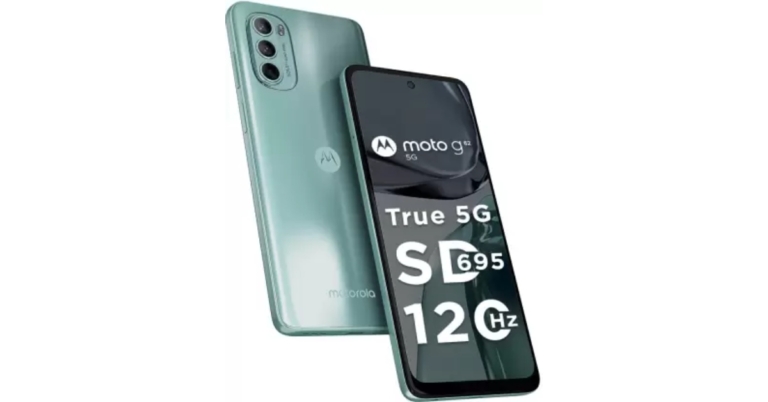
Motorola has introduced yet another smartphone in its G-Series following the release of the Moto G32. The company has announced the Moto G62 which features a 120Hz display. The handset is powered by a Snapdragon 695 SoC and comes with Android 12 OS out of the box. Moreover, the device is fuelled by a 5,000mAh battery.
In This Article
Moto G62 price in India, sale details
The Moto G62 will be available in India in two different configurations. The 6GB RAM with 128GB storage model will be available in the country at Rs 17,999. Whereas the price of the 8GB RAM with 128GB storage option is set at Rs 19,999. The phone will be offered in two colour options of Frosted Blue and Midnight Grey.On August 19, Flipkart and other top offline retailers in India will start selling the smartphone. Buyers may instantly save 10% by using their HDFC Bank card to purchase the Moto G62. Along with a Rs 500 Myntra gift card and a Rs 549 discount on a Rs 5,049 annual subscription to Zee5. Jio is also running a promotion where customers may receive up to Rs. 4,000 cashback on recharges.
Moto G62 specifications
Moto G62 features a 6.5-inch full-HD+ LCD screen with 1,080×2,400 pixels of resolution. The display has a 20:9 aspect ratio and supports a 120Hz refresh rate. The phone runs on Android 12 and is powered by Qualcomm Snapdragon 695 SoC. The device comes with up to 8GB of RAM with 128GB of internal storage which can be expanded up to 1TB via a microSD card. ThinkShield mobile security and an IP52 grade for water and dust protection are included.The Moto G62 boasts a triple-back camera configuration that includes a 50-megapixel main sensor and an f/1.8 aperture and Quad-pixel technology and PDAF are also added. There are two sensors: a 2-megapixel macro sensor with an f/2.4 aperture and an 8-megapixel ultra-wide sensor with an f/2.2 aperture. For selfies, the device has a 16-megapixel front-facing camera with an f/2.2 aperture.A 5,000mAh battery that supports 20W rapid charging is included in the device. The smartphone has dual-band Wi-Fi, 12 5G bands of 5G, 4G LTE, Bluetooth v5.1, a 3.5mm headphone jack, and USB Type-C as connectivity options. Onboard sensors include an e-compass, an accelerometer, a proximity sensor, a light sensor for ambient light, a fingerprint reader, and a proximity sensor. For biometric security, the phone incorporates a side-mounted fingerprint sensor. Dual stereo speakers and dual microphones are characteristics of the Moto G62.
For the latest gadget and tech news, and gadget reviews, follow us on Twitter, Facebook and Instagram. For newest tech & gadget videos subscribe to our YouTube Channel. You can also stay up to date using the Gadget Bridge Android App. You can find the latest car and bike news here.
Garena Free Fire is a battle royale game with regular awards and tournaments to keep players interested. If you play Garena Free Fire, you should be aware of the redeem codes that are released on a daily basis. However, because the battle royale game is banned in India, players from other countries can use the Free Fire Redeem codes daily. If you’re unfamiliar with the Garena Free Fire redeem codes or don’t know how to get them, we’ve put together a step-by-step guide to help you redeem them. Check out Garena Free Fire Redeem Codes for August 11.The Free Fire redeem codes are a great way to get free stuff. These are 12-digit codes that contain alphabets and numbers, as well as an expiration date and time. Because the Garena FF redeem codes cannot be used more than once, you should hurry to the redemption page to claim your free reward before someone else does. To get a free reward, all you have to do is go to reward.ff.garena.com/en, which is the official redemption page. Also, keep an eye on this space for daily updates on Garena Free Fire redemption codes and rewards.
In This Article
Garena Free Fire Redeem Codes Today 11 August 2022
HTY3-RIFG-OR3F
FBJY-RY56-MLOT
FJO9-4TAS-D3FT
YXY3-EGTL-HGJX
ST5K-JCRF-VBHT
S5JT-UGVJ-Y5Y4
X99T-K56X-DJ4X
FF11-NJN5-YS3E
FF9M-J31C-XKRG
FBJY-RY56-MLOT
FJO9-4TAS-D3FT
PQR3-BKUI-7LT7
FSDR-FKUI-YVGR
FBTU-6BFY-TBT7
FBJU-T6RF-T1RT
FBTU-6JKI-E8E7
FLU8-HG8R-BHT4
FIIF-GI8E-O49F
FV5B NJ45 IT8U
F4N5 K6LY OU9I
FH2G YFDH E34G
F7YG T1BE 456Y
FJBH VFS4 TY23
F87G YF3D GE6B
F5J6 YUH7 6GVT
How to Get Free Fire Redeem Codes for Garena on August 11?
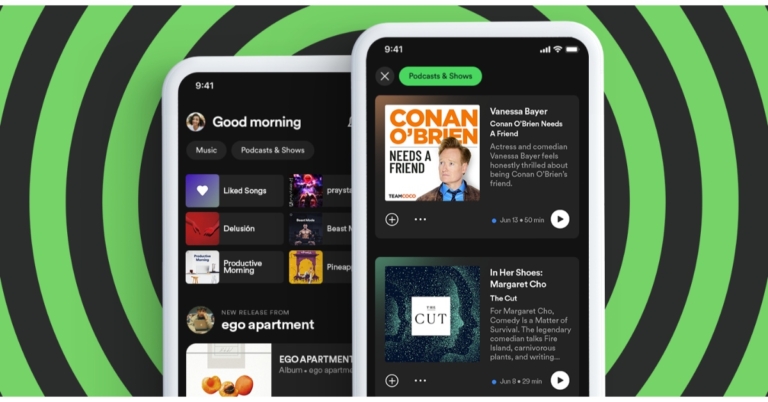
The Music streaming app Spotify has updated its home feed to provide individual streams for music and podcasts. The redesigned Spotify home page has been upgraded on the Android app at the moment and will be available on iOS devices however the exact rollout timeline is yet to be announced.Spotify is rolling out a new update with redesigned home feed that features feeds for both music and podcasts and shows. A new upgrade for the streaming service’s Android app is currently being sent out, and it includes an improved home layout. The company is introducing a new version that includes a home feed overhaul that divides the feeds for music and podcasts. Spotify asserts that the new home page would make content browsing simpler than the old one, which integrated podcasts and music.As we said earlier Android users are presently receiving the feature, and iOS users will soon have access to it as well. Spotify will make it easier for users to browse the stuff they’re looking for right now by generating these feeds. Users will be able to explore their recommendations, even more, thanks to the redesigned interface, which will also make the experience more personalised.As per Spotify listeners will have rapid access to recommendations tailored to their musical preferences in the Music feed, making it simpler than ever to find new favourites. There will also be buttons that make it simple to share, like, and play music right away, as well as album and playlist recommendations.In addition to this Spotify users will be able to get right to new episodes of their preferred shows via the Podcast & Shows feed. Additionally, they can get recommendations for specific podcasts. Additionally, without leaving the page, listeners will be able to read episode summaries, save to Your Episodes, or begin playing podcasts.
For the latest gadget and tech news, and gadget reviews, follow us on Twitter, Facebook and Instagram. For newest tech & gadget videos subscribe to our YouTube Channel. You can also stay up to date using the Gadget Bridge Android App. You can find the latest car and bike news here.
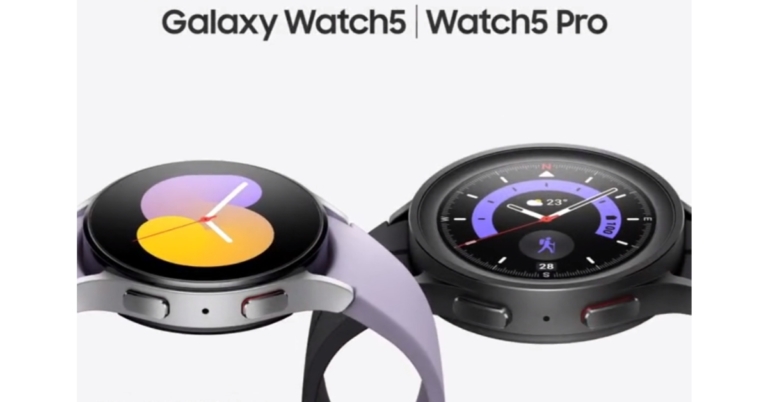
During the Galaxy Unpacked 2022 event Samsung announced the launch of four new products in India and globally. Alongside Samsung Galaxy Z Fold 4, Galaxy Z Flip 4 and Galaxy Buds 2 Pro TWS the firm also introduced Samsung Galaxy Watch 5 series. The new Samsung smartwatch series includes Galaxy Watch 5 in two sizes and the Galaxy Watch 5 Pro. The fitness tracker has a BioActive sensor similar to the previous generation watch. Additionally, the device can monitor your blood pressure and ECG as well.
In This Article
Samsung Galaxy Watch 5 Series price and sale details
The 40mm Bluetooth version of the Samsung Galaxy Watch 5 costs $279, which is equal to Rs 22,100, and the LTE version costs $329, which is equal to Rs 26,100. The cost of the bigger Galaxy Watch 5 (44mm) Bluetooth and LTE models have not yet been disclosed. On the other hand, the pricing of the Galaxy Watch 5 Pro is $449 for the Bluetooth version, which equals Rs. 35,600, and $499 for the LTE version, which equals Rs. 39,600.Colour possibilities for the 40mm version include Graphite, Pink Gold, and Silver. The strap on the latter is Bora Purple. Colour options for the Samsung Galaxy Watch 5 in 44mm include Graphite, Sapphire, and Silver. There are two colour options for the Pro model: Black Titanium and Gray Titanium.In a few markets, you can currently place pre-orders for the Samsung Galaxy Watch 5 and Galaxy Watch 5 Pro. Starting on August 26, the smartwatches will be for sale.
Samsung Galaxy Watch 5 Pro specifications
The Samsung Galaxy Watch 5 Pro has a 1.4-inch Super AMOLED always-on display with a resolution of 450×450 pixels.The Samsung smartwatch runs on One UI Watch 4.5, which is based on WearOS 3.5. It is powered by a dual-core Exynos W920 SoC, paired with 1.5GB of RAM and 16GB of internal storage.Samsung Galaxy Watch 5 ProThanks to its high-quality materials, Watch5 Pro is up for any adventure, from cycling to trekking. It has an improved Sapphire Crystal that is more resistant to damage, as well as a sturdy titanium case that guards the screen with a protruded bezel design. The brand-new D-Buckle Sport Band18 that is included with the Galaxy Watch5 Pro delivers a snug fit and tough durability.The Galaxy Watch5 Pro features the biggest battery of any Galaxy Watch and is made to last. It packs a 590mAh battery. Utilize GPX, which is now accessible for the first time on a Galaxy Watch. Take a hike, record it with Route Workout on the Samsung Health app, and share it with other trail enthusiasts.With intuitive Turn-by-Turn directions, you can hike or cycle while keeping your eyes off the map. When you’re ready to go home, the Trackback feature on the Galaxy Watch5 Pro will make it simple for you to do so by leading you in the other direction.
Samsung Galaxy Watch 5 specifications
Samsung Galaxy Watch 5 has a 1.4-inch Super AMOLED display with 450×450 pixels (44mm) and 1.2-inch Super AMOLED display with 396×396 pixels resolution (40mm). Both variations have an always-on display.It is powered by 1.5GB of RAM and a dual-core Exynos W920 SoC. 16GB of internal storage is also present in the Galaxy Watch 5. One UI Watch 4.5 is the operating system used by the smartwatch. The IP68 rating for the Galaxy Watch 5’s water and dust resistance is 5 ATM.Samsung Galaxy Watch 5The next generation of digital health monitoring is powered by Samsung’s own BioActive Sensor, which is a feature of the Galaxy Watch5. The BioActive Sensor, which was first featured on the Galaxy Watch4 series, combines three potent health sensors — optical heart rate, electrical heart signal, and bioelectrical impedance analysis — on a single, special chip to provide comprehensive readings that include heart rate, blood oxygen level, and even stress level. Additionally, users can monitor their blood pressure and ECG from their wrists to gain a better understanding of their heart health.The Body Composition measurement tool offers a comprehensive picture of the user’s overall health and enables them to set objectives, receive individualised workout advice, and monitor their progress. And when it’s time to unwind, the Galaxy Watch5 series equips users with recovery information, such as post-cardio heart rate following a strenuous workout and personalised water consumption recommendations based on sweat loss.Learn about sleep patterns by using Sleep Scores, which track various sleep stages, snoring detection, and blood oxygen levels. Improve your sleeping habits with advanced sleep coaching, which offers a customised programme for a full month. The Galaxy Watch5 automatically adjusts connected lights, AC units, and TVs to specified settings that promote restful sleep thanks to SmartThings connectivity. Users can rest easy knowing that improved fall detection will notify an emergency contact if they or a loved one trips home or tumbles out of bed.There is a 410mAh battery within the 44mm Galaxy Watch 5. The 284mAh battery in the 40mm Galaxy Watch 5 is smaller. Both variations are compatible with WPC-based wireless charging.
For the latest gadget and tech news, and gadget reviews, follow us on Twitter, Facebook and Instagram. For newest tech & gadget videos subscribe to our YouTube Channel. You can also stay up to date using the Gadget Bridge Android App. You can find the latest car and bike news here.
Prank calls have been around as long as phones have been around. But now that the receiver knows who’s calling them, prankcalling can be a bit tricky. Luckily, there are a few websites that let you prank call your friends from a different number. Not only that, but they also offer hundreds of pre-recorded scenes that you can play on the call. In this article, we bring you the top 6 super popular prank-call websites and show you how you can use them.Read Also: How to Play Pokémon Games on Your iPhone or iPad in 2022?
In This Article
Prank Dial
Prank Dial is one of the most popular prank-call websites on the Internet. It lets you choose from hundreds of pre-recorded prank call scenarios. You can even browse categories like ‘Scam’, ‘Money’, ‘Annoying’, ‘Celebs’, and ‘Angry’. Prank Dial lets you preview the prank call before sending it to your friends. Some of the most popular prank call scenarios found on Prank Dial are ‘You hit my car’, ‘Crazy ol’ lady’, and ‘Credit fraud’.Once you’ve selected a scenario, all you need to do is enter your friend’s phone number and Prank Dial will give them a call. You also have an option to add a message at the end of the call to let your friend know that it was a prank call.
Comedy Calls
Similar to Prank Dial, Comedy Calls has pre-recorded scenarios you can listen to and choose from. Comedy Calls also has a separate category for memes, which contains hilarious recordings like the ‘Rick Roll’, ‘Monster Mash’, and ‘Gangnam Style’. The first prank call is free, but you’ll have to buy credits for further calls.
Prank Hotline
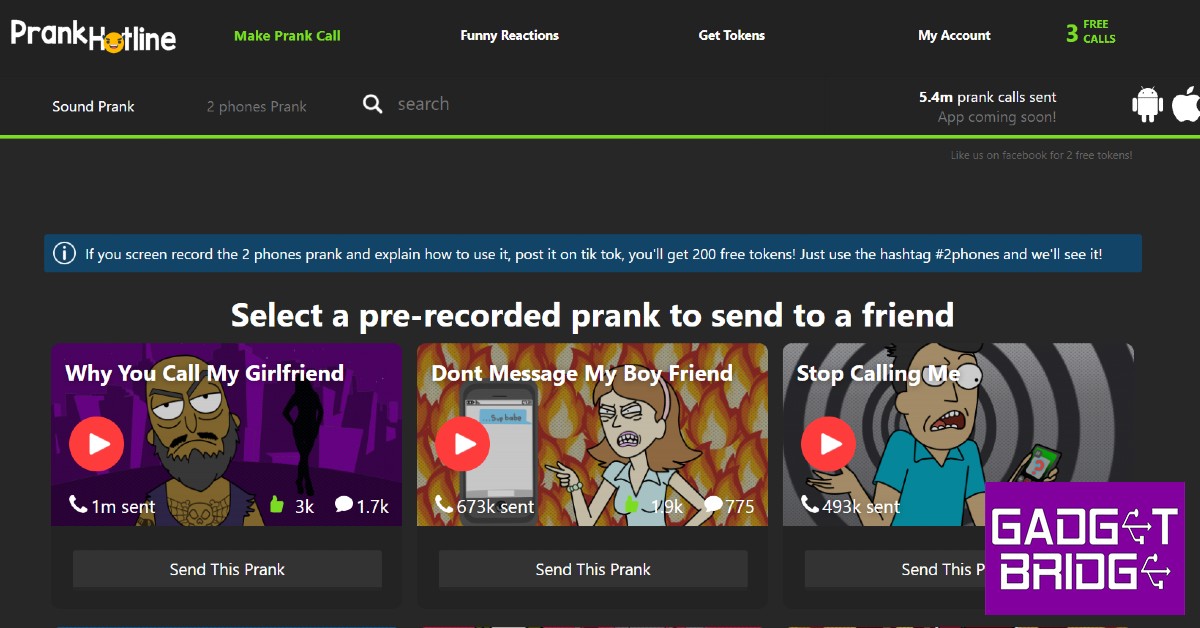
Apart from offering prank call scenarios, Prank Hotline also has an option to make 2 phones call each other. All you need to do is enter 2 phone numbers and Prank Hotline will make them call each other. You can even record the interaction and add a ‘you’ve been pranked’ soundbite at the end. Prank Hotline offers you 200 free tokens if you screen record the ‘2 phones’ prank and upload it on TikTok. The first three prank calls on Prank Hotline are free, after which you will have to pay with tokens.
Spoof Box
Spoof Box is more than just a prank-call website. It offers you a virtual number that you can use to prank call your friends and even register to messenger apps like WhatsApp, Telegram, and Line. You can even send pre-recorded prank calls to a group of people together. If you do not want to send a prank call, you can choose from hundreds of hilarious spoof texts.
Blow up the Phone
If annoying your friends is your kind of humour, then ‘Blow up the Phone’ is the perfect prank website for you. As the name implies, Blow up the Phone floods your friend’s phone with text messages. You can decide the volume and frequency of messages on the website. You can even enter their number and constantly send them random animal facts that they did not sign up for.
Prank Owl
Prank Owl combines the best features of all the websites listed above. You can make two friends call each, with both of them thinking that the other person called them. You can even record their interactions for up to a minute. You can even bombard a friend’s phone with prank calls that do nothing but blurt out random facts that your friend has no interest in listening to. Or you could just pick from one of the many pre-recorded scenarios on the website. You get 2 free tokens upon signing up, which gets you a minute of prank call time.Read Also: Top 6 Drawing Apps for Windows 10 or 11 you can get for freeThese were the top 6 super popular prank call websites. Most of these websites offer the first prank call for free, after which you will have to buy tokens to make calls. You can choose to include a soundbite at the end of the call that lets your friends know that it was a prank. You can even record the prank call for an added number of tokens.
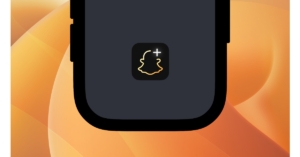
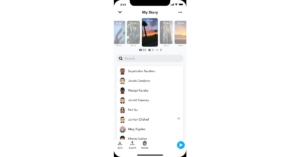
In India, Snap launched the subscription-based Snapchat+ service. There are six unique features: Snapchat+ Badge, Custom App Icons, Rewatch Indicator, Best Friends Forever, Ghost Trails on Snap Map, and Solar System. Snap is not the only social media company that has lately introduced a premium layer; Discord has long made money via its optional Nitro subscription.The company while rolling out the Snapchat+ subscription service in India said, “Today we’re launching Snapchat+ for our 100M strong Indian Snapchatter community.”The paid subscription by the photo-sharing app is now live giving users early access to features and other capabilities that are disclosed on the app. Snapchat+, a collection of unique, unreleased, and experimental features, will be priced at 49 per month in India. With the help of this subscription, the app will be able to give some of the most ardent supporters of our community priority support along with new Snapchat features.In the beginning, Snapchat will offer six features: the Snapchat+ Badge, Custom App Icons, Rewatch Indicator, Best Friends Forever, Ghost Trails on Snap Map, and Solar System. With these capabilities, users can tailor their Snapchat experiences to improve the services they use the most.Here are some examples of Snapchat+-only features, along with descriptions of how they’re used:Snapchat+ BadgeSnapchat+ Badge: A unique Star identifier used to identify subscribers on Snapchat, the Snapchat+ Badge. This can be switched on and off, and is by default turned off.Custom App IconsCustom App Icons: The option to alter the Snapchat App’s home screen icon and customise its appearanceRewatch IndicatorRewatch Indicator: Rewatch Indicator, which can be viewed under My Story Management, provides a general idea of how many people are viewing your Stories again without revealing who is doing it.Best Friends ForeverBest Friends Forever: Best Friends Forever is a new Snapchat feature that allows you to choose one buddy as your absolute best friend.Ghost Trails on Snap MapGhost Trails on Snap Map: Indicates the general travel direction for recent moves made by pals (if they have explicitly agreed to share their location). This is comparable to our current “Map Moves” Snap Map feature, which shows after a friend returns from a trip and was created with safety and privacy in mind.Solar SystemSolar System: Your circle of friends is everything. This unique badge can be found on a friendship profile.Simply hit Snapchat+ on your Snapchat profile to start using these premium features.The features of Snapchat+ will change over time. We’ll be adding new features for subscribers and expanding others to our larger community.
For the latest gadget and tech news, and gadget reviews, follow us on Twitter, Facebook and Instagram. For newest tech & gadget videos subscribe to our YouTube Channel. You can also stay up to date using the Gadget Bridge Android App. You can find the latest car and bike news here.
Have you participated in the Amazon Quiz today? If not then participate in the 11 August 2022 Amazon Quiz as it has already gone live on the app. The daily quiz can be played from 12 AM to 11:59 every day on the mobile app platform. Today e-commerce is giving the chance to win Rs 2,000 Amazon Pay Balance.Every day Amazon brings a fresh quiz for its customers. By participating in the quiz the participants can win an Amazon Pay Balance of up to Rs 50,000. The quiz can only be played on the mobile app as it is not available for the desktop platform. The quiz contains five easy questions and you have to answer all the questions correctly. The participants will then be shortlisted for a lucky draw to select a winner. Whereas the results are declared at the end of the month. Check out today’s Amazon quiz answers to win Rs 2,000.Amazon Quiz Today Prize – Rs 2,000 Amazon Pay BalanceQuiz Date – 11 August 2022Daily Timing – 12 AM to 11:59 PMWinner Announcement – Today 12 PM
In This Article
Amazon Quiz Answers Today 11 August 2022
Question 1: Before joining Manchester United, Erik Ten Hag was the manager of which of these teams?Answer: AjaxQuestion 2: At the 68th National Film Awards, ‘Tanhaji’ won the award for ‘Best Popular Film providing ______ entertainment’ . Fill in the blanksAnswer: WholesomeQuestion 3: Netflix will launch a new ad supported streaming tier in 2023 in partnership with which technology giant?Answer: MicrosoftQuestion 4: Where did the first metro rail start in the world?Answer: LondonQuestion 5: This monument in Delhi is a tomb of an Emperor from which dynasty?Answer: Mughal
How To Play Amazon Quiz
Only app users are eligible to play the Amazon quiz every morning from 12 AM to 11:59 PM. The quiz is not available on the desktop. For those who are unaware of how to play the Amazon quiz below are the steps, you can follow to take the quiz.
Firstly download the Amazon app from Google Play Store or App Store
Now fill in the required information through the Sign Up option.
You need to log in to the Amazon app and scroll down on the home screen to find the Amazon Quiz banner.
Tap on the Amazon Quiz banner and tap on the Start button to start the Quiz.
Now you will get 5 questions and you need to answer them correctly. One wrong answer will eliminate you from the Quiz.
After answering all the questions correctly you are now eligible for a Lucky Draw.
The winner’s name will be announced today at 12 PM.
The video game industry isn’t what it used to be before the Internet. With live streaming platforms and e-sports becoming popular, video games aren’t just meant to be played at home by yourself. If you’re good at playing video games there may be a way for you to monetize your hobby. Success isn’t guaranteed and making revenue out of playing games requires a lot of hard work. But if you think you are up to the task, here are the 5 best ways to make money playing video games.Read Also: What is Monitor Refresh Rate and does it matter? Everything you must know before buying
In This Article
Stream your gameplay online
Over the years, live streaming platforms like Twitch have gotten mainstream and now attract millions of viewers who tune in to watch other people play video games. Twitch monetizes the live streams on its platform and shares part of the revenue with the people who stream. The more viewers you get on your stream, the greater revenue it will create. However, gaining a fair amount of viewers isn’t as easy as it seems. It is a gradual process and success isn’t always guaranteed. It is very common for live viewer count to get plateaued even after months of streaming.Being good at playing video games isn’t the only key to being successful on Twitch. Most viewers tune in to watch an entertaining stream. Even if you’re an average player you can make your streams more fun by offering entertaining commentary on the game. Another important aspect of live streaming is choosing which game to play. Most famous games are already being played by a ton of streamers, you can find success by picking games that have the potential of being entertaining but aren’t being played by a lot of streamers.
Make video game tutorials on YouTube
If you’re good at playing video games, you may want to consider making tutorial videos on YouTube. A lot of rookie gamers and newcomers flock to YouTube to figure out how to play a game. You can provide them with the desired content by making it easy to understand and navigate. The more views you get, the greater revenue it will create. You don’t even need a camera to make instructional videos, all you need is a decent quality microphone to record voiceovers.
Become a video game journalist
The video game industry is dynamic and fast-changing. You can cover game-related news and write feature articles as a freelancer, apply to be a video game journalist at tech websites, or even post your own content independently. You can start out by posting your articles on platforms like Medium where they are likely to gain traction. You can make your content more appealing by reviewing video games and offering input on the current trends in the gaming industry.
Take part in gaming tournaments
If you’re really good at playing video games you should consider enrolling in gaming tournaments. You can start out by taking part in local tournaments and figuring out how good you are compared to other gamers. The pot money for these tournaments depends on the popularity of the game and how many viewers they are able to attract. Even if you don’t win the competition, you have the opportunity to attract viewers the further you move into the competition. These viewers can help you build a community on Twitch or other live streaming platforms.
Become a video game tester
Before releasing a video game, developers are always looking for gamers to test their game for bugs and glitches. You will have to check different aspects of the game, usually instructed by the developer, and play out specific scenarios within the game to make sure they function smoothly. It’s not exactly playing for recreation, developers expect game testers to really test the limits of the game and report any bugs before the release.Read Also: Top 6 Drawing Apps for Windows 10 or 11 you can get for freeThese are the 5 best ways you can make money playing video games. While it may seem easy on paper, it requires a lot of hard work. Most successful streamers start out by streaming to no viewers and slowly build a community. If the viewers plateau after a while, changing out content or trying something new is a good idea. Investing in the right equipment can also help a fair bit.
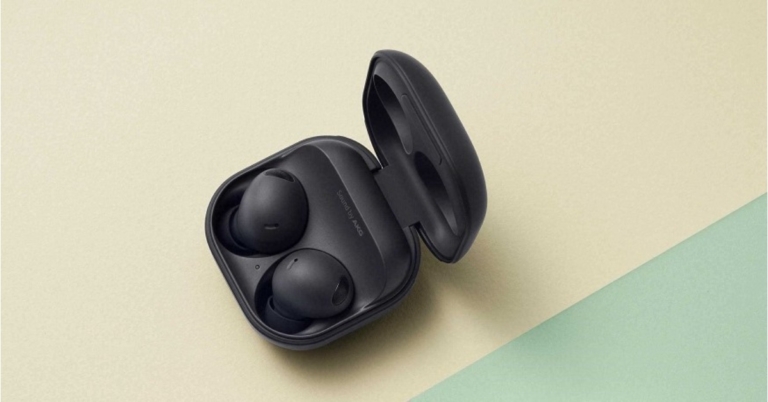
Today at Galaxy Unpacked Samsung announced its new product line which also included Galaxy Buds 2 Pro true wireless stereo (TWS) earbuds. They support 24-bit Hi-Fi audio and have coaxial two-way speakers. Buds 2 Pro’s enhanced ANC features, improved by 40% compared to the previous model. Moreover, the device comes with two-way coaxial speakers.
In This Article
Samsung Galaxy Buds 2 Pro earbuds specifications
With a secure fit that is built to prevent rotation and a new compact, ergonomic design that is 15% smaller than the original Galaxy Buds, the Samsung Galaxy Buds 2 Pro true wireless stereo (TWS) earbuds are the ideal fitness partner. Take calls while moving around with strong ANC to block out background noise.The Samsung Buds 2 Pro can automatically switch the audio connection to your phone when you have an urgent call while playing a game or watching a movie on your tablet. With the new Auto Switch feature in the Samsung Buds 2 Pro, you can take calls from loved ones while seamlessly switching from your favourite TV show. The charging case is not water resistant, but the earbuds have an IPX7 grade for water protection.And if you lose your Samsung Buds 2 Pro while commuting, SmartThings Find now makes it simple and quick to find them, whether or not they are in their cradle. Custom two-way coaxial speakers are included in the Samsung Galaxy Buds 2 Pro. The firm claims that these TWS earbuds also offer 360 Degree audio with Direct Multi-channel.With Samsung Galaxy devices running Android 12-based One UI 4.0 or higher, these earbuds support 24bit Hi-Fi audio.Both of the earbuds have 61mAh batteries while their charging case has a 515mAh battery. According to Samsung, the Buds 2 Pro can converse for up to 15 hours and listen for up to 29 hours combined when the ANC is turned off.
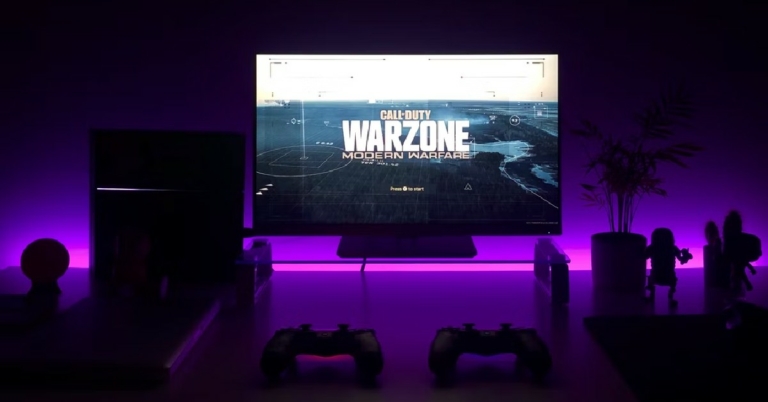
If you’re looking to buy a new monitor you may be interested in major specifications like the resolution, screen size, and display. You may have also come across a spec called ‘refresh rate’ and wondered what it meant. If you’re looking to build a gaming system then getting a monitor with the right refresh rate is very important. In this article, we explain what the monitor refresh rate is and why it matters.Read Also:The simplest and fastest way to use your TV as a PC monitor
In This Article
What is Monitor Refresh Rate?
Simply put, monitor refresh rate is the frequency at which the monitor displays the visual information it receives from the CPU. If the frequency is higher, the images on the screen will be updated at a greater pace and will result in a smoother motion. Since refresh rate is a frequency, it is measured in Hertz (Hz). You may have noticed that monitors offer a refresh rate of 60Hz, 120Hz, 144Hz, or even 240Hz.
Does Monitor Refresh Rate Matter?
Monitor Refresh Rate is not the only factor in displaying a smooth motion on the screen. Remember, the refresh rate is only the rate at which the monitor can update the images on the screen. A smooth motion display is also dependent upon the rate at which the video frames are being fed to the monitor. This is also known as fps. The GPU generates certain frames per second and sends them to the monitor which then displays them on screen. Each frame is a still image, and the effect of motion is created when the frames are played one after the other. A higher frame rate means smoother motion.As you may have guessed by now, the refresh rate and the fps need to be in sync in order to correctly display the information on the screen. If the frame rate is higher than the refresh rate of the monitor, the image on the screen might ‘tear up’. This is a common issue faced by most gamers when their monitors aren’t updated.
What do you need to know when buying a new monitor?
If you buy a high-end monitor with a high refresh rate but have a graphics card that doesn’t generate a high frame rate, the refresh rate is wasted on the system as the video will move according to the frame rate. You can buy the high-end monitor if you plan on updating the GPU later on.If you are not interested in gaming, then a monitor with even a 60Hz refresh rate will be optimum for your needs. Motion pictures and TV broadcasts stream at 24fps and modern video recording devices capture videos at 60fps. A monitor with a refresh rate of 60Hz will perform well in this situation.Read Also:Golden Era of Gaming and Nostalgia
Frequently Asked Questions
Should I get a monitor with a higher refresh rate?It depends on what you will be using the monitor for. If you’re looking to build a gaming system then a refresh rate of 144Hz or higher will greatly improve the viewing experience and keep the video from tearing up. If your primary needs are viewing video content and browsing the internet, then a 60Hz monitor will work just fine, and you should focus on other specs like screen resolution and size.What is adaptive sync?The refresh rate may adapt itself to the frame rate being fed to it by the GPU. The monitor and graphics processor work with each other to produce a smooth motion on the screen. This is known as adaptive sync.
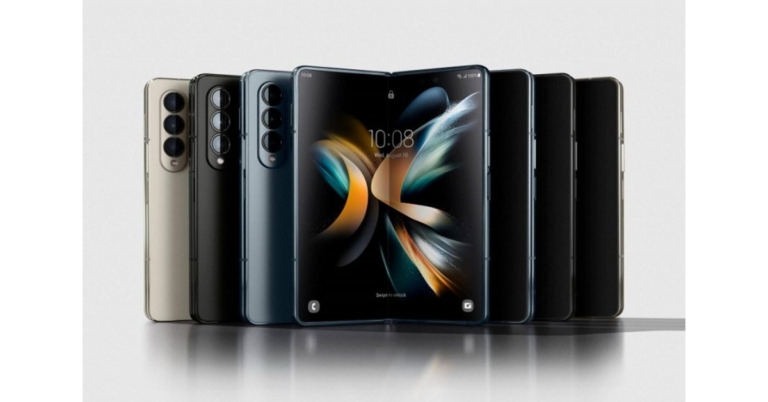
The most anticipated Samsung Galaxy Z Fold 4 was unveiled in India and globally. The device was introduced alongside the clamshell-style phone Galaxy Z Flip 4. The device is powered by Snapdragon 8+ Gen 1 SoC. It features an under-display camera, five cameras and a Flex display.
In This Article
Samsung Galaxy Z Fold 4 price
The beginning price of the Samsung Galaxy Z Fold 4 is $1,799.99, which is equivalent to about Rs. 1,42,700. The cost of the foldable phone in India has not yet been disclosed.There are three versions available: one with 12GB RAM and 256GB storage, one with 12GB RAM and 512GB storage, and the 12GB RAM and 1TB storage. The Samsung Galaxy Z Fold 4 will be offered in Beige, Graygreen, and Phantom Black colours. There is also a Burgundy colour option that is only available on Samsung.com.
Samsung Galaxy Z Fold 4 specifications
The Samsung Galaxy Z Fold 4 primary display is a 7.6-inch QXGA+ Dynamic AMOLED 2X Infinity Flex Display with 2,176 x 1,812 pixels of resolution. Its aspect ratio is 21.6:18 and the refresh rate can range from 1Hz to 120Hz. The smartphone has a 6.2-inch HD+ Dynamic AMOLED 2X cover Display with 904×2,316 pixels of resolution. The screen has a 120Hz adaptive refresh rate and a 23.1:9 aspect ratio.For structural robustness, it has an armour aluminium frame and hinge cover. The rear panel and cover screen are protected by Corning Gorilla Glass Victus+. A layer structure that is optimised for longevity is added to the main screen panel. And the phone is equipped with IPX8 water resistance, so users can worry less if they get caught in the rain.The Samsung Galaxy Z Fold 4 is the first smartphone to use One UI 4.1.1, which is based on Android 12L, a special edition of Android developed by Google for large and foldable screens. The device is powered by a Qualcomm Snapdragon 8+ Gen 1 SoC, which comes standard with 12GB of RAM. It has internal storage that can go up to 1TB.There are a total of five cameras on the device; a 50-megapixel main sensor with an f/1.8 aperture, dual-pixel autofocus, optical image stabilisation (OIS), and an 85-degree field of view are the highlights of the triple rear camera. With an f/2.2 aperture and a field of view of 123 degrees, the 12-megapixel ultra-wide lens sensor is used. A telephoto lens with an f/2.4 aperture is attached to the third 10-megapixel sensor. OIS, PDAF, and 30X space zoom are all features available. Located below the main screen of the Samsung Galaxy Z Fold 4, the front camera sports a 4-megapixel sensor and an f/1.8 aperture On the cover display, the front camera includes a 10-megapixel sensor and an f/2.2 aperture.The smartphone comes with a 4,400mAh dual battery. Additionally, PowerShare wireless charging is supported.The device has a USB Type-C port, Wi-Fi 6E, Bluetooth v5.2, 5G, and 4G LTE connectivity options. A side-mounted fingerprint sensor, an accelerometer, barometer, gyroscope, geomagnetic sensor, proximity sensor, and light sensor are among the sensors aboard.
For the latest gadget and tech news, and gadget reviews, follow us on Twitter, Facebook and Instagram. For newest tech & gadget videos subscribe to our YouTube Channel. You can also stay up to date using the Gadget Bridge Android App. You can find the latest car and bike news here.
Samsung’s new Galaxy Z Flip 4 foldable smartphone was announced at the company’s Galaxy Unpacked event today. The new foldable phone is driven by most latest Qualcomm’s Snapdragon 8+ Gen 1 SoC. The device features customizable form factors and FlexCam experiences that automatically change to fit the folded screen for taking hands-free photos and videos.
In This Article
Samsung Galaxy Z Flip 4 price
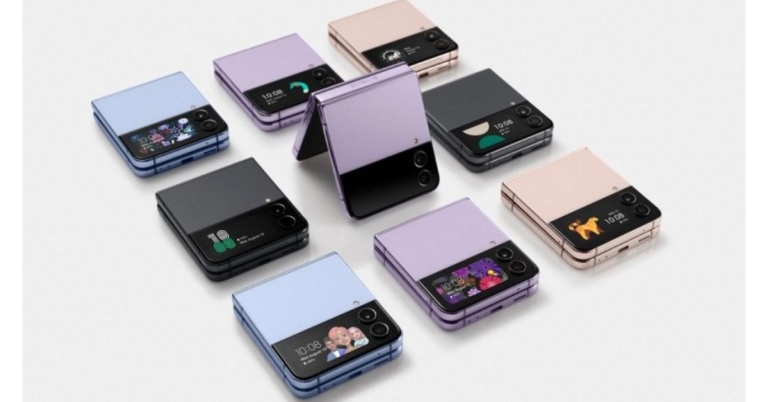
Galaxy Z Flip 4 availability and price information for India have not yet been made public. The Samsung Galaxy Z Flip 4 is available for a starting price of $999 which converts to Rs 79,000. It will come in three different configurations of 8GB RAM with 128GB storage, 8GB RAM with 256GB storage, and 8GB RAM with 512GB storage. The phone will be offered in Blue, Bora Purple, Graphite, and Pink Gold colour options.A limited number of markets around the world will start selling the Samsung Galaxy Z Flip 4 on August 26.
Samsung Galaxy Z Flip 4 specifications
Samsung Galaxy Z Flip 4 has a 6.7-inch primary Full HD+ Dynamic AMOLED 2X Infinity Flex Display with 1,080×2,640 pixels of resolution. The inside screen has a 120Hz refresh rate and 22:9 aspect ratio. A 1.9-inch Super AMOLED cover screen with a resolution of 260 × 512 pixels is present. The Galaxy Z Flip 4 is composed of Samsung’s Armor Aluminum and has an IPX8 rating for water resistance.FlexCam is activated by partially folding Z Flip 4 to enable hands-free video recording or full group selfies from different perspectives. These are even accessible on customers’ preferred apps. FlexCam is tailored for the most widely used social media platforms, such as Instagram, WhatsApp, and Facebook, thanks to Samsung’s relationship with Meta. Utilize the enhanced Quick Shot feature on the Z Flip 4 to take high-quality selfies directly from the Cover Screen while doing more than ever before. Ideal for content makers and vloggers, Quick Shot mode lets you start shooting high-quality video and smoothly switch to Flex mode to record hands-free without pausing the video. Flex mode is supported at angles between 75° and 115°. With Quick Shot, users can now capture selfies in Portrait Mode and get the preview in the actual photo ratio.The device uses OneUI 4.1.1 on top of Android 12. The Qualcomm Snapdragon 8+ Gen 1 octa-core 4nm SoC and 8GB of RAM power the Galaxy Z Flip 4. The Z Flip 4 comes in three storage options with internal storage of up to 512GB each. MicroSD cards cannot be used to increase the storage capacity.The new phone sports a dual back camera unit with a 12-megapixel ultra-wide main sensor, an f/2.2 aperture and a 123-degree field of view. A 12-megapixel wide-angle camera, an f/1.8 aperture, an 83-degree field of view, and support for optical image stabilisation (OIS) is also included. The Galaxy Z Flip 4 sports a 10-megapixel selfie camera with an f/2.4 aperture and an 80-degree field of vision on top of its folding display for selfies.A USB Type-C port, Bluetooth v5.2, GPS/A-GPS, NFC, Wi-Fi 802.11 a/b/g/n/ac, and 5G are among the available connectivity choices. The onboard sensors include an accelerometer, barometer, gyro, geomagnetic, hall, proximity, and light sensors. Additionally, the phone has a side-mounted fingerprint sensor for security.The Z Flip 4 comes with a 3,700mAh battery from Samsung that supports 25W rapid charging. Additionally, Fast Wireless Charging 2.0 and Wireless PowerShare is supported by the phone.
For the latest gadget and tech news, and gadget reviews, follow us on Twitter, Facebook and Instagram. For newest tech & gadget videos subscribe to our YouTube Channel. You can also stay up to date using the Gadget Bridge Android App. You can find the latest car and bike news here.
Garena Free Fire is a battle royale game with regular awards and tournaments to keep players interested. If you play Garena Free Fire, you should be aware of the redeem codes that are released on a daily basis. However, because the battle royale game is banned in India, players from other countries can use the Free Fire Redeem codes daily. If you’re unfamiliar with the Garena Free Fire redeem codes or don’t know how to get them, we’ve put together a step-by-step guide to help you redeem them. Check out Garena Free Fire Redeem Codes for August 10.The Free Fire redeem codes are a great way to get free stuff. These are 12-digit codes that contain alphabets and numbers, as well as an expiration date and time. Because the Garena FF redeem codes cannot be used more than once, you should hurry to the redemption page to claim your free reward before someone else does. To get a free reward, all you have to do is go to reward.ff.garena.com/en, which is the official redemption page. Also, keep an eye on this space for daily updates on Garena Free Fire redemption codes and rewards.
In This Article
Garena Free Fire Redeem Codes Today 10 August 2022
HTY3-RIFG-OR3F
FBJY-RY56-MLOT
FJO9-4TAS-D3FT
YXY3-EGTL-HGJX
ST5K-JCRF-VBHT
S5JT-UGVJ-Y5Y4
X99T-K56X-DJ4X
FF11-NJN5-YS3E
FF9M-J31C-XKRG
FBJY-RY56-MLOT
FJO9-4TAS-D3FT
PQR3-BKUI-7LT7
FSDR-FKUI-YVGR
FBTU-6BFY-TBT7
FBJU-T6RF-T1RT
FBTU-6JKI-E8E7
FLU8-HG8R-BHT4
FIIF-GI8E-O49F
FV5B NJ45 IT8U
F4N5 K6LY OU9I
FH2G YFDH E34G
F7YG T1BE 456Y
FJBH VFS4 TY23
How to Get Free Fire Redeem Codes for Garena on August 10?
The introduction of the Xiaomi Smart Air Fryer 3.5L in India was announced by Xiaomi. Customers who favour a wiser and healthier lifestyle are catered to by the Xiaomi Smart Air Fryer 3.5L. The smart kitchen gadget has a wide temperature range for multi-functional cooking, more than 50 smart recipes, and voice control powered by Google Assistant. It is designed to bring innovation and simplicity to Indian homes.
Xiaomi Smart Air Fryer specifications
The Xiaomi Smart Air Fryer 3.5L provides users with a smart cooking experience thanks to its special built-in features, which include a wide temperature range for multifunctional cooking, the ability to schedule meals up to 24 hours in advance, an OLED display for convenient monitoring, temperature and timing control, and 50+ simple recipes on the Mi Home App.Instead of using traditional cooking techniques, the Xiaomi Smart Air Fryer 3.5L uses 1500W of heating power to quickly raise the temperature and distribute heat more evenly inside the appliance. This reduces cooking time and provides a faster, healthier, and more convenient way of life. Additionally, it offers a temperature range of 40 to 200 degrees Celsius, as well as continuous operation for 24 hours. The dual-speed motor’s low rotating speed is automatically coupled with the low temperatures for gradual temperature rise.With 8 pre-set modes and 360° hot air circulation, the Xiaomi Smart Air Fryer 3.5L cooks food evenly. Additionally, it allows for cooking to be scheduled for up to 24 hours. Customers may take the basket out at any moment to see how the food is cooking and then just put it back in to continue the cooking process. The air fryer includes a unique grill that makes better use of the inside area in order to increase the amount of cooking space. The seven-layer composite frying basket also has a dual-layer PTFE nonstick coating that makes it easy to clean, sturdy, and wear-resistant.It enables users to schedule meals up to 24 hours in advance and offers countless cooking options, including yoghurt fermentation and food dehydration. The Smart Air Fryer can defrost frozen foods, baked products, dried fruits, and fermented vegetables thanks to the dual-speed fan arrangement.With more than 50 smart recipes included, the Xiaomi Smart Air Fryer 3.5L makes it simple for beginners to prepare delectable meals. Home cooks can customise the parameters using the smart air fryer’s capability for unique cooking modes.Users may effortlessly operate the gadget and find more than 50+ simple recipes for quick dinner inspiration by connecting the device to the Mi Home app. With a front-facing OLED display that allows for real-time monitoring of the cooking process and voice commands via Google Assistant to start, pause, or check the remaining cooking time.Xiaomi Smart Air Fryer price in India and availabilityStarting on August 18, the Xiaomi Smart Air Fryer 3.5L will be sold for Rs 9,999 on Mi.com, Mi Homes, Amazon, and in physical shops. From August 9 to August 15, it will be exclusively offered on Mi.com for a pre-order discount of Rs 2000, making the actual price Rs 7,999.
For the latest gadget and tech news, and gadget reviews, follow us on Twitter, Facebook and Instagram. For newest tech & gadget videos subscribe to our YouTube Channel. You can also stay up to date using the Gadget Bridge Android App. You can find the latest car and bike news here.
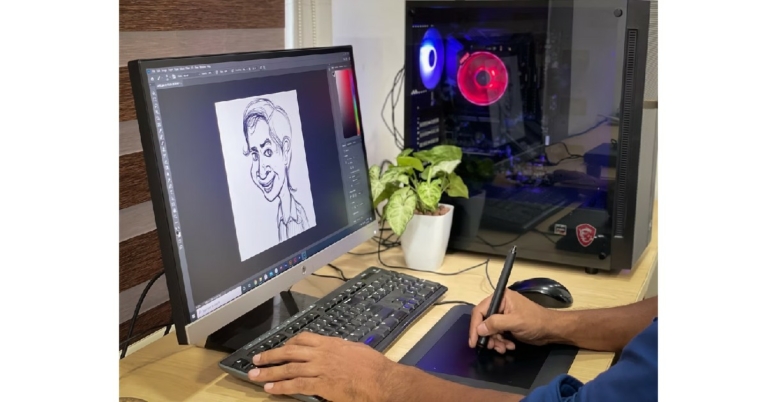
If you’re an amateur digital artist who’s still figuring out the craft, you probably do not want to pay for an expensive drawing tool. Luckily, there are a host of software and tools available on the internet that cover every style of digital art, from painting to webtoons. In this article, we bring you the top 6 drawing apps for Windows 10 or 11 you can get for free.Read Also: Mid-year: Best Tablets seen so far in 2022
In This Article
Krita
Krita is the first name that pops up when talking about free drawing apps that appeal to amateurs and professionals alike. Krita offers a set of pro-level tools, but the interface and layout of the software make it very accessible to beginners. If you’re just starting out on graphic design or digital art, Krita should be your first choice. It is free to use and with its diverse range of tools, you will never need to purchase any other software. Some of the features include brush stabilisers, built-in vector tools, brush engines, wrap-around mode, and a resource manager.Download Krita for Windows here.
Clip Studio Paint
Clip Studio Paint is a versatile digital painting program that is meant for artists who prefer a more ‘natural feel’ to their digital art. Its powerful brush engine captures every minute stroke detail, making sure the art you create is perfectly aligned with how you conceptualised it in your mind. Clip Studio Paint is ideal for Concept Art and Painting, Character Art and Drawing, Comics, Manga, Webtoons, and Animations.Download Clip Studio Paint for Windows here.
MyPaint
MyPaint is an easy-to-use painting program meant for beginners. It doesn’t distract you with complicated functions and keeps the experience light and fun. The standard brush offered by MyPaint can emulate charcoal, pencils, ink, or paint. It also has a fullscreen mode which removes any distractions on the screen and leaves you with the brush and the work screen. This distraction-free approach can increase your output.Download MyPaint for Windows here.
Paint 3D
Created by Microsoft, Paint 3D is an updated version of the classic Paint tool. With new brushes and tools, you create art in 2D and 3D on the new Paint. It is free to download from the Microsoft Store and is one of the best drawing apps for beginners.Download Paint 3D for Windows here.
GIMP
GIMP is one of the most popular alternatives to Photoshop. While most of the tools are meant for photo editing, you can still create art from scratch using GIMP. You can even download third-party plugins according to your need and requirement. This feature is really handy as it gives you control over your art and you can customise the software according to your style. GIMP is one of the best free drawing apps for Windows.Download GIMP for Windows here.
Inkscape
If you’ve been creating digital art for a while and need to step up to a software designed for professionals, Inkscape should be your pick. Inkscape has tools that cover a diverse range of styles from freehand drawing to calligraphy. It also comes with excellent tools for object manipulation. The text editor lets you seamlessly embed text into your art, a helpful feature if you’re designing art for websites. The pre-designed shapes and text formats also come in quite handy.Download Inkscape for Windows here.Read Also:Mid-year: Best smartphones seen so far in 2022
Frequently Asked Questions
What is drawing software?Drawing software is any tool, program, or app that helps you create visual art on your computer. MS Paint is an example of drawing software. However, drawing software have come a long way since MS Paint and they are much more intuitive now.Which Drawing App is best for Windows?The answer to this question depends from user to user. Different drawing apps cater to different styles. If you’re a beginner and still figuring out your style, we recommend Krita.Are drawing apps free?The drawing apps we mentioned on this list are either free or have a free trial version available for download. For beginners, we recommend using a free trial first before splurging money on a drawing app.
The Intel Arc Pro A-series professional line of graphics processing units (GPUs) was unveiled by Intel. The Intel Arc Pro A40 (single slot) and A50 (dual slot) GPUs for compact form factor PCs and the Intel Arc Pro A30M GPU for mobile form factors are the initial models. They all have industry-first AV1 hardware encoding acceleration, built-in ray tracing hardware, and machine learning capabilities.The company claims that Intel Arc Pro A-series graphics are aiming for certifications with top professional software programmes in the construction, engineering, and manufacturing sectors. Additionally, Intel Arc Pro GPUs run the open source libraries in the Intel oneAPI Rendering Toolkit, which are widely used and incorporated in top rendering tools, and are geared for media and entertainment applications like Blender.The new GPU series by Intel includes the A30M, and two desktop models: the single-slot A40 and dual-slot A50.To improve workflow efficiency, the most recent Intel Arc Pro A-series GPUs support up to four ultra-large screens. When you combine high dynamic range (HDR) with audio support, you have everything you need to create the next impressive multi-display configuration for your home or workplace. Ultra High Definition (UHD) and ultrawide UHD display resolutions are supported by discrete GPUs (with HDR enabled).Dolby Vision enhances compatible displays with richer colours, sharper contrast, and deeper depth thanks to specialised hardware decoding on the Pro GPUs. By dynamically adjusting the image quality based on your service, display device, and platform to offer breathtaking visuals every time, Dolby Vision maximises the promise of HDR technology.In addition to supporting PCIe 4.0 x8 systems, the Intel Arc Pro A-series GPU does not penalise backwards compatibility. A competitively high bandwidth speed improves graphical memory so that your software can access project data even more quickly.This GPU family offers a wealth of excellent technologies, including built-in dedicated AI acceleration where you need it and compatibility for your compatible AI tools.By utilising the combined strength of Intel CPUs and GPUs to unleash even greater performance, Hyper Compute enables the creation of multi-engine content. When performing operations like machine learning services during image processing, Hyper Compute makes use of all available compute engines or AI accelerators on the Intel CPU and GPU platform.
For the latest gadget and tech news, and gadget reviews, follow us on Twitter, Facebook and Instagram. For newest tech & gadget videos subscribe to our YouTube Channel. You can also stay up to date using the Gadget Bridge Android App. You can find the latest car and bike news here.
Samsung has set the stage to unveil its new product in the market. And today’s Galaxy Unpacked event will indeed be hosted by the South Korean company. The South Korean company will hold the event online and unveil its newest foldable smartphone there as well as in other countries, including India. To replace their predecessors, which were introduced last year, the business will release the Samsung Galaxy Z Fold 4 and Samsung Galaxy Z Flip 4, but it has not yet made this announcement.Both devices have been the subject of rumours, and before the official announcement, we found various leaks and reports that revealed the price and technical specifications of the phone. In addition, the business is probably going to reveal the Galaxy Buds 2 Pro earbuds at the same time as the Galaxy Watch 5 series.
In This Article
How to watch Livestream of the Samsung Galaxy Unpacked event
Today is the day of the Samsung Galaxy Unpacked event. It will be a live webcast presentation that begins at 6:30 IST. The company’s official website, social media accounts, and YouTube channel will all stream live the dedicated launch event.
What to expect?
The Galaxy Z Fold 4 and Galaxy Z Flip 4 foldable smartphones, the Galaxy Watch 5 series, and the Galaxy Buds Pro 2 TWS headphones are all anticipated from Samsung at today’s Galaxy Unpacked. There have been numerous rumours about the functions and appearance of these phones, even if Samsung is still keeping the specifics under wraps for the time being. The colour and storage options for the Galaxy Z Flip 4 may have been announced by Samsung, though.Samsung Galaxy Z Fold 4According to rumours, the Samsung Galaxy Z Fold 4 will include a 6.2-inch Dynamic AMOLED 2X Infinity-O cover display. A 7.6-inch Dynamic AMOLED 2X Infinity-Flex primary display with 120Hz adaptive refresh rate is likely to be included on the foldable phone. Additionally, it is rumoured to have Corning Gorilla Glass Victus+ protection. A triple rear camera setup with an LED and it was purportedly predicted that the device would conceal the under-display camera.According to rumours, the Samsung Galaxy Z Flip 4 would have a 6.7-inch Super AMOLED screen with a 120Hz refresh rate. A Snapdragon 8+ Gen 1 SoC from Qualcomm might power the device. It is rumoured to have 512GB of internal storage and 8GB of RAM. According to rumours, the Galaxy Z Flip 4 will come in four colours and include a 12-megapixel dual-back camera configuration.The Galaxy Z Flip 4’s available colours are listed as Blue, Bora Purple, Graphite, and Pink Gold. Images of these options were also featured in the phone’s recently released design renderings.Galaxy Z Flip 4Additionally, the possible frame colours for the Bespoke Edition version are noted: Black, Silver, and Gold. According to reports, Samsung will offer Green, Navy, Red, Yellow, and White for this device, out of more than 70 different colour combinations.The Samsung Galaxy Watch 5 series, on the other hand, purportedly appeared on the Galaxy Wearable app. Although nothing is known about Samsung’s next wristwatch, there may be two physical buttons on the side of it. Whereas the Samsung Galaxy Buds 2 Pro are reportedly the Galaxy Buds 2’s replacement.According to a tipster the Samsung Galaxy Z Fold 4 could cost EUR 1,799, which corresponds to Rs 1,45,400 for the 256GB storage model, and EUR 1,919, which translates to Rs 1,55,100 for the 512GB storage variant. Price-wise, the Galaxy Z Flip 4 is expected to retail for EUR 1,109, or about Rs 89,600 for the 128GB storage model, and EUR 1,169, or roughly Rs 94,500 for the 256GB storage model.In a similar vein, The Galaxy Watch 5 (40mm) might cost EUR 299, which converts to Rs 24,200 for the Bluetooth version, and EUR 349, which equals Rs 28,200 for the 4G version. According to reports, the price of the Galaxy Watch 5 (44mm) will start at EUR 329, which is approximately Rs 26,600 for the Bluetooth version, and EUR 379, which is approximately Rs 30,600 for the 4G version. The Galaxy Watch 5 Pro (45mm) will cost EUR 469, or roughly Rs 37,900 for the Bluetooth version, and EUR 499, or roughly Rs 40,300 for the 4G version.
For the latest gadget and tech news, and gadget reviews, follow us on Twitter, Facebook and Instagram. For newest tech & gadget videos subscribe to our YouTube Channel. You can also stay up to date using the Gadget Bridge Android App. You can find the latest car and bike news here.






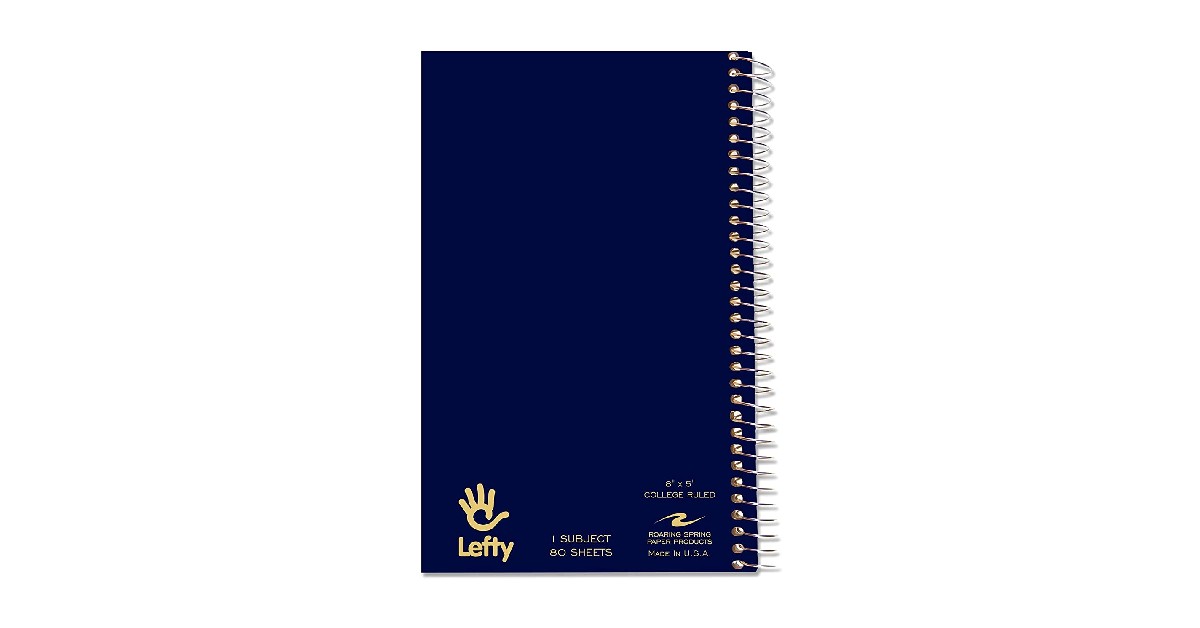

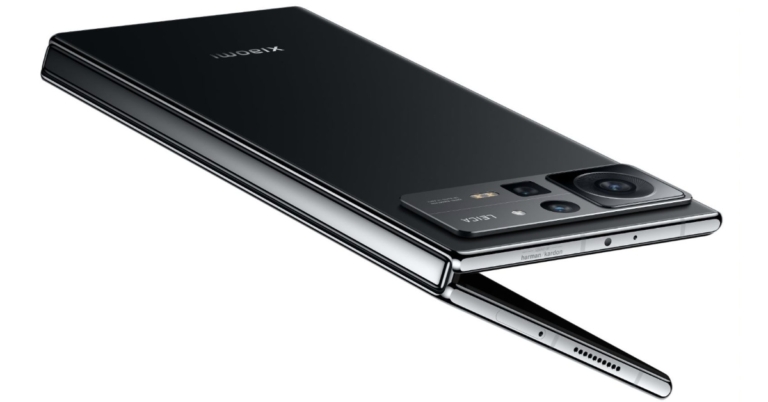


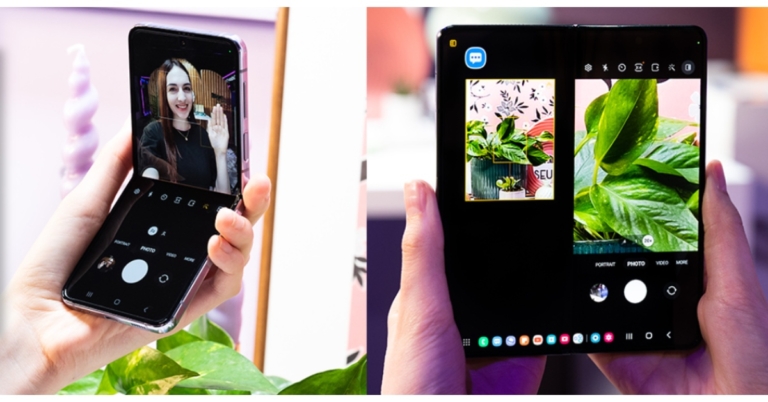

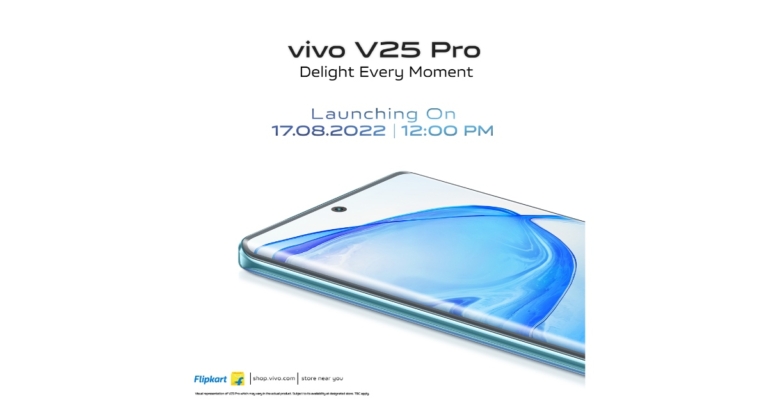

 Step 2: Connect your phone to the computer using a USB cable. From the different data types choose the type of data that you want to recover and click on ‘Start’ button.
 Step 3: As soon as your device is detected, the interface will show you the related information of your device. If you find it correct, tap on ‘Start’ button.
 Step 4: Wait until the DroidKit is scanning the data that is deleted or lost from your device.
 Step 5: Once the scanning process is completed, the data which is deleted or lost will appear on your screen.
 Step 6: Choose the data files which you want to restore and click on ‘To Device’ or ‘To PC’ button, wherever you want to store the data. By choosing the option to restore your data on PC you can make changes before exporting it.
 The data restoring process will then be started and the data will be stored in your preferred format. Wait until the recovery process completes.
 Step 7: Once the whole restoring process is completed, you can go to restore other files by clicking on ‘Continue to Recover’ button or take a view of restored files by tapping on ‘View Files’ button.

 Step 2: Use a USB cable to connect your Android mobile phone to the device. On your screen, there will be 13 types of data that you can restore, click the one which you want o restore and tap the ‘Start’ button.
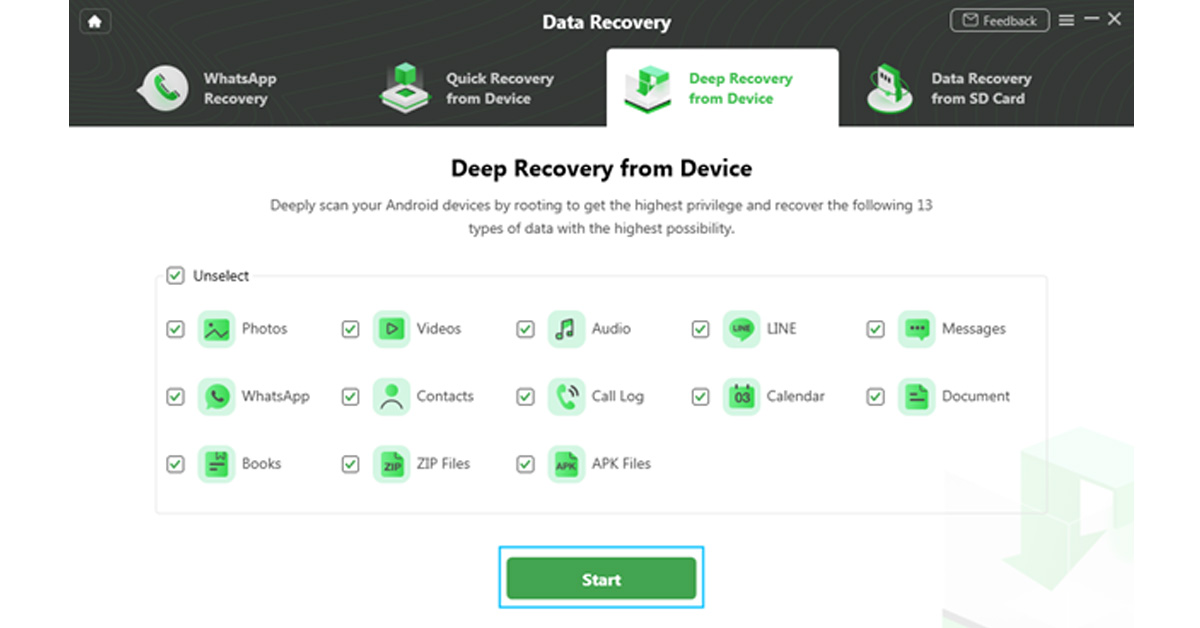 Step 3: On the next step, it will display the information of your Android device on screen. Check the device and hit the ‘Start’ button given below.
 Step 4: Your device status will be recognized and classified by DroidKit (root/unroot).
 The outcome will be displayed after the analysis is finished. The user interface below will appear if your smartphone is not rooted. Rooting the device is required before starting Deep Recovery. Now, click the ‘Root Now’ button.
 Your device will immediately be rooted using DroidKit. Ensure a stable connection to your device during the procedure.
 Step 5: DroidKit will thoroughly check the removed data from your Android device once the rooting process is complete.
 Step 6: You can inspect the scanned data after the scanning procedure is finished.
 Step 7: As soon as the recovering process ends, you can restore the data by clicking on ‘To Device’ or ‘To PC’. By choosing the ‘To PC’ option, you can make the required changes in the settings.
 The recovered data will be restored in any format in which you need it. Wait until the recovery process is ongoing.
 After the completion of recovery process, you can click ‘View Files’ to have a look at the restored data.
 DroidKit is capable of processing these two types of recoveries and supports WhatsApp Data Quick Recovery and Recovers Data from SD Card. In both cases, you can recover data without undergoing the rooting process. The SD Data Card Recovery process is available only for Windows users, and Mac version support is coming soon.
We have discussed the DroidKit version of Data Recovery, but it is not only limited to data recovery. DroidKit is a one-stop solution for all your issues related to Android devices and it has various features that can help you operate your phone more easily. The various features of DroidKit are Recover Lost Data, Extract Needed Data, Unlock Screen, Fix System Issues, Bypass FRP Lock, Screen Unlocker, Reinstall/ Upgrade OS, and Clean System Junk. Check these various features on DroidKit Recover Feature Page. You can try any of these tools to make your Android device work more effectively and efficiently.
For the latest
DroidKit is capable of processing these two types of recoveries and supports WhatsApp Data Quick Recovery and Recovers Data from SD Card. In both cases, you can recover data without undergoing the rooting process. The SD Data Card Recovery process is available only for Windows users, and Mac version support is coming soon.
We have discussed the DroidKit version of Data Recovery, but it is not only limited to data recovery. DroidKit is a one-stop solution for all your issues related to Android devices and it has various features that can help you operate your phone more easily. The various features of DroidKit are Recover Lost Data, Extract Needed Data, Unlock Screen, Fix System Issues, Bypass FRP Lock, Screen Unlocker, Reinstall/ Upgrade OS, and Clean System Junk. Check these various features on DroidKit Recover Feature Page. You can try any of these tools to make your Android device work more effectively and efficiently.
For the latest