In advance of the summer, the European electronics company Thomson has announced the launch of a new line of air coolers in India. In addition to this, the company has also introduced new Alpha Series Tvs in the country. There are three models in the series 24 inch, 32 inch and 40 inch.Elated with the new launch Avneet Singh Marwah, CEO SPPL, Exclusive Brand Licensee of THOMSON in India, says “We are very delighted to offer this new bouquet of products to the Indian consumer and pledge to make 2023 really big with more offerings in the coming months. Our constant effort is to equip our loyal consumers with the best of technology that is made in India and thank them for their great support to make the brand grow exponentially. ”Also Read:Infinix Hot 30i smartphone and Y1 Plus Neo laptop to launch in India soonAccording to the company, Thomson’s new Alpha Series TVs and Cool Pro Series Air Coolers will be available for purchase via Flipkart starting on March 6, 2023, during the Flipkart Big Saving Days Sale (Flipkart Cooling Days Sale).The company has launched a total of five Thomson air coolers at the price starting at Rs 4,999 which goes up to Rs 8,199. It includes a new lineup of air coolers in the Personal, Window, and Desert categories, ranging in size from 28 to 85 litres.Whereas the new Thomson Alpha smart TV comes in three sizes 24 inch, 32 inch and 40 inch. Smart TVs, according to the manufacturer, are the lowest-priced ones available in the market. The new models in the Alpha series are priced at 24 inches for Rs 6499, 32 inches for Rs 7999, and 40 inches for Rs 13,499. The Televisions come with a bezel-less design. They further include Miracast, surround sound, picture quality, and 30W sound output. Powered by an amlogic processor, many other features are included with these TVs.
For the latest gadget and tech news, and gadget reviews, follow us on Twitter, Facebook and Instagram. For newest tech & gadget videos subscribe to our YouTube Channel. You can also stay up to date using the Gadget Bridge Android App. You can find the latest car and bike news here.
Garena Free Fire is a battle royale game with regular awards and tournaments to keep players interested. If you play Garena Free Fire, you should be aware of the redeem codes that are released on a daily basis. However, because the battle royale game is banned in India, players from other countries can use the Free Fire Redeem codes daily. If you’re unfamiliar with the Garena Free Fire redeem codes or don’t know how to get them, we’ve put together a step-by-step guide to help you redeem them. Check out Garena Free Fire Redeem Codes for 4 March 2023.The Free Fire redeem codes are a great way to get free stuff. These are 12-digit codes that contain alphabets and numbers, as well as an expiration date and time. Because the Garena FF redeem codes cannot be used more than once, you should hurry to the redemption page to claim your free reward before someone else does. To get a free reward, all you have to do is go to reward.ff.garena.com/en, which is the official redemption page. Also, keep an eye on this space for daily updates on Garena Free Fire redemption codes and rewards.
Garena Free Fire Redeem Codes Today 4 March 2023
FU9OKJFR7YHRTT
F454TZGJGYUJYG
FHFTYH88IJR5GT
FHYGH78IKJUIK6F
FKU8ORBCFGRTS
FO9D5TRHGMKG8
F45DGTHGJGYUJT
FJ7Y8KLUKHR5D6
F54GH8VFYUJYJ5
FYI9DRGGDT5ER
F45RDS25FHJGYG
FLU90OKJHTBHTU
F54YTGTYGJYGBF
F34RFDGFYHTYH7
FLU9OLJFTYTGD6
F34FDFGTFYTGYK
F34RGDTGFYJHT
F90JFTHYTSHT6Y
F2RGGYUKJYJ7B
F8980PDEFFRTHT
F24RTGFTYGYJYJJ
F435GRBGYUJJ4
FLI9TFYHHFHGYT
F4RGRTGFYJTYJ7
How to Get Free Fire Redeem Codes for Garena on 4 March 2023?
Have you participated in the Amazon Quiz today? If not then participate in the 4 March 2023 Amazon Quiz as it has already gone live on the app. The daily quiz can be played from 12 AM to 11:59 every day on the mobile app platform. Today e-commerce is giving the chance to win Rs 5,000 Amazon Pay Balance.Every day Amazon brings a fresh quiz for its customers. By participating in the quiz the participants can win an Amazon Pay Balance of up to Rs 50,000. The quiz can only be played on the mobile app as it is not available for the desktop platform. The quiz contains five easy questions and you have to answer all the questions correctly. The participants will then be shortlisted for a lucky draw to select a winner. Whereas the results are declared at the end of the month. Check out today’s Amazon quiz answers to win Rs 5,000.Amazon Quiz Today Prize – Rs 5,000 Amazon Pay BalanceQuiz Date – 4 March 2023Daily Timing – 12 AM to 11:59 PMWinner Announcement – Today 12 PM
Amazon Quiz Answers Today 4 March 2023
Question 1: Which of these teams did NOT make it to the semi finals of the 2023 Women’s T20 World Cup?Answer: New ZealandQuestion 2: Which recently released movie starring Kartik Aaryan is a remake of the Telugu film ‘Ala Vaikunthapurramuloo’?
Answer: Shehzada
Question 3: General Anil Chauhan is the current occupant of which important post in India?
Answer: Chief of Defence StaffQuestion 4: This is the Nilgiri Tahr, the state animal of which state?
Answer: Tamil NaduQuestion 5: This statue is a famous landmark in which city?Answer: New York
How To Play Amazon Quiz
Only app users are eligible to play the Amazon quiz every morning from 12 AM to 11:59 PM. The quiz is not available on the desktop. For those who are unaware of how to play the Amazon quiz below are the steps, you can follow to take the quiz.
Firstly download the Amazon app from Google Play Store or App Store
Now fill in the required information through the Sign Up option.
You need to log in to the Amazon app and scroll down on the home screen to find the Amazon Quiz banner.
Tap on the Amazon Quiz banner and tap on the Start button to start the Quiz.
Now you will get 5 questions and you need to answer them correctly. One wrong answer will eliminate you from the Quiz.
After answering all the questions correctly you are now eligible for a Lucky Draw.
The winner’s name will be announced today at 12 PM.
Infinix has announced plans to bring two new products to the Indian market. The company will soon be launching the Hot 30i smartphone and the Y1 Plus Neo laptop in the country soon. The company has not revealed a specific launch date but it is slated to release this month. The smartphone will be a successor to Infinix Hot 20i which was launched last year.According to the company, these new releases, Infinix is anticipated to solidify its position as a leading provider of high-quality, budget-friendly mobile devices and laptops.Both the Hot 30i smartphone and the Y1 Plus Neo laptop are said to be “appealing and will be aggressively priced, having a typical FIST approach.” The upcoming smartphone is said to have a larger memory. It is going to feature a big display and a dynamic design with a leather and glass finish.On the other hand, the Infinix Y1 Plus laptop will be offering a compact form factor. It will be lightweight and feature-packed.Also Read:Comparison: OnePlus 11 vs Samsung Galaxy S23The company has not shared many details about the smartphone but a few days back spotted on the IMEI database with model number X669 which is believed to be Infinix Hot 30i.Rumours suggest that the Infinix Hot 30i will be featuring a 6.6-inch IPS HD+ LCD display with 720×1,612 pixels of resolution. The screen is likely to offer 500 nits of brightness. The device may further include a MediaTek Helio G37 chipset with up to 4GB of RAM with a RAM expansion feature. There will be no provision for a microSD card slot. In addition to this, the handset could run on Android 12.In terms of optics, the phone may include a triple rear camera setup that includes a 50-megapixel primary sensor and dual 2-megapixel sensors. In addition to this, the handset is expected to house a 5,000mAh battery that will have support for 18W wired charging.
For the latest gadget and tech news, and gadget reviews, follow us on Twitter, Facebook and Instagram. For newest tech & gadget videos subscribe to our YouTube Channel. You can also stay up to date using the Gadget Bridge Android App. You can find the latest car and bike news here.
QR codes have become increasingly popular in recent years, as they offer a quick and convenient way to access information or websites without having to type in long URLs or search for content manually.
What is a QR Code?
A QR Code, short for Quick Response Code, is a two-dimensional barcode that contains encoded information that can be read by a smartphone or other QR code reader. QR codes were first developed in 1994 by a Japanese company called Denso Wave, and they have become increasingly popular in recent years due to the widespread use of smartphones and mobile devices.
QR codes can be used to encode various types of information, such as website URLs, contact information, product details, and more. To read a QR code, you need to have a QR code scanner app installed on your smartphone. You can simply point your camera at the QR code, and the scanner app will automatically decode the information and display it on your screen.
Read Also:How to use WhatsApp Web on PC?
QR codes are commonly used in marketing, advertising, and retail industries to provide easy access to information or to offer special promotions or discounts. They can also be used for personal purposes, such as sharing contact information or event details.
While many people rely on QR code scanner apps to read these codes, it’s possible to scan QR codes with an Android phone without an app. In this blog post, we’ll walk you through the steps to scan QR codes with your Android phone’s built-in features. This is how to scan QR Codes with Android phones without an app:
Step 1: Open Your Camera App
The first step is to open your phone’s camera app. Most Android phones now come with a built-in QR code scanner in their camera app, so you don’t need to install any additional software. If you’re not sure whether your phone’s camera app has this feature, check the settings or user manual to see if there’s a QR code scanning option.
Step 2: Align Your Camera with the QR Code
Once you’ve opened your camera app, hold your phone up to the QR code so that it appears on your screen. Make sure that the entire code is visible and that your phone is close enough to read it clearly. You’ll need to keep your phone steady and in focus for the scanner to work properly.
Step 3: Wait for the Scanner to Recognize the Code
Most modern Android phones use AI-powered algorithms to detect QR codes automatically, so you won’t need to do anything else to scan the code once it’s in view. However, it may take a few seconds for the scanner to recognize the code, so be patient and wait for a notification or popup to appear on your screen.
Step 4: Tap on the Notification or Popup
When the scanner has recognized the QR code, you should see a notification or popup appear on your screen. This will usually display the URL or content associated with the code, along with a button or link to open it. Tap on the notification or popup to access the content.
And that’s it! By following these simple steps, you can scan QR codes with your Android phone without having to download any additional apps or software. While QR code scanner apps can offer additional features and functionality, such as the ability to save codes for later use or share them with others, the built-in scanner in your Android phone’s camera app is a quick and easy solution for scanning codes on the go. Now you know how to scan QR Codes with Android phones without an app.
Read Also:WhatsApp will soon change the way you add contacts: Here’s how
QR Code Safety Features
QR codes have some built-in safety features that help to protect users from malicious or fraudulent codes. Some of these safety features include:
Error correction: QR codes are designed to have error correction built in, which means that even if part of the code is damaged or obscured, the scanner can still decode the information.
Secure coding: QR codes can be encrypted or digitally signed to prevent unauthorized access or modification of the data.
Scanning restrictions: Some QR codes can be programmed to only work in certain locations or under certain conditions, such as requiring the user to be physically present or to enter a password.
Malware protection: QR code readers can include malware protection features that can detect and prevent malicious codes from executing harmful actions on the user’s device.
Transparency: Many QR code readers display the full URL of the website or the type of data encoded in the code before the user decides to visit or download it. This allows users to make informed decisions and avoid potential scams or phishing attempts.
It’s important to note that while QR codes can have safety features built in, they can still be used for malicious purposes if users are not careful. It’s always a good idea to verify the source of the QR code and to be cautious when scanning codes from unknown or untrusted sources.
For the latest gadget and tech news, and gadget reviews, follow us on Twitter, Facebook and Instagram. For the newest tech & gadget videos subscribe to our YouTube Channel. You can also stay up to date using the Gadget Bridge Android App. You can find the latest car and bike news here.
Apart from the general specs, one of the more important things you should look for while buying a console is its backwards compatibility. While buying a new-generation console you’d still want it to run your older gaming titles. This saves a lot of the hassle that comes with switching between consoles. If your older console finally bites the dust, then the gaming titles that ran on it would become worthless too. While most companies take backwards compatibility into account when designing a new console, sometimes the change in architecture is too radical to facilitate this process. PS4 users will be aware of this issue all too well, as the console isn’t compatible with the previous generation PS3. But is there a way you can play your PS3 games on a PS4? Let’s find out.Read Also:OnePlus 11 review: This is what a OnePlus flagship should look like
Use Playstation Plus Premium
Sony’s cloud gaming service was previously called PS Now, but has now been rebranded to PlayStation Plus and offers three subscription plans. PlayStation Plus offers tons of gaming titles that you can stream online. This includes games that were previously available on PS3 and PS2 as well. Right now there are up to 400 PS3 titles you can play via PlayStation Plus. You don’t even need to download the game, you can simply stream it online. The only downside to this is that Sony may remove your favourite game at any time.
Use a remastered disc
Most of the major gaming titles are often remastered for new consoles. Games like The Last of Us and Borderlands have found new life with these remasters. If you’re looking for a niche or indie game, chances are you may not find it. Companies usually only remaster games that are sure will perform well in the market. This means outside of the major gaming titles, there is little chance that games get remastered for newer consoles.
Use promotional offers
Certain games have promotional offers that give you cross-platform access at a minimal cost. If you purchased a disc or digital title for PS3, look for any promotional offer that gives you a PS4 upgrade at a small cost. If you’re lucky, you may even get a free upgrade. Go through your digital titles on PS3 and check if they came with any promotional offers.Read Also:How to Take Full Screenshots on Google Chromebooks?
Two new Motorola smartphones Moto G53 5G, and Moto G73 5G debuted globally in February this year. The company has now confirmed that Moto G73 5G is now set to make its entry into the Indian market on March 10. Ahead of the official launch, the device has also been listed on Flipkart to tease the upcoming India launch. According to the landing page, the device will be powered by MediaTek Dimensity 930 SoC.As we previously said, Motorola has created a dedicated microsite on Flipkart with details on the upcoming launch and the device. The device was launched in February globally and is a 5G variant of Moto G72 4G.As per the microsite, the upcoming smartphone will feature a sleek, stylish and premium design and comes with a water-resistant design. As per the teaser the Moto G73 5G will feature a 6.5-inch full-HD+ LCD display. The panel has a refresh rate of 120Hz.The landing page suggests that the Moto G73 5G will be the nation’s phone to use MediaTek’s Dimensity 930 SoC with 8GB of RAM and 128GB of internal storage. It is produced using 6nm technology and has a maximum clock speed of 2.2GHz. The device will run on Android 13 over Motorola’s MyUX in terms of software.Also Read:Comparison: Vivo V27 Pro Vs OnePlus 11RMoreover, the phone will come with a dual camera setup. It is teased to include a 50-megapixel main camera and an 8-megapixel ultra-wide-angle sensor. Whereas a 16-megapixel front-facing camera will take selfies. The is claimed to have a larger 2μm pixel size, therefore, offering better photography performance. “This 50MP camera has a flagship-grade camera sensor which offers 1.5x larger pixels that get you 4x better light sensitivity and brilliant photos in any light.” The Moto G73 5G is advertised to offer better low light, colour accuracy and motion capture.In addition to this, there will be a stereo speaker setup that is said to support Dolby Atmos that will offer multi-dimensional soundsIn terms of connectivity, the phone is claimed to support 13 5G bands. It has 4×4 MIMO and 3 carrier aggregation. Wi-Fi, Bluetooth 5.3, NFC, and a 3.5mm headphone jack are other connectivity options onboard. The phone will house a 5,000mAH battery and support 30W wired charging.
For the latest gadget and tech news, and gadget reviews, follow us on Twitter, Facebook and Instagram. For newest tech & gadget videos subscribe to our YouTube Channel. You can also stay up to date using the Gadget Bridge Android App. You can find the latest car and bike news here.
Modern smartphones come packed with heavy security features that make it easy to track them in case they get lost or stolen. However, there is one small catch. In order to know the live location of your smartphone, it must be switched on and emitting a data signal. If your smartphone is switched off, locating it can get tricky. But is it still possible to track your mobile phone when it is switched off? Here are a few things you can try.Read Also:OnePlus 11 review: This is what a OnePlus flagship should look like
Track your mobile phone using IMEI
Before location services made their way to mobile phones, the only way you could track your device was through its IMEI number. The IMEI number is unique to your phone and is used to establish contact with the nearest cell tower. In case you lose your phone, the first thing you should do is file an FIR at your nearest police station and let the police track your phone down. However, tracking a phone through its IMEI number only works if the phone is able to make contact with a cell tower. As soon as a call is made from the device, its exact location can be triangulated using the cell tower it established contact with. Tracking a phone using the IMEI number comes in useful when the device isn’t connected to the Internet. Since you won’t be able to access the location history of the device, the only way to track it is by intercepting its cellular signal. If your phone is switched off, you won’t be able to track it using IMEI. What you can do is block the phone and render it useless, in case it falls into malicious hands. Here’s how you can block your phone from the CEIR portal using its IMEI number.
Track your phone using Find My Device
If you lost your phone and aren’t able to ring it because it is switched off, you can still find its last location. Google’s Find My Device logs the location of your device as long as it is connected to the Internet. This service comes in handy when your lost phone dies out due to battery drainage. Tracking its last known location will still lead you to it. All you need to do is visit Google’s Find My Device webpage and log in using your Google account. If your phone is active you will be able to view its live location. If it is switched off, you can still view its last recorded location. Find My Device also gives you the option to remotely erase all data on your device.Read Also:Xiaomi TV Stick 4K Review: Xiaomi is back in the streaming game!
Vivo V27 Pro recently debuted in India. The smartphone has a good-looking design and a camera, and it costs less than Rs 40,000. The smartphone competes with the OnePlus 11R with these features. Below is a detailed comparison of the Vivo V27 Pro vs OnePlus 11R to assist you in making your decision.
Display
Vivo V27 Pro: 6.78-inch full-HD+ 3D curved AMOLED displayOnePlus 11R: 6.74-inch Full-HD+ curved AMOLED display
Vivo V27 Pro: Triple rear camera setup includes a 50MP Sony IMX766V custom primary rear sensor with OIS stabilisation along with an 8MP wide-angle, and a 2MP macro sensorOnePlus 11R: Triple rear camera setup includes a 50MP Sony IMX890 main sensor, 2MP macro camera with a 120-degree ultra-wide lens, an 8 MP ultra wide-angle sensor
Selfie camera
Vivo V27 Pro: 50-megapixel selfie cameraOnePlus 11R: 16MP front camera
RAM and storage
Vivo V27 Pro: 8GB RAM with 128GB storage/8GB RAM with 256GB storage/12GB RAM with 256GB storageOnePlus 11R: 8GB RAM with 128GB storage/16GB RAM with 256GB storage
Battery
Vivo V27 Pro: 4600mAh batteryOnePlus 11R: 5,000mAh battery
Operating system
Vivo V27 Pro: FunTouch OS 13 on top of Android 1OnePlus 11R:
Both devices have AMOLED displays, however, the one on the Vivo V27 Pro is superior to the one on the OnePlus phone. The display of the OnePlus 11R, though, is more powerful and efficient. Also, the OnePlus phone has better software. In contrast, the selfie camera on the Vivo V27 Pro has a 50MP resolution, which is far higher than what the OnePlus has to offer. But, when it comes to endurance, OnePlus once more edges over Vivo. It offers both a 5,000mAH battery and a 100W fast charging support.If you’re looking for a stylish phone with decent features, you might want to think about purchasing the Vivo V27 Pro. In contrast, the OnePlus 11R has a powerful and capable chipset, better software than Vivo, and a longer battery life with fast charging. Purchasing this is definitely a wise move.
For the latest gadget and tech news, and gadget reviews, follow us on Twitter, Facebook and Instagram. For newest tech & gadget videos subscribe to our YouTube Channel. You can also stay up to date using the Gadget Bridge Android App. You can find the latest car and bike news here.
Being the most popular Instant Messenger in the world, WhatsApp’s lack of multi-device connectivity was something that perplexed a lot of users. While some may have valid concerns about multiple devices increasing security concerns, for a lot of users the convenience of using one WhatsApp account on two phones surpasses the risk that comes with it. While there is still no legitimate way to use one WhatsApp account on two phones (although there are a few workarounds you can read about here), WhatsApp offers multi-device connectivity through its web portal. One of the most asked questions is whether it is possible to log in to WhatsApp Web when you don’t have your phone on you. Let’s take a look if it really can be done. Read Also:How to Take Full Screenshots on Google Chromebooks?
How to log in to WhatsApp Web without a phone
To put it simply, there is no legitimate way to log in to WhatsApp Web without your phone. Since WhatsApp does not ask for any login credentials, it is not possible to gain entry to your WhatsApp account without your phone number. The only way to log in to WhatsApp Web is by scanning the QR code on the web portal with your phone. You need the authorisation of the active WhatsApp account on your phone to access it on your laptop or PC. Scanning the QR code mirrors your WhatsApp account on your web browser.However, there may be a way to use WhatsApp on your laptop or PC without needing your smartphone. It may not be perfect, but it works. Firstly, you will need to ditch WhatsApp Web and install an Android emulator (like Bluestacks) on your laptop or PC. Once the emulator is running on the system, download WhatsApp from Google Play Store. In order to use WhatsApp on Bluestacks you will need to register using another phone number, since technically you cannot use one WhatsApp account on two devices. Once you have created a WhatsApp account using a new number, you will not need a phone to log into it. Every time you launch WhatsApp on Bluestacks, you will be logged into your WhatsApp account without being asked for authorisation from your phone. This is a great way to use a secondary WhatsApp account on your PC. Read Also:How To Update Google Chrome to its Latest Version?
Conclusion
This is how you can use your WhatsApp account on a laptop or PC without needing a phone to log in. According to certain rumours, WhatsApp will soon be allowing users to use their WhatsApp account on two smartphones at once. This means you will be able to keep your account logged into WhatsApp’s desktop client as well. As of now, WhatsApp Web logs you out of your account after more than 10 minutes of inactivity.For the latest gadget and tech news, and gadget reviews, follow us on Twitter, Facebook and Instagram. For newest tech & gadget videos subscribe to our YouTube Channel. You can also stay up to date using the Gadget Bridge Android App. You can find the latest car and bike news here.
This year’s Mobile World Congress kicked off in Barcelona on February 27 and had some of the best mobile showcases in store for the year. The event concluded yesterday, March 2, and saw all the major brands show off their newest releases along with some bold concepts. From rollables to ultra-fast charging, MWC 2023 had it all. If you haven’t been keeping up with the headlines, here is a roundup of all the top tech launches and announcements from MWC 2023.Read Also:Amazon Echo Dot 5th Gen launched in India at just Rs 4,999
Xiaomi 13 Pro
Launched in China at the tail end of last year, the Xiaomi 13 Pro made its global debut at this year’s MWC. The smartphone puts the cameras on centre stage, collaborating with Leica to put out one of the more remarkable camera units on recent flagships. The triple rear camera setup on the Xiaomi 13 Pro consists of a 50-megapixel 1-inch Sony IMX989 primary sensor, a 50-megapixel Leica’s 75mm floating telephoto lens, and a 50-megapixel wide-angle lens. The smartphone is powered by the latest Snapdragon 8 Gen 2 SoC and gets 120W fast charging support. In India, the Xiaomi 13 Pro fetches Rs 79,999.
Honor Magic Vs
Foldable phones are definitely here to stay. Some of the most eye-catching products at MWC 2023 were foldable smartphones and it’s always fun to see every brand’s spin on the form factor and software integration. If we’re strictly talking about the form factor, Honor Magic Vs may even have Samsung beat. When folded shut, you won’t find any gap between the folding displays. Bringing sleekness seems like almost an impossible task, but Honor seems to have done a good job with the Magic Vs. The smartphone is powered by the Snapdragon 8+ Gen 1 SoC and gets 12 GB RAM.
OnePlus 11 concept phone with Active CryoFlux
You’d think that OnePlus would take a breather after launching a series of products last month which included its flagship release OnePlus 11. But the smartphone manufacturer had a few surprises awaiting the attendees at MWC 2023. The company unveiled its newest concept phone which is based on OnePlus 11 and comes with Active CryoFlux cooling. The Active CryoFlux technology, OnePlus claims, can reduce the smartphone’s temperature by up to 2.1°C while gaming, leading to an increase in gameplay framerate by 3-4 fps. It can also reduce the phone’s temperature by 1.6°C while charging. While the numbers may not seem much, the phone itself looks outstanding with the cooling liquid flowing across the back in little pipelines. The liquid also forms a blue ring around the camera unit.
Tecno Phantom V Fold
This year, the MWC had two major foldable showcases. Honor showcased the Magic Vs at the event and Tecno had something to ‘unfold’ as well. Tecno’s debut foldable, Phantom V Fold, is currently available in India at Rs 79,999, making it one of the most affordable folding smartphones on the market. The smartphone gets a 6.42-inch 1080p LTPO AMOLED cover display with a refresh rate of 120Hz https://www.gadgetbridge.com/news/mwc-2023-oneplus-to-launch-its-first-foldable-smartphone-in-the-second-half-of-2023/and a 7.85-inch LTPO 120Hz primary display. Powering the foldable is MediaTek Dimensity 9000+ SoC which clocks a score of more than 1.08 million on the AnTuTu test. The triple rear camera setup consists of a 50MP primary shooter, a 50MP telephoto, and a 13MP ultrawide lens.
OnePlus steps into the foldable universe
As we said earlier, foldable smartphones surely seem like the future. While Samsung dominates the category for now, brands like Xiaomi and Oppo have enjoyed a fair bit of success as well. Now with OnePlus stepping into the ring, things are bound to get interesting. The company announced its plans to release a foldable smartphone in the second half of 2023 but kept a tight lid on the looks and the specs. With a few months to go before the release, we are expecting some major leaks to surface on the Internet in the coming weeks.
Huawei Watch Buds
Converging the TWS and smart wearable worlds, the Huawei Watch Buds smartwatch flips open to reveal wireless earbuds inside. As bizarre as it may appear, it still works pretty well. The smartwatch is IPX7 rated and comes with a complete range of health and fitness tracking functions. The earbuds are significantly smaller than your average TWS, but it’s something that is to be expected from a product with this form factor.
Redmi shows off 300W charging
If you thought fast charging on phones was getting ridiculous with massive charging bricks and extraordinary charge times, wait until you see what Redmi has to offer. While most smartphones on the market rarely tread above 120W charging, Redmi showcased its 300W charging using a modified Note 12 Pro. It took the charger a mere 5 minutes to completely replenish the 4,100mAh battery. Xiaomi hasn’t shared any details about how it accomplishes this feat, but you best believe it will feature in future smartphones.Read Also:Telegram for MacOS update: New features rolling out, bringing power saving mode and more
Conclusion
These were the major tech launches and announcements from MWC 2023 in Barcelona. While these announcements and launches may have gathered the headlines, there was a lot of other cool stuff on the showcase. Nokia came out with its G22 smartphone which is entirely self-repairable. Made in collaboration with iFixit, the smartphone makes it incredibly easy to replace the battery unit, camera sensors, and more. Motorola also had an interesting showcase in the form of the ‘Rizr’, a rollable smartphone that expands its screen at the press of a button. Which were your favourite showcases at MWC 2023? Let us know in the comments!For the latest gadget and tech news, and gadget reviews, follow us on Twitter, Facebook and Instagram. For newest tech & gadget videos subscribe to our YouTube Channel. You can also stay up to date using the Gadget Bridge Android App. You can find the latest car and bike news here.
Garena Free Fire is a battle royale game with regular awards and tournaments to keep players interested. If you play Garena Free Fire, you should be aware of the redeem codes that are released on a daily basis. However, because the battle royale game is banned in India, players from other countries can use the Free Fire Redeem codes daily. If you’re unfamiliar with the Garena Free Fire redeem codes or don’t know how to get them, we’ve put together a step-by-step guide to help you redeem them. Check out Garena Free Fire Redeem Codes for 3 March 2023.The Free Fire redeem codes are a great way to get free stuff. These are 12-digit codes that contain alphabets and numbers, as well as an expiration date and time. Because the Garena FF redeem codes cannot be used more than once, you should hurry to the redemption page to claim your free reward before someone else does. To get a free reward, all you have to do is go to reward.ff.garena.com/en, which is the official redemption page. Also, keep an eye on this space for daily updates on Garena Free Fire redemption codes and rewards.
Garena Free Fire Redeem Codes Today 3 March 2023
FF11DAKX4WHV
WLSGJXS5KFYR
FF11WFNPP956
ZYPPXWRWIAHD
FF10617KGUF9
MCPTFNXZF4TA
FF11HHGCGK3B
8F3QZKNTLWBZ
ZRJAPH294KV5
B6IYCTNH4PV3
X99TK56XDJ4X
FF11NJN5YS3E
Y6ACLK7KUD1N
W0JJAFV3TU5E
YXY3EGTLHGJX
FF10GCGXRNHY
SARG886AV5GR
FF1164XNJZ2V
FF119MB3PFA5
How to Get Free Fire Redeem Codes for Garena on 3 March 2023?
Since Alexa was introduced in India five years ago Amazon is celebrating this milestone by providing discounts and exclusive offers on some of its best-selling Alexa devices. The Alexa anniversary sale discounts will be applicable on products like Echo smart speakers and Fire TV devices.The Alexa anniversary sale has already begun on Amazon and will be live till March 4 at 11:59 PM. Buyers may also shop from a selection of Alexa-enabled products and smart home accessories from companies like boAt, Noise, Philips, Syska, and others.
Here are the offers to look out for:
During the Alexa anniversary sale Amazon is offering a flat 38% off on Echo Show 5 (2nd Gen). It can now be purchased at Rs 5,499 instead of Rs 8,999. Whereas Echo Dot (3rd Gen) is available at Rs 2,449 down from its original price of Rs 4499. Whereas with 15 and 50 percent off the Amazon Echo (4th Gen) and Echo Buds with Alexa (with wired charging case) can be purchased for Rs 8,499 and Rs 5,999 respectively.There is up to 60 percent on Alexa Smart Home combos. Get the Echo Dot (3rd Gen) + Philips smart bulb for Rs 2,599. Whereas the Echo Dot (4th Gen) + Philips smart bulb can be purchased for as low as Rs 3,599. Moreover, there is up to 60 percent off on Echo Dot (3rd Gen) Twin-Pack + Smart Bulb, up to 30 percent off on Amazon Echo (4th Gen) Smart Home Combos and up to 43% off on Echo Show 5 Smart Home Combos.Also Read:OnePlus 11 review: This is what a OnePlus flagship should look likeAmazon is providing up to 44 percent discounts on Fire TV devices during the Alexa anniversary sale. There will be a flat 44% off on Fire TV Stick with Alexa voice remote. It can be purchased for Rs 2,799. with up to 35 percent off Fire TV Stick 4K Max and Fire TV Cube is now selling for Rs 4,199 and Rs 8,999 respectively.Customers can also obtain exciting additional benefits with the purchase of Echo and Fire TV devices. One can get up to Rs 500 cashback if Echo and Fire TV stick are bought together. Amazon is also offering 3 months Audible membership at no extra cost for the purchase of any Echo device. Up to 40 percent off is also being offered on top brands with Alexa built-in devices by boAt, Noise, Fastrack, and more. Lastly, there is up to 60 percent off on boAt Alexa built-in smartwatches For the latest gadget and tech news, and gadget reviews, follow us on Twitter, Facebook and Instagram. For newest tech & gadget videos subscribe to our YouTube Channel. You can also stay up to date using the Gadget Bridge Android App. You can find the latest car and bike news here.
So, the OnePlus 11 review is finally here by Gadget Bridge. If you are looking to buy a flagship phone under Rs 60,000 then you must read our review before you consider purchasing one. We have been using the OnePlus 11 as our daily driver for almost two weeks. Its starting price in India is Rs 56,999. The device is the successor to last year’s OnePlus 10 Pro, but still lacks the IP68 certification and wireless charging capability. Does It appear that the corporation is sacrificing certain key features or ratings in order to reduce costs? It does, however, the mobile comes with a Snapdragon 8 Gen 2 CPU, a very decent camera setup, and a lovely 2K display. Let’s talk about it more in the OnePlus 11s review below.
OnePlus 11 review: Design and Display
Let’s start with the design aspect. The OnePlus 11’s ergonomics are quite distinctive, and we really liked it. However, it bears striking resemblance to the OnePlus 10 Pro (review) that was launched last year. But this time the camera module is round rather than square. Also, the horizontal Hasselblad logo is positioned in between the camera sensors now.The review device we received sports the Titan Black colour, which we really liked. Last year we received the glossy colour variant, which was more susceptible to scuffs. This time there is a Corning Gorilla Glass 5 protection on the rear and a sort of matte surface with some glitter on it, mimicking the night sky. Over that, the aluminium frame and gentle curves on both sides give it a quality appearance and feel. Because the phone is not too wide, our small hands were able to utilise it with one hand easily.Also Read:OnePlus 10 Pro Review: Is it the right investment?The company’s trademark alert slider has returned with the OnePlus 11, although it does not have a 3.5mm headphone port. The phone is splash and dust resistant and has an IP64 rating. It should be noted that the OnePlus 11 5G is only intended to offer protection from liquid splashes and cannot ensure protection against water immersion. Mid Range smartphones from Samsung and other manufacturers offer comparable ingress protection at a significantly lower price.The OnePlus 11 5G’s front display is a magnificent 6.7-inch Samsung LTPO 3.0 AMOLED curved screen with a 1,440 x 3,216-pixel resolution. The panel has a 20.1:9 aspect ratio and a refresh rate that can be adjusted up to 120Hz. The mobile supports always-on displays with a maximum brightness of 1,300 nits and a resolution of 525 ppi. As protection, a Corning Gorilla Glass 7 is employed on top. On the panel, HDR and Dolby Vision codecs can be played.The display has very accurate colour reproduction, and it responds to touch input instantly. You can make the necessary adjustments in the display settings for improved colour calibration. It has a wonderful white balance and contrast. The firm used an E4 panel that is two generations old, therefore the display’s brightness is about average. So, the screen brightness on the OnePlus 11 might not particularly wow you if you spend a lot of time outdoors.It is capable of streaming Netflix content in Dolby Vision. In addition, the company used a 602mm vibration motor, which is 67% larger than its predecessor’s, to provide great haptics. The way vibration feedback has been incorporated into the user interface is simply amazing.While the speakers are sufficient for watching videos and listening to your audio playlists, we notice a certain amount of richness is absent while listening to music or other audio with a deeper acoustic, particularly in terms of bass and high frequencies.The fingerprint sensor is positioned perfectly in the screen and is fast as well as reliable.
OnePlus 11 review: Performance and Cameras
The OnePlus 11 is powered by an octa-core 4nm Snapdragon 8 Gen 2 SoC and comes integrated with an Adreno 740 GPU for graphics. The system supports UFS4.0 storage with a capacity of up to 256GB and has LPDDR5x RAM up to 16GB.The chipset is more powerful than you might think, and it can handle any task you throw at it. It can also perform your daily duties efficiently. With regular use, you won’t run into any issues. The performance of the device is unaffected or slowed down in any way by running multiple apps simultaneously. Over this, it can run the majority of high-end, graphically demanding games.Also Read:Samsung Galaxy S23 Ultra Review: A true flagshipWith good stability, we tested Asphalt 9: Legends on the maximum settings. The graphics are superb. There were no lags during races, the graphics are amazing, and the gameplay is fantastic. According to OnePlus, a new, larger vapour cooling system has been introduced, which should provide maximum heat dissipation for long-term performance. However, after 20 minutes of continuous play, the device starts to heat up.This new phone’s operating system, ColorOS 13.0, is based on Android 13. The software experience is also excellent, so when it comes to daily tasks, the device is quick and smooth. There are many customization options available here, making it pleasant to use and stable. The fact that OxygenOS from OnePlus is bloatware-free is actually what we appreciate most about it. The company guarantees four years of Android updates in addition to five years of security fixes for software updates. This means that customers of the OnePlus 11 would receive upgrades all the way up to Android 17.OnePlus 11 comes with a triple rear camera set up with Hasselblad partnership. Through a partnership with Hasselblad, the OnePlus 11 has a triple rear camera setup. One of the three back cameras on the OnePlus 11 5G is a 50-megapixel sensor (f/1.8 aperture) optical image stabilisation (OIS) sensor from Sony. A 48-megapixel Sony IMX58 super wide-angle sensor (f/2.2 aperture and 115-degree field of view) is included in the camera unit in addition to a 32-megapixel telephoto portrait sensor. A 16-megapixel sensor with an f/2.4 aperture is located on the device’s front for selfies and video calls.Daylight normal shotWhen shooting in daylight, you get good pictures with nice details and clarity, which is more obvious when you pixel peep. The dynamic range is also outstanding, and the colour reproduction is excellent. Since there are no saturation issues, the colours look natural, which is pretty impressive.1-2x normal rear day light shotsThere is a Hasselblad XPAN mode, and it has also been executed fairly well. Although the ultrawide angle lens also produces similar results, you obtain high-quality pictures with true colours. The photos are crisp to a good level. We’ve noticed that the primary lens produces photographs with a warmer tone than the ultra-wide lens, which produces images with a cooler tone.macro shotsAs we move on to the close-up shots, the OnePlus 11 does a wonderful job with the details and the colours looked fantastic. The clarity is also excellent. Keep in mind that the ultra-wide camera, which works really well, also handles the macro. It is crisp and has wonderful details.The telephoto portrait lens offers a 2x optical zoom and takes pictures that are generally of good quality. They are sharp and have good detail levels, and the colours are also well-preserved. Moreover, it offers to zoom up to 20x. Although you can shoot portraits using a telephoto lens, you can also use the primary lens for this purpose. rear portrait (1-2x)However, the primary lens only has a 1x zoom, while the telephoto portrait lens has a 2x zoom. Punchy colours and high levels of clarity are seen in the portraits. The edge detection is also on point. Compared to the primary camera, telephoto portraits are superior.Low light (Normal and Portrait)The indoor lighting’s low-light pictures offer good details and almost no noise. You don’t need to manually switch between the standard mode and the night mode because it is automatic. The extremely low-light images are also good with excellent colour and sharpness levels. The noise levels are kept to a minimum, which is largely noticeable when you zoom in very closely. Overall, we were pleased with the primary camera’s low-light performance.Indoor lighting(normal and portrait) (1)Indoor lighting(normal and portrait) (1)The telephoto lens can also be used to take decent low shots. The ultrawide camera also has a night mode, and the details are still fairly outstanding.low light shotNow, let’s talk about the selfie camera. The 16-megapixel Sony front-facing camera produces selfies with accurate skin tones. They have excellent sharpness and detail. Moreover, the dynamic range is excellent. There are no issues with saturation, and the colours are lovely and vibrant. The whiteness levels are likewise under control. Selfies seemed amazing and the portrait mode offered perfect edge detection.Selfie (normal/portrait)The phone is capable of 8K@24fps video recording. Both the video quality and the stabilisation are excellent. The 4K @ 60fps videos offer decent colour and good clarity levels.The stabilisation also performs well in this case. But, the stabilisation support is included with the 4K@30fps only, and the overall quality is excellent. The telephoto lens allows for 10x digital zoom in the video as well. The telephoto portrait lens with a 2x zoom can also be used to film videos. Also, the video appears to be of honourable quality.Again, the video quality from the ultra wide-angle camera is quite impressive and is able to record in both 1080p and 4K HD at 30 frames per second with stabilisation. Both the front and back cameras’ portrait videos are excellent. The bokeh effect may also be adjusted, and the edge detection is good.In terms of endurance, the OnePlus 11 brings a 5,000mAh battery. Our usage simply made it last a day. It was able to deliver around 6 to 7 hours of screen time, which comprised daily tasks including watching videos on YouTube and OTT platforms, gaming, browsing the web, watching reels, and using social media accounts. A 100W charger is also included in the box, and it takes this charger around 30 minutes to fully charge the device.
Verdict
The OnePlus 11 produces superb photographs in all lighting conditions, including low light, close-up, portraits, and even macros. while taking beautiful selfies. The device is unquestionably recommended for those seeking a more compact design with a strong camera package and fantastic gaming capabilities.
Amazon is back with another quiz on its mobile platform. The daily quiz is now live on the Amazon App and today’s Amazon Quiz will give you a chance to win Rs 1,250 Amazon pay Balance. The participants can play the 3 March 2023 Amazon Quiz from 12 AM to 11:59 PM. For those who are unaware of the quiz, the e-commerce platform brings a fresh quiz on a daily basis which consists of five questions related to general knowledge and current affairs.The participants need to answer all the questions correctly and their names will be selected for a lucky draw. The winner will be announced at the end of the month. One wrong answer could eliminate you from the quiz. Only app users are eligible to participate in the Quiz. In today’s Amazon Quiz the participants will get a chance to win Rs 1,250 Amazon Pay Balance. Check Out 3 March 2023 Amazon Quiz Answers.Amazon Quiz Today Prize – Rs 1,250 Amazon Pay BalanceQuiz Date – 3 March 2023Daily Timing – 12 AM to 11:59 PMWinner Announcement – Today 12 PM
Amazon Quiz Answers Today 3 March 2023
Question 1: In his 100th Test, who hit the winning runs in the 2nd Test match of the 2023 Border Gavaskar Trophy?
Answer: Cheteshwar PujaraQuestion 2: Which famous Bollywood actor plays the role of Shailendra ‘Shelly’ Rungta in the series ‘The Night Manager’?
Answer: Anil KapoorQuestion 3: What was the nationality of the writer who authored the famous comic book series ‘Tintin’?
Answer: BelgianQuestion 4: This is a visual from which country in Asia, famous as a tourist destination?Answer: MaldivesQuestion 5: This is a skeleton of which dinosaur?
Answer: Triceratops
How To Play Amazon Quiz
Only app users are eligible to play the Amazon quiz every morning from 12 AM to 11:59 PM. The quiz is not available on the desktop. For those who are unaware of how to play the Amazon quiz below are the steps, you can follow to take the quiz.
Firstly download the Amazon app from Google Play Store or App Store
Now fill in the required information through the Sign Up option.
You need to log in to the Amazon app and scroll down on the home screen to find the Amazon Quiz banner.
Tap on the Amazon Quiz banner and tap on the Start button to start the Quiz.
Now you will get 5 questions and you need to answer them correctly. One wrong answer will eliminate you from the Quiz.
After answering all the questions correctly you are now eligible for a Lucky Draw.
The winner’s name will be announced today at 12 PM.
Since there is no ‘print screen’ key on most Google Chromebooks, taking a quick screenshot can get quite tricky. If you’re not used to working on a Chromebook, you may be thinking about downloading a third-party app or an extension to capture the screen. While you can go that route, it is not entirely necessary as there are plenty of native ways for the task. In this article, we show you how to take full screenshots on Google Chromebooks.Read Also:How to take a screenshot on Windows 10 using a laptop or a PC?
Use Screen Capture
Step 1: Click on the Quick Settings Panel at the bottom right corner of the screen.Step 2: Make sure the page you want to screenshot is active on your screen.Step 3: Select ‘Screen Capture’.Step 4: Select the portion of the screen you want to capture. You can also choose to capture the entire screen.Step 5: Click on ‘Capture’ to take a screenshot.Step 6: The screenshot will automatically be copied to the clipboard. You can also access the screenshot in the Tote section.
Use a keyboard shortcut
If you want to take a quick screenshot on your Chromebook then using a keyboard shortcut combination is the best way to go about it. Simply open the content you want to capture and press ‘Ctrl + Show Windows’ to take a full screenshot. The ‘Show Windows’ key is the one with a rectangle and two bars and is placed right above the 6 key. Once you take a full screenshot using this shortcut, it will automatically be copied to the clipboard. Simply paste it on any photo editor to edit it further. You can also access the screenshot from My Files>Downloads.To take a partial screenshot, press ‘Ctrl + Shift + Show Windows’ and use the trackpad to select the area you wish to capture. Press the capture button once you’re done. If you want to take a screenshot of a window without including the taskbar at the bottom, simply press ‘Ctrl + Alt + Show Windows’. A screenshot toolbar will pop up at the bottom of the screen. Press the window icon on the right to take a screenshot of the active window on your screen. Click the capture icon to take a screenshot.Read Also:15 advanced keyboard shortcuts every Microsoft Word user should know
Conclusion
This is how you can take full screenshots on Google Chromebooks. These are all native ways to take a screenshot and won’t require an extension or a third-party app. All screenshots are saved in the Downloads folder in ‘My Files’. Instead of accessing the screenshot file, you can directly paste it as an attachment in an email creation window or a photo editor by pressing ‘Ctrl + V’. This is because your Chromebook automatically copies all screenshots to the clipboard.For the latest gadget and tech news, and gadget reviews, follow us on Twitter, Facebook and Instagram. For newest tech & gadget videos subscribe to our YouTube Channel. You can also stay up to date using the Gadget Bridge Android App. You can find the latest car and bike news here.
Of all the apps on your smartphone, the web browser is the one that you should keep updated at all times. The same goes for all the applications on your laptop or PC. An updated browser with the most recent security patches plays a big role in reducing the risk of malware, adware, ransomware, phishing scams, and more. In this article, we bring you two ways to update Google Chrome to its latest version on your smartphone, laptop, and PC.Read Also:Google has made payments easier on Chrome: Here’s how
Update Google Chrome on your smartphone
Step 1: Open the Google Chrome app on your smartphone.Step 2: Tap on the upward arrow icon at the top right corner of the screen. This arrow appears when a new update for Chrome is available.Step 3: Tap on ‘Update Chrome’.Step 4: You will be redirected to the app’s page on Google Play Store. Tap on ‘Update’ to update Chrome to its latest version.Alternatively, you can directly launch Google Play Store or App Store on your smartphone and update Google Chrome from there.
Update Google Chrome on your laptop or PC
Step 1: Launch Google Chrome on your laptop or PC.Step 2: If the ellipses (three dots) icon on the top right corner of the screen is red, it means that an update is pending. If it is orange, it means that the update was published within the last 4 days. If you see a green icon it means that the update was published within the last 2 days.Step 3: Click on the ellipses and go to Help>About Google Chrome.Step 4: You will be directed to the Settings page where Chrome will check for any pending updates. You will see a blue tick if the Chrome version you are using is up to date.Step 5: Download any pending updates and restart Chrome.Read Also:Google Chrome’s Dark Mode makes its way to Mac
At the Mobile World Congress 2023 event in Barcelona the Chinese tech firm Tecno has officially announced the launch of its first foldable smartphone. The company presented Phantom V Fold which is powered by a 4nm MediaTek Dimensity 9000+ Processor. The device has a total of 5 cameras- three on the back and 2 for selfies.
Tecno Phantom V Fold price in India and sale details
Tecno Phantom V Fold has debuted in India first. According to a report the foldable has limited availability in India for this quarter. The price of 12GB RAM with a 512GB storage variant is priced at Rs 79,999. There is another 12GB RAM with 256GB storage option that will be available with a price tag of Rs 89,999. The device will come in two colour options of white and back.
Tecno Phantom V Fold specifications
Tecno Phantom V Fold is highlighted with a 7.85-inch LTPO primary display with 2000 x 2296 pixels of resolution and a refresh rate of 120Hz. Whereas the cover display has a 6.42-inch LTPO AMOLED screen with 1080 x 2550 pixels of resolution. The outer screen also has a refresh rate of 120Hz.The Tecno foldable phone is driven by a 4nm MediaTek Dimensity 9000+ Processor which is said to have scored more than 1.08 million on the AnTuTu test. Note that a similar SOC has been used on the Oppo Find N2 Flip.Photos and videos have been taken care of by a triple rear camera setup that includes a 50-megapixel main camera, a second 50-megapixel 2x zoom camera, and a 13-megapixel ultrawide camera. There are two selfie cameras on the phone, one 32-megapixel sensor on the front display and a second 16-megapixel sensor is given on the inside.The Tecno Phantom V Fold houses a 5,000mAh battery that comes with 45W wired charging. For the latest gadget and tech news, and gadget reviews, follow us on Twitter, Facebook and Instagram. For newest tech & gadget videos subscribe to our YouTube Channel. You can also stay up to date using the Gadget Bridge Android App. You can find the latest car and bike news here.
Amazon Echo Dot 5th Gen has been launched in India today. The company has released the smart speaker to celebrate its 5th anniversary in the country. The device is said to offer improved bass and crisper vocals over its predecessor. It can be used to create smart home routines with compatible electronics by making use of temperature sensors and built-in ultrasound motion detection. In addition to this, there are new tap gesture controls.
Amazon Echo Dot 5th Gen price in India and sale details
Amazon Echo Dot 5th Gen has been launched in India at a price tag of Rs 5,499. The device can be purchased at an introductory price of Rs 4,999 between March 2 and March 4 in the country. After this, the device will be sold at its original price tag. The smart speaker will be available via Amazon, online and offline stores of Croma, Reliance Digital, Poorvika, and others. The Alexa speaker comes in Black, Blue and White colour options.
Amazon Echo Dot 5th Gen technical specs
Amazon Echo Dot 5th Gen comes with the same size, and form factor as the previous generation. It has revamped audio architecture which includes a custom full-range driver and the highest excursion speaker of any Echo Dot.Also Read:Telegram for MacOS update: New features rolling out, bringing power saving mode and moreUsers can use it to play their favourite songs from Hungama, Spotify, JioSaavan, Amazon Prime Music, Apple Music, and other subscription-based and free music streaming services. In addition to this Bluetooth can be utilised to play music on the Echo Dot from smartphones. The device is powered by an AZ2 Neural Edge processor which speeds up Alexa’s responsesThe all-new Amazon Echo Dot has a built-in temperature sensor that can sense the room temperature. These features can be used to set up helpful routines such as automatically turning on compatible AC when it gets too warm inside or turning it off when it gets too cold. The device also allows you to easily pause and resume music, turn off timers, or end Alexa-to-Alexa calls by tapping the top of the Echo Dot 5th Gen, which boasts an accelerometer that enables tap gesture controls. To manage their day customers can use Ultrasound Motion Detection by having Alexa turn on compatible lights or play music when they enter the room. Moreover just tap the top of the smart speaker to pause and resume music, dismiss timers or end Alexa-to-Alexa calls.Also Read:Vivo V27 Pro and Vivo V27 with 120Hz 3D curved display launched in IndiaIn terms of privacy, Amazon Echo Dot 5th gen speaker include multiple layers of privacy controls. There is a microphone on/off button and the ability to view and delete your voice recordings.
For the latest gadget and tech news, and gadget reviews, follow us on Twitter, Facebook and Instagram. For newest tech & gadget videos subscribe to our YouTube Channel. You can also stay up to date using the Gadget Bridge Android App. You can find the latest car and bike news here.
Popular social media platform Telegram has pushed out an update for macOS. The latest Telegram update version 9.4.1 brings new functionalities, improvements, and bug fixes to MacBooks. It includes features like power saving mode, a new switch to disable all resource-intensive processes with one click, GIFs, Individual autoplay settings for videos, and more.Telegram is rolling out an update version 9.4.1 for MacBook. The latest update now includes a power-saving mode for the devices that will cut down the app’s power usage when the MacBook’s battery is low. According to the company the power-saving mode activates automatically depending on how much battery is left in the laptop.In addition to this, the Telegram update also brings a new switch to disable all resource-intensive processes with one click. Auto-play options have also been enabled for videos, GIFs, stickers, animated emojis, and other content.Also Read:Vivo V27 Pro and Vivo V27 with 120Hz 3D curved display launched in IndiaFurthermore, the update will also include a number of performance improvements and bug fixes. The update is now available for Telegram for macOS. It can be downloaded via the App Store on MacBook.Earlier last month the platform introduced its first significant update of the year, which included some 10 important features like profile picture maker, translating entire chats, and emoji categories, among others. With the launch of the new profile picture maker users can quickly turn any sticker or animated emoji into a profile picture for their accounts, groups, or channels. Note that even non-Telegram Premium users can use animated and personalised emojis for these pictures. Premium users may now easily translate entire chats, groups, and channels by tapping the Translate bar at the top.When selecting replies or statuses by categories, emojis and stickers are now organised in the panel. Also, Telegram users now have the option to choose when the received content automatically saves to their gallery based on the size, type, and chat. You can now save only the items you want.After deleting files from your phone’s storage, you may always re-download them from your Telegram cloud account. Administrators now have control over nine different media kinds, such as video or audio messages, group members are permitted to send. They can also turn off text messages to form groups that are just for the media.
For the latest gadget and tech news, and gadget reviews, follow us on Twitter, Facebook and Instagram. For newest tech & gadget videos subscribe to our YouTube Channel. You can also stay up to date using the Gadget Bridge Android App. You can find the latest car and bike news here.
When Xiaomi came out with its first generation TV Stick back in 2020, the main gripe that consumers had with it was the lack of 4K streaming support. With industry giant Amazon dominating the streaming device segment with Fire TV Stick, Xiaomi did not have much of a chance at capturing any significant market share with a product that capped video quality at 1080p. But now, the story may take a turn. Last month Xiaomi came out with its next-generation TV Stick 4K which, as you can guess from the name, offers 4K streaming support. Apart from video quality, Xiaomi has made some minor but noticeable changes that make the TV Stick 4K a complete streaming product. So does this device finally have what it takes to go against the Fire TV Stick? Read our review of the Xiaomi TV Stick 4K to find out.Read Also: Top 10 Ways to Fix ‘Samsung Smart TV Not Connecting to WiFi’
Xiaomi TV Stick 4K review: Design
The Xiaomi TV Stick 4K ships in a compact rectangular box. Inside, you will find the TV Stick, remote, power adapter, USB cable, HDMI extender cable, and a booklet that serves as an installation and product information guide. The remote requires two AAA batteries to function which are not included in the box.The design of the Xiaomi TV Stick remains unchanged from its previous generation, although it is slightly larger in size. The top two-thirds portion of the stick gets a matte finish while the bottom third has a glossy texture. The Xiaomi branding has been embossed on the matte finish and the small notification light has been housed in the glossy section. The micro USB port has been placed on the side. It is a little weird that Xiaomi hasn’t gone for the USB-C port on their new device, but they have provided a USB cable with the product.You also get an HDMI extender cable along with the Xiaomi TV Stick 4K. This came in extremely useful since the TV we were using had only 2 HDMI ports next to each other, which didn’t allow two bulky devices to be connected side by side. If your TV is wall mounted, the HDMI extender cable may dangle from the side.The TV Stick remote carries the same minimal design as its predecessor. It’s good to see Xiaomi has not tried anything new with the remote as its clean, easy-to-use layout was one of the highlights of the previous-generation product. The remote is easy to pair with your TV and there is an option to use the remote control functionality on the Google TV app. The power button has been placed at the top of the remote followed by a dedicated button for Google Assistant. There are dedicated buttons for Netflix, Prime Video, Disney+ Hostar, and system apps as well.
Xiaomi TV Stick 4K review: Performance
The Xiaomi TV Stick 4K is powered by a Quad-core Cortex-A35 processor and runs Android TV 11. The device features 2GB of RAM along with 8GB of storage space. Throughout our use, we did not experience any annoying lags or stutters. Pairing the stick to your TV is an easy process as well. All you need to do is plug in the stick to the HDMI port in your TV and connect the power adapter to the wall socket. Plug in the micro USB cable to the TV stick and you’re good to go. Connect the TV stick to your home WiFi network and sign in using your Google Account to download the streaming apps from the Play Store.What we liked the most about the Xiaomi TV Stick 4K was the bloatware-free Android TV 11 OS experience. It comes with some pre-installed apps like Netflix, Prime Video, and YouTube, but we wouldn’t exactly call it bloatware. You also get Xiaomi’s MiTV+ app on the device, which lets you watch a bunch of TV channels at no additional cost. Switching between the apps is an absolute breeze and the browsing experience is seamless.Xiaomi’s Patchwall interface curates content from different streaming platforms on your homepage. The look and aesthetic of the Patchwall are quite pleasing to the eye, and it comes in handy when you don’t want to jump between different apps to find what you want to watch. The built-in support for Chromecast and Google Assistant also brings a whole lot of smartness to your TV.As we mentioned earlier, the biggest upgrade on the Xiaomi TV Stick is 4K media support. Paired with Dolby Atmos and Dolby Vision support, the Xiaomi TV Stick 4K provides an exemplary viewing experience that is in line with the best streaming on the market right now. We streamed HBO’s latest hit The Last Of Us and were not disappointed with the seamless streamless and vivid images we were treated to.The remote is extremely accessible to use, even for people that aren’t tech-savvy. The minimal design and dedicated keys for major streaming services make the device very easy to use. If you’re thinking about gifting a smart TV stick to your elderly parents or relatives, the simplicity of Xiaomi’s product should make it the pick of the lot. The only problem with the remote is that it lacks a mute button. You will need to use your old remote controller or the Google TV app to mute the system. We would also have liked an extra customisable hotkey on the remote. Read Also: Vivo V27 Pro and Vivo V27 with 120Hz 3D curved display launched in India
Verdict
Priced at Rs 4,999, the Xiaomi TV Stick 4K is a great device to pick up to bring Android functionalities to your TV. There’s no skipping this one as Xiaomi has delivered the entire package – from 4K streaming support to built-in Chromecast and Google Assistant. The minimal design and easy accessibility of the remote is also a big point in its favour. However, we feel like Xiaomi could have been more moderate with the pricing, as their products have a reputation for undercutting their competition by a decent price margin.
Pros
4K streamingMinimal design for the remoteEase of access
After being stuck in limbo for years, Google Street View finally arrived in India last year. Since then, Google Maps has already covered a major part of the country and is rapidly adding new locations every day. With Street View, you can get an immersive 360-degree look at any location on the map and traverse through entire cities as you would while driving. In this article, we show you how to use Street View on the Google Maps app and website.Read Also: Vivo V27 Pro and Vivo V27 with 120Hz 3D curved display launched in India
Use Street View in the Google Maps app
Step 1: Launch the Google Maps app and search for the location you want to see in Street View.Step 2: Tap on the layers icon. You will find it right above the compass icon.Step 3: Select ‘Street View’ in the Map Details section.All areas available in Street View will be marked in blue. If the road or area you’re looking up isn’t marked blue, it means that it has not been covered by Street View yet.Step 4: Simply tap on the area you want to see in Street View.Step 5: Tap on the enlarge icon to hide the map and enter Street View in fullscreen.Step 6: Scroll on the screen to move in a particular direction. Use the arrows to move forward and backwards.
Use Street View on the Google Maps website
Step 1: Go to maps.google.com.Step 2: Search the location you want to see in Street View.Step 3: Drag the yellow Street View icon at the bottom right corner of the screen to your desired place.Step 4: Drop the yellow Street View icon on the area marked in blue. If there are no blue markings around the place, it means it hasn’t been covered by Street View yet.Read Also: How to enable Google Play Store on a Chromebook?
Alongside Vivo V27 Series the company has also introduced its new earbuds-Vivo TWS Air in India. The wireless earphones come with 14.2mm speaker drivers and dual-mic call noise cancellation and Bluetooth 5.2. The device is IP54 rated for dust and water assistance. The Bluetooth earbuds case has a 430mAh battery that is said to offer 25 hours of endurance on a single charge.
Vivo TWS Air price in India and sale details
Vivo TWS Air’s price in India has been set at Rs 3,999. The device comes in two colour options of Pebble Blue and Bubble White. If the customer buys any smartphone from the Vivo V27 series and the new earphones together they are entitled to receive a discount of Rs 1,000 bringing the effective price to Rs 2,999. One can purchase the TWS earphones via the company’s official website and Flipkart in the country.On the other hand, Vivo V27 Pro has been launched with a price tag of Rs 37,999 for the base 8GB RAM with a 128GB storage option. The pricing for the 8GB RAM with 256GB storage option is Rs 39,999, and the price for the 12GB RAM with 256GB storage option is set at Rs 42,999. Whereas the Vivo V27 costs Rs 32,999 for the base 8GB RAM and 128GB storage configuration. The price of the 12GB RAM with 256GB storage option is priced at Rs 36,999. Both smartphones will be available in two colour options Magic Blue and Noble Black.Also Read:Vivo V27 Pro and Vivo V27 with 120Hz 3D curved display launched in India
Vivo TWS Air specifications
The Vivo TWS Air has a big 14.2mm speaker driver and is tuned by Vivo Golden Ears Acoustics Lab. According to the company they have been made after researching various needs of the consumers. The device is lightweight and weighs only 3.5 grams. They come with DeepX 2.0 stereo sound effects that provide mega bass, clear voice, and clear high pitch. For a stable connection, it includes Google Fast Pair and Bluetooth 5.2. In addition to this, the Vivo TWS earphones support Google Assistant for hands-free control.The Vivo TWS Air also comes with Find My TWS that helps locate your device. Moreover, the audio device includes dual-mic call noise cancellation. In addition to this, the earphone includes an IP54 rating for protection against dust and water. A 27mAh battery powers each of the Vivo TWS Air earbuds. They are claimed to provide 4.5 hours of playback time on a single charge. Whereas the 430mAh battery within the charging case offers 25 hours of playtime.
For the latest gadget and tech news, and gadget reviews, follow us on Twitter, Facebook and Instagram. For newest tech & gadget videos subscribe to our YouTube Channel. You can also stay up to date using the Gadget Bridge Android App. You can find the latest car and bike news here.
Garena Free Fire is a battle royale game with regular awards and tournaments to keep players interested. If you play Garena Free Fire, you should be aware of the redeem codes that are released on a daily basis. However, because the battle royale game is banned in India, players from other countries can use the Free Fire Redeem codes daily. If you’re unfamiliar with the Garena Free Fire redeem codes or don’t know how to get them, we’ve put together a step-by-step guide to help you redeem them. Check out Garena Free Fire Redeem Codes for 2 March 2023.The Free Fire redeem codes are a great way to get free stuff. These are 12-digit codes that contain alphabets and numbers, as well as an expiration date and time. Because the Garena FF redeem codes cannot be used more than once, you should hurry to the redemption page to claim your free reward before someone else does. To get a free reward, all you have to do is go to reward.ff.garena.com/en, which is the official redemption page. Also, keep an eye on this space for daily updates on Garena Free Fire redemption codes and rewards.
Garena Free Fire Redeem Codes Today 2 March 2023
Updating soon
How to Get Free Fire Redeem Codes for Garena on 2 March 2023?
Amazon is back with another quiz on its mobile platform. The 2 March 2023 Amazon Quiz is now live on its platform and today’s Amazon Quiz will give you a chance to win Rs 500 Amazon pay Balance.Every day Amazon brings a fresh questionnaire that comprises 5 questions. These questions are based on current affairs and general knowledge. The quiz can be played from 8 AM to 11:59 PM and the contestants need to answer correctly to enter into a lucky draw. In today’s Amazon Quiz the participants will get a chance to win Rs 500 Amazon Pay Balance.Today’s Amazon Quiz Prize – Rs 500 Amazon Pay BalanceQuiz Date – 2 March 2023Daily Timing – 12 AM to 11:59 PMWinner Announcement – Today at 12 PM
Amazon Quiz Answers Today 2 March 2023
Question 1: Which team recently beat Liverpool 5-2 in a UEFA Champions League match after being down 0-2?
Answer: Real MadridQuestion 2: Who plays the lead character of ‘Sunny’ in the Amazon Prime series ‘Farzi’?
Answer: Shahid KapoorQuestion 3: The ________ river dolphin is the national aquatic animal of India. Fill in the blanks
Answer: GangeticQuestion 4: This platform number is associated with which book series?Answer: Harry Potter
Question 5: This is a statue of which famous queen?
Answer: Queen Victoria
How To Play Amazon Quiz
Only app users are eligible to play the Amazon quiz every morning from 12 AM to 11:59 PM. The quiz is not available on the desktop. For those who are unaware of how to play the Amazon quiz below are the steps, you can follow to take the quiz.
Firstly download the Amazon app from Google Play Store or App Store
Now fill in the required information through the Sign Up option.
You need to log in to the Amazon app and scroll down on the home screen to find the Amazon Quiz banner.
Tap on the Amazon Quiz banner and tap on the Start button to start the Quiz.
Now you will get 5 questions and you need to answer them correctly. One wrong answer will eliminate you from the Quiz.
After answering all the questions correctly you are now eligible for a Lucky Draw.
The winner’s name will be announced today at 12 PM.


 The company has launched a total of five Thomson air coolers at the price starting at Rs 4,999 which goes up to Rs 8,199. It includes a new lineup of air coolers in the Personal, Window, and Desert categories, ranging in size from 28 to 85 litres.
Whereas the new Thomson Alpha smart TV comes in three sizes 24 inch, 32 inch and 40 inch. Smart TVs, according to the manufacturer, are the lowest-priced ones available in the market. The new models in the Alpha series are priced at 24 inches for Rs 6499, 32 inches for Rs 7999, and 40 inches for Rs 13,499. The Televisions come with a bezel-less design. They further include Miracast, surround sound, picture quality, and 30W sound output. Powered by an amlogic processor, many other features are included with these TVs.
For the latest gadget and tech news, and gadget reviews, follow us on Twitter, Facebook and Instagram. For newest tech & gadget videos subscribe to our YouTube Channel. You can also stay up to date using the Gadget Bridge Android App. You can find the latest car and bike news here.
The company has launched a total of five Thomson air coolers at the price starting at Rs 4,999 which goes up to Rs 8,199. It includes a new lineup of air coolers in the Personal, Window, and Desert categories, ranging in size from 28 to 85 litres.
Whereas the new Thomson Alpha smart TV comes in three sizes 24 inch, 32 inch and 40 inch. Smart TVs, according to the manufacturer, are the lowest-priced ones available in the market. The new models in the Alpha series are priced at 24 inches for Rs 6499, 32 inches for Rs 7999, and 40 inches for Rs 13,499. The Televisions come with a bezel-less design. They further include Miracast, surround sound, picture quality, and 30W sound output. Powered by an amlogic processor, many other features are included with these TVs.
For the latest gadget and tech news, and gadget reviews, follow us on Twitter, Facebook and Instagram. For newest tech & gadget videos subscribe to our YouTube Channel. You can also stay up to date using the Gadget Bridge Android App. You can find the latest car and bike news here. 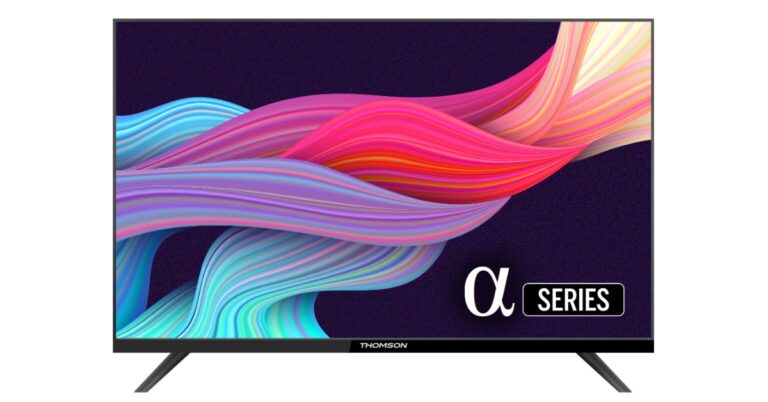
 The company has launched a total of five Thomson air coolers at the price starting at Rs 4,999 which goes up to Rs 8,199. It includes a new lineup of air coolers in the Personal, Window, and Desert categories, ranging in size from 28 to 85 litres.
Whereas the new Thomson Alpha smart TV comes in three sizes 24 inch, 32 inch and 40 inch. Smart TVs, according to the manufacturer, are the lowest-priced ones available in the market. The new models in the Alpha series are priced at 24 inches for Rs 6499, 32 inches for Rs 7999, and 40 inches for Rs 13,499. The Televisions come with a bezel-less design. They further include Miracast, surround sound, picture quality, and 30W sound output. Powered by an amlogic processor, many other features are included with these TVs.
For the latest gadget and tech news, and gadget reviews, follow us on Twitter, Facebook and Instagram. For newest tech & gadget videos subscribe to our YouTube Channel. You can also stay up to date using the Gadget Bridge Android App. You can find the latest car and bike news here.
The company has launched a total of five Thomson air coolers at the price starting at Rs 4,999 which goes up to Rs 8,199. It includes a new lineup of air coolers in the Personal, Window, and Desert categories, ranging in size from 28 to 85 litres.
Whereas the new Thomson Alpha smart TV comes in three sizes 24 inch, 32 inch and 40 inch. Smart TVs, according to the manufacturer, are the lowest-priced ones available in the market. The new models in the Alpha series are priced at 24 inches for Rs 6499, 32 inches for Rs 7999, and 40 inches for Rs 13,499. The Televisions come with a bezel-less design. They further include Miracast, surround sound, picture quality, and 30W sound output. Powered by an amlogic processor, many other features are included with these TVs.
For the latest gadget and tech news, and gadget reviews, follow us on Twitter, Facebook and Instagram. For newest tech & gadget videos subscribe to our YouTube Channel. You can also stay up to date using the Gadget Bridge Android App. You can find the latest car and bike news here. 

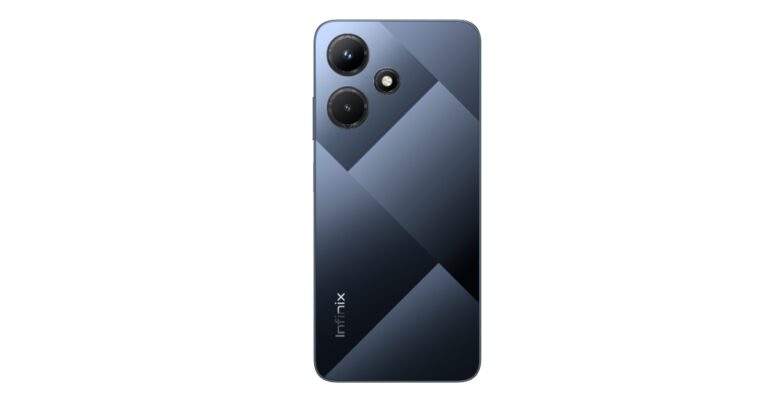
 On the other hand, the Infinix Y1 Plus laptop will be offering a compact form factor. It will be lightweight and feature-packed.
Also Read: Comparison: OnePlus 11 vs Samsung Galaxy S23
The company has not shared many details about the smartphone but a few days back spotted on the IMEI database with model number X669 which is believed to be Infinix Hot 30i.
Rumours suggest that the Infinix Hot 30i will be featuring a 6.6-inch IPS HD+ LCD display with 720×1,612 pixels of resolution. The screen is likely to offer 500 nits of brightness. The device may further include a MediaTek Helio G37 chipset with up to 4GB of RAM with a RAM expansion feature. There will be no provision for a microSD card slot. In addition to this, the handset could run on Android 12.
In terms of optics, the phone may include a triple rear camera setup that includes a 50-megapixel primary sensor and dual 2-megapixel sensors. In addition to this, the handset is expected to house a 5,000mAh battery that will have support for 18W wired charging.
For the latest gadget and tech news, and gadget reviews, follow us on Twitter, Facebook and Instagram. For newest tech & gadget videos subscribe to our YouTube Channel. You can also stay up to date using the Gadget Bridge Android App. You can find the latest car and bike news here.
On the other hand, the Infinix Y1 Plus laptop will be offering a compact form factor. It will be lightweight and feature-packed.
Also Read: Comparison: OnePlus 11 vs Samsung Galaxy S23
The company has not shared many details about the smartphone but a few days back spotted on the IMEI database with model number X669 which is believed to be Infinix Hot 30i.
Rumours suggest that the Infinix Hot 30i will be featuring a 6.6-inch IPS HD+ LCD display with 720×1,612 pixels of resolution. The screen is likely to offer 500 nits of brightness. The device may further include a MediaTek Helio G37 chipset with up to 4GB of RAM with a RAM expansion feature. There will be no provision for a microSD card slot. In addition to this, the handset could run on Android 12.
In terms of optics, the phone may include a triple rear camera setup that includes a 50-megapixel primary sensor and dual 2-megapixel sensors. In addition to this, the handset is expected to house a 5,000mAh battery that will have support for 18W wired charging.
For the latest gadget and tech news, and gadget reviews, follow us on Twitter, Facebook and Instagram. For newest tech & gadget videos subscribe to our YouTube Channel. You can also stay up to date using the Gadget Bridge Android App. You can find the latest car and bike news here.  On the other hand, the Infinix Y1 Plus laptop will be offering a compact form factor. It will be lightweight and feature-packed.
Also Read: Comparison: OnePlus 11 vs Samsung Galaxy S23
The company has not shared many details about the smartphone but a few days back spotted on the IMEI database with model number X669 which is believed to be Infinix Hot 30i.
Rumours suggest that the Infinix Hot 30i will be featuring a 6.6-inch IPS HD+ LCD display with 720×1,612 pixels of resolution. The screen is likely to offer 500 nits of brightness. The device may further include a MediaTek Helio G37 chipset with up to 4GB of RAM with a RAM expansion feature. There will be no provision for a microSD card slot. In addition to this, the handset could run on Android 12.
In terms of optics, the phone may include a triple rear camera setup that includes a 50-megapixel primary sensor and dual 2-megapixel sensors. In addition to this, the handset is expected to house a 5,000mAh battery that will have support for 18W wired charging.
For the latest gadget and tech news, and gadget reviews, follow us on Twitter, Facebook and Instagram. For newest tech & gadget videos subscribe to our YouTube Channel. You can also stay up to date using the Gadget Bridge Android App. You can find the latest car and bike news here.
On the other hand, the Infinix Y1 Plus laptop will be offering a compact form factor. It will be lightweight and feature-packed.
Also Read: Comparison: OnePlus 11 vs Samsung Galaxy S23
The company has not shared many details about the smartphone but a few days back spotted on the IMEI database with model number X669 which is believed to be Infinix Hot 30i.
Rumours suggest that the Infinix Hot 30i will be featuring a 6.6-inch IPS HD+ LCD display with 720×1,612 pixels of resolution. The screen is likely to offer 500 nits of brightness. The device may further include a MediaTek Helio G37 chipset with up to 4GB of RAM with a RAM expansion feature. There will be no provision for a microSD card slot. In addition to this, the handset could run on Android 12.
In terms of optics, the phone may include a triple rear camera setup that includes a 50-megapixel primary sensor and dual 2-megapixel sensors. In addition to this, the handset is expected to house a 5,000mAh battery that will have support for 18W wired charging.
For the latest gadget and tech news, and gadget reviews, follow us on Twitter, Facebook and Instagram. For newest tech & gadget videos subscribe to our YouTube Channel. You can also stay up to date using the Gadget Bridge Android App. You can find the latest car and bike news here. 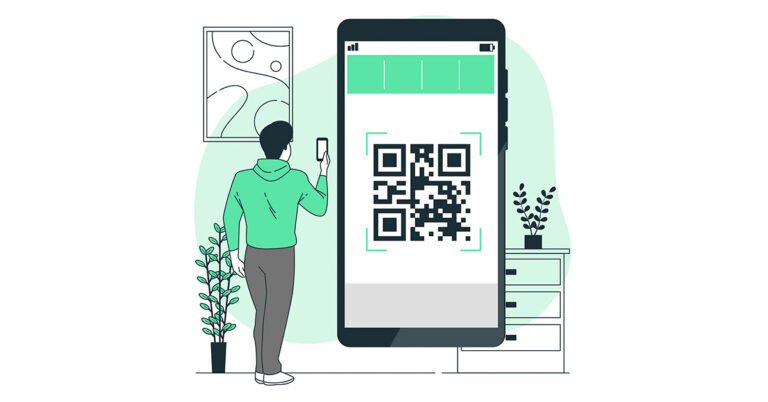
 The first step is to open your phone’s camera app. Most Android phones now come with a built-in QR code scanner in their camera app, so you don’t need to install any additional software. If you’re not sure whether your phone’s camera app has this feature, check the settings or user manual to see if there’s a QR code scanning option.
 The first step is to open your phone’s camera app. Most Android phones now come with a built-in QR code scanner in their camera app, so you don’t need to install any additional software. If you’re not sure whether your phone’s camera app has this feature, check the settings or user manual to see if there’s a QR code scanning option.
 Once you’ve opened your camera app, hold your phone up to the QR code so that it appears on your screen. Make sure that the entire code is visible and that your phone is close enough to read it clearly. You’ll need to keep your phone steady and in focus for the scanner to work properly.


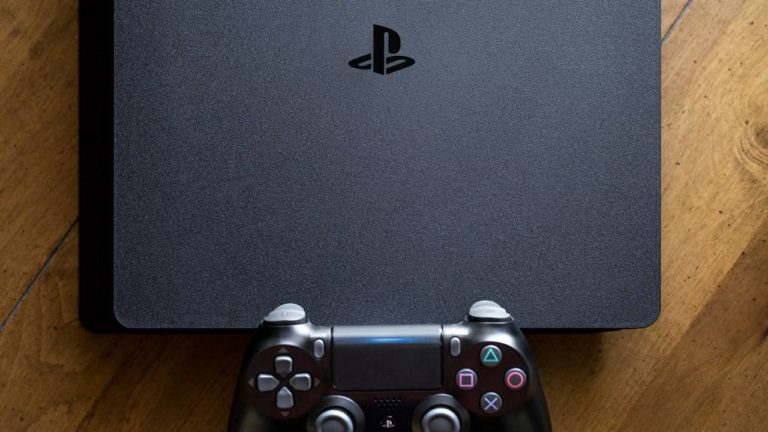
 Most of the major gaming titles are often remastered for new consoles. Games like The Last of Us and Borderlands have found new life with these remasters. If you’re looking for a niche or indie game, chances are you may not find it. Companies usually only remaster games that are sure will perform well in the market. This means outside of the major gaming titles, there is little chance that games get remastered for newer consoles.
 Sony’s cloud gaming service was previously called PS Now, but has now been rebranded to PlayStation Plus and offers three subscription plans. PlayStation Plus offers tons of gaming titles that you can stream online. This includes games that were previously available on PS3 and PS2 as well. Right now there are up to 400 PS3 titles you can play via PlayStation Plus. You don’t even need to download the game, you can simply stream it online. The only downside to this is that Sony may remove your favourite game at any time.
 Most of the major gaming titles are often remastered for new consoles. Games like The Last of Us and Borderlands have found new life with these remasters. If you’re looking for a niche or indie game, chances are you may not find it. Companies usually only remaster games that are sure will perform well in the market. This means outside of the major gaming titles, there is little chance that games get remastered for newer consoles.
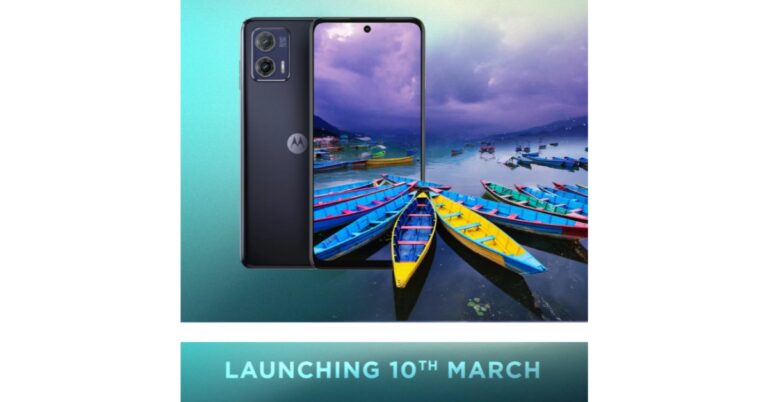
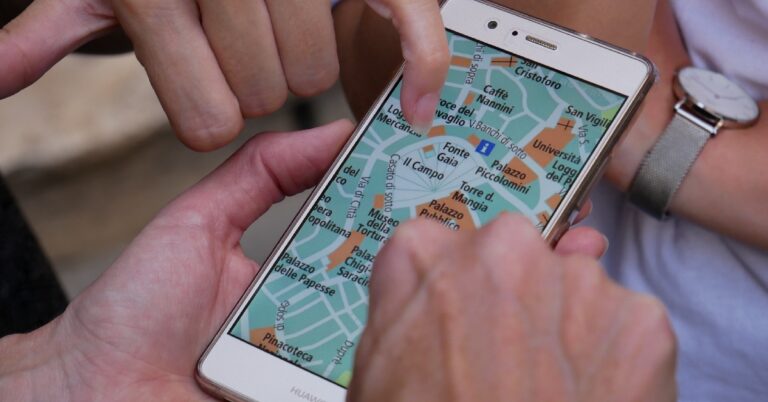
 Before location services made their way to mobile phones, the only way you could track your device was through its IMEI number. The IMEI number is unique to your phone and is used to establish contact with the nearest cell tower. In case you lose your phone, the first thing you should do is file an FIR at your nearest police station and let the police track your phone down. However, tracking a phone through its IMEI number only works if the phone is able to make contact with a cell tower. As soon as a call is made from the device, its exact location can be triangulated using the cell tower it established contact with.
Tracking a phone using the IMEI number comes in useful when the device isn’t connected to the Internet. Since you won’t be able to access the location history of the device, the only way to track it is by intercepting its cellular signal. If your phone is switched off, you won’t be able to track it using IMEI. What you can do is block the phone and render it useless, in case it falls into malicious hands. Here’s how you can block your phone from the CEIR portal using its IMEI number.
Before location services made their way to mobile phones, the only way you could track your device was through its IMEI number. The IMEI number is unique to your phone and is used to establish contact with the nearest cell tower. In case you lose your phone, the first thing you should do is file an FIR at your nearest police station and let the police track your phone down. However, tracking a phone through its IMEI number only works if the phone is able to make contact with a cell tower. As soon as a call is made from the device, its exact location can be triangulated using the cell tower it established contact with.
Tracking a phone using the IMEI number comes in useful when the device isn’t connected to the Internet. Since you won’t be able to access the location history of the device, the only way to track it is by intercepting its cellular signal. If your phone is switched off, you won’t be able to track it using IMEI. What you can do is block the phone and render it useless, in case it falls into malicious hands. Here’s how you can block your phone from the CEIR portal using its IMEI number.
 If you lost your phone and aren’t able to ring it because it is switched off, you can still find its last location. Google’s Find My Device logs the location of your device as long as it is connected to the Internet. This service comes in handy when your lost phone dies out due to battery drainage. Tracking its last known location will still lead you to it. All you need to do is visit Google’s Find My Device webpage and log in using your Google account. If your phone is active you will be able to view its live location. If it is switched off, you can still view its last recorded location. Find My Device also gives you the option to remotely erase all data on your device.
Read Also: Xiaomi TV Stick 4K Review: Xiaomi is back in the streaming game!
If you lost your phone and aren’t able to ring it because it is switched off, you can still find its last location. Google’s Find My Device logs the location of your device as long as it is connected to the Internet. This service comes in handy when your lost phone dies out due to battery drainage. Tracking its last known location will still lead you to it. All you need to do is visit Google’s Find My Device webpage and log in using your Google account. If your phone is active you will be able to view its live location. If it is switched off, you can still view its last recorded location. Find My Device also gives you the option to remotely erase all data on your device.
Read Also: Xiaomi TV Stick 4K Review: Xiaomi is back in the streaming game!
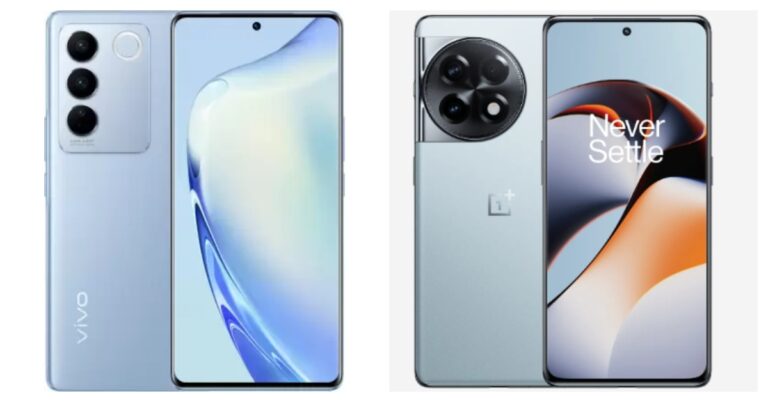
 To put it simply, there is no legitimate way to log in to WhatsApp Web without your phone. Since WhatsApp does not ask for any login credentials, it is not possible to gain entry to your WhatsApp account without your phone number. The only way to log in to WhatsApp Web is by scanning the QR code on the web portal with your phone. You need the authorisation of the active WhatsApp account on your phone to access it on your laptop or PC. Scanning the QR code mirrors your WhatsApp account on your web browser.
However, there may be a way to use WhatsApp on your laptop or PC without needing your smartphone. It may not be perfect, but it works. Firstly, you will need to ditch WhatsApp Web and install an Android emulator (like Bluestacks) on your laptop or PC. Once the emulator is running on the system, download WhatsApp from Google Play Store. In order to use WhatsApp on Bluestacks you will need to register using another phone number, since technically you cannot use one WhatsApp account on two devices.
Once you have created a WhatsApp account using a new number, you will not need a phone to log into it. Every time you launch WhatsApp on Bluestacks, you will be logged into your WhatsApp account without being asked for authorisation from your phone. This is a great way to use a secondary WhatsApp account on your PC.
Read Also: How To Update Google Chrome to its Latest Version?
To put it simply, there is no legitimate way to log in to WhatsApp Web without your phone. Since WhatsApp does not ask for any login credentials, it is not possible to gain entry to your WhatsApp account without your phone number. The only way to log in to WhatsApp Web is by scanning the QR code on the web portal with your phone. You need the authorisation of the active WhatsApp account on your phone to access it on your laptop or PC. Scanning the QR code mirrors your WhatsApp account on your web browser.
However, there may be a way to use WhatsApp on your laptop or PC without needing your smartphone. It may not be perfect, but it works. Firstly, you will need to ditch WhatsApp Web and install an Android emulator (like Bluestacks) on your laptop or PC. Once the emulator is running on the system, download WhatsApp from Google Play Store. In order to use WhatsApp on Bluestacks you will need to register using another phone number, since technically you cannot use one WhatsApp account on two devices.
Once you have created a WhatsApp account using a new number, you will not need a phone to log into it. Every time you launch WhatsApp on Bluestacks, you will be logged into your WhatsApp account without being asked for authorisation from your phone. This is a great way to use a secondary WhatsApp account on your PC.
Read Also: How To Update Google Chrome to its Latest Version?
 To put it simply, there is no legitimate way to log in to WhatsApp Web without your phone. Since WhatsApp does not ask for any login credentials, it is not possible to gain entry to your WhatsApp account without your phone number. The only way to log in to WhatsApp Web is by scanning the QR code on the web portal with your phone. You need the authorisation of the active WhatsApp account on your phone to access it on your laptop or PC. Scanning the QR code mirrors your WhatsApp account on your web browser.
However, there may be a way to use WhatsApp on your laptop or PC without needing your smartphone. It may not be perfect, but it works. Firstly, you will need to ditch WhatsApp Web and install an Android emulator (like Bluestacks) on your laptop or PC. Once the emulator is running on the system, download WhatsApp from Google Play Store. In order to use WhatsApp on Bluestacks you will need to register using another phone number, since technically you cannot use one WhatsApp account on two devices.
Once you have created a WhatsApp account using a new number, you will not need a phone to log into it. Every time you launch WhatsApp on Bluestacks, you will be logged into your WhatsApp account without being asked for authorisation from your phone. This is a great way to use a secondary WhatsApp account on your PC.
Read Also: How To Update Google Chrome to its Latest Version?
To put it simply, there is no legitimate way to log in to WhatsApp Web without your phone. Since WhatsApp does not ask for any login credentials, it is not possible to gain entry to your WhatsApp account without your phone number. The only way to log in to WhatsApp Web is by scanning the QR code on the web portal with your phone. You need the authorisation of the active WhatsApp account on your phone to access it on your laptop or PC. Scanning the QR code mirrors your WhatsApp account on your web browser.
However, there may be a way to use WhatsApp on your laptop or PC without needing your smartphone. It may not be perfect, but it works. Firstly, you will need to ditch WhatsApp Web and install an Android emulator (like Bluestacks) on your laptop or PC. Once the emulator is running on the system, download WhatsApp from Google Play Store. In order to use WhatsApp on Bluestacks you will need to register using another phone number, since technically you cannot use one WhatsApp account on two devices.
Once you have created a WhatsApp account using a new number, you will not need a phone to log into it. Every time you launch WhatsApp on Bluestacks, you will be logged into your WhatsApp account without being asked for authorisation from your phone. This is a great way to use a secondary WhatsApp account on your PC.
Read Also: How To Update Google Chrome to its Latest Version?

 Launched in China at the tail end of last year, the Xiaomi 13 Pro made its global debut at this year’s MWC. The smartphone puts the cameras on centre stage, collaborating with Leica to put out one of the more remarkable camera units on recent flagships. The triple rear camera setup on the Xiaomi 13 Pro consists of a 50-megapixel 1-inch Sony IMX989 primary sensor, a 50-megapixel Leica’s 75mm floating telephoto lens, and a 50-megapixel wide-angle lens. The smartphone is powered by the latest Snapdragon 8 Gen 2 SoC and gets 120W fast charging support. In India, the Xiaomi 13 Pro fetches Rs 79,999.
 Foldable phones are definitely here to stay. Some of the most eye-catching products at MWC 2023 were foldable smartphones and it’s always fun to see every brand’s spin on the form factor and software integration. If we’re strictly talking about the form factor, Honor Magic Vs may even have Samsung beat. When folded shut, you won’t find any gap between the folding displays. Bringing sleekness seems like almost an impossible task, but Honor seems to have done a good job with the Magic Vs. The smartphone is powered by the Snapdragon 8+ Gen 1 SoC and gets 12 GB RAM.
 You’d think that OnePlus would take a breather after launching a series of products last month which included its flagship release OnePlus 11. But the smartphone manufacturer had a few surprises awaiting the attendees at MWC 2023. The company unveiled its newest concept phone which is based on OnePlus 11 and comes with Active CryoFlux cooling. The Active CryoFlux technology, OnePlus claims, can reduce the smartphone’s temperature by up to 2.1°C while gaming, leading to an increase in gameplay framerate by 3-4 fps. It can also reduce the phone’s temperature by 1.6°C while charging. While the numbers may not seem much, the phone itself looks outstanding with the cooling liquid flowing across the back in little pipelines. The liquid also forms a blue ring around the camera unit.
 This year, the MWC had two major foldable showcases. Honor showcased the Magic Vs at the event and Tecno had something to ‘unfold’ as well. Tecno’s debut foldable, Phantom V Fold, is currently available in India at Rs 79,999, making it one of the most affordable folding smartphones on the market. The smartphone gets a 6.42-inch 1080p LTPO AMOLED cover display with a refresh rate of 120Hz https://www.gadgetbridge.com/news/mwc-2023-oneplus-to-launch-its-first-foldable-smartphone-in-the-second-half-of-2023/and a 7.85-inch LTPO 120Hz primary display. Powering the foldable is MediaTek Dimensity 9000+ SoC which clocks a score of more than 1.08 million on the AnTuTu test. The triple rear camera setup consists of a 50MP primary shooter, a 50MP telephoto, and a 13MP ultrawide lens.
 As we said earlier, foldable smartphones surely seem like the future. While Samsung dominates the category for now, brands like Xiaomi and Oppo have enjoyed a fair bit of success as well. Now with OnePlus stepping into the ring, things are bound to get interesting. The company announced its plans to release a foldable smartphone in the second half of 2023 but kept a tight lid on the looks and the specs. With a few months to go before the release, we are expecting some major leaks to surface on the Internet in the coming weeks.
 Converging the TWS and smart wearable worlds, the Huawei Watch Buds smartwatch flips open to reveal wireless earbuds inside. As bizarre as it may appear, it still works pretty well. The smartwatch is IPX7 rated and comes with a complete range of health and fitness tracking functions. The earbuds are significantly smaller than your average TWS, but it’s something that is to be expected from a product with this form factor.
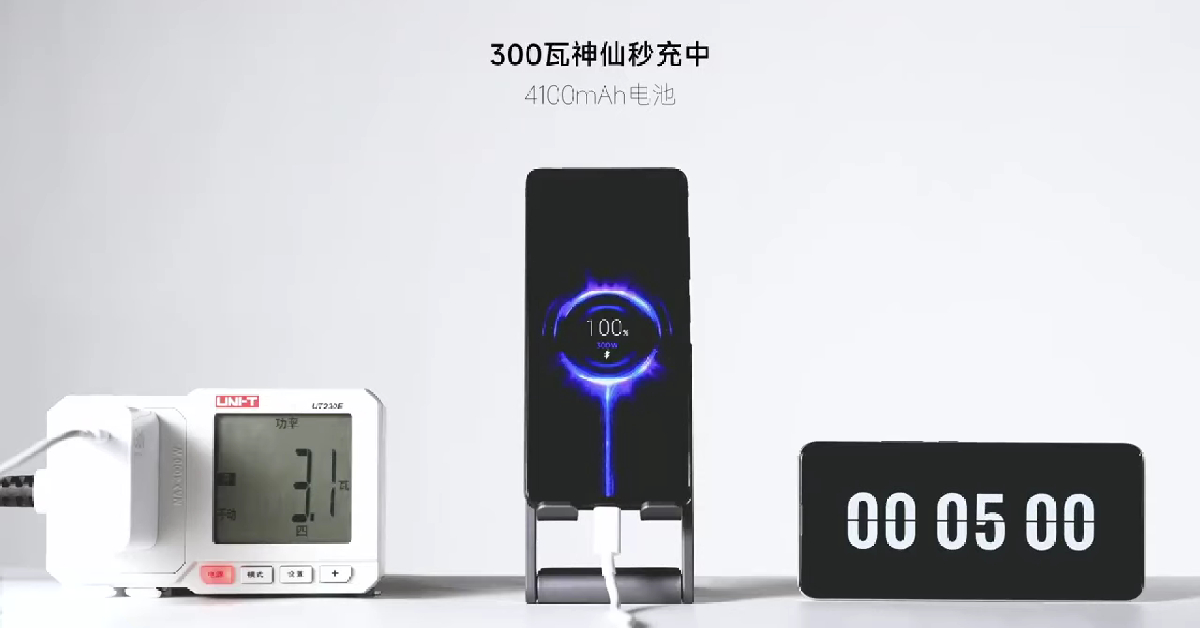 If you thought fast charging on phones was getting ridiculous with massive charging bricks and extraordinary charge times, wait until you see what Redmi has to offer. While most smartphones on the market rarely tread above 120W charging, Redmi showcased its 300W charging using a modified Note 12 Pro. It took the charger a mere 5 minutes to completely replenish the 4,100mAh battery. Xiaomi hasn’t shared any details about how it accomplishes this feat, but you best believe it will feature in future smartphones.
Read Also: Telegram for MacOS update: New features rolling out, bringing power saving mode and more
If you thought fast charging on phones was getting ridiculous with massive charging bricks and extraordinary charge times, wait until you see what Redmi has to offer. While most smartphones on the market rarely tread above 120W charging, Redmi showcased its 300W charging using a modified Note 12 Pro. It took the charger a mere 5 minutes to completely replenish the 4,100mAh battery. Xiaomi hasn’t shared any details about how it accomplishes this feat, but you best believe it will feature in future smartphones.
Read Also: Telegram for MacOS update: New features rolling out, bringing power saving mode and more

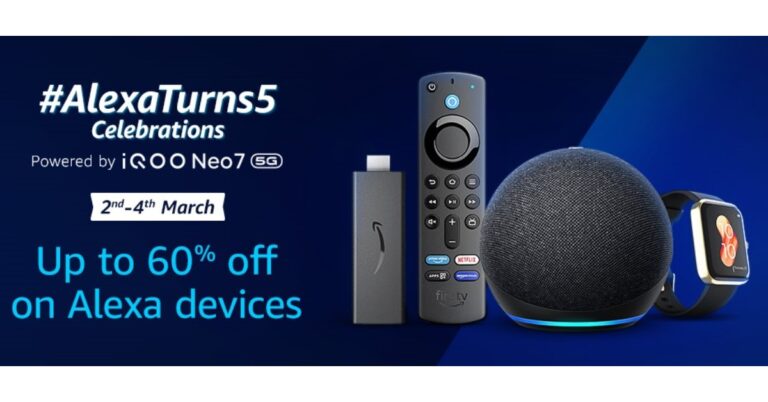
 There is up to 60 percent on Alexa Smart Home combos. Get the Echo Dot (3rd Gen) + Philips smart bulb for Rs 2,599. Whereas the Echo Dot (4th Gen) + Philips smart bulb can be purchased for as low as Rs 3,599. Moreover, there is up to 60 percent off on Echo Dot (3rd Gen) Twin-Pack + Smart Bulb, up to 30 percent off on Amazon Echo (4th Gen) Smart Home Combos and up to 43% off on Echo Show 5 Smart Home Combos.
Also Read: OnePlus 11 review: This is what a OnePlus flagship should look like
Amazon is providing up to 44 percent discounts on Fire TV devices during the Alexa anniversary sale. There will be a flat 44% off on Fire TV Stick with Alexa voice remote. It can be purchased for Rs 2,799. with up to 35 percent off Fire TV Stick 4K Max and Fire TV Cube is now selling for Rs 4,199 and Rs 8,999 respectively.
Customers can also obtain exciting additional benefits with the purchase of Echo and Fire TV devices. One can get up to Rs 500 cashback if Echo and Fire TV stick are bought together. Amazon is also offering 3 months Audible membership at no extra cost for the purchase of any Echo device. Up to 40 percent off is also being offered on top brands with Alexa built-in devices by boAt, Noise, Fastrack, and more. Lastly, there is up to 60 percent off on boAt Alexa built-in smartwatches
For the latest gadget and tech news, and gadget reviews, follow us on Twitter, Facebook and Instagram. For newest tech & gadget videos subscribe to our YouTube Channel. You can also stay up to date using the Gadget Bridge Android App. You can find the latest car and bike news here.
There is up to 60 percent on Alexa Smart Home combos. Get the Echo Dot (3rd Gen) + Philips smart bulb for Rs 2,599. Whereas the Echo Dot (4th Gen) + Philips smart bulb can be purchased for as low as Rs 3,599. Moreover, there is up to 60 percent off on Echo Dot (3rd Gen) Twin-Pack + Smart Bulb, up to 30 percent off on Amazon Echo (4th Gen) Smart Home Combos and up to 43% off on Echo Show 5 Smart Home Combos.
Also Read: OnePlus 11 review: This is what a OnePlus flagship should look like
Amazon is providing up to 44 percent discounts on Fire TV devices during the Alexa anniversary sale. There will be a flat 44% off on Fire TV Stick with Alexa voice remote. It can be purchased for Rs 2,799. with up to 35 percent off Fire TV Stick 4K Max and Fire TV Cube is now selling for Rs 4,199 and Rs 8,999 respectively.
Customers can also obtain exciting additional benefits with the purchase of Echo and Fire TV devices. One can get up to Rs 500 cashback if Echo and Fire TV stick are bought together. Amazon is also offering 3 months Audible membership at no extra cost for the purchase of any Echo device. Up to 40 percent off is also being offered on top brands with Alexa built-in devices by boAt, Noise, Fastrack, and more. Lastly, there is up to 60 percent off on boAt Alexa built-in smartwatches
For the latest gadget and tech news, and gadget reviews, follow us on Twitter, Facebook and Instagram. For newest tech & gadget videos subscribe to our YouTube Channel. You can also stay up to date using the Gadget Bridge Android App. You can find the latest car and bike news here.  There is up to 60 percent on Alexa Smart Home combos. Get the Echo Dot (3rd Gen) + Philips smart bulb for Rs 2,599. Whereas the Echo Dot (4th Gen) + Philips smart bulb can be purchased for as low as Rs 3,599. Moreover, there is up to 60 percent off on Echo Dot (3rd Gen) Twin-Pack + Smart Bulb, up to 30 percent off on Amazon Echo (4th Gen) Smart Home Combos and up to 43% off on Echo Show 5 Smart Home Combos.
Also Read: OnePlus 11 review: This is what a OnePlus flagship should look like
Amazon is providing up to 44 percent discounts on Fire TV devices during the Alexa anniversary sale. There will be a flat 44% off on Fire TV Stick with Alexa voice remote. It can be purchased for Rs 2,799. with up to 35 percent off Fire TV Stick 4K Max and Fire TV Cube is now selling for Rs 4,199 and Rs 8,999 respectively.
Customers can also obtain exciting additional benefits with the purchase of Echo and Fire TV devices. One can get up to Rs 500 cashback if Echo and Fire TV stick are bought together. Amazon is also offering 3 months Audible membership at no extra cost for the purchase of any Echo device. Up to 40 percent off is also being offered on top brands with Alexa built-in devices by boAt, Noise, Fastrack, and more. Lastly, there is up to 60 percent off on boAt Alexa built-in smartwatches
For the latest gadget and tech news, and gadget reviews, follow us on Twitter, Facebook and Instagram. For newest tech & gadget videos subscribe to our YouTube Channel. You can also stay up to date using the Gadget Bridge Android App. You can find the latest car and bike news here.
There is up to 60 percent on Alexa Smart Home combos. Get the Echo Dot (3rd Gen) + Philips smart bulb for Rs 2,599. Whereas the Echo Dot (4th Gen) + Philips smart bulb can be purchased for as low as Rs 3,599. Moreover, there is up to 60 percent off on Echo Dot (3rd Gen) Twin-Pack + Smart Bulb, up to 30 percent off on Amazon Echo (4th Gen) Smart Home Combos and up to 43% off on Echo Show 5 Smart Home Combos.
Also Read: OnePlus 11 review: This is what a OnePlus flagship should look like
Amazon is providing up to 44 percent discounts on Fire TV devices during the Alexa anniversary sale. There will be a flat 44% off on Fire TV Stick with Alexa voice remote. It can be purchased for Rs 2,799. with up to 35 percent off Fire TV Stick 4K Max and Fire TV Cube is now selling for Rs 4,199 and Rs 8,999 respectively.
Customers can also obtain exciting additional benefits with the purchase of Echo and Fire TV devices. One can get up to Rs 500 cashback if Echo and Fire TV stick are bought together. Amazon is also offering 3 months Audible membership at no extra cost for the purchase of any Echo device. Up to 40 percent off is also being offered on top brands with Alexa built-in devices by boAt, Noise, Fastrack, and more. Lastly, there is up to 60 percent off on boAt Alexa built-in smartwatches
For the latest gadget and tech news, and gadget reviews, follow us on Twitter, Facebook and Instagram. For newest tech & gadget videos subscribe to our YouTube Channel. You can also stay up to date using the Gadget Bridge Android App. You can find the latest car and bike news here. 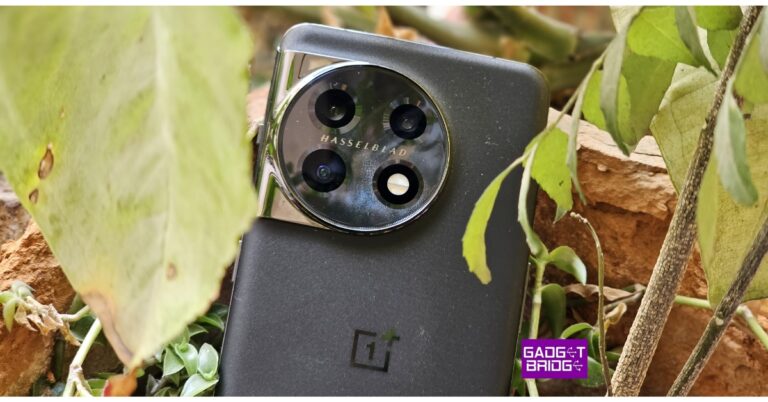
 The review device we received sports the Titan Black colour, which we really liked. Last year we received the glossy colour variant, which was more susceptible to scuffs. This time there is a Corning Gorilla Glass 5 protection on the rear and a sort of matte surface with some glitter on it, mimicking the night sky. Over that, the aluminium frame and gentle curves on both sides give it a quality appearance and feel. Because the phone is not too wide, our small hands were able to utilise it with one hand easily.
Also Read: OnePlus 10 Pro Review: Is it the right investment?
The company’s trademark alert slider has returned with the OnePlus 11, although it does not have a 3.5mm headphone port. The phone is splash and dust resistant and has an IP64 rating. It should be noted that the OnePlus 11 5G is only intended to offer protection from liquid splashes and cannot ensure protection against water immersion. Mid Range smartphones from Samsung and other manufacturers offer comparable ingress protection at a significantly lower price.
The review device we received sports the Titan Black colour, which we really liked. Last year we received the glossy colour variant, which was more susceptible to scuffs. This time there is a Corning Gorilla Glass 5 protection on the rear and a sort of matte surface with some glitter on it, mimicking the night sky. Over that, the aluminium frame and gentle curves on both sides give it a quality appearance and feel. Because the phone is not too wide, our small hands were able to utilise it with one hand easily.
Also Read: OnePlus 10 Pro Review: Is it the right investment?
The company’s trademark alert slider has returned with the OnePlus 11, although it does not have a 3.5mm headphone port. The phone is splash and dust resistant and has an IP64 rating. It should be noted that the OnePlus 11 5G is only intended to offer protection from liquid splashes and cannot ensure protection against water immersion. Mid Range smartphones from Samsung and other manufacturers offer comparable ingress protection at a significantly lower price.
 The OnePlus 11 5G’s front display is a magnificent 6.7-inch Samsung LTPO 3.0 AMOLED curved screen with a 1,440 x 3,216-pixel resolution. The panel has a 20.1:9 aspect ratio and a refresh rate that can be adjusted up to 120Hz. The mobile supports always-on displays with a maximum brightness of 1,300 nits and a resolution of 525 ppi. As protection, a Corning Gorilla Glass 7 is employed on top. On the panel, HDR and Dolby Vision codecs can be played.
The display has very accurate colour reproduction, and it responds to touch input instantly. You can make the necessary adjustments in the display settings for improved colour calibration. It has a wonderful white balance and contrast. The firm used an E4 panel that is two generations old, therefore the display’s brightness is about average. So, the screen brightness on the OnePlus 11 might not particularly wow you if you spend a lot of time outdoors.
It is capable of streaming Netflix content in Dolby Vision. In addition, the company used a 602mm vibration motor, which is 67% larger than its predecessor’s, to provide great haptics. The way vibration feedback has been incorporated into the user interface is simply amazing.
While the speakers are sufficient for watching videos and listening to your audio playlists, we notice a certain amount of richness is absent while listening to music or other audio with a deeper acoustic, particularly in terms of bass and high frequencies.
The fingerprint sensor is positioned perfectly in the screen and is fast as well as reliable.
The OnePlus 11 5G’s front display is a magnificent 6.7-inch Samsung LTPO 3.0 AMOLED curved screen with a 1,440 x 3,216-pixel resolution. The panel has a 20.1:9 aspect ratio and a refresh rate that can be adjusted up to 120Hz. The mobile supports always-on displays with a maximum brightness of 1,300 nits and a resolution of 525 ppi. As protection, a Corning Gorilla Glass 7 is employed on top. On the panel, HDR and Dolby Vision codecs can be played.
The display has very accurate colour reproduction, and it responds to touch input instantly. You can make the necessary adjustments in the display settings for improved colour calibration. It has a wonderful white balance and contrast. The firm used an E4 panel that is two generations old, therefore the display’s brightness is about average. So, the screen brightness on the OnePlus 11 might not particularly wow you if you spend a lot of time outdoors.
It is capable of streaming Netflix content in Dolby Vision. In addition, the company used a 602mm vibration motor, which is 67% larger than its predecessor’s, to provide great haptics. The way vibration feedback has been incorporated into the user interface is simply amazing.
While the speakers are sufficient for watching videos and listening to your audio playlists, we notice a certain amount of richness is absent while listening to music or other audio with a deeper acoustic, particularly in terms of bass and high frequencies.
The fingerprint sensor is positioned perfectly in the screen and is fast as well as reliable.
 This new phone’s operating system, ColorOS 13.0, is based on Android 13. The software experience is also excellent, so when it comes to daily tasks, the device is quick and smooth. There are many customization options available here, making it pleasant to use and stable.
The fact that OxygenOS from OnePlus is bloatware-free is actually what we appreciate most about it. The company guarantees four years of Android updates in addition to five years of security fixes for software updates. This means that customers of the OnePlus 11 would receive upgrades all the way up to Android 17.
OnePlus 11 comes with a triple rear camera set up with Hasselblad partnership. Through a partnership with Hasselblad, the OnePlus 11 has a triple rear camera setup. One of the three back cameras on the OnePlus 11 5G is a 50-megapixel sensor (f/1.8 aperture) optical image stabilisation (OIS) sensor from Sony. A 48-megapixel Sony IMX58 super wide-angle sensor (f/2.2 aperture and 115-degree field of view) is included in the camera unit in addition to a 32-megapixel telephoto portrait sensor. A 16-megapixel sensor with an f/2.4 aperture is located on the device’s front for selfies and video calls.
This new phone’s operating system, ColorOS 13.0, is based on Android 13. The software experience is also excellent, so when it comes to daily tasks, the device is quick and smooth. There are many customization options available here, making it pleasant to use and stable.
The fact that OxygenOS from OnePlus is bloatware-free is actually what we appreciate most about it. The company guarantees four years of Android updates in addition to five years of security fixes for software updates. This means that customers of the OnePlus 11 would receive upgrades all the way up to Android 17.
OnePlus 11 comes with a triple rear camera set up with Hasselblad partnership. Through a partnership with Hasselblad, the OnePlus 11 has a triple rear camera setup. One of the three back cameras on the OnePlus 11 5G is a 50-megapixel sensor (f/1.8 aperture) optical image stabilisation (OIS) sensor from Sony. A 48-megapixel Sony IMX58 super wide-angle sensor (f/2.2 aperture and 115-degree field of view) is included in the camera unit in addition to a 32-megapixel telephoto portrait sensor. A 16-megapixel sensor with an f/2.4 aperture is located on the device’s front for selfies and video calls.


 The review device we received sports the Titan Black colour, which we really liked. Last year we received the glossy colour variant, which was more susceptible to scuffs. This time there is a Corning Gorilla Glass 5 protection on the rear and a sort of matte surface with some glitter on it, mimicking the night sky. Over that, the aluminium frame and gentle curves on both sides give it a quality appearance and feel. Because the phone is not too wide, our small hands were able to utilise it with one hand easily.
Also Read: OnePlus 10 Pro Review: Is it the right investment?
The company’s trademark alert slider has returned with the OnePlus 11, although it does not have a 3.5mm headphone port. The phone is splash and dust resistant and has an IP64 rating. It should be noted that the OnePlus 11 5G is only intended to offer protection from liquid splashes and cannot ensure protection against water immersion. Mid Range smartphones from Samsung and other manufacturers offer comparable ingress protection at a significantly lower price.
The review device we received sports the Titan Black colour, which we really liked. Last year we received the glossy colour variant, which was more susceptible to scuffs. This time there is a Corning Gorilla Glass 5 protection on the rear and a sort of matte surface with some glitter on it, mimicking the night sky. Over that, the aluminium frame and gentle curves on both sides give it a quality appearance and feel. Because the phone is not too wide, our small hands were able to utilise it with one hand easily.
Also Read: OnePlus 10 Pro Review: Is it the right investment?
The company’s trademark alert slider has returned with the OnePlus 11, although it does not have a 3.5mm headphone port. The phone is splash and dust resistant and has an IP64 rating. It should be noted that the OnePlus 11 5G is only intended to offer protection from liquid splashes and cannot ensure protection against water immersion. Mid Range smartphones from Samsung and other manufacturers offer comparable ingress protection at a significantly lower price.
 The OnePlus 11 5G’s front display is a magnificent 6.7-inch Samsung LTPO 3.0 AMOLED curved screen with a 1,440 x 3,216-pixel resolution. The panel has a 20.1:9 aspect ratio and a refresh rate that can be adjusted up to 120Hz. The mobile supports always-on displays with a maximum brightness of 1,300 nits and a resolution of 525 ppi. As protection, a Corning Gorilla Glass 7 is employed on top. On the panel, HDR and Dolby Vision codecs can be played.
The display has very accurate colour reproduction, and it responds to touch input instantly. You can make the necessary adjustments in the display settings for improved colour calibration. It has a wonderful white balance and contrast. The firm used an E4 panel that is two generations old, therefore the display’s brightness is about average. So, the screen brightness on the OnePlus 11 might not particularly wow you if you spend a lot of time outdoors.
It is capable of streaming Netflix content in Dolby Vision. In addition, the company used a 602mm vibration motor, which is 67% larger than its predecessor’s, to provide great haptics. The way vibration feedback has been incorporated into the user interface is simply amazing.
While the speakers are sufficient for watching videos and listening to your audio playlists, we notice a certain amount of richness is absent while listening to music or other audio with a deeper acoustic, particularly in terms of bass and high frequencies.
The fingerprint sensor is positioned perfectly in the screen and is fast as well as reliable.
The OnePlus 11 5G’s front display is a magnificent 6.7-inch Samsung LTPO 3.0 AMOLED curved screen with a 1,440 x 3,216-pixel resolution. The panel has a 20.1:9 aspect ratio and a refresh rate that can be adjusted up to 120Hz. The mobile supports always-on displays with a maximum brightness of 1,300 nits and a resolution of 525 ppi. As protection, a Corning Gorilla Glass 7 is employed on top. On the panel, HDR and Dolby Vision codecs can be played.
The display has very accurate colour reproduction, and it responds to touch input instantly. You can make the necessary adjustments in the display settings for improved colour calibration. It has a wonderful white balance and contrast. The firm used an E4 panel that is two generations old, therefore the display’s brightness is about average. So, the screen brightness on the OnePlus 11 might not particularly wow you if you spend a lot of time outdoors.
It is capable of streaming Netflix content in Dolby Vision. In addition, the company used a 602mm vibration motor, which is 67% larger than its predecessor’s, to provide great haptics. The way vibration feedback has been incorporated into the user interface is simply amazing.
While the speakers are sufficient for watching videos and listening to your audio playlists, we notice a certain amount of richness is absent while listening to music or other audio with a deeper acoustic, particularly in terms of bass and high frequencies.
The fingerprint sensor is positioned perfectly in the screen and is fast as well as reliable.
 This new phone’s operating system, ColorOS 13.0, is based on Android 13. The software experience is also excellent, so when it comes to daily tasks, the device is quick and smooth. There are many customization options available here, making it pleasant to use and stable.
The fact that OxygenOS from OnePlus is bloatware-free is actually what we appreciate most about it. The company guarantees four years of Android updates in addition to five years of security fixes for software updates. This means that customers of the OnePlus 11 would receive upgrades all the way up to Android 17.
OnePlus 11 comes with a triple rear camera set up with Hasselblad partnership. Through a partnership with Hasselblad, the OnePlus 11 has a triple rear camera setup. One of the three back cameras on the OnePlus 11 5G is a 50-megapixel sensor (f/1.8 aperture) optical image stabilisation (OIS) sensor from Sony. A 48-megapixel Sony IMX58 super wide-angle sensor (f/2.2 aperture and 115-degree field of view) is included in the camera unit in addition to a 32-megapixel telephoto portrait sensor. A 16-megapixel sensor with an f/2.4 aperture is located on the device’s front for selfies and video calls.
This new phone’s operating system, ColorOS 13.0, is based on Android 13. The software experience is also excellent, so when it comes to daily tasks, the device is quick and smooth. There are many customization options available here, making it pleasant to use and stable.
The fact that OxygenOS from OnePlus is bloatware-free is actually what we appreciate most about it. The company guarantees four years of Android updates in addition to five years of security fixes for software updates. This means that customers of the OnePlus 11 would receive upgrades all the way up to Android 17.
OnePlus 11 comes with a triple rear camera set up with Hasselblad partnership. Through a partnership with Hasselblad, the OnePlus 11 has a triple rear camera setup. One of the three back cameras on the OnePlus 11 5G is a 50-megapixel sensor (f/1.8 aperture) optical image stabilisation (OIS) sensor from Sony. A 48-megapixel Sony IMX58 super wide-angle sensor (f/2.2 aperture and 115-degree field of view) is included in the camera unit in addition to a 32-megapixel telephoto portrait sensor. A 16-megapixel sensor with an f/2.4 aperture is located on the device’s front for selfies and video calls.







 Step 4: Select the portion of the screen you want to capture. You can also choose to capture the entire screen.
 Step 5: Click on ‘Capture’ to take a screenshot.
 Step 6: The screenshot will automatically be copied to the clipboard. You can also access the screenshot in the Tote section.

 If you want to take a quick screenshot on your Chromebook then using a keyboard shortcut combination is the best way to go about it. Simply open the content you want to capture and press ‘Ctrl + Show Windows’ to take a full screenshot. The ‘Show Windows’ key is the one with a rectangle and two bars and is placed right above the 6 key. Once you take a full screenshot using this shortcut, it will automatically be copied to the clipboard. Simply paste it on any photo editor to edit it further. You can also access the screenshot from My Files>Downloads.
To take a partial screenshot, press ‘Ctrl + Shift + Show Windows’ and use the trackpad to select the area you wish to capture. Press the capture button once you’re done. If you want to take a screenshot of a window without including the taskbar at the bottom, simply press ‘Ctrl + Alt + Show Windows’. A screenshot toolbar will pop up at the bottom of the screen. Press the window icon on the right to take a screenshot of the active window on your screen. Click the capture icon to take a screenshot.
Read Also: 15 advanced keyboard shortcuts every Microsoft Word user should know
If you want to take a quick screenshot on your Chromebook then using a keyboard shortcut combination is the best way to go about it. Simply open the content you want to capture and press ‘Ctrl + Show Windows’ to take a full screenshot. The ‘Show Windows’ key is the one with a rectangle and two bars and is placed right above the 6 key. Once you take a full screenshot using this shortcut, it will automatically be copied to the clipboard. Simply paste it on any photo editor to edit it further. You can also access the screenshot from My Files>Downloads.
To take a partial screenshot, press ‘Ctrl + Shift + Show Windows’ and use the trackpad to select the area you wish to capture. Press the capture button once you’re done. If you want to take a screenshot of a window without including the taskbar at the bottom, simply press ‘Ctrl + Alt + Show Windows’. A screenshot toolbar will pop up at the bottom of the screen. Press the window icon on the right to take a screenshot of the active window on your screen. Click the capture icon to take a screenshot.
Read Also: 15 advanced keyboard shortcuts every Microsoft Word user should know
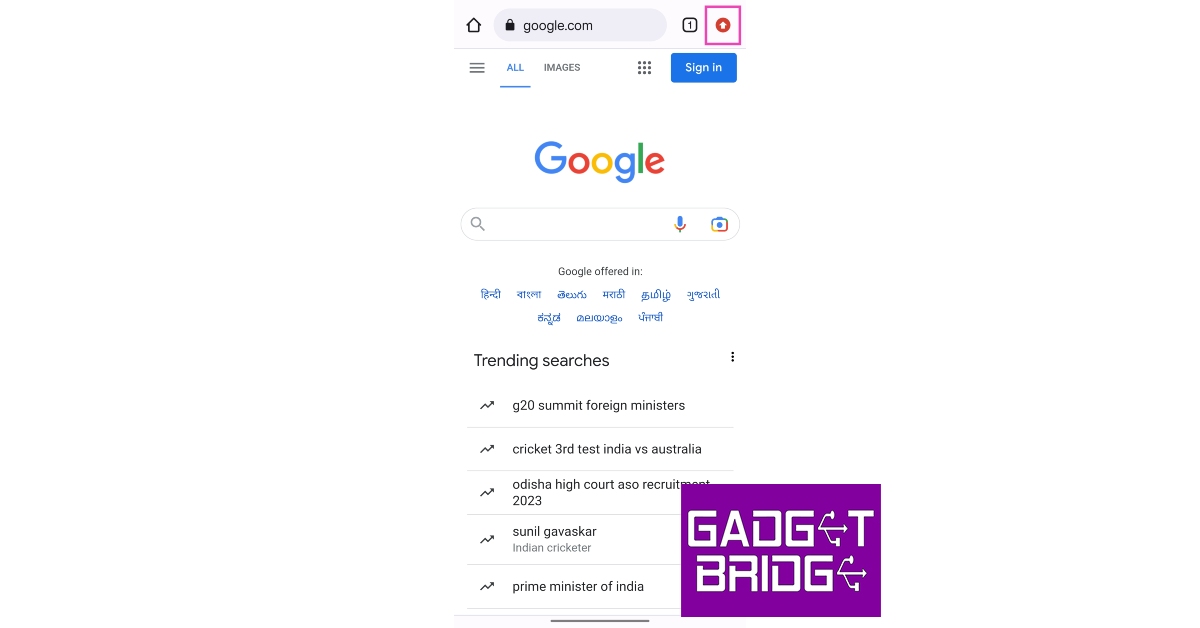 Step 3: Tap on ‘Update Chrome’.
 Step 4: You will be redirected to the app’s page on Google Play Store. Tap on ‘Update’ to update Chrome to its latest version.
 Alternatively, you can directly launch Google Play Store or App Store on your smartphone and update Google Chrome from there.
 Step 4: You will be directed to the Settings page where Chrome will check for any pending updates. You will see a blue tick if the Chrome version you are using is up to date.
 Step 5: Download any pending updates and restart Chrome.
Read Also: Google Chrome’s Dark Mode makes its way to Mac
Step 5: Download any pending updates and restart Chrome.
Read Also: Google Chrome’s Dark Mode makes its way to Mac
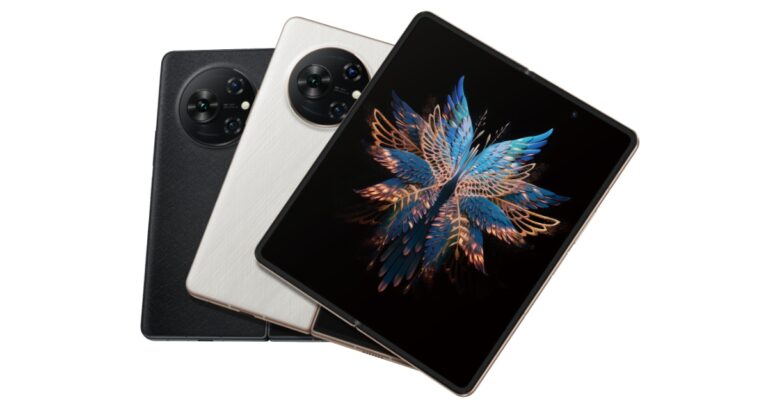

 Photos and videos have been taken care of by a triple rear camera setup that includes a 50-megapixel main camera, a second 50-megapixel 2x zoom camera, and a 13-megapixel ultrawide camera. There are two selfie cameras on the phone, one 32-megapixel sensor on the front display and a second 16-megapixel sensor is given on the inside.
The Tecno Phantom V Fold houses a 5,000mAh battery that comes with 45W wired charging.
For the latest gadget and tech news, and gadget reviews, follow us on Twitter, Facebook and Instagram. For newest tech & gadget videos subscribe to our YouTube Channel. You can also stay up to date using the Gadget Bridge Android App. You can find the latest car and bike news here.
Photos and videos have been taken care of by a triple rear camera setup that includes a 50-megapixel main camera, a second 50-megapixel 2x zoom camera, and a 13-megapixel ultrawide camera. There are two selfie cameras on the phone, one 32-megapixel sensor on the front display and a second 16-megapixel sensor is given on the inside.
The Tecno Phantom V Fold houses a 5,000mAh battery that comes with 45W wired charging.
For the latest gadget and tech news, and gadget reviews, follow us on Twitter, Facebook and Instagram. For newest tech & gadget videos subscribe to our YouTube Channel. You can also stay up to date using the Gadget Bridge Android App. You can find the latest car and bike news here. 
 Photos and videos have been taken care of by a triple rear camera setup that includes a 50-megapixel main camera, a second 50-megapixel 2x zoom camera, and a 13-megapixel ultrawide camera. There are two selfie cameras on the phone, one 32-megapixel sensor on the front display and a second 16-megapixel sensor is given on the inside.
The Tecno Phantom V Fold houses a 5,000mAh battery that comes with 45W wired charging.
For the latest gadget and tech news, and gadget reviews, follow us on Twitter, Facebook and Instagram. For newest tech & gadget videos subscribe to our YouTube Channel. You can also stay up to date using the Gadget Bridge Android App. You can find the latest car and bike news here.
Photos and videos have been taken care of by a triple rear camera setup that includes a 50-megapixel main camera, a second 50-megapixel 2x zoom camera, and a 13-megapixel ultrawide camera. There are two selfie cameras on the phone, one 32-megapixel sensor on the front display and a second 16-megapixel sensor is given on the inside.
The Tecno Phantom V Fold houses a 5,000mAh battery that comes with 45W wired charging.
For the latest gadget and tech news, and gadget reviews, follow us on Twitter, Facebook and Instagram. For newest tech & gadget videos subscribe to our YouTube Channel. You can also stay up to date using the Gadget Bridge Android App. You can find the latest car and bike news here. 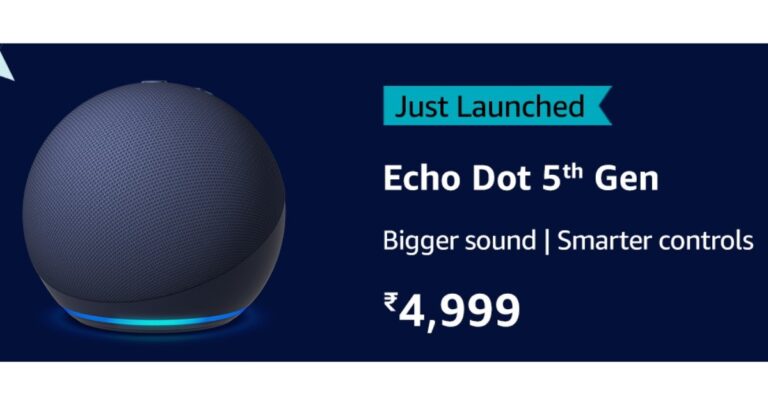


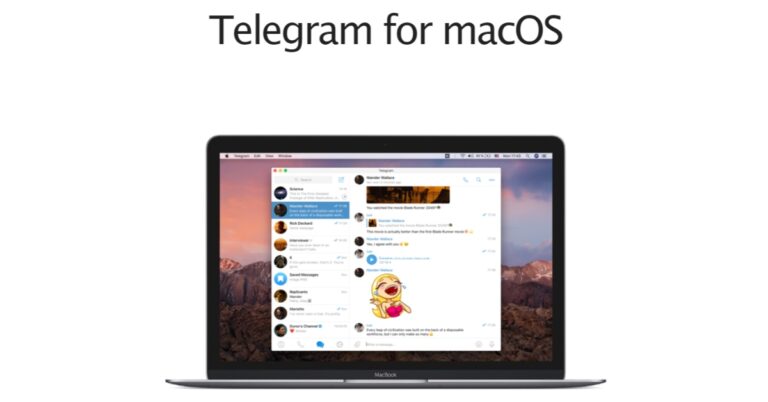
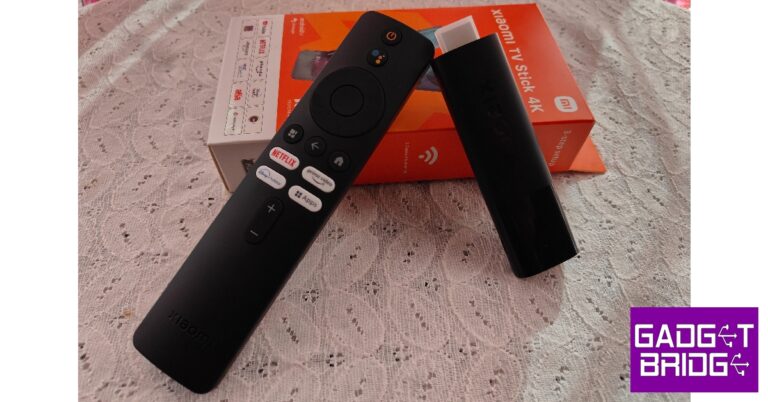
 The design of the Xiaomi TV Stick remains unchanged from its previous generation, although it is slightly larger in size. The top two-thirds portion of the stick gets a matte finish while the bottom third has a glossy texture. The Xiaomi branding has been embossed on the matte finish and the small notification light has been housed in the glossy section. The micro USB port has been placed on the side. It is a little weird that Xiaomi hasn’t gone for the USB-C port on their new device, but they have provided a USB cable with the product.
 You also get an HDMI extender cable along with the Xiaomi TV Stick 4K. This came in extremely useful since the TV we were using had only 2 HDMI ports next to each other, which didn’t allow two bulky devices to be connected side by side. If your TV is wall mounted, the HDMI extender cable may dangle from the side.
 The TV Stick remote carries the same minimal design as its predecessor. It’s good to see Xiaomi has not tried anything new with the remote as its clean, easy-to-use layout was one of the highlights of the previous-generation product. The remote is easy to pair with your TV and there is an option to use the remote control functionality on the Google TV app.
 The power button has been placed at the top of the remote followed by a dedicated button for Google Assistant. There are dedicated buttons for Netflix, Prime Video, Disney+ Hostar, and system apps as well.
 What we liked the most about the Xiaomi TV Stick 4K was the bloatware-free Android TV 11 OS experience. It comes with some pre-installed apps like Netflix, Prime Video, and YouTube, but we wouldn’t exactly call it bloatware. You also get Xiaomi’s MiTV+ app on the device, which lets you watch a bunch of TV channels at no additional cost. Switching between the apps is an absolute breeze and the browsing experience is seamless.
Xiaomi’s Patchwall interface curates content from different streaming platforms on your homepage. The look and aesthetic of the Patchwall are quite pleasing to the eye, and it comes in handy when you don’t want to jump between different apps to find what you want to watch. The built-in support for Chromecast and Google Assistant also brings a whole lot of smartness to your TV.
What we liked the most about the Xiaomi TV Stick 4K was the bloatware-free Android TV 11 OS experience. It comes with some pre-installed apps like Netflix, Prime Video, and YouTube, but we wouldn’t exactly call it bloatware. You also get Xiaomi’s MiTV+ app on the device, which lets you watch a bunch of TV channels at no additional cost. Switching between the apps is an absolute breeze and the browsing experience is seamless.
Xiaomi’s Patchwall interface curates content from different streaming platforms on your homepage. The look and aesthetic of the Patchwall are quite pleasing to the eye, and it comes in handy when you don’t want to jump between different apps to find what you want to watch. The built-in support for Chromecast and Google Assistant also brings a whole lot of smartness to your TV.
 As we mentioned earlier, the biggest upgrade on the Xiaomi TV Stick is 4K media support. Paired with Dolby Atmos and Dolby Vision support, the Xiaomi TV Stick 4K provides an exemplary viewing experience that is in line with the best streaming on the market right now. We streamed HBO’s latest hit The Last Of Us and were not disappointed with the seamless streamless and vivid images we were treated to.
 The remote is extremely accessible to use, even for people that aren’t tech-savvy. The minimal design and dedicated keys for major streaming services make the device very easy to use. If you’re thinking about gifting a smart TV stick to your elderly parents or relatives, the simplicity of Xiaomi’s product should make it the pick of the lot. The only problem with the remote is that it lacks a mute button. You will need to use your old remote controller or the Google TV app to mute the system. We would also have liked an extra customisable hotkey on the remote.
Read Also: Vivo V27 Pro and Vivo V27 with 120Hz 3D curved display launched in India
The remote is extremely accessible to use, even for people that aren’t tech-savvy. The minimal design and dedicated keys for major streaming services make the device very easy to use. If you’re thinking about gifting a smart TV stick to your elderly parents or relatives, the simplicity of Xiaomi’s product should make it the pick of the lot. The only problem with the remote is that it lacks a mute button. You will need to use your old remote controller or the Google TV app to mute the system. We would also have liked an extra customisable hotkey on the remote.
Read Also: Vivo V27 Pro and Vivo V27 with 120Hz 3D curved display launched in India

 Step 3: Select ‘Street View’ in the Map Details section.
 All areas available in Street View will be marked in blue. If the road or area you’re looking up isn’t marked blue, it means that it has not been covered by Street View yet.
Step 4: Simply tap on the area you want to see in Street View.
All areas available in Street View will be marked in blue. If the road or area you’re looking up isn’t marked blue, it means that it has not been covered by Street View yet.
Step 4: Simply tap on the area you want to see in Street View.
 Step 5: Tap on the enlarge icon to hide the map and enter Street View in fullscreen.
 Step 6: Scroll on the screen to move in a particular direction. Use the arrows to move forward and backwards.

 Step 4: Drop the yellow Street View icon on the area marked in blue. If there are no blue markings around the place, it means it hasn’t been covered by Street View yet.

 Read Also: How to enable Google Play Store on a Chromebook?