In This Article
Philips OneBlade Pro QP6550 electric shaver review: Design
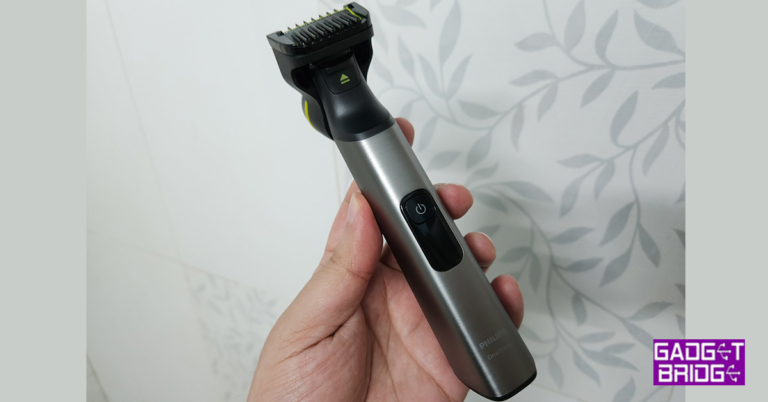
Open the box and you will see the bare minimum use of plastic in the packaging. Philips is also one of those companies, which is earth conscious and uses almost no plastic in its packaging. The box includes the Philips OneBlade Pro QP6550 electric shaver, two blade attachments, one precision comb, body grooming comb, charger, blade prorector and a carry pouch. The Philips OneBlade Pro QP6550 electric shaver is dressed in silver and black with good use of rubber all over the rear side of its body for extra grip. Philips’s branding can be found on the front and back. The front also has a single colour LED screen that also shows the battery percentage, right under the power button. The charging port is located at the bottom. Overall, it does look very premium.
 Read Also: Philips OneBlade Pro Face & Body trimmer launched in India
The rest of the attachments including the two blades and the combs are first-class as well. These do have a hint of or are fully fluorescent in colour with a good mix of fine steel on the blades and soft plastic on the combs. Placing and replacing any of the blades or comb onto the main shaver is child’s play. Just push the head slider up and you can attach or detach any of the supplied accessories.
Read Also: Philips OneBlade Pro Face & Body trimmer launched in India
The rest of the attachments including the two blades and the combs are first-class as well. These do have a hint of or are fully fluorescent in colour with a good mix of fine steel on the blades and soft plastic on the combs. Placing and replacing any of the blades or comb onto the main shaver is child’s play. Just push the head slider up and you can attach or detach any of the supplied accessories.

Philips OneBlade Pro QP6550 electric shaver: Performance
In the performance department, we faced no problem with the Philips OneBlade Pro QP6550 electric shaver. It is one of the finest ever produced by Philips and it takes care of all facial and bodily needs. Men can easily shave, clip or fine-tune their beard and moustache with the supplied blades and pro precision comb. This combe has 14 length points so that you can easily just groom your facial hair length. Also using it is very comfortable, as it becomes like an L shape (when attached) aiding accuracy. Moreover, the same Philips OneBlade Pro QP6550 electric shaver can be used to cut the body hair, such as the chest as well as under the arm ones with minimal irritation. We are a big fan of clippers for body and neck hair, which leaves behind a light shade of hair. But not with this shaver by Philips. You get an extremely close shave even on the neck, as if you have used a shaving razor.
Philips recommends replacing the blades every 3-4 months, however, if you are not so regular user, they can easily last you for over 5-6 months.
Charging the device was not a problem at all. It got fully charged from 0 – 100 in under 25 minutes. Also, the battery lasts for a very long time. We have been using it for the last 10 days and we have to charge it just once.
Moreover, the same Philips OneBlade Pro QP6550 electric shaver can be used to cut the body hair, such as the chest as well as under the arm ones with minimal irritation. We are a big fan of clippers for body and neck hair, which leaves behind a light shade of hair. But not with this shaver by Philips. You get an extremely close shave even on the neck, as if you have used a shaving razor.
Philips recommends replacing the blades every 3-4 months, however, if you are not so regular user, they can easily last you for over 5-6 months.
Charging the device was not a problem at all. It got fully charged from 0 – 100 in under 25 minutes. Also, the battery lasts for a very long time. We have been using it for the last 10 days and we have to charge it just once.













 The
The 
 For casual users,




 Step 2:
  Step 3:
 Step 4:
 Step 5:
  Step 6:
  Step 3:


 Step 3:
  Step 4:

 Third-party apps on your device can interfere with the functioning of some system apps. Trying to figure out the culprit in this scenario can be a tricky task. However, if you want to know for sure that your phone’s Camera app is malfunctioning because of a recently installed third-party app, reboot your device in Safe Mode. All third-party apps are disabled in Safe Mode. If the camera app is still malfunctioning in Safe Mode, it means these issues aren’t caused by any third-party app.
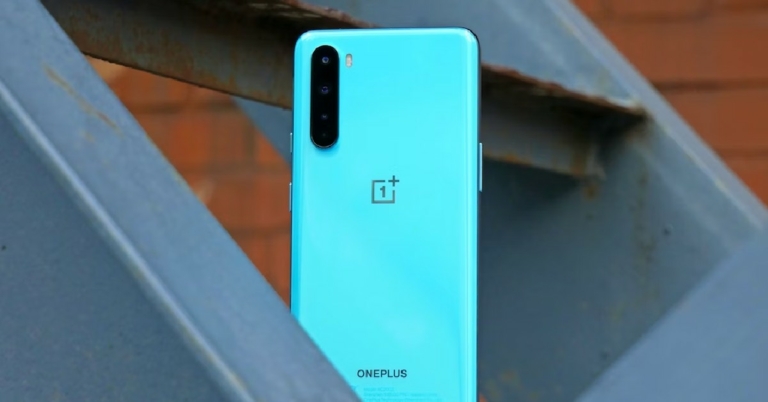
To reboot your OnePlus phone in Safe Mode, press and hold the side key to reveal the power options. Then, tap and hold the ‘Power Off’ icon until the option to reboot your phone in Safe Mode appears.
Third-party apps on your device can interfere with the functioning of some system apps. Trying to figure out the culprit in this scenario can be a tricky task. However, if you want to know for sure that your phone’s Camera app is malfunctioning because of a recently installed third-party app, reboot your device in Safe Mode. All third-party apps are disabled in Safe Mode. If the camera app is still malfunctioning in Safe Mode, it means these issues aren’t caused by any third-party app.
To reboot your OnePlus phone in Safe Mode, press and hold the side key to reveal the power options. Then, tap and hold the ‘Power Off’ icon until the option to reboot your phone in Safe Mode appears.


 If your phone died due to a battery drain, it won’t fully restart until it is charged first. If there’s some leftover charge on the device, it may get stuck on the Samsung logo in the process of booting up. To fix this, connect your phone to the charger and let it boost its battery for a while. Restart your phone after a few minutes.

 Step 8: