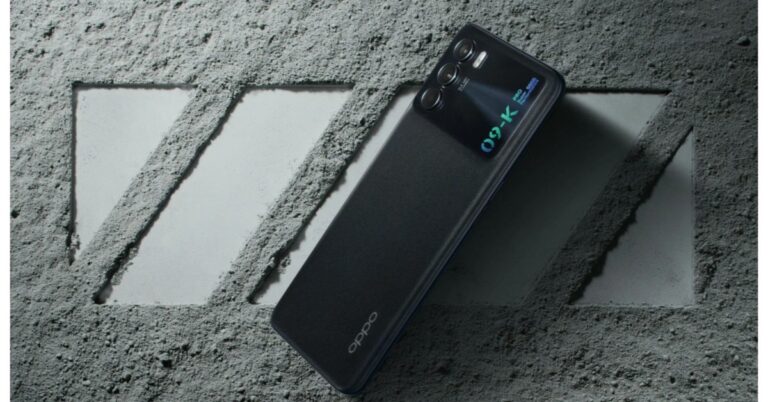
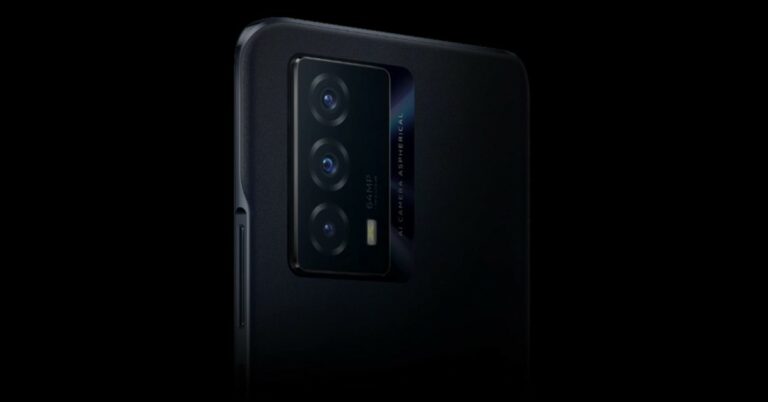
The Chinese smartphone brand, Oppo, has officially announced the launch of the Oppo K9 Pro smartphone. The device is an upgrade over the Oppo K9. It is powered by MediaTek Dimensity 1200 SoC and includes a 4,500mAh battery with 60W Flash charge support.In addition to this, there is a triple rear camera set up and a 120Hz display. The screen also includes an in-display fingerprint sensor along with dual stereo speakers.
Oppo K9 Pro price and availability
Oppo K9 Pro has been launched in China with a price tag of CYN 2,199 for the base 8GB RAM with a 128GB storage option that converts to Rs 2,699. The price of the 12GB RAM with 256GB storage option is set at CYN 2,699 that translates to Rs 30,800. As of now, both the devices are being offered at an introductory price of CYN (approx Rs 22,800) and CYN 2,499 (approx Rs 28,500) respectively. The phone will come in two colour options of Obsidian Warrior and Glacier Overture. Oppo K9 Pro is now up for pre-orders and will go on sale from September 30 in the country.
Oppo K9 Pro specs and features
Oppo K9 Pro features a 6.43-inch FHD+ display offering 1,080×2,400 pixels of resolution. The screen has a 120Hz refresh rate support along with a 91.7 percent screen to body ratio and 409ppi pixel density as well as a 100 percent DCI-P3 colour gamut. The smartphone runs on ColorOS 11.3 on top of Android 11 and is powered by MediaTek Dimensity 1200 SoC. The phone will come with up to 12GB of RAM and up to 256GB of internal storage.Over that, Oppo K9 Pro will come with a triple rear camera set up that includes a 64MP primary sensor with f/1.7 aperture. Completing the setup, there is an 8MP super wide-angle lens with f/2.2 aperture and a 2MP macro lens with f/2.4 aperture. For selfies and video calling, there is a 16MP front-facing camera with an f/2.4 aperture.Oppo K9 Pro also includes 5G, WiFi 802.11 ac, Bluetooth v5.2, NFC among others as connectivity options. The device also has dual stereo speakers. Moreover, there is a 4,500mAh battery that comes with 60W super flash fast charging support.
For the latest gadget and tech news, and gadget reviews, follow us on Twitter, Facebook and Instagram. For newest tech & gadget videos subscribe to our YouTube Channel. You can also stay up to date using the Gadget Bridge Android App. You can find the latest car and bike news here.
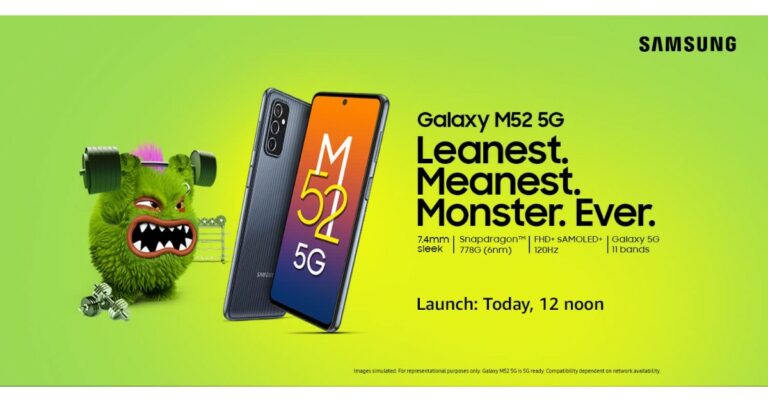
Samsung Galaxy M52 5G India launch is all set to take place today. Ahead of the Indian launch, the upcoming smartphone has already debuted in Poland revealing all the spec details and colour options. In the country, the 5G ready may feature a triple rear camera set up, a 120Hz AMOLED display and a 5,000mAh battery with 25W fast charging support.
Samsung Galaxy M52 5G price and launch details
Samsung Galaxy M52 5G will launch in India today at 12 noon. The device is expected to be announced through Amazon as it has already been listed on the e-commerce website to tease its availability. In addition to this, the 5G smartphone will also be available through the company’s official website in the country.Ahead of its debut in India Samsung Galaxy M52 5G reached Poland which revealed the specifications but did not declare the pricing it would come in. But reportedly the phone is expected to be priced at PLN 1,749 that converts to Rs 32,900 for the 8GB RAM with 128GB storage. The device may also arrive in three colour options of Black, Blue and White.
Samsung Galaxy M52 5G specifications (expected)
According to the Poland website Samsung Galaxy M52 5G is listed to feature a 6.7-inch full HD super AMOLED Plus display with 1,080×2,400 pixels of resolution with 120Hz refresh rate support and a 20:9 aspect ratio. The 5G ready phone will run on OneUI 3.1 based on top of Android 11. Under the hood, there is an unspecified octa-core SoC with 6GB of RAM and 128GB of onboard storage. The storage can be expanded up to 1TB using a microSD card. However, in India, the phone will be powered byQualcomm Snapdragon 778G as revealed by the listing.TheSamsung Galaxy M52 5G will come with a triple rear camera setup consisting of a 64-MP primary sensor. Completing the setup there is a 12MP ultra wide-angle lens with f/2.2 aperture and a 5MP macro sensor. For taking selfies and video calling the device will sport a 32MP front-facing camera with an f/2.2 aperture. It will be fuelled by a 5,000mAh battery with 25W fast charging support. There is a side-mounted fingerprint sensor on the phone that also acts as a power button. In terms of connectivity, there will be G, Bluetooth v5.0, Wi-FI, USB Type-C and NFC support. The sensor on the phone includes an accelerometer, ambient light sensor, gyroscope, magnetometer, and proximity sensor.
For the latest gadget and tech news, and gadget reviews, follow us on Twitter, Facebook and Instagram. For newest tech & gadget videos subscribe to our YouTube Channel. You can also stay up to date using the Gadget Bridge Android App. You can find the latest car and bike news here.
The Popular Amazon Quiz is now live on Amazon App. The -commerce platform brings the daily quiz on its platform that makes people win Amazon Pay Balance rewards of up to Rs 50,000. The quiz can be played from 12 AM to 11:59. In the 28 September 2021 Amazon Quiz you can stand a chance to win Rs 15,000. All you have to do is submit correct answers to the questions asked on the e-commerce platform. The 28 September 2021 Amazon Quiz has gone live on its platform. Every day it brings a new questionnaire to which the participants have to answer correctly. It consists of a total of 5 questions to which you have to answer correctly to enter the lucky draw. All the questions are based on general knowledge and current affairs. Amazon will announce the result of the quiz at the end of the month.Only app users are eligible to participate in the quiz. To help our readers to clear the Amazon Quiz successfully, Gadget Bridge updates all the questions with their correct answers on the website. The users can increase their chances of winning prizes by daily participating in the quiz.
24 September 2021 Amazon Quiz Answers
Question 1: 20the August is World Mosquito Day, a global commemoration of whose discovery that female Anopheles mosquitoes transmit malaria?
Answer: Ronald Ross
Question 2: Which of these firms is associated with the COVID-19 vaccine named Comirnaty?
Answer: Pfizer
Question 3: During the Tokyo Olympics, Kevin Durant overtook who to become the leading scorer for the USA in Olympic basketball history?
Answer: Carmelo Anthony
Question 4: Identify this breed of dog
Answer: St Bernard
Question 5: This is a picture taken at a national reserve located in which country?
Oppo last year started a new trend of launching a special Diwali Edition smartphone with the launch of Oppo F17 Pro in India. Similarly, the company has today come up with two new smartphones Oppo F19s and Oppo Reno 6 Pro 5G Diwali Edition in the country. Both the phones come with specs similar to their original device but in new Golden Colour options. To recall, last year F17 Pro was too introduced in the same colour option, which was available for a limited time period.
Oppo F19s price in India, specs
Oppo F19 comes with a 6.43-inch full HD+ AMOLED Display. The screen offers 1080×2400 pixels of resolution, a standard 60Hz refresh rate and up to 180Hz touch sampling rate support. The display brightness also maxes out to 800 nits and includes a pixel density of 409ppi. The phone operates on ColorOS 11.1 on top of Android 11 and is powered by Snapdragon 662 SoC paired with Adreno 610 GPU. The device is provided with 6GB of LPDDR4x RAM and 128GB of in-built storage that can be expanded up to 1256GB only. In addition to this, the phone has a feature of virtual RAM expansion to up to 11GB that makes use of internal storage for multitasking.In terms of photos, Oppo F19s includes a triple camera set up on the back which houses a 48MP primary sensor. The setup also consists of dual 2MP sensors for depth and Macro photography. There is a 16MP selfie camera on the front which is hidden inside a hole punch cut out.For connectivity, there is 4G LTE, dual-band WiFi, Bluetooth v5, Type C Port, USB OTG and a 3.5mm audio jack. While the sensors on the phone include a proximity sensor, under-screen light sensor, geomagnetic induction, gravity sensor, acceleration sensor, gyroscope and more. There is a provision of the in-display fingerprint sensor as well. F19s also has a 5,000mAh battery which comes with 33W Flash Charge fast charging.Speaking of the Oppo F19 price, the phone has been priced at Rs 19,990 which will be available in two colour options of Glowing Black and Glowing Gold. This smartphone is now available at the company’s official website as well as via Flipkart.
Oppo Reno 6 Pro Diwali Edition price in India, specifications
Have a look at the pricing of Oppo Reno 6 Pro Diwali Edition first. The Oppo Reno 6 Pro Diwali Edition price in India is set at Rs 41,990 for the 12GB RAM with 256GB storage. It will be offered in a special Majestic Gold colour option. It should be noted that the device debuted in India in July this year; it was priced at Rs 39,990 for the same configuration and is made available in Aurora and Stellar Black Colour options.The special edition smartphone can be purchased via Oppo’s official website in India and via Flipkart.
Also Read:Oppo Reno Pro ReviewMoving to the specification, the Oppo Reno 6 Pro Diwali Edition shares similar specs as its original device. The 5G ready phone is headlined with a 6.55-inch FHD AMOLED display with 1,080×2,400 pixels of resolution and refreshes at 90Hz. Under its hood, there is a MediaTek DImensity 1200 SoC with 12GB of RAM and 256GB of inbuilt storage. Also Read:Oppo Reno 6 ReviewThe Reno 6 Pro also includes a 64MP main sensor, an 8MP secondary sensor and dual 2MP lenses. For selfies, it features a 32 MP front-facing camera. The phone includes an X-axis linear motor and a 4,500mAh battery with 65W fast charging support.
For the latest gadget and tech news, and gadget reviews, follow us on Twitter, Facebook and Instagram. For newest tech & gadget videos subscribe to our YouTube Channel. You can also stay up to date using the Gadget Bridge Android App. You can find the latest car and bike news here.
Jabra released its new Elite series earbuds in India. Jabra Elite 7 Pro, Elite 7 Active, Elite 3 and Elite 2 have been unveiled as the new true wireless stereo (TWS) earbuds from the Danish brand. In the new series, Jabra Elite 7 Pro is the top of the line. And comes with Active noise cancellation and is claimed to be the smallest Jabra earbuds so far. The Jabra Elite 7 Active, on the other hand, are designed as a lower specced variant of the Elite 7 Pro. For 7 Active companies included a ‘ShakeGrip’ coating on top for a more secure fit during workouts. Jabra Elite 3 and Elite 2 are designed as the cheapest model in the series, with basic features such as a noise isolation design.
The Elite 2 & Elite 3 will be available by the company from October first week, while the Elite 7 Pro and Elite 7 Active will be available by the end of October 2021. All products will be available on Amazon, Flipkart, Croma, Reliance and Jabra Authorized resellers at:
Elite 7 Pro: Rs 18,999
Elite 7 Active: Rs 15,999
Elite 3: Rs 6,999
Elite 2: Rs 5,999
Jabra Elite 7 Pro specification
The Jabra Elite 7 Pro comes with a MultiSensor Voice technology that uses the built-in bone conduction sensor. Paired with four microphones and algorithms to deliver improved clarity in voice calls and reduce ambient noise. The earbuds also include an adjustable ANC feature that is claimed to bring an immersive audio experience. Paired with the Jabra MySound technology allowing users to get a personalised experience by creating their dedicated audio profiles. The TWS earphones have Alexa built-in and support both Siri and Google Assistant. With this many features, the company also claimed to deliver 9 hours of playtime with ACN switched on. When paired with the battery case the Jabra Elite 7 Pro brings the battery life to 35 hours. The case has the support of fast charging which can give 1.2 hours of playtime with just five minutes of charging. Earphones come in 3 colours lack, Gold Beige, and Titanium Black colour options and have an IP55-rated build. The size factor is small as the company claims it is to be 16 per cent smaller in size over the Elite 75t.Read Also: Jabra Move Style Edition wireless headphones launched in India
Jabra Elite 7 Active specification
The active variant is specially designed for fitness enthusiasts and touted to deliver an experience that is identical to the Elite 7 Pro. Most of the specification part is similar to Elite 7 pro except MultiSensor Voice technology. As mentioned above, the earphone will have a “ShakeGrip coating” on top that is claimed to provide a more secure in-ear fit without a traditional wingtip design. The company has provided microphone meat for users who love to work out outside. The mish removes wind noise from calls. The ear tips on TWS are made of liquid silicone rubber.
Jabra Elite 3 specifications
The Elite 3 is for people looking for affordable TWS earbuds. These come with 6mm drivers paired with four-microphone call technology. Jabra has also provided a music equaliser built-in to let you adjust the music output as per your preferences. Further, the earbuds include Qualcomm aptX HD audio support as well. The buds claim to have a battery life of 7 hours and 28hours when paired with the case. The earbuds also have a noise isolation design and Jabra’s HearThrough awareness that allows users to define the exact amount of outside noise they want to let in. There are 4 colours to choose from: Lilac, Light Beige, Dark Grey, and Navy.Read Also: Jabra launches wireless earbuds: The Jabra Elite 75T
Jabra 2 Specification
The final addition to the newest range is Jabra Elite 2, suited for those who like sound on the go. Unlike its small form factor, the company has fitted 6mm speakers that offer high audio quality and powerful bass. It also has a customizable EQ, paired with noise isolation. With the inclusion of Qualcomm aptX audio and 2 mic call technology one can use these earphones all day. Other features include instant Alexa activation, one-touch Spotify playback and Google Fast Pair and IP55-rated rainproof protection. The earphones come in grey and navy and offer 7 hours of battery life. The battery life is extended to 21 hours when included with the case.
After Jabra released its new Elite series earbuds in India. It will be exciting to see what the company has to offer to customers. It was a bold move by the company to release TWS earphones for different price ranges so all the customers have an option.
For the latest gadget and tech news, and gadget reviews, follow us on Twitter, Facebook and Instagram. For newest tech & gadget videos subscribe to our YouTube Channel. You can also stay up to date using the Gadget Bridge Android App. You can find the latest car and bike news here.
Vivo sub-brand iQoo has extended its portfolio in the Indian market with the launch of iQoo Z3 followed by the launch of iQoo 7 and iQoo 7 Legend. This device is the company’s first mid-range phone, which retails under the Rs 20,000 price category. This makes it stand up against the likes of Redmi Note 10 Pro Max, OnePlus Nord CE, Mi 11 Lite and Samsung Galaxy A52. Find out if the phone is worth buying over its competition. Here is our in-depth (long term) review of iQoo Z3.
iQoo Z3 review (in-depth): Design and Display
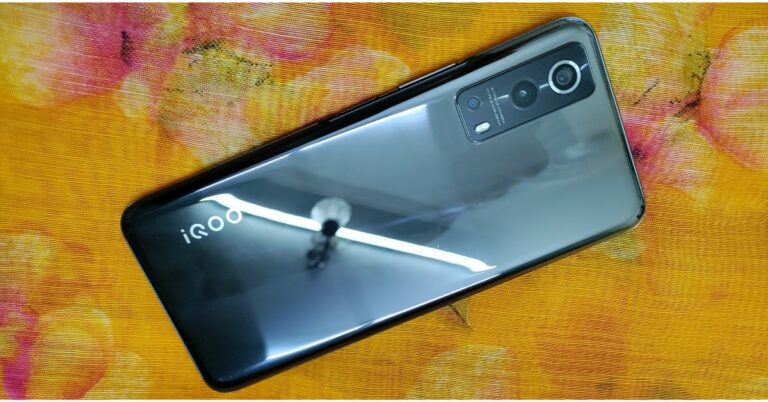
The iQoo Z3 comes in two colour options: Ace Black and Cyber Blue. The unit which we have for the review is the subtle Ace Black variant. It has a glossy polycarbonate back panel that looks like glass and is a bit of a fingerprint magnet. The rear of the phone gives an ombre effect. Though it has a plastic build, our unit did not suffer any scratches during the tests. Also, it is shipped with silicon back cover, so this will keep the device protected from further damage. The weight distribution is perfect, it only weighs about 186 gms. Adding to the comfort, because of its not so wide form factor, it fits perfectly in your hands if you have small to medium-sized hands. The power button on the right side of the frame comes integrated with a fingerprint sensor, which can be easily relied on for phone unlocking. The volume up/down key is situated just above the power button. There is no port given on either side. Instead, the SIM slot is placed on the top frame, which has a rubber gasket that will prevent water from seeping in, therefore protecting the SIM/microSD card from moisture damage. Note that the phone carries an IP52 rating for dust and water resistance. The bottom of the phone has a 3.5mm headphone jack, a Type-C port for charging and a bottom-firing speaker.Moving to the display, the iQoo Z3 5G is headlined with a 6.58-inch full-HD+ LCD display offering 1,080×2,408 pixels of resolution. It comes with 120Hz refresh rate support in addition to a 90.61 screen to body ratio, 20:9 aspect ratio, and HDR support. Instead of an AMOLED panel, iQoo has provided an LCD screen and a waterdrop notch at the top instead of a hole punch cutout. Talking about the performance of the screen, the red and blue hues are a bit oversaturated in the default mode. Adjusting the temperature from the settings enhances the colours. There is 450 nits of peak brightness, which makes it ideal to be used indoors, but that doesn’t help outdoors, as it is not as bright as it should be under direct sunlight. But the best part is that iQoo has well optimised the 120Hz refresh rate for the device. There are no micro stutters or lags when scrolling through social media feeds and more. On top of that, one does not need to manually switch between 60Hz, 90Hz and 120Hz, but the smart switch automatically does it for you. We have no complaints in terms of the touch response as well. Moreover, the screen supports Widevine L1 for HD content streaming. The HDR videos played on Youtube looked fine, but they have not been optimised for other OTT platforms like Amazon Prime and Netflix, to name a few.
iQoo Z3 review (in-depth): Performance and cameras
The iQoo Z3 5G is loaded with an octa-core Qualcomm Snapdragon 768G SoC with an Adreno 620 GPU. It offers up to 8GB of RAM with 256GB of expandable storage up to 1TB using a microSD card. The 5G chipset comes with a five-layered liquid cooling system that accurately senses the heat source and intelligently adapts the optimal cooling solution, therefore effectively cooling down the phone by 10 degrees during extensive gaming sessions. This is fairly impressive. But we noticed heating around the camera module, so for a better gaming experience, we recommend turning down the settings when playing demanding titles like Asphalt 9 Legends. Less demanding games like Call of Duty were exceptionally smooth. We tried it out at high graphics and frame rate settings and the chipsets handled it all. The phone does warm up a little, but not enough to be a cause of concern. Because of the graphite cooling system, there were no signs of overheating here. Additionally, the iQoo Z3 handles everything and is great at performing day to day tasks. There is a feature for extended RAM or virtual RAM that uses 3GB of internal storage by turning it into virtual RAM for multitasking. On the software front, the device OriginOS for iQoo 1.0 is based on Android 11. In our testing, we had some issues when multitasking with the heavier apps, which is quite strange as the device offers virtual RAM options. However, the OS gives a stock Android-like feel and every integrated feature in the smartphone like the app drawer, lock screen posters and more offers its own privacy terms and conditions. The iQoo Z3 does come with pre-installed bloatware, but these can be easily removed, freeing up storage space. The notifications can also be disabled as well. Okay, with that out of the way, let’s talk about the cameras. The iQoo Z3 5G is laden with a triple rear camera setup that includes an Isocell GW3 64-megapixel primary sensor with an f/1.79 aperture. In addition to this, there is an 8-megapixel ultra-wide-angle sensor with f/2.2 aperture, 120 degrees of field of view and a 2-megapixel lens with f/2.4 aperture. Upfront, there is a 16-megapixel camera sensor with an f/2.0 aperture for taking selfies and video calling. The outcome of the daytime images did provide high contrast and looked oversaturated, therefore the images looked extra bright. But it offers better colour optimisation most of the time, but if you prefer a more toned-down colour, you can look somewhere else. Wide-angle images looked more vibrant in certain instances that gave an unnatural effect to the photos. The portrait images sometimes look over-exposed with a tint of yellow. The macro shots are not so good and lacked details and looked out of focus. standard modeLow light images lacked better exposure, details and HDR. We also noticed a red tint in the nighttime images. When you turn on the night mode, the images look bright, offering a good amount of detail in extremely low light conditions. The iQoo Z3 also lets you shoot ultra-wide at night, but the shots taken were not that good. We liked the selfies taken on the iQoo Z3 5G as the shots taken are sharp, look natural, have good contrast, and dynamic range. Similarly, portrait selfies also tell the same story. The images produced are natural with edge detection on point.portrait modeIn terms of videography, iQoo has provided shooting videos in 4K resolution at 60fps that lack stabilisation. However, it does offer EIS when dialled down to 30fps. But the stabilisation is better than its competition. In a similar way, the recordings in 1080p at 60fps have good stabilisation and better exposure. The selfie videos are limited to 1080p@30fps and are not paired with EIS.For endurance, the iQoo Z3 comes with a 4,400mAh battery with 55W fast charging support. Surprisingly, the battery lasted for a whole day with just a couple of hours of watching videos, gaming, and scrolling through the social media apps. The company has provided a 55W adapter, which takes about 20 minutes to charge from zero to 50 percent and less than an hour to charge it completely.
Verdict
The iQoo Z3 comes with some interesting features that will make its competitors sweat for sure. The mono speakers and an LCD display can be a deal-breaker for some, but the provided thermal solution and powerful performance make the phone an ideal midrange smartphone. The decent cameras and powerful videography make the phone stand out.
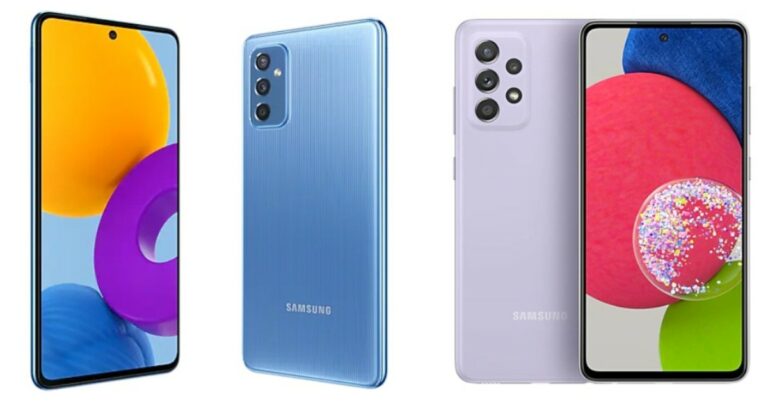
Samsung Galaxy M52 5G has been officially launched. The device shares a lot of similarities with the Samsung Galaxy A52 5G that debuted in India earlier this month. We have put up Samsung Galaxy M52 5G against Samsung Galaxy A52 5G to help you with which device you should buy?
Samsung Galaxy M52 5G vs Samsung Galaxy A52 5G
Display
Samsung Galaxy M52 5G: 6.7-inches full HD super AMOLED Plus display with 120Hz refresh rate.Samsung Galaxy A52 5G: 6.5-inches full HD+ super AMOLED display with 120Hz refresh rate.
Samsung Galaxy M52 5G: Triple rear camera set up consisting of a 64-MP primary sensor. Completing the setup there is a 12MP ultra wide-angle lens with f/2.2 aperture and a 5MP macro sensor. Samsung Galaxy A52 5G: Quad rear camera set up consisting of a 64-MP primary sensor, a 12MP ultra-wide-angle lens with f/2.2 aperture and a 5MP macro sensor and a 5MP telephoto shooter.
Selfie camera
Samsung Galaxy M52 5G: 32MP front-facing camera with an f/2.2 aperture. Samsung Galaxy A52 5G: 32MP selfie camera.
RAM and storage
Samsung Galaxy M52 5G: 6GB of RAM and 128GB storage.Samsung Galaxy A52 5G: 6GB of RAM and 128GB storage and 8GB of RAM and 128GB storage.
On the specs sheet both the phones look quite similar, but Galaxy A52 5G offers an additional telephoto sensor. In addition to this, there is NFC support that allows you to connect two devices just by touching them with each other. On the contrary, Galaxy M52 5G comes with a bigger battery and a slightly larger display. But if you are not a heavy user and are not much into gaming, and inclined towards photography then you can opt for the A52 as it is more value for money.
For the latest gadget and tech news, and gadget reviews, follow us on Twitter, Facebook and Instagram. For newest tech & gadget videos subscribe to our YouTube Channel. You can also stay up to date using the Gadget Bridge Android App. You can find the latest car and bike news here.
Everyone has loved Apple products since the first segment of the iPhone and iPad came into the market. This list will show 13 super genius tricks every iPhone and iPad owner should know to increase their productivity and get the best out of these superb devices.Since the launch of the devices, there have been many major upgrades making these devices incredibly flexible and useful. There are often some features introduced in the Apple device that are either hidden or we know less about them. Lets look at some of them below
Control what apps do in the background
Some applications come in handy when running in the background such as weather forecasts or news applications especially when you wake up in the morning. But background refresh can also result in some not useful apps using bandwidth and battery in the background for no good reason. A prime example is Facebook that tends to demand extra resources that it really needs. This can be controlled by going into Settings > General > Background App Refresh and toggle off the applications that do not require background refresh according to you.
Make use of widgets
Widgets in both iPad and iPhones can be extremely helpful in showing widgets to show calendar items, weather forecasts, news headlines and anything else you fancy. All you have to do is hold on to the blank bit of your home screen. After that, a panel will open in which you can select widgets you want to add. If for some reason you change your mind just press and hold the widget until you see a little circle with a minus sign over each widget. Tapping the minus sign will remove it from your Home screen.
Make use of floating keyboard
The default keyboard especially on iPad takes a lot of room when switched to landscape mode. It can be made smaller by pressing and holding on the keyboard icon at the lower left of the keyboard and then sliding your finger over Float. The keyboard will become much smaller and can be repositioned by dragging it across the screen. It can be returned to normal form by pinching out using two fingers.
Use applications in Split view
Split view is a brilliant feature available in iPads and iPhones. One can easily work in two applications side by side. A great example of this can be if you are writing a research paper on the web. You can just open the notes app in one half of the screen and browser on the next. Slide over and drag the application from the dock while it is currently open. It will automatically open in a split view.Read Also: Apple now owns Intel’s smartphone modem patents
Slide Over
It does not work for iPhone but is a handy feature if one uses iPad more often. It helps you to quickly use another app without leaving the current one. Your iPad remembers which apps you use in this mode for faster switching. To use it, open the first app and then slide up from the bottom to show the Dock. Touch and hold the icon for the second app and drag it upwards. The application will try to go in a split-screen mode rather than dragging it to the other half, releasing it to the opened app and making the application open in a floating window.
Switch off gestures
Gestures are an easy way to navigate through apps or to utilise the full power of your device. But sometimes this can be interfering with either other apps or you are not habitual to it. One can easily switch off gestures as well by heading to Settings > General > Multitasking. By switching the toggle you can now easily get rid of gestures and triggering the same mistakes.
PiP mode for multitasking
Imagine watching a film or having a FaceTime video call in full-screen mode and you need to switch to another application to complete some work. Well, Apple has got you covered. Just press the little arrow icon on the screen. For example, if you are watching a video on Apple Music. Press the Windows icon on the top left corner and the video will start playing in PiP mode. Tapping on the video again will bring it back to normal size. It is some of the best tricks every iPhone and iPad owner should know
Create PDFs and screenshots of the entire page
If you are surfing through your browser and want to save and share it as a PDF, it’s easy using the Safari browser. All you need to do is bring up the Share menu in the browser. The menu will include a “Make PDF” option. It comes in handy, especially for offline reading purposes. There is also a feature to take screenshots of the entire page. Take a normal screenshot and tap on the thumbnail to open editing mode. The top will have an option of “Capture the entire page”. With the help of this, you can save and share the screenshot later as well.Read Also: Microsoft revamps Xbox Game Bar on Windows 10
Live Text
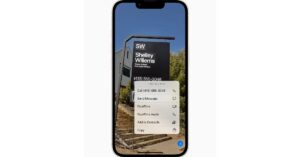
This feature rolled out recently with iOS 15 and works exactly like Google Lens. The new feature scans for text in images, through your phone’s camera, in screenshots, and in Safari. Tap on the Live Text button on the image or tap on the text highlighted by your camera. You can also use this feature on the recently snapped photos by selecting the text in a document.
Focus Mode
Focus mode works similarly to Do not disturb, but better. The feature also has a Sleep mode, which lets you set your sleep schedule. New modes have been recently included in the interface as well like the Personal and Work modes. One can set on the focus mode according to their need and silence their smartphones right away. It’s a good productivity feature to help you in the settings.
Use the keyboard like a trackpad
An underrated feature that has been long in Apple devices. It’s a handy feature if one is typing long paragraphs and it becomes really difficult to tap on a particular correction. This feature comes in handy for these situations. Just hold the Space bar on your keyboard and the keyboard will turn into a trackpad. With which you can navigate to any word or paragraph easily and make changes.
Finish web address instantly
It is a small yet interesting option which Apple has added. Yes it won’t save you a lot of time but surely will make your internet experience better. Just open Safari and type any website name. After typing the name, hold the full stop (dot) to see many domain options like .com, .co.uk and so on. One can also hold other alphabets/numbers as well to see multiple options related to them.Read Also: Genius brings the new HS-G500V gaming headset
Set setting per-site
Some websites have a lot of ads on their page and it gets difficult to fetch out useful details from them. It’s easy to avoid by tapping on the AA icon in the safari address bar and switching it to reading mode. This will strip down a lot of unnecessary clutter. By tapping the same icon again you can adjust font, colour and size as well. In the website setting, you can choose from whether to use content blockers or request the desktop site rather than the mobile one too.
These are some super genius tricks every iPhone and iPad owner should know. These tricks will come in handy and improve your experience with Apple products. Also, some of them can improve your productivity as well.
For the latest gadget and tech news, and gadget reviews, follow us on Twitter, Facebook and Instagram. For newest tech & gadget videos subscribe to our YouTube Channel. You can also stay up to date using the Gadget Bridge Android App. You can find the latest car and bike news here.
With every advancing year, the price of new Android smartphones is skyrocketing. We can see that the newer android flagships are becoming so expensive. Hence, if you want to own flagship and cannot afford to buy a new flagship. It’s wise to consider a second-hand phone, as it will cost you much less than buying a new one. Here are 10 things to check when buying a second-hand Android smartphone.
Ask for a purchase receipt
The basic and first step to check the authenticity of the buyer is to ask for the bill. From the bill you get to know many details of the buyer and if the Smartphone is stolen or not. You can check it by asking the seller to show you a valid purchase receipt. If the seller refuses to do so, refuse to buy.
Cross-check the IMEI
If the seller shows the valid purchase receipt and you think he/she is speaking the truth. The next step is to ask them for the original retail box of the device. In the device cross-check the IMEI number with IMEI written on the box. All you have to do is type *#06# in the dialer of the phone and it will produce the IMEI number.
Check for physical damage
As most people in this world use a smartphone, it is the most abused technology on the planet. And there is a good chance that the smartphone you are planning to buy could have gone through some good physical abuse as well. This extra wear and tear might have decreased the lifespan of the device.Hence, it is important to inspect the device from each and every angle. If you are sure about buying the phone make sure to peel off any stickers or skins which can be hiding some nasty dents and scratches underneath. Also, be sure to remove the tempered glass as well if it’s not transparent. To check for cracks or scratches on the screen.
Ask for the original charging brick and data cable
Smartphone companies put a lot of standard quality products inside the smartphone box for the sake of brand reputation. The accessories are tested multiple times to ensure quality. If the seller doesn’t have it, both the charging adapter and data cable try to negotiate to cover up the cost of you buying it.Read Also:Top ways to fix Microsoft Teams sign in error
Keep an eye on battery drain patterns
Depending on the usage pattern a general Lithium-ion battery in a smartphone lasts for around two years. If the smartphone is quite old it’s better to keep an eye on the battery percentage. Unlike the iPhone there is no battery health option in Android thus one has to manually calculate it. The battery is the backbone of a smartphone making it a crucial thing to check before being a used Android smartphone.
Ask for any repairs phone has undergone
One of the important aspects of buying a used smartphone. Ask the seller if the phone has undergone many repairs. If yes, ask for any receipt of parts changed as some of the recent changes may be covered in warranty if done by the company’s service centre.If the seller denies any repairs, check closely on the phone’s edge, frame and display connection. An unprofessional screen replacement can be easily spotted. It is advised to stay away from the phones with lots of repairs as it surely won’t last long for you as well.
Test if all the components work
It’s important to check each and every aspect of the device patiently if you’re buying it second hand. As soon as you get the in-hand experience of the phone check if the Power and volume rockers work by vigorously pressing them. Connect the cable to the charging port and test if the device is charging. Click some pictures from the front and rear cameras. Make sure the proximity sensor works by making calls. Ambient light sensors can be checked by switching on automatic brightness and covering the phone’s top. Play some good quality music to check the phone’s bottom-firing or front-firing speaker.
Check for the phone’s information with IMEI
It’s important for one to check if the IMEI number has not been tampered with or the mobile is not some Chinese knock off. Just head to imei.info and enter the IMEI number of the phone and match the details from the box and the website. Also if you live outside India, one can check the warranty claims as well.Read Also: Apple announces free repairs for these ‘defective’ iPhones
Check phone’s hardware
To double-check the above step and to ensure that it is not a duplicate phone download CPU-Z from the play store and check all the hardware mentioned there. This hardware check will spot a fake or clone Android phone with ease. It gets usually difficult with Samsung devices as the company sells their product with different chipsets in different countries. A lot of fake clones are powered by ancient Mediatek (MTK) processors.
Other hardware checks
Many smartphone companies like OnePlus and Samsung offer diagnostic applications to check multiple aspects like speakers, screens or even the shows the warranty claimed on the devices previously. One can download Samsung Memeber on Samsung smartphone or OnePlus Care on OnePlus phones to check it. These applications can come in handy to check the smartphone before you buy it. These are 10 things to check when buying a second-hand Android smartphone. If all the checks are successful you can surely consider buying that smartphone. We also advise you to take the phone to the respective service centre for getting an expert eye on it. Also, do not buy the phone if there is even a slight bit of doubt in your mind.
For the latest gadget and tech news, and gadget reviews, follow us on Twitter, Facebook and Instagram. For newest tech & gadget videos subscribe to our YouTube Channel. You can also stay up to date using the Gadget Bridge Android App. You can find the latest car and bike news here.
Vivo’s sub-brand has officially announced the launch of iQoo Z5 5G in India today. Prior to the launch in the country, the 5G smartphone officially debuted in China last week. The newly arrived device is powered by Qualcomm Snapdragon 778G SoC and a 120Hz refresh rate display. In addition to this iQoo Z5 boasts a 5,000mAh battery paired with 44W flash charge support.
iQoo Z5 price in India and availability details
iQoo Z5 has been launched in India in two different variants. The 8GB RAM with 128GB storage is priced at Rs 23,990. Whereas the 12GB RAM with 256GB storage model will be available at 26,990. The phone will be offered in two colour options of Arctic Dawn and Mystic Space. In terms of availability, the device will go on sale on the first day of the Amazon Great Indian Festival sale that will begin from October 3. The sale offers include Rs 1,500 off to HDFC bank cardholders including EMI transactions. There will be flat Rs 1,500 off with an Amazon coupon along with no-cost EMI options for up to 9 months The company will also provide free six months screen replacement as well.
iQoo Z5 5G specifications
Coming to the specifications, iQoo Z5 5G is highlighted with a 6.67-inch full HD+ LCD display with 1,080 X 2,400 pixels of resolution. The screen also comes with a120Hz refresh rate, HDR 10 support, DCI-P3 colour gamut and offers a 20:9 aspect ratio. The screen also comes with TUV Rheinland rating and 240Hz touch sampling rate.The phone runs on Origin OS 1.0 on top of Android 11. Under the hood, there is aQualcomm Snapdragon 778G SoC with Adreno 642L GPU. It comes with up to 12GB of LPDDR5 RAM and up to 256GB of UFS 3.1 storage. The phone includes VC liquid cooling for temperature reduction, 4G game vibration along with the linear motor, and Ultra Game Mode 2.0 for gaming.In terms of optics, iQoo Z5 includes a triple rear camera set-up that includes a 64-megapixel main sensor with an f/1.79 aperture. The set-up also housed an 8-megapixel ultra-wide-angle lens with f/2.2 aperture and a 2-megapixel macro lens with f/2.4 aperture. Also Read: Comparison: iQoo Z5 vs iQoo Z3Upfront there is a 16-megapixel sensor with an f/2.45 aperture for taking selfies and video calling. The rear camera includes features like dual view, super night mode and more.For endurance, iQoo Z5 5G includes a5,000mAh battery with 44W flash charge fast charging support. Additionally, the phone includes 5G, tri-band W-Fi with 2.4 GHz, 5.1 GHz and 5.8GHz bands, Bluetooth v5.2, USB Type C port, USB OTG, GPS and 3.3mm headphone jack for connectivity. The sensors on the phone include a side-mounted fingerprint sensor, Face Wake unlock, gravity, ambient light, proximity, gyroscope and compass. The device also includes dual stereo speakers.
For the latest gadget and tech news, and gadget reviews, follow us on Twitter, Facebook and Instagram. For newest tech & gadget videos subscribe to our YouTube Channel. You can also stay up to date using the Gadget Bridge Android App. You can find the latest car and bike news here.