Bumble has started to gain popularity around the globe. The reason why the application is getting so much attention is due to the unique modes it has. The application has 3 modes, the first one being Bumble date where one can find their ideal date, Bumble Bizz allowing professional people to come together and the last being Bumble Bff. Here the users can find people to create meaningful friendships. The following is how you can create your account on Bumble.
How to create Bumble dating profile on a smartphone
Bumble supports both Android and iOS devices and has the same steps to be followed by the users to create an account. They have updated their interface and now one doesn’t need to log in from their Facebook to create an account. The user interface of both platforms is pretty much the same and is easy for users to understand. Here is how you can make your account.Step 1 – Search for Bumble on Google Play Store or Apple App Store.Step 2 – Tap on install and wait for the process to complete.Step 3 – Open the application.Step 4 – Below ‘Continue with Facebook’ will be an option to use cell phone number.Read Also: How to enable Dark Mode on your smartphoneStep 5 – Logging in with social accounts is hassle-free but logging in with a phone number will ask you for an OTP.Step 6 – Enter the OTP if you logged in with your phone number.Step 7 – If not logged in with Facebook, you need to input your biodata as well as upload your photos.
How to create Bumble dating profile on a web browser
The Tinder application allows you to access your profile anywhere, without the hassle of carrying your smartphone with you. All you need is a device with an internet connection and start swiping. Here is how you can set up your profile using the web browser.Step 1 – Visit Bumble.comStep 2 – Click Sign In if you already have a profile or tap on Join for creating a new profile.Read Also: Bumble introduces in-app voice and video calling on its appStep 3 – Select the login option according to your preference.Step 4 – Login with socials will redirect you to your social logins but logging in with a phone number will send an OTP to your entered phone number.Step 5 – Enter the OTP, if you choose the ‘Use cell phone number’ option.Step 6 – The next step will be creating your profile and you are good to go. You would need to upload your image and add your Bio if logged in from your phone number.Following these simple steps, one can enjoy swiping to find and create friends. Always make sure to keep your profile interesting so that more people swipe right. Also, it has a feature by which girls pick first to message. This is also an interesting and useful feature for female users.
For the latest gadget and tech news, and gadget reviews, follow us on Twitter, Facebook and Instagram. For newest tech & gadget videos subscribe to our YouTube Channel. You can also stay up to date using the Gadget Bridge Android App. You can find the latest car and bike news here.
In a recent California event, Apple launched its new iPhone 13 series. The iPhone 13 pro and iPhone 13 pro max being the top of the line. The new marvels come with a beautiful new and bigger screen along with the best in class Lidar scanner. Here are the best applications one can consider installing on their new set of iPhones.
Widgetsmith
With iOS 15, which comes pre-installed on your iPhone 13 Pro or iPhone 13 Pro max, it comes with the feature of re-sizable and detail-rich widgets that you can insert right onto the home screen. With Widgetsmith, one can see all the applications that support these beautiful widgets. Also with the help of this application, you can create your customised widget as well.Once the application is installed just open Widgetsmith and select a widget. It can be small, medium, or large, you can pick a widget category from time, date, reminders, health & activity, etc. After doing so there will be a lot of customisations to choose from like font types, tint colours, background colours, border colours, and so on. The application is absolutely free and comes with a paid subscription if one wants a customised weather widget.Download Here
Measure
Apple has its own measure application, which is freely available in the Apple App Store. It is a virtual alternative to a physical ruler, tape measure, and level meter. You can measure the distance between two points, determine the dimensions of an object, and even figure out if a surface is straight. It’s easy to use this application by positioning the phone pointing towards the object you want to measure. Position the centre dot circle and press + to measure the distance of an object. One can also find the dimension of a shape such as a square or a cube, record the length of one side, by double-tapping the + button. Move the phone to each side and tap finish to find the measurement.It can also be used as a level meter to measure the angle. Tap the same option at the bottom of the screen. Then you can position your device horizontally or vertically to know the angle of slopes.Download here
1Password
1Password is a password manager that helps you by storing all your passwords in one place. The iPhone 13 Pro and iPhone 13 Pro Max already have iCloud Keychain for password storage but that makes one limited to the Apple ecosystem only. If you want to access your passwords across platforms, consider using 1Password instead.1Password lets you create strong, unique passwords and syncs them across all popular mobile and desktop platforms. It also lets you store other sensitive information such as credit/debit card numbers and addresses. The application also supports Apple’s FaceID making autofilling of sensitive information hassle-free. The application has a 1 month free plan then is charged annually or monthly.Download hereRead Also: 3 best password managers for your Android smartphone
Spark Email
It is an all in one mailing solution for all the services you use. The application has integrated and collaborated with third-party apps and collaboration tools. Spark Email is actually an interesting use case for a widget since it can be customised to show only new incoming messages or emails from the applications you have signed in to. It gives you one-tap access to composing a new email as well. Download here
IKEA Place
One can swiftly remodel your home without bringing in a piece of completely new furniture. Yes, this can be done with the help of LiDAR sensor in your top of the line iPhone 13. It becomes really easy with this application. The user can choose from a variety of items, including chairs, sofas, tables, desks, bookcases, and lamps. You can browse by collection, category, or theme. Just position the object into an area in your home to see how it would fit. After positioning the camera the application inserts a virtual item that you can reposition and move. You can save multiple items to redesign your complete room.Download here
Documents by Readdle
Documents by Readdle is a superior file manager compared to the native Files app on the iPhone 13 pro and iPhone 13 Pro Max. It can integrate with all popular cloud storage services Google Drive, Dropbox, Outlook, etc and show its content under one roof. It lets you organise files easily, lets you preview file types and play multimedia directly. Documents make it easy for the users to get all these features in one file manager.Download hereRead Also: Huawei Mate 20 Pro review: High-end performance
Seeing AI
The application is designed by Microsoft and it specifies the things that your camera sees. However, the new LiDAR-based features make the app a fascinating experience for everyone. With the power of AI, the application can describe people, scenes, and objects that appear in the viewfinder. One can also scan barcodes to know of identical products on the fly. With LiDAR support, Seeing AI that can help you feel the distance to objects based on your device’s haptic proximity sensor. And if you’re wearing headphones, the app can describe nearby objects, which can be helpful for visually impaired people.Download here
Walli
With the massive new screens on the new iPhone 13 Pro and Pro max, vibrant wallpapers will look stunning. This application will help and come in handy to search for a high definition wallpaper for your new buy. It has a collection of millions of wallpaper that are completely free. All the wallpapers are arranged in popular tabs making it very convinient to choose from.Download here
3D scanner app
The application is what it says. With the 3D Scanner app, you can scan any object or scene to create a three-dimensional image of it on your device. By default, the scan is created in low resolution, but you can switch to high resolution for better control of the quality of the image. One can tweak the scanned object by refining, smoothing, or simplifying detailing. The application can also measure the dimensions of the scanned application and natively allows you to share it on your social media platform.Download hereRead Also: Microsoft revamps Xbox Game Bar on Windows 10
Shazam
Loved a song on the go, but don’t know its name? Shazam is the application that shines in that case. It will listen to the song via the microphone of your phone and will identify the song for you. The best part about the application is that it organises the songs it found in a systematic order. After that, the user can access all the information including Lyrics, videos or podcasts directly from the application. You can also link your Spotify account to it, so it will automatically make a playlist of the songs it found for you.Download hereThese are the top 10 application list, which a person can look to download these extremely useful apps on the new iPhone 13 Pro or Pro max. These will save a lot of your time and increase productivity on the new Apple smartphones.
For the latest gadget and tech news, and gadget reviews, follow us on Twitter, Facebook and Instagram. For newest tech & gadget videos subscribe to our YouTube Channel. You can also stay up to date using the Gadget Bridge Android App. You can find the latest car and bike news here.
Smartphones are the most used tech toy in the world. An average user consumes a lot of information from calling, playing games to watching their favourite videos. These features look good on a big screen. With a large screen, the smartphone will consume a lot of battery as well. This list covers smartphones with big display and battery under Rs 25,000 all the multimedia needs one has.
Motorola Edge 20 Fusion
Screen size: 6.7-inchBattery size: 5,000mAhThe Motorola Edge 20 Fusion starts at Rs 21,499 for the base variant which has 6GB of RAM and 128GB of storage. The other variant, with 8GB of RAM and 128GB of storage, is priced at Rs 22,999. The phone has a big 6.7-inch OLED display with a ultra-wide-angle FHD+ resolution, 90Hz refresh rate, and support for HDR10 protected by Gorilla Glass 3. The phone is powered by a MediaTek Dimensity 800U processor and comes with a hybrid sim slot which increases the storage up to 1TB. The Edge 20 Fusion packs in a 5,000mAh battery and comes with a 30W TurboPower charger in the box with a type-c to type-c connecting cable. Talking about the camera, it has a 108-megapixel primary camera, an 8-megapixel ultra-wide-angle camera, and a 2-megapixel depth sensor. For the selfie camera, the phone houses a 32-megapixel front camera. For a consumer wanting to pick a phone with a bigger battery and a large screen, The Motorola Edge 20 Fusion should be an easy pick. As it is a 5G phone it is future proof as well.
Samsung F62
Screen size: 6.70-inchBattery size: 7,000mAhThe F62 is the new F series offered by the company and the main highlight of the smartphone is the processor it is powered by. The phone uses Exynos 9825 SoC which was once a flagship processor of Samsung. This makes the switching between applications snappy and provides a smooth multitasking experience. The Samsung Galaxy F62 is available in two variants in India first is 6GB of RAM and 128GB of storage for Rs 23,999, and the other is 8GB of RAM and 128GB of storage for Rs 25,999. The 5G ready phone runs on One UI 3.1 which is based on Android 11. Samsung’s AMOLED panels are among the best in the market, and the huge 6.70-inch one used on the Galaxy F62 is no different. It has excellent brightness and very good colour saturation with the support of HDR 10. Battery life is another big win for the Samsung Galaxy F62. It has a 7,000mAh battery and comes with a USB Type-C 25W fast charger in the box, unlike its flagship segment. For the cameras at the back, we have a 64-megapixel primary camera, a 12-megapixel ultra-wide camera. The phone has two more cameras which are 5-megapixel cameras for depth sensing and macro shots respectively. In the front, there’s a 32-megapixel selfie camera that clicks sharp images.
Xiaomi Mi 10i
Screen size: 6.67-inchBattery size: 4,820mAhThe base price of the Mi 10i in India starts from Rs 20,999, with 6GB of RAM and 64GB of storage. The 6GB of RAM and 128GB of storage retails for Rs 21,999 which is just Rs. 1,000 more, making it a value for money as compared to the base variant. The top of the line 8GB with 128Gb storage retails for Rs 23,999. At the front, we have a 6.67-inch full-HD+, 120Hz, HDR10+ LCD display. The display features an adaptive refresh rate, which can scale between 30Hz and 120Hz in six steps.The phone is powered by a Qualcomm Snapdragon 750G which is a relatively modern SoC. Juicing up the phone is a 4,820mAh battery and supports fast charging of 33W with a fast charger is included in the box. Talking about the camera, the rear has a 108-megapixel primary rear camera with its Samsung HM2 sensor and f/1.75 aperture. On the other hand, an 8-megapixel f/2.2 ultra-wide camera, 2-megapixel macro camera, and 2-megapixel depth sensors. Read Also: Best mid-range smartphones in India so far 2021
OnePlus Nord CE 5G
Screen size: 6.43-inchBattery size: 4,500mAhThe OnePlus Nord CE 5G is the recent release by the company and its price starts at Rs 22,999 in India for the base variant which has 6GB of RAM and 128GB of storage. The mid-spec variant with 8GB RAM and 128GB of storage is priced at Rs 24,999. There is another top variant priced at Rs 27,999 with 12GB RAM, 256GB storage variant. The phone has a big 6.43-inch AMOLED display that has full-HD+ resolution and a 90Hz refresh rate.Powering the OnePlus Nord CE 5G is the Qualcomm Snapdragon 750G processor which makes multitasking smooth and efficient. The camera unit in the Nord CE is a 64-megapixel primary camera with an OmniVision sensor, f/1.79 aperture and EIS, an 8-megapixel ultra-wide angle camera with a 119-degree field of view and a 2-megapixel black and white camera. For selfies, it has a 16-megapixel camera with an f/2.45 aperture. A 4,500mAh battery might not seem huge in the phone but with the 30W 30T Wrap charger, battery efficient processor and UI it will easily cover up some extra juice. The phone runs on OxygenOS over Android 11 which is the most popular and customisable version of android without bloatware.
Redmi Note 10 Pro Max
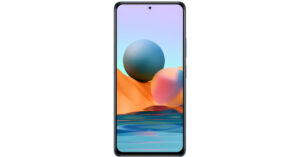
Screen size: 6.67 inchBattery size: 5020mAhXiaomi raised its bars releasing a new mid-segment phone. The Redmi Note series is fairly popular in India with good specifications at decent prices. This one is no different. The phone has a large 6.67 inch full-HD+ 120Hz HDR10 Super AMOLED display with a punch-hole camera embedded in it. The screen looks vibrant, crisp and bright. Powering the phone is a Qualcomm Snapdragon 732G SoC and up to 8GB of RAM with 128GB of storage. The base variant of the phone starts from Rs 19,999 and reaches Rs 21,999 for its second and top of the range 8/128GB variant. The camera is a quad setup with the primary being a 108-megapixel Samsung HM2 sensor shooter, 5-megapixel macro camera, 8-megapixel ultra-wide camera and a 2-megapixel depth sensor. Juicing up the phone is a 5020mAh battery that can be quickly charged by a 33W charger included inside the box. The phone has an overall good performance and so is the battery life.
OnePlus Nord
Screen size: 6.44 inchesBattery size: 4,115mAhYes, the phone is a year old now, but the specification still is up to the mark and can compete with most of the mid-range phones. The screen is 6.44 inches and has a Full-HD+ resolution (1080×2400) along with a 90Hz refresh rate. OnePlus also gives options for tweaking colours in the UI. Though there is no colour accuracy certification as on its sibling it does support HDR 10+. Powering the phone is an old yet powerful Qualcomm Snapdragon 765G SoC. This SoC is built on the 7nm process and has an integrated Qualcomm X52 5G modem. One also gets a sizable 4,115mAh battery, with support of Warp Charge 30T fast charging. OnePlus Nord has a total of 6 cameras. Four in the rear being a 48-megapixel Sony IMX586 sensor with optical stabilisation, an 8-megapixel wide-angle camera, a 2-megapixel macro camera, and a 5-megapixel depth sensor. In the front, you get a 32-megapixel Sony IMX616 camera as primary and a secondary 8-megapixel wide-angle camera.Read Also: Here are the best Smartphones in India so far 2021
Samsung Galaxy M32
Screen size: 6.4-inchBattery size: 6,000 mAhRecently, Samsung launched its budget-focused M series of smartphones globally. The new Galaxy M32 has a 6.4-inch AMOLED display with a dewdrop notch at the top housing a 20-megapixel selfie camera. The company went with a side-mounted fingerprint scanner rather than their traditional in-display one. The body is made of plastic yet feels sturdy in hand. The phone is powered by a MediaTek Helio G80 processor. The phone retails for Rs 14,999 for the base non 5G 4/64 GB variant and goes all the way up to Rs 21,999 for the 6/128 GB 5G variant. With the processor not being the best in the segment the phone still runs smoothly due to the optimisation of OneUI 3.1 on top of Android 11. M32 holds a quad-camera setup at the rear consisting of a 64-megapixel primary camera, an 8-megapixel ultra-wide angle camera, a 2-megapixel macro camera and a 2-megapixel depth sensor.Galaxy M32 has a big battery of 6,000 mAh which can last easily for a day on standby. The phone supports 25W fast charging. Though sadly Samsung only provides a 15W charger in the box and the fast charger needs to be bought separately.These are the top picks under the price range of Rs 25,000. These smartphones will not only give an immersive multimedia and gaming experience but also avoid the hassle of charging the phone again and again.
For the latest gadget and tech news, and gadget reviews, follow us on Twitter, Facebook and Instagram. For newest tech & gadget videos subscribe to our YouTube Channel. You can also stay up to date using the Gadget Bridge Android App. You can find the latest car and bike news here.
Tinder being an American geosocial networking and dating application with the support of 190+ countries. The user interface is friendly and one needs to swipe to like or unlike someone’s profile. You can do this by viewing the photograph of the other user and reading their general bio. Now the question arises of how to create a dating profile on Tinder. Following these steps will help.
On Smartphone
Tinder supports both Android and iOS devices and has the same steps to be followed by the users to create an account. The user interface of both platforms is pretty much the same and is easy for users to understand. Here is how you can make your account.Step 1 – Search for Tinder on Google Play Store or Apple App Store.Step 2 – Tap on install and wait for the process to complete.Step 3 – Open the application.Step 4 – Select the login option according to your preference.Read Also: Now add a video to your Tinder profile and find matchesStep 5 – Logging in with social accounts is hassle-free but logging in with a phone number will ask you for an OTP.Step 6 – Enter the OTP if you logged in with your phone number.Step 7 – Now you would need to upload your image and add your Bio. You can set up your profile accordingly.
On Web Browser
The Tinder application allows you to access your profile anywhere, without the hassle of carrying your smartphone with you. All you need is a device with an internet connection and start swiping. Here is how you can set up your profile using the web browser.Step 1 – Visit Tinder.comStep 2 – Click login if you already have a profile or tap on Create account for new.Read Also: Tinder adds a new Explore section, giving more control to users Step 3 – Select the login option according to your preference.Step 4 – Login with socials will redirect you to your social logins but logging in with a phone number will send an OTP to your entered phone numberStep 5 – Enter the OTP, if you chose to login with a phone number.Step 6 – The next step will be creating your profile and you are good to go. You would need to upload your image and add your Bio.These steps will help one easily create a Tinder profile on the desired platform. After successfully creating the profile the users can start swiping and meet new people who match with them or they want to match with. Happy swiping!
For the latest gadget and tech news, and gadget reviews, follow us on Twitter, Facebook and Instagram. For newest tech & gadget videos subscribe to our YouTube Channel. You can also stay up to date using the Gadget Bridge Android App. You can find the latest car and bike news here.
Has it ever happened to you when you try to read or do something on your phone and suddenly the screen goes off? Screen timeout solely decides how long your phone will stay illuminated. Usually, it takes 30 seconds to 1 minute to turn off the screen. But sometimes it depends upon your device because the process slightly varies depending on which phone you have, and depending on this, you may need professional assistance to solve the problem. As each manufacturer changes the Android user interface, it still requires only a few steps. Did you know Screen timeout is the setting on your phone by which you can set a timer to your Android smartphone screen shut off time? We are going to tell you the 3 most easy ways, by following which anyone can stop their phone screen from turning off automatically. And whenever you want you can change it back to default as well.Here are the 3 easy steps for you:
Step 1: Lock Screen Option
Swipe down the quick settings panel from the top and tap on the settings icon to go to settings.
In the settings menu, go to Lock Screen.
Click on the icon and search for sleep option.
Now you need to click on sleep and just select Never from the option.
After clicking on the Never option your phone screen will stop turning off.
There are plenty of such apps available on the Android Play Store that stops your Android phone screen from turning off automatically. One of them is the Caffeine app Here’s how to use it.
Install Caffeine keep screen on the app from Android Play Store. (Download from here)
Now you will get the caffeine icon in the quick settings panel on your phone.
Click on the Caffeine icon and go to the app and click on timeout.
Yesterday the Cupertino based company Apple unveiled the latest generation of the iPhone 13 series in India and globally. Followed by the launch, the previous generation which is the Apple iPhone 12 series is now seeing a price drop in India. All the devices from the lineup have got a massive price cut of up to Rs 20,000. The new pricing is now being reflected on the company official website. In addition to this the Apple has now also announced that it has discontinued three of its older models namely- iPhone 12 Pro, iPhone 12 Pro Max and iPhone XR in India According to the latest price revision, the Apple iPhone 12 price will start at Rs 59,900 for the base 64GB storage variant. The price of the 128GB storage will be available at Rs 64,900 whereas the 256GB variant will now come at Rs 74,900. To recall the iPhone 12 was launched in India at Rs 79,900 for the 64GB variant. The same goes with the 128GB storage and 256GB variant that was launched at Rs 84,900 and Rs 94,900.Apple iPhone 12The new MRP of the iPhone 12 mini now begins at Rs 59,900 for the base 64GB variant which was earlier launched at Rs 69,900. The 128GB and 256GB storage options are now priced at Rs 64,900 and Rs 74,900, respectively. The phones were earlier launched at Rs Rs 74,900 while the 256GB model was available at Rs 84,900.It should be noted that Apple has now officially discontinued the iPhone 12 Pro, iPhone 12 Pro Max and iPhone XR in India followed by the launch of the iPhone 13 series. However, the devices are available on Flipkart, Amazon and authorised Apple retailers in the country and the e-commerce platforms are now offering massive discounts on the phones on their respective platforms. iPhone 12 Pro Max 128GB storage variant was launched at Rs 1,19,900 in India but is now available at Rs 1,15,900. Flipkart is offering a Rs 4,000 discount and the buyers can also get an additional discount of up to Rs 15,000 on the exchange of their old devices. In the same way, the 256GB variant now comes at Rs 1,25,900 whereas the 512GB is now available at a discounted price of Rs 1,45,900.On the other hand, the iPhone 12 Pro Max is now selling for Rs 125,900 for the 128GB variant which was launched at Rs 1,29,900. The 256GB and the 512GB variants of the iPhone 12 Pro Max are up for grabs at Rs 135,900 and Rs 155,900 respectively on Flipkart in the country.Lastly, iPhone XR is listed at Rs 42,999 for the 64GB variant and the 128GB storage model now costs Rs 47,999.
For the latest gadget and tech news, and gadget reviews, follow us on Twitter, Facebook and Instagram. For newest tech & gadget videos subscribe to our YouTube Channel. You can also stay up to date using the Gadget Bridge Android App. You can find the latest car and bike news here.
The Festive season is here and e-commerce platform like Flipkart has announced its this year festival sale in India. Although the company has not yet announced the dates of the sale but has revealed additional benefits on EMI offerings, discounts and deals on products that will be up for sale during the upcoming Flipkart’s Big Billion Days Sale 2021. The e-retailer will bring heavy discounts across its product categories like apparel, electronics, smartphones and home products during Big Billion Day on Flipkart. Flipkart’s Big Billion Days Sale 2021 is coming soon and instead of revealing the sale dates the company has confirmed the deals and benefits that will be on offer during the festival sale on its platform. Flipkart will be extending extended benefits on its ‘Flipkart Pay Later’ offering to drive affordability and convenience of purchases on its platform. It will be applicable to all its products and categories that will be on sale. So the customers who do not have direct access to credit to fulfil their shopping needs will also be able to apply for the product by providing the required information. The ‘Flipkart Pay Later’ EMI facility opens a credit line of up to Rs. 70,000 that can be paid back over flexible tenures of 3, 6, 9 and12 months for eligible customers during Flipkart’s Big Billion Days Sale 2021. In order to access the service, all you need to do is simply enter your PAN and Aadhar details on the app, verify the Aadhaar number with an OTP, and verify their bank account details. During the purchase of a product, the customers can PAN and Aadhar details on the app, verify the Aadhaar number with an OTP and verify their bank account details. In addition to this, the e-commerce platform will also be offering no-cost EMI offers across a wide range of products, as well as standard EMIs — in partnership with 18 leading banks and financial companies including American Express, Axis Bank, Bajaj Finserv, Bank of Baroda, Citibank, Federal Bank, HDFC Bank, Home Credit, HSBC, ICICI Bank, IDFC FIRST Bank, IndusInd Bank, J&K Bank, Kotak Bank, RBL Bank, Standard Chartered, SBI, ZestMoney and others. The term for no-cost EMIs and standard EMIs will be up to 12 months and 36 months respectively.According to the microsite, the Big Billion Sale 2021 will be offering the best deals on mobiles as well as on tablets. There will be devices from brands like Samsung, Apple, Oppo, Vivo among others that will be putting up phones on sale at discounted prices. There will be up to 80 percent off on electronics and accessories that includes healthcare devices, power banks, smartwatches, headphones and speakers. TVs and other appliances will be up to 80 percent off during the festive sale on Flipkart. There will be up to 70 percent off on top-selling TVs and home appliances, up to 50 percent off on Refrigerators, and the kitchen appliances will start at Rs 299 only.
For the latest gadget and tech news, and gadget reviews, follow us on Twitter, Facebook and Instagram. For newest tech & gadget videos subscribe to our YouTube Channel. You can also stay up to date using the Gadget Bridge Android App. You can find the latest car and bike news here.
If you are an existing Paytm Bank customer you would have a Rupay debit card, which is issued by Paytm. Now they have come back with a new offer for their cardholders. Users can get a free Visa International Debit Card that comes with NFC technology. You can just apply for it and after that, your old Rupay card will be blocked. By applying for Visa International Debit Card the company will provide you with international transactions and other advantages.This card will be globally accepted. It can be useful for International travellers and for those who make international transactions. The company has also provided enable and disable options on the Paytm app for International transactions, which offers an additional layer of security to its customers.Here are the steps that will guide you on How to get a virtual visa International debit card for free.
First, you need to update your Paytm app with the latest version from Play Store.
Next, you need to click on Paytm Bank from the dashboard and enter your Paytm Bank pin code.
Now you will see ‘get a visa card now’ > Tap on it.
Agree with all the terms and conditions.
Read Also:Paytm Payments Bank launches mobile banking app for its 43 million customers in IndiaAfter agreeing with the terms and conditions, your old Paytm Rupay debit card will be blocked. Here your Paytm Visa debit card will be activated instantly. Now you can check your digital payment Visa debit card.One thing you have to remember is that your KYC details should be complete. If not, you would need to finish that process first or call customer care to help you out with the KYC process to apply for a Paytm Visa card. Read Also: Paytm rolls out its Android Mini App Store to support Indian developersHow To Activate Paytm Visa Debit Card?
Just scan the QR code located on the back of the debit card you have.
Then the app will ask for the password associated with it for the authentication.
Then you need to set a pin for your Paytm Visa debit card.
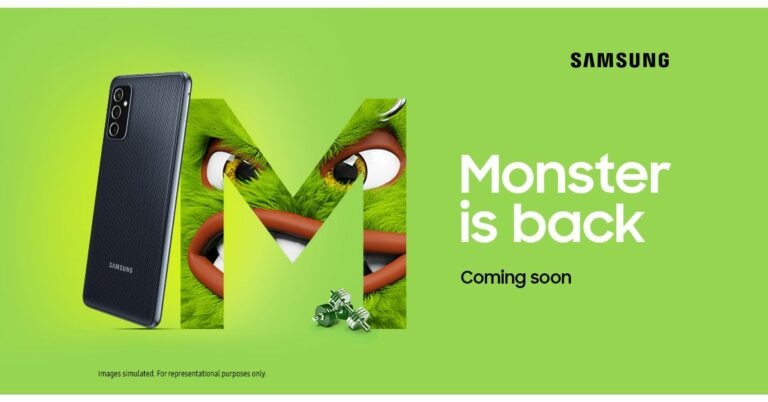
After being spotted on Geekbench, Samsung Galaxy M52 5G has leaked and been rumoured several times in the past. Now the device has been listed on Amazon, therefore confirming the imminent launch in India. The device is teased to come with a triple rear camera set up and stripe design on the back panel. Whereas the speculations suggest that the 5G phone will be powered by Qualcomm Snapdragon 778G SoC.Samsung has listed Samsung Galaxy M52 5G on Amazon. The dedicated microsite teases the form factor of the upcoming smartphone. The device shows a triple rear camera setup. The design of the smartphone is very much similar to the one which was leaked earlier. The listing confirms the availability of the smartphone on the e-commerce website but it doesn’t share many details about the Galaxy M-Series phone. The teaser did not reveal the exact launch date instead it says that the smartphone is coming soon. The company has listed a black colour variant but the leaked renders showed that the handset may arrive in two more colour options- blue and white. It has a similar stripe design on the back which has been teased by the company. The front has a small notch on top at the centre while the right side of the frame has a side-mounted fingerprint sensor which also doubles up as a power button and a volume up/down key. Image Courtesy: Twitter/ Roland QuandtSamsung Galaxy M52 5G is expected to feature a 6.7-inch full-HD+Super AMOLED display with 1,080×2,400 pixels of resolution and 120Hz refresh rate support. The phone’s screen is said to be protected with Corning Gorilla Glass 5. Apart from this, the device will ship One UI 3.1 based on top of Android 11 and will be powered by an octa-core Qualcomm Snapdragon 778G SoC with 6GB and 8GB RAM options paired with 128GB of internal storage. However the Galaxy M-Series smartphone is confirmed to come with a triple rear camera set up but it is likely to include a 64-megapixel primary sensor, a 12-megapixel wide-angle lens and a 5-megapixel macro camera. Upfront it is rumoured to come with a 32-megapixel front-facing camera for taking selfies and video calling.In terms of connectivity, it could include a 5G, 4G LTE, Wi-Fi, Bluetooth v5, GPS/ A-GPS, and a USB Type-C port. TheSamsung M52 is expected to have 164x76x7mm dimensions and will weigh approximately 175 grams.According to Geekbench listing, the device has scored 775 points in the single-core test and 2,877 in the multicore test.
For the latest gadget and tech news, and gadget reviews, follow us on Twitter, Facebook and Instagram. For newest tech & gadget videos subscribe to our YouTube Channel. You can also stay up to date using the Gadget Bridge Android App. You can find the latest car and bike news here.
The e-commerce website Flipkart is hosting Daily Trivia Quiz. Every day it brings a bunch of new questions for its users. By answering them correctly you can win exciting prizes. The questionnaire is based on questions related to general knowledge. Also, the users can win free vouchers and super coins, among other offers via the daily quiz. 15 September 2021 Flipkart Daily Trivia Quiz Answers has already gone live on its platform.
The participant should be at least 18 years old and should have a valid login ID. The Quiz is available on the mobile platform and not the web version. E-commerce conducts the quiz on daily basis and goes live at 12:00 AM IST and runs till 11:59 PM IST. The winners are announced within 15 days from the date of participation that can be viewed under the Gems/Rewards section in the app.
How to participate in the Flipkart Daily Trivia Quiz
To participate download the Flipkart app on your phone. Then open the Flipkart app then head to Game Zone. Now click on the Daily Trivia Banner or search for Daily Trivia. Enter the game and answer all 5 questions with correct answers.
15 September 2021 Flipkart Daily Trivia Quiz Answers
Question 1: Which word is derived from a French word that literally means ‘piece cut off’?
Answer: Coupon
Question 2: Former PM Atal Bihari Vajpayee received which award in 1992?
Answer: Padma Vibhushan
Question 3: Which of these animals does not have bones?
Answer: Shark
Question 4: In Harry Potter films, the creature thestral can only be seen by those who have witnessed___
Answer: Death
Question 5: Which of these countries was not colonised by Spain?
Answer: Colombia
For the latest gadget and tech news, and gadget reviews, follow us on Twitter, Facebook and Instagram. For newest tech & gadget videos subscribe to our YouTube Channel. You can also stay up to date using the Gadget Bridge Android App. You can find the latest car and bike news here.



 Step 3 – Open the application.
Step 4 – Below ‘Continue with Facebook’ will be an option to use cell phone number.
Step 3 – Open the application.
Step 4 – Below ‘Continue with Facebook’ will be an option to use cell phone number.
 Read Also: How to enable Dark Mode on your smartphone
Step 5 – Logging in with social accounts is hassle-free but logging in with a phone number will ask you for an OTP.
Step 6 – Enter the OTP if you logged in with your phone number.
Read Also: How to enable Dark Mode on your smartphone
Step 5 – Logging in with social accounts is hassle-free but logging in with a phone number will ask you for an OTP.
Step 6 – Enter the OTP if you logged in with your phone number.
 Step 7 – If not logged in with Facebook, you need to input your biodata as well as upload your photos.
 Read Also: Bumble introduces in-app voice and video calling on its app
Step 3 – Select the login option according to your preference.
Read Also: Bumble introduces in-app voice and video calling on its app
Step 3 – Select the login option according to your preference.
 Step 4 – Login with socials will redirect you to your social logins but logging in with a phone number will send an OTP to your entered phone number.
Step 5 – Enter the OTP, if you choose the ‘Use cell phone number’ option.
Step 4 – Login with socials will redirect you to your social logins but logging in with a phone number will send an OTP to your entered phone number.
Step 5 – Enter the OTP, if you choose the ‘Use cell phone number’ option.
 Step 6 – The next step will be creating your profile and you are good to go. You would need to upload your image and add your Bio if logged in from your phone number.
Following these simple steps, one can enjoy swiping to find and create friends. Always make sure to keep your profile interesting so that more people swipe right. Also, it has a feature by which girls pick first to message. This is also an interesting and useful feature for female users.
For the latest gadget and tech news, and gadget reviews, follow us on Twitter, Facebook and Instagram. For newest tech & gadget videos subscribe to our YouTube Channel. You can also stay up to date using the Gadget Bridge Android App. You can find the latest car and bike news here.
Step 6 – The next step will be creating your profile and you are good to go. You would need to upload your image and add your Bio if logged in from your phone number.
Following these simple steps, one can enjoy swiping to find and create friends. Always make sure to keep your profile interesting so that more people swipe right. Also, it has a feature by which girls pick first to message. This is also an interesting and useful feature for female users.
For the latest gadget and tech news, and gadget reviews, follow us on Twitter, Facebook and Instagram. For newest tech & gadget videos subscribe to our YouTube Channel. You can also stay up to date using the Gadget Bridge Android App. You can find the latest car and bike news here. 





 Screen size:
  Screen size:
  Screen size:
 Screen size:
 Screen size:
 Screen size:
 Screen size:
 Step 3 –
 Read Also:
  Step 7 –
 Read Also:
  Step 4 –
 Step 6 –