In This Article
Samsung Galaxy Watch 5 Pro review: Design
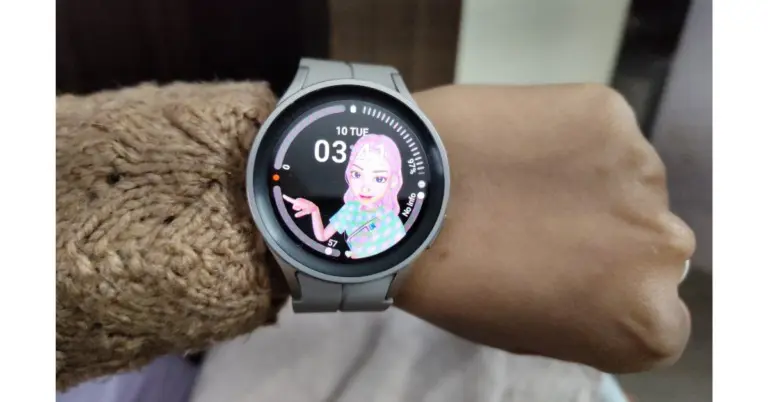
Let’s start with the design portion of the Samsung Galaxy Watch 5 Pro first. Since the firm replaced the rotating bezel on the Pro with a digital one, the Galaxy Watch 5 and Pro look identical this time around and even offer some haptic feedback to simulate the sensation of physical rotation it feels the same. The Watch 5 Pro, which features a raised bezel and a recessed display for a sportier appearance, is more like a thicker version of the original edition. Since the smartwatch is only available in a 45mm model, it also ended up seeming large because we have a small wrist. With a larger contact area and a flatter construction for more precise measurements, the business has also upgraded the sensor architecture on the watch’s base. With the new 20mm silicone strap mechanism, we no longer need to frequently, physically, reposition the item to suit our needs. The Watch 5 Pro is highly praised for its comfort and fit.
Also Read: Samsung Galaxy Watch 5 and Galaxy Watch 5 Pro price in India announced
The speaker grille is located near the bottom of the left side, while the right side has two physical buttons and microphones.
With a larger contact area and a flatter construction for more precise measurements, the business has also upgraded the sensor architecture on the watch’s base. With the new 20mm silicone strap mechanism, we no longer need to frequently, physically, reposition the item to suit our needs. The Watch 5 Pro is highly praised for its comfort and fit.
Also Read: Samsung Galaxy Watch 5 and Galaxy Watch 5 Pro price in India announced
The speaker grille is located near the bottom of the left side, while the right side has two physical buttons and microphones.
 In any case, we adored the watch’s thick clasp sport band. However, as a result, the device does not lie totally flat on the ground.
 Instead of the Gorilla Glass DX that was on the previous model, the front now has Sapphire crystal glass. A 1.4-inch circular Super AMOLED display with 450 x 450 pixel resolution is included. We have no complaints regarding the screen’s actual quality, which is fantastic regardless of the screen’s brightness level, sharpness, viewing angle, or colours.
 In addition to meeting military standard 810H durability against a variety of hard weather conditions, the smartwatch is 5ATM and IP68 certified against dust and water damage. And for further durability, it includes a titanium case. Even when we dropped the Samsung Watch 5 Pro unintentionally, it held up beautifully during our whole usage without any significant scratches or dents.
Samsung Galaxy Watch 5 Pro review: Performance
The performance of the Exynos W920 chipset within the Samsung Galaxy Watch 5 Pro is unchanged as its is the same chipset, which was available on last year’s Galaxy Watch. Furthermore, due to the absence of any other brands releasing watches running Google’s most recent wear OS, Samsung has virtually held a stonghold in the WearOS market for more than a year. However, that is no longer the case as the widely awaited Google Pixel Watch has now been made available to consumers.
Also Read: Samsung Galaxy Watch 5 Review: A near-perfect Android smartwatch
The Watch 5 Pro comes with built-in Google Assistant support, and it functions admirably. This experience will only improve over time because of Samsung’s promise to offer users of the Samsung Galaxy Watch 5 Pro series four years of software updates.
Furthermore, due to the absence of any other brands releasing watches running Google’s most recent wear OS, Samsung has virtually held a stonghold in the WearOS market for more than a year. However, that is no longer the case as the widely awaited Google Pixel Watch has now been made available to consumers.
Also Read: Samsung Galaxy Watch 5 Review: A near-perfect Android smartwatch
The Watch 5 Pro comes with built-in Google Assistant support, and it functions admirably. This experience will only improve over time because of Samsung’s promise to offer users of the Samsung Galaxy Watch 5 Pro series four years of software updates.
 You may create Tiles for supported apps like Google Keep and Microsoft Outlook as well as for a variety of wristwatch features and functions, including numerous health and fitness-related tiles from Samsung Health, using the Galaxy Wearable app.
The only significant hardware improvement in terms of tracking health and fitness is the addition of an IR temperature sensor, which works in conjunction with a 3-in-1 BioActive Sensor to give consumers a comprehensive insight of their wellness. Even when the ambient temperature varies, the temperature sensor uses infrared technology for more precise measurements. Sadly, it has not yet been activated in India. Additionally, India still lacks access to ECG and blood pressure data. In addition, you can download the Google Fit app instead of the Samsung Health app.
The Samsung Galaxy Watch 5 Pro is also capable of measuring your heart rate, stress level, oxygen levels, and more. Additionally, you can automatically keep track of a tonne of different workouts—far more than we would ever utilise.
You may create Tiles for supported apps like Google Keep and Microsoft Outlook as well as for a variety of wristwatch features and functions, including numerous health and fitness-related tiles from Samsung Health, using the Galaxy Wearable app.
The only significant hardware improvement in terms of tracking health and fitness is the addition of an IR temperature sensor, which works in conjunction with a 3-in-1 BioActive Sensor to give consumers a comprehensive insight of their wellness. Even when the ambient temperature varies, the temperature sensor uses infrared technology for more precise measurements. Sadly, it has not yet been activated in India. Additionally, India still lacks access to ECG and blood pressure data. In addition, you can download the Google Fit app instead of the Samsung Health app.
The Samsung Galaxy Watch 5 Pro is also capable of measuring your heart rate, stress level, oxygen levels, and more. Additionally, you can automatically keep track of a tonne of different workouts—far more than we would ever utilise.
 Despite the absence of a temperature sensor, the Galaxy Watch 5 Pro’s sleep tracking is far superior to that of its predecessor. It correctly records the times when we go to sleep and wake up. Additionally, by analysing the sleep habits, it can provide other unique features including the ability to import a GPX (GPS Exchange Format) file of your workout path, which will automatically provide turn-by-turn directions. For those who don’t know, GPX holds information about GPS locations, such as maps and routes.
 There are other things you can do with this watch, such as going into settings and scrolling down to sound and vibration. In this section, if you scroll down once more to the bottom, you will see system sounds. If you toggle it on, it will produce a gentle ticking sound that is similar to a Rolex watch, which is something we have not seen on another wearable.
Everyone appreciates a good customizable watch face that matches their personal style, and the Watch 5 Pro has professional styling. Therefore, the customization section will appear if you tap and hold the watch face, or you can put in a new watch face. You can modify the style of the hands, the colours, and a few other options in the Pro analogue watch face in addition to adding a compass to the outer ring.
Another option that will assist you in telling the time is available within accessibility under advanced settings, just below there, you can toggle on hourly time so that on every hour it makes a small ping sound. Another incredibly unique feature is that by tapping the screen with two fingers, it will vibrate. You can instruct your watch to read out your notifications by selecting it in the advanced setting.
There are other things you can do with this watch, such as going into settings and scrolling down to sound and vibration. In this section, if you scroll down once more to the bottom, you will see system sounds. If you toggle it on, it will produce a gentle ticking sound that is similar to a Rolex watch, which is something we have not seen on another wearable.
Everyone appreciates a good customizable watch face that matches their personal style, and the Watch 5 Pro has professional styling. Therefore, the customization section will appear if you tap and hold the watch face, or you can put in a new watch face. You can modify the style of the hands, the colours, and a few other options in the Pro analogue watch face in addition to adding a compass to the outer ring.
Another option that will assist you in telling the time is available within accessibility under advanced settings, just below there, you can toggle on hourly time so that on every hour it makes a small ping sound. Another incredibly unique feature is that by tapping the screen with two fingers, it will vibrate. You can instruct your watch to read out your notifications by selecting it in the advanced setting.
 With the help of gestures, you can quickly access your workouts and various exercises by simply flicking your wrist. To achieve this, go to advanced features, scroll to the bottom, and tap on Quick launch. Make sure this is toggled on because when you do, you can choose what this gesture opens. So your workout type list will instantly open if you flip your wrist twice. From the watch, you may also operate it remotely. Your buttons can be customised in advanced settings.
If you scroll down to the bottom of the Sleep Section of the health application, you will find an option to enable Snore Detection, which is one of the most fascinating features of this watch. When it asks you to turn it on, do so, then position your phone next to your bed with the microphone facing you (make sure you wear the watch). You will be able to view your snoring statistics and playback recordings the following morning.
Your body composition can be viewed in the same section. The Body Composition Analysis, which calculates your body’s water, muscle fat, and skeletal weight, is claimed to be more accurate in the most recent series. The option to measure will be at the bottom of the page if you scroll all the way down. To use it, simply confirm your weight, press both of the buttons with these two fingers, and remain as steady as you can. You’ll actually get a reading of your full body composition in a few seconds.
The Samsung Health app’s Route Workout allows you to go for a hike, record it, and share it with other trail enthusiasts. Additionally, if you want to vary your routine or train for a future race, you can download hiking and cycling routes. With clear Turn-by-Turn directions, you can hike or bike while keeping your eyes on the trail and not the map. With the Trackback feature, which sends you back the way you came, the Galaxy Watch5 Pro will make it easy for you to return home when the time comes. In the Samsung Health settings, this feature needs to be turned on for cycling or hiking from the settings menu.
Additionally, you may connect your fitness and health statistics with the Samsung Health app. It is very cleverly constructed to provide you with a rapid overview of all the facts at a glance and is yet sufficiently complex to provide you with a wealth of additional information for a deeper understanding.
Here, the phone call quality is likewise fairly good, and we especially like the Watch 5 Pro’s tactile feedback. The Galaxy Watch 5 Pro’s battery life meets our standards. The smartwatch has regularly lasted us about 5 days on a single charge with continuous heart rate and stress tracking turned on, which is excellent. It has a 590mAh battery, which is even bigger than its predecessor.
This time around, Samsung has increased the charging speed from 5W to 10W. So it took roughly 30 minutes to charge to 50%, and it takes approximately 2 hours to fully charge.
With the help of gestures, you can quickly access your workouts and various exercises by simply flicking your wrist. To achieve this, go to advanced features, scroll to the bottom, and tap on Quick launch. Make sure this is toggled on because when you do, you can choose what this gesture opens. So your workout type list will instantly open if you flip your wrist twice. From the watch, you may also operate it remotely. Your buttons can be customised in advanced settings.
If you scroll down to the bottom of the Sleep Section of the health application, you will find an option to enable Snore Detection, which is one of the most fascinating features of this watch. When it asks you to turn it on, do so, then position your phone next to your bed with the microphone facing you (make sure you wear the watch). You will be able to view your snoring statistics and playback recordings the following morning.
Your body composition can be viewed in the same section. The Body Composition Analysis, which calculates your body’s water, muscle fat, and skeletal weight, is claimed to be more accurate in the most recent series. The option to measure will be at the bottom of the page if you scroll all the way down. To use it, simply confirm your weight, press both of the buttons with these two fingers, and remain as steady as you can. You’ll actually get a reading of your full body composition in a few seconds.
The Samsung Health app’s Route Workout allows you to go for a hike, record it, and share it with other trail enthusiasts. Additionally, if you want to vary your routine or train for a future race, you can download hiking and cycling routes. With clear Turn-by-Turn directions, you can hike or bike while keeping your eyes on the trail and not the map. With the Trackback feature, which sends you back the way you came, the Galaxy Watch5 Pro will make it easy for you to return home when the time comes. In the Samsung Health settings, this feature needs to be turned on for cycling or hiking from the settings menu.
Additionally, you may connect your fitness and health statistics with the Samsung Health app. It is very cleverly constructed to provide you with a rapid overview of all the facts at a glance and is yet sufficiently complex to provide you with a wealth of additional information for a deeper understanding.
Here, the phone call quality is likewise fairly good, and we especially like the Watch 5 Pro’s tactile feedback. The Galaxy Watch 5 Pro’s battery life meets our standards. The smartwatch has regularly lasted us about 5 days on a single charge with continuous heart rate and stress tracking turned on, which is excellent. It has a 590mAh battery, which is even bigger than its predecessor.
This time around, Samsung has increased the charging speed from 5W to 10W. So it took roughly 30 minutes to charge to 50%, and it takes approximately 2 hours to fully charge.
 Step 2:
 Step 3:
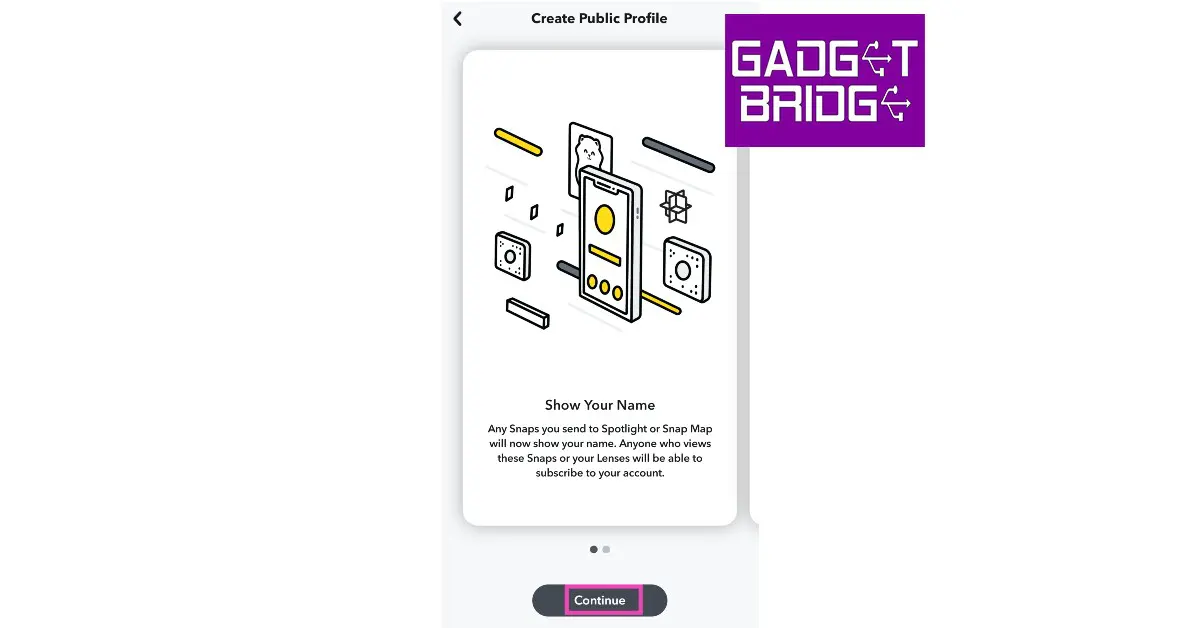 Step 4: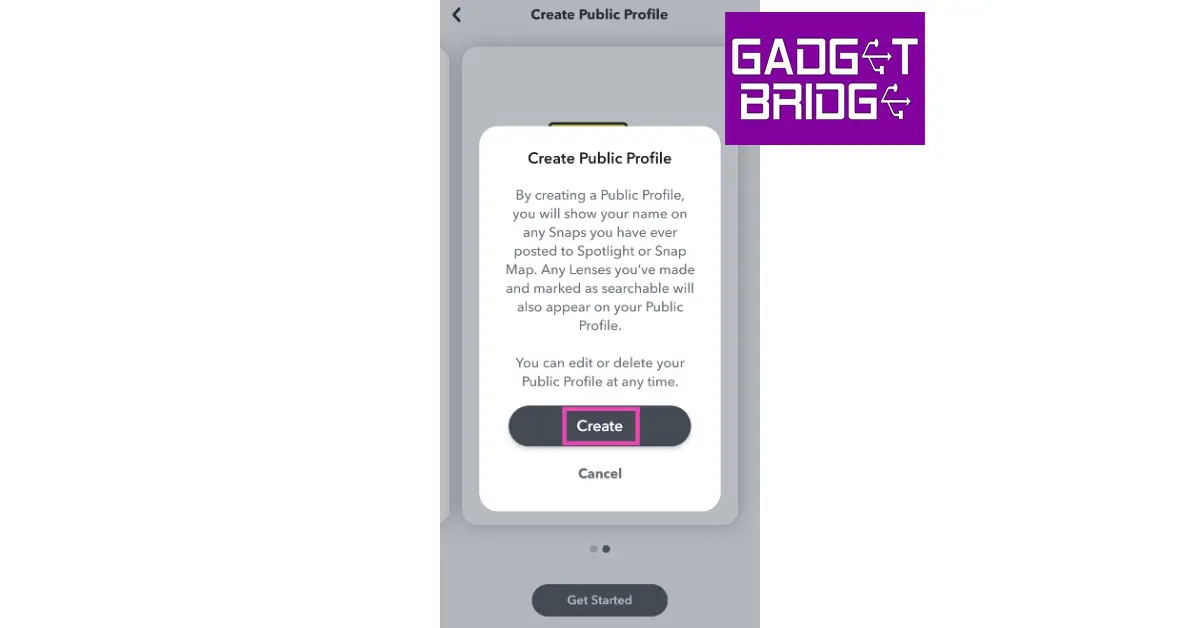
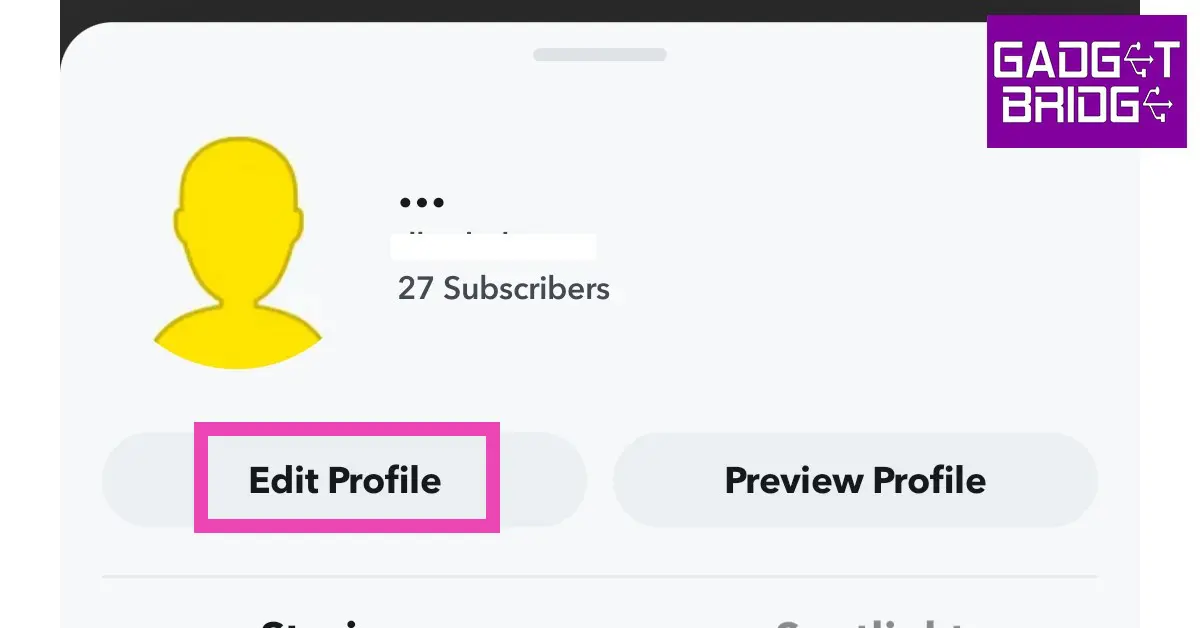 Step 2:
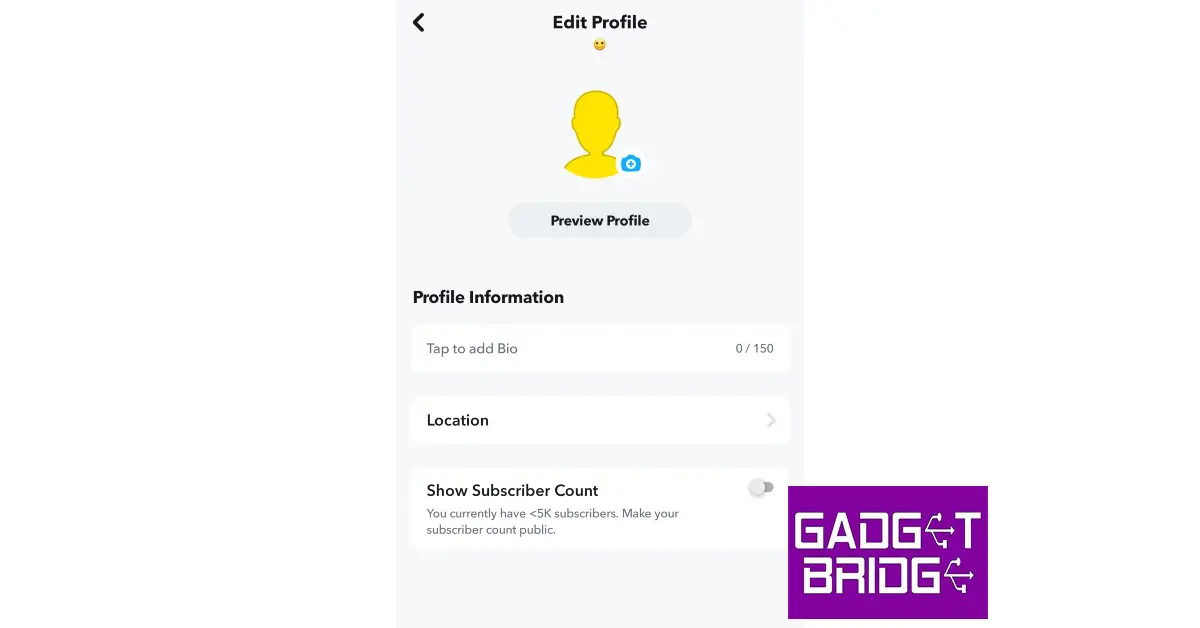 Step 3:
 Step 3:
 Step 3:
 Step 4:
 Step 5:
 Step 6:
 Step 4:
 Step 5:
 Step 6:
 Step 4:
 Step 5:
 Step 6:
 Step 7:
 Step 5:
 Step 6:
 Step 7:
 Step 3:
 Step 4:




 Step 3:
 Step 3:
 Step 2:
 Step 3:
 Step 4:
 Read Also:
 Also Read:
 Also Read:
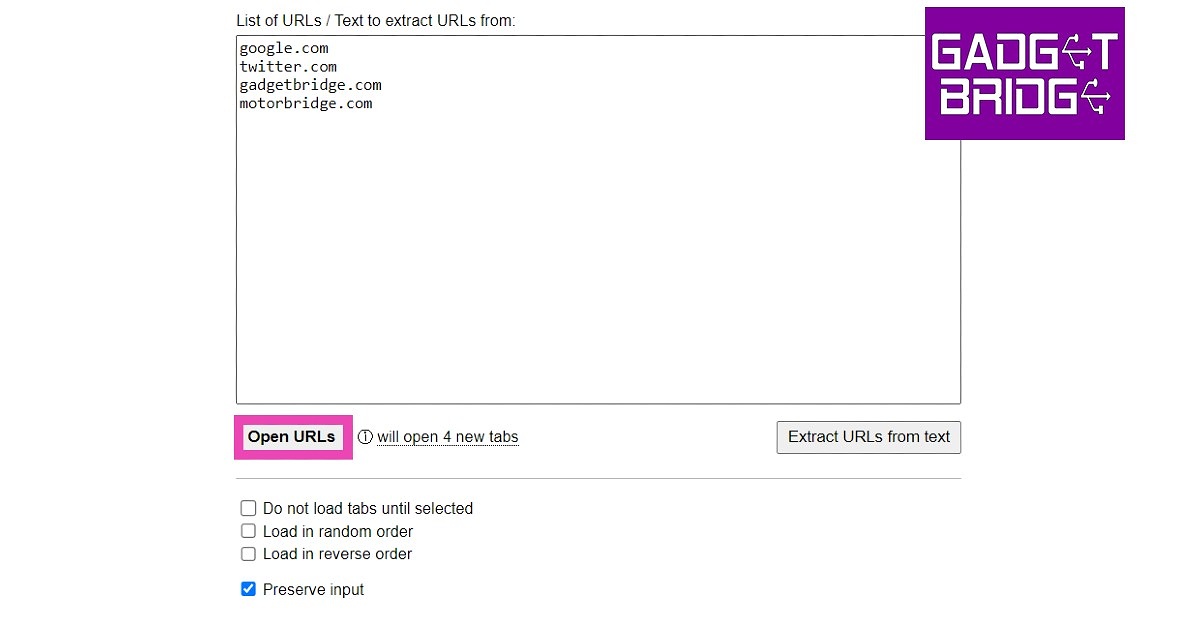 Step 4:
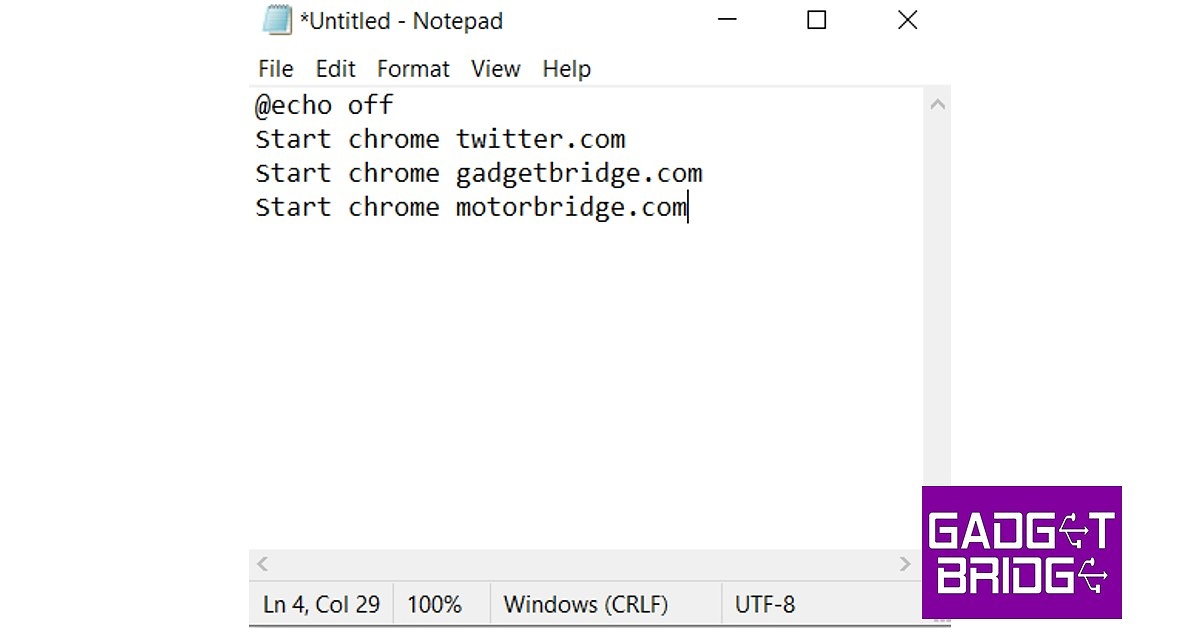 Step 3:
 Step 4:
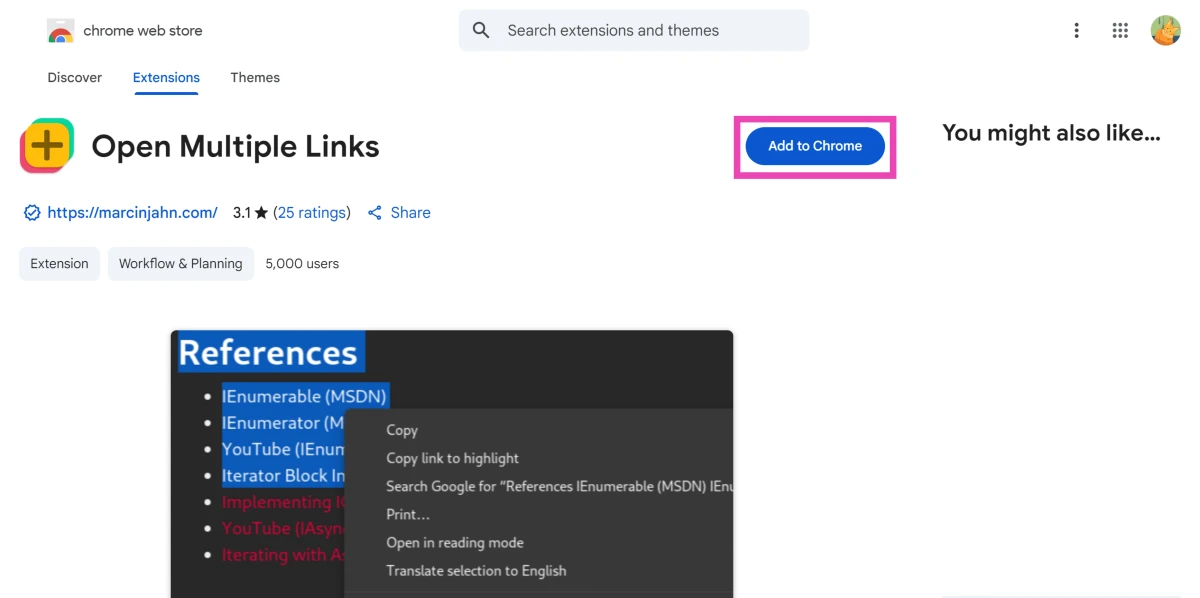 Step 2: Select text containing multiple links and right-click it.
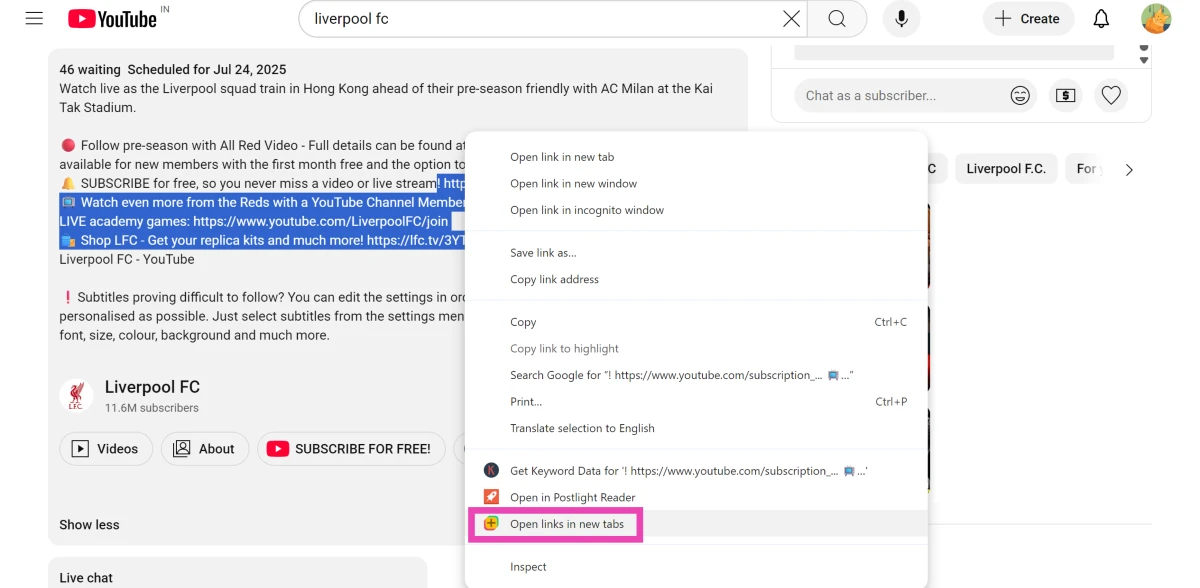 Step 3: Click Open links in new tabs.
Each link will open in a separate tab.
Step 3: Click Open links in new tabs.
Each link will open in a separate tab.
 Step 4: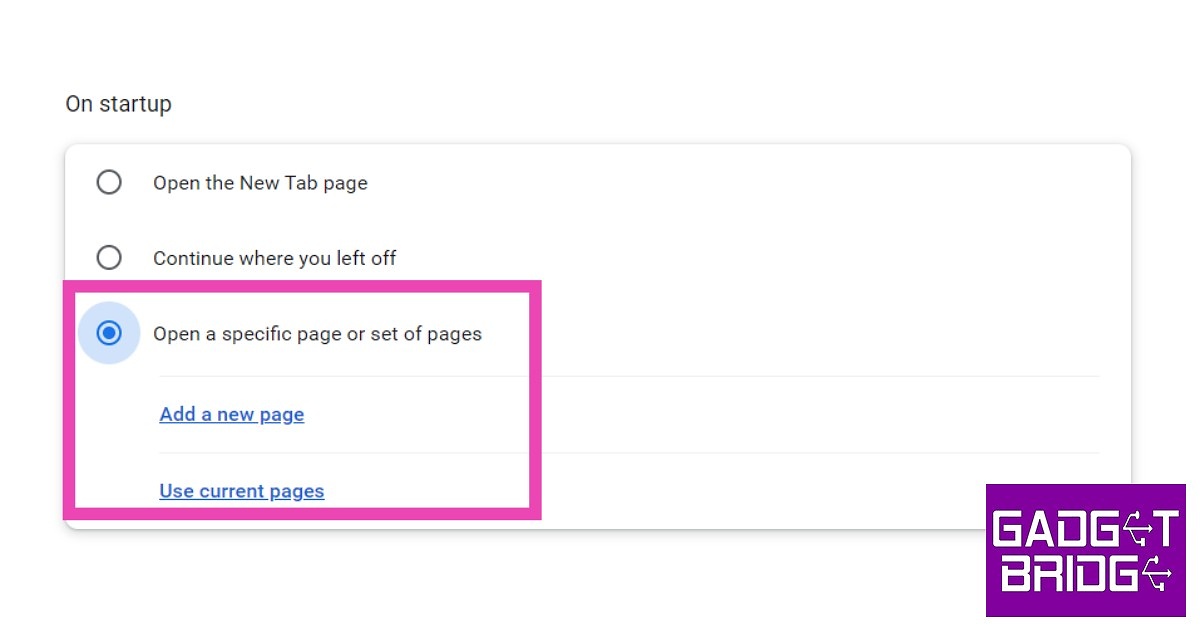
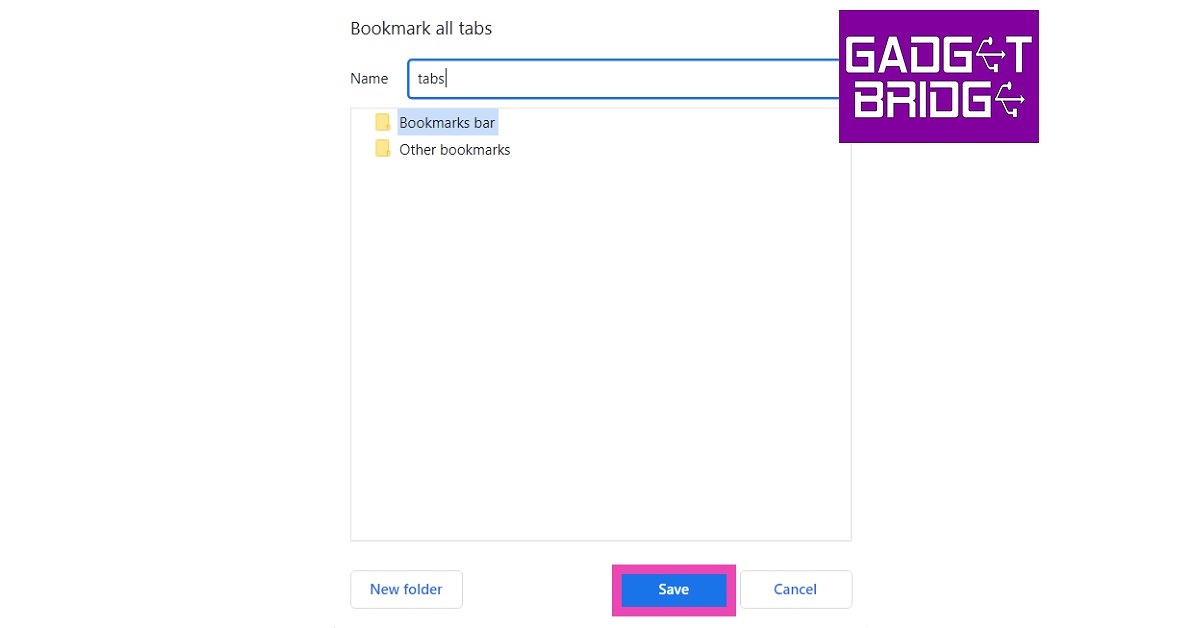 Step 3:
 Read Also:

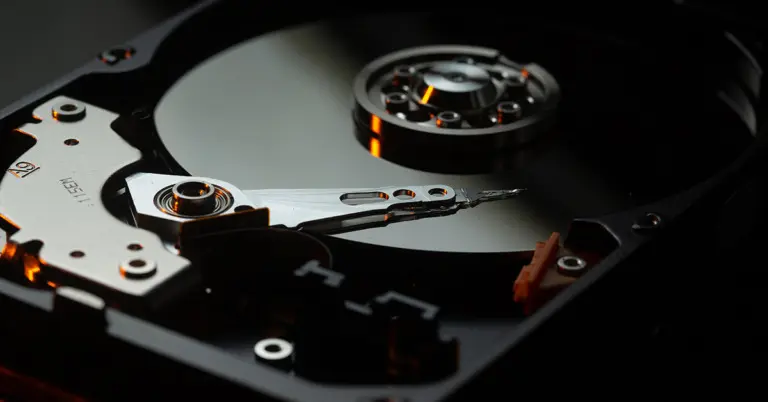
 Step 2: Select the location, start a scan and choose the files you want to recover.
 Step 3: Start the recovery process by previewing the files and then pressing recover. It is as simple as that.

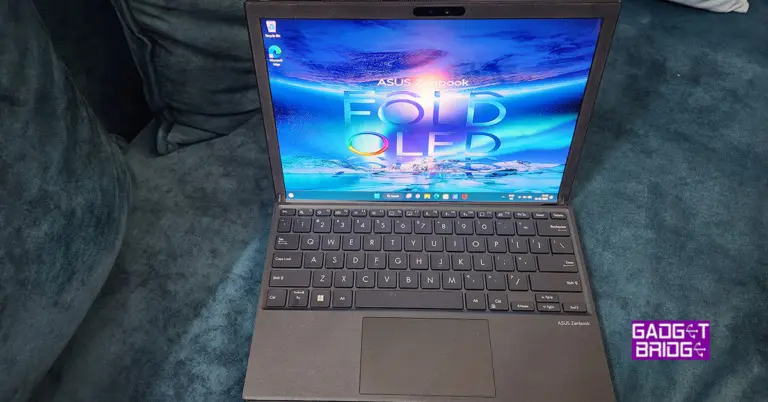
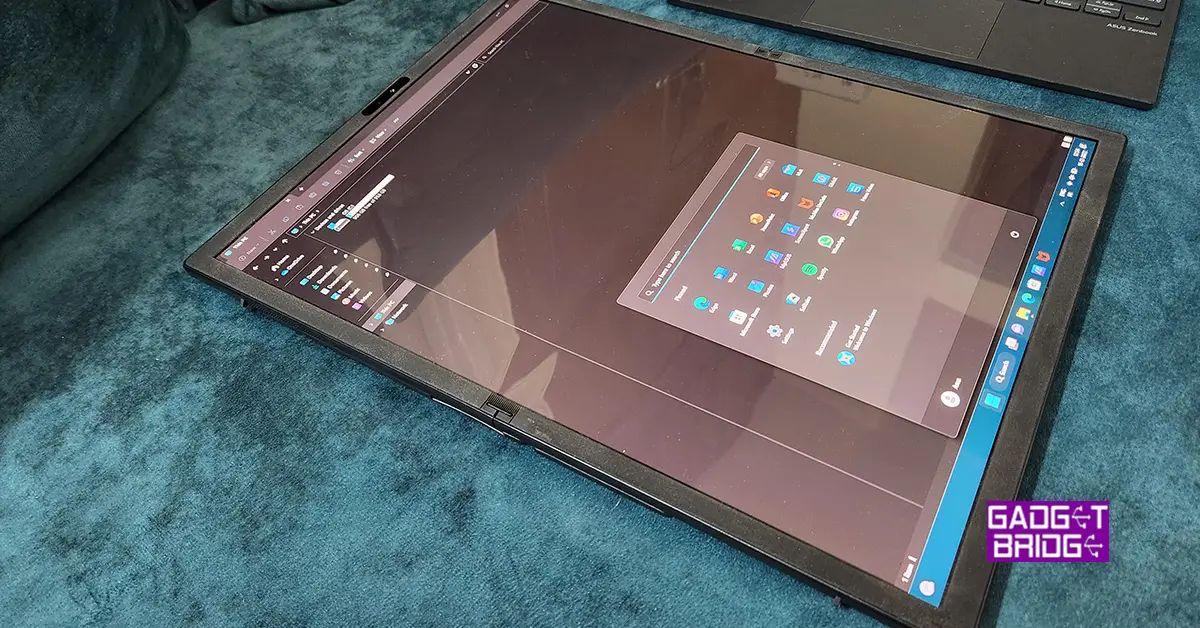 Talking a little more about its design, the ZenBook 17 fold has a clean and attractive design in addition to its folding display. The laptop is made of high-quality components, including a lightweight aluminium chassis. The laptop’s hinge is likewise precision-engineered, resulting in smooth and steady functioning when switching modes. When in tablet mode, the hinge also enables for a comfortable and ergonomic viewing position, making it ideal for watching movies, browsing the web, or taking notes. Overall, the ASUS ZenBook 17 fold is a well-constructed laptop that is ideal for anyone looking for a powerful and adaptable gadget.
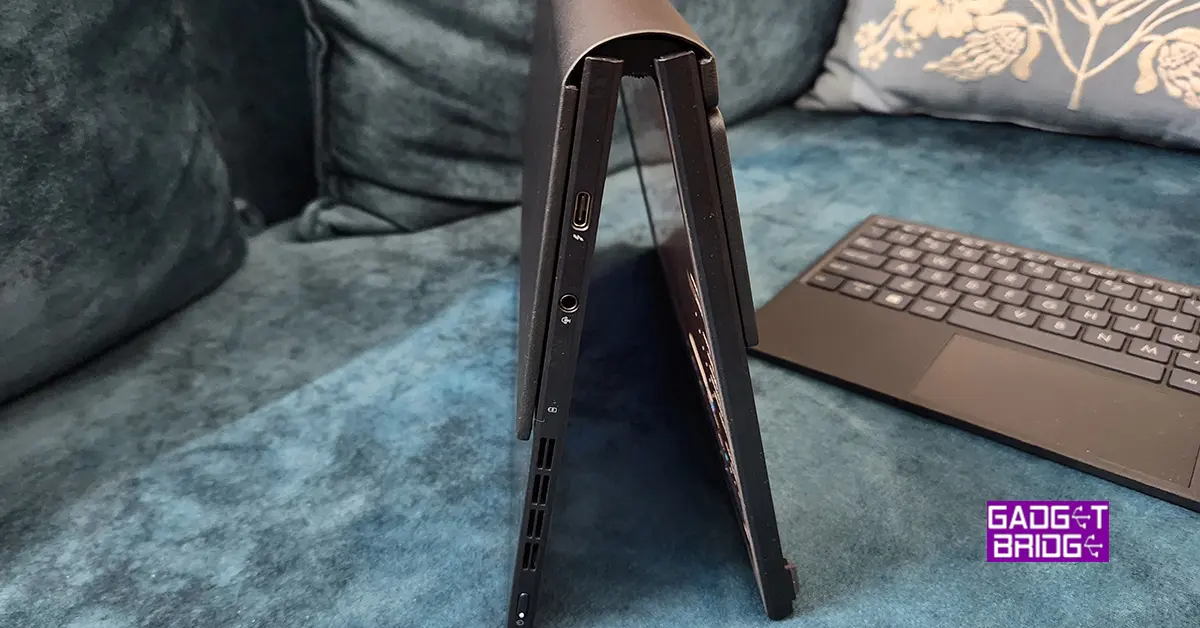
 When it comes to connectivity users get two thunderbolt ports, one on each side and one 3.5mm audio/mic port. To connect USB 3.0 devices you will need a USB type-C connections hub. Same as you used to get for the MacBook Airs.
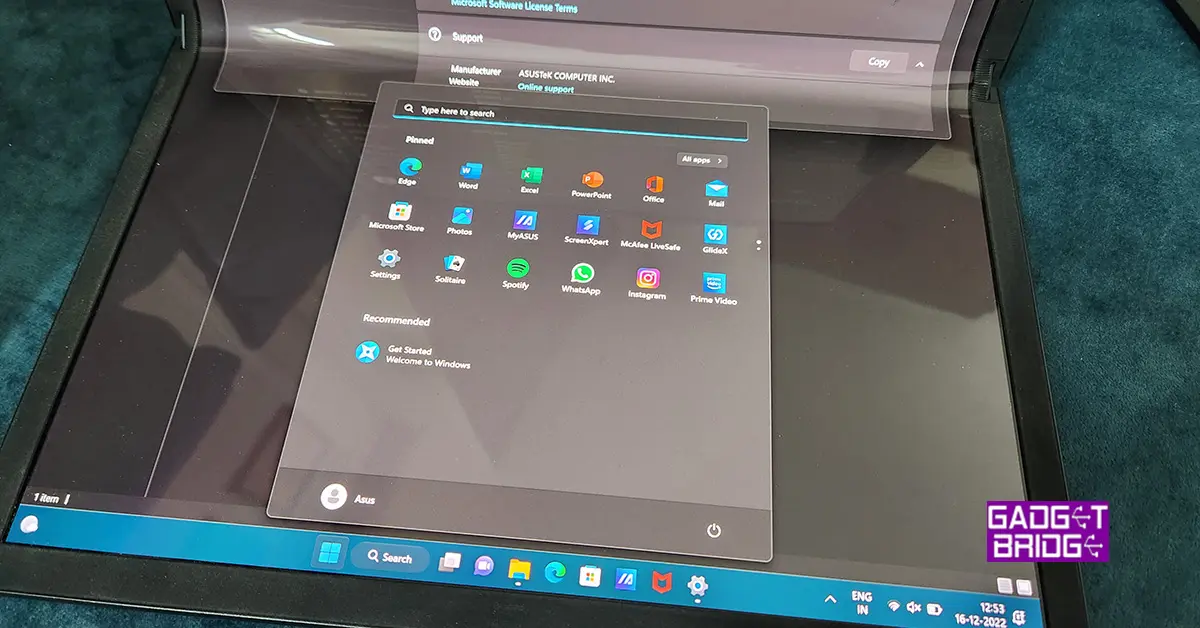
 One of the laptop’s most noticeable features is its 17-inch touchscreen display. With a resolution of 3840×2160 pixels, the display offers vibrant, crisp images that are ideal for watching high-definition movies and video content. Additionally, the display fully supports the sRGB colour gamut, making it the perfect choice for experts in graphic design, photography, and video editing. The display is moreover Pantone verified, guaranteeing that colours are correct and constant, which is crucial for professionals who need to do colour-critical tasks.
Read Also:
One of the laptop’s most noticeable features is its 17-inch touchscreen display. With a resolution of 3840×2160 pixels, the display offers vibrant, crisp images that are ideal for watching high-definition movies and video content. Additionally, the display fully supports the sRGB colour gamut, making it the perfect choice for experts in graphic design, photography, and video editing. The display is moreover Pantone verified, guaranteeing that colours are correct and constant, which is crucial for professionals who need to do colour-critical tasks.
Read Also: 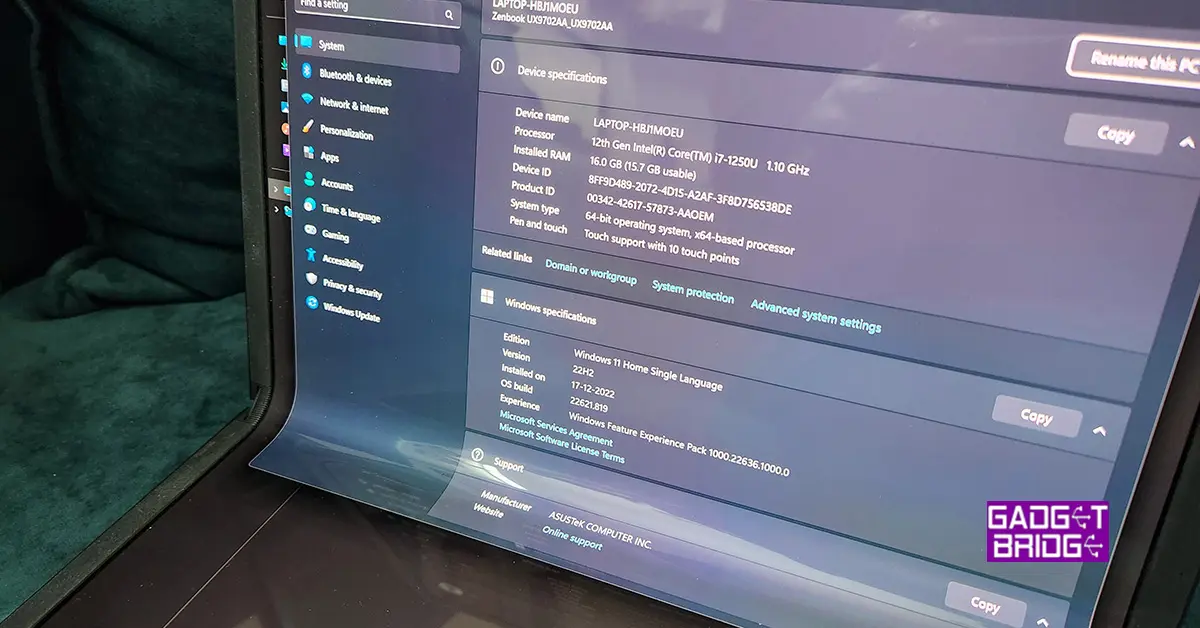 The laptop also comes with 16GB of RAM and 1TB of M.2 NVMe SSD storage, providing plenty of power and storage space for all your needs. We were hoping that there will be 32GB RAM model as well, but that is not available at the moment.
In terms of connectivity,
The laptop also comes with 16GB of RAM and 1TB of M.2 NVMe SSD storage, providing plenty of power and storage space for all your needs. We were hoping that there will be 32GB RAM model as well, but that is not available at the moment.
In terms of connectivity, 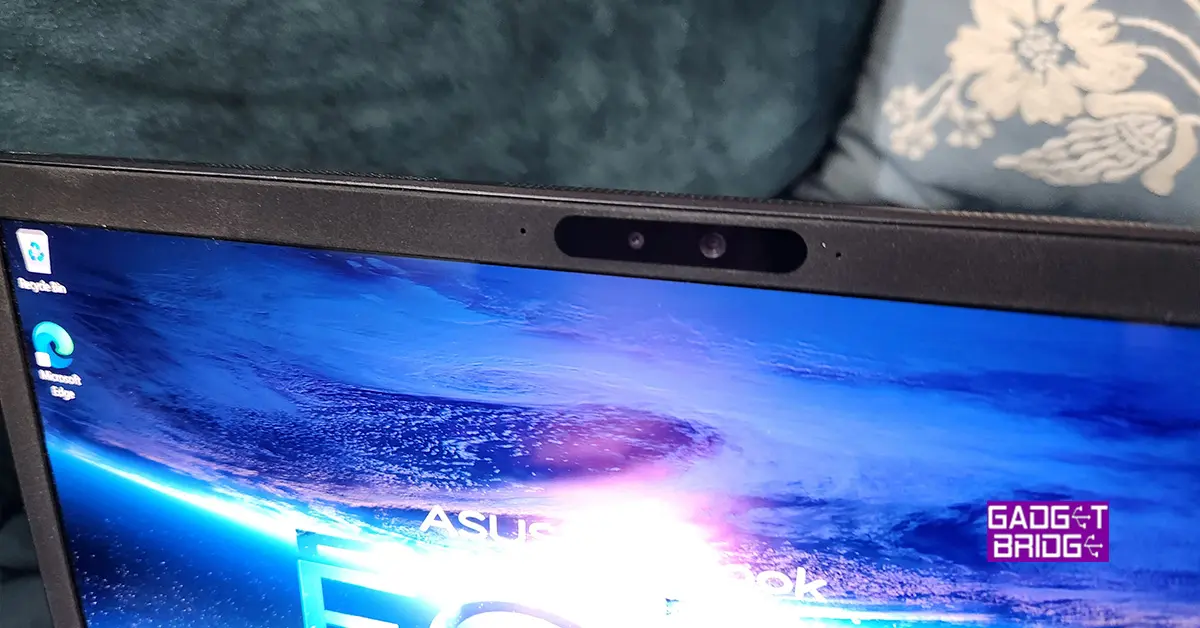 Windows 11 Home OS comes out of the box and setting it up is a bit tricky if you do not have an active internet connection. Though it is not Asus’s issue, Microsoft really needs to allow users to set up a device without creating a Microsoft account or registering for it first in a forced manner. Take a clue from Android, they tried that at one point, but then they also reverted to allowing users to set up a device without signing in. If the user wants to use PlayStore apps then they need to sign in, else no need. Same should be done with all Microsoft OS’s and laptops.
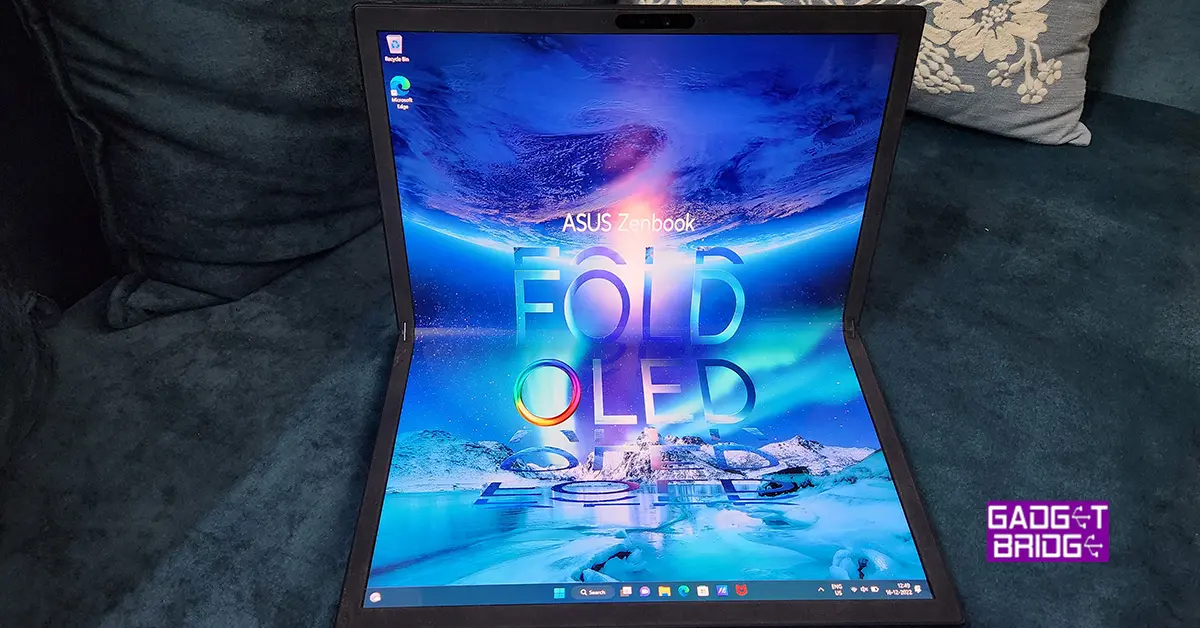 Moving on, we had a fabulous time with this laptop as when we needed to work, we connected the keyboard attachment, which turns it into a 13-inch laptop. And when we wanted to watch something, we flipped it 90 degrees to take full advantage of the 17-inch tablet mode.
Overall, we did not find any flaws in the performance of the Asus Zenbook 17 Fold. We even tried to edit a 4K videos on the machine and it handled the process well.
Read Also:
Moving on, we had a fabulous time with this laptop as when we needed to work, we connected the keyboard attachment, which turns it into a 13-inch laptop. And when we wanted to watch something, we flipped it 90 degrees to take full advantage of the 17-inch tablet mode.
Overall, we did not find any flaws in the performance of the Asus Zenbook 17 Fold. We even tried to edit a 4K videos on the machine and it handled the process well.
Read Also: 




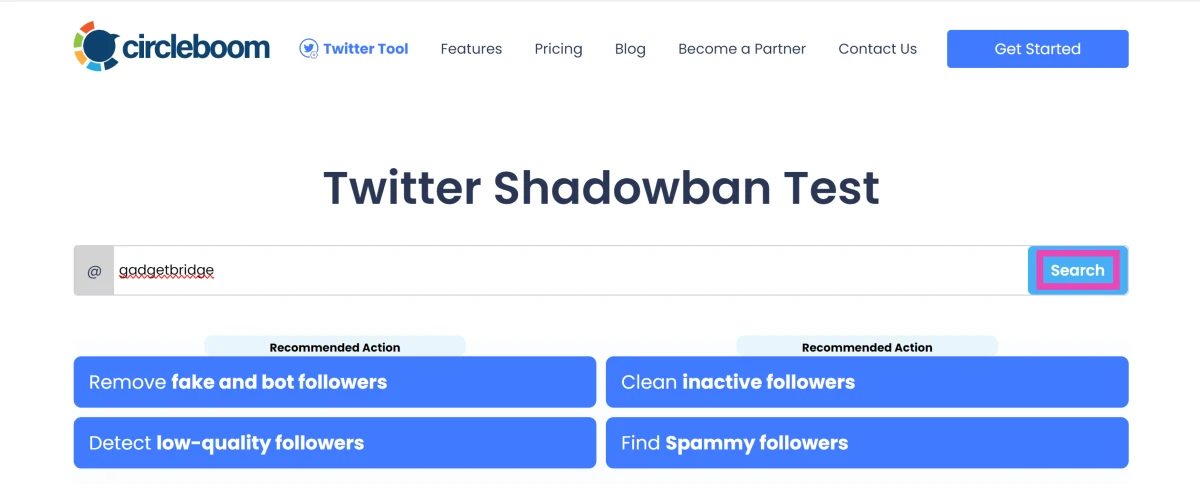 Step 3: Hit Search.
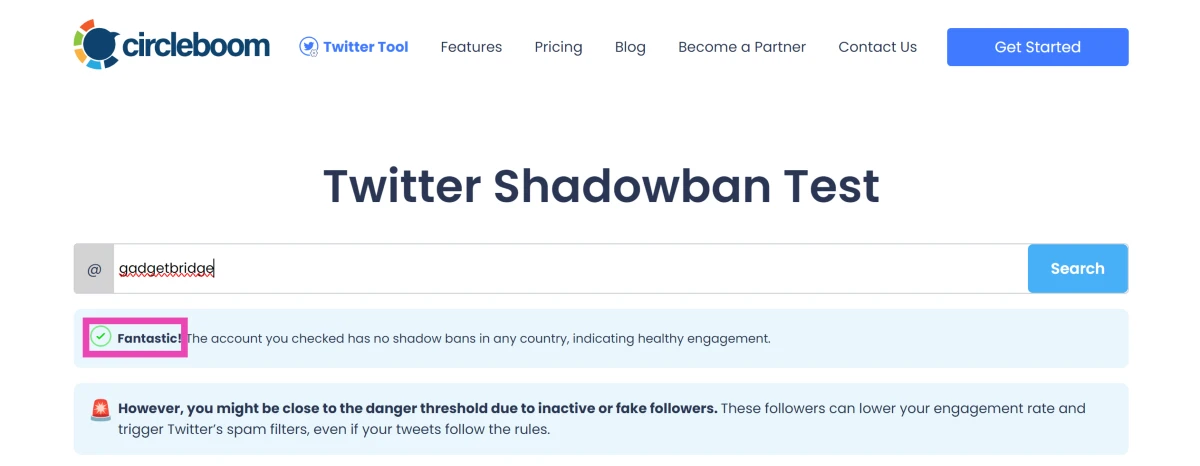
Step 4: Check the results.
Step 3: Hit Search.
Step 4: Check the results.


 Source: Hadrian/Shutterstock.com
For those looking to zoom in, you can get a continuous zoom effect when taking photos or videos from a medium to close range. The iPhone 14 has one extra step between the wide 1x and the telephoto 3x.
Source: Hadrian/Shutterstock.com
For those looking to zoom in, you can get a continuous zoom effect when taking photos or videos from a medium to close range. The iPhone 14 has one extra step between the wide 1x and the telephoto 3x.
 Source: Hopix Art/Shutterstock.com
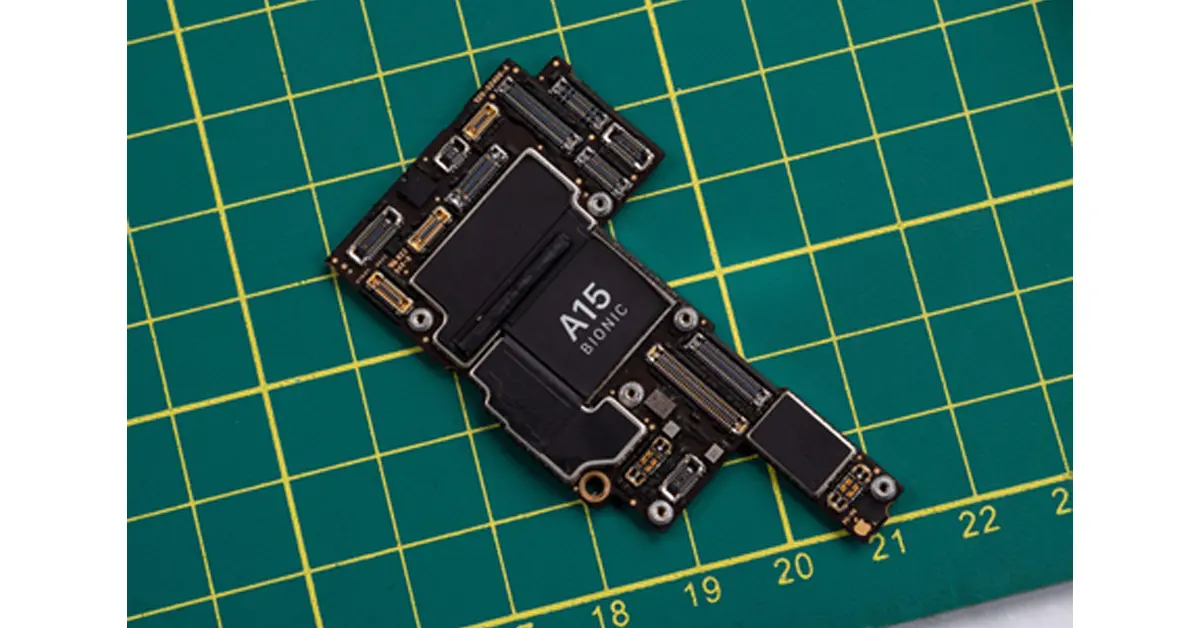
As technology gets better and better, consumers get more impatient. iPhone 14 has catered to that need by providing the iPhone with the fast A15 Bionic chip. Yes, the iPhone 13 has this chip, too. However, in the iPhone 14, the graphics section of the chip is 18% more powerful than in previous phones. This updated design comes with a 5-core graphics processing unit (GPU).
If graphics and visuals are what you love about your iPhone, then this new upgrade will be even better for viewing photos, illustrations and videos. To make sure the cool graphics will always be clear and vivid, use a liquid screen protector.
Source: Hopix Art/Shutterstock.com
As technology gets better and better, consumers get more impatient. iPhone 14 has catered to that need by providing the iPhone with the fast A15 Bionic chip. Yes, the iPhone 13 has this chip, too. However, in the iPhone 14, the graphics section of the chip is 18% more powerful than in previous phones. This updated design comes with a 5-core graphics processing unit (GPU).
If graphics and visuals are what you love about your iPhone, then this new upgrade will be even better for viewing photos, illustrations and videos. To make sure the cool graphics will always be clear and vivid, use a liquid screen protector.