Asus Zenfone 9 has made its official debut in the market today. The brand new device is powered by a Snapdragon 8+ Gen 1 SoC and up to 16GB of RAM. The smartphone has a 50-megapixel dual rear camera arrangement with a 6-axis hybrid gimbal OIS/EIS stabiliser and a 5.92-inch AMOLED display with a 120Hz refresh rate. The phone is IP68 certified for protection against dust and water.
In This Article
Asus Zenfone 9 specifications
A 5.92-inch AMOLED screen with 1,080 x 2,400px resolution, a 120Hz refresh rate and Gorilla Glass Victus protection is featured on the Asus Zenfone 9. The screen also has a 240Hz touch sampling rate and it has a bright display, peaking at 1,100 nits and offering 800 nits at 100% APL. Both an Always On mode and DC dimming at low brightness levels are supported. Snapdragon 8+ Gen 1 SoC powers the Asus Zenfone 9 with up to 16GB of RAM and an internal storage capacity of up to 256GB. To keep it cool, it has a sizable vapour chamber built right in. With nearly stock Android 12 out of the box, the phone will get two significant OS updates and at least two years’ worth of security updates.The Asus Zenfone 9 has two cameras on the back, a 50-megapixel Sony IMX766 primary sensor and a 12-megapixel ultra-wide camera with an IMX368 sensor. It has a 12-megapixel Sony IMX663 sensor with dual PDAF for taking selfies and participating in video conversations. The camera set-up also supports 8K recording. The primary sensor refers to having a 6-axis hybrid gimbal OIS/EIS stabiliser. The gyro sensor’s data is used by the primary camera’s stabiliser to adjust for abrupt z-axis movements forward and backwards in addition to compensating for movement on the x- and y-axis. While the ultrawide secondary lens also functions as a macro camera.Zenfone 9 supports 5G, Wi-Fi 6E, Bluetooth v5.2, NFC, and GNSS for connectivity. It includes a USB 3.0 Type-C port and a 3.5mm headphone jack.There is a 4,300mAh battery within the device. Additionally, the smartphone comes packaged with a 30W USB-C charger. The fingerprint reader on the Zenfone 9 is now located on the side of the device rather than beneath the display. The device also integrates Game Genie that can block notifications but you can also have any app floating above the game if you need to answer or check something. The Genie can display information such as game frame rates, predicted battery life, system temperatures, and more. If necessary, it can also remove background apps from RAM.
Asus Zenfone 9 price and availability details
Three memory setups are available: 8GB RAM with 128GB storage, 8GB RAM with 256G2B storage, and 16GB RAM with 256GB storage. The price of the Asus Zenfone 9 starts at €800. As per the company, prior to arriving in North America, Japan, Indonesia, and portions of South America, it will initially be made accessible in Europe, Hong Kong, and Taiwan.
For the latest gadget and tech news, and gadget reviews, follow us on Twitter, Facebook and Instagram. For newest tech & gadget videos subscribe to our YouTube Channel. You can also stay up to date using the Gadget Bridge Android App. You can find the latest car and bike news here.
The Redmi 10A Sport was released in India today. The device is an improved version of the Redmi 10A made its debut in India in April of this year and is the successor of the Redmi 9A Sport. The newly launched phone is powered by MediaTek Helio G25 SoC. The device features a single 13-megapixel rear camera.
In This Article
Redmi 10A Sport price in India and availability
Redmi 10A Sport has been launched in India in a single 6GB RAM with 128GB storage option. The device has been priced at Rs 10,999. Charcoal Black, Sea Blue, and Slate Grey are the available colour choices. Amazon and Mi.com are the two places in the nation where you can buy the Redmi smartphone.
Redmi 10A Sport specifications
Redmi 10A Sport is highlighted with a 6.53-inch HD+ IPS display with a waterdrop-style notch. The screen offers 720×1,600 pixels of resolution and comes with an aspect ratio of 20:9. The budget smartphone runs on MIUI 12.5, an Android-based operating system. The phone has an octa-core MediaTek Helio G25 SoC under the hood, along with up to 6GB of RAM. The Redmi phone has 128GB of built-in storage and can be expanded with a microSD card up to 512MB via a specific slot.A single 13-megapixel rear camera with an f/2.2 aperture and an LED flash is included for both photographs and videos. A 5-megapixel selfie camera sensor with an f/2.2 aperture is available on the front of the Redmi 10A Sport for taking selfies and making video calls.A 10W charger and 5,000mAh battery are included with the handset. Four different types of connectivity are offered: 4G LTE, Wi-Fi 802.11 b/g/n, Bluetooth v5, and GPS/A-GPS. The Micro-USB connector, 3.5mm headphone jack, and fingerprint sensor on the back of this phone are all included.
For the latest gadget and tech news, and gadget reviews, follow us on Twitter, Facebook and Instagram. For newest tech & gadget videos subscribe to our YouTube Channel. You can also stay up to date using the Gadget Bridge Android App. You can find the latest car and bike news here.
Continuing with our Mid-year lists, today we bring you the best TVs seen so far in 2022. We took a close look at the TV releases in all categories this year and picked the best ones across the spectrum. With 2022 still having a lot more to offer when it comes to Smart TVs, we expect a few changes to list as the year goes on. But for now, these are the best TVs we’ve seen so far in 2022.Read Also: Mid-year: Best Camera phones seen so far in 2022
In This Article
LG C2 OLED
SpecificationsScreen Size: 55 inchesResolution: 4kDimensions: 112.2 x 4.5 x 70.3 cmPanel Type: OLEDSmart TV: webOS 2022Price: Rs 1,69,990LG C2 OLED is one of the best TVs we’ve seen so far this year, and we wouldn’t be surprised if it’s the best TV release of the year. LG has made significant improvements on the C1, which includes pairing the C2 with the Alpha A9 Gen 5 processor. This powerful new processor offers better object enhancement and brings the most out of the C2. The C2 comes with a 7.1.2-channel surround sound, with a variety of sound modes to choose from. The C2 carries 4 HDMI 2.1 ports, making it the perfect TV to pair multiple consoles with. The vivid colours, sleek design, and smart connectivity make the LG C2 one of the best TV releases this year.
Samsung QN95B Neo QLED
SpecificationsScreen Size: 55, 65 inchesResolution: 4kDimensions: 122.8 x 1.7 x 70.7 cmPanel Type: QLEDSmart TV: TizenPrice: Rs 2,54,990The Samsung QN95B may be the best 4k TV Samsung has released so far. Powered by second-generation Neo QLED, the Samsung QN95B delivers one of the best visual performances we’ve seen from a 4k TV so far. The miniLED zone dimming backlight contributes massively to this. The QN95B also comes with a separate One Connect box to plug in all the external cables. This box can be tucked away at the back of the tabletop stand or can be placed on the table itself. The Tizen OS offers a unique experience compared to other Smart TVs, coming with three different TV modes: Media Hub, Ambient Hub, and Gaming Hub. The Media Hub also comes with a universal search bar that can find content across different platforms.
Sony A80K
SpecificationsScreen Size: 55, 65, 77 inchesResolution: 4kDimensions: 144.8 x 5.3 x 83.6 cmPanel Type: OLEDSmart TV: AndroidTVPrice: Rs 3,49,990The Sony A80K is one of the smarter-looking TVs on this list. The One Slate gives it a sleek look, and the multi-position stand can be adjusted for different heights. The A80K comes with Google TV for a better app-browsing experience. Visually, the A80K offers 4k upscaling, which is an attractive feature for most buyers. For gamers, the A80K offers two HDMI 2.1 input ports, supporting 4k video with a variable refresh rate of up to 120Hz. The auto latency mode offers smooth and seamless gameplay.
Redmi Smart TV X43
SpecificationsScreen Size: 43 inchesResolution: 4kDimensions: 96.7 x 21.5 x 61.3 cmPanel Type: LEDSmart TV: Android 10Price: Rs 27,999Moving on to the mid-premium category, the Redmi SmartTV X43 has been one of the better releases we’ve so far this year. Xiaomi continues to amaze with its range of products, and its Smart TV offerings are no different. For a TV priced at Rs 27,999, the X43 is packed with cutting-edge features. Equipped with a 64-bit quad-core A55 CPU, 2GB RAM, and 16GB of internal storage, the X43 gets the most out of the Android 10 OS. The 60Hz refresh rate works well with the 4k resolution as well. The 4k HDR 10+ driven display could very well be the best in its category. We dive into closer details on our review of the Redmi Smart TV X43 here.
Acer I Series
SpecificationsScreen Size: 55 inchesResolution: 4kDimensions: 123.4 x 9.1 x 71.4 cmPanel Type: LEDSmart TV: Android 11Price: Rs 37,999Acer’s I Series range starts at Rs 14,999 with a 32-inch Smart TV, but our pick for the best release of 2022 so far has to be the 55-inch model in the Acer I Series. Priced at Rs 37,999, this mid-premium offering from Acer is powered by Android 11 OS and a Mali G31 GPU. The 16 MB internal storage is optimal for running a variety of apps. The 4k display with a 60Hz refresh rate provides a smooth experience while using the Smart TV. Acer I Series also comes with Google Assistant and a built-in Chromecast. The smart remote also has voice control and comes with dedicated hotkeys for Netflix, Prime Video, YouTube, and Disney+Hotstar.
OnePlus Y1S Pro
SpecificationsScreen Size: 43 inchesResolution: 4kDimensions: 106 x 14.1 x 63 cmPanel Type: LEDSmart TV: Android 11Price: Rs 29,999The OnePlus Y1S Pro is another credible entry in the mid-premium Smart TV category. Launched at Rs 29,999, the Y1S Pro stands out with its bezel-less design, offering a more immersive experience. Another feature that makes the OnePlus Y1S Pro unique is the OnePlus ecosystem, which offers fluid connectivity between multiple OnePlus devices. For example, the OnePlus Y1S Pro can read data from the OnePlus Watch to detect when you’ve gone to sleep, and automatically turn itself off. You can even connect your OnePlus wireless buds with just one press of a button. Apart from OnePlus devices, the general connectivity is also remarkable, with the Y1S Pro being able to pair with 5 devices at a time.Read Also:Mid-year: Best smartphones seen so far in 2022These were some of the best Smart TVs we’ve seen so far in 2022. Let us know what you think of our picks. If you think we missed out on a release that deserves to be on this list, let us know in the comments!
For the latest gadget and tech news, and gadget reviews, follow us on Twitter, Facebook and Instagram. For newest tech & gadget videos subscribe to our YouTube Channel. You can also stay up to date using the Gadget Bridge Android App. You can find the latest car and bike news here.
Google Pixel 6a was announced in India last week. The device went on its first sale in India today. The smartphone was announced alongside Google Pixel 6a and Pixel Buds Pro truly wireless stereo (TWS) earphones which are also now available for purchase. Both the products were introduced at this year’s Google I/O in May. The handset has a 6.1-inch display and is powered by the Tensor SoC developed by the company.
In This Article
Google Pixel 6a Price in India, sale details
Google Pixel 6a and Pixel Buds Pro truly wireless stereo (TWS) earphones went on their very first sale in India. The Google Pixel 6a is available for Rs. 43,999 in India. The phone was unveiled in the colours Chalk, Charcoal, and Sage.Additionally, Google is offering several launch deals for the Pixel 6a in India. Axis Bank Cards and EMI will receive an instant discount of Rs 4,000, any Pixel device and a few other select smartphone models will receive a Rs 6,000 off-exchange discount, and any other smartphone will receive a Rs 2,000 off-exchange discount. Moreover, when purchased with the Pixel 6a, customers can get the Google Nest Hub Gen 2, Pixel Buds A Series, or Fitbit Inspire 2 for Rs 4,999.On the other hand, the price of the Google Pixel Buds Pro is Rs 19,990. The earphones were presented in Charcoal, Coral, Fog, and Lemongrass, four different hues. Both devices will be available for sale via Flipkart in the country.
Google Pixel 6a specifications
The 6.1-inch full-HD+ OLED screen on the Google Pixel 6a features a 1,080 x 2,400-pixel resolution. The screen, which has a 20:9 aspect ratio and a 60Hz refresh rate, is shielded by Corning Gorilla Glass 3. The smartphone has Android 12 preinstalled and will reportedly get security updates for the next five years after it is introduced. The Pixel 6a will be among the first Android devices to receive the Android 13 upgrade, along with other Pixel devices. It has an internal storage capacity of 128GB, a Google Tensor SoC, a Titan M2 security coprocessor, 6GB of LPDDR5 RAM, etc.A 12.2-megapixel primary sensor with an f/1.7 aperture and a 12-megapixel ultra-wide-angle camera with an f/2.2 aperture make up the Google Pixel 6a’s dual-camera configuration on the back. The back camera is capable of recording 4K video at 30 frames per second. The gadget also boasts an 8-megapixel front-facing camera with an f/2.0 aperture for selfies and video calls. The front camera can capture 1080p video at a rate of 30 frames per second.The Pixel 6a comes with a 4,410mAh battery from Google that supports fast charging. The all-day battery can last up to 72 hours when utilised in the Extreme Battery Saver mode.5G, 4G LTE, Wi-Fi 6E, Bluetooth 5.2, and a USB Type-C port are among the available forms of connectivity. Along with an in-display fingerprint sensor for biometric authentication, the onboard sensors include an accelerometer, ambient light sensor, barometer, gyroscope, magnetometer, and proximity sensor. Similar to the Pixel 6 Pro, the Pixel 6a boasts great speech recognition. The functions include recorder, live captioning, and live translation.
For the latest gadget and tech news, and gadget reviews, follow us on Twitter, Facebook and Instagram. For newest tech & gadget videos subscribe to our YouTube Channel. You can also stay up to date using the Gadget Bridge Android App. You can find the latest car and bike news here.
Google Maps announced a number of new collaborations with local authorities and organisations in the nation. With the announcement, the company’s objective is to offer more beneficial features tailored to the various and distinct needs of Indian citizens. Street View is officially launched in India in collaboration with Genesys International and Tech Mahindra. Moreover, Google has collaborated with the CPCB to give users of Maps access to air quality data.
In This Article
Street View
In collaboration with Tech Mahindra, a top supplier of digital transformation, consultancy, and business re-engineering services and solutions, and Genesys International, a leading provider of sophisticated mapping solutions, Google announced the introduction of its Street View experience in India. Street View will be accessible on Google Maps as of right now with new imagery obtained from local partners that spans eleven Indian cities, including Bengaluru, Chennai, Delhi, Mumbai, Hyderabad, Pune, Nashik, Vadodara, Ahmednagar, and Amritsar, and more than 150,000 km. By the end of 2022, Google, Genesys International, and Tech Mahindra hope to have this available in more than 50 cities. The Street View launch in India is the first time ever that all local partners have contributed to making Street View a reality.Simply open Google Maps, zoom into a road in any of these target cities, and press the area you choose to view to start Street View. Learn about the local coffee shops and cultural hubs, or explore the neighbourhood. People will be able to explore and traverse new areas of the country and the world with the aid of Street View in a more realistic and visual manner, giving them the opportunity to fully experience these locations from their phone or computer.Local developers will also have access to Street View APIs, allowing them to offer richer mapping experiences in their services.
Partnering with local traffic authorities
Google has vowed to work with regional authorities to democratise information in order to address issues like public cleanliness and Covid-19. For the purpose of enhancing traffic flow and reducing congestion, it now disclosed its collaborations with regional traffic authorities.Google Maps will soon display speed restrictions information given by the traffic authorities, beginning with Bengaluru, to support local traffic authorities’ efforts to promote safe driving.As part of its attempts to create models that better manage traffic signal timings, Google recently announced its collaboration with Bengaluru traffic police. This will eventually spread throughout the city and aid the local traffic authority in controlling traffic at crucial crossroads. Along with the help of the regional traffic authorities, Google will further extend this to Kolkata and Hyderabad.
Google’s tool Environmental Insights Explorer is currently assisting four Indian cities develop Climate Action Plans
The Environmental Insights Explorer, a free tool developed by Google to assist cities and local governments analyse emissions and find reduction methods using data on public transportation usage, recently underwent a pilot in India. In a statement released today, Google said that four Indian cities—Bengaluru, Chennai, Pune, and Aurangabad—are using EIE data on transportation emissions to create climate action plans. Additionally, Google made the EIE data for Aurangabad available to the public, allowing research institutions to use it to help the city with sustainable development.Google also announced its partnership with the Central Pollution Control Board (CPCB) to provide Indians with reliable air quality data so they can make better travel decisions. By touching the “Layers” icon in the upper right corner of their Maps app and choosing the “Air Quality” option, users can view this information overlay.
For the latest gadget and tech news, and gadget reviews, follow us on Twitter, Facebook and Instagram. For newest tech & gadget videos subscribe to our YouTube Channel. You can also stay up to date using the Gadget Bridge Android App. You can find the latest car and bike news here.
Garena Free Fire is a battle royale game with regular awards and tournaments to keep players interested. If you play Garena Free Fire, you should be aware of the redeem codes that are released on a daily basis. However, because the battle royale game is banned in India, players from other countries can use the Free Fire Redeem codes daily. If you’re unfamiliar with the Garena Free Fire redeem codes or don’t know how to get them, we’ve put together a step-by-step guide to help you redeem them. Check out Garena Free Fire Redeem Codes for July 28.The Free Fire redeem codes are a great way to get free stuff. These are 12-digit codes that contain alphabets and numbers, as well as an expiration date and time. Because the Garena FF redeem codes cannot be used more than once, you should hurry to the redemption page to claim your free reward before someone else does. To get a free reward, all you have to do is go to reward.ff.garena.com/en, which is the official redemption page. Also, keep an eye on this space for daily updates on Garena Free Fire redemption codes and rewards.
In This Article
Garena Free Fire Redeem Codes Today 28 July 2022
FKJHBNJKOPOL
FMKLPOIUYTFD
JCDKCNJE5RTR
FDRDSASERTYH
FU821OUYTRDVB
FHBVCDFQWERT
FMKI88YTGFD8
KLLPDJHDDBJD
EDXXDSZSSDFG
VFGVJMCKDMHN
NDJDFBGJFJFK
ERTYHJNBVCDS
F10IUJHGVCDSE
F7UIJHBGFDFR
FXCVBNMKDSXC
FOKMJNBVCXSD
How to Get Free Fire Redeem Codes for Garena on July 28?
Nikon is reportedly set to discontinue the production of its DSLR cameras, according to a report by Nikkei Asia. This news comes after Canon confirmed it wouldn’t produce any new DSLRs and Sony decided to exclusively sell mirrorless cameras. While Nikon ending its 63-year run with SLRs may seem remarkable, it is not wholly surprising. The DSLR market has stagnated for quite some time, and with smartphone cameras having evolved tremendously in the last decade, Nikon does not see its DSLR line coming out on top.Last month, Nikon announced that it would be discontinuing the production of the D5600 and D3500 models. The last flagship SLR released by the Japanese camera giant was the D6 SLR back in June 2020. So, the writing has been on the wall for quite some time. DSLRs, once an exciting option for photography hobbyists have been pushed out of the picture by smartphone cameras. Within the last decade, smartphone cameras have evolved by leaps and bounds, with smartphones like Samsung Galaxy S22 offering more than an entry-level DSLR. It is no surprise that Nikon can’t lure amateur photographers with its bulky DSLRs anymore.Read Also:Nikon launches a range of new cameras
What is next for Nikon after DSLRs?
The end of DSLRs was unimaginable a decade back. What was once Nikon’s highest revenue grossing product will soon be a thing of the past. However, Nikon is looking to still be a big player in the camera market, by solely focussing on the development of mirrorless cameras. Nikon isn’t the only camera producer to make the switch. Canon and Sony also believe mirrorless cameras to dominate the market in the coming years.This news may come across as surprising to many, as DSLRs were widely regarded as the better option over mirrorless cameras. But in the last decade, mirrorless cameras have come a long way, with rapid breakthroughs in technology. In 2020, the sale of mirrorless cameras (2.93 million units) overtook that of DSLRs (2.37 million units).One of the complaints that DSLR users have had through the years is that the camera shutters are subject to wear with time. This is not the case with mirrorless cameras, since they aren’t mechanical at all. On top of that, they aren’t as bulky as DSLRs. Mirrorless cameras account for more than half of Nikon’s revenue with DSLRs now being reduced to 30% in revenue share.Read Also: What is Focus Mode on Android and How to use it like a pro?Some photography purists will stick with their DSLRs as they consider them to be considerably faster than mirrorless cameras. But Nikon expects the mirrorless tech to grow further in the coming years, making the cameras faster and more compact. DSLRs are expected to be phased out within the next 3 years, but Nikon has assured its commitment to DSLR owners by rolling out firmware updates for older cameras.
For the latest gadget and tech news, and gadget reviews, follow us on Twitter, Facebook and Instagram. For newest tech & gadget videos subscribe to our YouTube Channel. You can also stay up to date using the Gadget Bridge Android App. You can find the latest car and bike news here.
Samsung is getting ready to introduce its 2022 models of Galaxy Foldables. The company is going to introduce Galaxy Z Flip 4 and the Z Fold 4 on August 10 in a brand-new Unpacked event. At the presentation on August 10, Samsung will make the Z Fold 4 and Flip 4 5G’s official specifications known. A fresh teaser for the next Galaxy Unpacked event has also been posted online.The upcoming Unpacked event’s main attraction is anticipated to be the foldable smartphones. Samsung is anticipated to introduce its new smartwatches at the event. At the event on August 10, Samsung will officially reveal the Z Fold 4 and Flip 4 5G. The company has now posted a fresh teaser for the next Galaxy event displaying the foldable phones’ flex display capability. Sadly, the teaser only gives a partial overview of the Z Fold 4 5G’s design. It is anticipated to resemble the Galaxy Z Fold 3.There have been previous leaks of important Z Fold 4 5G information. According to the rumour, the Galaxy Z Fold 4 will be available in the colours Beige, Graygreen, and Phantom Black. Contrarily, the Galaxy Z Flip 4 will have the colour options of Gold, Grey, Light Blue, and Purple.Ben Geskin, a concept artist, has also allegedly provided photos of the Galaxy Z Fold 4 and Galaxy Z Flip 4. The 6.2-inch cover display of the Samsung Galaxy Z Fold 4 5G is anticipated to have an HD+ quality. It probably supports 120Hz refresh rates. A 7.6-inch Full HD+ AMOLED screen with a 120Hz refresh rate will be located within.OneUI 4.1, based on Android 12, will be available out of the box. A Snapdragon 8+ Gen 1 SoC is anticipated to power the Galaxy Z Fold 4’s internals. According to reports, it will ship with 512GB of internal storage and 12GB of RAM. A 1TB storage option is anticipated for some locations as well.The phone is rumoured to include a triple camera arrangement on the back. A 50MP primary camera, a 12MP ultrawide camera, and a 12MP telephoto camera will be included. The 10MP front camera may have a hole-punch cutout in the cover display. An under-screen camera is rumoured to be included with the foldable display. Samsung’s under-screen camera sensor will probably be a 16MP model.A 4400 mAh battery with 45W fast charging, 15W wireless charging, and 10W reverse wireless charging capability may be found within the Z Fold 4.
For the latest gadget and tech news, and gadget reviews, follow us on Twitter, Facebook and Instagram. For newest tech & gadget videos subscribe to our YouTube Channel. You can also stay up to date using the Gadget Bridge Android App. You can find the latest car and bike news here.
Amazon is back with another quiz on its mobile platform. The daily quiz is now live on the Amazon App and today’s Amazon Quiz will give you a chance to win Rs 1,000 Amazon pay Balance. The participants can play the 28 July 2022 Amazon Quiz from 12 AM to 11:59 PM. For those who are unaware of the quiz, the e-commerce platform brings a fresh quiz on a daily basis which consists of five questions related to general knowledge and current affairs.The participants need to answer all the questions correctly and their names will be selected for a lucky draw. The winner will be announced at the end of the month. One wrong answer could eliminate you from the quiz. Only app users are eligible to participate in the Quiz. In today’s Amazon Quiz the participants will get a chance to win Rs 1,000 Amazon Pay Balance. Check Out 28 July 2022 Amazon Quiz Answers.Amazon Quiz Today Prize – Rs 1,000 Amazon Pay BalanceQuiz Date – 28 July 2022Daily Timing – 12 AM to 11:59 PMWinner Announcement – Today 12 PM
In This Article
Amazon Quiz Answers Today 28 July 2022
Question 1: Who now owns the record for the highest score by an Indian wicketkeeper on foreign soil in Tests, ODIs and T20Is?
Answer: Rishabh PantQuestion 2: Which famous actor plays the role of Gorr in the Marvel movie ‘Thor: Love and Thunder’?
Answer: Christian BaleQuestion 3: Herbert Diess is stepping down as the CEO of which famous automaker?Answer: VolkswagenQuestion 4: This edible item belongs to which of these categories?Answer: FruitQuestion 5: Who were known to first use these in ancient history?
Answer: Egyptians
How To Play Amazon Quiz
Only app users are eligible to play the Amazon quiz every morning from 12 AM to 11:59 PM. The quiz is not available on the desktop. For those who are unaware of how to play the Amazon quiz below are the steps, you can follow to take the quiz.
Firstly download the Amazon app from Google Play Store or App Store
Now fill in the required information through the Sign Up option.
You need to log in to the Amazon app and scroll down on the home screen to find the Amazon Quiz banner.
Tap on the Amazon Quiz banner and tap on the Start button to start the Quiz.
Now you will get 5 questions and you need to answer them correctly. One wrong answer will eliminate you from the Quiz.
After answering all the questions correctly you are now eligible for a Lucky Draw.
The winner’s name will be announced today at 12 PM.
It doesn’t matter which country you come from or which language you speak, a love of sport can cross borders and unite people from all over the globe. And thanks to the advances in modern technology, there are also a variety of new ways to enjoy the sport from both a player’s and a fan’s perspective.
So whether you like to lace up your boots and take to the field of play, or simply prefer to cheer on your favourite athletes and teams from the comfort of the bleachers, the following ideas can enhance your sporting experience.
For players
Equipment design. Breakthroughs in technology have allowed for smarter design of sportswear and equipment, with greater aerodynamics and intelligent weighting helping to improve the performance of athletes in a wide range of sporting disciplines. What’s more, tech has also boosted safety in sports, from driving tools to helmets.
Nutrition and training. Whether it’s our expanded knowledge of how good nutrition fuels the body better or the development of apps and platforms that can analyze our exercise routines, tech has certainly upped our game when it comes to preparing ourselves physically and mentally.
Tech has proven to be something of a double-edged sword when it comes to promoting fairness within sports. Although advances in science have allowed drug cheats like Lance Armstrong to prosper, tech has also risen to the challenge of catching these rule-breakers in the act.
Funding for the little guy. Most sports do cost money to play – and in the capitalist world in which we live, the bigger and more successful teams and athletes often hoover up the majority of revenue. However, the internet has been an invaluable asset in giving the little guy a platform to be heard and to access funding.
For the fans
Access to arenas. Technological advances have been instrumental in automating ticket sales and ensuring everyone is able to get to their seat on time to watch the big match. What’s more, smart design of stadia gives all fans a decent view of the action, guaranteeing everyone has as good a time as possible.
Whether it’s fantasy football or online cricket betting which floats your boat, technology has united the worlds of sports and gaming in new and ever more enjoyable ways. Games like FIFA and Football Manager even allow armchair fans to immerse themselves in the sport and take charge of their favourite football teams like never before.
Televised events. There was a time not all that long ago when the only time to watch the big game was to attend it in person. Of course, such events have a limited capacity, meaning plenty of fans would be left disappointed. Fast forward to the present day, however, and more sports are being televised (in high-definition!) than ever before.
Nowadays, a fan can access any information they want to regarding a certain sport or event through the internet. From understanding the finer points of rules and regulations to keeping up to date with all the latest stats and new stories, the age of digital information gives us a greater understanding and a closer connection to sports.
Introduced in 2020, Instagram Reels have since become wildly popular. Similar to TikTok, Instagram Reels lets users create short-duration videos, lasting up to 90 seconds. One of the main features of Reels, which contributes greatly to their virality, is the option to extract the background audio from a Reel and use it to create your own. In this article, we show you the 5 best methods to save and download Instagram Reels’ audio as an mp3 file.Read Also:How To Download Instagram Reels On Android (2022)?
In This Article
Save Reels audio in the Instagram app
You can save the audio of a Reel in the Instagram app itself. Just follow these easy steps.Step 1: Open the Reel you want to download the audio from.Step 2: Tap on the Audio icon at the bottom right corner of the screen.Step 3: Select ‘Save Audio’.The audio will be saved to your Instagram account. You can also select the ‘use audio’ option to make a Reel with that audio right away.
Download Reels audio using a third-party website
If you want to save the audio of a particular Reel to your device, you will need to download it using a third-party website like instavideosave.net. Just follow these easy steps to download the Reel’s audio to your device.Step 1: Open the Reel you want to download the audio from.Step 2: Tap the three dots and select ‘Copy Link’.Step 3: Go to www.instavideosave.net and select ‘Audio’.Step 4: Paste the Reel link to the download bar and click on ‘Download’.The audio will be saved to your device in mp3 format.
Convert Reels to audio using a file converter
If you want to download the audio from a Reel already saved on your device, simply use a file converter to extract the audio.Step 1: Open www.cloudconvert.com on your web browser.Step 2: In the File Converter section select mp4 to mp3. If your video is in a different format, type it in the search bar and select it.Step 3: Click on ‘Select file’ and select ‘From my computer’.Step 4: Upload the Reel and click Convert.The mp3 audio will be saved to your device.
Convert Reels to audio using a converter app
If you’re looking for an app to convert the Reel to an audio format, you can download the Video to Audio Converter app from Google Play Store. Once you’ve installed the app, all you need to do is select the Reel video and select the mp3 format. You will be asked the desired frequency and bitrate for your audio, which you can always leave as default. The Video to Audio converter app also gives you the option to trim the audio. Once everything is according to your specifications, tap ‘Ok’ and your Reel will be converted to audio.
Download a Reel’s full background audio
Instagram Reels only last from 15-90 seconds. If you want to download the entire song in the background of a Reel, simply tap on the audio icon and find out the name of the song. Then, head over to YouTube and search for the song. Once you’ve found the video, copy the link and use the second method in this list to download the song in mp3 format.Bonus Tip: How to download a Reel to my device?If you want to download a Reel to your device, you will need the help of a third-party app. Download and Install ‘Video Downloader for Instagram’ from the Play Store and copy the link to the Reel and select ‘Download’. The Reel will be saved as a video in mp4 on your device. You can read our comprehensive guide to downloading a Reel here.Read Also: 3 Simple Ways to Schedule Auto Power On/Off on Your Android PhoneThese were the 5 best ways to save and download Instagram Reels audio as mp3. In some Android smartphones, you can directly convert an mp4 file to mp3 by selecting the ‘rename file’ option and changing the .mp4 extension to .mp3. You will need to download the Reel to your device in mp4 format to use this trick.
For the latest gadget and tech news, and gadget reviews, follow us on Twitter, Facebook and Instagram. For newest tech & gadget videos subscribe to our YouTube Channel. You can also stay up to date using the Gadget Bridge Android App. You can find the latest car and bike news here.
With the introduction of the Vivo T1x in India, Vivo just refreshed its affordable lineup. The smartphone today went on its first sale in the country. The device competes with smartphones such as the Samsung Galaxy M13. Therefore, we compared the two phones to see what they had to offer. Here is a comparison of the Vivo T1x Vs Samsung Galaxy M13.
Vivo T1x: Two rear cameras consisting of a 50-megapixel primary sensor and f/1.8 aperture and the other with a 2-megapixel secondary sensor and f/2.4 apertureSamsung Galaxy M13: A triple-back camera arrangement with a 50-megapixel primary sensor, a 2-megapixel depth sensor and a 5-megapixel ultra-wide angle camera
Selfie camera
Vivo T1x: An 8-megapixel front cameraSamsung Galaxy M13: An 8-megapixel front camera
RAM and storage
Vivo T1x: 4GB of RAM and 64GB of storage, 4GB RAM with 128GB storage and 6GB of RAM and 128GB of storageSamsung Galaxy M13: 4GB RAM with 4GB of RAM and 64GB of storage and 6GB of RAM and 128GB of storage
Battery
Vivo T1x: 5,000mAh batterySamsung Galaxy M13: 6,000mAh battery
Operating system
Vivo T1x: Funtouch OS 12 based on the Android 12Samsung Galaxy M13: One UI 4, which is based on Android 12.0
While Samsung uses the Exynos 850 processor, Vivo T1x is powered by the Snapdragon 680 chipset. Both devices, however, enable the virtual RAM expansion capability. On the software front, the Vivo T1x comes pre-installed with Android 12 (based on Funtouch OS 12). The One UI 4 version of Android 12 is also included with the Samsung phone.The Samsung Galaxy M13 sports a triple camera arrangement on its back and an additional 5MP ultra-wide sensor that the Vivo T1x does not have. Despite the fact that the selfie cameras on both handsets are similar.The 5,000mAh battery within the Vivo T1X supports an 18W quick charge. The 6000mAh battery in the Samsung Galaxy M13 supports 15W charging.The base edition of the Vivo T1x costs Rs 11,999 in India, whereas the Samsung Galaxy M13 costs Rs 11,999. Both handsets have LCD displays, but Vivo T1x stands out due to its 90Hz screen refresh rate whereas the Galaxy M13 only has a 60Hz refresh rate. A 5,000mAh battery unit that supports an 18W quick charge is included in the Vivo T1X. The 6000mAh battery in the Samsung Galaxy M13 supports 15W charging.Although Vivo has stronger specs when compared, Samsung Galaxy M13 is still a tough rival. Therefore, if cost is a major consideration, we advise going with the Vivo T1x; however, if you need a bigger battery, go with the Galaxy M13.
For the latest gadget and tech news, and gadget reviews, follow us on Twitter, Facebook and Instagram. For newest tech & gadget videos subscribe to our YouTube Channel. You can also stay up to date using the Gadget Bridge Android App. You can find the latest car and bike news here.
If you find yourself using your smartphone way too frequently, you may want to use Focus Mode. Focus Mode is a part of the ‘Digital Wellbeing’ function in most modern smartphones. It is useful for users who are easily distracted by their smartphone, to the point that it affects their productivity. In this article, we explain what the Focus Mode is and how to use it effectively.Read Also:How To Check Screen Time On Android?
In This Article
What is Focus Mode?
Focus Mode restricts you from using certain apps on your phone. During this time, you won’t receive any notifications from those apps as well. The idea is to select the apps that you are easily distracted by, and block them for a certain period of time. Once you end the session, it will give you a summary of all the notifications you missed.On certain smartphones, Focus Mode only lets you use a handful of apps by default when it’s turned on. These include Clock, Phone, Messages, and Settings. You can add more apps to the list of ‘allowed apps’ but if you add the ones that you frequently use, it defeats the whole purpose of this activity.
How to use Focus Mode?
Step 1: Go to Settings and select ‘Digital Wellbeing and parental controls’.Step 2: Scroll down to Focus Mode under the ‘Ways to disconnect’ section.Step 3: Tap on the + icon to create a customised Focus Mode. Give the mode a name.Step 4: Add the apps you want to use by tapping on ‘Edit’.Step 5: You can also set the length of the session by tapping on ‘Duration’.Step 6: Tap on ‘Start’ to begin the Focus Mode. If you want to stop the session, you can access the mode from the notification bar.Step 7: Once you end the session, it will let you know whether you received any notifications while the mode was on.Read Also: How can you limit your children’s screen time on various devices?This is how you can use Focus Mode on your smartphone. Using it is an effective way to eliminate any phone-related distractions and focus on work, studying, or other activities. Certain smartphones also give you the option to ‘take a break’ while using this mode, which allows you to use all the functions in your phone for a short duration of time.
For the latest gadget and tech news, and gadget reviews, follow us on Twitter, Facebook and Instagram. For newest tech & gadget videos subscribe to our YouTube Channel. You can also stay up to date using the Gadget Bridge Android App. You can find the latest car and bike news here.
Flipkart e-commerce platform has just revealed a beauty addition to its Virtual Try-On augmented reality feature. It allows users to virtually try on cosmetics from top manufacturers like Lakmé, Maybelline, Blue Heaven, Faces Canada and more. With this new version, customers will be provided with distinctive, immersive experiences that will aid in their decision-making.As per the firm particularly in the beauty area, the availability of product visualisation is crucial for improving a customer’s online purchasing experience. A study and in-depth interview with Flipkart’s beauty shoppers revealed a need for such a feature. That is why it has brought the virtual try-on feature on its platform for beauty products. Customers may virtually try on cosmetic products from top brands before making purchases thanks to more recent AR-driven developments.The “Try On” option is located in the bottom right corner of the image gallery on the product page. Users can choose a “Live” Try-On or submit a selfie to see how a product might look on them virtually, as well as save the image to share across other applications, after granting access to the camera and gallery.It enables customers to digitally try on cosmetics from top manufacturers like Lakmé, Maybelline, Blue Heaven, Faces Canada, and L’Oréal Paris, including lipstick, foundation, eyeshadow, kajal, eyeliner, compact, concealer, highlighter, blush, and mascara.Flipkart noticed a higher conversion rate with customers who virtually tried on the makeup on the product page compared to those who did not when testing the Virtual Try-On experience for Beauty products across a few brands as a pilot.Commenting on the launch, Kanchan Mishra, Senior Director, Consumables (FMCG), General Merchandise and Home, Flipkart, said, “The e-commerce landscape in India is changing rapidly with millions of new customers from all geographies looking for richer and customized experiences online. At Flipkart, we aim at being at the forefront in bringing technology-led solutions to our burgeoning registered customer base of 400 million across the country. We are proud to expand our augmented reality(AR)-enabled feature to a category such as beauty, where there are nuanced product differences that customers are acquainted with purchasing offline. This feature will herald a new era for online makeup shoppers enabling easy access to leading brands while driving growth for lakhs of our sellers.”To better understand their needs and problems for an improved online buying experience, Flipkart spoke with hundreds of beauty consumers of all ages from a variety of cities, including metros and tier 2 towns. As a result of the lack of shopping support tools and a segment of customers who also expressed the need to try on a product before purchasing, the insights showed that there was a large decline in purchases. Taking these survey findings into consideration, Flipkart enhanced the Virtual Try-On option to include beautification.
For the latest gadget and tech news, and gadget reviews, follow us on Twitter, Facebook and Instagram. For newest tech & gadget videos subscribe to our YouTube Channel. You can also stay up to date using the Gadget Bridge Android App. You can find the latest car and bike news here.
If you use YouTube frequently and actively subscribe to new channels all the time, you must have wondered when you subscribed to your favourite channels. While the YouTube app or webpage does not show you the date when you subscribed to a particular channel, there are a few tricks for finding your entire YouTube subscription history. In this article, we show you how to find and view your entire YouTube subscription history.Read Also:How to stop YouTube from saving your search history?
In This Article
Use Google ‘My Activity’ to view your Youtube subscription history
Step 1: Open myactivity.google.com on your web browser.Step 2: Select ‘Other Activity’ from the side menu panel.Step 3: Scroll down and click on ‘View Subscriptions’ under YouTube channel subscriptions.You will be able to see the exact date and time when you subscribed to a particular channel. Channels will be listed in reverse chronological order, with the most recently subscribed channel appearing first.
Use a third-party tool
One of the most popular third-party tools to view your YouTube subscription history is xxluke. Here’s how you can view your YouTube subscription history using xxluke.Step 1: Click your profile icon on the YouTube webpage and select Settings.Step 2: From the side menu panel, select Privacy.Step 3: Make your subscriptions public by turning the toggle bar off for ‘Keep my subscriptions private’.Step 4: Click on the profile icon on the YouTube webpage again and select ‘Your Channel’.Step 5: Copy the link from the address bar and paste it to the query box in xxluke.de and hit ‘Continue’.xxluke will list your subscriptions in reverse chronological order, with the date when you subscribed to them.Bonus Tip: How to download a YouTube video to my device?If you want to download a YouTube video to your device, simply log on to ytb.rip and enter the YouTube video link in the download box. The website will download the video in mp4 format to your device.Read Also:How to access your Google Search history and delete all activityThis is how you can find and view your entire YouTube subscription history. If you want to manage your subscriptions simply go to Subscriptions>Manage. You can unsubscribe from channels or restrict their notification alerts. If you want to watch YouTube videos while working on other Chrome tabs, read our guide here.
For the latest gadget and tech news, and gadget reviews, follow us on Twitter, Facebook and Instagram. For newest tech & gadget videos subscribe to our YouTube Channel. You can also stay up to date using the Gadget Bridge Android App. You can find the latest car and bike news here.
Garena Free Fire is a battle royale game with regular awards and tournaments to keep players interested. If you play Garena Free Fire, you should be aware of the redeem codes that are released on a daily basis. However, because the battle royale game is banned in India, players from other countries can use the Free Fire Redeem codes daily. If you’re unfamiliar with the Garena Free Fire redeem codes or don’t know how to get them, we’ve put together a step-by-step guide to help you redeem them. Check out Garena Free Fire Redeem Codes for July 27.The Free Fire redeem codes are a great way to get free stuff. These are 12-digit codes that contain alphabets and numbers, as well as an expiration date and time. Because the Garena FF redeem codes cannot be used more than once, you should hurry to the redemption page to claim your free reward before someone else does. To get a free reward, all you have to do is go to reward.ff.garena.com/en, which is the official redemption page. Also, keep an eye on this space for daily updates on Garena Free Fire redemption codes and rewards.
Amazon is back with another quiz on its mobile platform. The 27 July 2022 Amazon Quiz is now live on its platform and today’s Amazon Quiz will give you a chance to win Rs 10,000 Amazon pay Balance.Every day Amazon brings a fresh questionnaire that comprises 5 questions. These questions are based on current affairs and general knowledge. The quiz can be played from 8 AM to 11:59 PM and the contestants need to answer correctly to enter into a lucky draw. In today’s Amazon Quiz the participants will get a chance to win Rs 10,000 Amazon Pay Balance.Today’s Amazon Quiz Prize – Rs 10,000 Amazon Pay BalanceQuiz Date – 27 July 2022Daily Timing – 12 AM to 11:59 PMWinner Announcement – Today at 12 PM
In This Article
Amazon Quiz Answers Today 27 July 2022
Question 1: Who was the Man of the Match in the 5th Test between India and England at Edgbaston?Answer: Jony BairstowQuestion 2: The recently released movie ‘Major’, stars which actor in the role of Major Sandeep Unnikrishnan?
Answer: Adivi SeshQuestion 3: Which of these famous businessmen did Gautam Adani recently overtake to become the 4th richest person in the world?Answer: Bill GatesQuestion 4: The oldest restaurant belonging to this chain, still in existence was opened in which state in the USA?Answer: CaliforniaQuestion 5: The largest moon of this planet is called what?
Answer: Titan
How To Play Amazon Quiz
Only app users are eligible to play the Amazon quiz every morning from 12 AM to 11:59 PM. The quiz is not available on the desktop. For those who are unaware of how to play the Amazon quiz below are the steps, you can follow to take the quiz.
Firstly download the Amazon app from Google Play Store or App Store
Now fill in the required information through the Sign Up option.
You need to log in to the Amazon app and scroll down on the home screen to find the Amazon Quiz banner.
Tap on the Amazon Quiz banner and tap on the Start button to start the Quiz.
Now you will get 5 questions and you need to answer them correctly. One wrong answer will eliminate you from the Quiz.
After answering all the questions correctly you are now eligible for a Lucky Draw.
The winner’s name will be announced today at 12 PM.
The first Neo smartphone to be released in India by Vivo’s subsidiary is the iQoo Neo 6. It includes a 4,700mAh battery, a Snapdragon 870 processor, and a 120Hz AMOLED screen. It is a gaming cell phone for casual to pro players. In this iQoo Neo 6 review, we have examined and showcased our experiences with the device and determine whether you should buy it?
In This Article
iQoo Neo 6 review: Design and Display
We have the Cyber Rage colour variant with us of the device. It has a gradient finish with blue, pink, and purple colourations. It has a matte finish back with a textured appearance. Due to the matte texture on the plastic back panel, fingerprints are hardly noticeable. In our opinion, the camera module is definitely eye-catching, and we appreciated the NEO logo that is located at the base of the camera island.The phone actually has a good in-hand feel, and as said the rear panel is composed of plastic rather than glass to keep it light. The Type-C port and a stereo speaker grille can be found at the bottom. A power button and volume rocker keys made of plastic are located on the right side of the frame, which is made of plastic as well. On the top, there is an IR emmiter as well. Before we wrap up the design, we should mention that the iQoo Neo 6 has an IP52 rating, which is actually quite nice to have on a phone like this.Now let’s talk about the display. The 6.62-inch E4 AMOLED full-HD+ display on the iQoo Neo 6 boasts a resolution of 1,080 by 2,400 pixels, a refresh rate of 120 Hz, and a touch sampling rate of 360 Hz. It has a max brightness of 800 nits and supports HDR playback for watching Netflix and YouTube videos. In the software display settings, you may also find a professional option that, when used, seems very natural. We encountered no problems with the iQoo Neo 6, and for the price it is offered at, it is actually excellent. With a smart switch that alternates between 60Hz and 120Hz, you naturally get a 120Hz refresh rate, but you also get a touch sampling rate of 360Hz.The phone also has an optical in-display fingerprint sensor, which is located very low but quickly unlocks the device. Additionally, you receive an x-axis vibration haptic feedback motor that improves both the typing and gaming experiences.
iQoo Neo 6 review: Performance and Camera
Now let’s talk about performance. With up to 12GB of RAM and up to 256GB of internal UFS 3.1 storage, the iQoo Neo 6 boasts a Snapdragon 870 SoC.The BGMI graphics settings are set to HDR and aggressive for our gaming tests. While Call of Duty can be played at maximum and very high settings. It is noteworthy that the gadget does not heat up or throttle as much, when compared to its competition. It includes a liquid cooling vapour chamber for improved heat management while gaming.Funtouch OS 12 on Android 12 powers the smartphone. The fact that it leaves background apps running without hogging too much memory is its best feature. Two years of software updates and three years of security patches are promised by iQoo, too. Although some pre-installed bloatware apps can be a problem, they are simple to remove to save space.The iQoo Neo 6’s triple rear cameras are set up for taking pictures and recording videos with ease. The primary camera is a 64-megapixel Samsung ISOCELL GW1P sensor with an f/1.89 aperture and optical image stabilisation. An 8-megapixel wide-angle camera has an f/2,2 aperture, and there is a 2-megapixel macro camera with an f/2.4 aperture. The front of the iQoo Neo 6 boasts a 16-megapixel camera with an f/2.0 aperture for selfies and video calls.The primary sensor has a broader field of vision and is good at retaining information. Bright colours like red were washed out in terms of colour, which made photos lack punch. We found that the iQoo Neo 6 struggles to regulate highlights when shooting HDR photographs, and the results appear a bit blown out. The images lack depth since there is insufficient contrast and the subject does not stand out. Edge detection, background blur, and colour details are all accurately rendered in portrait mode.Portrait in a well-lit situationPortrait in low lightA more realistic exposure of the picture with good detail retention is provided in the low-light shots. You will, however, notice some yellow-tinted noise, which is strange, but hope the next software update will take care of it. The macros, on the other hand, are clear and authentic. The smartphone also provides clear ultra-wide photos outdoors. Similar to this, ultra-wide photographs taken in low light appear clear, detailed, and noise-free.Macro ShotNeo 6 captures reasonable amounts of detail and gives true facial colours in selfies. At the same time, the backdrop blur effect and edge detection in selfie portraits are flawless. Selfies in low light are also interesting.Night time imageThe 4,700mAh battery in the iQoo Neo 6 supports 80W FlashCharge (the charger comes inside the box). The compatible charger needs about 30 minutes to fully charge the phone. The iQoo Noe 6’s battery life is one of its best features; with regular use, it lasts for more than 1.5 days.
Verdict
The iQoo Neo 6 is a mid-range smartphone that is easily accessible to those with limited budgets for flagship devices. Despite the fact that it is made of plastic, we really liked the design because it is lighter and slimmer, and it feels great in the hand. Overall, the iQoo Neo 6 performs flawlessly for the majority of graphically demanding games at the highest setting, with superior thermals and battery life too. So at Rs 32,999 is it a good choice? Yes, if you want a gaming smartphone that does not heat up easily and can play demanding games, go for it. Buy HereiQoo Neo 6 Pros
Nokia C21 Plus was announced in India a few days back. However, the company did not reveal the availability of the budget smartphone. But now that phone is accessible through retail and online shopping. The device has a 13-megapixel dual rear camera configuration and can last up to 3 days on a single charge.
In This Article
Nokia C21 Plus price in India and availability details
Nokia C21 Plus is now accessible in both brick-and-mortar stores and online. As a part of the launch offer, free Nokia Wired Buds are available for a short time only when you buy the phone from Nokia.com. The device is priced at Rs 10,299 for the 3GB RAM with 32GB storage model and Rs 11,299 for the 4GB RAM with 64GB storage model. Warm Grey and Dark Cyan are the available colours.
Nokia C21 Plus specifications
The Nokia C21 Plus features a 6.5-inch HD+ display. The screen has an aspect ratio of 20:9. The business has pledged two years of continuous security upgrades for the Android 11 Go Edition-powered smartphone. The budget smartphone is powered by an octa-core Unisoc SC9863A SoC. Up to 64GB of internal storage and 4GB of RAM are included which will be expandable up to 256GB via the microSD slot.Its optics consist of a 13-megapixel main camera and a 2-megapixel depth sensor. A 5-megapixel selfie camera is also included. LED flash is a characteristic of both the front and back camera systems. It also includes multiple modes including Portrait, Panorama, and BeautificationA 5,050mAh battery inside of this smartphone is said to provide up to three days of usage. 10W charging is also supported. In addition to supporting Bluetooth v4.2 wireless communication, the Nokia C21 Plus offers a Micro-USB connector and a 3.5mm headphone jack. A fingerprint sensor and AI facial unlock technologies are also included.Speaking on the launch, Sanmeet Singh Kochhar, Vice President- India & Mena HMD Global said, “At HMD Global, we recognize what millennials want from a smartphone, and we constantly seek to deliver that with utmost quality, trust and durability. The Nokia C21 Plus is specially designed to cater to the evolving needs of the youngsters who are confident and is seeking a brand for its trust with meaningful innovations. In line with this thought, is our bharosa khud par’ campaign for Nokia C21 Plus . We are inspired by the youth in every nook and corner of this country who aspire to do more, be more. Nokia smart devices have consistently delivered by meeting the needs of our base in these markets, and we will continue to do so with exciting and trustworthy devices”
For the latest gadget and tech news, and gadget reviews, follow us on Twitter, Facebook and Instagram. For newest tech & gadget videos subscribe to our YouTube Channel. You can also stay up to date using the Gadget Bridge Android App. You can find the latest car and bike news here.
Scheduling your phone’s power-off time can be helpful in more ways than one. You can schedule it for when you have to attend a meeting or a lecture. You can even set the timing according to your bedtime, so you do not get disturbed while you sleep. Turning off your phone for a few hours every day can also help preserve the battery life. If you don’t want to turn off your device, you can use Digital Wellbeing’s ‘Bedtime Mode’ to turn your phone’s screen to greyscale and mute all alerts automatically at a pre-set time. In this article, we show 3 simple ways to schedule auto power on/off on your Android smartphone.Read Also: 4 Easy Methods to Open RAR Files on Android
In This Article
Use the Built-In Feature
Most Android smartphones come with a built-in feature to schedule power on/off. Simply go to Settings>Addtional Settings and select Automatic On/Off. Select the time for automatic power off and power on. Your smartphone will turn the power off and back on at the scheduled time. Remember, this setting can also be in the battery or power management settings of your device.
Auto Power On/Off in Android Nougat smartphones
If you’re using an Android Nougat smartphone, the built-in schedule power on/off feature is pretty easy to use. Simply go to Settings>Advanced and choose Scheduled Power On/Off. Turn the toggle on for power off and power on, and set the timing according to your liking. Remember, this setting can also be in the battery or power management settings of your device.
Use a third-party app
Some smartphones do not come with a native power on/off scheduler. For example, you will not find the schedule auto power on/off feature in certain Samsung phones. Luckily, there are a few third-party apps available that can carry out the same task. Apps like AutoOff will automatically shut down your device at a set time. You can also set the time for an automatic reboot. The dynamic notification keeps you informed of the time left for the scheduled power off. You can also extend the scheduled power off by a simple tap.
Frequently Asked Questions
Will my alarm still work if my phone is switched off?
No, your alarm will not ring if your phone is switched off. To make sure the alarm goes off at the scheduled time, make sure you set the time for your phone to switch on before the time set for the alarm.
Will my phone still charge if it is switched off?
Yes, your phone will charge if it is plugged into a power source while switched off.
My smartphone does not have a native power on/off scheduler. What should I do?
These were the 3 simple to schedule auto power on/off on your Android smartphone. If you do not want to turn off your phone entirely while you sleep, use your smartphone’s ‘Bedtime Mode’. Go to Settings>Digital Wellbeing>Bedtime Mode to turn it on. In this mode, your phone’s screen will turn black and white in order to reduce distractions and exert less pressure on your eyes. Additionally, all alerts and notifications (including calls, apps, and texts) will be put on mute.
For the latest gadget and tech news, and gadget reviews, follow us on Twitter, Facebook and Instagram. For newest tech & gadget videos subscribe to our YouTube Channel. You can also stay up to date using the Gadget Bridge Android App. You can find the latest car and bike news here.
In India, the Amazon Mobile Savings Days sale has begun and is providing discounts of up to 40% on smartphones and mobile accessories. The e-commerce portal is currently hosting the deal, which will run through July 29. During the sale, premium smartphone brands including OnePlus, Xiaomi, Samsung, iQOO, Tecno, OPPO, Realme, and Vivo, among others will be offering their devices at the lowest prices. Redmi K50i 5G, Samsung M13 series, Tecno Spark 9, Tecno Camon 19 Neo, and iQOO Neo 6 are also discounted and offered bargains during the Amazon Mobile Savings Days event.Amazon is providing discounts of up to 40% on smartphones from well-known smartphone manufacturers. For a minimum transaction of Rs 5,000 using Citibank cards and for a minimum transaction of Rs 7,000 using Bank of Baroda cards, customers can receive a 10% instant discount of up to Rs 750 using credit and debit cards and up to Rs 1,000 using EMI transactions. Additionally, consumers can use Slice to get a 10% cashback up to Rs 2,500 for a minimum transaction of Rs 7,500 through July 27, 2022. This offer is only good for one person. Additionally, they can get their preferred smartphones through easy No-Cost EMI for up to 12 months and tempting exchange incentives.With Advantage Just for Prime, which offers features like a 6-month free screen replacement and an additional 3-month no-cost EMI on HDFC Bank Debit and Credit Cards, Prime Members can save up to Rs 20,000. On certain smartphones, customers may also take advantage of additional reductions by using coupons.Buyers can get iPhones discounted by up to Rs 10,000. Deals on the iPhones 13, 13 Pro, and 13 Pro Max.Moreover, iQOO devices will be discounted by up to Rs 9,000. The most recent iQOO Neo 6 5G will be offered for Rs 29,999 with an additional Rs 3,000 in Instant Bank Discount. With further Instant Bank Discounts, the iQOO Z6 Pro will start at Rs 23,999, and the iQOO Z6 5G at Rs 14,999. Get further amazing discounts on the flagship lineup, which includes the iQOO 9 SE, iQOO 9 5G, and iQOO 9 Pro 5G. During this Mobile Savings Days event, customers will be able to take advantage of additional discounts together with bank offers to make the purchase of a smartphone more affordable.Get the OnePlus 9 Series 5G beginning at Rs 37,999 with up to Rs 15,000 off, an extra Instant Bank Discount (on the 9 Pro), and up to Rs 5,000 more off on exchange. Receive up to Rs 7,000 more off on exchange and up to 9 months of no-cost EMI on the OnePlus 10R 5G and OnePlus 10 Pro 5G. Customers will be able to get the most recent OnePlus flagship, the OnePlus 10R, for a previously unheard-of price of Rs 34,999 in addition to other bank discounts and up to Rs 4,000 more off on exchange as a limited-time deal. Get the OnePlus Nord CE 2 Lite 5G at the lowest price ever with a limited-time Rs 500 additional discount.Receive further discounts on bank cash back and exchanges with the OnePlus Nord 2T 5G. Get no-cost EMI and quick bank rebates on the OnePlus Nord CE 2 5G.Customers can also take advantage of never-before-seen bargains on the whole Samsung M series range, including up to 30% off on top-rated smartphones, in addition to up to 53% off on the Samsung Galaxy S20 FE 5G. Get discounts of up to Rs 9,000 on the Samsung Galaxy M53 5G, Rs 2,000 on the recently introduced Samsung M13, and Rs 9,000 off the Samsung Galaxy M33 5G. In order to make the purchase of a smartphone during this Mobile Savings Days event more affordable, customers will be able to take advantage of additional reductions with bank offers.Customers can receive discounts of up to 40% on Xiaomi smartphones. Starting at Rs 6,999, the best-selling Redmi 9 Series will be made accessible. Starting at Rs 10,999 with immediate additional bank discounts, the best-selling Redmi Note 10 Series, which comprises the Redmi Note 10T 5G, Redmi Note 10 Pro, Redmi Note 10 Pro Max, and Redmi Note 10S, will be available. Buy the Xiaomi 11 light for Rs 23,999, the Xiaomi 11T Pro for Rs 35,999, and the Xiaomi 12 Pro for Rs 56,999, all with extra perks worth Rs 6,000, such as bank discounts right away and coupons.According to Amazon, there are also discounted pricing for mobile accessories starting at Rs. 69.
For the latest gadget and tech news, and gadget reviews, follow us on Twitter, Facebook and Instagram. For newest tech & gadget videos subscribe to our YouTube Channel. You can also stay up to date using the Gadget Bridge Android App. You can find the latest car and bike news here.
The auto-rotate feature comes in quite handy when you’re playing a video on your phone and do not want to manually turn on the landscape mode. All you need to do is tilt your phone sideways and the screen will adjust accordingly. However, sometimes even auto-rotate may not work properly. In this article, we bring you the 11 simple ways to fix the ‘Android screen auto rotate not working’ issue on your smartphone. (2023)Read Also:How to rotate your computer screen or desktop
In This Article
Restart Your Phone
Restarting your phone is a quick and easy way to fix any bugs or minor issues, including auto rotate malfunction. Your phone deletes all temporary files once you restart it, so any temporary files that may be hindering your phone from auto-rotating the screen will get deleted. You can restart your phone by long pressing the power button and selecting ‘Restart’. If this method doesn’t work, try the other ones listed below.
Turn on Auto Rotate From Settings
If the auto-rotate isn’t working on your phone, you can try enabling the function from the smartphone settings instead of the drop-down panel. Simply go to Settings>Display and turn on the auto-rotate function.
Re-Calibrate Your Phone’s Sensors
Auto-rotate may stop functioning on your phone if the Gyroscope and Accelerometer aren’t calibrated. These motion sensors are integral to the proper functioning of features like auto-rotate. If your phone doesn’t have a built-in calibration tool, you can download the GPS Status and Toolbox app from the Play Store and use it to calibrate the motion sensors in your phone.
Check Rotate Settings in the App
If auto-rotate doesn’t work in a particular app, check the settings within the app to see if auto-rotate is being overridden. Some apps do this to avoid unnecessary screen tilts. Once you’ve changed the settings, restart the app and see if auto-rotate works.
Use the in-app auto-rotate feature
Most media players and streaming apps have an auto-rotate option of their own. If your phone’s auto-rotate function isn’t working, you can give these a try. Look for the auto-rotate icon in the media toolbar or explore the media player’s settings.
Update System Software
Sometimes, certain glitches or bugs develop over a period of time within the system software. These bugs and glitches are weeded out in software updates. If you haven’t updated your phone’s OS in a while, it may be unable to fix those issues. To update your phone go to Settings>Software Update>Download and Install.
Don’t Touch Your Phone’s Screen
Touching your phone’s screen may prevent it from auto-rotating. Make sure your fingers aren’t touching any part of the screen or if you’re resting your phone against a surface, the screen edges aren’t touching any part of the surrounding surface.
Uninstall Recently Installed Apps
If the auto-rotate in your phone started malfunctioning after you installed a certain app, delete the app. Some apps conflict with the working of your phone and arise issues in native functions like auto-rotate. Delete the app and check if auto-rotate is working again.
Use a third-party app
If you’re unable to use the native screen rotation feature on your Android smartphone, there are a bunch of third-party apps that can perform the task for you. ‘Control Screen Rotation’ is the best of the lot. Once you launch this app, it gives you several screen rotation options in the notification bar. Choose the orientation you want and the app will adjust your phone’s screen accordingly. Click on this link to download the app.
Enable Home Screen Rotation
If the home screen, in particular, isn’t auto-rotating, go to Settings>Home Screen and turn on Rotate to Landscape Mode. You can also do this for the Lock Screen, Voice Call screen, and others.
Perform a factory reset
If you’ve tried all the methods mentioned in this list and still can’t get your phone’s auto-rotation to function, you can try performing a factory reset as a last-ditch option. Here’s how.
Step 1: Go to Settings, scroll down and select General Management.
Step 2: Tap on ‘Reset.’
Step 3: Select ‘Factory data reset.’
Step 4: Scroll down and tap on ‘Reset.’
Frequently Asked Questions
Why is auto-rotate not working?
Auto-rotate may not work when your phone’s gyroscope and accelerometer aren’t calibrated or when something’s touching the screen. If you want the home screen to rotate as well, you will need to turn on that option from the settings.
How do I fix auto-rotate on Android?
To fix auto-rotate on Android, restart your device, recalibrate the sensors, delete any recently downloaded apps, and make sure your phone’s OS is updated.
These are the 11 simple ways to fix the Android screen auto rotate not working issue on your smartphone. If you do not want to keep the auto-rotate turned on all the time, you do not have to. Newer Android phones offer the option to instantly rotate your phone at any time using the rotate icon at the bottom of your screen. This icon usually appears when you’re playing a video or a game and your phone recognises that you may want to play it in fullscreen.
For the latest gadget and tech news, and gadget reviews, follow us on Twitter, Facebook and Instagram. For newest tech & gadget videos subscribe to our YouTube Channel. You can also stay up to date using the Gadget Bridge Android App. You can find the latest car and bike news here.
Recently Motorola teased its upcoming foldable phone Razr 2022 by releasing its official renders on the Chinese microsite Weibo. The device is set to make its debut on August 2 in China. In the latest development, the device is confirmed to be powered by Snapdragon 8+ Gen 1 SoC.The Razr 2022 design, which the firm has teased, indicates that the phone would come with a twin rear camera arrangement. The Motorola Razr 2022’s other details are still being kept from the public but ahead of the official release the company via a recent Weibo post revealed that Motorola Razr 2022 will be the first foldable smartphone to include the Snapdragon 8+ Gen 1 SoC.Apart from this, the foldable phone launch will also bring the Moto X30 Pro alongside. It has also been revealed that the myui 4.0 OS and the Moto X30 Pro smartphone will debut at this event.For those who are unaware Razr 2022 launch event will take place on August 2 at 7.30 pm local time and 5 pm IST.On the Chinese microblogging website, Chen Jin, General Manager of Lenovo Mobile Business Group, posted pictures of the Motorola Razr 2022 that showed the device from all angles and in both folded and unfolded positions. The renders show the handset to have rounded sides and a relatively small chin when compared to the Motorola Razr original and Motorola Razr 5G.Apart from Snapdragon 8+ Gen 1 SoC the device is rumoured to come with a full HD+ AMOLED display that is said to support 120Hz refresh rate and 20:9 aspect ratio. A 50-megapixel primary sensor and a 13-megapixel macro sensor may be included in the Motorola Razr 2022’s twin back camera arrangement. On the front, there should be a 32-megapixel Omnivision sensor.In addition to this, it is said that the front camera can capture ultra-HD films at 60 frames per second, while the rear camera arrangement may be able to record full-HD footage at 120 frames per second.At launch, the Motorola Razr 2022 is anticipated to cost EUR 1,149, or around Rs 94,000. It has been reported that the smartphone will be available in the colours Tranquil Blue and Quartz Black.
For the latest gadget and tech news, and gadget reviews, follow us on Twitter, Facebook and Instagram. For newest tech & gadget videos subscribe to our YouTube Channel. You can also stay up to date using the Gadget Bridge Android App. You can find the latest car and bike news here.
Garena Free Fire is a battle royale game with regular awards and tournaments to keep players interested. If you play Garena Free Fire, you should be aware of the redeem codes that are released on a daily basis. However, because the battle royale game is banned in India, players from other countries can use the Free Fire Redeem codes daily. If you’re unfamiliar with the Garena Free Fire redeem codes or don’t know how to get them, we’ve put together a step-by-step guide to help you redeem them. Check out Garena Free Fire Redeem Codes for July 26.The Free Fire redeem codes are a great way to get free stuff. These are 12-digit codes that contain alphabets and numbers, as well as an expiration date and time. Because the Garena FF redeem codes cannot be used more than once, you should hurry to the redemption page to claim your free reward before someone else does. To get a free reward, all you have to do is go to reward.ff.garena.com/en, which is the official redemption page. Also, keep an eye on this space for daily updates on Garena Free Fire redemption codes and rewards.
In This Article
Garena Free Fire Redeem Codes Today 26 July 2022
Z2FB-HASU-3VXS
4UBY-XPTW-ERES
FXDS-TSWY-QTJ9
BKSK-ECCM-JZEB
L8LN-F5WK-2YPN
TPNA-MS84-ZE8E
26JT-3G6R-QVAV
A46N-U6UF-Q2JP
6LU6-9JJZ-J7S8
FAG4-LHKD-92GZ
RHUV-SWWV-N9G4
FBJ9-MTXB-9XAP
5R8S-AGS5-MCK5
2K5A-WHD3-FKWB
XKVJ-M65A-NPUQ
AMCT-7DU2-K2U2
LQ6Q-2A95-G29F
HDQK-XDFJ-7D4H
QA97-CXS2-J0F0
W73D-61AW-NGL2
UK2P-Z3NF-GV5U
NLCB-6S92-K2DE
How to Get Free Fire Redeem Codes for Garena on July 26?
A RAR file is a compressed collection of one or more files. In order to create a compressed collection of files, you need to ‘zip’ them together using a zipping tool. Conversely, in order to open a RAR file and access its contents, you need to ‘unzip’ the compressed file using a relevant unzipping tool. Your Android smartphone may not come equipped with a native unzipping tool or app. Fortunately, there are some apps available on the Google Play Store that you can use for this task. In this article, we bring you 4 easy methods to open RAR files on Android.Read Also: Top Tips and Tricks to Discover the Best Movies and Shows on Netflix
In This Article
Open RAR files on Android using the RAR app
Step 1: Download and install the RAR app on your smartphone from the Google Play Store.Step 2: Open the RAR app and select the RAR file you wish to open.Step 3: Enter the password if prompted.Step 4: In order to extract the file to another location, select the file and tap on the Extract option on the top menu.Step 5: Provide a location for file extraction.The zipped file will be extracted to your desired location where you can access it.
Open RAR files on Android using the 7Zipper App
Step 1: Download and install the 7Zipper app on your smartphone from the Google Play Store.Step 2: Select the zipped file you wish to open.Step 3: Select the location where you want to extract the zipped file and press OK.The zipped file will be extracted to your desired location where you can access it.
Open RAR files on Android using the AndroZip manager
Step 1: Download and install the AndroZip manager app on your smartphone from the Google Play Store.Step 2: Select the zipped file you wish to open.Step 3: Select the location where you want to extract the zipped file and press OK.The zipped file will be extracted to your desired location where you can access it.
Open RAR files on Android using ZArchiver
Step 1: Download and install the ZArchiver app on your smartphone from the Google Play Store.Step 2: Select the zipped file you wish to open.Step 3: Select the location where you want to extract the zipped file and press ‘Extract here’.The zipped file will be extracted to your desired location where you can access it.Read Also: Best Ways to Fix ‘Facebook Messenger Not Sending Messages’These were the 4 best methods to open RAR files on Android. Some RAR files may be password protected and will require you to enter the password before beginning the extraction process. The apps listed above can also be used to create a compressed archive of files on your smartphone. Compressing files is a great way to reduce their storage space before you transfer them to another device.
For the latest gadget and tech news, and gadget reviews, follow us on Twitter, Facebook and Instagram. For newest tech & gadget videos subscribe to our YouTube Channel. You can also stay up to date using the Gadget Bridge Android App. You can find the latest car and bike news here.


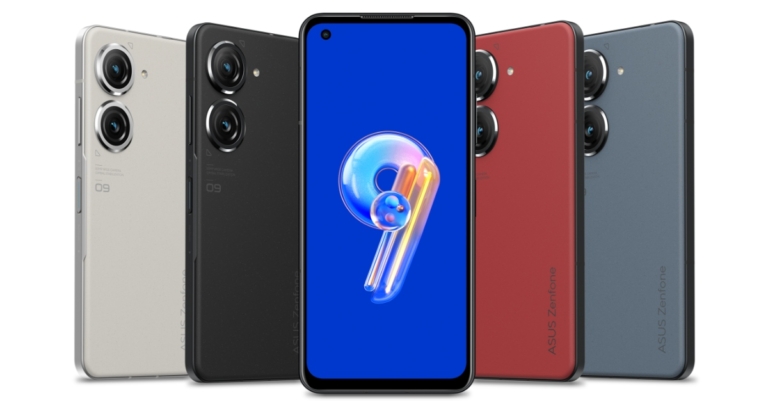
 The Asus Zenfone 9 has two cameras on the back, a 50-megapixel Sony IMX766 primary sensor and a 12-megapixel ultra-wide camera with an IMX368 sensor. It has a 12-megapixel Sony IMX663 sensor with dual PDAF for taking selfies and participating in video conversations. The camera set-up also supports 8K recording. The primary sensor refers to having a 6-axis hybrid gimbal OIS/EIS stabiliser. The gyro sensor’s data is used by the primary camera’s stabiliser to adjust for abrupt z-axis movements forward and backwards in addition to compensating for movement on the x- and y-axis. While the ultrawide secondary lens also functions as a macro camera.
Zenfone 9 supports 5G, Wi-Fi 6E, Bluetooth v5.2, NFC, and GNSS for connectivity. It includes a USB 3.0 Type-C port and a 3.5mm headphone jack.
There is a 4,300mAh battery within the device. Additionally, the smartphone comes packaged with a 30W USB-C charger. The fingerprint reader on the Zenfone 9 is now located on the side of the device rather than beneath the display. The device also integrates Game Genie that can block notifications but you can also have any app floating above the game if you need to answer or check something. The Genie can display information such as game frame rates, predicted battery life, system temperatures, and more. If necessary, it can also remove background apps from RAM.
The Asus Zenfone 9 has two cameras on the back, a 50-megapixel Sony IMX766 primary sensor and a 12-megapixel ultra-wide camera with an IMX368 sensor. It has a 12-megapixel Sony IMX663 sensor with dual PDAF for taking selfies and participating in video conversations. The camera set-up also supports 8K recording. The primary sensor refers to having a 6-axis hybrid gimbal OIS/EIS stabiliser. The gyro sensor’s data is used by the primary camera’s stabiliser to adjust for abrupt z-axis movements forward and backwards in addition to compensating for movement on the x- and y-axis. While the ultrawide secondary lens also functions as a macro camera.
Zenfone 9 supports 5G, Wi-Fi 6E, Bluetooth v5.2, NFC, and GNSS for connectivity. It includes a USB 3.0 Type-C port and a 3.5mm headphone jack.
There is a 4,300mAh battery within the device. Additionally, the smartphone comes packaged with a 30W USB-C charger. The fingerprint reader on the Zenfone 9 is now located on the side of the device rather than beneath the display. The device also integrates Game Genie that can block notifications but you can also have any app floating above the game if you need to answer or check something. The Genie can display information such as game frame rates, predicted battery life, system temperatures, and more. If necessary, it can also remove background apps from RAM.

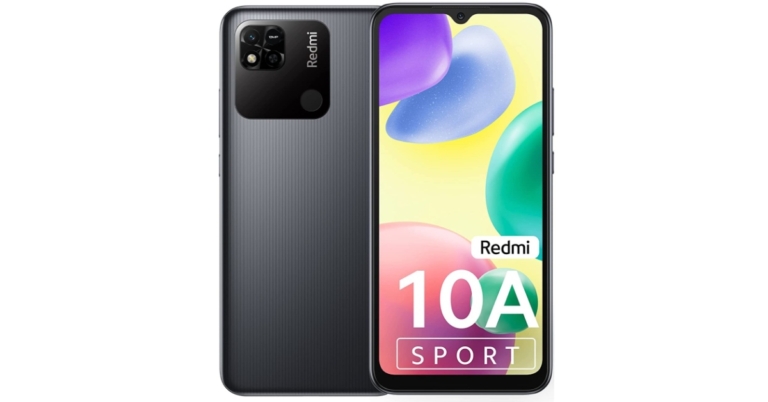
 Specifications
Screen Size:
Specifications
Screen Size: Specifications
Screen Size:
Specifications
Screen Size: Specifications
Screen Size:
Specifications
Screen Size: Specifications
Screen Size:
Specifications
Screen Size: Specifications
Screen Size:
Specifications
Screen Size: Specifications
Screen Size:
Specifications
Screen Size: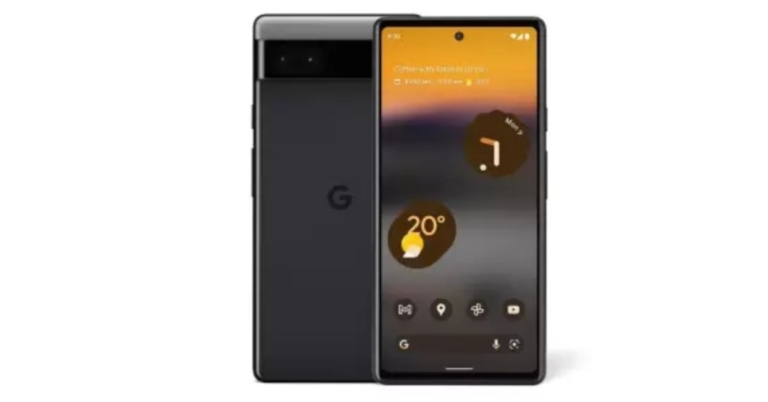

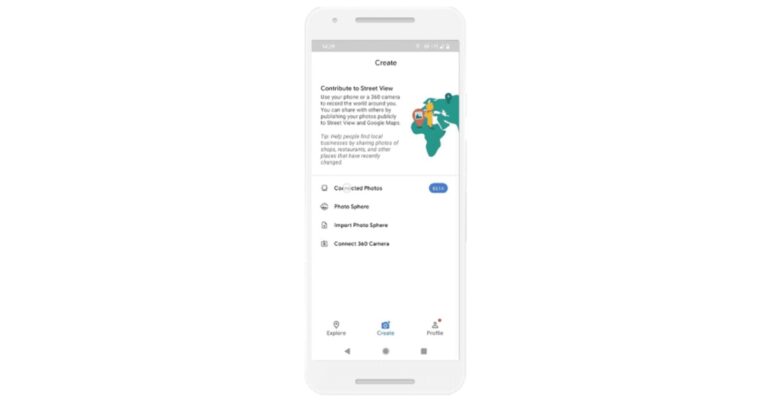

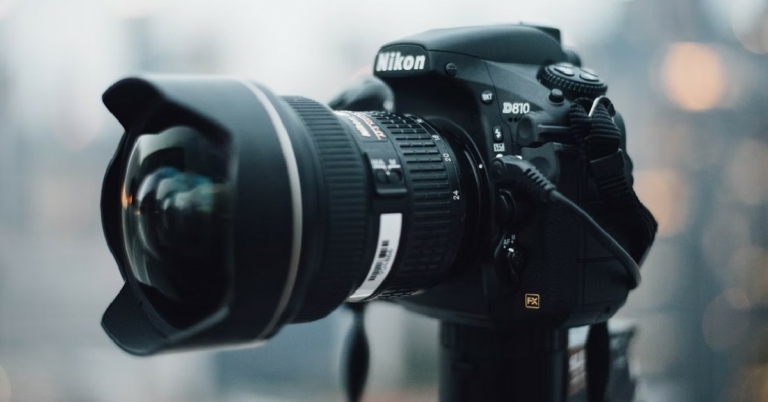
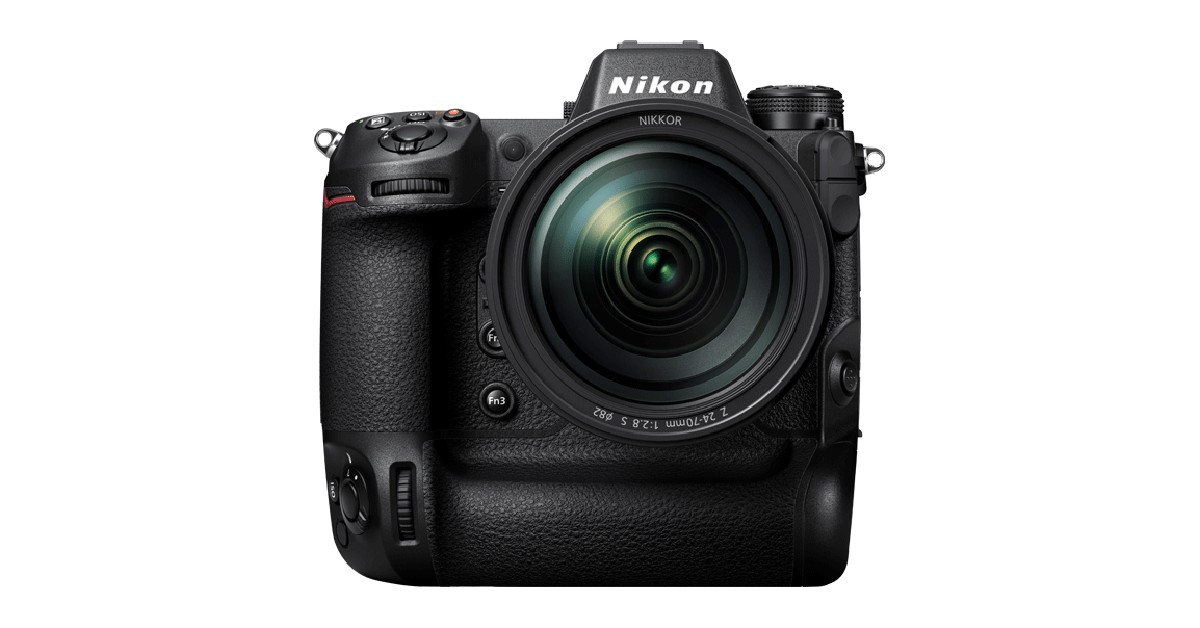
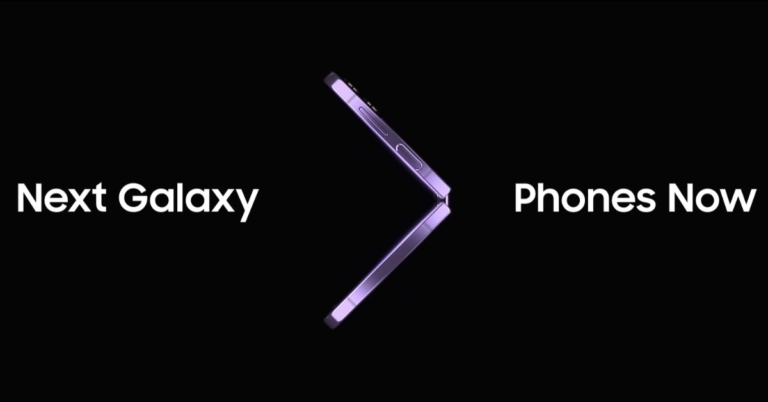

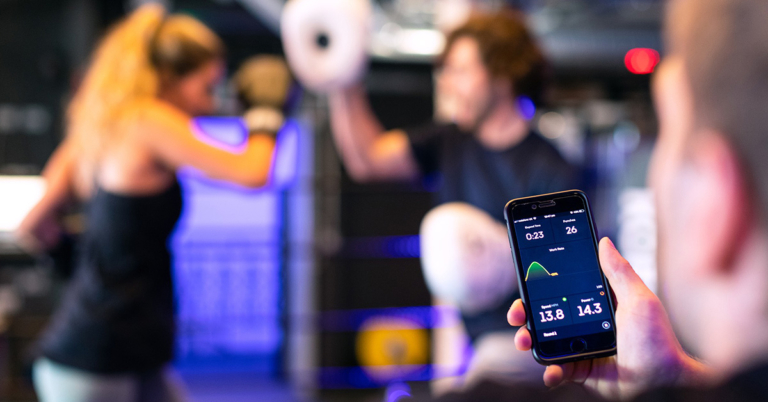
 Step 3:
 Step 3:
 Step 2:
 Step 3:
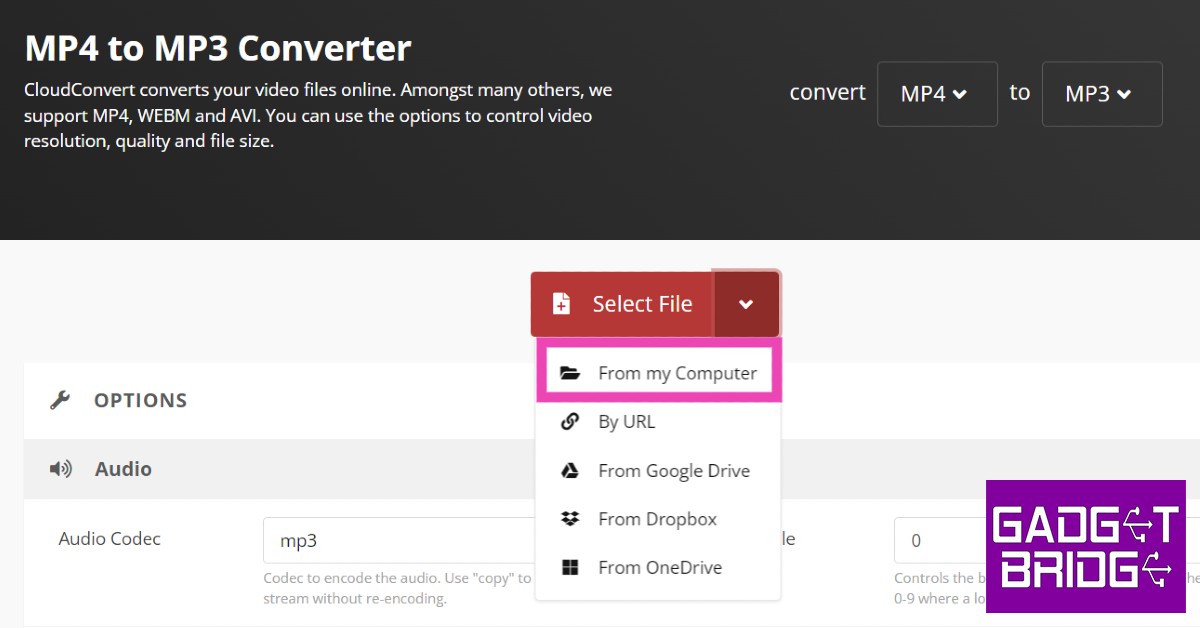 Step 4:
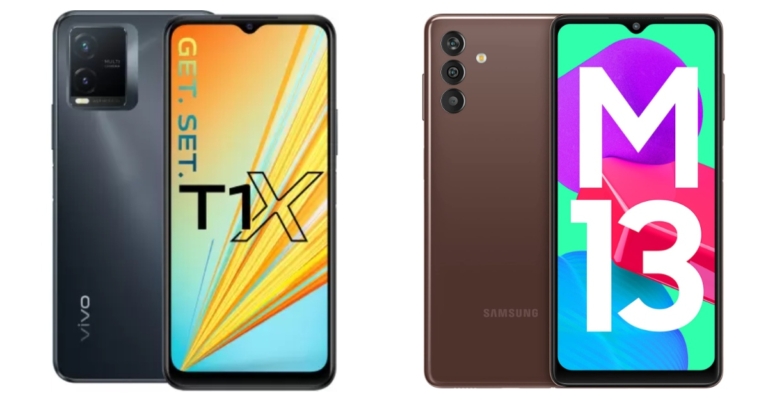

 Step 2:
 Step 3:
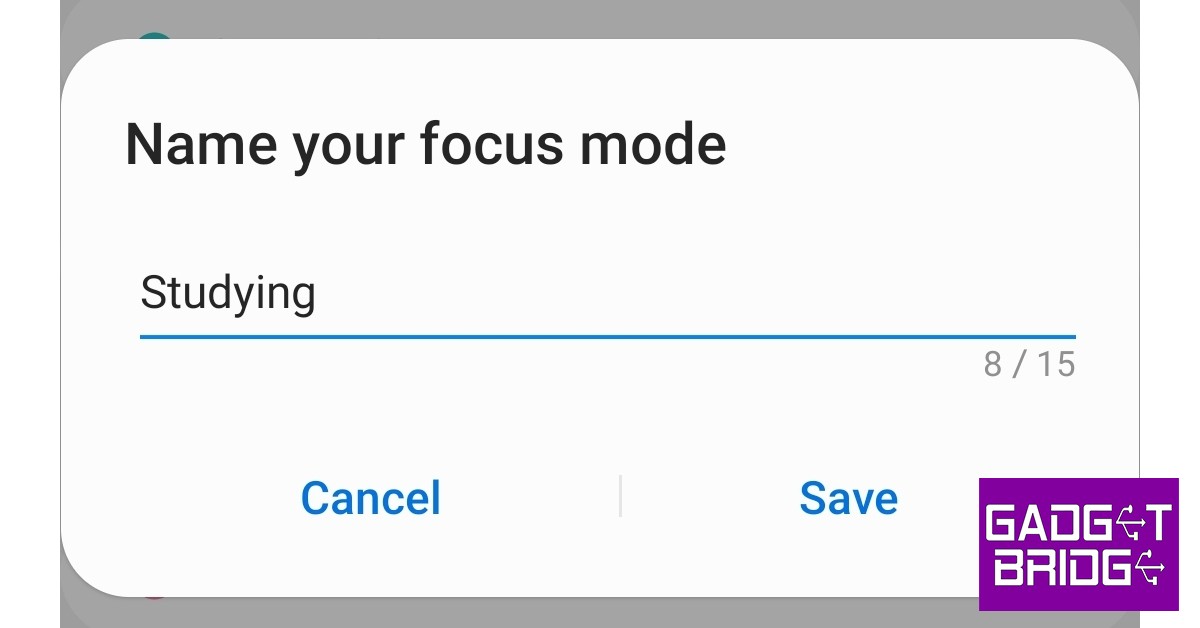 Step 4:
 Step 5:
 Step 6:
 Step 7:
 Read Also:


 Step 3:
 Step 2:
 Step 4:
 Step 5:


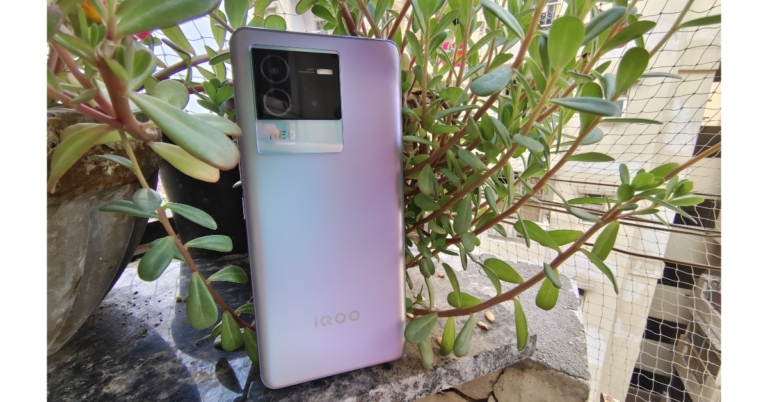





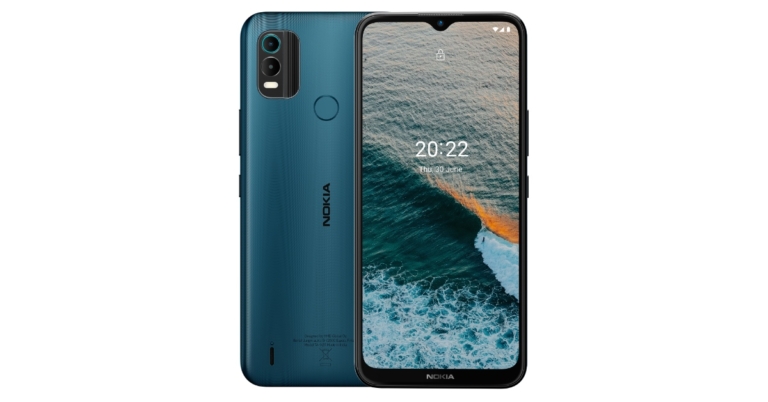



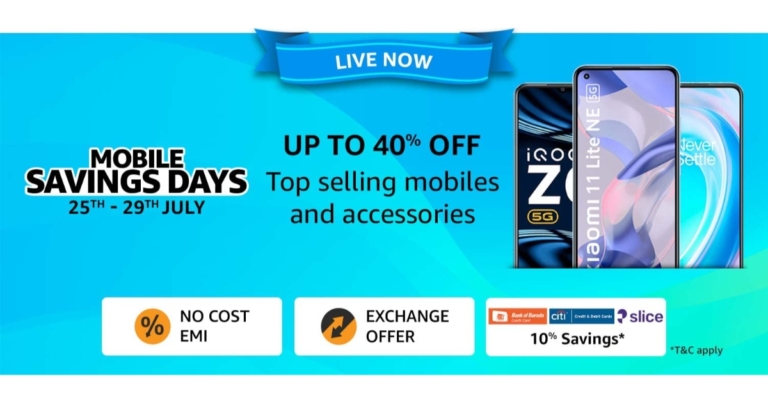


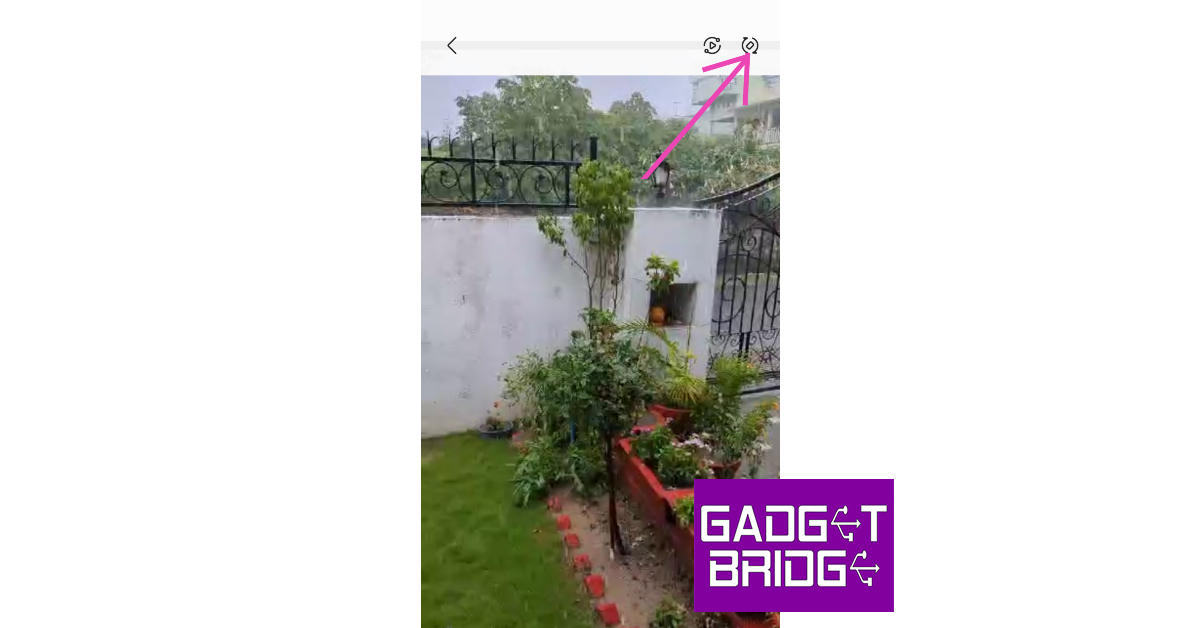 Most media players and streaming apps have an auto-rotate option of their own. If your phone’s auto-rotate function isn’t working, you can give these a try. Look for the auto-rotate icon in the media toolbar or explore the media player’s settings.

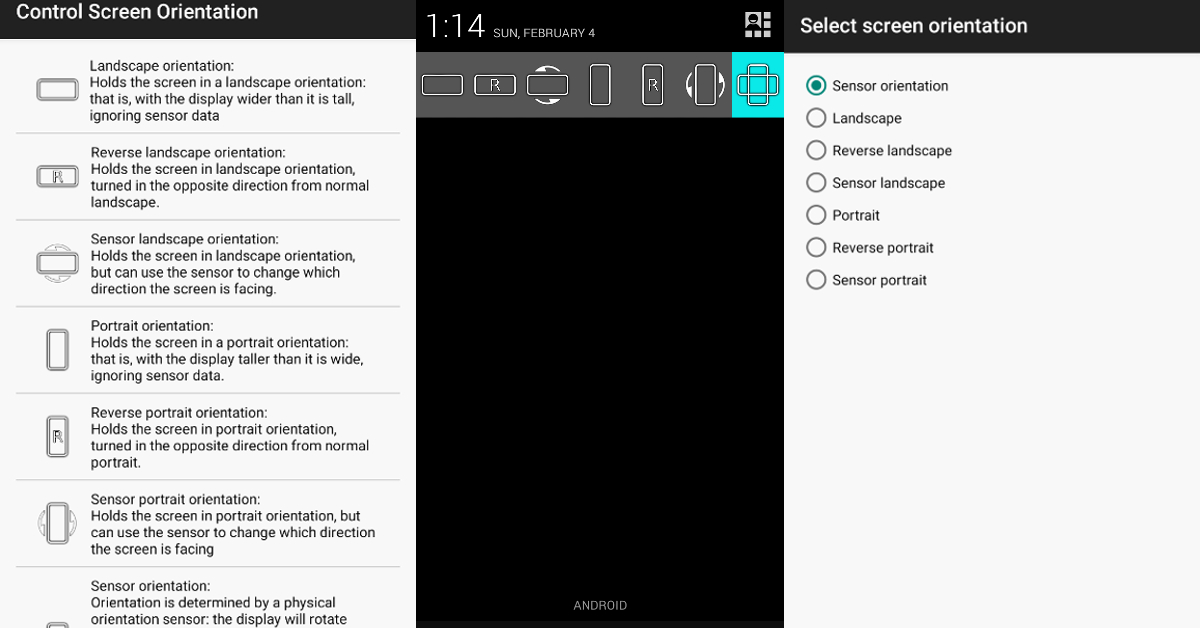 If you’re unable to use the native screen rotation feature on your Android smartphone, there are a bunch of third-party apps that can perform the task for you. ‘Control Screen Rotation’ is the best of the lot. Once you launch this app, it gives you several screen rotation options in the notification bar. Choose the orientation you want and the app will adjust your phone’s screen accordingly.
 Step 2: Tap on ‘Reset.’
 Step 3: Select ‘Factory data reset.’
 Step 4: Scroll down and tap on ‘Reset.’

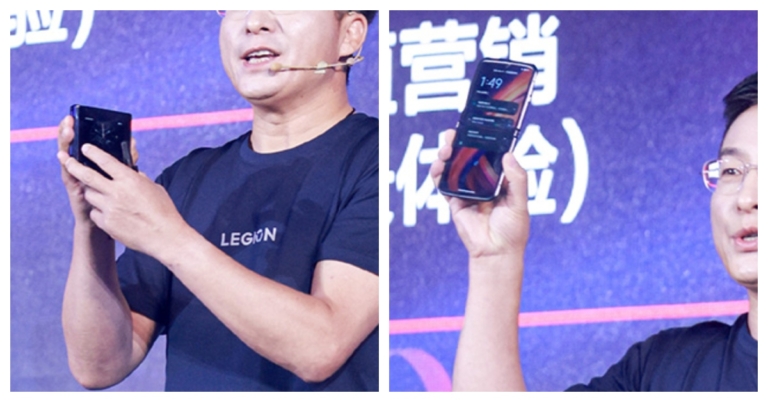

 Step 5:
 Step 3:
 Step 3:
 Step 3: