If you are like to keep your social media activity private, you may have thought of removing some followers from your Instagram. Once you’ve removed a follower, they cannot see your posts if your profile is set to private. If they send you a DM, it will show up in the ‘Requests’ folder instead of your Inbox. In this article, we’ll show you how to remove a follower on Instagram.Read Also:How to remove profile picture from Google account and Gmail
In This Article
Here’s how you can remove a follower on Instagram
Step 1: Go to your profile by tapping on your profile picture at the bottom right of your screen.Step 2: Tap on ‘Followers’.Step 3: You will notice a ‘Remove’ option next to every follower. Search for the follower you want to remove and tap ‘Remove’.The follower will be removed from your profile. Removing a follower does not send them any notification telling them they’ve been removed. You can only remove one follower at a time.
Remove a follower by visiting their profile
Step 1: Visit the profile of the person you want to remove as a follower.
Step 2: Tap on the ellipses (three dots) at the top right corner of the screen.
Step 3: Select ‘Remove follower’.
Remove a follower by soft blocking them
Another way to remove an Instagram follower is by soft blocking them. ‘Soft blocking’ is when you block a person and immediately unblock them. Doing this will remove them from your follower list on Instagram. It will also remove you as their follower (if you are following their profile, to begin with). Here’s how you can go about it.
Step 1: Visit the profile of the person you want to remove from your follower list.
Step 2: Tap the ellipses (three dots) at the top right corner of the screen.
Step 3: Tap on ‘Block’.
Step 4: Now tap the ellipses again and select ‘Unblock’.
The person will be removed from your follower list.
Use a third-party tool to remove multiple Instagram followers at once
Sick of countless bots and fake profiles following you on Instagram? It can get tedious to remove them individually. Unfortunately, there is no native way to remove multiple followers on Instagram at once. You will have to rely on third-party tools for this task. SpamGuard is an excellent tool for this purpose. This app scans your Instagram followers for bots, commercial profiles, inactive profiles, and more. Once the scan is done, it gives you a full breakdown of the different types of spam accounts following your profile. You can quickly clean up your followers with one click or go through them one by one.
Frequently Asked Questions
How do you delete Instagram followers fast?
The quickest way to delete your followers on Instagram is by scrolling through your follower list and hitting the ‘Remove’ button next to the profiles you don’t want following you.
When you remove a follower can they still see your posts?
When you remove a follower, your posts will not appear on their feed. However, they can still see your posts when they visit your profile. You can either set your profile to private or block the user to prevent this from happening.
You can also ‘Restrict’ an account on Instagram. Once you restrict someone, their comments won’t show up on your posts in public. On top of that, their DMs will move to the ‘Requests’ folder and they won’t get any read receipts. If you block someone, they won’t be able to view your profile at all but could see any public activity like comments and likes.
For the latest gadget and tech news, and gadget reviews, follow us on Twitter, Facebook and Instagram. For newest tech & gadget videos subscribe to our YouTube Channel. You can also stay up to date using the Gadget Bridge Android App. You can find the latest car and bike news here.
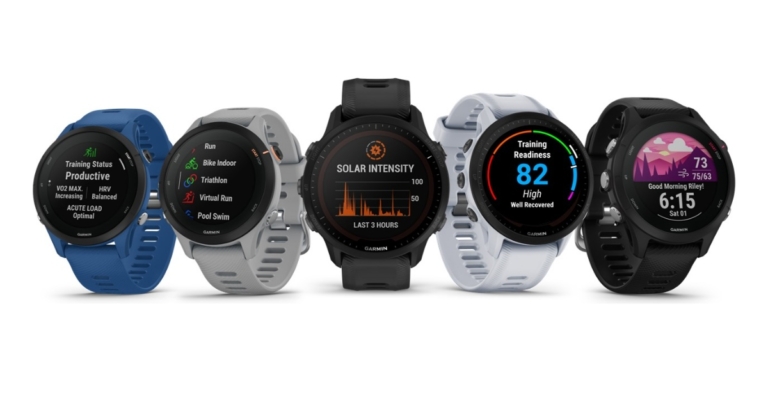
The Forerunner 255 and 955 smartwatches from Garmin have been introduced in India today. The new smartwatch was first announced in the US earlier this month. Both the fitness trackers are targeted at runners and come integrated with GPS, a race widget and a morning report that summarises sleep, recovery and more.
In This Article
Garmin Forerunner 255 and Forerunner 955 price in India and availability
Three models of the Garmin Forerunner 255 have been released. The Garmin Forerunner 255 comes in a 46mm size priced at Rs 37,490. The Forerunner 255S comes in a 41mm size and retails for Rs 37,490. Forerunner 255 Music and Forerunner 255S Music costs Rs 42,990. On the other hand, the Forerunner 955 and Forerunner 955 Solar will be available with a price tag of Rs 53,490 and Rs 63,990. The smartwatches can be purchased via Garmin Brand Store, Helios watch store, Just in time, Croma, Amazon, Flipkart, Tata CLiQ and Synergizer.
Garmin Forerunner 255 specifications
The Garmin Forerunner 255 comes in three models: basic, music and 255S. The basic and the music model features a 1.3-inch display with 260×260 pixels resolution and Corning Gorilla Glass 3 protection. The 1.1-inch displays on the Garmin Forerunner 255S and Forerunner 255S Music have a resolution of 218×218 pixels and Corning Gorilla Glass 3 protection. The device’s Music versions can hold up to 500 songs.Over 30 sports are supported, and a triathlon function is integrated into every Forerunner 255 model. Suggested workouts, programmes for training for marathons, and gym routines are among the other sports-related aspects. There are new features, such as a Race Widget that provides suggestions for daily exercises, completion time estimates, and race training advice.Additionally, you receive a morning report that combines and presents the information from your day as soon as you wake up. The Forerunner 255 models provide health-related features like heart rate, sleep and SpO2 monitoring for its Body Battery feature, hydration tracking, and women’s health. The devices have Garmin Pay, a 5ATM water resistance rating, and support for smart notifications. Bluetooth and ANT+ are two of the models’ connectivity choices. The battery life of the Garmin Forerunner 255 and Forerunner 255 Music models can last up to 14 days. Whereas the 255S models can last up to 12 days between charges.
Garmin Forerunner 955 specifications
The Garmin Forerunner 955 and the Forerunner 955 Solar come with similar specifications as Forerunner 255. 1.3-inch screens on both devices have a 260×260 pixel resolution and Corning Gorilla Glass DX protection. Both Forerunner 955 versions, unlike the Music devices, have storage for up to 2,000 songs. Both the models provide Wi-Fi, Bluetooth, and ANT+ as connectivity options and are said to have a battery life of up to 15 days, while the solar version can run for up to 20 days.
For the latest gadget and tech news, and gadget reviews, follow us on Twitter, Facebook and Instagram. For newest tech & gadget videos subscribe to our YouTube Channel. You can also stay up to date using the Gadget Bridge Android App. You can find the latest car and bike news here.
It is not rare to experience an issue while sending pictures from your iPhone. Sometimes the image gets stuck on ‘Not Delivered’, or won’t load at all. Today, we bring you the best 8 ways to fix ‘iPhone not sending pictures’ issue.Firstly, you need to figure out whether you’re experiencing the issue on iMessage or regular messaging. If your messages show up in blue bubbles, you’re using iMessage. If they show up in green, you’re using regular text messenger. Down below you’ll find easy fixes for both issues.Message on the left was sent on iMessage, while the message on the right is a regular text.Read Also:Top 7 Game Boy Emulators for iPhone
In This Article
Check Internet Connection
Since iMessage uses the internet to send texts and media, the first thing you should check for is your internet connection. Make sure your iPhone is connected to the WiFi or has the mobile data turned on. If your iPhone is connected, open the browser and see if the internet is working.
Try sending a picture to another contact
If you aren’t able to send pictures to a particular contact on iMessage, the issue could lie on either end. To ensure that your phone or connection is not at fault, try sending a picture to another contact on iMessage. If they receive the image, it means there’s nothing wrong on your end. If you aren’t able to send an image to one specific contact, it is possible they may have blocked you.
Restart your iPhone
A quick restart fixes any background glitches that your phone may be experiencing. To restart your iPhone, simply press one of the volume buttons along with the side key until the power slider appears on the screen. Drag the power slider to the right to turn off your iPhone. Power the phone back on by pressing and holding the side key.
Reset Network Settings
If your iPhone is connected to the internet and you still can’t send pictures, try to reset your network settings. Performing a network reset restores the network setting in your iPhone back to its factory settings. Any bugs or issues you may be facing with your network will be cleared.In order to reset network settings go to Settings>General>Transfer or reset iPhone>Reset>Reset Network Settings.
Make sure iMessage is turned on
It is quite possible that you accidentally disabled iMessage on your iPhone. Or maybe the receiver turned off iMessage on their device. In order to enable iMessage, go to Settings>Messages>Enable iMessage.It is also quite possible that the receiver switched to a non-Apple device and forgot to sign out of iMessage. In this case, any messages you send to them will not be delivered. Make sure the receiver turns off iMessage once they start using another device.
Check System Status
It is quite possible that the issue isn’t on your end. As rare as it may be, there is a possibility that the iMessage servers are down. You can go to the System Status page on the Apple website to see if iMessage is down.
Check if MMS messaging is turned on
If you’re sending an image to a non-Apple user, the message won’t be sent through iMessage. Your iPhone will use your network carrier to relay the message to the receiver. Any texts you send outside of iMessage are charged by your carrier as a part of a standard SMS plan since they are not sent using the internet.Any pictures or videos you send outside of iMessage are sent as an ‘MMS’. MMS messaging is turned off on your iPhone by default. In order to enable it, go to Settings>Messages and turn on MMS Messaging.
Update iOS
It is not uncommon for your iPhone’s OS to throw unexpected bugs and glitches. Sometimes these issues may keep some functions of the phone from working properly. Luckily, these bugs are quickly fixed by a swift update. Make sure your iPhone is running the updated iOS so you don’t experience these issues. To update iOS to its latest version, go to Settings>General>Software Update and download the update.
Frequently Asked Questions
Why is my iPhone suddenly not sending pictures?
If your iPhone stopped sending pictures all of a sudden, check if the mobile data is turned on for your device. You can also try restarting your iPhone to fix any background glitches.
Why can’t my iPhone send pictures to Android?
If you aren’t able to send images to an Android device, reconfigure your MMS settings and check the Internet connection. Restart your iPhone and try again.
How can I send pictures from iPhone to Android?
To send pictures from an iPhone to Android try using the MMS service or use a third-party instant messaging app like WhatsApp, Telegram, or Messenger.
Read Also:12 new features coming to your iPhones and iPads soon
Conclusion
You may also try turning the Airplane mode off and then back on. It will reboot your network and hopefully fix any issues. Restarting your iPhone is another way of achieving the same result. If you’re experiencing an issue with your network carrier, try calling their customer support helpline to seek solutions for the issue.
For the latest gadget and tech news and gadget reviews, follow us on Twitter, Facebook and Instagram. For newest tech & gadget videos subscribe to our YouTube Channel. You can also stay up to date using the Gadget Bridge Android App. You can find the latest car and bike news here.
Adding custom backgrounds to your status updates on Facebook makes them stand out on the general feed. You are more likely to receive engagement on a post with custom backgrounds than a regular status update. Facebook has a range of colours you can set as a background to your status. You can even browse through more backgrounds with emojis and designs in them. In this article, we show you 3 ways how you can add custom backgrounds to a Facebook Post.Read Also:Top 20 social media apps and sites of 2022
In This Article
How to add custom backgrounds to a Facebook post on a Web browser
Step 1: At the top of your feed, click on the box that says ‘What’s on your mind, [Your Name]?’Step 2: Click on the colour palette icon with the ‘Aa’ text on it.Step 3: You’ll be presented with a list of basic colour backgrounds. For more animated backgrounds, click on the icon with the four squares at the end.Step 4: Pick the background you want to set on your post.Step 5: Write your post and click on ‘Post’ to share it with your friends.
How to add custom backgrounds to a Facebook post on Android
Step 1: Open the Facebook app.Step 2: Tap on the box that says ‘What’s on your mind?’Step 3: Select ‘Background Colour’ from the menu that pops up.Step 4: Select a background colour from the listed options or click on the button with nine squares for more custom backgrounds.Step 5: Pick the background you want to set for your post.Step 6: Write something on the post box and click ‘Post’ to share it with your friends.
How to add custom backgrounds to a Facebook post on iOS
Step 1: Open the Facebook app.Step 2: Tap on the box that says ‘What’s on your mind?’Step 3: Select ‘Background Colour’ from the menu that pops up.Step 4: Select a background colour from the listed options or click on the button with nine squares for more custom backgrounds.Step 5: Pick the background you want to set for your post.Step 6: Write something on the post box and click ‘Post’ to share it with your friends.Read Also:Websites Like Reddit: 10 Best Alternatives To Reddit In 2022You can only add custom backgrounds to text posts that you make from your personal profile. Background colours cannot be added to posts from a public page. Personal posts with links or images with them can’t be shared with a custom background either.
For the latest gadget and tech news and gadget reviews, follow us on Twitter, Facebook and Instagram. For newest tech & gadget videos subscribe to our YouTube Channel. You can also stay up to date using the Gadget Bridge Android App. You can find the latest car and bike news here.
Despite the fact that there have been several leaks, Nothing Phone 1’s official release is still a few days away. The release of Nothing’s Phone 1 is next month and ahead of the official announcement, the price of the smartphone has been leaked. The European pricing of the Nothing Phone 1 has appeared on the Amazon Germany website. Previously the price details and specifications of the upcoming phone were also leaked and said to come in three different variants. The Snapdragon 778G+ SoC will power the Nothing Phone 1, Carl Pei has confirmed.According to Android Authority, the Nothing Phone 1 that comes with Ear 1 headphones from Amazon Germany has been spotted listed. According to the website, an 8GB RAM with 128GB storage model costs €469.99 (about $491), while a 12GB RAM with 256GB storage variant costs €549.99 (about $575). In addition to this, a screenshot of the Amazon listing has also been shared.Image Courtesy: Android AuthorityAccording to a recent report, it would cost $397 (approx. Rs 31,300) for the 8GB RAM + 128GB storage option. The phone is reportedly also offered in an 8GB RAM with 256GB storage model for $419 (approx Rs. 33,100) and a premium 12GB RAM with 256GB storage model for $456. (approx Rs. 36,000).In terms of specifications the device, according to the source, will come pre-installed with Android 12 and include a 6.55-inch OLED screen with an adjustable refresh rate of 120Hz.It is said that Gorilla Glass protection is also included for the display and the back. The Nothing Phone 1 may also include a dual rear camera setup with a 50-megapixel sensor and an f/1.8 lens. According to reports, the camera can record videos in 4K resolution at 60 frames per second.A Qualcomm Snapdragon 778G+ SoC with up to 12GB of LPDDR5 RAM is said to come on the Nothing Phone 1. According to rumours, the Nothing Phone 1 will contain up to 256GB of internal UFS 3.1 storage. A fingerprint sensor built into the display would also be included.5G, 4G LTE, Wi-Fi, Bluetooth v5.2, GPS/A-GPS, and a USB Type-C connector are possible connectivity choices. On the Phone 1, nothing is anticipated to support stereo speakers with Dolby Atmos. Additionally, the phone might enable wireless charging and 5W reverse wireless charging in addition to up to 45W rapid wired charging.
For the latest gadget and tech news, and gadget reviews, follow us on Twitter, Facebook and Instagram. For newest tech & gadget videos subscribe to our YouTube Channel. You can also stay up to date using the Gadget Bridge Android App. You can find the latest car and bike news here.
Reddit is undoubtedly one of the most popular social media platforms of the modern day. It certainly lives up to its tagline, “the front page of the internet”, considering how fast-paced the platform is in keeping its audience up-to-date with the topics of their interest. Be it funny memes, breaking news, entertaining stories, latest posts or viral videos, you’ll find it all right here, whatever it is that you’re looking for on the internet. However, there are many websites like Reddit on the internet, which can work as an alternative to it. These may be more niche-based and provide services to their users in their unique way. In fact, you may even find some to be better than Reddit. Here are the 10 best alternatives to Reddit in 2022, which you can check out in case you want to have a little break from the platform.
In This Article
Hive Blog
The first on our list of the 10 best alternatives to Reddit in 2022 is Hive. Hive Blog is a social network cum blogging website just like Reddit. Most of its features are similar to those seen on Reddit. The UI and UX of the website would make any Reddit user feel at home. The post layouts are pretty similar. Moreover, Hive Blog even has a system of upvotes and downvotes like Reddit. One can comment on another’s post, repost each other’s posts as well as create new posts. You can follow the topics or communities of your interests and participate in discussions. Visit Hive.
Quora
We are sure Quora needs no introduction. It provides a great space for meaningful discussions amongst the crowd. No matter what the topic or the degree of complexity of your question is, there is always a high chance of you finding a solution on Quora, given by other peers on the internet. You can seek experts for their valuable opinion on a subject or answer questions posted by others if you feel you have a pretty good idea about it. The more questions you answer, the higher your expertise level becomes in the community. It is an excellent place for a healthy exchange of knowledge and thoughts. Visit Quora.Read also: What Is Reddit Karma And The 5 Best Ways To Earn It Quickly?
Imgur
Imgur is an online image-sharing and hosting platform that has focus on social gossip. It is popular among users of social media sites like Twitter and Reddit due to the ease of use and flexibility it provides. You will easily find viral posts and memes here, especially those that are posted on Reddit. In fact, a significant number of images are posted on Reddit as Imgur links. Although it is a bit different from Reddit, one can find the most viral posts, images, GIFs or memes on topics of their interest on Imgur.Visit Imgur.
Slashdot
Slashdot is another website like Reddit that features news stories on science, technology and politics-related topics. Going by the tagline “News for Nerds. Stuff that Matters”, it is a social news website that sources news stories from various websites and makes them accessible to users effortlessly from a single platform. This one is for you, especially if you are a tech-savvy person. You can keep yourself up-to-date with the latest news and updates on new gadgets and tech in town, post your thoughts or comments on a story and participate in discussions you like. Visit Slashdot.
9GAG
Another one that replicates the fun part that Reddit is able to provide, but in its own way, is 9GAG. It is an online social media website that allows users to upload and share images, posts, breaking stories, cute and funny GIFs, viral videos and popular content on the internet. Starting off as a place to share funny memes, 9GAG has grown into a much larger community over time. The platform has a serious potential to make you go rolling on the floor laughing. Not only that, but you might also find useful and discussion-worthy posts, the latest news and hot topics that are wrapped up with clever wit, sarcasm and humour. Visit 9GAG.
Mashable
Mashable is a digital media, news and entertainment website like Reddit. It provides the latest news, blog posts, articles, videos and podcasts on various domains like entertainment, culture, tech, science, mobility and social good. It is, in fact, considered an even better alternative than Reddit due to its clean and efficient user interface and navigation. It is an excellent platform for sharing your blogs, stories and content. Visit Mashable.
Product Hunt
Next on our list of the top 10 best alternatives to Reddit is Product Hunt. It is a community-based website created for sharing and discovering new products. It allows makers and marketeers to launch their latest products or services, get in touch with their customers and get reviews from them. You can find information on various new innovations and the latest tech available in the market, from smartphones to hardware projects. The Product Hunt community can jump-start a product’s life through votes and customer reviews. Moreover, one can even participate in discussions, check out tech stories, interviews and find out about upcoming events. Visit Product Hunt.
Steemit
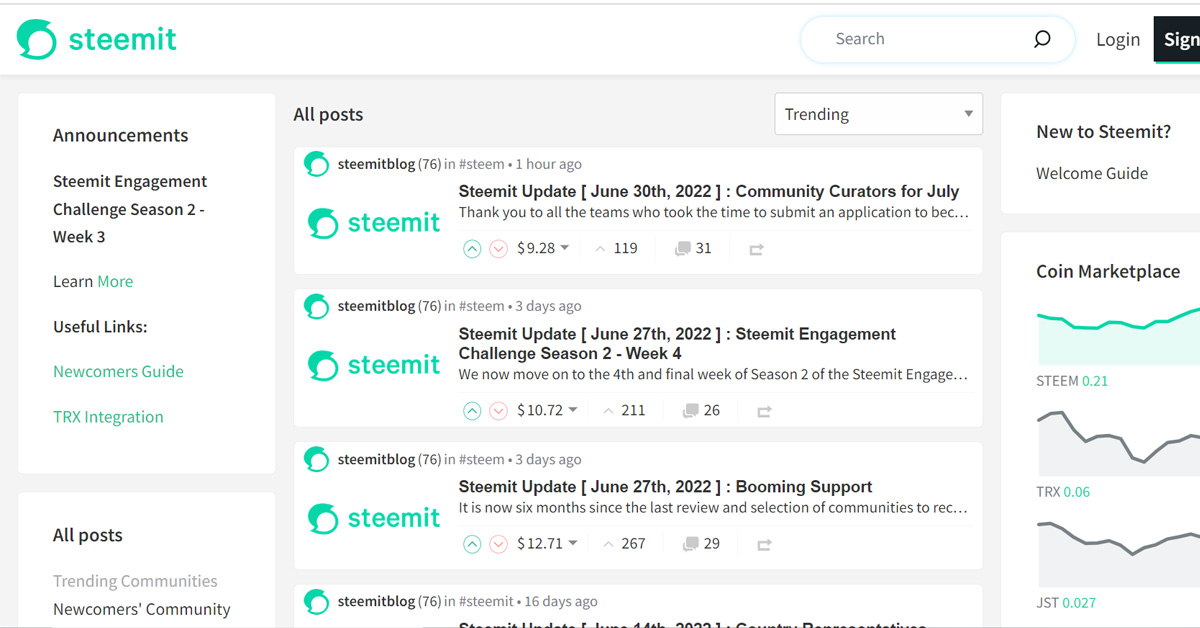
Steemit has been considered one of the biggest Reddit competitors for a long time now. It is a blockchain-based social media and blogging website which allows users to publish and curate their content in exchange for earning its cryptocurrency STEEM. You can post on the platform, comment on others’ posts, and upvote or downvote any post to reflect your opinion about it, just like on Reddit. However, unlike Reddit, Steemit incentivises users to gain more upvotes for their posts and pays them accordingly. If you’re a cryptocurrency buff, this one is the best Reddit alternative for you.Visit Steemit.Read also: Top 20 social media apps and sites of 2022
Hacker News
For all the cybersecurity enthusiasts, Hacker News is the website for you. Hacker News is a platform that is run by the popular startup fund Y Combinator. It has its primary focus on providing the latest news, stories and updates in the world of cybersecurity, hacking, computer science and entrepreneurship. It has a simple and straightforward user interface. Users can upvote a news story to grant it a point, which improves its position on the table. Stories with the highest points climb up to the top of the table. All the stories are sourced from credible publications like Washington Post, The New York Times, etc. Visit Hacker News.
Digg
The final one on our list of the 10 best alternatives to Reddit in 2022 is this one. Digg features stories selected specifically for the internet audience on the trending scientific, political or viral issues on the web. It has a much cleaner and well-organised user interface than Reddit. The articles or stories which get the maximum votes or likes are featured on top of the home page. Its content voting format is just like Instagram, with each piece having a heart icon and a bookmark icon to like and save respectively. You can find the latest trending news, videos and content about various domains like tech, culture, science, gaming, etc on Digg. Visit Digg.So those were our top picks for the 10 best alternatives to Reddit in 2022. We would love to hear about your experience of using any of these platforms. Do share with us your thoughts in the comments section below. For the latest gadget and tech news and gadget reviews, follow us on Twitter, Facebook and Instagram. For newest tech & gadget videos subscribe to our YouTube Channel. You can also stay up to date using the Gadget Bridge Android App. You can find the latestcar and bike news here.
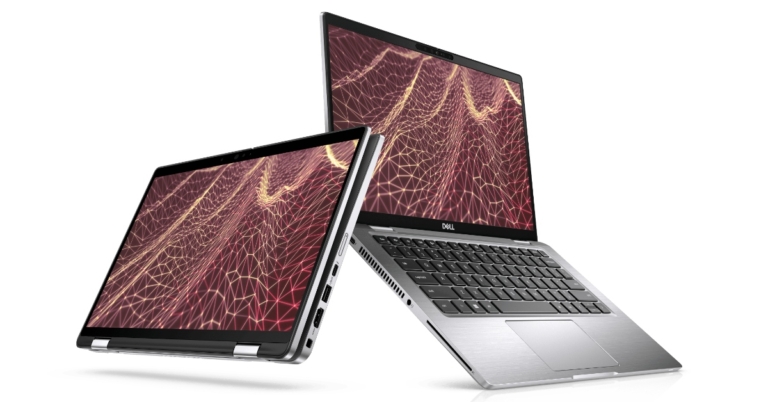
New Latitude and Precision devices from Dell’s most recent commercial range have been released for businesses. The Latitude 9430, Latitude 7430, and Latitude 7330, along with the Dell Precision 5570, Precision 5470, and Dell Precision 3470, are three new laptops in the Dell commercial series. Commercial devices equipped with 12th Gen Intel Core CPUs and connectivity choices like 5G and Intel Wi-Fi 6E.
In This Article
Dell Latitude Series
The newest 12th-generation Intel Core processors, along with GeForce RTX GPUs from Nvidia, are all features of the new Dell Latitude laptops.The Latitude 9430 is an ultra-premium computer that features the smallest 14-inch screen with a 16:10 screen-to-body ratio. It comes in new metallic graphite colour and has a new FHD camera for crystal-clear video calls.Latitude 7330The world’s smallest and lightest 13.3-inch premium commercial 16:9 laptop is Dell’s incredibly sturdy and compact Latitude 7330 Ultralight configuration. Its 0.967 kg weight allows it to fit all the ports needed for productivity. The Dell Latitude 7430, on the other hand, has a 14-inch display and a 2-in-1 design. The laptop has an internal storage capacity of up to 512GB and an Intel Core i7 processor up to the 12th generation, along with up to 16GB of RAM. On the other hand, the Dell Latitude 9430 is an ultra-premium notebook with a 14-inch screen that has a 16:10 aspect ratio. Additionally, the laptop has an FHD camera for higher-quality video calls.
Dell Precision Series
The new Precision 5470 is the most compact, thinnest, and potent 14″ MWS ever created. It has 64GB of DDR5 memory, 4TB of storage, up to 12th Gen Intel Core i9 processors, and one of two NVIDIA RTX A1000 graphics options. The Precision 5470’s cooling system is crucial to its performance because more power generates more heat, especially in such a streamlined design. To solve this problem, Dell experts created a cutting-edge new heat management technology that fits inside the small system’s boundaries without compromising RAM or the useful Thunderbolt connections. To support the system’s ability to operate at the high speeds required for complex operations, Dell has incorporated a unique Dual Opposite Outlet fan with liquid polymer blades. To enhance hot-air outflow, the business created its first bonded hinge architecture, which also helped to optimise system performance.The Dell Precision 5570 15-inch MWS is the company’s smallest and thinnest 15-inch MWS, and it has up to NVIDIA RTX A2000 Graphics.These two mobile workstations are designed for highly mobile creators, engineers, and specialised professionals and feature an immersive edge-to-edge 14″ Infinity Edge display in a small footprint. The display has a hardware-based low blue light filter called ComfortView Plus, which is TUV-certified. It doesn’t use resources or tamper with the real colour that your ideas should be perceived.
Price and availability
The brand-new Dell commercial laptops are now being sold in India. The starting pricing for the Dell Latitude 7330, Latitude 7430, and Latitude 9430 in the country is Rs 99,990, Rs 94,990, and Rs 1,45,990, respectively. On the other hand, the Dell Precision 3470 is the entry-level model in the Dell Precision series, priced at Rs 79,990. Priced at Rs 1,42,990 for the Dell Precision 5570 and Rs. 1,46,990 and up for the Dell Precision 5470.
For the latest gadget and tech news, and gadget reviews, follow us on Twitter, Facebook and Instagram. For newest tech & gadget videos subscribe to our YouTube Channel. You can also stay up to date using the Gadget Bridge Android App. You can find the latest car and bike news here.
Your smartphone apps store a considerable amount of data on your device over a certain period of time. Most of this data is just ‘cache’ memory, containing pieces of information that allow the apps to run faster on your device. Snapchat takes up a lot of space on your phone memory, even if you don’t use it that often. Every time you save a Memory on Snapchat or use a lens, the app downloads some data on your phone so it can fetch those items easily the next time you use it, making the app run faster. Clearing the cache on your smartphone can help clear up a lot of memory. But what happens when you clear your cache on Snapchat? In this article, we explain what items are deleted from your Snapchat data once you clear the cache, and how its functionality is affected.Read Also: Snapchat rolls out its paid subscription called Snapchat+
Here’s what happens when you clear cache on Snapchat
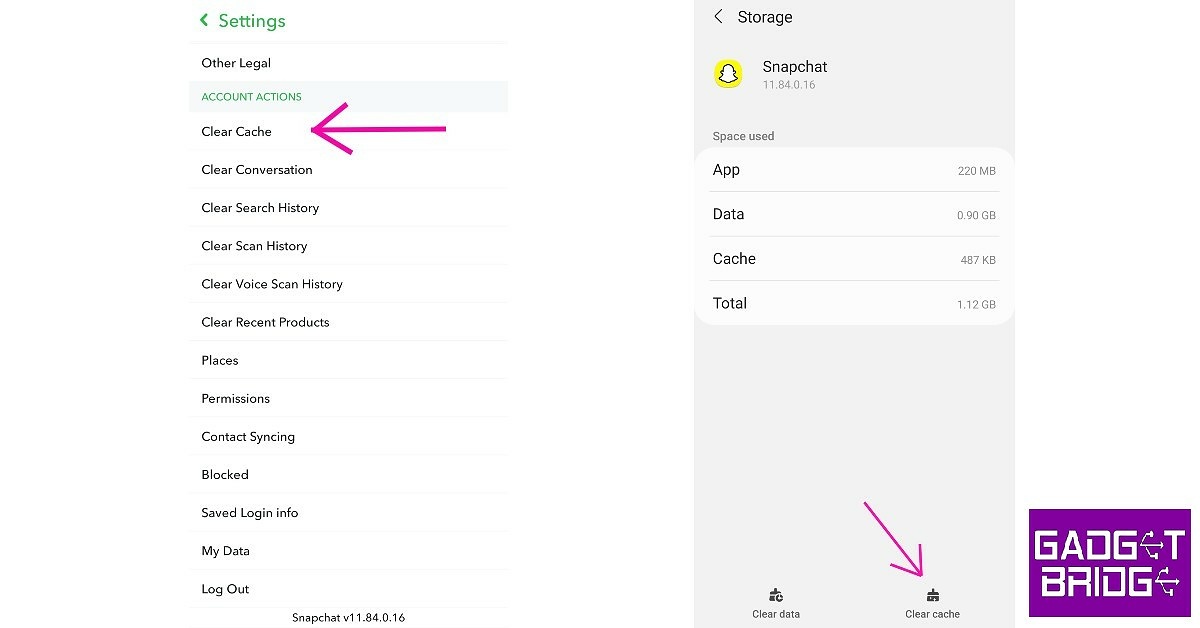
You can clear your Snapchat cache from the app settings, or you can go to your phone settings and clear the app cache for Snapchat. Once you do that, some space on your phone memory will get freed up.Clearing Snapchat’s cache will delete all the temporary data that the app saved on your phone. This means you will lose your saved lens and filters, but your snaps, texts, contacts, and saved media will remain unaffected. You will not lose your streaks upon clearing the cache. Once you start using the app again and use more filters, Snapchat will autosave them to your device again, building more cache.Read Also: Top 10 Snapchat Games To Play Right Now (2022)Clearing the app cache is advised when you experience a lag while using the app or your device in general. If you experience certain glitches or receive ghost notifications on Snapchat, clearing the cache from app settings might help resolve the issue at hand. A total reboot of your phone may also help.
For the latest gadget and tech news, and gadget reviews, follow us on Twitter, Facebook and Instagram. For newest tech & gadget videos subscribe to our YouTube Channel. You can also stay up to date using the Gadget Bridge Android App. You can find the latest car and bike news here.
While WhatsApp remains the most popular instant messaging app to connect with people, some users aren’t always comfortable with sharing their phone numbers out of concern for their privacy. Luckily, there are a bunch of apps that let you connect with people without having to make your phone number public. Some of these apps offer the same user-friendly experience as WhatsApp, while others have their own unique features. Today, we bring you the top 15 messaging apps that work without a phone number.Read Also: How to Hide WhatsApp Last Seen, Profile Picture from Some Contacts
In This Article
Telegram
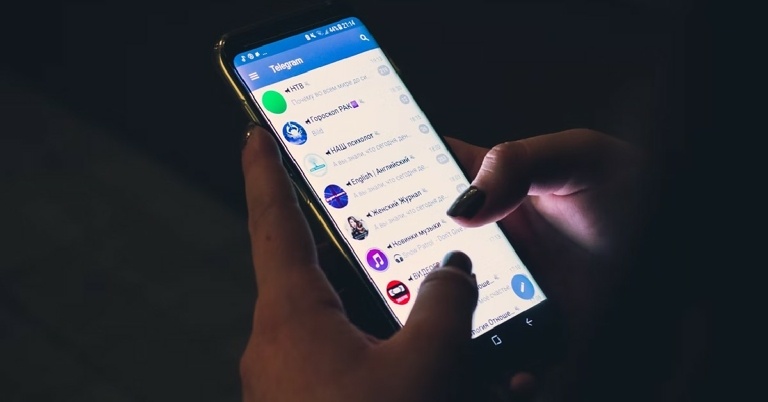
Telegram is one of the most secure messaging apps you can use without a phone number. You will, however, need to register with your phone number. After registration, you can create a username and share it with people you want to add to the app. Telegram allows you to hide your phone number from your contacts, thereby offering maximum privacy. You can send texts, images, videos, and documents on Telegram. It also hosts a large number of groups that you can join without revealing your phone number.Download Telegram from the Google Play Store
Skype
One of the oldest messaging apps out there, Skype was primarily designed to make video calls. All you need is an email ID to sign up for Skype. Once you’ve created your profile, you can add a username. Skype gives you the option to add your phone number and sync your contacts to find and add people you know. If you do not wish to add your phone number, other Skype users can find you by searching for your username. Although it was primarily designed for making calls, Skype also offers instant messaging and photo sharing on its platform.Download Skype from the Google Play Store
Discord
Discord started out as a chat and voice call service for online gamers. Its fast servers and ability to hold channels with hundreds of users in them make it the ideal app for instant communication. Since it was designed to host online gaming communities, Discord prioritises your privacy over everything else. You do not need a phone number to sign up for Discord. All you need is an email ID, which will then be hidden from everyone else on the app. Upon signing up, you will be made to create a username, and a permanent number tag will be assigned to you. The messaging experience on Discord is unparalleled. You can join a server with other users or add people to your contact list for direct messaging. Public servers can be customised and regulated with the help of bots, making Discord extremely fun to use.Download Discord from the Google Play Store
Kik
Much like other apps on this list, Kik offers direct messaging as well as public groups. You only need an email address to sign up for Kik. Upon signing up, you’ll have to create a unique username before you begin using the app. Your email address is kept private and is not shared with anyone. Kik lets you send messages, pictures, videos, and GIFs to your contacts. It does not have the option to send documents yet. You can add other users by searching for their usernames, or you can sync your contacts on Kik to find people you know.Download Kik from the Google Play Store
Wire
Wire is one of the finest instant messaging apps around. Everything on this app is end-to-end encrypted. This includes messages, calls (audio and video), pictures, and documents. The app has special privacy features that let you automatically delete messages and create guest links with passwords for conferences. The latter comes in handy if you want to create a room for a virtual meeting but don’t have the ID of every participant. If you need a communication app for your workplace, Wire covers all the essential bases.
Download Wire from the Google Play Store
Session Private Messenger
If you prioritise your privacy over everything else, Session is the app for you. It is one of the few instant messaging apps that do not require a phone number to work. It uses a decentralised network to send your texts. This makes it impossible for anyone to intercept or hack your messages. Its private routing protocols ensure that your IP address is hidden at all times. On top of that, it offers basic privacy features like end-to-end encryption. Your voice notes, photos, and files are encrypted as well. There are no ads or trackers on this app. The best part of it all is that Session is completely open source.
Download Session from the Google Play Store
Facebook Messenger
Facebook Messenger is used by over a billion people worldwide. It does not make your phone number public if you’ve hidden it on your profile. You can use Facebook Messenger to connect with anyone on Facebook and send texts, images, GIFs, and videos. It also gives you the option to make voice and video calls. Facebook Messenger’s popularity gives it the edge over other apps in this list. If you want to connect with a person, chances are that they already have the Messenger app installed on their device.Download Facebook Messenger from the Google Play Store
Google Chat
Google may have a plethora of chat apps in its portfolio, but the OG Google Chat app is perfect for texting. The app may lack the bells and whistles, but it fits the bill if you’re interested in a light app that does the basics right. You can add someone to your contact list using their email. All of your Gmail contacts are automatically synced to the contact list. One of the better features of this app is how well it is integrated with other Google services like Meet, Calendar, Drive, and more.
Download Google Chat from the Google Play Store
Instagram
Instagram may be a social media app, but it is commonly used to text people with whom you don’t want to share your number. You may not think of Instagram as a messenger app, but this is where the phrase ‘Slide into DMs’ originated. Instagram DMs offer you all the texting features you need. One of our favourites is the super accessible ‘Vanish Mode’ feature, which can be enabled simply by dragging the chat screen upwards. All the texts and images sent in Vanish Mode get deleted as soon as the mode is disabled.
Download Instagram from the Google Play Store
Snapchat
Snapchat started the whole ‘ephemeral messaging’ trend and remains one of the biggest messaging apps around. Its image-centric messaging makes it super popular among young people. You don’t need a phone number to sign up for Snapchat. You can register using your email ID, after which you will be asked to create your Snapchat username. This username will be your sole identifier in the app. Other people can add you using your username. While Snapchat asks you to register your phone number, it is not necessary that you do so.
Download Snapchat from the Google Play Store
Moco
Moco is primarily a messaging app to meet and chat with new people, but you can also use it as a platform to talk to people you’re not comfortable sharing your number with. You don’t need to provide your phone number to make an account on Moco. Using Moco, you can talk to people in your vicinity or add someone by their username. The app also allows its users to live stream on the platform.
Download Moco from the Google Play Store
MeetMe
MeetMe is similar to Moco in the sense that it lets you talk to people who are around you and share common interests with you. Like Moco, MeetMe also has a live streaming feature. You can monetise your live streams by cashing out the gifts you get from your viewers. At its core, MeetMe is a solid messaging app that gives you a well-rounded texting experience. You can add other people from their profile or by entering their username.
Download MeetMe from the Google Play Store
Threema
Threema is a secure messaging app from Switzerland that pays special attention to securing your private data. Your contact lists and group memberships are stored on your device itself, and never on a server. You don’t need a phone number to create an account on Threema. The instant messaging app offers end-to-end encryption for messages, files, status updates, and voice & video calls.
Download Threema from the Google Play Store
Skred Messenger
Skred Messenger does not require a phone number or an email address to work on your device. You can create as many Skred profiles as you want. All communication, including messaging, calling, and media exchange, is completely end-to-end encrypted on Skred Messenger. You can send ephemeral messages on Skred. Once you delete a message on a chat thread, it will be deleted from the recipient’s device as well.
Download the Skred Messenger from the Google Play Store
Keybase
Keybase is an open-source instant messaging app that doesn’t require you to sign up using a phone number. Since it is open-source, you can rest easy knowing that your personal data isn’t being handed over to a third party. Keybase also offers end-to-end encryption for messages, photos, videos, and documents. This app can also be used to organise grassroots movements and protests. With the option of multi-device functionality, you don’t have to worry about losing your data once you switch your phone.
Download Keybase from the Google Play StoreRead Also:How to download an image or video from WhatsApp status using an Android device?
Conclusion
These are the best instant messaging apps that can work without a phone number. While most of these apps are pretty secure, only a few (like Telegram) offer end-to-end encryption. It is advised to go through the basic privacy and security features of every app before you decide to use it. If you’re looking for messaging apps that work without a phone number for your business, you can try Google Hangouts, Slack, Zoom, Microsoft Teams, and more.
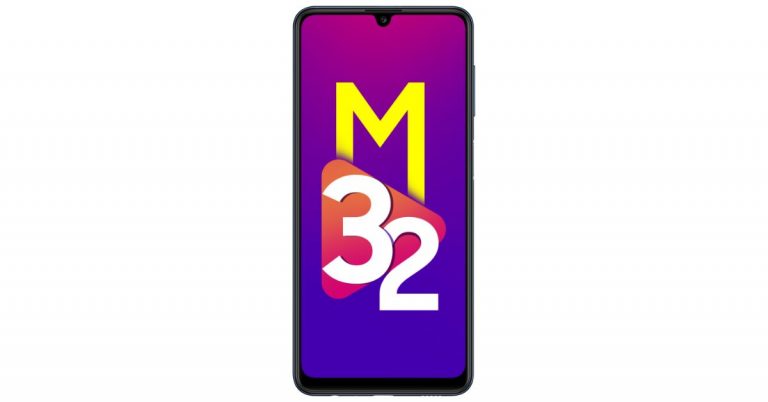
Samsung has reduced the price of the Samsung Galaxy M32 by Rs 2,000. The price reductions have been applied to both variations: 4GB RAM with 64GB storage and 6GB RAM with 128GB storage. To recall, the handset was announced last year.
In This Article
Samsung Galaxy M32 Price and availability
The Samsung Galaxy M32 has been available in India for a year now in two models for Rs 14,999 and Rs 16,999, respectively. After a price reduction, the smartphone is now retailing for Rs 12,999 for the base model and Rs 14,999 for the better model. The new pricing is now being flashed on the company’s official e-store. The phone comes in two colour options Light Blue and Black colour variants.
Samsung Galaxy M32 specifications
The 6.4-inch, full-HD+ Super AMOLED display on the Samsung Galaxy M32 has a 90Hz waterdrop design. It has a maximum brightness of 800 nits and a 90Hz refresh rate, which minimises the after-image in-display transition and reduces MPRT (Motion Picture Response Time), which enables a quicker and more fluid display. In addition, the display is shielded by Corning Gorilla Glass 5, which guards against scuffs and breaks. The gadget has an octa-core MediaTek Helio G80 SoC with up to 6GB of RAM and 128GB of storage, and it runs One UI 3.1 on top of Android 11.A 64-megapixel primary camera with an f/1.8 aperture, an 8-megapixel ultra-wide-angle lens with a 123-degree field of view, a 2-megapixel macro sensor, and a 2-megapixel depth sensor are all included in the device’s quad rear camera arrangement. There is a 20-megapixel front-facing camera for capturing selfies. A variety of camera settings, including Hyperlapse, Slow motion, Food Mode, Pro mode, and AR zone, are also included with the Galaxy M32.A 6,000mAh battery powers the Samsung Galaxy M32 and enables 25W charging. A 15W fast charger is also included in the box. According to the phone’s specifications, it can play music for 130 hours, converse for 40 hours, and watch videos for 25 hours. 4G LTE, Wi-Fi, Bluetooth, GPS/A-GPS, USB Type-C, and a 3.5mm headphone jack are all available for connectivity. Additionally, the smartphone has a side-mounted fingerprint sensor.
For the latest gadget and tech news, and gadget reviews, follow us on Twitter, Facebook and Instagram. For newest tech & gadget videos subscribe to our YouTube Channel. You can also stay up to date using the Gadget Bridge Android App. You can find the latest car and bike news here.


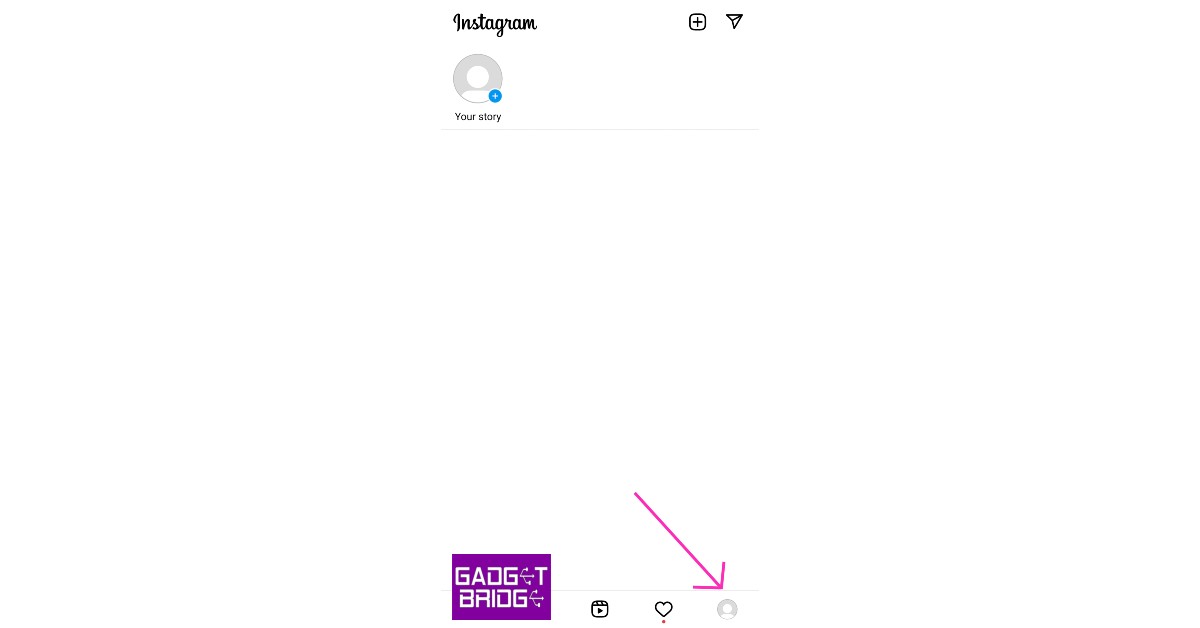 Step 2: Tap on ‘Followers’.
 Step 3: You will notice a ‘Remove’ option next to every follower. Search for the follower you want to remove and tap ‘Remove’.
 The follower will be removed from your profile. Removing a follower does not send them any notification telling them they’ve been removed. You can only remove one follower at a time.
 Step 3: Select ‘Remove follower’.

 Step 4: Now tap the ellipses again and select ‘Unblock’.
 The person will be removed from your follower list.
 Sick of countless bots and fake profiles following you on Instagram? It can get tedious to remove them individually. Unfortunately, there is no native way to remove multiple followers on Instagram at once. You will have to rely on third-party tools for this task. SpamGuard is an excellent tool for this purpose. This app scans your Instagram followers for bots, commercial profiles, inactive profiles, and more. Once the scan is done, it gives you a full breakdown of the different types of spam accounts following your profile. You can quickly clean up your followers with one click or go through them one by one.


 A quick restart fixes any background glitches that your phone may be experiencing. To restart your iPhone, simply press one of the volume buttons along with the side key until the power slider appears on the screen. Drag the power slider to the right to turn off your iPhone. Power the phone back on by pressing and holding the side key.


 It is not uncommon for your iPhone’s OS to throw unexpected bugs and glitches. Sometimes these issues may keep some functions of the phone from working properly. Luckily, these bugs are quickly fixed by a swift update. Make sure your iPhone is running the updated iOS so you don’t experience these issues. To update iOS to its latest version, go to Settings>General>Software Update and download the update.
![At the top of your feed, click on the box that says ‘What’s on your mind, [Your Name]?’](https://www.gadgetbridge.com/wp-content/uploads/2022/06/fb1.jpg) Step 2
Step 2 Step 3:
 Step 4:
 Step 3:
 Step 4:
 Step 5:
 Step 6: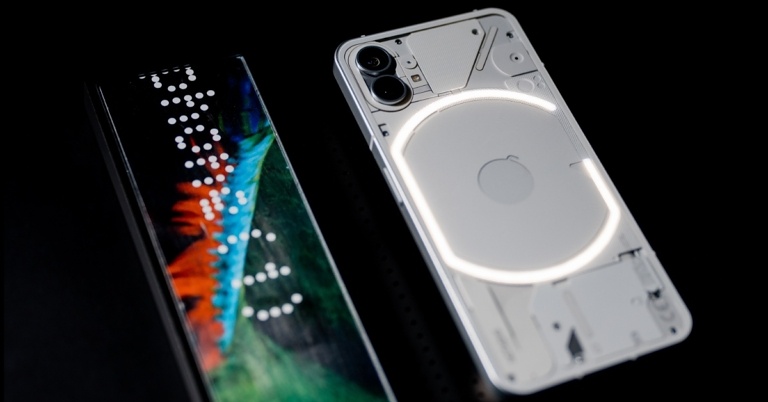













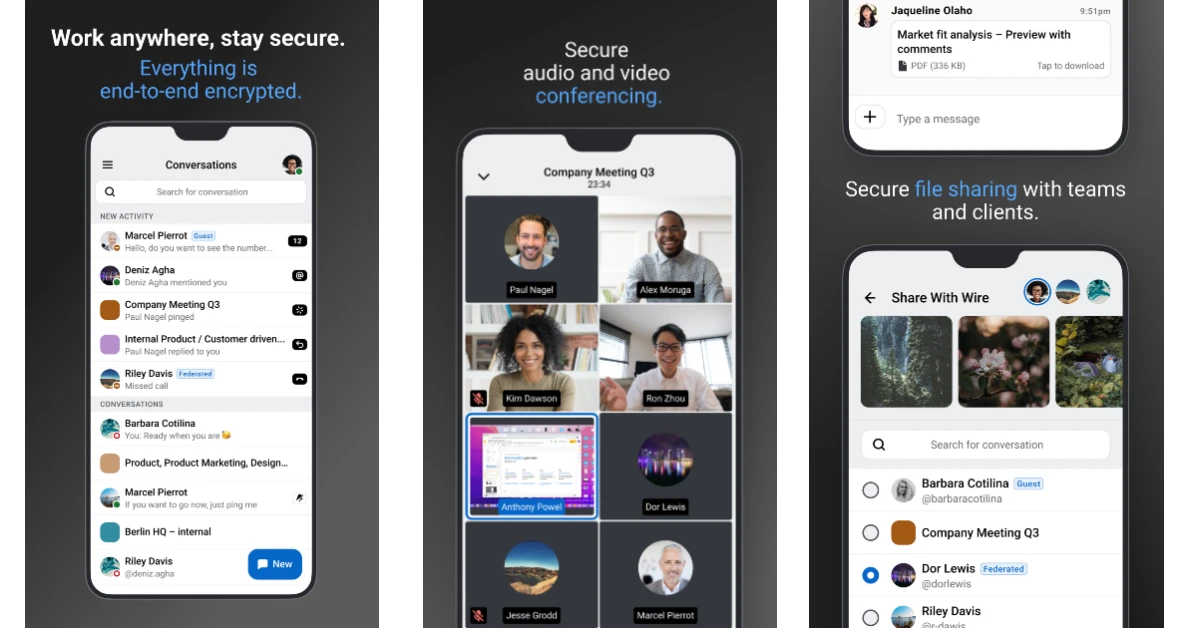 Wire is one of the finest instant messaging apps around. Everything on this app is end-to-end encrypted. This includes messages, calls (audio and video), pictures, and documents. The app has special privacy features that let you automatically delete messages and create guest links with passwords for conferences. The latter comes in handy if you want to create a room for a virtual meeting but don’t have the ID of every participant. If you need a communication app for your workplace, Wire covers all the essential bases.
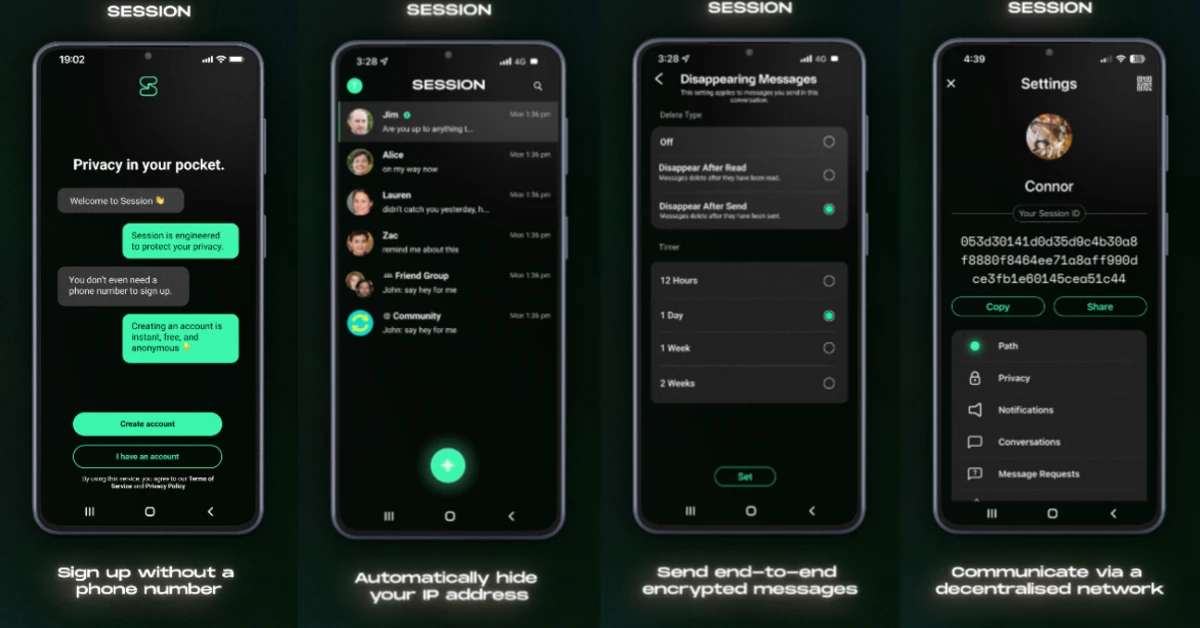 If you prioritise your privacy over everything else, Session is the app for you. It is one of the few instant messaging apps that do not require a phone number to work. It uses a decentralised network to send your texts. This makes it impossible for anyone to intercept or hack your messages. Its private routing protocols ensure that your IP address is hidden at all times. On top of that, it offers basic privacy features like end-to-end encryption. Your voice notes, photos, and files are encrypted as well. There are no ads or trackers on this app. The best part of it all is that Session is completely open source.

 Google may have a plethora of chat apps in its portfolio, but the OG Google Chat app is perfect for texting. The app may lack the bells and whistles, but it fits the bill if you’re interested in a light app that does the basics right. You can add someone to your contact list using their email. All of your Gmail contacts are automatically synced to the contact list. One of the better features of this app is how well it is integrated with other Google services like Meet, Calendar, Drive, and more.
 Instagram may be a social media app, but it is commonly used to text people with whom you don’t want to share your number. You may not think of Instagram as a messenger app, but this is where the phrase ‘Slide into DMs’ originated.
  Snapchat started the whole ‘ephemeral messaging’ trend and remains one of the biggest messaging apps around. Its image-centric messaging makes it super popular among young people. You don’t need a phone number to sign up for Snapchat. You can register using your email ID, after which you will be asked to create your
  Moco is primarily a messaging app to meet and chat with new people, but you can also use it as a platform to talk to people you’re not comfortable sharing your number with. You don’t need to provide your phone number to make an account on Moco. Using Moco, you can talk to people in your vicinity or add someone by their username. The app also allows its users to live stream on the platform.
 MeetMe is similar to Moco in the sense that it lets you talk to people who are around you and share common interests with you. Like Moco, MeetMe also has a live streaming feature. You can monetise your live streams by cashing out the gifts you get from your viewers. At its core, MeetMe is a solid messaging app that gives you a well-rounded texting experience. You can add other people from their profile or by entering their username.
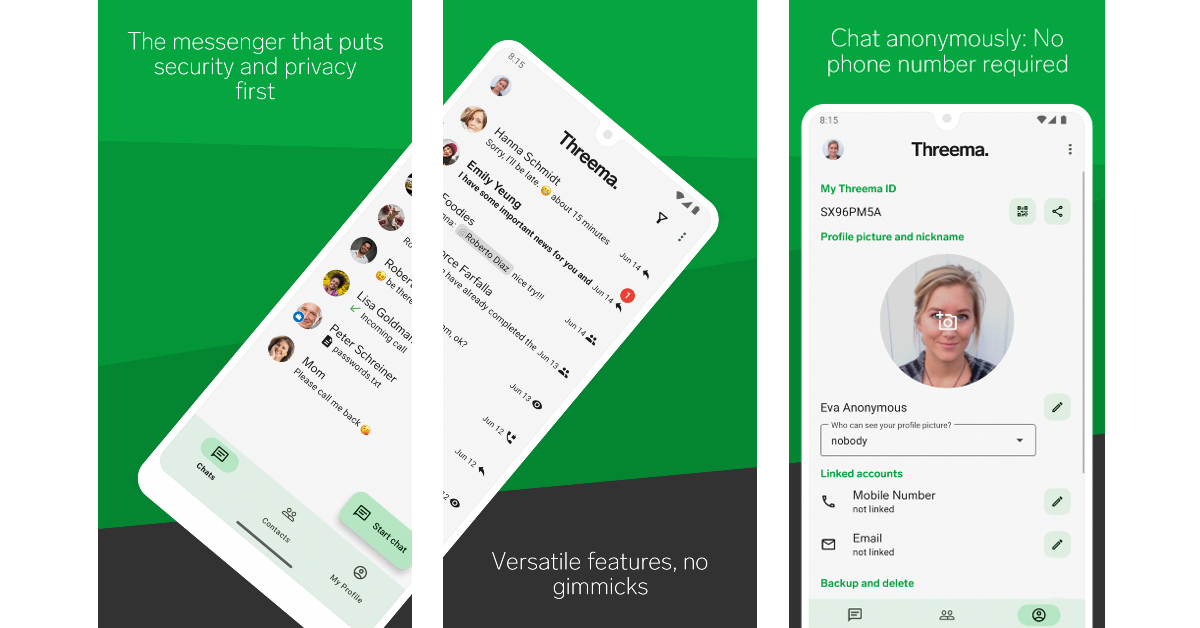 Threema is a secure messaging app from Switzerland that pays special attention to securing your private data. Your contact lists and group memberships are stored on your device itself, and never on a server. You don’t need a phone number to create an account on Threema. The instant messaging app offers end-to-end encryption for messages, files, status updates, and voice & video calls.
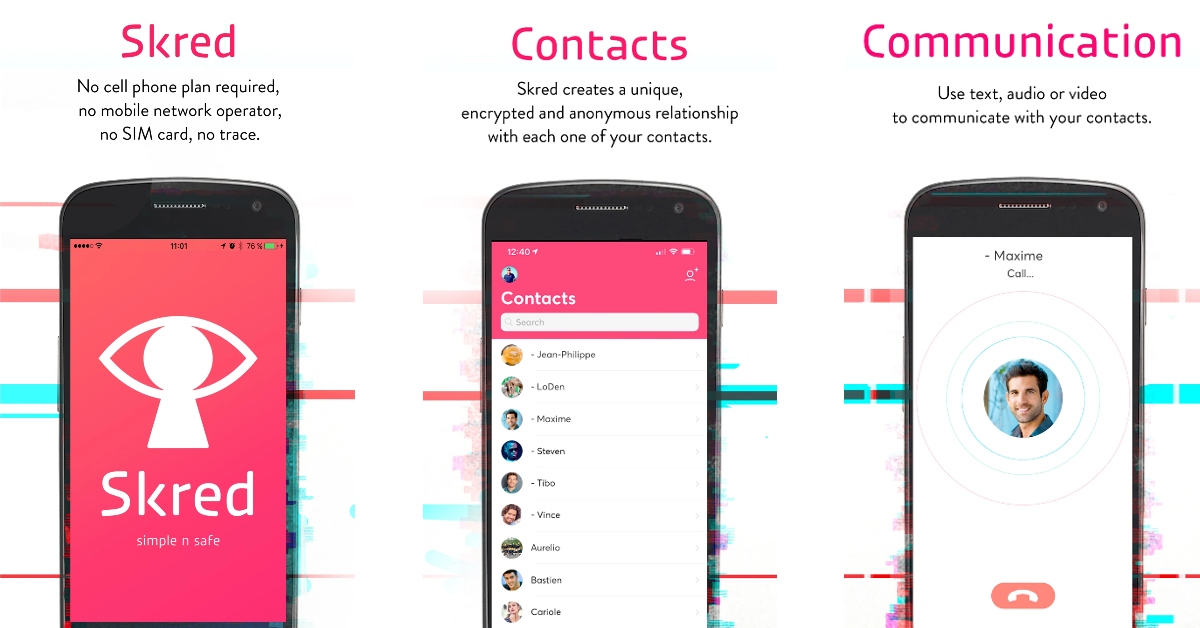 Skred Messenger does not require a phone number or an email address to work on your device. You can create as many Skred profiles as you want. All communication, including messaging, calling, and media exchange, is completely end-to-end encrypted on Skred Messenger. You can send ephemeral messages on Skred. Once you delete a message on a chat thread, it will be deleted from the recipient’s device as well.
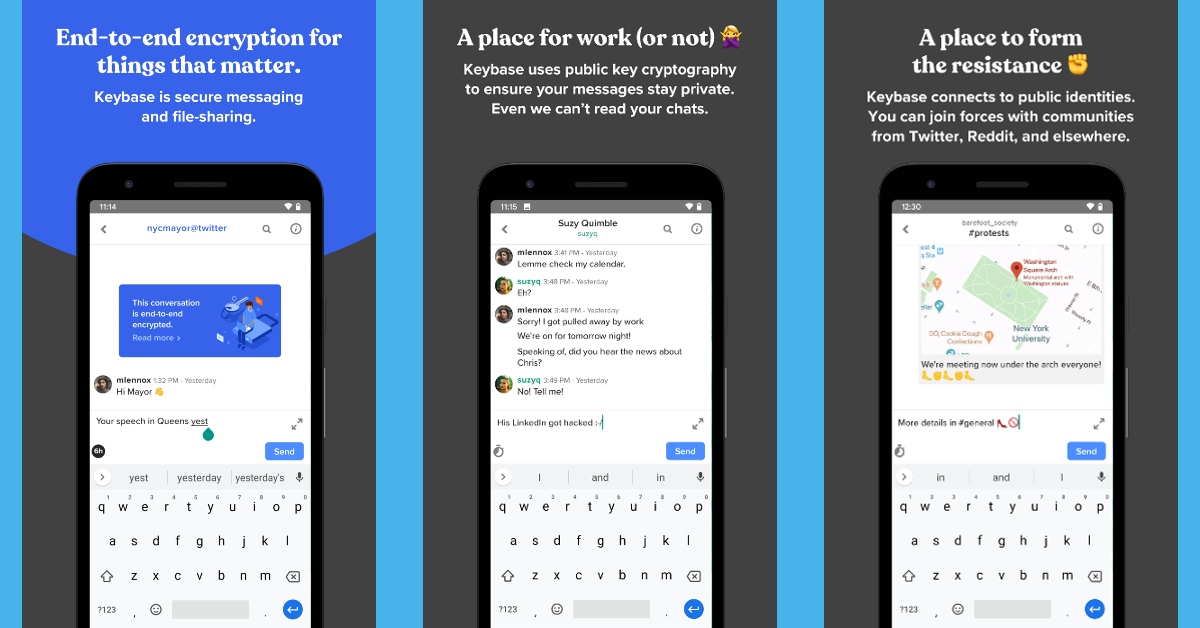 Keybase is an open-source instant messaging app that doesn’t require you to sign up using a phone number. Since it is open-source, you can rest easy knowing that your personal data isn’t being handed over to a third party. Keybase also offers end-to-end encryption for messages, photos, videos, and documents. This app can also be used to organise grassroots movements and protests. With the option of multi-device functionality, you don’t have to worry about losing your data once you switch your phone.