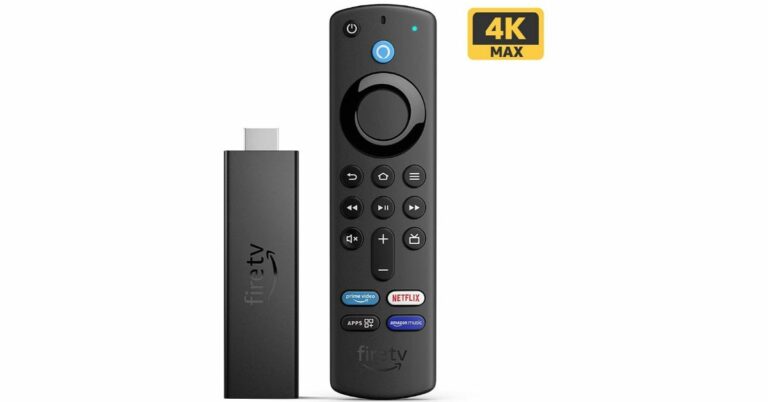
Amazon had officially announced the launch of the Fire TV Stick 4K Max in the Indian market last month. The device was earlier available for pre-orders and now the streaming device is available on sale in the country. The latest Fire TV Stick comes with Wi-Fi 6 connectivity. It also supports Dolby Vision and Dolby Atmos.
Amazon Fire TV Stick 4K Max price in India and availability details
Amazon Fire TV Stick 4K Maxis is now available for purchase in India at Rs 6,499. The device can be purchased viaAmazon.in during the Amazon Great Indian Festival Sale and Amazon kiosks in select malls.
Amazon Fire TV Stick 4K Max specifications
The Amazon Fire TV Stick 4K Max comes with a similar form factor as its predecessor. The Streaming device features a new quad-core 1.8GHz processor and 2GB of RAM that is claimed to be 40 percent more powerful than the previous generation allowing apps to load faster and navigation to be more fluid.The Amazon Fire TV Stick 4K Max supports 4K UHD, HDR, and HDR10+ streaming. In addition to this, it also has support for Dolby Vision and Dolby Atmos for a theatre-like experience at home. Additionally, it comes with the first media player by Amazon to offer Wi-Fi 6 support and uses the latest Mediatek MT7921LS Wi-Fi 6 chipset that makes smoother streaming in 4K. It also includes the first media player by Amazon to offer Wi-Fi 6 support that employs the latest Mediatek MT7921LS Wi-Fi 6 chipset for smoother streaming in 4K. There are four preset buttons that will quickly take you to your apps. The same remote can also be used to control your compatible TV and soundbar.Amazon’s new streaming device lets you access more than a thousand apps, Alexa skills, and channels and the latest movies. All the movies can be accessed in 4k Ultra HD resolution across otherOTT platforms like Netflix and more. Stream for free with YouTube, watch live TV, and more. Listen to songs, playlists through services like Amazon Music, Apple Music, and Spotify.
For the latest gadget and tech news, and gadget reviews, follow us on Twitter, Facebook and Instagram. For newest tech & gadget videos subscribe to our YouTube Channel. You can also stay up to date using the Gadget Bridge Android App. You can find the latest car and bike news here.
Windows 11 has extremely useful tools and features in the UI. Microsoft started rolling out its new OS on October 5, 2021. The company will slowly move ahead to bring Windows 11 to all eligible users. But if you don’t want to wait in line, you can manually install it on your old or new system with help of the Windows 11 Media Creation Tool and making a bootable USB drive for Windows 11. The sole purpose of this application is to install the latest version of Windows onto a user’s PC/Laptop. In the tool, you get two options. Either you can upgrade to the latest version of Windows or build a USB drive to perform a clean install. The Media Creation Tool by Microsoft is completely free and easy to use. Here is how to use it. (Note: You will need a USB pen/storage drive with at least 8-16GB of storage inside.) Step 1 – Visit the official Windows 11 download page by Microsoft.Step 2 – Select the Create Windows 11 Installation Media option.Step 3 – Make sure you read Before you start just above the download button. It will get you through the minimum requirements and free storage you need to perform the installation process.Step 4 – Click on the Download Now button.Step 5 – Once the download is completed, open the application.Step 6 – There will be terms and user licence screen in front of you.Step 7 – Accept them and move further.Step 8 – Select the language or edition manually or let the tool pick it for you. Press next after it is done.Step 9 – Select the USB flash drive from the two options (Make sure your USB flash storage is connected to your pc/laptop).Read Also: Top 2 ways: How to upgrade to Windows 11 for free easilyStep 10 – Choose your flash storage device from the list by which you want to install Windows 11.Step 11 – Wait till the download process is completed. And thereafter, your bootable USB drive for Windows 11 is ready. You can use it to install on a new PC/Laptop or on an existing PC. Step 12 (extra step) – When you want to install using the bootable Windows 11 USB drive. A prompt will ask you if you want to keep the existing files or give the system a fresh start. Choose accordingly and press install.Read Also: WhatApp will soon stop working on these smartphones
For the latest gadget and tech news, and gadget reviews, follow us on Twitter, Facebook and Instagram. For newest tech & gadget videos subscribe to our YouTube Channel. You can also stay up to date using the Gadget Bridge Android App. You can find the latest car and bike news here.
After the success of Windows 10, the company is providing a free upgrade to all eligible users for Windows 11. The only condition is that your computer must fulfil the minimum system requirements. Windows 11 is a leap over its predecessor and looks even better with tons of new features. The company added a lot of good ones to make it even more user-friendly than before. Grab your own copy of Windows 11 for free by following any of the below steps.
Check system updates
In most of the devices, the company has started giving updates after October 5 2021 and there is a possibility you missed the notification. Well, worry not here is how to check it from system updates and download/upgrade for free.Step 1 – Head to the Windows search bar and type/search for Check for updates.Step 2 – Click Check for updates. If the update is available it will be mentioned on the screen after the check is finished.If the update is not available it leaves you with 2 options. The first one is to wait for the update to be available directly by the company for your system. In the second case if you are tech-savvy like us and can’t wait any longer, follow the next method.Read Also: Google removed 27 fake apps, identified by quick Heal
From Microsoft official website
Yes, if your system requirement matches the minimum requirement of Windows 11, Microsoft allows you to download it directly via its official website. Here is how you can do it.Step 1 – Head to Windows 11 download page: Microsoft official Website.Step 2 – You will find 3 options to choose from
Windows 11 Installation Assistant
Create Windows 11 Installation Media
Download Windows 11 Disk Image (ISO)
Read Also: 5 best ways to recover your data on a Windows PCBy choosing the Windows installation assistant users can download Windows 11 directly to their system hassle-free. After clicking on Windows 11 Installation media the application will create a bootable version for you on either DVD or USB storage device. The last option is by downloading the ISO file directly to your system. Using this ISO users can create a bootable on their own. The easiest way to upgrade for free is by using the Windows installation assistant and follow the on-screen instructions. Remember you need 9GB of free storage space in your PC for this step to work. By following any of these steps you can easily download Windows 11 on your system. Please note: Make sure to read Before you start guide while choosing any of the three options in the second method. Also, we advise you to check the minimum specifications page as well. The installation takes a lot of time and also it is recommended to backup your important files before starting the process. So this way you can upgrade to Windows 11 free of cost.
For the latest gadget and tech news, and gadget reviews, follow us on Twitter, Facebook and Instagram. For newest tech & gadget videos subscribe to our YouTube Channel. You can also stay up to date using the Gadget Bridge Android App. You can find the latest car and bike news here.
Last month, WhatsApp was spotted working on updating its privacy settings for Android and iOS devices. Reportedly, the instant messaging platform was said to soon allow users to disable their Last Seen, Profile Photo, and About status. In a new development, the chatting app has again appeared to be testing the WhatsApp profile photo privacy setting letting users hide their profile photos from specific contacts. According to the latest report by WABetaInfo, WhatsApp for Android beta 2.21.21.2 bearing citations of the new profile photo privacy setting. According to a screenshot shared by the source, the new setting would be available via the option My Contacts except…. The custom privacy setting may be added to the existing options allowing users to show their WhatsApp profile photo to Everyone, My Contacts or Nobody. Image Courtesy: WABetaInfoAs of now, the feature is under development. It is not available for beta testers and is not yet clear when WhatsApp is planning to release this option for everyone. WABetaInfo says, “In the new WhatsApp beta for Android 2.21.21.2 update, there are new hidden tracks about this privacy option: WhatsApp is finally adding the compatibility for “Profile Picture”, confirming what we declared in the previous article!”In our previous article, we shared that the “My Contacts Except” privacy option will not only be offered to exclude some contacts but will also be applicable to other privacy settings to disable last seen and About status for specific contacts. It should be noted, if you disable your last seen for specific contacts, you won’t be able to see theirs.Currently, you are not allowed to set these for specific contacts and hide their Last Seen, Profile Photo and About Status with Nobody. But when WhatsApp updates its privacy settings you can enable your last seen, and you can disable it for specific contacts.
For the latest gadget and tech news, and gadget reviews, follow us on Twitter, Facebook and Instagram. For newest tech & gadget videos subscribe to our YouTube Channel. You can also stay up to date using the Gadget Bridge Android App. You can find the latest car and bike news here.
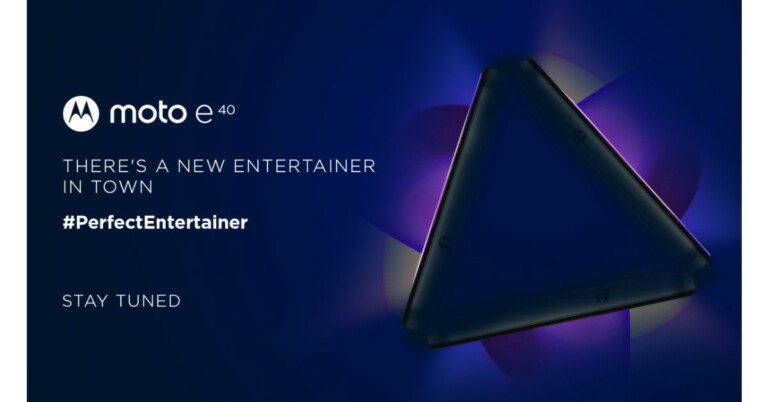
The Chinese mobile manufacturer Motorola is all set to expand its E-series of the lineup in the Indian market. The company has begun teasing the Moto E40 India launch on its social media platforms. The teaser of the upcoming smartphone does not reveal any specific launch day nor it has opened up about the key specs of the Moto E40 smartphone. Although the device’s pricing has already been tipped and the phone also got listed on a Romanian e-commerce website which revealed its key specifications.Motorola has posted a teaser on Twitter to announce the arrival of the Moto E40 in India. The released teaser of the Moto E40 contains the tagline “The Perfect Entertainer.” The company has not yet revealed any information but ahead of the official announcement the pricing, as well as the key details of the upcoming smartphone, got revealed via a Romanian listing.A tipster Roland Quandt (@rquandt) spotted the Moto E40 got listed on a Romanian e-commerce website. According to the eMag listing the price of the Moto E40 is set at RON 779 that is roughly around Rs 13,600. In terms of specifications, Moto E40 is listed to come with a dual-sim functionality. The device is said to feature a 6.5 – inch HD+ IPS LCD display with a resolution of 1,600×720. There is a punch hole on the screen to house the selfies camera and the display comes with 90Hz refresh rate support. The forthcoming Motorola smartphone is listed to be powered by a Unisoc T700 SoC, paired with 4GB of RAM and 64GB of internal storage. It will operate on Android 11 ( Go edition ). The leaked listing suggests that Moto E40 will be highlighted with a triple rear camera set up that consists of a 48MP primary sensor. In addition to this, there will be a 2MP macro sensor and another 2MP depth sensor. In terms of selfies, the device is suggested to have an 8MP selfie camera on the front.The eMag listing suggests that Moto E40 will include Bluetooth, Wi-Fi, GPS, 3.5mm and USB Type – C port for connectivity. While the sensors on the phone include an accelerometer, fingerprint proximity sensor, and light sensor.
For the latest gadget and tech news, and gadget reviews, follow us on Twitter, Facebook and Instagram. For newest tech & gadget videos subscribe to our YouTube Channel. You can also stay up to date using the Gadget Bridge Android App. You can find the latest car and bike news here.
There are very few smartphone brands that offer a complete stock Android experience on their phones and Nokia is one of them. Despite being offered at a low price its devices sometimes have struggled to capture attention, but not anymore. The Nokia G20 is the company’s latest offering and in today’s review, we’ll see how it performs and whether it’s worth purchasing.
Nokia G20 Review: Design and Display
A few months back we reviewed Nokia 3.4, which looks very similar to the Nokia G20 smartphone. Or, to put it another way, most Nokia phones these days have a similar form factor. For better grip, the company used polycarbonate material and designed the panel with ridged vertical stripes. A circular rear camera module with four sensors is neatly placed and an LED flash is located just below the camera module. The device is available in two colour options: Glacier and Night, and our review unit is the latter, which look nice. The phone’s textured back panel makes it resistant to scratches and fingerprints, but luckily the company includes a silicon cover for protection. The power and volume buttons on the right frame are fairly easy to reach and provide good haptic feedback. The power button has been integrated with a fingerprint scanner that unlocks the device in about a second. One can also opt for the face unlock option but that is even slower. Moving on, there is a SIM tray and a dedicated Google Assistant button on the left. Besides this, there is a 3.5mm headphone jack and a primary microphone on the top while the bottom part consists of a USB Type C port, a mono speaker grille and a secondary microphone. The Nokia G20 features a 6.5-inch HD+ IPS LCD panel with a dewdrop notch for the selfie camera and a 20:9 aspect ratio on the front. The HD+ screen may (on paper) appear underwhelming for the price, but we have to say that we rarely had any issues with the display’s sharpness. Enabling 1080p mode on YouTube gives you a good viewing experience. The videos appeared to be sufficiently sharp. In addition, the device is Widevine L1 certified for HD streaming on Ott platforms such as Netflix, Prime Videos and others. The outside readability could have been better. A few more nits would have been perfect. The colours of the screen are superb and we loved our experience with it indoors.
Nokia G20 review: Performance and Cameras
The Nokia G20 is powered by an octa-core MediaTek Helio G35 SoC based on a 12 nm processor, paired with 4GB of RAM and 64GB of internal storage. The device has a MicroSD card slot for expandable storage of up to 512GB.A similar chipset can be found in a variety of low-cost smartphones including the Poco C3, Redmi 9 Active, Oppo A16, Oppo A55 and many others. It should be noted that all of these phones are significantly less expensive than the G20. The phone is built for people who are graduating from a feature phone to a smartphone. So for them, the performance would be great, however, if you are already a smartphone user, you might feel the lack of speed you are used to.The applications load time could have been better, but multitasking on the other hand between the lightweight apps works well. It’s perfectly fine to play less demanding games when it comes to gaming on the Nokia G20. GPU-intensive games, on the other hand, put a strain on the processor. We tried out Call of Duty Mobile, and it stutters a lot under low graphics and high frame rate settings, but the gameplay improves at the lowest settings.Let us now discuss the camera’s performance. The Nokia G20 has a quad-camera set up on the back, including a 48-megapixel primary sensor with an f/1.79 aperture. A 5-megapixel ultra-wide-angle lens, a 2-megapixel macro sensor and a 2-megapixel depth sensor round out the package. There is an 8-megapixel front-facing camera for taking selfies and video calls.Shots from the primary camera produced reasonably detailed results in good lighting. The phone has a hard time focusing. When auto HDR is enabled, the photos become overly saturated, and the exposure is also a bit messy, so keep it off and you will be fine.Macro shotThe ultra-wide-angle shots, on the other hand, reduce the saturation to a more natural level. The portrait shots were slightly oversharpened, but the edge detection was excellent. The macro camera also has issues due to its fixed focus lens. Aside from that, the low-light images were not super grainy with good details, but they occasionally shot soft-looking photos. The night mode increases the exposure slightly, but not significantly. Portrait shotThe front-facing camera takes mediocre selfies. While the dynamic range is not what we were expecting, the photos appear to have soft, muted colours. The Nokia G20 is powered by a 5,050mAh battery that supports 10W charging. We were able to get two days of endurance with medium usage. However, if you are not interested in gaming or binge-watching, it can last for three days, which is impressive. The 10W charger fully charges the phone in 3 hours.
Verdict
To summarise, the Nokia G20 (Rs 13,490) is a phone for people graduating from feature phones to a smartphone. While its design, clean stock Android 11 experience and battery life are redeeming, the phone ultimately falls short in terms of performance when compared to its competitors. At this price point, the company could have chosen the MediaTek G80 or G85. The phone is suitable for casual smartphone users who want long battery life and a dependable software experience. The Nokia G20 is a good choice as it will give you OS and security updates regularly.
7 October 2021 Amazon Quiz has gone live on its platform. The quiz timings are 12 AM to 11:59 PM. The Amazon App users can participate in the quiz daily and all they have to do is submit correct answers to the questions asked on the e-commerce platform. Today’s participants can get a chance to win Rs 20,000 Amazon Pay Balance.By participating in the Amazon Quiz the participants can win Amazon Pay Balance ranging from Rs 5,000 to Rs 50,000 every day while sitting at home. To win the participants must answer five questions correctly that are based on current events and general knowledge. One wrong answer can eliminate you from the quiz. The results will be announced at the end of the month. Today’s question will let you win Rs 20,000 Amazon Pay Balance. Check below for today Amazon quiz answers.
7 October 2021 Amazon Quiz Answers
Question 1: Naveen Kumar was a star player retained by which franchise ahead of the auction for the 8th season of the Pro Kabaddi League?
Answer: Dabang Delhi
Question 2: The Marvel character, Phil Coulson has served as the director of which of these organisations?
Answer: S.H.I.E.L.D
Question 3: 31st August is the birth anniversary of Nur-ud-din Muhannad Salim, better known to us by what name?
Answer: Jahangir
Question 4: This is a picture taken at the tomb of which famous ruler?
Answer: Napoleon Bonaparte
Question 5: Who among these is not one of the co-founders of this firm?
After being mocked by other companies, Microsoft worked hard and made its store a respectable place to find PC games. The company integrated an Xbox game pass for the Windows PC and thanks to that, now the users can download any title directly. The game pass is available at a low monthly subscription fee and users can buy games at discount and keep them in their library. Here are 11 games you should consider playing on the new Windows 11 Operating System.
Microsoft Flight Simulator (Price – Rs 3,999)
The first on our list is Microsoft’s own masterpiece. It is the experience of a lifetime. The game puts the player in the cockpit of an aeroplane with tons of options to choose from. It is one of the world’s largest open-world games. Does a world tour seem expensive? Worry not the maps in this game are of the entire earth. In addition, users can experience real-time weather effects based on live data, laser-scanned topography, and detailed landmark locations. Just hop on the cockpit and enjoy the ride.Download Here
Asphalt 9: Legends (Free)
The most popular racing game available for free in the Microsoft store. Asphalt 9 is packed with real-world cars manufactured by big companies like Ferrari, Porsche, Lamborghini and more. It features 70 different tracks across the globe to choose from, making it exciting. Players can also choose to play career mode to complete 60 seasons and 800 races to conquer it. If you love to play along with your friends, use online mode to compete against 7 players in real-time. With interesting graphics and smooth gameplay, Asphalt 9 keeps you glued to the screen for quite some time. There are some in-app purchases available in the games as well.Download Here
World of Warship (Free)
Not the only game produced by the Wargaming company on this list. This free to play game revolves around focusing on the naval military. Players can choose from various battleships, destroyers, cruisers, and even carrier squadrons. Team up with your friends to enter naval combat together and conquer the enemy. The graphics of the game are excellent and players can customise it according to their taste and hardware specification. Starting from the basics, the game lets you expand your skills with endless fighting simulation. Users can pay with real money to buy new battleships as well.Download Here
Age of Empire – Definitive Edition (Price – Rs 1,299)
Last year the second part of the franchise was remastered. The same footstep was filled by the third part as well. Age of Empire III Definitive Edition indulges you in a revamped version of an already popular classic strategy game. After the company remastered the game, now it has gorgeous new visuals, boosted music, refined A.I. with hours and hours of historically inspired campaigns. Being the timeless classic Age of Empire III is a good choice a gamer can consider. This game surely gets a cut for games to download list.Download Here
Forza Horizon 4 (Paid – Rs 3,999)
A masterful racing game with a beautiful open world and real-life cars. Playground Games are ready to launch the next generation of Forza Horizon 5 in the month of November. Which can possibly mean that there will be a discount on Forza Horizon 4. Consider playing this game to experience the ultimate open-world arcade racing experience. The game is online based so players can join the lobby with their friends to compete against each other in an adrenaline rush, real looking graphical races.Download HereRead Also: Samsung Galaxy A90 listed on the company’s official US website
World of Tanks Blitz (Free)
A Massively Multiplayer Online (MMO) game again from Wargaming. The game also revolves around war but this time it is on land with tanks. Just like World of Warships, it has over 300 tanks from Germany, Great Britain, the USA, USSR, and Japan. Users can compete against each other in a lobby of 7. There are 26 different battle arenas to choose from and players can buy new tanks with real money. Chat with other players online and compete to get achievements and see yourself on the leaderboard. Download Here
Fallout Shelter (Free)
A free game from the Fallout franchise. The story of the game revolves around an underground fault we build to save the rest of human society left. Now it’s up to you to make the vault best by giving people the right jobs, clothes, weapons, and training to protect them from the Wasteland. There are lots of decisions to make, which make the game even more interesting. The game is free to play, but there are in-game purchases.Download Here
Cuphead (Paid – Rs 1,099)
Best game for people who like comic book styled, old school graphics. Cuphead is a side-scrolling arcade game. It redefines the memories of classic titles like Contra and Gun Stars hero. In the game, we have to follow the trail and anthropomorphic creatures working for the boss enemy. You can play the game either solo or with a local co-op. Work the levels out in the game to defeat the boss in the end. You can surely consider these games to download.Download Here
Minecraft (Paid – Rs 1,474)
The classic all-time favourite open-world game which is still popular after years. The reason for such popularity is continuous support by the developers and community giving new updates all the time. It is a big open-world game in which you can meet your friends and be creative around. The company introduced an RTX mode for high-end gaming machines to make the world around more detailed. The best part about this game is you can play with your friends across any platform be it Xbox, Pc, Playstation or VR.Download Here
Resident Evil 7:Biohazard (Paid – Rs 1,500)
The story remains the same as Resident Evil 5 and 6. You are left in an Abandoned house/ place to fight evil. For people who like a horror game and jump scare and it gives them an adrenaline rush, this title will be a treat for them. With hours of campaign in story mode and interesting gun combat, makes this game one of the best entries on the list.Download HereRead Also: Mi Notebook 14 and Mi Notebook 14 Horizon Edition
Microsoft Minesweeper (Free)
Want to enjoy something more casual? Consider playing the famous Minesweeper. Earlier the game used to be built in the UI, but now if you want to enjoy this, you can download it from the Microsoft Store. The game now has updated graphics and sound, as well as a new Adventure Mode and daily challenges. This will keep you indulge in hours of entertainment and will kill your time easily.Download Here
These are 11 games to download and play on Windows 11, as mentioned some of the games are paid and some are free.
For the latest gadget and tech news, and gadget reviews, follow us on Twitter, Facebook and Instagram. For newest tech & gadget videos subscribe to our YouTube Channel. You can also stay up to date using the Gadget Bridge Android App. You can find the latest car and bike news here.
Instagram has officially announced that it has merged IGTV and feed video into a single format called Instagram Videos. You will now see a dedicated new video tab on your profile to provide the combined video format. According to the company, the new change will be simple to use and discover new video content on the photo-sharing platform.The company while launching Instagram Video commented, “Starting today, we’re combining IGTV and feed videos into one format — Instagram Video. We’re also introducing a new Video tab on your profile, where this combined video format will live, to make it easier for people to discover new video content. We love that our creator community has embraced video as a key format to tell their stories, entertain and connect with their audiences, and that’s why we want to make it even simpler to create and discover videos on Instagram.”IGTV and feed videos will now be combined into a single format- Instagram Video. The user will still be able to upload their videos from their camera roll by clicking on the + sign in the top right corner of the Instagram home page and selecting Post. Also, Instagram users when watching videos on the platform can tap anywhere on the video to enter fullscreen. They will also have the option to keep scrolling to discover new video content from creators that may interest them. Besides this, the post insights and video insights too have been combined into one combined metric for businesses and creators.Instagram has also introduced new features like trimming, filters and people and location tagging.In addition to the new change, the social media giant has also launched new features like trimming videos, adding filters and tagging people and locations on their videos. The video previews in the Instagram feed will now be 60 seconds long unless the video is eligible for ads — in which case, the preview will still be 15 seconds.Instagram has also made few changes to the IGTV advertisements as now they will be known as Instagram In-Stream video ads. However, the eligible creators can continue to monetize their long-form content and brands can reach long-form video audiences. Additionally, the videos must not be longer than 60 seconds in length for businesses interested in boosting their videos to reach more people.
For the latest gadget and tech news, and gadget reviews, follow us on Twitter, Facebook and Instagram. For newest tech & gadget videos subscribe to our YouTube Channel. You can also stay up to date using the Gadget Bridge Android App. You can find the latest car and bike news here.
Nokia brand licensee HMD Global has officially announced the launch of its latest tablet in the market. The Nokia T20 is the latest tablet by the company that comes with dual stereo speakers. It features a 2K display and includes a single 8MP rear camera. In addition to this, the Tab also boards an 8,200mAh battery that is claimed to last for a whole day. The company has introduced the tablet keeping in mind the current situation where the demand for tablets has grown since the pandemic started.
Nokia T20 tablet price and availability details
The Nokia T20 tablet has officially debuted in the European market first. The device comes in a Wi-Fi only and Wi-Fi + 4G option. The former one’s price starts at EUR that is roughly around Rs 17,200 for the 3GB RAM with 32GB storage. Whereas the latter one cost EUR 239 which translates to Rs 20,600 for the 4GB RAM with 64GB storage model. In terms of availability, the Nokia Tablet will be available in the UK and select markets from today onwards. As far as the Indian availability is concerned that is yet to be revealed by the company but the company did confirm that India is also on its list. Whereas in the US its price starts at $249,99 and will be available from November 17.
Nokia T20 Tablet specifications and features
The Nokia T20 Tablet comes with a 10.4-inch 2K in-cell display with 2,000×1,200 pixels of resolution. The screen will offer a peak brightness of 400 nits and has been protected with toughened glass. The tab runs on Android 11 and the company has promised to provide two years of OS upgrades and three years of security updates. Under the hood, there is an octa-core Unisonic Tiger T610 SoC painted with up to 4GB of RAM and 64GB of storage options. The internal storage can also be expanded up to 512GB using a microSD card. In terms of imaging, the Nokia Tablet features an 8-MP camera sensor on the back of the device along with an LED flash. While on the front it includes a 5MP selfie camera sensor. Nokia T20 Tablet is backed by an 8,200mAh battery that comes with 15W charging support but shipped with a 10W charger inside the retail box. The battery is claimed to provide 15 hours of internet surfing, 7 hours of conference calls and 10 hours watching videos. The device has also got an IP52 rating for splash and dust resistance.On the connectivity front, there is 4G LTE, Wi-Fi 802.11ac, Bluetooth v5.0, 3.5mm headphone jack and USB Type C port for changing. The Tablet also includes a dual speaker as well.
For the latest gadget and tech news, and gadget reviews, follow us on Twitter, Facebook and Instagram. For newest tech & gadget videos subscribe to our YouTube Channel. You can also stay up to date using the Gadget Bridge Android App. You can find the latest car and bike news here.


 Step 3 – Make sure you read Before you start just above the download button. It will get you through the minimum requirements and free storage you need to perform the installation process.
Step 4 – Click on the Download Now button.
Step 3 – Make sure you read Before you start just above the download button. It will get you through the minimum requirements and free storage you need to perform the installation process.
Step 4 – Click on the Download Now button.
 Step 3 – Make sure you read Before you start just above the download button. It will get you through the minimum requirements and free storage you need to perform the installation process.
Step 4 – Click on the Download Now button.
Step 3 – Make sure you read Before you start just above the download button. It will get you through the minimum requirements and free storage you need to perform the installation process.
Step 4 – Click on the Download Now button.
 Step 5 – Once the download is completed, open the application.
Step 6 – There will be terms and user licence screen in front of you.
Step 5 – Once the download is completed, open the application.
Step 6 – There will be terms and user licence screen in front of you.
 Step 7 – Accept them and move further.
Step 8 – Select the language or edition manually or let the tool pick it for you. Press next after it is done.
Step 7 – Accept them and move further.
Step 8 – Select the language or edition manually or let the tool pick it for you. Press next after it is done.
 Step 9 – Select the USB flash drive from the two options (Make sure your USB flash storage is connected to your pc/laptop).
Read Also: Top 2 ways: How to upgrade to Windows 11 for free easily
Step 9 – Select the USB flash drive from the two options (Make sure your USB flash storage is connected to your pc/laptop).
Read Also: Top 2 ways: How to upgrade to Windows 11 for free easily
 Step 10 – Choose your flash storage device from the list by which you want to install Windows 11.
 Step 11 – Wait till the download process is completed. And thereafter, your bootable USB drive for Windows 11 is ready. You can use it to install on a new PC/Laptop or on an existing PC.
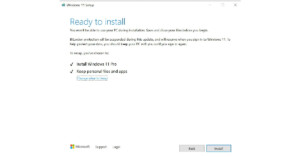
 Step 12 (extra step) – When you want to install using the bootable Windows 11 USB drive. A prompt will ask you if you want to keep the existing files or give the system a fresh start. Choose accordingly and press install.
 Read Also: WhatApp will soon stop working on these smartphones
For the latest gadget and tech news, and gadget reviews, follow us on Twitter, Facebook and Instagram. For newest tech & gadget videos subscribe to our YouTube Channel. You can also stay up to date using the Gadget Bridge Android App. You can find the latest car and bike news here.
Read Also: WhatApp will soon stop working on these smartphones
For the latest gadget and tech news, and gadget reviews, follow us on Twitter, Facebook and Instagram. For newest tech & gadget videos subscribe to our YouTube Channel. You can also stay up to date using the Gadget Bridge Android App. You can find the latest car and bike news here. 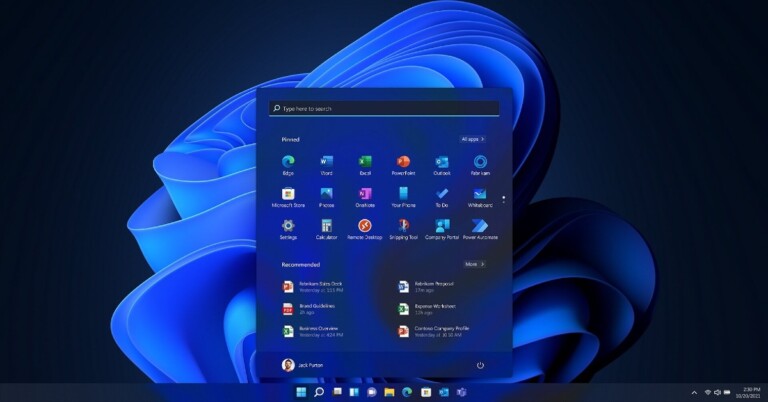
 Step 2 – Click Check for updates. If the update is available it will be mentioned on the screen after the check is finished.
 If the update is not available it leaves you with 2 options. The first one is to wait for the update to be available directly by the company for your system. In the second case if you are tech-savvy like us and can’t wait any longer, follow the next method.
Read Also: Google removed 27 fake apps, identified by quick Heal
If the update is not available it leaves you with 2 options. The first one is to wait for the update to be available directly by the company for your system. In the second case if you are tech-savvy like us and can’t wait any longer, follow the next method.
Read Also: Google removed 27 fake apps, identified by quick Heal


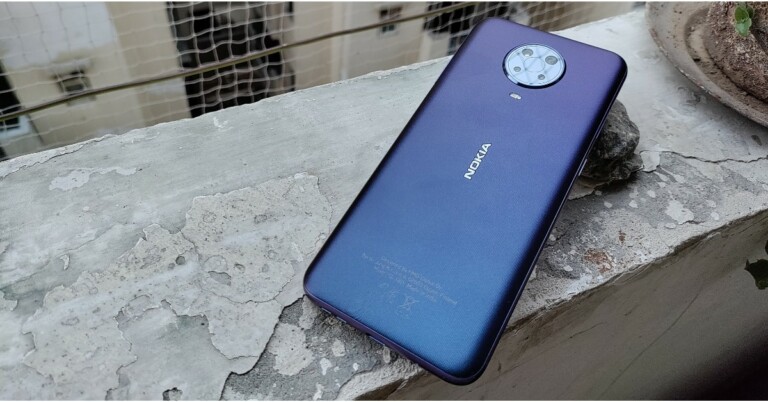
 A circular rear camera module with four sensors is neatly placed and an LED flash is located just below the camera module. The device is available in two colour options: Glacier and Night, and our review unit is the latter, which look nice. The phone’s textured back panel makes it resistant to scratches and fingerprints, but luckily the company includes a silicon cover for protection.
 The applications load time could have been better, but multitasking on the other hand between the lightweight apps works well. It’s perfectly fine to play less demanding games when it comes to gaming on the Nokia G20. GPU-intensive games, on the other hand, put a strain on the processor. We tried out Call of Duty Mobile, and it stutters a lot under low graphics and high frame rate settings, but the gameplay improves at the lowest settings.
Let us now discuss the camera’s performance. The Nokia G20 has a quad-camera set up on the back, including a 48-megapixel primary sensor with an f/1.79 aperture. A 5-megapixel ultra-wide-angle lens, a 2-megapixel macro sensor and a 2-megapixel depth sensor round out the package. There is an 8-megapixel front-facing camera for taking selfies and video calls.
The applications load time could have been better, but multitasking on the other hand between the lightweight apps works well. It’s perfectly fine to play less demanding games when it comes to gaming on the Nokia G20. GPU-intensive games, on the other hand, put a strain on the processor. We tried out Call of Duty Mobile, and it stutters a lot under low graphics and high frame rate settings, but the gameplay improves at the lowest settings.
Let us now discuss the camera’s performance. The Nokia G20 has a quad-camera set up on the back, including a 48-megapixel primary sensor with an f/1.79 aperture. A 5-megapixel ultra-wide-angle lens, a 2-megapixel macro sensor and a 2-megapixel depth sensor round out the package. There is an 8-megapixel front-facing camera for taking selfies and video calls.
 Shots from the primary camera produced reasonably detailed results in good lighting. The phone has a hard time focusing. When auto HDR is enabled, the photos become overly saturated, and the exposure is also a bit messy, so keep it off and you will be fine.
 A circular rear camera module with four sensors is neatly placed and an LED flash is located just below the camera module. The device is available in two colour options: Glacier and Night, and our review unit is the latter, which look nice. The phone’s textured back panel makes it resistant to scratches and fingerprints, but luckily the company includes a silicon cover for protection.
 The power and volume buttons on the right frame are fairly easy to reach and provide good haptic feedback. The power button has been integrated with a fingerprint scanner that unlocks the device in about a second. One can also opt for the face unlock option but that is even slower.
 Moving on, there is a SIM tray and a dedicated Google Assistant button on the left. Besides this, there is a 3.5mm headphone jack and a primary microphone on the top while the bottom part consists of a USB Type C port, a mono speaker grille and a secondary microphone.
 The Nokia G20 features a 6.5-inch HD+ IPS LCD panel with a dewdrop notch for the selfie camera and a 20:9 aspect ratio on the front. The HD+ screen may (on paper) appear underwhelming for the price, but we have to say that we rarely had any issues with the display’s sharpness.
Enabling 1080p mode on YouTube gives you a good viewing experience. The videos appeared to be sufficiently sharp. In addition, the device is Widevine L1 certified for HD streaming on Ott platforms such as Netflix, Prime Videos and others. The outside readability could have been better. A few more nits would have been perfect. The colours of the screen are superb and we loved our experience with it indoors.
The Nokia G20 features a 6.5-inch HD+ IPS LCD panel with a dewdrop notch for the selfie camera and a 20:9 aspect ratio on the front. The HD+ screen may (on paper) appear underwhelming for the price, but we have to say that we rarely had any issues with the display’s sharpness.
Enabling 1080p mode on YouTube gives you a good viewing experience. The videos appeared to be sufficiently sharp. In addition, the device is Widevine L1 certified for HD streaming on Ott platforms such as Netflix, Prime Videos and others. The outside readability could have been better. A few more nits would have been perfect. The colours of the screen are superb and we loved our experience with it indoors.
 The applications load time could have been better, but multitasking on the other hand between the lightweight apps works well. It’s perfectly fine to play less demanding games when it comes to gaming on the Nokia G20. GPU-intensive games, on the other hand, put a strain on the processor. We tried out Call of Duty Mobile, and it stutters a lot under low graphics and high frame rate settings, but the gameplay improves at the lowest settings.
Let us now discuss the camera’s performance. The Nokia G20 has a quad-camera set up on the back, including a 48-megapixel primary sensor with an f/1.79 aperture. A 5-megapixel ultra-wide-angle lens, a 2-megapixel macro sensor and a 2-megapixel depth sensor round out the package. There is an 8-megapixel front-facing camera for taking selfies and video calls.
The applications load time could have been better, but multitasking on the other hand between the lightweight apps works well. It’s perfectly fine to play less demanding games when it comes to gaming on the Nokia G20. GPU-intensive games, on the other hand, put a strain on the processor. We tried out Call of Duty Mobile, and it stutters a lot under low graphics and high frame rate settings, but the gameplay improves at the lowest settings.
Let us now discuss the camera’s performance. The Nokia G20 has a quad-camera set up on the back, including a 48-megapixel primary sensor with an f/1.79 aperture. A 5-megapixel ultra-wide-angle lens, a 2-megapixel macro sensor and a 2-megapixel depth sensor round out the package. There is an 8-megapixel front-facing camera for taking selfies and video calls.
 Shots from the primary camera produced reasonably detailed results in good lighting. The phone has a hard time focusing. When auto HDR is enabled, the photos become overly saturated, and the exposure is also a bit messy, so keep it off and you will be fine.

 Aside from that, the low-light images were not super grainy with good details, but they occasionally shot soft-looking photos. The night mode increases the exposure slightly, but not significantly.


 The first on our list is Microsoft’s own masterpiece. It is the experience of a lifetime. The game puts the player in the cockpit of an aeroplane with tons of options to choose from. It is one of the world’s largest open-world games. Does a world tour seem expensive? Worry not the maps in this game are of the entire earth. In addition, users can experience real-time weather effects based on live data, laser-scanned topography, and detailed landmark locations. Just hop on the cockpit and enjoy the ride.
Download Here
The first on our list is Microsoft’s own masterpiece. It is the experience of a lifetime. The game puts the player in the cockpit of an aeroplane with tons of options to choose from. It is one of the world’s largest open-world games. Does a world tour seem expensive? Worry not the maps in this game are of the entire earth. In addition, users can experience real-time weather effects based on live data, laser-scanned topography, and detailed landmark locations. Just hop on the cockpit and enjoy the ride.
Download Here
 The most popular racing game available for free in the Microsoft store. Asphalt 9 is packed with real-world cars manufactured by big companies like Ferrari, Porsche, Lamborghini and more. It features 70 different tracks across the globe to choose from, making it exciting. Players can also choose to play career mode to complete 60 seasons and 800 races to conquer it. If you love to play along with your friends, use online mode to compete against 7 players in real-time. With interesting graphics and smooth gameplay, Asphalt 9 keeps you glued to the screen for quite some time. There are some in-app purchases available in the games as well.
Download Here
The most popular racing game available for free in the Microsoft store. Asphalt 9 is packed with real-world cars manufactured by big companies like Ferrari, Porsche, Lamborghini and more. It features 70 different tracks across the globe to choose from, making it exciting. Players can also choose to play career mode to complete 60 seasons and 800 races to conquer it. If you love to play along with your friends, use online mode to compete against 7 players in real-time. With interesting graphics and smooth gameplay, Asphalt 9 keeps you glued to the screen for quite some time. There are some in-app purchases available in the games as well.
Download Here
 Not the only game produced by the Wargaming company on this list. This free to play game revolves around focusing on the naval military. Players can choose from various battleships, destroyers, cruisers, and even carrier squadrons. Team up with your friends to enter naval combat together and conquer the enemy.
The graphics of the game are excellent and players can customise it according to their taste and hardware specification. Starting from the basics, the game lets you expand your skills with endless fighting simulation. Users can pay with real money to buy new battleships as well.
Download Here
Not the only game produced by the Wargaming company on this list. This free to play game revolves around focusing on the naval military. Players can choose from various battleships, destroyers, cruisers, and even carrier squadrons. Team up with your friends to enter naval combat together and conquer the enemy.
The graphics of the game are excellent and players can customise it according to their taste and hardware specification. Starting from the basics, the game lets you expand your skills with endless fighting simulation. Users can pay with real money to buy new battleships as well.
Download Here
 Last year the second part of the franchise was remastered. The same footstep was filled by the third part as well. Age of Empire III Definitive Edition indulges you in a revamped version of an already popular classic strategy game. After the company remastered the game, now it has gorgeous new visuals, boosted music, refined A.I. with hours and hours of historically inspired campaigns. Being the timeless classic Age of Empire III is a good choice a gamer can consider. This game surely gets a cut for games to download list.
Download Here
Last year the second part of the franchise was remastered. The same footstep was filled by the third part as well. Age of Empire III Definitive Edition indulges you in a revamped version of an already popular classic strategy game. After the company remastered the game, now it has gorgeous new visuals, boosted music, refined A.I. with hours and hours of historically inspired campaigns. Being the timeless classic Age of Empire III is a good choice a gamer can consider. This game surely gets a cut for games to download list.
Download Here
 A masterful racing game with a beautiful open world and real-life cars. Playground Games are ready to launch the next generation of Forza Horizon 5 in the month of November. Which can possibly mean that there will be a discount on Forza Horizon 4. Consider playing this game to experience the ultimate open-world arcade racing experience. The game is online based so players can join the lobby with their friends to compete against each other in an adrenaline rush, real looking graphical races.
Download Here
Read Also: Samsung Galaxy A90 listed on the company’s official US website
A masterful racing game with a beautiful open world and real-life cars. Playground Games are ready to launch the next generation of Forza Horizon 5 in the month of November. Which can possibly mean that there will be a discount on Forza Horizon 4. Consider playing this game to experience the ultimate open-world arcade racing experience. The game is online based so players can join the lobby with their friends to compete against each other in an adrenaline rush, real looking graphical races.
Download Here
Read Also: Samsung Galaxy A90 listed on the company’s official US website
 A Massively Multiplayer Online (MMO) game again from Wargaming. The game also revolves around war but this time it is on land with tanks. Just like World of Warships, it has over 300 tanks from Germany, Great Britain, the USA, USSR, and Japan. Users can compete against each other in a lobby of 7. There are 26 different battle arenas to choose from and players can buy new tanks with real money. Chat with other players online and compete to get achievements and see yourself on the leaderboard.
Download Here
A Massively Multiplayer Online (MMO) game again from Wargaming. The game also revolves around war but this time it is on land with tanks. Just like World of Warships, it has over 300 tanks from Germany, Great Britain, the USA, USSR, and Japan. Users can compete against each other in a lobby of 7. There are 26 different battle arenas to choose from and players can buy new tanks with real money. Chat with other players online and compete to get achievements and see yourself on the leaderboard.
Download Here
 A free game from the Fallout franchise. The story of the game revolves around an underground fault we build to save the rest of human society left. Now it’s up to you to make the vault best by giving people the right jobs, clothes, weapons, and training to protect them from the Wasteland. There are lots of decisions to make, which make the game even more interesting. The game is free to play, but there are in-game purchases.
Download Here
A free game from the Fallout franchise. The story of the game revolves around an underground fault we build to save the rest of human society left. Now it’s up to you to make the vault best by giving people the right jobs, clothes, weapons, and training to protect them from the Wasteland. There are lots of decisions to make, which make the game even more interesting. The game is free to play, but there are in-game purchases.
Download Here
 Best game for people who like comic book styled, old school graphics. Cuphead is a side-scrolling arcade game. It redefines the memories of classic titles like Contra and Gun Stars hero. In the game, we have to follow the trail and anthropomorphic creatures working for the boss enemy. You can play the game either solo or with a local co-op. Work the levels out in the game to defeat the boss in the end. You can surely consider these games to download.
Download Here
Best game for people who like comic book styled, old school graphics. Cuphead is a side-scrolling arcade game. It redefines the memories of classic titles like Contra and Gun Stars hero. In the game, we have to follow the trail and anthropomorphic creatures working for the boss enemy. You can play the game either solo or with a local co-op. Work the levels out in the game to defeat the boss in the end. You can surely consider these games to download.
Download Here
 The classic all-time favourite open-world game which is still popular after years. The reason for such popularity is continuous support by the developers and community giving new updates all the time.
It is a big open-world game in which you can meet your friends and be creative around. The company introduced an RTX mode for high-end gaming machines to make the world around more detailed. The best part about this game is you can play with your friends across any platform be it Xbox, Pc, Playstation or VR.
Download Here
The classic all-time favourite open-world game which is still popular after years. The reason for such popularity is continuous support by the developers and community giving new updates all the time.
It is a big open-world game in which you can meet your friends and be creative around. The company introduced an RTX mode for high-end gaming machines to make the world around more detailed. The best part about this game is you can play with your friends across any platform be it Xbox, Pc, Playstation or VR.
Download Here
 The story remains the same as Resident Evil 5 and 6. You are left in an Abandoned house/ place to fight evil. For people who like a horror game and jump scare and it gives them an adrenaline rush, this title will be a treat for them. With hours of campaign in story mode and interesting gun combat, makes this game one of the best entries on the list.
Download Here
Read Also: Mi Notebook 14 and Mi Notebook 14 Horizon Edition
The story remains the same as Resident Evil 5 and 6. You are left in an Abandoned house/ place to fight evil. For people who like a horror game and jump scare and it gives them an adrenaline rush, this title will be a treat for them. With hours of campaign in story mode and interesting gun combat, makes this game one of the best entries on the list.
Download Here
Read Also: Mi Notebook 14 and Mi Notebook 14 Horizon Edition
 Want to enjoy something more casual? Consider playing the famous Minesweeper. Earlier the game used to be built in the UI, but now if you want to enjoy this, you can download it from the Microsoft Store. The game now has updated graphics and sound, as well as a new Adventure Mode and daily challenges. This will keep you indulge in hours of entertainment and will kill your time easily.
Download Here
These are 11 games to download and play on Windows 11, as mentioned some of the games are paid and some are free.
For the latest gadget and tech news, and gadget reviews, follow us on Twitter, Facebook and Instagram. For newest tech & gadget videos subscribe to our YouTube Channel. You can also stay up to date using the Gadget Bridge Android App. You can find the latest car and bike news here.
Want to enjoy something more casual? Consider playing the famous Minesweeper. Earlier the game used to be built in the UI, but now if you want to enjoy this, you can download it from the Microsoft Store. The game now has updated graphics and sound, as well as a new Adventure Mode and daily challenges. This will keep you indulge in hours of entertainment and will kill your time easily.
Download Here
These are 11 games to download and play on Windows 11, as mentioned some of the games are paid and some are free.
For the latest gadget and tech news, and gadget reviews, follow us on Twitter, Facebook and Instagram. For newest tech & gadget videos subscribe to our YouTube Channel. You can also stay up to date using the Gadget Bridge Android App. You can find the latest car and bike news here. 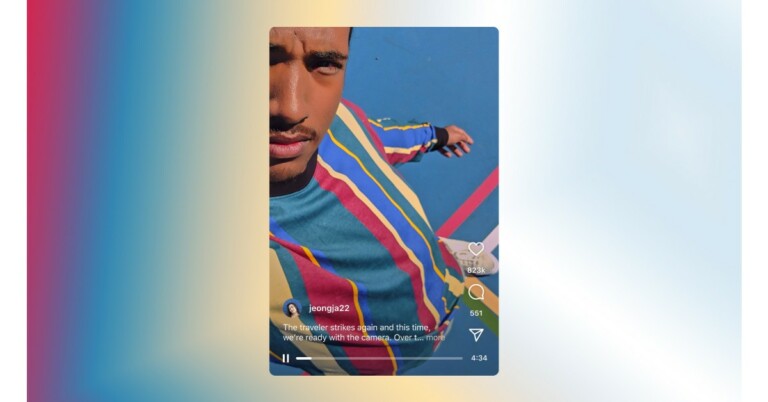

 Instagram has also made few changes to the IGTV advertisements as now they will be known as Instagram In-Stream video ads. However, the eligible creators can continue to monetize their long-form content and brands can reach long-form video audiences.
Additionally, the videos must not be longer than 60 seconds in length for businesses interested in boosting their videos to reach more people.
For the latest gadget and tech news, and gadget reviews, follow us on Twitter, Facebook and Instagram. For newest tech & gadget videos subscribe to our YouTube Channel. You can also stay up to date using the Gadget Bridge Android App. You can find the latest car and bike news here.
Instagram has also made few changes to the IGTV advertisements as now they will be known as Instagram In-Stream video ads. However, the eligible creators can continue to monetize their long-form content and brands can reach long-form video audiences.
Additionally, the videos must not be longer than 60 seconds in length for businesses interested in boosting their videos to reach more people.
For the latest gadget and tech news, and gadget reviews, follow us on Twitter, Facebook and Instagram. For newest tech & gadget videos subscribe to our YouTube Channel. You can also stay up to date using the Gadget Bridge Android App. You can find the latest car and bike news here. 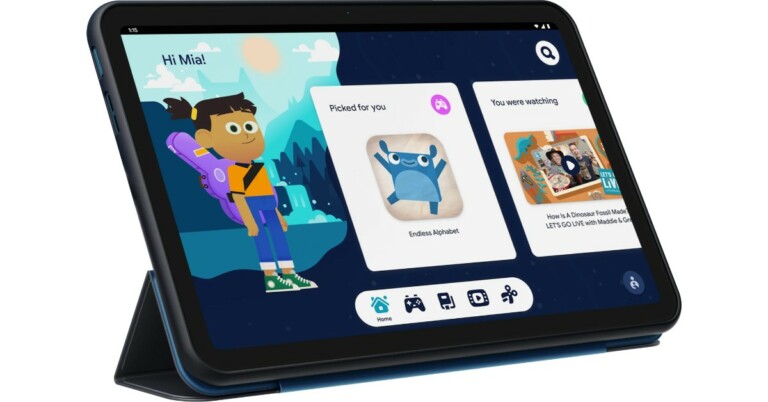
 In terms of availability, the Nokia Tablet will be available in the UK and select markets from today onwards. As far as the Indian availability is concerned that is yet to be revealed by the company but the company did confirm that India is also on its list. Whereas in the US its price starts at $249,99 and will be available from November 17.
 In terms of availability, the Nokia Tablet will be available in the UK and select markets from today onwards. As far as the Indian availability is concerned that is yet to be revealed by the company but the company did confirm that India is also on its list. Whereas in the US its price starts at $249,99 and will be available from November 17.