

In This Article
The Rise of Language Apps

Due to the rise of certain technologies and their distribution across vast swathes of the population learning a new language has never been easier. Whether on a smartphone, tablet, your humble PC, or smart-enabled TV, these can all now be empowered with an app to help teach you a new language in record time.
How to Get Free Unlimited iCloud Storage on iPhone and iPad?
A lot of Apple users may not know this, but there is a way you can get free unlimited iCloud storage on your iPhone and iPad. Apple offers a standard 5GB of free iCloud storage to all iOS users. While it comes in handy to maintain necessary backups, 5GB of storage isn’t enough if you go beyond moderate use. At this point, you have to look for other backup options like Google Drive and Dropbox. However, there is a neat little trick that gives you unlimited iCloud storage on your Apple device. There are a couple of caveats though – you can only access it when you’ve consumed your allocated 5GB storage, and the unlimited storage is temporary. Nonetheless, it comes in quite handy when you don’t have any other place to store your data. In this article, we will show you how to get free unlimited iCloud storage on iPhone and iPad.
Read Also: Nothing Ear (stick) teased: Here’s the first look
 Step 2: Scroll down and select ‘Transfer or Reset iPhone’.
Step 3: Under the ‘Prepare for new iPhone’ select ‘Get Started’.
Step 4: You will get a notification message informing you that you are eligible to use as much free iCloud storage as you need to move apps and data to your new iPhone. Tap on ‘Continue’.
Step 5: Tap on ‘Done’ to finish the process.
Apple provides this temporary storage to users who want to switch to another Apple device but their data exceeds the 5GB limit. You can use this unlimited storage for 21 days, after which you get additional 21 days to restore the data on your new device. After that period, Apple permanently deletes all the data you backed up temporarily.
Read Also: OnePlus 10R 5G Prime Blue Edition debut in India
Step 2: Scroll down and select ‘Transfer or Reset iPhone’.
Step 3: Under the ‘Prepare for new iPhone’ select ‘Get Started’.
Step 4: You will get a notification message informing you that you are eligible to use as much free iCloud storage as you need to move apps and data to your new iPhone. Tap on ‘Continue’.
Step 5: Tap on ‘Done’ to finish the process.
Apple provides this temporary storage to users who want to switch to another Apple device but their data exceeds the 5GB limit. You can use this unlimited storage for 21 days, after which you get additional 21 days to restore the data on your new device. After that period, Apple permanently deletes all the data you backed up temporarily.
Read Also: OnePlus 10R 5G Prime Blue Edition debut in India
In This Article
Here’s how you can get free unlimited iCloud storage on iPhone and iPad
Step 1: Go to Settings and select ‘General’. Step 2: Scroll down and select ‘Transfer or Reset iPhone’.
 Step 3: Under the ‘Prepare for new iPhone’ select ‘Get Started’.
 Step 4: You will get a notification message informing you that you are eligible to use as much free iCloud storage as you need to move apps and data to your new iPhone. Tap on ‘Continue’.
 Step 5: Tap on ‘Done’ to finish the process.
 Apple provides this temporary storage to users who want to switch to another Apple device but their data exceeds the 5GB limit. You can use this unlimited storage for 21 days, after which you get additional 21 days to restore the data on your new device. After that period, Apple permanently deletes all the data you backed up temporarily.
Read Also: OnePlus 10R 5G Prime Blue Edition debut in India
Apple provides this temporary storage to users who want to switch to another Apple device but their data exceeds the 5GB limit. You can use this unlimited storage for 21 days, after which you get additional 21 days to restore the data on your new device. After that period, Apple permanently deletes all the data you backed up temporarily.
Read Also: OnePlus 10R 5G Prime Blue Edition debut in India
Conclusion
This is how you can get free unlimited iCloud storage on iPhone and iPad. While it may be temporary, it can come in handy in times of emergency when you need to quickly back up your data. In order to restore your backed-up data to your new device simply go to ‘Apps & Data screen’ and select ‘Restore from iCloud Backup’. Tap on the most recent backup to restore all your data on your new device.
For the latest gadget and tech news, and gadget reviews, follow us on Twitter, Facebook and Instagram. For newest tech & gadget videos subscribe to our YouTube Channel. You can also stay up to date using the Gadget Bridge Android App. You can find the latest car and bike news here.
Philips Airfryer XL Connected with Alexa support launched in India

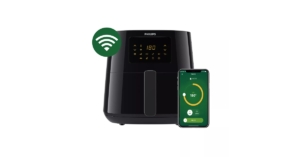
The Philips Airfryer XL Connected was just released by Philips Domestic Appliances in the Indian market today. It allows one to track, control, and monitor from any smartphone or tablet with a wide variety of recipes to pick from. The device is Amazon Alexa compatible and comes with 7 preset functionality. The Airfryer also has dishwasher-safe removable parts and has a capacity of 6.2 litres.
 The new Philips Airfryer XL connected comes with Rapid Air technology for healthy frying. It is Amazon Alexa enabled. Customers may now fry their preferred snacks with 90% less fat thanks to this innovative low-fat fryer. The Airfryer has a touch screen, 7 pre-set options, and functions like keep warm, fry, bake, grill, roast, and even reheat. The variety of foods that consumers may now cook to perfection includes frozen snacks, fresh fries, pork, fish, chicken, drumsticks, cake, and grilled vegetables.
The new Philips Airfryer XL connected, which is easy to use and clean and was created for everyday cooking, can prepare meals and snacks for the entire family. The 6.2L pan and 1.2Kg capacity basket allow you to prepare up to 5 pieces of food for your family and guests at once.
Consumers now expect personalised experiences through connectivity and voice control, making this trend the new norm. The Philips Airfryer XL Connected and NutriU App aim to improve the cooking experience through intelligent content recommendation, simplicity, and accessibility. Additionally compatible with Amazon Alexa, the new Philips Airfryer XL Connected makes cooking even smarter.
The NutriU App from Philips Domestic Appliances gives consumers the ideal culinary partner, directing them step-by-step through the cooking process and when to engage with the food. Beginners and experts alike may use the app to start cooking, change the temperature, and watch the process from a distance, making the most of their Philips Airfryer. Users can research dishes by cuisine, prep time, meal type, and more using a resource of more than 100 recipes. Additionally, once users have registered an account, they may upload their own recipes and receive recommendations based on their interests and tastes. The app’s recipe recommendations are updated based on user behaviour.
The MRP of the Philips Airfryer XL Connected is just Rs 17,995. Only the Philips Domestic Appliances estore offers it. You may combine the Airfryer with the NutriU App by downloading it from the Apple Store or Google Play Store.
For the latest gadget and tech news, and gadget reviews, follow us on Twitter, Facebook and Instagram. For newest tech & gadget videos subscribe to our YouTube Channel. You can also stay up to date using the Gadget Bridge Android App. You can find the latest car and bike news here.
The new Philips Airfryer XL connected comes with Rapid Air technology for healthy frying. It is Amazon Alexa enabled. Customers may now fry their preferred snacks with 90% less fat thanks to this innovative low-fat fryer. The Airfryer has a touch screen, 7 pre-set options, and functions like keep warm, fry, bake, grill, roast, and even reheat. The variety of foods that consumers may now cook to perfection includes frozen snacks, fresh fries, pork, fish, chicken, drumsticks, cake, and grilled vegetables.
The new Philips Airfryer XL connected, which is easy to use and clean and was created for everyday cooking, can prepare meals and snacks for the entire family. The 6.2L pan and 1.2Kg capacity basket allow you to prepare up to 5 pieces of food for your family and guests at once.
Consumers now expect personalised experiences through connectivity and voice control, making this trend the new norm. The Philips Airfryer XL Connected and NutriU App aim to improve the cooking experience through intelligent content recommendation, simplicity, and accessibility. Additionally compatible with Amazon Alexa, the new Philips Airfryer XL Connected makes cooking even smarter.
The NutriU App from Philips Domestic Appliances gives consumers the ideal culinary partner, directing them step-by-step through the cooking process and when to engage with the food. Beginners and experts alike may use the app to start cooking, change the temperature, and watch the process from a distance, making the most of their Philips Airfryer. Users can research dishes by cuisine, prep time, meal type, and more using a resource of more than 100 recipes. Additionally, once users have registered an account, they may upload their own recipes and receive recommendations based on their interests and tastes. The app’s recipe recommendations are updated based on user behaviour.
The MRP of the Philips Airfryer XL Connected is just Rs 17,995. Only the Philips Domestic Appliances estore offers it. You may combine the Airfryer with the NutriU App by downloading it from the Apple Store or Google Play Store.
For the latest gadget and tech news, and gadget reviews, follow us on Twitter, Facebook and Instagram. For newest tech & gadget videos subscribe to our YouTube Channel. You can also stay up to date using the Gadget Bridge Android App. You can find the latest car and bike news here.
 The new Philips Airfryer XL connected comes with Rapid Air technology for healthy frying. It is Amazon Alexa enabled. Customers may now fry their preferred snacks with 90% less fat thanks to this innovative low-fat fryer. The Airfryer has a touch screen, 7 pre-set options, and functions like keep warm, fry, bake, grill, roast, and even reheat. The variety of foods that consumers may now cook to perfection includes frozen snacks, fresh fries, pork, fish, chicken, drumsticks, cake, and grilled vegetables.
The new Philips Airfryer XL connected, which is easy to use and clean and was created for everyday cooking, can prepare meals and snacks for the entire family. The 6.2L pan and 1.2Kg capacity basket allow you to prepare up to 5 pieces of food for your family and guests at once.
Consumers now expect personalised experiences through connectivity and voice control, making this trend the new norm. The Philips Airfryer XL Connected and NutriU App aim to improve the cooking experience through intelligent content recommendation, simplicity, and accessibility. Additionally compatible with Amazon Alexa, the new Philips Airfryer XL Connected makes cooking even smarter.
The NutriU App from Philips Domestic Appliances gives consumers the ideal culinary partner, directing them step-by-step through the cooking process and when to engage with the food. Beginners and experts alike may use the app to start cooking, change the temperature, and watch the process from a distance, making the most of their Philips Airfryer. Users can research dishes by cuisine, prep time, meal type, and more using a resource of more than 100 recipes. Additionally, once users have registered an account, they may upload their own recipes and receive recommendations based on their interests and tastes. The app’s recipe recommendations are updated based on user behaviour.
The MRP of the Philips Airfryer XL Connected is just Rs 17,995. Only the Philips Domestic Appliances estore offers it. You may combine the Airfryer with the NutriU App by downloading it from the Apple Store or Google Play Store.
For the latest gadget and tech news, and gadget reviews, follow us on Twitter, Facebook and Instagram. For newest tech & gadget videos subscribe to our YouTube Channel. You can also stay up to date using the Gadget Bridge Android App. You can find the latest car and bike news here.
The new Philips Airfryer XL connected comes with Rapid Air technology for healthy frying. It is Amazon Alexa enabled. Customers may now fry their preferred snacks with 90% less fat thanks to this innovative low-fat fryer. The Airfryer has a touch screen, 7 pre-set options, and functions like keep warm, fry, bake, grill, roast, and even reheat. The variety of foods that consumers may now cook to perfection includes frozen snacks, fresh fries, pork, fish, chicken, drumsticks, cake, and grilled vegetables.
The new Philips Airfryer XL connected, which is easy to use and clean and was created for everyday cooking, can prepare meals and snacks for the entire family. The 6.2L pan and 1.2Kg capacity basket allow you to prepare up to 5 pieces of food for your family and guests at once.
Consumers now expect personalised experiences through connectivity and voice control, making this trend the new norm. The Philips Airfryer XL Connected and NutriU App aim to improve the cooking experience through intelligent content recommendation, simplicity, and accessibility. Additionally compatible with Amazon Alexa, the new Philips Airfryer XL Connected makes cooking even smarter.
The NutriU App from Philips Domestic Appliances gives consumers the ideal culinary partner, directing them step-by-step through the cooking process and when to engage with the food. Beginners and experts alike may use the app to start cooking, change the temperature, and watch the process from a distance, making the most of their Philips Airfryer. Users can research dishes by cuisine, prep time, meal type, and more using a resource of more than 100 recipes. Additionally, once users have registered an account, they may upload their own recipes and receive recommendations based on their interests and tastes. The app’s recipe recommendations are updated based on user behaviour.
The MRP of the Philips Airfryer XL Connected is just Rs 17,995. Only the Philips Domestic Appliances estore offers it. You may combine the Airfryer with the NutriU App by downloading it from the Apple Store or Google Play Store.
For the latest gadget and tech news, and gadget reviews, follow us on Twitter, Facebook and Instagram. For newest tech & gadget videos subscribe to our YouTube Channel. You can also stay up to date using the Gadget Bridge Android App. You can find the latest car and bike news here. Sony WH-1000XM5 review: The sound speaks for itself
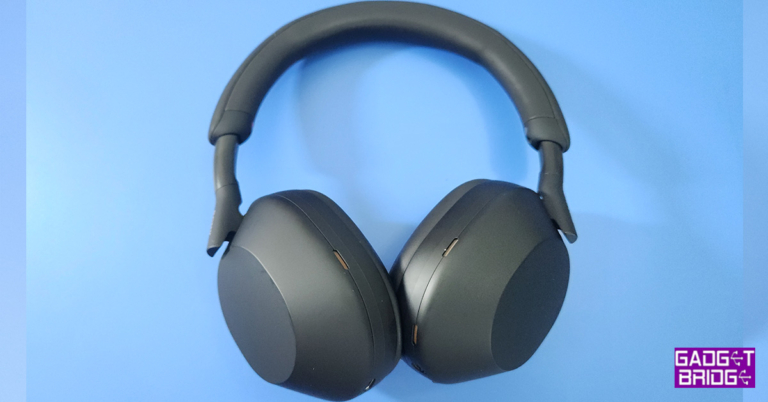
We have been waiting for the Sony WH-1000XM5 to launch on this side of the globe, and they finally have come. We have been dissecting the past versions of the popular 1000-series of headphones by Sony year on year to be amazed every time. Excited, we took out the hammer and scalpel again to see if there is any chink in the armour this time around. Did it succumb under pressure? Let’s find out in the Sony WH-1000XM5 review below.
A nice matte finish runs all over the Sony WH-1000XM5 with premium, soft leather padding on the headband and ear cups. This gives the headphones a very rich, first-class look. The power button, which also doubles up as the Bluetooth button, active noise cancellation key, 3.5mm audio port as well as an LED indicator can be found on the left ear cup. While the right ear cup has the feather touch panel and USB Type-C charging port.
The Sony branding in bronze gold can be found at the end of the headband stem on each side, which adds to the show. In total 8 microphones are located on the Sony WH-1000XM5 for the best-in-class ANC. In the box, users also get a USB Type-C charging cord, 3.5mm aux wire and a very premium carry case, which compresses to about 1.5 to 2-inches to fit in tight spaces of your backpack or carry bag.
Read Also: Sony WH-1000XM4 wireless headphones review: A good upgrade with useful features
Frankly, it just blew us away with its terrific sound. We put all sorts of music and movie genres to the test. We even threw the kitchen sink at it and not once did it duck. It kept standing like a superhero out of a Marvel movie. Our pick will be Wolverine or Iron Man, if you really want a comparison.
But jokes aside, the Sony WH-1000XM5 is definitely something a superhero would wear to hear music on his/her off day. It will bring them immense pleasure after a long fight they just won saving the planet or the galaxy.
The active noise cancellation of the Sony WH-1000XM5 works wonderfully well and has become much better than before. Users can easily turn it on or off by pressing the ANC button on the left ear cup. With that, users also get touch controls on the right ear cup. The same cool stuff comes on to the Sony WH-1000XM5 as well. Double tap to play or pause, swipe to the front or back to skip a track, and swipe up or down to increase or decrease the volume. Press and hold with three fingers and you can hear the ambient sound for the pressed duration.
Tap it with three fingers to enable/disable speak-to-chat. What it essentially does is that even with ANC on, you will be able to hear ambient sounds like important announcements at the airport. Or if you are talking to someone you can converse with them and when you are done talking the music comes back into play after a few seconds. Pretty cool!
Read Also: Nokia Power Earbuds Lite with 35 hours of music playback launched
Also, the music pauses as soon as you remove them from your head. We took them out for a run and these stayed in place. Not once did we feel that they are coming off or will drop if we are not careful. You can adjust the band to your head type and the sturdy bar will make sure they stick onto your head.
Moving to its battery life, the Sony WH-1000XM5 can provide up to 30 hours of playback, which the company claims. On our test, we got over 29 hours of playback split over a few days. With that, these also support fast charging. In just 3 minutes of charge, you can get 3 hours of audio playback.
To test it further we played a few games like COD: Mobile using them. The audio just (again) blew us away. The shot-to-sound lag is negligible and we would certainly recommend them for high-end and professional gaming. We loved every bit of it. Famous AI’s such as Google Assistant as well as Alexa are supported, too. Here also thanks to the microphone array, we faced no issues. Just pair them with any mobile that has BT 5.0 or higher and you are good to go.
If you are a Spotify buff, then you are in luck. You can customise the Sony WH-1000XM5 with the Spotify and the Sony Headphone Connect apps so that you can resume Spotify music playback by either double or triple tapping the ear cup. There is no need to bring out your smartphone for it.
Multipoint connection is also on point here. The Sony WH-1000XM5 can connect to your laptop and smartphone at the same time, so there is a seamless transition between a Zoom call on the laptop to an audio call on the smartphone. Talking about which, the engineers at Sony have done a mighty fine job in fine-tuning the voice and mic quality. It is by far the best we have heard all 2022 from any wireless over-the-ear headphones.
In This Article
Sony WH-1000XM5 review: Design
This time with the Sony WH-1000XM5 the company has done quite a few changes in the outlook. The headband has become thinner and lighter. The earcups do look similar but are now much sleeker and better looking. It weighs just 250 grams, so users can easily wear them for prolonged times. The headphones come in two colours white and black, and we reviewed the latter. A nice matte finish runs all over the Sony WH-1000XM5 with premium, soft leather padding on the headband and ear cups. This gives the headphones a very rich, first-class look. The power button, which also doubles up as the Bluetooth button, active noise cancellation key, 3.5mm audio port as well as an LED indicator can be found on the left ear cup. While the right ear cup has the feather touch panel and USB Type-C charging port.
 The Sony branding in bronze gold can be found at the end of the headband stem on each side, which adds to the show. In total 8 microphones are located on the Sony WH-1000XM5 for the best-in-class ANC. In the box, users also get a USB Type-C charging cord, 3.5mm aux wire and a very premium carry case, which compresses to about 1.5 to 2-inches to fit in tight spaces of your backpack or carry bag.
 Read Also: Sony WH-1000XM4 wireless headphones review: A good upgrade with useful features
Sony WH-1000XM5 review: Performance
Listening to the Sony WH-1000XM5 put an ear-to-ear smile on our face. Yes, these are that good. And here is why. To begin with, these headphones carry a large 30mm audio driver in each ear cup. Combined with dual proprietary Sony processors, one to cancel ambient noise and the other to accentuate resonance at the same time boosting bass. Over that, it is built to give Hi-Res wireless audio too. Frankly, it just blew us away with its terrific sound. We put all sorts of music and movie genres to the test. We even threw the kitchen sink at it and not once did it duck. It kept standing like a superhero out of a Marvel movie. Our pick will be Wolverine or Iron Man, if you really want a comparison.
But jokes aside, the Sony WH-1000XM5 is definitely something a superhero would wear to hear music on his/her off day. It will bring them immense pleasure after a long fight they just won saving the planet or the galaxy.
The active noise cancellation of the Sony WH-1000XM5 works wonderfully well and has become much better than before. Users can easily turn it on or off by pressing the ANC button on the left ear cup. With that, users also get touch controls on the right ear cup. The same cool stuff comes on to the Sony WH-1000XM5 as well. Double tap to play or pause, swipe to the front or back to skip a track, and swipe up or down to increase or decrease the volume. Press and hold with three fingers and you can hear the ambient sound for the pressed duration.
Tap it with three fingers to enable/disable speak-to-chat. What it essentially does is that even with ANC on, you will be able to hear ambient sounds like important announcements at the airport. Or if you are talking to someone you can converse with them and when you are done talking the music comes back into play after a few seconds. Pretty cool!
Read Also: Nokia Power Earbuds Lite with 35 hours of music playback launched
Also, the music pauses as soon as you remove them from your head. We took them out for a run and these stayed in place. Not once did we feel that they are coming off or will drop if we are not careful. You can adjust the band to your head type and the sturdy bar will make sure they stick onto your head.
Moving to its battery life, the Sony WH-1000XM5 can provide up to 30 hours of playback, which the company claims. On our test, we got over 29 hours of playback split over a few days. With that, these also support fast charging. In just 3 minutes of charge, you can get 3 hours of audio playback.
To test it further we played a few games like COD: Mobile using them. The audio just (again) blew us away. The shot-to-sound lag is negligible and we would certainly recommend them for high-end and professional gaming. We loved every bit of it. Famous AI’s such as Google Assistant as well as Alexa are supported, too. Here also thanks to the microphone array, we faced no issues. Just pair them with any mobile that has BT 5.0 or higher and you are good to go.
If you are a Spotify buff, then you are in luck. You can customise the Sony WH-1000XM5 with the Spotify and the Sony Headphone Connect apps so that you can resume Spotify music playback by either double or triple tapping the ear cup. There is no need to bring out your smartphone for it.
Multipoint connection is also on point here. The Sony WH-1000XM5 can connect to your laptop and smartphone at the same time, so there is a seamless transition between a Zoom call on the laptop to an audio call on the smartphone. Talking about which, the engineers at Sony have done a mighty fine job in fine-tuning the voice and mic quality. It is by far the best we have heard all 2022 from any wireless over-the-ear headphones.
Frankly, it just blew us away with its terrific sound. We put all sorts of music and movie genres to the test. We even threw the kitchen sink at it and not once did it duck. It kept standing like a superhero out of a Marvel movie. Our pick will be Wolverine or Iron Man, if you really want a comparison.
But jokes aside, the Sony WH-1000XM5 is definitely something a superhero would wear to hear music on his/her off day. It will bring them immense pleasure after a long fight they just won saving the planet or the galaxy.
The active noise cancellation of the Sony WH-1000XM5 works wonderfully well and has become much better than before. Users can easily turn it on or off by pressing the ANC button on the left ear cup. With that, users also get touch controls on the right ear cup. The same cool stuff comes on to the Sony WH-1000XM5 as well. Double tap to play or pause, swipe to the front or back to skip a track, and swipe up or down to increase or decrease the volume. Press and hold with three fingers and you can hear the ambient sound for the pressed duration.
Tap it with three fingers to enable/disable speak-to-chat. What it essentially does is that even with ANC on, you will be able to hear ambient sounds like important announcements at the airport. Or if you are talking to someone you can converse with them and when you are done talking the music comes back into play after a few seconds. Pretty cool!
Read Also: Nokia Power Earbuds Lite with 35 hours of music playback launched
Also, the music pauses as soon as you remove them from your head. We took them out for a run and these stayed in place. Not once did we feel that they are coming off or will drop if we are not careful. You can adjust the band to your head type and the sturdy bar will make sure they stick onto your head.
Moving to its battery life, the Sony WH-1000XM5 can provide up to 30 hours of playback, which the company claims. On our test, we got over 29 hours of playback split over a few days. With that, these also support fast charging. In just 3 minutes of charge, you can get 3 hours of audio playback.
To test it further we played a few games like COD: Mobile using them. The audio just (again) blew us away. The shot-to-sound lag is negligible and we would certainly recommend them for high-end and professional gaming. We loved every bit of it. Famous AI’s such as Google Assistant as well as Alexa are supported, too. Here also thanks to the microphone array, we faced no issues. Just pair them with any mobile that has BT 5.0 or higher and you are good to go.
If you are a Spotify buff, then you are in luck. You can customise the Sony WH-1000XM5 with the Spotify and the Sony Headphone Connect apps so that you can resume Spotify music playback by either double or triple tapping the ear cup. There is no need to bring out your smartphone for it.
Multipoint connection is also on point here. The Sony WH-1000XM5 can connect to your laptop and smartphone at the same time, so there is a seamless transition between a Zoom call on the laptop to an audio call on the smartphone. Talking about which, the engineers at Sony have done a mighty fine job in fine-tuning the voice and mic quality. It is by far the best we have heard all 2022 from any wireless over-the-ear headphones.
Verdict
There is so much happening in the Sony WH-1000XM5. The Japanese major has made these headphones feature rich and we just could not get enough of them. So, at a special price of Rs 26,990 are they worth buying? We have been asked this question at least 10 times in the last week. With each passing day of using them, our yes, Yes, YES! kept getting louder. If we really have to nit-pick. The only thing Sony could have done better is the placement of the ANC button on the left ear cup. We kept accidentally pressing it when we wanted to put them on or remove them with our left thumb. Rest, everything is perfect. If you can afford them, these are the best out there in terms of ANC, audio and over-the-top features.Sony WH-1000XM5 Pros
Excellent audio and bass Premium design Excellent ANCSony WH-1000XM5 Cons
The placement of the ANC button could have been better For the latest gadget and tech news, and gadget reviews, follow us on Twitter, Facebook and Instagram. For newest tech & gadget videos subscribe to our YouTube Channel. You can also stay up to date using the Gadget Bridge Android App. You can find the latest car and bike news here.Amazon devices deals and offers you can look out for during the Great Indian Festival Sale
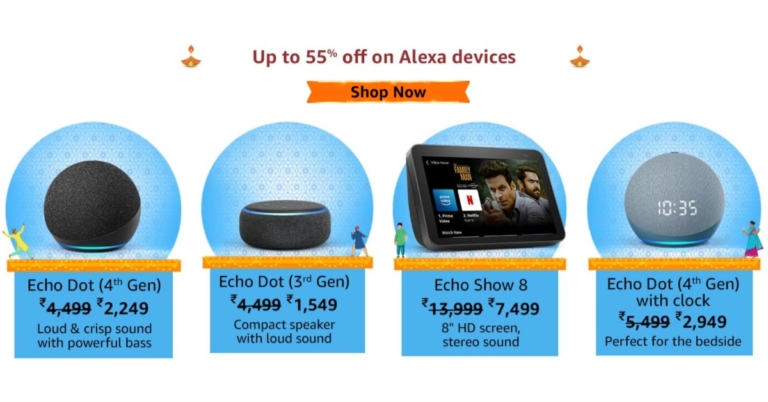
The Amazon Great Indian Festival 2022 sale is currently running and you can get fantastic offers, discounts, and savings on a variety of electrical products. Customers may purchase Echo smart speakers, Fire TV, Kindle, Alexa built-in devices, and Alexa smart home combos for never-before-seen prices during the event. There are other discounts available, including up to 4,000 off on Kindle e-readers, up to 66% down on Echo smart speakers, smart displays, and earphones, and 60% off on the popular Fire TV Stick.
Here is a list of the top discounts you can discover right now on Amazon during the Great Indian Festival 2022:
Save up to 66% on our most popular smart speakers – Purchase the fourth-generation Echo Dot for just Rs 2,249 and the third-generation Echo Dot for just Rs 1549.
The Echo Dot (4th Generation) with Clock is available for Rs 2,949 (flat 46% discount).
 The most affordable rates for Echo smart screens Get the Echo Show 8 (2nd Generation) smart speaker for a previously unheard-of price of Rs 7,499. It features an 8″ HD screen and stereo sound. The Echo Show 5, which has a 5.5″ screen and provides clear sound, is also offered for the lowest price ever of Rs 3,999.
Take advantage of a stunning 54% discount on the brand-new Echo Buds (with wired charging case) to experience Alexa’s power on the road for just Rs 5,499.
Customers can buy Echo Dot (3rd Gen) and a Wipro 9W LED Smart Colour Bulb for just Rs 1,599. The Echo Dot (4th Gen) + Wipro 16A smart plug costs Rs 2,748 and the Echo Show 8 and smart bulb costs Rs 7,549.
Any appliance can be upgraded to a smart appliance! Buy any Echo smart speaker along with the Amazon Smart Plug to save 80% and pay just Rs 399.
Get a flat 60% discount on the most popular Fire TV Stick for just Rs 1,999, as well as a straight 57% discount on the Fire TV Stick Lite with the brand-new Alexa Voice Remote Lite for only Rs 1,699 each.
With features like hands-free Alexa streaming, Dolby Vision, and HDR10+, you can transform your TV viewing into a brilliant 4K cinematic experience. For about Rs 2,999, you can purchase the Fire TV Stick 4K.
The Fire TV streaming device, the Fire TV Cube, is on sale for Rs 6,999 with a flat 46% discount.
The most affordable rates for Echo smart screens Get the Echo Show 8 (2nd Generation) smart speaker for a previously unheard-of price of Rs 7,499. It features an 8″ HD screen and stereo sound. The Echo Show 5, which has a 5.5″ screen and provides clear sound, is also offered for the lowest price ever of Rs 3,999.
Take advantage of a stunning 54% discount on the brand-new Echo Buds (with wired charging case) to experience Alexa’s power on the road for just Rs 5,499.
Customers can buy Echo Dot (3rd Gen) and a Wipro 9W LED Smart Colour Bulb for just Rs 1,599. The Echo Dot (4th Gen) + Wipro 16A smart plug costs Rs 2,748 and the Echo Show 8 and smart bulb costs Rs 7,549.
Any appliance can be upgraded to a smart appliance! Buy any Echo smart speaker along with the Amazon Smart Plug to save 80% and pay just Rs 399.
Get a flat 60% discount on the most popular Fire TV Stick for just Rs 1,999, as well as a straight 57% discount on the Fire TV Stick Lite with the brand-new Alexa Voice Remote Lite for only Rs 1,699 each.
With features like hands-free Alexa streaming, Dolby Vision, and HDR10+, you can transform your TV viewing into a brilliant 4K cinematic experience. For about Rs 2,999, you can purchase the Fire TV Stick 4K.
The Fire TV streaming device, the Fire TV Cube, is on sale for Rs 6,999 with a flat 46% discount.
 Moreover, get discounts of up to 63% on Smart TVs with integrated Fire TV. The lowest price ever for an AmazonBasics 32-inch HD Ready Smart TV (with built-in Fire TV) is merely Rs 9,999 (63% off).
Kindle devices are currently up to 4,000 off. Take advantage of a never-before-seen price of just Rs12,099 to purchase the recently announced Kindle Paperwhite 16GB.
Get discounts of up to 40% on a variety of smartphones that include Alexa. Get fantastic discounts on the popular Redmi Note 11, Xiaomi K50i, and the potent Xiaomi 11 Lite NE 5G.
Up to 48% off the brand-new Alexa smartwatch with built-in BT calling is offered by boAt.
Get laptops with Alexa built-in from renowned manufacturers like HP & Lenovo for up to 40% less.
For the latest gadget and tech news, and gadget reviews, follow us on Twitter, Facebook and Instagram. For newest tech & gadget videos subscribe to our YouTube Channel. You can also stay up to date using the Gadget Bridge Android App. You can find the latest car and bike news here.
Moreover, get discounts of up to 63% on Smart TVs with integrated Fire TV. The lowest price ever for an AmazonBasics 32-inch HD Ready Smart TV (with built-in Fire TV) is merely Rs 9,999 (63% off).
Kindle devices are currently up to 4,000 off. Take advantage of a never-before-seen price of just Rs12,099 to purchase the recently announced Kindle Paperwhite 16GB.
Get discounts of up to 40% on a variety of smartphones that include Alexa. Get fantastic discounts on the popular Redmi Note 11, Xiaomi K50i, and the potent Xiaomi 11 Lite NE 5G.
Up to 48% off the brand-new Alexa smartwatch with built-in BT calling is offered by boAt.
Get laptops with Alexa built-in from renowned manufacturers like HP & Lenovo for up to 40% less.
For the latest gadget and tech news, and gadget reviews, follow us on Twitter, Facebook and Instagram. For newest tech & gadget videos subscribe to our YouTube Channel. You can also stay up to date using the Gadget Bridge Android App. You can find the latest car and bike news here.
 The most affordable rates for Echo smart screens Get the Echo Show 8 (2nd Generation) smart speaker for a previously unheard-of price of Rs 7,499. It features an 8″ HD screen and stereo sound. The Echo Show 5, which has a 5.5″ screen and provides clear sound, is also offered for the lowest price ever of Rs 3,999.
Take advantage of a stunning 54% discount on the brand-new Echo Buds (with wired charging case) to experience Alexa’s power on the road for just Rs 5,499.
Customers can buy Echo Dot (3rd Gen) and a Wipro 9W LED Smart Colour Bulb for just Rs 1,599. The Echo Dot (4th Gen) + Wipro 16A smart plug costs Rs 2,748 and the Echo Show 8 and smart bulb costs Rs 7,549.
Any appliance can be upgraded to a smart appliance! Buy any Echo smart speaker along with the Amazon Smart Plug to save 80% and pay just Rs 399.
Get a flat 60% discount on the most popular Fire TV Stick for just Rs 1,999, as well as a straight 57% discount on the Fire TV Stick Lite with the brand-new Alexa Voice Remote Lite for only Rs 1,699 each.
With features like hands-free Alexa streaming, Dolby Vision, and HDR10+, you can transform your TV viewing into a brilliant 4K cinematic experience. For about Rs 2,999, you can purchase the Fire TV Stick 4K.
The Fire TV streaming device, the Fire TV Cube, is on sale for Rs 6,999 with a flat 46% discount.
The most affordable rates for Echo smart screens Get the Echo Show 8 (2nd Generation) smart speaker for a previously unheard-of price of Rs 7,499. It features an 8″ HD screen and stereo sound. The Echo Show 5, which has a 5.5″ screen and provides clear sound, is also offered for the lowest price ever of Rs 3,999.
Take advantage of a stunning 54% discount on the brand-new Echo Buds (with wired charging case) to experience Alexa’s power on the road for just Rs 5,499.
Customers can buy Echo Dot (3rd Gen) and a Wipro 9W LED Smart Colour Bulb for just Rs 1,599. The Echo Dot (4th Gen) + Wipro 16A smart plug costs Rs 2,748 and the Echo Show 8 and smart bulb costs Rs 7,549.
Any appliance can be upgraded to a smart appliance! Buy any Echo smart speaker along with the Amazon Smart Plug to save 80% and pay just Rs 399.
Get a flat 60% discount on the most popular Fire TV Stick for just Rs 1,999, as well as a straight 57% discount on the Fire TV Stick Lite with the brand-new Alexa Voice Remote Lite for only Rs 1,699 each.
With features like hands-free Alexa streaming, Dolby Vision, and HDR10+, you can transform your TV viewing into a brilliant 4K cinematic experience. For about Rs 2,999, you can purchase the Fire TV Stick 4K.
The Fire TV streaming device, the Fire TV Cube, is on sale for Rs 6,999 with a flat 46% discount.
 Moreover, get discounts of up to 63% on Smart TVs with integrated Fire TV. The lowest price ever for an AmazonBasics 32-inch HD Ready Smart TV (with built-in Fire TV) is merely Rs 9,999 (63% off).
Kindle devices are currently up to 4,000 off. Take advantage of a never-before-seen price of just Rs12,099 to purchase the recently announced Kindle Paperwhite 16GB.
Get discounts of up to 40% on a variety of smartphones that include Alexa. Get fantastic discounts on the popular Redmi Note 11, Xiaomi K50i, and the potent Xiaomi 11 Lite NE 5G.
Up to 48% off the brand-new Alexa smartwatch with built-in BT calling is offered by boAt.
Get laptops with Alexa built-in from renowned manufacturers like HP & Lenovo for up to 40% less.
For the latest gadget and tech news, and gadget reviews, follow us on Twitter, Facebook and Instagram. For newest tech & gadget videos subscribe to our YouTube Channel. You can also stay up to date using the Gadget Bridge Android App. You can find the latest car and bike news here.
Moreover, get discounts of up to 63% on Smart TVs with integrated Fire TV. The lowest price ever for an AmazonBasics 32-inch HD Ready Smart TV (with built-in Fire TV) is merely Rs 9,999 (63% off).
Kindle devices are currently up to 4,000 off. Take advantage of a never-before-seen price of just Rs12,099 to purchase the recently announced Kindle Paperwhite 16GB.
Get discounts of up to 40% on a variety of smartphones that include Alexa. Get fantastic discounts on the popular Redmi Note 11, Xiaomi K50i, and the potent Xiaomi 11 Lite NE 5G.
Up to 48% off the brand-new Alexa smartwatch with built-in BT calling is offered by boAt.
Get laptops with Alexa built-in from renowned manufacturers like HP & Lenovo for up to 40% less.
For the latest gadget and tech news, and gadget reviews, follow us on Twitter, Facebook and Instagram. For newest tech & gadget videos subscribe to our YouTube Channel. You can also stay up to date using the Gadget Bridge Android App. You can find the latest car and bike news here. New State Mobile rolls out September Update brings Akinta map and more

The September Update for New State Mobile is now available on Android and iOS. Players may now enter and play on Akinta, the newest 4x4km map from New State Mobile. The September Update includes Akinta, a futuristic African-themed game, as well as a new partnership with McLaren Automotive, an extension term for New State Labs, a new weapon, and other things.
For a detailed list of all the significant features included in the September Update, see below:
Akinta is now available on New State Mobile after being successful and receiving positive reviews at New State Labs. A near-future, folksy African landscape is included in Akinta, a 4×4 km map. The action-packed battle royale round in Akinta will run up to 15 minutes per match and can accommodate up to 64 participants. The maglev tram, a brand-new mode of transportation that runs through the heart of the area, is also available to players.
According to Krafton the new partnership with McLaren Automotive is now in progress. A variety of cosmetic items, including an outfit, helmet, backpack, gloves, hat, sneakers, mask, and patch, are available for players to acquire thanks to the British supercar manufacturer’s stylish arrival in New State Mobile. Additionally, if players fulfil the mission objective, they can take part in an event where survivors can win the McLaren 720S vehicle skin. Volcano Yellow, Paris Blue, Royal Purple, Fever Pink, and Black and White are among the hues of the car skin.
As per the company, players can now continue testing out the Akinta: Bounty Royale game throughout the New State Labs period. With the September Update, all players are welcome to enjoy New State Labs without requiring an invitation.
The new 7mm weapon known as the AK ALFA is unveiled in the September Update. The AK ALFA will be a field drop weapon that may be upgraded with a scope, front grip, and magazine. It will be accessible across the map.
The September Update for New State Mobile is currently playable on iOS and Android devices
For the latest gadget and tech news, and gadget reviews, follow us on Twitter, Facebook and Instagram. For newest tech & gadget videos subscribe to our YouTube Channel. You can also stay up to date using the Gadget Bridge Android App. You can find the latest car and bike news here.
Nothing Ear (stick) teased: Here’s the first look

Taking the next step in the evolution of its TWS products, Nothing has officially unveiled the Nothing Ear (stick). Supposed to be the successor to Nothing ear (1), the Ear (stick) sports a new cylindrical design. The promotional images do not reveal too much about how the earbuds look, something that Nothing is holding back for the official release.
Read Also: Nothing Ear 1 review: The first step in the right direction
The case design of the Ear (stick) is consistent with the leaks that surfaced earlier this year. The company claims that the new ergonomic design is moulded to provide the perfect fit. The design is inspired by cosmetic silhouettes and is compact enough to glide into pockets.
Nothing’s theme for the Ear (stick) seems to be minimalism, as it seeks to strip the Ear (stick) of any flashiness and keeps things simple and practical. The company states that ‘its tech you can’t feel, so you can experience everything else’.
The Ear (stick) debuted at Chet Lo’s London Fashion Week Show on 20th September. The Nothing Phone (1) also made an appearance, as an accessory placed in custom-made limited edition bags fashioned out of sheer fabrics – giving a glimpse of the smartphone’s Glyph interface back panel.
Talking about the specs, it seems that the Ear (stick) will miss out on wireless charging, owing to the new charging case design. The leaks that surfaced earlier this year also claimed that the Ear (stick) will not offer Active Noise Cancellation. However, nothing can be said for sure until the official launch.
Read Also: Nothing Phone 1 Review: A statement piece
In This Article
Nothing Ear (stick): What to expect?
 The case design of the Ear (stick) is consistent with the leaks that surfaced earlier this year. The company claims that the new ergonomic design is moulded to provide the perfect fit. The design is inspired by cosmetic silhouettes and is compact enough to glide into pockets.
Nothing’s theme for the Ear (stick) seems to be minimalism, as it seeks to strip the Ear (stick) of any flashiness and keeps things simple and practical. The company states that ‘its tech you can’t feel, so you can experience everything else’.
The Ear (stick) debuted at Chet Lo’s London Fashion Week Show on 20th September. The Nothing Phone (1) also made an appearance, as an accessory placed in custom-made limited edition bags fashioned out of sheer fabrics – giving a glimpse of the smartphone’s Glyph interface back panel.
Talking about the specs, it seems that the Ear (stick) will miss out on wireless charging, owing to the new charging case design. The leaks that surfaced earlier this year also claimed that the Ear (stick) will not offer Active Noise Cancellation. However, nothing can be said for sure until the official launch.
Read Also: Nothing Phone 1 Review: A statement piece
The case design of the Ear (stick) is consistent with the leaks that surfaced earlier this year. The company claims that the new ergonomic design is moulded to provide the perfect fit. The design is inspired by cosmetic silhouettes and is compact enough to glide into pockets.
Nothing’s theme for the Ear (stick) seems to be minimalism, as it seeks to strip the Ear (stick) of any flashiness and keeps things simple and practical. The company states that ‘its tech you can’t feel, so you can experience everything else’.
The Ear (stick) debuted at Chet Lo’s London Fashion Week Show on 20th September. The Nothing Phone (1) also made an appearance, as an accessory placed in custom-made limited edition bags fashioned out of sheer fabrics – giving a glimpse of the smartphone’s Glyph interface back panel.
Talking about the specs, it seems that the Ear (stick) will miss out on wireless charging, owing to the new charging case design. The leaks that surfaced earlier this year also claimed that the Ear (stick) will not offer Active Noise Cancellation. However, nothing can be said for sure until the official launch.
Read Also: Nothing Phone 1 Review: A statement piece
Conclusion
The official launch of the Nothing Ear (stick) is scheduled to take place later this year. Pricing and further details will be revealed at the launch event. From what we can tell, the Ear (stick) will sport a new stem design and will also come with new branding on the buds and the case.
For the latest gadget and tech news, and gadget reviews, follow us on Twitter, Facebook and Instagram. For newest tech & gadget videos subscribe to our YouTube Channel. You can also stay up to date using the Gadget Bridge Android App. You can find the latest car and bike news here.
Oppo Enco Buds 2 Review: Does not miss a beat!
Entry-level wireless headsets did not have a favourable reputation for a very long time. Often regarded as having an inferior sound profile, most consumers entirely skipped the TWS in the under Rs 2,000 category and simply went for wireless neckband headsets or the more traditional wired headsets.
However, it took only a few category-defining products to set the new standard for entry-level TWS. The Oppo Enco Buds released last year were certainly pivotal in setting the benchmark for what an entry-level TWS should perform like. Now, with Oppo Enco Buds 2, the company seeks to fine-tune its product and even experiment with the design (a little). We tested the Oppo Enco Buds for a little more than a week, here is our review.
Read Also: Here’s how you can get Dynamic Island on your Android smartphone
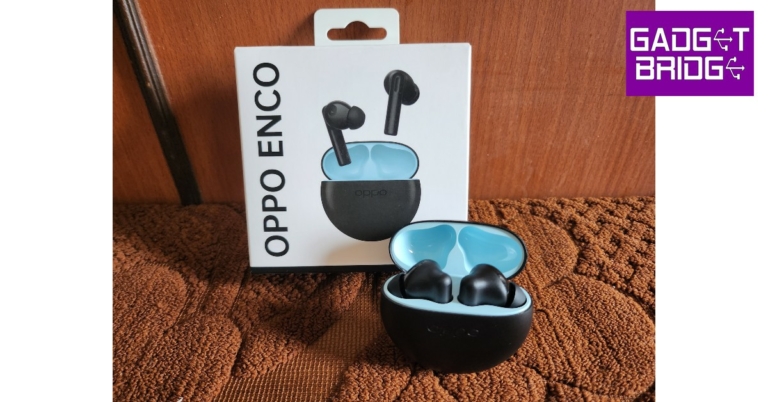
The Oppo Enco Buds 2 charging case sports a circular design, a complete departure from its pill-shaped predecessor. The case has a matte black finish on the body with a glossy strip along the circumference. The build is robust, something you don’t usually get to see in entry-level TWS. Getting a feel of the case, it seems like it was designed for heavy, rugged use. The quality of materials used here is easily better than most products in this price segment.
The USB Type-C charging port along with the mini LED notification light are housed at the bottom of the case. The Oppo branding can be found right in the centre, just below the lid. The lid itself is easy to open, and magnetically snaps shut in one satisfying motion.
Flipping the lid open, you’ll notice the light blue interior housing the two earbuds. This offers a nice contrast to the all-black exterior, and the dual-tone look really suits the case. We’d still have preferred if there were a few more colour options, though.
Like the charging case, the earbuds have also undergone a total design revamp. Pull the Oppo Enco Buds 2 out and you’ll notice a new stem design with touch sensors on top. The earbuds fit nicely in the ear and come with an IPX4 rating, which makes them splash and sweat-resistant. The touch sensors are prone to accidental touches like every other headset in this category, but they come in quite handy when you don’t want to unlock your smartphone to perform basic operations.
To put the water resistance to test, we took the Enco Buds 2 out for a run and the performance did not drop at all. We had our doubts about the earbuds falling out after breaking a sweat – mostly due to the glossy finish inside – but they held up quite well.
Much like their predecessor, the Oppo Enco Buds 2 bring their A-game when it comes to the sound profile. The bass-heavy tone is something most users will enjoy. The overall sound output is well-rounded, and even though the tone may be bass-rich, it doesn’t overpower the other frequencies.
We played Mdou Moctar’s Afrique Victime, and the sound was well relayed by the Oppo Enco Buds 2. We were impressed by the attention paid even to the more minor details. The clean guitar tone wasn’t suppressed by the bass-y notes and the hi-hat hits were distinct and well integrated into the output. In an indoor environment, the sonic experience was immersive and there weren’t many faults we could pick on.
Perhaps the only minor drawback is that the sound distorts a little at maximum volume. Between the 40-80% volume range, you’ll get a rich, detailed audio output.
The Oppo Enco Buds 2 also offer an ultra-low latency gaming mode. We tested the Gaming Mode with Call of Duty Mobile and it delivered on what it claimed. The audio synced up perfectly with the gameplay and delivered a very crisp output, which made the experience all the more immersive.
With the AI Deep Noise Cancellation on offer, the call quality is on par with the category, but there is a slight room for improvement. In an outdoor setting, the Oppo Enco Buds 2’s noise cancellation could have been a little better. It’s something we hope the Enco Buds improve upon in the next iterations.
You can further customise the Oppo Enco Buds 2 with the HeyMelody app. The app displays the charge status of the earbuds and lets you customise the touch controls. If the earbuds are still in the case with the lid open, the app will even tell you the charge left in the case. You can turn on the ‘Game Mode’ from the app or assign a special touch gesture to activate it. The ‘double tap to take a selfie’ feature is reserved only for Oppo phones.
The app also offers ‘Enco Live sound effects’, which gives you two options – one to boost the bass and the other to boost the vocals. Either effect was too extreme for us and disturbed the well-balanced frequencies of the original preset.
When it comes to charging, Oppo claims a total of 28 hours of playtime, earbuds and charging case combines. Playing music at 70-80% volume, the earbuds lasted a little over 6 hours. The charging case provided an additional 20-21 hours of battery backup, which we found to be quite satisfactory.
Read Also: Google Pixel 7 and Pixel 7 Pro coming to India, the company confirmed
In This Article
Oppo Enco Buds 2 review: Design
Oppo Enco Buds 2 come in compact packaging, with only the warranty and a pack of extra silicone tips inside. Oppo has decided not to include the charging cable to cut down on e-waste (and the price). The Oppo Enco Buds 2 charging case sports a circular design, a complete departure from its pill-shaped predecessor. The case has a matte black finish on the body with a glossy strip along the circumference. The build is robust, something you don’t usually get to see in entry-level TWS. Getting a feel of the case, it seems like it was designed for heavy, rugged use. The quality of materials used here is easily better than most products in this price segment.
 The USB Type-C charging port along with the mini LED notification light are housed at the bottom of the case. The Oppo branding can be found right in the centre, just below the lid. The lid itself is easy to open, and magnetically snaps shut in one satisfying motion.
 Flipping the lid open, you’ll notice the light blue interior housing the two earbuds. This offers a nice contrast to the all-black exterior, and the dual-tone look really suits the case. We’d still have preferred if there were a few more colour options, though.
 Like the charging case, the earbuds have also undergone a total design revamp. Pull the Oppo Enco Buds 2 out and you’ll notice a new stem design with touch sensors on top. The earbuds fit nicely in the ear and come with an IPX4 rating, which makes them splash and sweat-resistant. The touch sensors are prone to accidental touches like every other headset in this category, but they come in quite handy when you don’t want to unlock your smartphone to perform basic operations.
 To put the water resistance to test, we took the Enco Buds 2 out for a run and the performance did not drop at all. We had our doubts about the earbuds falling out after breaking a sweat – mostly due to the glossy finish inside – but they held up quite well.
Oppo Enco Buds 2: Performance
The Oppo Enco Buds 2 come with 10mm dynamic audio drivers in each earbud, an improvement over the 8mm drivers on the Enco Buds 1. The upgrade is clearly noticeable in the volume of the sound produced by the headset, and the thumping surround that comes along with it. You also get Bluetooth 5.2 connectivity with AAC/SBC codec support. Much like their predecessor, the Oppo Enco Buds 2 bring their A-game when it comes to the sound profile. The bass-heavy tone is something most users will enjoy. The overall sound output is well-rounded, and even though the tone may be bass-rich, it doesn’t overpower the other frequencies.
We played Mdou Moctar’s Afrique Victime, and the sound was well relayed by the Oppo Enco Buds 2. We were impressed by the attention paid even to the more minor details. The clean guitar tone wasn’t suppressed by the bass-y notes and the hi-hat hits were distinct and well integrated into the output. In an indoor environment, the sonic experience was immersive and there weren’t many faults we could pick on.
Perhaps the only minor drawback is that the sound distorts a little at maximum volume. Between the 40-80% volume range, you’ll get a rich, detailed audio output.
Much like their predecessor, the Oppo Enco Buds 2 bring their A-game when it comes to the sound profile. The bass-heavy tone is something most users will enjoy. The overall sound output is well-rounded, and even though the tone may be bass-rich, it doesn’t overpower the other frequencies.
We played Mdou Moctar’s Afrique Victime, and the sound was well relayed by the Oppo Enco Buds 2. We were impressed by the attention paid even to the more minor details. The clean guitar tone wasn’t suppressed by the bass-y notes and the hi-hat hits were distinct and well integrated into the output. In an indoor environment, the sonic experience was immersive and there weren’t many faults we could pick on.
Perhaps the only minor drawback is that the sound distorts a little at maximum volume. Between the 40-80% volume range, you’ll get a rich, detailed audio output.
 The Oppo Enco Buds 2 also offer an ultra-low latency gaming mode. We tested the Gaming Mode with Call of Duty Mobile and it delivered on what it claimed. The audio synced up perfectly with the gameplay and delivered a very crisp output, which made the experience all the more immersive.
With the AI Deep Noise Cancellation on offer, the call quality is on par with the category, but there is a slight room for improvement. In an outdoor setting, the Oppo Enco Buds 2’s noise cancellation could have been a little better. It’s something we hope the Enco Buds improve upon in the next iterations.
The Oppo Enco Buds 2 also offer an ultra-low latency gaming mode. We tested the Gaming Mode with Call of Duty Mobile and it delivered on what it claimed. The audio synced up perfectly with the gameplay and delivered a very crisp output, which made the experience all the more immersive.
With the AI Deep Noise Cancellation on offer, the call quality is on par with the category, but there is a slight room for improvement. In an outdoor setting, the Oppo Enco Buds 2’s noise cancellation could have been a little better. It’s something we hope the Enco Buds improve upon in the next iterations.
 You can further customise the Oppo Enco Buds 2 with the HeyMelody app. The app displays the charge status of the earbuds and lets you customise the touch controls. If the earbuds are still in the case with the lid open, the app will even tell you the charge left in the case. You can turn on the ‘Game Mode’ from the app or assign a special touch gesture to activate it. The ‘double tap to take a selfie’ feature is reserved only for Oppo phones.
The app also offers ‘Enco Live sound effects’, which gives you two options – one to boost the bass and the other to boost the vocals. Either effect was too extreme for us and disturbed the well-balanced frequencies of the original preset.
When it comes to charging, Oppo claims a total of 28 hours of playtime, earbuds and charging case combines. Playing music at 70-80% volume, the earbuds lasted a little over 6 hours. The charging case provided an additional 20-21 hours of battery backup, which we found to be quite satisfactory.
Read Also: Google Pixel 7 and Pixel 7 Pro coming to India, the company confirmed
You can further customise the Oppo Enco Buds 2 with the HeyMelody app. The app displays the charge status of the earbuds and lets you customise the touch controls. If the earbuds are still in the case with the lid open, the app will even tell you the charge left in the case. You can turn on the ‘Game Mode’ from the app or assign a special touch gesture to activate it. The ‘double tap to take a selfie’ feature is reserved only for Oppo phones.
The app also offers ‘Enco Live sound effects’, which gives you two options – one to boost the bass and the other to boost the vocals. Either effect was too extreme for us and disturbed the well-balanced frequencies of the original preset.
When it comes to charging, Oppo claims a total of 28 hours of playtime, earbuds and charging case combines. Playing music at 70-80% volume, the earbuds lasted a little over 6 hours. The charging case provided an additional 20-21 hours of battery backup, which we found to be quite satisfactory.
Read Also: Google Pixel 7 and Pixel 7 Pro coming to India, the company confirmed
Verdict
The Oppo Enco Buds 2 are currently listed on the Oppo Store at Rs 1,599 (the launch price was Rs 1,799). For that price, this purchase is a no-brainer. If you’re looking for an affordance TWS primarily for the purpose of listening to music, the Oppo Enco Buds 2 should be at the top of your list. Apart from the audio performance, the battery life and low latency mode on offer are a bonus.Pros
Sound quality Good looking, portable design Low latency mode Customisable controlsCons
Call quality could be a little better
For the latest gadget and tech news, and gadget reviews, follow us on Twitter, Facebook and Instagram. For newest tech & gadget videos subscribe to our YouTube Channel. You can also stay up to date using the Gadget Bridge Android App. You can find the latest car and bike news here.
OnePlus 10R 5G Prime Blue Edition debut in India
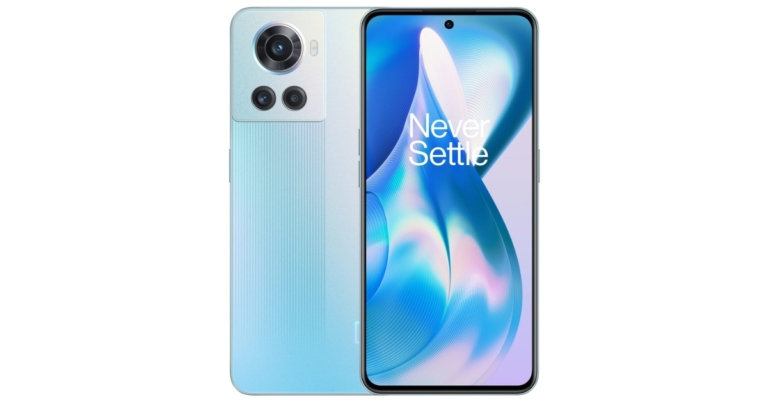
The OnePlus 10R 5G Endurance edition and the vanilla model were released earlier this year. Now the company has introduced the OnePlus 10R 5G Prime Blue Edition. The device is very similar to the original OnePlus 10R 5G. The device features a 120Hz AMOLED display and is powered by MediaTek Dimensity 8100-Max SoC.
In This Article
OnePlus 10R 5G Prime Blue Edition price in India, availability
The OnePlus 10R 5G Prime Blue Edition has been launched in India at Rs 32,999. The device will be available for purchase via Amazon in the country. Customers who buy the brand-new OnePlus 10R Prime Blue on Amazon will also receive a free 3-month Amazon Prime membership as an added bonus. Customers may also use SBI Credit Cards on Amazon.in to get an Instant Bank Discount of up to INR 3000 on the smartphone. Additionally, consumers purchasing the OnePlus 10R Prime Edition from Amazon.in will receive an additional INR 500 in quick cashback through Amazon Pay on all prepaid purchases. This offer is only available to Amazon Prime members. Users of OnePlus and iOS devices can also trade in their older smartphones to take advantage of an additional exchange promotion on Amazon for the OnePlus 10R Prime Blue edition worth INR 3000. in Customers can use Axis Bank Card transactions to make OnePlus 10R Prime Blue Edition purchases with no interest for up to 9 months.OnePlus 10R 5G Prime Blue Edition specifications
The OnePlus 10R Prime Blue 6.7-inch full-HD+ AMOLED display stands out thanks to its 1,080 x 2,412-pixel resolution. It provides a dynamic refresh rate of 120Hz and a touch response rate of up to 720Hz. The screen is covered in 2.5D curved Corning Gorilla Glass 5 and has a 20:9 aspect ratio. An octa-core MediaTek Dimensity 8100-Max SoC, up to 12GB of LPDDR5, and up to 256GB of UFS 3.1 storage are included in the new smartphone. It utilises Android 12.1-based OxygenOS 12.1. The chipset uses 3D Passive Cooling Technology, which uses a 4,100 mm square vapour chamber to regulate temperature. A 50-megapixel primary Sony IMX766 sensor with an f/1.88 aperture and optical image stabilisation is one of the three rear cameras on the OnePlus 10R Prime Blue. There are two 2-megapixel GC02M1 macro sensors and one Sony IMX355 sensor with an f/2.2 ultra-wide lens. For selfies and video calls, the device’s front features a 16-megapixel Samsung ISOCELL S5K3P9 sensor with an f/2.4 aperture and EIS. For the latest gadget and tech news, and gadget reviews, follow us on Twitter, Facebook and Instagram. For newest tech & gadget videos subscribe to our YouTube Channel. You can also stay up to date using the Gadget Bridge Android App. You can find the latest car and bike news here.Chromecast with Google TV (HD) now available in India for Rs 4,199
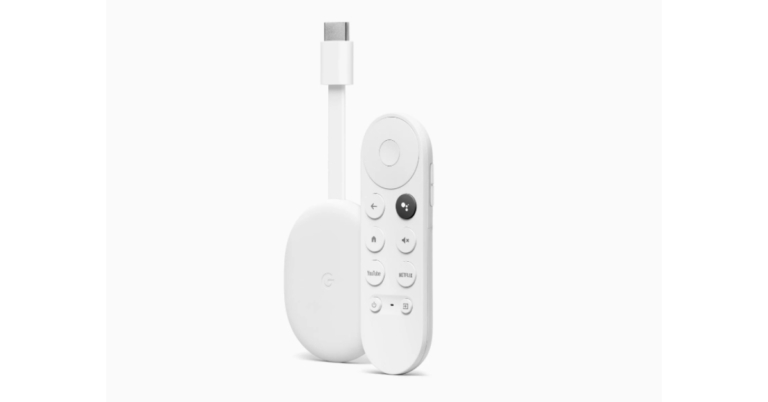
In order to make it easier for more people to browse their entertainment options, Google announced the launch of the new, reasonably priced Chromecast with Google TV (HD) in India. Additionally, this updated Chromecast includes a voice control with a dedicated Google Assistant button. People can simply find movies, shows, and more from their applications and subscriptions with the Google TV experience, all in one location.
In This Article
Chromecast with Google TV (HD) price in India
Chromecast with Google TV (HD) has been launched with a price tag of Rs 4,499. But the device can be purchased at Rs 4,199 during the Big Billion Day Sale. Apart from Flipkart it will soon be available at additional retail locations.Chromecast with Google TV (HD) specs, features
The new Chromecast with Google TV (HD) has a slim and portable design. It elegantly tucks beneath the screen and plugs into the HDMI connection on the TV. No matter what TV a user is watching on, the new Chromecast with Google TV (HD) enables high-definition streaming with 1080p HDR, and with software changes done by Google in the background, users can enjoy a smooth and quick experience. The brand-new Chromecast with Google TV (HD), which is available in the traditional Snow colour, also has a voice remote that is easy to operate and comfortable to hold. It contains a Google Assistant button that customers can use to play their favourite song on YouTube Music, discover something to watch on YouTube, and get answers to common questions like “What’s the weather today?” With Google Assistant, users can also use their smart home lighting to set the mood or use their Nest Cam to view their front door live on a huge screen. Users can now optimise recommendations for what to watch on Google TV by setting up their own profiles. This also enables parents to create a space where their children can watch family-friendly media. Simply ask Google Assistant to get results from applications like Apple TV, Disney+ Hotstar, MX Player, Netflix, Prime Video, Voot, YouTube, and Zee5, with more coming. Users have access to more than 10,000 apps and can explore their favourite movies and TV series organised and optimised for what they prefer. Additionally, users will continue to have access to their preferred Chromecast functions, such as casting from a phone, sharing Google Photos with a TV, and casting Google Meet video calls to a TV. For the latest gadget and tech news, and gadget reviews, follow us on Twitter, Facebook and Instagram. For newest tech & gadget videos subscribe to our YouTube Channel. You can also stay up to date using the Gadget Bridge Android App. You can find the latest car and bike news here.Acer S-series and Acer H-series of premium television with bezel-less design sale begins today
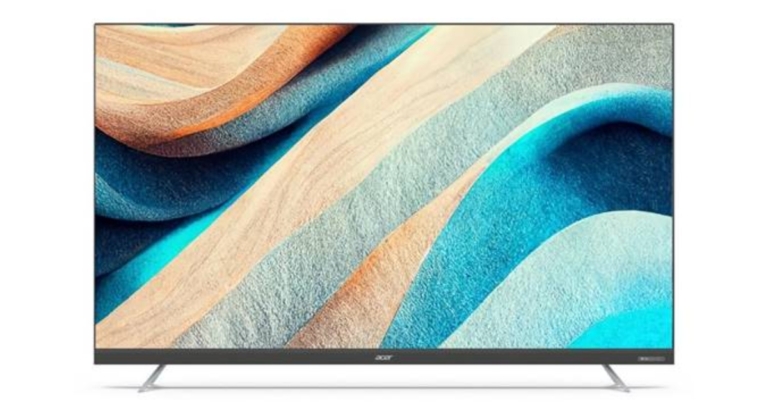
Indkal Technologies has announced the pricing of its complete range of Acer S-series and Acer H-series of premium televisions which launched in India last week. Both the televisions run on the Android 11 operating system right out of the box. With MEMC technology for better picture quality, along with Dolby Atmos and Vision support. The televisions also feature a Hi-Fi Pro audio system. The H series of these systems has a 60-watt sound output, and the 65-inch model has a 50-watt soundbar.
Customers can get the premium range of Acer televisions at a fantastic price during the sale period that begins today. These televisions are available in 32-inch HD, 43-inch UHD, 50-inch UHD, 55-inch UHD, and 65-inch UHD options. The promotion will run through September 30, 2022, or while supplies last, which the brand has warned are limited.
Both Amazon.in and a large number of retail outlets sell the products.
In This Article
Acer Television S-Series
The newest model of Acer televisions with an integrated soundbar that offers users an unmatched audio experience is the S-Series Android 11 Smart LED TV. The smart television has a 4K ultra-high-definition display that is powered by Dolby Vision and Dolby Atmos. Dual-band Wi-Fi, 2-way Bluetooth, 2 HDMI ports (HDMI 1 supports eARC), and 2 USB ports 2.0 to connect hard drives or other USB devices are just a few of the segment-first capabilities and connectivity options included in the high-end S-Series. The televisions of the Acer S-series and H-series are powered by Cortex-A55 processors. The 32-inch S-series model has 1.5GB RAM and 8GB onboard storage, whilst the devices feature 2GB RAM and 16GB internal storage. The S-Series will be sold throughout the sale period for a price tag of Rs 12,999 and Rs 64,999 for the two screen sizes: 32-inch HD and 65-inch UHD respectively. On a few select debit and credit cards, customers can additionally benefit from additional bank discounts.Acer television H-Series 4K Ultra HD Android Smart LED TV
The H-Series runs Android 11. The television, which is available in a frameless design, has a premium metal finish shell body and matt finish metal stands. The H-Series is equipped with MEMC and powered by Dolby Vision and Dolby Atmos to produce an immersive television viewing experience. Additionally, the H-Series boasts a variety of features that enable users to enjoy top-notch television from the comfort of their homes, and it is complimented by strong 60W HiFi Pro speakers. There are three different size options for the H-Series Android 11 Smart LED TV: 43-inch, 50-inch, and 55-inch. The 43-inch will be sold for an appealing price of 25,999 instead of its regular price of 29,999. The price of the 50-inch variant is 28,999, and the price of the 55-inch variant is 33,999. During the sale period, customers may also take advantage of additional bank savings on a number of debit and credit cards. For the latest gadget and tech news, and gadget reviews, follow us on Twitter, Facebook and Instagram. For newest tech & gadget videos subscribe to our YouTube Channel. You can also stay up to date using the Gadget Bridge Android App. You can find the latest car and bike news here.Garena Free Fire Redeem Codes Today 23 September 2022: Here is how to claim them

Garena Free Fire is a battle royale game with regular awards and tournaments to keep players interested. If you play Garena Free Fire, you should be aware of the redeem codes that are released on a daily basis. However, because the battle royale game is banned in India, players from other countries can use the Free Fire Redeem codes daily. If you’re unfamiliar with the Garena Free Fire redeem codes or don’t know how to get them, we’ve put together a step-by-step guide to help you redeem them. Check out Garena Free Fire Redeem Codes for September 23.
The Free Fire redeem codes are a great way to get free stuff. These are 12-digit codes that contain alphabets and numbers, as well as an expiration date and time. Because the Garena FF redeem codes cannot be used more than once, you should hurry to the redemption page to claim your free reward before someone else does. To get a free reward, all you have to do is go to reward.ff.garena.com/en, which is the official redemption page. Also, keep an eye on this space for daily updates on Garena Free Fire redemption codes and rewards.
In This Article
Garena Free Fire Redeem Codes Today 23 September 2022
- B6IYCTNH4PV3
- FF11DAKX4WHV
- 8F3QZKNTLWBZ
- FF11WFMPP956
- FF119MB3PFA5
- FF10617KGUF9
- X99TK56XDJ4X
- FF11HHGCGK3B
- FF1164XNJZ2V
- FF11NJN5YS3E
- WOJJAFV3TU5E
- MCPTFNXZF4TA
- ZRJAPH294KV5
- Y6ACLK7KUD1N
- SARG886AV5GR
- FF10GCGXRNHY
- YXY3EGTLHGJX
- WLSGJXS5KFYR
How to Get Free Fire Redeem Codes for Garena on September 23?
- Visit the Garena Free Fire game’s official website at reward.ff.garena.com.
- Use your Facebook, Google, VK, Apple ID, Huawei ID, or Twitter account to log in.
- You’ll be taken to a valid redemption code (s)
- Copy and paste the 12-digit redemption code into the text box.
- On the screen, a dialogue box will appear.
- ‘Ok’ should be selected.
Amazon Quiz Answers Today 23 September 2022: Participate to win Rs 5,000

23 September 2022 Amazon Quiz has gone live. Customers from different parts of the country are participating in the daily quiz. The quiz begins from 12 AM to 11:59 PM. Those participating in the quiz can win exciting prizes by answering all the questions correctly. Today participants have a chance to win a Rs 5,000 Amazon Pay Balance.
Amazon quiz brings an opportunity for its customers to win Amazon Pay Balance ranging from Rs 1,000 to Rs 50,000. The Quiz can be played from 12 AM to 11:59 PM. The e-commerce platform brings a fresh quiz on a daily basis which consists of five questions related to general knowledge and current affairs. The participants need to answer all the questions correctly and their names will be selected for a lucky draw. The winner will be announced at the end of the month.
One wrong answer could eliminate you from the quiz. If you manage to answer all the questions correctly you can stand a chance to win a Rs 5,000 Amazon Pay Balance today. Only app users are eligible to participate in the Quiz. Check Out 23 September 2022 Amazon Quiz Answers.
Amazon Quiz Today Prize – Rs 5,000 Amazon Pay Balance
Quiz Date – 23 September 2022
Daily Timing – 12 AM to 11:59 PM
Winner Announcement – Today 12 PM
In This Article
Amazon Quiz Answers Today 23 September 2022
Question 1: Manchester City’s game against which team was Pep Guardiola’s 150th Champions League game in charge? Answer: Borussia Dortmund Question 2: The upcoming movie ‘Ponniyin Selvan’ talks about the history of which famous dynasty? Answer: Chola Question 3: Which bank recently became the first bank in India to issue an Electronic Bank Guarantee? Answer: HDFC Bank Question 4: Name this Roman God Answer: Neptune Question 5: Here a person can be seen dressed up as what character? Answer: The GrinchHow To Play Amazon Quiz
Only app users are eligible to play the Amazon quiz every morning from 12 AM to 11:59 PM. The quiz is not available on the desktop. For those who are unaware of how to play the Amazon quiz below are the steps, you can follow to take the quiz.- Firstly download the Amazon app from Google Play Store or App Store
- Now fill in the required information through the Sign Up option.
- You need to log in to the Amazon app and scroll down on the home screen to find the Amazon Quiz banner.
- Tap on the Amazon Quiz banner and tap on the Start button to start the Quiz.
- Now you will get 5 questions and you need to answer them correctly. One wrong answer will eliminate you from the Quiz.
- After answering all the questions correctly you are now eligible for a Lucky Draw.
- The winner’s name will be announced today at 12 PM.
The Best Mobile Gaming in 2022: What Features to Look For?

Online gambling is a viral activity among people in all parts of the globe. However, the popularity has increased even more when online casinos have become mobile-friendly. People can now enjoy a wide range of games from different locations that have safe and stable Wi-Fi connections.
In This Article
Mobile Casinos Offer Different Levels of Quality
The online world is full of mobile casinos that are offering different bonuses, games developed by different software developers, etc. However, are they all the same? Do they all deserve your attention? Without any doubt, the difference in terms of quality does exist from one mobile casino to another. The task that every individual has is to recognize that difference by analyzing all the relevant factors and characteristics. The question is – which characteristics are the most important ones?The Popularity of Mobile Casinos in India
The quality of the mobile gambling market has certainly influenced the popularity of mobile casinos in India. As you know, brick-and-mortar gambling is legal in only a few states of this lovely country. Because of that, people from other parts had to use the alternative that was offered to them. The alternative does not always have to be good. It can only be appropriate if you select a good mobile casino that comes with the appropriate features. You may want to check out some of the best mobile casinos in India at online-casinos.com and ensure that you make a good decision. But, in case you decide to research on your own, then you should know which features are worth analyzing. Let’s find them out!Ensure that the Mobile Casino Has a license
As we said, the gambling laws in India are a bit specific. The government does allow international online casinos to offer their services to the locals. Because of that, you need to chase the mobile casinos that have valid licenses. License is the document or approval that guarantees the quality of the mobile casino. All the gambling platforms go through a strict process of testing where all the safety and quality features are checked. The license is often highlighted somewhere on the website or app. If you don’t see it, that often means the license does not exist which automatically means you are not truly protected. But, just because you see a logo of some of the international regulatory bodies and a license number next to it, that doesn’t mean you should be completely calm. Click on the logo of the institution that stands behind the casino. If the official website of that organization appears, that means the license is valid. If not, that means it is fake. Additionally, you should check the validity of the license by entering the license number on the website of the official organization. If you can’t find it, that’s another sign it is fake!Availability on Different Operating Systems
Most people in India will use the two most popular operating systems on their smartphones. It is good if the mobile casino you are using is available for both – iOs and Android OS. Unfortunately, that’s not always the case because of the obstacles that exist. Things with iOs are pretty simple. You go to the App Store, find the app of a casino where you plan to gamble, download the app, and that’s it. But, Android (read: Google) has a different policy. Not a long time ago, online casinos couldn’t afford to publish their casino app there. Things are not too different now. Only casinos with UKGC licenses have that luxury while others need to look for plan B. So, what’s plan B in this case? Mobile casinos can either make the web version of the casino mobile-friendly or they have to develop the so-called native app. Native apps are those that people can download directly from the platform they plan to gamble on. In most cases, the app will be almost (or completely) identical to the website version. But, it will be adapted to the needs of mobile users and provide easy navigation.Demands of the App
The app should not be highly demanding in terms of system requirements. All the users with different average smartphones should have the opportunity to access it. If you see that the mobile version of the casino requires strong RAM or processor, that means it is not dedicated to everyone. Casinos never make a difference between their customers and they tend to meet the possibilities and expectations of everyone.Mobile Casino Bonuses and Promotions
The mobile gambling experience needs to be pleasant in different ways. Lack of experience is one of the key problems that mobile casino users have. Even if they want to gain some experience, they are aware of the price they have to pay. Because of that, the mobile casino that you select must offer certain bonuses and promotions that can simplify your playing. But, it is not just the point to get some bonus. You also need to be sure that the wagering requirements of the rewards you get are reasonable. Apart from that, the validity of bonuses also must be realistic. The bad casinos will give you 24 hours to meet the requirements they determined. Does that have a point? How many gamblers will truly manage to meet the expectations within a short period?Customer Service of Mobile Casino
As we previously said, the license ensures that your data is protected from any hacks. However, that doesn’t mean the casino won’t experience certain bags. Apart from that, there are probably many questions that you, as a beginner, will have. For all the doubts and questions, there has to be an available customer service that will solve/answer them promptly. Because of that, we suggest you test customer support before you even register at any mobile casino. If the support is kind, professional, and proactive, that means you are not making a wrong decision!Conclusion
To conclude, the license is the main feature you should check out before everything to ensure that the mobile casino you targeted is legit and reliable. Other factors are there to confirm the quality difference between two or more casinos. They are all equally important and we recommend you do not skip a single one of them. That is the only way to recognize a good mobile casino and ensure comfortable mobile gambling. For the latest gadget and tech news, and gadget reviews, follow us on Twitter, Facebook and Instagram. For newest tech & gadget videos subscribe to our YouTube Channel. You can also stay up to date using the Gadget Bridge Android App. You can find the latest car and bike news here.Google Pixel 7 and Pixel 7 Pro coming to India, the company confirmed
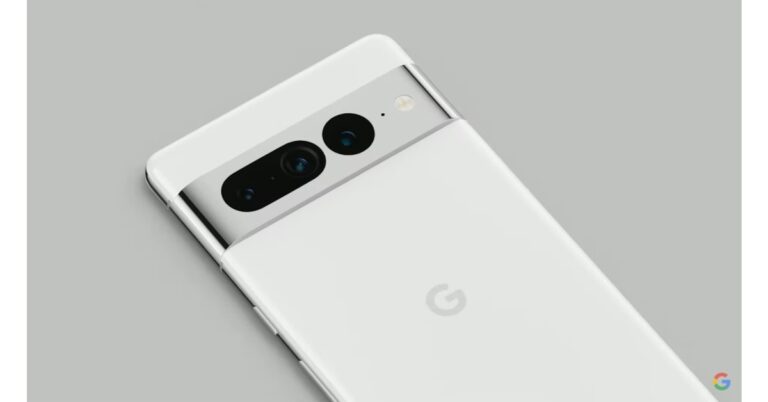
Google Pixel 7 and Pixel 7 Pro launched is scheduled to take place on October 6. Until now the company did not confirm the availability details but now Google has officially confirmed the debut of the Google Pixel 7 and Pixel 7 Pro in India. Not just that the tech giant has also listed both the phones on Flipkart. The Pixel 7 will be available for pre-order starting on October 6, the same day it is expected to go on sale in several markets, according to Google.
The Google Pixel 7 and Pixel 7 Pro India launch information was verified by Google India’s Twitter account. A dedicated microsite has also been created on Flipkart confirming the availability of the devices. Note that The Google Pixel 7 series will be the first flagship product from the firm to launch in India since the Pixel 3 and Pixel 3 XL. Since then the company has been releasing the A series models and it recently introduced the Pixel 6a, which came after the launch of the Pixel 4a in the nation a few years back.
The smartphones will be unveiled on October 6 at the “Made by Google” event, which will take place in New York City at 10 am ET and 7.30 pm IST. The Made by Google launch event will take place in the Williamsburg neighbourhood of New York City. Those who are interested can watch the live event online at GoogleStore.com/events, which is open to users in the United States, Great Britain, and Australia, even if it is only open to the invited press. The business will also introduce Google Pixel Watch in addition to the Nest line of smart home products, along with the Pixel 7 and Pixel 7 Pro smartphones. The colour choices for both of the Pixel 7 series smartphones are now visible on the dedicated page on the Google Store prior to their official release. According to the website, the Obsidian and Snow colour options are available for both the Pixel 7 and Pixel 7 Pro. The third colour scheme available for the Pixel 7 Pro is hazel with a gold camera strip. The Pixel 7 also comes in a third colour choice, Lemongrass with a bronze bar. Additionally, it has been confirmed that the Pixel 7 series will be powered by the Google Tensor G2 CPU. Additionally, Android 13 will already be loaded on these smartphones. The new OS will provide personalised capabilities to pictures, videos, security, and speech recognition claims the website. For the latest gadget and tech news, and gadget reviews, follow us on Twitter, Facebook and Instagram. For newest tech & gadget videos subscribe to our YouTube Channel. You can also stay up to date using the Gadget Bridge Android App. You can find the latest car and bike news here.❤️❤️❤️❤️ ❤️
— Google India (@GoogleIndia) September 21, 2022
nbd just our heart skipping a beat cuz the wait is almost over! Pixel 7 Pro and 7, coming soon to India.
Stay tuned for more.
10 simple methods to Fix Instagram Crashing on Android (2023)
With over a billion monthly active users, Instagram is one of the most popular social media platforms across the world. However, this does not mean that the app is faultless. Oftentimes, users report unnecessary app crashes on Android that diminish an otherwise great social media experience. In this article, we bring you 10 simple methods to fix the ‘Instagram app crashing’ issue on an Android smartphone (2023).
Read Also: How to use the Instagram Avatar Feature like a pro? Full guide
Step 3: Scroll down and tap on ‘Instagram’.
Step 4: Select ‘Storage’.
Step 5: Select ‘Clear Data’ and ‘Clear Cache’.
Restarting your phone can fix minor background issues that may be affecting app activity. It is a great way of recognising what might be causing an app to malfunction. Long press the power key and select restart.
Step 3: Scroll down and tap on ‘Instagram’.
Step 4: Select ‘Force Stop’ from the bottom menu.
You will be logged out of Instagram. To log back in, open the Instagram app and enter your login credentials.
If your phone is low on internal storage, it can keep Instagram from working properly. To minimise the frequency of crashes, make sure there is at least 15-20% free storage on your device. Instagram routinely stores app data on your device, which requires free storage. Go to Settings>Battery and Device Care>Storage to check available memory and clear up some space.
Step 2: Tap on ‘Download and Install’. Your smartphone will check for any new updates.
Step 3: If an update is available, tap on ‘Install Now’. You can also schedule the update for a later time.
In This Article
Clear Instagram app cache and data
Step 1: Go to Settings. Step 2: Scroll down and select ‘Apps’. Step 3: Scroll down and tap on ‘Instagram’.
 Step 4: Select ‘Storage’.
 Step 5: Select ‘Clear Data’ and ‘Clear Cache’.
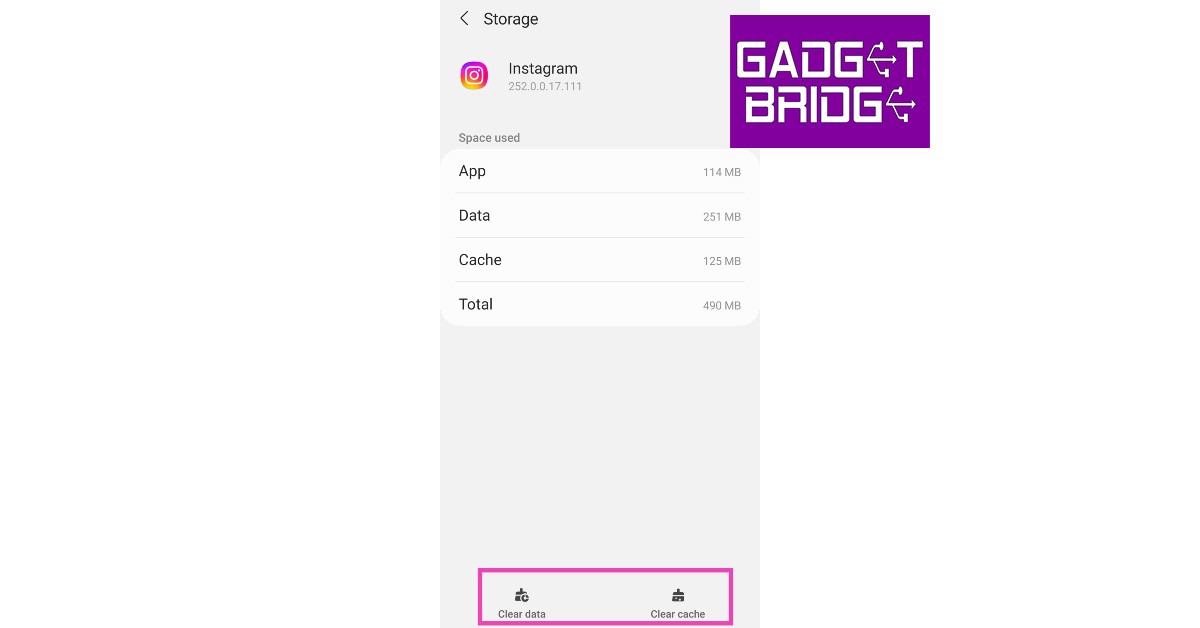
Restart your phone
 Restarting your phone can fix minor background issues that may be affecting app activity. It is a great way of recognising what might be causing an app to malfunction. Long press the power key and select restart.
Update the Instagram app
If you’re using an older version of the Instagram app, it may come up with an issue that is fixed in the updated version. Sometimes older versions slowly get phased out, which is why regularly updating the apps on your smartphone is important. To update the Instagram app search for Instagram on Google Play Store and then tap on ‘Update’ on the app page.Force stop and restart the app
Step 1: Go to Settings. Step 2: Scroll down and select ‘Apps’.
Step 3: Scroll down and tap on ‘Instagram’.
Step 4: Select ‘Force Stop’ from the bottom menu.
 You will be logged out of Instagram. To log back in, open the Instagram app and enter your login credentials.
Check the file format
If Instagram keeps crashing while you’re trying to make a post, check the format of the photo or video you’re trying to upload. Instagram does not support certain file formats like MPEG, FLV, and 3GP. Convert your file to an acceptable format using an online tool like online-convert.Check your phone’s storage
 If your phone is low on internal storage, it can keep Instagram from working properly. To minimise the frequency of crashes, make sure there is at least 15-20% free storage on your device. Instagram routinely stores app data on your device, which requires free storage. Go to Settings>Battery and Device Care>Storage to check available memory and clear up some space.
Reinstall the app
If the issue still persists, you can try uninstalling and reinstalling the app. To uninstall the app, long press on the app icon in the app drawer and select ‘Uninstall’. You can also go to Settings>Apps>Instagram and select ‘Uninstall’. To reinstall, go to Google Play Store and search for Instagram. From the app page, select ‘Install’.Uninstall the beta version of Instagram
Signing up for beta testing gives you early access to new features before they are rolled out for the wider audience. However, this comes with its own disadvantages. Since beta versions introduce new changes, the apps are often unstable and prone to crashes. If you are experiencing a lot of crashes on the Instagram beta app, uninstall it and download the regular version. Go to Google Play Store>Instagram, scroll down to the beta tester window and select ‘Leave’.Update your phone’s OS
An old OS version may trigger frequent crashes on certain apps. Here’s how you can update the OS on your Android smartphone. Step 1: Go to Settings and select ‘Software updates’. Step 2: Tap on ‘Download and Install’. Your smartphone will check for any new updates.
 Step 3: If an update is available, tap on ‘Install Now’. You can also schedule the update for a later time.

Check if Instagram servers are down
It is possible that you’re not the only one facing this issue. Instagram servers may be down for maintenance or possibly unreachable due to a blackout. Check the DownDetector for any outage on Instagram’s end.Frequently Asked Questions
Why does Instagram keep crashing?
Older versions of apps are more prone to crashes. Make sure to keep your Instagram app updated at all times to avoid any unnecessary crashes or malfunctions. It is also a good idea to update your phone’s OS.Why is Instagram not refreshing?
If your Instagram feed is not refreshing even after multiple attempts, try clearing the app cache. Go to Settings>Apps>Instagram>Storage and clear the cache. It is also a good idea to check if the Instagram servers are down.How do I know if my Instagram is banned?
To check if your Instagram has been banned, log out and log into the app again. Upon logging in, you will see a message letting you know that you’ve been banned. Read Also: Who unfollowed me on Instagram? The simplest and fastest way to find out (2022)Conclusion
These are the 10 simple methods to fix Instagram app crashing on Android (2023). If the issue still persists, try checking other apps to see if they are affected as well. If other apps keep crashing as well, your phone could likely be at fault. Try restarting your phone in Safe Mode to further diagnose the issue or seek help from a repair centre.
For the latest gadget and tech news, and gadget reviews, follow us on Twitter, Facebook and Instagram. For newest tech & gadget videos subscribe to our YouTube Channel. You can also stay up to date using the Gadget Bridge Android App. You can find the latest car and bike news here.
Poco M4 5G, Poco X4 Pro 5G, Poco F4 5G, Poco M4 Pro 5G, and Poco M5 all are discounted during the BBD sale

Flipkart Big Billion Days Sale 2022 has kicked off today for Plus members and the sale for all members will begin tonight at 12.00. The festive sale is offering great deals and discounts on mobiles, laptops, TVs and more. During the ongoing sale massive discounts on POCO X, F, and M series have been announced.
Flipkart Big Billion Days Sale 2022 will open tomorrow for the general public and it will go till September 30. The Poco M4 5G, Poco X4 Pro 5G, Poco F4 5G, Poco M4 Pro 5G, and Poco M5 are among the smartphones on the list of discounted models on the e-commerce platform. Customers who use credit cards from ICICI bank or Axis bank can immediately save 10% on Flipkart.
With a special discount of Rs 1,500, the recently released Poco M5 will be available for Rs 10,999 and Rs 12,999. In addition to this POCO F4 5G, will receive a special discount of up to Rs 8,000, while POCO X4 Pro 5G will receive a special BBD discount of Rs 5,000 and will be available at Rs 13,999.
Customers can get discounts of up to Rs 3,300 and Rs 3,500 on the Poco M4 5G (price starting at Rs 9,749) and M4 Pro 5G( price starting at Rs 9,749), respectively. A BBD sale discount of Rs 4,000 would be applied to all Poco X4 Pro 5G models. The prices for the 6GB RAM with 64GB storage, 6GB RAM with 128GB storage, and 8GB RAM with 128GB storage models are respectively Rs 13,999, Rs 14,999, and Rs 16,999.
Moreover, The 6GB RAM with 128GB storage, 8GB RAM with 128GB storage, and 12GB RAM with 256GB storage models of the Poco F4 5G will receive discounts of Rs 6,000. The price of the phone now starts at Rs 19,999.
Similar to that, during the Big Billion Days Sale, the Poco M4 5G base variant 4GB RAM with 64GB storage would be discounted by Rs 3,250 and sold for Rs 9,749. The 6GB RAM with 128GB internal storage will cost 11,699 with a discount of Rs 3,300.
The 4GB RAM with 64GB storage and 6GB RAM with 128GB storage options will be discounted by Rs 3,500, though. As a result, the model will cost Rs 11,699. With a BBD sale discount of Rs 4,500, the 8GB RAM with 128GB storage will cost Rs 14,499 instead.
For the latest gadget and tech news, and gadget reviews, follow us on Twitter, Facebook and Instagram. For newest tech & gadget videos subscribe to our YouTube Channel. You can also stay up to date using the Gadget Bridge Android App. You can find the latest car and bike news here.
Here’s how you can get Dynamic Island on your Android smartphone
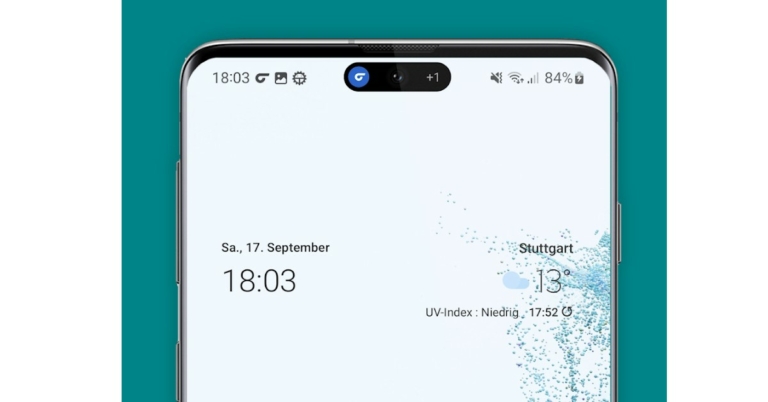
While there has been a mixed response to Apple’s new line of the iPhone series, most users seem to unanimously agree that ‘Dynamic Island’ is a fun new addition to the iPhone experience. The ‘Dynamic Island’ makes creative use of the pill-shaped cutout notch on the display, turning it into a notification bar that you can use to control apps and system functions. The notch has come under a lot of scrutiny in the past, but ‘Dynamic Island’ seems to have deflected that criticism quite a bit.
Now that this new feature is gathering headlines and generating quite a buzz, Android users can’t help but feel they’re missing out on something fun. Since ‘Dynamic Island’ is nothing but a tiny bit of software, it didn’t take long for app developers to come up with something similar for Android smartphones. In this article, we show you how you can get ‘Dynamic Island’ on your Android smartphone.
Read Also: Spotify announces Audiobooks service with over 300,000 titles
Step 1: Download and install the dynamicSpot app from Google Play Store.
Step 2: Open the app and select which apps can activate the dynamic island popup.
Step 3: Next, you need to give dyanicSpot notification access on your phone. Tap on the ‘Notification Access’ option and scroll down and turn the toggle bar on for dynamicSpot.
Step 4: Lastly, you need to give the dynamicSpot app permission to draw over other apps on the screen. This is essential since the spot will always be active around the camera cutout on the display. Tap on ‘Draw on screen’ and go to Installed apps>dynamicSpot. Turn on the toggle bar.
Step 5: Tap on ‘Done’ and select the play icon at the top left corner of the screen to activate the dynamic island on your Android smartphone.
Step 6: Select ‘Pop Up Settings’ and turn on the toggle bar for ‘Allow two popups’.
The developers of dynamicSpot have made it clear that the app does not collect or share any user data. But the app can read your notifications, including information like contacts, messages, and photos. It can also read all content on the screen and track your interactions with an app or a hardware sensor.
Read Also: How to use the Instagram Avatar Feature like a pro? Full guide
In This Article
Here’s what you need to do to get Dynamic Island on your Android smartphone
 Step 1: Download and install the dynamicSpot app from Google Play Store.
Step 2: Open the app and select which apps can activate the dynamic island popup.
Step 1: Download and install the dynamicSpot app from Google Play Store.
Step 2: Open the app and select which apps can activate the dynamic island popup.
 Step 3: Next, you need to give dyanicSpot notification access on your phone. Tap on the ‘Notification Access’ option and scroll down and turn the toggle bar on for dynamicSpot.
 Step 4: Lastly, you need to give the dynamicSpot app permission to draw over other apps on the screen. This is essential since the spot will always be active around the camera cutout on the display. Tap on ‘Draw on screen’ and go to Installed apps>dynamicSpot. Turn on the toggle bar.
 Step 5: Tap on ‘Done’ and select the play icon at the top left corner of the screen to activate the dynamic island on your Android smartphone.
 Step 6: Select ‘Pop Up Settings’ and turn on the toggle bar for ‘Allow two popups’.
 The developers of dynamicSpot have made it clear that the app does not collect or share any user data. But the app can read your notifications, including information like contacts, messages, and photos. It can also read all content on the screen and track your interactions with an app or a hardware sensor.
Read Also: How to use the Instagram Avatar Feature like a pro? Full guide
The developers of dynamicSpot have made it clear that the app does not collect or share any user data. But the app can read your notifications, including information like contacts, messages, and photos. It can also read all content on the screen and track your interactions with an app or a hardware sensor.
Read Also: How to use the Instagram Avatar Feature like a pro? Full guide
Conclusion
This is how you can get the Dynamic Island on your Android smartphone. Since the dynamicSpot app is still in its infancy, it will take a few updates to incorporate all the extended functions into the area surrounding the cutout. For instance, we noticed that the notification area around the notch does not include the alarm notification, camera and microphone indicators, and a few more system functions. But for the most part, it mimics the Dynamic Island pretty well. Let us know what you think of the app in the comments!
For the latest gadget and tech news, and gadget reviews, follow us on Twitter, Facebook and Instagram. For newest tech & gadget videos subscribe to our YouTube Channel. You can also stay up to date using the Gadget Bridge Android App. You can find the latest car and bike news here.
SENS announced a new lineup of smartwatches, TWS earphones, and neckbands in India
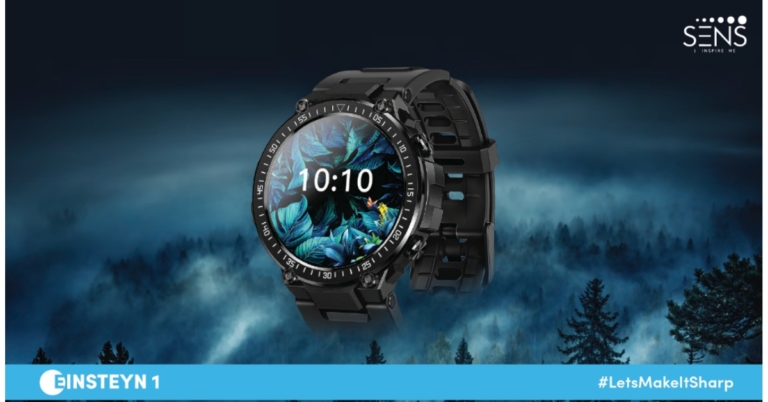
Ahead of the festival season, SENS has announced the launch of 11 devices in the areas of smartwatches, TWS earphones, neckbands, and lifestyle products. Starting on September 23, 2022, the products will be available only on Amazon at special launch prices for a short time.
 It also has Bluetooth connectivity, which allows users to make and receive calls, so they can manage everyday duties effectively. It also has an amazing battery life of up to three days of continuous use and 15 days of standby. Wellness mode with Steps, Sleep, Heart Rate, SPO2, Menstrual Cycle tracking, and Relax Mode comes on the watch.
The slim 1.39-inch dial and crystal-clear AMOLED display of the Einsteyn 1 smartwatch. SENS’s Einsteyn 1 is perfect for music lovers on the go because the smartwatch pairs quickly with TWS devices, and includes local music storage, a built-in mic, and a speaker.
It also has a remote camera and music control for convenience. Advanced health and fitness functions including the SpO2 monitor, sports mode, and breathe mode are included.
All SENS smartwatches, with the exception of the Nuton 1, feature Bluetooth calling and are IP68 rated. Whereas Edyson 1 lacks an SpO2 sensor.
It also has Bluetooth connectivity, which allows users to make and receive calls, so they can manage everyday duties effectively. It also has an amazing battery life of up to three days of continuous use and 15 days of standby. Wellness mode with Steps, Sleep, Heart Rate, SPO2, Menstrual Cycle tracking, and Relax Mode comes on the watch.
The slim 1.39-inch dial and crystal-clear AMOLED display of the Einsteyn 1 smartwatch. SENS’s Einsteyn 1 is perfect for music lovers on the go because the smartwatch pairs quickly with TWS devices, and includes local music storage, a built-in mic, and a speaker.
It also has a remote camera and music control for convenience. Advanced health and fitness functions including the SpO2 monitor, sports mode, and breathe mode are included.
All SENS smartwatches, with the exception of the Nuton 1, feature Bluetooth calling and are IP68 rated. Whereas Edyson 1 lacks an SpO2 sensor.
 On the other hand, the company has introduced three neckbands namely SENS Alvis 1, MJ1, and MJ2. AFAPTM (As Fast As Possible) charging, the SVVCTM (Smart Video Voice Connect), and the IICTM Technology (Intelligent Insta Connect)
Environmental Noise Cancellation, a technique that reduces outside noise, enhances sound quality, and aids in ear protection, is also included for a better audio experience are all included MJ2 Neckband for immediate connection.
The ALVIS 1 can play music for up to 8 hours. However, MJ1 and MJ2 have 24-hour battery life on a single charge.
On the other hand, the company has introduced three neckbands namely SENS Alvis 1, MJ1, and MJ2. AFAPTM (As Fast As Possible) charging, the SVVCTM (Smart Video Voice Connect), and the IICTM Technology (Intelligent Insta Connect)
Environmental Noise Cancellation, a technique that reduces outside noise, enhances sound quality, and aids in ear protection, is also included for a better audio experience are all included MJ2 Neckband for immediate connection.
The ALVIS 1 can play music for up to 8 hours. However, MJ1 and MJ2 have 24-hour battery life on a single charge.
For the latest gadget and tech news, and gadget reviews, follow us on Twitter, Facebook and Instagram. For newest tech & gadget videos subscribe to our YouTube Channel. You can also stay up to date using the Gadget Bridge Android App. You can find the latest car and bike news here.
In This Article
SENS Edyson, Einsteyn, Nuton Smartwatches
Four smartwatches from SENS have been released: Nuton 1, Edyson 1, Edyson 2, and Einsteyn 1. Rectangular dials are included on Nuton 1 and Edyson 1. The Edyson 2 and the Einsteyn 1 both have round dials, in contrast. The Edyson 1 smartwatch features a huge 4.3 cm (1.7) dial with an IPS LCD display. Along with a wide range of health monitoring functions, including menstrual cycle monitors for female users, the watch also includes a special AI-based voice assistant. Additionally, as a unique launch promotion for a constrained time, Edyson 1 will come with a free fashionable extra strap. It also has Bluetooth connectivity, which allows users to make and receive calls, so they can manage everyday duties effectively. It also has an amazing battery life of up to three days of continuous use and 15 days of standby. Wellness mode with Steps, Sleep, Heart Rate, SPO2, Menstrual Cycle tracking, and Relax Mode comes on the watch.
The slim 1.39-inch dial and crystal-clear AMOLED display of the Einsteyn 1 smartwatch. SENS’s Einsteyn 1 is perfect for music lovers on the go because the smartwatch pairs quickly with TWS devices, and includes local music storage, a built-in mic, and a speaker.
It also has a remote camera and music control for convenience. Advanced health and fitness functions including the SpO2 monitor, sports mode, and breathe mode are included.
All SENS smartwatches, with the exception of the Nuton 1, feature Bluetooth calling and are IP68 rated. Whereas Edyson 1 lacks an SpO2 sensor.
It also has Bluetooth connectivity, which allows users to make and receive calls, so they can manage everyday duties effectively. It also has an amazing battery life of up to three days of continuous use and 15 days of standby. Wellness mode with Steps, Sleep, Heart Rate, SPO2, Menstrual Cycle tracking, and Relax Mode comes on the watch.
The slim 1.39-inch dial and crystal-clear AMOLED display of the Einsteyn 1 smartwatch. SENS’s Einsteyn 1 is perfect for music lovers on the go because the smartwatch pairs quickly with TWS devices, and includes local music storage, a built-in mic, and a speaker.
It also has a remote camera and music control for convenience. Advanced health and fitness functions including the SpO2 monitor, sports mode, and breathe mode are included.
All SENS smartwatches, with the exception of the Nuton 1, feature Bluetooth calling and are IP68 rated. Whereas Edyson 1 lacks an SpO2 sensor.
SENS Hendriks TWS, Cnatra TWS and MJ2, Alvis Neckband
Four sets of TWS earbuds from SENS have been introduced to the Indian market. CNATRA 1, CNATRA 2, Hendriks 1, and Hendriks 2. Both the Hendriks and Cnatra come with an in-ear and semi-in-ear design, respectively. The Hendriks 2, features active noise reduction in addition to a transparency mode. Moreover, they offer a battery life of up to 30 hours. The consumer may enjoy a smooth audio experience thanks to features like voice assistance and 10 mm graphene composite drivers. To connect to smartphones, each of these TWS earphones uses Bluetooth 5.1. On the other hand, the company has introduced three neckbands namely SENS Alvis 1, MJ1, and MJ2. AFAPTM (As Fast As Possible) charging, the SVVCTM (Smart Video Voice Connect), and the IICTM Technology (Intelligent Insta Connect)
Environmental Noise Cancellation, a technique that reduces outside noise, enhances sound quality, and aids in ear protection, is also included for a better audio experience are all included MJ2 Neckband for immediate connection.
The ALVIS 1 can play music for up to 8 hours. However, MJ1 and MJ2 have 24-hour battery life on a single charge.
On the other hand, the company has introduced three neckbands namely SENS Alvis 1, MJ1, and MJ2. AFAPTM (As Fast As Possible) charging, the SVVCTM (Smart Video Voice Connect), and the IICTM Technology (Intelligent Insta Connect)
Environmental Noise Cancellation, a technique that reduces outside noise, enhances sound quality, and aids in ear protection, is also included for a better audio experience are all included MJ2 Neckband for immediate connection.
The ALVIS 1 can play music for up to 8 hours. However, MJ1 and MJ2 have 24-hour battery life on a single charge.
Pricing and Availability
| Product | Pricing |
| SENS NUTON 1 | Rs 1,499 |
| SENS EDYSON 1 | Rs 1,699 |
| SENS EDYSON 2 | Rs 2,299 |
| SENS EINSTEYN 1 | Rs 3,099 |
| SENS CNATRA 1 | Rs 1,099 |
| SENS CNATRA 2 | Rs 1,099 |
| SENS HENDRIKS 1 | Rs 1,699 |
| SENS HENDRIKS 2 | Rs 1,599 |
| SENS ALVIS 1 | Rs 699 |
| SENS MJ1 | Rs 999 |
| SENS MJ2 | Rs 1,199 |
How To Share Audio in Zoom On Phone and PC? 4 Easy ways
One of the better features of Zoom video meets is that it allows you to share your device’s screen and audio with the meeting’s participants. Giving online presentations becomes easy when you can share your PC’s screen with one click. If you want to share the audio from your device and don’t know how to go about it, we’ve got you covered. In this article, we bring you 4 easy ways to share audio in Zoom on phone and PC.
Read Also: How To Start Or Stop Screen Recording On A Mac?
Step 2: Select a window or application that you want to share.
Step 3: Click on ‘Share Sound’ at the bottom left corner of the screen.
Step 4: Click on ‘Share’ at the bottom right corner to begin sharing your PC’s screen with sound.
Your PC’s screen along with the sound will be shared with the other meeting participants.
Step 2: Scroll down the list and select ‘Share sound’.
Follow the same process if you want to stop sharing your PC’s sound.
Step 2: Select the ‘Advanced’ category from the top of the window.
Step 3: Click on ‘Computer Audio’.
Step 4: Click on ‘Share’ at the bottom right corner of the screen.
Your PC’s audio will be shared with the other meeting participants.
Step 2: From the following window, select ‘Screen’.
Step 3: Select ‘Share audio’ from the screen sharing menu at the bottom left section of the screen.
Your phone’s audio will be shared along with the screen.
Read Also: Spotify announces Audiobooks service with over 300,000 titles
In This Article
Share screen with sound on PC
Step 1: Click on the ‘Share Screen’ option on the meeting toolbar. Step 2: Select a window or application that you want to share.
 Step 3: Click on ‘Share Sound’ at the bottom left corner of the screen.
 Step 4: Click on ‘Share’ at the bottom right corner to begin sharing your PC’s screen with sound.
 Your PC’s screen along with the sound will be shared with the other meeting participants.
Share audio after sharing your PC’s screen
If you shared your PC’s screen with the meeting participants but forgot to share the audio, you can always do it later. Just follow these simple steps. Step 1: Drag your cursor to the top of the screen and select ‘More’ from the toolbar. Step 2: Scroll down the list and select ‘Share sound’.
 Follow the same process if you want to stop sharing your PC’s sound.
Share only audio with no visuals on PC
Step 1: Click on the ‘Share Screen’ option on the meeting toolbar.
Step 2: Select the ‘Advanced’ category from the top of the window.
 Step 3: Click on ‘Computer Audio’.
 Step 4: Click on ‘Share’ at the bottom right corner of the screen.
 Your PC’s audio will be shared with the other meeting participants.
Share screen with sound from your phone
Step 1: Open the Zoom app and tap the ‘Share’ icon on the meeting toolbar. Step 2: From the following window, select ‘Screen’.
 Step 3: Select ‘Share audio’ from the screen sharing menu at the bottom left section of the screen.
 Your phone’s audio will be shared along with the screen.
Read Also: Spotify announces Audiobooks service with over 300,000 titles
Your phone’s audio will be shared along with the screen.
Read Also: Spotify announces Audiobooks service with over 300,000 titles
Conclusion
These are the 4 best ways you can share your device’s audio on Zoom using your PC or phone. You can also use the ‘Advanced’ settings to share a video, PowerPoint presentation as background, and content from a second camera.
For the latest gadget and tech news, and gadget reviews, follow us on Twitter, Facebook and Instagram. For newest tech & gadget videos subscribe to our YouTube Channel. You can also stay up to date using the Gadget Bridge Android App. You can find the latest car and bike news here.
Poco F4 5G is available for as low as Rs 19,999 during Big Billion Days Sale
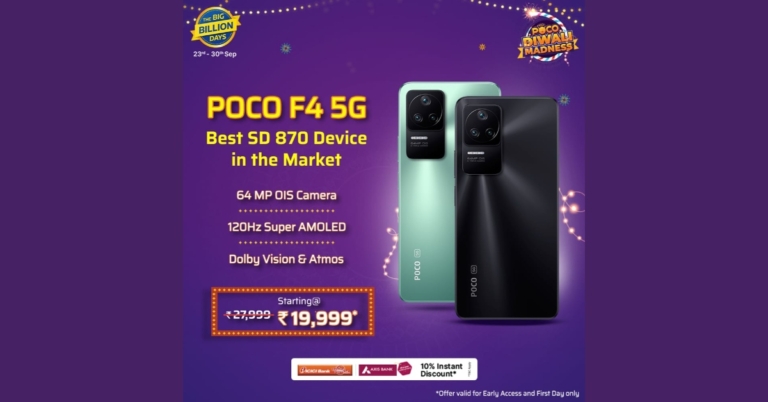
Poco F4 5G launched in India recently with a price tag of Rs 27,999. But the smartphone is getting a huge discount and will be available for as low as Rs 19,999 during the Flipkart Big Billion Days Sale. The Snapdragon 870 SoC powers the smartphone. The phone has a 120Hz AMOLED screen, three rear cameras, and other features.
The company’s head made public the phone’s retail price via Twitter. According to the firm, this pricing would be applied after all deals. This implies that the sale time could begin after the available bank offers. However, only those who participate in Early Access and Day 1 of Flipkart’s Big Billion Days Sale are eligible for this special discount.
To recall Poco F4 5G was launched in India at Rs 27,999 for the base 6GB RAM with 128GB internal storage. Whereas the 12GB RAM with 256GB storage model costs Rs. 33,999, and the 8GB RAM with 128GB storage variant costs Rs 29,999.Special Big Billion Day Surprise from POCO:
— Himanshu Tandon (@Himanshu_POCO) September 21, 2022
POCO F4 will be available at an unbelievable price of 19999*.
Flat Discount : 4500
Bank Offer : 1500 (ICICI/Axis)
Exchange Bump Up: 2000
Total Discount : 8000
This special discount is available only for Early Access and Day 1 of BBD pic.twitter.com/L4NhOYx3Lh
Poco F4 5G specifications
The 6.67-inch full-HD+ E4 AMOLED screen on the Poco F4 5G stands out thanks to its 1,080 x 2,400-pixel resolution. In order to reduce response latency, the screen has a refresh rate of 120Hz and a touch sampling rate of 360Hz. 1,300 nit maximum screen brightness, 5,000,000:1 contrast ratio. DCI-P3 colour gamut, HDR10+ on Amazon Prime Video, Dolby Vision support on Netflix, and Corning Gorilla Glass 5 protection is also included with the panel. The phone is powered by Android 12 with MIUI 13 on top. Powering the Poco F4 5G are the Snapdragon 870 SoC and up to 12GB of LPDDR5 RAM. The Poco F4 5G supports UFS 3.1 storage up to 256GB. A microSD card cannot be used to increase the amount of internal storage, though. The smartphone has three rear cameras, each with an f/1.8 lens and a 64-megapixel primary sensor for optical image stabilisation (OIS). The camera setup also includes an 8-megapixel ultra-wide camera and a 2-megapixel macro camera. For selfies and video calls, it also boasts a 20-megapixel front camera sensor with an f/2.4 lens. A 4,500mAh Li-Polymer battery with 67W rapid charging is included by Poco. There is also a side-mounted fingerprint sensor. The gadget includes two speakers and noise-cancelling microphones. For the latest gadget and tech news, and gadget reviews, follow us on Twitter, Facebook and Instagram. For newest tech & gadget videos subscribe to our YouTube Channel. You can also stay up to date using the Gadget Bridge Android App. You can find the latest car and bike news here.Garena Free Fire Redeem Codes Today 22 September 2022: Here is how to claim them

Garena Free Fire is a battle royale game with regular awards and tournaments to keep players interested. If you play Garena Free Fire, you should be aware of the redeem codes that are released on a daily basis. However, because the battle royale game is banned in India, players from other countries can use the Free Fire Redeem codes daily. If you’re unfamiliar with the Garena Free Fire redeem codes or don’t know how to get them, we’ve put together a step-by-step guide to help you redeem them. Check out Garena Free Fire Redeem Codes for September 22.
The Free Fire redeem codes are a great way to get free stuff. These are 12-digit codes that contain alphabets and numbers, as well as an expiration date and time. Because the Garena FF redeem codes cannot be used more than once, you should hurry to the redemption page to claim your free reward before someone else does. To get a free reward, all you have to do is go to reward.ff.garena.com/en, which is the official redemption page. Also, keep an eye on this space for daily updates on Garena Free Fire redemption codes and rewards.
In This Article
Garena Free Fire Redeem Codes Today 22 September 2022
FF11HHGCGK3B B6IYCTNH4PV3 FF11DAKX4WHV 8F3QZKNTLWBZ FF11WFMPP956 ZRJAPH294KV5 Y6ACLK7KUD1N SARG886AV5GR FF10GCGXRNHY YXY3EGTLHGJX WLSGJXS5KFYR FF119MB3PFA5 FF10617KGUF9 X99TK56XDJ4X FF1164XNJZ2V FF11NJN5YS3E WOJJAFV3TU5E MCPTFNXZF4TAHow to Get Free Fire Redeem Codes for Garena on September 22?
- Visit the Garena Free Fire game’s official website at reward.ff.garena.com.
- Use your Facebook, Google, VK, Apple ID, Huawei ID, or Twitter account to log in.
- You’ll be taken to a valid redemption code (s)
- Copy and paste the 12-digit redemption code into the text box.
- On the screen, a dialogue box will appear.
- ‘Ok’ should be selected.
Amazon Quiz Answers Today 22 September 2022: Participate to win Rs 1,250

Amazon is back with another quiz on its mobile platform. The Amazon Quiz is conducted every day for its customers. Customers from different parts of the country are participating in the daily quiz. Today’s Amazon quiz is now live on the Amazon App. The customers who participate in the 22 September 2022 Amazon Quiz will get a chance to win Rs 1,250 Amazon pay Balance.
The Amazon Quiz can be played from 12 AM to 11:59 PM. For those who are unaware of the quiz, the e-commerce platform brings a fresh quiz on a daily basis which consists of five questions related to general knowledge and current affairs. The participants need to answer all the questions correctly and their names will be selected for a lucky draw. The winner will be announced at the end of the month. One wrong answer could eliminate you from the quiz. Only app users are eligible to participate in the Quiz. Check Out 22 September 2022 Amazon Quiz Answers.
Amazon Quiz Today Prize – Rs 1,250 Amazon Pay Balance
Quiz Date – 22 September 2022
Daily Timing – 12 AM to 11:59 PM
Winner Announcement – Today 12 PM
In This Article
Amazon Quiz Answers Today 22 September 2022
Question 1: Aaron Finch recently retired from ODI cricket. Against which team did he play his last ODI? Answer: New Zealand Question 2: The YouTube show ‘Bialik Breakdown’ focussing on mental health, features the actor who played which character on ‘The Big Bang Theory’? Answer: Amy Question 3: Which country will assume presidency of the G20 from December 1, 2022 to November 30, 2023? Answer: India Question 4: This is the flag of which country? Answer: Belgium Question 5: The seal of which US state features this animal? Answer: MichiganHow To Play Amazon Quiz
Only app users are eligible to play the Amazon quiz every morning from 12 AM to 11:59 PM. The quiz is not available on the desktop. For those who are unaware of how to play the Amazon quiz below are the steps, you can follow to take the quiz.- Firstly download the Amazon app from Google Play Store or App Store
- Now fill in the required information through the Sign Up option.
- You need to log in to the Amazon app and scroll down on the home screen to find the Amazon Quiz banner.
- Tap on the Amazon Quiz banner and tap on the Start button to start the Quiz.
- Now you will get 5 questions and you need to answer them correctly. One wrong answer will eliminate you from the Quiz.
- After answering all the questions correctly you are now eligible for a Lucky Draw.
- The winner’s name will be announced today at 12 PM.
Here are all the Dynamic Island supported apps for iPhone 14 Pro and Pro Max
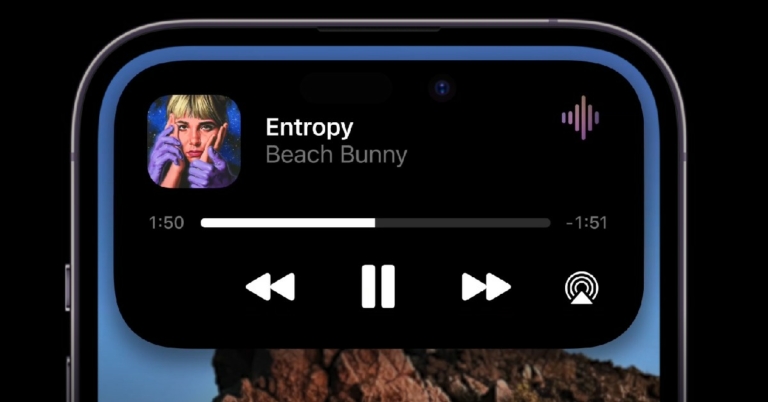
The notch on the display of the iPhone has been a constant point of contention within the Apple fanbase for years. Finally, iPhone 14 Pro and Pro Max have seen a new development with the notch, as its size has been reduced and it now comes in the form of a pill-shaped cutout. Not only that, Apple has introduced a new feature called ‘Dynamic Island’ that augments the notch into its native software and gives it a few handy features. With the ‘Dynamic Island’ users can now quickly access background apps and functions without having to open them individually. In this article, we list all the dynamic island supported apps and functions for the iPhone 14 Pro and Pro Max. Since more and more apps are becoming compatible with the new cutout every day, we will be updating this list weekly.
Read Also: Don’t have Internet? 7 Free Offline Chrome Games to Play on PC
WhatsApp
Download from here.Instagram
Download from here.

In This Article
System notifications
Face ID
The Face ID notification now shows up in Dynamic Island every time you unlock or fail to unlock your phone with your face.Bluetooth Accessories
Additional accessories and devices connected to your iPhone 14 Pro or Pro Max will now show up on Dynamic Island. These include AirPods, Stereo Headsets, Bluetooth Speakers etc. You can also check the battery status of the connected devices on the Island itself.Charging
The charging status can now be quickly viewed from the cutout at the top of your iPhone’s screen.Incoming/Ongoing call
Any calls you receive while using your phone will now show up in Dynamic Island. You can quickly accept or reject the call from the Island itself. Once connected, the ongoing call status will be reflected on the cutout as well.AirDrop
Any files sent or received through AirDrop can now be seen up top. A simple tap will expand the details and show you the transfer status.Silent Profile
Changing your phone’s ringer status will be reflected on the notch on the screen. This makes sense as it does not deserve an entire notification.AirPlay
Mirroring status can now be accessed from the Dynamic Island. Simply long press the alert and see which device is mirroring your iPhone.Personal Hotspot
The Dynamic Island lets you know when the personal hotspot of your device is turned on. Tapping on it, will take you to Settings where you can turn off the personal hotspot.Timer
One of the handiest uses of the Dynamic Island – if you start a timer on your iPhone and minimise the app, the timer will occupy a small spot on the Island, letting you keep a track of time.Maps
Navigation via Apple Maps has been made even more convenient. Now the pill cutout on your iPhone can give you directions and tell you the distance between every turn. While Google Maps has an icon of its own for Dynamic Island, it cannot display the directions on the cutout yet.Voice Recording
The waveform will show up on the cutout, letting you know that the voice recorder is currently active. It will also show how long the recording has been going on.Screen Recording
A red dot on the Dynamic Island indicates that your iPhone’s screen is currently being recorded. Long press the notification to stop the recording and carry out other functions.Camera and Mic Indicators
The camera and mic activity indicators that used to show up at the top right corner of the screen have now been moved to the Dynamic Island.Music and Audio Apps
One of the most creative uses of the Dynamic Island is to show the ‘Now Playing’ bar from major music and audio apps. Once you play a song, the album art and a small waveform show up on the pill-shaped cutout on the screen. You can long press this notification to access other functions related to the app. As of now, these music and audio apps come with Dynamic Island functionality.Apple Music
Download from here.YouTube Music
Download from here.Amazon Music
Download from here.Spotify
Download from here.Audible
Download from here.NPR One
Download from here.Soundcloud
Download from here.Pandora
Download from here.Overcast
Download from here.Messenger and Social Media apps
New messages from IM apps and social media platforms like WhatsApp and Instagram can be accessed from the island itself. What’s ironic is that Apple’s very own iMessage is not compatible with Dynamic Island yet. Here are the IM and social media apps that are supported by the Dynamic Island on the new iPhone 14 Pro and Pro Max.Google Voice
Download from here.Skype
Download from here.Apollo for Reddit
Download from here. Apollo is one of the most popular iOS clients for Reddit. When the app is active, a pixel animal shows up on the Dynamic Island. While it doesn’t serve any function, it is certainly a fun way to use that space and perhaps a sign of how other apps will use the Dynamic Island in the future.Games
We aren’t entirely sure how lite gaming apps will make use of Dynamic Island, but it won’t stop creative app designers from trying. In fact, there is already one game out already that uses the dynamic island in a fun way.Hit The Island
Download from here. The name says it all. Use the paddle to hit the dynamic island with a ball. The more points you score, the smaller the paddle gets. After a certain number of points, the speed of the ball increases as well. Read Also: Telegram update: Adds infinite emoji reactions and statusesConclusion
These are all the apps and functions that currently support the Dynamic Island on iPhone 14 Pro and Pro Max. We will keep updating this list weekly, so keep checking periodically! If we missed any app or function that makes use of the island, let us know in the comments!
For the latest gadget and tech news, and gadget reviews, follow us on Twitter, Facebook and Instagram. For newest tech & gadget videos subscribe to our YouTube Channel. You can also stay up to date using the Gadget Bridge Android App. You can find the latest car and bike news here.
Samsung Corporate+ program launched, to offer up to 30 percent off its devices to corporate employees across

Today, Samsung India unveiled its Corporate+ program, which will provide corporate employees across India with exciting benefits and tempting discounts of up to 30% off on its wide range of smartphones, tablets, smart wearables, TVs, and digital appliances just in time for the important holiday season. Apart from this the company recently unveiled the sale offers for the upcoming Amazon Great India Festival Sale.
For corporate personnel, Samsung Corporate+, formerly known as the “Employee Purchase Program,” offers exclusive corporate rates that result in substantial savings. Over 3 lakh corporate employees in India have used the program’s benefits thus far.
Under this program employees of companies can receive savings of up to 30% on Samsung products, including the Galaxy Z Series, S Series, Tab S Series, Watch5, Galaxy Buds, and Galaxy Book 2 notebook. Additionally, the Corporate+ program provides discounts of up to 30% on premium refrigerators, front-loading washing machines, Samsung Neo QLED 8K UHD TVs, and convection microwaves.
Moreover, Samsung is providing free EMIs, an exchange option, an exchange bonus, and free insurance valued up to INR 7,999.
According to the company Over 3 lakh business employees in India have benefited from the program’s benefits.
“With the Samsung Corporate+ program, we are offering exciting discounts and deals of up to 30% to corporate employees ahead of the festive season. We are focusing on providing corporate employees access to innovation with affordability. Through this program, we are optimistic about becoming an integral part of the professional journey of corporate employees. Our objective is to enable better collaboration at work through our scalable technologies,” said Akash Saxenaa, Senior Director, Samsung India.
Users can check in at https://www.samsung.com/in/corporateplus using their official email (work email), after which they will receive an OTP in their inbox. Users will arrive on the categories page, where they may choose their preferred Samsung products, after the OTP verification. Users may preorder all the newest products from Samsung. Customers can pick their purchases, put them in their shopping carts, and select the best payment method. Buyers have the option to include a GST invoice along with the shipment address.
Additionally, Samsung runs a programme called Student Advantage that aims to empower students by providing them with cutting-edge technology-equipped gadgets for daily use. By lowering the cost and increasing the accessibility of digital learning for Indian youth, Samsung is able to further its mission of “Powering Digital India.”
The Amazon Great Indian Festival Sale will begin on September 23 and prime members will have privileged access to the sale for an additional 24 hours. It will be a month-long promotion with significant price reductions on the whole product line. Customers can save a lot of money during Amazon’s Great Indian Festival Sale on a variety of electronics, including the Galaxy S20 FE 5G, Galaxy S22 Ultra, Galaxy S22, Galaxy M53, Galaxy M33, M32 Prime Edition, and Galaxy M13. View the discounts and promotions for Samsung’s devices here.
For the latest gadget and tech news, and gadget reviews, follow us on Twitter, Facebook and Instagram. For newest tech & gadget videos subscribe to our YouTube Channel. You can also stay up to date using the Gadget Bridge Android App. You can find the latest car and bike news here.