Best Smartphones under Rs 10,000 that you can buy right now

Buying a new smartphone is a delightful experience. Nowadays, you have a plethora of choices of fully-featured smartphones at affordable prices. Usually, every smartphone buyer looks for a long-lasting battery, expandable storage, and decent camera. These features may be wrongly perceived to be available only in high-end smartphones. Here is the top 10 list of the fully-featured smartphones that you can buy for under Rs 10,000.

1) Moto E7 Plus

The Moto E7 Plus has a 6.5-inch display with HD+ resolution and is powered by the Qualcomm Snapdragon 460 processor accompanied by 4GB of RAM. The device is packed with a 5,000mAh battery and a dual-camera setup consisting of a 48-megapixel sensor and a 2-megapixel depth sensor. Here you get a Micro-USB port instead of a USB Type-C port.
Moto E7 Plus
Moto E7 Plus
Price: ₹9,999 Buy on Flipkart

2) Redmi 9

The Redmi 9 with a 6.53-inch HD+ display and a dewdrop notch at the top. It is powered by a MediaTek Helio G35 processor with 4GB of RAM. The Redmi runs on a 5,000mAh battery and comes with a 10W charger in the box. The battery life is good although the charging could be slow. The device has an Android 10 operating system with MIUI 12 over it. The smartphone also has a dual-camera setup at the rear having a 13-megapixel primary camera and a 2-megapixel depth sensor. It has a 5-megapixel front camera for taking selfies.
Redmi 9
Redmi 9
Price: ₹ 8,999 Buy on Amazon

3) Redmi 9 Prime

The Redmi 9 Prime looks similar to the Redmi 9 and has a Full-HD+ 6.53-inch display. The smartphone also has the powerful MediaTek Helio G80 SoC, which is a gaming processor paired with 4GB of RAM. The device runs MIUI 11 over Android 10. It has a quad-camera setup having a 13-megapixel primary camera, an 8-megapixel wide-angle camera, a 5-megapixel macro camera, and a 2-megapixel depth sensor. The smartphone has a 5,020mAh battery that lasts long. However, it comes with a slow 10 W charger.
Redmi 9 Prime
Redmi 9 Prime
Price: ₹ 9,999 Buy on Amazon

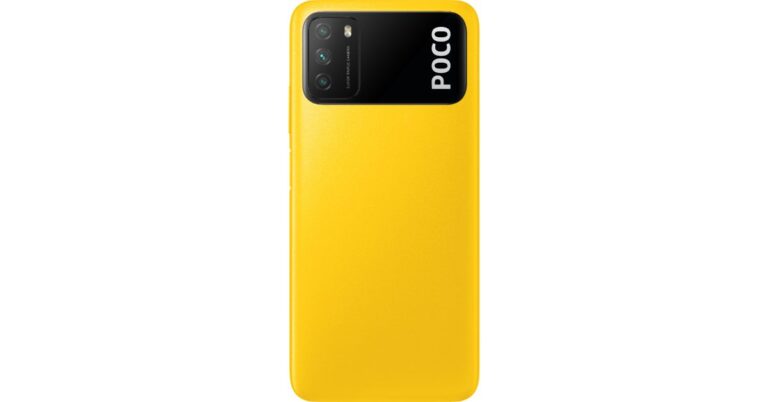
4) Poco M2

This is one of the most affordable smartphones in the range. It offers a 6.53-inch, FHD+ IPS LCD screen with 400 nits peak brightness. The smartphone has the powerful MediaTek Helio G80 chipset with 6GB RAM and 64GB storage. The device also featured a higher-end 128GB storage variant. You get a 13MP primary camera with an 8MP ultrawide sensor along, a 5MP macro, and a 2MP depth sensor. There is also an 8MP front camera for taking selfies and video calls. The phone offers a USB Type-C port, a 3.5mm headphone port, and an IR blaster. There is a long-lasting 5,000mAh battery with 18W fast charging.
Poco M2
Poco M2
Price: ₹9,999 Buy on Flipkart

5) Samsung Galaxy M02s

This smartphone features a 6.5-inch HD+ PLS IPS screen powered by a Qualcomm Snapdragon 450 processor and 3 or 4GB RAM. The 3GB RAM variant comes with 32GB internal storage, while the 4GB RAM variant offers 64GB internal storage. You get a 13MP primary camera along with a 2MP macro sensor accompanied by a 2MP depth sensor. There is a 5MP main camera in the front for taking selfies and video calls. The device runs on a 5,000mAh battery with the support of 15W fast charging. The features also include a micro-USB port, 3.5mm port, and dual-SIM support but there is no fingerprint sensor.
Samsung Galaxy M02s
Samsung Galaxy M02s
Price: ₹ 6,799. Buy on Amazon

6) Xiaomi Redmi Dual 

The Redmi 8A Dual comes with a 6.22-inch 720×1520 pixels touchscreen display and is powered by a 1.45GHz octa-core Qualcomm Snapdragon 439 processor that can get clocked at 1.95GHz. You also get 2GB of RAM. The device has an Android 9.0 operating system that runs on a 5,000mAh battery. On the rear, the smartphone has a 13-megapixel primary camera and a secondary 2-megapixel camera. The rear camera setup also has autofocus. You get an 8-megapixel camera on the front for clicking selfies. The Redmi 8A Dual offers 32GB of storage that can be expanded using a microSD card up to 512GB.
Xiaomi Redmi Dual 
Xiaomi Redmi Dual
Price: ₹ 7,999 Buy on Amazon

7) VIVO U10

The Vivo U10 is a powerful smartphone in this price range. It comes with a Snapdragon 665 with SoC 2.0GHz performance cores and an Adreno 610 GPU that takes the performance to a new level. The smartphone offers a 6.35-inch IPS LCD panel and a large 5,000mAh battery that lasts quite long. The battery gets charged fast by an 18W fast charger included in the box. The device comes with there is a triple camera setup at the rear that includes a 13MP primary camera, an 8MP ultrawide camera, and a 2MP depth sensor. It also has an 8MP front camera to click on amazing selfies.
VIVO U10
VIVO U10
Price: ₹ 9,990 Buy on Amazon

8) MOTOROLA ONE MACRO

Motorola Once Macro comes packed with a 4,000mAh battery that lasts for at least a day. It has the powerful MediaTek Helio P70 that handles your tasks well including browsing, shooting, and sending emails. The smartphone offers the stock Android-like experience with no pre-installed bloatware.
MOTOROLA ONE MACRO
MOTOROLA ONE MACRO
Price: ₹9,999 Buy on Flipkart

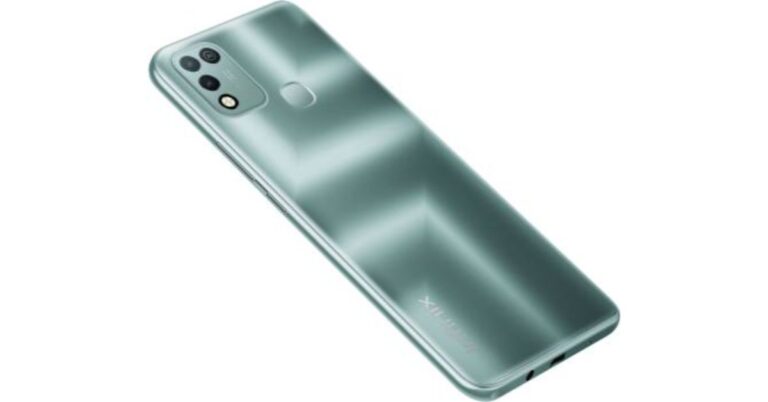
9) Infinix Smart 4 Plus

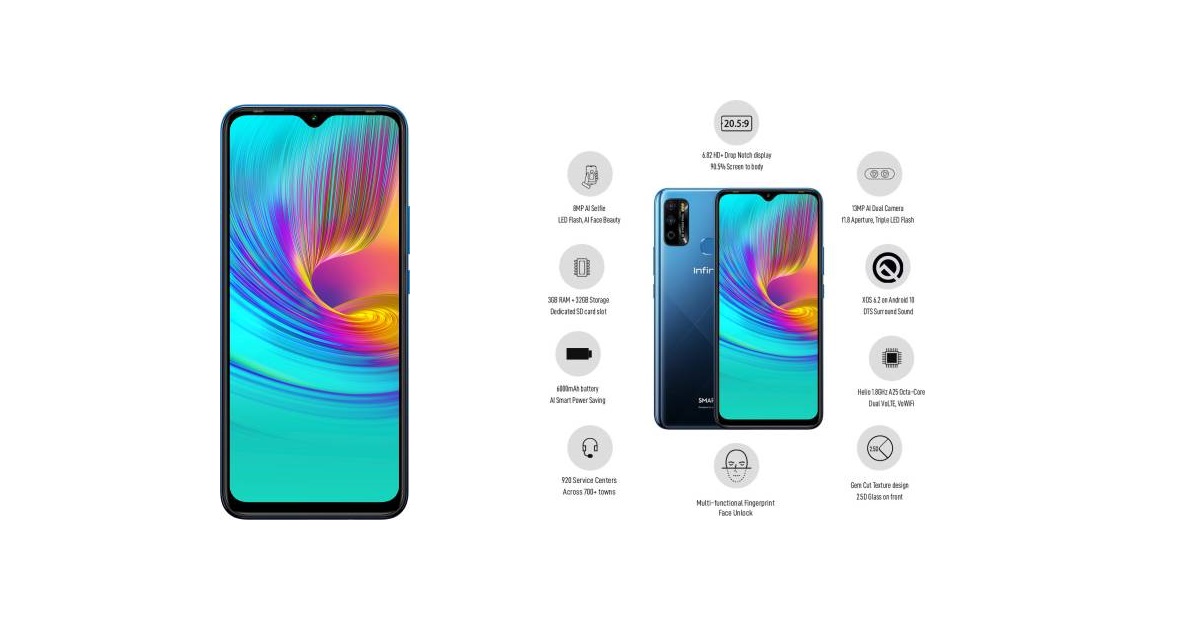
Infinix Smart 4 Plus comes with a 6.82-inch 720×1,640 pixels touchscreen display and is powered by an octa-core MediaTek Helio A25 processor. It comes with 3GB of RAM and runs an Android 10 operating system that is powered by a 6,000mAh non-removable battery. On the rear, the smartphone has a 13-megapixel camera with an f/1.8 aperture. The rear camera setup also has autofocus. You also get an 8-megapixel camera on the front for taking selfies. The device has an inbuilt storage of packs 32GB that can be expanded up to 256GB using a microSD card with a dedicated slot. The smartphone is also packed with sensors like an accelerometer, ambient light sensor, magnetometer, proximity sensor, and fingerprint sensor.
Infinix Smart 4 Plus
Price: ₹7,999 Buy on Flipkart

10) OPPO A12

This smartphone comes with a 6.22-inch 720×1,520 pixel display and is powered by an octa-core MediaTek Helio P35 processor. accompanied by 3GB of RAM. It has an Android 9 operating system running on a 4,230mAh non-removable battery. At the rear, the device has a 13-megapixel primary camera and a 2-megapixel camera. The rear camera has autofocus. You also get a 5-megapixel camera on the front for clicking selfies, with an f/2.4 aperture and a pixel size of 1.12um-micron.

OPPO A12
OPPO A12
Price: ₹ 8,990 Buy on Amazon For the latest gadget and tech news, and gadget reviews, follow us on TwitterFacebook and Instagram. For newest tech & gadget videos subscribe to our YouTube Channel. You can also stay up to date with the Gadget Bridge Android App.

Amazon announces huge discounts on Alexa devices to celebrate its 3rd Anniversary, valid for 24 hours only

Amazon India is hosting a 24 hours sale on its platform to celebrate its third anniversary of Alexa in India. The e-commerce website will be offering massive discounts on Alexa devices, attractive smart home bundles and more. The sale will be held on February 15 and will start at 12 midnight.  To celebrate Alexa’s 3rd year anniversary in India Amazon will be hosting a sale on its platform starting 12 midnight on February 15. It is going to be a 24 hours sale and the company will be making Alexa and other smart devices available to customers at massive discounts. The customer can shop from the curation of smart-home accessories and Alexa built-in devices and choose from a variety of payment options including No-cost EMI, Debit card EMI and Amazon Pay Later. There will be up to 50 percent off on Amazon Echo device while there will be a flat 43 percent off on Fire TV stick Lite. Other Alexa-enabled devices such as Tv, vacuum cleaners, speakers and Air purifiers will also see huge discounts. One can get Echo Show 5 for just 4,499 as there will be 50 percent off on the product. The original cost of the Echo 5 is 8,999. Whereas Amazon Echo Auto which currently retails at Rs 4,999 can now be purchased at Rs 2,999. The all-new Echo (4th Generation) will be available for Rs 6,499 down from Rs 9,999. Amazon announces huge discounts on Alexa devices to celebrate its 3rd Anniversary, valid for 24 hours only There will be a flat 45 percent off on Echo Dot (4th Generation) + Smart bulb and during the Amazon Sale, it will be available for Rs 3,499.  Echo Dot (4th Generation) Twin-Pack + Smart bulb will retail at Rs 5,499 during the sale. The Amazon Smart Plug when purchased with any Echo smart speaker can be bought for Rs 499 the company will be offering 75 percent on the product. The price of the Smart security cameras from Imou and Qubo will start at Rs 1699.  Amazon will be offering a flat 43 percent off on Fire TV Stick Lite and Rs 1200 off on Fire TV Stick 4K. While the Boat Stone 201A Alexa Built-in speaker can be purchased for Rs 999 and up to 43 percent off on Kevin and Shinco Alexa Built-in TVs. LG 4K UHD Alexa built-in TVs will be available with up to 40% off.  Other  Alexa-enabled devices such as Dyson Air Purifiers and  Alexa robotic vacuum cleaners will see up to 30 to 40 percent off respectively. For the latest gadget and tech news, and gadget reviews, follow us on TwitterFacebook and Instagram. For newest tech & gadget videos subscribe to our YouTube Channel. You can also stay up to date using the Gadget Bridge Android App.

February 13 Flipkart Daily Trivia Quiz Answers: Answer to win exciting prizes

The e-commerce website Flipkart is hosting Daily Trivia Quiz. Every day it brings a bunch of new questions for its users. By answering them correctly you can win exciting prizes. The questionnaire is based on questions related to general knowledge. Also, the users can win free vouchers and super coins, among other offers via the daily quiz. February 13 Daily Trivia Quiz Answers has already gone live on its platform. The participant should be at least 18 years old and should have a valid login ID. The Quiz is available on the mobile platform and not the web version. E-commerce conducts the quiz on daily basis and goes live at 12:00 AM IST and runs till 11:59 PM IST.  The winners are announced within 15 days from the date of participation that can be viewed under the Gems/Rewards section in the app.

How to participate in the Flipkart Daily Trivia Quiz

To participate download the Flipkart app on your phone. Then open the Flipkart app then head to Game Zone. Now click on the Daily Trivia Banner or search for Daily Trivia. Enter the game and answer all 5 questions with correct answers.

February 13 Flipkart Daily Trivia Quiz Answers 

Question 1: Who led the Kolkata Knight Riders to victory in the 2012 and 2014 IPL seasons? Answer: Gautam Gambhir Question 2: With whom did Virat Kohli share a record 229 run partnership in the 2016 IPL ? Answer: AB de Villiers Question 3:Which is the largest stadium in India by seating capacity? Answer: Salt Lake Stadium Question 4: Which swimmer was the first Indian to win a gold medal in the Asian games? Answer: Sachin Nag Question 5: For which sport did Homi Motivala and Pushpendra Kumar Garg win Rajiv Gandhi Khel Ratna? Answer: Yachting
For the latest gadget and tech news, and gadget reviews, follow us on TwitterFacebook and Instagram. For newest tech & gadget videos subscribe to our YouTube Channel. You can also stay up to date using the Gadget Bridge Android App.

February 13 Amazon Quiz Answers: Answer these five questions and you could win AmazonBasics Smart LED TV 

The e-commerce website Amazon is back with another daily quiz on its platform. The e-retailer conducts Amazon quiz sessions every day for its customers. The customers from different parts of the country can win exciting prizes and today’s quiz will let you win AmazonBasics Smart LED TV by answering all the questions correctly. February 13 Amazon Quiz is live now and the participants can stand a chance to win AmazonBasics Smart LED TV. By participating in the daily quiz the customers can win products such as OnePlus 7T, Apple iPhone x, iPhone Xs, Go Pro Hero 8, Galaxy Watch Active, and many more gadgets as well as Pay Balance. You can play the quiz from 8 AM to 12 PM every day and the winner’s names will be announced at the end of every month. Check out December 14 Amazon Quiz answers.

February 13 Amazon Quiz Answers

Question 1: By what name do we now know the BRICS Bank? The answer is- New Development Bank Question 2: Claire Polosak made history as she was named the 4th umpire for the India vs Australia 3rd Test, which country is she from? The answer is- Australia Question 3: As per UNICEF, which country recorded the highest number of births on New Year’s Day 2021? The answer is- India Question 4: They are fed by their parents carrying fish in their bills, what are the babies of this bird called? The answer is- Puffling Question 5: What unit is used to measure the speed of this device? The answer is- Mickeys per second
For the latest gadget and tech news, and gadget reviews, follow us on TwitterFacebook and Instagram. For newest tech & gadget videos subscribe to our YouTube Channel. You can also stay up to date using the Gadget Bridge Android App.

Best laptops under Rs 50,000, which come with an SSD storage

2
If you are spending a significant amount of money, you expect the laptop to be competitive. It should have the best possible features at that price point. Rs 50,000 range is the most popular price point among the buyers. Around this price point, you can get a stylish yet powerful laptop. However, what will keep the speed up is a SSD storage. The following list shall help you find the best laptop for you with SSD storage under Rs 50,000.

1) Acer Aspire 5

This laptop comes with an Intel Core i3 10th Gen that can clock up to 1.2 GHz. It offers 4GB DDR4 RAM and 512GB SSD. The device has an Intel Integrated UHD for lightweight gaming. The 14inch display with 1,920 x 1,080 pixels look stunning with a good viewing angle. You get Windows 10 OS with it and one year warranty.
Acer Aspire 5
Acer Aspire 5
Price: ₹41,999 Buy at Amazon

2) MI NOTEBOOK 14

This laptop comes with a 10th generation Intel Core i5-10210U handling 4 cores and 8 threads with the maximum clock speed of 4.2 GHz This device can handle multitasking effortlessly and comes with 8GB DDR4 RAM and 512GB SSD Storage. The build quality of the laptop looks premium and durable making it a preferred choice for many. The MI Notebook 14 has a Mi HD webcam bundle and an Nvidia MX250 2GB GDDR5 Graphics card. It was also part of our nominations phase for the best laptop of the year 2020.
MI NOTEBOOK 14
MI NOTEBOOK 14
Price: ₹41,999 Buy at Amazon

3) HP 14CS 1005TU

This laptop comes with 8GB memory and 512GB SSD. You can still install an additional HDD or SDD to increase your storage space. The device is light in weight having a 15.6-inch FHD SVA micro-edge display with 220 nits BrightView. It has a Radeon Vega 8 integrated graphics card for playing video games. The device has a 3 cell, 41 Wh Li-ion battery which allows fast charging capabilities.
MI NOTEBOOK 14
MI NOTEBOOK 14
Buy on Amazon

4) Microsoft Surface Go MHN – 00015

The laptop comes with Windows 10 S mode enabled that offers optimized features to enhance performance. It has 8GB of RAM accompanied by 128GB SSD making it responsive. You get a compact 10 inches LED-Backlit Screen. The Battery can last up to 9 hours.

MI NOTEBOOK 14
MI NOTEBOOK 14
Buy on Amazon

5) Dell Inspiron 14 3493

This laptop comes with a 14-inch FHD LCD Screen anti-glare technology. It has a 512GB M.2 PCIe NVMe SSD with an 8GB DDR4 RAM making it one of the fastest yet affordable laptops. The device comes with an integrated Intel UHD Graphics card for casual lightweight gaming. The laptop has decent sound quality, too.
Dell Inspiron 14 3493
Price: ₹ 48,990 Buy on Amazon

6)  Acer Aspire 5 A514-53-316M

This Acer laptop is powered by the latest 10th Gen Intel Core i3 processor with 512GB of SSD storage. The device also has 4GB of RAM accompanied by 32GB of Optane memory. It is a compact laptop with a 14-inch display. It also has an Integrated graphics card that makes it perfect for lightweight gaming and other graphic hungry tasks. The battery lasts easily for 8 hours once fully charged.
Acer Aspire 5 A514-53-316M
Price: Buy on Amazon

7) ASUS VivoBook 14

The ASUS VivoBook 14 is a thin laptop featuring a metal-reinforced chassis weighing about 1.6kg. It has a 512GB M.2 NVMe PCIe SSD storage and has room for a 2.5-inch SSD or HDD. The laptop features 8GB DDR4 3200MHz RAM powered by the 10th generation Intel Core i5-1035G1 processor. This device offers a 14-inch LED-backlit screen with anti-glare technology.
ASUS VivoBook 14
ASUS VivoBook 14
Price: Rs 49,990 Buy on Amazon

8) HP 15s

The HP 15s comes with a 512GB PCIe NVMe M.2 SSD with a 4GB of DDR4 RAM. It features the latest 10th generation Intel Core i3-1005G1 processor and an Intel UHD integrated graphics. The laptop has a 15.6-inch IPS anti-glare WLED backlit screen with FHD resolution. The device has a slim and light design and a battery life of up to 6 hours.
HP 15s
HP 15s
Price: Rs 44,350 Buy on Amazon

9) Acer Swift 3

Acer Swift 3 comes with an Intel Core i3 8th Gen CPU that can clock up to 2.2 GHz. It has 4GB DDR4 RAM along with 256GB SSD. The device offers an Intel Integrated UHD 620 GPU for handling graphic-demanding tasks and gaming. Acer Swift 3 features 13.3-inch display having 1,920 x 1,080 pixels resolution.
Acer Swift 3
Acer Swift 3
Price: ₹45,990 Buy on Amazon

10) HP Pavilion x360

The laptop comes with a refreshed metallic design giving it a premium touch along with durable build quality. It offers a 14-inch HD screen with a swift touch response. The device has Intel UHD graphics for lightweight gaming. You get a 512GB M.2 SSD for storage accompanied by 8GB of RAM. The battery can last up to seven hours and the sound quality is also decent.
HP Pavilion x360
HP Pavilion x360
Price: ₹ 49,990 Buy on Amazon For the latest gadget and tech news, and gadget reviews, follow us on TwitterFacebook and Instagram. For newest tech & gadget videos subscribe to our YouTube Channel. You can also stay up to date with the Gadget Bridge Android App.

7 digital face-mask concepts that will soon become reality

The COVID-19 pandemic led to the emergence of face masks as a vital wearable. Even if the pandemic ends, the habit of wearing masks shall remain as they not only protect us from the virus but also dust, pollutants, and allergens. This belief has encouraged companies and individuals to think out of the box and come up with innovative ideas that can be integrated with masks. The following are the seven digital masks that are expected to find a place in the market soon.

1) LG PuriCare Wearable air purifier

In the PuriCare Wearable, LG has used the latest technology in air purification to produce high-performance replaceable filters to supply fresh air with a UV-enabled case for sanitation. It has Dual Fans and a Respiratory Sensor to allows the users to breathe in clean, purified air. The Respiratory Sensor identifies the cycle and amount of the inhaled air to regulate the dual three-speed fans subsequently. LG PuriCare is ergonomically designed after extensive facial shape study to minimize the air leakage near the nose and chin.
LG PuriCare Wearable air purifier

2) VitalMask

Vitalmask is a Biometric Monitoring Mask made by Vita Innovations. The mask is made of 3D-printed resin with sensors near the earlobes position, nose, and mouth to observe and send in real-time information about the body temperature, heart rate, blood oxygen levels, and respiratory rate. According to the company. The mask shall not only assist the medical personnel in prioritising their patients but also provide a reusable option to ordinary masks.  

3) Light-up face mask

A light-up mask is a homemade mask that responds to the sound waves of the speech. The concept came into the limelight when Tyler Glaiel, the maker of the mask gave an interview to BBC. Tyler said that he used Arduino Nano along with an LED array to create a light pattern that imitates the movement of the mouth while speaking.  

4) C-FACE

C-FACE is a language translation mask developed by Donut Robotics. The mask is perceived as an innovative way to recently reduce the gap among people introduced by the pandemic. The mask is capable of translating Japanese into eight other languages. It employs a Bluetooth connected smart device to translate spoken word into text on the smartphone. Donut Robotics expects to ship the initial order of 5,000 C-FACE masks within Japan and shall extend the manufacturing to other countries soon.
C-FACE
C-FACE

5) AirWaves

The AirWaves mask is one of eight winning wearable technology concepts introduced in China. The mask not only filters the air ut also monitors the quality in real-time and shares the data with other wearers. This technology used is the particle sensor inside the mask that is responsible for measuring the air quality while the data sharing occurs via Bluetooth. The mask works along with an application that creates a map displaying the polluted areas of the city.  

6) Razer’s Smart Mask

Razer designed its smart mask under Project Hazel to help increase the convenience of daily wear while winning ordinary social interaction difficulties. The design of the mask enhances the N95 respirator protection using detachable ventilators fitted with and Smart Pods for regulating the airflow for optimal breathability. The mask has a transparent design for keeping the mouth portion visible, thereby, improving the social interaction. The interior portion has automatically activated lights allowing the wearers to express themselves.
Razer's Smart Mask
Razer’s Smart Mask

7) BioVYZR: Personal Air-Purifying Shield

Biovyzr is a functional mask that shields your face and provides filtered air. It works on a powered air-purifying respirator (PAPR) that is usually used in industrial and healthcare environments. The mask carries a battery-powered motor fan for expelling the air through the back filter while maintaining optimum pressure inside the BioVYZR’s hood. The incoming air goes through two N95 filters to remove up to 95% of particulate matter including airborne pathogens, dust, soot, and pollen.
BioVYZR: Personal Air-Purifying Shield
For the latest gadget and tech news, and gadget reviews, follow us on TwitterFacebook and Instagram. For newest tech & gadget videos subscribe to our YouTube Channel. You can also stay up to date with the Gadget Bridge Android App.

Asus Republic of Gamers announced its first ROG Masters Asia Pacific eSports tournament featuring Counter-Strike: Global Offensive (CS:GO)

Asus Republic of Gamers has officially made an announcement to host its  ROG Masters Asia Pacific eSports tournament. The esports event is scheduled to begin in March and will run till April. The month-long tournament Counter-Strike: Global Offensive (CS:GO) is the official game title that will be held online all thanks to the COVID-19 pandemic. All the matches from quarter-final to final will be live-streamed via its official YouTube channel as well as social media channels including Facebook page.   The ROG Masters tournament will feature Counter-Strike: Global Offensive (CS:GO) that will include participants from 15 regions including Australia, Bangladesh, Cambodia, Hong Kong, India, Indonesia, Japan, Korea, Malaysia, Myanmar, Philippines, Singapore, Sri Lanka, Thailand, and Vietnam. The tournament will see about 500 Counter-Strike: Global Offensive teams from 15 markets in the APAC  battle to become the first ROG Masters APAC Edition champion. The registration for the ROG Masters Asia Pacific tournament is now open and those willing to participate can head to the tournament’s official website at: https://rogmasters.gg/ . The registration will close on February 28. One can also find all the details related to the match schedules, pro team information as well as rules and regulations on the website only. The tournament will be played in three stages played over the course of 2 months:
  • Country qualifiers
  • Country finals
  • Asia Pacific finals
As per the company, qualifiers matches for India will kickstart in the second week of April that is April 8 and the finals will take place on April 10 that will be live-streamed on Asus ROG India Facebook page as well as Asus ROG India YouTube channel.  The final 3 qualified teams from India will stand to win US$800 for first place, US$400 for second place, US$200 for third place. They will then go on to the Asia Pacific finals with the chance to win $10,000 for first place while the runners-up will win a prize of $3,500 and $1,500.  The Professional teams participating from the 15 regions will be automatically placed into seeded positions in the country finals, therefore, allowing non-professional, enthusiast teams to fight for a chance to battle them to become the Champions of their market.  For the latest gadget and tech news, and gadget reviews, follow us on TwitterFacebook and Instagram. For newest tech & gadget videos subscribe to our YouTube Channel. You can also stay up to date using the Gadget Bridge Android App.

Google Photos for Android getting updated video editor and Pixel-exclusive features for non-Pixel users

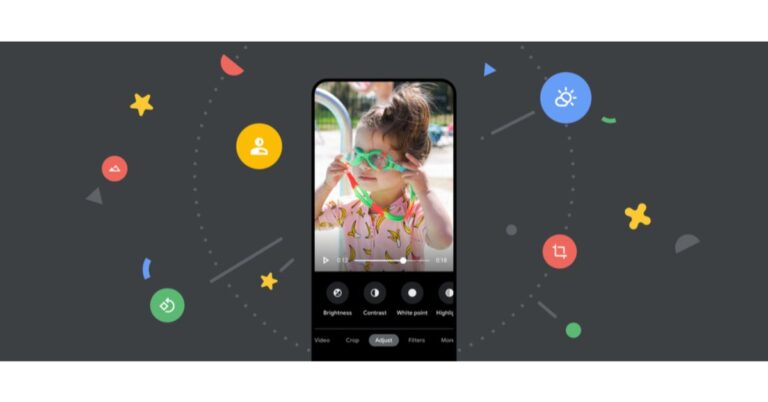
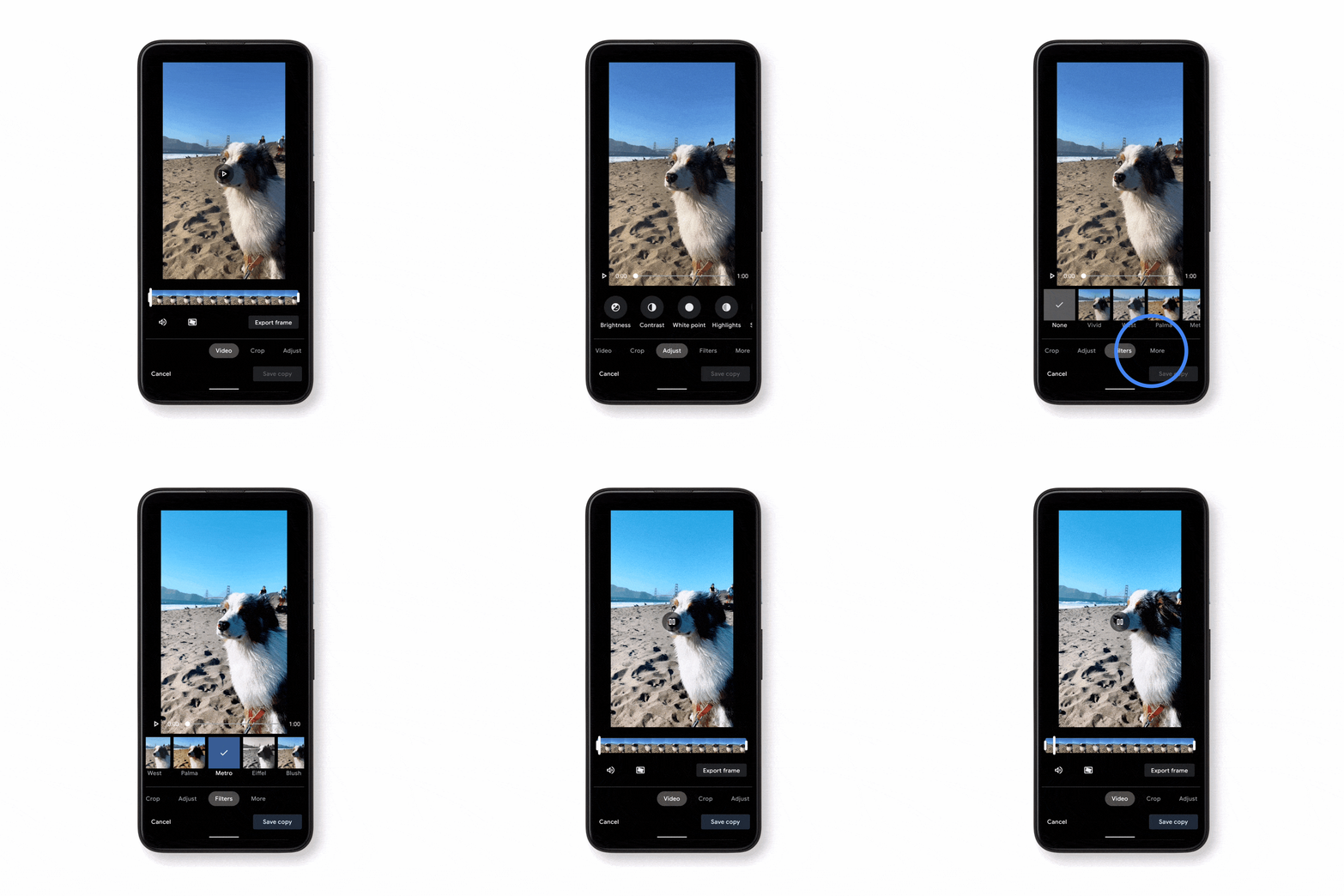
Google always tries to improve the user experience by bringing new features to its Google Photo app on Android. It helps you get the most of your photos by providing helpful suggestions like brightening, rotating, or archiving a picture while you’re viewing it. Last year the tech giant added a new tab right in the editor that uses machine learning to give you suggestions that are tailored to the specific photo you’re editing, therefore, helping you get stunning results by applying features like brightness, contrast and portrait effects. In a new development, the Google Photos app is getting an updated video editor that brings granular adjustments just like available on its photo editor providing over 30 controls that will enhance your pictures. Google Photos for Android is getting more editing capabilities that will allow you to easily fine-tune your memories without any trouble. It now comes with an updated video editor that has granular adjustments like the photo editor, so one can apply their own signature look to their videos. In addition to this more photo editing features previously only available on Pixel to Google One members such as Portrait Blur, Portrait Light, and Color Pop features for non-Pixel users. In addition to trimming, stabilizing and rotating videos Google Photos users will be able to  crop, change perspective, add filters, apply granular edits (including brightness, contrast, saturation and warmth) and more.  The users will get more than 30 controls and one can also improve a poorly exposed video by adjusting the brightness to make your video shine. As of now the new video editing features were only limited to iOS users but now the company will be expanding the functionalities to Android users in the coming weeks.  Animated GIF showing a phone with a video of a dog on the screen. The phone scrolls through granular edits to apply to the video. While announcing the update the company via its blog post said, “ Today, we’re adding even more editing capabilities to Google Photos so you can easily fine-tune your memories — no expertise needed. First up, we’re introducing an updated video editor that has granular adjustments like our photo editor, so you can apply your own signature look to your videos. We’re also bringing more photo editing features previously only available on Pixel to Google One members.” Apart from this Google has also announced some of the features for Google One members that were exclusively available to the Pixel owners. These effects transform your portraits using machine learning: with Portrait Blur, you can blur the background post-snap, and with Portrait Light, you can improve the lighting on faces in portraits. Both features work for photos just taken or images from the past — even if the original image wasn’t taken in portrait mode.  Animated GIF showing two photos of a beach; one is static while the other has new lighting effects applied to it that enhance it. While non-Google One members can use Blur and Color Pop without having to pay anything. Google One members can apply these effects to even more photos of people, including those without in-depth information, like old film scans or professional shots. Moreover, the Google One members will also have access to their new machine learning-powered effects. The Dynamic suggestion will enhance brightness and contrast across the image where it’s needed. With sky suggestions, you can make your golden hour images pop by boosting and adjusting the color and contrast in the sky with one of several palettes inspired by sunrises and sunsets.  As per the Google Portrait Blur and Portrait Light, along with Dynamic and sky suggestions will be released to Google One members over the next few days through the latest Google Photos app on Android devices. For the latest gadget and tech news, and gadget reviews, follow us on TwitterFacebook and Instagram. For newest tech & gadget videos subscribe to our YouTube Channel. You can also stay up to date using the Gadget Bridge Android App.

10 best smartwatches that you can get under ₹10,000

Smartwatches are getting popular day-by-day because of their versatility. Unlike conventional wristwatches, they can show more than just time. You can measure your heartbeat, track your fitness, set alarms and timers, and much more. The best part is they come with attractive designs to make them look luxurious just like the conventional wristwatches. The following is the list of the most affordable smartwatches that you can get for under ₹ 10,000 in India.

1) Amazfit Bip Lite

The Amazfit Bip Lite smartwatch comes with a 1.28-inch screen with 2.5D Corning Gorilla Glass protection. It has an optical heart rate sensor, a 3-axis accelerometer, and a barometer. It is 3 ATMs waterproof approved and fit to be used whiles swimming. The battery can last up to 45 days and gets charged within 2.5 hours.
Amazfit Bip Lite
Amazfit Bip Lite
Price: ₹ 3,799 Buy at Amazon

2) Noise ColorFit NAV Smart Watch

The Noise ColorFit NAV has a 1.4-inch TFT LCD screen with a full touch interface. The smartwatch comes with an accelerometer, gyroscope, heart rate sensor, IP68 ratings for resistance against water and dust. You can easily manage calls, see the notifications, and play music. A 180mAh battery offers long 96 hours of life on a single charge.
Noise ColorFit NAV Smart Watch
Price: ₹ 4,499 Buy at Amazon

3) Huami Amazfit GTS Smart Watch

This smartwatch comes with a dual-core processor underneath a metal body design. It has a 1.65-inch 341 PPI AMOLED screen with 5 ATMs water resistance making it fit for use while swimming. the device also has a heart rate sensor and a battery life of up to 14 days on a single charge.
Huami Amazfit GTS Smart Watch
Price: ₹ 9,999 Buy at Amazon

4) Huawei Watch GT 2e Sport

The Huawei Watch GT 2e Sport comes with the Kirin A1 chipset and featuring an ambient light sensor. It has a 1.39-inch AMOLED screen with a stainless-steel frame in three variants. It offers a heart rate sensor and 85 custom workout modes. The device can store as many as 500 songs with Bluetooth headset connectivity.
Huawei Watch GT 2e Sport
Price: ₹ 8,499 Buy at Amazon

5) Fossil Sport Unisex Smartwatch

The Fossil Sport Unisex Smartwatch is equipped with a Qualcomm Snapdragon Wear 3100 chipset inside a 43mm case. It has several features like a heart rate sensor, accelerometer, gyroscope, and altimeter. The smartwatch is waterproof and gives 24 hours of usage in normal mode and an additional 48 hours of usage in battery saving mode.
Fossil Sport Unisex Smartwatch
Price: ₹9,995 Buy at Amazon

6) Mobvoi TicWatch GTX

The TicWatch GTX offers built-in apps including fitness modes like running and cycling. The 1.28-inch screen enables you to read messages, calls, and notifications. The battery lasts up to 10 days with power saving mode on. The device comes with a TPU band that gives it an attractive touch, making it easy to wear on your wrist.
Mobvoi TicWatch GTX
Mobvoi TicWatch GTX
Price: ₹ 5,799 Buy at Amazon

7) GOQii Smart Vital

The GOQii Smart Vital has a 1.3-inch screen that shows your blood oxygen level in real-time. The smartwatch comes with features like a heart rate monitor and auto sleep tracking. It can also count steps walked, calories burnt and distance covered daily or hourly. The device is dust and water-resistant so users need not worry about accidental spills and can take it out for a swim too.
GOQii Smart Vital
GOQii Smart Vital
Price: ₹ 5,929 Buy at Amazon

8) Fossil FTW6001 Smart Watch

Fossil FTW6001 is an affordable smartwatch that allows you to send and receive calls and messages as well as receive notifications. The smartwatch utilises a Sony GPS chip with a dual-satellite positioning system for quick and accurate location. It provides a battery life of up to 60 days on a single charge along with full compatibility with smartphones. The device offers seven sports tracking modes.
Fossil FTW6001 Smart Watch
Buy at Amazon

9) WatchOut Elegant Gen2 Jazz Black Metallica Smart Watch

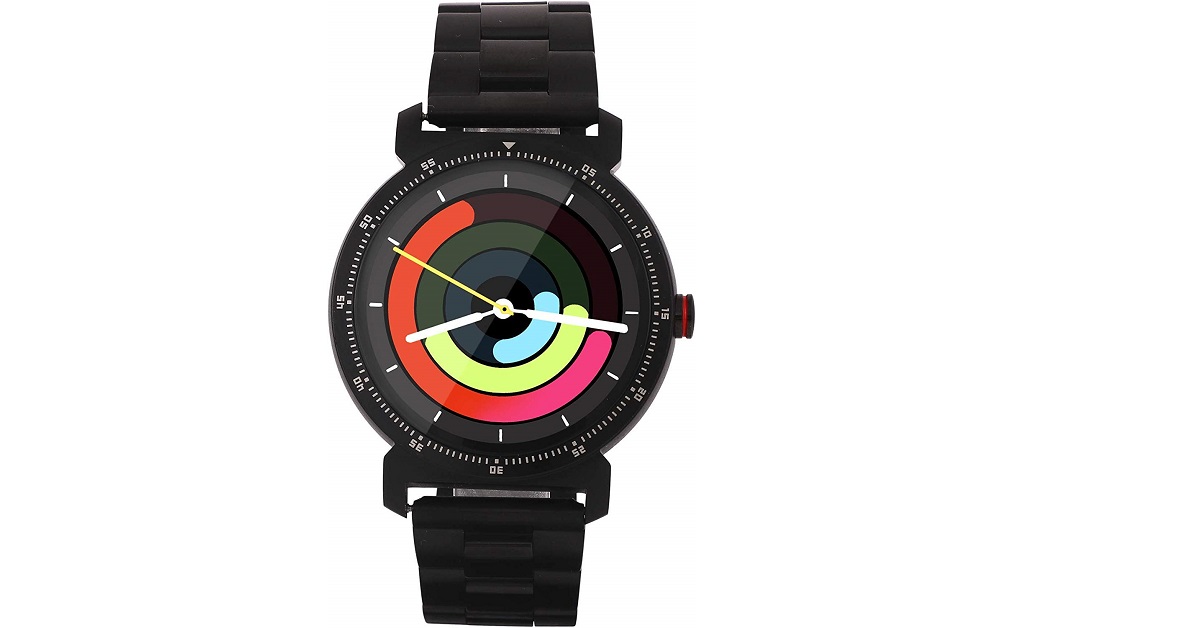
WatchOut Elegant Gen2 is an attractive smartwatch equipped with several advanced features inside a black heavy metal. The watch consists of a pedometer for counting your daily steps. It provides an adjustable to wear it comfortably on your wrist. Other features include receiving and making phone calls, messages, and notifications.
WatchOut Elegant Gen2 Jazz Black Metallica Smart Watch
Price: ₹ 6,669 Buy at Amazon

10) NoiseFit Fusion Hybrid SmartWatch

The NoiseFit fusion comes with a 1.22-inch full-color touch screen offering features like calling, texting, and receiving notifications and emails. The body is made of stainless steel with a Nano TPU85 material strap. The surface of the device is treated with an anti-sweat matte to make it comfortable to feel on your wrist. You can also track the fitness report, total sleep, light sleep, deep sleep, and awake time.
Noise NoiseFit Fusion Hybrid SmartWatch
Price: ₹ 5,999 Buy at Amazon For the latest gadget and tech news, and gadget reviews, follow us on TwitterFacebook and Instagram. For newest tech & gadget videos subscribe to our YouTube Channel. You can also stay up to date with the Gadget Bridge Android App.

Asus ROG Strix GA35 and Asus ROG Strix GT35 gaming desktop refreshed with Nvidia GeForce RTX 3000 Series GPUs, launched in India

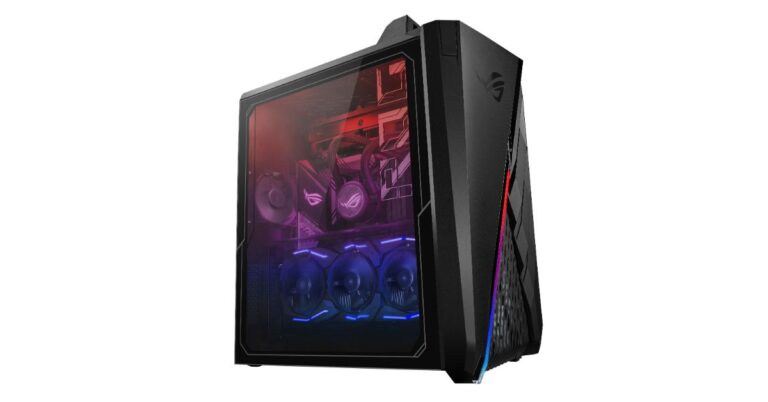
The Taiwanese electronics major Asus has announced the launch of gaming desktop models in India. The company has refreshed Asus ROG Strix GA35 and ROG Strix GT35 gaming desktops with AMD CPUs along with the newest Nvidia GPUs for graphics. Both the devices are packed with  NVIDIA GeForce RTX 3080 graphics card however the earlier model is powered by AMD Ryzen 9 3000 series CPUs whereas the latter one equips a 10th-Gen Intel CPU. While Windows 10 Home comes preinstalled on the Asus gaming desktops.  Asus ROG Strix GA35, Asus ROG Strix GT35: Price and Availability Asus ROG Strix GA35 comes in two options with AMD Ryzen 9-3900X Processor and  AMD Ryzen 9-3950X Processor. The price of this desktop starts at Rs 254990. While the ROG Strix GT35 will be available with a starting price of Rs 2,34,990. Both the models of the gaming desktops will be available for purchase via Flipkart, Amazon and other channels in the country. Asus ROG Strix GA35  ROG Strix GA35 is powered by a 16-core AMD Ryzen 9 3950X CPU for content creation, streaming, video editing, 3D rendering and heavy multitasking. It also equipped NVIDIA GeForce RTX 3080 graphics card. The device comes Windows 10 Home pre-installed and will be offered with 32GB of DDR4 RAM clocked at 3,200MHz paired with 1TB M.2 NVMe SSD and a 2TB SATA 7,200RPM 3.5-inch HDD. In addition to this, the desktop features an easy-carry design with an integrated handle and Keystone. While the dynamic Wind Shear chassis enhances airflow while keeping noise levels under 40dB for quieter gameplay and work.  The 1a 240mm liquid cooler is provided to keep the CPU cool.
Asus ROG Strix GT35 
Asus ROG Strix GT35
Asus ROG Strix GT35  The Asus ROG Strix GT35 runs on Windows 10 Home and is powered by a 10-core Intel Core i9 CPU  paired with GeForce RTX 3080 graphics card for faster gameplay. The desktop comes with OVERWATCH in FHD Epic visuals at up to 300 FPS and the advantage of a 143 FPS gameplay.  It is armed with up to 32GB DDR4 RAM clocked at 2,933MHz including 1TB M.2 NVMe SSD and a 2TB SATA 7,200RPM 3.5-inch HDD. As per the company, the multi-zone chassis keeps the CPU, graphics card, and power supply in separate bays to minimize thermal interference and lower ambient temperatures, to push processor clocks and frequencies higher for better overall performance.  Commenting on the launch, Arnold Su, Business Head, Consumer and Gaming PC, System Business Group, ASUS India, stated, “Our focus in the PC gaming segment is to create innovation leading technologies and solutions through products which are enabled with the right hardware and tools for our consumers. At ASUS ROG, we understand the importance of personal preferences in professional esports and are focused towards providing the best performance while considering individual choices and comfort with personalized designs and aesthetics. These new ROG Strix gaming desktops are curated with customization features offering the best in class experiences not only for avid gamers but also for everyday users for smooth multitasking needs and requirements. We will continue to innovate through our product portfolio and set newer benchmarks in the gaming PC segment in India”.  For the latest gadget and tech news, and gadget reviews, follow us on TwitterFacebook and Instagram. For newest tech & gadget videos subscribe to our YouTube Channel. You can also stay up to date using the Gadget Bridge Android App.

Will Twitter get banned in India? What are the other app options in case it does?

0
In the backdrop of violence in New Delhi on January 26, 2021, followed by a tweet of a CNN news story by Singer Rihanna, Twitter has recently acted against approximately 500 handles and some hashtags in India to fulfill several orders of the Indian government. Twitter had suspended several handles linked to farmers’ protests against the farm Bills but soon reversed its decision under the pretext of users’ freedom of speech. According to Twitter, the handles will remain blocked only in India and not outside the country. The company perceives the orders by the Indian government to be inconsistent with local law, which many believe to be a false and easy way for Twitter from enforcing its own policy.

Why can Twitter be banned in India?

When Twitter lifted the block on the suspected handles, the central government warned the company and its executives, citing the nation’s Section 69A, which has a provision of “punishment along with an imprisonment for a term that may extend up to 7 years”. Many tweets were floated with the hashtag #modiplanningfarmersgenocide that aimed at the agriculture reforms. According to Twitter, these accounts and hashtags were against the Rules of the company as they incite violence, abuse, and harm. The secretary of (Meity) reminded Twitter about the action taken by it during the Capitol Hill episode in the USA and compared that with the disturbance at Red Fort in India and its aftermath. He expressed dissatisfaction over Twitter’s differential treatment in the two incidents. The Secretary of the Ministry of Electronics and Information Technology (Meity) showed concerns on alleged abuse of Twitter to build operations to spread violence and uncertainty in India. The ministry stated that this was unacceptable and Twitter must take strict action against such well-coordinated campaigns against India. Speculations are now going on whether Twitter will be banned in India as the Meity declared its statement after Twitter’s response, saying that the government would no longer talk to the Twitter delegates at a scheduled meeting. It also floated a tweet that people should switch to the Koo app, which a homegrown app, and many have already started switching to it

Can ‘Koo’ replace Twitter?

Koo is a micro-blogging platform that had won the Aatmanirbhar Bharat App Innovate Challenge hosted by the government to encourage Indian developers to discover alternatives to Chinese apps. The app aims to allow users to express their views in Indian languages. The name ‘Koo’ is derived from the Koel bird, which is found commonly in India. Koo The government, politicians, and several people have already joined Koo and are constantly sharing their views on the platform. Moreover, hashtags like #BanTwitter and similar hashtags are already trending on it. As of now, we can’t predict the course of the future. However, if the thought of banning Twitter turns into reality, then Koo is what shall take over. For the latest gadget and tech news, and gadget reviews, follow us on TwitterFacebook and Instagram. For newest tech & gadget videos subscribe to our YouTube Channel. You can also stay up to date with the Gadget Bridge Android App.  
WhatsApp testing Log Out feature on its platform, inching closer to release multi-device support

Multi-Device Support has always been a much-demanded feature on WhatsApp. The Support for this particular feature has always been in the highlights when it comes to upcoming features on the messaging platform and in the past one year the rumour mills have been churning out that WhatsApp will soon enable its users to use their accounts on multiple devices at the same time as its working on multi-devices support. Recently the much-awaited feature was also spotted in the latest beta version hinting at it might soon be available to all the users. But in a new development, the company seems to be testing out a new feature letting users to log out of an account on a linked device to enable better multi-device support for WhatsApp. The news is rife, as per a report by WABetaInfo the logout feature on Whatsapp is under testing and has been spotted in a  beta update 2.21.30.16, therefore, suggesting the upcoming multi-device support feature. This functionality is slated to be working both for WhatsApp and WhatsApp Business so the users do not need to delete or uninstall the instant messaging app and would be able to simply log out of an account.  As of now, WhatsApp users can access the instant messaging app on other devices like desktops or laptops only via WhatsApp Web. They have no other option but to uninstall the app from their device or to delete their account in order to unlink a device therefore they have to suffer the loss of data if they have not backed up the chats. Reportedly This feature is not ready yet for the public as it is under testing. Those who are unaware of multi-device features will allow the users to use the WhatsApp account on different devices at the same time. Right now the company is working on two different kinds of multi-device Multi devices with WhatsApp Web so that one can use  WhatsApp Web without their main phone to be connected to the Internet. And the send one is the support to other devices, therefore, allowing you to connect up to 4 different devices to your main WhatsApp account. Mind you! The WABetainfo report also mentions that this limit might change in the future and this type doesn’t require an active Internet connection on the main phone as well. In addition to this, the publisher has also made a demo video that shows how the log-out feature on the platform works. 
When the feature is rolled out publicly the user will see a  new option called Log out, which allows you to unlink your device to the main WhatsApp account.  Till now, WhatsApp only gives an option to Delete an account that will be replaced with a Log Out option on linked devices. As per the report, the company might also change moving/copying the option in the previous Linked devices section. This feature works perfectly both on WhatsApp Messenger and Business versions and will be made available to Android users.   For the latest gadget and tech news, and gadget reviews, follow us on TwitterFacebook and Instagram. For newest tech & gadget videos subscribe to our YouTube Channel. You can also stay up to date using the Gadget Bridge Android App.

February 12 Flipkart Daily Trivia Quiz Answers: Answer to win exciting prizes

0
The e-commerce website Flipkart is hosting Daily Trivia Quiz. Every day it brings a bunch of new questions for its users. By answering them correctly you can win exciting prizes. The questionnaire is based on questions related to general knowledge. Also, the users can win free vouchers and super coins, among other offers via the daily quiz. February 12 Flipkart Daily Trivia Quiz Answers has already gone live on its platform. The participant should be at least 18 years old and should have a valid login ID. The Quiz is available on the mobile platform and not the web version. E-commerce conducts the quiz on daily basis and goes live at 12:00 AM IST and runs till 11:59 PM IST.  The winners are announced within 15 days from the date of participation that can be viewed under the Gems/Rewards section in the app.

How to participate in the Flipkart Daily Trivia Quiz

To participate download the Flipkart app on your phone. Then open the Flipkart app then head to Game Zone. Now click on the Daily Trivia Banner or search for Daily Trivia. Enter the game and answer all 5 questions with correct answers.

February 12 Flipkart Daily Trivia Quiz Answers 

Question 1: The character Ethan hunt is associated with which film series? Answer: Mission Impossible Question 2: Smells Like Teen Spirit is a song by which American Rock band? Answer: Nirvana Question 3: Which film was being screened when the Uphaar cinema fire tragedy took place? Answer: Border Question 4: Shankar Dada zindabad is a Telugu remake of which Bollywood film? Answer:  Lage Raho Munna Bhai Question 5: Which of the widely popular TV characters is a nuclear safety inspector? Answer: Homer Simpson
For the latest gadget and tech news, and gadget reviews, follow us on TwitterFacebook and Instagram. For newest tech & gadget videos subscribe to our YouTube Channel. You can also stay up to date using the Gadget Bridge Android App.

February 12 Amazon Quiz: Answer these five questions and you could win Rs 15,000 Amazon Pay Balance

India’s leading e-commerce website Amazon is hosting an Amazon Quiz session for its customers. The website brings an app quiz on a daily basis, which begins at 8 AM till 12 noon. As part of the quiz, the participants stand a chance to win prizes as well as cash prizes on a daily basis, and today Rs 15,000 Amazon Pay Balance can be won. The Amazon Quiz session allows the customers to win bumper prizes such as Apple iPhone X, iPhone Xs, Go Pro Hero 8 and many more every day while sitting at home. To win the participants must answer five questions correctly based on current affairs and general knowledge. One wrong answer can eliminate you from the quiz and the results will be announced at the end of the month. Today’s question will let you win Rs 15,000 Amazon Pay Balance. Check below for today’s Amazon quiz answers.

February 12 Amazon Quiz Answers

Question 1: Colonel Narendra ‘Bull’ Kumar, who recently passed away, led the first Indian team to climb which mountain? The answer is- Nanda Devi Question 2: Prime Minister Narendra Modi laid the foundation stone for the permanent campus of Indian IIM Sambalpur in which state? The answer is- Odisha Question 3: By 2023, Japan plans to launch the first satellite made of what material to reduce space debris? The answer is- Wood Question 4: In which of the following games do we use a 20-sided version of this object? The answer is- Dungeons and Dragons Question 5: Name this popular American electronic music producer and DJ. The answer is- Marshmellow
For the latest gadget and tech news, and gadget reviews, follow us on TwitterFacebook and Instagram. For newest tech & gadget videos subscribe to our YouTube Channel. You can also stay up to date using the Gadget Bridge Android App.

Everything you need to know about Pokemon cards and why are they selling out so quickly? 

0

What are Pokémon Cards?

The Pokémon Trading Card Game is a collectible card game that is based on the Pokémon franchise of Nintendo video games. There are different methods of trading and buying Pokémon cards. they can be collected from stores in different ways like pre-constructed decks, promo cards, booster boxes, and individual packs. Moreover, you can buy them through websites and individual sellers on the internet. Pokemon Trading Card Game

What does the Company say about the unprecedented sales?

The Pokemon Company officially declared that they need to print trading cards since the demand for Pokemon cards has been consistently high especially over the last few weeks when the series is celebrating its 25th anniversary. As a result, several Pokemon fans are facing challenges buying certain Pokemon trading cards because of global shipping constraints compared to its high demand. The company added that the reprinting task is taking place at maximum capacity and soon they will be available to many.

Why are the sales of Pokémon Cards so high?

1) Chain Reaction

Recently YouTube stars and celebrities have indulged themselves in investing a high amount of money in Pokémon cards. This encouraged people to buy the cards in a hope of profit in the future. As more people swarmed to invest in the cards, their value rose at an unprecedented rate.

2) Publicity

Pokemon Card games salesPublicity is another factor that led to the shooting up of the prices. There are special initiatives o YouTube, Twitch where famous DJs and music producers including Steve Aoki hosted a live event devoted to Pokémon Cards. Similarly, a famous YouTuber Logan Paul has spent almost $300,000 in buying them that automatically raised the face value of the franchise.
3) Lockdown aftermath

The lockdown during the COVID-19 pandemic has led to the emergence of new hobbies in people to avoid boredom. Investing extra money to buy cards could also be one of them. The lockdown phases allowed old franchises and TV shows to make a comeback. Pokémon is one among them. Once the ground was prepared by the lockdown, the internet thing got the Pokémon cards back to the limelight.

4) Game with investment

The recent rise in costs and sales has inspired people to examine their collections to see if they have any items that they can sell. On the side, the people who want to buy are constantly looking to acquire cards not only to make an alternative investment for their savings. It’s not only the individuals indulged in trading who are making money. Card shops and online retailers are also experiencing huge profits. Many businesses have experienced a rise in their business throughout the pandemic. For the latest gadget and tech news, and gadget reviews, follow us on TwitterFacebook and Instagram. For newest tech & gadget videos subscribe to our YouTube Channel. You can also stay up to date with the Gadget Bridge Android App.

Slack for android could have leaked your password: Here is how you can quickly change it.

0
According to a recent report, Slack’s Android app unexpectedly started logging into users’ profiles via credentials in plain text. For security concerns, Slack Technologies started sending emails to the users asking them to change their account passwords. The email also informs them about the glitch and the chances of other apps of the affected smartphone accessing the credentials. According to a report published by Android Police, Slack technologies deputies validated that the emails sent to the users were genuine and not auto-generated by phishing companies. Although the glitch might have affected only a small segment of Android users, for your privacy and security concerns, you should immediately reset your Slack password. Here is the simplest way to do it.

How to change your Slack password?

You can’t change your password using the mobile app. However, you can change it on the web browser of your mobile or desktop by following these simple steps. 1) Log in to your Slack desktop or web application and select a workspace. 2) Click on your profile picture located in the top-right corner of the screen. 3) In the dropdown menu, click ‘View profile’. View profile 4) Click the three dots labeled as ‘More’ on your profile that opens another options menu. 5) Select the ‘Account Settings’ option. Account Settings' 6) Now you will find a list of headings with ‘Password’ being on the top. 7) Click the ‘expand’ button located adjacent to the ‘Password’ heading. 8) In the box that opens, you can reset your password by entering your previous password followed by a new one. Password 9) If you fail to recall your old password, you can request a password reset link by email. 10) You need to repeat the above process for every workspace.

What to do after changing the password?

  1. Once the password is changed in the desktop application, you will need to manually clear the application data in the settings in your Android smartphone. This will log you off from the mobile app.
  2. Now, you need to clear the cache memory to erase all the cookies and the data you might have entered into the mobile application. To do this, you need to go to the ‘Storage’ option in the ‘Settings’ app. Within ‘Storage’, select ‘Storage & cache’. Tap ‘Clear storage’ to delete all the cache data related to the Android Slack application.
  3. Now, restart the app, you’ll be prompted to sign in where you can log in with your new password.
For the latest gadget and tech news, and gadget reviews, follow us on TwitterFacebook and Instagram. For newest tech & gadget videos subscribe to our YouTube Channel. You can also stay up to date with the Gadget Bridge Android App.

15 Microsoft PowerPoint keyboard shortcuts every beginner should know

0
Microsoft PowerPoint is used extensively in multinational corporations, educational institutions, government organizations, and hospitals for making presentations. The designing task requires editing, formatting, and arranging the elements now and then. The following shortcuts will help you use all the important functionalities conveniently and efficiently.

1) Jump to Nth slide in a slideshow

Slide Number + Enter Key Once you start the slideshow, his shortcut helps you jump to the Nth slide in your presentation where N is the index of the slide you want to jump to.

2) Display a black or white slide (in slideshow mode)

B => Black slide W=> White slide This shortcut enables you to pause your presentation during a slideshow. Pressing the same key again resumes the slideshow.

3) Duplicate active slides

CTRL + SHIFT + D This shortcut replicates the current slide in your presentation and places it right after.
Duplicate active slides

4) Start Slideshow from the first slide

Shortcut: F5 This shortcut launches the slide show right from the first slide in your presentation.

5) Start Slideshow from the current slide

Shortcut: SHIFT + F5 This shortcut begins the slide show right from the current page. It is of great utility when you want to restart the slideshow after editing a page.

5) Go to the next or previous slide

Page Down=> Go to the next slide Page Up=> Go to the previous slide

6) Display the Shortcuts menu

shortcut: SHIFT + F10 Once you are in the slideshow, this shortcut equivalent function of the right-click. Thus, it helps you to get complete control of your keyboard.
Display the Shortcuts menu

7) Show the Slideshow Help shortcuts

Shortcut: F1 When the Slideshow mode is on, this command will show all the slide show shortcuts to swiftly navigate your presentation.
Show the Slideshow Help shortcuts

8) Insert a hyperlink

Shortcut: CTRL + K  To insert a hyperlink in a text, select the text and use the above shortcut. This shortcut saves much time when you have to handle multiple hyperlinks.
Insert a hyperlink
Insert a hyperlink

9) Justify alignment

Shortcut: CTRL + J You can easily switch the alignment of a piece of text to ‘Justify’ by the above shortcut.

10) Jump to the beginning or end of a line

END=> Jump to the end of a line HOME => Jump to the beginning of a line

11) Launch thesaurus

Shortcut: SHIFT + F7 This shortcut opens up the thesaurus for you to get suggestions of synonyms for a word in the text.
Launch thesaurus
Launch thesaurus

12) Open the Font dialog box

Shortcut: CTRL + T You can modify the font style and font size of a text by this shortcut without going to the menubar.

13) Change the text case 

Shortcut: SHIFT + F3 In your presentation, you can switch between lowercase and uppercase swiftly by using the above shortcut.
Change the text case 
Change the text case

14) Make text subscript or superscript

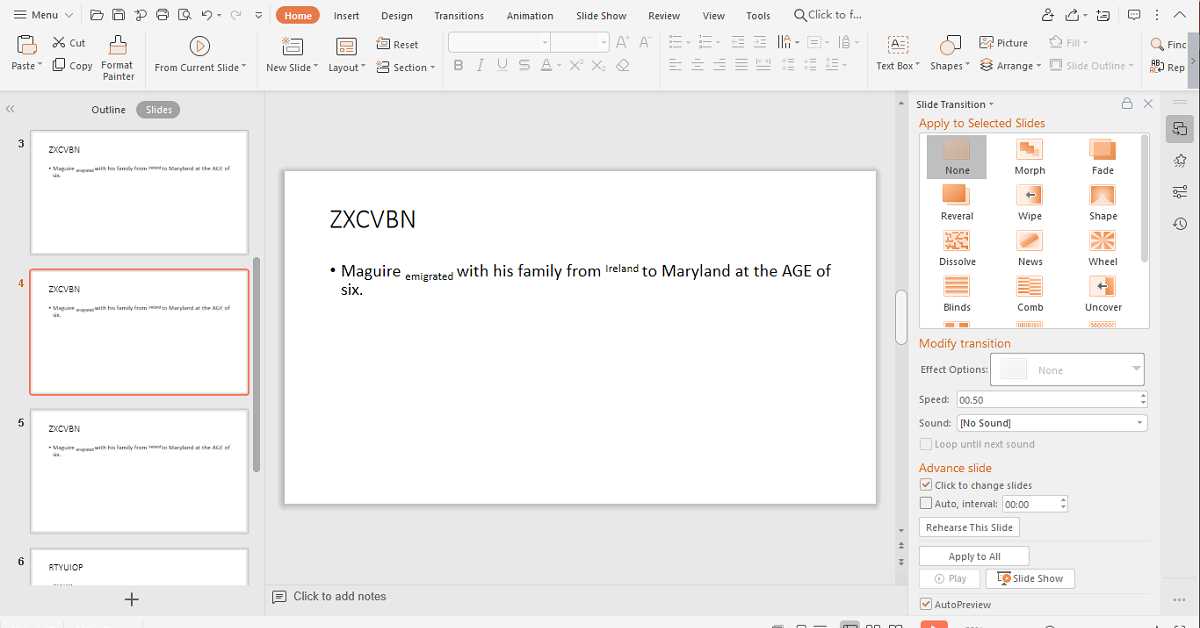
You can convert a piece of text into subscript or superscript by the following shortcuts: CTRL + ‘=‘ subscript CTRL + SHIFT + ‘=’ superscript

15) Open the spell check engine

Shortcut: Press F7 You get assured of the spelling of a word and grammar by opening the spell check engine.
Open the spell check engine
For the latest gadget and tech news, and gadget reviews, follow us on TwitterFacebook and Instagram. For newest tech & gadget videos subscribe to our YouTube Channel. You can also stay up to date with the Gadget Bridge Android App.

Vivo X50 Pro+ tipped to make its debut in India alongside Vivo X60 series

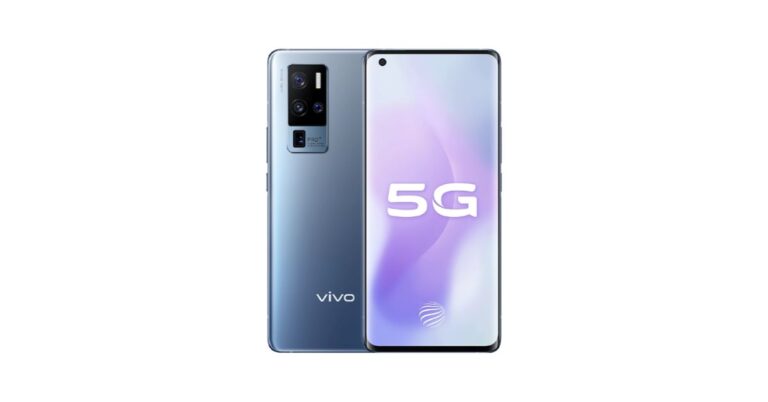
The Vivo X60 series is set to launch in India soon. In addition to this, the company might also launch Vivo X50 Pro+ alongside the X60 series in the country however both the other devices X50 and Vivo X50 Pro have already made their debut in the country last year in July. As per a report launch event is tipped between March end and April starting.  In July last year the Chinese smartphone company Vivo launched Vivo X50 and Vivo X50 Pro in India but the most powerful Vivo X50 Pro+ missed to make its debut in the country. But according to a report the device is expected to arrive in the Indian market alongside the next generation Vivo X60 series. The launch event is rumoured to take place either later in March or in the first week of April. Vivo X60 series rolled out in China While on the other hand, the Vivo X60 series has already made its debut in China in December last year. If the report is to be believed then the company will bring Vivo X60, Vivo X60 Pro, and the Vivo X50 Pro+ by next month to the country. However, you can view the information as scepticism and not interpret something literally because the company is yet to share details on the launch. Both X60 and X60 Pro smartphones offer a 6.56-inch FHD+ 120Hz OLED screen along with an in-display fingerprint sensor. The devices are powered by Exynos 1080 upper mid-range SoC, equipped with a 4,200mAh battery with 33W fast charging and excellent camera experience.  Vivo X50 Pro+ smartphone: pricing and specification If Vivo X50 Pro+ launches in India then it might be offers in three variants 8GB RAM + 128GB storage option at CNY 4,998 that translates to Rs 53,000, 8GB RAM + 256GB storage option at CNY 5,498 that translates to Rs 58,300 and 12GB RAM + 256GB storage option at CNY 5,998 that translates to Rs 63,300. Speaking of the specification Vivo X50 Pro+ will feature a 6.56-inch full-HD+ AMOLED curved-edged display with 120Hz refresh rate support. Under the hood, there will be a Qualcomm Snapdragon 865 processor with 12GB of RAM and up to 256GB storage. The 5G smartphone will run Android 10 based Funtouch OS 10.5.  In terms of photography, the upcoming smartphone will feature a quad rear camera setup consisting of a 50-megapixel primary camera sensor. Furthermore, there will be a 32-megapixel secondary sensor and dual  13-megapixel sensors. For selfies, there will be a 32-megapixel camera sensor on the front with f/2.45 aperture. For the latest gadget and tech news, and gadget reviews, follow us on TwitterFacebook and Instagram. For newest tech & gadget videos subscribe to our YouTube Channel. You can also stay up to date using the Gadget Bridge Android App.

Infinix Smart 5 with 6,000mAh battery launched in India

Transsion group holdings brand Infinix today announced the launch of the latest budget smartphone Infinix Smart 5 in India. The device is the successor to the Infinix Smart 4 that was introduced by the Hong-Kong based smartphone company in November. The smartphone comes with dual rear cameras and a 6,000mAh battery. In addition to this, there is an octa-core MediaTek Helio G25 SoC, a  Drop Notch design display and runs on   XOS 7 UI on top of Android 10. The smartphone carries a gem cut texture design with a flow pattern moreover there is a multifunctional fingerprint sensor and face unlock for biometrics. Infinix Smart 5: Pricing and availability details Infinix Smart 5 has been introduced in India in single 2GB RAM with a 32GB storage option. The device comes with a price tag of Rs 7,199 and will be offered in four distinct colour options of  Aegean Blue, Morandi Green, Obsidian Black, and 6° Purple. The device will go on sale via e-commerce website Flipkart starting February 18 at 12 noon. The bank offers to include are 5 percent unlimited cashback on Flipkart Axis Bank Credit and Debit transactions. 10 percent off on the first two purchases using a BOB master debit card on orders of Rs 750 and above. In addition to this, there will be an extra Rs 1800 off on the purchase of the smartphone with EMI starting from Rs 247 per month.  Infinix Smart 5 with 6,000mAh battery launched in India Infinix Smart 5: specifications and features Infinix Smart 5 runs on  XOS 7 UI on top of Android 10. Under the hood, there is an octa-core MediaTek Helio G25 SoC with a primary clock speed of up to 2.0GHz paired with HyperEngine Game technology. The phone will be available in a single 2GB RAM with a 32GB storage option that can be expanded up to 256GB via a dedicated microSD card slot. The smartphone features a 6.82-inch HD+ Drop Notch design display with a 90.66 percent screen-to-body ratio. Moreover, it offers a 20:5:9 aspect ratio with a  peak brightness of 440 nits, and a 1500:1 contrast ratio.  The Infinix smartphone sports a dual AI rear camera set up that includes a 13-megapixel primary sensor with  f/1.8 aperture, Low Light Sensor and quad-LED flash. While on the front there is an 8-megapixel sensor with an f/2.0 aperture and an LED flash for taking selfies and video calling. The camera app supports Auto Scene Detection, Modes: Slo-mo Video, Bokeh, AI HDR, AI 3D Beauty, AR Animoji, AI 3D Body Shaping. Whereas the front camera has support for AI Portrait, AI 3D Face Beauty, WideSelfie, AR Animoji. Besides this, the budget smartphone packs a 6,000mAh battery that the company claims it can deliver a standby time of up to 50 days and last for up to 53 hours of 4G Talktime. For connectivity, there is 4G, 3G, Wi-Fi, EDGE, GPRS, and Bluetooth v5.0. The smartphone features a gem cut texture design with a flow pattern moreover there is a multifunctional fingerprint sensor and face unlock for biometrics. For the latest gadget and tech news, and gadget reviews, follow us on TwitterFacebook and Instagram. For newest tech & gadget videos subscribe to our YouTube Channel. You can also stay up to date using the Gadget Bridge Android App.
5 ways you can free up space in Gmail

0
Facing a Gmail storage crisis is one of the most raised issues by people who rely on cloud storage. Most of the free cloud storage services offer a limited space to store your files including Google. Gmail comes with 15 GB of memory. It may appear enough but considering our dependence on the internet, you are likely to feel the need for more space soon. If you are not willing to spend money on buying more storage for Gmail, the following tips shall help you to free up space immediately.

1) Clean your Google Drive and Photos

Google offers 15GB of storage for free to all Gmail users. This storage is distributed among different Google services, especially Google Drive and Photos. For instance, if you have upload 10GB of photos on Drive and Photos, the space left for your Gmail will only be 5GB. The easiest way to provide more space to Gmail is by freeing up space used by Drive and Photos. If there are large files in your Photos and Google Drive, delete them if you can. That will free up space for emails. You may check your Google storage summary by going to https://www.google.com/settings/storage.
Clean your Google Drive and Photos

2) Find and delete big emails

A majority of the emails you get are small in size, say, 50 KB or less. however, some of them may be several MB in size. It happens due to the big-sized attachments in the form of data files, high-resolution images, and videos. If you are sure that the purpose of the attachments is fulfilled and you will not require them in the future, you can free up a significant amount of space in Gmail. To find the mails with heavy attachments, you just need to go to the search bar and type “larger:50m”. If you need more space, you can even search for “larger:25m” or even “larger:20m”.
Find and delete big emails

3) Find and delete “ancient” emails

The mails in your inbox gradually lose significance with time. You don’t need to keep emails that are, say, four years old. Similarly, there is no point storing casual conversations on Gmail with your friends during your school or college days. Deleting such mails will reclaim much of your Gmail storage. It will also clean up the account that had accumulated emails that are no more relevant. To find all your old emails, you just need to type on the search bar “older_than:1y”. You can set the year based on your preference. Once you have the list of the old emails, you can delete them in just a couple of clicks.
Find and delete "ancient" emails
Find and delete “ancient” emails

4) Get rid of the updates, promotional emails, and spam

Gmail keeps your emails organised in the form of categories as ‘Primary’, ‘Social’, and ‘Promotions’. Among these three tabs, the ‘Primary’ category is where your important emails are kept. The other tabs contain notifications about your social media accounts, profiles, promotional offers, and advertisements. Since you get such emails frequently, you accumulate a lot of them over some time. Similarly, your spam folder contains a lot of emails sent from websites that you’ve blocked. When running low on space, you can freely get rid of them.
Get rid of the updates, promotional emails, and spam

5) Plain Text and Quotes

Although emails containing nothing, but HTML text require lesser than those with attached files. However, over a long period, they add up to a significant size. If you don’t take care of them, they can cause a space crisis. You can save a lot of space by assigning your emails to plain text or changing the default setting to quote every email you reply to.
Plain Text and Quotes
For the latest gadget and tech news, and gadget reviews, follow us on TwitterFacebook and Instagram. For newest tech & gadget videos subscribe to our YouTube Channel. You can also stay up to date with the Gadget Bridge Android App.    

5 apps and software you can use to wirelessly transfer files from your smartphone to PC and vice versa.

There are a plethora of applications that you can use for sharing files between your smartphone and PC. But the first thought that comes before downloading one is whether it will be safe to use and will not breach the right to privacy. For some, another concern may be whether the app is paid or free. The following list suggests free and safe applications by which you can transfer files between your PC and smartphone and vice versa.

1) AirDroid

AirDroid is an app with an attractive interface that allows you to transfer files to and from your smartphone. First, you just need to connect your smartphone and computer to the same Wi-Fi network. Once connected, you can visit the special web address or scan a QR code. The app provides a convenient way to view and respond to incoming messages. AirDroid gives much control to you to view media files. You can even manage your applications by deleting and installing the programs from the .apk files.
AirDroid
AirDroid

2) Zapya

Zapya is a convenient cross-platform Android app that allows you to share different types of files across different devices utilising a Wi-Fi network. Zapya offers a menu split into several tabs, each of which relates contains different kinds of files like apps, media files. The app also has a file manager for searching and organising files in your phone storage. To transfer files between your PC and smartphone, you just need to make a group on one device using either a shared Wi-Fi network or a direct connection between the two devices. Once the connection is established, you can select and share the files.
Zapya
Zapya

3) SuperBeam

SuperBeam enables you to instantly share any files between your smartphone and PC via Wi-Fi Direct Share. You just need to scan a QR code so that the devices can swiftly create a unique Wi-Fi network for file sharing. The unique feature of SuperBeam is that apart from basic file sharing, you can even send files back and forth to a device where the app is not installed. For this, the user of another device will have to visit the application website. The interface of the SuperBeam is quite user friendly and the camera automatically opens on startup to scan the QR code. The application allows you to share almost all kinds of files including images, audio, video, compressed files, and .apk files.
SuperBeam
SuperBeam

4) Pushbullet

PushBullet is an Android application that allows you to transfer files, data – notes, links, images, videos, and lists quickly and conveniently between your smartphone and PC through Push notifications. To start sharing files, you need to install the application, login with your Google account, and download the Chrome extension. Now, you can send notifications either from your browser to your smartphone or your smartphone to Chrome. The unique feature of this app is the addition of friends who use Pushbullet.
Pushbullet
Pushbullet

5) Send Anywhere

Send Anywhere is an app for backing up all types of files on your device so that they can be downloaded into other devices. You just need to select the files you want to share and they’ll be pushed to the cloud in a matter few seconds. Once the desired files are on the cloud, you can share either by scanning a QR code created by the app or with a dedicated download code that you send.
Send Anywhere
Send Anywhere
For the latest gadget and tech news, and gadget reviews, follow us on TwitterFacebook and Instagram. For newest tech & gadget videos subscribe to our YouTube Channel. You can also stay up to date with the Gadget Bridge Android App.

How to screen record on your Android smartphone?

Until Android 11 was released, recording the screen on Android smartphones was a complex and demanding process. You had to use third-party applications that were often malicious. With Android 11, screen recording was integrated into the OS as a native feature. With further iterations, smartphone manufacturers made it easier for users to record their phone’s screen during gameplay. Want to record yourself playing a game on your smartphone? Your phone is capable of handling that without needing any external hardware or third-party apps. Here are the best ways to record the screen on an Android phone. Read Also: Summer Gadgets 2023: Tech That Will Keep You Cool

Use the native Android screen recorder

Step 1: Swipe down from the status bar to reveal the quick settings menu. Step 2: Select ‘Screen recorder’. If you cannot find the screen recorder icon, tap on the plus sign and add it to the quick settings menu. Select ‘Screen recorder’. Step 3: Choose whether you want to record the media sound on your phone along with the video or not. Step 4: If you are interested in recording a voiceover, select media and mic. This way your phone’s microphone will record your voice and integrate it with the screen recording footage. Step 5: You can also choose to show taps, touches, and other gestures on the screen.  Step 6: Once you’ve customised the settings, select ‘Start recording’. Step 6: Once you’ve customised the settings, select ‘Start recording’. Step 7: The screen recording will begin after a short countdown. Step 8: Once the recording is underway, you can draw on the screen by selecting the pencil icon on the recording toolbar. You can also turn on the front camera while the recording is in progress and record yourself along with the screen. This is helpful if you’re creating an instructional video and want to include yourself in the playthrough footage. Step 9: Tap the stop icon once you’re done. The screen recording will be saved in your phone’s gallery. Tap the stop icon once you’re done.

Record your Android phone’s screen while playing a game

Most Android smartphones come with a gaming toolbar that gives users quick access to a host of functions. These include DND mode, voice changer, performance meter, Boost mode, and the option to record the screen during gameplay. Here’s how you can record your Android phone’s screen while playing a game. Step 1: Launch the game you want to record.  Step 2: If you’re using a Samsung smartphone, swipe down from the top of the screen and select the notification icon that says ‘Tap to open Game Booster’. On other smartphones, swipe on the bar at the edge of the screen to reveal the gaming menu. swipe down from the top of the screen and select the notification icon that says ‘Tap to open Game Booster’. Step 3: Select the recording icon and select ‘Start recording’ in the popup box. Step 3: Select the recording icon and select ‘Start recording’ in the popup box.

Use a third-party app

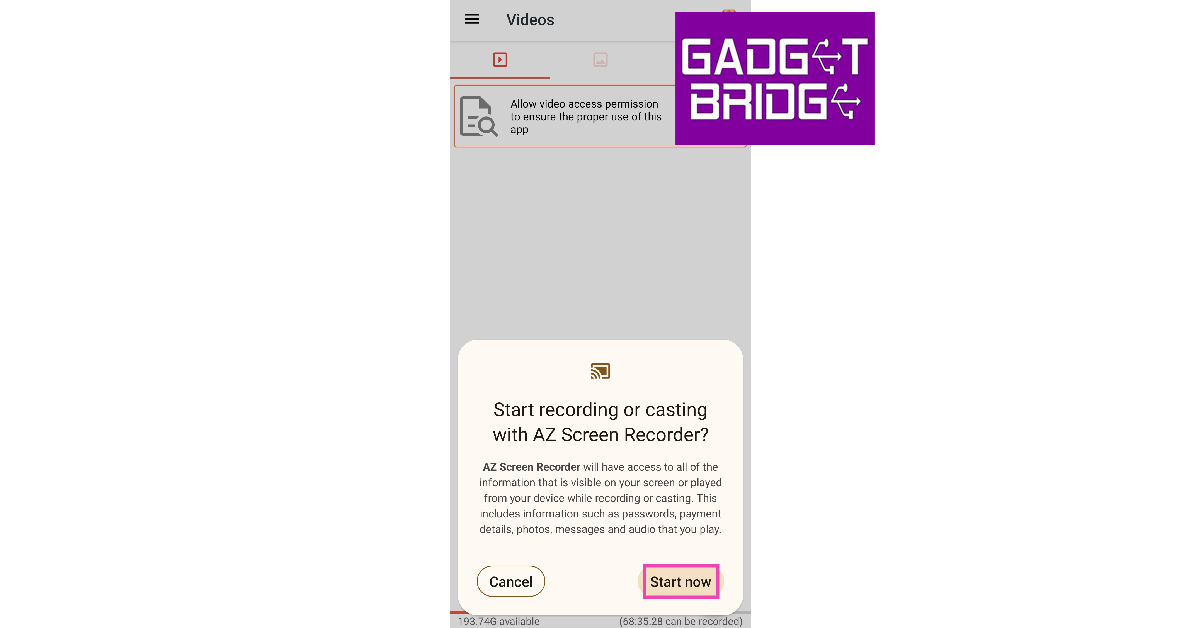
There are several third-party apps that will help you record your Android phone’s screen with ease. If you are using an older Android version, you will have to rely on these apps to record your phone’s screen. AZ Screen Recorder, Mobizen Screen Recorder, and XRec Lite Screen Recorder are some of the best apps for this task. These apps offer some additional features like live streaming your phone’s display, screencasting, controlling the resolution, video quality, & fps, and quick editing tools. Here’s how you can record your phone’s screen using AZ Recorder. Step 1: Download and install AZ Screen Recorder from Google Play Store. Step 2: Give AZ Recorder permission to display over other apps. Step 3: Tap on the video icon at the bottom. You can also minimise the app and go to the window you want to record and tap on the floating icon to initiate the recording. Tap on the video icon at the bottom. android screen recorder with internal audio Step 4: Tap on ‘Start Now’. Step 4: Tap on ‘Start Now’. android screen recorder with internal audio Step 5: To stop the recording, swipe down from the status bar and tap on the ‘Stop’ option in the notification panel.

Frequently Asked Questions

Where is the screen recorder on Android?

You can access the screen recorder from the quick settings menu by swiping down from the status bar. If you can’t find the screen recorder, add it to the quick settings menu by tapping on the plus icon.

Where is the screen recording stored?

As soon as you finish recording the screen on your Android smartphone, it gets saved in your device’s gallery.

How do I record my phone’s screen with sound?

Before you start recording the screen, choose the option to record media sounds in the popup box. Read Also: Thomson Oath Pro Max 65-inch Google TV launched in India

Conclusion

These are the best ways to record the screen on your Android phone. If you are interested in recording your gameplay footage for YouTube content, make sure you plug in your headphones to record your voiceover. The sounds recorded from the mic on a headset have a better quality than the ones recorded using your phone’s microphone. You can also record yourself while recording the gameplay to make the content more fun. For the latest gadget and tech news, and gadget reviews, follow us on TwitterFacebook and Instagram. For newest tech & gadget videos subscribe to our YouTube Channel. You can also stay up to date with the Gadget Bridge Android App.

Molekule Air Mini – Air Purifier with PECO Filtration Technology launched in India

Molekule’s PECO technology announced the launch of a new air purifier in India. The company has introduced the Air Mini purifier that is based on the award-winning patented Photo Electrochemical Oxidation (PECO) air purification technology. This feature is capable of eliminating airborne pollutants, allergens, viruses, bacteria, mold and VOCs in the apartments.. The Molekule air purifier can cover an area of up to 23 sq meters.  “Owing to the growing hazard of Indoor or Household Pollution, this is the right time for Molekule to enter the India market, and one could not ask for a better partner than Amazon for enabling this,” said Dr. Yogi Goswami, Co-Founder, Chief Scientist of Molekule. “Molekule technology works differently and is engineered to solve real problems. We encourage people to test and experience our technology, that not just filters out the air like most air purifiers available in the market, but also destroys harmful pollutants that are present in the air at a molecular level. And with the launch of Air Mini, we make our patented technology available in India for the first time and look forward to building a strong partnership with India –  one that goes beyond our products. India is an important market for us, and with our entry, we aim to bring the concept of cleaner air to the people of the country.” Molekule Air Mini purifier The Molekule Air Mini comes with Photo Electrochemical Oxidation (PECO) nanotechnology to destroy viruses, VOCs, allergens, bacteria and mold. The air purifier is designed for rooms up to up to 23 sq meters – ideal for apartments, bedrooms, and home offices. Furthermore, the users can customise the fan’s speed as per purification need from a whisper to boost as its offers 5 fan speeds to choose from. The energy consumption is between 18-53 watts, and the noise level varies between 36-62dBA, pending fan speed. It also uses a hybrid of Molekule’s Pre-Filter and PECO-Filter in a single filter. PECO-Filters coated in a proprietary catalyst, which, when activated by UV-A light, release hydroxyl radicals that break the molecular bonds of viruses, bacteria, mold, allergen, odors, pollen, dander, and more. In terms of design, the Air Mini purifier comes in a portable design and features a natural wool felt handle, therefore, allowing it to be easily moved or placed anywhere in the room. The Molekule air purifier also tracks your PECO-Filter status and when it’s time to replace it, you get notified. And its cylindrical design all it to intake air from every angle while the flows through the outer filter layers, trapping large particles, and slowing down VOCs passing through the filter. For the latest gadget and tech news, and gadget reviews, follow us on TwitterFacebook and Instagram. For newest tech & gadget videos subscribe to our YouTube Channel. You can also stay up to date using the Gadget Bridge Android App.

Samsung Galaxy F62 set to launch in India on February 15

After appearing on Samsung’s official support page in India and several rumours and leaks Samsung has officially announced to launch Galaxy F62 in the country on February 15. The upcoming device is the second phone to launch after F41 which launched in the country back in October last year to its newest F-Series. As per the latest teasers, the smartphone will be powered by Exynos 9825 SoC based on the 7nm process.  Samsung Galaxy F62 is set to launch in India on February 15. The company has also created a dedicated Flipkart page which reveals that the phone will launch at 12 noon in the country. In addition to this, the front, as well as the back of the Galaxy F62, has also been revealed via Flipkart page. Although the company has not shared much about the device, it confirmed that the phone will be priced between Rs. 20,000 and Rs. 25,000. Earlier a tipster also tipped that the phone would be priced less than Rs 25,000.  Speaking of the design and specification Samsung Galaxy F62 has been revealed in a green variant. There is a square-shaped camera module consisting of four camera sensors and a centrally positioned hole punch on the front display to house a selfie camera. The company confirmed that the upcoming F-Series phone will be powered by 7nm octa-core Exynos 9825 SoC with an AnTuTu score of over 4,52,000 and a Geekbench 5 score of 2,400. In the previous report Galaxy F62 is expected to have a 7,000mAh battery. Furthermore, there will be a 6.7-inch sAMOLED display and might also feature a quad rear camera setup that comprises a 64-megapixel primary sensor. It is speculated to pack a 32-megapixel front camera and the reports claimed that the smartphone will run Android 11-based One UI 3.1 out-of-the-box. Powered by an Exynos processor the device is likely to come with  6GB of RAM and 128GB of internal storage. The Geekbenck results also suggest that the F62 will be offering a flagship-level experience with a  multi-core score of 2,401. On the other hand, the mobile also appeared on the Bluetooth SIG site with model number SM-E625F_DS in the past suggesting Bluetooth 5.0 support on the handset.  Some of the reports also shared that the production of the smartphone has begun at the Greater Noida Facility in the Delhi-NCR region. For the latest gadget and tech news, and gadget reviews, follow us on TwitterFacebook and Instagram. For newest tech & gadget videos subscribe to our YouTube Channel. You can also stay up to date using the Gadget Bridge Android App.

Poco sold over 150,000 units of Poco M3 on its first sale in India, next sale on February 16

Poco M3 which was launched in India last week went on sale for the first time in the country on February 9. On the very first day of its sale over 150,000 units of the newly launched device were sold. According to the company, the more than 30 lakhs buyer showed interest in purchasing the smartphone on its first sale. The device is the successor of Poco M2 which arrived in the Indian market last year.  The device is powered by Qualcomm Snapdragon 662 SoC and houses a 6,000mAh battery. In addition to this, it has a triple rear camera setup too.  Poco M3’s first sale took place on February 9 in India. As shared by the company the Poco sold over 150,000 units of the Poco M3 on its first sale that was held through Flipkart. The device made its debut in the country on February 2. The smartphone comes in a 6GB with 64GB storage variant priced at Rs 10,999 while the 6GB with 128GB storage model comes with a price tag of Rs 11,999. The device will be offered in three colour options of Cool Blue, Poco Yellow, and Power Black. After successfully hosting its first sale the company has now scheduled the next sale for Poco M3 on February 16 via Flipkart from 12 noon onwards. Poco M3 tech specs Poco M3 features a 6.53-inch full-HD+ display offering 1,080×2,340 pixels of resolution with a screen-to-body ratio of 90.34 percent and 19.5:9 aspect ratio. The display is protected with a layer of Corning Gorilla Glass. The device runs MIUI 12 for Poco based on the top of Android 10. It is powered by an octa-core Qualcomm Snapdragon 662 SoC paired with 6GB of LPDDR4X RAM and up to 128GB of onboard storage. In terms of optics, there is a triple rear camera set up that includes a 48-megapixel primary sensor with f/1 aperture. Furthermore, there is a 2-megapixel macro lens with f/2.4 aperture and a 2-megapixel depth sensor with f/2.4 aperture. Upfront there is an 8-megapixel selfie camera with an f/2.05 aperture. Poco M3 boasts a 6,000mAh battery that comes with 18W fast charging support. For connectivity, Poco M3 includes 4G LTE, Wi-Fi, Bluetooth, GPS/ A-GPS, a 3.5mm audio jack and a USB Type-C port for charging. Furthermore, there is an Infrared (IR) blaster and a side-mounted fingerprint sensor to unlock the phone. For the latest gadget and tech news, and gadget reviews, follow us on TwitterFacebook and Instagram. For newest tech & gadget videos subscribe to our YouTube Channel. You can also stay up to date using the Gadget Bridge Android App.