Garena Free Fire is a battle royale game with regular awards and tournaments to keep players interested. If you play Garena Free Fire, you should be aware of the redeem codes that are released on a daily basis. However, because the battle royale game is banned in India, players from other countries can use the Free Fire Redeem codes daily. If you’re unfamiliar with the Garena Free Fire redeem codes or don’t know how to get them, we’ve put together a step-by-step guide to help you redeem them. Check out Garena Free Fire Redeem Codes for 4 July 2023.The Free Fire redeem codes are a great way to get free stuff. These are 12-digit codes that contain alphabets and numbers, as well as an expiration date and time. Because the Garena FF redeem codes cannot be used more than once, you should hurry to the redemption page to claim your free reward before someone else does. To get a free reward, all you have to do is go to reward.ff.garena.com/en, which is the official redemption page. Also, keep an eye on this space for daily updates on Garena Free Fire redemption codes and rewards.
With our lives getting so dependent on technology, it doesn’t sound as bizarre today to say that I could survive an entire day with just apps as it would have five years back. But what made it a little challenging (at least in my head) was my editor’s suggestion to not carry my wallet or books that day.
I REALLY don’t know how to survive without either considering that I’m from a generation which at least likes to carry physical currency with them even if they pay digitally most of the time, and whenever I have nothing to do you would almost always find my head buried in a book.
But anything for a story, so here we are! It’ll sound surprising, but the first app that I need on any given day is Spotify because I am one of those people who would definitely snooze the alarm multiple times and then get late to work. And the answer to this problem is music.
Every morning, I would open my eyes when my alarm goes off and instantly play some music. It’s a great way to start the morning, and who knows? It might as well motivate me enough to go to the gym in the morning instead of the evening some day.
Read Also:How to Run Windows Apps on Android with Wine?
I like to keep the music on as I get ready for work and do my daily chores. As fate would have had it, I fell short of sesame seeds as I got my breakfast ready. While on most days I would have just driven down to a store close by to get it, I opted for Blinkit to keep my word on surviving solely on apps.
I usually get to work via a Blusmart cab. Since my commute to work is a recurring ride, I don’t have to book it ever since I set up the ride-along by putting in the place of pick-up, drop location and timings. This along with the fact that Blusmart claims to never cancel rides is a big plus because the last thing one wants is to be late to work because their cab cancelled at the last minute.
I usually read on my way to work, but that obviously couldn’t happen on a day when I was relying entirely on apps. So I put my earphones on and listened to ‘Sweet Bean Paste’, a novel by Tetsuya Akikawa on an unusual yet beautiful friendship, on the Audible app. I had started listening to it a while back but then started reading something else. This challenge proved to be a good reason to come back to it. Since the book has short chapters, I did manage to listen to a few before I got to work.
Now, if you ever try doing this, I would really suggest you stick to your office coffee machine rather than going overboard and using a food delivery app for it. Firstly, it’ll be more expensive, and secondly, it’ll take more time to reach you. It’s simply not practical. You might choose to order breakfast, but I wanted my first meal of the day to be home-cooked.
Since I am a writer, I usually use the Dictionary app a lot on my phone and swear by the Grammarly Chrome extension on my laptop. The former helps me tremendously because of its Thesaurus feature and the latter is like a necessity for writers. Zomato took care of my lunch and Simpl took care of the payment I made for it.
I usually take a small walk after lunch and rely on Apple‘s Health app to keep track of my steps all through the day, so that bit was sorted. In the evening, I called an Uber to head back home and on this ride, I watched a podcast on YouTube. Can there be a better to kill your time in traffic? Well, probably books, but this wasn’t bad either. Anyway, I paid for the cab ride via Google Pay UPI.
Read Also:How to Export a WhatsApp Chat: Complete guide for Android
After getting home, I like to unwind a bit with meditation and my preferred app for it is Headspace, although there are plenty of others available on the Play Store and App Store. If you are into mindfulness as well, you pick the app that suits you since when it comes to this, it’s never one size fits all.
I ordered a salad via Swiggy because I didn’t want to eat two heavy meals in a day and an episode of ‘Touch Your Heart’ on Netflix saved me from getting bored as I ate.
At the end of the day, I realized how easy it is in today’s world to survive solely with my phone. Almost any daily task can be managed with it provided you are in an area with the proper network. My younger self in college would have never trusted her phone to take care of everything throughout the day, but the fact that I can do this today shows how dynamically things have changed because of technology.
P.S. I think I forgot to mention apps like WhatsApp, Instagram and Gmail because I use them so often that my brain didn’t even register them.
For the latest gadget and tech news, and gadget reviews, follow us on Twitter, Facebook and Instagram. For newest tech & gadget videos subscribe to our YouTube Channel. You can also stay up to date using the Gadget Bridge Android App. You can find the latest car and bike news here.
South Korean technology company Samsung is scheduled to unveil its Galaxy Z Flip 5 and Galaxy Z Fold 5 smartphones at the Galaxy Unpacked event later this month. Just weeks before the unveiling, the first set of Samsung Galaxy Z Fold 5 hands-on images have been leaked and they clearly show the camera layout and the hinge of the device.
Samsung Galaxy Z Fold 5 images were posted by tipster Ahmed Qwaider and going by them, there seems to be no gap between the two folding halves of the smartphone. This is in contrast to the previous generation devices of the same family. The smartphone sports a loudspeaker, a microphone and a USB Type C port at its bottom edge, while on the top, there are three microphones and a loudspeaker. This makes a total of four microphones and a stereo loudspeaker setup.
Image courtesy: Ahmed Qwaider’s Twitter
Previous reports have suggested that Samsung might add a waterdrop-shaped hinge in the Galaxy Z Flip 5 and the Galaxy Z Fold 5 smartphones that could be similar to new foldable devices from the likes of Huawei, Vivo, Oppo and Xioami. For the uninitiated, a waterdrop-shaped hinge can remove the gap between two halves of the smartphone and minimize the crease on the internal screen.
Read Also:Samsung Galaxy Z Fold 3 review: Love at third sight
Furthermore, Samsung Galaxy Z Fold 5 images also show its rear camera setup that comprises three rear facing lenses and an LED flash placed on their right. According to reports, the device would come with a 50MP primary sensor, a 12MP ultrawide lens and a 10MP telephoto camera with 3x optical zoom.
Samsung Galaxy Z Fold 5 specifications (leaked)
Previous leaks about Samsung Galaxy Z Fold 5 suggest that the smartphone will come with a 6.2-inch 120Hz Super AMOLED cover screen and a 7.6-inch 120Hz internal foldable Super AMOLED screen. The smartphone will reportedly be powered by a Snapdragon 8 Gen 2 processor clubbed with 12GB of RAM and up to 512GB of internal storage.
The device is said to come with water resistance (varied reports talk about various ratings) and its connectivity features would include GPS, 5G, Wi-Fi 6E, Bluetooth 5.3, NFC and a USB 3.2 Type-C port. Reports suggest the presence of a 4,400mAh battery, 25W fast charging capabilities, Samsung DeX, and Samsung Pay.
Image courtesy: Ahmed Qwaider’s Twitter
However, it should be noted that Samsung Galaxy Z Fold 5 and Galaxy Flip 5 smartphones might not be dust resistant, according to tipster @UniverseIce. If this is true, the devices would not come with an IP58 rating. But then, we can also not rule out the possibility that the tech giant has, in fact, upgraded the IP rating on its upcoming phones but hasn’t talked about it yet.
Read Also:Pete Lau Makes a Hint to a Future OnePlus Foldable Phone
Other than this, the new foldable smartphones are said to have the ability to withstand 200,000 folds for basic use whereas 300,000 folds and unfolds is the upper limit.
For the latest gadget and tech news, and gadget reviews, follow us on Twitter, Facebook and Instagram. For newest tech & gadget videos subscribe to our YouTube Channel. You can also stay up to date using the Gadget Bridge Android App. You can find the latest car and bike news here.
A Wordle app was one of the most requested features for the game when it was released and hit virality in 2021. The lack of a dedicated Wordle app lead to many knock-offs and spin-offs getting published on Android and iOS app marketplaces. Many users still look for the official Wordle app for their smartphones. In this article, we bring you the top 4 ways to install Wordle as an app on your iPhone and Android mobile.Read Also:How to Set Up Emergency SOS on iPhone and Android?
In This Article
Play Wordle on the NYT Games app
After gaining Internet popularity in 2021, Wordle was acquired by the New York Times the following year. The price of the acquisition was rumoured to be $1 million. While Wordle never had a standalone app, assimilating with NYT’s game section meant it would finally have a place in the NYT Games app. Users can download the app from Google Play Store or the App Store. You don’t need an NYT account to play Wordle. However, you only get 7 free games before you’re asked to make an account.
Add Wordle Shortcut to your Android phone’s home screen
If you don’t want to download the NYT Games app, you can add a Wordle shortcut to your Android phone’s home screen, which functions more or less like an app. Here’s how.Step 1: Launch Google Chrome on your Android smartphone.Step 2: Go to NYT’s webpage for Wordle. A simple Google search for ‘Wordle’ will take you there. Or you can click this link.Step 3: Tap on the ellipses (three dots) at the top right corner of the screen.Step 4: Select ‘Add to Home screen’.Step 5: Name the home screen shortcut in the following popup box. Hit ‘Add’.Step 6: Touch and hold the Wordle icon to place it on the home screen. You can also tap on ‘Add’.Step 7: Place the Wordle icon in the position of your choice.
Add Wordle to your iPhone’s home screen
Here’s how you can add the Wordle game to your iPhone’s home screen.Step 1: Launch Safari on your iPhone and go to the Wordle webpage.Step 2: Tap the Share icon on the bottom toolbar.Step 3: Select ‘Add to home screen’.Step 4: Name the icon and hit ‘Add’ at the top right corner of the screen.
Use a third-party app
If you don’t really want to limit yourself to one Wordle puzzle every day, there are plenty of knock-off Wordle apps on the Google Play Store and App Store that you might enjoy. Since these apps aren’t a part of the NYT ecosystem, you won’t get the same puzzle as everyone else. But if you just want to play for the fun of solving new puzzles, these apps will be right up your alley. With over 5 million downloads, Lion Studios Plus Wordle is one of the most popular Wordle apps for Android. You can even try other variations of Wordle like Quordle, Octordle, and more.
Frequently Asked Questions
Is there an official Wordle app?
You can play the official Wordle game on the NYT Games app.
Which is the real Wordle app?
There are a lot of duplicate Wordle apps on the Internet. While Wordle does not have a standalone app, you can play the official game on the NYT Games app.
Motorola Razr 40, and Motorola Razr 40 Ultra have officially debuted in India today. The foldable phones will be taking on Samsung and Oppo’s foldable flip phones namely Samsung Galaxy Z Flip 4 and OPPO Find N2 Flip. The devices will be available for purchase via Amazon in the country and through offline retailers. The Razr 40 has a smaller 1.5-inch cover screen, whilst the Razr 40 Ultra has a larger 3.6-inch outside display.
Also Read:GST rate reduced on household items, TVs, mobile phones and other electronics to get cheaper
In This Article
Motorola Razr 40, Motorola Razr 40 Ultra price in India and availability
The Motorola Razr 40 Ultra has been launched in India with a price tag of Rs 89,999 for the 8GB RAM with 256GB storage model. This model will be offered in two colour options of Viva Magenta and Infinite Black. The company will be offering a Rs 7,000 cashback offer to ICICI Bank customers. It will also come with Jio goodies worth Rs 15,000.
On the other hand, Razr 40 price is set at Rs 59,999 along with cashback of Rs 5,000 to ICICI customers.
The Razr 40 series will be available for purchase via Amazon starting July 15 when the Prime Day sale begins on the platform at midnight. Prime members are eligible to get early access to the product along with bank offers. The device will also be available on Reliance Digital stores across the country. The customers can now pre-book the device on Amazon at just Rs 999.Also Read: Twitter sets a cap on the number of Tweets that can be read by verified and unverified users
The 6.9-inch foldable pOLED screens on the Motorola Razr 40 and Motorola Razr 40 Ultra have a refresh rate of 165Hz, a resolution of 1,080×2,640 pixels, and a maximum brightness of 1,200 nits. The Motorola Razr 40 Ultra model has a larger 1.5-inch cover display whereas the Razr 40 has a 3.6-inch pOLED outer screen with a resolution of 1,056×1,066 pixels and a refresh rate of 144Hz. The Razr 40 has a Corning Gorilla Glass Victus on an external display and is IP52 rated. Whereas Ultra comes with Corning Gorilla Glass Victus on the front and rear. This phone is also IP52 rated.
Snapdragon 7 Gen 1 and Snapdragon 8+ Gen 1 processors power the Motorola Razr 40 and Motorola Razr 40 Ultra, respectively.
The Motorola Razr 40 has a 64-megapixel primary sensor and a 12-megapixel ultra wide-angle camera for optics. A 13-megapixel secondary ultra-wide-angle camera and a 12-megapixel primary sensor are featured on the Razr 40 Ultra, in contrast. For selfies and video calls, both foldable phones have a 32-megapixel front-facing camera.
Batteries of 3,800mAh and 4,200mAh capacities are present in the Motorola Razr 40 and Motorola Razr 40 Ultra, respectively. The first model charges at 33W while the other device can be charged at 30W and also enables 8W wireless charging.
Both the clamshell design phones have dual stereo speakers. Razr 40 is 7.35mm thin when unfolded on the other hand the Ultra model is 6.99mm thin when unfolded.
For the latest gadget and tech news, and gadget reviews, follow us on Twitter, Facebook and Instagram. For newest tech & gadget videos subscribe to our YouTube Channel. You can also stay up to date using the Gadget Bridge Android App. You can find the latest car and bike news here.
If you’re tired of sluggish WiFi speeds even on your home network, you will be happy to know that there are a few things you can do to improve the situation without spending any money. Of course, you can upgrade your WiFi router as an immediate fix, but if you don’t wanna spend any money, these methods will come in very handy. So, without further ado, here are the top 8 ways to boost the WiFi signal for faster internet.Read Also:How to Run Windows Apps on Android with Wine?
In This Article
Update router firmware
Keeping your router’s firmware updated ensures that it is at the top of its game at all times. Router manufacturers routinely push out new updates that optimise the device to produce better speeds. Here’s how you can update the firmware of a D-Link WiFi router. Make sure you establish a wired connection between your router and your PC before beginning.Step 1: Download the latest firmware for your router using this link. You can also browse D-Link’s website to look for any new updates.Step 2: Launch the web browser on your PC and go to http://dlinkrouter, http://dlinkrouter.local, or http://192.168.0.1 to enter the router management portal.Step 3: Enter the login credentials for your router. If you haven’t set up any credentials, enter ‘Admin’ as the username and look for the default password at the back of the router. If you don’t find a password, leave the field empty.Step 4: Once you’re logged in, click on Manual Setup.Step 5: Switch to the Maintenance tab and select Firmware Update from the side menu.Step 6: Navigate to the ‘Firmware Upgrade’ section and click on ‘Browse’.Step 7: Open the file you installed in Step 1.Step 8: The file will take a few seconds to upload. Once it has been uploaded, the router update process will begin. This may take a few minutes. Hit ‘Continue’ when the update is complete.
Place the router in the ideal spot
You may already know this, but the strength of your WiFi network depends on your proximity to the router and the quality of the connection. If the router is far away from your workstation, you will not be able to make the most of the connection. Find out the ideal location to place the router. If you are sharing the connection with multiple people, placing the router in the centre of the house/office is a good idea. Make sure there are no immediate objects obstructing the router. If your router has antennas, adjust them to boost the WiFi signal.
Change the frequency band
Your WiFi router has two frequency bands – 2.4GHz and 5GHz. The 2.4GHz bandwidth covers a large range, meanwhile, the 5GHz frequency band provides greater speeds in a short radius. If you are close to the router, you can use the 5GHz band to enjoy faster speeds. You can set up this band using your WiFi router’s app or digital interface. If the 5GHz bandwidth has the same password as the 2.4GHz one, your device will automatically switch to the former whenever it is in your range.
Change the WiFi password
Your WiFi’s bandwidth may get crammed with several devices using it at any given time. It is also possible that your neighbours may be using your WiFi, leading to slower speeds. The quickest way to disconnect all unnecessary devices from the network is by changing the WiFi password. Open your WiFi router’s digital portal on your PC’s web browser to manage the password and connected devices.
Change the WiFi frequency channel
The two WiFi bandwidths we talked about earlier make use of several different channels to serve coverage within a range. If there are other WiFi networks in your router’s proximity using the same channel, your connection’s speed may be affected due to interference. In this case, you need to change the frequency channel. Apps like NetSpot allow you to view all the available channels for your router’s bandwidths. You can switch to a particular channel using your WiFi router’s app or online interface.
Use a WiFi repeater
If your WiFi router is struggling to direct the network signal to every corner of your house, you need to use a WiFi signal repeater or range extender. An average range extender will cost you between Rs 1,500 – Rs 3,000. Once you’ve linked it to your primary router, it will disperse the signal over a larger area. You can also use an old router as a WiFi repeater.
Remove your phone’s case
Sometimes, your phone’s case can block the antenna from receiving a strong network signal. This problem is more common in older phones. If you’re using your home WiFi at a comfortable spot, you can remove your phone’s case without the risk of it falling down. Once you do that, you will notice an immediate bump in speed.
Use a third-party app
There are several third-party apps for your phone that can boost the WiFi signal strength, leading to better speeds. Apps like Connection Stabilizer Booster and Network Signal Speed Booster will give you that extra bump in speed that you need.
Frequently Asked Questions
Can I boost my WiFi’s speed?
There are a few ways to boost your WiFi connection’s speed. You can try updating the router firmware, placing the router in a better spot, removing unwanted devices from the network, and switching to better bandwidth.
Can I boost the WiFi speed on Android?
To boost the WiFi speed on Android, remove your phone’s case and use a signal booster app.
How can I extend my router’s range?
To extend the range covered by your WiFi router, make sure there are no objects obstructing it. You can also upgrade its antennas or use a range extender for this task.Read Also:How to Set Up Emergency SOS on iPhone and Android?
Conclusion
This is how you can boost the WiFi signal for faster internet speeds. If you are still not happy with the internet speed after trying all the methods mentioned above, it may be time to upgrade your router. Found this article helpful, let us know in the comments!
Imagine a world where technology meets thrill, a place where your favourite casino games are a click away. As we step into the digital age, the online casino realm expands, offering enticing experiences right at your fingertips. But what gadgets will give you the best gaming experience? Let’s discover seven of the most user-friendly devices that could bring your casino play to new heights on the example of top online gambling platforms such as Zodiac Casino Canada, Spin Casino and Casigo.
In This Article
How to choose a perfect online gambling gadget
Choosing the perfect gadget for gambling is not a simple task. Here are some tips and factors you should consider to ensure you make the right choice:
Compatibility: Check if the gadget is compatible with the software of your preferred casino. Most sites, like Zodiac online casino, support Android and iOS devices, but it’s best to verify before purchasing.
Screen Size: A larger screen might be beneficial if you prefer seeing the game details clearly. Tablets and laptops offer this advantage. But if portability is your priority, smartphones or smartwatches might be more suitable.
Battery Life: A gadget with a good battery life ensures your gaming sessions aren’t cut short. This is especially important for mobile devices like smartphones and tablets.
Audio and Visual Quality: High-quality visuals and sounds enhance your gaming experience. Devices with high-resolution screens and superior audio capabilities are a good choice.
Remember, the perfect online gambling gadget depends on your needs and preferences. Considering these factors will help you make an informed decision.
Smartphones
A smartphone is the most crucial gadget for any online enthusiast. With the rise of mobile gaming, these devices have become an essential tools for all of us. Their compactness allows players to enjoy their favourite games anytime, anywhere. Most casinos like Zodiac Signs Casino have apps that are optimized for smartphone use. These apps have great interfaces that make navigation a breeze. They offer games such as slots, poker, blackjack, and roulette. The convenience of having access to these games right in your pocket is unmatched.
But it’s not just about convenience. Smartphones also come with high-resolution screens, offering stunning visuals that enhance the gaming experience. Moreover, many modern smartphones boast excellent audio capabilities, immersing you in the game.
Top Online Casino Apps for Your Smartphone
Whether you’re a fan of Android or iOS, smartphones give you a flexible way to participate in online games. They are truly the gateway to a world of fun and excitement in the casino world. Hence, we’d like to highlight some of the casino apps that will bring the most rewarding casino experience.
Casigo
In addition to its impressive game selection, CasiGo app takes pride in providing a safe and secure gaming environment. The casino warmly welcomes slots fanatics with an enticing welcome bonus that includes free spins on select games. With legitimate and user-friendly customer support options, players can rest assured that assistance is readily available when needed. Furthermore, the casino regularly offers even more rewards for both new and existing players. Casino prioritizes the security and safety of its players, implementing robust measures to ensure a secure gaming environment.
Zodiac Casino
Zodiac Casino is a reputable online gaming destination that holds licenses from the UK Gambling Commission and the Malta Gaming Authority, ensuring a safe and secure experience for players. According to the Zodiac Signs Casino review, members have the convenience of choosing from multiple deposit and withdrawal methods. With its solid regulatory credentials and flexible banking options, Zodiac Casino app provides a trustworthy and user-friendly platform for players to enjoy their gaming adventures.
Spin Casino
Operated by Bayton Limited, a highly reputable company registered in Malta, Spin Casino is dedicated to delivering high-quality and dependable iGaming services to its valued patrons.
What sets Spin Casino apart is its collaboration with the industry-leading software provider, Microgaming. This partnership ensures that casino app users are treated to an extensive collection of over 600 games, guaranteeing an immersive and diverse gaming experience. Whether you’re captivated by the allure of pokies or prefer the timeless classics of roulette, blackjack, baccarat, or poker, Spin Casino offers a wide range of exhilarating options to satisfy every player’s preferences.
Tablets
When it comes to casino gaming, tablets provide an excellent balance between portability and screen size. Larger than smartphones but more mobile than laptops, they offer a platform for online casino apps.
With their wide screens, tablets make it easier to enjoy the vibrant graphics and details. The touch-screen interfaces are easy to use, making gameplay smooth and intuitive. Some tablets also come with excellent battery life, meaning you can play for long periods. In essence, tablets combine the best of both worlds, giving online casino players an engaging and comfortable gaming experience.
Laptops and notebooks
Laptops and notebooks’ power and versatility make them a top choice for casino gaming. Their larger screens provide a more immersive experience compared to smaller devices. Also, laptops and notebooks come with stronger processors and more RAM. It ensures smoother game performance, even when playing resource-intensive live casino games.
Beyond performance, laptops have a full-sized keyboard, which is beneficial when playing certain casino games requiring lots of typing. Plus, with the flexibility to connect to an external monitor, you elevate your gaming to a larger display.
The diversity in laptop models means there’s something for everyone, whether you prioritize portability, power, or both. These gadgets are powerful tools for anyone serious about online gaming.
VR headsets
For immersive gaming, look no further than VR headsets. They transport players into a virtual casino, offering an experience that resembles the real thing. From interacting with virtual slots to sitting at a poker table, VR headsets bring the thrill of the casino to your living room.
The VR technology used in these headsets produces high-quality 3D graphics that create lifelike gaming. The result is an engaging, exciting experience as close as possible to being in a physical casino without leaving home.
VR headsets are continually improving. Newer models are more comfortable and lighter, ensuring they can be worn for extended periods without discomfort. Some even come with integrated headphones. With a VR headset, you plunge into online casino gaming like never before.
Smartwatches
The smartwatch has taken the online casino experience to the next level. While the screen size may be small compared to other devices, the ease of use and convenience are unrivalled.
Most venues now offer apps for smartwatches, allowing players to place bets, spin slots, or deal cards right from their wrists. This makes it easy to enjoy your favourite casino games even when you’re on the move.
Moreover, smartwatches come with push notifications, ensuring you never miss an important update or a bonus offer. The ability to access and manage your casino accounts makes them an innovative and exciting option.
Console
Consoles are not just for traditional video games anymore. They’re also entering the world of casino gaming. Modern consoles like the PlayStation or Xbox have the power to deliver high-quality graphics that can rival PCs. They offer a unique way to engage with your favourite games on the big screen, all from the comfort of your living room.
Online casinos are developing console-specific versions of their games. Consoles come with large communities of players, bringing a social element to your sessions. So, whether spinning the roulette wheel or playing poker, these devices offer an exciting twist.
Automatic card shuffler
For poker enthusiasts seeking to hone their skills at home, an automatic card shuffler is a must-have gadget. This device shuffles cards quickly and efficiently, eliminating any concerns about manual shuffling or fairness. It’s easy to use – simply insert the cards at the top, and the shuffler does the rest. The result is a perfectly shuffled deck, ready for the next round of play.
This device not only saves time but also adds a professional touch to your home games, mirroring the experience you would get in an online or physical casino. Overall, an automatic card shuffler is a nifty tool that adds efficiency and authenticity to your poker games.
Final Words
As we journey through the dynamic world of online casinos, technology continues to enhance our experiences. Various gadgets, from smartphones to consoles, offer unique features to make your gaming time more enjoyable. Ultimately, your choice of the gadget will be personal, based on your gaming preferences and lifestyle. Whichever you choose, the thrill and enjoyment of online casino gaming are sure to follow.
For the latest gadget and tech news, and gadget reviews, follow us on Twitter, Facebook and Instagram. For the newest tech & gadget videos subscribe to our YouTube Channel. You can also stay up to date using the Gadget Bridge Android App. You can find the latest car and bike news here.
Motorola Razr 40 and Motorola Razr 40 Ultra India launch is scheduled to take place today. The full specifications, along with all other relevant information, have been disclosed by the smartphone manufacturer. Both the devices are confirmed to be available for purchase via Amazon in the country.
In This Article
Motorola Razr 40 and Motorola Razr 40 Ultra India launch details
Motorola Razr 40 and Motorola Razr 40 Ultra will be launched in India today. The company will be hosting a launch event today. The event will be live-streamed at 5 PM via the company’s official YouTube channel. Interested ones and fans can also watch the event live via the company’s official social media channels including Twitter.You can also watch it here on our channel as we have embedded the link below.
Razr 40, Razr 40 Ultra price in India expected
The price of the Razr 40 was unintentionally made public on Amazon prior to the formal release. Recall that in China, the foldable phone debuted alongside the Motorola Razr 40 Ultra. The official sales partner for the next series has been confirmed to be Amazon. According to the listing, the price of the clamshell folding smartphone would start at Rs 59,999. Notably, the listing has been taken down, and the online store does not currently reflect the prices for either phone.Also Read:Twitter sets a cap on the number of Tweets that can be read by verified and unverified usersHowever, the business did previously disclose that the e-commerce site will get you a 10% discount when you purchase the Motorola Razr 40 online with ICICI Bank and SBI credit cards.Remember that the Motorola Razr 40 Ultra, which has 8GB of RAM and 256GB of storage, has a starting price of CNY 5,699 in China, whilst the Motorola Razr 40 has a starting price of CNY 3,999, or Rs 46,000, for 8GB of RAM and 128GB of storage.
Razr 40 Ultra and Razr 40 specifications
Motorola Razr 40 Ultra and Razr 40 come with a 6.9-inch foldable pOLED display with a 1,080 x 2,640-pixel resolution. The display on the clamshell phones also supports a 165Hz refresh rate and a maximum brightness of 1,200 nits. The devices run on Android 13 out of the box. The Qualcomm Snapdragon 7 Gen 1 SoC is used in the Razr 40’s entry-level edition, and the Qualcomm Snapdragon 8+ Gen 1 SoC is used in the Razr 40 Ultra.Both the foldable phones will have dual rear cameras. A 12-megapixel primary sensor with OIS and a 13-megapixel secondary ultra-wide-angle sensor make up the camera system of the Razr 40 Ultra. The Razr 40, on the other hand, sports a 64-megapixel primary sensor in addition to a 12-megapixel super wide-angle camera. Both devices have a 32-megapixel front-facing camera for selfies.There will be a 3,800mAh battery on the Razr 40 Ultra supporting 33W rapid charging and 5W wireless charging. Whereas, the Razr 40 supports 30W wired and 8W wireless charging and has a 4,200mAh battery. For the latest gadget and tech news, and gadget reviews, follow us on Twitter, Facebook and Instagram. For newest tech & gadget videos subscribe to our YouTube Channel. You can also stay up to date using the Gadget Bridge Android App. You can find the latest car and bike news here.
Creating a collage is a great way of preserving moments and memories captured in images. If you wanna wish someone on a special occasion, creating an image collage is a great way to go about it. You can either simply stitch two images together, or create an appealing greeting with lots of graphics and added effects. In this article, we bring you the 4 best methods to put two pictures side by side on Android.Read Also:How to Blur Your House or an Object in Google Maps?
In This Article
Use Samsung’s native photo editor
Samsung’s native photo editor allows users to juxtapose two photos together. Here’s how you can go about it.Step 1: Launch the Gallery app on your Samsung smartphone. Select an album.Step 2: Tap the ellipses and select Create.Step 3: Tap on Collage.Step 4: Select the pictures that you want to combine.Step 5: Choose the orientation for the two pictures.Step 6: Hit Save when you’re done.
Use Google Photos to put two pictures side by side on Android
Step 1: Launch the Google Photos app on your Android smartphone.Step 2: Select the two pictures you want to stitch together. You can do this by long-pressing a picture and then simply tapping the other one.Step 3: Select Add to from the bottom toolbar.Step 4: Tap on Collage.Step 5: Choose an orientation for the two images.Step 6: Hit Save at the bottom right corner of the screen.
Use Instagram to combine two pictures together
Step 1: Launch the Instagram app on your Android smartphone.Step 2: Hit the plus icon on your profile picture at the top left corner of the screen.Step 3: Select Camera.Step 4: Tap on the Layout icon.Step 5: Select the layout for a two-image collage.Step 6:Choose the images from your gallery for both panels.Step 7: Once the images are aligned, tap on the tick icon.Step 8:Tap the ellipses at the top right corner of the screen and select Save story.
Use a third-party photo-editing app
There are several third-party Android apps you can use to create a collage. Here’s how you can combine two pictures together using Canva on Android.Step 1: Launch Canva on your Android smartphone.Step 2:Tap the plus icon at the bottom of the screen.Step 3: Select the Photo Collage layout.Step 4: Choose your desired template from the list.Step 5: Tap the template image and select Replace from the bottom toolbar.Step 6:Choose a picture from your device’s gallery to replace the template image.Step 7:Repeat this process for the other template image.Step 8: Choose the background colour. You can also crop the images and make other changes to the collage.Step 9: Hit the upload icon at the top right corner of the screen.Step 10: Select Download.Step 11: Give the image a title and save it on your device.
Frequently Asked Questions (FAQs)
How do I combine two pictures on Android?
The Google Photos app on your Android smartphone has a collage maker that lets you stitch two images together. Samsung’s native photo editor in the Gallery app also has this feature. You can also use a third-party photo editing app like Canva to juxtapose two images together.
How do I put two pictures side by side on Instagram?
Instagram story maker has a ‘Layouts’ option that lets you create a collage. You can only select this option when you’re in the Story creation window. Choose the two-image layout and upload the pictures from your device.
Do I have to download another app to stitch two photos together?
This is how you can put two pictures side by side on Android. While the native tools do a good job of creating a collage, if you want more layout options and greater control over the design, you should use a third-party photo editing app. Apps like Canva not only have more templates for collages, but they also let you change the background colour, alter the image alignment and a bunch of other cool stuff!For the latest gadget and tech news, and gadget reviews, follow us on Twitter, Facebook and Instagram. For newest tech & gadget videos subscribe to our YouTube Channel. You can also stay up to date using the Gadget Bridge Android App. You can find the latest car and bike news here.
The government has reduced the GST on household items including electronics. Users won’t have to pay the full 31.3 percent GST anymore to purchase these items as it has been lowered to 12 percent now. The government has reduced the GST on products including UPS, washing machines, mobile phones, refrigerators, and other electronics.The Finance Ministry announced the reduction in GST rates on electronics and household appliances via Twitter. After slashing the GST, the tax rates were lowered on a number of goods and services, including TVs up to 27 inches, refrigerators, washing machines, electrical appliances, geysers, fans, coolers, mobile phones, etc. As a result, users will find these products more affordable.The items that will be more affordable as a result of the revised GST rates are listed below.Also Read:Twitter sets a cap on the number of Tweets that can be read by verified and unverified users
In This Article
The price of TV will decrease but…
GST has been reduced for TVs with screens smaller than 27 inches from 31.3 percent to 18 percent. But the majority of buyers won’t profit from this as most TVs these days have a minimum screen size of 32 inches or bigger. Note that the GST of 31.3 percent is applicable on televisions that are 32 inches or larger.
The price of mobile phones will drop
Mobile phones are now less expensive thanks to a reduction in GST. Previously one had to pay 31.3 per cent GST which has now been reduced to 12%, allowing firms to lower the cost of their devices.
Also less expensive will be home appliances
These home appliances now have price reductions of up to 12 percent because the GST has been lowered on household appliances like refrigerators and washing machines, coolers, geysers, fans and more. Note that the GST has been reduced from 31.3 percent to 18 percent.The GST has been reduced for a variety of other home appliances and goods like mixers, juicers, vacuum cleaners, LED lights, vacuum flasks and vacuum utensils.This move by the government will ensure customers’ accessibility and affordability thanks to the GST reduction.
For the latest gadget and tech news, and gadget reviews, follow us on Twitter, Facebook and Instagram. For newest tech & gadget videos subscribe to our YouTube Channel. You can also stay up to date using the Gadget Bridge Android App. You can find the latest car and bike news here.
Twitter is restricting the number of tweets that individual accounts can read each day in an effort to deter severe data scraping and system manipulation. This crucial information was shared by the company’s head Elon Musk via Twitter post. Note that verified users were previously restricted to reading 6,000 posts per day.According to the new changes made by the company from now onwards, Unverified accounts will now be limited to 600 posts per day, with new unverified accounts having a limit of 300. Verified accounts were previously restricted to reading 6,000 posts per day.Elon Musk took to Twitter to make this announcement. His tweet reads,
” To address extreme levels of data scraping & system manipulation, we’ve applied the following temporary limits:– Verified accounts are limited to reading 6000 posts/day– Unverified accounts to 600 posts/day– New unverified accounts to 300/day”
Rate limits were later increased to soon to 8000 for verified, 800 for unverified & 400 for new unverified. According to Musk in a separate post, the temporary reading restriction was subsequently doubled to 10,000 posts per day for verified users, 1,000 posts per day for unverified users, and 500 posts per day for new unverified users. Musk did not provide any other information.Also Read: Google Pixel 7a Review: Is it an all-rounder phone at Rs 44,000?Previously, Twitter has said that users will now need to have an account on the social media site in order to access messages. Elon Musk dubbed this decision a “temporary emergency measure.”Musk’s tweet read, “We were getting data pillaged so much that it was degrading service for normal users!” He continued by saying that at least hundreds of organisations were “extremely aggressively” scraping Twitter data.The platform will prompt users who attempt to access information to either create an account or log into an existing account in order to view their favourite tweets.For the latest gadget and tech news, and gadget reviews, follow us on Twitter, Facebook and Instagram. For newest tech & gadget videos subscribe to our YouTube Channel. You can also stay up to date using the Gadget Bridge Android App. You can find the latest car and bike news here.
Emergency SOS is one feature that no one ever hopes to use on their phone. But, it is good to know that there are certain important tasks your smartphone can carry out in case of an emergency. Setting up the safety and emergency section doesn’t take a lot of time and is super helpful in the long run. In this article, we show you how to set up Emergency SOS on iPhone (iOS) and Android.Read Also:Niantic cancels Marvel & NBA games, lays off over 200 people
In This Article
Set up Emergency SOS on iPhone
Step 1: Launch the Health app on your iPhone.Step 2: Tap on your profile icon at the top right corner of the screen.Step 3: Select ‘Medical ID’.Step 4: Tap on ‘Edit’ at the top right corner of the screen.Step 5: Select ‘Add emergency contact’.Step 6: Scroll through your contacts and select one to be your emergency contact.Step 7: Select how they are related to you.Step 8: Hit ‘Done’.You can connect to Emergency services by pressing the side key five times in quick succession. This will work even if your phone is locked. Once you press the side key five times, your phone will play the sound of a siren and will start counting down from three. Here’s how you can set it up.Step 1: Go to Settings and select Emergency SOS.Step 2: Switch on the toggle bar for ‘Call with 5 Presses.’Step 3: To turn off the countdown and siren, switch on the toggle bar for ‘Call Quietly’.Pressing and holding the side key + volume up/down key also triggers the Emergency panel. You can slide the bar across the screen to select Medical ID or Emergency SOS. Once your call with Emergency services has concluded, your iPhone will send a message to your emergency contact(s), letting them know that you triggered Emergency SOS. Your live location will also be sent to the contact(s).
Set up Emergency SOS on Android
Before you begin, you need to add at least one emergency contact on your phone. Here’s how you can do that.Step 1: Go to Settings and select ‘Safety and emergency’.Step 2: Tap ‘Emergency Contacts’.Step 3: Tap on the pencil icon on the right side of the screen.Step 4: Tap on ‘Add member’.Step 5: Select a person from your phonebook as an emergency contact.Step 6: Hit ‘Save’.Once the emergency contact is saved, it can be called without unlocking your phone. To make a call to your emergency contact, you will have to hit the ‘Emergency call’ button on the lock screen.Here’s how you can turn on Emergency SOS on your phone.Step 1: Go to Settings and select ‘Safety and emergency’.Step 2: Select ‘Emergency SOS’.Step 3: Switch on the toggle bar for ‘Share info with emergency contacts’.Pressing the power key three times in quick succession will dial the number for emergency services and share your location with your emergency contact(s).
Frequently Asked Questions
How do I set an emergency contact on Android?
To set an emergency contact on your Android phone, go to Settings>Safety and Emergency and select ‘Emergency Contact’.
What is Emergency SOS?
Emergency SOS quickly connects you to emergency services near you and sends your location to your emergency contact(s).
After being banned for nearly ten months, Battleground Mobile India, aka BGMI, is officially available again in India. BGMI fans are looking for ways to improve their game experience and one such method is the usage of redemption codes, which offers a variety of rewards and advantages using BGMI redeem codes players can gain access to new skins, outfits, loot crates, weapons and free UC and diamonds.As mentioned earlier, these codes give users the chance to earn unique rewards and gain extra benefits while playing the game. This includes GUN SKINS (M4, AKM, M416, AWM, M24, UZI, KAR98K), free character voucher, Andy, Carlo, Sara, Victor character for free, free Anna Character on completing the mission and UC or Royal Pass Discount. So here we have gathered a list of the most recent BGMI redeem codes as of 3 July 2023. Also, redeem these codes asap as these are only valid for a limited duration.
In This Article
BGMI Redeem Codes for 3 July 2023
ZADROT5QLHP
BOBR3IBMTO
SIWEST4YLXR
FENKYU5ATPD
LEVKIN1QPCZ
GPHZDBTFZM24U
KARZBZYTR
SD14G84FCC
VETREL2IMHX
BDNKUPRMF4
How to get free Redeem Codes for BGMI on 3 July 2023?
Launch BGMI on your device.
Then select the Redeem Code option from the main menu.
Next, click on the Redeem code tab.
A new window will open, requesting the redemption code.
Now enter your BGMI code.
Confirm and click on the “Redeem” tab.
If your redeem code is valid then you will get a message confirming that your rewards were successfully redeemed.
Garena Free Fire is a battle royale game with regular awards and tournaments to keep players interested. If you play Garena Free Fire, you should be aware of the redeem codes that are released on a daily basis. However, because the battle royale game is banned in India, players from other countries can use the Free Fire Redeem codes daily. If you’re unfamiliar with the Garena Free Fire redeem codes or don’t know how to get them, we’ve put together a step-by-step guide to help you redeem them. Check out Garena Free Fire Redeem Codes for 3 July 2023.The Free Fire redeem codes are a great way to get free stuff. These are 12-digit codes that contain alphabets and numbers, as well as an expiration date and time. Because the Garena FF redeem codes cannot be used more than once, you should hurry to the redemption page to claim your free reward before someone else does. To get a free reward, all you have to do is go to reward.ff.garena.com/en, which is the official redemption page. Also, keep an eye on this space for daily updates on Garena Free Fire redemption codes and rewards.
Google Maps is an excellent app for navigation, but when it comes to Street View, some people may have reasonable apprehensions. Introduced in India last year, Street View allows you a ‘real’ look at any location on Google Maps. While it is fun to explore Street View and look at different locations across the world, some people may not want their house displayed on it out of privacy and security concerns. In this article, we show you how to blur your house or an object in Google Maps and Street View.Read Also:8 Easy Fixes: Discord Stream Showing Black Screen
In This Article
Here’s how you can blur your house in Google Maps or Street View
Step 1: Open Google Maps on your web browser.Step 2: Enter your address in the search bar and select your location.Step 3: Drag the yellow person icon on your location to enter Street View. You will now be able to view your house on the map.Step 4: Click the ellipses on the address box at the top right corner of the screen.Step 5: Select ‘Report a problem’. This will open a new window on your browser.Step 6: Drag the image so that the part you want blurred out is inside the red square.Step 7: Select a reason for your blurring request. In this case, click on ‘My home’.Step 8: Enter your email address and click on the captcha.Step 9: Hit Submit.Google will process your request after contacting you via email. You may need to give additional details to verify that the area you want blurred is your house. Once that is done, the selected area will be permanently blurred from Google Maps and Street View.
Frequently Asked Questions (FAQs)
Can you blur your house in Google Maps?
Google allows you to blur pictures of your house, number plate, or your face from Google Maps and Street View. Once your request has been submitted, it takes a couple of days to process before it is completely blurred out.
How do I blur my house in Google Maps?
To blur your house in Google Maps, open the location in Street View and click the ellipses on the address box. Select ‘Report a problem’, then drag the image and fit your house in the red square. Select the reason behind your request and hit submit.
Sony India today announced the launch of headphones and microphone for professionals. The Sony MDR-MV1 Reference Monitor Headphones and C-80 microphone have debuted in the country. The Sony MDR-MV1 Headphones offer accurate spatial sound field reproduction with the quality and comfort desired by sound engineers and creators. Whereas the Sony C-80 entry-level microphone is ideal for recording podcasts, webcasts and more.Also Read:Sony CH720N headphones review: Terrific sound with ANC in a good price range
In This Article
Sony MDR-MV1 Headphones features, price
The lightweight, soft, and fitting MDR-MV1 headphones were designed with comfort in mind and have ventilated earpads. The MDR-MV1 comes with a high-quality replaceable, detachable cable with machined aluminium connections.According to the company the Sony MDR-MV1 Headphones offer enhanced spatial sound replication, precise sound object placement in a 360-degree space, and clear, high-resolution, nuanced sound with a super-wide frequency range because of their open back design, which permits accurate reproduction of a large sound field. The audio device includes specially designed driver modules that deliver high-frequency playback with natural ultra-wideband (5Hz – 80 kHz) frequencies.The headphones combine high-quality audio with durable use and dependability. Professionals will find it simpler to record localization, spaciousness and detailed changes in sound processing. The MDR-MV1’s open-back design avoids acoustic resonances and minimises internally reflected sounds while faithfully recreating rich, natural spatial information. It is ideal for expert mixing and mastering situations and meets the highest requirements for audio engineers.The price of the Sony MDR-MV1 Headphones is set at Rs 39,990.Also Read:Sennheiser Profile USB Microphone Streaming Set review: Pro sound on a budget
Sony C-80 Microphone features, price
The Sony C-80 Microphone is a uni-directional condenser microphone which is excellent for vocal/voice recording, instrumental recording, vlogging, webcasting, and podcasting. The technology of Sony’s renowned C-800G and well-liked C-100 microphones is carried over into this new device, making high-quality sound even more affordable.It incorporates the C-100’s microphone capsule with the C-800G’s two-part metallic anti-vibrational body structure to preserve the essence of Sony’s renowned C-800G and well-liked C-100 microphones. It has a “Noise Elimination Construction” which cancels out the acoustic vibration of the microphone body, producing low noise and clear sound. The C-80 also features a dual-diaphragm construction, which reduces proximity effect and other acoustic variations with distance and enhances vocal recording stability.The Sony C-80 also offers an accurate representation of an instrument’s features, such as the resonance of the body and the sound of guitar strings, and it produces a natural and clear recording by cancelling out boomy low frequencies and background noise when used in close proximity to the microphone.The Sony C-80 Microphone will be available with a price tag of Rs 49,990.
After being banned for nearly ten months, Battleground Mobile India, aka BGMI, is officially available again in India. BGMI fans are looking for ways to improve their game experience and one such method is the usage of redemption codes, which offers a variety of rewards and advantages using BGMI redeem codes players can gain access to new skins, outfits, loot crates, weapons and free UC and diamonds.As mentioned earlier, these codes give users the chance to earn unique rewards and gain extra benefits while playing the game. This includes GUN SKINS (M4, AKM, M416, AWM, M24, UZI, KAR98K), free character voucher, Andy, Carlo, Sara, Victor character for free, free Anna Character on completing the mission and UC or Royal Pass Discount. So here we have gathered a list of the most recent BGMI redeem codes as of 1 July 2023. Also, redeem these codes asap as these are only valid for a limited duration.
In This Article
BGMI Redeem Codes for 1 July 2023
VETREL2IMHX – Bumble Bee Set
MIDASBUY-COM – Free rename card
TIFZBHZK4A – Legendary Outfit
BOBR3IBMT- Desert Ranger Set
LEVKIN1QPCZ – Racer Set (Gold)
ZADROT5QLHP – Stealth Brigade Set
SIWEST4YLXR – Assassin Suit and Assassin Bottom
JJCZCDZJ9U – Golden Pan
GPHZDBTFZM24U- Gun Skin (UMP9)
KARZBZYTR- Skin (KAR98 Sniper)
SD14G84FCC- AKM Skin
PGHZDBTFZ95U- M416 Skin ( First 5000 users)
UKUZBZGWF- Free Fireworks
5FG10D33- Falcon
5FG10D33- Outfit
BMTCZBZMFS- Pretty in Pink set and Pretty in Pink Headpiece
RNUZBZ9QQ- Outfit
TQIZBZ76F- Motor Vehicle Skin
SD16Z66XHH- SCAR-L Gun Skin
R89FPLM9S- Free Companion
S78FTU2XJ- New Skin (M16A4)
How to get free Redeem Codes for BGMI on 1 July 2023?
Launch BGMI on your device.
Then select the Redeem Code option from the main menu.
Next, click on the Redeem code tab.
A new window will open, requesting the redemption code.
Now enter your BGMI code.
Confirm and click on the “Redeem” tab.
If your redeem code is valid then you will get a message confirming that your rewards were successfully redeemed.
Garena Free Fire is a battle royale game with regular awards and tournaments to keep players interested. If you play Garena Free Fire, you should be aware of the redeem codes that are released on a daily basis. However, because the battle royale game is banned in India, players from other countries can use the Free Fire Redeem codes daily. If you’re unfamiliar with the Garena Free Fire redeem codes or don’t know how to get them, we’ve put together a step-by-step guide to help you redeem them. Check out Garena Free Fire Redeem Codes for 1 July 2023.The Free Fire redeem codes are a great way to get free stuff. These are 12-digit codes that contain alphabets and numbers, as well as an expiration date and time. Because the Garena FF redeem codes cannot be used more than once, you should hurry to the redemption page to claim your free reward before someone else does. To get a free reward, all you have to do is go to reward.ff.garena.com/en, which is the official redemption page. Also, keep an eye on this space for daily updates on Garena Free Fire redemption codes and rewards.
In This Article
Garena Free Fire Redeem Codes Today 1 July 2023
FBZJUAYTRDV4BNJ
FTKGUCYXTGDHJ5T
F6Y7OIHBVNFRNMK
FTNHJT7KJUXZA7Y
FTGBTNJGKIOB9UJ
FHFROTKJMULUYT5
FREDQF23H4R5GYT
FER5JH6NBYNKGOI
FUXYTZ54AEDQC2B
FH3J4KI5TUYTVBC
FFDNJT6NMHLUKJ
FOY9IGUF7YDRARE
FQD2CB4NHJRIG7Y
FGCBFMTY7UIHMDK
How to Get Free Fire Redeem Codes for Garena on 1 July 2023?
Pokemon Go maker Niantic has laid off 230 employees today, a move that comes after handing pink slips to around 90 employees last year. During its layoffs last year, Niantic had called off four projects, one among which was a Transformers game. This time too, some of the games by the company are headed towards the same fate.
Niantic has decided to take down NBA All-World from the App Store and will also be canceling a game based on the Marvel franchise that it was producing. The company’s CEO John Hanke wrote an email to employees talking about the layoffs, “In the wake of the revenue surge we saw during Covid, we grew our headcount and related expenses in order to pursue growth more aggressively.” The same email was also posted on Niantic’s blog.
Read Also: How to watch NBA games online in India
We should mention that over hiring during the pandemic is probably the most common reason being used by tech companies that have been conducting layoffs off late. Almost all of them have stated the same reason and said that they now aim to make their teams of the right size. Niantic’s CEO specifically added that the revenue of the company has returned to the level it was at during pre-pandemic times and the new projects have not added as much to the revenue as was estimated.
One of the new projects that hasn’t made very good revenue for Niantic is Peridot, a mobile game. The game was the company’s first attempt at the original IP since Ingress and it was launched earlier this year. However, Peridot has only made $1.4 million in gross in-app purchase revenue from May till now according to Sensor Power, a market intelligence firm.
Read Also: Nintendo Switch Online now supports 4 popular Sega Genesis games
It is also reported that gamers were disappointed with Peridot after its launch because several features of the game had to be paid for. For instance, the only way to hatch a new Peridot is to buy an in-game item for $5. But that’s not all. Once the peridot hatches, players have to pay additionally for different kinds of fur patterns. Not many players are happy to do this, and we understand why.
Pokemon Go is the game that has made the most revenue for Niantic, clocking to over $1 billion in in-app purchases each year starting 2020. But the company should do something about its in-app purchase system as a lot of players do not seem very happy with it.
For the latest gadget and tech news, and gadget reviews, follow us on Twitter, Facebook and Instagram. For newest tech & gadget videos subscribe to our YouTube Channel. You can also stay up to date using the Gadget Bridge Android App. You can find the latest car and bike news here.
Meta is planning to let people in the European Union download apps directly via ads on its social networking platform, Facebook. This will set the company to directly rival with app stores of both Google and Apple. According to a report in The Verge, these kinds of ads will debut on the platform with a few Android app developers later in 2023.
The reason why Meta is able to try this is because of a new EU regulation called the Digital Markets Act (DMA). The Act is likely to go into effect next year and keeping in-line with it, Apple and Google will have to open their mobile platforms – iOS and Android – to methods of downloading apps other than their own respective app stores.
Read Also:Instagram and Facebook are tracking you on websites you visited via their platforms
We should point out that it is possible to to sideload apps on Android already, but Google still clubs its billing and licensing with the Play Store and issues multiple warnings when users attempt to download apps from any source other than the tech giant’s own app store. In spite of this, Meta will first be trying out its ads on Android before iOS.
The company is pitching this experiment with a very good explanation to developers, stating that if users can download apps directly from their Facebook ads without being redirected to Play Store, they will be able to see better conversion rates. Meta says that it does not plan on taking a cut of the revenue from the in-app purchases that would be made on the participating apps. Well, at least we can consider that initially they would stick to their word. But this means that app developers in the pilot could continue to use their regular billing systems.
Read Also: Meta introduces a paid Blue Badge for Facebook and Instagram
Meta’s spokesperson, Tom Channick, confirmed the company’s plan by saying, “We’ve always been interested in helping developers distribute their apps, and new options would add more competition in this space. Developers deserve more ways to easily get their apps to the people that want them.”
It is also worth noting that Meta isn’t the only one eyeing to become a mobile apps distributor with the new act going into effect as Microsoft has also said that it plans to launch an app store for games for Android and iOS by next year. So that’s plenty of competition coming App Store’s and Play Store’s way already and it’ll be interesting to see which one becomes a preferred way for users to download apps.
For the latest gadget and tech news, and gadget reviews, follow us on Twitter, Facebook and Instagram. For newest tech & gadget videos subscribe to our YouTube Channel. You can also stay up to date using the Gadget Bridge Android App. You can find the latest car and bike news here.
Neo Quantum Processor Pro-powered Odyssey G9 OLED Gaming Monitor for 2023 was officially launched by Samsung today. The gaming monitor features a DisplayHDR True Black 400. In addition to this, it has a massive 1800R curvature and 240 Hz refresh rate and 0.03 response time. The Samsung Odyssey G9 OLED Gaming Monitor (2023) is also outfitted with cutting-edge AI upscaling technology for better visuals and optimised picture quality. Also, there is FreeSync, AMD FreeSync Premium Pro, and Gaming Hub for a better gaming experience.
In This Article
Samsung Odyssey G9 OLED Gaming Monitor (2023) Features
The Samsung Odyssey G9 OLED Gaming Monitors (2023) are 49 inches in size. The monitor features a slim design housed within a sleek metal frame. On the back of the monitor is the CoreSync and Core Lighting+ which uses advanced lighting technology to match the colours on-screen.It has a 1800R curvature and is the first device to provide a Dual Quad High Definition OLED screen with a 32:9 aspect ratio and a resolution of 5,120 x 1,440 pixels. A super-ultra-wide perspective is made possible, which is comparable to two QHD screens placed side by side. The gaming monitor also boasts a 240Hz refresh rate and a 0.03ms grey-to-grey (GtG) response time. Samsung OLED’s Quantum Dot (QD)-powered colour conversion capabilities enable significantly better colour performance with a greater level of colour purity and a wider colour range.Also Read:Google Pixel 7a Review: Is it an all-rounder phone at Rs 44,000?Additionally, the Odyssey OLED G9 has Auto Source Switch+, which enables the displays to recognise when connected devices are powered on. This makes gaming more immersive and makes it easier for the user to multitask.There are stereo speakers built into the Samsung gaming display as well. Neo Quantum Processor Pro powers Samsung Odyssey G9 OLED Gaming Monitors. The monitors actively analyse images and automatically upscale to adjust brightness while boosting contrast using a deep learning system. With every detail restored, the monitor is able to display the most beautiful images. The display also includes IoT Hub and Voice Assistance. Additionally, everyone can enjoy the super-ultrawide panoramas that the huge screen affords.The incredibly smooth gameplay experience is further enhanced by AMD FreeSync Premium Pro. Regardless of the game being played or the information the user is viewing, the display produces stunning details and vibrant colours thanks to DisplayHDR True Black 400.Also Read:10 Best 5G smartphones to buy under Rs 20,000
Samsung Odyssey G9 OLED Gaming Monitor (2023) Price and Availability
The Odyssey G95SC OLED monitor will be available in a single Black colour option. The gaming monitor comes with a price tag of Rs 1,99,999. The company will be available at a no-cost EMI with an instant cart discount of Rs 3,500 on credit and debit cards of leading Banks. The gaming monitor will be available for purchase via Samsung’s official online store Samsung Shop, Amazon, and all leading retail stores.
For the latest gadget and tech news, and gadget reviews, follow us on Twitter, Facebook and Instagram. For newest tech & gadget videos subscribe to our YouTube Channel. You can also stay up to date using the Gadget Bridge Android App. You can find the latest car and bike news here.
After its acquisition by HMG Global, Nokia has built a diverse portfolio of products, mostly in the entry-level & budget smartphone categories. The Nokia smartphones we tested in the past turned out to be pretty decent products that can easily hang with the likes of Redmi, Samsung, and others. The recently launched Nokia C32 is priced just under Rs 10,000 and seems to be one of the more attractive options in Nokia’s catalogue. We’ve been using this smartphone for the last week as our daily driver. Here is our in-depth review Nokia C32 review.Read Also:Nintendo Switch Online now supports 4 popular Sega Genesis games
In This Article
Nokia C32 review: Design and Display
Inside the box, you get the smartphone, a power adapter, a USB Type-C charging cable, a clear soft plastic case, a SIM ejector tool, a quick start guide, and a safety info booklet. The C32 is the first Nokia smartphone in this price range to get USB Type-C charging. A welcome addition, which we hope gets incorporated into other Nokia offerings as well.The highlight of the smartphone is its glass back. You rarely ever get to see a glass panel in this price segment (or even the one above it), but Nokia has somehow pulled it off. It is safe to say that the C32 has the best in-hand feel out of all the devices in this price segment. It is a bit of a fingerprint magnet, but a quick wipe with a clean cloth takes care of everything. The camera cutout on the back panel is still made out of the same quality of plastic as the rest of the C-series lineup. There’s a gold ring around the main sensor, matching the gold Nokia branding at the centre of the glass panel.Holding the phone together is a plastic frame, that houses all the essential ports and keys. Up top, you get the 3.5mm headphone jack while the microphone, USB Type-C port, and speaker grille are housed at the bottom. The SIM tray is placed on the left edge and the volume rocker along with the power key lies on the right edge. The power key also doubles up as a fingerprint sensor. It’s pretty quick and responsive but could have been placed a bit higher to accommodate the natural motion of the thumb.Nokia has gone for a 6.5-inch IPS LCD display on this smartphone. While it may be a smaller unit than the one on C31, it sports the same specs. The 720 x 1600p is a far shout from Full HD, but it is on par with other smartphones in this segment. The bezels around the display get thicker along the chin. The selfie camera is housed in a waterdrop notch which is shallower and wider than the one on C31. We liked the touch response offered by this display. It registered even the lightest touches and provided a nice scrolling experience.We even watched a bit of video content across different OTT platforms. Even though it doesn’t have a Full HD display, we didn’t mind the quality of images replicated on the screen. The richness of colours and image sharpness was ideal. The speaker, while not too loud, offers a decent audio output. You won’t be reaching for your headphones every time you play something on the phone. Overall, the Nokia C32 is a good smartphone to binge video content.
Nokia C32 review: Performance and Cameras
While Nokia may have gotten the design and styling dead on, what really matters is how the smartphone holds up in day-to-day use. Let’s start with the general specs. Nokia C32 is powered by the Unisoc SC9863A1 SoC, which does not come as a surprise as every entry-level Nokia smartphone is powered by some variation of this chipset. The only difference is that this is 22nm SoC while the others have a 28nm processor. There are two storage options on offer – 64GB and 128GB. Both variants come with 4GB of RAM.Nokia’s choice of SoC for its budget smartphones continues to be underwhelming. There’s a very noticeable lag in performance while carrying out routine tasks. Switching between apps takes longer than it should. The load time for apps isn’t impressive either. Running multiple power-intensive apps in the background can throttle the speed of the device. Even the pictures shot using the rear camera take some time to process. The gaming performance is passable for games like Candy Crush and Subway Surfers, but we wouldn’t recommend this phone for titles like COD Mobile or Genshin Impact. We ran the Geekbench 6 test on Nokia C32 and it returned a score of 194 points on the single-core test and 820 points on the multi-core test.You get the stock Android OS experience on Nokia C32. Unlike other C-series smartphones, you get the full version of Android 13 instead of the ‘Go Edition’. There’s a lot of bloatware on the device, which is something you should expect from every budget smartphone. We’d suggest taking some time out and uninstalling these apps before you begin using the smartphone. The stock Android experience on this smartphone is decent. We did notice that features like Magic Eraser and the Blur tool were locked behind the Google One paywall. While other Android manufacturers offer these tools for free on their skins, stock Android users will have to purchase a Google One subscription to use them.The battery life of this smartphone is very impressive. The 5,000mAh battery unit can easily last more than a day even if you put it to heavy use. We used this device to stream content, play games, browse the web, and use IM apps. We were always left with around 40-50% charge at the end of the day. You don’t have to worry about plugging in the charger every night. While Nokia claims a 3-day battery life on this device, it is only attainable if you use it conservatively.This year’s Nokia C32 gets a big camera upgrade. The 12MP primary lens on the C31 has been replaced by a 50MP sensor on the C32. There’s a 2MP macro lens on the rear camera array as well. Nokia has gotten rid of the 2MP depth sensor, which is a pretty good call. The selfie camera also gets a small upgrade, with an 8MP sensor replacing the 5MP one.As you’d expect, the camera performance gets a big boost with these upgrades. The 50MP primary sensor takes decent shots in bright outdoor conditions. One of the biggest issues with smartphone cameras in this price range is that they produce soft images. The Nokia C32 shakes off this reputation and delivers pictures with a good amount of detail in them. The images are sharp with deep colours. The pictures take some time to process once you click them, but the results are quite satisfactory.Portrait ModeNight ModeSwitching to Portrait Mode, we were surprised to find the number of effects on offer. The portrait shots we took using this phone came out better than we expected. The edge detection and background separation were on point. Lowlight photography still remains a struggle for budget smartphones. The shots we took with Night Mode did not do a good job of brightening the subject. The 8MP selfie camera puts up a good performance, though. The pictures may be a tad soft, but they replicate accurate skin tones. While shooting selfies, the image processor has the tendency to make the image more contrasty, especially if it is being shot under artificial lights. Hopefully, Nokia will patch this with an update. We mostly used the front camera for video calls and did not have any issues with it.Read Also:Nothing Phone 2 to have curved frame and edges, design revealed
Verdict
The Nokia C32 has a lot of things going for it. The glass back massively elevates the ‘premium factor’ and the upgraded cameras deliver a great performance when compared with other devices in this category. A slightly powerful processor would have made this smartphone THE device to beat in this price range. We’d recommend this device to casual users and buyers who are looking for a secondary/burner phone under Rs 10,000. The Nokia C32 is currently priced at Rs 9,499.
Android and Windows are two vastly different platforms that cater to different kinds of devices. While there are some interfaces that enable the platforms to work together, it is very difficult to run an Android environment on a Windows device and vice-versa. This is where emulators come in. You may already be familiar with software like Bluestacks and Genymotion, that let you play Android games on a PC. Running a Windows environment on an Android device can be more complicated due to hardware limitations. But it is not impossible. The software Wine (which is not entirely an emulator, but rather a compatibility layer) allows you to create a Windows environment on your Android phone. Here’s how you can run Windows apps on Android using Wine.Read Also:Nintendo Switch Online now supports 4 popular Sega Genesis games
In This Article
Here’s how you can run Windows apps on Android using Wine
Before you begin, you will need an external keyboard and a mouse to run Wine on Android. Here’s how you can install and run the app.Step 1: Download the latest Wine APK on your Android smartphone from the official website. Make sure you download the ARM APK file.Step 2: Install the APK on your Android phone. You will need to allow your phone to download apps from ‘unknown sources’ before you proceed with this step.Step 3: Allow Wine to access the permissions mentioned in the following window.Step 4: Wine will now set up the Windows environment for your Android smartphone.Step 5: The app availability is pretty limited on ARM devices as compared to x86 devices. However, you will be able to use apps like Paint and Audacity.Step 6: To run a Windows app using Wine, first you will need to download the file on your Android phone in .exe format.Step 7: Click on Browse C:\ Drive in Wine for Android.Step 8: Navigate to the destination folder.Step 9: Now, run the .exe file. You can also run the exe file by entering its location in Command Prompt.
Frequently Asked Questions (FAQs)
Can I run Windows apps on Android?
You can run Windows apps on Android using the Wine app, which creates a Windows environment on your phone.
How to open an EXE file on Android with Wine?
Download the EXE file on your Android phone, then run Wine and enter the file destination on Command Prompt. You can also navigate to the file using the Browse C:\Drive button.
Every month, numerous 4G and 5G smartphones in all price ranges are released. Accept the fact that we all require a single phone that meets all of our needs while not emptying our pockets. It can be difficult to find such phones that offer good value for the money. A list of the top smartphones available in a variety of price ranges has been assembled by the Gadget Bridge team after they tested countless gadgets and provided us with their insightful suggestions. Here is a list of the best smartphones you can buy across price ranges.Also Read:5 Best premium smartphones to buy in India in 2023
In This Article
Best smartphone under Rs 8,000
Poco C50
A 6.52-inch HD+ display is available on the Poco C50(Review). It has an octa-core MediaTek Helio A22 SoC and runs Android 12 (Go Edition). The device offers a dedicated microSD slot for capacity expansion and a waterproof and dust-resistant exterior. A dual rear camera system with AI assistance and an 8-megapixel primary sensor is available on the Poco C50. The front of the gadget has a 5-megapixel sensor for selfies and video calls. It also has a battery with a capacity of 5,000mAh.
Buy it here
Best smartphone under Rs 10,000
Poco C55
The Poco C55 has a 6.71-inch HD+ LCD screen with a resolution of 720 x 1,650 pixels. The gadget is powered by a MediaTek Helio G85 CPU with up to 6GB of memory. The phone is run on MIUI 13 software. It has an internal storage capacity of up to 64GB, which can be expanded using a MicroSD card slot to a maximum of 1TB.A 50-megapixel primary camera with an f/1.8 aperture lens and an unnamed secondary camera are both featured on the Poco C55. A 5-megapixel front-facing camera for selfies and video calls is also included on the phone.A 5,000mAh battery within the device supports 10W charging. Moreover, the smartphone has an IP52 grade for water and dust protection.
Buy it here
Best smartphone under Rs 15,000
Samsung Galaxy M14 5G
A 6.6-inch Full HD+ PLS LCD screen is available on the Samsung Galaxy M14 5G(Review). Out of the box, it runs on Android 13. Exynos 1330 is the phone’s octa-core SoC, and Mali G68 GPU is for graphics.The triple rear camera system on the Galaxy M14 5G also contains a 50-megapixel primary sensor with an f/1.8 aperture. A 2-megapixel depth sensor and a 2-megapixel macro sensor are also included. The phone’s 13-megapixel front-facing camera is for selfies and video calls. It has a 6,000mAh battery that supports 25W rapid charging.
Buy it here
Best smartphone under Rs 20,000
OnePlus Nord CE 3 Lite 5G
OnePlus Nord CE 3 Lite(Review) price starts at Rs 19,999 for the 8GB RAM with 128GB storage option. Whereas the 8GB RAM with 256GB storage option is priced at Rs 21,999. The phone will come in two colour options – Pastel Lime and Chromatic Gray. A 6.72-inch full-HD+ LCD display and an octa-core Snapdragon 695 SoC with an Adreno 619 GPU power the phone.Also Read:10 Best 5G smartphones to buy under Rs 20,000The triple rear camera system on the OnePlus Nord CE 3 Lite has a 108-megapixel Samsung HM6 sensor with an f/1.75 aperture and EIS capability. A second 2-megapixel depth sensor and a 2-megapixel macro lens are also included. For taking selfies, there is a 16-megapixel front-facing camera.
Buy it here
Best smartphone under Rs 25,000
Poco X5 Pro
On the Poco X5 Pro 5G(Review), a 6.67-inch Xfinity AMOLED display with a 120Hz adaptive refresh rate is featured. It is powered by a Snapdragon 778G SoC and an Adreno 642L GPU and runs MIUI 14 for Android 12. The gadget has three back cameras, the main one of which is a 108-megapixel ISOCELL HM2 sensor. Also featured are an 8-megapixel ultra-wide angle lens and a 2-megapixel macro camera. There is a 16-megapixel selfie camera on the front. A 5,000mAh battery with 67W fast charging and 5W wired reverse charging capability also powers the phone.
Buy it here
Best smartphone under Rs 30,000
OnePlus Nord 2T
The full-HD+ AMOLED display on the OnePlus Nord 2T 5G (Review)is 6.43 inches and has a resolution of 1,080 by 2,400 pixels. Its screen refreshes at a 90Hz. The MediaTek Dimensity 1300 SoC and up to 12GB of LPDDR4X RAM power the phone. OnePlus Nord 2T has a triple rear camera setup with a 50-megapixel Sony IMX766 main sensor and an optical image stabilisation (OIS)-enabled f/1.8 lens. A 2-megapixel monochrome sensor with an f/2.2 lens and an 8-megapixel ultra-wide camera with a 120-degree field of view is also included in the camera arrangement. The front of the OnePlus Nord 2T 5G has a 32-megapixel Sony IMX615 camera with an f/2.4 lens for selfies and video calls.The device has a 4,500mAh dual-cell battery that can be charged quickly at 80W with the included charger.
Buy it here
Best smartphone above Rs 50,000
We have included 2 devices in this list in consideration of both iOS and Android users:
Apple iPhone 14 Pro
The 6.1-inch Super Retina XDR display on the iPhone 14 Pro(Review) features ProMotion and is Always-On. Up to 2000 nits, the display provides the highest outdoor peak brightness of any smartphone. The newest A16 Bionic chip powers the gadget. A 48MP main camera with a quad-pixel sensor is also included.
Buy it here
Samsung Galaxy S23 Ultra
On the other side, the Samsung Galaxy S23 Ultra(Review) has a 6.8-inch Edge QHD+ Dynamic AMOLED 2X Display. Its touch sampling rate is 240 Hz in gaming mode, and its dynamic refresh rate spans from 1 to 120 Hz. Powered with a Snapdragon 8 Gen 2 SoC, the gadget. The S Pen stylus from Samsung is also bundled with the phone.A 200-megapixel primary wide camera, a 12-megapixel ultra-wide camera, a 10-megapixel telephoto lens, and a second 10-megapixel telephoto sensor make up the Samsung Galaxy S23 Ultra’s quad rear camera system. There is a 12-megapixel selfie camera up front.
Buy it here
For the latest gadget and tech news, and gadget reviews, follow us on Twitter, Facebook and Instagram. For newest tech & gadget videos subscribe to our YouTube Channel. You can also stay up to date using the Gadget Bridge Android App. You can find the latest car and bike news here.
OnePlus Nord CE 3 is scheduled to launch alongside OnePlus Nord 3 5G and Nord Buds 2R in India at its upcoming Summer Launch Event on July 5. Just ahead of the official announcement the company has begun sharing the key specs of Nord CE 3. In the latest development, OnePlus has shared which chipset will be powering its upcoming phone. In addition to this, the colour options of the smartphone have also been confirmed.The dedicated event page on the OnePlus website has already gone up and includes some of the most important information about the OnePlus Nord CE 3. The official page for the OnePlus Nord CE 3 teased the processor in addition to the smartphone’s design elements and colour options. The Qualcomm Snapdragon 782G SoC is confirmed to power the phone which is said to enable smooth image processing and gaming. This will be a good upgrade over Mediatek Dimensity 900 that is present on its predecessor OnePlus Nord CE 2. Also, the upcoming smartphone will come in an Aqua Surge shade. Besides this shade, the smartphone is likely to be available in a Grey Shimmer colour option.Also Read:OnePlus reveals first look of OnePlus Nord 3 5G OnePlus Nord CE 3, Nord Buds 2R, India launch on July 5The dedicated event page also makes mention of a triple camera setup on the smartphone’s back. As per the teasers, the OnePlus Nord CE 3 will include two spherical camera modules to house the camera sensors. Just next to the lenses, an LED flash is given. The company’s logo can be clearly seen on its rear panel. Previous leaks suggest that the phone would have a flat display with a punch-hole cutout to include a selfie camera at the front.Rumours suggest that the phone may feature a 6.7-inch Fluid AMOLED display. The screen is likely to support a refresh rate of 120Hz. In addition to this, there will be 950 nits of screen brightness. The OnePlus Nord CE 3 is expected to run on OxygenOS 13.1 based on Android 13.Also read:Here is everything about the newly launched Qualcomm Snapdragon 4 Gen 2 mobile platform: Specifications, availabilityWhile the triple rear camera setup is speculated to have a 50MP primary sensor with optical image stabilisation (OIS), an 8MP ultra-wide with 112-degree FOV and a 2MP 4cm macro sensor. For selfies, it may include a 16MP front-facing camera. Besides this, it may boast a 5,000mAh battery with 80W SUPERVOOC fast charging support.Even though OnePlus hasn’t officially verified the OnePlus Nord CE 3’s above-mentioned specifications, you may still consider them to be speculative till they are made official.
For the latest gadget and tech news, and gadget reviews, follow us on Twitter, Facebook and Instagram. For newest tech & gadget videos subscribe to our YouTube Channel. You can also stay up to date using the Gadget Bridge Android App. You can find the latest car and bike news here.



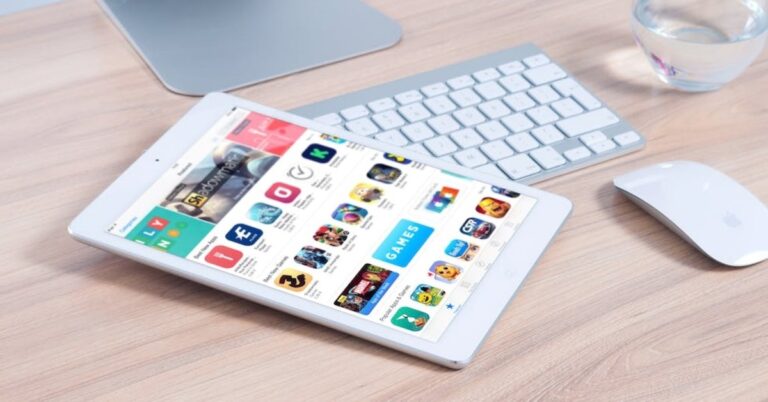
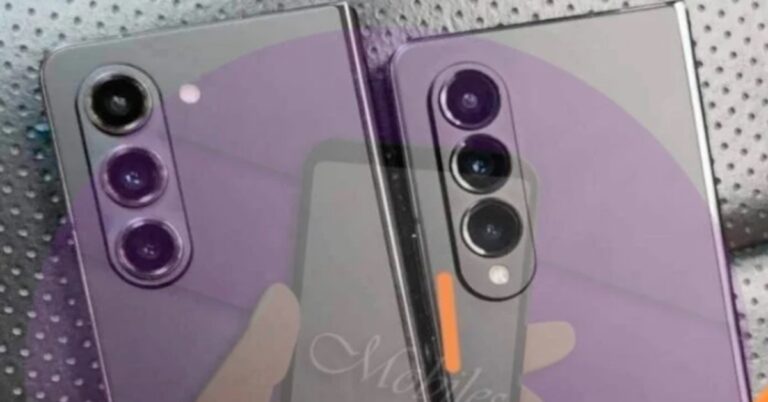




 Step 4:
 Step 5:
 Step 6:
 Step 7:
 Step 3:
 Step 4:

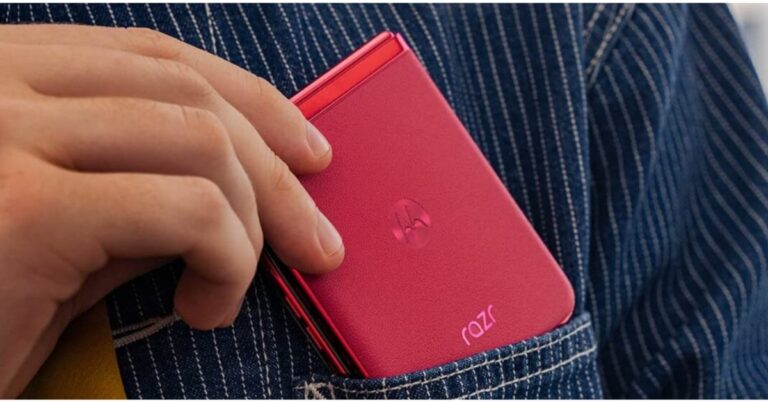
 The Razr 40 series will be available for purchase via Amazon starting July 15 when the Prime Day sale begins on the platform at midnight. Prime members are eligible to get early access to the product along with bank offers. The device will also be available on Reliance Digital stores across the country. The
  Snapdragon 7 Gen 1 and Snapdragon 8+ Gen 1 processors power the Motorola Razr 40 and Motorola Razr 40 Ultra, respectively.
The Motorola
Snapdragon 7 Gen 1 and Snapdragon 8+ Gen 1 processors power the Motorola Razr 40 and Motorola Razr 40 Ultra, respectively.
The Motorola 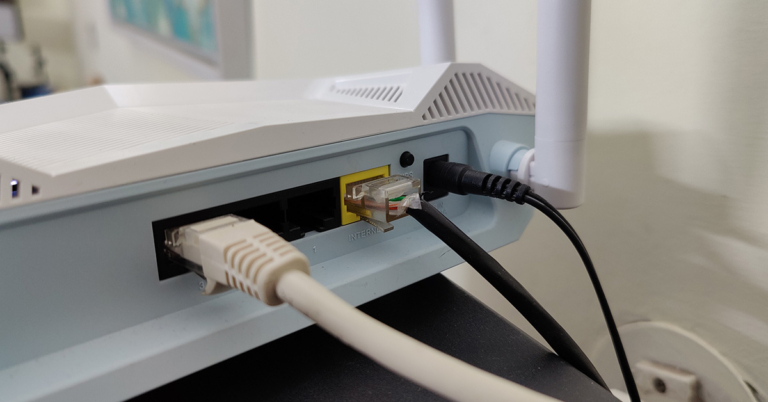
 Step 4:
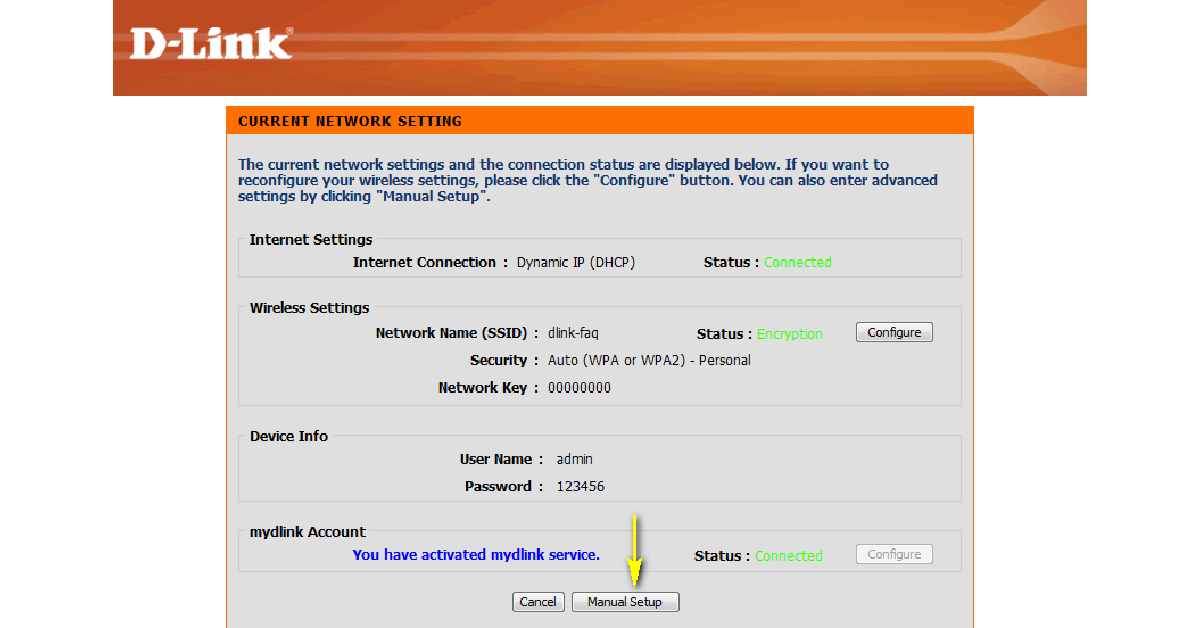 Step 5:
 Step 7:


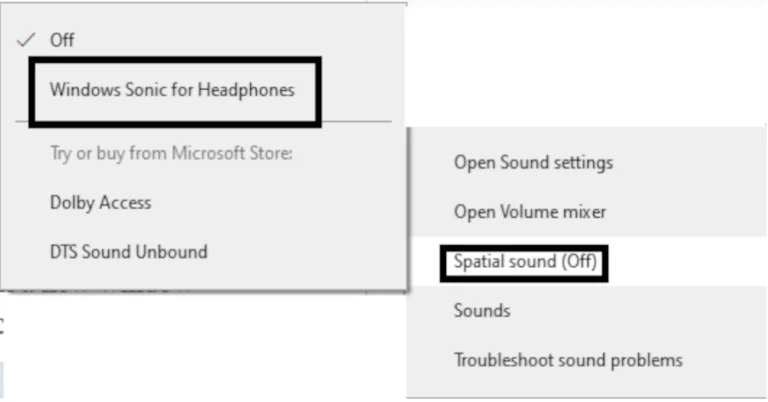

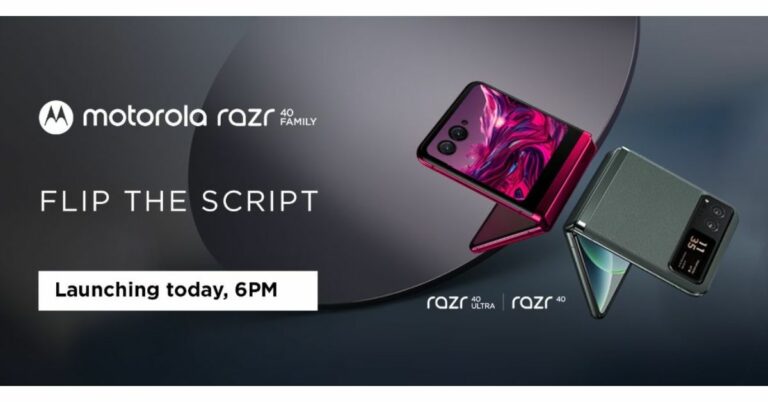

 Step 3:
 Step 4:
 Step 5:
 Step 4:
 Step 5:
 Step 3:
 Step 6: Choose the images
 Step 7:
 Step 3:
 Step 4:
 Step 5:
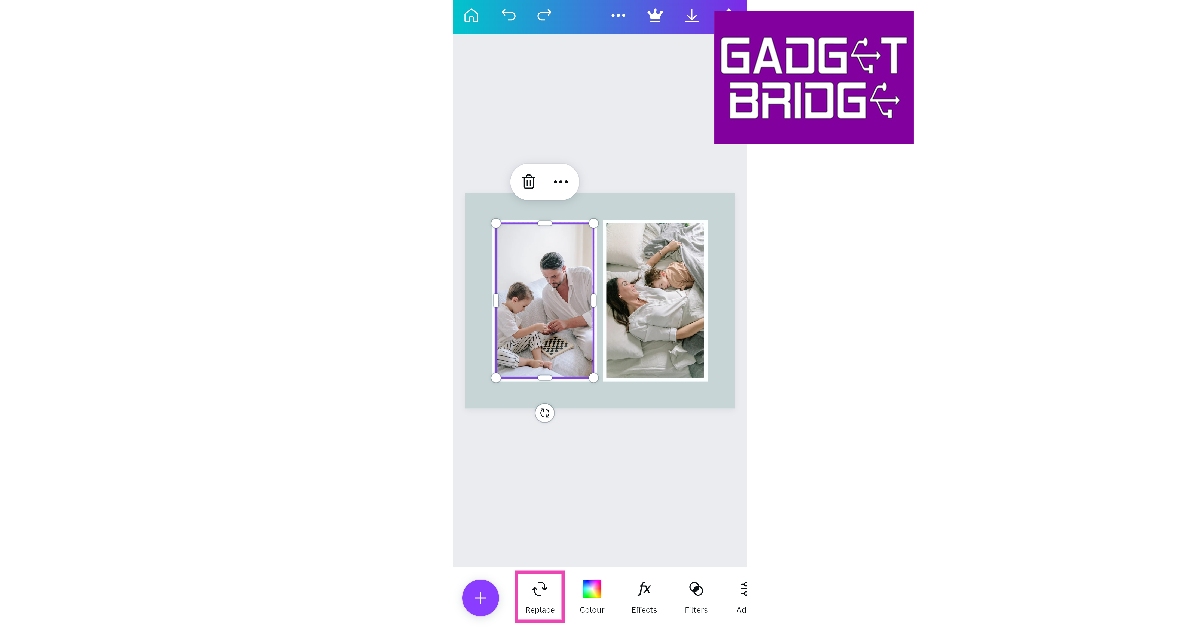 Step 6: Choose a picture
 Step 10:
 Step 11:

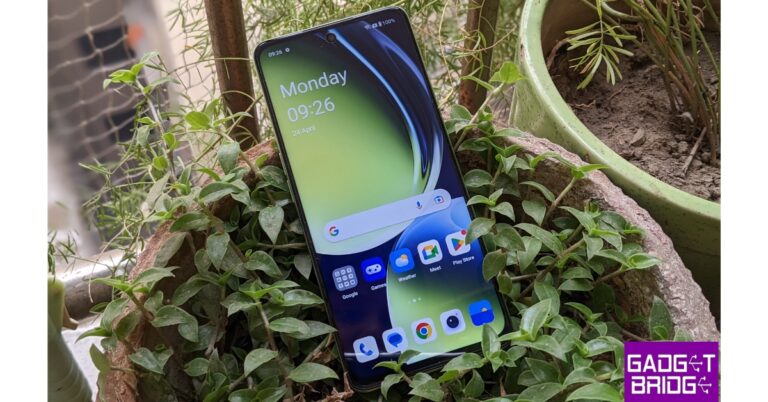
 Step 3:
  Step 4:
 Step 6:
 Step 3:
 Step 2:
 Step 3:
 Step 4:
 Step 5:
 Step 3:

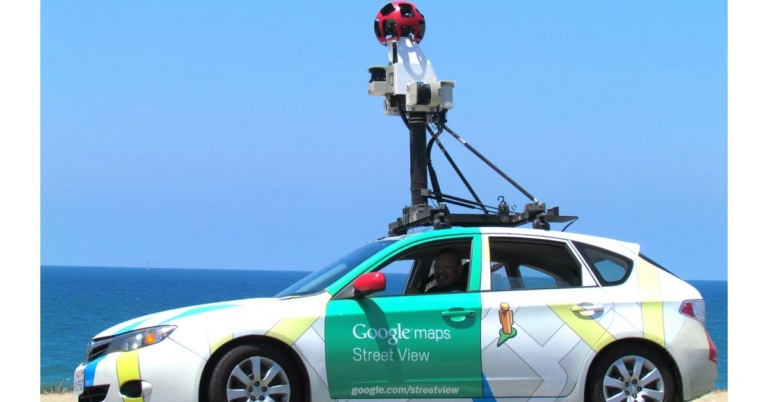
 Step 4:
 Step 5:
 Step 6:
 Step 7:
 Step 8: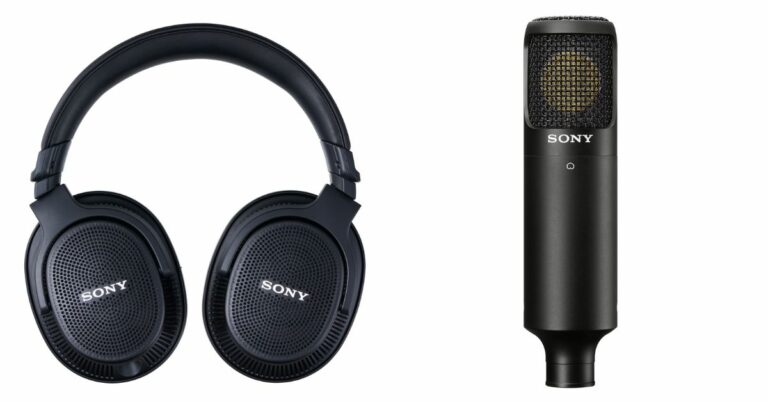





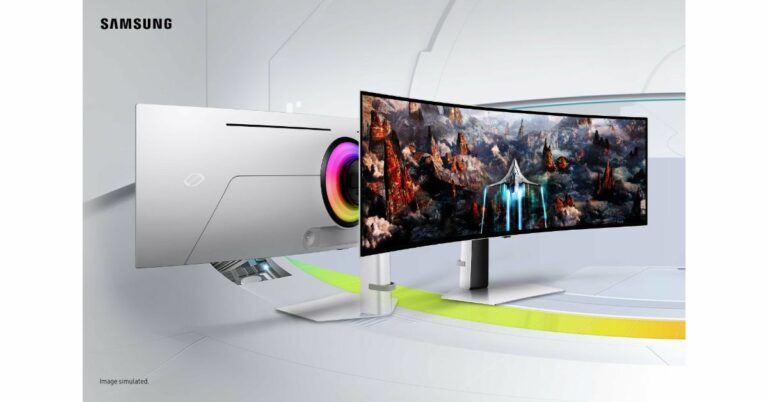

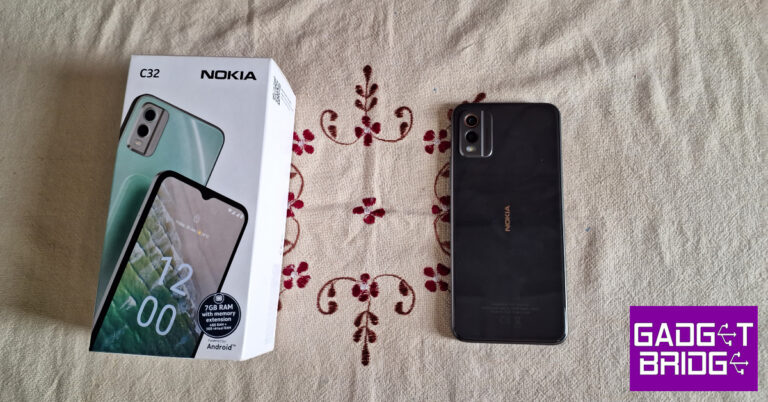


 Step 2:
 Step 3:
 Step 4:
 Step 5: