Garena Free Fire Redeem Codes Today 1 May 2023: Here is how to claim them

Garena Free Fire is a battle royale game with regular awards and tournaments to keep players interested. If you play Garena Free Fire, you should be aware of the redeem codes that are released on a daily basis. However, because the battle royale game is banned in India, players from other countries can use the Free Fire Redeem codes daily. If you’re unfamiliar with the Garena Free Fire redeem codes or don’t know how to get them, we’ve put together a step-by-step guide to help you redeem them. Check out Garena Free Fire Redeem Codes for 1 May 2023. The Free Fire redeem codes are a great way to get free stuff. These are 12-digit codes that contain alphabets and numbers, as well as an expiration date and time. Because the Garena FF redeem codes cannot be used more than once, you should hurry to the redemption page to claim your free reward before someone else does. To get a free reward, all you have to do is go to reward.ff.garena.com/en, which is the official redemption page. Also, keep an eye on this space for daily updates on Garena Free Fire redemption codes and rewards.

Garena Free Fire Redeem Codes Today 1 May 2023

Updating Soon…

How to Get Free Fire Redeem Codes for Garena on 1 May 2023?

  • Visit the Garena Free Fire game’s official website at reward.ff.garena.com.
  • Use your Facebook, Google, VK, Apple ID, Huawei ID, or Twitter account to log in.
  • You’ll be taken to a valid redemption code (s)
  • Copy and paste the 12-digit redemption code into the text box.
  • On the screen, a dialogue box will appear.
  • ‘Ok’ should be selected.
For the latest gadget and tech news, and gadget reviews, follow us on TwitterFacebook and Instagram. For newest tech & gadget videos subscribe to our YouTube Channel. You can also stay up to date using the Gadget Bridge Android App. You can find the latest car and bike news here.

Amazon Quiz Answers Today 1 May 2023: Participate to win Rs 500

1 May 2023 Amazon Quiz has gone live on its platform. The quiz timings are 12 AM to 11:59 PM. The Amazon App users can participate in the quiz daily and all they have to do is submit correct answers to the questions asked on the e-commerce platform. Today’s participants can get a chance to win Rs 500 Amazon Pay Balance. Amazon brings a fresh questionnaire that contains 5 questions daily. These questions are based on current affairs and general knowledge. The quiz can be played from 8 AM to 11:59 PM and the contestants need to answer correctly to enter into a lucky draw. Only one person is declared as a winner and the results will be announced at the end of every month. And to make sure that you give correct answers to all the 5 questions Gadget Bridge everyday updates all the answers to the Amazon Quiz. Do check out 1 May 2023 Amazon Quiz Answers to win a Rs 500 Amazon pay Balance. Amazon Quiz Today Prize – Rs 500 Amazon Pay Balance Quiz Date – 1 May 2023 Daily Timing – 12 AM to 11:59 PM Winner Announcement – Today 12 PM

Amazon Quiz Answers Today 1 May 2023

Question 1: Star Sports Network roped in which Bollywood actor as its brand ambassador in 2023? Answer: Ranveer Singh Question 2: Which country has been elected a member of the Supreme Statistical Commission of the United Nations in 2023? Answer: India Question 3: K Chandrasekhar Rao inaugurated whose 125 feet tall statue in April 2023? Answer: BR Ambedkar Question 4: Which Yoga pose is named after this reptile? Answer: Kurmasana Question 5: When was the first Wimbledon match played? Answer: 19-Feb

How To Play Amazon Quiz

Only app users are eligible to play the Amazon quiz every morning from 12 AM to 11:59 PM. The quiz is not available on the desktop. For those who are unaware of how to play the Amazon quiz below are the steps, you can follow to take the quiz.
  • Firstly download the Amazon app from Google Play Store or App Store
  • Now fill in the required information through the Sign Up option.
  • You need to log in to the Amazon app and scroll down on the home screen to find the Amazon Quiz banner.
  • Tap on the Amazon Quiz banner and tap on the Start button to start the Quiz.
  • Now you will get 5 questions and you need to answer them correctly. One wrong answer will eliminate you from the Quiz.
  • After answering all the questions correctly you are now eligible for a Lucky Draw.
  • The winner’s name will be announced today at 12 PM.
For the latest gadget and tech news, and gadget reviews, follow us on Twitter, Facebook and Instagram. For newest tech & gadget videos subscribe to our YouTube Channel. You can also stay up to date using the Gadget Bridge Android App. You can find the latest car and bike news here.

My Dream11 Withdrawal Failed, What Should I Do Next?

1
In the last few years, Dream11 has taken the fantasy sports world in India by storm. The app offers cash prizes for fantasy cricket, football, basketball, kabaddi, and more. The app enjoys a lot of popularity in India due to its ease of usage and reliable payout system. However, sometimes users report certain snags while withdrawing their winnings from the app. In this article, we explain what you can do if your Dream11 winnings withdrawal fails to process. Read Also: What is Quiet Mode on Instagram? How to use it?

How to withdraw winnings from your Dream11 account

Step 1: Launch the Dream11 app and tap on your profile icon at the top right corner of the screen. Step 1: Launch the Dream11 app and tap on your profile icon at the top right corner of the screen. Step 2: Tap on ‘My Balance’. Step 2: Tap on ‘My Balance’. Step 3: In the ‘My Winnings’ section, tap on ‘Verify to withdraw’. Step 3: In the ‘My Winnings’ section, tap on ‘Verify to withdraw’. Step 4: Verify your email, PAN card, and bank account details to withdraw your winnings. Step 4: Verify your email, PAN card, and bank account details to withdraw your winnings. Step 5: Once all details have been verified, enter the amount you want to withdraw from your winnings. You must have a minimum of Rs 50 in winnings to withdraw an amount. For account verification, you need at least Rs 100 in winnings.

What should I do if the Dream11 withdrawal shows up as failed?

What should I do if the Dream11 withdrawal shows up as failed? If you’re unable to withdraw money from your Dream11 winnings, there may be several reasons behind it. As mentioned earlier, you need at least Rs 50 in winnings to withdraw an amount from Dream11. You are only allowed to make 3 withdrawals a day. The sum total of these withdrawals cannot exceed Rs 1 crore. If you try making more withdrawals, the transaction will keep on failing. Wait for the cooldown period to be over in order to proceed. You can only withdraw your winnings and not the cash bonus credited to your account. After you have made a withdrawal request, it can take up to 3 business days for the amount to get credited to your bank account. If you’ve met all the prerequisites and still aren’t able to withdraw your winnings, try these fixes.

Make sure you entered the correct bank account details

While you may have entered the correct bank account number, it is possible that the IFSC you have entered is incorrect. The IFSC code is a unique string that is used to identify your bank’s branch on the National Electronic Funds Transfer (NEFT) network. The last six digits of the IFSC code are unique to your bank’s branch. You can find the IFSC code of your bank’s branch on your passbook or the bank’s website.

Is your bank registered in Odisha, Telangana, or Assam?

Residents of Odisha, Telangana, and Assam are not permitted to win any rewards on Dream11 because the legislatures of those states do not recognise fantasy sports as a game of skill. If your bank account is registered in one of those, you will not be able to withdraw your winnings from Dream11.

Make sure you do not violate Dream11’s Fair Play policy

There is a certain code of conduct all users of Dream11 must follow in order to claim their winnings. If Dream11 finds you flouting their Fair Play policy or using unfair means to gain an advantage, your winnings will not be credited to your account.

Contact Dream11 support

If you are not in violation of any rules and there is no fault with your bank account, contact Dream11 regarding your payout. To register your complaint, tap on your profile icon and select ‘Help and Support’. Tap on ‘Chat with us’ for further assistance.

Frequently Asked Questions

Which states have banned Dream11?

If you are a resident of Odisha, Telangana, or Assam you cannot win money by playing fantasy sports on Dream11.

Why can’t I withdraw my winnings from Dream11?

Typically, it takes 3 days for your Dream11 winnings to get credited to your account. If your winnings have not been credited, check your bank account details or contact Dream11 for more information.

Can I withdraw all money from Dream11?

You cannot withdraw more than Rs 1 crore in a day and you cannot make more than 3 transactions per day on Dream11. Read Also: WhatsApp released Lock Chats feature to boost privacy: Details inside

Conclusion 

Being the biggest fantasy sports app in India, Dream11 sees a lot of traffic. The app reportedly sees up to 2,00,000 withdrawals a day. If your Dream11 withdrawal has failed it may also be because the servers are experiencing unusually high traffic. You can also try contacting Dream11 on Twitter regarding this issue. For the latest gadget and tech news, and gadget reviews, follow us on Twitter, Facebook and Instagram. For newest tech & gadget videos subscribe to our YouTube Channel. You can also stay up to date using the Gadget Bridge Android App. You can find the latest car and bike news here.

Garena Free Fire Redeem Codes Today 30 April 2023: Here is how to claim them

Garena Free Fire is a battle royale game with regular awards and tournaments to keep players interested. If you play Garena Free Fire, you should be aware of the redeem codes that are released on a daily basis. However, because the battle royale game is banned in India, players from other countries can use the Free Fire Redeem codes daily. If you’re unfamiliar with the Garena Free Fire redeem codes or don’t know how to get them, we’ve put together a step-by-step guide to help you redeem them. Check out Garena Free Fire Redeem Codes for 30 April 2023. The Free Fire redeem codes are a great way to get free stuff. These are 12-digit codes that contain alphabets and numbers, as well as an expiration date and time. Because the Garena FF redeem codes cannot be used more than once, you should hurry to the redemption page to claim your free reward before someone else does. To get a free reward, all you have to do is go to reward.ff.garena.com/en, which is the official redemption page. Also, keep an eye on this space for daily updates on Garena Free Fire redemption codes and rewards.

Garena Free Fire Redeem Codes Today 30 April 2023

6KWMFJVMQQYG FFCMCPSUYUY7E MCPW3D28VZD6 EYH2W3XK8UPG ZZZ76NT3PDSH FFCMCPSEN5MX FFCMCPSJ99S3 XZJZE25WEFJJ NPYFATT3HGSQ FFCMCPSGC9XZ MCPW2D2WKWF2 V427K98RUCHZ MCPW2D1U3XA3 HNC95435FAGJ FFAC2YXE6RF2 FFCMCPSBN9CU FFBBCVQZ4MWA BR43FMAPYEZZ

How to Get Free Fire Redeem Codes for Garena on 30 April 2023?

  • Visit the Garena Free Fire game’s official website at reward.ff.garena.com.
  • Use your Facebook, Google, VK, Apple ID, Huawei ID, or Twitter account to log in.
  • You’ll be taken to a valid redemption code (s)
  • Copy and paste the 12-digit redemption code into the text box.
  • On the screen, a dialogue box will appear.
  • ‘Ok’ should be selected.
For the latest gadget and tech news, and gadget reviews, follow us on TwitterFacebook and Instagram. For newest tech & gadget videos subscribe to our YouTube Channel. You can also stay up to date using the Gadget Bridge Android App. You can find the latest car and bike news here.

Amazon Quiz Answers Today 30 April 2023: Participate to win Rs 2,500

The popular Amazon Quiz is now live on the Amazon app. The 30 April 2023 Amazon Quiz gives a chance to win Rs 2,500 Amazon Pay Balance by answering all the questions correctly. The quiz can be played every day from 12 AM to 11:59. Only app users are eligible to participate in the Quiz as it is not accessible on the web platform. The Amazon Quiz brings a fresh set of questions for its customers that contains five easy questions. The questionnaire consists of five questions related to general knowledge and current affairs. The participants need to answer all the questions correctly and their names will be selected for a lucky draw. The daily quiz brings an opportunity for the customers to win exciting prizes. They can win Amazon Pay Balance ranging from Rs 1,000 to Rs 50,000. The participants need to answer all the questions correctly and their names will be selected for a lucky draw. The winner will be announced at the end of the month. Check Out 30 April 2023 Amazon Quiz Answers. Amazon Quiz Today Prize – Rs 2,500 Amazon Pay Balance Quiz Date – 30 April 2023 Daily Timing – 12 AM to 11:59 PM Winner Announcement – Today 12 PM

Amazon Quiz Answers Today 30 April 2023

Question 1: Which team won the Women’s Premier League 2023 title by defeating Delhi Capitals? Answer: Mumbai Indians Question 2: In 2023, which European country became the 31st member of the NATO? Answer: Finland Question 3: India’s first 3D-printed post office is being built in which city? Answer: Bengaluru Question 4: This deer is native to which region of the world? Answer: Indian Subcontinent Question 5: Baby squirrels are known as? Answer: Kitten

How To Play Amazon Quiz

Only app users are eligible to play the Amazon quiz every morning from 12 AM to 11:59 PM. The quiz is not available on the desktop. For those who are unaware of how to play the Amazon quiz below are the steps, you can follow to take the quiz.
  • Firstly download the Amazon app from Google Play Store or App Store
  • Now fill in the required information through the Sign Up option.
  • You need to log in to the Amazon app and scroll down on the home screen to find the Amazon Quiz banner.
  • Tap on the Amazon Quiz banner and tap on the Start button to start the Quiz.
  • Now you will get 5 questions and you need to answer them correctly. One wrong answer will eliminate you from the Quiz.
  • After answering all the questions correctly you are now eligible for a Lucky Draw.
  • The winner’s name will be announced today at 12 PM.
For the latest gadget and tech news, and gadget reviews, follow us on TwitterFacebook and Instagram. For newest tech & gadget videos subscribe to our YouTube Channel. You can also stay up to date using the Gadget Bridge Android App. You can find the latest car and bike news here.

Apple’s Beat Studio Buds+ to copy Nothing Earbuds design, Amazon listing reveals

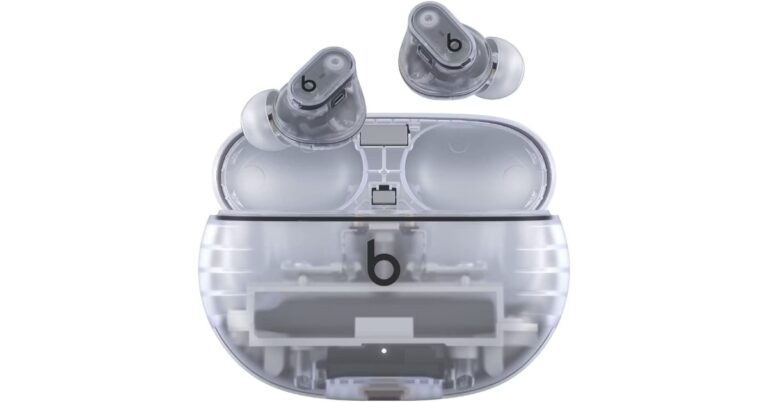
We have seen a lot of TWS earbuds with almost the same design. But premium audio devices from the companies like Apple, Sony and Samsung offer the best audio experience. Every year TWS devices like Apple Airpods and Galaxy Buds come with almost similar appearances bringing some incremental changes over multiple generations. But the recently released Nothing Ear 1 and Ear 2 TWS earbuds have drawn a lot of praise for their exceptional audio quality as well as their distinctive transparent design that sets them apart from the competition. Considering the competition seriously going forward, Apple will take the ‘Nothing’ route. You must now be wondering why the biggest tech company in the world would copy a company which is just two or three years old. But what we said earlier is unquestionably accurate. Apple is getting ready for its upcoming release. All thanks to a recently completely removed Amazon listing that announced the upcoming release of Beats Studio Buds+. Even before the product’s launch, a lot of information—including its cost, design, and specifications—had accidentally leaked. Nothing was attacked by many for copying Apple. But the tech giant’s upcoming Beats Studio Buds+ design will be inspired by Nothing’s Ear 1 and Ear 1 earbuds. Also Read: Nothing Ear (2) review As we said earlier Beats Studio Buds+ was spotted listed on Amazon. The listing confirms that the design of the Buds+ will be very much inspired by Nothing earphones. They will have a transparent design and will be a sportier variant of the original Studio Buds+ that debuted in 2021. For those who are unaware Beats is owned by Apple and was acquired in 2014. This means unlike the Apple AirPods, the Beats Studio Buds+ will feature a stemless design, a plastic body and a lot more like its original model but this time everything will be transparent. As per the Amazon listing the device will be offered in two colourways: Black and Ivory. In terms of specs and features, Beats Studio Buds+ are likely to offer up to 36 hours of battery life when charged completely. In addition to this, there will be an improved venting system and 3x bigger mics, therefore the ear pressure as well as calling experience will be better than the previous ones. The ANC will perform 1.6x better while the Transparent mode will be improved by 2x. They will also feature an IPX4 rating and are said to support Hey Siri support, Find My integration, automatic device switching, and one-touch pairing. Note that the audio device will not only be compatible with Apple devices but with Android too. In terms of pricing, the Beats Studio Buds+ will be available at $169.95. Moreover, the Amazon listing also revealed that shipping will begin on May 18.  For the latest gadget and tech news, and gadget reviews, follow us on TwitterFacebook and Instagram. For newest tech & gadget videos subscribe to our YouTube Channel. You can also stay up to date using the Gadget Bridge Android App. You can find the latest car and bike news here.

What is Bluesky? How to get an invite to Twitter’s new alternative?

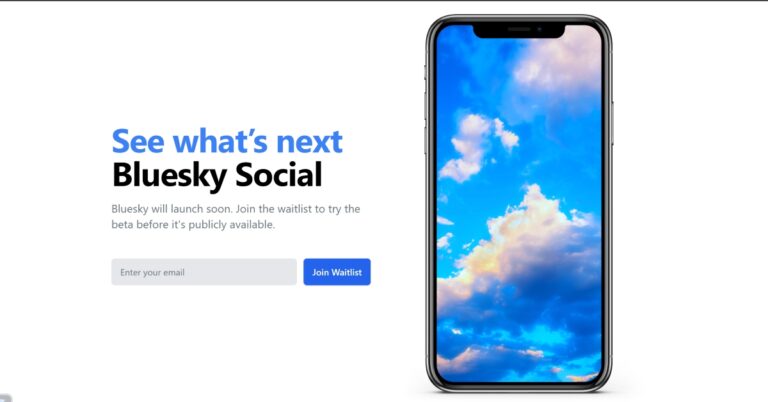
If you’re an active Twitter user, you may have seen the word ‘Bluesky’ pop up in your feed frequently for the last few days. Simply put, Bluesky is a Twitter alternative that is currently enjoying a lot of popularity among Twitter users. Initially launched on the iOS platform, Bluesky now has an Android app as well. This has subjected it to a whole new user base, which is now creating a lot of buzz around it. Since you need an invite code to create an account on Bluesky, more people are posting on Twitter looking for these codes. From the looks of it, Bluesky isn’t just the flavour of the month. It may be here to stay. In this article, we go into detail about what Bluesky is, how it works, and how you can get an invite to it. Read Also: WhatsApp released Lock Chats feature to boost privacy: Details inside

What is Bluesky?

What is Bluesky? One of the reasons why Bluesky is taking off as a viable Twitter alternative when many others (like Mastodon) have failed is because it looks very similar to Twitter. This is because Bluesky was launched as a Twitter spin-off by then-CEO Jack Dorsey. Announced in 2019, Bluesky is a decentralised version of Twitter that allows users to host their domain name on a server of their choice. Since it is decentralised, Bluesky users can create their own communities on the platform by hosting new servers for other users. Users can also choose which algorithm they want to adopt within the platform. As of now, Bluesky does not have features like direct messaging or bookmarks but its UI is very similar to Twitter. If you’re wondering why Bluesky isn’t a part of Twitter anymore, it’s because the decentralised network was listed as a separate entity in 2021. Twitter has undergone radical changes since its change of ownership in 2022. Some of these changes have not gone down well with users, who are desperately looking for a new alternative. Since Bluesky looks and feels very close to Twitter, it may be the platform to which most Twitter users migrate. Since the social media platform is still developing moderation tools, users can only sign up on an invite basis for now. You can join the waitlist for an invite, or get one from an existing member on Bluesky. 

How to get a Bluesky invite?

Getting a Bluesky invite isn’t that easy. You can try joining the waitlist and wait for your turn. Or you can look around the Internet for invite codes. First, let’s see how you can join the Bluesky waitlist. Step 1: Download and install the Bluesky app on your phone. Step 2: Tap on ‘Create new account’. Step 2: Tap on ‘Create new account’. Step 3: Select the hosting provider. You can either go for the default Bluesky server or enter the hosting provider of your choice. Select the host. Step 4: If you have an invite code, enter it in the relevant box. If you don’t have an invite code, tap on ‘Join the waitlist’. ‘Join the waitlist’. Step 5: Enter your email and select ‘Join waitlist’. You will receive an invite in your mail when your turn arrives. ‘Join the waitlist’. If you cannot wait to get your hands on an invite code, there are a few things you can do. Like most people, you can try posting on Twitter for Bluesky invite codes. Since there is a vast overlap between the user base of the two platforms, someone may have an unused invite code for you.  You can also look for a Bluesky invite code on other places on the Internet. The subreddit r/blueskyinvite is one such place. You can either submit a new post asking for an invite code or comment on their pinned mega thread. Since the invite codes are in high demand, people are willing to get their hands on one by paying for it. We wouldn’t suggest doing this because it encourages scammers to deceive people with fake invite codes. Secondly, Bluesky will not always be invite-based. Eventually, everyone will be able to create an account on the platform. So it is not worth paying for an invite code right now.

Frequently Asked Questions

Is Bluesky the new Twitter?

Bluesky started off as an internal project on Twitter and later got listed as a separate entity in 2021. Recently, more people have started migrating to Bluesky from Twitter leading to people calling it Twitter 2.0.

How do I get a Bluesky invite?

Right now, the only way to get an invite is by joining the waitlist. You can look for an invite code on the Internet, but make sure you don’t pay for one as it may be a scam.

Is Bluesky free?

Yes, currently Bluesky is free to use. Read Also: Nokia C12 review: What does this affordable smartphone from Nokia have to offer?

Conclusion 

While Bluesky may be the new trending thing for now, only time will tell whether the platform will be successful in replacing Twitter. Being open-source and decentralised works massively in its favour. The end goal for the platform is to be a completely decentralised network where people can share stuff from different platforms. For the latest gadget and tech news, and gadget reviews, follow us on Twitter, Facebook and Instagram. For newest tech & gadget videos subscribe to our YouTube Channel. You can also stay up to date using the Gadget Bridge Android App. You can find the latest car and bike news here.

The new Kodak SE TV Series to launch in India on May 1, can be purchased via Amazon

Super Plastronics Pvt Ltd a brand Licensee of Kodak brand in India has declared that its latest Kodak SE Series will go on sale in India on May 1. The Television series will be purchased on Amazon. In addition to this, the company will also put its other models on Sale during the Great Summer Sale. According to Mr. Avneet Singh Marwah, Director and CEO, Super Plastronics Pvt Ltd, a Kodak brand Licensee, “With the ongoing season of IPL, we are seeing a huge spike in television sales. For the first time, IPL can be viewed on smart TVs. We at Kodak have decided to launch our special edition smart television series where consumers can access to leading applications at the price of non-smart televisions. Kodak TV’s partnership with Amazon has become stronger and you will see more technology-driven launches during the coming months.” Also Read: Sony Bravia X70L Series Television with Google TV launched in India The Kodak SE Series will include models in three different sizes 24 inch (HD Ready), 32-inch (HD Ready) and 40-inch (Full HD) with a bezel-less design. All the televisions will have 512MB RAM and 4GB of internal storage. The Smart TV comes pre-installed with apps such as YouTube, Prime Video, Sony Liv, Zee5 and many more. In terms of connectivity, there is Miracast, Wi-Fi, HDMI & USB. They will offer a sound output of 20W (24 inch) and 30W (32 & 40 inch). The Kodak SE series, which consists of 24, 32 and 40-inch variants price will begin at Rs 6,499. All the models will be available on Amazon. Besides this, the company will also participate in the Amazon Great Summer Sale. So Kodak TVs will also be offered at attractive prices during the upcoming sale that will begin on May 4.  The early access starts 12 hours before for Amazon Prime members. Moreover, buyers can avail extra 10% discount on ICICI and Kotak Mahindra Bank cards. Offers on Kodak HD LED TVs during Amazon Great Summer Sale are listed below:
Model Sale Price
24HDX100s 6499
32HDX7XPRO 9499
32HDX7XPROBL 9999
32HDX900S 7499
40FHDX7XPRO 15999
42FHDX7XPRO 15999
43CA2022 20999
43CAPRO5022 22999
43FHDX7XPROBL 16999
43UHDX7XPROBL 19499
50CA7077 27999
50CAPRO5066 29999
50UHDX7XPROBL 24999
55CA0909 29999
55CAPRO5088 29999
55UHDX7XPROBL 28999
65CA0101 47999
75CA9099 84999
50MT5011 30499
55MT5022 34999
65MT5033 53999
  For the latest gadget and tech news, and gadget reviews, follow us on TwitterFacebook and Instagram. For newest tech & gadget videos subscribe to our YouTube Channel. You can also stay up to date using the Gadget Bridge Android App. You can find the latest car and bike news here.

Garena Free Fire Redeem Codes Today 29 April 2023: Here is how to claim them

Garena Free Fire is a battle royale game with regular awards and tournaments to keep players interested. If you play Garena Free Fire, you should be aware of the redeem codes that are released on a daily basis. However, because the battle royale game is banned in India, players from other countries can use the Free Fire Redeem codes daily. If you’re unfamiliar with the Garena Free Fire redeem codes or don’t know how to get them, we’ve put together a step-by-step guide to help you redeem them. Check out Garena Free Fire Redeem Codes for 29 April 2023. The Free Fire redeem codes are a great way to get free stuff. These are 12-digit codes that contain alphabets and numbers, as well as an expiration date and time. Because the Garena FF redeem codes cannot be used more than once, you should hurry to the redemption page to claim your free reward before someone else does. To get a free reward, all you have to do is go to reward.ff.garena.com/en, which is the official redemption page. Also, keep an eye on this space for daily updates on Garena Free Fire redemption codes and rewards.

Garena Free Fire Redeem Codes Today 29 April 2023

  • FFMAX-KV7P-5H5W
  • FFMAX-5ERF-5G8H
  • FFMAX-V7VH-A6XM
  • FFMAX-VF5W-MK9D
  • FFMAX-2Q5R-8WV7

How to Get Free Fire Redeem Codes for Garena on 29 April 2023?

  • Visit the Garena Free Fire game’s official website at reward.ff.garena.com.
  • Use your Facebook, Google, VK, Apple ID, Huawei ID, or Twitter account to log in.
  • You’ll be taken to a valid redemption code (s)
  • Copy and paste the 12-digit redemption code into the text box.
  • On the screen, a dialogue box will appear.
  • ‘Ok’ should be selected.
For the latest gadget and tech news, and gadget reviews, follow us on TwitterFacebook and Instagram. For newest tech & gadget videos subscribe to our YouTube Channel. You can also stay up to date using the Gadget Bridge Android App. You can find the latest car and bike news here.

Amazon Quiz Answers Today 29 April 2023: Participate to win Rs 5,000

29 April 2023 Amazon Quiz has gone live on its platform. The quiz timings are 12 AM to 11:59 PM. Interested users can participate in the Amazon daily quiz to win exciting prizes. The company puts up 5 questions based on general awareness. You can submit the correct answers from the four options. Today the participants have the chance to win a Rs 5,000 Amazon Pay Balance. Daily the e-commerce platform Amazon brings a new set of questionnaires that includes five easy questions. The Amazon Quiz can be played from 12 AM to 11:59. The users have to answer all the questions correctly to enter into a lucky draw. The result of today’s quiz will be announced at the end of the month and only one person is declared a winner. We at Gadget Bridge update all the answers to the Amazon Quiz on our website for the convenience of our readers. Here are the answers of the 29 April 2023 Amazon Quiz that will make you win Rs 5,000 Amazon Pay Balance. Amazon Quiz Today Prize – Rs 5,000 Amazon Pay Balance Quiz Date – 29 April 2023 Daily Timing – 12 AM to 11:59 PM Winner Announcement – Today 12 PM

Amazon Quiz Answers Today 29 April 2023

Question 1: All of Silicon Valley Bridge Bank’s deposits and loans have been purchased by which bank? Answer: First–Citizens Bank Question 2: In 2023, who became the fastest Indian to take 50 wickets in IPL history? Answer: Khaleel Ahmed Question 3: For the first time in India, a metro rail test was successfully operated underwater in which city? Answer: Kolkata Question 4: This animal was the most prestigious hunting target in which era of Europe? Answer: Medieval Question 5: This President wanted to build a wall on which border? Answer: Mexico

How To Play Amazon Quiz

Only app users are eligible to play the Amazon quiz every morning from 12 AM to 11:59 PM. The quiz is not available on the desktop. For those who are unaware of how to play the Amazon quiz below are the steps, you can follow to take the quiz.
  • Firstly download the Amazon app from Google Play Store or App Store
  • Now fill in the required information through the Sign Up option.
  • You need to log in to the Amazon app and scroll down on the home screen to find the Amazon Quiz banner.
  • Tap on the Amazon Quiz banner and tap on the Start button to start the Quiz.
  • Now you will get 5 questions and you need to answer them correctly. One wrong answer will eliminate you from the Quiz.
  • After answering all the questions correctly you are now eligible for a Lucky Draw.
  • The winner’s name will be announced today at 12 PM.
For the latest gadget and tech news, and gadget reviews, follow us on Twitter, Facebook and Instagram. For newest tech & gadget videos subscribe to our YouTube Channel. You can also stay up to date using the Gadget Bridge Android App. You can find the latest car and bike news here.

What is Quiet Mode on Instagram? How to use it?

0
Earlier this year, Meta updated Instagram with a new ‘Quiet Mode’. This feature aims to remove Instagram as a distraction, thereby enabling users to be more productive. Since it is a new feature that is being slowly phased out in different regions of the world, Quiet Mode still hasn’t been adopted by the bulk of Instagram’s user base. Some may not even be aware of what it is. In this article, we explain what Quiet Mode is and how you can enable it on your Instagram profile. Read Also: How to Monitor Android for Free: Best 5 Android Monitoring Apps

What is Instagram Quiet Mode?

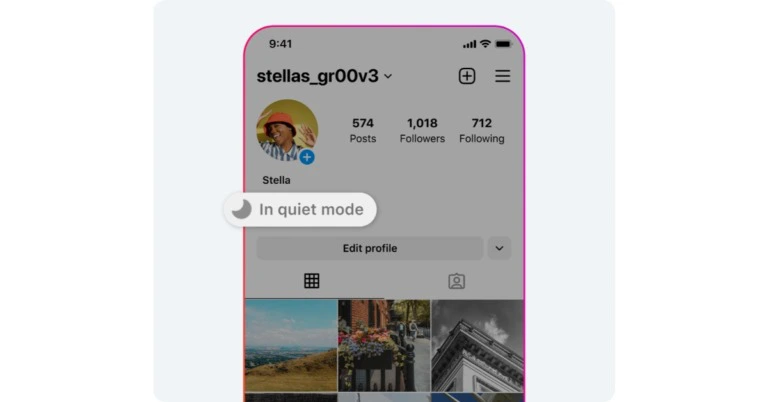
Instagram updated with a new Quiet mode Instagram’s Quiet Mode is a great tool for people who are easily distracted by Insta notifications. Quiet Mode pauses all DM notifications, letting you focus on your daily activities. When it is enabled, the green dot on your profile that signifies you are online on Instagram is replaced with a moon icon. This is super helpful because it lets your followers know that you can’t see message notifications on your device. If anyone messages you, they will receive an auto-reply explaining to them that you cannot see the notification alerts for their messages. In case of an emergency, they can contact you elsewhere. You can choose the timing for Quiet Mode as well. By default, Quiet Mode is tuned to kick in at 11 pm and last till 7 am. The timing can be changed in Settings. Quiet Mode can be customised to be enabled at certain hours of the day, like when you have classes or when you are studying at home. Once you halt Quiet Mode, you will be presented with a report of all the messages and notifications you received while you were away. Quiet Mode is a handy tool for students who want to focus on studying without being distracted by Instagram. You can use it to increase productivity and take frequent breaks from Instagram without having to delete your profile.

Here’s how you can enable Quiet Mode on Instagram

If Quiet Mode is available in your location, here’s how you can enable it on your profile. Step 1: Launch the Instagram app and tap on your profile icon at the bottom right corner of the screen. Step 2: Tap on the hamburger menu at the top right corner of the screen. Step 2: Tap on the hamburger menu at the top right corner of the screen. how to see liked posts on instagram Step 3: Select ‘Settings and privacy’. Step 3: Select ‘Settings and privacy’. Step 4: Tap on Notifications. Step 4: Tap on Notifications. Step 5: Select ‘Quiet Mode’. Step 5: Select ‘Quiet Mode’. Step 6: Switch the toggle bar on for Quiet Mode. Step 6: Switch the toggle bar on for Quiet Mode. Step 7: Select the timing and duration for Quiet Mode.

Frequently Asked Questions

What is Quiet Mode on Instagram?

Quiet Mode on Instagram pauses all message notifications on the app for a selected time period of your choosing. When Quiet Mode is enabled, the green dot on your profile will be replaced by a moon icon. 

Is Quiet Mode available in India?

Quiet Mode for Instagram is not available in India yet. Instagram is rolling out the feature in a phased manner. Indian users will be able to access Quiet Mode in the coming months.

Do my Instagram followers know when I’m in Quiet Mode?

Once you turn on Quiet Mode, the green dot on your profile is replaced by a moon icon, letting your followers know that your profile is in Quiet Mode. Anyone that sends you a message will receive an auto-reply letting them know that you cannot receive notification alerts for their messages at the moment. Read Also: Fastrack Revoltt FS1 Pro with an arched AMOLED display now available in India

Conclusion

This is how you can enable Quiet Mode on Instagram. As of now, Quiet Mode is available to Instagram users in the US, UK, Ireland, Canada, Australia, and New Zealand. If Quiet Mode isn’t available in your region yet, you can still access it by using a VPN and setting the location to USA/UK/Canada or any of the regions where it is available. For the latest gadget and tech news, and gadget reviews, follow us on Twitter, Facebook and Instagram. For newest tech & gadget videos subscribe to our YouTube Channel. You can also stay up to date using the Gadget Bridge Android App. You can find the latest car and bike news here.

Android 14 Beta 1 for the Nothing Phone 1 will be rolled out soon: Nothing confirmed

London-based tech company Nothing has confirmed to make Android 14 Beta 1 available for its users soon. Nothing Phone 1 is the company’s first and right now the only smartphone available in the market and will become the second device after the Pixel phone to receive the first beta version of Android 14. Carl Pei-owned tech firm Nothing has officially confirmed to us that it will be one first Google Android partners to provide access to the first beta version of Android 14. This means the company might make a stable Nothing OS version available later this year with some minor changes as Nothing OS provides an almost stock Android experience to the users. According to the company, its product team will have early access to the brand-new Android 14 Beta 1 upgrade to make sure seamless integration to Nothing OS for a smooth user experience. The company stated, “We’re proud to announce that Nothing will be one of the first Google Android partners to offer Beta access to Android 14. Nothing’s product team will have early access to the new Android 14 Beta 1 upgrade to ensure seamless integration to Nothing OS for a smooth user experience.” The rollout of the Android 14 Beta 1 for the Nothing Phone 1 is presently unknown. However, the company is likely to provide more information about the update soon. Android 12 is said to include new features such as revamped back arrow when using gesture navigation. In addition to this, there will be location-based loyalty card suggestions along with improved PIN animations. It is also expected that Dynamic Colour and Material You will undergo various modifications in Google’s Android 14 Developer Preview and Beta. Nothing also said, “This partnership with Android is a testament to Nothing’s commitment to bringing the latest technology to its users and community. Google has been an early supporter in Nothing and both teams are dedicated to working closely in implementing feedback to deliver the best user experience.” “We’ll be sure to communicate the Android 14 Beta timeline with you in due course,” it further added. For the latest gadget and tech news, and gadget reviews, follow us on TwitterFacebook and Instagram. For newest tech & gadget videos subscribe to our YouTube Channel. You can also stay up to date using the Gadget Bridge Android App. You can find the latest car and bike news here.

WhatsApp released Lock Chats feature to boost privacy: Details inside

WhatsApp keeps enhancing its security and privacy features. The company is developing a much-needed feature which includes the ability to Lock Chats. This functionality is currently rolling out to some beta testers globally. Users will be able to unlock their chats using fingerprint sensor, hence this will boost privacy. Prior to this, WhatsApp was also spotted testing Telegram-like channels. Lock Chats is one of the most requested additions by users to improve privacy on the app. The feature is currently being made available to a limited number of beta testers and soon it is going to be rolled out to more users soon. By enabling users to lock chats so they can only be opened with their fingerprints. This will be an additional tool to safeguard and hide specific chats is unquestionably this one. According to the WABetaInfo report, some beta testers who were able to download the most recent WhatsApp beta for Android 2.23.9.14 update from the Google Play Store might be able to lock their chats. A screenshot reveals that in order to figure out whether the function is activated, the user must first view the chat info.
WhatsApp released Lock Chats feature to boost privacy: Details inside
Image Courtesy: WaBetaInfo
A screenshot reveals that in order to figure out whether the function is activated, the user must first view the chat information. A new option named “Chat lock” may be visible to limited beta testers in particular. When activated, a new section within your chat list named “Locked chats” will show up. You can use this section by using your fingerprint to unlock it. Because the chat is locked only a fingerprint can open it, making it nearly impossible for anyone else to access the chat. This feature also ensures that media files, including images and videos, received in a locked chat are not automatically saved to the device’s gallery. According to the report locked chats cannot be accessed without a fingerprint or passcode to safeguard your privacy. Additionally, anyone attempting to access your phone will be prompted to clear the chat in order to open it if they fail to provide the necessary authentication. Besides this WhatsApp is also working to include a new Telegram like Channels on its platform. This feature will allow users to broadcast content on the platform. The functionality is apparently being provided to the WhatsApp beta for iOS. The feature is likely to become available soon. However, the company is likely to release read-only channels. For the latest gadget and tech news, and gadget reviews, follow us on TwitterFacebook and Instagram. For newest tech & gadget videos subscribe to our YouTube Channel. You can also stay up to date using the Gadget Bridge Android App. You can find the latest car and bike news here.

Nokia C12 review: What does this affordable smartphone from Nokia have to offer?

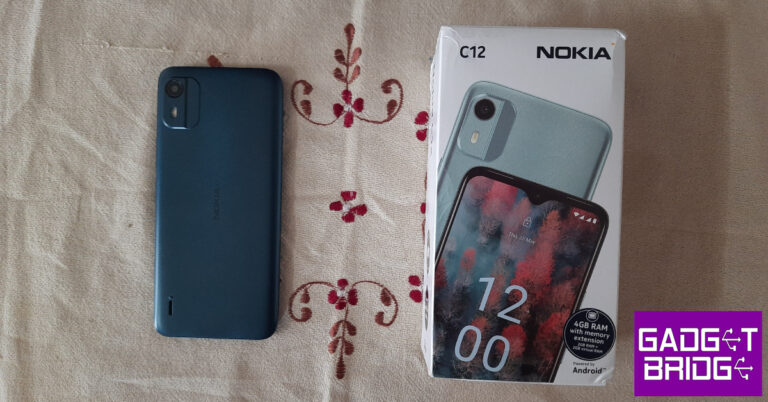
Back in March, Nokia put out its newest entry-level smartphone on the market at a special introductory price of Rs 5,999. A month later, Nokia C12 is priced at Rs 6,499. For those wanting to upgrade from a feature phone, this smartphone offers decent specs on paper. But how does the device fare on day-to-day usage? We used Nokia C12 for a week and may have some answers for you. Here is our Nokia C12 review. Read Also: Fastrack Revoltt FS1 Pro with an arched AMOLED display now available in India

Nokia C12 review: Design and Display

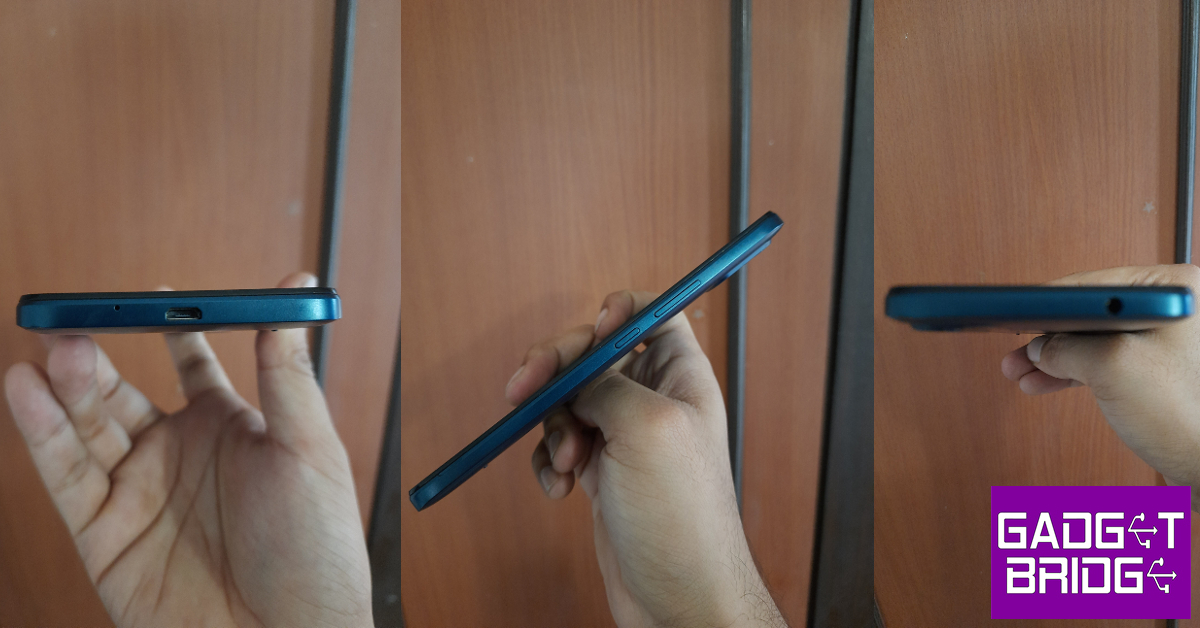
Upon unboxing the retail package, you will find the Nokia C12 handset, a 10W power adapter, a micro USB charging cable, a product and safety info booklet, and a quick start guide. The smartphone weighs 177g and has dimensions of 160.6mm x 74.3mm x 8.8m. Nokia C12 review: Design and Display Nokia has kept the design of the C12 quite simple and in line with the C-Series. This means that the C12 gets a textured plastic back and a two-step camera island. Housed in this camera island is an 8MP camera and an LED flash. The speaker has been placed at the bottom left corner of the back panel, similar to other C-Series smartphones. Nokia C12 review: Design and Display Nokia C12 gets an IPS LCD HD display up front. This display is surrounded by sizeable bezels that get thicker around the chin. The 5MP selfie camera has been placed in a dewdrop notch at the centre of the display. On the left edge of the plastic frame, you will find the volume rocker keys and the power button. The 3.5mm headphone jack has been placed up top and the microphone and the micro USB charging slot have been positioned at the bottom of the phone. Still no Type-C USB charging for Nokia C-Series smartphones. If you’re trying to locate the SIM tray and the memory card slot, there is one little surprise for you. Nokia C12 has a removable plastic back, similar to the smartphones of the yesteryears. Removing the back will give you access to the SIM and memory card slots. The 2,950mAh battery unit is also removable and can be replaced if it ever malfunctions. This is a pretty decent option to have on an entry-level smartphone as it gives the user an option to simply purchase a new battery unit instead of splurging money on repair costs. The 6.3-inch IPS LCD display is one of the brighter highlights of the smartphone. If you’re stepping up from a feature phone primarily to watch content on a bigger screen, this display will suit you well. We streamed HD content on YouTube and the image quality produced by the display was decent. The colours were rich and offered a good level of contrast. The speaker focuses more on the higher frequencies and the bass tends to get lost in the background. We would suggest using a pair of headphones while watching content on Nokia C12. Nokia C12 review: Design and Display   The touch response offered by the display is below average. Gesture navigation did not work smoothly for us, so we had to revert to three-button navigation on this device. Sometimes, the touches failed to register while typing. The haptic triggers feel a bit too blunt and need to be dialled down. What we like is that even though it is an entry-level smartphone, Nokia has equipped this smartphone with a scratch-resistant glass panel. The company also claims that the phone is splash resistant, which means it can survive light rainfall and minor spills.

Nokia C12 review: Performance and Cameras

Nokia C12 comes in a single storage variant of 2GB RAM and 64GB internal storage. The smartphone is powered by the Unisoc SC9863A1 chipset and comes with stock Android 12 Go Edition. The ‘Go Edition’ for Android is a lightweight version of the OS that is designed keeping entry-level devices in mind. When it comes to daily tasks like texting, calling, checking emails, and streaming videos and music, Nokia C12 performs decently. However, multitasking can take a hit on the average speed. With music playing in the background, the navigation speed slows down a little. Running multiple apps has the same effect and can even warm up the smartphone slightly. In the AnTuTu benchmark test, Nokia C12 scored 97059 points. We didn’t expect much from Nokia C12 when it came to gaming, but the smartphone handled basic games like Subway Surfers and Candy Crush pretty well. It struggled with games like Garena Free Fire Max which are graphically demanding. The touch response also could not keep up with the gameplay. Nokia C12 review: Performance and Cameras The OS experience on Nokia C12 is neat but even the lightweight Go Edition isn’t spared of bloatware. While Netflix comes preinstalled on the device, the software installs more apps while the phone is being set up. Bloatware aside, the stock Android experience is pretty decent. There are a handful of customisation options available for wallpaper and app drawer. You can manage camera and microphone permissions for all apps in the privacy settings. Digital Wellbeing and parental controls are also integrated into Android 12 Go Edition. The 2,950 mAh battery unit on Nokia C12 offers an all-day power backup. If you use the smartphone conservatively, you can even push the power back up to 2 days. On moderate to heavy usage that included watching HD video content, playing music, and light gaming, the phone lasted an entire day with 20-30% battery still in the bank. The lack of a USB Type-C charging port is a letdown on otherwise decent battery performance. Moving on, you get a sole 8MP primary camera at the back and a 5MP selfie camera up front. The camera app has a Night Mode for low-light photography, a Portrait Mode for close-up shots, and a Timelapse feature to record videos at a slower speed. Nokia C12 review: Performance and Cameras The camera performance is nothing to write home about. Let’s start with the good aspects. The colours produced in the images are quite decent and make the photographs look lively. If you’re going to be using the camera a lot, make sure there’s ample light falling on the subject. The C12 does a good job of processing the colours on the images. The contrast level and white balance were satisfactory. Nokia C12 review: Performance and Cameras However, when it comes to the details captured by the sensor, there is a lot that is left to be desired. Of course, you wouldn’t expect the sharpest images from an entry-level smartphone, but the images we took seemed blurry and had very little detail to them. Even in bright daylight, the camera struggled to produce sharp images. There is a Night Mode on the camera app, which does surprisingly well to light up the images, but the result is very grainy and blurred. The Portrait Mode performs well and is able to produce images with rich colours and some degree of focus on the subject.
Night Mode
Portrait Mode
For an entry-level smartphone, Nokia C12 has a pretty good selfie camera. With optimum lighting, the camera is able to produce decent selfies with a good level of colour optimisation. The smartphone doesn’t mess with the skin tones while processing the images, which is a good thing to see.  Read Also: Qualcomm announces Snapdragon Game Super Resolution (Snapdragon GSR) for improved Gaming

Verdict

At a price of Rs 6,499, Nokia C12 offers a very decent performance with an average camera. If you are primarily concerned with watching HD content on a big screen, you should go for this smartphone. If having a good camera is a non-negotiable parameter for you, then we’d suggest going for higher-placed entry-level C-Series smartphones like C31 (review) and C21 Plus (review). Overall, Nokia C12 is more suited for people who are upgrading from a feature phone and want to enjoy a big display phone with good battery life.

Nokia C12: Pros

  • Big display that can play HD content
  • Good battery life
  • Affordable price

Nokia C12: Cons

  • Average Cameras
  • No USB Type-C port
For the latest gadget and tech news, and gadget reviews, follow us on Twitter, Facebook and Instagram. For newest tech & gadget videos subscribe to our YouTube Channel. You can also stay up to date using the Gadget Bridge Android App. You can find the latest car and bike news here.

Fastrack Revoltt FS1 review: Quite accurate

Fastrack, a Titan-owned company that is particularly well-known among young people for its wristwatches, just released the Fastrack Revoltt FS1 smartwatch. The Bluetooth calling smartwatch has comprehensive health monitoring capabilities like 24-hour heart rate monitoring, sleep tracking, and stress monitoring. It can track over 100 different sports modes. AI voice assistant assistance and 2.5X NItrofast fast charging are also available. The watch is targeted at young people when you look at the price. Let’s see how it does and this is Fastrack Revoltt FS1 review you should not miss.

Fastrack Revoltt FS1 review: Design and display

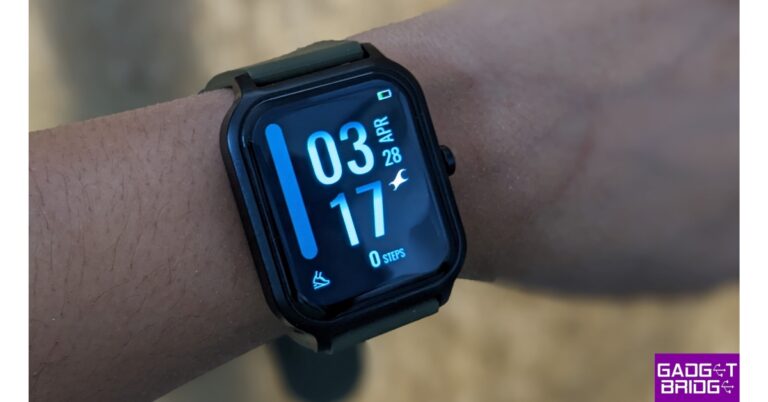
Although the Green colour option we received is stylish, there are three more colour possibilities as well – Black, Blue, and Teal. The smartwatch has a polycarbonate casing, which contributes to its high build quality and makes it both lightweight and durable. It weighs 41.9 grams. Neither thick nor thin describes the dial. It comes with a 22mm silicon strap, and the quality of the strap is excellent. So far, we have not had any skin rashes or discomfort. You have the option to attach additional straps in accordance with your preferred hue because the straps are detachable. Fastrack Revoltt FS1 review: Design and display The watch is IP68 water and dust resistant, making it safe to use outside and capable of withstanding submersion up to one metre deep. Just below the upper left corner of the frame, there is an integrated speaker. The microphone is placed just opposite to the speaker. Fastrack Revoltt FS1 review: Design and display Fastrack Revoltt FS1 review: Design and display Fastrack Revoltt FS1 review: Design and display This watch feels great in the hand and has a fashionable appearance. Featured on the Fastrack Revoltt FS1 is a 1.83-inch, 2.5D curved Ultra VU display. It has a resolution of 240×248 pixels and a maximum brightness of 500 nits. We had no issues utilising it indoors. Fastrack Revoltt FS1 review: Design and display Fastrack Revoltt FS1 review: Design and display Fastrack Revoltt FS1 review: Design and display However, the display is sufficiently bright such that text and icons can be seen, even in bright sunshine. On the other hand, the curved screen gives it a good luxury feel. The screen also experienced tiny scratches during our usage. The screen’s bezels are symmetrical on all four sides.

Fastrack Revoltt FS1 review: Performance

Fastrack Revoltt FS1’s user interface is surprisingly responsive for the cost. You can switch watch faces by maintaining finger contact with the home screen. Swiping right brings up the menu while swiping left brings up My Fitness, which displays the number of steps, calories burned, and distance travelled. You may also access the weather, HR tracking, and sleep tracker by continuing to swipe. Finally, it shows your music player so you can use your wrist to control the music playing on your smartphone. Both the Play Store and the App Store both offer the Fastrack Reflex app. Your heart rate and other monitoring data are displayed here, along with other activities. Also read: OnePlus Nord CE 3 Lite review: Is it a fully loaded package? With this watch, the app offers more than 200 watch faces divided into various categories. It can be changed within the app itself. The app gives you the option to store any watch face and add it to your wishlist. You have the choice to set your photo as a custom watch face under the custom watch face option More than 110 sports modes are included with the Fastrack Revoltt FS1. While the remaining modes can be accessed through the app and synced if desired, most of the important modes are visible on the watch. On the Fastrack Revoltt FS1, you get support for an artificial intelligence voice assistant that lets you use your associated smartphone to make calls and do other things without having to pull it out of your pocket. In today’s world, a smartwatch is useless if it does not support BT calling. And yes at this price point, you do get the option to make Bluetooth calls in this one.  Fastrack Revoltt FS1 review India We could easily hear the audio, which indicates that the audio quality is good. Additionally, you have single sync BT calling, which pairs as soon as your smartwatch is connected to your phone. Fastrack Revoltt FS1 review India The device also includes a total of 4 games, including 2048, Jigsaw Puzzle, Racing, and Discoloration. Let’s now discuss the health monitoring features. The Fastrack Revoltt FS1 also provides stress monitoring, sleep tracking, and 24-hour heart monitoring. Users also get automatic HR and automatic stress monitoring with this, which can be turned on and off via its app. We examined the sensor’s precision, and according to our opinion, it is fairly accurate. However, we advise not using it in case of a medical emergency; instead, you should seek immediate medical attention. Fastrack Revoltt FS1 review India The Revoltt FS1 includes fast charging in this price range. Its battery life can be extended by one day with a rapid charge in just ten minutes. So, if your watch is accidentally uncharged and switched off, you can quickly charge it. With heavy use, it offers a battery life of three to four days.

Verdict

This is our review of Fastrack Revoltt FS1. The smartwatch was introduced by the company for Rs 1,995. You get a 1.83-inch display that is plenty bright, and the device has a wonderful quality feel thanks to the curved corners. Additionally, it has rapid charging, which can charge the battery in just 10 minutes and extend its life by one day. Consider this if you’re looking for a smartwatch for less than Rs 2,000.
  • Price: Rs 1,995
  • Buy Here
Fastrack Revoltt FS1 Pro
  • Fast charging
  • Nice display
  • Accurate Monitoring
Fastrack Revoltt FS1 Cons
  • Plastic body
For the latest gadget and tech news, and gadget reviews, follow us on TwitterFacebook and Instagram. For newest tech & gadget videos subscribe to our YouTube Channel. You can also stay up to date using the Gadget Bridge Android App. You can find the latest car and bike news here.

Telegram Update: custom wallpapers for specific chats, sharable chat folders and more features are now available

Popular social media app Telegram has released a fresh update that includes a tonne of brand-new features and other enhancements. The new software update is now available for both Android and iOS platforms. Users can now create custom wallpapers for specific chats, share entire chat folders with a single link, use web apps in any chat, and more thanks to this upgrade. Telegram via blog post informed about the rolling out of the fresh new update. The instant messaging service has included the feature of shareable chat folders. The users will be able to share their chat folders with a link inviting their friends or colleagues to dozens of work groups, collections of news channels, and more. As per the company, multiple invite links are supported by each chat folder, therefore, enabling access to different chats. One can now choose the chats they want to include when creating a link, and give it a name that fits, such as Managers or Interns. Users will also be able to include any public chats, as well as any chats where you have the admin rights to add people. A suggestion to join the new chats will appear to members if you add more chats to your folder. To create a folder, open Settings > Chat Folders. For more details, see our in-depth guide on Shareable Folders. The new update also brings the ability to create custom wallpapers using their favourite photos or colour combinations for individual chats. Once you have set a wallpaper a special message will be sent in the chat that allows your chat partner to add the same wallpaper on their side. You can set a custom wallpaper in any 1-on-1 chat. To set a custom wallpaper, tap ⋮ > ‘Set Wallpaper’ in the chat header on Android, or open a profile and tap ⋯ > ‘Change Wallpaper’ on iOS. Also Read: Telegram-like WhatsApp Channels feature now rolled out to WhatsApp beta for iOS: Deets inside With the new Telegram update bots are also getting better which supports collaboration and multiplayer features for members. As per the company, the Web apps of bots that support the feature to be launched in any chat can be accessed via a direct link or by mentioning the bot’s username in any chat on Telegram. In addition to this Bots can use collectable usernames — including links without the -bot suffix. Moreover, the Attachment menu on Telegram has also been improved and it now scrolls faster similar to Shared Media. All you need to do is pull down on the date bar to time travel. In groups of under 100 members with topics enabled, read receipts now show what time your messages were read by other group members. The User interface has also been enhanced allowing users to create groups without adding members immediately – in case you want to set up permissions and pin a few messages first. Whereas Send When Online requires fewer taps and the latest iPhone has profile pictures with a new animation, sliding into the dynamic island when you scroll through profiles and info pages. For the latest gadget and tech news, and gadget reviews, follow us on TwitterFacebook and Instagram. For newest tech & gadget videos subscribe to our YouTube Channel. You can also stay up to date using the Gadget Bridge Android App. You can find the latest car and bike news here.

Acer Swift Go (2023) with 13th Gen Intel Core H-Series Processor launched in India

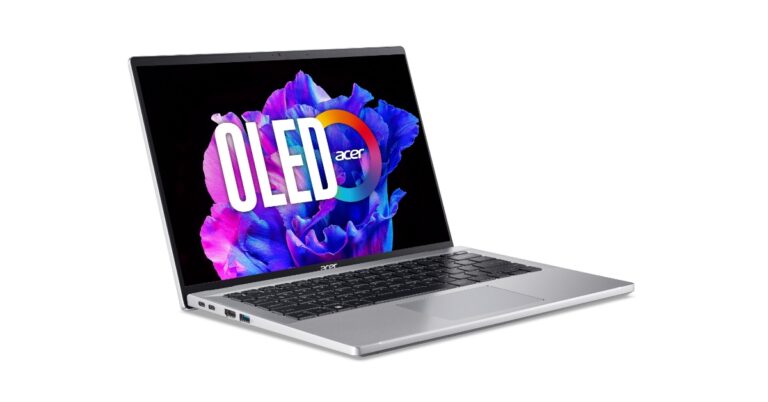
Acer has refreshed its Swift laptop lineup. The company has announced the all-new Acer Swift Go (2023) powered by a 13th-generation Intel Core i5-13500H processor. The machine comes with diamond-cut edges on the top and back hinges and an aluminium build. In addition to this, there is an OLED display and includes an updated TwinAir dual-fan system. The device has a 1440p webcam with Temporal Noise Reduction. Windows 11 comes pre-installed on Swift Go.

Acer Swift Go (2023) price in India and availability

The price of the Acer Swift Go (2023) laptop has been set at Rs 79,990 for the 16GB + 512GB model. It is offered in a single Pure Silver Colour variant. The device will be available for purchase via the company’s official website, Amazon, Acer Exclusive Stores, Croma and Vijay Sales.

Acer Swift Go (2023) specs and features

The Acer Swift Go (2023) features a 14-inch 2.8K OLED display with 2880 x 1800 pixels of resolution. It has an aspect ratio of 16:10 and supports 400 nits of brightness as well as 100 per cent DCI-P3 colour gamut. The screen comes with Acer CineCrystal technology and TÜV Rheinland certification. The aluminium chassis, with its diamond-cut edges on the top cover and rear hinge. The device is 14.9 mm thin and 1.25 kg light aluminium body. The laptop includes a full-size FineTip backlit keyboard and OceanGlass Touchpad. The Acer laptop also sports a 1440p QHD camera (2560 x 1440 resolution) which uses Acer’s TNR (Temporal Noise Reduction) technology for high-quality imagery in low-light conditions along with Acer PurifiedVoice with AI Noise Reduction. Acer Swift Go (2023) price in India and availability The Swift Go is powered by a 13th-generation Intel Core i5-13500H processor with Intel Iris Xe Graphics. It comes with 16GB Dual-channel LPDDR5 RAM, 512GB PCIe Gen4 NVMe SSD storage and, 16 Gb/s. Also Read: Fastrack Revoltt FS1 Pro with an arched AMOLED display now available in India In terms of connectivity, it includes Wi-Fi 6E, Bluetooth 5.2, HDMI, USB 3.2 port, USB 3.2 Gen 1 port with power-off charging and USB Type-C port with DC-in. There is a 65Wh battery with 100 W PD charging support. According to the company, with a quick 30-minute charge, the new Swift Go can provide up to 4 hours of battery life. On the launch Sudhir Goel, Chief Business Officer, Acer India said “We are extremely excited to unveil the Acer Swift Go on the latest Intel platform and OLED display. With its 13th Gen Intel Core CPU, Intel Evo verified features, and impressive OLED display, this ultra-portable laptop delivers exceptional performance and a superior computing experience. Additionally, the Intel Unison multi-device experience provides added convenience and versatility for our customers. Our commitment to providing innovative technology and a seamless user experience is reflected in the design and functionality of the Swift Go.” For the latest gadget and tech news, and gadget reviews, follow us on TwitterFacebook and Instagram. For newest tech & gadget videos subscribe to our YouTube Channel. You can also stay up to date using the Gadget Bridge Android App. You can find the latest car and bike news here.

How to Monitor Android for Free: Top 10 Android Monitoring Apps

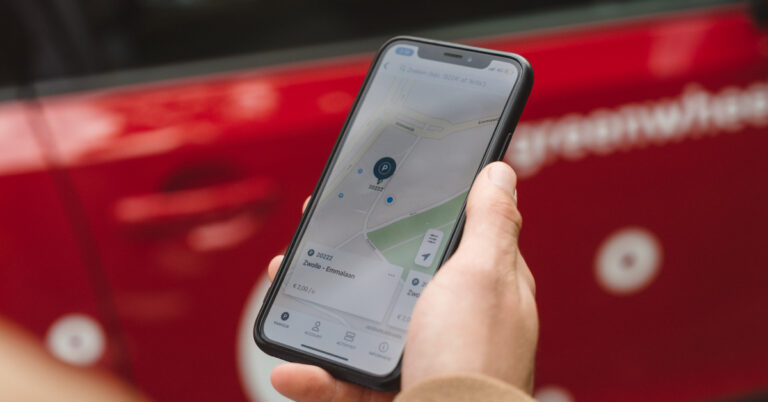
Using a stealth app to spy on a device is possible on Android, but it is extremely unethical. Spy apps can give you complete unauthorised access to someone’s device, something that can certainly warrant legal action against you. However, in certain situations, it may be the only option you have left. In this article, we bring you the top 10 Android monitoring apps that can be downloaded right now. These apps are not available on the Google Play Store. You will need to download them from their respective websites. Read Also: Tinder adds a video selfie feature to strengthen the Photo Verification process

mSpy

How to install mSpy on target Android in 2023?
Image Credit: mSpy
mSpy is one of the most popular monitoring apps for Android. The app is designed for parents who want to be aware of their children’s location at all times and want to keep tabs on their online activity. mSpy gives you an account of all the messages sent and received on a device. You can even access the target device’s social media activity including the texts and images shared by them. You can also view the call log, search history, and location history of a device without being detected. For a complete guide to installing mSpy, read our article here.

FlexiSpy

FlexiSpy There are certain features offered by FlexiSpy that may be deemed unethical, but if the situation demands it, they are there to be used. After installing FlexiSpy on the target device, you can listen to live phone conversations, activate the microphone at any given time, monitor the installed apps, go through the chat threads across various instant messaging apps, and more. FlexiSpy remains hidden in the target device and cannot be scanned by most antivirus and antimalware apps. FlexiSpy’s subscription plans start at $29.95 and go up to $119 for the full version.

UMobix

UMobix. How to Monitor Android for Free: Best 5 Android Monitoring Apps UMobix is an advanced monitoring app for Android that can do it all. Using UMobix you can get a log of every key that was tapped on the target device. By going through the keystrokes you can get access to certain passwords and codes. UMobix also lets you view the files and media stores on a device, with the option to take screenshots. The spy app carries out basic monitoring functions like reporting call logs, giving access to messages across all platforms, camera snapshots, and call & messages restriction.

FamiSafe

FamiSafe. How to Monitor Android for Free: Best 5 Android Monitoring Apps FamiSafe is a great parental control app that can be installed on your children’s phones to keep tabs on their location at all times along with monitoring their phone usage. FamiSafe lets you know the screen time on the target device and the exact time that your kids spend on certain apps. You can view the TikTok and YouTube history of your kids as well as get an Activity Report of all the pages visited by them. The app also offers handy features like explicit content detection, web filters, driving reports, and more.

Spyera

Spyera. How to Monitor Android for Free: Best 5 Android Monitoring Apps Spyera can be installed on phones, laptops, and tablets to monitor every action taken on the device. This monitoring comes with a keylogger that records every key that is pressed on the device and lets you what is being typed on the device. You can also look inside the different instant messaging apps on the device and go through all the conversations, including the media that has been sent from and received on the device. You can also receive alerts for certain keywords, phone numbers, and events.

Spyic

Spyic Available for iOS as well as Android, Spyic offers all the essential features you expect from a monitoring app. Once installed on the target device, you can use this app to track calls & texts, set up Geofence parameters, and keep tabs on the internet browsing history. Other than that, Spyic also lets you view the messages sent using major IM apps like WhatsApp, Snapchat, Instagram, Viber, and more. Spyic’s basic monthly plan starts at $39.99.

Teensafe

Teensafe Using Teensafe, you can not only view the live location of the target device but also set boundaries on the map. Once the device breaches these boundaries, you will be sent an alert by the Teensafe app. You can also use Teensafe to remotely view saved contacts on the target device as well as check the outgoing and incoming calls along with their timestamps. You can also set up Teensafe to record any incoming or outgoing calls, a feature that is rarely found in other monitoring apps.

Safespy

Safespy How to Monitor Android for Free: Top 10 Android Monitoring Apps Safespy specialises in social media monitoring and live tracking. Once installed on the target device, you can view the owner’s social media activity remotely on your phone. This includes their web history, messages, uploads, and audio conversations. Safespy also allows you to track the target device’s location in real time. All you need to do is switch to the location tab on the Safespy app to know where the device is at any given time. Safespy’s membership starts at $39.99 per month.

Cocospy

Cocospy How to Monitor Android for Free: Top 10 Android Monitoring Apps Cocospy is an excellent tracking and monitoring app for Android phones and tablets. One of the best things about this app is that it also tracks the host’s Discord activity. You can set up the app within minutes and start monitoring the device within minutes. Apart from Discord, you can also view the messages and media shared by the user in WhatsApp chats and groups.

Google Family Link

Google Family Link How to Monitor Android for Free: Top 10 Android Monitoring Apps Google Family Link is the most legitimate ‘monitoring’ app out of the bunch. Unlike other apps on this list, you can download Family Link from the Play Store. After installing Family Link on your kid’s device, you can monitor their activity and current location. Family Link allows you to view the apps on your kid’s phone along with their usage habits and screen time. If you spot an app that shouldn’t be there, you can delete it using Family Link. Read Also: Sony Bravia X70L Series Television with Google TV launched in India

Conclusion

These are the top 10 monitoring apps for Android you can download right now. All of the apps on this list require a subscription plan to use. Some may offer a free trial period as well. Using spy apps to monitor a device is extremely unethical and can warrant legal action against you. It is advised not to use them unless absolutely necessary.

Garena Free Fire Redeem Codes Today 28 April 2023: Here is how to claim them

Garena Free Fire is a battle royale game with regular awards and tournaments to keep players interested. If you play Garena Free Fire, you should be aware of the redeem codes that are released on a daily basis. However, because the battle royale game is banned in India, players from other countries can use the Free Fire Redeem codes daily. If you’re unfamiliar with the Garena Free Fire redeem codes or don’t know how to get them, we’ve put together a step-by-step guide to help you redeem them. Check out Garena Free Fire Redeem Codes for 28 April 2023. The Free Fire redeem codes are a great way to get free stuff. These are 12-digit codes that contain alphabets and numbers, as well as an expiration date and time. Because the Garena FF redeem codes cannot be used more than once, you should hurry to the redemption page to claim your free reward before someone else does. To get a free reward, all you have to do is go to reward.ff.garena.com/en, which is the official redemption page. Also, keep an eye on this space for daily updates on Garena Free Fire redemption codes and rewards.

Garena Free Fire Redeem Codes Today 28 April 2023

  • Updating soon

How to Get Free Fire Redeem Codes for Garena on 28 April 2023?

  • Visit the Garena Free Fire game’s official website at reward.ff.garena.com.
  • Use your Facebook, Google, VK, Apple ID, Huawei ID, or Twitter account to log in.
  • You’ll be taken to a valid redemption code (s)
  • Copy and paste the 12-digit redemption code into the text box.
  • On the screen, a dialogue box will appear.
  • ‘Ok’ should be selected.
For the latest gadget and tech news, and gadget reviews, follow us on TwitterFacebook and Instagram. For newest tech & gadget videos subscribe to our YouTube Channel. You can also stay up to date using the Gadget Bridge Android App. You can find the latest car and bike news here.

Amazon Quiz Answers Today 28 April 2023: Participate to win Rs 1250

28 April 2023 Amazon Quiz has gone live on its platform. The quiz timings are 12 AM to 11:59 PM. The Amazon App users can participate in the quiz daily and all they have to do is submit correct answers to the questions asked on the e-commerce platform. Today’s participants can get a chance to win Rs 1250 Amazon Pay Balance. Amazon brings a fresh questionnaire that contains 5 questions daily. These questions are based on current affairs and general knowledge. The quiz can be played from 8 AM to 11:59 PM and the contestants need to answer correctly to enter into a lucky draw. Only one person is declared as a winner and the results will be announced at the end of every month. And to make sure that you give correct answers to all the 5 questions Gadget Bridge everyday updates all the answers to the Amazon Quiz. Do check out 28 April 2023 Amazon Quiz Answers to win Rs 1250 Amazon pay Balance. Amazon Quiz Today Prize – Rs 1250 Amazon Pay Balance Quiz Date – 28 April 2023 Daily Timing – 12 AM to 11:59 PM Winner Announcement – Today 12 PM

Amazon Quiz Answers Today 28 April 2023

Question 1: Who has been elected unopposed as the new president of the New Development Bank in 2023? Answer: Dilma Rousseff Question 2: Adani Group acquired the Karaikal Port in which Union Territory for Rs 1,485 crores? Answer: Puducherry Question 3: India’s first semi-high-speed regional rail service is named what? Answer: RapidX Question 4: Which species of this animal has the widest range of all non-human primates? Answer: Rhesus Macaque Question 5: The phenomenon of El Nino affects which ocean? Answer: Pacific

How To Play Amazon Quiz

Only app users are eligible to play the Amazon quiz every morning from 12 AM to 11:59 PM. The quiz is not available on the desktop. For those who are unaware of how to play the Amazon quiz below are the steps, you can follow to take the quiz.
  • Firstly download the Amazon app from Google Play Store or App Store
  • Now fill in the required information through the Sign Up option.
  • You need to log in to the Amazon app and scroll down on the home screen to find the Amazon Quiz banner.
  • Tap on the Amazon Quiz banner and tap on the Start button to start the Quiz.
  • Now you will get 5 questions and you need to answer them correctly. One wrong answer will eliminate you from the Quiz.
  • After answering all the questions correctly you are now eligible for a Lucky Draw.
  • The winner’s name will be announced today at 12 PM.
For the latest gadget and tech news, and gadget reviews, follow us on TwitterFacebook and Instagram. For newest tech & gadget videos subscribe to our YouTube Channel. You can also stay up to date using the Gadget Bridge Android App. You can find the latest car and bike news here.

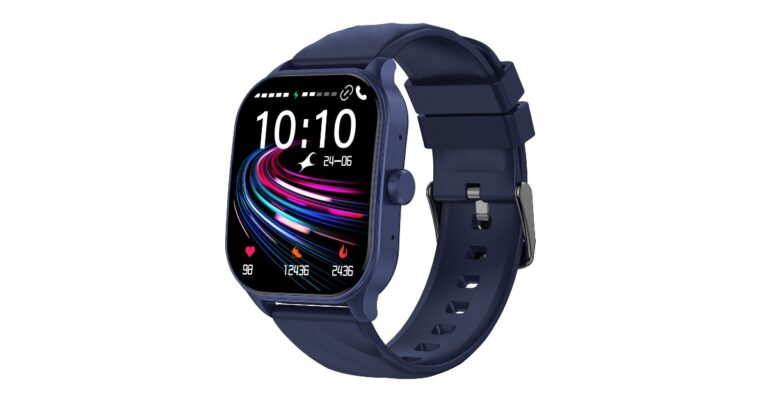
Fastrack Revoltt FS1 Pro with an arched AMOLED display now available in India

Fastrack has announced the launch of another new smartwatch in the Indian market. The company has introduced the Fastrack Revoltt FS1 Pro which is an upgraded variant of Revoltt FS1 that launched in the country a few weeks ago. The device comes with an arched AMOLED display. In addition to this, it has over 110 sports modes and more than 100 watch faces. Just like its sibling, the device offers one day of battery life with just 10 minutes of charge.

Fastrack Revoltt FS1 Pro price in India and sale details

Fastrack Revoltt FS1 Pro price in India has been set at Rs 3,995. The device comes in three colour options of black, blue, and teal. The smartwatch will be available for purchase via Flipkart in the country starting today.

Fastrack Revoltt FS1 Pro specs and features

Fastrack Revoltt FS1 Pro features an arched 1.96-inch super AMOLED display with 410 X 502 pixels of resolution. The arched design of the smartwatch offers a comfortable fit and a better viewing experience. In addition to this, it includes more than 110 sports modes and 200 plus watch faces. There is a SingleSync BT calling feature which offers an uninterrupted calling experience right from the wrist. The watch is powered by an advanced ATS chipset. The Fastrack Revoltt FS1 Pro has an advanced health-monitoring feature, including continuous stress monitoring, auto sleep tracking, and 24X7 heart rate monitoring. Further, the smart wearable includes smart notifications & AI voice assistant (supports Amazon Alexa) along with IP68 dust and water resistance. The watch comes with 2.5X NitroFast charging offering a single day’s charge with 10 minutes of charging. However, the smartwatch houses a 300mAh battery that offers a total of 10 days of battery life. Dr. Ravi Kuppuraj, COO, Smart Wearables, Titan Company Limited said, “We were elated with the response that we have received during the launch of Revoltt FS1. We have expanded our portfolio and launched the next series of Revoltt- Revoltt FS1 Pro that will again delight fashion and technology-conscious consumers for its functionality and style. The Revoltt FS1 Pro is World’s first 1.96” Super AMOLED Arched Display Smartwatch with a distinctive arched design and unique innovation. Fastrack’s commitment to quality is a vital part of our product development process and we strive to offer the best of tech to the consumers of this day and age. Our products undergo 450+ tests before being launched and are available for our consumers. We have partnered with e-commerce giant Flipkart and is a testament to our long-standing and successful association.” For the latest gadget and tech news, and gadget reviews, follow us on TwitterFacebook and Instagram. For newest tech & gadget videos subscribe to our YouTube Channel. You can also stay up to date using the Gadget Bridge Android App. You can find the latest car and bike news here.

Qualcomm announces Snapdragon Game Super Resolution (Snapdragon GSR) for improved Gaming

Qualcomm announced the launch of the Snapdragon Game Super Resolution (Snapdragon GSR). It is a new Snapdragon Elite Gaming feature that is capable of maximising mobile game performance as well as battery life by increasing resolutions while maintaining the visual quality of graphics and much more. Snapdragon Game Super Resolution (GSR), a new Snapdragon Elite Gaming and technology for spatial upscaling developed by Qualcomm has been officially introduced. This tool will help in achieving optimal super scaling quality at the best performance and power savings. Snapdragon GSR single pass solution is the first of a kind in the industry specially designed for mobile and XR gaming. This allows for the maximisation of gaming performance and battery life on devices with Snapdragon and is currently available for key partners. While compatible with most GPUs, it delivers the best performance on Snapdragon platforms, as per the company. Snapdragon Game Super Resolution (Snapdragon GSR) is capable of increasing Snapdragon Game Super Resolution (Snapdragon GSR). In addition to this, it upscales frame rate for smoother gameplay, improves battery life by lowering power consumption and increases visual fidelity while maintaining framerate. According to Qualcomm with Snapdragon GSR, 1080p games can become sharper 4K games. This means games that only support 30 frames per second can be played at 60+ FPS which leads to smoother graphics. In addition to this, because power consumption and performance are correlated, you can get these features while extending battery life and gameplay time. Also, players will be able to choose between higher resolution, more FPS, or a longer battery life thanks to Snapdragon GSR. A single-pass spatial upscaling method designed specifically for Snapdragon Adreno GPUs is known as Snapdragon GSR. It uses range-aware dynamic scaling with customizations for the Adreno GPU pipeline, delivering superior graphics quality and power savings. It has 2X better performance than the other upscaling technologies. In addition to this, it also enables superior visual quality and graphics that are perceptually close to natively rendering to the game. Also Read: Tinder adds a video selfie feature to strengthen the Photo Verification process Arithmetic Logic Unit (ALU) instructions, registers, and texture samples are all utilised by Snapdragon GSR on Adreno hardware. By combining upscaling and edge sharpening in one pass, Snapdragon GSR lowers latency and memory bus usage, therefore reducing power consumption and increasing speed. Moreover, it is possible to merge software’s single pass with Arithmetic Logic Unit (ALU) instructions, registers, and texture samples are all utilised in the least amount feasible by Snapdragon GSR on Adreno hardware. Other upscaling methods make at least two passes over the source image, which uses more bandwidth overall. By combining upscaling and edge sharpening in one pass, Snapdragon GSR lowers latency and memory bus utilisation, enhancing the speed and minimising power consumption. To further boost performance, the software’s single pass can be merged with other post-processing passes (like tone mapping) to further improve performance. Qualcomm explains that along with using a single pass, Snapdragon GSR employs fewer ALU instructions and texture samples than its competitors, resulting in significantly improved shader processor utilisation, which in turn leads to faster frame rates and less power use. Snapdragon GSR also makes use of a 12-kernel window where the luminance calculation is only performed with the green (G) channel, due to the fact that the human eye is most sensitive to this colour. Snapdragon GSR samples only use 1 component for each pixel calculation and perform a 3-component interpolation, totalling only 15 texture instructions – Adreno GPUs can entirely hide the latency of these texture samples, yielding 100% shader processor utilization. Therefore Snapdragon Game Super Resolution is compatible with all Snapdragon GPUs including fully compatible with all game engines. Mobile Games and XR products featuring Snapdragon GSR will go on sale later this year. For the latest gadget and tech news, and gadget reviews, follow us on TwitterFacebook and Instagram. For newest tech & gadget videos subscribe to our YouTube Channel. You can also stay up to date using the Gadget Bridge Android App. You can find the latest car and bike news here.

Tinder adds a video selfie feature to strengthen the Photo Verification process

American geosocial networking and dating application Tinder has announced video selfie verification on its platform. The company took this move in order to strengthen the Photo Verification and the member will get the power to choose to chat with others who are Photo Verified on the dating app. Tinder is asking members to take a selfie video in order to prove their identity. This AI-powered photo verification feature will let the member who has verified identity ask other members to do the same before chatting. According to Tinder, this will give users more control over how they interact with others. The feature will be accessible in the Message settings. In addition to this, Photo Verified members have the option to only receive messages from Photo Verified members. While announcing the feature Rory Kozoll, SVP of Product Integrity at Tinder said, “Tinder daters consistently tell us that photo verification is one of their most valued safety features. The tool provides one more way to help members better assess the authenticity of their match. For our 18-25-year-old members, being Photo Verified gives them a 10% higher chance to match. We will continue prioritising these methods to help make Tinder a safer place to meet someone new.” Also Read: How to create a dating profile on Tinder “Tinder members value authenticity and genuine connection,” the company via blog post noted. According to the company, about 40 per cent of all members have got their Photo Verified blue checkmark. In addition to this as per initial tests, video selfie has increased the likelihood that men will complete the Photo Verification. In light of this, Tinder will now ask all new users to complete a Photo Verification when they establish a profile, putting a focus on this improved procedure. Prior to this Tinder members used to take still photos while holding a series of static poses, and these photos were compared against others on the member’s profile. But now with the arrival of video selfie members must complete a series of video prompts if they wish to get Photo Verified. “While no photo verification process is perfect, this helps Tinder keep those blue checkmarks more real.” In order to give users more control over their online dating only uses messages from other Photo Verified members will be sent to users who have chosen “Photo Verified Chat” in the message settings. Members can also ask their matches to verify their photos prior to sending communications. Only Photo Verified users will be able to see the “Likes” of Tinder Gold members. Tinder also states that “Whether they’re returning to Tinder after a break from dating, or if they just don’t upload new photos often, there are several reasons why someone’s verified photo might not be current. In the coming months, Tinder will ask all members to update to the latest version of Photo Verification that includes video selfie.”

Availability

The video selfie in Photo Verification feature on Tinder is currently available to all members globally. While the ability to select “Photo Verified Members” only in Message Settings will begin rolling out in the coming months. For the latest gadget and tech news, and gadget reviews, follow us on TwitterFacebook and Instagram. For newest tech & gadget videos subscribe to our YouTube Channel. You can also stay up to date using the Gadget Bridge Android App. You can find the latest car and bike news here.

The Best Marvel Mobile Games in 2023

Marvel is making waves this year, with Ant-man and the Wasp: Quantamania kicking off the new phase of the Marvel Cinematic Universe (MCU). These movies introduce the worst villain of the Marvel series: Kang the Conqueror. With Guardians of the Galaxy Vol. 3 expected at the start of May, there is a lot for Marvel fans to get excited about. If you want to continue the fun whilst learning more about your favourite Marvel characters and villains, check out these awesome Marvel mobile games.

Marvel Snap

Marvel Snap is a card game any Marvel fan can get behind, with each card representing one of the many legendary characters in the Marvel franchise. This is a great way to learn more about characters such as M.O.D.O.K., who was first seen on screen in the newest Ant-man movie. Each card has a power themed around the character’s superpower, which is pretty cool. You can also collect awesome cards and upgrade your collection with the help of tokens, gold, and credits. You can battle against other opponents online, where you play cards in three locations. These locations change each game and are all based on actual locations in the franchise too, such as Oscorp Tower, which is the building owned by Norman Osborn, AKA, the Green Goblin. If you enjoy playing card games and fancy trying your luck, there are a range of card games available at these mobile casinos.

Marvel Strike Force

Marvel strike force is a turn-based combat game which is easy to learn and fun to play. This game is available on both Android and iOS and features a few roleplaying elements as well. Within the game, you can collect Marvel villains and heroes, playing with your favourite characters. You can play multiple different campaigns in single-player mode or play against others online. This mobile game is regularly updated with new things to see and do, meaning it’s hard to get bored. You can also make endless team combinations, testing out the best synergies and tactics with the characters you own. If you want some help with building the best teams in Marvel Strike Force, check out this article.

Marvel Future Revolution

Marvel Future Revolution is an open-world RPG made specifically for mobiles. This does mean you will need to have a mobile that can support the graphics of the game, but most modern smartphones can run this game seamlessly. The game design is beautiful, and the story of the game is compelling straight from the get-go. This is a great game for Marvel characters, as they get to follow a story that spans the entire multiverse. Players will get to see a few friendly faces along the way too, such as Spider-Man, Magik, and Doctor Strange. If you want to give this game a try, here are 10 beginner tips to get you started. If you enjoy any of the Marvel movies, you are bound to enjoy these awesome mobile games. Whether you enjoy combat, strategy card games, or RPGs, these Marvel games are a great way to get excited before the next movie hits the cinema. For the latest gadget and tech news, and gadget reviews, follow us on TwitterFacebook and Instagram. For newest tech & gadget videos subscribe to our YouTube Channel. You can also stay up to date using the Gadget Bridge Android App. You can find the latest car and bike news here.

Sony Bravia X70L Series Television with Google TV launched in India

Sony seems to be on a launch spree these days. The company has been busy upgrading its Television portfolio and it also recently launched new models Bravia X75L and Bravia X80L series. But now another variety has been added to the lineup which is the Sony Bravia X70L television series. This model is powered by X1 4K Processor and Live Colour technology. It comes with Google TV and support for Apple AirPlay and HomeKit. The X70L TV series is available in 108cm (43) and 126cm (50) screen sizes.

Sony Bravia X70L series price in India

Sony Bravia X70L series model number KD-43X70L is priced at Rs 59,900 whereas the KD-50X70L comes with a price tag of Rs 74,900. Both models are currently available for purchase via all Sony Centers, major electronic stores, and e-commerce portals in India. Sony Bravia X70L series price in India Also Read: Sony BRAVIA X75L television with X1 4K Processor launched in India

Sony Bravia X70L series specifications and features

The all-new Sony Bravia X70L television series comes in two screen sizes- 43-inch and 50-inch. The device is powered by X1 4K Processor that uses advanced algorithms to cut noise and boost details. Whereas the Live Colour technology makes the images appear closer to 4K resolution with true colours. According to the company, videos that are filmed in 2K and even Full HD are upscaled close to 4K resolution by 4K X-Reality PRO using a unique 4K database. Whereas fast-moving sequences appear smooth and sharp thanks to MotionFlow XR. Both Sony Bravia X70L series television includes open baffle down firing twin speakers that provide 20-Watt powerful sound with Dolby Audio. This helps in improving low-end sound in movies, sports and music using the clear phase technology by ‘sampling’ the speaker frequency with higher precision to cancel out any peaks or dips in the speaker’s natural response. Also Read: Sony BRAVIA X80L series which supports PS5 launched in India In addition to this Bravia X70L also includes Google TV which offers access to over 10,000 apps and games along with 700,000+ Movies and television series. The Bravia TV also supports Apple AirPlay and HomeKit as well which integrate Apple devices like iPads and iPhones with the TV. The TV also includes a voice-enabled remote which has built-in microphones to use Google Assistant to find what they want quickly or to play TV shows, movies, and more. The remote has six partner keys to access content on Netflix, Amazon Prime, Disney+Hotstar, Sony LIV, YouTube video and music. There is an improved X-Protection PRO technology that safeguards the TV from dust, humidity, lightning strikes and power surges. For the latest gadget and tech news, and gadget reviews, follow us on TwitterFacebook and Instagram. For newest tech & gadget videos subscribe to our YouTube Channel. You can also stay up to date using the Gadget Bridge Android App. You can find the latest car and bike news here.