Fire-Boltt has introduced its latest smartwatch Invincible Plus in India. The device is a part of the company’s LUXE edition featuring an AMOLED display. The Fire Boltt Invincible Plus watch comes with a Bluetooth calling feature as well. It also has 4GB of inbuilt storage and a voice assistance function for hands-free operations. However, the watch includes 3 buttons and a rotatory button for easier navigation.The Fire Boltt Invincible Plus smartwatch comes with an introductory price of Rs 3,999. The device can be purchased via the company’s official website and Amazon in the country. The smartwatch is offered in two varieties of detachable straps- Silicon and Stainless Steel. The one with the stainless-steel strap comes in two colours- Black and Silver whereas the model with the Silicon strap comes in 5 colour variants- Jet Black, Rose Gold, Black Gold, Grey, and Dark Grey.Invincible Plus features a 1.43-inch always-on AMOLED display. The screen has 460×460 pixels of resolution and 600 nits of brightness. In addition to this, the display has support for a 60Hz of refresh rate. The smartwatch has a full metal body, 3 button pushers, and a magic crown rotatory button that enables users to easily navigate the menu and change watch faces. The watch is IP67 rated for resistance against water. Moreover, it has over 300 sports modes and a Bluetooth calling feature. The device also supports Voice assistance.The smart wearable comes with 4 GB inbuilt storage which means the users can download and save music in their smartwatch and have their personal MP3 on the wrist. It has TWS connect features which allow users to pair the smartwatch with their earbuds and listen to music or take calls. In addition to this, the Fire Boltt smartwatch comes with 5 inbuilt games, 7 menu layouts, and 120 inbuilt watch faces.In terms of health monitoring, the Fire Boltt Invincible Plus smartwatch includes continuous heart rate monitoring, SpO2 monitoring, sleep monitoring, and activity tracking. With a 380 mAh battery the watch can last for up to 7 days in mode and provides up to 20 days of battery life in standby mode. For added security, the device has a screen lock feature which ensures user privacy. Lastly, the fitness tracker has other miscellaneous features like an inbuilt calculator, alarm clock, stopwatch, weather updates, find my phone, smart notifications, sedentary reminders, and drink water reminders.
For the latest gadget and tech news, and gadget reviews, follow us on Twitter, Facebook and Instagram. For newest tech & gadget videos subscribe to our YouTube Channel. You can also stay up to date using the Gadget Bridge Android App. You can find the latest car and bike news here.
Samsung Galaxy A54 5G and Galaxy A34 5G have officially debuted in India today. Both phones have designs similar to the latest Galaxy S23 smartphone. They both shared a lot of similarities like the AMOLED display having 120Hz refresh rate support, a 5,000mAh battery and a triple rear camera setup. In addition, the handsets ship Android 13 out of the box.
In This Article
Samsung Galaxy A54 5G and Galaxy A34 5G price and sale details
Samsung Galaxy A54 5G and Galaxy A34 5G are being offered in two different configurations. The A54 5G is available in 8GB RAM with 128GB/ 256GB storage options priced at Rs 38,999 and Rs 40,999 respectively. The phone is offered in three different shades of Awesome Lime, Awesome Graphite, and Awesome Violet. The device is scheduled to go on sale from March 16 in the country.
On the other hand Galaxy A34 5G also comes in two variations: 8GB RAM with 128GB and 256GB storage. The price of the 128GB storage is set at Rs 30,999 whereas the 256GB model comes at Rs 32,999. The phone is available in Awesome Lime, Awesome Graphite and Awesome Silver colours. This smartphone will be available for purchase from March 28.Both devices are currently up for pre-orders in the country.Also Read:Viewsonic introduced a new range of lamp-free LED projectors in India
Samsung Galaxy A54 5G and Galaxy A34 5G specs and features
Samsung Galaxy A54 5G and Galaxy A34 5G have a SAMOLED Full HD+ display measuring 6.4 inches and 6.6 inches respectively. Both screens have support for 120Hz refresh rate display. The devices run on One UI 5.1 on top of Android 13 out of the box. The company is promising 4 years of software upgrades and five years of security updates. There is an unspecified octa-core processor, most likely EXYNOS 1380 is being used with a 2.4GHz clock speed.For photos and videos, the Samsung Galaxy A54 5G and Galaxy A34 5G have a triple rear camera setup. The A54 has a 50MP primary sensor, 12MP ultra-wide sensor and a 5MP macro lens. For selfies, there is a 32MP front-facing shooter. Whereas A34 comes with a 48MP main lens, and 8MP-ultra-wide lens and a 5MP macro sensor. The device features a 13MP selfie camera. Both the primary sensors on the smartphone support OIS. The smartphones are fueled by a 5,000mAh battery and have IP67 certification for dust and water resistance.
For the latest gadget and tech news, and gadget reviews, follow us on Twitter, Facebook and Instagram. For newest tech & gadget videos subscribe to our YouTube Channel. You can also stay up to date using the Gadget Bridge Android App. You can find the latest car and bike news here.
If you just got a new iPhone, one of the first things you should do is import your WhatsApp chats from your previous device. Conversations can be tricky to navigate if you don’t have access to the chat history. Since you probably use WhatsApp’s ‘Message Yourself’ feature to store important information, you would want those messages to be carried forward to your new device as well. Android to iOS chat migration wasn’t possible for the longest time, but luckily there is a native process for it now. So, without further ado, here are the best ways to transfer your WhatsApp chat history from Android to iOS. Read Also:Netgear introduced Orbi RBK863 Mesh System and satellites in India
In This Article
Use the Move to iOS app
Before using Move to iOS, make sure these prerequisites are met.
Android 5 or above installed on your Android smartphone.
iOS 15.5 is installed on your iPhone.
Move to iOS app is installed on your Android smartphone.
iPhone must have WhatsApp version 2.22.10.70 or higher.
Android smartphone must have WhatsApp version 2.22.7.74 or higher.
Your phone number must be the same across both devices.
iPhone must be new or reset to factory settings.
Both devices must be connected to a power source.
Both devices must be connected to the same WiFi network. Use a WiFi hotspot if necessary.
Here’s how you can migrate your WhatsApp data from Android to iOS using the Move to iOS app.Step 1: Launch the Move to iOS app on your Android smartphone.Step 2: Enter the code displayed on your iPhone.Step 3: Tap on ‘Continue’ and follow the on-screen instructions.Step 4: Select ‘WhatsApp’ on the Transfer Data page.Step 5: Tap ‘Start’ on your Android smartphone to begin the export of data. Once the data is prepared, you will be signed out of your WhatsApp account on your Android smartphone.Step 6: Tap on ‘Next’ and return to the Move to iOS app.Step 7: Tap on ‘Continue’ to transfer data on your iPhone. Wait until the transfer is complete.Step 8: Launch WhatsApp on your iPhone and log in using your phone number.Step 9: Tap on ‘Start’ to finish migrating your data to your iPhone.Step 10: Finish activating your iPhone. You will find your chats on opening WhatsApp.
Use MobileTrans
Wondershare MobileTrans is a great tool to transfer your WhatsApp data from Android to iOS. Here is a step-by-step breakdown.Step 1: Install and launch the Wondershare MobileTrans tool on your PC.Step 2: Select ‘WhatsApp Transfer’.Step 3: Click on the WhatsApp module and select ‘Transfer WhatsApp Messages’.Step 4: Connect your Android and iOS devices to your PC. MobileTrans will load all your WhatsApp data before transferring it.Step 5: Make sure the data is being transferred from Android to iOS. If it is the other way round, click on ‘Flip’.Step 6: Click on ‘Start’ to initiate the data migration. Your WhatsApp data will be transferred from your Android smartphone to your iPhone within a few minutes.Read Also:How to Video Call Between an iPhone and an Android?
Conclusion
These are the best ways to transfer your WhatsApp chat history and data from Android to iOS. You can also email your chat history to yourself as a text file and access it on your iPhone. However, you will only be able to read those chats within the file as WhatsApp does not load them in the app. The safest way to go about chat migration is by using the Move to iOS app. This is because WhatsApp doesn’t see your data while it’s being migrated. Once transferred, your data will not be removed from your Android smartphone unless you delete it yourself.For the latest gadget and tech news, and gadget reviews, follow us on Twitter, Facebook and Instagram. For newest tech & gadget videos subscribe to our YouTube Channel. You can also stay up to date using the Gadget Bridge Android App. You can find the latest car and bike news here.
If you accidentally deleted an important video on your smartphone, not all hope is lost. There are a few ways you can still recover it. Most smartphones do not permanently remove images and videos right away. The file is first sent to the recycle bin, where it is kept for 30 days before being permanently deleted. If the file has been deleted from the recycle bin as well, it can still be restored using a specialised data recovery tool. In this article, we bring you the best ways to recover deleted videos from an Android phone.Read Also:Netgear introduced Orbi RBK863 Mesh System and satellites in India
In This Article
Recover deleted videos from Recycle Bin
Step 1: Launch the Gallery app on your smartphone.Step 2: Tap on the hamburger menu at the bottom right corner of the screen.Step 3: Select Recycle Bin.Step 4: Locate the deleted video you want to recover, long-press it, and select Restore.
Recover videos using Google Photos
If you use Google Photos on your Android phone, here’s how you can recover deleted videos.Step 1: Launch the Google Photos app.Step 2: Tap on the ‘Library’ tab at the bottom of the screen.Step 3: Tap on ‘Bin’.Step 4: Long press the video you want to recover and select ‘Restore’.
Recover deleted videos using a third-party app
There are several third-party apps you can use to recover deleted videos on your Android phone without needing to connect it to a PC. Apps like UltData, Dumpster, and File Recovery will restore any deleted files on your Android phone. Here’s how you can use File Recovery to recover a deleted video on your Android phone.Step 1: Download and install the File Recovery – Restore Files app from Google Play Store.Step 2: Launch the File Recovery app and select ‘Video’.Step 3: File Recovery will scan your device’s storage for deleted videos.Step 4: Tap on the video you want to restore and select ‘Recover’.
Recover deleted videos using a data recovery tool on a PC
If you don’t want to use a data recovery app on your smartphone, there are several recovery tools for PC that can do the job for you. Before you begin this process, make sure you have enabled USB Debugging from the Developer Settings on your phone. Here’s how you can recover deleted videos using the UltData tool.Step 1: Download and install the UltData for Android tool on your PC.Step 2: Enable ‘USB Debugging’ on your smartphone from the Developer options.Step 3: Connect your smartphone to your PC using a USB cable. Select ‘Recover lost data’ on UltData.Step 4: Once the UltData for Android tool is able to detect your phone, choose the file types you want to recover. In this case, select ‘Video’. Hit ‘Start’.Step 5: After the tool completes the data recovery process, preview the files you want to save. Hit ‘Recover’ to save the files on your computer.Read Also:How to Video Call Between an iPhone and an Android?
Viewsonic, a manufacturer of visual products such as monitors, displays, and projectors, has brought a new range of projectors to the Indian market. The company has announced the release of LS510WE, LS510WP, LS610WHE, LS610HDH, LS610WHP and LS610HDHP LED projectors. These LED projectors by ViewSonic are claimed to cater to corporates and the education sector. They provide up to 4800 ANSI lumens of brightness with optimal energy efficiency.The new range of Viewsonic LED projectors includes a total of six models- LS510WE, LS510WP, LS610WHE, LS610HDH, LS610WHP and LS610HDHP. The LS series offers a lifespan of 30,000 operating hours and lesser power consumption. They come equipped with 3rd Generation LED technology ranging from 3000 to 4800 ANSI Lumens. The projectors provide a contrast ratio of 3,000,000:1. They are bright enough for any light condition or environment.LS510WHWith full HD resolution and WXGA the Viewsonic LS510WE, LS510WP, LS610WHE, LS610HDH, LS610WHP and LS610HDHP projectors come with 3800, 4000, 4500, 4500, 4800 and 4800 ANSI lumens, respectively. Out of the six models, LS610HDH is the most premium one that provides 1080p Full HD resolution with HDR/HLG support. There is ViewSonic’s exclusive SuperColor technology, which covers a wide colour gamut, ideal for meeting rooms and classroom presentations.Also Read:Fire-Boltt Supernova BT calling smartwatch launched in India In addition to this, the new Viewsonic projectors have a number of time and energy-saving features like fast power on and off, which is said to improve their efficiency by removing the need to wait for the projector to warm up or cool down. The lamp-free light source enables enhanced sustainability for a greener environment while delivering a wider colour gamut for bright and vivid images. It also reduces maintenance costs, contributing to a greener and more cost-efficient workplace.LS610WHThe projectors come equipped with 360-degree projection letting them rotate freely at any angle vertically to aid with creative applications. There is built-in 5V/2A USB output offering power to HDMI wireless dongles so that the users don’t need separate power adapters to stream multimedia content. The projectors also include Sealed Optical Engine with IP5X for protection against dust and to prevent heating.The device includes image adjustments for comprehensive horizontal and vertical keystones and four corner corrections for impressive presentations with bright images, clarity, and vibrant colours in various contexts. They can be installed vertically at any angle to project images onto various surfaces ranging from walls to floors and ceilings.The Viewsonic Lamp Free LED Projectors LS510WE, LS510WP, LS610WHE, LS610HDH, LS610WHP and LS610HDHP price start at Rs 80,000 and go up to Rs 21,0000.
For the latest gadget and tech news, and gadget reviews, follow us on Twitter, Facebook and Instagram. For newest tech & gadget videos subscribe to our YouTube Channel. You can also stay up to date using the Gadget Bridge Android App. You can find the latest car and bike news here.
Life360 used to be one of the best apps to share your live location with your friends and family, until it was alleged that the app was selling the location data of its users to third parties. This is a good enough reason to ditch any app, and more so if it is a location-sharing app that has access to your smartphone’s GPS at all times. If you’re looking for an app where your friends and family members can track your live location, there are plenty of options for you. In this article, we bring you the top 20 Life360 alternatives for location sharing.Read Also:How to Video Call Between an iPhone and an Android?
In This Article
FollowMee
FollowMee is an excellent GPS tracker for Android and iOS devices. FollowMee turns your smartphone into a GPS-tracking device that can be monitored from the FollowMeewebsite. The device needs a stable internet connection to upload the location data to the FollowMee website. By default, the location updates every 5 minutes. You can reduce this time limit to enable live tracking. FollowMee is very particular about user privacy and does not sell location data to third parties.Download FollowMee from the Google Play Store
mSpy
You have enough to worry about. Your kids’ current location shouldn’t be one of them. That’s why you need a good location tracker that you can rely on. While location tracking is built into some phones, it’s not always as accurate as it should be. Another catch is that when you use a native location tracker, there’s usually a visual indicator to let your kid know that they’re being monitored.That’s not the case with mSpy, a powerful tool to track location. Just install mSpy on the target phone and you’ll be able to see its current location on a map. Unlike those built-in competitors, mSpy lets you see the location history, so you’ll know where your kids have been in the past.That’s not all that mSpy does. It also lets you monitor social media and IM conversations. This includes emails and texts. There’s also a keylogger, a screen recorder, and many other tools to help you know what’s going on.When you’re ready to track location with mSpy, head to mSpy.com, pick your plan, and follow the installation instructions in your email to get up and running.Download mSpy
Family360
Family360 is a great location-sharing app for when you’re going on a trip. Instead of sharing your location with your family every other hour, simply use this app to let them track your location at all times. Family360 lets you create ‘circles’ where you can add a group of people to view your live location. This app also lets your family view the traffic status throughout your journey, along with your ETA. It even sends notification alerts when you overspeed. A premium subscription to the app comes with exclusive features like live tracking, location history and more.Download Family360 from the Google Play Store
FamiSafe
FamiSafe is one of the better Life360 alternatives out there. This app from Wondershare is a comprehensive parental control app, with features like location tracking, website filtering, history check, and detecting suspicious texts and pictures. The location tracking services offered by FamiSafe include live tracking, location history, and creating safe zones on the map. Once your kids breach the safe zone, you will be notified on your phone.Download FamiSafe from the Google Play Store
Find My Phone – Family Locator
Family Locator is very simple to use and contains all the basic location-sharing features. You can let your family view your live location while you’re driving. The app automatically notifies them when you reach your location. Taking a flight? The app’s flight radar will keep your family updated with the flight status. Family locator also allows you to create private groups for close friends and family members.Download Family Locator from the Google Play Store
Glympse
With over 5 million downloads, Glympse is one of the more popular GPS tracking apps and a great alternative to Life360. One of the best parts of using this app is that it doesn’t require you to sign up, nor do your family members need to download the app to view your location. If you’re meeting someone at a common location, all you need to do is send them a ‘Glympse’ so they can know your ETA. This app is perfect for sharing your location on a short-term basis.Download Glympse from the Google Play Store
My Location – Track GPS and Maps
My Location is primarily a travel app that lets you save any location or address. If you’re visiting a place, you can use this app to learn more about the nearby hotspots, tourist destinations, and other interesting places. You can bookmark the places you want to visit and add short descriptions to them. If you’re travelling alone, you can use My Location to share your whereabouts with your friends and family. The selected contacts and track your location in real time. The tracking precision offered by this app is highly accurate, down to the exact coordinates. My Location supports popular geo formats such as KML, GPX, and GEOJSON. Certainly one of the best Life360 alternatives around.
Download My Location from the Google Play Store
Familo
Familo or Familonet is an excellent location tracking app that lets you stay updated on the whereabouts of your family members. You can share your location with your friends and family members with just one tap. If you’re tracking someone else’s location, you get automatic alerts when they reach predefined places like their school, workplace, or home. There is a handy chat option to stay connected with your loved ones at all times. If someone is in danger, they can hit the panic button in the app to send you an emergency alert along with their current location.
Download Familo from the Google Play Store
OwnTracks
OwnTracks is one of the best open-source alternatives to Life360. It is primarily designed for the purpose of letting users keep track of their own location. You can create a personal location diary on OwnTracks to maintain a record of the places you visit. This diary can be shared with your friends and family to let them track your location. OwnTracks is very easy to use as it does not overwhelm the user with bells and whistles. Its layout and interface are very accessible to the average user.
Download OwnTracks from the Google Play Store
Family Locator – Phone Tracker
Family Locator tracks your location accurately using frontier GPS technology and precise positioning points on the map. You can use it to track the location of your family members 24/7. The tracking data contains the detailed history of every location change. Since location-sharing consumes battery at a faster pace, this app has battery level indicators for every contact. You can remind a family member to charge their phone if it is running out of juice. There’s also a privacy feature in the app to temporarily hide your live location.
Download Family Locator from the Google Play Store
iSharing
iSharing is one of the best alternatives to Life360. It is primarily designed for parents to keep a watchful eye on their kids. Its live location tracking feature lets parents remotely check the whereabouts of their children. You can save up to 90 days of location history of a particular contact. The app sends real-time alerts when the kids leave or arrive at a location. The ‘Walkie-Talkie’ feature lets you send quick voice notes to the added members in the app.
Download iSharing from the Google Play Store
Google Maps
Apart from navigation, Google Maps also lets you share your live location with your family. While other apps on this list come with certain premium features (like safe zone marking), Google Maps keeps things simple and simply lets other people track your location when you share it with them. Google Maps‘ biggest advantage is its popularity. Since it is the default navigation app on Android smartphones, your friends and family won’t have much trouble accessing your location from the links you send them.Download Google Maps from the Google Play Store
GeoZilla
Apart from all the basic location-sharing features, Geozilla also offers a private messenger using which you can contact your family members within the app. You can even send images of your journey through the app’s messenger. GeoZilla also sends emergency alerts in case of an accident. The app is also compatible with Wear OS, making it one of the most versatile Life360 alternatives out there.Download Geozilla from the Google Play StoreRead Also:Retrieve Deleted Text Messages iPhone Without Backup
Zenly Penlo – Share Location
Zenly Penlo is based on the famous ‘Zenly’ app that Snapchat acquired to integrate location-sharing services into its platform. What we like about Zenly Penlo is the ease of access it provides to the average user. All you need to do is sign up using your email address, and you can begin sharing your live location with your family and friends. Apart from location sharing, Zenly Penlo also lets you monitor the battery status and vehicle speed. You can message your friends within the app itself.
Download Zenly Penlo from the Google Play Store
Google Family Link
Google’s very own Family Link app is a comprehensive parental control tool that lets you set up screen time and age-appropriate content filters for your child’s device, along with giving you control over their personal data and account. You can also choose to track their live location using Family Link and receive alerts when they leave or arrive at a particular location.
Download Google Family Link from the Google Play Store
Teensafe
Teensafe is one of the best apps to keep a close watch on the live location of your kids. Available for Android and iOS, Teensafe reports the current location of the device it is installed on. You can also set up safe boundaries on the map using this app. Once the device crosses the established boundary, the app pings you with an alert. Apart from location sharing, Teensafe also lets you monitor the saved contacts, call logs, and other information on the target device. Depending on your subscription package, you can also record the incoming and outgoing calls made on the device.
Download Teensafe
uMobix
uMobix is an advanced monitoring app for Android and iOS devices. It is one of the best Life360 alternatives around. This app can track the location of the target device and keep you updated with regular alerts. More advanced features of the app include recording individual keystrokes, viewing media files in the phone’s internal storage, taking screenshots, reporting call logs, accessing messages across all social media platforms and IM apps, camera snapshots, and more.
Download uMobix
Cocospy
Cocospy specialises in monitoring Discord activity on top of doing all the tasks of a regular location-sharing and phone-tracking app. Most apps fail to monitor Discord, which is where Cocospy excels. The only access is that the app requires root access on the target device. This may be a dealbreaker for some, as jailbreaking an iPhone comes with its own safety concerns. Prices for Cocospy start at $10.83 per month.
Download Cocospy
WhatsApp
If you don’t want any added functionalities apart from location sharing, WhatsApp has the optimum tools to carry out the job. You can share your current location or live location with any contact on WhatsApp. Simply tap the attachment icon in the message box and select ‘Location’ from the list of options. You can choose to share your live location for 15 minutes, 1 hour, or 8 hours.
Download WhatsApp from the Google Play Store
Snapchat
Like WhatsApp, Snapchat also lets you share your location with your friends and family. The ‘Snap Map’ feature allows you to share your current location with your friends as well as view where they are in real time. If you don’t want to break the bank on a ‘spy’ app that is too invasive, Snapchat is the perfect alternative that keeps the boundaries and privacy of the other person intact.
Download Snapchat from the Google Play StoreRead Also:Google Pixel Fold expected to launch alongside Pixel 7a: Expected launch date, pricing
Conclusion
These are the top 20 Life360 alternatives for location sharing. All of the apps in this list particularly state that they do not sell the location data of their users. Since they rely on premium membership as the primary source of their revenue, you will see minimal ads on their platforms. Premium membership to these apps comes with exclusive features.
Samsung Galaxy A54 5G and Galaxy A34 5G are all set to launch in India today. Both phones have been listed on the company’s official website in India revealing the key specs and design features of the phones. The phones are confirmed to have an IP67 rating. The devices are likely to have an AMOLED display with 120Hz refresh rate support. They may also arrive in three colour options according to the teasers.Samsung will officially launch the Galaxy A34 and Galaxy A54 5G smartphones in the Indian market today. According to the official teaser, the launch will take place at 12 noon IST. The company has not yet revealed much information about the upcoming phones but prior to the release expected pricing and specifications of both phones have already surfaced on the web. The devices have been spotted on an Austrian retailer’s website. Samsung Galaxy A54 5G is claimed to come with 6GB RAM with a 128GB storage option priced at EUR 500 which translates to Rs 44,000. Whereas the price of 8GB RAM with 256GB storage option is listed at EUR 550 converting to Rs 48,500. The phone comes in four colour options of Awesome Violet, Awesome Lime, Awesome Graphite, and Awesome White.Also Read: Google Pixel Fold expected to launch alongside Pixel 7a: Expected launch date, pricingWhereas the Samsung Galaxy A34 is listed in two variants. The base 6GB RAM with 128GB storage option is priced at EUR 390 about Rs 35,000 whereas the 8GB RAM with 256GB storage model comes at EUR 460 which translates to Rs 40,500. The phone is listed in four colour variants of Awesome Violet, Awesome Lime, Awesome Graphite, and Awesome Silver.Both devices are expected to feature 6.6-inch full-HD+ AMOLED displays. They may run on One UI 5.0 on top of Android 13.The Galaxy A54 5G, and the Galaxy A34 5G are likely to be powered by Exynos 1380 SoC and MediaTek Dimensity 1080 SoC respectively. The phone could house a 5,000mAh battery and triple rear camera setup. The camera system on the A54 5G is likely to include a 50MP main sensor, a 12MP secondary lens and a 5MP sensor. It may also feature a 32MP selfie camera.On the other hand, A34 5G’s triple camera setup is expected to include a 48MP primary sensor, an 8MP secondary and a 5MP lens. There may be a 13MP front-facing camera for selfies.
For the latest gadget and tech news, and gadget reviews, follow us on Twitter, Facebook and Instagram. For newest tech & gadget videos subscribe to our YouTube Channel. You can also stay up to date using the Gadget Bridge Android App. You can find the latest car and bike news here.
Garena Free Fire is a battle royale game with regular awards and tournaments to keep players interested. If you play Garena Free Fire, you should be aware of the redeem codes that are released on a daily basis. However, because the battle royale game is banned in India, players from other countries can use the Free Fire Redeem codes daily. If you’re unfamiliar with the Garena Free Fire redeem codes or don’t know how to get them, we’ve put together a step-by-step guide to help you redeem them. Check out Garena Free Fire Redeem Codes for 16 March 2023.The Free Fire redeem codes are a great way to get free stuff. These are 12-digit codes that contain alphabets and numbers, as well as an expiration date and time. Because the Garena FF redeem codes cannot be used more than once, you should hurry to the redemption page to claim your free reward before someone else does. To get a free reward, all you have to do is go to reward.ff.garena.com/en, which is the official redemption page. Also, keep an eye on this space for daily updates on Garena Free Fire redemption codes and rewards.
In This Article
Garena Free Fire Redeem Codes Today 16 March 2023
WLSGJXS5KFYR
FF11WFNPP956
ZYPPXWRWIAHD
FF10617KGUF9
MCPTFNXZF4TA
FF11HHGCGK3B
8F3QZKNTLWBZ
ZRJAPH294KV5
B6IYCTNH4PV3
X99TK56XDJ4X
FF11NJN5YS3E
Y6ACLK7KUD1N
W0JJAFV3TU5E
YXY3EGTLHGJX
FF10GCGXRNHY
SARG886AV5GR
FF1164XNJZ2V
FF119MB3PFA5
FF11DAKX4WHV
How to Get Free Fire Redeem Codes for Garena on 16 March 2023?
Popular consumer brand Netgear has introduced a new addition to its Orbi line- Orbi RBK863. The device is claimed to provide the fastest broadband speed that comes with the new 10 Gig Orbi Tri-Band Wi-Fi 6 mesh system. The 10Gb Ethernet port supports multi-gig internet connections. It also has an upgraded antenna design for greater Wi-Fi performance. With Netgear Armor the product brings an automatic shield of security against internet threats across every connected device at home.The company claims, using Netgear’s newest Wi-Fi 6 tri-band and patented dedicated backhaul technology, the Orbi RBK863 mesh system is intended to maintain connections and keep things running at high speed in every room without lagging or buffering. It provides families the bandwidth to address household demands even when simultaneously 4K/8K streaming, Zoom conferencing and Wi-Fi calling from a bedroom, basement or outside in the yard. The new Orbi is said to offer the best Wi-Fi experience for Wi-Fi 5 and Wi-Fi 6 devices in an environment where houses are connected to Gigabit plus internet (1.4 to 10 Gigabit) and have an increasing number of connected devices – more than 25 on average.In addition to this the new Netgear Orbi RBK863 3-pack Wi-Fi Mesh System offers coverage up to 8,000 square feet, Wi-Fi speeds of up to 6 Gbps, and support for 100 devices operating at the same time. According to the company, it is easy to increase this coverage by adding more Orbi RBS860 satellites. Speeds remain fast when more Wi-Fi devices connect to the home network with fewer dropped connections thanks to the distinctive tri-band mesh system from Netgear.Also Read:Google Pixel Fold expected to launch alongside Pixel 7a: Expected launch date, pricingThe Orbi RBK863 Series comes with a year of Netgear Armor for added security. it protects the connected home from online threats. Unlike traditional endpoint antivirus products, Netgear’s Armor is built into the router as a comprehensive security solution to monitor activity going to and from the Internet, protecting computers, security cameras, baby monitors and other IoT devices, flagging external threats while eliminating the need for multiple security subscriptions or software. Additionally, it offers mobile security and VPN for laptops and phones.The system will be sold in the market for Rs 114,999 through accredited Netgear partners and shops. Pre-orders for the Orbi RBK863 Mesh System and satellites are currently being taken in a limited-edition black colour option. For the latest gadget and tech news, and gadget reviews, follow us on Twitter, Facebook and Instagram. For newest tech & gadget videos subscribe to our YouTube Channel. You can also stay up to date using the Gadget Bridge Android App. You can find the latest car and bike news here.
16 March 2023 Amazon Quiz has gone live on its platform. The quiz timings are 12 AM to 11:59 PM. Interested users can participate in the Amazon daily quiz to win exciting prizes. The company puts up 5 questions based on general awareness. You can submit the correct answers from the four options. Today the participants have the chance to win a Rs 5,000 Amazon Pay Balance.Daily the e-commerce platform Amazon brings a new set of questionnaires that includes five easy questions. The Amazon Quiz can be played from 12 AM to 11:59. The users have to answer all the questions correctly to enter into a lucky draw. The result of today’s quiz will be announced at the end of the month and only one person is declared a winner. We at Gadget Bridge update all the answers to the Amazon Quiz on our website for the convenience of our readers. Here are the answers of the 16 March 2023 Amazon Quiz that will make you win Rs 5,000 Amazon Pay Balance.Amazon Quiz Today Prize – Rs 5,000 Amazon Pay BalanceQuiz Date – 16 March 2023Daily Timing – 12 AM to 11:59 PMWinner Announcement – Today 12 PM
In This Article
Amazon Quiz Answers Today 16 March 2023
Question 1: Who was the player of the match in the very first game of the 2023 Women’s Premier League?Answer: Harmanpreet KaurQuestion 2: The Amazon Prime show ‘The Terminal List’ stars which of these actors in the lead role?Answer: Chris Pratt
Question 3: Mount Kilimanjaro is the highest peak in which continent?
Answer: AfricaQuestion 4: This famous structure is located in which city in the southern hemisphere?
Answer: SydneyQuestion 5: This photograph is taken in which of these places famous for a mangrove forest?Answer: Sundarbans
How To Play Amazon Quiz
Only app users are eligible to play the Amazon quiz every morning from 12 AM to 11:59 PM. The quiz is not available on the desktop. For those who are unaware of how to play the Amazon quiz below are the steps, you can follow to take the quiz.
Firstly download the Amazon app from Google Play Store or App Store
Now fill in the required information through the Sign Up option.
You need to log in to the Amazon app and scroll down on the home screen to find the Amazon Quiz banner.
Tap on the Amazon Quiz banner and tap on the Start button to start the Quiz.
Now you will get 5 questions and you need to answer them correctly. One wrong answer will eliminate you from the Quiz.
After answering all the questions correctly you are now eligible for a Lucky Draw.
The winner’s name will be announced today at 12 PM.
Apple’s ‘walled garden’ has prevented users from video calling their contacts on the Android platform. As you probably know, Facetime is exclusively available to Apple users only. However, the walled garden may finally be seeing some minor cracks. With iOS 15, Apple finally introduced a way to include Android and Windows users on Facetime calls. While it still takes an Apple device to create a call and there may not be a Facetime app for Android yet, the latter can still get on a Facetime video call. Here’s how you can carry out a video call between an iPhone and an Android smartphone using Facetime.Read Also:HP Chromebook 15.6 powered by Celeron N4500 CPU launched in India for students
In This Article
How to Facetime from iPhone to Android
Step 1: Launch the Facetime app on your iPhone.Step 2: Select ‘Create Link’.Step 3: Tap on ‘Add name’ to create a name for the call.Step 4: Choose the medium through you which you want to share the call link with your Android contacts. You can share the link over the text or through messaging apps like WhatsApp, Telegram, Messenger, Instagram, and more. You can also simply copy the link and paste it wherever necessary.Step 5: Once the Android user receives the link, all they need to do is tap on it and they will be redirected to the Facetime waiting room on their web browser. Step 6: Let the user(s) join the call once they are in the waiting room.Once they are on a Facetime call, Android users can perform basic functions like mute/unmute, camera on/off, camera toggle, and fullscreen toggle. They can also view other participants in a grid layout. Android users can neither start a Facetime call nor can they add other users to an existing call.
Use a third-party app
Since the Facetime features for Android users are extremely limited, using a Facetime alternative is the better option. There are tons of options to choose from. WhatsApp is certainly the best option you can go for, given its popularity and excellent call quality. It is very likely that your Android contacts are already on WhatsApp. Once you’ve added them on WhatsApp, all you need to do is go to the conversation thread and tap the video camera icon at the top to start a video call.Read Also:Sony Alpha 7R V camera with AI-based autofocus launched in India
Google’s most anticipated foldable phone Google Pixel Fold is likely to arrive later this year. Already several leaks and reports are doing the rounds on the web but according to the latest speculation the device is anticipated to arrive alongside Google Pixel 7a at the upcoming Google’s I/O 2023 event.Google’s I/O 2023 event is scheduled to begin on May 13. A fresh report indicates when the Google Pixel Fold and Google Pixel 7a will launch, but also provides details about its storage and colour options. Both devices are claimed to be available for purchase at the beginning of June this year.The Google Pixel Fold is likely to be priced at 1,700 euros, or about 1,49,000 rupees. Whereas the Pixel 7a is likely to cost 500 euros which translates to Rs 44,000. The Google Pixel Fold is said to come in two colour options of carbon and porcelain. It may have 256GB of internal storage whereas the Pixel 7a is supposed to have 128GB of internal storage. The alleged smartphone may be offered in arctic blue, carbon, cotton, and Jade colour variants.
Also Read:Sony Alpha 7R V camera with AI-based autofocus launched in India Previously Google Pixel Fold was also spotted listed on several certification platforms. A Geekbench listing suggests the phone is codenamed Google Felix. It is said to be powered by a 2.85GHz octa-core chipset, paired with 12GB of RAM. It is also expected to run on Android 13 out of the box.It was earlier reported that the Google Pixel Fold could be bigger and heavier than its competitors Samsung and Oppo. Design-wise it may resemble Oppo Find N2.On the other hand, Pixel 7a is likely to boast a 6.1-inch full-HD+ OLED display. The screen is speculated to have support for a 90Hz refresh rate. It may also include a Tensor G2 chipset with LPDDR5 RAM and UFS 3.1 storage.Readers must note that there is no confirmation from the company. All the above information is based on the leaks and reports you can take with a pinch of salt.
For the latest gadget and tech news, and gadget reviews, follow us on Twitter, Facebook and Instagram. For newest tech & gadget videos subscribe to our YouTube Channel. You can also stay up to date using the Gadget Bridge Android App. You can find the latest car and bike news here.
Fortnite is one of the biggest games out there, yet it is nowhere to be found on Google Play Store or Apple’s App Store. This is because Epic Games, Fortnite’s publisher, introduced an independent payment system within the game which bypasses Play Store’s and Apple Store’s payment gateway. Since the two platforms were no longer able to get a cut of the revenue, Fortnite was removed from both stores. This doesn’t mean you can no longer play Fortnite on your smartphone. In this article, we show you how to download and install Fortnite on your Android smartphone.Read Also:Does the Facebook mobile app have a working Dark Mode (Night Theme)?
In This Article
How to download and install Fortnite on Android
Step 1: Visit the Fortnite website and select ‘Mobile’ from the top menu.Step 2: Click on ‘Android’.Step 3: Select ‘Download Now’.Step 4: Access the APK file on your smartphone and install it on your device. You will need to give the necessary permission to your smartphone browser.You can also play Fortnite using cloud gaming but it will require a high-speed internet connection. Samsung users can download Fortnite on their smartphones from the Galaxy Store. Simply search for Fortnite and download the Epic Games app. Once installed, launch the Epic Games app and select Fortnite.
Device requirements for running Fortnite
Your smartphone must meet the following requirements in order to run Fortnite.
Android 8 or higher.
Minimum 4GB of RAM.
GPU: Adreno 530 or higher, Mali-G71 MP20, Mali-G72 MP12 or higher.
How to play Fortnite on Android using a controller?
The Fortnite app on Android is compatible with several controllers. All you need to do is connect the controller to your smartphone using Bluetooth. You will be able to use the controller once you launch the game. Here is the list of controllers compatible with Fortnite on Android.
Gamevice
Steelseries Stratus XL
Sony Dualshock 4 Wireless Controller (requires Android 10 or higher)
It may not happen that often, but it is easy to get locked out of your Google Account. Users often forget their recently changed password, which makes it hard to gain access to their accounts. If you’re always logged in to your primary device, then it is possible to forget your password. Which makes signing in from another device quite tricky. In this article, we show you how to recover your Google account without any access to it.Read Also:Sony Alpha 7R V camera with AI-based autofocus launched in India
In This Article
How to recover your Google Account without a recovery email or phone number
Step 1: Go to the Google Account Recovery Page. Click this link to visit the page.Step 2: Enter your username and hit ‘Next’ to proceed.Step 3: Click on ‘Try another way’.Step 4: Google will confirm your identity by sending you a notification on your smartphone. If you are logged in to your smartphone using the same account, tap on ‘Yes it’s me’. You will be allowed to change your password and recover your account.Step 5: If you aren’t logged in to your phone with the same account, click on ‘Try another way’. A password reset link will be sent to your recovery email after you enter your last known password.Read Also:OnePlus Buds Pro 2R open sale goes live in India: Offer details inside
Redmi Smart Fire TV has officially debuted in India. The latest Smart TV comes in a single 32-inch size. The device has a metallic, bezel-free design and a hub for controlling smart homes. It will also function with Fire OS 7. It also features Vivid Picture Engine and Dolby Audio for the best entertainment experience.
In This Article
Redmi Smart Fire TV price in India and availability
Redmi Smart Fire TV has been launched in India with a price tag of Rs 13,999. However, it is being made available at an introductory price of Rs 11,999 for a limited period. The company is also offering an additional offer of Rs 1,000. It can be purchased via Mi.com and Amazon in the country starting March 21.
Redmi Smart Fire TV specifications
Redmi Smart Fire TV has a 32-inch HD display offering a 1366×768-pixel resolution with a 95.72% screen-to-body ratio. The device comes with a bezel-less design with Vivid Picture Engine technology. The TV is powered by a 64-bit Quad Core Processor coupled with Mali G31 MP2 graphics.The TV runs on Fire OS 7 instead of Android TV which offers over 12,000 apps from the Fire TV app store including Prime Video, Netflix, Disney+ Hotstar, Zee5, SonyLiv, YouTube and more. Consumers can stream Amazon miniTV, and 70+ live channels such as Aaj Tak, Zee News, India Today, DD National and more for free with Zee5, nexGTV, Kids First and others. The Redmi smart tv is shipped with a Redmi Voice Remote with Amazon Alexa that allows consumers to easily switch channels, launch apps, search for titles, play music, and control smart home devices with their voice. The remote includes buttons like TV Guide, Play Back controls, Channel up/down, mute and shortcuts to popular apps.Also Read:HP Chromebook 15.6 powered by Celeron N4500 CPU launched in India for studentsThe Television comes integrated with live TV from customers’ DTH set-top-box on the home screen allowing them to switch between DTH TV channels and OTT apps seamlessly, eliminating the need to switch TV inputs, use set-top-box remote control, or connect additional IR cables. There is support for Apple Airplay and Miracast allowing direct mirroring from Apple and Android smartphones respectively. It further includes 20-Watt speakers with support for Dolby Audio, DTS-HD and DTS: Virtual X Technology. Dual-Band Wi-Fi, AirPlay, Miracast, and Bluetooth 5.0 connectivity are all supported by the Redmi Smart Fire TV. It includes 2 USB ports, an AV port, an earphone port, and 2 HDMI connectors (ARC x 1) for unrestricted connectivity.
For the latest gadget and tech news, and gadget reviews, follow us on Twitter, Facebook and Instagram. For newest tech & gadget videos subscribe to our YouTube Channel. You can also stay up to date using the Gadget Bridge Android App. You can find the latest car and bike news here.
The first quarter of 2023 has already seen a lot of smartphone releases across different segments and price points. From flagships like OnePlus 11 and Samsung Galaxy S23 Ultra to mid-rangers like Vivo V27 Pro and OnePlus 11R, consumers have been spoilt for choice this year. As we move into the next quarter, a new wave of smartphone releases is set to arrive soon. Here are all the upcoming smartphones that are expected to be released in the second quarter of 2023.Read Also:Oppo Find N2 Flip launched in India: Pricing and specs details inside
In This Article
Google Pixel 7a
Pixel 6aGoogle’s low-cost flagship alternative is likely to be launched in the second quarter of 2023. Pixel 7a renders have been doing the rounds on the Internet for quite some time now, and it is believed that Google may announce the smartphone in its I/O conference which is set to be held in May. This will be followed by a June release. The Pixel 6a was also announced at the I/O conference last year. The Pixel 7a will retain most of the flagship features, including the Tensor chip.
Google Pixel Fold
Google’s first foldable has been in the works for a while. The first-generation Pixel Fold could see a summer launch alongside the Pixel 7a in June. The smartphone is rumoured to include two Samsung displays with a refresh rate of 120Hz and 1,200 nits of peak brightness. The rear camera unit will feature three Sony sensors for the wide, ultrawide, and telephoto lenses. Newer rumours suggest that the base variant of Pixel Fold will get 256GB of storage space. It is unclear whether there will be other storage options. Google will offer the smartphone in two colour options – Carbon and Porcelain.
Oppo Find X6
Oppo Find X5Oppo’s flagship Find X6 series will make its China debut this month, followed by a global release soon after. The smartphone recently appeared on the Geekbench platform recently with 16GB RAM, Android 13, and Snapdragon 8 Gen 2 SoC. Some leaks suggest that the Find X6 will get a grey and brown dual-tone back panel with a large circular camera unit. It will also feature a 6.8-inch E6 AMOLED display with a 120Hz refresh rate.
Nothing Phone (2)
Nothing Phone (1)Nothing Phone (1) generated a lot of hype last year, with its see-through back panel and Glyph interface. Its successor, Phone (2), is set to carry forward the signature design while adding a more powerful Snapdragon 8+ Gen 1 SoC. This is a flagship SoC from last year. Founder Carl Pei confirmed the plans for Phone (2) back in November last year. The smartphone was teased at BWC Barcelona earlier this month, but details about the processor were accidentally tweeted out by a Qualcomm executive. Nothing Phone (2) could also get an adaptive AMOLED display and 12GB of RAM. Prices will most likely be bumped as well.
OnePlus Fold
After the release of the OnePlus 11 series in February, the Chinese brand is looking to set foot in the foldable category with the OnePlus Fold. The smartphone was teased at MWC Barcelona earlier this month and is expected to launch in mid-2023. So far very little is known about the OnePlus Fold, including its name. We expect it to come with the flagship specs, including the Snapdragon 8 Gen 2 SoC, which will make it rival the foldable devices from Samsung, Xiaomi, and Oppo.
Asus ROG Phone 7
ROG Phone 6Asus’ gaming specialist ROG Phone 7 is expected to launch in the coming months. The smartphone was recently spotted on the Geekbench platform with specs like Snapdragon 8 Gen 2 SoC, 16GB RAM, and Android 13. The AMOLED display on the ROG Phone 7 will get a maximum refresh rate of 165Hz. The smartphone is also expected to come with 65W fast charging support.Read Also:Poco X5 5G with Snapdragon 695 SoC launched in India
Conclusion
These are the top upcoming smartphones that will likely be released in the second quarter of 2023. Other smartphones like Asus Zenfone 10, OnePlus 11T, iQOO 10T, and Samsung Galaxy Z Fold & Flip 5 are also in the works, but their release will be pushed to the later months. Which smartphone are you the most excited for? Let us know in the comments!For the latest gadget and tech news, and gadget reviews, follow us on Twitter, Facebook and Instagram. For newest tech & gadget videos subscribe to our YouTube Channel. You can also stay up to date using the Gadget Bridge Android App. You can find the latest car and bike news here.
HP has expanded its Chromebook lineup in India with the addition of the most affordable HP Chromebook 15.6 laptop in India. The device is ideally designed for GenZs students with simplified features. The laptop is powered by Intel’s Celeron N4500 processor. In addition to this, it includes hands-free access to Google Assistant, Google Classroom, and more. It is claimed to provide a battery life of up to 11.5 hours. Because of its compact size and lightweight, the laptop is easy to carry even while studying on the go.
In This Article
HP Chromebook 15.6 price in India and availability
To complement today’s generation lifestyle the HP Chromebook 15.6 comes in two unique colours- Forest Teal and Mineral Silver. It will be available for purchase with a starting price of Rs 28,999. One can easily buy it from the company’s official website in the country.
HP Chromebook 15.6 specifications
HP Chromebook 15.6 bears a 15.6-inch display with micro-edge bezels and 250 nits of brightness. The laptop is powered by an Intel Celeron N4500 processor running at 2.8GHz. It further includes Intel UHD graphics and has 128GB of eMMC storage and 4GB of LPDDR4x RAM. The machine runs on Chrome OS.Also Read: Sony Alpha 7R V camera with AI-based autofocus launched in IndiaThere is a dedicated numeric keypad too and a 27 percent large touchpad for better productivity in the hybrid learning environment. It comes with speech-to-text functionality, which facilitates multitasking. Work files and personal creations may be transferred quickly and easily between devices using HP QuickDrop.It comes equipped with dual speakers along with dual mics. Also, the HP Chromebook includes a Wide Vision HD camera with temporal noise reduction for video conferencing. Compatible with Office365, the laptop gives hands-free access to Google Assistant, Google Classroom and more to support faster and smarter learning. In addition to the existing storage in the device, users also have access to Google One with a 12-month membership, featuring 100GB of cloud storage across Google Apps and services. You may access all of your cloud-based stuff wherever you are working or playing.There is a 47WHr battery that comes with a 45W adaptor. The battery is claimed to last for 11.5 hours on a single charge. In terms of connectivity, there is a microSD card slot, a 3.5mm headphone jack, two USB-C ports, and a USB-A port. For wireless connectivity, there is WiFi-6 and Bluetooth 5.0. For the latest gadget and tech news, and gadget reviews, follow us on Twitter, Facebook and Instagram. For newest tech & gadget videos subscribe to our YouTube Channel. You can also stay up to date using the Gadget Bridge Android App. You can find the latest car and bike news here.
Dark Mode is a necessity for most users while using apps on their phones. Not only does dark mode consume less battery, but it is also very easy on the eyes and does not exert a lot of strain compared to light mode. Facebook introduced dark mode for Messenger back in 2019. It was rolled out for the entire app the following year. Here is how you can turn on Dark Mode (or Night Theme) for the Facebook mobile app on Android and iOS.Read Also:Best Ways To Install Fonts On an Android Smartphone
In This Article
Turn on Dark Mode for the Facebook App on Android
Step 1: Tap the hamburger menu at the top right corner of the screen.Step 2: Tap on Settings and Privacy.Step 3: Tap on ‘Dark Mode’.Step 5: Select ‘On’.
Turn on Dark Mode for the Facebook App on iOS
Step 1: Tap the hamburger menu at the bottom right corner of the screen.Step 2: Tap on Settings and Privacy.Step 3: Select Settings.Step 4: Tap on Dark Mode under Preferences.Step 5: Select ‘On’.
Turn on Dark Mode for Facebook on your PC browser
Step 1: Click on your profile icon at the top right corner of the screen.Step 2: Select ‘Display & accessibility’ from the drop-down menu.Step 3: Select ‘On’ under Dark Mode to enable it.Read Also:Nokia C12 launched in India at Rs 5,999
Sony has expanded the Alpha lineup with the addition of the newest R series camera in the Indian market. The company has introduced the Sony Alpha 7R V camera (model ILCE-7RM5) which is basically a mirrorless interchangeable lens camera that comes with the BIONZ XR image processing engine. It also includes a new AI (artificial intelligence) processing unit specialised in AI-based image identification – a first in any Alpha camera designed to support a variety of subject types, including animals, cars, and insects.
In This Article
Sony Alpha 7R V specifications
The Alpha 7R V offers still photos with 61.0MP. In addition to this, it has the latest 8-step picture stabilisation technology ever included in a Sony Alpha camera. The camera delivers enhanced 8K movie output, a new 4-axis multi-angle monitor, high-speed communication functions, high-level operability, and smooth workflow integration.
The latest BIONZ XR image processing engine and a 35mm full-frame back-illuminated Exmor R CMOS image sensor with roughly 61.0 effective megapixels were used in the Alpha 7R V’s design to produce stunning detail. The BIONZ XR image processing engine makes sure that the resolution potential of the camera’s sensor is fully utilised. This enables a wide dynamic range with 15 stops for stills and sensitivity settings for stills and videos ranging from ISO 100 to ISO 32000.
Sony Alpha 7R V camera comes with the new AI (artificial intelligence) processing unit with deep learning which offers Real-time Recognition AF for improved accuracy and wider subject identification. Modern AI processing greatly improves recognition accuracy over systems that merely detect the face and eyes by making full use of precise knowledge about the human form and pose estimation. Moreover, the Alpha 7R V offers continuous shooting with AF/AE tracking at up to 10 frames per second.
Also Read: Oppo Find N2 Flip launched in India: Pricing and specs details inside
Alpha 7R V camera also features improved Pixel Shift Multi Shooting, which makes use of the precise in-body image stabilisation system control to capture several pixel-shifted images that are afterward composited on a computer to produce an image with astounding resolution. The lossless RAW format is now supported by the Alpha 7R V, which has three configurable pixel counts: L (60M), M (26M), and S. (15M). The camera also incorporates a revolutionary 4-axis multi-angle LCD monitor that combines the usability of a typical tilting panel with side-opening vari-angle flexibility and an electronic viewfinder with 9.44 million dots.
The open sale of the recently launched OnePlus Buds Pro 2R has begun. The audio device was launched along with the OnePlus 11 smartphone lineup last month. These are the company’s affordable alternatives to the more expensive OnePlus Buds Pro 2. The device lacks wireless charging. It is an IP55 rating for dust and water protection. In addition to this, there is a 57ms ultra-low latency mode for gaming too.
In This Article
OnePlus Buds Pro 2R price in India and sale offers
The price of the OnePlus Buds Pro 2R is set at Rs 9,999. The device comes in two colour options Misty White and Obsidian Black. They are now up for open sale in India and are being sold via OnePlus.in, Amazon.in, OnePlus Experience Stores, and the OnePlus Store App.In addition to this, the company has a limited-period offer where users can avail Instant discount of INR 500 on the Buds Pro 2R on purchase through ICICI Bank Credit Cards, Credit & Debit EMI transactions on OnePlus.in, OnePlus Store App, OnePlus Experience Stores, and Amazon.in. In addition to this users can avail of an instant discount of INR 150 through ICICI net banking transactions for the purchase of the OnePlus Buds Pro 2R through OnePlus.in and the OnePlus Store App.
OnePlus Buds Pro 2R specifications
OnePlus Buds Pro 2R has been created in collaboration with Dynaudio. According to the company, MelodyBoost Dual Drivers, a sophisticated technology co-developed with Dynaudio and derived from high-end speakers, are built inside the earbuds. They have dual drivers with 11mm and 6mm, ANC of up to 48dB, transparency mode for outside noises, and 54ms low latency for gaming. The transparency mode, when activated, allows users to have a clear conversation with people nearby even with the earbuds in.The Buds Pro 2R is said to deliver up to 39 hours of music playback with multiple additional charges in the case. Whereas earbuds alone are said to have a playback time of up to nine hours when ANC is turned off and six hours with ANC is turned on. Adding to the streaming experience, these next-generation earbuds feature LHDC 4.0, Bluetooth 5.3 LE audio, and dual connection.
For the latest gadget and tech news, and gadget reviews, follow us on Twitter, Facebook and Instagram. For newest tech & gadget videos subscribe to our YouTube Channel. You can also stay up to date using the Gadget Bridge Android App. You can find the latest car and bike news here.
Garena Free Fire is a battle royale game with regular awards and tournaments to keep players interested. If you play Garena Free Fire, you should be aware of the redeem codes that are released on a daily basis. However, because the battle royale game is banned in India, players from other countries can use the Free Fire Redeem codes daily. If you’re unfamiliar with the Garena Free Fire redeem codes or don’t know how to get them, we’ve put together a step-by-step guide to help you redeem them. Check out Garena Free Fire Redeem Codes for 15 March 2023.The Free Fire redeem codes are a great way to get free stuff. These are 12-digit codes that contain alphabets and numbers, as well as an expiration date and time. Because the Garena FF redeem codes cannot be used more than once, you should hurry to the redemption page to claim your free reward before someone else does. To get a free reward, all you have to do is go to reward.ff.garena.com/en, which is the official redemption page. Also, keep an eye on this space for daily updates on Garena Free Fire redemption codes and rewards.
In This Article
Garena Free Fire Redeem Codes Today 15 March 2023
4ST1ZTBE2RP9
XFW4Z6Q882WY
WD2ATK3ZEA55
4TPQRDQJHVP4
GCNVA2PDRGRZ
8F3QZKNTLWBZ
E2F86ZREMK49
TDK4JWN6RD6
HFNSJ6W74Z48
V44ZZ5YY7CBS
3IBBMSL7AK8G
X99TK56XDJ4X
FFDBGQWPNHJX
2FG94YCW9VMV
J3ZKQ57Z2P2P
B3G7A22TWDR7X
How to Get Free Fire Redeem Codes for Garena on 15 March 2023?
15 March 2023 Amazon Quiz has gone live on its platform. The quiz timings are 12 AM to 11:59 PM. The Amazon App users can participate in the quiz daily and all they have to do is submit correct answers to the questions asked on the e-commerce platform. Today’s participants can get a chance to win Rs 1,000 Amazon Pay Balance.Amazon brings a fresh questionnaire that contains 5 questions daily. These questions are based on current affairs and general knowledge. The quiz can be played from 8 AM to 11:59 PM and the contestants need to answer correctly to enter into a lucky draw.Only one person is declared as a winner and the results will be announced at the end of every month. And to make sure that you give correct answers to all 5 questions Gadget Bridge everyday updates all the answers to the Amazon Quiz. Do check out 15 March 2023 Amazon Quiz Answers to win Rs 1,000 Amazon pay Balance.Amazon Quiz Today Prize – Rs 1,000 Amazon Pay BalanceQuiz Date – 15 March 2023Daily Timing – 12 AM to 11:59 PMWinner Announcement – Today 12 PM
In This Article
Amazon Quiz Answers Today 15 March 2023
Question 1: Which team recently beat England in a Test match after being made to follow on?
Answer: New ZealandQuestion 2: Farhan Akhtar made his Marvel Cinematic Universe debut with which Disney + series?
Answer: Ms Marvel
Question 3: In 2007, Mount Everest replaced King Gyanendra on the 10 rupee note of which country?Answer: NepalQuestion 4: This is the flag of which country?Answer: BhutanQuestion 5: The airport serving which of these cities is named after the person depicted in this statue?Answer: Ahmedabad
How To Play Amazon Quiz
Only app users are eligible to play the Amazon quiz every morning from 12 AM to 11:59 PM. The quiz is not available on the desktop. For those who are unaware of how to play the Amazon quiz below are the steps, you can follow to take the quiz.
Firstly download the Amazon app from Google Play Store or App Store
Now fill in the required information through the Sign Up option.
You need to log in to the Amazon app and scroll down on the home screen to find the Amazon Quiz banner.
Tap on the Amazon Quiz banner and tap on the Start button to start the Quiz.
Now you will get 5 questions and you need to answer them correctly. One wrong answer will eliminate you from the Quiz.
After answering all the questions correctly you are now eligible for a Lucky Draw.
The winner’s name will be announced today at 12 PM.
Before the 21st century, if people wanted to gamble, they had to physically go to a brick-and-mortar casino. However, with the latest technological advancements in the industry, online casinos have emerged and have changed the gambling industry for the better. These websites allow players to play traditional casino games like blackjack and poker but also introduced niche games such as video poker and live games.
Historically, when online casinos first emerged, a common theme was the high deposit amounts for players, and not all players could enjoy the gambling experience in a convenient setting. Thankfully, a solution to this problem was eventually found when the concept of a low minimum deposit casino was born.
A minimum deposit casino is a link between physical and virtual casinos. It allows all types of players, whether high rollers or $1 players, to open an online casino account and start playing their favourite games. This article will focus on how the lowest minimum deposit casinos have become so popular in the iGaming industry, the advantages of these casinos, how casinos online are emulating actual casinos and what the future holds for these types of casinos.
In This Article
Advantages of Casinos with a Low Minimum Deposit
Online gaming and the fun of winning are for everyone to enjoy, irrespective of demographics or wealth. Through the emergence of lower deposit casinos, all types of players now have the opportunity to open a casino account online and start playing. When casinos appeared online, there was a stigma that people should not gamble as it is viewed negatively, particularly for how much it would cost gamblers. However, low-payment casinos have numerous benefits, and players can enjoy plenty of perks when signing up at a reputable and licensed site.
Affordability: Enjoy Hours of Fun and Entertainment with Minimum Deposits
Unlike a physical casino where $100 will not get you far, at an online casino, particularly a minimum deposit casino, a $100 allows you to enjoy hours of fun and entertainment. Thus, affordability is an advantage of an online casino as players with low budgets can also play with deposit limits as low as $1.
There are well over thousands of casinos, some of which are minimum deposit casinos. Through the highly competitive nature of gambling, players can take advantage of various welcome bonuses and promotions, including free spins and bonus funds, offered through low-deposit payment methods.
Variety: Thousands of Inclusive Gaming and Attractive Bonuses
A common feature of casinos is the type of games, and most casino sites share inclusive gaming with popular software providers. Players will find the same kind of games at various online casinos so they can take advantage of the same games should they sign up at certain casinos with bonuses offered for $1 or $5 deposits.
Convenience: Play Anywhere, Anytime
Finally, the most significant advantage that an online casino holds is convenience. Players are not restricted from where they can play, and with how busy people are, they can play their favourite games on the go and from anywhere, whether that means playing at their local park while walking the dog or even playing from the comfort of their warm bed.
How Online Casinos with Low Minimum Deposits are Emulating Actual Gaming Experiences
A common misconception about an online casino is that players will never experience the same thrill and ambience they will experience when they are at a physical casino; after all, it’s impossible to create the same atmosphere as those on the casino floor. However, ask any player about their online gaming experience, and you will be surprised at their responses.
Live Gaming and Interactive Features
Online casinos have worked hard to try and recreate the thrills and action of a physical casino, and they have plenty of initiatives in place to provide their players with entertainment and fun. These have provided players with an exciting and interactive gaming experience through the live games feature. Live gaming provides players with live interactions with dealers and presenters through traditional live table games and innovative gameshows. Through live games, players can chat with the dealers on the blackjack table or discuss with presenters while playing the famous Dream Catcher Money Wheel. For slot players, thousands of slot games are filled with 3D animations, sound effects and realistic graphics to enthuse players.
The Gaming Experience of Low Deposit Casinos
Other initiatives to emulate actual gaming experiences at a minimum deposit casino include loyalty schemes and rewards, various promotions, a wide variety of payment methods and low deposit options ranging from $1 to $5. All these initiatives provide online players with an enthralling casino experience and ensure they are always in high spirits and never bored while playing their favourite casino games.
Minimum Deposit Casinos in the Future
The iGaming industry is ever-changing, and something new is constantly being introduced. Still, one thing is sure: minimum deposit casinos have changed the industry for the better. Minimum deposit casinos have proved a tremendous success and have brought a lot of new players into the industry, players who would never consider trying online casinos.
Online casinos should consider introducing mobile gaming apps that players can download to play their favourite games on the go. The emergence and success of various social media platforms mean online casinos should also try and find ways to integrate gaming on social networks. Currently, most low-deposit casinos have different payment methods. Still, most are only FIAT Currency, and there is an opportunity to accommodate Cryptocurrency payment methods in the future for lower price points.
With all the potential of minimum deposit casinos, there are still some potential setbacks that these casinos will face, including strict regulations and laws making it difficult for online casinos to thrive globally. There is also the potential fear that with the further growth in the iGaming industry, online casinos will cater towards high-roller players and forget about the small bankroll players, thus stagnating the progress of minimum deposit casinos. Hopefully, this is not the case, and minimum deposit casinos will continue thriving in the industry and enjoy more success in the future.
For the latest gadget and tech news, and gadget reviews, follow us on Twitter, Facebook and Instagram. For newest tech & gadget videos subscribe to our YouTube Channel. You can also stay up to date using the Gadget Bridge Android App. You can find the latest car and bike news here.
After launching globally, the Oppo Find N2 Flip has now officially hit Indian stores. The Chinese company’s clamshell-style phone debuted in India and features a 6.8-inch AMOLED main display and a 3.62-inch outer display. Both the displays support 120Hz refresh rate. The device is powered by an octa-core Dimensity 9000+ Processor from MediaTek.
In This Article
Oppo Find N2 Flip price in India and sale details
Oppo Find N2 Flip has been launched in India with a price tag of Rs 89,999 for the single 8GB RAM with 256GB storage option. The device is available in two colour options of Astral Black and Moonlit Purple. Launch offer includes a cashback discount of 5,000 for HDFC, ICICI Bank, SBI Cards, Kotak Bank, IDFC First Bank, HDB Financial Services, One Card, and American Express card holders. The company is also offering an exchange discount of up to Rs 5,000 on old Oppo devices. The foldable phone can be purchased through Flipkart, Oppo Stores, and mainline retail outlets in the country.Also Read:Poco X5 5G with Snapdragon 695 SoC launched in India
Oppo Find N2 Flip specification
The Oppo Find N2 Flip features a 6.8-inch primary full-HD+ AMOLED screen with a 1,080 x 2,520 pixel resolution. The display comes with a maximum brightness of 1200 nits, a 403ppi pixel density, a 120Hz adaptive refresh rate, and a 240Hz touch sampling rate. In addition to this the phone has a 3.62-inch cover display with a resolution of 382 x 720, a pixel density of 250, and a refresh rate of up to 60Hz. In terms of software the device runs on ColorOS 13.0 on top of Android 13. The handset is powered by an octa-core MediaTek Dimensity 9000+ CPU, an Arm Mali-G710 MC10, and up to 8GB of LPDDR5 RAM. There are 256GB of UFS3.1 onboard storage options.The Oppo Find N2 Flip highlights two rear cameras, one with a 50-megapixel primary sensor and an f/1.8 aperture and the other with an 8-megapixel ultra-wide sensor and an f/2.2 aperture. On top of its folding display, the phone also sports a 32-megapixel selfie camera with an f/2.4 aperture and a 90-degree field of view. In addition to this the Find N2 Flip has a 4,300mAh dual-cell battery which supports 44W SuperVOOC charging. The phone sports a side-mounted fingerprint sensor and supports face unlock. For the latest gadget and tech news, and gadget reviews, follow us on Twitter, Facebook and Instagram. For newest tech & gadget videos subscribe to our YouTube Channel. You can also stay up to date using the Gadget Bridge Android App. You can find the latest car and bike news here.
Recovering deleted data in your phone is an easy task if you create period backups on a cloud storage service. But things can get tricky if you haven’t updated the backup in a while and you need access to recently deleted data. While some users make it a point to create a fresh backup of images, videos, and documents every week, they may choose to not include text messages in that list. So what happens if you accidentally deleted an important text and can’t access it? In this article, we bring you the top ways to recover deleted text messages on your Android Phone.Read Also:Poco X5 Pro 5G Review: It will serve you well
In This Article
Restore messages from Recycle Bin
While the default Google Messages app may not have a ‘Recycle Bin’ to store your deleted messages, some smartphone manufacturers like Samsung do have it. The Recycle Bin on Samsung smartphones stores your deleted messages for 30 days before permanently removing them from your device. Here’s how you can recover deleted text messages from the recycle bin on a Samsung smartphone.Step 1: Launch the Messages app on your Samsung smartphone and tap on the ellipses (three dots) on the right side of the screen.Step 2: Select ‘Recycle bin’.Step 3: Long press the text message you want to recover.Step 4: Select the ‘Restore’ option at the bottom of the screen.
Check the Archived folder in Google Messages
While Google Messages may not have a recycle bin, it does come with an archived folder. Swiping right on your message archives it, removing it from the inbox. If you cannot find a particular message in the inbox, chances are that you archived it by mistake. Here’s how you can unarchive texts on Google Messages. Step 1: Launch the Google Messages app on your smartphone.Step 2: Tap on the hamburger menu icon at the top right corner of the screen. You can also swipe right from the edge of the screen to access the menu.Step 3: Tap on ‘Archived’.Step 4: To unarchive a message, long-press it and tap on the upward arrow icon at the top of the screen.
Use data recovery software
There are several data recovery software that can help you restore deleted messages, images, videos, and documents on your device. Software like FonePaw, DrFone, and TenorShare can easily retrieve deleted text messages on your Android phone without needing to root the device. Here’s how you can recover deleted texts using TenorShare UltData for Android.Step 1: Download and install the UltData for Android tool on your PC.Step 2: Enable ‘USB Debugging’ on your smartphone from the Developer options.Step 3: Connect your smartphone to your PC using a USB cable. Select ‘Recover lost data’ on UltData.Step 4: Once the UltData for Android tool is able to detect your phone, choose the file types you want to recover. In this case, select ‘Messages’. Hit ‘Start’.Step 5: After the tool completes the data recovery process, preview the files you want to save. Hit ‘Recover’ to save the files on your computer.Read Also:Best Ways To Install Fonts On an Android Smartphone
Conclusion
These are the three best ways to recover or retrieve deleted text messages on your Android phone. If your text messages are included in your data backup, you can recover them from Google Drive. However, this method will not work if you haven’t backed up your messages. In order to avoid a situation like this, it is recommended that you periodically create backups of your data.For the latest gadget and tech news, and gadget reviews, follow us on Twitter, Facebook and Instagram. For newest tech & gadget videos subscribe to our YouTube Channel. You can also stay up to date using the Gadget Bridge Android App. You can find the latest car and bike news here.


 Invincible Plus features a 1.43-inch always-on AMOLED display. The screen has 460×460 pixels of resolution and 600 nits of brightness. In addition to this, the display has support for a 60Hz of refresh rate. The smartwatch has a full metal body, 3 button pushers, and a magic crown rotatory button that enables users to easily navigate the menu and change watch faces. The watch is IP67 rated for resistance against water. Moreover, it has over 300 sports modes and a Bluetooth calling feature. The device also supports Voice assistance.
The smart wearable comes with 4 GB inbuilt storage which means the users can download and save music in their smartwatch and have their personal MP3 on the wrist. It has TWS connect features which allow users to pair the smartwatch with their earbuds and listen to music or take calls. In addition to this, the Fire Boltt smartwatch comes with 5 inbuilt games, 7 menu layouts, and 120 inbuilt watch faces.
In terms of health monitoring, the Fire Boltt Invincible Plus smartwatch includes continuous heart rate monitoring, SpO2 monitoring, sleep monitoring, and activity tracking. With a 380 mAh battery the watch can last for up to 7 days in mode and provides up to 20 days of battery life in standby mode. For added security, the device has a screen lock feature which ensures user privacy. Lastly, the fitness tracker has other miscellaneous features like an inbuilt calculator, alarm clock, stopwatch, weather updates, find my phone, smart notifications, sedentary reminders, and drink water reminders.
For the latest gadget and tech news, and gadget reviews, follow us on Twitter, Facebook and Instagram. For newest tech & gadget videos subscribe to our YouTube Channel. You can also stay up to date using the Gadget Bridge Android App. You can find the latest car and bike news here.
Invincible Plus features a 1.43-inch always-on AMOLED display. The screen has 460×460 pixels of resolution and 600 nits of brightness. In addition to this, the display has support for a 60Hz of refresh rate. The smartwatch has a full metal body, 3 button pushers, and a magic crown rotatory button that enables users to easily navigate the menu and change watch faces. The watch is IP67 rated for resistance against water. Moreover, it has over 300 sports modes and a Bluetooth calling feature. The device also supports Voice assistance.
The smart wearable comes with 4 GB inbuilt storage which means the users can download and save music in their smartwatch and have their personal MP3 on the wrist. It has TWS connect features which allow users to pair the smartwatch with their earbuds and listen to music or take calls. In addition to this, the Fire Boltt smartwatch comes with 5 inbuilt games, 7 menu layouts, and 120 inbuilt watch faces.
In terms of health monitoring, the Fire Boltt Invincible Plus smartwatch includes continuous heart rate monitoring, SpO2 monitoring, sleep monitoring, and activity tracking. With a 380 mAh battery the watch can last for up to 7 days in mode and provides up to 20 days of battery life in standby mode. For added security, the device has a screen lock feature which ensures user privacy. Lastly, the fitness tracker has other miscellaneous features like an inbuilt calculator, alarm clock, stopwatch, weather updates, find my phone, smart notifications, sedentary reminders, and drink water reminders.
For the latest gadget and tech news, and gadget reviews, follow us on Twitter, Facebook and Instagram. For newest tech & gadget videos subscribe to our YouTube Channel. You can also stay up to date using the Gadget Bridge Android App. You can find the latest car and bike news here. 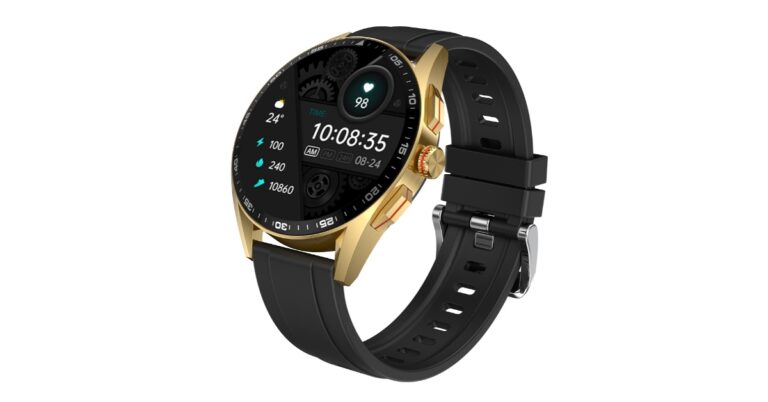
 Invincible Plus features a 1.43-inch always-on AMOLED display. The screen has 460×460 pixels of resolution and 600 nits of brightness. In addition to this, the display has support for a 60Hz of refresh rate. The smartwatch has a full metal body, 3 button pushers, and a magic crown rotatory button that enables users to easily navigate the menu and change watch faces. The watch is IP67 rated for resistance against water. Moreover, it has over 300 sports modes and a Bluetooth calling feature. The device also supports Voice assistance.
The smart wearable comes with 4 GB inbuilt storage which means the users can download and save music in their smartwatch and have their personal MP3 on the wrist. It has TWS connect features which allow users to pair the smartwatch with their earbuds and listen to music or take calls. In addition to this, the Fire Boltt smartwatch comes with 5 inbuilt games, 7 menu layouts, and 120 inbuilt watch faces.
In terms of health monitoring, the Fire Boltt Invincible Plus smartwatch includes continuous heart rate monitoring, SpO2 monitoring, sleep monitoring, and activity tracking. With a 380 mAh battery the watch can last for up to 7 days in mode and provides up to 20 days of battery life in standby mode. For added security, the device has a screen lock feature which ensures user privacy. Lastly, the fitness tracker has other miscellaneous features like an inbuilt calculator, alarm clock, stopwatch, weather updates, find my phone, smart notifications, sedentary reminders, and drink water reminders.
For the latest gadget and tech news, and gadget reviews, follow us on Twitter, Facebook and Instagram. For newest tech & gadget videos subscribe to our YouTube Channel. You can also stay up to date using the Gadget Bridge Android App. You can find the latest car and bike news here.
Invincible Plus features a 1.43-inch always-on AMOLED display. The screen has 460×460 pixels of resolution and 600 nits of brightness. In addition to this, the display has support for a 60Hz of refresh rate. The smartwatch has a full metal body, 3 button pushers, and a magic crown rotatory button that enables users to easily navigate the menu and change watch faces. The watch is IP67 rated for resistance against water. Moreover, it has over 300 sports modes and a Bluetooth calling feature. The device also supports Voice assistance.
The smart wearable comes with 4 GB inbuilt storage which means the users can download and save music in their smartwatch and have their personal MP3 on the wrist. It has TWS connect features which allow users to pair the smartwatch with their earbuds and listen to music or take calls. In addition to this, the Fire Boltt smartwatch comes with 5 inbuilt games, 7 menu layouts, and 120 inbuilt watch faces.
In terms of health monitoring, the Fire Boltt Invincible Plus smartwatch includes continuous heart rate monitoring, SpO2 monitoring, sleep monitoring, and activity tracking. With a 380 mAh battery the watch can last for up to 7 days in mode and provides up to 20 days of battery life in standby mode. For added security, the device has a screen lock feature which ensures user privacy. Lastly, the fitness tracker has other miscellaneous features like an inbuilt calculator, alarm clock, stopwatch, weather updates, find my phone, smart notifications, sedentary reminders, and drink water reminders.
For the latest gadget and tech news, and gadget reviews, follow us on Twitter, Facebook and Instagram. For newest tech & gadget videos subscribe to our YouTube Channel. You can also stay up to date using the Gadget Bridge Android App. You can find the latest car and bike news here. 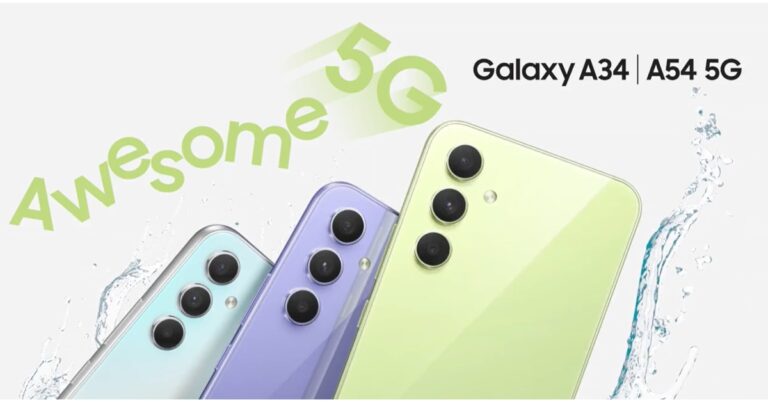
 On the other hand Galaxy A34 5G also comes in two variations: 8GB RAM with 128GB and 256GB storage. The price of the 128GB storage is set at Rs 30,999 whereas the 256GB model comes at Rs 32,999. The phone is available in Awesome Lime, Awesome Graphite and Awesome Silver colours. This smartphone will be available for purchase from March 28.
Both devices are currently up for pre-orders in the country.
Also Read: Viewsonic introduced a new range of lamp-free LED projectors in India
On the other hand Galaxy A34 5G also comes in two variations: 8GB RAM with 128GB and 256GB storage. The price of the 128GB storage is set at Rs 30,999 whereas the 256GB model comes at Rs 32,999. The phone is available in Awesome Lime, Awesome Graphite and Awesome Silver colours. This smartphone will be available for purchase from March 28.
Both devices are currently up for pre-orders in the country.
Also Read: Viewsonic introduced a new range of lamp-free LED projectors in India
 For photos and videos, the Samsung Galaxy A54 5G and Galaxy A34 5G have a triple rear camera setup. The A54 has a 50MP primary sensor, 12MP ultra-wide sensor and a 5MP macro lens. For selfies, there is a 32MP front-facing shooter.
Whereas A34 comes with a 48MP main lens, and 8MP-ultra-wide lens and a 5MP macro sensor. The device features a 13MP selfie camera. Both the primary sensors on the smartphone support OIS.
The smartphones are fueled by a 5,000mAh battery and have IP67 certification for dust and water resistance.
For the latest gadget and tech news, and gadget reviews, follow us on Twitter, Facebook and Instagram. For newest tech & gadget videos subscribe to our YouTube Channel. You can also stay up to date using the Gadget Bridge Android App. You can find the latest car and bike news here.
For photos and videos, the Samsung Galaxy A54 5G and Galaxy A34 5G have a triple rear camera setup. The A54 has a 50MP primary sensor, 12MP ultra-wide sensor and a 5MP macro lens. For selfies, there is a 32MP front-facing shooter.
Whereas A34 comes with a 48MP main lens, and 8MP-ultra-wide lens and a 5MP macro sensor. The device features a 13MP selfie camera. Both the primary sensors on the smartphone support OIS.
The smartphones are fueled by a 5,000mAh battery and have IP67 certification for dust and water resistance.
For the latest gadget and tech news, and gadget reviews, follow us on Twitter, Facebook and Instagram. For newest tech & gadget videos subscribe to our YouTube Channel. You can also stay up to date using the Gadget Bridge Android App. You can find the latest car and bike news here.  On the other hand Galaxy A34 5G also comes in two variations: 8GB RAM with 128GB and 256GB storage. The price of the 128GB storage is set at Rs 30,999 whereas the 256GB model comes at Rs 32,999. The phone is available in Awesome Lime, Awesome Graphite and Awesome Silver colours. This smartphone will be available for purchase from March 28.
Both devices are currently up for pre-orders in the country.
Also Read: Viewsonic introduced a new range of lamp-free LED projectors in India
On the other hand Galaxy A34 5G also comes in two variations: 8GB RAM with 128GB and 256GB storage. The price of the 128GB storage is set at Rs 30,999 whereas the 256GB model comes at Rs 32,999. The phone is available in Awesome Lime, Awesome Graphite and Awesome Silver colours. This smartphone will be available for purchase from March 28.
Both devices are currently up for pre-orders in the country.
Also Read: Viewsonic introduced a new range of lamp-free LED projectors in India
 For photos and videos, the Samsung Galaxy A54 5G and Galaxy A34 5G have a triple rear camera setup. The A54 has a 50MP primary sensor, 12MP ultra-wide sensor and a 5MP macro lens. For selfies, there is a 32MP front-facing shooter.
Whereas A34 comes with a 48MP main lens, and 8MP-ultra-wide lens and a 5MP macro sensor. The device features a 13MP selfie camera. Both the primary sensors on the smartphone support OIS.
The smartphones are fueled by a 5,000mAh battery and have IP67 certification for dust and water resistance.
For the latest gadget and tech news, and gadget reviews, follow us on Twitter, Facebook and Instagram. For newest tech & gadget videos subscribe to our YouTube Channel. You can also stay up to date using the Gadget Bridge Android App. You can find the latest car and bike news here.
For photos and videos, the Samsung Galaxy A54 5G and Galaxy A34 5G have a triple rear camera setup. The A54 has a 50MP primary sensor, 12MP ultra-wide sensor and a 5MP macro lens. For selfies, there is a 32MP front-facing shooter.
Whereas A34 comes with a 48MP main lens, and 8MP-ultra-wide lens and a 5MP macro sensor. The device features a 13MP selfie camera. Both the primary sensors on the smartphone support OIS.
The smartphones are fueled by a 5,000mAh battery and have IP67 certification for dust and water resistance.
For the latest gadget and tech news, and gadget reviews, follow us on Twitter, Facebook and Instagram. For newest tech & gadget videos subscribe to our YouTube Channel. You can also stay up to date using the Gadget Bridge Android App. You can find the latest car and bike news here. 
 Before using Move to iOS, make sure these prerequisites are met.
 Before using Move to iOS, make sure these prerequisites are met.
 Step 3: Tap on ‘Continue’ and follow the on-screen instructions.
 Step 4: Select ‘WhatsApp’ on the Transfer Data page.
Step 5: Tap ‘Start’ on your Android smartphone to begin the export of data. Once the data is prepared, you will be signed out of your WhatsApp account on your Android smartphone.
Step 6: Tap on ‘Next’ and return to the Move to iOS app.
Step 7: Tap on ‘Continue’ to transfer data on your iPhone. Wait until the transfer is complete.
Step 8: Launch WhatsApp on your iPhone and log in using your phone number.
Step 9: Tap on ‘Start’ to finish migrating your data to your iPhone.
Step 10: Finish activating your iPhone. You will find your chats on opening WhatsApp.
Step 4: Select ‘WhatsApp’ on the Transfer Data page.
Step 5: Tap ‘Start’ on your Android smartphone to begin the export of data. Once the data is prepared, you will be signed out of your WhatsApp account on your Android smartphone.
Step 6: Tap on ‘Next’ and return to the Move to iOS app.
Step 7: Tap on ‘Continue’ to transfer data on your iPhone. Wait until the transfer is complete.
Step 8: Launch WhatsApp on your iPhone and log in using your phone number.
Step 9: Tap on ‘Start’ to finish migrating your data to your iPhone.
Step 10: Finish activating your iPhone. You will find your chats on opening WhatsApp.
 Step 2: Select ‘WhatsApp Transfer’.
 Step 3: Click on the WhatsApp module and select ‘Transfer WhatsApp Messages’.
Step 4: Connect your Android and iOS devices to your PC. MobileTrans will load all your WhatsApp data before transferring it.
Step 5: Make sure the data is being transferred from Android to iOS. If it is the other way round, click on ‘Flip’.
Step 3: Click on the WhatsApp module and select ‘Transfer WhatsApp Messages’.
Step 4: Connect your Android and iOS devices to your PC. MobileTrans will load all your WhatsApp data before transferring it.
Step 5: Make sure the data is being transferred from Android to iOS. If it is the other way round, click on ‘Flip’.
 Step 6: Click on ‘Start’ to initiate the data migration. Your WhatsApp data will be transferred from your Android smartphone to your iPhone within a few minutes.
 Read Also: How to Video Call Between an iPhone and an Android?
 Step 4: Once the UltData for Android tool is able to detect your phone, choose the file types you want to recover. In this case, select ‘Video’. Hit ‘Start’.
 Step 3: Select Recycle Bin.
 Step 4: Locate the deleted video you want to recover, long-press it, and select Restore.
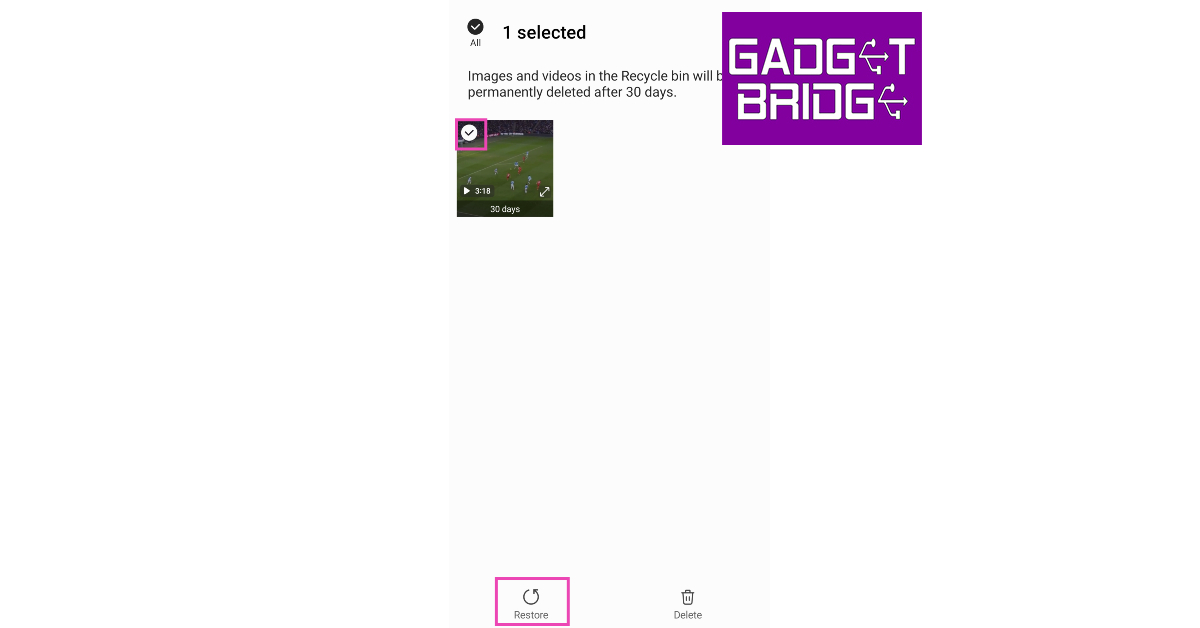
 Step 3: Tap on ‘Bin’.
 Step 4: Long press the video you want to recover and select ‘Restore’.

 Step 3: File Recovery will scan your device’s storage for deleted videos.
 Step 4: Tap on the video you want to restore and select ‘Recover’.

 Step 4: Once the UltData for Android tool is able to detect your phone, choose the file types you want to recover. In this case, select ‘Video’. Hit ‘Start’.
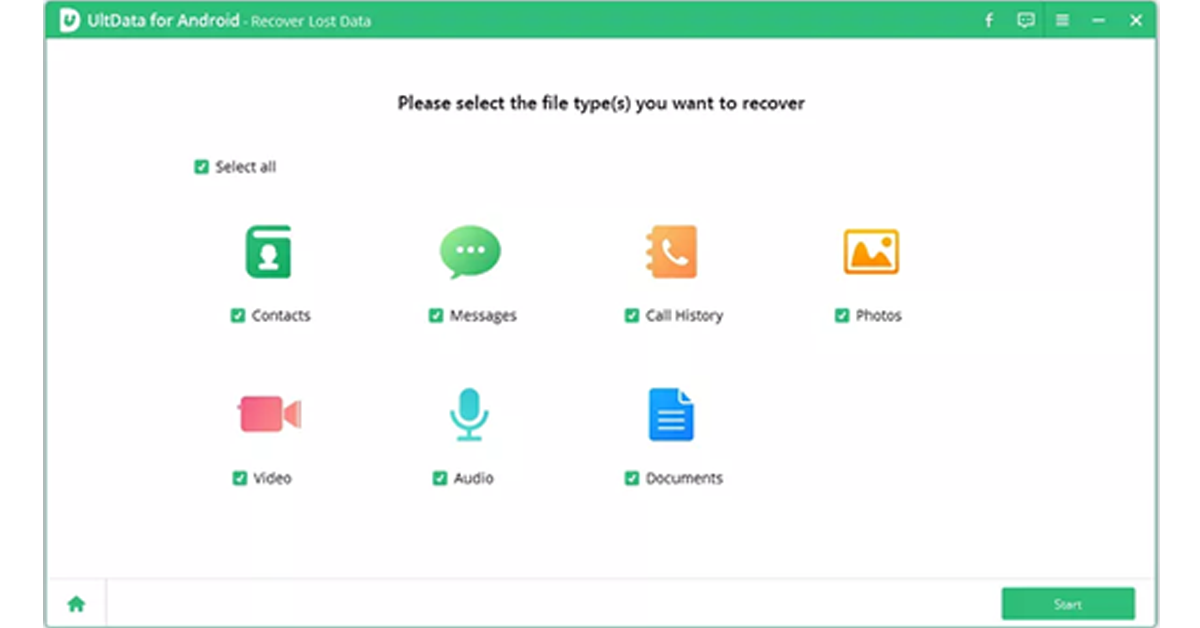 Step 5: After the tool completes the data recovery process, preview the files you want to save. Hit ‘Recover’ to save the files on your computer.
Read Also: How to Video Call Between an iPhone and an Android?
Step 5: After the tool completes the data recovery process, preview the files you want to save. Hit ‘Recover’ to save the files on your computer.
Read Also: How to Video Call Between an iPhone and an Android?



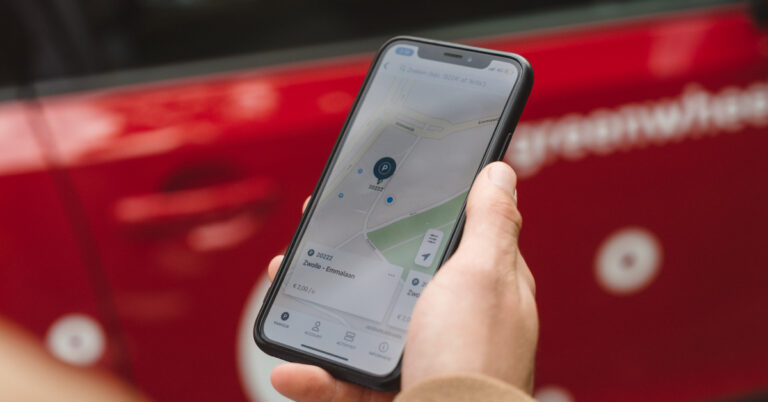
 You have enough to worry about. Your kids’ current location shouldn’t be one of them. That’s why you need a good location tracker that you can rely on. While location tracking is built into some phones, it’s not always as accurate as it should be. Another catch is that when you use a native location tracker, there’s usually a visual indicator to let your kid know that they’re being monitored.
That’s not the case with mSpy, a powerful tool to track location. Just install mSpy on the target phone and you’ll be able to see its current location on a map. Unlike those built-in competitors, mSpy lets you see the location history, so you’ll know where your kids have been in the past.
That’s not all that mSpy does. It also lets you monitor social media and IM conversations. This includes emails and texts. There’s also a keylogger, a screen recorder, and many other tools to help you know what’s going on.
When you’re ready to track location with mSpy, head to mSpy.com, pick your plan, and follow the installation instructions in your email to get up and running.
Download mSpy
You have enough to worry about. Your kids’ current location shouldn’t be one of them. That’s why you need a good location tracker that you can rely on. While location tracking is built into some phones, it’s not always as accurate as it should be. Another catch is that when you use a native location tracker, there’s usually a visual indicator to let your kid know that they’re being monitored.
That’s not the case with mSpy, a powerful tool to track location. Just install mSpy on the target phone and you’ll be able to see its current location on a map. Unlike those built-in competitors, mSpy lets you see the location history, so you’ll know where your kids have been in the past.
That’s not all that mSpy does. It also lets you monitor social media and IM conversations. This includes emails and texts. There’s also a keylogger, a screen recorder, and many other tools to help you know what’s going on.
When you’re ready to track location with mSpy, head to mSpy.com, pick your plan, and follow the installation instructions in your email to get up and running.
Download mSpy
 FollowMee is an excellent GPS tracker for Android and iOS devices. FollowMee turns your smartphone into a GPS-tracking device that can be monitored from the FollowMee website. The device needs a stable internet connection to upload the location data to the FollowMee website. By default, the location updates every 5 minutes. You can reduce this time limit to enable live tracking. FollowMee is very particular about user privacy and does not sell location data to third parties.
Download FollowMee from the Google Play Store
FollowMee is an excellent GPS tracker for Android and iOS devices. FollowMee turns your smartphone into a GPS-tracking device that can be monitored from the FollowMee website. The device needs a stable internet connection to upload the location data to the FollowMee website. By default, the location updates every 5 minutes. You can reduce this time limit to enable live tracking. FollowMee is very particular about user privacy and does not sell location data to third parties.
Download FollowMee from the Google Play Store
 You have enough to worry about. Your kids’ current location shouldn’t be one of them. That’s why you need a good location tracker that you can rely on. While location tracking is built into some phones, it’s not always as accurate as it should be. Another catch is that when you use a native location tracker, there’s usually a visual indicator to let your kid know that they’re being monitored.
That’s not the case with mSpy, a powerful tool to track location. Just install mSpy on the target phone and you’ll be able to see its current location on a map. Unlike those built-in competitors, mSpy lets you see the location history, so you’ll know where your kids have been in the past.
That’s not all that mSpy does. It also lets you monitor social media and IM conversations. This includes emails and texts. There’s also a keylogger, a screen recorder, and many other tools to help you know what’s going on.
When you’re ready to track location with mSpy, head to mSpy.com, pick your plan, and follow the installation instructions in your email to get up and running.
Download mSpy
You have enough to worry about. Your kids’ current location shouldn’t be one of them. That’s why you need a good location tracker that you can rely on. While location tracking is built into some phones, it’s not always as accurate as it should be. Another catch is that when you use a native location tracker, there’s usually a visual indicator to let your kid know that they’re being monitored.
That’s not the case with mSpy, a powerful tool to track location. Just install mSpy on the target phone and you’ll be able to see its current location on a map. Unlike those built-in competitors, mSpy lets you see the location history, so you’ll know where your kids have been in the past.
That’s not all that mSpy does. It also lets you monitor social media and IM conversations. This includes emails and texts. There’s also a keylogger, a screen recorder, and many other tools to help you know what’s going on.
When you’re ready to track location with mSpy, head to mSpy.com, pick your plan, and follow the installation instructions in your email to get up and running.
Download mSpy
 Family360 is a great location-sharing app for when you’re going on a trip. Instead of sharing your location with your family every other hour, simply use this app to let them track your location at all times. Family360 lets you create ‘circles’ where you can add a group of people to view your live location. This app also lets your family view the traffic status throughout your journey, along with your ETA. It even sends notification alerts when you overspeed. A premium subscription to the app comes with exclusive features like live tracking, location history and more.
Download Family360 from the Google Play Store
Family360 is a great location-sharing app for when you’re going on a trip. Instead of sharing your location with your family every other hour, simply use this app to let them track your location at all times. Family360 lets you create ‘circles’ where you can add a group of people to view your live location. This app also lets your family view the traffic status throughout your journey, along with your ETA. It even sends notification alerts when you overspeed. A premium subscription to the app comes with exclusive features like live tracking, location history and more.
Download Family360 from the Google Play Store
 FamiSafe is one of the better Life360 alternatives out there. This app from Wondershare is a comprehensive parental control app, with features like location tracking, website filtering, history check, and detecting suspicious texts and pictures. The location tracking services offered by FamiSafe include live tracking, location history, and creating safe zones on the map. Once your kids breach the safe zone, you will be notified on your phone.
Download FamiSafe from the Google Play Store
FamiSafe is one of the better Life360 alternatives out there. This app from Wondershare is a comprehensive parental control app, with features like location tracking, website filtering, history check, and detecting suspicious texts and pictures. The location tracking services offered by FamiSafe include live tracking, location history, and creating safe zones on the map. Once your kids breach the safe zone, you will be notified on your phone.
Download FamiSafe from the Google Play Store
 Family Locator is very simple to use and contains all the basic location-sharing features. You can let your family view your live location while you’re driving. The app automatically notifies them when you reach your location. Taking a flight? The app’s flight radar will keep your family updated with the flight status. Family locator also allows you to create private groups for close friends and family members.
Download Family Locator from the Google Play Store
Family Locator is very simple to use and contains all the basic location-sharing features. You can let your family view your live location while you’re driving. The app automatically notifies them when you reach your location. Taking a flight? The app’s flight radar will keep your family updated with the flight status. Family locator also allows you to create private groups for close friends and family members.
Download Family Locator from the Google Play Store
 With over 5 million downloads, Glympse is one of the more popular GPS tracking apps and a great alternative to Life360. One of the best parts of using this app is that it doesn’t require you to sign up, nor do your family members need to download the app to view your location. If you’re meeting someone at a common location, all you need to do is send them a ‘Glympse’ so they can know your ETA. This app is perfect for sharing your location on a short-term basis.
Download Glympse from the Google Play Store
With over 5 million downloads, Glympse is one of the more popular GPS tracking apps and a great alternative to Life360. One of the best parts of using this app is that it doesn’t require you to sign up, nor do your family members need to download the app to view your location. If you’re meeting someone at a common location, all you need to do is send them a ‘Glympse’ so they can know your ETA. This app is perfect for sharing your location on a short-term basis.
Download Glympse from the Google Play Store
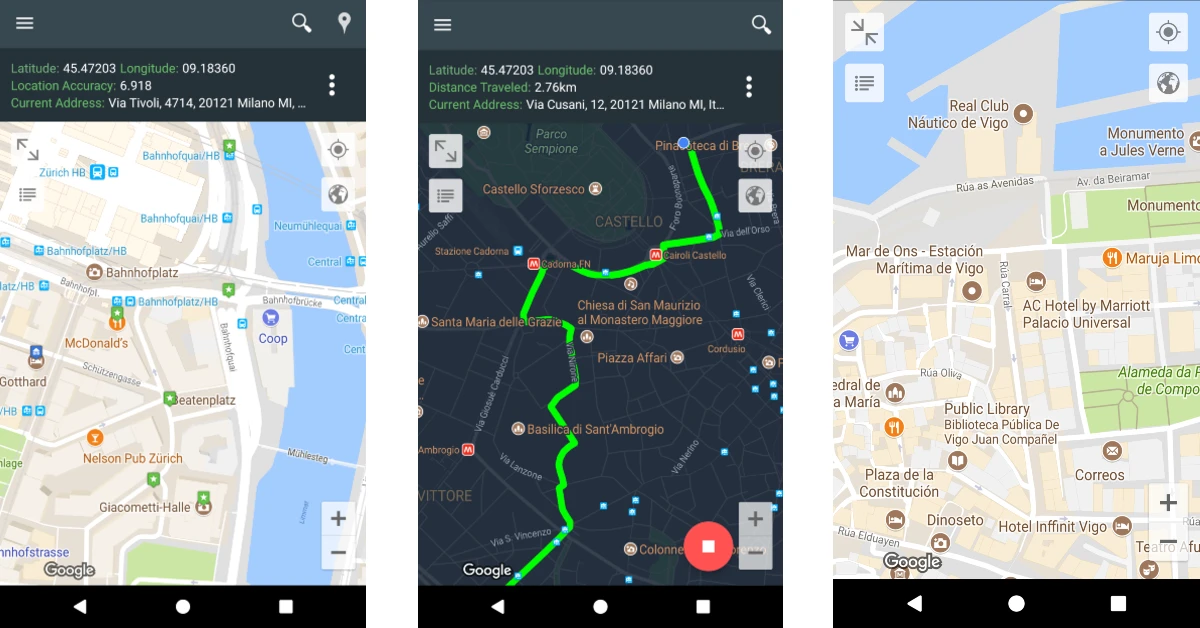 My Location is primarily a travel app that lets you save any location or address. If you’re visiting a place, you can use this app to learn more about the nearby hotspots, tourist destinations, and other interesting places. You can bookmark the places you want to visit and add short descriptions to them. If you’re travelling alone, you can use My Location to share your whereabouts with your friends and family. The selected contacts and track your location in real time. The tracking precision offered by this app is highly accurate, down to the exact coordinates. My Location supports popular geo formats such as KML, GPX, and GEOJSON. Certainly one of the best Life360 alternatives around.
Download My Location from the Google Play Store
My Location is primarily a travel app that lets you save any location or address. If you’re visiting a place, you can use this app to learn more about the nearby hotspots, tourist destinations, and other interesting places. You can bookmark the places you want to visit and add short descriptions to them. If you’re travelling alone, you can use My Location to share your whereabouts with your friends and family. The selected contacts and track your location in real time. The tracking precision offered by this app is highly accurate, down to the exact coordinates. My Location supports popular geo formats such as KML, GPX, and GEOJSON. Certainly one of the best Life360 alternatives around.
Download My Location from the Google Play Store
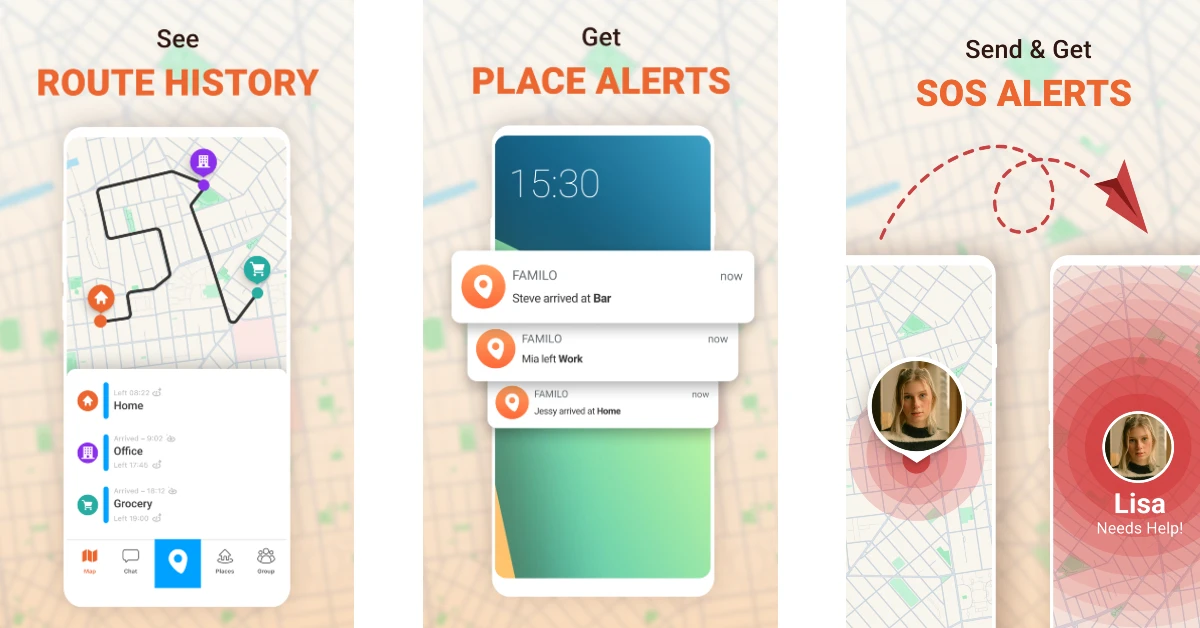 Familo or Familonet is an excellent location tracking app that lets you stay updated on the whereabouts of your family members. You can share your location with your friends and family members with just one tap. If you’re tracking someone else’s location, you get automatic alerts when they reach predefined places like their school, workplace, or home. There is a handy chat option to stay connected with your loved ones at all times. If someone is in danger, they can hit the panic button in the app to send you an emergency alert along with their current location.
Download Familo from the Google Play Store
Familo or Familonet is an excellent location tracking app that lets you stay updated on the whereabouts of your family members. You can share your location with your friends and family members with just one tap. If you’re tracking someone else’s location, you get automatic alerts when they reach predefined places like their school, workplace, or home. There is a handy chat option to stay connected with your loved ones at all times. If someone is in danger, they can hit the panic button in the app to send you an emergency alert along with their current location.
Download Familo from the Google Play Store
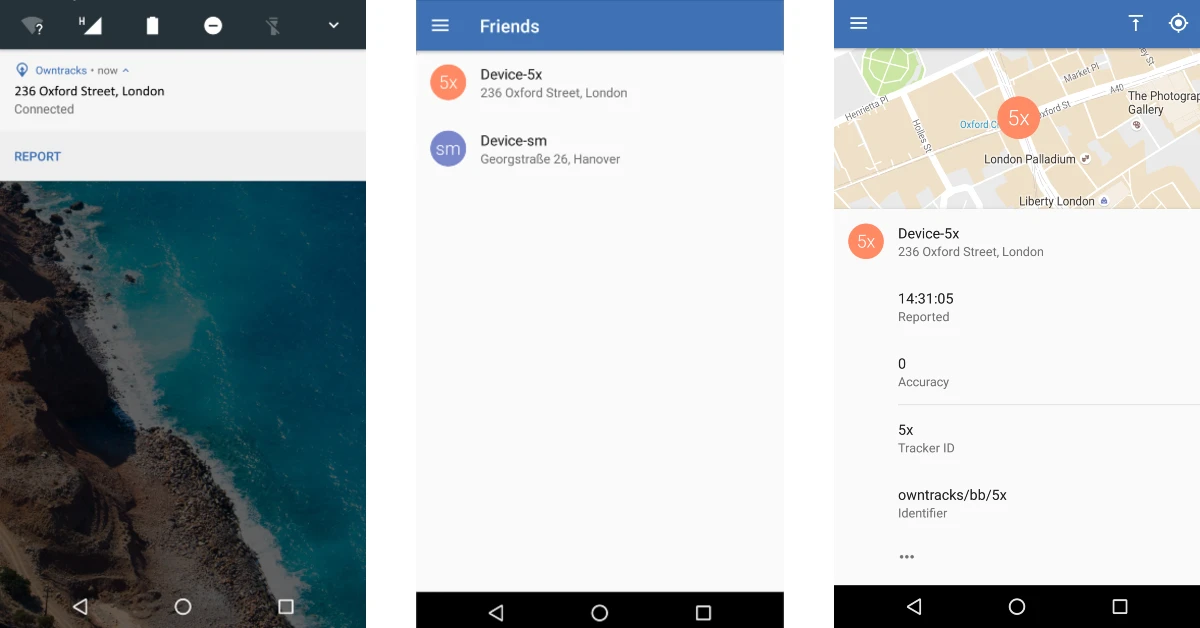 OwnTracks is one of the best open-source alternatives to Life360. It is primarily designed for the purpose of letting users keep track of their own location. You can create a personal location diary on OwnTracks to maintain a record of the places you visit. This diary can be shared with your friends and family to let them track your location. OwnTracks is very easy to use as it does not overwhelm the user with bells and whistles. Its layout and interface are very accessible to the average user.
Download OwnTracks from the Google Play Store
OwnTracks is one of the best open-source alternatives to Life360. It is primarily designed for the purpose of letting users keep track of their own location. You can create a personal location diary on OwnTracks to maintain a record of the places you visit. This diary can be shared with your friends and family to let them track your location. OwnTracks is very easy to use as it does not overwhelm the user with bells and whistles. Its layout and interface are very accessible to the average user.
Download OwnTracks from the Google Play Store
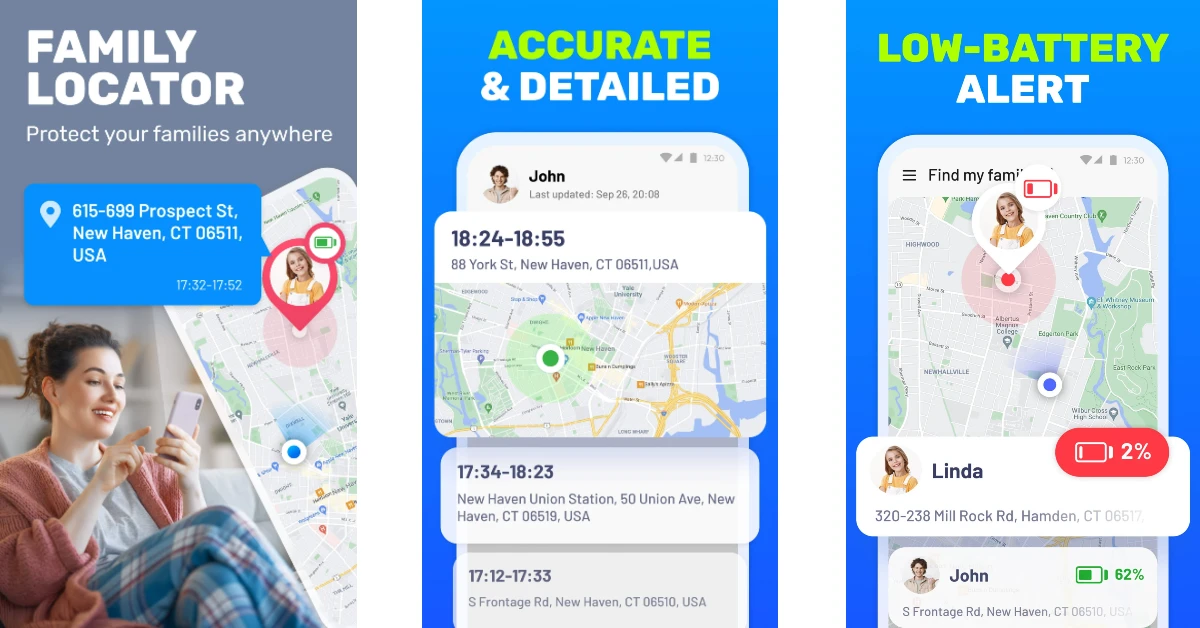 Family Locator tracks your location accurately using frontier GPS technology and precise positioning points on the map. You can use it to track the location of your family members 24/7. The tracking data contains the detailed history of every location change. Since location-sharing consumes battery at a faster pace, this app has battery level indicators for every contact. You can remind a family member to charge their phone if it is running out of juice. There’s also a privacy feature in the app to temporarily hide your live location.
Download Family Locator from the Google Play Store
Family Locator tracks your location accurately using frontier GPS technology and precise positioning points on the map. You can use it to track the location of your family members 24/7. The tracking data contains the detailed history of every location change. Since location-sharing consumes battery at a faster pace, this app has battery level indicators for every contact. You can remind a family member to charge their phone if it is running out of juice. There’s also a privacy feature in the app to temporarily hide your live location.
Download Family Locator from the Google Play Store
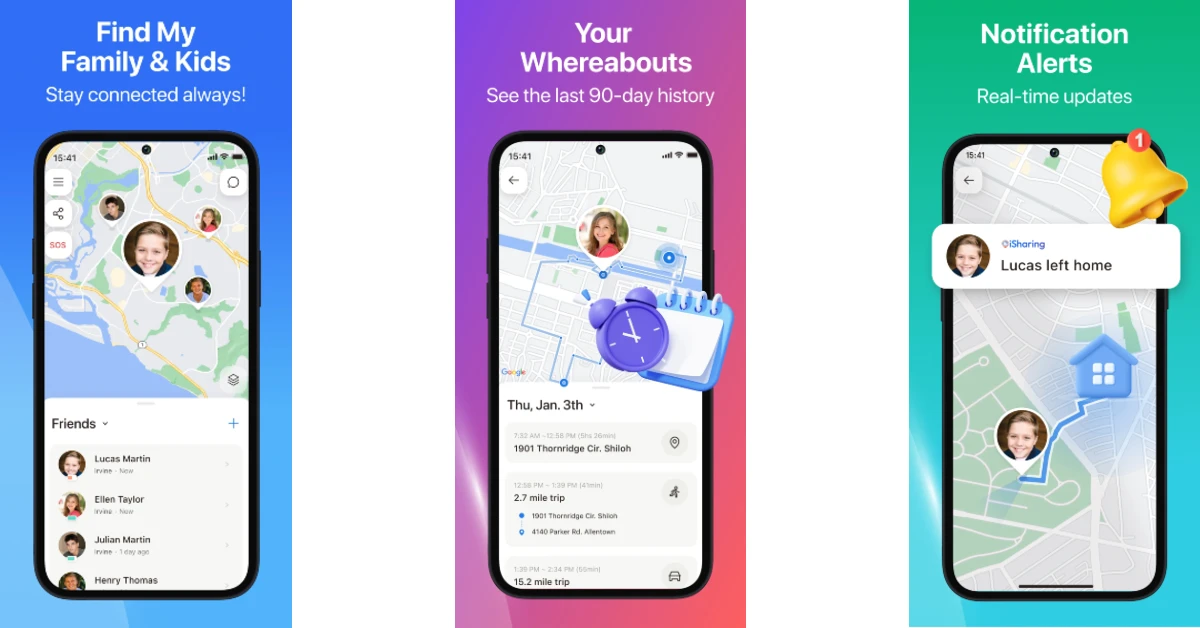 iSharing is one of the best alternatives to Life360. It is primarily designed for parents to keep a watchful eye on their kids. Its live location tracking feature lets parents remotely check the whereabouts of their children. You can save up to 90 days of location history of a particular contact. The app sends real-time alerts when the kids leave or arrive at a location. The ‘Walkie-Talkie’ feature lets you send quick voice notes to the added members in the app.
Download iSharing from the Google Play Store
iSharing is one of the best alternatives to Life360. It is primarily designed for parents to keep a watchful eye on their kids. Its live location tracking feature lets parents remotely check the whereabouts of their children. You can save up to 90 days of location history of a particular contact. The app sends real-time alerts when the kids leave or arrive at a location. The ‘Walkie-Talkie’ feature lets you send quick voice notes to the added members in the app.
Download iSharing from the Google Play Store
 Apart from navigation, Google Maps also lets you share your live location with your family. While other apps on this list come with certain premium features (like safe zone marking), Google Maps keeps things simple and simply lets other people track your location when you share it with them. Google Maps‘ biggest advantage is its popularity. Since it is the default navigation app on Android smartphones, your friends and family won’t have much trouble accessing your location from the links you send them.
Download Google Maps from the Google Play Store
Apart from navigation, Google Maps also lets you share your live location with your family. While other apps on this list come with certain premium features (like safe zone marking), Google Maps keeps things simple and simply lets other people track your location when you share it with them. Google Maps‘ biggest advantage is its popularity. Since it is the default navigation app on Android smartphones, your friends and family won’t have much trouble accessing your location from the links you send them.
Download Google Maps from the Google Play Store
 Apart from all the basic location-sharing features, Geozilla also offers a private messenger using which you can contact your family members within the app. You can even send images of your journey through the app’s messenger. GeoZilla also sends emergency alerts in case of an accident. The app is also compatible with Wear OS, making it one of the most versatile Life360 alternatives out there.
Download Geozilla from the Google Play Store
Read Also: Retrieve Deleted Text Messages iPhone Without Backup
Apart from all the basic location-sharing features, Geozilla also offers a private messenger using which you can contact your family members within the app. You can even send images of your journey through the app’s messenger. GeoZilla also sends emergency alerts in case of an accident. The app is also compatible with Wear OS, making it one of the most versatile Life360 alternatives out there.
Download Geozilla from the Google Play Store
Read Also: Retrieve Deleted Text Messages iPhone Without Backup
 Zenly Penlo is based on the famous ‘Zenly’ app that Snapchat acquired to integrate location-sharing services into its platform. What we like about Zenly Penlo is the ease of access it provides to the average user. All you need to do is sign up using your email address, and you can begin sharing your live location with your family and friends. Apart from location sharing, Zenly Penlo also lets you monitor the battery status and vehicle speed. You can message your friends within the app itself.
Download Zenly Penlo from the Google Play Store
Zenly Penlo is based on the famous ‘Zenly’ app that Snapchat acquired to integrate location-sharing services into its platform. What we like about Zenly Penlo is the ease of access it provides to the average user. All you need to do is sign up using your email address, and you can begin sharing your live location with your family and friends. Apart from location sharing, Zenly Penlo also lets you monitor the battery status and vehicle speed. You can message your friends within the app itself.
Download Zenly Penlo from the Google Play Store
 Google’s very own Family Link app is a comprehensive parental control tool that lets you set up screen time and age-appropriate content filters for your child’s device, along with giving you control over their personal data and account. You can also choose to track their live location using Family Link and receive alerts when they leave or arrive at a particular location.
Download Google Family Link from the Google Play Store
Google’s very own Family Link app is a comprehensive parental control tool that lets you set up screen time and age-appropriate content filters for your child’s device, along with giving you control over their personal data and account. You can also choose to track their live location using Family Link and receive alerts when they leave or arrive at a particular location.
Download Google Family Link from the Google Play Store
 Teensafe is one of the best apps to keep a close watch on the live location of your kids. Available for Android and iOS, Teensafe reports the current location of the device it is installed on. You can also set up safe boundaries on the map using this app. Once the device crosses the established boundary, the app pings you with an alert. Apart from location sharing, Teensafe also lets you monitor the saved contacts, call logs, and other information on the target device. Depending on your subscription package, you can also record the incoming and outgoing calls made on the device.
Download Teensafe
Teensafe is one of the best apps to keep a close watch on the live location of your kids. Available for Android and iOS, Teensafe reports the current location of the device it is installed on. You can also set up safe boundaries on the map using this app. Once the device crosses the established boundary, the app pings you with an alert. Apart from location sharing, Teensafe also lets you monitor the saved contacts, call logs, and other information on the target device. Depending on your subscription package, you can also record the incoming and outgoing calls made on the device.
Download Teensafe
 uMobix is an advanced monitoring app for Android and iOS devices. It is one of the best Life360 alternatives around. This app can track the location of the target device and keep you updated with regular alerts. More advanced features of the app include recording individual keystrokes, viewing media files in the phone’s internal storage, taking screenshots, reporting call logs, accessing messages across all social media platforms and IM apps, camera snapshots, and more.
Download uMobix
uMobix is an advanced monitoring app for Android and iOS devices. It is one of the best Life360 alternatives around. This app can track the location of the target device and keep you updated with regular alerts. More advanced features of the app include recording individual keystrokes, viewing media files in the phone’s internal storage, taking screenshots, reporting call logs, accessing messages across all social media platforms and IM apps, camera snapshots, and more.
Download uMobix
 Cocospy specialises in monitoring Discord activity on top of doing all the tasks of a regular location-sharing and phone-tracking app. Most apps fail to monitor Discord, which is where Cocospy excels. The only access is that the app requires root access on the target device. This may be a dealbreaker for some, as jailbreaking an iPhone comes with its own safety concerns. Prices for Cocospy start at $10.83 per month.
Download Cocospy
Cocospy specialises in monitoring Discord activity on top of doing all the tasks of a regular location-sharing and phone-tracking app. Most apps fail to monitor Discord, which is where Cocospy excels. The only access is that the app requires root access on the target device. This may be a dealbreaker for some, as jailbreaking an iPhone comes with its own safety concerns. Prices for Cocospy start at $10.83 per month.
Download Cocospy
 If you don’t want any added functionalities apart from location sharing, WhatsApp has the optimum tools to carry out the job. You can share your current location or live location with any contact on WhatsApp. Simply tap the attachment icon in the message box and select ‘Location’ from the list of options. You can choose to share your live location for 15 minutes, 1 hour, or 8 hours.
Download WhatsApp from the Google Play Store
If you don’t want any added functionalities apart from location sharing, WhatsApp has the optimum tools to carry out the job. You can share your current location or live location with any contact on WhatsApp. Simply tap the attachment icon in the message box and select ‘Location’ from the list of options. You can choose to share your live location for 15 minutes, 1 hour, or 8 hours.
Download WhatsApp from the Google Play Store
 Like WhatsApp, Snapchat also lets you share your location with your friends and family. The ‘Snap Map’ feature allows you to share your current location with your friends as well as view where they are in real time. If you don’t want to break the bank on a ‘spy’ app that is too invasive, Snapchat is the perfect alternative that keeps the boundaries and privacy of the other person intact.
Download Snapchat from the Google Play Store
Read Also: Google Pixel Fold expected to launch alongside Pixel 7a: Expected launch date, pricing
Like WhatsApp, Snapchat also lets you share your location with your friends and family. The ‘Snap Map’ feature allows you to share your current location with your friends as well as view where they are in real time. If you don’t want to break the bank on a ‘spy’ app that is too invasive, Snapchat is the perfect alternative that keeps the boundaries and privacy of the other person intact.
Download Snapchat from the Google Play Store
Read Also: Google Pixel Fold expected to launch alongside Pixel 7a: Expected launch date, pricing
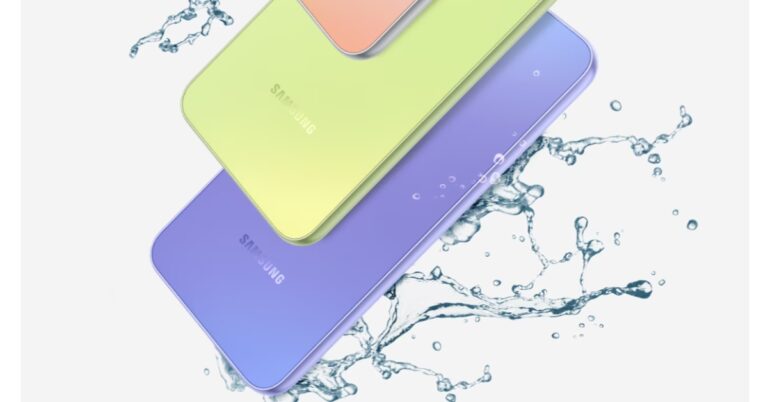

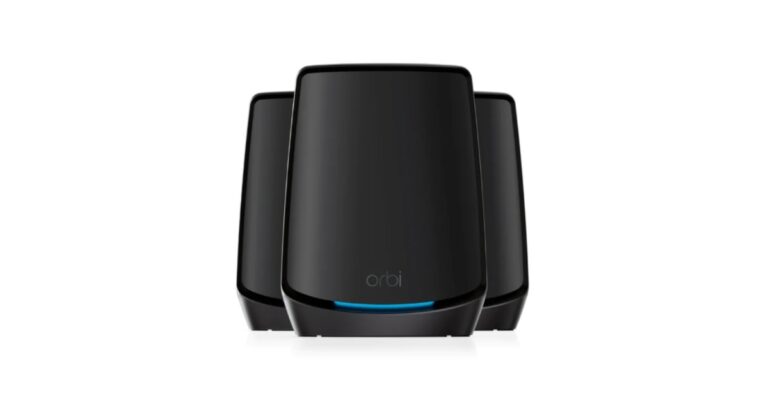
 In addition to this the new Netgear Orbi RBK863 3-pack Wi-Fi Mesh System offers coverage up to 8,000 square feet, Wi-Fi speeds of up to 6 Gbps, and support for 100 devices operating at the same time. According to the company, it is easy to increase this coverage by adding more Orbi RBS860 satellites. Speeds remain fast when more Wi-Fi devices connect to the home network with fewer dropped connections thanks to the distinctive tri-band mesh system from Netgear.
Also Read: Google Pixel Fold expected to launch alongside Pixel 7a: Expected launch date, pricing
The Orbi RBK863 Series comes with a year of Netgear Armor for added security. it protects the connected home from online threats. Unlike traditional endpoint antivirus products, Netgear’s Armor is built into the router as a comprehensive security solution to monitor activity going to and from the Internet, protecting computers, security cameras, baby monitors and other IoT devices, flagging external threats while eliminating the need for multiple security subscriptions or software. Additionally, it offers mobile security and VPN for laptops and phones.
The system will be sold in the market for Rs 114,999 through accredited Netgear partners and shops. Pre-orders for the Orbi RBK863 Mesh System and satellites are currently being taken in a limited-edition black colour option.
For the latest gadget and tech news, and gadget reviews, follow us on Twitter, Facebook and Instagram. For newest tech & gadget videos subscribe to our YouTube Channel. You can also stay up to date using the Gadget Bridge Android App. You can find the latest car and bike news here.
In addition to this the new Netgear Orbi RBK863 3-pack Wi-Fi Mesh System offers coverage up to 8,000 square feet, Wi-Fi speeds of up to 6 Gbps, and support for 100 devices operating at the same time. According to the company, it is easy to increase this coverage by adding more Orbi RBS860 satellites. Speeds remain fast when more Wi-Fi devices connect to the home network with fewer dropped connections thanks to the distinctive tri-band mesh system from Netgear.
Also Read: Google Pixel Fold expected to launch alongside Pixel 7a: Expected launch date, pricing
The Orbi RBK863 Series comes with a year of Netgear Armor for added security. it protects the connected home from online threats. Unlike traditional endpoint antivirus products, Netgear’s Armor is built into the router as a comprehensive security solution to monitor activity going to and from the Internet, protecting computers, security cameras, baby monitors and other IoT devices, flagging external threats while eliminating the need for multiple security subscriptions or software. Additionally, it offers mobile security and VPN for laptops and phones.
The system will be sold in the market for Rs 114,999 through accredited Netgear partners and shops. Pre-orders for the Orbi RBK863 Mesh System and satellites are currently being taken in a limited-edition black colour option.
For the latest gadget and tech news, and gadget reviews, follow us on Twitter, Facebook and Instagram. For newest tech & gadget videos subscribe to our YouTube Channel. You can also stay up to date using the Gadget Bridge Android App. You can find the latest car and bike news here.  In addition to this the new Netgear Orbi RBK863 3-pack Wi-Fi Mesh System offers coverage up to 8,000 square feet, Wi-Fi speeds of up to 6 Gbps, and support for 100 devices operating at the same time. According to the company, it is easy to increase this coverage by adding more Orbi RBS860 satellites. Speeds remain fast when more Wi-Fi devices connect to the home network with fewer dropped connections thanks to the distinctive tri-band mesh system from Netgear.
Also Read: Google Pixel Fold expected to launch alongside Pixel 7a: Expected launch date, pricing
The Orbi RBK863 Series comes with a year of Netgear Armor for added security. it protects the connected home from online threats. Unlike traditional endpoint antivirus products, Netgear’s Armor is built into the router as a comprehensive security solution to monitor activity going to and from the Internet, protecting computers, security cameras, baby monitors and other IoT devices, flagging external threats while eliminating the need for multiple security subscriptions or software. Additionally, it offers mobile security and VPN for laptops and phones.
The system will be sold in the market for Rs 114,999 through accredited Netgear partners and shops. Pre-orders for the Orbi RBK863 Mesh System and satellites are currently being taken in a limited-edition black colour option.
For the latest gadget and tech news, and gadget reviews, follow us on Twitter, Facebook and Instagram. For newest tech & gadget videos subscribe to our YouTube Channel. You can also stay up to date using the Gadget Bridge Android App. You can find the latest car and bike news here.
In addition to this the new Netgear Orbi RBK863 3-pack Wi-Fi Mesh System offers coverage up to 8,000 square feet, Wi-Fi speeds of up to 6 Gbps, and support for 100 devices operating at the same time. According to the company, it is easy to increase this coverage by adding more Orbi RBS860 satellites. Speeds remain fast when more Wi-Fi devices connect to the home network with fewer dropped connections thanks to the distinctive tri-band mesh system from Netgear.
Also Read: Google Pixel Fold expected to launch alongside Pixel 7a: Expected launch date, pricing
The Orbi RBK863 Series comes with a year of Netgear Armor for added security. it protects the connected home from online threats. Unlike traditional endpoint antivirus products, Netgear’s Armor is built into the router as a comprehensive security solution to monitor activity going to and from the Internet, protecting computers, security cameras, baby monitors and other IoT devices, flagging external threats while eliminating the need for multiple security subscriptions or software. Additionally, it offers mobile security and VPN for laptops and phones.
The system will be sold in the market for Rs 114,999 through accredited Netgear partners and shops. Pre-orders for the Orbi RBK863 Mesh System and satellites are currently being taken in a limited-edition black colour option.
For the latest gadget and tech news, and gadget reviews, follow us on Twitter, Facebook and Instagram. For newest tech & gadget videos subscribe to our YouTube Channel. You can also stay up to date using the Gadget Bridge Android App. You can find the latest car and bike news here. 
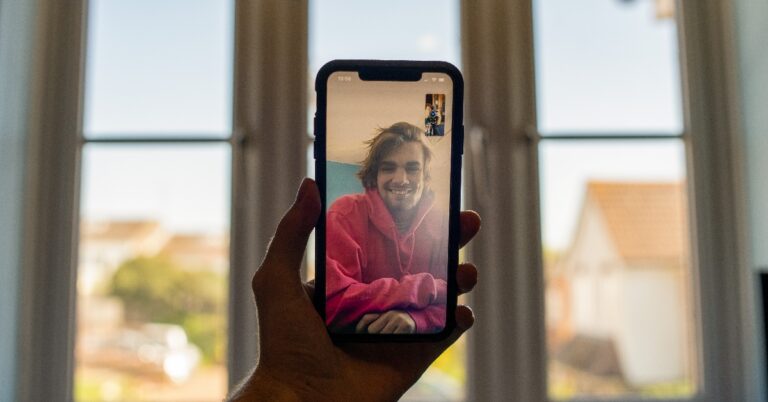
 Since the Facetime features for Android users are extremely limited, using a Facetime alternative is the better option. There are tons of options to choose from. WhatsApp is certainly the best option you can go for, given its popularity and excellent call quality. It is very likely that your Android contacts are already on WhatsApp. Once you’ve added them on WhatsApp, all you need to do is go to the conversation thread and tap the video camera icon at the top to start a video call.
Read Also: Sony Alpha 7R V camera with AI-based autofocus launched in India
Since the Facetime features for Android users are extremely limited, using a Facetime alternative is the better option. There are tons of options to choose from. WhatsApp is certainly the best option you can go for, given its popularity and excellent call quality. It is very likely that your Android contacts are already on WhatsApp. Once you’ve added them on WhatsApp, all you need to do is go to the conversation thread and tap the video camera icon at the top to start a video call.
Read Also: Sony Alpha 7R V camera with AI-based autofocus launched in India
 Step 3: Tap on ‘Add name’ to create a name for the call.
 Step 4: Choose the medium through you which you want to share the call link with your Android contacts. You can share the link over the text or through messaging apps like WhatsApp, Telegram, Messenger, Instagram, and more. You can also simply copy the link and paste it wherever necessary.
 Step 5: Once the Android user receives the link, all they need to do is tap on it and they will be redirected to the Facetime waiting room on their web browser.
Step 6: Let the user(s) join the call once they are in the waiting room.
Step 5: Once the Android user receives the link, all they need to do is tap on it and they will be redirected to the Facetime waiting room on their web browser.
Step 6: Let the user(s) join the call once they are in the waiting room.
 Once they are on a Facetime call, Android users can perform basic functions like mute/unmute, camera on/off, camera toggle, and fullscreen toggle. They can also view other participants in a grid layout. Android users can neither start a Facetime call nor can they add other users to an existing call.
 Since the Facetime features for Android users are extremely limited, using a Facetime alternative is the better option. There are tons of options to choose from. WhatsApp is certainly the best option you can go for, given its popularity and excellent call quality. It is very likely that your Android contacts are already on WhatsApp. Once you’ve added them on WhatsApp, all you need to do is go to the conversation thread and tap the video camera icon at the top to start a video call.
Read Also: Sony Alpha 7R V camera with AI-based autofocus launched in India
Since the Facetime features for Android users are extremely limited, using a Facetime alternative is the better option. There are tons of options to choose from. WhatsApp is certainly the best option you can go for, given its popularity and excellent call quality. It is very likely that your Android contacts are already on WhatsApp. Once you’ve added them on WhatsApp, all you need to do is go to the conversation thread and tap the video camera icon at the top to start a video call.
Read Also: Sony Alpha 7R V camera with AI-based autofocus launched in India
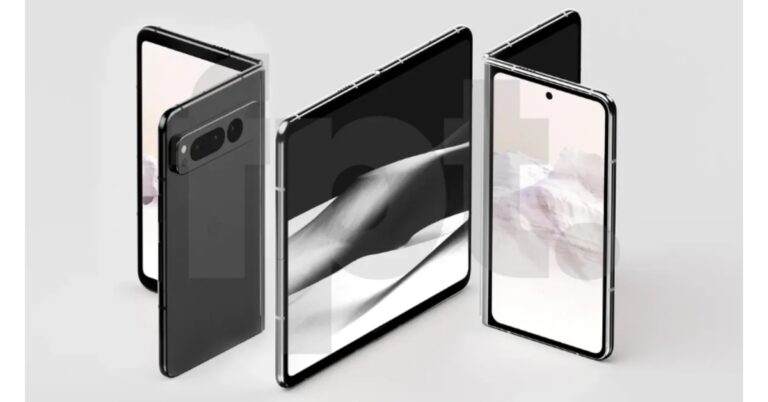

 Step 2: Click on ‘Android’.
 Step 3: Select ‘Download Now’.
 Step 4: Access the APK file on your smartphone and install it on your device. You will need to give the necessary permission to your smartphone browser.
You can also play Fortnite using cloud gaming but it will require a high-speed internet connection. Samsung users can download Fortnite on their smartphones from the Galaxy Store. Simply search for Fortnite and download the Epic Games app. Once installed, launch the Epic Games app and select Fortnite.
Step 4: Access the APK file on your smartphone and install it on your device. You will need to give the necessary permission to your smartphone browser.
You can also play Fortnite using cloud gaming but it will require a high-speed internet connection. Samsung users can download Fortnite on their smartphones from the Galaxy Store. Simply search for Fortnite and download the Epic Games app. Once installed, launch the Epic Games app and select Fortnite.
 Step 3: Click on ‘Try another way’.
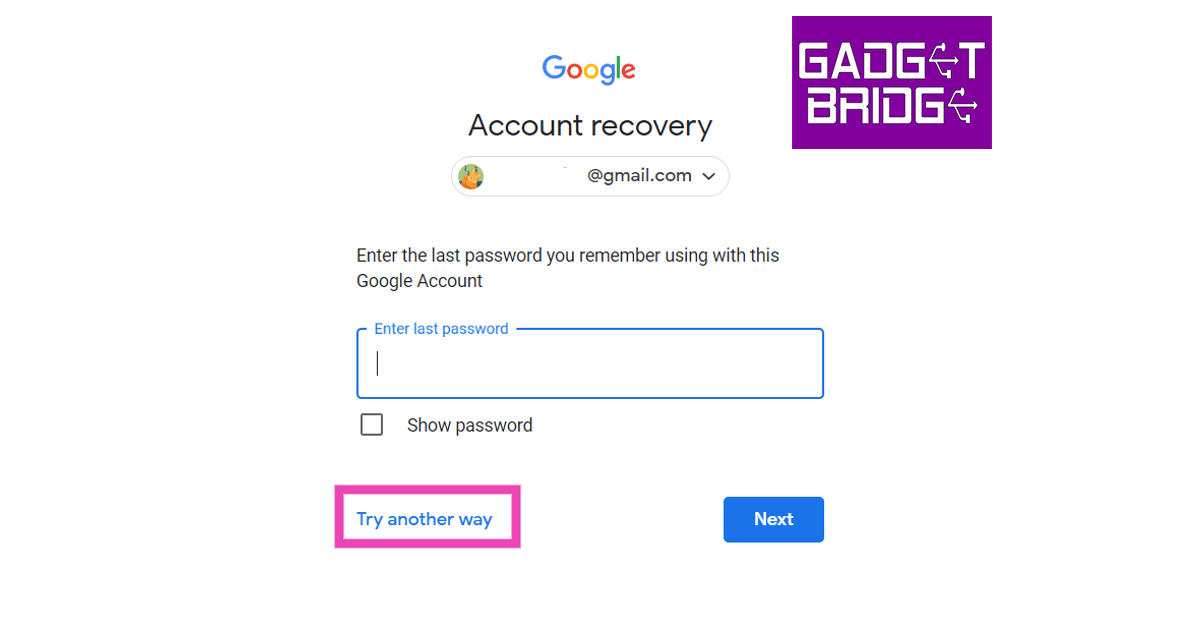 Step 4: Google will confirm your identity by sending you a notification on your smartphone. If you are logged in to your smartphone using the same account, tap on ‘Yes it’s me’. You will be allowed to change your password and recover your account.
 Step 5: If you aren’t logged in to your phone with the same account, click on ‘Try another way’. A password reset link will be sent to your recovery email after you enter your last known password.
Read Also: OnePlus Buds Pro 2R open sale goes live in India: Offer details inside
Step 5: If you aren’t logged in to your phone with the same account, click on ‘Try another way’. A password reset link will be sent to your recovery email after you enter your last known password.
Read Also: OnePlus Buds Pro 2R open sale goes live in India: Offer details inside
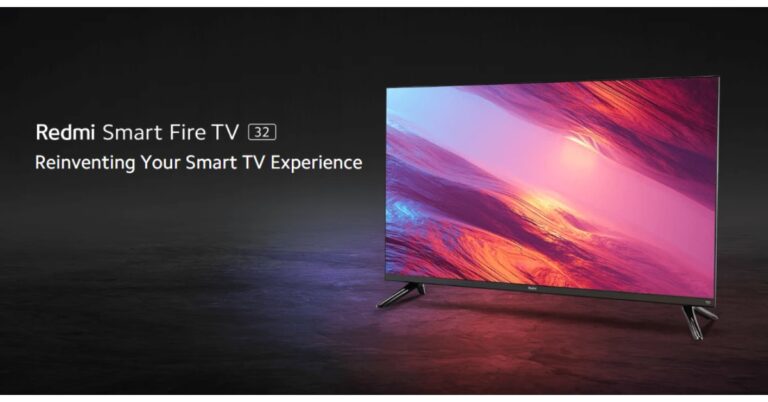


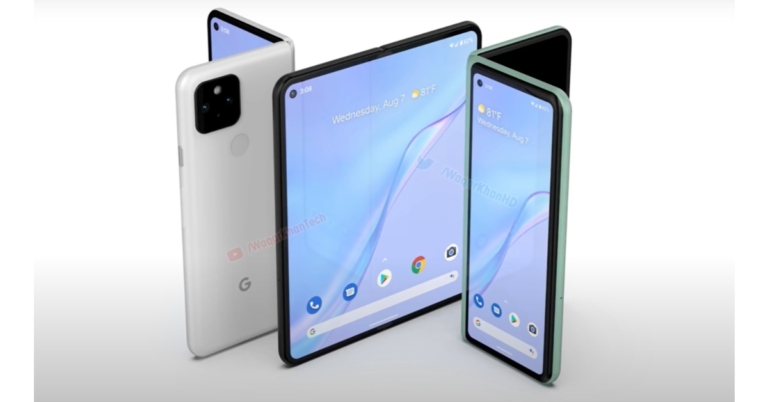

 Google’s first foldable has been in the works for a while. The first-generation Pixel Fold could see a summer launch alongside the Pixel 7a in June. The smartphone is rumoured to include two Samsung displays with a refresh rate of 120Hz and 1,200 nits of peak brightness. The rear camera unit will feature three Sony sensors for the wide, ultrawide, and telephoto lenses. Newer rumours suggest that the base variant of Pixel Fold will get 256GB of storage space. It is unclear whether there will be other storage options. Google will offer the smartphone in two colour options – Carbon and Porcelain.


 After the release of the OnePlus 11 series in February, the Chinese brand is looking to set foot in the foldable category with the OnePlus Fold. The smartphone was teased at MWC Barcelona earlier this month and is expected to launch in mid-2023. So far very little is known about the OnePlus Fold, including its name. We expect it to come with the flagship specs, including the Snapdragon 8 Gen 2 SoC, which will make it rival the foldable devices from Samsung, Xiaomi, and Oppo.

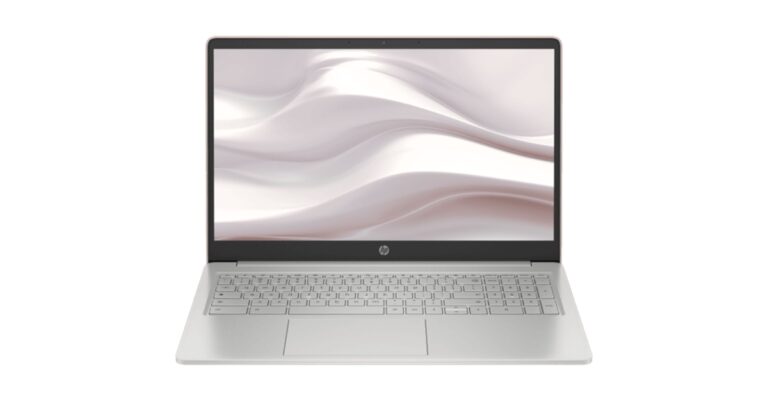

 It comes equipped with dual speakers along with dual mics. Also, the HP Chromebook includes a Wide Vision HD camera with temporal noise reduction for video conferencing. Compatible with Office365, the laptop gives hands-free access to Google Assistant, Google Classroom and more to support faster and smarter learning. In addition to the existing storage in the device, users also have access to Google One with a 12-month membership, featuring 100GB of cloud storage across Google Apps and services. You may access all of your cloud-based stuff wherever you are working or playing.
There is a 47WHr battery that comes with a 45W adaptor. The battery is claimed to last for 11.5 hours on a single charge. In terms of connectivity, there is a microSD card slot, a 3.5mm headphone jack, two USB-C ports, and a USB-A port. For wireless connectivity, there is WiFi-6 and Bluetooth 5.0.
For the latest gadget and tech news, and gadget reviews, follow us on Twitter, Facebook and Instagram. For newest tech & gadget videos subscribe to our YouTube Channel. You can also stay up to date using the Gadget Bridge Android App. You can find the latest car and bike news here.
It comes equipped with dual speakers along with dual mics. Also, the HP Chromebook includes a Wide Vision HD camera with temporal noise reduction for video conferencing. Compatible with Office365, the laptop gives hands-free access to Google Assistant, Google Classroom and more to support faster and smarter learning. In addition to the existing storage in the device, users also have access to Google One with a 12-month membership, featuring 100GB of cloud storage across Google Apps and services. You may access all of your cloud-based stuff wherever you are working or playing.
There is a 47WHr battery that comes with a 45W adaptor. The battery is claimed to last for 11.5 hours on a single charge. In terms of connectivity, there is a microSD card slot, a 3.5mm headphone jack, two USB-C ports, and a USB-A port. For wireless connectivity, there is WiFi-6 and Bluetooth 5.0.
For the latest gadget and tech news, and gadget reviews, follow us on Twitter, Facebook and Instagram. For newest tech & gadget videos subscribe to our YouTube Channel. You can also stay up to date using the Gadget Bridge Android App. You can find the latest car and bike news here. 
 It comes equipped with dual speakers along with dual mics. Also, the HP Chromebook includes a Wide Vision HD camera with temporal noise reduction for video conferencing. Compatible with Office365, the laptop gives hands-free access to Google Assistant, Google Classroom and more to support faster and smarter learning. In addition to the existing storage in the device, users also have access to Google One with a 12-month membership, featuring 100GB of cloud storage across Google Apps and services. You may access all of your cloud-based stuff wherever you are working or playing.
There is a 47WHr battery that comes with a 45W adaptor. The battery is claimed to last for 11.5 hours on a single charge. In terms of connectivity, there is a microSD card slot, a 3.5mm headphone jack, two USB-C ports, and a USB-A port. For wireless connectivity, there is WiFi-6 and Bluetooth 5.0.
For the latest gadget and tech news, and gadget reviews, follow us on Twitter, Facebook and Instagram. For newest tech & gadget videos subscribe to our YouTube Channel. You can also stay up to date using the Gadget Bridge Android App. You can find the latest car and bike news here.
It comes equipped with dual speakers along with dual mics. Also, the HP Chromebook includes a Wide Vision HD camera with temporal noise reduction for video conferencing. Compatible with Office365, the laptop gives hands-free access to Google Assistant, Google Classroom and more to support faster and smarter learning. In addition to the existing storage in the device, users also have access to Google One with a 12-month membership, featuring 100GB of cloud storage across Google Apps and services. You may access all of your cloud-based stuff wherever you are working or playing.
There is a 47WHr battery that comes with a 45W adaptor. The battery is claimed to last for 11.5 hours on a single charge. In terms of connectivity, there is a microSD card slot, a 3.5mm headphone jack, two USB-C ports, and a USB-A port. For wireless connectivity, there is WiFi-6 and Bluetooth 5.0.
For the latest gadget and tech news, and gadget reviews, follow us on Twitter, Facebook and Instagram. For newest tech & gadget videos subscribe to our YouTube Channel. You can also stay up to date using the Gadget Bridge Android App. You can find the latest car and bike news here. 
 Step 2: Tap on Settings and Privacy.
 Step 3: Tap on ‘Dark Mode’.
 Step 5: Select ‘On’.

 Step 4: Tap on Dark Mode under Preferences.
 Step 5: Select ‘On’.

 Step 2: Select ‘Display & accessibility’ from the drop-down menu.
 Step 3: Select ‘On’ under Dark Mode to enable it.
 Read Also: Nokia C12 launched in India at Rs 5,999

 Sony Alpha 7R V specifications
 Sony Alpha 7R V specifications



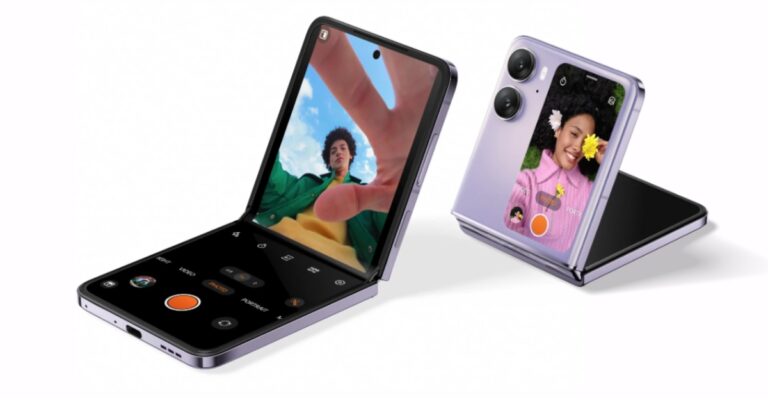
 Step 2:
 Step 3:
 Step 4:
 Step 3:
 Step 4: