Today, Vivo released fantastic deals and discounts in honour of Onam. As the FIFA World Cup Qatar 2022’s official sponsor, Vivo is offering its consumers an exclusive chance to win tickets to the tournament’s matches. The company is also offering exciting deals that will be available on major channels beginning on August 30 and running through September 18, 2022.
Along with enticing cashback offers of up to INR 4,000 on the newest handsets like the Vivo X80 series and Vivo V25 Pro, buyers will also be able to take advantage of extended warranties on a variety of Vivo smartphones under the terms of the offer.
These incentives, along with enticing financing options, will be available beginning on August 30, 2022, and will remain in effect through September 18, 2022.
Customers may take advantage of a variety of tempting deals at this time, including a six-month extended warranty on the Vivo X80 series, the V25 Pro, the V23e, the Y21G, and the Y35.
While major banks and credit partners will be providing free EMIs with no fees and no interest. In addition to this the company has revealed that on the Vivo X80 series, V23, V25 Pro, Y75, and other range of devices, you can get up to INR 4,000 in cashback.
“Onam is the festival of harvest and prosperity that fills people’s lives with hope and positivity. We intend to celebrate this auspicious festival with our valued customers by bringing a host of attractive offers to them. Being a consumer-centric brand, our latest offers will ensure guaranteed benefits on a wide range of our products. With a plethora of offers and easy finance options to choose from, consumers will have many reasons to rejoice this festive season with their loved ones.” said Yogendra Sriramula, Head of Brand Strategy, Vivo India
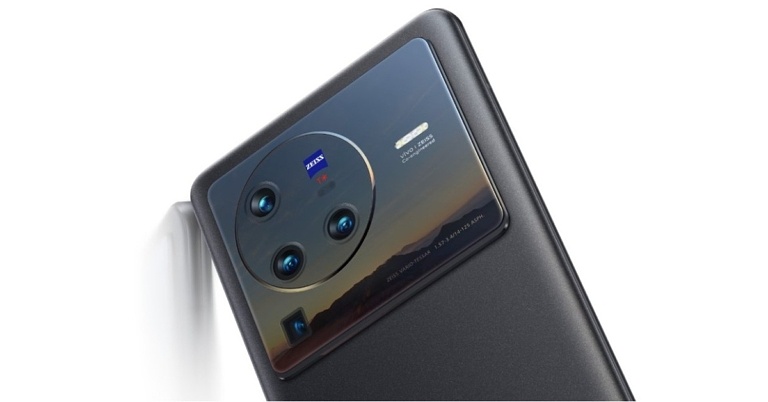
Vivo X80 specifications
This flagship phone has a 6.78-inch AMOLED 2K display with a resolution of 1,440 by 3,200 pixels and a refresh rate of 120 Hz. The Vivo X80 Pro runs OriginOS on top of Android 12 and is powered by a Snapdragon 8 Gen 1 processor.
The highlight of its triple rear camera system is a 50-megapixel Sony IMX866 RGBW sensor with an f/1.75 aperture and optical image stabilisation (OIS). This system also has a 12-megapixel ultra-wide sensor with an f/2.0 aperture and a 12-megapixel portrait sensor with an f/1.98 aperture. This smartphone has a 32-megapixel selfie camera on the front.
A fingerprint reader is also integrated into the display of the Vivo X80. It has a 4,500mAh battery that can be charged quickly with an 80W flash charger.
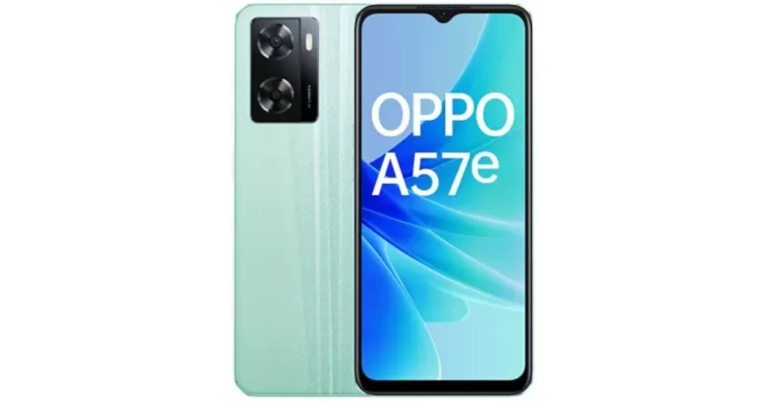
The Chinese smartphone company Oppo today expanded its A-Series portfolio with the launch of the Oppo A57e in India. The smartphone is a follow-up Oppo A57 which arrived in India this year. The newly launched handset is powered by MediaTek Helio G35 SoC and it runs on ColorOS 12.1. In addition to this, the phone packs a 5,000mAh battery and 33W SuperVOOC charging support. Moreover, there is a dual rear camera set up onboard.
In This Article
Oppo A57e price in India and sale details
Oppo A57e price in India has been launched in India with a price tag of Rs 13,999 for the single 4GB RAM with 128GB storage option. The device will be offered in two colour options of Green and Black. In terms of availability, the newly launched smartphone will be available for purchase via the e-commerce platform Flipkart in the country.
Oppo A57e specifications
The Oppo A57e has a 6.56-inch HD+ IPS LCD screen with 1,612×720 pixels of resolution. The display comes with up to 600 nits of screen brightness. The smartphone runs ColorOS 12.1 based on Android 12 out of the box. An octa-core MediaTek Helio G35 SoC with 4GB of RAM and 128GB of internal storage powers the smartphone. The device has 64GB of built-in storage that can be increased to 1TB with a certain microSD card.
With a 13-megapixel primary sensor and a 2-megapixel depth sensor, it has a dual back camera arrangement. It has an 8-megapixel front-facing camera with an f/2.0 aperture lens for taking selfies and making video calls. Additionally, the front camera has a Nightscape Selfie mode for crystal-clear photos in dim lighting.
The 5,000mAh battery on the Oppo A57e supports 33W SuperVOOC charging. Ultra Linear stereo speakers are included with the smartphone. For biometric security, the phone has a fingerprint sensor and face recognition.
The smartphone has gravity, accelerometer, light, and proximity sensors. There are a few different ways to connect, including 4G, Wi-Fi, Bluetooth v5.2, a USB Type-C connection, and a 3.5mm headphone jack.
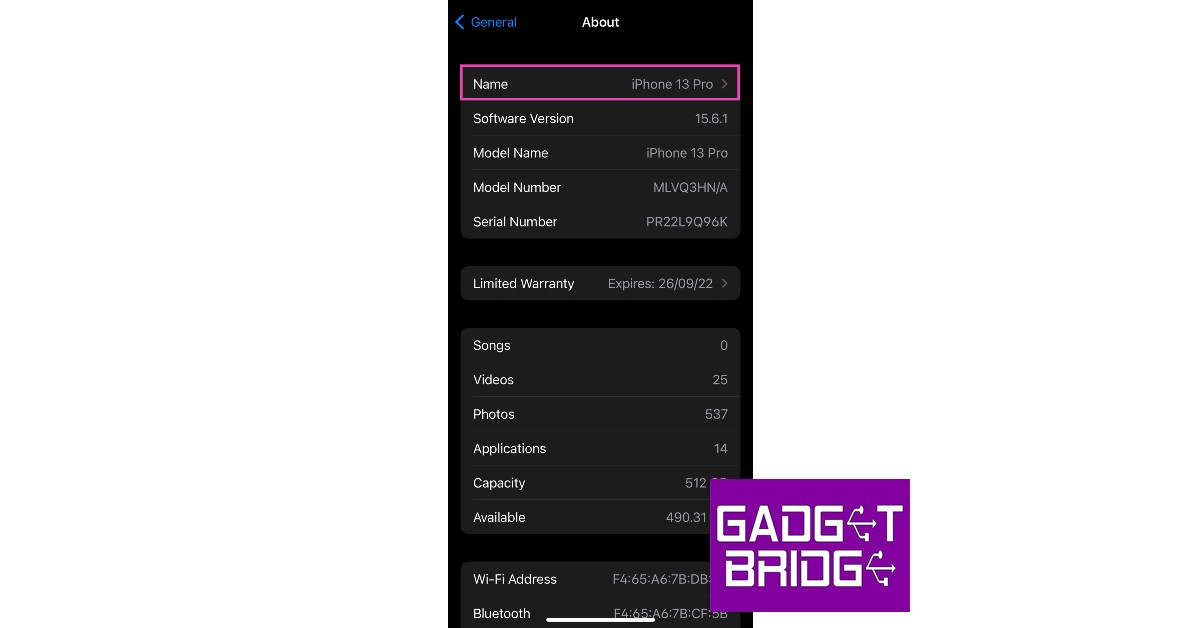
Your iPhone device name is the identifier with which other devices on the network can recognise it. Your iPhone is named ‘iPhone’ by default. You can see this name once you’ve connected your iPhone to your computer or when you’re using AirDrop or Personal Hotspot. While this is fine for the most part, it can get quite confusing when there are multiple iPhones on the network and all of them have the same default name. Changing your iPhone device name can resolve this situation. In this article, we will show you how to change the device name of your iPhone in a few simple steps.
How to change the device name of your iPhone using your PC or Mac
Step 1: Connect your iPhone to your computer and launch iTunes.
Step 2: Click on the iPhone icon on the header bar. You will find it on the left of ‘Library’.
Step 3: Click on the device name on the sidebar and type in the new name.
Step 4: Click on return. Your iPhone device name will be changed.
Frequently Asked Questions
How do I change the device name of my iPad?
You can follow the steps mentioned above to change your iPad device name as well.
How do I change the name of my AirPods?
In order to change the name of your AirPods or any other Bluetooth accessory, you’ll first have to connect it to your iPhone. Once connected, go to Settings>Bluetooth and tap on the ‘i’ icon next to the accessory name. Click on ‘Name’ and enter the new name for the accessory. Hit ‘done’ to save changes.
Garena Free Fire is a battle royale game with regular awards and tournaments to keep players interested. If you play Garena Free Fire, you should be aware of the redeem codes that are released on a daily basis. However, because the battle royale game is banned in India, players from other countries can use the Free Fire Redeem codes daily. If you’re unfamiliar with the Garena Free Fire redeem codes or don’t know how to get them, we’ve put together a step-by-step guide to help you redeem them. Check out Garena Free Fire Redeem Codes for September 1.
The Free Fire redeem codes are a great way to get free stuff. These are 12-digit codes that contain alphabets and numbers, as well as an expiration date and time. Because the Garena FF redeem codes cannot be used more than once, you should hurry to the redemption page to claim your free reward before someone else does. To get a free reward, all you have to do is go to reward.ff.garena.com/en, which is the official redemption page. Also, keep an eye on this space for daily updates on Garena Free Fire redemption codes and rewards.
In This Article
Garena Free Fire Redeem Codes Today 1 September 2022
5XMJ-PG7R-H49R
FFBC-T7P7-N2P2
FFPL-PQXX-ENMS
FFX6-0C2I-IVYU
FFE4-E0DI-KX2D
HK9X-P6XT-E2ET
FFPL-NZUW-MALS
5FBK-P6U2-A6VD
FFA0-ES11-YL2D
FFMC-2SJL-KXSB
FFPL-OWHA-NSMA
FFPL-FMSJ-DKEL
F2AY-SAH5-CCQH
FFXV-GG8N-U4YB
How to Get Free Fire Redeem Codes for Garena on September 1?
The Twitter Circle function, which enables users to share particular tweets with chosen users, was made available to all platform users. The Twitter Circle was previously under testing and was only accessible to limited users but now it has been rolled out to all the users. The functionality allows users to share tweets that are private to them with up to 150 other people.
While announcing Circle, Twitter in its official announcement said, “Sometimes you just want to talk to your people. That’s why we created Twitter Circle, a new way to Tweet to a smaller crowd.”
With Twitter Circle, users may now decide on a Tweet-by-Tweet basis who can view and interact with their content. This makes it simpler to connect with a smaller group of followers and have more private interactions.
Twitter started experimenting with Twitter Circle in May, and the firm reports that the feedback has been extremely positive. As a result, the business is now making this in-demand functionality accessible to everyone worldwide on iOS, Android, and Twitter.com.
You now have the choice to share your Tweet with either your circle or all of your followers before you post on Twitter. You can change who is in and out of a circle at any time, and it can hold up to 150 people. No one will be informed of any modifications you make to your circle.
Tweets that were sent to your circle will have a green badge next to them. They cannot be shared or Retweeted and can only be seen by the people you’ve chosen to be in your circle. Additionally, even if your Twitter account is public, all responses to these Tweets remain private.
With its Close Friends feature, rival Instagram also provides a similar option that lets users share stories with particular friends.
Now that you know you can Tweet to a customised, smaller audience with Twitter Circle. No matter who they follow on Twitter, anyone can be joined to a circle. They will be able to read Tweets and replies shared in that circle after they have entered it.
Moreover, the whole list of individuals in your Twitter Circle is only visible to you. When you share a Circle Tweet, members can see your engagement if someone likes it or comments to it, unless your account is restricted. However, people won’t be able to see a list of your circle members. Only their followers who are also in your Twitter Circle will see their engagement if someone in your Circle maintains a protected account.
The Retweet icon cannot be used by members of your Circle to distribute your Tweets on Twitter or inside their own Twitter Circle.
Please keep in mind that anyone in your Circle can still download, copy, and/or share photos or screenshots of the stuff you share there.
Discord is one of the leading apps that offers cross-platform support across PlayStation, Xbox, and PC. Even though it is the first choice for gamers to connect online, it does not have a PlayStation app yet. That is bound to change in the coming months as Sony announced its partnership with Discord last year. A native Discord app for PlayStation is currently in the works. For those who can’t wait to use Discord on their PlayStation, here is a quick guide on how to use Discord on your PlayStation 4 and PS5.
Here’s how you can use discord on Playstation 4 or PS5
Step 1: Launch PlayStation Party on your PS5 and select a friend to send a message.
Step 2: Type ‘www.discord.com’ and send it as a message to your friend. If you’re using a PS4 simply access www.discord.com from the web browser. Since PS5 does not have a native web browser you can access, you need to send the discord link as a message and then click on it on the chat. PS5 will then open the webpage on the browser.
Step 3: From the webpage select ‘Open Discord in your Browser’ and enter your login credentials.
Step 4: Once you’re logged in you will be able to read and send messages on Discord.
How to link your PlayStation account to your Discord.
Step 1: Open the Discord app on your smartphone.
Step 2: Go to your profile and select ‘Connections’.
Step 3: Tap on ‘Add’ at the top-right corner of the screen.
Step 4: Select ‘PlayStation Network’.
Step 5: Sign in to your PSN account.
Step 6: After you’ve signed in you can choose to display your PSN activity and game activity status on your Discord profile. Anyone that clicks on your profile will be able to see your PSN account and the game you’re currently playing.
Is there a way to use all Discord functions on PlayStation?
You can use Discord for voice chat on your PS4 or PS5 but it can get quite expensive. You will need to purchase an Astro MixAmp ($189 on Amazon) and set up a cross-connection between your PlayStation and PC. Once that is done, you will be able to use Discord chat while using your PS.
When will the Discord app come to PlayStation?
Ever since Sony announced its investment and partnership with Discord, there have been talks of launching a Discordapp for PlayStation. For now, you can only link your PSN account to your Discord profile. But PlayStation users may finally be able to use Discord on their console by March 2023.
Is there an alternative to Discord on PlayStation?
While there is no alternative to Discord that offers cross-platform support, you can use PartyChat to add more users to your PSN.
Popular social media platform Instagram is bringing good changes to its platform. In order to serve better-personalised content, the company will begin testing the ability to mark multiple posts in Explore as Not interested. This is said to make it simpler for users to guide the platform to recognise posts that they aren’t interested in seeing. Furthermore, Instagram will also soon begin testing the option to express that you do not want to see suggested pictures that contain particular hashtags or caption terms.
The photo-sharing service via its blog post said, “Today, we’re announcing that we’re testing two new ways to help you shape your Instagram experience. And we’re sharing a list of controls and methods that you can use to see more of what you want on your Instagram Feed.”
Instagram is experimenting with allowing users to mark multiple posts in Explore as Not Interested. Those posts will be immediately removed, and similar content won’t be displayed to you in the future.
Additionally, Instagram will soon begin testing a feature that will allow users to notify the social media site they do not want to see suggested photos with specific words, phrases, or emojis in the caption or hashtags. You can use this tool to stop seeing stuff that doesn’t interest you, whether you’re seeing something that’s irrelevant or have grown disinterested in something you used to appreciate.
How to Access Favourites and Following
You’ll notice a user’s posts appear more frequently and higher when you add them to your Favourites. Additionally, you may view a separate feed for each of your favourites to keep up with just their posts.
You will only view posts in chronological order from the accounts you follow when using Following. This view does not include any suggested posts, but you can see the posts from the last 30 days to catch up on anything you might have missed.
By tapping the Instagram logo in your feed, you may access Favourites and Following.
How to use the Not Interested Control
By tapping Not Interested, the post will be immediately removed from your feed and fewer posts similar to it will be recommended in the future. Tap the X in the top right corner of the post if it doesn’t interest you. As an alternative, you can tap on Not Interested from the three-dot menu.
How to Snooze Suggested Posts
You can easily snooze suggested posts for 30 days if you want to take a break from them. Tap the X in the top right corner, then select Snooze all suggested posts for 30 days, to snooze suggested posts.
Adjust Your Sensitive Content Control
Instagram restricts hate speech, bullying and other content that might present a risk of harm to people on its platform. You might come across something, though it doesn’t violate the guidelines, that some people might find disturbing. So you may choose to stick with the current settings or change the Sensitive Material Control to see more or less of specific sensitive content types. Go to your profile, press the Settings menu, select Account, and then tap Sensitive Content Control to examine your sensitive content controls.
A cookie is a piece of data that the website stores on your device so it can recognise you the next time you visit it. Essential data like your login information is stored in cookies, so you do not have to log in every time you visit a website. Cookies can also track your browsing information and store that data to provide you with more relevant content. E-commerce websites like Amazon use cookies to store your browsing information so it can later advertise you better deals on those products. Even though they are legally allowed to do so, ethically a lot of users consider this a violation of privacy. If you want to clear or block cookies from your iPhone either to free up space or preserve your online privacy, follow the steps given below.
Deleting cookies from your iPhone is a simple process, here’s how you can go about it.
Step 1: Open Settings on your iPhone and select Safari.
Step 2: Scroll down and select ‘Advanced’. In the following window select ‘Website Data’.
Step 3: If you want to remove all cookies at once, tap ‘Remove all website data’. In the following pop up select ‘Remove Now’. All cookies from the Safari browser will be deleted.
Step 4: If you want to clear cookies from a specific website, tap on the ‘Edit’ or slide it to the left and press delete.
Step 5: Tap the red button next to the website of your choice. Press ‘Delete’ and then select ‘Done’.
The cookies from the selected website will be deleted.
Block cookies from Safari on iPhone
If you don’t want cookies storing your data, you can simply block them from Safari. Apple provides the best safety features, and blocking cookies comes in handy when you don’t want tracking cookies to keep a log of your online activity. Some sites may not work when you block them from using cookies. You may have to flag each site individually to use them again. Here’s how you can block all cookies on your iPhone.
Step 1: Go to Settings and Select Safari.
Step 2: Under the ‘Privacy & Security’ section turn on the toggle bar for ‘Block all cookies’ and select ‘Block all’ in the popup dialogue box.
All cookies will be blocked from storing information on your device.
Cookies can track all kinds of information including but not limited to your login credentials, browsing history, preferred webpage language, items in your cart, search queries, device information, and even your location.
How often should I clear cookies from your iPhone?
Most cookies come with an expiration date. But it is still suggested that you clear cookies from your device every week or so. Clearing cookies also frees up much-needed storage space.
How do I block cookies on Google Chrome on iPhone?
If you use Chrome as the default browser on your iPhone, you can simply clear all cookies and browsing history by going to Chrome>Menu>History>Clear Browsing Data>Cookies, Site Data.
Snapchat is one of the most popular instant messaging apps in the world, with over 300 million active monthly users. Its ‘ephemeral messaging’ and fun filters appeal to a younger audience and are a big reason for its popularity. But, like every other app, Snapchat also has the tendency to stop working from time to time. In this article, we bring you the 10 simplest ways to fix Snapchat if it isn’t working.
If you’re having trouble sending and receiving snaps from your contacts, you may have a network connection issue. Even when your connection is down the Snapchat app opens up and you can view some of the pre-loaded stories. But as soon as you send a message, it will get stuck on pending. In order to check your internet connection, use another app to see if you’re able to send messages, or open a webpage on your phone’s web browser to check if the internet is still working.
Restart your smartphone
Restarting your phone can fix any temporary glitches or background issues that may be preventing Snapchat (or other apps) from working properly. This should be the first step you take towards fixing any issue with your phone. To restart your phone, long press the side key and select ‘Restart’ from the power options menu. If the side key triggers Google Assistant on your device, press and hold the side key and volume up button together to access the power options.
Check if Snapchat is down
If your internet connection is fine but Snapchat still isn’t working, the issue may lie on Snapchat’s end. It is not uncommon for Snapchat’s servers to go down, leading to an outage. To check Snapchat’s running status, log on to www.downdetector.in and search for Snapchat to see if any outages have been reported.
Log out of your Snapchat account and log in again
If there’s nothing wrong with your internet connection or Snapchat’s servers, you may want to try logging out and then logging back into Snapchat. Don’t worry, this won’t clear any of your saved messages. If there’s a glitch in your account, this method will fix it. To log out of Snapchat, tap on your Bitmoji at the top right corner of the screen. Then, tap on the gear icon to go to settings, scroll all the way down and select ‘Log Out’. You can log back in using your Snapchat username, phone number (if registered), or email address.
Update the Snapchat app if it isn’t working
If you haven’t updated Snapchat in a while, the current version may no longer be compatible with your smartphone. Snapchat rolls out new updates frequently and the older versions are slowly phased out. It is also possible that the current version of the app may have developed some bugs which would be erased in the updated version. It is a good idea to keep updating the app every once in a while. To update the Snapchat app, go to the Google Play Store, search for Snapchat and select ‘Update’.
Check the app permissions
Snapchat needs certain permissions to work on your phone. You need to give the app access to your phone’s camera and microphone to use the basic functions. If you want to send an image from your gallery, Snapchat requires Files and Media access as well. If you’ve removed certain permissions for Snapchat, the app may not function as desired. Depending on what issue you’re facing, grant the necessary permission to Snapchat. For instance, if you’re not able to update your location on the app, you need to give it location access. In order to send a snap, you need to give the app the camera and microphone access. In order to check which permissions you’ve given to Snapchat, go to Settings>Apps>Snapchat>Permissions. You can select which permissions you want to give to Snapchat.
Clear app cache to fix Snapchat if it isn’t working
The cache is temporary storage on your device where certain apps store files and data that are immediately needed upon opening the app. This reduces the load time and elevates the user experience. When certain files stay too long in the cache, they may get corrupted and affect the functioning of the app. It is always a good idea to clear the cache from time to time. In order to clear the cache open the Snapchat app and go to your Profile>Settings>Clear Cache.
Force Stop and Restart the app
You’d be surprised how often restarting the app can fix any minor issues that may be keeping it from working. Force-stopping the app shuts down any background activity as well, so you can perform a total reboot while restarting the app. In order to Force Stop Snapchat go to Settings>Apps>Snapchat and tap the ‘Force Stop’ option at the bottom part of your phone’s screen. In order to restart, simply open Snapchat from the app drawer again.
Disable VPN to fix Snapchat if it isn’t working
If you’re using a VPN to access Snapchat, try disabling it and trying again. The VPN may be connected to an IP address from a country where Snapchat is not available or outright banned. Connect to a different IP address and see if it works.
Clear Snapchat conversations
This method is only useful if you’re unable to send messages or snaps to a particular user. If the messages are stuck on ‘Pending’, it may mean that the user has blocked you. Check out this article to know more. However, if your messages are stuck in the process of being sent, clearing the conversation may help. To do so, tap on your Bitmoji at the top right corner of the screen and go to settings. Scroll down and select ‘Clear Conversations’, then tap the cross icon next to the conversation you want to clear. This won’t delete any saved messages, but unread and unsaved messages will be cleared.
Frequently Asked Questions
Why is my Snapchat not working?
If you’re unable to send messages on Snapchat, it may be because of a faulty internet connection or a server outage. Check your internet connection and restart your phone just to be sure that the issue does not lie on your end.
Why can’t I open Snapchat?
If the Snapchat app on your device isn’t launching properly, delete its cache by going to Settings>Apps>Snapchat>Storage>Clear Cache.
How can I restart Snapchat?
To restart Snapchat, you need to force-stop the app first. Go to Settings>Apps>Snapchat>Force Stop and then relaunch it from the app drawer.
These are the 10 simple ways to fix Snapchat if it stops working. If you’ve tried all of the above-mentioned techniques and Snapchat is still down, the app may be corrupted. You can try deleting the app and reinstalling it again. Deleting the app will not clear your snap streak or saved messages and media.
HMD Global has announced the launch of a new Nokia smartphone in the Indian market. The company has introduced Nokia 2660 Flip which comes with two displays primary and outer. To recall Nokia first unveiled the flip phone in July of this year. The Nokia 2660 Flip was introduced earlier this month in a few markets, except India. A 1.77-inch display with QQVGA resolution is on the outside and a primary display is 2.8 inches in size. It is driven by a Unisoc T107 SoC. The device has a back camera with an LED flash that is 0.3 megapixels. In addition to this, the flip phone runs Nokia’s Series 30+ operating system.
In This Article
Nokia 2660 Flip price in India, sale details
The cost of the one and only 48MB RAM with 128MB storage option of the Nokia 2660 Flip in India is Rs 4,699. The flip phone will be available in three colour options of Black, Blue, and Red.
According to the website of the corporation, the device will be available for purchase via Nokia’s website in the country.
The Nokia 2660 Flip is available in the UK for EUR 64.99. While the cost of the new Nokia flip phone is available at CNY 429 in China. The device is priced at EUR 79.99 in France.
Nokia 2660 Flip specifications
The Nokia 2660 Flip comes with a clamshell design. The 2660 Flip has 4G LTE connectivity and runs Nokia’s Series 30+ operating system. The flip phone has a 1.77-inch out display with QQVGA resolution and a primary display that is 2.8 inches in size with QVGA resolution.
A Unisoc T107 SoC with 48MB of RAM and 128MB of internal storage powers it. Via a microSD card, the storage can be increased up to 32GB. It has a 0.3-megapixel back camera with an LED flash for optics. The Nokia 2660 Flip supports Bluetooth v4.2, has a Micro-USB 2.0 port, and a 3.5mm audio jack in terms of connectivity.
With 2.75W charging capabilities, it has a 1,450mAh replaceable battery. According to the manufacturer, the phone has a maximum talk time of 6.5 hours with a single 4G SIM and a maximum standby period of 24.9 days. In addition to this, the device also includes an MP3 player and an FM radio with wireless capability. On the new feature phone, the business has included games like Snake, Crossy Road, Tetris, Arrow Master, and more.
1 September 2022 Amazon Quiz has gone live on its platform. The quiz timings are 12 AM to 11:59 PM. The Amazon App users can participate in the quiz daily and all they have to do is submit correct answers to the questions asked on the e-commerce platform. Today’s participants can get a chance to win Rs 500 Amazon Pay Balance.
Amazon brings a fresh questionnaire that contains 5 questions daily. These questions are based on current affairs and general knowledge. The quiz can be played from 8 AM to 11:59 PM and the contestants need to answer correctly to enter into a lucky draw.
Only one person is declared as a winner and the results will be announced at the end of every month. And to make sure that you give correct answers to all the 5 questions Gadget Bridge everyday updates all the answers to the Amazon Quiz. Do check out 1 September 2022 Amazon Quiz Answers to win Rs 500 Amazon pay Balance.
Question 1: The 2022 Badminton World Championships are being held in which country?
Answer: Japan
Question 2: Which is the latest movie to be released in the famous Dragonball franchise?
Answer: Dragon Ball Super: Super Hero
Question 3: Which state government has entered into a partnership with ‘SettleMint’ to use Blockchain Technology to distribute seeds to farmers?
Answer: Jharkhand
Question 4: This is a picture taken at a mosque in which city?
Answer: Ahmedabad
Question 5:The construction of this famous monument began approximately in which year?
Answer: 70 A.D.
How To Play Amazon Quiz
Only app users are eligible to play the Amazon quiz every morning from 12 AM to 11:59 PM. The quiz is not available on the desktop. For those who are unaware of how to play the Amazon quiz below are the steps, you can follow to take the quiz.
Firstly download the Amazon app from Google Play Store or App Store
Now fill in the required information through the Sign Up option.
You need to log in to the Amazon app and scroll down on the home screen to find the Amazon Quiz banner.
Tap on the Amazon Quiz banner and tap on the Start button to start the Quiz.
Now you will get 5 questions and you need to answer them correctly. One wrong answer will eliminate you from the Quiz.
After answering all the questions correctly you are now eligible for a Lucky Draw.
The winner’s name will be announced today at 12 PM.
Garena Free Fire is a battle royale game with regular awards and tournaments to keep players interested. If you play Garena Free Fire, you should be aware of the redeem codes that are released on a daily basis. However, because the battle royale game is banned in India, players from other countries can use the Free Fire Redeem codes daily. If you’re unfamiliar with the Garena Free Fire redeem codes or don’t know how to get them, we’ve put together a step-by-step guide to help you redeem them. Check out Garena Free Fire Redeem Codes for August 31.
The Free Fire redeem codes are a great way to get free stuff. These are 12-digit codes that contain alphabets and numbers, as well as an expiration date and time. Because the Garena FF redeem codes cannot be used more than once, you should hurry to the redemption page to claim your free reward before someone else does. To get a free reward, all you have to do is go to reward.ff.garena.com/en, which is the official redemption page. Also, keep an eye on this space for daily updates on Garena Free Fire redemption codes and rewards.
In This Article
Garena Free Fire Redeem Codes Today 31 August 2022
B61YCTNH4PV3
FFBCAC836MAC
FFBCLY4LNC4B
WOJJAFV3TU5E
FFBCLLP5S98AW
4ST1ZTBE2RP9
YXY3EGTLHGJX
FFPLUED93XRT
FFBCJVGJJ6VP
XUW3FNK7AV8N
WLSGJXS5KFYR
FFPLFMSJDKEL
FFTILM659NZB
ESX24ADSM4K
3IBBMSL7AK8G
FFPLNZUWMALS
SARG886AV5GR
FFBCT7P7N2P2
FFPLPQXXENMS
FFPLOWHANSMA
FFBCLAK9KYGM
FFICDCTSL5FT
FFBCZD9RDP44
TJ57OSSDN5AP
R9UVPEYJOXZX
FFBCLQ6S7W25
How to Get Free Fire Redeem Codes for Garena on August 31?
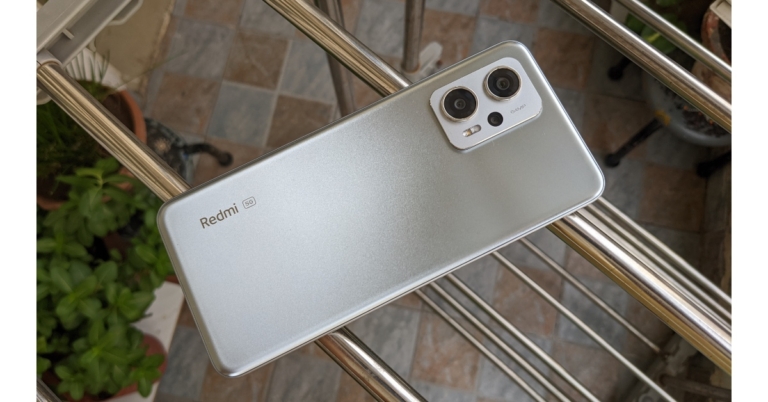
Redmi is all set to introduce a new smartphone in the Indian market. Xiaomi’s sub-brand has revealed that it is arriving with the Redmi 11 Prime 5G in India on September 6. Ahead of the official announcement, the company has disclosed some of its most important features. It is said to be powered by MediaTek Dimensity 700 SoC. Additionally, the phone will also have a 50-megapixel primary camera and a 5,000mAh battery.
Redmi 11 Prime 5G India launch details and specifications
Xiaomi announced that the Redmi 11 Prime 5G India launch date has been planned for September 6. Prior to the device’s introduction in the nation, a microsite was established for it and disclosed some of its most important features. The Redmi 11 Prime 5G’s additional features and price have not yet been disclosed by the firm in India. The smartphone will be released in at least two colour variations, according to the photographs Redmi provided on the homepage.
According to Redmi’s microsite, Redmi 11 Prime 5G’s display will include a teardrop-shaped notch to accommodate the selfie camera. A MediaTek Dimensity 700 SoC will power the upcoming phone. A 50-megapixel dual rear camera system with an LED flash will be featured on the smartphone. It will enable 5G connectivity with two SIM cards. The power button and volume rockers will be located on the right side of the frame.
The Redmi 11 Prime 5G, codenamed Light, was reportedly discovered in the IMEI database with the model number 1219I. A rebranded Redmi Note 11E known as the Poco M4 5G is thought to be the source of the smartphone. The smartphone was just discovered on the list of scheduled Xiaomi Security Updates.
Poco M5 on the other hand is also scheduled to launch in India a day before Redmi 11 Prime 5G launch which is September 5. The firm has not yet released information on the Poco M5’s specifications, features, or cost. According to a report, the Poco M5 may just cost Rs 15,000 in India. The entry-level model of the smartphone is said to be priced as above.
According to rumours, Android 12 is pre-installed. The phone reportedly sports a 6.58-inch LCD screen with full-HD+ resolution. It might be powered by a MediaTek Helio G99 SoC, as was already mentioned. The smartphone is said to include a 5,000mAh battery with at least 33W rapid charging capability. A Poco M5 model that supports 5G wireless technology may be made available in the future, according to rumours.
31 August 2022 Amazon Quiz has gone live. Customers from different parts of the country are participating in the daily quiz. The quiz begins from 12 AM to 11:59 PM. Those participating in the quiz can win exciting prizes by answering all the questions correctly. Today participants have a chance to win a Rs 2,500 Amazon Pay Balance.
Amazon quiz brings an opportunity for its customers to win Amazon Pay Balance ranging from Rs 1,000 to Rs 50,000. The Quiz can be played from 12 AM to 11:59 PM. The e-commerce platform brings a fresh quiz on a daily basis which consists of five questions related to general knowledge and current affairs. The participants need to answer all the questions correctly and their names will be selected for a lucky draw. The winner will be announced at the end of the month.
One wrong answer could eliminate you from the quiz. If you manage to answer all the questions correctly you can stand a chance to win a Rs 2,500 Amazon Pay Balance today. Only app users are eligible to participate in the Quiz. Check Out 3 August 2022 Amazon Quiz Answers.
Question 1: William Ruto has recently been elected as the President of which country?
Answer: Kenya
Question 2: Which of these bowlers has been ruled out from the upcoming Asia Cup due to injury?
Answer: Shaheen Shah Afridi
Question 3: Beast’ is a 2022 American survival thriller film starring which of these actors in the lead role?
Answer: Idris Elba
Question 4: How many natural satellites does this planet have?
Answer: 2
Question 5: This is an up close view of which fruit?
Answer: Dragon fruit
How To Play Amazon Quiz
Only app users are eligible to play the Amazon quiz every morning from 12 AM to 11:59 PM. The quiz is not available on the desktop. For those who are unaware of how to play the Amazon quiz below are the steps, you can follow to take the quiz.
Firstly download the Amazon app from Google Play Store or App Store
Now fill in the required information through the Sign Up option.
You need to log in to the Amazon app and scroll down on the home screen to find the Amazon Quiz banner.
Tap on the Amazon Quiz banner and tap on the Start button to start the Quiz.
Now you will get 5 questions and you need to answer them correctly. One wrong answer will eliminate you from the Quiz.
After answering all the questions correctly you are now eligible for a Lucky Draw.
The winner’s name will be announced today at 12 PM.
Changing your Facebook password is a pretty straightforward process and can be carried out within a few minutes. Changing your password regularly increases the safety of your account and lowers the risk of any security breach or hacking risk. If you can’t figure out how to change your Facebook password, we’ve got you covered. In this article, we’ll show you how to change your Facebook password from your mobile and desktop.
Step 1: Open the Facebook app and click on the hamburger menu at the top right corner of the screen.
Step 2: Click on the gear icon at the top to open settings.
Step 3: Select ‘Password and security’.
Step 4: Select ‘Change Password’.
Step 5: In the following window, type in your current password and the new password, then retype the new password to confirm it. Tap ‘Update Password’.
Will changing my Facebook password log me out of my Facebook account on all devices?
Yes. You will have to log in again using your new password on every device where you’re currently logged in.
How do I set up a strong password?
A strong password contains strings in lowercase and uppercase, digits, and some special characters.
How do I make sure no one logs into my Facebook account?
If you’re not satisfied with setting up a new password, you can enable two-factor authorisation or generate a key from Google Authenticator every time you log in.
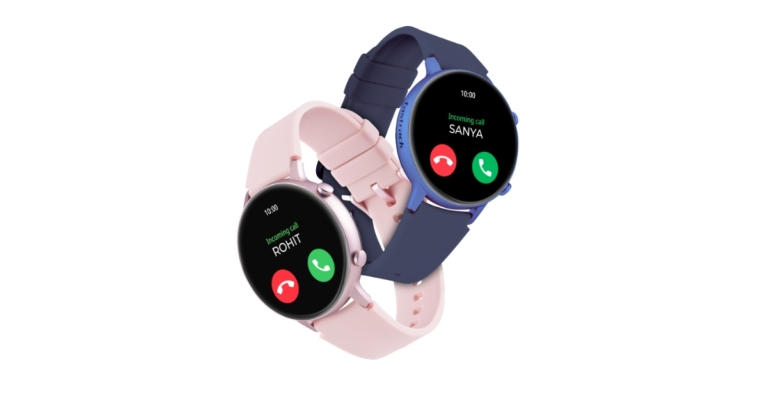
Last month Fastrack Reflex Play smartwatch was announced in India. Today the company has introduced another wearable namely Fastrack Reflex Play+. The device comes with a BT Calling feature offering a hands-free experience to the wearer. The device also comes with a 1.3-inch AMOLED Display and a 24×7 heart rate monitor. There is a SpO2 tracker with in-built games.
In This Article
Fastrack Reflex Play+ price in India, sale details
Priced at Rs 6,995, the new Fastrack Reflex Play+ smartwatch is currently on sale in Fastrack stores and online. Whereas Fastrack Reflex Play which was launched in India last month comes with a price tag of Rs 7,995. Additionally, the smartwatch is available in four colour options of Black, Blue, Orange and Pink.
Fastrack Reflex Play+ features
Fastrack Reflex Play+ has BT calling capabilities and a built-in speaker and microphone, enabling users to take calls directly from the watch in addition to receiving call notifications. There will be no communication breakdown during a contact thanks to the flawless engineering of the design.
The smartwatch has built-in gaming capabilities. The wearable has over 25 multi-sport modes, including cricket, football, basketball, yoga, and more. It is compatible with both iOS and Android devices.
The Reflex Play+’s 1.3-inch AMOLED display provides better visibility all day long. Reflex Play+ comes with several animated watch faces and 4 colour options.
Voice assistants like Google Assistant and Siri are supported with Reflex Play Plus. Additionally, it has lots of features that give customers a smooth functional experience, such as music control, camera control, an exceptional 7-day battery life, notifications alert, etc.
Advanced health monitoring capabilities like the Heart Rate Monitor, SPO2 and BP monitor are available with Reflex Play+. Your route to health and wellness is covered by the sedentary reminder feature and several sports modes. Additionally, the watch comes with IP68 rating for dust and water resistance.
As previously mentioned, the Fastrack Reflex Play smartwatch was unveiled in India last month. The inclusion of Bluetooth calling in Reflex Play+ is the only distinction. The Reflex Play features a 1.3-inch round AMOLED screen and includes built-in games. The device has over 25 multi-sport modes, including cricket, football, basketball, yoga, and so. It is compatible with both iOS and Android devices.
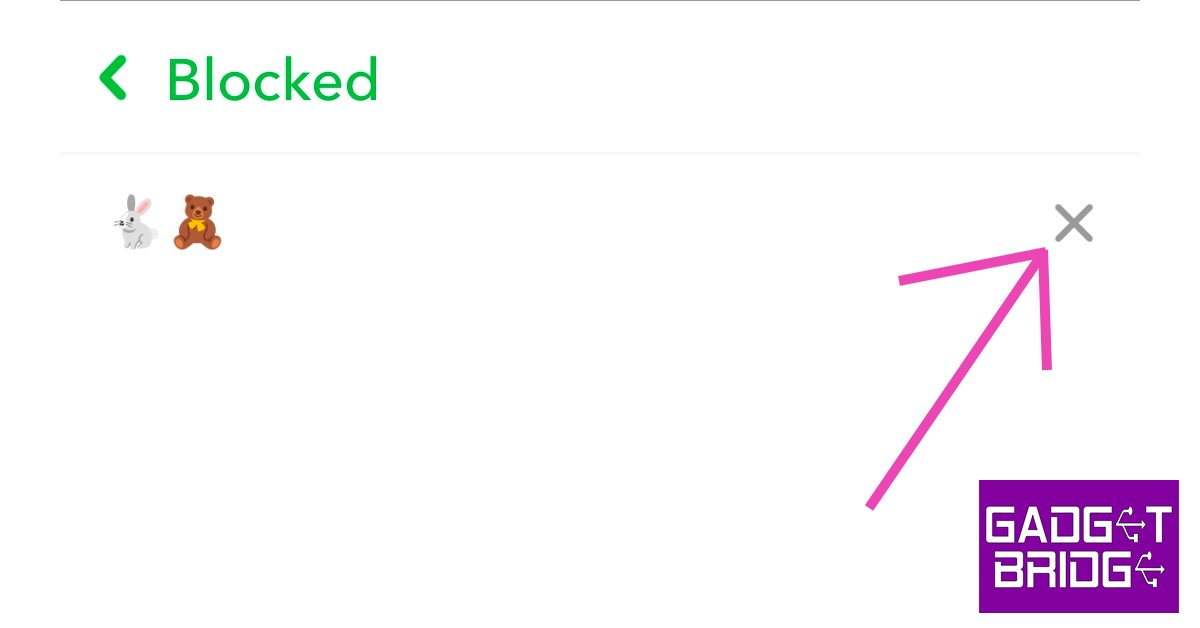
Blocking someone on Snapchat is a pretty straightforward process. However, with every update, there might be a few tweaks to the interface which can make the whole process a little confusing. In this article, we’ll show you how to block and unblock someone on Snapchat in 2022.
No, Snapchat does not notify anyone when they get blocked. The messages they send to you will get left on ‘pending’ once you block them.
How do I know someone has blocked me on Snapchat?
There is no sure way of knowing that someone has blocked you on Snapchat. Messages getting left on ‘pending’ is a sign that you’ve been blocked but it may also be because the user has unfriended you on Snapchat.
How do I hide my Snapchat story from someone on Snapchat?
To hide your Snapchat story from someone, all you need to do is go to Story Settings>Who can view my story>Custom and select the people you don’t want to see your story.
Sony has officially declared that it has acquired Savage Game Studios, a maker of mobile games. According to the company, it will be a part of the newly formed PlayStation Studios Mobile Division, which will function separately from the company’s console development.
The company via its blog post said, “Today, we announced that we have entered into a definitive agreement to acquire Savage Game Studios, a hugely talented team of creatives with many years of experience making some of the most popular mobile games enjoyed by players around the world.”
The newly established PlayStation Studios Mobile Division, which creates games for mobile devices and is separate from Sony’s console development team, has announced that it has acquired Savage Game Studios.
“They were founded a few years ago with the goal of fearlessly exploring bold new ideas. We share their tireless ambition to innovate, along with a continued drive to expand our audience and bring PlayStation to more people than ever before, making them a perfect fit to join PlayStation Studios,” the company further added.
According to Herman Hulst, the company entered into this agreement because they think PlayStation Studios’ leadership appreciates their idea of how they may work together and achieve while also being willing to take chances. All of that, as well as the opportunity to access PlayStation’s incredible library of original content, and the fact that they will have access to the kind of support that they alone can offer.
According to the Japanese tech behemoth PlayStation VR2 will launch soon and claims to make significant advancements in presence and immersion, supported by top-tier applications like Horizon: Call of the Mountain.
Additionally, the firm guarantees that its efforts in mobile gaming will be similarly additive, offering more opportunities for users to interact with their content and working to reach new audiences that aren’t familiar with PlayStation and its games. Savage Game Studios will work as part of the recently established PlayStation Studios Mobile Division, which will function separately from its console development and concentrate on cutting-edge, mobile experiences based on both new and current PlayStation IP.
Garena Free Fire is a battle royale game with regular awards and tournaments to keep players interested. If you play Garena Free Fire, you should be aware of the redeem codes that are released on a daily basis. However, because the battle royale game is banned in India, players from other countries can use the Free Fire Redeem codes daily. If you’re unfamiliar with the Garena Free Fire redeem codes or don’t know how to get them, we’ve put together a step-by-step guide to help you redeem them. Check out Garena Free Fire Redeem Codes for August 30.
The Free Fire redeem codes are a great way to get free stuff. These are 12-digit codes that contain alphabets and numbers, as well as an expiration date and time. Because the Garena FF redeem codes cannot be used more than once, you should hurry to the redemption page to claim your free reward before someone else does. To get a free reward, all you have to do is go to reward.ff.garena.com/en, which is the official redemption page. Also, keep an eye on this space for daily updates on Garena Free Fire redemption codes and rewards.
In This Article
Garena Free Fire Redeem Codes Today 30 August 2022
FFTILM659NZB
ESX24ADSGM4K
3IBBMSL7AK8G
FFPLNZUWMALS
SARG886AV5GR
FFBCT7P7N2P2
FFPLPQXXENMS
FFPLOWHANSMA
FFBCLAK9KYGM
FFICDCTSL5FT
FFBCZD9RDP44
B61TCTNH4PV3
FFBCAC836MAC
FFBCLY4LNC4B
XUW3FNK7AV8N
WLSGJXS5KFYR
FFPLFMSJDKEL
TJ57OSSDN5AP
WOJJAFV3TU5E
FFBCLP5S98AW
4ST1ZTBE2RP9
YXY3EGTLHGJX
FFPLUED93XRT
FFBCJVGJJ6VP
R9UVPEYJOXZX
FFBCLQ6S7W25
How to Get Free Fire Redeem Codes for Garena on August 30?
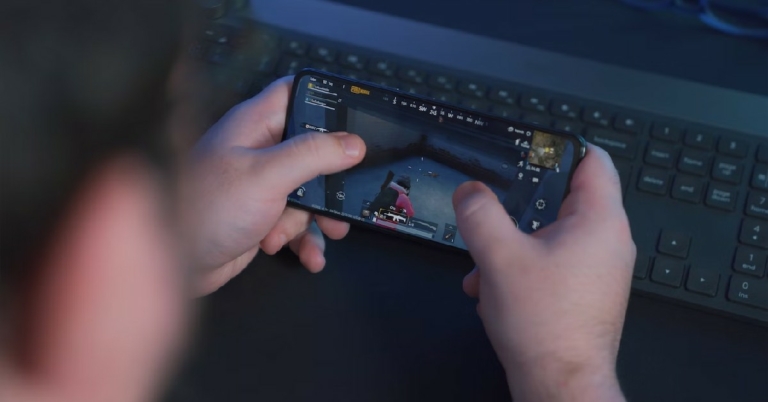
Over the last few years, we’ve seen an entirely new ‘gaming smartphone’ category develop in the smartphone market, and some of the most popular brands have taken to the task of producing some of the best-performing smartphones we’ve seen. Devices like the ROG phone are marketed exclusively to gamers and are designed keeping gaming needs in mind as well. If you’re looking for a high-performing gaming smartphone to buy on a budget, we’ve got you covered. In this article, we bring you the top 10 gaming smartphones priced under Rs 50,000.
Built specially for gaming, the ASUS ROG Phone 5s takes into account all the small details that elevate your gaming experience to another level. For instance, it comes with an additional charging port on the left, allowing users to continue with gaming even when they’re charging the phone. The 144Hz refresh rate and 360Hz touch sampling rate provide an incredible viewing experience. It comes with 2x 3000mAh batteries (6000 mAh in total) that can provide 5-7 hours of continuous gameplay. The AirTrigger 5 controls and GameFX audio system are also something that appeals highly to gamers.
Launched earlier this year, the OnePlus 10T provides all the updated specs you want in a gaming smartphone. The Snapdragon 8+ Gen 1 is an improvement over its predecessor, providing 30% better power efficiency and 10% faster graphics than S8. The 10T also comes with a vapour chamber coupled with 3D graphite and copper coil that does a brilliant job of keeping the phone from overheating. It also comes with a 360-degree antenna which ensures strong network connectivity no matter how you’re holding the phone. On top of that, the 160W power charger can fully charge the battery in just over 20 minutes.
Samsung Galaxy A73 is one of the best gaming smartphones you can buy for under Rs 50,000. The A73 can handle graphic-heavy games with relative ease and provides a day’s worth of backup even with moderate gaming. The phone does warm up after an hour of gaming, but it doesn’t overheat to the point that it’s unbearable. The Super AMOLED display also performs well in translating superior graphics on the screen.
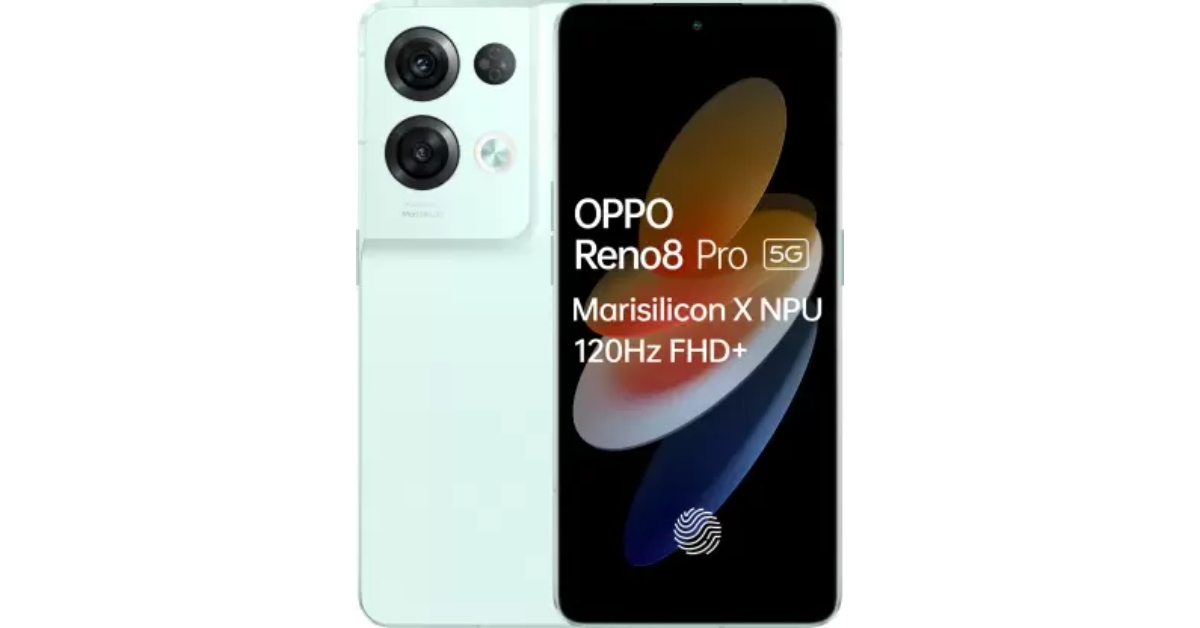
The Reno8 Pro is Oppo’s most expensive phone in India and it certainly delivers a performance worthy of the price tag. The graphite cooling works well to keep the device temperature in check and provides an extended gameplay experience. The 360Hz touch sampling rate is quite impressive for a smartphone priced at Rs 45k and enables faster controls while gaming. The Oppo Reno8 scores 718351 points on the AnTuTu test and 3395 points on the Geekbench test. Apart from the gaming specs, the design of the Reno8 Pro also looks fresh and clean. Priced at Rs 45k, the Reno8 Pro is one of the best gaming smartphones you can buy for under Rs 50,000.
iQOO 9T
Price: Rs 49,999
CPU: Snapdragon 8+ Gen 1 Octa Core
GPU: Adreno 730
Refresh Rate: 120Hz
The iQOO 9T offers the exact same specs as the OnePlus 10T and matches its price as well. While both phones are quite well at carrying out heavy-duty tasks and providing excellent gameplay, they also have certain unique features to offer. The OnePlus 10T has a 360-degree antenna that provides a superior network connection no matter how you’re holding the phone, and the iQOO 9T comes with a Monster Mode for gaming that provides a whooping 1200hz touch sampling rate and is able to map the triggering points for controls on the screen and identify four finger touches. The Vapour Chamber cooling on the iQOO 9T ensures the phone doesn’t heat up even after an extended duration of gaming.
The Motorola Edge 30 Pro is undoubtedly the dark horse when it comes to gaming smartphones. Offering some of the best-in-class features at a price of Rs 42k, the Edge 30 Pro usually gets glossed over in the best-of lists. You’ll be hard-pressed to find any other smartphone that provides a Snapdragon 8 processor and a display with a refresh rate of 144Hz at this price. The Edge 30 Pro also comes with 68W fast charging, with a 4800mAh battery that Motorola claims can last for 2 days. You also get wireless charging with Edge 30 Pro, something you won’t find with even pricier phones on this list.
Google Pixel 6
Price: Rs 43,710
CPU: Google Tensor Octa Core
GPU: Mali-G78 MP20
Refresh Rate: 90Hz
Google’s flagship offering Pixel 6 has been touted by many as one of the best-performing Android smartphones on the market. While that statement can certainly be argued, the Pixel 6 has certainly proven to be one of the better gaming smartphones you can buy under rs 45k. The Tensor chipset on the Pixel 6 matches the performance of the Snapdragon 888 processor, with the smartphone scoring 676831 points on the AnTuTu test and 2899 points on the Geekbench test. The Pixel 6 also handles heat dispersion as well as any of its other Android counterparts.
Xiaomi 11T Pro
Price: Rs 39,999
CPU: Snapdragon 888 Octa Core
GPU: Adreno 660
Refresh Rate: 120Hz
If you’re looking for an efficient gaming smartphone under Rs 40k, the Xiaomi 11T Pro should be high on your list. With specs that match smartphones above its category, the Xiaomi 11T Pro stands out in the mid-range smartphone category. The Snapdragon 888 processor paired with Adreno 660 graphics provides a smooth gaming experience, something that not a lot of phones in this category can boast about. On top of the gaming, you also get a powerful camera unit (108MP + 8MP + 5MP) and 120W fast charging.
For buyers looking for a gaming smartphone under Rs 30k, the Poco F4 should be a smart pick. The Snapdragon 870 processor along with Adreno 650 GPU provide a powerful combination, and the smartphone can handle games like Call of Duty and Asphalt 9 with relative ease. The phone does have the tendency to overheat after an hour of gaming, but that is something that is to be expected from every other smartphone in this segment. The AMOLED HDR display with a refresh rate of 120Hz is ample for managing high-end games.
Vivo V25 Pro
Price: Rs 35,999
CPU: MediaTek Dimensity 1300 Octa Core
GPU: Mali-G77 MC9
Refresh Rate: 120Hz
Closing out this list is the newly released Vivo V25 Pro. With the Vivo V25, you’re getting a powerful processor and high-functioning smartphone at the price of Rs 36k. The smartphone can handle games like Free Fire Max and Asphalt 9 without any speed throttling or pesky lags. On top of the gaming performance, the V25 also comes with magic back that can change colours under UV light. The overall design and looks of the Vivo V25 also make it an attractive buy.
These are our picks for the top 10 gaming smartphones under Rs 50,000. If you think we missed out on a smartphone that’s worthy of being on this list, let us know in the comments!
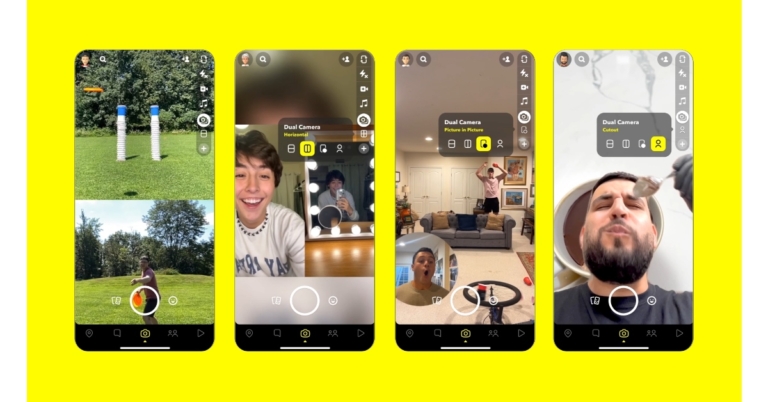
After announcing its paid subscription service Snap Inc. is now rolling out a fresh new Snapchat update. The photo-sharing app has unveiled the Snapchat Dual Camera feature on its platform. This is a new option for users to simultaneously record from two views. The “flip camera” button switches between the primary and backup cameras. The new functionality brings a total of four layouts that will let users create creative content.
While announcing the Snapchat Dual Camera feature the company said, “Snap’s Camera is one of the most used cameras in the world. Today, we’re introducing Dual Camera, a new way for Snapchatters to capture multiple perspectives at the same time – so everyone can be part of the moment, as it happens.”
You may now take pictures and videos with the front and back cameras at the same time on Snapchat thanks to the new Dual Camera feature. You’ll see a new icon in the camera toolbar when you open Snapchat. You may start producing Snaps and Stories, as well as polished Spotlight films, with just one easy swipe. Dual Camera is a unique approach for our community to immortalise memorable experiences like rocking out at a concert or everyday occurrences like your culinary forays in the kitchen.
The four layouts available for Dual Camera are vertical, horizontal, picture-in-picture, and cutout. Additionally, Snapchat users can include their favourite Stickers, Lenses, and music.
Currently only accessible on iOS, Dual Camera will soon be supported on Android as well. As per the announcement Dual Camera is supported on the following devices:
iPhones – iPhone XS/XS Max/XR or later:
iPhone XS
iPhone XS Max
iPhone XR
iPhone 11 Pro
iPhone 11 Pro Max
iPhone SE
iPhone 12 Pro
iPhone 12 Pro Max
“On Snapchat, our community is rewarded for their creativity. Snap has a reward program for Spotlight creators in which it makes available millions of dollars to eligible Snapchatters who create the top Spotlight Snaps. Share what you make with Dual Camera on Spotlight, or if inspiration strikes quickly, create a Snap to send to your friends or post to your Story,” the company noted in its announcement.
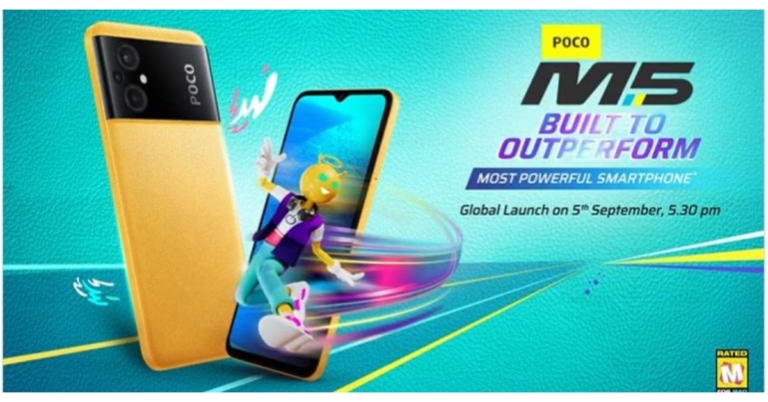
Xiaomi’s spin-off Poco is all set to launch a new smartphone in the Indian market soon. The company declared that Poco M5 is coming to India on September 5 which is the successor of Poco M4 launched in the nation last year. The company has not shared the specs and pricing information which is currently under wraps. But ahead of the formal announcement the anticipated price and its features have already been leaked on the web.
Poco M5 will be launching in India on September 5. The company will be hosting an online launch event that will be broadcast live on the firm’s official YouTube account for Poco India at 5.30 PM.
The Poco M5 features, specs and pricing details have not yet been disclosed by the company. In India, the Poco M5 might cost less than Rs 15,000, according to a report. According to reports, the price shown above is for the smartphone’s entry-level model.
Before the launch date announcement, the maker promised the release of a new device via Twitter. The tease included the word G99, which suggests that the phone would be powered by a MediaTek Helio G99 SoC.
The Poco M5 is expected to be a 4G phone. It is claimed that it comes pre-installed with Android 12. According to reports, the phone has a 6.58-inch LCD screen with full-HD+ quality. A MediaTek Helio G99 SoC may power it, as was already mentioned. A 5,000mAh battery with at least 33W fast charging capabilities is rumoured to be included in the device. According to rumours, a Poco M5 variant with 5G compatibility may be released in the future.
The phone’s back cover is supposed to have a “chic leather-like” look. According to rumours, the Poco M5 may also have a side-mounted fingerprint scanner for security. In addition to this, it might have dual-band Wi-Fi and Bluetooth v5 connectivity capability.
30 August 2022 Amazon Quiz has gone live on its mobile app platform. Customers from different parts of the country are participating in the daily quiz. The daily quiz is conducted by the company brings an opportunity for the customers to win exciting prizes. The quiz begins from 12 AM to 11:59 PM. In today’s quiz participants have a chance to win Rs 5,000 Amazon Pay Balance by answering all the questions correctly.
Every day Amazon brings a fresh set of questions for its customers that contains five easy questions. Amazon quiz brings an opportunity for its customers to win Amazon Pay Balance ranging from Rs 1,000 to Rs 50,000. which consists of five questions related to general knowledge and current affairs.
The participants need to answer all the questions correctly and their names will be selected for a lucky draw. The winner will be announced at the end of the month. One wrong answer could eliminate you from the quiz. If you manage to answer all the questions correctly you can stand a chance to win Rs 5,000 Amazon Pay Balance today. Only app users are eligible to participate in the Quiz. Check Out 30 August 2022 Amazon Quiz Answers.
Question 1: Manchester United has signed Brazilian defensive midfielder Casemiro from which club?
Answer: Real Madrid
Question 2: Which former world heavyweight boxing champion is starring in the movie ‘Liger’?
Answer: Mike Tyson
Question 3: India’s first 3D printed Cornea has been recently developed by a research team based in which city?
Answer: Hyderabad
Question 4: Name this type of pasta
Answer: Tortellini
Question 5: Contrary to popular belief, Tom Hanks has not voiced this character throughout the Toy Story series. Who stepped in for him at times?
Answer: Jim Hanks
How To Play Amazon Quiz
Only app users are eligible to play the Amazon quiz every morning from 12 AM to 11:59 PM. The quiz is not available on the desktop. For those who are unaware of how to play the Amazon quiz below are the steps, you can follow to take the quiz.
Firstly download the Amazon app from Google Play Store or App Store
Now fill in the required information through the Sign Up option.
You need to log in to the Amazon app and scroll down on the home screen to find the Amazon Quiz banner.
Tap on the Amazon Quiz banner and tap on the Start button to start the Quiz.
Now you will get 5 questions and you need to answer them correctly. One wrong answer will eliminate you from the Quiz.
After answering all the questions correctly you are now eligible for a Lucky Draw.
The winner’s name will be announced today at 12 PM.
If memory serves, the Redmi K-Series was meant to be the sub-brand of Xiaomi’s affordable flagship series. In 2019, the Redmi K20 Series rose to extreme popularity. After nearly two long years, the business just recently released the Redmi K50i, which we have been using for quite some time in order to provide an in-depth, frank assessment. On Gadget Bridge’s YouTube channel, our hands-on review of the smartphone is already available. If you haven’t already, you should definitely look it up.
Therefore, the most capable Dimensity 8100 SoC from MediaTek, which is based on a 5nm process to make it power-efficient and supports Dolby Vision and Atmos, powers this gadget. With these features, the phone’s pricing is startlingly low, but unfortunately, the phone uses an LCD panel that is easily found in the sub-15k range, but this one has its own ups. Let’s go right into the Redmi K50i review to learn more about how the phone performed.
In This Article
Redmi K50i Review: Design and Display
Redmi K50i features a less boxy, slightly curved design, but it also feels fairly thick and weighty. Despite the fact that the device is entirely made of plastic, it weighs a respectable amount, which may be due to the large 5,080mAh battery. We really adore the Quick Silver colour option of the smartphone, which is one of three available hues along with Stealth Black and Phantom Blue. It features a gradient finish that, depending on the angle from which you view it, reflects various colours of silver.
The phone’s large camera module wobbles when placed on a flat surface. While the side frame is plastic, flat, and composed of a smooth material. Since the object is quite thin and tall, using one hand to grip and operate it is simpler.
The bottom of the phone contains a twin nano-SIM tray, a Type-C port, and a speaker grill. On the right side of the frame are the power and volume rocker buttons. The power button also has a fingerprint sensor for biometrics, which unlocks the device incredibly quickly.
Additionally, the smartphone has an IP53 rating, which indicates it can withstand light rain or water splashes, but shouldn’t be used underwater. Additionally, a headphone jack is provided and is located on top of the frame.
In terms of the screen, the Redmi K50i uses an FFS LCD panel rather than an AMOLED panel. Therefore, you cannot anticipate that the display will be as sharp and dazzling as the AMOLED one. However, the display also works with HDR 10 and Dolby Vision. We utilised OTT and YouTube to view HDR content.
The screen’s 100% DCI-P3 colour gamut is actually rather nice. Therefore, the phone offers a 144Hz refresh rate option to make up for the absence of an AMOLED display. Depending on the content being played, its multi-stage adaptive refresh rate switches between several refresh rates.
Redmi K50i Review: Performance and Camera
The MediaTek Dimensity 8100 SoC, up to 8GB of LPDDR5 RAM, and up to 256GB of UFS 3.1 internal storage fuels the Redmi K50i’s performance. A vapour cooling (VC) chamber is a feature of Liquid Cooling 2.0 technology for thermal control.
When used regularly, the phone runs quite well, and we experienced no glitches even when using numerous apps and multitasking. Over that, gaming is also a complete joy. All of the games we tested on this device, including Call of Duty, Asphalt, and more, ran quite smoothly. The gaming experience was extremely fluid, with no lag or delay, and the game performance was excellent. Additionally, the Redmi K50i performs excellently thermally. Even when playing games, it does not throttle excessively after repeated gaming sessions, nor does it heat up.
The network functionality and call quality are both excellent. The phone supports 5G carrier aggregation and 12 5G bands.
The Redmi K50i’s operating system is MIUI 13, which is based on Android 12. Two years of software updates and three years of security patches are promised by Redmi. The pre-installed third-party apps on the phone can be uninstalled. We have not encountered any bugs or problems, and the OS appears to be well-optimised.
Primary shot
When it comes to the Redmi K50i Review’s photography section, the phone has a triple camera setup at the back, including a 64-megapixel Samsung JW1 sensor that is supported by an 8-megapixel and a 2-megapixel ultrawide lens. A 16MP selfie camera is located up front.
PortraitPortrait
Fine details are provided by the primary camera, and the colour reproduction is fairly subtle and nearly natural. Thus, the overall environment is not one that is more brilliant or bright. While the HDR effectively manages the highlights and also pulls out a lot of detail from the shadows.
close ups
The Redmi K50i is once again fantastic for photographing people since it captures details and colours that are accurate and similar to the skin’s true colour. When the subject is up against the light, it also successfully manages to regulate the highlights and the shadows.
Naturally, low light is the real challenge, and we found that the Redmi K50i provides correct colours and exposure but lacks details due to the absence of OIS. When compared to the ultrawide sample, there are the proper amounts of features, colour, and brightness.
In regards to the selfies, we saw a pinkish tone and overly smoothed skin, neither of which we find appealing. The selfie performance is therefore below what we had anticipated.
The battery capacity of the gadget is 5,080mAh. Because it contains an LCD display, it was able to maintain a screen on time of 7 to 8 hours during our tests. On heavy use, the battery life was more like a day and a half. Now that it supports 67 watts of fast charging, the Redmi K50i charges completely in roughly 45 minutes.
Verdict
So the question is, is the Redmi K50i as good a buy as the K20 was?
This is the phone that we have no trouble recommending if your priority is amazing performance, battery life, cameras, and gaming, assuming that we overlook the plastic build, bloatware, and an LCD screen. If you cannot accept the compromises made on the Redmi K50i, then you can choose Xiaomi’s Poco F4, another option, albeit it is a bit more expensive when compared to the Redmi K50i given the price. However, if you want a turbo-charged gaming phone within a budget, K50i is a brilliant buy.
Mukesh Ambani said at Reliance Industries’ 45th Annual General Meeting (AGM) on Monday that Jio will start deploying 5G services in India by next month, that is October. Delhi, Mumbai, Chennai, Kolkata are confirmed to be in the first roll-out phase of 5G by Jio. For the roll out the company has announced an investment of Rs 2 lakh crore. In addition to this by December 2023, the entire country will have access to the 5G network.
The business claims that Jio 5G would be the largest and most technologically advanced 5G network in the world. Non-Standalone 5G, which is simply a 5G radio signal carried over an existing 4G infrastructure, is the form of 5G that the majority of operators are now rolling out. This Non-Standalone strategy is a hurried way to ostensibly claim a 5G launch, but it won’t deliver the game-changing enhancements in performance and capabilities possible with 5G.
Jio, in contrast, will roll out the most recent 5G technology, known as Stand-Alone 5G, which is independent of our 4G network. Jio can offer innovative and potent services including low latency connection, widespread machine-to-machine communication, 5G voice, Edge computing and network slicing, and metaverse thanks to Stand-Alone 5G.
Jio is said to have the 700 MHz low-band spectrum, which is necessary for deep indoor coverage in addition to the 3500 MHz mid-band, which is globally designated for 5G, and the 26 GHz millimetre-wave band for ultra-high capacity. Carrier aggregation, a cutting-edge technology, allows us to effortlessly combine these frequencies into a single potent “data highway.”
Reliance Jio also stated that 5G cannot continue to be a privileged service used just by a select few or by residents of our greatest cities. The company has committed a total of 2 lakh crore to the construction of our pan-India True 5G network.
By Diwali in the upcoming two months, it will roll out Jio 5G across a number of significant locations, including the megacities of Delhi, Mumbai, Kolkata, and Chennai. It then intends to gradually expand the Jio 5G footprint each month. The company is expected to provide a 5G network to the entire nation by December 2023.
For the development of 5G solutions for India, it is collaborating with Qualcomm. Jio also revealed a service called Jio AirFiber that will provide end-to-end 5G wireless service. It would be quite simple to immediately connect your house or workplace to gigabit-speed Internet with JioAirFiber.
The business has created a JioAirFiber Home Gateway, a wireless, straightforward, one-device solution. Simply pick it up, plug it in, and turn it on. Now that True 5G is connected to ultra-high-speed internet, your home has a personal Wi-Fi hotspot. Additionally, as it is an end-to-end wireless solution, there are no unsightly wires entering your home.