In This Article
iOS 13 for iPhone
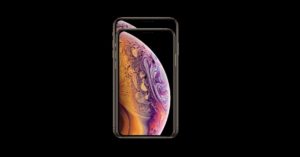 Apple is expected to unveil the iOS 13 at the WWDC 2019. It gives us a glimpse of its new operating system every year at the WWDC event and this year should be no different. Some screenshots of the iOS 13 have already been leaked by 9to5Mac and according to them, the Dark Mode is finally coming to Apple’s operating system. In fact, that will be the key highlight of the new iOS version. The Dark Mode ensures that users’ eyes are not strained too much and at the same time, it also saves battery on smartphones. Besides this, the company is also expected to update its other apps like Mail, Messages, Health and Reminders. Apple’s Find my Friends and Find my iPhone apps are also expected to be combined into a single app called ‘Find My’.
Updates to the iPad
 For the iPad, Apple will be updating the Files app and introducing a better way to multitask for the device. However, there is very little that is known about it so we will have to wait to find out more about it.
MacOS 10.15
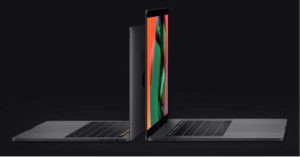 Last year, Apple teased that it will make an easier way to get iOS apps on the Mac. The project of the Cupertino based technology giant has been named at ‘Marzipan’. With this, developers will be able to port the apps that they have developed for the iPad and use it in Mac. In addition to this, Apple will also be adding more apps and some Siri shortcuts to Mac. We should also be getting Screen Time and Family Sharing on the Mac as well.
An end to iTunes
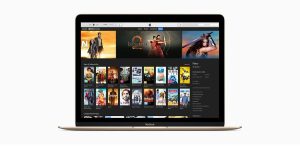 After 18 long years, Apple is finally going to break up the iTunes app. iTunes is basically the perfect example of a program that grew to the point that it was used to do too many things. But now, it has been reported that Apple will be breaking the app up into a new Music, Podcasts, TV and Books app. Well, we would say that this doesn’t come as a surprise as Apple has already made a separate app for Music and it has made multiple partnerships for a revamped TV app.
New updates for Apple Watch
 Even now, Apple Watch is dependent on the iPhone for a number of tasks. However, Apple is expected to give the wearable more independence this year as it is launching an App Store of its own. The WatchOS will also get some updates on health as there are rumours that suggest an updated Health app for the Apple Watch. A Voice Memo app should be added to the Watch later too. We are also sure that the company will be adding more Watchfaces.
A Mac Pro?
 According to a report, this year’s WWDC will also see the launch of a hardware product from Apple. While nothing iPhone related is expected, Apple may have plans of launching a new Apple display.
Updates to tvOS 13
 Given that Apple has had an event this year which focussed primarily on its new TV service, we are not expecting too many changes on this front. However, the company may give us some key updates about it that it did not during the previous event.
For the latest gadget and tech news, and gadget reviews, follow us on Twitter, Facebook and Instagram. For newest tech & gadget videos subscribe to our YouTube Channel. You can also stay up to date using the Gadget Bridge Android App.
[td_smart_list_end]
Given that Apple has had an event this year which focussed primarily on its new TV service, we are not expecting too many changes on this front. However, the company may give us some key updates about it that it did not during the previous event.
For the latest gadget and tech news, and gadget reviews, follow us on Twitter, Facebook and Instagram. For newest tech & gadget videos subscribe to our YouTube Channel. You can also stay up to date using the Gadget Bridge Android App.
[td_smart_list_end] 


 In most smartphones, any new app that you download will appear on your
  Everyone knows that personalized ads can be very annoying. Or at least, mostly they are. A way of enhancing your smartphone’s performance is to disable them.
To disable personalized ads by
Everyone knows that personalized ads can be very annoying. Or at least, mostly they are. A way of enhancing your smartphone’s performance is to disable them.
To disable personalized ads by  Using instant apps is a lot like taking a car for a test drive and then later deciding whether you want to buy it or not.
Instant apps can be used for
Using instant apps is a lot like taking a car for a test drive and then later deciding whether you want to buy it or not.
Instant apps can be used for  If your smartphone remains unused for a while, Doze mode automatically shuts off the network to save the battery.
The apps on your device will continue to work in the background, so you will be able to get some notifications.
But then, to ensure that not all apps are muted, you can head to Settings >
If your smartphone remains unused for a while, Doze mode automatically shuts off the network to save the battery.
The apps on your device will continue to work in the background, so you will be able to get some notifications.
But then, to ensure that not all apps are muted, you can head to Settings >  This is more of a privacy feature than a performance one, but in case you feel the need of enabling it, here are the instructions to follow.
Go to Android Settings > Notifications. Click on the gear icon on the top right corner and press the ‘On the lock screen’ option. Here, choose the option of ‘Hide sensitive notification content.’
This is more of a privacy feature than a performance one, but in case you feel the need of enabling it, here are the instructions to follow.
Go to Android Settings > Notifications. Click on the gear icon on the top right corner and press the ‘On the lock screen’ option. Here, choose the option of ‘Hide sensitive notification content.’
 The best way of getting the notifications to stop on your Android smartphone for a while is to enable the ‘Do Not Disturb’ mode.
You can also block alerts on an app-by-app basis by going to the ‘Apps and notifications’ in the Settings of your
The best way of getting the notifications to stop on your Android smartphone for a while is to enable the ‘Do Not Disturb’ mode.
You can also block alerts on an app-by-app basis by going to the ‘Apps and notifications’ in the Settings of your  Clutter can seriously deteriorate the performance of a smartphone. It is always advisable to have a decent chunk of space free on your smartphone.
You can start by uninstalling apps that you don’t use anymore. Another thing that really helps is saving images and videos in
Clutter can seriously deteriorate the performance of a smartphone. It is always advisable to have a decent chunk of space free on your smartphone.
You can start by uninstalling apps that you don’t use anymore. Another thing that really helps is saving images and videos in 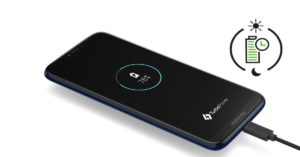 For doing this, tap on Battery in the Android Settings of your smartphone and then go to Battery Saver and Adaptive Battery options.
Both of them will restrict the background battery usage and hence, you will have to charge your
For doing this, tap on Battery in the Android Settings of your smartphone and then go to Battery Saver and Adaptive Battery options.
Both of them will restrict the background battery usage and hence, you will have to charge your  This one is very basic, but please ensure that all the apps on your smartphone are updated timely.
By doing this, you will be making sure that your smartphone’s performance remains top-notch as apps perform the best when they are updated to their latest version.
This one is very basic, but please ensure that all the apps on your smartphone are updated timely.
By doing this, you will be making sure that your smartphone’s performance remains top-notch as apps perform the best when they are updated to their latest version.
 If you ever feel tempted to put a live wallpaper on your smartphone, just remember that they eat up the battery life of the device and at the same time slow your phone down.
We recommend you to simply avoid them.
Boost the Performance of Your Android Smartphone using the above tips.
For the latest
If you ever feel tempted to put a live wallpaper on your smartphone, just remember that they eat up the battery life of the device and at the same time slow your phone down.
We recommend you to simply avoid them.
Boost the Performance of Your Android Smartphone using the above tips.
For the latest