BGMI redeem codes for 17 August 2023, claim and receive rewards and benefits

After being banned for nearly ten months, Battleground Mobile India, aka BGMI, is officially available again in India. BGMI fans are looking for ways to improve their game experience and one such method is the usage of redemption codes, which offers a variety of rewards and advantages using BGMI redeem codes players can gain access to new skins, outfits, loot crates, weapons and free UC and diamonds. As mentioned earlier, these codes give users the chance to earn unique rewards and gain extra benefits while playing the game. This includes GUN SKINS (M4, AKM, M416, AWM, M24, UZI, KAR98K), free character voucher, Andy, Carlo, Sara, Victor character for free, free Anna Character on completing the mission and UC or Royal Pass Discount. So here we have gathered a list of the most recent BGMI redeem codes as of 17 August 2023. Also, redeem these codes asap as these are only valid for a limited duration.

BGMI Redeem Codes for 17 August 2023

GGY434AKQJ NJVS27DLDR JAQV868NIE LHHFDZ2WEH OKGJNH79BT IA6Z0VCWBS LCB1HF88JL GEZ5OUPTM2 MKX5P1Z34N PHQ73FZ81L

How to get free Redeem Codes for BGMI on 17 August 2023?

  • Launch BGMI on your device.
  • Then select the Redeem Code option from the main menu.
  • Next, click on the Redeem code tab.
  • A new window will open, requesting the redemption code.
  • Now enter your BGMI code.
  • Confirm and click on the “Redeem” tab.
  • If your redeem code is valid then you will get a message confirming that your rewards were successfully redeemed.
(Note that these codes are case-sensitive, so be sure to type them correctly to prevent any errors.) For the latest gadget and tech news, and gadget reviews, follow us on TwitterFacebook and Instagram. For newest tech & gadget videos subscribe to our YouTube Channel. You can also stay up to date using the Gadget Bridge Android App. You can find the latest car and bike news here.

Garena Free Fire Redeem Codes Today 17 August 2023: Here is how to claim them

Garena Free Fire is a battle royale game with regular awards and tournaments to keep players interested. If you play Garena Free Fire, you should be aware of the redeem codes that are released on a daily basis. However, because the battle royale game is banned in India, players from other countries can use the Free Fire Redeem codes daily. If you’re unfamiliar with the Garena Free Fire redeem codes or don’t know how to get them, we’ve put together a step-by-step guide to help you redeem them. Check out Garena Free Fire Redeem Codes for 17 August 2023. The Free Fire redeem codes are a great way to get free stuff. These are 12-digit codes that contain alphabets and numbers, as well as an expiration date and time. Because the Garena FF redeem codes cannot be used more than once, you should hurry to the redemption page to claim your free reward before someone else does. To get a free reward, all you have to do is go to reward.ff.garena.com/en, which is the official redemption page. Also, keep an eye on this space for daily updates on Garena Free Fire redemption codes and rewards.

Garena Free Fire Redeem Codes Today 17 August 2023

FOC9ISYHGATE2D3 FVGE4HRJGUVTGCF FVBSNEJMK4T8UGY FVHNCK5YHGTNMK FHYNTR67RKJNVXS FJU76ATGFE4RNJM FTKGIHOBUYVCFKR FK6LY7O8ULIJHLG FOI87UY6TFQG2Y3 FT4GYTT6HHJI8Y9 FIEI5YR5FTE65R6 FO596IKYMHKLOPV FBOVIFUYHTNYMUK FHJLNO9IB8GRHJ5

How to Get Free Fire Redeem Codes for Garena on 17 August 2023?

  • Visit the Garena Free Fire game’s official website at reward.ff.garena.com.
  • Use your Facebook, Google, VK, Apple ID, Huawei ID, or Twitter account to log in.
  • You’ll be taken to a valid redemption code (s)
  • Copy and paste the 12-digit redemption code into the text box.
  • On the screen, a dialogue box will appear.
  • ‘Ok’ should be selected.
For the latest gadget and tech news, and gadget reviews, follow us on TwitterFacebook and Instagram. For newest tech & gadget videos subscribe to our YouTube Channel. You can also stay up to date using the Gadget Bridge Android App. You can find the latest car and bike news here.

Australia leading the video gaming revolution as participation tops 80 percent

There are plenty of statistics around about the role that gaming now plays in our everyday lives. The industry is worth around $250 billion worldwide, and generates more revenue each year than the movie and music businesses put together. Those are impressive facts, but to understand the full extent to which gaming has become part of our everyday lives, we must look to Australia. It is one thing to be told that today’s games are aimed at people of all ages. But deep down, we still see gamers as predominantly younger, while appreciating that people in their 40s and early 50s grew up in the 1980s and might still have a nostalgic attachment to retro games. But there is more to it than that.

Australia Plays – and that means everyone

Last month, the Interactive Games & Entertainment Association (IGEA) worked with Bond University in Australia’s Gold Coast to publish the Australia Plays 2023 report. It provides an eye-opening insight into Australia’s gaming habits. The stand-out statistic is that 81 percent of Australians play games every day, either on console, PC or mobile. The corresponding figure for the US is about 65 percent. The longer you think about it, the more remarkable that statistic becomes. Australia is depicted as a nation of surfers, but only about 12 percent of Australians surf. 51 percent of Australians read more than one book per year. Yet let’s say it again, 81 percent play video games. 10 percent of the population is either under 5 or over 80, meaning that practically everyone else is a gamer. We would be hard pushed to find any other leisure pursuit that is so universally popular, with the possible exception of watching TV. Interestingly, the percentage of gamers is up from 67 percent 12 months ago, almost exactly the same percentage as we see in the US today. It is often surmised that Australia is a barometer for future tech trends on the wider stage, as Australia is tech ready and has a tendency towards early adoption. So what do the gaming habits of tech-loving Australians suggest for future gaming trends in the rest of the world?

Gaming as a social experience

One of the criticisms most commonly directed at gamers in years gone by has been that it is a solitary pursuit. We’ve all seen the clichéd image of a gamer as a young, male with poor social skills and an aversion to daylight. Clearly that ceased to be true by the end of the 1980s, if it ever was, but again, the truth is brought home by the data. Three out of four Australian gamers said they predominantly play games with other people. That doesn’t necessarily mean Australian septuagenarians sitting on sofas, controllers in hand, battling it out over a game of FIFA (although it might). More likely, though, it involves games like online chess or Words With Friends or even Monopoly Live where players can take on other players, be they friends or strangers and regardless of age, sex or anything else.

Increased use of online casino platforms

 There is one aspect of gaming that has always been specifically tailored to adults. A night at the casino is the archetypal adventure playground for over-21s, and Australians have a passion for casino games that is greater than any other nation’s. In fact, Australians wager on average twice as much per capita as the second biggest spenders in the Republic of Ireland. In 2021, the number of Australian gamblers went through the roof, increasing by 50 percent in less than 12 months. Given what else was happening in the world at the time, and the fact that real-world casinos were closed, that’s easily understood. However, in the two years since, the number has continued to rise, albeit at a more sedate rate. The net result has been a huge influx of online casino platforms targeting the Australian market. This is in spite of the regulatory environment, which can at best be described as complicated. Resources like CasinoAus provide players with useful independent advice to help them select Australian real-money casinos that are professionally operated and offer the best deals and choices of game.

Gadgets and peripherals for the win

It’s no secret that mobile is winning the gaming war over console and PC gaming. But it is equally true that people a great deal younger than 70 or 80 have been known to complain about the fiddly nature of game controls on mobile devices. There are already a wealth of accessories on the market to make gaming easier, but one look at what is happening in Australia should have the gadget manufacturers seeing dollar signs and working overtime. It is also possible that as the number of senior gamers continues to rise, we could see a renewed interest in such peripherals as external screens and mice. For the latest gadget and tech news, and gadget reviews, follow us on TwitterFacebook and Instagram. For newest tech & gadget videos subscribe to our YouTube Channel. You can also stay up to date using the Gadget Bridge Android App. You can find the latest car and bike news here.

How to enable DApp browser on Trust Wallet for Android and iOS?

0
One of the most popular crypto wallets around, Trust Wallet has its own DApp (Decentralised App) web browser that can be used to connect with other DApps and Decentralised Finance platforms. The DApp browser is integrated into the Trust Wallet app for Android. However, on iOS, the browser was removed from the app in 2021 to comply with the updated App Store guidelines. Now down with the change? In this article, we show you how to enable DApp browser on the Trust Wallet app for Android and iOS. Read Also: iQoo Neo 7 Pro Review: Great Value For Money

Enable DApp browser on Trust Wallet for Android

Step 1: Launch the Trust Wallet app on your Android smartphone. Step 2: Tap the Settings icon at the bottom right corner of the screen. Enable DApp browser on Trust Wallet for Android Step 3: Tap on Preferences. Step 4: Select DApp Browser. Enable DApp browser on Trust Wallet for Android Step 5: Switch on the toggle bar for DApp Browser. The Browser tab will now appear in the bottom menu.

Enable DApp browser on Trust Wallet for iOS

Trust Wallet ditched the DApp browser on its iOS version back in 2021. Enabling the DApp browser on an iPhone is not as easy as it is on an Android phone. However, it can still be done with a quick workaround. Here’s how. Step 1: Launch the web browser of your choice on your iPhone. Step 2: Type trust://browser_enable in the address bar and hit Enter. Step 3: In the popup box that says ‘Open this page on Trust?’, select Open. Enable DApp browser on Trust Wallet for iOS Step 4: You will be redirected to the Trust Wallet app. If not, launch the Trust Wallet app on your iPhone. You will see the Browser tab in the bottom menu.

Frequently Asked Questions

How do I enable the DApp browser on Trust Wallet for Android?

Go to Settings>Preferences>DApp Browser and switch on the toggle bar for DApp Browser.

How do I enable DApp browser on Trust Wallet for iOS?

Launch Safari and go to trust://browser_enable. In the box that pops up, select ‘Open’. Launch the Trust Wallet app, you will find the Browser option in the bottom menu.

What is Trust Wallet?

Trust Wallet is a decentralised, Web 3-based crypto mobile wallet. You can buy and manage cryptocurrencies using this wallet. Read Also: How to Schedule WhatsApp Messages on Android?

Conclusion

This is how you can enable DApp browser on the Trust Wallet app for Android and iOS. You can also enable the DApp browser for Trust Wallet on your iPhone by connecting the app to PancakeSwap or UniSwap. Which app do you use to buy and manage cryptocurrencies? Let us know in the comments! For the latest gadget and tech news, and gadget reviews, follow us on Twitter, Facebook and Instagram. For newest tech & gadget videos subscribe to our YouTube Channel. You can also stay up to date using the Gadget Bridge Android App. You can find the latest car and bike news here.

Redmi Watch 3 Active Review: An excellent deal at Rs 3,000

Here at Gadgetbridge, we keep a close watch on smart wearables across all price points. Affordable Bluetooth-calling smartwatches are a dime a dozen these days, and it can be confusing for a casual buyer to sort through the extensive list of features and decide which ones even matter. Xiaomi’s latest offering, the Watch 3 Active, aims to cater to a wide range of users, bringing together the core, non-negotiable functions while cutting out the bells and whistles. All under Rs 3,000. We’ve been playing around with this smartwatch for a week, testing out its accuracy as well as going over the ‘fun’ aspects. Here is our in-depth review of the Redmi Watch 3 Active. Read Also: How to Schedule WhatsApp Messages on Android?

Redmi Watch 3 Active review: Design

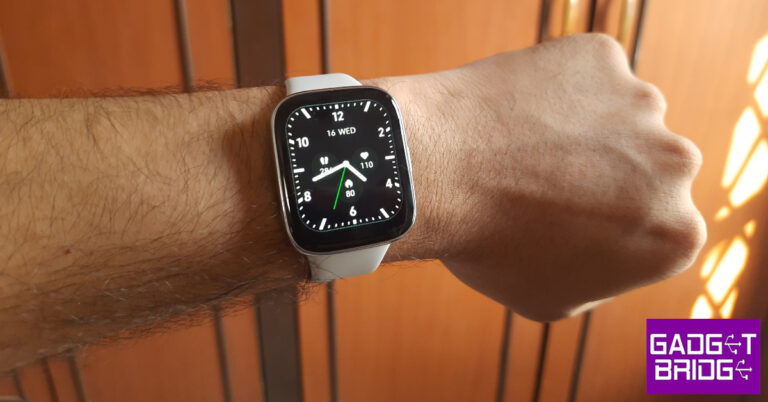
The first thing we look out for when trying out a new smartwatch is the fit. For folks who want a smartwatch to gather health metrics across the day and track their sleeping pattern at night, the fit and comfort offered by the watch matter the most. Redmi Watch 3 Active’s silicone strap slips under the slit after being buckled. The dial exerts a fair amount of weight on the wrist, but it’s something that you get quickly used to. The smartwatch is available in two colours – Platinum Grey and Charcoal Black. Buyers can also opt for an Olive Green strap at a premium of Rs 499. Redmi Watch 3 Active review: Design Redmi has kept things simple on the design front. We don’t mind this at all, as some of the flashier options in the budget smartwatch category look a bit excessive. The square dial has a plastic frame with a metallic finish and a single key on the right edge. The microphone is positioned next to the side key. The 1.83-inch LCD display has a 240x280p resolution, a refresh rate of 60Hz, and a peak brightness of 450 nits. The touch response offered by this LCD unit is optimum the quick gestures make it very easy to navigate the watch’s interface. The only downside is that the display is surrounded by sizeable bezels on all sides. These bezels get thicker around the chin. The opposite side of the dial houses the optical sensor at the sensor along with a speaker on the side. The smartwatch can handle underwater pressure up to 5ATM, which means you can wear it while swimming. The manufacturer has not mentioned the watch’s IP rating, which leaves us clueless about its dust protection capacity.

Redmi Watch 3 Active: Performance

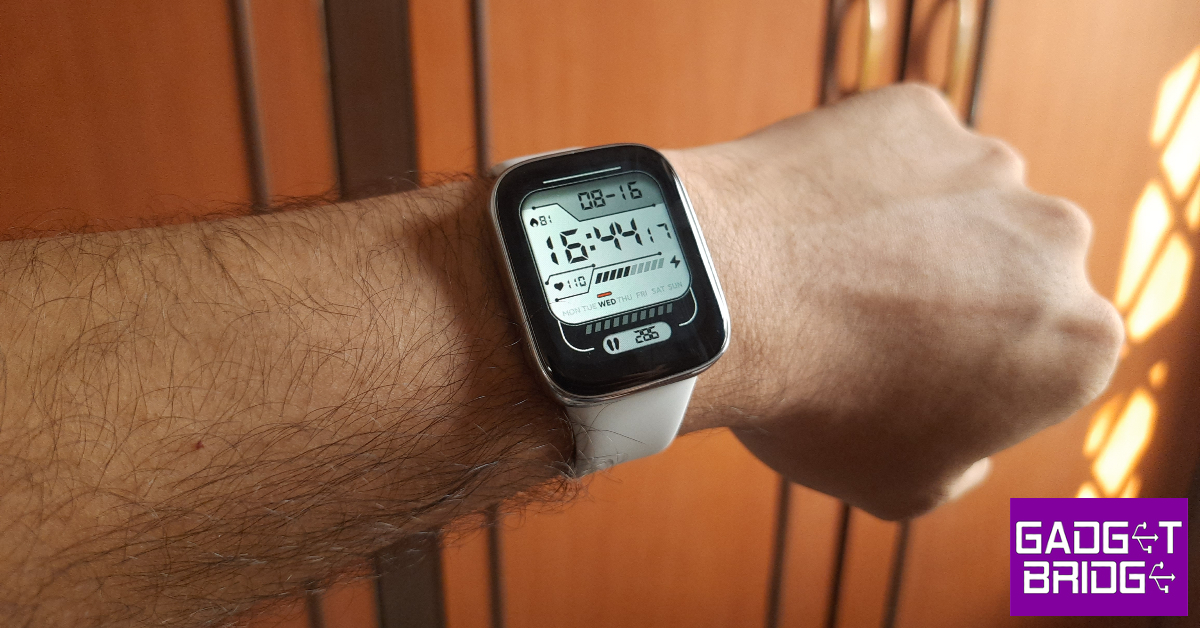
Setting up the Redmi Watch 3 Active requires the Mi Fitness (Xiaomi Wear) app on your smartphone. The smartwatch is also compatible with Strava and Apple Health. Once it has been set up, the watch requires a stable Bluetooth connection for calling and syncing health data. We like the cross-platform compatibility offered by Watch 3 Active. It is not something that every smartwatch can boast about. Redmi Watch 3 Active: Performance Moving on to the health and fitness tracking functions, the Redmi Watch 3 Active does not disappoint. The smartwatch allows you to measure blood oxygen, heart rate, sleep cycles, and expended calories. The blood oxygen and heart rate measurements were very close to medical-grade equipment. You can also enable the option to turn on background monitoring for SpO2 and heart rate. When it comes to sleep tracking, the watch is off by a few minutes when it comes to recording the waking up time. This isn’t a deal breaker as the REM tracking numbers are still solid. The smartwatch is precise when it comes to counting steps and measuring the distance travelled on hikes and runs. It does not have an in-built GPS, so it relies on your smartphone’s location services to chart your runs on the map. Redmi Watch 3 Active can track over 100 workouts and exercises including sports like Tennis, Football, Cricket and dance routines like Zoumba, folk, square dancing, and more. Surprisingly, swimming is not present in the list of workouts and activities. Hopefully, Redmi can fix that with an update. Apart from health and fitness, Redmi Watch 3 Active is decked with a bunch of ‘smart’ features. Once it is paired with your smartphone, you can use it to take calls and browse through pending notifications. The microphone and speaker on this watch work flawlessly in indoor conditions. We did not experience any lag or disturbance while using the Redmi 3 Active to make and receive calls. The option to control music comes in very handy when you’re out on a run and don’t want to pull out your phone to change the track. The Mi Fitness app makes it easy to manage the smartwatch. This is where you can see the detailed breakdown of your health metrics and edit the functions you want on the watch. There’s a separate ‘workout’ tab for tracking your runs on the map. If you’re running indoors, you can choose the ‘treadmill’ option. This app also lets you select which notifications you want to see on your smartwatch. You can use over 200 watch faces to customise the Redmi Watch 3 Active. These watch faces are neatly classified into different categories within the Mi Fitness app. Redmi has put a lot of thought into these designs and it clearly shows in the finished product. There aren’t any matches for these watch faces in this category. The ‘Space Bunny’, ‘Mechatronics’, and ‘Girl with a Pearl earring’ were some of our favourite watch face designs. Redmi Watch 3 Active: Performance Talking about the battery life, Redmi promises a 12-day backup on this smartwatch. Under heavy usage, this drops down to 8 days. We used the Redmi Watch 3 Active mostly for monitoring health functions and sleep tracking. We were able to push the watch to 10 days. The 289mAh battery can be fully charged in just under 2 hours using the magnetic pin charger. Read Also: How to enable Unknown Tracker Alert on your Android smartphone?

Verdict

At Rs 2,999, Redmi Watch 3 Active offers all the essential features you expect from a Bluetooth-calling smartwatch. We did not notice any inconsistency in the health and fitness data gathered by the watch. However, the absence of swimming from the list of trackable activities is a little weird. Making and receiving calls on this smartwatch is as easy as it gets. The accessibility of the UI is also a big plus if you’re thinking of gifting this watch to your parents or elderly relatives.

Redmi Watch 3 Active: Pros

  • Comfortable fit
  • Great app support (Mi Fitness)
  • Amazing watch faces
  • Cross-platform connectivity
  • Competitive price

Redmi Watch 3 Active: Cons

  • Cannot track swimming as an activity
  • Only stores 5 watch faces at one time
For the latest gadget and tech news, and gadget reviews, follow us on Twitter, Facebook and Instagram. For newest tech & gadget videos subscribe to our YouTube Channel. You can also stay up to date using the Gadget Bridge Android App. You can find the latest car and bike news here.

Netflix to begin testing games on TVs, PCs and more devices

Netflix has started testing its gaming titles on other platforms, such as TVs and desktops. According to the video streaming platform, a limited number of users in the US and Canada could cloud-stream a few games to their TVs, and that testing for PCs and Macs would begin in the coming weeks. As of now, only two games are available for testing, Oxenfree from Night School Studios and Molehew’s Mining Adventure. Netflix is stepping up the gaming experience for its subscribers by working to make games available on all the platforms where those subscribers watch content, including TVs, laptops, and mobile devices. Also Read: Netflix Games announced: Here is everything you should know Netflix in its announcement said, “We’ve been focused on creating a great gaming experience for our members since 2021 when we added mobile games to Netflix. Our goal has always been to have a game for everyone, and we are working hard to meet members where they are with an accessible, smooth, and ubiquitous service. Today, we’re taking the first step in making games playable on every device where our members enjoy Netflix — TVs, computers, and mobile.” As of right now, a tiny percentage of Netflix subscribers in Canada and the UK will have access to a restricted beta test on a select few TVs as well as on PCs and Macs through Netflix.com using supported browsers throughout the following few weeks. As mentioned earlier this initial test will include two games: the arcade game Molehew’s Mining Adventure and Oxenfree from Netflix Game Studio Night School. Also Read: Netflix bans account sharing in India and restricts access to just one household at a time It is also introducing phones as a controller to play our games on TV. Netflix.com users on PCs and Macs can play using a keyboard and mouse. According to the streamer, the purpose of this restricted beta is to test the controller and game streaming technology from Netflix and to eventually enhance the member experience. Games on TV will function on a few select products from the company’s initial partners, such as Walmart ONN, Roku devices and TVs, LG TVs, Nvidia Shield TV, Amazon Fire TV streaming media players, Chromecast with Google TV, and Samsung Smart TVs. Ongoing additions of new devices are planned. For the latest gadget and tech news, and gadget reviews, follow us on TwitterFacebook and Instagram. For newest tech & gadget videos subscribe to our YouTube Channel. You can also stay up to date using the Gadget Bridge Android App. You can find the latest car and bike news here.

How to get the iOS interface on your Android phone?

0
Android users are spoilt for choice when it comes to customisation options. Android launchers make the best use of these options, allowing users to design their device’s home screen and app drawer in a manner that doesn’t look similar to any other Android phone. If you want to go the extra mile, you can also make your Android phone look like an iPhone. In this article, we show you how to get the iOS interface on your Android phone. Read Also: How to Schedule WhatsApp Messages on Android?

Use an iOS launcher

Use an iOS launcher There are dozens of launchers that allow you to customise and modify the look of your Android phone’s home screen. You may already be familiar with popular apps like Nova Launcher and Apex Launcher. With the sheer number of customisation options on offer, it can get difficult to work your way towards a specific aesthetic. This is why we suggest using an iOS launcher for your device. The Launcher iOS 16 app does a brilliant job of replicating the iOS theme on your Android device. Once you download the app, it also gives you the option to download additional plug-ins for the Dynamic Island and Control Center. Here are the essential steps you need to follow to make your Android phone look like an iPhone. Step 1: Download the Launcher iOS 16 app from Google Play Store. Step 2: Give the app the necessary notification, storage, and phone permissions. Step 2: Give the app the necessary notification, storage, and phone permissions. How to get the iOS interface on your Android phone? Step 3: Tap on Set as default launcher and select Launcher iOS 16 as the default home app. Step 3: Tap on Set as default launcher and select Launcher iOS 16 as the default home app. How to get the iOS interface on your Android phone? Step 4: Tap on Lock Screen and remove your phone’s default lock screen. Step 4: Tap on Lock Screen and remove your phone’s default lock screen. How to get the iOS interface on your Android phone? You can also choose to download additional plug-in apps for Dynamic Island and Control Center.

Download a Theme and Icon pack

Apart from using a dedicated launcher, you can also use an iOS theme on your Android phone. These themes and icon packs also work in conjunction with a home screen launcher. You may have to dig around for newer themes as the look of the operating system changes with every new iteration. If you’re a little nostalgic, you can also choose to apply the theme for an older version of the iOS. Check out iLauncher for iOS to get started.

Use iOS apps for Android

Use iOS apps for Android. How to get the iOS interface on your Android phone? To bring your Android phone’s look closer to an iPhone, make sure you are using the iOS equivalent of certain Android apps. One of the defining features of iOS is its ecosystem of apps. Some of these apps may be available on Android, while others have lookalikes that mimic the look and functionality of their iOS counterparts. For example, instead of using Spotify for streaming music, switch to Apple Music. Or, at the very least, download the Apple Music app and make it a permanent fixture in your home screen to complete the ‘iOS look’. While apps like Safari are not available for Android, there are plenty of knock-offs that look like them. You can choose to stick to Google Chrome for all your web-related tasks, but the presence of the Safari icon completes the look. Some iOS launchers may change the Chrome icon to Safari by default. In this case, you do not need to download the Apple-specific apps.

Frequently Asked Questions

How do I make my Android phone look like an iPhone?

Install an iOS launcher on your Android device and give it the necessary storage, notification, and phone permissions to function. You can also download specific apps for Dynamic Island and Control Center.

Can I use Siri on my Android phone?

No, Siiri is an Apple-specific service that is not available for Android. You can use Google Assistant on your Android phone.

How do I get the iOS interface on my Android phone?

You can change your Android phone’s interface to that of iOS with the help of a home screen launcher, themes, icon packs, and Apple-specific apps for the home screen. Read Also: WhatsApp’s ‘multi-account’ feature now available for beta testers

Conclusion

This is how you can make your Android phone look like an iPhone. Certain launchers that apply the iOS interface on your Android device also overlay ads on the system. This may be a deal breaker for some people. One way to get around this problem is by paying for the premium version of the launcher, so you don’t get exposed to ads anywhere on your phone. For the latest gadget and tech news, and gadget reviews, follow us on Twitter, Facebook and Instagram. For newest tech & gadget videos subscribe to our YouTube Channel. You can also stay up to date using the Gadget Bridge Android App. You can find the latest car and bike news here.

Redmi K60 Ultra debuts with Mediatek Dimensity 9200+ SoC: Details inside

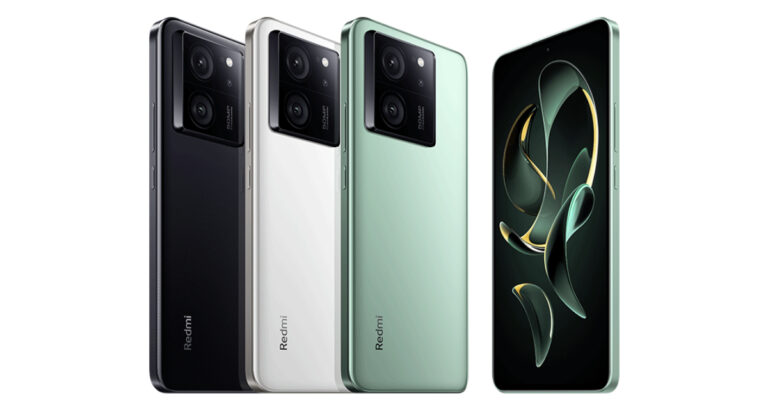
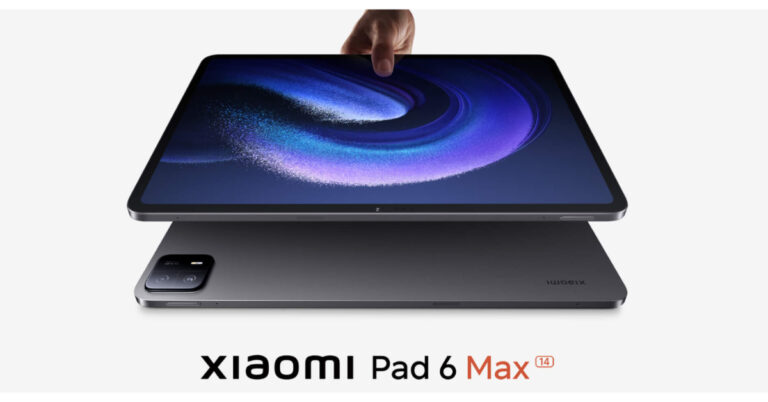
Redmi K60 Ultra has made its debut in China. Xiaomi has launched three more devices alongside the smartphone- Xiaomi Fold 3, Xiaomi Pad 6 Max, and Xiaomi Band 8 Pro. The newly arrived smartphone comes equipped with a MediaTek Dimensity 9200+ SoC. It features an AMOLED display and a 50-megapixel triple rear camera setup. In addition to this, there is a 5,000mAh battery with support for 120W fast charging. The device is IP68 rated for water and dust resistance.

Redmi K60 Ultra price and availability

In terms of availability, the Redmi K60 Ultra is currently up for sale in China and there is no word from the company whether it will be launching the phone in India or not. Redmi K60 Ultra price and availability The price of the phone is set at Rs CNY 2,599 which translates to Rs 30k for the 12GB RAM with 256GB storage option. The price of the 16GB RAM with 256Gb storage is set at Rs CNY 2,799 which is around Rs 32k. The 16GB RAM with 512GB storage option comes with a price tag of CNY 2,999 which converts to Rs 34,350. The top-of-the-line 16GB RAM with 1TB storage and 24GB RAM with 1TB memory comes with a price tag of CNY 3,299 which is approx. Rs 38k and CNY 3,599 around Rs 41,200, respectively. Also Read: iQoo Neo 7 Pro Review: Great Value For Money
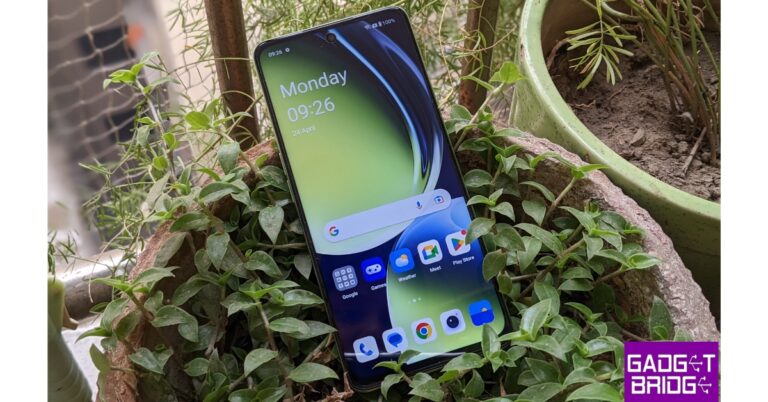
Redmi K60 Ultra Specifications

The Redmi K60 Ultra features a 6.67-inch AMOLED screen with 2272 x 1220 pixels of resolution. The display supports a refresh rate of 144Hz. Under the hood, there is Mediatek Dimensity 9200+ SoC, coupled with Mediatek 690 APU. The phone is available with up to 24GB LPDDR5X RAM and 1TB of storage. For photos and videos, the Redmi K60 Ultra comes with a triple rear camera setup. The camera unit includes a 50-megapixel IMX800 Sony sensor, an 8-megapixel ultrawide lens and a 2-megapixel portrait camera. There is a 16-megapixel front-facing camera for taking selfies and video calling. The newly launched handset has 5G, WiFi, Bluetooth 5.3, and a USB Type-C port for connectivity. It further includes a 5,000mAh battery with 120W fast charging support. For the latest gadget and tech news, and gadget reviews, follow us on TwitterFacebook and Instagram. For newest tech & gadget videos subscribe to our YouTube Channel. You can also stay up to date using the Gadget Bridge Android App. You can find the latest car and bike news here.

iQoo Neo 7 Pro Review: Great Value For Money

iQoo Neo 7 Pro has come to Gadget Bridge for review. This mid-range phone has been our daily driver for the past two and a half weeks. The gaming smartphone was introduced for about Rs 33,999. In this review, we’ll examine the device’s design, hardware, and software capabilities as well as its positive aspects and downsides. So, let’s get cracking.

iQoo Neo 7 Pro Review: Design and Display

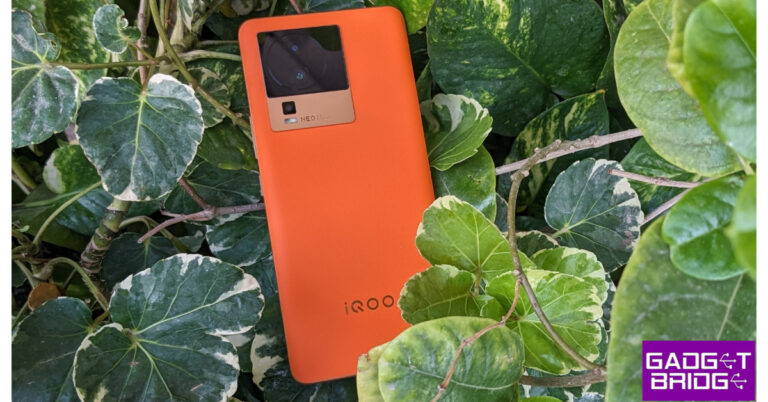
Starting with the design, the iQoo Neo 7 pro’s design doesn’t particularly stick out. We are stating this since we have seen many of its devices with similar designs. There is nothing extraordinary (design-wise) that sets this phone apart from the previous iQoo products. iQoo Neo 7 Pro Review: Design and Display Nonetheless, we liked the style, and this is the Brilliant Orange model, which features a faux-leather finish on the back panel. And we have to admit, it looks just amazing. This vegan leather finish not only feels luxurious but smooth to the touch. The build quality and overall finish, and feel are excellent. In that sense, it is a colour that stands out. The top left corner has a large camera module, while the bottom has the iQoo logo. iQoo Neo 7 Pro Review: Design and Display The smartphone’s gold-finished side frames particularly pleased us with how well they matched the colour of the device. Despite being composed of plastic, the side frames have a matte texture, which prevents fingerprints and smudges from adhering to them. Because the edges are curved, the phone feels comfortable in the hand when being used. iQoo Neo 7 Pro Review: Design and Display There is no support for expanding storage in the phone’s twin nano-SIM tray. We have been using this without a cover so far. During our usage, we found no marks, fingerprints, or wear & tear. It still appears as new, but for better protection, we strongly advise using the included cover. Also Read: Oppo Reno 10 Review: A Good Everyday Driver Even though the bezels aren’t the thinnest out there, they have been kept to a minimum and are still pretty acceptable. The phone can be unlocked quickly and reliably using the in-display fingerprint sensor. We have little hands, so reaching out to the bottom is uncomfortable, therefore the sensor may have been set a little higher. review of iQoo Neo 7 Pro The 6.78-inch full-HD+ AMOLED screen on the iQoo Neo 7 pro now stands out thanks to its 1,080 x 2,400-pixel resolution. Both a 120Hz refresh rate and a 300Hz touch sampling rate are supported by the panel. The FHD AMOLED is a 10-bit screen with 1 billion or more colours, a great brightness level of 1,300 nits, and a 10-bit colour depth. The colour has an intense punch and flawless blacks. The display’s outdoor visibility in the daytime is more than enough. The user experience is extremely fluid because of the 120Hz adaptive refresh rate. We don’t notice any jitters even though it is adaptable. The gorgeous AMOLED panel and HDR10 support make watching movies and videos even more enjoyable. The display appears clear, sharp, and vivid. The 4K videos ran flawlessly as well. There is only one down-firing speaker for audio, and the earpiece also functions as a second speaker. The audio is of excellent quality and creates an extremely immersive experience. Like the majority of high-end devices, this one also lacks a headphone port but has an IR blaster and a smart remote app for controlling your household appliances.

iQoo Neo 7 Pro Review: Performance and Camera

The Snapdragon 8+ Gen 1 is one of Qualcomm’s most potent mobile CPUs and a flagship chipset that powers the iQoo Neo 7 Pro. Up to 256GB of UFS 3.1 storage and up to 12GB of LPDDR5 RAM is available with it. Additionally, a dedicated gaming chip is included, which improves the gaming experience. On the other hand, everyday tasks like launching and closing apps move quickly, multitasking moves along quickly, and the most recent apps used were still there in memory. Also Read: HP Victus 16 2023 review: Perfect for work and gaming Our device has 256GB of storage and 12GB of RAM. We advise choosing the higher memory option if available because the internal storage cannot be extended. The RAM may be expanded by an additional 8GB (VRAM) for a total of 20 GB. When it comes to the benchmark results its Geekbench score is given below. review of iQoo Neo 7 Pro Android 13 is running on the iQoo Neo 7 Pro. This is one area where we believe Vivo could do better. Bloatware applications that appear to be less prevalent than before can be removed with ease. There haven’t been any delays or problems of any kind so far. The user interface is streamlined and tidy. Additionally, it provides a tonne of customisation options for gaming and other uses. Furthermore, iQoo guarantees three years of security updates and two years of OS updates. When playing in the Ultra game mode, you can swipe left to make a tonne of optimisations. For gamers, this device is a delight because of the monster mode. Both Call of Duty and BGMI ran without any lag or stutter. Yes, it heated up after a bit of play, but it didn’t throttle. It will be adored by gamers without a doubt. There is a triple back camera configuration for optics, and the primary camera is a 50-megapixel Samsung GN5 sensor with an f/1.88 aperture. Additionally, there is a 2-megapixel macro camera and an 8-megapixel ultra-wide-angle camera both with f/2.2 apertures. A 16-megapixel front-facing camera with an f/2.45 aperture is also included on the device for selfies and video calls. review of iQoo Neo 7 Pro The primary camera takes nice pictures in daylight. The photographs are crisp and contain good levels of detail. Although there are some colour saturation issues, the main camera is pretty capable, so this is not a huge concern. review of iQoo Neo 7 Pro Due to the 8-megapixel camera’s softer image, we wouldn’t call the Ultra-Wide angle camera remarkable, but it is still good enough for us. The macros are, should we say, sort of very much average; they are not spectacular but they are not horrible either. Currently, one area where iQoo has to improve is the portraiture, particularly the skin lightening, which is overdone in our opinion. iQoo Neo 7 Pro performance
iQoo Neo 7 Pro performance
Portrait
In addition, optical image stabilisation (OIS) helps you capture clear photographs in low light. The majority of the time, selfies are also okay, but once again, the skin tone appeared to be too white for our tastes. It’s kind of decent that 4K 60fps with EIS and OIS support is available for video recording. The videos are also reasonably steady; in fact, using the ultra-steady option allows for even greater steadiness, but only in Full HD. Selfie support includes Full HD videos at 30 frames per second. There is also a 4K video recording, which is rather disappointing but still acceptable. About the battery, it has a 5,000mAh capacity and can occasionally last us up to one and a half days under heavy use. However, the nicest feature is the 120W charger that comes in the package, which can charge your device to 50% in less than 10 minutes. The battery may be charged completely in about 25 and 30 minutes.

Verdict

iQoo Neo 7 Pro is one of the more potent gadgets in the sub-35k price range with this performance. The performance is excellent and smooth. It has a tonne of gaming capabilities, and the combination of the Snapdragon 8+ Gen 1 processor with the dedicated gaming chip makes for an excellent gaming experience. Therefore, if you enjoy gaming, this is undoubtedly a terrific device, especially considering the price range. This device also does low-light photos very well. This is a terrific value offering, in our opinion, with excellent hardware.

iQoo Neo 7 Pro Pros

Excellent display Good low-light images Comes with dedicated gaming features Great gaming experience Fast charging

iQoo Neo 7 Pro Cons

Design looks dated The cameras are decent, not exceptional Loaded with bloatware For the latest gadget and tech news, and gadget reviews, follow us on TwitterFacebook and Instagram. For newest tech & gadget videos subscribe to our YouTube Channel. You can also stay up to date using the Gadget Bridge Android App. You can find the latest car and bike news here.

BGMI redeem codes for 16 August 2023, claim and receive rewards and benefits

After being banned for nearly ten months, Battleground Mobile India, aka BGMI, is officially available again in India. BGMI fans are looking for ways to improve their game experience and one such method is the usage of redemption codes, which offers a variety of rewards and advantages using BGMI redeem codes players can gain access to new skins, outfits, loot crates, weapons and free UC and diamonds. As mentioned earlier, these codes give users the chance to earn unique rewards and gain extra benefits while playing the game. This includes GUN SKINS (M4, AKM, M416, AWM, M24, UZI, KAR98K), free character voucher, Andy, Carlo, Sara, Victor character for free, free Anna Character on completing the mission and UC or Royal Pass Discount. So here we have gathered a list of the most recent BGMI redeem codes as of 16 August 2023. Also, redeem these codes asap as these are only valid for a limited duration.

BGMI Redeem Codes for 16 August 2023

updating…

How to get free Redeem Codes for BGMI on 16 August 2023?

  • Launch BGMI on your device.
  • Then select the Redeem Code option from the main menu.
  • Next, click on the Redeem code tab.
  • A new window will open, requesting the redemption code.
  • Now enter your BGMI code.
  • Confirm and click on the “Redeem” tab.
  • If your redeem code is valid then you will get a message confirming that your rewards were successfully redeemed.
(Note that these codes are case-sensitive, so be sure to type them correctly to prevent any errors.) For the latest gadget and tech news, and gadget reviews, follow us on TwitterFacebook and Instagram. For newest tech & gadget videos subscribe to our YouTube Channel. You can also stay up to date using the Gadget Bridge Android App. You can find the latest car and bike news here.

Garena Free Fire Redeem Codes Today 16 August 2023: Here is how to claim them

Garena Free Fire is a battle royale game with regular awards and tournaments to keep players interested. If you play Garena Free Fire, you should be aware of the redeem codes that are released on a daily basis. However, because the battle royale game is banned in India, players from other countries can use the Free Fire Redeem codes daily. If you’re unfamiliar with the Garena Free Fire redeem codes or don’t know how to get them, we’ve put together a step-by-step guide to help you redeem them. Check out Garena Free Fire Redeem Codes for 16 August 2023. The Free Fire redeem codes are a great way to get free stuff. These are 12-digit codes that contain alphabets and numbers, as well as an expiration date and time. Because the Garena FF redeem codes cannot be used more than once, you should hurry to the redemption page to claim your free reward before someone else does. To get a free reward, all you have to do is go to reward.ff.garena.com/en, which is the official redemption page. Also, keep an eye on this space for daily updates on Garena Free Fire redemption codes and rewards.

Garena Free Fire Redeem Codes Today 16 August 2023

YXY3EGTLHGJX FU9CGS4Q9P4E B6IYCTNH4PV3 FFICJGW9NKYT FF10HXQBBH2J TJ57OSSDN5AP FFICDCTSL5FT WLSGJXS5KFYR X99TK56XDJ4X W0JJAFV3TU5E

How to Get Free Fire Redeem Codes for Garena on 16 August 2023?

  • Visit the Garena Free Fire game’s official website at reward.ff.garena.com.
  • Use your Facebook, Google, VK, Apple ID, Huawei ID, or Twitter account to log in.
  • You’ll be taken to a valid redemption code (s)
  • Copy and paste the 12-digit redemption code into the text box.
  • On the screen, a dialogue box will appear.
  • ‘Ok’ should be selected.
For the latest gadget and tech news, and gadget reviews, follow us on TwitterFacebook and Instagram. For newest tech & gadget videos subscribe to our YouTube Channel. You can also stay up to date using the Gadget Bridge Android App. You can find the latest car and bike news here.

Flipkart Introduces Enhanced Flipkart Plus Membership: Unlocking a New Realm of Rewards and Loyalty Benefits

Flipkart, has unveiled its revamped and upgraded version of the beloved loyalty program – Flipkart Plus Membership with Plus and Plus Premium. This innovative loyalty program has been meticulously crafted to cater to the needs of avid shoppers who frequent the platform. By unveiling this upgraded program, Flipkart is setting out with Flipkart Plus Membership to enhance the appeal and relevance of the program for its regular customers, aiming to create a more engaging and rewarding shopping experience. For customers who frequently engage with the platform, Flipkart’s Plus membership offers many exciting benefits. Customers who have completed over 4 transactions within a span of 12 months are eligible to enrol in the Plus membership, while those who have clocked over 8 transactions within the same timeframe gain access to the exclusive Plus Premium membership. The benefits bestowed upon these members are nothing short of impressive. With access to over 2 crore products, the perks include a warm welcome with 300 SuperCoins and early access to sales events. As an added incentive, Plus members can accumulate 2% SuperCoins with every transaction, coupled with the privilege of enjoying early access to major sales events. Upon upgrading to the Plus Premium level, members unlock a new echelon of advantages. These range from exclusive deals on top-tier branded products to the ability to earn an impressive 4% in SuperCoins for every purchase. Moreover, members gain entry to hourly and daily member-exclusive deals on the finest branded products. The accrued SuperCoins aren’t confined solely to Flipkart’s realm; they can be redeemed across a spectrum of Flipkart Group platforms, including Shopsy, Myntra, Flipkart HealthPlus, Cleartrip, and other select platforms. Arief Mohamad, Vice President, Customer & Loyalty, Flipkart said, “At Flipkart, we prioritize delivering value to our customers, and I am delighted to announce the upgraded loyalty program through the new Flipkart membership with Plus and Plus Premium. Built on deep customer insights, this loyalty program enables seamless access to a myriad of benefits and deals for customers who actively engage on our platform. Focused on unravelling maximum value for our loyal customers, this upgrade to the Flipkart Plus Membership program will further encourage them to avail additional benefits. This program is a testament to our unwavering commitment to deliver the best value to our customers while continually enhancing their purchase journey on Flipkart.” By restructuring the Plus and Plus Premium memberships to be transaction-based rather than contingent on order value, Flipkart has taken a bold step towards inclusivity. This evolution extends more significant advantages and streamlined loyalty access to a broader customer base. Bolstering its dedication to providing accessibility, this loyalty program not only augments the value proposition but also inspires aspirational customers across the nation to engage in online shopping. Initially launched in 2018, the Flipkart Plus program is now responsible for driving over 40% of transactions across the entire Flipkart platform, with its popularity skyrocketing during the much-anticipated Big Billion Days event. Building upon this high level of customer engagement, the Flipkart Plus and Flipkart Plus Premium memberships encourage customers to unlock even more attractive deals, better offers, and a multitude of enhanced benefits. In conclusion, Flipkart’s introduction of the upgraded Flipkart Plus Membership with Plus and Plus Premium represents a pivotal moment in the realm of online shopping loyalty programs. By prioritizing customer value and engagement, Flipkart has crafted a loyalty program that doesn’t just offer rewards but fosters a dynamic and enriching shopping experience for its valued customers. As this initiative continues to evolve and flourish, it stands as a testament to Flipkart’s unwavering commitment to its customers and its unceasing pursuit of innovation in the world of e-commerce.
Plus Plus Premium
  ●            Eligibility: 4 Transactions in 12 Months ●            Benefits on 2Cr+ products ●            2% SuperCoins per transaction ●            Early Access to Sales ●            Welcome Benefit of 300 SuperCoins for first-time Plus members   ●            Eligibility: 8 Transactions in 12 Months ●            Benefits on 2Cr+ products ●            4% SuperCoins per transaction (up to 300) ●            Access to hourly/daily member deals on top branded products ●            Early Access to Sales ●            Welcome Benefit of 300 SuperCoins for first-time Plus Premium members
For the latest gadget and tech news, and gadget reviews, follow us on TwitterFacebook and Instagram. For newest tech & gadget videos subscribe to our YouTube Channel. You can also stay up to date using the Gadget Bridge Android App. You can find the latest car and bike news here.

How to Schedule WhatsApp Messages on Android?

0
WhatsApp is the most popular instant messenger in the world, but there are some features that are sorely missed on the platform. One of the most requested features is the ability to schedule messages on the platform. While the Meta-owned messenger may incorporate this feature in future, right now you’ll need to work your way around this conundrum. In this article, we bring you 2 quick ways to schedule WhatsApp messages on Android. Read Also: Threads rolls out share a post to your Instagram DMs, and more features

Schedule Messages on WhatsApp Business for Android

WhatsApp Feature: WhatsApp Testing Multi-Account Feature For Android beta Step 1: Launch the WhatsApp Business app on your Android smartphone. Step 2: Tap the ellipses at the top right corner of the screen. Step 3: Tap on Settings. Step 4: Select Business Settings. Step 5: Tap on Away Message. Step 6: Switch on the toggle bar for Send Away Message. Step 7: Tap the pencil icon and type the message you want to schedule. Step 8: Hit Schedule. Select the time of delivery. Step 9: Add the message recipients. Your WhatsApp Business message will be scheduled for delivery at the time you’ve set.

Schedule WhatsApp Messages using a third-party app

Third-party apps like ScheduleUp, SKEDit, and Do It Later let you schedule messages on your non-business WhatsApp account. Here’s how you can use ScheduleUp to carry out this task on your device. Step 1: Download and install the ScheduleUp app on your Android device. Step 1: Download and install the ScheduleUp App from the Play Store. Step 2: Tap the plus icon at the bottom right corner of the screen. Step 2: Press the ‘+’ icon at the bottom right corner of the screen. how to schedule whatsapp messages on android. best whatsapp scheduler app Step 3: Select the name of the receiver and set the date and time of delivery. Type the message in the designated text field. Step 3: Fill out the details on the following screen. how to schedule whatsapp messages on android. best whatsapp scheduler app Step 4: Tap the tick icon at the top right corner of the screen once you’re done.  Your WhatsApp message will be scheduled for delivery.

Frequently Asked Questions (FAQs)

How do I schedule a message on WhatsApp?

Third-party apps like ScheduleUp, SKEDit, and Do It Later give you the option to schedule messages on your WhatsApp account.

How do I schedule a message on WhatsApp Business?

Go to Settings>Business Settings>Away Message and switch on the toggle bar for Send Away Message. Tap the pencil icon and compose the message. Hit Schedule and add the recipients & time of delivery.

Does the regular WhatsApp app offer a native way to schedule messages?

There is no feature to schedule messages on the non-business WhatsApp app. Read Also: Redmi 12 5G Review: Delivers on every front

Conclusion

This is how you can schedule messages on WhatsApp for Android. While there is no native method of scheduling messages on the non-business version of the app, it may be added to the messenger somewhere down the line. More recently, WhatsApp added the feature to share your screen on a video call and send video messages to contacts. For the latest gadget and tech news, and gadget reviews, follow us on Twitter, Facebook and Instagram. For newest tech & gadget videos subscribe to our YouTube Channel. You can also stay up to date using the Gadget Bridge Android App. You can find the latest car and bike news here.

How to enable Unknown Tracker Alert on your Android smartphone?

0
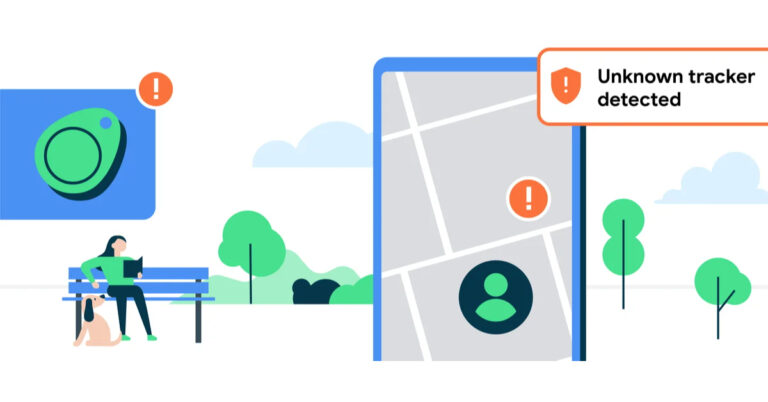
The Apple AirTag is one of the most nifty accessories you can buy to keep track of your personal belongings. Keep losing your keys? Simply attach an AirTag to it. Unfortunately, this gives malicious entities a way to track other people without their consent. To combat this issue, Google announced the unknown tracker alert feature for Android phones at their 2023 I/O event. This feature is now being rolled out on Android smartphones. Here’s how you can set it up on your device. Read Also: Redmi Note 12 Pro 5G new variant arrives in India

Enable Unknown Tracker Alert on Android

Step 1: Go to Settings and select Safety and Emergency. Step 1: Go to Settings and select Safety and Emergency. Step 2: Scroll down and select Unknown tracker alerts. Step 2: Scroll down and select Unknown tracker alerts. Step 3: Switch on the toggle bar for Allow Alerts. Step 3: Switch on the toggle bar for Allow Alerts. Step 4: To manually scan for any nearby trackers, turn on your device’s Bluetooth and tap Scan now. Step 4: To manually scan for any nearby trackers, turn on your device’s Bluetooth and tap Scan now.

Frequently Asked Questions

How do I turn on Unknown Tracker Alert on my Android phone?

Go to Settings>Safety and Emergency>Unknown tracker alerts and switch on the toggle bar for Allow Alerts.

How do I scan any AirTags that may be tracking me?

If you suspect that an unauthorised AirTag is tracking your live location, you can use your Android phone to check for it. Turn on your device’s Bluetooth and go to Settings>Safety and Emergency>Unknown tracker alerts and tap on Scan now.

How do I disable an unauthorised AirTag that’s tracking my location?

To disable an AirTag that has been planted on you to track your location, simply turn its backplate and remove the battery. This is also where you’ll find the serial number of the AirTag, which can be used to find the person who planted it on you. Read Also: Top Smart TVs under Rs 45,000

Conclusion

This is how you can turn on Unknown Tracker Alert on your Android smartphone. At the moment, this feature is only available on Google Pixel smartphones. It will be rolled out on other Android phones in a phased manner. It is also worth noting that this feature can only detect Apple AirTags. Google will hopefully add support for detecting other third-party trackers soon. For the latest gadget and tech news, and gadget reviews, follow us on Twitter, Facebook and Instagram. For newest tech & gadget videos subscribe to our YouTube Channel. You can also stay up to date using the Gadget Bridge Android App. You can find the latest car and bike news here.

Top 10 Smartphones with the Highest RAM and Storage

One of our least favourite trends in modern smartphones is the disappearing support for expandable memory. While the missing headphone jack is everyone’s biggest pet peeve, it can still be resolved with an OTG dongle. But there’s nothing you can do about the phone’s internal storage capacity once you’ve made the purchase. The smartphone’s RAM is another factor that contributes massively to its speed and functioning. In this article, we bring you the top 10 smartphones with the highest RAM and storage capacity that you can buy right now. Read Also: Top Smart TVs under Rs 45,000

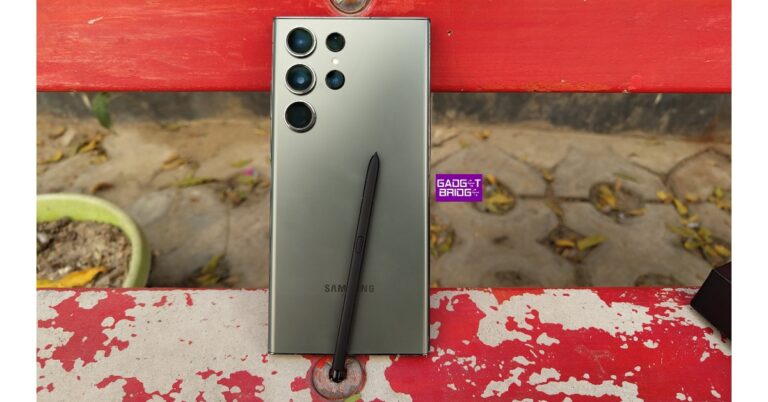
Samsung Galaxy S23 Ultra

Maximum RAM + Storage: 12GB + 1TB Price: Rs 1,54,999 on Samsung.com Samsung Galaxy S23 Ultra Review: A true flagship Samsung’s flagship smartphone offers a massive internal storage capacity of 1TB along with 12GB RAM. While the 256GB base variant of the S23 Ultra starts at Rs 1,24,999, the 1TB variant fetches Rs 1,54,999. It also gets a 6.8-inch Dynamic AMOLED 2X display with a 120Hz refresh rate, HDR10+ support, and a peak brightness of 1200 nits. Under the hood, the S23 Ultra gets the Snapdragon 8 Gen 2 SoC. OS duties are handled by Android 13. Sounds interesting? Read our review to know about the finer details of the device.

Samsung Galaxy Z Fold5

Maximum RAM + Storage: 12GB + 1TB Price: Rs 1,84,999 on Samsung.com   Samsung Galaxy Z Fold 5 price and availability Samsung’s newest foldable on the block is available in a 1TB internal storage variant as well. As far as folding phones go, the Samsung Galaxy Z Fold5 is easily ahead of the competition, with its incredible One UI OS that gets the most out of the massive screen real estate. The inner display of the Fold5 spans 7.6 inches while the cover display is a solid 6.2-inch Dynamic AMOLED unit. Powering the Fold5 is Snapdragon 8 Gen 2 SoC.

OnePlus 11

Maximum RAM + Storage: 16GB + 256GB Price: Rs 61,999 on OnePlus.in   review of OnePlus 11 OnePlus 11’s internal storage capacity may max out at 256GB but it is one of the few smartphones in India available with 16GB RAM. In some global markets, OnePlus’ 2023 flagship can be had with 512GB internal memory. While the base 8GB RAM variant is priced at Rs 56,999, the 16GB RAM version fetches Rs 61,999. The 16GB RAM variant also gets UFC 4.0 internal storage, which is an added advantage. To know more about the smartphone, read our review here.

iQOO 11

Maximum RAM + Storage: 16GB + 256GB Price: Rs 59,999 on iQOO India e-Store iQOO 11 performance OnePlus 11’s closes competitor, iQOO 11, also offers 16GB RAM along with a maximum internal storage capacity of 256GB. The 16GB RAM variant is currently available at Rs 59,999. The iQOO 11 gets a 6.78-inch LTPO4 AMOLED display with a 144Hz refresh rate, HDR10+ support, and 1800 nits of peak brightness. Powering the smartphone is the Snapdragon 8 Gen 2 SoC, while the OS duties are handled by Android 13 with Funtouch 13 OS on top. Read our review here.

iPhone 14 Pro

Maximum RAM + Storage: 6GB + 1TB Price: Rs 1,79,900 on Apple.in iPhone-14-Pro-review Both the Pro models in the iPhone 14 series offer a whooping internal storage capacity of 1TB. The 1TB variant of the iPhone 14 Pro Max fetches Rs 1,89,900. The iPhone 14 Pro gets a 6.1-inch LTPO Super Retina XDR OLED display with a 120Hz refresh rate, HDR10 support, and a peak brightness of 2000 nits. The notch on the display has now been replaced with a pill-shaped cutout called Dynamic Island. Powering the iPhone 14 Pro is the new A16 Bionic chipset. Read our review here.

Nothing Phone (2)

Maximum RAM + Storage: 12GB + 512GB Price: Rs 54,999 on Flipkart Nothing Phone 2 Price in India and availability details The recently launched Nothing Phone (2) offers some interesting upgrades over the brand’s debut smartphone that created a lot of hype last year. The biggest upgrade of them all comes under the hood, as the smartphone gets the Snapdragon 8+ Gen 1 SoC which was last year’s flagship chipset from Qualcomm. The Phone (2) is available in three storage variants – 128GB, 256GB, and 512GB. The top-spec 12GB + 512GB variant fetches Rs 54,999.

Xiaomi 13 Pro

Maximum RAM + Storage: 12GB + 256GB Price: Rs 79,999 Mi.com Top 10 Smartphones with the Highest RAM and Storage Xiaomi’s flagship smartphone in 2023 can easily go up against the ones from Samsung and Apple. The maximum RAM + storage configuration you can get on the Xiaomi 13 Pro is 12GB + 256GB. The smartphone is powered by the Snapdragon 8 Gen 2 SoC. It gets a 6.73-inch LTPO AMOLED display with a 120Hz refresh rate, HDR10+ support, and a peak brightness of 1900 nits. Talking about the cameras, the Xiaomi 13 Pro gets a 1-inch sensor for the 50MP primary shooter. It also gets a 50MP telephoto lens and another 50MP ultrawide sensor. Read our Xiaomi 13 Pro review here.

OnePlus 11R

Maximum RAM + Storage: 16GB + 256GB Price: Rs 44,999 on OnePlus.in Top 10 Smartphones with the Highest RAM and Storage OnePlus’ flagship alternative is available in a 16GB RAM variant in India. The OnePlus 11R is available at a price of Rs 44,999 and is one of the best mid-rangers around. It gets the Snapdragon 8+ Gen 1 SoC under the hood along with an Adreno 730 GPU. The rear camera array gets a 50MP primary shooter, an 8MP ultrawide lens, and a 2MP macro sensor. Read our review of the smartphone here.

Redmi Note 12 Pro

Maximum RAM + Storage: 12GB + 256GB Price: Rs 28,999 on Mi.com. Redmi Note 12 Pro Review: Powerful performance at a reasonable price. Top 10 Smartphones with the Highest RAM and Storage Talking about midrange options, Redmi Note 12 Pro offers massive 12GB RAM along with 256GB storage. The Note 12 Pro gets a 6.67-inch OLED display with a 120Hz refresh rate, HDR10+ support, and a peak brightness of 900 nits. The rear camera setup on this smartphone features a 50MP primary lens, an 8MP ultrawide lens, and a 2MP macro sensor. Up front, the 16MP selfie camera is housed in a punch-hole cutout. Powering the Note 12 Pro is the MediaTek Dimensity 1080 SoC. Read our full review of the smartphone here.

Vivo V27 Pro

Maximum RAM + Storage: 12GB + 256GB Price: Rs 42,999 on Vivo.com Vivo V27 Pro Review: More than just a camera focussed smartphone. Top 10 Smartphones with the Highest RAM and Storage Vivo V27 Pro is one of the better camera-focused smartphones around. V27 Pro’s image processing remains unmatched in its price segment. The smartphone gets a primary 50MP camera along with an 8MP ultrawide sensor and a 2MP macro lens. Up front, the 50MP selfie camera is housed inside a punch-hole cutout. The V27 Pro features a 6.78-inch AMOLED display with a 120Hz refresh rate and HDR10+ support. Read our review here. Read Also: Xiaomi Pad 6 Max is officially confirmed to debut on August 14

Conclusion 

These are the top 10 smartphones with the highest RAM and storage that you can buy right now. If a big internal storage capacity is your biggest priority, you will have to stick with the flagship devices from Samsung and Apple. We would also suggest looking into midrange smartphones that offer expandable storage. For the latest gadget and tech news, and gadget reviews, follow us on Twitter, Facebook and Instagram. For newest tech & gadget videos subscribe to our YouTube Channel. You can also stay up to date using the Gadget Bridge Android App. You can find the latest car and bike news here.

How to Quickly Fix a Hacked Android Phone? Top 5 Methods

0
If you suspect your Android phone has been hacked, you don’t need to ditch it entirely. There are several methods you can use to recover a compromised device. To begin with, there are certain signs you need to look for, in order to know for sure that your phone has been hacked. Read this article to know more. Once that’s done, use these 5 methods to quickly fix or recover your hacked Android phone. Read Also: Xiaomi Pad 6 Max is officially confirmed to debut on August 14

Delete any suspicious apps

How to Download Apps on Android Without Google Play Store? If you started noticing your phone’s absurd behaviour after installing an app, it is possible that the app is responsible for pushing malware on your device. Always look out for signs like invasive ads on your phone UI to direct malware. If you are using a modded app, it could be the culprit behind this issue. Go to Settings>Apps>App Name>Uninstall to remove any app from your device. If you suspect that a malicious entity installed a spy app on your device to gain illegitimate access to it, you need to perform a deep scan on your phone. Spy apps usually take the form of inconspicuous apps like Calendar or Calculator. If you notice something off with these apps, delete them from your phone immediately.

Clear your phone’s cache

If you notice a sudden drop in the performance of your smartphone, it may just be because of temporary files piling up in the system’s cache. These temporary files have the tendency to get corrupted and hamper the functioning of the device. Typically, the only way to clear your device’s cache is by going through every app individually and deleting its cached memory. However, you can clear your phone’s cache at once by rebooting it in Recovery Mode and selecting Wipe Cache Partition.

Perform an Anti-virus scan

Best proxy websites for safer anonymous browsing If deleting suspicious apps and clearing the device’s cache didn’t work, you should perform a thorough anti-virus scan on your phone. Major anti-virus apps like McAfee, AVG, and Avast, also check for any malicious apps or files that may be intercepting your phone’s data, resulting in a sluggish performance. For better results, use the premium versions of these apps. Performing an anti-virus scan may take some time but it will most likely find the cause of the issue you are facing.

Disable call forwarding

If someone is tapping into your phone, they are most likely listening to all your calls. The ‘call redirection’ feature can be exploited by malicious entities, in order to gain unauthorised access to your calls. Luckily, you can disable call forwarding and redirection on your device by dialling a simple code. Open the phone dialer on your device, and dial ##002#.

Perform a factory reset

If you wanna ensure that there are no malicious files or apps on your device, perform a factory reset. This will permanently delete all the data on your phone, but it will also get rid of any spyware, malware, and other viruses. Here’s how you can go about it. Step 1: Go to Settings, scroll down and select General Management. Step 1: Go to Settings, scroll down and select General management. Step 2: Tap on Reset. Step 2: Tap on ‘Reset.’ How to Quickly Fix a Hacked Android Phone? Top 5 Methods Step 3: Select Factory data reset. Step 3: Select ‘Factory data reset.’ How to Quickly Fix a Hacked Android Phone? Top 5 Methods Step 4: Scroll down and tap on Reset. Step 4: Scroll down and tap on ‘Reset.’ How to Quickly Fix a Hacked Android Phone? Top 5 Methods

Frequently Asked Questions (FAQs)

How do I find out if my phone is hacked?

If you notice a sudden drop in performance, random glitches, and invasive ads across the UI, it is possible that your phone may have been hacked.

What is the quickest way to fix a hacked phone?

The quickest way to fix a hacked phone is by performing a factory reset of the device. This may delete all your personal data but it will also delete the malicious files.

How do I disable call forwarding on my device?

Dial ##002# to disable call forwarding and redirection on your phone. Read Also: OnePlus offers lifetime screen warranty and upgrades to users facing the ‘green line’ issue

Conclusion

These are the 5 quick ways to fix a hacked Android phone. To prevent the installation of spyware or other malicious apps on your device, avoid downloading any apps or files from unknown sources. Sticking to Google Play Store and your smartphone manufacturer’s default app store greatly reduces the risk of a malware attack. For the latest gadget and tech news, and gadget reviews, follow us on Twitter, Facebook and Instagram. For newest tech & gadget videos subscribe to our YouTube Channel. You can also stay up to date using the Gadget Bridge Android App. You can find the latest car and bike news here.

Threads rolls out share a post to your Instagram DMs, and more features

0
A few weeks ago, Threads released its New Following Feed, which many users had requested. This week, Meta unveiled a number of new capabilities for Threads that will enable users to share posts straight on Instagram DMs. Additionally, Meta is developing an early desktop app within the organisation and will soon launch it worldwide. CEO of Meta Mark Zuckerberg highlighted three new capabilities for the app this week in a Threads post. Users will be able to directly share posts to your Instagram DMs in addition to the earlier option of sharing them as Instagram Stories. In addition to this users may now add alt text to photographs and videos thanks to a new function. Users can add their preferred captions and details to photographs and videos. The third feature, on the other hand, makes it simple for users to directly mention someone’s account in a Threads post. Along Along with the aforementioned changes, Threads will also enable users to organise the accounts they are following and keep track of the threads they have liked in their profile settings. Meta released a new app called Threads in July 2023. You can start conversations, respond to posts, and follow profiles here that interest you. Threads can contain short text passages, links, images, videos, or a combination of all of these. Users have been requesting the following feed functionality since Meta-owned Threads debuted. Instead of using the platform’s ‘For You’ function, users may now view the posts of the people they follow in chronological order using the New Following Feed feature. Even with the most recent version of Threads, not everyone has access to the new feature yet. The new function seems similar to the Twitter app. Users believe Threads is trying too hard to replicate Twitter and failing badly because, since the launch of the Threads app, its user base has decreased by 75%. The web version of the app will be released in the next few weeks, according to Zuckerberg’s announcement on Threads. The company has confirmed that an early version of Threads Web is being developed internally and will shortly be made available to users with certain improvements.  For the latest gadget and tech news, and gadget reviews, follow us on TwitterFacebook and Instagram. For newest tech & gadget videos subscribe to our YouTube Channel. You can also stay up to date using the Gadget Bridge Android App. You can find the latest car and bike news here.

Redmi 12 5G Review: Delivers on every front

Very few brands have a hold on the budget smartphone segment in India as Redmi does. Xiaomi’s subsidiary has been putting out affordable 5G smartphones for a while now. Last year, we reviewed Redmi 11 Prime 5G which was one of the cheapest 5G smartphones in the market at the time. This year, Redmi has set the bar higher (by pushing the cost lower), launching Redmi 12 5G at a starting price of Rs 11,999. Despite its cheap price tag, the smartphone promises some serious chops on paper, sporting the Snapdragon 4 Gen 2 processor. We got our hands on the smartphone last week and have been using it as our daily driver since then. Here is our in-depth Redmi 12 5G review. Read Also: OnePlus offers lifetime screen warranty and upgrades to users facing the ‘green line’ issue

Redmi 12 5G review: Design and Display

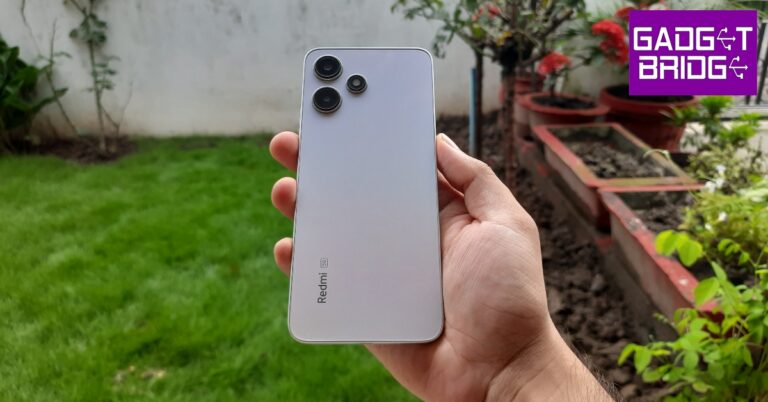
Inside the retail box, you’ll find the Redmi 12 5G smartphone, a frosted plastic cover (a nice change from the clear plastic covers that have become the norm), a SIM ejector tool, a 22.5W power adapter, a USB Type-A to Type-C charging cable, and some reading material. The unboxing experience is pretty standard, but Redmi gets extra points for including a charger in the box. Redmi 12 5G review: Design and Display The minimal back panel design is something we really like on the Redmi 12 5G. The two camera sensors are arranged vertically while the LED flash is positioned next to them, giving the entire array a triangular look. The glass panel lends a premium in-hand feel to the smartphone. The Redmi branding is embossed towards the bottom left side of this panel. All things considered, Redmi 12 5G easily clears other smartphones in this price range when it comes to the look and feel. Redmi 12 5G review: Design and Display The plastic frame houses the volume rocker keys and the lock button on the right edge and the hybrid SIM tray on the left. At the bottom you get the primary microphone, the USB Type-C port, and the speaker grille. The 3.5mm headphone jack and the IR blaster have been placed up top. A lot of budget smartphones seem to be ditching the IR blaster these days, so it is nice to see Redmi bring it back. Moving on, the Redmi 12 5G gets a solid 6.79-inch IPS LCD display with a refresh rate of 550Hz. This display can hit a peak brightness of 550 nits, which is great for indoor use but we struggled quite a bit while using the smartphone under direct sunlight. There are sizeable bezels around the display that get thicker around the chin. This is something that is expected of every budget smartphone. However, the punch hole cutout for the selfie camera scores several brownie points from us. The IPS LCD display has a 1080 x 2460p resolution. It’s not something that blows every other smartphone in this category out of the water but does a good job of producing good-quality images with optimum colour contrast and a decent amount of detail. We watched a lot of content across different OTT platforms and found the viewing experience to be quite enjoyable. The Redmi 12 5G has a single bottom-firing speaker but it can get loud enough to drown out the surrounding noise. The sound output is a little boxy with the low end needing a bit of a boost. Thankfully, there is a 3.5mm headphone jack on board. The power key on the side also doubles as a fingerprint scanner. It is fast and ultra-responsive, putting some under-display sensors to shame. The smartphone is IP53 rated for dust and splash resistance, which is incredible to see in this price range. Being in the thick of the monsoon season, we took the smartphone out with us, and it was unfazed by the odd splashes.

Redmi 12 5G review: Performance and Cameras

While the design may have won us over, budget smartphones are usually underwhelming when it comes to performance. Our expectations were tempered while using Redmi 12 5G, but it managed to surprise us. The smartphone packs the Snapdragon 4 Gen 2 SoC under its hood. It is available in the RAM + Storage variants: 4GB + 128GB, 6GB + 128GB, and 8GB + 128GB. We used the 8GB RAM variant for this review. Redmi 12 5G: Performance and Cameras The smartphone is snappy and incredibly receptive. Switching between different apps and multitasking is a very smooth process. Routine tasks like sending emails, playing content, and IMing are handled expertly. Other smartphones at this price point tend to be slugging and a step behind every touch, but Redmi 12 5G delivers a very pleasing experience. There are 7 5G bands on this device. We used Airtel 5G and found the experience on par with other 5G smartphones on the market. We tried a bit of gaming as well, playing Call of Duty Mobile on Redmi 12 5G. We did not experience any pesky lags or stuttering when playing the game on average graphic settings. However, switching to the highest possible graphics resulted in the odd frame drop during gameplay. Still a solid performance for this segment. On Geekbench 6, Redmi 12 5G achieved a single-core score of 791 points and a multi-core score of 1,803 points. You get the standard MIUI experience on Redmi 12 5G. There are a lot of customisation options on the device (courtesy of Android 13), but it runs a stripped-down version of MIUI 14. This means some of the advanced MIUI features are missing on this device. The native photo editor lacks the option of a magic eraser. The security and privacy options have some missing features too. Excessive bloatware still remains a major issue for MIUI. Removing all the unwanted apps from the device can take some time. On the bright side, Xiaomi has promised 2 major software upgrades on this smartphone. Redmi 12 5G packs a 5,000 mAh battery, which can easily last an entire day. Upon more conservative usage, this smartphone can be pushed to last for almost 2 days. With a screen on time between 5-6 hours and we were left with around 15% charge at the end of the day. The 22.5W charger that comes in the box can fully charge the battery in just under 2 hours. Redmi 12 5G: Performance and Cameras The rear camera array packs a 50MP primary shooter and a 2MP depth sensor. The 50MP camera takes decent shots in daylight conditions. The images are sharp and pack a lot of detail. We feel the colour richness could have been a bit better. The images lack the ‘pop’, and in some cases, the colours look a bit washed. In limited lighting, the main sensor produces decent results when the Night Mode is turned on. There is visible noise in the images, but that is to be expected from a smartphone at this price point. Redmi 12 5G: Performance and Cameras The 8MP selfie camera produces amazing results. Even in artificial lighting, the smartphone was able to capture vivid selfies that displayed good clarity. The process tends to smoothen out the skin texture a bit, but not to the extent that it is a deal breaker. The Portrait Mode works well for the front and rear cameras, doing a good job of subject separation and background blurring. Read Also: WhatsApp rolls out new ‘screen sharing’ feature for video calls

Verdict

With prices starting at Rs 11,999, Redmi 12 5G offers incredible value for money. If you’re looking for an affordable 5G smartphone, Redmi 12 should be a no-brainer purchase. The minimal design of the glass back panel elevates the premium factor of the device. If that isn’t enough, the Snapdragon 4 Gen 2 SoC delivers a rock-solid performance. While the camera performance may have some room for improvement, it still holds its own among the competition in this price segment.

Redmi 12 5G: Pros

  • Great design
  • Glass back panel elevates the in-hand feel
  • Good display
  • Great performance

Redmi 12 5G: Cons

  • Good amount of bloatware
For the latest gadget and tech news, and gadget reviews, follow us on Twitter, Facebook and Instagram. For newest tech & gadget videos subscribe to our YouTube Channel. You can also stay up to date using the Gadget Bridge Android App. You can find the latest car and bike news here.

Redmi Note 12 Pro 5G new variant arrives in India

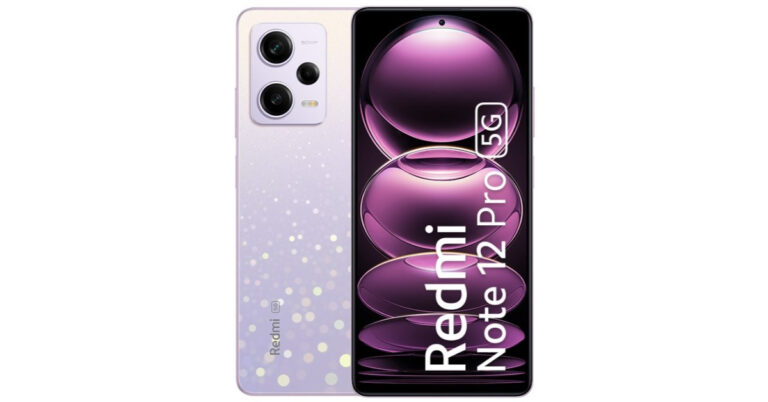
The Redmi Note 12 Pro 5G will now have a new RAM option, Redmi has announced. According to the firm, a fourth RAM option will be available for the device. Earlier this year, the phone made its debut in India alongside the Note 12 5G and the Note 12 Pro+ 5G in three different variants. In this article, we’ll get to know the price of the new, more expensive model and when it will be sold in the nation.

Redmi Note 12 Pro 5G new RAM price in India and sale details

The Redmi Note 12 Pro 5G will now be sold for Rs 28,999 with a new 12GB RAM and 256GB storage configuration. Prior to this, the company only sold the Redmi Note 12 5G in three storage configurations: 6GB RAM and 128GB storage for Rs 24,999; 8GB RAM and 128GB storage for Rs 26,999; and 8GB RAM and 256GB for Rs 27,999. The phone is available in three colours: Frosted Blue, Stardust Purple, and Onyx Black. Redmi Note 12 Pro 5G new RAM price in India and sale details The new variant of Redmi Note 12 Pro 5G is currently up for sale via Flipkart and mi.com in the country. Also Read: Xiaomi Pad 6 Max is officially confirmed to debut on August 14

Redmi Note 12 Pro specifications

The Redmi Note 12 Pro comes with a 6.67-inch full-HD+ OLED display with a 1,080 x 2,400-pixel resolution. The screen enables touch sampling rates of 240Hz, HDR10+, and supports refresh rates of up to 120Hz. Under the hood, there is, an octa-core MediaTek Dimensity 1080 SoC paired with Mali-G68 GPU and up to 12GB LPDDR4x RAM. The smartphone has a storage capacity of 256GB using UFS 2.2. The Redmi Note 12 Pro features a triple rear camera setup for photos and videos. The camera unit has a 50-megapixel Sony IMX766 sensor that features optical image stabilisation. In addition to this, there is an 8-megapixel ultra wide-angle sensor and a 2-megapixel macro sensor. The phone further includes a 16-megapixel selfie sensor on the front. A 5,000mAh battery and 67W rapid charging are features of the Redmi Note 12 Pro. For the latest gadget and tech news, and gadget reviews, follow us on TwitterFacebook and Instagram. For newest tech & gadget videos subscribe to our YouTube Channel. You can also stay up to date using the Gadget Bridge Android App. You can find the latest car and bike news here.

Top Smart TVs under Rs 45,000

Modern televisions are not only getting smarter but also cheaper. Brands like Xiaomi and OnePlus expanding their presence in the Smart TV market has also fostered competition, resulting in a drop in prices. The midrange Smart TV segment is flooded with great products from every major player. In this article, we bring you our picks for the best Smart TVs under Rs 45,000. Read Also: WhatsApp rolls out new ‘screen sharing’ feature for video calls

LG 55UR7500PSC Smart LED TV (55-inch)

Price: Rs 44,990 on Amazon LG 55UR7500PSC Smart LED TV (55-inch) The 55-inch LG 55UR7500PSC Smart LED TV has a stunning 4K resolution display that is also capable of upscaling non-4K images. The refresh rate of 60Hz makes it a decent gaming monitor as well. Connectivity options include built-in WiFi, 3 HDMI ports, 2 USB ports, eARC, Bluetooth 5.0, an optical port, and an ethernet port. OS duties are handled by LG’s WebOS 23. It also comes with 8GB storage, unlimited OTT app support, user profiles, game optimiser, and filmmaker mode.

Sony Bravia KD-43X74K 4K Ultra HD Smart LED TV (43-inch)

Price: Rs 40,990 on Amazon Sony Bravia KD-43X74K 4K Ultra HD Smart LED TV (43-inch) This 4K Smart LED TV from Sony has a refresh rate of 60Hz and a 178-degree wide viewing angle. It has 3 HDMI ports to connect a set-top box, a Blu-Ray player, and a gaming console. On top of that, it gets 2 USB ports as well. Sony KD-43X74K gets the powerful X1 4K processor that produces immaculate images on the screen. With Google TV support, you can choose from a range of OTT apps and even cast your mobile device’s display using Chromecast. Got an iPhone? You don’t need to worry as the Sony Bravia KD-43X74K supports Apple AirPlay as well.

Samsung CUE70 Crystal 4K UHD Smart TV (43-inch)

Price: Rs 33,990 on Samsung.com Samsung CUE70 Crystal 4K UHD Smart TV (43-inch) Powered by the Crystal 4K Processor, Samsung CUE70 is one of the best Smart TVs you can grab for under Rs 45,000. Its competitive pricing works in its favour as well. The PurColor tech facilitates an impressive dynamic range, elevating the viewing experience. With Samsung SmartThing support, you can connect your TV to other Samsung smart devices in your house. Features like Motion Xcelerator and Auto Low Latency Mode make this TV optimum for gaming as well.

TCL 50T6G Smart QLED TV (50-inch)

Price: Rs 45,990 on Amazon TCL 50T6G Smart QLED TV (50-inch) TCL 50T6G Smart TV gets Google TV support, 16GB flash memory, 64-bit Quad-core Processor, Game Master tech, and several in-built OTT apps. Talking about the display, the TCL 50T6G offers a 178-degree viewing angle, HDR10+ support, and a peak brightness of 360 nits. You also get a 30W sound output with Dolby Atmos and DTS Virtual X. If you wish to go hands-free, this TV also supports Google Assistant and Amazon Alexa. A well-rounded product for just Rs 45,990.

Xiaomi MI 5X (55-inch)

Price: Rs 44,999 on Amazon Xiaomi MI 5X (55-inch) Xiaomi’s MI 5X Smart TV offers incredible value for money at Rs 45,000. It gets a stunning 4K display with a metal bezel-less design. There’s support for HDR10+ and Dolby Vision. It also gets some useful features like Reality Flow MEMC and Vivid Picture Engine 2. OS duties are handled by Android TV 10. MI 5X also gets Patchwall 4 with IMDB integration. Talking about the mirroring tech, MI 5X supports Chromecast and Miracast. It also gets Auto Low Latency Mode for gaming.

OnePlus 55U1S 4K LED Smart TV

Price: Rs 42,999 on Amazon OnePlus 55U1S 4K LED Smart TV OnePlus 55U1S gets a 4K Ultra HD display with a 178-degree viewing angle and a 60Hz refresh rate. The bezel-less display has a screen-to-body ratio of 95.3%. The 30W sound output is co-tuned with Dynaudio. The TV also gets Dolby Audio support. There are 3 HDMI ports and 2 USB ports on this device. Android TV 10 OS ensures that you can download your favourite apps on the TV from Google Play Store. If you have a OnePlus smartphone, you can also make use of OnePlus Connect 2.0.

Westinghouse WH55PU80 4K TV (55-inch)

Price: Rs 30,999 on Amazon Westinghouse 55-inch 4K TV (WH55PU80) review The new Westinghouse WH55PU80 gets a stunning 4K display panel with a 178-degree viewing angle and a refresh rate of 60Hz. The IPS panel packs 1 billion colours and has HDR10+ support. The 40W audio output has a phenomenal low end, producing an encompassing sound. Westinghouse WH55PU80 runs Android TV 10 OS, which means you can install any OTT apps from the Google Play Store. With Chromecast support, you can also mirror your Android smartphone’s display on the TV. Read our full review here. Read Also: How to Free Up System Storage on Your Mac

Conclusion

These are our picks for the best Smart TVs under Rs 45,000. If you’re looking to buy a TV anytime soon, we recommend waiting for a couple more months for festive offers. What do you think of our picks? Think we missed out on a great release? Let us know in the comments! For the latest gadget and tech news, and gadget reviews, follow us on Twitter, Facebook and Instagram. For newest tech & gadget videos subscribe to our YouTube Channel. You can also stay up to date using the Gadget Bridge Android App. You can find the latest car and bike news here.

Xiaomi Pad 6 Max is officially confirmed to debut on August 14

After launching Xiaomi Pad 6 in June this year, the Chinese tech firm is all set to launch another new tablet soon. This time it is going to introduce an upgraded variant of Pad 6. The company has officially announced that the Xiaomi Pad 6 Max will be introduced in China on August 14. It will feature a 14-inch display and a dual rear camera set-up. According to the official information the tablet will be offered in the colour Grey. The launch date of the Xiaomi Pad 6 Max was revealed on Weibo by the company’s president Lu Weibing. The Xiaomi China website has also previewed the device’s appearance and a handful of its main features. Note that the upcoming Tablet will debut alongside Xiaomi Mix Fold 3 and Xiaomi Band 8 Pro in China on August 14. Also Read: Poco M6 Pro 5G powered by 4nm Snapdragon 4 Gen SoC launched in India A dedicated event page has also been created that teases the key details and design of the tablet. As per the official website in China, Xiaomi Pad 6 Max will definitely have a 14-inch screen. Along with a dual-camera configuration on the back, it will also have an LED Flash. Xiaomi’s Logo can be seen on the back panel. The device is also confirmed to have 8 speakers. The official information is very scarce but the tablet was also discovered on the Geekbench website recently under the model number 2307BRPDCC. The upcoming Xiaomi tablet has been identified with a 3.19GHz octa-core processor with the codename Taro, which was disclosed in the listing to be a Snapdragon 8+ Gen 1 SoC. Also Read: OnePlus offers lifetime screen warranty and upgrades to users facing the ‘green line’ issue Xiaomi Pad 6 Max is said to have up to 12GB of RAM. In addition to this, it will be operated on MIUI 14 on top of Android 13. According to the Geekbench listing, the tab received 1752 points in the single-core test and 4618 points in the multi-core test. Xiaomi Pad 6 Max Tablet will debut alongside Xiaomi Mix Fold 3 and Xiaomi Band 8 Pro in China on August 14. On the other hand, Xiaomi Mix Fold 3 will also debut on August 14. It is going to be the company’s third foldable device and successor to Mix Fold 2. As per the teaser, the upcoming foldable phone will have a quad-camera system bearing the Leica branding. Additionally, it seems to have somewhat rounded corners. The Samsung Galaxy Z Fold 5, and Pixel Fold, among others, will be in direct competition with the Xiaomi Mix Fold 3. For the latest gadget and tech news, and gadget reviews, follow us on TwitterFacebook and Instagram. For newest tech & gadget videos subscribe to our YouTube Channel. You can also stay up to date using the Gadget Bridge Android App. You can find the latest car and bike news here.

BGMI redeem codes for 11 August 2023, claim and receive rewards and benefits

After being banned for nearly ten months, Battleground Mobile India, aka BGMI, is officially available again in India. BGMI fans are looking for ways to improve their game experience and one such method is the usage of redemption codes, which offers a variety of rewards and advantages using BGMI redeem codes players can gain access to new skins, outfits, loot crates, weapons and free UC and diamonds. As mentioned earlier, these codes give users the chance to earn unique rewards and gain extra benefits while playing the game. This includes GUN SKINS (M4, AKM, M416, AWM, M24, UZI, KAR98K), free character voucher, Andy, Carlo, Sara, Victor character for free, free Anna Character on completing the mission and UC or Royal Pass Discount. So here we have gathered a list of the most recent BGMI redeem codes as of 11 August 2023. Also, redeem these codes asap as these are only valid for a limited duration.

BGMI Redeem Codes for 11 August 2023

SD14G84FCC RNUZBZ9QQ TQIZBZ76F SD16Z66XHH ZADROT5QLHP TIFZBHZK4A DKJU9GTDSM GPHZDBTFZM24U KARZBZYTR S78FTU2XJ LEVKIN1QPCZ

How to get free Redeem Codes for BGMI on 11 August 2023?

  • Launch BGMI on your device.
  • Then select the Redeem Code option from the main menu.
  • Next, click on the Redeem code tab.
  • A new window will open, requesting the redemption code.
  • Now enter your BGMI code.
  • Confirm and click on the “Redeem” tab.
  • If your redeem code is valid then you will get a message confirming that your rewards were successfully redeemed.
(Note that these codes are case-sensitive, so be sure to type them correctly to prevent any errors.) For the latest gadget and tech news, and gadget reviews, follow us on TwitterFacebook and Instagram. For newest tech & gadget videos subscribe to our YouTube Channel. You can also stay up to date using the Gadget Bridge Android App. You can find the latest car and bike news here.

Garena Free Fire Redeem Codes Today 11 August 2023: Here is how to claim them

Garena Free Fire is a battle royale game with regular awards and tournaments to keep players interested. If you play Garena Free Fire, you should be aware of the redeem codes that are released on a daily basis. However, because the battle royale game is banned in India, players from other countries can use the Free Fire Redeem codes daily. If you’re unfamiliar with the Garena Free Fire redeem codes or don’t know how to get them, we’ve put together a step-by-step guide to help you redeem them. Check out Garena Free Fire Redeem Codes for 11 August 2023. The Free Fire redeem codes are a great way to get free stuff. These are 12-digit codes that contain alphabets and numbers, as well as an expiration date and time. Because the Garena FF redeem codes cannot be used more than once, you should hurry to the redemption page to claim your free reward before someone else does. To get a free reward, all you have to do is go to reward.ff.garena.com/en, which is the official redemption page. Also, keep an eye on this space for daily updates on Garena Free Fire redemption codes and rewards.

Garena Free Fire Redeem Codes Today 11 August 2023

FFCMCPSEN5MX XZJZE25WEFJJ MCPW2D2WKWF2 EYH2W3XK8UPG FFCMCPSGC9XZ UVX9PYZV54AC NPYFATT3HGSQ FFCMCPSUYUYS7E BR43FMAPYEZZ FFCMCPSJ99S3

How to Get Free Fire Redeem Codes for Garena on 11 August 2023?

  • Visit the Garena Free Fire game’s official website at reward.ff.garena.com.
  • Use your Facebook, Google, VK, Apple ID, Huawei ID, or Twitter account to log in.
  • You’ll be taken to a valid redemption code (s)
  • Copy and paste the 12-digit redemption code into the text box.
  • On the screen, a dialogue box will appear.
  • ‘Ok’ should be selected.
For the latest gadget and tech news, and gadget reviews, follow us on TwitterFacebook and Instagram. For newest tech & gadget videos subscribe to our YouTube Channel. You can also stay up to date using the Gadget Bridge Android App. You can find the latest car and bike news here.

OnePlus offers lifetime screen warranty and upgrades to users facing the ‘green line’ issue

0
OnePlus India has announced a free lifetime screen warranty for users facing the ‘green line’ issue on their devices. The reports of a mysterious green line surfacing on OnePlus smartphone displays have been floating around the Internet since last year. The cases became more frequent in the last few weeks, affecting newer OnePlus devices as well. Apart from a lifetime screen warranty, OnePlus is also offering special upgrade discounts to OnePlus 8 and 9 Series users affected by the green line issue. Read Also: Poco M6 Pro 5G first sale goes live in India: Pricing and availability details

OnePlus India: End of the (green) line?

As of now, the lifetime screen warranty and upgrade discounts are available to OnePlus users in India only. It remains to be seen whether the company will implement this policy in global markets as well. OnePlus has confirmed that the screen warranty applies to all affected devices and not just selected models. The upgrade discount, however, is only available for OnePlus 8 Pro, 8T, 9, and 9R. Screen replacements for smartphones nearing the end of their lifecycle may not be available at certain OnePlus service centres in India. In this scenario, affected users can upgrade their smartphone to a newer OnePlus model at a discounted price. The offer sheet, posted by user @docnok63 on Telegram, lists the discount value for selected OnePlus smartphones. The company is offering an additional Rs 4,500 voucher to users that choose to upgrade to the OnePlus 10R. The 10R is an India-exclusive smartphone that was launched in May 2022.
OnePlus India: End of the (green) line? oneplus green line screen replacement warranty
Image Credit: Android Authority / @docnok63
The image of the offer sheet posted on Telegram seems to be taken from a OnePlus service centre. OnePlus 8T, 9, 9R, and 8 Pro get upgrade discounts worth Rs 20,000, Rs 23,500, Rs 19,000, and Rs 25,500 respectively. All purchases must be made from the OnePlus website in order to avail the discount. Read Also: Top Headphones Over Rs 25,000 for Audiophiles OnePlus’ warranty announcement has been met with a warm reception from affected users in particular and tech enthusiasts in general. The ‘green line’ seems to be affecting smartphones from other major manufacturers as well, but OnePlus is the first to acknowledge the issue and provide a solution to its customers. For the latest gadget and tech news, and gadget reviews, follow us on Twitter, Facebook and Instagram. For newest tech & gadget videos subscribe to our YouTube Channel. You can also stay up to date using the Gadget Bridge Android App. You can find the latest car and bike news here.