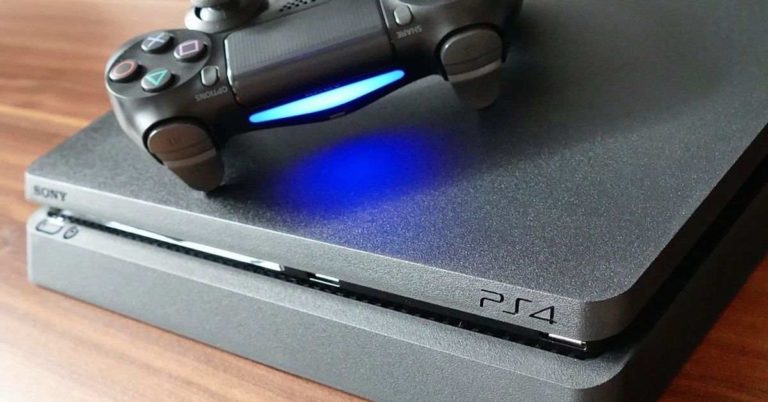
While we all know that PlayStation 4 can be used to play some excellent games, there’s a lot more than you can do to enhance your gaming experience. Here are 10 such tips that you can follow to get the most out of your Sony‘s gaming console:
In This Article
Subscribe to PlayStation Plus

This is one of the must-dos for anyone who owns a PlayStation 4. The paid service allows you to play various multiplayer games online and the first time you subscribe; you will get 15 months instead of a year. Subscribing to PlayStation Plus will also get you some exclusive discounts and access to cloud storage, in addition to two free games every month.
Add friends to play games with them

If your friends love gaming as much as you do, then you can add them to your friend list. For doing this, you click on ‘Friends’ on the main menu, search for their username and then press ‘Add to Friends.’ You can also link your account to your Facebook and Twitter accounts to play games with various contacts you have on the platforms. Once you add somebody as your friend, you will be able to message them, share screenshots, view trophies that they have won, etc.
Get more storage space

Although PlayStation 4 provides you 1TB of hard drive space, it can get used up pretty quickly if you are an avid gamer. However, you needn’t uninstall your favourite games to install some new ones. To get more storage space, you can either use an external hard drive or pay for upgrading your PS4’s internal storage drive.
Make it more secure with a passcode

If you wish to add an extra layer of your security to your PlayStation account, you can set up a passcode by going to your login settings. This feature particularly comes handy if you share your gaming console with other people living in your house who also have their accounts on it. By doing this, you can make sure that no one else has access to your account and your progress remains untouched. Also, you don’t want your flat-mates to use up the storage space on your account, particularly if you paid for it.
Broadcast your gameplay on other services

With PlayStation 4, you can very easily broadcast your gameplay on services like Twitch and YouTube. For doing this, all you have to do is press on the Share button on your controller, click on Broadcast Gameplay and then select the service you wish to broadcast your gameplay on. You would have to follow some setup instructions and your gameplay would be shared on the social channel of your choice.
Play games on your PC with PlayStation Now

If you use the PlayStation Now service, you would be able to stream PS3 and PS4 games to play them on your computer. And you can do this by paying $99 for the service. As the service streams games, you don’t have to worry about them taking up space on your hard drive. Furthermore, your progress in the game will be synced on all your devices that you use to play games.
Get PlayStation experience on-the-go

If you are a total gaming junkie, you can actually download the PlayStation app on your smartphone to get the console-like experience no matter where you are. The app is available for both Android and iOS and using it, you can download games on your console remotely, message your friends, and share your thoughts in various online communities.
Link your Spotify account to your console

If you like to club gaming with music, you would be happy to know that you actually have the option of downloading the Spotify app from PlayStation Store and link it to your gaming console. With this, you can have Spotify running in the background as you play your favourite games.
Get to know more about your trophies

Everyone wants to get as many PlayStation trophies as possible. And which gamer does not want the Platinum trophy. If you wish to track how many trophies you have earned so far, you can go to the ‘Trophies’ section in the main menu and see all the trophies you have won and the games you got them for. Here, you can also find out how many other players have won those trophies so far, and compare them to the ones your friends have won.
Transfer data from your PlayStation 4 to PlayStation 4 Pro

If you have upgraded your gaming console from PS4 to PS4 Pro, you would have to shift all the data from our old device to the new one. You can do this by using an Ethernet cable to connect both the consoles to your router. However, before doing this, you must make sure that both your consoles have the latest firmware installed on them. After this, log in to your PS4 Pro using your PSN and you would then see a prompt asking you what all data you would want to transfer. Remember, the lesser data you will move, the lesser time it will take to transfer. You can back up as much data as you can on the cloud before you begin this process to keep it short and simple.
For the latest gadget and tech news, and gadget reviews, follow us on Twitter, Facebook and Instagram. For newest tech & gadget videos subscribe to our YouTube Channel.
[td_smart_list_end]