Apple is reportedly working on a new mixed-reality headset that might arrive in the markets by 2022. Apple wants to release a powerful headset capable of featuring 8K resolution for each eye with the implementation of technologies like augmented reality (AR) and virtual reality (VR) technologies. According to technological experts, Apple’s new headset could bring a shift in the paradigm that is currently dominated by smartphones.
According to Ming-Chi Kuo, Apple analyst, “We predict that Apple’s MR/AR product roadmap includes three phases: helmet type by 2022, glasses type by 2025, and contact lens type by 2030–2040”.
In This Article
How will Apple’s Mixed Reality headset work?
The new headset will come installed with Sony’s Micro-OLED displays and enhanced optical modules to give a better experience than the existing VR devices. Although the prototypes of the product weigh between 200 and 300 grams, the company is aiming to decrease it by another 100 to 200 grams.
According to Ming-Chi Kuo, Apple analyst, “We believe that Apple may highly integrate this helmet with video-related applications as one of the key selling points”.
Apple’s Mixed Reality headset is reported to consist of more than a dozen cameras for tracing hand gestures. These cameras will utilise a visor placed on the headset to deliver the video of the real world. The headset might carry two UHD 8K screens along with eye-tracking technology.
How will Apple’s Mixed Reality headset work?
Is Apple the only player in the field of AR/VR/MR?
Apple is not the only player in the field of AR/VR glasses. Tech giants including Facebook, Amazon and Microsoft are constantly working on these innovative technologies. For instance, Facebook’s Smart Glasses are expected to be released soon with the brand name of Ray-Ban. Mesh is one such technology, which was recently announced by Microsoft that will enable people located at different locations to meet in a shared mixed reality space.
According to Alex Kipman, Microsoft technical fellow, “This has been the dream for mixed reality, the idea from the very beginning. You can actually feel like you’re in the same place with someone sharing content or you can teleport from different mixed reality devices and be present with people even when you’re not physically together.”
Microsoft Mesh mixed reality platform (Image Credit: Microsoft)
What else is Apple working on apart from the Mixed-Reality headset?
Apple is also working on the AR glasses that are expected to be released around 2025. Unlike the Mixed-Reality headsets, the AR glasses will be portable and present an optical see-through AR experience. The Mixed-Reality headsets offer a more comprehensive virtual experience. On the other hand, the AR Glasses will focus on providing a mobile experience coupled with VR.
According to Ming-Chi Kuo, Apple analyst, “We foresee that the helmet product will provide AR and VR experiences, while glasses and contact lens types of products are more likely to focus on AR applications”.
What else is Apple working on apart from the Mixed-Reality headset? (Image Credit: Apple Inc.)
Apple is also reportedly working on contact lenses to transition from computing to invisible computing. However, not much information is available regarding this future product except that it will not arrive earlier than in 2030. Kuo just observed that Apple is working on technologies related to MR, VR, and AR. Many companies are supplying intermediate products including Micro-OLED displays by Sony and EMS by Pegatron.
For the latest gadget and tech news, and gadget reviews, follow us on Twitter, Facebook and Instagram. For newest tech & gadget videos subscribe to our YouTube Channel. You can also stay up to date with the Gadget Bridge Android App.
It’s reported that WhatsApp is working on a new feature to save encrypted chat backups on iCloud and Google Drive. The password-protected feature would enable WhatsApp users to secure their chat backups against unauthorised access.
According to a screenshot shared by WABetaInfo, “To prevent unauthorised access to your iCloud Drive backup, you can set a password that will be used to encrypt future backups. This password will be required when you restore from the backup”.
In This Article
Why is WhatsApp working on this new feature?
WhatsApp chats are claimed to be end-to-end encrypted i.e., they remain on the devices of the users involved in the chat and not on the Facebook servers. However, privacy concerns were raised regarding the chat backup provided by the app itself. Many instances revealed that the chats backups on the Facebook servers were leaked to the law enforcement authorities and foreign players. As a result, WhatsApp is said to be planning to release a functionality so that users will be able to keep a backup of their chats on their cloud storage such as iCloud or Google Drive. The feature is expected to be released on both iOS and Android platforms.
Why is WhatsApp working on this new feature? (Image Credit: WABetaInfo)
How will the new feature work?
According to the screenshots shared by WABetaInfo, the task of encrypting chat backup on the cloud will require several steps. The user will require to go to the WhatsApp Settings to enable the function. In the Settings, an option will be available for users to encrypt while creating backups. The app will ask them to set a password for the chat backups. After setting a strong password, the users will be asked to need to enter the phone number once again.
How will the new feature work? (Image Credit: WABetaInfo)
What will be the impacts of the new feature?
The new feature will bring a lot of convenience to WhatsApp users as well as a few disadvantages. The following will be the impacts of the new feature.
1) Apart from chat backups on the cloud, the local Android backups would also work so that you can use password protection to the locally saved backups on your devices. However, there is no such feature for iPhone users.
What will be the impacts of the new feature?
2) Since the backups will be saved on the users’ cloud storage and not on the Facebook servers, it would not be possible for WhatsApp to assist users in recovering their lost passwords. The users shall have to enter their phone numbers for password protection.
3) Encrypted chat backups on the cloud will keep the chats secure and private. As a result, there would be minimal chances of them being leaked.
For the latest gadget and tech news, and gadget reviews, follow us on Twitter, Facebook and Instagram. For newest tech & gadget videos subscribe to our YouTube Channel. You can also stay up to date with the Gadget Bridge Android App.
Internet speed test applications are one of the most useful software. You don’t need experts or expensive tools to measure your internet’s speed. A reliable speed test application accurately talks about download speed, upload speed, and ping. However, it should not absorb too much bandwidth through background applications and advertisements. The interface should be user-friendly giving a graphical representation of the test results. Lastly, it should be cross-platform so that you can test your internet speed on multiple devices including mobile phones. Here are the top speed tests that give accurate and fast results.
In This Article
1) Ookla
Ookla has been the oldest and most-consistent speed tests available on the internet. This website provides every information regarding your network’s speed like accuracy, speed test history, servers to connect to, and an app for speed testing on your smartphone. Ookla regularly adds new features and capabilities such as a video-specific speed test to check if your network can handle 4K video streams etc. You can also run the app on Windows and smart devices like Apple TV. What some users may find irritating on the website are advertisements. These ads inevitably deviate the results of your network’s strength during the test.
OoklaRun the speed test on Ookla
2) Fast.com
Fast.com comes with a simplistic interface so that you get as accurate results as possible. This website quite popular among the users as it is owned by Netflix. Fast.com even tells you if your network can stream Netflix at the best resolution without buffering. Thus, this website is preferred by online streamers. However, its oversimplified user interface has a disadvantage as it lacks advanced settings to test the internet speeds. Unlike other websites, Fast.com does not tell, which server you should connect to for the test. However, it’s the first choice of users who want only necessary information related to streaming, downloading, and uploading.
Fast.comRun the speed test on Fast.com
3) Speedof.me
Speedof.me is also great site to test your internet’s speed and consistency. Just like Ookla, this website gives you a graphical representation of the test to get a better idea of the consistency of your network. The website is quite user-friendly that can easily run on smartphones. You need not download the app to run a speed test. The website is compatible with almost all modern browsers. Speedof.me implements pure web browser capacities like HTML5 and JavaScript. Unlike other websites, it is designed to test the internet connection speed without requiring Flash or Java. Speedof.me uses several automatically chosen test servers located across the globe for reliability.
Speedof.meRun the speed test on Speedof.me
4) Testmy.net
Testmy.net is one of the lightest websites to run the internet speed test. This website runs solely on HTML5 and PHP without needing a third-party application like Flash. As a result, it absorbs minimum bandwidth giving one of the most accurate results. Moreover, you can run this website even on older versions of web browsers. Once you create an account, you can keep your internet speed tests for future reference and comparison. However, beginners may find this website daunting, since it’s not as attractive as other websites on the list. The website allows you to test separately for Download and Upload speeds, too.
Testmy.netRun the speed test on Testmy.net
5) Google Fiber Speedtest
Google’s free Fiber Speedtest is one of the most reliable websites to test the speed of your internet connection. This application is open to all and you don’t need to subscribe to Google’s Fiber service to run the speed test. You get the efficiency and trust of Google giving you accurate results in a matter of seconds. It gives information regarding your download speed, upload speed, and ping data. The website also tells you the server you are connected to. The ‘Learn More’ option compares your current network speed to what you would get on Google Fiber.
Google Fiber SpeedtestRun the speed test on Google Fibre Speedtest
For the latest gadget and tech news, and gadget reviews, follow us on Twitter, Facebook and Instagram. For newest tech & gadget videos subscribe to our YouTube Channel. You can also stay up to date with the Gadget Bridge Android App.
In future updates, WhatsApp is expected to release a new ability for ‘Disappearing Messages’. As of now, the messages from the selected chats or groups disappear only after seven days. Soon, the users will get the feature in which the messages from the selected chats will disappear after 24 hours. WhatsApp is currently carrying out the tests regarding this new feature. It’s yet to be revealed when this feature will come on Android and iOS platforms. The new feature is expected to work for media files as well.
In This Article
What else can you expect in the future WhatsApp updates?
WhatsApp is planning to release a New Archive feature for Android and iOS platforms. This feature is currently under development and is expected to arrive in future updates.
According to WaBetaInfo, “WhatsApp is preparing an update that brings a new experience for your Archive: when you receive a message from archived chats, they won’t be unarchived anymore. This is optional. It will be available in a future update for iOS and Android. 2.21.50.11”.
What is the current ‘Disappearing Messages’ feature in WhatsApp?
The ‘Disappearing messages’ feature allows WhatsApp users to activate an option in the settings so that new messages in the individual and group chats get automatically deleted after seven days. The ‘Disappearing Messages’ feature works for both WhatsApp chats and groups. However, only the group admins can activate the ‘Disappearing Messages’ option in group chats.
What is the current ‘Disappearing Messages’ feature in WhatsApp? (Image Credit: WhatsApp)
How does the current ‘Disappearing Messages’ feature work?
The ‘Disappearing Messages’ feature must be activated individually for each chat or group. Once enabled, the new messages sent to the selected chat will automatically disappear after seven days. Users getting the messages will be able to copy the text or take screenshots within seven days. Disappearing messages will also appear in user backups. The media files you receive in WhatsApp will be downloaded to your Gallery if the auto-download feature is on. To save the disappearing messages before they get deleted, you will need to copy these messages and to a separate location.
How to enable the current ‘Disappearing Messages’ feature?
To enable the ‘Disappearing Messages’ feature of WhatsApp on your Android or iOS device, follow these steps:
1) Launch WhatsApp on your Android or iOS device.
2) Tap the desired contact on which you wish to enable the feature.
3) On the contact’s information section, tap the ‘Disappearing Messages’ option located above the ‘Encryption’ option.
4) Choose ‘On’. It will switch on the disappearing messages feature for the selected chat.
WhatsApp ‘Disappearing Messages’ feature
How to disable the current ‘Disappearing Messages’ feature?
Follow these steps:
1) Launch WhatsApp on your Android or iOS device
2) Tap the contact on which you wish to disable the feature.
3) Tap the ‘Disappearing Messages’ option.
4) Choose ‘Off’.
As soon as you disable the feature, messages from the selected chat will not disappear.
Is the current ‘Disappearing Messages’ feature on WhatsApp the same as that on other apps?
Apps like Snapchat, Telegram, and Signal also have similar features. Facebook Messenger comes with a vanish mode. However, the ‘Disappearing Messages’ feature on WhatsApp is not the same as what you get on other apps like Telegram. On Telegram, you can choose the duration before you want the messages sent to a particular chat to disappear. However, on WhatsApp, the messages sent to the desired chat will disappear only after seven days. On Snapchat, the Snaps automatically disappear once they have been opened. The unopened Snaps sent to a group chat automatically disappear in 24 hours.
Is the current ‘Disappearing Messages’ feature on WhatsApp the same as that on other apps? (Image Credit: WhatsApp)
For the latest gadget and tech news, and gadget reviews, follow us on Twitter, Facebook and Instagram. For newest tech & gadget videos subscribe to our YouTube Channel. You can also stay up to date with the Gadget Bridge Android App.
We use our Windows PCs every day for work and business, and we often do not think about the risks involved. Cybercrime has grown from where it was a decade ago. New risks have come up, but generally, the same risks have evolved and become more sophisticated. Some of the risks for PC users include:
In This Article
● Malware
Malware means malicious software that is specially designed to cause damage to servers, networks, and computers. The different variations of malware range from worms, Trojans, viruses, and others.
● Phishing
Phishing is among the most common risks and is created by malicious actors who try to solicit sensitive or private information. A phishing scam may come as an email that seems to originate from a trusted source such as a friend, colleague, or bank. The email consists of an attachment or link. When you download or click on the link, you are redirected to a bogus website that prompts you to enter your details such as name, passwords, etc.
● Ransomware
Ransomware is software that encrypts your computer or data and makes it inaccessible. The hackers demand a ransom in exchange for the decryption key.
● Man-in-the-Middle Attacks
Man-in-the-Middle attacks (MITM) attacks happen when hackers intercept two-party communication. Each person thinks they are talking to the other while, in essence, both are communicating with the hacker. This attack normally happens if your network is unsecured or has weak passwords.
How to Protect your Windows PC
You can protect your Windows PC from malicious software and hackers.
1. Enable all automatic updates
Most operating systems come with automatic updates that seal any security patches. You do not have to click any buttons or download new apps or files. The software automatically updates in the background.
2. Install a VPN
A Virtual Private Network (VPN) is an installed software that allows your PC to log safely into the internet. A PC VPN will hide your IP address, meaning no one can tell your physical location. The VPN also encrypts your data, and hackers cannot read it or intercept it in transit. Most VPNs use the 256-bit encryption standard that is impossible to crack and protects your PC from Man-in-the-Middle attacks.
3. Activate firewalls and install antivirus software
Windows PCs come with inbuilt firewalls. Activate them to keep malware at bay. Install antivirus software to keep viruses from attacking your PC.
4. Avoid Links and Downloads
Avoid downloading any attachments or clicking on links. If you are in doubt, hover on the link. If it is an HTTP and not an HTTPS, delete the email, that is a scam. If you think it could be legit such as an email from a bank, go to your browser and visit the bank website directly.
5. Use Strong Passwords
Most people use weak and obvious passwords that hackers can easily crack. Do not use passwords like birthdays, pets, or children’s names. Use alphanumeric passwords combined with special symbols to make it harder for anyone to guess.
Conclusion
Windows PCs are at risk of hacking and other forms of cyber threats. Keeping your PC safe will protect your data from theft and encryption by hackers. Being careful about links and downloads helps a great deal in securing your Windows PC.
For the latest gadget and tech news, and gadget reviews, follow us on Twitter, Facebook and Instagram. For newest tech & gadget videos subscribe to our YouTube Channel. You can also stay up to date with the Gadget Bridge Android App.
Microsoft recently began experimenting with its Chromium-based browser named Edge on the Xbox One and the new Xbox Series X/S consoles. It’s believed that Xbox testers can get access to the new Microsoft Edge browser on Xbox One or Xbox Series S/X consoles.
According to a report by The Verge, “the test build of the Chromium-based Microsoft Edge browser is now available for Xbox testers in the Alpha Skip-Ahead group. The new browser currently works best with the Xbox controller, while complete mouse and keyboard support are expected to come sometime in the future.”
In This Article
What can you expect from Edge browser on Xbox consoles?
The test version of the Edge running on the Xbox seems to support several features from the desktop version like extensions and vertical tabs. However, the current version supports navigation via Xbox controller but has some bugs that need to be removed. We can expect the basic features of the new Microsoft Edge to be available for the users including support for extensions, collections, and some desktop features.
According to the report, “Currently, the test is limited to Xbox testers in the Alpha Skip-Ahead group but hopefully, it won’t take Microsoft too long to release it to the public”.
What can you expect from Edge browser on Xbox consoles?
What will be the benefit of Edge browser on Xbox consoles?
The Edge browser testing on Xbox consoles will expand the browsing features that we can perform on gaming consoles like Xbox One and Xbox Series S/X. The Edge browser on Xbox will extend the capabilities for those users who wish to access websites on their consoles. With enhanced compatibility support of Chromium, users will get access to Google’s Stadia streaming service too.
With the integration of the Edge browser, users will be able to play browser-based games including Flappy Bird, Dinosaur game, Agar.io on their consoles. Edge on Xbox consoles will enhance the compatibility with browser-based services including Skype and Discord through the web.
What will be the benefit of Edge browser on Xbox consoles?
When can you expect the MS Edge browser to arrive on Xbox consoles?
Microsoft has decided to put an end to the legacy version of the Edge browser by March 9, 2021. As a result, the new Microsoft Edge internet browser for Xbox will be released with the end-of-support for the legacy version of the desktop application. One of Microsoft’s beta testing groups, Xbox’s Alpha Skip-Ahead group, has got the preview builds of future system updates that may reach the end-user soon. So chances are in the coming few weeks all Xbox series X and S consoles will get the update.
The android operating system automatically installs the updates of the applications and OS whenever your smartphone is connected to the internet. However, sometimes you may face issues in updating your apps. There can multiple reasons that might be preventing the Play Store to update your apps. Perform the following steps in the sequence. In most cases, your problem will get solved in the first three steps.
In This Article
Step 1. Check your network
Having a stable internet connection is a requirement for Play Store to update apps on your smartphone. If you are facing a problem in updating your apps, wait for your internet to get stable or switch to a better connection.
Step 1. Check your network
Step 2. Check Your Phone’s Storage
While updating apps, your smartphone fetches new files from the Play Store. If your phone’s storage is full, it will prevent the updated files to download. Thus, before you update your apps, check that your smartphone has sufficient storage available: Settings > Storage.
Step 3. Clear Cache of the Play Store app
Sometimes, the temporary files in the form of cache hinder the changes in the settings to occur if the updates demand them. Thus, you should Force Stop the Play Store app and clear the cache data before updating your apps. Follow these steps.
Open Settings on your smartphone.
Go to the All Apps section.
Search for Google Play Store and tap on it.
Tap on the Force Stop option.
Now, go to Storage > Clear Cache > Clear Data.
Step 4. Uninstall & Re-install Play Store Updates
Although rare, the Play Store update can also be preventing the updates of your apps. Thus, try uninstalling the updates of the Google Play Store. Follow these steps.
Open Settings on your smartphone.
Go to the All Apps section.
Search for Google Play Store and select it.
Tap on the three dots located at the top-right corner.
Tap on the Uninstall Updates button.
Tap OK.
Step 4. Uninstall & Re-install Play Store Updates
Your Play Store will get back to the factory version and soon will automatically be updated.
In case none of the above steps works, you should remove your Google Account and then add it back to your smartphone. This solves the issues related to your Google account that might be hindering the apps from getting updated.
For the latest gadget and tech news, and gadget reviews, follow us on Twitter, Facebook and Instagram. For newest tech & gadget videos subscribe to our YouTube Channel. You can also stay up to date with the Gadget Bridge Android App.
Internet messaging services like WhatsApp and Telegram offer a reliable platform to share information with your contacts and a larger audience via a group on your smartphone. However, apart from the high degree of convenience you get, these apps sometimes become disturbing elements when you get more notifications than you can handle. The best way to not let these apps distract you from your daily chores is to mute one or more chats or groups.
In This Article
How to mute chats and group notifications on WhatsApp?
When you mute a chat or a group on WhatsApp, you will continue receiving messages sent via chat or the group. However, your smartphone will not notify or buzz you about that. Neither will the muted messages be visible in the badge count on the WhatsApp icon.
To Mute chat or group notifications, follow these steps:
1) Open the WhatsApp app on your mobile phone
2) Go to the chat corresponding to the concerned contact or group.
3) Tap the chat or group subject.
4) Tap Mute.
5) You could swipe the chat or the group to the left followed by More > Mute.
6) Choose the duration you want to mute notifications for, namely, 8 hours, 1 week, or Always.
How to mute chats and group notifications on WhatsApp?
How to mute chats and groups on Telegram?
Telegram allows you to mute notifications from chats and group conversations. It should be noted that on Telegram, you can mute chats or groups for 1 hour, 8 hours, 2 days, or permanently. You can do that on different platforms in the following ways.
On Android
Run the Telegram application on your Android device.
Select the chat or group that you wish to mute.
Tap the three dots located on the top right part of the screen.
Select Mute Notifications and then select Disable.
On iOS
Open the Telegram app on your iOS device.
Select the chat or group that you wish to mute.
Tap the contact or the group name located at the top.
On the info page, tap on Mute and choose Mute Forever.
How to mute chats and groups on Telegram?
On Telegram Desktop
Run the Telegram application on your desktop.
Right-click the chat or group that you want to mute.
Click on Disable Notifications
Choose Forever and click OK.
On Telegram Web
Open Telegram web in your browser.
Select the chat that you want to mute.
Click the contact or the group name located at the top.
Ethernet has been the ideal choice for many gamers, since it provides very low latency. Wi-Fi 6 internet technology has opened many opportunities in the communications field. You might be thinking of upgrading your network and the router to Wi-Fi 6. If you have been using an Ethernet connection, then this decision is even more significant for you. Owing to its ultra-low latency, Wi-Fi 6 is seen as a revolution in online gaming. Till now, the number of participants per game has been a limitation. Wi-Fi 6 soon will turn the dream of have multiple people connected into reality when several gamers will be able to enjoy online gaming together without latency issues. But, can the Wi-Fi 6 completely replace the Ethernet LAN gaming? Let us compare them against each other to find out what’s the right choice for gaming.
In This Article
What is Ethernet and how fast it is?
Gigabit Ethernet, commonly known as Ethernet is used in large networks and can offer speeds of up to 1Gbps or more. An Ethernet employs Category 5 (Cat5e) Ethernet cords connecting your PC/laptop modem to your router. Some home networks use Cat6e instead, but the cable looks the same at a casual glance. Nowadays, optic fibre cable is used as it allows us to send signals over a much larger distance without requiring a repeater or booster. We also have Ethernet systems capable of offering as high as 10-Gigabit speeds allowing us to carry out tasks like streaming 4K videos and gaming. A 10-Gigabit Ethernet usually needs an advanced Cat6a or Cat7 cable to work. In all the cases the latency is less as it is a cable connected environment.
What is Ethernet and how fast it is?
Is WiFi 6 faster than the best Ethernet?
Wi-Fi 6 is a revolutionary technology. Older versions of Wi-Fi such as Wi-Fi 5 worked on the half-duplex connection in which you can transfer data only in one direction at one time. As a result, it’s much slower than what the latest Wi-Fi 6 offers. The Wi-Fi 6 generates a full-duplex connection allowing us to send and receive data simultaneously. As a result, there’s no waiting time and we can achieve a maximum bandwidth of up to 9.6Gbps. Wi-Fi 6 technology is designed for IoT (Internet of Things) implementation. Wi-Fi 6 comes along with several new technologies allowing routers to communicate with multiple devices simultaneously, hence lowering lag.
NETGEAR Nighthawk AX8 8-Stream Wi-Fi 6 Router (RAX80) – AX6000
Price: ₹ 24,999
Buy on Amazon
Which one provides a better gaming experience?
Online gaming requires your network to be fast-paced so that data transfer occurs with minimum lag. Every Wi-Fi connection suffers from a high ping issue that may create some amount of lag in the game. This lag has a roll-over effect on the gamer’s reflexes. Although Wi-Fi 6 is much better than the previous Wi-Fi versions. But when it comes to gaming, Wi-Fi 6 also suffers from a small amount of lag. Sine Wi-Fi is a wireless connection, it depends on the orientation of the room and the objects kept inside. Unless you’ve remastered your room and removed all the obstacles between your PC/Laptop and the Wi-Fi 6 router, going for an Ethernet connection is better than the Wi-Fi 6 conenction for gaming.
Which one provides a better gaming experience?
For the latest gadget and tech news, and gadget reviews, follow us on Twitter, Facebook and Instagram. For newest tech & gadget videos subscribe to our YouTube Channel. You can also stay up to date with the Gadget Bridge Android App.
Owning a phone number is a pre-requisite for using WhatsApp. However, the number can be your mobile number, landline, or a virtual number. As long as you can verify the number via OTP, you can register the same on the app. This process has an advantage as you can now use WhatsApp while hiding your original number.
In This Article
Why would you need to hide your number while using WhatsApp?
There is nothing illegal in hiding your number while using WhatsApp. However, you must complete the OTP verification process every time you register on the app. As long as you use the app, your phone number is visible to the groups you are part of. The phone number can be easily transmitted to contacts and groups within the app. Thus, if you wish to hide your original contact details on WhatsApp, you can do that in the following two ways.
Method 1: Using a virtual phone number
You can find several applications on the Play Store that offer a virtual phone number. TextNow is a similar service that provides you with virtual numbers based in the US and Canada. With any of these virtual numbers, you can enjoy similar online services like WhatsApp as you do with your original number.
Follow these steps.
1) Keep the TextNow app active throughout the signing up process on WhatsApp.
2) On WhatsApp, set the country code to the US or Canada whichever corresponds to the virtual number.
3) During OTP verification, let the timer to expire.
TextNow – Free US Phone NumberDownload from the Play Store
4) Choose ‘Call me’ for OTP verification.
5) You will receive a missed call on the TextNow app and a new voice message.
6) Listen to the verification code in the voice message in the Text Now app.
7) Enter the code on WhatsApp just and follow the on-screen instructions to complete the registration.
Method 2: Using a landline number
You can use a landline number to use WhatsApp. However, the regular version of WhatsApp is not compatible with landline numbers. Instead, you will require to install the WhatsApp business app. Follow these steps.
1)Download and install the WhatsApp Business app on your smartphone.
2) During the phone number registration, select the country code for India i.e. +91.
3) Now enter the STD code followed by your landline number.
4) Let the OTP timer to expire.
Method 2: Using a landline number
5) Choose ‘Call me’ for OTP verification.
6) You will receive a call on your landline number.
7) Listen to the OTP on the call.
8) Enter the code on WhatsApp just and follow the on-screen
For the latest gadget and tech news, and gadget reviews, follow us on Twitter, Facebook and Instagram. For newest tech & gadget videos subscribe to our YouTube Channel. You can also stay up to date with the Gadget Bridge Android App.
Parenting a pet is not an easy task especially for the working class. You have to handle multiple tasks simultaneously. Besides, carrying out your daily chores, you have to take care of your pet’s diet, hygiene, and entertainment. However, a solution lies in your smartphone. There are several apps available for Android users to cater to the requirements of their pet. Here is the list of the top 5 apps that every pet-owner must install.
In This Article
1) Petamiko
Petamiko is a one-stop solution for pet-owners as it caters to all the requirements of pets. This app enables you to set schedules for pet care activities including grooming, vaccination, vet visits, and medicines. It offers a Pet Adoption feature that helps you find an appropriate adopter for your pet. The app comes with a pet where you can post your questions related to your pet. You get a simplified user interface to find the right match for your pet. You can find several profiles of pet owners and adopters within the app to choose from saving a lot of time and effort while finding the right match for your pet. The app enables you to have direct contact with partners without the involvement of any third-party enhancing trust and transparency.
PetamikoDownload from the Play Store
2) Dog Training App with Clicker by Dogo
Dogo is a useful app for you to train your dog. This app offers more than 100 commands, instructions, and videos that you can refer to. You can also track the daily progress of your dog through a daily progress report. Dogo allows you to consult dog trainers in case you struggle while training your dog. The inbuilt-feature named Dog Clicker significantly reduces dog training time by the use of a variety of sounds. Every week, there is a new challenge theme for your dog. You can share photos of your dog with the Dogo community. Dogo offers personalized training programs with a Dogo Training Completion Certificate.
Dog Training App with Clicker by DogoDownload from the Play Store
3) Rover – Dog Boarding & Walking
Rover is a useful pet-sitting application that plays the role of a medium for owners to find pet caretakers. You can find a trusted list of dog walkers and house sitters in your neighbourhood. The app allows you to share photos and videos with pet owners in a few clicks. Rover offers a user-friendly interface. With push-notifications, you can respond quickly while boking requests. Rover comes with a unique feature of Rover Cards that you can use to send information to clients. Using the app, you can get updates regarding photo updates and GPS tracking of your dog’s walk. This app is highly secure as it accepts not more than 20% of potential sitters.
Rover – Dog Boarding & WalkingDownload from the Play Store
4) Chewy – Where Pet Lovers Shop
Chewy offers all that your pet need. The app offers a variety of toys, foods, and medicines at reasonable prices. The user interface is quite friendly with each information presented in separate categories. The auto shipped deliveries bring your dog’s food regularly so that you don’t need to go to visit the market. With a subscription, you can even avail of discounts. You can find hundreds of the best brands of pet food with 24/7 customer service. The app allows you to update the order anytime so that your daily schedule doesn’t get compromised. On selected brands, you can get a bonus 5% discount on every delivery.
Chewy – Where Pet Lovers ShopDownload from the Play Store
5) 11pets: Pet care
11pets is a one-stop solution for pet-owners as it offers reminders related to different activities of parenting. You get notifications regarding your pet’s vaccination, de-worming, and hygiene. The app is equally beneficial for welfare organizations as it provides a feature to keep health records and medical data. by using this app, you can efficiently keep a variety of pets such as cat, rabbit, and bird. With automatic scheduling, you stay organised and save a lot of amount of time that you can utilise on other tasks. You can cooperate with other members and share your data through your smartphone.
11pets: Pet careDownload from the Play Store
For the latest gadget and tech news, and gadget reviews, follow us on Twitter, Facebook and Instagram. For newest tech & gadget videos subscribe to our YouTube Channel. You can also stay up to date with the Gadget Bridge Android App.
International Women’s Day is a special occasion for everyone to make women feel happy and special. Although we do believe every day is women’s day as they are our frontline workers at home and otherwise, we salute them. Be it your mother, sister, friend, or wife, gifting is one of the finest gestures to express your care and gratitude towards them. If you’ve been thinking about gifting her a gadget but are still confused about what that should be, you have come to the right place. We’ve come prepared with the top 10 list of gadgets you must go through while choosing a gift for her this Women’s Day.
In This Article
1) Kindle Paperwhite
What can be a more amazing activity than reading? Go ahead and gift her this Women’s day a Kindle paperwhite. This gadget truly enhances the reading habit. The latest 10th gen Kindle is the thinnest ever designed by the company. The outstanding 300 PPI glare-free screen makes you feel as if you’re reading a real book. Now the gadget comes with double the storage (8GB) as compared to the previous version. It’s also waterproof so she can fearlessly carry it near the pool or beach. The device comes with an adjustable light for reading during different light conditions. The powerful battery lasts for weeks without charging.
Kindle Paperwhite
Price: ₹ 12,999
Buy on Amazon
2) Apple iPhone 12 Pro
A smartphone is not just a gadget, it’s a companion. If you had been thinking of gifting her for quite some time. This Women’s Day is the occasion and the iPhone 12 Pro is the perfect gift for her. It comes with a 6.1-inch Super Retina XDR display with a ceramic shield that is quite tough. The A14 Bionic chip delivers outstanding performance for a variety of tasks including gaming. the fastest chip ever in a smartphone. The Pro camera system offers 12MP Ultra Wide, Wide and Telephoto cameras. She can click amazing photos with features like Deep Fusion, Smart HDR 3, and Apple ProRAW.
Apple iPhone 12 Pro
Price: ₹ 1,19,900
Buy on Amazon
3) Apple Watch Series 6
A wristwatch is the best accessory for a woman as it goes well with all outfits. The Apple Watch Series 6 will not only help her measure time but enhances her personality. It’s more than just a watch. The bright Retina Display adapts to the environment light conditions making it visible even in the outdoors. She can track her fitness on her Apple Watch that gets synchronised with her iPhone. She can take calls and send messages right from her watch. It is made of Swimproof design so that she can wear it in all seasons and while swimming. She can listen to her favourite music, podcasts, and audiobooks.
Apple Watch Series 6
Price: ₹ 43,900
Buy on Amazon
4) Echo Dot
A smart device is an interesting gadget to gift. The Echo Dot is a smart speaker that she can operate by her voice. The Bluetooth feature will allow it to get paired with her smartphone or to other speakers via a Bluetooth/3.5mm jack. She can stream millions of songs on apps like Amazon Prime Music, Spotify, and JioSaavn. Alexa can speak both English & Hindi. This gadget will make her home smart with Alexa allowing her to use voice commands to control lights, ACs, TVs, and geysers. The best part is this gadget never gets old. The latest features are automatically added to Alexa that is the brain behind the Echo Dot.
Echo Dot
Price: ₹ 3,499
Buy on Amazon
5) Oppo Enco x
An earphone is an essential accessory that can be a perfect choice of gifting her. These OPPO Enco X earphones come with a coaxial dual-driver design that offers both durability and performance. The dual-core chip with a dual-microphone design allows you to experience an optimal noise cancellation performance. Now, you can watch movies and listen to music without any disturbance. You get an ergonomic design so that you don’t feel stress while wearing them even for hours. These earphones are designed using Dynaudio technology and DBEE 3.0 Sound System to give you an immersive sound experience.
OPPO Enco X
Price: ₹9,990
Buy on Flipkart
6) Samsung A51
This smartphone from Samsung is something that you can’t deny considering while gifting her. It comes with a Quad camera setup for clicking outstanding photos. You get a 48MP main camera, a 12MP ultra-wide camera, a 5MP depth camera, and a 5MP macro camera. You get a 32MP front punch hole for clicking amazing selfies. The 16.40cm super Amoled Infinity-O display consists of an FHD+ capacitive multi-touch touchscreen that can support 16M colours. The powerful 4000mAH lithium-ion battery lasts throughout the day without charging. The device is packed with a 1.7+2.3GHz Exynos 9611 octa-core processor that can easily handle resource-demanding tasks including gaming.
Samsung A51
Price: ₹ 20,999
Buy on Amazon
7) Dyson Supersonic 309248-01 Hair Dryer
In today’s fast-moving lifestyle, women often forget to take care of their hair. This hair dryer from Dyson delivers hot and purified air without causing any damage to hair. It comes with in-built temperature control that measures the air temperature 20 times every second. It is designed using the Air Multiplier technology that produces 41 litres of air per second for precise drying. The Dyson Supersonic hairdryer offers magnetic attachments allowing her to quickly to turn them on and off while styling. The Smoothing nozzle will help her to dry and style her hair simultaneously with gentle airflow.
Dyson Supersonic 309248-01 Hair Dryer
Price: ₹28,900
Buy on Reliance Digital
8) Saregama Carvaan Mini 2.0- Music Player
Music is the perfect source of entertainment. The Saregama Carvaan Mini 2.0 Bluetooth Multimedia Speaker will enhance her music listening experience. This gadget has a compact design so that she can carry this while jogging or walking. The iconic Harman Kardon sound delivers a crystal clear sound. It comes packed with 351 evergreen Hindi songs like legends including Lata Mangeshkar, Mohd Rafi, Kishore Kumar, Asha Bhosle, Mukesh, etc. She can also connect it with her Bluetooth-enabled devices. This device runs a powerful battery that easily lasts for up to 4-hours on a single charge.
Saregama Carvaan Mini 2.0- Music Player
Price: ₹ 1,990
Buy on Amazon
9) Mi Smart Band 5
Gifting her a smart band is the best way to encourage her to take care of her fitness. The Mi Smart Band 5 comes with a 1.1inch full touch AMOLED display for crystal clear graphics. The powerful 125 mAh battery runs up to 14 days on a single charge. The magnetic charging allows fast and seamless charging. The PAI (Personal Activity Intelligence) will present a summary of all her fitness-related activities in the form of a matrix. She can track 11 sports mode such as Yoga and Rope skipping. The 5ATM Water Resistant feature will enable her to wear this gadget in all seasons and near a pool or beach. Other features include a 24X7 Sleep monitoring system, app notifications, alarm, and idle alert.
Mi Smart Band 5
Price: ₹ 2,499
Buy on Amazon
10) LATME Sunrise Alarm Clock Wake Up Light Compatible with Alexa Google Home
A sunrise alarm clock is a good choice to gift her so that she can rise from her bed with positivity. The LATME Sunrise Alarm Clock will improve her sleep and energy. The sunrise/sunset simulation will allow her to choose the time she wants to wake up. About 10-60 minutes prior to the selected wake-up time, the light gently turns on gradually turning brighter. The gadget comes integrated with Alexa so that she can control the light using voice commands. It is designed with 7 alarm sounds to chose from as per her preferences. The snooze functionality gives 8-15 extra minutes of sleep before alerting once again.
LATME Sunrise Alarm Clock Wake Up Light Compatible with Alexa Google Home
Price: ₹ 8,000
Buy on Amazon
For the latest gadget and tech news, and gadget reviews, follow us on Twitter, Facebook and Instagram. For newest tech & gadget videos subscribe to our YouTube Channel. You can also stay up to date with the Gadget Bridge Android App.
Modern web browsers like Chrome, Mozilla, and Safari allow users to customise their appearance and some features for a personalised experience. If you don’t change the browser settings as per your preferences, they adjust to the system settings provided by the operating system. One of the key features provided by almost all web-browsers is downloading files from the internet. Users at times, face difficulty in locating the downloaded files at their default location.
You can change the default location of files you download from the Chrome browser in the following steps.
1) Open the Chrome web-browser.
Chrome Settings
2) Click on the three dots located at the top-right corner.
3) Click the Settings option.
4) Scroll down to the bottom of the Settings page.
5) Click on Advanced.Chrome Advanced Settings: Downloads
6) in the Downloads section, you’ll see the default download location
7) Click Change and select the desired path where you want all your downloaded files to be saved.
8) If you’re not sure about the location, you can turn on the Ask where to save each file before downloading.
In This Article
How to locate a file downloaded using Chrome?
To locate where the Chrome browser saved your downloaded file, open the list of downloaded files. To access this list, follow these steps.
1) Open Chrome and select the three vertical dots located at the top-right corner
Open Chrome and select the three vertical dots located at the top-right corner
2) Choose Downloads. You can also use the keyboard shortcut Ctrl+J (Windows) or Option+Command+L (Mac).
3) You will find a list of downloaded files and their URLs. To open a file, click the filename.
What are the default download locations for different operating systems?
The e-commerce website Flipkart is hosting Daily Trivia Quiz. Every day it brings a bunch of new questions for its users. By answering them correctly you can win exciting prizes. The questionnaire is based on questions related to general knowledge. Also, the users can win free vouchers and super coins, among other offers via the daily quiz. March 6 Flipkart Daily Trivia Quiz Answers has already gone live on its platform.
The participant should be at least 18 years old and should have a valid login ID. The Quiz is available on the mobile platform and not the web version. E-commerce conducts the quiz on daily basis and goes live at 12:00 AM IST and runs till 11:59 PM IST. The winners are announced within 15 days from the date of participation that can be viewed under the Gems/Rewards section in the app.
In This Article
How to participate in the Flipkart Daily Trivia Quiz
To participate download the Flipkart app on your phone. Then open the Flipkart app then head to Game Zone. Now click on the Daily Trivia Banner or search for Daily Trivia. Enter the game and answer all 5 questions with correct answers.
March 6 Flipkart Daily Trivia Quiz Answers
Q –1 Which Of These Countries Is Not A Part Of The West Indies Cricket Team?
Answer: GhanaQ –2 From 1930 To 1970, Which World Cup’s Winners Were Given The Jules Rimet Trophy?
Answer: FootballQ –3 Who Recently Became The Fastest Indian Bowler To Take 250 Wickets At Home In Test Cricket?
Answer: R AshwinQ –4 After Which NBA Player Is The Bird In The Logo Of Twitter Named?
Answer: Larry BirdQ –5 For Which Popular NBA Player Was The Nickname “His Airness” Used?
Answer: Michael Jordan
The e-commerce website Amazon continues to keep its customers entertained and in high spirits through their daily quizzes. March 6 Amazon Quiz has gone live now in its mobile app platform. The daily quiz contest conducted by the company brings an opportunity for the consumers to win exciting prizes. In today’s quiz, you can win the Rs 25,000 Amazon Pay Balance by answering all the questions correctly.
Every day Amazon brings a fresh set of questions for its customers that contains five easy questions based on general knowledge and current affairs. The quiz can be played on the Amazon app from 8 AM to 12 noon. You have to answer all the questions correctly; one wrong answer can make you eliminate from the quiz. By answering all the questions correctly, you will be shortlisted for a lucky draw. The results for the lucky draw will be announced at the end of the month. By participating in the quiz, you can win free products ranging from smartphones, other gadgets and Amazon Pay balance. Check out today’s quiz questions and answers to win March 6 Amazon Quiz: Today you can win Rs 10,000 Amazon Pay Balance.
March 6 Amazon Quiz Answers
Question 1: What word has been named by Oxford Languages as its Hindi word of the year 2020?
The answer is- Aatmanirbharta
Question 2: The tradition of what is known to have begun in Raghurajpur, a heritage cloth crafts village in Odisha?
The answer is- Pattachitra
Question 3: Which high-profile Google project, aiming to deliver wireless internet via flying balloons in the stratosphere, recently got shut down?
The answer is- Project Loon
Question 4: This phone belongs to the biggest technology company of which country?
The answer is- South Korea
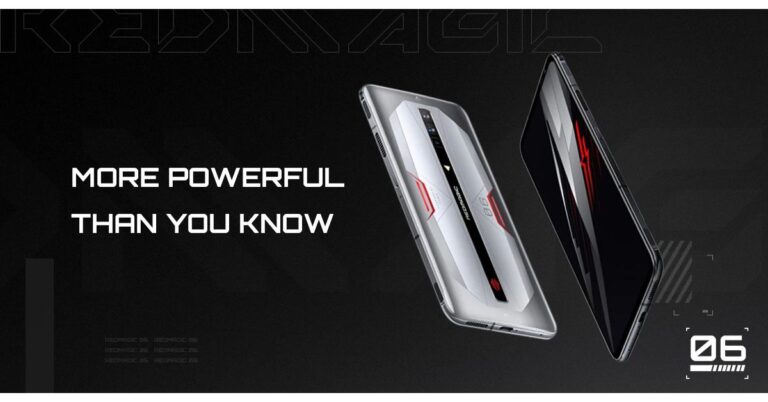
Nubia’s Red Magic 6 series has finally launched in the market. The gaming smartphone series includes two devices namely Red Magic 6 and Red Magic 6 Pro. Both the devices are powered by Snapdragon 888 SoC. There is a 6.8-inch full-HD+ display with 165Hz refresh rate support in addition to a 120W rapid charging tech. In addition to this, there are 400Hz capacitive shoulder triggers on the smartphone and comes with an optional dual fan and dual-TEC clip-on cooler. Both the variants also feature a triple rear camera setup with active cooling for the heat sink.Red Magic 6 and Red Magic 6 Pro: Price and Availability detailsRed Magic 6 and Red Magic 6 Pro have been officially launched. The former is being offered in two variants of 8GB RAM with 128GB storage and 12GB RAM with 128GB storage options priced at CNY 3,799 (that translate to Rs 42,700)and CNY 4,099 (that translate to Rs 46,000) respectively. This device will be available in a single Carbon Fibre Black colour option. Whereas the 12GB with 256GB storage will be offered with a price tag of CNY 4,399 that comes at Rs 49,500 (approx).The Pro model will come at a starting price of CNY 4,399 for the 12GB + 128GB variant while the 12GB + 256GB variant is priced at CNY 4,799 that translates to Rs 54,000. The top of the line 16GB RAM with 256GB storage model will retail at CNY 5,299 that comes around Rs 59,600. All the models of the Red Magic 6 Pro will be available in Black Iron and Ice Blade Silver colour options. In addition to this, the company has also introduced a Transparent Edition and the price of the 16GB with 256GB model is set at CNY 5,599 that translates to Rs 63,000. But what takes the cake is the 18GB RAM with 512GB storage option that will be available for purchase at a price tag of CNY 6,599 that translates to Rs 74,200. Both the regular and the Pro variants are open for pre-registration in China via JD.com and the sale is scheduled for March 11 onwards. The company is yet to announce the international availability of these gaming smartphones.Red Magic 6 and Red Magic 6 Pro: Tech specificationsSpeaking of the specifications, Red Magic 6 bears a 6.8-inch full-HD+ display having 1,080×2,400 pixels of resolution with a 91.28 percent screen-to-body ratio and 1,000,000:1 contrast ratio. There is a 165Hz refresh rate panel with a 500Hz single finger touch sampling rate and a 360Hz multi-finger touch sampling rate. In addition, SGS high brush low smear and SGS Low Blue Light Eye Care certification is also there. The phone runs on Android 11 based RedMagic OS 4.0 and is powered by Qualcomm Snapdragon 888 SoC coupled with Adreno 660 GPU for graphics. It will be available with up to 12GB of LPDDR5 RAM and up to 256GB of UFS 3.1 storage options.For the cameras, the device features a triple rear camera setup that includes a 64-megapixel primary sensor. Furthermore, there is an 8-megapixel ultra-wide-angle sensor and a 2-megapixel macro lens. For selfies, there is an 8-megapixel sensor on the other side.The device packs all the necessary connectivity options that include 5G, Wi-Fi 6, Bluetooth 5.1, GPS, 3.5mm headphone jack, and a USB Type-C port. While the sensors onboard include a gravity sensor, accelerometer, gyro, geomagnetic sensor, ambient light sensor, proximity sensor and an in-display fingerprint scanner. For the cooling system, the gaming phone has ICE6.0, which includes an 18,000-rpm high-speed centrifugal fan, a cooling canyon air duct, superconducting copper foil, thermal gel, graphene, with active cooling for the heat sink. The device is fuelled by a 5,050mAh battery with 66W fast charging support. Coming to Red Magic 6 Pro the specs of this model are the same as the regular variant except for a faster cooling system. There is a 7-layer multi-dimensional system that includes a 20,000 rpm high-speed centrifugal fan and an extra aviation-grade cooling ice blade. Also, the gaming phone packs a 4,500mAh battery with 120W fast charging support. Else camera features, sensors and connectivity options remain the same as above. 18GB RAM is available in only the special edition of the smartphone.
For the latest gadget and tech news, and gadget reviews, follow us on Twitter, Facebook and Instagram. For newest tech & gadget videos subscribe to our YouTube Channel. You can also stay up to date using the Gadget Bridge Android App.
Have you ever wondered how an airplane flying high up in the troposphere provides high-speed Wi-Fi services to its passengers? Contrary to the Wi-Fi service we get on the ground, an airplane utilises two systems for providing uninterrupted Wi-Fi service to the passengers and crew inside, namely, ground-based and satellite-based. Let’s take a look at both of them.
In This Article
1) Air-to-ground Wi-Fi communication
The air-to-ground Wi-Fi works on the same principle as it works on the ground. The difference lies only is in its relative position. When on the ground, the antenna is higher than the devices in the networks. However, to connect to a tower, the antenna is installed underneath the airplane’s body.
As the aircraft progresses in its flight, it keeps switching to the network of maximum strength in range. Likewise, the passengers inside the airplane remain connected with the internet services like streaming, emailing, and messaging.
It’s worth noting that as long as the airplane is flying over a continent, it communicates through antennas on the ground as well as the satellites. It’s only when the airplane is gliding over high seas, do satellites become the sole medium of communication.
How does Wi-Fi work in airplanes?
2) Satellite-based Wi-Fi communication
The air-to-ground Wi-Fi works only as long as communication towers or antennas are available in the range. As soon as the airplane starts flying too far from the coast, it starts losing the ground signals.
In this case, the communication satellites orbiting around the earth constantly exchange signals just like an antenna on the ground does. The satellite forms the link between the flying airplane and the ground stations.
Since multiple communication satellites revolve around the earth, the airplane resonates with the nearest satellite as it moves. A Satellite WiFi works in two different bandwidths, namely, narrowband and broadband. A narrowband allows the passengers to carry out things like emailing and texting. However, heavier tasks like downloading and streaming require broadband.
Satellite-based communication
How do airlines bear the cost of Wi-Fi in airplanes?
The setting up of the Wi-Fi requires the installation of antennas on the airplane. This cost is born by the airline companies. Some airline companies prefer to install Wi-Fi antennas on new aircraft rather than the existing ones. This is because installing new equipment on a new airplane is much easier than taking the existing one out temporarily out of service for the sake of retrofitting. The overhead cost could then be comfortably recovered from the tickets.
So the next time you are on a plane with Wi-Fi, this will be a great conversation point with your fellow passengers.
For the latest gadget and tech news, and gadget reviews, follow us on Twitter, Facebook and Instagram. For newest tech & gadget videos subscribe to our YouTube Channel. You can also stay up to date with the Gadget Bridge Android App.
Buying a Wi-Fi router is at times a challenging task. With so much technical information data associated with Wi-Fi-6 routers, it becomes difficult to decide which one would suit the size and shape of the house. Today, we can’t compromise with privacy and security, the router should be capable of providing stable internet with protection against threats. Here is the list of the best and most secure Wi-Fi- 6 routers for your home.
In This Article
1) TP-Link Wi-Fi 6 AX1500
The TP-Link Archer AX1500 comes with the latest Wi-Fi 6 technology that offers high-speed connectivity and greater capacity. According to the company, this Wi-Fi router is capable of reaching speeds as high as 1.5 Gbps (1201 Mbps on the 5 GHz band and 300 Mbps on the 2.4 GHz band). The OFDMA and MU-MIMO technologies ensure that you easily connect multiple devices like smartphones, laptops, and smart TVs without experiencing lag. The 1.5 GHz tri-core processor provides smoother and buffer-free communication. You can easily set up this device at your home as it supports all existing 802.11 standards and WiFi devices.
TP-Link Wi-Fi 6 AX1500
Price: ₹ 4,999
Buy on Amazon
2) TP-Link Wi-Fi 6 AX3000
This Wi-Fi router from TP-Link comes with the latest Wi-Fi 6 technology that can deliver 3x faster speeds as compared to its predecessor. According to the company, this device can reach speeds as high as 3 Gbps (2402 Mbps on the 5 GHz band and 574 Mbps on the 2.4 GHz band). Now you can enjoy online gaming and stream better than ever. The revolutionary OFDMA technology allows offers lag-free connectivity across multiple devices in your homes like smartphones, laptops, and smart TVs. It is designed with Target Wake Time technology that minimises power consumption and enhances longevity.
TP-Link Wi-Fi 6 AX3000
Price: ₹ 7,999
Buy on Amazon
The NETGEAR Nighthawk AX8 8-Stream AX6000 WiFi Router (RAX80) is designed on the latest Wi-Fi 6 standard that is capable of performing four times better than its predecessor. To enhance network efficiency, AX WiFi comes with technologies such as OFDMA, 160MHz channel support, and MU-MIMO. The 64-bit 1.8GHz quad-core processor transfers a huge amount of data within no time giving you a lag-free experience. This router is perfect for your home offering Multi-Gig internet support.
NETGEAR Nighthawk AX8 8-Stream Wi-Fi 6 Router (RAX80) – AX6000
Price: ₹ 24,999
Buy on Amazon
4) Linksys Velop Wi-Fi 6 AX 5300
The Linksys Velop WiFi 6 (AX5300) is built on the latest Wi-Fi 6 technology to deliver gigabit speeds across all your connected devices in your home. The MU-MIMO (Multi-User Multiple-Input Multiple-Output) technology ensures fast download and upload speeds on up to eight devices connected simultaneously. With the exclusive Linksys Shield, you get a Parental control feature and security against cyber threats. You also get the Linksys Aware feature that identifies activity through WiFi signals and sends you notifications.
Linksys Velop WiFi 6 AX 5300
Price: ₹ 32,005
Buy on Amazon
5) ASUS AX3000 Dual-Band Wi-Fi 6
The ASUS AX3000 Dual Band WiFi 6 router is designed on the MU-MIMO and OFDMA technologies for better bandwidth capacity and efficiency. According to the company, this router can deliver a total networking speed of about 3000 Mbps (574 Mbps on the 2.4GHz band & 2402 Mbps on the 5GHz band). The best part is you get commercial-grade security at your home. The AiProtection feature blocks cyber threats across all connected devices like smartphones, laptops, and smart TVs. The ASUS AiMesh feature creates a whole-home Wi-Fi network utilising multiple ASUS routers thereby saving time and offering roaming capability.
ASUS AX3000 Dual-Band Wi-Fi 6
Price: ₹ 15,590
Buy on Amazon
For the latest gadget and tech news, and gadget reviews, follow us on Twitter, Facebook and Instagram. For newest tech & gadget videos subscribe to our YouTube Channel. You can also stay up to date with the Gadget Bridge Android App.
Facebook’s popular messaging service, WhatsApp recently released its voice and video call feature on WhatsApp Desktop. This step will be highly beneficial for those who primarily work on a computer and less often use WhatsApp on their smartphones. As of now, you will be able to use the beta version of Voice call and Video call. But after feedback and improvements, we can expect stable versions of the desktop app to arrive soon. Here’s the complete guide for initiating voice and video calls on WhatsApp Desktop.
In This Article
How to make a voice call using WhatsApp Desktop?
To initiate or receive a voice on WhatsApp Desktop, you will require an uninterrupted internet connection on your system and smartphone plus a microphone. Follow these steps.
1) Ensure that your computer’s microphone is enabled as WhatsApp Desktop uses the microphone as the input device.
2) If your computer does not have an in-built microphone, connect an external microphone and select it in the settings: Start > Settings > System > Sounds.
3) Open the WhatsApp Desktop application on your computer.
4) Select the chat of the contact who you want to voice call.
5) Click the Voice call icon that resembles a telephone.
How to make a video call using WhatsApp Desktop? (Image Credit: WhatsApp)
How to make a video call using WhatsApp Desktop?
To initiate or receive a voice on WhatsApp Desktop, you will require an uninterrupted internet connection on your system and smartphone plus a microphone and a webcam. Follow these steps.
1) Ensure that your webcam is enabled. To allow your computer to access the camera, follow Start > Settings > Privacy > Camera. In Allow access to the camera on this device, if Camera access for this device is disabled, select Change and turn on Camera access for this device.
2) Open the WhatsApp Desktop application on your computer.
3) Select the chat of the contact who you want to video call.
5) Click the Video call icon that resembles a camcorder.
For the latest gadget and tech news, and gadget reviews, follow us on Twitter, Facebook and Instagram. For newest tech & gadget videos subscribe to our YouTube Channel. You can also stay up to date with the Gadget Bridge Android App.
The homegrown E-commerce company, Flipkart, has announced the launch of its voice search on its mobile platform. The new Flipkart voice search will allow its user to search for products using voice command. This feature works exactly like the Amazon Alexa voice search feature on the platform. However, the voice search on Flipkart is available in Hindi, English as well as Hinglish initially. This feature will make the purchases on the portal simpler for people who are not aware of how to use the online shopping portal to make purchases. So new internet users can simply find what they are looking for by just saying those simple search words. While announcing the Flipkart voice search the company said, “ If you’re excited about technology getting smarter and smartphone apps being designed to be more useful, we’re sure you’ve thought about the Voice Search option on the Flipkart mobile app. Tapping the search bar on the home screen, you’ll see the mic, the barcode and the camera icon. Tapping the mic icon gives you access to Voice Search. We’ve compiled some tips and tricks here to ensure you become a voice search pro in no time!”The Flipkart voice search feature is easier to use than typing. So, it would be beneficial for the new-to-Internet consumers in India a faster and convenient way to speak and search, rather than typing in English and Hindi. Also, those who are slow in typing Voice Search makes it swift to search. While those who are not good with spellings, can also just say it, the Voice Search app will do all the work.According to the company, the Voice Search on the Flipkart app is designed keeping the way Indians speak in mind. All you need to remember is to speak slowly and clearly and you’ll see Voice Search pick it up in a jiffy.Moreover, if someone is looking for a mobile phone, make sure to use the right keywords with the brand name, the device type, the category or the feature. Eg: Say “Lenovo, smartphone, 4GB.”Also, one should not speak in long sentences just speak the product name or category, with size and colour and you’ll get better search results. In the case of colour and product size, one should be specific first and then getting more general. If you wanted to buy a sofa and prefer a blue one, you could say “Large blue cotton sofa” instead of just saying “sofa”.Flipkart says instead of saying “White living room furniture”, you could say “White recliner” and get more targeted results. Besides this, the users can also make use of tool available on Flipkart mobile app such as ‘Filter’ and ‘Sort feature to further fine tune your search results by subcategory, brands, price and popularity.To recall, last year in April Amazon also introduced Alexa-powered voice search on its Android app, which supports both Hindi and English. Now Flipkart is also in the same boat and providing the same feature on their app.
For the latest gadget and tech news, and gadget reviews, follow us on Twitter, Facebook and Instagram. For newest tech & gadget videos subscribe to our YouTube Channel. You can also stay up to date using the Gadget Bridge Android App.
It is impossible to imagine a PC without a motherboard. But when it comes to gaming, you need to be highly selective. The motherboard houses all your gaming accessories like a graphics card, CPU, and RAM. A high-quality motherboard ensures that other components are utilised to their maximum. However, you don’t need to spend a hefty amount of money to buy a motherboard. Here is the top 10 list of high-performance motherboards to choose from.
In This Article
1) Gigabyte B450M Gaming Motherboard
This motherboard is one of the most affordable yet powerful motherboards on the list. You get the exclusive gigabyte 8118 gaming LAN with a bandwidth management feature. This gaming motherboard comes with HDMI and DVI-D so that you can connect multiple displays for online gaming streaming. You get advanced technology including PCIe Gen3 x 4 M.2, PCIe NVMe, and SATA mode support. You connect some of the high-performance CPUs such as AMD 3rd Gen Ryzen, 2nd Gen Ryzen, and Radeon Vega graphic processors.
Gigabyte B450M Gaming Motherboard
Price: ₹ 7,753
Buy on Amazon
2) GIGABYTE A520M DS3H Gaming Motherboard
This motherboard consists of the AMD A520M chip that can easily handle almost all 3rd Gen AMD Ryzen processors. You get 4 DIMM DDR4 slots to install memory, a dual-channel ECC, and Non-ECC unbuffered slots. This gaming motherboard is highly efficient in terms of power consumption owing to its 5+3 Phases Pure Digital VRM Solution accompanied by Low RDS(on) MOSFETs. The smart fan 5 support maintains an optimum temperature even while high-end gaming. The Q-flash plus system ensures that you don’t need to install a previous-gen processor to update the BIOS.
GIGABYTE A520M DS3H Gaming Motherboard
Price: ₹ 7,067
Buy on Amazon
3) MSI B450M PRO-VDH MAX Gaming Motherboard
This gaming motherboard comes installed with the powerful AMD B450M chip that is compatible with almost all Ryzen CPUs up to the 3rd generation. The features like core boost and DDR4 boost allow you to overclock your CPU for enhanced frame rates. The audio-boost technology offers you a crystal-clear sound while gaming. You get 4 DIMM DDR4 RAM slots along with support for up to 3,466 MHz RAM on each slot. The M.2 slots on PCIe Gen 3 x4 to ensure a high-speed data transfer up to 32 Gbps. The EZ debug LED automatically flags problems concerned with a specific component.
MSI B450M PRO-VDH MAX Gaming Motherboard
Price: ₹ 7,156
Buy on Amazon
4) MSI A320M-A PRO Gaming Motherboard
The gaming motherboard from MSI is one of the most affordable ones on the list with a compact design. It is compatible with AMD A320M-A Pro chip of 1st, 2nd, and 3rd Gen AMD Ryzen processors. You can set up NVme based SSDs using PCI-E Gen3 x4 slots for high-speed gaming. The X-Boose technology from MSI ensures you get high-quality audio while gaming. You get a convenient design such as a pin-header and a friendly SATA location. The premium layout and completely digital power design support multiples more cores for enhanced gaming performance.
MSI A320M-A PRO Gaming Motherboard
Price: ₹ 4,049
Buy on Amazon
5) MSI B450M PRO M2 MAX Gaming Motherboard
This gaming motherboard is compatible with almost all Ryzen processors from the 1st gen, 2nd gen, and 3rd. You can install dual DDR4 RAM of up to 3466 MHz speed to attain high-speed gaming. The turbo M.2 slots installed on PCIe gen 3 x4 architecture significantly enhance the speed of the storage drive. The DDR4 boost feature of MSI helps deliver pure data signals for a much table gaming performance. The EZ debug LED automatically notifies the issues with your system and its components through a beeping LED pattern.
MSI B450M PRO M2 MAX Gaming Motherboard
Price: ₹ 6,699
Buy on Amazon
6) ASUS Prime A320M-K Motherboard
This ASUS Prime A320M-K Motherboard comes with 2 x DIMM, a Non-ECC memory, a Fan Xpert CPU, and case fan controls for delivering high-performance gaming without much heating. You get high-speed storage with UEFI BIOS and EZ Flash 3. The pre-installed fuses avoid over-current and damages due to short-circuit. It provides I/O ports to DRAM and the exclusive DIGI-VRM from Asus renders optimum power to the processor in real-time. Thus, it reduces energy-wastage and enhances the life-span of the components.
ASUS Prime A320M-K Motherboard
Price: ₹ 4,190
Buy on Amazon
7) ASUS TUF B450M-Pro Gaming
This gaming motherboard is compact and can be easily installed in smaller cabinets. It comes pack with an AMD B450 chip that works with AMD Ryzen 2nd and 3rd gen processors. You get 4 DDR4 DIMM that can support up to 64 GB RAM capacity. Each slot is compatible with high-frequency RAMs up to 4400 MHz. Using the 2 PCIe express slots, you can set up multiple GPUs or a GPU combined with a PCIe card. This motherboard comes with exclusive Asus Aura Sync RGB support that synchronises all the RGB elements.
ASUS TUF B450M-Pro Gaming
Price: ₹ 9,425
Buy on Amazon
8) ASUS TUF B365M-PLUS Gaming Motherboard
This gaming motherboard from ASUS comes with a PCI-Express x16 interface and memory support of 64GB (DDR4 with 2666MHz). You can expect an outstanding gaming performance with its AMD CrossFireX technology. This motherboard is compatible with 8th and 9th generation processors along with LGA 1151 socket. It is compatible with Intel 14 nm CPU.
ASUS TUF B365M-PLUS Gaming Motherboard
Price: ₹ 8,719
Buy on Amazon
9) Colorful CVN B450M Gaming Motherboard
This motherboard from Colorful comes with an AMD B450/AMD AM4 socket. If you want high-end gaming, you can install a Ryzen 3500x processor. The full cover cooling fin mechanism maintains an optimum temperature while gaming. You get a turbo m.2 slots with PCIe x4 architecture that is compatible with NVMe M.2 SSDs. The high-performance gigabit LAN port offers lightning-speed connectivity and a stable network. The motherboard reduces high-frequency noise and delivers and ensures a crystal-clear sound output while gaming.
Colorful CVN B450M Gaming Motherboard
Price: ₹ 9,500
Buy on Amazon
10) ASRock B365M Phantom Gaming
This motherboard from ASRock is particularly designed for high-end PC gaming. It comes packed with an Intel Asrock B365M chip type that is compatible with almost all 8th and 9th generation Intel CPUs. You get the ASRock exclusive Super Alloy features including Nichicon 12K black caps, matte black PCB, high-density glass fabric PCB, and a 50A power choke for high performance and durability. The pre-installed RGB headers offer you complete control over almost all kinds of RGB devices.
ASRock B365M Phantom Gaming
Price: ₹ 6,349
Buy on Amazon
For the latest gadget and tech news, and gadget reviews, follow us on Twitter, Facebook and Instagram. For newest tech & gadget videos subscribe to our YouTube Channel. You can also stay up to date with the Gadget Bridge Android App.
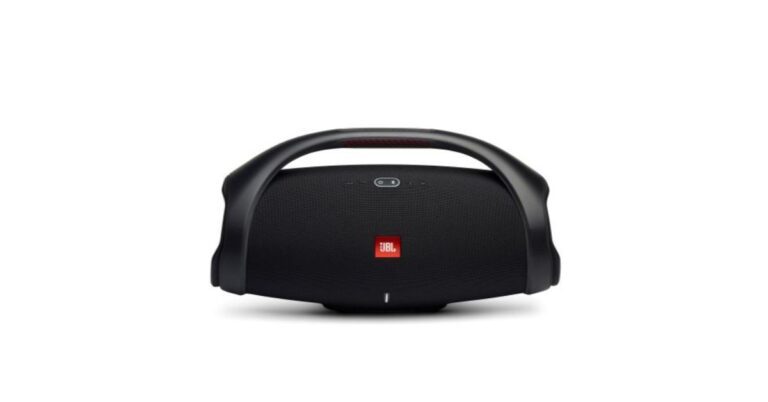
Audio accessories manufacturer, JBL, has brought a new lineup of wireless speakers to India. JBL Boombox 2, JBL Go 3 and JBL Clip 4 are the latest version of speakers, which have been added to its portfolio in India. To recall all these devices were introduced at IFA 2020 last year in September. All three products are the upgraded models from last year’s version. The Price of Boombox 2 is set at Rs 33,999 and will be available in a single black colour option. The JBL Go 3 comes with a price tag of Rs 3,999 and will be offered in three colour options of Black, Blue, and Red. Whereas the JBL Clip 4 will be offered at Rs 4,499 that too comes in Black, Blue, Red, Pink, Black/ Orange, Blue/ Pink, and more colour options. All three models of JBL Bluetooth speakers will be available across leading online portals and the JBL India website.JBL Boombox 2
In This Article
JBL Boombox 2 Tech Specs
JBL Boombox 2 comes with a 60W battery mode and delivers 24 hours of playtime on a single charger. The audio device takes 6.5 hours to get fully charged. It offers an audio output of 80W RMS with a 50Hz to 20,000Hz frequency response range. The Bluetooth speaker is IPX7 rated for water and dust resistance. The speaker has an inbuilt power bank to be used to charge other devices. For connectivity, it includes Bluetooth support along with a 3.5mm audio jack.JBL Go 3
JBL Go 3 Tech Specs
JBL Go 3 is a mini speaker with a rugged, waterproof and dustproof design. The device is IP67 rated and comes with up to five hours of playback on a single charge. For connectivity, it supports Bluetooth v5.1 connectivity, USB Type-C port. It offers an audio output of 4.2W and it takes 2.5 to get fully charged.JBL Clip 4
JBL Clip 4 Tech Specs
The JBL Clip 4 is a more compact shaped mini speaker. The speaker offers 10 hours of battery life. The device is also IP67 certified and can be charged with the help of a USB Type-C charger. It carries a 40mm driver to deliver 5W RMS of output and a frequency response range of 100Hz to 20,000Hz.
For the latest gadget and tech news, and gadget reviews, follow us on Twitter, Facebook and Instagram. For newest tech & gadget videos subscribe to our YouTube Channel. You can also stay up to date using the Gadget Bridge Android App.
The game developers are gradually concentrating on cross-platform video games. In contrast to platform-exclusive games, they reach a wider and more diverse audience. The Microsoft Store consists of a plethora of video games that you can download for free. They come from a variety of genres including open-world, racing, strategy-based, and puzzle. Here are the top 10 free games you must download and play.
In This Article
1) Minecraft: Story Mode – A Telltale Games Series
Developers: Telltale Games, Mojang Studios
Publisher: Telltale Games
Minecraft is one of the most popular games on the Microsoft Store. Minecraft: Story Mode is a new edition to the original Minecraft game with a new storyline. This game consists of a total of eight episodes in total some of which you can get for free. The gameplay begins with the introduction of the story characters. The game primarily focuses on the younger audience. At the same time, the humour in the story is enough to mesmerise people of all age groups.
Minecraft: Story Mode – A Telltale Games SeriesDownload on the Microsoft Store
2) Asphalt 9: Legends
Developers: Gameloft, Gameloft Iberica S.A.U.
Publisher: Gameloft
Asphalt game series has been one of the best racing games in the Microsoft Store. Asphalt 9: Legends, the latest edition offers you cars made by real manufacturers including Ferrari, Porsche, and Lamborghini. You also get 70 unique racing tracks set in various geographical locations including America and Asia. There are two modes of gameplay. In the Career mode, you compete in over 800 races while the World Series Multiplayer mode allows you to compete against up to 7 players.
Asphalt 9: LegendsDownload on the Microsoft Store
3) World of Tanks Blitz
Developer: Wargaming
Publisher: Wargaming
World of Tanks Blitz is a free-to-play massively multiplayer online (MMO) game published by Wargaming. The gameplay looks similar to the World of Tanks offering over 300 tanks from different countries like the USA, Germany, Japan, and USSR. You can drive over 400 vehicles that have been built on the blueprints by engineers. The force of gravity will make your tank float above the ground. The game is free to download, but you can also use real money to upgrades your vehicles.
World of Tanks BlitzDownload on the Microsoft Store
4) Fallout Shelter
Developers: Behaviour Interactive, Bethesda Game Studios
Publisher: Bethesda Softworks
Fallout Shelter is a free video game in which you play as the chief strategist of an underground Vault. Your task is to construct the best possible Vault. You have to take care of your people, give them jobs, clothes, and weapons to safeguard them against the Wasteland. The gameplay will test your decision-making skills and will keep you engaged. The game is free to download, but you can also make in-game purchases using real-world money.
Fallout ShelterDownload on the Microsoft Store
5) World of Warships
Developers: Wargaming, Lesta Studio
Publisher: Wargaming
The World of Warships game, published by Wargaming company, focuses on the naval military where your task is to manage battleships, cruisers, and carrier squadrons. You enter with your teammates into naval combats to conquer the enemy. The graphics of the game look amazing and can be customised to suit different kinds of systems. However, you need the latest hardware to run the game on the ultra-settings.
World of WarshipsDownload on the Microsoft Store
6) Roblox
Developer: Roblox Corporation
Publisher: Roblox Corporation
Roblox video offers a virtual universe where you can play, create, and assume any imaginable character. The gameplay allows you to connect with other players and explore a variety of virtual worlds. The game is built with an evolving library of virtual worlds designed by the community. As a result, you never get bored of playing in the same environment. Roblox comes with complete cross-platform support where you can manipulate your avatar using different accessories like hats, shirts, faces, and gear.
RobloxDownload on the Microsoft Store
7) Forza Motorsport 6: Apex
Developer: Turn 10 Studios
Publisher: Xbox Game Studios
Forza Motorsport 6: Apex is a free racing game consisting of beautiful environments and a variety of cars such as muscle cars, track toys, GT cars, and prototypes. The gameplay comes with six unique maps based on real-world tracks where you can race during different times of the day. The game demands a DirectX driver to run and features breathtaking 4K resolution. The free version of the game is awesome, but you can also buy the premium version.
Forza Motorsport 6: ApexDownload on the Microsoft Store
8) Sniper Fury
Developer: Gameloft
Publisher: Gameloft
Sniper Fury, as the name suggests, revolves around a sniper character played by you. The missions begin with the protagonist in a location. Your task is to aim and sharpshoot enemies for which you are equipped with all required arsenal as the gameplay begins. With progress, you grow your arsenal with customisable gear and weapons. The game features over 500 missions to shoot enemy soldiers, air units, and armored vehicles. There is also a multiplayer mode for you to build your squad.
Sniper FuryDownload on the Microsoft Store
9) Dead Rivals – Zombie MMO
Developer: Gameloft
Publisher: Gameloft
Dead Rivals – Zombie MMO is a massively multiplayer online (MMO) game that revolves around zombies. The gameplay allows you to customise your character as per your preference. You can craft your weapons, build a shelter, and upgrade your skills. You can play in teams with other players or even face them in player versus player mode. Although you can play this game for free, there are also in-purchases you can avail of.
Dead Rivals – Zombie MMODownload on the Microsoft Store
10) Disney Magic Kingdoms: Build Your Own Magical Park
Developer: Gameloft
Publishers: Gameloft, Disney Interactive
Disney Magic Kingdoms is a video game that primarily focuses on children. The gameplay characters are inspired by Disney animations including the famous Mickey Mouse, Rapunzel, and Tinker Bell. The graphics of the game are colourful so that children find it attractive. Although the game is free to download, there are in-game purchases available ranging from $1.99 to $99.99.
Disney Magic Kingdoms: Build Your Own Magical ParkDownload on the Microsoft Store
11) Solitaired
Developers: Solitaired.comPublisher: Solitaired
Playing card games online has never been so easy. With the Solitaired app, simply create a free account and start playing. There are over 500 versions of solitaire to choose from – including Klondike Turn 1, Klondike Turn 3, Spider, Free Cell, Pyramid, and Golf Solitaire. Undo moves as you wish to improve your chances of winning and track your moves and time to try to beat your best scores.
Download on Microsoft Store
For the latest gadget and tech news, and gadget reviews, follow us on Twitter, Facebook and Instagram. For newest tech & gadget videos subscribe to our YouTube Channel. You can also stay up to date with the Gadget Bridge Android App.
The Chinese smartphone brand, Redmi, unpacked its latest Note 10 series in India for global audiences. Under the lineup, the company has introduced three new models of Redmi Note 10, Redmi Note 10 Pro, and the Redmi Note 10 Pro Max. These are the successors to the Redmi Note 9 series that was launched by Xiaomi’s sub-brand in the country last year. The next generation of note series looks exquisite and is quite different from its predecessor. It seems like the company has worked hard on its form factor. All the devices feature a Super AMOLED display. 60Hz refresh rate is there in the standard variant, while the other two variants offer a 120Hz refresh rate display. In the case of cameras also, although there is a quad rear camera set up on the phones but the most affordable option in the new series sports a 48-megapixel primary sensor, while the upper-end models come with up to a 108-megapixel primary sensor.Moving ahead, the company has initially launched the Redmi Note 10 series in India only. The price of Note 10 starts at Rs 11,999 for the 4GB RAM with 64GB storage and Rs 13,999 for the 6GB RAM with 128GB storage model. The device will be offered in Aqua Green, Frost White, and Shadow Black colour variants. The Note 10 Pro price has been set at Rs 15,999 for the 6GB RAM with 64GB storage, Rs 16,999 for the 6GB RAM with 128GB storage, and Rs 18,999 for the 8GB RAM with 128GB storage model. On the other hand, the Redmi Note 10 Pro Max will be available with a price tag of Rs 18,999 for the base 6GB RAM with 64GB storage variant moving up to Rs 19,999 and Rs 21,999 for the 6GB RAM with 128GB storage models respectively. Both the devices to be made available in Dark Night, Glacial Blue, and Vintage Bronze colour options.The Redmi Note 10 is scheduled to go on sale on March 15 via Amazon, Mi.com, Mi Home stores, and offline retail partners. Whereas Note 10 Pro will be available on March 17 onwards and the Pro Max model will go on sale on March 18 via the same online as well as offline channels in the country.
In This Article
Redmi Note 10: specifications
Redmi Note 10 runs MIUI 12 on top of Android 11 out of the box and is highlighted with a 6.43-inch full-HD+ Super AMOLED display offering 1,080×2,400 pixels of resolution. It comes with a 20:9 aspect ratio along with a 100 percent DCI-P3 wide colour gamut and a peak brightness of up to 1,100 nits also the screen is protected with a layer of Corning Gorilla Glass 3. The device is equipped with an octa-core Qualcomm Snapdragon 678 SoC, along with Adreno 612 GPU and up to 6GB of LPDDR4x RAM options. For storing content there is up to 128GB of storage options which is expandable via microSD card to up to 512GB.Redmi Note 10In terms of camera capabilities, this phone features a quad rear camera setup that includes a 48-megapixel primary sensor. In addition, an 8-megapixel ultra-wide-angle lens, a 2-megapixel macro lens and a 2-megapixel depth sensor. Upfront there is a 13-megapixel selfie camera sensor.The Redmi Note 10 stays active with a 5,000mAh battery onboard with 33W fast charging support. Besides this, there is 4G VoLTE, Wi-Fi, Bluetooth v5.0, GPS/ A-GPS, Infrared (IR), USB Type-C, and a 3.5mm audio jack as connectivity options on the phone.
Redmi Note 10 Pro: specifications
Redmi Note 10 Pro features a bigger 6.67-inch full-HD+ Super AMOLED display having support for HDR-10, up to 1,200 nits of peak brightness and Corning Gorilla Glass 5 protection. Under the hood, there is an octa-core Qualcomm Snapdragon 732G SoC with Adreno 618 GPU. The device will be available with up to 8GB of LPDDR4x RAM and up to 128GB of UFS 2.2 storage which can be expanded up to 512GB using a microSD card. For the photos and videos, the Pro variant also carries a quad rear camera setup that includes a 64-megapixel primary sensor. Moreover, there is a 5-megapixel super macro lens, an 8-megapixel ultra-wide-angle camera and a 2-megapixel depth sensor. For selfies, there is a 16-megapixel front-facing camera.Redmi Note 10 Pro Max
The e-commerce website Flipkart is hosting Daily Trivia Quiz. Every day it brings a bunch of new questions for its users. By answering them correctly you can win exciting prizes. The questionnaire is based on questions related to general knowledge. Also, the users can win free vouchers and super coins, among other offers via the daily quiz. March 5 Flipkart Daily Trivia Quiz Answers has already gone live on its platform.
The participant should be at least 18 years old and should have a valid login ID. The Quiz is available on the mobile platform and not the web version. E-commerce conducts the quiz on daily basis and goes live at 12:00 AM IST and runs till 11:59 PM IST. The winners are announced within 15 days from the date of participation that can be viewed under the Gems/Rewards section in the app.
In This Article
How to participate in the Flipkart Daily Trivia Quiz
To participate download the Flipkart app on your phone. Then open the Flipkart app then head to Game Zone. Now click on the Daily Trivia Banner or search for Daily Trivia. Enter the game and answer all 5 questions with correct answers.
March 5 Flipkart Daily Trivia Quiz Answers
Question 1:Which Of The Following Term Refers To The Skilled Singers Of Indian Classical Music?
Answer: Gandharv
Question 2:Who Was The Subject Of A Ketan Mehta Biopic Starring Aamir Khan?
Answer: Mangal Pandey
Question 3:Which Singer Started With The Group ‘The Wailers’ And Is Now A Global Icon?
Answer: Bob Marley
Question 4:Javed Jaffrey Is The Son Of Which Legendary Comedian?
Answer: Jagdeep
Question 5: J. Om Prakash, An Eminent Producer And Director Is The Maternal Grandfather Of
Answer: Hrithik Roshan