In India, WhatsApp has a large user base of around 400 million people. As a result, the company has launched a dedicated centre/hub to outline the policies and processes it takes to ensure user safety in India dubbed as ‘Safety in India’. It is available as a standalone portal and highlights the advantages of employing end-to-end encryption and provides information on capabilities like two-step authentication and the option to add a security layer to safeguard WhatsApp communications using fingerprint or face recognition.“WhatsApp has made significant product changes to help enhance security and privacy. Besides continuous product innovations, over the years we have also consistently invested in state-of-the-art technology, artificial intelligence, data scientists, experts, and in processes, to support user safety” the help centre states.The ‘Safety in India’ resource centre contains subjects related to internet safety, privacy, and security. It contains information regarding end-to-end encryption, which is touted as a feature that helps safeguard a user’s messages, photographs, videos, voice messages and others.The resource hub also emphasises Touch ID or Face ID which offers its users the ability to add another layer of security to their accounts. In addition to this, it also highlights forward limits and additional limits to limit forwarding messaging and circulation of fake news through the platform.It further explains Block and reports a simple way for users to block accounts and make reports to WhatsApp if they encounter problematic messages. Whereas the Message level reporting will allow users to report accounts to WhatsApp by flagging a specific message. Users simply need to long-press a message to either report or block a user.Other privacy features like disappearing messages, view one, flash calls, admin controls, and end to end encrypted backup have been explained on the ‘Safety in India’ resource hub.To prevent abuse in India, WhatsApp has built specific Indian processes. A grievance officer has been appointed who can be contacted if a user has a concern about their experience and is unable to report it through other channels. In addition to this WhatsApp regularly releases its monthly report in India that highlights steps taken by us to ensure user safety on WhatsApp.The Meta owned instant messaging app states that it has zero tolerance for child sexual abuse material (CSAM) and other sexual abuse material.Also in order to address misinformation, the company also does fact-check which the app and according to WhatsApp in India 10 fact-checking organisations (as of February 2022) help to provide users with the service of verifying information through a WhatsApp bot. They are enabled through the WhatsApp API-platform solution and are accredited by the International Fact-Checking Network. IFCN’s bot is free of cost service. Users can save +1 (727) 2912606 as a contact number and text,”Hi” to get a message or information validated. Alternatively, our users can click http://poy.nu/ifcnbot to access a global directory of fact-checking organisations.The ‘Safety in India by WhatsApp’ also recommends carefully scrutinising messages that request sensitive information, money or other assistance, even if those messages initially appear to have been sent from known contacts. In such circumstances, it is best to verify that the message was in fact sent from someone known (for example, calling the contact who is the apparent sender and asking them if they’ve sent the request).Furthermore, the resource hub also gave clarifications on chat leaks. According to the app, end-to-end encryption technology used by WhatsApp helps to keep conversations private between a sender and a receiver for all personal messages in transit within WhatsApp to help protect against WhatsApp and third parties from reading them. In addition to this, it does not store messages once they are delivered or transaction logs of such delivered messages. Undelivered messages are deleted from our servers after 30 days.
For the latest gadget and tech news, and gadget reviews, follow us on Twitter, Facebook and Instagram. For newest tech & gadget videos subscribe to our YouTube Channel. You can also stay up to date using the Gadget Bridge Android App. You can find the latest car and bike news here.
Adding your display picture in an application like Truecaller would be your personal decision. Your profile display picture confirms your identity even further, after your name and phone number. It is a window through which the world can have a sneak peek at your personality. And how you want yourself to be perceived is something totally in your hands. It is super easy to add, change or remove your display picture in the Truecaller application. It can be done within just a couple of clicks and you’ll be set. Here is a step-by-step guide demonstrated pictorially for the same:Step 1: Click on the Profile icon on the top left corner within your Truecaller Android interface as shown below.Read also: Truecaller Version 12 announced: Brings Video Caller ID, call record and moreStep 2: Click on the Setup Image/Video Caller ID icon on top of your name and phone number, as highlighted below. This will take you to the edit profile page. Step 3: Click on the Setup Image/Video Caller ID icon again, which now falls in the centre on top of the page, as highlighted below.Step 4: The Add photo box appears providing you with 3 options (as shown below). You can either click your photo in real-time (via the Take a photo option), choose one from your gallery, (via the Select from Gallery option) or you can choose to remove your photo altogether (via the Remove current photo option). All you need to do now is set your display picture by selecting the appropriate option, and your profile picture will be set accordingly. You can download the app from here.In this way, you can add, change or remove your display picture in Truecaller on Android. Wasn’t it easy? You may feel like adding a glimpse of your personality to your Truecaller profile at times. At other times, you may instead feel like protecting your identity rather. With these 4 simple steps, you can say goodbye to all your dilemmas. Read also: Top 10 Apps To Download In Your New Samsung Galaxy S22 UltraIf there is any other way to change or remove your display picture on Truecaller that you know of, do write to us in the comments section below. For the latest gadget and tech news, and gadget reviews, follow us on Twitter, Facebook and Instagram. For newest tech & gadget videos subscribe to our YouTube Channel. You can also stay up to date using the Gadget Bridge Android App. You can find the latestcar and bike news here.
The Homegrown Indian Appliance brand Daiwa has announced the launch of its new range of HD Smart TVs in India. The new lineup includes two 32-inch(D32SM9 and D32SM9A) and two 39-inch(D40HDR9L and D40HDR9LA) HD Ready Smart TVs. All four televisions are powered by Cloud TV Voice Assistance.To improve the user experience, the Daiwa HD Ready Smart TVs have their own user-friendly UI – ‘The BIGWALL’ – as well as a collection of TV applications, worldwide content, and other features. On the home screen, the UI also presents the most recent and popular material, as well as smart suggestions, which can be further refined with the Content Discovery Engine to access content from across the applications directly from the homepage. The new Smart TVs have a slew of popular streaming applications such as Disney+, Hotstar, Zee5, SonyLiv, Sun NXT, and others. All Daiwa Smart TVs will have the Official Amazon Prime Video app, which will give a wealth of entertainment options to enhance the user experience. The TVs will also be able to access Netflix, YouTube, and other services, as well as receive OTA updates.In addition to this, the Daiwa HD Ready Smart TVs have a slew of popular streaming apps such as Disney+, Hotstar, Zee5, and SonyLiv. The Smart TVs will be equipped with a new streamlined Smart remote that has dedicated buttons for Prime Video, Disney+ Hotstar, Zee5, and Movie Box. Smart TVs with Cloud TV Voice Assistance provide a voice remote with an in-built microphone, allowing users to control the TV with their voice.The new Smart TVs include a rich HD Ready Display with a 1366×768-pixel resolution, an A+ Grade Panel, Quantum Luminit Technology, and 16.7 million colours. The TVs have Cinema Mode, which enhances each image by reproducing colours to create a theatre-like experience. The 32-inch Smart TVs include 20W Stereo Surround Speakers, while the 39 inch Smart TVs include Surround Sound Box speakers, providing a comprehensive entertainment experience.The TVs have 1 GB of RAM and 8 GB of ROM and are powered by the Android 9.0 operating system and the A-53 Quad Core Processor. There are two HDMI and two USB ports, as well as Wi-Fi, Ethernet, and Optical Output. Customers may also buy an external Bluetooth dongle from the firm to connect their Bluetooth-enabled gadgets, such as soundbars, to the TV.
Price and availability
The price of the 32-inch(D32SM9 and D32SM9A) models are priced at Rs 11,990 and Rs 12,490 respectively. On the other hand the 39-inch(D40HDR9L and D40HDR9LA) HD Ready Smart TVs costs Rs 17,990 and 18,490 respectively. Both TV lines come with a one-year warranty with an additional one-year warranty on the panels. The TVs can be purchased on the company website www.daiwa.in and leading retail stores in India.
For the latest gadget and tech news, and gadget reviews, follow us on Twitter, Facebook and Instagram. For newest tech & gadget videos subscribe to our YouTube Channel. You can also stay up to date using the Gadget Bridge Android App. You can find the latest car and bike news here.
Samsung Galaxy Tab S8 series has just landed in India and it is the company’s most recent flagship tablet line. If you’re thinking about buying a new tablet but aren’t sure which one will meet all of your needs, we’ve compared the Samsung Galaxy Tab S8 and Samsung Galaxy Tab S7 FE to see how the two Android tablets compare.
Samsung Galaxy Tab S8: Dual-camera setup on the rear, with a 13MP primary sensor and a 6MP ultra-wide lens.Samsung Galaxy Tab S7 FE: 8-megapixel camera sensor
In terms of design, both tablets appear to be comparable. However, the S8 features a fingerprint sensor on the side, whilst the S7 FE does not, instead opting for face unlock. Although the Tab S8 has a smaller screen, it refreshes at 120Hz, whilst the FE has a 12-inch display but offers a 90Hz refresh rate. The S8 is equipped with the Qualcomm Snapdragon 8 Gen 1 processor, which is the same as the one found in the S22 Series. In comparison, Qualcomm Snapdragon 778G powers the S7 FE. Also, the S8 is available in a variety of configurations, but the FE is only available in a single RAM and storage variant.In terms of battery capacity, the S7 FE has a massive 10,090mAh battery, but the S8 has an 8,000mAh battery. In terms of software, the S8 outperforms the FE since it runs Android 12, whereas the competition ships Android 11. The flagship’s cameras The Tab S8 is also superior in terms of audio; both include AKG tuned stereo speakers, but the S8 has a quad setup, whilst the S7 FE relies on a twin setup.Generally speaking, the Galaxy Tab S8 gets the upper hand over the S7 FE since it outperforms it in every category, including processor, display, audio, camera, and software. With these specifications, it can easily handle intensive games and multitasking. We understand that it is pretty costly, but if you are willing to spend Rs 42,000 on a mid-range tablet, why not pay more and get a flagship tablet?
For the latest gadget and tech news, and gadget reviews, follow us on Twitter, Facebook and Instagram. For newest tech & gadget videos subscribe to our YouTube Channel. You can also stay up to date using the Gadget Bridge Android App. You can find the latest car and bike news here.
The Vivo V23e is the newest mid-range smartphone to be released in India. The Vivo V23 Pro is the third smartphone in Vivo’s V23 line, which also includes the Vivo V23. The device is powered by a MediaTek Dimensity 810 SoC. It also has a 4,050mAh battery with 44W flash charge technology for fast charging. It also includes a triple rear camera array with a 50-megapixel primary sensor and is powered by Android 11. The handset is already available in the nation, and with these specifications, it competes with the likes of the Xiaomi 11i 5G. So, here’s our comparison of the Vivo V23e 5G vs Xiaomi 11i 5G.
In This Article
Display
Vivo V23e: 6.44-inch full HD+ AMOLED displayXiaomi 11i 5G: 6.67-inch full-HD+ Super AMOLED display
Vivo V23e: Triple back camera setup for photographs and movies, including a 50-megapixel main sensor with an f/1.8 aperture. There is also an 8-megapixel ultra-wide-angle lens with an f/2.2 aperture and a 2-megapixel macro sensor with an f/2.4 aperture.Xiaomi 11i 5G: Triple rear camera arrangement with a 108-megapixel primary Samsung HM2 sensor with an f/1.89 aperture, an 8-megapixel ultra-wide lens, and a 2-megapixel macro sensor
Selfie camera
Vivo V23e: 44-megapixel front-facing cameraXiaomi 11i 5G: 16-megapixel selfie camera sensor with an f/2.45 aperture
RAM and Storage
Vivo V23e: 8GB of RAM and 128GB of storageXiaomi 11i 5G: 6GB RAM with 128GB or 8GB RAM with 128GB storage
Battery
Vivo V23e: 4,050mAh battery (44w Fast Charge)Xiaomi 11i 5G: 5,160mAh battery (67w Fast Charge)
Operating system
Vivo V23e: FunTouch OS 12 based on Android 11Xiaomi 11i 5G: Android 11 with MIUI 12.5 Enhanced version
When it comes to price, there is a big gap between the two smartphones. In reality, there are significant differences in terms of specs as well. For Rs 24,999, Xiaomi gives a 108MP triple rear camera, a 16MP selfie camera, a MediaTek Dimensity 920 SoC, a big display, and hyper charging capability. The Vivo V23e, on the other hand, comes with a 50MP triple rear camera, a MediaTek Dimensity 810 SoC, an AMOLED display, and a 4,050mAh battery. Xiaomi has several RAM options, however, Vivo only has one RAM and storage option. Similarly, the Xiaomi 11i offers stronger camera specifications than its competition. As a result, the image quality is better.Furthermore, Xiaomi’s battery capacity is greater than that of the Vivo V23e, and it enables quicker charging than its competitor. However, when it comes to selfies, the Vivo V23e outperforms Xiaomi since it boasts a 44MP selfie camera with a flash for taking photos in low light. So, if you want to take your selfie portrait game to another level, we recommend the Vivo V23e. Otherwise, the Xiaomi 11i is a very good value for money smartphone.
For the latest gadget and tech news, and gadget reviews, follow us on Twitter, Facebook and Instagram. For newest tech & gadget videos subscribe to our YouTube Channel. You can also stay up to date using the Gadget Bridge Android App. You can find the latest car and bike news here.
Get ready to participate in the 22 February 2022 Amazon Quiz, as it is live on its mobile platform. In today’s quiz participants have a chance to win Rs 40,000 Amazon Pay Balance by answering all the questions correctly. The quiz can be played every day from 12 AM to 11:59.The daily quiz conducted by the company brings an opportunity for the customers to win exciting prizes. Every day Amazon brings a fresh set of questions for its customers that contains five easy questions. The questionnaire consists of five questions related to general knowledge and current affairs.The participants need to answer all the questions correctly and their names will be selected for a lucky draw. The winner will be announced at the end of the month. Amazon quiz brings an opportunity for its customers to win Amazon Pay Balance ranging from Rs 1,000 to Rs 50,000. Only app users are eligible to participate in the Quiz as it is not accessible on the web platform. Check Out 22 February 2022 Amazon Quiz Answers.
In This Article
22 February 2022 Amazon Quiz Answers
Question 1: Nodirbek Abdusattorov, the youngest ever World Rapid Chess Champion, is from which country?
Answer: Uzbekistan
Question 2: Over 6 lakhs of which assault rifles will be manufactured by the joint venture, Indo-Russian Rifles Private Ltd?
Answer: AK-203
Question 3: Which state is the largest producer of Kiwi in India accounting for 56%?
Answer: Arunachal Pradesh
Question 4: These are the astronauts who went aboard which famous mission?
Answer: Apollo-11
Question 5: Name this fish that is known to launch itself out of the water like a torpedo, and knock fishermen off their boats.
Look, you forgot to charge your phone again. It happens, don’t worry! With an extremely busy schedule and millions of thoughts going on in our minds, it’s very easy to forget small tasks like putting your smartphone to charge. Moreover, if you have to go to work in the morning, or for meeting your friends, you know your phone will be used till the last drop of battery left in it. In such circumstances, if you forget to charge your smartphone, panic and dread immediately follow up. After all, nobody wants to hear a scolding from their boss for getting late to work, right? In case you get your hands on your buddy’s charger at work, try these top 7 tips to charge your smartphone faster. The best part is that you don’t even need a fast charger for it.
In This Article
Put Your Phone in Airplane Mode
The connectivity of your phone is one of the factors responsible for draining your battery quickly. Putting your phone in the Airplane Mode will help you save your battery. Although you won’t be able to connect to a network, you still will be able to use any application you necessarily might need to use. Read also: How to Speed up Your Phone: 8 Tips for iPhone Users
Enable Power Saving Mode
Enabling power saving mode helps in reducing the power consumption of your smartphone by limiting the background processes running in your device and hence increases the net charging speed.
Power Off Your Phone
The best way to charge your phone faster is by ensuring that all your smartphone is focusing upon is charging itself. How can that be done? By powering off your phone, yes. Hey, if it charges your phone faster, then why not?
Connect To a Wall Socket
If you are connecting your phone to a computer or a laptop for charging, switch to a wall socket instead. Wall sockets have a much greater amperage than a USB port and therefore help in charging devices much faster.
Don’t Use Your Phone While Charging
If you use your phone while charging, your phone will simultaneously spend any power it has gained according to your usage. Hence, it is advisable not to use your phone while charging, as it will make the charging process even slower.
Get Fast Charging Cables
The quality of the cable also matters while charging. If possible, try to invest in high quality fast charging cables. You may also make a one-time investment in a power bank so that even if you forgot to charge at home, you can still charge your smartphone on the way. Get fast charging cables from here.Get a power bank from here.
Transsion Holdings smartphone brand Tecno Mobile has expanded its Spark 8 series in India with the launch of Tecno Spark 8C. The series already includes three devices- Spark 8 Pro, Spark 8T and Spark 8. The newly launched smartphone features a 90Hz refresh rate display and twin back cameras. It also includes a 5,000mAh battery that can last up to 53 hours of talk time and 137 hours of music listening.
In This Article
Tecno Spark 8C Price in India and availability
The Tecno Spark 8C pricing in India is Rs 7,499 (introductory price) for the single 3GB with 64GB storage model. The new Tecno handset is available in four different colour variations of Diamond Grey, Iris Purple, Magnet Black, and Turquoise Cyan. The phone will be available on Amazon beginning February 24.
Tecno Spark 8C specifications
The Tecno Spark 8C comes with a 6.6-inch HD+ Dot Notch display and a refresh rate of 90Hz, and a touch sampling rate of 180Hz. The screen-to-body ratio is 89.3 percent, pixel density is 262ppi and 480 nits of peak brightness. The device runs Android 11 on top of HiOS v7.6. Under the hood, there is an octa-core Unisoc T606 SoC coupled with 3GB of RAM. The mobile phone also includes Memory Fusion virtual RAM, which effectively boosts the phone’s RAM by 3GB, bringing it up to a maximum of 6GB. Moreover, there is a 64GB of eMMC 5.1 inbuilt storage that can be expanded through a dedicated microSD card slot up to 256GBThe new Tecno Spark 8C has an AI-powered dual back camera set, which includes a 13-megapixel main sensor with an f/1.8 lens. In addition, there is an 8-megapixel selfie camera with a selfie light on the front.AI Beauty 3.0, Wide Selfie, Portrait mode, HDR, and Filters are among the functions supported by the rear camera system. Additionally, the camera allows 1080p time-lapse photography and video capture at 120 frames per second.The Tecno Spark 8C has 4G LTE, 4G VoLTE, Wi-Fi, Bluetooth, FM radio, GPS/ A-GPS, and a 3.5mm audio port for connectivity. On-board sensors include an accelerometer, an ambient light sensor, a proximity sensor, a face unlock function as well as a fingerprint scanner on the rear. The newly launched smartphone is IPX2 rated for splash resistance.The smartphone also houses a 5,000mAh battery which is touted to provide up to 13 hours of music listening, up to 53 hours of call time and up to 89 days of standby life.
For the latest gadget and tech news, and gadget reviews, follow us on Twitter, Facebook and Instagram. For newest tech & gadget videos subscribe to our YouTube Channel. You can also stay up to date using the Gadget Bridge Android App. You can find the latest car and bike news here.
Huawei MateBook D 14 has arrived in India. The company has not made any announcement, instead, it quietly got listed on the e-commerce platform Amazon. The new laptop is powered by a 10th gen Intel Core i5- 10210U processor. It is available in a 14-inch Full View 1080P FHD display. The Huawei laptop also features a TUV Rheinland-certified display with slim bezels. In addition to this, there is a fingerprint sensor embedded in the power button.
In This Article
Huawei MateBook D 14 price in India and availability
MateBook D14 has been launched in India with a price tag of Rs 69,490. It is offered in a single Gray colour option. The company has not announced the availability details but it is now listed on Amazon for purchase.
Huawei MateBook D 14 specifications
Huawei MateBook D 14 features a 14-inch full-HD IPS display offering 1920 x 1080 pixels of resolution along with a 91% screen to body ratio. The screen has 178 degrees and slim bezels on the sides. In addition to this panel is TÜV Rheinland approved which dramatically minimises eye-impairing blue light to assure your viewing enjoyment and long-term optical health. The Huawei MateBook D 14’s power button has a fingerprint reader. Within 8 seconds, you may turn on and securely log in to your desktop with a single button click. Whereas the 720p webcam is concealed within the keyboard. It appears only if you desire it with a single push. To avoid any remote access and security breaches, turn it down once more.As per the company without an Internet connection, your smartphone and HUAWEI MateBook may be transformed into “ONE” super gadget with a single tap. Your phone screen shows on your laptop, allowing you to drag and drop files between them and edit files on your laptop while chatting with colleagues on your phone, all while using the same keyboard and mouse. The HUAWEI MateBook D 14 is powered by a 10th Gen Intel Core i5 10210U CPU coupled with 16 GB RAM, 512 GB SSD.Other characteristics of the gadget include a 56Wh battery and a 65W USB C charger. It can charge your laptop battery to 46 percent in just 30 minutes. It also allows quick charging and data transmission for your phone. The Shark Fin 2.0 fan design is found in the HUAWEI MateBook D 14. It effectively optimises airflow and absorbs heat, fast and quietly cooling the laptop so it can withstand everything you throw at.In addition to this, the laptop has a USB 3.0 Type-A port, two USB 2.0 Type-A ports, a USB Type-C port, an HDMI port, and a 3.5mm headphone jack.
For the latest gadget and tech news, and gadget reviews, follow us on Twitter, Facebook and Instagram. For newest tech & gadget videos subscribe to our YouTube Channel. You can also stay up to date using the Gadget Bridge Android App. You can find the latest car and bike news here.
Asking a stranger to click your picture has become old fashioned now, hasn’t it? Moreover, there is that added risk of the stranger running away with your costly smartphone or stealing your personal data in the process. Today, smartphones do not come without an in-built front camera, so that you can click as many selfies as you want. The front camera configuration of smartphones today can be up to 48MP and even higher. In some smartphones, the front camera is even better than the rear camera, and may even come with advanced features like wide-angle view. Hence, a smartphone without a selfie camera cannot be called smart in today’s times. Getting high-quality selfies is like a cakewalk these days. But in case you want to enhance your selfie shots even more, maybe add an extra filter to it for a touch-up, we have brought to you a list of the top 5 selfie apps for Android so that you can click your best selfies.After all, the competition on social media is getting unbearable with each passing second! Why would you want to stay behind?
In This Article
Snapchat
If we’re talking about selfie filters, Snapchat is an unbeatable choice. From the most subtle and elegant selfie filters to the most quirky and funny ones you ever will see, everything comes within your scope with Snapchat. This is the app where you’ll find the infamous doggy filter and its cousins, for you to become a cute puppy, teddy or kitty anytime and anywhere you want. Snapchat also provides you with options to export your selfies directly to other apps like Instagram, Whatsapp, etc. Moreover, other editing options like putting stickers, adding text and other stuff are also provided therein, apart from the usual camera settings like the timer option and more. Download from here.
Instagram
There can’t be any Instagrammers out there who still don’t know about the various filter options provided by the application. Instagram isn’t far behind in the race with Snapchat to provide filter options to its users. From filters based on city names like Paris, Oslo, Tokyo for your IG stories to those created by other users which are publicly available for use, you again have a range of options you can select from. Not only static filters but there are also motion filters available like zoom in, zoom-out, face morphing, and much more. You can edit, draw, make a collage, boomerang and download your clicks from the app. Download from here.
Candy Camera
Candy Camera has some amazing beauty features like editing intensity, symmetry, liquefaction, brightness, softening, whitening, zooming. Not only that, but it also provides a range of body editing features like tanning, longer legs, and much more, apart from providing filters and stickers which can be added to your selfie, maybe even a pizza at hand or a burger!Download from here.Read also: Top 10 Apps To Download In Your New Samsung Galaxy S22 Ultra
B612
Next on our list of best selfie apps for Android smartphones is B612. From contour, blush, lip and eye colour adjustment to choosing filters or creating filters for yourself, you can do it all with B612 app. Not only that, but it also provides you with body editing features like slimming shoulders, waist, etc. as well as pro colour editing tools to enhance your clicks and videos. Download from here.
Retrica
You can blur your background, add a vignette, grain or a range of other filters via Retrica. You can also make collages and take photos and videos with filters and effects in real-time or edit an existing photo from your album. Like the rest, this also is one of our favourite selfie apps for Android smartphones.Download from here. Read also:How to download mobile apps not available on Google PlayWith these top 5 selfie apps in your pocket, you are ready for a selfie battle on any social media platform! You will be absolutely unbeatable. And let’s face it. It’s not even about producing high-quality content as much as it’s about giving FOMO to your friends and family. These are the times of selfie sticks, zoom lenses and what-not. But do you actually need all those fancy pieces of equipment every time you need to click a selfie? We don’t think so! We would love to hear what you think of it in the comments section below.For the latest gadget and tech news, and gadget reviews, follow us on Twitter, Facebook and Instagram. For newest tech & gadget videos subscribe to our YouTube Channel. You can also stay up to date using the Gadget Bridge Android App. You can find the latestcar and bike news here.
The Samsung Galaxy Tab S8 series has been officially launched in India today. The company’s flagship tablet line, which includes the Samsung Galaxy Tab S8, Galaxy Tab S8+, and Galaxy Tab S8 Ultra, was launched on February 9 during a Galaxy Unpacked event. All three versions offer 5G connection, with the S8+ and S8 Ultra editions receiving an improved S Pen.The Samsung Galaxy tablet and Galaxy Tab S8+ will be available in 8GB RAM with 128GB storage and 12GB RAM with 256GB storage configurations. The Tab S8 will be offered in two versions Wi-Fi and 5G price starting at Rs 58,999 and Rs 70,999 respectively. Whereas the WiFi model of Tab S8+ will begin at Rs 74,999 and the 5G model will start at Rs 87,999. The Galaxy Tab S8 Ultra, on the other hand, will be available in 8GB RAM with 128GB storage, 12GB RAM with 256GB storage, and 16GB RAM with 512GB storage configurations. The pricing of the S8 Ultra starts at Rs 1,08,999 for the W-Fi model and Rs 1,22,999 for the 5G edition.Samsung Galaxy Tab S8 UltraThe Tab S8 and Tab S8+ will be available in Graphite, Pink Gold, and Silver colours, while the Galaxy Tab S8 Ultra will only be available in Graphite. Book Cover Keyboard, Book Cover Keyboard Slim, Book Cover, Protective Standing Cover, Note View Cover, and Strap Cover are all available for the tablets.Customers who pre-order the top model of the Galaxy Tab S8 series will receive a complimentary Keyboard Cover valued up to Rs 22999. Additionally, HDFC Bank cards may be used to get a cashback of INR 10,000 on the purchase of a Galaxy Tab S8 Ultra, INR 8000 on the purchase of a Galaxy Tab S8+, and Rs 7000 on the purchase of a Tab S8. On the purchase of the Galaxy Tab S8 series, no-cost EMI solutions are also available.Between February 22 and March 10, 2022, the Galaxy Tab S8 series will be available for pre-order on Samsung.com and all other top Samsung approved partners.
In This Article
Samsung Galaxy Tab S8 specifications
The Samsung Galaxy Tab S8 has an 11-inch WQXGA LTPS TFT display with a resolution of 2,5601,600 pixels. The display features a refresh rate of up to 120Hz and a pixel density of 276ppi. The gadget runs Android 12 with One UI Tab 4 on top and features a 4nm octa-core SoC with up to 12GB of RAM and up to 256GB of internal storage that can be increased to 1TB with a microSD card. A dedicated fingerprint sensor is also located on the tablet’s side.The Samsung Galaxy Tab S8 has a dual-camera setup on the rear, with a 13MP primary sensor and a 6MP ultra-wide lens. In addition, the tablet boasts a 12-megapixel ultra-wide lens on the front for selfies and video chats.The tablet also contains quad stereo AKG and Dolby Atmos speakers. There are also three microphones onboard. The Galaxy Tab S8 has an 8,000mAh battery with Super Fast Charging 2.0 support up to 45W.
Samsung Galaxy Tab S8+ specifications
The Samsung Galaxy Tab S8+, on the other hand, sports a 12.4-inch WQXGA+ Super AMOLED display with a resolution of 2,8001,752 pixels. The display has a refresh rate of 120Hz and a pixel density of 266ppi. The tablet has an octa-core SoC and up to 12GB of RAM.The camera setups are the same as previously stated. The S8+ has an under-display fingerprint sensor rather than a side-mounted fingerprint sensor. The tablet also features a 10,090mAh battery and supports Super Fast Charging 2.0.
Samsung Galaxy Tab S8 Ultra specifications
The Samsung Galaxy Tab S8 Ultra boasts a larger 14.6-inch WQXGA+ Super AMOLED display with a resolution of 2,9601,848 pixels and a screen refresh rate of up to 120Hz with a pixel density of 240ppi. It has the same 4nm octa-core SoC as the other two varieties, as well as up to 16GB of RAM and up to 512GB of internal storage, which is extendable to 1TB via a microSD card.The Samsung Galaxy Tab S8 Ultra features a dual-camera setup with a 13-megapixel primary sensor and a 6-megapixel ultra-wide sensor on the rear. Unlike the previous two models in the series, the S8 Ultra has a dual-camera setup on the front with 12-megapixel wide and ultra-wide lenses.Connectivity options include Wi-Fi 6E, Bluetooth v5.2, GPS/ A-GPS, and a USB Type-C port. There is also the option of 5G or 4G LTE connectivity. In addition to an under-display fingerprint sensor, the tablet contains an accelerometer, an ambient light sensor, a gyroscope, a magnetometer, and a hall sensor.Furthermore, the Tab S8 Ultra includes an 11,200mAh battery that enables Super Fast Charging 2.0. Dolby Atmos is supported with the Galaxy Tab S8 Ultra’s AKG-tuned quad stereo speakers.
For the latest gadget and tech news, and gadget reviews, follow us on Twitter, Facebook and Instagram. For newest tech & gadget videos subscribe to our YouTube Channel. You can also stay up to date using the Gadget Bridge Android App. You can find the latest car and bike news here.
Vivo, a Chinese smartphone manufacturer, has officially announced the introduction of its new V-Series smartphone in the Indian market. Today, the business unveiled the Vivo V23e 5G. A MediaTek Dimensity 810 SoC powers the gadget. It also comes with a 4,050mAh battery with 44W flash charge technology for quick charging. Furthermore, it has a triple back camera setup with a 50-megapixel main sensor and runs on Android 11. The Vivo V23 Pro is the third smartphone in the V23 series, which also includes the Vivo V23 and Vivo V23 Pro.
In This Article
Vivo V23e 5G price in India and sale details
Vivo V23e 5G has been released as a mid-ranger with a single edition that includes 8GB of RAM and 128GB of storage priced at an introductory price of Rs 25,990 however it’s retail price is 28,990. The phone is available in Midnight Blue and Sunshine Gold.Customers who use an ICICI Bank credit card or an EMI transaction will get up to 10% cashback on the purchase of Vivo V23e 5G as a part of the launch offer. The device is now available for sale in the country and can be purchased through the Vivo India E-store, Flipkart as well as all major retail outlets.
Vivo V23e 5G specifications
In terms of features, the Vivo V23s 5G stands out with a 6.44-inch full HD+ AMOLED display. The screen has a resolution of 1.0802,400 pixels. Out of the box, the phone runs FunTouch OS 12, which is based on Android 11. The MediaTek Dimensity 810 SoC is under the hood, along with 8GB of RAM and 128GB of internal storage. A microSD card may be used to extend the memory up to 1TB. The phone also has an in-display fingerprint sensor.The Vivo V23e has a triple back camera setup for photographs and movies, including a 50-megapixel main sensor with an f/1.8 aperture. There is also an 8-megapixel ultra-wide-angle lens with an f/2.2 aperture and a 2-megapixel macro sensor with an f/2.4 aperture. A 44-megapixel front-facing camera is available for selfies and video calls.Connectivity options include a USB Type-C connector, Bluetooth Version 5.1, GPS, and dual Wi-Fi compatibility. On the screen, there is also a fingerprint sensor. The Vivo V23e 5G has a 4,050mAh battery and supports 44W rapid charging. An accelerometer, ambient light sensor, gyroscope, magnetometer, and proximity sensor are among the sensors on the phone.
For the latest gadget and tech news, and gadget reviews, follow us on Twitter, Facebook and Instagram. For newest tech & gadget videos subscribe to our YouTube Channel. You can also stay up to date using the Gadget Bridge Android App. You can find the latest car and bike news here.
According to a report WhatsApp is working on a new feature. Reportedly the company has rolled out a new beta update for Android users. With the latest iOS beta update, WhatsApp is enabling a new interface when placing voice calls. However, WhatsApp has already enabled this feature for Android smartphones through the WhatsApp beta for Android 2.22.5.4 update previously.WhatsApp has begun to roll out a new voice call interface for iOS beta users. The announcement comes only a few days after an upgrade for iOS devices, including iPhone and iPad models, made it possible for users to play voice messages in the background. With the new compatible WhatsApp for iOS beta 22.5.0.70 update, the functionality is now available to select iOS beta testers. Users may now play voice messages and audio files outside of the chat window thanks to the upgrade.A limited number of iOS devices will feature a revamped group call interface, and once activated, users will be able to observe real-time speech waveforms to alert them about the active speakers throughout the conversation, according to WABetaInfo.In addition to this the redesigned WhatsApp voice call interface for iOS beta users to incorporate a wallpaper to voice call interface that cannot yet be modified.Image Courtesy: WABetaInfoAs shown in the shared screenshot WhatsApp has updated the UI when you’re in a group call. While you make a basic voice call, a similar makeover is accessible, as of now, the feature is under development.Separately, WhatsApp has provided a new preview when sharing photos and videos as documents in the WhatsApp beta for the Android 2.22.5.11 update. In the latest WhatsApp beta for Windows 2.2206.1.0, the option to transmit emojis through shortcuts has been added (UWP version).In the WhatsApp beta for Android 2.22.5.13 upgrade, several adjustments have been made while forwarding voice notes. The symbol, playback speed button, and speech waveforms have all been updated.Also, the Instant messaging app owned by Meta is also working on additional end-to-end encryption indications for a future release for WhatsApp Desktop beta. A similar functionality is being worked on in WhatsApp beta for iOS as well.
For the latest gadget and tech news, and gadget reviews, follow us on Twitter, Facebook and Instagram. For newest tech & gadget videos subscribe to our YouTube Channel. You can also stay up to date using the Gadget Bridge Android App. You can find the latest car and bike news here.
The Samsung Galaxy S21 FE (Fan Edition) is the company’s first smartphone for 2022. The gadget was meant to be released later last year, but it was delayed owing to a global chipset shortage. So, since we’ve been using it for a while, we’ll go over all of its features as well as our detailed evaluation.
In This Article
Samsung Galaxy S21 FE review: Design and Display
Although it is lightweight at 177gms, holding the phone does not feel heavy. The reason it’s so light is that Samsung utilised polycarbonate back here, which feels a little inferior compared to a glass finish, which has become very common in this price bracket. The plastic rear is also more prone to scratches, although it does not collect fingerprints or smudges. As a result, a case or skin is strongly advised when using the phone.Looking from the back, one can confuse the Galaxy S21 FE for the Galaxy A52. However, the design is slightly different and has been redesigned, making it a good-looking smartphone. We definitely adored the design and reviewed the Black colour variety, but we also adored the other colours, particularly the Olive one. The phone is also available in lavender and white colours. Thankfully, (as said) Samsung provides a matte surface rather than a glossy one here. It features an aluminium frame rather than a plastic frame, which makes it more robust.Furthermore, the front of this phone has Gorilla Glass Victus protection, which protects against scratches and drops. Over that, the smartphone, like its more costly siblings, is IP86 dust and water-resistant.In terms of audio, you have a bottom-firing two-speaker setup that generates a stereo sound effect via the speakers and the microphone unit on top. The sound quality is undeniably super; it’s loud and immersive. It is worth noting that the phone lacks a nice vibration, and the haptics are not as strong as we would have liked. The ultrasonic fingerprint sensor is also absent, replaced by an optical fingerprint sensor that is similarly excellent, quick, and reliable.The display is a 6.4-inch full-HD+ Dynamic AMOLED 2X with a refresh rate of 120Hz and a touch sampling rate of up to 240Hz is on board. It has little bezels on the sides and looks fantastic. We mean, it’s been our everyday vehicle, and we think the screen is brilliant, with the fast refresh rate activating just when we’re playing games. The refresh rate also does not adjust to the material being played, which means the battery would be depleted considerably faster than on the LTPO display. We’ll go into the battery life in greater depth later.This is a good multimedia gadget with an almost flagship-level display that has excellent colours, contrast, and brightness levels. The nearly non-existent bezels improve the viewing experience. Although we are aware that it does not have a very high touch sampling rate, the quality and colour calibration it provides are extremely commendable. While the 120Hz refresh rate improves the user experience, we did not notice any jitters, delays, or touch response difficulties throughout our testing.
Samsung Galaxy S21 FE review: Performance and Cameras
In terms of performance, the Samsung Galaxy S21 FE is powered by the same Exynos 2100 SoC as the top S21 series. As a flagship chipset, it is not as powerful as the Snapdragon 888, which is used in other areas’ handsets. Its performance is adequate for the majority of its components, particularly when it comes to CPU-intensive applications. So far, multitasking with the most resource-intensive programme has not been a problem. Call of Duty game, for example, can be played even on the maximum settings.We didn’t notice any serious heating concerns during any of our gaming sessions, however, the phone did become somewhat warm near the camera module on a few occasions. Because we are not big gamers, the S21 FE is a routine day to day phone, and the gaming performance has been good enough for us. Our day-to-day tasks, as well as multitasking, gave us nothing to complain about during our usage.Furthermore, this phone is the first to arrive with Android 12 and One UI 4 stacked on top. The 120Hz display has been effectively optimised, and the dark mode has been nicely integrated. We encountered no software issues or slow latencies, which is why Samsung OneUI is one of our favourite software interfaces. The gadget will be upgraded for three years in terms of software and four years in terms of security. The S1 FE offers the same software experience as flagship models.We were really intrigued before moving to the Samsung Galaxy S21 FE. We wondered will it have a flagship-level camera because we were using the Vivo V23 Pro (Review), which has great photographic skills. It contains three rear cameras: a 12-megapixel primary sensor with an f/1.8 wide-angle lens, a 12-megapixel ultra-wide sensor, and an 8-megapixel telephoto sensor. The gadget also includes a 32-megapixel selfie camera with an f/2.2 aperture for selfies and video calls.It’s worth mentioning that the telephoto sensor on offer here isn’t as high-resolution as the one on the flagship S21, but it still offers 3X zoom and 30X digital zoom.The photographs from the telephoto camera, as predicted, lack detail. While the colour optimisation, which we felt to be a little lacking, particularly in terms of exposure management. Except for the colour reproduction, which appears a touch toned down to our liking, both standard and extreme wide-angle phone images are practically identical.Portraits are also captured using a 3X telephoto lens on the phone. So, if you prefer zoom photography, you will get better-detailed zoom images. This also applies to portrait photos. The colour in the usual daylight photographs appears realistic, which we appreciated.PortraitWhen it comes to nighttime photographs, the Galaxy S21 FE takes a little longer to process, but the results are fantastic.Portrait lowlightMoving on, the selfie camera takes great selfies, however, they have a slight red tint to them.In terms of video, there is no 8K recording option, however, you may capture 4K@60fps from both the rear and front. Because the front camera does not clip the footage for stabilisation, the selfies are a little unsteady.Overall, this phone produces detailed and social media-ready photographs. The camera is also capable of retaining details and dynamic fury. However, while filming on a bright day, the highlights and exposure might have been better. The 4K recordings are unsteady in both 60 and 30fps modes, but the 1080p footage is consistent. In most cases, the S21 FE cameras perform admirably well.Despite having a 4,500mAh battery, the battery life on this phone is quite average. We believe this is due to its energy-consuming display. It lasted a little less than a full day for us. However, if you are a moderate user, it will most likely last you the entire day. You will also need to purchase a suitable 25W charger separately. It takes one and a half hours to fully charge the battery from zero to 100 percent.
Verdict
The price is comparable to that of last year’s Samsung Galaxy S20 FE. In India, the pricing starts at Rs 49,999. The gadget includes several premium features as well as a few sacrifices. In terms of design, we would have preferred a glass back than a plastic one. However, it makes it lighter, but the plastic back panels are more prone to scratches, whereas the frames are constructed of aluminium. We also appreciate Samsung’s integration of IP68 dust and water resistance. The S21 FE is capable of 25W rapid charging. Unfortunately, it does not have an appropriate charger in the packaging. This is also the first time Samsung has bypassed a charger on a phone that isn’t a flagship. We also believe that the phone charges rather slowly in comparison to what other manufacturers give at even half the price. Aside from that, it has an excellent display and camera performance for the price. The dependable software and hardware performance results in a pleasurable smartphone experience. Samsung Galaxy S21 FE Pros
The Vivo V23 series debuted in India last month. It includes two devices Vivo V23 and Vivo V23 Pro, and now a new smartphone will join the family. Today Vivo will be expanding its latest V-series portfolio with the launch of Vivo V23e 5G. The smartphone has already debuted in Malaysia last year and today will hit the Indian shelves. The device features an AMOLED display and is powered by MediaTek Dimensity 810 SoC.
In This Article
How to watch Vivo V23e 5G launch live in India
Because of the growing number of Omicron cases in India, the Vivo V23e 5G India launch event will take place online. At 12 noon IST, the new smartphone series will be presented. The Vivo V23e 5G launch event will be available on the company’s YouTube channel as well as other social media channels. You may watch the launch event live on our website right now by clicking on the link below.
Vivo V23e 5G price in India expected
Ahead of the smartphone’s introduction in India, the pricing of the Vivo V23e 5G in India has been speculated upon. As per the latest information the device’s MRP is Rs 28,990, but it will retail at Rs 25,990. Whereas previous reports suggested that the smartphone will cost between Rs 25,000 and Rs 30,000.In Malaysia, the phone is available at TBH 12,999 which is about Rs 30,200 for the single 8GB RAM with 128GB storage model. Here also the smartphone is expected to be priced equally. The device is available in Moonlight Shadow and Sunshine Coast colour schemes.
Vivo V23e 5G specifications
As previously stated, the Vivo V23e 5G was released in Malaysia in November; the Indian edition of V23e 5G is likely to share the same characteristics as its Malaysian version. The phone is said to have a 6.44-inch full-HD+ AMOLED display. The device is likely to be powered by a MediaTek Dimensity 810 SoC with 8GB of RAM and 128GB of inbuilt storage which is supposed to be extendable using a microSD card.Vivo V23e 5G will include a triple rear camera arrangement with a 50-megapixel sensor, an 8-megapixel sensor, and a 2-megapixel sensor. A 44-megapixel selfie camera is reported to be installed on the front.There will be a USB Type-C connector, Bluetooth v5.1, GPS, two-SIM slots (Nano), and dual Wi-Fi compatibility. The battery on the Vivo V23e 5G is estimated to be 4,050mAh with 44W fast charging capabilities.
For the latest gadget and tech news, and gadget reviews, follow us on Twitter, Facebook and Instagram. For newest tech & gadget videos subscribe to our YouTube Channel. You can also stay up to date using the Gadget Bridge Android App. You can find the latest car and bike news here.
Generally, Samsung smartphones automatically inform you about a software update available. The pop-out asks for scheduling the update at 2 am in the morning, to which you press the OK button and forget about it. Right? Your Samsung device takes care of the rest, and you don’t have to worry about it at all. I’m sure only a Samsung user could relate to this. But sometimes due to a glitch, it may so happen that your device was not able to cover up this part for you. As a result, instead of your Samsung device being the first one to inform you, you hear from a 3rd party that the Android 11 software update is now available in the market. You then have to wonder how to download the Android 11 update on your Samsung smartphone manually. We know that you and your smartphone share a very close bond with each other. We also know how it crushes you to hear about important updates from others instead of hearing from your Samsung device first. What comes next is taking out time from your and your smartphone’s busy schedule for scratching your head on how to download the Android 11 update on your Samsung device. But let us tell you, it can be achieved in just 3 simple steps. Yes, that’s right! Below are mentioned the 3 steps demonstrated pictorially on how to update your Samsung smartphone’s software with the brand new Android 11 launched via Google. Read also:How to Hide and Unhide Apps in Samsung Smartphones?Step 1: Open the Settings app on your Samsung device and click on the Software update option as shown below. It appears as the 4th last option within the Settings window, so you may have to do a couple of scroll ups (just so you don’t get lost, you know). Step 2: Click on the Download and install option within the Software update window. In case you haven’t switched on the Auto-download over Wi-Fi option (as shown below), we recommend you do it.Step 3: Whether your software is up-to-date or not will appear here. You can update it from this window shown below, and you’re all set!Read also:Samsung Galaxy S22, Galaxy S22+, Galaxy S22 Ultra goes official in IndiaSamsung’s Android 11 update has enhanced features like notification improvements, bubbles for messages and many more. It is available for most Samsung models like the Samsung Galaxy S series, Galaxy Note series, Galaxy A series, Galaxy Tab series, Galaxy M series and more. If there is any other way to install Android 11 on a Samsung device, let us know in the comments section below. For the latest gadget and tech news, and gadget reviews, follow us on Twitter, Facebook and Instagram. For newest tech & gadget videos subscribe to our YouTube Channel. You can also stay up to date using the Gadget Bridge Android App. You can find the latestcar and bike news here.
21 February 2022 Amazon Quiz has gone live on its mobile app platform. Customers from different parts of the country are participating in the daily quiz. The daily quiz is conducted by the company brings an opportunity for the customers to win exciting prizes. The quiz begins from 12 AM to 11:59 PM. In today’s quiz participants have a chance to win Rs 15,000 Amazon Pay Balance by answering all the questions correctly.Every day Amazon brings a fresh set of questions for its customers that contains five easy questions. Amazon quiz brings an opportunity for its customers to win Amazon Pay Balance ranging from Rs 1,000 to Rs 50,000. which consists of five questions related to general knowledge and current affairs.The participants need to answer all the questions correctly and their names will be selected for a lucky draw. The winner will be announced at the end of the month. One wrong answer could eliminate you from the quiz. If you manage to answer all the questions correctly you can stand a chance to win Rs 15,000 Amazon Pay Balance today. Only app users are eligible to participate in the Quiz. Check Out 21 February 2022 Amazon Quiz Answers.
In This Article
21 February 2022 Amazon Quiz Answers
Question 1: Which city will be home to India’s first-ever Water Metro project?
Answer: Kochi
Question 2: UNESCO recently added calligraphy in which language to the Intangible Cultural Heritage of Humanity list?
Answer: Arabic
Question 3: Imaging X-ray Polarimetry Explorer is a joint effort between NASA and which country’s space agency?
Answer: Italy
Question 4: Ukpeagvik, which means a place to hunt this birds, is the Inupiat name of the nothernmost city of the US. Which Alaskan city is this?
The Chinese smartphone company Oppo today announced the launch of its new smartphone. The company has expanded its A-Series lineup with the launch of Oppo A76 which is the successor to Oppo A74. The device is equipped with a dual-camera configuration and an HD+ LCD display with a refresh rate of up to 90Hz. The device has a Qualcomm Snapdragon 680 SoC and a 5,000mAh battery with 33W SuperVOOC rapid charging capabilities.
In This Article
Oppo A76 Price and availability
Oppo A76 has been introduced in Malaysia in a single 6GB RAM with 128GB of internal storage. The device is priced at Rs MYR 899 which translates to Rs 16,000. The device can be purchased through the company’s official website in the country. It will be selling in two colour options of Glowing Black and Glowing Blue. Oppo Glow Design, which offers a glittering appearance on the rear panel, is also included on the newly released smartphone.According to sources, the smartphone would also be available in India and other worldwide markets in the near future. In India, the phone is expected to cost between Rs. 15,000 and Rs. 17,000. Furthermore, the Oppo smartphone is claimed to be available in two colour options: black and blue. It will apparently be available in two configurations: 4GB RAM with 128GB storage and 6GB RAM with 128GB storage.
Oppo A76 specifications
Oppo A76 is highlighted with a 6.56-inch HD+ LCD display offering 720×1,612 pixels of resolution. The screen supports a refresh rate of up to 90Hz, a peak brightness of 600 nits, and a touch sampling rate of up to 180Hz. It comes pre-installed with Android 11-based ColorOS 11.1. Additionally, the device is powered by a Qualcomm Snapdragon 680 SoC, an Adreno 610 GPU, and 6GB of RAM with RAM expansion up to 5GB, which effectively turns free storage space into RAM.Oppo A76 optics include a dual rear camera combination with a 13-megapixel main sensor and an f/2.2 aperture, as well as a 2-megapixel depth sensor with an f/2.4 aperture. The phone has an 8-megapixel camera with an f/2.0 aperture for selfies and video calls.The device has a 5,000mAh battery and supports 33W SuperVOOC rapid charging. The Oppo A76 comes with 4G LTE, dual-band Wi-Fi with 802.11a/b/g/n/ac, Bluetooth v5, USB Type-C, USB OTG, and a 3.5mm headphone port among the connectivity choices. Whereas Side-mounted fingerprint reader, face recognition, geomagnetic sensor, proximity sensor, ambient light sensor, accelerometer, gravity sensor, virtual gyroscope, pedometer, GPS, A-GPS, BDS, GLONASS, Galileo, and QZSS are among the onboard sensors.
For the latest gadget and tech news, and gadget reviews, follow us on Twitter, Facebook and Instagram. For newest tech & gadget videos subscribe to our YouTube Channel. You can also stay up to date using the Gadget Bridge Android App. You can find the latest car and bike news here.
Samsung unveiled the Galaxy S22, Galaxy S22+, and Galaxy S22 Ultra in India recently. Pre-orders for the Samsung Galaxy S22 series will begin in India next week. As a result, the company has announced fresh discounts and promotions for consumers who pre-order the company’s recently unveiled Galaxy S22 series handsets.As per the company, the Galaxy S22 series smartphones in India will begin on February 23. Those pre-booking the Galaxy S22 Ultra smartphone will be able to get the Samsung Galaxy Watch 4 wearable (worth Rs 26,999) for Rs 2,999. In contrast, consumers who pre-order, the Samsung Galaxy S22 and Galaxy S22+ models will receive the Samsung Galaxy Buds 2 TWS earphones (worth Rs 11,999) for Rs 999.In addition to this, the Galaxy S and Galaxy Note series will receive an upgrade incentive of Rs. 8,000 when pre-ordering the current Galaxy S22 series. On the other hand, there will be an upgrade bonus of Rs 5,000 to other smartphone users. Also, there will be a cashback offer of Rs 5,000 if the devices are purchased through Samsung Finance+.
In This Article
Samsung Galaxy S22 series price in India and availability
The standard Galaxy S22 is available in two configurations with 8GB RAM and 128GB/512GB storage for Rs 72,999 and Rs 76,999, respectively. Similarly, the Samsung Galaxy S22+ begins at Rs 84,999 for the 8GB RAM with 128GB storage option and Rs 88,999 for the 8GB RAM with 256GB storage option. Both devices will be available in Phantom Black and Phantom White colour schemes.The Samsung Galaxy S22 Ultra, on the other hand, starts at Rs 1,09,999 for the 12GB RAM with 256GB storage configuration and goes up to Rs 1,18,999 for the 12GB RAM with 512GB storage model. The S22 Ultra will be available in Burgundy, Phantom Black, and Phantom White for the 12GB RAM with 256GB model, and Burgundy and Phantom Black for the 12GB RAM with 512GB option.
Samsung Galaxy S22 specifications
The Samsung Galaxy S22 features a 6.1-inch full-HD+ Dynamic AMOLED 2X display with a 120Hz refresh rate that can be lowered to 10Hz. Gorilla Glass Victus+ and an Armor Aluminium chassis protect the panel. The smartphone comes pre-installed with Android 12 and One UI 4.1, and it’s powered by an octa-core Snapdragon 8 Gen 1 SoC and 8GB of RAM, with up to 256GB of internal storage.The vanilla S22 has a triple rear camera system for optics. The camera module is equipped with a 50MP main Dual Pixel wide-angle sensor, an f/1.8 aperture, and autofocus. There is also a 12MP ultra-wide-angle camera with an f/2.2 aperture and a 120-degree field of view, as well as a 10MP telephoto lens with an f/2.4 aperture (3x optical zoom and OIS). There is also a 10MP selfie camera with an f/2.2 aperture (80 degrees of FoV).The battery capacity of the Galaxy S22 is 3,700mAh, and it supports 25W fast charging, 15W wireless charging, and Wireless PowerShare for reverse wireless charging.
Samsung Galaxy S22+ specifications
The Samsung Galaxy S22+ features a 6.6-inch full-HD+ Dynamic AMOLED 2X display and Samsung’s Eye Comfort Shield blue light control technology. A 120Hz adaptive refresh rate that may be decreased to 10Hz is also available, as is a peak brightness of 1,750 nits. The gadget is powered by an octa-core Snapdragon 8 Gen 1 SoC with up to 12GB of RAM and 256GB of internal storage and runs Android 12 with One UI 4.1 on top.The S22+ features a triple rear camera setup, with a 12MP ultra-wide-angle camera (f/2.2 aperture lens with a 120-degree FoV), a 50MP primary Dual Pixel autofocus wide-angle sensor (f/1.8 aperture lens with autofocus), and a 10MP telephoto sensor (f/2.4 aperture, 3x optical zoom, and OIS). The smartphone’s 10MP selfie camera sports an f/2.2 aperture and an 80-degree field of view.The battery capacity of the Samsung Galaxy S22 is 4,500mAh, including 45W fast charging, 15W wireless charging, and Wireless PowerShare for reverse wireless charging.
Samsung Galaxy S22 Ultra specifications
The Samsung Galaxy S22 Ultra features a 6.8-inch Edge QHD+ Dynamic AMOLED 2X display with a 120Hz adaptive refresh rate that can be decreased to 1Hz and a peak brightness of 1,750 nits. The display screen incorporates improved Wacom technology, allowing for S Pen improvements such as lower latency. Despite the inclusion of an S Pen, the phone is reported to have 70% less latency than its predecessor. An octa-core Snapdragon 8 Gen 1 SoC with up to 12 GB of RAM and up to 1TB of internal storage powers the device.The Galaxy S22 Ultra has four cameras, one of which is a 108-megapixel wide-angle sensor with an f/1.8 aperture. The smartphone’s characteristics are rounded out with a 12-megapixel ultra-wide-angle camera, a 10-megapixel telephoto camera (3x optical zoom), and a 10-megapixel telephoto camera (10x optical zoom). A 40-megapixel camera sensor with an f/2.2 aperture lens is located on the front of the Samsung Galaxy S22 Ultra.The Samsung Galaxy S22 Ultra’s 5,000mAh battery supports 45W fast charging, 15W wireless charging, and Wireless PowerShare for reverse wireless charging.
For the latest gadget and tech news, and gadget reviews, follow us on Twitter, Facebook and Instagram. For newest tech & gadget videos subscribe to our YouTube Channel. You can also stay up to date using the Gadget Bridge Android App. You can find the latest car and bike news here.
Your safety is crucial to those who care about you no matter where you are. Snapchat has come up with a very important feature on its platform. With temporary location-sharing, you can ensure that you and your pals arrive home safely. Snapchat’s new temporary live location-sharing feature is quite different from the previously enabled feature through the integrated Snap Map. This feature is now being rolled out globally and Snapchat users can share their real-time position with family or friends.Snapchat launched the Temporary Live Location feature on its platform allowing users to share their current location with pals. The new function, which is currently available to all Snapchat users worldwide and will be able to share their live location updates with pals for as long as 15 minutes and up to eight hours. The Temporary Live Location Sharing functionality will be available internationally on Android and iOS on Friday.Snapchat’s Temporary Live Location function works similarly to how you may share your current location with your WhatsApp connections.It is worth mentioning that that function is only available amongst friends individually. This implies that your current location will not be accessible to the whole platform’s community and will be only shared with those you chose from the app. In addition to this before you can share your live location, you and your buddy must first accept each other as Snapchat friends.In order to avoid any privacy concerns that may arise as a result of real-time location sharing when a user accesses the live location function for the first time, Snapchat displays a pop-up window, therefore, reminding users that the live location is just for close friends and relatives.
How to Use Snapchat to Share a Live Location
Open Snapchat and then head to the profile of a buddy with whom you wish to share your whereabouts.
When you’ve viewed your friend’s profile, scroll down until you find the Share My Live Location option.
Snapchat will now display a pop-up informing you about the functionality.
You have the option of tapping Sounds Good! to proceed, and then choose the time duration.
When you share your live location with a buddy, your Bitmoji will display a unique ‘LIVE’ icon. The symbol, however, will not be visible to other users of the app.
Snapchat users will soon be capable of changing their usernames. The popular social media platform has announced the latest functionality which will be accessible to Snapchatters starting February 23 onwards. This feature will be available for both Android and iOS platforms. However, users will only be allowed to modify it once per year.Snapchat users may now delete their original usernames without having to establish a brand new account. As per the company changing customers’ usernames will have no effect on their accounts, buddy lists, Snap codes, Snap scores, or memories. “Your Snapchat username is set when you first create your Snapchat account. It’s not possible to change your Snapchat username. This is for security reasons. It’s also not possible to transfer account data, Memories, or Snapstreaks from one username to another.”Previously, Snapchat did not enable users to replace their usernames for security concerns.It is worth mentioning that users will only be allowed to modify it once per year. To change one’s Snapchat username, simply follow a few simple steps.
How to change username on Snapchat
Beginning February 23, the much-anticipated feature will be accessible on both Android and iOS devices.
Open Snapchat and navigate to the profile screen by tapping the Bitmoji symbol.
By pressing on the gear icon, you can access the settings menu.
Tap Username, then Change Username.
On the pop-up, click Continue and enter the new Username.
Next, press the next button.
Like we said before changing your username will not affect your accounts, buddy lists, Snap codes, Snap scores, or memories. But you may only change that once a year and also users will not be allowed to use a handle that has previously been used, even by yourself. This means if you are expecting to preserve a username that’s already registered and inactive, this update won’t help. In addition to this after you switch, it appears that your former login is no longer available.
For the latest gadget and tech news, and gadget reviews, follow us on Twitter, Facebook and Instagram. For newest tech & gadget videos subscribe to our YouTube Channel. You can also stay up to date using the Gadget Bridge Android App. You can find the latest car and bike news here.
19 February 2022 Amazon Quiz has gone live. Customers from different parts of the country are participating in the daily quiz. The quiz begins from 12 AM to 11:59 PM. Those participating in the quiz can win exciting prizes by answering all the questions correctly. Today participants have a chance to win a Rs 5,000 Amazon Pay Balance.Amazon quiz brings an opportunity for its customers to win Amazon Pay Balance ranging from Rs 1,000 to Rs 50,000. The Quiz can be played from 12 AM to 11:59 PM. The e-commerce platform brings a fresh quiz on a daily basis which consists of five questions related to general knowledge and current affairs. The participants need to answer all the questions correctly and their names will be selected for a lucky draw. The winner will be announced at the end of the month.One wrong answer could eliminate you from the quiz. If you manage to answer all the questions correctly you can stand a chance to win a Rs 5,000 Amazon Pay Balance today. Only app users are eligible to participate in the Quiz. Check Out 24 January 2022 Amazon Quiz Answers.
In This Article
19 February 2022 Amazon Quiz Answers
Question 1: The annual Tata Literature Live! Lifetime Achievement Award for 2021 was given to which celebrated author?
Answer: Anita Desai
Question 2: Ajaz Patel, who recently became the 3rd player in Tests to get all 10 wickets, plays for which country?
Answer: New Zealand
Question 3: Which country hosted the 23rd World Petroleum Congress in 2021?
Answer: USA
Question 4: This sport was banned between 1457 and 1744 in which country, also invented the said sport?
Vivo seems to be on a launch spree. Vivo appears to be on a launch binge. In India, the firm recently launched its flagship V23 series, which was followed by the Vivo T1 5G. The new Vivo Y15s model was announced today by the firm. Prior to its release in the country, the phone had its premiere in Singapore last year. It has a 5,000mAh battery and is powered by the Android 11 Go edition. The gadget is priced in the budget class and is currently available for purchase in the nation.
In This Article
Vivo Y15s price in India and sale details
Vivo Y15s has been launched in India in a single 3GB RAM with a 32GB storage option. The device is priced at Rs 10,990 and will be offered in two colour options of Mystic Blue and Wave Green. The device will be available for purchase through Vivo India E-Store as well as other retail shops around the nation.
Vivo Y15s specifications
Vivo Y15s comes with a 6.51-inch HD+ IPS display with 720×1,600 pixels of resolution and a 20:9 aspect ratio. The additional Eye Protection Mode filters out the harmful blue light for a more comfortable viewing experience. The device runs on Android 11 Go edition with Funtouch OS 11.1 on top. Under the hood, there is an octa-core MediaTek Helio P35 SoC with 3GB of RAM and 32GB of internal storage that can be expanded with a dedicated microSD card. Multi Turbo 3.0 enhances data connection, system processor speed and power-saving performance to a whole new level even after prolonged usage.The Vivo Y15s has a dual back camera configuration with a 13-megapixel main sensor and an f/2.2 lens. A 2-megapixel macro shooter is also included in the camera configuration. In addition to this, there is an 8-megapixel selfie camera sensor with an f/2.0 lens on the front for selfies and video chats. The camera app offers shooting modes like Panorama, Face Beauty, Photo, Video, Live Photo, Time-Lapse, Pro Mode and Document.Connectivity choices available are 4G LTE, dual-band Wi-Fi, Bluetooth v5.0, GPS/ A-GPS, FM radio, and a Micro-USB port. An accelerometer, ambient light sensor, and proximity sensor are among the sensors onboard. A side-mounted fingerprint sensor is also included with the phone. Additionally, customers can also use Face Wake to unlock the smartphone. The device boasts a 5,000mAh battery that supports standard 10W charging and reverse charging that will turn the smartphone into a power bank.
For the latest gadget and tech news, and gadget reviews, follow us on Twitter, Facebook and Instagram. For newest tech & gadget videos subscribe to our YouTube Channel. You can also stay up to date using the Gadget Bridge Android App. You can find the latest car and bike news here.
The South Korean electronics brand LG Electronics today introduced 2022 range of AI Dual Inverter air conditioners in India. LG’s new 2022 line-up comprises 57 Split ACs and 4 window inverter ACs with appealing floral designs and wave patterns. The latest line of air conditioners will be powered by AI and will include various in-built sensors as well as enhanced variable speed twin rotary compressor technology to provide optimum cooling.Commenting on the launch of the 2022 line-up of air conditioners in India, Mr. Deepak Bansal- VP-Home Appliances & Air Conditioners said, “With the changing climates and harsher seasons, energy efficiency, performance and hygiene are some of the key considerations among our consumers today when they purchase an air conditioner. Designed with a premium look, the latest air conditioners are not just aesthetically pleasing but extremely energy efficient & durable. LG’s 2022 range of air conditioners have been developed keeping all these needs in mind and we are confident our consumers will appreciate the convenience and comfort these air conditioners offer.”The latest LG air conditioners are energy efficient too and have an anti-virus protection filter. The filter, which is coated with Cationic Silver, deactivates up to 99 percent of viruses and germs and eliminates hazardous substances such as pollen from the air. These new air conditioners will be added to the existing line of ACs that include features like UV nano and air purification. LG has also released a UV line of air conditioners with Wi-Fi (ThinQ), Hot & Cold ACs with Super Convertible 5in1 features, and Window Inverter ACs with Convertible 4-in-1 features.Whereas the LG ThinQ technology, which allows customers to manage and monitor AC from their phones at any time and from anywhere, has pushed consumer convenience to the next level. LG ThinQ is compatible with Smart App, Amazon Alexa, and Google Assistant AI Speakers and Apps. Aside from control and also allows customers to get filter cleaning notifications and control numerous household appliances.In addition to this, LG’s 2022 air conditioners are fitted with ADC safety sensors and are designed to work in all weather conditions. The outdoor units of split ACs are equipped with Ocean Black Fins, which provide unrivalled protection against fin corrosion since the outdoor unit is exposed to harsh conditions.Price and AvailabilityThe new Split ACs will be offered in a variety of capacities and Star Ratings, with prices ranging from Rs 39,990 to Rs 73,990. Consumers will also be able to purchase Window Inverter ACs ranging in price from Rs 36,990 to Rs 54,990.
For the latest gadget and tech news, and gadget reviews, follow us on Twitter, Facebook and Instagram. For newest tech & gadget videos subscribe to our YouTube Channel. You can also stay up to date using the Gadget Bridge Android App. You can find the latest car and bike news here.
Now, wouldn’t you agree on the fact that your messaging personality is a bit different from your actual one? In case you didn’t know yet, Whatsapp even provides different font styles for you. Among your choices are the font types Bold, Italics, Strikethrough and Monospace, which are supported on WhatsApp. Moreover, the font size of the text can be changed too. When all these bright options are available for you to add to your texting personality, why do you want to send just a boring text? Below are demonstrated simple steps with pictorial representations on how to change the font size or use colourful and stylish fonts in your Whatsapp messages.Read Also:Top 5 Ways to Reverse Image Search on Desktop (2024)
In This Article
Change Font Style in WhatsApp Manually
Whatsapp does not provide you with the option to change the font style of texts throughout its app. Hence, you have to do it for each message you’re sending. Following are the formats to achieve the corresponding style effects in Whatsapp (with the pictorial representation right below it):
Bold: *abc*
Italics: _abc_
Strikethrough: ~abc~
Monospace: “`abc“`
For combining any two effects, you combine their formats. For example, to write a text in both bold and italics, the format would be *_abc_* (as shown below).
Change Font Style in Whatsapp Automatically
Step 1: Instead of manually typing the formats, you can instead type your text, select it, long tap on it and click on the 3 dots as shown below:Step 2: A list appears containing all the 4 main options- Bold, Italics, Strikethrough and Monospace, as shown below. Select the appropriate one, and your text will be formatted accordingly.Read also: Best 3 ways to add background music to WhatsApp Status
Change the Font of your status update
Step 1: Launch WhatsApp and switch to the Updates tab.
Step 2: Hit the pencil icon at the bottom left corner of the screen to post a text update.
Step 3:Type something on the screen.
Step 4: Tap the T icon at the top of the screen to change the font. Keep tapping it to view more options.
Change Font Size in Whatsapp
Step 1: Click on the 3 dots displayed in the top right corner of the Whatsapp interface as shown below.Step 2: Click on Settings from the drop-down list that appears. Step 3: Click on the Chats option within the Settings window. Step 4: Select the Font size option within the Chats window.Step 5: You are provided with 3 font sizes namely Small, Medium and Large by Whatsapp. Select the appropriate option and your font size will change throughout the app.
Change Font Colour in WhatsApp
Although Whatsapp provides different font styles and size options, the option to change the colour of your text is still not there yet. However, changing font colour is possible via 3rd party apps like Colour Text, Text Styler for Whatsapp, Blue Words and more. These apps provide a range of different colourful and stylish fonts for Whatsapp messaging which you can utilise to enhance your texts. You can download more such apps from here.
Frequently Asked Questions (FAQs)
How do I change the text font on WhatsApp?
To change the font of the text on a WhatsApp message, highlight it, hit the ellipses, and select bold, italics, monospace or strikethrough.
How do I change the font on my WhatsApp status update?
To change the font on your text update, hit the T icon at the top right corner of the screen. Every time you hit the icon, the font of the text changes.
Which are some good third-party apps to type in a different font on WhatsApp?
Apps like Colour Text, Text Styler for WhatsApp, and Blue Words not only let you type in a different font but also let you change its colour.
Read also:WhatsApp update: New Voice Calling Interface, ability to set profile cover photos and moreUsing colourful and stylish fonts on WhatsApp adds some quirkiness to your messaging personality. You can bold your chats to make yourself appear as if you’re speaking in a louder tone (you know, in case you’re angry at someone, or maybe want to assert your authority). In the same way, Italics can be used to give a different tone to your voice through messaging. It makes texting much more fun, doesn’t it? Let us know how you feel about using these fonts in the comments section below.




 Read also: Truecaller Version 12 announced: Brings Video Caller ID, call record and more
Step 2: Click on the Setup Image/Video Caller ID icon on top of your name and phone number, as highlighted below. This will take you to the edit profile page.
Read also: Truecaller Version 12 announced: Brings Video Caller ID, call record and more
Step 2: Click on the Setup Image/Video Caller ID icon on top of your name and phone number, as highlighted below. This will take you to the edit profile page.
 Read also: Truecaller Version 12 announced: Brings Video Caller ID, call record and more
Step 2: Click on the Setup Image/Video Caller ID icon on top of your name and phone number, as highlighted below. This will take you to the edit profile page.
Read also: Truecaller Version 12 announced: Brings Video Caller ID, call record and more
Step 2: Click on the Setup Image/Video Caller ID icon on top of your name and phone number, as highlighted below. This will take you to the edit profile page.
 Step 3: Click on the Setup Image/Video Caller ID icon again, which now falls in the centre on top of the page, as highlighted below.
 Step 4: The Add photo box appears providing you with 3 options (as shown below). You can either click your photo in real-time (via the Take a photo option), choose one from your gallery, (via the Select from Gallery option) or you can choose to remove your photo altogether (via the Remove current photo option).
 All you need to do now is set your display picture by selecting the appropriate option, and your profile picture will be set accordingly.
You can download the app from here.
In this way, you can add, change or remove your display picture in Truecaller on Android. Wasn’t it easy? You may feel like adding a glimpse of your personality to your Truecaller profile at times. At other times, you may instead feel like protecting your identity rather. With these 4 simple steps, you can say goodbye to all your dilemmas.
Read also: Top 10 Apps To Download In Your New Samsung Galaxy S22 Ultra
If there is any other way to change or remove your display picture on Truecaller that you know of, do write to us in the comments section below.
For the latest gadget and tech news, and gadget reviews, follow us on Twitter, Facebook and Instagram. For newest tech & gadget videos subscribe to our YouTube Channel. You can also stay up to date using the Gadget Bridge Android App. You can find the latest car and bike news here.
All you need to do now is set your display picture by selecting the appropriate option, and your profile picture will be set accordingly.
You can download the app from here.
In this way, you can add, change or remove your display picture in Truecaller on Android. Wasn’t it easy? You may feel like adding a glimpse of your personality to your Truecaller profile at times. At other times, you may instead feel like protecting your identity rather. With these 4 simple steps, you can say goodbye to all your dilemmas.
Read also: Top 10 Apps To Download In Your New Samsung Galaxy S22 Ultra
If there is any other way to change or remove your display picture on Truecaller that you know of, do write to us in the comments section below.
For the latest gadget and tech news, and gadget reviews, follow us on Twitter, Facebook and Instagram. For newest tech & gadget videos subscribe to our YouTube Channel. You can also stay up to date using the Gadget Bridge Android App. You can find the latest car and bike news here. 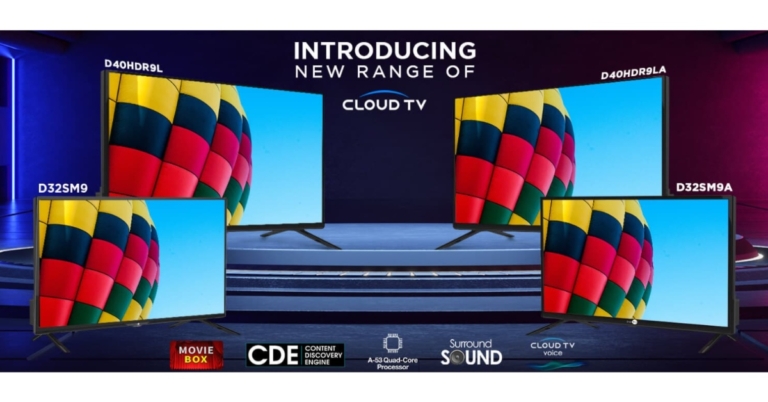
 In addition to this, the Daiwa HD Ready Smart TVs have a slew of popular streaming apps such as Disney+, Hotstar, Zee5, and SonyLiv. The Smart TVs will be equipped with a new streamlined Smart remote that has dedicated buttons for Prime Video, Disney+ Hotstar, Zee5, and Movie Box. Smart TVs with Cloud TV Voice Assistance provide a voice remote with an in-built microphone, allowing users to control the TV with their voice.
The new Smart TVs include a rich HD Ready Display with a 1366×768-pixel resolution, an A+ Grade Panel, Quantum Luminit Technology, and 16.7 million colours. The TVs have Cinema Mode, which enhances each image by reproducing colours to create a theatre-like experience. The 32-inch Smart TVs include 20W Stereo Surround Speakers, while the 39 inch Smart TVs include Surround Sound Box speakers, providing a comprehensive entertainment experience.
In addition to this, the Daiwa HD Ready Smart TVs have a slew of popular streaming apps such as Disney+, Hotstar, Zee5, and SonyLiv. The Smart TVs will be equipped with a new streamlined Smart remote that has dedicated buttons for Prime Video, Disney+ Hotstar, Zee5, and Movie Box. Smart TVs with Cloud TV Voice Assistance provide a voice remote with an in-built microphone, allowing users to control the TV with their voice.
The new Smart TVs include a rich HD Ready Display with a 1366×768-pixel resolution, an A+ Grade Panel, Quantum Luminit Technology, and 16.7 million colours. The TVs have Cinema Mode, which enhances each image by reproducing colours to create a theatre-like experience. The 32-inch Smart TVs include 20W Stereo Surround Speakers, while the 39 inch Smart TVs include Surround Sound Box speakers, providing a comprehensive entertainment experience.
 The TVs have 1 GB of RAM and 8 GB of ROM and are powered by the Android 9.0 operating system and the A-53 Quad Core Processor. There are two HDMI and two USB ports, as well as Wi-Fi, Ethernet, and Optical Output. Customers may also buy an external Bluetooth dongle from the firm to connect their Bluetooth-enabled gadgets, such as soundbars, to the TV.
 In addition to this, the Daiwa HD Ready Smart TVs have a slew of popular streaming apps such as Disney+, Hotstar, Zee5, and SonyLiv. The Smart TVs will be equipped with a new streamlined Smart remote that has dedicated buttons for Prime Video, Disney+ Hotstar, Zee5, and Movie Box. Smart TVs with Cloud TV Voice Assistance provide a voice remote with an in-built microphone, allowing users to control the TV with their voice.
The new Smart TVs include a rich HD Ready Display with a 1366×768-pixel resolution, an A+ Grade Panel, Quantum Luminit Technology, and 16.7 million colours. The TVs have Cinema Mode, which enhances each image by reproducing colours to create a theatre-like experience. The 32-inch Smart TVs include 20W Stereo Surround Speakers, while the 39 inch Smart TVs include Surround Sound Box speakers, providing a comprehensive entertainment experience.
In addition to this, the Daiwa HD Ready Smart TVs have a slew of popular streaming apps such as Disney+, Hotstar, Zee5, and SonyLiv. The Smart TVs will be equipped with a new streamlined Smart remote that has dedicated buttons for Prime Video, Disney+ Hotstar, Zee5, and Movie Box. Smart TVs with Cloud TV Voice Assistance provide a voice remote with an in-built microphone, allowing users to control the TV with their voice.
The new Smart TVs include a rich HD Ready Display with a 1366×768-pixel resolution, an A+ Grade Panel, Quantum Luminit Technology, and 16.7 million colours. The TVs have Cinema Mode, which enhances each image by reproducing colours to create a theatre-like experience. The 32-inch Smart TVs include 20W Stereo Surround Speakers, while the 39 inch Smart TVs include Surround Sound Box speakers, providing a comprehensive entertainment experience.
 The TVs have 1 GB of RAM and 8 GB of ROM and are powered by the Android 9.0 operating system and the A-53 Quad Core Processor. There are two HDMI and two USB ports, as well as Wi-Fi, Ethernet, and Optical Output. Customers may also buy an external Bluetooth dongle from the firm to connect their Bluetooth-enabled gadgets, such as soundbars, to the TV.
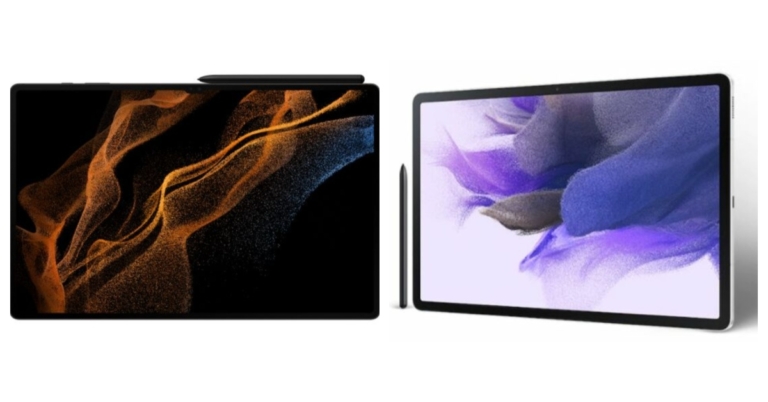
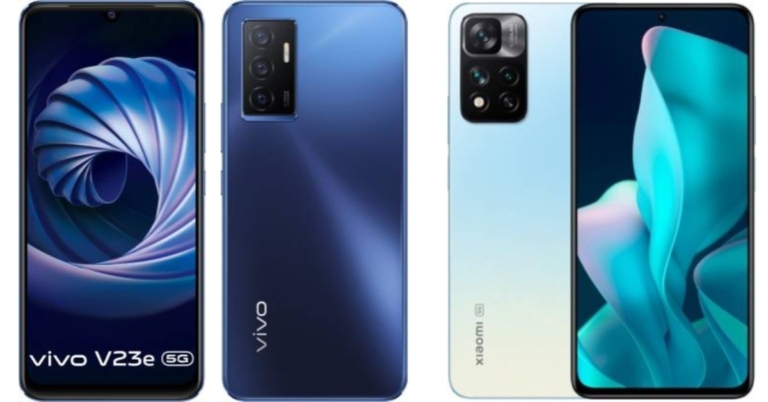

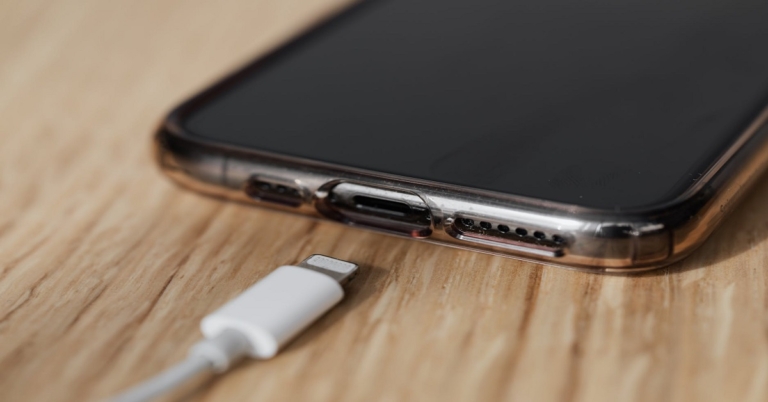
 The connectivity of your phone is one of the factors responsible for draining your battery quickly. Putting your phone in the Airplane Mode will help you save your battery. Although you won’t be able to connect to a network, you still will be able to use any application you necessarily might need to use.
Read also: How to Speed up Your Phone: 8 Tips for iPhone Users
The connectivity of your phone is one of the factors responsible for draining your battery quickly. Putting your phone in the Airplane Mode will help you save your battery. Although you won’t be able to connect to a network, you still will be able to use any application you necessarily might need to use.
Read also: How to Speed up Your Phone: 8 Tips for iPhone Users
 Enabling power saving mode helps in reducing the power consumption of your smartphone by limiting the background processes running in your device and hence increases the net charging speed.
 The best way to charge your phone faster is by ensuring that all your smartphone is focusing upon is charging itself. How can that be done? By powering off your phone, yes. Hey, if it charges your phone faster, then why not?
 If you are connecting your phone to a computer or a laptop for charging, switch to a wall socket instead. Wall sockets have a much greater amperage than a USB port and therefore help in charging devices much faster.
 If you use your phone while charging, your phone will simultaneously spend any power it has gained according to your usage. Hence, it is advisable not to use your phone while charging, as it will make the charging process even slower.
 The quality of the cable also matters while charging. If possible, try to invest in high quality fast charging cables. You may also make a one-time investment in a power bank so that even if you forgot to charge at home, you can still charge your smartphone on the way.
Get fast charging cables from here.
Get a power bank from here.
The quality of the cable also matters while charging. If possible, try to invest in high quality fast charging cables. You may also make a one-time investment in a power bank so that even if you forgot to charge at home, you can still charge your smartphone on the way.
Get fast charging cables from here.
Get a power bank from here.
 Heat or high temperatures like keeping or using your phone in the sun damages the battery lifetime of your device. Hence, try to keep your phone away from heat.
Read also: Tecno Pova 5G with 6,000mAh battery launched in India
So those were our top 7 tips to charge your smartphone faster, with or without a fast charger. If you know any more tricks to fast charge your smartphone, let us know in the comments section below.
For the latest gadget and tech news, and gadget reviews, follow us on Twitter, Facebook and Instagram. For newest tech & gadget videos subscribe to our YouTube Channel. You can also stay up to date using the Gadget Bridge Android App. You can find the latest car and bike news here.
Heat or high temperatures like keeping or using your phone in the sun damages the battery lifetime of your device. Hence, try to keep your phone away from heat.
Read also: Tecno Pova 5G with 6,000mAh battery launched in India
So those were our top 7 tips to charge your smartphone faster, with or without a fast charger. If you know any more tricks to fast charge your smartphone, let us know in the comments section below.
For the latest gadget and tech news, and gadget reviews, follow us on Twitter, Facebook and Instagram. For newest tech & gadget videos subscribe to our YouTube Channel. You can also stay up to date using the Gadget Bridge Android App. You can find the latest car and bike news here. 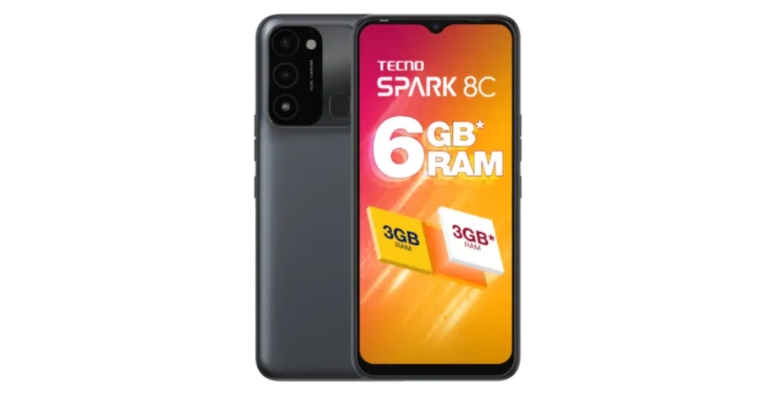


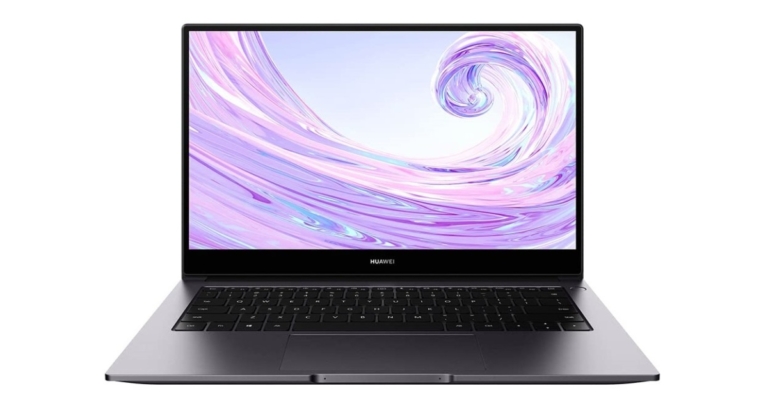
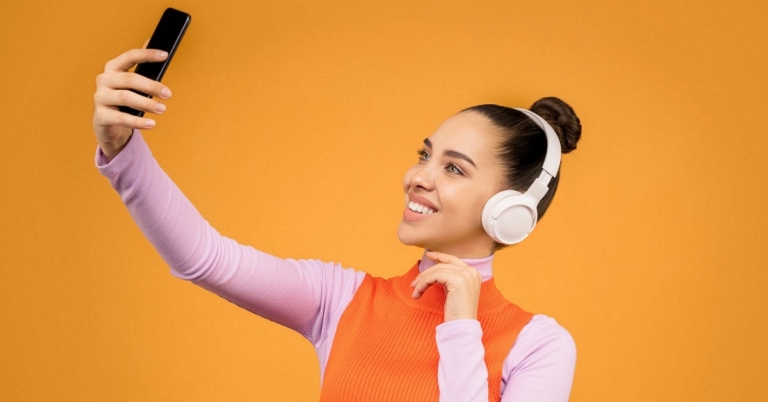
 If we’re talking about selfie filters, Snapchat is an unbeatable choice. From the most subtle and elegant selfie filters to the most quirky and funny ones you ever will see, everything comes within your scope with Snapchat.
This is the app where you’ll find the infamous doggy filter and its cousins, for you to become a cute puppy, teddy or kitty anytime and anywhere you want. Snapchat also provides you with options to export your selfies directly to other apps like Instagram, Whatsapp, etc. Moreover, other editing options like putting stickers, adding text and other stuff are also provided therein, apart from the usual camera settings like the timer option and more.
Download from here.
If we’re talking about selfie filters, Snapchat is an unbeatable choice. From the most subtle and elegant selfie filters to the most quirky and funny ones you ever will see, everything comes within your scope with Snapchat.
This is the app where you’ll find the infamous doggy filter and its cousins, for you to become a cute puppy, teddy or kitty anytime and anywhere you want. Snapchat also provides you with options to export your selfies directly to other apps like Instagram, Whatsapp, etc. Moreover, other editing options like putting stickers, adding text and other stuff are also provided therein, apart from the usual camera settings like the timer option and more.
Download from here.
 There can’t be any Instagrammers out there who still don’t know about the various filter options provided by the application. Instagram isn’t far behind in the race with Snapchat to provide filter options to its users. From filters based on city names like Paris, Oslo, Tokyo for your IG stories to those created by other users which are publicly available for use, you again have a range of options you can select from.
Not only static filters but there are also motion filters available like zoom in, zoom-out, face morphing, and much more. You can edit, draw, make a collage, boomerang and download your clicks from the app.
Download from here.
There can’t be any Instagrammers out there who still don’t know about the various filter options provided by the application. Instagram isn’t far behind in the race with Snapchat to provide filter options to its users. From filters based on city names like Paris, Oslo, Tokyo for your IG stories to those created by other users which are publicly available for use, you again have a range of options you can select from.
Not only static filters but there are also motion filters available like zoom in, zoom-out, face morphing, and much more. You can edit, draw, make a collage, boomerang and download your clicks from the app.
Download from here.
 Candy Camera has some amazing beauty features like editing intensity, symmetry, liquefaction, brightness, softening, whitening, zooming. Not only that, but it also provides a range of body editing features like tanning, longer legs, and much more, apart from providing filters and stickers which can be added to your selfie, maybe even a pizza at hand or a burger!
Download from here.
Read also: Top 10 Apps To Download In Your New Samsung Galaxy S22 Ultra
Candy Camera has some amazing beauty features like editing intensity, symmetry, liquefaction, brightness, softening, whitening, zooming. Not only that, but it also provides a range of body editing features like tanning, longer legs, and much more, apart from providing filters and stickers which can be added to your selfie, maybe even a pizza at hand or a burger!
Download from here.
Read also: Top 10 Apps To Download In Your New Samsung Galaxy S22 Ultra
 Next on our list of best selfie apps for Android smartphones is B612. From contour, blush, lip and eye colour adjustment to choosing filters or creating filters for yourself, you can do it all with B612 app. Not only that, but it also provides you with body editing features like slimming shoulders, waist, etc. as well as pro colour editing tools to enhance your clicks and videos.
Download from here.
Next on our list of best selfie apps for Android smartphones is B612. From contour, blush, lip and eye colour adjustment to choosing filters or creating filters for yourself, you can do it all with B612 app. Not only that, but it also provides you with body editing features like slimming shoulders, waist, etc. as well as pro colour editing tools to enhance your clicks and videos.
Download from here.
 You can blur your background, add a vignette, grain or a range of other filters via Retrica. You can also make collages and take photos and videos with filters and effects in real-time or edit an existing photo from your album. Like the rest, this also is one of our favourite selfie apps for Android smartphones.
Download from here.
Read also: How to download mobile apps not available on Google Play
With these top 5 selfie apps in your pocket, you are ready for a selfie battle on any social media platform! You will be absolutely unbeatable. And let’s face it. It’s not even about producing high-quality content as much as it’s about giving FOMO to your friends and family. These are the times of selfie sticks, zoom lenses and what-not. But do you actually need all those fancy pieces of equipment every time you need to click a selfie? We don’t think so! We would love to hear what you think of it in the comments section below.
For the latest gadget and tech news, and gadget reviews, follow us on Twitter, Facebook and Instagram. For newest tech & gadget videos subscribe to our YouTube Channel. You can also stay up to date using the Gadget Bridge Android App. You can find the latest car and bike news here.
You can blur your background, add a vignette, grain or a range of other filters via Retrica. You can also make collages and take photos and videos with filters and effects in real-time or edit an existing photo from your album. Like the rest, this also is one of our favourite selfie apps for Android smartphones.
Download from here.
Read also: How to download mobile apps not available on Google Play
With these top 5 selfie apps in your pocket, you are ready for a selfie battle on any social media platform! You will be absolutely unbeatable. And let’s face it. It’s not even about producing high-quality content as much as it’s about giving FOMO to your friends and family. These are the times of selfie sticks, zoom lenses and what-not. But do you actually need all those fancy pieces of equipment every time you need to click a selfie? We don’t think so! We would love to hear what you think of it in the comments section below.
For the latest gadget and tech news, and gadget reviews, follow us on Twitter, Facebook and Instagram. For newest tech & gadget videos subscribe to our YouTube Channel. You can also stay up to date using the Gadget Bridge Android App. You can find the latest car and bike news here. 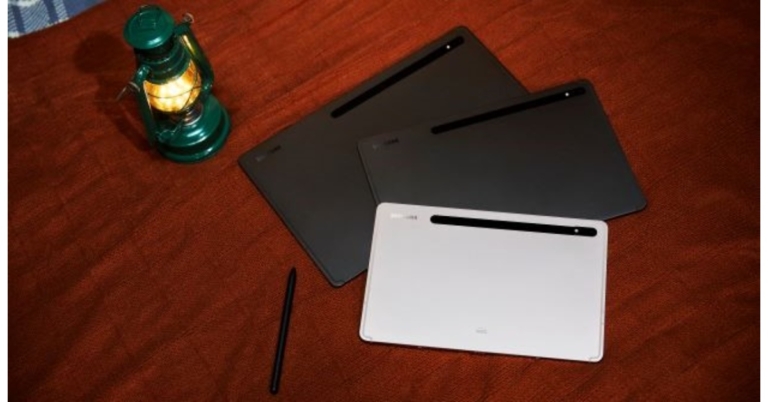


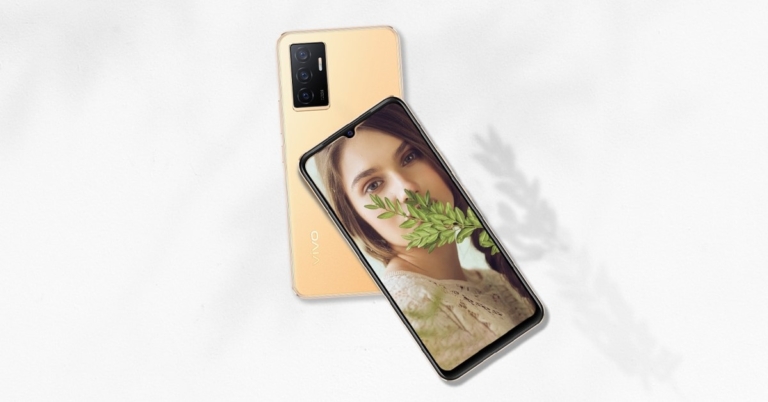
 Customers who use an ICICI Bank credit card or an EMI transaction will get up to 10% cashback on the purchase of Vivo V23e 5G as a part of the launch offer. The device is now available for sale in the country and can be purchased through the Vivo India E-store, Flipkart as well as all major retail outlets.
 The Vivo V23e has a triple back camera setup for photographs and movies, including a 50-megapixel main sensor with an f/1.8 aperture. There is also an 8-megapixel ultra-wide-angle lens with an f/2.2 aperture and a 2-megapixel macro sensor with an f/2.4 aperture. A 44-megapixel front-facing camera is available for selfies and video calls.
Connectivity options include a USB Type-C connector, Bluetooth Version 5.1, GPS, and dual Wi-Fi compatibility. On the screen, there is also a fingerprint sensor. The Vivo V23e 5G has a 4,050mAh battery and supports 44W rapid charging. An accelerometer, ambient light sensor, gyroscope, magnetometer, and proximity sensor are among the sensors on the phone.
For the latest gadget and tech news, and gadget reviews, follow us on Twitter, Facebook and Instagram. For newest tech & gadget videos subscribe to our YouTube Channel. You can also stay up to date using the Gadget Bridge Android App. You can find the latest car and bike news here.
The Vivo V23e has a triple back camera setup for photographs and movies, including a 50-megapixel main sensor with an f/1.8 aperture. There is also an 8-megapixel ultra-wide-angle lens with an f/2.2 aperture and a 2-megapixel macro sensor with an f/2.4 aperture. A 44-megapixel front-facing camera is available for selfies and video calls.
Connectivity options include a USB Type-C connector, Bluetooth Version 5.1, GPS, and dual Wi-Fi compatibility. On the screen, there is also a fingerprint sensor. The Vivo V23e 5G has a 4,050mAh battery and supports 44W rapid charging. An accelerometer, ambient light sensor, gyroscope, magnetometer, and proximity sensor are among the sensors on the phone.
For the latest gadget and tech news, and gadget reviews, follow us on Twitter, Facebook and Instagram. For newest tech & gadget videos subscribe to our YouTube Channel. You can also stay up to date using the Gadget Bridge Android App. You can find the latest car and bike news here.  Customers who use an ICICI Bank credit card or an EMI transaction will get up to 10% cashback on the purchase of Vivo V23e 5G as a part of the launch offer. The device is now available for sale in the country and can be purchased through the Vivo India E-store, Flipkart as well as all major retail outlets.
 The Vivo V23e has a triple back camera setup for photographs and movies, including a 50-megapixel main sensor with an f/1.8 aperture. There is also an 8-megapixel ultra-wide-angle lens with an f/2.2 aperture and a 2-megapixel macro sensor with an f/2.4 aperture. A 44-megapixel front-facing camera is available for selfies and video calls.
Connectivity options include a USB Type-C connector, Bluetooth Version 5.1, GPS, and dual Wi-Fi compatibility. On the screen, there is also a fingerprint sensor. The Vivo V23e 5G has a 4,050mAh battery and supports 44W rapid charging. An accelerometer, ambient light sensor, gyroscope, magnetometer, and proximity sensor are among the sensors on the phone.
For the latest gadget and tech news, and gadget reviews, follow us on Twitter, Facebook and Instagram. For newest tech & gadget videos subscribe to our YouTube Channel. You can also stay up to date using the Gadget Bridge Android App. You can find the latest car and bike news here.
The Vivo V23e has a triple back camera setup for photographs and movies, including a 50-megapixel main sensor with an f/1.8 aperture. There is also an 8-megapixel ultra-wide-angle lens with an f/2.2 aperture and a 2-megapixel macro sensor with an f/2.4 aperture. A 44-megapixel front-facing camera is available for selfies and video calls.
Connectivity options include a USB Type-C connector, Bluetooth Version 5.1, GPS, and dual Wi-Fi compatibility. On the screen, there is also a fingerprint sensor. The Vivo V23e 5G has a 4,050mAh battery and supports 44W rapid charging. An accelerometer, ambient light sensor, gyroscope, magnetometer, and proximity sensor are among the sensors on the phone.
For the latest gadget and tech news, and gadget reviews, follow us on Twitter, Facebook and Instagram. For newest tech & gadget videos subscribe to our YouTube Channel. You can also stay up to date using the Gadget Bridge Android App. You can find the latest car and bike news here. 


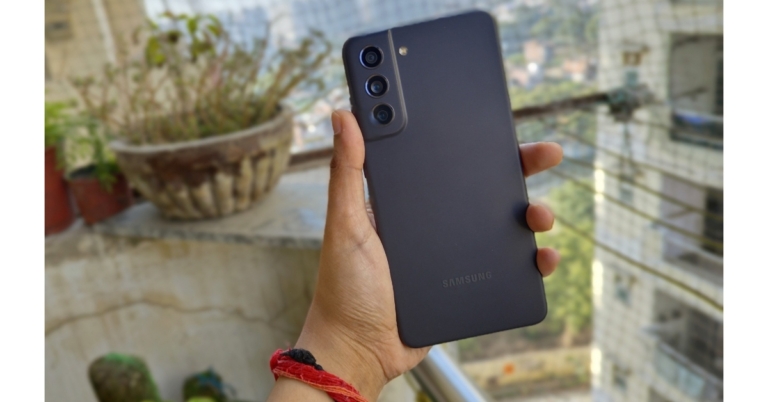
 Looking from the back, one can confuse the Galaxy S21 FE for the Galaxy A52. However, the design is slightly different and has been redesigned, making it a good-looking smartphone. We definitely adored the design and reviewed the Black colour variety, but we also adored the other colours, particularly the Olive one. The phone is also available in lavender and white colours. Thankfully, (as said) Samsung provides a matte surface rather than a glossy one here. It features an aluminium frame rather than a plastic frame, which makes it more robust.
 Furthermore, the front of this phone has Gorilla Glass Victus protection, which protects against scratches and drops. Over that, the smartphone, like its more costly siblings, is IP86 dust and water-resistant.
 In terms of audio, you have a bottom-firing two-speaker setup that generates a stereo sound effect via the speakers and the microphone unit on top. The sound quality is undeniably super; it’s loud and immersive. It is worth noting that the phone lacks a nice vibration, and the haptics are not as strong as we would have liked. The ultrasonic fingerprint sensor is also absent, replaced by an optical fingerprint sensor that is similarly excellent, quick, and reliable.
The display is a 6.4-inch full-HD+ Dynamic AMOLED 2X with a refresh rate of 120Hz and a touch sampling rate of up to 240Hz is on board. It has little bezels on the sides and looks fantastic. We mean, it’s been our everyday vehicle, and we think the screen is brilliant, with the fast refresh rate activating just when we’re playing games.
In terms of audio, you have a bottom-firing two-speaker setup that generates a stereo sound effect via the speakers and the microphone unit on top. The sound quality is undeniably super; it’s loud and immersive. It is worth noting that the phone lacks a nice vibration, and the haptics are not as strong as we would have liked. The ultrasonic fingerprint sensor is also absent, replaced by an optical fingerprint sensor that is similarly excellent, quick, and reliable.
The display is a 6.4-inch full-HD+ Dynamic AMOLED 2X with a refresh rate of 120Hz and a touch sampling rate of up to 240Hz is on board. It has little bezels on the sides and looks fantastic. We mean, it’s been our everyday vehicle, and we think the screen is brilliant, with the fast refresh rate activating just when we’re playing games.
 The refresh rate also does not adjust to the material being played, which means the battery would be depleted considerably faster than on the LTPO display. We’ll go into the battery life in greater depth later.
This is a good multimedia gadget with an almost flagship-level display that has excellent colours, contrast, and brightness levels. The nearly non-existent bezels improve the viewing experience. Although we are aware that it does not have a very high touch sampling rate, the quality and colour calibration it provides are extremely commendable. While the 120Hz refresh rate improves the user experience, we did not notice any jitters, delays, or touch response difficulties throughout our testing.
The refresh rate also does not adjust to the material being played, which means the battery would be depleted considerably faster than on the LTPO display. We’ll go into the battery life in greater depth later.
This is a good multimedia gadget with an almost flagship-level display that has excellent colours, contrast, and brightness levels. The nearly non-existent bezels improve the viewing experience. Although we are aware that it does not have a very high touch sampling rate, the quality and colour calibration it provides are extremely commendable. While the 120Hz refresh rate improves the user experience, we did not notice any jitters, delays, or touch response difficulties throughout our testing.
 Furthermore, this phone is the first to arrive with Android 12 and One UI 4 stacked on top. The 120Hz display has been effectively optimised, and the dark mode has been nicely integrated. We encountered no software issues or slow latencies, which is why Samsung OneUI is one of our favourite software interfaces.
The gadget will be upgraded for three years in terms of software and four years in terms of security. The S1 FE offers the same software experience as flagship models.
We were really intrigued before moving to the Samsung Galaxy S21 FE. We wondered will it have a flagship-level camera because we were using the Vivo V23 Pro (Review), which has great photographic skills. It contains three rear cameras: a 12-megapixel primary sensor with an f/1.8 wide-angle lens, a 12-megapixel ultra-wide sensor, and an 8-megapixel telephoto sensor. The gadget also includes a 32-megapixel selfie camera with an f/2.2 aperture for selfies and video calls.
Furthermore, this phone is the first to arrive with Android 12 and One UI 4 stacked on top. The 120Hz display has been effectively optimised, and the dark mode has been nicely integrated. We encountered no software issues or slow latencies, which is why Samsung OneUI is one of our favourite software interfaces.
The gadget will be upgraded for three years in terms of software and four years in terms of security. The S1 FE offers the same software experience as flagship models.
We were really intrigued before moving to the Samsung Galaxy S21 FE. We wondered will it have a flagship-level camera because we were using the Vivo V23 Pro (Review), which has great photographic skills. It contains three rear cameras: a 12-megapixel primary sensor with an f/1.8 wide-angle lens, a 12-megapixel ultra-wide sensor, and an 8-megapixel telephoto sensor. The gadget also includes a 32-megapixel selfie camera with an f/2.2 aperture for selfies and video calls.
 It’s worth mentioning that the telephoto sensor on offer here isn’t as high-resolution as the one on the flagship S21, but it still offers 3X zoom and 30X digital zoom.
The photographs from the telephoto camera, as predicted, lack detail. While the colour optimisation, which we felt to be a little lacking, particularly in terms of exposure management. Except for the colour reproduction, which appears a touch toned down to our liking, both standard and extreme wide-angle phone images are practically identical.
It’s worth mentioning that the telephoto sensor on offer here isn’t as high-resolution as the one on the flagship S21, but it still offers 3X zoom and 30X digital zoom.
The photographs from the telephoto camera, as predicted, lack detail. While the colour optimisation, which we felt to be a little lacking, particularly in terms of exposure management. Except for the colour reproduction, which appears a touch toned down to our liking, both standard and extreme wide-angle phone images are practically identical.
 Portraits are also captured using a 3X telephoto lens on the phone.
So, if you prefer zoom photography, you will get better-detailed zoom images. This also applies to portrait photos. The colour in the usual daylight photographs appears realistic, which we appreciated.
Portraits are also captured using a 3X telephoto lens on the phone.
So, if you prefer zoom photography, you will get better-detailed zoom images. This also applies to portrait photos. The colour in the usual daylight photographs appears realistic, which we appreciated.

 When it comes to nighttime photographs, the Galaxy S21 FE takes a little longer to process, but the results are fantastic.

 Looking from the back, one can confuse the Galaxy S21 FE for the Galaxy A52. However, the design is slightly different and has been redesigned, making it a good-looking smartphone. We definitely adored the design and reviewed the Black colour variety, but we also adored the other colours, particularly the Olive one. The phone is also available in lavender and white colours. Thankfully, (as said) Samsung provides a matte surface rather than a glossy one here. It features an aluminium frame rather than a plastic frame, which makes it more robust.
 Furthermore, the front of this phone has Gorilla Glass Victus protection, which protects against scratches and drops. Over that, the smartphone, like its more costly siblings, is IP86 dust and water-resistant.
 In terms of audio, you have a bottom-firing two-speaker setup that generates a stereo sound effect via the speakers and the microphone unit on top. The sound quality is undeniably super; it’s loud and immersive. It is worth noting that the phone lacks a nice vibration, and the haptics are not as strong as we would have liked. The ultrasonic fingerprint sensor is also absent, replaced by an optical fingerprint sensor that is similarly excellent, quick, and reliable.
The display is a 6.4-inch full-HD+ Dynamic AMOLED 2X with a refresh rate of 120Hz and a touch sampling rate of up to 240Hz is on board. It has little bezels on the sides and looks fantastic. We mean, it’s been our everyday vehicle, and we think the screen is brilliant, with the fast refresh rate activating just when we’re playing games.
In terms of audio, you have a bottom-firing two-speaker setup that generates a stereo sound effect via the speakers and the microphone unit on top. The sound quality is undeniably super; it’s loud and immersive. It is worth noting that the phone lacks a nice vibration, and the haptics are not as strong as we would have liked. The ultrasonic fingerprint sensor is also absent, replaced by an optical fingerprint sensor that is similarly excellent, quick, and reliable.
The display is a 6.4-inch full-HD+ Dynamic AMOLED 2X with a refresh rate of 120Hz and a touch sampling rate of up to 240Hz is on board. It has little bezels on the sides and looks fantastic. We mean, it’s been our everyday vehicle, and we think the screen is brilliant, with the fast refresh rate activating just when we’re playing games.
 The refresh rate also does not adjust to the material being played, which means the battery would be depleted considerably faster than on the LTPO display. We’ll go into the battery life in greater depth later.
This is a good multimedia gadget with an almost flagship-level display that has excellent colours, contrast, and brightness levels. The nearly non-existent bezels improve the viewing experience. Although we are aware that it does not have a very high touch sampling rate, the quality and colour calibration it provides are extremely commendable. While the 120Hz refresh rate improves the user experience, we did not notice any jitters, delays, or touch response difficulties throughout our testing.
The refresh rate also does not adjust to the material being played, which means the battery would be depleted considerably faster than on the LTPO display. We’ll go into the battery life in greater depth later.
This is a good multimedia gadget with an almost flagship-level display that has excellent colours, contrast, and brightness levels. The nearly non-existent bezels improve the viewing experience. Although we are aware that it does not have a very high touch sampling rate, the quality and colour calibration it provides are extremely commendable. While the 120Hz refresh rate improves the user experience, we did not notice any jitters, delays, or touch response difficulties throughout our testing.
 Furthermore, this phone is the first to arrive with Android 12 and One UI 4 stacked on top. The 120Hz display has been effectively optimised, and the dark mode has been nicely integrated. We encountered no software issues or slow latencies, which is why Samsung OneUI is one of our favourite software interfaces.
The gadget will be upgraded for three years in terms of software and four years in terms of security. The S1 FE offers the same software experience as flagship models.
We were really intrigued before moving to the Samsung Galaxy S21 FE. We wondered will it have a flagship-level camera because we were using the Vivo V23 Pro (Review), which has great photographic skills. It contains three rear cameras: a 12-megapixel primary sensor with an f/1.8 wide-angle lens, a 12-megapixel ultra-wide sensor, and an 8-megapixel telephoto sensor. The gadget also includes a 32-megapixel selfie camera with an f/2.2 aperture for selfies and video calls.
Furthermore, this phone is the first to arrive with Android 12 and One UI 4 stacked on top. The 120Hz display has been effectively optimised, and the dark mode has been nicely integrated. We encountered no software issues or slow latencies, which is why Samsung OneUI is one of our favourite software interfaces.
The gadget will be upgraded for three years in terms of software and four years in terms of security. The S1 FE offers the same software experience as flagship models.
We were really intrigued before moving to the Samsung Galaxy S21 FE. We wondered will it have a flagship-level camera because we were using the Vivo V23 Pro (Review), which has great photographic skills. It contains three rear cameras: a 12-megapixel primary sensor with an f/1.8 wide-angle lens, a 12-megapixel ultra-wide sensor, and an 8-megapixel telephoto sensor. The gadget also includes a 32-megapixel selfie camera with an f/2.2 aperture for selfies and video calls.
 It’s worth mentioning that the telephoto sensor on offer here isn’t as high-resolution as the one on the flagship S21, but it still offers 3X zoom and 30X digital zoom.
The photographs from the telephoto camera, as predicted, lack detail. While the colour optimisation, which we felt to be a little lacking, particularly in terms of exposure management. Except for the colour reproduction, which appears a touch toned down to our liking, both standard and extreme wide-angle phone images are practically identical.
It’s worth mentioning that the telephoto sensor on offer here isn’t as high-resolution as the one on the flagship S21, but it still offers 3X zoom and 30X digital zoom.
The photographs from the telephoto camera, as predicted, lack detail. While the colour optimisation, which we felt to be a little lacking, particularly in terms of exposure management. Except for the colour reproduction, which appears a touch toned down to our liking, both standard and extreme wide-angle phone images are practically identical.
 Portraits are also captured using a 3X telephoto lens on the phone.
So, if you prefer zoom photography, you will get better-detailed zoom images. This also applies to portrait photos. The colour in the usual daylight photographs appears realistic, which we appreciated.
Portraits are also captured using a 3X telephoto lens on the phone.
So, if you prefer zoom photography, you will get better-detailed zoom images. This also applies to portrait photos. The colour in the usual daylight photographs appears realistic, which we appreciated.

 When it comes to nighttime photographs, the Galaxy S21 FE takes a little longer to process, but the results are fantastic.

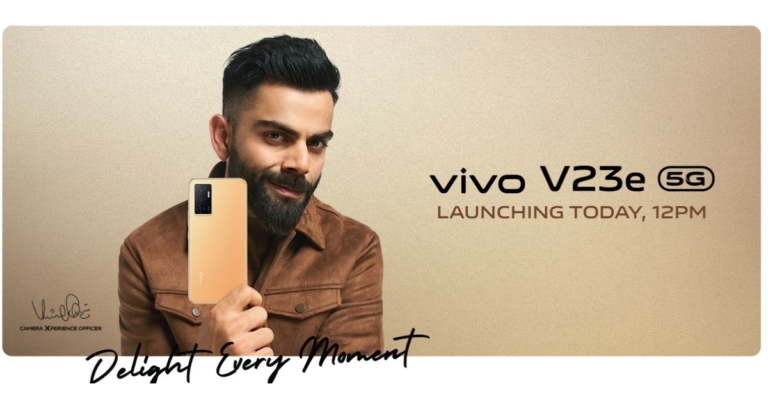
 In Malaysia, the phone is available at TBH 12,999 which is about Rs 30,200 for the single 8GB RAM with 128GB storage model. Here also the smartphone is expected to be priced equally. The device is available in Moonlight Shadow and Sunshine Coast colour schemes.
 Step 2: Click on the Download and install option within the Software update window. In case you haven’t switched on the Auto-download over Wi-Fi option (as shown below), we recommend you do it.
 Step 3: Whether your software is up-to-date or not will appear here. You can update it from this window shown below, and you’re all set!
 Read also: Samsung Galaxy S22, Galaxy S22+, Galaxy S22 Ultra goes official in India
Samsung’s Android 11 update has enhanced features like notification improvements, bubbles for messages and many more. It is available for most Samsung models like the Samsung Galaxy S series, Galaxy Note series, Galaxy A series, Galaxy Tab series, Galaxy M series and more. If there is any other way to install Android 11 on a Samsung device, let us know in the comments section below.
For the latest gadget and tech news, and gadget reviews, follow us on Twitter, Facebook and Instagram. For newest tech & gadget videos subscribe to our YouTube Channel. You can also stay up to date using the Gadget Bridge Android App. You can find the latest car and bike news here.
Read also: Samsung Galaxy S22, Galaxy S22+, Galaxy S22 Ultra goes official in India
Samsung’s Android 11 update has enhanced features like notification improvements, bubbles for messages and many more. It is available for most Samsung models like the Samsung Galaxy S series, Galaxy Note series, Galaxy A series, Galaxy Tab series, Galaxy M series and more. If there is any other way to install Android 11 on a Samsung device, let us know in the comments section below.
For the latest gadget and tech news, and gadget reviews, follow us on Twitter, Facebook and Instagram. For newest tech & gadget videos subscribe to our YouTube Channel. You can also stay up to date using the Gadget Bridge Android App. You can find the latest car and bike news here. 
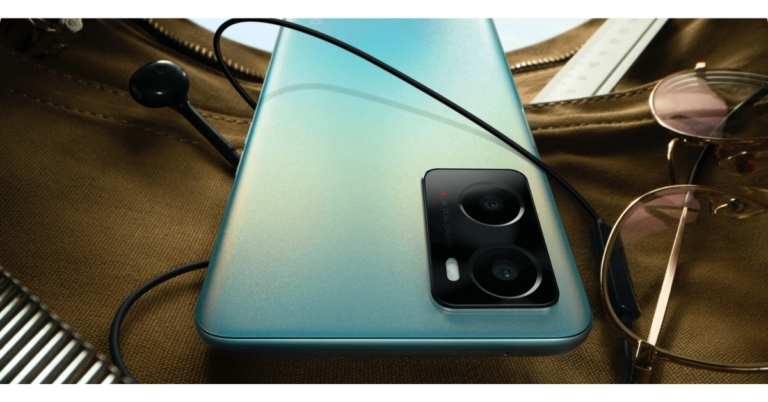
 According to sources, the smartphone would also be available in India and other worldwide markets in the near future. In India, the phone is expected to cost between Rs. 15,000 and Rs. 17,000. Furthermore, the Oppo smartphone is claimed to be available in two colour options: black and blue. It will apparently be available in two configurations: 4GB RAM with 128GB storage and 6GB RAM with 128GB storage.
 According to sources, the smartphone would also be available in India and other worldwide markets in the near future. In India, the phone is expected to cost between Rs. 15,000 and Rs. 17,000. Furthermore, the Oppo smartphone is claimed to be available in two colour options: black and blue. It will apparently be available in two configurations: 4GB RAM with 128GB storage and 6GB RAM with 128GB storage.
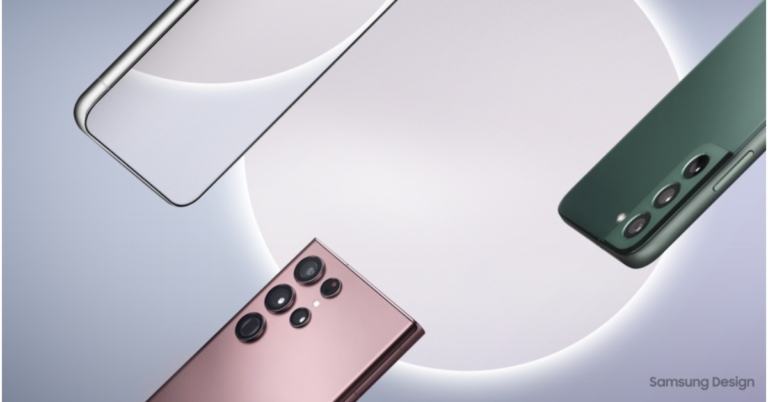
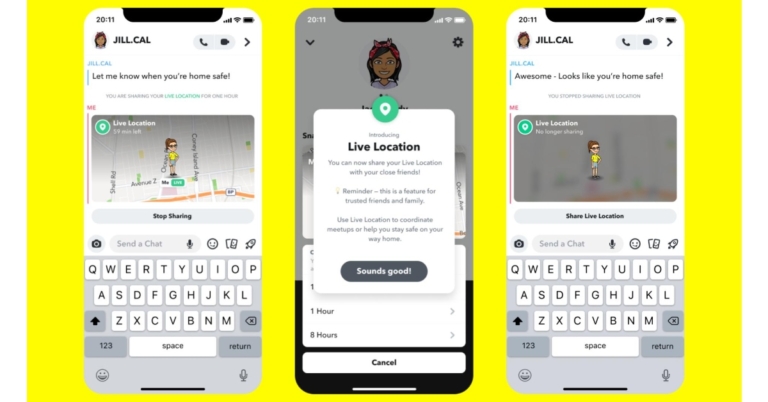

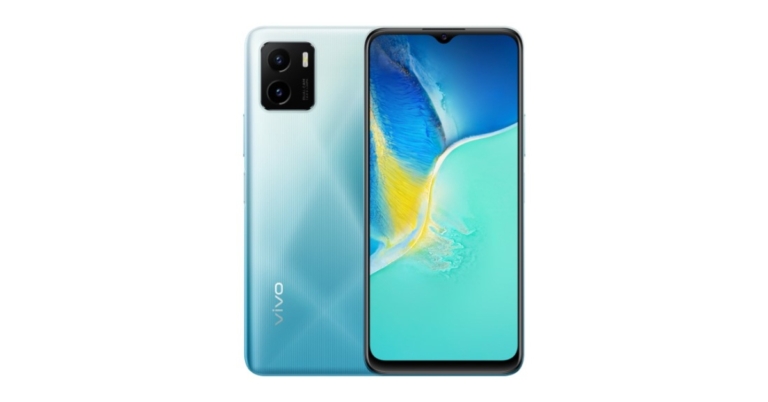


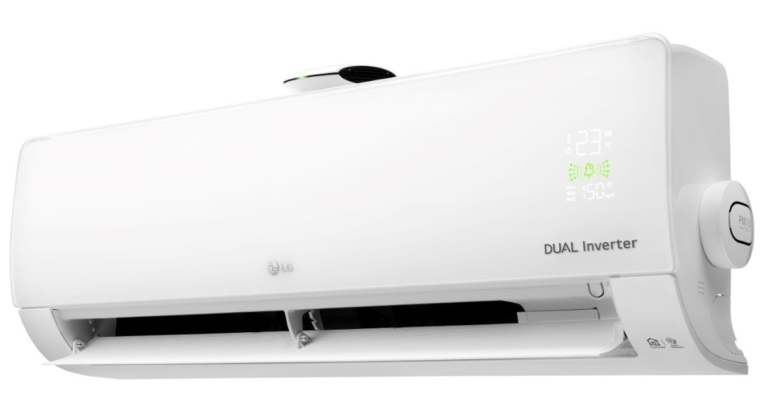
 The latest LG air conditioners are energy efficient too and have an anti-virus protection filter. The filter, which is coated with Cationic Silver, deactivates up to 99 percent of viruses and germs and eliminates hazardous substances such as pollen from the air. These new air conditioners will be added to the existing line of ACs that include features like UV nano and air purification. LG has also released a UV line of air conditioners with Wi-Fi (ThinQ), Hot & Cold ACs with Super Convertible 5in1 features, and Window Inverter ACs with Convertible 4-in-1 features.
Whereas the LG ThinQ technology, which allows customers to manage and monitor AC from their phones at any time and from anywhere, has pushed consumer convenience to the next level. LG ThinQ is compatible with Smart App, Amazon Alexa, and Google Assistant AI Speakers and Apps. Aside from control and also allows customers to get filter cleaning notifications and control numerous household appliances.
The latest LG air conditioners are energy efficient too and have an anti-virus protection filter. The filter, which is coated with Cationic Silver, deactivates up to 99 percent of viruses and germs and eliminates hazardous substances such as pollen from the air. These new air conditioners will be added to the existing line of ACs that include features like UV nano and air purification. LG has also released a UV line of air conditioners with Wi-Fi (ThinQ), Hot & Cold ACs with Super Convertible 5in1 features, and Window Inverter ACs with Convertible 4-in-1 features.
Whereas the LG ThinQ technology, which allows customers to manage and monitor AC from their phones at any time and from anywhere, has pushed consumer convenience to the next level. LG ThinQ is compatible with Smart App, Amazon Alexa, and Google Assistant AI Speakers and Apps. Aside from control and also allows customers to get filter cleaning notifications and control numerous household appliances.
 In addition to this, LG’s 2022 air conditioners are fitted with ADC safety sensors and are designed to work in all weather conditions. The outdoor units of split ACs are equipped with Ocean Black Fins, which provide unrivalled protection against fin corrosion since the outdoor unit is exposed to harsh conditions.
Price and Availability
The new Split ACs will be offered in a variety of capacities and Star Ratings, with prices ranging from Rs 39,990 to Rs 73,990. Consumers will also be able to purchase Window Inverter ACs ranging in price from Rs 36,990 to Rs 54,990.
For the latest gadget and tech news, and gadget reviews, follow us on Twitter, Facebook and Instagram. For newest tech & gadget videos subscribe to our YouTube Channel. You can also stay up to date using the Gadget Bridge Android App. You can find the latest car and bike news here.
In addition to this, LG’s 2022 air conditioners are fitted with ADC safety sensors and are designed to work in all weather conditions. The outdoor units of split ACs are equipped with Ocean Black Fins, which provide unrivalled protection against fin corrosion since the outdoor unit is exposed to harsh conditions.
Price and Availability
The new Split ACs will be offered in a variety of capacities and Star Ratings, with prices ranging from Rs 39,990 to Rs 73,990. Consumers will also be able to purchase Window Inverter ACs ranging in price from Rs 36,990 to Rs 54,990.
For the latest gadget and tech news, and gadget reviews, follow us on Twitter, Facebook and Instagram. For newest tech & gadget videos subscribe to our YouTube Channel. You can also stay up to date using the Gadget Bridge Android App. You can find the latest car and bike news here.  The latest LG air conditioners are energy efficient too and have an anti-virus protection filter. The filter, which is coated with Cationic Silver, deactivates up to 99 percent of viruses and germs and eliminates hazardous substances such as pollen from the air. These new air conditioners will be added to the existing line of ACs that include features like UV nano and air purification. LG has also released a UV line of air conditioners with Wi-Fi (ThinQ), Hot & Cold ACs with Super Convertible 5in1 features, and Window Inverter ACs with Convertible 4-in-1 features.
Whereas the LG ThinQ technology, which allows customers to manage and monitor AC from their phones at any time and from anywhere, has pushed consumer convenience to the next level. LG ThinQ is compatible with Smart App, Amazon Alexa, and Google Assistant AI Speakers and Apps. Aside from control and also allows customers to get filter cleaning notifications and control numerous household appliances.
The latest LG air conditioners are energy efficient too and have an anti-virus protection filter. The filter, which is coated with Cationic Silver, deactivates up to 99 percent of viruses and germs and eliminates hazardous substances such as pollen from the air. These new air conditioners will be added to the existing line of ACs that include features like UV nano and air purification. LG has also released a UV line of air conditioners with Wi-Fi (ThinQ), Hot & Cold ACs with Super Convertible 5in1 features, and Window Inverter ACs with Convertible 4-in-1 features.
Whereas the LG ThinQ technology, which allows customers to manage and monitor AC from their phones at any time and from anywhere, has pushed consumer convenience to the next level. LG ThinQ is compatible with Smart App, Amazon Alexa, and Google Assistant AI Speakers and Apps. Aside from control and also allows customers to get filter cleaning notifications and control numerous household appliances.
 In addition to this, LG’s 2022 air conditioners are fitted with ADC safety sensors and are designed to work in all weather conditions. The outdoor units of split ACs are equipped with Ocean Black Fins, which provide unrivalled protection against fin corrosion since the outdoor unit is exposed to harsh conditions.
Price and Availability
The new Split ACs will be offered in a variety of capacities and Star Ratings, with prices ranging from Rs 39,990 to Rs 73,990. Consumers will also be able to purchase Window Inverter ACs ranging in price from Rs 36,990 to Rs 54,990.
For the latest gadget and tech news, and gadget reviews, follow us on Twitter, Facebook and Instagram. For newest tech & gadget videos subscribe to our YouTube Channel. You can also stay up to date using the Gadget Bridge Android App. You can find the latest car and bike news here.
In addition to this, LG’s 2022 air conditioners are fitted with ADC safety sensors and are designed to work in all weather conditions. The outdoor units of split ACs are equipped with Ocean Black Fins, which provide unrivalled protection against fin corrosion since the outdoor unit is exposed to harsh conditions.
Price and Availability
The new Split ACs will be offered in a variety of capacities and Star Ratings, with prices ranging from Rs 39,990 to Rs 73,990. Consumers will also be able to purchase Window Inverter ACs ranging in price from Rs 36,990 to Rs 54,990.
For the latest gadget and tech news, and gadget reviews, follow us on Twitter, Facebook and Instagram. For newest tech & gadget videos subscribe to our YouTube Channel. You can also stay up to date using the Gadget Bridge Android App. You can find the latest car and bike news here. 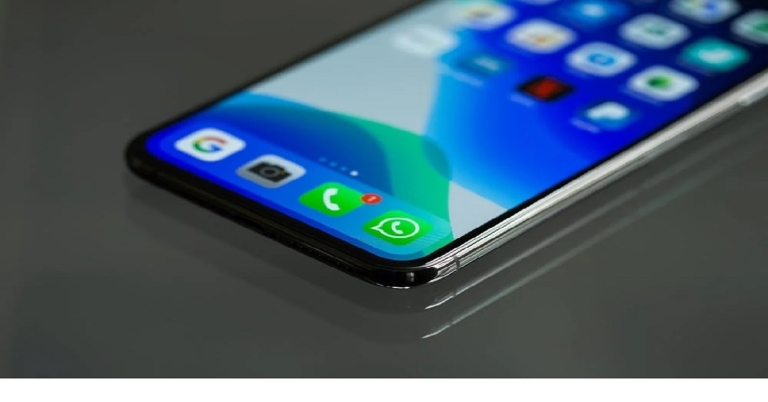
 Step 3: Type something on the screen.
Step 4: Tap the T icon at the top of the screen to change the font. Keep tapping it to view more options.
Step 3: Type something on the screen.
Step 4: Tap the T icon at the top of the screen to change the font. Keep tapping it to view more options.

 Step 2: A list appears containing all the 4 main options- Bold, Italics, Strikethrough and Monospace, as shown below. Select the appropriate one, and your text will be formatted accordingly.
 Read also: Best 3 ways to add background music to WhatsApp Status
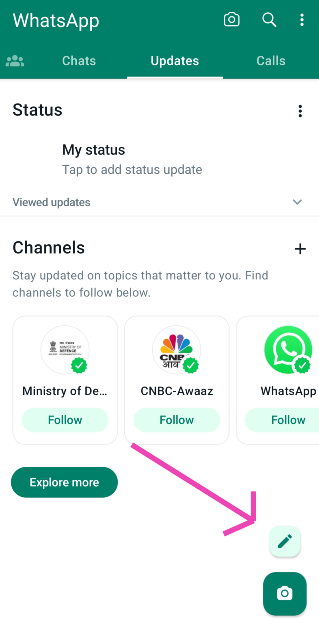 Step 3: Type something on the screen.
Step 4: Tap the T icon at the top of the screen to change the font. Keep tapping it to view more options.
Step 3: Type something on the screen.
Step 4: Tap the T icon at the top of the screen to change the font. Keep tapping it to view more options.
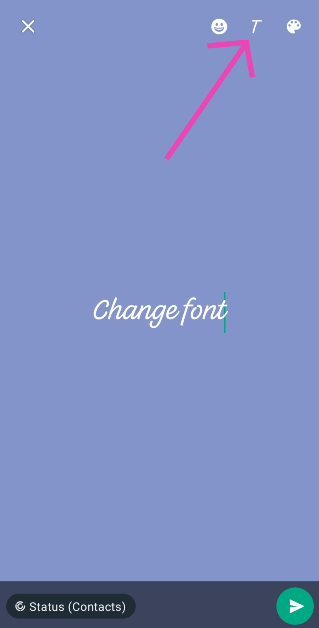
 Step 2: Click on Settings from the drop-down list that appears.
 Step 3: Click on the Chats option within the Settings window.
 Step 4: Select the Font size option within the Chats window.
 Step 5: You are provided with 3 font sizes namely Small, Medium and Large by Whatsapp. Select the appropriate option and your font size will change throughout the app.

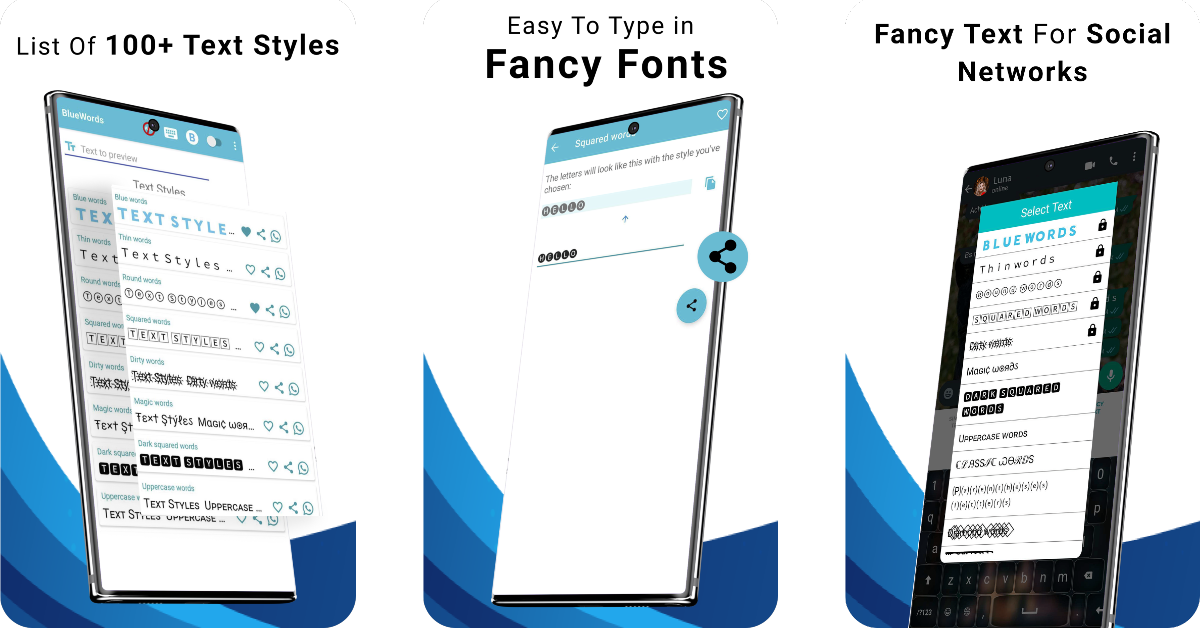 Although Whatsapp provides different font styles and size options, the option to change the colour of your text is still not there yet. However, changing font colour is possible via 3rd party apps like Colour Text, Text Styler for Whatsapp, Blue Words and more. These apps provide a range of different colourful and stylish fonts for Whatsapp messaging which you can utilise to enhance your texts. You can download more such apps from here.