In This Article
IP6X rating for Apple Watch Series 7 explained
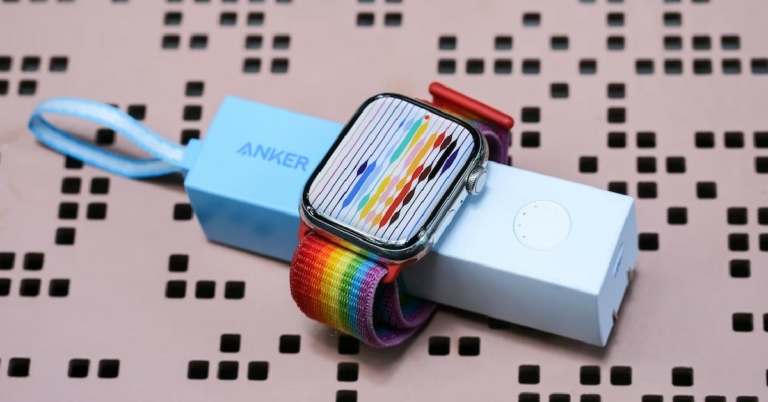
 The IP rating stands for Ingress Protection and is a standard for determining how dustproof or waterproof your device is. The first digit in the IP rating is a measure of protection against solid particles. A rating of 5 suggests that the device is dust resistant, while a rating of 6 means that the device is totally dustproof. The Apple Watch Series 7 has a protection rating of 6 against solid particles which means it is completely dustproof.
The IP Standard is set by the International Electrotechnical Commission, and any product that is tested under IP guidelines must go through a series of rigorous testing conducted by an independent body.
The second digit in the IP rating is a measure of protection against water. Some devices may omit this rating if they have a different rating for the waterproofing standard. The highest water protection rating offered by IP is 9k. If a device is rated 9k under IP, it can withstand high pressure and high-temperature water sprays and function normally. Since the Apple Watch Series 7 has a different rating standard for water resistance, there is an ‘X’ in place of the second IP rating.
The IP rating stands for Ingress Protection and is a standard for determining how dustproof or waterproof your device is. The first digit in the IP rating is a measure of protection against solid particles. A rating of 5 suggests that the device is dust resistant, while a rating of 6 means that the device is totally dustproof. The Apple Watch Series 7 has a protection rating of 6 against solid particles which means it is completely dustproof.
The IP Standard is set by the International Electrotechnical Commission, and any product that is tested under IP guidelines must go through a series of rigorous testing conducted by an independent body.
The second digit in the IP rating is a measure of protection against water. Some devices may omit this rating if they have a different rating for the waterproofing standard. The highest water protection rating offered by IP is 9k. If a device is rated 9k under IP, it can withstand high pressure and high-temperature water sprays and function normally. Since the Apple Watch Series 7 has a different rating standard for water resistance, there is an ‘X’ in place of the second IP rating.
WR50 rating for Apple Watch Series 7 explained
 The WR50 rating on the Apple Watch Series 7 means that it is water resistant up to 50 metres. The WR50 rating is under the ISO 22810:2010 standard. A WR50 rating means you can wear your Apple Watch while swimming or showering. Apple also claims that you can wear it to the ocean and hot tubs. As long as you’re in shallow waters, your watch is entirely water resistant.
However, any depths in excess of 50 metres may prove to be harmful to your Apple Watch. Apple does not recommend wearing the Apple Watch while scuba diving, water skiing, or any activities involving high-velocity water or submersion below shallow depths.
Read Also: How to find your local and external IP address?
The WR50 rating on the Apple Watch Series 7 means that it is water resistant up to 50 metres. The WR50 rating is under the ISO 22810:2010 standard. A WR50 rating means you can wear your Apple Watch while swimming or showering. Apple also claims that you can wear it to the ocean and hot tubs. As long as you’re in shallow waters, your watch is entirely water resistant.
However, any depths in excess of 50 metres may prove to be harmful to your Apple Watch. Apple does not recommend wearing the Apple Watch while scuba diving, water skiing, or any activities involving high-velocity water or submersion below shallow depths.
Read Also: How to find your local and external IP address?
Frequently Asked Questions
Can I wear my Apple Watch while swimming? Yes, you can wear your Apple Watch while swimming in a pool or the ocean. The WR50 rating means that the Apple Watch is water resistant up to 50 metres. Can I wear my Apple Watch while showering? Yes, you can wear your Apple Watch in the shower. Just make sure that it doesn’t remain in contact with shampoo, soap, or conditioner for a long time. Prolonged exposure to chemicals can harm the Apple Watch. Can I wear my Apple Watch while scuba diving? No, you will certainly harm the Apple Watch if you wear it while scuba diving, water skiing, or any deep-sea activity. The Apple Watch is only water resistant up to 50 metres.
For the latest gadget and tech news, and gadget reviews, follow us on Twitter, Facebook and Instagram. For newest tech & gadget videos subscribe to our YouTube Channel. You can also stay up to date using the Gadget Bridge Android App. You can find the latest car and bike news here.



 Another great Rakhi gift for your brother or even sister and their families is by Dyson. The Dyson Purifier CoolTM Formaldehyde is repeatedly improving and iterating to represent the latest technologies in three fundamental areas: sense, capture, and project. It detects airborne particles and gases automatically, then analyses and reports them in real-time. There are numerous indoor pollution sources that emit pollutants into the air such as PM10, PM2.5, VOCs, NO2, and formaldehyde. This latest purifying machine removes 99.95 percent of particles as small as 0.1 microns and is equipped with revolutionary solid-state formaldehyde detecting technology, which is meant to catch ultrafine dust and allergies while also destroying potentially hazardous VOCs such as formaldehyde.
Price: Rs 46,900 on
Another great Rakhi gift for your brother or even sister and their families is by Dyson. The Dyson Purifier CoolTM Formaldehyde is repeatedly improving and iterating to represent the latest technologies in three fundamental areas: sense, capture, and project. It detects airborne particles and gases automatically, then analyses and reports them in real-time. There are numerous indoor pollution sources that emit pollutants into the air such as PM10, PM2.5, VOCs, NO2, and formaldehyde. This latest purifying machine removes 99.95 percent of particles as small as 0.1 microns and is equipped with revolutionary solid-state formaldehyde detecting technology, which is meant to catch ultrafine dust and allergies while also destroying potentially hazardous VOCs such as formaldehyde.
Price: Rs 46,900 on 



 Step 2:
 Step 5:

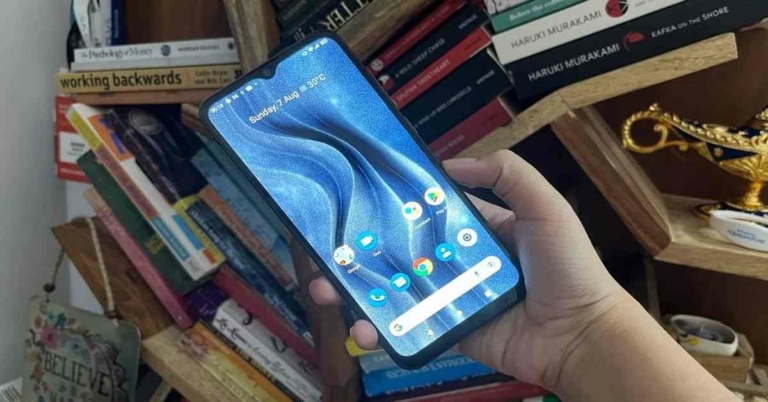
 The Type-C port, 3.5mm headphone jack and the microphone are placed on the bottom. The speaker of the
  To sum it up, we would say that both the design and display of Micromax In 2c are basic, but considering the budget the phone is available in, they aren’t bad. However, we do feel that the company could have included a fingerprint sensor.
 The device can also handle some basic games like Candy Crush and Alto’s Odyssey. However, there were times when it started heating up. Speaking about the battery life of Micromax In 2c, it can easily last more than a day with moderate usage involving an active Instagram account, web-browsing, listening to music and watching videos. It is worth noticing that the handset supports 10W fast-charging and it takes about three hours to charge completely if you use the charger included in the box.
Finally, let’s talk about the
The device can also handle some basic games like Candy Crush and Alto’s Odyssey. However, there were times when it started heating up. Speaking about the battery life of Micromax In 2c, it can easily last more than a day with moderate usage involving an active Instagram account, web-browsing, listening to music and watching videos. It is worth noticing that the handset supports 10W fast-charging and it takes about three hours to charge completely if you use the charger included in the box.
Finally, let’s talk about the  The 8MP primary camera of Micromax In 2C only managed to take average shots when we used it in outdoor settings in daylight. The images lacked details and were often not sharp enough. The colours were sometimes not very accurate too. Things only worsened when we tried to use the camera in dimly lit conditions. The other rear camera only provides a depth-of-field effect to the pictures. There is nothing extra that it does so there isn’t much to talk about here.
The 5MP selfie camera was similar. The images we clicked using it were not sharp enough and it sometimes felt as if we had deliberately used an app to smoothen them.
The 8MP primary camera of Micromax In 2C only managed to take average shots when we used it in outdoor settings in daylight. The images lacked details and were often not sharp enough. The colours were sometimes not very accurate too. Things only worsened when we tried to use the camera in dimly lit conditions. The other rear camera only provides a depth-of-field effect to the pictures. There is nothing extra that it does so there isn’t much to talk about here.
The 5MP selfie camera was similar. The images we clicked using it were not sharp enough and it sometimes felt as if we had deliberately used an app to smoothen them.










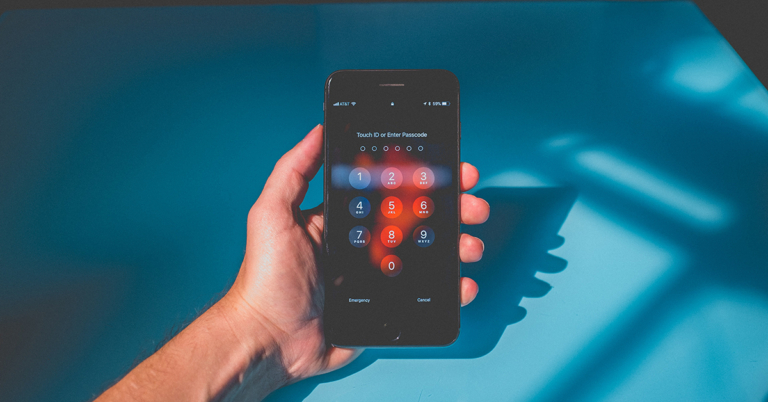
 Step 2: Connect your Android phone to your device using a USB cable. From the screen next appeared, read all the instructions and click on ‘Start’ button.
 Step 3: After that, remove the screen password by following the steps displayed on the screen.
 Step 4: Once the process illustrated is completed, the screen of the Android Phone will be unlocked automatically.
 You have to wait while DroidKit is unlocking your Android Phone. Do not disconnect your device until the whole process is completed.